#enfusion_model
1 messages · Page 3 of 1
 calm rune
 zenith quartz
Although the actual unwrapping process is what I struggle with and loathe now. �...
zenith quartz
Although the actual unwrapping process is what I struggle with and loathe now. �...
When it comes to hard surface ZenUV can do the unwrapping for you. You may have to go in a tweak a couple things after or you may not. Depends on how good of a job it does to your liking but you literally do not need to create a seam yourself if you do not wish with ZenUV.
 last hill
Hoping I haven't missed it when I hit search, but trying to find out if we can create modded versions of attachments to our vests that we add and/or belts so that players can pick and choose from their own loadout, like the Alice rig on the base game? I see in their prefab that they are listed as Attachment1 etc etc, but how does the engine determine their position of attachment? Is it hardcorded or is it dummy related in the vest.xob?
zenith quartz
Are there sockets per chance?
 last hill
zenith quartz
Are there sockets per chance?
last hill
zenith quartz
Are there sockets per chance?
That is what I was wondering, however can't see the sockets on the bone heirarchy on the base vest so I am not sure :/
 delicate condor
@willow sage @tacit eagle  , take it to DMs
 willow sage
delicate condor
<@183934160195420160> <@456226577798135808> <a:ablobplsnospam:789936747450597386...
willow sage
delicate condor
<@183934160195420160> <@456226577798135808> <a:ablobplsnospam:789936747450597386...
Don't get me involved, a few people above him also got hit with his unnecessary opinion.
delicate condor
Block and ignore then.
 sly bridge
can you keep these sort of comments to a necessary minimum if you really can’t help yourself (so i don’t need spam spank)?
 tacit eagle
what's the focus on me for?
 mental onyx
Discussion about anything related to Model creation Is there really no room for some casual banter on-topic? The moderators seem very aggressive on any casual banter, even if its within the topic of the channel. There can be a good mood in the channel and its instantly killed off my moderators.
delicate condor
mental onyx
```Discussion about anything related to Model creation``` Is there really no roo...
not when it escalates like above
calm rune
mental onyx
```Discussion about anything related to Model creation``` Is there really no roo...
This Discord is ran like a prison LOL. I am literally only here to see what people are creating. This might be the only discord I've ever been part of where the moderators ruin the enjoyment and not its casual members.
 undone halo
Same I dig the clothes mod @calm rune
calm rune
undone halo
Same I dig the clothes mod <@165928416669990912>
tyty
sly bridge
mental onyx
```Discussion about anything related to Model creation``` Is there really no roo...
you are free to discuss anything in relation to model creation. You are also free to banter in any of the offtopic #channels
generally speaking, (especially for 60k server) each single time there were no moderation, things have drastically escalated to the point of having multiple people warned / muted / banned
 leaden trench
I've been using this tool to do UVs in a single click for years. If your topology is good then the results are perfect; http://www.quelsolaar.com/ministry_of_flat/

Fully automatic UV unwrapping that works.
tacit eagle
seems pretty good steve
leaden trench
tacit eagle
seems pretty good steve
It's a massive timesaver. UVs are no longer something I even think about... I've done assets for multiple published titles with this tool 🙂
There are also some really great UV nodes in Houdini FX... but I'm not paying $$$$ every year for a license just for a couple of nodes.
tacit eagle
subscription are the big bad
also how would one purchase this? what is it only on negotiable terms?
leaden trench
tacit eagle
also how would one purchase this? what is it only on negotiable terms?
There is no order button as most customers are big studios integrating in their pipeline or software vendors. e.g. this tool is in the latest subscriptions of Cinema4D. That said, he is perfectly happy to sell it to anyone, just have to email the guy, then it's $100 for a perpetual license.
 woven swallow
leaden trench
I've been using this tool to do UVs in a single click for years. If your topolog...
woven swallow
leaden trench
I've been using this tool to do UVs in a single click for years. If your topolog...
Any Blender addon version of this?
leaden trench
No, it's .obj in and out
woven swallow
why the Futuristic UI tho haha
leaden trench
woven swallow
why the Futuristic UI tho haha
For fun I think. There is a command line version of the tool also.
woven swallow
I will consider it. I enjoy UV unwrapping my models but there is times that I wish it wasn't that tedious.
 shell hedge
blender doesnt have auto uv?
what would a "good" uv map look like for the modding sample weapon?
yeah I was gonna say the uv button in c4d does what that site shows, now I know who made it
 agile crater
I think you must learn uving for know how texture will behave in substance painter. Remember you must hide your seems ans automatic soft dont do this work. Really uvs are not so long too do. When you do one part its exactly the same for others.
A good uv will do a Nice baking
A Nice baking will get a nice texture
And a good texture will do a Nice 3dmodel on game
Anything else when you do your owned uvs you will contrôle your lods subdivises
leaden trench
agile crater
A good uv will do a Nice baking
Check these wheels... pretty fucking nice bake there with automatic UVs.

 daring condor
shell hedge
blender doesnt have auto uv?
daring condor
shell hedge
blender doesnt have auto uv?
It does, it's hot garbage
Honestly I don't mind UV unwrapping
shell hedge
Yeah I'm finding it quite rare to need to adjust my UVs after c4d does them
but my meshes are usually not complex
daring condor
I just do the old, mark sharp edges as seems, cut up cylinders where necessary and then have unpacker do the rest
Don't use UV packmaster cuz I hate paying for shit
daring condor
leaden trench
Check these wheels... pretty fucking nice bake there with automatic UVs.
Add the extra polies and make those wheels 3d
I'm pretty sure refudger can handle it
agile crater
Humvee reforger polycount is 60k tris
for exemple , in lod0 you can do in 3d the tire designs and in lod 1 2 3 you can bake them
but for you you must have a good uv
tacit eagle

 leaden leaf
tacit eagle
leaden leaf
tacit eagle
May I ask what that is?
tacit eagle
its a rare semi disposable 68mm launcher @leaden leaf

Blender 3.3 LTS is finally here with a good number of features.
Get Blender: https://bit.ly/3aQ3wLy
Get Demo Files: https://bit.ly/3PTY6yO
Find Blender Addons: https://bit.ly/3jbu8s7
Learn to Animate in Blender: https://bit.ly/3A1NWac
Epic Environment Creation In Blender: https://bit.ly/3nbfTEu
Energy FX: https://bit.ly/3RFUOQj
Quick Compo: htt...

 covert dune
woven swallow
just bored. warming up.
covert dune
woven swallow
just bored. warming up.
Arma Reforger: Napoleonic War Edition 😆
woven swallow
covert dune
Arma Reforger: Napoleonic War Edition 😆
or 🏴☠️
covert dune
True true
leaden trench
daring condor
I'm pretty sure refudger can handle it
You know, you are probably right. Reforger can handle many millions of polygons. However I am making overall poly count + # of materials the same as BI vehicles for the worst case scenario; many instances on screen at once in an already complex scene rendering on Xbox Series S or low end PC.
tacit eagle
you should always keep it close to the games standard. unless the game is over 10 year old and you can just increase those numbers
woven swallow
leaden trench
You know, you are probably right. Reforger can handle many millions of polygons....
that's not true. the game can't handle "Millions of polygons", it could load the model but that doesn't mean it's efficient. that's why we make two versions of our models. "high poly" and "Low poly".
 glossy lynx
I normally am able to import models that have around a million polygons as a maximum
Past that point it is more applicable to split the model up if you want more polygons
tacit eagle
hmmm high poly is not used in game its only for baking textures on to the low poly
woven swallow
glossy lynx
I normally am able to import models that have around a million polygons as a max...
Yeah you can but that doesn't mean is efficient. Low poly version is for that and high poly version is used to bake all the high details into your low poly by generating a normal map. I hope that makes any sense.

 shell hedge
just remove the semi part from semi-disposable
tacit eagle
but bacon then its just a disposable ; ~ ; and the thing about this this is that you can carry a bunch of reloads for it
woven swallow
Update: v0.9 - Placeholder textures
Model- UV's
- Textures
 woven swallow
tacit eagle
woven swallow
tacit eagle
are those animation stages or different shells ?
tacit eagle
they bee ammo
woven swallow
different ammo then
shell hedge
tacit eagle
but bacon then its just a disposable ; ~ ; and the thing about this this is that...
I guess the RPG animation won't work since the thing comes in from the rear?
tacit eagle
it has a front extendable inner barrel sleeve like the rpg 22. I dont know if that barrel sleeve is removable and contains the rocket inside or you load it from the rear with the sleeve retracted
I'm pretty sure that ignition system is electrical. so there is no need to align the rocket
 blazing axle
You lot are nuts, I've spent a week trying to figure out how to make a simple house and got a crap grey model that I can't figure out how to add windows or doors too. (I have no experience in this, trying to learn) hats off to you all. Know your work is appreciated if only by me.
woven swallow
blazing axle
You lot are nuts, I've spent a week trying to figure out how to make a simple ho...
thanks dude. But I'm pretty sure we all been there. you just gotta keep practicing..
glossy lynx
I would not even know where to start with buildings so kudos to you for trying
delicate condor
floorplan
tacit eagle
typically buildings dont need a high poly
so its a little easier to work on
the only high poly you do are on planes. and typically for doing roofs
 plain galleon
the white plane is the "flashlight" light position.. but I can't figure out where it is defined as to where to be created?

 fathom bolt
With the prefab if I remember on the left panel you have your model and the light
plain galleon
ah thanks! forgot that
blazing axle
How many vertex should the average weapon model have?
fathom bolt
blazing axle
How many vertex should the average weapon model have?
I think you can go for max 40/45k vertex at one condition multiple LOD’s
tacit eagle
you can go as high as you wish but you start getting little returns and higher performance demands.
always try to get the most amount of detail with the least amount of polys
EI no need in making a glock that has 30k verts
blazing axle
I re-cut it down to 10k so hopefully that's okay..
tacit eagle
show us
plain galleon
In arma3 there was the lod 0 and the view pilot.. but how in reforger do we make helmets that's not visible from the player wearing it?
calm rune
plain galleon
In arma3 there was the lod 0 and the view pilot.. but how in reforger do we make...
You mean like when you are in first person and you kind of see the helmet in your vision? In the opacity map there is a head clipping map.
plain galleon
calm rune
You mean like when you are in first person and you kind of see the helmet in you...
Perfect,thank you
 sand pagoda
 woven swallow
sand pagoda
woven swallow
sand pagoda
That's nice! I made one of those a few weeks ago.
 fathom elbow
sand pagoda
fathom elbow
sand pagoda
lovely cigar 😋
tacit eagle
its popsicle you put it in your mouf
fathom bolt

 tacit eagle
nice
 hazy shell
Love the M24
 unreal sable
Hi I'm planing to model some buildings for my new map. I want to know what's need to be done to ensure the models work and also support destruction. Any guide or tutorial for blender?
 shadow gorge
Hi all, I'm exported my model design on INVENTOR software in "OBJ" format, and after by using MAYA with a export in "FXB" format. If I try to read the final FBX file done with 3DMAX for example, it s' work but in REFORGER TOOL, the import never work, I should miss something, configuration?? Thanks in advance for the help that you could give me for this. A little picture of the car I made.
 delicate condor
shadow gorge
Hi all, I'm exported my model design on INVENTOR software in "OBJ" format, and a...
delicate condor
shadow gorge
Hi all, I'm exported my model design on INVENTOR software in "OBJ" format, and a...
your object is likely totally messed up from turning it from CAD model to mesh model
from the look of it im guessin its way too high poly and not nearly game ready
you will need to look into mesh optimizing
shadow gorge
delicate condor
you will need to look into mesh optimizing
Thanks you very much, I don't know why I didn't remember of this important detail of mesh optimization that I had already did for another model for Arma 3, four years ago.
 cloud rampart
I need help, we have a problem from member of our team, suddenly all his models get this colors on reforger (Like it have differents mats on blender, but the model only have one by now)

If we apply a textore on it, mantains all the color and the texture under it
zenith quartz
cloud rampart
I need help, we have a problem from member of our team, suddenly all his models ...
This is because of vertex colors I think.
Make sure to remove them when importing.
daring condor
cloud rampart
I need help, we have a problem from member of our team, suddenly all his models ...
Reformer multiplies base colour with vertex colour as Avery said
cloud rampart
Where to remove it?
 delicate condor
check if it has multiple vertex color layers
daring condor
if it stays like that just pivot to making a nerf mod 👍
tacit eagle
 woven swallow
WIP


 unreal sable
Hi I'm planing to model some buildings for my new map. I want to know what's need to be done to ensure the models work and also support destruction. Any guide or tutorial for blender?
tacit eagle
I dont think anyone but the devs know how destruction will work for buildings.
delicate condor
no guides. you would have to study the existing buildings in the workbench
 unreal sable
for example i want to setup the building and know how to setup collision, materials, lightning, sound inside... etc
sizing, i'm creating a new map, and i have some experience in blender
i want to add also custom textures, some bilboards and posters around
woven swallow
"Some experience" wont help you bortha, plus you came to wrong place looking for help. people here wont help you. I'm sorry but that's how it is. I suggest you udemy.com
unreal sable
i mean, i dont need modeling help, just i want to know what is needed to import custom buildings correctly into efusion
delicate condor
woven swallow
"Some experience" wont help you bortha, plus you came to wrong place looking for...
this is good place to ask for advice but usually people dont have time to explain every little detail
unreal sable
or at least provide documentation url, the official enfusion site is poor on docs
delicate condor
there is very little documentation so far
so unfortunately we are all stumbling in a dark room together
you can check out the existing buildings in the workbench viewers and see what kind of lods they have and so on
and try to replicate that
daring condor
well. cloth sim code is 16 years old at this point
tacit eagle
yeah I just searched it up
daring condor
amd cpu, nvidia gpu combo remains supreme
tacit eagle
yeah epic... but who owns those things
sly bridge
tacit eagle
yeah epic... but who owns those things
i do :))
fathom elbow
Apparently Solid Edge (CAD software) offers a free community edition
https://www.plm.automation.siemens.com/plmapp/education/solid-edge/en_us/free-software/community
Seems like they go the autodesk route, except also allow other people than students to use it? For some reason when i test downloaded it i got an academic license instead though, not sure what that is about xD It even has FEM calculation in it
why use CAD in addition to normal poly modelling? It's super useful for complex boolean shapes that are super hard to get correct with poly and subd modelling. E.g. A barrel shroud with perfectly circular holes in it, and the holes being perfectly rounded off... You can use the CAD geometry as HP and retopolgize for LP
Siemens Digital Industries Software
The Siemens store offers products in the Siemens Digital Industries store allowing you to try, subscribe, purchase and download products. Siemens offer cloud products.
tacit eagle
Moi3d is probably the best lite cad program for artist. I dont use freecad or solidworks in my creations
fathom elbow
freecad is atrocious to use
fathom elbow
tacit eagle
Moi3d is probably the best lite cad program for artist. I dont use freecad or so...
it doesnt look free?
tacit eagle
moi 3d is 300 dollars
and freecad is not bad at all. like blender it gets better every update
fathom elbow
and just like early days blender the interface is/(was when i tried last) atrocious when you are used to industry standard tools
tacit eagle
if you can use autoschiet or solidworks you can use pretty much any cad program out there, rhino, moi3d, freecad. like a 3rd artist can go from max to blender or how a programmer can jump around in any c based language
fathom elbow
you can use it after you learn how the f they made their control scheme work. i used inventor, solidworks, ProE and Creo for years - but for freecad i had to use tutorials to figure out how to use some of the basic sketching and constraint functions, because how backwards they worked.
sly bridge
tacit eagle
moi 3d is 300 dollars
never used it myself, i know a few pro lads make use if it. Autodesk Fusion and the newer Shapr3D are pretty good
 pliant bolt
tacit eagle
if you can use autoschiet or solidworks you can use pretty much any cad program ...
pliant bolt
tacit eagle
if you can use autoschiet or solidworks you can use pretty much any cad program ...
I must add, C# is a nice, C++ makes me cry, and C.. I don't know
willow sage
pliant bolt
I must add, C# is a nice, C++ makes me cry, and C.. I don't know
I have a nice meme, especially for this occasion.


 willow sage
Nice T0nk
 light lynx
willow sage
light lynx
willow sage
It's a thread-putting-back-on-rails image xD
 broken grove
Hi artists ... would you kindly provide some feedback if you use EnfusionBlenderTools? Thanks a lot -> #enfusion_blender_tools message
fathom bolt
i have a problem with scope reticle
i've change the reticle in a copy of the artii hdr mat
and this is what i got when i put my game in low quality

its not happening with the vanilla scope
calm rune
My first attempt at making a police uniform for my mod. High poly is almost finished. Just need to add small small things like belt loops and then the retopo phase begins.
 willow sage
Marvelous Designer stuff here 😄
Nice one Vergy!
calm rune
willow sage
Marvelous Designer stuff here 😄
Nice one Vergy!
MD is my addiction 😅 now zBrush I have a love/hate relationship with.
 bright raft
fathom bolt
bright raft
fathom bolt
I think I got same issues multiple times. With the texture of reticle, I changed some settings to make it basically copy the texture as is, without compressing it. Dont know if that is the issue here, but might be worth a try:
 fathom bolt
bright raft
fathom bolt
bright raft
Ok thanks I will do that
zenith quartz
Finally taking the time to render these. 😄


Just finished texturing, not sure if they're good or not but I'm happy with them at least. one more pic to render and then I can put it on my artstation woo
tacit eagle
blocks
bright raft
zenith quartz
Finally taking the time to render these. 😄
Honestly they look insanely good. And material looks very accurate
zenith quartz
Thank you!
 junior thorn
zenith quartz
Finally taking the time to render these. 😄
junior thorn
zenith quartz
Finally taking the time to render these. 😄
Just curious I noticed you put optic cuts on them. Any plan to add the ability to use red dots on them ?
zenith quartz
Yee it's planned
 silver shale
Hey, I tried to make a custom model for a helmet with night visor attached and make it rotate with a bone when NV is activated but for some reason the selfmade bone will not move at all when called from script (first time messing with bones and proc anim), do you guys know why?

i tried multiple different positions for my bones but any of them will work
last hill
silver shale
Hey, I tried to make a custom model for a helmet with night visor attached and m...
As of right now, you cannot have any more than 163 bones. Including dummy items or empty items. The game skeleton will break.
I am not 100% sure if there is a fix coming for that kind of thing, but considering the roadmap, I believe perhaps there will be by the devs.
silver shale
last hill
As of right now, you cannot have any more than 163 bones. Including dummy items ...
Thanks!!, that explains a lot🤣
 tidal latch
all items directly attached to character (like uniform, helmet, vest, boots, etc) have to use exactly same skeleton as main character. You could make NVG a separate object and then attach it
silver shale
tidal latch
all items directly attached to character (like uniform, helmet, vest, boots, etc...
Yea, gonna try that, thanks a lot!
last hill
tidal latch
all items directly attached to character (like uniform, helmet, vest, boots, etc...
Will that allow a proc anim to control it via scripted button press?
tidal latch
it should be possible - after all you can assign prefab over there
sly bridge
zenith quartz
Finally taking the time to render these. 😄
lovely gen5s. self made, right?
sly bridge
can you show a wire because fellow modeler reasons?
the g19 is basically g19x, right? g17 frame, no?
zenith quartz

G19 is a G45 specifically. 🙂
Well lemme rephrase haha.
I renamed them P47 (longer) and P49 (shorter) so Glock doesn't smack me with a DMCA. P47 is a Glock 17, P49 is a Glock 45.
(And the Glock 45 is basically a Glock 19X. It's weird and convoluted haha.)
willow sage
Mine rate is ❤️ at ❤️ scale.
tacit eagle
I dont know if glock sues you unless you are making big profit (game dev) or making counter fits
sly bridge
tacit eagle
I dont know if glock sues you unless you are making big profit (game dev) or mak...
glock won't sue, but they are prone to spanking.
I had some not so nice words with someone from glock's US legal before they figured i wasn't making a profit, then they finally said they'll tolerate the branding...
tacit eagle
shell hedge
i rate it 17/10
dont you mean 17 shots no 38 : 3
 shell hedge
stun baton from half life 2
tacit eagle
no bacon but almost
leaden leaf
tacit eagle
Rifle Barrel…maybe a pipe bomb lol
 thin canyon
Is there any collisions tutorial? I make blender object, export to game, everything looks fine, but I can go through.
 calm rune
tacit eagle
guess what this is gonna be
calm rune
tacit eagle
guess what this is gonna be
Another piece of PVC with weird fittings? 🤣
shell hedge
thin canyon
Is there any collisions tutorial? I make blender object, export to game, everyth...
did you setup collision layer for your collider? is your collider visible when you inspect the model in workbench?
thin canyon
shell hedge
did you setup collision layer for your collider? is your collider visible when y...
 calm rune
thin canyon
calm rune
thin canyon
Are you placing Down the .xob file or the .et(prefab) file in your world? You will always be able to walk through the .xob
thin canyon
calm rune
Are you placing Down the .xob file or the .et(prefab) file in your world? You wi...
I'll say later, I have to go to work
calm rune
thin canyon
I'll say later, I have to go to work
Either way you need to make a prefab and place the prefab into the world with a Rigid property and then make sure model geometry is checked.
 silver shale
Does anyone know how to hide a prefab on first person view when attached to BaseLoadoutClothComponent of helmet?
Like PASGT goggle does
sly bridge
Opacity map -> head clipping procedural map - doesn’t work?


 blazing axle
What scale should I use in blender for model making? Is it 1:1 with real life?
daring condor
yes
unless you are doing physics sim stuff
in that case scale it up by like 10 but shrink again before exporting
calm rune
sly bridge
Opacity map -> *head clipping* procedural map - doesn’t work?
Some odd reason this does not work with my baseball hats either but when I imported a helmet it worked fine :/
sly bridge
might be some engine side limitations in regards to accessories for helmets?
thin canyon
calm rune
Either way you need to make a prefab and place the prefab into the world with a ...
It works now, thanks a lot for the advice. It was .xob file and model geometry.


 misty solstice
silver shale
misty solstice
silver shale
Hot ash
blazing axle
My first attempt using blender. now to make the magazine for the front.
 zenith quartz
I'm surprised there isn't like a checkbox or something that determines whether or not something renders in 1st person.
shell hedge
best thing I found was setting alpha to 0 on camera transitions in the camera handler component, but that doesnt really make things not render
feels a bit hacky
delicate condor
Probably something that would need engine side feature
shell hedge
or maybe you can set the entity's flags to not be visible
maybe then it truly does not render
yep, this works, the only prerequisite is you need a reference to the entity (in my case it was myself)
silver shale
shell hedge
yep, this works, the only prerequisite is you need a reference to the entity (in...
Wow, can you explain the process?
shell hedge
silver shale
Wow, can you explain the process?
modded class SCR_CharacterCameraHandlerComponent
{
    IEntity m_entityToHideInFirstPerson;

    override void Init()
    {
        m_entityToHideInFirstPerson = GetOwner();
        super.Init();
    };

    override void OnThirdPersonSwitch(bool isInThirdPerson)
    {
        if (m_entityToHideInFirstPerson)
        {
            if (isInThirdPerson)
                m_entityToHideInFirstPerson.SetFlags(EntityFlags.VISIBLE, false);
            else
                m_entityToHideInFirstPerson.ClearFlags(EntityFlags.VISIBLE, false);
        };

        super.OnThirdPersonSwitch(isInThirdPerson);
    }
};
disclaimer I have no idea what kind of repercussions this will have when playing, I tested it for 10 seconds
silver shale
Thansk again! I will test it out with NVG
silver shale
shell hedge
disclaimer I have no idea what kind of repercussions this will have when playing...
This will do any client not see the entity, so maybe messing with rpl will do the trick(?)
 quartz crypt
This won't work correctly with shadows, tho
shell hedge
silver shale
This will do any client not see the entity, so maybe messing with rpl will do th...
not sure what you mean
quartz crypt
I think that he means it will be invisible to everyone, not just you in FPV
silver shale
I mean I want to hide nvg like a helmet does when equipped, but adding an oppacity map wont work since NVG are attached to helmet by SlotManagerComponent. The idea is to make a workaround to hide the NVGs in fpv only for character that is wearing the helmet
shell hedge
yeah that doesn't make sense to me, your client shouldn't care about other people's cameras
quartz crypt
But aren't you setting that flag on whole entity?
silver shale
Yeah but afaik in your script you are setting those flags to the entity
Not related with character
shell hedge
yeah, but I'm setting it on my client, why would this propagate to others?
silver shale
In the case you've tested you are referencing the entity by GetOwner(), maybe referencing it this way will not make flags propagate to others clients (Dont know how GetOwner() works in this example) but the NVG must be referenced by helmet, not the character
Dont really know if I am wrong, just thinking out loud
shell hedge
I used my character as an example, you can use whatever entity you want
all GetOwner() does is gets me the owner entity of the component
and then I hide the entity in my example
silver shale
shell hedge
and then I hide the entity in my **example**
But what im trying to achieve is that any other client keep seeing the entity
While my client dont see NVG in FPV, others clients can still see it from their own cameras
shell hedge
silver shale
But what im trying to achieve is that any other client keep seeing the entity
why wouldn't they? you're only setting it to invisible on your local machine
did you test the code and notice the entity disappear for everyone?
silver shale
I mean, the mod is intended to be on server side
shell hedge
then this will not work for you, as the function I was using runs on the player that switches camera
you will need to extend it to notify the server that someone switched their camera
but why?
also #enfusion_scripting
 wary inlet
working on m18 mod, here's the model so far


 bright raft
sly bridge
so do i :)))
bright raft
sly bridge
so do i :)))
Damn thats a lot of detail. I guess not for ARMA ;d
sly bridge
bright raft
Damn thats a lot of detail. I guess not for ARMA ;d
not every part will be in reforger / a4, did it like this because of artstation trend basically
bright raft
Huge props for attention to detail
sly bridge
thanks, took me a while to get all the right photos
zenith quartz
So do I!

I found the patent and modeled off of that. Also did magazines but apparently I don't have a picture of them.
This image is an old WIP anyways, though.
sly bridge
lol, much imagination between us. Looks good
bright raft
A side project I started this week:

 wary inlet
sly bridge
wary inlet
sly bridge
yo shit nice work! very detailed model, mind if I ask where you got the reference?
sly bridge
wary inlet
yo shit nice work! very detailed model, mind if I ask where you got the referenc...
some from a friend who si a gunsmith, most from the internwebz
wary inlet
sly bridge
some from a friend who si a gunsmith, most from the internwebz
nice, my model so far lacks more of the high poly details, do you plan on further texturing yours?
sly bridge
bright raft
A side project I started this week:
lol, i have that model started as well back in 2014...
sly bridge
wary inlet
nice, my model so far lacks more of the high poly details, do you plan on furthe...
yeah i have everything baked, need to get some free time to texture it all
https://i.imgur.com/VxBqzlY.png
https://i.imgur.com/Nu1t7dT.png
 bright raft
sly bridge
lol, i have that model started as well back in 2014...
bright raft
sly bridge
lol, i have that model started as well back in 2014...
I've seen on BI forums 😄
sly bridge
looking good
 eager hill
sly bridge
eager hill
sly bridge
The hardest part about doing guns with all internal components is finding good reference photos. Sadly it's not always possible
I'm working on this and even though I'd love to make all the parts of it, I just can't find photos of everything
 sly bridge
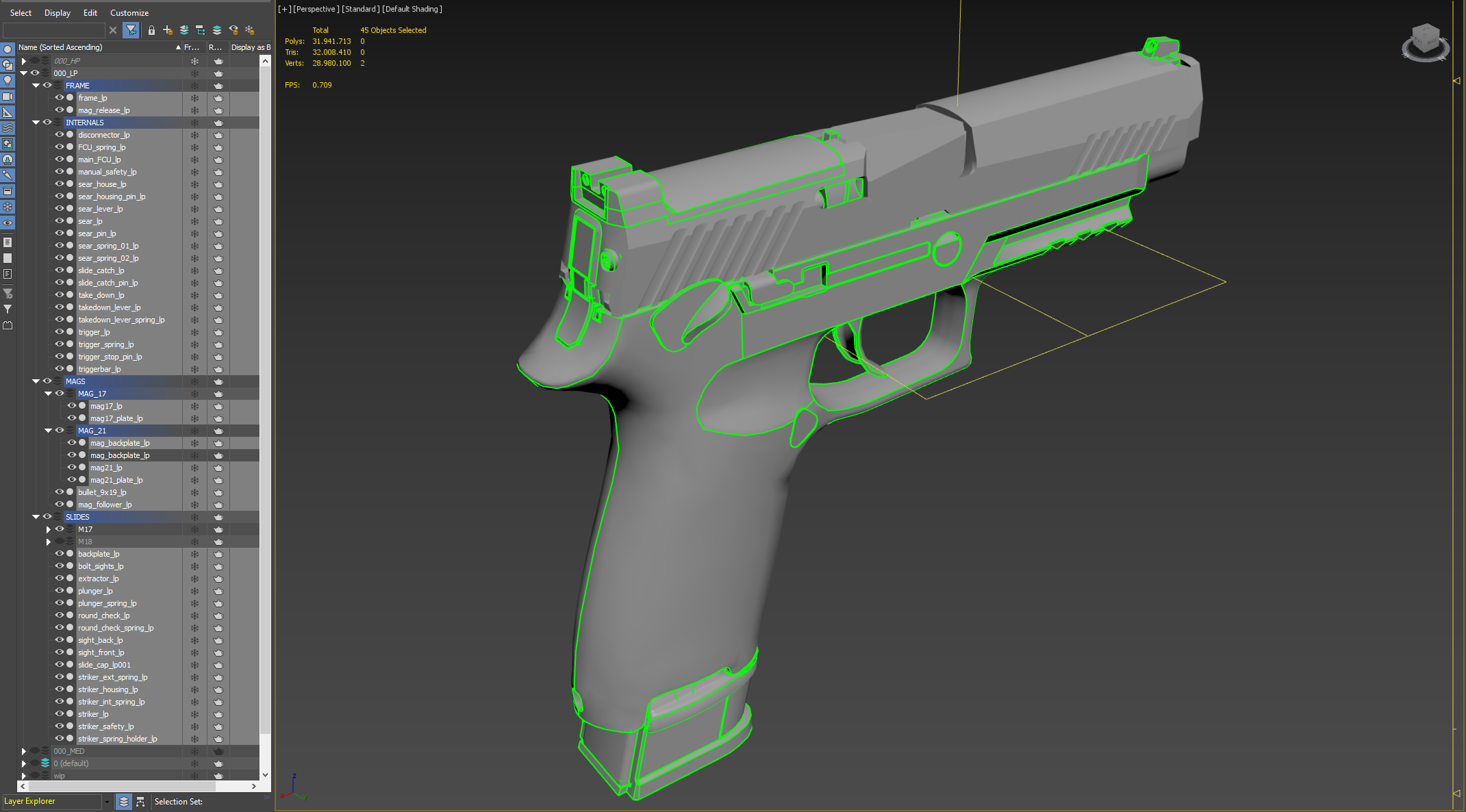
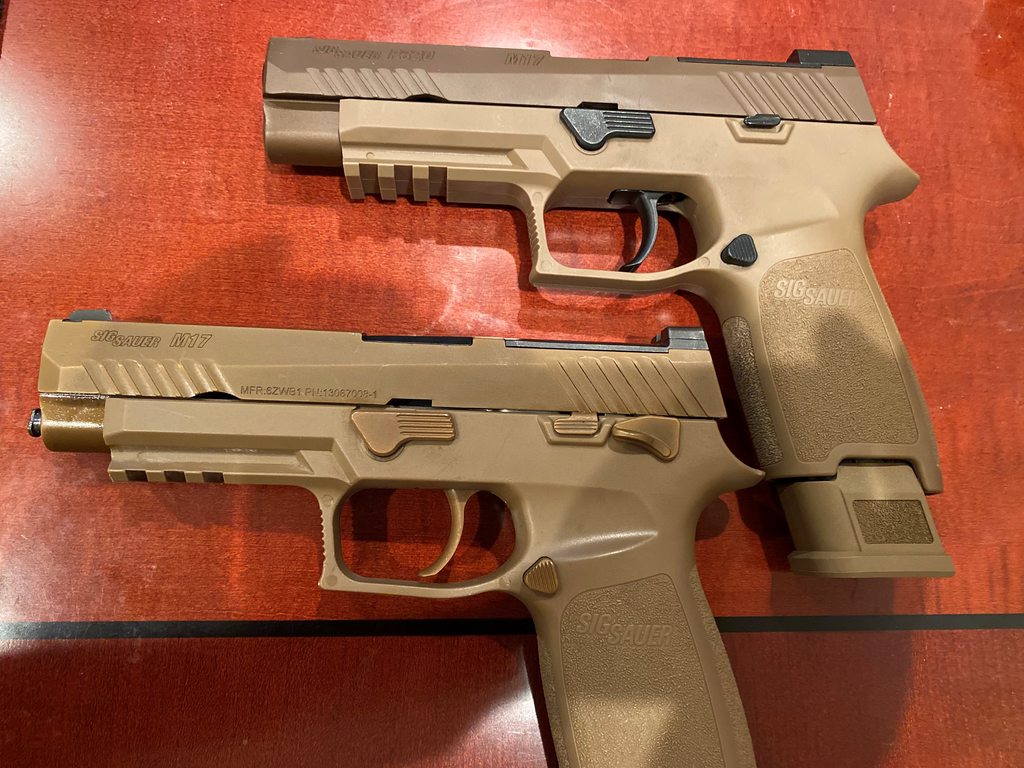
here’s my reference imgur album for m17 / m18 - if anyone needs it
https://imgur.com/a/My5eSXq
 sly bridge
eager hill
The hardest part about doing guns with all internal components is finding good r...
sly bridge
eager hill
The hardest part about doing guns with all internal components is finding good r...
true, generally speaking it is way way easier to get proper refs for things used by the US, at least because there is no language barrier.
also the more is used (and the more civilians have access to these) the higher the chances to get proper images, or find someone who has direct access and can get you pictures directly
tacit eagle
just use a vpn when you are going to chinese sites
sly bridge
tacit eagle
just use a vpn when you are going to chinese sites
? what does that have to do with anything?
tacit eagle
same for this generally speaking it is way way easier to get proper refs for things used by the US
sly bridge
just wondering, what precisely one would find on Chinese websites?
tacit eagle
stuff you wont find using other languages... also getting ddos which is why you should use a vpn.
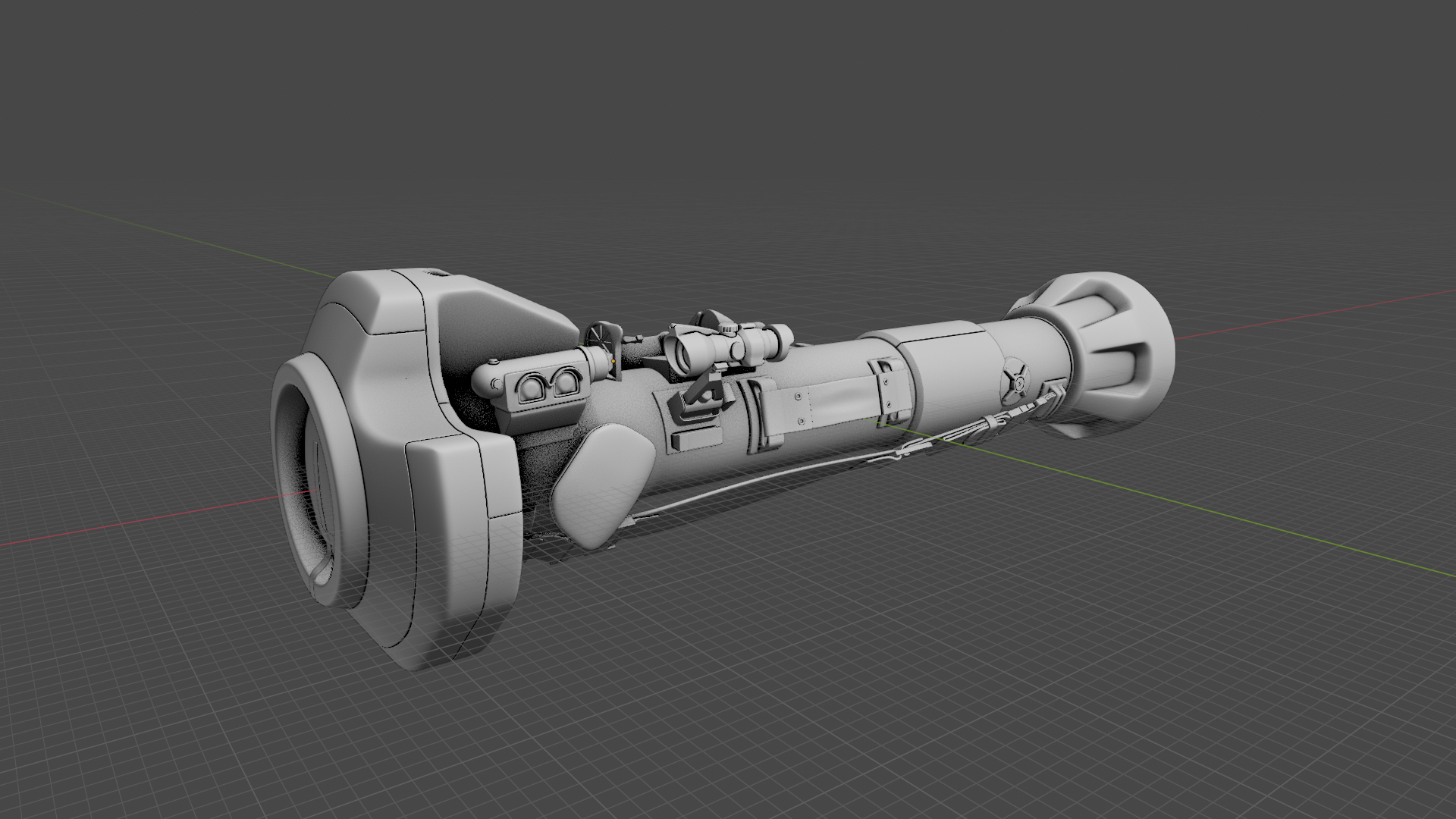
its how I made this
 shell hedge
ddos powered launcher
tacit eagle
yes also forums are really good source for info. because english and even russian sites lack a lot of info
for Chinese equipment the English sites are like stuck in the 90s for the most part
daring condor
Yandex and Google translate are invaluable when looking for that stuff
tacit eagle
yes its also easy for me since russian is rather easy to understand, however russians dont understand me
 last parcel
does anyone know the width of the reforger characters ?
delicate condor
last parcel
does anyone know the width of the reforger characters ?
for what purpose? model measurements? collision measurements? You can check the sample character too I suppose
last parcel
trying out to make buildings, so more measurements so characters can fit through doorways and such
but if it exits a sample character I will use that as a measurement thanks 🙂
tacit eagle
why not just look at the buildings in
enfusion ?
daring condor
Why not just look at the sample character
calm rune
last parcel
trying out to make buildings, so more measurements so characters can fit through...
Just use real world measurements.
Everything is 1:1 scale
 dire estuary
tacit eagle
its how I made this
dire estuary
tacit eagle
its how I made this
Damm you will have made every launcher in existence soon
tacit eagle
no 😦 I haven't
 sly bridge
calm rune
Everything is 1:1 scale
sly bridge
calm rune
Everything is 1:1 scale
unfortunately it isnt, a lot of things are scaled up
calm rune
sly bridge
unfortunately it isnt, a lot of things are scaled up
When it comes to buildings it seems so. I know when I tried to make a police station all my doors, windows and walls were 1:1.
sly bridge
calm rune
When it comes to buildings it seems so. I know when I tried to make a police sta...
it's not just buildings
calm rune
sly bridge
it's not just buildings
I should have been more specific. Instead of just saying “everything”. I was responding to his “trying out to make buildings, so more measurements so characters can fit through doorways and such”.
sly bridge
for A3 dimensions are also a bit larger, to minimize clipping with gear. about 10cm both height and width for door frames and window frames
tacit eagle
I would make rooms, hallways and doors a little bigger than what would be in irl.
tacit eagle
 wary inlet
tacit eagle
wary inlet
tacit eagle
keep those rocket launchers rolling 🙂
tacit eagle

do you guys think its worth adding a take down animation for the launchers? so when you put it on your back you have to break it part and when you want to use it you have to assemble it and reload it before you can fire.
delicate condor
would definitely slow down launcher use and make it more tactical choice
tacit eagle
yeah, it would also look very stupid to be running around with a rpg 29 that is 1.85 m in length on your back
there is a cheaper export variant of the 29 that is a single piece
shell hedge
can you make it explode if you bonk the rocket against a wall while running around?
tacit eagle
only if the player named bacon in the argument string.
tacit eagle
almost all of these rockets have a acceleration fuse, some have a time delay like the PG series that fuse the waist motors and then fuse the warhead.
hazy shell
shell hedge
just waiting on someone to make cursed reforger
We already have that 😂
 chilly dragon
Was reforger vegetation made using speedtree?
shell hedge
tacit eagle
almost all of these rockets have a acceleration fuse, some have a time delay lik...
 brother I have a question can I dm you?
tacit eagle
yes but only if cute
tacit eagle
@shell hedge
plain galleon
my sight keeps showing the camera from like a 0,0 position rather (which shows the weapon from inside) but it looks good, what am I missing?

 bright raft
plain galleon
my sight keeps showing the camera from like a 0,0 position rather (which shows t...
bright raft
plain galleon
my sight keeps showing the camera from like a 0,0 position rather (which shows t...
The viewpoint for camera is defined differently. Search for Camera point
 plain galleon
have that on same point..
guess my origin is off somehow

this is still too low, but feels strange

 uneven vessel
Are you referring to the origin point feeling strange or (what appears to be) the lack of magnification? I only ask as I had the latter problem with my own SUSAT, caused by having the eye memory point too far away from the PiP texture
 honest wave
 delicate condor
Smål Master Chief?
honest wave
yes
plain galleon
uneven vessel
Are you referring to the origin point feeling strange or (what appears to be) th...
Thanks, I noticed the magnification but that was on next on my list. So thanks, speeds that up.
For the strange origin, guess it's in the fbx ? We divide the work so I do implementation but haven't done the model
bright raft
From what I've found, camera point of PIP is taken from Camera point rather than any Memory point in the model. You would have to check the component source, but the position itself might be in relation to object center, but also in relation to weapon it sits on. For example my optics from modern optics pack can have issues on other weapons sometimes
tacit eagle
block out of a new creation what is it 😮
 shell hedge
half life 2 stun stick
uneven vessel
nice Law 80


 sly bridge
lovely
shell hedge
is it a military trombone? sorry I don't know much about guns
uneven vessel
don't be foolish.. a trombone has a slide, this is clearly a bassoon
sand pagoda


 misty solstice
sand pagoda
misty solstice
sand pagoda
Looks like an E web
tacit eagle
British designers. how much stupid odd and complex stuff can we put fit on your equipment... yes

 patent flower
@sand pagoda this is beautiful
calm rune
tacit eagle
 tacit eagle
zenith quartz
Detail is insane on that SPG-9
tacit eagle
zenith quartz
Detail is insane on that SPG-9
its spg-9 but better
sand pagoda
yea, also called spg-9m
literally the same but with extendable front leg and with better scope
zenith quartz
Time for weirdness.

 tacit eagle
 wary inlet
tacit eagle
wary inlet
tacit eagle
bazooka!
wary inlet
sand pagoda
this dude has some mad modeling skills
 shut bloom
I have a Question. so Is it Possible do Update the FBX after the fact. so If I want to Block out a Building and then finish it after the fact is it possible to reimport the finished model thus changing the Prefab ... ?
I fiddled around a bit but cant reimport the fbx properly.
shut bloom
sand pagoda
just use 1 prefab
oh so just replace the Model in the Prefab
man why didnt I realise that
sand pagoda
yeyp
sand pagoda
you gonna use prefab for building anyway
shut bloom
sand pagoda
you gonna use prefab for building anyway
ye i know just didnt realise that was also a way
sand pagoda
😉
shut bloom
sand pagoda
😉
btw I really like the SPG 9 bake gud stuff
tacit eagle
 glossy lynx
If you update the fbx while enfusion is open it will automatically update the xob as well
calm rune
glossy lynx
If you update the fbx while enfusion is open it will automatically update the xo...
Huge time saver. Works with textures as well. As long as everything has the same file name.
 surreal ore
Any idea how to make colliders move along with the visual lod, when using a proc animation.
I have tried this a million times following the wiki
some people have no problem with it, but i can never get it to work correctly
last hill
shut bloom
I fiddled around a bit but cant reimport the fbx properly.
If you delete the FBX on the workbench and then import again to the same place it will update the model to whatever you exported from your 3d software
 pure kayak
So i wanted to ask about slots, how do they work? im making a viking helmet (dont ask) and i wanted to add cheekguards as an optional piece, i figured i'd make slots to attach the parts too but im not sure how to do that exactly
tacit eagle
viking helmet?
pure kayak
dont worry bout it
the main thing is i just need to work out slots, as i want to add an attachment to the helmet thats optional
pure kayak
anyone know what would cause this to happen? it was working totally fine till i added the slot
 tacit eagle
@shell hedge
 wary inlet
pure kayak
anyone know what would cause *this* to happen? it was working totally fine till ...
wary inlet
pure kayak
anyone know what would cause *this* to happen? it was working totally fine till ...
could be an origin problem with the helmet
tacit eagle
why cursed ; ~ ;
pure kayak
wary inlet
could be an origin problem with the helmet
i'll check and see, thanks
zenith quartz
tacit eagle
why cursed ; ~ ;
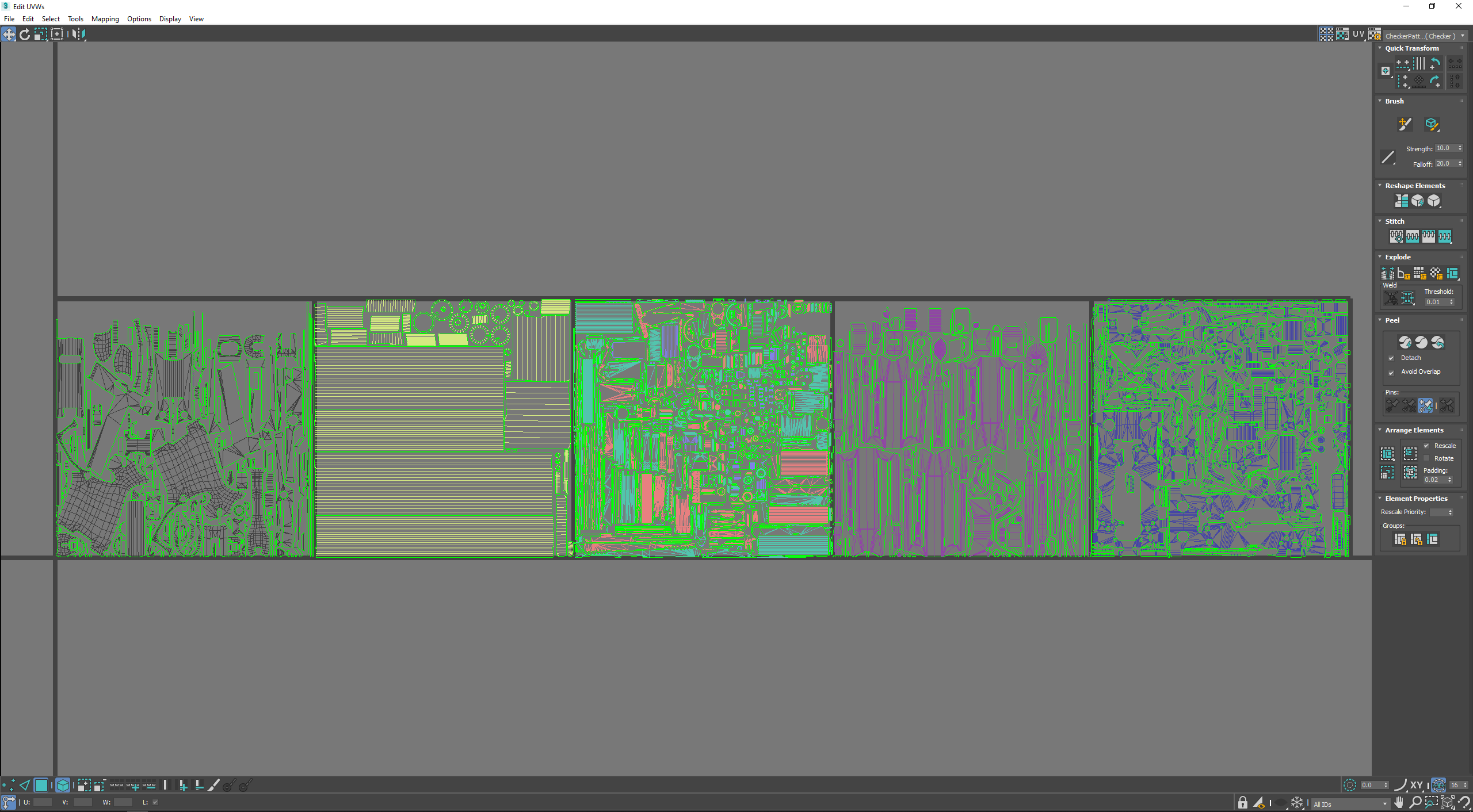
Some of the UV islands look a bit funky. I would recommend unwrapping using conformal rather than angle based. Also I would recommend using something like UVPackMaster to pack more efficiently.
I'm sure some purist will come along and say 'addons bad' or whatever but seriously it's worth the money.
tacit eagle
I did it by hand no auto unwarp
ive wanted to make a unwrap of a single styrofoam piece as much as possible like you would a human head

im also sharing the same uv space on some stuff like those long strips
 chrome plaza
hey lads, how many tris would be good for a tree? and how does enfusion handle the foliage? should all the leaves be apart of the model? or just the trunk and the leaves are procedural or someshit?
last parcel
I would suggest looking at the trees in enfusion to get a overview how they did it
tacit eagle
I think the trees are done like in every game where the leaves are texture planes
chilly dragon
chrome plaza
hey lads, how many tris would be good for a tree? and how does enfusion handle t...
Leaves and smaller branches are done on texture plans and are called clusters. You'll want to have the clusters as a separate texture from the trunk as enfusion handles the leaves and the trunk materials as two different classes. I'd say 8k faces is the upper limit
chrome plaza
chilly dragon
Leaves and smaller branches are done on texture plans and are called clusters. Y...
legend, thanks for the explanation mate
delicate condor
some A3 trees go up to 11-12K tris and the Inocarpus on Tanoa is 16K but those are fairly big trees.
 near bear
Does anyone have the t pose model for reforger the modder doing my milsims uniforms can't find it
sly bridge
near bear
Does anyone have the t pose model for reforger the modder doing my milsims unifo...
it is in the sample files #reforger_samples
near bear
Thank you so much
blazing axle
Hello everyone, for some reason my model is showing gaps in the workbendch but not in blender, any ideas what could have caused this?
 shell hedge
blazing axle
Hello everyone, for some reason my model is showing gaps in the workbendch but n...
shell hedge
blazing axle
Hello everyone, for some reason my model is showing gaps in the workbendch but n...
when you load the fbx in blender do you see the gaps?
delicate condor
Could be texture is low res and has no bleed and is transparent around the uvmapping
blazing axle
shell hedge
when you load the fbx in blender do you see the gaps?
nope looks fine
shell hedge
ah ok so might be the texture
blazing axle
delicate condor
Could be texture is low res and has no bleed and is transparent around the uvmap...
im using 2k should i go for 4k?
delicate condor
No, just fix the texture
blazing axle
its in the same locatons i used a weighted bevel along edges
that's why I suspected it was model issue. will have a play with textures. what resolution is best to use or is it what ever I want?
shell hedge
try loading it in with a blank texture
or put default material on it
if it still happens then its a model issue
delicate condor
2k or 4k usually. Depends a lot on what you make
last hill
shell hedge
at edges etc
Check and see if any verts are not connected. Do a weld on all of the vertices on those areas, see if it improves.
 light eagle
blazing axle
Hello everyone, for some reason my model is showing gaps in the workbendch but n...
light eagle
blazing axle
Hello everyone, for some reason my model is showing gaps in the workbendch but n...
You need to triangulate your mesh before exporting.
shell hedge
the blender fbx exporter does not triangulate automatically?
light eagle
No
shell hedge
ouch
light eagle
Workbench tries, but you get things like this.
shell hedge
ok, this makes sense
blazing axle
light eagle
You need to triangulate your mesh before exporting.
same issue (set and applied the triangulate modifier before export)
 last hill
I noticed this issue on clothes if there were multiple elements in an area, they seemed to come apart.
shell hedge
if you drop the blend/fbx file maybe one of us can look at it
but I'm pretty useless as I don't use blender
blazing axle
last hill
Check and see if any verts are not connected. Do a weld on all of the vertices o...
we have a winner! Thanks you and everyone for responding.
shell hedge
so the bevels were not connected?
last hill
blazing axle
we have a winner! Thanks you and everyone for responding.
Pleased to hear it
blazing axle
now it looks crap in places but thats learning for you!
 last hill
If it worked undo and go around manually then try a smooth or whatever it is called on blender
delicate condor
you may need to apply sharp edges manually
clothing spreading apart might mean differences in vertex weights between verticles in same position. ideally those should be merged together to avoid such
zenith quartz
blazing axle
Hello everyone, for some reason my model is showing gaps in the workbendch but n...
This is a subdivided mesh, too small triangles in a small area just disappear
Don't put subdivided meshes ingame tho.
hazy shell
Not sure if this is the correct channel but here we go:
Does anyone know if its possible to add a collision box to one of the bush models ingame ? I'm trying to achieve a "hedge" effect ala Normandy
And if so, how ?
No idea what I'm looking for in all the add component stuff
shell hedge
hazy shell
Not sure if this is the correct channel but here we go:
Does anyone know if its...
if you want to reuse the collider that the mesh already has, you can change its layer in the Rigidbody component to something that collides with players

it will be pretty jank though, I think I would create a prefab/mesh that only has a collider and put it inside the hedges, if you aren't modeling the hedges yourself
hazy shell
shell hedge
it will be pretty jank though, I think I would create a prefab/mesh that only ha...
Changing the layer works semi decent for my purpose - but its a start. Thank you for that one
Do you know the steps to do it that way ? I'd would PM you in that case 🙂
shell hedge
hazy shell
Changing the layer works semi decent for my purpose - but its a start. Thank you...
I just tried to do it, it seems to work, but it's hard to place because it's invisible
even with collider debug show it's invisible
until camera gets really close to it
shell hedge
hazy shell
Changing the layer works semi decent for my purpose - but its a start. Thank you...
I figured it out, let's do it
woven swallow
WIP Cannon - Textures are placeholder.
I've been super busy with IRL work. that's why taking for ever to finish.


 tidal latch
it is not cylinder probably?
dire estuary
Can you provide a screenshot of the mesh? I have never gotten _UCL to work
So I’m curious to see what I do wrong
shell hedge
basically I made a new one
and did not do any manual transformation
just the generator sliders
tidal latch
dire estuary
Can you provide a screenshot of the mesh? I have never gotten _UCL to work
https://github.com/BohemiaInteractive/Arma-Reforger-Misc/tree/main/Art/Model Examples here you have example file containing all colliders

GitHub
Additional resources for Arma Reforger modders. Contribute to BohemiaInteractive/Arma-Reforger-Misc development by creating an account on GitHub.
dire estuary
Thanks, will have a look
delicate condor
tidal latch
https://github.com/BohemiaInteractive/Arma-Reforger-Misc/tree/main/Art/Model%20E...
 celest imp
sly bridge
celest imp
sly bridge
Is that in a mod on the workshop / do you have any plans to release it there? It looks great
sly bridge
celest imp
Is that in a mod on the workshop / do you have any plans to release it there? It...
not yet. When finished, it will be in rhs status quo
broken grove
Any tips AR Blender users? 🙂 https://twitter.com/MiroHorvath/status/1577981514234609664

Hi community, I'm preparing my talk(link below) for @BlenderConf and I wonder, what kind of information you'd like to hear regarding Arma Reforger art pipeline in Blender?
Retweets appreciated🙏
https://t.co/vGBHG0BtTH
#b3d @ArmaPlatform @EnfusionEngine
 Twitter
·
zenith quartz
Twitter
·
zenith quartz
Would love to hear more about decal usage and the workflow for creating and applying them.
 hot pumice
new type of characters with their own skeletons could be something interesting but probably lenghty to explain
broken grove
@hot pumice @zenith quartz thanks guys, for both suggestions would be better to make a dedicated video tutorials than spend only few minutes at the conference honestly
@zenith quartz could elaborate more on what's not clear in regard decals?
@hot pumice so you'd like to know how to model a new character from scratch as well? or just the skeleton/rigging part?
zenith quartz
I'm just generally interested in the workflow for creating vehicles in Reforger, where decals should and shouldn't be used, how they're made (I'm guessing trimsheets), especially for welds on edges like the BTR has. Those looked straightforward but kinda confusing when I actually tried them.
hot pumice
broken grove
<@294539797601583104> so you'd like to know how to model a new character from sc...
just interested in creating new characters from scratch with their own skeleton, was always tricky to do it in arma3 due to the large amount of animations needed to make it on par with the basic armaman, but yeah the more I describe it the more time consuming it sounds
if its something short then I guess the basic blender side pipeline of a type of asset, like a box or a weapon could be interesting
well I say short but I'm not sure how long it would take, assuming the models themselves are already made in the short
shell hedge
hot pumice
just interested in creating new characters from scratch with their own skeleton,...
just do it like this
 hot pumice
perfect
shell hedge
game is called Everything and it's a cool experience, in case anyone's interested
 fossil crater
shell hedge
just do it like this
fossil crater
shell hedge
just do it like this
 shell hedge
fossil crater
https://tenor.com/view/horse-cavalo-spin-meme-flip-gif-17331191
shell hedge
fossil crater
https://tenor.com/view/horse-cavalo-spin-meme-flip-gif-17331191
ah so this is how they mocapped Roach for witcher 3
fossil crater
There is actually a mod of a horse in dayz that does this
hot pumice
we have the technoloy
shell hedge
hot pumice
*we have the technoloy*
they removed the G from technology and got this
hot pumice
crap
tidal latch
hot pumice
just interested in creating new characters from scratch with their own skeleton,...
do you want to create human like characters? I did some experiment with creating some basic animation workspace out from mixamo ( https://www.mixamo.com/ ) animations
hot pumice
tidal latch
do you want to create human like characters? I did some experiment with creating...
nothing particular in mind atm, just curious
tidal latch
well, if you want to use new skeleton then it didn't changed too much and you still have to make all the animations from scratch
with mixamo though, you can do some shortcuts when it comes to anim creation and concentrate on configuration
hot pumice
guess I should have expected it
but at least it seems simpler to make animations now?
not sure
 gilded sandal
Hello guys! I Imported custom 3D model as FBX. Collisions work, textures looks great everything is fine. When I publish world to workbench model is there, but textures gone. How to solve the problem?
shell hedge
gilded sandal
Hello guys! I Imported custom 3D model as FBX. Collisions work, textures looks ...
wut
whats the mod name
gilded sandal
shell hedge
wut
https://prnt.sc/OEjnkHAyYBXx Mod name: Test1 recently added. As you can see wall has no textures. But in the editor textures are ok.
 shell hedge
gilded sandal
https://prnt.sc/OEjnkHAyYBXx Mod name: Test1 recently added. As you can see wal...
shell hedge
gilded sandal
https://prnt.sc/OEjnkHAyYBXx Mod name: Test1 recently added. As you can see wal...
got editor screenshot?

I see no texture in the material
gilded sandal
In the editor materials are attached, I use prefab only. Maybe I must register asset or do something more than just import ant place object?https://prnt.sc/tDCxz98iLZ9A
 gilded sandal
Holy cow! It worked! Thank you mate. https://prnt.sc/XJTR17Hb_rNy
 celest imp
sly bridge
not yet. When finished, it will be in rhs status quo
celest imp
sly bridge
not yet. When finished, it will be in rhs status quo
I saw that mod on the forums it looks like it's going to be the best one yet, I didn't know you were apart of the dev team. Quick question, do you guys have a public discord server?
If you don't you should think about making one it would be great
sly bridge
celest imp
I saw that mod on the forums it looks like it's going to be the best one yet, I ...
ahm, RHS has been about since 2003....(https://www.rhsmods.org/team) no public discord server
sly bridge
celest imp
If you don't you should think about making one it would be great
thought about it, decided against long time ago
celest imp
sly bridge
ahm, RHS has been about since 2003....(https://www.rhsmods.org/team) no public d...
Ok, I saw RHS has been around awhile but I have never played Arma 3 since my pc can't handle it lol
celest imp
sly bridge
thought about it, decided against long time ago
Alright I was just hoping to see some more sneak peaks into development lol
sly bridge
celest imp
Alright I was just hoping to see some more sneak peaks into development lol
that happens on forums / twitter, but going ot, and this isn't the place
delicate condor
hot pumice
guess I should have expected it
but at least it seems simpler to make animations...
Im gonna say its not a lot more simpler but the GUI is a lot better alternative for the text editor configs that A3 required. It is easier to follow imo.
The making of animations in whatever program they are made in is still the same though, that wont really ever change and it is a skill like any other that gets easier and faster the more you do it and the more shortcuts you discover for your workflow.
one major difference and reforger handicap is that the game animations are not accessible like they were in previous titles so they cant be used as reference anymore.
so in that sense its probably even more difficult/time consuming now to make a set than it was in A3
the IK systems with items and such might make it a little bit easier to make stuff too, but have not done much with that yet so just making guesses for now
 sly bridge
zenith quartz
sly bridge
zenith quartz
neat! i have that planned
zenith quartz
Thanks! It's a weird amalgamation of the AKV-521 and AK-12SP. 😄
Plus an upper receiver partially inspired by the original prototype AK-12.
sly bridge
:)))
shell hedge
I wonder what the easiest way for me is to export colliders with layer presets from Cinema 4D
do all the sample models have FBX with the custom usage attributes?
 fluid fern
https://youtu.be/IKE6_3cyzYI
Thanks a lot @warm token to help me
 shell hedge
I wonder what the easiest way for me is to export colliders with layer presets f...
shell hedge
shell hedge
I wonder what the easiest way for me is to export colliders with layer presets f...
no bueno since Cinema 4D doesn't care about FBX custom attributes, but it's Python so I bet I could make a plugin when super bored
 stray swan
21:33:08:519 RESOURCES (E): Object is broken after TootleFastOptimizeVCacheAndClusterMesh
Clicking on the material section of the xob on the sight PIP gives me that error

 shell hedge
can't wait to browse ikea in reforger
tacit eagle
come on even ikea doesn't have exposed screws
I would hide that since Ive have that experience
delicate condor
Not IKEA but close. Kallax has bit wider outer frame than the shelves and the older Expedit a lot wider outer frame. 😅
Armaverse would probably have something like EKIA brand
pure kayak
IKIA
anyways, i got yet another hopefully quick question, im trying to get a PBS-4 Suppressor i modelled into enfusion as a test, yet im kinda lost. how should i go about attaching the suppressor prefab to the AK-74 one? hopefully the right chat, no idea where models/prefabs stand
last hill
pure kayak
anyways, i got yet another hopefully quick question, im trying to get a PBS-4 Su...
So in the model you would need to check what bones/dummies are on the default weapons, also keep in mind the reforger weapons don't have suppressors in the engine directly. A few mods add them to custom weapons via script but yeah. I believe if you add a dummy inside the barrel of your suppressor, labelled something that exists on the rifle in the tools, like barrel_muzzle, or use the attachments compatibility mod and set it up that way then you should be able to import, with skinning (your supppressor would need to be weight painted) and set up the prefab accordingly.
Hard to explain all of the steps required.
plain galleon
Best advise for character and transfer of weights, which model do you use?
plain galleon
Also which method, been trying different transfer weights tutorials on YouTube but so far it only copy the vertex groups but the application is way off
calm rune
plain galleon
Also which method, been trying different transfer weights tutorials on YouTube b...

Weight transfer from body to cloth a short and quick tutorial
Discord :- https://discord.gg/g8kMPmh
Instagram :- https://www.instagram.com/techlyfzone/
Telegram :- https://t.me/Techlyf
FPAGE :- https://www.facebook.com/tech2lyf/
I use both of these. Works great. The current model given to us does not have weights on the head/neck so you need to tweak those yourself. I was told they have the model updated but it has not been pushed to the Arma Reforger Samples yet.
plain galleon
Thanks!
 woven swallow
WIP - Bear trap
 woven swallow
this is actually meant for a project that we're working on. it will be in game and animated.
tacit eagle
where are the ghost people that goes along with it
 open sage
tacit eagle
where are the ghost people that goes along with it
open sage
tacit eagle
where are the ghost people that goes along with it
This gave me flashbacks
 river ice
So, I have a vehicle in reforger, inheriting off the UAZ for now. As soon as I hit play though, it's sinking through the floor. Could the geo be wrong in some way?
glossy lynx
river ice
So, I have a vehicle in reforger, inheriting off the UAZ for now. As soon as I h...
You can't have a trimesh as a collider
Also check that your colliders are correctly configured
plain galleon
same skeleton on ours compared to ALICE.. its possible to rotate and move as you can see, but ingame its frozen/static like it has nothing assigned. What could be wrong?

 tidal latch
plain galleon
same skeleton on ours compared to ALICE.. its possible to rotate and move as you...
tidal latch
plain galleon
same skeleton on ours compared to ALICE.. its possible to rotate and move as you...
its not same skeleton
check number of bones on both pictures
plain galleon
ah its missing camera (and 1 more it seems)
camera made the trick
now my only concern is that I can't seem to hide the groin..
🙂
 river ice
glossy lynx
You can't have a trimesh as a collider
Also check that your colliders are correc...
river ice
glossy lynx
You can't have a trimesh as a collider
Also check that your colliders are correc...
Is there any sample cars to look at?
chilly dragon
plain galleon
now my only concern is that I can't seem to hide the groin..
Have you tried the override meshes to hide in the prefab?
plain galleon
yeah, afaik it works great for legs, torso, arms.. unless i am missing something there is no selection for the groin
chilly dragon
You just create a selection and name it "groin". If you look under the meshes tab of the basebodys lod's it gives you the names of all the meshes to hide
tidal latch
river ice
Is there any sample cars to look at?
plain galleon
chilly dragon
You just create a selection and name it "groin". If you look under the meshes ta...
want to do it for my pants, not for my character (because then same problem if someone else picks up the pants).. and don't want to start trying to overwrite
oh wait, now it seems to have a Groin there.. but no effect :/
tidal latch
maybe you have something in override meshes to hide in pants?
shell hedge
plain galleon
oh wait, now it seems to have a Groin there.. but no effect :/
it's too big
chilly dragon
plain galleon
want to do it for my pants, not for my character (because then same problem if s...
I was just explaining how you can find the names of the character meshes to hide. Ignoring that this is a jacket and the other selections this is how it should look
 shell hedge
I had body meshes clip through clothes until I defined body meshes for my character (or was it faction?)
ah, it was this

when submeshes of body was empty, legs were clipping through pants etc
plain galleon
yeah but groin isn't working.. still there even when defined
chilly dragon
try what bacon suggested then
glossy lynx
river ice
Is there any sample cars to look at?
There is a new vehicle tutorial and example mod
plain galleon
chilly dragon
try what bacon suggested then
but then we back at the problem, if the USA soldier picks up our pants
i mean, won't happen often but not ideal solution
fluid fern
Hi guy, i would like to open an ancien mod but when i try to open it with the aden enfusion tool from blender i get this error.
Do you have solution?
 sly bridge
@fluid fernwhat file type are you trying to open to begin with?
fluid fern
sly bridge
<@135107111485964288>what file type are you trying to open to begin with?
I have unpacked a pbo with mikero tool and I want to open a p3d
sly bridge
fluid fern
I have unpacked a pbo with mikero tool and I want to open a p3d
did you make that ancient p3d you have unpacked?
fluid fern
sly bridge
did you make that *ancient* p3d you have unpacked?
no but i asked the author if i could import it on reforger
sly bridge
then ask the author to provide you with the raw files @fluid fern
the error is in relation to the importer not working with binarized p3ds for obvious reasons
also, generally speaking, if you don't own the content, and you do not have explicit permission to use said content (in written form or a proper license) you will get yourself in a quite a bit of trouble
fluid fern
of course, I thought the raw pbo would be ok, I will ask him for the raw
tacit eagle
 zenith quartz
I cannot for the life of me figure out how to do the internals on my AK.
Not like... actual parts but the overall chamber for the bolt. Either I'd be screwing up my bakes, showing too much, or showing too little, and it's tricky since there are 4 openings in the dust cover, plus the magwell and trigger hole for in the receiver.
shell hedge
for something like substance Painter you just set high and low in the same places
if your item doesn't come apart there's no reason to bake exploded
tacit eagle
how you bake normals without exploded? eps when using a cage
since your gonna get overlapping detail that you don't want
shell hedge
yeah you're right, for a gun it doesn't really matter but for a house or things with an interior it will
tacit eagle
for a gun it matters a lot I cant think of anything that doesn't require exploding for a good bake, maybe you can set it up to bake sections that are applicable and they are confined to only baking those sections individually
shell hedge
I mean it's not wrong to do either, so just do what you are happy with
in the example of the rifle you'd probably want the parts that move to be baked outside
sly bridge
tacit eagle
how you bake normals without exploded? eps when using a cage
you can do it based on naming convention, of course visually it is easier to have things exploded
i only bake using groups (marmoset) or naming convention for substance, and also AO in 2 passes (exploded/ named) and everything in one place
tacit eagle
hmm I wonder if blender has such options
sly bridge
tacit eagle
hmm I wonder if blender has such options
should have
i mean i also used max using material_ID for certain bakes (haven’t used in a while since marmoset / substance) can do it better and faster
seems there is an addon (free) that does that - quick search = https://youtu.be/fSHYr0jf82Y

In this video, I show how to utilize a really comfortable, user-friendly addon called "EZ Baker" by AquaticNightmare. This add-on brings various buffs to Blender's weak baking system like "Match by Name" using _Low and _High suffixes, dynamic cage creation system which allows you to edit cages similar to Marmoset Toolbag 3 and creation of mult...
pretty similar to substance / marmoset setup
 leaden leaf
tacit eagle
https://i.imgur.com/bGWhcfH.png
leaden leaf
tacit eagle
https://i.imgur.com/bGWhcfH.png
👀
tacit eagle
 zenith quartz
tacit eagle
do you explode your model for a bake?
zenith quartz
tacit eagle
do you explode your model for a bake?
No not the actual baking process, but rather when I stick my HP in Zbrush for the final polish. Connecting parts together like the dust cover and receiver means Zbrush will essentially weld them together instead of having a seam. Idk. I'll figure it out.
 thorn topaz
Is it possible to set sculpting groups to prevent that?
fluid fern
Hi guys, I don't know if I forgot something but I expose my problem.
When it rains it rains inside my models lol
I've added the right components:
- rigid body
- hierarchy
- rpl component
I forgot something ?
shell hedge
you have a collider?
fluid fern
Yep
 fluid dragon
Hi, guys fixed one problem and encountering the next 2 lol, Somehow my Steeringwheel doesnt work in the imported version (in blender it works), i added the steering_wheel_placeholder.pap in the ProAnimParams and also selected the Bone but it doesnt turn when i turn the car around. Second Problem is the tires are glitching slightly into the ground where do i tweak that so that doesnt happen ?
shell hedge
fluid fern
Yep
there has to be some difference between your entity and one that does not have rain inside, whether it's a collider layer or something else I don't know, I'd go one by one
fluid fern
shell hedge
there has to be some difference between your entity and one that does not have r...
What I do is my LODs I do a shift+D and I modify mesh --> normal --> Flip and I rename it to collider. I put them in the COLLIDER collection with propfireview and the corresponding material
shell hedge
does your collider actually work ingame? does it import correctly?
is it the same layer as colliders of objects that dont have rain inside?
fluid fern
They import correctly, I have no problem of collision, when I put metal for example, the noise and the shots are on metal BUT it rains at
 regal isle
fluid fern
They import correctly, I have no problem of collision, when I put metal for exam...
regal isle
fluid fern
They import correctly, I have no problem of collision, when I put metal for exam...
If im not wrong, doesn’t it also happen in the btr? Im pretty sure it rains inside the btr as well
Could be wrong
shell hedge
it does not rain inside the btr
shell hedge
fluid fern
They import correctly, I have no problem of collision, when I put metal for exam...
do you have Rain Occluder selected in your MeshObject component?
fluid fern
shell hedge
do you have Rain Occluder selected in your MeshObject component?
i check that after work
 vague sandal
@gilded sandal bro how did you do it to turn the asset into the solid prefab and not a hologram that can be traversed
vague sandal
hey guys, I have this inside the tool already but I can't make them become solid, they are like a hologram and the character goes through it, I can't find a way to make them solid. for cover or barrier, someone with some suggestion please

who throws me a lifeline with this
delicate condor
You need collider
 neat canopy
https://community.bistudio.com/wiki/Arma_Reforger:FBX_Import
Here you can read about colliders and import
vague sandal
thanks
neat canopy
vague sandal
hey guys, I have this inside the tool already but I can't make them become solid...
Also in the end you have to add the "RigidBody" Component to your object and check "Model Geometry" and "Static" 😉

 neat canopy
Did you check the "static" box in the bottom of rigidBody Component?
vague sandal
import and export everything, material, skin, but I think I missed something, or I haven't done something in the tool
yes

I tried to put it as a layer preset as a cover and it didn't work either
neat canopy
ok... Hmm.
Have you done the "Collider Setup" in Blender?

And added the right prefix
vague sandal
ok, I'm going to try that, I'm also rereading the material you sent me to see what happened to me, I scream again after a while, let me try what you tell me
neat canopy
vague sandal
ok, I'm going to try that, I'm also rereading the material you sent me to see wh...
ok, sure 🙂
neat canopy
just one Box for the collision with the soilder and vehicles, later you can add one more for the bullet collision of weapons
I would suggest a box because it´s a simple object and has the shape of a box. So that should be fine
vague sandal
@neat canopy epa bro thank you, that was it, you made it work for me, thanks again
I appreciate it
neat canopy
vague sandal
<@393753954120499213> epa bro thank you, that was it, you made it work for me, t...
Nice, no problem.
vague sandal
@neat canopy bro but the bullets keep passing me, and I put the two that you told me, it is already rigid and I can walk on it but the other projectile does not activate
any suggestion sorry to bother you with that
neat canopy
It should work when you have two colliders. One with LayerPresets "Building" and a Material of your choice so you can´t walk through and the second collider has to have the LayerPreset "FireView" and a Material of your choice (makes sense to use the same), which handles the Bullets then.
@vague sandal
vague sandal
Ok I understand you, I mean I have to select it, good
Ok I understand you, I mean I have to select it, good
fluid dragon
is there any info out yet how to do custom animation stuff for vehicles and all the related stuff for that ?
tidal latch
you can have one collider sometimes by using i.e. BuildingFireView if the shape works both for character collision and fire geometry
 autumn ledge
If you could do so, I'm sure i can get people to throw money @ you
vague sandal
@neat canopy guys thanks everything went perfect and works great... now what I can't give is that the prefab appears in the Game Master editor as a props
any ideas
hahaha thanks again, this is the page of the gurus
vague sandal
I already have the editable object I can move it from one side to another already in the game, but I can't see it in the Game Master objects
last hill
vague sandal
I already have the editable object I can move it from one side to another alread...
Did you add it to the list per the tutorial of making new game master items/props?
That would be a question in the config channel mate 👍
fluid fern
Hi all, i have a question, I'm in my building but I can't see the walls when I'm inside, how do I correct this on blender?
shell hedge
inverted normals on the walls?
fluid fern
shell hedge
inverted normals on the walls?

Can anyone explain to me why the wall is transparent?
 shell hedge
make sure your normals are facing the right way on the mesh
fluid fern
The orientation of the faces is ok, so I think it's due to the vertex?
 shell hedge
show screenshot with face normals visible?
fluid fern
 shell hedge
are the normals fine in the fbx as well?
fluid fern
No in the fbx it is bugged
shell hedge
ah someone that knows blender will be helpful here, not the first time I see this normal issue with blender exports
vague sandal
@last hill Thanks bro, I already solved it with overwriting, I wanted it as an ineherent but I couldn't work it, it will be later that I see what I'm missing, but for now it works fine that way, thanks for your advice, and by the way, I like all your mod, especially the one you did to mortalis ares, greetings
tacit eagle
it looks like you have multiple lines intersecting each other

should look like this
and you need to triangulate
fluid fern
How can I do that?
tacit eagle
do what?
fluid fern
To correct the error, I do not see how to do
tacit eagle
start by fixing the horrible topology

dissolve that curvy ngon
use knife tool to make squares like my image
make sure there are no random vertices

you can also do this just make sure the triangles are not too long because you start getting strange shading issues
cloud rampart
Anyone have problems with the helmets appearing and vanishing on first person randomly?
Have activated the headclippinga and the AlphaBias and Apha In Shadow
calm rune
cloud rampart
Have activated the headclippinga and the AlphaBias and Apha In Shadow
You need to duplicate and rename one of the headgear materials. If you choose to make your own from scratch the head clipping opacity map does not work as far as I know or at least I could not get it to work. So I had to duplicate the actual material from one of the vanilla piece of headgear and then insert my BCR AND NMO maps.
cloud rampart
calm rune
You need to duplicate and rename one of the headgear materials. If you choose to...
Really? Thanks for the advice, ill try It later
leaden leaf
Wasn’t someone making a GRAD BM-21?
delicate condor
yes. been a while since I've seen anything posted about it
leaden leaf
delicate condor
yes. been a while since I've seen anything posted about it
Ah okay, hopefully who ever posted about it is still working on it
It looked amazing
delicate condor
you can check if its on the workshop too
leaden leaf
delicate condor
you can check if its on the workshop too
I just did sadly it’s not
sly bridge
leaden leaf
I just did sadly it’s not
please don’t post in this channel unless it is model making related, or at least tangent
cloud rampart
calm rune
You need to duplicate and rename one of the headgear materials. If you choose to...
Solved with this, thanks! Its a mess need to do this things to get it properly working...
tidal latch
cloud rampart
Solved with this, thanks! Its a mess need to do this things to get it properly w...
could you share perhaps material which didn't work? Did you assigned opacity map?
In RHS we are using plenty of custom materials and we never had that issue, so I guess you missed some element
cloud rampart
Compared both .et and are the same except the bcr and nmo
And that bcr and nmo are now perfectly working on the duplicated material
tidal latch
what about emat?
cloud rampart
sorry, emat, not .et
tidal latch
so both emats are identical? I mean, the one freshly created and then the one duplicated?
cloud rampart
recreated all the parameters from the original asset from reforge to a new material
tidal latch
have you checked that in text editor?
cloud rampart
that dont work, but if we duplicate it, it works perfectly
tidal latch
can you share material which doesn't work?
cloud rampart
try to recover the old material and give it a try with text editor
tidal latch
I could probably tell you what was wrong in your newly created material so you wouldn't have to create duplicated mats
cloud rampart
anyway, the rhs ones was tested on workbench or game? We saw this error only looking at some angles on a private server, the helmet blinked randomly in u look at one direction
tidal latch
game
cloud rampart
never saw this error on workbench or single player
ummm, ill try later to recover the emat and share it to you
tidal latch
sure
tacit eagle
:3 18K verts, I just have to make separate materials, learn mixer 😦

 spring ferry
tacit eagle
:3 18K verts, I just have to make separate materials, learn mixer 😦
spring ferry
tacit eagle
:3 18K verts, I just have to make separate materials, learn mixer 😦
add seams on those sharp edges 😄
tacit eagle
why D:
daring condor
because its best practice to avoid issues with bevel bakes

A tutorial about normal mapping and baking.
This second part is focused on the most basic lowpoly smoothing problems when baking normal maps.
this explains why towards the end
tacit eagle
 tacit eagle
im gonna blame bacon on this one
daring condor
so the way it works is that a normal map is baked relative to the relevant normal
and if you mark something sharp you split the normals
and since the UV map is mroe likely than not not pixel perfect it will mess up the bake
since it will overwrite the very edge and when the other edge tries to read it it gets a completly wrong angle
shell hedge
edge breaks go where you want edge breaks, typically when surfaces would change height is one reason? or something
haven't had issues of this kind yet
daring condor
shell hedge
edge breaks go where you want edge breaks, typically when surfaces would change ...
every hard edge should be a uv split
link i sent explains why in detail
misty solstice
fluid fern
Hey, i have a problem with raini in my building, yet I have activated in the mash object
https://youtu.be/EA8aZBgCrPg

 fluid fern
Nobody had answers?
shell hedge
fluid fern
Nobody had answers?
can you show collider layer?
wonder if this has something to do with it
fluid fern
shell hedge
can you show collider layer?
In blender they are in PropFireview with a material (on this model I have concrete, metal and wood) and their name is in UTM_COLLIDER, UTM_COLLDIER.001 etc.
shell hedge
building should probably be BuildingFireView
can you see if this makes any difference?
fluid fern
And I don't have any errors on import
Ah!
I'll test it tonight and get back to you.
fluid fern
shell hedge
building should probably be BuildingFireView
and maybe with this collider, the geometry data export will work and I will suddenly have the visualization of my buildings on the 2D map
fluid fern
shell hedge
building should probably be BuildingFireView
Same error with buildingfirewiew
neat canopy
Hey, I am currently a little bit bored and search for a cool project or object I can model and texture for someone. I don´t want money, just have fun. I am specialised on smaller objects and buildings. Just DM me 🙂
neat canopy
fluid fern
Nobody had answers?
Have you triangulated your UTM geometries?
fluid fern
neat canopy
Have you triangulated your UTM geometries?
How?
neat canopy
go in "edit mode" of the UTM
then press A to select all
search for "triangulate quads" in the searchbar.
and press enter
fluid fern
Okay i check that later
shell hedge
he was able to walk on the thing so I figure collider mesh is fine
neat canopy
shell hedge
he was able to walk on the thing so I figure collider mesh is fine
Yeah have seen that but just to be sure 😉
shell hedge
at this point prob go over this and some vanilla house and see what the differences are
fluid fern
After a test with the triangular it was the same, so I said to myself "maybe it's just in the editor", so I launched my mission in GM having put the building before on my other world and it does not rain inside
neat canopy
fluid fern
After a test with the triangular it was the same, so I said to myself "maybe it'...
Nice 👍
 wise lily
Lego mod?
calm rune
Some WIP before and after shots of the detailed high poly for a clients Reforger mod.
https://cdn.discordapp.com/attachments/847516074715250769/1033232413205204992/unknown.png
https://cdn.discordapp.com/attachments/847516074715250769/1033232349393072158/unknown.png

 fluid fern
By the way, did you import a custom building ? And export the geometry data (razerlisation and 2D geometry), to know if the building is visible on the map in game


 woven swallow
Bear trap
Mode: Blender
Textured: Substance painter

 pallid dune
1P29 finally done & in game 

 wise lily
Lego mod ?
tacit eagle
no we are not 5 years old
tacit eagle
has anyone tried Quad Remesher? Ive tried the trail version and it does not do a great job
calm rune
tacit eagle
has anyone tried Quad Remesher? Ive tried the trail version and it does not do a...
It is good for organic modelling. Horrible for hard surface.
fluid fern
Did you have problems importing fbx? infinite loading and workbench crash?
wise lily
tacit eagle
no we are not 5 years old
???? Lego mod
tacit eagle
@calm rune most of the videos I see on it are for hard surface stuff oddly.
shell hedge
tacit eagle
<@165928416669990912> most of the videos I see on it are for hard surface stuff...
it's native in my Cinema 4D version, would you like me to test something for you?
tacit eagle
no I have it, I just dont find it that useful like how videos portray it
shell hedge
I think I used it for LODs for one of my meshes recently and it was very helpful
misty solstice
tacit eagle
how do you make good lods? do you take lod0 and decimate it or do you make a new model and just reuse the animation and uv?
shell hedge
so far I've been successful (most of the time) reducing poly counts with options like "keep uv edges" and/or "keep 3d edges" selected, so it does its best to reduce poly counts in places that arent edges first, so the shape is preserved
I've also seen someone turn the entire model into voxels and reduce their resolution but this doesn't seem applicable to hard surfaces (but it worked for things like rocks) and you lose UVs
fluid fern
can you help me? I applied another texture on the top of my building but it doesn't appear, except on the bottom
 tacit eagle
did you mark seams? by default it should be red edges
also what are you point to the box?
fluid fern
I don't understand
tacit eagle
hmmm you need to select all the faces you want to apply them. also did you make a UV map or are you baking everything to another model?
delicate condor
misty solstice
No spam thanks
misty solstice
delicate condor
No spam thanks
?
delicate condor
misty solstice
?
Random stickers
fluid fern
tacit eagle
hmmm you need to select all the faces you want to apply them. also did you make ...
How do I do that? Because what I do is that in the texture part I believe a new one and I apply an image to it and then I go to edit mode to apply it on the faces I want
willow sage
Is there anyone who knows what the status is with CUCV vehicle?
fluid fern
Do you manage to create windows that break when you pull on them? On the window emat I changed the class to MatPBRBasicGlass but I'm just passing through.
On blender I put the collider in UBX_GLASS
shell hedge
I think windows need a destructible component; see vanilla windows in buildings
fluid fern
I have my model which is empty so I added doors and I saved under our name then I wanted to place it on my map and hop crash (there is nothing conclusive in the logs)
fluid fern
shell hedge
I think windows need a destructible component; see vanilla windows in buildings
I took the same components as a window and same, maybe is not the right collider to put
shell hedge
fluid fern
I took the same components as a window and same, maybe is not the right collider...
try the same collider as the window glass
fluid fern
fluid fern
I have my model which is empty so I added doors and I saved under our name then ...
has anyone ever had this?
shell hedge
need to go over the differences between your building and vanilla buildings
95% chance something is missing
fluid fern
shell hedge
need to go over the differences between your building and vanilla buildings
I just add prefab, normally I should have no errors
when I look at other prefabs, the layout is the same
 fluid fern
I have error with the splines but it's the same with the objects I place
shell hedge
well if it starts crashing after you add doors then something in the doors or around them might be missing
fluid fern
No, but whether it's a door or a rock, I have the same on everything
shell hedge
oh... hard to say then
I've experienced a ton of crashes when working with generators
fluid fern
Really unpleasant all these crashes
 lethal frigate
How can we port structures form a3 to reforger?
sly bridge
lethal frigate
How can we port structures form a3 to reforger?
you can’t port a3 vanilla content
you can only forward port content you made your own
lethal frigate
Ooh ye u forgot what about a2
fluid fern
lethal frigate
Ooh ye u forgot what about a2
You can vanilla a2 object
sly bridge
lethal frigate
Ooh ye u forgot what about a2
i didn’t, you asked about the structures from a3
misty solstice
Lol
tacit eagle
 tacit eagle
 hazy shell
Lets go !
Looks great Nyu
surreal ore
@lethal frigate @fluid fern https://www.bohemia.net/community/licenses/licensed-data-packages

Bohemia Interactive
Bohemia Interactive is an independent game development studio, known for the Arma series, DayZ, Take On Mars, Ylands, and more.
These packages are portable. Their license determines what they can be ported to. With a quick skim through the list it looks like all of them can be ported to any Arma game and DayZ
tacit eagle
 fluid fern
surreal ore
<@207599811866656779> <@135107111485964288> https://www.bohemia.net/community/li...
fluid fern
surreal ore
<@207599811866656779> <@135107111485964288> https://www.bohemia.net/community/li...
I know I already imported the rails 😊
woven swallow
anyone here knows a tool or a script that generates the LOD's in blender?
glossy lynx
I normally just use the decimate modifier or manually decimate models to create lods that confine to uv’s
woven swallow
glossy lynx
I normally just use the decimate modifier or manually decimate models to create ...
Yeah but I was looking for something more automate or faster.
tacit eagle
 woven swallow
tacit eagle
woven swallow
tacit eagle
you're not texturing your models?
tacit eagle
if I leave them alone for long enough they texture themselves

 tacit eagle
do the ghost people also use hamemrs 😮
calm rune
woven swallow
Yeah but I was looking for something more automate or faster.
Right now I just set hard edges and set the crease to 1.00 then use the decimate modifier but I’d also like to know if there is something more automated. When you set your crease to 1.00 the model holds it shape and doesn’t tear apart when using the decimate modifier.
woven swallow
calm rune
Right now I just set hard edges and set the crease to 1.00 then use the decimate...
I am aware of sharp edges, but I'm looking for a one click thing.
woven swallow
tacit eagle
do the ghost people also use hamemrs 😮
lol
glossy lynx
Due to budget cuts we could not afford to craft the helicopters out of metal

 summer sierra
Can’t wait to see that thing finally in the game!
tacit eagle
needs more raw meat texture
wary inlet
tacit eagle
dude that is mint are you able to texture them?
regal isle
glossy lynx
Due to budget cuts we could not afford to craft the helicopters out of metal
Hey! Just wanted to ask you something. Did the new update mess up the weapon system on the little bird? I know you guys were close to release. Plus your black hawk guns went rogue
glossy lynx
The guns work differently, so they are fine
regal isle
glossy lynx
The guns work differently, so they are fine
Shweet! I know people dont like the question so you dont have to answer. But how far do you think it is from release 😅
glossy lynx
We'll release it when we think it's ready, still needs a good bit of work
summer sierra
Strider is the perfect PR guy he gives you answers that aren’t really answers! Not an insult at all reminds me of NFL coaches 😂😂
willow sage
@junior thorn
Maybe will be able to create an enhanced radio with battery/antenna swappable system. There will be animations needed to operate on radio.
 misty solstice
Minty
woven swallow
willow sage
<@187486598567428096>
Maybe will be able to create an enhanced radio with batte...
Nice and clean. Good work. I would like to see the UVs.
 thorny cobalt
willow sage
<@187486598567428096>
Maybe will be able to create an enhanced radio with batte...
thorny cobalt
willow sage
<@187486598567428096>
Maybe will be able to create an enhanced radio with batte...
Lookin real hot 
tacit eagle
🥺 ded never says anything about mien stuf 😦
thorny cobalt
Then make better stuff :whip:
willow sage
Thanks guys,
Really needed that.
Have one actually with me rn.
 misty solstice
Damn, looks perfect
calm rune
tacit eagle
🥺 ded never says anything about mien stuf 😦
That’s because all you make is PVC pipe
junior thorn
willow sage
<@187486598567428096>
Maybe will be able to create an enhanced radio with batte...
That looks really cool man! Damn you mod makers are incredible. Good looking model 👍
 woven swallow
misty solstice
What I can’t wait to see one day is riot shields lol
woven swallow
misty solstice
What I can’t wait to see one day is riot shields lol
too easy

 misty solstice
woven swallow
too easy
misty solstice
woven swallow
too easy
Then why hasn’t it become a thing yet 
 minor crystal
tacit eagle
how do you make good lods? do you take lod0 and decimate it or do you make a new...
minor crystal
tacit eagle
how do you make good lods? do you take lod0 and decimate it or do you make a new...
try using the by angle decimation option if using blender
you can just use ratio too but by angle works well for me
also gotta keep in mind its just a lod, people wont see it clearly
light eagle
tacit eagle
how do you make good lods? do you take lod0 and decimate it or do you make a new...
It all depends on use case and your needs. Decimate is really only your friends when your lod transitions can be seamless. Works fine for LODs 2-x. If it's something that the player is going to be able to see in detail during the transition, I would suggest doing a hand made retopo. Choose the areas of highest detail that you can afford to simplify with limited impact of shape. And while halving the vert count between lods is the general rule of thumb, it's not a hard rule. If your LOD1 is only 20-30% less than your LOD0 that's fine.
woven swallow
light eagle
It all depends on use case and your needs. Decimate is really only your friend...
That's a good suggestion if you're only taking your time on a model, but if you're trying to be productive I believe that won't be ideal. But yes you can grab the LOD0 duplicate it then start cleaning the mesh, that would be your LOD1 then do a duplicate LOD1 but this time you can start deleting small parts such as screws (if you have small parts such as that for example). Then duplicate LOD2 and start using Decimate modifier. Unless you got all the time in the world you can retopo more. Just an idea.
shell hedge
idk about blender but there should be an option to preserve 3d edges and uv edges
willow sage

 zenith wave
Very nice
 spring pond
willow sage
spring pond
willow sage
ik what ill be looking at tonight when ill nut 😉
 young shard
Are we able to add custom characters into Reforger? Like If I wanted to add a Star Wars Droid to the game what would I have to do?
sly bridge
- you cannot add things you haven’t done or bought
- you cannot add anything owned by Disney, star wars included
sly bridge
@surreal ore nope
surreal ore
Yeah
To act like you have any control or authority about what I do on my personal computer is laughable.
And to act like people can't make mods simply because the name Disney comes to minds is laughable too. Starwars is eh. But most of the stories by Disney are not copy written because they now fall into public domain.
sly bridge
surreal ore
To act like you have any control or authority about what I do on my personal com...
you do what you wanna do on your own computer, that is all fine
surreal ore
And that's exactly what I stated to someone else and you deleted my post.
sly bridge
i have no authority over that, but just like there will be no piracy talking even less encouragement, same goes for ip infringements
surreal ore
I didn't encourage anything. I simply stated facts.
I didn't tell him to rip models from a starwars game.
sly bridge
if you don’t like how this discord is moderated, feel free to take that into #discord_server or contact dwarden directly
this discussion is over in this particular channel
surreal ore
Hahah
tacit eagle
all im gonna say is that i plead the 5th
tacit eagle
hmm the threads are non connected with the tire, I guess my lod for the trailer is correct
 woven swallow
misty solstice
Then why hasn’t it become a thing yet <:SCGbigsad:632894460505751553> <:SCGbigsa...
woven swallow
misty solstice
Then why hasn’t it become a thing yet <:SCGbigsad:632894460505751553> <:SCGbigsa...
Not interested in that to be honest. I'll think about it tho.
misty solstice
woven swallow
Not interested in that to be honest. I'll think about it tho.
I’m just pulling ya leg would be awesome to see and how it would work
shell hedge
prob animating it is the hardest part
tacit eagle
dont say that word bacon it scares me
woven swallow
I could model it and let someone else animate it. I've been trying to learn animations and i have a basic understanding of it but no time. I do this for fun.
so much shit I've been wanting to finish, by the way @shell hedge I can finish the cannon if you're still interested in making it work in game lol.


spam
woven swallow
guess what this is ?

 little kayak
woven swallow
guess what this is ?
little kayak
woven swallow
guess what this is ?
Fish trap? 🙂
tacit eagle
bread box
woven swallow
little kayak
Fish trap? 🙂
yup
woven swallow
tacit eagle
bread box
lol
open sage
woven swallow
guess what this is ?
The Krusty Krab?
woven swallow
open sage
The Krusty Krab?
haha didn't thought about that lol!
shell hedge
woven swallow
guess what this is ?
blender screenshot
woven swallow
 calm rune
woven swallow
guess what this is ?
calm rune
woven swallow
guess what this is ?
Lobster trap. Where I am from that is what they are used for at least.
woven swallow
calm rune
Lobster trap. Where I am from that is what they are used for at least.
I think is used for fishing in general, not just Lobster maybe im wrong lol


 calm rune
 woven swallow
this is my reference when i went to the zoo i took a picture of it
 tacit eagle
 woven swallow
lol
misty solstice
woven swallow
guess what this is ?
The krusty Krab
woven swallow
 woven swallow
 misty solstice
Wait is it an actual building or just like a cool prop you can put on the ground and stuff
 prisma delta
misty solstice
Wait is it an actual building or just like a cool prop you can put on the ground...
prisma delta
misty solstice
Wait is it an actual building or just like a cool prop you can put on the ground...
It's an underwater restaurant run by a stingy crab.
misty solstice
prisma delta
It's an underwater restaurant run by a stingy crab.
Minty
willow sage
woven swallow
Like Devodnik said it would be a nice shore proop or Everon life item to earn some €
woven swallow
I'm thinking about making shit load of props mod so server owners can use.
sly bridge
@ivory cape would support it :))
tacit eagle

apparently this was made in 42 but did so bad that they shelved them until 1945 berlin
and held it like this... however I think its incorrect

I think you hold over hand, aim it next to your head and extended it away from your head before firing
woven swallow
A mic 🎤 or what ? Lol
willow sage
Trying to meet the materials that are on real one.
Model is in reforger and together with @spring pond with help of @shell hedge we have figured out how to add custom inspect actions for non weapon items.

 shell hedge
next step is make the display work
willow sage
If you will have spare time to think about it we will be glad mate.
thorny cobalt
display gonna be ez
junior thorn
willow sage
Trying to meet the materials that are on real one.
Model is in reforger and tog...
Well that was fast! I you guys are incredible
 shy sedge
Looking to hire a modder for our server looking for Marine skins specifically Marpat camo
willow sage
shy sedge
Looking to hire a modder for our server looking for Marine skins specifically Ma...
#creators_recruiting is a channel for you.
But there is actually several mods containing MCCUU, one of them is mine.
https://reforger.armaplatform.com/workshop/596CD7B382CB3BCD-USMCEquipment7th3Bat4Coy

Arma Reforger
USMC Uniforms & Gear 1996-2004
Special thanks to
Odkupiciel375, PuFu, Sasha, Vergy.
woven swallow
willow sage
Trying to meet the materials that are on real one.
Model is in reforger and tog...
looking good looking good
open sage
willow sage
<#292271129303842817> is a channel for you.
But there is actually several mods ...
There seems to be a problem with this mod. The vest and backpacks don’t spawn in the arsenal box
calm rune
willow sage
Trying to meet the materials that are on real one.
Model is in reforger and tog...
That poor PRC has been through the ringer.
covert dune
willow sage
<#292271129303842817> is a channel for you.
But there is actually several mods ...
I remember those from DayZ. Looking good! 
shy sedge
willow sage
<#292271129303842817> is a channel for you.
But there is actually several mods ...
great work! thank you for directing me to the right place!
willow sage
open sage
There seems to be a problem with this mod. The vest and backpacks don’t spawn in...
Will be able to fix the clipping later, if I'm right @calm rune has perfect weight transfer samples and fixed skeleton.
calm rune
willow sage
Will be able to fix the clipping later, if I'm right <@165928416669990912> has p...
neat canopy
Is there a tag in the WorkbenchTool for Blender like _LOD0, _LOD1 etc. that will be ignored on export? Like the EDIT Lod in A3
shell hedge
LODX is taken from mesh names on importing
tacit eagle
dis gud lods ?
 shell hedge
yes
 hoary glen
Bohemia Interactive Prague senior technical artist Miro Horváth gave an almost-hour-long talk earlier today: https://youtu.be/6GI3vbgJ17k

"Game assets production pipeline for Arma Reforger" by Miro Horvath
Blender Conference 2022
2022-10-29 16:30 at the studio.
willow sage

 glossy lynx
Amazing work
willow sage
@spring pond is fighting with the configs because for some reason detach script is not returning Battery to loadout and etc.
covert dune
hoary glen
Bohemia Interactive Prague senior technical artist Miro Horváth gave an almost-h...
This is actually pretty awesome. Not many companies give you such an insight. Was an interesting watch. 👍
calm rune
willow sage
<@152080599367024640> is fighting with the configs because for some reason detac...
That thing is gonna look so damn good with some tweaked animations 🔥
tacit eagle

 covert dune
Is 2650 Tris too much for a fancy old radio prop at LOD 0 ? Or is that no problem for Reforger ?