#arma3_gui
1 messages · Page 4 of 1
 ionic tundra
I was never able to find a workaround for what seems to be the gpu throwing them out, which is a real shame since I put some solid work into that mod
 tranquil iron
It is supposed to load it back in if it had been thrown out. If that's not working thats a bug that should be fixed.
But I somehow need a repro for that bug
ionic tundra
Could I help with that? Do you want steps or a mission file or something else?
 opaque crag
Well, it's likely to be highly dependent on OS, GPU driver and GPU...
ionic tundra
Since it requires the gpu to be running out of memory to throw it out, it needs to be at scale. For reference my mod changes the uniform textures of everyone within a distance to be ui2texture displays, so its a lot of units and a lot of memory being used
ionic tundra
opaque crag
Well, it's likely to be highly dependent on OS, GPU driver and GPU...
Ya, makes this tricky
Anyway if I can do anything to help with this then let me know, I am personally interested in seeing it work
tranquil iron
So I found the bug with changing texture quality that broke UI2Texture. Potentially that also fixes your issue, it will be on next #perf_prof_branch which might release this week.
Please ping me if it still is broken after that
I can also reproduce the texture not reloading.
Turn camera away from texture, change texture quality setting (from high to low). Turn camera back, the texture is now not being rendered.
ionic tundra
@tranquil iron I did experience that same issue with texture quality. However I still experienced the uniforms turning black even when I didnt change the texture quality :(
tranquil iron
I hope both are fixed
ionic tundra
Awesome, thankyou very much Dedmen!
 idle spruce
configFile >> "RscButtonMenuOK" >> "style"
style = "0x02 + 0xC0"
what is 0xC0 didn't find it on a wiki search
tranquil iron
https://community.bistudio.com/wiki/Arma:_GUI_Configuration#Control_Style_Definitions
#define ST_UPPERCASE 0xC0
idle spruce
oh its a 0 not a O
opaque crag
It's hex, just base-16 numbers. 0xC0 = 192, but the hex makes more sense when referring to bitmap flags.
 ebon nimbus
how do i change the arma 3 starup screen?
tranquil iron
which, and for what reason
 zinc oriole
what was the class called where you can display a tree of stuff
they did it in the main menu of arma so you could see the diff sub divsions etc
 burnt token
Orbat?
zinc oriole
burnt token
Orbat?
that's it, thank you
 mellow arch
Is it possible, with the right know how, to edit the look of the ARMA 3 radar panel?
 west steeple
It's possible to open the config viewer from the main menu ?
opaque crag
I don't think so. Quickest to go into the editor.
 peak dust
How would I go about adding a Map to an gui? one that is centered on a player
 hoary estuary
peak dust
How would I go about adding a Map to an gui? one that is centered on a player
hoary estuary
peak dust
How would I go about adding a Map to an gui? one that is centered on a player
Have a display in RscTitles, open it with cutRsc, the display should have a RscMapControl in it which you can center with ctrlMapAnimAdd and ctrlMapAnimCommit inside map's https://community.bistudio.com/wiki/User_Interface_Event_Handlers#onDraw event handler.
 pale root
I found this code on github and tried to pack it into a config.cfg and this into a PBO
but theres no effect?
does somebody have an idea how to fix this problem.
class CfgPatches {
class amp_spotlight {
units[] = {};
weapons[] = {};
requiredVersion = 0.6;
requiredAddons[] = {};
version = 2.0;
versionStr = 2.0;
versionAr[] = {2, 0};
author = "Ampersand";
};
};
class RscStandardDisplay;
class RscDisplayMain: RscStandardDisplay
{
class Spotlight
{
class AwesomeServer
{
text = "[ OFFICIAL ] Arma 3 Zeus by Bohemia Interactive (EU) #15"; // Text displayed on the square button, converted to upper-case
textIsQuote = 0; // 1 to add quotation marks around the text
picture = "\amp_spotlight\button.paa"; // Square picture, ideally 512x512
//video = "\a3\Ui_f\Video\spotlight_1_Apex.ogv"; // Video played on mouse hover
//action = "0 = [_this, 'your.domain.name', '2302', 'yourpasshere'] execVM '\amp_spotlight\joinServer.sqf';";
action = "0 = [_this, '85.190.155.165', '2302', ''] execVM '\amp_spotlight\joinServer.sqf';";
actionText = "Join server: [ OFFICIAL ] Arma 3 Zeus by Bohemia Interactive (EU) #15"; // Text displayed in top left corner of on-hover white frame
condition = "true"; // Condition for showing the spotlight
};
};
};

GitHub
Mod the Arma 3 main menu center spotlight button to join a specific server with 1 click. - GitHub - ampersand38/Server-Spotlight: Mod the Arma 3 main menu center spotlight button to join a specific...
 wind spade
pale root
I found this code on github and tried to pack it into a config.cfg and this into...
wind spade
pale root
I found this code on github and tried to pack it into a config.cfg and this into...
config.cppnot .cfg- Use CfgMainMenuSpotlight https://community.bistudio.com/wiki/Arma_3:_Main_Menu#Spotlight instead of changing RscDisplayMain
pale root
wind spade
1. `config.cpp` not .cfg
2. Use CfgMainMenuSpotlight https://community.bistudio....
Thanks
pale root
wind spade
1. `config.cpp` not .cfg
2. Use CfgMainMenuSpotlight https://community.bistudio....
I tried it over and over again and didnt checked the data type...
 magic dew
Anyway to get aa HUD text element to display a variable
_money = [player] call HALs_money_fnc_getFunds;
text = _money;
Tried doing this and no luck. not sure what to do now
hoary estuary
magic dew
Anyway to get aa HUD text element to display a variable
```sqf
_money = [player]...
_ctrl ctrlSetText format ["Money: %1", _money];
Ty
 jolly cloud
Hey there! I'm setting up a private variable within the onLoad parameter in my config. This variable stores the name of an object that gets spawned when the page loads. What I want to do is use this variable in the onButtonClick parameter of a button to control that particular object.
I'm trying to figure out how to pass this variable from the onLoad function to the onButtonClick function. Does this sound like the right approach?
My main concern is making sure that multiple users can open the GUI at the same time and not mess with each other's spawned objects.
 quiet arrow
Set it in missionNamespace globally
 rain flume
quiet arrow
Set it in missionNamespace globally
rain flume
quiet arrow
Set it in missionNamespace globally
do you please have an example of its use? the one in the forum isnt very clear
jolly cloud
That works R3vo, thanks
 dapper cloak
How would I go about filling the SpawnerType attribute which is a combo with values from a public Variable SPI_SpawnerTypes for an Eden module
class SPI_vehicleSpawnerModule: Module_F
{
    scope = 2;
    author = "Suppressor Industries";
    category = "SPI_functions";
    displayName = "Vehicle Spawner";
    function = "SPI_Vehicles_fnc_VehicleSpawnerModule";
    //icon = "105th_Vehicles\textures\Icons\vehicleSpawner.paa";
    //picture = "105th_Vehicles\textures\Icons\vehicleSpawner.paa";
    functionPriority = 10;
    isGlobal = 1;

    class Attributes: AttributesBase
    {
        class SpawnerType: Combo
        {
            property = "SPI_VehicleSpawner_SpawnerType";
            displayName = "Spawner Type";
            typeName = "STRING";
            tooltip = "What type of spawner is this";
        };
        class SpawnPad: Edit
        {
            property = "SPI_VehicleSpawner_SpawnPad";
            displayName = "Spawn Pad";
            tooltip = "Object variable name of where vehicles should be spawned";
            defaultValue = """""";
        };
    };
    class ModuleDescription: ModuleDescription
    {
        description[] = {
            "Enables players to spawn vehicles on the object defined ""SpawnPad"".",
            "You can create custom SpawnerTypes within the configs if you want to spawn",
            "your own custom assets or you can use a default setup that already exists",
            "",
            "Usage: Sync an object to this module to add the vehicle spawner action to them."
        };
    };
};
 strange portal
dapper cloak
How would I go about filling the SpawnerType attribute which is a combo with val...
strange portal
dapper cloak
How would I go about filling the SpawnerType attribute which is a combo with val...
If the values in the variable are not static values, you need to create your own control in cfg3DEN, create an onLoad function on it which basically reads your data; if static values, you can simply list them with a sub class called "Values" in ur SpawnerType class.
 uncut compass
Anyone able to find the counterpart to \a3\ui_f\data\igui\cfg\actions\close.ca with the arrows reversed? I've been looking for a while and can't find it, but I could swear I've seen it before.
 quiet arrow
uncut compass
Anyone able to find the counterpart to `\a3\ui_f\data\igui\cfg\actions\close.ca`...
quiet arrow
uncut compass
Anyone able to find the counterpart to `\a3\ui_f\data\igui\cfg\actions\close.ca`...
Should be in the same.pbo if it exists. Might be faster to create your own texture.
uncut compass
I checked everywhere in ui_f and couldnt find it
 queen orchid
"\a3\ui_f\data\IGUI\Cfg\Actions\Obsolete\ui_action_open_ca.paa"
uncut compass
Looks like I didn't look hard enough, thx
queen orchid
Having game data unpacked and a good search tool is nice.
 distant axle
(Disregard that I'm using my own Mod for Arsenal) What is this bottom gap that is noted with red? This could be an issue for me when I try to check which is the mouse-overed item

 opaque lynx
Q: about slider controls...
https://community.bistudio.com/wiki/CT_SLIDER
I want to label the slider with the current value for display purposes...
I'm not sure slider is directly supported in that.
but is there a way that a transparent or passthrough static control might be overlaid...
for that to work would need to passthrough all forms of control, tab navigation, keys, mice, etc, I think.
possible? alternate suggestions?
https://community.bistudio.com/wiki/ctrlSetText
https://community.bistudio.com/wiki/CT_STATIC
opaque lynx
opaque lynx
Q: about slider controls...
https://community.bistudio.com/wiki/CT_SLIDER
I want...
I have a tooltip being formed, actually, which sort of accomplishes it, but I rather might like the text itself to "just be there"
 quasi granite
overlaying interactible controls is not possible in arma
hoary estuary
Hmm, maybe you can have RscText under the slider and have it disabled?
 livid sable
I am wondering if there is a way to have multiple displays on the screen at one time.
curently, I have a background display, and then I open a dialog on top of it. My gui has different sections that are all very complex so I'd like to be able to separate it completely rather than using control groups.
Currently it works, but if I switch to a new dialog (with the same background display), and then switch back to the first one, something weird happens where the first displayed dialog does not close correctly so it breaks the dialog on top.
Is there a way to fix this behavior or will I have to resort to control groups?
Thank you!
For reference, this is how I create my background :
(findDisplay 46) createDisplay "SPAWNMENU_BACKGROUND";
And this is how I create dialog on top of background:
findDisplay _activeIDC closeDisplay 0;

createDialog ["SPAWNMENU_STATMENU", true];
 strange arrow
Have you tried using closeDialog instead of closeDisplay?
livid sable
strange arrow
Have you tried using `closeDialog` instead of `closeDisplay`?
ah yes I have. I switched from creating dialog to display to see if that fixed it, but it just got rid of the background display.
Ive also tried closing the dialog multiple times, stuff like that, but it still bugs out.
strange arrow
What about _backgroundDisplay createDisplay "SPAWNMENU_STATMENU"?
livid sable
yea thats what I tried before
livid sable
strange arrow
What about `_backgroundDisplay createDisplay "SPAWNMENU_STATMENU"`?
This makes _backgroundDisplay invisible
strange arrow
Yes, you can have at most one display created with createDisplay and one display created with createDialog visible at the same time.
livid sable
Okay. That part has been working.
The BG is display.
The on top GUI pages that I switch between are create dialog
But they glitch out because they aren’t properly deleted I’m thinking
strange arrow
Is moving the stuff from SPAWNMENU_BACKGROUND to ControlsBackground of SPAWNMENU_STATMENU an option?
livid sable
Yes, but that would mean a bunch of duplicated code, because both the statmenu and other menus all sit on top of the background
er
livid sable
strange arrow
Is moving the stuff from `SPAWNMENU_BACKGROUND` to `ControlsBackground` of `SPAW...
I just dont understand why closeDialog is not actually closing the display.
private _activeIDC = uiNamespace getVariable "SPAWNMENU_ACTIVEIDC";
if (_activeIDC isEqualTo IDC_BG_STATS) exitWith {};

closeDIalog 0;
systemChat (str dialog + " should be false";
 createDialog ["SPAWNMENU_STATMENU", true];
this is what I was doing to test at one point
and dialog kept coming back as true, even though I have just closed the currently active dialog (which there is only one of) in the previous line
strange arrow
That is not what I would have expected either.
livid sable
mhm
ive done stuff like copy pasting closeDialog or looping it but that still doesnt make the chat "false should be false"
strange arrow
Can you try it with a sleep 1 after closeDialog?
livid sable
im thinking it may be that because the BG display is interfering?
livid sable
strange arrow
Can you try it with a `sleep 1` after `closeDialog`?
the code is inside of an eventhandler
strange arrow
You can spawn the entire block as far as I can see.
livid sable
ill try that
strange arrow
Just to test if closeDialog returns before the dialog has actually been closed.
livid sable
strange arrow
Just to test if `closeDialog` returns before the dialog has actually been closed...
you genious you
IT WORKED!!
so now I guess I just shorted the sleep command to as little as possible while it works
tysm
yea I got it down to sleep 0.001 which is basically instant
by change would you also know how to switch a units POV camera?
it works when I first do createCam, but can I return unit view to that cam after its created?
ive tried selectCamera or switchunit and it hasnt worked
strange arrow
livid sable
Yes, but that would mean a bunch of duplicated code, because both the statmenu a...
You can easily avoid duplicate code using https://community.bistudio.com/wiki/Class_Inheritance:
class SPAWNMENU_BACKGROUND {
  ...
};
``````hpp
class SPAWNMENU_STATMENU {
  class ControlsBackground {
    class Background: SPAWNMENU_BACKGROUND {}; //Same effect as copy-pasting the SPAWNMENU_BACKGROUND class here.
  };
  class Controls {
    ...
  };
};

class SPAWNMENU_OTHERMENU {
  class ControlsBackground {
    class Background: SPAWNMENU_BACKGROUND {};
  };
  class Controls {
    ...
  };
};
Or like so:
class SPAWNMENU_MENU {
  class ControlsBackground { /* Background stuff here */ };
};
``````hpp
class SPAWNMENU_STATMENU: SPAWNMENU_MENU {
  class ControlsBackground: ControlsBackground {};
  class Controls {
    ...
  };
};

class SPAWNMENU_OTHERMENU: SPAWNMENU_MENU {
  class ControlsBackground: ControlsBackground {};
  class Controls {
    ...
  };
};
You mean something like moving the player from third person to first person via script?
livid sable
sort of. But I create a camera and want to move the player's perspective to that
the camera is already existing
strange arrow
Ah, you probably need to do something like ...
private _camera = "camera" camCreate _somePos;
_camera cameraEffect ["Internal", "BACK"];

...

_camera cameraEffect ["Terminate", "BACK"];
camDestroy _camera;
```... but that's an [#arma3_scripting](/guild/105462288051380224/channel/105462984087728128/) topic 🙂tried also underlaying the CT_STATIC behind the CT_XSLIDER, but I think the slider colors do not quite respect the alpha channels, that and/or the scrollbar nature of the slider colors are not exposed via the config.
opaque lynx
opaque lynx
tried also underlaying the `CT_STATIC` behind the `CT_XSLIDER`, but I think the ...
so... tooltips are adequate, but sure would be nice to textualize the state in the slider.
strange arrow
@opaque lynx Well CT_XSLIDER controls in the base game usually have a CT_EDIT with the current slider value next to them (e.g. the sliders for the Skill, Health / Armor and Ammunition entity attributes in the Editor). Is that approach an option for you?
opaque lynx
strange arrow
<@420674296646729728> Well `CT_XSLIDER` controls in the base game usually have a...
it's an idea, of course, but trying to keep the arrangement as concise as possible. appreciate the interest.
not sure this was coincident with any recent ARMA updates, or maybe it is just a trick of the in game daylight evening lighting, IDK...
I drew yellow lines underscoring there are bounding box lines being rendered as expected.
the red arrows indicate there are in fact faint yellow lines where there should be bounding box edges drawn in.
like I said, these were far bolder before.
https://pasteboard.co/6K7L31lWZNlf.png

"Pre-update" the lines were drawing in far more boldly.
another question, seems like the indicated button is, for whatever reason, not rendering properly.
not sure maybe there is some overlapping geometry that is preventing it from coming in properly.
the base classes are all the same, the only difference is the x coordinate.
https://pasteboard.co/2fp1sfVUXaoP.png

Same controls hierarchies, right hand side not rendering properly.
opaque lynx
opaque lynx
not sure this was coincident with any recent ARMA updates, or maybe it is just a...
possibly a lighting issue, far bolder in daylight
opaque lynx
opaque lynx
another question, seems like the indicated button is, for whatever reason, not r...
so strange... when I have the controls specified in the controls group in one order, I get the result above.
class KPLIB_inventoryMgr_btnSearchBy : KPLIB_inventoryMgr_btnSearchByBase {
    idc = KPLIB_IDC_INVENTORYMGR_BTN_SEARCHBY_R;
    x = KPLIB_INVENTORYMGR_BTN_SEARCHBY_R_X;
};
class KPLIB_inventoryMgr_edtSearchBy : KPLIB_inventoryMgr_edtSearchByBase {
    idc = KPLIB_IDC_INVENTORYMGR_EDT_SEARCHBY_R;
    x = KPLIB_INVENTORYMGR_EDT_SEARCHBY_R_X;
};
which in this alignment I do want the button first for tab order purposes.
however, when I reverse the order, the button appears fine.
no idea what is influencing that.
anyone at all?
class KPLIB_inventoryMgr_edtSearchBy : KPLIB_inventoryMgr_edtSearchByBase {
    idc = KPLIB_IDC_INVENTORYMGR_EDT_SEARCHBY_R;
    x = KPLIB_INVENTORYMGR_EDT_SEARCHBY_R_X;
};
class KPLIB_inventoryMgr_btnSearchBy : KPLIB_inventoryMgr_btnSearchByBase {
    idc = KPLIB_IDC_INVENTORYMGR_BTN_SEARCHBY_R;
    x = KPLIB_INVENTORYMGR_BTN_SEARCHBY_R_X;
};
kinda bizarre how sensitive order of class controls {} class must be...
opaque lynx
opaque lynx
kinda bizarre how sensitive order of `class controls {}` class must be...
having obscure side effects like what I illustrated earlier.
just "unwound" a similar issue, that was completely masking out out an entire CT_LISTNBOX.
rearranged the controls ordering and the list started showing again.
really strange...
hoary estuary
opaque lynx
having obscure side effects like what I illustrated earlier.
just _"unwound"_ a ...
Probably has to do with idcLeft = -1 and idcRight = -1 in ListNBox
This makes first control with idc = -1 disappear in the display
So you need to have a dummy contol for engine to hide instead of your useful one
Didn't look into your issue deeper, just remembered this quirk
opaque lynx
hoary estuary
Probably has to do with `idcLeft = -1` and `idcRight = -1` in ListNBox
except it's not, to do with idc. my idc are all defines, I show it in my logs.
seems strange the class controls {} ordering from base class to derived class has strange quirks
I might break out the base classes apart from class controls {} in the base class, and see if I can gain some flexibility in the derived ones.
hoary estuary
opaque lynx
except it's not, to do with `idc`. my `idc` are all defines, I show it in my log...
See if having empty dummy CT_STATIC with idc = -1 helps
maybe engine still picks some control if none with idc = -1 exist? idk
opaque lynx
opaque lynx
except it's not, to do with `idc`. my `idc` are all defines, I show it in my log...
pattern seems to be in the nature of:
class Base {
  class controls {
    class A_base {};
    class B_base {};
  };
};

class Derived : Base {
  class controls {
    class A {};
    class B {};
  };
};
wants for the order to be specific in Derived.
doing this seems to cause "issues", dunno why though.
class Derived : Base {
  class controls {
    class B : B_base {};
    class A : A_base {};
  };
};
anyway, I might try to bring A and B out apart from controls and see if that helps.
class A_base {};
class B_base {};
Base of course a controls group, here for brevity.
 humble falcon
How can I change a RscMapControl style to the one with white base color and contour lines? It's in "texture" mode by default
So i.e. not this

But this instead

 next warren
guys, is there any OK way to create interactive dealogue like this? (even mod can help me if u know one)

and trader like this

both for hosted MP
hoary estuary
humble falcon
How can I change a `RscMapControl` style to the one with white base color and co...
I think its about control type
#define CT_MAP              100
#define CT_MAP_MAIN         101
CT_MAP is the one you want
humble falcon
hoary estuary
CT_MAP is the one you want
Thanks! 👍
 pulsar oar
Anybody knows the name of the UI in the bottom left which displays units under your command? I already looked through the config and uiNamespace variables but could not find it.
opaque crag
"command bar" typically.
I have no idea what it's called in config.
Might be IDD 313?
 proven obsidian
out of curiosity has anyone managed to determine if rvmats can be used on GUI work? If so, any guides?
distant axle
A rvmat is not really usable in GUI. If you place a p3d model, you can consider it is used
livid sable
Has anyone had an issue where, when using combo boxes, if you press out of them a certain way or click the GUI in a certain weird way, all of the combo boxes become unresponsive, and to fix you have to reload the dialog. I’ve been having this issue forever, not sure how it could be my end.
 placid hare
livid sable
Has anyone had an issue where, when using combo boxes, if you press out of them ...
placid hare
livid sable
Has anyone had an issue where, when using combo boxes, if you press out of them ...
Yes, this helped > https://community.bistudio.com/wiki/ctrlSetFocus
livid sable
placid hare
Yes, this helped > https://community.bistudio.com/wiki/ctrlSetFocus
How did you solve it?
placid hare
create ctrl and then do ctrlSetfocus
....
_display ctrlCreate ["XM8SlideCommanderController", 4340];
private _DoorController = _display displayCtrl 4340;
_DoorController ctrlSetPosition [0,0];
_DoorController ctrlShow true;
_DoorController ctrlCommit 0;
ctrlSetFocus _DoorController;
I have multiple controls and multiple list boxes
placid hare
livid sable
I have multiple controls and multiple list boxes
So does "XM8SlideCommanderController" in my example
 livid sable
placid hare
So does "XM8SlideCommanderController" in my example
livid sable
placid hare
So does "XM8SlideCommanderController" in my example
So then would I just set the focus for each new conbo list box I create?
placid hare
livid sable
So then would I just set the focus for each new conbo list box I create?
No, the parent ctrl
placid hare
livid sable
My combo boxes are predefined in config
The dialog that you create via ctrlCreate (that contains all your buttons/listboxes etc)
livid sable
I don’t have a parent control? It goes directly from dialog -> combo boxes
placid hare
livid sable
I don’t have a parent control? It goes directly from dialog -> combo boxes
Smaller example
disableSerialization;
private _display = uiNameSpace getVariable ["RscExileXM8", displayNull];
_display ctrlCreate ["XM8SlideCommander", 4240];
private _Commander = _display displayCtrl 4240;
_Commander ctrlShow true;
_Commander ctrlCommit 0;
ctrlSetFocus _Commander;
https://cdn.discordapp.com/attachments/703150859571167262/1117530344955052032/image.png

 short thicket
Greetings. Will anyone be able to animate a custom animation of a chemical detector from the Contact add-on with a script? (configFile >> "RscWatch" >> "AnimationSources" >> "Threat_Level_Source") I tried with the command: (findDisplay 12 displayCtrl 101) ctrlAnimateModel ["Threat_Level_Source", 0.5] and it didn't work. What don't I understand?
This detector is a "watch".
(I realized that display is not the correct one, but how can I find the right one?)
strange arrow
short thicket
strange arrow
Have you read https://community.bistudio.com/wiki/Arma_3:_CBRN#Chemical_Detector...
Of course I read it. But how to find the right display? (RscWeaponChemicalDetector variable is not defined)
strange arrow
The code on the Wiki is a little confusing. If I interpret it correctly, this is how you display a threat value on the chemical detector:
"YourLayerName" cutRsc ["RscWeaponChemicalDetector", "PLAIN", 1, false];

private _display = uiNamespace getVariable "RscWeaponChemicalDetector";
private _obj = _display displayCtrl 101;

_obj ctrlAnimateModel ["Threat_Level_Source", 0.5, true];
```The lines with `"YourLayerName" cutText ["", "PLAIN"]` and `_obj ctrlShow false` remove the display / hide the detector, so don't execute those if you want to see something 😅Thank you. I'll try to apply this to the compass (animate custom animations I created)
idle spruce
Is there a getter to find the current position of a display/ctrl?
idle spruce
ty
 arctic solstice
Hello everyone. I'm new to gui development for arma, i've got a few questions:
- I have StructuredText control in a dialog, and i want to have a tooltip when i hover over a certain text inside of it. Is it possible to do so? If not, what could be a possible alternative?
- How to make cutRsc HUD toggleable with a script?
findDisplaydoesn't find displays (both by idd and scriptname) defined insideRscTitles, anduiNameSpace getVariablereturns nil if HUD was not initialized before. Probably im missing something here.
hoary estuary
arctic solstice
Hello everyone. I'm new to gui development for arma, i've got a few questions:
1...
- Not easily possible. Structure your code so that your text with tooltip is a separate element. You can also do some trickery with
ctrlTextWidthandctrlTextHeightto position your tooltipped element at the end of text instead of say on a next line after structured text. - Either close whole layer with
cutFadeOutor wrap all your controls inRscControlsGroupandctrlSetFade/ctrlShowit to hide everything at once.
short thicket
strange arrow
The code on the Wiki is a little confusing. If I interpret it correctly, this is...
The problem for the compass is still the same - I can’t find the required display for the default compass.
 minor sonnet
how does the A3 field manual show vehicle images?
trying to show vehicle images for asset spawner, and I dont like the ugly grey background on the "editorPreview" pic
or is it like "ctrlSetModel" or something
minor sonnet
awesome thank you
strange arrow
short thicket
The problem for the compass is still the same - I can’t find the required displa...
I don't understand what the chemical detector has to do with the compass. I've also never messed with the compass, so I probably can't help you there.
short thicket
strange arrow
I don't understand what the chemical detector has to do with the compass. I've a...
As a tool, of course, the detector has nothing to do with the compass 😉 What I meant was that I would try to get the display number of the compass in a similar way to the detector... but it didn’t work out - the compass does not seem to use the RSC “registration” in the RscTitles class and does not creates a variable containing display 😦 In any case, thanks for the useful information.
Moreover, I realized that I did not understand the "mechanics" of working with UI configs - I tried to add the onload and onunload properties to the RscCompass class (in the hope of creating event handlers), where I put _this select 0 in the uiNamespace namespace variable, but the variables did not appear - apparently the handlers were not created or the events did not occur... (rather, I don’t understand where and how to create them correctly). Can someone enlighten me on this matter? (What did I do wrong?) And of course - has anyone worked with configs (interested in the display number) and compass animations?
Is there any standard approach to defining the display and control of existing UI elements?
hoary estuary
short thicket
Moreover, I realized that I did not understand the "mechanics" of working with U...
RscCompass is a control, it doesn't fire onLoad\onUnload, displays do
hoary estuary
short thicket
https://community.bistudio.com/wiki/User_Interface_Event_Handlers#onLoad
Huh, looks like it does work for controls for several years now, checked the config and its mostly used in 3DEN, looks like introduced at that point.
short thicket
strange arrow
The code on the Wiki is a little confusing. If I interpret it correctly, this is...
I realized one of my mistakes - the compass should be worked with cutObj (cutObj "Displays an object defined in the global config in CfgTitles"), and not cutRsc, BUT CfgTitles does NOT contain a single class... 
short thicket
So - a general description of the problem: I made a compass model that contains both basic and custom animations. Then I found the RscCompass class which mentions the basic compass model (p3d) - I replaced it with my model. I also added AnimationSources with my animations to RscCompass (added because I saw that RscWatch also has AnimationSources - added in the Contact add-on). Basic animations work in the game, but I can't get around to enabling custom animations because... I just can’t find the display and control (I can redefine it) of the compass... Can anyone tell me the direction in which I need to move? What basic mistakes did I make?
hoary estuary
short thicket
So - a general description of the problem: I made a compass model that contains ...
onLoad inside the display doesn't work either?
short thicket
hoary estuary
`onLoad` inside the display doesn't work either?
My main problem is that I don't know the display number.
hoary estuary
short thicket
My main problem is that I don't know the display number.
If you can setup it with onLoad, you don't need a number, just save it into some variable
short thicket
hoary estuary
If you can setup it with `onLoad`, you don't need a number, just save it into so...
I don’t know where in the config I need to specify onload for the compass.
hoary estuary
short thicket
I don’t know where in the config I need to specify onload for the compass.
In the display itself, then do displayCtrl to get the compass
class MyDisplay {
    ...
    onLoad = "private _compass = _this select 0 displayCtrl 123";
    class controls {
        class MyCompass:RscCompass {
            idc = 123;
            ...
        };
    };
};
Better have the onLoad call some function instead though
short thicket
hoary estuary
In the display itself, then do `displayCtrl` to get the compass
I'm not trying to make my own compass, but to replace the default one. And I can't recognize its display.
hoary estuary
short thicket
I'm not trying to make my own compass, but to replace the default one. And I can...
findDisplay 12 displayCtrl 102 will get your map compass object
short thicket
hoary estuary
`findDisplay 12 displayCtrl 102` will get your map compass object
Yes. And in-game?
hoary estuary
🤔
The game compass is configFile >> "CfgInGameUI" >> "Compass", but it lacks idcs or anything like that, probably completely engine driven and not accessible through scripts
Oh wait, it is a flat compass, not a model
Yeah, it seems to be completely hardcoded
short thicket
It’s also very strange to me that CfgTitles is completely empty... despite the fact that RscTitles is actively used.
short thicket
hoary estuary
Yeah, it seems to be completely hardcoded
Thank you for your active participation.
hoary estuary
short thicket
It’s also very strange to me that CfgTitles is completely empty... despite the f...
class CfgTitles
{
    defaultSpeed = 1;
    defaultIn = 0.5;
    defaultTime = 10;
    defaultOut = 0.5;
    titles[] = {};
};
```seems to be some default values for elsewhereProbably CfgTitles is old way of doing RscTitles?
A2:
class CfgTitles
{
    access = 1;
    defaultSpeed = 1;
    defaultIn = 0.5;
    defaultTime = 10;
    defaultOut = 0.5;
    titles[] = {"Sphere","BISLogo","TVSet"};
    class Sphere
    {
        access = 0;
        name = "Sphere";
        duration = 5;
        camera[] = {0,0,-10};
        model = "\ca\data\koule.p3d";
    };
    class BISLogo
    {
        access = 0;
        name = "Bohemia Interactive";
        duration = 3;
        camera[] = {0,0,-200};
        model = "\ca\data\bohemiaolor2.p3d";
    };
    class TVSet
    {
        access = 0;
        name = "TV Set";
        duration = 1000;
        camera[] = {0,0,-1.2};
        model = "\ca\data\TVhi.p3d";
    };
};
So yeah, some ancient stuff
short thicket
hoary estuary
Probably `CfgTitles` is old way of doing `RscTitles`?
cutObj appeared in Arma 3, according to the wiki
It’s also strange to me that this code didn’t produce anything:
{ private _display = _x; { if ((ctrlIDC _x) == _compassCtrl) then { hint str ctrlIDD _display; }; } forEach allControls _display; } forEach allDisplays;
_compassCtrl contains idc which I overridden in RscCompass
hoary estuary
short thicket
It’s also strange to me that this code didn’t produce anything:
`{
private _...
In-game compass seems to be engine-driven and not part of any displays, thus it can't be found like this
It if it is a UI control at all, maybe you can try requesting a scripting command to return it
inGameUICompass, inGameUIWatch something like this
short thicket
hoary estuary
In-game compass seems to be engine-driven and not part of any displays, thus it ...
It seems like I'm making some mistakes... - animations don't work even for the compass on the map (findDisplay 12 displayCtrl 102).
short thicket
In model.cfg everything works as it should if the "source" property in the animations is present and equal to the names of the base animation controllers ("compassPointer", ...). If “source” is missing (which is necessary for custom animations), then the main config (in my case in configFile >> “RscDisplayMainMap” >> “objects” >> “Compass” >> “AnimationSources”) contains classes with names corresponding animation names in the model.cfg file, with approximately the following content:
source = "user";
animPeriod = 0.002;
initPhase = 0;
minPhase=-3.141593;
maxPhase=3.141593;
minValue=-3.141593;
maxValue=3.141593;
Next, I try to animate the model in the game, for example using the command "findDisplay 12 displayCtrl 102 ctrlAnimateModel ["limb", 2, true]" and... nothing happens...
("limb" - class name in AnimationSources)
distant axle
 hoary estuary
short thicket
It seems like I'm making some mistakes... - animations don't work even for the c...
hoary estuary
short thicket
It seems like I'm making some mistakes... - animations don't work even for the c...
Can't help you there, I'm 0 with models
short thicket
Greetings. Could anyone please provide a working example of CUSTOM animation of any 3D interface object? (like a compass or a watch) I haven’t found one yet... I’m interested in animation mechanics (I really already doubt their existence) - using which classes in which sections of the configs and using which commands?
 empty mountain
spearhead uses 3d UI for the tank sights and similarly animates them
    class SPE_MGZ40_Gunner_Optic: SPE_RscUnitInfo_Optic // MG42/34 Statics
    {
        class Objects
        {
            class MainSight
            {
                class AnimationSources
                {
                    class reloadAnim
                    {
                        source = "user";
                        animPeriod = 1;
                        initPhase = 0;
                    };
                    class MainTurret_Inertia
                    {
                        source = "user";
                        animPeriod = 1;
                        initPhase = 0;
                    };
                    class MainGun_Inertia
                    {
                        source = "user";
                        animPeriod = 1;
                        initPhase = 0;
                    };
                    class Illuminated_Sight
                    {
                        source = "user";
                        animPeriod = 1e-06;
                        initPhase = 0;
                    };
                };
            };
        };
https://community.bohemia.net/wiki/ctrlAnimateModel is then used in a script
short thicket
empty mountain
```cpp
class SPE_MGZ40_Gunner_Optic: SPE_RscUnitInfo_Optic // MG42/34 Static...
Thanks Kerc. I just found a solution last night. Before this, I tried to use the AnimationSources class and nothing worked for me (I understand that it works well with CfgVehicles, perhaps in a couple of other places, but not with 3D interface objects... or I didn’t understand how). And then I tried to do without AnimationSources completely... and it worked 🙂 However, I did not use 'source = "user";' , and assigned the “source” parameter a value equal to the name of the animation class itself. And yes - then I animated the model using ctrlAnimateModel.
zinc oriole
how do i get the same effect as the debug console with my rscEdit.
- i cant make multiple lines.
- text also begins in the middle of the box not top left.
https://community.bistudio.com/wiki/CT_EDIT just like the 2 images
strange arrow
Should be ST_MULTI.
zinc oriole
strange arrow
Should be `ST_MULTI`.
thank you very much
magic dew
Anyway to add breaks in lines for rscStructuredText with the on load statement?
distant axle
<br/>?
magic dew
Been trying that but it returns an error
onLoad = "((_this select 0) displayCtrl 201) ctrlSetText ('Item 1: ' + str(player getVariable 'Item1')<br/>('Item 2: ' + str(player getVariable 'Item2')));";
Im sure im being stupid here
distant axle
You're using very terrible way to join multiple strings and you confused yourself. Use format instead that is very easy to read
format ["Item 1: %1<br/>Item 2: %2",player getVariable 'Item1',player getVariable 'Item2']```you'd need + "<br/>" +. THe format version is much better although it needs to use single quotes here.
distant axle
I do believe format is way faster to execute either
magic dew
GUI stuff is not my hot spot so im clueless on stuff like this, where would i put the format code snippet?
distant axle
It's not GUI script command. It's a command to format your string instead of having +s
opaque crag
onLoad = "((_this select 0) displayCtrl 201) ctrlSetText format ['Item 1: %1<br/>Item 2: %2',player getVariable 'Item1',player getVariable 'Item2'];"
magic dew
Not an error but it just shows <br/> in the string itself
opaque crag
An improvement :P
magic dew
Would formatText also work in this case?
distant axle
I don't recall right now. BIKI said no though
opaque crag
Try this:
onLoad = "((_this select 0) displayCtrl 201) ctrlSetText format ['Item 1: %1%3Item 2: %2',player getVariable 'Item1',player getVariable 'Item2',endl];"
magic dew
Now theres just a small space between the 2
Gonna fuck around a find out with formatText
opaque crag
What's the control class?
magic dew
RscStructuredText
opaque crag
Oh, in that case you need to feed it with structured text, yes.
might need ST_MULTI as well though?
magic dew
Would it be simplier to change the control class instead?
distant axle
CT_STRUCTUREDTEXT should work as is w/o any styles IIRC?
opaque crag
I'd hope so but not clear.
magic dew
I have 0 clue what any of those are but i'll look it up and try
hoary estuary
Yeah, you don't need styles for CT_STRUCTUREDTEXT, they're described in Attributes subclass
If control is CT_STATIC (RscText), then you need style = ST_MULTI (style = 16) for line breaks to work, I think \n works as line break
There is ready control for that RscTextMulti with that style
hoary estuary
hoary estuary
If control is `CT_STATIC` (RscText), then you need `style = ST_MULTI` (`style = ...
Just tested it, both line break character (endl, toString [10]) work as well as \n for line breaks in ST_MULTI
 outer oar
hello folks how are you supposed to make gui hide when the rest of it is hidden like with splendid camera etc
hoary estuary
outer oar
hello folks how are you supposed to make gui hide when the rest of it is hidden ...
I think its done through a child display
Child to display 46
outer oar
so within rsctitles inherit off of whatever display 46 is?
strange arrow
Somebody else had the same question a while ago: #arma3_gui message
outer oar
Ah knew they did just couldn't find it, thx ansin
quiet arrow
Does anyone know how it's done that the GPS minimap can be static (player rotates) or dynamic (map rotates) ?
I checked the script but that's empty.
hoary estuary
quiet arrow
Does anyone know how it's done that the GPS minimap can be static (player rotate...
Huh, good question, interested as well
inb4 its ctrlSetAngle
quiet arrow
Seems like it.
burnt token
minimap is engine driven
hoary estuary
burnt token
minimap is engine driven
Yeah, but how do you script rotate the map?
Just tried ctrlSetAngle, doesn't work
I guess there is no command for it
 lyric kayak
is there a nice simple/easy way to restrict characters that can go into a text box? using onChar perhaps
distant axle
See if you can return a string on onEditChanged do it, or simply ctrlSetText within
lyric kayak
thanks, that turned out to be the best event handler since onChar gets fired before the text is actually changed
quiet arrow
onEditChanged as mentioned and regex
quiet arrow
burnt token
minimap is engine driven
Too bad. Thanks for the info though!
 loud flame
#arma3_scripting message
I'm working on making a custom menu for my chat wheel mod, and given that my experience with them is fairly limited, I had a few questions, such as whether it should be a dialog or HUD, is there any difference between them other than one allows other input, while the other doesn't?. I want players to be able to use the menu while still moving and shooting, and should be quick to use.
My goal is for it to be similar to the commanding menu, but not make the back end messy, which is my current situation.
Essentially, to send a message, the user would:
- Press a keybind to open the menu.
- Scroll up or down a list of options.
- If possible, using scroll wheel or arrow keys.
- Select an option.
- If possible, using enter or space.
- Optionally open another menu if the selected message has further options.
- Once the end of the message has been reached (no further options left), call a function to send the message.
quasi granite
loud flame
https://ptb.discord.com/channels/105462288051380224/105462984087728128/118541361...
should be possible.
whether it should be a dialog or HUD, is there any difference between them other than one allows other input, while the other doesn't?
you want to make a hud: https://community.bistudio.com/wiki/GUI_Tutorial#HUDs
Press a keybind to open the menu.
Add a UIEH for detecting key presses to the mission display (findDisplay 46): https://community.bistudio.com/wiki/User_Interface_Event_Handlers#onKeyDown
Scroll up or down a list of options.
UIEH for scroll wheel: https://community.bistudio.com/wiki/User_Interface_Event_Handlers#onMouseZChanged
Select an option. If possible, using enter or space.
Also UIEH for key presses, check for the DIK code inside the event: https://community.bistudio.com/wiki/DIK_KeyCodes
Optionally open another menu if the selected message has further options.
Can be done viacreateDialog/createDisplay
Once the end of the message has been reached (no further options left), call a function to send the message.
The logic is up to you but it should probably happen inside the event handler
loud flame
quasi granite
should be possible.
> whether it should be a dialog or HUD, is there any differe...
Thanks, I appreciate all the info!
I already have most of the logic handled / will need some changes from my old code base, it's mainly creating the actual hud that I need help with, and I already have the keybinds handled with just a CBA keybind to open the display
I'm following along https://community.bistudio.com/wiki/GUI_Tutorial to get a lot of the basics
loud flame
How can I get a user's menu color settings?
I assume it's in profileNamespace but I didn't see anything that seemed to be it.
Specifically I'm looking for the backgrounds/active elements colors
 loud flame
quiet arrow
loud flame
quiet arrow
You can also directly get them from profile.
This page explains how the variable names are build
 manic flame
I exported my UI from the builtin editor, and it just opens up as blank in-game.
SQF used to open the UI:
createDialog "Logi";
Description.ext:
import RscFrame;

class Logi {
    idd = 20000;
    class background: RscFrame
    {
        idc = IDC_TEST_BACKGROUND;
        x = 0.298906 * safezoneW + safezoneX;
        y = 0.236 * safezoneH + safezoneY;
        w = 0.402187 * safezoneW;
        h = 0.528 * safezoneH;
        colorBackground[] = {1,1,1,1};
    };
}
It allows me to move the mouse, but not do anything outside of that, blank UI, no color either.
hoary estuary
Does RscFrame event support background color?
Otherwise might be same issue, mission is not fully reloaded
strange arrow
The background class needs to be placed in Controls or ControlsBackground:
class Logi {
  idd = 20000;
  class ControlsBackground {
    //Your background controls here ...
  };
  class Controls {
    //Your other controls here ...
  };
};
Ah nice, I was hoping to have my hud use the background/active colors, thanks 👍
loud flame
quasi granite
should be possible.
> whether it should be a dialog or HUD, is there any differe...
Add a UIEH for detecting key presses to the mission display (findDisplay 46): https://community.bistudio.com/wiki/User_Interface_Event_Handlers#onKeyDown
I assume these event handlers are removed when the display/control they're assinged to are closed?
loud flame
Also is _scroll in https://community.bistudio.com/wiki/User_Interface_Event_Handlers#onMouseZChanged always +/- 1.2? It's always one of those values from me using it, but I'm wondering if that's dependent on the mouse itself
quiet arrow
Is anyone aware of a way to hide this icon in the center that indicates the player position?

 unkempt cliff
quiet arrow
Is anyone aware of a way to hide this icon in the center that indicates the play...
unkempt cliff
quiet arrow
Is anyone aware of a way to hide this icon in the center that indicates the play...
I think it's ```sqf
disableMapIndicators [true,false,false,false];
Hmm. Indeed.
I thought more about a config entry for ctrlMap but this might work as well.
quasi granite
loud flame
> Add a UIEH for detecting key presses to the mission display (findDisplay 46): ...
yes
quasi granite
loud flame
Also is `_scroll` in https://community.bistudio.com/wiki/User_Interface_Event_Ha...
i think i do remember that value as well so probably
loud flame
Is there a way to make a "live" preview image for CfgUIGrids?
I'd like the preview to reflect the user's color settings as opposed to just mine.
loud flame
I realized it would probably just be better to make the text white anyway, so that it matches the other vanilla elements
What would be the best way to create a preview image anyway?
I took a screenshot of my UI from in-game and remade it in photoshop (since the background is partially transparent), but the resolution of it is no longer compatible with .paa files.
I could just resize it and leave that space empty, but then that leaves a bunch of empty space being highlighted when hovered over in the "Layout" menu.
 unique prawn
My GUI displays, but the list isn't populating with spawn controls. I've been working on this for like 4 hours a day for the last 3 days, CANNOT find a solution, although I've gradually improved my code, still nothing displays...
The Dialog is created in initPlayerLocal.sqf via [] call UL_fnc_createSpawnDialog;
Any ideas? I'm out of ideas and tired of debugging. I see very similar code function without issues, mine refuses to though.

spawnDialog.hpp
class SpawnDialog
{
    idd = 5000;
    movingEnable = false;
    enableSimulation = false;

    class ControlsBackground
    {

    };

    class Controls
    {
        class spawnDialogList : RscListBox
        {
            type = 5;
            idc = 5001;
            x = 0;
            y = 0.065;
            w = 1;
            h = 0.89;
            style = 16;
            colorBackground[] = {0.11,0.11,0.11,1};
            colorDisabled[] = {0,0,0,1};
            colorSelect[] = {0.4,0.6,0.6,1};
            colorText[] = {0.702,0.702,0.702,1};
            font = "PuristaMedium";
            maxHistoryDelay = 0;
            rowHeight = 2;
            sizeEx = (((((safezoneW / safezoneH) min 1.2) / 1.2) / 25) * 1);
            soundSelect[] = {"\A3\ui_f\data\sound\RscListbox\soundSelect",0.09,1.0};
            blinkingPeriod = 0;
            shadow = 1;
            class ListScrollBar
            {
                color[] = {1,1,1,1};
                thumb = "\A3\ui_f\data\gui\cfg\scrollbar\thumb_ca.paa";
                arrowFull = "\A3\ui_f\data\gui\cfg\scrollbar\arrowFull_ca.paa";
                arrowEmpty = "\A3\ui_f\data\gui\cfg\scrollbar\arrowEmpty_ca.paa";
                border = "\A3\ui_f\data\gui\cfg\scrollbar\border_ca.paa";

            };
        };

        class spawnDialogSpawnButton : RscButton
        {
            type = 1;
            idc = 5002;
            x = 0;
            y = 0.95;
            w = 1;
            h = 0.05;
            style = 0+2;
            text = "Spawn";
            borderSize = 0;
            colorBackground[] = {0.102,0.102,0.102,1};
            colorBackgroundActive[] = {0.2,0.2,0.2,1};
            colorBackgroundDisabled[] = {0,0,0,1};
            colorBorder[] = {0.302,0.502,0.502,1};
            colorDisabled[] = {0.2,0.2,0.2,1};
            colorFocused[] = {0.2,0.2,0.2,1};
            colorShadow[] = {0.102,0.102,0.102,1};
            colorText[] = {0.8,0.8,0.8,1};
            font = "EtelkaNarrowMediumPro";
            offsetPressedX = 0.001;
            offsetPressedY = 0.001;
            offsetX = 0;
            offsetY = 0;
            sizeEx = (((((safezoneW / safezoneH) min 1.2) / 1.2) / 25) * 1);
            soundClick[] = {"\A3\ui_f\data\sound\RscButton\soundClick",0.09,1.0};
            soundEnter[] = {"\A3\ui_f\data\sound\RscButton\soundEnter",0.09,1.0};
            soundEscape[] = {"\A3\ui_f\data\sound\RscButton\soundEscape",0.09,1.0};
            soundPush[] = {"\A3\ui_f\data\sound\RscButton\soundPush",0.09,1.0};
            action = "[] call UL_fnc_spawnPlayer";
            blinkingPeriod = 1.5;
            shadow = 1;
        };

        class spawnDialogHeader
        {
            type = 0;
            idc = -1;
            x = 0;
            y = 0;
            w = 1;
            h = 0.065;
            style = 0;
            text = "Town Spawn Menu";
            colorBackground[] = {0.1641,0.2764,0.2764,1};
            colorText[] = {0.8,0.8,0.8,1};
            font = "PuristaMedium";
            sizeEx = (((((safezoneW / safezoneH) min 1.2) / 1.2) / 25) * 1);
        };
    };
};
createSpawnDialog.sqf
disableSerialization;

[0, "BLACK", 0, 1] spawn BIS_fnc_fadeEffect;
0 fadeSound 0;

private _dialog = findDisplay "SpawnDialog";

if (isNull(_dialog)) then
{
    _dialog = createDialog ["SpawnDialog", true];
};

private _listBox = _dialog displayCtrl 5001;
private _spawnLocations = [
    "Pyrgos (Main Spawn)",
    "Athira (Main Spawn)",
    "Kavala (Main Spawn)",
    "Zaros (Main Spawn)",
    "Paros (Main Spawn)",
    "Sofia (Main Spawn)",
    "Selakano (Main Spawn)",
    "Chalkeia (Minor Spawn)",
    "Agios Dionysios (Minor Spawn)",
    "Abdera (Minor Spawn)",
    "Telos (Minor Spawn)",
    "Oreokastro (Minor Spawn)"
];

{
    _listbox lbAdd _x;
    _listBox lbSetText [_forEachIndex, _x]; //debug
} forEach _spawnLocations;
 proper cipher
unique prawn
spawnDialog.hpp
```c++
class SpawnDialog
{
idd = 5000;
movingEnable = fa...
proper cipher
unique prawn
spawnDialog.hpp
```c++
class SpawnDialog
{
idd = 5000;
movingEnable = fa...
this is probably a silly question, but in arma's C++ variant, is \ allowed without needing to be escaped? Typically in C/++ you always need to escape backslash with \\ or use a forward slash, that's why I ask - I have no experience with scripting in arma.
unique prawn
I'm not sure, relatively new to scripting myself, and never worked with C++. Honestly the dialog was generated by Arma Dialog Creator, and I just made small modifications.
proper cipher
oh! I also saw in another channel the unescaped backslash thing. 😄 it looks like this is not the issue
unique prawn
Ahh figured it out.
My dialog creation for RscListbox was missing correct values here. I'm guessing my row height was far too small, plus probably incorrect number of rows.
rows = 25;```

Also modified my dialog creation to also set extra values. Some of this is redundant, but it works and I can clean it up now. Hope this helps others if they run into the same issue and search it up later.

```_listbox lbAdd _x;
    _listBox lbSetText [_forEachIndex, _x];
    _listBox lbSetTextRight [_forEachIndex, _x];
    _listBox lbSetValue [_forEachIndex, -1];
_listBox lbSetData [_forEachIndex, _x];```you mean like UI controls/text ?
unkempt cliff
I think you mean this file: "a3\weapons_f\data\nightvisiontl.paa"
but i dont know where's the code that displays it
distant axle
We don't know what you mean or what it is. Or even what you've done
distant axle
NV vignettes are driven by engine and not even a texture but somewhat special model in vanilla. If you talk about ACE, don't know
outer oar
its possible to do in 2.16 now
 fast prism
Regarding dialog control classes... Is "Rsc" just a naming convention, or is there anything that specifically looks for that tag when running scripts? And just for my own edification, what does "Rsc" it stand for?
distant axle
Resource. It does nothing with how it should behave. Just convention
distant axle
GUI Editor that is integrated is VERY awful and I never recommend to use. Write in description.ext and test is the best way, is my answer/preference
Well not really
It is very easy to apply your change and test
In fact, make a change in Description.ext, press Ctrl+S in Eden, open Debug Console, check how it looks. This is fine
Any way can actually work regarded to positioning. I think I haven't used PixelGrid so far but vanilla macros
No
Check for safeZone BIKI article
A control within a controlgroup on the other hand... 0,0 is top-left of the parent group
It can be messy at first glance. In a few glances, it still is. But if you stare at them enough, you may find the clue. It still is messy though
It is because the GUI is driven in very legacy thing. Blame the engine that haven't updated for two decades
Well PG or safeZone or some other way is "easier" workaround
Don't forget that, besides window size (usually same as screen resolution) there're several UI scale that can be set in Video Settings
 lyric nymph
        class fact1: BioText
        {
            idc = 1101;
            style = ST_MULTI;
            lineSpacing = 0.8;
            SizeEx = 0.026;
            y = 0.552 * safezoneH + safezoneY;
            text = "";
}; ```☝️ The BIS Wiki says: "To remove border add 512 (+ ST_NO_RECT) to the style (style 528, 529 and 530 are therefore border-less)."
So what do I add to that to make it borderless? Right now players can click the text and the box disables the clicking of other buttons from the GUI
Image of the issue: https://i.ibb.co/4sQdmvM/Ui-issue-1.png
 lyric nymph
distant axle
If so just add 512 to the style
lyric nymph
distant axle
If so just add 512 to the style
How? sqf style = 512; ?
lyric nymph
so sqf style = ST_MULTI + 512; ?
lyric nymph
Thanks!
lyric nymph
distant axle
528, 529 and 530 is the result and this is what it does mean
Ok so the box disappeared but players can still click the text and the box (now invisible but still there) will come on top of the buttons, can I make it just "not clickable"?
opaque crag
what's your BioText class based on?
If you want plain text or image with no interaction then you use CT_STATIC.
lyric nymph
opaque crag
If you want plain text or image with no interaction then you use CT_STATIC.
Thanks! That did the work 😉
fast prism
Is there any significant performance difference between using .PAA and .JPG files in a display? JPG are significantly smaller and look identical at the size I'm using. Anything else to consider? I've always used .PAA files for vehicle textures, which are much larger... 2k or 4k.
placid hare
fast prism
Is there any significant performance difference between using .PAA and .JPG file...
 fast prism
placid hare
fast prism
placid hare
So on display buttons that suspend gameplay it probably doesn't matter.
placid hare
fast prism
So on display buttons that suspend gameplay it probably doesn't matter.
I would says so ^^
Still doesn't hurt to convert to paa, just a matter of seconds ^^
fast prism
Yeah, and I probably will. When doing complicated mockups I just use jpg since I can flip back and forth between Photoshop and Eden. I'll do it before publishing.
 abstract tinsel
Anybody know how i can export a helmet from arma 3
 lament mauve
so i guess i can ask here.
Im looking to make a Gui for arma which includes lists and buttons but this is my fist time doing such things, im following the tutorial on the bohemia wiki but i cant get the button to show up. is there a better tutorial/definitions page that describes how each element work, and what attributes each element has?
quiet arrow
I'd probably start with an existing UI and work from there.
lament mauve
how would i go about getting that?
quiet arrow
https://community.bistudio.com/wiki/GUI_Tutorial Have you read this?
lament mauve
i have.
found the issue, i think, i had { idd = -1; access = 1; movingEnable = true; onLoad = ""; onUnload = ""; enableSimulation = true;
and im guessing that was throwing some kind of backend error
so is there no way to move a display/dialog after is created via normal gui rsc commands?
quiet arrow
displays/dialogs can't be moved really. You can move the controls within via scripting, or via the mouse if moving = 1
lament mauve
so main window is locked, but everything inside it (controls only) dont have to be... alright.
now next question, can you nest multiple items within an object? say like this, and move around the parent object or do i need to make a seperate element for each item and move them individually with scripts.
 quiet arrow
This is what controlsGroups are for
You create a controlsGroup and add the controls to it. Then only move the controls group.
This also allows scrollbars V/H
lament mauve
ahhh ok, nice. ill probably have questions tomorrow but for now im good. thanks for the help
 tribal lily
Hi guys is any way possible to remove all "vanilla" spotlight from main menu so i can have there my own photo presentation?
placid hare
tribal lily
Hi guys is any way possible to remove all "vanilla" spotlight from main menu so ...
Yes its possible ^^
tribal lily
placid hare
Yes its possible ^^
And can you tell me how to do it?
burnt token
tribal lily
burnt token
<https://github.com/ArmaForces/Mods/blob/master/addons/main_menu/CfgMainMenuSpot...
thanks
 fringe kiln
hello people, i am lost, confused and utterly frustrated with the following: i am trying to use the native GUI editor to make a menu based on the PixelGrid system........ but when i look for documentation, i get overwhelmed with old and conflicting information that makes no sense to me. is there anyone here who can help me going?
strange arrow
Don't worry, the frustration is normal 🫠
You can reduce frustration by not using the GUI editor. Most people create / edit GUI configs in text editors / IDEs (e.g. VS Code) and test the results in the Eden Editor.
Have you been to https://community.bistudio.com/wiki/GUI_Tutorial yet?
fringe kiln
strange arrow
Have you been to https://community.bistudio.com/wiki/GUI_Tutorial yet?
yes i have been reading up on everything i could possibly find but i am having a hard time putting it into practice because most things mentioned in the wiki are dysfunctional.
quiet arrow
fringe kiln
yes i have been reading up on everything i could possibly find but i am having a...
Let us know what is dysfunctional in #community_wiki and we will fix it.
fringe kiln
quiet arrow
Let us know what is dysfunctional in <#105465701543723008> and we will fix it.
on this page: https://community.bistudio.com/wiki/Arma_3:_GUI_Coordinates
when i use the provided example for the PixelGrid system, nothing shows up. the dialog is created but there are no visible controls. i have no idea why. there are no errors. just nothing visible. i have been at this for too long and i just feel lost and overwhelmed. i just want to put my ideas into reality and i get bombarded with all these complexities and i am just fed up with it. i just want a straightforward tutorial that allows me to comprehend the system and how to apply it. it seems like the information out there are parts of a puzzle and i am having a hard time putting all the pieces together because to me it seems like there are pieces missing or broken.
distant axle
How is your config
fringe kiln
distant axle
How is your config
which one? for the dialog?
distant axle
Yes
fringe kiln
it is like the tutorial wiki page suggests. the includes are there, everything present.
distant axle
Still I want to see that
fringe kiln
distant axle
Still I want to see that
i had it inside a config.cpp but i moved it to a description.ext local editor VR mission so i can have a quicker dev cycle.
distant axle
class ctrlDefault;```Invalid in a description.extimport ctrlDefault;``` insteadAlso cpp sizeEx = "4.32 * (1 / (getResolution select 3)) * pixelGrid * 0.5";I don't think wrapping this into a string will work, it will be considered as a string rather a evaluated number, AFAIK
fringe kiln
oh damn......... yeah now something shows up but there is an error.
 distant axle
In the first place, you can just import ctrlDefaultText; import ctrlStructuredText instead
fringe kiln
distant axle
Also ```cpp
sizeEx = "4.32 * (1 / (getResolution select 3)) * pixelGrid * 0.5";`...
i got that straight from the wiki.
fringe kiln
distant axle
That is only example
i have no idea what it means and what the meaning is of "just an example". i am trying to learn how to make a nice GUI with things that work.
basically, i have no idea what i am doing and the existing material i have found is somehow unable to teach me any confidence in what it is i am doing.
yeah sure i have done a bunch of stuff for ArmA 2 and 3 many years ago. that is how i racked up 3200 hours in ArmA 3 alone. but lets just say that i have gotten a bit rusty.
distant axle
#include "\a3\3DEN\UI\macros.inc"
#include "\a3\3DEN\UI\macroexecs.inc"

import ctrlDefaultText;
import ctrlStructuredText;
class MyPixelGridDialog
{
    idd = -1;
    class controls
    {
        class TextLeftTop : ctrlStructuredText
        {
            text = "Left top";
            x = safeZoneX + 0 * GRID_W;
            y = safeZoneY + 0 * GRID_H;
            w = 50 * GRID_W;
            h = 5 * GRID_H;
            colorBackground[] = {1,0,0,1};
        };
        class TextCenterMiddle : TextLeftTop
        {
            text = "Center middle";
            x = CENTER_X - 25 * GRID_W;
            y = CENTER_Y - 2.5 * GRID_H;
        };
        class TextRightBottom : TextLeftTop
        {
            text = "Left bottom";
            x = safeZoneX + safeZoneW - 50 * GRID_W;
            y = safeZoneY + safeZoneH - 5 * GRID_H;
        };
    };
};```Looks like BIKI's example is outdated. Try this in description.extdoes this use the pixelGrid system?
distant axle
Yes, GRID_W and GRID_H
In macros.inc
#define GRID_W (pixelW * pixelGrid * pixelScale)
#define GRID_H (pixelH * pixelGrid * pixelScale)```yeah about those macros: do you know why the include provided by the wiki refuses to work inside an addon's config.cpp? in a mission description.ext it works fine.
distant axle
description.ext and config.cpp work a bit different
Especially import there is exclusive for description.ext
fringe kiln
distant axle
```cpp
#include "\a3\3DEN\UI\macros.inc"
#include "\a3\3DEN\UI\macroexecs.inc"
...
just so you know; after adding the correct import command as you stated, the controls show up properly. so which part of that wiki example is outdated and why?
fringe kiln
distant axle
```cpp
#include "\a3\3DEN\UI\macros.inc"
#include "\a3\3DEN\UI\macroexecs.inc"
...
i have now changed it into that, it still works, but there is no visual difference ( perceivable at least ) to the outcome.
also, yesterday someone told me to avoid using the GUI editor........ sounds a bit contradicting. honestly it is one of the reasons for why i am very frustrated with ArmA 3 development at the moment. i strongly hope that the modding experience for Enfusion ( arma 4 ) will be smoother.
distant axle
Hm, looks it lackscpp #include "\a3\ui_f\hpp\defineResincl.inc"as a plug-and-play example
fringe kiln
distant axle
Hm, looks it lacks```cpp
#include "\a3\ui_f\hpp\defineResincl.inc"```as a plug-a...
that is a very very very large file. what does it provide or change to the whole of the example?
distant axle
This replaces CT_STRUCTURED_TEXT -> 13
fringe kiln
13 what?
distant axle
class ctrlStructuredText : ctrlDefaultText
{
    type = CT_STRUCTURED_TEXT;
    [...]
};```it probably means something to you. to me, it means nothing.
distant axle
Regardless it means nothing to you, it means something to Arma 3
fringe kiln
i know. but as you can probably imagine, i want to understand what it is i am typing. i hate just assuming something about what it is i write. i am not the copy-paste kind of guy. well sure, to get me going, but after that i want to know the nuts and bolts of it.
for example, i had to find out the hard way that this:
_handle = [] spawn { };
does not work with preStart in CfgFunctions. i would have appreciated it if the wiki would have mentioned that. would have saved me a bunch of time. i would have done the change to the wiki myself but i lost access to my account there. it has been a long time since i have used it and i no longer have the email account associated with it.
for a few minutes i thought i had found the solution to the problem i have with trying to execute code ( to open the menu i am working on ) during mission RESUME. so i can use the menu in a mission i am already playing ( old man ). because i figured out that preInit and postInit do not work when resuming a mission. so then i tried preStart but found out that it simply ignores spawn.
oh and the ArmA-related plugins for VScodium are bitching and whining about non-existent errors too so that is far from helping the frustration levels.
fringe kiln
@distant axle so now that i have something showing up as controls, i want to build on that and express the ideas i have in my head. but how am i supposed to know which classes i should use for which purpose and what each one is meant to do?
fringe kiln
quiet arrow
https://community.bistudio.com/wiki/Category:Control_Types
excellent. thank you.
 minor ermine
Is it possible to edit the missile camera feed in the sensor display area? Would it be possible to add like a crosshair to the feed from the missiles pov?
 iron heron
hi, I hope I'm in the right place.
how can I use CT_LISTBOX with an automatic line break?
If the text is too long, it moves out of the Ctrl.
quiet arrow
There is no linebreak.
You can set disableOverflow to 1 to automatically cut if that text
If too long you can add the full text as tooltip.
lyric nymph

☝️ My background is appearing on top of the vanilla inventory UI, any way to put it under?
private _bg_pic = _display ctrlCreate ["RscBackground", -1];
_bg_pic ctrlSetBackgroundColor [0.05, 0.05, 0.05, 0.8];
_bg_pic ctrlSetPosition [safeZoneX + 0.25, safeZoneY + 0.447, safeZoneW * 0.81, safeZoneH * 0.59];
_bg_pic ctrlCommit 0;
private _display = (findDisplay 602); // Find Inventory Display
hoary estuary
Try disabling it?
_bg_pic ctrlEnable false
Another idea, iterate through all controls but your background control and do ctrlSetFocus on it
lyric nymph
hoary estuary
`_bg_pic ctrlEnable false`
I want the background, just under the vanilla UI
Your second suggestion will work for sure 😉
hoary estuary
lyric nymph
I want the background, just under the vanilla UI
iirc disabled controls are drawn at the bottom
Sadly there is no easy z-index or anything like that, you have to play around with controls order, disabled status and focus to make controls appear in the proper order
lyric nymph
hoary estuary
Sadly there is no easy `z-index` or anything like that, you have to play around ...
Thank you for your always accurate inputs!
lyric nymph
private _display = (findDisplay 602); // Find Inventory Display
private _allCtrls = allControls _display;
private _bg_pic = _display ctrlCreate ["RscBackground", -1];
_bg_pic ctrlSetBackgroundColor [0.05, 0.05, 0.05, 0.8];
_bg_pic ctrlSetPosition [safeZoneX + 0.25, safeZoneY + 0.440, safeZoneW * 0.81, safeZoneH * 0.58];
_bg_pic ctrlCommit 0;
_bg_pic ctrlEnable false; // So it goes to the bottom of the UI list

{
  ctrlSetFocus _x;
} forEach _allCtrls;
☝️ Incredible but none of those managed to make a difference. The _bg_pic is still "on top" visually, but I can click the vanilla icons perfectly...
hoary estuary
Try simple RscPicture instead?
lyric nymph
hoary estuary
Try simple RscPicture instead?
replacing "RscBackground" or using a .paa that imitates a background?
hoary estuary
Just a RscPicture with your background .paa
lyric nymph
ok, my .paa had an empty center (was just the border frames) but I can add some background to it and try like that
I am impressed that there is no way to send something to the bottom of the control layers
hoary estuary
Tested it, looks like it doesn't work.
Having it disabled doesn't send it to background
Only control getting top priority is focused one
I guess your best bet would be drawing several rectangles between existing menu spacings
lyric nymph
hoary estuary
I guess your best bet would be drawing several rectangles between existing menu ...
yeah 🥹
lyric nymph
maybe I can use a keydown eh to detect the I being pressed before the vanilla inventory UI is created and create the background then...
a shot in the dark but I see no other way
lyric nymph
private _display = (findDisplay 602); // Find Inventory Display
private _allCtrls = allControls _display; // Find all the parts of the inventory
private _vanillaBackground = _allCtrls select 0; // Select the background
private _vanillaBackgroundPos = ctrlPosition _vanillaBackground; // get its current position
// Make vanilla inventory background darker
_vanillaBackground ctrlSetBackgroundColor [0.05, 0.05, 0.05, 0.8]; // WORKS
// Make vanilla inventory background bigger
_vanillaBackground ctrlSetPosition [_vanillaBackgroundPos select 0, _vanillaBackgroundPos select 1, _vanillaBackgroundPos select 2 * 0.81, _vanillaBackgroundPos select 3 * 0.58]; // Doesn't work
☝️ Ok, I am taking a whole new approach regarding the inventory background issue. I am just trying to modify the background which the vanilla UI already has (and therefore is already at the bottom) and it works but I can only make the background darker, it doesn't work when trying to make it bigger
strange arrow
You need some round brackets, * has higher precedence than select.
lyric nymph
strange arrow
You need some round brackets, `*` has higher precedence than `select`.
_vanillaBackground ctrlSetPosition [_vanillaBackgroundPos select 0, _vanillaBackgroundPos select 1, (_vanillaBackgroundPos select 2) * 0.81, (_vanillaBackgroundPos select 3) * 0.58];
that didn't do it either
strange arrow
What does systemChat str _vanillaBackgroundPos give you?
lyric nymph
strange arrow
What does `systemChat str _vanillaBackgroundPos` give you?
I can move the background control and change its color but can't make it bigger for some reason
strange arrow
What do you get if you set both its w and h to 1?
Can you color the relevant control pink or red or blue or something so that we can clearly distinguish it from the other controls?
lyric nymph
strange arrow
Can you color the relevant control pink or red or blue or something so that we c...

_vanillaBackground ctrlSetBackgroundColor [0.90, 0.05, 0.05, 0.8];
_vanillaBackground ctrlSetPosition [safeZoneX, safeZoneY, safeZoneW * 1.3 ,safeZoneH * 1.3];
just using safeZoneW and safeZoneH without the multiplier yields the same results
y will search for other backgrounds used by the vanilla UI to see if can resize them... it is weird because I can move them allright
lyric nymph
strange arrow
What do you get if you set both its `w` and `h` to `1`?
same result, the box always has the same size
strange arrow
Are you doing ctrlCommit at the end?
lyric nymph
strange arrow
Are you doing `ctrlCommit` at the end?
I wasn't... that fixed the issue 😅 😳
strange arrow
Wiki knew it all along
lyric nymph
Thank you both @strange arrow and @hoary estuary , took some workarounds but I've finally defeated arma 🤣
Final result (before customizing the new panels):
PS: Virtual items will show ACE's items inside the container, without having to open another UI like it currently is in ACE. So ACE's virtual inventory is integrated to the A3 inventory 
quiet arrow
Does this UI still work on smaller resolutions?
lyric nymph
quiet arrow
Does this UI still work on smaller resolutions?
Only tested in my default 1440p resolution. Will try with friends on lower resolutions soon and will update. It should work as it uses safeZone...
quiet arrow
safezone is no guarantee for that.
The inventory already covers like 90% of the screen with small resoluation and large UI size sitting
so adding left an right panels might be problematic.
But I guess these days thats going to be rare
lyric nymph
Yeah, will do testings in 1080p at the lowest
hopefully my ui doesn't get too armaed on lower res
quiet arrow
You can test that yourself
just switch to windowed mode and adjust resolution and UI size
lyric nymph
quiet arrow
just switch to windowed mode and adjust resolution and UI size
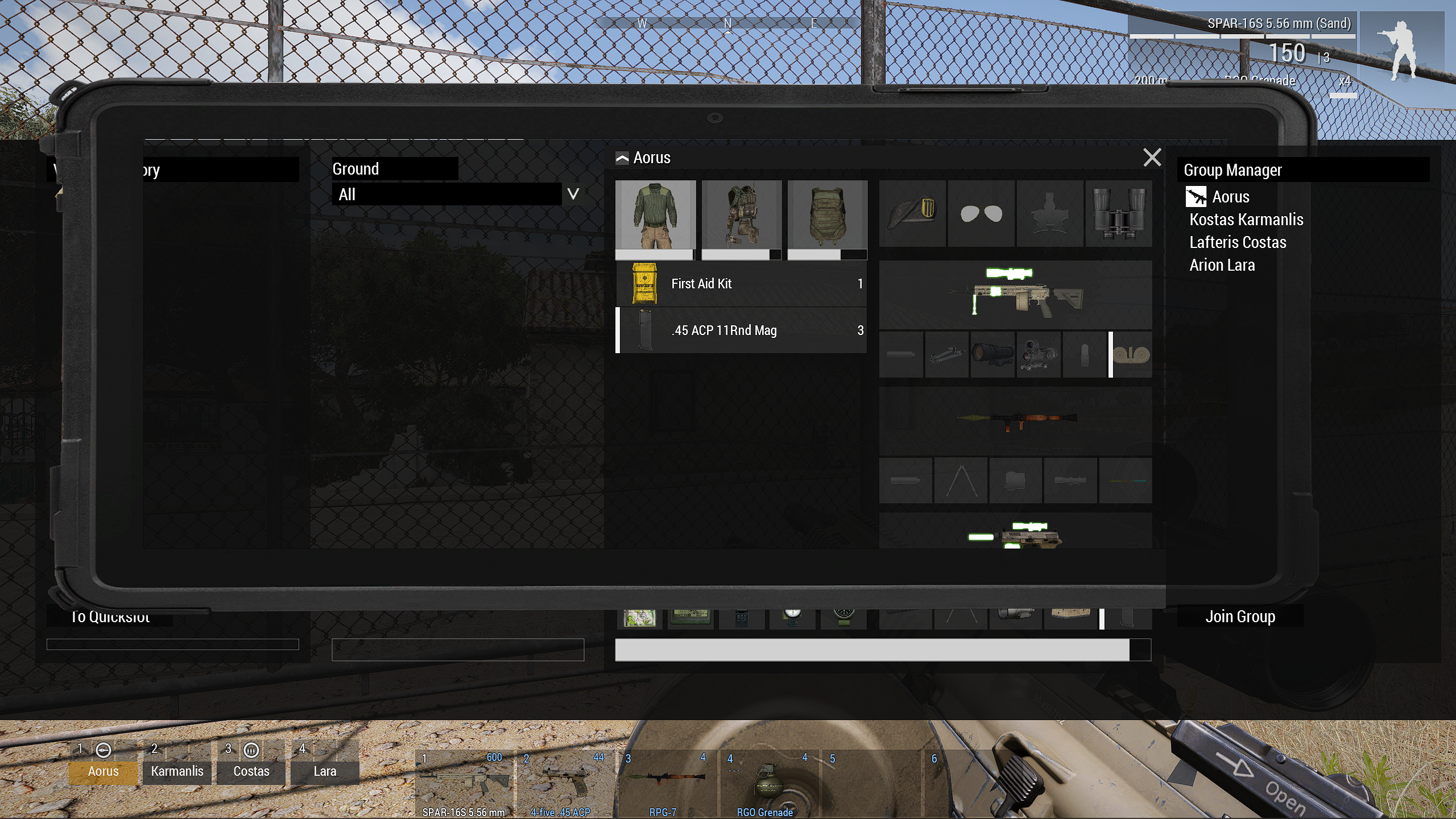
from 1440 to 1080 and from small interface to normal
But fixable, lower than that and bigger interface I won't even dare to try 
Can I force normal/small UI size with a script command?
Can I detect the client's UI size and resolution via script commands?
placid hare
lyric nymph
Can I detect the client's UI size and resolution via script commands?
https://community.bistudio.com/wiki/getResolution
For UI size getResolution select 5
95% of the players use Small UI Size imho.
The rest just needs some glasses xD
 exotic ledge
hello, im trying to make a main menu mod and im trying to import a image into i made in adobe illustrator but im having trouble getting the colours to work they keep inverting (mainly yellows and blues). i got the right pixel size to make it into a paa but i dont know if im missing something? because it work with regular png's i get off the internet but not with the ones i made? can anyone help?
quiet arrow
Ask in #arma3_texture
It's probably one of the export settings. Had that a few times as well.
exotic ledge
quiet arrow
It's probably one of the export settings. Had that a few times as well.
thanks
 simple bay
I need to add two buttons to the pause screen in a mod.
If it were a mission, I would just add them programmatically with onPauseScript set in description.ext.
Any idea what an "equivalent" for this couldbe for mods?
quiet arrow
There is an event handler iirc. You can use that and wait until DisplayInterupt is available
simple bay
quiet arrow
There is an event handler iirc. You can use that and wait until DisplayInterupt ...
Happen to remember the name of the event? That might push me in the right direction
simple bay
Damn, never heard about scripted events. Will take a look, thank you!
 hybrid wraith
Heya all, is there a solution to automatically cut an dialog Element when it leaves a certain Area?
Currently it works like the Top Picture, but I want to work like the bottom one:
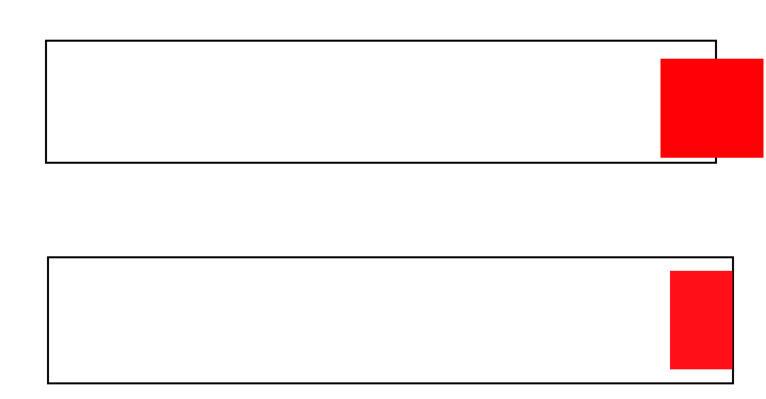 hoary estuary
hybrid wraith
Heya all, is there a solution to automatically cut an dialog Element when it lea...
hoary estuary
hybrid wraith
Heya all, is there a solution to automatically cut an dialog Element when it lea...
Use Controls Group without scrollbars
hybrid wraith
hoary estuary
Use Controls Group without scrollbars
Can I disable the scrollbars?
hoary estuary
hybrid wraith
Can I disable the scrollbars?
Yes, define them with 0 width
hybrid wraith
hoary estuary
Yes, define them with 0 width
Sounds like a plan, will try thanks 🙂
hoary estuary
Check config of RscControlsGroupNoScrollbars
class RscControlsGroupNoScrollbars: RscControlsGroup
{
    class VScrollbar: VScrollbar
    {
        width = 0;
    };
    class HScrollbar: HScrollbar
    {
        height = 0;
    };
};
Worked, thanks again 🙂
 dark light
If anyone here is familiar with some semi-internal workings of certain guis, I'd love to gain some insight in a couple things.
Like... the grey background in the main menu, which you see when there is no background scene, which element is that actually?
I thought it was the Picture class in the background controls of RscDisplayMain, but no matter how I manipulate that, it doesn't seem to change. I would like to entirely replace it.
Also in the server browser, the listControl that has all the server results, it is set up as a list box, but it has columns and I am thoroughly confused how one could access them, because it's not the listNBox commands.
distant axle
Do you mean this grey background?
 dark light
Yeah.
I think it should be this one, but it doesn't change, even when I overwrite the text value

Lots of those elements are also quite puzzling. Not just what their function is, but also why they have such weird sizes.
The gray background usually has h = 0;, and the BackgroundLeft/Right has h = 2 * 10;, which is like multiple times the screen height...
distant axle
class RscPicture;
class RscTitles
{
class RscDisplayMainMenuBackground
{
class controls
{
class Picture: RscPicture
{
text = "a3\static_f_jets\AAA_System_01\Data\AAA_system_01_co.paa";
};
};
};
};```Very *whatever* reason, but it is defined elsewhere other than actual display, this works dark light
Oh nice, thank you!
That makes things a lot easier.
Also explains why the height was set to 0. Someone was too attached to delete it outright, but wanted it out of the way xD
I would assume that it's a different display, because it gets turned off or on depending on whether there is a background scene, maybe?
and while I am at it, is there a way to get notified when the "shown" state of a UI changes?
I haven't found any event and I'd rather avoid polling the living shit out of it.
Cause I'd like to randomize the background every time the main menu is shown, but it seems that the main menu is only created once and not destroyed, hence the onLoad only being triggered once and that's not helping
wind spade
Is there any way to adapt the structuredText text size for 4:3 monitors? I am using such macros:
#define GRID_W( num ) ( num * ( pixelGridNoUIScale * pixelW * 2 ))
#define GRID_H( num ) ( num * ( pixelGridNoUIScale * pixelH * 2 ))
Accordingly, I set the size like this: size = GRID_H(1);
I myself play with a 16:9 aspect ratio, but players with a different ratio from mine encounter problems with the text size.
 burnt steeple
distant axle
```cpp
class RscPicture;
class RscTitles
{
class RscDisplayMainMenuBackgroun...
burnt steeple
distant axle
```cpp
class RscPicture;
class RscTitles
{
class RscDisplayMainMenuBackgroun...
Yo quick question how did you manage to show picture in main Menu i have this in config.cpp but my main menu is just gray ?
class CfgPatches
{
    class MyAddon
    {
        name = "Main Menu Addon";
        author = "Legion";
        url = "http://xkcd.com";
        requiredVersion = 1.60;
        requiredAddons[] = { "A3_Functions_F" };
        units[] = {};
        weapons[] = {};
        skipWhenMissingDependencies = 1;
    };
};

class RscPicture;
class RscTitles
{
    class RscDisplayMainMenuBackground
    {
        class controls
        {
            class Picture: RscPicture
            {
                text = "a3\static_f_jets\AAA_System_01\Data\AAA_system_01_co.paa";
            };
        };
    };
};
requiredAddons I guess
burnt steeple
distant axle
`requiredAddons` I guess
What should i put in there if i want to refrence my own picture witch is in the same folder as the config.cpp ?
 safe matrix
not sure if it goes here
but is there a mod, or an reasonably understandable (for a novice) way to get the 3rd person camera to be offset to the side in vehicles??
I know there is some that do that for Infantry 3rd person, but i cant find anything for vehicles
similar to how GTA4 had it offset to the left by about 2-3 meters
distant axle
That doesn't happen dynamically anyways
safe matrix
oh?
distant axle
If you meant just move TPP camera's pivot, yeah you can. But camera won't pan backwards or anywhere on the fly like GTA IV you mention anyways
safe matrix
oh, i just mean the position of it
basically just moving it to the side in vehicles, especially helicopters
distant axle
I see, but in order to do that, you still cannot change TPP pos for entire vehicles the game offers but requires to change value that controls it for every each vehicles you want to apply the change
safe matrix
oof
distant axle
distant axle
(Disregard that I'm using my own Mod for Arsenal) What is this bottom gap that i...
So I've wondered LB's weird things for a long time and figured in #arma3_feedback_tracker message very recently so going to share two facts:
- the row height can be rounded if there is a subpixel modulo (aka
height mod pixelH != 0) so it makes impossible to calculate which item the mouse is on or such (maybe there is a workaround tho). To fix, you can dosizeEx = height - (height mod pixelH)so it is not going to have subpixel height, stick to the screen perfectly - the gap between the last item and the bottom part of control equals to
controlHeight mod columHeight
Hope these facts can help someone
quiet arrow
Might be nice to have on the wiki
hoary estuary
Would be great if this rounding was controlled by ctrlSetPixelPrecision
hoary estuary
Wasn't there a way to disable controls through config definition?
Without having to do ctrlEnable false manually
empty mountain
i dont think there is
strange arrow
Nope, see https://feedback.bistudio.com/T153325
Also mentioned at https://community.bistudio.com/wiki/Arma:_GUI_Configuration#Common_Properties (below the table)
hoary estuary
Sad
lament mauve
Is there a limit to how many nested groups you can have in arma3? Like
Class group1{
Class group2{
Class group3{
... ect``` proud steppe
Currently struggling with the RscMapControl config. attempting to get each of these names to disappear, however I cannot seem to find the config entry
class RscMapControl
{
    showCountourInterval = 1;
    scaleMin = 0.001;
    scaleMax = 1;
    scaleDefault = 0.45;
    shadedSea = 0.7;
    showMarkers = 0;

    text = "#(argb,8,8,3)color(0.2,0.2,0.192,0.1)";

    ptsPerSquareCLn = 10;
    ptsPerSquareCost = 10;
    ptsPerSquareExp = 10;
    ptsPerSquareFor = 9;
    ptsPerSquareForEdge = 9;
    ptsPerSquareForLod1 = 4;
    ptsPerSquareForLod2 = 1;
    ptsPerSquareMainRoad = 6;
    ptsPerSquareMainRoadSimple = 0.01;
    ptsPerSquareObj = 9;
    ptsPerSquareObjLod1 = 2;
    ptsPerSquareRoad = 6;
    ptsPerSquareRoadSimple = 1;
    ptsPerSquareSea = 5;
    ptsPerSquareTxt = 20;

    maxSatelliteAlpha = 0.9;
    moveOnEdges = 1;
    alphaFadeStartScale = 1;
    alphaFadeEndScale = 0.5;
    widthRailWay = 2;

    colorText[] = {0,0,0,0};
    colorCountlines[] = {0.572,0.354,0.188,0.25};
    colorCountlinesWater[] = {0.491,0.577,0.702,0.3};
    colorForest[] = {0.31,0.35,0.18,0.325};
    colorForestBorder[] = {0, 0, 0, 0.5};
    colorForestTextured[] = {0.624,0.78,0.388,0.45};
    colorGrid[] = {0.1,0.1,0.1,0.6};
    colorGridMap[] = {0.1,0.1,0.1,0.6};
    colorInactive[] = {1,1,1,0.0};
    colorLevels[] = {0,0,0,0};
    colorMainCountlines[] = {0.572,0.354,0.188,0.5};
    colorMainCountlinesWater[] = {0.491,0.577,0.702,0.6};
    colorMainRoads[] = {0.9,0.5,0.3,1};
    colorMainRoadsFill[] = {1,0.6,0.4,1};
    colorNames[] = {0.0,0.0,0.0,0.0};
    colorOutside[] = {0,0,0,1};
    colorPowerLines[] = {0.1,0.1,0.1,1};
    colorRailWay[] = {0.8,0.2,0,1};
    colorRoads[] = {0.7,0.7,0.7,1};
    colorRoadsFill[] = {1,1,1,1};
    colorRocks[] = {0,0,0,0.3};
    colorRocksBorder[] = {0,0,0,0};
    colorSea[] = {0.467,0.631,0.851,0.5};
    colorTracks[] = {0.84,0.76,0.65,0.15};
    colorTracksFill[] = {0.84,0.76,0.65,1};
    colorTrails[] = {0.84,0.76,0.65,0.15};
    colorTrailsFill[] = {0.84,0.76,0.65,0.65};
};```
this is for DayZ btw so maybe our shits fubar
distant axle
lament mauve
Is there a limit to how many nested groups you can have in arma3? Like
```
Cla...
No. Upper case Class is wrong though
 blazing yacht
How I can change the message box font?
Does anyone know how to change it? Or do you know the class name?
hoary estuary
font in config or ctrlSetFont through script
blazing yacht
in config
blazing yacht
How I can change?
hoary estuary
Create copy of the display and change it there?
blazing yacht
What is the class name?
hoary estuary
You'll have to find it, I don't know which message box you're trying to change
blazing yacht
Where I can find?
hoary estuary
Unpack ui pbos of the game/mod, download all in one config dump (or make it yourself with kju's tool)
then make a mod that copies\inherits that message box with your needed changes
or unpack the mission if its some mission message box
blazing yacht
Thank you. I try it
opaque crag
Uh, displays don't have any size restrictions like that.
opaque crag
Well, it's Arma so everything is bugged to hell, but I would be surprised if using 2^n pixel displays is going to help you.
distant axle
Vanilla way is either stretch pic or have empty space
hoary estuary
Have the button without background and some other element under it which will be the animation
hoary estuary
Thats what I meant, I animate them like that.
Not sure how these engine-driven textures work, its easier to just do your own animations
blazing yacht
hoary estuary
or unpack the mission if its some mission message box
Not sure if that's right? RscDisplayChat Do you think it is right?
hoary estuary
blazing yacht
Not sure if that's right? RscDisplayChat Do you think it is right?
Do you mean the chat box?
You can only edit its font through an addon
blazing yacht
hoary estuary
Do you mean the chat box?
Yes
hoary estuary
Actually I'm not sure where it pulls the font from
might be some global setting somewhere
Its heavily engine-driven
blazing yacht
That is, I have created a font in my language. But I want to be able to chat in my language too.
Sorry, I'm not good at English.
blazing yacht
blazing yacht
That is, I have created a font in my language. But I want to be able to chat in ...
@hoary estuary
hoary estuary
blazing yacht
<@107672558320496640>
I can't help you further, no idea where it takes the font from.
Probably some definition elsewhere
blazing yacht
hoary estuary
Probably some definition elsewhere
Okay, sir
 astral gulch
Does anyone have time to tell me about a very basic MFD setup?
Rather, I mean to ask: Is MFD/AirplaneHud this channel or #arma3_config
I'm trying to figure out how to increase the available HMD space, to make it wider than a normal HMD is.
 hallow geyser
guys i created a gui for my fridge mod but this files in mission folder. is there any tutorial for converting these to config or something

i want to put these in my own pbo
hallow geyser
fix*
 hoary sorrel
hallow geyser
guys i created a gui for my fridge mod but this files in mission folder. is ther...
hoary sorrel
hallow geyser
guys i created a gui for my fridge mod but this files in mission folder. is ther...
This is an Intelij IDEA or another program?
lament mauve
Well the idd should probably be something other then 1234.
Secondly the description.ext will have to be modified to a config.cpp and then you will need to do the add on preamble in the config file
 minor valley
Hi, would anyone happen to have a role selection mod/script I could use for a mission?
I'm looking for something that would allow players to choose a set role (machinegunner, medic, etc) and apply the proper permissions/tags to them based on what they pick. Ideally I'm going to try to use this alongside GROM Restricted Arsenal to make class based arsenals, though if there was a mod/script that includes something like that aswell immediately after role selection that would be perfect.
 stoic delta
Is there a way to remove the ability to scroll an control group? I have a control group that contains information and a button to minimize/maximize the control group to (un)hide the information contained in it. It works for the most part however, I still have the ability to scroll the control group, revealing the hidden content at the bottom of the group.
distant axle
Do you mean in a scripted way or let scroll wheel on your mouse do it?
hoary estuary
stoic delta
Is there a way to remove the ability to scroll an control group? I have a contro...
You can disable scrollbars in the controls group
stoic delta
@hoary estuary I remember there either being a script command that did it or you had to set a property in the config for it but I don't remember what it is since I haven't done it in a long time
hoary estuary
stoic delta
<@107672558320496640> I remember there either being a script command that did it...
I don't think you can enable\disable scrollbars with scripting command
unless you do two groups inside each other
stoic delta
I actually figured out I could just make they're width 0 to hide the scroll bars. The group can still be scrolled but tbh is not a big issue as the information is hidden at the user's discretion
And not seeing the scroll bars I imagine they wouldn't think to use it
hoary estuary
Try ctrlEnable false?
stoic delta
I'll give that a try when I get back on computer tomorrow. I'm assuming use that on the group ctrl?
outer oar
are there literally any alternatives other than trial and error? trying to make a gui which literally just has a table with a scrollbar in a frame with a close button, its big pain
hoary estuary
outer oar
are there literally any alternatives other than trial and error? trying to make ...
Yeah, pretty much. With some experience you start getting it right in lesser tries
outer oar
ouch
unkempt cliff
outer oar
are there literally any alternatives other than trial and error? trying to make ...
i guess you arent using the UI editor?
outer oar
the ui editor sux
quiet arrow
Just get familiar with the code and have a way to quickly test the design. It gets easier with time.
outer oar
i just want to finish this damn gui so i can publish this mod
its been over 6 months now
🥹
 quiet arrow
I know these kind of comments....
outer oar
its literally the last difficult thing left to do as well

i just hate doing gui and find it incredbily difficult
stoic delta
hoary estuary
Try ctrlEnable false?
Unfortunately, that also disables all the child controls in the group, which the group contains the min/max button, as well as a Listbox that needs to remain active as well. Thanks for the help, I'm able to get the desired effect it seems w/o needing to disable the box. Now we know haha
hoary estuary
outer oar
i just hate doing gui and find it incredbily difficult <:hmmyes:1147624204909433...
I started to love doing it once I understood everything about it
My current approach is shit ton of #define's and then simple definition in the display itself
hoary estuary
Since defines rely on other defines I can adjust sizes and the rest of the display adjusts with it, similar to how browsers render html
Having this adjustment dynamically is more painful but you just need to set it up right
controls group are useful for moving lots of stuff at once
outer oar
i just tryna do something like this
 outer oar
hoary estuary
Looks squished horizontally <:hmmyes:1147624204909433022>
outer oar
hoary estuary
Looks squished horizontally <:hmmyes:1147624204909433022>
tis not meant for centrifuge display 😎
outer oar
outer oar
i just tryna do something like this
this is, i need to be able to just push back into a scrollable table with each property and a qty
the big pain
outer oar
listbox is selectable isnt it? 😅
hoary estuary
Just make selections invisible
hoary estuary
Just set all selected colors the same as non-selected colors
and selected background invisible
outer oar
ya that bit i get i just moreso mean the listbox part lol
hoary estuary
I did that for my scoreboard, its a listnbox with invisible selection
Listbox is ideal fit for you here, auto adds scrolling, has left and right aligned texts
the only issue I could see is right text touching the scrollbar
but you can just do format ["%1 ", _number] for a spacer
outer oar
can pad it if need be
outer oar
i meant pad the text
hoary estuary
yeah
outer oar
also perhaps a daft q but how am i supposed to free the mouse to scroll? 😅
hoary estuary
outer oar
also perhaps a daft q but how am i supposed to free the mouse to scroll? 😅
createDialog/createDisplay
outer oar
_display = findDisplay 46;
{
ctrlDelete _x
} forEach kjw_displays;
_lb = _display ctrlCreate ["RscListBox", -1];
kjw_displays = [_lb];
_lb ctrlSetPosition [0.8, 0.4, 0.4, 0.2];
private _arr = [["RBC",10],["WBC",24],["Platelet",40],["Cholera",20]];
{
systemChat str _x;
_lb lbSetText [_forEachIndex, _x#0];
_lb lbSetTextRight [_forEachIndex, str ((_x#1)/24*100) + "%"];
} forEach _arr;
_lb ctrlCommit 0;```
am i doing something obviously wrong here? You need to add the row first
outer oar
ah
hoary estuary
outer oar
hoary estuary
createDialog/createDisplay
so i assume i would create display then create the ctrl into that display instead? 😅
yes however i cannot scroll it

i can arrow key further down but scroll bar doesnt automatically appear
hoary estuary
it will appear once number of items exceeds height
scroll bar has to be defined inside the control btw
ListScrollBar
outer oar
ah it appears now but has some lines cut off
 outer oar
hoary estuary
scroll bar has to be defined inside the control btw
outer oar
hoary estuary
scroll bar has to be defined inside the control btw
im creating it via script still
//private _display = findDisplay 46;
private _emptyDisplay = findDisplay 46 createDisplay "RscDisplayEmpty";
{
    ctrlDelete _x
} forEach kjw_displays;
private _lb = _emptyDisplay ctrlCreate ["RscListBox", -1];
kjw_displays = [_lb];
_lb ctrlSetPosition [0.8, 0.4, 0.4, 0.2];
private _arr = [["RBC",10],["WBC",24],["Platelet",40],["Cholera",20],["idk aids",24],["sqf",2],["a thing",2],["another thing",24]];
{
    systemChat str _x;
    _lb lbAdd "";
    _lb lbSetText [_forEachIndex, _x#0];
    _lb lbSetTextRight [_forEachIndex, str round ((_x#1)/24*100) + "% "];
} forEach _arr;
_lb ctrlCommit 0;```(i know the code is bad im just trying to get it to work first)
 solid gyro
outer oar
ah it appears now but has some lines cut off
solid gyro
outer oar
ah it appears now but has some lines cut off
Big 🐓 disease is a bad kind of disease
outer oar
indeed
hoary estuary
Hmm, weird indeed
getNumber(configFile >> "RscListBox" >> "rowHeight") => 0
might be because of this
engine defaults to something and messes up height calculation
"getNumber(_x >> 'type') == 5" configClasses configFile apply {[configName _x, getNumber(_x >> "rowHeight")]}
```=> `[["RscListBox",0],["RscListBoxKeys",0],["RscIGUIListBox",0],["RscListBoxMulti",0],["ctrlListbox",0.0363636]]`Only vanilla root listbox that has height is ctrlListbox
Yeah works properly with that
Make your own list box with stuff properly defined
 hoary estuary
I assume yellow tint means you're infected by something
burnt steeple
i am gonan guess that or ace glasses tint 😄
hoary estuary
ace glasses of big 🐓 disease
burnt steeple
I dont know SQF disease looks worse 😄
hoary estuary
burnt steeple
I dont know SQF disease looks worse 😄
we're all sick
 burnt steeple
outer oar
this is just for medical expansion core <:meowsweats:707626030613135390>
burnt steeple
outer oar
this is just for medical expansion core <:meowsweats:707626030613135390>
Fully fanctional MRI Machine when ? 😄
outer oar
i had to axe hospital expansion
may bring it back though for my final year project for med phys
 hoary estuary
Turns out ui2texture is great for resampling large resolution textures for usage as small pictures on UI

Much less aliased
You'll have to calculate target resolution yourself off client resolution though, but its worth it
I feel like its christmas
holy shit, this is a game changer
hoary estuary
Not sure how long each texture takes to generate, might have to preload a procedural texture for every weapon, magazine and vehicle image.
hoary estuary
 empty mountain
wish we could get that natively with UI
hoary estuary
empty mountain
wish we could get that natively with UI
If setup right, it is pretty seamless
Instead of doing getText(configFile >> "CfgWeapons" >> _weapon) I do _weapon call client_func_textures_getVehicleIcon
// Params: String (Class)
// Returns: String (Texture)
client_func_textures_getVehicleIconSmall = {
    client_textures_getVehicleIconSmallCache getOrDefaultCall [_this, {
        private _texture = getText(configFile >> "CfgVehicles" >> _this >> "picture");
        getTextureInfo _texture params ["_width", "_height"];
        if(_width > 0) then {
            private _h = if(client_texture_is4K) then {64} else {32};
            private _w = _h * (_width / _height);
            format ["#(rgb,%1,%2,1)ui('Texture_ResizerVehicles','ResizerVeh_%3')", _w, _h, _this];
        } else {""};
    }, true];
};
client_textures_getVehicleIconSmallCache = createHashMap;
Config is simple too:
class Texture_Resizer {
    idd = -1;
    onLoad = "_this select 0 call client_func_textures_resizer_onLoad";
    //onUnload = "_this select 0 call client_func_textures_resizer_onUnload";

    class Controls {
        class Texture:RscPicture {
            idc = 1;
            x = 0;
            y = 0;
            w = 1;
            h = 1;
        };
    };
};
class Texture_ResizerWeapons:Texture_Resizer {onLoad = "_this select 0 call client_func_textures_resizerWeapons_onLoad";};
class Texture_ResizerMagazines:Texture_Resizer {onLoad = "_this select 0 call client_func_textures_resizerMagazines_onLoad";};
class Texture_ResizerVehicles:Texture_Resizer {onLoad = "_this select 0 call client_func_textures_resizerVehicles_onLoad";};
client_func_textures_resizerWeapons_onLoad = {_this displayCtrl 1 ctrlSetText getText(configFile >> "CfgWeapons" >> displayUniqueName _this select [11,1e6] >> "picture")};
client_func_textures_resizerMagazines_onLoad = {_this displayCtrl 1 ctrlSetText getText(configFile >> "CfgMagazines" >> displayUniqueName _this select [11,1e6] >> "picture")};
client_func_textures_resizerVehicles_onLoad = {_this displayCtrl 1 ctrlSetText getText(configFile >> "CfgVehicles" >> displayUniqueName _this select [11,1e6] >> "picture")};
I just hope that having 100s of displays for procedural textures isn't a problem 🤔
empty mountain
thats what Im wondering is if it causes a performance drain
hoary estuary
Maybe @tranquil iron can tell us if its a bad idea to pass lots of textures through ui2texture
tranquil iron
ui2Tex are registered as RTT textures.
These are not made to be many.
These textures get a "last used" flag when they appear on screen.
I think that was somewhat inefficient. Can't see the code rn.
We can ofc optimize that if there is a benchmark with like 500 textures or smth
hoary estuary
tranquil iron
We can ofc optimize that if there is a benchmark with like 500 textures or smth
I can make it if you're up to have a look some time
tranquil iron
Yeah maybe end next week
They're render once right? Not updating.
I never profiled that. Will probably be interesting.
I know there is some O(N) loops over all RTT sources
hoary estuary
tranquil iron
They're render once right? Not updating.
I never profiled that. Will probably be...
No, unless UI triggers update somehow.
I only do ctrlSetText/lnbSetPicture/ctrlSetStructuredText with <image>s, no displayUpdate anywhere
hoary estuary
tranquil iron
Yeah maybe end next week


Repro with ui2textures displays as RscPicture, inside RscStructuredText and setObjectTexture
Quickly editable to display much more textures if needed in init.sqf
tranquil iron
Rawr
Thanku
distant axle
tranquil iron
We can ofc optimize that if there is a benchmark with like 500 textures or smth
#dev_rc_branch message
Maybe this is also a good example, I'm simply scared to consume RAMs
tranquil iron
it will be in video memory only
tranquil iron
I would prefer you don't even talk at all when you have no idea what you're talking about.
You're just spouting nonsense and I don't get why.
humble falcon
But how is this all related to the discussion/repro above? Also while Big O notation is handy tool for algorithm design, it describes only theoretical performance after all. E.g. CPU architecture has a major effect in actual performance: say, cache misses have quite huge impact in practice
They were talking about O(n) algorithms, and I don't see a question there. Why would O(n^3) be faster than O(n^2) in any circumstances in theory? I'm confused 😅
Can you give an example? And are we talking about theoretical or practical performance?
Yes, but I asked about O(n^3) vs. O(n^2)
Why are we comparing the n^3 to e^x? Again, I asked about n^2 compared to n^3. Both are divergent and n^3 more so. Yes, some algorithms are faster with small datasets but it's not the case here. I feel like we're comparing apples to oranges or then it's me being dumb again
I'm even more confused now but if you're referring to the size of dataset, how could it be anything else than positive integer?
Yes, some algorithms. But not n^2 and n^3 (in theory), that was my point
humble falcon
And how do you squeeze a dataset so that this would be relevant when it comes to the Big O?
Yes, as he talks about algorithms that actually are faster with small datasets. But that's not the case between n^2 and n^3
Yes, that's true if a large constant gets added. But how is this relevant to the original discussion?
And where is this algorithm with a large enough constant (and/or other axes)? They were talking about simple O(n) time complexity still
You aren't answering my question. Yes, it's cool stuff but irrelevant in this context
No, he didn't. I'm asking about this context right here and not a generic explanation. I give up
tranquil iron
You asked nothing. You just randomly started spewing stuff about n²/n³ that was comepletely irrlevant to what we were talking about.
You successfully took 4 letters out of my message, to completely derail the channel with irrelevant offtopic mess. 👏
What I meant with "you don't know what you're talking about", was that what you were talking was completely irrelevant and made no sense in the context. But good for you that you know what you're talking about, even though it makes no sense to talk about it.
Please don't. Thank you.
outer oar
he does this in every conversation he has here
tranquil iron
Yeah am noticing a pattern..
dark light
What's the deal with RscIngameUI >> RscUnitInfo and its derivatives and their controls structure? Why are they not wrapped in a controls class? What mechanic instantiates the controls defined there?
I am trying to add more elements to the UI, specifically for air units, to show the regular altitude (radar) but also the altitude above sea-level (barometric).
I tried a ton of different combinations of adding my own controls to the different RscUnitInfo classes, trying to add their names to the controls[] with += and I am getting a major headache because it seems to just not want to work. It only works properly for unarmed helicopters, who use RscUnitInfoAirNoWeapon, which is where I added the controls first. But for planes it instantiates the controls, but does not apply their proper positions. nvm that, they do not get instantiated
dark light
Like... maybe I don't understand inheritance properly?
#include "\a3\ui_f\hpp\defineResincl.inc"
#include "\a3\ui_f\hpp\defineCommonGrids.inc"

// undeffing cause otherwise it tries to place the macro by the same name instead of the literal string
#undef IGUI_GRID_VEHICLE_X
#undef IGUI_GRID_VEHICLE_Y
#define GRID_X_OFFSET   (profileNamespace getVariable [ARR_2('IGUI_GRID_VEHICLE_X',(safezoneX + 0.5 * GUI_GRID_W))])
#define GRID_Y_OFFSET   (profileNamespace getVariable [ARR_2('IGUI_GRID_VEHICLE_Y',(safezoneX + 0.5 * GUI_GRID_H))])
#define SIZE_EX         0.75 * GUI_GRID_H
#define SIZE_EX_LABEL   0.5 * GUI_GRID_H

class RscText;
class RscUnitInfo;
class RscUnitInfoAirNoWeapon;
class RscUnitInfoAir;
class RscUnitInfoAirPlaneNoWeapon;
class RscUnitInfoAirPlane;

class RscInGameUI {
    class RscUnitInfo {
        controls[] += {"CA_AltRadLabel", "CA_AltBarLabel", "CA_AltBar", "CA_AltBarUnits"};
        class CA_Alt: RscText {
            IDC = 1231; //IDC_IGUI_ALT;
            x = QUOTE(5.85 * GUI_GRID_W + GRID_X_OFFSET);
            y = QUOTE(2.05 * GUI_GRID_H + GRID_Y_OFFSET);
            w = QUOTE(1.5 * GUI_GRID_W);
            h = QUOTE(1 * GUI_GRID_H);
            sizeEx = QUOTE(SIZE_EX);
        };
        class CA_AltRadLabel: CA_Alt {
            IDC = 1230;
            x = QUOTE(6.3 * GUI_GRID_W + GRID_X_OFFSET);
            y = QUOTE(2.55 * GUI_GRID_H + GRID_Y_OFFSET);
            w = QUOTE(1.5 * GUI_GRID_W);
            h = QUOTE(0.9 * GUI_GRID_H);
            sizeEx = QUOTE(SIZE_EX_LABEL);
            text = QUOTE(Rad);
        };
        class CA_AltUnits: RscText {
            IDC = 1005; //  keeping original ICD so the game inserts the right units symbol
            x = QUOTE(6.9 * GUI_GRID_W + GRID_X_OFFSET);
            y = QUOTE(2.05 * GUI_GRID_H + GRID_Y_OFFSET);
            w = QUOTE(0.8 * GUI_GRID_W);
            h = QUOTE(1  * GUI_GRID_H);
            sizeEx = QUOTE(SIZE_EX);
        };
        class CA_AltBarLabel: CA_Alt {
            IDC = 1240;
            x = QUOTE(8 * GUI_GRID_W + GRID_X_OFFSET);
            y = QUOTE(2.55 * GUI_GRID_H + GRID_Y_OFFSET);
            w = QUOTE(1.5 * GUI_GRID_W);
            h = QUOTE(0.9 * GUI_GRID_H);
            sizeEx = QUOTE(SIZE_EX_LABEL);
            text = QUOTE(Bar);
        };
        class CA_AltBar: CA_Alt {
            IDC = 1241;
            x = QUOTE(7.75 * GUI_GRID_W + GRID_X_OFFSET);
            y = QUOTE(2.05 * GUI_GRID_H + GRID_Y_OFFSET);
            w = QUOTE(1.5 * GUI_GRID_W);
            h = QUOTE(1 * GUI_GRID_H);
            sizeEx = QUOTE(SIZE_EX);
        };
        class CA_AltBarUnits: CA_AltUnits {
            IDC = 1242;
            x = QUOTE(8.8 * GUI_GRID_W + GRID_X_OFFSET);
            y = QUOTE(2.05 * GUI_GRID_H + GRID_Y_OFFSET);
            w = QUOTE(0.8 * GUI_GRID_W);
            h = QUOTE(1 * GUI_GRID_H);
            sizeEx = QUOTE(SIZE_EX);
        };
    };

    class RscUnitInfoAirNoWeapon: RscUnitInfoAirNoWeapon {
        controls[] += {"CA_AltRadLabel", "CA_AltBarLabel", "CA_AltBar", "CA_AltBarUnits"};
    };
    class RscUnitInfoAir: RscUnitInfoAir {
        controls[] += {"CA_AltRadLabel", "CA_AltBarLabel", "CA_AltBar", "CA_AltBarUnits"};
    };
    class RscUnitInfoAirPlaneNoWeapon: RscUnitInfoAirPlaneNoWeapon {
        controls[] += {"CA_AltRadLabel", "CA_AltBarLabel", "CA_AltBar", "CA_AltBarUnits"};
    };
    class RscUnitInfoAirPlane: RscUnitInfoAirPlane {
        controls[] += {"CA_AltRadLabel", "CA_AltBarLabel", "CA_AltBar", "CA_AltBarUnits"};
    };
};
I also tried inheriting each class from its actual parent, but it doesn't work either.
This version works for helicopters, but for planes (RscUnitInfoAirPlane) the class is just empty, which boggles my mind
empty mountain
whats your requiredAddons in cfgPatches?
dark light
{..., "A3_Data_F_AoW_Loadorder"}; // core
{..., "A3_Data_F"}; // ui, which contains the code
Decade_Loadorder for every requiredAddons I'd suggest. If it doesn't work, please tell your goal, what you got and your entire config
dark light
distant axle
Decade_Loadorder for every requiredAddons I'd suggest. If it doesn't work, pleas...
I can try that tomorrow.
Did state my goal here already: #arma3_gui message
As far as this is concerned that is the whole config
distant axle
I mean what could be the result in a picture if you can
empty mountain
dark light
```sqf
{..., "A3_Data_F_AoW_Loadorder"}; // core
{..., "A3_Data_F"}; // ui, whic...
really? thought it was in "A3_Ui_F"
dark light
empty mountain
really? thought it was in "A3_Ui_F"
It actually is, but the loadorder requirement includes it either way. It is not an issue of the addon not being loaded prior to mine, since it works for helicopters, just not for planes.
core/ui are the names of my addons, if that was the confusing part
dark light
distant axle
I mean what could be the result in a picture if you can
Will add some later


 dark light
```sqf
class CA_AltBarLabel: CA_Alt {
IDC = 1240;
...
dark light
dark light
```sqf
class CA_AltBarLabel: CA_Alt {
IDC = 1240;
...
If I change the lower part to
    class RscUnitInfoAirNoWeapon: RscUnitInfo {
        controls[] += {"CA_AltRadLabel", "CA_AltBarLabel", "CA_AltBar", "CA_AltBarUnits"};
    };
it looks like this in the little bird


in A3_ui_F the definition looks like this
class RscUnitInfoAirNoWeapon: RscUnitInfo
    {
        controls[]=
        {
            "CA_BackgroundVehicle",
            "CA_BackgroundVehicleTitle",
            "CA_BackgroundVehicleTitleDark",
            "CA_BackgroundFuel",
            "CA_Vehicle",
            "CA_VehicleRole",
            "CA_HitZones",
            "CA_VehicleTogglesBackground",
            "CA_VehicleToggles",
            "CA_SpeedBackground",
            "CA_SpeedUnits",
            "CA_Speed",
            "CA_ValueFuel",
            "CA_AltBackground",
            "CA_AltUnits",
            "CA_Alt"
        };
    };
So this looks very unintuitive to me. Using += on RscUnitInfo has the desired effect, but on the inheriting class it just overwrites it.
If I make all the lists explicit, it still looks like this in the plane, even though all the above classes have the additional ui elements defined

doesn't help that I cannot really determine which UI I am looking at right now, since they all have the script name "RscUnitInfo" -.-
strange arrow
Just found https://community.bistudio.com/wiki/Array%2B%3D, looks like += has limitations.
dark light
strange arrow
Just found https://community.bistudio.com/wiki/Array%2B%3D, looks like `+=` has ...
Yeah, that much has become apparent, but the problem of controls not showing up persists even with explicitly defined arrays.
My initial question also still stands unanswered.
distant axle
Late but expicitly you mean is controls[] = instead o +=?
dark light
Oh, my fault, thought I posted that already.
I defined all the arrays manually, basically just copying them from the original addons and adding the names of my controls. It continues to only work for the helicopters and nothing else
distant axle
I'm guessing you want to define class CA_BackgroundVehicle: CA_BackgroundVehicle {}; and others you want to include. Not sure that is the issue tho
dark light
Na, that is just the issue if I'm inheriting from the classes I want to override themselves. It does not happen when I keep to the original inheritance order
Like... naively you'd assume that it will just instantiate the controls defined in its base class if the name string appears in the controls[] array.
And for some derivatives of RscUnitinfo that seems to be true (like AirUnarmed), but then it doesn't for the plane types
But I cannot find the thing that sets them apart.
tranquil iron
hoary estuary
Thanks.
I have 600fps in your default setup...
A noticably bad part actually is the HUD UI Drawing structured text. Structured text re-draw is not that nice.
Like 3% of total frametime is rendering structured text.
_structured ctrlSetStructuredText composeText _structured_icons; That text.
Turn that into one UI2Texture, and you get about +3% fps.
Also making the UserTexture object simpleObject would have benefit.
There is some cost for it checking if the "building" is animated, which wouldn't need to be there. Simple or Super Simple (model path) would be better.
With 1000 ui2tex, the issue I mentioned is noticable. 6% time spent tracking that R2T texture has appeared on screen. Its the single most expensive function running during render.
I'll fix that
hoary estuary
tranquil iron
Thanks.
I have 600fps in your default setup...
A noticably bad part actually is...
So it loops through all R2T textures that were ever seen during the game? List increases over time and never decreases?
As for structured text, I guess the issue is 100 images in general, not 100 ui2tex\R2T images?
tranquil iron
hoary estuary
So it loops through all R2T textures that were ever seen during the game? List i...
Yeah it loops through all R2T textures that exist, for each texture that is visible on screen.
I think UI2Tex never get deleted 🤔 Might delete itself if VRAM is freed up
structured text is the issue, not what's inside it yes
tranquil iron
oke is fixed, from 6% down to 0.2%. Good enuff
Hopefully that doesn't break anything with R2T 🤞
Profiling branch shall find that out 😄
I have 350fps now
If I change your createVehicle to createSimpleObject doesn't help.
Changing to superSimpleObject "\A3\Misc_F\Helpers\UserTexture1m.p3d" makes them all not show up 
hoary estuary
tranquil iron
I have 350fps now
If I change your createVehicle to createSimpleObject doesn't h...
Probably setObjectTexture doesn't work with super simple objects
 glad wren
@dark light
But I cannot find the thing that sets them apart.
This is the rule for inheritence:
- ---Standard local copy---
// first tell the engine which addon(s) have THE pre-existing
// class(es) you are going to use, via requiredAddons[]=. THEN  you are free to create the class templates. Eg:

class A
{
  class B
  {
  };
};```
^^^an unmolested inheritence tree from which you inherit and alter the locally derived classes from them (eg)
```class apples: A
  {
     class oranges:B
     {
         ... //blah
     };
 };
- deliberate alteration
{
  class B
  {
         thingy=123;
  };
};
you are intentionally inserting into (or altering a var in) an already existing class in some other addon
anything= is a variable. at first glance it is not immediately obvious it includes arrays[]{..........};
finally, be aware that the alterations you made to another addon may or may not be seen by other addons unless those that use that addon set yours as a required addon of theirs. May or may not means it depends who gets loaded first, you,,,,, or them.
(as a side note, i have intentionally not mentioned class and delete operators)
tranquil iron
Second code block has syntax error, double class
glad wren
Eeek! thank u
dark light
glad wren
finally, be aware that the alterations you made to another addon may or may not ...
Oh! I think I get the updating base class errors now.
So if the class has been defined first by an addon that gets loaded before mine (which is always the case for A3 addons), the changes are not inherited. Is that right?
Or at least not inherited by classes that are pre-existing, but probably inherited by classes I define after that.
dark light
dark light
Like... maybe I don't understand inheritance properly?
```sqf
#include "\a3\ui_...
So in my case, I would have to define the controls not only to the base class, but to any class that inherits from the base class.
glad wren
you are correct on both counts.. but, as described by you, it would make far more sense to create one.single class that adds/ changes all that as necessary, and YOU inherit from that. especially if your changes are needed in multiple pbos (in which case, this pbo is a required addon of the others)
and btw, there is no effective means of ensuring that foriegn pbos (eg not yours) use those changes unless they too have you as a required addon. Altering the base class itself will not garantee it being seen. It is a complete lottery whether it works one day and fails the next (simply because the user has removed/disabled a mod that loaded after you. The end result being your reputation becomes dodgy.
just to make sure we're being accurate here. the correct name is 'addon', not 'pbo' because there can be multiple addons in a single pbo. only one of those 'addons' has a cfgpatches class named appropriately as MyGreatAlteration
tranquil iron
dark light
Oh! I think I get the updating base class errors now.
So if the class has been ...
"updating base class error" is something different
It means for a class that was originally defined as class A : B so A inherited from B.
You changed it to class A : C you changed its parent/base class. That should never happen
I haven't seen you post about "updating base class" before, if you have an actual error that says that, it'd help to post it
astral gulch
Hey, so, airplane HMDs have an X/Y system
is this based on GUI_GRID, Pixel Size, pixelGridNoUIScale, or pixelGrid?
or none of the above
astral gulch
Is there a way to show the impactPoint crosshair without being inside of the pilotcamera or other turret cam?
 simple swallow
Does anyone know where in the files I can find all of the unit marker/whatever they're called icons? I can't for the life of me find them
 hoary estuary
simple swallow
Does anyone know where in the files I can find all of the unit marker/whatever t...
hoary estuary
simple swallow
Does anyone know where in the files I can find all of the unit marker/whatever t...
icon property inside CfgVehicles and if its not a .paa then it will be defined inside CfgVehicleIcons
    class B_engineer_F: B_Soldier_03_f
    {
        ...
        icon = "iconManEngineer";
class CfgVehicleIcons
{
    ...
    iconManEngineer = "\A3\ui_f\data\map\vehicleicons\iconManEngineer_ca.paa";
o7 bedankt
distant axle
https://community.bistudio.com/wiki/BIS_fnc_textureVehicleIcon
This also helps you
 spice drift
Question; is it possible to take a screenshot and then make that screenshot available in-game in the same mission?
Intended use; taking pictures as part of a recon mission and sending them to a different player for review.
distant axle
You cannot send a screenshot file itself using any in-game functionality. But they are all in one mission in MP, I think I can suggest r2t and ui2tex
spice drift
distant axle
You cannot send a screenshot file itself using any in-game functionality. But th...
Thanks for the answer, POLPOX, appreciated. I'll see what I can come up with using r2t and ui2tex.
hoary estuary
Am I the only one who can't stop noticing this uneven margin?
 hoary estuary

tranquil iron
Its a feature
hoary estuary
tranquil iron
Its a feature
To trigger people before the game? Increase engagement by making them complain in Discord about it? 
quiet arrow
hoary estuary
Am I the only one who can't stop noticing this uneven margin?
Nah your not..many UIs have that problem.
burnt steeple
Hi guys question how can i enable ctrl in zeus display and game display ?
So this is what i have so far: https://pastebin.com/uLMTSvHu
Pastebin
Pastebin.com is the number one paste tool since 2002. Pastebin is a website where you can store text online for a set period of time.
unkempt cliff
burnt steeple
Hi guys question how can i enable ctrl in zeus display and game display ?
312 should be the zeus display id. you probably have to create the same control for both game-main and zeus
burnt steeple
unkempt cliff
312 should be the zeus display id. you probably have to create the same control ...
I did that and it works but now when I exit zeus and re enter zeus interface it disappears.
unkempt cliff
burnt steeple
I did that and it works but now when I exit zeus and re enter zeus interface it ...
just create them every time display changes
burnt steeple
unkempt cliff
just create them every time display changes
Do you have example code how is that done ?
unkempt cliff
burnt steeple
Do you have example code how is that done ?
this is what i have in one of my projects: ```sqf
findDisplay 312 displayAddEventHandler ["KeyDown",
{
params ["_display", "_key", "_shift", "_ctrl", "_alt"];
private _handled = false;
if(inputAction "CuratorInterface" > 0) then
{
_handled = true;
};
_handled
}];
maybe that helps, of course there may be other ways
or just loop ```
(findDisplay 312)
ah its possible to set the onLoad event handler https://community.bistudio.com/wiki/User_Interface_Event_Handlers#onLoad but of course you need to poll first to see when the zeus display (312) is created
quasi granite
quasi granite
Is there a way to get the display's classname? I know that BI's BIS_fnc_displayInit sets such a variable but I don't use that for my purposes
What I am trying to do is compare a given class name to the currently open display
unkempt cliff
configOf? just a guess (nope)
quiet arrow
quasi granite
Is there a way to get the display's classname? I know that BI's BIS_fnc_displayI...
According to the description the only way is through initDisplay https://community.bistudio.com/wiki/ctrlClassName
quasi granite
unfortunate. I am now comparing idds which is cringe
quiet arrow
What if both -1 ?
quasi granite
I have a known set of UIs so I know (hope) this won't be a problem
quiet arrow
I see
quasi granite
but yeah, for anyone else reading: don't take this as advice
quiet arrow
What about control count?
quasi granite
wild idea
quiet arrow
Wild problem needs wild solutions😄
quasi granite
or compare all ctrlClassNames of all controls with the other
quiet arrow
Yeah why not.
quasi granite
but we will leave the implementation as an exercise to the reader
 jaunty rover
I currently have an image I want to display on my GUI and when I import it, its colors are all different. The yellows and reds turns to blues? I am using the textureviewer 2 on arma tools to convert the image to a paa file. Any idea why this occurs?
opaque crag
What's the original image format?
jaunty rover
PNG File (.PNG)
jaunty rover
using two different converters it looks to possibly be a color issue due to it being a PNG for I had the issue occur twice. Its sized at 2048x2048. Imma keep looking into it
jaunty rover
jaunty rover
I currently have an image I want to display on my GUI and when I import it, its ...
I did not convert it to DXT5 that was the issue
 dim mirage
Is there any mods that adds The m1a2 , Sheridan, The Leclerc ECT
 lunar fulcrum
Hello, I am working on a small UI mod that displays buttons alongside the map marker menu. I have encountered two issue and would appreciate any help.
-
The buttons displayed by my mod (through
createDialog) block the user from clicking any other UI elements until they press ESC to close the buttons. Ideally I would like for the buttons to be used at the same time as the marker menu. Even after setting the forceOnTop value to false it still doesn't work (createDialog ["ui", false];) -
I can't seem to be able to change my button's position to be next to the map marker menu. I have tried
ctrlSetPositionbut even with test values inputted my UI only appears in the centre of the screen.
hoary estuary
lunar fulcrum
Hello, I am working on a small UI mod that displays buttons alongside the map ma...
Haven't looked at it for a long while, best approach would be ctrlCreate'ing your controls group inside same display that does map markers and position it alongside existing menu
lunar fulcrum
hoary estuary
Haven't looked at it for a long while, best approach would be ctrlCreate'ing you...
Thank you so much! Worked like a treat!
 jade heart
who knows how to adjust the arma ui thru scripting or whatever so i can make a new category that says like "operation server" that instantly connects you to it
 ionic tundra
jade heart
who knows how to adjust the arma ui thru scripting or whatever so i can make a n...
ionic tundra
jade heart
who knows how to adjust the arma ui thru scripting or whatever so i can make a n...
If you want them to be standalone buttons on the main menu so that you can have as many as you want, you can edit the "RscDisplayMain" class in a config file as part of an addon. Then within the Controls class you can create a new one that uses "RscButton" as a parent, the important part that will get you into the server will be in the onButtonClick line, and is the "connectToServer" command
It would look something like this:
class RscButton;
class RscStandardDisplay;
class RscDisplayConfigure
{
  enableDisplay=1;
};
class RscDisplayMain: RscStandardDisplay
{
  access=1;
  enableDisplay=1;
  class Spotlight{};
  class controls
  {
    class CustomButton: RscButton
    {
      //Inset button paramaters here, including "onButtonClick".
    };
  };
};
If you want it to be in the middle in whats called the "Spotlight" portion of the main menu, then you can edit the spotlight class instead of controls which ive included as an example.
jade heart
ionic tundra
If you want them to be standalone buttons on the main menu so that you can have ...
just fixed it
ty tho
GitHub
Mod the Arma 3 main menu center spotlight button to join a specific server with 1 click. - ampersand38/Server-Spotlight
 south cave
Hello guys, has anyone tried to use CT_OBJECT type in GUIs ? http://killzonekid.com/arma-scripting-tutorials-gui-part-6/
I managed to spawn a rotating car, but do you know if there is a way to change its textures ? The only command that i found so far are these https://community.bistudio.com/wiki/Category:Command_Group:_GUI_Control_-_Object


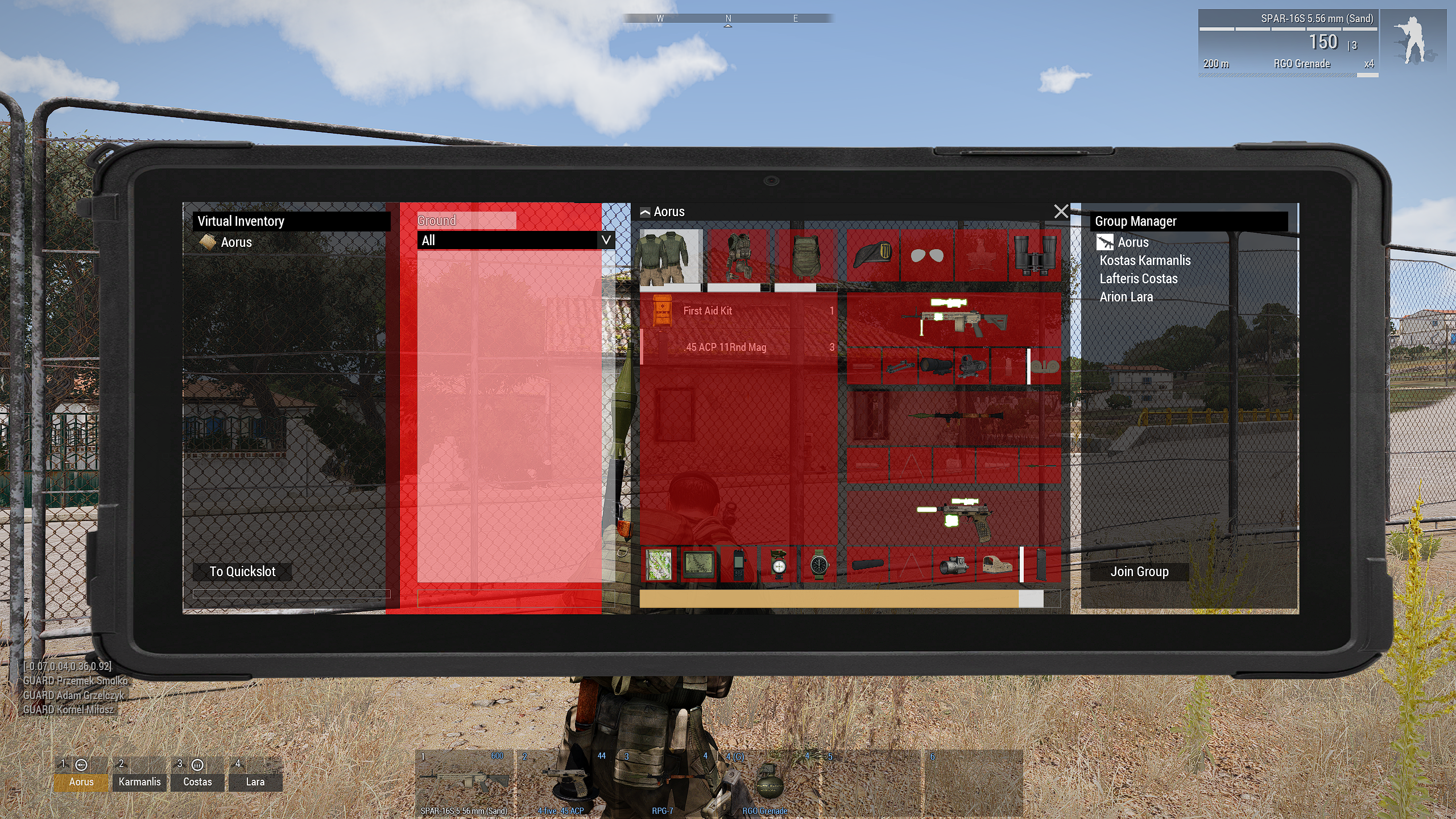
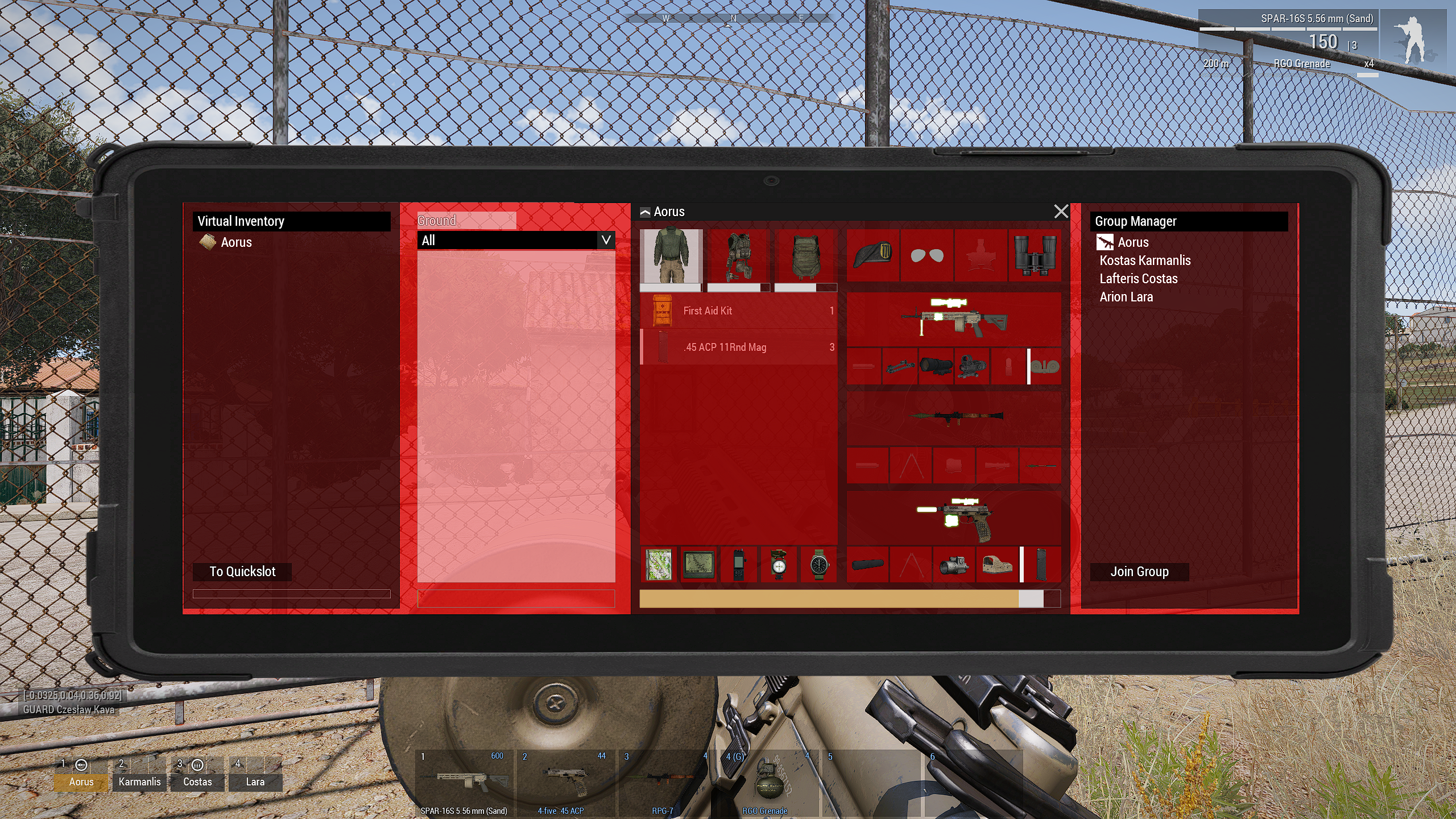
 distant axle
No, it can't
idle spruce
Before I go further, I can have a copy of the main map in my larger box and have it move around like the normal map right?
 quiet arrow
Yes
idle spruce
ok, ill probably check back when things are much more complete
 cosmic loom
Hey, im attempting to code in a radio, but having trouble with this whole GUI thing. Is there a way to put a picture on this screen so I can actually know where im placing what

and ontop of that, how do I get the actual X and Y value
I see "Position: ["18 * GUI_GRID_W + GUI_GRID_X","12 * GUI_GRID_H + GUI_GRID_Y","4 * GUI_GRID_W","2.5 * GUI_GRID_H"]" but that doesn't really tell me anything
 tribal marten
add a picture control and change the text to the relative filepath to your image. The path relative route changes if its made for a mission or a mod
i dont think you can update picture contents "live" in the editor, you need to refresh the gui
might be incorrect though
idle spruce
whats the best way to edit a control's controls (display > control > control)? since the values are relative to the parent control, its an absolute pain to attempt in GUI editor when say the stacked control is on the side of the screen
distant axle
Write by hand is best
idle spruce
oh noooo...
distant axle
It's the best. Fastest also. And only reliable way
idle spruce
Arma dialog creator has errors in its calculated coordinates (and it's abandoned), and doesn't support grid I believe.
 gleaming gale
i only use it for placement, after that, all by hand
POLPOX had a mod that solves the grid issue iirc
spice drift
Hello, quick question; did they change something to make the onUnload event fire for RscTitles displays created with cutRsc?
I noticed that after yesterdays update, my custom binoculars no longer worked until I removed the onUnload event from my display.
idle spruce
So I have this so far:
Right now, everything is under a single display "CarrierStrike_SpawnMenu". What I would like to do, is have the left pane a dialog (spawn menu), and the right pane a dialog (map menu), and have them function independently, changing their own dialogs using the tabs. This is mission side, not mod side.
What config organization would I need to have to do this? Because if I did a createdialog that executes create dialog, wouldn't the top most dialog be the one that could be messed with? And I don't really want a createdisplay as I want mouse control.
Or do i need to make a new config for every combination of tabs? And close/open those dialogs depending on what is clicked.
SpawnMenu
|--Kit Menu
|--Customize tabs change right display to customize display
|--Squad Menu
MapMenu
|--Map View
|--Customize Menu (can also be called from left pane)
|--Commander Map Menu
 idle spruce
so this is made on small interface using:
#define GUI_GRID_X (0.5)
#define GUI_GRID_Y (0.5)
#define GUI_GRID_W (((safezoneW / safezoneH) min 1.2) / 40)
#define GUI_GRID_H ((((safezoneW / safezoneH) min 1.2) / 1.2) / 25)
should I have made it on normal interface size first?
distant axle
Use #include "a3\ui_f\hpp\defineCommonGrids.inc" instead
distant axle
gleaming gale
i only use it for placement, after that, all by hand
POLPOX had a mod that solve...
I don't think I've done something related to GUI?
idle spruce
distant axle
Use `#include "a3\ui_f\hpp\defineCommonGrids.inc"` instead
I'm gonna have to start over with new values aren't I... lol
distant axle
No. GUI_GRID_X or such are defined in that inc
idle spruce
i mean my inputted values, not the macro ones.
yeah, everything shifted half a screen to the left and is wonky now so i have to reposition
idle spruce
when doing a control position relative to a parent control, for x and y do I multiply the values by GUI_GRID_W/H with or without +/- GUI_GRID_X/Y
yeah just using
// imported to config
#define GUI_GRID_WAbs            ((safezoneW / safezoneH) min 1.2)
#define GUI_GRID_HAbs            (GUI_GRID_WAbs / 1.2)
#define GUI_GRID_W            (GUI_GRID_WAbs / 40)
#define GUI_GRID_H            (GUI_GRID_HAbs / 25)
#define GUI_GRID_X            (safezoneX)
#define GUI_GRID_Y            (safezoneY + safezoneH - GUI_GRID_HAbs)
class RightPane: RscControlsGroupNoScrollbars
{
    idc = -1;

    x = 27.5 * GUI_GRID_W + GUI_GRID_X;
    y = -15.5 * GUI_GRID_H + GUI_GRID_Y;
    w = 50 * GUI_GRID_W;
    h = 37.5 * GUI_GRID_H;

    class controls {
        class LeftBorder: RscText {
            idc = -1;

            x = 0 * GUI_GRID_W;
            y = 1.5 * GUI_GRID_H;
            w = 0.5 * GUI_GRID_W;
            h = 34.5 * GUI_GRID_H;
            colorBackground[] = {1,0,0,1};
        };
...
blows the control off screen when set to normal interface size (built on small size) so I'm doing something wrong
idle spruce
i guess i should try pixelgridnouiscale system
idle spruce
yup thats the solution
quiet arrow
PixelGrid is the way to go
 frigid jolt
Hi, I'm doing a mission and I want to hide the title from soldiers, but I want this to be global for all players, any suggestions?
 quiet arrow
That's a difficulty option which is taken from the server in mp IIRC.
idle spruce
My stupid way of doing editing in real-ish time lol
https://streamable.com/eaxp74
 quiet arrow
Thats the correct way
 steady isle
Hey, can someone tell my why Arma still initializes missions and sets it as a background if you have the -skipIntro parameter set in the main menu?
Like from my understanding this param should disable missions being loaded in the background and stop them from being displayed and instead display the RscDisplayMainMenuBackground image.
BUT when you start loading into a server or start loading into the editor arma replaces the main menu background with the previously selected mission although it should show the static background.
Now my question: where can I change this so that there is a image being displayed instead of the mission. Or is there maybe a way to set a image where the mission is loaded now.
*note: I know that you can replace / add a new class in RscDisplayMain -> controlsBackground -> new class with custom image here but this will disable / display above a mission being loaded when you have no skipIntro set. So basically I play a video via a loaded mission if the param is not set and if it's set then change the default main menu background, but now if you join the server, well it just edits the main menu background to that mission, so the main problem / question that I have. How can I remove that without adding the picture like I said previously that as well removes the video / loading of missions.
here a clip of what I mean:
This version was launched with -skipIntro
idle spruce
Can you have a listbox where you can select multiple items and use those as an array of selections?
idle spruce
also, does RscListNBox have a background? no matter what I set to colorBackground[] its just listbox text; or do i need to make a background control for it
quiet arrow
idle spruce
Can you have a listbox where you can select multiple items and use those as an a...
Yes. You can fake that.
Use a checkbox in checked and unchecked variant and switch the state when player selects an entry.
Then just read the state of each item in the list and build an array from that.
idle spruce
in https://community.bistudio.com/wiki/CT_LISTNBOX_CHECKABLE ?
not finding any examples in my config dump using that variant.
quiet arrow
Don't think that works

GitHub
Official 3den Enhanced repository. Contribute to R3voA3/3den-Enhanced development by creating an account on GitHub.
Here is an example with a tree view
Works identically with a listbox
idle spruce
oh okay, so you built a checkbox image for the right picture.
quiet arrow
idle spruce
also, does RscListNBox have a background? no matter what I set to `colorBackgrou...
It doesn't. Create a separate background.
idle spruce
quiet arrow
Yea
sweet ty for the idea
 outer oar
bro is making tf2
steady isle
steady isle
Hey, can someone tell my why Arma still initializes missions and sets it as a ba...
Does anyone has an Idea on how to fix this.
quasi granite
idle spruce
Can you have a listbox where you can select multiple items and use those as an a...
there is also
style = LB_MULTI;
``` https://community.bistudio.com/wiki/CT_LISTBOXAh yes, I guess I was to tired yesterday.
spice drift
Hello, does anyone know where vanilla Arma 3 stores the code for updating stuff like range and such in vehicle commander optics? (Asking specifically for the Strider/Fennek).
 thin shell
spice drift
I noticed that after yesterdays update, my custom binoculars no longer worked un...
thin shell
spice drift
I noticed that after yesterdays update, my custom binoculars no longer worked un...
must of i have found the same
idle spruce
can I use onMouseButtonDown for RscPictureKeepAspect? I want to make a clickable picture, but it seems to not do anything
idle spruce
I keep forgetting about the type attribute
instead of just using the import RscStuff
thin shell
works a treat
quiet arrow
You can also set an invisible button on top of the image.
idle spruce
thats what i was originally thinking
hoary estuary
spice drift
Hello, does anyone know where vanilla Arma 3 stores the code for updating stuff ...
Its hardcoded in the engine
Engine takes controls with certain IDCs and sets values there by itself
If you want custom behaviour, have own IDCs so engine doesn't touch them and script it
spice drift
hoary estuary
If you want custom behaviour, have own IDCs so engine doesn't touch them and scr...
Alright, thank you.
hoary estuary
tranquil iron
Thanks.
I have 600fps in your default setup...
A noticably bad part actually is...
Tried frequent ui2texture usage in a real scenario, apparently some texture go blank after a mission restart, no errors reported or seen in RPT

I can fix this locally (gonna add some session id salt into texture name), but thought you'd be interested to know
Haven't checked what happens exactly yet but it seems that some/all ui2textures from previous session go blank
no more display associated with them something-something?
(latest stable)
idle spruce
So right now, I'm making my buttons hide and show controls using ctrlShow. The question is, each class has to have its own customization menu that saves what the user selects. Right now, the right inventory pane is a single control. Should I keep it that way and edit through script when things change? or should I create a separate inventory pane for each class?
hoary estuary
idle spruce
So right now, I'm making my buttons hide and show controls using `ctrlShow`. The...
If each pane has same set of controls it would make more sense to just reset to new set of values when needed.
Crazy idea, spawn a local unit somewhere up in the air and draw a camera looking at it through r2t on UI
Will be affected by day time though, maybe add a light source nearby
I thought about doing that in KotH but there is no realiable way to know until gear models and textures are finished loading to know when to take a picture with ui2texture and r2t combined
but in your case its a single unit to display, continuous r2t could work
players gonna need PiP enabled in settings though
idle spruce
hoary estuary
Crazy idea, spawn a local unit somewhere up in the air and draw a camera looking...
i might try that eventually. i'm at the stage atm where I want to get a playable product out at the moment. front end is killing my time use (i hate it lol).
hoary estuary
UI is one of the more reliable parts of Arma and pleasure to work with when you know it well
Unlike the gameplay itself, no matter how much you learn all the nuances it always manages to surprise you with some bullshit somewhere
idle spruce
hoary estuary
Tried frequent ui2texture usage in a real scenario, apparently some texture go b...
is this one big list box?
jade heart
Is there a way to add "Main Operation Server" and "Fun Operation Server" to this dropdown menu instead of spotlight usage?
 idle spruce
that menu specifically is:
configFile >> "RscDisplayMain" >> "controls" >> "GroupMultiplayer"
hoary estuary
idle spruce
is this one big list box?
No, its structured text
ionic tundra
steady isle
Hey, can someone tell my why Arma still initializes missions and sets it as a ba...
You should be using -world=empty to not load a world on launch.
-nosplash just removes the arma and bohemia logos from appearing when you launch the game.
steady isle
jade heart
Is there a way to add "Main Operation Server" and "Fun Operation Server" to this...
didn't we had a call where I set everything up with you?
steady isle
ionic tundra
You should be using `-world=empty` to not load a world on launch.
`-nosplash` ju...
yes but the problem is arma ignoring that if you load into a server / mission
the inital launch works
ionic tundra
@steady isle Yes that's how the game works. It will keep whichever world was last open loaded. You cannot change that. If you are talking about how your custom snowmobile image disappears, then thats probably an issue with how you've set it up in the config.
steady isle
ionic tundra
<@260125990343278592> Yes that's how the game works. It will keep whichever wor...
yea that is what I'm complaing about the option liturly reading that it will never create a world in the menu and completly disable a dynamic background but then when loading a mission not doing that.
That the image goes away is corret due to me overriding the default image that goes away as well.
fringe kiln
hello everyone, i would appreciate it if someone can help me out with the following: i want to make my own impression of a mod that is similar to Old Man and Antistasi. but for that i want a proper GUI 🙂 so i tried to look on the web on how to do that but i got overwhelmed and confused very quickly. some information was simply outdated too. What i would strongly appreciate is if someone can point me in the right direction. where should i start with learning how to make a proper GUI? i have made many things for ArmA in the past but i got rusty at it and i might have used dirty methods in the past without knowing it 😉 so i want to start over and do it right 🙂 feel free to DM me if you care 🙂
hoary estuary
fringe kiln
hello everyone, i would appreciate it if someone can help me out with the follow...
hoary estuary
I'm going insane with ui2texture randomly not working. No matter what I do, the first time I use it on my real UI its always missing, even if I preload everything its made of (I made preloaded textures visible in the middle of the screen)


Screens are: First run right after game start, after restarting the mission it suddenly works properly.
Pretty sure I can reduce this into a repro but I need this fixed right now and it doesn't no matter what crutches I do
Doing displayUpdate on that missing texture fixes it, but there is no way to know if it broke or not (getTextureInfo not helpful)
So far the only reliable fix is doing:
    _display spawn {
        sleep 0.01;
        displayUpdate _this;
    };
```inside each ui2texture display's `onLoad` script but I bet it still wont work in some conditions (something freezes or doesn't load in one frame)Very annoying
fringe kiln
hello again all, i am trying to make sense of this page: https://community.bistudio.com/wiki/Arma_3:_Pixel_Grid_System
in particular, where it says:
It is very important to remember that in order to maintain pixel accuracy, developers must only multiply grid sizes which result in a whole number of pixels. To ensure this, it is best to multiply grids by n / uiScaleFactor.
that is total gibberish to me. and i would like to resolve that.
also, the very last sentence on that page confuses me even more because i have no idea what it means and it conflicts with what i already know:
With this in mind, it is always best to try and configure UI by anchoring to SafeZones based values.
i would appreciate it if someone can translate that into beginner-friendly talk!
quiet arrow
All common resolutions can be divided by 4 and return a whole number. 1920 : 4 =480 and so on
That's how you make sure you don't end up with 480.5 pixels
Which the engine then needs to guess which is no longer pixel accurate.
The last paragraph just means you should use safe zones to anchor it. You could also use the center of the screen with 0.5, 0.5. doesn't really matter.
In the end there are many different scenarios and you needed to choose what works best.
If you wanna understand pixelGrid I recommend checking out how the Eden Editor UIs are built.
opaque crag
The "very important" note is about using fractions of a pixel grid, like 0.5*pixelGrid*pixelW
You don't normally need to do that anyway.
Because uiScaleFactor is 4, 0.25, 0.5 and 0.75 are valid fractions. Others might result in non-pixel offsets, depending on the resolution.
fringe kiln
i appreciate the replies but it seems like i am having some trouble with the basic terminology. to me it seems like someone wrote the wiki who already knew a bunch of stuff and forgot to write the article in a way that a newcomer could understand.
fringe kiln
quiet arrow
If you wanna understand pixelGrid I recommend checking out how the Eden Editor U...
i checked a few but all i see there is very complicated safeZone stuff. pixelGrid nowhere to be seen.
quiet arrow
It's hidden inside the macros.
fringe kiln
quiet arrow
It's hidden inside the macros.
great......... so i guess i will have to find the actual file for them. probably in 3den.pbo
fringe kiln
quiet arrow
If you use 3den Enhanced you can view it in-game it's called macros.inc
i am at my limits for how much more digging i can take. can you tell me how i would use safeZone in combo with pixelGrid to create a box in the center of the screen? i want to use that as the frame of my display.
fringe kiln
quiet arrow
There is an example on the page you linked.
this example?
    x = "0.5 - pixelW * pixelGrid * 6";    // centre minus half width
    y = "0.5 - pixelH * pixelGrid * 3";    // centre minus half height
    w = "pixelW * pixelGrid * 12";        // 12 Grid Width
    h = "pixelH * pixelGrid * 6";        // 6 Grid Height
    colorBackground[] = { 0.5, 0, 0, 1 };
};```

the problem i am having is i got confused by the last sentence in that post. telling me to "anchor it to safezone". i have no idea what that means and how to put it into practice.Make sure these are defined and use them:
#include "\a3\ui_f\hpp\defineCommonGrids.inc"

#define pixelScale 0.5
#define GRID_X safezoneX
#define GRID_Y safezoneY
#define GRID_W (pixelW * pixelGridNoUIScale * pixelScale)
#define GRID_H (pixelH * pixelGridNoUIScale * pixelScale)
#define CENTER_X    ((getResolution select 2) * 0.5 * pixelW)
#define CENTER_Y    ((getResolution select 3) * 0.5 * pixelH)
// probably not going to be a centered box, but you'll see something that you can then modify and move around
class MyDialog {
    idd = 99999;

    class Controls {
        class MyBox: RscText {
            idc = -1;
            x = 0 * GRID_W + GRID_X;
            y = 0 * GRID_H + GRID_Y;
            w = 100 * GRID_W;
            h = 100 * GRID_H;

            colorBackground[] = {0,0,0,0.5};
        };
    };
};
only change the number, keep the macros
and then for easy editing in realish time, run:
[] spawn {
    if (is3DEN) then {
        private _i = 0;
        while {sleep 1; _i < 30} do {
            _display = (findDisplay 313) createDisplay "MyDialog";
            sleep 2;
            _display closeDisplay 2;
            _i = _i + 1;
        };
    };
};
in debug while in 3den editor. make an edit, wait for display to close, save mission, and on next display open it will update
fringe kiln
idle spruce
Make sure these are defined and use them:
```hpp
#include "\a3\ui_f\hpp\defineCo...
what is the meaning of pixelScale 0.5? why 0.5?
idle spruce
fringe kiln
what is the meaning of pixelScale 0.5? why 0.5?
horrible explaination incoming, its sort of like... the grid box size on the screen. a smaller value, the smaller the grid boxes that you can snap things to. ACE uses a pixelScale of 0.25. I liked 0.5 when I was modifying things.
Whatever you choose, you'll be able to place things down more accurately. With my 0.5, I tend to have whole numbers +- 0.5. With 0.25, you can do say, 13.25, 13.5, 13.75, 14
fringe kiln
idle spruce
and then for easy editing in realish time, run:
```sqf
[] spawn {
if (is3DEN...
right now i use this: ( findDisplay 313 ) createDisplay "myDisplay"
fringe kiln
idle spruce
horrible explaination incoming, its sort of like... the grid box size on the scr...
ok i think i get it. that is better than anything i could find on the wiki.
idle spruce
fringe kiln
right now i use this: ( findDisplay 313 ) createDisplay "myDisplay"
you use whatever your display config class is. it just makes it easier to create and destoy it on a loop in the editor for it to update the changes you make on your IDE on other screen without having to start/exit the mission/editor.
i do this because the GUI editor in game is... a pain.
fringe kiln
idle spruce
you use whatever your display config class is. it just makes it easier to create...
uhm........ right now i can simply go into 3DEN, open the console with ~ and execute that command i showed. it will open my dialogue / display and i can test it. then, i close the dialog, Ctrl+s, open console, execute command. boom the menu is back and updated.
fringe kiln
idle spruce
i do this because the GUI editor in game is... a pain.
understatement of the year.
idle spruce
sure whatever floats your boat. i like less clicks so i just run it on a loop
fringe kiln
idle spruce
sure whatever floats your boat. i like less clicks so i just run it on a loop
in your example it closes after two seconds. i like to keep it open so i can stare at it while i try to make sense of it XD
idle spruce
yeah im like, okay its the general area, time to bump it by 0.5 until i get it right where I want.
fringe kiln
idle spruce
```hpp
// probably not going to be a centered box, but you'll see something that...
i am using that now. thank you. however, i am still confused about what is needed to make that box in the center........ it feels like a mess in my head. safeZone this, pixelGrid that, GUI_GRID so, all sorts of numbers that mean nothing to me....... i find it all very hard to grasp.
it never helps when the wiki seems to written by people who already know how shit works but fail to describe things in ways that someone new to the topic can understand.
for example, this:
x = "0.5 - pixelW * pixelGrid * 6"; // centre minus half width makes no sense to me. why 0.5? is this good enough to get it in the center? what about all that safeZone stuff i keep seeing.......
basically what i mean to ask is: do i need to use safeZone to get something always centered? if not, when would i need to use safeZone?
idle spruce
safezone should already be built into many of those macros. now take this lightly as I'm not a big GUI guy like R3vo, 7ERRA, and Sa-Matra, but safezone is kind of like a box in the center of your screen. The top left of the box is where safeZoneX is equal to 0 and safeZoneY is equal to 0. The bottom right of the box is [1,1] respectively. 0.5 on x would mean halfway of the full box starting from the left. 0.5 on y would be halfway down the box starting at the top
fringe kiln
idle spruce
safezone should already be built into many of those macros. now take this lightl...
which macros exactly?
idle spruce
this one + the included file (which is a really long file but it is filled with macros)
the ones I linked are the ones I use for pixel grid, I think ACE uses them as well. I basically just figured out how ACE did it with their UIs.
fringe kiln
i mean...... how can i make sense of this????
 opaque crag
Generally you don't and you use the pixel grid instead :P
Arma has like three different sets of GUI grid macros.
fringe kiln
opaque crag
Arma has like three different sets of GUI grid macros.
would this be the right way to get something placed a certain distance from the center?
 opaque crag
Fixed distance in pixelgrids from center, yes.
fringe kiln
does anyone here know if i can use numbers like 1.4 in the case of:
y = CENTER_Y - 1.4 * GRID_H;
or do they have to be whole numbers.
distant axle
Whole number? What do you mean
fringe kiln
distant axle
Whole number? What do you mean
1, 2, 3, 4, 5, so on
distant axle
So is it have to be an integer or not? The answer is no
fringe kiln
distant axle
So is it have to be an integer or not? The answer is no
excellent.
idle spruce
fringe kiln
excellent.
You still should match your decimals to increments of pixelScale if you are using that.
fringe kiln
idle spruce
You still should match your decimals to increments of pixelScale if you are usin...
meaning: 1.5, 2,0, 2.5?
( if the scale is 0.5 obviously )