
#dev_rc_branch
1 messages · Page 4 of 1
 full sonnet
 carmine juniper
Same vibe
 full sonnet
But I can just enable chat in loading screen, that's actually very easy 🤔
And I'm pretty sure that it once was possible. In Arma 2 probably?
Also I remember having to disconnect to see errors in chat. But that's also not a thing anymore. The server browser display disables chat (and the server browser is still open in the background while you are in the connecting loading screen, so it keeps the chat off
full sonnet
There we go
onPlayerJoinAttempt = " \
_pid = _this select 0; _time = _this select 1; \
if (isNil 'CState') then {CState = 1}; \
if (CState == 1 && _time > 2) then {CState = 2; _pid sendChatMessage 'Hello, please wait'}; \
if (CState == 2 && _time > 5) then {CState = 3; _pid sendChatMessage 'Please wait more'}; \
if (CState == 3 && _time > 10) then {CState = 4}; \
if (CState == 4) then {call (missionNamespace getVariable ['PlayerJoinHandler', {'ACCEPT'}])} else {'DELAY'}; \
";
 weary niche
I'm sure the topic has been discussed previously, but is there any feasibility in a property for CfgWorlds classes that disables the effects skyColor and fogColor have on the horizont object? It seems like over the years the map community has tried a handful of times to find a way around it since the move from Arma 2, and as a result, a lot of maps that aren't islands don't have that larger feel that maps like Takistan had back in the Arma 2 days.
full sonnet
I don't know how these effects work. But I guess it should be possible
 ivory ridge
If something would be fixed with lighting/terrain cfg i would also suggest to fix terrains where the skybox is broken because their creators haven't updated these terrains after the new lighting update deployed in 2016. For example these terrains are effected:
https://steamcommunity.com/sharedfiles/filedetails/?id=543288811&searchtext=aristartis
https://steamcommunity.com/sharedfiles/filedetails/?id=375720350&searchtext=tilos+fs+fr
https://steamcommunity.com/sharedfiles/filedetails/?id=290657458&searchtext=calivigny
I would suggest a kind of "fallback solution" for that: If a terrain refers to the old cfg? the Engine loads the stratis cfg as default (maybe with rpt message).


 full sonnet
🤡

 carmine juniper
How it started How its going
 mental fulcrum
which one it was?
full sonnet
New script instruction for nular operators, instead of double-using the get-variable one
mental fulcrum
for perf boost? 
full sonnet
ye, smol one
full sonnet
"Hey zeus is freezing when you unsync a unit that was synced to a trigger"
Oh weird, lets look at the code
      for(int j = 0; j < syncedEntities.Size(); ++j) // go through all synced entities
      {
        if(curatorLogic->IsUnitAssigned(syncedEntities[j--])) // if entity is assigned to curator
        {
          ...
        }
      }

Thanks for the helpful comments. But... I thiiiiink we might have something sussy here
 pallid cliff
j-- = endless loop?
full sonnet
This is actually 3 nested for i loops
The second one is a filter/copy_if that was manually implemented as a for loop, and it was done wrong.
The last one is just a find/contains, that was manually implemented as a for loop. And its only there to check if a container contains an object, before removing it from the container.
But the remove operation has its own internal contains check, so that is completely useless.
It actually iterates a hashmap, per-element. To check if the key == object. And if it finds it, it removes it.
Also O(N³)  Or is it N^4? 🤔
This is why maintaining RV is so hard
 steel rune

pallid cliff
Spaghetti Code
mental fulcrum
How does it even happen, it had to be not tested at all if it went unnoticed xD
pallid cliff
I am wondering that too
mental fulcrum
This is why maintaining RVshitty legacy code is so hard
FTFY
full sonnet
Yeah I assume noone tested this scenario ever https://feedback.bistudio.com/T175342
full sonnet
But that's not normal code I usually see.
It actually has comments on it explaining what happens.
They are useless comments that litereally just repeat what the code right next to it already says, but it has comments.
pallid cliff
Did it say" loops until game crashes"?😄
mental fulcrum
They are useless comments that litereally just repeat what the code right next to it already says, but it has comments.
usually a sign of a junior that read somewhere that "comments good" :D
a++; // increment a
full sonnet
It forgot to explain why it wants to do a infinite loop
I'm actually helping a guy who's in college starting to learn programming.
He always puts useless comments into his code.
But his teacher gives him full points if he has them, and deducts points if the code has readable variable names and is self explanatory, but has no comments

 viscid onyx
That sounds like it's kind of about getting into the habit. When you've been in deep on a project for a while it can be easy to just think "oh this is readable to me so obviously everyone else will easily understand it" - better to have it ingrained to automatically add comments and not always need them, than to get lazy about it and end up leaving nightmare code for someone else later on
mental fulcrum
No, name your things reasonably and leave comments for weird stuff or argumenting why something is done the way it's done if written in a way it does not make sense on the first look (be it a bug in something or some weird behaviour)
good code is self explanatory
full sonnet
for(int i = 0; i < syncObjs->_objects.Size(); i++) // go through all synced entities
{
Entity *entity = syncObjs->_objects[i];
...
}
for (auto& entity : syncedObjs)
{
...
}
🥺
(that top piece of code was actually copy pasted 6 times in just one file)
Now the question.
When you switch a unit to a different group in zeus. Should that un-sync the unit from the trigger its synced to? 🤔 Probably not
viscid onyx
mental fulcrum
good code is self explanatory
Yes in principle, but how much do you trust an individual coder to be able to determine when something is actually self-explanatory, versus an arcane hellscript that they only automatically understand because they've been dealing with it so long?
I'm not saying that commenting on every every _var = 1 + 1 is the ideal end state, just that "always comment" is a better habit to start from than "I know what this means so I don't need to explain it"
mental fulcrum
Yes in principle, but how much do you trust an individual coder to be able to determine when something is actually self-explanatory
naming conventions, common sense, and most importantly, Code Review!
viscid onyx
full sonnet
Now the question.
When you switch a unit to a different group in zeus. Should th...
Probably not if the unit was synced, probably yes if the group was synced.
I think.
mental fulcrum
Not a place for this discussion as this can go long, there's fine line between good amount of comments and too much.
tl;dr: git good, write clean code
mental fulcrum
viscid onyx
Probably not if the _unit_ was synced, probably yes if the _group_ was synced.
I...
groups can't by synchronized to anything
only objects and waypoints
viscid onyx
Interesting
I never use syncing but that seems like something people would want to do with it 🤔
 solid crown
mental fulcrum
good code is self explanatory
solid crown
mental fulcrum
good code is self explanatory
I think a good rule of thumb is that good code should answer to questions "what" and "how", while comments answer to question "why". (I should do that myself too consistently, tend to forget it sometimes 😅)
 halcyon moth
These days when you put a dumb comment on each line, everyone will think chatGPT wrote it.
 dim bone
//jump code bellow //this is a comment //this is a comment commenting the comment //...
 radiant lagoon
Is it normal that uniformType = "neopren"; does destroy the AI movement? When i add this the AI wont following any Waypoints, its doing just some trash

Red just moves to that corner and stops there and does nothing while green moves to blue dest. point and arrives successfully
 trim crane
radiant lagoon
Is it normal that `uniformType = "neopren";` does destroy the AI movement? When ...
trim crane
radiant lagoon
Is it normal that `uniformType = "neopren";` does destroy the AI movement? When ...
Wild guess. Maybe engine expects the value to be case sensitive?
All vanilla values are case sensitive: ["Neopren","Default"]
radiant lagoon
trim crane
All vanilla values are case sensitive: ["Neopren","Default"]
Where's this?
Currently ive deleted this uniformType cause it was just a test and ive forgot about it and noticed later that AI is just weird and first i was thinking its my terrain im working on 
trim crane
radiant lagoon
Where's this?
Currently ive deleted this uniformType cause it was just a test a...
Just wrote a code snippet to get all unique uniformType values
All start with captial N so I assumed maybe casing is the problem somehow
I think AI makes units take water routes if they wear swim gear, looks like they tried to get into the water and these rocks aren't blocking path finding properly?
radiant lagoon
trim crane
I think AI makes units take water routes if they wear swim gear, looks like they...
Same i was thinking too that they search the water route.
Cliffs got properly 1:1 working geometries, spent some hours in them to make them 1:1 like visuals are 
I hate it when you cant shoot at what you see
trim crane
radiant lagoon
Same i was thinking too that they search the water route.
Cliffs got properly ...
True, vanilla rocks suck, you can hide inside some of their parts, shoot through some and can't shoot through some other clearly open areas
Perhaps yours aren't blocking navmesh\pathfinding (not sure how its done exactly in A3) properly?
radiant lagoon
trim crane
Perhaps yours aren't blocking navmesh\pathfinding (not sure how its done exactly...
No they work fine i got no AI going clip trough etc and also vehicles dont have any issues. And i did a lot of such stuff, also some with caves in them & AI workable (but not on this map, here are just basic cliffs without interiors)

When that Neopren is deleted everything works fine like the vanilla soldiers, they go same route and get to dest. point of waypoint with 0 issues
full sonnet
radiant lagoon
Is it normal that `uniformType = "neopren";` does destroy the AI movement? When ...
It influences the "water penalty" when calculating path.
So neopren units are more likely to cross water, instead of trying to run around it.
The code for that is weird and I would say it's F'ed (with neopren it uses *=, without it uses += in the same calculation..) but no touchy
full sonnet
radiant lagoon
looking at that image. I guess they decided they are faster in water and want to go around north to swim through that pool
radiant lagoon
What is the point for neopren in Arma, will it swim faster or why its been added?
Im not really in need of that it was once a test cause found it in the AoW Config and added it and forgot about it and didnt notice that it breaks my soldiers at all
So i had to find the problem first why my soldiers got broken and looked first in my terrain stuff 
Is this a "bug" to make a ticket for?
full sonnet
Its for when you have a diving suit. With fins on your feet
It is unlikely to be fixed because AI/Pathfinding stuff is too much chaos
radiant lagoon
Alright, thank you 

steel rune
full sonnet
It influences the "water penalty" when calculating path.
So neopren units are mo...
that sounds like an interesting path finding shortcut 
radiant lagoon
Is it known why the Vanilla AI Tanks are doing weird following Waypoints in Groups? I mean the leader works fine so far but the followers just get off formation, sometimes just stop or stuck somewhere, even turn 360° on same place and get lost the formation
I have reworked my AI in such behaviour, gave them some school (last tank is me not in the group in front of me)
They move in all formations pretty smooth together and also will arrive together the waypoints. Honestly. I dont really know what the real issue is with the vanilla tanks

 radiant lagoon
Im not sure if it might be the AISteering Component, since i have added my own Sensors and im just using
Components
instead of
Components:Components
so im not inheriting the AISteering Component.. Maybe this disturbs the vanilla tank AI movements in groups?
 scarlet root
interesting find
A3 broke AI groups with more than 3/4 vehicles (cant tell if since 1.0 or after a later update)
you can switch to the pre A3 AISteering via scripting (has a few other downsides instead and can be done only globally - and not per vehicle/group)
your config setup may cause it also use the old system
radiant lagoon
Oh nice i got to try this today evening. Thanks a lot! 
Im not 100% sure if this makes the vanilla Tanks behaviour that bad in groups, its just what i think since im not inheriting Components for my ground vehicles.
Also a bad thing is i think thats the issue why i cant get smokelaunchers to work.
For my aircraft im inheriting the Components and the Flares work when they get locked by AA
radiant lagoon
scarlet root
<https://community.bistudio.com/wiki/useAISteeringComponent> false
So this works only with script? Or is this a cfgVehicles entry?
If its only for script, whats about inheriting Components and add the AI steering and leave it empty?
It would be like inactive and the behaviour should go back to the old behaviour?
scarlet root
radiant lagoon
So this works only with script? Or is this a cfgVehicles entry?
If its only fo...
only Dedmen (or maybe also KK/Leopard20) could check now and potentially tell you what exactly it does and how it relates to config definition exactly.
overall reyhard, oukej and the BI programmer probably know most about it
https://forums.bohemia.net/forums/topic/191515-ai-driving-feedback-topic/?page=32&tab=comments#comment-3290606
that aside i am pretty sure you can disable the "A3 type" also via config as you did/or by similar means - we fumbled with the config side a few years ago too
https://community.bistudio.com/wiki/Arma_3:_AICarSteeringComponent
https://community.bistudio.com/wiki/Arma_3:_AI_Config_Reference#AITankSteeringComponent
https://dev.arma3.com/post/ai-path-following-improvements
https://forums.bohemia.net/forums/topic/211039-tanks-tracked-vehicles-driving-and-handling/
The "new driving stuff" is just the PIDs. Set useAISteeringComponent to false or delete the component class iirc (inherited all the way from Car_F base class) and you're back to the "old driving"
(from oukej in the first link)
radiant lagoon
Yeah right now the AI works pretty nice with ground vehicles, so wheeled and tracked and amphibious if i dont inherit but looks like the smokelaunchers wont work, ill try now to inherit it and add the AISteering Component but ill keep it empty and ill see what happens with the drive handlings. If it wont work ill keep it the way i already did, the smokelaunchers are not that important for me since smoke does perfomance issues anyway 😅
Thank you sir for looking around, will check these links out 
 light lintel
Very cool stuff! I only know AI tanks to drive okay in column formation.
radiant lagoon
scarlet root
only Dedmen (or maybe also KK/Leopard20) could check now and potentially tell yo...
with just inheriting Components: Components and adding class AITankSteeringComponent{}; the whole AI gets broken, 2 tanks stay there and are like lost and 2 tanks are going to the waypoint

ill do it my way like i did, with the RTS Build menu mode i need the AI working as Commander and to play c&c also vs AI and AI is also needed in player squads, smokelaunchers arent important for me so i can live without that feature, working AI is for me a higher priority
 harsh orbit
radiant lagoon
So this works only with script? Or is this a cfgVehicles entry?
If its only fo...
harsh orbit
radiant lagoon
So this works only with script? Or is this a cfgVehicles entry?
If its only fo...
the vehicle must have an AITankSteeringComponent or AICarSteeringComponent in its config. that command can globally enable/disable it
also it seems that command only affects tanks, not cars
 umbral orchid
I think the smoke launchers are only used when theyre locked too (ie. with a missile)
light lintel
There is a way to use the smoke via script, I'm fuzzy on the command now, let me check
I believe I had to use action to get the AI to use the smoke launcher https://community.bistudio.com/wiki/action
Possibly in combination with https://community.bistudio.com/wiki/Arma_3:_Actions#UseWeapon
Alternatively maybe https://community.bistudio.com/wiki/forceWeaponFire might work too?
KK has some examples at the bottom, in the comments:
vehicle player fire "SmokeLauncher";
Or tank action ["UseWeapon", tank, commander tank, 0];
radiant lagoon
Somehow i got it to work, got it on the top right and when i press C the sound of it works and the count lowers too but no smokenades show up. Also did the config entries like degrees, in turret etc.. dont know why the nades dont appear
umbral orchid
are you using a custom weapon/ammo class? the smoke grenade for vehicles is a scripted effect
radiant lagoon
No im using SmokeLauncher and SmokeLauncherMag the vanilla ones
Added the TransportMeasureComponent aswell and these 3 or 4 cfgVehicles entries, degree, how many nades, in turret and one more
It doesnt need any Memory Point in model?
It shows up on the top right amd when i press C it activates so i can listen the deploy sound but no smoke nades show up and the ammo count decreases aswell
My vehicles use KK's oneman script and my vehicles dont have commander slots
trim crane
radiant lagoon
No im using SmokeLauncher and SmokeLauncherMag the vanilla ones
Added the Tran...
_num=GetNumber (configFile >> "CfgVehicles" >> typeof _v >> "smokeLauncherGrenadeCount");
_vel=GetNumber (configFile >> "CfgVehicles" >> typeof _v >> "smokeLauncherVelocity");
_useTDir=GetNumber (configFile >> "CfgVehicles" >> typeof _v >> "smokeLauncherOnTurret");
_angle=GetNumber (configFile >> "CfgVehicles" >> typeof _v >> "smokeLauncherAngle");
from the BIS_fnc_effectFiredSmokeLauncher script
radiant lagoon
trim crane
```sqf
_num=GetNumber (configFile >> "CfgVehicles" >> typeof _v >> "smokeLaunche...
Yeah these are the values you can set in cfgVehicles, i got them.
The problem is i can activate it with C and i can listen the sound of it and my ammocount decreases and it does reload (you can do it 2x with 1Mag) but no smoke appears and also no grenades to see, even not at pos 0,0,0 so its like it shoots it but its not there.
trim crane
radiant lagoon
Yeah these are the values you can set in cfgVehicles, i got them.
The problem i...
    class SmokeLauncherAmmo: BulletBase
    {
        muzzleEffect = "BIS_fnc_effectFiredSmokeLauncher";
Check what yours has
Maybe you replaced it
radiant lagoon
trim crane
Maybe you replaced it
Im using the vanilla smokelauncher, i havent done a new one.
Or does the vehicle need anything to make it work in the turret?
trim crane
radiant lagoon
Im using the vanilla smokelauncher, i havent done a new one.
Or does the vehic...
Maybe the mod replaces muzzle effects?
Not sure if it needs anything to be honest
radiant lagoon
No because the vanilla and other mod vehicles still work with smokelaunchers
radiant lagoon
trim crane
Maybe the mod replaces muzzle effects?
Do you have insight of the script itself? I mean where the spawn gets executed, must be something with createVehicle or modelToWorld something
Probably there is something defined. I know the smokeLauncher gets inherited of MGun thats what i was able to see yesterday in the AoW config
 meager sage
Uses code from VBS2 Smoke launcher by Philipp Pilhofer (raedor) & Andrew Barron
*/``` that's strange that's all that should be needed, memorypoints arent needed iirc
and yeah the vehicle countermeasures being scripted for some reason is strange i figured it would have been something updated for A3 ( a lot of the older scripted effects were) but it never was
radiant lagoon
trim crane
Maybe the mod replaces muzzle effects?
Probably you are right and i did something wrong in my config, i have to check that all. So it 80% works even with my Components way, just the grenades dont appear. Sounds for me 100% it has to do with the muzzle itself on my side for sure. Ill check today evening, thank you
trim crane
umbral orchid
and yeah the vehicle countermeasures being scripted for some reason is strange i...
The worst thing about is that muzzleEffect doesn't get called for remote entities away from the camera
So if a tank dropped a smoke screen far away and then camera flew closer to it, you'd see no smoke screen
    if(positionCameraToWorld [0,0,0] distance _vehicle > 500) then {
        [_vehicle] call (uiNamespace getVariable getText(_cfg >> "muzzleEffect"));
    };
its fairly low distance too, I'm having to script-call the script just to make sure its there for far away vehicles
But its a bad thing either way, because remote vehicles positions can be way off
And by the time you fly by their position corrects and its far from where smokes dropped
All in all this system sucks and should be rewritten
RHS has custom smokes script that creates global smokes
radiant lagoon
trim crane
And by the time you fly by their position corrects and its far from where smokes...
Problem is also if people use low graphic options and you got some destroyed vehicles closely the particle effects are lowered and the smoke disappear
trim crane
Smokes are still OFP-tier 20 years later 
radiant lagoon
Wrecks cost a lot of particle effects and for a to long time
Ye i know, im getting rid of them as much as i can
meager sage
Inb4 lowpoly mesh smokes
radiant lagoon
I have redid the wreck smoke/fire effects and did the duration a lot shorter
trim crane
meager sage
Inb4 lowpoly mesh smokes
Would still be better tbh
Smoke screens are borderline useless in PvP, they mostly mark your own position and provide a good reference point for targeting
Even if they do cover you, they usually just make your character stand out against smoke more
umbral orchid
i mean thats not how you should be using smoke anyway if you're dropping it on your own positon all your doing is communicating 'hey theres someone here shoot here' to anyone with a brain (aka not AI)
you use it to conceal your movement or put it ontop of enemies
umbral orchid
trim crane
The worst thing about is that `muzzleEffect` doesn't get called for remote entit...
ah what a pain, some particles despawn when theyre out of view too
trim crane
radiant lagoon
Do you have insight of the script itself? I mean where the spawn gets executed, ...
Do you have BIS_fnc_fire modified?
Or removed from vehicle event handlers
_this call (uinamespace getvariable (gettext (configFile >> "CfgAmmo" >> (_this select 4) >> "muzzleEffect")));
Basically its Fired in EventHandlers that calls projectile muzzleEffect script
Not even engine-driven
mental fulcrum
Don't get me on counter measures weapon disappearing in MP
That makes them useless too as you can't use them.
radiant lagoon
trim crane
Do you have `BIS_fnc_fire` modified?
I got on my vehicles just
class Eventhandlers
{
Init blabla own one
Killed blabla own one
Do i have to add something else there?
So in the Init is the onemanscript by KK and my random number script
trim crane
radiant lagoon
I got on my vehicles just
class Eventhandlers
{
Init blabla own one
Killed blab...
Most BI vehicles have _this call (uinamespace getvariable 'BIS_fnc_effectFired'); in fired EH
This script eventually calls smoke screen script
radiant lagoon
Might be worth a try yeah, since i just added Eventhandlers instead of Eventhandlers: Eventhandlers its ofcourse inactive
Ill try this also and will give you answer
radiant lagoon
mental fulcrum
Don't get me on counter measures weapon disappearing in MP
For Aircraft they work pretty well also against player or AI, had no issues with these with my aircrafts and sam sites
In MP
mental fulcrum
the issue is in land vehicles/tanks. Basically the weapon disappears for commander and can not be used anymore.
Reyhard was explaining it somewhere ages ago.
radiant lagoon
mental fulcrum
the issue is in land vehicles/tanks. Basically the weapon disappears for command...
If you removeWeapon and addWeapon + the Magazine it also wont work anymore?
meager sage
trim crane
Most BI vehicles have `_this call (uinamespace getvariable 'BIS_fnc_effectFired'...
_this call (uinamespace getvariable (gettext (configFile >> "CfgAmmo" >> (_this select 4) >> "muzzleEffect")));``` literally the entire function 
radiant lagoon
trim crane
Most BI vehicles have `_this call (uinamespace getvariable 'BIS_fnc_effectFired'...
love you, it works


thank you a lot 
also the formations still keep well in waypoint movements, so everything is prepared now. very cool

just dont inherit Components and they work fine, add the formation values too in your cfgVehicle config to define the distances for your vehicles and they do a great job, probably BI should just remove that stuff again and go back to the old variant before that get added
 light lintel
Yeah please if we could have working tank/tracked vehicle formations again that would be amazing
harsh orbit
radiant lagoon
just dont inherit Components and they work fine, add the formation values too in...
if it's a tank then doing useAISteeringComponent false would've given you the same thing
radiant lagoon
harsh orbit
if it's a tank then doing `useAISteeringComponent false` would've given you the ...
Does that need a init EH or is this possible to add into the cfgVehicles class?
radiant lagoon
harsh orbit
if it's a tank then doing `useAISteeringComponent false` would've given you the ...
Could you also improve your anti flip / fly tank script? That works pretty good but sometimes it doesnt
radiant lagoon
harsh orbit
it disables it for all other tanks in the game
So its only once needed in a mission as example?
harsh orbit
yeah. I'll see if it's possible to disable a component per object
radiant lagoon
Would be useful for others aswell so not only for my own
harsh orbit
yeah it's possible. I'll probably add it
radiant lagoon
harsh orbit
yeah it's possible. I'll probably add it
Would be nice and when this works again for all others it would make it a lot better for many missions etc.
Not sure if you could add your anti flip too somehow into the game so its standard added instead of a subscribe, bit sad tanks and other vehicles are still able to go to orbit or get flipped. Probably a small bug but makes big sadness sometimes
harsh orbit
no I won't add it
pallid cliff
Have a trauma now after reading through the engine code?😄
harsh orbit
I meant the anti flip thing 😅
pallid cliff
Ups
radiant lagoon
harsh orbit
no I won't add it <:meowsweats:707626030613135390>
Im allowed to edit yours?
harsh orbit
yes
radiant lagoon
Thank you
radiant lagoon
is it possible that the visual sensor component has been changed or is broken now? before i wasnt able to see vehicles behind structures or walls and now im able to lock and see vehicles behind tanoa office buildings
only if the terrain is not flat so im behind a hill or im more down or up i cant see the vehicle on the radar
radiant lagoon
behind structure i can now lock and see enemy on radar

behind "hill" i cant see on radar
 light lintel
Is this visual or radar?
radiant lagoon
VisualSensor
scarlet root
@radiant lagoon probably best to move this to #arma3_config - your problems are really not related to this channel
radiant lagoon
scarlet root
<@579391030667902999> probably best to move this to <#122121444703338496> - your...
why not? "my" "problems" are or can be improvments for everyone in any kind of next arma patches if someone has time to look over it / or even fix it
visual sensor is meant to be visual and should not be able to look trough objects / houses
it worked before in previous versions of arma
scarlet root
 mental fulcrum
make a FT ticket then if it's a bug
weary niche
full sonnet
I don't know how these effects work. But I guess it should be possible
Any news on whether this might be a possibility?
full sonnet
Nop, I forgot about it or didn't find the time
 wet citrus
Hey there, Just wondering if the DoMove command for ai will get fixed eventually?
halcyon moth
Fixed how?
wet citrus
its inconsistant. The a few devs of AI mods are stopping their work due to this (and other issues with the ai)
weary niche
full sonnet
Nop, I forgot about it or didn't find the time
Well here is your reminder then if you do find the time 🙂
viscid onyx
wet citrus
its inconsistant. The a few devs of AI mods are stopping their work due to this ...
- inconsistent in what way?
- is there an FT ticket about this with details of the problem?
- has it broken recently or has it always been like this?
- is it only broken on dev branch, or on all branches? (If all, this is not the correct channel)
 quiet kernel
Just a pro-tip. There is only a small team of post Arma 3 working on things. Filing tickets, with reproducable steps (yes, even if it takes you several hours to isolate). Gives you far higher chance of getting things fixed then just expecting the devs to do all your troubleshooting.
halcyon moth
I gave up on my last AI movement repro because the bugs kept interfering with each other.
full sonnet
And fixes also do the same. Fixing AI is very risky and we'd like not to
 ocean sail
No water splash (or any particles) on bullet hit in v2.14 + prof and 2.15 dev (in any Particles Quality setting selected)
Cannot repro in legacy Arma 3 2.12, water splash particles works fine
- launch any world e.g. Stratis
- spawn player with gun near water, e.g.
player setPos [4782.44,2775.76,0.00177091] - shoot at the water
 formal cipher
Also on stable 2.14 (without prof)?
ocean sail
formal cipher
Also on stable 2.14 (without prof)?
no all ok on stable
full sonnet
When did you test? Last profiling did "Fixed: shotShell projectiles were creating many tiny explosions when passing through foliage"
That should only affect foliage, but maybe?
trim crane
Related ticket: https://feedback.bistudio.com/T176022
trim crane
Shooting water VS shooting ground that produces water splashes

 full sonnet
So Blame leopard? 😄
trim crane
The issue with HE shots exploding 20 times when shot through trees is fixed though
mental fulcrum
the good? it works
the bad? something else doesn't
 tepid dock
So this is basically him right meow?
https://preview.redd.it/foqe2bvzbi8a1.gif?format=mp4&s=67473f90ef840ba35fdae54430d98a4a3ccd97a5
 unreal arrow
tepid dock
So this is basically him right meow?
<https://preview.redd.it/foqe2bvzbi8a1.gif?...
unreal arrow
tepid dock
So this is basically him right meow?
<https://preview.redd.it/foqe2bvzbi8a1.gif?...
all of us
harsh orbit
full sonnet
So Blame leopard? 😄
I couldn't even imagine something like this being related to water splashes 😅
 lament crow
full sonnet
So Blame leopard? 😄
lament crow
full sonnet
So Blame leopard? 😄
Newly onboarded team members faced with the daunting challenge of deciphering and modifying legacy code that's more than a decade old shouldn't shoulder the blame in any organization, particularly within the realm of software-related companies
In this regard, it's evident that Leo has consistently demonstrated his commitment and dedication by giving his best effort, as he always does. I commend the courage of both current and especially new developers who are striving to disrupt the prevailing cycle of minor fixes in favor of more substantial, albeit riskier, improvements
To be honest, I'd prefer to prioritize comprehensive solutions that have been carefully refined, even if it means investing more time, over hastily implementing quick, small fixes
 wise dragon
so definitely blame leopard
formal cipher
Always blame the new guy 
tepid dock
What they both said!
 wise cargo
formal cipher
Always blame the new guy <:Troll:230418013768253440>
wise cargo
formal cipher
Always blame the new guy <:Troll:230418013768253440>

** knowing that leopard isn't the newest guy **
dim bone
I allways blame the president.
dim bone

full sonnet
From your friends that brought you setDammage:
 unreal arrow
Consumme ammount
carmine juniper
Bohemmian mmoment
tepid dock
Your such linguistical purrists! 😿
 digital vessel
Any chance of a "haze strength" setter/limiter?
I think haze helps infantry blend-in (because grass isn't rendered at distance) and gives them a chance of hiding from aircraft
Having a script command to keep everyone on the same setting would be appreciated
 waxen vigil
unreal arrow
digital vessel
Any chance of a "haze strength" setter/limiter?
I think haze helps infantry blen...
server enforcement is in discussion so do provide feedback/ideas
tepid dock
Back when our group still existed and did PvP-only matches, we would have loved a setting for forcing the minimal grass level, so that everyone who turned grass off didn't have an advantage over everyone else.
We used custom terrains whose topography limited view distance anyway so the lack of rendering in the distance would have been a non-issue for us.
mental fulcrum
you can force grass with setTerrainGrid IIRC
 ruby edge
For the DayZ style Exile server we had i set minimum viewdistance and objectviewdistance of 1.200 and max 2.800.
Since people could cheese with setting objectviewdistance (not render base walls but containers rendered etc).
Also forced a minimum terrain grid value of 12.5 and max of 3.125 (Forcing terrain grid made sure no one is turning grass off).
tepid dock
mental fulcrum
you can force grass with `setTerrainGrid` IIRC
Huh? Why didn't our scripter make use of that command, if the biki says that it's been there since v0.50? 🤨
Well, if it works that way, then disregard my request 🤷♂️
trim crane
mental fulcrum
you can force grass with `setTerrainGrid` IIRC
Being able to control terrain geometry separately from grass would've been nice too
digital vessel
maybe something like
setHaze []
    taking empty array (setting isForcedByScript = false)
    or tripple [baseHeight, baseBeta0, heightDecay] (setting isForcedByScript = true)

getHaze returning [bool, values]
    0: isForcedByScript
    1: tripple of current haze [baseHeight, baseBeta0, heightDecay]
 true narwhal
is there a channel with notifications when a new update is released? or do we have to check the dev branch changelog forum?
carmine juniper
Just subscibe to the changelog forum
unreal arrow
true narwhal
is there a channel with notifications when a new update is released? or do we ha...
I always check this thread https://forums.bohemia.net/forums/topic/140837-development-branch-changelog/?page=61&tab=comments#comment-3481774
Bohemia Interactive Forums
19-4-2023EXE rev. 150515 (Game) EXE rev. 150515 (Launcher) Size: ~66 MB ENGINE Added: getPilotCameraOpticsMode and setPilotCameraOpticsMode script commands - FT-T169615 Added: Alternative syntaxes for createVehicleCrew - FT-T171324 Tweaked: UI to Texture now supports mipmaps - FT-T170799 Tweaked:...
lament crow
"Added: Video option that allows reducing haze strength (Standard is default and means the world config settings are used)"
☝️ That one is pretty amazing! Previously the reduced haze mod was pretty much mandatory for many players but the mod did not work on all maps so a vanilla solution was very missed until now! Thanks devs
In the vain of these amazing quality of life improvements done to the game, any chances of a FOV slider? Sorry for asking this now since it was requested too many times in the past but with the dev team strengthened by the presence of new devs perhaps there is more room for such request these days 🙏
wise dragon
messes with too much ui stuff
lament crow
wise dragon
messes with too much ui stuff
There are tons of players (and most streamers like Karmakut) who "hack" their way into higher FOV values and I've never seen them complaining about UI issues so those should be minimal and/or tolerable...
Perhaps those UI issues are fixable too, don't know... but most players who mod their FOV don't seem to care
One of the most common complains I get from friends who get into Arma 3 for the first time is the old school FOV that trully feels outdated by now... a proof of that is that when Starfield was released it lacked a FOV slider and it was so requested by the players that it was one of the first things they added with the first patches (yes, it is that important nowadays specially with all the different aspect ration / resolution monitors out there now)
trim crane
wise dragon
messes with too much ui stuff
Didn't dedmen fix that recently? I think it was breaking map icons and no longer does
wise dragon
possibly, idk i use base game fov iirc
 verbal stag
I think all BDC reticles (maybe just in 2d scopes?) and mil dot etc are all scaled incorrectly as soon as you change FOV. Not sure it’s possible to fix that if a slider were to be introduced?
Given A3 is meant to be more of an infantry sim as opposed to just another FPS, having a slider that immediately breaks part of that sim/point of difference isn’t a great look!?!
carmine juniper
A3 is meant to be more of an infantry sim as opposed to just another FPS
It's not
as soon as you change FOV
Changing FOV is unsupported feature
umbral orchid
it breaks https://community.bistudio.com/wiki/ctrlSetAngle re: ui stuff
but yeah the big one to me is you basically break most sights in the game with it
I very much doubt that will be fixed
as the only 'fix' for it is to undo their FOV change
mental fulcrum
Option to change the FOV in internal camera only (not optics) would be neat and wouldn't break much
full sonnet
lament crow
In the vain of these amazing quality of life improvements done to the game, any ...
I think you have been told many times. Chanegd FOV is unsupported and causes many issues.
for camera set fov that should be doable and neat tho
lament crow
full sonnet
I think you have been told many times. Chanegd FOV is unsupported and causes man...
Indeed, the subject won't come from my mouth again. Actually I am not even among the increasing number of players with ultra wide monitors who find the claustrophobic 70° vanilla FOV completely neglecting their investment. Hell, even for regular aspect ratio 27'' modern monitors something like 70° makes any game feel completely outdated. Luckily Arma 3 is still being supported... just not THAT supported for such feature as custom FOVs but other cool features are in the work I am sure of it 😉 Keep up the amazing job
mental fulcrum
lament crow
Indeed, the subject won't come from my mouth again. Actually I am not even among...
But wider monitors do see more 
unreal arrow
full sonnet
for camera set fov that should be doable and neat tho
We have FOV commands for camera
 grim adder
I gotta say you need to do a hotfix asap to include the new video option Reduce Haze strength because it is a game changer for flyboys.
i just tested it and wow what a difference. why wasnt this made as an option years ago?
 ocean tundra
grim adder
I gotta say you need to do a hotfix asap to include the new video option Reduce ...
ocean tundra
grim adder
I gotta say you need to do a hotfix asap to include the new video option Reduce ...
show screen shot
trim crane
If this feature gives gameplay advantage there must be a way to server-wide enforce it for PvP scenarios
Same goes for other some other settings too to be honest
wise dragon
grim adder
I gotta say you need to do a hotfix asap to include the new video option Reduce ...
not a hotfix because it doesnt fix anything.
unreal arrow
trim crane
If this feature gives gameplay advantage there must be a way to server-wide enfo...
do you allow client mods on your servers like reduce haze mod?
both low and very low settings are hard set, cannot be overridden with a mod. Standard is whatever world config is, modded or vanilla. Perhaps we need another hard setting that is close to vanilla haze, doubt anyone would want to set it for themselves but as server enforced option it could work
grim adder
@ocean tundra try it yourself. use beketov as an example and see
@wise dragon so you didnt try it then. maybe try it and see. use beketov as an example
wise dragon
why would i use a modded map to test a vanilla feature
trim crane
unreal arrow
do you allow client mods on your servers like reduce haze mod?
No we don't. I meant that when new haze setting in the menus. And that it would be great to be able to force everyone to use standard through server settings somehow (I'd prefer a server-side scripting command)
unreal arrow
so what are the downsides of being able to see clearer
mental fulcrum
Exactly that. Being able to see clearer which gives advantage in PvP scenarios.
unreal arrow
There is setFog/params command for that. Haze in the engine implementation is nothing more than glorified fog that has been separated into own simulation
harsh orbit
true but you can't normally set fog in MP (unless you have access to console, or the scenario provides you with something to set it)
what they mean is that you can now just set it from settings. everyone can. anywhere, anytime
trim crane
unreal arrow
so what are the downsides of being able to see clearer
There is no reason not to run "Very Low" setting because it gives slight gameplay advantage over other options.
As for scripting command to control it, having it client-side is fine too to avoid new messages and all that stuff. description.ext parameter is okay too.
unreal arrow
harsh orbit
true but you can't normally set fog in MP (unless you have access to console, or...
Fog is fog, haze is haze, both are fog but haze =/= fog
unreal arrow
trim crane
As for scripting command to control it, having it client-side is fine too to avo...
dont think client side is wise or needed, server side command to enforce either option and server option, where serverside command overrides server option?
viscid onyx
unreal arrow
dont think client side is wise or needed, server side command to enforce either ...
That is probably the "most sensible" implementation, but I kinda like the idea of being able to clientside it, for example letting Zeus turn haze off but keeping it on for the infantry
trim crane
unreal arrow
dont think client side is wise or needed, server side command to enforce either ...
Client side is easier to implement (no messages\syncs needed) and gives flexibility from @viscid onyx example.
unreal arrow
this could be curator setting
in fact could be permanent if curator, ignore server override
trim crane
I'd let scripters\designers handle it
unreal arrow
but not everyone playing zeus is scripter designer
viscid onyx
Zeus was just an example of something you might want to be different. There are other potential uses. You might want to give it to pilots but not others, or to dedicated snipers, or ...
That's just my preference though. Any of the options is better than not being able to restrict it at all.
ocean tundra
Hi encountered weird bug with arma3 launcher, when subsribed to 2 mods with the same name, the game will load only one of them regardless of whichever one is selected (i.e if i select only MOD 1 in launcher, the game will still load MOD2)
MOD 1: https://steamcommunity.com/sharedfiles/filedetails/?id=1190237082
MOD 2: https://steamcommunity.com/sharedfiles/filedetails/?id=914182380
unreal arrow
#arma3_feedback_tracker + ticket
trim crane
Did something change about ESC menu recently? I repurposed "Save" button (idc=103) in RscDisplayInterrupt to do my custom action but it seems that pressing this button closes the menu, compared to stable where it doesn't
Looks like game ignores return of ButtonClick. Returning true used to keep the menu open, but not anymore in dev build.
trim crane
Made a ticket with repro: https://feedback.bistudio.com/T177038
unreal arrow
could be, the engine action might have gone before the handler.
i’ll fix it before next dev
radiant lagoon
if people got time please test this if you can also confirm that the visualSensor is broken since 2.14
Before it was not possible to see targets behind any kind of houses, rocks, objects etc
It worked before like when target is behind a hill it did not show up in radar, now the AI is able to target at you all the time if you are behind any kind of object (hill still works fine)
 floral arrow
R.I.P. Fatigue
trim crane
Seeing drawLine3d lines became even worse now that I moved to 4k monitor
Can we finally bring 3DEN thick lines to scripting?
unreal arrow
example?
trim crane
unreal arrow
example?
Area Widget

Hmm, looks like these are just stretched images and are drawn as UI
drawLine2D [from, to, color, width] or something
2d in a sense of it not intersecting with world geometry
A modification to ST_LINE instead perhaps?
Unless there is already an engine way to have drawLine3D being drawn with custom thickness, I'd pick that
full sonnet
weep woop weep woop
ruby edge
full sonnet
weep woop weep woop
Would that also work for objects or is it just for helicopters ?
full sonnet
all vehicles
This currently resets the "filled percentage" of the water inside object to zero to make it float back up.
Probably better to make the fill level a separate command
full sonnet
already is
carmine juniper
I think it is very local command so MP is not really a big concern?
full sonnet
it must me network synced because the vehicle locality will change when a different driver gets in
you would end up with floating, and then you switch seats with copilot and suddenly you sink
 tall pumice
story of my life
full sonnet

carmine juniper
Interesting
ocean tundra
what happen to the glass
carmine juniper
They said sea is not a cup of their tea
 bleak canopy
Emergency blow on the submarines =D
viscid onyx
Is/will the watertightness factor be in config as well? Probably useful for amphibious aircraft (Sea Kings, floatplanes)
full sonnet
ocean tundra
what happen to the glass
Don't ask
full sonnet
viscid onyx
Is/will the watertightness factor be in config as well? Probably useful for amph...
already is
the script command just lets you edit at runtime
viscid onyx
Neat
umbral orchid
I cant remember if its still a thing but is there a way to fix planes instant dying when touching water?
full sonnet
i think helI's also used to do that and we recently fixed it?
I thought it was also fixed for planes
We can probably make it impact speed based
umbral orchid
ill quickly test it again but last time I tried to belly land in the ocean it essentialyl setDamage 1'd the plane soon as it touched the water
full sonnet
I crashed one into water last week, but I expected to die
umbral orchid
yeah tried it just now with the caesar btt
soon as I touched the water dead
was going very slow too
ocean tundra
acidic water
umbral orchid
thought it might have been touching any surface without landing gear but could belly land and survive on the ground too
plane not in a good way but still alive at least.
bleak canopy
btt is just very fragile. all the planes do take time to sink and die if placed over water.
umbral orchid
ah damn
I guess the impact damage is just the same as hitting the ground then
it wouldnt be such a big deal if the plane 'dying' didnt instantly kill the pilot
trim crane
The biggest bug I'd love to see get fixed is player being stuck in lean left or right state. Its both extremely immersion breaking and affects gameplay (somebody might be peeking through window but remain unseen because they appear to be leaning).
No repro sadly, but it happens all the time on live server
 unreal arrow
can you log animation state from local and remote client?
trim crane
unreal arrow
can you log animation state from local and remote client?
Can you get lean state through scripting at all?
unreal arrow
it’s an animation so you should be able to get the state
trim crane
unreal arrow
it’s an animation so you should be able to get the state
Doesn't seems so, getting same animationState regardless of leaning
trim crane
Leaning is also gradual with TrackIR and similar stuff
trim crane
unreal arrow
was there a command for it?
I don't think so. Might be a good candidate for a command too.
unreal arrow
yeah a getter would be useful
trim crane
Either way there is 100% disconnect between local and remote clients of how they see each other leaning, iirc you start seeing people leaning in animations where you can't lean at all too.
I even managed to repro it once after hour of trying with local clients, but it happens all the time on the real server, probably involves latency somehow
unreal arrow
So they look normal to local but lean on remote?
trim crane
Maybe lean state update gets ignored with some condition. This started several years ago and been happening since
trim crane
unreal arrow
So they look normal to local but lean on remote?
Yes, normal on local, stuck leaning on random remote clients
unreal arrow
how does local know he is leaning in order to exploit it
trim crane
unreal arrow
how does local know he is leaning in order to exploit it
They don't, its completely random, but it ends up affecting gameplay, if say sniper peeks through window with no leaning but they appear to be leaning to remote player and completely invisible
unreal arrow
trim crane
Maybe lean state update gets ignored with some condition. This started several y...
certainly something to have a look at. ticket?
trim crane
unreal arrow
certainly something to have a look at. ticket?
Looks like no ticket yet, gonna make one
Same for bug and getter or separate?
Here it is in action, watching remote player stuck in a lean
They are shooting people without leaning yet appear leaning right shooting below the window
Just to show that its not a cheater shooting through wall, here are two screens showing how much lean moves the reticle without moving the aim


This is said gameplay effect, people appear to be leaning and invisible yet they aren't on their side and can shoot others
true narwhal
i use this for check if its leaning ```sqf
inputAction "leanLeft" > 0
inputAction "leanRight" > 0
You can double press lean to keep leaning though
true narwhal
viscid onyx
That's also missing the other half of the disagree check. It tells you when they are locally trying to lean, but it can't be used to identify when a remote client sees them as leaning.
trim crane
unreal arrow
certainly something to have a look at. ticket?
Bug ticket: https://feedback.bistudio.com/T177317
viscid onyx
@ Sa-Matra - did you check whether leaning is detected by gestureState rather than animationState?
trim crane
viscid onyx
@ Sa-Matra - did you check whether leaning is detected by gestureState rather th...
Just did, it doesn't
Its probably another layer of animations not exposed to scripts
viscid onyx
I wonder if selectionVectorDirAndUp on certain spine bones could semi-reliably identify it. I think leaning is the only way to get that much of a lateral tilt without being ragdolled
* other than custom animations not used in normal gameplay
trim crane
viscid onyx
I wonder if `selectionVectorDirAndUp` on certain spine bones could semi-reliably...
Yeah, it might be possible to get it through scripting, but you'll need to precache non-leaning angles first, probably spawn a dummy character and set it to all animations that allow leaning to record the angles, then calculate amount of lean from that on real characters
Or we could have a scripting command to pull that float number from the engine
viscid onyx
Well yeah, I'm not saying we shouldn't get an easier way, I was just thinking if you really really wanted to log desync cases during this debug process
trim crane
unreal arrow
certainly something to have a look at. ticket?
Scripting command ticket: https://feedback.bistudio.com/T177319
 safe vale
trim crane
The biggest bug I'd love to see get fixed is player being stuck in lean left or ...
safe vale
trim crane
The biggest bug I'd love to see get fixed is player being stuck in lean left or ...
What is your server's MinErrorToSend and MinErrorToSendNear set to?
I've run into this before where if the values are set too high things like incremental leaning will stop networking reliably to everyone
trim crane
safe vale
What is your server's MinErrorToSend and MinErrorToSendNear set to?
One server has:
MinErrorToSend=0.004;
MinErrorToSendNear=0.04;
So leaning is considered unimportant in the same way as turn of the head, so it is possible it fails to force update in certain circumstances. I can bump up importance and see what happens. Not sure about the command, since you can check with input action leanLeft/Right/LeftToggle/RightToggle. How are you going to use it?
 green summit
unreal arrow
So leaning is considered unimportant in the same way as turn of the head, so it ...
green summit
unreal arrow
So leaning is considered unimportant in the same way as turn of the head, so it ...
So he can check is player leaning with this:
inputAction "leanLeft" > 0
But if Player double taps the lean button it returns false.
unreal arrow
leanLeftToggle ?
green summit
unreal arrow
leanLeftToggle ?
It only triggers when player double taps. It dosent keep track is player leaning or not.
unreal arrow
makes sense
trim crane
unreal arrow
So leaning is considered unimportant in the same way as turn of the head, so it ...
Was it always like this? Can you compare with say 6 years ago?
This became an issue few years ago, never happened before
unreal arrow
what happened (assuming it happens 6 years ago) the lean was separated from position update message and added to animation update message
so technically on every position update it would sync lean before
trim crane
unreal arrow
what happened (assuming it happens 6 years ago) the lean was separated from posi...
Yeah, guessed something like this. Not sure how this can be solved apart from reverting it back, will higher importance really solve it or just make it happen less often?
trim crane
unreal arrow
So leaning is considered unimportant in the same way as turn of the head, so it ...
AI also lean behind corners, remote players might be leaning, you can't check that with inputAction
trim crane
unreal arrow
So leaning is considered unimportant in the same way as turn of the head, so it ...
As for usages, I don't have a use for it personally right now, but since its a part of unit animation pretty sure somebody will find it useful for something. If we had it I could've setup a script to check how many players have their lean differ from what your client sees for example, but that's a debug use.
One use that came to mind: I know that people use lean to peek through walls and floors, maybe having a scripting command could help prevent that (make unit stand\sit if they're trying to peek through the wall with lean)
safe vale
trim crane
One server has:
```
MinErrorToSend=0.004;
MinErrorToSendNear=0.04;
```
In my case I went from values of MinErrorToSend = 0.01; to MinErrorToSend = 0.001; and changed MinErrorToSendNear = 0.1; to MinErrorToSendNear = 0.01; and it was fixed.
trim crane
safe vale
In my case I went from values of ``MinErrorToSend = 0.01;`` to ``MinErrorToSend ...
Shouldn't higher values make the game send updates less often?
Unless I misunderstand what these mean
safe vale
That would be my understanding, so I changed it to send updates more often
Now I think I might've since changed those values and pushed them a little higher but regardless if it's something BI can fix that'd be great.
 worn spade
player enableFatigue false;
full sonnet
It's time again for Arma dev stories
I recently got reminded that Enfusion has a nice memory profiling/logging tool and ported it to Arma 3.
First discovery, during config/script load, the game allocates 4.9GB of memory, out of which 4.8GB are also deleted during that time.
We allocate almost 5GB of memory, out of which we just keep about 100MB alive..
2.94GB are allocated and 2.94GB are deallocated by only one specific thing.
Resolving a preprocessor macro parameter. Every macro parameter that the preprocessor parses, allocates a 64KB buffer, it writes the macro parameter text into it, and deletes the buffer again.
My macro parameter I mean this
#define X(y, z)
X(abc, def)
abc allocates a 64KB buffer to write 3 bytes into it, then allocates a 3 byte string, copies the buffer content into it and deletes the buffer. Same again for def.
🤯
During my load that happened 49k times.
Made a handful of adjustments to use a 256B stack memory buffer instead (most macro parameters are under 64 bytes).
Allocation load during the same phase is now down to 1.9GB
This is for Preprocessor, so using binarized configs or bytecode scripts already bypasses this issue.
radiant lagoon
Is this now good or bad? 😅
full sonnet
Well its better now
full sonnet
That actually didn't bring a game start time improvements, because it was only 50k allocations, out of the 19g allocations Arma does during that process.
Looking at the biggest number of allocations by number instead of size.. 5g are... Preprocessor again 😠
When our game HashMap's resize themselves because they got too big and need to rebalance.
They COPY every element in the map 🤯
Because defines go into a hashmap, we have 9 million allocations because preprocessor defines are copied 
And as this is issue with all hashmaps, that could also give some improvements elsewhere 🤞
Fixed, number of allocations reduced by 3g, Game start time till main menu from 1m50s down to 1m30s
waxen vigil
so... improvements?
full sonnet
magic
waxen vigil

full sonnet
The real target is to find the memory leak and 3fps bug. But I can't stop myself from looking at performance
tall pumice
3fps bug is where the game randomly goes to a crawl?
full sonnet
yes and tree's unload and units go into low-res T-pose and such
mental fulcrum
Game start time till main menu from 1m50s down to 1m30s
is your testing PC intentionaly slow?
and ported it to Arma 3.
port the renderer, kthx bai
||  ||
||
full sonnet
mental fulcrum
> Game start time till main menu from 1m50s down to 1m30s
is your testing PC in...
That's with mods
tall pumice
damn. and here i thought my pc was dying when the fps started tanking at random 😄
thought it was a gpu problem or something like that 😄
full sonnet
I thought it was well known.
Since before 64bit build was introduced we had this problem and it was never fully fixed
Now I just need to find a repro
tall pumice
i never had the issue until around the time we were wrapping up development on western sahara for release. then suddenly every once in a while after alt+tabbing out of the game and going back, i kept getting single digit frames
haven't seen it ingame anymore in a long time now tho
mental fulcrum
I think I had it maybe once or twice since 64bit
never since I've switched to RTX4090
tepid dock
full sonnet
magic
And to think that people were making fun of the Performance Improvement DLC for Arma
light lintel
You need to have a 2013-2018 era system to easily trigger the 3fps stuff
I did get it to crash a few more times over the summer, including slow frame capture, but wasn't able to find the time to upload it
steel rune
I've had that issue on my previous build with an rtx 3080
 rigid warren
full sonnet
I thought it was well known.
Since before 64bit build was introduced we had this...
rigid warren
full sonnet
I thought it was well known.
Since before 64bit build was introduced we had this...
3 yrs old feedback tracker, but it was constant thing https://feedback.bistudio.com/T152339
it did not happened to me anywhere else, but on this one server it was always happening after some time
ruby edge
Before x64 update 1-2 hours in Koth always triggered the 3 FPS bug for me. (i7-4790k, gtx 770, 16gb ddr3-1600 ram, game on ssd)
harsh orbit
full sonnet
The real target is to find the memory leak and 3fps bug. But I can't stop myself...
afaik that's a GPU bug. I've definitely seen many cases of mem leak on the GPU (at least it seemed like so)
radiant lagoon
I never had this problem and we play atm a lot MP with mass (C&C Stuff), but im using a 10years old rig, Win7 and GeForce GTX 770, playing on Ultra/Extreme, never had T Poses or 3FPS
harsh orbit
yeah I've never had the 3 FPS bug but I've had the object flickering issue many times
radiant lagoon
I only get object flickering / disappearing when im under the bridge, so the other side disappears flicker short
ocean tundra
Pleas also fix the constant stuttering caused by the steam A3 infinite download-pause loop 
harsh orbit
just launch the game via a bat instead of launcher. Steam won't try to update anything then
we can't fix Steam 
ocean tundra
harsh orbit
we can't fix Steam <:blobdoggoshruggoogly:748124048025714758>
Something from the game must be triggering steam to do it
ocean tundra
One fact about it is that it might sometimes stop the infinite download randomly, but as soon as i load a steam workshop scenario, the loop it will start again
 calm wasp
light lintel
You need to have a 2013-2018 era system to easily trigger the 3fps stuff
calm wasp
light lintel
You need to have a 2013-2018 era system to easily trigger the 3fps stuff
even on an i9-14900K with a RTX 4080 and DDR5 it happens, after some time
just that the badwidth and/or dual-channel on the stick of DDR5 itself, helps a little bit with that
the higher the view distance, the sooner it will start to happen or the more you fly in a jet over as much terrain as possible
FPS at first starts to gradually/progressively go down, then textures start to flicker/disappear, your soldier can look ugly as hell, when running, it will make (almost) no steps visually, mostly just sliding etc
then, if you still continue to play, despite all of that, the game will simply force-close at one moment or crash
lowering the view distance aa much as possible, helps, for some time
but it's only a matter of time
https://youtu.be/rP_12Qx5nPI
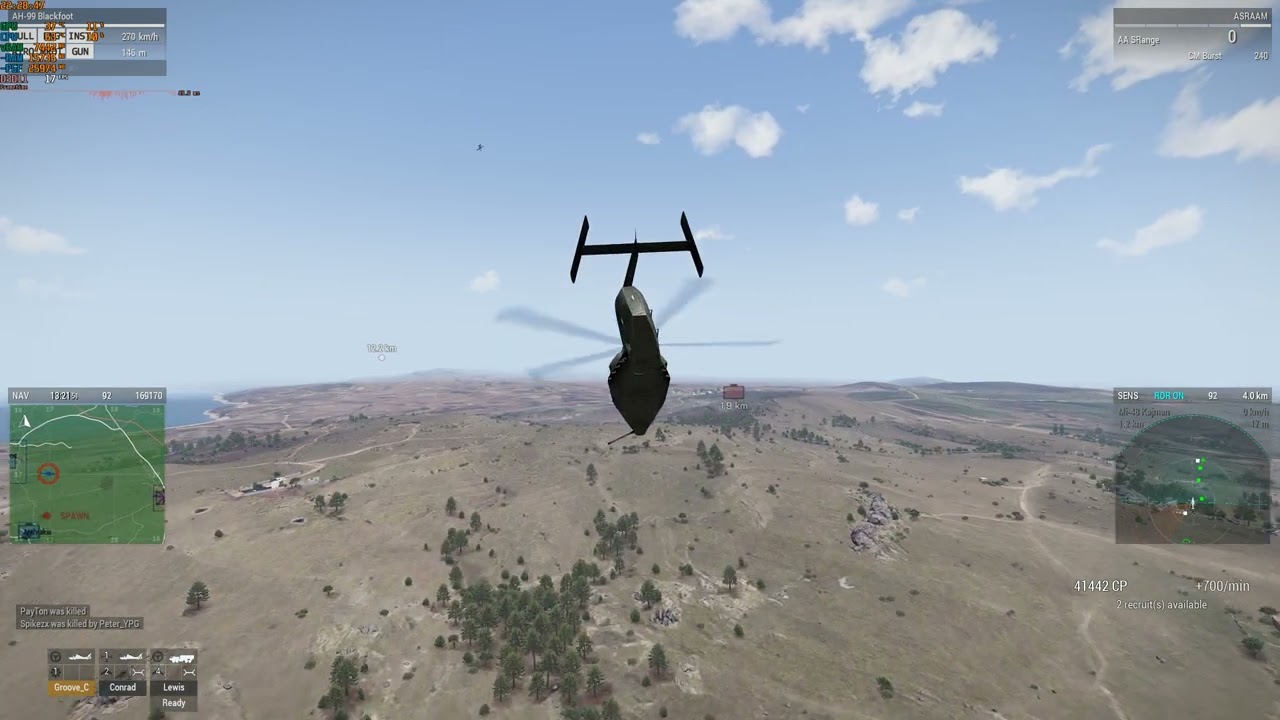 radiant lagoon
calm wasp
even on an i9-14900K with a RTX 4080 and DDR5 it happens, after some time
just ...
radiant lagoon
calm wasp
even on an i9-14900K with a RTX 4080 and DDR5 it happens, after some time
just ...
Probably this has to do with newer GPU's or newer DirectX, such ive never had in any kind in all these years.
Are there more people with newer setup having this issue? So we could do the circle smaller for Dedmen to figure it out
full sonnet
rigid warren
3 yrs old feedback tracker, but it was constant thing https://feedback.bistudio....
After playing some amount of time game is starting to freeze, rendering distance is changing on its own, animations freeze.
"After playing some amount of time" is not a repro.
calm wasp
radiant lagoon
Probably this has to do with newer GPU's or newer DirectX, such ive never had in...
it happens to all the people, provided you play long enough at once, without reconnecting/restarting, with great view distance and/or having covered/loaded most of the terrain in a jet or heli
have always been like that
even in like 2016 on official Warlords
full sonnet
I don't have enough ram and time to play for "some amount of time" and record and analyze that
light lintel
full sonnet
> After playing some amount of time game is starting to freeze, rendering distan...
Problem is it depends on how much textures are loaded and unloaded , which means it depends on length of time, asset quality, texture quality selected, available VRAM, and at least at one point, page file/memory.
So if you're able to artificially force those conditions faster via dev magic then you shouldn't have to spend so much time on it. But having a weaker machine will definitely help speed it up.
radiant lagoon
I cant update to newer DirectX with Win7 and my 770GTX so i got to keep on the latest one i can get for Arma 3 with my main rig. I can test with my second rig which uses win10 if i got there such issues
calm wasp
there are too many conditions to repro that
radiant lagoon
calm wasp
it happens to all the people, provided you play long enough at once, without rec...
Played over 8hours in one way without restart and players left and connected in a mod test phase we had and a lot of AI and never had any issues like this. We also played a lot weekly COOPS while one was Zeusening, no issues, such OP,'s were mostly around 2.5 hours to 6 hours, no issues
light lintel
calm wasp
even on an i9-14900K with a RTX 4080 and DDR5 it happens, after some time
just ...
GM assets seem to trigger it relatively quickly too, with very high/ultra textures
calm wasp
full sonnet
I don't have enough ram and time to play for "some amount of time" and record an...
well, with few hours of time, even if all conditions are present, you won't be able to repro, unless very little vRAM and/or RAM and flying over terrain with a good objects density and textures quality
radiant lagoon
End of year ill buy a new Rig like yours just a 4090 not a 4080 then i can try again
light lintel
radiant lagoon
I cant update to newer DirectX with Win7 and my 770GTX so i got to keep on the l...
Win 7?
calm wasp
light lintel
GM assets seem to trigger it relatively quickly too, with very high/ultra textur...
that!
full sonnet
I basically never had it.
Then two weeks ago I played a mission where many people had it and half of the players had to restart game.
I need to get to such a situtation
radiant lagoon
light lintel
Win 7?
Yeah my current main rig is 10 years old
light lintel
So was mine, but I still updated for security's sake
calm wasp
full sonnet
I basically never had it.
Then two weeks ago I played a mission where many peopl...
what was the terrain, view distance and after how much time +-?
asking for hardware specs of players that had this is too much, I guess
radiant lagoon
I got like around 40 days left until steam stops support win7
light lintel
full sonnet
I basically never had it.
Then two weeks ago I played a mission where many peopl...
Also what will be most useful for us to submit? Crash logs don't seem to have helped, frame captures are good right?
radiant lagoon
light lintel
Also what will be most useful for us to submit? Crash logs don't seem to have he...
The problem is he needs to know what is executing that issue. Frame captures doesnt show anything just fps, it needs to be something like a log file
Also is it approved it comes of the client? Maybe the server could also do such? Does it happen only in MP, hows about SP?
full sonnet
calm wasp
what was the terrain, view distance and after how much time +-?
asking for hard...
When every player has issues, and many so hard that they need to restart, then its probably not a hardware issue.
Settings and hardware will only change the time how long it takes till it cannot cope anymore. But the issue is clearly there
full sonnet
light lintel
Also what will be most useful for us to submit? Crash logs don't seem to have he...
Nothing you can submit would be useful.
I need a repro
I once had a mod report that said "fly camera over this terrain and after a while everything will bug out"
it didn't specify "a while", I flew around for 10 minutes and noticed absolutely nothing
light lintel
I've had that happen within a couple of minutes over Gabreta while in 3DEN, I've also had it never happen :/
One way to do it is forcing higher LODs on objects by flying closer, then switching to a different map and repeating
But generally placing assets and forcing their higher LODs help to slow things down. Then change map, repeat, etc until it crashes.
Which is why I think a script that spawns units and moves the camera across a lot of the map very close to the ground should help speed things up
radiant lagoon
Easy way to bring it into knees is lets drag a truck into a structure/building and it needs to be stuck. It spawns sooo many little parts flying around and stays on ground and if you do this with 10 trucks you bring every rig into knees
steel rune
GM and Weferlingen used to be a problem for me but haven't seen the issue since switching to a 4090
viscid onyx
High view distance helps too, I think. I've had it happen in the Editor (max VD) but never in MP (server limited VD).
My feeling is that sometimes under heavy load (high settings and many mods) the game goes into a reduced FPS background mode when you tab out, then fails to go back to normal when you come back. It's still not consistent though (un/fortunately?)
tall pumice
well, for me personally, whenever the issue happened, it was after i alt+tabbed back into the game.
didnt need to play for long (i usually dont at all, due to constant restart from testing etc)
it also happened on our ws terrain, which is not exactly hardware dependent
radiant lagoon
tall pumice
well, for me personally, whenever the issue happened, it was after i alt+tabbed ...
Are you using one or two screens?
Im using 2 screens and even with alt tab and return i never had an issue. And 80% of my 11k hours arma 3 are also only testing times
tall pumice
my way of fixing it was to go into the graphics menu and setting super sampling to a very low value, like less than 50%. then going back into the game a bit, then resetting it back to 100%
i have 3 screens
to me it always felt like my ram was full and the game had issues with reloading whatever stuff it needed.
reducing the graphic settings temporarily allowed it to reload whatever it needed
but again, this is all just theory and no repro
radiant lagoon
Ill try this weekend a stress test, doing a 8K texture with the TexView2 SMDI filter, generating layers in TB of my Terrain and playing Arma 3 with a big amount of AI's and let 3 tib harvesters stuck in refinery and recording the game as video, ill try to make a repro crash
tall pumice
i dont think this is what is causing the issue, though
radiant lagoon
And using PiP scope on extreme PiP setting (this is the only fps drag issue i got)
tall pumice
whenever i got the issue, there was barely any ai or complexity in the scene
radiant lagoon
So it just happened randomly?
tall pumice
more or less, after alt+tab, yes
at least for me. dunno how it's for other people. that said, i didnt had this issue in a very long time now
radiant lagoon
I never had it thats weird
I only get a error when im in Zeus and directly alt F4 close game i get an error to press OK
But no crashes or freezes or 3fps bug
ivory ridge
Idk if it is related: If I change to a mission with new terrain the server is occupying more and more RAM. Maybe that is also a factor.
I can successfully crash a linux 32bit server with mem param =>more than 3GB (i know, it is out of spec and this was the reason not to send a message about this).
calm wasp
full sonnet
When every player has issues, and many so hard that they need to restart, then i...
sure. has been like this since as long as I can remember
just that people with lower settings and people playing with not that high view distance and maybe few hours or slightly more, moving across not as much terrain, have not that high chances to see this, if ever
on Global Mobilization terrain, it happens much quicker
most probably due to textures resolution and 3D objects quality
and that's where you've played, most probably, when many players had to restart Arma
calm wasp
steel rune
GM and Weferlingen used to be a problem for me but haven't seen the issue since ...
because with your 4090 you need to play more or over more terrain, best possible LoD and trust me, it will still happen 😏
in Reforger, despite more and more detailed and with better textures 3D objects, much much less RAM and vRAM used/reserved and no matter after how much time and even if with ultra+ settings, FPS doesn't tank and no issues
light lintel
steel rune
GM and Weferlingen used to be a problem for me but haven't seen the issue since ...
Maybe 24GB of VRAM has something to do with it 😛
calm wasp
calm wasp
even on an i9-14900K with a RTX 4080 and DDR5 it happens, after some time
just ...
this was with my 8 GB GTX 1070 Ti and 32 GB DDR4 RAM, same as in the previous video
 calm wasp
this was with my 8 GB GTX 1070 Ti and 32 GB DDR4 RAM, same as in the previous vi...
calm wasp
calm wasp
this was with my 8 GB GTX 1070 Ti and 32 GB DDR4 RAM, same as in the previous vi...
later, with me refusing to restart the game, FPS was so low that there was no FPS, so the game simply force-closed/crashed
that after me lowering the settings and lowering view distance more and more, trying to avoid the need for game restart as long as it was possible
ocean sail
I can make all units as player in new Dev rve151158
- place 2 or more units in Eden Editor
- make others unit as player
- result → you able to make every unit as player
if copy&paste unit with enabled player attribute the copied unit was not be player
full sonnet
ocean sail
I can make all units as player in new Dev rve151158
1) place 2 or more units in ...
@unreal arrow 👋
calm wasp
also, the higher server FPS, the sooner server FPS goes down very hard and needs a restart
so we had to limit it to default 50 FPS, not only because of CPU load and power bills
it's like there are tickets, like in a Battlefield round/match, where the more players, the more kills, the faster the tickets are drained
so we don't care much about power bills and wanted highest possible server FPS, but being forced to restart the server much more often, since with higher server FPS, server FPS tanks so much faster/more, we had to forget about higher server FPS than default
harsh orbit
That's actually interesting 
calm wasp
the lower the server FPS, the more time it will stay playable
even with default server FPS, we have to auto-restart the server (PvE no headless client) like every 5 hours, when servee full
when the server is less populated and closer to night time les and less players, we manage to leave it without restarting from like 16:00 until 04:00
but are forced to restart it at 11:00 and at 16:00 next time
so server FPS tanking has something to do with how high server FPS limit is and how many players or how much stuff is happening on the server
trim crane
inb4 timer\frame counter somewhere gets really big and delta becomes 0 due to float precision and gets fed into function that always expects delta to be >0
full sonnet
150k allocations per second while the game is normally running, in editor just looking at terrain and not doing anything.
currentState = defaultState;
Such a simple line of code...
The state contains 30 arrays, each with about a kilobyte of data inside.
The = was first deleting all arrays in currentState, then allocating new memory for them, and copying the data from defaultState.
But.. currentState already had 30 arrays allocated, all at the correct size.
So instead of deallocate, allocate, copy. We can do just the copy step and get rid of the allocations.
Bam, 150k allocations per second gone. That might actually have a relevant performance impact..
Over 20 seconds, out of 3 million allocations before, there are now 300k left
100k are running scripts (Well not news that scripts are terrible allocation wise, don't think I can fix it much)
trim crane
After my recent discovery (or more like being able to reproduce and confirm) that even important messages like damage can get split up to be sent over several frames, I thought that other messages like group creation and joining the group can also end up split over two frames and if say the list that holds the messages doesn't guarantee the order you may end up with messages arriving like this on a client:
Frame 1. Join group
Frame 2. Create group
When usually both arrive at the same frame and game first does creation and the joining
This may explain why sometimes you end up with units\players without a group in multiplayer game
This been an issue since OA, you often see players with no group until they respawn or join some other group
I always thought it might be related to lobby groups and that system being ancient and crappy but not, my mission doesn't use lobby group or lobby units anymore its all created by the client and I still end up with players without a group.
Writing this in hopes somebody can have a peek into the engine to see if its possible
full sonnet
it guarantees order
trim crane
This is also aligns with why this bug happens only on populated server with lots of action, huge message queue and group creation and join arrive separately
private _group = createGroup _side;
private _unit = _group createUnit [_class, ASLtoAGL _position, [], 0, "CAN_COLLIDE"];
selectPlayer _unit;
```This is literally what I do in my mission and I still see players without group each round a several timesMight that not be related to the large red warning here? https://community.bistudio.com/wiki/selectPlayer
trim crane
viscid onyx
Might that not be related to the large red warning here? <https://community.bist...
Wish it was more specific, but I had this issue even when the server did group and unit creation by lobby slot, I guess it also does it on the same frame.
 knotty notch
trim crane
I always thought it might be related to lobby groups and that system being ancie...
knotty notch
trim crane
I always thought it might be related to lobby groups and that system being ancie...
We do too! Only happens with JIP players who join into a until then empty group.
trim crane
knotty notch
We do too! Only happens with JIP players who join into a until then empty group.
Yep, I also see this with JIP players, they end up with no group the first time and it fixes itself after respawn.
knotty notch
ah, sadly doesn't get fixed with respawn for us. Only "solution" for us is to have one player in every group on mission start.
Even got a special debug exe from Dedmen but sadly no luck in tracking down what causes it.
https://cdn.discordapp.com/attachments/904790511099994173/1175917043820806245/image.png?ex=656cf916&is=655a8416&hm=da6114a89663ded667905f35ddeb94fab4ec35a22785211c9e516dc398b9f4cf&
 trim crane
knotty notch
Even got a special debug exe from Dedmen but sadly no luck in tracking down what...
trim crane
knotty notch
Even got a special debug exe from Dedmen but sadly no luck in tracking down what...
What did it do?
Curious how you were trying to catch it
If I had a special build I'd have it log all group related messages so when I catch some player bugged I can check in the log the history of their group messages
full sonnet
My suspicious was that somehow the group gets deleted.
What happens like in your script.
The group creation message arrives over network first, now everyone has empty group.
The unit creation might be delayed and only arrive next frame. Then the unit is created and added into the group. At THIS point, the group that we created previously was null.
Maybe some overzealous "empty group" deletion script was going ham. Because it would see a empty group for one frame
trim crane
Since this happens pretty much each round in koth, I could write a script to see if client that sees a player without a group also has the group itself
knotty notch
it doesn't crash players for you? for us the client crashes as soon as they interact with a vehicle or something similar.
trim crane
knotty notch
it doesn't crash players for you? for us the client crashes as soon as they inte...
Nope, everything goes smooth, respawned unit gets into their group fine
Gonna double check all this, but this might mean the group is not actually deleted and just empty until respawn
knotty notch
Hm, seems like we've got different issues then.
calm wasp
in our mission, there is also no lobby and, normally, each player that joins, should automatical be a group, but, somehow, certain players, with low FPS or slow loading onto the server, somehow find themselves in a group of another player, that's already been playing on the server for a while, without this player having invited or accepted any invitation from the player that just connected to the server
so, in such cases, the one that just joined, has to go to groups menu and leave the group he joined somehow, without wanting it or the player that was already on the server, has to kick the one that just joined from his group
trim crane
knotty notch
Hm, seems like we've got different issues then.
How do you have it setup btw? Groups with several player slots in each? Do you have a respawn active?
knotty notch
trim crane
How do you have it setup btw? Groups with several player slots in each? Do you h...
Yup, about... 15 ish groups, most of them with 10 slots, some with only 2.
trim crane
calm wasp
in our mission, there is also no lobby and, normally, each player that joins, sh...
I've also seen this and experienced myself, back when we had 1 group - 1 player lobby setup I rarely randomly ended up in another player's group.
But I had an explanation in mind that this player joined the group of the slot that I was playing before so we ended up in a same group
Basically like this:
- Player 1 - Group 1
- Player 2 - Group 2
- Player 2 joins Group 1
- Player 1 leaves, now Player 2 owns Group 1
- Group 1 lobby slot is now empty
- Player 3 joins slot of Group 1, so you end up with Player 2 and Player 3 in Group 1
This theory can probably be easily tested, but I just decided to ditch engine lobby for good a long time ago
trim crane
Joined a server, allGroups => [] with tons of players playing
Insane Client: Object ... not found. spam
Probably will be resolved with rejoining but still weird
90 players in the server:
[{isNull group _x} count allPlayers, count allPlayers, count entities "Man"]
```=> `[36,36,42]`group player is also null
createGroup blufor => <NULL-group>
0 objects received from the server, players running through the air

Nevermind, only some objects were recieved
Looks like allPlayers only has respawned players since I joined
Never seen things this broken
Wonder if I can detect it reliably to just kick player back to lobby
Some objects arrived, some didn't

After 10 minutes on the server allGroups is still [] and I can't create any groups
Rejoined, loaded better BUT one huge public variable that is sent from server only once during init is nil. Other smaller pvars are fine.
What's interesting is that I have a check for it not being nil during loading
So it got recieved from the server, my init code checked that its not nil, then it became nil
allPlayers select {isNull group _x} apply {[_x, getPlayerUID _x, name _x]}
```=> `[[28c3cd58d00# 1789247: o_soldier_01.p3d REMOTE,"","Zer0"],[28c36aae300# 1782516: basicbody.p3d REMOTE,"","vasya"]]`{count units _x == 0} count allGroups
```=> `0`So perhaps the assumption that groups didn't arrive at all or were deleted could be true
also no uids
Rejoined again, pvars arrived properly, no broken players so far
Oh, setTerrainHeight data didn't arrive (lots of changes)
allPlayers select {isNull group _x} apply {[_x, getPlayerUID _x, name _x, getPos _x]}
```=> `[[28a31a8eb80# 1795886: o_soldier_01.p3d REMOTE,"","Home",[19412.6,15970.2,0.00143814]],[28d1dc85480# 1795382: i_fullghillie_f.p3d REMOTE,"","Andriy",[20520.9,10896.6,0.0014267]]]`
```sqf
{count units _x == 0} count allGroups
```=>`0`
Same picture again, no empty groups, 2 players without UIDs and no groups.Was fine for a bit
Nice players list, same players repeated many times

lol

Rejoined once again, didn't help. Number of times stats are repeated doesn't seem to match number of times same client is repeated in the list
 trim crane
Somehow this list has players that left long time ago, several times
unreal arrow
full sonnet
<@643732735051169813> 👋
i know might revert my fix completely as the problem is deeper than it seems, might choose lesser of 2 evils
trim crane
Lobby, same picture with lots of repeated clients
 full sonnet
Congratulations your server is F'ed
trim crane

unreal arrow
time to restart
full sonnet
I tried the terrain switching and model/texture loading thing. And couldn't see anything there.
But I think I found a bug in textures indeed. the FLUSH cheat, does a deep memory clean and should free system memory and VRAM and unload ALL textures.
But... it isn't freeing any memory for me. or atleast nothing that shows up in the memory profiler.. That's probably not good
calm wasp
full sonnet
I tried the terrain switching and model/texture loading thing. And couldn't see ...
full sonnet
Its supposed to do stuff.
Maybe that's the issue. More on that next week
calm wasp
only when you manually use it?
 analog fractal
full sonnet
I tried the terrain switching and model/texture loading thing. And couldn't see ...
analog fractal
full sonnet
I tried the terrain switching and model/texture loading thing. And couldn't see ...
Oh, so I wasn't going crazy back in 2019, good to know
That's been a thing for a while
full sonnet
I just implemented a Superflush cheatcode, that not only flushes the graphics memory, but all memory that can be released (Everything in caches and stuff that can just be re-loaded from disk when needed)
And it basically did nothing
pallid cliff
I had tried to use the FLUSH cheat to remove cached textures but that didn't do anything. Not sure though if it was supposed to do that.
calm wasp
but also why flush, if I have half of RAM and like 8 GB of vRAM free, yet have the problem with textures, FPS etc, for some reason
shouldn't it be just fine, when you still have a lot of free RAM and vRAM?
viscid onyx
calm wasp
but also why flush, if I have half of RAM and like 8 GB of vRAM free, yet have t...
I don't think flush is meant to be a long term fix, it's more the fact that flush doesn't do anything could be a symptom of a deeper problem with memory management
trim crane
unreal arrow
time to restart
Round end seem to have helped, all players normalized
Just guessed that my recent issues with #shutdown not really shutting server down might have to do with these ghost clients somehow
scarlet root
you can try this to trigger the 3 fps bug (rename to the respective terrain) - has fast automated camera flyover basically
ivory ridge
full sonnet
I tried the terrain switching and model/texture loading thing. And couldn't see ...
I loaded terrains with different terrain assets. First Altis, then Tanoa (maybe a different pbo?) the a terrain with rhs terra core, then one with cup terrains core... I've seen that the memory need is rising from map to map. That was my observation (at least at 32bit linux).
I cannot say that it is connected to the assets itself (i have no profiler) but something is eating memory if the map is changed.
 thick zephyr
I've noted the same (changing maps will fill up memory), but I've never seen a crash from it, so I just assume that the game leaves some map data in memory intentionally, which just gets cleaned up later if memory is needed
Edit: after a quick test switching multiple times between Stratis and Altis, I can see from task manager that memory does accumulate, but I am pretty sure that it's just assets, and nothing to do with the map in particular. So intended behaviour
 raw flax
latest dev branch crashes when hitting 0 on the keyboard to bring up the radio menu
 void magnet
👀
light lintel
full sonnet
I tried the terrain switching and model/texture loading thing. And couldn't see ...
Huh yeah I think I vaguely remember flush "not working" and didn't use it much
calm wasp
last time it worked, it was in Arma 2
pallid cliff
scarlet root
I ran this test multiple times on Tanoa, Altis and Livonia without triggering it. FPS get low as VRAM gets filled up to about 98% but that's about it.
calm wasp
pallid cliff
I ran this test multiple times on Tanoa, Altis and Livonia without triggering it...
not enough time then
after certain time, FPS is really really low and objects start to flicker, then, later it will force-close/crash
 keen sundial
What usually helps me is to load different lods of textures in areas.
A map particularly prone to this is armavir on the workshop which sometimes triggers it after 5-10 minutes
rigid warren
keen sundial
What usually helps me is to load different lods of textures in areas.
A map pa...
weferlingen - no issues with kju testscan mission (4-5 repeats, each ~3:40)
armavir - everytime at the end i get 4fps/freeze, this map is really cursed 😄
ivory ridge
armavir - it runs over the island with 120 to 40 fps. After that over water it litterally freezed by under 1 fps
scarlet root
pallid cliff
I ran this test multiple times on Tanoa, Altis and Livonia without triggering it...
are these known for the problem? or rather CDLC and community terrains?
pallid cliff
I never had the bug so no clue where it happens
light lintel
scarlet root
are these known for the problem? or rather CDLC and community terrains?
I've had it on Tanoa fairly reliably, especially after iterating through other maps. Maybe Livonia but not sure (Livonia has other optimisation problems anyway).
I've had slow texture loading on altis but can't remember an actual 3fps crash.
Altis and status usually run the best and with fewest problems, malden 2035 as well
 pallid rover
Surprisingly nobody mentioned Chernarus 2020 yet. I always had this bug there
calm wasp
now I can confidently say, that lower and lower client FPS, with flickering/disappearing objects/textures and/or T-pose and lastly game crash is due to vRAM only
because with a lot of RAM filled - nothing
with more and more vRAM filled - it happens
calm wasp
calm wasp
now I can confidently say, that lower and lower client FPS, with flickering/disa...
also, when I can start to observe some/any of this, I still have like 8-10 GB free of 24 GB of my 3090 Ti
calm wasp
but from the other point of view, even when 8 GB of my 1070 Ti were full, everything was still fine, until a certain time later
halcyon moth
But then I'm running the thing on 2GB and it's fine :P
Maybe something correlated with the amount used though.
keen sundial
It’s basically only happening with the big forests and it looks like it’s jamming between the different LODs and „can’t decide“ which one to use
light lintel
calm wasp
now I can confidently say, that lower and lower client FPS, with flickering/disa...
Yup, initially I would get page file related crashes but after a point it was always "DX11 out of memory" issues
6GB VRAM
Increasing page file helped alleviate the page file related crashes with 16GB RAM.
Oh, the out of memory stuff would happen more quickly if I had other things like Chrome open in the background with lots of tabs, apparently that would eat up VRAM too.
unreal arrow
ocean sail
I can make all units as player in new Dev rve151158
1) place 2 or more units in ...
Revision: 151167
calm wasp
light lintel
Increasing page file helped alleviate the page file related crashes with 16GB RA...
in your case, it's because you make the error to limit the paging file size to a certain size, while it should be managed automatically by Windows, depending on needs
there is no need to manually limit paging file size, because it anyway can't grow bigger than free space on the disk
and even if so, it won't stay and will decrease, if you close Arma and/or the browser
so please, don't add to the mix the errors on your side
calm wasp
keen sundial
It’s basically only happening with the big forests and it looks like it’s jammin...
still had this FPS and flickering problem once, when I simply stayed AFK at the respawn for many many hours
so not moving across the map
light lintel
calm wasp
in your case, it's because you make the error to limit the paging file size to a...
Hmm interesting 🤔
calm wasp
since you have only 6 GB vRAM, one could understand such situation
but when one has 24 GB vRAM and like 10-8 GB still free, there is no explanation
light lintel
Yeah that's unexpected
calm wasp
this is also the reason I've bought a GPU with 24 GB vRAM, thinking back then that 8 GB vRAM of my 1070 Ti were the problem
but now I know it wasn't
light lintel
In my case my GPU was pegged at ~5.7GB or more with very high/ultra textures with GM (which would eventually crash) but only around 3-4GB with high textures and GM assets, and would usually not crash within the time I would play. With vanilla assets and ultra it would be fine too.
Last time i tried forcing a crash, I did see some differences between the memory allocators, some would crash, some would end up at 1-5 fps and not crash
keen sundial
System memory allocator helps a lots to improve stability
 shrewd flame
keen sundial
System memory allocator helps a lots to improve stability
shrewd flame
keen sundial
System memory allocator helps a lots to improve stability
Per case only. There's a good bunch of people using tbb or johnking's allocators because the system one does not bring any performance benefits
halcyon moth
Sanity check: There are people who can generate the 3fps bug who aren't using custom allocators, right?
calm wasp
yes
keen sundial
shrewd flame
Per case only. There's a good bunch of people using tbb or johnking's allocators...
System doesn’t give best performance but best stability
That includes the default allocator
shrewd flame
As John wrote, default allocator can produce the 3 FPS bug so it's still per case. My game crashes less when I run it on tbb.
calm wasp
doesn't depend on malloc
full sonnet
calm wasp
now I can confidently say, that lower and lower client FPS, with flickering/disa...
Can you guess how much vram Arma might be using there?
Maybe 3-4gb?
calm wasp
full sonnet
Can you guess how much vram Arma might be using there?
Maybe 3-4gb?
you're talking about actual vRAM usage, not reserved?
because I've never seen actual vRAM usage, but total only, because not so long ago, such an option wasn't even there in MSI Afterburner
so I can't tell you anything about acrual vRAM usage size at all
keen sundial
Arma will use any vram it can get. I saw it easily fill up 20GB with the right maps
calm wasp
keen sundial
Arma will use any vram it can get. I saw it easily fill up 20GB with the right m...
reserved or used for real is not same
light lintel
Does perfmon expose these metrics?
waxen vigil
marek spanel posted something about fog stuff on dev branch on twitter, what is it about?
trim crane
waxen vigil
marek spanel posted something about fog stuff on dev branch on twitter, what is ...
Distant haze removal option in video settings
 trim crane
waxen vigil
kinda wonder how it will affect fps and stuff
trim crane
waxen vigil
kinda wonder how it will affect fps and stuff
Probably wont
waxen vigil
well at least more option to make arma screenshot ✨
trim crane
Arma 3 Screenshot Simulator
waxen vigil
"Oh wow this screenshot simulator has a milsim sanbox stuff attached to it"
tall pumice
i thought the distant fog was to allow a better transition of the horizon to the sky
 winter crescent
The default is still the regular terrain-defined haze, but many people just find the reduced haze more appealing. We're still debating what to make the default in the next update. And there will be some kind of override for specific scenarios / competitive disadvantages.
tall pumice
what happens if the terrain distance is set to low? it'll just stop without transition to the horizon?
i mean, with high terrain distance it doesn't really matter i guess, but some scenarios are limiting it to 2000 for performance reasons, etc etc
light lintel
Server defaults to 1600 right?
weary niche
Any chance that with this new haze setting we could also get someone to look into whether this might be possible? Seems like atleast a few people supported the idea.
winter crescent
weary niche
Any chance that with this new haze setting we could also get someone to look int...
Do you know if it exists as FT ticket, or can you make one please for investigation?
weary niche
winter crescent
Do you know if it exists as FT ticket, or can you make one please for investigat...
I don't believe it does currently, but I'll go ahead and set one up.
unreal arrow
tall pumice
what happens if the terrain distance is set to low? it'll just stop without tran...
it’s on DEV could you please test it and report back?
tall pumice
i checked yesterday, couldnt find the option to disable the fog
oh wait, is that the haze option?


ok, there is still a fog transition. it's just not blown up so much
1800 view distance, low vs standard haze


looks good to me. almost makes me question why the haze was added in the first place
ok, i see why. looks kinda terrible with low sun 😄


even with 6800 view distance it looks kinda .. cheap?

meanwhile with haze on standard:

so yeah.. i'll keep the haze on. :>
unreal arrow
it’s an option
unreal arrow
tall pumice
ok, i see why. looks kinda terrible with low sun 😄
will have a server override as well
unreal arrow
tall pumice
even with 6800 view distance it looks kinda .. cheap?
is this very low or low?
tall pumice
very low
weary niche
winter crescent
Do you know if it exists as FT ticket, or can you make one please for investigat...
I have gone ahead and made the ticket. When I get a chance over the next couple days, I'll attempt to include more information about the specifics I learned in my tests from September.
If anyone else has any information on how this works or is curious to follow what becomes of this, please feel free to add your thoughts in the ticket as well.
full sonnet
Huh I just had 3fps bug. And I fixed it. Flush didn't work. But I set texture quality to very low, my VRAM usage went down to a quarter and now everything is fine again
harsh orbit
wow that's awesome! btw how did you repro?! 😅
calm wasp
full sonnet
Huh I just had 3fps bug. And I fixed it. Flush didn't work. But I set texture qu...
lowering view distance also helps
but!
it's only a matter of time, before lowering textures quality and/or view distance won't help either
I start playing with 12 km view distance and extreme settings and as the time passes, I have to lower the settings and the distance more and more
and at one point, even that doesn't help anymore
harsh orbit
full sonnet
Huh I just had 3fps bug. And I fixed it. Flush didn't work. But I set texture qu...
wait, by "fixed it" do you mean in the code, or via that workaround?!
calm wasp
calm wasp
it's only a matter of time, before lowering textures quality and/or view distanc...
iirc
light lintel
full sonnet
Huh I just had 3fps bug. And I fixed it. Flush didn't work. But I set texture qu...
Yup, there we go 😀
viscid onyx
Have any vanilla config classes (vehicles, weapons, mags) been removed [semi]recently? We have some older vanilla-only missions that previously worked but are now causing config errors and failing to load; seems to be mission-specific but having some trouble determining exactly what is doing it
viscid onyx
Yes, unfortunately the RPT does not specify the classname. However, I've been doing further troubleshooting and I'm pretty sure (to confirm soon) it's a change to a command
viscid onyx
Issue identified: previously, when given an unacceptable classname, commands such as addMagazineCargoGlobal and addBackpackCargoGlobal would fail silently. Now, they fail...loudly, generating a config error and preventing the mission from loading on DS.
To clarify, not a devbranch issue, just asked here originally for recent changes and describing the final result to not leave it hanging.
https://feedback.bistudio.com/T177653
unreal arrow
viscid onyx
Issue identified: previously, when given an unacceptable classname, commands suc...
what do you mean not a dev branch issue, does it or does it not fail on dev as described?
unreal arrow
viscid onyx
Yes, unfortunately the RPT does not specify the classname. However, I've been do...
22:08:08 Warning: "dsfdsf" is not a valid magazine name! I need all the commands that will benefit from class check in that ticket please (only those that cause config error)
viscid onyx
unreal arrow
what do you mean not a dev branch issue, does it or does it not fail on dev as d...
Happens on stable, don't have dev.
* I asked here for dev branch-level information from a dev, and only mentioned the issue for context. I didn't plan to discuss it further here until Leopard asked.
viscid onyx
unreal arrow
```22:08:08 Warning: "dsfdsf" is not a valid magazine name!``` I need all the co...
I will check and report inventory-type commands. I don't know every command in the game that uses classnames and can't check them all.
unreal arrow
viscid onyx
I will check and report inventory-type commands. I don't know every command in t...
thanks, I can add the check to stop config errors but if I gonna do it i’d rather add it to all problematic commands at the same time
full sonnet
harsh orbit
wow that's awesome! btw how did you repro?! 😅
Playing multiplayer for hours
So my guess was that Arma doesn't properly know how much VRAM the GPU has.
But it says my 8gb 1070 has 7819mb of vram. So thats correct including the reserves.
But Arma would certainly just use up that memory, it just keeps old stuff cached, no matter how long its not needed, until it needs to free it because it needs more free space.
And if that freeing space is doing the same as flush (which is not working at all) then that will inevitably end in disaster. As long as ALL the textures you see during your gameplay, are large enough to fill your vram.
full sonnet
Oh wow. I just exited the game, and noticed that I had a breakpoint set in texture unloading. It was never called during me playing.
And even running flush didn't call it 🤔
Altis memory usage gets up to 2gb-ish, after a while of flying around.
Weferlingen almost instantly bumps to 4gb. So that explains why in GM that bug is more common, it just gets closer to high usage, earlier.
The fun I find.
"Hey move this data please"
"Okey I will copy it and delete the original 🫂"
 full sonnet
omfg..
Why is flush not working. I clearly see the Engine::FlushMemory method here that frees all texture memory.
Oh... DX11 engine overrides it with this..

Tadaa, flush works
 full sonnet
And the new Superflush is even crazier

13:20:10 Physical memory free 947 MiB (992866304 B)
13:20:10 Page file free 8.6 GiB (9210191872 B)
13:20:10 Process working set 8.8 GiB (9402130432 B)
13:20:10 Process page file used 14 GiB (14932733952 B)
13:20:10 Longest free VM region: 1398407168 B
13:20:10 VM busy 507846656 B (reserved 2448875520 B, committed 2353938432 B, mapped 149323776 B), free 3786989568 B
13:20:10 Small mapped regions: 36, size 151552 B
13:20:10 VID: dedicated: 8480882688, shared 17151193088, system: 0, max: 8166309888, used: 3915452416
13:20:14 Deinitialized shape [Class: "C_Soldier_VR_F"; Shape: "a3\characters_f_bootcamp\common\vr_soldier_f.p3d";]
13:20:17 Superflush freed 5330778KB
13:20:17 Physical memory free 3.1 GiB (3306594304 B)
13:20:17 Page file free 11 GiB (11872477184 B)
13:20:17 Process working set 6.1 GiB (6513299456 B)
13:20:17 Process page file used 11 GiB (12043939840 B)
13:20:17 Longest free VM region: 1398407168 B
13:20:17 VM busy 288272384 B (reserved 818065408 B, committed 3765174272 B, mapped 149323776 B), free 4006563840 B
13:20:17 Small mapped regions: 36, size 151552 B
13:20:17 VID: dedicated: 8480882688, shared 17151193088, system: 0, max: 8166309888, used: 177881088
I think that should be a workable workaround/fix for 3fps bug
calm wasp
so shift + minus and you write superflush?
full sonnet
ye. Its not in yet, next week
calm wasp
what about server FPS getting worse and worse over time?
faster if more players doing more stuff
even after (most) players leave, FPS doesn't recover and that despite bodies/wrecks and inventory stuff being cleaned regularly
full sonnet
Likely completely different thing
calm wasp
so despite having like 10-8 out of 24 GB vRAM free, I will still have 3 FPS problem and will still have to flush, like now?
just that flush will work?
full sonnet
ye, so you don't need to restart game anymore to fix it
calm wasp
but the optimization will only help those that have 16 GB RAM or less and no benefits for those that have more than 16 GB RAM?
full sonnet
optimization?
Flush benefits everyone
calm wasp
less allocations
full sonnet
RAM amount doesn't matter, its fewer allocations, not less memory usage
calm wasp
fewer allocations means less stuff happening for nothing?
full sonnet
ye
viscid onyx
calm wasp
so despite having like 10-8 out of 24 GB vRAM free, I will still have 3 FPS prob...
It sounds like this also means the game's auto-flush will now work as well, so you'll probably encounter the problem much less / not at all in the first place
calm wasp
so higher FPS or something else?
full sonnet
calm wasp
so higher FPS or something else?
Potentially.
Faster loading times, maybe higher fps
calm wasp
viscid onyx
It sounds like this also means the game's auto-flush will now work as well, so y...
only if you manually (super)flush, from time to time
but flushing also means everything has to be loaded again, which means uneven and high frametime, so choppy gameplay, until it's all there again
but then you have to flush again...
full sonnet
The game does its own flush in some places.
For example after a camPreload
but then you have to flush again...
Yeah.. You might have to flush every half hour or hour. As opposed to having to restart your game every half hour or hour..
calm wasp
good option/workaround for us here, but 99% of average players (and not only) won't be able to benefit from it, since they have no idea about shift + minus and different commands
we will for sure use it, of course
largepages in launcher also doesn't work
I would say
viscid onyx
Is this the same kind of flush as the one when you alt-tab, or is this a different thing?
calm wasp
limiting RAM and vRAM in launcher to lower values than physically available, also doesn't work, because it continues to grow
like if you have 32 GB of RAM and 24 GB of vRAM, and limiting both to 8 GB in the launcher - it won't do that
full sonnet
viscid onyx
Is this the same kind of flush as the one when you alt-tab, or is this a differe...
Different
viscid onyx
full sonnet
Different
If the underlying problem Groove_C is describing is not fixable for whatever reason, could it make sense to make it do this kind of flush at the same time as that one? It wouldn't be a true solution, but I think it would silently suppress the issue for a lot of people, and "alt-tab to fix it" is more likely to spread than trying to teach people about debug cheats.
*if the underlying problem can be fixed, obviously fixing it would be better
full sonnet
No you wouldn't want to do a full flush on tabbing out
Maybe as a emergency solution if it can't be fixed, but we don't know that yet
calm wasp
tab back in and wait 🤣
steel rune
what if I don't have numpad? will it trigger by itself when running low on RAM?
full sonnet
no
calm wasp
steel rune
what if I don't have numpad? will it trigger by itself when running low on RAM?
Shift + Fn + minus and blindly type flush or superflush
full sonnet
ivory ridge
armavir - it runs over the island with 120 to 40 fps. After that over water it l...
The water freeze at the end, is actually the game trying to "generate" roads..
There is something really wonky out there. Its generating some ultra complex roads, and trying to merge them into one mesh..
Outside of the actual terrain, in the water.. why would there be roads out there
It looks like its a road with about 300k vertices, or maybe its 300k separate roads. Haven't seen that before.
But that's not the 3fps bug.
Yes its ONE road
_nVertex = 341118
One road with 341118 points.. Something went wrong when encoding that terrain probably.
tall pumice
it's a very good looking road, ok
full sonnet
I turned off roads with more than 8192 points. And re-ran Armavir through kju's camera test.
No issues. all fine. Even after a second run
Switched to altis and ran it over that, no issues.
full sonnet
I told Arma I only have 2gb of vram (not via -maxVram parameter, that one doesn't work)
And, with its 300mb reserve that it keeps free, it holds me at about 1.2gb of usage.
So the memory freeing if it needs space, seems to be working right
 calm wasp
so -maxMem and -maxVram are there just for them to be there 😏
full sonnet
No, just maxVram. Just as the wiki says
keen sundial
Anything I can tell the mapmaker of armavir to change? He was part of my milsim.
light lintel
Ooh great to see developments on the 3fps/vram/flush issues!
So if i understood correctly:
- game should be better at flushing by itself after the fix is added
- advisable to superflush manually every half hour/between missions
?
lament crow
light lintel
So if i understood correctly:
- game should be better at flushing by itself afte...
Would be great if the flush can be made automatic once the game detects it needs it to prevent issues rather than having players manually doing it. 99% of players won't even know the fix is there if it remains manual only
full sonnet
keen sundial
Anything I can tell the mapmaker of armavir to change? He was part of my milsim.
Something probably broke in his roads configuration, make some broken road shape in his roads shape file (dunno how roads are configured)
full sonnet
light lintel
So if i understood correctly:
- game should be better at flushing by itself afte...
normal flush when 3fps bug is noticed. Should be enough.
Game does minor flushes some rare times, I don't think it influences 3fps bug, it will still happen and you'll have to flush manually if it does
full sonnet
lament crow
Would be great if the flush can be made automatic once the game detects it needs...
"once the game detects it needs it"
Yup would be great to know when it needs it.
But for me to find that out, I will have to repro the 3fps bug which I still cannot.
And if I can repro it, I might be able to fix it properly anyway
harsh orbit
BTW did you try the object flickering thing I told you about?
Dunno if it was related to the 3 fps bug tho. probably a hashmap bug?
light lintel
full sonnet
normal flush when 3fps bug is noticed. Should be enough.
Game does minor flushes...
Thanks!
full sonnet
harsh orbit
BTW did you try the object flickering thing I told you about?
Ah! no that one not yet
trim crane
Would it be possible to have EPEContactStart event fire BEFORE the damage?
Would make a process of connecting collisions to damage so much easier
Right now EPEContactStart is fired exactly after associated damage it does with HandleDamage fires
If its feasible, I'll make a ticket
Also would be great if that _directHit also changed to false to be more useful or something
Or finally introduce some damage kind flag with a string value
PHYSX, FALL, PARTICLE (fire particle damage), etc
full sonnet
trim crane
Would it be possible to have `EPEContactStart` event fire BEFORE the damage?
Yes, its just swapping two code blocks around
trim crane
full sonnet
Yes, its just swapping two code blocks around
Made a ticket: https://feedback.bistudio.com/T177724 Can make a repro with logged event handlers if somebody will work on it.
If we had EPEContactStart fire before the damage, you could queue two collided vehicles and then check if HandleDamage source is null and you just had EPEContactStart before.
carmine juniper
Pretty much I've just wondered and nothing else, and I couldn't thought up a better channel for it so anyways: terms of RAM and/or VRAM, having, let's say 10 PAA textures vs 10 ui2tex textures that uses 1 (same) PAA texture - do they have big, obvious and considerable differences?
#arma3_texture message
Prety much I've wondered after this post I made
I think I want to test it myself but don't really know what I can do
halcyon moth
The PAA textures would get mipmapping and (hopefully) compression.
You could maybe test it by going to extremes.
carmine juniper
Okay I think I've figured out. 1000 2k textures vs 1000 ui2tex (SplashArma3). Kinda I've expected this result but it's interesting

private _textures = [] ;

{
    private _r = addonFiles [_x#0,".paa"] select {
        private _res = getTextureInfo _x ;
        _res#0 == 2048 and _res#1 == 2048
    } ;
    _textures append _r ;
    if (count _textures >= 1000) exitWith {} ;
} forEach allAddonsInfo ;

_textures resize 1000 ;
{
    private _t = "UserTexture1m_F" createVehicle [0,0,2] ;
    _t setPosWorld [round (_forEachIndex/100),(_forEachIndex mod 100)*0.5,6] ;
    _t setObjectTexture [0,_x] ;
} forEach _textures ;```
```sqf
for "_i" from 1 to 1000 do {
    private _t = "UserTexture1m_F" createVehicle [0,0,2] ;
    _t setPosWorld [floor (_i/100),(_i mod 100)*0.5,6] ;
    _t setObjectTexture [0,format ["#(rgb,2048,2048,8)ui(SplashArma3,%1)",_i]] ;
} ;```If you want my stupid codeWhich result is which?
carmine juniper
PAA is top, ui2Tex is bottom
carmine juniper
Well can consider that PAA is lossy compressed texture
halcyon moth
Although I guess it might not even have loaded the full-res textures. Not sure how Arma works there.
full sonnet
Ah yeah PAA's are DXT compressed usually. Ui2Texture... not sure actually. They are rendered directly to gpu memory so I don't know if they use compression.
If not I can probably enable DXT on them 🤔
True, displaying a 2K paa texture, doesn't mean its displaying 2K. It might only load a lower mip
unreal arrow
trim crane
One use that came to mind: I know that people use lean to peek through walls and...
So when animation messages were separated from position update they lost some priority but most importantly a force timely update push after no updates timeout. I am adding that back so no matter what the lean should update after max 5 s if stuck.
trim crane
unreal arrow
So when animation messages were separated from position update they lost some pr...
Thanks, gonna help multiplayer a lot!
trim crane
unreal arrow
So when animation messages were separated from position update they lost some pr...
Since you were looking at character movement, maybe you can have a peek at unit speed issue @ #arma3_animation ? Its another multiplayer gameplay ruining issue.
unreal arrow
trim crane
Since you were looking at character movement, maybe you can have a peek at unit ...
is there a ticket to save me browsing through channel?
trim crane
unreal arrow
is there a ticket to save me browsing through channel?
No ticket yet, will make one tomorrow
trim crane
unreal arrow
is there a ticket to save me browsing through channel?
Execute the code in code snippet, observe speed in hint, watch the videos to see how bad interpolation gets because of huge speeds
Otherwise I'll file a ticket with it all tomorrow
unreal arrow
what code
trim crane
unreal arrow
what code
unreal arrow
yeah I will need a detailed ticket. from first glance it connected to prediction
trim crane
unreal arrow
yeah I will need a detailed ticket. from first glance it connected to prediction
https://feedback.bistudio.com/T177832
Made a ticket
trim crane
We have a server running 2.14.151210, there has been a recent streak of issues where players got killed seemingly by vehicle collision with no actual collision happening

Pictured here, player gets out, runs away for few meters and dies, in other cases death gets attributed to helicopter pilot, so it is a roadkill
carmine juniper
Do you mean you're suspecting that, the “turning player” issue is causing this?
trim crane
No, unrelated
This feels like collision damage somehow started to apply on remote units
As in some client saw remote helicopter collide with remote unit and broadcasted the damage to them?
I did some tests with vehicle collision recently, unless unit owner decides that collision happened, no damage will be done, no matter what remote clients see and do to them
Thus my assumption that remote clients started doing vehicle collision damage to units
Since people are running stable builds, maybe its server doing that?
Server weirdly extrapolated helicopter movement, saw helicopter collide with unit, then broadcasted the damage?
Doing guesswork here, maybe somebody can see if any changes to this logic were done recently?
formal cipher
trim crane
We have a server running 2.14.151210, there has been a recent streak of issues w...
Do you mean 2.15.151210?
trim crane
formal cipher
Do you mean 2.15.151210?
Perf build, aren't they 2.14?
formal cipher
That would go to #perf_prof_branch
 vernal pollen
trim crane
https://feedback.bistudio.com/T177832
Made a ticket
vernal pollen
trim crane
https://feedback.bistudio.com/T177832
Made a ticket
DPI glitching finally getting fixed in 2023 no way
trim crane
vernal pollen
DPI glitching finally getting fixed in 2023 no way
It creates a lot of mess even with normal DPI and as for fixed, I still don't know how it can be properly fixed at all 🤔
unreal arrow
trim crane
Perf build, aren't they 2.14?
I have noticed you can kill player by just piloting a small drone into them. Do you know if this is new?
trim crane
unreal arrow
I have noticed you can kill player by just piloting a small drone into them. Do ...
I think it was always like this, but in this case no collision happens yet player still dies
I tested this on latest perf and couldn't reproduce it
Unless local unit sees the collision, no damage happens
unreal arrow
there was an issue with ghost unit because it was killed remotely but not locally. I fixed that but that was strictly rotor collision related
tall pumice
you could always kill soldiers with piloting a drone into them
unreal arrow
should this be looked at like maybe deal damage depending on speed rather than instant kill?
unreal arrow
trim crane
Pictured here, player gets out, runs away for few meters and dies, in other case...
what killed this one, collision with the soldier?
trim crane
unreal arrow
what killed this one, collision with the soldier?
I think it was the helicopter, in other cases they get killed by the pilot so its a roadkill
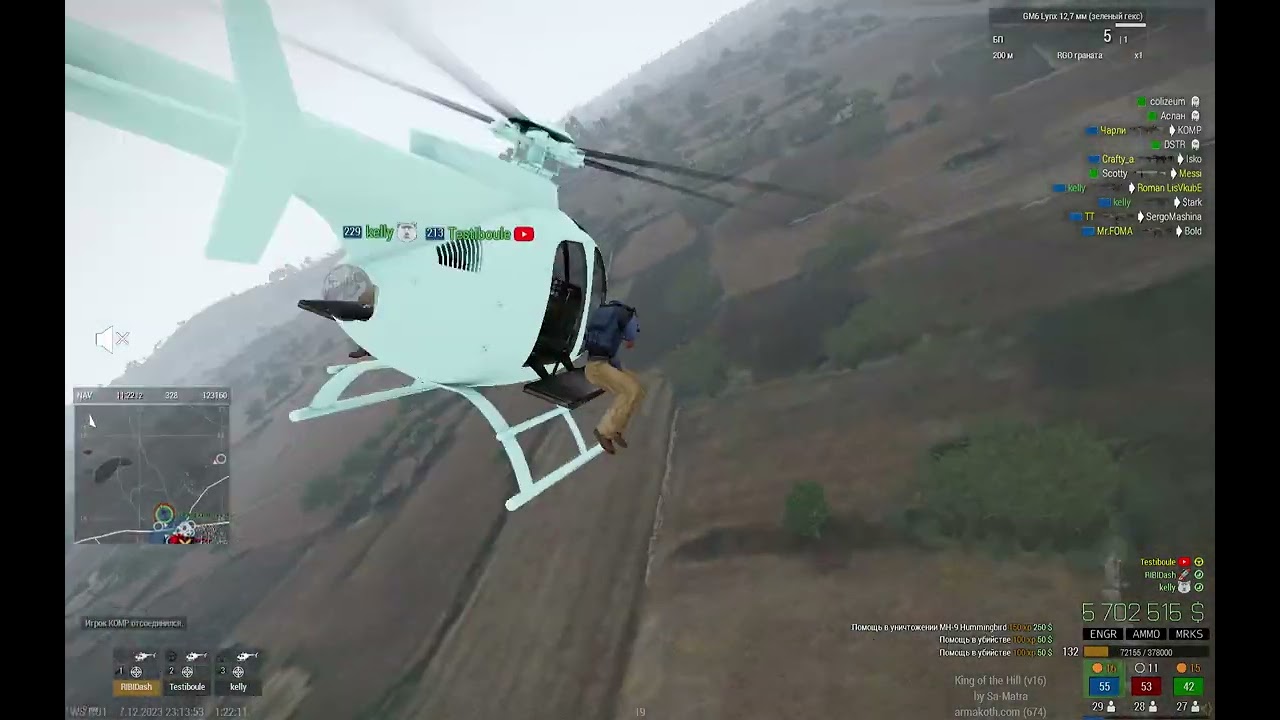
Here is another example of this recently
You can see both are attributed as teamkills with a helicopter in top right
In this case helicopter pilot doesn't see the collision either, I don't think soldiers had it either
Thus my assumption that maybe some other client saw remote heli collide with remote unit and passed broadcasted the damage?
I also tried to see if I could get killed like this on a live server but I couldn't
formal cipher
Are the server and the clients that it happened to both running perf branch?
unreal arrow
the collision was most probably pilot side, would be interesting to see pilot video
trim crane
formal cipher
Are the server and the clients that it happened to both running perf branch?
Stable for clients, perf for server
trim crane
unreal arrow
the collision was most probably pilot side, would be interesting to see pilot vi...
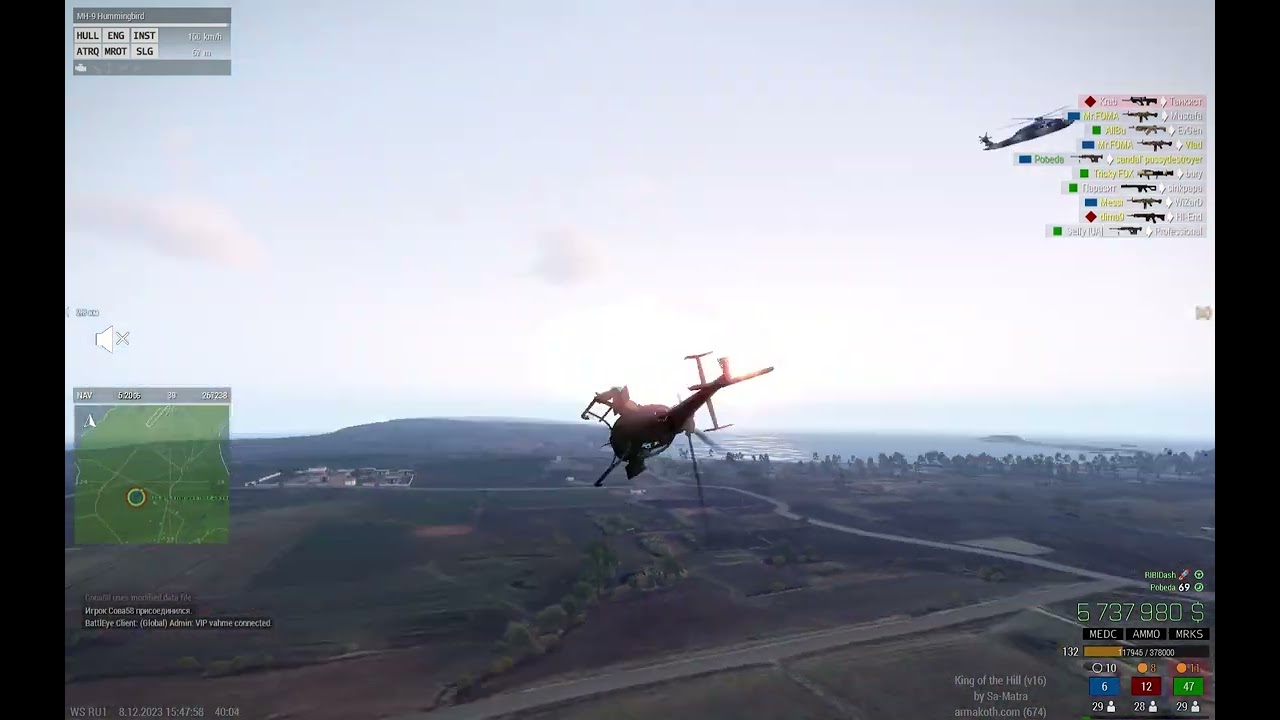
Here is an example from pilot POV
What's interesting is that this is the safe zone, all damage gets ignored through HandleDamage
Yet player somehow dies
https://youtu.be/ZXYC0ckTOtc?t=160
Both pilot and passenger die here
 formal cipher
trim crane
Stable for clients, perf for server
formal cipher
trim crane
Stable for clients, perf for server
@full sonnet Possibly PhysX suspension changes causing some issue here?
trim crane
Disregard "killed by GM6 Lynx", its just last enemy player damage being used for scoring
Did it become a thing recently?
unreal arrow
trim crane
https://youtu.be/9_AYHe-LN6Q?t=165
could be back rotor kill (sorry replied to the wrong vid before)
trim crane
unreal arrow
could be back rotor kill (sorry replied to the wrong vid before)
Did this become a thing recently?
full sonnet
@harsh orbit 🫂
unreal arrow
yeah both rotors kill now but it is suicide unless chopper is moving then the kill is attributed to the pilot
trim crane
Considering how weird these kills are and that HandleDamage is ignored, I assume server does the damage without checking locality?
unreal arrow
actually it now checks locality and applies damage where it is due whereas before it was applying it remotely hence ghosts
trim crane
unreal arrow
actually it now checks locality and applies damage where it is due whereas befor...
So it was fixed in one of the recent perfs?
unreal arrow
assuming it was prof, the video is 8/12/23
trim crane
2.14.151108: 2023/11/04 - 2023/12/09
2.14.151210: 2023/12/09 - Now
tall pumice
unreal arrow
should this be looked at like maybe deal damage depending on speed rather than i...
dunno about that. thing is, getting hit by a drone with it's rotors.. is gonna hurt real bad. those rotors will slice you up if there is no guard around it.
trim crane
tall pumice
dunno about that. thing is, getting hit by a drone with it's rotors.. is gonna h...
Rotors are guarded though
tall pumice
not necessarily
unreal arrow
yeah hurt hence +damage not kill, unless was already hurt
if wounded is finished with drone, thats understandable
trim crane
Can we somehow expand damage messages to include more info about damage source so we for example can filter out rotor damage through event handler?
I guess right now you can't tell collision damage vs rotor damage at all
By source I mean kind of damage
I'd suggest to include this info in ammo field, but its gonna affect backwards compatibility so I guess it could be another EH argument
unreal arrow
if killed by rotor by moving chopper you should have instigator and vehicle, suicide unit itself i think just like before
trim crane
But how can you tell if it was rotor or helicopter body?
Say I want things to be like before with no rotor damage
filter out rotor damage, leave body collision damage
unreal arrow
dunno there is no system and looks like body collisions are screwed anyway, for once none of them have instigator
trim crane
Player-driven collisions provide the driver at least
trim crane
Just tried walking into working rotor, bumped several times into it and finally died after few attempts, feels unreliable
trim crane
unreal arrow
driver as killer not instigator right?
Been like this since A3 Alpha, if player ran somebody over they would be the killer
Didn't try on dev yet
unreal arrow
trim crane
Just tried walking into working rotor, bumped several times into it and finally ...
that maybe didnt touch that there is some half-bothered calculation is happening probably to save on performance
trim crane
unreal arrow
that maybe didnt touch that there is some half-bothered calculation is happening...
Unit got bumped away few times (probably that collision shape shifting), but finally died after few attempts
unreal arrow
trim crane
Been like this since A3 Alpha, if player ran somebody over they would be the kil...
rotor kill shold give you pilot instigator and killer chopper, but only if chopper was actually piloted andmoving
trim crane
unreal arrow
rotor kill shold give you pilot instigator and killer chopper, but only if chopp...
So its different from vehicle collision kill then?
unreal arrow
instigator will be there yes
trim crane
Body collision kill:
Killer = Pilot
Instigator = Null
Rotor collision kill:
Killer = Heli
Instigator = Pilot
?
trim crane
unreal arrow
yeah try it
Nope, 0 HandleDamage calls, player just dies
23:18:03 ---------------------------------------------------------
23:18:03 "Frame 139252: Killed Both: B_Soldier_F"
23:18:03 ["B Alpha 1-3:1 (Sa-Matra (2)) (B_Soldier_F)","B Alpha 1-3:1 (Sa-Matra (2)) (B_Soldier_F)","<NULL-object> ()",true]
Same for local on local, no HandleDamage events, just death ignoring everything
AND the damage is done to remote units unlike normal collision damage which is calculated where units are local
Test case:
- Player 1 in heli
- Player 2 freezes for 15 seconds
- Player 1 touches Player 2 with back rotor
- Player 1 flies away
- Player 2 unfreezes and dies
Looks like Player 1 decides the damage for Player 2, if same test is done with vehicle collision, until Player 2 sees that they've been hit, they won't get any damage
Rotor kill also fires HandleDamage on remote unit
But this might be that bleeding HandleDamage bullshit fire
lol this also works for non-server clients
So I guess if some client sees that a remote heli touched a remote unit with a rotor, that unit will die
Now multiply that by say 50 players
Everyone will die near a helicopter
becuase some client somewhere will extrapolate the movement that it ends up near the rotor
So in total:
- Cool to see a new feature but it would be great if we could filter it out with
HandleDamageto make things work like before - I think unit itself should decide if they get damaged from back rotor, not the other way around, same as its done with vehicle collisions right now
trim crane
unreal arrow
it wasnt rotor kill if instigator is null
["Arma 3","Arma3",214,151225,"Stable",false,"Windows","x64"]
Just tested rotor damage in and out
unreal arrow
doesnt say dev
trim crane
You mean it used to do damage without instigator but does now?
unreal arrow
no this is some other damage
there are millions of ways to die
the rotor kill adds instigator
trim crane
Gonna try the dev now
But in that version it just kills ignoring HandleDamage and has unit itself in Killed
unreal arrow
and by moving i mean flying moving, off the ground moving
are you good at piloting?
I suck but I managed to get it once or twice
trim crane
unreal arrow
and by moving i mean flying moving, off the ground moving
What's the condition in the engine? Velocity check? Touching ground?
unreal arrow
yeah
trim crane
Either or both?
trim crane
Ok, gonna do tests on dev
trim crane
unreal arrow
player pilot i think
It won't attribute the damage to AI pilot if they're moving?
unreal arrow
no it is to reward skilled pilots
trim crane
So you couldn't filter this out if you died from AI helicopter rotos then 🤔
trim crane
unreal arrow
doesnt say dev
Tried on the dev, it seems to be identical to perf
I scripted the helicopter to stay in same position (isTouchingGround = false) and have velocity ([5,5,5])
 0:21:22 ---------------------------------------------------------
 0:21:22 "Frame 115445: Killed Both: B_Soldier_F"
 0:21:22 ["B Alpha 1-3:1 (Sa-Matra (2)) (B_Soldier_F)","B Alpha 1-3:1 (Sa-Matra (2)) (B_Soldier_F)","<NULL-object> ()",true]
you are doing it wrong
trim crane
Player was in the helicopter, not touching ground with setVelocity each frame
Another player died from main rotor, no HandleDamage, just Killed
unreal arrow
2 players
player in heli called heli [little bird]
another playable bob
hosted server
on server lift up and start moving
on client execute
bob addeventhandler ["killed", { showchat true; systemchat str _this}]; [] spawn {sleep 2; bob setposasl (heli modeltoworldworld [0,4,0.5])};
trim crane


Same
productVersion => ["Arma 3","Arma3",215,151218,"Development",false,"Windows","x64"]
unreal arrow
trim crane

unreal arrow
sorry for thé vid broken shoulder
trim crane
get well
unreal arrow
thanks
trim crane
trim crane
`productVersion` => `["Arma 3","Arma3",215,151218,"Development",false,"Windows",...
Is my version right?
unreal arrow
this is on internal but i can try dev just to be sure gimmie few min
trim crane
Engine being on also desynced somehow, doesn't sync over time either


Fuel syncs like each 5 seconds
Turning engine off and on doesn't help, still off on client
Never seen this before
trim crane
Client h getHitPointDamage "hithrotor" => 1
Server h getHitPointDamage "hithrotor" => 0
Thats why engine doesn't turn on on the client
Why HitHRotor damage doesn't broadcast is the question
unreal arrow
client flying?
trim crane
Server flying
unreal arrow
it gets cancelled when slicing soldier for big choppers maybe
harsh orbit
full sonnet
<@360154905148653568> 🫂
Man-Vehicle collisions are not PhysX related
unreal arrow
try a remote wall does it register at choper locality?
harsh orbit
Is this related to choppers only?
unreal arrow
yes rotor collisions are custom
trim crane
unreal arrow
try a remote wall does it register at choper locality?
Touch a remote wall with the main rotor?
unreal arrow
yeah
trim crane
harsh orbit
Is this related to choppers only?
From my tests helicopter owner does the damage with the rotors
unreal arrow
my guess it will break rotor
trim crane
Unlike normal roadkill damage where unit owner decided if they got hit or not
unreal arrow
testing dev
["Arma 3","Arma3",214,150957,"Stable",false,"Windows","x64"]
wait not dev arrrrh
trim crane
unreal arrow
try a remote wall does it register at choper locality?
Broke the rotor, repaired with setDamage 0, its all in sync again 🤔
unreal arrow
what gethitpointdamage say on both?
unreal arrow
i mean at damage stage
ok 1 dev is coming up
["Arma 3","Arma3",215,151218,"Development",false,"Windows","x64"]
trim crane
unreal arrow
i mean at damage stage
Both get it at 1 once it breaks
Figured it out, I had allowDamage false on heli owner side, but not on other client
If you touch the wall with invincible heli, nothing happens for you but other clients have your helicopter's main rotor destroyed
It syncs back after some time now though 🤔


 trim crane
Nope, I can't get it to work, this time killer was pilot and instigator is null but this is normal heli collision
unreal arrow
odd
tall pumice
looks like deleteGroupWhenEmpty doesn't work correctly
unreal arrow
lemmie make autonomous mission
trim crane
Finally did it
 1:09:25 ---------------------------------------------------------
 1:09:25 "Frame 511259: Killed Both: B_Soldier_F"
 1:09:25 ["B Alpha 1-3:1 (Sa-Matra (2)) (B_Soldier_F)","B Alpha 1-2:1 (Sa-Matra) REMOTE (B_Heli_Light_01_armed_F)","B Alpha 1-2:1 (Sa-Matra) REMOTE (B_Soldier_F)",true]
onEachFrame'ed victim unit in the air then carefully touched with main rotor
Still no HandleDamage
That's why players are dying in safe zone on our servers, it works like a scripted damage and bypasses HandleDamage
All of this makes me wish for some kind of HandleDamage extension, have another argument describing source of damage packet.
"SHOT" - direct hit damage
"SPLASH" - splash damage (if possible to distinguish)
"FIRE" - Particle damage
"EPE" - EPE collision
"EPE-CREW" - EPE collision propogated to crew?
"FALL" - Unit fall damage
"ROADKILL" - Unit collided with a moving entity (roadkills too)
"ROTOR" - This new rotor damage
```This would make things so much easierBut considering that the engine is 20 years old, it probably gonna take a whole lot of work
unreal arrow
so you dont need repro?
well i made it. start mission with 1 client in multiplayer join slot 1 start another client and join the hosted server...boom you are dead
harsh orbit
In today's dev branch update (as well as profiling branch v9), you might've noticed this in the changelog:
Fixed: Various PhysX issues related to the vehicle suspension system
For those who are wondering what these fixes do, see these videos for comparison:
Before:
After:
While the results in synthetic tests look promising, there could be cases of broken "backward compatibility", so we would like to ask you to keep an eye out for these issues and report them immediately if you see them (preferably with repro steps):
- Tanks not able to climb over obstacles they could before
- Vehicle wheels getting stuck under terrain after collision/getting run over by another vehicle
- Vehicles getting Arma'd into space after changing locality in MP
- Other PhysX issues
Also if you happen to use this mod (and similar mods), please remove it
It doesn't really help much with this issue anyway, and in this case interferes with the results of the fix
https://steamcommunity.com/sharedfiles/filedetails/?id=2191542091
tall pumice
how do i get that achievement now
lament crow
harsh orbit
While the results in synthetic tests look promising, there could be cases of bro...
It might not mean much for some, but for me this sort of work restores my faith in humanity, thank you
light lintel
Arma space program has been terminated rip
 hot wave
Does this change help with ragdoll and vehicle physx interaction?
 craggy geyser
what a nice surprise
lament crow
craggy geyser
what a nice surprise
Early Christmas 🎁
trim crane
unreal arrow
well i made it. start mission with 1 client in multiplayer join slot 1 start ano...
Can this damage be put through HandleDamage so we can filter it out in scripted safe zones? (no allowDamage used there)
unreal arrow
handle damage at what locality?
trim crane
unreal arrow
handle damage at what locality?
Locality of target of course, that's the only place for HandleDamage to be at
But speaking of locality, I think collision check should be moved to victim side, but right now it seems that helicopter decides who it hit
Pretty much all damage with rare exceptions is checked and done on the client side in the game
You know how strange extrapolation and prediction can be, this will end up with people bumping into rotors because of it all the time, such collision must be calculated on victim locality side because that's where the most accurate position is
unreal arrow
rotor collision is calculated where vehicle is local, you are asking for it to be calculated on every client