#arma3_troubleshooting
1 messages · Page 26 of 1
 mighty sandal
how do i do that
 steady hawk
Google both
 grim pasture
that hurt my brain
 pine kite
A bunch of DLC come with showcases. Some with multiplayer scenarios, some with time-trials. Otherwise you need to find a scenario on the workshop that makes use of it, or make a scenario in the editor that includes DLC stuff.
steady hawk
I've already done my best. It's your call to comply
 uncut trellis
mighty sandal
can you help
uncut trellis
mighty sandal
can you help
did you find and install the 2 mentioned things
mighty sandal
no
mighty sandal
uncut trellis
did you find and install the 2 mentioned things
no
steady hawk
Then do
pine kite
This page should have links to both Visual Studio C++ 2013 and DirectX. But Google would have found them too if you searched for it litteraly: https://community.bistudio.com/wiki/Arma_3:_Unusual_Process_Exit
 shell elm
hey can someon help me with polpox artwork mod? i made cages for me and my guys and the guns i placed down with weapon placer are seen by them as a SAW (m249) anyone know a fix?

reference picture, the noveske's are seen as a m249 by other players except the one with the eotech on
@steady hawk
 bronze river
why not add the pic from their perspective aswell?
uncut trellis
How is the weapon swap made?
probably issue in how that transfers over in MP environment
shell elm
bronze river
why not add the pic from their perspective aswell?
will do thx
bronze river
polpox artwork supporter isnt meant to be used in mp anyway
uncut trellis
that is true too
shell elm
bronze river
polpox artwork supporter isnt meant to be used in mp anyway
oh, anything you can recommend to place my weapons in a way that it will work?
bronze river
you can use vanilla placement and maybe disable simulation by right clicking on it
shell elm
will it still work with weapons from private mods?
bronze river
maybe, if they have the same mod as you they will see it
shell elm
so i would just need to go to props and search the weapon i need to put down?
bronze river
yes, and use the tools on the toolbar to place the asset however you like (you may want to read the tutorial first before placing stuff)
 ocean cosmos
some mods may not have them and i very much doubt those mods will
given their quality
 grim bear
Hello bois. Recently I have rented a server from apex hosting for Arma 3 antistasi, and I have 0 experience in server related stuff at all.
But with the help of guides, I manage to rename each and every single mod I had to lower capital letters, and move all the mods' keys into the keys folder.
Currently I have faced an issue where a no entry error appears eventhough I have looked twice to make sure the names are correct, does anyone here are experience enough/know how to solve this particular tricky issue? Thanks in advance!
 uncut trellis
grim bear
Hello bois. Recently I have rented a server from apex hosting for Arma 3 antista...
uncut trellis
grim bear
Hello bois. Recently I have rented a server from apex hosting for Arma 3 antista...
No entry means either the mod is broken/badly made creating classes in wrong place/missing config entries where they should be or its corrupted
most likely the compat mod you use is just made poorly
grim bear
I see, I guess if it works on singleplayer it doesn't meant it will work the same on servers?
I guess right now my alternative method on solving this issue is either find another compat mod, or entirely remove it right?
grim bear
it doesn't somehow, once connected to the server, you can choose which side you wanted to be in, then when the game loads, the error happens and I'm stuck in that screen
Maybe next thing I need to try is to remove those compat mods and try to see whether it runs? (why didn't I think of that??)
uncut trellis
sure yeah
grim bear
For now, thanks for the guidance Goat, really appreciated it!
 golden vale
do you have any other errors/warnings popping up?
golden vale
grim bear
it doesn't somehow, once connected to the server, you can choose which side you ...
Which screen are you referring to as stuck in that screen out of curiosity is it the role select screen or is it when you are in antistasi selecting which faction you are fighting
grim bear
golden vale
Which screen are you referring to as stuck in that screen out of curiosity is it...
its the one where you select opfor, blufor, independent that screen
there are other error messages, but those didn't hinder the progress of players joining, let me get a screenshot

these are the errors that appears when the server starts, the no entry error appears when a user with correct mods joined in
steady hawk
This pretty much indicates one of the Mods you have is badly made
grim bear
Currently I am reuploading RHS mods just to make sure
grim bear
steady hawk
This pretty much indicates one of the Mods you have is badly made
it seemed so, I will try to identify which one and remove it later on
This is the compat mode that I'm using, are there any alternative I wonder?
https://steamcommunity.com/sharedfiles/filedetails/?id=773131200
 steady hawk
I do not think a compat Mod can cause such error
 ruby sandal
Using these links steam://connect/IP?appid=107410 or steam://connect/IP
Players are getting the error Unable to connect to server, app id specified by server is invalid
Is this a steam thing or an arma thing or a server that needs to be fixed?
Or is there a new url type we need to use?
steady hawk
Well, I think... that (your first error) is made from some Mod that uses the compat?
grim bear
hmm interestingly the error points to compat mod, I assume one or some mods having some issue
 golden vale
grim bear
its the one where you select opfor, blufor, independent that screen
golden vale
grim bear
its the one where you select opfor, blufor, independent that screen
so the role select screen and after pressing continue you get the error you press close and it puts you in a default loading screen ? or what exactly happens we could use more details on what exactly happens
steady hawk
Try ACE, RHS and compat alone and see if it does
grim bear
golden vale
so the role select screen and after pressing continue you get the error you pres...
allow me to rejoin the server so i can get a screenshot ya
grim bear
steady hawk
Try ACE, RHS and compat alone and see if it does
that will be my next task, will do
 bold salmon
hi. can any one explain: how do i make ai squad members, using IR ? i use moded version
steady hawk
Please define:
- ai squad members, using IR
- moded version
bold salmon
arma 3\i add many mods from steam\every ai have laser optic , but i cant command them to activate it
play DUWS
steady hawk
laser optic
Laser Pointer you mean?
golden vale
If you mean ordering your AI subordinates to use their lasers select them with F1-F10, then press 6 and scroll through to the Turn On Laser option.( found this with a simple google of your question)
bold salmon
i find it also, but no option in 6 to turn on laser. i think it was only in arma arrowhead. i use arma 3
steady hawk
Not 100% sure if there is no command to turn it on or off, but there is a script command
grim bear
@golden vale This are the process I'm going through


The sixth screenshot is the one I am stuck in
You can't click anything, the start button is greyed, and I can't choose the players as well
bold salmon
i really try to avoid using all scripp issue. im not familiar with it
uncut trellis
grim bear
<@185382527437897728> This are the process I'm going through
seems to me you got a broken mods in your set
golden vale
something related to niarms is breaking by the looks of it
grim bear
Currently what I have done is only having ACE, RHS, and the compat mod, and this error message appears

it means something wrong witht hte compat mod? even I already included it?
golden vale
The fact that those warning appear shouldnt affect you being able to load into the game
grim bear
but when I try to load in as a blufor this appears
 golden vale
that pops up cause you dont have those on the server then
bold salmon
@steady hawk any idea?
grim bear
@golden vale @uncut trellis @steady hawk Hey Guys! I'm here to say thanks for the guidance and help!
The ace compat mod issue is due to
there is an optional folder in ACE mod file, that you need to bring it out to addons if you are using it, hence I did it and it WORKED, after 24 hourish of work finally its up and running with no gamebreaking issues! THANK YOU SO MUCHHH
edit: addon folder of the ACE, not addon folder of Arma, My bad I didn't write it clearly
 quartz oar
so i had like 98 mods and i deleted them all, when i try to join a server that needs mods they dont download

i always get stuck here
 quaint jewel
quartz oar
so i had like 98 mods and i deleted them all, when i try to join a server that n...
quaint jewel
quartz oar
so i had like 98 mods and i deleted them all, when i try to join a server that n...
Did you check your downloads view in steam? that should show its downloading and its progress
quartz oar
oh
pine kite
grim bear
<@185382527437897728> <@150949769953411072> <@122565573384208384> Hey Guys! I'm ...
That seems wrong. You shouldn't put any folder into the Addon folder of Arma 3 itself. Can you point to where you got that information from?
grim bear
pine kite
That seems wrong. You shouldn't put any folder into the Addon folder of Arma 3 i...
oh no, addon folder of the ACE, not addon folder of Arma, My bad I didn't write it clearly
quartz oar
quaint jewel
Did you check your downloads view in steam? that should show its downloading and...
well it has been downloading and its finished. but the mods are still not downloaded
i again tried to join the server and download the mods but steam doesnt show it and im still stuck
nvm i had the mods
but if i try to join this comes
 quaint jewel
Check if you have @rhsgref/addons/rhsgref_a29.pbo in your files
ocean cosmos
!steamverify
 rustic eagleBOT
Steam file verification process:
Right Click on game -> Properties -> Installed Files -> Verify Integrity of game files
Arma 3
Steam Workshop Mod repair process:
Open Launcher -> Right Click on mod -> Repair
The first process will automatically verify Steam Workshop items as well.
ocean cosmos
bottom part
 uncut trellis
try restarting steam
 fierce moon
i need some serious help with setting up a server. I have upnp enabled on my router port forwarding into a server works just fine the missions is setup fine and all the settings but yet for some reason my friends can't see my server but when they host everybody sees theirs
pine kite
You might be getting a connection from your Internet service provider called Carrier-grade NAT. That could prevent your attempts to port forward. As you don't have any control over the additional layer of network address translation.
Also, you don't have to port forward if you connect to other servers. It only matters for incomming internet traffic to servers. Not your outgoing traffic.
And doing UPNP and port forwarding manually in your router at the same time will conflict. One or the other.
fierce moon
pine kite
You might be getting a connection from your Internet service provider called Car...
how do i find out about the first thing. and yes i have only enabled UPnP
dude everything in my country is like shady and ghetto and nothing is normal and the only option i have is to buy a dedicated server because i have been searching for 3 days how to fix this issue
 umbral narwhal
You have to check whether the WAN IP of your router is the same as your externally-visible IP (google "what's my IP")
 magic totem
Anyone else getting "get matrix of physx factor is not valid" repeated over and over since this update?
 magic totem
Reverify Arma files through steam. Should fix that
Thats an error with a vanilla Arma file
 twilit wigeon
alr
 scarlet saffron
Addon Builder not packing for anyone else?
 stray bear
Just got this game yesterday, can't start the launcher because it needs NET Framework 4.7.2 but when I want to install 4.7.2 it says I already have it installed
So I have no clue what to do
Is there any way to make the workshop mods activated without the launcher at least?
 storm tangle
stray bear
Just got this game yesterday, can't start the launcher because it needs NET Fram...
storm tangle
stray bear
Just got this game yesterday, can't start the launcher because it needs NET Fram...
In your windows search bar type " Turn windows features " and open the app . find Net frame work folder in it and in WCF services check if TCP port sharing is on . that worked for me
stray bear
Alright I'll try that
stray bear
Yeah it is on
 dull valve
Can’t place groups for opfor in Eden editor
I’ve found a couple modded placement groups that work
But most don’t
“No entry ‘bin\config.bin/CfgGroups/opfor.OPF_F’.” Is the message that shows up whenever I try
scarlet saffron
scarlet saffron
Addon Builder not packing for anyone else?
My addon builder isn't packing. Any help?
uncut trellis
scarlet saffron
My addon builder isn't packing. Any help?
is there some error related to that?
scarlet saffron
taking screenshots, 1 sec
on open: https://i.imgur.com/RuP9n59.jpg
on pack: https://i.imgur.com/a3qycr9.jpg
just that stupid line below, nothing else.
verified files (of tools), same error.
scarlet saffron
80kb
uncut trellis
though addon builder should not really care much
scarlet saffron
can't pack any mod, not just this one
nevermind, found it 😛
it doesn't pack if you disconnect the drive with your private key in it 🤣
thanks HB. It packs again.
 scarlet saffron
Oi, sorry. HG
uncut trellis
😄
 frosty cosmos
I have a dedicated server crashing after it loads into the game. You can join, slot in, and click 'continue' on the preview map. At that point, after a wait, the server crashes
Has anyone experienced this?
umbral narwhal
Kinda the wrong question.
There's a lot happening on the server at that point.
See if there's any obvious cause in the RPT. If not, check if it has the same problem in vanilla or on a different mission.
frosty cosmos
I've done further troubleshooting and think it's related to playable characters dying on loading
This didn't happen in SP, but it's happening on the server and when I launch as MP from eden
 drifting quartz
no reason i should be getting 13 frames in combat with an RTX 3060 and AMD Ryzen 5
 ivory hamlet
Need help what should I do please

 umbral narwhal
Does the server you're trying to join require the CSLA DLC?
ivory hamlet
Not sure its my first time i tried all server even auto search can't find any server to play

This are the dlc i have
umbral narwhal
You don't have CSLA ticked?
ivory hamlet
I didn't buy that
umbral narwhal
oh wait, that's the compatibility data mod.
ivory hamlet
What does that mean?
umbral narwhal
sighs
ok, click on the server in the launcher. Then see what it has listed under "optional DLC".
umbral narwhal
Usually you can play with the compatibility pack as long as it's not on a DLC map.
But it looks like the compatibility pack here has a different key and it's not allowed on the server, so you can't.
ivory hamlet
I see thanks
stray bear
storm tangle
In your windows search bar type " Turn windows features " and open the app . fin...
Anything else?
pine kite
drifting quartz
no reason i should be getting 13 frames in combat with an RTX 3060 and AMD Ryzen...
Don't lower settings, keep them up to not shift processing to the CPU. Don't go overboard with the rendering distance settings. Keep them to what is actually visible and not obscured in your actual ingame area. No point in rendering what is outside of your immediate view.
And if you loaded a ton of mods, then reduce those. There could be some that are simply detrimental to FPS.
stray bear
can anyone still help me?
 uncut trellis
stray bear
can anyone still help me?
uncut trellis
stray bear
can anyone still help me?
you need to install the thing it mentions
 nova elm
Have you tried verifying your installation through steam?
stray bear
I haven't tried that
 mystic robin
Guys can anyone help me out? I‘ve just downloaded Arma 3 from steam, but every time I try to press play on the launcher the Arma.exe app launches in the background, making my mouse cursor disappear. If I try to Alt+tab into it, I get a black screen and task manager shows that the process isn‘t responding. Tried verifying files, reinstalling the game but nothing happens. Any ideas?
Nvm managed to fix it
Somehow the Razer mouse App stops arma from working lol
uncut trellis
mystic robin
Somehow the Razer mouse App stops arma from working lol
I think someone has mentioned this before too. Such things can be hard to debug
good catch. 👍
stray bear
nova elm
Have you tried verifying your installation through steam?
Didn't work
Still like before
Anything else?
I can't really load mods
umbral narwhal
Uninstall relevant versions of .NET and then reinstall, I guess.
umbral narwhal
Try this thing: https://www.microsoft.com/en-us/download/details.aspx?id=30135
Microsoft Store - Download Center
This tool detects and tries to fix some frequently occurring issues with the setup of Microsoft .NET Framework or with updates to the Microsoft .NET Framework.
stray bear
Alr I'll see
Nothing changed
It's still the same error thingamajig
Are there any alternative to the launcher where I can lauch mods?
umbral narwhal
You can run the thing with a batch file but that's going to be a monstrous pain.
You did restart windows at some point, right
storm tangle
stray bear
Anything else?
I dont wanna advertise or anything . but there is an app called Driver booster . It will download anyfile needed to launch games . give it a try
 haughty shoal
i keep getting this error when i try to load any fixes ?


 real tree
Is there anyone here familiar with setting up a hosted dedicated server, running mods/Antistasi, using Nitrado? Though it doesn't specifically have to be Nitrado, i just need help getting everything to show up in game on our server
I used Filezilla to upload everything, but my mods aren't showing on the server i don't think, and i don't know how to load Antistasi properly on a server
golden vale
real tree
I used Filezilla to upload everything, but my mods aren't showing on the server ...
#server_admins has a lot of experienced people that can help out
real tree
golden vale
<#105464869226082304> has a lot of experienced people that can help out
Aaaah, right, never even noticed that channel, ty
stray bear
storm tangle
I dont wanna advertise or anything . but there is an app called Driver booster ....
Anything else?
stray bear
umbral narwhal
You can run the thing with a batch file but that's going to be a monstrous pain.
I fiddled around with bat files and managed to load all of my mods, so thanks for that idea
 distant ibex
for some reason zeus on arma 3 wont load all the mods i have
only old mods actually load on zeus
i currently have zeus enhanced
 worthy sable
Anyone got an issue where the vanilla interaction menu doesn't appear at all? Like doing scroll wheel does nothing interaction prompts dont appear i cant heal downed players cant enter vehicles, nothing....
bronze river
distant ibex
for some reason zeus on arma 3 wont load all the mods i have
you need to set in the editor to allow mods and dlc in game setting parameter
distant ibex
bronze river
you need to set in the editor to allow mods and dlc in game setting parameter
im talking about specifically zeus
i have all the mods in the eden editor
but not zeus
so the mods work in eden but not in zeus
bronze river
but yeah if you want to set up zeus via editor you need to edit the parameter to allow mods and other dlc stuff, i will provide the screenshot of it if i have the time or you can check it on your own in editor mp game setting.
in vanilla zeus try to look in parameter when in lobby to check if it allows mod or not.
 bronze river
right let me just boot up the game, i mean in lobby parameter not launcher parameter
distant ibex
bronze river
right let me just boot up the game, i mean in lobby parameter not launcher param...
how do i get there
excuse my slight lack of arma 3 knowledge
bronze river
this is what im talking about

also set that to enabled

i think you need to learn on how to set up a zeus server from editor, lots of tutorial online for it.
distant ibex
bronze river
i think you need to learn on how to set up a zeus server from editor, lots of tu...
im not worried about zeus servers..
im talking about singleplayer editor stuf
i think the first image should work tho
 chrome current
distant ibex
i currently have zeus enhanced
chrome current
distant ibex
i currently have zeus enhanced
might be hidden in Faction Filter
distant ibex
chrome current
might be hidden in Faction Filter
where is that located
chrome current
distant ibex
where is that located
CBA settings > ZEN Faction Filter
distant ibex
there we go
distant ibex
bronze river
this is what im talking about
this fixed it
bronze river
👍
distant ibex
ty
another thing
very small but annoying
whenever i change a units position in zeus
they move to fix the position
then they go back to a wedge
could platoon commander or vcom be causing this?
distant ibex
distant ibex
whenever i change a units position in zeus
formation*
bronze river
distant ibex
could platoon commander or vcom be causing this?
Looks like it
 vernal fractal
hello, i need some help with my Arma 3 launcer, it keeps saying "unable to import preset". i have tried everything, can anyone help fix it?
pls @ me to get in contact with me, or just dm me
pine kite
Can you open it in a browser? Should be a regular html file.
fierce moon
i need help setting up my nitrado server
 oblique birch
my arma 3 says it is blocking file c and it want run
im redownloading the game
can enyone help
uncut trellis
oblique birch
my arma 3 says it is blocking file c and it want run
3rd time. write the exact error or screenshot it 
oblique birch
9/15/2023 2:36:10 PM - Blocked loading of file 'C:\Windows\SysWOW64\uxtheme.dll'
thats what it says
uncut trellis
try reinstalling your directX drivers. Arma3 install folder should have a _commonredist folder where you should find one
oblique birch
wreres that at cant find it
uncut trellis
oblique birch
wreres that at cant find it
looks like it may have moved. this could lead you to right place. https://partner.steamgames.com/doc/features/common_redist
 granite onyx
I keep getting an error saying

how would i fix this (i tried wiping all the files but it wouldn't let me delete some due to this)
pine kite
Cloud file provider is not running means Onedrive messed with your Arma 3 folder in Documents and the files are not accessible in some way. Consider uninstalling Onedrive.
granite onyx
pine kite
Cloud file provider is not running means Onedrive messed with your Arma 3 folder...
me dumb so how would i do dat
uncut trellis
granite onyx
me dumb so how would i do dat
you can likely find insturcions online if you put "uninstalling onedrive" to google
granite onyx
uncut trellis
you can likely find insturcions online if you put "uninstalling onedrive" to goo...
thank you
oblique birch
it works iff i dont do it threw the launcher
granite onyx
i get thus now even tho onedrive is unistalled when i try to del the files
 uncut trellis
granite onyx
i get thus now even tho onedrive is unistalled when i try to del the files
uncut trellis
granite onyx
i get thus now even tho onedrive is unistalled when i try to del the files
try restart windows
granite onyx
uncut trellis
try restart windows
ok ty
real tree
For some reason, after dying, i'm not able to turn my character to the left without going really goddamn slowly, any way to fix this? I tried relaunching the game, but i'm still having this issue
it's when i turn with the mouse, i can turn right no problem, but i turn really slow to the left
What did I dooooooooooo?
uncut trellis
real tree
What did I dooooooooooo?
got mods?
real tree
Yes, but it was fine before i died
And its been fine every other time so i don't know what would've broken?
umbral narwhal
Remove the mods and see if it fixes it?
real tree
Yeah I could do that
vernal fractal
pine kite
Can you open it in a browser? Should be a regular html file.
i already did that
 teal reef
Can someone help me out here, I’m having trouble with heavy desync on one of my servers. For some reason, certain players load into the server fine with zero issues but for other players when they try to load in the server gets hit with severe desync (players aren’t moving, everything’s frozen etc), for several minutes until the player joining disconnects. The console I look at only reads a bunch of “object 0:0 not found (message type_185)” etc. the numbers in “0:0” vary but that’s the overall message. I can really use someone’s help here, I nor my other friends who know the server can’t solve the problem.
Update: We tried All launching the mission at the same time and most people loaded in fine (including the people causing desync), but there are still some individuals who can’t join
 frozen needle
Kind of an odd one, not sure if this is something anyone can help with. Recently I can't use mounted guns - they'll start aiming up and left like they're connected to a controller.
Here's a clip of me showing it to my mate on our server. I'm happy to try anything 😅
https://streamable.com/q4h7d0
teal reef
Update again: After running the server for a bit with no problems someone tried joining the OP mid way and it is now desyncing heavy again
uncut trellis
perhaps just broken mission scripting
teal reef
How would I check that?
uncut trellis
well for starters test the server with some simple vanilla MP mission and see if it can hold stable
if it does its more likely mission issue and not server software/hardware thing
teal reef
Could it be the wall of errors in the logs?
 bleak obsidian
any idea why one player might appear as an "empty" rifleman? it's an uncommon occurrence but it prevents the mission script from displaying their name tags, map icons, and revive/carry actions
someone else mentioned they couldn't see the same player's name either, though i can't say it affects all other players too, or if the empty player registers themselves as an empty player too
fwiw i remote executed the following expressions globally and they were as expected:
isPlayer _targetwas true_target in allPlayerswas trueallGroups findIf {_target in units _x}was not -1
 teal reef
Can’t I turn logs off?
ocean cosmos
turning off logs doesnt turn off errors
bleak obsidian
teal reef
Can someone help me out here, I’m having trouble with heavy desync on one of my ...
i see "object not found" errors a lot in my server without issue, mainly because players are running mods not loaded server-side, so i don't think it's necessarily a problem for you
you can also turn off that specific warning in server.cfg too:
https://community.bistudio.com/wiki/Arma_3:_Server_Config_File cpp class AdvancedOptions { LogObjectNotFound = false; };
that being said im fairly inexperienced in managing arma servers so i can't guess what's going on with your desync
(took a while to answer cause writing the hyperlink timed me out)
pine kite
Removing log messages doesn't solve the problem. They are an indication that something is wrong with the mission script, or the mods used. Isolate the cause by not using a likely suspect mod, or try to understand the meaning of the error and see where this can be fixed. IF it can be fixed by you. Often a scenario or mod cannot be fixed by the server hoster or player. Only the mod or scenario creator can fix their mod/mission code.
Maybe others can give a more specific answer if you upload the RPT log file of the client/game or of the server.
 tiny phoenix
Hi guys, how to create a room play with my friend
I follow the YouTube say download the zerotier and create a WiFi id
But my friend can't find my room
steady hawk
What “YouTube” you refer?
tiny phoenix

To play a private game with your friends, you think it is as easy as starting a game. IT IS NOT! Behold, Knightin tackles the bare minimum you need to play a private game with your friends.
UPDATE VLAN: you do not need the ZeroTier control panel to connect to the virtual network. The control panel now only exists in versions 1.8.5 and earlier...
This
The last one zerotier
steady hawk
tiny phoenix
But my friend can't find my room
Okay, what exactly you've done and what exactly is invisible for your friend? Room as in your server?
tiny phoenix
Ya same
My friend also download the zerotier
And I copy the network Id to my friend
And I also can see the network have me and my friend
So I create the room in game
But my friend can't find my room
 teal owl
soooo this happened today
from what i gathered, did i really downloaded one too many mods?

 long flame
ARMA3 is being bottle necked by my gpu because the games launcher wont let me allocate more then 8GB of NVRAM and I have way more then that, is there a mod or steam launcher option to bypass that and allocate more of my NVRAM
 lyric burrow
i’m having an issue with authentication, i can’t connect to my steam account for the first time because the website kept timing out
steady hawk
authentication
In what/where?
steady hawk
teal owl
soooo this happened today
from what i gathered, did i really downloaded one too ...
What exactly you've done before this error?
teal owl
steady hawk
What exactly you've done before this error?
i've just reinstalled windows 10, and installed the game brand new... + downloading about uhm, 200 out of my 775 mods
here's is the log the launcher generated
steady hawk
🤔 I think I've never heard of such instacrash
teal owl
steady hawk
🤔 I think I've never heard of such instacrash
its not actually, it only crashes if i click on it
launcher works fine as far as im aware
once im through with this week's op i'll unsub to all mods and reinstall all my mods
steady hawk
Uh, it crashes when you click PLAY?
teal owl
no no
teal owl
teal owl
soooo this happened today
from what i gathered, did i really downloaded one too ...
it crashes when i click ok here
or click close*
steady hawk
I thought the error is already a crash
teal owl
it isnt, weirdly
steady hawk
Uh, so
teal owl
it just pops up and does nothing, when i click ok THEN it crashes
steady hawk
Huh...
teal owl
weird, right?
oblique birch
Arma 3 still not working steam want give ne a refund
umbral narwhal
pine kite
Removing log messages doesn't solve the problem. They are an indication that som...
Arma MP always generates object-not-found errors, even with no mods and a trivial mission.
oblique birch
is said battle eye isblocking c file system32 and wow 64 dll file
Steamrefuses to give me a refund
steady hawk
You can either try to verify your game and/or sfc /scannow on cmd
lyric burrow
steady hawk
> authentication
In what/where?
tried connecting my bohemia account to steam, the website kept throwing 504 error at me
steady hawk
Do you mean in your Arma 3 Launcher?
lyric burrow
no like i purchased this game 6 hours ago and i tried to connect my bohemia interactive account to my steam account but the website that was supposed to connect my accounts arent loading
steady hawk
And that is not even necessary to play Arma 3, no?
lyric burrow
not necessary yes, but i want to join a unit
steady hawk
If you're brand new to the game, you want to play the tutorials first
uncut trellis
lyric burrow
no like i purchased this game 6 hours ago and i tried to connect my bohemia inte...
sometimes such systems take a while to synchronize, try again later and if it does not work you can contact BI tech support through the contact form on BI website
lyric burrow
ok thanks
pine kite
Ahh, wasn't that Units website out of order 99% of the time?
 primal aspen
Anyone know how to read a .mdmp minidump file? When I try opening it, it seems encrypted or something. 🤷♂️ A player is experiencing game crashes every time he attempts to connect to my server, but he can connect to other modded servers just fine. As far as I know, this isn't a widespread problem because other people seem to have no issue connecting so I want to try to see if I can make any sense of his crash reports.
ocean cosmos
only BI can
pine kite
Bohemia Interactive Feedbacksite people/Dedmen and collegues know. Upload it to the feedback tracker with a description what happened before.
ocean cosmos
if you want to do something then check the rpt not mdmp
primal aspen
Oof, bummer. Thanks. I've checked his RPTs but don't see anything. Although, he changed his malloc and it did make a slight difference: 1) he did not get a bad_module_info error when his game crashed and his RPT shows a different Fault Address. However, nothing else indicates anything remotely useful which is why I asked about the mdmp. 😅
teal reef
pine kite
Removing log messages doesn't solve the problem. They are an indication that som...
If I can find the RPT I’ll show you guys
I’d also like to point out that during OPs the CPU for the server would skyrocket to over 100% usage
That’s probably the issue, but again I don’t know a solution
We moved to a different server previously to test it out there too but it did the same thing
The CPU power would still absolutely skyrocket
@uncut trellis ^
Figured I’d mention you too since you also tried to give me help
 fringe salmon
why does my arma freeze while loading the game or loading a level? i have lots of mods installed is that maybe the problem? my game runs on 200 fps in the mainscreen and on 100 ingame
it works though when i wait everything loads normally
uncut trellis
fringe salmon
it works though when i wait everything loads normally
yea loading mods especially badly made ones can take a while
 hardy light
does anyone know how to fix mic issues? PTT doesn't work for me.
uncut trellis
hardy light
does anyone know how to fix mic issues? PTT doesn't work for me.
there are some ideas in the pinned messages aboutt that
hardy light
not helpful
"Set default mic in Windows settings" isn't the winner
Windows
set mic to default recording device, tested it in voice recorder, enabled app permissions, checked to see it wasn't turned off in sound settings, sounds, and volume mixer, updated, tried the troubleshooter, restarted my computer, checked drivers for realtek mic and audio (I don't use a headset)
Steam
tested mic, tried PTT in Arma after changing the settings on Steam with open mic, PTT set to caps lock, levels all the way up, every combination thereof put mic as default device
Arma
verified files, uninstalled and unsubscribed to all mods and re-downloaded, tried to configure in audio settings, but it would not recognize i had a mic, then deleted all arma files from my computer and started from scratch, still nothing.
Also tried disabling audio enhancements in Windows, which also did not work.
I've scoured threads and forums for days now, and this is really starting to get tiresome
Mic works in other steam games, and chats. It's just Arma that has the problem
ran steam as admin, joined servers from the Prairie Fire DLC menu, and from launcher
if there is some little trick, I have seen it online and tried it before deleting the game entirely and reinstalling it
disabled razer cortex, that doesn't make a difference either
tried realtek audio console from my windows start menu, also didn't have anything helpful
uncut trellis
is it a usb mic or analog?
hardy light
i used to have task force radio, and remember being walked through changing some things regarding comms. it is no longer installed, but am curious if this is the issue?
hardy light
i don't think it should be, since i deleted all files and reinstalled them
hardy light
this PTT thing is the bane of my existance right now
hardy light
defragging HDD
long flame
long flame
ARMA3 is being bottle necked by my gpu because the games launcher wont let me al...
?
pine kite
long flame
?
What makes you think this assumption is due to NVRAM. (which means non-volatile ram actually, RAM memory that doesn't loose content when power is lost) Why even bother with setting video-RAM settings? Don't set it. Let the game use whatever. The game is limited by the CPU most times anyway. As it runs on a single core mostly and the remaining cores partially. The average of them makes the CPU appear partially loaded. One core is still huffing and puffing to get the job done.
pine kite
hardy light
defragging HDD
So, why do you think defragging your HDD benefits getting you microphone working? Please explain.
hardy light
pine kite
So, why do you think defragging your HDD benefits getting you microphone working...
why you getting all puffy with me and the furry?
pine kite
Seems like you are making strange assumptions on what the cause of the issue is.
hardy light
pine kite
So, why do you think defragging your HDD benefits getting you microphone working...
come at people like a normal person and not a catty, passive-aggressive know it all dork
hardy light
pine kite
Seems like you are making strange assumptions on what the cause of the issue is.
strange? Arma says to defrag before install.
hardy light
pine kite
Seems like you are making strange assumptions on what the cause of the issue is.
It's literally what they say to do to make sure the software works properly
pine kite
Unless your HDD is fragged very much you won't notice a difference (in performance). Certainly not in how your microphone works. it is unrelated.
hardy light
pine kite
Unless your HDD is fragged very much you won't notice a difference (in performan...
The way my mic isn't working and how I've chronicled what I've looked into to get it working, something is definitely wrong, and I'm making sure all the T's are crossed, I's are dotted, and everything is done cleanly.
hardy light
pine kite
Unless your HDD is fragged very much you won't notice a difference (in performan...
Looking at all the related stuff has made me have to look at things that may seem unrelated or as if they wouldn't have an impact
pine kite
Actually, I managed to get a game or discord not to record my voice by setting the Windows privacy settings after installing Windows. Then I wondered why nobody could hear me talk. After undoing that paranoia setting it was fine.
(I am not saying the paranoia was unwarrented to be, nasty Microsoft wants to know everything)
hardy light
pine kite
Actually, I managed to get a game or discord not to record my voice by setting t...
Above, I have looked at all those things and verified that my mic does work on applications in Windows, on this forum in voice chat, and games run through Steam. I'm exhausting my options to find the culprit at this point
hardy light
pine kite
Actually, I managed to get a game or discord not to record my voice by setting t...
Yeah, I don't volunteer them my logs or info, definitely don't like my stuff being shared either.
pine kite
I have to go to work now. Sorry I can't help further.
 rain river
Have you tried using a program such as Voicemeter? Creating a virtual audio device with your headset? Perhaps that could help?
hardy light
It seems like a common problem, and people seem to have to go delete files to make it work. I just don't know which ones
I don't use a headset
rain river
Or sorry, microphone.
hardy light
I haven't tried to create a virtual audio device, no
That's not something that has come up on forums on steam and bohemia or here
ill try that. maybe 10 minutes and ill let you know
rain river
Yeah I'm mentioning it because there doesn't seem to be a clear solution to the issue. VM is pretty simple to use, but there's a lot of tutorials on YT too if you need any.
Sure
Another thing could be (unlikely) that your game's installed on a drive that doesn't have permissions to use your microphone perhaps? That for whatever reason it needs admin perms or what not.
rain river
Yeah doubt that's the issue. 🙂
hardy light
it could be, theres no avenue im not willing to explore, ive tried it all at this point
the vb audio cable doesn't give option in device manager to be an input
rain river
If you put your mic under 1 of the Hardware inputs, then play it through 1 of the Virtuals, that doesn't work?
rain river
Good luck 🙂
hardy light
you'll know soon!
 worthy quarry
when i start arma 3 i just get the error 0x00009a. It works when i turn off battleye but not if battleye is on. I reinstalled the game and its still broken. any ideas on what to do next?
steady hawk
https://community.bistudio.com/wiki/Arma_3:_Unusual_Process_Exit#0xC000009A_-_STATUS_INSUFFICIENT_RESOURCES
Have you checked/tried these?
worthy quarry
yes i have
steady hawk
It mentioned about DirectX and Visual C++ 2013 but you haven't, have you done these?
hardy light
rain river
Good luck 🙂
no-go
worthy quarry
steady hawk
It mentioned about DirectX and Visual C++ 2013 but you haven't, have you done th...
i did
rain river
Then Im out of options, sorry dude @hardy light
hardy light
rain river
Then Im out of options, sorry dude <@551803725157498880>
trying another thing
id like a solution, not just for me but for people with this problem
 little gazelle
Hello whenever I explode a tank or car there are these sparks that constantly do spark sounds and its very annoying when theres 10 at the same time. Does anyone know how to turn them off or get rid of them?
steady hawk
worthy quarry
i did
Restart your computer then?
steady hawk
A feature of a Mod
worthy quarry
steady hawk
Restart your computer then?
did that like 10 times
hardy light
rain river
Then Im out of options, sorry dude <@551803725157498880>
how to post an image onhere
 untold fractal
little gazelle
untold fractal
little gazelle
Are you running ACE?
rain river
Copy paste I think?
Just in general, i usually use the cut-tool to make a picture and just copy-paste it here.
steady hawk
hardy light
how to post an image onhere
You must check the #rules
little gazelle
untold fractal
Are you running ACE?
i am
can i disable it in the option of the addon?
steady hawk
Search for Ammo Cookoff or something
untold fractal
Yes ammo cook-off
little gazelle
ty
hardy light
steady hawk
You must check the <#368447657309634572>
nothing about images in rules
steady hawk
Reaction I mean
hardy light
rain river
Copy paste I think?
copy paste isnt working
untold fractal
hardy light
copy paste isnt working
You need to accept the rules with the reaction at the bottom. You get the user role then which allows you to upload stuff.
hardy light

 hardy light
rain river
Copy paste I think?
hardy light
rain river
Copy paste I think?
tried other settings on steam, and it didn't work. also tried stereo on and off. nothing.
hardy light
untold fractal
You need to accept the rules with the reaction at the bottom. You get the user r...
thx
pine kite
little gazelle
Hello whenever I explode a tank or car there are these sparks that constantly do...
Sounds like ammo cookoff. If you don't want that, don't kill the tank/whateverhasammo. But yeah, probably an ACE setting that disables it.
 slender olive
Guys, I have trouble with Arma. It's not launching. (No, I did not move the files around)
little gazelle
slender olive
Guys, I have trouble with Arma. It's not launching. (No, I did not move the file...
maybe reinstall it or remove all mods then activate some and launch to find out of a mod causes the issue
long flame
pine kite
What makes you think this assumption is due to NVRAM. (which means non-volatile ...
Because my task manager has my GPU running at 8GB of NVRAM used for the game and doesn't go above it and my CPU never goes past 60%usage
fringe salmon
uncut trellis
yea loading mods especially badly made ones can take a while
is there any way of making it faster without changing hardware? My new Gpu will come soon tho, will that make it faster?
umbral narwhal
For loading time? Unlikely.
uncut trellis
fringe salmon
is there any way of making it faster without changing hardware? My new Gpu will ...
use less mods. load only what you actually use and not everything.
pine kite
long flame
Because my task manager has my GPU running at 8GB of NVRAM used for the game and...
Check the popup info for "video memory limit". It says the maximum is 8192MB. So I guess there is an engine limitation or something. Even, a warning that with values more than 2GB there are unforeseen consequences. So don't try that if your enjoyment of the game is depending on it.
 karmic halo
Is anyone else getting this msg since 2.14?
I own all DLCs and have no mods loaded. Files have been verified. I've never gotten this before the recent update.

 solid zodiac

 rocky stirrup
I'm having difficulty having my friend direct connect to my hosted server. I opened up all the ports according to portforward.com. Would someone be able to direct connect to me to rule out that anyone cant join me?
umbral narwhal
@rocky stirrup Sure, give me IP and port
rocky stirrup
@umbral narwhal ty pmed!
 regal hawk
i am having a strange issue lately where i seem to be getting a "zone of corrupted image" looking area at the bottom of my screen when Arma 3 is running, checked, it's only arma 3, made sure my display settings are correct, updated my drivers 4 times since the issue started, anyone have any ideas what's going on?
Picture in arsenal for visualization
 umbral narwhal
Do you run Arma in the same screen mode as everything else and have you tried fullscreen windowed?
regal hawk
yes to both
umbral narwhal
Same in fullscreen windowed?
regal hawk
huh, okay let me check something because i swear i've had it set to fullscreen windowed
apparently it was in fullscreen and not fullscreen windowed like i thought it was
ookay so checking here.... it's apparently resetting the setting from fullscreen window to just fullscreen which is having the problem, every time i start the game up
Not entirely ideal but I can at least work with this information
 twin hare
Hello, i have this error, i don't know why, :
[2023-09-18 10:43:38] Client version: no bootstrapper found
[2023-09-18 10:43:38] Connectivity test: Starting test, fetching 'http://test.steampowered.com/204'
[2023-09-18 10:43:38] Connectivity test: OK!
[2023-09-18 10:43:38] Connectivity test: result=Connected (since 0.0s ago), prev=Unknown, in progress=0
[2023-09-18 10:47:43] Client version: no bootstrapper found
[2023-09-18 10:47:43] Loaded Steam library folders configuration: D:\Exile\steamapps\libraryfolders.vdf
[2023-09-18 10:47:43] No install folder configuration files found.
I must have made a mistake during the last arma update, since then I have had big rollbacks, and this kind of error appears, if anyone could help me
 winter karma
https://imgur.com/SpTiJNS
My turret is moving weird. WHat could be the cause?
It's vanilla.
 steady hawk
Do you have any input device than mouse and keyboard?
steady hawk
Can you check Controls > View > Aim Up/Down/Left/Right?
winter karma
Its all set.
View aim U/D/L/R is set right,
Vehicle Aim U/D/L/R is set right.

 steady hawk
No, unplug and see if the issue is there
winter karma
How?
steady hawk
Uh, unplugging the mouse?
winter karma
I mean, the problem is that turret rotates slow when I move mouse
Unplugging will just stop turret
steady hawk
I never knew that 🤔
steady hawk
Well you didn't mention that I thought something was sliding
steady hawk
So, you mean... your mouse moving doesn't really move the turret, only slowly?
steady hawk
How about other vehicle?
 winter karma
Which verification?
golden vale
Wasnt there mouse sensitivity options? i dont recall if there were but if they are there check those
for vehicles ^
forgot that part
 steady hawk
!steamverify
rustic eagleBOT
Steam file verification process:
Right Click on game -> Properties -> Installed Files -> Verify Integrity of game files
Arma 3
Steam Workshop Mod repair process:
Open Launcher -> Right Click on mod -> Repair
The first process will automatically verify Steam Workshop items as well.
steady hawk
winter karma
Which verification?
^ this is what I mean
steady hawk
Then maybe your updating went somehow wrong, is one possible reason
winter karma
I hope so
Ok finished verification. Missed the message. Now checking
Still same...
nova elm
That might just be a low DPI mouse with a high sensitivity in the windows settings.
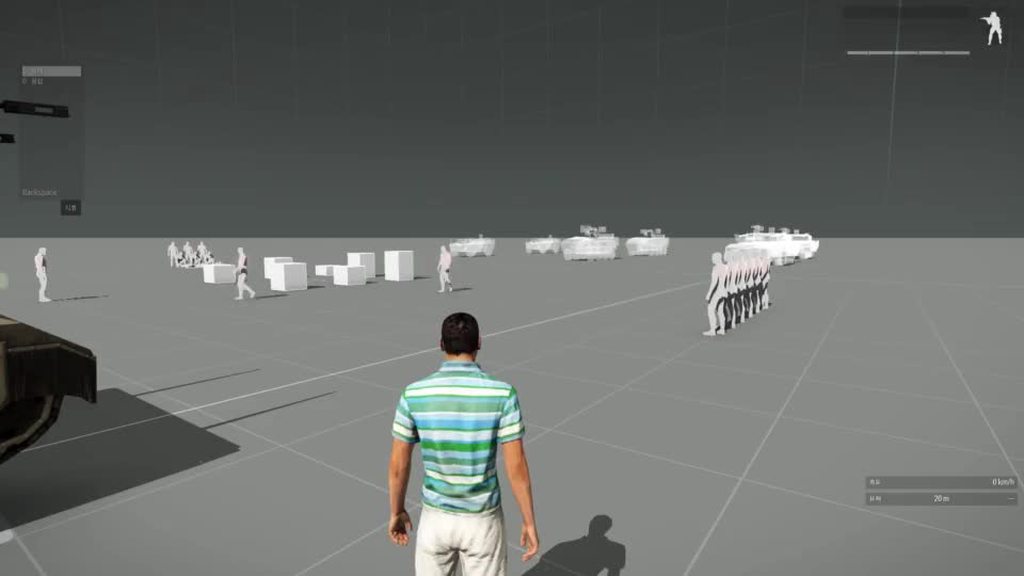 winter karma
nova elm
That might just be a low DPI mouse with a high sensitivity in the windows settin...
winter karma
nova elm
That might just be a low DPI mouse with a high sensitivity in the windows settin...
Mouse is OK
Also window setting is
steady hawk
Maybe, just in case once again, delete arma3.exe and arma3_x64.exe and re-verify?
winter karma
ok
steady hawk
Since the verification process does not compare the entire thing
steady hawk
Well, failing verification in this case is normal... but it still does it?
winter karma
Verification success, no bug fixed
steady hawk
Hmm let's try to see other possibilities
 lime sphinx
🧠 create a new profile with default control settings and try there
steady hawk
Oh, I forgot that
winter karma
🧠🧠🧠
steady hawk
Maaybe this is one way
winter karma
I'll try reset keys before
steady hawk
You want to backup your profile before
winter karma
AH
Setting the mouse smoothing to maximum gives good turret movement, but weird for infantry movement
I used to set it 0 for 4k hours
steady hawk
I also always used 0 and have no issue actually
winter karma
Yea
winter karma
Its windows11, logitech wireless mous
steady hawk
Hmm...
winter karma
The thing is
default mouse setting in arma still stutters in turret
Means something else is affecting
steady hawk
New profile too?
lime sphinx
fun stuff
winter karma
Full re install failed..
steady hawk
That would mean... some hardware related?
I don't know, how a hardware issue will do such
pine kite
Clean the eye of the optical mouse. Might be dirt in there.
winter karma
Only in vehicle turret mode?...
karmic halo
karmic halo
Is anyone else getting this msg since 2.14?
I own all DLCs and have no mods loa...
No one? 😢
karmic halo
16:35:00  index                                                         name      appId   owned  installed  available   isDlc
16:35:00      0                                                  Arma 3 Maps     249861      no         no         no     yes
16:35:00      1                                        Arma 3 Tactical Guide     249862      no         no         no     yes
16:35:00      2                                                  Arma 3 Zeus     275700     yes        yes        yes     yes
16:35:00      3                                                 Arma 3 Karts     288520     yes        yes        yes     yes
16:35:00      4                                           Arma 3 Helicopters     304380     yes        yes        yes     yes
16:35:00      5                                          Arma 3 DLC Bundle 1     304400     yes        yes         no     yes
16:35:00      6                                              Arma 3 Marksmen     332350     yes        yes        yes     yes
16:35:00      7                                                  Arma 3 Apex     395180     yes        yes        yes     yes
16:35:00      8                                           Arma 3 Laws of War     571710     yes        yes        yes     yes
16:35:00      9                                                  Arma 3 Jets     601670     yes        yes        yes     yes
16:35:00     10                                          Arma 3 DLC Bundle 2     612480     yes        yes         no     yes
16:35:00     11                                                Arma 3 Malden     639600     yes        yes        yes     yes
16:35:00     12                                  Arma 3 Tac-Ops Mission Pack     744950     yes        yes        yes     yes
16:35:00     13                                                 Arma 3 Tanks     798390     yes        yes        yes     yes
16:35:00     14                                               Arma 3 Contact    1021790     yes        yes        yes     yes
16:35:00     15   Arma 3 Creator DLC: Global Mobilization - Cold War Germany    1042220     yes         no        yes     yes
16:35:00     16                           Arma 3 Creator DLC: Spearhead 1944    1175380     yes        yes        yes     yes
16:35:00     17                      Arma 3 Creator DLC: S.O.G. Prairie Fire    1227700     yes         no        yes     yes
16:35:00     18                        Arma 3 Creator DLC: CSLA Iron Curtain    1294440     yes         no        yes     yes
16:35:00     19                                            Arma 3 Art of War    1325500     yes        yes        yes     yes
16:35:00     20                           Arma 3 Creator DLC: Western Sahara    1681170     yes         no        yes     yes
Hmm...
karmic halo
So only not owned is maps and tactical guide, but these are not installed
Other than that the rpt is clean.
 patent kettle
was it vanilla?
karmic halo
Yes
patent kettle
weird then.
karmic halo
Kinda yeah 😄
patent kettle
I've seen rare occasion where the button to load into altis in editor had "Purchase" instead of the standard text xD
karmic halo
16:35:08 Arma 3 | A3 | true | true | NOT FOUND (Empty) | | |
This one is normal, isn't it?
steady hawk
22:07:12 Arma 3 | A3 | true | true | NOT FOUND (Empty) | | | Mine says same
karmic halo
Good
I am kinda sure it has to do with the sale going on atm.
nvm
A clean profile seems to have fixed it.
steady hawk
Hmm, does a profile do anything with loading DLC or such?
karmic halo
With the main menu UI certainly.
I wanna check what variables I have that could cause that.
steady hawk
["$STR_A3_TACOPS_POPUP_DEVELOPER","We've detected not all loaded DLC has a valid license. Please support us by purchasing DLC officially in the ongoing sale. Thanks!"]Tac-Ops related? Dunno...
karmic halo
This caused the issue. dedmen helped figure that out.
fringe salmon
is there a way to disable errors showing?
uncut trellis
fringe salmon
is there a way to disable errors showing?
what kind of errors
and when
fringe salmon
when you do something and it says some texture is missing
uncut trellis
in editor, no.
and if you got missing stuff, then you should fix those things
or disable broken mods
twin hare
Can anyone help me understand where this error is coming from? it creates a huge rollback on our server
[2023-09-16 11:33:52] Client version: no bootstrapper found
[2023-09-16 11:33:52] Loaded Steam library folders configuration: D:\Exile\steamapps\libraryfolders.vdf
[2023-09-16 11:33:52] No install folder configuration files found.
hardy light
is there a way to check my mic in the console?
steady hawk
What do you mean by "check" and "in the console"?
hardy light
to see if the mic is working, i don't code, don't do script or whatever, just trying to figure out if it's something in the code of the game that's messed up that isn't letting my mic show up and work
steady hawk
It uses Windows' default Audio Input
hardy light
do i need a radio in my inventory to use PTT on the voice channels in game?
hardy light
there is no radio in the arsenal or my inventory in-game, I don't know how people have them or what's going on, but if that's a possibility I should pursue that
hardy light
Got a radio in game, still nothing
 fading wasp
what is Addons functions_f_decade.pbo
Says its unable to verify.... I can't play the game
quaint jewel
fading wasp
what is Addons `functions_f_decade.pbo`
Says its unable to verify.... I can't ...
fading wasp
Im here troubleshooting my game
quaint jewel
and I gave you the answer
fading wasp
server is updated
quaint jewel
Are you sure? the update came out 43 minutes ago.
And the creator DLC (server) branch was updated 6 minutes ago.
quaint jewel
yeah verify steam files on both server and client
if still it doesn't, delete that bad pbo to force steam to redownload it
fading wasp
I see - I will try. Thanks 👍
nova elm
If you are using prof on either, you'll need to wait a bit for that to be updated.
fading wasp
nova elm
If you are using prof on either, you'll need to wait a bit for that to be update...
Makes sense!! Server is on prof... Thank
ETA?
nova elm
Sometime in the next hour or two is my best estimate.
fading wasp
nova elm
Sometime in the next hour or two is my best estimate.
Cool thanks.
nova elm
fading wasp
Cool thanks.
Update on that, 20-30 minutes is the new ETA
fading wasp
nova elm
Update on that, 20-30 minutes is the new ETA
Okay much appreciated - oddly enough... It worked after verifying game files on server 😍
Does the branch change to steam branch when updating?
nova elm
Not sure, you can check to see if the extra profiling binaries are present
 neat oxide
RHS sever wont join, something with PBO file, anyone else getting this?
nova elm
Server probably needs to be updated #arma3_questions message
neat oxide
gotcha fam
 neon lagoon
neat oxide
RHS sever wont join, something with PBO file, anyone else getting this?
neon lagoon
neat oxide
RHS sever wont join, something with PBO file, anyone else getting this?
functios_f_decade.pbo right?
i have that one
it wont let me join any servers
neon lagoon
im just checking if i have the same one
ocean cosmos
yes you do
 toxic igloo

only thing I found about this error is that you should verify the game files.
That did not help
I have no mods LOADED
nova elm
Please read earlier messages
toxic igloo
my bad
frozen needle
Anyone able to shed some light on this error?
Verifying PBO failed: addons\functions_f_decade.pbo
Nobody can connect to our server 😅
Ah, nevermind - literally just read the one above
Ignore my dumb ass
 granite gust
need help with mic
for about half a year, my mic in game is not working
I have changed microphones, whole headsets, changed windows mic inputs, re installed arma 3
need help
fading wasp
granite gust
need help with mic
for about half a year, my mic in game is not working
I have c...
I have had some friends who have had issues with USB headsets in the past
They solve it by just switching to a standard AUX type that doesnt use third party stuff
But I use arctis and never have had an issue
granite gust
fading wasp
But I use arctis and never have had an issue
I used razer nari for years and only had this problem when I pressed "auto adjust" in mic sensitivity, now whenever I press that it just closes itself
I switched to arctis 9 and still going on
fading wasp
granite gust
I used razer nari for years and only had this problem when I pressed "auto adjus...
dang thats weird, that would drive me crazy.. Maybe its a firewall issue?
granite gust
fading wasp
dang thats weird, that would drive me crazy.. Maybe its a firewall issue?
3 different AV software including stock windows
so not that
as I said, I pressed auto adjust and it broke my ingame mic ever since
now when I click it, it opens for a milisecond and closes, tried different profiles, reinstalls and all
fading wasp
granite gust
as I said, I pressed auto adjust and it broke my ingame mic ever since
now when ...
Hmm.. yeah thats not fun.
Maybe.. (this sound crazy) create new user profile on your PC and log to steam there and download the game on fresh system profile
granite gust
fading wasp
Hmm.. yeah thats not fun.
Maybe.. (this sound crazy) create new *user* profile...
I see what you mean. will do that later
but yeah, it is maddening
on a side note, VON is disabled on official servers now?
fading wasp
granite gust
on a side note, VON is disabled on official servers now?
Hmm, not sure. I've been addicted to modded servers for couple months so would not know 😆
granite gust
I normally play modded aswell, but friends just got in so we are playing coop
fading wasp
Hey wait, does your mic work on other games
fading wasp
OOoooo ok, was going to say try different usb port
granite gust
fading wasp
What about profiling branch - have you tried this?
I am on prof already
also, can you not place full arsenal as zeus anymore? nor change parameters?
 violet heath
Been having this issue to do with profiles causing infinite loading for a few people on our dedi server recently: #arma3_troubleshooting message
It’s a pretty disruptive issue though I cannot seem to find a permanent fix or even useful logs to resolve. Anyone have some insight?
granite gust
fading wasp
Hmm.. yeah thats not fun.
Maybe.. (this sound crazy) create new *user* profile...
nope that didnt work
drifting quartz
bohemia sucks ass, arma is hella unoptimized and not fun, the game was not worth full price that I paid for it.
granite gust
yeah, my mic in game is currently dead
 fading wasp
granite gust
nope that didnt work
fading wasp
granite gust
nope that didnt work
Bummer - I hope you find solution
granite gust
one day
hardy light
new update, fixed t-100 issue where gunner could not fire if a player was sitting in the driver seat and
t-100 cannon charge could be held when exiting the gunner seat
splendid
I'm guessing that was very high up on the priority list next to fixing PTT for players to use :smh
seriously, that seems pretty low compared to common mic issues that keep people from using basic game functions
quaint jewel
Which loading screen specifically. Before role selection, after? Can you hear game sounds in he background behind loading screen
quaint jewel
violet heath
Been having this issue to do with profiles causing infinite loading for a few pe...
Same
If it's after role selection and has sounds in the background, it's a init.sqf script that is not finishing.
But a empty mission (for example the vanilla Zeus missions) should then work
violet heath
quaint jewel
If it's after role selection and has sounds in the background, it's a init.sqf s...
I’ll try confirm with those who had the issue, thank you for responding. When you say sound you mean like in-game effects or menu music/ambience etc?
pine kite
 little tree
I get this error when trying to start the server.
little tree
I get this error when trying to start the server.
Then the server is missing a mod that adds some kind of JLTS radios. The other mod 3AS needs that.
quaint jewel
violet heath
I’ll try confirm with those who had the issue, thank you for responding. When yo...
ingame, like wind and bird sounds
 upbeat spire
little tree
upbeat spire
little tree
My guess is gonna be you are using JLTS mods and TFAR. But you are missing a Compability for those 2 you can find it here: https://steamcommunity.com/sharedfiles/filedetails/?id=2332457910

 sullen bolt
hey guys ive created a mod and signed it using dsutils, in the launcher its saying its not signed though
 fringe salmon
How do i copy missions to a other profile? SOLVED
twin hare
missions.sqm?
twin hare
Sorry, but can you be clearer?
Are you talking about mission.sqm for the map?
you can drag it into your user profile (Documents) and launch Arma, with the same profile.
Then you go to the main menu of the game, and you go to the Editor section
There you can select your base map, then at the top left directly open the Mission.sqm map concerning your server.
From there, you can modify from the editor what you want, then you don't just have to save it, if you don't want to, like many servers, lose a lot of FPS. you must seriously use the "EdenExile" mod to transform your modifications into a script that you can drag into your server folder, and thus not overload your mission.sqm file which must remain as light as possible
 spare wraith
So my unit is having some issues with ACRE. A select few can hear each other, we give each other our radios and then it switches, some can hear others, blah blah. I’m a little confused on what’s going on
I have preset channels that were renamed, my other 3 guys have the correct names channels. I and another do not, we have default channel name
 lavish geode
greetinngs, im having issues joining public vaniila servers currently testing koth and invade and annex; all will repeat the same thing as the video. Its unresponsive to my keyboard except esc which exited the server.
Tried one server with kick when inactive and it kicked when i left it for a while, thinking maybe i was connected but the ui is gone.
Tried hosting my own server wirh my buddies and no issues.
Any solutions or help would be appreciated
#steamdeck
lavish geode
lavish geode
greetinngs, im having issues joining public vaniila servers currently testing ko...
NVM SOLVED myself. I guess for linux/steamdeck, use the Profiling performance build in the the beta option at arma3 properties. Quick google to protondb helps me
pine kite
spare wraith
So my unit is having some issues with ACRE. A select few can hear each other, we...
You missed this reply #general_chat_arma message in #general_chat_arma . It's part of the ACE mod I believe, so support should be in their discord or whatever.
fringe salmon
Why does a black screen sometimes appear and the game freezes?
uncut trellis
fringe salmon
Why does a black screen sometimes appear and the game freezes?
do you alt tab out of the game?
 cobalt star
mhhh seems a lot...
22:31:38 Server load: FPS 48, memory used: 1390 MB, out: 134035 Kbps, in: 273 Kbps, NG:0, G:2508, BE-NG:0, BE-G:0, Players: 39 (L:0, R:0, B:0, G:39, D:0)
out: 134035 Kbps
any clues on how to diagnose it?
 golden nova
diagnose what, bandwith usage?
looks pretty normal assuming that for every player Arma often takes from 7 to 10 mbps serverside, I remember an extensive "research" about that on BIForums and it was very similar to what our server used on weekly missions.
if you want to reduce bandwith then play with less players or less-scripted missions using less mods
cobalt star
mhhh
players went near the first objective (with a lot of desync) and when the dynamic simulation of the ai triggered the bandwith went down

to around 10000
golden nova
then a broken script or broken mod that caused the packet queue to clog up, hence the mass amount of guaranteed messages sent at once. I doubt anyone is capable of pointing out exact issue just from the server log, instead you could find a focus group and test two similar missions - one without any mods at all if possible, other with the preset you have been playing on
cobalt star
i think i found what the problem was... there was a group of events handleling some markers... im killing the mission maker he wrote a script that updates some markers but recursive for every player
killed the events even better
golden nova
you can try mitigating the "clogging" issue through rising up the MaxMsgSend parameter but it might just postpone the issue for a few minutes depending on how bad that script was written
cobalt star
just removed all the events fortunately ive got the ids in a variable
umbral narwhal
golden nova
looks pretty normal assuming that for every player Arma often takes from 7 to 10...
Some sort of unit error surely...
 hushed blaze
I am trying to use the diagnostics branch to help in making one of my mods, i have been trying to use the script:
"EPEVehicle" diag_enable true; to show what the transmission is doing but only get thrust info, How do i get it to show RPM, Current Gear and all the good stuff i see in youtube videos?
all i get is a debug menu with EPEVehicle:
thrustLWanted:0.0000 thrustL:0.0000
thrustRWanted:0.0000 thrustR:0.0000
and literally nothing with EPEForce
quaint jewel
Multiple people reported that EPEVehicle diag is broken
 fast lava
Sorted now
 steady beacon
Why my WARLORDS /AI BLACKLIST , DOSENT WORK!?? (NATO)
 rare finch
Hi, I'm having trouble importing presets in Arma 3. I've been able to do so normally until yesterday and now when I try to import an html preset the launcher just gives an error saying "Unable to Import Preset." I can open them all in browsers and if I drag the files it queues them for download but doesn't load them. I've tried verifying and validating my game files, uninstalling / unsubscribing from all mods, and reinstalling Arma 3, however nothing has fixed it so far

This is the only error that shows up, if its any clarification
 gilded ferry

Anyone familiar with this kind of error
i tried reinstalling
it still says the same problem
gilded ferry
none?
quaint jewel
Pinned messages. Look for the CTD one.
Your error is dll not found
hushed blaze
im strill trying to use EPEVehicle on the diag branch to help with my broken vehicle mod, is there any reason why my vehicle has a top speed of 60kmh but will only go 24kmh?
Gearbox and Wheel code is fine, i think its the model, but i cannot for the life of me figure out why
quaint jewel
Would be better to ask in #arma3_config the people that know are more active there
hushed blaze
ty
fringe salmon
Recent crash I am getting with latest ArmA 3 server version (Windows) - I have mini-dump but cannot upload it here (too large)
I hope I posted this in the right location
 cunning sierra
upload the minidump file from the path in that log
fringe salmon
cunning sierra
upload the minidump file from the path in that log
When I open the minidump, its just a bunch of giberish
Could you further elaborate?
Apologies on not understanding
cunning sierra
it's only readable by the game devs
cunning sierra
you can made a feedback ticket with the files
fringe salmon
By chance, got a link to that ticket creation process?
I'd be happy to fill it out
Thank you for the help on reporting this proper
cunning sierra
golden nova
if that's a community mission then ask its author about issues you have with it.
 signal heart
golden nova
if that's a community mission then ask its author about issues you have with it.
signal heart
golden nova
if that's a community mission then ask its author about issues you have with it.
We had a member of the community make it, no one else has had issues with it.
He also does not know what may be wrong.
 main star
Morning all, having an interesting issue with one of my members as of Yesterday.
When trying to connect to the server, it tries connecting forever. This is the log he sent me: (baring in mind this modpack works for everyone else, and this isn't the first time we have had this issue)
What I find interesting, is that it seems to claim that Arma 3's Directory does not exist
20:36:48 Arma 3 | A3 | true | true | NOT FOUND (Empty) |
patent kettle
main star
```20:36:48 Arma 3 | ...
Nothing interesting, Arma always shows this in log.
main star
I'm looking here as the last time we had this issue, it was this same error but for two mods that we had installed, but we just removed those mods and it worked again
main star
patent kettle
Nothing interesting, Arma always shows this in log.
This is the first time I've seen this
Ah okay yeah I just verified that with my own logs
Right, can anyone tell what the issue is?
I'm very confused haha, but I don't see any other issues wih the file - But then again I am not experianced in this
 fading pulsar
With us its ussualy profile folder.
Tell your player to make a new test profile and try to connect to server
pine kite
main star
I'm looking here as the last time we had this issue, it was this same error but ...
If other mods show that, then there is an issue with downloading that mod from Steam. Somehow it didn't get finished or something broke/partially saved/interupted it.
main star
pine kite
If other mods show that, then there is an issue with downloading that mod from S...
We fixed that issue last time, I'm just saying that's why I picked up on the Arma "Not Found" thing
main star
fading pulsar
Tell your player to make a new test profile and try to connect to server
I'll try that tonight
pine kite
You will find more of those "red herrings", warnings/errors that don't actually signify a problem but show in each working server/client.
main star
Yeah it wasn't until I checked my own log that it showed the same thing for me
umbral narwhal
@main star That's running the perf/profile version. Tell him not to do that if he's having problems.
(stable build is 2.14.150957)
quaint jewel
stuck at connecting to server (before role selection) is either Arma units being down (which it usually is on weekends) or his steam not connecting properly
umbral narwhal
IIRC with units you get to the role selection screen but it doesn't fill it in until it times out after a minute.
I really wish the RPT gave more info about the connection process.
main star
umbral narwhal
<@854280663384457226> That's running the perf/profile version. Tell him not to d...
Thank you, I'll tell him.
 wind dock
Ever since a platform update around last winter, my groups server is very hard to find. What do I mean by that? Some of our players can't find the server at all from the launcher even when they search "Internet" for the server name and let it scan every server. At the same time, other players of ours can find it in favorites if we wait 30 seconds to a minute but we also can't find it in "internet". What could be causing our server to be so elusive?
umbral narwhal
You mean no-one can find it in "internet"?
Or is it only some players who have the problem?
wind dock
Some can locate it in "Internet" but it usually takes forever and also weirdly works better if you don't type the full name
umbral narwhal
I guess Steam has an order in which it sends out the server list and if you're lucky you get an earlier slot.
Maybe you can finesse it with name changes
Not sure about favourites though. Personally once I've favourited a server it shows up reliably.
And you can always add them with steam -> view -> servers.
wind dock
Thank you
fringe salmon
How do I fix "Unable to import preset" error?
 azure anvil
so, basically there is this mod called Balkan Wars 1990-1995 which is a suitable mod for ARMA 3.. alright.. but it doesen't work.
whenever I put it in the launcher, and launch it up there are some errors that pop-up.. and genually I can't play any scenarios


@ocean cosmos @uncut trellis
ocean cosmos
broken mod then
azure anvil
hm?
uncut trellis
azure anvil
hm?
either one of the mods listed in your launcher is broken and you cant use it
or you have installed some other mod files mixed into the games own files and those are broken
or you dont have all the necessary required addons
azure anvil
right
uncut trellis
from the looks of it you need CUP core and/or terrains
azure anvil
yea
uncut trellis
best would be check the mods workshop page for its requirements
 azure anvil
uncut trellis
best would be check the mods workshop page for its requirements
azure anvil
uncut trellis
best would be check the mods workshop page for its requirements
give me a second.
 uncut trellis
well either one of the other mods requires it or the list is incomplete there 
unfortunately this is done with poor naming and cant really tell what mod its from
 azure anvil
hm
quaint jewel
uncut trellis
unfortunately this is done with poor naming and cant really tell what mod its fr...
CUP Worlds. Is CUP Terrains
None of the mods list it on workshop, but yeah its somehow required
But even with that missing, it should load anyway
 abstract bridge
Have been getting errors here, STATUS_ILLEGAL_INSTRUCTION
Arma been crashing right after load up.
Any fix?
uncut trellis
abstract bridge
Have been getting errors here, STATUS_ILLEGAL_INSTRUCTION
Arma been crashing rig...
Check pinned messages for link to wiki page about unusual process exit and find you error there and do the possible fixes
 versed viper
Upon installing Dayz Tools to convert one of my islands to SA, I've found out "new" tools actually broke my A3 tools. For example this option disappeared (grayed out), any ideas how to fix this?
 uncut trellis
could try verifying arma3 tools and runnign them once for registry setup
there may be some overlap between them
though you would want to run the layers through the external fast convert bat anyway
 tidal gazelle
Been having some arma 3 PIP issues. Sights been really dark and some random dark shadow in the optic? Anyone able to help or share some settings? DM's open.
Messed with my settings and shit kinda messed up.
 wanton scarab
im trying to get my arma 3 server running again after it being down for a long time and i have a problem right now of it not showing up in arma
when i go to the start logs i see this and think its probably the problem but i have no idea how to fix it
pc specs are
ryzen 7 5700G
32gb 3200mhz ram
500gb nvme ssd
and i have a 1gbt lan connection to the server
im running the arma server through
firedeamon pro

 fading pulsar
That is not the problem, and is always present.
Keep looking
wanton scarab
this is where the log ends
 fading pulsar
This indicates server started and is... well serving
wanton scarab
it should be all ported but its not showing up on lan or the internet
fading pulsar
If you are on same lan or same pc even try direct connecting using local IP (or loopback/localhost if on same pc).
If you cant, check firewall on hosting computer.
Next, make sure inbound ports to hosting computer are forwarded correctly, port range 2302 - 2306 udp inbound.
Lastly if all this works, ask friend outside your lan to check if it pops up for them.
wanton scarab
this is all the ports that are open for arma
would the minecraft server also running on the same server be causing a problem?
i tried to connect with the public and lan ip but each time all it did was just bring me back to the server menu after hitting join
 fading pulsar
You didnt forward 2302 (or not in the shot)
wanton scarab
at the bottom
wanton scarab
tcp udp
wanton scarab
fading pulsar
This is windows fw?
yes windows 10 pro WDF
fading pulsar
Im not sure which ports minecraft runs on.
Server log indicates it started correctly, port forwarding at least on win fw looks correct. (Tcp not needed)
 main sinew
I have some weird fps behavior with arma 3 whenever I don't have anything open like for example I get really choppy fps by default unless I press escape or are in a vehicle then I get normal fps
fading pulsar
And only ports 2302-2306 are reqiired
main sinew
main sinew
I have some weird fps behavior with arma 3 whenever I don't have anything open l...
I've restarted the game and still get the same result
when I go in zeus my fps greatly improves
wanton scarab
fading pulsar
And only ports 2302-2306 are reqiired
so i dont need the battle eye ports?
main sinew
main sinew
when I go in zeus my fps greatly improves
same with arsenal
fading pulsar
If you intend to run BERcon you need one additional UDP of your choosing. Rest of the ports are outbound
wanton scarab
should i try to get rid of all them and try opening the server with UPnP
main sinew
main sinew
same with arsenal
so I replaced everything my character had on with a loadout and now I get normal fps
fading pulsar
wanton scarab
should i try to get rid of all them and try opening the server with UPnP
You can try
main sinew
I have narrowed it down to ace's leopold mark 4 optics that are killing my fps
main sinew
main sinew
I have narrowed it down to ace's leopold mark 4 optics that are killing my fps
the pip one
fading pulsar
fading pulsar
You can try
Good luck, im off to sleep.
If all else fails you could change gameport to something random like: 12345 and forward 12345-12351.
But if any other service would already be running on 2302, it would refuse to bind and close with error.
wanton scarab
fading pulsar
Ah...
Update server program to newest version. Its runnin 2.10, current game is 2.14
Also you can get more halp in #server_windows
 frosty veldt
Hello, could I ask for help with my arma3 server? im using admin and for some reason when I try to install a mod it says (see screenshot)
I have contacted the people im renting with but they don't know what is causing it, please can someone help me with this

🙏
pine kite
wanton scarab
this is all the ports that are open for arma
would the minecraft server also run...
It's not clear if those are UDP. Don't know what all the other ports are meant to do for you. (the collumns to the right would have explained a bit more about that) But the server only requires incomming ports UDP 2302-2306 range to be allowed/not blocked. Outgoing ports are usually open, unless this is a very hardened server with strict firewall security rules. So no point in specifying outgoing rules.
pine kite
fading pulsar
And only ports 2302-2306 are reqiired
UDP that is.
fading pulsar
Yes.
 hot hinge
Can someone please help with this not working countdown?

 gritty onyx
What's with steamcmd not updating the game with app_update 233780 validate command? It verifies the files "successfully" even though I've even tried deleting the functions_f_decade.pbo to fix the PBO mismatch
umbral narwhal
Have you checked it's the server that's out of date and not the client?
gritty onyx
umbral narwhal
Have you checked it's the server that's out of date and not the client?
Lol... I just finished verifying my files and it works now (I think). My game was updated though, but I guess you never know...
 violet pumice
Having a kind of weird issue where BIS_fnc_exportEditorPreviews isn't saving any screenshots
It cycles through all the vehicles correctly and creates the folder(s) where the assets should go, but then there's no actual files there
Tried on three different profiles to see if maybe my name was causing some issues, but none of them worked
violet pumice
I found this post on the feedback tracker (https://feedback.bistudio.com/T120379) and the final message mentioned that their HDR setting was lower and was causing it to not work. I auto-detected my settings again and it's working fine now
abstract bridge
uncut trellis
Check pinned messages for link to wiki page about unusual process exit and find ...
Sorry for late response. Its not listed on there, tried reinstalling arma but that didn't work so im stumped.
uncut trellis
abstract bridge
Sorry for late response. Its not listed on there, tried reinstalling arma but th...
whats the full error you get?
abstract bridge
uncut trellis
whats the full error you get?
 uncut trellis
you probably need to use the report tool to send the crash dumps to BI support
umbral narwhal
@abstract bridge What's your CPU btw?
violet pumice
violet pumice
Having a kind of weird issue where `BIS_fnc_exportEditorPreviews` isn't saving a...
Is there a weapon equivalent for BIS_fnc_exportEditorPreviews?
Like it takes a weapon's model and creates an image that can be used in the inventory
I assume no, since I was looking around in the BIS functions and didn't see anything, was just curious.
I've just been dropping them and editing out the background in photoshop and using that
ocean cosmos
create GWH prop for 3den, use that instead 🧠
abstract bridge
umbral narwhal
<@307216616205058049> What's your CPU btw?
ryzen 5600x
umbral narwhal
yeah ok that's not gonna have instruction set issues.
violet pumice
ocean cosmos
create GWH prop for 3den, use that instead 🧠
Would basically be the same thing, still have to edit out the background.
Not to mention it probably would be rotated
abstract bridge
32 bit arma works fine but always crashes due to how the zeus in my unit makes the missions + get bad framerate.
uncut trellis
in this day of age, you should not really use 32 bit exes
unless your system is 32bit
abstract bridge
yeah
uncut trellis
but it likely means you got something messed up in your windows or parts of it
abstract bridge
considering factory reseting
uncut trellis
it might not help if your factory settings dont contain some of the older parts Arma might need 😅
umbral narwhal
It crashes even vanilla, right?
umbral narwhal
I mean without mods.
abstract bridge
yes
golden nova
I remember getting error of similar name in Chrome when having system hardware acceleration enabled but I guess it's only error name that is in common


 golden nova
is this a recent PC build? Have you had any issues with it before? Maybe one of its component is faulty, difference between 32 and 64bit exe is mainly RAM usage so perhaps one of your memory chips causes the crash
umbral narwhal
Unlikely you'd have a consistent illegal-instruction even after a reinstall then.
Normally RAM issues are a bit random.
golden nova
would windows event viewer have any logs regarding component issues?
fading pulsar
Just a side question, do you have your documents backed up by OneDrive?
golden nova
dunno if Enderz's using 10 or 11
umbral narwhal
Nah, it wouldn't know about that sort of component issue. If something with ECC was flaky then yeah.
My best guess here is that it's crashing in a corrupted DLL rather than Arma itself.
abstract bridge
golden nova
dunno if Enderz's using 10 or 11
Using windows 11
abstract bridge
golden nova
is this a recent PC build? Have you had any issues with it before? Maybe one of ...
PC Build is from May 2022
abstract bridge
fading pulsar
Just a side question, do you have your documents backed up by OneDrive?
no (I do not use onedrive)
fading pulsar
okay, nvm then
ocean cosmos
violet pumice
Would basically be the same thing, still have to edit out the background.
Not to...
you can get them to produce transparent backgrounds
check "Configuring Asset Previews" in the see also
basically just disable DoF
violet pumice
Would still be lopsided no?
Or does it take the picture from above for weapon holders
ocean cosmos
🤷
abstract bridge
umbral narwhal
My best guess here is that it's crashing in a corrupted DLL rather than Arma its...
Would deleting alll dlls then reinstalling maybe work?
uncut trellis
abstract bridge
Would deleting alll dlls then reinstalling maybe work?
what does the first error popup look like
abstract bridge
uncut trellis
what does the first error popup look like
Some local map mod, uninstalled it though
 sharp portal
Just downloaded Arma yesterday, can anyone point me in the right direction for loading Prairie Fire DLC on an iMac please.
uncut trellis
if I remember right you need to make a shortcut that uses the launch parameters to run sogpf folder
-mod=vn or something along those lines
sharp portal
Cheers will search that.
sharp portal
got it: open -a Arma3 --args -mod=vn -p default -no-remote
think I need to go to basic training, thanks again
sullen bolt
I'm hosting a server with a mod that i have created and am getting the following error
This appears to just be a signing isue but ive made sure that my mod key on the server as well as on the client are the same. Ive also confirmed that they keys are located in the right place on the server (keys folder) and in the arma 3 launcher it shows as green and ok to join. I'm really not sure what the issue is here
 sullen bolt
just created a pbo archive and added sqf files to it

signed with DSUtils

I use faster for server launching and have made change to the steam protocol settings

running 28 mods
umbral narwhal
Yeah, PBO manager doesn't create correct PBOs. Even if signed, they fail on verification.
You have to build your addon PBOs with something else.
fringe salmon
how can i apply configs on mods on a dedicated server? For example "ACE adjustible armor"
sullen bolt
oh really, damm
what would you recomend I use?
thanks for the headup around this.. pita
umbral narwhal
I use addon builder personally but it's broken for some cases so I think most people use Mikero or HEMTT
At least I never found any way to build mixed binarized + SQF addons with the addon builder command line. The include syntax is busted as far as I can tell.
sullen bolt
awersome I just used it and working now! thanks so much, im curious as to what causes that. Do you know why it doesnt work?
umbral narwhal
If you use this utility it'll tell you exactly what's broken:
https://github.com/BrettMayson/bisign
GitHub
Contribute to BrettMayson/bisign development by creating an account on GitHub.
I don't remember the details.
 broken igloo
Why are AI placed inside vehicles just not spawning when I run the scenario?
uncut trellis
mods might do stuff
broken igloo
Like what?
uncut trellis
move the units somehwere maybe. dunno, test what you are doing without mods first
if that works then you know its a issue with mods
broken igloo
Well is this a known issue with any particular mod? I've got a ton loaded.
If I'm going to unload all the mods and play vanilla I might as well not even play the game then.
Dudes in the ediotr

Dudes not there when running scenario

This has only happened with vehicles. AI on foot always spawn
uncut trellis
never heard of any doing thatt
but yeah if you got ton of mods, then likely you got one that does this for some reason
could be some AI mod
pine kite
broken igloo
Well is this a known issue with any particular mod? I've got a ton loaded.
Well, you know which mods you have loaded, you test it! How would we know which mods cause which problems? There are thousands on the work shop. And how would we know which you happened to pick of those? You never even provided a modlist of any kind.
abstract bridge
uncut trellis
what does the first error popup look like
Seems like it was a fuckin reshade DLL that caused this. Hopefully now arma stays as this and doesn't die again.
pine kite
The Law of Conservation of Misery at play here. No matter how much you try to improve a situation by changing/adding improvements, new bad things pop up that make it not function better or become less reliable.
Be critical on what 'fancy'-mods you add.
 keen nimbus
 steady hawk
Posting this will result nothing
violet heath
quaint jewel
If it's after role selection and has sounds in the background, it's a init.sqf s...
Found the offending init.sqf script and fixed it, ran perfect with no issues. Thank you 🙏
 timid brook
I dont know ho too host.
 topaz ravine
Hello, so i have this problem, that if i join this server, it just gets stuck on 'receiving data'
umbral narwhal
One specific server?
topaz ravine
nah
every server
it just gets stuck
receiving data, it doesnt even load, its full black and the game is responding
umbral narwhal
Make sure you're not using a VPN.
topaz ravine
im not.
umbral narwhal
Restart windows and your router.
topaz ravine
didnt work
i just tried it 15 min ago i swear to god
and restarted pc for like 3 times lol
umbral narwhal
Either your internet connection is busted or you've done something very bad to Windows.
topaz ravine
wdym bad to windows
internet is fine
i verify my files then it works
i close my game try to go again
it doesnt work
so i have to verify my fils
well now its like this
 uncut trellis
topaz ravine
uncut trellis
topaz ravine
go here
 topaz ravine
thanks
topaz ravine
uncut trellis
go here
none of them worked xD
quaint jewel
topaz ravine
Send me report
quaint jewel
go to my discord DM and drag&drop that file in there. If too large, upload it somewhere else
I can look at it in 14 hours maybe
topaz ravine
quaint jewel
go to my discord DM and drag&drop that file in there. If too large, upload it so...
it didnt work after i reinstalled the game
i closed the game
opened the game again just to try once
and it worked
so idk hella sus imma try tomorrow also see if itll open or nah
 cobalt onyx
hello i have a problem. when i load up my saved game it doesnt work right. like i play on ace and the map tools arent working gps, micro dagr etc. can someone help or explain the problem?
pine kite
Do you even have ACE loaded in the launcher?
cobalt onyx
yep
im not that stupid
like the menu of the ace is working but the map tools and gps doesnt pop up on the map
pine kite
Well, it's easy to forget to load the mods back in if you played on another server in the mean time.
cobalt onyx
okey
pine kite
You do need those tools in your inventory to be able to use them.