#arma3_troubleshooting
1 messages · Page 12 of 1
 pearl sorrel
 mighty valve
 tiny heath
I have a server running but it doesn't show in the list and can't be connected to, ports are all open and it showed once but nothing changed when that happened, I have team speak ports going off it too
Any ideas
 sonic whale
So can someone help me?
 golden nova
sonic whale
So can someone help me?
golden nova
sonic whale
So can someone help me?
With...?
 pine kite
tiny heath
I have a server running but it doesn't show in the list and can't be connected t...
pine kite
tiny heath
I have a server running but it doesn't show in the list and can't be connected t...
'ports are all open ' .... probably not the case then. 9 times out of 10 a networking issue. Wrong setting while manual port forwarding, or firewall not allowing things into your server computer. Yet, you show no examples of how you did it.
 bronze river
golden nova
With...?
bronze river
golden nova
With...?
it's related to the question/issue way up #arma3_troubleshooting message
golden nova
Ah
golden nova
sonic whale
So can someone help me?
You can use the endmission cheat to skip through missions. Not sure if finishing "prologue-prologue" is considered as finishing this part of campaign, when I bought this game I started from campaign first.
tiny heath
pine kite
'ports are all open ' .... probably not the case then. 9 times out of 10 a netwo...
It was ddos mitigation.... Cheers tho
Ports where open on the box
 visual surge
here are the 2 errors i get when im in editor trying to get zeus to work when i go into play in multiply player that pops up and Zeus does not work. in editor i also can not edit addon options i have had the same problem for 2 days and my zeus module is set up correct
anyone know how to fix it hopefully


i have ace and cba_a3 in and load so that is not the problem also this is on sog dlc as i am trying to make the base for my unit
 spice spear
Could someone advise me why my ready-made zeus in the mission does not have access to some addon modules, but if I take a unit without zeus and use ACE to add it live on the zeus server, does it have access to these modules?
 uncut trellis
visual surge
i have ace and cba_a3 in and load so that is not the problem also this is on sog...
uncut trellis
visual surge
i have ace and cba_a3 in and load so that is not the problem also this is on sog...
You have some radio mod that is not set up right in mission or is broken.
visual surge
uncut trellis
You have some radio mod that is not set up right in mission or is broken.
i would i fix that
uncut trellis
Dunno. Remove the mod maybe if you don't need it
visual surge
and is that why zeus doesn't work also
uncut trellis
Don't know. There could be other errors in there too
My suggestion is, setup basic thing first with no additional mods
Then add mods in small batches so you know what breaks it when it breaks
Not all mods are compatible with each other and they can always be broken for one reason or other.
visual surge
ok thanks
visual surge
uncut trellis
Not all mods are compatible with each other and they can always be broken for on...
i removed some mods do i need to remake the entire mission file or just reload with new mods to fix zeus
 outer spade
I am having an issue with explosions in the game. When I call in a large artillery strike the explosion effects/particles despawn prematurely, and it just looks unnatural. Attached is a video of the issue. Any help would be greatly appreciated.
bronze river
this doesn't look like a vanilla explosion
outer spade
it's blastcore
pearl sorrel
and they disappear due to the amount of explosions happening
outer spade
is there a way in increase the limit or something
uncut trellis
outer spade
is there a way in increase the limit or something
No.
Blastcore adds pretty heavy effects
outer spade
is there another mod that doesn't have this issue or at least it isn't as noticeable
pearl sorrel
Every mod with large explosions and/or multiple explosions will have this issue (probably even vanilla has this issue..)
 lime sphinx
What's the recommendation then? To reduce (sic) the particles quality in video options, so each explosion produces less of them and it takes longer to reach the engine cap?
pearl sorrel
Dropping particles can help blastcore, but not alot. (IIRC from my testing and editing of Murr edition) …large explosion effects and multiple would still cause some to get hidden/overlapped.
Less Explosions either delayed or literally less munition used is probably the best.
Often its not just the blast effects. its the effect of destruction of the buildings (debris etc) that will add to the particles getting used up
uncut trellis
you mean you cant start the game?
like I said in detail, this is not really much to go on with
 frail bone
it hard to describe can i cal you so you can see
uncut trellis
no. I cant do that kind of help
you will have to write
and post your pictures here not in my DM thanks
uncut trellis
you can use snip tool
for general "how to use computer stuff" best to try google first
frail bone
i can do medal and send a vid
frail bone
il send vid
 slow gazelle
has anyone had experiences in a modded game with AI ragdolling/tripping over themselves?
uncut trellis
slow gazelle
has anyone had experiences in a modded game with AI ragdolling/tripping over the...
can happen if mods conflict or are broken
as to which ones would cause it, impossible to tell
most likely stuff like ACE and animation mods
but could be something else
slow gazelle
Yeah - I'm suspecting it's something to do with project injury reaction (PiR) but not sure
I've literally seen the team KIA from tripping LOL
I can reset them periodically by dragging them with the ACE interaction while they're down
uncut trellis
my guess is you got 2 conflicting injury systems
frail bone

Watch Untitled and millions of other Arma 3 videos on Medal, the largest Game Clip Platform.
help
uncut trellis
frail bone
https://medal.tv/games/arma-3/clips/TATAJXR0lAq9j/d1337ZVHB1eY?invite=cr-MSxZamw...
you have broken mods
dont use all of them
you will need to test mods 1 by 1 to see what works and what breaks
you have very serious bugs happening there
frail bone
hahah ok
slow gazelle
uncut trellis
my guess is you got 2 conflicting injury systems
Do you know if LAMBS has any injury system built in?
slow gazelle
yup fair enough
golden nova
slow gazelle
Do you know if LAMBS has any injury system built in?
lambs only overhauls combat behaviour, no custom injury system or AI medical overhauls
for wounding overhauls check Project Injury Reaction or ACE
 hazy wyvern
Hi guys, just wondering if anyone can help me with a technical issue i'm having. Whenever I launch my arma 3 Launcher my Launcher is saying plesae exit game to manage mods... I don't have the game open and I have looked in task manager and it defo isn't open so I can't edit my mods as the launcher thinks the game is running when it isn't. anyone know a fix. many thanks
 delicate belfry
Does anyone have any ideas short of reinstalling the game (which would take days on my connection)?
I'm trying to play the main campaign to get a missing ending achievement, and I'd already played through chapter 1 earlier. I got an error about an incompatible save and thought nothing of it, since it's normal for saves to get corrupted with every patch.
But when I try to start any mission in the campaign now, nothing happens. But when I try to revert it back to the first mission, the game for some reason launches the "LZ Nowhere" mission for the Steel Pegasus campaign instead. Reverting also reverted the Steel Pegasus campaign, instead of the East Wind campaign.
Other facts I can think of:
- I never have mods active when I play vanilla stuff
- Other campaigns work as normal
- Restarting the game did nothing
- I already verified the game files on Steam
Here's a clip that shows the problem I'm having (I sped up the loading screens): https://streamable.com/urnt0p
Also the error that pops up is unrelated, I have the file set to read only on purpose.

 steady hawk
delicate belfry
Does anyone have any ideas short of reinstalling the game (which would take days...
steady hawk
delicate belfry
Does anyone have any ideas short of reinstalling the game (which would take days...
missions_f_epa.pbo
missions_f_epa.pbo.a3.bisign
missions_f_epa_data.pbo
missions_f_epa_data.pbo.a3.bisign
Delete those from Addons folder of the installed folder and try to verify again
delicate belfry
steady hawk
`missions_f_epa.pbo`
`missions_f_epa.pbo.a3.bisign`
`missions_f_epa_data.pbo`
`...
Sounded promising, but had no effect. Do you know where the campaign saves are located? Maybe deleting those would work.
steady hawk
https://community.bistudio.com/wiki/Profile
This folder > Saved > A3 > Missions_F_EPA > Campaign... IIRC
If you're going to do, don't forget to backup
delicate belfry
That worked. I'll have to replay chapter 1 of the campaign, but at least I can play it now 😄 Thanks for the help.
Damn, I actually spoke too soon. It still launched the "LZ Nowhere" mission instead of the correct one 😩
bronze river
try revert mission
steady hawk
Did
delicate belfry
See my clip above
steady hawk
Hmm, just in case have you tried to make a new profile and try to launch a mission from The East Wind?
delicate belfry
I'll try that
That actually worked
So it's probably something to do with my normal profile then, but it doesn't really matter to me because I can just use the second profile
steady hawk
Yeah, then the reason must be somewhat corrupted profile
delicate belfry
I backed up the save files like you suggested, and I copied those over to the new profile so now I can actually continue the campaign where I left off from 😄
steady hawk
Oh nice
Don't forget to copy files like Arma3Profiles, so you can keep your control schemes still
delicate belfry
Most of the modified stuff in my controls are related to mods, and I dont use mods when playing vanilla stuff so it's fine.
steady hawk
Good to go, then?
delicate belfry
Yep, thanks again
 clear tangle
i figured it out myself
was using lag switch for tarkov and it blocked firewall for some be games
it was all the way at the bottom of firewall settings without a name
so thats why i didnt see it
 tardy drift
When starting the server on the virtual machine, this error comes up
Afterwards when the client attempts to connect to the server slots dont show up on the mission

 ocean cosmos
you need the sog dlc

 umbral narwhal
Does the server have the data though? Check if there's a vn folder.
tardy drift
umbral narwhal
Does the server have the data though? Check if there's a vn folder.
this it?
 tardy drift
When starting the server on the virtual machine, this error comes up
Afterwards ...
tardy drift
tardy drift
When starting the server on the virtual machine, this error comes up
Afterwards ...
and i found this aswell

still it gave me that error
how can i make sure that SOG PF gets loaded? Usually when i just tick it in the above box it does it
umbral narwhal
Are you sure that's the server data rather than the client data?
umbral narwhal
Doesn't mean that it doesn't have two copies of Arma on it :P
I mean, "search results" suggests to me that you don't really know where your data is.
tardy drift
You might be right, where would i specifically look?
umbral narwhal
look at FASTER's command line.
tardy drift
you dont want me to post all of it in here do you?
umbral narwhal
The command line? Wouldn't hurt.
tardy drift
-port=2302 "-config=C:\Users\Administrator\ARMA3\Servers_d347e172bb6c40829847991afe7cb9d0\server_config.cfg" "-cfg=C:\Users\Administrator\ARMA3\Servers_d347e172bb6c40829847991afe7cb9d0\server_basic.cfg" "-profiles=C:\Users\Administrator\ARMA3\Servers_d347e172bb6c40829847991afe7cb9d0" -name=d347e172bb6c40829847991afe7cb9d0 "-mod=ws;@USP_Gear__Uniforms;@ACE_Compat__SOG;@ACRE2_S_O_G_Prairie_Fire_Compatibility;@USP_Gear__Core;@CH_View_Distance;@Jbad;@CBA_A3;@CUP_Weapons;@RHSAFRF;@RHSUSAF;@CUP_Units;@ace;@RHSGREF;@RHSSAF;@ACRE2;@CUP_Vehicles;@Enhanced_Movement;@S__S;@No_40mm_Smoke_Bounce;@ACE_3_Extension_Animations_and_Actions;@ACE_Compats__RHS_Compats;@ACRE_Animations;@Simple_Suppress;@HMMWV_Generation_Kill_Retexture;@Achilles;@LAMBS_Danger_fsm;@CUP_ACE3_Compatibility_Addon__Weapons;@CUP_ACE3_Compatibility_Addon__Vehicles;@Gruppe_Adler_Trenches;@Immerse;@Immersion_Cigs;@LAMBS_Suppression;@Advanced_Towing;@CUP_Terrains__Core;@Isla_Abramia;@Rosche_Germany;@CUP_Terrains__Maps_2_0;@Kujari;@LYTHIUM;@S__S_New_Wave;@Simplex_Support_Services;@Vinjesvingen;@Camofaces;@IoN_PMC_Extras;@Spearpoint_Alpha;@Project_OPFOR;@No_40mm_Smoke_Bounce_RHS_compat_;@Animated_Recoil_coefficient_changer;@Khoramshahr_Beta_;" -enableHT -world=none -limitFPS=90
umbral narwhal
oh, they skipped the executable :/
There's no vn in there though.
But there is ws, so it looks like either FASTER's UI is completely broken or you're editing the wrong server profile.
tardy drift
-port=2302 "-config=C:\Users\Administrator\ARMA3\Servers_3db09d0cf2e54112ba7bc90c624b05eb\server_config.cfg" "-cfg=C:\Users\Administrator\ARMA3\Servers_3db09d0cf2e54112ba7bc90c624b05eb\server_basic.cfg" "-profiles=C:\Users\Administrator\ARMA3\Servers_3db09d0cf2e54112ba7bc90c624b05eb" -name=3db09d0cf2e54112ba7bc90c624b05eb "-mod=vn;@CH_View_Distance;@Jbad;@CBA_A3;@CUP_Weapons;@RHSAFRF;@RHSUSAF;@CUP_Units;@ace;@RHSGREF;@RHSSAF;@ACRE2;@CUP_Vehicles;@Enhanced_Movement;@S__S;@No_40mm_Smoke_Bounce;@USP_Gear__Core;@ACE_3_Extension_Animations_and_Actions;@ACE_Compats__RHS_Compats;@ACRE_Animations;@Simple_Suppress;@HMMWV_Generation_Kill_Retexture;@Achilles;@LAMBS_Danger_fsm;@CUP_ACE3_Compatibility_Addon__Weapons;@CUP_ACE3_Compatibility_Addon__Vehicles;@Gruppe_Adler_Trenches;@Immerse;@Immersion_Cigs;@LAMBS_Suppression;@Advanced_Towing;@CUP_Terrains__Core;@Isla_Abramia;@Rosche_Germany;@CUP_Terrains__Maps_2_0;@Kujari;@LYTHIUM;@S__S_New_Wave;@Simplex_Support_Services;@Vinjesvingen;@Camofaces;@IoN_PMC_Extras;@Spearpoint_Alpha;@Project_OPFOR;@No_40mm_Smoke_Bounce_RHS_compat_;@Animated_Recoil_coefficient_changer;@Khoramshahr_Beta_;@USP_Gear__Uniforms;@ACRE2_S_O_G_Prairie_Fire_Compatibility;@ACE_Compat__SOG;" -enableHT -world=none -limitFPS=90
i think this one is it then
mod=vn is good right 😅
umbral narwhal
yes
tardy drift
Ill let you know in 5 if it works
Well the error doesnt come up anymore which is good
but slots still dont show up
all good
arma fixed itself
Thanks alot for your help @umbral narwhal
 sullen sedge
idk if this is the relevant channel, but im trying to pack a pbo, but its binarizing forever, i tried PBO project, same result, it wont stop binarizing
 mental river
maybe you have a recursive include error or something
 fast ravine
Hello everyone, I seem to have come across an interesting issue I havent seen in about 10 years of playing 😅
I started up A3 today and noticed that on start-up, it seems like I had a new profile. Most (not all) of my settings were reverted to default, and for some reason all the profiles have disappeared. Whenever I try creating a new profile, the game crashes. I already verified game files. Anyone have an idea why this is acting up?
pine kite
profiles disappeared ..... my guess is Microsoft Onedrive messed up the Arma 3 folders in your documents.
fast ravine
pine kite
profiles disappeared ..... my guess is Microsoft Onedrive messed up the Arma 3 f...
could you send me a snippet of what my arma 3 / arma 3 - other profiles should look like?
nothing looks particularily out of the ordinary
also worth mentioning i can still set them inside the parameters tab
pine kite
Well, you can shutdown the game, the launcher and Steam. Then rename 'Arma 3' and 'Arma 3 - Other Profiles' to something else. Then when you restart the game it should recreate default folders for them. I just did, while keeping the old folders intact as they are renamed. (AntistasiVanila is the latest used Other Profile I had enabled previously)

 fast ravine
I shall give that a shot and report back
pine kite
Just add some characters to those folder names. Then you can easily revert back by removing those.
 fresh lotus
https://pastebin.com/C3yf6teA I'm still getting a crash about a half hour into playing. I've verified game files, reinstalled GPU drivers, and DirectX. not exactly sure what is causing it, or how to solve it. Any help would be great.

Pastebin
Pastebin.com is the number one paste tool since 2002. Pastebin is a website where you can store text online for a set period of time.
pine kite
I haven't had that error after I did option 3 in the following link with suggestions how to fix this error: https://www.partitionwizard.com/clone-disk/dxgi-error-device-removed.html (in all honesty, I only rarely encountered that error since I got my current laptop with Nvidia 3060
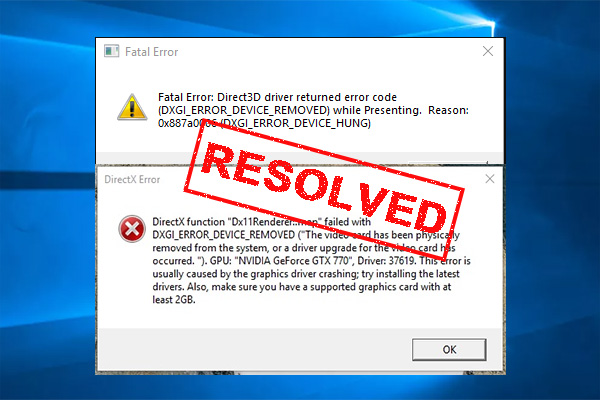
MiniTool
: Have you come across the “DXGI_ERROR_DEVICE_REMOVED” error? Now, you come to the right place. This post writes several effective ways to fix the DXGI error.
fresh lotus
pine kite
I haven't had that error after I did option 3 in the following link with suggest...
Thank you, I will give it a shot.
 vivid lion
Hey
i have this error on the player RPT ater connexion on my server and the player was kick to the game
i found this error (same of https://community.bistudio.com/wiki/Talk:arma.RPT )
x (268435456) out of range <0, 256)
on the server rpt :
Message not sent - error 0, message ID = ffffffff, to 1923023920 (PLAYERNAME)```

anybody can help me ?(i have this error since 10 days and i can't find a solution xd)
(i try to change my basic.cfg, and nothing happend)
fresh lotus
pine kite
I haven't had that error after I did option 3 in the following link with suggest...
Unfortunately that did not fix the error for me.
 modern echo
the ui bug with scrollbars is back
i dont know how to repro but just playing normally seems to be it
 serene falcon
https://cdn.discordapp.com/attachments/968692886864527391/1071621908396777472/image.png I assume this means reinstall but
 uncut trellis
serene falcon
https://cdn.discordapp.com/attachments/968692886864527391/1071621908396777472/im...
uncut trellis
serene falcon
https://cdn.discordapp.com/attachments/968692886864527391/1071621908396777472/im...
use the steam file verify
!steamverify
 rustic eagleBOT
Steam file verification process:
Right Click on game -> Local Files -> Verify Integrity of game files
Arma 3
Steam Workshop Mod repair process:
Open Launcher -> Right Click on mod -> Repair
The first process will automatically verify Steam Workshop items as well.
clear tangle
fast ravine
Hello everyone, I seem to have come across an interesting issue I havent seen in...
happens to me when i dont close the game properly, for example i just shut it down or hold power off button with arma 3 open
vivid lion
vivid lion
Hey
i have this error on the player RPT ater connexion on my server and the play...
anyone know ?
sullen sedge
mental river
maybe you have a recursive include error or something
elaborate pls?
umbral narwhal
#includes that loop, like file A includes file B which includes file A.
 umbral narwhal

 fringe salmon
so I already have arma 3 downloaded on my HDD1 but my steam client from HDD2 does not recognize arma 3 from HDD 1
uncut trellis
have you set up steam folder to the other drive through steam?
fringe salmon
ima check
uncut trellis
and how did you manage to download it to the other drive
fringe salmon
well my HDD 1 is 1TB and I always reserve the full 932GB to be only for arma 3 game and its workshop content, meaning I just add steam library there
uncut trellis
so you have the steam library in there and used the install dialog to select that drive?
is it external usb drive?
fringe salmon
its default sata HDD i selected for Arma 3 to be installed on HDD1 ye
uncut trellis
try restarting steam and/or computer
fringe salmon
k will do
uncut trellis
beyond that its more a steam support thing
fringe salmon
k restarted the PC, i shall do steam support, thanks for help
slow gazelle
Hey folks, how do you go about finding the offending mod from errors like: No entry 'bin\config.bin/CfgPatches/usmc_headgear.units'.?
uncut trellis
slow gazelle
Hey folks, how do you go about finding the offending mod from errors like: ` No ...
disable mods that might contain USMC stuff
slow gazelle
Is this actual error an issue with the mod?
I'm assuming it's RHS stuff but those mods are top of the line obviously
uncut trellis
yes
but I doubt its one of the actual RHS ones, more likely a compat or retexture mod you have on top
slow gazelle
so any other mods that return similar errors, there's nothing we can do to rectify it other than disable it?
uncut trellis
correct
slow gazelle
I've had these errors before when running mods locally and the game still boots fine and runs okay, but now that I'm trying to set up mods on a Dedicated Server it doesn't even start the mission as a result
uncut trellis
well you can inform the mod maker that they got errors
slow gazelle
uncut trellis
well you can inform the mod maker that they got errors
true
uncut trellis
some of these kinds of errors are not immediately game breaking
but they can indicate mod is not very good quality and may contain other more serious errors too
slow gazelle
do you know why a Dedicated Server wouldn't even start with those errors?
That's what I find weird
umbral narwhal
Wouldn't be surprised if it wasn't starting for unrelated reasons.
If you post the RPT I can check it.
slow gazelle
umbral narwhal
Wouldn't be surprised if it wasn't starting for unrelated reasons.
It started just fine on a purely visual mod setup - I was able to run a DS locally with headless client and play a Dynamic Recon Op with really unbelievable performance
So I'm a bit motivated to set this up the right way now
umbral narwhal
I guess DRO does have dynamic faction support, so it breaking down on bad CfgPatches entries wouldn't be too surprising.
slow gazelle
What are CfgPatches exactly?
And yeah that probably makes sense since it initializes all the factions at the start for you to select combatants
umbral narwhal
Every time a mod adds stuff to config, it adds a corresponding CfgPatches entry.
Hence CfgPatches checks are often used to check which mods are loaded.
slow gazelle
12:02:13 "_34d79c71c6c7416397df5fcf75450fe2/BIS_fnc_log: [preInit] CBA_fnc_preInit (763.992 ms)"
12:02:13 "_34d79c71c6c7416397df5fcf75450fe2/BIS_fnc_log: [preInit] itc_air_datalink_fnc_init (0 ms)"
12:02:13 "_34d79c71c6c7416397df5fcf75450fe2/BIS_fnc_log: [preInit] itc_air_ir_laser_fnc_init (0 ms)"
12:02:13 "_34d79c71c6c7416397df5fcf75450fe2/BIS_fnc_log: [preInit] itc_air_ammo_fnc_init (0 ms)"
12:02:13 "_34d79c71c6c7416397df5fcf75450fe2/BIS_fnc_log: [preInit] itc_air_ui_fnc_render_3d (0 ms)"
12:02:13 "_34d79c71c6c7416397df5fcf75450fe2/BIS_fnc_log: [preInit] SkeetIR_fnc_skeet_CBA_Keybinds (0 ms)"
12:02:13 "_34d79c71c6c7416397df5fcf75450fe2/BIS_fnc_log: [preInit] AGC_fnc_GCinit (0 ms)"
12:02:13 "_34d79c71c6c7416397df5fcf75450fe2/BIS_fnc_log: [preInit] HLC_fnc_barrel_init (0 ms)"
12:02:13 "_34d79c71c6c7416397df5fcf75450fe2/BIS_fnc_log: [preInit] USAF_fnc_debugPreinit (0 ms)"
12:02:13 "_34d79c71c6c7416397df5fcf75450fe2/BIS_fnc_log: [preInit] USAF_GPS_DIALOG_fnc_buildGPSWeaponList (50.9949 ms)"
12:02:13 "_34d79c71c6c7416397df5fcf75450fe2/BIS_fnc_log: [preInit] USAF_GPS_DIALOG_fnc_CBABinds (0 ms)"
12:02:13 "_34d79c71c6c7416397df5fcf75450fe2/BIS_fnc_log: [preInit] USAF_Afterburner_fnc_cbabinds (0 ms)"
12:02:13 Warning Message: No entry 'bin\config.bin/CfgPatches/usmc_headgear.units'.
12:02:13 SetFace error: class CfgFaces.Man_A3.asczHead_slug_A3 not found
12:02:13 Error: Error during SetFace - class CfgFaces.Man_A3.asczHead_slug_A3 not found
12:02:13 SetFace error: class CfgFaces.Man_A3.asczHead_slug_A3 not found
12:02:13 Error: Error during SetFace - class CfgFaces.Man_A3.asczHead_slug_A3 not found
12:02:13 Warning: Steam Query data overflow, Mods/Signatures will not be correctly received by clients. Remove unused mods or change your server configuration to allow for more data to be sent.
12:02:13 Error in expression <= ppEffectCreate ["FilmGrain", 1747];
effect_screen ppEffectEnable true;
effe>
12:02:13   Error position: <effect_screen ppEffectEnable true;
effe>
12:02:13   Error Undefined variable in expression: effect_screen
12:02:13 File RW_Effects\functions\fn_nightTime.sqf..., line 26
12:02:14 EPE manager release (0|17|0)
12:02:18 Warning: Steam Query data overflow, Mods/Signatures will not be correctly received by clients. Remove unused mods or change your server configuration to allow for more data to be sent.
This was the end of the .rpt, it's too big for pastebin
slow gazelle
umbral narwhal
Every time a mod adds stuff to config, it adds a corresponding CfgPatches entry.
Ah I see
umbral narwhal
"too big for pastebin" is not a great sign :P
slow gazelle
Hahaha oh dear - I'm new to arma modding on my own
Not to modding though so unfortunately I have the patience for this
slow gazelle
Sorted out the issue, just found the offending mod through searching 🙂 works beautifully otherwise.
How do I have mod settings stick when launching up a server for the first time? Is there a way in FASTER to load with xx settings at launch?
 odd lark
need help with server setup
ocean cosmos
slow gazelle
Has anyone seen this kind of pop-in/out? https://streamable.com/zrql22
When this happens the server and client FPS slows to a crawl
pearl sorrel
View distance issue by the looks of it. (Things are fighting with each other to render)
slow gazelle
Yup just checking something - I forgot to have the dynamic view distance mod on Server side as well so maybe that was what was causing it
Nah that didn't do it - essentially when I switch from foot soldier to AC130 gun cam the whole thing falls apart like that
vivid lion
Hi !
anybody know how to solve this error ?
Client: Remote object 5:6 not found
 olive berry
does anyone know how to fix this issue: i cannot hear RHS M16 and M4s, every other RHS gun audio works fine, these dont, ive alrady trieed repairing the mod
pearl sorrel
You arent using any other mod right? (If you are, remove them, and test again)
olive berry
pearl sorrel
You arent using any other mod right? (If you are, remove them, and test again)
i'm using ~100 other mods lol, but yesterday it was working, and today it. isn't, the modpack hasn't changef
pearl sorrel
Then its clearly not going to be RHS..
pearl sorrel
Fine.
Do what you want. Why bother asking for help? It clearly cant be any of your 100+ mods, as you know best.
OR you could unload everything apart from RHS (Like I've already said) and see if it works..
olive berry
pearl sorrel
Do what you want. Why bother asking for help? It clearly cant be any of your 100...
🤓🤓🤓

 dusky seal
Hello. For some reason my server history was eraseed. It has happened before, dont know why.
Also, I used to be able to see THOUSANDS of AMRA3 servers in the launcher, but now I only see a few hundred. Worse, I cannot see my favorite servers and therefore cannot add them to my favorites list.
Any thoughts?
bronze river
you probably turn on the server filter
 quaint jewel
slow gazelle
Has anyone seen this kind of pop-in/out? https://streamable.com/zrql22
quaint jewel
slow gazelle
Has anyone seen this kind of pop-in/out? https://streamable.com/zrql22
It's called "3fps" bug, it happens when graphics memory runs out
 fierce bough
does anyone know how to make this game run at anything but 30 FPS
Ive tried everything i could find but no results
steady hawk
Define “everything”
And what exactly is your hardware, video settings, mission, SP/MP, loaded Mods
lime sphinx
and what FPS meter was used
dusky seal
bronze river
you probably turn on the server filter
there are no filters
fierce bough
NVM turns out there were just allot of vehicles nearby, im running 80 fps now
slow gazelle
quaint jewel
It's called "3fps" bug, it happens when graphics memory runs out
Oh wow, this is the first I’ve heard about it. Graphics memory eh? So is it because the memory of visual assets loaded > the card’s capacity? I have a 3080ti so I’m shocked this would happen
quaint jewel
or maybe its normal ram.. dunno now. something with memory exhausted
slow gazelle
ah I see
Most the posts I can find about this are from 6 years ago, not sure what the current state is to fix it
uncut trellis
Try shorter view distances maybe? With long distances you load up massive amount of stuff at once, memory can run out. Also if you got mods on, they can contain less optimized assets that can ramp up memory use faster.
slow gazelle
uncut trellis
Try shorter view distances maybe? With long distances you load up massive amount...
I'm not seeing my computer's RAM near capacity though which is why this is weird. Sitting at 58% allocation with 64gb ram
Are the maxMem parameters all placebo?
slow gazelle
Yeah that's what I've read too
 timid bloom
Hi guys, does it never happen to you with GCAM that it gets stuck? Like you activate it but then it just won't move?
ocean cosmos
Why on earth has an arma 2 mod become so popular over the past week
uncut trellis
youtube.
ocean cosmos
ah
when are we going to start talking about ip violations 😻
uncut trellis
its not anyones entertainment.
ocean cosmos
yeah but gcam was ported without consent so its discussing ip violations in the inappropriate channel.
fringe salmon
Hi all, I was wondering what mod incompat/ mod in general could be causing the popup which subsequently causes the fatal error "Include File zegotasounds/BIS_Addoninfo.hpp not found" (which leads to) 0x0000DEAD. Vanilla works fine, so I'm assuming it's an issue with mods.
pine kite
Take your mod set apart into halves. Test if one of those halves has the mod that causes it. If it does, halve that again and test repeatedly until you are left with one.
ocean cosmos
refer here
fringe salmon
Alright, after a quick unloading of all my sound related mods, I've figured out that it is this mod in particular that was causing the error. How fun!
https://steamcommunity.com/sharedfiles/filedetails/?id=2599734429&searchtext=zeus+sound+pack
ocean cosmos
mod name plz
fringe salmon
"Zeus Sound Pack"
 white scarab
anyone know how to fix this?
 steady hawk
STATUS_ACCESS_VIOLATION does mean nothing than generic error. Please write more info like situation, Mods, SP/MP, mission etc
white scarab
its any server i join i have no mods
uncut trellis
white scarab
its any server i join i have no mods
Does single player work?
white scarab
It’s my Bluetooth head set
uncut trellis
ah
the USB audio device issue
there is a pinned message about that
or was there something more specific with bluetooth headsets and Arma 🤔
cant remember
 half mantle
Hello, I was just wondering, as I just installed IFA3 AIO, I am not able to launch Arma 3 properly. This is the error I keep receiving...
 uncut trellis
half mantle
Hello, I was just wondering, as I just installed IFA3 AIO, I am not able to laun...
uncut trellis
half mantle
Hello, I was just wondering, as I just installed IFA3 AIO, I am not able to laun...
terrain called Aachen_outskirts has buggy config and you wont be able to use it
half mantle
So, IFA3 is completely unusable?
uncut trellis
dunno. have not heard anything of it for years
you best bet is to ask in the WW2 projects discord I suppose
uncut trellis
#channel_invites_list has the link
half mantle
I see. Thanks.
Well I got a response pretty quickly from someone else that it's indeed broken and unusable. Devs don't bother to fix it.
uncut trellis
I'm not sure if the dev team even exists anymore
bronze river
IFA stuff is known to have certain unpolished assets
steady hawk
But it is unlikely to have such issue IMO. Probably you can fix your Mod
 vivid lion
Hey
i have this error on the player RPT ater connexion on my server and the play...
vivid lion
vivid lion
Hey
i have this error on the player RPT ater connexion on my server and the play...
Hi !
After some test, when i change my map but keep same mod
I have this
0:12:44 y (4096) out of range <0, 1024)``` xdI will relate you the new if i found the solution
quaint jewel
fringe salmon
dont say i have to reinstall Arma 3
Some mod requires that mod and you don't have it. Or you have that mod and it's broken
dusky seal
dusky seal
Hello. For some reason my server history was eraseed. It has happened before, do...

INTERNET server list is only showing 427 servers, there used to be thousands.. and my FAVORITES server list is empty again - all servers that i saved have disappeared... this keeps happeneing

whyyyyyyyyyyyyyyyyyyyyyyyyyyyyyyyyyyyyyyyyy
fierce bough
have you tried the ingame browser?
pine kite
dusky seal
INTERNET server list is only showing 427 servers, there used to be thousands.. a...
The list should indeed go into the 5000-ish. So, give it more time to find the rest of the servers. Or your ISP or your router or firewall may be blocking pings to/from those servers as a means of 'denial of service' protection.
As for why favorites is empty? Don't know where or in what file the launcher stores those favorite servers.
lime sphinx
or maybe the launcher just can't see any of the favorite servers online at all so they aren't displayed
pine kite
Yeah, I suppose an IP-subnet/range (country?) blocking filter might also cause this.
dusky seal
pine kite
The list should indeed go into the 5000-ish. So, give it more time to find the r...
It must be the ISP, but that still doesn't explain why my FAV list keeps deleting
Perhaps
I manually join via IP ADDRESS then manually rebuild.my server list
After i have manually joined via IP, the server will show up in RECENT and FAV but still not on INTERNET tab
fringe salmon
fringe salmon
dont say i have to reinstall Arma 3
Hey! I had this issue a while ago! The conflict for me was “Zeus Sound Packs” but it may just be a collection of Zeus sounds for you. (I’d just unload all my sound related Arma mods if you don’t have zeus sound pack)
slow gazelle
Hey folks, does Arma 3 use more than 3gb RAM as seen in the Task Manager?
I've got a 64gb DDR5 setup but I can't see why it's not using more when I'm facing the 3fps memory leak bug
 nova elm
Are you running the 64bit exe?
slow gazelle
I believe so, it was under Default (64-bit). I've set it to just 64 bit and going to test
Not seeing any difference...abysmally low usage just loading into an editor and running around Kavala
golden nova
does it happen if you run your game in default settings with no custom parameters?
no "gaming goblin" modes in your gpu/cpu/anything software to give you some better experience placebo things?
slow gazelle
no none of those placebo software
I will try to reset to defaults and see how that works
umbral narwhal
3GB is normal for just SP Altis and no assets. I don't think it throws memory at chunks of map that it's not using.
Maybe that's an issue if you're using extreme view range + detail settings. I wouldn't know.
slow gazelle
I reset parameters to default and it did start using more RAM, up to 6gb in Kavala, but the 3fps bug persists sadly
This is with ultra settings but with low view distance (2k)
I am assuming the only parameters really necessary from a performance standpoint are hyperthreading, memory allocator, and extra threads right?
umbral narwhal
None of those are necessary.
slow gazelle
Oh okay, then I'm at a loss
umbral narwhal
This is your terrain object popping issue?
slow gazelle
Yup
It's definitely driven by having a lot of mods loaded simultaneously, but I'm just wondering whether this is a hard limit or whether Arma is just underutilizing my hardware
Or rather, not quantity of mods but the types - factions and their assets, for example, seem to make it worse
Like 3CB Factions (a 10-12gb mod iirc)
golden nova
if arma runs well with no mods, then it is a mod issue
umbral narwhal
I think it's not strictly "having a lot of mods loaded" but having a lot of different assets visible.
golden nova
you don't need to place stuff from 100 mods you load to have your game CTD, just adding them to loadorder is enough.
slow gazelle
umbral narwhal
I think it's not strictly "having a lot of mods loaded" but having a lot of diff...
in this case no assets are visible, which is what's puzzling
they're just in the load order
hence why I'm looking at memory utilization issues
umbral narwhal
Well, any mod can break anything really.
ocean cosmos
are you getting the issue on vr terrain
golden nova
stuff from loadorder is transfered to some entry point upon game start, easy proof of that is loading a bunch of biggest terrains with ACE, 9/10 tries will bring you back from splash screen to desktop with error about too many vertex things or whatever
so I would simplify that issue to "engine limitation" and just try to load less (broken) mods or bother their authors to optimize models and code they put into their work
slow gazelle
ocean cosmos
are you getting the issue on vr terrain
Any terrain, not VR though
ocean cosmos
And how do the terrains perform in vanilla?
slow gazelle
without mods?
golden nova
vanilla is with no mods yes
slow gazelle
yeah, performs totally fine
ocean cosmos
How many mods
slow gazelle
~280 I believe
I know that's a lot, if it's an engine limitation I'll accept that and move on
I'm just trying to ensure that it is that since I'm fairly new to modding Arma 3 (but not modding in general)
slow gazelle
Got it, that makes senese
golden nova
and it's more about number of PBOs and content they add rather than number of mods per se, copypasting these 200 mods into one modpack will not help
slow gazelle
Got it, yeah I didn't realize # of PBOs also made a difference
Is it possible to merge PBOs? This is more of a question stemming from Fallout or Skyrim modding
Like to circumvent that?
golden nova
pbo files are limited to 2GB size and merging them would break any inheritance if "merged" mods were dependant on others
ocean cosmos
and also probably illegal for a fair few
golden nova
healthy way to play is to load as few mods as possible and only the stuff you need for your ongoing mission or thing you're making, Arma starts fast enough to just alt-F4 it, switch a preset and start it again
slow gazelle
Alright, I'll look at what I've got again. I think the main reason I'm doing this is for example to make unit loadouts etc, I don't really know what the length and breadth is of a lot of the bigger mods and it would take forever to individually go through them, so I thought the shotgun approach and explore as-i-needed it would be more efficient
didn't realize this would be such a big stumbling block 😦
So I should work to reduce the overall # of PBOs loaded as a goal, regardless of size?
golden nova
start from reducing the scope of your idea you're trying to make, if you're building modern US Army units - get rid of anything you wouldn't use including gear, terrains, overhauls etc, then go through the mods you have left and see if they don't duplicate themselves, no need to load 15 mods adding AR15s because each one of them has different grips
umbral narwhal
We really don't know exactly what limitation or bug you're hitting here but loading more than a couple dozen mods is just a terrible idea in general.
golden nova
Arma is modular but to a certain point, you can't enable or disable stuff on fly, whatever you put into loaded mods it will be loaded into the game and take a bit of your performance, this includes compositions and scenarios too
slow gazelle
I've tried to describe the bug as best I can but yes, thanks for everyone's help, I think I can try to move forward and pare things down
umbral narwhal
If you could replicate it with a much smaller modset then it'd be interesting.
slow gazelle
I haven't been able to - with a very core modset (ACE/CBA) it works smooth as butter
The reason I'm chasing this rabbit hole is because I wouldn't be happy if it was a misuse or underutilization of hardware due to something I can control
IE mod demand = XXX, game is requesting XXX-YYY
umbral narwhal
Once you have that many mods loaded, everything is entirely out of your control :P
slow gazelle
Yeah haha it sounds like it 😄
ocean cosmos
my game gets difficulties at 85 mods lmfao 280 is def too many
slow gazelle
It's annoying, a ton of realism/QoL mods take up a huge amount of space
And visual mods
ocean cosmos
i have no idea what those mods are
i dont know of any realism or qol mods that take up much space
slow gazelle
But now we're saying space versus # pbos
I'm saying # of PBOs taken by any of those (although the size is low) is still substantial
ocean cosmos
number of pbos only matters in terms of its adding more content your computer then has to catch up with
slow gazelle
got it, so ultimately it's the # of assets (size, mb) that governs the breaking point
ocean cosmos
no. how much strain it puts on the game
quaint jewel
ocean cosmos
100% engine limitation
no
slow gazelle
?
slow gazelle
so really it's just "strain", so assets and scripts I guess?
ocean cosmos
quaint jewel
there is no engine limited number of mods
i meant insofar as how much it can handle versus pure # of mods
 steady hawk
STATUS_ACCESS_VIOLATION doesn't tell anything but just a generic error
What you need to tell is more info
fringe salmon
thats it
fringe salmon
fringe salmon
whenever i play a singleplayer game and while its loading this happens
.
when im in the eden editor
and press enter
while its loading halfway in it crashes
steady hawk
Okay let me rephrase: How/when you get this error? Any Mods?
fringe salmon
steady hawk
Okay let me rephrase: How/when you get this error? Any Mods?
yeah i got many mods
steady hawk
Then unload them all to verify it is a Mods' fault or not
fringe salmon
when do i get this: whenever its loading a single player mission
alright
but what if i need the mods
steady hawk
No buts
pine kite
If loading game works without mods, then mods bad. Then your next task is figuring out which of those mods are harmless and which one is the cause of it failing. And some mods might depend on another so you got to disable them in a certain order to test.
quaint jewel
send crashdump
timid bloom
half mantle
Hello, I was just wondering, as I just installed IFA3 AIO, I am not able to laun...
this reddit thread explains which arma 3 ww2 mods you need to play https://www.reddit.com/r/arma/comments/bmbqm7/best_ww2_mods_for_arma_3/
spice spear
Is there anyone using A2C animations and having a problem with the rocket launcher reloading repeatedly?
 proper rover
hey
I have an FPS issue where GPU usage drops to near 0 and gives me these horrendous freezes
It's not the CPU, or RAM, or storage since I have overkill for all 3
and I reinstalled ArmA inst an NVMe drive to make sure
ocean cosmos
any mods
proper rover
lots, but I also tried it unloaded and the issue persists
by unloaded I mean vanilla
ocean cosmos
have you ensured your gpu drivers are up to date
 golden nova
open a resource monitor or any app to check your hardware temperatures
perhaps it's overheating
 golden nova
37 degrees during these spikes?
my GPU goes to 67 sometimes so I don't think you have that good airflow lol
proper rover
Wait I have to eat I’ll be back
proper rover
golden nova
my GPU goes to 67 sometimes so I don't think you have that good airflow lol
It’s a 1050 Ti
Is a 5000D case with 5 case fans
ocean cosmos
proper rover
It’s a 1050 Ti
My 1050ti gets into the 90s on a3 with 5 fans on it too so uh
I don't think that's correct 😅
proper rover
Lemme try again
ocean cosmos
Would recommend reinstall of your drivers if updating still doesn't fix
@modern echo r.e ace discord
modern echo
ocean cosmos
<@990316633094504468> r.e ace discord
i would appreciate if there are known mods that cause memory leaks
ocean cosmos
modern echo
i would appreciate if there are known mods that cause memory leaks
no popular ones, find out
modern echo
something weird with my system maybe?
its unreasonable that after like half hour of playing the process ends up consuming 12gb
ace, cup, rhs, dont cause problems like that?
golden nova
no, but they also can if you load too many mods
or if you run your game with some delusional parameters because you may think your hardware can handle even worse optimized titles
ocean cosmos
Max 42c on a3 is definitely sus
ocean cosmos
modern echo
ace, cup, rhs, dont cause problems like that?
If you're running any mods aside from those, unload them
proper rover
my GPU is well cooled and has a 75 W tdp
ocean cosmos
What is the max temp you get on another game
proper rover
I dunno
It's running at 100% nearly and then has these drops so can't be much hotted
in any case it's not thermal throttling bcs it'd have to get to something closed to 90 C to even start
ocean cosmos
Thats precisely the behaviour one would expect from thermal throttling though
Have you tried reinstalling the drivers yet
proper rover
I've just updated them
ocean cosmos
Reinstall them
ocean cosmos
google as i cannot remember 100%
proper rover
is there any other method that might be better to try first?
this seems like a lot of hassle for an issue that is only affecting ArmA 3
ocean cosmos
reinstalling drivers takes like 2 minutes
and 100% gpu consumption for a3 with such low temp and then dips to 0% really sounds like a drivers issue or youve got something not plugged in properly
golden nova
It's not the CPU, or RAM, or storage since I have overkill for all 3
what is your CPU and RAM
proper rover
golden nova
> It's not the CPU, or RAM, or storage since I have overkill for all 3
what is y...
5600X & 16 GB 3200 Hz
golden nova
idk then, low GPU usage can be either because of a bottleneck due to other hardware you have, some damage to graphics card or you messed up your parameters/you're loading faulty mods
try benchmarking everything in your PC, maybe run 100% vanilla Arma 3 with YAAB benchmark and with all results ask in #hardware_vs_arma, someone may be able to troubleshoot this with you
proper rover
how do you paste YAAB results?
golden nova
make a screenshot of the results, upload it to imgur and post a link, not sure if it saves that stuff in any "text" way in RPT or anywhere else
proper rover
 golden nova
yup
I'm not a techie, can't tell you much, Groove or others on #hardware_vs_arma have more knowledge on that than me
proper rover
alr
delicate belfry
I'm playing "the redacted" from the laws of war dlc, and from what I googled there's supposed to be callouts when aiming at points of interest with the designator, but I dont get any of them so I cant progress the mission
No mods turned on, and I already reverted the mission once in case a script didnt trigger or something
steady hawk
You need to spot every targets you need to take care with the ||cluster bomb strike|| using your designator
delicate belfry
Yes, and looking at a youtube playthrough of the mission there's supposed to be dialogue happening every time I spot a target. But nothing happens. No dialogue, no new task, nothing
steady hawk
You need to use spot key/control, just as you spot an enemy. Just looking wouldn't make you spot the target
delicate belfry
Ohhh, nothing in the mission said to actually spot so I just assumed looking in the direction would be enough, like it was in the main campaign
steady hawk
Keep me posted if it doesn't
delicate belfry
Yeah pressing T started popping up the tasks and the dialogue right away
steady hawk
Nice, good luck
delicate belfry
I even googled about it a lot before asking here and apparently nobody else has ever had the same problem, or they deleted the question out of shame after realizing the solution 😄
fringe salmon
anyone know what causes random "Battleye Query Timeout"
|| ... yes i own the game you mongs. ||
bronze river
fringe salmon
anyone know what causes random "Battleye Query Timeout"
|| ... yes i own the ga...
do you own the game?
well usually unstable internet connection, or steam is suddenly offline
fringe salmon
my dns is 1.1.1.1 with quad9 as backup
impossible. i have a 1 gig upstream fiber
its not my ISP
so i have no clue
bronze river
but is it stable tho?
fringe salmon
bronze river
but is it stable tho?
yeah
does A3 have some issue with sperging out about DNS?
bronze river
if you are using wifi then lag spike sometimes can cause the disconnect, try using wired connection.
fringe salmon
my pc uses cf / quad9 but my router uses openDNS / libredns
right
its not a lag spike issue bro
its something related to A3 itself
bronze river
looks like same issue also happens on Destiny 2, try their fix.
fringe salmon
I dont use gamepads at all
pine kite
fringe salmon
does A3 have some issue with sperging out about DNS?
Arma 3 doesn't really care about DNS. It's not using domain names to find IP addresses. Unless perhaps you try to direct connect with a FQDN (initially).
quaint jewel
Arma 3 doesn't, but battleye might
pine kite
Right, disregard me, I need more coffee.
delicate belfry
The "avoid collateral damage" tasks in the Altis Requiem campaign are completely busted.
Not failing them is a prerequisite for the "No Requiem" achievement but it fails completely randomly, I'd assume from an AI driving over a civilian somewhere else on the map. I didnt even use the AI support groups at all so that they wouldnt commit war crimes on my behalf.
Here's the last 15 minutes (sped up) of me savescumming my way closer and closer to the end of the mission, loading every time the task fails because happened that I didnt do:
https://streamable.com/oa5xq7
 golden nova

I feel you dude, I only got this task completed with SSCPM mod after I disabled damage to all from civ side.
You could try lowering AI skill and accuracy to lowest non-zero possible values, perhaps it could make bots dumb enough to just sit in one place
since that is a very popular issue for quite some time now you could also make a ticket in feedback tracker (or subscribe to one if it already exists)
 bitter tinsel
dont know where to put this but need help with exile traders :/ i set them where i wanted but there not there ingame :/ any ideas ?
delicate belfry
golden nova
You could try lowering AI skill and accuracy to lowest non-zero possible values,...
Oh I did that first thing when I started going for the achievements because vanilla AI is nuts at getting one shot headshots.
And I just got to the end of the campaign, only to find out that I still didnt get it so I have to redo the campaign from the first mission. Because apparently the wiki lied when it said that you only need to get it in one mission for the achievement
golden nova
the fandom wiki?
delicate belfry
Yeah
I shouldnt have trusted it when I just a few days ago corrected another achievements requirements there lol
golden nova
It is still possible to get the good ending** provided that you do not inflict innocent deaths in the other mission** (i.e. accidentally shot civilians in Lost Horizons but did not call in artillery on Salient Force)
that's what I see there, but anyway it's not an official source so it always has to be trusted with a bit of reserve
delicate belfry
I cant remember if the task failed in lost horizons, but I didnt shoot civilians
golden nova
then I guess it should be re-worded to say that you have to avoid any civilian casualties caused by any side, but that's up to @cyan hawk
delicate belfry
I'm not sure it's even civilian casualties. Because in my clip the task failed several times right after I got hit with a missile, so it might even trigger from the players tank being damaged
Happened several times earlier in the mission as well, during the first objective
golden nova
could be a civilian that was run over by a truck or got hit by a secondary explosion or something, assuming you're playing with no mods
delicate belfry
No mods yeah, but the timing was pretty convenient that it failed every time a missile hit me or the ground near me
golden nova
download the simple singleplayer cheat menu mod, click Esc during mission and execute something like { _x allowDamage false } forEach (units civilian) to disable damage to all civs present in the mission (may cause a lag depending on how many civilians are there) and check if you will get the collateral damage fail with it
it worked for me but I don't remember if I was hit with any rocket during that campaign
delicate belfry
I'll test it, I just replayed the first one and I remembered from the ending dialogue that the player character said there was no collateral damage so I'm 100% sure I didnt kill civilians in the first one
Replaying the second one now as well
delicate belfry
In the second one when I was cleaning up the infantry in the middle of Dorida, I got "task canceled" when an SPG technical took a shot at me. When I completed the objective and started driving away from the town, I got task failed. This was with the allowDamage false, which I tested by trying to shoot a civilian.
So there's definitely more than just civilian deaths involved with the mission
So I killed off every enemy in Dorida with zeus so there were absolutely none left in the area at the moment, and I got "task canceled" when I drove over a fence
 spice steppe
hi, trying to run a dedicated server with ace no medical and rhs but i keep getting a no entry error for ace medical

gone through all my mods and server mods
not sure what is causing it
using a server key aswell
golden nova
delicate belfry
So I killed off every enemy in Dorida with zeus so there were absolutely none le...
perhaps it counts destroyed buildings as collateral damage and some fences have a building class
delicate belfry
That was on my mind too, might explain the missiles triggering it sometimes if I was near something like that which the explosion knocked over
proper rover
@golden nova @ocean cosmos it's happening in Gmod too so I know it's a dedicated GPU issue now thanks for the help
and for your time
 glass cradle
hi if anyone can help i have a problem when I run arma after 10 min my hole pc crash and i tried everything ( deleted the game and reinstalled again / fix game settings / blocking mods / and even format my pc and still the crash still happen anyway so can plz any one help me
uncut trellis
could be some sort of hardware failure if such purge on software side does not help
does it crash when you do something specifc
do other games work?
how are your PC temperatures?
glass cradle
uncut trellis
does it crash when you do something specifc
nah even i deactivated mods and crash still happened
glass cradle
uncut trellis
do other games work?
yes they all work perfectly
glass cradle
uncut trellis
how are your PC temperatures?
idk tbh
uncut trellis
is it crash to desktop? game just feeze? black screen? blue screen?
glass cradle
uncut trellis
is it crash to desktop? game just feeze? black screen? blue screen?
the game just freeze and then i have blue screen it tell me that windows detected problems
uncut trellis
you may want to check your windows event viewer if there are any clues for reason for the crash
glass cradle
uncut trellis
you may want to check your windows event viewer if there are any clues for reaso...
idk how to find if there is crash
uncut trellis
google can help with that
and how to use it
it should have logs going back long time
golden nova
if you get a blue screen it should show an error code
google the code and you probably will find the reason
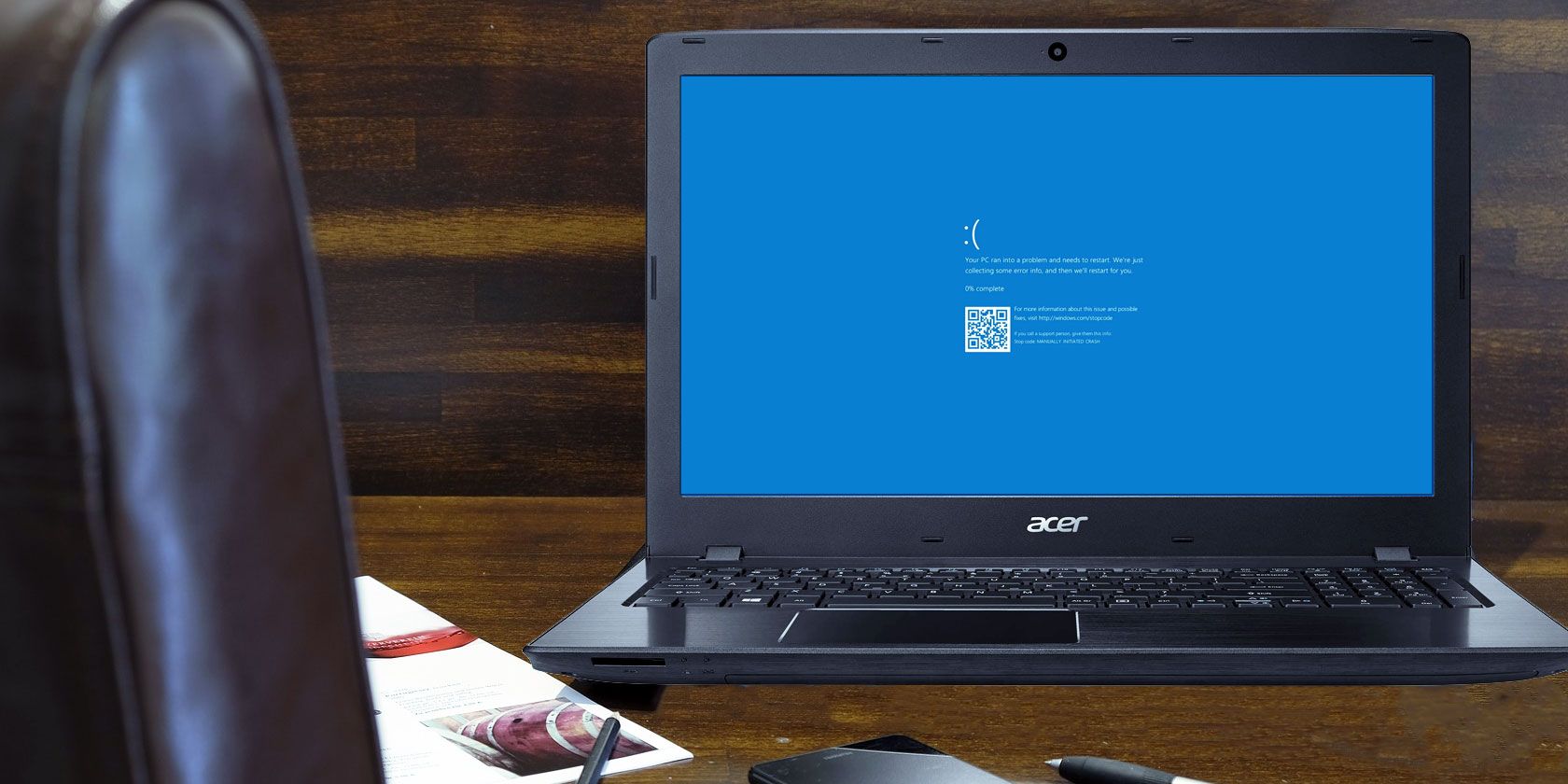
MUO
What is a blue screen in Windows? How do you fix blue screen errors? Here are several fixes for this common Windows problem.
glass cradle
golden nova
google the code and you probably will find the reason
i found the problem but i don't understand how to fix it
golden nova
me neither
 jaunty moss
Any idea why this keeps happening? Dropped a bagpack thats part of the USP mod and they keep disappearing/flickering
had this issue before with the UKSF mod that the backpacks are just invisible when dropped unless looked at from a very specific angle
uncut trellis
maybe conflict with some other mod or just a bug in the mod they are from
jaunty moss
Just curious, would this be a LOD issue or maybe even that the bag is too detailed for it to be handled by the engine when dropped?
uncut trellis
I dont think it would stop drawing it
but there could be empty view lod in there by mistake
 thick hound
Does anybody remember what is the fix for error
Missing registry entry HKEY_LOCAL_MACHINE/Software\BIStudio\TextureConvert.
when runningPal2PacE.exefrom the Arma 3 Tools?
This is something that always happened to me after installing the tools, and there was some really simple step to fix it, but i forgot what it was 🙂
(btw. this is not the case of forgetting to run the tools once from Steam, i did that)
thick hound
thick hound
Does anybody remember what is the fix for error
> Missing registry entry HKEY_LO...
Nevermind...
Solution is to install the TexView2 from the old BI Editing Tools, look where it wrote its registry records, and change their paths so they point to the TexView2 from the Arma 3 Tools.
(or, you can just remember what the correct registry path is and add the appropriate records manually - hint hint, it's not the path the TexView says it wants)
uncut trellis
thick hound
Nevermind...
Solution is to install the TexView2 from the `old BI Editing Tools...
It's obsolete error and does nothing
thick hound
uncut trellis
It's obsolete error and does nothing
Obsolete, yes.
Does nothing? No.
What the error does is that it prevents the TexView2 from working.
uncut trellis
I'm fairly sure mikeros tools just bypass it.
thick hound
but this has nothing to do with mikero's tools, this is about the Arma 3 Tools you get from Steam.
uncut trellis
Aa
fringe salmon
Hello!
On my dedicated server i try to run custom difficulty, everything works as intended but the weaponInfo is gone. Even if i set it to 1 or 2 it simply does not the weapon, magazines or grenades, is that a known bug or is there something else to know about?
umbral narwhal
Do you have any custom difficulty settings that are working?
fringe salmon
Yes, for example the mix with third person available but no crosshair is working
(thats not a option in the pre defined difficulties if im correct)
umbral narwhal
@fringe salmon Can you pastebin your .arma3profile?
fringe salmon
sure thing, wait a sec please
Pastebin
Pastebin.com is the number one paste tool since 2002. Pastebin is a website where you can store text online for a set period of time.
i've never used pastebin before, i hop that's about right
 ruby mica
Hey guys
I have a problem with the A164 Wipeout. For some reason, the speedbreaks are always deployed to 50%. I can't seem to make them go to 0%. Can someone help
steady hawk
50%? 0%? Not sure what you talk about
 cobalt iris
Anyone else having issues joining games? I get the stratis map every time I attempt to join a server and I hear birds but nothing else happens.
 slender grail
aynin
pine kite
cobalt iris
Anyone else having issues joining games? I get the stratis map every time I atte...
Do you have any startup parameters set in the launcher parameters tab? If so, which?
umbral narwhal
Might be joining a server running a mod map without the mod.
ruby mica
@steady hawk I will share a video of my problem here if it's ok
I'm using the T-flight Hotas one setup, and basically, the speedbreaks on the tips of the wing are always in this position
I have to key-bind the speedbreak (Analog) option in the settings in order to fully retract the speedbreaks.
This is what i meant when I said they were at 50% (always half open)
 hot lynx
hi when arma 3 is loading there is some Workshop content downloading in background of steam but some time after it stop itself and when i relunch the download it stop immediatly

any solution ?
golden nova
A3 workshop content won't download when Arma is running, turn it off first then either wait until Steam downloads what it wants to download or just restart Steam and let it update all the stuff
hot lynx
but each time it is the same
it's the composition workshop content, they are loading after the game is running
uncut trellis
ruby mica
I'm using the T-flight Hotas one setup, and basically, the speedbreaks on the ti...
You can try searching this discords chat history for HOTAS and see what others have said to have helped.
I recall this kind of issue has been seen before too
uncut trellis
hot lynx
it's the composition workshop content, they are loading after the game is runnin...
Maube some broken composition or too many compositions, try unsubbing from them
pearl sorrel
hot lynx
but each time it is the same
this is a bug for a while. it was put down to a steam issue, not an arma/bi issue
It's a rare bug. hence why nothing was done about it.. IIRC reinstalling the game fixed it.
hot lynx
ok :/
pearl sorrel
hot lynx
ok :/
I have the same issue.
CBA to reinstall again lol.
and there was a reddit post about it, have fun digging for it
modern echo
validate should work too as it validates the workshop data after the game files
pearl sorrel
modern echo
validate should work too as it validates the workshop data after the game files
Nope.
modern echo
i stand corrected
uncut trellis
then its most likely problem with mods (conflicting mods, wrong mods for the mission, broken mods) or badly made mission
fringe salmon
Ok so I have no clue wtf it is. I can delete a building that interior filled and it'll boot perfectly fine. But when it's put down the mission likes to mess up
No alive in 100016 ms, exceeded timeout of 10000 ms
This pops up every time the building is up
fringe salmon
I want to say it's a conflicting mod but idk how tf i'm going to narrow that down well
 minor rampart
I have a really major issue where I have terrible FPS on Arma 3 and I have no idea why.
I have an Nvidia GeForce RTX 3060, an Intel(R) Core(TM) i7-10700F CPU 2.90 GHz and 32 GB of RAM.
I have tried countless different tricks to try and improve my framerate but nothing has ever worked, I've tried running the game on low graphics, high graphics, low render, high render, I've tried turning off certain things, I've even tried playing completely vanilla, but no matter what my FPS always tanks from 45-50 FPS to 25-30 FPS, I've never been able to run Arma 3 smoothly and it's getting to the point where I just don't know what to do anymore.
uncut trellis
well your cpu is not the fastest so that might play into it.
minor rampart
I've got friends who can run the game smoothly on lower end laptops
minor rampart
The game is on an external drive but is no different than when it was internal
minor rampart
uncut trellis
do you run the game off SSD or HDD?
I don't really know what either of those are
uncut trellis
external drive is usually bad thing, they are usually slower at speed or bottleneck at the usb connection
uncut trellis
minor rampart
I don't really know what either of those are
youll have to check your system specs then
and possibly google the terms
also test stuff without mods
mods can easily eat frames
minor rampart
uncut trellis
mods can easily eat frames
I already explained that playing vanilla has the same issues
uncut trellis
well vanilla is only acceptable test case
minor rampart
Is there a way for me to move Arma 3 to an internal drive and keep my mods on an external?
Since that's what I bought the external drive for.
minor rampart
uncut trellis
do you run the game off SSD or HDD?
Is there a way to know what type I have?
uncut trellis
yes, you should be able to find instructions on the web
but it does not matter as much since you probably dont have options for internal drives
minor rampart
Which one would be better to run Arma on?
uncut trellis
SSD
minor rampart
uncut trellis
but it does not matter as much since you probably dont have options for interna...
I've got both an SSD and a HDD
uncut trellis
internal one that is
minor rampart
But my SSD is filled to the brim.
So I'll just have to move it to HDD
Still better than external
uncut trellis
usually yes
another thing you can try is to make sure your dont have some fancy GPU enhancements enabled in your nvidia control panel. those are often not very compatible with Arma.
Then you make sure you dont have any bogus launch parameters, those should not be needed to mess with.
And once you get in game try autodetecting settings, set view distance to 2000m and try different rendering resolutions
also fullscreen playing should get few frames boost. (but you cant alt tab)
fringe salmon
Could someone send me the script for making objects Ace Arsenal
uncut trellis
@fringe salmon such things can be asked on the #arma3_questions this is more for technical issues. Aslo you should be able to find such info with google
 modest adder
Currently had an issue for a few days trying to launch arma. The game loads up as usual but after a bad crash recently it seems even after uninstalling the game and reinstalling it aswell as unsubing from my workshop mods it still thinks I have mods loaded. When I load the game it gives me the "Loading Addons" and then when the game launches on the main menu it shows the mods by name but with no actual content and I cant get them removed.


 uncut trellis
modest adder
Currently had an issue for a few days trying to launch arma. The game loads up a...
uncut trellis
modest adder
Currently had an issue for a few days trying to launch arma. The game loads up a...
you likely have managed to put mod files into the Arma 3\addons folder which is for just games own files
they dont get deleted by steam
and/or you have set launcher with launch parameters which automatically load mods
modest adder
Ill dig around my addon files folder quickly. But Ive never actually added or removed files there.
Im looking through the PBO files I dont see any that seem out of place.
Okay think I found the issue seems the command line somehow was altered to force load the mods?
But the mods didn't have any content to actually load.
fringe salmon
uncut trellis
<@456226577798135808> such things can be asked on the <#105784487148802048> thi...
alr
uncut trellis
modest adder
Okay think I found the issue seems the command line somehow was altered to force...
the command line does not update on its own. have you perhaps copied someone elses settings files form interwebs or something
timid bloom
Hi guys ^^ Has it never happened to you that UnitCapture does not work properly with certain mods/vehicles? I'm talking specifically about the UnitCaptureFiring. I've noticed some airplanes/helis just won't record their firing.
 patent kettle
the BI func works properly only for primary vehicle gunner as it does not capture which turret fired the weapons.
 bitter steppe
would someone be willing to wlk me through how to host a match?ive tried a couple of different things and watched a few different videos on the matter but still cant seem to get something going that will pop up for my friends... they are starting to get mad becasue i have the better PC......
please help!
pine kite
Nothing will work unless you host it on a rented server directly connected to the internet, OR you get port forwarding working in your router. It protects your local network by ignoring unsollicited traffic from the internet. You'll have to open certain ports in your router. The game offers to do it automatically through UPnP but often the router is not configured to accept that for that (as it can be considered a security risk). Unfortunately configuring a router is different for each brand and perhaps different router models. There is no simple explanation how to do it in every one. You'll have to find manual/documentation or perhaps videos of others how they configured their router that might be similar/the same as yours. In essence you have to port forward UDP protocol port-range 2302-2306 to your server computer's local IPv4 address. (looks like 192.168.x.y, 10.x.y.x or 172.16-31.x.y) And then you need to have your server firewall to also accept those ports for incomming traffic.
!localhost
rustic eagleBOT
Arma 3
To host a server or a game session locally, you need to make sure first that your WAN address / external IP uses the IPv4 protocol!
Check your router’s status page in the settings to confirm. (If in doubt, ask your ISP, Websites like “whatismyip.com” give you a false positive!)
Local servers and games can not be hosted on an IPv6 network, or IPv4 via DSlite tunnel!
https://www.avg.com/en/signal/ipv4-vs-ipv6
Once you have confirmed that your connection uses the IPv4 protocol, you need to manually open / forward the ports 2302-2306 UDP (https://community.bistudio.com/wiki/Arma_3:_Dedicated_Server#Port_Forwarding)
See your router’s manual on how to do that, or ask google: “<your router model> + port forwarding”
 fiery cave
A friend of mine who's been IP banned from this server after his account was hacked wanted me to ask this for him because it's been happening ever since he reinstalled Arma 3:
"Hey I have a problem with my arma, any time I try to switch my profile or open the editor it just freezes my whole computer forcing me to reset my computer"
quaint jewel
fiery cave
A friend of mine who's been IP banned from this server after his account was hac...
He could also ask to be unbanned if he got his account back
fiery cave
He has a new account, who would he ask though if he's been IP banned tho since he can't access the server?
I'll bring this up to him tho
bronze river
fiery cave
He has a new account, who would he ask though if he's been IP banned tho since h...
can appeal via you if your friend got their account back
fiery cave
bronze river
can appeal via you if your friend got their account back
How do I do this then? I could give his account name, as well as the old account, etc. Where would I need ot put this?
bronze river
just tell the account id, name, (no alt account allowed tho).
you can DM the moderator (orange colored names) or in #discord_server
fiery cave
Okay thanks
bitter tinsel
hey guys anyone able to help with battle eye kicking me when its my own lol
bitter tinsel
an its more the infistar tool kicking me i need help with but creating again now
 flint gale
Hello lads, can anyone help me? folk say / should open the chat, but it doesn't open anything on my end. i can't type anything, help!
 wicked perch
anyone able to help me with this ?
 umbral narwhal
Onedrive versus Arma profile folder, IIRC. Not sure on the fix.
 flint lark
https://cdn.discordapp.com/attachments/669574822619250689/1075100118145061004/image.png
Any clue why this happening with the addon builder? Had prior to this errors caused by page file sys requiring a larger size which I increased which then results in this. The texture it's referring to has had no issues in earlier builds of this mod
 ocean cosmos
flint lark
https://cdn.discordapp.com/attachments/669574822619250689/1075100118145061004/im...
ocean cosmos
flint lark
https://cdn.discordapp.com/attachments/669574822619250689/1075100118145061004/im...
how big is the thing you are trying to build
flint lark
~85 MB, time to create multiple PBO:s?
ocean cosmos
definitely not if its 85 mb, limit is 2gb 
flint lark

wicked perch
umbral narwhal
Onedrive versus Arma profile folder, IIRC. Not sure on the fix.
i got it appreciate you helping
 woeful sleet
Hey everyone, I’m hoping someone can help me out. I’m trying to play Antistasi and Direct Action on Altis and I can’t get it to allow me to turn on respawns. I don’t even see an option for it anywhere. Any help would be appreciated!
 chrome current
woeful sleet
Hey everyone, I’m hoping someone can help me out. I’m trying to play Antistasi a...
chrome current
woeful sleet
Hey everyone, I’m hoping someone can help me out. I’m trying to play Antistasi a...
You're probably starting it as a Singleplayer mission. You need to host a local Multiplayer session with the mission.
woeful sleet
chrome current
You're probably starting it as a Singleplayer mission. You need to host a local ...
I’m starting it in the multiplayer menu, in the host a server option. Is there something I should be doing differently? Sorry, I’m quite new to this game and my other buddy normally hosts for us, but I’m trying to figure it out for when he’s unavailable.
chrome current
woeful sleet
I’m starting it in the multiplayer menu, in the host a server option. Is there s...
Then there shouldn't be anything that prevents respawns. What's telling you that respawn is off?
woeful sleet
chrome current
Then there shouldn't be anything that prevents respawns. What's telling you that...
In my mission select where I choose Antistasi or DA, the top left where it says respawns says “no”. And I can’t find anywhere to change that.
golden nova
have you checked the parameters menu?
it's a button in top right when you're in lobby
woeful sleet
I haven’t, I’ll try that when I get home tonight. Thanks a bunch!
 lone osprey
excuse me but when someone join the task force radio channel in teamspeak when we are in game, i see them like this :

and i can't hear them
Bernardo is my friend who joined the game
pls if your answer me ping me
 maiden lark
anyone know what I need to start?

 shadow sigil
Does anyone know how to fix the issue where arma 3 just uninstalled itself? and says on steam "install" instead of play
quaint jewel
maiden lark
anyone know what I need to start?
put that message into google, the onedrive thing
serene falcon
https://cdn.discordapp.com/attachments/1029526220100083773/1075329370090123324/image.png
Any mission myself, my zeus or another make and load to the server doesnt load any playable roles, goes on about 32-64 bit something, Ive just matched the mods and server's commandline and still nothing so Im not sure
 pearl sorrel
Post server RPT
lone osprey
lone osprey
excuse me but when someone join the task force radio channel in teamspeak when w...
?
uncut trellis
lone osprey
?
Maybe they don't have tfar enabled or have wrong radio channel set or different nickname to steam. Check tfar documentation for what it requires to work and make sure all of those are in order
 weary sky
or has no permissions on the server, so is automatically muted and deafened
 green olive
I'm playing co10 escape, which has mag repack. We are also using ace3. Unfortunately ace repack interferes with the repack system on co10 escape (it used to work, but I suppose there's a race condition in which one sets the keybind later). I couldn't find a keybind to remap, does anyone know how I could fix it?
Is there some setting I'm overlooking or could I rebind it with a script for people?
umbral narwhal
@green olive You mean they're both binding ctrl+R or what?
I don't think ACE has a hotkey for the mag repack but there are some shift/alt/ctrl+R binds in "ACE weapons" which you could clear or change.
 winged trout
I've been encountering an issue with UAVs and waypoints. Particularly, not wanting to climb to the right altitude or stay there (often diving back down to a minimum altitude rapidly if I fly it manually up) Has anyone else encountered something like this?
fast ravine
winged trout
I've been encountering an issue with UAVs and waypoints. Particularly, not wanti...
if I fly it manually up
Did you set the altitude before or after taking control?
 charred shale
Recently I’ve been encountering an issue in Arma 3 that regardless of what I’m doing, I will get constant frame stutters every three seconds (yes, I timed it.) and I’ve tried everything I can think of to fix it; including but not limited to verifying game files, updating graphics drivers, updating windows, setting the Arma 3 exe to above normal priority in the CPU, and I would greatly appreciate some help.
pearl sorrel
charred shale
Recently I’ve been encountering an issue in Arma 3 that regardless of what I’m d...
Is it in the first 30mins to hour of the game being up?
charred shale
Effectively until I close the game.
charred shale
pearl sorrel
Is it in the first 30mins to hour of the game being up?
I’ve noticed something. It doesn’t start until I close the initial No Entry error.
pearl sorrel
What initial no entry error?
charred shale
This one: No Entry bin\config.bin/CfgMovesMaleSdr/Actions.
Just looked it up, it’s caused by ace3 animations and actions, gonna remove it and see if that does anything.
If it does, I’ve wasted your time and I apologize. If not, well, back to the drawing board I suppose.
Yeah, still getting the stuttering.
umbral narwhal
Are you running any mods?
charred shale
Define compositions
charred shale
What I’m saying is, I don’t know what that is.
uncut trellis
composition is the thing it is
its a preplaced collection of objects you can place in editor
 charred shale
I have subscribed to no compositions.
golden nova
then this is a mod issue, one of you're running.
charred shale
As previously stated, it happens when I run the game clean too.
golden nova
any scenarios you're subscribed to? have you tried unsubscribing from them?
I sometimes get initial freezes after I download too many mods or simply Arma has been on my pc for too long, reinstalling it or at least getting rid of mods fixes that
ocean cosmos
have you entirely reinstalled
charred shale
I have a feeling it may be S.O.G Prairie fire, but that’s just a hunch.
charred shale
ocean cosmos
have you entirely reinstalled
Many times in the past, yes.
ocean cosmos
what about in the recent
umbral narwhal
Sanity check. This is every three seconds, timed? On an empty editor scenario, any map, no movement?
charred shale
umbral narwhal
Sanity check. This is every three seconds, timed? On an empty editor scenario, a...
In the main menu, friend.
And yes, timed.
umbral narwhal
it's fine in game then?
charred shale
Negative.
umbral narwhal
Meh, cases too different. Feels like it has to be some background abuse or hardware issue.
charred shale
I’ve fixed it before, I just can’t remember what I did to fix it.
golden nova
try unsubscribing from all of your mods if it's not a problem for you to redownload them again (it's a one button press in Steam and if you have a html preset you can redownload them in one click too). Not sure if that's a real solution but worked for me previously more than once, and I usually start noticing these freezes after I reach 400+ downloaded mods (not loaded, just subscribed)
charred shale
I’ll give that a try.
Nope. Still stuttering.
For what it’s worth, my CPU usage is randomly spiking up and down to 100%.
uncut trellis
could be hardware issue too
charred shale
My hardware is more than powerful enough to run Arma.
uncut trellis
but if something is broken/breaking
charred shale
Arma is the only game I have this issue with.
fast ravine
Alright, so I'm having problems again with my arma profiles getting corrupted/messed up.
I have already tried deleting the profile folders inside My Documents (A3 profiles + Other profiles). Where else would arma call up profile data? Now my profile is seeing mission files that are not inside it.
Also important to note is that whenever arma starts and the profile data is messed up, when I open up the profiles tab there is no profiles listed but the proper profile name displays. And then arma crashes
charred shale
I think I found the fix. And I’m going to be very upset if it was that simple.
fast ravine
charred shale
I think I found the fix. And I’m going to be very upset if it was that simple.
well did you?
charred shale
As soon as my mods finish downloading, I’ll let you know.
pine kite
charred shale
For what it’s worth, my CPU usage is randomly spiking up and down to 100%.
There is an application that is doing that. Check in taskmanager or resource monitor what is doing that.
pine kite
fast ravine
Also important to note is that whenever arma starts and the profile data is mess...
Profiles generally don't crash by itself. You must be closing your game in a weird way that gets those files saved in the improper way. OneDrive tends to mess around with your Arma 3 profile folders. Something goes wrong as it tries to synch it, I think. I removed it from my system. Never had issues unless I was messing with the text in the files itself.
fast ravine
pine kite
Profiles generally don't crash by itself. You must be closing your game in a wei...
Probably is OneDrive, even though I have it set not to sync. Will investigate

quaint jewel
Oh no, he has a mirror! :panic:
ocean cosmos
forgot onedrive was a thing for win10 tbh i entirely disabled it the day i got my computer
 serene dove
Both antistasi and Liberation chernarus will run fine on our modlist when I locally host them on my PC, but neither one initializes on our dedicated server with the same list. The scripts don't start, nothing is interactive, and the rpt shows nothing odd.
Even odder, Liberation altis runs fine. We have no idea what's going on, can anyone help?
I can't upload the RPT, or I'd post it here.
pearl sorrel
pastebin the rpt
ocean cosmos
if its too large to pastebin im unsurprised it wont initialize
how many mods are you running
serene dove
Every other mission works fine.
Roughly 100.
The server itself launches and functions, it's just those specific mmissions won't work.
And again, Lib on Altis functions with the same list.
ocean cosmos
functions or works
serene dove
Same difference. The server launches, works fine, we play on it weekly. This is the only issue we currently have
 livid robin
Hello quick question, me and my friend try to play hamachi LAN games together and on some days my friend just cant see my server. weve tried going through every variable we could think of, e.g. changing modpack, removing mods, switching hamachi networks, clearing download caches reinstalling the game, direct connecting and i can see his game just fine all the time, but it feels like the game just decides to block my servers on certain days
obv very vague problem but maybe someone else has also experienced this?
pearl sorrel
Jesus CUP, Tier One, NIARMS, SMA and RHS
serene dove
Yeah, we have a large equip list for a reason :P We have an R&D based unit.
It runs way, way better than you'd think. The lowest fps we get is about 40-50.
pearl sorrel
as well as broken mods like the f117
serene dove
F117 is alpha, we're testing it for the devs
defending my modlist aside
is there anything that indicates why cherno doesn't work?
pearl sorrel
Well, there are far too many mods being loaded for me to work out what is causing what.
decent amount of config errors. Some $str errors, many overflow issues.
Literally could be anything.
Best guess. Old mission file.
serene dove
Probably. Thank you for having a look either way, I do appreciate it.
livid robin
livid robin
Hello quick question, me and my friend try to play hamachi LAN games together an...
weve now also tried port forwarding and going onto other games, its very clearly an arma thing. i would really appreciate help
fast ravine
quaint jewel
Oh no, he has a mirror! :panic:
I couldnt find the duck detective!
pine kite
serene dove
The server itself launches and functions, it's just those specific mmissions won...
Try again without any mods. Run the mission. If it runs, it's the mods you are trying to load.
serene dove
pine kite
Try again without any mods. Run the mission. If it runs, it's the mods you are t...
I figured it out last night, PBO manager wasn't exporting it properly.
 cyan solar
my game keeps crashing and giving me the 0xC0000005-status-access_violation error code
pine kite
It's a very generic error code. https://community.bistudio.com/wiki/Arma_3:_Unusual_Process_Exit#0xC0000005_-_ACCESS_VIOLATION These actions may be the solution but it is impossible to narrow it down which one it is.
cyan solar
tried every single one of those and non of them helped
charred shale
pine kite
There is an application that is doing that. Check in taskmanager or resource mon...
I opened Resource Manager As you suggested, and I still can’t find what’s making Arma 3 stutter. However, the problem changed to where it only does so when I’m moving now.
 static wyvern
I'm having an issue in vanilla public zeus servers where the VON system will suddenly cut out and I can't hear anyone else
Is this a known issue and are any fixes available
pine kite
you pressed comma or period key? changes channels
static wyvern
That doesn't affect receiving
pine kite
Do you hear any sound?
static wyvern
Yes, and my VON in audio settings is at 100. The problem is corrected after leaving and rejoining, but that isn't very practical
uncut trellis
What kind of audio device you use?
static wyvern
Steelseries Arctis 7, so that isn't the issue
uncut trellis
Is it USB or analog audio?
static wyvern
USB, routed through a hub
uncut trellis
USB audio devices have some troubles and steelseries has been mentioned before in conjuction so I would not tule that out completely. Perhaps unlikely though and hard to test without other audio device to try with
static wyvern
The problem isn't my device. I get full audio all the time except when VON cuts out
uncut trellis
Humour me and if possible try to reproduce the issue with some other audio output.
static wyvern
I don't have another unfortunately. And I haven't had the issue after leaving EU #2
knock on wood
static wyvern
Oh sweet, I was kicked for having the wrong signature for addons\characters_f_epb.pbo twice
does anything multiplayer related work consistently?
 versed shell
anyone know why i have no foliage in game but i do in the editor. my terrain is set to ultra and nothing
uncut trellis
versed shell
anyone know why i have no foliage in game but i do in the editor. my terrain is ...
mods messing it up perhaps
static wyvern
versed shell
anyone know why i have no foliage in game but i do in the editor. my terrain is ...
Is it a server setting? Are you playing online?
pine kite
No bushes and trees at all? Or just no leaves on trees and such (or weird rendering of those?) Screenshot would help.
 willow marlin
any one know how i fix my arma? everytime i try and load it up it wont work, i keep getting a pop up message and error code that says 0X0000DEAD, unknown???? i know its a kill code but ive uninstalled and reinstalled along with deleted all my mods. but it still wont work
umbral narwhal
DEAD is a secondary error. You want to quote the one before that.
 daring hearth
Anyone familiar with how to get Teamspeak / TFAR to run for multiplayer servers? Our server doesn't seem to be agreeing with it and after a couple attempts at fixing it we are still stuck with a big old "no radio deployed on server" message lol
ocean cosmos
you need the tfar mod installed on the server
 exotic yacht
hey does anyone know anything about plastic barrels spawning randomly?
i have no idea how, but we bought a server like 2 days ago, and since we started it random plastic barrels have spawned.
they like to spawn in front of vics when moving too
are there anymods that could do this?
or is our server compromised or something
umbral narwhal
mods can do whatever they like.
exotic yacht
thanks
 ancient cove

every time i try to launch arma it throws this at me
repairing 3den doesnt fix it
 uncut trellis
ancient cove
every time i try to launch arma it throws this at me
uncut trellis
ancient cove
every time i try to launch arma it throws this at me
have you done steam install verify?
!steamverify
rustic eagleBOT
Steam file verification process:
Right Click on game -> Local Files -> Verify Integrity of game files
Arma 3
Steam Workshop Mod repair process:
Open Launcher -> Right Click on mod -> Repair
The first process will automatically verify Steam Workshop items as well.
 shadow raptor
I keep getting this when I try to use publisher, I've tried reloading it with steam open to no use, anyone able to help?
 uncut trellis
maybe your firewall is blocking it
quaint jewel
The connection to steam doesn't use networking
 keen trench
Hello, i am having a difficult time understanding how to publish a multiplayer mission. I made a mission trough the Eden Editor with a player as Zeus. Everything works, i publish it to steam workshop to give it to my friend and it dosen't show up in the multiplayer scenario selection, only in the single player missions. How could i make it show in multiplayer too?
fringe salmon
I am using enhanced melee and each time I equip a melee weapon it equips binoculars on the left hand
uncut trellis
fringe salmon
I am using enhanced melee and each time I equip a melee weapon it equips binocul...
youll have to consult the makers of the mod
most likely its conflicting with something else you use
ocean cosmos
It uses binoculars slot as the other hand's weapon
fringe salmon
ocean cosmos
It uses binoculars slot as the other hand's weapon
yes that is what is happening
ocean cosmos
i know. to stop it you have to unequip binoculars
 neat sonnet
Anyone able to help me play with a friend, I port forwarded correctly but he still can't see the server?
 upbeat silo
Does anyone have any idea as to why my settings for addons won't save? like it says the server is overwriting my mission settings, but whatever I set in the server settings doesn't actually takt affect, it instead listens to my mission settings, which I can't change cause it says they are being overwritten. I am stumped
pearl sorrel
How do you go about applying settings to the server?
upbeat silo
through settings, configure addons, then to the screen with the settings, it has the server section, mission, and client, but server doesn't apply even if I have it set to overwrite mission settings
fringe salmon
Hey, i have a 3070ti and a 5600x, both of which do not bottleneck during the game. Further, none of the listed parts on task manager do, any idea why this is happening?
golden nova
fringe salmon
Hey, i have a 3070ti and a 5600x, both of which do not bottleneck during the gam...
and what's your issue exactly because I'm not sure you stated what "is happening"
if you mean "I have decent hardware but Arma runs in less than 60 FPS" then it's completely normal as it's Arma 3, but you may receive more insight on the channel I pointed you to
 dusk gorge
@outer gorge sry for the ping but which of these is the marker you were talking abt?

i just cant frickin find the mortar spotters can someone help me?
 outer gorge
it just shows up a solid diamond marker somewhere near the question mark
dusk gorge
outer gorge
it just shows up a solid diamond marker somewhere near the question mark
i can't find it
dusk gorge
does anyone know how to find the spotters in the death valley mission or was it design to just be impossible?
lime sphinx
i don't remember having any problems with that during my playthrough
chrome current
dusk gorge
does anyone know how to find the spotters in the death valley mission or was it ...
Are you using the drone in thermal view?
dusk gorge
chrome current
Are you using the drone in thermal view?
yeah, it's hard to see anything other than bushes and trees
i just don't know where to look
chrome current
dusk gorge
yeah, it's hard to see anything other than bushes and trees
You can also shift-click on the map near the ?, and look for that marker in the drone view, so you know where you're starting off.
dusk gorge
i've searched their location on the internet but they just aren't there when i go tryna find them
what i am supposed to look for on the map?
bronze river
try increasing your view range in overall and pip
bronze river
dusk gorge
what i am supposed to look for on the map?
2 scouts
dusk gorge
bronze river
2 scouts
what do they show up on the map as?
 open plover
I'm trying to play around with modded zeus with a friend. Some of the mods (ITC Air Systems and Fawks' enhanced NVGs) work fine in single player, but don't affect anything when hosting a server through the server browser. Can I get some direction here?
bronze river
2 green dots
u can also use drone's radar to find them it will show as white dots on the sensor
 bronze river
have you follow the hint on how to use the drone, take the uav terminal, asseble drone, and look for enemy
dusk gorge
bronze river
have you follow the hint on how to use the drone, take the uav terminal, asseble...
yes i have used the drone and scouted the area around
i might try to follow those 2 dots like you said
bronze river
use the UAV cam, and not the UAV control
dusk gorge
bronze river
use the UAV cam, and not the UAV control
ty it finally worked!!
one final question, how do mark them?
bronze river
double click on the map on their location, or try scrolling i think there is a promt to tell their position to ur team
dusk gorge
thanks!!
open plover
open plover
I'm trying to play around with modded zeus with a friend. Some of the mods (ITC ...
they do work but not while remote controlling an NPC 😫
bronze river
open plover
they do work but not while remote controlling an NPC 😫
try tinkering with configure addons in setting
remote controlling NPC is basically controlling an UAV, it's weird.
 hasty wren
I have setup zerotier with my friend to play Arma 3, but when I make an LAN server and my friend tries to join, it just disconnects him immediately. This happens mostly with Antistasi, but with some official ones as well.
 latent oriole
I am playing the arma 3 cold war crisis campaign mod, I'm on the mission ''guardian'' where I need to escort a convoy of trucks to an airbase, problem is I am unable to make them move by using the ''supports'' in the radio, there is also no ''custom supports''. A couple of missions ago I was also unable to use the same feature for when you were meant to be able to send an additional squad to attack a camp, the supports order was missing. Radio related objectives have worked in the past with this mod, so I don't understand what is up.
Edit: I managed to complete the mission through uh.. improvisation (shooting the convoy drivers and replacing them with my own squad members to order them around) but it would still be good if anyone knows how to fix the radio commands not showing up.
fringe salmon
latent oriole
I am playing the arma 3 cold war crisis campaign mod, I'm on the mission ''guard...
missions in ARMA 3 in the steamworkshop are known to always be super buggy
that is why it is best to make your own mission
uncut trellis
Do you run any extra mods? Those can very easily break mission features
fringe salmon
uncut trellis
Do you run any extra mods? Those can very easily break mission features
This too
hasty wren
I fixed that by using Internet option instead of LAN when hosting the server
uncut trellis
perhaps your steam privacy settings prevent that
hasty wren
perhaps
 sullen talon
yes, but if that doesnt work have them check using the launcher's server browser
 bronze river
are you playing with mods?
fringe salmon
dusk gorge
what
Here is my 2 cents.
-
ARMA 3 missions in the Steam workshop especially if made by someone who is not actively updating it anymore tend to be very buggy and shit.
-
You are using playing with mods that interfere with the mission, unload all mods except the ones required by the mission.
dusk gorge
bronze river
are you playing with mods?
no
and this is a mission that comes with arma 3 itself
pine kite
It helps if you mention exactly what mission that is. Then other can verify if it goes wrong. No clue what thing you are talking about.
dusk gorge
pine kite
It helps if you mention exactly what mission that is. Then other can verify if i...
It's the mission that comes after "signal lost" in the second official arma 3 campaign
 tired leaf
where are the files for the p drive normally saved?
also is this the right channel for questions regarding arma 3 tools?
uncut trellis
tired leaf
also is this the right channel for questions regarding arma 3 tools?
usually tools related questions have been asked in the _maker channels, generic tools question perhaps best go to #arma3_tools or #arma3_questions
this channel is more for troubleshooting crashes and buggy behavior of the game
uncut trellis
tired leaf
where are the files for the p drive normally saved?
however to answer your question , it depends what tool/method you have used to create P drive. Each have their own default folder and configuratins on how to change that
tired leaf
i used the arma 3 tools one
uncut trellis
it has settings tab that shows the paths it uses.
however depending on what kind of modding you want to do, the setup with it may not work fully in win10
tired leaf
the folders that are linked in the settings of arma 3 tools don't exist
so that doesn't tell me the path
uncut trellis
tired leaf
so that doesn't tell me the path
I suppose you can use windows file search too to find files in there
tired leaf
good idea
dusk gorge
dusk gorge
what
can anyone help me? i can't proceed with the campaign from here, i'm on the brink of unninstalling the game again
bronze river
try reverting to previous mission
dusk gorge
because technically i havent started the mission
dusk gorge
bronze river
try reverting to previous mission
i cant revert it
bronze river
try older mission
dusk gorge
i redid the mission before this one
but it still happens
im reinstalling the game rn
dusk gorge
bronze river
redid as in replay or revert
both
dusk gorge
bronze river
just try to verify on steam first
already did that as well
i just reinstalled the game and this is still happening
did i seriously just softlock the campaign??
bronze river
you may need to create a new profile and start the campaign again
dusk gorge
bronze river
you may need to create a new profile and start the campaign again
yeahh... thanks for all the help tho
bronze river
dusk gorge
what
check the sitrep on top left screen, how did he died
dusk gorge
as a last resort, is there a way to contact the devs?
dusk gorge
bronze river
after u died there usually a reason why and how on that sitrep data
the sitrep only states my name, time and location of death
no cause of death tho
i believe i stepped on a mine on the previous mission right before being brought to the next one
bronze river
last mission was tipping point, were you get in to the boat?
dusk gorge
bronze river
last mission was tipping point, were you get in to the boat?
the mission this bug is happening is at the start of common enemy, preceded by signal lost
at the end of signal lost you find your mates hidden and a few mines behind them
i may have stepped on one of them the second i got teleported to the next mission
bronze river
try revert back to the mission of signal lost, and stay until night falls
if the issue still exist then creating a new profile may helps
dusk gorge
bronze river
try revert back to the mission of signal lost, and stay until night falls
i already did that, but it didn't help though i didnt stay until nigh. may i ask how staying until night might help?
bronze river
i believe james tells you to stay until the time skip, then after night comes he will ask you to follow him north.
dusk gorge
he just tells me to find him on the hill, i didn't hear anything about staying till night
bronze river
after u meet him the first time on that hill, he will say that
just try to avoid the mines, approach from the south (tho risky but quite safe from mines)
dusk gorge
when i meet him on the hill, i just progress to the next mission
which is where im stuck
fuckk me if i have to do the campaign again
bronze river
there is also this guide to skip the mission online, not sure if it's still works
"Press Shift and Numpad ' - ' at the same time, then type endmission"
dusk gorge
bronze river
there is also this guide to skip the mission online, not sure if it's still work...
it works!!! thank you so much, now i can proceed with the campaign
bronze river

exotic yacht
Just a small thing I can get images to appear in a mission, did I put them in the file wrong? I just went to the mission folder, made an image folder and put them in. And they don’t work.
fast ravine
exotic yacht
Just a small thing I can get images to appear in a mission, did I put them in th...
You’ll also need to script them in
exotic yacht
I did, nothing
fast ravine
Are you getting any errors when interacting with things that should make the images appear?
Have you double checked the directory in the script?
bronze river
exotic yacht
Just a small thing I can get images to appear in a mission, did I put them in th...
did u make it like this? (png file is inside the img folder)
 fast ravine
bronze river
did u make it like this? (png file is inside the img folder)
fast ravine
bronze river
did u make it like this? (png file is inside the img folder)
Ah, thats why
Try jpg instead
or .paa


 quaint jewel
type that message into google
 cobalt meadow
thanks
bronze river
uh... i just started the game then alt-tab, and comeback with 2 arma3 windows open, one has this.
i'm not even in the game yet, it still loading from fresh start. (yes im playing with mods).

now i have 2 arma3 windows open, 1 has the mods icon show up, and another is that.


it feels like im playing vanilla and with mods at the same time
also notice the different arma 3 icon
nova elm
One of them is locked out of reading the data it needs because the other has a lock on the data.
You can't run two instances at the same time
bronze river
i swear i clicked once on the launcher
bronze river
bronze river
uh... i just started the game then alt-tab, and comeback with 2 arma3 windows op...
what i dont get is one sent me straight to the bootcamp mission
nova elm
Possibly some input from the game thinking it is in focus when it isn't.
 uneven coyote
Getting a crash if a UAV like a darter fly near me. Get this message "data error cyclic redundancy check" and the logs talk about Fault address: 8DFDCD29 01:0002BD29ll C:\Windows\System32\KERNELBASE.dll
file: A_m02
world: Stratis
campaign: A3\Missions_F_EPA\Campaign
battle: Missions
mission: A_m02
Prev. code bytes: FA BC 06 00 48 8D 4C 24 20 48 FF 15 A7 9C 19 00
Fault code bytes: 0F 1F 44 00 00 48 8B 8C 24 C0 00 00 00 48 33 CC
This is on window 10, no mods and already tried verifying files and no missing or corrupted files
anyone have any idea on what could help find the issue?
umbral narwhal
I think that's Arma forwarding an error with Windows failing to read the disk.
Check windows event viewer -> system, see if there's some disk error reports in there.
uneven coyote
I may need to check for bad sector as wanted to move arma to a new drive and for the first time got a fail to copy
uneven coyote
issues fixes thanks for helping. It was something related to the system not reading arma on another drive. Put it on the C drive and working as expected. Not sure if it the drive itself is dying or something else stopping it from allowing data to be accessed. Had more then 100 report of drive issues on the event viewer
pine kite
Depends on the kind of drive issues. Might want to use a program that can show SMART table values. Could be bad sectors.
 cosmic cove
I can`t seem to get the host new session thing to work?
I opened the ports 2302 and 2303 already
 topaz sluice
Hey can anyone help please