#arma3_editor
1 messages · Page 24 of 1
 remote storm
 slow jewel
yeah i don't know about Mods
slow jewel
oh shit lol
remote storm
 turbid olive
btw, why do you want vehicles?
turbid olive
btw, why do you want vehicles?
doing a solo and I'm just testing things out for an exsisting save to see if it will work
slow jewel
did you ever try the vanilla respawn modules ? or should i say the vanilla vehicle respawn modules
turbid olive
remote storm
doing a solo and I'm just testing things out for an exsisting save to see if it ...
you can just buy a start vehicle in the start, what is on preset is enough
remote storm
slow jewel
did you ever try the vanilla respawn modules ? or should i say the vanilla veh...
that is what I'm using, none of the vehicles are modded they are all part of the CDLC
slow jewel
hmm ok i see
i had the same thing happen to me years ago but i can't remember what was happening
can you just place a car or truck down in the mission and see if that works
maybe theres something in that mod that don't let you cheat 🙂
remote storm
slow jewel
maybe theres something in that mod that don't let you cheat 🙂
nah ain't that cause the mod uses respawns plus it's only after the mission starts do the vehicles explode once they do it once they respawn and everything is fine but it does kinda kill the immersion every single time it happens
slow jewel
im assuming that theres a vehicle spawning on top of another vehicle
or the exsisting vehicle don't get deleted soon enough befor the new vehicle come in
somthing like that
or it happends so quick you can't see it happen
and did you check the RPT file at all
remote storm
slow jewel
or the exsisting vehicle don't get deleted soon enough befor the new vehicle co...
That's what I am thinking maybe... purposely edited the respawn to not include explosions
slow jewel
yeah do that
remote storm
Okay so update, started a new mission save and they didn't explode started a different location so gonna move towards where the vehicles spawn save and relaunch the mission to see if they explode
remote storm
slow jewel
roger
yeah it seems that on mission start up when I'm at the location they explode so it must be a vehicle spawning ontop of the pre existing one
slow jewel
roger that
remote storm
slow jewel
and did you check the RPT file at all
And no I never checked it where can I find that?
slow jewel
C:\Users\your name\AppData\Local\Arma 3
go right to the bottom of the file and start there
i always delete all the RPT files in there and then start my mission over so theres only 1 file in there
remote storm
slow jewel
i always delete all the RPT files in there and then start my mission over so the...
nah not got a RPT in my folder
slow jewel
huh you have to
C:\Users\your name\AppData\Local\Arma 3
or where ever your game is located
mine is on C:
remote storm
yeah just checked no RPT file(s) in either my Arma User folder or in the Arma game folder
slow jewel
you must be looking in the incorrect place m8 cuz there always a RPT file
maybe serch RPT
i couldnt find it at 1st but then i found it later
remote storm
yeah just did there aint one... maybe it's cause Antistasi has it's own way to save the missions?
remote storm
Same result in both folders and I still have the mission up so it might just be cause Antistasi saves the missions differently

 little bobcat
Rpt is created by arma, not the Mission or something else.
You will always have at least one.
Done Run the game with "-nologs" Parameter, it creates useless rpts without and benefit in return.
slow jewel
ahh maybe he has nologs set
RPT files are not useless
most of it is but at the bottom of the file is where you want to start
i learned lots from the RPT file over the years
most people don't want to look at the RPT file cuz of all the mess of a mission they made 🙂
RPT file tells you lots if you take the time to read it slowly
from the bottom up
been playing Arma games for over 20 years i can tell you i know
i started in OFP
little bobcat
No, if you have nologs, you still have a rpt. But it has almost no content
slow jewel
oh i see
well i never have nologs set i want the full thing
cuz some times if you get an erra it gos away so fast i cant read what it was so i go to the RPT file
and its in there 🙂
at the bottom of the file
plus i delete all the RPT files befor i start up a mission so theres only 1 file in there for me to read
if need be
befor i knew about the RPT file there was like 50 of them in there 🙂
and if you get a repeteing erra don't open the RPT file just delete it: and fix the erra: cuz it will tale a 1 Hr to open 🙂
iv been though all the stuff lol with Arma 🙂
remote storm
right I have eventually find the RPT files
remote storm
now the issue is wtf am I looking at hahahahahaha
remote storm
yep
slow jewel
read slowly
as you go up
see if it says anything that you can make out to whats happening in your mission
over time you will learn what its saying to you
remote storm
bruh my dyslexia is making this harder it all looks like a big block of white lol
slow jewel
lol yeah it does but you will learn to understand it
remote storm
doesn't help there is 41 thousand lines of text
slow jewel
wow thats a lot holy shit
remote storm
yeah
 slow jewel
my RPT file is only like 100 lines
41 1000 really ?
ok so now you know about the RPT so lets get back to fixing the mission
so how are you going to stop the extra vehicle from spawning on top
im thinking the Mod sees a chopper or truck there and say oh that the incorrect thing and spawns a new 1 there
like i said i don't know mods
remote storm
I very doubt it’s the mod itself as but I may be because the mod opens up the map and respawns the vehicles back in its respawn locations resulting in a new vehicles explosion… give me a sec to test this
slow jewel
ok yes u may be correct
remote storm
Just give me a second to become deaf for 5 secs whilst I hear 5 explosions go off lol
remote storm
I have it set that the vehicle respawns on its starting location upon being destroyed but the weird thing is it’s only affecting theses 5/6 vehicles it’s isn’t affecting the AA, AT, Artillery, MG’s etc. just these vehicles
slow jewel
so do this just put 1 vehicle down some where near you where you spawn with no respawn thing
remote storm
I was right it is duplicating the same vehicle upon start of the mission, so I have 3 trucks 1 tank, 1 Kubelwagen and 1 civ car moves the trucks, tank and Kubelwagen but left teh civ car and only teh civ car exploded
remote storm
slow jewel
you mean i was right 🙂
well yeah I also thought of the same issue the fix well apart from move each vehicle idk what else there is to fix... I'll need to test some thing else to see if storing the vehicle will still allow it to respawn
slow jewel
ok so you have it all fixed right
remote storm
Basically thought there might be a way to delay the spawning of the vehicles on mission start but I think that’s a little out of the realm of possibility for the moment
slow jewel
my god i so happy i don't use mods 🙂
i did use mods back it the day but i got so sick of all the crap
now i love my clean Arma 3
remote storm
Tbf most of my mods don’t add anything new most of them are QOL fixes but Antistasi itself even then doesn’t “add” anything it’s mostly the CDLC’s and ARMA DLC’s that do that new but my god you have to go down a proper rabbit hole if you want to change something
 buoyant latch
hello
my pc seems set the mission folder to
C:\Users(username)\OneDrive\document\Arma 3 - Other Profiles(username)\missions(missionname)
how can I change this?I want to disable the awful garbage(=Onedrive) after change save location,
but I cant find the way,help me plz
 prisma oyster
buoyant latch
hello
my pc seems set the mission folder to
C:\Users\(username)\OneDrive\docume...
prisma oyster
buoyant latch
hello
my pc seems set the mission folder to
C:\Users\(username)\OneDrive\docume...
Hi, move it to %userProfile%\Documents\Arma 3 - Other Profiles and it should be fine 🙂
buoyant latch
Thanks!!!
 mental brook
Does anyone know how to make NPCs not get out of the vehicle when there are shots around them, but make them get out when a shot is fired at them? I placed anti-air vehicles and when they shoot into the sky, every NPC in vehicle get out
prisma oyster
mental brook
Does anyone know how to make NPCs not get out of the vehicle when there are shot...
try setUnloadInCombat 🙂
mental brook
they are still getting out of the vehicle
I want to make something like they don't leave until a shot hits their vehicle but when anti air shoots in the air they panicking and getting out of the vechicle before arriving to point where they have to go out
prisma oyster
set them to careless + a hit event handler then, that's what I would do
mental brook
Okay, thanks, it worked. I worked on the script a bit more and it turned out even better.
mental brook
one more question, do you know how to make the effect of shots fired into the sky without using aa? or any effects to make battle look and sound better like sounds of shooting from a distance?
 scarlet crystal
Use the Tracers module
 little crag
mental brook
one more question, do you know how to make the effect of shots fired into the sk...
little crag
mental brook
one more question, do you know how to make the effect of shots fired into the sk...
You have from zeus to play sounds but idk if its mod for sound or mod from zeus
mental brook
thanks
 snow quiver
Whose balls do I need to tickle to get this in:```
One way connections. Love the fact that this is in and messed around with the commands a bit, but it doesn't seem like it supports one way connections. With this I mean it should be possible to add 2 connections of the same type between objects be able to tell which connection goes from one to the other. A setting in the connection config would be preferred for this. I imagine you can add 2 connection configs like this already and differentiate like that.
https://forums.bistudio.com/topic/184951-eden-feature-requests/?p=2916389Pretty much all other things I can think of that I'd like I could mod in, but not being able to make duplicate connections of the same type and being able to differentiate is such a miss. Using A&S linking mechanisms something like that would be really nice. Subfolders and layers (groups in entity list) are already in so that's good for sure.
I guess technically speaking I could kind of make 2 things named "Link1" and "Link2" and then draw 1 the one way and the other the other way.... but meh
Makes it a lot more confusing to use
mental brook
I wanted to make an intro for a mission from a YouTube guide, but when I go to the mission files, this is the only thing that shows up. There should also be an init, description, start, and sound folder. Does anyone know how to fix this?

 small patrol
There should also be an init, description, start, and sound folder
Nope
mental brook
So I have to create these folders?
prisma oyster
yep
small patrol
Also we don't know what is that tutorial
mental brook

A tutorial on how to add intro music to your text mission intro.
Mission File Download:
https://drive.google.com/file/d/1N36FwutlS7NQMMFhdvnsMSSkBepkebwn/view?usp=sharing
If you make missions you NEED this mod!
3den Enhanced:
https://steamcommunity.com/sharedfiles/filedetails/?id=623475643
PLEASE CONSIDER:
Donating to help me cover costs:
ht...
I tried to use this
 mental brook
ok im dumb
turbid olive
1:43 he explains
mental brook
thanks for help
 quick forum
cant seem to find any documentation on ModuleMPTypeSectorControl_F, anyone got any idea what it actually does
 flint thunder
quick forum
cant seem to find any documentation on `ModuleMPTypeSectorControl_F`, anyone got...
flint thunder
quick forum
cant seem to find any documentation on `ModuleMPTypeSectorControl_F`, anyone got...
https://www.youtube.com/watch?v=SdlaInHOgns, https://www.youtube.com/watch?v=_7ssZEX1H_M, and use biwiki, and google. also check the mod Eden Enhanced, i think there was some stuff from R3vo for that as well,, might be mistaken.
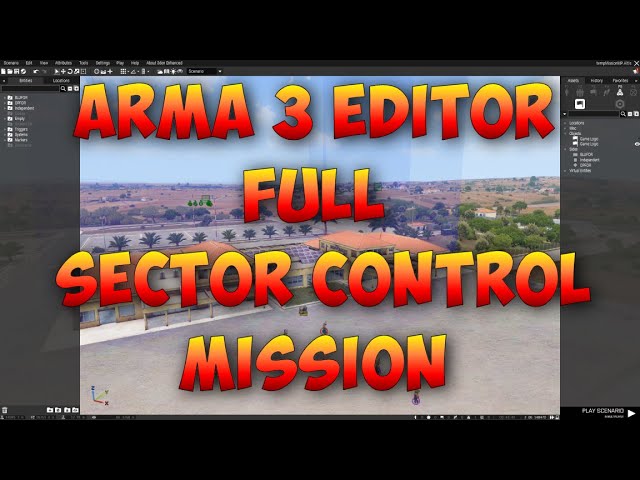
This shows you how to make a full sector control mission with multiple sectors, sides and respawn positions.
Questions or comments? Want to ask for help with something or just want to be involved in our community missions? Join our discord: https://invite.gg/ocb
Please visit our new website: https://ocb.net.au
Missions and videos take ti...

In this video i will show you how to setup a sector control scenario in Arma 3,
where ai can be your enemy that will capture the sectors.
Video:
Save your loadout with an addaction:
https://www.youtube.com/watch?v=CBj0JkBMV1Q&t
Timestamps
0:00 Introduction
3:18 Make playable
4:25 Setup Sector Control Modules
10:23 Setup respawn
11:50 Multiplay...
the one from OCB definetly uses the sector control module and explains it a bit
the script/code side should be available ingame under functions and stuff

i mean, use the wiki, really; https://community.bistudio.com/wiki/Arma_3:_Module:_Sector, easy to google 😉
quick forum
2/3 things you sent are on the complete wrong module but thanks for the suggestion
 carmine hawk
Hello, does anyone here have experience with the SCP Containment breach assets? I'm having multiple problems with the AI and the structures there, they just completely ignore the Walls of a custom built structure using the Hallway pieces and I do not know how to fix this. Does anyone here know?
 fresh oracle
carmine hawk
Hello, does anyone here have experience with the SCP Containment breach assets? ...
fresh oracle
carmine hawk
Hello, does anyone here have experience with the SCP Containment breach assets? ...
AI will ignore objects (phase through) if there isn't another possible path around it (that they can find) and likely if it isn't set up right.
carmine hawk
fresh oracle
AI will ignore objects (phase through) if there isn't another possible path arou...
Is there any way to fix this? Rn I have the structure builta tiny bit outside the map, just where no trees and grass spawn and I also tried building it above the water. I want to avoid building it on the hilly terrain as it messes up the complete structure. Or would that be the only way to achieve it?
fresh oracle
carmine hawk
Is there any way to fix this? Rn I have the structure builta tiny bit outside th...
Do you want the AI to not move at all? I doubt you could teach them what a wall is.
carmine hawk
I just want them to stick to the inside of the structure 😅 . It would not be fun for the players if suddenly enemies attacked from the walls and completely ignore the corridors. And tbh I don't understand enough of AI pathing to even begin to know how I could theoretically fix this. All I know is that somehow in the VR worls the AI kinda sticks to the corridors, but as soon as I try the same in a real map, it breaks and they run everywhere.
fresh oracle
carmine hawk
I just want them to stick to the inside of the structure 😅 . It would not be fu...
I mean you could try to setTerrainHeight and make it perfectly flat like in VR.
carmine hawk
I will try that, thx:). Really new to this stuff, so this helps a lot:)
carmine hawk
Thank you. Thank you, it finally works! It really was the terrain that was fucking everything up. I will be completely honest, I wouldn't have found out the issue alone, so thank you very much
mental brook
How can i end mission with CAS air strike effect that activates when im in trigger?
turbid olive
mental brook
How can i end mission with CAS air strike effect that activates when im in trigg...
an easy way is to spawn the moduleCas_F
 lucid plover
Is there a description.ext parameter I can use to overwrite the text in this box?


 wind raptor
That might not be possible.
From https://community.bistudio.com/wiki/Description.ext#overviewText:
The text that appears at the top of an MP mission is defined in mod mission definition and not through Description.ext
I'm not entirely sure if "the text that appears at the top of an MP mission" refers toIntelOverviewTextfrom the Editor, but I do remember that at least one of these multiplayer overview properties could only be set in the Editor.
lucid plover
Yeah I think that may be a missing parameter unfortunately
 west parrot
what does this error mean? i cant select a class when i start a server because of this
 prisma oyster
some wrong mod
scarlet crystal
Or missing mod
 random lotus
Hey guys, question: i created a custom composition and saved it. however, i did not save the mission of it. Now that i want to modify the composition through eden editor, how can i put the saved composition at it's original location in the map in eden?
 flint wharf
Hey folks, sorry for such a noob question. This here script is in a scenario but I'm stuggling to find it to grab it's innards. Anyone know where workshop scenarios save? I found the workshop folder, but it had a .bin file which I do not know how to unpack(?)

 winter stratus
Hi! I want to make my own story in Arma 3, but I don't know how to make a level screen, does anyone know?
prisma oyster
Hi! what do you mean "a level screen"? a way to select missions?
winter stratus
prisma oyster
Hi! what do you mean "a level screen"? a way to select missions?
level screen
prisma oyster
level screen
winter stratus
yes
prisma oyster
sure - what do you mean "a level screen"? a way to select missions?
winter stratus
prisma oyster
sure - what do you mean "a level screen"? a way to select missions?
"a level screen"
like this
 winter stratus
Thanks guys, I'm new to this so I don't know much.
flint wharf
@winter stratus Sorry for the ping, you can also edit those fields by going to 'Attributes->General' in the Editor
They're functionally the same, but this method may be easier
scarlet crystal
flint wharf
Hey folks, sorry for such a noob question. This here script is in a scenario but...
play it, close it, then go to Documents -> Arma 3 - Other Profiles (or the other profile folder depending on which profile you're using) -> your profile name -> Saved -> Missions
 summer skiff
What's up folks.
I've got a question about ACE and it's PBO Check tool. I hope it's OK for me to ask about it here.
I'm trying to whitelist some client side mods using the Checker, but i'm unclear as to where i can find the specific names for the mods i'd like to whitelist.
Do i use the same naming structure as on the server, i.e. @ACRE2;, or is there another system i should use?
scarlet crystal
summer skiff
What's up folks.
I've got a question about ACE and it's PBO Check tool. I hope i...

 terse flower
Quick question will Eden be capable of saving placed Objects directly into the SQF?
 queen vapor
what do you mean? Eden is a full missione ditor
 amber cosmos
How do I make sure the player never takes control of a group as its leaders are killed?
In Arma 2 you could make the player rank "Private" and the last member of the group which would work consistently but that no longer seems to be the case. Is it baked into the groups cfg now or something?
 worn iron
bit of a silly question, but how do I place decals in the editor? are they under the props tab in the editor?
small patrol
Decal as in? What kind of, and what do you want to achieve?
terse flower
from what i saw few months ago it saved mission objects only to .SQM file
but for MP is better to have .SQF file and spawn objects serverside so people can't just download your mission file and steal it
3D Editor have indeed various usability
 robust nacelle
._.
No it can't save objects to SQF
Because nobody actually makes missions like that because it causes ridiculous network load every time someone joins the server
 lone zephyr
anyone getting an issue to where AI will spawn in a sitting /leaning pose ?
worn iron
small patrol
Decal as in? What kind of, and what do you want to achieve?
I never replied, but I wanted to put graffiti and bullet holes, and I eventually found the tab they were in
 plain gale
 granite willow
what have i pressed? i used 3den enhanced mod, and ig missclicked somewhere

it made all the trees dead
small patrol
Ctrl+G
 half socket
is it possible to make the sky cloudy but still has the sunlight like it wasn't covered by cloud?
granite willow
small patrol
Ctrl+G
can i make it in a game smh? looks pretty apocalyptically, i wanna try doing a scenario, but it shows only in editor
small patrol
No
plain gale
Sadly no.
lone zephyr
Hey yall im working on an ORBAT and I got this red X here anyone know how i can remove it ?
 lone zephyr
also can someone tell me why the cars are greyed out ?
turbid olive
lone zephyr
also can someone tell me why the cars are greyed out ?
did you get the code somewhere?
lone zephyr
turbid olive
did you get the code somewhere?
wym ? also for the cars i put "B_G_Offroad_01_armed_F"
prisma oyster
maybe it's one every two for readability
lone zephyr
hold on heres the code for 1st
class 1platoon
{
id = 1;
idType = 0;
type = "Infantry";
size = "Platoon";
side = "Resistance";
commander = "";
text = "Claymore 1";
textShort = "1st Pt";
description = "";
assets[] =
{
{ "B_G_Offroad_01_armed_F", 4}
};
};
prisma oyster
try 10 and see
lone zephyr
nope still the same
prisma oyster
one every two is greyed out?
lone zephyr
yes I also have it for the Air wing and its not the same

 prisma oyster
can you try
assets[] =
{
  "B_G_Offroad_01_armed_F", "B_G_Offroad_01_armed_F",
  "B_G_Offroad_01_armed_F", "B_G_Offroad_01_armed_F",
};
```out of curiousity?here is the doc btw https://community.bistudio.com/wiki?title=Arma_3:_ORBAT_Viewer
the only difference I see is an empty commander
eventually try to change a value one by one, IDK
(be sure to save and/or load the mission to make the Description.ext changes be considered ofc)
lone zephyr
I also have another with out a commander and thats just fine
lone zephyr
prisma oyster
here is the doc btw https://community.bistudio.com/wiki?title=Arma_3:_ORBAT_View...
already using the site
also any idea on the red X ?
prisma oyster
noppity nope
but it's an infantry group, so maybe just setting vehicles means "no humans"? IDK
lone zephyr
Nope the " type" part is for its icon on the map
ok its just that first one ig I did it for another in the same tree and it worked lol
prisma oyster
I decline any responsibility in ORBAT 😄
lone zephyr
LMFAO nah buddy your good lol
lone zephyr
ok one more question for ORBATs Right now i have one tree set up for my guys now if i want one for up for OPFOR do I have to set up a whole different description.ext or do i just add them in on at the end of my tree ? my tree ends at that circle do i just add the OPFOR one ender that and have the first } at the end ?

thanks in advance !!!
 deft robin
-# couldn't find a help channel, so ill ask here
I come here seeking help with some very odd issues which have been plaguing my unit's mission files. We are unsure as to what causes it and its seemingly random, when it occurs radars cease to function on vehicles and cannot lock targets. the issue persists whenever the mission is loaded, what's even weirder is that copying any part of the mission with the issue into a new mission causes the issue to occur again.
We are all very confused over here and have been unable to find the cause or solution for months. I tried to find help for this in other places, but could not find anything on the issue. We do run a modlist, when the file is loaded in vanilla the issue goes away entirely, so we know its tied to one of the mods we run, but we have tested every mod and couldn't find which one could be causing it after months of testing.
please ping me if any of the wizards here have an idea of what the cause could be and/or how to fix it
-# here is the modlist and broken mission file
turbid olive
lone zephyr
ok one more question for ORBATs Right now i have one tree set up for my guys now...
Use VSC + SQF extension for your own sanity
turbid olive
deft robin
-# couldn't find a help channel, so ill ask here
I come here seeking help with s...
did you try to remove Sensor Target Info mod?
just guessing
deft robin
turbid olive
did you try to remove Sensor Target Info mod?
hmm, we probably did, but ill check again
turbid olive
deft robin
hmm, we probably did, but ill check again
also, try to load your mission with only dependency stuff
you can check de dependency list on editor
deft robin
turbid olive
also, try to load your mission with only dependency stuff
i did with nothing except the map itself, as stated above
deft robin
no, the issue goes away when ran with nothing but the map
turbid olive
deft robin
no, the issue goes away when ran with nothing but the map
so it's just a matter of narrowing down what mod is causing it, one by one
maybe it's not one alone, but two that aren't compatible with each other
deft robin
deft robin
hmm, we probably did, but ill check again
issue, persists
deft robin
turbid olive
maybe it's not one alone, but two that aren't compatible with each other
yeah, that's what we guessed, but we weren't able to figure out which ones were causing the issue
turbid olive
deft robin
yeah, that's what we guessed, but we weren't able to figure out which ones were ...
so remove shitty mods and let just the ones most popular, like cba and ace
and keep trying
one by one
deft robin
turbid olive
so it's just a matter of narrowing down what mod is causing it, one by one
we went through every mod one by one and tested if the issue persisted when removed, but we weren't able to figure out what mod was causing the issue after a couple hours of going through the list
turbid olive
🤔
prisma oyster
deft robin
we went through every mod one by one and tested if the issue persisted when remo...
remove all, then add one by one
or remove half, if it does not work remove half of the remaining ones, etc
deft robin
prisma oyster
remove all, then add one by one
or remove half, if it does not work remove half ...
hadnt considered doing it that way, ill try that next (though it may take me a while)
prisma oyster
oh it most likely will take a while yes
lone zephyr
turbid olive
Use VSC + SQF extension for your own sanity
not a crazy scripter please explain ?
dm if needed
turbid olive
lone zephyr
not a crazy scripter please explain ?
dm if needed
just a recommendation https://code.visualstudio.com/download
lone zephyr
turbid olive
just a recommendation https://code.visualstudio.com/download
OMG THE COLOR CODING
Bless you thank you !
 tacit storm
HELLO, I HAVE PURCHASED ARMA 3 A LONG TIME AGO AND I AM STILL LEARNING EVERYTHING. WOULD ANYONE LIKE TO EXPLAIN THE BASICS TO ME?
prisma oyster
tacit storm
HELLO, I HAVE PURCHASED ARMA 3 A LONG TIME AGO AND I AM STILL LEARNING EVERYTHIN...
yes
first thing: don't shout.
second, head towards #arma3_questions for questions, or #looking_for_game to state that you are looking for someone to train you in-game
slow jewel
why can't everyone pic be as good as your's and mine @prisma oyster
i guess we are just good looking 🙂
prisma oyster
not Arma-related
slow jewel
oh shit sorry 🙂
turbid olive
I mean, Is he Dr. House?
turbid olive
tacit storm
HELLO, I HAVE PURCHASED ARMA 3 A LONG TIME AGO AND I AM STILL LEARNING EVERYTHIN...
Play the campaign, particularly the prologue
 sly sleet
is anyone familiar with the black screen you can get while respawning in scenarios? basically when i respawn the black screen just stays
turbid olive
sly sleet
is anyone familiar with the black screen you can get while respawning in scenari...
are you using any kind of script for it?
 meager steppe
hey y'all. I have been scripting a mission loosely based off the Kabul airlift, and I was using the C-5 mod. plus a c-17 from the USAF mod. I think the scripting for loading the vehicles in the c-5 is fine, as it uses vanilla mechanics and are just tanks + humvees, but I was not sure how I can script the c-17 to load cargo and missiles (which are on a cart as a vehicle in the USAF mod) since it has a custom action for that. anyone know anything about that?
turbid olive
meager steppe
hey y'all. I have been scripting a mission loosely based off the Kabul airlift, ...
meager steppe
the USAF mod has a custom action, so would setvehicle cargo even work with that?
turbid olive
meager steppe
the USAF mod has a custom action, so would setvehicle cargo even work with that?
wdym?
I'm not sure what you want to do
meager steppe
turbid olive
I'm not sure what you want to do
the USAF mod has a c-17 globemaster. I want the game to automatically load the cargo into the plane, then takeoff after another trigger. I have the other trigger worked out, but the c-17 has a custom loaidng action, not the base loading. It doesnt appear to have ace cargo, or VIV transport. I just want to put crates and otehr cargo in it
turbid olive
meager steppe
the USAF mod has a c-17 globemaster. I want the game to automatically load the c...
ah got it, yeah, you will need to find relative position for those kind of script
I'm working on something like this, for one of my missions
I had to set up some kind of transport configs that has relative positions
meager steppe
thanks man, appreciated
turbid olive
meager steppe
the USAF mod has a c-17 globemaster. I want the game to automatically load the c...
do you know liberation gamemode?
they have a whole file of things like this, I'm sure they have a configuration for C-17
turbid olive
meager steppe
I will check it out
case you need it...
["USAF_C17",-10,[-1.2,14.4,-0.43],[-1.2,12.8,-0.43],[-1.2,11.1,-0.43],[-1.2,9.5,-0.43],[-1.2,7.9,-0.43],[-1.2,6.3,-0.43],[-1.2,4.6,-0.43],[-1.2,3,-0.43],[-1.2,1.4,-0.43],[-1.2,-0.1,-0.43],[-1.2,-1.8,-0.43],[1.2,14.4,-0.43],[1.2,12.8,-0.43],[1.2,11.2,-0.43],[1.2,9.6,-0.43],[1.2,7.9,-0.43],[1.2,6.3,-0.43],[1.2,4.7,-0.43],[1.2,3.1,-0.43],[1.2,1.5,-0.43],[1.2,0,-0.43],[1.2,-1.7,-0.43],[-1.2,14.5,1.22],[-1.2,12.8,1.22],[-1.2,11.2,1.2],[-1.2,9.5,1.22],[-1.2,7.9,1.22],[-1.2,6.3,1.22],[-1.2,4.7,1.22],[-1.2,3,1.22],[-1.2,1.4,1.22],[-1.2,-0.1,1.22],[-1.2,-1.7,1.22],[1.2,14.5,1.22],[1.2,12.8,1.22],[1.2,11.2,1.22],[1.2,9.6,1.22],[1.2,8,1.22],[1.2,6.3,1.22],[1.2,4.7,1.22],[1.2,3.1,1.22],[1.2,1.5,1.22],[1.2,0,1.22],[1.2,-1.6,1.22]]
is that the offset positions?
turbid olive
yes
meager steppe
you are a lifesaver
 novel widget
If you're so worried about people stealing your mission, then maybe you shouldn't be hosting a public server in the first place.
Or you could look into alternatives such as binarizing your mission PBOs (Not sure if possible, never cared)
meager steppe
Ok now I am struggling to make a script that makes trucks carry cargo to an area where they are then loaded
queen vapor
eden supports binarising pbos
turbid olive
meager steppe
Ok now I am struggling to make a script that makes trucks carry cargo to an area...
what's the problem?
meager steppe
turbid olive
what's the problem?
I'm just not very well versed in code in general, and I am struggling to have a truck bring cargo to a tarmac to them get loaded
I might just try to make it so that the cargo is already on the tarmac, and just loaded in random intervals
turbid olive
AI or player?
meager steppe
turbid olive
AI or player?
Ai. I want the ai to load all the planes automatically
the player is supposed to defend the airbase while they do
the ai boarding is easy, and the viv isnt too hard either.
but the ai loading the cargo is trickier, because I want the cargo to move to the tarmac
turbid olive
meager steppe
but the ai loading the cargo is trickier, because I want the cargo to move to th...
you want the cargo to be unloaded on tarmac and then loaded in the truck?
lone zephyr
stupid question but if i put stuff outside the map for example the stuff on the far left will they spawn in multiplayer ?
 prisma oyster
yes
lone zephyr
prisma oyster
yes
thank you Dr. House 
slow jewel
what map is that brother ?
lone zephyr
Angola
slow jewel
is that on the workshop ?
slow jewel
is that cup ?
lone zephyr
requires terrains core yes but not cup from what i can tell
slow jewel
oh nice thx m8
lone zephyr
its a nice map little to no frame drop although the map screen ie the picture i posted is really detailed and may or may not give a little drop in performance thats just me though
slow jewel
yes im checking it out
 gleaming flower
Hello! Is this the right channel to ask for a little help with EDEN?
I'm having a problem with revives not working and I'm unsure where else to look as google is no help.
I have revives enabled, but when people go down, they simply die.
It's set to 'basic' so idk what I'm doing wrong.
 rough canyon
anyone know if there is a way I can turn all of these that are on the map off, its a modded map

 fossil urchin
rough canyon
anyone know if there is a way I can turn all of these that are on the map off, i...
fossil urchin
rough canyon
anyone know if there is a way I can turn all of these that are on the map off, i...
You want all lights off from a specific area or every light off?
fossil urchin
You should able get with "reflector" class.
private _axis = worldSize / 2;
private _center = [_axis, _axis , 0];
private _radius = sqrt 2 * _axis;
tag_lights = _center nearObjects _radius select {(isClass(configOf _x >> "Reflectors"))};
{
    [_x, "OFF"] remoteExec ["switchLight",0,true];
} forEach tag_lights;
Do you have any information on how to do the leveling system like in Arma 3 Contact?
scarlet crystal
leveling?
winter stratus
scarlet crystal
leveling?
Like the transition from "false negative" to "going dark" in the "first contact" story
I guess I couldn't explain
scarlet crystal
so you want to make a campaign, this would be a better word
winter stratus
scarlet crystal
so you want to make a campaign, this would be a better word
Yes! That's what I was saying
I hope it's possible otherwise all my plans will fail
scarlet crystal
it is, there are numerous campaigns on workshop already, I wonder though why you take First Contact as an example and not the base East Wind
but basically you make a set of singleplayer missions and then put them into a mod folder with its own description.ext file as in here: https://community.bistudio.com/wiki/Campaign_Description.ext#Campaign_Directory_Structure
winter stratus
scarlet crystal
it is, there are numerous campaigns on workshop already, I wonder though why you...
You're right, but the first and only campaign I played was "First Contact", the others haven't arrived yet 😄
Thank you bro
scarlet crystal
https://www.youtube.com/watch?v=BIvLIg6gQB0 there's also this video that does generally the same that the guide I linked, however it might be outdated, I never really watched it

Code used: http://pasted.co/052a5bbd
Alternative link for the code: https://www.pastery.net/fknxet/raw/
Campaign concepts, ideas: 1:02
Missions: 3:06
Folders, general campaign setup: 5:41
Description.ext - other classes 8:42
Description.ext - campaign class 13:06
Packing into PBO 18:40
Example campaign download: http://www.mediafire.com/file/c...
and you can always download any workshop campaign and see how someone else did it and try to follow their workflow.
winter stratus
scarlet crystal
and you can always download any workshop campaign and see how someone else did i...
thank you bro
I have another question. I want a vehicle to appear at a certain point in my story. Is it possible to do this with a trigger system?
scarlet crystal
yes
gleaming flower
gleaming flower
I'm having a problem with revives not working and I'm unsure where else to look ...
still not sure how to fix this...
it's just totally broken
winter stratus
scarlet crystal
yes
Would it be too much if I asked how we did this?
scarlet crystal
well it depends on how you want it
turbid olive
gleaming flower
still not sure how to fix this...
how did you configure that?
scarlet crystal
scarlet crystal
well it depends on how you want it
if the trigger's condition returns true you can either:
a) create the vehicle and give a position
b) move the vehicle from one point to the desired one
c) keep the vehicle in the spot you want but hide the model and then unhide it
winter stratus
scarlet crystal
if the trigger's condition returns true you can either:
a) create the vehicle an...
This job requires a lot of effort but if it happens it will be great and thank you very much.
gleaming flower
turbid olive
how did you configure that?
in the multiplayer preferences iirc? where you usually set it. it's enabled with no requirements - no medic or needing to set it individually on units
but when someone is killed, they simply die instead
turbid olive
gleaming flower
in the multiplayer preferences iirc? where you usually set it. it's enabled with...
did you set the unconscious time?
do you have something in your description.ext file in your mission folder related to that?
gleaming flower
turbid olive
do you have something in your description.ext file in your mission folder relate...
i believe that is just default, i've not edited that. forgive me, i'm quite new to using eden.
gleaming flower
turbid olive
did you set the unconscious time?
i believe this is also default. let me get a screenshot

 turbid olive
gleaming flower
turbid olive
gleaming flower
are you using mods?
gleaming flower
turbid olive
are you using mods?
Some, yes, but none that I believe should alter anything about dying. I have ace3, but specifically a version that doesn't edit anything medical.
turbid olive
gleaming flower
Some, yes, but none that I believe should alter anything about dying. I have ace...
well I would test without any mods first before coming here
and if you have a description.ext in your mission folder, make sure you don't have a revive setup as well there
gleaming flower
I don't have one, unless something has generated one.
turbid olive
gleaming flower
I don't have one, unless something has generated one.
no worries about it then
just test it without mods
afaik you set up that, and it works normally
gleaming flower
I can't test it without ANY mods as it's using some assets but...
hopefully that shouldn't change anything
turbid olive
gleaming flower
I can't test it without ANY mods as it's using some assets but...
test in another scenario
make a new one and test the system
gleaming flower
yeah, good point
ive disabled ace3_nomedical only for now, to see if thats the issue
turbid olive
gleaming flower
ive disabled ace3_nomedical only for now, to see if thats the issue
I think ace3 disables the default system anyway
gleaming flower
yeah this was a version without medical. it works in other scenarios, like official ones, but not my own for some reason
turbid olive
so again, test it without mods, if it doesn't work, maybe you'll need to setup the revive system in description.ext
gleaming flower
doing that rn
gleaming flower
when i die, it flags in chat that i 'forced respawn'
even though i didn't press anything
i'll test in a fresh eden with no mods at all lil later when i've time and report back
gleaming flower
gleaming flower
i'll test in a fresh eden with no mods at all lil later when i've time and repor...
ah hell, well this is annoying. with no mods installed, it works just fine
whiiich means it's one of my mods, but i have no idea wtf it could be...
gleaming flower
alright, i have discerned the issue, i think - uncertain if anyone has familiarity with this mod, but it appears that space marines from 'there is only war' cannot go down and be revived - they simply die.
turbid olive
gleaming flower
alright, i have discerned the issue, i think - uncertain if anyone has familiari...
okay, use ace medical, it's easy and fun
 oak glade
Hello, I have a problem with Arma. I resumed a mission that I had created on my old PC and put in the MP Mission and Mission folder, but when I open Arma, it cannot find the mission. Someon can help me?
fossil urchin
oak glade
Hello, I have a problem with Arma. I resumed a mission that I had created on my ...
You could add it in C:\Users\%USERNAME%\Documents\Arma 3 - Other Profiles\%YourArmaProfile%\missions
https://community.bistudio.com/wiki/Missions#Locations_of_Mission_Files
Damn old link, didn't find A3
oak glade
I am checking, but I cannot find it via this link. In any case, thank you for your prompt response
I just found out that I'm the only one who isn't looking properly. Thank you very much
Oh yes is empty ahah
lone zephyr
Hey yall i got this comp placed down and in the editor its fine but when i go in game everything left of the trucks disappears visually
I've tried enabling and both disabling simulation and all the setting match with the rest of the base everything shows except that section


 quiet fractal
lone zephyr
Hey yall i got this comp placed down and in the editor its fine but when i go in...
quiet fractal
lone zephyr
Hey yall i got this comp placed down and in the editor its fine but when i go in...
Item attributes - Show model on/off ??
gleaming flower
How do I disable the 'save and quit' option in a mission? I want to just have it 'abort', and I don't want saving.
small patrol
gleaming flower
small patrol
https://community.bistudio.com/wiki/enableSaving
How do I actually apply this, though?
small patrol
Just like any SQF command, use it in an SQF file and execute it
gleaming flower
Forgive me, I only know how to use the editor. How would I go about doing this?
small patrol
AKA use it in any script field, like Init of an object
 small patrol
Ja
gleaming flower
That worked, awesome
 fleet elm
Is it possible to add beacons to vehicles?
I would like to add beacons to vehicles in arma i just dunno if I can do it in eden or is it modding
scarlet crystal
modding
unless you find a prop that looks like a beacon so you can attach it to a vehicle and then use scripting to cast a light of specific color.
lone zephyr
quiet fractal
Item attributes - Show model on/off ??
Sorry found it out I had it too far off the edge of the map
gleaming flower
Anyone know why my Tasks are all viewable, even when not set to 'assigned'?
I thought unassigned ones should be invisible, but mine are always visible, for some reason.
gleaming flower
Figured it out 👍
slow jewel
what did you do to fix it
gleaming flower
slow jewel
what did you do to fix it
Simply synced the triggers with 'create task' of the same task that they lead to, rather than them just leading to the node that sets them to available, thus making the task only get CREATED when the trigger fires.
slow jewel
copy that m8
i guess it depends on how you want your tasks to be available
one after another or all available at any time 🙂
gleaming flower
Yeah, this scenario is definitely more linear.
slow jewel
yes i mostly use linear tasks also
and lost of times i don't even use tasks: i just put in the briefing what to do 🙂 and no one ever reads the briefing 🙂
and then they say how do you play this mission 🙂
gleaming flower
All my missions are zeused at least.
And pretty straightforward [go here, kill that].
My players are all pretty new.
 opal edge
Is anyone else experiencing objects from the 3D world in the mission appearing on their map screen in the editor as if the map screen was slightly transparent?
Like if I have several trenches in front of me and zoom out on my map, I just see shadows of those trenches on my map itself. This has been going on throughout different modsets with a pretty stable repro case.
gleaming flower
having an issue now where i've been kicked out of zeus and can't re-enter it
not sure what caused it, was seemingly random?
scarlet crystal
opal edge
Is anyone else experiencing objects from the 3D world in the mission appearing o...
Screenshot?
But I would say a mod issue. Or you have reshade running.
opal edge
Hm. Good call, I do have ReShade running in the background since recently, just with filters off. Thanks.
opal edge
Nevermind. It was a ReShade filter running after all.
 young nebula
Question regarding environmental settings.
If I have understood them correctly, start for various settings like overcast, fog etc is what they are at the start of the mission and forecast is what they will increase or decrease to over time?
But how quickly does the change happen?
opal edge
young nebula
Question regarding environmental settings.
If I have understood them correctly,...
There's a category just above those named Weather Forecast just under the Date one that sets up how long it takes to go from the start to forecast values
young nebula
Cool, thanks. I assume that's mission time and not real time?
opal edge
Uh
Feel free to try out some value like 1 hour and set time acceleration to 6x and wait 10 minutes, I guess?
I'll give it a go while I'm AFK as well
Seems to be in-game time
scarlet crystal
Yeah and if you increase the time multiplier the changes will happen faster too
young nebula
Yea, tested it too. Going from 0 to 100 in half a minute looks quite ominous.
 final hill
i get confused by fog decay, what does it mean exactly?
as in how much less fog there will be as elevation increases?
prisma oyster
yep, something like that
it's density value removed per metre
final hill
Ah, ty
 quaint sorrel
Mikero's subscriber (35$/year) tools can obfuscate the PBO 😉
Moving server side stuff to serverside (addon) can help with it as well
terse flower
I only asked if EDEN can export objects to SQF without bottlenecks. And yes it doesn't matter if it's for serverside or clientside usage. Having all in SQF makes it easier when you want use only parts of your work at the time. And the server with persistent game mods use this a lot to prevent noobs from stealing it.
 lucid comet
Can anyone point me how I can incorporate a custom tutorial to the 3DEN Editor (like how the current tutorial is implemented)? I can create the scripts if need be, just asking if its feasible and where to begin
plain gale
Look at the biki. There is a section explaining how to do it.
lucid comet
I must be blind cause I dont see it 😅 Nvm I found it finally https://community.bistudio.com/wiki/Eden_Editor:_Configuring_Tutorials 😄
robust nacelle
NotLikeThis
snow quiver
Anyone knows how the entity list gets created (Left-side pane) ?. It llooks like a normal treeview, but it has colored items and I can't get parseText to work on it
 loud escarp
Would anybody be able to look at this and guide me in the right direction to get it fixed?
a lot of it is repeat lines
I was thinking it could be ACE out of date or corrupted some how on the server, but I force updated, reinstalled, all that jazz as well.
Theres a section in there about fnc_loopAudio.sqf not found, but I know the mission file can see it, cause it was using that script in the editor.
And then the rest of the spam is User tried to set invalid material #reset
When trying to load into the server the chat floods with No entry '.model'
 golden steeple
hi guys, i added a "loiter" waypoint for the V-44 X to loiter the waypoint and attack, but i don't know why it's heading straight to the waypoint instead of doing the loiter, it ever turns to the wrong direction, altitude and distance.. how can i fix this? i'm going crazy with this...
wind raptor
A Blackfish with a single waypoint like this flies to the waypoint location and circles it as configured. Does your Blackfish have any other waypoints before or after the loiter waypoint?
 turbid olive
golden steeple
hi guys, i added a "loiter" waypoint for the V-44 X to loiter the waypoint and a...
turbid olive
golden steeple
hi guys, i added a "loiter" waypoint for the V-44 X to loiter the waypoint and a...
Loiter waypoint is a pain, maybe you need to check its radius, some aircrafts requires a larger loiter radius to get it working
Also, repeated loiter waypoints will act as a "move" one
 sick sinew
anyone know how I can make jets follow the taxi way on a runway? I know some already do it automatically but towards the top of the main airport on Altis they sort of cut across the grass then take off once they get to the runway.
turbid olive
sick sinew
anyone know how I can make jets follow the taxi way on a runway? I know some alr...
once you place an AI near an airport, it will try to follow the taxiiway predetermined by configs, nothing that you can do to change that (afaik), the AI will not respond to any waypoint or commands
sick sinew
turbid olive
once you place an AI near an airport, it will try to follow the taxiiway predete...
damn, thanks anyway
been playing A3 for years and this game still surprises me
golden steeple
turbid olive
Loiter waypoint is a pain, maybe you need to check its radius, some aircrafts re...
i found the issue, when i add a loiter waypoint alone it works, but if i add a move or land waypoints it breaks and it doesn't work, i want the aircraft to loiter the area for some time (with the waypoint: timers) and then for it to land, but adding more waypoints after the loiter one breaks everything
turbid olive
golden steeple
i found the issue, when i add a loiter waypoint alone it works, but if i add a m...
Yes, loiter waypoint likes to be alone and unique
golden steeple
😭
golden steeple
wind raptor
A Blackfish with a single waypoint like this flies to the waypoint location and ...
yes it has waypoints after the loiter waypoint, but i guess there is no fix for that, doing the loiter for some time and then the landing waypoint, it's very frustrating
turbid olive
golden steeple
yes it has waypoints after the loiter waypoint, but i guess there is no fix for ...
what do you want to achieve?
golden steeple
turbid olive
what do you want to achieve?
i want to call for AI support (V-44X) with the loiter waypoint, but i don't want it to go around in circles forever, just for some minutes and then the aircraft would go back to the airport with the "land" waypoing
turbid olive
golden steeple
i want to call for AI support (V-44X) with the loiter waypoint, but i don't want...
are you using CBA?
asking because you can use waitAndExecute function of it, or you can just do a sleep and then remove the loiter waypoint and do the landing
for landing, I recommend using the landAt command instead, syntax #3
 stark tinsel
how i make the hide terrain module only execute when a global variable is true?
turbid olive
stark tinsel
how i make the hide terrain module only execute when a global variable is true?
what do you want to achieve?
stark tinsel
i want an object in the area to be hidden when a global variable returns true
turbid olive
stark tinsel
i want an object in the area to be hidden when a global variable returns true
Ik, but why hide it
do you want the object to be deleted?
turbid olive
okay, so you have some commands to help you with that
maybe a combination with that
the first command get the bridge and the second you use it to hide
stark tinsel
oh so no way to use trigger to activate?
turbid olive
and for the variable to returns true, do you know how to do that?
turbid olive
stark tinsel
oh so no way to use trigger to activate?
well yeah, that's how it works, you put some condition in the trigger and those commands in the on activation field
in that case, what condition hides the bridge in your scenario?
stark tinsel
when variable "MISSON_objectDestroyed" returns true - it is pre set by some other scripts
I want bridge at [1437.73,11473.1,0] to go invisible then
turbid olive
put that variable (without quotes) in the trigger condition and then work with those commands
read those pages
I can't provided you with an example rn because I'm on mobile dc
stark tinsel
is ok thanks a lot i see what i can do thank you
 gritty needle
Does anyone have any tips for optimizing performance when making larger missions? I want to create large scale scenarios but even the presence of a lot of assets tanks the framerate. I've tried some methods of disabling simulation and visibility for assets that are far from players but they dont seem to have a noticeable effect
prisma oyster
gritty needle
Does anyone have any tips for optimizing performance when making larger missions...
gritty needle
Thanks!!
 rain canyon
hello how can i dynamic spawn mines if players get close to a point/sector?
 light briar
A trigger zone, activation on players, specific ones or specific sides, the. In the activation field you will need to create your mines... Look at the createVehicle commands.
 gritty tulip
Sorry if this is in the wrong spot. But I placed a c130 on the USS Freedom to attempt to take off from it, no issues in the editor.
When I host that mission for MP, the c130 is stuck in place and will not move, it’s like the c130 is being held in place by something. Any ideas?
flint thunder
gritty tulip
Sorry if this is in the wrong spot. But I placed a c130 on the USS Freedom to at...
sounds like some attachto commands
check init field of c130. make sure c 130 is unlocked, and on/ veery slightly above carrier landing deck
also more infos please; setup/mods/ scripts running? the c130 is empty i assume, and you yourself jumping in it ingame, not rc'ing ai?
 dusky sand
Hey guys, But there is a mod that allows you to create a mission directly in the game as the OPEX guys did that you approach the board and choose which mission to do.
gritty tulip
flint thunder
also more infos please; setup/mods/ scripts running? the c130 is empty i assume...
correct, carrier and my self spawn in the game. I even zeus'd in a C130 and that didnt even move. It seems to roll if i get out of it, but the moment I hop in the pilot seat, its stuck in place. The C130 is from the USAF mod
 idle cipher
Hey guys what's a good go to program for dealing with PBO files, as I've never used them before?
flint thunder
idle cipher
Hey guys what's a good go to program for dealing with PBO files, as I've never u...

GitHub
The GUI tool to work with ArmA PBO files. Contribute to winseros/pboman3 development by creating an account on GitHub.
flint thunder
gritty tulip
correct, carrier and my self spawn in the game. I even zeus'd in a C130 and that...
darn. might be a mod issue. i love usaf mod, but encountered some errors in the past that usually got fixed laters.
Please try to reproduce with some vanilla aircraft, same mods loaded.
If issue persists: it is some issue with your scripts or mods
else might be some setting
gritty tulip
sounds good, I appreciate the reply.
flint thunder
no worries. First i thought it could have to do with dynamic simulation while rc'ing ai to fly, but that is not the case.
flint thunder
flint thunder
darn. might be a mod issue. i love usaf mod, but encountered some errors in the...
damn, i can reproduce, did use the launchers as well; stuck. -.- not meant to operate from carrier 😛 😂 aka mod issue 🤷🏻
SOLUTION:
RHS-USAF - c130 works, though!
3CB as well
or do try NIMITZ carrier by TeTeTe3 https://steamcommunity.com/sharedfiles/filedetails/?id=643530417

 gritty tulip
flint thunder
darn. might be a mod issue. i love usaf mod, but encountered some errors in the...
gritty tulip
flint thunder
darn. might be a mod issue. i love usaf mod, but encountered some errors in the...
Well it’s weird, I did it on another mission I had, worked just fine (not the launchers) I was able to fly straight off it
flint thunder
gritty tulip
Well it’s weird, I did it on another mission I had, worked just fine (not the la...
well, turns out nimitz is still WoRkInG :))) so you could use nimitz mod as well. not sure about the key/ pbo on a (dedicated)server though..
aka: the same mod/ plane constellation works on the nimitz.
I have no clue why it doesn't do on the vanilla carrier 🙁
 gritty tulip
flint thunder
well, turns out nimitz is still WoRkInG :))) so you could use nimitz mod as ...
gritty tulip
flint thunder
well, turns out nimitz is still WoRkInG :))) so you could use nimitz mod as ...
Well my dedi is a whole other set of issues I’m working through 🤣
Are you launching with the catapult?
flint thunder
-> same game settings.
launching the usaf c-130j on the vanilla USS Freedom:
- no taxiing, no moving, stuck. (other animations work, like engine and lights, throttling, doors)
- putting it on the catapult directly via zeus: holdActionAdd shows up, runs thru, nothing happens, plane not moving 🤷🏻 ❔
-> same game settings. just added USS Nimitz mod (legacy 2020 v, not experimental 2024 version [- yes, both still maintained/working mods.])
both, both works on the nimitz. 🥳 🤷🏻
gritty tulip
interesting. I guess i need to try the catapult lol
 spark path
Hey everyone, could someone help me create a trigger or some kind of mechanic that would allow me to call in a support battalion in the middle of a battle? It's purely PvE.
I'm new to the game, so if you could be as clear and simple as possible, I'd appreciate it lol
turbid olive
spark path
Hey everyone, could someone help me create a trigger or some kind of mechanic th...
check Gunter Severloh's videos, maybe you will find something realted to this
he has a lot of good scripts for mission
spark path
turbid olive
check Gunter Severloh's videos, maybe you will find something realted to this
Ah, okay, thanks. But do you know if there's an article or something on Reddit that explains it step-by-step? My English is pretty bad, so I don't know if I can follow a video.
turbid olive
spark path
Ah, okay, thanks. But do you know if there's an article or something on Reddit t...
hmmm maybe you could search in the bohemia forums
but those videos are really understandable because he shows how to do it, not just by talking
spark path
turbid olive
hmmm maybe you could search in the bohemia forums
Okay, I'll take a look. Anyway, I found a video of Gunter Severloh's, it seems pretty simple. Thanks.
mental brook
Do you know what to do to make the helicopter land at the waypoint I gave and not several dozen meters away?
and how can I make the soldier die immediately after starting the scenario without any shooting, so that he just dies
flint thunder
mental brook
Do you know what to do to make the helicopter land at the waypoint I gave and no...
Please use the search function in here or in #arma3_scripting !! there was a discussion rather recently, exact same topic about waypoints
(top right 😉 )
flint thunder
mental brook
and how can I make the soldier die immediately after starting the scenario witho...
mental brook
thanks
idle cipher
mental brook
Do you know what to do to make the helicopter land at the waypoint I gave and no...
you need a helipad or the game itself will find a "close" spot that can fit the helicopter landing
you can put down a helipad from the props section
and you can hide it from visibility to make it not look goofy in game having a random marked helipad somewhere
scarlet crystal
there is an invisible helipad object tho
idle cipher
scarlet crystal
there is an invisible helipad object tho
didn't notice
scarlet crystal
because it's invisible 
lone zephyr
any reason no formations was removed from eden and zeus ?
 prisma oyster
lone zephyr
any reason no formations was removed from eden and zeus ?
prisma oyster
lone zephyr
any reason no formations was removed from eden and zeus ?
it means "no change", not "no formation" 🙂
rain canyon
how do i set units to despawn everytime the server restarts or turns off
lone zephyr
prisma oyster
it means "no change", not "no formation" 🙂
meaning they wont move from the spot they spawn in
prisma oyster
lone zephyr
meaning they wont move from the spot they spawn in
that's not a thing unless you script it
lone zephyr
ah ty
idle cipher
lone zephyr
meaning they wont move from the spot they spawn in
unit disableAI "MOVE"
unit disableAI "PATH" and they can still rotate and look around I think
rain canyon
rain canyon
how do i set units to despawn everytime the server restarts or turns off
specifically turrets
turbid olive
rain canyon
how do i set units to despawn everytime the server restarts or turns off
wdym? If I understood correctly, every time you restart the server, the mission also restarts
and I don't know what kind of mission you're talking about
rain canyon
uhh kp lib
turbid olive
ah
rain canyon
oh i see
rain canyon
im testing it rn through multiplayer lan when they get destroyed and when i try to log back in they respawn like nothing happened i was the one who placed them there i just wanted to know if there is a way when they get destroyed they dont respawn on a server reset
turbid olive
rain canyon
im testing it rn through multiplayer lan when they get destroyed and when i try ...
what are "they"?
rain canyon
static defenses
turbid olive
and what version are you using?
rain canyon
96.8
turbid olive
rain canyon
static defenses
no my friend, that kind of stuff you just don't put on editor lol you need to script that, check my pull request on this
turbid olive
also APR fork spawns dynamic static weapons, but it's "dynamic", generally the static weapon spawns in shitty places
my PR offers a way to edit the map and manages those objects and spawns static weapons if supported by configs
rain canyon
oh i see it now
thanks for this
is it only exclusive to structures and not around like air bases?
turbid olive
rain canyon
is it only exclusive to structures and not around like air bases?
If you're talking about my framework, it takes whitelisted objects within 300m of a sector
and you can indirectly add to terrain objects as well
by using a logic object
turbid olive
rain canyon
is there a way to adjust the distance from the sector?
yes, it's a config thing there
KPLIB_objectsGrabber_radius = 250; actually is 250 lol
rain canyon
so if i want to place say the patriot and the radar within the airfield i need to put a terrain object close to them so they can actually spawn where i want them to spawn?
 turbid olive
rain canyon
so if i want to place say the patriot and the radar within the airfield i need t...
turbid olive
rain canyon
so if i want to place say the patriot and the radar within the airfield i need t...
check APR fork, they have a random spawn for those type of static weapons
turbid olive
rain canyon
so if i want to place say the patriot and the radar within the airfield i need t...
you need to read the description of my pull request and add those script into your mission
rain canyon
actually i just realized something aswell theres alot of kp liberation types
 worthy silo
Hello, I would like to ask about an issue with playing .oog files while using Conversations.
I have had a lot of problems with some units not being able to play .oog files, and after a lots of tests, it turns out that I have found the problem, so here's my question.
Is it normal, that to play .oog file the unit need to have a radio equipped? Even when it speaks in DIRECT, or I force it by one of the BIS_fnc_kbTell parameters?
flint thunder
i think so, had another issue where the vanilla radio item equipped made things work.👍🏻
can't remember out of my head what that issue was rn 😬
worthy silo
Yeah, I was unable to found any information on that on the "default web search engine", BIS Wiki, forums, nowhere and was starting to go insane. But thank You for Your response!
 gaunt hamlet
gentlmen I am losing my mind
what command can I out in an AI init box to force them to lower their weapon. I have the path disabled but I also want them to lower their pistol/rifle
idle cipher
gaunt hamlet
what command can I out in an AI init box to force them to lower their weapon. I ...
have them in SAFE or CARELESS theyll be like that i think
otherwise you can play one of their idle animations
when they're in that state then you can `disableAI "autoTarget" and theyll stay that way I believe
flint thunder
worthy silo
Yeah, I was unable to found any information on that on the "default web search e...
The unit must have an assigned radio item (such as "ItemRadio")* to see or transmit the messages*. A radio item must have the property
simulation = "ItemRadio";
in its CfgWeapons config.
might only be stated in that channel radio part of the big chat & radio section in the wiki though ^^
https://community.bistudio.com/wiki/Category:Command_Group:_Radio_and_Chat
worthy silo
flint thunder
The unit *must have an assigned radio item* (such as "ItemRadio")* to see or tra...
Well, actually the unit does not have to have radio assigned to "see or transmit messages" in DIRECT channel as my tests have proven. It only needs it to properly play the .oog file.
And, my units in both with and without radioes were showing spoken text (DIRECT) in sidechat and moving their lips according to .lip file. But unaudibly.
idle cipher
worthy silo
Well, actually the unit does not have to have radio assigned to "see or transmit...
I just tested this and can play the file using directSay without radio
worthy silo
gaunt hamlet
what command can I out in an AI init box to force them to lower their weapon. I ...
I was thinking if directSay would help, but I guess that I would have to omit the "Conversations" files and all the ".bikb stuff".
But thanks for checking, much obliged
idle cipher
i've been messing with audio the past couple days as well
worthy silo
gaunt hamlet
what command can I out in an AI init box to force them to lower their weapon. I ...
If You are making a mission for multiplayer, using units init boxes might not be the good way.
In SP it's not a problem, but in MP the code will initialize every time a new player joins.
So as @idle cipher has stated, having them in SAFE or CARELESS should do the trick. If You want to use an animation, then initbox will be good [*as in: not very bad] only if You do not plan on doing anything else with them in the mission
idle cipher
i'm about to start messing with the conversations and stuff shortly as I had just figured out playing the built in config radio protocol audio files
I was trying to figure out if it's possible to invoke and chain radio protocol audio together the way the engine does it when doing AI commands and such
worthy silo
idle cipher
i've been messing with audio the past couple days as well
I have tried tons of things, with modifying OOG files, giving thm proper bitrate and stuff. That thing was pretty painful to debug.
But now, doing converting everything in my mission just to use "directsay" would be more painful than just give units radios, so I'll stick with that.
Still, thanks for the feedback!
idle cipher
worthy silo
I have tried tons of things, with modifying OOG files, giving thm proper bitrate...
can u share what your audio is doing and what wasn't working?
my question for tonight is what do the multiple entries to a speech[] array mean in the sentences config? does it chain audio together?
worthy silo
idle cipher
my question for tonight is what do the multiple entries to a speech[] array mean...
I am not sure what do You mean by "multiple entries", but speech[] points to one file at a time.
And to have multiple sentences said, you have to create a class for every sentence. Well, not "sentence" as linguist thing, but a "said part".
And I do not know how to properly mix radio protocol with custom sounds in conversations.
idle cipher
worthy silo
I am not sure what do You mean by "multiple entries", but speech[] points to one...
yeah im assuming it plays all the files in speech[] and thats your audio for a sentence
worthy silo
My audio is just things that I want a couple of units to say.
I made proper cfgSentences in description.ext and .bikb files for every conversation.
Then it turned out, that:
-all the actors show spoken text in DIRECT (I can see the sideChat)
-they MOVE THEIR LIPS
-but only those who have radios play the .oog file.
idle cipher
have you gotten conversations to play the words from the A3 RadioProtocol configs built in?, the wiki gives an example that I couldn't get any audio
speech[] = { %Team, RequestingCloseAirSupportAtGrid, %Location };
idle cipher
worthy silo
My audio is just things that I want a couple of units to say.
I made proper cfgS...
tbh it kind of makes sense you need a radio. it doesn't really make sense that directSay without a radio works
did you try calling BIS_fnc_kbTell with radioMode = false?
worthy silo
yes, I have tried, but it did not change much. I was able to force units to speak on DIRECT or chosen radio channel, but since they had their radioes - the sound was on.
that line "speech[] = { %Team, RequestingCloseAirSupportAtGrid, %Location };" is from kbTell enty on BisWiki?
I guess that it SHOULD work fine in Conversations. If You wanted to put it in the conversation with custom sounds You just need to make separate classes for each said Sentence.
idle cipher
i tried it but couldn't get any audio but didn't try much further
pretty sure it's supposed to play that AirSupport audio file in A3 config
idk what %Team and %Location entails, i think that replaces the fed variables to kbTell and looks for their className in the config and also play those sounds if they exist
worthy silo
Yes, but You need to have .bikb file, and I gues that You need to have %Team and %Location defined.
idle cipher
had bikb and everything setup, the text portion displays correctly and everything just no audio
worthy silo
The example from BISWiki shows part of bikb file, and that's true what You have said, it is being fed variables.
But You also need to get the code to define %Team and %Location, and the example is from A2 I guess, because of the names
this might be helpful https://community.bistudio.com/wiki/Location
I'll try to do it and see if it would work
idle cipher
combine all the audio stuff together it's a bit complicated to put together
yeah I just need to hear the already existing A3 in a .bikb I made and I'll be satisfied for now
can't get any actors to produce sound tho
worthy silo
I'll try to do it, give me a couple minutes
idle cipher
Let's move replies to #arma3_scripting
 spare rose
Has anyone been able to replicate Conquest mode (from Battlefield) in ArmA? I'm trying to make a Galactic Conquest (from Star Wars Battlefront)-Operations from (Battlefield 1/Battlefield V)-Conquest hybrid and I could use some help.
summer skiff
What's up Arma people.
I'm interested in learning how to make ace arsenals that are tailored to each player slot, i.e. specific options available for the SAW slot, AT slot, etc.
I've done some poking around online, but i seem to be lost.
Would anyone be able to give me some pointers, or help me by pointing me at a wiki/guide i could follow?
gaunt hamlet
worthy silo
If You are making a mission for multiplayer, using units init boxes might not be...
It’s gonna be SP, the problem I’m running into with just setting them to safe, is when they have a handgun out they don’t seem to wanna have the handgun in the lowered state like rifles .
turbid olive
summer skiff
What's up Arma people.
I'm interested in learning how to make ace arsenals that ...
worthy silo
summer skiff
What's up Arma people.
I'm interested in learning how to make ace arsenals that ...
I think that "Eden Enhanced" has options to add ace arsenal to any object.
So You could give ace arsanels for specific objects, but not necessarily roles
 undone ravine
Is there a way to assign layers to objects? Feel like Ive seen that somewhere. Like you’re building a wall and you want to lock things in place…?
scarlet crystal
undone ravine
Is there a way to assign layers to objects? Feel like Ive seen that somewhere. L...
select the objects and click "new layer" in the layer sidebar/drag them to the existing layer
alternatively use 3den enhanced
 undone ravine
Is this only an enhanced eden thing?
golden steeple
why the AI is trying to land in the same landing spot? i gave them different helipads and waypoints to load troops, and yet they try to land in top of the other helicopter
or it just stays in the air
 snow quiver
Scratch that question. I messaged moricky, it's handled engine side
idle cipher
Is it normal for a mission in the editor to take like 5-10s to load when test playing? it was instantly before but now it takes time for me to load
slow jewel
@idle cipher go to arma3_ai and read my post if you like: about choppers
idle cipher
idle cipher
Is it normal for a mission in the editor to take like 5-10s to load when test pl...
it seems it's because of my view distance being pretty high
I don't really see how that causes a level to load like 30x slower but it does
turbid olive
idle cipher
Is it normal for a mission in the editor to take like 5-10s to load when test pl...
"before" what? before you edited the whole map?
objects placed in editor takes performance
 formal rock
Why won’t ai capture the objective I have
They’re soawned
I have respawn tickets
I have the full sector thing set up
Yet they don’t wanna attack it
They just stay still
Some of the modules are Zeus but I’m not using the Zeus editor itself to do stuff
This is all Eden
 molten sun
RHSTERRACORE... Some Buildings have missing Textures but get previewd correctly... why ?
 idle cipher
turbid olive
"before" what? before you edited the whole map?
idle cipher
turbid olive
"before" what? before you edited the whole map?
well I wouldn't say it if I thought my map had a lot of stuff
i'll get back to you after some more testing
 ornate sapphire
@swift warren yo bro rex dm me dude or atleast tell me why u kicked me im confused dude
 vestal perch
molten sun
RHSTERRACORE... Some Buildings have missing Textures but get previewd correctly....
vestal perch
molten sun
RHSTERRACORE... Some Buildings have missing Textures but get previewd correctly....
try repair the mod in the launcher. maybe your files got broken somehow
molten sun
vestal perch
try repair the mod in the launcher. maybe your files got broken somehow
Fixed it. Thanks
 radiant isle
can i ask a arma 3 editor question? its something here that isnt working correctly for me
in this tutorial im watching, this guy gets this menu thing in the lower right, which i usually also always get but this time when im selecting units or triggers etc nothing appears for me making it so i cant use triggers

the only one i get is "cancel" when im going to deploy units and nothing else. ive played editor for like 10 years so i know this isnt right, i cant use triggers or anything
 small patrol
I'd start with unload Mods to try
radiant isle
Yeah thing is I turned off all my mods and it was the same problem
small patrol
Then what are you really trying to achieve
radiant isle
I want to connect triggers to waypoints but it is not letting me. So I can’t do scripting
small patrol
Isn't that a Right Click?
radiant isle
Il check give me a few mins. Been a few years since I scripted last time but il check
idle cipher
radiant isle
I want to connect triggers to waypoints but it is not letting me. So I can’t do ...
only way is to right click trigger -> set waypoint activation
radiant isle
idle cipher
only way is to right click trigger -> set waypoint activation
thank you!!!!!!!!!!!!! that was the missing part
still weird that i dont see the little UI thing that shows the hotkeys though
final hill
radiant isle
still weird that i dont see the little UI thing that shows the hotkeys though
Do you have 3den enhanced loaded?
plain gale
Works fine with 3den Enhanced.
 sick meadow
is there a way at all to force AI heli pilots to hover at a certain altitude (flyInHeight?)
the ai doesn't seem to want to budge below 50m
*hover for players to fastrope
slow jewel
what ? i can make a chopper hover 2m if i wanted:
// this is over water but yeah yup

// other code

Helo2 doMove getPos pad2LZ;
Helo2 flyInHeight 10;
sleep 6;
{Helo2 animateDoor [_x, 1]} forEach ["door_back_L","door_back_R","door_L","door_R"];
Helo2 flyInHeight 2.3;
sleep 1;
Helo2 flyInHeight 2.1;
waituntil { sleep 2; (getPosASLW Helo2 Select 2 <=4) or !alive Helo2 or !canMove Helo2 or !alive Pilot2 };
sleep 2;

//   other code
 autumn girder
Hello fellow mission markers., I'm hoping someone can help me with a problem I'm having.
I'm trying to hide the AI until players get into a trigger, and then the AI appears. Then, if the player leaves said trigger, the AI disappears.
The intent is to save processing power on my unit's server while not using another mod like drongos or alive. If you can be of any help, please DM me.
idle cipher
autumn girder
Hello fellow mission markers., I'm hoping someone can help me with a problem I'm...
you just need 2 triggers that will keep creating each other and deleting itself when the condition is met
you'll want to do more than just hide them because the AI still runs when hidden though
you can disable all their AI features
Oh and btw, this entire concept can be automated by just turning on dynamic simulation, with the caveat that they are not hidden from view with hide. It'll turn on and off the AI depending on the distance to players
so I would use that if they don't need to actually be hidden
idle cipher
dynamci simulation won't hide them, itll just turn off their AI simulation based on player distance, so you'll have to add something like a trigger for that
there might be dynamic simulation on/off event handler or mayb eit works with some AI feature event handler. otherwise triggers I guess it will be
turbid olive
autumn girder
Hello fellow mission markers., I'm hoping someone can help me with a problem I'm...
Activation: Any Player
Activation Type: Present
Repeatable: tick
Server Only: tick
Condition
this
On activation
unitName hideObjectGlobal false;
On deactivation
unitName hideObjectGlobal true;
not tested
idle cipher
yeah what Pig did is way easier, I forgot there is deactivation and triggers can be repeatable because I am noob
triggerLoop =
{
    params["_trigger"];

    private _newT = createTrigger [
    "EmptyDetector", getPosWorld _trigger, false];

    if ((triggerActivation _trigger) isEqualTo
    ["ANYPLAYER", "PRESENT", false]) then
    {
      _newT setTriggerArea (triggerArea _trigger);
      _newT setTriggerActivation
      ["ANYPLAYER", "NOT PRESENT", false];
      _newT setTriggerStatements
      ["this",
       "systemChat 'triggered NOT PRESENT'; [thisTrigger] call triggerLoop;", false];
       deleteVehicle _trigger;
       {
           //enable AI here
            _x hideObjectGlobal false;
       }
       forEach (units group1);
    }
    else
    {
      _newT setTriggerArea (triggerArea _trigger);
      _newT setTriggerActivation
      ["ANYPLAYER", "PRESENT", false];
      _newT setTriggerStatements
      ["this",
       "systemChat 'triggered PRESENT'; [thisTrigger] call triggerLoop;", false];
       deleteVehicle _trigger;
       {
           //disable AI here
            _x hideObjectGlobal true;
       }
       forEach (units group1);


    };

};
I did all this instead lmao
you're still gonna need to set the AI on/off in what Pig said, otherwise the AI will still simulate while invisible so there won't be any performance gain (except for not rendering the invisible enemies)
slow jewel
@autumn girder or look for EOS_1_98 its a great Starter System
 cobalt valley
Is anyone able to make a flag mod for me?
prisma oyster
such as?
mental brook
Hi, do you know how to make the soldier's (player's) face displayed as it is in the identity and not in the player's profile?
scarlet crystal
mental brook
Hi, do you know how to make the soldier's (player's) face displayed as it is in ...
setFace command
 ashen marsh
mental brook
ashen marsh
mental brook
thanks
 flint thistle
Creating some stuff in EDEN I have a good amount of objects placed down and now my games kinda choppy/low fps. When playing the mission though I get 60+ FPS. Just on EDEN it's really low. Anything I can do about that?
plain gale
Put them in layers and disable transformation. That should hide the icons drawn in 3d space. Usually that's the cause for the low FPS.
flint thistle
Seems to have no difference for me. The only thing that kinda works is lowering view distance but it's still stuttering
small patrol
If pressing Backspace will "fix" it, do what R3vo said again
flint thistle
It doesn't either
small patrol
Then you may have terribe amount of objects or scripts
flint thistle
I guess so
 granite notch
Does anyone know what this error is?
 small patrol
You may have a broken Mod or script. Cannot tell anything more
granite notch
i'll have to go through my mod list then
 abstract garden
Anyone know how to disable text chat while keeping channels (for things like map markers)?
prisma oyster
abstract garden
Anyone know how to disable text chat while keeping channels (for things like map...
 limber ravine
I can't remember if it's possible to mute individual channels or lower the volume on a specific channel. I've had this happen where I wanted to prevent certain players in a certain area from hearing each other's radio communications. And it doesn't require mods 
 olive pasture
is there a way to remove map markers, like windmills and houses?
limber ravine
olive pasture
is there a way to remove map markers, like windmills and houses?
It seems that only through the rscMainMap class config
Essentially, you can use the config to create a map without displaying houses, markers, roads, or fences. You can leave only the elevation map and satellite imagery. Nothing else at all. You can even hide the grid.
You can even configure the map so that your fps drops to 10 when you open the map.)
olive pasture
I have an issue with one of rock objects, it causes a lot of lag when sim is enabled and when it's disabled it causes a constant stutter does anyone know of a fix?
Sim enabled
https://cdn.steamusercontent.com/ugc/16349215583128254239/D354B47558DB33EEC8BDF442BB2121E07385648A/
It only seems to happen when driving through the tunnel. I tried the rocks from cytech and there were no issues however, they can't be added to the modset
olive pasture
It also only happens when controlling the player, in both eden and zeus there are no issues
 forest gyro
hey guys, making an operation for a server of 50 and would be using headless client to
make sure they are optimized for zeus and the players
how could i transfer zeus placed units to HC?
prefer placing units using zeus because, its more fun for me and also it helps me make sure the ai doesnt do dumb shit
 sinful zenith
The rocks are too complex. Not much can be done there.
Maybe you can use PhysX collision flags script command, to disable the rocks collisions?
prisma oyster
is rock fixing out of the picture?
sinful zenith
They are pretty hard to fix. Cuz you know, they're rocks
prisma oyster

 ebon light
anyone here done much mission making with the sog CDLC?
olive pasture
olive pasture
I have an issue with one of rock objects, it causes a lot of lag when sim is ena...
Thanks for all the help, I decided to use some assets in the Yulakia mod as it's much smaller than Cytech and they are much more optimized than vanilla. @sinful zenith creating the rocks as a simple object also works, using this mod https://steamcommunity.com/sharedfiles/filedetails/?id=694171151 makes it very easy
 ebon light
Trying to build an alive mission on cam lao nam, and want my players to be able to build like you can in the mike force game mode but cant figure it out, dont even know if its possible tbh but figured id come here an ask
granite willow
It didn't worked. I also noticed that there are bridges at altis, that don't show up in props
Same as tanoa
small patrol
- Preview
- Aim at the bridge
- Press Esc
- Open Debug Console and put
typeOf cursorObject - Press Execute
- See if there is a return value
 deep ocean
Anyone familiar with altering the lighting on maps? I kind of want to see what the Prairie Fire maps would look like with similar lighting to Niakala
final hill
ebon light
Trying to build an alive mission on cam lao nam, and want my players to be able ...
The alive discord might have the help you need
 light tendon
I was today years old when I discovered editor + zeus is peak arma 3
 thick zenith
I'm having some huge issues with multiplayer respawning. I've been trying to set it up so my players can respawn on a living squad member or on the Invincible AI "ammo bearer" i have following them around. But they don't appear as valid respawn positions.
I followed a tutorial to set it up where I placed a respawn module and then Sync'ed it to the "player" units. I then created a second respawn module and sync'ed it the Ammo Bearer who i logging to use as my Zeus character.
but during the mission the one sync'ed to the squad only shows one member as a respawn point and only if they are alive, and the one linked to the unit I use when zeusing just never shows up.
ebon light
final hill
The alive discord might have the help you need
Nah im making an alive mission but what im looking for help with is a SOG cDLC Feature
ebon light
Can't seem to find it
fossil urchin
ebon light
Can't seem to find it
 civic bane
Currently have a problem which I encountered yesterday and persists.
I set up a custom face for my character in the editor, and load into a scenario. However, when I am loaded, it changes to the default face which is the bald fella. This happens regardless of face/faction/language.
I verified all files and removed all mods and this has continued.
Are there any solutions to this problem, and is it to do with the current outage?
flint thunder
civic bane
Currently have a problem which I encountered yesterday and persists.
I set up ...
scroll up, there is a command to set face.
it was discussed heere before, use search box top rigth "set face"
it also depends on the player's profile.
afair: Faces set order is like that:
player profile > mission(editor-set) profile
unless you set the face and stuff with a command.
slow jewel
// in a script file
_x setFace "AsianHead_A3_02";

// or
// in a unit's  init
this setFace "AsianHead_A3_02";
So, how do I make it so that the face I set in attributes in editor is not the player profile face?
final hill
hi
is there a way to hide the respawn module position on the map?

i've sync'd a trigger to it so that it's only available if enemy Indfor is !alive in the trigger area but it still shows on map

 noble isle
final hill
i've sync'd a trigger to it so that it's only available if enemy Indfor is !aliv...
noble isle
final hill
i've sync'd a trigger to it so that it's only available if enemy Indfor is !aliv...
Inside the respawn position module there should be something that says show to. Set it to side and its allies or nobody
If you are using the markers I believe there is something to hide the markers
But I cant remember of the top of my head
final hill
"Nobody" option isn't there in the module
noble isle
Is it the marker or module
final hill
module
final hill
i used markers for the initial respawn but it won't accept to be sync'd to a trigger
i want players to unlock a respawn pos after they reach a specific area
noble isle
Im not up to date on using it for modules but you could try createvehicle
to just make the marker when you need it as opposed to showing it
 noble isle
Yeah creating the marker is probably the best option
module*
As long as you want it hidden to everyone
atleast until its needed
final hill
how to use a createvehicle to create an empty marker and set its variable name as respawn_east_2?
i can't fetch the empty marker's editor name by logging it
flint thunder
civic bane
So, how do I make it so that the face I set in attributes in editor is not the p...
please R.E.A.D., what scotty wrote
in unit's init fields
😉 a little bit of self-initiative. if unsure, post screens how you did it and we can help you further. but also experiment a little, that is how you learn it (at least i do).

@deft peak do we have this as an arma gif yet? 🙂
 undone basalt
final hill
hi
is there a way to hide the respawn module position on the map?
undone basalt
final hill
hi
is there a way to hide the respawn module position on the map?
[FALSE] call BIS_fnc_drawRespawnPositions;
turbid olive
final hill
hi
is there a way to hide the respawn module position on the map?
I used to put this code on my ops
{
  _x setMarkerAlpha 0;
} forEach (allMapMarkers select {"respawn" in markerType _x});
 eternal lava
Is there a way to make power lines from electric poles placed in the editor?
Say from a simple wooden pole to another
prisma oyster
it is really better to use the generator; you can force place poles using "place on anchors" or some other option
final hill
undone basalt
[FALSE] call BIS_fnc_drawRespawnPositions;
in the init of the respawn module?
undone basalt
initserver.sqf
final hill
turbid olive
I used to put this code on my ops
```sqf
{
_x setMarkerAlpha 0;
} forEach (a...
in initserver.sqf?
turbid olive
final hill
in initserver.sqf?
Yes, if it doesn't work, put in the init.sqf
fossil urchin
turbid olive
Yes, if it doesn't work, put in the init.sqf
Should work because it's global, and if add in init should use local command, otherwise it will multiple times set it globally
fossil urchin
final hill
module seems to be always visible
There could be an easily added show to "none"
turbid olive
fossil urchin
Should work because it's global, and if add in init should use local command, ot...
Ik, but I remember having problems with it for no reason
fossil urchin
turbid olive
Ik, but I remember having problems with it for no reason
Yeah.
Maybe just for sure and I bet performance won't drop because of that
turbid olive
fossil urchin
Yeah.
Maybe just for sure and I bet performance won't drop because of that
maybe now I would change for setMarkerAlphaLocal (maybe it won't work since the respawn marker is global) and use it in the init.sqf, Idk if the respawn module set the markers after the server init
but I remember testing the code in dedi server and and it only worked in init.sqf
final hill
been trying to have the trigger work only when any player is present and no independent is present on dedicated server and so far it doesn't work
 fossil urchin
final hill
been trying to have the trigger work only when any player is present and no inde...
fossil urchin
final hill
been trying to have the trigger work only when any player is present and no inde...
You are checking side x and not alive x count thislist.
So you should check
side group _x != independent && alive _x
And any player , you should check what your thisList return when player goes in trigger.
final hill
fossil urchin
You are checking side x and not alive x count thislist.
So you should check
```...
({isPlayer _x} count thisList > 0) &&
({side group _x != independent && alive _x} count thisList == 0)
hmm, i'm missing something
fossil urchin
({side group _x != independent && alive _x && isPlayer _x} count thisList > 0)
findIf?
fossil urchin
prisma oyster
`findIf`?
Yes , this. Would be better solution
thisList findIf {side group _x != independent && alive _x && isPlayer _x} != -1
doesn't seem to fire
fossil urchin
final hill
doesn't seem to fire
Anybody to Activation
this && thisList findIf {alive _x && isPlayer _x} != -1 && thisList findIf {side group _x == independent} == -1
or
independent to Activation
And not present
and
this && (allUnits inAreaArray thisTrigger) findIf {alive _x && isPlayer _x} != -1
But really, don't know how to do good of this.
Issue is thisList using, because it will only return units that will activate your trigger.
final hill
fossil urchin
Anybody to Activation
```sqf
this && thisList findIf {alive _x && isPlayer _x} !...
yeah, i could also use 2 triggers overlapping the target area, 1 detects the players the other presence of a certain faction, have a 3rd one fire if the 1st 2 are fired
sick meadow
anyone know if there's some arma magic i can use to make a convoy obedient? i know this is a hail mary and likely impossible
small patrol
What situation makes the convoy not obedient?
sick meadow
just trying to get the whole thing to move, only the first three vics move out and the other five stay put or do loops
i am aware that large convoys also are tricky for the AI to handle, I'll try breaking it up into smaller groups
small patrol
Does some part of the convoy placed like this and have no margin between? Sometimes it makes AI to brake the convoy

And this worked pretty fine to me
 sick meadow
i've done my best to space them out well enough but the last four just won't budge

could it just be LAMBS AI conflicting?
or maybe just the map (Kujari)? i know AI is quite fickle
small patrol
Quite likely
 real salmon
does anyone know a mod or script that can let me and my friend player on zeus but not see eachothers troops? i found a mod called Zeus Wargame, can anyone tell me if what i asked is possible?
scarlet crystal
yes
olive pasture
do you have any sugestions to use instead of scaling the road texture, it's to change the ground to be better. The issue I have right now is that scaling the texture makes it so you can run into it and glitch out

I would have use the runway dirt but uh it aint dirt

 copper notch
Hey friends, I want to make a scenario where me and my friends are clearing some buildings, but once I play test the mission all of them fall out the side onto the ground

Why does it happen and how do I stop it?
turbid olive
copper notch
Hey friends, I want to make a scenario where me and my friends are clearing some...
disableAI/doStop commands
copper notch
Why does it happen anyway?
turbid olive
copper notch
Why does it happen anyway?
IA in groups always try to be in formation, so they will probably exit the building to do that, at least, the members
copper notch
Oh ok
turbid olive
so to work with AI in groups in a static position, you need to use those commands, I recommend using disableAI, you can read about this command syntax in the biki
copper notch
turbid olive
so to work with AI in groups in a static position, you need to use those command...
Quick question
When I do (MyUnit) disableAI "MOVE"; what do I put in place of My unit when I have multiple objects selected
plain gale
Where do you write that?
copper notch
I already got it at this point, but I'm doing this in the editor, attributes, Init
plain gale
this disableAI "MOVE"
copper notch
Nevermind I don't got it
plain gale
It just adds it to the init field of all selected units
copper notch
plain gale
`this disableAI "MOVE"`
Nevermind they're still jumping out when I did disableAI move
Was it supposed to be something else
plain gale
That should work.
 plain gale
You added it to the composition init.
plain gale
You select all units, right click, attributes and then paste the code above into the correct init field
is says Object: Init above it
copper notch
Oh ok
plain gale
you probably right clicked on the flag icon above one of the entities which brings you to the group attributes
 turbid olive
copper notch
I don't think I can
turbid olive
copper notch
I don't think I can
you can, but AI in groups works better because they share information, they act "smarter"
plain gale
Also better for performance.
copper notch
Anyway, I want to host the game with my friend tomorrow, can anyone help me setup a team speak and an Arma 3 server?
I'm more or less familiar with TS3 and tfar but I never had to configure a TS3 server myself
Nor did I ever host a mp session
turbid olive
copper notch
Anyway, I want to host the game with my friend tomorrow, can anyone help me setu...
for arma server use FASTER, and for ts3 I'm sure there are tutorials out there
final hill
anyone remember the mod name that added the option to change map city/town names to custom ones?
like you could change Kavala to Miami for ex.
forgot the mod's name
turbid olive
final hill
anyone remember the mod name that added the option to change map city/town names...
Idk about these commands, but you should try it
https://community.bistudio.com/wiki/setText
https://community.bistudio.com/wiki/nearestLocation
final hill
Ty
final hill
found it, if anyone interested:
https://steamcommunity.com/sharedfiles/filedetails/?id=3110642448

 cobalt prism
How do I log weapon, uniform, and attachment classnames in 3DEN? Or in aresnal for that matter?
Like, I know I can do it via export with the arsenal and the config viewer, but I wonder if I can do it just like I can do it for vehicle classes in 3DEN
turbid olive
cobalt prism
How do I log weapon, uniform, and attachment classnames in 3DEN? Or in aresnal f...
I have this, but it's for playable units in editor (requires ADT)
cobalt prism
Sounds good, but I think I might just want to export to clipboard via Arsenal
turbid olive
cobalt prism
Sounds good, but I think I might just want to export to clipboard via Arsenal
AllPlayableUnitsItens = [];
{AllPlayableUnitsItens = AllPlayableUnitsItens + [(headgear _x)] + [(goggles _x)] + (assignedItems _x) + (backpackitems _x)+ [(backpack _x)] + (uniformItems _x) + [(uniform _x)] + (vestItems _x) + [(vest _x)] + (magazines _x) + (weapons _x) + (primaryWeaponItems _x)+ (primaryWeaponMagazine _x) + (handgunMagazine _x) + (handgunItems _x) + (secondaryWeaponItems _x) + (secondaryWeaponMagazine _x)} forEach (playableUnits + switchableUnits);
AllPlayableUnitsItens = AllPlayableUnitsItens select {count _x > 0};
AllPlayableUnitsItens = AllPlayableUnitsItens arrayIntersect AllPlayableUnitsItens;
copyToClipboard str AllPlayableUnitsItens;
something like this?
cobalt prism
That works, but I what I was think is that, in 3DEN, there's a option with right click that logs the class name of the vehicle. It's called "Log Classese to Clipboard".
I want that but for like arsenal so I can do it rather easily.
Like I can for vehicles
turbid olive
cobalt prism
I want that but for like arsenal so I can do it rather easily.
well in ACE arsenal you can just ctrl+c to copy a classname
cobalt prism
Yeah that's it. I might have to have use ACE in order to get what I want
Thanks anyway
 gentle mason
Trying to have an AI use a custom face texture in the mission file as their face for a mission. Reading through SetIdentity and SetFace on the wiki but scratching my head as to how to apply a custom face texture to a model/how to have it search for that texture
lone zephyr
so i got a helicopter set to land and when it goes in the chopper goes through the ground like phases into it and explodes
final hill
turbid olive
```sqf
AllPlayableUnitsItens = [];
{AllPlayableUnitsItens = AllPlayableUnitsIten...
Would this work if I executed it in the debug menu and then import it to an arsenal?
turbid olive
final hill
Would this work if I executed it in the debug menu and then import it to an arse...
yes
 idle oyster
Hello, i do not know SQF.
I am trying to make an ambush scenario, where BLUFOR ambushes an OPFOR convoy which contains something of use. After grabbing it, the players must escape to a certain point.
I've got this down, but I'm trying to work on a QRF to spawn mid-engagement, and having the players need to run from them instead of fight.
TLDR, I need to make an unbeatable QRF for my mission. Preferably dropped via heli.
turbid olive
idle oyster
Hello, i do not know SQF.
I am trying to make an ambush scenario, where BLUFOR ...
https://www.youtube.com/@Gunter_Severloh check this channel out, maybe you will find some useful for your scenario
touching sqf out of nowhere without any idea is hard, so you need to start with some examples and videos (my advice)
turbid olive
🚨
 hushed marlin
Hi, so i've been stuck in a problem a while now. I am trying to do hold interaction on a locker to swap the equipment for a custom loadout. Anyone can help?
turbid olive
hushed marlin
Hi, so i've been stuck in a problem a while now. I am trying to do hold interact...
 prisma oyster
I don't see any problems here yeah
olive pasture
is creating a super simple object the same as having it baked into the map?
performance wise
hushed marlin
hushed marlin
Hi, so i've been stuck in a problem a while now. I am trying to do hold interact...
my another message didnt send, so when i add a code to a init, and it doesnt show any interactions on a locker, can anyone help me with fixing the code?
olive pasture
yes
olive pasture
hushed marlin
my another message didnt send, so when i add a code to a init, and it doesnt sho...
send the code
hushed marlin
sure wait a sec
[
this,
"Załóż loadout: MSBS",
"\a3\ui_f\data\IGUI\Cfg\holdactions\holdAction_connect_ca.paa",
"\a3\ui_f\data\IGUI\Cfg\holdactions\holdAction_connect_ca.paa",
"",
"true",
{},
{
private _loadout = [
[
["PSZ_MSBS_556K_406","","","PSZ_AccO_EOT552_NS_DOWN",["PSZ_556x45_PMAG_30",30],[],""],
[],
[],
["PSZ_U_PL_WDL_wz2010_Crye",[["ACE_packingBandage",30],["ACE_fieldDressing",25],["ACE_morphine",1],["ACE_tourniquet",4],["kat_chestSeal",1],["kat_Painkiller",2,4]]],
["PSZ_V_UKO_H_WDL_R",[["PSZ_556x45_PMAG_30",8,30],["CUP_HandGrenade_M67",2,1],["rhssaf_mag_brd_m83_blue",3,1],["rhssaf_mag_brd_m83_white",1,1]]],
["PSZ_B_wz93_WDL",[]],
"PSZ_H_wz2005_WDL",
"rhs_facewear_6m2_1",
["Binocular","","","",[],[],""],
["ItemMap","","rhsusf_radio_anprc152","ItemCompass","KAT_Katmin","CUP_NVG_PVS15_black_WP"]
],
[]
];
    player setUnitLoadout _loadout;
},
{},
[],
2,
0,
true,
false
] call BIS_fnc_holdActionAdd;
turbid olive
!sqf
 formal muralBOT
How to use SQF syntax highlighting in Discord
```sqf
// your code here
hint "good!";
```
↓ turns into ↓
// your code here
hint "good!";
both conditions need to be set to true
[
    this,
    "Załóż loadout: MSBS",
    "\a3\ui_f\data\IGUI\Cfg\holdactions\holdAction_connect_ca.paa",
    "\a3\ui_f\data\IGUI\Cfg\holdactions\holdAction_connect_ca.paa",
    "", //<----- This needs to be true
    "true",
    {},
    {
        private _loadout = [
            [
                ["PSZ_MSBS_556K_406","","","PSZ_AccO_EOT552_NS_DOWN",["PSZ_556x45_PMAG_30",30],[],""],
                [],
                [],
                ["PSZ_U_PL_WDL_wz2010_Crye",[["ACE_packingBandage",30],["ACE_fieldDressing",25],["ACE_morphine",1],["ACE_tourniquet",4],["kat_chestSeal",1],["kat_Painkiller",2,4]]],
                ["PSZ_V_UKO_H_WDL_R",[["PSZ_556x45_PMAG_30",8,30],["CUP_HandGrenade_M67",2,1],["rhssaf_mag_brd_m83_blue",3,1],["rhssaf_mag_brd_m83_white",1,1]]],
                ["PSZ_B_wz93_WDL",[]],
                "PSZ_H_wz2005_WDL",
                "rhs_facewear_6m2_1",
                ["Binocular","","","",[],[],""],
                ["ItemMap","","rhsusf_radio_anprc152","ItemCompass","KAT_Katmin","CUP_NVG_PVS15_black_WP"]
            ],
            []
        ];

        player setUnitLoadout _loadout;
    },
    {},
    [],
    2,
    0,
    true,
    false
] call BIS_fnc_holdActionAdd;
did that work @hushed marlin ?
hushed marlin
olive pasture
did that work <@615479533629472768> ?
wait let me try
hushed marlin
olive pasture
```sqf
[
this,
"Załóż loadout: MSBS",
"\a3\ui_f\data\IGUI\Cfg\holdac...
 prisma oyster
remove comments from init fields
 plain gale
Post the code.
hushed marlin
plain gale
Post the code.
what?
fossil urchin
olive pasture
```sqf
[
this,
"Załóż loadout: MSBS",
"\a3\ui_f\data\IGUI\Cfg\holdac...
You are missing one {}, (on action start )
[
    this,
    "Załóż loadout: MSBS",
    "\a3\ui_f\data\IGUI\Cfg\holdactions\holdAction_connect_ca.paa",
    "\a3\ui_f\data\IGUI\Cfg\holdactions\holdAction_connect_ca.paa",
    "_this distance _target < 3",
    "_caller distance _target < 3",
    {},
    {},
    {
        private _loadout = [
            [
                ["PSZ_MSBS_556K_406","","","PSZ_AccO_EOT552_NS_DOWN",["PSZ_556x45_PMAG_30",30],[],""],
                [],
                [],
                ["PSZ_U_PL_WDL_wz2010_Crye",[["ACE_packingBandage",30],["ACE_fieldDressing",25],["ACE_morphine",1],["ACE_tourniquet",4],["kat_chestSeal",1],["kat_Painkiller",2,4]]],
                ["PSZ_V_UKO_H_WDL_R",[["PSZ_556x45_PMAG_30",8,30],["CUP_HandGrenade_M67",2,1],["rhssaf_mag_brd_m83_blue",3,1],["rhssaf_mag_brd_m83_white",1,1]]],
                ["PSZ_B_wz93_WDL",[]],
                "PSZ_H_wz2005_WDL",
                "rhs_facewear_6m2_1",
                ["Binocular","","","",[],[],""],
                ["ItemMap","","rhsusf_radio_anprc152","ItemCompass","KAT_Katmin","CUP_NVG_PVS15_black_WP"]
            ],
            []
        ];

        player setUnitLoadout _loadout;
    },
    {},
    [],
    2,
    0,
    true,
    false
] call BIS_fnc_holdActionAdd;
just copied condition (Condition for the action to be shown and Condition for the action to progress) from wiki
hushed marlin
fossil urchin
You are missing one {}, (on action start )
```sqf
[
this,
"Załóż loado...
only this error now
 fossil urchin
i assume you have one [] too much here.
        private _loadout = [

                ["PSZ_MSBS_556K_406","","","PSZ_AccO_EOT552_NS_DOWN",["PSZ_556x45_PMAG_30",30],[],""],
                [],
                [],
                ["PSZ_U_PL_WDL_wz2010_Crye",[["ACE_packingBandage",30],["ACE_fieldDressing",25],["ACE_morphine",1],["ACE_tourniquet",4],["kat_chestSeal",1],["kat_Painkiller",2,4]]],
                ["PSZ_V_UKO_H_WDL_R",[["PSZ_556x45_PMAG_30",8,30],["CUP_HandGrenade_M67",2,1],["rhssaf_mag_brd_m83_blue",3,1],["rhssaf_mag_brd_m83_white",1,1]]],
                ["PSZ_B_wz93_WDL",[]],
                "PSZ_H_wz2005_WDL",
                "rhs_facewear_6m2_1",
                ["Binocular","","","",[],[],""],
                ["ItemMap","","rhsusf_radio_anprc152","ItemCompass","KAT_Katmin","CUP_NVG_PVS15_black_WP"]

        ];
Last [] is too much, so 10 (0-9) should be array items, not 11
@hushed marlin ☝️
because with getUnitloadout
[
    this,
    "Załóż loadout: MSBS",
    "\a3\ui_f\data\IGUI\Cfg\holdactions\holdAction_connect_ca.paa",
    "\a3\ui_f\data\IGUI\Cfg\holdactions\holdAction_connect_ca.paa",
    "_this distance _target < 3",
 "_caller distance _target < 3",
    {},
    {},
    {
        private _loadout = [
            ["SMG_01_Holo_F","","","optic_Holosight_smg",["30Rnd_45ACP_Mag_SMG_01",30],[],""],[],[],["U_B_HeliPilotCoveralls",[["FirstAidKit",1],["30Rnd_45ACP_Mag_SMG_01",2,30],["Chemlight_green",1,1]]],["V_TacVest_blk",[["30Rnd_45ACP_Mag_SMG_01",1,30],["SmokeShellGreen",1,1],["SmokeShellBlue",1,1],["SmokeShellOrange",1,1],["Chemlight_green",1,1]]],[],"H_PilotHelmetHeli_B","",[],["ItemMap","","ItemRadio","ItemCompass","ItemWatch","NVGoggles"]
        ];

        player setUnitLoadout _loadout;
    },
    {},
    [],
    2,
    0,
    true,
    false
] call BIS_fnc_holdActionAdd;
I'm trying to do an airbase capture map, how can I spawn a helicopter that will fly to a point, land and drop off their passengers?
granite willow
idle oyster
I'm trying to do an airbase capture map, how can I spawn a helicopter that will ...
U can use vanilla waypoints, they work pretty well
idle oyster
in eden?
granite willow
idle oyster
in eden?
Yes
idle oyster
think i should give a bit more context, i'm trying to make these guys as QRF
small patrol
What makes it an QRF, that is the context. Just telling it so does not tell more info to us
If you mean you want them to fly and approach whenever some event has happened, and if that's what QRF mean, use trigger
 jovial canopy
what waypoints should be recommended for helicopter patrol loops around an area (door gunners or not) and allowing them to eliminate enemies they see on the patrols? I assume search and destroy?
 lapis wind
Im having trouble figuring out how to determine all of the available electronic light sources (street lamps and building lights) that are on a given terrain - the type that are placed in the builder/come with the terrain.
Is there not an easier way to pull up class names for these objects? Ive tried a few different methods but none of them have produced any actual results for me.
queen vapor
So has anyone gotten Mission Attributes to work? Mine are abjectly refusing to let themselves be saved to the sqm.
To be clear I mean what's also known as scenario attributes
 turbid aurora
jovial canopy
what waypoints should be recommended for helicopter patrol loops around an area ...
turbid aurora
jovial canopy
what waypoints should be recommended for helicopter patrol loops around an area ...
have you tried cycle waypoint? Make a circle with move waypoints and the last one you do cycle. Getting air to do anything is problematic
jovial canopy
turbid aurora
have you tried cycle waypoint? Make a circle with move waypoints and the last on...
I have tried seek a destroy or destroy (but aircraft keeps going higher above the targets) and loiter though the radius it loitetlrs is weak and increasing the radius causes it go higher above the targets
I will give that move cycle a shot tho.
jovial canopy
turbid aurora
have you tried cycle waypoint? Make a circle with move waypoints and the last on...
unfortunately the helicopter keeps moving higher and higher for some reason above the targets. ai limitations maybe?
turbid olive
jovial canopy
unfortunately the helicopter keeps moving higher and higher for some reason abov...
with loiter? it's the radius, you need to make a bigger one
if you really want the IA heli to target enemies, you need to do some scripting... like using reveal command
jovial canopy
turbid olive
with loiter? it's the radius, you need to make a bigger one
with move + cycle I mean. loiter works okay by default but the circle radius it creates is too low and increasing it just seems to increase how much furhter it flies up.
jovial canopy
turbid olive
if you really want the IA heli to target enemies, you need to do some scripting....
So without the scripts or any sort, the ai will just fly endlessly or more braindead
turbid olive
jovial canopy
So without the scripts or any sort, the ai will just fly endlessly or more brain...
yes, practically
most of time they are unable to find targets on the ground, even though it's obvious
jovial canopy
I see I might have to look more into scripting then. sucks that the basic waypoints don't do that well for ai heli patrols
turbid olive
jovial canopy
I see I might have to look more into scripting then. sucks that the basic waypoi...
a simple loop detecting players in a area with a reveal command can help you with that
jovial canopy
turbid olive
a simple loop detecting players in a area with a reveal command can help you wit...
how about ai?
and can it be enabled via zeus? or enabled when using zeus?
turbid olive
jovial canopy
how about ai?
same way
turbid olive
jovial canopy
and can it be enabled via zeus? or enabled when using zeus?
well sure, if "enable" you mean you can call the command on the fly, you just need to be careful about the locality of the command, it requires local argument (the spawned unit must be local to the machine that is calling it to work)
jovial canopy
turbid olive
well sure, if "enable" you mean you can call the command on the fly, ~~you just ...
Yeah i'm just planning to enable it on the fly when i spawn the unit for fun in certain sp scenarios
*mostly open ended or free roam ones
turbid olive
jovial canopy
Yeah i'm just planning to enable it on the fly when i spawn the unit for fun in ...
you can totally do that
https://community.bistudio.com/wiki/nearEntities
https://community.bistudio.com/wiki/reveal
turbid olive
turbid olive
well sure, if "enable" you mean you can call the command on the fly, ~~you just ...
global argument actually, but the effect is local, so take note
jovial canopy
turbid olive
global argument actually, but the effect is local, so take note
can i put these in the init of the helicopter/units?
I'm testing with the default mi48 + its crew
and can this simply target factions regardless of unit type?
turbid olive
jovial canopy
can i put these in the init of the helicopter/units?
I don't recommend doing this because every client runs those init on their computer as well, maybe it will help with the local effect, but I rather make a file with a script and use variable names and remoteExec if needed
 primal salmon
I'm trying to change the order and the names of the squads presented in the role assignment menu but when i edit the squads attributes/callsigns it doesn't do anything and still has it in the wrong order. Is it because I'm changing the wrong thing, anyone got a solution?


 plain gale
You have to do some black magic in the mission.sqm to change the order. We did that in the spearhead campaign.
But I think CBA has a tool for that.
wind raptor
Yes, see #arma3_editor message.
 timber wraith
Its also dependant on in which order they are spawned, if you spawn them in the correct order that you want it should work
Is there a setting that makes Eden spawned buildings appear on the map when the players load in?
I'm using 3den enhanced and Zeus Enhanced. I recall being able to do it in the past as a setting but cant find it
plain gale
There might be a mod that draws them on the map but they don't show up by default.
timber wraith
well shoot
civic bane
For the past ~2 weeks, on the editor, when I load a scenario, it gives me the default bald Snowe character instead of the one that I chose in the attributes. Installed again etc, nothing works to fix it.
Carried out the following; new player profile on in-game, went into editor and loaded new scenario with the same problem.
Changed from Default to Sabet, and the issue continues, with only Sabet skin appearing.
So essentially the problem is that the player profile is overriding the attributes selection in the editor.
I know there are temporary fixes such as changing faces in attributes, however these are both impractical and incompatible with GM/SOG for faces which are textured.
Is there a permanent solution to this problem that allows me to select chosen face and play with that face in a single player Eden editor scenario?
Any help will be appreciated.
prisma oyster
civic bane
For the past ~2 weeks, on the editor, when I load a scenario, it gives me the de...
For the past ~2 weeks
remove the addon you installed then
Is there a permanent solution to this problem that allows me to select chosen face and play with that face in a single player Eden editor scenario?
the solution can be CfgIdentities usage, otherwise by default the game loads your profile
civic bane
prisma oyster
> For the past ~2 weeks
remove the addon you installed then
I have wiped Arma3 clean and have played with no mods yet the issue has persisted
prisma oyster
civic bane
I have wiped Arma3 clean and have played with no mods yet the issue has persiste...
that phrasing made it look like "suddenly" there was a change in behaviour
but regarding "playing with the set identity", you can either use a CfgIdentities you set on the character, or
place a player unit somewhere, and in the init field of the unit you want to play (provided it is single player): ```sqf
selectPlayer this;
Alright thanks I'll try it out
primal salmon
plain gale
You have to do some black magic in the mission.sqm to change the order. We did t...
Squad names still aren't changing in the role selection but atleast its in order now
civic bane
prisma oyster
that phrasing made it look like "suddenly" there was a change in behaviour
but ...
Performed some more testing;
Command ‘selectPlayer this;’ was ineffective at solving the problem.
Had 2 characters, my character and an AI in the editor under the same unit.
When loading the scenario, I spawned as the AI despite not ticking ‘Playable/Player’ it in the scenario, which ended up with me playing the AI ‘Robertson’ and the AI in the role of ‘Player 1’ if that makes sense.
My character controlled by AI still had the problem of having the Snowe/default face.
This issue is getting more complicated than I previously expected, how should I proceed with it?
I operate on MacBook, if that gives any clarity.
prisma oyster
civic bane
Performed some more testing;
Command ‘selectPlayer this;’ was ineffective at so...
what I mean is that place the "player" unit somewhere you will never encounter (you can even delete it)
and in the unit that you customise and want to play, use that script and you will control it
 rain token
Hey folks, I have a problem and can't really find an angle to tackle it so I was hoping someone here could help me with that.
I designed a little armory in Eden, just a cage with a table, some guy standing there, giving out weapons and a few weapons and pieces of equipment are on the table (some weapons, some nightvisions, pistols, map, etc, you know, a little bit of clutter so it looks nice).
So, with Simulation disabled on these equipment pieces are not usable / nobody can pick them up and this is great, but I am a little bit anoyed that you still get the "Pick Up" Action displayed when you look at them. Is there a way to disable this action for objects? I know there is removeAllActions or removeAction but these only work for user added actions. Is there another way to remove default game actions like the pickup action?
undone basalt
rain token
Hey folks, I have a problem and can't really find an angle to tackle it so I was...
this setdamage 1
Oh my god, thats so f****** genius. Thank you. Never would have tried that.
civic bane
prisma oyster
what I mean is that place the "player" unit somewhere you will never encounter (...
That works surprisingly well! Whilst it adds a few more seconds to getting in-game, it is better than the alternative. Whilst I hope it is ultimately fixed for now it is a good stop-gap, thank you.
 swift iris
something like this,only the front qlin moved but the rest stayed

all synced and grouped
scarlet crystal
are the passengers in the same group as drivers?
granite willow
swift iris
something like this,only the front qlin moved but the rest stayed
You can use follow or move waypoints. Also I don't think that there is a point in syncing
swift iris
scarlet crystal
are the passengers in the same group as drivers?
uh im not sure haha i just put them inside the cars
swift iris
granite willow
You can use follow or move waypoints. Also I don't think that there is a point i...
alr
i used move
only on the qlin tho
granite willow
swift iris
only on the qlin tho
U can use follow waypoint for other vehicles, place waypoint on the qulin
olive pasture
is there anyway to clear the text on the bottom left?
 swift iris
granite willow
U can use follow waypoint for other vehicles, place waypoint on the qulin
swift iris
granite willow
U can use follow waypoint for other vehicles, place waypoint on the qulin
i connected the follow waypoint to qlin but the zamak doesnt move and the troops just start unloading themslves??
turbid olive
swift iris
i connected the follow waypoint to qlin but the zamak doesnt move and the troops...
put them in the same group, formation column, the first vic - the leader of the group, and that's it, you don't need to add a follow wp nor sync units
prisma oyster
olive pasture
is there anyway to clear the text on the bottom left?
clearRadio
swift iris
turbid olive
put them in the same group, formation column, the first vic - the leader of the ...
thxxxx it worksss
do you by chance know where to change behaviour? like the one where you choose if they prefer roads or not
olive pasture
prisma oyster
`clearRadio`
thanks
turbid olive
swift iris
do you by chance know where to change behaviour? like the one where you choose i...
I don't know if the path they choose is related to their behaviour, I've seen tracked vehicles taking shortcuts, meanwhile wheeled vehicles reaching their destination using only roads
swift iris
turbid olive
I don't know if the path they choose is related to their behaviour, I've seen tr...
for me only the front vehcile goes and the rest turns,one goes into a side road the other one drives into a field
urghh

and the last car is like moving its tires left and right and not moving lol
scarlet crystal
Have you tried spacing them out
turbid olive
swift iris
for me only the front vehcile goes and the rest turns,one goes into a side road ...
looks like they are trying to be in WEDGE formation, maybe you forgot to put them in column formation
plain gale
olive pasture
is there anyway to clear the text on the bottom left?
Ctrl+ R...3den Enhanced shortcut
swift iris
yup didnt make a column formation
turbid olive
swift iris
yup didnt make a column formation
that's why you have to put them in column formation, it's in the waypoint attributes or the group's attributes
swift iris
is it in attributes?