#arma3_editor
1 messages · Page 4 of 1
 small patrol
 glad gazelle
Yep
small patrol
AFAIK it is only disable-able through difficulties option
glad gazelle
Thx
 sharp lance
im making a mission where there is a 4 story building with places on fire but only about half the fire and smoke modules are showing up. any ideas on how to fix this?
 vestal perch
Possibly running into limit how much particles can be drawn at once
 cyan hemlock
is it possible to make it that time skips when you hold space with an object?
 prisma oyster
yes
 prime comet
Im trying to assign a texture to the whiteboards, what size does it need to be in?
Also it appears incredibly dark, any ideas why?
 glossy sierra
prime comet
Im trying to assign a texture to the whiteboards, what size does it need to be i...
glossy sierra
prime comet
Im trying to assign a texture to the whiteboards, what size does it need to be i...
as everything ^2
prime comet
glossy sierra
as everything ^2
huh?
glossy sierra
256 x 256 , 512 x 512 , 1024 x 1024 , 2048 x 2048 etc etc etc
prime comet
ah sweet, thanks
prisma oyster
glossy sierra
256 x 256 , 512 x 512 , 1024 x 1024 , 2048 x 2048 etc etc etc
1024 x 1025
dat trap
prime comet
prisma oyster
> 1024 x 1025
_dat trap_
Im gonna go with that one 😂
prisma oyster
prime comet
Im gonna go with that one 😂
all jokes aside: it can also be e.g 1024×512, x & y don't have to match 🙂
prime comet
Ah right, ive got it working now, it looks amazing, thanks guys
 magic egret
I am trying to do an amphibious assault but the troops in the vehicle keep coming out. How do I make them stay in the vehicle till they reach there point?
 grave oriole
magic egret
I am trying to do an amphibious assault but the troops in the vehicle keep comin...
grave oriole
magic egret
I am trying to do an amphibious assault but the troops in the vehicle keep comin...
Maybe use a trigger to make them move to a marker? Might not be the best but might be a fix?
 frigid hearth
magic egret
I am trying to do an amphibious assault but the troops in the vehicle keep comin...
frigid hearth
magic egret
I am trying to do an amphibious assault but the troops in the vehicle keep comin...
If they spawn inside the vehicle use Shift+Left Click to give them marker to move, after that place a second one, go to its properties and change it to GET OUT.
 hybrid zealot
in arma 3 editor, how do i make it so that i can deploy some troops as backup (ping if you know)
prisma oyster
hybrid zealot
in arma 3 editor, how do i make it so that i can deploy some troops as backup (p...
How as backup?
 heady yarrow
what mod does this logo add?
 small patrol
Vanilla
heady yarrow
small patrol
Vanilla
could you take a picture of the mod or the full name, please
heady yarrow
small patrol
Vanilla means it came from the game itself, no Mod
is it possible to delete it?
small patrol
I really don't know which vehicle/unit/whatever you refer to
heady yarrow
it is present on all vehicle
small patrol
Then some Mod breaks something
heady yarrow
OK, thank you
 sinful zenith
It's usually only on vehicles as clan logo when I'm sitting in it 😄
prisma oyster
sinful zenith
It's usually only on vehicles as clan logo when I'm sitting in it 😄
I see no one in Edita 👀
sinful zenith
She has one? Never seen
small patrol
She should have two-tone (whitey) one
prisma oyster
sinful zenith
She has one? Never seen
🙂


 keen jolt
Arma 4 confirmed 😮
keen jolt
keen jolt
Arma 4 confirmed 😮
I mean leaked 😛
it was confirmed long ago 😅
hybrid zealot
prisma oyster
How as backup?
yes, command movement
prisma oyster
hybrid zealot
yes, command movement
I mean "what do you mean 'as backup'?"
if they get attacked, another group arrives?
or they arrive anyway?
or create them magically when a certain criterium is met?
hybrid zealot
prisma oyster
I mean "what do you mean 'as backup'?"
_if_ they get attacked, another group ar...
when i say something in the radio another group arrives
prisma oyster
hybrid zealot
when i say something in the radio another group arrives
You can place a group with two waypoints, create a trigger with e.g "ALPHA" activation (0-0-1), and sync this trigger to the first waypoint
when you will call alpha, the group will move to its second waypoint
hybrid zealot
prisma oyster
You can place a group with two waypoints, create a trigger with e.g "ALPHA" acti...
im not sure if I did something wrong but

it just flies for no reason
and not to the waypoint
 round meadow
Hey does anyone know how to make the different walking animations that come with Polpox's Mod actually move the character?
I've tried keyframing and I get a choppy result, is there specific values I need to put to ensure smooth movement while the animation plays in a keyframe timeline module?
small patrol
Don't use my Mod for such usage but just use switchMove or such animation commands manually
round meadow
gotcha, was just wondering if there was a more efficient way to do it.
 sturdy mountain
i was wondering. is there an easy way to create new vanilla factions to use in vanilla zeus?
 modern plover
sturdy mountain
i was wondering. is there an easy way to create new vanilla factions to use in v...
modern plover
sturdy mountain
i was wondering. is there an easy way to create new vanilla factions to use in v...
Custom compositions
 worldly nacelle
are there .ogv or video files by default in arma 3 files?
I would like to play a video of an Altian news outlet on a screen, couldn't find any on youtube so i wanted to know if there are in the files
small patrol
a3\missions_epa_f\data I think
 valid canyon
Is there a way to make units be "Surrendered" or "Captive" from within the editor itself, rather than through zeus?
round meadow
valid canyon
Is there a way to make units be "Surrendered" or "Captive" from within the edito...
If you use 3DEN Enhanced, it should be under the Unit's Attributes > Special States.
Make Hostage cuffs them.
Enable Captive makes it so enemies won't shoot at them.
 worldly nacelle
small patrol
a3\missions_epa_f\data I think
worldly nacelle
small patrol
a3\missions_epa_f\data I think
a lot of quotations 
 small patrol
Yep. Somewhat big videos to re-enact the OFP quotes...
grave oriole
round meadow
If you use 3DEN Enhanced, it should be under the Unit's Attributes > Special Sta...
Does it create a mod dependency
round meadow
grave oriole
Does it create a mod dependency
As far as I know the only thing that creates a Mod Dependency for 3DEN is the Ambient Animations.
 plain gale
None of it creates dependencies
grave oriole
Oh ok thank you
valid canyon
Is there a way to add a specific arsenal to a Unit? In zeus I can create CSAT-specific custom arsenals in-game, but I can't find a way to do the same from the Editor and apply it to something.
 stark mulch
I have come for some help once more! Currently working on a mission, I want the end state to be when either the players on one side get off of the map, or when they all die.
 upper forge
stark mulch
I have come for some help once more! Currently working on a mission, I want the ...
upper forge
stark mulch
I have come for some help once more! Currently working on a mission, I want the ...
description.ext > CfgDebriefing, there you define the ending
The 'getting off the map'-ending can be triggered by a set of triggers, the other one is the default ending (which you can alter to your own liking)
 stoic lion
Two questions- firstly, is it possible to implement CDLC assets into a mission in the same way as regular DLC assets? For example, having a certain NPC using western sahara clothes or having some rifle in a crate that the player can use if they have it enabled but the mission won't outright require the CDLC to be enabled to work. Second, is there a way to add dialogue to a mission, ideally using the BIS_fnc_EXP_camp_playSubtitles style of subtitles that's less of a hassle than kbTell?
prisma oyster
stoic lion
Two questions- firstly, is it possible to implement CDLC assets into a mission i...
CDLC free assets need the mod anyway
you could do "if the player has the mod then add CDLC items to him ", but not in multiplayer
 grave atlas
Hello. I’m looking to see if anyone knows the code of how to spawn a group of AI after an objective is complete? What I want to happen is the players destroy an objective, and a QRF spawns to attack the players. I would also like music to play as this happens as well. Thanks in advance.
 dim kindle
Simply check if the objective is completed.
Then create a group
then addUnit then add Units to group
Then give group waypoint instructions and hope they don't dumb out
 keen swallow
anyone have a ballpark idea of the performance of non simulated, hidden objects vs simple objects?
Trying to have compositions across a big map and wondering if it's worth my time to have triggers with hideobjectglobal or if I could simply set em as simple object and not bother
 crystal bone
keen swallow
anyone have a ballpark idea of the performance of non simulated, hidden objects ...
keen swallow
crystal bone
keen swallow
anyone have a ballpark idea of the performance of non simulated, hidden objects ...
keen swallow
Thanks! I've seen the chart, I'm wondering about the effect of hiding the object
crystal bone
¯_(ツ)_/¯
prisma oyster
hiding is just "not drawing"
if they are away from the FOV, it shouldn't have an impact (especially if they are simDisabled)
but you can run a benchmark - f around and find out, report back and the results will be on the BIKI soon\™
keen swallow
I'm gonna test both within my mission, might not report back on the "find out" part. Thanks to you both
prisma oyster
this will be a short list
see https://community.bistudio.com/wiki/Category:Function_Group:_Old_Man @harsh folio
hmyep
 wary dagger
When I add the mange resources model it deletes the Global Mobilisation units from Zeus does anyone one how to stop this from happening?
Thanks in advance
crystal bone
@harsh folio@prisma oysterThere's this cool link too https://community.bistudio.com/wiki/Arma_3:_Old_Man_Systems
This might provide some help too:
https://community.bistudio.com/wiki/Modules
 wispy swan
recently tried to add compositions into my mod, since it seems to be possible as of the last updates. in the documentation it says that I need a composition.sqe file for it. can anyone tell me how to get that?
would be nice if you ping me when you answer.
crystal bone
wispy swan
recently tried to add compositions into my mod, since it seems to be possible as...
C:\Users\ (yourwindowsprofile) \Documents\Arma 3 - Other Profiles\ (yourarmaprofile) \compositions
wispy swan
appreciate it, thanks!
crystal bone
yw
 shrewd pebble
Is there any way on the workshop to see all mods that have set your mod as a dependency?
prisma oyster
crystal bone
<@485015185271029764><@137855151120711680>There's this cool link too https://com...
I shalt link that where it belongs! Thanks big time 👍
 dawn oasis
I need help with warlords, any experts who work with the game mode often? I'm having trouble getting AI to work on a warlords Tanoa build, I made sure they werent disabled but they dont appear despite disable ai showing up as an option on the slot selection.
dim kindle
does anyone know how to find magazine classnames? ☺️
small patrol
Config Viewer
dim kindle
thank you
dim kindle
when you load arma with many owned dlcs you get all those (dlc) assets in editor right?
 worthy robin
Yes
glossy sierra
Though, not all DLC require DLC to use map assets (You can use APEX assets and people can play on maps/missions with APEX buildings etc without needing APEX; you just can't use Tanoa)
 pastel wagon
im going a bit insane here i got an trigger set with: type: none activation: Opfor act. Type :Present Repeatable yes condition this on act. true , on deact. false effect condition true and sound the standard alarm how can i make it loop after it si done playing for the first time?
prisma oyster
type: none
type present
hmmm  😄
😄
pastel wagon
activation type
prisma oyster
eh yep 😄
regarding looping, you would need a different setup I think
pastel wagon
so that the trigger controlls a sound source set to loop after X time?
 long terrace
how can I hide that damn blackbox im trying to make artwork
 prisma oyster
long terrace
how can I hide that damn blackbox im trying to make artwork
prisma oyster
long terrace
how can I hide that damn blackbox im trying to make artwork
don't use the showScriptErrors flag
or even better, fix your script
and if it is not your script, don't use this faulty mod
 wispy lake
So this is causing my mission to not load on our server but idk what the actual issue is?
 vestal perch
wispy lake
So this is causing my mission to not load on our server but idk what the actual ...
vestal perch
wispy lake
So this is causing my mission to not load on our server but idk what the actual ...
Broken mod or broken mission script
wispy lake
Yea it only happens when I load the addon settings so im assuming its that so ill just start fresh
 harsh panther
hi, could someone tell me what I need to write in the trigger "On Activation" to use a script on activation? I have written "0 = this execVM "scripts\spawnUStroops.sqf";" , but this didn't seem to activate the script.
 safe swift
harsh panther
hi, could someone tell me what I need to write in the trigger "On Activation" to...
safe swift
harsh panther
hi, could someone tell me what I need to write in the trigger "On Activation" to...
0 = is unnecessary
this is undefined in trigger activation
but the code you have should still execute the script
so either the path is wrong, or you're not activating the trigger
 quiet plume
with undefined variable in the call?
safe swift
very true, correction: execVM is silently ignored because the left arg is nil ☕
 charred island
How dose one set lighting up such as lamps and such in editor, I've made a fob for a feature op on editor and ran into the norm very dark at night time problem ;-;
harsh panther
uh I hate the AI in this game sometimes. Trying to make a part in my mission where the enemy launches a counter attack.... but they just run toward their waypoint and do nothing when they start getting shot at... makes for a very uninteresting and boring "counter-attack" lol
 fossil urchin
harsh panther
uh I hate the AI in this game sometimes. Trying to make a part in my mission whe...
fossil urchin
harsh panther
uh I hate the AI in this game sometimes. Trying to make a part in my mission whe...
How do you command them to move current point?
harsh panther
fossil urchin
How do you command them to move current point?
move waypoint on Aware, otherwise on Combat they are too slow for what i'd like
oh and the APCs I had drove off a bridge lol
charred island
harsh panther
oh and the APCs I had drove off a bridge lol
👀
harsh panther
well I have it so they run into sight on aware, then switch to combat. but they just dont shoot back at all
im just mowing them down with a machine gun with no opposition whatsoever
charred island
Interesting, id help more but I'm better at just making defenses
 solemn fog
do civilians count towards 'seized by independent' triggers?
charred island
charred island
How dose one set lighting up such as lamps and such in editor, I've made a fob f...
.
prisma oyster
solemn fog
do civilians count towards 'seized by independent' triggers?
no. they are civilians, not independents.
solemn fog
prisma oyster
no. they are civilians, not independents.
could you help me troubleshoot why the trigger is activating immediately, even if no independents are present?
prisma oyster
I can try
solemn fog
trigger type: none
trigger activation: seized by ind
activation type: present
on activation:
resistance setFriend [west, 0];
west setFriend [resistance, 0];```can't post a picture, but inside the trigger is about 4 blufor and 4 civilians

ah nvm hadn't accepted the rules so i couldn't post images
trigger is a 17x17 within that compound
better view of the trigger
 charred island
.
charred island
charred island
.
Someone please answer this ;-;
solemn fog
charred island
Someone please answer this ;-;
don't you just place them down in the editor?
charred island
I place the lamp down but no light
no light what so ever
And seeing as my group mainly dose night ops it's inconvenient
 raven shell
which channel can i find someone to help me retexture a helmet
solemn fog
charred island
I place the lamp down but no light
i think it's specific lamps that produce light, might be easiest to test them in zeus.
charred island
raven shell
which channel can i find someone to help me retexture a helmet
Ok thanks
raven shell
your welcome
glossy sierra
charred island
Someone please answer this ;-;
In future, try waiting at least 24 hours before "bumping" your post.
All the Lamps that [ON] are, well on... and those that have [OFF] are funnily enough Off...
No editor placed lamps/lights will work in editor. That's just how it works. Running it a mission is the only way to see the lighting working

 stuck furnace
Is there a Minefield Module? I cannot find one and I remember seeing one before but it's not there anymore I'm not sure if its a mod or not
prisma oyster
glossy sierra
In future, try waiting at least 24 hours before "bumping" your post.
All the L...
Technically, you can enable them with the debug console (and move them around!) it just bugs visually on deletion.
 glass turtle
Hey hey, a bit of a dumb issue but my editor used to show amount of units selected on the bottom bar, it's suddenly gone
this down here used to show amount of units selected

 open shoal
Back in the 2.1 update "Editing terrain Locations by script" was added in the changelog. Is there any more information or documentation on doing this?
stuck furnace
I have solved the issue apparently the contact DLC removes some modules
open shoal
stuck furnace
I have solved the issue apparently the contact DLC removes some modules
Not having the minefield module while running contact has always bothered me.
 white grove
i’m using a map mod and ai keeps running into walls it’s weird
 wind raptor
glass turtle
this down here used to show amount of units selected
wind raptor
glass turtle
this down here used to show amount of units selected
If I am not mistaken, displaying the amount of selected objects is a feature added by the 3den Enhanced mod.
wind raptor
open shoal
Back in the 2.1 update "Editing terrain Locations by script" was added in the ch...
Added: Ability to edit the terrain heightmap via script (
setTerrainHeight/getTerrainHeight- please read the documentation disclaimers)
Added: Terrain Locations can now be edited like dynamically created ones (seecreateLocationfor relevant commands)
Are you asking about one of these changelog entries (from https://dev.arma3.com/post/spotrep-00105 )?
solemn fog
solemn fog
trigger type: none
trigger activation: seized by ind
activation type: present
o...
.
 valid ether
Weird question for anyone who might know, but is there something I need to do to allow the key frame camera to actually work?
I've made it work before, and I've followed the same exact steps but on start, it doesn't actually swap to the camera (I have the option checked in the camera module).
 tepid bolt
Something new is coming and its working ....
 charred island
what mods would y'all suggest for making a scp facility but dose not take too much space in editor?
glossy sierra
What do you mean "not take too much space in editor" ?
 runic orbit
Everytime my players spawn in they have blurry vision for the first 10 seconds or so. This wouldn't be a massive issue but it's messing up my animated intro, any one know a way to fix it? Google searches so far haven't turned up a solid fix
prisma oyster
it's most likely a mod thing.
runic orbit
I'm using the same mods as always and this is a new issue. The only mod I can think of is ACE since medical could be a thing
the only difference between this and other missions I've done, is the desc.ext has respawnonstart=0
charred island
glossy sierra
What do you mean "not take too much space in editor" ?
Not to much space like in terms of mod space because most of my playerbase plays on laptops and have very limited storage
sinful zenith
open shoal
Back in the 2.1 update "Editing terrain Locations by script" was added in the ch...
Look at alt syntax of createLocation command
 woeful raptor
does anyone know if a "workable" water mod has been made? that can be used in the Editor. I've tried the only 2 I found.
But they really don't work that well
I'm trying to place them in shallow creeks and streams
small patrol
woeful raptor
does anyone know if a "workable" water mod has been made? that can be used in th...
How about a3\structures_f_enoch\Water\pond_big_01.p3d from Enoch?
woeful raptor
Thanks for the information. I'm not sure how to use it however. Can you guide me along a bit further?
I've searched in the Editor but cannot find ponds
vestal perch
ponds likely are not given config classes
you would have to create them with simple object command or make a mod that adds classes for them
woeful raptor
beyond me... thanks @vestal perch
dim kindle
**question **about CDLC and map design: when you get a CDLC do you have access to props like buildings and that stuff to design maps or is that only possible with official DLCs?
prisma oyster
dim kindle
**question **about **CDLC **and** map design**: when you get a CDLC do you have...
if by "design map" you mean creating scenarios, it makes your scenario CDLC-dependent
most if not all CDLCs add their buildings to the Editor
dim kindle
prisma oyster
if by "design map" you mean creating scenarios, it makes your scenario CDLC-depe...
Yeah creating scenarios, thanks
 ember olive
hi i spawned AI spawn module but how make them move to specific area that i want?
runic orbit
I have an AI I want to animate to "Show Vehicle The Way" but when I go through Ambient Animations in the editor it doesn't exist. It only exists in Zeus. Any idea how to get that to happen on it's own, or is that a zeus only anim?
 acoustic yew
runic orbit
I have an AI I want to animate to "Show Vehicle The Way" but when I go through A...
acoustic yew
runic orbit
I have an AI I want to animate to "Show Vehicle The Way" but when I go through A...
there's an animation browser, I forget what it's called but it's alongside the config viewer in the debug menu and under one of the tabs in the editor. if the animation is in the game it'll be there. You can then use a scripting command like "switchMove" to run the animation on a unit
runic orbit
aight lemme look
runic orbit
acoustic yew
there's an animation browser, I forget what it's called but it's alongside the c...
It was "acts_showingtherightway_loop"
 nimble dragon
Good morning gents, unsure if that's the right thread to ask, but how can I get my OB to actually display tga textures? I've tried a lot of things and it just refuses to 😦 edit dumb mistake, I fixed it
 modern brook
hello, can you suggest me an abandoned map, except pecher
 wintry wadi
Is there a way to custom-set the faction used in the Sites module? I'd like to have an OPFOR base using a non-CSAT OPFOR group, and I remember using a short "this (FUNCTION) (name-of-group)" thing the last time I did it, but just don't remember what the function to set the faction was... EDIT: this setVariable ["faction", factionname] seems to do the trick 🙂
 strange creek
Hi folks, i was just publishing my composition from the editor but an error pops up and basically says “failed to process, action accomplished”.. then when i check my workshop in steam the object that i uploaded is completely blank, no images, no description, no file at all.. what’s going on with this composition? Do u have any clue?
strange creek
strange creek
Hi folks, i was just publishing my composition from the editor but an error pops...
Or maybe it says “failed to process, operation accomplished”, i’m translating it from the Italian error message displayed which says “elaborazione non riuscita, operazione compiuta”… when i try to publish other composition nothing goes wrong 😑. I guess some third party addons might be the problem
 light pawn
Does anyone know how I can set a spawn point? I set a respawn point for blufor infantry but every time I load into the scenario it doesn't show me any spawn points avaible, it just boots me in the spectator camera
wind raptor
Did you also place playable units?
light pawn
No, I was hoping you could just select a respawn point since it's a mp mission
Do I just need to get 2 playable units (for me and my friend) or will those 2 playable units respawn?
wind raptor
Every playable unit corresponds to one slot in the multiplayer role selection screen, so you need to place some so that players can join the mission.
If and where they can respawn is a separate matter and depends on how you configure the respawn system.
 wind raptor
You'll have to ask WebKnight about that error. It's probably not related to the respawn system.
light pawn
So I am guessing the mod is an issue?
Cuz it just throws me that and boots me into the camera, no team select, no respawn, no nothing
O hold on, it works in MP but not in the editor lol
How to get multiple respawns?
wind raptor
You can configure the respawn system in the Editor (go to Attributes → Multiplayer) or using description.ext.
The hub for respawn system documentation is https://community.bistudio.com/wiki/Arma_3:_Respawn, and more information about configuring the system in the Editor can be found at https://community.bistudio.com/wiki/Eden_Editor:_Scenario_Attributes#Multiplayer.
light pawn
When I name it respawn_west it says that variable name is alredy in use in a diffrent entity
wind raptor
You can name them respawn_west_1, respawn_west_2, etc.
wind raptor
@light pawn No, that is not vanilla behaviour.
light pawn
That's weird than. Cuz me and my aircraft disapear from the side menu and from the zeus view, but when I get out of zeus I am still flying the aircraft
prisma oyster
light pawn
That's weird than. Cuz me and my aircraft disapear from the side menu and from t...
that might come from scripts in the framework you use
light pawn
Lemme check in vanila if it still does that
prisma oyster
light pawn
Lemme check in vanila if it still does that
THEN WHY FIND IT WEIRD WHEN ONE TELLS YOU IT'S NOT VANILLA BEHAVIOUR
*ahem*.
light pawn
Cuz it won't let me into the scenario wihout the mods?
Oh found something else, none of the vechicles that I placed in the editor will show up on the zeus menu when I host the game
 prisma oyster
light pawn
Cuz it won't let me into the scenario wihout the mods?
prisma oyster
light pawn
Cuz it won't let me into the scenario wihout the mods?
then that's not weird, because it's literally not vanilla.
try in vanilla, no mods, no anything, just start a Zeus scenario and see if it works well
if it works well, you can try to setup a vanilla Zeus mission eventually and see if it works as expected.
if everything works well in vanilla, the issue is in your mods/Zeus mission.
light pawn
Any idea which mod can cause that?


 prisma oyster
light pawn
Any idea which mod can cause that?
prisma oyster
light pawn
Any idea which mod can cause that?
no, you can figure it out yourself.
disable half the mods, if it still does that, disable the other half of what remains, etc
modern plover
light pawn
Oh found something else, none of the vechicles that I placed in the editor will ...
Objects and units placed in editor cannot be manipulated by Zeus upon mission initialization unless added as an editable object by the curator
See video for details: https://youtu.be/1Il8QnFk5L8
Viewer Request: Have editor placed objects editable in Zeus. Also having a single respawn point and no ability to select any other respawns.
You'll need 3den Enhanced https://steamcommunity.com/sharedfiles/filedetails/?id=623475643
If you are making missions and you are not using 3den Enhanced, you are missing out on some very easy and excel...
I would highly suggest if this is your first time dealing with the editor you look up tutorial or introduction vids or someone more experienced to walk it through
 wintry nacelle
Hey, my loadouts maxe with the ace arsenal in the editor are very different as to what they appear in game. For exam in editor it says 10 bandages on the dedicated server it says like 50. Same with some other stuff
 placid orchid
Okay, so I used to be able to make these missions in editor a few years ago, but the process seems to have changed. All I'm trying to do is set up two players on different sides at different respawn points, but none of them can chose where to respawn.
dim kindle
light pawn
Any idea which mod can cause that?
Holy crap, how many Mods are there
 lone thistle
Not sure if this should be in scripting or here but I'm not sure how to make a vehicle respawn that picks from a designated list. Like, say I want to spawn a plane in a hangar, but I want it to be a random plane from the pool of existing aircraft each time it respawns. Is this possible?
light pawn
dim kindle
Holy crap, how many Mods are there
37 loaded about 100 in total
dim kindle
light pawn
37 loaded about 100 in total
315 of total Mods
But some need optimal DLCs and I don't own them yet
dim kindle
Umm
 prisma oyster
try without mods :)
dim kindle
prisma oyster
try without mods \:)
It is
prisma oyster
dim kindle
It is
I doubt it is without Steam subscriptions?
a compo is corrupted/wrong, ditch it
dim kindle
prisma oyster
I doubt it is without Steam subscriptions?
a compo is corrupted/wrong, ditch it
It works anyway
prisma oyster
kewl! enjoy
 harsh forge
any ideas of what resolution this might be? [I somehow managed to find a mod with larger banners]
 prisma oyster
that png file is 1920×1080
wintry nacelle
Hey, does increasing the mission size have a bit on performance? I was thinking about adding a video cutscene
small patrol
Mission size does nothing to do with it. Just will increase the loading/downloading time
small patrol
I never used one
charred island
Just a question, im using the tent floors for roads because I couldn't find anything that looked like roads a
Other then these and deleted the grass below, so I just wanna ask do any of y'all know anything better then tent floors to use as a road?

||[Also any suggestions on how to make this fob look better would be greatly appreciated]||
 mighty vale
charred island
Just a question, im using the tent floors for roads because I couldn't find anyt...
mighty vale
charred island
Just a question, im using the tent floors for roads because I couldn't find anyt...
If you're open to using modifications; CUP allows you to place road textures. If you're looking just to create a dirt road and you want to keep it strictly vanilla you could use Dirt Patches.
charred island
ok thanks
prisma oyster
#videos_arma @sacred briar
 sacred briar
Should've spotted that channel lol, my bad
prisma oyster
np ^^ hf!
dim kindle
question, I’m trying to create a scene in arma where there a forced shooting at each other does anyone know if there are like muzzle flashes or something you can addd in to make the gun look like it’s shooting
woeful raptor
So why does Arma hide objects for the Editor? Example a3\structures_f_enoch\Water\pond_big_01.p3d , For someone like me who can't even make a simple mod to add it to the list in Editor I find it incredibly frustrating to spend 2 days researching asking questions, only to get answers like, "Try this script", or "you need to make a ______file" . All I want is for these things to be available so I can enjoy fiddling with placing a few objects
glossy sierra
Yes "all these times you've mentioned it" #arma3_editor message
Which is once.. have you tried looking for a mod that does what you're after?
woeful raptor
@glossy sierra I've looked and asked in many other places not only on discord thank you very much!
Why is it such a sin to ask somebody to do this for me so that I can see what's done reverse engineer it, and then understand it? For 10 years I've been asking for little things like this and I always get steered into dead ends That I don't understand and it's a continual barrage of questions to try to figure out what people are trying to explain. I have watched countless tutorials I have read countless instruction pages.
I know these things are simple but I just don't understand the concept of how to package it as a mod. All I ask is for someone to make this mod available in the editor so that I can place these little water ponds. When I say it's simple or easy I mean for those who know how to do it.
For me at the front end it's impossible to understand what if I have it in front of me and can look at it I could maybe figure out how it was done.
@ everyone else, I have given thousands of hours on other projects and all I ask is for a few minutes of someone's time.
As you can see my frustration has peaked to an all time high
small patrol
If you just want to have a pond prop which is placeable easily, guess use O&T Mod is the easiest way to do
 polar gulch
woeful raptor
So why does Arma hide objects for the Editor? Example a3\structures_f_enoch\W...
polar gulch
woeful raptor
So why does Arma hide objects for the Editor? Example a3\structures_f_enoch\W...
O&T Expansion Eden mod
Structures >> Aquatic >> Pond (Big)
vestal perch
They are hidden by default as they have some limitations on how they work and they are easily used wrong causing things to break leading to bad game experience.
woeful raptor
@polar gulch I swear I added the O&T mod and first thing I did was "search" for pond, and nothing showed. yet today it is there
@vestal perch Seems so ironic as there are (were) so many things broken with Arma that they would concern themselves with "bad game" experience. Almost laughable but I get what you're saying.
polar gulch
woeful raptor
<@298712516178214922> I swear I added the O&T mod and first thing I did was "sea...
No-no, he was absent, i was 100% sure that I added this pond in 2019 
I added this pond after your steam comment a few hours ago
woeful raptor
Very nice, thanks!!!
 bronze peak
Hey, guys, can I use both the 3Den settings and Description.ext at the same time?
I need Description.ext literally for respawnOnStart=-1;
prisma oyster
bronze peak
Hey, guys, can I use both the 3Den settings and Description.ext at the same time...
Description.ext > Eden settings
bronze peak
So it will override any settings present in the Description, but will leave the ones not there be?
prisma oyster
description.ext will take precedence, if defined
bronze peak
And if, say, respawn settings are not present in the ext, the game will take the 3Den settings, I take it
prisma oyster
ye
bronze peak
Cheers, Lou
 left jolt
Hello! Recently I set up an ace blacklisted arsenal, including items from one of my local mods. I can see these items fine when I access the units arsenal through zeus, but when that units accesses the arsenal nothing from the local mod shows up, even items that are not blacklisted.
Any help?
light pawn
Is there a way I can make the AI not do anything? (not shoot not move just be static targets)
prisma oyster
light pawn
Is there a way I can make the AI not do anything? (not shoot not move just be st...
disableAI "ALL" yes 🙂
light pawn
In which settings is that?
prisma oyster
it is scripting
is it a singleplayer mission?
light pawn
Yea
prisma oyster
should all the AI be disabled?
light pawn
Yep
prisma oyster
in mission init (in Eden) write```sqf
{ _x disableAI "ALL" } forEach allUnits;
should do the trick 😉
light pawn
Mission init is in atributes right?
prisma oyster
I think so (I believe I never used it)
it should look lik a big textbox
otherwise, you can write this in <missionDir>\initServer.sqf (that you will have created for the occasion)
light pawn
Yep works, thank you!
 hollow gorge
trying to apply some poses, it gives me the incorrect vehicle error
would be cool if i could get some help
i have had this issue for hours and its consuming me
dim kindle
has anyone had a mission just completely wipe itself clean for no reason?
pls help
my mission.sqm just completely wiped itself clean
small patrol
hollow gorge
trying to apply some poses, it gives me the incorrect vehicle error
Read Enhanced Artwork Supporter manual
hollow gorge
so i should try in the init field?
small patrol
What
hollow gorge
with all due respect, nothing in that manual is of help...?
small patrol
If I say so so so and ask later
small patrol
https://polpox.cyber-ninja.jp/articles/arma3mods/EnhancedAS/
You sure that you've read this
hollow gorge
No, I have not
whats set unit template?
it again mentions ctrl+e which does not work
small patrol
If you still don't know how, read the bottommost part of the guide
small patrol
What
hollow gorge
you must be the creator of the mod
surely
so i ask you
since i have no idea how mods work
the artwork supporter used to be much easier to use in my eyes
why has it changed
small patrol
A reason
small patrol
Because it is easier
hollow gorge
then i must be an idiot
small patrol
Also the chnge is on Enhanced, not on Artwork Supporter
hollow gorge
bizarre.
small patrol
If you dislike what I've done, remove EAS
small patrol
Enhanced Artwork Supporter.
hollow gorge
yes
i have the POLPOX's Artwork Supporter
and the base functions one
i can send you a picture if you want
small patrol
No need to. Never updated AS for ages, and the error I've introduced is from EAS
small patrol
A lot of things that easy to handle
small patrol
It is explained in the URL
hollow gorge
how do i remove the fireball from the turret gun from a vehicle after i transform it to a simple object
small patrol
Hide zasleh selection
hollow gorge
in the animated section?
small patrol
No, selection
hollow gorge
and how did i open splendind camera in eden again?
dim kindle
Does anyone know why when I give a ai plane a paradrop order from the RHS mod, they keep turning on landing autopilot?
small patrol
We always would need to know how you've done so
runic orbit
Trying to get some containers to fall down to "trap" players into the maze area. But the containers don't seem to be reacting to any kind of physics....is there a different object I could use or a way to make it happen that I'm not thinking of?
glossy sierra
runic orbit
Trying to get some containers to fall down to "trap" players into the maze area....
Is the simulation disabled? (if so reenable it!)
runic orbit
nope, simulation enabled
mighty vale
runic orbit
Trying to get some containers to fall down to "trap" players into the maze area....
Could try a simple show/hide command or module, alternatively you could manually keyframe?
runic orbit
I'm trying to get it to fall because it's supposed to be like "walk into this mess of containers and then this one falls and locks you in, now find your way out" kinda thing
glossy sierra
runic orbit
nope, simulation enabled
What containers are you using? (as in mod or not etc)
runic orbit
CUP
glossy sierra
ah. That might be the issue.
runic orbit
But I'm not tied to those, just using cuz they come double high
glossy sierra
IIRC the physics on them aren't great or not even existent.
runic orbit
That was it, has to be the container under the "Storage" category
wind raptor
I agree with Hinde, using the keyframe animation system (https://community.bistudio.com/wiki/Arma_3:_Key_Frame_Animation) to move the container is probably the best idea.
Relying on the A3 physics would be a mistake (even if you got them to work with your containers), they are simply too inconsistent and unpredictable.
runic orbit
For what I’m doing, it works. As long as it blocks the way out (which this does) I’m good.
But I’m def gonna look into this because as I make more and more it’ll be useful. Thx
sacred briar
runic orbit
Trying to get some containers to fall down to "trap" players into the maze area....
Sorry if you've already tried this, but would https://community.bistudio.com/wiki/enableSimulation not work? If the object falls naturally, disabling the simulation and then reenabling it via script is probably the simplest way. Keyframe animation means you have more control over it though.
 swift crystal
Hello guys, i tried to use this code for the arsenal and i doesnt show any item inside, can anybody help me out ? (["AmmoboxInit", [this, true]] call BIS_fnc_arsenal;)
small patrol
Do you use ACE and its Arsenal?
swift crystal
no
I tried using the BI Arsenal
if i use ace arsenal it works its weird, ill check again if the problems come from the mods
 prime cave
See I was messing around with commands in the debug editor and I teleported while inside a heli and now no matter what I do, I cannot move. Wtf am I supposed to do, like at this point it seems like only reinstalling can fix it
vestal perch
prime cave
See I was messing around with commands in the debug editor and I teleported whil...
debug editor?
cant move?
even if you restart mission/go back to 3den and start the mission again?
prime cave
vestal perch
debug editor?
Debug console my bad
Not even in a different server I still cant move
vestal perch
prime cave
Debug console my bad
how about them other details? 😅
prime cave
I did this in the console player addAction ["teleport", tele];
tele = {
hint "Click on the Map where you'd like to teleport.";
openMap true;
onMapSingleClick {
onMapSingleClick {};
{_x setPos _pos;} forEach units group player;
hint '';
openMap false;
};
};
and I used it while in a helicopter
vestal perch
huh, thats new one then. you definitely managed to break something then
did you try restarting the game?
vestal perch
did you try making a new profile?
prime cave
how do I do that?
vestal perch
theres a profile button somewhere in the main menu. dont remember exactly where
googling it should help
glass turtle
So this teleports me as a player. Will this teleport all the players or the only one inside the trigger area?
 small patrol
Only one who activates the trigger
glass turtle
thank you!
 ripe sand
small patrol
Only one who activates the trigger
ripe sand
small patrol
Only one who activates the trigger
that's such a coincidence you are here, im using your animation viewer mod to ctrl+e on units to give them an idle animation
is there any way i can get them out of it once they are in the combat state or maybe even from a trigger
small patrol
No
 gritty tulip
Anyone know why boats that are placed with the editor, freak out when the mission starts?
gritty tulip
One launches into the air, one ends up spawning above the other one. Things like that
I’m placing them slightly above the water, no chance of hitting anything
 final snow
Hello everyone - Question - Any good tutorials to have AI shoot at parked planes on an AirField? I am trying to simulate a raid and am having a hard time committing them to shoot at empty planes. Any ideas?
 quick portal
Hi All, has anyone put together an object brush for eden?
 supple holly
Hi guys question is it possible to change the skybox in the editor. Is it possible to change VR skybox?
supple holly
final snow
Hello everyone - Question - Any good tutorials to have AI shoot at parked planes...
This is an Arma 3 Eden editor tutorial on how to make an Ai unit shoot at a specific object/target.
Copy & paste the following into the units init:
null = this spawn {_this dotarget t6; sleep 0.5; while {alive t6 and alive _this} do {sleep 4; gl action ["useweapon",vehicle _this,_this,0]; }};
• Change t6 to what ever you have called the targe...
wind raptor
supple holly
Hi guys question is it possible to change the skybox in the editor. Is it possib...
Only by modding.
 muted sand
Hey uh
I got a question
Does anyone know how to possess units in Zeus?
I was able to at some point but forgot how to
fossil urchin
muted sand
Does anyone know how to possess units in Zeus?
Posses? Change pos or change group of them?
glossy sierra
fossil urchin
Posses? Change pos or change group of them?
He clearly put "possess"
glossy sierra
muted sand
Does anyone know how to possess units in Zeus?
Ctrl+double LEFT mouse
 tranquil rain
For some reason, the triggers I set decided randomly to not wait until their activation conditions are present or their timer has elapsed, instead activating seconds after mission start for no discernable reason
for example: a trigger detects a lack of players in a small area at mission start and then waits 120 seconds to skip some waypoints, allowing vehicles to move. Instead, however, this trigger trips and skips almost immediately
another trigger detects when enemies are in an area (in front of a base) and then skips a hold waypoint, allowing a vehicle to drive up to the area. This also trips immediately despite there being no enemies
wind raptor
Can you show us how these triggers are set up?
 spark sentinel
Hii im new to the whole editor thing and i have a question
how do i make a helicopter move from one point to another and attack the enemies?
because i used a "seek and destroy" waypoint but all it did was over over the infantry rather than attack it
prisma oyster
spark sentinel
because i used a "seek and destroy" waypoint but all it did was over over the in...
it most likely did not notice it (or they were not enemies, perhaps)
 pure field
Is there a way to make a vehicle spawn with you on combat patrol?
 vocal cave
how is the water world intro in vr done? i dont understand
prisma oyster
vocal cave
how is the water world intro in vr done? i dont understand
the camera just stays above the water
vocal cave
where is the water in first place?
prisma oyster
North-East 🙂
vocal cave
thanks, BI is confusing
they placed the soilder somewhere else
i cant see it in 3den
i dont know how to locate the camera position
dim kindle
Help. I am in the editor, I need to know how to make an AI aircraft (AH-164 Wipeout) level an entire town by bombing it, gun running it, and shooting missles at it. I also want the AI aircraft to land.
prisma oyster
vocal cave
i dont know how to locate the camera position
you can press M to open the map
vocal cave
prisma oyster
you can press M to open the map
figured it out, forgot to mention :)
i didnt spot it before, now i have
vocal cave
i cant find the second vr intro thats used in the main menu
im trying to learn how its done
 crystal pecan
i was told to come here for my issues with my current scenario that ive been working on. my game is for lack of a better term. craping the bed
crystal pecan
every time i switch from eden to zeus i am unable to take control of the AI ive assigned as zeus. when i attempt to load the game in a single player or multiplayer game my screen looks like this


ive loaded the game with and without mods. removed all triggers and AI. done just about everything i could think of and yet have had no luck
wind raptor
Have you placed a player unit or a playable unit?
crystal pecan
yes
wind raptor
Can you share a screenshot of that please?
crystal pecan
im unable to move. ads crouch lean or anything else

zeus still works though
i can move around and place objects as usual
wind raptor
Sorry, I meant a screenshot of how the playable unit is set up in the Editor.

 glossy sierra
crystal pecan
glossy sierra
crystal pecan
Thats alotta simulated objects
crystal pecan
yeah been testing my computers load
wind raptor
crystal pecan
every time i switch from eden to zeus i am unable to take control of the AI ive ...
The second screenshot here is what it looks like when they player does not have a map, so unless the player does actually have a map, this is fine.
crystal pecan
ive tried giving them a map and it doesnt change it
wind raptor
crystal pecan
im unable to move. ads crouch lean or anything else
I can't tell why you are unable to move after spawning in though.
Does any of this also happen in a blank scenario (with the same modset)?
crystal pecan
nope
even tried putting down similar ammounts of assets but it doesnt break like this
if there is no way to recover it within this save is there a way for me to atleast save the things ive made like the FOB i created
mayhaps as a blueprint?
vestal perch
Composition
crystal pecan
how might i do that. im still very new to eden and making things
wind raptor
Two more things I can think of (apart from mod shenannigans):
What do the respawn settings look like?
Does the mission have any initialization scripts (e.g. init.sqf, initPlayerLocal.sqf)?
crystal pecan
i have my respawn set up using a empty marker labeled reaspawn_west
and for the last one i have no idea
would it be easyer if i steam it so would could see it in real time?
wind raptor
crystal pecan
and for the last one i have no idea
Go to Scenario in the top left, then click on Open Scenario Folder and check if there are any files other than mission.sqm in that folder.
 wind raptor
crystal pecan
i have my respawn set up using a empty marker labeled reaspawn_west
wind raptor
crystal pecan
i have my respawn set up using a empty marker labeled reaspawn_west
What does the respawn stuff in Attributes → Multiplayer look like?
crystal pecan
 wind raptor
Unfortunately I can't find any issues with that, so your best option right now is probably to set up a fresh scenario and salvage what you can.
I recommend you start using Git (or something similar) for important missions to avoid such experiences in the future. In addition to that I recommend unticking the Binarize the Scenario File checkbox when saving modded missions with Scenario → Save As (this won't save your current mission but it can save you if a mod update breaks the mission).
crystal pecan
alright thank you. i saw sombody mention i could use composition to save some of the things ive already made in eden to possibly load them into another file to save a bit of time. is this correct and if so how would i do so
wind raptor
Have a look here https://community.bistudio.com/wiki/Eden_Editor:_Custom_Composition to learn a little more about custom compositions. Feel free to ask any open questions in this channel 🙂
crystal pecan
so. after some testing i may have figured out whats wrong
it has somthing to do with some AT mines i put down
@wind raptor i have nobody else to ask so i may as well ask you. do you have a guide on how to keep NPCs inside vics. they keep getting out when i switch to zeus. any help is appreciated
pure field
crystal pecan
<@309708547921281024> i have nobody else to ask so i may as well ask you. do you...
I think you can assign order to the NPCs to get in
if they're getting out anyways then i dunno
they usually stay in till the designated team lead orders them out
wind raptor
@crystal pecan I guess you can try locking the vehicle once the NPCs are inside, but there's no telling if that will actually work. Unfortunately, attempts to make the Arma 3 AI behave in some specific way rarely yield satisfactory results.
crystal pecan
Thanks both of you, I'll see what I can do to get my Vic patrols to work
cyan hemlock
How can you make it so that a vehicle starts of with speed at the start of a mission and so doesn't have to start up?
prisma oyster
cyan hemlock
How can you make it so that a vehicle starts of with speed at the start of a mis...
engineOn + setVelocityModelSpace
cyan hemlock
prisma oyster
`engineOn` + `setVelocityModelSpace`
thanks!
 frail canyon
Does anybody have some recommendations for maps that are basically just a huge compound / center around one? I'm trying to run some involved CQB but am struggling to find something that'll run well and give a squad or two enough content for 1-2 hours.
 sick merlin
Hey, I made a mission in the editor and used some editor utility mods to help make it, but now anyone who tries to join needs those mods to play. Is it possible to allow players to join without the mods?
prisma oyster
sick merlin
Hey, I made a mission in the editor and used some editor utility mods to help ma...
it depends on the mods
- copy-paste your mission directory to work on a safe copy
- edit that mission.sqm with notepad (hoping you do not binarise your sqm)
- remove the dependencies listed at the top of the file
- save
- try to open that second mission in a vanilla environment
sick merlin
ok thanks, ill try it
sick merlin
How can i make a trigger that spawns a vehicle
prisma oyster
scripts
sick merlin
yeha but i researched and got nothing, im confused and incompetent with scripts
sick merlin
prisma oyster
- copy-paste your mission directory to work on a safe copy
- edit that mission.s...
the file is a mess of "nulls"
prisma oyster
sick merlin
the file is a mess of "nulls"
then open your mission in Eden Editor, click "save as" and at the bottom, untick "binarise"
sick merlin
alr it worked thanks
dim kindle
Hi guys, I have a quick question (This might be for Arma3_Scripting), but let me know if I should ask it there instead. So, I am currently creating a little teaser video for our upcoming campaign, and I am wondering how to make an AI wait for ex, 10 seconds before performing the animation
Is there an easy way of doing this? There will be a scene where a civilian throws a molotov at a police officer and I want him to start the "Being on fire" animation then
Anyone know?
prisma oyster
dim kindle
Anyone know?
yep
but I won't tell you.
hah!
well, again, it depends 🙂 how do you do your shots?
(also you don't have to have all your camera shots done in the same mission instance, ofc)
dim kindle
😄 So, in these teasers the shots are being taken from phones, cameras etc from different angles (Basically like a protest).
dim kindle
prisma oyster
well, again, it _depends_ 🙂 how do you do your shots?
(also you don't have to h...
Yeah, I know, I just want a realistic looking scene
Of a guy being on fire instead of using the fire module xD
Looks a bit odd
Is it ok if I tag you in #videos_arma with the video? Its super short, but it will sort of give you an insight of what I mean?
prisma oyster
sure
prisma oyster
dim kindle
Is it ok if I tag you in <#107379861374447616> with the video? Its super short,...
noicely made, clearly a lot of effort has been put in it
(there is a white overlay on the bottom-half of the screen, is that wanted?)
dim kindle
prisma oyster
noicely made, clearly a lot of effort has been put in it
(there is a white overl...
Thanks man! The overlay is fine, this is for the unit to check out
prisma oyster
so, how is your scene triggered?
dim kindle
Ah, actually, I see what you mean
prisma oyster
this spawn {
  sleep 10; // wait 10s;
  _this playMove "MySuperAnimation";
};
```this in the init field should do 🙂Fantastic, thanks Montana!
Ah, now when I see this white overlay, I cant unsee it haha
prisma oyster
yes this thing 😁
 dim kindle
Yeah, that is soo annoying now when i see it hahah
gritty tulip
Does anyone have experience with ace slideshow?
prisma oyster
the ACE Discord should 🙂
gritty tulip
Fair enough. Thank you
Do you actually have an invite to that by chance? All I can find is GitHub, twitter, and their website.
prisma oyster
sure thing, the link can be found in #channel_invites_list!
wait
it cannot 👀
it can
@gritty tulip ^ 😄
gritty tulip
Lol thanks I appreciate it.
vestal perch
gritty tulip
Do you actually have an invite to that by chance? All I can find is GitHub, twit...
its also here
 vocal cave
how can i access the 2D eden editor?
fossil urchin
M
vocal cave
fossil urchin
M
thats the map, i see it doubles as 2D editing, but it seems there's no access to the old editor
modern plover
vocal cave
thats the map, i see it doubles as 2D editing, but it seems there's no access to...
There is no pure 2D 3den editor in Arma 3. That was done away with a very long time ago
You literally are working from the map if you want that experience again
vocal cave
Okay thank you, i edited my response
fossil urchin
vocal cave
thats the map, i see it doubles as 2D editing, but it seems there's no access to...
Aa, okey, thought you want just map view, my bad
vocal cave
modern plover
There is no pure 2D 3den editor in Arma 3. That was done away with a very long t...
since which patch?
quiet plume
The 2D-Editor is now permanently replaced by Eden Editor (3D-Editor), but can still be invoked from the editor map selection screen with Ctrl + O shortcut for legacy purposes!
🤔
quiet plume
from the editor map selection screen
quiet plume
not from the map. From the map selection screen. Before opening the 3DEN
vocal cave
ohhhh
quiet plume
i can't think of any use for it now, but you do you
vocal cave
yeah thanks
vocal cave
is there a template for like creating a zeus mission on any terrain?
vestal perch
vocal cave
is there a template for like creating a zeus mission on any terrain?
if you throw something like arma 3 zeus mission guide to google does anythin useful looking come up
vocal cave
hmmm good question
vocal cave
vestal perch
if you throw something like ``arma 3 zeus mission guide`` to google does anythin...
i find stuff for playing not making
there's some youtubes
vestal perch
vocal cave
there's some youtubes
start from those then
I seem to get number of how to make zeus mission results so try some other search words
vocal cave
okay
does game master owner support wildcards?
eg i have many entities starting with zeus
im trying to use the virtualcurator_f entity for zeus instead of a soilder
wind raptor
It most likely does not (I can't think of anything in A3 that supports wildcards), plus, as far as I remember, every Zeus user needs to have their own Game Master module.
vestal perch
have you managed to create the rotor blur object?
hollow gorge
if by that you mean the picture that lou sent earlier then, yes.
vestal perch
have you then attached it to the helicopter to right position?
 small patrol
If you want to use that function, just try and see if it works?
hollow gorge
i tried and it did not work
small patrol
Which helicopter you try?
hollow gorge
a pavehawk
small patrol
Are you sure you're adding that line into the helicopter itself, not a crew of it?
hollow gorge
i double checked as well
small patrol
Make sure you didn't put it into a group's init as well
vestal perch
 hollow gorge
Alr I'm back
 rustic nexus
HELP!!! If i want to place a weapon on the wall or on a table but i don't want the weapon to be all naked
Is it possible to somehow customise the rifle in editor????
hollow gorge
well some rifle props already have some attachments on them but if not i think you can use polpox
not sure
 novel temple
How can I make it so AI doesn't shoot you unless some condition is fulfilled? (Like going too close, or shooting at them)
novel temple
Also how do I turn all this shit off so I can actually see. Thanks 🙂
 small patrol
What is "shit"? What you want to see?
novel temple
small patrol
What is "shit"? What you want to see?
The structures I built without the icons.
small patrol
Make those objects into a layer and hide the layer
novel temple
How?
small patrol
novel temple
How?
 pure storm
How do I publish my scenario for others to play on?
And when they sub does it show up in their mods section?
Do I publish as a single player file or a MPmission?
prisma oyster
novel temple
Also how do I turn all this shit off so I can actually see. Thanks 🙂
backspace, if it is temporary (hides the UI iirc)
prisma oyster
pure storm
Do I publish as a single player file or a MPmission?
Yes (depending on what it is, a SP or MP mission)
Eden Editor allows you to do so
pure storm
But can they then use it and edit the file to then host the mission from?
prisma oyster
yes, they will find the pbo (dedicated servers) or how to host from in-game)
 coarse gorge
They could if they know where it's stored, easy to get yeah
pure storm
Okay !
novel temple
Thank you 😛


Now all it needs is some actual lights. Can't get those to light up in the editor for some reason.
@prisma oyster
prisma oyster
I am not a lamp
novel temple
prisma oyster
I am not a lamp
Yet you bestow all of us with the light of knowledge
fossil urchin
novel temple
Yet you bestow all of us with the light of knowledge
Whether you activate them via inits or via init/serverInit.sqf with variable names, the editor will not recognize the variables until you have started the mission, those needed to be loaded.
hollow gorge
so, can i still get some help on how to make the rotor blades blurry ?
small patrol
Just in case did you start the preview?
prisma oyster
novel temple
Yet you bestow all of us with the light of knowledge
awwwwww
well you could use a script in the debug console to get all the lamps then enable their simulation, that should do
note that you will have to do that on every preview stop too
hollow gorge
small patrol
Just in case did you start the preview?
of course i did
 uneven pulsar
It might be the place for this question is here
Hi ho. A question about sector control.
I have.
Sector control
Sector linked to SC
Sides Opf, Bluf linked to SC
Site area linked to sector linked to trigger etc etc.
Set variables in sector, but expression is empty.
Everything every tutorial shows. I am no stranger to Eden editor, but I am stomped here.
I start in SP, or MP, same result.
I get the area to capture, the color is standard black even if I set owner at start to any faction, blu, red or green.
I move into the area, the bar on the side counts up, but the area stay black, it does not "capture", even though the bar on the side of the screen does.
What am I doing wrong? Does the expression need input? Do I miss something?
Tried in all variants that can work.
The sector is being captured, but the icon does not change, nor does color, nor do I get "zone captured" task pop up.
pure storm
Still having an issue, I published the file and my friend subbed to it, yet can’t boot the file in MP editor or Eden Editor, what am I doing wrong?
pure storm
I can’t make my scenario file into a composition
 tender loom
Is there a way to take AI loadouts from the editor, and export them to the Virtual Arsenal loadouts to be saved/loaded for myself?
glossy sierra
pure storm
I can’t make my scenario file into a composition
You cant make scenarios into compositions.
You make groups of objects into compositions.
pure storm
But then they can download my compositions and use them correct?
 tidal nebula
Hello, I'm having an issue with the Editor. Even if I remove all contents in the Arsenal, it still appears when I open in it. Is there a way to remove all items inside of an arsenal?
pure storm
Is there a way to select all my entities at once?
glossy sierra
IIRC ctrl+a works
pure storm
Okay 🙂
rustic nexus
Why cant i post pictures in here?
rustic nexus
image url?
rustic nexus
Im on the look for a specific concrete wall but I cant find it anywhere in the editor and I literally looked everywhere
prisma oyster
is it in the game 🙂
rustic nexus
So i wanted to ask if it was a specific mod
I can pm a picture if anybody want to help me find it
prisma oyster
that's more of a modding question than an Eden Editor question 🙂
small patrol
The entite section is for modding/editing, but mounting P or such is... rather a topic of nowhere. Maybe #arma3_config ? Not entirely sure if there is a better place come to mind
acoustic yew
what does register mean
acoustic yew
you can just turn that off for ai
vestal perch
small patrol
The entite section is for modding/editing, but mounting P or such is... rather a...
souns like we need more channels 
small patrol
Then dunt ping me but Dwarden!!!!!!!!!!!!!!!!!!!!!!!!!!!!!111eleven
prisma oyster
small patrol
Then dunt ping me but Dwarden!!!!!!!!!!!!!!!!!!!!!!!!!!!!!111eleven
ok!
small patrol
Gniii
 vestal robin
Anyone know a fix for advance repelling? It works well in Editor but when I test it in a dedicated server, rope just snaps and i fall
fossil urchin
vestal robin
Anyone know a fix for advance repelling? It works well in Editor but when I test...
start from sharing your code and let helpful wise minds do the thinking work and solve your problems with you
vestal robin
fossil urchin
start from sharing your code and let helpful wise minds do the thinking work and...
I would but i don't have one, I thought it's those type of addons that is plug and play.
prisma oyster
then the author should fix it 😬
fossil urchin
vestal robin
I would but i don't have one, I thought it's those type of addons that is plug a...
https://steamcommunity.com/sharedfiles/filedetails/?id=713709341
This mod?
Have you done parts "Not working on your server?"
and under "FAQ" is examples to fix if that doens't work on yours server.
 vestal robin
fossil urchin
https://steamcommunity.com/sharedfiles/filedetails/?id=713709341
This mod?
Have ...
vestal robin
fossil urchin
https://steamcommunity.com/sharedfiles/filedetails/?id=713709341
This mod?
Have ...

fossil urchin
maybe some1 drives too fast
Reduced max rappel speeds. Action is only available under 100km/h. Players will fall from rope if heli reaches 150 km/h while rappelling.
 mental crow
anyone know where i can find a runway i can place in the sky?
vestal perch
mental crow
anyone know where i can find a runway i can place in the sky?
you wont find any is my guess
mental crow
i wanna make a mission for my group but the aircraft carrier isn't big enough to take off with a c17
vestal perch
mental crow
i wanna make a mission for my group but the aircraft carrier isn't big enough to...
that is a pickle indeed
prisma oyster
place plenty of concrete blocks perhaps? not sure how it would go with fast-moving vehicles
tidal nebula
I ported my eden mission to my dedicated server. When I start up the mission it locks me in the rôle selection image and shows this. Any help would be very appreciated!
mpmissions__cur.mp.DYA\mission.sqm/Mission/Entities/Item2.Type: Vehicle class CUP_C_Octavia_CIV no longer exists
prisma oyster
tidal nebula
I ported my eden mission to my dedicated server. When I start up the mission it ...
your server most likely misses mods?
tidal nebula
Ah alr, i'll check thanks
 kind prism
mental crow
i wanna make a mission for my group but the aircraft carrier isn't big enough to...
kind prism
mental crow
i wanna make a mission for my group but the aircraft carrier isn't big enough to...
a) start C-17 in the air and teleport ppl aboard once everyone is ready "after a 3-hour ingress flight"
b) script a takeoff and call it RATO / catapult
glossy sierra
^
b.2) use Free Fall Off Ramp mod
glass turtle
Hey, super stupid question but my mission plays some default music on start and I have no idea how to get rid of that xD
it seems to be actually looping a song and I have no idea why
mental crow
kind prism
a) start C-17 in the air and teleport ppl aboard once everyone is ready "after a...
uh how do i do that?
 ember kelp
Anybody know of a method to attachTo a vehicles turret? Let me know please, @ me so I get a notification.

I'm making a DIY armor terrorist T-55 using the attachTo relative function
small patrol
Check attachTo syntax
ember kelp
I don't know what that means lol
small patrol
ember kelp
So... boneRotation?
small patrol
Yes
ember kelp
Alright so is that a universal command like ArmorPlate attachTo [T55, offset, memPoint, followBoneRotation]
Or is offset, memPoint, and followBoneRotation unique to each vehicle?
Like for example the CUP T-55 would have a unique name for its memPoint or bone?
sinful zenith
many points are vehicle specific
there are some that generally have the same name, but I think that cannot be trusted
 cloud mortar
so i have issues with most building lights rn, i have a night op, anddddd the briefing takes place in the building military office
but military office doesnt have interior lighting, so...
i tried light cones, zeus light source, both did not penetrate into the building somehow, i used eden placed street lamps which worked but didnt light the building enough
any ideas?
i tried tpw mods, didnt work in mp somehow
or atleast not with military office
prisma oyster
multiple lights?
cloud mortar
yes on all 4 sides of the building, sneakily placed but all pointed towards the briefing area
the point is, somehow say, i put down a zen light source, and the lighting didnt light the interior of the building but the ground below it 💀
i do have to mention the office itself is a 3den placed building
not organic to the map, if that matters
so i tested on...a non eden building and it works, although it could be brighter, it works
im gonna try shutting off all the street lamps, and putting in just zen light sources
prisma oyster
if you can script, I would recommend using lightpoints
cloud mortar
👀 i guess i have the time
cloud mortar
cloud mortar
im gonna try shutting off all the street lamps, and putting in just zen light so...
also, on this note, it works only with altis, then i switched maps to the one im working on and then it didnt work 💀
cloud mortar
prisma oyster
if you can script, I would recommend using lightpoints
so slight problem, set the rgb to 0,0,0 and 1,1,1 but both produces a...white with an off pink hue
now a briefing room with an off pink lighting may fly in the navy, we're playing the arma :p /s
prisma oyster
cloud mortar
right i looked at that...
but that doesnt necessarily mention my issue i dont think
ill look again
prisma oyster
can't help without code :)
cloud mortar
fair
i did actually, figure it out, soooo
setLightColor and setLightAmbient do different things, basically, the white was just fine, but the pink was because setLightAmbient
prisma oyster
yup
cloud mortar
thanks for telling me btw, with everything fixed its perfect!
@prisma oyster you’re not gonna believe this, the moment i finish saying that, the light stops working 
oh, i made a typo in lightBrightness, fuck me
ok so i know why, when the light is set to brightness 1 it doesnt penetrate buildings interesting
ember kelp
sinful zenith
many points are vehicle specific
How do I figure out the name of a vehicle turret to reference as an attachment point?
sinful zenith
its in config, don't have time to explain
small patrol
Looks like there is no 100% way to get the selection of the turret since we can't access into model.cfg ingame?
ember kelp
I did some testing with my goofy up armored T-55 and it seems having all those objects attached to the tank makes it seem "invisible" the enemy AI so they don't fire at it lol
Oh well, it will have to be up to the player to kill it.
If someone can help me out with attaching objects to a tank turret and have them rotate with the turret it would be greatly appreciated
small patrol
this attachTo [vehicle player,[0,0,4],"OsaHlavne",true]```Not even sure if OsaHlavne is the selection for the T-55, but there should be a way sinful zenith
there should be reference to it in CfgCVehicles config
vestal perch
ember kelp
I did some testing with my goofy up armored T-55 and it seems having all those o...
there is a point in vehicles that AI tries to aim at and yes separate objects can obscure AI visibility
just like driving the tank behind a wall or rock
ember kelp
small patrol
```sqf
this attachTo [vehicle player,[0,0,4],"OsaHlavne",true]```Not even sure i...
Right on man, now we are getting somewhere. Thank you. I'm gonna tinker with this after work
small patrol
sinful zenith
there should be reference to it in CfgCVehicles config
Nope, I've searched the entire MBT_02 config but it mentions no OsaHlavne
ember kelp
Once I get this figured out perhaps I will try attachTo an invisible target so the AI will still fire at the tank
kind prism
mental crow
uh how do i do that?
least-technical way would be to just put the plane in the air with an ai pilot, over water, like 5000m up. let it circle while ppl prep. once ready, zeus teleport yourself to the plane (copilot), zeus teleport other players into plane (cargo), take controls and fly it to the drop zone (presumably).
mental crow
how do i teleport them while its moving..
kind prism
Zeus Enhanced let's you tp players into vehicles, moving or not.
glossy sierra
cloud mortar
so slight problem, set the rgb to 0,0,0 and 1,1,1 but both produces a...white wi...
 cloud mortar
glossy sierra
this works wonders. https://steamcommunity.com/sharedfiles/filedetails/?id=27330...
cloud mortar
glossy sierra
this works wonders. https://steamcommunity.com/sharedfiles/filedetails/?id=27330...
i hate the fact that, i saw that earlier, but i thought it was another thing so i skipped it
looks really good doh! this should be perfect
glossy sierra
cloud mortar
looks really good doh! this should be perfect
can be a pain to position, but once you've done it its fairly easy to replicate; the base (square part) should be where you want the light to come from. I've found that clipping this can hide the light.
Providing you know how to use https://community.bistudio.com/wiki/Lightpoint_Tutorial, you can easily edit the colour too.
cloud mortar
glossy sierra
can be a pain to position, but once you've done it its fairly easy to replicate;...
neat
mental crow
kind prism
Zeus Enhanced let's you tp players into vehicles, moving or not.
we are using zeus enhanced yes
glossy sierra
kind prism
Zeus Enhanced let's you tp players into vehicles, moving or not.
IIRC; it may TP players into crew slots rather than passenger seats. (Even when there are AI in those seats)
ember kelp
Hey @small patrol I got it working man thanks!
Tell me this isn't the coolest shit ever
small patrol
A shit doesn't run, fire and vrooms :3
ember kelp


I've got the brackets mounted on the turret, now I just need to get the plates on (and facing the right way and not clipping through the tank)
 reef lintel
killdozer!


 jade rock
Anyone know how I can add the of an ACRE 117 Radio to a static radio object?
prisma oyster
add the ? yes, easily, just and it's done
jade rock
Was that to me?
prisma oyster
yes 😄 your question is missing a word 🙂
jade rock
Derp.
So I want to add the functionality of an ACRE Radio to a static radio object (A static SOG radio to act as a home base radio to communicate with players out in the field who also have the same radio). What do I need to put in the init for the object?
prisma oyster
hmm, that would be an ACRE question
they should have a Discord, lemme check #channel_invites_list
welp, nope
 scarlet crystal
https://acre2.idi-systems.com Acre has a guide/documentation, there should be something about adding radio functionality on static objects
fossil urchin
prisma oyster
hmm, that would be an ACRE question
they should have a Discord, lemme check <#10...
It's under ACE discord, #other projects
 prime pivot
Hey, does anyone know about a way to make the time stand still with the camera still moving around?
Meaning that characters, muzzle flashes, explosions and missiles just don't move while you can do stuff with the zeus camera.
I'd like to make an operation trailer using that.
kind prism
you can pause time while in Splendid Camera https://community.bistudio.com/wiki/Arma_3:_Splendid_Camera
mental crow
anyone know a way to scipt for a player to disable a SAM site when walking up to it?
prime pivot
kind prism
you can pause time while in Splendid Camera https://community.bistudio.com/wiki/...
Thanks bro
ember kelp
mental crow
anyone know a way to scipt for a player to disable a SAM site when walking up to...
C4? Lol
vestal perch
mental crow
anyone know a way to scipt for a player to disable a SAM site when walking up to...
addAction could work
jade rock
scarlet crystal
https://acre2.idi-systems.com Acre has a guide/documentation, there should be so...
Are you able to find this? I cant seem to find anything
fossil urchin
jade rock
Are you able to find this? I cant seem to find anything
variablename call acre_api_fnc_initVehicleRacks;
[variablename, ["ACRE_VRC103", "Upper Dash", "Dash", false, ["external"], [], "ACRE_PRC117F", [], ["intercom_1"]], false, {}] call acre_api_fnc_addRackToVehicle;
that doesnt work
Anything else i need to do?
I just copied and pasted this into the object init - "variablename call acre_api_fnc_initVehicleRacks;
[variablename, ["ACRE_VRC103", "Upper Dash", "Dash", false, ["external"], [], "ACRE_PRC77", [], ["intercom_1"]], false, {}] call acre_api_fnc_addRackToVehicle;" only change i made was the type of radio
scarlet crystal
variablename is the variable name of object you're adding functionality to
so if you named your static object mySuperRadio then replace variablename with mySuperRadio
jade rock
yea i tried entering that and it didnt work either
sot it looked like this - https://i.imgur.com/Pm4aqxV.png
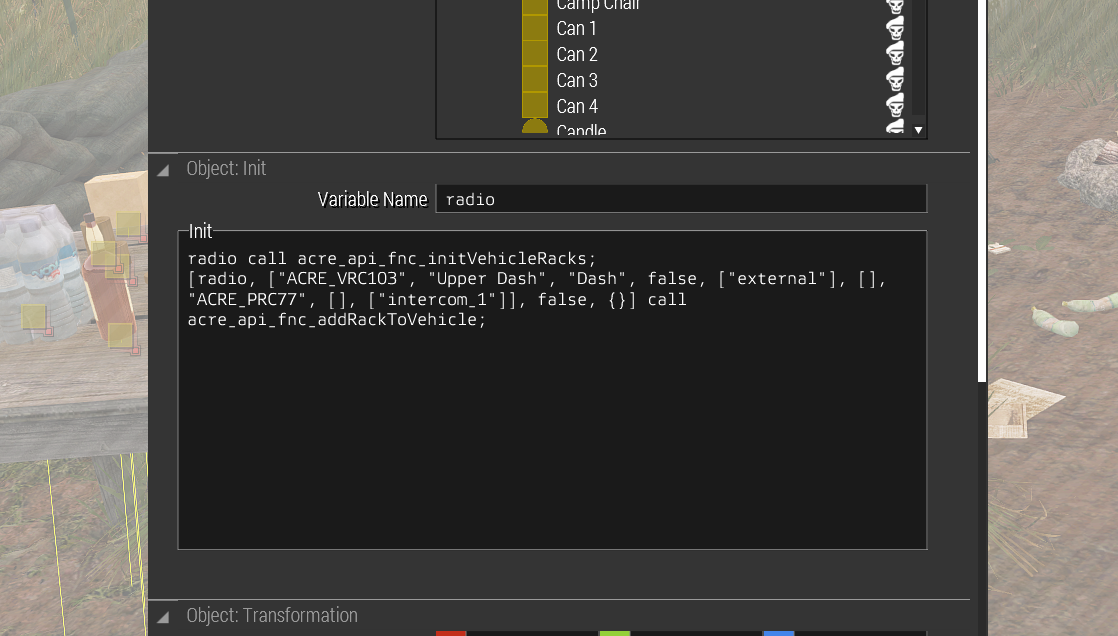
anything going wrong here?
fossil urchin
jade rock
sot it looked like this - https://i.imgur.com/Pm4aqxV.png
No, but i think i cannot attached to radio.
If you join to ACE discord ( https://acemod.org/discord ) and there is ^ other projects #arce2 , i would say you could get best answer from there.
Earlier event is to
Assigning racks mid-mission or to non-enterable vehicles Racks can also be dynamically added, removed or initialised using API functions.
I didnt' test current code to some other object , so i believe you need some other workaround here
 jade rock
Okay - thank you.
light pawn
Any way to disable AI for a certain area?
prisma oyster
yes.
light pawn
How?
prisma oyster
depends
do you mean area as in surface or area as in "some AI traits"?
light pawn
Make AI not do anything but react to bullets that hit them
Not move, not shoot, not crouch or lay down
prisma oyster
this would involve scripting, disableAI
light pawn
How can I choose between respawns when the player dies? Cuz they just respawn on a random one
kind prism
light pawn
How can I choose between respawns when the player dies? Cuz they just respawn on...
have you already looked at https://community.bistudio.com/wiki/Arma_3:_Respawn?
light pawn
kind prism
have you already looked at <https://community.bistudio.com/wiki/Arma_3:_Respawn>...
Yes
kind prism
What did you try? also is your question about choosing a respawn type to use for the mission, or how to let the player choose between multiple respawn positions?
light pawn
kind prism
What did you try? also is your question about choosing a respawn *type* to use f...
I put down multiple respawn points and on respawn there is no respawn screen they just get respawned on a random respawn point
kind prism
You need the Respawn Template: MenuInventory or MenuPosition
light pawn
Where to change it?
kind prism
description.ext, but the checkbox in multiplayer attributes will work too. make sure your respawn modules are set to the right side, and that your respawn timer is not 0
mental crow
someoen tel me please the command in script so players can read a laptop that gives some dialog
fossil urchin
mental crow
someoen tel me please the command in script so players can read a laptop that gi...
kind prism
If you want the leaflet style, this is pretty easy https://community.bistudio.com/wiki/BIS_fnc_initInspectable
light pawn
@kind prism Fixed that, now I just need to figure out how to make it clear (I have 1 spawn on each position bdw)

Respawn settings
 kind prism
You can name each respawn position module in its attributes
light pawn
I have named it, the problem is arma gave it another name
kind prism
oh I see. not sure why the text is overlaid
mental crow
fossil urchin
https://community.bistudio.com/wiki/addAction
https://community.bistudio.com/wi...
really don't know how scipting works
fossil urchin
mental crow
really don't know how scipting works
I'd say you learn a lot by doing it yourself and asking questions when you run into problems. If someone does it for you, you won't know what to do when you have a problem with it. So start your path here on how to learn to script.
 serene lake
Hey how does one make it so you can play an eden editor level
When I hit play theres no options for choosing what role, so it doesnt let it start
kind prism
serene lake
When I hit play theres no options for choosing what role, so it doesnt let it st...
Checkmark Player or Playable for some units.
serene lake
kind prism
Checkmark Player or Playable for some units.
Where would I find that?
I'm just trying to set up a map so I can mess around with Zues and spawn stuff in
kind prism
place a unit and go into the attributes
I recommend the editor tutorial, the graduation hat button at the top right.
serene lake
One more quick question
How do I enable zues, just for purely my own chaos in spawning stuff
kind prism
place the game master module https://community.bistudio.com/wiki/Arma_3:_Curator
serene lake
kind prism
place the game master module <https://community.bistudio.com/wiki/Arma_3:_Curato...
Thank you, now to figure out why it's not working xD
kind prism
What have you done so far?
serene lake
Added the module to the map and I have the info screen open

When I started it after just adding the game master my Zues key didnt do anything
fossil urchin
Add on owner
#adminLogged
serene lake
Done
fossil urchin
And from general setup - states - debug avaible for editor and logged admin
serene lake
Where might I find that?
fossil urchin
Left up in editor is tab General
scarlet crystal
attributes -> general*
serene lake
Oh
fossil urchin
yeh
fossil urchin
scarlet crystal
attributes -> general*
Yeah this. Sorry
serene lake
Am I still looking at the game master?
fossil urchin
serene lake
Am I still looking at the game master?

if you are hosting on your own client you will see debug console in esc menu, if you use dedicated you need log in via chat menu #login YourAdminPassword
serene lake
Im in the eden editor, I'm sorry if I'm being stupid right now
Oh wait I did it, I just can't leave it now
Works for me
fossil urchin
serene lake
Im in the eden editor, I'm sorry if I'm being stupid right now
When you go in game, you will see debug there when you are hosting (SP/MP) on your own.
 cloud axle
Hey guys, we are making a mod for our patches
Could we just drop this file in, and it will apply always?
instead of adding it to each mission
fossil urchin
cloud axle
Hey guys, we are making a mod for our patches
fossil urchin
cloud axle
Hey guys, we are making a mod for our patches
make an addon and share it with your community
cloud axle
we got it
but
if we just drag that file
to the addon folder
would it work?
does it need to be inside the PBO?
prisma oyster
cloud axle
Could we just drop this file in, and it will apply always?
you can disable channels from server config
prisma oyster
yes
cloud axle
thanks as always Lou
it adds fine the server info
but wont try to connect and add the password
any idea?
prisma oyster
only one onEachFrame works, you can't have them all like that 😂
kind prism
cloud axle
any idea?
Don't change so much from this http://killzonekid.com/farewell-my-arma-friends/ if you're trying from in-server. Or work off this if going from spotlight https://github.com/ampersand38/Server-Spotlight/blob/master/amp_spotlight/joinServer.sqf
cloud axle
kind prism
Don't change so much from this <http://killzonekid.com/farewell-my-arma-friends/...
what is spotlight¿?
cloud axle
prisma oyster
only one `onEachFrame` works, you can't have them all like that 😂
Sorry its a really old code we found
kind prism
spotlight is mainmenu big square buttons
 kind prism
Not sure what you're talking about now. I thought you were trying to do single-click-connect-to-server?
cloud axle
yes
we are
the thing is
i dont really understand the code, the only thing i was able to guess (might be wrong) is that, each element of the menu has an ID
kind prism
That's exactly what the github link is https://youtu.be/y39yCfWaqts
cloud axle
but, what about this
/*
1    _IP
2    _PORT
3    _PASS
4    IDC_CANCEL
5    IDD_MISSION
6    IDD_DEBRIEFING
7    IDD_MP_SETUP
8    IDD_MULTIPLAYER
9    IDC_MULTI_TAB_DIRECT_CONNECT
10    IDD_IP_ADDRESS
11    IDC_IP_ADDRESS
12    IDC_IP_PORT
13    IDC_MULTI_SESSIONS
14    IDC_OK
15    IDC_MULTI_JOIN
16    IDD_PASSWORD
17    IDC_PASSWORD
18    diag_tickTime + _TIMEOUT
*/
notes
cloud axle
do i need to know the idc code?
ok
are u sure?
["_buttons", []],
at the start
there is buttons
kind prism
The idc numbers are in #include "\A3\Ui_f\hpp\defineResincl.inc"
cloud axle
ooooh
an buttons
gets filled
ctrlactivate ((ctrlparent (_buttons # 0)) displayctrl 105);
there, maybe?
kind prism
no, the params get filled when the code is called here https://github.com/ampersand38/Server-Spotlight/blob/master/amp_spotlight/config.cpp#L26
cloud axle
hmmmmm
thanks a lot dude @kind prism
im just worried
the visual style of this
oh u are the creator
OOOOOOOOOOH
THATS SO DOPE
 kind prism
I just changed a lil bit from KK's work. Also please finish your thought and type a sentence instead of 8 msgs in a row 😅
cloud axle
ok, im gonna try to modify it even more
cloud axle
kind prism
I just changed a lil bit from KK's work. Also please finish your thought and typ...
yeah, really sorry about that, bad habits. Im gonna try now your code and maybe try changing also the top arma 3 logo with ours, thanks a lot dude ❤️
 formal eagle
I made a field hospital, I think it only uses ace stuff, it’s unlisted because I think it’s missing something, what do you guys think? Any criticism welcome!
https://steamcommunity.com/sharedfiles/filedetails/?id=2917660565

It’s a composition, not a mod or anything
cloud axle
formal eagle
I made a field hospital, I think it only uses ace stuff, it’s unlisted because I...
if u can, adding a photo of how it looks makes it far more possible i would subscribe
formal eagle
Oh I went to bed after I posted that, but here is a picture. I added some sheets and pillows after I made this, but that’s about it. The point isn’t that you subscribe, it’s for tips on how to improve my hospital 😅
 scarlet crystal
formal eagle
Oh I went to bed after I posted that, but here is a picture. I added some sheets...
scarlet crystal
formal eagle
Oh I went to bed after I posted that, but here is a picture. I added some sheets...
a floor would be a good addition
 hardy solstice
Any reason why i cant merge a specific file into another in the editor?
The same mods were used making both but not showing up on the merge list
hardy solstice
never mind I used ctrl shift V to paste in original pos
glass turtle
Any idea why this doesn't work ? I'm trying to add random weapon to objects storage. But with this in init.sqf I get stack size violation on mission start

 cloud sparrow
trailing comma in the array.
glass turtle
Thanks a ton I got it working!
reef lintel
glass turtle
Any idea why this doesn't work ? I'm trying to add random weapon to objects stor...
Use vsc and sqfLint
acoustic yew
you can also just use selectRandom, the function call is unnecessary
 slate zinc
how do I spawn in vehicle compositions on eden? im new to it
coarse gorge
is it possible to add new town names to a map?
wind raptor
Yes, with createLocation.
 steady delta
I need help I cant change faction config in warlords and when i am changing faction config nothing happening in the game.
 small patrol
Are you sure that rhs_F is the correct name?
steady delta
small patrol
Are you sure that `rhs_F` is the correct name?
i have RHSUSAF mod but I dont know how I use that
in faction config
dim kindle
Hey peeps! I am currently struggling with a small issue here with AIs that I spawn in, in the eden editor. Their gear keeps on changing every time I play the scenario. They still use the same weapon, but their clothing changes each time. Is there a way of turning this option off?
vestal perch
dim kindle
Hey peeps! I am currently struggling with a small issue here with AIs that I spa...
you are probably using some modded units that are designed to have random gear on each start
you may not be able to turn that off
dim kindle
Thats odd, I was using the vanilla Syndicate ones
But no worries, I find a work-around
prisma oyster
there is unit randomisation on vanilla units as well, as far as I know
@dim kindle
dim kindle
prisma oyster
there is unit randomisation on vanilla units as well, as far as I know
Thats the work-around I found 😄 Thank you either way Lou!
Appreciate it guys!
 stable rock
Sup guys, do you have an idea how I could export Eden compositions to another mission? For example this compound
Main goal, copy 1:1 and use in zeus or in another mission/map
 sinful zenith
Select it all, create a composition. Done, you now have a composition that you can place
quiet plume
in editor, select the needed items => right click => "Save Custom Composition..."
To get it back in editor: Compositions (F2) => Custom (rightmost icon) => it'd be there
To get it in Zeus: Groups (second tab in right panel) => Empty (rightmost icon) => "Custom Compositions" in the list below.
When placing in Zeus, you can hold Alt to move to the original location where the composition was stored from to exactly replicate the placement. I'm not sure that's possible in editor
stable rock
I do ge the point, but how can I select those objects if they are map objects and not placed by me?
quiet plume
it's not straightforward at all
sinful zenith
Short answer, you can't
longer answer, you can't but you can try to find all map objects in editor (if available) and place a editor object at the same position where the map object was
stable rock
Thanks, that what I thought but was not sure of it
plain gale
@river quiver I think there was a mod that could do something like that. (Sorry, wrong ping)
 glossy sierra
plain gale
<@190189899649908736> I think there was a mod that could do something like that....
glossy sierra
plain gale
<@190189899649908736> I think there was a mod that could do something like that....
@stable rock
plain gale
I pinged the wrong dude 😬
 river quiver
No worries lmao
 river quiver
plain gale
Oh no, even a green one
river quiver
plain gale
Oh no, even a green one
if(user == R3vo)
   DamageReceived*=10;
Changes username
 fickle oak
So on Fox Pamai, which is a gorgeous and brilliant jungle map, there arent any roads, and there doesnt need to be. I, however, attempt to use the hide terrain object feature in Eden editor to make roads. The issue I am having is the Ai do not want to drive the road no matter what. They will avoid it as if all the trees are there and I surmise that is exactly what is going on. Is there a command or some thing to force the AI to drive these 'roads'? lambs rush and assault waypoints do not work either.
vestal perch
fickle oak
So on Fox Pamai, which is a gorgeous and brilliant jungle map, there arent any r...
road network does not update dynamically as far as I know
the engine is not designed for that major dynamic changes
a lot of AI related work is done by prebaked terrain passability calculation and road connection mapping and that happens when the terrain is build into pbo
one is not supposed to create major bases or towns live 
 slender nova
reef lintel
Use vsc and sqfLint
slender nova
reef lintel
Use vsc and sqfLint
Is it better than SQF Language?
It has double the downloads 
gritty tulip
Anyone know how to make an AI look like he’s talking on a radio or cell phone?
prisma oyster
slender nova
Is it better than SQF Language?
It has double the downloads <:monkaHmm:495302035...
these are tools for SQF, not a language replacement
slender nova
prisma oyster
these are tools for SQF, not a language replacement
Yeah, the most downloaded SQF plugin for VSC is called "SQF Language". "SQF Lint" is another one and has half the downloads. So I was just wondering if I am a victim of old popular tool missing on new cool features in a new one, less popular.
prisma oyster
ah, the plugin itself is called "SQF Language" 😄
safe swift
sqf language is just syntax highlighting iirc
pastel wagon
so i use the setFlagTexture for an custom flag in game via init on the flagpole with this setFlagTexture "flag.paa"; i can see the flag if i load it Localy on my pc as a Hosted MP session but on our server the flag doenst show (just the empty pole) but the images is uploaded and also visible in the loading screen as it is also set there too! any ideas?

 covert trench
the one you have highlighted is also good
 placid gyro
Hey guys, I have a question regarding the Spawn AI module in Arma 3. I'm currently making a multiplayer mission. I'm trying to set the spawn AI module to spawn 30 ai maximum. When they are killed the module keeps spawning additional AI. Ideally I would like it to stop one it has reached a number of 30. Is this possible?
 hasty lake
Super basic question here... But you know when playing, we press M to get the map and then being able to drawn lines Ctrl + left mouse or even a straight line. How can we do this in the editor?
prisma oyster
hasty lake
Super basic question here... But you know when playing, we press M to get the ma...
can't
hasty lake
prisma oyster
can't
Sad, no mods to be able to that?
hasty lake
prisma oyster
scripts can, but it's a hassle
Thanks for the quick reply
kind prism
hasty lake
Super basic question here... But you know when playing, we press M to get the ma...
Use long thin rectangle markers for the same effect.
scarlet crystal
(and be aware you can't move them during the mission unlike hand-drawn lines)
hasty lake
kind prism
Use long thin rectangle markers for the same effect.
I tried playing with square, circle and triangle and noticed when you zoom in and out the map, the scale changes with it. Here is what I mean. Using Square, I made 2 lines that connect to each other. I Zoom in and then they're not connected anymore.

 kind prism
Use the Area Markers (different sub-tab) not the icon
 raven comet
In the Spawn AI module, how does the Manpower Cap value actually translate to numbers of units? Is it weighted for vehicles or group sizes, is it literally just a max count of units?
https://i.imgur.com/W0wUtdm.png
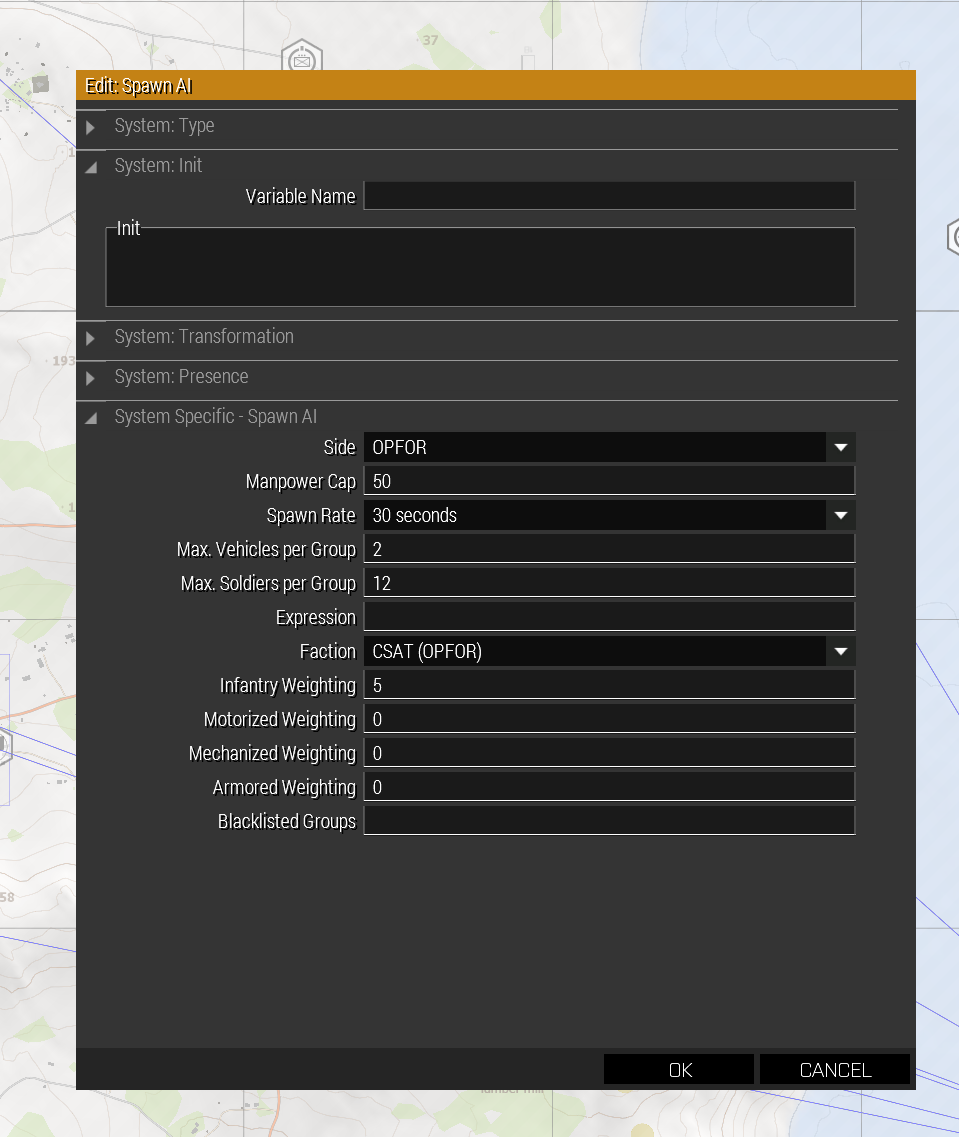
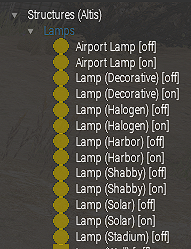

 glossy sierra
raven comet
In the Spawn AI module, how does the `Manpower Cap` value actually translate to ...
raven comet
glossy sierra
raven comet
In the Spawn AI module, how does the `Manpower Cap` value actually translate to ...
raven comet
Thanks. What value would I be looking for in the config for the manpower value per unit?
 zealous egret
Hoping someone can help me out with the Respawn Module. I have a medevac UH-1 that I intend to act as a respawn vehicle. I have a Respawn Location module synced to the vehicle and it works perfect.
The issue is that I’d like to stop the respawned players from being slotted into the pilot or co-pilot seat. Is there an easy way to do this? For reference, this helicopter will be flown by player pilots.
 worldly lodge
Im adding a launcher to a character
but when I play as it it doesnt have ammo
how do i give it ammo
 vale kelp
What app i can use for read files .bin ??
 tawny jacinth
vale kelp
What app i can use for read files .bin ??
tawny jacinth
vale kelp
What app i can use for read files .bin ??
arma3tools and mikeros tools to un-binarize it
 soft shore
any reason all my zeus units would be missing in that little drop down section on the right?
kind prism
soft shore
any reason all my zeus units would be missing in that little drop down section o...
Can you explain "zeus units"? do you mean modded units and vehicles?
soft shore
kind prism
Can you explain "zeus units"? do you mean modded units and vehicles?
I meant all units, I'm in a mission and enter Zeus and the menu on the right with markers, behaviors, modules. units etc. was completely empty
turns out that was a bug though so I was able to fix it\
Now however any units I spawn, for example a mechanized infantry nato 2035 unit, I can't get into any of the vehicles
nvm fixed it by changing my side to blufor with ares module again for some reason
prisma oyster
is a pond object an acceptable wishlist item for Arma 2.12/2.14? @sinful zenith 👀 :3
prisma oyster
we already have them, we just need a config + eventual translation ^^ @hazy osprey / @frosty rivet ?
 hazy osprey
aren't they still causing issues when 2 identical named ponds p3ds are present in the world?
 void fractal
Hello all, first post in here. I have been tinkering with compositions. basically copying what I can of what i have seen other people do with hiding parts of vehicles and sort kitbashing them together with attachto and stuff. Is there a good way to look up what textures cover what parts of a vehicle model so I don't have to guess at what I'm doing? Specifically I'm trying to hide tires on a cup humvee so I can hide the truck and use its gun/turret on another vehicle. Or is it one of those things like the tracks on most armored vehicles where they just don't want to go away. What about animatesource commands? should something like that maybe work? Thanks in advance for any info
vestal perch
hazy osprey
aren't they still causing issues when 2 identical named ponds p3ds are present i...
also the shader is still whacky
prisma oyster
void fractal
Hello all, first post in here. I have been tinkering with compositions. basicall...
that would be #arma3_scripting and hiding selections (not textures) yes 🙂
see https://community.bistudio.com/wiki/animateSource / https://community.bistudio.com/wiki/animationNames
as well as https://community.bistudio.com/wiki/setObjectTextureGlobal / https://community.bistudio.com/wiki/getObjectTextures
void fractal
Thanks!
void fractal
prisma oyster
that would be <#105462984087728128> and hiding _selections_ (not textures) yes �...
And thanks again! Just got to try those out and they worked just about how I had hoped! Now I just need to lock out all the extra seats and stuff and these things will be in business! I'm pretty sure I know where to look up how to do that.
 median cipher
Heyo, uh, random issue
my editor has suddenly dropped to about 9 fps, on loading into it
it never recovers either, any ideas what could be going wrong?
disregard, something somehow has gone wrong with a mod im working on
rustic nexus
HELP!!! Do anybody know how to make roads stay above ground patches??? Problem is that when i place some dirt texture and then place a road texture it goes underneath the dirt texture so the road cant be seen
 severe grail
Greetings everyone. I was hoping someone could point me in the direction of a script that locks players out of vehicles until theyre a certain rank ..?