#arma3_animation
1 messages · Page 24 of 1
 desert raven
It basically comes down on understanding skeletal animation in whatever tool you use and the deeper understanding how Arma configs work and interpolating how the vanilla configs work and the using that knowledge to piece together new ones.
desert raven
Is there spam removed here all the time? The channel lights up but there's nothing here.
 light folio
Oh is that what causes that, I just thought my discord was bugging out
Also thanks for the reply I passed it on to the guy making the skeleton
desert raven
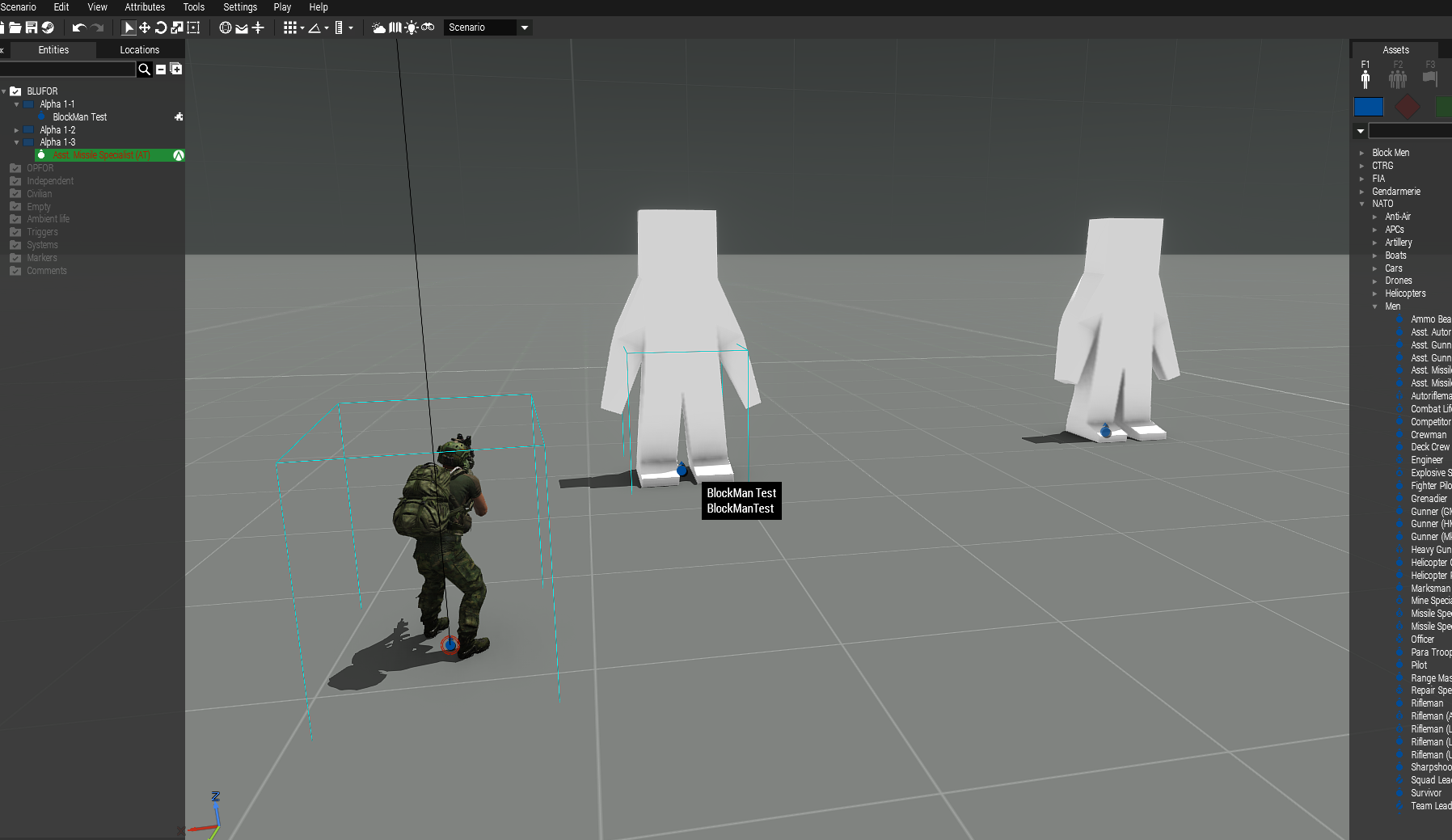
Unfortunately there isn't a lot to go on with. Mondkalbs blockman could be useful study.
 fervent parrot
No I asked a question after google didn't help but then immediately figured out I was an idiot and was right clicking on the wrong box so I deleted my question.
 prisma bison
is it possible to enter a command into a script to stop a building's animation? like, a radar dish that spins...any way to make it stop spinning (i.e., to create the effect that the building has lost power)?
desert raven
No, the building qould need to have that animates part twice, one moving and one static and those could be toggled with hide animation.
 river trellis
Hi everyone !
I try to make an animation for Arma but i have a problem ...
My problem is this : https://www.noelshack.com/2020-30-6-1595681666-20200722212045-1.jpg
I make animation on Blender with an Armarig : https://www.noelshack.com/2020-30-6-1595681673-blender.png, after i export, with Arma3 toolboox for blender, a .RTM files and i check if it's ok in Object Builder : https://www.noelshack.com/2020-30-6-1595681673-object-builder.png. Until then everything is fine.
But when i want try this animation on Arma, I have the problem mentioned just above ...
My config is : https://paste-me.net/goguz, my model is : https://paste-me.net/kihaw and name of rtm is gardeavous2.rtm .
Has someone already had this problem ?
Thank you in advance for your help
 deft fern
that doesn't look ok
Are you sure you didn't skewed somehow binding pose?
can you show us frame 0.0 in object builder
river trellis
Frame 0.0 blender : https://www.noelshack.com/2020-30-6-1595701081-blender2.png
Frame 0.0 Object Builder : https://www.noelshack.com/2020-30-6-1595701081-object-builder2.png
I think there is a little problem with the left arm 😂 It's the problem ?
 drowsy nymph
I think he means the -0.5 bindpose frame, which should be the standard T-pose in all animations
river trellis
Ah ! it's this : https://www.noelshack.com/2020-30-6-1595704165-object-builder3.png
river trellis
@floral moat I think you should ask the question here instead #arma3_texture
 floral moat
oh wrong channel my bad
 rose fractal
Could somebody here help me get started on animations? I can't find any up-to-date information on how to create a new one.
desert raven
animation for what? character?
rose fractal
Yes, I think so.
I've got a few goals in mind but I've got no idea how to go about them
desert raven
well basically the info about arma animations is completely valid still. But you will first need to pick your 3D program to do them in (Blender or 3DsMax would be good choices)
then understand how that works
and then apply that knowledge to make the Arma character animation
for the Arma part there are community made animateable characters for both programs too I recall
rose fractal
Is there a way to make animations for things other than the human skeleton?
desert raven
like what?
rose fractal
Think of a gonk droid, for example
desert raven
sure
but that adds a huge pile of undocumented stuff to learn
basically new a completely new character that requires completely new animations, model, configs
which in turn will need you to get in very deep with the knowledge of how the engine and configs work
and the tools to make the stuff
rose fractal
I think I can pull that off, but thanks!
desert raven

New look and couple of more moving parts added to the animations. Head and eyes now work quite nicely.
as an example
 dire cargo
https://www.youtube.com/watch?v=DIJnLer1TXM
@desert raven Thats crazy 😮
desert raven
indeed 😄
 cyan ivy
wobbly boy
river trellis
@deft fern Have you Check pics ?
deft fern
Yeah, it seems there is something wrong with your export
I'm using 3ds max for arma anims so I cannot help with this case
river trellis
Ok, but I find many Armarigs for blender on web ... Someone have an Armarig files for blender and that is functional (test and approve)?
desert raven
The latest one mentioned on the armarig BI forum thread should work.
Something else is likely going wrong if it does not
river trellis
You talk about this model : https://forums.bohemia.net/forums/topic/161228-armarig-for-blender/ @desert raven ?
 naive hemlock
@river trellis yes
river trellis
Ok thx, i will try with this model
river trellis
Thank you all for your answers, it now works with armarig just above however when the animation starts my vision in 3rd person is lowered during this one
desert raven
I recall the rig might be missing camera bone
you might be able to affect the blend groups of the animation though and exclude the camera bone
river trellis
Wahou ... This is outside my area of expertise ...
desert raven
you may need to learn that stuff too 😄
 sterile ice
Does someone have an idea on what's going on here?
https://i.imgur.com/vMtTC2B.jpg
I wanted to add a new animation, but something in the config is weird.
This happens whenever I placea unit, ingame I then perform seemingly random animations, as if some movement actions were overwritten etc
So I just packed an old pbo which I know 100% worked fine before and it does the same
{
    class Actions;
};
class CfgMovesMaleSdr: CfgMovesBasic
{
    class States
    {
        class AmovPercMstpSnonWnonDnon;
        class kka3_sitz: AmovPercMstpSnonWnonDnon
        {
            file = "\ff_animations\anim\kka3_sitz.rtm";
            speed = 0.00001;
            looped = "true";
            interpolateFrom[] = {};
            interpolateTo[] = {};
            canPullTrigger = 0;
            disableWeapons = 0;
            disableWeaponsLong = 0;
            weaponLowered = 0;
        };
        class kka3_lehn: kka3_sitz
        {
            file = "\ff_animations\anim\kka3_lehn.rtm";
        };
    };
};```nevermind thats how its supposed to be
check the in game animation viewer what your animation plays for starters
also make sure your cfgPatches are correct
sterile ice
It works fine in the anim viewer, cfgpatches is also correct
desert raven
you may need the connectedTo and from arrays too
as it is possibly running through a set of animations to get to your animation
desert raven
maybe this?
Id perhaps use some other simpler animation class as parent
something that already behaves as you want it to work
sterile ice
I used Acts_Alien_Gesture and Test Surrender but I get similar results with them
I'll try to add variantsPlayer as empty array
Nope, still the same issue.
desert raven
you sure its packing and replacing the old one?
sterile ice
Yup
desert raven
does debugging what animation plays show only it playing or some others
sterile ice
I'm gonna try packing a few other files that worked before
Not sure, lemme try
It works now, I just took an old config as sample.
No idea what exactly is causing this issue
 proper blaze
can i get some help
desert raven
depends what the problem is
 grizzled igloo
Hello everyone
 grizzled igloo
I want to move my left hand forward a bit, but it will become like this in the game
desert raven
you weapon bone is likely not named right
weapon -> Weapon or Weapon -> weapon
I recall this is a bug in Blender Armarig if you are using that
grizzled igloo
I use NIA’s open source animation. If I don’t move the bones, there’s no problem, but if I move, problems will occur.
grizzled igloo
Select the bone and move it along the Z axis
desert raven
in OB?
I see.
theny you export matrices etc
now how do you pack the new rtm?
do I dare guess pboManager?
desert raven
yes but how do you put the rtm into game?
into pbo
addon builder. pboProject, pboManager?
something else?
grizzled igloo
addon builder
desert raven
addon builder has problems with animation files if I remember right
I would suggest using pboProject as it is far better with animations
grizzled igloo
Ok i will try it now
grizzled igloo
Ok thank you very much, i will download
proper blaze
@desert raven yes i do i wanan ask some questions
desert raven
then best to ask them.
 tame shale
Hello, I'm trying to get magazine hide animation working for proxy magazine on my weapon model
If I make this class in my weapon's model.cfg
class magazine_hide
{
    type = "hide";
    source = "reloadMagazine";
    selection = "magazine";
    minValue = 0.000000;
    maxValue = 1.00000;
    hideValue = 0.220;
    unhideValue = 0.550;
};
and I have proxy magazine selection proxy:\a3\data_f\proxies\weapon_slots\MAGAZINESLOT on my weapon model, How do I use this selection to be applied to magazine_hide?
desert raven
you create a named selection called "magazine" and add the proxy triangle into it
all animations work like that
tame shale
Thanks for your help, I've figured out how to make this selection properly and animation works now
 regal dawn
Hello everyone.
Sorry if I'm in the wrong channel.
I've a question regarding vanilla animations.
The aim is to have certain doors of my destroyer (Land_Destroyer_01_base_F) opened at mission start.
The animateDoor command needs a specific door. The animationNames command gave me a ~100 name list, but no doors.
Tried looking at the BIKI: https://community.bistudio.com/wiki/createVehicle/vehicles
- But it seems to split the destroyer object into several static sub-objects.
Long story short: what command opens a specific door on Land_Destroyer_01_base_F , and where is a list of those doors?
desert raven
probalby in the config of that particular part
regal dawn
Ah thank you. That was fast!
I'm looking into the object with the Config Viewer. Different parts indeed have different doors.
Example: "Land_Destroyer_01_interior_04_F" has two lines-
actionBegin1 = "OpenDoor_1";
actionEnd1 = "OpenDoor_1";
But I am not sure what the above means. It seems like a kind of "addAction" for the player. However, I just want to open that specific door with scripting. Do you know what command does that?
desert raven
well you may need to look what action OpenDoor_1 is
the above is AI actionpoint for door opening
regal dawn
Okay. Sorry for my ignorance (I have only created missions until now).
I believe you are referring me to this article: https://community.bistudio.com/wiki/Animations
But I would prefer to skip the player interaction part altogether.
Does the game allow you to activate a source on a given (sub-) object with only scripting?
Referring to this list: https://community.bistudio.com/wiki/createVehicle/vehicles
Example-
Land_Destroyer_01_interior_02_F animateDoor ["Door_1_source", 1, true];
desert raven
yes but you perhaps want to use animateSource command if you are trying to animate animationSource
regal dawn
Alright. But how do I refer to that subsection of the object?
Because I see that each sub-object has it's own list of doors, starting with "Door_1_source" .
(Again, thanks for troubleshooting with me, by the way)
desert raven
that I dont know.
regal dawn
No worries. Mind if I ask the question again in the Scripting channel?
desert raven
or well you probably can find them with some of the nearObjects type commands
well yes probably best to ask about the commands there
regal dawn
Heya.
Having trouble finding a specific animation in the "cutscene" section of the ingame viewer.
Does anyone know of an animation/pose where the character is lying down or crouched, fixing a vehicle?
desert raven
I think there is fix or repair in its name
regal dawn
Thanks. Under Action: Unknown and Pose: Unknown, there's InBaseMoves_repairVehiclePne and InBaseMoves_repairVehicleKnl . Appreciate it!
 tawdry wagon
What framerate are animations running at in Arma 3?
 fast canopy
Vanilla anims are 30 FPS IIRC
 quick vortex
out of curiosity. i noticed that goats and sheep, etc. will die via animation. humans however will ragdoll. is this some engine thing or is it possible to add animals with ragdoll death?
background is that currently, dying animals just look horrible. especially if they are still trapped in their idle animation.
desert raven
Animals don't have ragdoll defined. So yeah s
Likely it would be possible but with the cost of some performance.
 crisp berry
is it about their cfgMoves setup? or rather the simulation they use?
desert raven
ragdoll stuff is separate configs alltogether
but I think there are cfgMoves config parameters involved too
deft fern
param + config
new skeleton need to be defined in CfgRagDollSkeletons
If I remember correctly lego mod is sort of example how to do it
desert raven
Ye
regal dawn
Anyone have an online list for animation markers?
fast canopy
What do you mean by an online list?
regal dawn
For the animation player, or to change stances of the model, for example high crouched stance
fast canopy
Define animation player?
desert raven
No there is no such list online.
 sacred oxide
Hey, how does the launcher keep itself attached to the back of a soldier? if i delete the launcher from the animation will it show for everything else apart from that animation, or will it still show for that animation and you can still pull it out and use it? please guys?
 patent barn
is it possible to create an END Screen with a camera movement around the map with a music when the mission gets finisehd ?
sacred oxide
Is there a way to keep your animations hand attached/glued to the grip points of a gun (e.g the handgrip, and the barrel/foregrip*), and stay firmly/glued in place, while the rest of the animation does its thing?
fast canopy
sacred oxide
@fast canopy thankyou 🙂
 bronze gorge
Hi,
What is the most up-to-date (or standardized) resource to learn how to create animations for Arma? Mainly talking about reloading anims for weapons. I want to learn it, but not sure where to begin.
 zenith token
- learn how to animate in 3d tool
- learn how to animate a skeleton in 3d Tool
- do it for arma skeleton
- learn how to config the animations by looking at vanilla animations
 vivid pewter
hi all, I'm having a pretty game breaking bug caused by my own custom RTM's I made for the crew positions in a vehicle. I made the RTMs from scratch using the BI default example skeletons. The animations for the players works perfectly until I exit the vehicle at which point the player is launched sideways at about 700kph. I found this video that shows the exact same bug I'm having: https://www.youtube.com/watch?v=PjD-vmXd0Fo
I followed a really useful tutorial on youtube about how to make custom RTM's and did everything to the word, and yet all of my custom RTM's have the same issue in the vehicle.
I was wondering if anyone here might have experienced this bug before and knows what's causing it? I can link my RTM's and p3d I exported them from if needed
desert raven
possibly issue with the config and how the animations connect with the non vehicle animations
unless you have added step values to your animations
vivid pewter
Thanks for the response, my rtms have values of -0.50000 (stock t pose) 0.000000 (my animation) and 1.000000 (also my animation)
vivid pewter
can i send the file here?
desert raven
no you will need to link it
vivid pewter
oh ok, I'm a complete noob with RTMs, this is my first try with them 😛
desert raven
do you use custom get in/get out animations/actions or vanilla ones?
vivid pewter
I can upload it quickly if you'd be alright to take a look, that'd be amazing
I'll take a look at the main config now
desert raven
no sorry dont have that kind of time
vivid pewter
ok no worries
desert raven
can throw ideas but thats about it
vivid pewter
class CfgMovesBasic
{
    class DefaultDie;
    class ManActions
    {
        USAF_AC130U_Pilot = "USAF_AC130U_Pilot";
class CfgMovesMaleSdr: CfgMovesBasic
{
    class States
    {
        class Crew;
        class KIA_USAF_AC130U_Pilot: DefaultDie
        {
            actions = "DeadActions";
            speed = 0.5;
            looped = 0;
            terminal = 1;
            file = "\USAF_AC130U\Data\Anim\KIA_USAF_AC130U_Pilot.rtm";
            connectTo[] = {"DeadState",0.1};
        };
        class USAF_AC130U_Pilot: Crew
        {
            file = "\USAF_AC130U\Data\Anim\USAF_AC130U_Pilot.rtm";
            interpolateTo[] = {"KIA_USAF_AC130U_Pilot",1};
        };
those probably should work
vivid pewter
gunnerInAction = "USAF_AC130U_Copilot";
                gunnerAction = "USAF_AC130U_Copilot";
                memoryPointsGetInGunner = "pos driver";
                memoryPointsGetInGunnerDir = "pos driver dir";
example of cfg turrets
desert raven
how are your memorypoints set up in the model?
vivid pewter
We have memory points set up for the plane which worked fine when we were using older RTM's but as soon as I started using my own custom ones this bug started happening everytime you exit the vehicle, which leads me to believe it's something relating to the new RTM's specifically
desert raven
cant really think of what would cause that since your custom animation is no longer playing
vivid pewter
Also we are, I believe, just using the stock get in/out animations
desert raven
do you use pboProject to build the pbo?
vivid pewter
hmm nah I just used oxygen 2 to export the matricies from the animation time frame box
vivid pewter
I use arma 3 addon builder
desert raven
how do you pack it all up?
vivid pewter
from arma 3 tools
desert raven
alright then I would recommend you get Mikeros tools and pboProject
as Addon builder gives you no debug feedback on possible problems
vivid pewter
the thing is though I've packed exactly like this before with the old rtms and they were fine
 zinc wadi
from arma 3 tools
@vivid pewter Don't. Just don't. Get pboProject, install, try to pack, cry, find the error, try to pack again, cry again, fix another error, pack, be happy.
That's the cycle of pboProject, and we love it for it.
desert raven
for the current situation the previous working is irrelevant
zinc wadi
(it has a build-in check for config errors, so prepare do see your mess)
desert raven
hmm actually one thing it could be
vivid pewter
hmm ok, and it would potentially highlight the issue occuring here?
desert raven
possibly if you have a faulty config syntax somewhere
zinc wadi
Yeps ☝️
desert raven
your animation config might be breaking the vanilla animation config
vivid pewter
hmm ok thanks for the ideas, I will try with pboProject, if it's something to do with the config.cpp It'd probably be relating to the transition between in anim and out anim, or the get out anim itself right
vivid pewter
yeah, they're fine, but theyre using the other original RTMs
desert raven
also is your cfgPatches required addons set up?
vivid pewter
yeh afaik it's fine
class CfgPatches
{
    class USAF_AC130U_C
    {
        units[]={"USAF_AC130U"};
        weapons[]={"USAF_GAU12","USAF_L60","USAF_M102"};
        requiredVersion=0.1;
        requiredAddons[]=
        {
            "usaf_main",
            "USAF_Missilebox_C",
            "A3_Weapons_F",
            "A3_Sounds_F",
            "a3_weapons_f_exp",
            "a3_sounds_f_exp",
            "a3_sounds_f_arsenal",
            "A3_Data_F",
            "A3_Data_F_ParticleEffects",

            "A3_Characters_F",
            "A3_Characters_F_beta",
            "A3_Characters_F_epa",
            "A3_Characters_F_epb",
            "A3_Characters_F_epc"
        };
    };
};
is the animation config here in this cpp?
youre not listing vanilla animations here
vivid pewter
that was the exact same patches setup I was using with the old custom RTM's that don't have the issue
vivid pewter
😛
In that video I linked the guy said he fixed the issue but not really how, and he hasn't been active for 5 years RIP my soul
desert raven
video tutorials are often full of misinformation
anyone can make a tutorial and video tutorials are even easier to make
just because it says tutorial in its name doesnt mean its correct
vivid pewter
yeah I mean he didn't actually show it working in game haha,
that video I linked, all he said about the fix was this:
**Solved Update**
This problem is caused by porting .rtm file straight from ArmA1, after some adjustment to A3 standard can solve this problem.
but I can't really make much from that
desert raven
neither can I and its possible he accidentally actually did something else
people dont really bother to update their video tutorials properly
at least its very rare
vivid pewter
unless you have added step values to your animations
@desert raven just for reference this doesn't actually have its own animation, it's just a static position for the player when they're in the seat
desert raven
yes I misunderstood what animation you talked about before
Id start with the pboProject though to ensure your config does not have typos etc
vivid pewter
I don't need a model.cfg for my rtm do i?
desert raven
as AddonBuilder lets you pack just about anything
you do yes
with pboProject anyway
that ensures the rtm is processed with correct skeleton
vivid pewter
sure, I just tried but it's not giving me the crunch option, it's just greyed out, I have my P drive setup
vivid pewter
ah ok
desert raven
just install them all, easier that way
cant remember which all pboPro uses
or you can check the documentation
vivid pewter
So I just successfully packed the rtm using pboProject with no errors, and still get the same issue :/
Im starting to think this is more to do with the transition between being In and Out of the vehicle, rather than the RTM itself
desert raven
possibly make sure the character does not accidentally get underground when get out is done
also do AI behave same way when ordered to get out?
vivid pewter
hmm, I just tried getting out from a position which uses a stock arma RTM and it's normal, I checked my RTM's tpose 0 keyframe and it is exactly centered as is the modified keyframe. I will try with AI now
interestingly the AI doesn't get launched @desert raven
vivid pewter
Do AI not use the same animations as players when getting in or out?
I can try removing the T pose keyframe
desert raven
it should not matter either
basically the cargo action should not have any possibility to affect the character after get out
vivid pewter
still happening with only the one modified keyframe
btw my RTM p3d still has the gun and launcher in it, is that correct?
desert raven
yes that is fine
vivid pewter
just tried using different get out memory points, same issue sadly
vivid pewter
I found the fix
!
I had to define speed = 0.5; in class CfgMovesMaleSdr: CfgMovesBasic
 cerulean pivot
speed is the inverse of the total animation time
vivid pewter
apparently if you don't define the speed value it defaults to something like 100000
desert raven
what class did you define the speed in?
 feral shuttle
Alright so I used the arma3toolbox for blender to import the 50 frames by hand, when exported as rtm and loaded into O2/Objectbuilder it plays the animation fine, frame 0 is the A pose and the rest is the animation. I have a model.cfg for the skeleton in this case which I named to FI_M6_Skeleton.p3d if I define the skeleton in the model.cfg it complains about the following.
...........................skeleton clash for binarsing rtms
was OFP2_ManSkeleton, is FI_Pistol_Skelton```


after changing FI_Pistol_Skelton to OFP2_ManSkeleton it bin fine. however I get the strange Come at me bruhh pose.

So I did some googling and found out I need a config.cpp which should have the following code.class CfgMovesBasic
{
class default;
class DefaultDie;
class ManActions
{
GestureReloadM6[] = {"GestureReloadM6", "gesture"};
};
};
class CfgGesturesMale
{
class States
{
class GestureReloadPistol;
class GestureReloadM6 : GestureReloadPistol
{
file = "\FarIsle_Weapons\M6G\data\anim\ArmaRigMagnum3.rtm";
mask = "handsWeapon";
canPullTrigger = 0;
};
};
};```inside the weapon config I have
reloadAction="GestureReloadM6.rtm";
which should load the reloadaction of the animation.
So I add the following line aswell.
handAnim[] = {"OFP2_ManSkeleton", "\FarIsle_Weapons\M6G\data\anim\ArmaRigMagnum3.rtm"};
However results is:
now I would love to get this working.
https://cdn.discordapp.com/attachments/562717669497896961/745059189054898287/MagnumWip0000-0055.mp4
anyone that is familair with custom reload animations able to help me trough voice ?
desert raven
oh wait what was that part about the skeleton?? @feral shuttle
you must always use the ofp2 manskeleton for rtm animations
at least if they are for the armaman
feral shuttle
ohh that was me testing things as a custom named skeleton using the arma doesnt work, so I changed that back to OF2_Skeleton
so dont change skeleton to a new p3d file. I figured that out. however when compiled and everything it is doing that strange pose. Which got to do with the rtm, as the rtm is the holding position I figured that out. However the animation isnt loading.
and that is where I'm stuck at.
it got to be something with the config, but I cant figure out what it is.
the full class CfgMoveBasic / CfgGesturesMale there must be problem with that.
because in O2 it loads the animation fine.
feral shuttle
Well I'm new to rtm/animations so I try things and google things, but I cant figure out why it isnt loading the animation.
path and all is fine.
sacred oxide
is animatiing weapons worth it or a complete waste of time?
as part of your animation?
drowsy nymph
In what manner? Animating parts of the weapon? No, they use a completely different system to be animated ingame that has nothing to do with character animation
sacred oxide
@drowsy nymph in any manner really, making sure the weapon is consistent with the animations general movements
 proud fossil
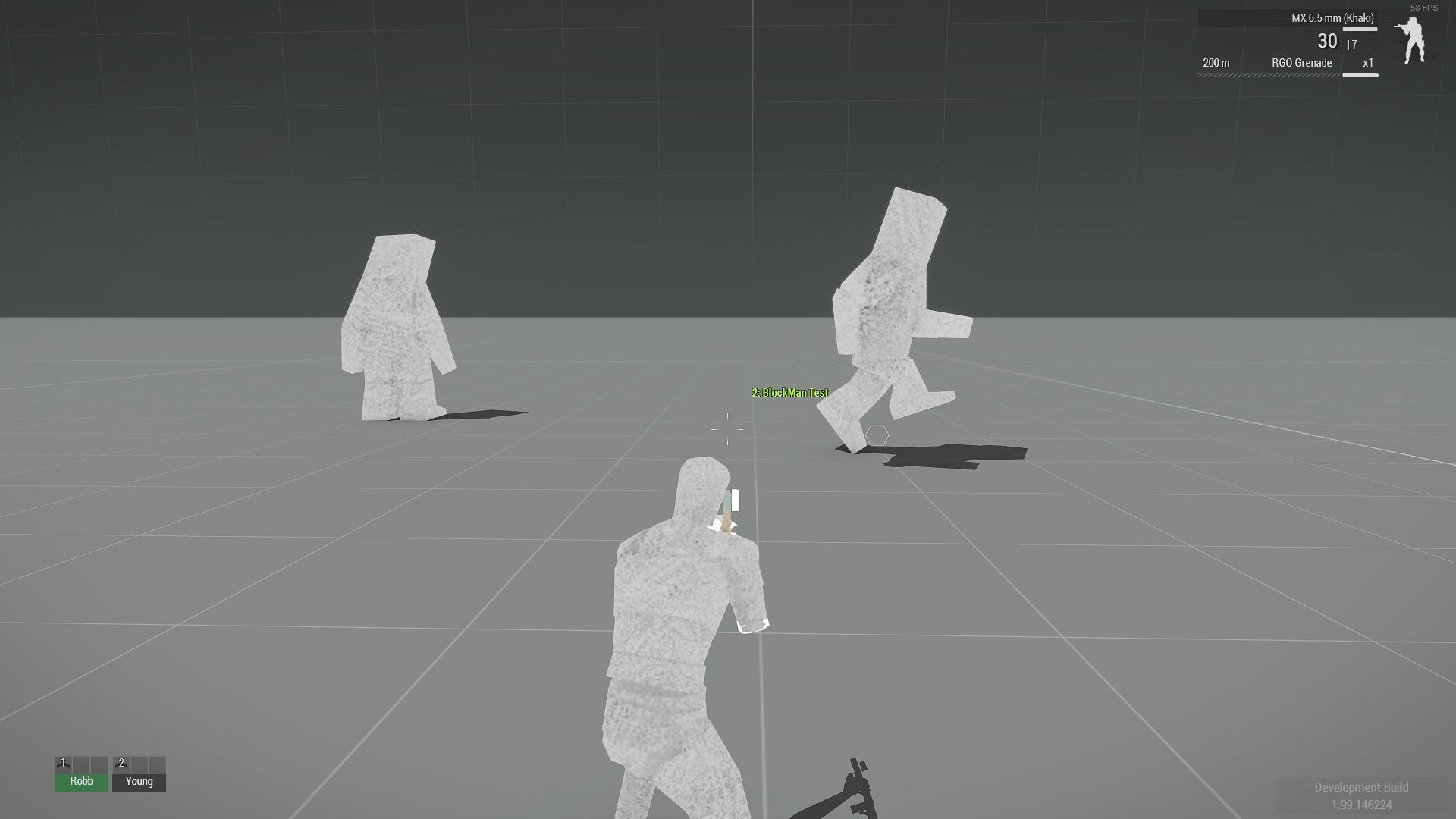
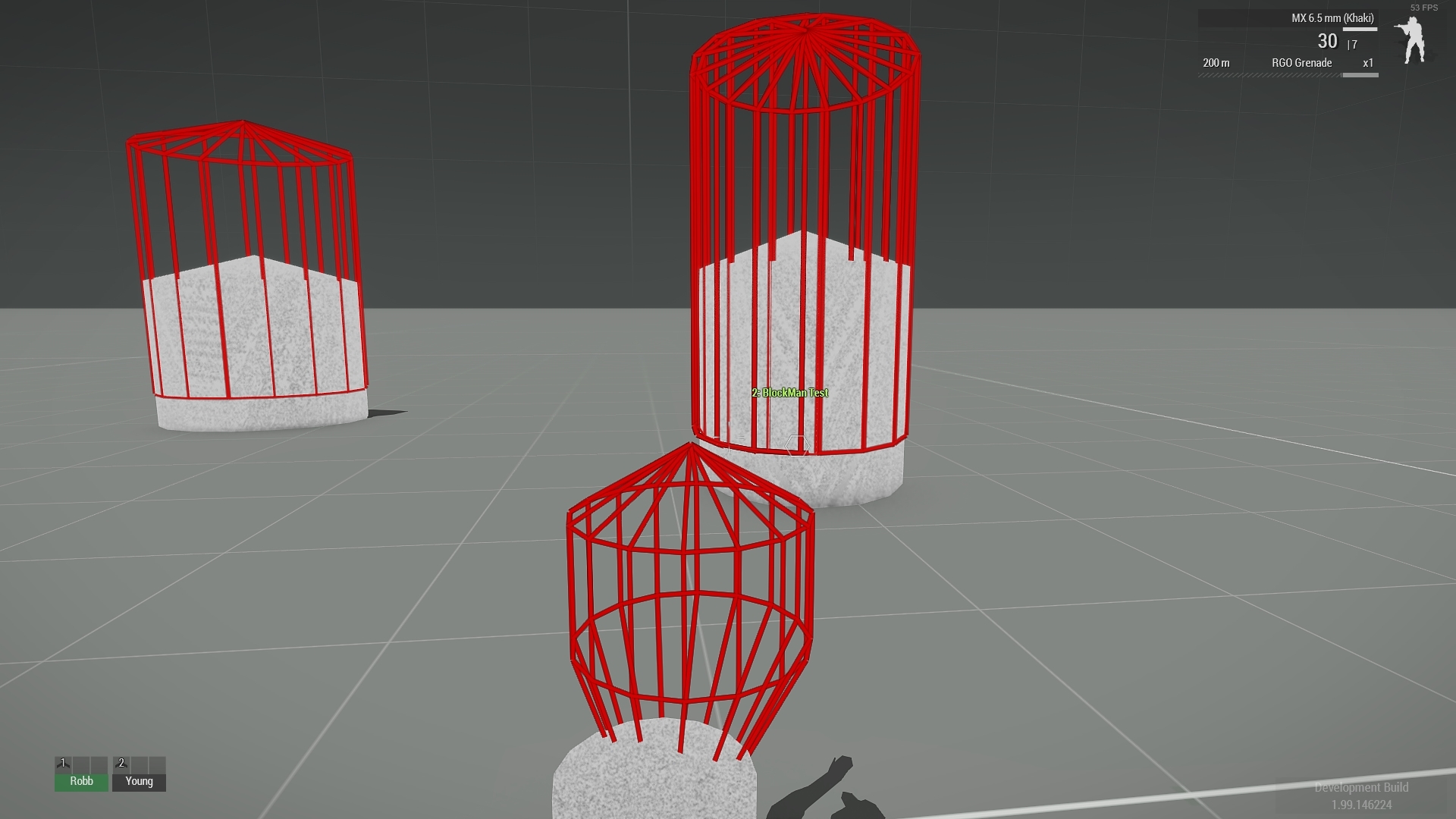
So I'm still having problems with getting my fire geometry working with bigger character models. I've tried adding boundingsphere=10 to all my animations, but the top half of the fire geo still doesn't work.
I made a quick mod with a big block man character with a few anims and basic config.
If anyone know's how get the fire geo working on models bigger than the arma characters can you take a quick look and see if you can find anything wrong.
https://www.amazon.ca/clouddrive/share/hk63FVXCHH97qSBtN00UvGLZxLSlA0aEbuL1Tumvj34
desert raven
have you tried larger bounding sphere?
proud fossil
yep, i've tried all different values. biggest one i used was 100.
the working part of the fire geo stays the same no matter what value i put for bounding sphere.
if i scale all the lods and animations down to something smaller than the arma character, it works fine.
desert raven
boundingSphere is the only thing I set up for my walker legs
mine work at 10
the legs are about 8 meters tall
proud fossil
hmmm, yeah i'm not sure why it's not working. Have to be missing something in the config or p3d maybe.
it works in the dead animation state, so ¯_(ツ)_/¯
proud fossil
here's a gif that shows only the lower part working. The bullets go through the upper part of the body. the cursor moves a little when going pass the boudingsphere, if thats what it is.
desert raven
hmm that is exactly the behaviour I had before setting up the bound sphere
proud fossil
you have any extra properties in your p3d other than the regular ones?
desert raven
nope.
does the bounding box size increase in editor when you increase the boundingSphere value?
proud fossil
yep that changes when changing boundingsphere size.
it seems like it is stuck on 1 for some reason. that is where the fire geo stops working, right at the top of the box.
https://i.gyazo.com/7a264e434cf2788eba74f4849877b503.png
proud fossil
yep, checked in object builder.
also the fire geo works when it is in the unconscious or dead state, so it won't be that.
drowsy nymph
It's not stuck half way in the ground like an unweighed unit in the t-pose is it?
desert raven
Could be worth checking what diag exe and the diagnostic views show
Are the stance geometry shapes custom?
proud fossil
Nope, it moves around fine. Something is causing parts of the fire geo to not work, maybe the boundingShere or something else.
https://gyazo.com/c9349ff806208a2ed75e32cf0738d1a2
i've tried the default armaman geo shapes and made my own for the animations, still nothing changes.
i get the same problem on all the custom skeletons i've done so far.
I just made this one so it's easier to troubleshoot, with it only having a few anims and a basic config.
fire geo looks fine when looking at it with the diag
https://i.gyazo.com/cb38150327a3b92b0b316f1554807518.png
Here's the geometry lod
https://i.gyazo.com/7865778a62a6bea21fddd3a29db9069f.jpg
fervent parrot
Is there a way to adjust the resting animation when you press double crtl in game? The normally it has always done it automatically for me with good results but recently there has been 1 weapon animation where it looks a little dumb when you are in a resting stance.
fervent parrot
oh well, I'll play around with the weapon pos until it feels right
feral shuttle
alright I tried it again, and I'm 100% that there could be a issue with binning the mod.
this following Config.CPP is what I use for the animation.
class CfgPatches
{
    class FI_Anims_F_Mod
    {
        requiredAddons[]= {};
        requiredVersion=0.1;
        units[]={};
        weapons[]={};
    };
};
class CfgMovesBasic
{
    class StandBase;
    class ManActions
    {
        GestureReload_M6="";
    };
    class Actions
    {
        class NoActions: ManActions
        {
            GestureReload_M6[]=
            {
                "GestureReload_M6",
                "Gesture"
            };
        };
        class RifleBaseStandActions;
        class RifleStandActions;
        class RifleAdjustProneBaseActions;
        class RifleProneActions: RifleBaseStandActions
        {
            GestureReload_M6="RifleReloadProne_M6_03";
        };
        class RifleAdjustFProneActions: RifleAdjustProneBaseActions
        {
            GestureReload_M6[]=
            {
                "GestureReload_M6Context",
                "Gesture"
            };
        };
        class RifleAdjustLProneActions: RifleAdjustProneBaseActions
        {
            GestureReload_M6[]=
            {
                "GestureReload_M6Context",
                "Gesture"
            };
        };
        class RifleAdjustRProneActions: RifleAdjustProneBaseActions
        {
            GestureReload_M6[]=
            {
                "GestureReload_M6ContextAnimDrive",
                "Gesture"
            };
        };
        class DeployedProneActions: RifleProneActions
        {
            GestureReload_M6[]=
            {
                "RifleReloadDeployed_M6_03",
                "Gesture"
            };
        };
    };
};```class CfgMovesMaleSdr: CfgMovesBasic
{
class States
{
class RifleReloadProneBase;
class RifleReloadProne_M6_03: RifleReloadProneBase
{
file="\FarIsle_Animations\M6\FI_M6G_Animation.rtm";
speed=0.25209999;
leftHandIKCurve[]={0.059322,1,0.090000004,0,0.91000003,0,0.94915301,1};
rightHandIKCurve[]={1};
weaponIK=1;
InterpolateFrom[]=
{
"AmovPpneMstpSrasWrflDnon",
0.02
};
};
};
};
class CfgGesturesMale
{
class Default;
class States
{
class GestureReloadBase;
class GestureReload_M6: GestureReloadBase
{
file="\FarIsle_Animations\M6\FI_M6G_Animation.rtm";
speed=0.25209999;
leftHandIKCurve[]={0.033898,1,0.059322,0,0.94915301,0,0.966102,1};
rightHandIKCurve[]={1};
weaponIK=1;
};
class GestureReload_M6Context: GestureReload_M6
{
mask="handsWeapon_context";
};
class GestureReload_M6ContextAnimDrive: GestureReload_M6Context
{
mask="handsWeapon_contextAnimDrive";
};
class RifleReloadDeployed_M6_03: GestureReload_M6
{
file="\FarIsle_Animations\M6\FI_M6G_Animation.rtm";
};
};
};
and inside my weapon config I have this
class CfgWeapons
{
    class Pistol;
    class Pistol_Base_F: Pistol
    {
        class WeaponSlotsInfo;
    };
    class gun_m6g_F: Pistol_Base_F
    {
        author="Chokepoint Games";
        scope=2;
        model="\FarIsle_Weapons\M6G\M6G.p3d";
        picture="\A3\weapons_F\Pistols\P07\data\UI\gear_p07_x_ca.paa";
        UiPicture="\A3\weapons_f\data\UI\icon_regular_CA.paa";
        magazines[]=
        {
            "16Rnd_9x21_Mag",
            "16Rnd_9x21_red_Mag",
            "16Rnd_9x21_green_Mag",
            "16Rnd_9x21_yellow_Mag",
            "30Rnd_9x21_Mag",
            "30Rnd_9x21_Red_Mag",
            "30Rnd_9x21_Yellow_Mag",
            "30Rnd_9x21_Green_Mag"
        };
        reloadAction="RifleReloadProne_M6";
////rest of the code
however when I reload my gun it doesn't play any animation
when I open the animation pbo the file is in their, so it should loadup from the pbo
proud fossil
try this
reloadAction="GestureReload_M6";
i think it needs the name of your reload gesture.
 fallow marsh
you can either use the path to the .rtm, or the name of the gesture
feral shuttle
well yes, that was the issue @proud fossil thanks !
desert raven
👌
feral shuttle
do got a floating gun, but this is because the proxy doesnt have any value's so the animators need to add it back to the file, and have to work a bit more on the animation it self. Both @proud fossil and @fallow marsh and @desert raven cant forget the Horrible Goat, for helping me fixing this simple thing.
I had several moments where I wanted to blow my brains out because I wasnt able to figure something out that I used the wrong gesture.
zenith token
calling an exorcist would be my first advice
then you check if skeleton in model.cfg is correct, and if its correctly binarized
desert raven
and then checking if you made the animation properly so that the weapon bone is actually on the shoulder like in the stance animation
fervent parrot
Quick Question: Is it possible to have a weapon animation that's in constant motion without a trigger? Like a radar dish on a gun that constant spins around.
fervent parrot
Would that keep it on loop?
something like { type="rotation"; source = "time"; sourceAddress = "loop"; selection="RadarX"; axis="osa_radarx"; minValue = 0; maxValue = 4; angle0=0; angle1="rad +360"; };
which I've just found on google from your suggestion.
desert raven
👍
feral shuttle
so wow do I calculate this
speed = 0.00833333;
leftHandIKCurve[]={0.1, 1, 0.15, 0};
rightHandIKCurve[] = {0.1, 1, 0.15, 0};```

its a 120 frame animationFrom what I understand from speed is the speed the animation move's
so 0.5 is for 50 frames which would result in 25 frames a second, and if I set speed to 1 it would be 12.5 frames a second.
Since I got 120 frames I have to use 1.X to get it animated like it is doing in blender.
Second question is how would I calculate the LeftHandIKCurve, and RightHandIKCurve for my animation ?
@floral moat I might be able to help you since I got that problem aswell
 balmy quartz
Hey guys wanted to ask, im looking for the array name for the Start Engines animation under the carrier animations, can some one direct me where i can find it or can tell me what is the name of this animation
sacred oxide
Guys how do you change an animation into a gesture? @desert raven please 😆 😄 🙏 Hope your ok
 eager sphinx
Hopefully this isn't the wrong section, but does anyone know if there's anything akin to a pistol whip, or a stock bash in the vanilla or even dlc packs of the game?
eager sphinx
i'ma give it a whirl, I was hoping someone knew of one off hand :p
desert raven
this aint google 😄
before anyone who might know notices this you have gone through the animations
eager sphinx
the similarities to google is uncanny how was i supposed to know 😦
 manic echo
there are 2 that ik of, miller knockout or something along thos lines, executioner_backhand/forehand. those arent the EXACT names but theyre along those lines
fervent parrot
Is there a different way to make hand Animations/positions for pistol weapons? I'm receiving a problem from a friend where he can't get hand animations/position to work for his pistol weapons using the same method he would normally do for his rifle class weapons?
naive hemlock
nope, not possible
fervent parrot
Wait? So pistols one have 1 hand position? You can't change it?
fast canopy
No. It has two
naive hemlock
you cannot have custom handanim for sidearms
fervent parrot
Thanks, this is a big help.
fast canopy
Actually, you can. But animations (CfgMovesMaleSdr) aren't configured properly
zenith token
would it be an easy fix, or do you need to do some serious rework/ hackery?
fast canopy
The work itself is easy, but need to do a lot
zenith token
just config or also rtms?
drowsy nymph
IIRC you can have different hand poses but the position cannot be changed
fast canopy
Just a config work, rtms can't modify rn
Like, bunch of rightHandIKCurve[] and leftHandIKCurve[] tweak work, that's just it. I believe there was an animation tweak MOD that does it?
cerulean pivot
One thing you can do is create a looping gesture that keeps the other hand off the pistol.
Not pretty tho
You'd have to create a new weapon switching anim too.
deft fern
Well, main issue is that there is no separate bone pistol like for main weapon or launcher - it's glued to right hand
 abstract cipher
do faces in arma have any animation? like facial expressions or speech shapes for the mouth
drowsy nymph
Some limited facial animations
proud fossil
is there a way to reload rtm animations using the diagnostic.exe after changing the file? or is that just for models and configs?
desert raven
good question. dont remember off the top of my head if filepatching reloads rtm
crisp berry
it think it used to work if you load them unbinarized - however this may have changed in A3 due to the anim cache. reyhard should know
deft fern
I don't think it's part of public diag branch 😦
dbg_ClearAnimSystem is used in internal exe - keep in mind that same rule apply as to vehicles - you have either restart the mission or place new entity to preview new animation. In both cases, whole CfgMoves will be reevaluated which means game will freeze for some time ( 9:26:34 MovesType CfgMovesMaleSdr load time 9451 ms 9:26:34 Animation graph: 31 ms 9:26:34 Action maps: 8281 ms 9:26:34 States and RTMs: 1141 ms)
for hand anims though, there is silly workaround which I was using before I joined Bohemia -
- After change to rtm, I launched .bat file to binarize it and them copy to some other location with name+1
- I've used diag_mergeConfigFile & changed path to binarized hand anim .rtm
- Then I've used remove weapon + addWeapon combo to refresh weapon config
- Bam, updated hand anim is loaded.
This should also work with anything that is not cached
 halcyon iron
how do i enable the realistic parachute animation when ai jump?
desert raven
what kind of realistic parachute animation?
halcyon iron
hard to describe but ive seen the ai use a animation where they keep their feet together and doesnt move around with the parachute, theyre static until they hit the ground.
desert raven
that should be their animation when they use the parachute
so give them parachute and drop them from high up
halcyon iron
yes thats what ive been doing but they use the vanilla animation
desert raven
well perhaps you have seen some mod that has a different animation
or a static animation that is meant only for screenshotting
halcyon iron
ive seen the RHS pilots using it when they bail
deft fern
that animation is tied to RHS parachutes
halcyon iron
oh i see, is there a setting to use those parachutes? im using the reinforcements module in Zeus
deft fern
hm, in vanilla zeus? I don't think so
halcyon iron
alright, thanks for the help
sacred oxide
Hey guys, is there a way to keep the hand on the rifle at all times like the pistol in the rig on blender?
naive hemlock
pic, you asume everyone know how the rig is setup
 ancient drift
@desert raven Some cool stuff we found though.
- AI will bypass animation states when called by the engine behavior. Such as going prone in Combat mode, they will just skip that and become much more agressive
-You can limit vehicle usage by specific models by not having the animations for pilots, seating, ect. In return you can even make custom positions the same way as well.
desert raven
yep that is the good parts of the animation system
it does not require everything and there are even unique possibilities
one thing to remember is that all animals are characters too
with unique animation sets
ancient drift
The only thing we couldn't find that you mentioned before was a way to limit weapons with it.
desert raven
well you cant limit them
but weapons can have hand animation for each skeleton
so if you had Arma3_soldierman, Arma3_civilianman identical skeletons they could have different movesets and different weapon holding stances
but again, a lot of work
ancient drift
lol, I'm musing myself with the idea you make the animation cause the unit to cover their face any time they use a weapon they shouldn't have.
desert raven
not impossible
on my to-do list for my own marine and special characters at some point
but alas, my time has been limited
ancient drift
I honestly would be happy to help you finish that stuff as a CDLC.
All I want is a more grounded sci-fi mod. Tired of people fighting the engine for lasers.
ancient drift
Isn't it your IP?
desert raven
oh you mean Lost Dragons?
ancient drift
Yea
desert raven
thats all original yeah
but Id wager its not quite there yet to become that official 😄
aaadn theres bunch of too scripty things in it
ancient drift
I mean the choice with the mech was basically either vehicle based damage or manclass based yea?
Hence the crazy hybrid.
desert raven
choice was because of movement
tank based tall walkers on slopes dont look too great
my legs compensate the slope with the stance blending thingy
it too has its glicthy moments becasue the animation engine is not quite made for such things
but it works well enough for my purposes
ancient drift
I still have yet to dive into that, although I want to.
Mostly just the 'VTOL' guy now
desert raven
yeh vtols are their very own special beast too
xD
been a while I tinkered with them, will have to spruce up on that at some point again
ancient drift
Still look forward to the Dragoons. Even if it's never truly completed.
desert raven
ha so do I 😄
been too long since I've had chance to work on them
It wont be eternal redesigns either. 😉
things have started to get more stable after like 3-4 iterations
 frank scaffold
I'm having a bit of an issue when using IK in a sideways pointed turret, it seems like the IK hands get locked to the gun's model initial forward facing direction and so when the game sets its proper default rotation to face to the side, the IK also rotates, how would I avoid this? https://prnt.sc/v1feie
is there some way to tell the game to only attach the IK after the gun gets rotated?
desert raven
It's tricky beast
frank scaffold
so there has to be some kinda way to make that work
from doing a switchMove in-game their animations don't seem to have the hands pre-stretched the opposite way
naive hemlock
@frank scaffold there was a lot of work put in by @deft fern https://www.youtube.com/watch?v=uZ3TxdSZNN4



 coarse marten
and that is how we really are on the guns in the 60s
frank scaffold
@naive hemlock so how did you manage to make the hands attach properly to the gun without them stretching from their un-rotated position?
naive hemlock
@naive hemlock so how did you manage to make the hands attach properly to the gun without them stretching from their un-rotated position?
@frank scaffold @deft fern blackmagic
frank scaffold
but is it secret blackmagic?
deft fern
sikrit? no, it's same thing as with turrets
I think you already asked about turrets, no?
frank scaffold
what do you mean?
deft fern
frank scaffold
yeah I know about the turret, I'm talking about animations
the turret facing forward in the model is what causes the animation issues
 manic steeple
Sometimes, I just don't get Arma. I made a static holding animation for my weapon, works perfectly. Made a custom reload animation, suddenly my static pose has spaghetti hands, no problem I removed the custom reload animation and reverted to my original file, nothing altered, and now my holding animation is still broken with spaghetti hands.
frank scaffold
@deft fern did you do anything special with the animation itself or do some kind of model.cfg stuff so the hands would attach to something that doesn't get rotated on init?
drowsy nymph
Proxy is probably placed behind the gun in the same direction, and rotated at init
frank scaffold
you mean the gunner proxy?
oh I get it
hmm but that's not gonna work if the proxy isn't linked to the gun is it?
fast canopy
Basically this is just a binarization error or something
manic steeple
you'd think, but it's binarized, and the weird thing is the static animation (not pictured) is also broken despite nothing being altered or touched.
drowsy nymph
@frank scaffold I think you might just be able to add a rotation anim around the gun/turret axis with e.g. angle0 = (rad90); and angle1 the same, or use some user source instead of mainTurret
frank scaffold
yeah I was thinking of trying that
add a custom animation source that just has a init of 1 and have an animation that rotates the gunner proxy into place based on that
manic steeple
hmm.. interesting, well I fixed my static animation. Essentially I have my project setup on P:\ , but wasn't using Buldozer because i don't need it. Based on HorriibleGoat's suggestion I ran Arma3P to setup the files for Buldozer which created P:\a3 folder with all the extracted assets. I noticed since then my binarize was taking longer than usual, once I deleted that directory the binarize went from couple minutes back to a few seconds and my animation is no longer broken.
desert raven
@manic steeple are you using pboProject?
manic steeple
I am now, something I just can't seem to get working though is custom reload animation. It will play just fine as a generic animation/gesture, but if I assign it to weapon reload the animation just doesn't play.
fast canopy
Your config?
manic steeple
currently:
class CfgMovesBasic
{
    class DefaultDie;
    class ManActions
    {
        GestureReloadR1 = "GestureReloadR1";
    };
};

class CfgGesturesMale
{
    class Default;
    class States
    {
        class GestureReloadBase;
        class GestureReloadR1: GestureReloadBase
        {
            file = "\VLSA\weapons\R1\data\Anim\GestureReloadR1.rtm";
            speed = 0.400000;
            leftHandIKCurve[] = {1};
        };
    };
};
also tried:
class CfgMovesBasic
{
    class DefaultDie;
    class ManActions
    {
        GestureReloadR1 = "GestureReloadR1";
    };
};

class CfgGesturesMale
{
    class Default;
    class States
    {
        class reloadMyWeapon: Default
        {
            file = "\VLSA\weapons\R1\data\Anim\GestureReloadR1.rtm";
            looped = 0;
            speed = 0.400000;
            mask = "handsWeapon";
            headBobStrength = 0.200000;
            headBobMode = 2;
            rightHandIKBeg = 1;
            rightHandIKEnd = 1;
            leftHandIKCurve[] = { 0, 1, 0.050000, 0, 0.950000, 0, 1, 1 };
        };
    };
};
based on the example provided in wiki
deft fern
since it seems you want to have gesture, you need also "Actions" entries
next thing to check is correct CfgPatches
manic steeple
I considered that, based on looking at the examples from the core weapons, haven't modelled prone reload yet, was challenging enough to setup armarig in erect stance 😄
also couldn't find info on what the function of 'context' gestures are?
deft fern
actions is not for prone - it's more handling gesture actions 😉
also couldn't find info on what the function of 'context' gestures are? they have different mask
manic steeple
To clarify, as I understand it currently, the hand animation you see when reloading weapon is done with gestures, there is a separate gesture for prone position, and aside from different mask, I meant what is the context gesture used for?
deft fern
it's is using different mask when you are in adjusted stance (prone left or right)
manic steeple
ah ok, got ya
deft fern
lay on the ground and then press ctrl+a or d to see what it does
manic steeple
I understand
so, technically, for testing purposes, can I re-use my existing standing animation for prone till I at least get the basics working?
manic steeple
class CfgMovesBasic
{
    class DefaultDie;
    class ManActions
    {
        GestureReloadR1 = "GestureReloadR1";
    };

    class Actions
    {
        class NoActions : ManActions
        {
            GestureReloadR1[]                = { "GestureReloadR1", "Gesture"};
        };
        class RifleBaseStandActions;
        class RifleProneActions: RifleBaseStandActions
        {
            GestureReloadR1[]                = { "GestureReloadR1_Prone", "Gesture"};
        };
        class RifleAdjustProneBaseActions;
        class RifleAdjustRProneActions: RifleAdjustProneBaseActions
        {

            GestureReloadR1[]                = { "GestureReloadR1_Context", "Gesture"};
        };
        class RifleAdjustLProneActions: RifleAdjustProneBaseActions
        {

            GestureReloadR1[]                = { "GestureReloadR1_Context", "Gesture"};
        };
        class RifleAdjustFProneActions: RifleAdjustProneBaseActions
        {
            GestureReloadR1[]                = { "GestureReloadR1", "Gesture"};
        };
    };
};

class CfgGesturesMale
{
    class Default;
    class States
    {
        class GestureReloadBase;
        class GestureReloadR1: GestureReloadBase
        {
            file = "\VLSA\weapons\R1\data\Anim\GestureReloadR1.rtm";
            mask = "handsWeapon";
            speed = 0.400000;
            leftHandIKCurve[] = {1};
        };
        class GestureReloadR1_Prone: GestureReloadR1
        {
            file = "\VLSA\weapons\R1\data\Anim\GestureReloadR1.rtm";
            mask = "handsWeapon";
        };
        class GestureReloadR1_Context: GestureReloadR1
        {
            mask = "handsWeapon_context";
        };
    };
};
that is my current iteration based on your sample
manic steeple
no bueno, I can tell this is going to drive me nuts by the end 🙂
deft fern
what is your cfgpatches?
manic steeple
class CfgPatches
{
    class R1Tagger_F
    {
        // Meta information for editor
        name = "R1 Tag Gun";
        author = "That Awesome Guy";
        url = "http://www.thatawesomeguy.com";

        // Minimum compatible version. When the game's version is lower, pop-up warning will appear when launching the game.
        requiredVersion = 0.1;
        // Required addons, used for setting load order.
        // When any of the addons is missing, pop-up warning will appear when launching the game.
        requiredAddons[] = {"A3_Weapons_F"};
        // List of objects (CfgVehicles classes) contained in the addon. Important also for Zeus content (units and groups) unlocking.
        units[] = {};
        // List of weapons (CfgWeapons classes) contained in the addon.
        weapons[] = {"R1Tagger_01_F"};
    };
};
try using
requiredAddons[] = {A3_Data_F_Oldman_Loadorder}; instead
manic steeple
that broke reload entirely, before I could reload but no animation, now ammo count turns red and I can no longer fire weapon if I reload until I switch weapons
deft fern
any errors in rpt? https://community.bistudio.com/wiki/Crash_Files
are you running latest version of a3?
manic steeple
Does it matter that CfgGestures & Cfgweapons are in the same file?
manic steeple
Well, I've at least partially figured out what's happening. Seems to be getting stuck in reload phase (hence red ammo bar), but because the animation never starts it just hangs there forever, but I still can't figure out why the animation doesn't play.
cerulean pivot
@manic steeple
Does it matter that CfgGestures & Cfgweapons are in the same file?
No
If your gesture is set up properly, this should work:
player playActionNow "GestureReloadR1"
otherwise the gesture is broken (either the animation itself or the config setup is wrong)
If that works, then the weapon config is wrong.
I recommend that you change the start of the config to:
  class default;
  class DefaultDie;
  class ManActions {
        GestureReloadR1[]={"GestureReloadR1", "Gesture"};
  };
It will probably work then. (if the animation file works)
manic steeple
@cerulean pivot
player playActionNow "GestureReloadR1"
Does not work, but if I replace it with an existing gesture eg: "GestureReloadMX" it works.
As far as the animation goes, I've used the same Blender rig (armarig) as I used for the static pose, which works perfectly. I can play the animation in Object Builder, and if I set the animation as:
class CfgMovesBasic  {

    class Actions; //Extended
};

class CfgMovesMaleSdr  : CfgMovesBasic {

    class States  {

        class AmovPercMstpSrasWrflDnon; //Extended

        class AmovPknlMstpSrasWrflDnon; //Extended

        class AmovPercMstpSlowWrflDnon; //Extended

        class AmovPercMrunSlowWrflDf; //Extended

        class AmovPercMstpSrasWpstDnon; //Extended

        class AmovPercMstpSnonWnonDnon; //Extended

        class AmovPpneMstpSnonWnonDnon; //Extended

            class GestureReloadR1 : AmovPercMstpSnonWnonDnon {
                file = "\VLSA\weapons\R1\data\Anim\GestureReloadR1.rtm";
                speed = 0.2;
                looped = true;
                //connectTo[] = {"AmovPercMstpSnonWnonDnon",2 };
                //connectFrom[] = {"AmovPercMstpSnonWnonDnon",2 };
                interpolateFrom[] = {};
                interpolateTo[] = {};
            };
    };
};
It will play no issue at all. Also if I point to something like:
\a3\anims_f\data\Anim\sdr\Gst\GestureReloadMX.rtm
instead of my own animation it still won't work so my gut feeling tells me the animation is ok, just not the config, but I'm out of ideas what to try, I'll post my full config file here in-case I've missed something obvious
fast canopy
Shouldn't be in CfgMovesMaleSdr but CfgGesturesMale
manic steeple
it is
I was just saying if I put it in CfgMovesMaleSdr as a test, I can play the animation with commands (ie to isolate if it's a animation or config issue)
manic steeple
O.M.G!!
On a whim I decided to override a base animation with:
class GestureReloadMX: GestureReloadBase
{
  file = "\VLSA\weapons\R1\data\Anim\GestureReloadR1.rtm";
};
and it works, so now I 100% know it's a config issue, just still NFI why
cerulean pivot
@manic steeple Did you do what I said?
I'm 100% sure that's what you're doing wrong.
manic steeple
if you mean:
 class default;
  class DefaultDie;
  class ManActions {
        GestureReloadR1[]={"GestureReloadR1", "Gesture"};
  };
yes I tried that
(did nobody look at the config I posted on dropbox? otherwise they wouldn't be asking me these questions)
deft fern
@cerulean pivot
GestureReloadR1 = "GestureReloadR1"; that will work too
manic steeple
yes, and infact I've just been studying the config structure in-game (via echo's sandbox everywhere) and that is how every other BI asset is setup
cerulean pivot
@deft fern It's a gesture. What you say works for anims.
deft fern
it works also for gestures if you define actions
and if you define actions, you can also have different contexts depending on character stance
cerulean pivot
GestureReloadR1[]={"GestureReloadR1", "Gesture"};
Isn't that the correct syntax for a gesture?
deft fern
not for reload animation
cerulean pivot
Otherwise the game probably looks in cfgMoves
ok
@manic steeple Do you see anything in the rpt?
Related to your gesture
GestureReloadR1
manic steeple
I noticed that ManActions always uses GestureName[] = "GestureName"; , whereas NoAction which Inherits ManActions uses GestureName[] = {"GestureName", "Gesture"};
cerulean pivot
I took a look at what you posted on dropbox.
I think it's because the classes you're referencing are not defined there.
For testing, remove everything after:
class ManActions
    {
        GestureReloadR1[]={"GestureReloadR1", "Gesture"};
    };
it should work after that. If it does, then I'm right about this. Ping me again and I'll walk you through the rest
manic steeple
I have already removed that in my latest, infact just on casual observation I don't believe it's necessary to even define the others as they all inherit the same property from ManActions
cerulean pivot
Since you have different gestures depending on "context", it is necessary.
So it didn't work after that either?
manic steeple
no
cerulean pivot
speed = 0.37;
manic steeple
MX if I recall uses speed=0.37 , 0.4 was arbitrary and just copy/pasted from their sample file, but anything in that range plays ok from what I see
cerulean pivot
did you try removing the leading \
manic steeple
yes, I tried that, also all lowercase and without the .rtm extension (I too noticed the variation and inconsistencies between the native configs)
cerulean pivot
file = "VLSA\weapons\R1\data\Anim\GestureReloadR1.rtm";
ok
let me see if I can make it work
manic steeple
I mean, as I said, I can override any of the native reload classes to use my animation and it works, so I must be missing a define or class I reckon
deft fern
#arma3_animation message this config is working for me 🤷♂️
maybe you haven't packed it properly or had some rouge copy somewhere overwriting any changes?
manic steeple
don't think so, but I've had a thought, I'm going to try removing the weapon config completely and see if I can just trigger gesture in-game
cerulean pivot
@manic steeple Works for me too
deft fern
it doesn't play on kozlice?
cerulean pivot
try mine
It worked
It's without the weapon config tho
player playAction "GestureReloadR1"
you are really stubborn to teach wrong way of doing reload animations @cerulean pivot 😛
cerulean pivot
It was for testing!
I know it is wrong. E.g. you can crawl while reloading!
BTW, I noticed the back moves too much to the left with your animation. So if you really intend to use it as it is, you can create a different mask with smaller blend values for the spines (altho the hands might move weird)
manic steeple
bang head moment... well, seems it was mod conflict, I was using echo's sandbox everywhere so I could debug in virtual arsenal rather than eden... and well turning it off it now works lol
cerulean pivot
It is best to always add tags to your own animation class names (the action name too)
manic steeple
you mean the back of the player?
manic steeple
oh for sure, I just wanted to get the damned thing working then make it pretty 🙂
I wouldn't be surprised, since ArmaRig doesn't come with predefined positions and I'm kinda new to this I just posed it as best I could to match the in-game pose, wouldn't be surprised if it were off
also I noticed the fingers aren't animating like they are supposed to, not sure if that relates to right/leftHandIKCurve[] , currently they seem to slide along the gun, but should be opening to press a button on the side
cerulean pivot
probably. You can turn off the weapon IK to see the "real" animation better
manic steeple
would that be 1 or 0 for off?
cerulean pivot
0
manic steeple
ok, I'll try that
there's a button midway on the side it should press, makes no sense to pull a mag on a magazine-less weapon 🙂
cerulean pivot
😅
Also, I meant right hand/ left hand IK (the curve array should be empty too). Weapon IK 0 is hand weapon I think (binocs)
1 is rfl
2 is pst
4 is lnr
I don't think you need weaponIK for reload animations (it's typically used to keep the hands on the weapon if you intend to use the same anim with a different weapon)
manic steeple
you're probably laughing at it's boxy-ness.. but I assure it is accurate to RL, I'm modelling one of the laser taggers we use for milsim games, just for kicks and as a learning exercise
Going back to the back/pose thing, I genuinely don't know how most people setup their rigs, I cheated a little by importing one of the A2 sample rtms, and still had to hand tweak things a bit.
turning off IK fixed the hands, but I see what you mean, it's a little... robotic, at least I can tweak that, not bad for someone that learnt Blender in a week lol
@cerulean pivot @deft fern I genuinely appreciate the help, I've been tearing my hair out all week 👍
cerulean pivot
no problem!
 whole tree
Wondering if i could have some help with applying some dancing animations to AI in the init box
cerulean pivot
do you want to make that animation? If it already exists, ask in #arma3_scripting
 worldly osprey
A quick step-by-step guide on how to create static animations/poses for ArmA:
https://u.pcloud.link/publink/show?code=XZkzipXZS6AR4LF8RpV2EExW5jO5ABu789kX

pCloud
Keep, share and access your files whenever you need from wherever you are. Create a free pCloud account and make your life easier.
 inner notch
anyone here done research / found any details on that upcoming Nvidia Omniverse Machinima toolset that will allow you to create animations using "just" a webcam or a sourced videofile? any of that stuff useful to (arma) modders? for example re-creating a scene from a movie in arma using animations made directly from the movie with this tool?
naive hemlock
@inner notch un-really likely
 summer osprey
Hello. I am trying to make an Arma 3 cinematic movie and I have to use the console to make certain characters walk, but when I put in the movement commands in only two out of the four characters start walking. The other two either just freeze or walk on the spot. Does anyone know why? I am using GCam.
summer osprey
Just tried to make all of the characters move and nothing else.
fast canopy
What steps you took, to be exact, I mean
summer osprey
I put down the characters, changed their loadouts, faced them in the direction I wanted them to walk in, and then put in the command to walk with an animation in the console once for every character (changing the names of course). Two characters started walking like normal, the other two did nothing or just walked on the spot.
fast canopy
And what is "the command"?
desert raven
List everything in detail. Including mods in use. Nobody can read your mind so everything needs to be written down.
summer osprey
Command: `man1 swtichMove "Acts_welcome0nHUB05_PlayerWalk_3";
Mods: GCam, Chernobyl MAP FOR ARMA 3, S.T.A.L.K.E.R Equipment and CUP Terrains
fast canopy
I thought you're doing for at least 4 units?
summer osprey
I am. I put the command in four times, changing the name each time (man1, man2, man3, man4).
fast canopy
And same anim?
summer osprey
Yes. I also tried it with other ones but it still didn't work.
fast canopy
If you're attaching units to something, don't
fast canopy
You did no attachTo?
summer osprey
Nope
fast canopy
Also, you're not using my Artwork Supporter right? Just in case
summer osprey
I am not sure what that is so I don't think I am.
fast canopy
So, place a unit without do modify anything, and do the same command and see if works
summer osprey
I can't right now but I will when I am free.
summer osprey
Ok so I tried it but now I am getting 'error missing ;' even though I have a ; at the end.
fast canopy
Most likely a typo
Again, "I did something but didn't work, help?" is useless. Write everything you've done, precisely
summer osprey
I wrote ‘a swtichMove "Acts_welcome0nHUB05_PlayerWalk_3"’, ‘a’ being the new character you told me to put in and try the command out with. I then reverted it back to ‘man1’ and it still didn’t work. It might just be a problem that is fixed by rebooting the game, so I will do that once I get home and see if it works.
cerulean pivot
I am. I put the command in four times, changing the name each time (man1, man2, man3, man4).
Ever heard of loops?
fast canopy
swtichMove -> switchMove
cerulean pivot
@summer osprey Disable the AI movement FSM
AI enableAIFeature ["MOVE", false]
that's why they don't "walk"
summer osprey
Well then. That is probably why it wasn't working. Let me try it now.
And I will do that now too Leopard. Thanks.
Alright, the normal non-edited troops walk fine. The others still have the same problem. Let me try moving them somewhere else and see if it fixes it.
summer osprey
They aren't units from another mod, just units with equipment from another mod. The mod their equipment is from is 'S.T.A.L.K.E.R Equipment'.
cerulean pivot
what was the problem again? They just tread walk?
cerulean pivot
Did you disable the movement?
summer osprey
I just wrote in what you said
summer osprey
Nope
cerulean pivot
you should write it as:
{
  _x enableAIFeature ["MOVE", false]
} forEach [man1, man2, man3, man4];
for your case
summer osprey
Alright, I will do that now
Still no luck. None of them walk now. Just go into shooting stance then go back to normal standing stance.
Wait
Now they are moving
cerulean pivot
{
  _x enableAIFeature ["MOVE", false];
  _x enableAIFeature ["ANIM", false];
} forEach [man1, man2, man3, man4];
Disable the anim too if you want
They won't do their own animations anymore
Just what you give them
summer osprey
Thanks. How do I make them walk on loop? They just stop after a while.
cerulean pivot
you can either use loops (while, waitUntil, onEachFrame) or event handlers (animDone)
{
  _x enableAIFeature ["MOVE", false];
  _x enableAIFeature ["ANIM", false];
  _x addEventHandler ["AnimDone", {
    params ["_unit", "_anim"];
    if (_anim == MY_ANIM) then {
      _unit switchMove _anim;
      _unit playMoveNow _anim;
    };
  }];
  _x switchMove MY_ANIM;
  _x playMoveNow MY_ANIM;
} forEach [man1, man2, man3, man4];
change MY_ANIM to whatever animation you're using
fast canopy
Wrong server.
summer osprey
Ok. Thanks for the help guys.
 unique thicket
Anyone know the stance animation names? Like passenger_inside_4?
desert raven
no one knows them by heart.
you can use the in game animation viewer to check them out
unique thicket
I cant even find that one lol
cerulean pivot
@unique thicket vehicle anims are mostly under "misc" iirc
unique thicket
Awesome I will double check later. Trying to find a good standing anim
 unreal thunder
Hello, I see some anims i want to use but while theyre being played they just kinda stay in the same place, anyway to get these anims to play while units are moving to a destination?
i should mention I am using polpox :p
fast canopy
Am I being used? :/
fast canopy
Nevertheless, you simply shouldn't. Artwork Supporter meant only for screenshots (although some functions could be used in other things) so you shouldn't
unreal thunder
ahhhhh
Ok, is there a way to still do this with PLP on?
just remove the script from the anim viewer?
fast canopy
*Animation Player, yes
unreal thunder
aight nice, ok so then how would I actually have them move from place to place, I see someone above me had a similar issue, should i just refer to the above?

fast canopy
Yes. Again, Artwork Supporter and Animation Player is only meant for screenshot working, it's fix your unit into one place. Maybe you can use it in some Machinima though never use in actual missions
unreal thunder
Yeah im just trying to do some machinima work at the moment
I know some anims move naturally but these particular ones dont, I just want them to move forward ish or if its easier to a set destination
fast canopy
It's possible to unfix it though, I believe do it in scripts manually is better to control your scene
unreal thunder
Ah ok
so then do i need to do anything special to make characters move in a scene or just put that whole switchmove stuff
fast canopy
Unless there's an alternative way, that's better
fast canopy
Via switchMove?
unreal thunder
Well, ye, or do i have to use playmove?
fast canopy
Nah, switchMove will do
Note the difference between switchMove, playMove, playMoveNow. For more info better to check BIKI
unreal thunder
and if i wanted this anim to loop for an indefinite period?
fast canopy
AnimDone EH should do?
unreal thunder
do i just plop that in toward the end of the line or somethins?
fast canopy
AnimDone EH does, well self-explanatory, fires when one ends his animation. So you can count a variable up do something you want
fallow marsh
there a good tutorial on doing weapon handanims using the blender armarig? i used to know, and totally forget on how
i can get static poses to work properly, but just not able to standard handanims
 marsh shard
Hey guys, long term modeler, but still noob-ish to A3 character animating. I'm hoping for some guidance.
I have quite a few unique vehicles (air, ground, sea - all types) with unique seating positions, get in/out requirements, and other associated animation needs. For most of my vehicles' drivers and a few of the crews, I have created static driver poses which seem to do well with the steering/cyclic/aileron controls movement.
I've done this by starting with the T-pose animation skeleton in the samples, and just rotating limbs into position, but the process is kind of a pain. I have to hunt down the limb in the named selections (which is still a hunt on a 4K screen where the selections window is much larger). Then, I have to make sure the pivot point is set to the proper positions, which looking at some of my poses I must have missed. Then I make a small or large tweak, and repeat the process until it's lined up. I have learned to place geometry from the vehicle area in an Edit layer and then use the yellow show at background feature, but all this is really a very rough estimate.
marsh shard
I use Max to make my vehicle models in the first place, so I'm considering using its Biped rig to pose the skeleton easier. Looking through previous conversations, there seems to be some distrust in the Max Biped
desert raven
ye not that
desert raven
@naive hemlock might now
Bi provided the basic character yes but I dont think it has any niceties of a proper animating rig
marsh shard
ahhhh
desert raven
but even that would be better than doing it in OB
marsh shard
so what we're talking about is a new skeleton, fitted to the A3 skeleton, and not at all the Max Biped?
desert raven
and @white juniper could you possibly pin the message in the above link to LAxemanns tutorial
yes @marsh shard the max Biped probably is not compatible at all
marsh shard
Poop!
Still helpful for scaling, but I figured it would be problematic wwith A3. I think that's why I started using OB in the first place, but it was so long ago I forgot the full reasoning.
Mostly, It's just time consuming for such not precise results
desert raven
Ive done few animations in OB like that back in the day. Cant recommend it xD
marsh shard
So Blender, huh?
 white juniper
worldly osprey
A quick step-by-step guide on how to create static animations/poses for ArmA:
ht...
desert raven
white juniper
worldly osprey
A quick step-by-step guide on how to create static animations/poses for ArmA:
ht...
desert raven
Thank youuuu

Improved entry animation for WK-209 gunner position. This version is good enough for testing it out in game to see how it works there and what needs to be improved.
for example this is rendered in blender from the animating rig I used

Aaand ACTION! This time presenting you with a view on how the climb in animation looks in game! Seems that the "get in/out" animations dont play as smoothly for some reason, but other than the little choppyness it is mighty fine step forward again!
marsh shard
Slightly off topic, but what program would you recommend for making characters? Z-brush to Blender to OB, or something similar? This might seem like a modeling channel question, but I'm asking from an animation perspective.
desert raven
well I like doing mine in Blender
a lot of people like Z-brush
its all up to your preference and technique
marsh shard
For vehicles, I use Max with my KB/M. But I think if I get into doing more character I'd like to use my WACOM for a more organic approach. So I guess it would come down to which software is more tablet fluid?
marsh shard
Is z-brush A3 skeleton friendly?
desert raven
dunno. I dont think it has skeletal movment stuff when you work
marsh shard
Found this thread, and this specific reply, very helpful:
https://www.blendernation.com/2018/02/03/get-graphics-tablet-sculpting/#comment-739983
So now I have multiple reasons to switch to Blender
fallow marsh
@desert raven i can do static poses, my question was more on weapon handanims
I will look at that pdf later though. Always down to learn more/better ways of doing things
naive hemlock
@marsh shard if you can afford zbrush for hobby work, then there is nothing better out there
despite the weird interface (it gets better if used together with a wacom), for M&K is cancer
 vocal snow
hy. is there maybe someone who can have a look at my mod and tell me what I'm doing wrong? https://forums.bohemia.net/forums/topic/231407-animal-animation/
desert raven
@fallow marsh Ah sorry. but basically its the same, just more frames. Sokolonko might have had some youtube videos about that I recall
naive hemlock
i have seen the BIF page, my assumption is that bone names you use and the ones in RTM are not nearly the same @vocal snow
i also couldn't figure out how you created that animation you are using
vocal snow
i export bhv from blender and import to oxygen. adjust size and export matrices.
with brownbear_animations.p3d i expored matrices
marsh shard
@naive hemlock Z-brush, huh? It is a hefty pricetag, but not as bad as Max was (and I'm still milking Max 2010 for all its worth). I think since I'm already paying for Substance Painter annually I can't afford Z-brush just yet. There's a video somewhere on the page to that link I posted above, which implies that sculpting is do-able in Blander, with pressure. I think for the price, A3 compatibility (in this case, skeletal rigs), and potential pressure functions for sculpting, Blender might be worth a try first.
desert raven
@vocal snow why dont you use the rtm export in the ArmaTools addon for Blender?
marsh shard
😅 IF I try a new awesome tool I find I can't do without, then suddenly I have to rearrange my budget. That's how I ended up with my annual SP sub.
vocal snow
also tried that but when i export rtm in blender, model have wrong size
vocal snow
i scale it in oxygen. export matrices, load the rtm on the main model-->looks fine.
desert raven
well you do how you like to do it then
I dont know how to help that workflow though
marsh shard
His dilemma brings up something I've been wondering about, but have forgotten to inquire until now. Is it possible to implement a whole new skeletal system, if you went through the painstaking process of mimicking every existing animation for it?
desert raven
yes
Bohemia Interactive Forums
Greetings! Id like to introduce a personal project of mine that I have wanted to start for a while now and finally today got around it. I call her the Frankensteins Bride. This is my take on a female character base for Arma 3 since it is something still not officially availabl...
marsh shard
ok, so what else would be required?
ah
not only females, but shorter females, taller dudes, and shorter dudes.
desert raven
I've written down some stuff what is involved there
marsh shard
Oh that's definitely worthy of a read. In my mod it would be almost a sin to not have females. It's definitely a sin not to try.
desert raven
well Id suggest concentrating your efforts on other stuff for now
my project when its done is meant to be a community platform so everyone does not need to do the same process again
marsh shard
When it's done it will only have one skeleton?
desert raven
Well yes?
as in second skeleton to what we have now
making more sizes would mean having to do the process again
which I cant really recommend
marsh shard
I will probably need skeletons for big guys over 6'4", so I or someone on my [futre] team will hit you up to see how we can do that for other sizes.
desert raven
- each moveset does increase loadtimes and takes a bunch of disk space too
desert raven

Got a bit sidetracked but had to test how well a larger character skeleton would take the animations. Seems that quite well. :3
well I do have this project too

but its slightly more specific
marsh shard
And that's meant for A3, etc?
desert raven
well its meant as a project to make detailed space marine. But in the same time it might also become a Arma character since Arma is ❤️
https://cdn.discordapp.com/attachments/506269802487087125/699463688037335050/Horgo_Skeleton_WIP_01.gif due to some physical dimension issues I had to go even deeper in the design process

 naive hemlock
@marsh shard oh yeah if you'd be using zbrush just for hobby work, is definitely not worth it
marsh shard
Good stuff guys. Thank you very much @desert raven and @naive hemlock !!!
fallow marsh
@fallow marsh Ah sorry. but basically its the same, just more frames. Sokolonko might have had some youtube videos about that I recall
@desert raven
All good man. Its possible im just missing a step in my process.
fervent parrot
Haha, Space Marines...
BTW, is their a model CFG animation source for when a weapon in holstered? Checked on wiki and can't find one but double checking here.
desert raven
isSelected might have been related to that
fervent parrot
Yeah, that might work. Thanks. 😄
fallow marsh
jesus handanims are frustrating to do
zinc wadi
https://cdn.discordapp.com/attachments/506269802487087125/699463688037335050/Horgo_Skeleton_WIP_01.gif due to some physical dimension issues I had to go even deeper in the design process
@desert raven I know that bodyshape AND gun!
desert raven
😜
 chilly willow
guys,i want to custom some weapon loading animation, can someone tell me how to do that?
desert raven
Do you know how to do Animations in Blender or 3dsmax?
marsh shard
Hi again all. I have made a quick KIA pose for a driver in a sandrail buggy. I assumed I had to make it another frame from the main p3d that has the living driver pose, especially since it's a modified version of it. However, when killed in-game, the driver goes into a T-pose. I was wondering if I can paste the pertinent segment of my config here to get it looked at?
 subtle falcon
@marsh shard I use Blender (modeling, sculpting, rigging...), Painter for texturing and OB to import/make sure everything works fine. Zbrush is not mandatory anymore nowadays.
marsh shard
Cool
desert raven
1 frame should be enough
T pose can be stored in the negative time frames (-0.5 I recall is the default)
marsh shard
I derped. I compiled the wrong subfolder.
desert raven
🤪
 oblique dagger
I saw AT-AT on Star Wars servers, the question arose, how is the walking technique made?
I don't know if I wrote there, but there are questions about animations and about everything else.
desert raven
Basically there are 2 ways, its either vehicle with clever model.cfg animation or it is a custom character.
marsh shard
So, a helicopter pilot has a heart attack while flying a rather large and temperamental bird full of passengers.
One of the crew asks if anyone has helicopter flight training, but no one does. Then he asks if anyone has any Arma 3 modding experience and play time.
I raised my hand and said, "I have been modding and playing Arma 3 since 2012."
The crewman ushered me to the cockpit, saying, "Well get up here, and get us to safety!"
Not a true story, but it does give me a certain level of confidence as I begin to switch from 3DS MAX to Blender for animating a skeleton. However...
... I do need some starting guidelines, I think. Are there any rigs that are up to date, or do I need to build my own in Blender? I've noticed there's a Rig by Macser, and a toolkit by Alwarren... are these the top choices?
naive hemlock
yes
marsh shard
Thanks!
desert raven
Those should get you going quite far. For more complex animatios I've made my own rig setup just so I K ow how each part works.
marsh shard
haha were you trying to make an IK pun?
desert raven
xD accidental
fallow marsh
there someone who i can bug about custom handanims?
desert raven
you can write the problem here and search the channel history for similar problems
fallow marsh
ive gone looking, and ive found all the previous comments about handanims. i follow the tutorials and im still having issues. and i have no clue what im doing wrong
regal dawn
Hello everyone.
Beginner question about the keyframe animation modules in 3den.
Is it possible to animate static objects (like ships)?
Because it seems they only partially work; a synchronized destroyer object appears somewhere along curve, but does not move. To be clear, animation works fine when unit objects (drones, tanks boats etc) are synchronized with curve.
cerulean pivot
Static ships are multi part objects. So I don't think they'll work
regal dawn
I was afraid of that. Any way to apply a simple movement to the (sub) objects? All I'm going for is a destroyer that moves from West to East far on the horizon.
cerulean pivot
You'd probably have to script it.
Something like:
_parts = getArray (configFile >> "CfgVehicles" >> "Land_Destroyer_01_base_F" >> "multiStructureParts") apply {_x#0};
TAG_shipParts = nearestObjects [_pos, ["StaticShip"] + _parts, 1000];
onEachFrame {
  _moveDir = [1,0,0]; //direction of movement; this case is for west to east
  _moveVec = _moveDir vectorMultiply 5*diag_deltaTime; // 5 m/s speed
  {
    _x setPosWorld (getPosWorld _x vectorAdd _moveVec);
  } forEach TAG_shipParts;
}
@cerulean pivot That is extremely helpful. You are ahead of me in finding the objects and the method of animation. Will try this and paste a working result when I'm done.
cerulean pivot
remember to define _pos too
regal dawn
@desert raven I've seen this used in a mission by JBOY to animate a trawler. A side effect was that the bobbing of the smaller boat would get magnified by the large trawler object, resulting in some unusual animation. But perhaps worth a try.
regal dawn
_parts = getArray (configFile >> "CfgVehicles" >> "Land_Destroyer_01_base_F" >> "multiStructureParts") apply {_x#0};
TAG_shipParts = nearestObjects [_pos, ["StaticShip"] + _parts, 1000];
onEachFrame {
  _moveDir = [1,0,0]; //direction of movement; this case is for west to east
  _moveVec = _moveDir vectorMultiply 5*diag_deltaTime; // 5 m/s speed
  {
    _x setPosWorld (getPosWorld _x vectorAdd _moveVec);
  } forEach TAG_shipParts;
}
@cerulean pivot Well, this script absolutely works. All it takes is setting _pos and then nul = execVM "thesqffile.sqf"; in some init or trigger. (This for future users looking at how to animate static objects). Thank you.
cerulean pivot
No need to execVM it though. It's unscheduled.
Anyway, no problem
zinc wadi
I've seen this used in a mission by JBOY to animate a trawler. A side effect was that the bobbing of the smaller boat would get magnified by the large trawler object, resulting in some unusual animation. But perhaps worth a try.
@regal dawn Are you limited to mission only? (so no addon)
 honest panther
Hey guys, I'm trying to get a character to take a phone call. I have the animation, but getting the character to hold a phone during said animation is my problem. Any guidance?
cerulean pivot
@honest panther Use a loop. Place the cellphone in the unit's hand using setPosXXX
onEachFrame {
cellphone setPosWorld (unit modelToWorldWorld (unit selectionPosition "rightHand"))
}
Don't use onEachFrame tho. It's only for testing. Use a stackable event handler instead
Also, you might have to adjust the cellphone direction
Another method is to create a cellphone-like "weapon" (pistol maybe?)
honest panther
Yeah I wondered about that. It's a radio animation (I'm away from my desk so don't know the exact classname for it off the top of my head.)
worldly osprey
Hola everyone,
I've been digging on- and off for over three days on this topic now and am still not really wiser.
In Blender: Is there any way to re-pose a set of bones/controls and have the applied offset carry over to all other frames?
The closest I got to doing that is the graph editor, but since every bone/control uses its parent as a reference (?), the bones will be all over the place, no way to move them together.
The reason why I'm asking:
Most of you know that, to prevent glitching, you have to have two animations per reload - one for standing, one for prone.
So far I've been "re-doing" the prone version and tried to match the timing of actions to the standing version.
However, it would be a a lot more convenient to be able to "just" offset the hands+weapon of the standing animation to ground level, then slightly tweak it.
Thanks! ❤️
desert raven
If you use Macsers armarig then I did not find a good way to do it with it. A custom rig might be able to do such with different parenting/constraint layout.
worldly osprey
Mhh I see :/ Thanks for the swift reply, @desert raven !
desert raven
I mean it might be possible. I just personally rig a bit differently so I have sometimes trouble with the Macser rig when I try to do something different.
regal dawn
@zinc wadi Yes, I would like to be. Although the mission uses an addon (ACE), several players have very poor internet connections. So it's not realistic to make them download large mods.
zinc wadi
The question was more meant as: Have you thought about making that as a proper config in an addon.
oblique dagger
Hello, I saw on weapons, animation of movement of any element (not animation of hands), is there any guide?
subtle falcon
I'm working on a tactical good boy for Arma Mod France. Still WIP. It took me ages to understand how to make everything work x) https://www.youtube.com/watch?v=OEtkRDEYZ10
 austere temple
How the hell can i export animations from .rtm files? I'm trying to re-do and re-polish the suicide mod if that matters
 rich cloud
Depends, iirc there is a .rtm export function in the arma toolkit for blender
austere temple
You're right, there's something called "rtm_import.py" here
Traceback (most recent call last):
File "D:\blender-2.90.1-windows64\extensions\ArmaRig_V6_2.blend\rtm_import.py", line 191, in execute
ValueError: not enough values to unpack (expected 3, got 2)
location: <unknown location>:-1
 limber hare
Hi, this is probably a dumb question, but for custom weapons is it possible to change the animation when it is holstered? Ex: I made a riot shield but the holstered animation is terrible
deft fern
you can use model.cfg & isSelected animation source
on vanilla content only rpg42 is using that trick
limber hare
Awesome, ty!
desert raven
@austere temple if you did not make them its not up to you to take them. Make new ones.
fervent parrot
General question out of curiosity. I see some weapons have textures that change when firing. I was wondering, is this a script or an animation done in the model config?
drowsy nymph
What weapons?
Most likely a model.cfg anim, you can't dynamically retexture weapons so if it's script-based the whole weapon would need to be swapped
desert raven
there is also UVanimations
austere temple
@desert raven I want to consolidate several smaller addons into a personal modpack. I am not "taking" jack shit.
desert raven
No that's not allowed.
fervent parrot
Examples would be weapons with ammo counters or weapons that have areas that change colours when fired (I've seen a few in different mods).
desert raven
could be uvAnimations or could be just hide animated mesh switching
scritpts cant access the held weapon
deft fern
most likely model.cfg - I'm not sure if UV Animations even work on weapons
rich cloud
I want to consolidate several smaller addons into a personal modpack. I am not "taking" jack shit.
@austere temple Youre saying you want to recompile mods into one .pbo?
desert raven
that he says and that is not allowed.
desert raven
you mean *Steam collection
 earnest otter
well i guess i have to ask this here now does anyone have a reference how to fully implement a Prone Reload Animation for a Weapon ?
worldly osprey
@earnest otter hope this helps 🙂
It's pretty "simple":
        class NoActions: ManActions {
            GestureReload_smg[] = {"GestureReload_smg","Gesture"};
        };
        class RifleBaseLowStandActions: NoActions {};
        class RifleBaseStandActions: RifleBaseLowStandActions {};
        class RifleProneActions: RifleBaseStandActions {
            GestureReload_smg[] = {"GestureReloadProne_smg","Gesture"};
        };
    };```
Defining the regular version in *NoActions* will cause it to be used in every case when no other action matches the character's state.
Defining the same animation as a child of *RifleProneActions* will cause it to be taken whenever the character is lying prone.@worldly osprey are you able to review my code imo iam preatty close to actually getting it working in prone it doesnt play any anims yet and the normal reload anim is the prone anim. https://pastebin.com/38QviJb4
It's pretty "simple":
        class NoActions: ManActions {
            GestureReload_smg[] = {"GestureReload_smg","Gesture"};
        };
        class RifleBaseLowStandActions: NoActions {};
        class RifleBaseStandActions: RifleBaseLowStandActions {};
        class RifleProneActions: RifleBaseStandActions {
            GestureReload_smg[] = {"GestureReloadProne_smg","Gesture"};
        };
    };```
Defining the regular version in *NoActions* will cause it to be used in every case when no other action matches the character's state.
Defining the same animation as a child of *RifleProneActions* will cause it to be taken whenever the character is lying prone.
@worldly osprey imo i wouldnt call it simple ive been trying to get this workin for like a good week now.^^ but I really appreciate the help.
worldly osprey
Hmmmm looks good overall but there might be inheritance issues.
If I'm not mistaken, you're inheriting the RifleProneActions in a wrong manner - take a look at my example config. :)
Another thing worth trying:
In CfgGesturesMale, define Default and let your reload anim inherit from it (again, take a look at the example config)
If this didn't help as well, try starting ArmA without mods, load into a scenario, then restart ArmA with your mod.
From what I understand, ArmA has some kind of animation cache which can cause trouble when adding new animations under specific circumstances.
earnest otter
ok i really apprechiate this will probably help allot ^^ thx mate. sadly there is still no real documentation about this 😦 xD
@worldly osprey well ok the only problem I got now its not playing a animation in prone it just instantaniusly reloads the weapon.
oh my i actually got it working 0,o @worldly osprey you are awsome thx sooo much you ended my suffering xD
worldly osprey
Glad that's the case, mate! Enjoy your prone reloads 😄
earnest otter
Glad that's the case, mate! Enjoy your prone reloads 😄
@worldly osprey actually iam going to release this as Open Source the whole thing since something like that doesnt really exist for Weapons rn.
cerulean pivot
It's better to use animations for prone reloads and not gestures (otherwise the unit will be able to crawl and reload)
earnest otter
well i can easaly change that by no saying its a Gesture right ?
 strong shoal
Hey guys sorry for bringing in a different game, but i wondered since its still bohemia and the tools are nearly identical...
Is there currently any way to have custom animations in DayZ?
I did some very light googling and couldnt come up with anything, so i thought i might aswell ask the pros over here! 👍
desert raven
Have not heard that those would have become available yet. So probably not
DZ modding suite is pretty haxy still
white juniper
Animations is one of the biggest differences between Arma and DayZ...
It has a whole new animation system.
So.. asking here won't be of much use
strong shoal
Yeah i thought so, but you never know.
Someone could know something 🤷♂️
 clever beacon
any idea if its possible to use iclone 7 for making A3 animations?
desert raven
not in any easy way Id suppose
you would have to find a way to transfer the animations into Arma compatible format
clever beacon
ok. thx
 fiery fractal
Hey guys, wanted to ask if anymore got experience making Sidearm handanims with use of the Armarig for Blender, i got experience making it for primary weapon, but sidearm doesn't have its own "bone" in the rig so i was wondering if anyone knows how handanims work for sidearm (please tag me if you respond)
drowsy nymph
Handgun is stuck to the right hand and the right hand is always in the same position relative to the body. You can only adjust the way the handgun is gripped in that position
fiery fractal
So right hand can't be moved elsewhere, so i for example can't even have hand aim of the guy holding the sidearm more to the center of body or something
fast canopy
No, right hand itself can be moved as you wish. You probably meant like CAR system animation, it's possible. However, the pistol itself is stuck to right hand as mentioned, so the thing impossible is move pistol to left hand or elsewhere
fiery fractal
Ok thanks
subtle falcon
@clever beacon can you import custom skeletons in iclone?
frank scaffold
I was wondering, has anyone ever tried to make animations for reloading static weapons in arma? is it even possible?
 ruby hill
Yes it's possible. Very complex though.
frank scaffold
is there engine functionality for it or would it have to be like an event handler that plays an animation when the reload starts?
ruby hill
There's two approaches. One via scripts triggered by eventhandlers, but it may not be reliable due to the reload(ed) eventhandlers not working as expected with vehicles. The other is via IK and the reload anim sources.
Basically one has to do "non-linear" animations as I call them using the linear animation system that model.cfg offers.
frank scaffold
the IK method seems like it would be really hard to get any results that look any good
I guess you could animate your character, then link some invisible objects to each limb and then somehow export the movement of those objects into model.cfg
isn't there a max script that can export animations from 3ds max into model.cfg?
I bet that would have to be an extremely long model.cfg though
ruby hill
That would be exactly the way to go. I've written such an exporter for my blender rig and all reload anims in GM are done this way.
So the magazine actually follows along with the hand, and other operations are no longer linear. Especially helpful for rocket launcher reloads.
frank scaffold
how long do the model.cfg files become with that?
if every bit of movement has to be a whole separate block
ruby hill
the Carl Gustav reload model.cfg insert is about 50kb.
frank scaffold
how many animation blocks is there?
ruby hill
173
frank scaffold
wow
frank scaffold
the stuff you guys do in GM is really way beyond what a lot of people bother doing
that gif I saw of the static MG3 of the gunner actually sort of animating correctly and not just sliding was really cool
https://streamable.com/6k3xot this is the most I've been able to do with model.cfg and IK magic and this was already a huge pain
ruby hill
That's really good!
drowsy nymph
Yeah, that's nice!
frank scaffold
I remember the RHS helicopter door gunners also has some cool animations going on too like that
drowsy nymph
Yeah, reyhard does them for our helis and various turrets. He recently added something similar but a little more conservative, to the BI Ghosthawks that will probably be in the next A3 patch
frank scaffold
oh nice
don't vanilla helicopters still have just the basic sitting animations for the door gunners? where their hands aren't even on the guns?
the inertia on static weapon sights RHS added recently is also really cool, that would be cool to see on more things
I wonder how that was done
drowsy nymph
Yeah, I think it's in the patch notes as something like "door gunners no longer have telekinesis" because they didn't even have hands on before
IIRC the inertia stuff is based on using the gunner control-stick animations like you see in DLC tank interiors and the MRAPs with remote weapon stations
frank scaffold
are those slightly delayed behind the gun movement or something?
drowsy nymph
AFAIK they are animated while the turret is moving then reset to centre when turret movement stops
frank scaffold
ooh yeah I can see how that would work then
drowsy nymph
So maybe it's adding a little extra rotation or translation to either the weapon or the optic view mem points to offset the view through the sights while the turret is in motion. Would have to ask the man himself for more info - but do ask rather than just copy-pasting stuff from a ripped out model.cfg or something
frank scaffold
would reyhard be the person to ask about that too?
drowsy nymph
Yep
frank scaffold
@deft fern would you mind sharing a bit of info on how the static weapon inertia was done?
deft fern
it's fairly simple
            class MainTurret_gunnerview: MainTurret
            {
                selection="gunnerview_turret";
            };
            class MainGun_gunnerview: MainGun
            {
                selection="gunnerview";
            };
            #define INERTIA_POWER_X 1.5
            #define INERTIA_POWER_Y 1.5
            class MainGun_Inertia: MainGun
            {
                source        = "MainGun_inertia";
                minValue    = -1;
                maxValue    = 1;
                angle0        = rad -INERTIA_POWER_X;
                angle1        = rad INERTIA_POWER_X;
            };
            class MainTurret_Inertia: MainTurret
            {
                source        = "MainTurret_inertia";
                minValue    = -1;
                maxValue    = 1;
                angle0        = rad -INERTIA_POWER_Y;
                angle1        = rad INERTIA_POWER_Y;
};```gunnerview need to be disconnected from everything and animated separately
                animationSourceStickX    = MainTurret_Inertia;
                animationSourceStickY    = MainGun_Inertia;```CfgVehicles
partso basically, you have the turret and gun animated by both the actual turret and gun movement, and also the stick animation sources on top?
and there's nothing fancy with the actual model other than the gunnerview being animated separately?
desert raven
uuh the stick source is news to me! ❤️
frank scaffold
in that example, I assume gunnerview is the one the vehicle actually uses? is gunnerview_turret just what gunnerview is linked to then?
drowsy nymph
Yes, it's just a parent bone that's not in the model
OtocHlaven/Otocvez relationship would be the eqivalent in the turret model
deft fern
ah, yeah, 2nd bone for horizontal rotation is need otherwise matrix transformations would be screwed
only model change that is need is removal of gunnerview selection from otocHlaven bone
or whatever you are using for gun movement
zenith token
on distantly related note, does anybody have an idea if i can trick the system to have the gunner looking in a different direction than the gun?
I have an artillery piece, and the gunner is supposed to sit on the right side of it, watching the side of the gun where the control panel is. He should be able to elevate/rotate with mouse while watching the (sideways) controls when not using optics. like this http://abload.de/img/20160527213552_12jboa.jpg When using optics he should look along the barrel direction.
 desert raven
uuuuh preetty basilisk!!
aand supposedly setting the proxy like that and animating the gunner view to point that direction could work?
deft fern
@zenith token usePip = 2 or 1 ?
zenith token
does gunner view animation work? The problem is that i would have to switch between 2 coordinate systems - the "look at panel" case would need to be parented to the gun traverse, and the "look in direction of gun" would need to be parented to the barrel
hm pip sounds like it could work - but the initial free-look view direction is still in relation to gun barrel, is it not?
deft fern
with one of the isPip it's not
zenith token
hah, it works just like that... 😄 thanks
 dawn forge
Anyone know why a basic vehicle cargo animation would immediately go to its deadAction when in the position? Using latest pboproject and have a model.cfg with a skeleton..
desert raven
maybe missing rtm/typo
dawn forge
@desert raven that is what I thought too - but its all there.. Even default arma driver animations are wayy messed up
proxies and animations for driver are all vanilla a3 - vehicle is just an a2 port
desert raven
perhaps youve messed the config inheritance and broke the whole anim config
if vanilla anims are also affected
dawn forge
yea - I just did a full build again. I think the class CfgMovesMaleSdr: CfgMovesBasic had an invisible character in it since I tried copying from a biforum post incase I had a typo
dawn forge
that just fixed the vanilla ones and some custom ones
still battling the others but
Will keep messing with it - thanks
dawn forge
I redid and retyped everything by hand - visually no difference but I guess there were some characters messed up like the class portion? Guess thats side effects of old old files thanks for the tips!
desert raven
👍
frank scaffold
I'm trying to make a barrel recoil animation work from the "revolving" source, I've set it up like this but it doesn't appear to do anything ```class gun_recoil_last
{
type="translation";
source="revolving_source";
selection="bofors_barrel";
axis="recoil_axis";
animPeriod=1;
minValue=0;
maxValue=0.24;
offset0=0;
offset1=1;
memory=1;
};
the weapon has a 4 bullet magazine so it should theoretically go from 0.25 to 0 when I fire the last shot
deft fern
on vehicle?
frank scaffold
yes
deft fern
how is your AnimationSource source looking like?