
#arma3_animation
1 messages · Page 2 of 1
 desert raven
no since thats not where the weapon is held in the pose
trying to make example but you got some parenting here that I need to undo 😅
 desert raven
unfortunately its not very documented thing
 tired summit
a friend who makes them gave me a tutorial like 6 months back and I only partially recall it so Im sure I missed a step
also gotta run into town for a minute so I'll make whatever changes you say when I get back 🙏
desert raven
tired summit
also gotta run into town for a minute so I'll make whatever changes you say when...
is this a pistol or rifle animation?
well anyway the weapon bone position never changes
its always the same as in the pose the character is in
so for rifle the weapon bone is always up at the shoulder
and for pistol the pistol proxy is glued to the right hand and points forward in the pistol stance

so fi you want this kind of offset you have

the offset has to be faked in the weapons model space
and then you can try to reposition the hands
weapon animation is blended with the pose the character is in from the hands offset from the weapon bone inside the rtm
tired summit
desert raven
is this a pistol or rifle animation?
Pistol
tired summit
desert raven
well anyway the weapon bone position never changes
to clarify, do I need to move the actual weapon proxy in the blender model?
or just be aware that its gonna always be where the hand is and that I gotta offset it in OB
desert raven
tired summit
or just be aware that its gonna always be where the hand is and that I gotta off...
This. It's always in same place
desert raven
Warps?
tired summit
is the wrist just not rotatable on a pistol animation?
desert raven
Poorly most likely
tired summit


I had been told that you just place the hands and the game kind of auto-places the limbs to connect, but it seems like that only works with rifle
desert raven
Yes it does that
 fast canopy
Pistol proxy is always glued into right hand
tired summit
with pistol it seems like it forces the firing hand upright and puts the offhand wildyly elsewhere
tired summit
fast canopy
Pistol proxy is always glued into right hand
see I understood that part, I just figured I'd rotate the Izlid in OB to match the hand
but I cant seem to even rotate the wrist back
 desert raven
Probably not
tired summit
so should the weapon bone remain at the side place it used to be?
or should I just place it where the Izlid is
desert raven
Try that
Or try both
At least like this it definitely looks like what could cause your issue
tired summit
actually wait
it seems like its already parented
without even doing anything

just opening the rig from scratch
and rotating the wrist
that rotates with it
desert raven
Yeah it has a constraint. It can be turned off
Anything in the rig blender functionality can be changed. Only bone positions matter on export
tired summit
just gonna try this and see what happens
 desert raven
😅

 tired summit
desert raven
Yeah it has a constraint. It can be turned off
tired summit
desert raven
Yeah it has a constraint. It can be turned off
how do I turn off the link
maybe the move is just keeping the proxy at the side?
idk
this is hurting my brain lol
tired summit
does anyone here have experience with making specifically pistol RTMs who could answer a few question?
desert raven
tired summit
does anyone here have experience with making specifically pistol RTMs who could ...
Been a while since I made my last one. Would have to open up the files to see specifics.
Best to just ask the questions and people who have possible answers usually answer
tired summit
Yeah I'm just trying to get some info on how the hand stuff works
Like rifle animations make sense to me
Secondaries I have no clue
desert raven
I'll check my files when I get on the computer. I'll tag you unless someone got more tips before that
tired summit

 regal mauve
So if i've understnd correctly this discussion, you don't need proxies to make a handgun anim, you just need to use the weapon bone like it was a rifle ?
desert raven
regal mauve
So if i've understnd correctly this discussion, you don't need proxies to make a...
weapon, launcher, pistol proxies are always on the character, otherwise weapons cant be used
pistol proxy is glued to the righthand, weapon and launcher proxies are tied to weapon and launcher bones on the side
 junior crest
Can I stick a - in front of animation speed config and get it to play in reverse? Or do I need to stop being lazy and just reverse it and have it seperate?
fast canopy
https://www.youtube.com/watch?v=QQO3VwPhqEM
Made a vid to tell the overall idea to import Cascadeur animation into Arma 3. Not a tutorial, but you may get what I want to tell

A showcase video to show the proof of concept - Importing Cascadeur animations into Arma 3.
This is not a tutorial! I would like to make one sooner or later on my website, whatsoever.
"This video was created using content of Bohemia Interactive a.s."
"Copyright © 2023 Bohemia Interactive a.s. All rights reserved."
"See www.bistudio.com for more...
 eternal herald
RIP
regal mauve
Any idea why my handanim has an 90° error ?
 desert raven
regal mauve
Any idea why my handanim has an 90° error ?
desert raven
regal mauve
Any idea why my handanim has an 90° error ?
weapon bone is not right way up in your rig
regal mauve
desert raven
weapon bone is not right way up in your rig
here is the rig
 desert raven
yea dunno who has changed the weapon bone to look like that custom shape but its bad choice as it does not show which way is up
but in your case its most likely sideways
regal mauve
desert raven
yea dunno who has changed the weapon bone to look like that custom shape but its...
i simply attached my weapon object to the center of weapon bone. I think that's how the game displays weapon items. It's more like the game was automatically rotating my right hand to put it in a suitable position to hold a handgun but i don't want this
desert raven
regal mauve
i simply attached my weapon object to the center of weapon bone. I think that's ...
is it a pistol weapon or rifle?
desert raven
regal mauve
i simply attached my weapon object to the center of weapon bone. I think that's ...
because the handgun proxy moves with the right arm, moving the right arm moves the proxy and moves the weapon

so this is probably related to what @tired summit was asking too
regal mauve
desert raven
is it a pistol weapon or rifle?
it's a pistol
regal mauve
desert raven
but how do i rotate the proxy to put it in the right orientation ?
desert raven
you cant
pistols are major pain
the system is basically designed to support only pistol kind of weapon that is held like a pistol
you can try to design your thing to to fit the pistol proxys position but now that I think of it, it may not be possible to move the right hand
(all vanilla pistols use same hold animation)
which basically is just the pose
regal mauve
desert raven
you can try to design your thing to to fit the pistol proxys position but now th...
god damn it. Ok thank you very much for these informations, i'll redesign my spreader to add a grip on it
desert raven
regal mauve
god damn it. Ok thank you very much for these informations, i'll redesign my spr...
that may be the easiest way yeah
@tired summit this is related to your thing too and I may have given you bad advice earlier.
this is basically how it looks

 tired summit
desert raven
I'll refresh my memory a bit more info
default pose is this

aand the weapon bone is actually in the back so it may not be considered in this case at all
desert raven
now I just checked and none of the vanilla pistols use handanim=
but its possible to use
but it can have some quirks
tired summit
Hmmmm
Wish slots were less structured
So that it was juat a matter of a config line saying "this goes in xyz slot" rather than forcing animation limitations
desert raven
it has to know what movement set to use somehow
tired summit
Sure but that doesn't need to be linked to an inventory slot
Which is entirely what people trying to mod like an Izlid to fit in a secondary slot or an M79 in a launcher slot etc are trying to acheiven
desert raven
one of the burdens of very old legacy roots of the animation engine
i'll do some tests
 buoyant lagoon
my hand anims are much much worse

 this was me trying to do it through obj builder only
desert raven
buoyant lagoon

buoyant lagoon
desert raven
<a:pepeGiggle:728342926421262477>
one day I will get it
untill then, alien hands
been trying blender way now
much nicer
desert raven
buoyant lagoon
been trying blender way now

@tired summit @regal mauve coming back to the pistol animation
tested this

with result of this

which is kinda expected
buoyant lagoon
why does having the gun point up result in that in game?
desert raven
as in relation to either the pistol proxy that is glued to the right hand or the right hand the left hand is in that position
as the pistol takes it position from the pistol aim pose

like this they match
so basically the right hand can not be moved as there is no way to move the pistol proxy like there is with weapon proxy launcher proxy as they are tied to the weapon and launcher bone
so the handanim is in relation to the weapon/launcher/pistol proxy as far as I can figure it out
so basically @regal mauve yeah like you said you will do, adding a handle to your tool will be easiest solution
and @tired summit yours is bit more difficult since the ting is a tube and you probably dont want to make a pistol grip for it xD
what you could do is script a gestsure to overlay the hand animation
so what you could explore is something like this
the device would be held like this pointing down basically

looks a bit silly yes
but options are limited
but a script could be run when you take it out that would run a gesture on top of this pose
moving it to this kind of pose
 regal mauve
desert raven
so basically <@820268729165414440> yeah like you said you will do, adding a hand...
regal mauve
desert raven
so basically <@820268729165414440> yeah like you said you will do, adding a hand...
the overlay gesture is not a bad idea.
tired summit
hmmmmm yeah
regal mauve
Just to be sure, addding new walk, fast, slow, crouch actions to an animation will not make the character play these animation automatically, i have to program it myself ?
regal mauve
fast canopy
Both animation and configuring are not a part of programming
If i want to add a new stand and walk animation, configuring is not enough, i'll have to use keydown event to make the player play the new walk ?
fast canopy
Well, depends on how you want to implement
It actually is possible to make entirely new move set, GM CDLC already does
regal mauve
fast canopy
It actually is possible to make entirely new move set, GM CDLC already does
Ok, i decided to make a fighting pose
class CfgMovesBasic {
    class ManActions {
        iarts_acs_idle1 = "iarts_acs_idle1";
    };
    class Actions {
        class CivilStandActions;

        class iarts_acs_actions : CivilStandActions {
            Default = "iarts_acs_idle1";
            PlayerStand="iarts_acs_idle1";
            Stand="iarts_acs_idle1";
            Civil="iarts_acs_idle1";
                };
         };
};
If i understand corrctly this code, the character will play normal civil actions when the player will try to move ?
fast canopy
Maaaybe. Sorry but I've only barely experience with Actions
regal mauve
fast canopy
Maaaybe. Sorry but I've only barely experience with Actions
Hmm. I tried this code but the character is not able to move around when the move is played.
It's almost like i have to use keydown event to make the player move myself
desert raven
So you can either replace the default animations which would make your new ones default, or if you make new action set you will need to have have some scripting to enable the new avtipn set and then animations will be used from within it as much as possible
But if some other action is played it won't go back to your actions without scripting it again
 woeful pelican
I know most people have better luck with using things like blender etc for animations but has anyone managed to get object builder to export a working RTM?
I have an unbinarised RTM that i import into object builder on the sample male.p3d and everything looks fine, make the change I want, and export the rtm - but when ingame it turns into arma spaghetti monster
this happens if I binarise or don't binarise, the source RTM works fine its only when it goes through object builder it breaks horribly
desert raven
woeful pelican
I know most people have better luck with using things like blender etc for anima...
it has worked fine before and @thin temple uses it a lot 😅
what type of animation are you trying to make?
woeful pelican
I feel like Im missing a crucial step to make it working then
desert raven
static pose? weapon animation?
woeful pelican
weapon animation - or rather I'm trying to slightly modify it
desert raven
does the import also bring the weapon bone in correct place?
woeful pelican
\TemplateRTM\Male.p3d is what I should be using right, in samples?
desert raven
weapon anims read the hand offset in relation to the weapon bone
it should work yes
 woeful pelican
im guessing when it was exported it was 'Weapon'
desert raven
yeah it needs to be weapon
woeful pelican
and object builder isn't catching that
woeful pelican
yeah was about to try that
desert raven
it also should need to be weapon to read right in game
Weapon as far as I know cause spaghetti hands everytime
woeful pelican
weird it doesn't seem to cause issues cept in OB
desert raven
only consistency is the inconsistency then
woeful pelican
ok text edit fixed the position, will try it out and see if it explodes again
yep that fixed it
ty goat
desert raven
👍
 daring crescent
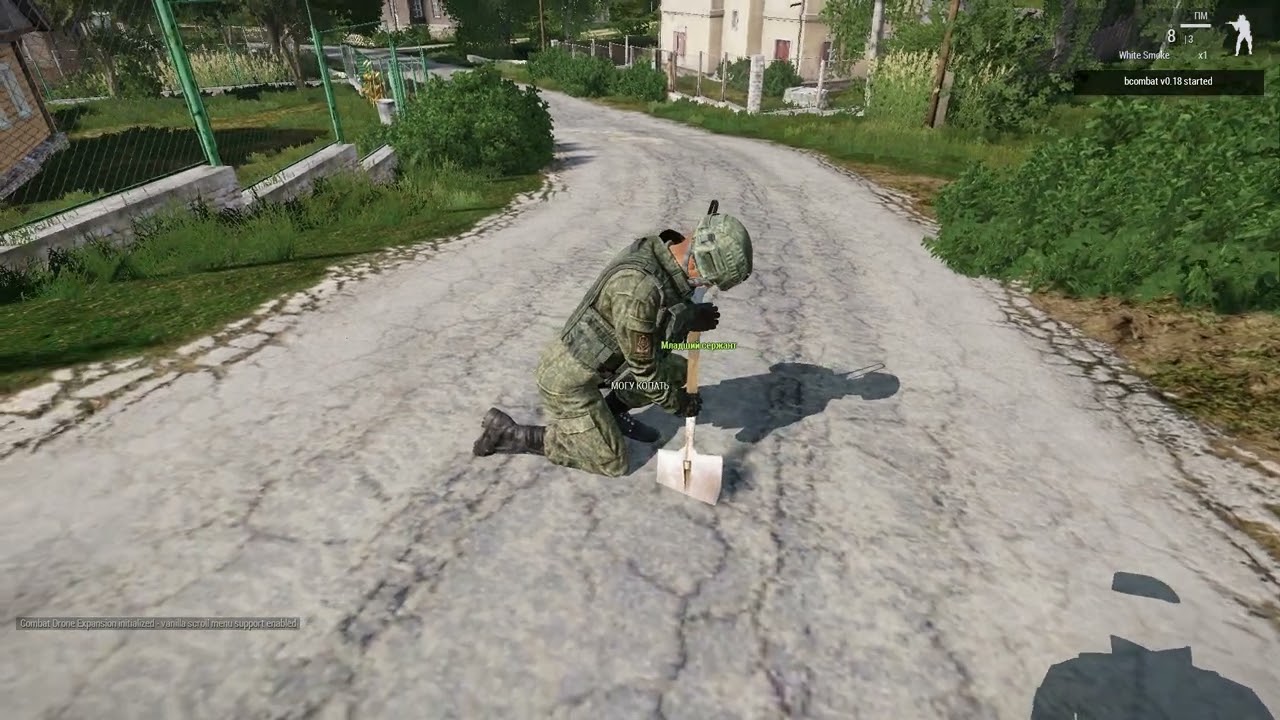
Guys , good health to everyone .I'm trying to create an animation, for a mod, with animations of actions with weapons from video tutorials, I seem to have figured it out.Trying to make an animation unit digging trenches.With the animation of the unit, everything is ok.But the shovel, the model of which I animated together with the unit, does not convert into an arm from a blender.The plugin does not see her to save her animation in .rtm format.Has anyone tried adding objects to the unit animation, if someone knows how to do it, please tell me.Or maybe there are quality lessons on this topic.Tell me, comrades?!
desert raven
cant add objects to unit animations
daring crescent
desert raven
cant add objects to unit animations
#arma3_animation message ,And then what is in the hands of this bot?Is it really such secret information that there is no information on the Internet and no one wants to answer?
desert raven
daring crescent
https://discord.com/channels/105462288051380224/105781854598094848/1083643056798...
It's a representation of a pistol. Read the whole conversation.
And that's not in game it's in animation software. In game the object would not be part of the character
daring crescent
desert raven
And that's not in game it's in animation software. In game the object would not ...
In short, I won't find any information here.thank you very much.Your answers are simply a masterpiece.
desert raven
daring crescent
In short, I won't find any information here.thank you very much.Your answers are...
I have answered your questions. Its not my fault that what you asked for is not possible. But if your attitude is like this I dont have to try to figure out way to do what you want. 
daring crescent
desert raven
I have answered your questions. Its not my fault that what you asked for is not ...
My attitude is normal.I asked several questions, including, if there is no way to do as I want, I asked if there are more informative lessons on this topic.You have answered only the first part . That's where my words seemed offensive to you.I'm sorry if that's the case.As I understand it, Bohemia has not created an opportunity to make a character animation with user-created items, except by replacing the weapon with a user-created item.If so, then you can find out how it is done in detail.?If you have such information, please share it.And don't be offended.
desert raven
daring crescent
My attitude is normal.I asked several questions, including, if there is no way t...
you can make weapon look like anything but there are no detailed instructions to do what you want to do. it could be possible to create a weapon that looks like a shovel and maybe play separate animation on top that looks like showeling
daring crescent
And is it possible to simply create a shovel as a separate model, and attach the shovel to the hand of the character playing the animation of "digging with a shovel"?There is a command to attach the object to the hand.I don't remember exactly, but it's something like this.
shovel attachtoo [unit (0,0,0) "granate"]
maybe, it might be difficult to keep it aligned correctly
daring crescent
in the very sample file of creating character animation, I have to where I can learn how to create my weapon and make animation with it with a character.?
desert raven
you can find example weapon and character in arma3 samples on steam
but probably nothing that is 100% guide to do what you want
daring crescent

if I attach a shovel to the character's right hand, then I think it should work.
desert raven
could be yeah
 manic yarrow
daring crescent
manic yarrow
daring crescent
Is this public animation? I mean could I use that, that looks awesome
daring crescent
manic yarrow
Is this public animation? I mean could I use that, that looks awesome
This is an attempt to create a digging animation.
manic yarrow
daring crescent
This is an attempt to create a digging animation.
I know, I have dig script , without animation, and yours animation looking good.
daring crescent
In short, it turns out such a thing.the left hand is not working
properly.We need a script so that approximately every second , the shovel turns with the setVectorDirAndUp command, and returns to the previous position.Then it will be possible to talk about more or less not bad animation.

what is needed is not a script, but a cycle that turns the shovel and returns it to its place.
daring crescent
Are links to videos allowed in the channel?I would like to show what happened.
 analog osprey
Does arma support a constraint system for skeletons? Eg, "Rotation" and "Look At"?
The Armaman has bones in the legs and arms that appear to be twist bones in it. but I'm not sure if those are in use or are possible to add to use elsewhere, say an additional kneebone.
I'm used to rigging for other engines and I'm not very familiar with arma setup, so I don't know how to check this myself. But a friend is curious about this for a different skeleton variant.
Eg. :
Standard A Pose:

Knee - Calculated 50% influence from the Lower leg bone
 fast canopy
Nop. An RTM only plays what it has
desert raven
For animation making you can add whatever extra bones you want to the rig
As long as you don't write them in rtm
The toolbox rtm export ignores all bones with @ in front of the bone name
But for standard man you cant add bones in.
Custom skeletons can have whatever bones you want (bone count limit 250 or so)
analog osprey
I'm going to assume the answer to the main question of constraints existing in some form in Arma 3 is a no then?
desert raven
analog osprey
I'm going to assume the answer to the main question of constraints existing in s...
correct Arma just plays the animations given to it
it does not handle the animating
 sharp elm
hello everyone, I'm new here and I wanna get started
I'm already experienced animator, I just wanna know can I get my animations into the game
fast canopy
How do you animate? Do you have the rig for A3?
sharp elm
fast canopy
How do you animate? Do you have the rig for A3?
Not yet, I'm asking if someone can provide all the tools I need to animate the character
fast canopy
Familiar to Blender animation?
sharp elm
Arma is a true fps so anything I animate in the tps will be shown in the fps view
fast canopy
Correct
sharp elm
fast canopy
Familiar to Blender animation?
Yeah I use for work
sharp elm
What is the diffrence ?
fast canopy
Different software
Everything is different actually, Cascadeur is an awesome software that is takes its focus only in animate
sharp elm
Ah we are not talking about blender anymore. So why im gonna need this software
fast canopy
Actually I can recommend but it is complex and learning is as steep as Blender
If you're good at Blendering, I don't really see a point to get
sharp elm
But you are saying it's mostly for animation right ?
fast canopy
Mostly? No, It IS for animation
sharp elm
fast canopy
Mostly? No, It IS for animation
So I guess it has better tools than blender
fast canopy
Either way importing animation into A3 will require Blender and its addons
Indeed, you don't need to think IK/FK since it can change anytime anywhere
You can keep the name Cascadeur into a corner of your brain
sharp elm
fast canopy
Indeed, you don't need to think IK/FK since it can change anytime anywhere
Lol show me where to sign
I'm gonna give it a shot
So is there any additional software i'm gonna need ?
fast canopy
BTW: before this goes into #offtopic_software , you can actually check pinned posts for Blender workflow
sharp elm
Or compalier
fast canopy
I use Cascadeur - FBX - Blender - RTM (Arma anim format) workflow
sharp elm
Ok thx for the informations, the addon for blender can easily be found right ? If i searched for it
fast canopy
Yup, I forgot if ArmaToolBox can export RTM but Blender can do anything with it actually
sharp elm
I already have the toolbox I only need the rig
fast canopy
Maybe to import an RTM you need another addon, I forgot right now
Search for ArmaRig for Blender, it is decent enough rig
sharp elm
Ok, and do you know how can I replace original animations like reload and stuff ?
I know I'm asking a lot of questions
Bear with me please
fast canopy
You can get a sample RTM from Arma 3 Samples from Steam
And import with... RTMimporter addon or something named like that
But importer dislikes the constraints, hard to tweak actually
sharp elm
fast canopy
But importer dislikes the constraints, hard to tweak actually
What about if I parent directly from the bone
No constraint needed
Or that will break everything
fast canopy
Parenting is not a concern IIRC
sharp elm
But wouldn't I totally broke the rig If I parented gun to the character
fast canopy
Ah that
Won't, an RTM only records the pos/rotation/scaling, not the hierarchies
(AFAIK?)
desert raven
fast canopy
(AFAIK?)
Correct, only the end result gets exported.
Any extra bones a rig has can be named with @ in the beginning of the name and they get excluded from export
The part of getting animations into the game will require you to learn to read and write the animation configs
Which can be a challenge, but it is possible to learn
There are not much learning material for that specifically though.
sharp elm
desert raven
There are not much learning material for that specifically though.
Please tell me where to start
desert raven
sharp elm
Please tell me where to start
https://community.bistudio.com/wiki/Class_Inheritance I suppose from the very beginning
@sharp elm is there something specific you want to do as a mod?
sharp elm
desert raven
<@633373313992884244> is there something specific you want to do as a mod?
right now I just wanna screw around with the tool until I get hang of it
late maybe I could do an enhanced animations mod
 oblique lodge
is there a video somewhere that helps explain how to setup a launcher hand anim over say a weapon hand anim?
desert raven
no
but its the same thing
preferably you will have launcher pose as the base though since the launcher bone is at different position than weapon bone
fast canopy
Actually I stand corrected, it is because Steam Overlay and Cascadeur hates it. W/O Steam it is very stable
desert raven
Nice catch!
buoyant lagoon
desert raven
no
wat about one for just for primary weapon hand anims
🙂 

I must be doing something wrong, surely
fast canopy
Seems like a default anim
Are you sure:
- the path is correct?
- the rtm is exported properly?
- is it binarized well?
buoyant lagoon
fast canopy
Seems like a default anim
I would imagine the answer to those is yes since mikeros didnt complain.
path is correct for sure
exported properly -> how would I check that?
and binarized well I assume so, cause again mikeros didnt complain
fast canopy
Try Arma 3 Samples' TemplateRTM's male.p3d and apply the anim there
And also, as long as pboProject doesn't complain, seems like an issue of rtm itself
 wind marsh
buoyant lagoon
wat about one for just for primary weapon hand anims
🙂 <:sunglasscry:103503075...
wind marsh
buoyant lagoon
wat about one for just for primary weapon hand anims
🙂 <:sunglasscry:103503075...
I'm having this same issue. Not sure what's causing it. I hand tried different versions of blender, arma toolbox plug-ins from different places, different rigs, and packed pbo with different tools and same results every time
buoyant lagoon
fast canopy
Try Arma 3 Samples' TemplateRTM's male.p3d and apply the anim there
okay ill try that in the morning cause eyes go brrr and very sleepy 
buoyant lagoon
wind marsh
I'm having this same issue. Not sure what's causing it. I hand tried different v...
if u find out do let know, and if I do I will lol
wind marsh
Will do
fast canopy
Also maaaybe model.cfg issue?
If you have the source you can share, prob that's the easiest to troubleshoot
desert raven
@buoyant lagoon your weapon bone name in rig is not correct
Weapon vs weapon
The hand anim requires bone name to match exactly
(same thing I explain here over and over and over again XD)
wind marsh
Thank you I spent a few hours after posting about mine and seen you mention that quite a few times and was going to check it out on mine after work today.
desert raven
there are couple of other bone name mismatches in there too that latest checks in pboproject catch
wind marsh
I assume bohemia maybe has list of bone names that I could compare to?
buoyant lagoon
desert raven
<@256255391543853067> your weapon bone name in rig is not correct
🙂
it work, Arma rig has them as Weapon instead of weapon
well work is relative, gg his thumbs, idk wats up with his wrists but I just put together something real quick.
my next question is, how do I get that lean he has with his left shoulder turned in a bit and torso forward. I tried to do it my self but I guess it wanst correct

 buoyant lagoon
desert raven
(same thing I explain here over and over and over again XD)
buoyant lagoon
desert raven
(same thing I explain here over and over and over again XD)
I was relying on mikeros to tell me that the casing was wrong ,but it didnt complain then 
desert raven
buoyant lagoon
I was relying on mikeros to tell me that the casing was wrong ,but it didnt comp...
The check is new
desert raven
buoyant lagoon
🙂
it work, Arma rig has them as Weapon instead of weapon
well work is relativ...
As to the shoulder, you can't. Weapon animations only take into account the hand position in relation to the weapon bone/weapon proxy and blend the basic pose in the rifle up stance to it
How you have it in your animation is highly unnarural though 
buoyant lagoon
desert raven
As to the shoulder, you can't. Weapon animations only take into account the hand...
So I should leave the torso as is, and just move hands and fingers. Can I adjust elbows?
desert raven
No, it all blends from the hand positions and directions
buoyant lagoon
Ok I'll just move hands then
I can move the weapon correct? Like put it up against the shoulder to have a visual reference on where to put hands
Or could I move the weapon bone into position like the pistol,so that when I move the hand it moves the weapon
 desert raven
Preferably you would have the default rifle aiming pose as base as the weapon bone position does not change either
But if you try to manually position it, you won't get it to match right
So you have less accurate representation of what it will look like in game
But even with using the rifle up pose as a base the setup in blender and in game will never match 100% due to the way the engine blends the pose.
It is usually close enough though
buoyant lagoon
how can I get the default rifle aiming position?
desert raven
There might be one in the samples or you need mikeros paid tools
buoyant lagoon
I got both so I'll peep them
desert raven
You can use dertm on the anims
buoyant lagoon
desert raven
There might be one in the samples or you need mikeros paid tools
so there is a rtm that is the base leaning in sample, its AmovPercMstpSrasWrflDnon.rtm
but when I import it into blender I cant move the hands no more, is that normal?
fast canopy
RTM importer disables all constraints

 desert raven
Yes the rig is not designed to be used with imported animations. It needs some fixing to work right
fast canopy
Actually, if you're making only a handanim, it doesn't require actual anim
You just need to align weapon and both hands
desert raven
Correct, but it is helpful to fit the gun in correct place
Like how @buoyant lagoon expected to be able also control the guns position
And the rest of the body
With the standing pose as a base one can get a close preview what the final pose in game looks like
There are a lot of tricks that can be done. I'll put it on my "when there is time™️" list to put together a more import friendly rig that can also produce prone animations at the same time.
desert raven
the few good videos that exist for Arma modding have stayed true through out the years. Arma 3 is old game and the core stuff has not really changed much
buoyant lagoon
thing is most of the stuff I have found is using object builder for hand anim which might not be the worst idea but idk
desert raven
it too works, you can create a weapon holding animation in OB (and well in blender too if you break the rig a bit) where you only got the weaponbone somewhere and hands in right place
as only the hands relative position to the weapon bone matter in hand anim
like this is a pose made over the default rifle pose


this would produce same result in game
despite looking weird here
but
if weapon bone is not with the hands the result will be the tree man
 buoyant lagoon
Okay so I am using object builder to check my work, with gun pointing up like this
would I then just adjust the weapon bone into the correct spot relative to the hands or is there something else I should do first

 desert raven
buoyant lagoon
Okay so I am using object builder to check my work, with gun pointing up like th...
desert raven
buoyant lagoon
Okay so I am using object builder to check my work, with gun pointing up like th...
is this still for weapon holding animation?
buoyant lagoon
desert raven
is this still for weapon holding animation?
yeah, got it once working, but not anymore so tryna find out wat tiny step im missing
desert raven
this wont work since the gun bone wont be like this in game
it will be at the shoulder
so you will get tree hands
buoyant lagoon
Yep I get that tree hand, so should I move the weapon bone to shoulder?
desert raven
yes. otherwise the hands wont be correctly in relation to it
fast canopy
The (prim.) weapon's pos and rotation is baked into the movement sets, and you're about to tweak how the hands follow it
buoyant lagoon
so doing this should work, weapon bone at shoulderish, I have it named as weapon which is same in model.cfg

but I still get tree man 😦
 desert raven
what does it look like in game?
 wind marsh
Changed Weapon to weapon and same results for me but my tree man is way worse arms straight up branched out in 20 directions. I cant post pic's here for some reason.
fast canopy
Try to verify in #offtopic_bot_cmds so can post
desert raven
maybe the weapon bone in your rigs is wrong direction
I find that cross tube very to be hard to say which way is really up
buoyant lagoon
any easy way to check that? other then just rotating and see what happens
wind marsh

the feet of the rig should be at 0,0,0 correct? the rigs I found all have the torso at 0,0,0
im also trying to use launcher for my weapon not the rifle due to my pickaxe using the launcher slot
desert raven
does not matter for weapon animatiions
wind marsh
ok
buoyant lagoon
we are pushing arma to its limits
desert raven
buoyant lagoon
going where no man or tree has
desert raven
it is more like trying to put the square peg in the round hole...
wind marsh
when I moved the rig up on z axis to 0 it got better that is why i asked
desert raven
are you guys actually adding the frame youve set up to be exported?


the timing changes depending on your animation timeline set range
so simplest is to keep starting frame as 0 and make the animation on the 0 frame and export the 0 frame
to avoid complications

 desert raven
no
some vanilla animations have -0.5 saved as t pose
but its no really necessary
part of what you experience is likely due to this
buoyant lagoon
Okay so have 0 be the hand anim that I want
desert raven
or 1 but then export just frame 1
and have the timeline start at 1
so the rtm timing is then 0.0000
buoyant lagoon
how do u do that? just have 1 be the only entry in RTM keyframes?
desert raven
buoyant lagoon
how do u do that? just have 1 be the only entry in RTM keyframes?
yes

0 frame would be used for hand anim
buoyant lagoon
and whats 15?
desert raven
frame 15 where you might have accidentally set up your animation

now this frame will export as 0.0000 phase frame
and it givesit 0.0 phase because the timeline is set to start from it
 desert raven
phase of animation between 0 and 1
in Arma

if you add frames out of timeline range they will get <0/ >1 phase values and are unlikely to be played because rtm animations roll between 0-1
buoyant lagoon
Ah okay

that was the fix
omg
our next challenge, make it look nice enough
and then reload animations
which I assume is jsut the same concept but with many more key frames?
desert raven
well there are a lot of ways to use the animation tools and even get the IK constraints to work but it kinda starts to be too lengthy to write down in just few lines
it kinda comes down to practice and learning the tools at your disposal
buoyant lagoon
ah understandable, I will try to find a video first and hten when I get stuck come back 
desert raven
Yeah theres a lot of tutorial material out there that can be helpful. RTM/Arma only cares what the frame looks like, not how you set up the rig so you can do pretty much anything with it as long as you export only correct set of bones
bones named with @ in front of the name get ignored by the exporter so if you need to add marker bones or helper bones or stuff like that you can put @ in the name and it wills stay in blender
buoyant lagoon
is there anything special to consider when doing hand anim for pistol and launchers?
desert raven
Launcher works same way as weapon. Pistol is more restricted as the pistol proxy that defines the weapon position is glued to the right hand. So right hand position can not be moved. Only left hand. And changing pistol hand anima drastically breaks gun down and salute animations pretty easily (visually looks glitchy) none of the vanilla pistols have custom hand anim
You can read about the pistol stuff in the recent history on this channel
 fair galleon
so....I've found a FBX animation that was released for free without any copyright issues, and I'm trying to port it to ARMA3. But I can't find the right guide to do that and I don't know the right use with Blender and ARMARIG. Can I get some help?
For now I don't have any knowledge of this modding, but I think it's going to be difficult to import because the skeleton model of fbx is different from ARMA's one....
fast canopy
Good question there. I need to know how I would translate into Arma's rigs well
fair galleon
fast canopy
Good question there. I need to know how I would translate into Arma's rigs well
I've tested this and that, but I can provide only the motion file for now and I don't think there's anything more I can do with.
 subtle falcon
If you're familiar with retargeting, you can use Auto-Rig Pro (Blender addon) to retarget your anims.
I had done some tests with some UE animations. I never pushed further. I had encountered difficulties with some bones.
fast canopy
UE to Arma you mean?
subtle falcon
yes
UE Skeleton to the Arma Skeleton. As you can see, it was not that great and it required a lot of clean-up.
I think I still have the ARP bones profile somewhere if you want.
fair galleon
Ok...so i need UE Tool....?
fast canopy
That's not what Moonie meant
fair galleon
fast canopy
That's not what Moonie meant
Oh, Ok...i will trying retargeting thing....
fair galleon
I've tried retargeting and I've checked that the animation is applied to Armarig, but it comes out badly twisted
mustbe my retargeting is wrong, and some problem maybe because fbx based on T-pose...
desert raven
Re targeting different skeletons can be difficult especially if you have something hands are grabbing very precisely.
fair galleon
desert raven
Re targeting different skeletons can be difficult especially if you have somethi...
Is it okay to say that I am confused from designating a skeleton...? I'm really starting with a stupid idea without knowing anything about modding, and I'm tying it up like this.
desert raven
fair galleon
Is it okay to say that I am confused from designating a skeleton...? I'm really ...
Well you are diving into a very complex thing that people can spend months or years practicing. 😅 So yes confusion is kinda normal
fair galleon
desert raven
Well you are diving into a very complex thing that people can spend months or ye...
Okay. I think I need to take more time to learn....thanks you for answer...
 rigid dust
I'm zero with animations in Arma 3 but I was wondering if this https://feedback.bistudio.com/T171273 can be fixed with config changes?
Feels like wrong animation "route" from "no weapon crouching" to "pistol crouching" with extra "launcher crouching" in the middle of it
fast canopy
Looks like a broken config indeed
rigid dust
AmovPknlMstpSnonWnonDnon_AmovPknlMstpSrasWpstDnon looks to be correct animation to do instead of AmovPknlMstpSnonWnonDnon_AmovPknlMstpSrasWlnrDnon but I have no idea where to set\change that 🤔
fast canopy
Actually weapon switching does use somewhat special way by Engine to animate and have no way to script it
Which is lame, I'd like to use anim mask
rigid dust
So no way to fix through config?
woeful pelican
i havent looked at it properly but it's probably missing the correct interpolateTo entry
or connectTo
rigid dust
        class AmovPknlMstpSnonWnonDnon: AmovPercMstpSnonWnonDnon {
            ConnectTo[] = {
                "AmovPknlMstpSnonWnonDnon_gear",0.02,
                "AmovPercMstpSnonWnonDnon_gear",0.02,
                "AmovPknlMstpSnonWnonDnon",0.02,
                "AmovPknlMstpSnonWnonDnon_AmovPknlMstpSrasWpstDnon",0.02,
                "AmovPknlMstpSnonWnonDnon_AmovPknlMstpSrasWrflDnon",0.02,
                "AmovPknlMstpSnonWnonDnon_AmovPknlMstpSrasWlnrDnon",0.02,
                "AmovPknlMstpSnonWnonDnon_AmovPercMstpSnonWnonDnon",0.02,
                "AmovPknlMstpSnonWnonDnon_AmovPercMsprSnonWnonDf",0.01,
                "AmovPknlMstpSnonWnonDnon_AmovPpneMstpSnonWnonDnon",0.02,
                "AmovPknlMstpSnonWnonDnon_AmovPknlMstpSrasWlnrDnon",0.01,
                "AmovPknlMstpSnonWnonDnon_AwopPknlMstpSoptWbinDnon",0.02
            };
        };
Both are there, but AmovPknlMstpSnonWnonDnon_AmovPknlMstpSrasWlnrDnon is listen twice
"AmovPknlMstpSnonWnonDnon_AmovPknlMstpSrasWpstDnon",0.02,
```vs
"AmovPknlMstpSnonWnonDnon_AmovPknlMstpSrasWlnrDnon",0.02,
"AmovPknlMstpSnonWnonDnon_AmovPknlMstpSrasWlnrDnon",0.01,
Meant scripting, like switchMove
Seems weapon switching is really a special case and impossible to mimic by a script but only a proper config
junior crest
When exporting rtm files using arma tools in blender, what’s the normal movement vector to use for forward movement? -3 on the y axis?
desert raven
junior crest
When exporting rtm files using arma tools in blender, what’s the normal movement...
default walk has it like this
 junior crest
desert raven
default walk has it like this
junior crest
desert raven
default walk has it like this
Thanks! I was sent this but lost it 👀
desert raven
but the vector speed is relative to the animation sequence and how far the steps would take it
so you may want to check different movement speeds in game and then calculate that with your animation sequence
junior crest
will do - thanks!
 rich summit
So im not entirely sure if this is the right channel to ask, however im curious how hard it would be to make a patch for a weapon mod that gives in vanilla animations instead of the modded ones it comes with. So how hard would that be? (I've never modded before)
desert raven
rich summit
So im not entirely sure if this is the right channel to ask, however im curious ...
vanilla animations on what exactly?
vanilla weapon animations fit only vanilla weapons, they dont fit weapons that are not exactly same shape
rich summit
desert raven
vanilla animations on what exactly?
i want to take the animations of a base game or dlc (i dont remember) AKS74U and put it onto a modded AK74M. They are the same platform so i figured it would be fine
if the 74U anims wouldnt work than i would use the normal AK12 from base game anims
desert raven
its not quite that simple
rich summit
alright so that's what I was curious about. I have swapped anims on Fallout 4 before but never did it for arma but if its complicated I wont even bother lol
desert raven
it is unlikely to work very easily lets say.
rich summit
desert raven
it is unlikely to work very easily lets say.
alright thankyou
 fading pine
im looking to learn RTMs fully any youtube videos anyone recommends?
desert raven
fading pine
im looking to learn RTMs fully any youtube videos anyone recommends?
there is not much related to rtm specifically but you can easily find animation tools usage tutorials for every common 3d program
fading pine
want to try to learn on blender cause i know blenders modeling side
desert raven
there are a lot of tutorials for blender animation tools
fading pine
does arma only use RTM for like holding the gun? im trying to port guns and need to make custom rtms so the player holds it right i assume rtm is the only file arma supports?
desert raven
yes
but you will kinda need to forget Arma stuff first and just learn how the animation tools work
fading pine
fair enough
fading pine
happen to know where i could get a list of armas existing reload gestures
desert raven
fading pine
happen to know where i could get a list of armas existing reload gestures
you can make yourself all in one config dump file (scripting command) that you can browse through
there are no external lists really
fading pine
Okay thank you
fading pine
desert raven
you can make yourself all in one config dump file (scripting command) that you c...
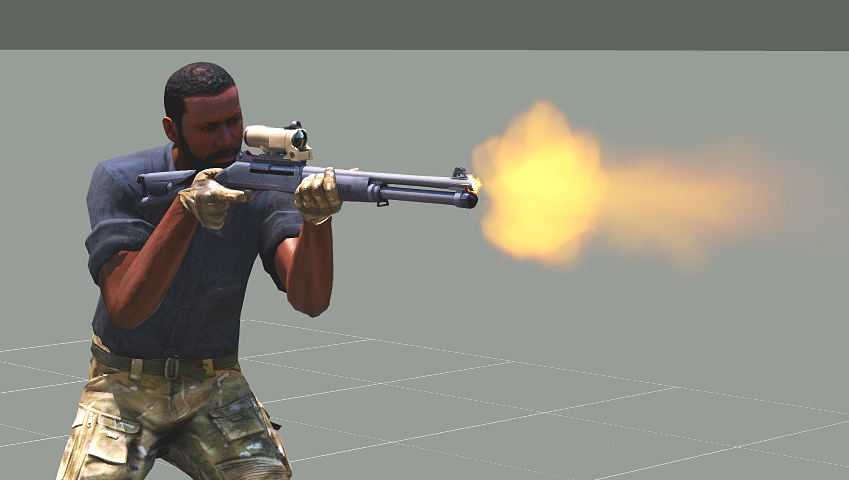
i have made like 3 guns and never had this issue but for what ever reason i cant get the flash to go away any idea as to why lol
 desert raven
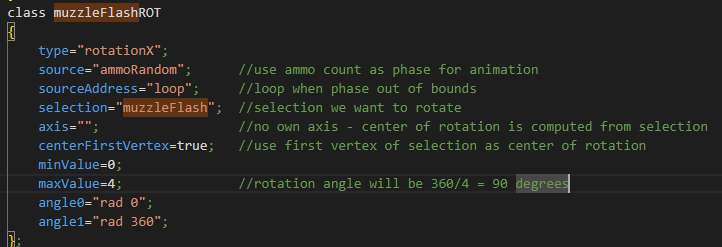
typo somewhere/ muzzleflash proxy not part of correct selection name that connects to config/animations
stuff like that
fading pine
desert raven
typo somewhere/ muzzleflash proxy not part of correct selection name that connec...
it seems fine? https://i.imgur.com/Xi8Oqh1.png
 desert raven
soz, dont have time to take a look.
typo or missing definition somewhere is the cause
fading pine
desert raven
soz, dont have time to take a look.
okay when ever you get a chance cause i copy pasted the name right from it so idk what it could be
thank you
woeful pelican
usually the default selection name for muzzleflash is 'zasleh' so if you havent changed it config side to 'muzzleFlash' that's probably why
fading pine
Yeah I changed it, turns out the issue was I was editing the wrong file lol, I made a back up file and was editing that and not the one in my p drive lol
rigid dust
rigid dust
```
class AmovPknlMstpSnonWnonDnon: AmovPercMstpSnonWnonDnon {
...
So I tested it and changed
"AmovPknlMstpSnonWnonDnon_AmovPknlMstpSrasWlnrDnon",0.01,
```to
"AmovPknlMstpSnonWnonDnon_AmovPknlMstpSrasWlnrDnon",0.02,
So probably more changes are needed
This patch config makes you properly start pistol out animation but it keeps looping
Probably that animation needs fixing as well
animationState player => "AmovPknlMstpSnonWnonDnon"
junior crest
could anyone explain what the numerical value does exactly? struggling to understand it from this description. the cost of the animation?

 forest lance
If you switch from anim A to Z it will take the least costly path, if there are multiple animations leading to the target anim.
junior crest
So is it just arbitrary and it goes for the lowest value to get to the animation it’s switching to?
forest lance
Yes
junior crest
sweet - cheers!
 plucky sierra
Wouldn’t recommend posting your p3d here
 tidal hawk
Guys, I am doing a script that adds weapon inspection. I am just lacking animations for primary and secondary weapons. Anyone knows ones that work?
Yeah, tried all the gestures... none for inspecting weapons. This animation works for pistols: sqf player switchmove "Acts_Examining_Device_Player";
But I still need to find one that works for primary weapons and secondary weapons
tidal hawk
found the one for rifles: sqf player switchmove "Acts_Rifle_Operations_Zeroing";
 small steeple
Morning (from Aus), I am not sure if this is the right channel to be asking the question, however it is about animations.
I am trying to apply an animation to an AI (eg Arma_AlternativeRun - from the Alternative run mod). However the ai will only run on the spot when I use switchmove or playmove (eg man1 switchmove "ARMA_AlternativeRun"; ) I know certain animations like "Acts_Breaching_One" will actually move the AI unit in accordance with the animation.
Is it possible to apply the above example animation to an AI unit and actually have him move forward?
Edit: In Zeus I can execute man1 switchmove "ARMA_AlternativeRun"; on an AI unit and hew will perform the animation as expected and actually move forward. How can I do this from the editor?
desert raven
small steeple
Morning (from Aus), I am not sure if this is the right channel to be asking the ...
in live game running the animation also applies the movement vector of the animation on character since the game is live and stuff like that works
inside editor time does not flow in that way so the movement vector does not get applied
editor is not meant for live things
small steeple
How does one apply a movement vector?
desert raven
cant do it in editor
nothing moves in there
animations where you might see movement in editor play from the spot but the animation has the moving around in itself
the characters underlying position does not change though
so where exactly do you want the movement to happen?
in editor or in live game?
small steeple
Apologies, I meant how do I apply a vector so when I start single player and execute code they will perform the animation with a movement.
desert raven
they should do that same way. in live game no matter the way of executing the command
desert raven
small steeple
It seems to be working now 🤔
a miracle 
small steeple
desert raven
a miracle <:praise_the_sun:720699473218764861>
@desert raven thanks for your help. I feel like I will be back again today as I am not sure why it is working now lol.
buoyant lagoon
Okay so I am back to doing some hand anim stuff, this time for a riotshield, this is where the hands are in blender but then in game its like so
but when in game the hand, or I guess weapon, is off a bit. Is this just something with handanims not being a 100% the same when in blender vs game or could there be something I am doing wrong?
if I move the hands/weapon bone in blender to adjust for the offset it works, but I was hoping to get as close as possible

 desert raven
buoyant lagoon
Okay so I am back to doing some hand anim stuff, this time for a riotshield, thi...
desert raven
buoyant lagoon
Okay so I am back to doing some hand anim stuff, this time for a riotshield, thi...
what type of weapon is it?
the hand positions should match 100%
desert raven
you need to keep the gun bone in place at the shoulder and do all aligning in the weapon model/p3d
buoyant lagoon
Ah okay I'll send screenshots of what I got when I can
 lament swift
Hi guys,
I made a weapon animation and wanted to know how to change the height the soldier is holding the weapon? The hands are positioned exactly I wanted but like I said I want to lower the height. More like on the hips.
Should I also bind the Weapon to the shoulder Bone?
fast canopy
That is not what handAnim does, you'll need a full set of move animations
lament swift
Hmm.. okay and where do I reference them? In which class?
So they are linked to the Weapon
fast canopy
No
Not even weapon, just animations
You can't move where the weapon is unless you use very special and overcomplex way
lament swift
Okay, thx
desert raven
Basically the weapon bone is always at the shoulder unless a new movement animation set is done where it is elsewhere (not an easy task to make or understand)
You can try lowering your weapon in the weapons own P3d and then making the hand animation to fit that fake positioning(bone still at the shoulder but visually weapon is lower) but that can lead to silly looking holding as the rifle at shoulder pose blends to your fake offset pose.
lament swift
Hmm. okay. Thanks for your help. I will try and see how it´s going.
buoyant lagoon
desert raven
you need to keep the gun bone in place at the shoulder and do all aligning in t...
so when I keep the weapon bone around the shoulder like so but the anim still is offset to the left a bit . I could fix by moving the weapon bone to the left but then it wont visually match up.


would setting autocenter = 0 have an effect on this?
fast canopy
Likely
buoyant lagoon
Ill try both 1 and 0, in that screenshot I dont have it defined so I assume the default is 0
woeful pelican
i might be wrong but autocenter 0 is what you always want for weapons anyway
buoyant lagoon
having auto center to 0 didnt work :/
ill try a few other things in a bit,maybe just missing a step
woeful pelican
just incase, it needs to be in the geometry lod if you didn't put it there
buoyant lagoon
I did put it on all the lods, but let me double check incase I am crazy
desert raven
dont put named properties in all lods, only where they belong to
and then show where your and then show where where the shield objects origin is

this is how the rifle up stance looks like and the cursors marks where weapon bone is at
thats where your weapon objects origin (p3d 0,0,0) must be

if they dont match
it goes like this in game

@buoyant lagoon
 buoyant lagoon
desert raven
buoyant lagoon
desert raven
how do u get the origin of the bone to show?
 buoyant lagoon
ah so here I have the shield selected,
its origin is on the mans pelvis? I guess thats bad?

and this is where bone pos is
 desert raven
buoyant lagoon
ah so here I have the shield selected,
its origin is on the mans pelvis? I guess...
desert raven
buoyant lagoon
ah so here I have the shield selected,
its origin is on the mans pelvis? I guess...
yep not gut
buoyant lagoon
Okay let me try fixing the weapons center
buoyant lagoon
🙂 so my issue this whole time was that I was using the spartan scaled arma rig
🤡 = me
desert raven
buoyant lagoon
🙂 so my issue this whole time was that I was using the spartan scaled arma rig


buoyant lagoon
I had it named the same as hte normally sized rig too so I didnt know till I copied one of the weapons I had working before
perhaps I should name it better
desert raven
give it spartan helmet as head
buoyant lagoon

fast canopy
Any way to let a certain bone the start of the mask? Let's say if I want only to move prim. weapon using a simple rtm, and it should like tilt the weapon to 90 deg right at any situation/animation, but so far my BlendAnims PLP_recoil_prim_100[] = {"weapon",1.0};looks the mask starts from pelvis, I want to let the anim starts from the weapon in this context
desert raven
fast canopy
Any way to let a certain bone the start of the mask? Let's say if I want only to...
Try adding the rest of the bones between pelvis and weapon but with weight 0 maybe?
 hasty wing
[this,"Acts_JetsCrewaid_idle_1","ASIS"] call BIS_fnc_ambientAnim; Would this be correct? im trying to have some ambient animations on my carrier
desert raven
simplest way to know is just run it
you can aslo run the command in live game through the debug console by replacing this with cursortarget and looking at a unit
desert raven
https://community.bistudio.com/wiki/BIS_fnc_ambientAnim you can read how it should be used from here
hasty wing
thanks
hasty wing
i cant seem to figure out the issue i got the same error
[this,"Acts_JetsCrewaidRCrouch_loop","ASIS"] call BIS_fnc_ambientAnim;
this is what i have
desert raven
hasty wing
[this,"Acts_JetsCrewaidRCrouch_loop","ASIS"] call BIS_fnc_ambientAnim;
that probably is not valid type of animation you can play on this
hasty wing
alr so just really unlucky ig? some good some are not
fuck i got it again
i even tried a ace animation
They can do everything but carrier animnations
i think i have to find the set name
fast canopy
You can just use switchMove
 trail grove
Is there any eating and drinking animation mods?
 zealous solstice
Howdy. So I was wondering if there was a general guide on animation for beginners. I'm working on my zombie dog mod, but I'm having trouble with getting it rigged. Any tips would be really helpful!
desert raven
zealous solstice
Howdy. So I was wondering if there was a general guide on animation for beginner...
You will want to start from generic non Arma animation and rigging tutorials for whatever program you use. There should be plenty for all the commonly used programs
Once you understand how the things work, the few final Arma related pieces of the workflow will be easier to figure out and understand.
 desert raven
 buoyant hound
anyone aware of a mod that has a run animation like this?
buoyant hound
anyone aware of a mod that has a run animation like this?
There aren't any.
There are very few mods that alter animations as it is very difficult to learn
fast canopy
Difficult to learn, difficult to make, difficult to organize everything
buoyant hound
I understand. Thank you for the responses.
fast canopy
Do I need to move camera bone when the third person camera center is on somewhere else than the head?
fast canopy
Yeah seems like so, but can't figure out how to export camera properly...
Success. Reason was the bone in Blender was out of place
fast canopy
Yay. Successfully reanimated
 cerulean pivot
fast canopy
Yay. Successfully reanimated
cerulean pivot
fast canopy
Yay. Successfully reanimated
ah nice. you beat me to this 😅
I had already made a couple of animations but I abandoned it... 
tho those animations were for getting on/getting off/sliding and they did not look so good 😓
desert raven
fast canopy
Yay. Successfully reanimated
this looks pretty smooth! 👍
fast canopy
Tweaked a few after that and I'm really satisfied
https://twitter.com/polpoxEN/status/1652187013096038402



 pliant plank
Hey just as a question, do I ask here about doing a handanim.rtm file? I need to change up the current one but the stand-in is the MAAWS one and I'm not entirely sure how I can modify that one
https://media.discordapp.net/attachments/241824832453345280/1101122968005906492/20230427202919_1.jpg
 pliant plank
Okay, started to figure it out. Does anyone have a good basic rocket launcher pose I can work off of? Samples only has the rifle ones where he's leaning forwards
pliant plank
Or does that not really matter
desert raven
pliant plank
Or does that not really matter
weapon animations generally only need the hand positions to be right as all it reads from the RTM is the hands offset from the weapon/launcher bone
but it does help to see how to position the weapon
pliant plank
that makes my life considerably easier, cheers
Yeah, I can't find the neutral "upright" launcher one
desert raven
also you cant move the weapon bone around
pliant plank
eh?
desert raven
the weapon essentially always is at the shoulder
in same position it is in the character animation pose
so if you need to move the weapon to align it to shoulder
you need to do that inside the weapons own p3d
and then adjust the animation to fit
pliant plank
Yeah, I'm trying to gauge how much difference there is between the rifle up vs launcher up pose, I'm attempting to align launcher to shoulder which I did manage to do
I'm trying to work it out on the hand anim end now
desert raven
its quite a lot different
pliant plank
... Is this something I'll have to trial and error
desert raven
well unfortunately BI did not release all the base poses for easy use
pliant plank

I saw in a tutorial someone had access to the arma 2 poses but I have no idea where to find them
desert raven
they would not be the same I think


 desert raven
pliant plank
https://cdn.discordapp.com/attachments/725636788294778960/1101995759429230734/20...
desert raven
pliant plank
https://cdn.discordapp.com/attachments/725636788294778960/1101995759429230734/20...
quest completed!
pliant plank
used a blender ref thing
which is a million times better than Object Builder
now to fix the physics
fast canopy
 desert raven
that is cool!
pliant plank
what a thrill
fast canopy
Want to add more functionality on the Mod but I can't since is really limited, unless Ded implements this thingy: https://feedback.bistudio.com/T171953
desert raven
oh that would be pretty sweet
 normal oak
anyone know why my driver anim is broken? It looks okay in blender just cant figure out why is broken in arma


 desert raven
maybe the rig is not right
normal oak
its a rig from a reload animation that worked but i have no idea this is my first anim
desert raven
rig from reload animation?
normal oak
from this video https://www.youtube.com/watch?v=Q0ACIBZrNIA
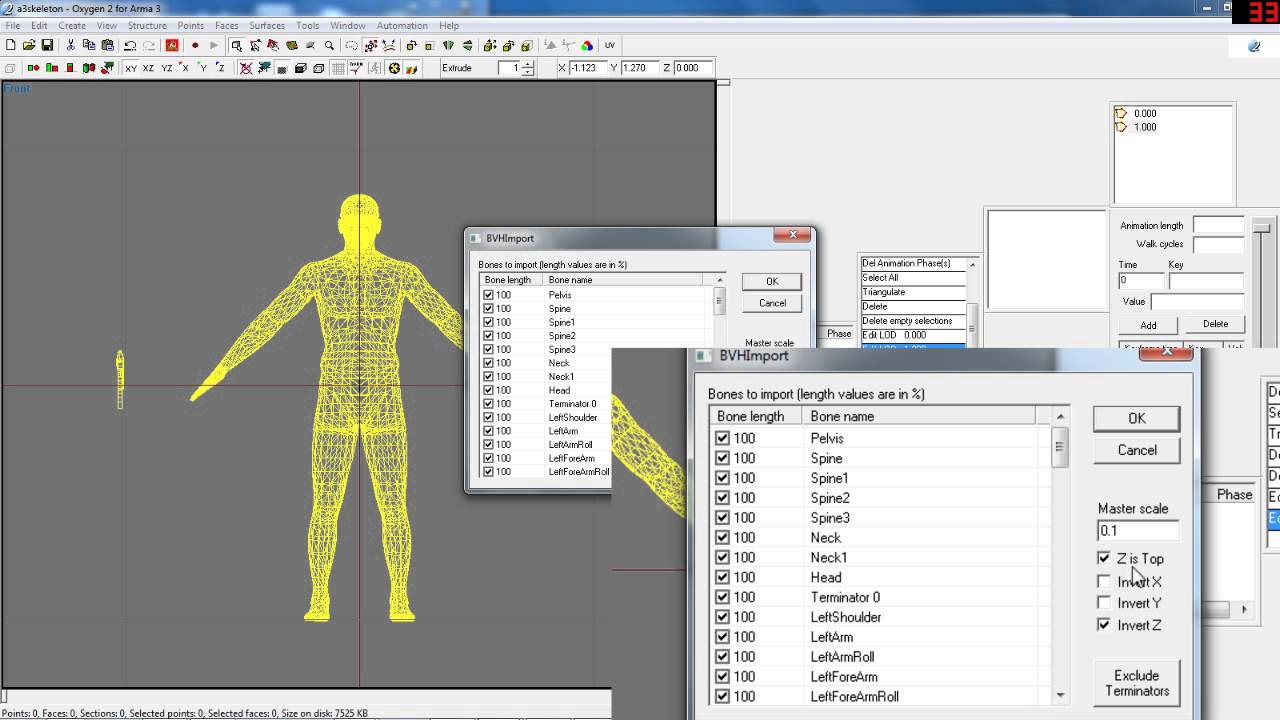
This is a simple tutorial to get animations from Blender 3D into Arma 3.
5 Steps :
- Make the animation you desire.
- Export the Character and Weapon bones with animation to two separate .bvh files.
- Import said .bvh files into Arma 3's Oxygen for placement correction and export the .rtm
- Write the appropriate configuration files in orde...
i believe the rig is fine i think its something to do with how im rotating and moving it
 torn basin
I'm not even sure if this is possible. But I was getting into animations and wanted to utilise my unit's custom models for testing animations, I was wondering if there was a way to take models out of a mod, or is that impossible?
desert raven
torn basin
I'm not even sure if this is possible. But I was getting into animations and wan...
not possible. would need the source files
torn basin
Ah, shame
 tidal basin
question guys, how do you get the RTM file now that o2 doesn't seem to let you export it from there... or am I being completly blind
 undone mirage
hi
i follow these tutorial to have a custom handAnim
https://www.ofpec.com/tutorials/index.php?action=show&mode=new&id=296
https://steamcommunity.com/sharedfiles/filedetails/?id=909917622
But i have a little issu x)
RTM Animation Tutorial

Steam Community: Arma 3. For this you need from the arma sample models
- BIskeleton.p3d
- a set of arma animations (rtm files)
and your weapon model, to use as reference
Tutorial shows you how to make your custom hand anim

and i dont understand why x)
on OB
 fast canopy
Make sure you've binarized the animation properly
undone mirage
how can i do that ? (when i export matrix ?)
desert raven
undone mirage
how can i do that ? (when i export matrix ?)
When you pack the pbo
undone mirage
Yes i try it it doesnt work
fast canopy
How you pack
undone mirage
addon builder
 wraith oxide
Does rtm files contains data about its location ? Like p3d files does (paa textures)
buoyant lagoon
so I will soon try to make animations soon (gonna try to make a rechamber animation first) and I was wondering how fast would each key frame be played at? Instinctively I am guessing at 30 frames, so if I have an animation with 120 key frames that would be 4 seconds correct?
fast canopy
If you set the duration 4 seconds, yes
buoyant lagoon
where do u set the duration? config?
desert raven
the speed = parameter defines it. but its basically how fast frames play
buoyant lagoon
desert raven
the speed = parameter defines it. but its basically how fast frames play
That would be this speed correct?
https://community.bistudio.com/wiki/Arma_3:_Animations#Quick_start:_CfgMoves_example
I dont see this explained anywhere but what happens with its a positive value?
fast canopy
Positive means 1/n
buoyant lagoon
with that being the time between each frame?
fast canopy
No, entire rtm
 zenith token
you need to right click the animation frame window and choose "export matrices"
 thorny minnow
normal oak
from this video https://www.youtube.com/watch?v=Q0ACIBZrNIA
thorny minnow
normal oak
from this video https://www.youtube.com/watch?v=Q0ACIBZrNIA
using this video, for the life of me cant figure out why my skeleton imports sideways, I didnt touch the transformations in blender

@fast canopy Any idea why its sideways and if that will mess up the hand anim?
fast canopy
Not sure why you specifically ping me but one reason I can think is your skeleton in Blender is out of place
tidal basin
Cool ty
 late pier
So

Is there some sort of 0 axis i can base my animation off of?
cause idk if my animation is going to clip through the groun
desert raven
The origin point of your armature is the position is is the connection to the proxy triangle
 dim harbor
Hi hi everyone
👋
Anyone know how to duplicate rigs in macser’s blender arma rig?
I tried just copying it but then the rig becomes un posable
fast canopy
You mean you want to make multiple person anims?
dim harbor
Well not necessarily, just want to have two rigs I can pose in 1 scene
 polar musk
You only need to dupe the Armature since the Model should be a child of it no?
fast canopy
Well, in Blender it is relatively complex, you need to copy and paste both the bone (armature) and the model
polar musk
I see, been a hot minute since I have messed with Armatures most of my time recently has just been Items
dim harbor
From the bi forums thread macser said that you have to retarget some of the constraints too but it’s too vague
He actually uploaded the blend file with multiple rigs but the links are all expired now
Bohemia Interactive Forums
Would there be a way to insert a 2nd dummy character potentially? It would make making animations with 2 characters interacting so much easier! I do remember seeing a thread or a post with something similar in the past, but I dont seem able to find it again.
fast canopy
This is more of Blender thing than Arma related, but the thing is... well,
- Select a model
- Select Modifier tab (the spanner mark)
- Check Modifier, you may find a tab with an icon of a doll
- Select Object to your desired one
It is very hard to explain in texts...
desert raven
Select rig and character, hit shift D to duplicate both at the same time.
It duplicates and retargets the modifiers so the new character copy uses the duplicated armature
@dim harbor
dim harbor
hmm the rig itself cant seem to be duplicated
dim harbor
desert raven
Select rig and character, hit shift D to duplicate both at the same time.
nothing happens when i shift D on armarig object
desert raven
could be different keybinds too
whatever is Duplicate for you
(non linked duplicate might be safer)
dim harbor
well it works when i shift D on the meshes but not on the armarig
OH
i have to be in object mode
seems to be working now thank you! @desert raven
so first enable selection on all meshes (arrow icon) > go to object mode > select all mesh and armaRig > shift D > move the new rig away from the original > go back to pose mode to pose them
desert raven
yes
I also like to constraint my reference character to follow the armature ("child of" constraint)
so all I need to do is move the armature where I want it to be
and the reference stuff follows
I'll try to remember to post other tips too when I remember them. They just dont always surface from the grey cells unless Im actually doing the stuff
dim harbor
Thanks goat, tbh you're the one who've helped me the most with my arma modding questions =)
dim harbor
desert raven
also can this be pinned? i find it really important and useful!
desert raven
maybe 😅 I'll try to compile it in single post later when I have some time
dim harbor
Hii im back with another question
desert raven
dim harbor
Hii im back with another question
Hi back!
dim harbor
anyone know how to stop the guy from moving his head around during an animation? (for example in vanilla vehicles the guy will always move their heads around even though in the rtm the head was not animated)
also anyone know what the idle = "idleDefault"; token does? so hard to find documentation on animations 😭
desert raven
there is a headbob animation parameter or something like that maybe
dim harbor
desert raven
there is a headbob animation parameter or something like that maybe
from what i read thats related to how the camera follows the head movement
im looking to disable the thing where they keep looking around regardless of the rtm, its like the idle head movement
i tried using head = "headNo"; and it seems to hold the head still but i just wanna know if thats actually the solution
desert raven
did the head move by your animation with that set still?
dim harbor
it moves but minimally with head = "headNo";
desert raven
most likely it takes input still from neck but that usually is not very strong
dim harbor
by move i mean movement thats not my animation
desert raven
these might be the ones I remember affecting that stuff
 desert raven
there are few different headbob modes
cutscene could be what you are looking for
perhaps
dim harbor
it moves around still
desert raven
Id suppose you could disable input from player while your animation play
dim harbor
no its not about player
like if you spawn a vanilla car
and watch the driver
you can see his head keeps going left and right and all over the place
desert raven
yes AI looks around
what kind of animation is it then?
could tell AI to watch X direction or X thing perhaps
woeful pelican
there';s also gforces headmovement
which is set by the very well named leaning property
leaning = "crewShake";
dim harbor
Thanks for the help guys, i guess i'll have to do some testing 👍
 lethal wasp
I have kinda looked myself blind at why this isn't working and could use some advice. I have an iron sight that i would like to rotate down when a real optic is put on a gun. I technically speaking have this working, but the irons get moved away from the gun entirely. I would understand if i messed up the axis or something, but it flips in the right direction, its just totally offset for some reason. Any advice would be appreciated.


 desert raven
Autocenter property might be wrong, or the axis selection is not valid so it defaults to model origin
Does it work in object builder buldozer? @lethal wasp
lethal wasp
desert raven
Autocenter property might be wrong, or the axis selection is not valid so it def...
I do not have any autocenter properties put on my lods. I tried to remove the axis from the config to see what would happen, and it then rotates to the sides instead of forward/backward. So it does use the axis for something.
I have gotten around using object builder so far in my modding time 😛 so im not sure how i would test this
lethal wasp
desert raven
Does it work in object builder buldozer? <@233610558098767873>
Autocenter 0 did it, thanks! I tried to compare to other guns and they didn't have this property set. I don't know why it was required for my gun, but im glad it works 😛
zealous solstice
Just starting out with this. I hope it turns out well in the end lol.
 pulsar nexus
I have set up a couple of animations in some models that share base models (they have the same geometry for available lods), that have selections that work with the "hasOptic" source and they work correctly MOST of the time, however I've noticed that whenever I have an optic equipped in some other weapons and then changing to the weapons that have the "hasOptic" source, one of the selections doesnt change properly and gets stuck even after removing and reapplying the optic. I wonder if there is anything that could bug out models, since this seems to happen only with an specific selection in the model, since the other selections that are intended to dissapear work correctly, the only one that doesnt is a rotation.
pulsar nexus
yep, it actually works in game, it just sometimes stops working out of the blue for one of the selections
 plain knot
When making an animation that requires 2 characters (I.e I’m making someone get jabbed with an iv) would I have both characters in blender at once or how would I do it
desert raven
You can have them n
Both present yeah. Just duplicate the character and armature and you got 2
 torn dove
hey guys, wanna ask something, i'm not really familiar with 3d and animations but i wanna ask anyway, let's say i have a 3d model of the horse, it's a model in fbx, 3ds and other formats for 3d editors, it has multitrack and singletrack animations with it, normal maps and textures, where from should i start to even consider adding it to the arma
 zinc wadi
Yes
 naive hemlock
@torn dove - where did you get that model from?
pulsar nexus
desert raven
Is the weapon bone static in relation to the skeleton?
Im having some troubles adjusting my handAnims as i dont know what defines the actual position of the hands.
Is the position of the bone relative to the hands, or the position of the hands relative to the bone?
My weapon model is centered to the origin of the bone and while I do understand that my p3d origin will define the offset of the weapon to the bone, I still have a really sharp angle on the right hand wrist, but my positions in the model are correct. It almost feel like that whatever defines the position of the actual animation is too high, be it my right hand or weapon bone.
Im asking this since the Mascer armaRig has the bone relative to the right hand so whenever the right hand moves the bone does too, but lowering both the bone and hand keeps the same position when exporting to Arma.
 torn dove
@naive hemlock my friend bought it on some website for 5 usd, he bought it for something else but didn't end up using it
zinc wadi
You better read the TOS, before you use it.
torn dove
yeah, we're looking for it atm, it was more than a year ago
All the products we offer can be used royalty free in your video game and media productions, without further payment to arterai3d other than the intiial cost of the purchased pack. All we ask, is that you mention us on your credits page.
You can use the models and audio we sell in as many productions as you require, without having to pay separate licenses per use.
it says
zinc wadi
sweet
torn dove
so where should i start
i have no idea how to rig it, i have some expirience with moding and model, but nothing that huge
naive hemlock
is it aleeady rigged or?
well, this is one of the hardest projects you can try to make
you need a custom skeleton, and all custom animations
torn dove
i think i just entered the world of pain
yeah, it's rigged, i mean, the animations work in the blender and other 3d editors, they don't work in oxygen though, only bones are moving
i had a feeling i need something like a custom skeleton, but really have no idea on how to create one
naive hemlock
hmmm, if it is rigged, you need to export the vertices weights as well
i am not a blender user, but you can export the frim max using the bis txt scripts
or using a fbx just as welk (it is more complicatec)
that said, you need to define and config you skeleton as well, from scratch
the weights selections needs to be named in direct relation to you bonea
bones^^
torn dove
oh boy, sounds like alot of fun
naive hemlock
i'm on my phone, excuse the typos and other shit
torn dove
dw, thanks for answering, gives me some hopes that this could be done
naive hemlock
it isn't, i always wanted to get a horse in, never bothered due to the high chance of burn-out
have a look over how the man skeleton is defined and how its skeleton looks in o2
out of my own curiosity, is it rigged with normal bones systen (manual ik fk?)
torn dove
i'm sorry, how can i check that? i know nothing about 3d modeling
i don't even have a blender or something like that atm, downloading it right now
naive hemlock
what is the native file format?
torn dove
last time i tried it which was 1 years ago it worked but i never did anything else with it
naive hemlock
0k
torn dove
downloading blender atm, will take a look at the model again
jesus i really have no idea what i'm doing
well i opened .dae in blender
there's a slider at the bottom of the program and it animates the horse
zinc wadi
"jesus i really have no idea what i'm doing"
Just like 75% of the ppl here :D Try, fail, try again, fail again, try again, win
torn dove
as i understand it's a singletrack of the animation, contains all animations in one track
zinc wadi
(Oh, btw.: I count me to the 75% :D)
naive hemlock
it animates how? so it is rigged AND animatec?
torn dove
i guess it is probably
zinc wadi
It was for UE4, right?
torn dove
i don't really understand the term rigged, but as i udnerstand it it has bones and animations do move the whole horse with the bones
i guess it was for everything, there was bunch ofother formats for any 3d editor including some game engines like unity
naive hemlock
hmmm...that is possible, but you need non interpolated (liniar) animation for arma, or baked per frame if the original is "blended"
torn dove
if someone wants to take a look i can send the whole zip archive with the horse
naive hemlock
anyways, i'm sorry to say that from the amount of knowledge you have and the task you want to accomplish you have a very difficult and bumpy road ahead
torn dove
yeah, i understand that
naive hemlock
but if you have perseverance it is dooable i guess
desert raven
pulsar nexus
Is the weapon bone static in relation to the skeleton?
Im having some troubles ...
The weapon bone is always at same position in game on the characters shoulder, hands are read from the RTM by their offset to the weapon bone, that's hands and fingers only, and the that is blended with the default stance which often can do funky things when the stance can't properly cope with the hand alignment.
In your case the hand would likely need to point little more upwards and then finger bones can be used to align it with the gun so the wrist might ease up a bit better
pulsar nexus
desert raven
In your case the hand would likely need to point little more upwards and then fi...
I see, had the hunch it was like this specifically because of that razor sharp wrist haha.
Do you have any advice on what I should consider a generalized position for the origin of the weapon (in this case rifles)?
Some of the arma weapons seems to have a somewhat similar height to what I got and feel like they are always up to the player face specially with larger scopes, its a bit odd to not have the very default firing stance to preview this even if somewhat mimicked.
The m16 and the base weapon in the samples have a very different center point so ive been wondering about the actual bone position when posed, as when I apply the sample rtm for the "combat stance" to the rig it doesnt move the bone.
desert raven
the weapon bone always stays in same place at the shoulder. Any adjusting to weapons position is done inside the weapons p3d
and then the weapon holidng animation is done around that setup
 unreal coyote
is there skeleton for motionbuilder in sample files? I can only find one for blender which breaks if i export it to motionbuilder :/
naive hemlock
fbx files comes with skeleton as well
it is not native MB file, but it isn't native for max or maya either
there is a max CAT bone system available from toadie though
zealous solstice
When you experiments with animations lmao
 desert raven
😅 oops
zealous solstice
Yeeaaaahhh my boyfriend was laughing so hard lol.
rigid dust
nope.avi
pulsar nexus
can animation sources in model.cfg have code in them?
for example, unhide a selection (bullets) if the AMMO source is larger than X?
or is this done using the hide and unhide controllers?
hideValue = X;
unhideValue = Y;
desert raven
pulsar nexus
can animation sources in model.cfg have code in them?
for example, unhide a sel...
no code
and yes with the hide unhide parameters it works the same way
buoyant lagoon
for reload animations what do I have to be considered for in positioning? is it like hand anim where only the hands/fingers matter?
 outer talon
buoyant lagoon
for reload animations what do I have to be considered for in positioning? is it ...
outer talon
buoyant lagoon
for reload animations what do I have to be considered for in positioning? is it ...
from my understanding its the torso/arms that matter the most unless youre making prone position
buoyant lagoon
outer talon
from my understanding its the torso/arms that matter the most unless youre makin...
wats considered in prone?
outer talon
i havent done a prone position just yet but i believe the legs as well
buoyant lagoon
outer talon
i havent done a prone position just yet but i believe the legs as well
Cool thanks, wats the best way to get that forward lean? or should I try to just approximate it?
 full sedge
Are there any guides for how to make custom animations for gunners in vehicles?
outer talon
buoyant lagoon
Cool thanks, wats the best way to get that forward lean? or should I try to just...
i would use from A3 samples and make from there for the most accurate lean.
approx sorta works but it can make things look a bit wonk if there isnt a change from base stance.
buoyant lagoon
outer talon
i would use from A3 samples and make from there for the most accurate lean.
ill try that, I have been using the blender arma rig with great success
outer talon
same here, glad i was able to help
 maiden galleon
Can someone confirm if proxies can't interact with a hasmagazine animation source?
I had the following in my model.config file for an actual object and tested in the viewer and it worked, but now that I have a proxy, it doesn't work in game. ||class Shell2_hide { type="hide"; source="hasMagazine"; selection="Shell"; hideValue=0.22; unhideValue=-1;};
class Shell_hide {type="hide"; source="reloadMagazine"; selection="Shell"; minValue=0; maxValue=1; hideValue=0; unhideValue=0.5;}; ||
For context, this is not for a plane, but a turret. Or is it just a problem with the hasmagazine source? (As in messed up hide and unhide values)
It worked for a square that I had inserted and tested in the model viewer.
Maybe I'm just not triggering the the right thing.
(Sorry for repost. First posted in wrong channel)
maiden galleon
maiden galleon
Can someone confirm if proxies can't interact with a hasmagazine animation sourc...
More context : I have a large mortar and I want the shells to be visible down the barrel. Perhaps even have a reloading animation.
maiden galleon
maiden galleon
More context : I have a large mortar and I want the shells to be visible down th...
Here's literally everything par me sending the .p3d file at this point. class Shell2_hide{type="hide";source="hasMagazine";selection="Shell";minValue=0;maxValue=1;hideValue=0.5;unhideValue=-1;}; class Shell_hide{type="hide";source="reloadMagazine";selection="Shell";minValue=0;maxValue=1;hideValue=0;unhideValue=0.5;}; class Shell_mov2 {type="translation";source="reloadMagazine";selection="Shell";end="gun_chamber";begin="gun_muzzle";minValue=0;maxValue=0.5;offset0 = "1";offset1 = "0";}; class Shell_mov1 {type="translation"; source="reloadMagazine"; selection="Shell"; end="gun_chamber"; begin="gun_muzzle"; minValue=0.5; maxValue=1; offset0 = "0"; offset1 = "1";};

On a separate note. How would you rotate a diagonal object that is perpendicular to your axis of rotation. For example the proxy is at a 45 degree angle, is it possible to make it rotate around itself? (Rotation in order to make the proxy do a 180 from this view for example).
desert raven
Use code block if you write config in chat please. Keeps it more readable.
Proxies can be hidden as long as they are properly part of a bone selection that is hidden by an animation
And yea you can make any kind of rotation you likime by defining animation axis for your animations in memory lod
Use OB buldozer to preview you animations too. Makes it lot simpler
maiden galleon
desert raven
Use OB buldozer to preview you animations too. Makes it lot simpler
Proxies don't show up in the viewer though no?
desert raven
They do
maiden galleon
desert raven
They do
Fr? I thought they only show up in OB but not the viewer.
maiden galleon
desert raven
But I'd you are not using P drive workflow they might not work
Fair enough. I have a very scuffed P drive setup.
maiden galleon
Yeah. Now it decides to work for some reason...
maiden galleon
desert raven
And yea you can make any kind of rotation you likime by defining animation axis ...
Let's say I want to rotate the shell like the red circle, but my I only rotate using the x,y, and z axis. How would it work? I assumed that the axis would be at the center of the shell.

Ok setting the axis of rotation on the right most vertex seemed to sort it out.
maiden galleon
Nvm.
Like even conceptually, I don't think the rotation I want can be done using x,y, and z rotations because of how the object is oriented.
desert raven
maiden galleon
Like even conceptually, I don't think the rotation I want can be done using x,y,...
Axis is 2 points in one selection.
That defines the vector the bone selection rotates around.
And you want rotation type animation, not rotationX or rotationY
I'd recommend reading the wiki pages about model. Cfg
maiden galleon
desert raven
Axis is 2 points in one selection.
^This helped a lot.
Got it to work ^^.
desert raven
👍👍
maiden galleon
maiden galleon
Here's literally everything par me sending the .p3d file at this point. `class S...
So I got everything to work except the final step. (Hiding when it runs out of magazines) I tried using different animation sources, but same issue.
Model.cfg :
class Shell2_hide { type="hide"; source="hasMagazine"; selection="Shell"; minValue=0; maxValue=1; hideValue=0.5; unhideValue=-1; };
Cfg vehicles :
class AnimationSources { class HasMagazine{source="hasMagazine";weapon="HellCannon";}; };
desert raven
what is it supposed to do when out of magazines?
maiden galleon
desert raven
what is it supposed to do when out of magazines?
Hide the shell.
class Shell_hide { type="hide"; source="reloadMagazine"; selection="Shell"; minValue=0; maxValue=1; hideValue=0.60; }; class Shell3_hide { type="hide"; source="reloadMagazine"; selection="Shell"; minValue=0; maxValue=1; unhideValue=0.55; };
Is it possible that I have some overlap?
And yes, reloadMagazine for turrets works from 1 to 0 and not 0 to 1.
maiden galleon
maiden galleon
`class Shell_hide
{
type="hide";
source="reloadMagazine";
selection="Shell";
min...
These work properly ingame.
desert raven
you can have same bone affected by multiple animations yes
maiden galleon
They just don't hide at 0 magazines.
desert raven
but sometimes you need to make multiple bones in chain for different types of situations
hide1 hide2 hide3 in chain etc
so when you hide hide1 it hides both 2 and 3
and so on
maiden galleon
Is there a way to see the animation source value in game?
maiden galleon
desert raven
you can have same bone affected by multiple animations yes
I was more referring to overlap in the hide and unhide values. Like I want to know if the hiding doesn't happen because something with the animation source value or if I have overlapping hides and unhides for example.
desert raven
possibly
at such stare you would want the chained hide bones so different states can be forced
maiden galleon
What is the reloadmagazine value when there are no remaining magazines?
I have still not been able to hide the shell when there are 0 shells remaining and you cannot reload. It just stays there.
desert raven
use the one for ammo count
you can find animationSource list on the BI wiki page for model.cfg
maiden galleon
desert raven
use the one for ammo count
Will try that one again.
maiden galleon
Model.cfg :
class Shell2_hide{type="hide";source="IsEmpty";selection="Shell";minValue=0;maxValue=7;hideValue=0;unhideValue=0.99/7;};
Cfgvehicles :
class IsEmpty{source="ammo";weapon="HellCannon";};
This works.
desert raven
👍👍
 indigo lagoon
are there any animations out there for melee models? We're making stuff like bats and those kind of things that really have the same animations but my model guys is having a hard time learning the the long road of animations and scripting. Are there any sharables out there?
zenith token
nope, not that i know of
 bold ember
I am thinking about the fun task of animating a horse (properly, none of that gliding shit currently available) into Arma 3. Should be fun to see if it works.
zenith token
pretty sure a horse works... you just have to do all the "legwork" to animate it properly, and piece all the animations properly together in the config i guess (judging from what the jurassic mod did). As long as you dont intend it to be ridden
plain knot
can someone please help teach me how to import a blender animation into ARMA
desert raven
plain knot
can someone please help teach me how to import a blender animation into ARMA
what kind of animations?
 placid escarp
CaseyChapman, if the horse ever comes to fruition let me know... can donate horse 3D models if you need them
 warm scarab
cowboy mod pls pls pls pls
plain knot
desert raven
what kind of animations?
medical animation - its an NCD
desert raven
plain knot
medical animation - its an NCD
You would want to use armaToolbox addon to export directly to Armas RTM animation file.
plain knot
I already have the toolbox so thats good
 jade cloud
Is there a way to identify all the animations names available for a character? I want to apply my animation after specific ones are completed, ie reloading, running. But CFGAnimation in the Config Viewer is empty
Ah CfgMovesBasic >> ManActions
bold ember
@zenith token Well I am hoping to put one together that can be ridden but then I will need to make custom seating and a load of other shit. Nice pun by the way (Legwork).
 sullen sand
Hello, I just started with Animations and I was wondering if there is like a libary or so with dafult arma stands? Cause i'm trying to do a general reload animation for different weapon types but I can't replicate the default Pistol stand animation
desert raven
sullen sand
Hello, I just started with Animations and I was wondering if there is like a lib...
Unfortunately there is none readily available. Mikeros subscriber toolset has a tool that can make one, but other than that I don't recall there being any.
sullen sand
desert raven
Unfortunately there is none readily available. Mikeros subscriber toolset has a ...
Thats sad, but thanks for the answer
 south mortar
Hey guys, have someone a blender rig for driver models?
desert raven
Macsers armarig is what many have used.
fast canopy
“Think” is free, “Do” is not
I know would be cool to have, but since but Arma 3 actually does not have such way to have dynamically/whatever depends on the skill or whatever
Also, making the set of animation is simply painful
 regal dawn
You'd need costumes for each size, it's probably one of the reasons there's no female choice in reforger
You'd multiply your work really quickly
desert raven
usually that is the case yes
 grim rover
Hello, please, is the bistudio wiki the best resource when it comes to learning how to properly set up animations in config.cpp and model.cfg? Or is there perhaps some better resource one can look into?
desert raven
grim rover
Hello, please, is the bistudio wiki the best resource when it comes to learning ...
it is pretty much it
 scarlet merlin
@regal dawn
 quaint oyster
im making a hand anim for a gun, but unsure if i should keep the weapon model in the rtm or remove it then convert to rtm
(converting from arma rig unsure if i can convert with or without gun model inside of file)
fast canopy
RTM has no mesh info
quaint oyster
fast canopy
RTM has no mesh info
oh, so it doesnt matter?
fast canopy
Yup
Essentially RTM is "just" animation file
And should contain nothing else... AFAIK
desert raven
Yes only bone transformation is saved in it
quaint oyster
desert raven
Yes only bone transformation is saved in it
i think theres a small problem lol

after i packed it via addon builder
desert raven
quaint oyster
after i packed it via addon builder
that would break it yeah
desert raven
it has trouble binarizing rmts I believe
quaint oyster
what do you recommend i do? PBOProject?
desert raven
pboproject is what I prefer and it has not let me down yeah
quaint oyster
desert raven
pboproject is what I prefer and it has not let me down yeah
i just keep receiving this error
