#arma3_animation
1 messages · Page 1 of 1 (latest)
 next cloak
 fast canopy
No
next cloak
Well, that sucks.
So, new replacement reload animations; is it just a matter of guessing the angles and shit or is there some black magic way to figuring them out?
fast canopy
What do you mean?
next cloak
I want to replace a vanilla reload animation with my own but currently it seems to be very "off", i.e. the weapon gets lowered in the beginning of the animation rather than staying in the same place as vanilla animations.
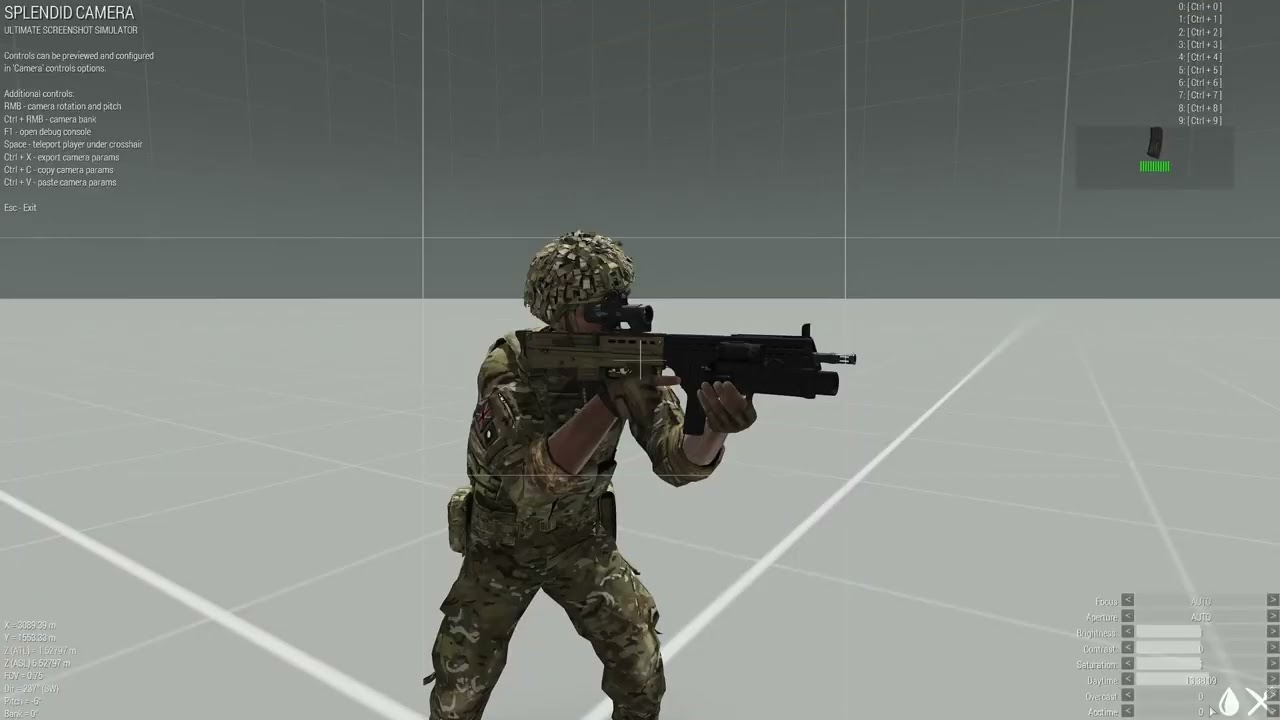
Reference this
fast canopy
You can refer to TemplateRTM to figure how the default aim animation look
next cloak
Alright, thanks!
 regal mauve
I'm new at 3d moddelling, I've created a weapon 3d model and i need to know how to make an animation stance. I've downloaded ArmaRig to do it but i don't have any idea about what to do. I've noticed every weapon in Arma 3 is held similarly so i guess i only need to set the position of the hands on the weapon.. But what do i need to do exactly ? Lock the position of the hands on the rifle ? How do i do that ? How long does the animation has to last ?
 desert raven
regal mauve
I'm new at 3d moddelling, I've created a weapon 3d model and i need to know how ...
desert raven
regal mauve
I'm new at 3d moddelling, I've created a weapon 3d model and i need to know how ...
answered this partly on #arma3_model just now actually. 😅
but to continue on that the weapon hold is just 1 frame
 hollow vector
Hey guys. Sadly development of a special unit for Yulakia map came to stop as two guys sadly stopped working on "armaverse" in recent months/weeks. I wonder if anyone would be willing to help me put a special character from unreal with 4 animations to p3d and animate it for a3 engine? PM me please if so.
 thorny minnow
Need help doing the model cfg and configs for a custom skeleton of a spider. I have most of the p3d, model cfg, and config done, it's just broken and need clarification on what to fix
 plucky sierra
thorny minnow
Need help doing the model cfg and configs for a custom skeleton of a spider. I h...
plucky sierra
thorny minnow
Need help doing the model cfg and configs for a custom skeleton of a spider. I h...
For the model.cfg, you list all the bones in the cfg skeletons section like how the OFP2 skeleton is done
Then basically just copy ARMA man from the sample model.cfg and paste over that
As for Config, you need to get moves and gestures set to your skeleton instead of the ARMA man
Don’t forget to set your pivot points either
 oblique lodge
Anyone here use Animexport addon with blender? I am trying to make a pump shotgun pump. I have the animation done, but im not sure on a few things
fast canopy
Always describe what's wrong in your first post
oblique lodge
i cant seem to figure out the parent and armature fields. i have the weapon and the pump separated in vertex groups and the such, but when i export it with the addon i have 0 clue what im doing as the instructions dont go in detail very much
desert raven
you likely would want to make the model.cfg animations for the weapon manually to learn how they work
the weapon animations are separate from the character animations
oblique lodge
the person handling the config stuff knows how they work. we just want a better way to export it so it doesnt take forever heh
 subtle falcon
Hello,
I will also share here what I sent to Moose in private message yesterday. It is an archive containing a low-resolution version of the Libertad crocodile. It was made to help people who want to import their own animals/creatures into Arma. Note that these documents were made over several years and that not everything is commented but if you have any questions, I can probably answer them (but I won’t import your creatures for you).
You should know that there is obviously not only one workflow, the one I use is adapted to my needs and my knowledge, some others have certainly other working methods.
I work with Blender to centralize everything (except textures and config, almost everything is done in Blender). Modeling, LODs, sculpting, rigging and animations are all done in Blender. The export of the skeleton hierarchy is also done via a Blender script that we (edaly) made to work faster.
Once the animations are done, I export them one by one in BVH format (moccap files). Faster and more convenient for in place animations like we need (you can use FBX, again, I probably have a weird workflow). I use this format because the conversion to RTM is done in Object Builder. This is where it gets a little complicated but I made a little video (in French with English subtitles) to explain.
https://www.youtube.com/watch?v=AMGtrFPi9-o
The configuration of the animations is the longest part because it is the most complex element. The advantage of making such a detailed configuration is that you can adapt it to all your creatures quickly. The whole workflow was designed with the idea of making several animals in a short time.
The model.cfg is the fastest and easiest to make. As said before, we made a script that allows you to rename and export the hierarchy of an "armature". You literally just have to paste the elements copied by the script into your model.cfg. I also made a little video to explain how to make the script work.
https://www.youtube.com/watch?v=bvkmXIsnzrw
Here is a link to download the crocodile archive: https://drive.google.com/file/d/1a-yOre2ZNXuVYjxC39hAnql5mlfDo7U5
Here is a link to download the Blender script: https://drive.google.com/file/d/1B191O16i3FVHnmfFSZm07D9sCEb1Omjr
Google Docs
Google Docs
 dim harbor
yo bros for weapon holding anims, how do you define the left hand IK etc? in config i only found a line telling the rtm file path but not about IKs
handAnim[] = {"OFP2_ManSkeleton", "\A3\Weapons_F\Rifles\MX\data\Anim\mx.rtm"};
when i just replace that line with my custom rtm it just becomes messy in game
desert raven
dim harbor
when i just replace that line with my custom rtm it just becomes messy in game
That line is it. Messy in game means the animation is broken. Likely weapon bone name has wrong up/low case W that does not match the model.cfg or weapon bone is not in correct place and weapon bone/hand bone offset is wrong
desert raven
Yes
dim harbor
Ah ok that might be the problem
Yo chief so for weapon holding the engine will always blend whatever pose you make in the rtm with a vanilla pose?
How do you find this vanilla pose
desert raven
dim harbor
How do you find this vanilla pose
The pose is not exactly necessary weapon bone and hands bones wrapped around is what is read. The holding rtm could have the weapon bone 100m to side and if hands are next to it, it would work
dim harbor
ooo okok
dim harbor
desert raven
The pose is not exactly necessary weapon bone and hands bones wrapped around is ...
for wepon holding do you have to set only 1 RTM keyframe at 0 and set frame range start = 0 end =1?
fast canopy
A frame of an anim work
dim harbor
ok thanks so 1 keyframe worked
i've succesfully made a weapon holding anim! :D
a question tho since primary weapons use the weapon bone, does pistols use the weapon bone too? and launchers
for weapon handAnim
desert raven
launchers use launcher bone
 woeful pelican
pistols are just tied to the righthand iirc
desert raven
yeh and altering pistol animation can break gestures when pistol is used
dim harbor
desert raven
yeh and altering pistol animation can break gestures when pistol is used
oh so its better to stick with default anims for pistols?
desert raven
usually if the animations fit
dim harbor
desert raven
usually if the animations fit
ok got it chief
so if im doing a custom holding anim, then i want to do a custom reload anim too, should the first frame of reload anim be the custom holding anim?
and for reload anim, does it effect all bones like legs and head too?
desert raven
you can configure the blending mask on other bones
usually its best to start the reload animation from the default pose(s) yes, but there is also IK curve config that blends between the pose and animation
dim harbor
desert raven
you can configure the blending mask on other bones
from the config right?
does it effect leg and head bones too?
like for example can i make the guy kick during a reload
desert raven
you can
dim harbor
i see and this can get blended too with the default standing anim?
desert raven
well whatever stance or action is going that allows reload
and you can make different reloads for different actions sets like prone and so on
but like whole body moves are not recommended as they also play when you move
which can lead to weird look
dim harbor
ight thanks chief 👍
dim harbor
ok chiefs i have succesfully made and implemented a reload anim thanks to you guys
next question:
how do you make prone reload anim? do you just pose the armarig in blender to prone and then animate the hands? and then how do you define the prone anim in config?
Many Thanks
 weak prawn
I made animation in blender, there made all the accompaniment with ArmaToolBox on blender version 3.2.1 Then using rtm file put model cfg and changed the name to the name of the animation. All prescribed. then threw through Addon Builder. And now there is a problem and I can not figure out how to solve
https://cdn.discordapp.com/attachments/1008297480863092748/1008298483343699968/unknown.png
 fast canopy
Do you have it in config?
weak prawn

 fast canopy
class CfgWeapons
{
    class Rifle_Base_F;
    class arifle_MX_Base_F: Rifle_Base_F
    {
        handAnim[] = {"OFP2_ManSkeleton","\A3\Weapons_F\Rifles\MX\data\Anim\mx.rtm"};
    };
};```You can't assign a state in CfgMovesMaleSdr but just the rtm path
weak prawn
fast canopy
```cpp
class CfgWeapons
{
class Rifle_Base_F;
class arifle_MX_Base_F: Ri...
It helped
The reload animation doesn't work.

That's how he prescribed it.
fast canopy
A reload animation is not a CfgMovesMaleSdr but CfgGesturesMale
 solar mesa
weak prawn
Can you give me an example of how to prescribe
solar mesa
weak prawn
Can you give me an example of how to prescribe
https://community.bistudio.com/wiki/Arma_3:_Weapon_Config_Guidelines#Custom_reload_animations the Biki is your best friend 😉
fast canopy
Does this example makes it gesture? 🤔
class CfgMovesBasic
{
    class ManActions
    {
        GestureReloadMX[] = {"GestureReloadMX","Gesture"};
    };
    class Actions
    {
        class RifleBaseStandActions;
        class RifleProneActions: RifleBaseStandActions
        {
            GestureReloadMX = "RifleReloadProneMX";
        };
    };
};

class CfgMovesMaleSdr: CfgMovesBasic
{
    class States
    {
        class RifleReloadProneMX: RifleReloadProneBase
        {
            file = "a3\anims_f\data\anim\sdr\gst\gesturereloadmxprone.rtm";
            speed = 0.37;
            leftHandIKCurve[] = {0.012,1,0.041,0,0.941,0,0.982,1};
        };
    };
};

class CfgGesturesMale
{
    class States
    {
        class GestureReloadBase;
        class GestureReloadMX: GestureReloadBase
        {
            file = "a3\anims_f\data\anim\sdr\gst\gesturereloadmx.rtm";
            speed = 0.37;
            leftHandIKCurve[] = {0.012,1,0.041,0,0.941,0,0.982,1};
        };
    };
};

class CfgWeapons
{
    class Rifle_Base_F;
    class arifle_MX_Base_F: Rifle_Base_F
    {
        reloadAction = "GestureReloadMX";
    };
};```With prone examplehttps://cdn.discordapp.com/attachments/870325960195588107/1008304073365274694/unknown.png
That's how I prescribed it.
 fast canopy
And?
weak prawn
It worked
dim harbor
Alright bros after several hours of painful experimentation i have figured out how to make prone animations and its surprisingly easy when you understand how it works. Still i’m not a master at this so please correct me if im wrong
So the first thing is of course you have to make your standing reload anims. (I’m using macser arma rig). You have to make sure it works in game and satisfied with it before we move to prone.
Next, it seems that if you use mask=handsweapon, only the top half of the body (pelvis and above) is animated. So we can safely ignore the legs
After that, the way the game figures out the orientation of the character is by the pelvic bone. In standing anims the pelvic bone is perpendicular to the ground (vertical). When prone, the chara's pelvis is parallel to the ground, so what you need to do is rotate the pelvic bone until its horizontal and slightly tilted down.
At this point the torso will be parallel to the ground but the arms will be freaky, to fix this simply move the pelvic bone back up until the pose becomes similar to the standing reload anim
You now have a working prone reload anim, lastly you can bend the spine bones a little bit upwards to make it more realistic and not clip the ground. You might also need to make small adjustments like left hand movements, etc.
desert raven
That is pretty much it. Yeah.
dim harbor
awesomeness mate next question: is it possible to simulate a camera shake like in CoD reloads? is there a bone tied to the playercamera?
animating the chara head works for the 3d model but the player camera is not affected
desert raven
There is a camera bone yeah but Im not sure that would help you.
subtle falcon
you can yeah but I don't know if it's a good idea x)
if you're using the latest rig from macser, there is a bone just for that. You might need to make your own mask though.
dim harbor
subtle falcon
if you're using the latest rig from macser, there is a bone just for that. You m...
yes i see it but it seems to be parented to the pelvic bone?? and the custom mask, do i just need to copy the handsWeapon mask array and add the camera bone?
desert raven
You can try it out.
dim harbor
ight im finna try
dim harbor
ok it works, but not the way you'd expect... it animates the 3rd person camera lmao
dim harbor
it is quite hilarious tho if you animate it
 median magnet
Hi there ! I have a problem with my animations.
When I make a "hide" animation, it turns out that the selection of the animation does not disappear, but it is simply moved and made smaller. This is the first time this has happened to me and I don't understand.. (It's the orange and yellow buoy)
The first photo is when it's not hidden, and the second when it's supposed to be.


my config:
class treuil_boue
            {
                type = "hide";
                selection = "treuil_boue";
                source = "treuil";
                sourceAddress = "clamp";
                minValue = 00.00;
                maxValue = 1.0;
                hideValue = "1.0";
                unHideValue = "-1.0";
};```Yes indeed, it undergoes a forward rotation. How to fix this?$
desert raven
you need to build your skeleton hierarchy correctly and have only 1 animated selection for mesh parts
median magnet
It work ! Thank you very much ! @desert raven
median magnet
class light_blanche_arriere_memory
            {
                type="hide";
                source="time";
                selection="light_blanche_arriere_memory";
                sourceAddress = "loop";
                minValue = 0.0;//rad 0.0
                maxValue = 0.6;//rad 34.37747
                hideValue = 0.5;
                unHideValue = -1.0;//(default)
            };
            class light_blanche_arriere_memory_flash
            {
                type="hide";
                source="time";
                selection="light_blanche_arriere_memory";
                sourceAddress = "loop";
                minValue = 0.0;//rad 0.0
                maxValue = 0.1;//rad 5.729578
                hideValue = 0.5;
                unHideValue = -1.0;//(default)
            };
            class light_blanche_arriere_memory_hide
            {
                type="hide";
                source="light_blanche_arriere_memory";
                selection="light_blanche_arriere_memory";
                sourceAddress = "clamp";// (default)
                minValue = 0.0;//rad 0.0
                maxValue = 1.0;//rad 57.29578
                hideValue = 0.0;
                unHideValue = 0.5;
                animPeriod = 0.0;
                initPhase = 0.0;
            };```
One more small problem
When the light hides, it appears further? I don't understand why, because I take the animation from another config or it works very well
 median magnet
While trying to debug, I realized that as soon as I hide it, the light shifts for no reason, yet in the config everything is good
class light_blanche_arriere
            {
                type="hide";
                source="gyro";
                selection="light_blanche_arriere";
                sourceAddress = "clamp";// (default)
                minValue = 0.0;//rad 0.0
                maxValue = 1.0;//rad 57.29578
                hideValue = 0.0;
                unHideValue = 0.5;
                animPeriod = 0.0;
                initPhase = 0.0;
            };```
 desert raven
median magnet
While trying to debug, I realized that as soon as I hide it, the light shifts fo...
desert raven
median magnet
While trying to debug, I realized that as soon as I hide it, the light shifts fo...
hiding is essentially the selection scaling into nothingness
se possibly its same issue as before and you have it in multiple animated selections
median magnet
Weird, because other vehicles where I hide the points of the light, and well this one disappears
Moreover, even on this vehicle, the other lights disappear
desert raven
maybe bug in your skeleton hierarchy
 desert raven
ye
median magnet
I will try to put it back higher
Do you think this could fix the problem?
desert raven
no
the position on the list has nothing to do with the hierarchy
the parenting pairs does
"child","parent",
desert raven
maybe some animations should
Idk
you can make a small cube in ob and assign the hide groups to it to see if some other bone also moves it
median magnet
What's weird is that it works normally on others
desert raven
well you have made a mistake in somewhere in there
simple as that
others != this one
median magnet
@desert raven Guesss what
When i put the "outer" angle below 180
The bug is fix 🤣
median magnet
Yes xD
My friend has got the problem in the past, so he says me to put the outer angle below 180
 junior barn
Yes I found this error last week
oblique lodge
whats the easiest way to take the default armaman t-pose and get it posed out right for an arma hand anim and reload anim?
desert raven
Pinned messages have something for getting you started
 silver sorrel
Is there a way to combine animation controllers in a smart way? In a jet Im making, the airbrakes extend to 60 degrees, but if the gear is extended, it's capped to 43 deg, until all wheels are touching the ground. Technically I can get that information from engine controllers, but is there a way to put them together into some sort of equation that I can use as the final controller value, instead of doing it with a perFrame script and updating my user animation source manually?
the documentation only describes a way to override an engine controller
desert raven
Not possible to combine the inputs
And while it is possible to override some engine input things that kind of a thing is not possible.
Typically some compromises need to be made.
silver sorrel
Thanks man
silver sorrel
What's the best way to have a "bounce" animation? I've got a switch in my vehicle and I need it to be interactible. It's centered and it can rotate either up or down on the same axis, but I need it to instantly bounce back to its initial position, controlled with a script. I was thinking about creating an animation that has the initial phase of 0.5, where 0 is UP and 1 is DOWN position, but then if I run the animation with animate for it to go up or down, the switch will stay there and the controller value will not reset. Is running _this animate ['SwitchAnimation', 1] , running a sleep and then _this animate ['SwitchAnimation', 0.5] option, or is there a more native way for it?
 cerulean pivot
silver sorrel
What's the best way to have a "bounce" animation? I've got a switch in my vehicl...
cerulean pivot
silver sorrel
What's the best way to have a "bounce" animation? I've got a switch in my vehicl...
Set its sourceAddress to "Mirror"
Then just animate it to phase 2
 west trench
hey how can I record my Gcam rush
 bold flicker
Working on an axe to chop trees. (They get in the way when using Ace fortify :P )
Currently have a working "axe holding" gesture, Its being played over top of the hold primary weapon animation. Is it possible to redefine the points on the weapon model where the gesture IK's the left/right hand? because I want a right handed axe and the axe-head needs to be on the player's back right way up, the IK's are crossed.
If I simple disable the Ik and try position the weapon-bone in the hands of the character, its always slightly of and any idle animation moves the hands to much relative to the weapon.
Or does anyone know a hack to achieve a similar result?
desert raven
Don't use gesture
Or make the weapon holding animation for the axe right.
There are no IK positions that could be moved
bold flicker
The weapon holding animation is the handAnim[] from the weapon config? I tried working with those but I can't move the weapon bone. Are you saying I need to get the hand position correct in that animation then use a gesture to move the weapon? If I use a gesture that is.
If I don't use a gesture, I assume I'd then have create quite a few new states in CfgMoves no? Assuming thats what you mean with don't use gesture
EDIT: Just realised the project I was looking into put the Axe in as a pistol. This way it is automatically glue'd to the hands. Thats the reason my "launcher" axe bobs around and theirs doesn't.
desert raven
Yes it's preferable to have correctly posed hand anim and the move stuff with gestures.
If you just want wood chopping you would need just one new animation state for the chopping you play when you do the chopping.
The pistol way is the simples.
It can even be done without gestures by using reloads for the hitting
bold flicker
I was aiming for having the Axe on your back and an idle state where you have it out before you swing. Thats why
Disregarding the IK question then. Can you "freeze"/prevent the bobbing around of a launcher when its on the characters back?
desert raven
I don't quite know what you mean by that but normally unselected weapon (rifle/launcher) on back does no extra moving
bold flicker
hmm, I guess It just looks weird due to the axe being a little thinner then the average AT stick. creating more room between the characters back and the model > Movement is more visible and less absorbed by clipping.
desert raven
You could make a video.
bold flicker
Sure, one second
The video, visible now ~~as soon as YouTube is done processing. ~~https://youtu.be/YONuPLLbVp4

But having done some more test with normal launchers, the bobbing of the axe head just looks a little wierd because its so free floating, instead of looking attached like a normal launcher.
desert raven
I am not sure what is bobbing exactly. The axe moves with the torso movements. The movement might be more noticeable because the axe head acts as a pointer and says hey look at me I'm swaying around
bold flicker
Yeah, thats it
For the axe clipping through the hands of the character, I figured I am just going to disable some of the spinal movement by adding it to the gesture mask. As with the hands correctly placed in the handanim[], they don't stick in the gesture. Even if the only bone is the weapon, it just defaults to arms swinging like a jogging motion, with the weapon floating infront of the chest :P
desert raven
Is the axe holding gesture?
Or weapon hold stance
ah right s gesture
But the weapon is actually in the back still
bold flicker
Not sure what you mean but I realized my character doesn't hold the weapon, yeah that
https://ibb.co/HBxX44h this is in the arsenal, hands correct
 desert raven
So yeah that's part of the issue, the weapon bone is still moving with the torso.
Now with the weapon hold animation you need to get creative
bold flicker
This it with the weapon selected https://ibb.co/5YTvBdR
 desert raven
And make the weapon animate when selectd to front of the chest
And position the hands to that
So you don't animate the launcher bone
You a nimet the axe launcher in the axe launcher p3d
bold flicker
When I set the Axe to a primary weapon, by only changing the base class to Rifle_base_F from Launcher_base_F, it works. Handanim works and when playing the gesture the rifle fits like it should.
Is there a possible reason why the launcher axe stays on the back of the player and the rifle axe doesn't?
bold flicker
desert raven
So you don't animate the launcher bone
Is this secondary animation to fix the hand placement or the placement on the back of the player?
woeful pelican
it getting stuck on the back is what happens when the magazine for the weapon is invalid for the launcher type
or rather the magazines ammo is using the wrong simulation
like launcher magazines have to use shotRocket/shotMissile if they use shotBullet they act like that
desert raven
bold flicker
When I set the Axe to a primary weapon, by only changing the base class to `Rifl...
take pictures, I dont understand the description
or could be what @woeful pelican said 👍
only missile type weapon works in launcher slot
bold flicker
Yep @woeful pelican solved it.
Thanks to you goat for reminding me of the handanim and kerc for this final puzzle piece! We have a working run with axe gesture now, time to animate a chop...
 dark depot
hello i am making a gun and there is a problem with the animation. model.cfg file still gets corrupted even though it exists
 desert raven
how did you make the animation?
dark depot
with blender
fast canopy
Also which software you use to pack a pbo?
dark depot
fast canopy
Also which software you use to pack a pbo?
addon builder
fast canopy
Try pboProject whatsoever
dark depot
then the only solution is pboProject
desert raven
well thats at least been proven to be reliable
(also the error checking helps to make better mods)
 ocean nymph
the animation for a gun i make it direct on my 3d software? how i can put it on arma ?
fast canopy
Gun animation is only controlled by model.cfg
ocean nymph
fast canopy
Gun animation is only controlled by model.cfg
ok, that didnt helped a lot, how i suppose to animate my gun then
fast canopy
Do you know how to make a model.cfg?
ocean nymph
fast canopy
Do you know how to make a model.cfg?
i using a website as reference from community.bistudio, but sometimes i have no idea what i'm doing, is there any video tutorial? i think it would be way easier...the only ones i found are centuries old
 jade yew
what is the proxy name in the character model? i want to delete it
fast canopy
Why you need to?
jade yew
because I would like to make a custom character 🙂 (alien)
fast canopy
Okay, which one you want to delete?
jade yew
BIS head
fast canopy
bust IIRC
jade yew
fast canopy
`bust` IIRC
I don't see a proxy with that name ?? 😦 only: \ A3 \ characters_f \ Heads \ bysta and \ A3 \ Characters_F \ Proxies \ hmd
jade yew
aaa ok thx mate i try 🙂
fast canopy
hmd is for NVGs
dim harbor
ocean nymph
i using a website as reference from community.bistudio, but sometimes i have no ...
I dont think theres any recent video tutorials, the only way is to do a lot of reading but the arma3 modding information are mostly spread out on different places so you’ll have to prepare a lot of patience
Here are some of the explanations for model cfg
Easiest way to learn really is to find a mentor or someone who already figured out how things work and learn from them
ocean nymph
dim harbor
Here are some of the explanations for model cfg
https://community.bistudio.com/...
Ty
 junior crest
Not sure if this is the right channel to ask in as I think it covers a couple of different areas. I've created a building that essentially serves as a garage and I'm hoping to add some working lights. I have bunch of terminals around and want to assign rooms to certain terminals and have the Lights On/Off via a user menu i.e. similar to opening doors or turning them off/on in a vehicle. Where can I start to look at to do this sort of behaviour as I can't find much on it?
 frank scaffold
I'm trying to have some parts animate along the turret gun animation, the animations work when previewing in buldozer but they don't animate at all in-game, only the main animation moves, why would that happen? the animation looks like this
class MainGun
{
    type="rotationx";
    source="MainGun";
    selection="S125_gun";
    sourceAddress="clamp";
    axis="gun_axis";
    minPhase="rad -360";
    maxPhase="rad 360";
    minValue="rad -360";
    maxValue="rad 360";
    memory=0;
    angle0="rad -360";
    angle1="rad 360";
};
class MainGun_beam_1: MainGun
{
    selection="S125_beam_1";
    axis="beam_1_axis";
    minPhase="rad -27.5";
    maxPhase=0;
    minValue="rad -27.5";
    maxValue=0;
    angle0="rad -2.65";
    angle1=0;
};
class MainGun_beam_2: MainGun_beam_1
{
    minPhase="rad -55";
    maxPhase="rad -27.5";
    minValue="rad -55";
    maxValue="rad -27.5";
    angle0="rad 2.05";
};
class MainGun_beam_move
{
    type="translation";
    source="MainGun";
    selection="S125_beam_2";
    sourceAddress="clamp";
    axis="beam_2_axis";
    minValue="rad -55";
    maxValue=0;
    offset0=1;
    offset1=0;
};
the top one works just fine but the others just don't animate at all
desert raven
are they part of multiple animated selections?
how have you set up the bone hierarchy for the parts
frank scaffold
there's no selections that animate those outside of the ones I pasted
and both selections are parented to the same bone that the "gun" selection is
desert raven
so the beams are not part of s125_gun selection?
frank scaffold
nope
desert raven
then it may come down to is the pbo in right place, is it loaded, can you add some box to the model to make sure you have the latest version in game?
frank scaffold
yes, sure on all
desert raven
if you select the s123_beam_1 in Object builder and right click on the named selection list and open the weights tool from the popup menu what does it say?
desert raven
so the beam_1 is also part of beam_2 selection?
frank scaffold
no they're separate
beam_2 is linked to beam_1 in the skeleton
the axis and animation and all that stuff should be correct, I used it all the same with the same model in a building type object where those animations were editable via attributes, so the animations themselves are fine
they're for some reason just not being animated by the MainGun when being used as an actual turret
desert raven
is the turret configure to use mainGun as its source?
desert raven
can you paste the turret class?
frank scaffold
I don't really even have anything in the turret class, it's inheriting everything from the vanilla SAM_System_03_base_F
only thing I change is the weapon and magazine
desert raven
that works too
frank scaffold
I checked and that class does use MainTurret and MainGun sources
desert raven
indeed it does yes
frank scaffold
maybe the way I have the phase, value and angle values somehow breaks the animation for that kind of source? is there any kind of limitation to the gun and turret sources?
desert raven
dont think so
I've used similar setups myself with success
and if it moves right in buldozer when you animate maingun source it should work
frank scaffold
yeah in buldozer it's all fine
oh what the hell, the animation is reversed?
I tried changing the turret class so it can go negative elevation and then those beams do animate
even though they're supposed to animate when the elevation goes up
and in buldozer, it elevates when I make the MainGun value go below 0
desert raven
oh yeh thats true
im not sure if the BI reverse = 1 parameter actually deals with this but yeah due to the different Axis and directions being used in model and in game the animations are indeed reverse for turrets
its very confusing
frank scaffold
I think I knew that but just forgot
desert raven
one of those things that one has the relearn after a while as it has little logic to it
frank scaffold
that applies to a lot of things in arma
frank scaffold
yeah reversing the animation worked
desert raven
frank scaffold
yeah reversing the animation worked
fun times with #armathings
dim harbor
Yo bros is it possible to change a position of a character in a vehicle seat by changing the anim?
E.g the cargo proxy is on left seat but you change the animation move it to the right and the character in game is shown on the right seat
desert raven
Well kind of but it would require a new animation made from that position but the character moved and might have issues with ai
desert raven
well the AI proxy would still be on the other position
dunno if it can handle that kind of move
typically this kind of swap is not done
(I cant see why one would to be honest)
dim harbor
desert raven
well the AI proxy would still be on the other position
Proxy is still same pos but AI would use the same animation as player no?
I want to change cargo positions on vanilla vics which not possible by editing the model so i want to edit the animation instead
 foggy knot
i think finally I am on the right channel - I have problem with animations on 3d object (thingX class), in 3d editor all anims working perfect, after compile model with config.cpp to game part of animations (not all) are moving crazy - looks like axis of movement are changed, I check selections and model.cfg all seems to be ok.https://steamuserimages-a.akamaihd.net/ugc/1804277426473209898/55EF25F02B8FAC121F530EC9791A8C8FAD6B57FE/?imw=5000&imh=5000&ima=fit&impolicy=Letterbox&imcolor=#000000&letterbox=false https://steamuserimages-a.akamaihd.net/ugc/1797522561537433311/E48B195DB7FA707EFAA293CABB5078F49D5AE617/?imw=5000&imh=5000&ima=fit&impolicy=Letterbox&imcolor=#000000&letterbox=false

 desert raven
Can you drop the modelcfg to sqfbin.com
 naive hemlock
@foggy knot- isn't this a static prop from A3 Apex? How did you get about getting this into buldozer? Do you have permission from BI?
desert raven
Oh are you the guy with the ship and stuff that already got removed 
foggy knot
We will talk about EULA or about problem?
I can bring model CFG - but as i wrote it working under buldozer - structure is correct
problem is after compile with config to arma engine
desert raven
It's just that if you are that guy and continue on this path you get banned both here and on steam workshop
foggy knot
BTW heder is completly new my model (to stop this comments about permissions)
 somber aurora
foggy knot
We will talk about EULA or about problem?
somber aurora
foggy knot
We will talk about EULA or about problem?
We will talk about the origin of the model and animation before entering the problem solving phase yes.
foggy knot
Ok so what you want to know before we start to discuss problem
somber aurora
the origin of the model and animation
if this is a BI asset for which you did not get permission you will not obtain assistance for it, period
foggy knot
As I told model and animation is completly mine - did you see in any arma content or addons this model?
 white juniper
did you see in any arma content or addons this model?
well yes
 foggy knot
This was part of real harvester (heder not harvestr) what was missing in arma content so I made it from 0 (it is so hard to belive?)
white juniper
The question is about the harvester, where does that model come from
Yours looks exactly like the A3 basegame one, except that yours has the missing wheel and the broken stuff reattached
foggy knot
we talk about harvester or heder?? beacouse I don't understand that interesting about object from background
white juniper
The thing in my screenshot
foggy knot
So if you don't see harvester form orginal arma isn't it different?
desert raven
Main problem is, you seem to be a repeat offender of arma eula by ripping models
And we don't support that
foggy knot
On your screenshot is static model form A3 - on my screenshot in background is my model (based on this broken one but finally left from it only textures and materials)
naive hemlock
the model depicted here - #arma3_animation message is the same with the one posted by Dedmen, minus the fact that it is edited not to be broken, is it not?
white juniper
So you made it yourself.
But for some reason, the moedlling is exactly the same
So much in fact exactly the same, that the original textures fit onto yours precisely?
foggy knot
Ok so if I don't but this screenshot with harvester in background we will discuss heder or what?
naive hemlock
@foggy knotplease provide your model, in your 3d toolset you modeled it in, including clay and wireframe
what part of we aren't discussing your issue until you manage to actually provide some meaningful answers to the questions above eludes you?
the harvester is modified by comparison with the Apex model (not broken looking wreck). It is in your picture, and that heder cannot be attached to a wreck, no point animating it
foggy knot
Really we will discuss details about modeling object for prepare it for config and physx? You probably know how much work it need to make model animated and working even if you have not broken source - so if you don't want to discuss problem with heder ok, but in near time this content will be relased for use in addons and for edit, isn't it ?
So what is sense of this discuss - we talking half of hour about harvester model what is not object of problem.
naive hemlock
unless you provide some proof of ownership, you will be banned from BI channels, and your Steam Workshop rights will be permanently revoked...
naive hemlock
2 BI developers asked you something about the harvester in your image. 3 individual moderators have asked you the same. pretty sure it is you who is missing the point here
fast canopy
- We're suspecting that you've violated the EULA of Arma 3 Tools
- We need a proof that says you didn't in order to discuss your issue
- We knew that one of your Workshop content have recently removed, and you reuploaded the same. Which is not a good move after all
- Such offensive act will lead to the ban from all BI Media and Steam Workshop
foggy knot
Ok so you can ban me and what it help to arma community - will it be better?
white juniper
In the future the model MAY become available to be modified with certain restrictions. Potentially and there is no known time for when this MIGHT happen.
And thats your justification for right now illegally ripping modifying and redistributing stolen content?
Don't you think the makers, who's stuff you're stealing without their permission, deserve some respect?
naive hemlock
foggy knot
Ok so you can ban me and what it help to arma community - will it be better?
yes
white juniper
Yes, I do think the Arma community will be better off without thieves that give zero respect to other creators work
foggy knot
We are quite different people i see - I have nothing aginst when somebode make my models better and i am happy that my work was deserve for interest and can grow.
naive hemlock
feel free to do whatever to do with your own models. this far, looking at sws, none are actually yours
foggy knot
i see in this place I didn't find any ansver on my technical question only political talks
fast canopy
fast canopy
1. We're suspecting that you've violated the EULA of Arma 3 Tools
2. We need a p...
What's really hard to understand my tldr?
white juniper
foggy knot
We are quite different people i see - I have nothing aginst when somebode make m...
And that means you can dictate what other creators should think?
Because you let people modify your models, means you force every other creator to allow it too and don't care if they don't and do it anyway?
You're turning a "I'm fine with lending my car to other people" into "I'mma just take this random car here now and drive off with it"
Thats not very logical
foggy knot
I don't dictate anythink
white juniper
But yet you do it.
desert raven
This should not be a surprise either, you have been in this discord for long time and you can't have missed people being told this same thing before
somber aurora
foggy knot
I don't dictate anythink
good - because Bohemia Interactive does not share your point of view - so you should respect their decision and leave their models alone
create your own ones
foggy knot
Ok - if I make this for my own is any problem?
somber aurora
if you make your own model from scratch and take down ripped ones from the Workshop there are no more issues
can you?
foggy knot
Yes I can - when I do it we will back to real problem?
fast canopy
Once again
- We're suspecting that you've violated the EULA of Arma 3 Tools
- We need a proof that says you didn't in order to discuss your issue
somber aurora
foggy knot
Yes I can - when I do it we will back to real problem?
both are real problems, and one of them will have been solved
white juniper
You won't get help here on how to add things onto your illegal/stolen content
foggy knot
Done - you can check
somber aurora
still waiting for your harvester model then we are good! also know that re-publishing your ripped mods later will get you gone for good from both here and A3 Workshop - even published as "hidden"
foggy knot
I can even delte them from steam that take more time - moment
But You know - if i remove it what for is my doings - I can delete whole arma nad quit from this at all shit - Thanks for cure me from this time-takeing disease (have fun).
somber aurora
You are welcome
well, it looks to me you don't want to follow basic rules nor even wait for the public data package which may (or may not) contain what you want to use
so, why help someone who just takes?
foggy knot
You just answer for sense of this discussion - at last it will be relased (I don't know if all but you will know better)
somber aurora
I am afraid I genuinely have no idea what you just said, sorry
foggy knot
Tell me only one thing is on this chanell anyone from BIS employers?
desert raven
the green named people
foggy knot
🙂 ok
desert raven
or well not BIS but BI as BIS is different company not involved with Arma
foggy knot
ok BI i have on mind
So now i can wait for working versions of those static models from orginal content made by BI orginally (like those shooting targets on 7 anniversary of A3 if I good rememeber) it was great pack of amzing new stuff for players :), if it will be so good I can't wait for it 🙂
So bye it was quite fun 20years.
desert raven
alternatively you could have said sorry I made a mistake, delete the offending stuff and get back to modding by making new stuff instead of ripping.
if you been around the modding scene for that long you know the rules. it was you who decided to not to follow them so you cant blame BI now
somber aurora
foggy knot
I can even delte them from steam that take more time - moment
!ban @foggy knot 0 wilful BI assets ripping and not removing them on request (hiding to get assistance is not removing) - Steam Workshop purge and ban to follow
 tender quarryBOT
somber aurora
!ban <@862764455623131167> 0 wilful BI assets ripping and not removing them on r...
tender quarryBOT
somber aurora
!ban <@862764455623131167> 0 wilful BI assets ripping and not removing them on r...
*PewPewPew!!*
RIP @foggy knot
regal mauve
i created a new static pose, here is the config:
class CfgMovesBasic {
class Actions; //Extended
};
class CfgMovesMaleSdr : CfgMovesBasic {
class States  {

    class AmovPercMstpSsurWnonDnon; //Extended

    class iarts_attention : AmovPercMstpSsurWnonDnon {
        file = "ArmaHeadquarters\iarts_attention.rtm";
        speed = -10000000000.0;
        looped = true;
        //connectTo[] = {"AmovPercMstpSnonWnonDnon",2 };
        //connectFrom[] = {"AmovPercMstpSnonWnonDnon",2 };
        interpolateFrom[] = {};
        interpolateTo[] = {};
    };
};
};
Why is it replacing the default stance of all my characters ?
 keen hornet
Hej Folks! Hope you are all fine!.
By any chance there will be someone, who knows of a mod that modifies the animations of the players? I'm looking for a mod that has different animations to be able to vary the game a little more. A few days ago I had seen a video that seemed super interesting to me cause of the animation it uses. (here te link:https://cdn.discordapp.com/attachments/597315095344840706/1015809127664074793/2022-09-03_22-11-05.mp4)
Regards and thanks in advanced!.
fast canopy
It does seem to be the A2 animations for me
keen hornet
fast canopy
It does seem to be the A2 animations for me
I thought of the same thing, and for sure it has to be a modification/variant of this one. Although when he runs I have noticed that he does not raise the weapon as in A2.
fast canopy
 keen hornet
fast canopy
https://steamcommunity.com/sharedfiles/filedetails/?id=1199493544
Guess this
keen hornet
fast canopy
https://steamcommunity.com/sharedfiles/filedetails/?id=1199493544
Guess this
nah, tried yesterday but it's sadly not the same 😦
well... I'll keep looking to see if I find anything else, anyway thanks for your answers @fast canopy 🙏
fast canopy
I do believe it is possible whatsoever. But that kind of smooth animation should take a time to make, which means, not something that amateur workers/modders can afford
keen hornet
fast canopy
I do believe it is *possible* whatsoever. But that kind of smooth animation shou...
I totally agree with you, I think it was actually what caught my attention from the animation, a pity not being able to enjoy it
desert raven
plucky sierra
How would I upscale an rtm properly?
I’ve been kind of struggling and getting some stretchiness
desert raven
not easily im afraid

 proud fossil
cool, do you guys still upscale the animation the same as in the video below? or did you find another way?
plucky sierra
proud fossil
cool, do you guys still upscale the animation the same as in the video below? or...
Hey Robb! Good to see you. I just took the base hand anim for arma man and scaled it up by 1.1684. It went wacky the first time for some reason, but, I redid it and it worked this time
 thin temple
Why isn't there a pedal (rudder) animationSource for helicopters in Standard flight model? There only exists rudderRTD for AFM.
Whereas both collective and cyclic can be animated simulataneously in both SFM and AFM, rudder can only show movement in AFM.
 midnight nest
So I'm trying to re-do some handanim stuff for a particularly awkward gun, and regardless of what method I use it seems to pull the gun and hands far away from the shoulder (where the stock SHOULD be) and slightly high. I've done blender (using ArmARig and ArmA 3 Toolbox), and even the old-school Object Builder method. All packed with PBOProject as well. Made sure the upper/lower case W on the "weapon" bone is in-line with the config, etc etc. It's not the broken stretchy arms animation, it's just...off. It's like ArmA is reading where the hands should be on the weapon, but NOT where the weapon should be in relation to the rest of the body.
Gist is, In the object builder/Blender previews, it shows as nicely tucked into the shoulder and held level, with the hands all in the right place, but, whenever put into game it keeps the hands in the right places on the weapon, but the weapon is nowhere near the position it was in on the preview. My buddy who understands blender (but not ArmA modding) and I have spent the better part of a day trying to parse through tutorials, forums, discord posts on this channel, etc. Asking direct questions here is sorta my last resort.
fast canopy
Can you show how awkward it is?
desert raven
My guess is that the rifle pose is not matching with the pose in game is not matching your pose in blender.
And you need to move the weapon in the weapon model back and then adjust the hands again to match the offset
plucky sierra
Yeah, what you see in buldozer isn’t always 100% how it will be in game
You got to look in game and then go from there
desert raven
weapon holding animation only uses the hand bone transformations in relation to weapon bone. weapon bone moving does not affect the weapon position in game
midnight nest
Apologies friends, shortly after posting that my wife brought COVID home with her and I've been mostly unconscious since then. I'll post a picture of the awkwardness once I can get to my computer
midnight nest
desert raven
weapon holding animation only uses the hand bone transformations in relation to ...
So, if I'm reading this right, then I shouldn't be touching the weapon bone at all? Just the hands and the reference model of my custom gun?
desert raven
yes
that is correct
the weapon bones position in relation to the body stays always same as in the pose
but the weapon can be moved inside its own coordinate space as it is attached on the weapon bone from its 0,0,0 origin coordinate
and then the hand positions are blended with the underlying character stance pose
dim harbor
Yo bros how do i replace a vanilla rtm?
Just make rtm with same name and directory setup then use a3 pbo prefix?
fast canopy
What rtm you want to replace?
dim harbor
Any random rtm
fast canopy
Then you can just do it in config
 real cliff
dumb question, I am trying to remember how to get various units to do the push up animation. Anyone care to refresh my memory?
desert raven
arma3 wiki scripting commands page has the commands for playmove switchmove etc
 blazing marsh
Can crew play animations in vehicles ? I'd like to have a crew member play a certain animation once a event handler is triggered and would like to know if its possible.
naive hemlock
blazing marsh
Can crew play animations in vehicles ? I'd like to have a crew member play a cer...
not to my knowledge
blazing marsh
Unfortunate. Thx regardless
regal mauve
How can i add an RTM not as an static pose but as a "move" ? I mean in a way i could walk and move around when playing the animation
desert raven
same way as static one really. but with bit different configuration
or as gesture
if you explain what exactly you want to do could be easier to advice you
regal mauve
i made an RTM made of a single frame to have the player restrained with handcuff. Using this configuration, i succesfully imported my RTM as a static pose:
class CfgMovesBasic {
class default;
};
class CfgMovesMaleSdr: CfgMovesBasic {
skeletonName = "OFP2_ManSkeleton";
gestures = "CfgGesturesMale";
//class StandBase;
class States {
    class AmovPercMstpSnonWnonDnon_Ease;
    class iarts_handcuffed: AmovPercMstpSnonWnonDnon_Ease {
        file = "ArmaWorld\data\anims\iarts_handcuffed.rtm";
        canPullTrigger=0;
        showWeaponAim=0;
        disableWeapons=1;
        disableWeaponsLong=1;
        looped=1;
        speed=1;
        mask = "bodyFullReal";
        rightHandIKCurve[] = {0};
        leftHandIKCurve[] = {0};
        interpolateFrom[] = {};
        interpolateTo[] = {};
    };
};
};
Now i need to be able to walk around while the character keeps his hands behind his back.
desert raven
so you would likely need to set that up as a gesture
regal mauve
How do i do this ? With CfgMovesBasic or CfgMovesMaleSdr ?
regal mauve
desert raven
so you would likely need to set that up as a gesture
I can'tfind a page on Bohemia's wiki talking about gestures
desert raven
there might not be one, dont remember
this stuff is not all the way documented and kinda comes down to just understanding how configs work
regal mauve
desert raven
this stuff is not all the way documented and kinda comes down to just understand...
hmm i've read the sample. I guess i need to set a new action
regal mauve
I've understood i also need to make the walk animations with the restrained hand to have the character walking but in order to reproduce Bohemia's walk i need to open an RTM. Anyone knows how to do that ?
regal mauve
I guess i'll have to make a new one...
Does anyone knows how to prevent the player from being able to throw grenades with CfgMovesMaleSdr ? canPullTrigger is not working for grenades
desert raven
No with gestures you should be able to overlay the hands with the walking
regal mauve
desert raven
No with gestures you should be able to overlay the hands with the walking
i've tryied something that should produce some result but the switchGesture is not working for me. Bohemia's example isn't even working
regal mauve
desert raven
No with gestures you should be able to overlay the hands with the walking
Problem solved. You must use playActionNow and CfgGestureMale to use gestures.
Now i have another problem, i can't prevent the character to throw a grenade and when the player throws a grenade it breaks the action
desert raven
remove all grenades when they get cuffed
regal mauve
hmm i'll do so if there is no other way
I have another question: how do i reset the animation set with playActionNow ?
regal mauve
problem solved with player playActionNow "Stand"
dim harbor
yo bros anyone ever did a custom FFV anim?
im trying to replace a vanilla FFV default anim with a custom one, but keep all the other anim like the binoc, aim, pistol anim of the FFV anim set the same
basically im trying to change the chara legs of the FFV anim but keep everything else the same
is it possible by replacing a single anim? or do i have to replace the whole set
desert raven
You can change just one anim yes.
dim harbor
desert raven
You can change just one anim yes.
I just need to change the idle anim right?
desert raven
maybe. depends a bit how the other states are setup to blend
dim harbor
I was able to make it work by changing the character bones positions of the idle anim of “passenger inside 8”, however since the aim anims are interpolated with this default idle anim, it becomes an abomination when the guy aims
I guess it will work if you only make small changes to the default anim, but if you change a lot then the whole set needs to be adjusted as well
dim harbor
does masks work for FFV animation? the aiming animation uses mask = "weaponSwitching"; which doesnt include leg bones, but in game leg bones are still animated?
desert raven
It should
dim harbor
doesnt work for me, the legs still move when the guy aims from the idle animation, even though both anims have mask = "weaponSwitching"
idle -> idling = legs do not move
idle -> aim = legs move
dim harbor
out of ideas, it seems masks simply dont work between FFV states
if anyone ever tries doing custom FFV anims please let me know what you find
dim harbor
after 2 days of frustration, the investigation into the whole FFV mask omnishambles has been closed and a conclusion has been reached

desert raven

dim harbor
It seems that masks, are used by the game when there are multiple animations within a **STATE **. but are ignored when the chara is switching between ACTIONS.
I will demonstrate with examples:
Lets say i have 2 animations. first is my idle rtm, which has the legs straight. second is my aiming rtm, which has the legs bent. each have their own state class.
Case 1
I have the idle state class of my FFV anim set, this state has mask = "weaponSwitching".
Now if i modify this state, and include the token variantsPlayer[] = {"my_aiming_animstate_class", 1};.
The chara, in the idle state, will first play idle anim, then switch to aiming while keeping his legs STRAIGHT. (but he still cannot shoot, as he is in idle state)
This is because they are still in the same STATE and have not switched ACTION classes.
However, once i press left click, the character will switch ACTION into the aiming action class.
He will aim and BEND his legs.
This is because in the aiming action class, the aiming rtm is considered the default instead of the idle rtm.
Case 2
Ok, what if i do the same thing for the aiming state class?
change the aiming animation to the idle rtm, and use variantsPlayer[] = {"my_aiming_animstate_class", 1};?
The answer, it works, you are able to aim, look around, and the character will still keep his legs straight.
the problem? everytime you fire a shot, it will switch back to the default rtm we defined for this class which is the idle rtm.
Bonus:
another problem i found is that if you decide to do a custom aiming animation of FFV, unlike weapon holding anim, the gun is not automatically aimed towards the center of the screen (where the crosshair is.)
So you have to manually adjust the hand and weapon bone positions until it perfectly match how it is in the default aiming anims, which would be impossible or would take a ton of time
Idk if this could be solved by using a certain mask. since weapon handanims only requires you to define the skeleton and the rtm.
Bonus #2:
For some reason, if you make changes to vanilla action classes, you have start game with mod > exit > start game without mod > exit > start game with mod again to see any changes.
I've experienced this bug and had to do these steps many times during the course of this investigation.
I cannot verify if anyone else will have this problem.
wow, that was long 
Above is all just my personal observations, if you can correct with proven facts please let me know
desert raven
Well I've done successfull FFV sets but just can't grasp where you are going wrong. I'd have to look into the files
Animations cache has sometimes trouble updating too
Can be found in the same folder as rpts if I remember right
dim harbor
desert raven
Well I've done successfull FFV sets but just can't grasp where you are going wro...
did you create every anim in the set from scratch?
desert raven
Not for all of them I recall.
dim harbor
i really only need to know how to make the weapon aim straight at the crosshair. it seems to not be automatic since im using default vanilla configs and just modify the rtm
so the only way is to have your rtm's bones positioned the same way as the vanilla rtm, which would be pretty impossible, unless you can somehow copy paste the pose
i've succesfully modified the idle anim without any problems
desert raven
The weapon bone needs to be straight forward in the animation yeh
The weapon holding hand positions is overlaid on top of that like in any other movement animation
dim harbor
desert raven
The weapon bone needs to be straight forward in the animation yeh
so all i have to do is align it to X axis?
desert raven
So crew proxy needs to point towards where you look/shoot at so it controls the direction
And animation needs to point forwards so when combined with the proxy direction it's pointing at the desired direction
desert raven
dim harbor
so all i have to do is align it to X axis?
It has to be straight in all directions
Otherwise it will have aim offset
dim harbor
desert raven
It has to be straight in all directions
ok will try
thin temple
Animation cache can be found at:
Users\YourName\AppData\Local\Arma 3\AnimDataCache
Delete everything in there before starting the game.
dim harbor
desert raven
It has to be straight in all directions
WOW you are right!! its now perfectly centered after i straightened it all axis 
now all i gotta do is copy the leg poses and new FFV set done
desert raven


dim harbor
thin temple
Animation cache can be found at:
Users\YourName\AppData\Local\Arma 3\AnimDataCac...
thanx
dim harbor
desert raven
<:pepyay:871880485737988147> <:hug_dscha1:707088204276432937>
though since the masks dont work i guess i'll have to modify all 31 anims of the set
dim harbor
is it possible to attach an object to the hands in 1st person view? i succesfully attached an item to the left hand and it looks correct in 3rd person, but in 1st person its like the hands and the weapon are on a different layer and disconnected from the world
fast canopy
No unfortunately
dim harbor
damn thanks
ocean nymph
can i put a animation made in blender on arma 3 ? like a weapon reload i make ?
blazing marsh
ocean nymph
can i put a animation made in blender on arma 3 ? like a weapon reload i make ?
Yes. Iirc arma toolbox for blender can convert blender anims to RPT. Although you are going to need the blender rig for arma skeleton.
 timid rover
I was reducing the speed of a lot animations but as soon as I define the class SprintBaseDf: StandBase it will bug out the animations ingame. Did ssomeone else have this problem before ?
desert raven
might be you are breaking the vanilla config structure
timid rover
That sounds weird to me
Even if I just copy and paste the config class from the the vanilla to my mod, it would break it
I found the reason tho
I needed to add the parameters from the StandBase class aswell
But now it starts lagging once you start srpinting for the first time
Weird behaviour
desert raven
your config likely changes the vanilla inheritance stucture somehow
does you addon have the AOW loadorder as required addon?
timid rover
thank you

 desert raven
 harsh cave
https://media.discordapp.net/attachments/550127184686219265/1034938723722330112/...
harsh cave
https://media.discordapp.net/attachments/550127184686219265/1034938723722330112/...
they are from some mod and possibly not made for man character
dim harbor
How do you send pictures
fast canopy
Those animations are always broken for male characters. Are made only for certain characters in Arma 1, but I just imported it into A3 whatsoever. Also, why don't you use my Animations Viewer? 🤔
 reef hound
i have a problem with my HandAnim for a Weapon.
I create a static animation in blender with 1 key and export as rtm.
ingame the hands wierd... i need a special export from blender to rtm? only hands? can i change it in object builder?
my rtm look good in object builder on biSkeleton
desert raven
your weapon bone is not in right position or has right name
harsh cave
desert raven
they are from some mod and possibly not made for man character
Sorry, I didn't notice they were PLP animations
harsh cave
fast canopy
Those animations are always broken for male characters. Are made only for certai...
I asked a friend to share the screencaps with me. I believe he uses your animations viewer
fast canopy
It is what it is actually. And I don't think I'll fix it whatsoever
You or your friend probably can apply a gesture to pesudo fix
 neat wharf
having an issue with walking animations walking in place and don't know how to fix it, there wasn't a lot of information for me to troubleshoot myself online
desert raven
neat wharf
having an issue with walking animations walking in place and don't know how to f...
walking animation would need the movement vector be set
neat wharf
I'm going to be 100% honest, I'm not familiar with that at all
I use POLPOX's animation viewer a lot for static screenshots but this is my first time trying any sort of cinematic animation stuff
desert raven
polpox stuff is meant for static animations/posing
its not meant for moving animations as far as I remember
if you want moving you will need to do actual live movement
neat wharf
I read on a old reddit post when trying to figure this out on my own that POLPOX's viewer was good for finding the animatiom themselves but CTRL+E wouldn't make them move and you had to put in a thing in the init for the ai
if that's what you mean
desert raven
no
some animations might contain movement vector that will move the character when played but you may need to use scripted AI commanding or UnitCapture play to make what you want
fast canopy
What HG and I said like hundreds time, Artwork Supporter does not offer such feature, it is only meant for stills
 lethal wasp
Could someone point me in the right direction of creating a custom animation for holding a weapon that i created? I was looking at the guide pinned in this channel and i think thats what i need, but I don't quite understand how the weapon is linked to the hand. It seems a bit silly that you move the weapon when you move the hand in the rig if you are meant to line these things up
desert raven
the weapon bone moving with the hand is just due to how that particular rig is built. you can turn that constraint off for the bone or set it to something else if you like
lethal wasp
ahh got it, thank you!
lethal wasp
I seem to still be too stupid to figure this out. Any extra advice would be appreciated. I tried to follow the guide to the best of my ability, but i think im missing something. I tried to just do something simply to see how it works as i couldn't get the "real" thing to work. But my results are.... interesting to say the least.


Seems like things are offset to the left of the character
desert raven
since it seems you are trying to use it as weapon animation this is exactly what to expect with how your setup is done
with weapon animations only the hand bone positions matter in relation to the position of the weapon bone

@lethal wasp
so by going "simple" you missed the main necessary parts of weapon animation requirements
lethal wasp
desert raven
so by going "simple" you missed the main necessary parts of weapon animation req...
hmm so i tried to move the weapon bone into position like i understand you are suggesting and that doesn't seem to really change anything

 desert raven
could be the weapon bone is not named same as in the model.cfg for the rtms (or you dont have model.cfg for rtms at all)
lethal wasp
desert raven
could be the weapon bone is not named same as in the model.cfg for the rtms (or ...
Thank you for your advice so far. The mod does have a model.cfg and it also has the rtm i generated for this, so thats not the problem. I have also tried to use a different RTM and replace my own and that straight up works, so far so good.
I have downloaded the rig that was suggested in the guide that is pinned in this channel, so i assume thats setup the way it should be to work or at least that the guide would mention it if i had to rename something.
I straight up think that I'm doing something wrong in blender with the keyframes before i generate the RTM. Do you pose the character while frame 0 is still selected, or do you leave the character in its default pose, then select frame 1 and start to pose it there?
lethal wasp
Actually, i take that back. I tried to just put the sample files provided into the game together with the RTM i generated. There is clearly something i am doing wrong in the config, but thats fine i can figure that one out myself now that i know where the problem is.
I guess my only remaining question would be, why is my test animation sunk into the ground?
 desert raven
lethal wasp
Actually, i take that back. I tried to just put the sample files provided into t...
desert raven
lethal wasp
Actually, i take that back. I tried to just put the sample files provided into t...
this is ground level
 lethal wasp
desert raven
this is ground level
lethal wasp
desert raven
this is ground level
Yea i actually noticed that myself. But then i thought that if someone made this template that is linked in this channel then surely they wouldn't make a "mistake" like that? I assumed that there was some config or something that offset this but it doesn't seem like it.
Do you by chance have any suggestions where i can find a decent guide or material on how this works? I am more than happy to learn this stuff, but i must say that i find it difficult to find good material on this subject.
desert raven
lethal wasp
Yea i actually noticed that myself. But then i thought that if someone made this...
it is not a mistake
its the default position of the model
the model is center at pelvis and its T pose is exactly like it is in the rig
you can find a lot of generic animating tutorials for blender easily
arma specific ones not as much
bu once you learn how animating is done the arma specific things start to fall in place
lethal wasp
desert raven
you can find a lot of generic animating tutorials for blender easily
Its not the animations that are giving me problems though. I understand how to pose a rig, my problem lies in the Arma specific part of the process and that sadly there doesn't seem to be much in terms of documentation or guides like you said yourself.
But thanks for the help so far, i will keep at it and hopefully get smarter along the way 😄
lethal wasp
Any chance that we can have this old gem pinned in the channel? 😄 This hasn't fixed all my problems but it has certainly explained a few things. https://www.dailymotion.com/video/x2a4bwd

A brief video introduction to animating for the Arma series,using Blender.
desert raven
lethal wasp
Any chance that we can have this old gem pinned in the channel? 😄 This hasn't f...
timid rover
Someone knows the parameter where to remove the animation speed reduction while the character being damaged ?
lethal wasp
@desert raven I feel a little guilty to poke you like this, and hope you don't mind answering another noobish question 😄
I have gotten further doing a little research and got static animations to work in a simple addon that then poses an AI. Now my goal here is to just make the player hold my custom weapon properly and i can't seem to quite find that bit of information that tells me the difference between doing a static animation and doing a hand animation.
My RTM works if i pose it like first described, but if i take that same RTM and throw it into my weapon mod, the arms go bonkers all over the place. So im a bit confused as to if there is a problem with my config or if the RTM is the problem. Because the RTM works one place but not the other, and if i simply replace the RTM with lets say a vanilla one then that works in my weapons mod, so its also not the config? 🥲
desert raven
Config has very little to do with weapon holding animation. It's just the line to the RTM and skeleton name used.
lethal wasp
So it must be something in the RTM that makes it wonky then.
If you just do the hand animations, you still export the entire rig i assume? Or do you only export the hands?
desert raven
it still could be issue with the weapon name. It had that way back and I dont know what version of the rig you got. worth checking that the "weapon" and "weapon" match in both model.cfg and in blender
and they are not "weapon" "Weapon"
lethal wasp
gotcha, will have a look
lethal wasp
desert raven
and they are not "weapon" "Weapon"
I figured it out, and just wanted to say thank you for your help. My error was much more significant than i realized. You were right too about weapon being spelled with upper case. But my mistake was that i didn't realize that the RTM files have their own model.cfg. I thought that this all needed to be included in the model.cfg of the weapons.p3d file. Hence everytime i packed it with my rtm file it wouldn't work because it had no skeleton and every time i tried it with a vanilla one it worked because that one already had a model.cfg binarized with the rtm.
Thank you again for setting me on the right path to understand all this.
desert raven
👍👍
oblique lodge
anyone know if there are any good articles specifically about hand anims for launchers? I can do the normal bone fine but this new bone is a head scratcher. ty in advance.
desert raven
oblique lodge
anyone know if there are any good articles specifically about hand anims for lau...
It is the same as with weapon bone. Just need to to same things with the launcher bone
 plain knot
Hey guys
I’ve been having some issues tryna find a good Arma rig
The one I had was terrible
desert raven
Macsers armarig is the best community one around
oblique lodge
desert raven
It is the same as with weapon bone. Just need to to same things with the launche...
so i should be able to put the launcher on the bone and then just move the weapon bone to the side and put the launcher bone on the shoulder where it belongs then do the hands with no issue?
desert raven
Pretty much. The weapon bones position does not matter for the launcher hand pose
oblique lodge
tyvm
 steep jackal
anyone that knows how to do custom seat animations for vehicles willing to help in a project?
desert raven
steep jackal
anyone that knows how to do custom seat animations for vehicles willing to help ...
check pinned messages for a guide on static animations
lethal wasp
So as i understand it the handAnim[] rtm is basically just setting the hands as the name suggests. How or where is it defined how for forward or backwards the arms go in a "holding a weapon" type situation? Because i got the hands down the way i want them to, but the arms and by proxy the hands are too far back in comparison to the weapon.
desert raven
you need to move the weapon in its own model space/p3d first then position the hands
the weapon model is always attached to same place on the weapon bone
and the hands are in offset to weapon bone
lethal wasp
So there is no other configuration that i need to account for? The positioning is all handled between the weapons p3d file and the handAnim's rtm?
desert raven
weapon bone of the character stance
weapon models position in its p3d
and hand relation to weapon bone that fits the weapon model position
junior crest
Does anyone have any ideas why when exporting RTM from Blender the animation goes a bit nuts? this is on a custom skeleton also
 desert raven
scale could be wrong. or just OB not being very good at opening the animation
junior crest
There’s no option to scale from blender I don’t think? Also when I load in game it does exactly the same thing as it’s doing in OB. If I load the fbx into OB and export as an RTM it does it pretty much right but I can’t seem to get the scale right that way.
Starting to just go around in circles now, not sure where I’m going wrong?
fast canopy
HG doesn't mean the scale when you export but the object (probably the armature)'s scale. The RTM exporter does not take object scaling/position/rotation into account, you need to use Ctrl+A and make every values 1
junior crest
Thank you - I will take a look at this today!
junior crest
Got it fixed - it was the scale and transforms on the rigged model. thanks! https://www.youtube.com/watch?v=m8Hoc2dhumk
 desert raven
junior crest
Got it fixed - it was the scale and transforms on the rigged model. thanks! http...
desert raven
junior crest
Got it fixed - it was the scale and transforms on the rigged model. thanks! http...
😑 wheres the model from...
junior crest
desert raven
😑 wheres the model from...
It was made by someone in my unit well over a year ago.
desert raven
Good. Do make sure its legit self made though.
junior crest
I believe it is. There are some imperfections in it and I've had to add a couple of bits myself. The story was he had made it on an internship at a games dev company, being his first major model though I was told that ages ago so might be a little chinese whispers. He's since gone afk though but left with giving us permission to use it
More than happy to provide detail of the mesh if an issue
desert raven
It just dangers your work and whole 40k modding scene if rips are used
Id like to see it flourish rather than get hit
junior crest
Of course, I'm totally against ripped stuff anyway. To my knowledge and understanding, this is not ripped at all and was entirely his own work
junior crest
I'm back...Those pointers last time worked great. I've stumbled from one road block to the next however. https://www.youtube.com/watch?v=O4a3wBbTxM4 currently, it's rooted to the floor and won't actually move but does trigger the right animations on the keyboard inputs. Not sure what I'm missing now? also, the weird animation on the fingers seems to be automatically happening, it's not in the animation files. I assume it's from an inheritance somewhere, does anyone know where and/or how to stop it from doing that?
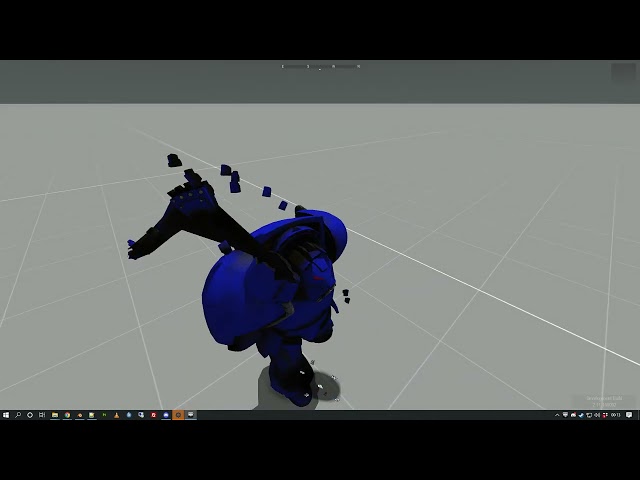 desert raven
your animations need motion vector
junior crest
desert raven
your animations need motion vector
Thanks again!
subtle falcon
Does anyone know if we can use interpolateTo and interpolateFrom with gestures? It does not seem to work

fast canopy
I do not think gestures does use interpolate configs
subtle falcon
BI doesn't seem to use it anywhere when it comes to gestures so I guess it doesn't work. Too bad 😦
fast canopy
https://community.bistudio.com/wiki/Arma_3:_Event_Handlers#GestureDone
We have an EH for it, but not sure if it does work for your case/non-human object
 prime plover
hello, is it possible to replace the original run animation with the modern warfare 2 gun up running animation mod currently in the workshop? no plans of redistributing it, solely will be used privately.
fast canopy
What... Call of Duty uses none of things Arma can do. Either way it is a IP violation
Or, if you want to say “is there any animation Mod that makes run animation similar to what CoD does have”, I do believe there is a Mod in Workshop
prime plover
Yeah haha i meant is there a way for that mod to replace the standard sprint instead of being a double tap to initiate that sprint
junior crest
Could you guys offer a bit more of an explanation of this please?
What am I actually doing here? I understand motion vector to be the direction in which the character travels, is that right? When I set a bone, it doesn't work but if I do a numerical value it does seem to work. Is there something I'm missing or not understanding correctly?

Total noob to animation so apologies if it's something super basic
desert raven
junior crest
Could you guys offer a bit more of an explanation of this please?
What am I actu...
Bone vector (root bone pelvis) would be used if you make an animation where the character actually moves and then the export would calculate the vector from the distance the bone travels and normalises the animation to one that walks/runs in same spot. But I don't recommend that for beginner, the numerical value is far simpler to use.
junior crest
ahhh ok. that makes more sense now. The numerical value is just the distance traveled in that animation then?
desert raven
junior crest
ahhh ok. that makes more sense now. The numerical value is just the distance tra...
Yes exactly
junior crest
thanks again! 🙂
desert raven
👍👍
silver sorrel
So I come with a question related to setting relations between animations in some way, I remember I asked about it once but perhaps I wasnt clear or there's now a way to do it
In the jet Im building, I have animations that are co-dependent, with a good example of flaperons (control surface that is both a flap and an aileron), and Im trying to figure out if it's possible to implement it. A simple example would be: when there's no flaps applied, flaperons deflect 10 degrees up and down depending on the roll input (left roll lifts the left flaperon by 10 degrees and drops the right one by 10 also). When the flaps are dropped, the flaperons are sitting at -20 degrees. If right roll is applied, the left flaperon should stay at -20 degrees (as a flap), while the right flaperon should deflect up to its normal 10 degrees. Similarly, when left roll is applied, the left flaperon should go up to its normal 10 degrees deflection, while the right flaperon stays at -20 deg as a flap
is it possible to chain the animation sources somehow to achieve this, or do I need to resort to custom animation sources that I'll update per frame with scripts?
I guess you could say Im looking for a way to make some animations "conditional"
 iron river
silver sorrel
I guess you could say Im looking for a way to make some animations "conditional"
iron river
silver sorrel
I guess you could say Im looking for a way to make some animations "conditional"
You can have some conditional animation. The source itself is a condition but to really solve your problem remember that bones can be parents and children. So think of it like this, I have a flaps event there my flaps source will have. I make my flaps a child on a dummy bone so I use the the flap source on the dummy which causes the child to move with it. I as make my aileron a child of the same dummy. All you need to do is think carefully about the parent child relationships and you can build it.
thin temple
silver sorrel
I guess you could say Im looking for a way to make some animations "conditional"
You have explained your situation well, but it is still difficult to understand, so this isn't a definite answer... but I think the answer in short is "no", but with a possible work-around.
If case A, then respond to animationSource X with movement Y
If case B, then respond to animationSource X with movement Z
The work-around is to have two copies of your flaperons, only one of which is shown at any given time. Let's call them
flaperon_left_up, flaperon_left_down, flaperon_right_up, flaperon_right_down
Skeleton:
"flaperon_left_up", "flaperon_up_dummy",
"flaperon_right_up", "flaperon_up_dummy",

"flaperon_down_dummy", "",
"flaperon_left_down", "flaperon_down_dummy",
"flaperon_right_down", "flaperon_down_dummy",```

1) when there are no flaps applied:
flaperon_left_up and flaperon_right_up are displayed (show `flaperon_up_dummy`)
flaperon_left_down and flaperon_right_down are hidden (hide `flaperon_down_dummy`)
flaperon_left_up and flaperon_right_up deflect 10 degrees up and down depending on the roll input

2) when the flaps are dropped:
flaperon_left_up and flaperon_right_up are hidden (hide `flaperon_up_dummy`)
flaperon_left_down and flaperon_right_down are displayed (show `flaperon_down_dummy`)
with roll input left, flaperon_left_down is moved, flaperon_right_down remains in place
with roll input right, flaperon_left_down is stationary, flaperon_right_down is movedWhen creating a reload animation, would there be any particular reason why i can't animate the right hand which is normally holding the gun? I can move the left, i can move the gun etc. but whenever i animate the right hand moving, it just stays glued to the gun when i preview it in game.
desert raven
Animation config needs left./right hand IK curve timing set up
silver sorrel
thin temple
You have explained your situation well, but it is still difficult to understand,...
Yeah it crossed my mind that perhaps I can just show/hide the thing that shouldnt be displayed. That makes sense, sounds like an alternative to consider against scripted animations. Thanks!
 acoustic torrent
junior crest
It was made by someone in my unit well over a year ago.
acoustic torrent
junior crest
It was made by someone in my unit well over a year ago.
Dude you are lying. This is a model from deathwing, and animations from there
junior crest
acoustic torrent
Dude you are lying. This is a model from deathwing, and animations from there
No I’m not lol
Aren’t you the one who actually ripped multiple models from deathwing? You should know
Also, had multiple people look over this model already and agree it’s not ripped so 🖕
acoustic torrent
junior crest
Aren’t you the one who actually ripped multiple models from deathwing? You shoul...
Therefore, I claim that this model is from there.
junior crest
acoustic torrent
Therefore, I claim that this model is from there.
Dumb troll
desert raven
There is no need to escalate into namecalling. That solves nothing and makes more work for moderators.
This is something we do take seriously around here and unfortunately the man is the "expert" on this subject so this may require more closer look. Gonna be after christmas though.
junior crest
I can empirically prove that this model is not ripped. “All” the animations are currently two. One crap walking animation I made plus an idle animation(of which, I haven’t even shared, so totally baseless). I am more than happy to share this with you @desert raven - or is it ok for someone who is known to have ripped modes themselves to randomly and baselessly accuse other peoples work is ripped because they’re bitter that their ripping got caught out?
desert raven
baseless accusations are not ok of course. and This may well end up being that
we can go over the model at some point after christmas. It should be pretty simple to verify
junior crest
acoustic torrent
Therefore, I claim that this model is from there.
Okey dokey. Well, I just went over to your discord as I noticed you still have the google drive link up to your ripped model. Thanks for keeping that live still as it has made my job of proving that this isn't ripped much easier. So, with your claim that the model is ripped from the same game you ripped 'yours' from, what do you think of this? Would really appreciate your input as well @desert raven. I have put a red border around the copyrighted model mixas still kindly hosts on his discord and google drive, and blue around ours.
 desert raven
junior crest
Okey dokey. Well, I just went over to your discord as I noticed you still have t...
desert raven
junior crest
Okey dokey. Well, I just went over to your discord as I noticed you still have t...
Thanks! Saved me the trouble.
all good then. Carry on terminating.
junior crest
Thank you
acoustic torrent
junior crest
Okey dokey. Well, I just went over to your discord as I noticed you still have t...
Seeing the full-fledged model in blender, I really see that this is a completely different model, I made a mistake and I apologize. (I hope the translator translated the entire text correctly)
junior crest
acoustic torrent
Seeing the full-fledged model in blender, I really see that this is a completely...
Thank you for your apology
 wispy prairie
acoustic torrent
Seeing the full-fledged model in blender, I really see that this is a completely...
wispy prairie
acoustic torrent
Seeing the full-fledged model in blender, I really see that this is a completely...
Thank you
 frosty yew
Hey. I want to add a fire extinguisher as a pistol. Now I need to make a gesture for this.
How do I create a gesture for handAnim[] that fits my model?
I've already done some general gestures but without a pistol. In my Blender rig there is no bone to move the pistol, only for launcher & primary. Any idea? ^^
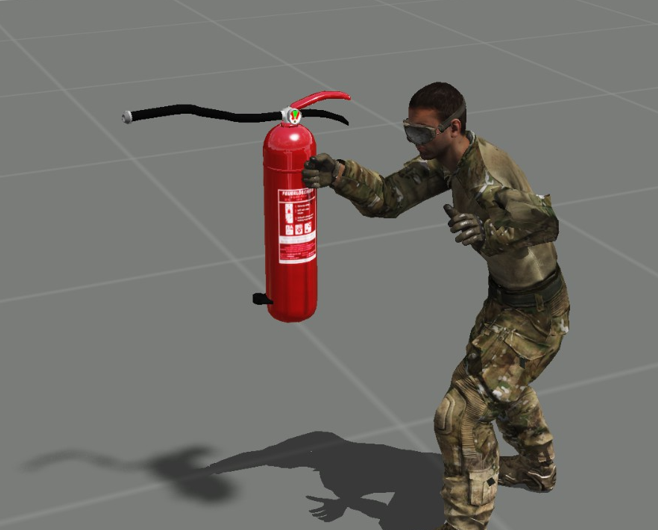 cerulean pivot
frosty yew
Hey. I want to add a fire extinguisher as a pistol. Now I need to make a gesture...
cerulean pivot
frosty yew
Hey. I want to add a fire extinguisher as a pistol. Now I need to make a gesture...
there is no bone for pistols
it uses the rightHand
fast canopy
Some Q's I want to ask:
- Is it possible to make some animation set that runs just like weapon switch (blended animations along with main animation, walk, run, such) but not as Action that can be played with some script commands?
- How do I make an animation set that will do like:
A -> [B1 or B2] -> Ragdollwhere the animation will play B1 or B2 randomly? - Is there any good solution to recompile the entire CfgMoveMaleSdr (or any other CfgMoves) on-the-fly? I don't mind if it uses Diag exe
desert raven
fast canopy
Some Q's I want to ask:
1. Is it possible to make some animation set that runs j...
Would gestures work for your purpose?
Action animations have AI and player variant array parameters, not sure about gestures though.
Mergeconfig perhaps?
fast canopy
Disclaimer before I answer: 1, 2 and 3 are relatively unrelated, you can think every Q's separately
-
Not really. A gesture (aka an action) wouldn't offer a proper interpolation between gesture and gesture
-
I'll check it out later
-
diag_mergeConfigFile doesn't work I try last time. Maaaybe I was wrong
desert raven
It might not reload. animations load pretty early in the system
frosty yew
Does anyone has a rig that is possible to use with e.g. Rokoko Studio Live (Retargeting). I like to import Mixamo Animations
desert raven
frosty yew
Does anyone has a rig that is possible to use with e.g. Rokoko Studio Live (Reta...
you probably need to make one yourself. Theres been few asking the same but I dont think anyone ever went any further to try it
frosty yew
is there another rig than Macser's? So a FK Rig
desert raven
no
rigs dont grow on trees 😄
if you want to do advanced stuff it usually starts from scratch
fast canopy
How dare you you forgot this
desert raven
bcz you dont mention it often enough 😛
fast canopy
True
🙃 Cascadeur is rather hard to learn and still struggling how do I do it, but worth a throw
fast canopy
...Nothing? 😛
Actually sometimes open it, struggle with it, not satisfied, return to step 1 is my routine
It has VERY big potential, I guess
frosty yew
fast canopy
How dare you you forgot this
thanks. I'll give it a try, but in which format do you export your animation? FBX?
fast canopy
FBX -> Blender -> RTM
 lusty pasture
Hullo, do wheel animations work in Bulldozer, I.E turning/Rotation for cars
desert raven
yes
 meager vault
Just a question out of curiosity: Is there a marked difference between animations that are able to be shot from and animations that can't be shot from?
Like a way to tell or set an animation as having upper body control.
 worldly osprey
@meager vault what parts are animated are set via animation "masks".
You could e.g. have one base full-body animation file, but make two animations out of it: One in which has all bones animated, and one in which the mask only uses the upper-body bones.
As for the ability to shoot, aim down sighs etc: That's all just simple config parameters in the animation.
meager vault
very imformative. thank you!
 pliant badge
@desert raven About that animationsource that hide the moving radar, I can't find it. There are only animation sources for reloading and camo nets as far as I can see.
desert raven
pliant badge
<@150949769953411072> About that animationsource that hide the moving radar, I c...
 pliant badge
Ah oke right. Makes sense now
 upbeat moth
Where can find a list of animation that vanilla arma 3 have?I want to play injured animation on a man by using script.
fast canopy
upbeat moth
Where can find a list of animation that vanilla arma 3 have?I want to play injur...
copyToClipboard ((("true" configClasses (configFile >> "CfgMovesMaleSdr" >> "States")) apply {configName _x}) joinString endl)```This copies all available soldier animations into your clipboard
fast canopy
So after making some experiment, it is NOT possible to use playMove/playAction an anim (but not gesture) but with mask, without interrupting the current animation (eg play an anim while walking), just like switching weapon does? I wish we can 😩
subtle falcon
fast canopy
So after making some experiment, it is NOT possible to use playMove/playAction a...
Did you want to apply a mask to avoid the weird look of the character when you change weapons? The only solution I know would be to make new anims, configure them as gesture and probably try to find a way to force the game to use these anims instead of the ones used by default.
 fallow marsh
howdy folks. does someone have a calculator or some knowledge on the reload animation speed value in CfgGesturesMale for a 60 frame animation?
fallow marsh
other question - is there anyway to change the reload animation if theres no magazine in a weapon? I noticed that my reload anim would play regardless if there was a magazine in or not but my model animations wouldnt play
fast canopy
subtle falcon
Did you want to apply a mask to avoid the weird look of the character when you c...
No, my goal is to make a new set of it, not trying to make any change to weapon switches
lusty pasture
Hey all, does anyone know if Bulldozer creates logs for crashes? When launching a model I was previously able to view in Bulldozer, it's now crashing
thin temple
lusty pasture
Hey all, does anyone know if Bulldozer creates logs for crashes? When launching ...
buldozer log files go in the normal rpt folder, but not sure if there are specific crash ones.
\Users\YourName\AppData\Local\Arma 3
You'll probably find the problem when you use pboProject to build the pbo and it fails with error messages.
lusty pasture
Ah, will check with pboProject thank you!
thin temple
It's likely to be either degenerated faces in the p3d, or broken skeleton/animation in the model.cfg.
lusty pasture
Will that show in pboProject? I'm just getting some missing axis which I'm fixing now
thin temple
Yes, they'll show in pboProjects output. You can check for degen faces in Object Builder before that.
Faces > Degenerated Faces > Check (and Repair)
lusty pasture
Thank you, Ive fixed the degenerated Faces, it seems to be a convexity issue with the model however its crashing when trying to fix them. Is there a way to do it in smaller batches than the entire model?
desert raven
lusty pasture
Thank you, Ive fixed the degenerated Faces, it seems to be a convexity issue wit...
the program where you made the model perhaps
#arma3_model next time btw.
😉
lusty pasture
Yeah, got here from bulldozer crashing when trying to do anims 🙂
thin temple
lusty pasture
Thank you, Ive fixed the degenerated Faces, it seems to be a convexity issue wit...
Sometimes when you fix the degen faces in OB, it will break convexity or closed status, which will be important only if it's a service LOD such as Geometry. Otherwise I don't think non-convexity will crash buldozer.
desert raven
very very complex model or geometry might
thin temple
Yeah, anything with poly (tri) count over 130-150k is likely to cause a buldozer crash.
 regal dawn
How do I rotate a turret of any vehicle in Eden editor
desert raven
regal dawn
How do I rotate a turret of any vehicle in Eden editor
not possible for all vehicles
at least if I remember right
regal dawn
Hi, I am completely new to Arma 3 and Milsim games as a whole so I'm sorry if this sounds like a dumb question. How do I make the Weapon animations look more realistic and tactical?
Because they don't really look that great in the original game
desert raven
regal dawn
Hi, I am completely new to Arma 3 and Milsim games as a whole so I'm sorry if th...
you would have to pick up a 3dmodeling program you want to learn, learn how animating works, create new animations for each weapon and possibly new movement animations (about few hundred files) and then learn how to create a mod that uses those as replacement for all game animations
regal dawn
desert raven
you would have to pick up a 3dmodeling program you want to learn, learn how ani...
gat-dayum
This game is really advanced, is it?
fast canopy
It isn't
regal dawn
Is there a way I could import animations from other games like COD Modern Warfare?
fast canopy
No
white juniper
regal dawn
Is there a way I could import animations from other games like COD Modern Warfar...
Besides that not working, that would also be theft and would get you banned from here
regal dawn
oh
 eternal herald
so how does one open RTM files in 3ds or blender?
I can export but not import
 fluid breach
one does not do that with the current A3 animation set. we do have a couple rigs with the older A2 set. but those are only useful sometimes. it would be great if BIS released the current set so we could implement them in our nicer character rigs.
i know there was discusion about it during the MWAR competition. I have to assume the answer was no, even though no reply was actually given after some communication had taken place.
 zinc wadi
*MANW
fluid breach
i have not kept up with blender foo, so maybe those guys know something more. i will mention motion builder from '06 and some scripts or something.. and ty Dscha 😆
 zenith token
i imported a pose or 2 into OB, then exported the transformed mesh and rebuilt it via the custom skeleton... but that only works for poses and is hardly a good solution
subtle falcon
Hello,
Does anyone at BI know if the data packages are still planned for Arma 3? I'm working on a parachute moveset for the dog and it would have been easier if I could import the Arma 3 character anims directly into the scene. If you don't have the information, it's okay, I'll still do the animations, it will just take a little longer. It's mainly to know if it's better to wait or not 👍
eternal herald
HopeJohnson was doing a lot of good for the animation community before he got banned
I still use mainly his stuff for playing with anims, but toadies is good as well
 pseudo geyser
why did he got banned?
eternal herald
a mix up between him and the Blastcore guy(s)
ultimately he was making adjustments and releasing it with their base mod so that he didnt have to make it a seperate addon
It was really awesome and he was doing some dank 40mm effects but I think whoever banned him had a personal dispute... a shame considering how helpful and nice he was
white juniper
subtle falcon
Hello,
Does anyone at BI know if the data packages are still planned for Arma 3...
They are WIP, not sure if we would give ETA. @golden obsidian?
 golden obsidian
No ETA at the moment, but we are working on it indeed.
subtle falcon
Thanks for your answer. I will work on the parachute animations first and probably try to improve them when the data packages are available. 👍
 versed horizon
Sadly no one is maintaining blastcore anymore.
OpticalSnare left, and is totally unreachable.
I've made about 4 minor patches to it since Phoenix released for my own community, just so smoke grenades and 30mm tracers work properly.
naive hemlock
the rule of thumb is : as long as you don't modify the original files
and have an external config, you can modify anything you want
just don't repack and redistribute original files
zenith token
indeed... doesnt matter if it's a "fix" in your opinion or not. And some people think that "it's just a fix" is justification to ignore it
versed horizon
Yup, its a seperate external config.
Spent a good hour discussing it with the people at the ACE3 slack before I actually ended up distributing it.
 bronze linden
BIS forum mods + preceived stolen content is nasty bussines
versed horizon
Yea, I can imagine. I've seen plenty of silly stuff so far.
That's why I'll only ever touch external configs and point a link at the original mod.
Go get the full mod, here's my config for it.
That should be the way things are handled, and it should always be they way they are handled.
 astral oyster
Well tell me this
If one would create bridge layer vehicle.. How does the animation work for the bridge
Or any custom vehicle animations
Custom bones ob the bridge?
Would love to have animations like in IF44
The bis wiki says that custom destroy animations are possible
 fiery bison
just animate the roadway lod together with the normal animations
astral oyster
But since vanilla vehicles lack em its hard to understand
fiery bison
physx lod will need some animations too i think
astral oyster
@fiery bison https://youtu.be/2hO9WqHr3rI
Tt
'ty
But it wont need any custom bones will ut?
I
astral oyster
Have to ask our scripter how the bridge would deploy off the vehicle
fiery bison
you would just trigger the animations
astral oyster
Yeah, been thinkin that just X and Y triggers could work
fast canopy
A very random question: Is it hardcoded that which bones to use for left/right arm/leg movement in vehicle IK?
desert raven
fast canopy
A very random question: Is it hardcoded that which bones to use for left/right a...
not hardcoded, there are config parameters for each
desert raven
Sorry forgot to answer this further.
        gunnerLeftHandAnimName="";
        gunnerRightHandAnimName="";
        gunnerLeftLegAnimName="";
        gunnerRightLegAnimName="";
are the parameters to connect the character to the model.cfg animations but now that I think of it I may have misunderstood your question and you would like to change the length of the IK chain or bones affected and this may not be possible. I dont know if any of the gunneractions animation state parameters affect this connection but my guess is that if anything can affect it, it would be in the state class.
full body of the gunner can be animated though by animating the proxy to move with the gun movements (though possbily not fully so it just goes up and down a little bit and not fully around the gun) and the hands and feet are also animated with it separately
 quasi stump
I am trying to use Polpox mimics I have tried the Ctrl C Ctrl E thing that does not work, I tries to go into the animation player and change it there but nothing works
fast canopy
Elaborate. Which mimic animation? Which Mod you have? Any errors?
quasi stump
I want to use the Unconscious mimic with the POLPOX's Artwork Supporter
fast canopy
The name Unconscious is used in both animation and mimic, this case it considers you want to apply an animation not a mimic. In order to apply as a mimic try to do it manually
quasi stump
I have in the animation player
fast canopy
I'm not talking about it
quasi stump
with the setMimic?
fast canopy
No, the Animation Player
quasi stump
Found it, the problem was that the animation was incompatible
fast canopy
Wat
fast canopy
fast canopy
The name Unconscious is used in both animation and mimic, this case it considers...
How do I tell you this fact more cleary?
quasi stump
I understand, I was using the Static_Dead animation and the mimics weren't working with it
fast canopy
It is NOT incompatible
 quaint oyster
is there any specific way i can make handanims without the BI Model?
i cant find the Model for it
desert raven
quaint oyster
is there any specific way i can make handanims without the BI Model?
there is Macsers Armarig
and Sample character and sampleRTM folders in the Arma 3 samples
junior crest
Some time ago I found a big list of animations that were deemed necessary for a player character. Basically, someone had the whole animations list and removed lots of unnecessary stuff like cut scene animations and so on. I've lost the link and I'm sure it was on the BI forums. Does anyone know what am I talking about or am I being a big dafty?
fast canopy
POLPOX's Artwork Supporter tries to implement some unused rtms
 noble meadow
Heyo guys, im trying to work on a custom hand animation but i cant find out how to actually load the a3 sample RTMs
how do i do that?
and is it possible to import them to blender to use with armarig?
 dawn whale
sometimes when I use ambient animations from the function viewer certain gear will disappear from the NPC e.g. helmet, facewear. Anyway to overcome this?
dawn whale
fast canopy
`BIS_fnc_ambientAnim` tweaks equipment
oh brilliant ill give that a go thank you
 frank remnant
Hi, I'm trying to make a static animation mod but this is what it looks like once in game, do you have the solution?
 fast canopy
- Any error log?
- You sure the path is correct?
- How's your config?
- How you made the rtm?
- Which software you use to pack it into a pbo?
frank remnant
fast canopy
1. Any error log?
2. You sure the path is correct?
3. How's your config?
4. How ...
Hello, I found the problem, I was missing a prefix for the location of the file
Thx
cerulean pivot
noble meadow
and is it possible to import them to blender to use with armarig?
You can load the character p3d in Object Builder then load the rtm to see the animation. But I recommend Blender instead (use Arma 3 toolbox addon for Blender)
noble meadow
@cerulean pivot dont suppose you know how to load the rtm in blender? i got the base body in i just need the animation for handanims
cerulean pivot
noble meadow
<@360154905148653568> dont suppose you know how to load the rtm in blender? i go...
use the rtm importer addon
you can use it with the armarig
I think you can edit hand bones with that
tho iirc it does have some issues with other bones (but not weapon and launcher bones)
desert raven
some unconnected bones dont always import right but the bone child-parent connections can be added and it works just fine
however one would want to have 2 rigs where 1 is used to import a reference rtm and second is used for actual posing with the IK constraints working
as the import has to disable IK to work
dark depot
I'm facing such a problem while animating, what should I do to make the hands fit properly?

 desert raven
Your animation is not made with the weapon bone in correct place or the weapon bone name is Weapon and not weapon
And you may not have packed the pbo with pboproject.
junior crest
Is there anyway of seeing a plain text rtm file? I’m quite interested in seeing what actually goes in there when they’re made, just for trouble shooting purposes so I can understand if an issue lies in there or not
junior crest
Fair enough. I tried opening an RTM in Notepad++ and saw some values in there and bone names but just assumed it had been binarised somewhere along the process
Is the blendanim bit here hierarchical? Or does it not matter?
 wispy prairie
we have done some fiddling since the first ss. the settings you see in the first one are with all the vaules set to one. in the second ss ive attached what settings are applied. atm we notice two issues, the obvious one is the arms torso and hips coming away from each other, the less obvious one is the fact that they are rotating around a point where the feet touch the ground. we do not know why either of them are doing that. but we think that if we solve the rotation issue, the splitting issue might fix itself


can anyone help a poor soul?
 upbeat vine
Remind me, isn't there a mod which fixes this weird reload animation while crouching or lying on the ground? The players back looks really odd.
desert raven
Unlikely
subtle falcon
wispy prairie
we have done some fiddling since the first ss. the settings you see in the first...
and the 2 anims work properly in the anim viewer?
and yes, always hierarchical
wispy prairie
subtle falcon
and the 2 anims work properly in the anim viewer?
we found out it was a missing memory lod
dark depot
desert raven
Your animation is not made with the weapon bone in correct place or the weapon b...
in the launcher class

in blender
desert raven
Well is your launcher bone in right place on the shoulder then?
The weapon bone and launcher bone in game are always on the shoulder in weapon animations and super offset weapons like this are really bad for it
I'm gonna say this won't really work very well as weapon animation
subtle falcon
could this come from the IK?
desert raven
subtle falcon
could this come from the IK?
Which one?
dark depot
desert raven
The weapon bone and launcher bone in game are always on the shoulder in weapon a...
Then I should put it in the weapon category, right?
desert raven
well honestly that might not work that well either
the thing is the weapon/launcher holding animation blends with the pose under it
but only the hands are 100% from your animation
the arms blend with the underlaying pose
which usually looks very bad when the weapon is this much offset
and the shoulders will not move at all
so 90% of what you see in your pose in blender would not make it in game
junior crest
To answer my question above with the blendanims issue, we discovered the following:
aiming corresponds to the aiming_axis and covers up down (vertical) movement. best located at shoulder height.
aimingBody corresponds to leaning_axis. memory point is best located on the hips and covers left to right movement.
You want two separate blend animations for each. For left/right you want all your bones, pelvis upwards + weapon and launcher. For up down you can do just hands/fingers. + weapon and launcher. All weightings at 1. These two then tie to each other for correct movement which doesn't split your character model.
all useful stuff for custom skeletons.
desert raven
junior crest
To answer my question above with the blendanims issue, we discovered the followi...
👍
dark depot
desert raven
so 90% of what you see in your pose in blender would not make it in game
😢
noble meadow
can someone give me some pointers as to why this happens with my hand animation? it looks fine in object builder
 desert raven
weapon bone is likely not named right as "weapon" (hand anim is case sensitive)
noble meadow
right, so weapon is on the armature? or on the actual weapon model itself
desert raven
on the armature
noble meadow
right, yeah armarig had it set as "Weapon"
desert raven
at least at some point the Macser righ had Weapon and Launcher, but the model.cfg skeleton definition has weapon and launcher
noble meadow
i'll try that
desert raven
and while other animations dont seem to care, HandAnims require the casing be same
or th weapon bone has not been in right position in relation to the hands and the underlying "weapon at shoulder" pose
noble meadow
sadly didn't work the first one
desert raven
is your animation made so that the weapon bone is at the shoulder?
noble meadow
supposedly its the light blue thing
 desert raven
for most accurate results you need to base the animation on the base "standing rifle up on shoulder pose "
noble meadow
ah yeah, i tried importing that animation into blender but it messed with armarig and i couldnt move the hands
desert raven
yeah the rig has not been made for importing in mind. you would need to connect the finger bones with connector bones [named with @ in the beginning of the name so they dont export]
noble meadow
right, so i somehow do that in object builder i guess
desert raven
no in the arma rig in blender
noble meadow
oh

 noble meadow
dumbass question, how do i connect them
desert raven
create bones between them, set correct parent bones, set bones to "connected" so they dont just float
This will likely require some basic Armature tutorial to be checked out
noble meadow
Ohh i think i get it now
dark depot
desert raven
so 90% of what you see in your pose in blender would not make it in game
10% chance but some turk skills 😎
 dark depot
Thanks for your helps
 light folio
In terms of building animations can you have several transitions in one statement that play after the previous has finished? I know you can do say two sliding doors thats a split door like so "this animate ['animatedoor1a',1];this animate ['animatedoor1b',1]"; which plays them both at the same time. What im looking for is a way to say animate the left hand side to go left, then go down and then go left again just not sure if you can do it as a sequence
desert raven
light folio
In terms of building animations can you have several transitions in one statemen...
You can create multiple modelcfg animation classes that play via single animation source and are timed in sequence like anim 1 plays from 0 to 0.3, anim 2 from 0.3 to. 0.43 and anim 3 from 0.43 to 1
And on top of that anim 4 can play from 0 to 1
The animations then all stack together via playing the animation source
Easier to preview in buldozer too
light folio
Thank you for the help 🙂
 digital moss
any good tutorials on how to animate in arma ?
desert raven
digital moss
any good tutorials on how to animate in arma ?
Animate what?
digital moss
desert raven
Animate what?
characters example reloading or holding a weapon
desert raven
There isnt much on that, but in the pinned messages you find a guide for a simple static animation.
Different programs have different tools and workflows which have program specific tutorials all around the web.
As in how to use animation tools, not the Arma specifics
 jaunty oxide
Hey everyone quick question, if I make a keyframe animation with a object for example a ship from a mod, is there a way to keep it from resetting over and over and just sit at the end point of the animation instead?

Thanks!
 unreal coyote
hey, i'm createing mod and would need some quick tips for starting animations. Which program should i use for weapon reloads/where i can find sample skeletons for A3?
fluid breach
Sample stuff, is in the samples that comes with the tools (think the rig is in there also). Check the installation folder for the tools. And use whatever makes you happy. you can import .FBX
 slow frigate
so what is the best software to make new animations for arma 3?
naive hemlock
people in the community used 3ds max, maya, blender and BI uses motionbuilder. There is no "better" software, the best one is the one you are most familiar with
unreal coyote
any ideas which one is the most simpliest/has most tutorials on YT?
 latent grail
Hi all. tell me if it is possible to change the location of the points of the skeleton on the character while maintaining the standard animations. I want to add a new character to the game with a new figure and taller
and do any of you have file bones for arma 3 character for blender
desert raven
latent grail
Hi all. tell me if it is possible to change the location of the points of the sk...
Not possible at the moment I believe not possible in the way you describe, see below
fast canopy
In theory you can. But you need to make entire animations set
desert raven
Oh true we are in A3 side. For a moment there I thought we are in enfusion side
Well not possible without remaking all animations so no easy way to do it
@latent grail so entirely depends how much effort you want to put into learning a lot of stuff
latent grail
thanks for the help
regal mauve
Does anyone have any idea about how can i convert a mixamo animation to arma 3 ?
fast canopy
https://cdn.discordapp.com/attachments/848270343646871622/1080067489452531712/Arma_3_2023-02-28_17-40-15.mp4
My first reload anim made for Aegis/Atlas. I still couldn't figure out how I would make the transition between reload anim and stand anim, but overall I'm happy with this. Any critic?
 maiden latch
Hey everyone. For a few years now I've been wanting to reanimate the arma characters to be like classic OPF animations, mainly to use with the Cold War Rearmed mods. Is this possible to do, and if so, how would I go about doing it? Ideally i'd like to do it for arma 1 and arma 2, less so for arma 3.
what I would need to know is:
-is it possible to replace character anims
-how would i get my hands on the skeleton to make animations with
-how would I get the animations in-game and replace the existing character animations
desert raven
maiden latch
what I would need to know is:
-is it possible to replace character anims
-how w...
Possible, we'll yes.
There is a popular rig called Macsers Arma rig that people often use to make animations.
Learning how configs work and then editing the cfgmoves configs to point to your new animation files.
desert raven
regal mauve
Does anyone have any idea about how can i convert a mixamo animation to arma 3 ?
Probably need to come up with some sort of retargeting conversion process in whatever animation tools you know how to use.
 buoyant lagoon
fast canopy
https://cdn.discordapp.com/attachments/848270343646871622/1080067489452531712/Ar...
buoyant lagoon
fast canopy
https://cdn.discordapp.com/attachments/848270343646871622/1080067489452531712/Ar...
I don't even see the issue lol
I guess maybe the mag hide/unhide in model.cfg but ehhhh it's close enough no one will notice when they too focused shoot at enemies
desert raven
bit of timing changes to the mag movement and its good to go
👍 good start there @fast canopy
fast canopy
I need to sort some iffy with the spine to finish it
desert raven
fast canopy
I need to sort some iffy with the spine to finish it
different blend group perhaps that does not include spine
fast canopy
Maaybe. Still haven't figured out was a iffy on me or Cascadeur's
regal mauve
desert raven
Probably need to come up with some sort of retargeting conversion process in wha...
Thank you a lot for this information, i've tried several blender plugins but unfortunately, bohemia's skeleton have legRolls and armRolls, there is no way properly retarget the animation nd have a proper body animation
desert raven
regal mauve
Thank you a lot for this information, i've tried several blender plugins but un...
I dont think anything ready made will work
its more manual creation of appropriate setup
I've done such stuff but it takes qutie a bit of effort and thinking
fast canopy
fast canopy
https://cdn.discordapp.com/attachments/848270343646871622/1080067489452531712/Ar...
Had to scrap the project and remake since the spine issue is because faulty rig I made  but good thing is I'm not disliking the process and learn, can't post a vid rn but I spend about 3 hours to remake, I gotta do finishing touch
regal mauve
Can anyone tell me why my ring fingers are not forming a fist like the rest of the fingers ?

Hum, never mind, i just realized my ring finger wasn't in my blendanim config
desert raven
regal mauve
Can anyone tell me why my ring fingers are not forming a fist like the rest of t...
THE HOOK!
regal mauve
desert raven
THE HOOK!
lol
fast canopy
I can say, Cascadeur is freaking good software, move your Blender as an animation software into your garbage bin! 😄
What I didn't like in animation is Graph editor, it is very hard to see what's going on. But Cascadeur? It has (almost) 3D-graph editor, you can apply the changes in 3D space
Which is mindblowing. Toadie, you'll love it
I'm actually tempted to throw out 300 bucks. This is brilliant
fast canopy
(Even though it is very unstable software - it crashes very often)
desert raven
fast canopy
I'm actually tempted to throw out 300 bucks. This is brilliant
what does it offer for the money?
fast canopy
About this, the 300 frame is not a concern if I'm making a small anims like reload, but...
https://cascadeur.com/plans


Free, Pro, Business and Enterprise pricing plans available. Enjoy a limited-time offer - 25% discount on certain plans!
Also, they somehow paywalls UI/workspace style customization
fast canopy
regal mauve
Anyone knows why does an animation defined with CfgMovesMaleSdr stops at the last frame ? Why doesn't the character return to stand position ?
desert raven
like I asked, please explain the context, what are you trying to achieve?
😅
its easier to advice on the actual matter
regal mauve
i'm just trying to make the player raise and lower his hand. I used CfgMovesMaleSdr because i don't want the player to be able to mode during this movement and i want to move the camera when i move the mouse but the animation stops at the last frame, i need the player to return to stand position when the animation is finished.
desert raven
the connecTo, interpolateTo arrays define what states an animation can go to
regal mauve
I'm using
interpolateTo[] = {"iarts_acs_idle1", 1.0};
connectTo[] = {"iarts_acs_idle1", 1.0};
but it doesn't seems to be making the player switch back to idle position
I also set an action with
class iarts_acs_actions : NoActions {
    Default = "iarts_acs_idle1";
        PlayerStand="iarts_acs_idle1";
    Stand="iarts_acs_idle1";
    Civil="iarts_acs_idle1";
}
but id doesn't change anything
desert raven
does your actions have the "actions" parameter defined so that the engine knows they belong to this actions set?

beyond this its a bit too late a clock to teach how this works. 😅 and well maybe its a bit too much to teach altogether
regal mauve
desert raven
does your actions have the "actions" parameter defined so that the engine knows ...
i have set the action parameter in my animation parameters. I've opened several bohemia config file, read several mod config and read the bohemia CfgMove page, i have a basic understanding of how animation works but i don't see why it's not working. Maybe i have to use animDone event to force the player to switchback to normal position
desert raven
mainly how I see it is that it gets stuck in an action it cant get out because there is no action to go to
how your action class is set up, you are eliminating most actions from ever happening
regal mauve
desert raven
how your action class is set up, you are eliminating most actions from ever happ...
I'll try to extend my class from CivilStandActions, not sure it will work
 forest lance
Use diag exe and enable animation/action debug to see where it tries to go to in animation state machine.
 azure nest
Ok animation makers.... why isn't this in the game yet?
 smoky dragon
it is......
zinc wadi
"Acts_AidlPercMstpSlowWrflDnon_pissing"
 somber surge
hello! i have a problem with my fbx2rtm it just spits out an error message "export error" anyone had this happen
silver sorrel
Anyone ever had this problem before? Cant get a weapon animation to work
https://cdn.discordapp.com/attachments/1082490720960651347/1082791566747377766/20230307141018_1.jpg
 desert raven
your weapon bone is not named right in the animation (weapon vs Weapon)
 tired summit
used the arma blender rig
which lists it as Weapon in the bone
so I changed the model.cfg to say Weapon not weapon
desert raven
no you change it in the rig


 desert raven
yes
tired summit
also
does the rtm file have to be in the same folder as the model.cfg
I have the P3D models in the main folder
and the model.cfg in that same folder
can I have an anim folder
desert raven
you can have anim folder
tired summit
or does it need to be with the model.cfg to binarize
desert raven
but you will need a model.cfg in there too
tired summit
do I change this part in the copied rtm?
 desert raven
well you can delete them if you want to keep it simple
tired summit
okay so
changing the name of the parent bone didnt fix it
I changed the bone in the blender rig to weapon
have the model.cfg in the anim folder
and im still getting The THing
this is the handAnim too


 desert raven
is the weapon bone at the position of the weapon?
desert raven
tired summit
yeah
it deos not seem to be
aslo you need to have the weapon in the position where it is in the underlying stance
tired summit
desert raven
aslo you need to have the weapon in the position where it is in the underlying s...
what do you mean?
desert raven
