#linux_mac_branch
1 messages · Page 2 of 1
 lyric oriole
lyric oriole
lyric oriole
Gotta say, all in all the linux experience with arma on proton is pretty great
 teal depot
can you share invite for this server?
 wise canyon
teal depot
can you share invite for this server?
teal depot
wise canyon
teal depot
can you share invite for this server?
teal depot
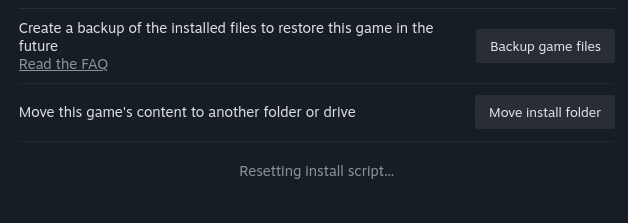
I deleted the folder, hit play, and it something like: "Install script - Microsoft DirectX," but it's been stuck forever. Previous attempts were way quicker. So, I decided to verify the game files, but now it's stuck like this, and I can't cancel it:
https://i.postimg.cc/x1v2BcSF/image.png
Should I just shut down Steam and restore from my backup?
 worthy grail
GamingOnLinux
Have you been seeing some problems with the NVIDIA 535 driver series when trying to run Steam games on Linux with Proton? Well, you're not alone but investigations are under way. Here's what's happening.
but maybe that got already fixed
teal depot
worthy grail
Nvidia? https://www.gamingonlinux.com/2023/08/recent-nvidia-drivers-are-causing-...
yes
teal depot
worthy grail
but maybe that got already fixed
I don't know, other people have excellent experience with Arma on Linux...
worthy grail
its just creating prefix with Nvidia and proton 8, try switching to proton 7 when creating new prefix or kill dxsetup.exe proccess when its stuck
teal depot
Oh I already shut down Steam because I needed to go to sleep
teal depot
worthy grail
its just creating prefix with Nvidia and proton 8, try switching to proton 7 whe...
I chose Proton Experimental btw
Okay, I switched to Proton 8 and launched verifying integrity of game files
teal depot
It verified game files and now I can't even get the launcher working, lmao.
lyric oriole
teal depot
It verified game files and now I can't even get the launcher working, lmao.
The launcher doesn't work well with proton on my end too. Try "%command% -nolauncher" in the game properties startin parameter.
Personally I use the ArmA 3 Unix Launcher, which replaces the default launcher well
teal depot
I tried -nolauncher option too. and arma3 unix launcher. you can see my original post there: #linux_mac_branch message
I already uninstalled the game. Guess it's no luck for me on current system, will try on Debian 12 later
 barren skiff
I use the unix launcher myself, had to go with the appimage version though, aur did not work for me
 dusky granite
anyone else has a problem with teamspeak crashing after 30 or so seconds on steam deck?
 astral nebula
I think we are selling the macbook and buying windows. There is no news or date given for the update. and in the 10th year of the game.
 proven kelp
astral nebula
I think we are selling the macbook and buying windows. There is no news or date ...
proven kelp
astral nebula
I think we are selling the macbook and buying windows. There is no news or date ...
Updates not being backwards compatible on public servers and having no warning of breakage is a huge downturn for us mac players.
Most of the new update was probably done and could have been prescreened minimising the update gap.
I am super grateful for the effort but it just becomes such a turnoff as it cannot be relied on to break randomly before a weekend and the rest of the playerbase immediately upgrade.
A public alpha with breakage would be preferable as we could help out reporting and validating issues
wise canyon
dusky granite
anyone else has a problem with teamspeak crashing after 30 or so seconds on stea...
disable or remove gamepad and joystick plugin
wise canyon
proven kelp
Updates not being backwards compatible on public servers and having no warning o...
how would it be backwards compatible? any new script commands would not work on mac clients as well as any other under the hood changes. instead of only mac users suffering it could cause all clients to have a bad time in multiplayer.
astral nebula
Is there a clear and understandable explanation that will satisfy Mac players?
wise canyon
Mac can play 2.12 in SP and MP with other Mac players. Once 2.14 ships to Mac then everyone can play together.
patience young padawan
also note that mods such as ACRE, TFAR and parts of ACE do not work on Mac due to lack of native (dll) extension support
dusky granite
wise canyon
disable or remove gamepad and joystick plugin
yeah i did that
and it worked
couldn't disable it in teamspeak so i had to delete the files manually
Teamspeak folder>config>plugins>
astral nebula
wise canyon
Mac can play 2.12 in SP and MP with other Mac players. Once 2.14 ships to Mac th...
That's the question I'm asking, when will 2.14 arrive? Isn't there a clear and realistic estimate?
proven kelp
wise canyon
how would it be backwards compatible? any new script commands would not work on ...
Yeah so let it break at runtime if that happens and disconnect
wise canyon
proven kelp
Yeah so let it break at runtime if that happens and disconnect
that might/very likely destroy the experience for everyone else, that would be horrible. What if the mac player is the VIP in a mission and suddenly just disconnects because of a new SQF command being executed?
proven kelp
wise canyon
that might/very likely destroy the experience for everyone else, that would be h...
The consequences would be the same as wifi disconnect or normal client crash, as mac / unix is still experimental if they are critical then they should not be allowed to be the vip in the first place as they might crash at anytime anyway. It is an hypothetical, right now things are horrible is the experience is non existent for mac players and investing into the game is very hard.
wise canyon
as a modder that's a hard no from me, that would be horrible. imagine every mission maker having to deal with potentially every sqf call being incompatible with different clients.
that would also lessen the changes of major improvements in newer versions that cannot be made compatible between different versions of the game
I also use macOS for most of my development, including Arma
proven kelp
Do you have a suggestion on how we could improve the situation?
 gritty sage
Its not just SQF commands (though already handling that would not be feasible) there are tons of underlying changes that makes different versions incompatible.
You wouldn't even be able to connect to the server (which is why.. you currently already can't do that). If it would be easy to make the game backwards compatible, we would've done that
 quasi orchid
wise canyon
also note that mods such as ACRE, TFAR and parts of ACE do not work on Mac due t...
quasi orchid
wise canyon
also note that mods such as ACRE, TFAR and parts of ACE do not work on Mac due t...
I opened a detailed bug/feature report explaining why it makes a lot of sense to support it even on the Mac client, and how there's NO technical reason to not support it. At least it can give modders the option to support macOS if they're so inclined. I actually recompiled ACE advanced ballistics as a dylib, and with such a feature enabled, it would work on macOS too!!
https://feedback.bistudio.com/T174957
If you guys feel inclined, comment in the tracker too and let's ask the devs to support it; there's literally no reason to not do it, since other Steam apps like X-Plane allow this feature.
wise canyon
quasi orchid
I opened a detailed bug/feature report explaining why it makes a lot of sense to...
com.apple.quarantine flag is not the same as notarization, removing quarantine does not bypass notarization. if you're running arm64 binaries the OS is also a lot stricter requiring signed libraries.
i.e. you can have a notarized app that is still quarantined
quasi orchid
wise canyon
`com.apple.quarantine` flag is not the same as notarization, removing quarantine...
That's the same method plugins on XPlane use, though. The idea is: let Arma 3 launch dylibs. The OS will automatically block them; that's fine. You can unquarantine them to make them usable
And it works on arm64, been doing that already
Is it a bit more work? Yes. But at least we CAN have external libraries...
wise canyon
no, that's two different things that will both block you. it cannot be quarantined and it has to be signed, self signed is an option
quasi orchid
Oh okay; makes sense. Well, developers could STILL self-sign it, right?
So it's notarized by the modder (the final user will have to allow the self-signature), and then it's unquarantined with the Terminal command
I assume whatever public certificate is needed to validate the self-signature could be included in the mod
It's a headache... but better than nothing I guess?
@wise canyon If you think it could work and it's worth it, could you comment on the tracker, since you're more knowledgable than me about it? Maybe that'd make the devs think about it...
wise canyon
no, you cannot self sign it as a dev and then send it to someone else, that will not be a valid signing. this is what the notarization provides
quasi orchid
Okay, I see. Not even if a certificate validating such signature is passed together? It's sketchy, but it could potentially work
Or heck, a modder could theoretically pay Apple the $99 yearly subscription to have a valid signature...
wise canyon
that or some benevolent person could help mods with signing
quasi orchid
I mean, if it's a community effort, I'm sure we could find 10 mac users that would pay the $9.90 per year to make it happen.
quasi orchid
Anyway, since it IS technically feasible (even if expensive), if you'd like to comment on the tracker, maybe that could be one more input for the devs to implement the callExtension support on macOS too!
 trail torrent
Anyone get a HOTAS set up to work on MAC?
wise canyon
What, it's an issue with BattlEye? 😄
wise canyon
ah, right, that one 👍
 lime ore
Hey everyone, I’m on Mac. For some reason, when I launch Arma 3, it’ll say it’s open but nothing appears on the screen. It’s not even black, and when I click show all windows, it says none available. I’ve yninstaallled every mod, reinstalled the game, restarted, etc.
Also it launched before, just won’t launch now. Not sure why since I didn’t change anything
proven kelp
lime ore
Hey everyone, I’m on Mac. For some reason, when I launch Arma 3, it’ll say it’s ...
Mac was broken without prior notice with the latest update 1 month ago, no eta on fix
 soft venture
proven kelp
Mac was broken without prior notice with the latest update 1 month ago, no eta o...
soft venture
proven kelp
Mac was broken without prior notice with the latest update 1 month ago, no eta o...
Can you elaborate on what you mean by broken? The Mac port hasn't been updated since the 2.12 update, so nothing should have changed since then.
proven kelp
soft venture
Can you elaborate on what you mean by broken? The Mac port hasn't been updated s...
The main gateway to play; the server browser is empty with no information to the user on what is going on. Editor, lan and offline scenarios work
wise canyon
That’s expected until 2.14 patch is released for macOS as well
gritty sage
mac 2.14 is currently in QA test. So it shouldn't be too long. Unless we find some unexpected issue
proven kelp
gritty sage
mac 2.14 is currently in QA test. So it shouldn't be too long. Unless we find so...
This is excellent, was this communicated anywhere?
Is there any way to participate?
proven kelp
wise canyon
That’s expected until 2.14 patch is released for macOS as well
Agreed, but a horrid experience for any player who is not technically inclined
lime ore
proven kelp
Mac was broken without prior notice with the latest update 1 month ago, no eta o...
yeah.. it worked for offline but the game wont start
it says its running on steam
and the app is open, but it just doesnt appear
gritty sage
proven kelp
This is excellent, was this communicated anywhere?
Internal QA test.
Wasn't communicated because its internal
gritty sage
👋
We have a fix for the "camera stuck floating somewhere" issue that is currently present when running Arma stable branch (non-profiling branch) inside Proton.
There is a possible fix but I don't have the setup to test it, can someone test this on stable branch and confirm if that fixes the server joining issue?
Please download https://www.battleye.com/downloads/arma3/BEClient_x64.so, locate your "Proton BattlEye Runtime" app directory in your Steam folders (it's the following app, it should be downloaded/installed on your client to add BE Proton support: https://steamdb.info/app/1161040/) and find and replace the BEClient_x64.so in there (I suggest creating a backup of the current version first), then launch and test the game with it. Of course be sure to run the x64 version of the game.
🫂
lime ore
Does anyone have a solution for mine yet?
Whenever I start Arma on mac, it says running and the app opens but nothing appears on screen (not even black, it’s just invisible). I’ve tried just about everything (uninstalling, removing mods, deleting steam, etc.) but it doesn’t work. It’s not a requirements issue because it worked before with multiple mods.
 regal violet
hey, having trouble with mac version of game, trying to join server but the server says required: 14.(something) and dont have an update
proven kelp
regal violet
hey, having trouble with mac version of game, trying to join server but the serv...
See the messages above
regal violet
is not the same issue, mine starts but it says apple is on 2.12
proven kelp
gritty sage
mac 2.14 is currently in QA test. So it shouldn't be too long. Unless we find so...
@regal violet
regal violet
Ah thanks
gritty sage
gritty sage
👋
We have a fix for the "camera stuck floating somewhere" issue that is curre...
@spark needle that would also be a solution to your issue, or should be
worthy grail
gritty sage
👋
We have a fix for the "camera stuck floating somewhere" issue that is curre...
tonight but most likely tomorrow I will be able to test Battleeye
worthy grail
it didn't fix battleye issue, when connecting to one of KOTH server I had same issue. I also tried connecting to official Coop server and had same issue but for 1s showed me that I spawned and after few seconds it crashed
gritty sage
Crash 🤔 crash seems new.
That's sad 
worthy grail
but it was probably because it automatically spawned me while i was stuck in blue void...
 bright spear
any updates on the 2.14 patch?
bright spear

bright spear
i havent played yet so like are there servers or somethign i can play on that has other mac users?
 wooden zinc
2.14 Mac is currently not available anywhere publicly yet. Our internal QA is now doing tests on the first build we've received. We are considering a public playtest option, but it depends on the results of our QA.
gritty sage
worthy grail
it didn't fix battleye issue, when connecting to one of KOTH server I had same i...
Can you confirm that you replaced the BattlEye .so file?
Maybe with screenshot of the BE files folder?
wise canyon
best to compare file checksum to be safe 😛
worthy grail
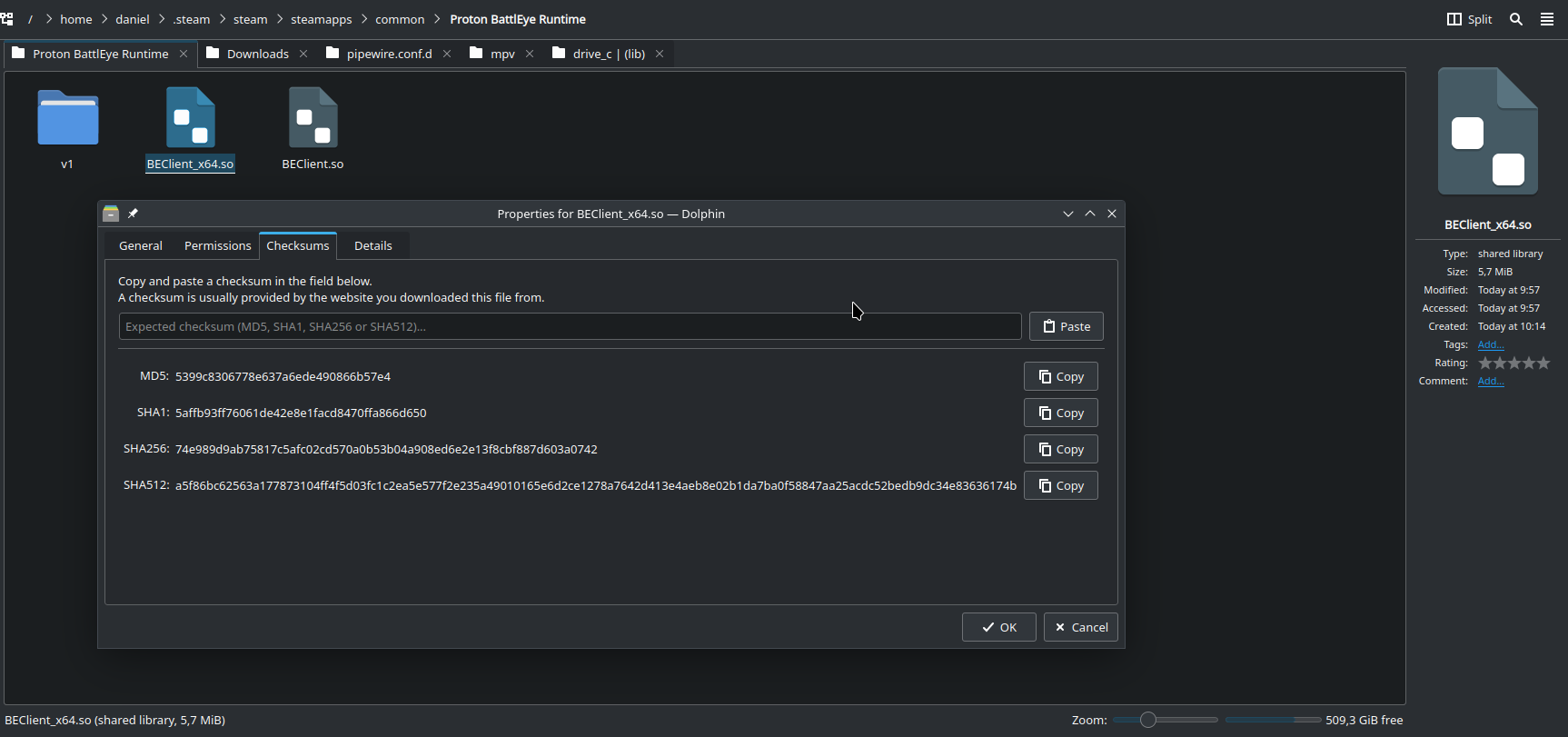
md5 : 5399c8306778e637a6ede490866b57e4
SHA1 : 5affb93ff76061de42e8e1facd8470ffa866d650
SHA256 : 74e989d9ab75817c5afc02cd570a0b53b04a908ed6e2e13f8cbf887d603a0742
SHA512 : a5f86bc62563a177873104ff4f5d03fc1c2ea5e577f2e235a49010165e6d2ce1278a7642d413e4aeb8e02b1da7ba0f58847aa25acdc52bedb9dc34e83636174b
a the top you can see path and on the right you can see timestamp, created at 10:14 and also my arma log is from that time
gritty sage
Thank you 🫂
 cosmic marsh
i miss playing arma with my friends, I hope it doesnt take too long for the mac release .. !
gritty sage
gritty sage
Thank you 🫂
BE is working on something different.
We don't currently have a good test setup for this so might take a bit
wooden zinc
A public Release Candidate branch for Mac update 2.14 is now available (which also includes Spearhead 1944 support).
Opt into the Steam branch with access code: Arma3Update214MacRC
We may yet fix some small known things, but let us know how it works 🍏
quasi orchid
wooden zinc
A public **Release Candidate** branch for **Mac update 2.14** is now available (...
Amazing news! Do you know if the shader bug reported on the tracker has been fixed, on top of the new features of 2.14?
BTW downloading it now
wooden zinc
quasi orchid
Amazing news! Do you know if the shader bug reported on the tracker has been fix...
I think sadly not yet; pinged a reminder for the port devs.
quasi orchid
wooden zinc
I think sadly not yet; pinged a reminder for the port devs.
Oh okay! Thank you. By the way, Arma runs great or newer Macs; the effort is really appreciated. I truly hope some of the ideas in this channel (and that I posted in the tracker) will be listened to, so that we can bring it up to par, feature-wise, with the Windows version. Thanks so much for this port!
I can confirm the shader bug is not resolved; but external mods don't break anymore.
 lethal palm
Does anyone play Antistasi on Mac, I can't get it to load...
 austere fable
Wow, multiplayer works surprisingly well on a 2020 8gb macbook pro m1.
 supple saddle
Any mac players wanna squad up?
Also, does any mac player know how to download mods? I’m having issues, any help would be great!
 stone leaf
wooden zinc
A public **Release Candidate** branch for **Mac update 2.14** is now available (...
stone leaf
wooden zinc
A public **Release Candidate** branch for **Mac update 2.14** is now available (...
I tried to download this beta and now i cant play the game since it keeps saying theres a disk write error
the download is stuck at 99% and when i switch back to no beta it still gets stuck
wise canyon
supple saddle
Also, does any mac player know how to download mods? I’m having issues, any help...
subscribe using the workshop in steam client so that they are downloade. use the community unix launcher to select mods and start the game
supple saddle
@wise canyon I did subscribe but when I went into the game, none of the mods came up.
I was being told by the professionals of the internet that I might have to code them manually into the game. Came here looking for Mac players that found a solution for this issue, thanks!
wise canyon
the unix launcher gives you a gui to select subscribed mods before launching

GitHub
Launcher for Linux and Mac ArmA 3. Contribute to muttleyxd/arma3-unix-launcher development by creating an account on GitHub.
 quasi orchid
Yes, the Unix launcher is the best option. Only drawback is that it won’t launch the native version, only the Rosetta one.
 tawdry trellis
@babushka 
supple saddle
quasi orchid
Yes, the Unix launcher is the best option. Only drawback is that it won’t launch...
Do you trust GitHub? Are you currently using it on Mac?
wise canyon
you can compile the source code yourself instead of using the prebuilt version if you don't trust it
wise canyon
quasi orchid
Yes, the Unix launcher is the best option. Only drawback is that it won’t launch...
one can swap the executable name in the source to use the other. I haven't had time to add a toggle for it 😦
https://github.com/muttleyxd/arma3-unix-launcher/blob/master/src/arma3-unix-launcher-library/arma3client.hpp#L25
 gaunt zenith
The update is loading then pausing right at the end and restarting after I resume. Anyone know anything about a fix?
 echo flicker
battle eye is working on 2.14?
quasi orchid
wise canyon
one can swap the executable name in the source to use the other. I haven't had t...
Thank you! Great to know.
worthy grail
echo flicker
battle eye is working on 2.14?
Use profiling branch if you are on linux
echo flicker
im on mac.. sorry for stupid question but what is profiling branch? i installed 2.14 with access code: Arma3Update214MacRC
worthy grail
not sure how/if it works on mac
gritty sage
irrelevant for mac
BattlEye should be working
Take that as a reminder that it is important to be specific when you're asking a question
supple saddle
Well, I am having issues getting Battleye on Mac for Arma 3, can't seem to find the download anywhere and even went to their website, any advice?
yes, i have googled for answers, and yes I have checked steam. I might be doing something wrong idk..
 clever verge
echo flicker
battle eye is working on 2.14?
clever verge
echo flicker
battle eye is working on 2.14?
only on rosetta version i believe
clever verge
gritty sage
BattlEye should be working
not on AS version right?
wise canyon
There is an even more experimental native Mac port available, but it does not support BattlEye anti-cheat
gritty sage

Okey so being "Mac" now isn't specific enough 😄
People gotta say exactly which version they're using 
wooden zinc
stone leaf
I tried to download this beta and now i cant play the game since it keeps saying...
Did it resolve? Did Steam fully download the update and then you've tried to launch it, or it failed to update?
wooden zinc
gaunt zenith
The update is loading then pausing right at the end and restarting after I resum...
So you mean Steam client is failing to update? Did you get it resolved?
stone leaf
wooden zinc
Did it resolve? Did Steam fully download the update and then you've tried to lau...
Its still happening
wooden zinc
Search Google for "Steam download stuck 99%" < it looks to me there are a few workarounds available to try, but I think it's a Steam client issue.
echo flicker
gritty sage
<:notlikemeow:700311897937018890>
Okey so being "Mac" now isn't specific enough...
i think everybody already on 2.14
soft venture
echo flicker
i think everybody already on 2.14
If everyone on Mac is using the RC branch, yes. But I think he is referring to the different Rosetta and Apple Silicon Native versions of the Mac port.
wise canyon
Launch which starts ArmA3.app is BattlEye compatible
Launch experimental Apple silicon native version which starts ArmA3 AS Native.app is not BattlEye compatible
gritty sage
Is it really called ArmA3 ??
soft venture

wooden zinc
Regarding update download issues, we have some info from the port engineers that this may help: Settings->Privacy & Security->App Management and allow Steam permission to modify executables. Then restart Steam client and let it update. They are not sure why it may be needed, since all the game bundles are notarized with Apple servers.
echo flicker
wise canyon
`Launch` which starts `ArmA3.app` is BattlEye compatible
`Launch experimental Ap...
It works unbelievable........
cosmic marsh
I had the same issue. Download was basically complete but it was stuck on 100% and didnt finish. Steam said Disk Write Error. What solved it, was to uninstall and newly install the game with the branch set. @stone leaf
However I am experiencing a bug currently in the game which I had now for months. Basically there's a 1% chance that my game freezes completely after hitting the puhs-to-talk button.
gaunt zenith
wooden zinc
So you mean Steam client is failing to update? Did you get it resolved?
Got it resolved turns out just had to uninstall an reinstall with the Beta version selected.
supple saddle
Anyone find the solutions for adding mods on the Mac besides manually coding it into the game properties?
Thanks a million! Or are all Mac players running around without mods?
wise canyon
Use the arma3 unix launcher
wooden zinc
Mac Update 2.14 is now released on default branch for everyone 🍏
cosmic marsh
cheers mate 🔆
supple saddle
wooden zinc
**Mac Update 2.14** is now released on default branch for everyone 🍏
What does this mean for us Mac players? 🥳🎉
wise canyon
You can play with everyone else without special branches
 hot radish
Hello, I just acquired the game and installed the mac version from steam, but it doesn't launch along an error message :
"No entry .CfgWorlds"
Tried to check forums and thread but haven't found a solution. Any help will be appreciated
gritty sage
Verify your game files again.
Somehow the game didn't find some core files
hot radish
gritty sage
Verify your game files again.
Somehow the game didn't find some core files
Already done, but will try again
Is there a folder path I can check manually for this file ?
Integrity check passed : all files have been validated
gritty sage
I assume its dta/bin.pbo next the the game binary
hot radish
I have this file
is CfgWorlds supposed to be an actual file or a something from inside of dta/bin.pbo ?
found the issue : the folder after install is called Dta while it should be dta, renaming it launches the game, but an other problem arises
gritty sage
Its something inside the pbo
What other problem?
Probably more stuff with things not being lowercase..
Lowercase naming is a problem on Linux, but I haven't heard of mac users having issues with it yet
hot radish
gritty sage
What other problem?
Probably more stuff with things not being lowercase..
Lowerc...
From inside the game, an error message that cannot be closed :
No entry 'bin\config.bin/cfgInGameUi/Cursor/Targeting.MarkedTargetNoLosRemote'.
gritty sage
hmpf.
Maybe your Addons folder should be addons ?
The one in main game folder?
Might also be from a DLC, don't know what adds that entry
hot radish
gritty sage
What other problem?
Probably more stuff with things not being lowercase..
Lowerc...
mac filesystem used to be case insensitive by default, but here the game is installed on an external disk that I formated as case sensitive :/
hot radish
gritty sage
hmpf.
Maybe your `Addons` folder should be `addons` ?
The one in main game folde...
No, it makes a new error which prevents the game to launch
supple saddle
Might have to delete and re download the game 🤔
hot radish
supple saddle
Might have to delete and re download the game 🤔
If it is reinstalled on a case insensitive partition, I think it will work yes. That's what I will do eventually
gritty sage
Make all Addons folder into addons
There are DLC folders in the game directory, which inside them have addons folder
Fix all of them too
I think that should be enough to get going.
You might also have to do that addon folder fixing for mods, and you'll have to convert all mod .PBO files also to lowercase
wise canyon
gritty sage
What other problem?
Probably more stuff with things not being lowercase..
Lowerc...
macOS is case insensitive by default, you can change that though
hot radish
gritty sage
Make all Addons folder into addons
There are DLC folders in the game directory, ...
It creates a new error and the game cannot launch :
Addon 'A3_BaseConfig_F' requires addon 'A3_Modules_F_Heli_Misc'
gritty sage
Heli/Addons
hot radish
gritty sage
Heli/Addons
renamed to addon and same error, that's strange
I even tried to add symbolic links addons -> Addons in each folders, in case some part of the code uses the uppercase version.
That's really stange, this error about the Heli happens only when the main Addons is renamed to addons. All the other in subfolders are renamed, and the previous error in the game ui about Targeting.MarkedTargetNoLosRemote remains
gritty sage
hot radish
wise canyon
macOS is case insensitive by default, you can change that though
As far as I know, it can be changed only when reformating the filesystem of a partition
wise canyon
correct
hot radish
That makes me think I could probably create a new case insensitive partition, without losing the current one
wise canyon
what's the fs type?
hot radish
APFS
wise canyon
if you have enough free space on the drive you can shrink the current partition, make a new case insensitive beside it and then move files over before deleting the first one
hot radish
I'll try that and let you know
wise canyon
or move the data to another drive before repartitioning
hot radish
Actually, apfs has a nice feature : you can add a new "volume" (like a secondary layer partition) with a different format option (like case sensitivity) and they share the same free space.
hot radish
And it works ✌️
supple saddle
Anyone of y’all Mac users in a Mac friendly unit?
If so, feel free to PM me or provide discord link!
austere fable
Tried joining an RPG server but got this message: You were kicked off the game. (BattlEye: Admin Ban (LProtectC | ts.LyL.gg/Country not whitelisted (US))))
Any idea what this means?
Thanks
soft venture
austere fable
Tried joining an RPG server but got this message: You were kicked off the game. ...
Country not whitelisted (US)
The server apparently doesn't allow US players
austere fable
Got it. Thanks!
supple saddle
I need help with mods and battleye on Mac
lime ore
How can I activate DLC such as Western Sahara on Mac?
wise canyon
lime ore
How can I activate DLC such as Western Sahara on Mac?
WS can be loaded with -mod=ws. if you use the unix launcher then you can select all CDLCs from a list
lime ore
wise canyon
WS can be loaded with `-mod=ws`. if you use the unix launcher then you can selec...
I use the Unix Launcher, but I don’t see it on the mod list. I’ll try look around it
worthy grail
it's there since 21.11.2021 https://github.com/muttleyxd/arma3-unix-launcher/releases/tag/commit-305

GitHub
Add Western Sahara CDLC #173 - thanks to @her001
wise canyon
unfortunately no release with SPE yet
soft venture
wise canyon
unfortunately no release with SPE yet
 But we did release SPE for Mac with the recent update. I'll check if any of the packages are missing the Mac depot.
wise canyon
soft venture
<:NotLikeBOYE:803471960864587786> But we did release SPE for Mac with the recent...
For the unix launcher, not arma 3 🙂
soft venture
Maybe I should have considered the context of the previous message 😅
gritty sage
👋 Asking for help again with the BattlEye issue on proton stable branch
Please test with this file: https://www.battleye.com/downloads/arma3/test/BEClient_x64.so. Same instructions as before (overwriting the file in the Proton BE folder). After joining a BE server there now should be a ~/BE.log file (in the user's home folder). Please send that back to me.
The instructions from before are here: #linux_mac_branch message
worthy grail
wooden zinc
Regarding update download issues, we have some info from the port engineers that...
try this
worthy grail
cosmic marsh
I had the same issue. Download was basically complete but it was stuck on 100% a...
or this
worthy grail
oh well he deleted his question after answering him... now it looks like I am talking to myself
supple saddle
Has anyone on MAC been able to get Teamspeak to work for ACRE or TFAR radio comms?
gritty sage
No you can't. As there are no extensions
supple saddle
gritty sage
No you can't. As there are no extensions
Thanks bro 💯
 stable wigeon
gritty sage
👋 Asking for help again with the BattlEye issue on proton stable branch
> Pl...
stable wigeon
gritty sage
👋 Asking for help again with the BattlEye issue on proton stable branch
> Pl...

 nova condor
Hello everyone,
I have already got the modpack from Panthor.de working in the macOS version. Also the included TFAR in version 1.-1.0.318 could be loaded by the ARMA3 client. However, I could not test if a connection to the TS3 server would have been possible, because the TS3 plugin is limited to x64 and x32.
Other included mods such as ACE3 also run without issue and are recognized in-game so they can be used in-game.
Greeny the admin and developer of Panthor.de says that he is surprised that I got the modpack running, because actually e.g. ACE3 needs extensions that would not work in the MacOS port.
Now my question is it possible to port TFAR for MacOS?
Thanks a lot 🙂
worthy grail
This was just answered above your message from one of the developer of TFAR
wise canyon
same applies to ace extensions as well, they do not work on macOS
nova condor
worthy grail
This was just answered above your message from one of the developer of TFAR
I know that above my message was already asked a similar question. In the question it was asked if there is a version of TFAR which runs on macOS. This was denied in the answer of the developer @gritty sage , that there is currently no version that runs on macOS and my question was about whether it would not be possible to port TFAR or the required .dll so that there is finally a runnable version.
worthy grail
nova condor
I know that above my message was already asked a similar question. In the questi...
as he said No extension on Mac. More explained https://dev.arma3.com/ports

Arma 3 | Official Website
Experience true combat gameplay in a massive military sandbox. Authentic, diverse, open - Arma 3 sends you to war.
nova condor
wise canyon
same applies to ace extensions as well, they do not work on macOS
I can't confirm this without knowing exactly what the .dll files are needed for.
I can use the ACE menu normally on the macOS version and use e.g. an ATM via this menu.
nova condor
worthy grail
as he said No extension on Mac. More explained https://dev.arma3.com/ports
With extensions the .dll files are meant correct?
wise canyon
native extensions use .dll for windows or .so for linux yes
wise canyon
nova condor
I can't confirm this without knowing exactly what the .dll files are needed for....
ace gracefully degrades without the extensions, the interact menus don't need the extensions to work
worthy grail
and TFAR need it to create interprocess communication between Arma and TS
nova condor
if it is the apparently only on the .dll can not be ported to macOS? Attention I do not mean Linux apparently there are differences here again?
wise canyon
server doesn't need them, hence linux server doesn't care
the native linux client is no more, only proton. and proton "emulates" windows, so dlls for the "linux" client
nova condor
OK, it seems like we might be misunderstanding each other at the moment. I'm running ARMA3 on my Mac PRO(M2) right now. To avoid the need for an emulator to load the .dlls, my question is whether it would be possible to port them specifically to MacOS for the M1/M2.
wise canyon
latest info seems to be no
according to bohemia dev and porting devs
you can find it in the history of this chat
 unique bane
hey, could someone help me with the game suddenly turning off when entering the server? the game starts normally, but when I enter the server and want to move the camera or take a step, the game immediately turns off. if I go straight to the map it works, but when I leave the map again everything turns off. I have a MacBook Pro m1Pro. Previously, I managed to play normally once for about 2 hours. Nothing has been working for two days now. Thanks!
 hushed fern
Hi I have an M1 Max 16 inch MacBook Pro with 32 gpu cores. I am also running Mac OS senoma. I currently have 2 issues with the Arma 3 port for Mac, both the apple silicon version, as well as the Rosetta version.
My first problem is that I cannot increase the in game resolution more than 1080p. This is common in both the apple silicon version as well as the Rosetta version.
The second issue is more significant. I believe that the gpu is being heavily under-utilised and is hurting the performance significantly. For example, when running Arma 3, the entire Soc peaks at 10w of power, whereas for all other games I have tested the gpu alone averages at around 40w. I believe there must be some sort of bug preventing the soc from being fully used. Anyone have any solutions?
soft venture
The second issue is also common on Windows, since Arma 3 is very CPU dependent. What is the performance like?
hushed fern
soft venture
The second issue is also common on Windows, since Arma 3 is very CPU dependent. ...
really bad, I get around 90fps on evrything turned to the lowest at 1080p
just dont know why I cant increase the resolution
the maximum resolution I have is 1728x1080
which honestly looks pretty bad on a 16 inch screen with a high native resolution
soft venture
90fps is not bad for Arma 3 at all, try it with higher settings. Arma 3 runs at 30fps on average for most. I'm not sure about the resolution things though, I haven't tried playing on Mac myself.
wise canyon
hushed fern
the maximum resolution I have is 1728x1080
that's the display's resolution without the 2x retina factor
90 fps is great for arma 3, that's what I get on my somewhat decent windows desktop machine
austere fable
Yeah I play with like 20 - 30 fps on my MacBook Pro
unique bane
Hey, do you guys know what happened there?
Session file 'C:\SteamCMD\steamapps\workshopl content 107410\1883956552\addons\lsr_contact_in_cup_a aesthetics_c.pbo' not found.
I can’t join the serwer on Mac Pro m1pro
I know this is mod related to the serwer, I got this but I don’t know why my computer don’t see it
hushed fern
Yes mac version seems to have issues such as not being able to increase resolution past cutdown 1080p. Hope there is a dev I can contact inregards to this issue
 earnest briar
Hi, i am an arma 3 player from mac. i am going into a problem with the download of the latest version of arma 3: When i complete the download, it doesn't accept the files saying "there is an error in the scripting on the disk". can anyone please help me?
earnest briar
can someone please help me?
supple saddle
earnest briar
can someone please help me?
Make sure your mac settings allow downloads from sources outside of apple. Sometimes it won’t allow you and you have to manually bypass it in the settings.
earnest briar
and how do i do that?
earnest briar
supple saddle
Make sure your mac settings allow downloads from sources outside of apple. Somet...
and yea my settings allow downloads outside of apple
because i have a lot of other game and downloads from steam
echo flicker
unique bane
Session file 'C:\SteamCMD\steamapps\workshopl content 107410\1883956552\addons\l...
Same problem… unfortunately there is no solution for this issue
gritty sage
👋
Its again time to test if the stable branch now works properly with BattlEye in Proton.
Both BattlEye and Valve have pushed updates, make sure that "Proton BattlEye Runtime" app is fully updated. When that is the case you should now be able to join BE enabled servers with the stble branch.
🤞
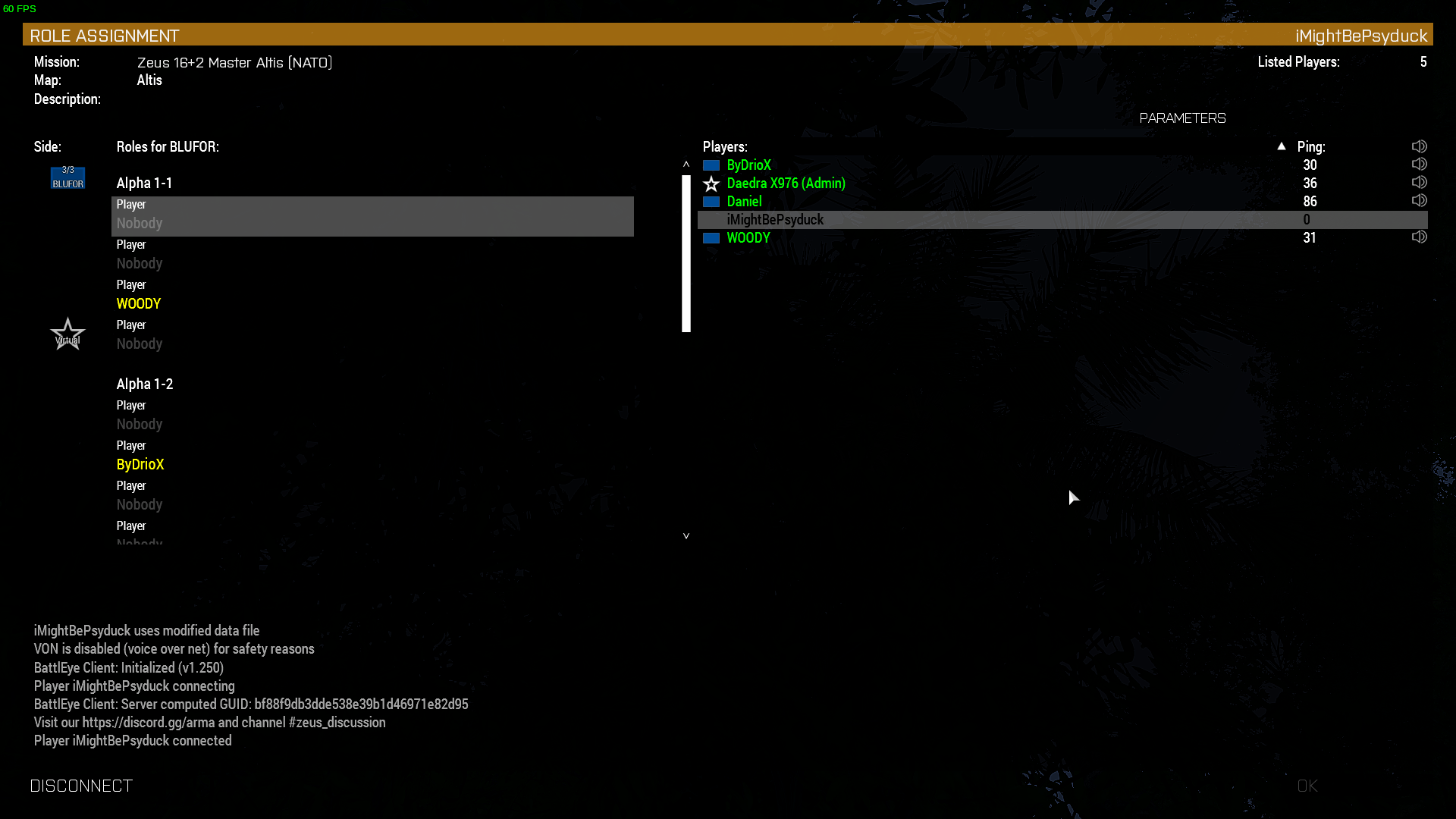
worthy grail
it works for me https://i.imgur.com/rQ5EfaN.png
 gritty sage
🙏 Thank you 🫂
Actually the bug was after that screen
when you join into game after that, your camera would get stuck, if you can join through and run around then its fine, I assume you tested that too?
worthy grail
before, you wouldn't even be able to see this menu. I didn't tested fully joining server.
I will do it now
I was also fully able to join server
supple saddle
Any Mac players looking for a unit?
supple saddle
Just reaching out because I know how hard it is to find a unit
Not advertising anything further, just being a friendly Mac user lol
 solid patrol
I’m assuming there aren’t a lot of Mac units given the tfars and acre2 issues
solid patrol
solid patrol
I’m assuming there aren’t a lot of Mac units given the tfars and acre2 issues
In regards to this, has anyone been able to find a workaround/solution?
worthy grail
your solution is complaining to Apple, have fun with that
and if you succeeded you would still have to convince mod makers to compile mod for MacOS
solid patrol
Unfortunate, thanks for the help though
supple saddle
solid patrol
I’m assuming there aren’t a lot of Mac units given the tfars and acre2 issues
Actually I’m in a unit right now on Mac with other window players. I’m not having any issues and wanted to extend an invite since it is so hard for a Mac player to properly join a unit. HMU if you’re interested, for a Mac channel on here some people sure don’t support each other or are responsive. I got your back tho 💯
Imo: if you’re not in this discord to help other players and be communicative, you’re in the wrong discord group buddy.
solid patrol
supple saddle
Actually I’m in a unit right now on Mac with other window players. I’m not havin...
Thanks, sent a dm
 dry halo
I’m having trouble connecting my Logitech Extreme 3D Pro Joystick to Arma 3
I recently got a Logitech Extreme 3D Pro Joystick and it works fine with warthunder but I can’t get it to work on arma 3. Videos say that all I have to do is connect it, go to options>configure>controls>controller and the joystick should be under “customizable controllers”, but it’s not for me. Can anyone help? (I’m on mac by the way)
supple saddle
dry halo
I’m having trouble connecting my Logitech Extreme 3D Pro Joystick to Arma 3
I r...
Someone in our unit was having this issue yesterday, our unit leader stated you’d would have to configure every function on your controller one by one, button by button.
I don’t know exactly how to do it since I use mouse and keyboard but I was able to find a video for you that might help.
Also if you’re looking for a unit that is compatible with Mac, HMU, I’m a Mac player and my unit has no issue. Super fun playing with a team.
Anyways, here is the link!

How to set up a joystick, throttle and rudder pedals for ARMA 3
dry halo
supple saddle
Someone in our unit was having this issue yesterday, our unit leader stated you’...
It doesn’t let me though, the joystick has no effect on the game
 upbeat kraken
any idea on how to change the fov on Mac?
 undone zinc
Greetings, I would like to ask for your help.
I recently purchased and am playing Arma 3 without mods on my macbook pro. But during the game itself, it breaks and turns off periodically with different intervals. And it doesn't just break, it causes some critical error that causes my macbook to reboot.
The situation is like this, I can play the game calmly and without any warnings my macbook reboots, after turning on it displays a system crash report.
I would also like to add that in all other games that I ran on my laptop, such a problem did not occur.
This happens both on the test for apple silicon and on the usual through rossetta environment.
My laptop has an m1-pro processor and 16 GB of RAM, and macOS Sonoma 14.1
Crash log: https://drive.google.com/drive/folders/1N03VhVTGuP3LYKJ5SDzVsFNHP9SDWEx5?usp=drive_link
Access Google Drive with a Google account (for personal use) or Google Workspace account (for business use).
supple saddle
undone zinc
Greetings, I would like to ask for your help.
I recently purchased and am playin...
Unfortunately this has also been happening to me lately. When I first got arma, it worked fine, but now it crashes whenever I try to load it. Someone please tell us what the heck is going on ???
 split wave
Does the MacOs version of arma have a log somewhere, like the rpt file
Having some weird freezing when using Zeus which didn’t happen before
Doesn’t cause a complete crash so can’t get a log that way
dry halo
(Mac) I know I already asked this, but I have more info now. So I haven't been able to get ANY fir mods to work at all, when I try inserting them in the eden editor, the game crashes. I tried filing a few reports in GitHub, but firewill isn't answering, so I thought I should ask you guys. The report file I get when the game crashes says "PC register does not match crashing frame (0x0 vs 0x7FFA2A6E8E47)". what does that mean and how do I fix it? (I have the full report but I don't know whether there's info on there that I shouldn't put online like IP address and such)
oh and it also says: Termination Reason: Namespace SIGNAL, Code 11 Segmentation fault: 11
 kindred kelp
silly suggestion but are the files in the firmod/addons by any Chance upper case? My Linux Server only loads mods when all mod files are named in lowercase. Its Linux not Mac tho
dry halo
How do I look for them?
dry halo
alright so I think I found where the addon files are, but I cant find any files for the FIR mods
 spark meteor
im trying on Arch and arma 3 wont even open
i press play and it loads for a little while on steam then just stops again
this is also happening with mordhau
idk
why
it might be due to my new external hdd
do i needa download anything on there to get it to work?
worthy grail
is it NTFS partition? Or if you are using AMD you could be using wrong driver. Common mistake on arch because of steam dependency.
spark meteor
worthy grail
is it NTFS partition? Or if you are using AMD you could be using wrong driver. C...
I found out that its because the hdd is using exfat and that filysystem type isnt supported by proton, thats why i was able to play native linux games on there but not windows games
spark meteor
(SOLVED)
 proven acorn
What is the path for the RPT on MacOS?
wise canyon
proven acorn
What is the path for the RPT on MacOS?
there's one RPT-ish at ~/Library/Application Support/com.vpltd.Arma3/eon.txt
 plucky nacelle
Anyone managed to get arma tools working on mac? Wine or otherwise?
 clever mirage
hello, did you know to find the MPmission folder on mac?
wise canyon
you can open the game install location via steam, the mpmissions folder is there
clever mirage
wise canyon
you can open the game install location via steam, the mpmissions folder is there
this is actually not working
wise canyon
remember that the default missions are baked into addons, they won't show up there. neither will steam workshop missions
 undone sedge
what are the negatives/limitaions of running arma 3 on mac? and is the gameplay of arma 3 like amra reforger like the servers? i play on macbook pro m1
16gb
ram
 worthy plover
undone sedge
what are the negatives/limitaions of running arma 3 on mac? and is the gameplay ...
worthy plover
undone sedge
what are the negatives/limitaions of running arma 3 on mac? and is the gameplay ...
Arma 3 | Official Website
Experience true combat gameplay in a massive military sandbox. Authentic, diverse, open - Arma 3 sends you to war.
gritty sage
👋 Hello Proton users.
Any of you had issues that the Arma Launcher showed all mods as corrupted, and while it created the !Workshop folder, it failed to create symlinks inside the folder? So the !Workshop folder just stayed empty?
We keep having issues with these symlinks, so we'll just disable the !Workshop folder outright. The Launcher will still be able to load mods directly from where Steam downloads them.
wise canyon
gritty sage
👋 Hello Proton users.
Any of you had issues that the Arma Launcher showed all m...
for proton only or regular windows as well?
gritty sage
Proton
Found out today that the !Workshop folder is optional on windows too.
If you're on a non-ntfs drive, it'll not use symlinks
wise canyon
fat32/exfat users screaming in agony about having a hard time finding their mods 😆
worthy grail
gritty sage
👋 Hello Proton users.
Any of you had issues that the Arma Launcher showed all m...
yes I had this issue on steamdeck, it's happend when arma is installed on non /home drive wine can't do symlink very well in that case
i had similar suggestion back then
worthy grail
will this fix be applied to DayZ?
gritty sage
Does the same happen there?
worthy grail
This was posted on reddit today https://old.reddit.com/r/linux_gaming/comments/19awgb1/path_for_dayz_mods/
Reddit
Explore this post and more from the linux_gaming community
 tender peak
Hi, has anyone else using Proton had issues with the launcher not persisting settings. I'm running Arma 3 through Proton Experimental on the Steam Deck (no mods or workshop items). This probably doesn't belong here since afaik Proton is using the Windows version, not the native branch, but I was directed here from #arma3_launcher
 acoustic depot
I think the question does belong here, and also I believe I noticed the same thing last time I played (almost a year ago), primarily the battleye checkbox had to be disabled every time the launcher was started
worthy grail
tender peak
Hi, has anyone else using Proton had issues with the launcher not persisting set...
yep, everyone using proton have the issue with persisting settings. And as for mods do you have Arma 3 installed on SD card?
There is way to get it working but it's stupid workaround that is hard to explain.Also in next update mod stuff should be fixed
stone leaf
Is there a way to run prairie fire on mac
wise canyon
stone leaf
Is there a way to run prairie fire on mac
Yes, launch the game with -mod=vn as argument
stone leaf
What about with mods
I cant get the dlc to work with mods which ik is possible since theres mods for the dlc
wise canyon
Add the additional mods arguments as well
stone leaf
nvm i just realised that the unix launcher does everything for me
 tight schooner
Hello does anyone have a guide to start adding mods to mac arma 3?
already found thanks
 half rapids
is there any way my friend on mac can join public official arma servers?
 night plume
who’s playing on macbook and have most of time crushing game?
night plume
Client's ticket has become invalid. Code: 6 how to fix it?
 prisma fractal
When using Arma 3 on my Mac laptop monitor, the resolution caps at 1440x900, despite the fact that all other things work at full resolution
I saw on the reddit someone had a similar problem with their mac, do you guys know of any fixes?
 digital shale
anyone able to help me figure this thing out? trying to get it to play reliably, preferably with prairie fire.
 warped anchor
hmmmm
stone leaf
anyone on mac ever figure out how to get cup units to work
warped anchor
Anyone have any good macOS servers for arma?
worthy plover
what are the bad ones then?
worthy grail
Great news, with proton 9 Arma 3 launchers remembers your settings
 vocal pecan
Hi there! Currently helping someone with changing their FOV in Arma. Hes using a mac though. Could someone maybe tell me where one would find the profiles folder on a mac?
We found this path on a forum but its not there: User/Library/Application Support/com.vpltd.Arma3/GameDocuments/Arma 3/
worthy grail
vocal pecan
Hi there! Currently helping someone with changing their FOV in Arma. Hes using a...
 sly rover
An update? Unexpected
 normal cloak
Hi there. I'm trying to create an Arma 3 server in linux ubuntu 22.04. I have all the file and mods neaded but cant launch the server. When I execute the service than starts the server it does apparently nothing. I can't access the screen neither. Can anyone help me?
 dense otter
normal cloak
Hi there. I'm trying to create an Arma 3 server in linux ubuntu 22.04. I have al...
normal cloak
dense otter
normal cloak
Hi there. I'm trying to create an Arma 3 server in linux ubuntu 22.04. I have al...
normal cloak
Didn't saw it, thanks
 blazing sonnet
Did 1.54 come to Linux/Mac already??
 crystal scaffold
I checked my Mac version, still 1.42
blazing sonnet
OK, then in the weeks to come Bohemia said
 fiery prairie
Certain missions will crash on autosave
  Launch Mission (Example Jets Showcase)
  Try to Autosave
  Crash
I've only run into two instances of autosave crashing. Both on Altis. The first story mission on altis and the jets showcase
Can't attach the Crash logs to discord 😦
Running Ubuntu 22.04.4 and Proton Experimental on Profiling Branch
AMD® Ryzen 5 2500u, GeForce GTX 1050 Mobile, 16.0 GiB DDR4 2666
Arma is installed on a mounted 2TB SSD
 velvet belfry
fiery prairie
Certain missions will crash on autosave
```Steps to reproduce:
Launch Mission ...
velvet belfry
fiery prairie
Certain missions will crash on autosave
```Steps to reproduce:
Launch Mission ...
Open a feedback tracker ticket, you can attach the crash logs there
fiery prairie
velvet belfry
Open a feedback tracker ticket, you can attach the crash logs there
https://fee...
wilco
soft venture
fiery prairie
Certain missions will crash on autosave
```Steps to reproduce:
Launch Mission ...
People have been reporting crashes when saving in SP using the #perf_prof_branch, which I assume is the same that is happening here.
fiery prairie
soft venture
People have been reporting crashes when saving in SP using the <#105466848958513...
That's the same error that I'm getting, I just assumed it was Linux specific. Should I still go through with generating a ticket on the BI feedback site?
soft venture
Dedmen said he will be working on a fix on Monday, I don't think he'll need a ticket for it.
Generally if you are running profiling branch it is best to report in #perf_prof_branch, as it is a more experimental branch and tickets may not get seen as quickly.
fiery prairie
I'd like to run off of non profiling branch, but I don't think I can run the non profiling version of Arma without being forced into the Linux port
soft venture
There is no linux port anymore. Stable and Perf/Prof both use proton.
fiery prairie
That's great news, I'll downgrade for now. On a side note, would there be any major advantage to stay on profiling branch over the regular branch?
soft venture
Currently we are upgrading the compiler to the latest so there might be some performance improvements from that. But overall the branch isn't as much about improving performance as it used to be. The main advantage is being on the bleeding edge, but at a higher risk of builds having bugs and crashes.
worthy plover
on the other hand if stable has a bug, prof/perf usually has it fixed and it's months before stable branch gets a newer number.
fiery prairie
That's honestly a tradeoff I'm willing to take with this laptop lol. At least until it gets fixed that is
soft venture
Stable is in general always going to be more stable. If there is something game breaking like this saving crash we will either catch it before release, or we will work on a hotfix to be released ASAP. Perf/Prof branch isn't tested before release, unlike Dev and Stable.
worthy plover
you might have to manually set the ram limit in launcher parameters because iirc stable limits itself to 8GB or something, perf/prof has no such issue
fiery prairie
worthy plover
you might have to manually set the ram limit in launcher parameters because iirc...
I force 12GB to arma. Should I be using a specific memory manager?
worthy plover
I'm on the default windows memalloc, dunno what should Linux use. Whatever fits your system I guess, I had to try every one of them to see which actually gives me a performance benefit
soft venture
The entire logic behind the memory limit is kinda a mess.~~ In general you shouldn't need to set the memory value unless you want to limit it to something less than 8GB~~. Stable currently limits it to 8GB, setting anything higher than that will not matter. Prof raised the limit to 16GB: #perf_prof_branch message
Okay, now I re-read that entire discussion.
Stable:
Default limit: 4GB
Maxmem limit: 8GB
Prof:
Default Limit: 16GB
Maxmem limit: 16GB
stone leaf
Does anyone know if theres a fix to certain mods causing arma to crash on mac
Like cup units
fiery prairie
I'm wondering what other silly optimizations i can make to improve FPS even more
worthy plover
lower image sampling to 50%, game will look like shit but you'll get twice as more frames
 vale tree
Hey guys does anyone know how to set up the server to play coop on a mac? My buddy is on windows I am playing on a mac and I can't get it to work...
 misty epoch
worthy plover
misty epoch
worthy plover
💀
 viscid yew

fiery prairie
I've detected a large input release delay on linux at lower FPS
It's to the point where I cannot use my keyboard to play
However, controlers seem to work perfectly fine, with no input delays/retention at the same FPS
 shut terrace
fiery prairie
I've detected a large input release delay on linux at lower FPS
shut terrace
fiery prairie
I've detected a large input release delay on linux at lower FPS
Have you disabled Repeat Keys in Settings/Accesibility/Typing (or something similar)? It could cause issues.
fiery prairie
shut terrace
Have you disabled Repeat Keys in Settings/Accesibility/Typing (or something simi...
checking now
shut terrace
You can use the command line as well to disable it: xset r off
Documentation: https://www.x.org/releases/current/doc/man/man1/xset.1.xhtml
fiery prairie
So far no issues. I have also described this issue as controls lagging
 lucid ridge
The problem is the following. I have MAC OS (Arma 3). I play on a server that has voice chat. It works great, but at random times, the game may freeze when I speak and can only be turned off by force. This is annoying, because when you go into the game you start all over again on the server. By the way, the problem is not in my microphone and my laptop, since my friend on macOS has exactly the same problem. I want to ask us, do you know a way out? How to avoid game crashing?
fiery prairie
shut terrace
Have you disabled Repeat Keys in Settings/Accesibility/Typing (or something simi...
This was it. Kind of annoying, doesn't windows do a similar thing with their os? Not sure if a future fix could alleviate that problem
shut terrace
fiery prairie
This was it. Kind of annoying, doesn't windows do a similar thing with their os...
Yes, Windows has the same feature but I only experienced the issue on Linux even when using the same hardware. So I don't think the game itself has a problem with the feature, I guess Proton might be the culprit.
And a quick search proves me right: https://github.com/ValveSoftware/Proton/issues/5294

GitHub
I've encountered an issue where keyboard input will "stick" in games running on Proton. This means that if I hold a directional key for a few seconds the input will persist for some t...
fiery prairie
shut terrace
And a quick search proves me right: https://github.com/ValveSoftware/Proton/issu...
Damn, I'll try some fixes in here
 brave spear
 jagged kayak
How can i get Arma 3 to use Huge Pages on linux?
worthy grail
in launcher i have set Memory allocator to system and enable huge pages and it just work for me.
do you have huge page enabled ? cat /sys/kernel/mm/transparent_hugepage/enabled
 plush monolith
with 2.16 mac users dont get that update and are so not able to join updated servers , is that correct ?
 stiff cloud
plush monolith
with 2.16 mac users dont get that update and are so not able to join updated ser...
stiff cloud
plush monolith
with 2.16 mac users dont get that update and are so not able to join updated ser...
interested in that one too 🙂
soft venture
The Mac update for 2.16 is not ready yet, so you indeed can't join any of the servers that are already on 2.16. If you want to play with friends on Windows or Linux they will need to switch to the legacyports branch to get the same version.
stiff cloud
i see, is there a estimation on when the update will launch?
gritty sage
Expect some weeks. Hopefully not more than 3 but we don't know yet.
stiff cloud
that's really bad tbh
gritty sage
Yeah we're aware
stiff cloud
what's the reason for it? do u know? or is it the typical "it's not a big enough platform" kinda thing
soft venture
The port is done by a third party.
lucid ridge
cosmic marsh
However I am experiencing a bug currently in the game which I had now for months...
Yes, I suffer and bite the stick. In fact, this is even more than 1%. I fly on airplanes, so now I can’t communicate with the players in any way, because I can just freeze and the entire crew will die. This is just an incredibly terrible bug that spoils my entire game and makes me disgusted with it, because I understand that the developers don’t see this. I feel like I'll be deleting the game soon because of this. I just can't voice chat
cosmic marsh
RIP all mac players again
quasi orchid
huh
is it possible to update mac version to latest windows version?
and enable battleeye anti-cheat
 uneven harness
Read a bit above
quasi orchid
uneven harness
Read a bit above
i dont understand
uneven harness
Question:
#linux_mac_branch message
Answer:
#linux_mac_branch message
Explanation:
#linux_mac_branch message
 fierce gust
is there a way to get firewill's aircraft to work on mac?
I have had all of his aircraft downloaded for a while and I can't seem to find out why his aircraft don't work
worthy plover
would be viable to ask Firewill no?
quasi orchid
how do I get RTP file?
lime ore
me and a friend are both on mac, we can play together on a server we both found but can't seem to find when either of us host a server. Anything wrong?
quasi orchid
lime ore
me and a friend are both on mac, we can play together on a server we both found ...
Dont put it in LAN
lucid ridge
Looking forward to the update. Waiting waiting waiting
lime ore
quasi orchid
Dont put it in LAN
We’ve tried on internet, it usually crashes and when it doesn’t I can’t find it on my friends computer
quasi orchid
How do I find crash logs?
wooden zinc
The 2.16 Mac update has now started QA testing. It will also include RF CDLC (v1.0.1).
quasi orchid
wooden zinc
The 2.16 Mac update has now started QA testing. It will also include RF CDLC (v1...
is there a way to find crash logs/files on macOS? Apologies for ping
Trying to find the root cause of a crash because RHS's F-22A or CUP's vehicle artillery causes crashing
clever verge
quasi orchid
is there a way to find crash logs/files on macOS? Apologies for ping
dont ping bi people, especially with reply pings
clever verge
quasi orchid
Trying to find the root cause of a crash because RHS's F-22A or CUP's vehicle ar...
try looking for the rpt in ~/Library/Application Support/Arma 3
clever verge
quasi orchid
dont know what it looks like
its a file with rpt extension that says information about the game and shows what happened in a game session and such, try seeing if its in that path
open textedit and drag the file to the textedit icon in the dock
quasi orchid
clever verge
its a file with rpt extension that says information about the game and shows wha...
i dont see
any RTP files
quasi orchid
there's no such thing as RPT
clever verge
oh you have to navigate to $HOME/Library/Application Support/com.vpltd.Arma3/ and then something like application data, i dont have the game on a mac to check
quasi orchid
clever verge
oh you have to navigate to $HOME/Library/Application Support/com.vpltd.Arma3/ an...
i found mpStastics.log but no RPT files
clever verge
quasi orchid
i found mpStastics.log but no RPT files
looks like its not enabled or something, can you try doing a global search or see if other files might be the rpt around the application support arma 3 subfolders?
you could try running arma 3 from the terminal and see if it outputs something more meaningful to you
clever verge
you can try removing either mod and see if it still crashes
clever verge
im saying try without loading one of the mods and viceversa
clever verge
that's not what i said to try
clever verge
quasi orchid
the vehicles come from the mod
do you have a mod that requires both rhs and cup vehicles?
Im saying, try either rhs loaded and without cup or viceversa
do you understand that?
clever verge
so it crashes when both are loaded?
seems like a compatibility issue
or some limitation
clever verge
quasi orchid
RHS and CUP cannot be loaded at the same time
you can have both mods loaded at the same time without problems
quasi orchid
buddy
i dont care
if RHS or CUP is loading
RHS's F-22A will crash when spawned
CUP's artillery vehicles will crash when spawned
it's not about compatibility
clever verge
do other vehicles crash too?
sly rover
@blazing sonnet did they say "weeks?" It would be nice to have an idea of timeframe.
blazing sonnet
Unfortunately they gave no more detailed ETA than that/asap
blazing sonnet
Pretty much as open-ended as both Nexus was and Apex (Q2 2016) is... though them declaring intent to go to v1.54 at all beats the original statements that there was no guarantee of any update
sly rover
Yes, I saw what they have already committed to.
wise canyon
~/Library/Application Support/com.vpltd.Arma3/eon.txt
wooden zinc
We've opened a RC-Branch for Mac 2.16. Its Steam beta access code is: MacUpdate216RC
It should work fine already, so if you're keen to get back multiplayer compatibility, switch over 🍏
gritty sage
quasi orchid
its only F-22A on RHS
I cannot reproduce it on windows, so it might be mac specific crash.
Can you try if its still crashing on 2.16?
quasi orchid
gritty sage
I cannot reproduce it on windows, so it might be mac specific crash.
Can you try...
trying to install the beta but i got "disk write error"
nvm got it fixed
now imma test the crashing
quasi orchid
wooden zinc
We've opened a RC-Branch for Mac 2.16. Its Steam beta access code is: ***MacUpda...
Tried joining servers, apparantly "Battleye initialization failed"
quasi orchid
gritty sage
I cannot reproduce it on windows, so it might be mac specific crash.
Can you try...
Tried, it. Still the same issue.
gritty sage
Thank you 🫡
I'll forward that
quasi orchid
gritty sage
Thank you 🫡
I'll forward that
i dont know how to enable RPT on macOS so I don't know the exact details
gritty sage
wise canyon
`~/Library/Application Support/com.vpltd.Arma3/eon.txt`
can you get that file? ^
gritty sage
quasi orchid
Tried joining servers, apparantly "Battleye initialization failed"
Try verifying your game files via steam. Maybe something is still borked there
gritty sage
quasi orchid
i found that file but cant post it here
DM to me 🫂
quasi orchid
gritty sage
Try verifying your game files via steam. Maybe something is still borked there
did that, didnt do anything 💀
also I dont have battleye folder
in my com.vpltd.Arma3 files
wooden zinc
Are you using the main app or the native experimental one? The latter does not support BE at all.
Check Steam launch options.
quasi orchid
wooden zinc
Are you using the main app or the native experimental one? The latter does not s...
oh, only main app suuports battleye?
wooden zinc
Yep, see: https://dev.arma3.com/ports
wise canyon
I can see successful initialization of BattlEye client on my macbook with 2.16 branch
However, the list of official servers does not seem to populate for me 🤔
works on 2.14 🤔
worked after restarting 2.16 
maybe 2.14 populated the cache which made 2.16 work 🤔
wiped cache, restarted 2.16, still works
 pliant lotus
Hey, can someone help me trouble shoot my arma 3 game. 2-3 weeks ago I stopped being able to join most servers. I get a “connecting failed” message when I try to join most servers. Also the server list shows way less servers than it did before this began.
Things I have tried: deleting/ reinstalling arms 3 and all CDLC. Port forwarding for steam and arma 3. Using a vpn. Cleared caches for arma and steam. Moved my WiFi extender closer to my Mac.
I am running a iMac with M1 chip
pliant lotus
Fixed: using the beta access code mentioned above!
clever verge
pliant lotus
Hey, can someone help me trouble shoot my arma 3 game. 2-3 weeks ago I stopped b...
welll, mac is always lagging behind for a while especially after a new update due to it being handled by a external team. there's a point where servers start disappearing because of the version update on windows/linux. you have to ask those users to use the legacy ports branch on steam if you want to play with them
quasi orchid
gritty sage
DM to me 🫂
@gritty sage sent you some, I found that CUP crashes only occur if only in fullscreen mode. Playing it on windows plays out totally normal.
lucid ridge
Dear developers (@wooden zinc and others),
I am reaching out to you with a request to address a longstanding issue that still persists in the latest versions of the game for macOS. Despite the fact that this bug has been around for some time, I have noticed that you are currently working on an update, and I hope that this bug will also be addressed as part of the fix process. The problem arises when a player ends a voice chat by releasing the Caps Lock key, causing the game to crash. This incident results in lost progress and inconvenience for all participants. It is important to note that this issue is not unique to me but also affects my friends who use the same hardware setup and encounter the same error. Please take this into account as you work on the fix. Thank you for your attention to this matter, and I hope for a swift resolution.
gritty sage
lucid ridge
**Dear developers** (<@225571057145217024> and others),
I am reaching out to you...
Please provide eon.txt files, they might contain information about the crash
See #linux_mac_branch message
lucid ridge
gritty sage
Please provide eon.txt files, they might contain information about the crash
See...
Bug description: Game hangs on microphone
**Video review of the bug: **(https://drive.google.com/file/d/1b_frB1n_LR0Rp0PdWL1JgbCxqnTrJkEd/view?usp=sharing)
**EON.txt: **(https://drive.google.com/file/d/1bQU44YvplUHr_fhhULrQar0IiMzJrqEc/view?usp=sharing)
Participants can safely communicate via voice on the server. However, there is about a 30% chance that the game will stop responding when the Caps Lock key is released. This issue is observed among all my acquaintances using MacOS. We have tried various methods to resolve the problem, including changing the microphone, adjusting its settings, switching keys for voice chat, and playing in windowed mode, but none of these have yielded results. The problem occurs when launching games on MacBook M1/M2/M2 Pro devices. After the failure occurs, the only way to end the game is to force close it. We strongly request that this error be fixed. I am attaching a video demonstrating the process, as well as the eon.txt file you requested.
gritty sage
I put your info into a ticket for them to look at
lucid ridge
gritty sage
I put your info into a ticket for them to look at
Thanks a lot
 reef dirge
Is there any way to add mods to Arma 3 on MacOS?
cosmic marsh
hi any updates? when is it playable again on mac? any beta profiles?
wooden zinc
wooden zinc
We've opened a RC-Branch for Mac 2.16. Its Steam beta access code is: ***MacUpda...
 left fog
priority is fix 1.54 itself, then we can talk about updating the port branch
sly rover
No rush
 vapid comet
Any ways of making unit mods on Mac?
 celest laurel
What does this mean "making unit mods on Mac"
If you want to make a Mod for A3, it shouldn't different than regular way with Windows anyways
wise canyon
Except the official Bohemia tools are Windows only so you’ll have to use third party tools
vapid comet
Mhm, that is the issue I encountered
stone leaf
Does anyone have the cup units mod working on mac
Because theres a lot of servers that require the mod but it crashes my arma
vapid comet
Same here Microw, the CUP terrains and weapons crash instantly, not sure on the units yet
stone leaf
for me terrains and weapons work fine its just units that doesnt
vapid comet
Hm, anything changed? It crashes instantly
wooden zinc
Update 2.16 with Reaction Forces CDLC is now released to all Mac players: https://twitter.com/ArmaPlatform/status/1782775182274240767 🍏
📢ATTENTION MAC USERS📢
The Reaction Forces CDLC has just landed for Mac🍏
Our partners at @virtualprog have ported the recent #Arma3 2.16 platform update, so you can now take to the battlefield with the latest CDLC from @TheRotators!
Visit https://t.co/BdQzkTwFOC for all…

 Twitter
·
wooden zinc
Twitter
·
wooden zinc
We've submitted the crash to VP, so hopefully they'll be able to look into it as well.
clever verge
which big mods are out of scope for the posix branches?
wise canyon
any mod requiring external dll libraries, like ACRE and TFAR, won't be be compatible with the macOS version
clever verge
no ts3 mac/linux plugin?
oh i see, the libraries for the engine-ts3 interoperability
wise canyon
linux works since it supports the windows dll, though you'll have to fiddle a bit with the teamspeak side
macOS Arma 3 version has no support to load third party extensions
clever verge
i guess because of security issues related to sandboxing that interfer
stone leaf
vapid comet
Have you tried completely re-installing CUP
Have u tried cup units
Thats the only one that dont work for me
 proper berry
wise canyon
proper berry
wise canyon
BattlEye is compatible with the default non Apple Silicon binary
supple saddle
Added the BETA code but still can’t play multiplayer, all servers have a red “X” next to them, please advise? Thanks!
soft venture
Dont use the beta code, you can now play on 2.16 servers on mac without any special branch
 rocky snow
wise canyon
BattlEye is compatible with the default non Apple Silicon binary
rocky snow
wise canyon
BattlEye is compatible with the default non Apple Silicon binary
what ab silicon version?
wise canyon
Launch Arma 3supports BattlEyeLaunch experimental Apple silicon native Arma 3does not support BattlEye
 quasi salmon
Is there any info on fixing the microphone bug?
vapid comet
What is the issue with the RHSUSAF pilot helmet? It crashes instantly when used.
fiery prairie
A3 Linux launcher (Proton Experamental) has completely disapeared for me. Was working about 2 hours ago. Tried restarting, and switching proton versions to no avail. Jumping from Profiling to Normal didn't fix anything either
It'll launch outside of steam perfectly fine though
fiery prairie
Fixed it by setting render to gl via protontricks
*thought I fixed it. For some reason, it worked once, then stopped working again. I closed out of Opentrack at the right moment maybe?
The window creates itself, and I can see it in the top right of my screen, flash for like 1 second, then the screen closes
Steam Console is as helpful as it ever is
gritty sage
Anyone on linux proton who is running #perf_prof_branch on there?
If you see water when trying to join a BE server next week, please ping me.
We're removing a hotfix for BE, for a bug that BE should've fixed, but I'm not 100% sure if that fix made it all the way to release
fiery prairie
I am, however still can't get my Launcher open
It's application does not crash, the display doesn't seem to want to stay alive when the window boots
fiery prairie
Ended up reverting to Proton 7.0-6, and using the Unix launcher. It works now, so I'm not too upset
fiery prairie
gritty sage
Anyone on linux proton who is running <#105466848958513152> on there?
If you see...
@me when the update goes live so I can test it
gritty sage
fiery prairie
@me when the update goes live so I can test it
just did
fiery prairie
gritty sage
just did
Rgr, I'll check it out now
fiery prairie
gritty sage
just did
No water when joining a battleye server. I joined via the in game server browser
worthy grail
Switched to profiling and I can also confirm it is working
 strange crystal
how do I assign a unit to my profile?
gritty sage
Thank you guys 
fiery prairie
Anyone know how to launch opentrack in the same proton instance as Arma? I can't seem to get it working with the Unix launcher
Is there a way to inject a sh file that could open opentrack in the same instance as A3?
dry halo
Arma 3 hasn’t been running on my mac for a few months, is anyone else experiencing this issue too?
Like I click play and it says “running” but it never loads
wooden zinc
Have you tried both of the launch options? (default and silicon)
Did you do a local file cache verification via Steam?
And perhaps check or share your: ~/Library/Application Support/com.vpltd.Arma3/eon.txt for clues
worthy grail
fiery prairie
Is there a way to inject a sh file that could open opentrack in the same instanc...
for easy way just use protontrick, or check ninelore script for launching TS3 in same instance https://github.com/ninelore/armaonlinux/blob/master/Arma3Helper.sh
GitHub
Guide and files needed to run Arma 3 on Linux. Contribute to ninelore/armaonlinux development by creating an account on GitHub.
fiery prairie
I'll have to check both of those out. I used to make a sh into an exe, but my launcher cannot support that anymore
fiery prairie
worthy grail
for easy way just use protontrick, or check ninelore script for launching TS3 in...
Opening it via file explorer in protontricks did the trick, thanks for the suggestion
 hoary hawk
Has anyone found any way at all to get ACRE2 running on their mac? I’ve even tried installing it on a crossover/whisky bottle but Arma gets stuck laughing at “Proccessing command file”
I can get the plugins req. for teamspeak installed on a bottle but not Arma, and natively I can run Arma but not the teamspeak plug-ins
hoary hawk
wise canyon
macOS Arma 3 version has no support to load third party extensions
Have you been able to/do you know about getting Arma 3 installed via crossover/whisky in order to get these plugins running?
 onyx marsh
is any solution to fix fatal crash of arma 3 on Mac?
 river birch
Is there any way to get arma tools working on Mac without a VM?
If not, are there any alternatives to the likes of object builder that work on Mac?
gritty sage
No, no. Object builder is a tool for a proprietary format, there are not alternatives
river birch
Would there be any issues with running it on a VM on an M2 Pro?
gritty sage
I wouldn't expect any
river birch
Aight thanks
fiery prairie
Does the Dev branch diag config merge function work with Linux?
fiery prairie
gritty sage
No, no. Object builder is a tool for a proprietary format, there are not alterna...
Wish there was an alternative solution 😦
I want to get my projects working and program on my Linux machine
On a really funny related note, my current method was pushing to our projects git, and letting the automatic building tool compile the mod for me XD
Then I'd download the .pbo
 sterile pumice
fiery prairie
On a really funny related note, my current method was pushing to our projects gi...
sterile pumice
fiery prairie
On a really funny related note, my current method was pushing to our projects gi...
just use hemtt
as far as object builder goes, you don't really need it, no? Just use blender
fiery prairie
Does hemtt work with Linux?
Most of our projects use scons w/ object builder for automaton
sterile pumice
fiery prairie
Does hemtt work with Linux?
Most of our projects use scons w/ object builder fo...
hemtt is for packaging, not sure what scons is or why you would need to use object builder during package/test stage.
tbh you don't need to use OB at all and you can do everything in Blender. Or at least that's what we do
fiery prairie
I keep saying object builder when i mean addon builder
Brains not working today
Scons is like make
sterile pumice
fiery prairie
Scons is like make
Object builder is unnecessary with hemtt.
And you can just use scons to call hemtt, if it really is like make.
Again, I am not sure how well hemtt launch/dev with symlinks works on linux, but you can for sure package with it.
 bright oak
fiery prairie
Does hemtt work with Linux?
Most of our projects use scons w/ object builder fo...
bright oak
fiery prairie
Does hemtt work with Linux?
Most of our projects use scons w/ object builder fo...
hemtt is designed to be compatible with windows and linux
wise canyon
You still need buldozer to optimize p3ds and wrps
gritty sage
You are already running Arma in proton.
Can't you just run Arma Tools also in proton?
 lethal blaze
gritty sage
You are already running Arma in proton.
Can't you just run Arma Tools also in pr...
lethal blaze
gritty sage
You are already running Arma in proton.
Can't you just run Arma Tools also in pr...
They don't work with Proton
gritty sage
sad
sterile pumice
wise canyon
You still need buldozer to optimize p3ds and wrps
Optimize? I am not my model guy, but wtf? 😄
 dusk vale
Ummmmm... progress on loading mods (macmini m2pro) but this is new...
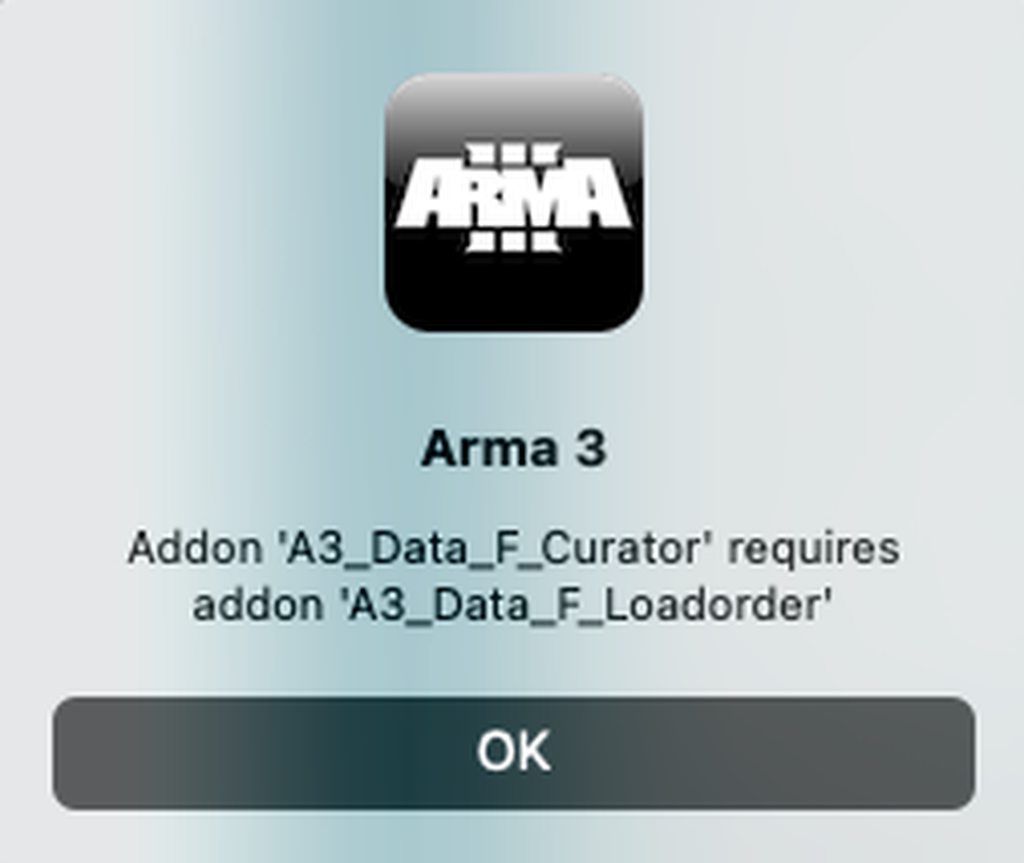 clever verge
dusk vale
Ummmmm... progress on loading mods (macmini m2pro) but this is new...
https://...
clever verge
dusk vale
Ummmmm... progress on loading mods (macmini m2pro) but this is new...
https://...
validate your game, maybe specify the base game dlc folders as mods
dusk vale
kk
clever verge
try not using -mods= in launch options and manage them via options -> expansions from the menu
dusk vale
@clever verge Thank you Im just getting back into gaming after years and I am not dumb but not too experienced on the tech side
dusk vale
clever verge
try not using -mods= in launch options and manage them via options -> expansions...
oh ok interesting
clever verge
as discussed, try the mac/linux launcher that seems to be out there
dusk vale
clever verge
as discussed, try the mac/linux launcher that seems to be out there
that 100% did the trick
Does anyone have TFAR working in MacOS?
I am trying to figure out how to load TFAR into teamspeak
clever verge
dusk vale
Does anyone have TFAR working in MacOS?
any mod with dlls modules wont work on mac
dusk vale
thats what I thought

I saw a post by someone in github that mentioned the issue but dont see any update
dusk vale
Alright, does anyone know how to use SinusBot or similar to bridge TFAR with team speak on mac?
dusk vale
from the chat gbt gods...
"Using a .dll file (Dynamic Link Library) on macOS isn't straightforward because .dll files are specifically designed for Windows operating systems. However, you might be able to achieve similar functionality by using a compatibility layer or emulator like Wine or CrossOver, which allows you to run some Windows applications on macOS.
Another option is to find a macOS equivalent or alternative to the functionality provided by the .dll file. macOS uses different libraries and frameworks compared to Windows, so you may need to find a library or solution that is compatible with macOS.
If you have access to the source code of the software that uses the .dll file, you could potentially recompile it for macOS using a development environment like Xcode.
In summary, while it's not directly possible to use a .dll file on macOS, there are alternative methods and solutions you can explore depending on your specific requirements and circumstances."
any thoughts
velvet belfry
dusk vale
from the chat gbt gods...
"Using a .dll file (Dynamic Link Library) on macOS i...
The problem isn't the TS3 plugin or the file type, it's the fact that macOS does not allow Arma to use the .dll extension that TFAR needs to work. There is nothing you can do about it, the only way that it can work is if Apple changes their policies

 dusk vale
velvet belfry
The problem isn't the TS3 plugin or the file type, it's the fact that macOS does...
dusk vale
velvet belfry
The problem isn't the TS3 plugin or the file type, it's the fact that macOS does...
Ill play aroudn with bridges/relays but your most likely right
solid patrol
good luck with that lol
gritty sage
Good luck playing around with something that will not work
strange crystal
idk why but there's a bug where if i use ingame push to talk, the game just freezes
lucid ridge
strange crystal
idk why but there's a bug where if i use ingame push to talk, the game just free...
This bug has been around since the game was released on MacOS. I wrote here a lot, sent error logs and videos, but the developers don’t want to fix this bug, which makes it impossible to play on servers with a microphone.
lucid ridge
lucid ridge
**Bug description: Game hangs on microphone**
**Video review of the bug: **(ht...
I wrote about it here
gritty sage
It has been reported.
I didn't see a response yet. But it's definitely on the todo list waiting to be fixed
quasi orchid
velvet belfry
The problem isn't the TS3 plugin or the file type, it's the fact that macOS does...
There are games distributed on Steam (like X-Plane) that can have full access to external dynamic libraries even on macOS. I reported this problem a NUMBER of times to the dev team for the Mac version, but they always ignored it. Yes, you may need to specifically whitelist the dynamic library via a Terminal command, but this is very much doable.
strange crystal
so i noticed that the game only crashes/freezes if you end the push to talk
 latent current
Hi everyone,I recently re installed Arma 3 and I need help, whenever I try to start the game it says no entry Cfg worlds and I don't know what that mean,I try analyzing the file with steam,and do another install but nothing,what can I do to solve the Problem?
celest laurel
Tell the entire error message and when it happens. Exact symptoms too
latent current
I tried,but the thing is it stop at that "no entry Cfg worlds" and then dont even start the application,my problem is when I'm opening the game
celest laurel
Let me rephrase. Tell the error message. Word to word, character to character
latent current
It's that,it doesn't tell me other except that damn "No entry CFG world" I wanted to send a photo but I guess the server dont allow
I'm sorry if my description it's of little help but I'm new to PC gaming
celest laurel
#rules check and #offtopic_bot_cmds
clever verge
latent current
Hi everyone,I recently re installed Arma 3 and I need help, whenever I try to st...
try deleting some files and folders of the game or reinstall, it happens when you have missing worlds, or if it's modded make sure that the pbos are correctly placed
!steamverify
 golden crystalBOT
Steam file verification process:
Right Click on game -> Properties -> Installed Files -> Verify Integrity of game files
Arma 3
Steam Workshop Mod repair process:
Open Launcher -> Right Click on mod -> Repair
The first process will automatically verify Steam Workshop items as well.
latent current
clever verge
try deleting some files and folders of the game or reinstall, it happens when yo...
Yes I read online,that it was because something was missing,but still I did the verify of file yesterday and also did a fresh Install again but still get the same problems
I removed all the Workshop items too
clever verge
latent current
Yes I read online,that it was because something was missing,but still I did the ...
modded? there's no official launcher so you have to manage mods manually or pass -mod= as launch argument
latent current
No no mod the only dlc i have except the one that gives you is global mobilitazation
clever verge
so check that, it's trying to load something
clever verge
latent current
No no mod the only dlc i have except the one that gives you is global mobilitaza...
that's a paid creator dlc, you're loading it via -mod= or via expansions dialog?
latent current
I used the -mod= because otherwise it didn't showed up on the available campaign
clever verge
you mean art of war, zeus
clever verge
latent current
I used the -mod= because otherwise it didn't showed up on the available campaign
ok there's your issue perhaps? what happens if you don't specify the mod folder? are you sure there's no typos?
clever verge
latent current
I tried,but the thing is it stop at that "no entry Cfg worlds" and then dont eve...
that's not the verbatim error message
please do what polpox asked
latent current
Just a question it may sound stupid,as I said I'm new to PC/Mac gaming how I can expand the error to see the details?
Sorry for my ignorance
clever verge
latent current
Just a question it may sound stupid,as I said I'm new to PC/Mac gaming how I can...
you can check the rpt file but it's not present in macos iirc, you could launch the game from the terminal or something to see the output if there's any, unfortunately. the no cfg dialog is all users get in the game ui
latent current
I see,my alternative at this point was to switch to windows since I have boot camp,but I'll try to see if I can get more details,thanks for the suggestion
clever verge
latent current
I see,my alternative at this point was to switch to windows since I have boot ca...
yeah i'd recommend windows too, but i hope you have a discrete gpu and not just intel graphics
get a pc, intel macs suck
latent current
clever verge
yeah i'd recommend windows too, but i hope you have a discrete gpu and not just ...
I hope so ahaha,worst case I still have cold war assault tho,I think that can run without problem 😂
latent current
Proton?
clever verge
latent current
Proton?
the thing based on wine which powers valve steamplay
latent current
I didn't know it
wise canyon
latent current
I hope so ahaha,worst case I still have cold war assault tho,I think that can ru...
it doesn't work with newer macOS due to being 32bit
https://help.steampowered.com/en/faqs/view/5E0D-522A-4E62-B6EF
latent current
wise canyon
it doesn't work with newer macOS due to being 32bit
https://help.steampowered.co...
I know,I meant I'll use it on windows boot camp
wise canyon
does arma 3 start fine when you're not loading any mods at all?
latent current
wise canyon
does arma 3 start fine when you're not loading any mods at all?
No,it doesn't start at all even vanilla
The Convo I had before got me thinking that maybe the creator DLC have some file missing
wise canyon
creator DLC is not part of plain arma 3, so if you're trying with it then you're not testing mod free
clever verge
latent current
The Convo I had before got me thinking that maybe the creator DLC have some file...
as i said, please try without passing -mod=
and without mods loaded in expansions
or rather pass only -mod=
latent current
Yes I'll do,thanks to you all for the help guys,I really appreciate it
quasi salmon
Is it worth waiting for the official Arma launcher on MacOS?
gritty sage
No. Something is being experimented on, but there is no ETA.
clever verge
quasi salmon
Is it worth waiting for the official Arma launcher on MacOS?
use the linux launcher
wise canyon
unix launcher*
clever verge
whatever its called
clever verge
wise canyon
unix launcher*
technically posix
quasi salmon
clever verge
use the linux launcher
Yes, I do, but there is no squad function for example
clever verge
quasi salmon
Yes, I do, but there is no squad function for example
select the unit in game, should work as long your steam is linked to the units site
quasi salmon
clever verge
select the unit in game, should work as long your steam is linked to the units s...
It doesn't work, unfortunately
gritty sage
There is no in-game selection for units.
Unit is a start parameter.
-unit=1234
How you find your unit's ID would be a good question..
You can let a windows user launch the game and copy it out of their RPT, right at the top
clever verge
gritty sage
There is no in-game selection for units.
Unit is a start parameter.
-unit=1234
...
there is, its in the profile selection
clever verge
ahhhh
 magic escarp
quasi salmon
Is it worth waiting for the official Arma launcher on MacOS?
magic escarp
quasi salmon
Is it worth waiting for the official Arma launcher on MacOS?
Idk if this is applicable but why not try downloading windows on mac?
It's what i'm doing anyhoo
 fallen galleon
how do u join a servival server on mac as non won let me on and i have no idea about how to add mods to mac or ones the work
clever verge
magic escarp
Idk if this is applicable but why not try downloading windows on mac?
only intel macs can do that, nowadays they're using aarch64 aka apple silicon
clever verge
fallen galleon
how do u join a servival server on mac as non won let me on and i have no idea a...
the server needs to be running the compatible legacy version or try updating to the release candidate version which puts it on the current version. for battleye enabled servers you need to use the slower intel version through rosetta 2.
at that point it's much better if you can get linux or windows going on there.
mod management is manual through symbolic links (not alias!) and enabled through expansions or -mod= parameter
please refer to the corresponding wiki article about arma 3 on mac
the mac wiki page should get pinned
wise canyon
clever verge
only intel macs can do that, nowadays they're using aarch64 aka apple silicon
You can use Rosetta to translate x86 to arm64. Windows arm64 edition can also do this. It is actually possible to run Arma in a Windows VM on Apple Silicon but its not a pleasant experience. Nice for development that requires native features like dlls.
clever verge
wise canyon
You can use Rosetta to translate x86 to arm64. Windows arm64 edition can also do...
this is discouraged due to the poor performance and the feature is primarily meant for developers not end users
it's called rosetta 2 and it's from x86 to aarch64 not arm64
fallen galleon
Thank you
wise canyon
 tropic drift
Guys someone know how to launch the Contact Dlc on Mac?
tropic drift
Guys someone know how to launch the Contact Dlc on Mac?
-mod=contact
tropic drift
wise canyon
`-mod=contact`
Thank you!
gritty sage
Check the log file
 torn jackal
I don't understand
gritty sage
And what does your Reforger Windows Problem have to do with the Arma 3 Mac port
We should rename this channel probably because there is no Linux port anymore 🤔
clever verge
gritty sage
We should rename this channel probably because there is no Linux port anymore 🤔
nah its fine, its understood that linux now means proton
 fallen ingot
Hey, using linux here and keep getting battleye initialization failed when trying to join any official server..
tried with nearly all protons 6>
is there anything i can do? it used to work before (literally played like 3 months ago, before the Mac branch came out)
e.g, as soon as the Mac branch came out and Arma now forces me to run it through Proton, it doesn't work properly.
Thanks in advance.
clever verge
fallen ingot
Hey, using linux here and keep getting `battleye initialization failed` when try...
did you try the battleye proton runtime?
mac is a separate port company doing it
linux has been dropped and switched to windows version through proton
fallen ingot
clever verge
did you try the battleye proton runtime?
mac is a separate port company doing it...
Apart from having it installed (it was installed automatically), not sure how I can launch it?
clever verge
fallen ingot
Apart from having it installed (it was installed automatically), not sure how I ...
you can select it in properties i think, or maybe it's an extension or something
 smoky tapir
Hi everyone. Somebody have a workaround to install TFAR on a Mac?
clever verge
smoky tapir
Hi everyone. Somebody have a workaround to install TFAR on a Mac?
no, mods that utilize extensions do not work since they're windows only. you could try playing on linux with proton instead or run windows if its a intel mac
lucid ridge
lucid ridge
**Bug description: Game hangs on microphone**
**Video review of the bug: **(ht...
I don't understand guys, are you crazy? Why is this thread needed at all if you still can’t use voice communication on a Mac? 3 months have passed. Why then is there such a price for the armor and its DLC? What if I get a log without a launcher and the ability to just chat with people? Do you understand that the price is simply huge for 2013 for a game? If you don't fix any bugs at all, give the game $1 on Steam and sell it at that price.
sterile pumice
lucid ridge
I don't understand guys, are you crazy? Why is this thread needed at all if you ...
It was like 3$ for two weeks now 
lucid ridge
sterile pumice
It was like 3$ for two weeks now <:pepelaff:958705323428937758>
add up all the DLC, without which it is impossible to play on the servers, and you get a normal price tag
sterile pumice
lucid ridge
add up all the DLC, without which it is impossible to play on the servers, and y...
Why would it be impossible to play on servers without DLCs?
lucid ridge
sterile pumice
Why would it be impossible to play on servers without DLCs?
Since there are Ar6 drones, Rhinos, cargo helicopters, sniper rifles, camouflage suits and machine guns, which are only in the DLC, and on servers these are the predominant types of weapons and equipment
If you bought a game on your Mac at a discount in order to play in the editor with friends via discord, there are no questions for you
clever verge
lucid ridge
I don't understand guys, are you crazy? Why is this thread needed at all if you ...
buy it on a pc like a normal person
clever verge
lucid ridge
Since there are Ar6 drones, Rhinos, cargo helicopters, sniper rifles, camouflage...
its not bi fault that the community uses the dlc content a lot. you can use a subsection of it for free with upsell nags
can you please not act so entitled about it? be thankful they're publishing to mac at all
and work is in progress with certain priorities
since its outsourced to a third party its understandable that some of the features are not offered yet
its not required to own the dlcs to enjoy the game
lucid ridge
clever verge
can you please not act so entitled about it? be thankful they're publishing to m...
I'm arrogant because the game isn't released on Mac but it sells for the same price as the Windows game. Moreover, the work is not carried out with specific priorities, but is not carried out at all. If you look at the chat history, not a single error has been corrected yet. If it is transferred to a third party for development, this does not mean that your creation needs to be turned into a non-working stump. I would be very ashamed to see my work so crooked. It would be nice if this could be fixed, but it's so frozen in the swamp that it hasn't been able to handle it since it came out
clever verge
lucid ridge
I'm arrogant because the game isn't released on Mac but it sells for the same pr...
take it with bi directly through email since discord is not the top priority for them if its of upmost priority to you
the solution to that is just use windows.
the steam price cannot be set per platform
lucid ridge
This is the same as saying, change the city to live in abundance. If this bunch of bugs and errors were written on Steam, I would not have bought it, but it exists and is not supported. I don't understand what you want to prove with your messages? That a game without support for years is super cool, or do I need to change my MacBook to a PC due to developer errors?
clever verge
you're not helping your case with your frustrated negativity
lucid ridge
clever verge
you're not helping your case with your frustrated negativity
I sent a very informative bug report on this topic, with a description, logs and video. I did everything to fix it. but alas, it doesn’t matter to the developers
clever verge
lucid ridge
I sent a very informative bug report on this topic, with a description, logs and...
it does matter, just that it is not a priority and the outsourced company is slow at delivering
unfortunately that's how things can be sometimes
worthy plover
lucid ridge
I don't understand guys, are you crazy? Why is this thread needed at all if you ...
a lot of malding over a 3-dollar experimental port which is said with bold text all over wherever you look for Arma 3 playable on Linux or MacOS.
you were told it exists as a ticket and will be looked at some time, if you're not happy with the $3 priority support, you can refund. Unless you keep playing the experimental port despite issues you encounter, then it's all on you, so get in line and wait like others.
lucid ridge
clever verge
it does matter, just that it is not a priority and the outsourced company is slo...
Then why do you respond to my messages with such denial, if you yourself understand that the work is being carried out very slowly? Why are you hinting to buy me a normal PC instead of my MacBook? I'm trying to convey this to the developers, not to you. If you're happy with everything in the game, I'm very happy for you, but I'm not. I don’t write obscenities and don’t insult anyone, I’m just conveying information
lucid ridge
worthy plover
you were told it exists as a ticket and will be looked at some time, if you're n...
There is no experimental version for Linux, that's it. Secondly, the queue you are talking about does not exist. not a single bug in the game has been fixed
worthy plover
lucid ridge
There is no experimental version for Linux, that's it. Secondly, the queue you a...
👍
clever verge
lucid ridge
Then why do you respond to my messages with such denial, if you yourself underst...
literally what honger said, you just self-projected yourself onto me
clever verge
lucid ridge
There is no experimental version for Linux, that's it. Secondly, the queue you a...
they removed linux to save resources because proton is good enough for the game
you need to understand that the game is 10 years old and maintenance has declined significantly in the past few years, it means they're trying to be conservative because the game is old and its on a lifeline surviving through community involvement and popularity
lucid ridge
clever verge
they removed linux to save resources because proton is good enough for the game
then delete it on the Mac, since neither mods, nor launcher, nor voice communication, nor units work there
clever verge
worthy plover
a lot of malding over a 3-dollar **experimental port** which is said with bold t...
while linux is mentioned since there's no longer a port now linux means proton based windows environments

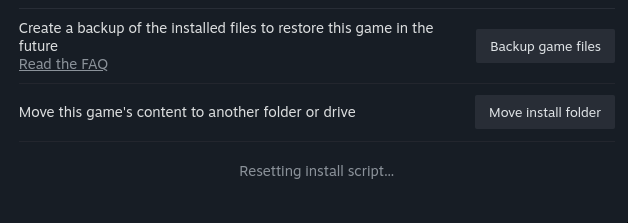

 clever verge
lucid ridge
then delete it on the Mac, since neither mods, nor launcher, nor voice communica...
clever verge
lucid ridge
then delete it on the Mac, since neither mods, nor launcher, nor voice communica...
if you dont like the poor gesture of supporting a platform that is being relevant again for casual gaming then kindly walk to the door please
lucid ridge
Do I understand correctly that this suits you? Fine. I do not like it. The question is, why is this channel needed then? So that people, using you as an example, would respond to me with a good-natured text that this is all normal and this is how IT companies should work? This makes it even more disappointing.
clever verge
you're not going to earn anything with that attitude
lucid ridge
I had a normal attitude all these 4 months. and 2 months when the update could not be released on the Mac. but now I consider it a circus, because I face the truth
clever verge
you're expecting too much from bi
lucid ridge
I'm waiting for my due
sterile pumice
lucid ridge
then delete it on the Mac, since neither mods, nor launcher, nor voice communica...
Mods don't work? I assumed they did. No reason I can think of why they wouldn't.
Given many people ask about how to run tfar etc
sterile pumice
lucid ridge
I sent a very informative bug report on this topic, with a description, logs and...
Did you send it here on DC, one the FT?
clever verge
sterile pumice
Mods don't work? I assumed they did. No reason I can think of why they wouldn't....
mods work, just not extensions which some significant mods contain
sterile pumice
I am aware, just suprised he mentioned mods not working.
And if he starts with tfar, acre and advanced ace features, it's simple answer with "ask Apple to allow it" 
clever verge
seems just that kind of person who think is entitled to expect the companies to do things the way he hopes should be done
people like that tend to put negative exaggerations
and are not well informed about the reasons why it is not possible
sterile pumice
We need want to setPlayable and setScale to work in multiplayer and we don't fuss about it much
clever verge
lets not fuel the topic further please and thanks
better not to feed people like that
sterile pumice
clever verge
and are not well informed about the reasons why it is not possible
We know why extensions don't work  Apple.
clever verge
sterile pumice
We know why extensions don't work <:PES_Happy:493353112493621258> Apple.
wasnt referring to you
fallen galleon
Am on Mac book and I can’t seem to add mod or find files or any thing to join a exile server I just dnt get this at all I may think I have wasted my money 😂
sterile pumice
given the amount of tutorials online, I would call ti skill issue
clever verge
fallen galleon
Am on Mac book and I can’t seem to add mod or find files or any thing to join a ...
you need to do the methods before the launcher existed.
and you are better off with windows than mac.
extensions only work on windows so you're unable to experience the most popular/essential mods unfortunately
fallen galleon
@clever verge thank you yeah thinking about going window soon
clever verge
fallen galleon
<@990316633094504468> thank you yeah thinking about going window soon
you could use linux as well but the experience won't be as smooth
 west flower
For some reason my game doesn’t run on Linux mint for me
Thru steam’s proton all the way back to 8.0
 strange mango
Bohemia Interactive Forums
Im working on a workshop manager for macOS. Currently, it will load your installed workshop mods and allow you to choose which mods you would like to launch Arma3 with, as well as save your selection for later. Configuring additional startup parameters like -nosplash, -skipIntro, etc. is planned ...
worthy plover
wow this guy is like 80 years old
 strange mango
GitHub
⚙️ Arma 3 Mod Manager CLI for Linux and MacOS based systems. - GitHub - viktorholk/arma3-mod-manager-cli: ⚙️ Arma 3 Mod Manager CLI for Linux and MacOS based systems.
this one looks quite neat too
 hasty sentinel
unix launcher keeps trying to read the wrong path
on arch, have the config file set but it keeps trying to read my other drive
 grim umbra
anyone familiar with getting Arma3 to recognize ACRE 2 in teamspeak and registering the mic/headphones correctly? Have an individual that can connect to the server and has all the mods just cant seem to get the teamspeak working correctly so that he can hear and speak
The following is the steps he has taken so far:
Troubleshooting tried:
Updated the Operating System.
Updated the Driver.
Installed a previous Kernel.
Creating VMs which ended up bugging out.
Tried to find the Acre2 directory to copy over its 2 .dlls that it would normally place themselves in TS3s Addons folder when the game launched automatically.
Tried to install the Windows version of TS3 which failed with an NSIS Error through WineHQ.
Tried rebooting.
 weak wind
Have you tried this? http://9lo.re/project/armaonlinux/
Hi, I'm ninelore!
Preamble A few months and improvements to Proton after its first release, i had the first known, good working Arma installation on Linux.
Since Proton 4.11 as good as all tweaks needed to run Arma became obsolete, and it became as easy as never before to play not only Arma and Steam Games, but also non-Steam games because of many Proton improvem...
Been working pretty well for me.
grim umbra
ya, he said it didnt work for him
 rare pebble
I didn't say it didn't work Sgt.
As a matter of fact, the game runs perfectly despite not having a Launcher on Linux.
rare pebble
weak wind
Have you tried this? http://9lo.re/project/armaonlinux/
Now wait just a damn minute, have I been stood corrected because of Arma 3s Linux development????? Its got a launcher 🤣
Yeah baby! HAHAAAA
Ok, lemme change the install real quick.
clever verge
what
 dull spruce
hasty sentinel
on arch, have the config file set but it keeps trying to read my other drive
dull spruce
hasty sentinel
on arch, have the config file set but it keeps trying to read my other drive
This may be a bit hackish, but as a (temporary) workaround maybe you can recreate the path on the other drive and point to the correct one from there with a symbolic link.
 wintry gale
Anyone know how to launch a Proton'd arma directly from the command line including options? I know about the steam rungameid approach, but all the flags (like -nosplash) I provide are ignored, both if I use steam steam://run/107410/nosplash/steam steam://run/107410/-nosplash (which some webpages suggest would work) or steam steam://run/107410/ -nosplash. The reason is that I want to autogenerate the modlist to use. The other recommendations (like muttley's launcher) don't work for me, since it won't compile on Debian testing
The base game (launcher and full game) work fine, so the install is ok
gritty sage
You could just run a batch script, from inside proton. If that makes it easier
Does that steam run command work on windows?
wintry gale
I can't currently test (windows machine is broken), but I think so. Whether that honors the flags, no clue
How does one get a file into the Proton environment?
sterile pumice
wintry gale
Anyone know how to launch a Proton'd arma directly from the command line _includ...
Doesn't the Amra launcher do something like that?
https://github.com/muttleyxd/arma3-unix-launcher
You might look at how that works

GitHub
Launcher for Linux and Mac ArmA 3. Contribute to muttleyxd/arma3-unix-launcher development by creating an account on GitHub.
wintry gale
Yes, but see above, it doesn't compile on Debian testing for some reason (I suspect Testing doesn't ship the correct old version of Qt5)
wintry gale
Also, why am I "steamuser" instead of my actual user? can that be fixed?
wintry gale
Ah, just make a new profile
clever verge
@wintry gale uh, you cant really specify launch options in steam urls, also have you tried steam://applaunch/<appid>? additionally, set up the launch arguments in the steam client then attempt to run it via the url
wintry gale
Haven't tried applaunch yet. The steam client approach would work but is very unwieldy since I have several different modpacks I want to switch between
wintry gale
Looks like applaunch does nothing at all (besides starting steam if it isn't already running)
It's not documented on https://developer.valvesoftware.com/wiki/Steam_browser_protocol either
clever verge
wintry gale
Looks like `applaunch` does nothing at all (besides starting steam if it isn't a...
ah sorry, windows only then
clever verge
wintry gale
It's not documented on https://developer.valvesoftware.com/wiki/Steam_browser_pr...
oh wait, you can use launch instead, my bad, that's the one that supports arguments
wintry gale
will try it after lunch. should I use steam://launch/107410/-nosplash or team://launch/107410/nosplash ?
tawdry trellis
steam://run/65780// -window -nosplash https://cdn.discordapp.com/attachments/737175675818999898/1284831602286788660/image.png 🤔

 wintry gale
ack, will report back in a jiffy
steam steam://launch/107410// -window -nosplash -noLauncher still just gives me the launcher (capitalization makes no diff)
Same for steam://launch/107410/-nolauncher/ and steam://launch/107410/nolauncher/
tawdry trellis
steam "steam://launch/107410// -window -nosplash -noLauncher"?
wintry gale
In summary, none of these skip the launcher:
~ $ steam steam://launch/107410// -window -nosplash -noLauncher
~ $ steam steam://launch/107410// -window -nosplash -nolauncher
~ $ steam steam://launch/107410/-nolauncher/
~ $ steam steam://launch/107410/nolauncher/
~ $ steam steam://launch/107410/nolauncher/
~ $ steam steam://launch/107410//nolauncher/
~ $ steam steam://launch/107410//-nolauncher/
~ $ steam steam://launch/107410//-noLauncher/
~ $ steam steam://launch/107410//noLauncher/
~ $ steam steam://launch/107410//noLauncher
~ $ steam steam://launch/107410//nolauncher
artemoz, same for the quoted variant
Guess I'll have to build Qt5 myself and link Muttley's tool against that.
And this is clearly not working for A3:
steam://run/<id>//<args>/
    Runs an application. It will be installed if necessary.
    The //<args> is optional, args are passed to the application as launch parameters.
``` (from https://developer.valvesoftware.com/wiki/Steam_browser_protocol)steam steam://run/107410//-nolauncher/ works!
so launch is not a complete standin for run
tawdry trellis
apparently -- is also a thing, so maybe steam -- "steam://run/107410// -window -nosplash -nolauncher" for multiple arguments 😓
wintry gale
However, I get an error about x\cba\addons\main\script_macros_common.hpp missing, despite not specifying a single mod?
tawdry trellis
fun stuff
wintry gale
(no mods activated in the launcher, either)
I think it may by default activate something from the workshop folder, steam "steam://run/107410//-nolauncher -Mod=ws/" launched fine
(I do own the Western Sahara CDLC)
wise canyon
It will auto launch any mods selected in game if there are no mods arguments
wintry gale
Even if they're not selected in the launcher?
While I see mods in the launcher, none of them are ticked
wise canyon
this is driven by the "expansions" dialog in game, it stores a list of mods to use on next launch if no mods arguments are set
its a feature since arma 1 iirc
wintry gale
ah, I see, so it remembers what I had loaded if there's no -mod param
wise canyon
What you selected in game yes
clever verge
@wintry gale it stores the last -mod= list in arma3.cfg, you want to override that by launching with just a empty -mod=
its what the launcher does when you tell it to play without any mods loaded
clever verge
wintry gale
so `launch` is not a complete standin for `run`
well, yeah valve always been a weird developer to work with
clever verge
wise canyon
It will auto launch any mods selected in game if there are no mods arguments
tbh, that's a useful feature when you do re-runs and especially for launcherless management, except when you want to switch modsets and expect to return to your config without -mod=
which, fun fact: this is the same logic as with -name=
if not specified it launches with the last selected profile when the game exited
(the game stores the modlist on the arma3.cfg when you successfully exit too, i believe)
does that make sense?
wintry gale
yep, thanks!
lime ore
anyone know how to remove the fps limiter on mac for arma?
 vale swallow
lime ore
anyone know how to remove the fps limiter on mac for arma?
vale swallow
lime ore
anyone know how to remove the fps limiter on mac for arma?
there's no fps limiter by default from my experience (macOS)
you sure you don't have vsync enabled?
lime ore
Any idea how to turn it off?
lime ore
vale swallow
there's no fps limiter by default from my experience (macOS)
I peak at 53-55fps but when running in parallels it runs at 80+
clever verge
vale swallow
you sure you don't have vsync enabled?
there's no way to disable quartz/windowserver vsync without like exclusive fullscreen afaik
clever verge
lime ore
I peak at 53-55fps but when running in parallels it runs at 80+
uh, nothing much you can do, just run it on windows instead, note that arma 3 is not an optimized game at all
lime ore
oh turns out the issue was disabling vsync in the arma settings
didnt know it was there
now running a solid 100 fps
clever verge
lol
 hollow sentinel
Been playign well on Mac, but wen i go to customs evers i get Error Session Connection lost. missing ***.pbo file. I cant manually add some of them because its one of 189 files on one sever. I know if had laucnh i could mange thi from there but Arma 3 for MacOS is only option now and launches straight into game.
clever verge
hollow sentinel
Been playign well on Mac, but wen i go to customs evers i get Error Session Conn...
either get a posix launcher or you'll have to pass -mod= containing the paths to your subscribed mods in steam cache
if you want to play properly, windows is recommended
 zealous bobcat
Hey, did anybody got Arma Reforger Running under MacOS With Apple Silicon ? How is the Performance, what translation layer did you use ?
worthy plover
this is an Arma 3-related channel, Reforger has no macOS support iirc.
zealous bobcat
worthy plover
this is an Arma 3-related channel, Reforger has no macOS support iirc.
sorry, ! I will ask in that channel, thanks
worthy plover
#reforger_questions might be the one you're looking for
gritty sage
The Mac port update for 2.18 is work-in-progress. As usual. No ETA yet.
astral nebula
Shouldn't they release both together or have the studio have a mac office?
Mac is now on another level when it comes to gaming, you shouldn't underestimate this community...
gritty sage
The Mac port is done by a different company that has experience in Mac development.
worthy plover
astral nebula
Mac is now on another level when it comes to gaming, you shouldn't underestimate...
on the other hand you should appreciate they actually managed to make this game run on Mac. Let it cook.
quasi salmon
As usual, without arma for several months 👍
wise canyon
it's not like it stops working, you just can't join 2.18 servers. perfect time to enjoy the campaign or learn mission making with sqf scripting
quasi salmon
wise canyon
it's not like it stops working, you just can't join 2.18 servers. perfect time t...
yes, but most of the servers have already been updated (the one I play on too), and all the campaigns have been completed, I can do a missions anyway
I hope this update has at least fixed the bug with the microphone on the mac
 noble kelp
worthy plover
on the other hand you should appreciate they actually managed to make this game ...
noble kelp
worthy plover
on the other hand you should appreciate they actually managed to make this game ...
true, but it’s also important to acknowledge that we pay the same price as Windows users, so it’s not entirely fair that we’re lagging behind.
worthy plover
doesnt it say upon buying this version that it's experimental?
genuine question, never used Apple shop
or however it's distributed.
 frail obsidian
on steam: "The macOS port of Arma 3 is considered experimental and has various limitations. Please review them before making a purchase for this platform."
noble kelp
worthy plover
genuine question, never used Apple shop
You have to dig quite a bit into the official website to find information where they warn you about certain things, like not having a launcher and similar stuff. But when it comes to having to wait two or three weeks to be able to play on most servers again, they don’t warn you about that. This is the third time it’s happened to me.
frail obsidian
on the page: "Restricted update cycle - the port has been updated to version 2.16, and we strive to keep it up-to-date, but we cannot make any guarantees."
first limitation actually
noble kelp
Last time somebody sent me a code for a private beta, two weeks after the 2.16 update.
“We've opened a RC-Branch for Mac 2.16. Its Steam beta access code is …”
frail obsidian
Yeah that is them "striving" to keep it up to date
noble kelp
frail obsidian
Yeah that is them "striving" to keep it up to date
yep, hope this time they strive a little quicker.
frail obsidian
it depends on when the people they outsource it to are finished
they would probably like to keep it in sync too
noble kelp
frail obsidian
it depends on when the people they outsource it to are finished
I’m sure they do!
astral nebula
Yes, I know, but it is very cruel to see that there is so much demand for Mac and Arma and still be kept waiting for months for the new version.
I don't understand, do you want me to sell my computer and buy Windows because it is experimental? 😄
I am grateful to Arma and the developers, but Mac users have increased a lot lately. I don't want this to be ignored either. I wish you good work.
noble kelp
I simply think that, since it’s a recurring problem, they should try to figure out a way to get ahead of it for future updates.
clever verge
quasi salmon
yes, but most of the servers have already been updated (the one I play on too), ...
sure, complain your favorite servers admins to host a separate server on the legacy branch for people like you
clever verge
astral nebula
Yes, I know, but it is very cruel to see that there is so much demand for Mac an...
sorry, that's how software development is, bohemia interactive wants to sunset arma 3 and not largely invest on the game with features which incur a high cost. arma 3 is only kept alive because of the community.
and be glad that bohemia outsourced the porting process of a mac version which means they acknowledge the popularity of the platform
clever verge
astral nebula
I am grateful to Arma and the developers, but Mac users have increased a lot lat...
yall mac users could you know... be a bit smarter and play with each other instead of on your favorite servers and make your own mac only communities that are behind a version because the porting takes too long to come out.
the dedicated server is actually included with the build, i believe. i havent checked however.
but basically it should be possible to host either from mac or from linux or from windows with the legacy branch. bohemia interactive acknowledges the delays and provides avenues to connect the players on different platforms
im sorry for being a bit rude but this is a respectable counter-response in the tone of your complaints
who you think is being more disgraceful here?
gritty sage
noble kelp
I simply think that, since it’s a recurring problem, they should try to figure o...
We do. We started the porting process as early as was possible. Several weeks ago.
noble kelp
clever verge
yall mac users could you know... be a bit smarter and play with each other inste...
Racial segregation—sorry, I meant computer segregation… mmm never thought about that. 😂
Again, we all pay the same price. I believe is fair we expect same services.
Anyways, it’s fine. I’m glad I can play arma in my mac tbh.
clever verge
noble kelp
Racial segregation—sorry, I meant computer segregation… mmm never thought about ...
sure, you have to understand that they're doing what they can for the sake of the userbase popularity, unfortunately extensions and battleye are windows and intel only respectively, it's up for the outsourced company to do things and it's not anyone's problem that they're deciding to be slow and have different priorities
lucid ridge
The main thing is that they fix the game crash due to the microphone
clever verge
ok? i mean, hopefully they're going to get to that but also it is what it is ¯_(ツ)_/¯
wise canyon
lucid ridge
The main thing is that they fix the game crash due to the microphone
is there a feedback ticket for it? that would be ideal for getting it fixed
 noble kelp
clever verge
sure, you have to understand that they're doing what they can for the sake of th...
noble kelp
clever verge
sure, you have to understand that they're doing what they can for the sake of th...
Nothing to say about that, totally agree. It just sucks to be disconnected for weeks. :’(
clever verge
noble kelp
Nothing to say about that, totally agree. It just sucks to be disconnected for w...
unfortunately you'll either have to find other users like you who have the same version or get a pc and play the best version as bi originally intended
clever verge
wise canyon
um, does the outsourced company look at macos tickets that are in there?
noble kelp
clever verge
unfortunately you'll either have to find other users like you who have the same ...
i think i'll just wait for the update.
noble kelp
waiting is not productive though, i guess i can share my opinion as a customer
plucky nacelle
Game was updated today even though patch notes mention windows only and the bottom right indicator continues to read 2.16
Menu is broken and game crashes
gritty sage
There was no update for mac https://steamdb.info/depot/249508/history/ last update 6 months ago
plucky nacelle
I read that too but I don't understand why in steam arma properties it says that it updated yesterday
Here: https://ibb.co/MhdkyjK
 plucky nacelle
anyway the menu thing and crashes were due to mod conflicts
hollow sentinel
Well since this update i im a wrogn version. I had loads of emptyish severs. When i went to recents all severs there were running differenr version. MacOSX Sequoia..
 wind compass
Getting an ETA for the port's update would be great when one is available. Thanks!
worthy plover
there is no eta, it will be released when it's done. No problem!
hollow sentinel
Just broke it all MacOs users for a week..
worthy plover
don't worry stable 2.18 is still broken for Windows users too
quasi salmon
hollow sentinel
Just broke it all MacOs users for a week..
Not for one week, unfortunately...
clever verge
noble kelp
waiting is not productive though, i guess i can share my opinion as a customer
smearing opinions isn't productive either
clever verge
hollow sentinel
Just broke it all MacOs users for a week..
play together in the legacy version lol
noble kelp
Smearing? Whats definitely unproductive is replying to you.
clever verge
chill
solid patrol
considering that you cant run the voice mods that most communities run, just play vanilla/campaign and wait for the update
noble kelp
clever verge
chill
🙏
clever verge
solid patrol
considering that you cant run the voice mods that most communities run, just pla...
or switch to asahi linux or windows or dont use extensions
proton is good these days
solid patrol
clever verge
or switch to asahi linux or windows or dont use extensions
thought those voice mods needed the extensions to function, either way im getting a windows eventually
clever verge
solid patrol
thought those voice mods needed the extensions to function, either way im gettin...
they do, the extension does the game proximity 3d space mapping and communication with the teamspeak3 addon
solid patrol
ah, thats what i meant by playing vanilla basically
clever verge
oh
yeah well, radio ts3 mods use extensions
sound/voice mods are a different story
solid patrol
yea i meant the ts3 sorry
those are the main mods communities/units use that mac users can't
clever verge
solid patrol
those are the main mods communities/units use that mac users can't
unfortunate yeah, and because of that, at least there could be a proximity chat mod within VON. and have mac only communities
solid patrol
yea been searching for those communities, thanks for the help
wooden zinc
We know that breaking multiplayer compatibility for Mac users is no fun. Arma 3 was developed and released as Windows application originally. Doing the Mac client ports is still considered experimental. We do really like seeing players on Mac being able to play Arma 3, and we try to make the port process go as swiftly as reasonable. The update to 2.18 is in progress with our external partners. Please still bear in mind the limitations as noted on https://dev.arma3.com/ports 🙇♂️
Arma 3 | Official Website
Experience true combat gameplay in a massive military sandbox. Authentic, diverse, open - Arma 3 sends you to war.
 slow tiger
When I create a custom Scenario/mission and save it in MPMissions file, I can't seem to find it in finder. Is it saved at a different location on Mac?
/Users/User/Library/Application Support/Steam/steamapps/common/Arma 3
This is where I'm looking
frail obsidian
slow tiger
/Users/User/Library/Application Support/Steam/steamapps/common/Arma 3
its in your arma 3 profile folder
User/Library/Application Support/com.vpltd.Arma3/GameDocuments/Arma 3/
slow tiger
frail obsidian
its in your arma 3 profile folder
User/Library/Application Support/com.vpltd.Arm...
Thank you!
clever verge
wooden zinc
We know that breaking multiplayer compatibility for Mac users is no fun. Arma 3 ...
at this rate it's much better to have users use asahi linux and use proton, unless a wine-like system can be put in to handle existing extensions or just finish the impl for mac extensions
because of how overly poor is the experience for them, mods requiring extensions and the version divided fragmentation during updates
hollow sentinel
I thougt asashi can break your Mac... I play really well on Mac Arma 3 over summer until this recentl update..
clever verge
hollow sentinel
I thougt asashi can break your Mac... I play really well on Mac Arma 3 over summ...
it really depends on how you handle it, backup is advised yes
 hazy lichen
 jolly vale
Not sure if theres a way to fix this but, (for me) on Mac, when I place certain modded vehicles in the editor my game instantly crashes. Like 70% of modded vehicles work fine but some just insantly crash the game once I place it. Heres some of the vehicles that instantly crash my game:
-RHSUSAF F-22(Everything else in the RHS mods works)
-Hatchet H-60 pack
-Unsung(any vehicle crashes the game)
-USAF AC-130
-USAF: HH-60G Pavehawk
hazy lichen
jolly vale
Not sure if theres a way to fix this but, (for me) on Mac, when I place certain ...
I think this crashed for me when doing a vanilla escape altis, not sure if it's mod related 😅
clever verge
hazy lichen
I think this crashed for me when doing a vanilla escape altis, not sure if it's ...
try without mods
clever verge
jolly vale
Not sure if theres a way to fix this but, (for me) on Mac, when I place certain ...
i think my best suggestion is go asahi linux and play there
hazy lichen
clever verge
i think my best suggestion is go asahi linux and play there
not sure I'm going to be installing linux on my macbook 😉
clever verge
hazy lichen
not sure I'm going to be installing linux on my macbook 😉
i mean, it gives you a broader access to games via proton
noble kelp
How’s the 2,18 for mac going?
worthy plover
noble kelp
How’s the 2,18 for mac going?
it is going on
gritty sage
People are currently working on it. That's all we have
 mossy surge
I'm not sure where to start
Server: Ubuntu 22.04.5 LTS x86_64, stable Linux version
Client: Arch, Proton Experimental
Proton BattlEye Runtime installed thru Steam
Using Arma 3 Unix Launcher
Receiving this on connection:
Files Z:\home\$USER\.local\share\Steam\steamapps\workshop\content\107410\2073243184\addons\functions_f_stringtable.pbo are not signed by a key accepted by this server. To play on this server, remove listed files or install additional accepted keys.
Both server and client keys are in their respective directories and are identical:
3den_stringtable_viewer.bikey
Tried lowercasing clientside just to make sure, no effect
Is there something obvious I should've done and missed?..
gritty sage
Maybe the bisign is just wrong?
Both server and client keys
What are client keys? and what is their directory?
There are no bikey's on clients
mossy surge
I'll try redownloading the client mod, seems to be purely bikey issue
As server mod gets downloaded fresh by steamcmd
gritty sage
If it were a bikey issue, then it would be a server side issue. Because there are no bikey on client..
clients only have bisign, not key
mossy surge
I see but the bikey on server is present
/home/$USER/games/arma3/mods/2073243184/keys/3den_stringtable_viewer.bikey
And the mod gets loaded in logs
gritty sage
bikey should be in servers keys directory
not in the modfolder
So I assume
/home/$USER/games/arma3/keys/3den_stringtable_viewer.bikey
there
mossy surge
Yeah, its a source dir, it get copied to root keys
└[~/games/arma3/keys]> ls
3den_stringtable_viewer.bikey
Could it be somehow related to Proton?
wise canyon
are there more than one bisign file per pbo in your mod addons folder?
sometimes steam fails to cleanup old ones
mossy surge
You mean in /home/$USER/games/arma3/mods/2073243184/addons? There are no bisigns
wise canyon
you should fix that 🙂
mossy surge
Lmao 😁
For some reason this mod doesn't have a bisign, I see
Sorry for bothering and thanks for helping figuring it out
vapid comet
CUP seems to be unplayable since the Mac release last year. Can this issue be fixed?
 glad ridge
Could a borderless full screen mode be implemented on the Mac port?
And maybe higher resolution? It’s locked to 1440x900, it’s a Retina display so it’s 2560x1600 IRL.
Anyways thank you 🙏 once again for porting this to Mac, already got 300 hours lmao
quasi salmon
do I understand correctly that a new CDLC will be released soon, which will be ported to the mac for another 1-2 months and as a result we continue not to play on arma servers until at least the new year?
gritty sage
CDLCs are not ported to mac, they are only data.
You can also download their compatibility data from workshop, and just load them on mac