#perf_prof_branch
1 messages · Page 20 of 1
 whole cloud
I haven't
 shrewd fern
thank u
 gritty wasp
0:50:08 Server: Network message f248887 is pending T_303
0:50:08 Server: Network message f248887 is pending T_333
Are such messages related to minBandwidth being 16KB/s?
whole cloud
Can be, if you have alot
They are pending due to either connection drop/loss, or bandwidth limit, or CPU limit on the sending thread
gritty wasp
last log just 10 of them. So not a lot.
whole cloud
probably a connection drop
Although, they need to be pending for atleast 5 seconds
a 5 second drop is a bit long, but plausible
 heavy galleon
Iirc Dedmen said 255 player is the engine limit 
whole cloud
Unless we change it :harold:
Wonder how the latest stuff helps these huge servers.
With 2.20 you can move 100% of the AI load off of the server and onto a HC.
Improvements in netcode, more multithreading.. That could do a bit for high playercount servers
 fallow mason
i had problems in the past with this network pending messages, with the server droping from 50 fps to 0 when pending messages started to pile up ( most of the players had +100 ping
this change will be huge ❤️
heavy galleon
whole cloud
Unless we change it :harold:
I would love to see 400 player mission.
(Answer to "what I need unlimited params" for extensions) 
 heavy vortex
I wouldn't be surprised if most server AI load was just AIs checking terrain off the edge of the map :P
 empty goblet
heavy galleon
I would love to see 400 player mission.
(Answer to "what I need unlimited params...
empty goblet
heavy galleon
I would love to see 400 player mission.
(Answer to "what I need unlimited params...
flawless 255 players would be achievement by itself
heavy galleon
empty goblet
flawless 255 players would be achievement by itself
And achievable!
We already played 220. Small step from here
empty goblet
heavy galleon
And achievable!
We already played 220. Small step from here
ok, but i meant it with lot of active AI too 😁
heavy galleon
 AI I am not concerned about.
TvT only, that's where the suffering fun is
empty goblet
heavy galleon
<:rtzW:622806797983416320> AI I am not concerned about.
TvT only, that's where t...
ok, your task is now only to fill server and prove you ran out of free slots while it perfectly playable and then keep nagging the code guru to breach the frontier limit 😁
heavy galleon
 get me BI promotion
 jagged swan
let him cook
 fickle geyser
 pretty sure I got the default values from somewhere in here
Gib proper values and I can update
heavy galleon
fickle geyser
Gib proper values and I can update
you're green now, use the internal documentation (aka msg dedmen on slack  )
)
fickle geyser
no
whole cloud
fickle geyser
Gib proper values and I can update
sockets, and the main ones


 charred pagoda
whole cloud
sockets, and the main ones
charred pagoda
whole cloud
sockets, and the main ones
Is DSMinBandwidth valid parameter? 
charred pagoda
I just figured out the formula for the correct minBandwidth value, and now I have to figure out what the best value would be for sockets.minBandwidth Moreover, I listened to your advice and changed sockets.maxDropouts from the default to 0.3 and now if there is any more formula for it, I will go crazy
 wise sparrow
the numbers Mason, what do they mean?!
whole cloud
I'll make the bandwidth numbers easier to enter in next update.
minBandwidth = "100mbit/s" and done.
fickle geyser
whole cloud
sockets, and the main ones
so MinBandwidth = 8000000; ?
I think I've changed it to correct values now.
fickle geyser
whole cloud
I'll make the bandwidth numbers easier to enter in next update.
minBandwidth = "...
yes please, sockets being in Bytes and general params being in Bits is bit weird
 knotty plinth
Which are now the correct values so i can update my dedi server too today.. a bit irritating now, you can find many different values in the web now but which is the correct now? 😅
heavy galleon
Network people when they were coming up with standards:
 whole cloud
knotty plinth
Which are now the correct values so i can update my dedi server too today.. a bi...
whole cloud
knotty plinth
Which are now the correct values so i can update my dedi server too today.. a bi...
The correct ones are set the main minBandwidth and leave everything else at default unless you're having issues
charred pagoda
whole cloud
I'll make the bandwidth numbers easier to enter in next update.
minBandwidth = "...
Constants as you showed us previously look better, tbh. Don't know is it possible to do it
MinBandwidth = 100_MiB
whole cloud
not possible
Well.. I guess it would convert it to a string and then its again just a string? ugh.
You could probably write
MinBandwidth = 100 mbit/s
and hope that the config parser implicitly converts it to a string, but you shouldn't do that 😠
heavy galleon
Entire line is string
Find =, split, [1] trim, profit
heavy galleon
whole cloud
The correct ones are set the main minBandwidth and leave everything else at defa...
So for a server with gig up, ~150 players, zou would go with what?
And the entire basic.cfg would be literally just that, nothing else, correct?
whole cloud
Don't ask me for networking recommendations :U
Your situation depends on you
If you already have a config that works fine, keep it 
charred pagoda
whole cloud
sockets, and the main ones
@fickle geyser I think, there is another default parameter too sockets.MaxDropouts = 0.15
#perf_prof_branch message
whole cloud
charred pagoda
<@257209588607090688> I think, there is another default parameter too `sockets....
No.
charred pagoda
whole cloud
No.
Why?
 whole cloud
Yes. No.
charred pagoda
whole cloud
Yes. No.
whole cloud
That is already a month old.
The latest data shows that pending message spam is most likely not related to dropout, in the severe cases that matter.
charred pagoda
So, it is default parameter, but you say that it shouldn't be changed from default value
whole cloud
I say it shouldn't be documented and no-one should be touching parameters they don't understand
There are many more parameters in that class that aren't documented, and shouldn't be
fickle geyser
I'm starting to feel like I should just remove everything in that gist and link:
https://community.bistudio.com/wiki/Arma_3:_Dedicated_Server#Bandwidth_Optimisation

charred pagoda
fickle geyser
I'm starting to feel like I should just remove everything in that gist and link:...
This is most useful article 

 rain moth
whole cloud
I say it shouldn't be documented and no-one should be touching parameters they d...
rain moth
whole cloud
I say it shouldn't be documented and no-one should be touching parameters they d...
But but I must specify cpus, threads, ht and max memory, that’s what all the guides tell me!
whole cloud
minBandwidth = "500fbps/s"
for all your femtobit needs
 latent hatch
thanks for the bandwith talk, forgot to increase it last time 
jagged swan
fickle geyser
I'm starting to feel like I should just remove everything in that gist and link:...
and when when forum links will start working
 woven loom
whole cloud
minBandwidth = "500fbps/s"
for all your femtobit needs
woven loom
whole cloud
minBandwidth = "500fbps/s"
for all your femtobit needs
Femto bits per second / second is just femto bits 😛
empty goblet
whole cloud
I'll make the bandwidth numbers easier to enter in next update.
minBandwidth = "...
but then it will broke for everyone who uses bits 🤣 unless the mbit option is new one
empty goblet
fickle geyser
I'm starting to feel like I should just remove everything in that gist and link:...
because it's supposed to link to https://community.bistudio.com/wiki/Arma_3:_Basic_Server_Config_File
whole cloud
empty goblet
but then it will broke for everyone who uses bits 🤣 unless the mbit option is n...
Yes sure, We Arma folks are known to never take backwards compat into account.
 patent sky
Last chance for any HTTP mission download header suggestions 😄
useful for doing basic checks/auth on people trying to download the file when using an api (for example checking steamid x is actually connected before serving your mission file)
Currently we have
- mission hash
- mission name
- expected size (in bytes)
- player steam id
- player name
- server ip:port
whole cloud
(mission hash being crc32)
 empty plover
umm required mods list? sorry not exactly sure what your doing here
patent sky
empty plover
umm required mods list? sorry not exactly sure what your doing here
#perf_prof_branch message
adding information headers to the request that the client sends to the web server/api
empty plover
I get that, so its what server gives to client in mission download?
patent sky
no, client > web server (not Arma 3 server)
empty plover
ah ok, nvm then 🙂
whole cloud
MinBandwidth= "10gbit/s";
MaxCustomFileSize = "1280 KiB";

class sockets {
maxPacketSize = 1300;
initBandwidth = "5Mibit/s";
minBandwidth = "250Kibit/s";
};
rain moth
patent sky
Last chance for any HTTP mission download header suggestions 😄
useful for doing...
server port, if multiple servers on same ip
patent sky
rain moth
server port, if multiple servers on same ip
edited, was already putting ip:port in the header
rain moth
I don’t know if server password is good or bad 🤔
It’s nice for auth but not good for non encrypted calls
whole cloud
We might later on add a scripted way to add more headers.
Via server.cfg script eventhandler.
Then you could add whatever you want, but that will not be ready for 2.20, probably in 2.20 profiling branch later.
whole cloud
whole cloud
```c++
MinBandwidth= "10gbit/s";
MaxCustomFileSize = "1280 KiB";
class sockets ...
The max value for MinBandwidth used to be 2.1gbit/s, higher values beyond that would overflow and give your server negative bandwidth.
I've also fixed that up to 34.3gbit/s because we now don't support negative bandwidth anymore (who thought that was a good idea??) and we don't store bits and convert it into bytes in every place we use that number and instead just store bytes so we can use it directly..
patent sky
whole cloud
The max value for MinBandwidth used to be 2.1gbit/s, higher values beyond that w...
So what about my 50gbit/s server? 😄
 fast hornet
technically ethernet goes up to 800gbit per link right now.. 1.6Tbit is coming mid 2026. 😄
but i doubt arma can utilize anything above a few hundred mbit anyway.. so whatever 😄
whole cloud
And it is also time to lift the veil of "MaxBandwidth"
The reason why I tell everyone not to use it, is because MaxBandwidth is per player. Whereas MinBandwidth is the global bandwidth for the server.
That is not documented and is confusing as heck.
And looking at the code now, even MinBandwidth also works in unexpected ways.
And
Old code for bandwidth
throughput = GetActualKnownAvailableBandwidthOfPlayer(player);
bandwidth = 100B/s + 1.25 * throughput;

maxBandwidthPerPlayer = sockets.maxBandwidth;
minBandwidthPerPlayer = minBandwidth/numberOfPlayers;

// Every player's bandwidth is forced to be higher than minBandwidth/numberOfPlayers, and lower than maxBandwidth
clamp(bandwidth, minBandwidthPerPlayer, maxBandwidth);
// And it can also not be higher than sockets maxBandwidth
clamp(bandwidth, 0, maxBandwidthPerPlayer);
return bandwidth
maxBandwidth essentially does... nothing.
Because it is clamped to socket maxBandwidth anyway.
And minBandwidth, is stupid.
What this ultimately does, with how most servers have configured their minBandwidth, is that it pushes up every players bandwidth, to socket.maxBandwidth.
If we fill the numbers in for a 1000mbit/s server. You'll have this:
clamp(bandwidth, (1000mbit/s)/numberOfPlayers, 1000mbit/s);
clamp(bandwidth, 0, 16.7mbit/s);
return bandwidth
Now lets be a player on that server, and have that server have 50 players on it
bandwidth = 8mbit/s; // I'm a player on a bad-ish connection
clamp(bandwidth, 20mbit/s, 1000mbit/s); // Uh oh, the player has only 8mbit, but we force it up to 20
clamp(bandwidth, 0, 16.7mbit/s); // Ah we force it back down to 16.7, but thats still too much!
Now we have a player with 8mbit/s available, but we shovel 16.7mbit/s of data at it.
This is the code that layer1 uses to estimate how much data it can pass to layer2.
Anything that is beyond the 8mbit/s that the player actually has, will be messages going into backlog and being pending...
fast hornet
with TCP there would be window size and sliding window for that.. with UDP.. yeah, you're on your own.
whole cloud
fast hornet
with TCP there would be window size and sliding window for that.. with UDP.. yea...
We have a sliding window in our layer2 networking.
The first actual bandwidth that we get, is from that. It is tested, known good available bandwidth based on packet loss (and pingtimes)
fast hornet
but doesn't l2 pass that value to l1? That would mitigate sending so much that it causes drops
whole cloud
Yes l1 knows the value, but it pushes it up to minBandwidth, that's the issue
layer2 does actual network sending, it obeys the actual real bandwidth, and will not send too much data. It will just backlog it in its queues
fast hornet
ah ok.. so "just" disabling the push up to minBandwidth and actually using the known value might reduce buffer usage and drops
whole cloud
yes. So setting minBandwidth = 0 on your server, might actually be better.
There is already the 125% multiplyer, it always sends a bit more data than the player has bandwidth for, to keep a little bit in the queues, but not too much to overwhelm it.
fast hornet
but tbf. the handling of buffer sizes, different queues and throughput (aka QoS) is not that easy in many cases.. and few people really understand it to it's core
whole cloud
Really we should get rid of minBandwidth.
It seems its only purpose is to force trying to send more data, than the client can actually take.
It (and maxBandwidth too!) does not limit how much data your server can send out.
The real place that limits how much upload your server can have, is
sockets.maxBandwidth*numberOfPlayers
and
maxBandwidth*numberOfPlayers
(because both of these do the exact same thing..)
There is also minBandwidth/maxBandwidth in Arma3.cfg on clientside for how much it can upload to the server. That works more simply.
throughput = GetActualKnownAvailableBandwidth();
bandwidth = 1024B/s + 1.25 * throughput;
clamp(bandwidth, minBandwidth, maxBandwidth);
That means a client always has between 1-8mbit/s upload rate to server
fast hornet
which should be plenty for almost all situations anyway
whole cloud
So I think I will do this (profiling branch only for now)
Ignore minBandwidth. That leads to us not pushing more data to clients than they can actually take.
Fix maxBandwidth. Making it be server-wise maximum available upload bandwidth, which will turn into maxPerPlayer=maxBandwidth/numPlayers.
Its not a backwards compat concern, because minBandwidth hasn't been doing what people thought (telling server how much it can use).
maxBandwidth is either not used (which means its set to 34gbit/s), and if someone used it, they set it to the bandwidth their server has, so it would be the correct value.
And generally servers have so much bandwidth that Arma will not reach the max anyways.
Turn the code into this
throughput = GetActualKnownAvailableBandwidthOfPlayer(player);
bandwidth = 8KB/s + 1.25 * throughput;

maxBandwidthPerPlayer = maxBandwidth/numberOfPlayers;

// A player's bandwidth cannot be higher than maxBandwidth/numPlayers
clamp(bandwidth, 0, maxBandwidthPerPlayer);
return bandwidth
Essentially the new minBandwidth, will be hardcoded 8KB/s per player, assuming that in reality no-one will drop below that (If you do you're in a really bad place and soon being disconnected anyway)
fast hornet
just launched a server with maxBandwidth commented out and minBandwidth set to 0.. just for shits and giggles. Not that much to observe since i'm the only client (plus 118 AI), but still.. looks pretty normal.
 whole cloud
Maybe its also time to switch to a different (more proper industry standard) bandwidth estimation algorithm instead of what we use.
What we use is essentially every 1 second, we check latency and packet loss.
If latency suddenly got worse, compared to average (don't know what the time range for that average is).
Or if packet loss is high, we get into a negative "growth" state.
And growth state, is just a multiplier applied to bandwidth.
For example if there is a sudden latency spike, we fall into growth state -2, which is the worst.
Every second we multiply the available bandwidth by 0.9. So over time, bandwidth estimation goes down.
But if there is a sudden drop in speed, it goes down relatively slowly.
And if the speed comes back, it goes up slowly too (same 10% per second)
I use BBR on all my servers for their TCP
https://wiki.geant.org/pages/releaseview.action?pageId=121340614
But implementing it into Arma would probably be quite some effort
whole cloud
fast hornet
just launched a server with maxBandwidth commented out and minBandwidth set to 0...
You should easily be able to test the max limit.
Run on server
[] spawn {
 arr = [];
 arr resize 30000;
 arr = arr apply {"aaaaaaaaaaaaaabbbbbbbbbccccccccccccc"};
 while {true} do {
  publicVariable "arr";
  sleep 0.1;
 }
}
That'll spam the client as much as it can
whole cloud
You have modified sockets.maxBandwidth then?
fast hornet
jup.. one sec, need to edit some stuff out
fast hornet
MinBandwidth                        = 0;
// MaxBandwidth                        = 1288490188;
MaxMsgSend                            = 128;
MaxSizeGuaranteed                    = 1024;
MaxSizeNonguaranteed                = 768;
MinErrorToSend                        = 0.001;
MinErrorToSendNear                    = 0.01;
MaxCustomFileSize                    = 0;


// Per Client Settings
// MinBandwidth and MaxBandwidth client parameters are in byte/s. Value * 8 / 1000 to get kbit/s
class sockets
{
    maxPacketSize                    = 1420;
    maxDropouts                        = 0.30;
    initBandwidth                    = 160000;
    MinBandwidth                    = 12000;
    MaxBandwidth                    = 6400000;
};
That's the basic.cfg for the current testrun
6400000, so pretty close
whole cloud
Great! So atleast that part is working well 🤣
btw what I've been calling layer1/layer2.
According to ISO/OSI
layer2 is Transport and Session layer (segmentation acknowledgement, bandwidth estimation, sessions)
layer1 is Presentation layer (data encoding, compression, encryption)
I don't even know why we do pseudo bandwidth management in layer1.
I assume it might be so we can replace not-yet-sent messages.
Like if a object changes position it creates a message. If it changes position again later, and the previous message wasn't sent yet, we can just replace it with a new one.
But I'm not sure if we're actually doing that, it might just be hidden so I can't find it.
fast hornet
interesting.. i was aware it's something weird.. but not that it's like that 😄
in normal ISO/OSI transport would be layer 4, session layer 5 and presentation layer 6
but i rarely give a fuck about anything above layer 3-4.. that's OS and applications.. eww
whole cloud
Also regarding pending messages.
MaxMsgSend, is the maximum number of messages to send to a player in one frame. AND also the maximum number of messages that can be in the transport layer's sendqueue (pending messages)
high MaxMsgSend == More messages sent per frame (is required to be able to reach higher bandwidth's) AND more messages in pending queue (if bandwidth is too low, and minBandwidth pushes it too high, pending queue will have about MaxMsgSend in it)
knotty plinth
Im following this discussion and tests atm, got also a server running with the profiling branch activated on it
Server im renting is the highest at hosthavoc
Should i wait before changing anything to what Duglum has wrote or can i do also some changes? Currently im a bit confused about it 😅
whole cloud
Is your server missbehaving? do you need any changes?
knotty plinth
Btw since using profiling on the server Arma3 runs and works like a completly new game, its great and AI works also damn good
Yeah we had 2 days before weird lag with AI like 2 - 5 seconds everything was freezed in movements.. wasnt before
But these lags happened randomly several times
whole cloud
don't think you need to change anything
knotty plinth
So nothing like this what Duglum has wrote ``````
MinBandwidth = 0;
// MaxBandwidth = 1288490188;
MaxMsgSend = 128;
MaxSizeGuaranteed = 1024;
MaxSizeNonguaranteed = 768;
MinErrorToSend = 0.001;
MinErrorToSendNear = 0.01;
MaxCustomFileSize = 0;
// Per Client Settings
// MinBandwidth and MaxBandwidth client parameters are in byte/s. Value * 8 / 1000 to get kbit/s
class sockets
{
maxPacketSize = 1420;
maxDropouts = 0.30;
initBandwidth = 160000;
MinBandwidth = 12000;
MaxBandwidth = 6400000;
};
That's the basic.cfg for the current testrun```
And also nothing you got wrote cause of updated profiling?
Its just that we got it working all together and talk about the same and no nonsense "bug" reports get done
whole cloud
Well you can use Duglum's config, but all he has shown is that it changes nothing
knotty plinth
Ah okey, no ill keep it like it is like you have said
Would be good to get info if you change something important we got to modify then 👍
whole cloud
After all is done and fixed and I understand it, I'll make some guide on how to set things correctly
knotty plinth
Great 👍 thanks a lot Dedmen
Since multicorethreads is supported the game works pretty nice also no AI lags anymore in their acting, everything attacks and moves correctly in a pretty fast time even autonom stuff like Defense turrets i did.. with the normal branch the game starts like priorising the AI in their handlings and they start to not shoot after a time when a lot goes on on the battlefield.. thats a big fix in my opinion you did with the profiling, makes a lot more fun again
Its years ago i was playing on a LAN party, were OFP times around 2004 / 2005 
Nice and hope you got a lot of fun 💪
whole cloud
Did you know, that the  /
/  indicator, is actually two indicators in the same place?
Its a latency indicator (yellow if ping higher than 500ms. Or if it hasn't received messages for 5 seconds. Red if no messages for 10 seconds)
And a desync indicator (yellow if desync more than 2000, red above 20000)
You can even set different textures for all 4 icons in class RscPendingInvitation
 spiral pond
back in OFP days this was still quite obvious, as both poor ping and loosing connection was way more frequent, as well as server acting up to cause super weird desync situations
in regards to backwards compatibility with MinBandwidth and MaxBandwidth (potentially others) - what about making those namings obsolete, to disable poor setup people have copy-pasted (and use the new defaults) as well as to give better naming (ie client/server tag if relevant)
whole cloud
No need to make the names obsolete, because if you keep using it like you did, they would just have no effect (like they do now, well besides the negative effect)
knotty plinth
Im missing to custom edit the "%1 was killed" or "%1 killed by %2" in the userprofile stringtable 🤣.. OFP times were great.. or is it still possible in A3?
empty goblet
whole cloud
```c++
MinBandwidth= "10gbit/s";
MaxCustomFileSize = "1280 KiB";
class sockets ...
i did realize while looking on that that i so wished so long ago that the maxcustomfile size was separately for sounds and faces ... but everyone already forgot about that being issue
empty goblet
whole cloud
The max value for MinBandwidth used to be 2.1gbit/s, higher values beyond that w...
i do wonder, was negative bandwidth better than 2.1 gbit max ? 🤣 {negative value timewarped messages  }
}
whole cloud
empty goblet
i did realize while looking on that that i so wished so long ago that the maxcus...
It already is.
face size is 100KiB, sound is 50KiB.
They are hardcoded
Makes me question why maxCustomFileSize even exists. When hardcoded values are already lower than its default.
I guess face/sound don't apply to squad logo?
empty goblet
whole cloud
It already is.
face size is 100KiB, sound is 50KiB.
They are hardcoded
Makes me...
ofc i meant customizable also you can't disable one while allowing the other
 autumn timber
yellow if desync more than 2000, red above 20000
Sorry for the stupid question, but in what units are these values? What does "desync 2000" actually mean?
whole cloud
autumn timber
> yellow if desync more than 2000, red above 20000
Sorry for the stupid question...
No idea
empty goblet
whole cloud
Also regarding pending messages.
MaxMsgSend, is the maximum number of messages ...
ye MMS was always about ballancing it by not increasing it too much and avoiding it being too low (and one must took into account if the server was in full load and overloaded and with issues)
autumn timber
whole cloud
No idea
Alright! Now I feel less stupid for asking 😆
empty goblet
whole cloud
Did you know, that the <:yellowchain:717750713463341097> / <:redchain:7177507298...
i always wondered why the other indicator wasn't just mirrored and overlaid but i guess someone disliked the X
whole cloud
I think the guide in the end will be something like
Set MaxSize* close to MTU
Set MinBandwidth to 0 or leave un-set
Set MaxBandwidth to your servers available upload bandwidth
Set sockets.maxBandwidth to the servers available upload bandwidth divided by the maximum number of expected players
Set sockets.initBandwidth to the expected download bandwidth that every player on the server will have available
Set MaxMsgSend to (sockets.maxBandwidth/MTU)/averageServerFPS
Adjust MinError* as desired, it influences how much network traffic is created for objects
heavy vortex
I would guess that increasing minBandwidth had beneficial effects because initBandwidth defaults to a low value and increases slowly, so when traffic suddenly got busy you'd get jams. But then that should only happen once per client...
whole cloud
The socket minBandwidth yes. But I do not want to recommend increasing that, because when a client has less it'll be very bad packet loss
Bandwidth always rises towards maxBandwidth, unless there is so much traffic that it detects packet loss and goes back down.
And because going down is slow, having a too high sockets.maxBandwidth is also bad 🤔
Because spikes will lead to alot of packet loss, instead of being stretched out over a bit more time
heavy vortex
10% adjustment per second is pretty damn slow compared to TCP algorithms, I think.
 cloud sky
What about 50 % adjustment per second? I assume it would help find the available bandwidth quickly like binary search
whole cloud
The proper solution is to use a proper algorithm that is built to do such a thing the best way
Like it always rises bandwidth, even if there is no traffic.
And when you get a traffic spike, it gets a huge amount of packet loss.
Even that is bad. But I guess you can configure the rise to be slow and the fall to be quick 🤔
But then you're stuck with often lower bandwidth than actually available
Should build a test setup to graph actual bandwidth vs estimated to see how "well" it adjusts.
But that alone is gonna take a few hours 😄 maybe someday
 onyx ridge
whole cloud
I think the guide in the end will be something like
Set MaxSize* close to MTU
S...
onyx ridge
whole cloud
I think the guide in the end will be something like
Set MaxSize* close to MTU
S...
can you elaborate on the sockets? Is that in reference to the server box configuration, or is that plugged into the basic.cfg and figured out by the Arma Server Instance?
whole cloud
I cannot elaborate
 turbid vortex
The behaviour of https://community.bistudio.com/wiki/addForce command has slightly changed on profiling branch.
Before: When applied on units either right before of after their death, addforce worked correctly, overwriting default death ragdoll behaviour.
Profiling: When applied on units right before their death, the addForce behaviour gets overwritten by default death ragdoll behaviour.
Not a fan of new logic since I have used the command in damageHandler events, now I have to add nasty workarounds via killed eventhandler.
 bitter terrace
fast hornet
just launched a server with maxBandwidth commented out and minBandwidth set to 0...
bitter terrace
fast hornet
just launched a server with maxBandwidth commented out and minBandwidth set to 0...
server type and player count in this?
 hushed seal
whole cloud
And it is also time to lift the veil of "MaxBandwidth"
The reason why I tell eve...
hushed seal
whole cloud
And it is also time to lift the veil of "MaxBandwidth"
The reason why I tell eve...
So that's why my low minBandwith actually worked for high player counts? 😄
fast hornet
bitter terrace
server type and player count in this?
Exile, and just one client .. but apart from the changes i made for the test we used those settings for up to 70 clients.
 marsh gyro
Is profiling pretty safe to use for multiplayer again? Both server and client?
Shut it off awhile back when the black screen/freezing bug happened.
heavy vortex
probably
woven loom
Black screen bug?
 knotty wraith
Is it possible to make the game itself configure the parameters regarding what kind of internet and how many players are online?
 feral harness
turbid vortex
The behaviour of https://community.bistudio.com/wiki/addForce command has slight...
feral harness
turbid vortex
The behaviour of https://community.bistudio.com/wiki/addForce command has slight...
Could you please make a ticket and provide a repro?
whole cloud
turbid vortex
The behaviour of https://community.bistudio.com/wiki/addForce command has slight...
Can't think of what might change that.
Can you maybe find out which Prof version changed it?
whole cloud
knotty wraith
Is it possible to make the game itself configure the parameters regarding what k...
The game doesn't know what kind of internet you have.
I guess I can scale the socket maxBandwidth according to playerCount and global maxBandwidth
knotty wraith
whole cloud
The game doesn't know what kind of internet you have.
ok, but how about making a calculator where you just need to enter values and get recommended values?
whole cloud
Yeah feel free to make one
jagged swan
whole cloud
Yeah feel free to make one
ok, so give us recommended values
whole cloud
I did above.
jagged swan
could it be done organized on BI wiki in one place and not in separated messages in this topic ?
whole cloud
I said I would do that above.
jagged swan
a, ok
turbid vortex
whole cloud
Can't think of what might change that.
Can you maybe find out which Prof version...
Just did more tests on stable with various sleep delays.
It looks it was always like this. What seems to have changed is that in stable with very low time between addforce and kill event(0.05s for example) - death did rarely interrupt the addforce ragdoll behaviour. Now in profiling it is more consistent and interrupts even with low delay.
Code example:
||[] spawn { _target = player nearEntities ["B_Survivor_F",50] select 0; sleep 0.1; _dir = player getDir _target; _vectorDir = [sin _dir,cos _dir,0.1]; _vectorMultiple = 775; _force = _vectorDir vectorMultiply _vectorMultiple; _selection = "pelvis"; _target addForce [_force,_target selectionPosition _selection]; sleep 0.05; //**higher delay = higher chance for ragdoll interruption** _target setdamage 1; };||
So essentially I just did rarely encounter that behaviour in stable due to how less consistent it was. Not a bug then, but a feature I guess.
 cold vale
this is why using sleep and relying on the scheduler for things that require accurate timing is a bad idea
whole cloud
We just tested that.
Player1 downloads via HTTP
Player2's download fails, so they download from game server.
Player1 downloads quickly.
Player2 fails http, they get the direct download.
Player1 immediately joins in (Because after the direct download was started, player2 is essentially in the game as non-jip)
So the fallback, in itself works.
But there is another bug.
Player1 loads mission via HTTP, mission starts all good.
#missions is executed, and server switches to a different mission.
Mission starts, Player1 wants the mission file.
Server thinks Player1 is already running a download (from the first mission still), and never sends the File to Player1.
Server waits for Player1 to report that their download finished, which they never will because they never got it.
All players are stuck (until Player1 disconnects)
We're fixing that 😄
But that is all players stuck in "Receiving mission file (0 KB/ 0 KB)" message, not in "Waiting for server"
heavy vortex
All (new) players stuck at that stage happens pretty regularly on stable, for what it's worth.
patent sky
heavy vortex
All (new) players stuck at that stage happens pretty regularly on stable, for wh...
the "Receiving mission file (0 KB/ 0 KB)" or the "Waiting for server"?
heavy vortex
The 0/0.
No replication case because it's a public server. Never know what the idiots are doing.
It's probably a different case because the server's up and running, and players who are already connected can play fine.
 prisma snow
They would be seeing "Receiving mission file (0 KB/ 0 KB)", correct? Having a sort of similar issue with players getting stuck on the "connecting" phase and not seeing anything.
 celest sparrow
just gotta containerize all servers, start with the mission ur gonna run
 nocturne obsidian
I can't think of a single person who has published data showing the client actually has better performance. I have tested it a few times and never found anything outside of error margin in the way of actual improvement. I mainly just run the profiler build to help explain why the game runs so poorly.
gritty wasp
patent sky
So what about my 50gbit/s server? 😄
Just host two servers. LOL.
gritty wasp
whole cloud
So I think I will do this (profiling branch only for now)
Ignore minBandwidth. ...
8KB/s? Isn't it what caused you to dive into net layers? Will it cause backlog grow and full server DoS? Or you fixed looping over linked lists and that is not an issue anymore?
Like if a object changes position it creates a message. If it changes position again later, and the previous message wasn't sent yet, we can just replace it with a new one.
Will that cause more teleports?
Set sockets.initBandwidth to the expected download bandwidth that every player on the server will have available
Years ago when you unveil this setting we had issue that players with slow connection stuck on getting to server lobby. So should be tuned with care. Is it because of slow bandwidth tuning rate? Probably HTTP will replace it well.
Set MaxMsgSend to (sockets.maxBandwidth/MTU)/averageServerFPS
625000(5mbit)/1400/60 = 7 ? Sounds weirdly low
heavy vortex
The MaxMsgSend calc would be correct if the messages were MTU packets. But in that case surely you cap with maxBandwidth not MaxMsgSend, so it doesn't make a lot of sense.
gritty wasp
heavy vortex
The MaxMsgSend calc would be correct if the messages were MTU packets. But in th...
Are you sure that if I set it like that it will clip on bandwidth instead of messages? I think server will send 7 messages per frame even if there is hundreds more.
Probably I can run script with publicVariable to check that but that is time consuming.
heavy vortex
I would expect it to cap by both MaxMsgSend and max bandwidth.
So if it's sending large messages then it gets capped by max bandwidth, and if it's sending small messages then it gets capped by MaxMsgSend.
fast hornet
i'm pretty sure the MaxMsgSend does not do what it says in the documentation anyway. At least not fully.
E.g. i'm running 128 MaxMsgSend atm. and 1420 sockets.maxPacketsize. At 60 FPS.
maxPacketsize is in bytes and the 42byte UDP header comes on top.
128 * (1420 + 42) * 60 * 8 roughly results in 89mbit/s max.
But even with a single client i can easily push out 100mbit/s when sockets.MaxBandwidth is set high enough (e.g. to 12500000 for 100mbit). That would be way more than 128 packets/s.
And that's with MaxSizeGuaranteed at 1024 and MaxSizeNonguaranteed at 768, so the packets should be even smaller by a lot.
heavy vortex
Well, a message could also be a lot larger than a packet, right.
publicVariable on a giant array is still one message.
fast hornet
well yes, of course. But the A3 server should or rather must chop that up into packets with a maximum MTU of sockets.maxPacketsize. Otherwise you get fragmentation, which is a really bad idea with UDP.
heavy vortex
Yeah, but dedmen specifically said that MaxMsgSend applies to messages rather than packets.
fast hornet
yeah.. i got your point the second i hit enter 😅
heavy vortex
MaxMsgSend might not actually be a useful thing to have. I would guess it existed to reduce CPU load, but if CPU load per message was only high because it was grinding through linked lists for every message...
Sometimes you can simplify things after optimization :P
fast hornet
i'm pretty sure people used it to reduce load and "lag", yeah.. e.g. by reducing it from 128 to 64.
If it ever did what they hoped.. who knows. A lot of these "tests" and recommendations were just unscientific nonsense in some steam guide from some kid back in the day. Also on ancient hardware seen from today.
heavy vortex
Me on network settings a few months back:
Information on this stuff is 95% cargo cult, 4% practical experimentation and 1% dev information, and even the latter isn't entirely reliable :P
Turns out we didn't even have an approximately correct description of MaxMsgSend or minBandwidth, so... yeah.
empty goblet
fast hornet
i'm pretty sure the `MaxMsgSend` does not do what it says in the documentation a...
i would recommend you to not use maxPacketSize 1410 as there were issues with higher value over 1400 (usually leading to some users unable to join (but if that doesn't bother you then sure))
for default MPS of 1400 then you can use ```
MaxSizeGuaranteed=1324;
MaxSizeNonguaranteed=1324;
I did wonder if using lower maxPacketSize would make VPNs work better, but it's not really clear how to set that data for clients.
empty goblet
heavy vortex
I did wonder if using lower maxPacketSize would make VPNs work better, but it's ...
that bothers you only if you have archaic, weird or obsolete network which fragments packets
heavy vortex
Like a VPN, which like 50% of players use for co-op play these days :P
empty goblet
unfortunately lot of mobile networks is causing issues if the MPS was beyond 1420 (ie 1444 should be fine, but nope it isn't (unless it's rock solid metal fiber/lan with normal switches/routers)
heavy vortex
Funny thing I found with the Antistasi mod is that the VPNs often connect and appear to work, up until the client tries to send the startup message.
empty goblet
ie #perf_prof_branch message he was on mobile and 1420 MPS was failing to allow him join (stuck on GUI) while 1410 was working
again it depends what VPN and if IPsec is involved etc. ...
empty goblet
heavy vortex
Funny thing I found with the Antistasi mod is that the VPNs often connect and ap...
so you would need try MPS 1360 for that user
fast hornet
empty goblet
for default MPS of 1400 then you can use ```
MaxSizeGuaranteed=1324;
MaxSizeNo...
Do you know how aggregating/delaying of messages would work related to that btw.? So for example could a larger value cause a position update to get sent out later because the server is waiting/aggregating until the packet payload is full? Or is that completely independent?
cloud sky
fast hornet
Do you know how aggregating/delaying of messages would work related to that btw....
I have a gut feeling that the possible delay, even if it existed in the first place, would be so minimal that it wouldn't affect anything in practice
fast hornet
my hope is that Dwarden or Dedmen might actually know or have the resources to look it up.. this whole config tuning by gut feeling is what caused the absolute shitshow of bad configs out there we have today 😄
heavy vortex
IIRC dedmen said before that it doesn't hold half-finished packets between frames, so there would be little point in using small values for the max guaranteed/non-guaranteed packet sizes.
Of course he may have revised that view since :P
fast hornet
i mean.. even if the server is constantly running at 60fps, a frame would be 16.66ms. So having something like a bullet or player movement getting sent out directly or at the end of the frame could be the difference between live and death in pvp 😉
heavy vortex
Depends on ordering. If it does one player at a time then the maximum extra latency would be short.
heavy vortex
empty goblet
so you would need try MPS 1360 for that user
Odd thing is that it was only the client->server large packets that were the problem, but the default is supposed to be 1400 for both.
Although I suppose the VPN is not necessarily symmetrical.
fast hornet
the MTU size lost by some kind of encapsulation should be always symmetrical.. at least on the internet.
But who knows what weird shit some users or their ISP are running. The only number that should be 100% safe is a MTU of 1280 since that's the minimum allowed for IPv6.
empty goblet
fast hornet
Do you know how aggregating/delaying of messages would work related to that btw....
those values are what i use after talk with dedmen and been telling them to be used for some time ... so if you decrease the MPS i suggest you decrease the MSG and MSNG by the same value of 76 bytes
empty goblet
heavy vortex
Odd thing is that it was only the client->server large packets that were the pro...
yes it's for both but that's the the thing, the packets from client reach the server but the packets from server if it's e.g. 1420 can't reach client who is limited at 1406 or 1410 etc.
empty goblet
fast hornet
the MTU size lost by some kind of encapsulation should be always symmetrical.. a...
engine isn't using ipv6 so that's not relevant
fast hornet
i know. But the ISPs and their users do. And those users would cry if ipv6 breaks 😉
empty goblet
again that's solved by auto encapsulate of ipv6 for ipv4, in worst case the ipv4 is fragmented but not discarded and it's joined later
fast hornet
so it's a safe value for ipv4 as well.. realistically something like ~1300 should work for 99.999% of cases
i'm talking about native IPv6 traffic.. no encapsulation. Not related to Arma.
whole cloud
gritty wasp
8KB/s? Isn't it what caused you to dive into net layers? Will it cause backlog ...
No. No. No. Partially. No. Yes. Indeed didn't consider that most messages are smaller.
whole cloud
fast hornet
Do you know how aggregating/delaying of messages would work related to that btw....
Its not waiting.
heavy galleon
Been getting something similar to "gpu flush" I would say on lythium where I lost all trees and they loaded back in.
Also just got this weird thing, where the ground disappeared. Not sure if it also happens on stable, will test ~after~ the games.

Possibly deformer related
whole cloud
deforming terrain is not supported
 runic sigil
heavy galleon
Been getting something similar to "gpu flush" I would say on lythium where I los...
runic sigil
heavy galleon
Been getting something similar to "gpu flush" I would say on lythium where I los...
Only place I remember seeing disappearing ground like that is when I used terrain deformation to make a really tall pillar (high enough for base jumping by a large margin)
I think it has something to to with altitude out of bounds or deforming terrain too far from the original
 magic elm
Yeah thats classic Deformer.
 hexed sleet
runic sigil
Only place I remember seeing disappearing ground like that is when I used terrai...
hexed sleet
runic sigil
Only place I remember seeing disappearing ground like that is when I used terrai...
I believe that the terrain disappears when you make it tall enough or short enough that original terrain tile isn't in your FOV.
 light cargo
okay, updating steam client to at least 17 sept 2024 makes arma 3 and other games connect to steam api successfully
runic sigil
hexed sleet
I believe that the terrain disappears when you make it tall enough or short enou...
That seems plausible, considering the other FOV rendering issues I've seen (shadow pop-in, and proxy issues on a very large model with large proxies
heavy vortex
Ok, that one is so bad that you probably shouldn't mention it in a public channel :P
 restive turtle
lol
 uneven bluff
heavy vortex
Ok, that one is so bad that you probably shouldn't mention it in a public channe...
uneven bluff
heavy vortex
Ok, that one is so bad that you probably shouldn't mention it in a public channe...
Ah shoot didn't realize. What's the appropriate place to report that?
heavy vortex
Message dedmen directly, I guess. Make sure it's not already fixed in profiling branch.
I guess you still need local execution so it's not that bad.
whole cloud
 whole cloud
2.18.152783 new PROFILING branch with PERFORMANCE binaries, v27, server and client, windows 64-bit, linux server 64-bit
- Added: "AIThinkOnlyLocal" to setMissionOptions
- Added: Some basic.cfg network parameters can now be provided as strings
- Added: connectToServer command and serverbrowser direct-connect now supports resolving SRV records - https://feedback.bistudio.com/T127943
- Added: HTTP header support for HTTP mission file downloads
- Tweaked: Netcode adjustments (Don't send animation updates for objects that have no animations, don't send "stats" updates when stats haven't changed)
- Tweaked: General netcode performance improvements
- Changed: Networking bandwidth estimation behavior of Min/MaxBandwidth (MinBandwidth is now unused on profiling branch)
- Fixed: Non-exploding missile hit would do too much damage
- Fixed: Forced game crash when addon requires addon that was skipped due to 'skipWhenMissingDependencies' (Thanks @leaden relic )
- Fixed: URL encoding for HTTP mission file downloads
If you don't want to use the Steam branch, the files are also available for alternative download here:
https://drive.google.com/drive/folders/15p9j7C2nHUt6NoVfChX4YFuqzFXzblJh
Note: There are separate Dll files that also need to be placed into Game folder.
whole cloud
whole cloud
2.18.152783 new PROFILING branch with PERFORMANCE binaries, v27, server and clie...

"AIThinkOnlyLocal" is the old (I think 2023?) optimization that I did, that you remember from the RPT warning about non-local AI performance, which commonly turns itself off.
The old optimization where it basically turned this on, but turned it off automatically when something tried to use it, is now gone.
Instead you can force enable it, and also switch it mid-mission (not actually tested how that behaves).
If you enable it, knowsAbout/nearTargets and such AI targeting related commands, will stop working for remote AI units, but your players will receive a massive performance gain.
Your server will also get a massive performance gain if your AI's are on a HC, because this makes the server stop doing most AI calculations.
The networking changes.
On profiling only (not on next stable), MinBandwidth is ignored, and instead MaxBandwidth now limits the total server send bandwidth.
Do note that you can now also set all these bandwidth settings, as strings: https://community.bistudio.com/wiki/Number#Data_Transfer_rate
The engine will automatically convert into what it needs internally so you don't need to worry about bits/bytes, you also don't need to worry about too large numbers, 10gbit/s is just fine when you use string.
Older versions don't support strings, in case you downgrade later!
The guidance on setting up basic.cfg is:
Set MaxSize* close to MTU (It needs to be less than MTU-76, but probably leave a few more bytes as headroom, maybe MTU-96)
Set MinBandwidth to 0 or leave un-set
Set MaxBandwidth to your servers available upload bandwidth
Set sockets.maxBandwidth to the servers available upload bandwidth divided by the maximum number of expected players or the maximum bandwidth you expect your average player to have (whichever is smaller)
Careful, if you set this lower than what your server actually needs to transmit (to be able to update all objects and such), the server will build a backlog and might die with pending messages spam.
Set sockets.initBandwidth to the expected download bandwidth that every player on the server will have available (Players that have less than this bandwidth, will have issues joining the server)
Set MaxMsgSend should be larger than (sockets.maxBandwidth/MTU)/averageServerFPS, otherwise the server wouldn't be able to hit its available bandwidth.
Adjust MinError* as desired, it influences how much network traffic is created for objects
 cloud nacelle
whole cloud
"AIThinkOnlyLocal" is the old (I think 2023?) optimization that I did, that you ...
cloud nacelle
whole cloud
"AIThinkOnlyLocal" is the old (I think 2023?) optimization that I did, that you ...
Is the performance gain now greater with the toggle than it was previously with the automatic method? Why ditch the automatic method
whole cloud
cloud nacelle
Is the performance gain now greater with the toggle than it was previously with ...
No. Because I don't want to handle both
 grand jay
whole cloud
2.18.152783 new PROFILING branch with PERFORMANCE binaries, v27, server and clie...
grand jay
whole cloud
2.18.152783 new PROFILING branch with PERFORMANCE binaries, v27, server and clie...
"Forced game crash when addon requires addon that was skipped due to 'skipWhenMissingDependencies"
Since this update, I cannot load my arma due to "Circular Addon Dependency". I'm assuming due to this being "fixed". Gotta figure out how to fix the fix 
 obtuse bramble
Yeah I'm having the same issue, my .rpt is only throwing these 2.
15:05:54 Circular addon dependency detected (2 addons).
15:05:54 List of addons that can't be resolved and their dependencies:
15:05:54 ----------------------------------------------------
15:05:54 A3_Weapons_F
15:05:54 - A3_Anims_F_Config_Sdr
15:05:54 ----------------------------------------------------
15:05:54 A3_Anims_F_Config_Sdr
15:05:54 - A3_Weapons_F
15:05:54 ------------------------------------------------------------------------------------------------------------------
15:05:54 ErrorMessage: Circular addon dependency detected, check Rpt for details.
15:05:54 Application terminated intentionally
That's gonna be a tough 1 to find me thinks. 😄
grand jay
Aye... I've got similar.. https://kappa.lol/tJ5Xom.jpg
 obtuse bramble
Damn you even get ace itself!? 😄 Good luck buddy
grand jay
@whole cloud Pinging just for visibility of an issue with latest patch. I would post on forums but its maintenance currently. Thanks in advance chief.
whole cloud
Please give me a modlist? The addons in Dutch' post are vanilla though 🤔
I assume it only happens when loading mods
grand jay
The mod list i'm using is this.. http://mods.501stlegion-a3.com/?f=Main (kinda big one tho, ive not tried a smaller mod list yet)
whole cloud
We're reverting, we'll push new build probably tomorrow
grand jay
Fairs, appreciate it
charred pagoda
whole cloud
2.18.152783 new PROFILING branch with PERFORMANCE binaries, v27, server and clie...
I'm going to send you PM with errors in RPT. The patch breaks something
spiral pond
AIThinkOnlyLocal
this was active so far on stable too, or only perf branch?
whole cloud
The automatic one was perf only
 idle wren
Was this push reverted? Encountering issues with the Antistasi mod on prof
whole cloud
idle wren
Was this push reverted? Encountering issues with the Antistasi mod on prof
What issues?
CBA and ACE mods load fine for me.
So which mod is it that's messing everything up 🤔
whole cloud
grand jay
Aye... I've got similar.. https://kappa.lol/tJ5Xom.jpg
The weird thing is. This lists the mod first, and then the dependencies of it with -
So... ace_main requires itself??
https://github.com/acemod/ACE3/blob/master/addons/main/config.cpp#L9
no, ace_main should require cba_main, not ace_main 🤔
whole cloud
obtuse bramble
Yeah I'm having the same issue, my .rpt is only throwing these 2.
15:05:54 Circ...
And that, would actually correctly be a circular dependency. Weapons requires anims, anims requires weapons.
But that shouldn't be new now 🤔
I suspect there are some mods that try to edit another mod's CfgPatches entries.
But how do I get these mods to test with..
@obtuse bramble @grand jay please send me the full RPT of those runs
idle wren
Not sure exactly why this breaks, but since the push the placing preview of objects does not appear anymore and the 'Access Garage' option disappears after trying to place one item/object
https://imgur.com/a/nd2cJyY
https://imgur.com/a/CM7CYbp
https://imgur.com/a/2twcgCY
whole cloud
That's probably related to Eden editor also spamming errors about some position
lol  Frick
Frick
Yeah everything that uses screenToWorld now is broke
Okey that's a simple one, but I still need the logs for that circular dependency issue
grand jay
whole cloud
<@1108807606920810546> <@108358292320854016> please send me the full RPT of thos...
Will do in a mo
whole cloud
class CfgPatches {
    class ace_main    {
        requiredAddons[] = {"ace_main"};
    };
};
If I do this, I can reproduce the same crash and error message with the ace_main thing here #perf_prof_branch message
But.. that is to be expected, this config is nonsense 😄
But I'll have to handle that, the old code probably just took care of that.
grand jay
whole cloud
<@1108807606920810546> <@108358292320854016> please send me the full RPT of thos...
obtuse bramble
whole cloud
<@1108807606920810546> <@108358292320854016> please send me the full RPT of thos...
I've DM'd you. 🙂
whole cloud
obtuse bramble
I've DM'd you. 🙂
There it is. The mod "SWAU" adds a invalid duplicated CfgPatches entry
 obtuse bramble
I believe that's from a very old swim anywhere mod.
whole cloud
You have lots of messed up mods actually
 obtuse bramble
Yeah that's my fault 😄 learning how to make identities in the past.
whole cloud
Each config.cpp should have a uniquely named CfgPatches entry
obtuse bramble
So is it to be expected that many mods will possibly break on the next update then?
whole cloud
No, I'll have to figure out how to handle these bad mods..
obtuse bramble
Especially badly coded ones like mine and/or the SWAU type. (very old probably)
https://steamcommunity.com/sharedfiles/filedetails/?id=1598735666 That's the one that broke this one then?
 whole cloud
It redefined a vanilla CfgPatches class (very bad)
And adds A3_Weapons_F to required addons.
But A3_Weapons_F, requires A3_Anims_F_Config_Sdr
The original A3_Anims_F_Config_Sdr did not require A3_Weapons_F, but the SWAU mod edited it, to introduce a circular dependency


That mod is F'ed
obtuse bramble
😄 Gotcha
whole cloud
But, I still made a mistake somewhere.
Because I report the duplicate into RPT, and say the duplicate is ignored, but I am not ignoring it, it is somehow still getting in.
After I fix that, the crash will go away because it will actually be ignored
Yeah I forgot the "skip" part after the line that logs that its skipped 🤣
obtuse bramble
Oh boy haha.
whole cloud
The mods that require themselves (that is stupid and impossible) is fixed by ignoring it and warning for it.
Mods that try to edit existing CfgPatches classes, will have their CfgPatches ignored. They will be loaded according to the original CfgPatches' requiredAddons.
Which might mean they load at the wrong spot (Because the requiredAddons they are setting, don't apply) and are probably broken.. These mods should get fixed.
 scarlet jolt
Will the networking changes have any bearing on pending message buildups to headless clients? (my current point of reference is stable)
whole cloud
scarlet jolt
Will the networking changes have any bearing on pending message buildups to head...
yes, I hope so
I'm not done with it yet. There is still an issue with headless clients. They can drop their bandwidth due to high latency, and not enough bandwidth causes pending messages.
Which should never happen because they are local and have infinite bandwidth.
I'll probably do something like forcing a higher minBandwidth on local clients or smth
empty goblet
whole cloud
The networking changes.
On profiling only (not on next stable), MinBandwidth is...
noticed typo in the maxsize vs MTU, it needs to be smaller thanks for fixing the values
whole cloud
I adjusted it.
its like MTU-52-12 and then down to next multiple of 16 smth like that. Don't want to calculate the exact, just leave enough headroom
If the number is too large, you end up with packets getting split apart again.
And you might have one 1400b packet, and then another one with like 10 bytes for the tiny bit that was off.
And just that bit, doubles the number of packets to be sent
obtuse bramble
whole cloud
Each config.cpp should have a _uniquely_ named CfgPatches entry
Thanks for the tip man, fully fixed it now. 🙂 The joy of learning
wise sparrow
whole cloud
The networking changes.
On profiling only (not on next stable), MinBandwidth is...
Don't understand the final bit "Set MaxMsgSend should be larger than (sockets.maxBandwidth/MTU)/averageServerFPS, otherwise the server wouldn't be able to hit its available bandwidth.", tried doing weird mathematics but the results were nonsense 😅 Does it mean that it should be set larger than some of those numbers or the combination of some mathematics?
 vagrant zodiac
whole cloud
"AIThinkOnlyLocal" is the old (I think 2023?) optimization that I did, that you ...
vagrant zodiac
whole cloud
"AIThinkOnlyLocal" is the old (I think 2023?) optimization that I did, that you ...
Excuse my ignorance, but is this essentially a global switch affecting all remote AI or can you apply this to sections of AI via triggers etc?
charred pagoda
wise sparrow
Don't understand the final bit "Set MaxMsgSend should be larger than (sockets.ma...
In my case it is MaxMsgSend = > 12
 fast hornet
charred pagoda
In my case it is `MaxMsgSend = > 12` <:meowsweats:707626030613135390>
fast hornet
charred pagoda
In my case it is `MaxMsgSend = > 12` <:meowsweats:707626030613135390>
careful, the values in sockets are in byte/s.. you put in bit/s values
whole cloud
wise sparrow
Don't understand the final bit "Set MaxMsgSend should be larger than (sockets.ma...
Larger than the result of the equation
whole cloud
vagrant zodiac
Excuse my ignorance, but is this essentially a global switch affecting all remot...
global for all
whole cloud
fast hornet
careful, the values in sockets are in byte/s.. you put in bit/s values
Doesn't matter anymore with strings
5mbit/s for socket maxBandwidth is quite low, the default is (2MiB/s) 16mbit/s
fast hornet
whole cloud
Doesn't matter anymore with strings
ohhh so i can just set everything in bit/s now? Nice 🙂
whole cloud
fast hornet
yeah read that, but i missed the autoconversion bit. This is really nice.. byte/s for bandwidth is just wrong 😄
charred pagoda
charred pagoda
In my case it is `MaxMsgSend = > 12` <:meowsweats:707626030613135390>
Hm... With these settings my server FPS dropped from ~350 to 60-80
charred pagoda
whole cloud
5mbit/s for socket maxBandwidth is quite low, the default is (2MiB/s) 16mbit/s
It's by formula you gave = (upload bandwidth / expected players) = (700000000 (700Mbps) / 120) = 5.8 Mbps
whole cloud
Uff 😮
It'll be capped by MaxBandwidth anyway in the end. Not sure if it would be a problem to have the socket one too low. If the server is full then it anyway would be limited to the same I guess.
But if you have it higher, you can use that bandwidth while server isn't full
 We pushed Prof v27 again as 152785 with the fixes.
knotty wraith
for some reason AIThinkOnlyLocal - true doesn't change anything in terms of fps
or do I have the wrong expectations? 🙂
whole cloud
Depends on how much AI is around, and if they are doing targeting.
For me it was difference between noticable lag spikes every few seconds to no lag spikes
 plain trout
does AIThinkOnlyLocal affect AI running on a Zeus?
and if, how can I enable/disable it?
server is vanilla
 restive pilot
plain trout
and if, how can I enable/disable it?
fast hornet
restive pilot
plain trout
and if, how can I enable/disable it?
fast hornet
setMissionOptions createHashMapFromArray [["AIThinkOnlyLocal", true]]; should do it.
But i'm unsure as of yet if that needs to be run on the clients or the server or both
plain trout
we don't have everyone on profiling so I don't think I'll test it
spiral pond
if AI switches locality (ie player lead AI group, or Zeus created + join to existing groups, HC), will the knowledge get resynced to the new owner?
or wont anyway as knowledge is a group property (and usually the group leader locality doesnt change)
whole cloud
plain trout
does AIThinkOnlyLocal affect AI running on a Zeus?
It affects all AI.
whole cloud
fast hornet
`setMissionOptions createHashMapFromArray [["AIThinkOnlyLocal", true]];` should ...
local effect
You can also only enable it on some players
whole cloud
spiral pond
if AI switches locality (ie player lead AI group, or Zeus created + join to exis...
The knowledge is not synced. That's why every player calculates targeting for all AI's.
If it were synced, it wouldn't need to do that
Well I assume it isn't synced because every player calculates it for themselves.
And I don't remember seeing any network messages or any sync code.
Would be pretty stupid if there were sync for it, but every player still calculates it anyway
And considering commands like https://community.bistudio.com/wiki/reveal and https://community.bistudio.com/wiki/knowsAbout are local-only too.
fast hornet
what would an older client do with setMissionOptions createHashMapFromArray [["AIThinkOnlyLocal", true]]; in the mission init.sqf? Just ignore it? Or break? 🙂
whole cloud
ignore
heavy vortex
Yeah, knowledge isn't synced. You could forcibly desync it using reveal.
Was there a visibility check optimization (something about not checking the whole ray if there's an intersection earlier) in this version?
restive turtle
fast hornet
what would an older client do with `setMissionOptions createHashMapFromArray [["...
Would I run this on initServer orrr?
 leaden relic
restive turtle
Would I run this on initServer orrr?
leaden relic
restive turtle
Would I run this on initServer orrr?
All machines
setMissionOptions is local effect
restive turtle
leaden relic
All machines
Ah so init
charred pagoda
restive turtle
Would I run this on initServer orrr?
on init.sqf for example
restive turtle
kk
leaden relic
charred pagoda
but i dont know what this option does on server machine
The same thing as it does for players
AI units are not always local to the server
whole cloud
heavy vortex
Was there a visibility check optimization (something about not checking the whol...
no
 bright latch
heavy vortex
Was there a visibility check optimization (something about not checking the whol...
bright latch
heavy vortex
Was there a visibility check optimization (something about not checking the whol...
disableRemoteSensors at a guess
heavy vortex
Nah, I meant this one:
#perf_prof_branch message
bright latch
Ah ok
 opal hound
20:09:13 Received 95, expected bool
20:09:13 Unexpected message data from 1: message struct NMMA_115, item N/A
20:09:13 Before (0x0000000f): 46 49 4e 45 44 20 23 31 36 32 39 33 33 31 33 39 39 2f 36 2f 31 00 a3 02 6a 73 6f 63 5f 61 6d 66
20:09:13 Current (0x0000002f): 5f
Few of these going on in my RPT from today, anything to note/send?
 foggy vine
whole cloud
The networking changes.
On profiling only (not on next stable), MinBandwidth is...
foggy vine
whole cloud
The networking changes.
On profiling only (not on next stable), MinBandwidth is...
will stop working for remote AI units
What isremotein this case?
 vale shoal
I have the feeling that there is something wrong with the mission download via HTTP.
When I try to connect to my server, the server-side log shows that the server offers me HTTP download (with correct path of the file). But on the client side, I get
22:56:49 Unexpected message data from 1: message struct NetworkMessageOfferMissionDownload, item N/A 22:56:49 Before (0x00000059): 6e 73 2f 61 76 6d 67 5f 61 6c 74 69 73 2e 61 6c 74 69 73 2e 70 62 6f 00 e0 b9 73 79 78 a9 ba b6 22:56:49 Current (0x00000079):
while hanging in login screen without progress. I can exit (via ESC), so it's not freezing.
When I put the mission file manually into MPMissionCache I can join without problems.
heavy vortex
foggy vine
> will stop working for remote AI units
What is `remote` in this case?
Units are local to a specific machine, initially the one they're created on.
The usual setup is that most AIs are local to either the server or a headless client. However, AIs in a player group are local to a player.
foggy vine
In this case remote meaning units that are not local to the server/HC, or?
heavy vortex
Remote means the unit is local to a different machine than the one your code is running on.
In A3, units can be local to any machine, and SQF can run on any machine.
Understanding this is the first step for writing MP scripts that work :P
scarlet jolt
whole cloud
The knowledge is not synced. That's why every player calculates targeting for al...

I came here to ask just this. So for every AI in the mission (with respect to simulation disabled and whatnot) every single players system spends CPU time on calculating the states of each AI on the map? yes thats what you said
Will changing this so so it's only calculated on the owning device break anything like LAMBs or triggers of thedetected by type?
heavy galleon
 restive meteor
Dedmen, question if I May. Are any of the AFM (RotorLIb) Calculations beeing offloaded to separate threads or are they running on the main one? Any chance for some optimisation there? I've plenty of cores dooing nothing 🙂
 deft oak
Some interesting new stuff coming up in some frame captures on v27 I haven't seen before. Anyone else seeing these?

 whole cloud
opal hound
```
20:09:13 Received 95, expected bool
20:09:13 Unexpected message data from 1:...
whole cloud
opal hound
```
20:09:13 Received 95, expected bool
20:09:13 Unexpected message data from 1:...
Full RPT please
whole cloud
foggy vine
> will stop working for remote AI units
What is `remote` in this case?
Not local.
whole cloud
restive meteor
Dedmen, question if I May. Are any of the AFM (RotorLIb) Calculations beeing off...
Main one. Not worth it.
whole cloud
deft oak
Some interesting new stuff coming up in some frame captures on v27 I haven't see...
What u mean? Your very slow script that has already been there in your previous capture? Or the rBatches
whole cloud
scarlet jolt
<:thincc:442164570245824523> ~~I came here to ask just this. So for every AI in ...
I suspect "detected by" triggers will also be influenced. Unless your AI is on server and the trigger is server only. I haven't tested it.
restive meteor
whole cloud
Main one. Not worth it.
Not worth it? Pilots have 20-50 FPS drop when AFM is enabled... or did you try and it had no benefit?
whole cloud
I didn't see it come up in my profiling.
And what I can't see, isn't worth fixing
deft oak
whole cloud
What u mean? Your very slow script that has already been there in your previous ...
The rBatches I haven't seen before. Are they part of the new networking?
deft oak
Ah I see
whole cloud
Actually @opal hound @vale shoal is your server outdated?
The netcode for HTTP download changed.
Latest server will only offer it to latest client (not prof v26 clients).
But outdated v26 server, might offer outdated data to v27 clients, which would lead to errors like these
opal hound
Yes it's not a profiling server, but these appear through about 2 hours
whole cloud
not a profiling server == stable server?
opal hound
Yes
whole cloud
Mh I don't know why, the only netcode changes were the HTTP downloads, and these old clients won't get them 🤔
vale shoal
whole cloud
Actually <@98454097430073344> <@287583007336955905> is your server outdated?
The...
That makes sense. Gonna update it now. I mostly wait a couple of days until I update in case of possible bugs
vale shoal
whole cloud
Actually <@98454097430073344> <@287583007336955905> is your server outdated?
The...
We had a strange thing happening minutes ago. All players were transferred into a seagull. (Also, yes. It could also sound like a hacker, but to the point it happened there were only known players online).
Client log of a player only shows:
17:58:27 Unsupported 17:58:27 Client: Unhandled user message Type_0 17:58:27 String id out of range 14361 / 962 17:58:27 Unexpected message data from 1: message struct NMMA_0, item N/A 17:58:27 Before (0x000001df): 4d 69 73 73 69 6f 6e 4d 61 72 6b 65 72 43 69 72 63 6c 65 38 5f 39 30 34 00 00 00 4b 00 00 00 00 17:58:27 Current (0x000001ff): 9a 70 17:58:57 Unsupported 17:58:57 Client: Unhandled user message Type_0 17:58:57 Loading movesType CfgMovesBird 17:58:57 Creating action map cache 17:58:57 MovesType CfgMovesBird load time 22.0 ms 17:58:57 creating seagull (no person)
Client here in this case is on 152405 (stable). Server is latest prof.
fast hornet
is that with exile?
vale shoal
fast hornet
is that with exile?
yes
opal hound
Had a couple of people on Profiling client, Stable server (I believe) also turn into seagulls in I&A, trying to get information out of them so I can report it properly
fast hornet
vale shoal
yes
hm.. interesting.. we mostly only saw seagulls when the server couldn't load the player profile from the db for some reason.. but not recently
vale shoal
fast hornet
hm.. interesting.. we mostly only saw seagulls when the server couldn't load the...
That's the only case I know too, But Mysterypotatoguy seems have some similar issues so I revert to v26 for now.
whole cloud
Well it is clearly some netcode missmatch, but I don't know why 🤔
The only changes were the HTTP messages, which do not get sent to stable clients.
Guess I'll have to go through all the changes again
Prof clients on prof server are fine
Huh I missed this twice when checking
its marker deletion. Delete a marker, stuff gets messed up
Fix tomorrow morning
fast hornet
good timing.. 10 minutes later and our server would've put itself to v27 😄
 hallow lantern
Don't know if it's related with this stuff but anyone got any crash with perf v26 with linux dedi?
With v25 no troubles, updated 2 weeks ago with v26 and got 2 crashes on 2 games almost at the same hours with different mods and missions, around 2 hours after the beginning. nothing interesting in rpt
whole cloud
I got one crash on v25, I was supposed to look at that one but forgot 
 lime parcel
hi, i've moved to latest perf a couple hours ago, should i just roll back to stable before today's event?
whole cloud
If you have big event with stable players, probably yes
patent sky
Prof reverted to V26 for now
magic elm
V26 is working very well for me, highly recommend that version
 obsidian relic
question, as it is profiling branch related, some ppl get
"No entry "bin\config.bin/RscDisplayMain/controls/TitleSingleplayer.textureNoShortcut'.
error which blocks their main menu from working and they have to change their A3 back to the stable branch, is there a chance that this error will continue with the next stable branch update, and if so, is there any way to fix it (other than switching back to the stable)?
Quite a few people have it in the community that I am part of, but personally I am not affected by it.
leaden relic
obsidian relic
question, as it is profiling branch related, some ppl get
"No entry "bin\config....
Does that happen with no mods loaded?
I used v27 earlier today and didn't have any issues
whole cloud
obsidian relic
question, as it is profiling branch related, some ppl get
"No entry "bin\config....
Send RPT
obsidian relic
leaden relic
Does that happen with no mods loaded?
I used v27 earlier today and didn't have a...
I am loading with the same mods as they are and I don't have this error.
Will try to get RPT from a few ppl
whole cloud
2.18.152799152803 new PROFILING branch with PERFORMANCE binaries, v28, server and client, windows 64-bit, linux server 64-bit
- Added: Listbox sorting is now multithreaded - https://feedback.bistudio.com/T184005
- Tweaked: Improved efficiency of listbox sorting - https://feedback.bistudio.com/T184005
- Fixed: Accidental netcode change in v27
If you don't want to use the Steam branch, the files are also available for alternative download here:
https://drive.google.com/drive/folders/15p9j7C2nHUt6NoVfChX4YFuqzFXzblJh
Note: There are separate Dll files that also need to be placed into Game folder.
Ref AI local: #perf_prof_branch message
Ref Networking: #perf_prof_branch message
whole cloud
whole cloud
2.18.~~152799~~152803 new PROFILING branch with PERFORMANCE binaries, v28, serve...
magic elm
What would the best way to switch AIThinkOnlyLocal mid mission be? I'm morbidly curious
whole cloud
What do you mean best? there is only one way to switch it
magic elm
Sorry, I should've said how to 
whole cloud
script, setMissionOptions, debug console
gritty wasp
Oh listbox changes remind me question.
Why missions list so slow to load even from ssd? Is it because of unpacking and description.ext parsing? Maybe it can have some multithreading/caching love?
heavy vortex
How many missions do you have...
gritty wasp
A lot. One day we had 700+. I think now most of them moved away, but still it took seconds to load after missions chat command
empty plover
they did something that's now on stable that causes some lag in one of my dialogs. could be disk related
 crisp acorn
whole cloud
2.18.~~152799~~152803 new PROFILING branch with PERFORMANCE binaries, v28, serve...
crisp acorn
whole cloud
2.18.~~152799~~152803 new PROFILING branch with PERFORMANCE binaries, v28, serve...
Part of me was imaging that today's update would be the multi-threading going live. Because I was literally thinking "this feature has been under testing for a few good months now, I wonder how long until it goes live", and then when I open STEAM I saw ArmA 3 with an update queued...
whole cloud
gritty wasp
Oh listbox changes remind me question.
Why missions list so slow to load even f...
Most of the things in savegame loading cannot be multithreaded.
Cannot load multiple objects in parallel.
Cannot load script variables in parallel.
Cannot load terrain chunks in parallel.
That's where most of the time goes
whole cloud
crisp acorn
Part of me was imaging that today's update would be the multi-threading going li...
Arma 3*
crisp acorn
whole cloud
Arma 3*
yeah I got the habit of capitalizing that last "A" from the stylization of the logo, also helps to differentiate Arma from the word "weapon" when talking with my Brazilian friends
whole cloud
⚠️ ⚠️ There is a bug in latest profiling.
If you load a mod that has broken CfgPatches (non-unique classname, that was already used by other addon), and in that broken CfgPatches adds requiredAddons, and THESE requiredAddons, are actually not loaded in the game (Would usually open a message box during game start saying "Addon X requires addon Y".
Then the game will crash itself with "Circular addon dependency detected, check Rpt for details.".
This only happens when you load a already broken mod and are ALSO missing its dependency.
For example loading lythium terrain without loading JBad Buildings.
We'll fix it tomorrow by replacing v28.
whole cloud
whole cloud
⚠️ ⚠️ There is a bug in latest profiling.
If you load a mod that has broken Cf...
 steady cairn
this is multythreading really or just preparing?
crisp acorn
still only Prof branch
steady cairn
sorry i'm bad english
whole cloud
steady cairn
this is multythreading really or just preparing?
The multithreading changes have been in for like half a year, you're a bit late.
The listbox things from today only fix a lag with ACE Arsenal.
steady cairn
i didn't notice difference
crisp acorn
didn't the game refuse to launch when it was missing requiredAddons?
like before multithreading
steady cairn
multithreading on profiling or dev branch? i tried both and no see difference
crisp acorn
it is on both
crisp acorn
but the Profiling branch allows u to play with Vanilla players
Dev has quite a bit more changes
heavy galleon
whole cloud
Most of the things in savegame loading cannot be multithreaded.
Cannot load mult...
Is this required when you are selecting a mission for server?
I never used the save game feature, so not sure if they are shown as "separate" missions.
whole cloud
the multithreading/performance changes are the same on dev and profiling
whole cloud
steady cairn
multithreading on profiling or dev branch? i tried both and no see difference
Its not a guarantee that it runs better in all situations.
whole cloud
heavy galleon
Is this required when you are selecting a mission for server?
I never used the s...
Uh. I'm talking about savegame loading. Not server mission selection? What's the relation?
crisp acorn
crisp acorn
didn't the game refuse to launch when it was missing requiredAddons?
but I also remember seeing a Terrain mod that required Lythium, but not JBAD. So it said that u could load only Lythium without JBAD
heavy galleon
whole cloud
Uh. I'm talking about savegame loading. Not server mission selection? What's the...
Yeah, that's what I wanted to know when you answered Liquid 
steady cairn
as I understand it, multithreading does not affect the AI of bots?
heavy galleon
because he was talking about server mission selection
crisp acorn
steady cairn
as I understand it, multithreading does not affect the AI of bots?
IIRC there is now some AI Multithreading
but not full from what I understood
whole cloud
steady cairn
as I understand it, multithreading does not affect the AI of bots?
They might react faster than "normal"
crisp acorn
but even if not multithreaded at all, the increase in performance should make them more responsive
whole cloud
heavy galleon
because he was talking about server mission selection
oh lol I didn't get that. Server mission list is mostly due to description.ext loading.
No multithreading isn't doable there.
I have that problem on my server too and I hate it too
steady cairn
another question - gold jonh king accolator is the best memory allocator?
heavy galleon
whole cloud
oh lol I didn't get that. Server mission list is mostly due to description.ext l...
Couldn't it be done on startup?
Have a cache that just gets checked and update with new PBOs?
crisp acorn
steady cairn
another question - gold jonh king accolator is the best memory allocator?
noted
 analog acorn
There is a server config option to skip description.ext parsing if you don't need the information. It helps with the list loading
whole cloud
heavy galleon
Couldn't it be done on startup?
Have a cache that just gets checked and update w...
yeah
heavy galleon
ah another thing that would be cool
steady cairn
2.19 update will be full multithreading?
heavy galleon
IF two missions have the same name in description.ext, add the pbo name too in braces behind it
crisp acorn
@whole cloud does the "best memory allocator" depend on the computer setup specs? For example, a mem alloc that was the best for my old potato laptop will it be the best for new gaming desktop PC?
analog acorn
steady cairn
2.19 update will be full multithreading?
2.19, like all odd-numbered versions, is used for dev branch only. The next stable update is 2.20.
whole cloud
crisp acorn
<@90532520101183488> does the "best memory allocator" depend on the computer set...
mimalloc has some thing with having enough memory
whole cloud
steady cairn
2.19 update will be full multithreading?
2.20 will have most of what profiling branch has now
Use #hardware_vs_arma for hardware specific questions, they'll also know about when the memory allocator might not be the best
crisp acorn
thx
 wintry reef
getting a Circular addon dependency detected error now when loading mods when using the profiling branch, I don't get it when using the stable
I did notice there was a very recent update to the profiling branch that may have caused this
opal hound
wintry reef
opal hound
https://discord.com/channels/105462288051380224/105466848958513152/1359567227288...
ah, thank you
whole cloud
Both loading a broken mod and missing it's dependencies, I consider that not worth doing a revert over.
You are basically running a doubly broken game already
wintry reef
whole cloud
Both loading a broken mod and missing it's dependencies, I consider that not wor...
Got all the dependencies loading, it's the 1st MEU Aux mod I believe because I found the related file from what the RPT listed leading to their mod
wintry reef
Okay I fixed it, loading Webknights OPTRE Expansion solved the issue, but it isn't listed as a dependency on their mod page.
whole cloud
If you start with stable, you'd get a "requires addon" message box at start
wintry reef
Yes but I didn't get that message in the stable branch either
For some reason in their mod and on their Steam page it isn't listed as a requirement
but it's fine now, I know which mod it is
 void badger
I'll give v28 a shot, but is there more (official) Linux testing that can be done before changes get moved to 2.20 stable? Myself and others appear to still be experiencing Floating Point coredumps and I'm struggling to capture those.
void badger
Awesome!
heavy vortex
@whole cloud In https://feedback.bistudio.com/T184005, was that the SQF sort command or a qsort elsewhere?
whole cloud
only listbox sorting
heavy vortex
I ask because the SQF sort also doesn't care whether the array is already sorted. Same perf regardless.
heavy vortex
shrugs
I guess the workload there is elsewhere.
Damned thing is painfully slow though.
whole cloud
I can multithread that too if there's a need
heavy vortex
I don't think it'd help, if it's not the sorting that's slow. You can do _array sort true; _array sort true; and it takes exactly twice as long as running it once.
Hmm, it's still O(N log N). I guess it's just that the comparisons are much more expensive than the swaps.
whole cloud
It still needs to iterate and compare the elements to check if they are already sorted
swap is swapping out one pointer.
Comparison are pointer dereference, type check, vtable lookup
 midnight ledge
Could someone tell me how to enable AIThinkOnlyLocal? tysm im new to this heavy stuff
whole cloud
setMissionOptions script command
 kindred radish
midnight ledge
Could someone tell me how to enable AIThinkOnlyLocal? tysm im new to this heavy ...
kindred radish
midnight ledge
Could someone tell me how to enable AIThinkOnlyLocal? tysm im new to this heavy ...
Could add it to initplayerlocal.sqf of your mission
https://community.bistudio.com/wiki/setMissionOptions
setMissionOptions createHashMapFromArray [["AIThinkOnlyLocal", true]];
Or init.sqf
if(hasInterface) then // So we don't run it on the server/hc
{
  setMissionOptions createHashMapFromArray [["AIThinkOnlyLocal", true]];
};
⚠️ v28 was replaced with 152803
Fixed crash due to multithreading @kjw (Why are you not on this discord wtf :U)
Fixed the circular dependency message when broken mod requires addon thats not present
Probably fixed linux SIGFPE crash
 pallid crow
whole cloud
⚠️ ⚠️ There is a bug in latest profiling.
If you load a mod that has broken Cf...
pallid crow
whole cloud
⚠️ ⚠️ There is a bug in latest profiling.
If you load a mod that has broken Cf...
would v27 be ideal for an op with a large number of players or would you suggest a newer version? or maybe v29 when it comes out? our OPs are Friday/Sat/Sun.
ah nvm, I just reilized 152803 is actually the fix to yesterday's CfgPatches issue 
yeah I usually only check pinned messages  I thought the fix was not there
mb
whole cloud
pallid crow
would v27 be ideal for an op with a large number of players or would you suggest...
v27 was so bad it was reverted and never came back. I'd say, probably not a good idea
pallid crow
whole cloud
v27 was so bad it was reverted and never came back. I'd say, probably not a good...
So go with 152803? or even earlier version for this weekend?
 last mortar
Has anyone had the issue of the profiling branch not showing "Join Server" buttons in the server browser?
leaden relic
Nope
last mortar
damn, lucky.
whole cloud
pallid crow
So go with 152803? or even earlier version for this weekend?
I'll wait till tomorrow to see issues, if no I'd go to 28 on my server
magic elm
Ran an op with 75 last night on 152799 had no issues, the AI locality toggle made a tremendous difference for us
 marble mason
As of (original) v28 https://steamcommunity.com/sharedfiles/filedetails/?id=346665985&searchtext=camo+faces is causing no 'ok' buttons to appear on error messages thus making them impassable.

 fast hornet
so far 152803 is running without problems
 flint bluff
 full nova
https://discord.com/channels/105462288051380224/105462288051380224/1359973305892...
full nova
https://discord.com/channels/105462288051380224/105462288051380224/1359973305892...
That user has Playstation and Reforger tags so I would expect it's not an A3 profiling issue. Edit: they followed up with their question in #reforger_multiplayer so definitely not.
obsidian relic
marble mason
As of (original) v28 https://steamcommunity.com/sharedfiles/filedetails/?id=3466...
yup, this error appeared about week ago, reported it few days ago
#perf_prof_branch message
whole cloud
marble mason
As of (original) v28 https://steamcommunity.com/sharedfiles/filedetails/?id=3466...
The already broken mod, is still broken? 😮
whole cloud
The mod pbo contains a shortcut

But I don't see anything else wrong in... oh it has multiple configs
in dialog folder, it has a config that redefines all vanilla UI classes. Instead of forward declaring them like you're supposed to.
And it does it with very outdated data.
There is nothing I can do there, that mod is just bad
And they even overwrite lots of classes, that they don't even use. Like the menu OK button.
could edit their dialog config to this. But they didn't update their mod in 6 years so they probably won't now
(Oh and you need to set the requiredAddons, atleast Ui_f, better just the loadorder)

I don't know why this would be a new issue.
Maybe previously it would be loaded before ui_f, thus ui_f then overwrote it again.
If a mod has no dependencies, the load order is not defined, but we load it in -mod parameter order.
Meaning, mods always load after base-game, and this should always overwrite ui_f and break things.
wise sparrow
just use Fish Camo Cream mod instead, it seems to be up to date and doesn't break everything 😄
marble mason
whole cloud
The already broken mod, is still broken? 😮

 pallid crow
Our operation today ran smoothly with around 90 players on 152.803. There was some minor rubberbanding and desync, mostly when AI groups spawned in the debug corner. Most of the issues cleared up once those groups were deleted.
pallid crow
Next company op, will try it with ai locality enabled 
void badger
No problems tonight running Linux perf for a 2 hour op
 indigo anvil
I've noticed that the game exe seems to exit with a minidump after games. I can send the crashfiles Dedmen
related rpt entry:
19:20:51 d:\Bis\Source\Profile\Futura\lib\Network\networkServer.cpp ClearNetServer:NOT IMPLEMENTED - briefing!
19:20:51 Error: entity [ProxyFlag_Alone] still has its shape, ref_count=6
19:20:51 Error: entity [ProxyTruck_01_box_wreck_F] still has its shape, ref_count=2
19:20:51 Error: entity [ProxyFlag_Auto] still has its shape, ref_count=6
=======================================================
-------------------------------------------------------
Exception code: C0000005 ACCESS_VIOLATION at 5FB33519
Version 0.00.0
Fault time: 2025/04/12 19:20:55
Fault address:  5FB33519 01:002E2519ll SteamLibrary\steamapps\common\Arma 3\Arma3_x64.exe
Prev. code bytes: D9 48 89 01 48 85 D2 74 15 48 8B 0D F7 24 D9 01
Fault code bytes: 48 8B 01 FF 50 40 48 C7 43 10 00 00 00 00 48 8D
Version: 2.18.152803 at the start of the rpt. Guess during the course of the game there is some kind of memory corruption and thats the nptr crash is the result when the destructors run
 mighty palm
whole cloud
> Version 0.00.0
sus
mighty palm
whole cloud
> Version 0.00.0
sus
lol
 thin magnet
charred pagoda
In my case it is `MaxMsgSend = > 12` <:meowsweats:707626030613135390>
thin magnet
charred pagoda
In my case it is `MaxMsgSend = > 12` <:meowsweats:707626030613135390>
hello I have a question for " initBandwidth = "xMbps"; // Initial negotiated player bandwidth." How i can set this correctly. Is this avarage player bandwidth or something like minimum?
whole cloud
its inbetween the average minimum and maximum player bandwidth
You probably don't need to touch it because it'll adjust anyway
unless you use direct mission downloads and they are too slow. But the real solution for that is HTTP downloads
heavy vortex
Well, it's not uncommon for missions and mods to dump a lot of data to clients on startup. I remember when we tested ACRE it sent 16MB to each player on init.
whole cloud
Doing some experiments with bandwidth estimation.
Server ist first, client is second.
When high traffic starts, the server slowly ramps up, until it hits maxBandwidth.
When I clip the clients bandwidth, causing high packet loss (Server download drops (no more ACK's coming back), client download drops), the server.... keeps sending at high bandwidth??
Even though client is only receiving 10KiB/s, server keeps sending at 2MiB/s (maxBandwidth). The server only stops trying and drops bandwidth, once I remove the bandwidth limit 🤔
How weird.

 whole cloud
When player first joins, TCP is supposed to be doing a fast ramp up, increasing bandwidth until hit hits a packetloss or bad ping which stops it.
Our code has such a fast startup too, ramping by 30%. But instead of doing it until it hits a ceiling, it only does it once
I'm on local host, with perfect ping.
My bandwidth should rapidly be rising.
This is what the server does with my bandwidth while I sit idle in an empty mission.
It starts at initBandwidth, then does a hard spike up (the 30% ramp) ONCE, then another smaller ramp up and then... Bandwidth continuously goes down.
It tries to rise the bandwidth (as it should when there is no packet loss and low ping)
But, it also keeps a "known good" bandwidth according to how much data we are sending out, and if there is packet loss on that.
Because we are only sending out 800bytes/s, that "known good" bandwidth slowly gets ramped down towards the 800B/s (Its fading down by 2% per second)
And the max bandwidth to a connection, gets clamped by that "known good" one.
So when we have no traffic to send, the server continuously lowers its estimate until it reaches minBandwidth.
The longer you sit in a lobby before starting the mission, the slower your mission download will be... Ugh.

Now if the server suddenly causes a traffic spike.
It thinks the client can only handle 150KiB/s (after idling for ~15 minutes) (even though, the client is very much able to satisfy the 2MiB/s max bandwidth limit without any problems)
So it very slowly sends out data, messages backlog the server, queues fill, pending messages logged to RPT. And it slowly ramps up the bandwidth (Every dot, is one second)
It takes 30 seconds, to ramp from 138KiB/s up to 2MiB/s max limit.
The timeout for reporting pending messages (stuck in queue unable to be sent out) is 5 seconds.
So in these 30 seconds, the spike of data, causes all players to backlog pending messages, whole netcode slows down, RPT spam starts due to them lingering for too long, players get desync spikes (because at this point everything is queued up, and newer messages are only sent once the older messages are done sending)
All because the server didn't want to both keep a proper bandwidth estimation and didn't want to ramp up faster.
 autumn timber
I'm getting the "GTA5 json issue" kind of vibes, here 🤯
(as in: it was never working, but it never was annoying enough for someone to take a good look at it and realize how broken it truly was)
heavy vortex
So when we have no traffic to send, the server continuously lowers its estimate until it reaches minBandwidth.
That's flat wrong, right? Should either leave it where it is, or maybe reduce towards initBandwidth...
whole cloud
I make the server spam publicVariables that would require 184mbit/s to transfer. I'm on localhost, I do have that bandwidth available.
What does server do?
Bandwidth KEEPS dropping??!?!?
Memory usage goes zoom because its all going into queue's.
Server would like to grow bandwidth in 10% per second.
But again that "known good" bandwidth clamp's it. And, it doesn't rise, the good bandwidth is stuck at 470KiB/s. Don't know why yet.
But it completely breaks the rampup.
We need 180mbit/s, the max is 2MiB/s, but we get clamped down to 800KiB/s and keep falling

 heavy vortex
It's clamped by maxMsgSend too, right?
whole cloud
Mh yeah, and the server is also low fps. That's probably why known good doesn't rise, gotta retry tomorrow
heavy vortex
I imagine the server fps drops further because it's jammed, and that's why the transfer rate declines from the peak.
celest sparrow
think we all knew there were certainly some serious network issues hiding, and we just tried to avoid and mitigate things that triggered them
vale shoal
We had an issue on the server (profiling), where almost every player (stable/profiling) crashed but all had no crash dump. Is anyone here who had a similar case?
whole cloud
heavy vortex
I imagine the server fps drops further because it's jammed, and that's why the t...
Indeed.
I start sending 84mbit/s. Server upload caps at 2MB/s
FPS drops from 400, memory usage rises.
Outgoing bandwidth is reported as 84mbit/s (I think its reporting what it sent to the lower layer, which will just backlog its queues with that stuff)
We should maybe report how much data it wanted to transmit versus how much data it actually transmitted to see if you're in a insufficient bandwidth state

at 70fps, the bandwidth drops, now at 1.2MB/s. It cannot hit the max anymore
After 5 minutes, I'm at 30-50fps at 600KB/s and 3.6GB memory usage
FPS keep going down, transmit speed keeps going down, which means memory usage grows even faster, which makes fps go down even faster, ...

Oh man
What is the server doing?
Iterating through a 2 million element array, of all network messages, trying to find messages who's reference count is so low, that the message is "unused" and can be recycled.
Most of our engine uses reference counting, when the last reference to a thing goes away, its deleted (Or pushed into a freelist to be reused).
But this here instead uses garbage collection, it keeps all messages that were created in one big array, and to find unused ones it iterates over all of them and checks if their reference count is 1 (is only referenced by that array and nothing else)
And the extra bad thing. It doesn't just check the reference count.
It takes the message out of the array, increments its reference count (atomic write), checks if the count is now 2, decrements the reference count again (atomic write) and continues to the next.
So for every element it bumps the count up and back down, which is quite slow.
This is terrible in so many ways :/
This is in a separate thread, but its so slow that main thread ends up waiting for it to finish.
The garbage collect only happens every 1000 messages, but we send 7500 messages per second.
And that spot didn't have a profiling scope, so couldn't see that in captures before
 potent sparrow
But this here instead uses garbage collection, it keeps all messages that were created in one big array, and to find unused ones it iterates over all of them and checks if their reference count is 1 (is only referenced by that array and nothing else)
A little bit of my soul just died (though since I've been programming a long time there isn't a huge amount left 🙈 )
whole cloud
After garbage collect, it puts them into a freelist.
This one is special because when we want a new message, we want it of a certain size to fit the contents we want to put into it.
The simple idea of implementing this, would be to do it just how memory allocators do it, split the sizes into buckets, say 32bytes wide. When you look up a message, its extremely fast, just go to the bucket that's larger or equal to what you need, but you'll waste a bit of memory as the message might be 31 bytes larger than you actually need.
What do we do?
We have a map of all messages where the key is the size.
And to find a message, we do this
int maxSize = requiredLength + 32;
while (!freelist.get(requiredLength, result) && (++requiredSize < maxSize)) {}
So to find if we have a message in the freelist, we do up to 32 map lookups
This code is from the early 2000s, when internet speeds were measured in kilobits/s, and you had maybe a couple hundred messages flying around.
Nowadays we need to handle tens of thousands of messages at potentially several megabits/s per player.
This code didn't age well..
analog acorn
I'm looking forward to the day you find the one piece of RV code that was written the right way the first time
whole cloud
Trying the same thing on a non-dedicated server.
Memory usage does rise the same. But over 5 minutes, fps doesn't lower and bandwidth stays maxed, and garbage collect only goes through 6000 messages.
pending messages stay empty.. 🤔
rain moth
So we should stop using dedicated servers, check!
potent sparrow
This code didn't age well..
Yeah - I always try to keep that in mind when it's deep legacy - I wasn't around for the context/decisions that where made then or aware of the circumstances - sometimes it really was just "make it work, this looks like it works - good enough" (repeated for a decade)
autumn timber
"We'll fix it later, when it becomes a real issue" 😁
whole cloud
Very weird. Memory usage keeps climbing, and now I'm at <1fps due to out of memory.
But I don't know where that memory is 😄
It should all be in network messages, as we should be producing a giant backlog.
transport layer has 7500 network messages active, 1500 are in the send queue to the client.
application layer has 10k messages waiting to be sent (limited by maxMsgSend probably)
Ah that's it, 10k are messages, not packets. Each of that 10k is 1MiB, there's the 10 gb ram.
And pending messages is empty, because MaxMsgSend+lowfps doesn't actually let them become pending.
potent sparrow
autumn timber
"We'll fix it later, when it becomes a real issue" 😁
or git blame on a TODO: to find that it was in the "commit of doom" when the project moved from VCS to git a decade ago 😄 - Enterprise Things(TM)
whole cloud
Mh dedicated server has double maxMsgSend than client-hosted.
Dedicated pushes them to transport layer where they backlog. Then we bottleneck on garbage collect and many pending messages.
Client queues them in application layer, cpu time wise that's essentially free, just uses memory.
Also client is capped at 80fps because it renders, so it gets out 64*80 messages per frame at most. MaxSizeGuaranteed is 512. 2.5MiB/s (just 0.5 above the limit)
Dedicated server runs 400 fps, at 128 MaxMsgSend, it blasts 25MiB/s.
We need 10MiB/s (80Mbit/s) to process all data.
Client backlogs 7.5MiB/s in application layer. (Just one long array that we append to and don't iterate)
Server backlogs 8MiB/s in transport layer. (iterating linked list of queued messages to count how many bytes are in queue, iterating array of all messages for garbage collect, iterating through pending messages array)
This is especially bad for headless clients.
Because they are local clients which ignore maxMsgSend and bandwidth limits.
All messages to HC's go directly into transport layer, the one thats very cpu unfriendly.
And, server automatically adds localhost as local clients, client-hosted does not.
So on dedicated server the player has infinite bandwidth and everything goes to transport layer (same as it would if you force high bandwidth with MinBandwidth in basic.cfg).
On client-hosted it obeys the bandwidth, and to obey that it also checks how many bytes player already has in send queue, which most of the time is full.
Probably should get rid of this local client thing.
Bandwidth estimation should already find super high bandwidth for it (Spoiler, it currently doesn't)
Maybe only use it to raise the maxBandwidth for them.
whole cloud
Spamming 80mbit/s
Usually send messages thread takes 1.5ms to send 1MiB in one message to one player (0.8ms in splitting it into MTU sized chunks)
When garbage collect happens every 1000 messages, it bloats to 250ms
Server runs 90fps, but about every second spikes down to 20
And because the garbage collect is in the pool allocator for network messages. The server also cannot receive any messages and the thread that receives is frozen.
And if the message that was about to be received there, was a latency calculation, it will bump the ping of some player by 250ms.
After 5 minutes, the lag spikes are 600ms, every second. The game will be dead soon.
Couple hundred pending messages, not a noticeable problem yet.
But because every message, gets split into >700 packets. The number of packets on transport layer is very large and the garbage collect and calculating player bandwidth (which iterates the send queue to see how much is already on the way. But that isn't visible here because local clients ignore that), do badly.
If I remove the local flag and it iterates the linked list of messages to calculate their size, we take 180ms per frame for that player, to send 0 messages (because the bandwidth is already filled)
So its still terribad, this particular issue just doesn't apply to HC's
Both the garbage collect, and the bandwidth calculation stuff is relatively easy to fix though
wise sparrow
Have these issues been underlying always and just manifesting now? 😄
whole cloud
These were always there. And have been manifesting in the past too
wise sparrow
Sounds about right 😅
whole cloud
Servers yellow/red chaining, dropping fps hard, everyone desyncing, until every player disconnects and the server magically recovers.
That is all this stuff
wise sparrow
Ahh okay. So in theory does current perf build have bigger chance of experiencing that type of buildup in a normal scenario than the current stable build?
whole cloud
No. The current perf build much less because it ignores minBandwidth setting
wise sparrow
Nice. Wanted to make sure 🫡
whole cloud
whole cloud
If I remove the local flag and it iterates the linked list of messages to calcul...
And fixed. 180ms per frame for calculating that we cannot actually send any messages, down to <0.02ms
And these 180ms, were blocking the whole player connections, so if any player sent a ping message during the time, their ping would spike +200ms (Which would lower their bandwidth, causing even less messages to be sent out, and even more to accumulate in queue, .....)
whole cloud
Finding quite a few more bugs when a client is being spammed with traffic.
Most network messages must be processed in correct order. When a message is missing, the next ones are all deferred and wait for the missing one arrives. Once the missing one arrived, all the ones that were waiting are processed.
That processing is implemented using recursion. Its fine when there's only a few.
Somehow my game missed a message 5000+ messages ago. Ooop stack overflow!
knotty plinth
Noticed since last updates of the perf branch AI starts to lag pretty early on Server. January / February it worked pretty well with CTI gamemodes. Now its more or less unplayable, AI infantry starts to teleport backwards and then forward 🙈
gritty wasp
I think there is no difference if it is AI or player moving. So teleports(rubber banding) probably because of bad basic.cfg
knotty plinth
Didnt change the basic.cfg, still kept the same.. thats why ive asked here if i got to change but answer was no
whole cloud
"since last updates" can you tell me a specific one where it started?
spiral pond
knotty plinth
Didnt change the basic.cfg, still kept the same.. thats why ive asked here if i ...
whats in your basic.cfg? drop it in here
knotty plinth
spiral pond
whats in your basic.cfg? drop it in here
Will do when im at home. What i do know is unchanged 9 lines in the basic.cfg, hosthavoc dedi server, 40 players / 39$ / month
heavy vortex
knotty plinth
Noticed since last updates of the perf branch AI starts to lag pretty early on S...
Hmm, I saw a case of this a couple of months ago and fixed it. Can't remember where or what the fix was though...
whole cloud
whole cloud
Finding quite a few more bugs when a client is being spammed with traffic.
Most...
And.. apparently its possible that when a split message is re-assembled, a chunk in the middle might be missing, and theres a gap in the re-assembled message and it produces garbage..
Spamming 10MiB publicVariable per second, it takes like 30 seconds to run into it :/
Now how old is that bug 💀
whole cloud
whole cloud
And.. apparently its possible that when a split message is re-assembled, a chunk...
It doesn't seem to happen on latest prof
But also the code that reports this corruption when its detected, is disabled in retail so it might happen silently
light cargo
is it enabled in dev at least?
whole cloud
dev is retail
diag binary would have it but it doesn't have MP
light cargo
:| could we probably enable it on profiling bin?
potent sparrow
I switched my dedi over to using profile on the server (at least while I'm testing stuff) - was curious since I was tangentially aware it's a thing but not something I've ever played with 🙂 - lets see what I can break in new and interesting ways today
whole cloud
Most network protocols would use a sliding window for ACK's. To remember which messages have been send and not yet acknowledged.
When a message is sent, append at end.
When a ACK comes in, its usually for the oldest message that hasn't been ACK'ed yet so its right at the front so we can just pop it off.
And also when multiple ACK's come in together in one message, they are usually consecutive in the ACK window so very easy to find.
If ACK arrives that isn't front, we can binary search through the window (because all entries are ordered by serial number), we assume previous messages were lost and we re-send them (TCP fast-retransmit)
RV instead uses a map to store ACK's.
When a message is sent, search the map for the correct slot to insert the serial number (its generally not at the end)
When ACK comes in we need to look up the key in the map, and repeat that for all other ACKs if there are multiple in one message (Arma can send 32-64 ACK's per message)
Due to the map lookup, we don't know if a message we found is at the front or not. We don't have fast-retransmit.
Messages are only re-sent when timeout expires.
And to check for that timeout, we iterate over the whole ACK map every 50ms and check for every message whether the timeout expired (If they were ordered, we only would need to check the first few messages, until we find one who's timeout has not expired. But we are not ordered, so we need to iterate all)
I got 100% cpu load on the networking thread, ~70% of that in handling that map for the ACK's :/
There is too much to rewrite here.
This code is fine if you have only a few messages "in-flight".
This might've been fine for the "14kBaud modem's" that are referenced in the code..
At 100kbit/s and 100ms ping we need about 1 packet in-flight (so we send 10 packets a 1400B per second => 112kbit/s)
At 16mbit/s and 100ms ping, 90 messages in-flight
Doesn't sound like too many, but profiling data says, we're struggling with it.
Ripping out and replacing it piece by piece, until we can satisfy gbit upload speed at 200 players 🥺
 clever roost
heavy galleon
clever roost
heavy galleon
thank you 
gritty wasp
light cargo
:| could we probably enable it on profiling bin?
We definitely don't need reports about corrupted messages. We need proper handling of them.
knotty plinth
spiral pond
whats in your basic.cfg? drop it in here
adapter=-1;
MinBandwidth=0; // set to 0 (ignored)
MaxBandwidth=25000000;
MaxMsgSend=384;
MaxSizeGuaranteed=512;
MaxSizeNonguaranteed=256;
MinErrorToSend=0.003;
MaxCustomFileSize=100000;```Set MaxMsgSend = 128; and try with that
whole cloud
The problem is AI desyncing. Lowering MaxMagSend would only increase the message delay
whole cloud
On both my PC's, sending out one network message takes pretty much always 0.048ms.
On stable we do batches of 3, on prof we do batches of 8. The transmits alternating with receives.
We can get out 8 messages in 0.4ms
20 per ms
20'000 per second.
That's a maximum limit of 28MB/s or 224Mbit/s. Just for the CPU speed limitation on the network sending thread.
The maxBandwidth per player connection being 16mbit/s, we can serve 14 players at their full speed, before the server is CPU bottlenecked and starts backlogging messages.
In practice, you wouldn't bottleneck for long, because the clients will quickly crash with a stack overflow when they get blasted at full speed due to #perf_prof_branch message.
I even increased the stack size by 32x, and I still stack overflow 😄
whole cloud
whole cloud
On both my PC's, sending out one network message takes pretty much always 0.048m...
That speed though, is only the transmit speed, if we were only transmitting and not receiving.
It does not consider that each of these transmitted messages, needs to get a ACK back.
And because of our ACK implementation, receiving one ACK message, 1.666ms. Not good.
In practice, for every 32/64 messages we send, we will get a ACK message containing 32/64 ACK's.
Lets say its 64 (I'm pretty sure it is 32 in most cases)
We need 3 ms to send 60 messages, and then we get another 1.5ms on top just to process the ACK.
So really we're not sending 20/ms, we're sending 13.3/ms, 13.3k/s, 150mbit/s
Good news though, if I increase the client stack size by 256x, then we don't run into stack overflow crashes anymore 😄 Atleast after 10 minutes its still fine.

 lean light
Hello! My friend having an issue with profiling build. When he changes branch to prof - fps drops from 140 to 20. CPU Ryzen 7600x gpu rtx 3080 10gb
whole cloud
lean light
Hello! My friend having an issue with profiling build. When he changes branch to...
He can run the profiling exe and capture a frame using the FRAME/SFRAME cheat codes, and see why its struggling
whole cloud
whole cloud
That speed though, is only the transmit speed, if we were only transmitting and ...
Looking at what that networking thread does.
31% sending messages
30% simulation (that is iterating over in-flight messages and seeing if any have timed out)
21.4% processing incoming messages + 13.3% actually receiving the message data and pulling it from OS.
That sending is our 0.048ms
17% of our sending, is encrypting, calculating crc, and giving it to OS. (We could halve that if we disabled encryption)
80% of it, is the post-send handling, and 99.2% of that post-send, is one map insert #perf_prof_branch message
0.038 of our 0.048ms of sending messages, is just putting one value into a map.
If we replaced it with a sliding window, it would just be an append to an array.
Getting rid of that, could theoretically get us from 0.048msg/msg to 0.01ms/msg
From (I'm ignoring the receive) 224Mbit/s, to 1120Mbit/s theoretical output.
The ACK processing on receive will also become alot cheaper because the data layout will be more efficient.
And the simulation of iterating over the messages also the same.
I thought we might want to throw multithreading at this problem. But this one change should already get us close to gigabit. Atleast in theory. In practice probably more like 800Mbit.. we'll see.
heavy galleon
So I shouldn't upgrade to the 2gbps I got offered yet
indigo anvil
heavy galleon
So I shouldn't upgrade to the 2gbps I got offered yet
for all the other TCP connections running next to arma it could still worth it 🙂
autumn timber
heavy galleon
So I shouldn't upgrade to the 2gbps I got offered yet
Besides the fact that I realize that it's a joke, you shouldn't as you'll most probably get a 2.5Gbit switch with a 2.5Gbit WAN port and 1Gbit other ports, meaning that one computer won't be able to go over 1Gbit/s anyway and you'll only notice any change if you want to have two computers download at 1Gbit/s each
heavy galleon
autumn timber
Besides the fact that I realize that it's a joke, you shouldn't as you'll most p...
It's not. O2 is offering me 2gbps for 16€/month
And no, my router and server is ready
whole cloud
Looking at the simulation step.
We only check for timeout every 50ms.
But in that time, I'm blasting out 1000 messages.
The default timeout, for when a message is considered lost and needs to be re-sent, is ping*3+400ms.
Even on a 10ms ping connection, we will only re-send a lost packet, after 430ms.
TCP would have fast-retransmit, the server would notice that the fist message didn't get acknowledged, but the second third and fourth were. And decide that the first one probably didn't arrive and immediately re-send it. But we don't do that here.
And that's how my client ends up with 10k queued up messages, because one message went missing along the way.
And then stack overflows trying to unravel that 10k deep mess.
This also means, the server is iterating over all messages every 50ms, even though a timeout only happens after 400+ms. Most of the iterations are useless.
If we had a proper ordered list there, we would most of the time only check the oldest message
That calculation for the loss timeout is configurable in basic.cfg 🤔
Wondering if we should document it, but if I implement fast-retransmit anyway, it'll become useless
heavy galleon
Is Arma running UDP with bad TCP implementation on application layer?
whole cloud
basically yea
heavy galleon
Sounds like someone long time ago really felt like the smartest person alive
whole cloud
Doing that is not new, protocols like UDT/QUIC are widely used, and especially for games it makes sense.
Doing that badly is not so nice though.
But tbf UDT only started being developed a year before this code. So there really weren't many examples to work from
heavy galleon
With all this work done, raising the 255 player limit will be a breeze for sure
whole cloud
I should not have looked.
We hold deferred messages (Ordered messages for which a predecessor has not yet arrived) in a map based on its serial numbers.
That originally, used to be a linked list, and to figure out if the predecessor has arrived, it would iterate the whole linked list. Well a map is alteast a tiny bit better than that...
Though when a message came in, the map lookup was not implemented as a map lookup by key.. It would iterate the whole map and check each element for whether the key matches.
WHY even make it a map then 🤣 But that was atleast fixed later.
The obvious choice is a sorted array, actually implemented was at first a linked list, to then be replaced by a map.
Actually, even the linked list would've been a better choice than the map. The only problem being that during insert, its hard to check if predecessor is already in that list or not. But a second bit array on the side would've been a better way. We already keep one like that anyway to check if a message was already received and to filter out incoming duplicates.
Ah the joys. But back in 2002 when this code was written, this networking stuff was still pretty new thing for games.
uneven bluff
Interview question spotted.
I was going to mock, but 20 years is a lot of time and the context has changed so much. Some systems used to store passwords in plaintext back in 2002.
(Still do, but used to too.)
whole cloud
Back then there was also a bandwidth estimation scheme called "packet pair".
You send multiple large packets at once to the receiver. And if the bandwidth limitation is based on throttling, the networking would delay the second packet, and you could see at their arrival times basically how many bytes/s the networking allowed to pass through.
That stayed implemented for 2 weeks and was then disabled and left behind.
Probably most modern network gear would just drop packets instead of throttling them anyway?
indigo anvil
whole cloud
Back then there was also a bandwidth estimation scheme called "packet pair".
You...
I think the only reason to drop would be TTL expiring.
whole cloud
he serial numbers for network messages, are uint32, and overflow is not handled.
Meaning we can send 4294967295 messages before things explode.
At constant 100mbit/s though that would last for 5 days I sure hope thats fine
I wonder what would actually happen when that happens..
gritty wasp
heavy galleon
So I shouldn't upgrade to the 2gbps I got offered yet
Don't forget to buy more stack too be able to handle 2h missions
heavy galleon
gritty wasp
Don't forget to buy more stack too be able to handle 2h missions
I am afraid the server has only two memory slots and both are full, but I could upgrade it to 32 sticks
leaden relic
Just download more ram
whole cloud
whole cloud
I should not have looked.
We hold deferred messages (Ordered messages for which ...
Yeah I get why they didn't bother doing that now..
A sorted array, easy, but popping from front means you need to move all elements up which is bad.
Linked list with a separate lookup to check if element is in the list, would've been easier.. (in 99% of cases append at end and pop at front, easy. If you insert in middle it will be close to front, so iterating is still fine)
A sorted ringbuffer that can resize itself and insert/remove elements from the middle. uff.
A simple map as lookup is definitely less effort.
potent sparrow
whole cloud
I should not have looked.
We hold deferred messages (Ordered messages for which ...
Can we have unix socket support at some point on linux? 🧌
potent sparrow
whole cloud
Wat?
UDS for HC to Server if on same machine (I'm tongue in cheek here but if that's already a thing I'm gonna be sad for missing it :D)
whole cloud
Wouldn't a connection to a localhost socket already do that under the hood?
potent sparrow
whole cloud
Wouldn't a connection to a localhost socket already do that under the hood?
sadly not - localhost loopback has some kernel optimisations since it can make assumptions but still goes through TCP stack
I was tongue firmly in cheek btw, UDS is a pain if the product wasn't written with it in mind as a use case from day one - they can be insanely faster but aren't always - but there are times where they are legit useful as an IPC method
whole cloud
Well I'm sure the linux TCP stack can already handle gigabits (definitely more than our stack can send) though so thats not a concern
gritty wasp
What is the benefits of having HC on same host with server vs just server
whole cloud
gritty wasp
What is the benefits of having HC on same host with server vs just server
No latency and infinite bandwidth
potent sparrow
whole cloud
Well I'm sure the linux TCP stack can already handle gigabits (definitely more t...
oh indeed, out of curiosity, does it set TCP_NODELAY on linux?
whole cloud
Well it doesn't use TCP, its UDP
potent sparrow
ah - saw ACK and assumed TCP but application ACK not TCP ACK I guess?
whole cloud
Our own implementation's ACK
potent sparrow


can in theory do UDP-like over UDS but not something I've consciously worked with - there is a datagram version under SOCK_DGRAM but I was joking and not something that makes any sense since you'd be shit out of luck on windows
whole cloud
whole cloud
Looking at the simulation step.
We only check for timeout every 50ms.
But in tha...
TCP's timeout uses the ping time, plus the observed variance in ping time of the recent past, and uses that as the timeout.
So with ping 35-45ms it would be 30ms+4*5ms=50ms timeout. Roughly. Linux would then round that up to 200ms
Arma would do 30*3+400ms=490ms
📖
 pulsar wind
is the unable to pick up ammo off of dead enemy gear pieces a known bug? and does it have to do anything with profiling build?
void badger
pulsar wind
is the unable to pick up ammo off of dead enemy gear pieces a known bug? and doe...
Are they from a custom composition?
woven loom

PHMINPOSUW is an Intel SSE4 instruction that finds the minimum value in a vector. It's the only x86 instruction I'm aware of that performs horizontal vector integer comparisons. With some clever arithmetic, it can also be used to the find the maximum value of an integer vector. In this video I show how I used PHMINPOSUW to optimize my AI that...
Don't know if useful, but it popped up in my YT feed lol.
Finds the minimum unsigned word in a vector and also returns the position
whole cloud
SSE4, can't use
woven loom
But it's 2025 now 😛
(okay, that discussion wasn't specifically about SSE4 i think, but was related to using newer instructions 😄 )
Seems everything back to 2007/8 supports SSE4
Although i guess it only really starts getting uniform between AMD and Intel in 2011
fast hornet
2011 was 14 years ago.. noone should care about 14 year old CPUs anymore imho. But it's probably not just switching compiler flags for stuff like this 😄
woven loom
woven loom
@ <:Ded:876261046518706176> https://youtu.be/egG5Kraswhc?si=CFelbZx0nrde_V6c
Seems to be a new channel, just has 4 short videos on low level optimizations, kinda fun haha
 wintry basin
Sorry to posit a newbie question- I'm grepping for mission file download issues and noticed chatter around enabling http mission file downloads, but I can't find any indication of what that setting is via searches. Could anyone point me to some info on that?
patent sky
wintry basin
Sorry to posit a newbie question- I'm grepping for mission file download issues ...
What issues are you running into with mission file downloads?
the HTTP mission file download is a server config setting that allows you to specify a mirror URL where the client will download the mission from (instead of the server sending the mission file to the client in tiny chunks)
this is the setting
wintry basin
patent sky
What issues are you running into with mission file downloads?
the HTTP mission f...
I'm seeing very slow mission file downloads that impact server performance, so I'd like to set up http mission file mirroring, but I can't find docs online for it.
nvm. Thank you sir!
whole cloud
whole cloud
Looking at what that networking thread does.
31% sending messages
30% simulation...
Ugh this pain.
So the map is so ultra slow, because there are so many messages in it.
The map should contain all messages that are in-flight and not yet ACK'ed
What happens when a ACK comes in? Well surely we remove it from the map right? right??
No... We just set a flag noting that its done, but we still leave it in.
Every 50 milliseconds, we then run over all entries, and filter out and remove the ones that have been flagged AND are older than 3 seconds.
So this data structure, that would normally hold a few dozen messages during round trip time, maybe few hundreds (The initialization code expected it to hold about 80), ends up holding 3 seconds of messages... at gigabit that'd be 268k messages in that thing..
😠
And my assumption that ACK's are generally accessed from the front is wrong too.
Yes, ACK messages come in from the front, but we get 32 at once, and then we walk those 32 backwards
restive pilot
whole cloud
Ugh this pain.
So the map is so ultra slow, because there are so many messages ...
what's the point of keeping an ACKed msg for 3 seconds tho? 
whole cloud
It iterates that to
- Find number of not yet ACK'ed messages (not flagged)
- Find the biggest timeout/size/serialnumber for debug logging
- Check if timeout has elapsed to re-send it
- If flagged and 3s time whether to delete it
- Find a message we've previously sent out, later on. When server browser receives the reply (Server browser calculates ping based on when we sent request, and when reply came back, with just a single message)
There is a comment saying it needs to be atleast the size, of a window we use for output-bandwidth computation. But we don't use it for that, we have a separate data structure for tracking that.
Maybe it was once used for that in the past, but its not anymore..
Server browser sounds valid, we need to keep it lying around a bit (even after ACK) for that. But surely there's a better solution for literally a single line of code in server browser, needing that information, that does not include storing 3 seconds of messages even mid-game..
whole cloud
whole cloud
Looking at what that networking thread does.
31% sending messages
30% simulation...
I start network load that would need 335mbit/s (42MB/s)
Server slowly rolls up and hits a ceiling at ~8MB/s and... massively drops fps and falls to below 2MB/s.:
The garbage collecting for the network messages.
That's because server ignored our clients bandwidth limits as it was local client, so the queue's on the transport layer are blowing up. (I'll still fix that later..)
So make it obey the bandwidth limit so that the queue is in application layer..
Server ramps up to 20MB/s, then drops back down to ~16MB/s and holds there
Sender thread spends 60% of its time on inserting into map.
Replace the map with my new thing
Server ramps up to 40MB/s, then drops down to 15MB/s
Don't know why it drops down so far, but fps stays high. It looks like there is a bottleneck still but don't know where.
Apparently, even messages that do not need ACK, are inserted into the thing, and also only deleted after 3s, so they clog it up a bit.
But CPU usage already does look nice.
Old server at 15MB/s, vs new one at 40MB/s
Still have to get rid of the lag spikes there though.

 whole cloud


It seems the bandwidth drop is because of packet loss.
Still don't have fast-retransmit.
Still weird that I have packet loss on localhost, I tried increasing the sizes of send/receive buffers but nope.
And even after retransmit, the re-transmitted packets also get lost again :/
But could also be that the "loss" is just broken ACK sending on receiver side
The ACK only sends 64 messages back, maybe it fails if it receives more than 64 in whatever time.
fast hornet
you know.. sometimes i feel pissed off when i have to clean up stuff at work that some colleague that's long gone borked 20 years ago.. but then i look in here, read your posts about trying to figure out Operation Flashpoint code and i feel better. 
(Sorry  )
)
 inland dew
whole cloud
I start network load that would need 335mbit/s (42MB/s)
Server slowly rolls up ...
inland dew
whole cloud
I start network load that would need 335mbit/s (42MB/s)
Server slowly rolls up ...
brown color is cpu usage?
woven loom
fast hornet
you know.. sometimes i feel pissed off when i have to clean up stuff at work tha...
I can't even understand this networking stuff much lol. Which is sad because I'm pretty invested in Dedmen's Code Journal otherwise 😄
Whoops sorry for ping
 dapper pulsar
I'm having an issue where AI will get stuck saying "supporting!" and just sit there. I found a reddit thread where someone had the same problem and one of the responses said this is a bug on the profiling branch, so I'm asking here.
The solution seems to be to tell AI to disengage and regroup, and that seems to work, but when this happens to AI in other high command squads I don't know what to do to reset them. Any suggestions?
heavy vortex
What do you mean by saying "supporting!"? How/where do they say it?
Also are you running any AI mods?
dapper pulsar
The AI (in my squad) will say "supporting!" then under their name it will say "SUPPORT"
I'm using LAMBS
LAMBS turrets, suppression, rpg, and danger.fsm
heavy vortex
You should probably take it to the Lambs discord, and then they can take it to Dedmen once they figure out what's breaking.
dapper pulsar
I'll try without lambs and see if the same thing happens. I just wanted to check if its a known issue, since that's what the reddit post implied.
Also, is there a scripting command that does the equivalent of the "disengage" radio command?
Sometimes the squad-leader gets stuck in that state so I don't know how to unstuck them lol
potent sparrow
fast hornet
you know.. sometimes i feel pissed off when i have to clean up stuff at work tha...
Echoes my feelings - old code can be amazing but it's usually not
autumn timber
I think it's survivorship bias: the old code that you're usually looking at, you're looking precisely because something needs fixing, otherwise you wouldn't be looking at it
potent sparrow
autumn timber
I think it's survivorship bias: the old code that you're usually looking at, you...
oh 100% - same argument as "Romans knew how to build buildings because look Roman Builings still standing" - neglecting the fact that the badly built ones fell down a thousand or more years ago 😄
whole cloud
This also was direly needed, who understood those bandwidth numbers before?
Who knew they were in kbit/s ? 😄

New test, before 10-14MB/s at close to 100% cpu load.
Now 40-46MB/s at ~20% cpu load.
Before, over 50% inserting into the retransmit queue when message is sent, 21% looking up in retransmit queue when ACK comes back, 16% processing retransmit queue (checking if expired)
After, 46% encryption, 21% crc hash, 1.5% processing received ACK, 1% processing retransmit queue
retransmit queue insert is now so small, it doesn't even show up anymore

 autumn timber
whole cloud
This also was direly needed, who understood those bandwidth numbers before?
Who ...
autumn timber
whole cloud
This also was direly needed, who understood those bandwidth numbers before?
Who ...
Now we just need to know why there are three values of ping and bandwidth, in what unit is the the desync printed in and we're golden 😋
whole cloud
autumn timber
Now we just need to know why there are three values of ping and bandwidth, in wh...
min, avg, max.
Desync is... The "error" of things, like minErrorToSend... A truly magical unexplainable value
We do a *100, so I assume it's supposed to be percent 0-100? But 100% desync doesn't really make much sense does it... uh
potent sparrow
whole cloud
We do a *100, so I assume it's supposed to be percent 0-100? But 100% desync doe...
I think that's for if all your HC's crash at the same time 😉
whole cloud
desync is the sum of errors, of all network objects....
Öh...
The code says "sumError", but its not a sum, its just the error value of the last object
So I guess.. desync means how desynced the largest error object in the list of network synced objects that need updating but couldn't be sent yet.. is.

The objects are sorted by error, largest error first.
So, the first object in that list, would have the largest error, and it not being sent would indicate how desynced we are.
This value basically says when the last update was sent to the player. But it does not mean that the update that was sent, actually arrived (packet loss, high ping, low bandwidth)..
Yeah.. just keep considering it as magic
Pushing 40MB/s. Its a bit laggy, but it doesn't die 😄
Not sure why its laggy, it should have enough headroom bandwidth
At 20MB/s its nice though.
 quaint flame
20mb/s
restive turtle
 cloud sky
I can't help thinking that why A3 multiplayer worked in the first place is because the intersection of these weird things in code has managed to hit a small island of stability among surrounding chaos
whole cloud
Still the speed ramp is way too slow.
I need to wait over 30 seconds after the network load is started, before it reaches high enough bandwidth to be able to handle it.
It used to be 0.048ms per message #perf_prof_branch message
With lag spikes on receiving ACK's and processing the retransmit queue.
Now its 0.014ms per message
(I'm ignoring ACK processing time in the calculations)
We went from 0.048ms for about 233Mbit/s (Max due to cpu limit)
To 0.014ms for 800Mbit/s (cpu limited)
My plan was 0.01ms for 1120Mbit/s
But 3.5x'ing the throughput on my CPU is already pretty nice.
84% of the limit now is encryption and crc32 calculation.
Theoretically I can move that out to a couple extra threads. That should be able to bring us to atleast 2gbit.
But I think the point we're at now is good enough for a while.
 patent sky
84% of the limit now is encryption and crc32 calculation
Would a newer instruction set with improved dedicated encryption instructions improve that? (increase requirement only for prof server? 😂 )
whole cloud
I have a very fast crc16 algorithm, and could do the same with crc32. (https://github.com/tpn/pdfs/blob/master/Fast CRC Computation for Generic Polynomials Using PCLMULQDQ Instruction - Intel (December%2C 2009).pdf)
But, it checks instruction support at runtime, and it has higher setup cost. Meaning while its alot faster on large inputs, the startup overhead hurts small inputs alot. And our buffers are MTU sized, only 1400bytes.
Our encryption, yeah probably, I would have to switch to a different algorithm, and its throughput might be about double, if CPU support is present.
Its alot of effort though, even more than just offloading it to another thread
I found why I have "packet loss" on localhost.
I have the issue that the retransmit queue grows massively, due to not receiving ACK for messages sent out, then its so large that it throttles the speed because it doesn't make sense to shove more data if there is high loss, there should only be relatively small amount of data "in-flight".
Unlike TCP, in this protocol ACK's are not their own message, and are not sent back immediately (or very shortly) after a message was received.
ACK's are tacked on to any message that is being sent out, if there are no messages to send, no ACK is sent either.
So when a client doesn't have anything to tell the server, it will not send out messages, and thus no ACK and the server will think its a potential packet loss.
And when the client has a packet, it will at most pack 64 ACKs into it.
When I'm sending a client 28k messages per second, but the client only sends back maybe a hundred messages per second.
They cannot fit the 28k ACK's that we need. And the server has to throttle itself because it doesn't know if it actually arrived or not.
So the client needs to generate ACK messages and send them, even if it otherwise doesn't have anything to be sent out.
Ugh, more coding.
patent sky
Would there be any benefit to not sending everything as ACK? if we flood a client with pos updates do we care if they don't ack a few?
(if we don't already do that)
whole cloud
pos updates are not guaranteed messages, they require no ACKs (Though they still get inserted into the retransmit queue.. which is to be fixed later)
(But when a client sends one to server, it would still carry ACKs inside it)
whole cloud
whole cloud
I found why I have "packet loss" on localhost.
I have the issue that the retrans...
Heeey, we actually do have a system that detects when more than 32 ACK's are queued up and need to be sent, that then sends out a big ACK message that can fit up to 10k ACKs in a single message.
And the detection works, it does set a flag telling us to send out a big ACK.
We do also create the message............
But, by now you should know how this story continues.
We detect the need for ACK.
We create a message that should carry all those ACKs.
We then put... zero ACKs into the message, and send basically a empty 0-byte message to the server.
Because when we create the message, we create a message of minimum size, that can only fit the message header and nothing else.
The code that would write the big ACK data, detects that the message is too small to fit any, zeroes out the data and sends it out.
Our list of "ACKs that we need to send" also has a maximum size of 1024.
So if more than 1024 ACKs got queued up, it will drop some from the past and never send them.
But to not make that end super badly, we have a backup.
When the client receives a duplicate message it already received before, it assumes the server just didn't hear the ACK that should've been sent before (it doesn't know that the ACK hasn't been sent out at all yet), and puts it into a backup ACK queue, which only fits 8 elements. And once that is full, further duplicates are ignored.
So like...
We pump 2048 messages to client.
After 32, client notices its not sending out ACK's fast enough, and asks for a big ack to be sent, that.. never happens because the size is hard coded to zero bytes.
After 1024, the client starts dropping old ACKs, even though they have not been sent.
The client will eventually ACK the last 1024 messages.
The first 1024, will all be "packet loss" and the server will re-send them.
The client will get these re-sent messages, put the first 8 into the backup ACK queue (they will be sent with the next outgoing message), and discards the 1016 remaining ones.
The server will still be at packet loss, and again re-send the 1016 remaining messages.
And so on, 8 by 8 by 8 messages until we're done with the "lost" backlog.
1024 ACK's, and 8 duplicate message backup, was probably fine in 2002...
gritty wasp
Life was so much easier without fast ethernet
whole cloud
It is just two lines of code, to fix (most of) the sending of big ACK's.
Now after 32 queued up, we send out a forced ACK message (Inefficient, considering we can fit 10k, need to do that better, probably can wait atleast for hundreds)
That means also after 1024 ACKs being dropped doesn't matter anymore, because we already sent the ACK (unless our ACK to the server got lost on the way)
Handling the big ACK is just annoying.
We provide the newest serial number, and then a bitmask saying whether the previous 32/64 serial numbers were received.
😠
In normal ACK's, the rightmost bit is the newest serial number.
In big ACK, there are multiple chunks, the rightmost bit in a chunk is the oldest serial number.
Normal: 1-2-3-4
Big: 4-3-2-1/8-7-6-5/12-11-10-9
Now I need the same functionality twice, with just one line change to handle the different order
I'd love to fix this, but it would be a protocol change and I can't do that with mixing profiling and stable :/
potent sparrow
gritty wasp
Life was so much easier without fast ethernet
everything after V.32bis has been a mistake, computers peaked when BBS's where a thing 😄
lean light
whole cloud
It is just two lines of code, to fix (most of) the sending of big ACK's.
Now aft...
Can you explain something to me, if you want ofc. As a 4g internet user (sometimes 5-10% packet loss, and interrupting connection) i often encounter "lagswitch" behaviour (units stop in place and if i shoot them and connection catches up - they die). It happens in arma and dayz sa, but in reforger if happens the same - it just refuses to register shots, even if this not interrupted connection, just lost packets. What happens in this scenarios?
whole cloud
Arma 3 is client authoritative. That means a shot being fired, is fired on your client, and your client just tells the server "I hit something"
DayZ sends your keypresses to the server, and the server decides if your keypress should mean it should fire a shot. Afaik the shot hitting is also simulated server side there.
Reforger I don't know what it does, maybe the message that you wanted to shoot, got dropped
I don't even know if reforger has the same guaranteed vs non-guaranteed messages setup. From what I've seen I'd assume its guaranteed messages only
whole cloud
Now that I fixed the ACKs, the server could send faster.
But client cannot receive fast enough because garbage collection is causing too big lag spikes.
Also I cannot use the new faster retransmission queue, because it breaks serverbrowser ping, I first need to fix that.
And this whole thing started because I wanted to change the congestion control algorithm, but modern ones are all based on how much data you can have "in-flight" and our code does not work that way
Its a long chain of "Ok this problem is solved now, but I cannot apply it before I solve that other problem too"
 whole cloud
We should add decimal places to the ping in server browser.
Its so sad that the 500us localhost ping is just shown as 0 :sad:
fast hornet
who needs ultra low latency switches for trading.. those are for arma servers.
woven loom
The best future is where all wars only happen on Arma servers
woven loom
But, it checks instruction support at runtime, and it has higher setup cost. Meaning while its alot faster on large inputs, the startup overhead hurts small inputs alot. And our buffers are MTU sized, only 1400bytes.
Could it not be possible to check the instruction support at game startup? Maybe even by running a small CRC check and saving the result?
Or is the algorithim/function/library startup overhead not (just?) related to checking instruction support?
whole cloud
woven loom
> But, it checks instruction support at runtime, and it has higher setup cost. M...
If you save the result, you still need to check what the result was.
And indeed its not just related to that
The crc it uses is the worst we have, doing byte-per-byte, I think we also have one that does 4 bytes at once, and the big one that does 4x16
woven loom
I see, thanks 🤔
empty goblet
patent sky
> 84% of the limit now is encryption and crc32 calculation
Would a newer instruc...
what instruction set if you may be specific ? (literally even older xeons still in use have quite excessive instruction set)
empty goblet
woven loom
The best future is where all wars only happen on Arma servers
you just described peaceful utopia 😁
woven loom
Yeah 
woven loom
empty goblet
what instruction set if you may be specific ? (literally even older xeons still ...
I think you could pretty safely use SSE4.x, and AES at this point https://imgur.com/gr3BRM4 (steam hardware survey)
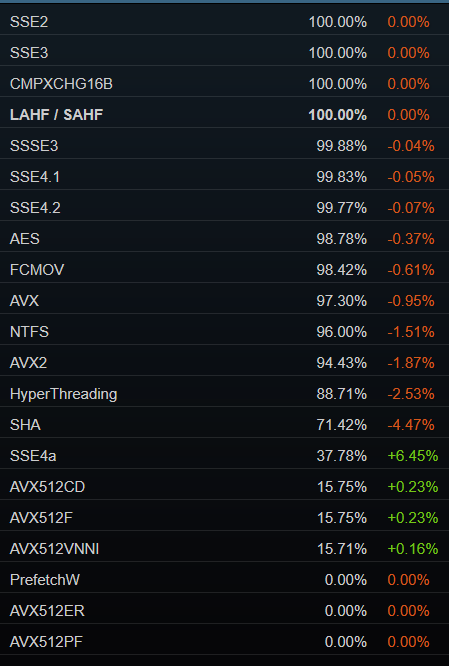
Arguably even AVX
(SSE4a was AMD's SSE4 implementation before they properly adopted SSE4.1 and 4.2)
restive pilot
woven loom
I think you could pretty safely use SSE4.x, and AES at this point https://imgur....
no. even when Dedmen accidentally introduced a popcnt there were a few reports with crashes (mostly people with Core2 Duos)
technically it's a separate CPU extension but it's typically counted as SSE4.2
woven loom
haha wow. Yeah C2Ds don't have SSE4, only Nehalem onwards iirc. But i'm surprised people still on C2Ds. i don't know how they are tolerating playing Arma on that 😅
Literally 0.23% of the entire steam player base and somehow they're one of the people affected by profiling branch changes 😄
(I used to play on a Core 2 Quad until 2015...)
restive pilot
which is why I'm an advocate for new branches with AVX2 support (which won't happen but a man can dream)
woven loom
that would be super yeah
heavy vortex
I honestly doubt it'd make a noticeable difference to performance.
 solar root
Should I enable or disable Hyperhreading in the bios if my CPU has only large cores (i5 9300)? Does this has anything to do with the -enableHT option?
heavy vortex
-enableHT just changes the automatic cpuCount calculation to count SMT cores.
Leave both the BIOS and Arma at default unless you want to do science.
solar root
OK. Got it.
restive pilot
heavy vortex
I honestly doubt it'd make a noticeable difference to performance.
yep, it doesn't, especially if you just rely on the compiler to do it for you. but in some cases where you consciously use it, it can make a difference
woven loom
And i guess the point at which you have a separate AVX2 build, you can safely add SSE4, AES etc because they should all be supported by anything that supports AVX2. So there would be synergistic benefits from that.
(of course your code base is probably branching a lot by that point, and  needs to sleep as well 😛 )
restive pilot
I doubt AES is relevant to A3 at all.
but anyway, AVX itself is also notoriously bad on older Intel CPUs (due to underclocking in mixed workloads) so I don't mean let's use it everywhere but having the option to use it is nice (which implies older ones too)
woven loom
Oh well I just saw mention of encryption above so thought maybe it's useful
heavy vortex
Yeah, they actively cut the clock rate if the process uses AVX, and that's quite sticky. So it can be a major hit.
I suspect Arma's CRC algorithm could be rewritten in pure 32-bit integer code and be made 4x quicker :P
I doubt the encryption is using anything as heavy as AES. Arma packets do not need to be protected against the NSA.
Being limited by CRC & encryption perf is basically a good sign that the network code isn't doing anything dumb anymore.
woven loom
Yeah that's fair
Plus I guess the CRC-like functionality lies more with SHA than AES? But way more data to achieve the same so what's the point
woven loom
heavy vortex
Yeah, they actively cut the clock rate if the process uses AVX, and that's quite...
Wasn't that like...Haswell era though? 2014/2015?
Yeah seems Haswell introduced AVX2 in 2013, AMD got it with Excavator in 2015.
AVX came with Sandy Bridge and Bulldozer (both 2011)
Seems downclocking happened on 6th to 10th gen trying to see if it happened to older ones too. And it seems it's limited to certain 256-bit instructions, after a specific threshold is crossed. The limit is also per thread so i guess if you give it a separate thread then the downclocking shouldn't affect the main game thread?
As per wiki:
Since AVX instructions are wider, they consume more power and generate more heat. Executing heavy AVX instructions at high CPU clock frequencies may affect CPU stability due to excessive voltage droop during load transients. Some Intel processors have provisions to reduce the Turbo Boost frequency limit when such instructions are being executed. This reduction happens even if the CPU hasn't reached its thermal and power consumption limits.
On Skylake and its derivatives, the throttling is divided into three levels:[67][68]
- L0 (100%): The normal turbo boost limit.
- L1 (~85%): The "AVX boost" limit. Soft-triggered by 256-bit "heavy" (floating-point unit: FP math and integer multiplication) instructions. Hard-triggered by "light" (all other) 512-bit instructions.
- L2 (~60%):[dubious – discuss] The "AVX-512 boost" limit. Soft-triggered by 512-bit heavy instructions.
The frequency transition can be soft or hard. Hard transition means the frequency is reduced as soon as such an instruction is spotted; soft transition means that the frequency is reduced only after reaching a threshold number of matching instructions. The limit is per-thread.[67]
Ice Lake (10th gen Core) only throttles with AVX-512
Okay yeah seems the difference is...
- Ivy Bridge only has AVX and does not seem to downclock
- Haswell and possibly Broadwell, the whole chip would downclock, but depends on other factors
- Skylake and derivatives, only the relevant thread downclocks, and only after a certain threshold
- Ice Lake does not downclock unless using AVX-512.
There are heavy and light instructions. Heavy instructions are those involving floating point operations or integer multiplications (since these execute on the floating point unit). It seems like the leading-zero-bits AVX-512 instructions are also considered heavy. Light instructions include integer operations other than multiplication, logical operations, data shuffling (such as vpermw and vpermd) and so forth. Heavy instructions are common in deep learning, numerical analysis, high performance computing, and some cryptography (i.e., multiplication-based hashing). Light instructions tend to dominate in text processing, fast compression routines, vectorized implementations of library routines such as memcpy in C or System.arrayCopy in Java, and so forth.
https://lemire.me/blog/2018/09/07/avx-512-when-and-how-to-use-these-new-instructions/
Also...
Not every AVX2/AVX512 instruction has this limitation, some can be executed at full speed indefinitely. And it is not enough to run single “heavy” instruction to cause throttling. More details can be found in Daniel Lemire’s blogpost. The degree of throttling is specified in CPU documentation and impacts also Turbo frequencies.
https://extensa.tech/blog/avx-throttling-part1/#avx-and-cpu-frequency

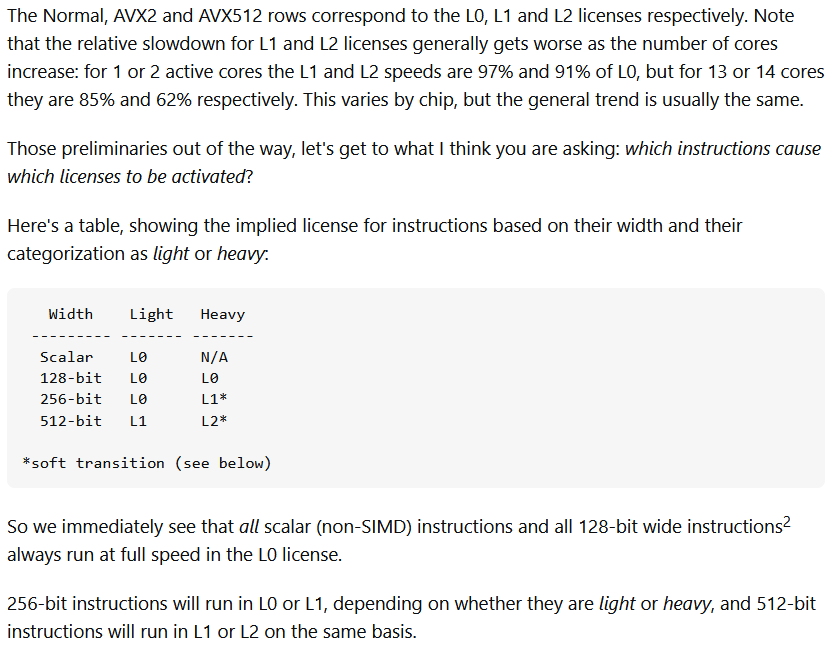
And now i'll stop 😄
But yeah i don't think downclocking is going to be a concern!
gritty wasp
woven loom
I think you could pretty safely use SSE4.x, and AES at this point https://imgur....
We still have phenom user in this chat
heavy galleon
And Windows 7 users too
whole cloud
restive pilot
I doubt AES is relevant to A3 at all.
but anyway, AVX itself is also notoriously...
AES is relevant. But not in the code I mentioned. The AES happens earlier, and in separate thread and it runs on whole message and not small split packets
We actually double encrypt the packet contents, which does seem a bit stupid, I can probably get rid of 80% of whatever that encryption percentage was by just disabling that.
whole cloud
woven loom
Plus I guess the CRC-like functionality lies more with SHA than AES? But way mor...
CRC is literally CRC, not a hash algo
Btw on old Platform Support, I'm also planning to upgrade our Linux compiler, which will drop support for probably Debian squeeze (end of support 2016).
That's not decided yet though, and maybe I can find some ways around it.
When we're dropping 32bit and win 7 anyway, we might as well do the same on linux
restive turtle
woven loom
The best future is where all wars only happen on Arma servers
if theres no war i cant do my job tho :'(
restive pilot
good
autumn timber
heavy galleon
And Windows 7 users too
Steam for Linux doesn't care
https://help.steampowered.com/en/faqs/view/107F-BB20-FB5A-1CE4
(that required version is supposedly from Feb 2020)
 autumn timber
whole cloud
Btw on old Platform Support, I'm also planning to upgrade our Linux compiler, wh...
autumn timber
whole cloud
Btw on old Platform Support, I'm also planning to upgrade our Linux compiler, wh...
Check my link above. Looks like you can go with even later compilers
dropping 32bit and win 7
Are there real talks about this? Does that also mean 32bit ON Windows?
heavy galleon
autumn timber
Steam for Linux doesn't care
https://help.steampowered.com/en/faqs/view/107F-BB2...
I agree.
(I am the type of guy who installed fedora 42 beta and fucked his fan control just because I could)
whole cloud
autumn timber
> dropping 32bit and win 7
Are there real talks about this? Does that also mean ...
We already dropped 32bit on prof, and are planning to drop 32bit everywhere with probably already 2.22
autumn timber
I thought that the lack of 32bit on prof was merely to save time building, not because you were planning to drop it everywhere. That's good news! 🙂
empty goblet
woven loom
Also...
> Not every AVX2/AVX512 instruction has this limitation, some can be exe...
AVX2 and AVX512 problem is that because of Intel powerusage /overheating and production woes, even some of relatively new CPUs lacked those
whole cloud
autumn timber
I thought that the lack of 32bit on prof was merely to save time building, not b...
Because of win 7 and 32bit coming together, we'll probably keep 2.20 on a permanent legacy branch, being the last one to support both win7 and 32bit.
Then on 2.22 we can go ham
quaint flame
Are there any other benefits from dropping 32bit except built time reduction?
whole cloud
I don't have to write separate code for 32 and 64bit.
Some places I already skipped on that, like Simple-VM doesn't work on 32bit.
But we can't often just disable a feature.
quaint flame
I see.
potent sparrow
fast hornet
who needs ultra low latency switches for trading.. those are for arma servers.
I mean I specced my entire PC for arma3 (and IL2) (and work, if the missus asks)
patent sky
potent sparrow
I mean I specced my entire PC for arma3 (and IL2) (and work, if the missus asks)
And you got it for a good deal right? like $300? 😂
potent sparrow
patent sky
And you got it for a good deal right? like $300? 😂
add a zero (and then multiply by 1.5 but sure $300 if the missus asks)
autumn timber
What would be the ballpark for the 2.22 date? early 2026? Or late 2025?
I literally can't wait to change my extension to remove:
- All the ifdefs in my code
- Github actions merging the different builds
- The 32bit interpreters that I'm forced to include, effectively doubling the size of my installation
- The user scripts that install python requirements for both interpreters at the same time
- Additional building code that vendors in libraries for 32bit builds because of 32bit linux reasons 🤷♂️
- A whole separate sub-extension, whose sole purpose is to modify the DLL resolution path before the real extension is ran, based on bitness
potent sparrow
What would be the ballpark for the 2.22 date? early 2026? Or late 2025?
I wondered that as well but didn't know how to ask without sounding like a Project Manager 😅
whole cloud
autumn timber
What would be the ballpark for the 2.22 date? early 2026? Or late 2025?
I litera...
I want this year, but dunno if that's going to happen
potent sparrow
are all of the network changes coming in 2.22 as well or they going out in an earlier release?
whole cloud
They come when they are tested and ready
potent sparrow
whole cloud
They come when they are tested and ready
https://giphy.com/gifs/michael-fassbender-perfection-x-men-9WXyFIDv2PyBq - the stuff I've heard about 2.22 is exciting (from random arma related discords) but the networking stuff is more exciting for me - that's an area I've had issues with in the past so any win is a win and it sounds like some big wins 🙂
 whole cloud
You heard things about 2.22? Wow, tell me! I haven't heard anything yet
Haven't even started implementing the new network message pool allocator. I'm just moving the old one around and noticed a thing.
We get lag spikes, because every network message is in a "used" list, and the garbage collector iterates over all of them to try to find ones to "recycle".
When there are alot of network messages, the higher layer tries to combine them into fewer but larger packets (MaxSize* config options)
In my case, I had lots of maximum (MTU) sized packets at 1400 bytes (minus whatever the UDP header is)
But, the pool has a hard coded maximum size of packets it will recycle, everything above 512 bytes in size, will not be recycled and instead just be deleted.
So.. The garbage collector, iterated over thousands of messages in that used list (where 99% of them were above 512 bytes) to find some to recycle, even though messages above 512 bytes are never recycled anyway.
empty goblet
whole cloud
You heard things about 2.22? Wow, tell me! I haven't heard anything yet
the myth says it come with Vulkan renderer, dynamic shadows till horizon, Dynamic (and Diffuse) Global Illumination, PBR and Physics particles 😁
light cargo
whole cloud
Btw on old Platform Support, I'm also planning to upgrade our Linux compiler, wh...
win7 still can be supported as long as steam is sufficiently up to date
patent sky
Also fully integrated DLSS 4 and FSR 3.1 support right?
light cargo
but yeah, its alright to drop it with 2.22
 median belfry
empty goblet
the myth says it come with Vulkan renderer, dynamic shadows till horizon, Dynam...
median belfry
empty goblet
the myth says it come with Vulkan renderer, dynamic shadows till horizon, Dynam...
If the myth is right about dynamic shadows I can finally die in piece
heavy galleon
patent sky
Also fully integrated DLSS 4 and FSR 3.1 support right?
Like graphics are the bottleneck
heavy galleon
empty goblet
the myth says it come with Vulkan renderer, dynamic shadows till horizon, Dynam...
Vulcan renderer would also mean native Linux build again eh?
Extensions are supported because of server, so eaaaaasy.
 fair ore
empty goblet
the myth says it come with Vulkan renderer, dynamic shadows till horizon, Dynam...
fair ore
empty goblet
the myth says it come with Vulkan renderer, dynamic shadows till horizon, Dynam...
I think I would explode
potent sparrow
whole cloud
You heard things about 2.22? Wow, tell me! I haven't heard anything yet
Now I'm wondering if I've mixed up a different version with 2.22 🙈
and yeah I was, 2.20 - d'oh
patent sky
heavy galleon
Like graphics are the bottleneck
mostly for proper frame gen support, it doesn't care if you're cpu limited to 60 fps, you'll have 200 😂
heavy galleon
patent sky
mostly for proper frame gen support, it doesn't care if you're cpu limited to 60...
Do you want to though?
I am not a fan of fake frames tbh. "Common" DLSS is at the edge for me really
patent sky
neither am I, but 90+% of people don't even realise it and are happy to play a3 at 150+ fps with a few artifacts
 obsidian condor
Oof, six years ago I was happy to play ARMA 3 at 20-25fps 😉
patent sky
getting 90fps without frame gen and double that with it enabled (1440p)
can't really YAAB it tho because the game still thinks its running at 90fps(it technically is)
heavy galleon
It technically is running at 90, at 20x40 resolution, upscaled to heaven and back to hell where it belongs + then it hallucinates frames in between 
I hate the current "trends" in both gaming and general programming work
patent sky
again, don't like x fake frames for every real frame either, but 90+% of people either don't care or don't notice. why wouldnt that group enable it?
also more for #offtopic_software /hardware
heavy galleon
By enabling them to enable it, you normilse it and Nvidia will think people want it. Don't give them choice 
Same with prices of games anything. When did it become normal for games to cost 80€ and be released in a broken ass state with a promise of future updates that may or may not come, depending on how much of your company will tencent buy and save you from bankruptcy
(I am totally not talking about certain publisher)
empty goblet
patent sky
Also fully integrated DLSS 4 and FSR 3.1 support right?
i would pick all the other stuff (before fake frames) from https://gpuopen.com/ but FSR 3.1 isn't for DX11 afaik you would need to use FSR 1.x for that
FSR 2 has 'hidden' path for DX11 tho https://gpuopen.com/learn/fsr2-for-unity-urp-dx11/ , https://github.com/GPUOpen-Effects/FidelityFX-FSR2/issues/16
similar CAS (Contrast Adaptive Sharpening), v1.1/1.0 works for DX11, the new one works only for DX12 and Vulkan
plus with Vulkan support you can then add Variable Shading, newer and faster AO, SSR, parallel sorting etc. will be breeze 😁 someone would even do Hybrid Shadows and RT for A3 🤣 i'm sure
potent sparrow
lossless scaling the (the program in the steam store - not the concept) might be worth a try if you have it already - not tried it with arma - don't really need to for the things I do
void badger
Dwarden officially repping Vk for ARMA 3
That's it fellas, A3 is gonna beat A4 before 4 is even out 
empty goblet
void badger
Dwarden officially repping Vk for ARMA 3
That's it fellas, A3 is gonna beat A4 ...
nah it's dream unfortunately i don't see any way how multiply dedmen, crumble resource pool 😁
fair ore
clearly you should do it
empty goblet
fair ore
clearly you should do it
i had enough strokes don't try push another on me
gritty wasp
whole cloud
Haven't even started implementing the new network message pool allocator. I'm ju...
Does it mean better to set msgSize 512 - header size?
patent sky
empty goblet
nah it's dream unfortunately i don't see any way how multiply dedmen, crumble re...
Its all dedmen, i just pretend to know what im doing when working on A3 source code 😂
whole cloud
gritty wasp
Does it mean better to set msgSize 512 - header size?
No because I'm replacing all this and it will change
gritty wasp
But for now?
whole cloud
For now it doesn't matter
The problem is many messages being in pool.
Larger messages are useless in the pool but are still in there.
Smaller messages are in pool and are useful.
If you set smaller size, you have more messages == more messages in pool == bad
If you set larger size you have less messages in pool, but most of them will be uselessly inside it == also bad but a bit less because its fewer
 silk summit
patent sky
Its all dedmen, i just pretend to know what im doing when working on A3 source c...
silk summit
patent sky
Its all dedmen, i just pretend to know what im doing when working on A3 source c...
Are you KK's replacement? I still miss Leopard on the dev team. As for the other stuff, if you manage to keep Dedmen alive that is more than enough contribution 😉
silk summit
empty goblet
i had enough strokes don't try push another on me
You need to be healthy for A4! Take care!
woven loom
empty goblet
plus with Vulkan support you can then add Variable Shading, newer and faster AO,...
Tbh I don't care too much about RT for A3 (even though I would love actual reflections from glass and maybe water, and dynamic shadows) but I definitely would love to see some limited RT in Reforger! Maybe for global illumination, reflections and/or shadows.
I know the lead engine dev said the draw distance was too big to do RT in Reforger but reflections tend to stick out in that game. Plus the lighting can be a bit weird at times.
empty goblet
woven loom
Tbh I don't care too much about RT for A3 (even though I would love actual refle...
well those Hybrid Shadows using RT aren't bad either ... there are clever ways to use limited Rays (ie. sound propagation) and some other stuff not just for RT to improve games but i will shush, already derailed the profiling channel 😁
whole cloud
Aaand the garbage collect is gone
Looks to be working well, maybe too well in fact....
There is still a bit of delay in processing..
Maybe it is time for AES instructions...
On server the encryption happens on separate thread, but the decryption is in main thread
And the 8MB messages I'm sending, seem to be taxing it a bit
That is in addition to still the encryption and crc bottleneck on transport layers thread
 whole cloud
Nvm, I forgot that I had my socket maxBandwidth set to 64MiB. So the server isn't even sending at full blast, that's probably where the delay comes from.
80MB/s (640Mbit/s) sustained, with no delay.
 upper yarrow
empty goblet
i had enough strokes don't try push another on me
upper yarrow
empty goblet
i had enough strokes don't try push another on me
Go hard or go home!?!
whole cloud
My CPU tops out at 90MB/s on server.
With this being the CPU load across all threads.
The transport layer thread is maxed out, half of it copying bytes from operating system
Other half is encryption and crc. I can't fix that operating system part, without throwing another thread at it..
That's a pretty nice result. Also now the transmit queue backlogging too far, is no longer causing lag spikes.
But something is wrong, disconnecting the client doesn't free as much memory as it should
Wait.. Why is sending messages, calling RecvFrom 
 restive pilot
silk summit
Are you KK's replacement? I still miss Leopard on the dev team. As for the other...
restive pilot
silk summit
Are you KK's replacement? I still miss Leopard on the dev team. As for the other...
Crumble is the new Live Ops Engineer, replacing NeilZar
I think KK is still around
potent sparrow
silk summit
Are you KK's replacement? I still miss Leopard on the dev team. As for the other...
alive && caffeinated
patent sky
restive pilot
Crumble is the new Live Ops Engineer, replacing NeilZar
I think KK is still arou...
 rugged hornet
is 152.746 currently last version with working particles?
heavy vortex
There's no replication of any current issues with particles.
If you have issues with particles, maybe make a video and/or provide relevant display settings so that there's some chance of figuring out the link.
rugged hornet
there's no smoke, no dust particles from bullet, no particles after explosions, this bug works happens randomly, yesterday particles was working
on koth map changed, and particles working correctly, xd
patent sky
rugged hornet
there's no smoke, no dust particles from bullet, no particles after explosions, ...
did it not work directly from the start(when u joined) or did it stop working at some point during the match?
rugged hornet
patent sky
did it not work directly from the start(when u joined) or did it stop working at...
I didn't noticed, but maybe from the start
yes, from the start
patent sky
do you happen to have your rpt for that session? any more information you have might help
!rpt
 frozen tundraBOT
Arma RPT
Arma generates a .rpt log file each time it's run, which contains a lot of information like the loaded mods, or any errors that appear, this log file can be very useful for troubleshooting problems.
To get to your RPT files press Windows+R and enter %localappdata%/Arma 3
Additionally see the wiki page for more info: https://community.bistudio.com/wiki/Crash_Files
To share an rpt log here, please use a website like https://pastebin.com/ (Set expiry time to 1 week or less) to upload the full log, that way the people helping you can take a look at it and try to figure out the problem you're having together with you.
Note: RPT logs can hold personal information relevant to your system, the game or others.
rugged hornet
patent sky
do you happen to have your rpt for that session? any more information you have m...
Pastebin
Pastebin.com is the number one paste tool since 2002. Pastebin is a website where you can store text online for a set period of time.
this log was produced during my session, before map change
 obsidian condor
patent sky
<a:nodding:1334828515853471795>
obsidian condor
patent sky
<a:nodding:1334828515853471795>
Great to have you onboard! Great to see Live Ops still get love ❤️
foggy vine
rugged hornet
is 152.746 currently last version with working particles?
Don't have an RPT, but I had this happen out of nowhere on a random Antistasi session. Restart fixed it and I haven't had issues with particles ever since
whole cloud
So to that CRC algorithm stuff.
16MB data at first
And the SmallLoop ones are 1400/32 bytes in 1024 iterations to see how it performs on small data like network messages
Our crc32 algorithms (in order):
- The one that netcode uses (added in the early 2000s)
- The new one from 2015 added for http requests and network encryption
- My SSE CRC-16 based on "Fast CRC Computation for Generic Polynomials Using PCLMULQDQ Instruction" - Intel
- My SSE CRC-32 that we use in Enfusion (ported back to RV)
- The non-SSE CRC-32 from Enfusion, that was used before SSE one was added and is now used as fallback if CPU support isn't there
Funnily enough, when the 2015 one was added, we also got a SSE3 version of it, and the very old one was deleted and replaced by the new one.
But 2 months later, it was reverted because it caused some problems over internet MP, but wasn't explained what the problem was, and it wasn't re-attempted.
He noted that the SSE version was more than twice as fast. I didn't go back to see how that one would perform.
Yeah we are literally using the shittiest crap we have for this 😄
In the 32byte network message, you can see the overhead of SSE when it's full power cannot be utilized.
 foggy vine
Ironically enough, that seemed to be the issue...
empty goblet
whole cloud
So to that CRC algorithm stuff.
16MB data at first
And the SmallLoop ones are 1...
i'm sort of facepalming here because i was under impression the 2015 non-sse code was active 
but hey even the old obsolete and most weird Arma code ... still beats most of MP games on market ...
quaint flame
foggy vine
Ironically enough, that seemed to be the issue...
I had various issues with the recent drivers. All fixed by going back a few month.
foggy vine
Noted, thanks
whole cloud
With our current crc I reach 68-70MB/s here. 32% of sending data is spent in crc.
With the new 77-78MB/s, 7% being CRC
With encryption turned off, just as test, 93-94MB/s
With encryption off, preparing to send a message, takes longer than actually sending it 🤣
The annoying thing with how our ACK's work, TCP just sends one number.
We need to check for 32 messages whether we've received it or not.
 empty goblet
🧴 it 

opal hound
Has anyone seen issues with profiling servers causing issues with client file signature kicks or inability to get past the lobby screen? (I believe from stable clients if it's relevant)
Trying to figure out if it's this or network setting changes
whole cloud
opal hound
Has anyone seen issues with profiling servers causing issues with client file si...
I've seen people report that, but also signature kicks have been a thing for decades
heavy vortex
Given how the architecture works, can those signature kicks happen due to networking delays?
Wondering if it requires response within X time or something like that
opal hound
Seems to have increased since switch to profiling, and doesn't seem to be resolved by game verification or reinstalls
Server doesn't seem to be overloaded at the time, but there's a possibility it's something to do with networking since we have a fat missionfile and a lot of variables handling state
kindred radish
heavy vortex
Given how the architecture works, can those signature kicks happen due to networ...
Probably, it's super finicky. Had high ping cannadian players play on our german server and they had constant signature problems even with vanilla files that were fine (false reports from the signature system).
For some reason it helped for a while to clear up %userprofile%\AppData\Local\Arma 3\ for these players.
whole cloud
empty goblet
🧴 it <:NEEDMOAR:776618652123267074> <a:Cool_blob_with_sunglasses:8302134848178...
The only way to get more is to throw another thread at it, which should essentially double it (but only with more than 1 player)
But.. We are at ~78MB/s now.
A bit over a week ago, last prof release.
Would peak for half a second, then drop down to 7-14MB/s
Both game runs have same networking config settings (socket maxBandwidth 128MiB/s)
First is prof from last week (When the green dropped out, my client crashed, most likely that stack overflow)
Second is next prof as of now
You can now reasonably have a 700mbit/s client/server. Thats good enough.


 whole cloud
opal hound
Server doesn't seem to be overloaded at the time, but there's a possibility it's...
whole cloud
opal hound
Server doesn't seem to be overloaded at the time, but there's a possibility it's...
I don't know enough about how the signature checks work.
wise sparrow
Are animations freezing in the campaign's a known issue with prof? I remember someone posting about it in here some time ago.. It's usually the first animation in the scene, e.g . Miller's briefings and waking up at the beach in the second chapter
whole cloud
The beach waking up was reported but afaik that was fixed? QA also found that and its now closed as fixed
There is a new issue with animations lagging around a bit since probably latest prof
wise sparrow
I suppose it's the latter, I think even the ambient animations on some guys at Maxwell also lagged around a bit
whole cloud
this
magic elm
opal hound
Server doesn't seem to be overloaded at the time, but there's a possibility it's...
Was in a similar situation. Turned MaxMsgSend from 64 to 128 as a shot in the dark and haven’t had an issue since
opal hound
we're at 128 already
wise sparrow
whole cloud
this
That's different from what I've seen in this playthrough, the animation just freezes for some time
magic elm
opal hound
we're at 128 already
I’ve gone up to 192 since then and have been running smooth could try it
 vivid rune
The freeze on the beach in Lost Signal is still there. It was only one by one try. Maybe it is a little better.
No. It freezes multiple times
 random isle
rugged hornet
there's no smoke, no dust particles from bullet, no particles after explosions, ...
random isle
rugged hornet
there's no smoke, no dust particles from bullet, no particles after explosions, ...
had same thing last time i played lol
wise sparrow
whole cloud
this
more like this, no mods
https://youtu.be/-xMzpHp8lhI
whole cloud
wise sparrow
more like this, no mods
https://youtu.be/-xMzpHp8lhI
What's the name of that mission?


 whole cloud
Yup. But that looks like its the same issue, or same cause
vivid rune
It looks like it happens between two animation sequences.
It happens also in the first mission "Drawdown 2035" : At the begin when you walk into the camp on the left side is a soldier repairing a car.
woven loom
foggy vine
Ironically enough, that seemed to be the issue...
If you're on anything older than 50-series, the current recommendation is to revert to 566.36
foggy vine
Ah my message got blocked
Thanks, will have to get to it once I sit back down
whole cloud
The anim issue I had was different, it was the EH being broken because Arma
But atleast I have a reliable repro so it shouldn't be too hard to track down
heavy vortex
Just need one of those for the particles :P
wise sparrow
Has anyone else also noticed desktop locking up? Quite rarely encountered on stable, but on profiling quite often
Restarting Windows Explorer on task manager fixes it, but it is a bit annoying if multitasking is needed while the game is open
opal hound
Yes but only whilst running client & server at the same time
plain trout
I alwys have it, vanilla and profiling. Only goes away by ctrl+alt+delete once
opal hound
I might be talking about something different
whole cloud
heavy vortex
Just need one of those for the particles :P
I thought I had turned off that particle allocator again, because the update that added it started it, but I don't remember anymore
obsidian relic
plain trout
I alwys have it, vanilla and profiling. Only goes away by ctrl+alt+delete once
apparently you can also fix it by "locking" and login again with lwindows + L, didn't had a chance to test it out myself yet tho. (my "locking" issue happens when I close the game, my desktop is completely locked and I can't click anything till I close launcher with task manager, on the other hand one guy I play arma with has similar issue but it also happens to him(randomly, not always) while playing the game, and he told me about lock + login solution)
plain trout
Pressing ctrl-alt-delete, 1x esc a and 1x alt-tab is pretty fast…
foggy vine
wise sparrow
Restarting Windows Explorer on task manager fixes it, but it is a bit annoying i...
Ctrl Alt Shift Delete and then opening Task Manager helps me because all of my programs stop reacting to my mouse input
foggy vine
My Discord overlay helps my ADHD unfortunately, but honestly the fix doesn't bother me at all
woven loom
@robust sandal @foggy vine FYI I've heard that the discord overlay can cause instability so you may want to turn that off from discord settings, even if you don't want to turn off discord completely
I know others who turned it off and had better experiences in other games
potent sparrow
I just turn overlays off by default because I never really want/need them and they sporadically cause just enough issues the juice ain't worth the squeeze
turbid vortex
empty goblet
but hey even the old obsolete and most weird Arma code ... still beats most of M...
It is hilarious how both ridiculous and true this statement is.
potent sparrow
Arma is the best and worst game in its category - because realistically it's the only game in its category 😄
turbid vortex
I mean one could try to argue : - hey, arma is client-authoritative and so its very vulnurable to cheats.
Yet at the same time almost all fresh, new and shiny MP titles are filled with cheaters, while at the same time handling high ping or server lag situations... much worse.
My only gripe is BattleEye signature check/no response fails. If one is kicked and reconnects back without waiting. He is cooked for the whole server session no matter what he does.
kindred radish
turbid vortex
I mean one *could* try to argue : - hey, arma is client-authoritative and so its...
Just set the KickTimeout long enough in the server cfg and they can't reconnect instantly.
https://community.bistudio.com/wiki/Arma_3:_Server_Config_File
turbid vortex
kindred radish
Just set the KickTimeout long enough in the server cfg and they can't reconnect ...
already done. Doesn't work, Not with lobby being enabled at least.
cold vale
Do we know what steamMngUStatsSt is? Seeing it pop up in a bunch of captures
 naive osprey
cold vale
Do we know what `steamMngUStatsSt` is? Seeing it pop up in a bunch of captures
naive osprey
cold vale
Do we know what `steamMngUStatsSt` is? Seeing it pop up in a bunch of captures
Potentially the AltisPlayTime, MPPlayTime, SPPlayTime etc increments?
https://community.bistudio.com/wiki/setStatValue
https://community.bistudio.com/wiki/Arma_3:_Stat_Names
Only speculation tho
light cargo
possibly "steam manager User? stats Set?"
obsidian condor
Heh, I like how MPPlayTime is named "Peacekeeper" (lol) and SPPlayTime is "Every Man for Himself" 🤣
deft oak
turbid vortex
I mean one *could* try to argue : - hey, arma is client-authoritative and so its...
They can get around the query timeout bug (without waiting for the server to restart) by changing their IP address. VPN, restart router (for some models), network swap, etc.
scarlet jolt
running perf server modded with 45 players, occasionally will get a 100% cpu spike and everyone desyncs for around 5 seconds, then the server catches up and everything is great again. Happens maybe every couple minutes
analog acorn
obsidian condor
Heh, I like how MPPlayTime is named "Peacekeeper" (lol) and SPPlayTime is "Every...
The page layout isn't exactly the clearest it could be, but the left column (MPPlayTime) is a separate, unconnected table to the right three columns. "Peacekeeper" and "Every Man for Himself" are achievements related to completing specific parts of the SP campaign, probably the two different ending choices.
cold vale
Oof so that's a fun hitch. AAA vehicle (O_T_APC_Tracked_02_AA_ghex_F) causing clients to hitch due to waiting on uSens seemingly due to a massive amount of calls to tgSee and seemingly there are no deeper scopes to see which part of the method it's triggering (hitch goes away after deleting AI crew, hitch seemingly gets worse the more AI that are inside the veh/grp, AO was on the NE corner of the Celle 2 map by the airport)
@whole cloud want me to DM you the captures, RPT, and test mission I have?

 heavy vortex
Something in current profiling is absolutely spamming these on GUI code:
 3:27:37 Warning: Cannot evaluate ''
 3:27:37  ➥ Context:     [] L288 (A3\modules_f\hc\data\scripts\HC_GUI.sqf)
    [] L292 (A3\modules_f\hc\data\scripts\HC_GUI.sqf)
    [] L294 (A3\modules_f\hc\data\scripts\HC_GUI.sqf)
Also for (working) mission UIs:
 1:47:55 Warning: Cannot evaluate '3.5 * GUI_GRID_H'
 1:47:55  ➥ Context:     [] L1 ()
    [] L456 (x\A3A\addons\core\keybinds\fn_keyActions.sqf)
    [] L471 (x\A3A\addons\core\keybinds\fn_keyActions.sqf)
That would be like 1% of players being able to do that, so not really helpful unfortunately. Fun fact, AFAIK at least conan exiles has the very same battleEye bug, per googling.
kindred radish
turbid vortex
That would be like 1% of players being able to do that, so not really helpful un...
You can also make your own "signature system", i would do that if i still had a server to run xD
https://community.bistudio.com/wiki/allAddonsInfo
Have a list with allowed pbo hashes, if it doesn't match kick the client/ make him unable do do anything etc.
turbid vortex
kindred radish
You can also make your own "signature system", i would do that if i still had a ...
Makes sense. Though to get full BE replacement effect I would somehow need to extract ban flags/IP bans/history too. Anyway that's a topic for #arma_battleye, thanks for suggestions🤝
 small zephyr
rugged hornet
there's no smoke, no dust particles from bullet, no particles after explosions, ...
small zephyr
rugged hornet
there's no smoke, no dust particles from bullet, no particles after explosions, ...
this has been happening to me a lot recently. Not sure whats causing it but it seems to fix it self after a while or when I reboot the game. Ill see what my rpt log says next time it happens
rugged hornet
small zephyr
this has been happening to me a lot recently. Not sure whats causing it but it s...
after updating to latest, reboot no longer working to fix issue
after 12 rejoins it fixed
small zephyr
rugged hornet
after updating to latest, reboot no longer working to fix issue
yeah after several minutes it goes away for me and tried messing with all the video settings but nothing seems to fix it
rugged hornet
small zephyr
yeah after several minutes it goes away for me and tried messing with all the vi...
maybe it's count of effects overflow
idk
small zephyr
It seems to happen when there is a lot of stuff going on
I'm waiting for it to happen again maybe it will have errors in the rpt
whole cloud
cold vale
Do we know what `steamMngUStatsSt` is? Seeing it pop up in a bunch of captures
Steam tells us that the stats (basis of achievements) have updated.
But that shouldn't be spiking too bad, I don't think there's anything in there.
We reload all stats values from steam when it happens, but steam usually replies very fast
whole cloud
scarlet jolt
<:thincc:442164570245824523> running perf server modded with 45 players, occasio...
That could be anything. Even a bad script.
Best way is to capture the frame to actually look what it is
whole cloud
heavy vortex
Something in current profiling is absolutely spamming these on GUI code:
```
3:...
There was a bug where that error message was not shown before, it would only error silently.
whole cloud
heavy vortex
Also for (working) mission UIs:
```
1:47:55 Warning: Cannot evaluate '3.5 * GUI...
But that clearly is broken.
Look at the code, it includes a macro.
The modder did
thing = "3.5 * GUI_GRID_H"
instead of
thing = 3.5 * GUI_GRID_H
or
thing = '3.5 * GUI_GRID_H'
Its a bug in the mod.
restive pilot
heavy vortex
Also for (working) mission UIs:
```
1:47:55 Warning: Cannot evaluate '3.5 * GUI...
well this is correct tho
it's wrapped in "" so it can't evaluate
whole cloud
turbid vortex
Makes sense. Though to get full BE replacement effect I would somehow need to ex...
Since the new server side scripting updates.
You can callExtension on server.cfg scripts, like on player join attempt and such.
There you can do banlist check and block the connecting.
You can also query BE servers to look up a user in their banlist (though I don't know how, its some web service somewhere I think)
analog acorn
whole cloud
But that clearly is broken.
Look at the code, it includes a macro.
The modder di...
What's the difference between " and ' here? They're usually interchangeable
restive pilot
no. ' ' is ignored by preprocessor and its contents are parsed. unlike " " (instead its content gets ignored)
analog acorn
Is that documented anywhere?
whole cloud
Should be on wiki somewhere. I consider that well known.
restive pilot
added to the preprocessor page
indigo anvil
whole cloud
Since the new server side scripting updates.
You can callExtension on server.cfg...
umm 10y old but maybe https://github.com/Qteb/Battleye-Ban-Checker/blob/master/BEBanChecker/Program.cs
analog acorn
restive pilot
added to the preprocessor page
Maybe worth mentioning on the String page too
restive pilot
added
whole cloud
schtring
whole cloud
2.18.152839 152842 new PROFILING branch with PERFORMANCE binaries, v29, server and client, windows 64-bit, linux server 64-bit
- Tweaked: Netcode optimizations (No iterating linked lists, no garbage collect, faster CRC, more efficient retransmission queue, fast-retransmit on packet loss)
- Fixed: Flare's did not apply the Attenuation config to their light emitter
- Fixed: Potentially fixed sometimes missing particle effects (Please report if it happens again)
If you don't want to use the Steam branch, the files are also available for alternative download here:
https://drive.google.com/drive/folders/15p9j7C2nHUt6NoVfChX4YFuqzFXzblJh
Note: There are separate Dll files that also need to be placed into Game folder.
whole cloud
whole cloud
2.18.~~152839~~ 152842 new PROFILING branch with PERFORMANCE binaries, v29, serv...
patent sky
soon™️ ✅
cold vale
whole cloud
Steam tells us that the stats (basis of achievements) have updated.
But that sho...
I've got 5 captures each with a ~24ms spike from it, not sure if that's a problem but in the search of trying to capture another issue it showed up
24ms
24ms
23ms
26ms
26ms
- Fixed: Potentially fixed sometimes missing particle effects (Please report if it happens again)
heavy vortex
whole cloud
There was a bug where that error message was not shown before, it would only err...
Might wanna fix the HC GUI then, because that one is very spammy.
 minor hornet
Should units consider switching their dedi server to the profiling branch now?
whole cloud
Can't tell you what you should do.
Profiling branch doesn't exist so that people don't use it
minor hornet
Just wondering how stable the dedi server is
light cargo
¯_(ツ)_/¯
fast hornet
v28 is running great.. can't say much about v29 yet.
heavy vortex
Given that v29 has major netcode changes, and A3 certainly needs major netcode changes, you should definitely test it. Just maybe not for a mission that requires four hours of immersion :P
opal hound
fuck it, we'll do it live
fast hornet
with v29 (client and server) i noticed that there were some CPU spikes to 100% on the server.. and when killing lets say 5-10 AIs there would sometimes be a pretty big delay of 1-2 seconds until their death registered.. both might've happened at the same time. On an otherwise empty Exile Server.
But it also just might've been a performance problem since our test box is pretty old and weak.
So nothing scientific yet, just a vague hunch.
opal hound
hm, I've been noticing something similar for the last few weeks but I don't know if it's profiling specific
I get CPU spiking when running a local server + a connected local client, it either makes the server unresponsive (AI not moving etc.) or locks up my entire desktop, and I have decent hardware
Take this anecdotally though because it may be the cause of the amount of AI I'm running or just the fat unoptimised mission file
plain trout
historically grown mission file...
 tardy adder
well what kinda server do you want to have open
vivid rune
koth
tardy adder
welll cant help with that 🤣
i could only open like antistasi or some other heavy running mission on profiling
whole cloud
fast hornet
with v29 (client and server) i noticed that there were some CPU spikes to 100% o...
Lag spike on server?
Captureframe should catch that
fast hornet
maybe? I'd have to read up on how to use it though.. does it need the profiling binary?
whole cloud
yes
diag_captureSlowFrame ["sLoop", "100ms", 0, true, 5] exec on server. captures next 5 spikes
whole cloud
server
Mh depends on how you exec the code on server.
sending string and compiling at receiver would work. If its compiled on client it would fail because the command is missing there
fast hornet
hm, or maybe v29 has a problem with AI in general, if it's not profiling related. I spawned enough missions for ~450 AI to be around and the server fps dropped to 1.8. Constant 100% CPU load.
With v28 it was still running at ~20fps with 1000 AI.
But i'm not getting any output from diag_captureSlowFrame, no matter if i run it locally or on the server.. i'll try profiling on client as well.
ah ... the true is for toFile .. that explains why i never get the ui output 😂
whole cloud
The only notable changes in there should be networking, there's nothing else potentially performance affecting in v29
fast hornet
might just be me seeing ghosts or something that was always there.. it sent you some trace files in DM, but feel free to just ignore them 😄
 vivid bear
What's the recommend base settings for the recent network changes?
opal hound
last I saw was this #perf_prof_branch message
foggy vine
heavy vortex
Given that v29 has major netcode changes, and A3 certainly needs major netcode c...
24/7 hours of immersion I hear /s
flint bluff
This is a more detailed networking config breakdown which might help. Either way, if you already adjusted for the April 7 changes then the current network changes don't have any new recommendations to my understanding. #perf_prof_branch message
magic elm
Putting everything together I can now but we ran with 70 tonight on the new build. It looks like consistently our Headless Clients were causing crashes. We ran stably for over 30 mins but then as soon as we brought them in or launched the server with them on and they started pulling AIs we inevitably redchained.
whole cloud
The change now is that a higher socket maxBandwidth would be supported.
You could bump that up to 64MiB. Players probalby won't need it, and if all players needed it, it would become a problem.
But especially for HC's it can be useful because they'll be able to use the full bandwidth, but likely still don't need it
whole cloud
magic elm
Putting everything together I can now but we ran with 70 tonight on the new buil...
"crash" is a quite specific word. From what you say it doesn't sound like a crash.
Did fps drop on HC or server?
I got one report of still missing particle effects.
What might help me is a frame capture, in a scene where you expect particles but can't see any.
To see whether the particle calculations are still there
magic elm
whole cloud
"crash" is a quite specific word. From what you say it doesn't sound like a cras...
We’re using FASTER so that window closed and we redchained. It generated a dump file each time but I can’t upload to this channel. From what I could tell there was no FPS drop. It would just happen about 60 seconds after the HCs were fully joined in.
I’m not sure how to do a frame capture but I’d be glad to help. Going to run another test tomorrow as I’m about to pass out. Going to try increasing the MaxBandwidth and swapping from Zulu Headless Clients to ACE Headless to see if that does anything.
whole cloud
upload dump somewhere and send me link
magic elm
Will do as soon as I’m back up thanks! Really appreciate everything you do
spiral pond
whole cloud
There is one crash in new netcode, will be fixed today. Maybe you're just running into that alot, though I'd expect it to be rather rare
 weak panther
whole cloud
2.18.~~152839~~ 152842 new PROFILING branch with PERFORMANCE binaries, v29, serv...
weak panther
whole cloud
2.18.~~152839~~ 152842 new PROFILING branch with PERFORMANCE binaries, v29, serv...
I'm on dedicated server KOTH, it looks like I don't have any hit particles on bullet hits and explosions, no smoke grenades particles too