#perf_prof_branch
1 messages · Page 5 of 1
 restive pilot
 heavy vortex
out of interest, what are your page file settings?
 inland dew
but I'm using mimalloc 2.12 with lock pages in Windows, for 2 MB chunks of memory, instead of 4 KB chunks of memory of the default Intel malloc
inland dew
heavy vortex
out of interest, what are your page file settings?
auto
but it's not using it, because of 24 GB vRAM and 32 GB RAM
only minor stuff in the paging file, mainly from Windows
heavy vortex
Yeah it doesn't actually use it but it allocates it for texture backing, I think.
probably unrelated anyway. If that was an issue then it wouldn't just be Arma that had issues.
Usually Windows knows what it's doing :P
inland dew
HWiNFO says that it uses 0.6% of the paging file
but since it's auto, I don't know 0.6% of what 100% size it is
heavy vortex
I just noticed the 12000m infantry view distance on the right of the screenshot, so 16GB RAM usage makes a lot more sense now.
inland dew
heavy vortex
I just noticed the 12000m infantry view distance on the right of the screenshot,...
even with like 4K view distance, RAM usage isn't lower
inland dew
inland dew
but I'm using mimalloc 2.12 with lock pages in Windows, for 2 MB chunks of memor...
using default Intel malloc with 4 KB memory chunks, doesn't change anything
inland dew
btw, this is a capture with patch 1.98.146597 on our PvE server with -limitFPS=1000 and 2 HCs
this way, server FPS went down like a meteorite within like few hours or less, without server FPS recovery, despite all the garbage, like corpses, wrecks and inventory stuff cleaned +- aggressively within reasonable intervals
with default 50 FPS and even without the 2 HCs, we can play +- ok for like 6 hrs full server, with like 200 AI, jets, helis, armor, arty etc

 halcyon iron
but you're using a 60hz monitor though right
 vivid rune
Don't play with our feelings. This was a little rollercoaster ride.🥺
vivid rune
halcyon iron
but you're using a 60hz monitor though right
The 50Hz are reffering to the server. Other games would call it "server tick rate" (e.g. Battlefield) and would describe more a "response rate" of the server regarding the data exchange with the connected clients . It has nothing to do with client monitor refresh rate.
 empty goblet
32GB (or more?) RAM cases or same bug exists for VRAM too ?
restive pilot
empty goblet
>32GB (or more?) RAM cases or same bug exists for VRAM too ?
it doesn't have anything to do with the amount of RAM (or VRAM)
In fact the amount is detected correctly but it's not "used" properly
empty goblet
restive pilot
it doesn't have anything to do with the amount of RAM (or VRAM)
In fact the amou...
ok when you roll ticket or report on it, toss me link on slack, shall be interesting read 🤣
restive pilot
vivid rune
Don't play with our feelings. This was a little rollercoaster ride.🥺
Well it should already be hard to believe that a 10 yo issue was fixed in 10 min 
inland dew
restive pilot
Well it should already be hard to believe that a 10 yo issue was fixed in 10 min...
been flying very low on the server for few hours in a Cessna, with -maxMem=22528 -maxFileCacheSize=6144 and I'm already at ~20 GB
will continue to fly, since I haven't covered even half of Altis yet
flying over each village many times, almost touching the roofs, also over every field and forest
restive pilot
So you mean so far performance has not degraded yet?
inland dew
will tell you later
frametime is spiky, but not that much and since I'm changing directions and locations a lot, FPS also changes, so difficult to say for sure, for now
12k view distance extreme settings 1440p
vRAM 14 GB
inland dew
restive pilot
So you mean so far performance has not degraded yet?
performance has degraded (see high and uneven frametime and low FPS)
but!
the server restared, with the saved state of the mission, so "everything" is like before restart and ta-da! - FPS is like new and frametime flat and low, with me still having 20 GB RAM and past 15 GB vRAM occupied, when I reconnected

so either the server or me needs restart, to restore client FPS, in both cases
when I restart and reconnect, with the server still running for hours - good client FPS
when the server is restarted and me still in the game and reconnecting to it - also good client FPS
server FPS before restart and after 6 hrs of online and me playing on it also close to 6 hrs, was between 37-46
inland dew
inland dew
when I restart and reconnect, with the server still running for hours - good cli...
client FPS gets restored both ways
 analog acorn
What happens if you just DC and reconnect without any restarts?
inland dew
analog acorn
What happens if you just DC and reconnect without any restarts?
crap FPS and frametime still
so I restartcor the server, to restore client FPS in both cases
if the server is still running and I only disconnect and reconnect, without restarting the game, it's like I haven't left the server - same crappy performance
inland dew
so, you restart Arma, to reset RAM and vRAM and reconnect as clean client to a not fresh at all server, that's been online for many many hours - good client FPS
with your client, with pretty filled RAM and vRAM, after hours of playing, without restarting Arma, you connect to a freshly restarted server - also good client FPS 
go figure...
this is good FPS and flat and low frametime, thus buttery smooth gameplay
 inland dew
this is good FPS and flat and low frametime, thus buttery smooth gameplay
inland dew
inland dew
this is good FPS and flat and low frametime, thus buttery smooth gameplay
FPS was as high as one can see here and nice frametime, when RAM was at 20 GB and vRAM at 15+ GB, just because of server restart, despite tired client
maybe it has something to do with simulation or synchronization of stuff...
I have no ideas anymore
halcyon iron
vivid rune
The 50Hz are reffering to the server. Other games would call it "server tick rat...
yes but his never ending quest for fps is strange when he is using a 60hz monitor
 fickle geyser
it's not, he plays PvP, games can feel a lot more responsive at higher frame rates.
analog acorn
Performance issues can affect everyone. The person investigating here and now may only have a 60hz monitor, but that doesn't mean people with higher refresh rates aren't also impacted.
Frame rate also affects script and simulation performance, and generally leads to smoother gameplay when it's high.
Also, having a high base frame rate means you have more room to eat into when things start to crunch.
inland dew
don't feed a troll that has nothing to add and doesn't contribute in any way to a solution
lets focus on the problem instead and ignore him
vivid rune
restive pilot
So you mean so far performance has not degraded yet?
Mh. Idk where your focus of searching is, so i would share my guesses after thinking about these regular spikes in frame times: What if the problem not allocation itself but somthing with a growing array or something similar? Maybe the program is has to allocate more and more space for a growing object and that slows the graphic renderer(e.g. a sorting algorithm takes more and more time on finding or providing infos). Just my two cents.
halcyon iron
inland dew
don't feed a troll that has nothing to add and doesn't contribute in any way to ...
That’s very disrespectful, I type 2 comments and you’ve determined that? I’m surprised dwarden even wastes his time responding to you. Good luck
restive pilot
vivid rune
Mh. Idk where your focus of searching is, so i would share my guesses after thin...
I'm not "searching" for anything. I just try the repros we have for the issue, and we do have the tools to detect where it occurs
the problem is that most repros take hours, which we don't have time or resources for
I figured out a repro that takes less than a minute, but whether that's the same problem as the one that occurs after long gameplay is still too early to tell (once we hopefully post a fix, the community can test and tell us if it fixes the long gameplay issue too)
inland dew
restive pilot
I figured out a repro that takes less than a minute, but whether that's the same...
will gladly test that
you limited -maxMem to something really small?
restive pilot
no. that's not a repro 😅 (well it is but that's a bit silly)
it has something to do with growing hashmaps
inland dew
ok
restive pilot
actually maybe limiting maxMem to a small number could give us a quicker repro for the long gameplay issue (hopefully less than an hour) 
inland dew
don't think so
must be something else than memory
but lets check the fix(es) and see
there is something between server and client going on
inland dew
restive pilot
no. that's not a repro 😅 (well it is but that's a bit silly)
it has something t...
this problem was always there, even before hashmaps existed in A3
restive pilot
I know. I mean it gives us a quick repro
inland dew
ah, ok
the thing is that one can't repro this in SP and while trying to repro it in MP, stuff also evolves on the server at the same time...
it also happens faster for the client, if the client has higher FPS
same for the server - the higher the FPS, the faster it will start to happen, with no possible recovery, unless restarted, like the client also
heavy vortex
Happening faster with higher FPS sounds more like a leak.
Although you can get increasing memory fragmentation with alloc/free spam even if nothing is technically leaking.
inland dew
the higher the FPS, the sooner it will be very low )
easier to repro on a server, since no image to display, so very high FPS is easily obtained vs. client
heavy vortex
Depends if the server needs to do anything as well.
I guess I can test that easily enough...
 warm vault
How do i talk to a dev
inland dew
heavy vortex
I guess I can test that easily enough...
1000 FPS for server, to make it easier/faster
heavy vortex
My server does not go that high :P
vivid rune
1000FPS means "unlimited" or "as fast as it can".
inland dew
heavy vortex
My server does not go that high :P
it won't do 1000 FPS anyway
just a number as high as possible
heavy vortex
You get 300. I can run that for most of a day and see if it slides.
inland dew
depends on the mission, how well scripted and heavy it is and whether PvP only, or PvE and how many players, AI, vehicles and cleaning stuff on the map
heavy vortex
That's kinda the trouble. It probably depends on one specific thing out of that list.
Unless there are multiple leaks :P
inland dew
yes
in our mission, there are many many bots, they're flying many jets, helis, driving a lot of armor, reinforcements arrive to the villages constantly
each of dozens of players can also recruit several bots and buy them armor or air and send them to attack
heavy vortex
hmm. Surprised it even maintains much more than 100fps then.
 tribal bay
Ive got crashes with perf_branch client when using a certain mod (CBA and BWMOD). The games crashes when useing the turn out on mod vehicles of the BW Mod. In the stable aka normal branch there are no issues. Whom Im reporting this issue to? Mod devs or perf branch devs since the issue only exist with this arma build
heavy vortex
I would lean Arma. If something crashes with perf but not stable then that's surely worth checking.
restive pilot
tribal bay
Ive got crashes with perf_branch client when using a certain mod (CBA and BWMOD)...
do you happen to have any crash dumps?
tribal bay
restive pilot
do you happen to have any crash dumps?
sure i did some testing so have a conclusion, what do you need? .rtp, bidmp or mdmp
restive pilot
tribal bay
sure i did some testing so have a conclusion, what do you need? .rtp, bidmp or m...
rpt and mdump. plz send via DM
 silk pewter
warm vault
How do i talk to a dev
silk pewter
warm vault
How do i talk to a dev
like to any other person, open your voice and make coherent sounds 😄
 hushed seal
https://i.imgur.com/4Lku5i4.jpg
anyone having this fun issue with players that are just ... empty?
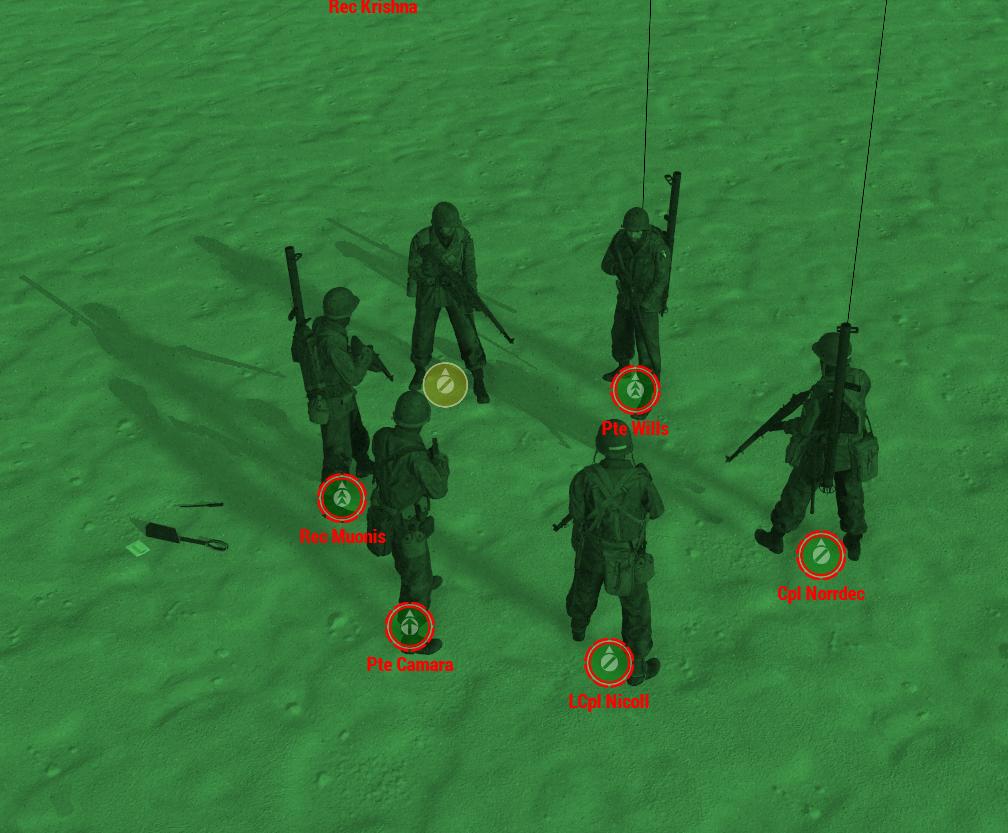 restive pilot
is it new?
hushed seal
nah, been talking to dedmen for a while about it, not sure if perf branch or mod related or something else. Just wanted to hear if anyone else has seen this and people in here have seen the most whack stuff.
heavy vortex
Is that just on the client or the server as well?
hushed seal
on the server as well, had a debug.exe that was logging players without a group
 boreal wigeon
hushed seal
https://i.imgur.com/4Lku5i4.jpg
anyone having this fun issue with players that a...
boreal wigeon
hushed seal
https://i.imgur.com/4Lku5i4.jpg
anyone having this fun issue with players that a...
Yeah had it happen some times. Also once when a player left, the unit was still there being a player, and couldn't delete it.
heavy vortex
Now that one I've seen.
 plain trout
hushed seal
https://i.imgur.com/4Lku5i4.jpg
anyone having this fun issue with players that a...
plain trout
hushed seal
https://i.imgur.com/4Lku5i4.jpg
anyone having this fun issue with players that a...
Yes, I had it too very very rarely but also no idea of a repo.
Actually you can spawn them in manually by importing an sqf mission file, exported by the editor with the debug console if that mission file has a unit set to player (not „playable“). But I’m not sure if their state compares to what happens during an actual game
hushed seal
plain trout
Yes, I had it too very very rarely but also no idea of a repo.
Actually you ca...
Well we get it every OP if players JIP into a mission^^ Unfortunately can't repo it with just two people so like always you need 10-20 people to test.
plain trout
We have 30-40 people regularly and it doesn’t happen ever. It’s only when people disconnect that this issue shows up. Maybe locality of the initialization is broken and init.sqf or initserver.sqf have some special setup?
hushed seal
https://github.com/16AA-Milsim/MissionFramework/tree/master
Is all the scripting, for the most it's been the same for ages.
empty goblet
restive pilot
I figured out a repro that takes less than a minute, but whether that's the same...
any chance for the 'fix' test to manifest this week into profiling ?
restive pilot
I don't know
 whole cloud
Can you send your RPT from that run? superflush also prints new diagnostics
inland dew
will see if I have it
inland dew
whole cloud
Can you send your RPT from that run? superflush also prints new diagnostics
this?

or you need the while RPT?
whole cloud
Ah profiling exe has more data about script memory, forgot thats prof only.
Well its atleast doing something
 rain moth
in tank coop event, half the crews have 2 fps and contant object flashing
heavy vortex
Replicable? :P
restive pilot
rain moth
in tank coop event, half the crews have 2 fps and contant object flashing
for the time being tell them to use -maxMem=80% of their ram (e.g. -maxMem=24576 if they have 32GB RAM). it should "postpone" the object flickering issue
rain moth
testing now
rain moth
no more issues so far for me
restive pilot
you should be ok with up to 100% of your RAM too but I didn't want to risk it 😅
hopefully we can fix it properly soon ™️
whole cloud
Oki leopard found one issue definitely.
The game's default maxMem parameter works like this
physicalMemory = 1024MB;
virtualMemory = 1228MB; // This is minimum required to run Altis on 32bit

physicalMemory = SystemStats.TotalPhysicalMemory * 75%;
if (physicalMemory > SystemStats.CurrentlyFreePagefileMemory)
{
      Rpt("Warning: memory usage limited by a page file. Current limit %d MB, wanted %d MB.", SystemStats.CurrentlyFreePagefileMemory, physicalMemory);
      Rpt("Increasing your page file size might improve game performance.");
      physicalMemory = SystemStats.CurrentlyFreePagefileMemory;
}

if (running on a 64bit system)
{
      virtualMemory = 4GB;
}

if (maxMem parameter is set)
{
      physicalMemory = maxMem;
      virtualMemory = maxMem * 75%;
}

if (virtualMemory > 8GB)
{
      virtualMemory = 8GB;
}
So the game thinks, it can only allocate 4gb of memory. unless maxMem is set. That is just hardcoded there.
I looked up the reason for this. Back in 2016 "limit is purely artifical an could be freely increased over 10 gigs if necessary."
"64-bit is currently limited to 8 GiB which is a rather pessimistic choice. However, it can be increased in time after we test our x64 game properly."
Okey then, I think we'll just get rid of it.. I think we tested it properly enough over the last 7 years.
I looked where this virtualMemory is actually used..
Handful of usages.. one of them is unloading blocks of terrain objects when the free memory gets critical.... Flickering trees.
We definitely still have some memory bug. Because it gets worse and worse over time, so something is still wrong.
Fixing this will give us a couple more gigabytes of headroom before the critical limit is reached and you feel it. But we still need to find that leak.
From my testing, I couldn't find any leak.
silk pewter
dang!
 random isle
i had this issues few nights ago on (i think previous pref), like 4-5 hour game and the flicker started and fps were in 20s, but every couple of minutes it looked like it cleared the ram fps where back to 60s but then again back to 20s after another 30 sec, so was going back and forth
anyway i can get a good log w/o crash ?
whole cloud
random isle
anyway i can get a good log w/o crash ?
no
random isle
whole cloud
no
ok possible to force the crash 🙂
whole cloud
no, and would still be useless
hushed seal
whole cloud
Oki leopard found one issue definitely.
The game's default maxMem parameter work...
omg, might that be the reason that my server was trying it's hardest to stay below 4GB reported usage despite having a quarter terabyte of RAM? All that weird behaviour went away when I added -maxMem=16000
whole cloud
yes thats it
hushed seal
Feels good knowing changing that actually did something 😄 And good work finding that!
 woven loom
Crazy stuff! Curious why 75% is chosen as a multiplier for things.
Also wondering why virtualMemory = physicalMemory*0.75 wasn't just done always if it was safe to do when maxMem was specified (they wanted to test more?)
It's also strange because iirc virtual memory in windows = RAM+page file, so virtual memory pool should be more than physical memory, afaik, but not a dev so could be very wrong about this.
whole cloud
I am also wondering that.
code is now
virtualMemory = physicalMemory.
Because that works
x64 linux server is hardcoded to 4GB limit. Again, unless you manually specify -maxMem
It actually does know how much ram it actually has.
But there is a "Throttle" limit, that it "tries" to stay under. And thats 4GB.
woven loom
Amazing
What effect does this throttling have on the server? It's not doing rendering and stuff so what would it unload etc?
heavy vortex
In my experience of -maxMem=3GB, not a lot.
It just keeps trying and freeing barely nothing, hence <5fps.
whole cloud
In windows in the Rendering code, it unloads blocks of terrain chunks.
I would expect that on server that rendering code doesn't even run
hushed seal
woven loom
What effect does this throttling have on the server? It's not doing rendering an...
FPS take a shit once it nears 4096 MB RAM usage
or rather decrease and become a whole lot more unstable, whole reason I've started using maxmem
woven loom
Thanks! Will pass this on. Exciting times 😁
whole cloud
Prof v11 shall be tomorrow morning
random isle
dedmen this game still alive because of you 🙂 thank you for your care
whole cloud
Also the "free memory" considers all of the game's allocated memory.
So a lots of data stored in script variables, can also cause the terrain to flicker and go into "emergency mode"
That is the repro Leopard found, which creates a huge hashmap and causes the flickering.
So chances are, even if I look more for a memory leak. I might not find it because it might simply be scripts storing lots of stuff.
Simply creating some couple million element long arrays in a while loop, should pretty quickly lead to chaos.
And there's not really anything we can fix about that
heavy vortex
Could kinda do with a script memory diagnostic command.
whole cloud
profiling build has it-ish.
On superflush it prints script memory usage.
heavy vortex
mmm, need to try that.
whole cloud
But that just shows you that there probably is a problem.
Not where it is
I guess I could build a memory profiler with ArmaScriptProfiler.. but that's so much work :U
And the profiler isn't that well suited for memory
 feral harness
random isle
dedmen this game still alive because of you 🙂 thank you for your care
feral harness
random isle
dedmen this game still alive because of you 🙂 thank you for your care
please use appropriate channel #dedmen_praise_channel
fickle geyser
We need #LiveOps_Praise, easy to forget about other people as Deddy has biggest online presence due to all the writeups he does (which is great), we luv u all
restive pilot
woven loom
Crazy stuff! Curious why 75% is chosen as a multiplier for things.
Also wonderin...
yes virtual memory is the "committed memory" in Windows, which is the sum of RAM and page file
restive pilot
whole cloud
Also the "free memory" considers all of the game's allocated memory.
So a lots o...
Simply creating some couple million element long arrays in a while loop, should pretty quickly lead to chaos.
And there's not really anything we can fix about that
actually, I had an idea to increase the limit gradually once its violated several times after cleanup. worst case scenario is that we get a crash if the user doesn't have enough page file, but at least that's better than a low FPS torture 😛
but anyway yeah we should find that leak, which is what I meant by "fixing it properly"
imo we should add some additional profiling stuff to detect these leaks. it's very hard to find them in "synthetic" tests
most people encounter these issues after several hours of gameplay, which is not a feasible repro for us
vivid rune
Is there a (easy) function in C++ to measure the size of objects/structs? So maybe a frequently scan over all structs to identify the biggest objects/structs over time?
restive pilot
size of a struct is constant 
whole cloud
Also should test what happens if we just disable page file. And disable all the checks in Arma that say "you must have page file" and see if that actually is a problem
restive pilot
but anyway afaik no. you should manually detect allocations and deallocations
whole cloud
Memory profiler can run in retail.
But then Arma quickly uses like 16gb of ram to run
vivid rune
is there someting equvalent like lists in C#?
whole cloud
C++ does have linked lists yeah
vivid rune
This 3FPS Topic is only a A3 thing, right? So what was functional introduced in A3? Maybe this can also identify some spots to investigate.
restive pilot
whole cloud
Memory profiler can run in retail.
But then Arma quickly uses like 16gb of ram t...
well for starters it doesn't have to be so detailed 😅
first we should find what the source of the leak is. Groove_C mentioned that even after disconnecting from a mission the FPS was still bad and RAM usage didn't go down. so that's a start. we can monitor all stuff that should be cleaned when a mission has ended but don't
 charred holly
Could memory fragmentation be a problem? Or is that handled on the OS level?
restive pilot
it can be a problem but this sounds more like a leak
empty goblet
woven loom
Crazy stuff! Curious why 75% is chosen as a multiplier for things.
Also wonderin...
similar like with VRAM, one of those reasons was there is always something in memory and not reliable to assume it's all free
vivid rune
Mh. Interesting: I run A3 with MaxMem=256 (yes 256MB) but MSI Afterburner show a usage of 2500MB (allocated 17GB). It runs with 3-10 FPS with graphical glitches but it doesn't crash. (i also used hugepages)
(tested with YAAB)
vivid rune
I can remember there was some memory thing for terrain loading on the server a few weeks ago and a memory limit was set higher. So there are some hard coded "memory budgets" for different "systems" as i understand. Would they also dehardcoded and become more dynamic?
inland dew
restive pilot
yes virtual memory is the "committed memory" in Windows, which is the sum of RAM...
and vRAM as well?
inland dew
restive pilot
well for starters it doesn't have to be so detailed 😅
first we should find wha...
yeah, had like 21 GB and 19 GB vRAM "used", the server (on Altis) restarted, so I found myself in Arma main menu, but RAM and vRAM values were still same
connected to another server, with another mission (on Malden), RAM and vRAM values continued to grow )))
no mods used
also today, as admin, on Malden, stayed for hours only at main island airfield, without going anywhere and RAM grew to like 20 GB and vRAM to like 14 GB, just staying AFK
so no flying or going anywhere on the island and FPS was very very bad
that was with -maxMem=23552
but tomorrow we'll also set -maxMem manually on the server (-maxMem not used on the server) + tomrrow's patch
restive pilot
you won't need -maxMem with tomorrow's patch anymore
 obsidian relic
Did anyone had an issue where they don't see that player joined (server/squad) and you can't hear/see them on tfar, DUI, CTAB too? You can see model moving, get in vics, fight etc but player itself does not exist for you.
I got it twice in the row, while playing on the server, a lot of mods but it does not happened (yet) on stable, that's why I am asking here
woven loom
Random thought — is there any difference in how nvidia and AMD GPUs behave? Just wondering if the potential leak isn't due to an nvidia driver interaction or something
heavy vortex
Doubt it tbh. Seen people posting with similar issues with a wide range of GPUs.
Nvidia obviously more common but then so are the cards :P
inland dew
restive pilot
you won't need -maxMem with tomorrow's patch anymore
so it will still exist, but won't work anymore?
heavy vortex
I'd assume that it still exists as an override.
Server providers with their -maxMem=3000 are gonna freak out otherwise :P
 quaint flame
inland dew
yeah, had like 21 GB and 19 GB vRAM "used", the server (on Altis) restarted, so ...
quaint flame
inland dew
yeah, had like 21 GB and 19 GB vRAM "used", the server (on Altis) restarted, so ...
I noticed that ram and vram usage stayed nearly the same when switching maps. For some reason I expected the mem usage to go down significantly if a new world is loaded and stuff from the old world might no longer be needed.
empty goblet
whole cloud
Ah profiling exe has more data about script memory, forgot thats prof only.
Well...
speaking of , do we have equivalent of superflush console / RPT output la #perf_prof_branch message for dedicated server ?
whole cloud
vivid rune
Mh. Interesting: I run A3 with MaxMem=256 (yes 256MB) but MSI Afterburner show a...
Even after maxMem parameter, it clamps to a minimum of 1024mb
whole cloud
inland dew
yeah, had like 21 GB and 19 GB vRAM "used", the server (on Altis) restarted, so ...
vRAM would probably not flush. It won't unload textures unless it needs to. And not much harm in not cleaning up stuff at mission end.
But it will regulate itself if it needs more space for other stuff
whole cloud
quaint flame
I noticed that ram and vram usage stayed nearly the same when switching maps. Fo...
Yeah RAM not sure what's going on there. Some stuff like Object configs will stay cached forever, once loaded once (Unless free memory is needed and it needs to get rid of it, which superflush would do)
But thats not alot of memory I'd think
inland dew
whole cloud
Yeah RAM not sure what's going on there. Some stuff like Object configs will sta...
when I superflush, RAM values are back to pre-superflush values not even 10 mins later )
empty goblet
whole cloud
Oki leopard found one issue definitely.
The game's default maxMem parameter work...
with the upcoming build the remaining limit for virtualMemory will be the maxmem * 75%?
ie. just the last 8GB (hardcoded ceiling) value cease to be or there are other changes ?
inland dew
whole cloud
vRAM would probably not flush. It won't unload textures unless it needs to. And ...
understandable on mission end, since mission end, doesn't automatically mean server restart, but mostly server lobby
in Reforger, when you're back to game main menu, RAM and vRAM drop drastically, whereas in A3, everything stays cached in RAM and vRAM
not complaining, since why not use RAM and vRAM, if more than enough available, to keep as much stuff as possible cached, for as stable/high FPS and stable/low frametime as possible, since all the stuff is still/already cached
whole cloud
empty goblet
with the upcoming build the remaining limit for virtualMemory will be the maxmem...
virtualMemory = physicalMemory
8GB limit increased to 16GB
2.14.151225 new PROFILING branch with PERFORMANCE binaries, v11, server and client, windows 32/64-bit, linux server 32/64-bit
- Tweaked: Player leaning sync in multiplayer (it can potentially also fix other animation desync; this is a server-side tweak) - https://feedback.bistudio.com/T177317
- Fixed: Vehicles' VisualSensor could see targets through buildings/objects - https://feedback.bistudio.com/T176526
- Fixed: Crash when deleting UI elements inside an OnDraw Event Handler - https://feedback.bistudio.com/T177796
- Fixed: EPE events were not returning Simple Objects - https://feedback.bistudio.com/T177763
- Fixed: Default system memory detection on 64bit systems was limited to 4GB (now it is 16GB)
- Fixed: Default system memory detection on 64bit Linux servers was limited to 4GB (now it is 8GB)
If you don't want to use the Steam branch, the files are also available for alternative download here:
https://drive.google.com/drive/folders/15p9j7C2nHUt6NoVfChX4YFuqzFXzblJh
whole cloud
whole cloud
2.14.151225 new PROFILING branch with PERFORMANCE binaries, v11, server and clie...
quaint flame
So the 16 gig is a Windows limit?
empty goblet
whole cloud
virtualMemory = physicalMemory
8GB limit increased to 16GB
can't we get rid of the hard limit via another command-line option ?
whole cloud
We can remove it also without command-line option. But I don't know what purpose it serves so I'd rather leave it.
16GB gotta be enough for everyone
rain moth
640K ought to be enough for anybody
empty goblet
whole cloud
We can remove it also without command-line option. But I don't know what purpose...
ye well, it would be of use if you have >32 (64/96/128) GB RAM ... 😁
quaint flame
We should just test what happens 😈
rain moth
there's always -maxMen if you're on a workstation rig with 1TB RAM 
 calm mantle
Is there anything on VRAM limits? I've seen object flickering without my VRAM being maxed.
Of course, it's possible the flickering isn't VRAM related. I'm just curious.
Nowadays I only see trees/buildings pop when flying. And I bet the RAM change may help that.
 patent dome
calm mantle
Is there anything on VRAM limits? I've seen object flickering without my VRAM be...
patent dome
calm mantle
Is there anything on VRAM limits? I've seen object flickering without my VRAM be...
Or even more detailed: #perf_prof_branch message
inland dew
whole cloud
We can remove it also without command-line option. But I don't know what purpose...
so I still have to use -maxMem, since RAM reaches 20-21 GB
because 16 GB default is a problem then
inland dew
if I disable paging file, would that be a problem for Arma?
does Arma really need it or it should be fine without it, as long as there is enough available RAM?
empty goblet
rain moth
there's always `-maxMen` if you're on a workstation rig with 1TB RAM <:shrug:973...
that will do nothing if the maximum virtualmemory cap is 16GB
rain moth
empty goblet
that will do nothing if the maximum virtualmemory cap is 16GB
unless #perf_prof_branch message flow is changed it would override both physical and virtual?
empty goblet
{
      virtualMemory = 8GB;
}

if (maxMem parameter is set)
{
      physicalMemory = maxMem;
      virtualMemory = maxMem * 75%;
}

if (virtualMemory > 16GB)
{
      virtualMemory = 16GB;
}
``` this is the change how i understand it from the changelogThe previous 8gb, now 16gb limit is after the maxMem parameter
physicalMemory = 1024MB;
virtualMemory = 1228MB; // This is minimum required to run Altis on 32bit

physicalMemory = SystemStats.TotalPhysicalMemory * 75%;
if (physicalMemory > SystemStats.CurrentlyFreePagefileMemory)
{
      Rpt("Warning: memory usage limited by a page file. Current limit %d MB, wanted %d MB.", SystemStats.CurrentlyFreePagefileMemory, physicalMemory);
      Rpt("Increasing your page file size might improve game performance.");
      physicalMemory = SystemStats.CurrentlyFreePagefileMemory;
}

if (running on a 64bit system)
{
      virtualMemory = physicalMemory ;
}

if (maxMem parameter is set)
{
      physicalMemory = maxMem;
      virtualMemory = maxMem * 75%;
}

if (virtualMemory > 16GB)
{
      virtualMemory = 16GB;
}
Thats the new flow
whole cloud
inland dew
if I disable paging file, would that be a problem for Arma?
does Arma really nee...
Yes.
I have no idea if it needs it. But it will limit your memory usage all the way down. See the flow ^
empty goblet
thus doesn't matter if i set the value of maxmem to 64GB, it will still cap the virtualmemory on 16GB
whole cloud
calm mantle
Is there anything on VRAM limits? I've seen object flickering without my VRAM be...
It isn't. I found it and it was the virtualMemory cap
empty goblet
hence why i want to get rid of the cap or increase it significantly (96GB RAM, 256GB SWAP ... oh cmon it ain't that crazy, even i have it)
rain moth
yes please, all my RAM just sitting there, teasing me, while game is crying
inland dew
so one can't use maxMem to tell Arma there is more than 16 GB?
so it was better before then???
because one was able to use maxMem, to tell Arma, there is more than 16 GB RAM available
so it should now be worse?
because it always goes towards 20 GB RAM for me and now one can't even use maxMem anymore to override new default 16 GB...
I prefer to have default 8 GB RAM and being able to force it to be the value I set than just 16 GB and deal with that
unless I don't understand todays change correctly
patent dome
maxMem still has the same behaviour. Compare with this explanation: #perf_prof_branch message
Just the hardcoded values of 16GB and the x64 check were changed.
inland dew
patent dome
maxMem still has the same behaviour. Compare with this explanation: https://disc...
Dedmen put a thumbs up under that...
so I'm lost now...
#perf_prof_branch message
whole cloud
inland dew
so it was better before then???
because one was able to use maxMem, to tell Arma...
It was 8gb before
inland dew
whole cloud
It was 8gb before
I know.
but I still can use maxMem to tell Arma there is like 22 or 24 GB, instead of new default 16?
whole cloud
You can use maxMem to set whatever, but it applies the 16GB limit AFTER maxMem is read
Refer to the pseudocode above
vivid rune
OK. Now we have possible 16GB for virtualMemory. I played the campaign a bit but it doesn't load more than about 5GB.
I guess the different systems (terrain loader, script thing, ai thing,...) have also there different caps, right?
whole cloud
Maybe. Or maybe it only needs 5
calm mantle
Before, no matter how high you set max mem. It would get pulled to 8. If you didn't use maxmem, then it defaulted to 4.
Now the values are essentially doubled. Still a big gain.
Did I get that right dedmen?
whole cloud
Previously default was 4.
And with maxMem capped to 8.
Now default is however much RAM you have. And with maxMem capped to 16.
vivid rune
whole cloud
Maybe. Or maybe it only needs 5
It has some more, some a little bit less. I asume it deloads something.
whole cloud
Well if you play the campaign, then units spawn, units die, units get deleted..
So....
Ofc it doesn't keep deleted units in memory, deleted is gone.
inland dew
whole cloud
Previously default was 4.
And with maxMem capped to 8.
Now default is however m...
is it to prevent people from using maxMem command?
patent dome
whole cloud
Previously default was 4.
And with maxMem capped to 8.
Now default is however m...
Even without maxmem it is capped to 16, right?
whole cloud
patent dome
Even without maxmem it is capped to 16, right?
Yes
I was thinking that when writing. Deleted a bit to rewrite and then decided I'm too lazy to specify that.
The code is above
whole cloud
inland dew
is it to prevent people from using maxMem command?
I don't know.. maybe I guess.
It limits maxMem so.. I think yes?
inland dew
 vivid rune
Is there a reason to limit it to 16GB? Does Reforger has a memory limit, too?
calm mantle
Yeah I don't see the point in the hard limit, but I'm far from qualified enough to argue against it.
We still have double the ram we had before.
whole cloud
I don't see it either
But whoever implemented it a long time ago, surely had a reason for it
inland dew
I launched Arma now and connected to our server and instantly see almost 17 GB RAM
only Arma and Steam running (no maxMem used)
whole cloud
Well you also previously saw it use more than 8gb right?
The virtualMemory is limited.
I don't know why it can use more, but yeah it does. It did so previously and it still does so now.
Nothing was changed besides the limits.
inland dew
PC was freshly started, before launching Arma
vivid rune
On 32bit time it would make some sense. For testing the 64bit exe on the early days okay. But if the different systems are clamped to some values, it would not make so big difference.
I tested YAAB with vanilla (some around 4GB usage) and with heavy mods (around 6,5GB usage). So in heavy mod scenarios there is a some kind of advantage (the fps in v11 vs. v10 are the same - so no gain)
(I use MSI Afterburner for the memory values, it shows the allocation (around 17GB instantly and the "usage" (slowly gained over time running arma).
inland dew
whole cloud
Well you also previously saw it use more than 8gb right?
The virtualMemory is li...
sure, but I don't remember if before it was also 16-17 GB instantly (maybe?)
although I'm using mimalloc 2.12, with 2 MB memory chunks (locked in memory), instead of default old Intel malloc, with 4 KB memory chunks (not locked in memory)
vivid rune
I checked the different documentations of the maxMem parameter. Maybe it is by the next update of A3 the time for an clarification:
In the tooltip in the parameter folder of the arma launcher:
Something like: "sets the memory allocation in the range of 256-<all your RAM> - limited by your installed RAM"
In the wiki:
1024MB is a hard-coded minimum...
- 64-bit Windows + 64-bit game: (physical memory * 4) / 5
-> this means if you have 64GB RAM, it uses 51,2GB
calm mantle
From what I understand, we are mostly talking virtual mem, which is only page file?
I guess it depends on how Arma chooses to use virtual and physical ram.
vivid rune
When i think about this two definitions. it means that arma can use all your RAM. What if this "RAM clamping" was only introduced to test the "unload mechanism"?
Would it not make sense to have the maxMem parameter for setting the virtual Memory value to every value till maxRam*0.75 and clamp the default to 16GB as a compromise?
inland dew
whole cloud
Also should test what happens if we just disable page file. And disable all the ...
not done that?
heavy vortex
Isn't this line backwards?
virtualMemory = maxMem * 75%;
vivid rune
I hope it is the same as
virtualMemory = maxMem * 0,75;
restive pilot
heavy vortex
Isn't this line backwards?
`virtualMemory = maxMem * 75%;`
No. If you mean the syntax it's pseudocode
heavy vortex
Is this incorrect then? I don't understand why you'd set committed memory smaller than physical memory.
yes virtual memory is the "committed memory" in Windows, which is the sum of RAM and page file
calm mantle
'''
physicalMemory = SystemStats.TotalPhysicalMemory * 75%;
if (physicalMemory > SystemStats.CurrentlyFreePagefileMemory)
{
Rpt("Warning: memory usage limited by a page file. Current limit %d MB, wanted %d MB.", SystemStats.CurrentlyFreePagefileMemory, physicalMemory);
Rpt("Increasing your page file size might improve game performance.");
physicalMemory = SystemStats.CurrentlyFreePagefileMemory;
}
'''
So if someone has 64GB physical RAM, and say 16GB page file size, then Arma could only use 16GB of physical RAM?
vivid rune
I have a question: The "virtualMemory" is not the only thing that Arma claimed from physicalMemory, right? FileCacheSize is also claiming RAM on top of this, correct?
whole cloud
inland dew
not done that?
You are asking if we tested that? no we didn't
whole cloud
heavy vortex
Isn't this line backwards?
`virtualMemory = maxMem * 75%;`
no, thats what it says
whole cloud
heavy vortex
Is this incorrect then? I don't understand why you'd set committed memory smalle...
I don't understand either
whole cloud
calm mantle
'''
physicalMemory = SystemStats.TotalPhysicalMemory * 75%;
if (physicalMemory >...
yes
whole cloud
vivid rune
I have a question: The "virtualMemory" is not the only thing that Arma claimed f...
I think so yeah
vivid rune
and maxFileCacheSize is clamped to 2GB max, right?
Then for correctness this line should be edited to (i know, the maxFileCacheSize can be seen in the 25%, but so it would also be possible to set maxFileCacheSize higher than 2GB safely):
physicalMemory = (SystemStats.TotalPhysicalMemory - maxFileCacheSize) * 75%;
restive pilot
No. The 75% part is still nonsense imo
E.g. If you have 64 GB RAM it makes no sense to "reserve" 16 GB for Windows and other stuff. 4 GB is more than enough imo
heavy vortex
I don't know. That's a pretty scary default.
vivid rune
I looked on the Steampage. Minimal Memory Requierement are 4GB RAM. So you should define for lower than 8GB a special case with 25% value for OS. Equal to and over that 8GB RAM it can be a hard-coded value of 4GB.
restive pilot
heavy vortex
I don't know. That's a pretty scary default.
Well it doesn't take into account the page file at all
So it should be safe
heavy vortex
Discord, VSCode and Steam are all ~500MB each these days. Windows stuff is what, 2GB? And then web browsers are monstrous once you have a few tabs up.
restive pilot
restive pilot
Well it doesn't take into account the page file at all
This, and:
You shouldn't do other things when you game
heavy vortex
You need a web browser for Arma so you have something to do when you're ACE unconscious :P
empty goblet
restive pilot
This, and:
You shouldn't do other things when you game <:blobdoggoshruggoogly:74...
looks at his 20GB browser ... 😁
so glad for 64-bit ... now i can game arma and browse w/o running out of memory before weekend 🤣 {reader warning, this applies only perfect scenario w/o memory leaks}
heavy vortex
If Arma's not clearing anything up until it hits the limit then 75% of physical memory is a bad default IMO. A flat 6GB would be preferable.
maybe 8GB at a push?
empty goblet
heavy vortex
If Arma's not clearing anything up until it hits the limit then 75% of physical ...
it's mainly ensuring Arma isn't using ALL the memory because like i mentioned before sometimes value returned from OS / drivers was unreliable (pure case example is VRAM)
so while you knew how much memory was there (after lot of fixes and tweaks), it was much harder to know how much is used vs free (available) and in modern era, there was always something eating VRAM
@whole cloud @restive pilot would be possible get RPT entry if the 8 GB (linux) or 16GB (windows) is reached (and flushing happens or similar), so we can actually tell how often that happens / when ?
restive pilot
When it happens you get object flickering
empty goblet
restive pilot
When it happens you get object flickering <:hmmyes:1147624204909433022>
that isn't reliable log entry 
whole cloud
empty goblet
<@90532520101183488> <@360154905148653568> would be possible get RPT entry if th...
Yes. but won't do
vivid rune
But when the flickering is the flushing, then the flushing not able to real "flush" ALL memory or the new data is so big that flushing is immediately necessary again.
restive pilot
restive pilot
> Simply creating some couple million element long arrays in a while loop, shoul...
I think instead of forcing that "16 GB" limit, we should do something like this. i.e. when the cleanups are useless several times in a row, we should gradually increase the limit up to max available RAM (well minus a few GBs)
vivid rune
That was also my idea to have the maxMemSize unlimeted for testing reasons.
(I don't see a performance gain by using more RAM so far)
heavy vortex
restive pilot
I think instead of forcing that "16 GB" limit, we should do something like this....
Yeah, something like this is a lot better. Start with a relatively low soft limit. Run cleanup when it hits. If the cleanup doesn't find more than ~500MB to get rid of, increase the soft limit.
vivid rune
Other point that could be investigated: CacheFileSize is also using RAM but is an "independed" system as I understand. Is there all right and no leak?
whole cloud
vivid rune
But when the flickering is the flushing, then the flushing not able to real "flu...
Flickering is not flushing
 ashen helm
I'm on perf branch currently, been playing some missions set on Sumava map and I noticed that sometimes when zooming in (hold RMB) my GPU % usage goes up to 100% and while there is no visible lag or stuttering in game, it causes my OBS encoder to go down to 30ms per frame or even worse. I don't remember if it ever happened on stable but if it did, I would just see lower FPS in game when zooming in, not like here. Would limiting video memory through parameters help or should I seek a solution elsewhere?
whole cloud
Do you get higher fps when zoomed in? Maybe VSync or fps limit
ashen helm
in this specific case they didn't go higher but stayed on the same level as normal. I was playing with Vsync disabled, no frame cap but they were between 42-55
 plucky lichen
the marker error popup is still there on v11, been there since v10
16:06:25 Warning Message: No entry 'bin\config.bin/CfgMarkerColors.'. 16:06:25 Warning Message: No entry '.color'. 16:06:25 Warning Message: Size: '/' not an array 16:06:25 Warning Message: Size: '/' not an array
inland dew
ok, could test current perf build on my end, on our server also running it, me and our server not using maxMem and having page file on auto in Windows - same/similar result in FPS degradation as it always has been
restarted the client and reconnected to the still running server and FPS went up by a lot and frametime also went down by a lot and was flat again
restive pilot
plucky lichen
the marker error popup is still there on v11, been there since v10
`16:06:25 War...
- Are you using mods? If so try in vanilla first
- Did you verify the integrity of the game files?
plucky lichen
restive pilot
1. Are you using mods? If so try in vanilla first
2. Did you verify the integrit...
No mods, just king of the hill and verify files every perf update
whole cloud
"just king of the hill"
KotH is lots of scripts. that could cause exactly that.
You could run with -debug parameter and it might tell you what script causes it
ashen helm
ashen helm
in this specific case they didn't go higher but stayed on the same level as norm...
tried it again with vsync enabled, still in certain spots when zooming in the encoder starts to lag while the game itself is still smooth. Not sure if this is some sort of object issue that makes the latest nvidia drivers to choke or what
inland dew
@feral harness can you, maybe, have a look at this?
when setUnconscious true gets applied to AI while the healing animation is played (so healing animation gets interrupted), if you apply setUnconscious false, AI is stuck on his belly, with weapon behind his back, unable to stand up and do anything
only if you injure the AI and order it to heal itself (so finish or redo the healing animation, interrupted previously by setUnconscious true), only then is AI usable again
https://www.youtube.com/watch?v=_Gj9AT_pM8s
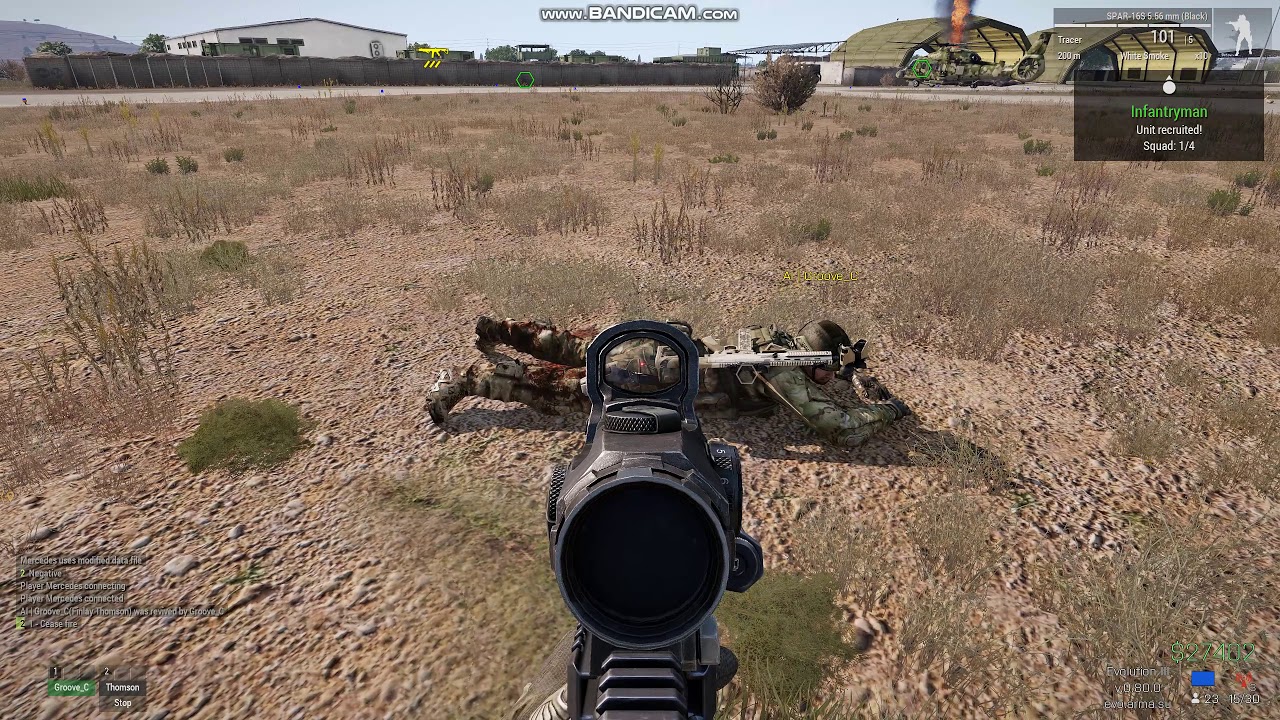 analog acorn
inland dew
<@643732735051169813> can you, maybe, have a look at this?
when _**setUnconscio...
analog acorn
inland dew
<@643732735051169813> can you, maybe, have a look at this?
when _**setUnconscio...
Possibly related: https://feedback.bistudio.com/T177333
feral harness
analog acorn
Possibly related: <https://feedback.bistudio.com/T177333>
looks like it and @whole cloud has made the ticket
inland dew
feral harness
looks like it and <@90532520101183488> has made the ticket
this is what dedmen said back then, but it didn't help AI
#arma3_feedback_tracker message
feral harness
the ticket we have is open
inland dew
then, maybe, this is something you can check?
https://feedback.bistudio.com/T154433
Tank AI commander, when 0 commander turret machinegun ammo, makes player as gunner or AI gunner reload 7.62 mm coaxial machinegun after each shot (despite gunner coaxial machinegun having full belt of bullets), once/only if enemy AI gets spotted
concerns all types/models of armor with commander turret that has a machinegun
 whole cloud
analog acorn
Possibly related: <https://feedback.bistudio.com/T177333>
whole cloud
analog acorn
Possibly related: <https://feedback.bistudio.com/T177333>
That is different.
The unconscious thing has been known for two years I think. And we know the solution. Just don't have the resources to do it
vivid rune
inland dew
<@643732735051169813> can you, maybe, have a look at this?
when _**setUnconscio...
I've experience some familiar thing: If one player is reviving an other player and would be shot down in this animation, the reviving player cannot move but rotate and sometimes not revived. Same thing on reloading: it plays the animation to end and then character is laying on ground and cannot move, only rotate.
 brazen orchid
Hello, the 3 FPS bug has disappeared after we have disabled BattleEye, confirmed by 2 players already @empty goblet @worldly badge @whole cloud
 worldly badge
Why did I pinged
plain trout
We do get the 3fps bug in non BE environment :/
ashen helm
worldly badge
Why did I pinged
out of spite 
silk pewter
@worldly badge yeah
worldly badge
I hate you
quaint flame
Has anyone else issue with Arma 3 being forced in the background if right clicking on an empty desktop? Is that a Windows issue or has this been introduced with the recent prof update. Never had that before.
Seems like a Windows issue 🤷♂️
 hot hollow
brazen orchid
Hello, the 3 FPS bug has disappeared after we have disabled BattleEye, confirmed...
hot hollow
brazen orchid
Hello, the 3 FPS bug has disappeared after we have disabled BattleEye, confirmed...
I dont and havent used BE and I plus others have gotten it so i dont think that is it
ashen helm
is this a perf branch thing now? shows up when I give an EOD order to disarm a mine while he is in the Stealth combat behaviour. Haven't seen this before.
 charred holly
I'm not certain about this, but I think rotor blades can now kill virtual curators.
It happened in two missions today and yesterday, but I'm not sure what version the players and the server are running.
heavy vortex
uh oh. What about other logic objects...
feral harness
whole cloud
That is different.
The unconscious thing has been known for two years I think. ...
looks pretty same to me
feral harness
charred holly
I'm not certain about this, but I think rotor blades can now kill virtual curato...
it has to physically collide with an object to kill it and not just every object, it can be person parachute or rope
what is virtual curator?
the change was/will be removed from prof as there is better implementation now but do create a ticket so we can test against
analog acorn
feral harness
what is virtual curator?
VirtualCurator_F - playable logic object used for Zeus slots that don't have an associated man unit
feral harness
i'll check tomo if even possible to hit it with rotor
charred holly
analog acorn
`VirtualCurator_F` - playable logic object used for Zeus slots that don't have a...
What he said
The curator was killed when an occupant pinged him and the curator teleported to his position to find out what was going on...
I should have noted in the first post that we are playing modded, but we have never had this issue before
charred holly
feral harness
the change was/will be removed from prof as there is better implementation now b...
Do you still want that ticket?
If yes, I'll need to test it in vanilla, to ensure it isn't a mod causing the issue
feral harness
charred holly
Do you still want that ticket?
If yes, I'll need to test it in vanilla, to ensur...
yes please
analog acorn
If your server is running the Performance/Profiling branch of Arma 3, and this doesn't happen on the Stable branch, then this is probably the right place.
If you're not running Performance/Profiling, try #server_admins or making a ticket at https://feedback.bistudio.com/project/view/1/
e: this referred to a deleted message
charred holly
feral harness
yes please
Server is running 2.14.151210 profiling branch.
I managed to repro in vanilla, latest profiling branch: https://feedback.bistudio.com/T177898
feral harness
charred holly
Server is running 2.14.151210 profiling branch.
I managed to repro in vanilla, ...
player you set pos is a virtual curator?
charred holly
Yes
feral harness
charred holly
Yes
Revision: 151232 Cannot say it was because of the rotor tweak could have contributed, but it is getting removed from profiling, instead the new patch will be added you would be able to test it on dev first probably, so next dev could you try to reproduce it please?
patent dome
2.14.151229 new PROFILING branch with PERFORMANCE binaries, v12, server and client, windows 32/64-bit, linux server 32/64-bit
- Reverted: Fix for player getting desynced after hitting a rotor - https://feedback.bistudio.com/T126837
If you don't want to use the Steam branch, the files are also available for **alternative **download here:
https://drive.google.com/drive/folders/15p9j7C2nHUt6NoVfChX4YFuqzFXzblJh
patent dome
patent dome
2.14.151229 new PROFILING branch with PERFORMANCE binaries, v12, server and clie...
charred holly
feral harness
Revision: 151232 Cannot say it was because of the rotor tweak could have contrib...
Was it removed in version 2.14.151229 of the profiling branch?
feral harness
2.14.151229 new PROFILING branch with PERFORMANCE binaries, v12, server and client, windows 32/64-bit, linux server 32/64-bit
- Reverted: Fix for player getting desynced after hitting a rotor - https://feedback.bistudio.com/T126837
If you don't want to use the Steam branch, the files are also available for **alternative **download here:
https://drive.google.com/drive/folders/15p9j7C2nHUt6NoVfChX4YFuqzFXzblJh
charred holly
Virtual curators can still be killed in 2.14.151229, in case anyone was wondering
feral harness
yeah most likely was always possible, the new patch should take care of that
tribal bay
how do you open the minidump to try and figure out an issue ^^
ashen helm
You don't
silk pewter
he can
he can opener
 stark falcon
I think this is a profiling only thing, but when arma crashes I get a extra popup to create a "full crash dump"
That little window doesn't show mouse cursor for me (so it's hard to click No). Not sure if it's just me?
whole cloud
Arma might not release the cursor when it crashes yeah.
Not sure if I can figure out how to do that.
But the dialog has keyboard navigation.
I don't know if No is the default button though
Easy fix, just stop crashing
I need a way to release mouse lock for other things anyway. I never found the time, maybe now I will
 pallid island
yeah, no is default
happens every time after a session of Arma and closing the game normally for me though
and not sure why, but Arma seems to delete rpt logs and mdmp files if the last one was close in time
pallid island
pallid island
happens every time after a session of Arma and closing the game normally for me ...
actually, this seems to stem from a mod 🤔
inland dew
play long enough to cry )))
https://youtu.be/rP_12Qx5nPI?feature=shared
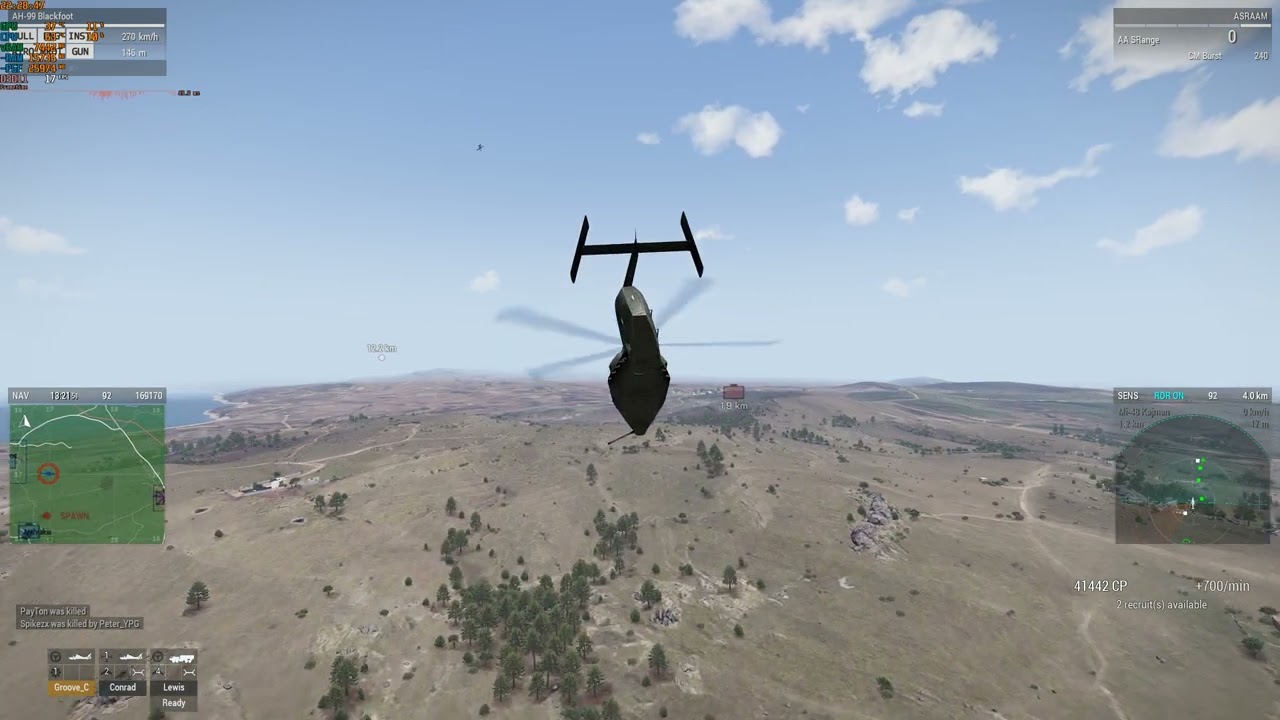 heavy vortex
What was -maxmem for that one?
inland dew
no -maxmem
heavy vortex
I lost track of what prof is defaulting to now.
analog acorn
Going by the pinned notes, looks like 16GB default limit
inland dew
analog acorn
Going by the pinned notes, looks like 16GB default limit
only if -maxMem used
just by the fact of using it
no -maxMem - no problem
restive pilot
analog acorn
Going by the pinned notes, looks like 16GB default limit
it clamps to 16 GB max
the default is 75% of your RAM, or page file size if page file is smaller than 75% of RAM
plain trout
That video is 1 year old
inland dew
nothing has changed in that regard )))
whole cloud
Thank you for providing such valuable information all the time. We really appreciate you!
empty goblet
whole cloud
Thank you for providing such valuable information all the time. We really apprec...
now all we need is ship @inland dew with his PC into @whole cloud laboratory at BI and fix it all 😁
 kindred radish
How is the syntax for sendChatMessage now ?
https://community.bistudio.com/wiki/Arma_3:_Server_Side_Scripting
I get an error now when i try this
params ["_playerId","_WaitTime"];
private _AllowJoining = "DELAY";
if(serverTime < 120) then
{
    _AllowJoining = "DELAY";
    _playerID sendChatMessage "TEST";

} else
{
    _AllowJoining = "ALLOW";
};
_AllowJoining
19:47:18 Error in expression <en
{
_AllowJoining = "DELAY";
_playerId sendChatMessage 'You are Queued for Load>
19:47:18   Error position: <sendChatMessage 'You are Queued for Load>
19:47:18   Error Missing ;
missing semicolon error == that command doesn't exist
#dev_rc_branch message
it works like in my example back here
kindred radish
whole cloud
https://discord.com/channels/105462288051380224/105466812870713344/1153280450723...
Ok, thanks. So it doesn't work like before then anymore i guess.
whole cloud
what before?
I think thats how it was since it was introduced
how did you format your script in server config?
kindred radish
whole cloud
what before?
I think thats how it was since it was introduced
onPlayerJoinAttempt = "call (missionNamespace getVariable ['CWZ_JoinQueueHandler', {'DELAY'}]) ";
params ["_playerId","_WaitTime"];
private _AllowJoining = "DELAY";
if(serverTime < 120) then
{
    _AllowJoining = "DELAY";
    _playerId sendChatMessage "You are Queued for Loading!";
} else
{
    _AllowJoining = "ALLOW";
    _playerId sendChatMessage "Queue finished, loading Server!";
};
_AllowJoining
Worked last time i tested without the sendChatMessage tho.
whole cloud
sendChatMessage is a server script command.
You are trying to use it in normal script, its not available there
kindred radish
Nvm then, sry 😄
whole cloud
The script must be compiled as server script.
If its from missionNamespace then it won't be
restive pilot
__IS_SERVER__ wen?! 😅
 vapid plank
is there a "best guide" for learning how to use profiling branch to understand what is hurting performance?
heavy vortex
Nah, there's almost nothing written down. Some things are fairly obvious in the frame capture output. Some things aren't.
You can spot scheduled & unscheduled script costs. Individual vehicle simulation. Networking. Total renderer cost.
vapid plank
so arma runs poorly by itself, mods make it worse, and the tools to debug it are poorly documented? how does this game even perform as well as it does? must be a tremendous amount of dedication.
ashen helm
Performance/profiling branch is a new thing and was released to public only because Dedmen wants to flex around 
woven loom
Hmm? Hasn't it been around long before dedmen joined BI? I remember dwarden posting perf/profiling stuff long before 🤔
hushed seal
Use the profiling.exe, take frame captures, look at frame captures.
Or use Arma Script Profiler to look at unscheduled mods (or even in engine if you enable the option)
rain moth
woven loom
Hmm? Hasn't it been around long before dedmen joined BI? I remember dwarden post...
First public builds are from 2013
woven loom
Right. That's even earlier than i remembered, I was thinking 2015 😄
 spiral pond
Bohemia Interactive Forums
Disclaimer: If you dont use unscheduled scripts or you dont know what unscheduled means this wont be useful for you. If you are a beginner in Scripting this is also likely nothing for you. This is a tool aimed to help intermediate/advanced Programmers. Also No Battleye! Im proud to present the fi...
The biggest problem is the non scripting impact (simulation, rendering, AI, sound, etc) - very hard to impossible to judge.
Basically down to A-B testing, narrowing down, trial and error.
vapid plank
AI is a massive one
plain trout
Nobody should be complaining in here. The game is old and still being actively developed. While I‘m not a programmer and barely understand this, dedmen and the other that are still working on arma are digging into issues that sound like lazy programmers from the past. And it’s a lot old code that he hasn’t made. He’s actively engaging with the people here that take this seriously and implements things that are being suggested by the community. Show me any other game/company that hires such people after a game was released so long ago. It is what it is and we got to make out of it what we can and that doesn’t work if people complain.
Also I think we are still missing a reliable repo for the 3fps bug
analog acorn
....who was complaining?
spiral pond
A3 is still selling very well @plain trout
plain trout
I know. People are asking on Reddit and other platforms for advise or ask if and how it is worth getting the game and a scarring amount of people give bad advise how to optimize performance based on the old recommendations still on steam and the forums.
That complaint got removed. Someone complained about a supposedly bad documentation.
analog acorn
There is a lot of bad documentation (or bad absence of documentation). The wiki crew have done a wonderful job, but there is a lot of information that's not written anywhere, or it was written somewhere that's now lost, or was written down but has changed since, or no one even knows to write down. There's stuff even the devs don't know. Some parts of this game were developed at a time where internal documentation wasn't anywhere close to the priority it is now, let alone public documentation.
It doesn't mean the devs don't care, but we do have to deal with it.
spiral pond
Better performance will lead to happier players, and customers - thus more sales. As such it should and is a priority. Giving better tools and documentation to the community to either achieve better performance on their own, and help the remaining devs to isolate performance problems is very useful.
To give you a specific example - we are currently developing a tank mission for SPE. Its only 10-15 active tanks. Most of them even stationary. However their performance impact is HUGE - if you disableSim on them, you get 20-30 FPS more . (with still other vehicles types and a good amount of AI remaining simulated)
Something bugs out with either PX or other parts of tank simulation.
We profiled it down to individual tanks (at times also planes) taking up to 10x the usual calc cost - something is wrong for sure. (1 to 5 ms per tank/plane vs the usual 0.1 to 0.5 ms)
It could be some constant collision triggered (terrain or objects) by a tank.
One can see this happening at times if you use the EPE EHs
quaint flame
Make a suggestion in #community_wiki maybe we can add more documentartion
heavy vortex
plain trout
Also I think we are still missing a reliable repo for the 3fps bug
Seems it was the same as the 3fps bug you get from setting maxmem too low. Just that it defaults to 4GB and that can be exceeded by the working set with high detail settings.
Whether there's also a memory leak contributing to that is unknown.
inland dew
heavy vortex
Seems it was the same as the 3fps bug you get from setting maxmem too low. Just ...
whatever you set -maxMem to - it will be 16 GB in the end, on current perf
no -maxMem used = working correct
inland dew
forget about previous builds of perf, since it's past already
- we're in perf section
or if you write something - specify that what you're writing, concerns stable branch only, if that's the case, to avoid any confusion, imho
vapid plank
plain trout
I know. People are asking on Reddit and other platforms for advise or ask if and...
My post never got removed. And the hilariously bad documentation is still there for all to see.
vapid plank
analog acorn
There _is_ a lot of bad documentation (or bad absence of documentation). The wik...
I think it’s accurate to say the devs don’t have it prioritized because they’re not being incentivized to deliver good documentation, they’re being incentivized to deliver an entirely new game for a deadline, that’s just how developers are managed. They have to meet the deadline to be rewarded.
analog acorn
vapid plank
I think it’s accurate to say the devs don’t have it prioritized because they’re ...
I was talking about the historical record. BI has evolved and is following modern development practices; documentation is now being built as the game is built. There is a dedicated docmaster  and things are documented as they're released. Documentation is now a priority - it's just that this doesn't automatically retroactively create documentation for things that were developed a long time ago, and it's difficult to do that because the information is scattered or outright unavailable.
vapid plank
100% agreed, this is exactly what would be done in any modern software engineering firm. Instead of fixing the old undocumented app that is very large and complex, build a new one from the ground up that you document as you build it.
@silk pewter I want to say thank you for all you do and also a thank you to all the devs you work with, for documenting Arma!
 rose moth
that sound like lazy programmers from the past
Not denying the awesome work that Dedmen and others are currently still doing, but this is inaccurate to draw as conclusion. You can't compare the situation of prime time development and now 🙂
plain trout
Ok. Sorry
 silk summit
Impressive to say the least... These devs are truly giving lots of love back to the community 👏
With semi-confirmed new CDLC in the works, current CDLC patches coming (as mentioned in the YEAR IN ARMA 3 2023 official article) and these devs backing the CDLC creators up with these much needed improvements 2024 surely looks bright, perhaps just like DayZ, A3 still has some records to break even after all these years 🥇
quaint flame
silk summit
With semi-confirmed new CDLC in the works, current CDLC patches coming (as menti...
Don't get confused. I posted it here by accident. Post is now in dev rc channel.
silk summit
quaint flame
Don't get confused. I posted it here by accident. Post is now in dev rc channel.
I wasn't talking about your post specifically, but this ---> https://arma3.com/news/year-in-arma-3-2023

Arma 3 | Official Website
This year, more than 2 million people played Arma 3 for over 61 million hours! Let's recap the many highlights of 2023.
Quoting the last paragraph of that official post:
"So, what is the plan as Arma 3 enters its 11th year? Even with Arma Reforger, reaching its 1.0 milestone this past November, and with development of Arma 4 underway, we still have some plans for Arma 3!
We will continue our maintenance and support of the game in a similar way as last year. We expect to publish more updates for existing third-party Creator DLC, and potentially some entirely new Creator DLC projects. This cannot be confirmed, however, until such time as these projects near their final milestones, so stay tuned for more information."
plucky lichen
Details on new perf build 151273?
whole cloud
whole cloud
~~Nothing to see here~~
 tribal pasture
whole cloud
~~Nothing to see here~~
tribal pasture
whole cloud
~~Nothing to see here~~
What was done with - Tweaked: Improved rotor collision handling exactly? Do they still kill? Does it go through HandleDamage now?
Or only the locality was fixed?
whole cloud
@feral harness ^
feral harness
fixed, should not kill as before
For purity of experiment it has to be tested with client/server on the same wavelength
Also, it takes 3 hits from 100% to kill with rotor
tribal pasture
Also remote projectiles sometimes remain in the world 
 feral harness
on v5 (2.14.151058)
That's from September, why?
tribal pasture
Yeah, we reverted there after rotor issues since it was randomly killing players
not sure why v5 exactly, but it is what it is
Investigating, gonna update to v15 now
feral harness
Damage related changes came later
tribal pasture
Yeah, thought we had v15 or something later, but turns out its v5, still very weird
Turns out client is on 2.14.151273
16:27:19 Received 203, expected bool
16:27:19 Unexpected message data from 1: message struct NMMA_247, item N/A
16:27:19 Before (0x00000034): 68 73 5f 77 65 61 70 5f 6d 34 61 31 5f 62 6c 6f 63 6b 49 49 5f 67 72 69 70 00 23 c4 40 3a 00 01
16:27:19 Current (0x00000054): cb
16:27:22 Received 203, expected bool
16:27:22 Unexpected message data from 1: message struct NMMA_247, item N/A
16:27:22 Before (0x0000002c): 72 61 63 65 72 5f 52 65 64 00 00 52 48 53 5f 77 65 61 70 5f 67 61 75 31 39 00 f0 09 23 3d 00 01
16:27:22 Current (0x0000004c): cb
16:27:22 Received 203, expected bool
16:27:22 Unexpected message data from 1: message struct NMMA_247, item N/A
16:27:22 Before (0x0000002c): 72 61 63 65 72 5f 52 65 64 00 00 52 48 53 5f 77 65 61 70 5f 67 61 75 31 39 00 0f a2 22 3d 00 01
16:27:22 Current (0x0000004c): cb
```Lots of such spamLooks like non-PERFs can't play on latest PERF server
Same RPT spam, but server-side now:
2024/01/15, 15:42:49 Unexpected message data from 2017015023: message struct NMMA_247, item N/A
2024/01/15, 15:42:49 Before (0x00000011): 07 00 42 5f 37 36 32 78 35 34 5f 54 72 61 63 65 72 5f 47 72 65 65 6e 00 e9 05 3b 46 db 39 00 01
2024/01/15, 15:42:49 Current (0x00000031): 2e
2024/01/15, 15:42:50 Received 46, expected bool
2024/01/15, 15:42:50 Unexpected message data from 780409929: message struct NMMA_247, item N/A
2024/01/15, 15:42:50 Before (0x00000059): 00 00 00 00 00 00 00 49 ca 9f 3f 00 00 00 00 fe ef 01 3d 00 00 00 00 00 00 00 00 5f 08 28 39 01
2024/01/15, 15:42:50 Current (0x00000079): 2e
2024/01/15, 15:42:50 Received 46, expected bool
2024/01/15, 15:42:50 Unexpected message data from 2017015023: message struct NMMA_247, item N/A
2024/01/15, 15:42:50 Before (0x00000059): 1b be 3c 00 00 00 00 00 00 00 00 00 00 00 00 00 00 00 00 3e fa 3d 3c 23 5a 53 3f d1 00 5b 39 01
2024/01/15, 15:42:50 Current (0x00000079): 2e
2024/01/15, 15:42:50 Received 46, expected bool
2024/01/15, 15:42:50 Unexpected message data from 2017015023: message struct NMMA_247, item N/A
2024/01/15, 15:42:50 Before (0x00000059): 00 00 00 00 00 00 00 00 00 00 00 00 00 00 00 00 00 00 00 92 bf 9e 3c 5e 13 bd 3f 5e 05 05 37 01
tribal pasture
Is this a bug or some engine change that makes these versions no longer compatible?
whole cloud
Don't know yet, we'll revert
feral harness
new message added so yeah
tribal pasture
forceHitPointsDamageSync I guess?
whole cloud
Out of 19 changes in 30 files, I missed one line of code 
"Fixed: Repaired static buildings did not sync hit points for Join In Progress" that one is the baddy
tribal pasture
New message was added in the middle of the list instead of end of it? (not sure how this works exactly)
whole cloud
There is no new message
kindred radish
As we say in german "Wo gehobelt wird, da fallen Späne".
Rather some broken updates from time to time, instead of no updates/improvements at all.
 jaunty juniper
German had a profiling branch back then?
 fast hornet
i mean ... pushing a build that makes people invincible is a bit more than that 😒
feral harness
tribal pasture
`forceHitPointsDamageSync` I guess?
yeah
whole cloud
Changelog is loading, give it a half hour or so
whole cloud
Or a couple hours oops
2.14.151284 new PROFILING branch with PERFORMANCE binaries, v13, server and client, windows 32/64-bit, linux server 32/64-bit
- Tweaked: Improved rotor collision handling
- Tweaked: Config errors because of the wrong weapon name in addWeaponX/addBackpackCargoX/addMagazineX commands are now suppressed and RPT entries are added instead - https://feedback.bistudio.com/T177653
- Tweaked: Removed hit point update messages for entities without hit points
- Tweaked: Blood drop effect was improved
- Fixed: Repairing a building in Eden Editor was not working - https://feedback.bistudio.com/T133265
- Fixed: Zeus curators could be killed by rotors - https://feedback.bistudio.com/T177898
- Fixed: Group name was not shown in the Eden Editor entity list - https://feedback.bistudio.com/T177915
- Fixed: Repairing static buildings destroyed with effects was not always working correctly
- Fixed: Dedicated Servers with autoinit and persistent=0 were not created properly
- Fixed: AI characters might move away while getting healed (failing the heal) - https://feedback.bistudio.com/T158514
- Fixed: Explosion sound effects were not audible if the explosion occurred beyond the view distance - https://feedback.bistudio.com/T171589
- Fixed: Crash when attaching to sling load
If you don't want to use the Steam branch, the files are also available for alternative download here:
https://drive.google.com/drive/folders/15p9j7C2nHUt6NoVfChX4YFuqzFXzblJh
whole cloud
whole cloud
2.14.151284 new PROFILING branch with PERFORMANCE binaries, v13, server and clie...
restive pilot
whole cloud
2.14.151284 new PROFILING branch with PERFORMANCE binaries, v13, server and clie...
AI characters might move away while getting healed (failing the heal)
btw it should also improve player healing (increased max healing distance a tiny bit)
tribal pasture
restive pilot
> AI characters might move away while getting healed (failing the heal)
btw it ...
Did something change regarding healing amount recently? We started setting weird setdamage logs numbers, previously all heals with FAKs did flat 0.250000 damage setting
analog acorn
tribal pasture
Did something change regarding healing amount recently? We started setting weird...
https://feedback.bistudio.com/T172860?
* dev 11 Jan, perf idk
tribal pasture
feral harness
Also, it takes 3 hits from 100% to kill with rotor
Looks like this damage goes through BE's setdamage.txt filter, players using latest perf started getting triggering it.


Why its not possible to send this damage through normal entity damage means? Have ammo as #rotor or something?
This way it would also go through HandleDamage on reciever side
 weak panther
restive pilot
> AI characters might move away while getting healed (failing the heal)
btw it ...
weak panther
restive pilot
> AI characters might move away while getting healed (failing the heal)
btw it ...
Fixed: AI characters may move away while getting healed (failing the heal) - https://feedback.bistudio.com/T158514
Seems healing in AI team was improved, will be great to get some improvements and fixes for rearming in AI teams
There are some issues 'low ammo' and 'rearm' order with AI https://feedback.bistudio.com/T175631
feral harness
analog acorn
<https://feedback.bistudio.com/T172860>?
\* dev 11 Jan, perf idk
nothing to do with setdamage, the message is now sending proper value instead of rounded value
feral harness
tribal pasture
Looks like this damage goes through BE's `setdamage.txt` filter, players using l...
what the log says?
how much damage
tribal pasture
feral harness
what the log says?
Looks like these are rotor damage logs, you can see guy piloting a helicopter and getting kicked because it
feral harness
possible, might be able to filter it
tribal pasture
Yeah, but damage is different every time, unlike say FAK which does flat 0.25
Can this rotor damage be implemented as usual damage that goes through HandleDamage?
feral harness
the helicopter is doing damage it is handled helicopter side
i am going to exclude engine damage from BE
should have been done long ago
rotor damage should not exceed 0.34 I think try that for now
tribal pasture
feral harness
rotor damage should not exceed 0.34 I think try that for now
That filter checks against final damage number, not added one
so it can be anything
tribal pasture
feral harness
the helicopter is doing damage it is handled helicopter side
Yeah, but can't the helicopter side pack it into a normal damage message similar to gun fire, crew damage, etc.?
feral harness
tribal pasture
Yeah, but can't the helicopter side pack it into a normal damage message similar...
no
it is hybrid physx damage and is handled differently
this will remove engine healing from be too
these damages should not go through be but they do
 vagrant zodiac
Might be completely unrelated to the rotor collision handling but...
Would it be possible to elaborate on exactly what's been done?
The reason I ask is I've made a micro UAV mod that's been around for nearly 3 years now. I've not done helicopter/drones before then or since so don't consider myself an expert and it's likely there's some stuff I'm not doing properly.
However, it's no longer possible to land this drone with the latest performance version - it explodes with the slightest contact with the ground.
Given the frequency of performance branch updates, I'm not sure if it's just been the latest version or whether this has been introduced a while back.
But stable branch still behaves as expected.
Like I say, it's likely that I'm not doing something properly but it would be handy to know what's changed so I can fix what I used to 'get away with'.
 vale shoal
"- Fixed: Crash when attaching to sling load"
Does this need to be on all clients or only server-side?
feral harness
vagrant zodiac
Might be completely unrelated to the rotor collision handling but...
Would it be...
99.9% probability it is unrelated to rotor collision tweak, it has to be something else
feral harness
vale shoal
"- Fixed: Crash when attaching to sling load"
Does this need to be on all clien...
client
and server if server uses scripts. Don’t worry about this, it only fixes possible crash
vale shoal
Well I'm worrying about it because it happened again with latest perf.
The server runs the script in this case.
feral harness
does it use attachto? then update the server
vale shoal
Yes, and the server runs on v13 already.
feral harness
then it is unrelated and is something else
vale shoal
Already wrote Rabito as he made the ticket (we're the guys who found this issue)
feral harness
if you can repro this crash just ping me
vale shoal
Willdo.
vale shoal
feral harness
if you can repro this crash just ping me
Yep, it repro it. With latest perf running on client and server. When I do it as probably Rabito wrote it in the ticket, my game crashes with status application hang. And the server is in a frozen state.
restive pilot
vagrant zodiac
Might be completely unrelated to the rotor collision handling but...
Would it be...
Which mod?
Maybe we can test it and tell you what's wrong
feral harness
what version client and server you have will double check @vale shoal
vale shoal
Server 151284, Client 151284
attachTo runs server-side, the rope things are probably client only
to fix the issue for now I destroy all ropes before doing attachTo, Advanced Sling Loading I modfied that if helicopter is attached to something ropes wont extend
@feral harness
vagrant zodiac
restive pilot
Which mod?
SPS Black Hornet
Like I say, it’s very likely that it’s something that I’ve done incorrectly that’s just now being exposed with the improvements being made all the time in all the updates.
So any info as to what’s changed could be helpful to diagnose and fix at my end.
One thing that is dodgy is that I don’t have a hitpoints LOD but inherit hitpoints from the vanilla darter in config. I was expecting this would cause problems when I first made the mod but it didn’t at the time so I took the ‘if it’s not broken, don’t try to fix it’ option which in hindsight might be wrong!
Given the perf branch will at some point become the stable release, any help so I can fix at my end (assuming it is something I’m doing wrong) would be hugely appreciated
feral harness
vale shoal
to fix the issue for now I destroy all ropes before doing attachTo, Advanced Sli...
Tried it again, cannot reproduce the crash, I will need detailed repro steps
possibly with video
kindred radish
feral harness
Tried it again, cannot reproduce the crash, I will need detailed repro steps
Works fine in the last builds, no server crash with vanilla slingloading.
The problem is he uses Advanced slingloading, so he has to restrict that inside the scripts.
vale shoal
kindred radish
Works fine in the last builds, no server crash with vanilla slingloading.
The p...
Still no. Rabito slingloads the vehicle before he attaches the helicopter onto a vehicle.
In my test I slingload the vehicle after attaching it.
feral harness
repro please otherwise this is a waste of time
feral harness
Reproed
feral harness
What is the advanced slingloading? I'm tempted to abort any slingloading operation on cargo with ropes attached to avoid millions of misuse cases
 plain trout
vagrant zodiac
SPS Black Hornet
Like I say, it’s very likely that it’s something that I’ve done...
plain trout
vagrant zodiac
SPS Black Hornet
Like I say, it’s very likely that it’s something that I’ve done...
launching the hornet also insta kills you on launching it too.
feral harness
vagrant zodiac
SPS Black Hornet
Like I say, it’s very likely that it’s something that I’ve done...
always test in latest dev, there are fixes that cannot go to perf
vagrant zodiac
plain trout
launching the hornet also insta kills you on launching it too.
That should have been fixed in the update I sent yesterday?
It only happened if you had your weapon raised previously?
vagrant zodiac
feral harness
always test in latest dev, there are fixes that cannot go to perf
Just checked Dev branch and same behaviour as latest profiling, sadly. (So likely I need to fix something but not sure what)
spiral pond
oldSize-1 != list.Size() 36 ,39
Offending nonprimary object ebe65240:SPE_GER_Soldier_XXX_Boots,ww2\spe_assets_m\characters\germans_m\ger_wehrmacht\spe_XXX.p3d
oldSize-1 != list.Size() 32 ,34
Offending nonprimary object c684c080:SPE_SdKfz250_1,<null>
is that a new logging? havent seen these before
Deinitialized shape [Class: "C_Soldier_VR_F"; Shape: "a3\characters_f_bootcamp\common\vr_soldier_f.p3d";]
also got this yesterday within a session - usually its only at the end of the rpt
but had also very severe fps problems with vegetation flickering at distance
down to <1 fps phases
seems something gone amiss with RAM usage (task manager showed still ~10% free tho)
-maxmem=2048
i tested with that first time. probably came from that. 2gb too low in general? even if, should the game not be able to manage it still?
whole cloud
Not new.
Dunno what thats about, but I know it doesn't matter.
You're describing the 3fps bug.
2gb ram only? on client thats too low
spiral pond
alright

might be good to adjust the available values in the A3 launcher then?
thats the default and you can go even lower than that
whole cloud
Probably, but touching launcher
vagrant zodiac
feral harness
always test in latest dev, there are fixes that cannot go to perf
Has anything changed in how land contact is calculated with regards to Heli updates?
Looking more closely, the issue I get appears to occur slightly before touch down. (I have the points in the LandContact LOD slightly below the drone)
The nature of the crash seems to be that there's suddenly a lot of energy released - the vehicle cartwheels almost as if it's detecting contact on a rotating element e.g. the tail rotor (even though it doesn't appear to have touched the ground)
Adjusting the position of the LandContact LOD (e.g. offsetting it lower below the drone) just makes the drone explode at a higher altitude. I.e. it's suggesting something goes wrong the instant the points in the LandContact LOD touch the ground.
feral harness
could you go to the
utils 2
in debug console and paste type of the drone into the search field and then generate config with
onlyclasses - off
include inherited - on
then paste the result here
I have pretty good idea what happened
vagrant zodiac
Sorry - being a bit dumb here - utils 2?
Ah - might have found what you mean - standby
Hmmm. Hitting generate just seems to default back to Classes Only ticked and is super short
/*
INCLUDE INHERITED ENTRIES: false
SHOW CLASSES ONLY: true
UNLOCALIZED TEXT: false
CONFIG PATH: bin\config.bin/CfgVehicles/sps_black_hornet_01_F
SOURCE ADD-ON(S): sps_black_hornet
*/
class sps_black_hornet_01_F
{
class UserActions; (1)
};
If I don't hit generate and untick Classes Only and tick Include Inherited, it's quite a big list!
Want me to DM it to you as a file?
Or just look for a specific detail for you?
feral harness
vagrant zodiac
If I don't hit generate and untick Classes Only and tick Include Inherited, it's...
yes, you can zip it and dm or post here since anyone can do it anyway it’s not a secret, it’s up to you
vagrant zodiac
DM-ed as I don't seem to be able to post it here
whole cloud
2.14.151313 new PROFILING branch with PERFORMANCE binaries, v14, server and client, windows 32/64-bit, linux server 32/64-bit
- Added: Additional context to the 'cycle as first waypoint' warning message - https://feedback.bistudio.com/T178338
- Added: Modded compositions now have a scopeCurator property that can be set to 0 to hide from Zeus - https://feedback.bistudio.com/T174947
- Fixed: "PlayerViewChanged" Event Handler was not firing for remote vehicles - https://feedback.bistudio.com/T127838
- Fixed: Another possible crash connected to sling loading
- Fixed: Bullets were not creating splashes when hitting water (broken since a recent revision), and fixed the water impact sound for bullets - https://feedback.bistudio.com/T176022
If you don't want to use the Steam branch, the files are also available for alternative download here:
https://drive.google.com/drive/folders/15p9j7C2nHUt6NoVfChX4YFuqzFXzblJh
whole cloud
whole cloud
2.14.151313 new PROFILING branch with PERFORMANCE binaries, v14, server and clie...
 twin orchid
Does ArmaScriptProfiler with the -profilerEnableEngine flag still work?
Whenever I launch it with arma3profiling_x64 the game crashes
whole cloud
I heard of crashes. Already hotfixed one.
If it crashes then the answer is probably no
 shell harness
im just trying to find a good server
heavy vortex
Then you are most definitely in the wrong place.
shell harness
dang
 heavy galleon
Hey there, as far as capital letters in pbo name for linux - it works just fine with no issues, as long as the "addons" folder is all lowercase and not "Addons" as some mod creators like to name it... Would it be possible to have this fixed too?
whole cloud
Yeah possible to fix that but it would be so ugly.
Basically check both names 😢
heavy galleon
It would be really appreciated
I spent way too much time trying to find out why it didn't work
 hybrid cradle
may be worth a pin in #server_linux regardless
 autumn timber
heavy galleon
It would be really appreciated
I spent way too much time trying to find out why ...
autumn timber
heavy galleon
It would be really appreciated
I spent way too much time trying to find out why ...
I second that. It's sometimes annoying to have to contact other modders so that they fix&release a new version because you're the first person who wanted to run their mod on Linux 😅 (on a server, for example)
heavy vortex
However, if Arma doesn't force every reference to lowercase, you're now dependent on modders getting their casing correct.
While currently you just have to change all the names to lowercase with a one-line script.
heavy galleon
heavy vortex
However, if Arma doesn't force every reference to lowercase, you're now dependen...
Perf build doesn't anymore as far as pbos go. The addons folder has to be lower.
WHY would you even do that... 3CB Factions has it like this and it's 
heavy vortex
Wait, so lowercase forcing doesn't work anymore?
This is a really bad idea :P
Like do you really trust mods only tested on Windows to match their filepath cases with the actual filenames...
rain moth
heavy vortex
Wait, so lowercase forcing doesn't work anymore?
Still works
heavy galleon
heavy vortex
Wait, so lowercase forcing doesn't work anymore?
Perf has a workaround for linux so the case of the pbo name doesn't matter anymore for loading, but the game still sees and treats everything lower case.
heavy vortex
Ah, but it still cares about addons/Addons, right.
 loud condor
I have experienced when using the latest performance build that players and ai become invulnerable, regardless of side relations. Although when a zeus spawns an ai it can damage them (or himself), but not anyone else. I tested this with mods and without (full vanilla server and new server profile). I used the manual .exe from the google drive, as the one from the opt-in beta build.
heavy vortex
Is this with everyone running perf or just some players?
tribal pasture
loud condor
I have experienced when using the latest performance build that players and ai b...
If its build 151273, then the only option would to be to forbid players from using it
Use productVersion select 3 to check build number
whole cloud
loud condor
I have experienced when using the latest performance build that players and ai b...
Check the server log for errors
ashen helm
is the pop-up about creating a full dump a prof branch feature? Because the full dumps can be quite big and their size often match the RAM used by the game during its generation, it hurts my puter. Had to kill process through taskmgr so not sure if it's even a truly full dump
 hybrid cradle
are you on prof or main
its not even a feature to generate a full dump on main afaik and popup is prof only yes
dedmen will see at some point to probably correct me on what i got wrong
whole cloud
Yes.
If you don't want full dumps, then don't click yes in the popup
ashen helm
I don't mean I don't want them, I wonder if they are supposed to be of this size
I already thought normal mdmp contains ton of data, what's in the additional 9,4GBs?
ashen helm
can I change its default creation location to a different partition? And does it have to take so much RAM it almost looks like it's a leak
plain trout
That’s a new perspective. Usually people complain about arma not being able to utilize enough memory.
hushed seal
ashen helm
can I change its default creation location to a different partition? And does it...
I think that's the whole reason for the pop up, to click "no" if the size is an issue.
ashen helm
hushed seal
I think that's the whole reason for the pop up, to click "no" if the size is an ...
I am more concerned about ram it's taking with every second rather than how much space it takes, unless that <10GB is barely a part of it
If it's supposed to help debugging stuff then hell yeah I will click "yes", all I'm asking is if it's supposed to, well, be like that. 14GBs of RAM taken after less than one minute of work.
hybrid cradle
iirc not really needed aside from obscure crashes
whole cloud
ashen helm
I already thought normal mdmp contains ton of data, what's in the additional 9,4...
normal mdmp's actually contain very little.
Full dumps are full, all of the game's memory/state
whole cloud
ashen helm
can I change its default creation location to a different partition? And does it...
No. Arma uses what Arma needs
If I can see, from looking at the code at the location where it crashed. How the crash happened then a small dump does just that.
But if I need to see context, like which entity type did it, or what line of script ran or such. That info is usually not present in normal dumps. Its luck based
restive pilot
ashen helm
can I change its default creation location to a different partition? And does it...
you can symlink the whole Arma 3 appdata folder
loud condor
heavy vortex
Is this with everyone running perf or just some players?
Apologies for late reply, it was server side not player side loaded
loud condor
tribal pasture
If its build 151273, then the only option would to be to forbid players from usi...
Sadly it's the server sided perf build that is the issue so as the administrator I won't use it atm
loud condor
whole cloud
Check the server log for errors
I will see if I can get you some data soon
tribal pasture
loud condor
Sadly it's the server sided perf build that is the issue so as the administrator...
Which build is it?
 subtle yoke
Guys, Hello!
Seems to be data passed to extension limited to 8kb, is it bug? Wiki says there is no limited?
Biki says passed data to RvExtension unlimited, but practice says it is 8kb max
@whole cloud @feral harness Help! 
feral harness
you must be doing something wrong
autumn timber
subtle yoke
Guys, Hello!
Seems to be data passed to extension limited to 8kb, is it bug? Wik...
FYI, Biki says:
The limit may or may not change in the future and is currently 10240 bytes
Oh wait, sorry. I'm wrong. That's for receiving
subtle yoke
Someone told me that was "format" command limit which I've used before passing args to extension, now trying to do it without "format", 10 mins...
autumn timber
Looks like you're right about format:
The output of this command is limited to ~8Kb. joinString on the other hand doesn't have such limit and is a bit faster.
subtle yoke
Yep, that was format
feral harness
subtle yoke
Someone told me that was "format" command limit which I've used before passing a...
here you go
whole cloud
subtle yoke
<@90532520101183488> <@643732735051169813> Help! <:salute:705048414878040174>
#rules number 2. Thank you
 flint ravine
Is there a way to run the diag commands on Dedicated Servers and still getting the menu to show up?
whole cloud
No
You can run them on server and print it to a file then open menu on client and import file
 wraith jungle
Hey team,
Just wanted to double check as it's been a while since I've looked at this and some of the processes seemed to have changed.
It seems like you dont need the beta code anymore to unlock the profiling branch. So that's all sorted.
And tracking that the mod doesnt have anything in it atm.
But do you still need to rename the launchers in your base game folder to switch over to profiling completely?
heavy vortex
To profiling? Yes. The default-named executables in the perf/profiling branch are performance not profiling.
wraith jungle
Yeah sweet as. Assumed as much. Just wanted to make sure. Thanks for that. 🙂
spiral pond
there was a fix for "edit terrain object" for MP state issues, wasnt there?
possible to apply same/similar kind of fix for "hide terrain object" module/hideObject?
aka the server hides objects globally, yet these dont get applied at times for clients as the [terrain] object has not yet been initialized on the client // might be same for mission objects
people says its even more of a prob with JIP. especially when you hide 5k+ objects
quaint flame
Can confirm. Even though hideObjectGlobal is used on the server. Players end up with different states.
The Objects are hidden early via mission parameters.
weak panther
spiral pond
people says its even more of a prob with JIP. especially when you hide 5k+ objec...
I just started mission on dedicated server with 2 clients and module hide terrain object to hide 29646 objects in 1 km, the 2nd player was JIP
All objects was hidden in selected area, even if hide code was executed with 'local' checkbox
weak panther
weak panther
I just started mission on dedicated server with 2 clients and module hide terrai...
note: current dev, not perf/prof
btw when module area were set to more than 2 km, after admin clicked the “next” button in briefing the mission did not start and froze player stuck on the 2D map, although the server console said that the game had started;
feral harness
spiral pond
people says its even more of a prob with JIP. especially when you hide 5k+ objec...
so it is about map object streaming then?
spiral pond
@feral harness would this mean a difference if an object is located where the player unit is placed/location of the unit when JIP happens vs further away from that location/area? (aka outside view or rendering distance)
feral harness
don't know how objects are streamed and why sometimes they exist even if far from player view
inland dew
despite culling, when I join our server and respawn and turn around, frametime spikes a lot for many many seconds, so it loads a lot of objects, although I can't even see most of them, since where I spawn there is a building and walls
spiral pond
feral harness
don't know how objects are streamed and why sometimes they exist even if far fro...
alright. we will try to organize a focus test. is there a way to verify those "desync" states via sqf? isObjectHidden may or may not i guess
feral harness
make sure you test for object existence first as it will return false on objnull
or true, don’t remember
whole cloud
2.14.151437 new PROFILING branch with PERFORMANCE binaries, v15, server and client, windows 32/64-bit, linux server 32/64-bit
- Added: ENDLOAD cheat code that forcefully ends a loading screen - https://feedback.bistudio.com/T177862
- Added: New Aspect ratio settings for Ultra-Wide monitors (Disables the triple-head detection)
- Added: "Restart required" dialog when changing aspect ratio's triple-head state
- Changed: Ultrawide is now the default for high aspect-ratio screens (instead of triple-head)
- Tweaked: Small rotor UAV handling
- Tweaked: Improved reliability of healing injured soldier in MP - https://feedback.bistudio.com/T158514
- Tweaked: Further refined and improved helicopter rotor collisions
- Tweaked: Additional inventory item type validation for setUnitLoadout from an array
- Tweaked: Improved allPlayers script command on the server - https://feedback.bistudio.com/T166966
- Tweaked: Performance optimization for script boolean values
- Fixed: Sling-loading hooks were duplicated on savegame load - https://feedback.bistudio.com/T177659
- Fixed: Structured Text image tags would lowercase image path (Caused issues with uiEx procedural textures)
- Fixed: Missing instigator in some of the shell damages - https://feedback.bistudio.com/T178697
- Fixed: onUserSelectedPlayer returning null player - https://feedback.bistudio.com/T179027
If you don't want to use the Steam branch, the files are also available for alternative download here:
https://drive.google.com/drive/folders/15p9j7C2nHUt6NoVfChX4YFuqzFXzblJh
whole cloud
whole cloud
2.14.151437 new PROFILING branch with PERFORMANCE binaries, v15, server and clie...
 restive turtle
@whole cloud question if im using profiling would that require everyone to be on profiling branch if i use it on dedi server?
obsidian relic
no
whole cloud
no, its the whole point of prof branch to be compatible. Unlike dev branch
restive turtle
gotcha thanks
fast hornet
the aspect ratio dropdown menu in 151437 has some missing string errors btw... otherwise it seems to be working fine.
See r9Ze3KV.png on imgur, not allowed to post screenshots or links in here.
silk pewter
fast hornet
the aspect ratio dropdown menu in 151437 has some missing string errors btw... o...
you are allowed, it's [] links that are forbidden
 fast hornet
ah ok.. that's what i get for trying to beautify my links 😄
silk pewter
security :p someone could post https://google.com ](http://evilwebsite.com 🙂
fast hornet
i mean.. discord displays the real link when you hover over it.. but yeah, alright 😄
whole cloud
missing strings are expected because profiling branch has no data
 tough escarp
wraith jungle
Hey team,
Just wanted to double check as it's been a while since I've looked at ...
tough escarp
wraith jungle
Hey team,
Just wanted to double check as it's been a while since I've looked at ...
you have to change the names of the arma 3 executeables to truly run pofiling/performance branch? I never had to do that and it says im using that branch. am i mistaken? I just changed to that branch in steam without any code or anything special
heavy vortex
If you don't change the name then you're using the performance exes.
If you want profiling then you need to change it.
obsidian relic
whole cloud
2.14.151437 new PROFILING branch with PERFORMANCE binaries, v15, server and clie...
found a bug: you can't use turrets in drones, ie you can click it but camera doesn't move and you lose control over the (any)drone, it works fine on stable
how to replicate:
place any UAV operator and a drone, try to move camera after clicking "take uav turret control"
ashen helm
once in drone's turret you don't get access to the scroll menu anymore and can't disconnect from it
random isle
^ same for remote AI, our remote ai controls broke as well on latest pref
hot hollow
random isle
^ same for remote AI, our remote ai controls broke as well on latest pref
same for remote AI
Just normal controlling or do you use something fancy cause mine works fine
random isle
hot hollow
> same for remote AI
Just normal controlling or do you use something fancy cause...
digging deeper not sure how this related to latest pref change log but crew command no longer returns anything. ```sqf
crew (vehicle player)
i get [] while in vehicle
whole cloud
Thanks! The crew thing was a good hint.
There was one change about Crew stuff, and seems that broke everything
maybe can even get fix out today
Found it.
It was a missing const in one line of code. Broke all crew checks
silk pewter
but crew is not constant, they can move in and out?
 woeful ridge
ashen helm
once in drone's turret you don't get access to the scroll menu anymore and can't...
woeful ridge
ashen helm
once in drone's turret you don't get access to the scroll menu anymore and can't...
- Have the same problem, with AR-2, Stomper RCWS, and others.
It displays the wrong turret view (gunner instead of driver, or driver instead of gunner), while the camera cannot move anymore, and the beloved mousewheel menu is gone.
On the topic of crew, this didnt work anymore:
if (player in (crew _this))
While this worked:
if (player in _this)
-
In multiplayer AR-2 Darter has problems going the set altitude, when not using workarounds and constantly checking. (Likely also in non profiling.)
-
When going forwards, then lowering weapon and trying to stop, the character continues to walk forward for multiple meters. 😅 (Likely also in non profiling.)
-
UAV's stay connected to dead player terminals, blocking access, basically making it a lost asset.
ashen helm
 whole cloud
Mh still have a weird issue.
All the reported bugs fixed, its building and will be done in an hour or two.
Weird thing in Darter turret, the "release control" action I need to press it twice for it to work 🤔
That can't be my bug that broke everything. It works fine on second click. Weird
restive turtle
whole cloud
Mh still have a weird issue.
All the reported bugs fixed, its building and will ...
nope you clearly broke the entire game!

silk summit
restive turtle
nope you clearly broke the entire game!
Can't make an omelet without breaking a few eggs 😉
restive turtle
silk summit
Can't make an omelet without breaking a few eggs 😉
such a good sentence in regards to coding 🤣
 orchid mesa
odd new bug with the latest profiling branch. friendly vehicles (including your own) don't show names of the people inside them. not sure if it's something SM needs to tweak because of a change, or an actual bug https://imgur.com/a/ZwKXLW8
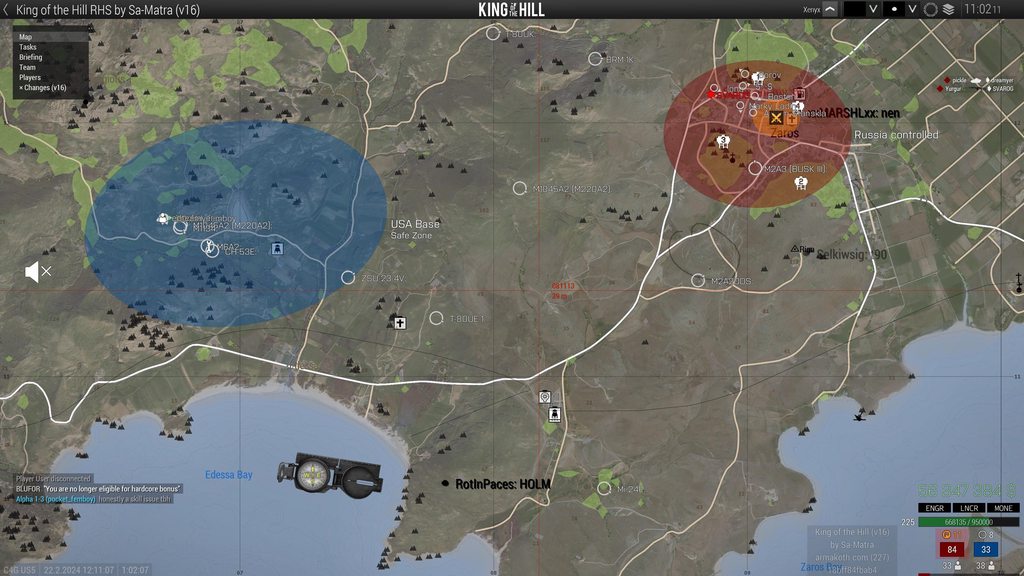 feral harness
orchid mesa
odd new bug with the latest profiling branch. friendly vehicles (including your ...
feral harness
orchid mesa
odd new bug with the latest profiling branch. friendly vehicles (including your ...
related to what dedmen fixed
orchid mesa
sweet
whole cloud
Eh ?
Seems better but not much 🤔 Would you count that as better?
 plain trout
7% uplift in fps is what Intel usually grants their customers as “new generation with the best performance ever.”
Assuming it’s 44 to 47 average
Or as we say in German: Kleinvieh macht auch Mist
feral harness
whole cloud
Mh still have a weird issue.
All the reported bugs fixed, its building and will ...
works fine on internal, could be because of weird merge to prof or corrupt build
whole cloud
2.14.151459 new PROFILING branch with PERFORMANCE binaries, v16, server and client, windows 32/64-bit, linux server 32/64-bit
- Fixed: Crew checks did not work since v15 (broke UAV control, unit remote control, crew command, and more)
If you don't want to use the Steam branch, the files are also available for alternative download here:
https://drive.google.com/drive/folders/15p9j7C2nHUt6NoVfChX4YFuqzFXzblJh
whole cloud
whole cloud
2.14.151459 new PROFILING branch with PERFORMANCE binaries, v16, server and clie...
obsidian relic
@ashen helm could you check turret camera movement in drones? for me it's not smooth as before(almost like it has velocity now), it's quite visible when trying to swiftly move camera around ie left right
it's hard to record it but here in both cases I am doing circles with my mouse, starts with slow and small ones and switches to fast and large ones
https://streamable.com/6rxrm1
woven loom
plain trout
Assuming it’s 44 to 47 average
Well look at old run 1 and 2...
YAAB does have a bit of variance
inland dew
whole cloud
Eh ?
Seems better but not much 🤔 Would you count that as better?
margine of error
 hollow canyon
Can someone on this branch who is familiar with the H-60 project, try and interact with the H-60 using only the required mods? (H-60 Pack, Hatchet Framework, Ace and CBA)
(Please reply to this message if you try it, A3 server notifications are off for me)
I've currently got 2 confirmed cases of the current profiling branch causing an error that bricks the hatchet mod. However, on Linux, Proton Experimental on Profiling, I am able to still interact with the bird, so I am at a loss for what is happening
ashen helm
obsidian relic
<@269887075698868235> could you check turret camera movement in drones? for me i...
does the stable camera snap to ground without Ctrl+T? Because prof one does
tbh I thought it's been always like that and only driver's 2nd camera view does not have that auto snap thing.
obsidian relic
ashen helm
does the stable camera snap to ground without Ctrl+T? Because prof one does
no, only with ctrl t
ashen helm
so maybe that's a feature then
obsidian relic
nvm, it does
the thing on perf isn't like snapping
it seems like camera has velocity with some limiter
ashen helm
I would call it acceleration, like old games did it.
and some angle snap too perhaps. Had to check it's not my mouse software
obsidian relic
ye, it's better word for it
vapid plank
plain trout
7% uplift in fps is what Intel usually grants their customers as “new generation...
Nah
This was a trend when they released the same cpu 4 years in a row
10 to 12 was a solid uplift (we don’t talk about 11)
12 to 13 was even better
As you no longer had to disable e cores
silk summit
Lets be honest guys, for A3 there is nothing better than the 3D cache from the AMD CPUs
My 5800X3D gives me 130 FPS easily on most maps while my friend's 13600 can't go past 90
heavy galleon
whole cloud
Eh ?
Seems better but not much 🤔 Would you count that as better?
New version of C++?
vapid plank
silk summit
My 5800X3D gives me 130 FPS easily on most maps while my friend's 13600 can't go...
Ok bro
orchid mesa
intel is very dependent on also having fast, low latency ram
xmp cl30 6000 vs 7000 cl30 tuned is like 25-30fps difference
patent dome
This chat seems more relevant for #hardware_vs_arma
whole cloud
hollow canyon
I've currently got 2 confirmed cases of the current profiling branch causing an ...
"an error" what error?
hollow canyon
They lose all interaction, the only error in one of their rpts relating to hatchet was this
12:15:13 Error in expression <
if (_canOpen || _vehicle ammoOnPylon 3 > 0) then {
[_vehicle, 3, 1 + vtx_uh60_c>
12:15:13   Error position: <> 0) then {
[_vehicle, 3, 1 + vtx_uh60_c>
12:15:13   Error >: Type Bool, expected Number,Not a Number
12:15:13 File z\vtx\addons\uh60_cas\functions\fnc_updateOverlayList.sqf..., line 18
_vehicle ammoOnPylon 3
returned a boolean 🤔
Well yep.. That function returns boolean if _vehicle is null object...
The script function that only returns Scalar.. Returns false.

I don't know why that vehicle would be null.
But we should probably someday fix that wrong return. I'd expect a zero instead
patent dome
The wiki actually says it returns false if it fails 
whole cloud
feral harness
whole cloud
I don't know why that vehicle would be null.
But we should probably someday fix...
unbelievable, I thought I got them all
feral harness
patent dome
The wiki actually says it returns false if it fails <:harold:754808987257405520>
ah that might be the reason
ashen helm
I assume this is related to that weird FPS bug (that caused vegetation to pop in and out when moving fast), but it's my first time seeing this "that" way. I was running a dozen seconds on 4x speed and noticed the character is gone, and now it shows up only under certain angles like on video. Tried doing the same numerous times on stable build and can't replicate, on perf this happened twice out of five tries
whole cloud
no thats not related to that
restive pilot
ashen helm
I assume this is related to that weird FPS bug (that caused vegetation to pop in...
it looks like a fov issue to me
ashen helm
restive pilot
it looks like a fov issue to me
but I didn't alter fov, it's just ultrawide screen
it happened just like that after running for a good while on 4x speed while in 3rd person
restive pilot
silk pewter
https://i.imgur.com/r9Ze3KV.png
could this be related?
ashen helm
I'm set to auto stretch 21:9
plain trout
Sometimes that own texture flickering is predecessor/predictor for tree flickering.
heavy vortex
Does it only affect the player model here?
I've seen something like that before in Arma but with corpses. Essentially it's like the renderer is culling the object as though it's in a different place.
tribal pasture
heavy vortex
I've seen something like that before in Arma but with corpses. Essentially it's ...
Pre-A3 corpses?
heavy vortex
Nah, ragdolled into the floor of a building, IIRC
tribal pasture
Oh true I remember seeing ragdolls disappear earlier than they should at the edge of the screen
ashen helm
heavy vortex
Does it only affect the player model here?
Yes
No matter what I do then only player's unit shows and hides on camera movement, everything else in 3D is just fine
 solar root
Anyone knows why the perf branch actually decreases my FPS? I remember back in 2017 the perf .exe increased performance quite a lot.
ashen helm
I know only a few assets that "disappear" in that way when close to the screen border and it's mostly gates from CUP and Livonia, but in case of my video it feels like that the relative position of my 3P camera to the character got "miscalculated" or something and game cannot figure it out.
feral harness
solar root
Anyone knows why the perf branch actually decreases my FPS? I remember back in 2...
It is the same exe why would it drastically increase your FPS? It might have some improvements that are not yet available in stable but eventually stable catches up and the difference would be negligible
empty goblet
solar root
Anyone knows why the perf branch actually decreases my FPS? I remember back in 2...
back your claim with some results ... decrease FPS where ? in static scene in editor ? in benchmark ? in multiplayer ?
by what amount 1% ? 10% ? 100% ?
solar root
I mainly play koth right now. Used to play on a3wasteland, too. After coming back to ArmA 3 around 6 months ago, I have tried the perf executables 3-4 times. With the same settings, the game would dip below 30 fps in the ao with the perf exe every single time, which never happened with the vanilla exe.
whole cloud
Arma 3*
 weary sun
I wish I had more specific things to report, but the latest profiling branch build broke several mods. Hatchet Framework interactions no longer work and WebKnights Avionics hud pop ups no longer show. Switching to main branch fixed both of these issues.
hot hollow
weary sun
I wish I had more specific things to report, but the latest profiling branch bui...
Hatchet Framework interactions no longer work
Unless their was an update that wasn't posted it worked fine for my unit 24 hours ago
feral harness
weary sun
I wish I had more specific things to report, but the latest profiling branch bui...
what profiling version are you on?
random isle
not sure if this related to pref but ill just drop in here
Error in expression <
private ["_uid"];
_uid = _this param [0, "", [""]];
private "_unit";
File A3\functions_f_bootcamp\Misc\fn_getUnitByUid.sqf..., line 15
thats all she wrote
2855:20:44:51 Error in expression <
2856:
2857:
2858:
2859:
2860:
2861:
2862:private ["_uid"];
2863:_uid = _this param [0, "", [""]];
2864:
2865:
2866:private "_unit";
2867:>
2869:
2870:
2871:private "_unit";
2872:>
2873:20:44:51   Error Type Number, expected String
2874:20:44:51 File A3\functions_f_bootcamp\Misc\fn_getUnitByUid.sqf..., line 15
And what have you done
random isle
ill try to repo it tomorrow, was just looking at logs
whole cloud
run game with -debug and itll tell you who did it
Probably just a bad mission script
whole cloud
https://devblogs.microsoft.com/cppblog/msvc-backend-updates-since-visual-studio-2022-version-17-3/
Looking at what kinda improvements microsoft did just inside VS 2022.. Makes me think about what Arma might gain upgrading from VS2013 to latest 2022
"Do a better job of devirtualizing calls to class functions." this alone could be huge for Arma. Depending on what they mean with "better job"
quaint flame
Only one way to find out
silk pewter

though a question remains - can it break anything? like, retrocompat with old gear (hmmkay), or old code's compatibility with new gear/OS?
worldly badge
I'm guessing Ded is certain of having no such concern, or at least the big ones
feral harness
Actually...
whole cloud
Oh do you have it? I need a tester 😄
feral harness
I have 2
silk pewter

 cloud nacelle
Steam doesn't support win7 anymore, so would it be ok for A3 to not support it either?
whole cloud
Ehhhh.. I can't decide that and I'd rater not decide that. So we'll do what's needed to support it
I'd love to drop 32bit on prof though :harold: Maybe I get to do that someday
cloud nacelle
What's the requirement for 64bit, AVX2? Speaking of AVX2, is it possible that newer versions of Visual Studio assume AVX2, breaking old CPU support?
whole cloud
SSE2
No they wouldn't assume
vapid plank
whole cloud
https://devblogs.microsoft.com/cppblog/msvc-backend-updates-since-visual-studio-...
In theory yes they could improve it like this.
In practice, Microsoft admits to creating 1000 new bugs in the process of patching 5000 old bugs. We don’t know how many of those bugs were critical to how Arma worked, and we don’t know how the new bugs will affect it.
whole cloud
in practice I've been running Arma with VS 2022 for over a year and didn't find any issues
vapid plank
silk pewter
though a question remains - can it _break_ anything? like, retrocompat with old ...
The answer is always yes something can break even if we don’t change anything, but the chance of it breaking goes up by several magnitudes when we make big changes.
The real question is how severe is the break? How hard would it be to fix? Hire many ways does it break? How much time and effort can we apply to fixing the new breaks?
vapid plank
whole cloud
Ehhhh.. I can't decide that and I'd rater not decide that. So we'll do what's ne...
What kind of slideshow are 32bit players getting???
restive pilot
whole cloud
Ehhhh.. I can't decide that and I'd rater not decide that. So we'll do what's ne...
but if Steam doesn't support win7, and A3 requires Steam to verify its license or purchase or whatever, then it means A3 doesn't support win7 anymore either 😅
vapid plank
Stream will work on windows 7
But they died explicit support for it
They don’t care much if it actually breaks
fast hornet
The reason was that Valve uses chromium in steam and that doesn't support Win7 anymore. It might still run, it might not. But Win7 support from MS ended January 2020 as well.
Steam Hardware Survey from january 2024 has Win7 listed as 0.05% for 32bit and 0.59% for 64bit.
32 bit versions of Win8 and Win10 seem to be even below that 0.05% mark as they are not displayed at all.
So yeah.. probably really safe to say that noone needs Win7 support and/or 32bit anymore.
cloud nacelle
I believe that 32bit is mostly used by basic servers, e.g an arma 3 dedi running on an old system. Those are not represented in the Steam HW survey
fast hornet
well.. the Athlon 64 launched over 20 years ago. Guess it's safe to say that every system newer than 10-15 years does support 64bit
cloud nacelle
Only Bohemia knows if it'd even be worth it though (removing 32bit), I imagine it's mostly about making maintenance easier and not performance improvements.
silk pewter
restive pilot
but if Steam doesn't support win7, and A3 requires Steam to verify its license o...
it means that newer versions are not Win7 compatible
it doesn't mean that Steam uninstalls itself on Win7 🙂
do we want to alienate a small portion of customers on the basis they run an outdated OS, I think not
hybrid cradle
can you not just have a beta code for reverting to pre changes
just like the 2.12 legacy etc
fickle geyser
silk pewter
it means that _newer versions_ are not Win7 compatible
it doesn't mean that Stea...
I think yes, the minority staying on outdated systems and hardware should not hold improvements to the engine back.
Sometimes you need to break things to move forward.
good example from Dota 2 where they've dropped support for outdated GPUs and CPUs:
As we mentioned when we launched Battle Pass: Part II, this update has removed support for OpenGL. For macOS customers, the minimum requirement is now macOS 10.13.6 with a Metal-capable GPU (AMD GCN-based GPU or newer; NVIDIA Kepler-based GPU or newer; or Intel HD 4000 or newer). For Linux customers, AMD GCN+, NVIDIA Kepler+, or Intel HD 5000-series or newer is required.

In a future update this year, we intend to upgrade our SIMD support from SSE2 to SSE4.1 to allow higher performance in physics, particles, and general gameplay code. Almost all processors released in the past 10 years support SSE4.1, so this should affect a very small portion of Dota players. If you have a computer that does not support SSE4.1, you will need to upgrade to a newer CPU once that update releases.
The difference being that A3 can also be played singleplayer warrants giving these people a way to play last compatible build so you can freeze last build that works on them on a branch.
silk pewter
fickle geyser
I think yes, the minority staying on outdated systems and hardware should not ho...
I believe Windows 7 can run VS2022-compiled exe
let's just not "not care" if it's a matter of settings
also, let's check the % of peeps still having Win7, it's not exactly "super small"
fickle geyser
Less than 1% on Steam Survey
silk pewter
I always think of peeps with their no-Internet gaming laptop, even about Steam
Well, if < 1% is not 100000 players then… why not!
fickle geyser
I'm thinking about them too, and I believe they do not need the latest updates and can stay on older versions ;)
silk pewter
unjust yet fair enough :p
ashen helm
a tiny little bit of machiavellianism never hurt anybody, right?
whole cloud
I don't expect windows 7 to hold us back.
The problem is we use a newer SDK version. That adds API functions that were added in windows 8/10.
If something tries to use these, it won't start on win7.
I'll just have to fix and make it not use them and all will be good.
Supporting Windows 7 doesn't do us much harm. It's just that we would need to test and make sure we didn't break it there.
And we're currently not testing Windows 7.
The only harm is the effort to QA test it.
32bit on the other hand. Doubles our build times.
Due to that we can only push 2 prof per day, and only if the timing is right.
Without it we can do 4. So if someone notices an issue we have more margin to push a quick fix.
Maybe even more if new VS improves build times.
fickle geyser

looks like you could safely drop it, for profling I wouldn't even sweat about it.
I guess you should have more detailed data specificaly for A3
 thin wyvern
whole cloud
I hope noone plans to run prof branch on windows 7 next week
thin wyvern
whole cloud
I hope noone plans to run prof branch on windows 7 next week
VC++ 2022 version 14.32.31332.0 is the last version compatible with Windows Vista. Newer versions support win7 to 11.
Microsoft ended support for Windows XP on April 8, 2014. Current versions of the Visual C++ Redistributable for Visual Studio 2015-2022 only support Windows Vista, 7, 8.1, 10, and 11. The last version of the Visual C++ Redistributable that works on Windows XP shipped in Visual Studio 2019 version 16.7 (file versions starting with 14.27). The Redistributable is available in the my.visualstudio.com Downloads section as Visual C++ Redistributable for Visual Studio 2019 (version 16.7).
silk pewter
I am somewhat ok with dropping Vista 😄
heavy vortex
It'd be nice to switch to a version of VC++ that didn't have a installer that bugs out and breaks a lot of fresh installs.
but that's probably not gonna help if it's just profiling.
empty goblet
the vc++ 2015-2022 even latest version (14.38.33135.0) still supports W7, W8.1 and Server 2012 R2
thin wyvern
I'm using this AIO Repack https://github.com/abbodi1406/vcredist

GitHub
AIO Repack for latest Microsoft Visual C++ Redistributable Runtimes - abbodi1406/vcredist
 blazing wagon
Does #captureSlowFrame 0.3 1 total have to be run on a dedicated server environment? Running in local multiplayer does nothing.
the function diag_captureSlowFrame appears to not exist
blazing wagon
Ah well it seems like the A3 launcher just doesn't like to launch the profiling exec, so that's probably my first problem 
Memories flooding back to having the same issue last time I had to use profiling branch..
woven loom
@blazing wagon it's not a problem per se, it's just how it's intended. Rename arma3profiling.exe to arma3.exe and it should work. By default it uses the performance binary.
blazing wagon
woven loom
<@179001735895842816> it's not a *problem* per se, it's just how it's intended. ...
Would locally running diag_captureSlowFrame on a server cause issues? I just ran it and it ended up kicking me off the server after the profiling gui popped up
woven loom
No idea, I've only run it locally
heavy galleon
whole cloud
I hope noone plans to run prof branch on windows 7 next week
It's next week 
blazing wagon
woo profiling did a thing... showed me that the vanilla SAM systems were causing a silly amount of lag
lesson learned, don't spawn 10x SAM systems in Arma
heavy vortex
hmm. I remember something like that with the "ships".
blazing wagon
heavy vortex
hmm. I remember something like that with the "ships".
These were the naval SAM sites (ship-mounted turrets), so maybe related?
Server went from 10 FPS to 45 FPS immediately upon deleting them
Meanwhile we had hundreds of other AI on the server with no problem.
fickle geyser
It's the sensors/radars they can kill frames if they have big range
IMO they could use an optimization where they do whatever they're doing over X frames to not kill the frame rate
Right now it looks like the scanning is done periodically as this kind of issue usually happens in periodic stutters
tribal pasture
fickle geyser
IMO they could use an optimization where they do whatever they're doing over X f...
Having this controllable would be the best. If you care about FPS, set it to slower sensor simulation, if you care about precision, set it to faster sensor simulation
I recall something about shooting missiles at large distance and killing FPS right after Jets DLC, I think they were scanning for targets through the whole map through a huge cone each frame.
plain trout
The amraam missiles had the issue during when they released and occasionally froze servers until they hit a target and allows the server to „breath“ again
blazing wagon
fickle geyser
Right now it looks like the scanning is done periodically as this kind of issue ...
so it looked like per SAM system, I was getting 100ms delay every few seconds
with 20 SAM's it was getting very delayed lol
Either way, glad profiling exists, and I won't be allowing the aircraft carrier in our mission file to have any air defense any longer 🤣
woven loom
This is good to know... i once made a mission with the aircraft carrier and AA turrets... on tanoa... performance was sketchy
blazing wagon
Wierdly it was the naval SAM's that were causing issues
the trailer SAM (can't remember what it's called) weren't popping up with any big frame delay
You wouild think they call the same functions but idk
woven loom
interesting 🤔 do the naval sams cause issues when they're on land too?
woven loom
fair 😄
But yeah might be worth devs checking that out, seems like pretty big latency spikes
whole cloud
I think theyre also especially bad if their scan range reaches outside of terrain bounds
whole cloud
I think so yeah
For vision checks. And there was also something about looking up units. because the quad-tree ends at terrain bounds
fickle geyser
whole cloud
I think theyre also especially bad if their scan range reaches outside of terrai...
not really that hard to achieve with 16km range
woven loom
heavy vortex
what, is it perlin-generating terrain out there to collide with?
that's sorta why i'm wondering if it's checking with terrain below sea level too
I don't know how it's being done, but maybe worth checking if the terrain LOS checks are happening in the end after a valid list of entities is filtered?
i,e, i hope it's not checking LOS first before checking distance
(because it sounds like it is)
whole cloud
2.14.151494 new PROFILING branch with PERFORMANCE binaries, v17, server and client, windows 32/64-bit, linux server 32/64-bit
- Changed: Arma 3 now requires the Microsoft Visual C++ Redistributable version 2022 (Steam should automatically install it)
- Tweaked: Performance improvement when using many R2T textures
- Tweaked: More helpful error messages when servers "keys" folder is missing or empty (thanks to @plucky field )
- Fixed: Desync in remote player gunner animations on static turrets - https://feedback.bistudio.com/T124694
- Fixed: deleteVehicle was not deleting dead crew
- Fixed: setUnitLoadout would not put UAV Terminal items into the GPS slot - https://feedback.bistudio.com/T179631
Note: CAUTION! Starting with Arma 3 version 2.16, we will not offer a 32-bit version of profiling branch anymore. The 32-bit binaries on profiling branch will be non-profiling/performance builds.
If you don't want to use the Steam branch, the files are also available for alternative download here:
https://drive.google.com/drive/folders/15p9j7C2nHUt6NoVfChX4YFuqzFXzblJh
Note: There are separate Dll files that also need to be placed into Game folder.
whole cloud
whole cloud
2.14.151494 new PROFILING branch with PERFORMANCE binaries, v17, server and clie...
heavy galleon
What about the AdDoNs/addons on linux?
 shell lion
whole cloud
2.14.151494 new PROFILING branch with PERFORMANCE binaries, v17, server and clie...
shell lion
whole cloud
2.14.151494 new PROFILING branch with PERFORMANCE binaries, v17, server and clie...
Hey,
I have a problem after the last update.
With the mod 3CB Faction the game doesn't start anymore.
For know I found out, only with this mod activatet arma doesn't start anymore.
Without mods or with other mods (ACE,RHS,CBA,TFAR,BW Mod, etc.) it works.
- There is no error message in RPT or elsewhere.
- The game loads an the screen is black with the Arma 3 Logo and then it cut off
I hope you know the issue.
heavy galleon
shell lion
Hey,
I have a problem after the last update.
With the mod 3CB Faction the game ...
Loaded with 3CB Factions and required mods no problem.
But I do get imediate crashed with other addon presets
(Linux server loaded no problem with same preset)
whole cloud
We know of a crash with RHS. One of their helicopters has a configuration error.
I only tested mods without configuration errors, so didn't notice that we weren't handling that correctly.
Hotfix is going to come today
Looks to be 3CB Factions + RHS maybe
heavy galleon
I loaded game with 3CB and RHSes no problem 
whole cloud
But it crashes while loading RHS_AH64D_noradar_AA
How can RHS be fine
heavy galleon
loaded normally, can't post screenshot's
But I am crashing with a larger preset, yet my linux server is up and running no problem. (Or at least didn't crash, didn't try joining yet)
charred holly
heavy galleon
I loaded game with 3CB and RHSes no problem <:monkaHmm:495302035676069897>
I also managed to do that before, however when I tried again it failed
heavy galleon
two times in row now no problem
charred holly
I loaded the mods manually, so something might have changed in the order in the launcher
heavy galleon
3*
whole cloud
The problem is when the Advanced helicopter sim configuration contains an error
Don't worry about reproing
heavy galleon
But it works on my machine 


 trim ether
whole cloud
Looks to be 3CB Factions + RHS maybe
trim ether
whole cloud
Looks to be 3CB Factions + RHS maybe
I'll investigate the issue from the 3CB side, tonight.
whole cloud
I'll send where the problem is once I got to it.
We also don't report config errors anywhere, its only in internal logs, so modders aren't even told about it. Will be fixed too
whole cloud
The error is in "rhsusf\\addons\\rhsusf_c_a2port_air\\AH64\\RTD_AH64.xml" / "rhsusf\\addons\\rhsusf_c_a2port_air\\UH60M\\RTD_UH60M.xml"
And I can repro it with just RHS. Don't think 3CB factions is involved 🤔
RHS has been informed ✅
orchid mesa
rip, rhs devs havent done in update in a year or so now
whole cloud
ETA is about 90 minutes from now
fickle geyser
Anyone did any benchmarking with new profiling?
Wondering if there's any perf gain from new compiler
whole cloud
Fix is up
I did some benchmark with YAAB and it wasn't much. Smaller scale tests (like just running SQF script) could have more effect than a test of the whole frame stuff
fast hornet
what's the RTDynamics_64.dll it now needs/loads about? 🙂
fickle geyser
Advanced flight model
not possible to compile with vs2022 so it was moved to external DLL
fast hornet
ah ok
empty goblet
if you updating server to profiling just remember to add the dll too 🤣 otherwise you will observe nice crash popup complaining about the lack of the dll
fast hornet
yeah, that's how i found out about it 😄
It's just the dev box though..
just copying it over from my client installation worked fine
empty goblet
- Fixed: deleteVehicle was not deleting dead crew
that needs just clarify it solves problem of some invisible dead inside wrecks not being cleaned up (ie garbage collection), deleteVehicleCrew still needed in scripting !
hybrid cradle
fickle geyser
Anyone did any benchmarking with new profiling?
going to try sqf benchmarking later
tribal pasture
empty goblet
> - Fixed: deleteVehicle was not deleting dead crew
that needs just clarify it s...
Speaking of this, weren't dead bodies moved out before deletion before?
I remember it is buggy but its a thing, you can loot crew once vehicle is deleted
spiral pond
isnt vehicle clean-up before crew leading to floating bodies without any gear? (in DS env - cleanup by engine garbage collector. dunno if same with scripted cleanup)
random isle
i think that was only case where you trying to delete alive vehicle with alive crew inside
so like had to use
{
    if !(isNull objectParent _x) then { //--- In vehicle check
        deleteVehicleCrew _x; //--- Delete crew
        deleteVehicle (objectParent _x); //--- Delete vehicle
    };
    deleteVehicle _x;
} forEach units _x;
this is unrelated , hence that's why it needed the clarify, you still need deleteVehicleCrew
fast hornet
spectating players with switchCamera is glitching out like crazy in v17. Only when they are on foot funnily enough, it still works fine when they are in vehicles.
It's caused by the client apparently, a stable client connected to a v17 server still works fine.
heavy galleon
empty goblet
if you updating server to profiling just remember to add the dll too 🤣 otherwis...
Don't seem to be able to find it on Linux, but the server runs fine. Did Linux server not get this treatment?
feral harness
tribal pasture
Speaking of this, weren't dead bodies moved out before deletion before?
before? this hasnt changed
feral harness
spiral pond
isnt vehicle clean-up before crew leading to floating bodies without any gear? (...
remains collector did not delete invisible dead crew before, now it should (corpse collector that is)
feral harness
fast hornet
spectating players with `switchCamera` is glitching out like crazy in v17. Only ...
how does this manifest?
fast hornet
the camera position seems to jump around a lot.. like if some prediction went to far and then it jumps back to the real position when it gets the next update or something.. i'll pm you a video
feral harness
ok
crew dead vehicle shows [] but alldeadmen shows [someunit]. deleting vehicle makes unit visible on teh ground
this hasn't changed.
fast hornet
PM'ed you 🙂
feral harness
thanks, i will try to repro locally
fast hornet
strangely enough it's really bad for some players and not that bad for others.. maybe related to packet loss or other networking parameters? Their latency didn't seem to play big role. The guy in the video i sent you had a ping of about 30ms
feral harness
was it very recent? Like recent as world wide internet problems due to cut cables in red sea?
fast hornet
around an hour ago and ongoing. Also as i said, the stable client doesn't have the problem even when connected to a v17 server. The server is located in germany and the clients i tried are all land based.. germany, UK, russia, france.. all the same
That traffic won't take that route
feral harness
oh the very recent one? Hmm not seeing any change that could have directly affected this, anyway will try to repro first
fast hornet
v17 was the first client it noticed it with yeah.. pretty sure it wasn't there before with v16. But i can try if you want to.
feral harness
if you still have running v16 yes please this will help to narrow down this
whole cloud
fast hornet
the camera position seems to jump around a lot.. like if some prediction went to...
sounds like issue with remote animations. third person probably shows it better
got report about remote plaxerr anims brokn in mnp
fast hornet
that could explain why it won't happen when the player is in a vehicle i guess
whole cloud
- Fixed: Desync in remote player gunner animations on static turrets
There is that. should only be for inside turrets.. But sounds plausible that it somehow causes issues for units not in turrets
Will test tomorrow, probably push v18 in afternoon
fast hornet
feral harness
if you still have running v16 yes please this will help to narrow down this
Just tried: can't reproduce it with v16 / 151459. Seems to really be only the v17 / 151512 client.
whole cloud
Is it
Spectator with prof client, sees other players jittering.
Or
Spectator, sees other players with prof client jittering.
?
Like prof needed on observer, or prof needed on observee?
Is it a sender or receiver issue of the animation/position data
trim ether
@whole cloud Is intercept working with the latest perf build? I've just pulled the latest build from the GIT and it is crashing on load ?
fast hornet
Spectator/Receiver needs v17 for it to happen.
don't know what my clients are using, most of them are probably on the stable 2.14
whole cloud
trim ether
<@90532520101183488> Is intercept working with the latest perf build? I've just...
Likely to be broken.
Do you mean github releases? they are old.
Intercept Minimal Dev on my workshop has been updated yesterday, but not tested. Please throw me crashdumps (If youre using my workshop build)
trim ether
whole cloud
Likely to be broken.
Do you mean github releases? they are old.
Intercept Minima...
I'm using the one from the intercept GIT (with latest commit yesterday).
whole cloud
self-built?
Then send me crashdump and your intercept dll and pdb, I'll check tomorrow
fast hornet
steps to reproduce would be something like:
- start 151512 client
- connect to a server
- run something like
switchCamera cursorObject;on another player running around on foot in 3rd person - spazm-mania 😄
feral harness
It happened on internal as well, looks like some unintended change of code made it in.
 median cipher
whole cloud
Is it
Spectator with prof client, sees other players jittering.
Or
Spectator, s...
median cipher
whole cloud
Is it
Spectator with prof client, sees other players jittering.
Or
Spectator, s...
May be related, we're seeing some strange anim/movement interpolation issues on the latest client profiling build. Visual weirdness disappears swapping to stable branch. Server and HC are both on the latest profiling build: https://youtu.be/17saY4Se2QY
► About #ShackTac: https://shacktac.dslyecxi.com/
► About this channel/my videos: http://dslyecxi.com/yt/
Bohemia Interactive, the creators of the Arma series from Operation Flashpoint to #Arma3, can be found here: http://www.bistudio.com
stark falcon
matches what I saw, it's like there's no transitions between animations (just my client on profiling, server on mainline): https://youtu.be/R0kxGaehUbs?t=29
some other possible oddities from rpt
Observer O OpFor AH1:2 (x) REMOTE (UNIT_OPF_AH1_CP) in cargo of O OpFor AH1:2 (x) REMOTE (UNIT_OPF_AH1_CP); message was repeated in last 60 sec: 466

Error: EntityAI SubSkeleton index was not initialized properly (repeated 47x in the last 60sec)

File /z/ace/addons/common/functions/fnc_changeProjectileDirection.sqf..., line 328
Error in expression <private _vlat = vectorNormalized (_vdir vectorCrossProduct [0,0,1]);
I'm not exactly sure what the problem in ace is but it's not something we've even seen before
heavy vortex
I think you cut off the Error Params: line there.
patent dome
empty goblet
if you updating server to profiling just remember to add the dll too 🤣 otherwis...
Also @unborn urchin since you seemed to post about Prof branch things in #dev_rc_branch
I'm not able to reproduce any issues with the Dll's. They are there on both the Windows client and server and I can launch the 64-bit and 32-bit of both without an error. Could you provide more information on the issue?
 unborn urchin
ah this was regarding what ben and dedmen were talking about
dedmen sent a modified exe
patent dome
As for running Linux server, it shouldn't need the library. It also doesn't have the PhysX ones and it runs, whereas the Windows one does have those.
orchid mesa
anyone else noticed very laggy looking player animations on this latest build?
thin wyvern
Read few posts up ☝️
orchid mesa
ah ok
heavy galleon
patent dome
As for running Linux server, it shouldn't need the library. It also doesn't have...
Alright, was wondering why I don't have rotolib in there, but the server ran just fine.
I doubt there's any server side physics checks being done, but is just weird that Windows requires it while Linux doesn't.
whole cloud
Linux never had rotorlib
In general servers never had it.
Ah I see why. Won't be fixed in v18 but in v19.
v18 with the animations fix is on its way
whole cloud
2.14.151524 new PROFILING branch with PERFORMANCE binaries, v18, server and client, windows 32/64-bit, linux server 32/64-bit
- Fixed: Player animations issue in multiplayer since v17
- Fixed: AnimDone event firing constantly after unit's departure from life - https://feedback.bistudio.com/T175658
Note: CAUTION! Starting with Arma 3 version 2.16, we will not offer a 32-bit version of profiling branch anymore. The 32-bit binaries on profiling branch will be non-profiling/performance builds.
If you don't want to use the Steam branch, the files are also available for alternative download here:
https://drive.google.com/drive/folders/15p9j7C2nHUt6NoVfChX4YFuqzFXzblJh
Note: There are separate Dll files that also need to be placed into Game folder.
whole cloud
whole cloud
2.14.151524 new PROFILING branch with PERFORMANCE binaries, v18, server and clie...
tribal pasture
- Fixed: Player animations issue in multiplayer since v17
Was related to- Fixed: Desync in remote player gunner animations on static turrets - https://feedback.bistudio.com/T124694
?
whole cloud
yes
tribal pasture
Hope the fix is still there, very gamebreaking in RHS in multiplayer
whole cloud
yes is
feral harness
tribal pasture
> - Fixed: Player animations issue in multiplayer since v17
Was related to
> - ...
yes and no, the actual fix didnt cause any problems but the way it was merged into project did (looks like, really weird issue)
fast hornet
can confirm the v18 client fixes the camera/animation glitching for me.
 river flame
Did something break on profiling with RscGroupIndicator in relation to displays and procedural textures? For example using this little snippet in normal branch seems to be fine, but using it on profiling freezes up arma completely. It was fine 1-2 days ago.
test = createVehicle ["UserTexture10m_F", getPos player, [], 0, "CAN_COLLIDE"];
test setPosWorld (vehicle player modelToWorldWorld [0,10,5]);
test setDir getDir player;

teststr = "display" + (random 1e6 toFixed 0);

test setObjectTexture [0, format["#(rgb,1024,1024,1)ui('RscGroupIndicator','%1')", teststr]];


onEachFrame {
    private _new_display = findDisplay teststr;
    displayUpdate _new_display;
};```adds another glitch though
 green minnow
Shooting on SOG CDLC with ACE and CBA got this error:


Someone has the same error?
feral harness
_vdir has illegal float?
heavy vortex
private _vdir = vectorNormalized velocity _projectile;
Not sure how that could break. Would need to dismantle it.
vectorNormalized [0,0,0] just gives [0,0,0]
At least on stable :P
stark falcon
green minnow
Shooting on SOG CDLC with ACE and CBA got this error:
I got this as well, just in mp sesssion and only occasionally.
I think it starts at ace_scopes_fnc_firedEH but I'm not sure exactly where the bad data is coming from
If you have any way to reproduce it would be a big help (like a specific gun or some other condition)
whole cloud
And its definitely new with prof build?
I could make a custom build with a trap to dump memory when it happens, then I can see where it probably came from.
That could be related to our compiler upgrade
I made some changes to projectile velocity, but that was quite a while ago
whole cloud
river flame
Did something break on profiling with RscGroupIndicator in relation to displays ...
Its fine on our latest internal build. So should be fine on prof too 🤔
 whole cloud
2.14.151539 new PROFILING branch with PERFORMANCE binaries, v19, server and client, windows 32/64-bit, linux server 32/64-bit
- Fixed: Broken animations in vehicle FFV seats (since v17/v18)
- Fixed: Server binaries required RTD dll's (They are not actually using them)
Note: CAUTION! Starting with Arma 3 version 2.16, we will not offer a 32-bit version of profiling branch anymore. The 32-bit binaries on profiling branch will be non-profiling/performance builds.
If you don't want to use the Steam branch, the files are also available for alternative download here:
https://drive.google.com/drive/folders/15p9j7C2nHUt6NoVfChX4YFuqzFXzblJh
Note: There are separate Dll files that also need to be placed into Game folder.
whole cloud
whole cloud
2.14.151539 new PROFILING branch with PERFORMANCE binaries, v19, server and clie...
calm mantle
Has a ticket ever been made, or the issue brought up, that you cannot bind controllers (flight sticks etc.) to addon bindings?
I have now read cba documentation. I now understand how to do it
restive pilot
calm mantle
Has a ticket ever been made, or the issue brought up, that you cannot bind contr...
if you mean CBA, it's not a bug
calm mantle
Oh man. I've played with cba for so long I've forgotten what is or isn't vanilla. My apologies.
whole cloud
But base game now has a modded keybinding system, that supports controller bindings.
Just CBA is older than that.
calm mantle
I was just trying to avoid using joystick gremlin for Arma anymore. Looks like I have options. Thanks
river flame
whole cloud
Its fine on our latest internal build. So should be fine on prof too 🤔
hm...weird, i tested it with friends without any mods and they had he same issue (also on 2.14.151539). would it help if i provide .rpt and/or .mdmp files?
whole cloud
A freeze dump would help probably
river flame
whole cloud
A freeze dump would help probably
i guess directly to you or per ticket?
whole cloud
DM is fine
whole cloud
river flame
Did something break on profiling with RscGroupIndicator in relation to displays ...
That freeze, actually fits with #perf_prof_branch message
A number was negative indeterminate causing the freeze, that would also call that illegal float error
But just opening map screen using M doesn't freeze? 🤔
river flame
in the same way using RscMap doesn't freeze
green minnow
stark falcon
I got this as well, just in mp sesssion and only occasionally.
I think it start...
Any SOG weapon make me this error with profiling, ACE + CBA.
whole cloud
@river flame Its caused by the UI control.
Is that a internal thing that was never used in the retail game?
It is setting ptsPerSquareSea=0 config entry.
Which is very very very unexpectedly bad. I'm surprised it didn't freeze before.
It should've always been freezing like this
river flame
idk to be honest, it was just something that i experimented with to make a map interface inspired by squad aswell as do something like a motion sensor. the latter worked until a few days ago using RscGroupIndicator, not sure if retail uses it though. both are under rsctitles config.
whole cloud
I fixed that one.
The SOG weapon thing will be something similar. I don't know if there is enough time to finish a prof build today :/ If only we didn't need 32bit 😄
whole cloud
green minnow
Any SOG weapon make me this error with profiling, ACE + CBA.
Cannot reproduce with XM177E1 weapon from SOG.
Are you sure its "Any" ? Which one did you try?
Also not with M16A1 with scope (If its related to ACE scopes)
whole cloud
stark falcon
I got this as well, just in mp sesssion and only occasionally.
I think it start...
Do you have repro?
I can see "/z/ace/addons/common/functions/fnc_changeProjectileDirection.sqf"
calling vectorCrossProduct, but its passing valid numbers
_left 0.0158068594, -0.999843419, -0.00795947760
_right 0.00000000, 0.00000000, 1.00000000
I guess I just don't have the right weapon to repro with, but which one is it?
whole cloud
Welp time's up, need to build now to get that other fix in 😢
SOGPF one probably not as bad as its just a script error? We'll fix that on monday then if I get a repro till then
green minnow
whole cloud
Cannot reproduce with XM177E1 weapon from SOG.
Are you sure its "Any" ? Which on...
I tested with 5-6 weapons and I got the error, m60, m3...
whole cloud
maybe it requires some special ACE settings to trigger that code the right way?
green minnow
I just start the editor, put one unit and shoot, the settings are standard
whole cloud
I tried the same
inland dew
see if there are no ther mods enabled when testing that
who knows, might be due to another mod?
green minnow
Nope, no other mods.
 violet elbow
Dump your ACE debug info to clipboard/RPT and check for any non-default settings, and give classname of your weapon+optic combo
whole cloud
@river flame fix is up
river flame
whole cloud
<@139986894921400320> fix is up
jup, seems to be working, thank you!
river flame
green minnow
https://i.gyazo.com/9d9b4a3e59620ab44497578d46a698fc.png
can also reproduce error, but no idea if my ace settings are default, need to compare new profile with no non default ace settings does not reproduce error, error only appears with advanced ballistics on
whole cloud
I didnt have AB on in testing
stark falcon
whole cloud
I didnt have AB on in testing
parseNumber "-nan(ind)" was 0 and now is -nan(ind) e.g. finite x went from true to false
(also effects parseSImpleArray)
imho it's not wrong, so it might just be something we have to fix in ace (we're going to redo extensions stuff anyway)
probably due to some change in atof between versions?
whole cloud
The other bug with the freeze was that previously x mod 0 was 0. Now its also -nan(ind) as it correctly should be
So not only string parsing
But its correct behavior indeed.
One bug fixed, the cause for the other gotta find.
https://learn.microsoft.com/en-us/cpp/porting/visual-cpp-change-history-2003-2015?view=msvc-170
Floating point conformance
And
Infinity and NaN Formatting
For the parseNumber part.
TLDR; Old Visual Studio was bugged and not behaving according to standard (Even going back as far as 1999). Now fixed.
Would've been a problem anyway because GCC for our linux builds probably doesn't have these same bugs.. And mac port probably.
Specifically for parseNumber that'll mean that linux and windows builds don't behave differently anymore. We'll surely find some more bugs in our code that are to be fixed.
heavy galleon
Freezing? Will that sort my occasional freezes I get when testing mods (hemtt launch with filepatching and debug). Also occasional crashes when quitting game? (Windowed mode, clicking X)
whole cloud
no. It was a specific freeze when you spawn a specific UI display