#arma3_scripting
1 messages · Page 175 of 1
 faint burrow
 tranquil lintel
What is the proper way to move players in a dedicated MP mission into a vehicle?
Not all players in my case, only players from one group for example
Since moveInDriver has local arguments, I've tried doing remoteExec, but if I mix AI into a player squad, it just refuses to move the units into the vehicle
 flint topaz
Iterate using owner _x
tranquil lintel
The issue I'm having is that moveInDriver does nothing if the unit isn't local on the machine that's calling it
Or similar, i.e. moveInAny
faint burrow
remoteExec
tranquil lintel
I've tried doing a remoteExec to the client that has the unit local to it, but that only works 50% of the time
flint topaz
{[] remoteExec [“moveInAny”,owner _x];} forEach unitsToMove
Not complete code
But should get the point across
 pallid palm
hello Arma 3 friends: how do i show a hint or sideChat of the players damage
 tulip ridge
There's the damage command
pallid palm
yes i tryed to use it to show the danage but i could not make it work
i did it befor but i forgot how
tulip ridge
You need to convert it to a string, if you weren't already
 cosmic lichen
hint str damage player
tulip ridge
hint str (damage player)
pallid palm
ahh ok
thx m8s awsome
so 1st i get the damage then i show the damage thats right
thx again you awsome people
lol i just forgot how i did it last time my bad lol
works awsome thx again m8s love you guys
 sharp ocean
Any1 know any good ways to start moding? Ik arms is not well documented
 winter rose
yes
 granite sky
(no)
There's a lot of stuff you need to understand and set up to get a trivial mod working, and no good example that I know of.
 hybrid sandal
Hey!
Ive set up a P drive using arma3p, but am confused on how do I start using it... where do I place the mod I am developing? how do I make arma use the P drive instead of the regular arma folder? and lastly I would like to enable file patching...
sharp ocean
Ikr I just wish arma was more documented in moding so hard to get into it
 dusty steppe
Arma doesn't load data from P drive,
P drive is for holding all of your development stuff
File patching needs symlinks or to put data into the main Arma folder, It's a bit weird to setup, haven't done it yet
You can make the launcher load your packed .pbo files in the P drive by adding it to the watched folders in the launcher
hybrid sandal
dusty steppe
Arma doesn't load data from P drive,
P drive is for holding all of your developm...
So why does it copy the a3 folder? What is it for?
hybrid sandal
dusty steppe
You can make the launcher load your packed .pbo files in the P drive by adding i...
Can it be loaded unpacked so I don't have to repack it every time?
dusty steppe
The a3 folder is mostly for reference in my experience
There is something about needing it for terrain builder, but I haven't touched terrains
dusty steppe
hybrid sandal
Can it be loaded unpacked so I don't have to repack it every time?
As far as I know, you still need a .pbo
It might be possible,
So far I have just setup things to be easy to repack
tulip ridge
Filepatching lets you load unpacked data, but it's for development purposes
hybrid sandal
tulip ridge
Filepatching lets you load unpacked data, but it's for development purposes
Yeah I want to develop mods
dusty steppe
Also, get an OFPEC tag https://www.ofpec.com/tags/
The purpose is to avoid namespace conflicts
OFPEC Tags
hybrid sandal
dusty steppe
Also, get an OFPEC tag https://www.ofpec.com/tags/
The purpose is to avoid names...
Thanks, already did 🙃
dusty steppe
This is close to what I started with as a guide for making mods (along with a lot of tabs open to reference at the start)
https://forums.bohemia.net/forums/topic/151777-tutorial-simple-re-texturing-guide-from-start-to-finish/
It's for retexturing specifically, but the basics for mods are mostly the same
 tidal idol
I currently have an EMP script snipped here whose purpose is to disable a streetlight and turn it back on after 10 seconds.
However, it operates under the assumption that it is initially on. If it's initially off, the light will be turned back on, which doesn't make sense for an EMP script.
Is there anything I can do to obtain the current switchLight state of the lamp (so I can set the light to the initial state instead of ON)?
_hitEntity switchLight "OFF";

[_hitEntity] spawn {
    params ["_hitEntity"];
    sleep 10;

    _hitEntity switchLight "ON";
};
oh huh guess im blind or just got held up looking at the function next to that for five minutes
 spark turret
Can someone explain to me how the object-hold-action -> show condition field works?
if i put in false and true, it behaves as expected.
if it make it check if the _target (the user) has a variable "isHacker", it just defaults to true, even though thats not the value i return?
condition show:

params ["_user","_caller"];
_isHacker =  _user getVariable ["isHacker",false];
hint str [_user,_isHacker];
_isHacker
_caller is always any, dont know why. the help hint says it should be _target, _caller

 fleet sand
spark turret
Can someone explain to me how the object-hold-action -> show condition field wor...
fleet sand
spark turret
Can someone explain to me how the object-hold-action -> show condition field wor...
Well this is why:
params ["_target", "_caller", "_actionId", "_arguments"];
target: Object - the object which the action is assigned to in your case Laptop
caller: Object - the unit that activated the action player that is calling the action
actionId: Number - ID of the activated action (same as ID returned by addAction) Id of the action
arguments: Array - arguments given to the function if you passed any stuff in arguments.
You can read more here:
https://community.bistudio.com/wiki/BIS_fnc_holdActionAdd
faint burrow
spark turret
Can someone explain to me how the object-hold-action -> show condition field wor...
_user is not a player, it's action-attached object.
spark turret
yeah i got my params messed up
_target is defined magically, and _this is the caller
condition "_this getVariable ["isHacker", false]"
produces the expected result
fleet sand
spark turret
condition "_this getVariable ["isHacker", false]"
produces the expected result
Well no besoue _this will give you everything the _target, _caller and so on.
And if you want lets say caller you would do:
_this select 1;
or _this #1;
but that is what params is doing so no need to use _this if you are using params.
 hallow mortar
fleet sand
Well no besoue _this will give you everything the _target, _caller and so on.
An...
hallow mortar
fleet sand
Well no besoue _this will give you everything the _target, _caller and so on.
An...
It's different for BIS_fnc_holdActionAdd. The function has internal handling that already sets up some variables.
params is not required - the parameter names listed on the wiki are already defined. And _this also refers to the caller in all condition fields.
spark turret
Yeah thats what got me, it didnt follow the usual handling
 cobalt path
Question, in
this addEventHandler ["HandleDamage", {
    params ["_unit", "_selection", "_damage", "_source", "_projectile", "_hitIndex", "_instigator", "_hitPoint", "_directHit", "_context"];
}];
Isnt _source and _instigator the same thing? Also are none of those refer to the "victim" or am I missreading smth?
https://community.bistudio.com/wiki/Arma_3:_Event_Handlers#HandleDamage
 stable dune
You mean who gets hit?
cobalt path
ye
stable dune
_unit?
Where you are added current handleDamage event.
Which handles damage that "victim" takes
stable dune
So if you add
player addEventHandler ["handleDamage", {
    params ["_unit",..];
    _unit == player // unit being damaged (_unit) is the same as the player-controlled unit on this client
....
//unit: Object - object the event handler is assigned to
 proven charm
cobalt path
Question, in
```sqf
this addEventHandler ["HandleDamage", {
params ["_unit"...
proven charm
cobalt path
Question, in
```sqf
this addEventHandler ["HandleDamage", {
params ["_unit"...
_instigator is the one that pulled the trigger, like if your in tank or something
stable dune
There is somewhere here explained and I didn't find that discussion.
Not the 1st time that same question is asked.
Easiest way to find out is log event and check values how those changes when you do damage differently
hallow mortar
The instigator can be different from the source in cases of vehicles (especially with part-AI crews), and remote-controlled units
 dire island
I am trying to remoteExec a script for all players in a trigger area. The activation condition is waveRespawn == true; and the On Activation field says:
   if (isPlayer _x) then {
      remoteExec ["scripts\respawn\respawnInVic_player.sqf",_x];
   }
} forEach (allUnits inAreaArray thisTrigger);```
The trigger is Repeatable = true and Server Only = true.
In my mind, this should execute the script on each player's machine, but nothing happens. (and the script does work when I test it by executing it from a unit's init field)What is the correct syntax for executing a script via remoteExec, then (or should I use some other method entirely)? BIS_fnc_execVM is no longer supported from what I can gather and all actual examples of executing sqf's remotely deal with BIS_fnc_execVM.
faint burrow
dire island
What is the correct syntax for executing a script via remoteExec, then (or shoul...
The correct syntax is the one described on BIKI: https://community.bistudio.com/wiki/remoteExec
You passed path, but missed command.
I would also change activation to "Any Player" and use thisList var instead allUnits.
dire island
faint burrow
The correct syntax is the one described on BIKI: https://community.bistudio.com/...
there are no examples of using remoteExec to execute SQF files on BIKI. From what I can gather from the documentation, the syntax is params remoteExec [order, targets, jip] and order is the command or script being executed. I'm not passing any params, and jip is optional, so I cannot figure out how the syntax is wrong.
faint burrow
Order is function or command name (execVM in your case), not path to a script.
dire island
So "scripts\respawn\respawnInVic_player.sqf" remoteExec ["execVM",_x]; should work?
faint burrow
Yes.
faint burrow
This is Arma 3 related channel.
 arctic quartz
tidal idol
arctic quartz
tidal idol
How can I get the relative direction from a turret to an object?
I've tried getRelDir but this returns the relative direction from the turret's vehicle, not the turret.
Goal is to have a function wait unitl the weapon is pointing at a target to fire.
//    waitUntil{
//        _firingUnit getRelDir _targetUnit < 5;
// };```oh huh will try that
Running some console testing first, any idea why this error pops up? The launcher unit is called f1, and the target is t1, and I had just successfully called a function using both of those variable names.
 granite sky
Enter this and you'll find out:
[f1, t1]
spark turret
i want to play this sound (from cfgSounds) on a loop:
sound[] = {"A3\Sounds_F\sfx\alarm_blufor",1,1};
using this syntax:
0 spawn
{
    _alarm = createSoundSource ["Sound_Alarm", position player, [], 0]; // starts alarm
    sleep 10;
    deleteVehicle _alarm; // stops alarm
};
but createSoundSource takes a different classname from cfgVehicles, the alarm_blufor is not defined in cfg vehicles though?
so how do i play + loop an sfx sound
tidal idol
granite sky
Enter this and you'll find out:
`[f1, t1]`
Yep im a dumbass who forgot to name the target unit, and I mistook default AI behavior for the function I ran
faint burrow
spark turret
i want to play this sound (from cfgSounds) on a loop:
sound[] = {"A3\Sounds_F\s...
how do i play
The article describes how to play a sound defined in mission config: https://community.bistudio.com/wiki/createSoundSource
loop an sfx sound
Use loop: https://community.bistudio.com/wiki/Control_Structures#Loops
spark turret
dont want to use description.ext, want to keep it copy-pastable.
im asking if there is a way to play cfgSound sounds without redefining them in description.ext
faint burrow
Then use commands that accepts sounds defined in CfgSounds: https://community.bistudio.com/wiki/Description.ext#CfgSounds
tidal idol
faint burrow
https://community.bistudio.com/wiki/aimedAtTarget ?
Unfortunately, this yields very inconsistent results, and even more so with the Mk41 VLS I want this function to work with at a minimum. Is there a way I could just check only the azimuth required and make a fire decision based on that?
For example, target is at 45 degrees, and the script would wait until I'm within, say, 5 degrees of that?
spark turret
faint burrow
Then use commands that accepts sounds defined in CfgSounds: https://community.bi...
really unhelpful. if you dont know the answer, dont answer.
 south swan
tidal idol
Unfortunately, this yields very inconsistent results, and even more so with the ...
south swan
tidal idol
Unfortunately, this yields very inconsistent results, and even more so with the ...
maybe https://community.bistudio.com/wiki/weaponDirection and a bit of manual math 
 digital iron
I wanna make a mod that replaces the crosshair with the holographic reticle (to try and simulate how you typically use them with both eyes open). How would be be able to replace the crosshair and how would I be able to make the reticle shown match the sight (i.e being red or green)

Something like this
faint burrow
spark turret
really unhelpful. if you dont know the answer, dont answer.
It seems like it's easier for you to blame someone than to try to find the command yourself, huh?
Here is the command that accepts file path: https://community.bistudio.com/wiki/playSound3D
hallow mortar
This is a channel specifically for people to ask for help. Don't get shitty when people come here expecting a better response than "go look it up yourself, idiot". If you're not willing to help properly you can just not.
faint burrow
I tried but misunderstood the question, then I understood the question and gave, through a simple search, the suitable command.
faint burrow
south swan
maybe <https://community.bistudio.com/wiki/weaponDirection> and a bit of manual ...
According to BIKI ( https://community.bistudio.com/wiki/animationSourcePhase ), you don't need math.
south swan
you'd still need math to go from "angle between body and turret" to anything target-related
south swan
whatever works works 
 real tartan
Is there an event handler, that I can use to track if player changed position ? EachFrame is probably too much, don't need to track that often.
*including if he is in vehicle
south swan
"changed position" as in getPos*?
real tartan
indeed
hallow mortar
real tartan
Is there an event handler, that I can use to track if player changed position ? ...
I don't think so.
One problem with it would be that positions aren't perfectly precise in Arma. Due to rounding errors and small movements, an object's position (especially a mobile object like a player) can change by tiny, tiny fractions even when they're standing completely still.
 charred monolith
Just a while with a sleep with a High number ?
hallow mortar
You'd probably want to make your own script that saves regular "checkpoints" and compares distances.
real tartan
charred monolith
Just a while with a sleep with a High number ?
want to avoid loops
real tartan
hallow mortar
You'd probably want to make your own script that saves regular "checkpoints" and...
was thinking to use AnimChanged if player starting to move, but that will not cover if player is in vehicle
faint burrow
Then it looks like you have no choice but to use EachFrame EH.
south swan
i'd assume loop or EachFrame (possibly skipping N of every N+1 frames) would be the most error-proof for that, though
hallow mortar
Depending on your criteria (speed or distance of movement?) you could check the magnitude of the player's velocity rather than worrying about their position. Simpler, though potentially open to exploitation if they can find a way to move slower than your detection threshold.
real tartan
south swan
i'd *assume* loop or `EachFrame` (possibly skipping N of every N+1 frames) would...
assuming using diag_time to skip few frames, read getPos, repeat ?
south swan
yeah, i was leading to something like that
hallow mortar
(don't use getPos specifically, use one of the format-specific commands, probably ASL)
real tartan
hallow mortar
(don't use `getPos` specifically, use one of the format-specific commands, proba...
margin is not that small, will probably just track grid ( e.g. 50x50m )
 earnest ether
is it possible to change the size of the displayed .paa in the BIS_fnc_holdActionAdd function? -> [target, title, idleIcon, progressIcon, ...] call BIS_fnc_holdActionAdd.
Something like [player, "actiontext", "<t size=0.5>a3\ui_f\data\IGUI\Cfg\HoldActions\holdAction_revive_ca.paa</t>", "", ...] call BIS_fnc_holdActionAdd ?
 sleek sail
I think I have the most basic question ever, but I can't find anything up-to-date. How to make simple respawn compatible with both SP/MP player and MP playable units? I just want after death reaspawn at given position (for example object called base). I was able to craft something for MP, but in SP, even I see the unit is respawned, I still get the dead screen. 🤔 Any useful resource on this? I studied https://community.bistudio.com/wiki/Arma_3:_Respawn, but probably I don't follow some parts.
faint burrow
earnest ether
is it possible to change the size of the displayed .paa in the BIS_fnc_holdActio...
As I see in source code, you can't. Or you can create your own function based on source code.
tidal idol
Solved the "Find relative azimuth between weapon and target" problem for a 2D plane:
Some lines may be consolidated but this is easier to read.
    waitUntil{
        _firingWeaponDirection = _firingUnit weaponDirection (currentWeapon _firingUnit);
        _firingWeaponAzimuth = (_firingWeaponDirection select 0) atan2 (_firingWeaponDirection select 1);

        _vectorToTarget = (getPosATL _targetUnit) vectorDiff (getPosATL _firingUnit);
        _AzimuthToTarget = (_vectorToTarget select 0) atan2 (_vectorToTarget select 1);

        _relativeAzimuth = abs (_AzimuthToTarget - _firingWeaponAzimuth);
        //hintSilent format ["Attempting to Watch Target\nWeapon:\n%1\nRelative Azimuth:\n%2 deg", (currentWeapon _firingUnit), _relativeAzimuth];

        _relativeAzimuth < 5;
};``` warm hedge
If the object have some hiddenSelections yes
 rancid lance
aight just double checkin, ty ❤️
rancid lance
*wrong channel my b
 spring escarp
hey so question im trying to make a mission where players have to go through and disarm demo charges is there any way outside of placing them myself in zeus to have them armed so they show up on mine detectors but not explode on contact?
 autumn terrace
Has the cutRsc function stopped working? Or has the way to define the tiles in description.ext changed?
warm hedge
Post your exact issue/code/config
autumn terrace
I shouldn't have asked this without access to my PC. I'll ask again later.
 lime rapids
is there a way to make an object completely transparent only in ir mode?
(preferably via script but i can take to #arma3_texture if needed)
 kindred zephyr
lime rapids
is there a way to make an object completely transparent only in ir mode?
kindred zephyr
lime rapids
is there a way to make an object completely transparent only in ir mode?
can you be a bit more specific in what you are trying to achieve?
You can use various methods to make something "transparent" most common being setting the object texture to something like glass/water/nothing but afaik IR textures are separate from "normal" textures and you might not be able to replace them since they are defined in the materials of the objects themselves
lime rapids
main desire is either not show up at all on ir or absorb all light if transparent isnt possible on ir spectrum since glass reflects ir light
kindred zephyr
then most likely you will need to change the material of whatever the object/model you want with either a custom material that has no/low ir signature or source the model and make the changes internally to set it up with the desired effect from the very beginning
lime rapids
ok thanks ill take it to texture channel later i guess
 twin oar
Hey guys long time no see. I just got a new PC and went to transfer all my arma files
nvm
may have found my issue
 bold rivet
this removeWeaponTurret ["Laserdesignator_mounted", [0]];
this lockTurret [[0], true];

_drone = this;

createKamikazeDrone = {
    params ["_drone"];

    private _rpg7 = createSimpleObject ["\A3\Weapons_F_Exp\Launchers\RPG7\rocket_rpg7_item.p3d", position _drone];
    _rpg7 attachTo [_drone, [0, 0.085, -0.12]];
    _rpg7 setDir 90;
    _rpg7 enableSimulation false;

    _drone setVariable ["rpg7", _rpg7, true];

    _drone addEventHandler ["Hit", {
        params ["_drone", "_source", "_damage", "_rpg7"];
        private _charge = "DemoCharge_Remote_Ammo" createVehicle (getPos _drone);
        _charge setDamage 1;
        private _rpg7 = _drone getVariable ["rpg7", objNull];
        [_rpg7] remoteExec ["deleteVehicle", 0, true];
    }];
};

publicVariable "createKamikazeDrone";
[this] remoteExec ["createKamikazeDrone", 0];
When the drone gets destroyed in eden, the RPG gets deleted and it works. When i do the same on a server the RPG doesnt delete itself when killed or hit.
Im already remote executing the entire code and deleteVehicle. I dont understand why it doesnt work
autumn terrace
warm hedge
Post your exact issue/code/config
Description.ext
``
class RscTitles
{
class stage1
{
idd = -1;
movingEnable = 0;
duration = 3;
fadein = 0.1;
fadeout = 1;
name="stage1";
controls[]={"Picture"};
class Picture
{
x = safezoneX;
y = safezoneY;
w = safezoneW;
h = safezoneH;
text="stage1.paa";
sizeEx = 1;
type=0;
idc=-1;
style=48;
colorBackground[]={0,0,0,0};
colorText[]={1,1,1,1};
font="puristaMedium";
};
};
};
``
Trigger init:
1 cutRsc ["stage1", "PLAIN"];
Executing trigger yields no results. I haven't used this script in a few years, I wonder if something changed.
(remote exec also does nothing, not trigger's fault)
hallow mortar
bold rivet
```sqf
this removeWeaponTurret ["Laserdesignator_mounted", [0]];
this lockTurret...
When you remoteExec that function, it causes every connected machine to execute that function. That means every machine is doing that createSimpleObject, and it's a Global Effect command (a global object is created). So there are as many dummy RPGs as there are machines, all stacked on top of each other.
And each machine stores a reference to the RPG they created (and not to any of the others) in that setVariable. So that setVariable only contains a reference to the last RPG created, because each machine has overwritten it in sequence with their own RPG, so when you retrieve it for use with deleteVehicle, you're only deleting one of the many RPGs.
You should either not remoteExec createKamikazeDrone, or you should only remoteExec it with target 2 (the server) so that only one machine is executing it.
You might need to separately remoteExec the addEventHandler so that every machine adds it locally; EH locality can be weird sometimes and I'm not sure which machine it would fire on.
You don't need to remoteExec deleteVehicle, as it's Global Effect when used on a global object.
faint burrow
I would say he doesn't need neither remoteExec nor publicVariable.
hallow mortar
Also if this is in an object init field in the Editor, you need to add some protection so that all of this only runs on one machine, because otherwise it will be run on all machines, including JIP machines when they join. An if isServer then { ... } check would be sensible.
faint burrow
autumn terrace
Description.ext
``
class RscTitles
{
class stage1
{
idd = -1;
movin...
Have you tried a registered layer?
autumn terrace
never heard of it, don't know how to define it.
faint burrow
It's described on BIKI: https://community.bistudio.com/wiki/cutRsc
bold rivet
this removeWeaponTurret ["Laserdesignator_mounted", [0]];
this lockTurret [[0], true];

_drone = this;

createRPG = {
    params ["_drone"];

    private _rpg7 = createSimpleObject ["\A3\Weapons_F_Exp\Launchers\RPG7\rocket_rpg7_item.p3d", position _drone];
    _rpg7 attachTo [_drone, [0, 0.085, -0.12]];
    _rpg7 setDir 90;
    _rpg7 enableSimulation false;

    _drone setVariable ["rpg7", _rpg7, true];
};

publicVariable "createRPG";
[this] remoteExec ["createRPG", 2];


Explosion = {
    _drone addEventHandler ["Hit", {
        params ["_drone", "_source", "_damage", "_rpg7"];
        private _charge = "DemoCharge_Remote_Ammo" createVehicle (getPos _drone);
        _charge setDamage 1;
        private _rpg7 = _drone getVariable ["rpg7", objNull];
        deleteVehicle _rpg7;
    }];
};
publicVariable "Explosion";
[this] remoteExec ["Explosion", 0];
So like this?
faint burrow
Read @hallow mortar's explanation again.
bold rivet
And now? It should remote execute the RPG spawn thing on only the server. Only the event handler is for all clients now. That works?
hallow mortar
Check this message: #arma3_scripting message
bold rivet
So it still spawns the RPG for new joining players?
autumn terrace
faint burrow
Have you tried a registered layer?
tried using the
"TAG_myLayer" cutRsc ["stage1", "PLAIN"]; and ("TAG_myLayer" call BIS_fnc_rscLayer) cutRsc ["stage1", "PLAIN"];. No difference.
bold rivet
hallow mortar
Check this message: https://discord.com/channels/105462288051380224/105462984087...
if (isServer) then {
    this removeWeaponTurret ["Laserdesignator_mounted", [0]];
    this lockTurret [[0], true];

    _drone = this;

    createRPG = {
        params ["_drone"];

        private _rpg7 = createSimpleObject ["\A3\Weapons_F_Exp\Launchers\RPG7\rocket_rpg7_item.p3d", position _drone];
        _rpg7 attachTo [_drone, [0, 0.085, -0.12]];
        _rpg7 setDir 90;
        _rpg7 enableSimulation false;

        _drone setVariable ["rpg7", _rpg7, true];
    };

    publicVariable "createRPG";
    [this] remoteExec ["createRPG", 2];

    Explosion = {
        _drone addEventHandler ["Hit", {
            params ["_drone", "_source", "_damage", "_rpg7"];
            private _charge = "DemoCharge_Remote_Ammo" createVehicle (getPos _drone);
            _charge setDamage 1;
            private _rpg7 = _drone getVariable ["rpg7", objNull];
            deleteVehicle _rpg7;
        }];
    };
    publicVariable "Explosion";
    [this] remoteExec ["Explosion", 0];
};
You mean like this?
faint burrow
Like this:
if (!isServer) exitWith { };

[this] call {
    params ["_drone"];

    _drone lockTurret [[0], true];
    _drone removeWeaponTurret ["Laserdesignator_mounted", [0]];

    _rpg7 = createSimpleObject ["\A3\Weapons_F_Exp\Launchers\RPG7\rocket_rpg7_item.p3d", [0, 0, 0]];

    _rpg7 attachTo [_drone, [0, 0.085, -0.12]];
    _rpg7 setDir 90;

    _drone setVariable ["rpg7", _rpg7];

    _drone addEventHandler ["Hit", {
        params ["_drone"];

        _charge = createVehicle ["DemoCharge_Remote_Ammo", _drone, [], 0, "CAN_COLLIDE"];

        _charge setDamage 1;

        _rpg7 = _drone getVariable ["rpg7", objNull];

        deleteVehicle _rpg7;
    }];
};
I dont need remote execute?
faint burrow
I don't see the need for it. But my code is untested.
bold rivet
When i didnt use remote execute, the drone only exploded when i flew it. Not for other players. But i never tried it with the if isServer
I will test it. just a sec
hallow mortar
You don't need the remoteExec for the code that's going to run only on the server, because the if isServer ensures it's only running on the server already.
You might need to remoteExec the Hit EH - it depends on where that EH fires when a hit event happens. It might only fire if added where the shooter is local, or where the target is local, or ???
flint topaz
hallow mortar
You don't need the `remoteExec` for the code that's going to run only on the ser...
To my knowledge it’s where the target is local
faint burrow
By the way I believe
_charge = createVehicle ["DemoCharge_Remote_Ammo", _drone];

_charge setDamage 1;
can be replaced with
_drone setDamage 1;
And because vehicles change in MP based on driver making that EH global might be a shout
hallow mortar
When you create the explosive charge, I'd suggest immediately doing _charge setPosASL getPosASL _drone; - the positioning used by createVehicle isn't always incredibly precise.
hallow mortar
flint topaz
And because vehicles change in MP based on driver making that EH global might be...
Yes, so probably best to remoteExec the addEventHandler
hallow mortar
faint burrow
By the way I believe
```sqf
_charge = createVehicle ["DemoCharge_Remote_Ammo", _...
I assume they're trying to make the drone actually go boom and not simply just die
bold rivet
Yes
faint burrow
hallow mortar
Yes, so probably best to remoteExec the addEventHandler
I think addMPEventHandler ["MPHit", { ... }]; can also help.
bold rivet
hallow mortar
I assume they're trying to make the drone actually go boom and not simply just d...
FPV kamikaze drone, similar to those used in ukraine
bold rivet
faint burrow
Like this:
```sqf
if (!isServer) exitWith { };
[this] call {
params ["_dron...
I spawned it with this script now and the RPG doesnt show up. Im on US 02 W server so it should work
hallow mortar
faint burrow
I think `addMPEventHandler ["MPHit", { ... }];` can also help.
I don't think it makes much difference. Yes, MPHit doesn't care where it's added, but it also fires on all machines, We don't need that, we only need one machine to do it. So either we remoteExec the EH to everyone, or we use MPHit and then a locality check inside the EH. 🤷
hallow mortar
bold rivet
I spawned it with this script now and the RPG doesnt show up. Im on US 02 W ser...
Okay so hold on, is this Eden Editor or Zeus? There is a significant difference
earnest ether
I made a fpv Drone Mod a while ago, maybe you will find IT helpful for yours -> https://steamcommunity.com/sharedfiles/filedetails/?id=3361183268&tscn=1735841613
 bold rivet
I want to use it for pub zeus server
hallow mortar
bold rivet
I want to use it for pub zeus server
Right, so here's the important difference:
- Editor: the init field executes on all machines including JIP
- Zeus: the init field only executes on the machine that placed it
bold rivet
I want to save the drone as custom composition and then place it in a public zeus server. Then it should work for all players
hallow mortar
Since you're placing it in Zeus, the code is only executing on your machine. But your machine isn't the server, so the isServer check is guaranteed to fail. So the solution now is to remove the isServer check.
faint burrow
if (!(local this)) exitWith { };
hallow mortar
faint burrow
`if (!(local this)) exitWith { };`
if !(local this) :U
faint burrow
I prefer using extra parentheses.
stable dune
On simple objects
simulationEnabled returns false,
So you don't need to re-disable simulation.
bold rivet
Im mostly using chat gpt for scripts so im only understanding half the stuff your talking about
hallow mortar
Well step 0: don't do that. ChatGPT is awful, especially at SQF, and won't help you learn anything good.
bold rivet
I mean im slowly but surly learning some stuff but I dont know much
hallow mortar
That's fine, that's why we're telling you how to fix this
bold rivet
And since im only doing simple stuff like this i dont want to spend a ton of time learning how SQF works
hallow mortar
Well, you can spend a bit of time learning how to do basic stuff in SQF, or you can spend a bit of time asking ChatGPT about it and then spend a lot of time trying to fix the garbage it came out with.
bold rivet
well, thats true
hallow mortar
In any case, you don't need to learn to get this working - we're telling you what needs doing.
_charge setPosASL getPosASL _drone;immediately after creating the charge- remoteExec that
addEventHandlerlike this:[_drone, ["Hit", { ... }]] remoteExec ["addEventHandler", 0, true]; - replace
if !isServerwithif !(local this)
bold rivet
Ok wich code should i use to edit this on now?
this one?`
this removeWeaponTurret ["Laserdesignator_mounted", [0]];
this lockTurret [[0], true];

_drone = this;

createRPG = {
    params ["_drone"];

    private _rpg7 = createSimpleObject ["\A3\Weapons_F_Exp\Launchers\RPG7\rocket_rpg7_item.p3d", position _drone];
    _rpg7 attachTo [_drone, [0, 0.085, -0.12]];
    _rpg7 setDir 90;
    _rpg7 enableSimulation false;

    _drone setVariable ["rpg7", _rpg7, true];
};

publicVariable "createKamikazeDrone";
[this] remoteExec ["createKamikazeDrone", 2];


Explosion = {
    _drone addEventHandler ["Hit", {
        params ["_drone", "_source", "_damage", "_rpg7"];
        private _charge = "DemoCharge_Remote_Ammo" createVehicle (getPos _drone);
        _charge setDamage 1;
        private _rpg7 = _drone getVariable ["rpg7", objNull];
        deleteVehicle _rpg7;
    }];
};
publicVariable "Explosion";
[this] remoteExec ["Explosion", 0];
cuz schatten sent some, you sent some, wich one should i edit?
hallow mortar
This one: #arma3_scripting message
bold rivet
ok
faint burrow
hallow mortar
In any case, you don't need to learn to get this working - we're telling you wha...
_charge setPosASL getPosASL _drone; immediately after creating the charge
I'm unsure about this. I've recently tested vehicle positioning viacreateVehicle [...](unlesstype createVehicle positionsyntax, which for some reason creates vehicle on the ground), and it worked fine. I think you don't need to use such code anymore.
bold rivet
if !(local this) exitWith { };

[this] call {
    params ["_drone"];

    _drone lockTurret [[0], true];
    _drone removeWeaponTurret ["Laserdesignator_mounted", [0]];

    _rpg7 = createSimpleObject ["\A3\Weapons_F_Exp\Launchers\RPG7\rocket_rpg7_item.p3d", [0, 0, 0]];

    _rpg7 attachTo [_drone, [0, 0.085, -0.12]];
    _rpg7 setDir 90;

    _drone setVariable ["rpg7", _rpg7];

    [_drone, ["Hit", {
        params ["_drone"];

        _charge = createVehicle ["DemoCharge_Remote_Ammo", _drone, [], 0, "CAN_COLLIDE"];
        _charge setPosASL getPosASL _drone;
        _charge setDamage 1;

        _rpg7 = _drone getVariable ["rpg7", objNull];

        deleteVehicle _rpg7;
    }]] remoteExec ["addEventHandler", 0, true];
};
like this?
faint burrow
enableSimulation is redundant.
bold rivet
ok
hallow mortar
faint burrow
> _charge setPosASL getPosASL _drone; immediately after creating the charge
I'm ...
If you don't specify a placement type, it uses "NONE" by default, so the charge could be created at some unknown position near the drone in order to avoid colliding with it.
This position could be "close enough" or it could be noticeably different. Best to be sure.
faint burrow
AFAIR I used "NONE". I'll double check this.
Plus you can use
_charge = createVehicle ["DemoCharge_Remote_Ammo", _drone, [], 0, "CAN_COLLIDE"];
it works in eden so far
faint burrow
If you use the full syntax of createVehicle, then you don't need _charge setPosASL getPosASL _drone;.
bold rivet
I used to code from above on a server now. It works for me and RPG deletes. Dont got anyone else to test it with so not sure if it works 100%
It works for other players too
thx all
We are bombing the enemy with FPVs now. 10/10 pub zeus expierince
 bold rivet
Thanks again Schatten and Nikko. Got my other drones working now too with that script you gave me.
faint burrow
By the way, if you add Hit event handler using remoteExec, then you should make public rpg7 var:
_drone setVariable ["rpg7", _rpg7, true];
That doesn't affect visibility, but will allow access to the var later to delete the rocket.
bold rivet
Do you know if i can use the [this] call {} inside an already existing [this] call {}, like it is the the script from the link, for the kamikaze drone?
If im using it how it currently is, the error says that the second [this] is a unknow variable
https://pastebin.com/EvJTDrUt
Pastebin
Pastebin.com is the number one paste tool since 2002. Pastebin is a website where you can store text online for a set period of time.
faint burrow
You can, but you need to use another magic var, _this: https://community.bistudio.com/wiki/Magic_Variables#this.
ChatGPT doesn't know about that?
bold rivet
It told me to use [_drone] call { but i did that already and its the same error
So no, it doesnt
faint burrow
Post full error from RPT-file.
bold rivet
idk wich file you mean but that is the error
 faint burrow
From RPT-file.
bold rivet
dont know what that is, sorry
faint burrow
fleet sand
Quick question how would i set a player as high command with script ?
bold rivet
 bold rivet
faint burrow
https://community.bistudio.com/wiki/Crash_Files
bold rivet
faint burrow
https://community.bistudio.com/wiki/Crash_Files
these are the latest ones
faint burrow
bold rivet
these are the latest ones
OK, seems it's line 62, and it clearly says what's the error -- you didn't extract the value from _this.
bold rivet
How do i do that?
faint burrow
Use, for example, params: https://community.bistudio.com/wiki/params.
bold rivet
should i write _this = this; before the call ?
faint burrow
No.
bold rivet
params ["_this"]; ?
faint burrow
Oh, better solution -- use _target.
bold rivet
I mean using _this seems to change something. now the error looks like this

should i just replace every _drone with _this now?
nvm

just makes it more bugged it seems like
faint burrow
Again, it clearly says what's the problem. I suggested using params:
[_target] call {
    params ["_drone"];

    _drone lockTurret [[0], true];
I dont see where it shows how to set somebody as a high command with script ?
faint burrow
I haven't worked with HC, but as I understood after a quick look, you should use https://community.bistudio.com/wiki/hcSelectGroup.
bold rivet
Idk if that helps but it says that at the top of the website
 faint burrow
But he wants to do that via script.
bold rivet
it is in the module list, there isnt a link that explains it tho
 faint burrow
Anyway, yea, I've provided a link to the full documentation of HC.
fleet sand
faint burrow
Anyway, yea, I've provided a link to the full documentation of HC.
So i am playing moded arma and HC works on Local hosted but it dosent work on Dedicated server and i am trying to figure out why.
private _groups = allGroups select {side _x isEqualTo east};
{
player hcSelectGroup [_x];
}foreach _groups;
I tried to force add all east groups to player but still when i check.
hcLeader group player;
it returns Obj-Null
faint burrow
remoteExec?
fleet sand
faint burrow
`remoteExec`?
same i cant access the HC command menu on Dedicated Server.
faint burrow
¯_(ツ)_/¯
fleet sand
faint burrow
¯\_(ツ)_/¯
Ok i think i managed to set it to work on multiplayer:
private _groups = allGroups select {side _x isEqualTo east};
{
    if (player != hcLeader _x) then {
        hcLeader _x hcRemoveGroup _x;
    };
    player hcSetGroup [_x];
} foreach _groups;
Now i just dont know when i run this code will this run for all players give them access to HC command or just the one
If its one how do i chose witch player ?
faint burrow
I guess HC commands have global effect, but don't know for sure. Test this on either hosted or dedicated server.
bold rivet
_rocket7 remoteExec ["hideObjectGlobal", 0, true]; how can i remote execute hideObjectGlobal as false?
faint burrow
You don't need remoteExec hideObjectGlobal since it's already global.
fleet sand
bold rivet
> _rocket7 remoteExec ["hideObjectGlobal", 0, true]; how can i remote execute hi...
you dont remote exec global commands
bold rivet
Then something else is wrong i guess. When i fire a rocket and hide it in event handler, then want to unhide it after reload. Its still hidden
granite sky
well, it's says server execution, so you should probably be running it on the server.
bold rivet
bold rivet
Then something else is wrong i guess. When i fire a rocket and hide it in event ...
I did that on a server and it didnt work. Only in eden it does
granite sky
So [_rocket7, false] remoteExec ["hideObjectGlobal", 2]
granite sky
You shouldn't JIP hideObjectGlobal because it's JIP'd already.
We don't know whether _rocket7 actually exists in the context though.
 royal quartz
hi guys having a bit of an issue with remoteExec not working for my mod. I have an action that runs the following code.
//Code my action runs
[_player, _saveVarName] remoteExec ["GearLocker_fnc_getLockerData", 2];
waitUntil {!isNil{_player getVariable _saveVarName}};
hint "Worked";
and that runs this function on the server.
//GearLocker_fnc_getLockerData
params ["_player", "_saveVarName"];

private _userLockerConfig = profileNameSpace getVariable [_saveVarName, [false, objNull, []]];
systemChat format ["loadLockerREMOTE: %1", _userLockerConfig];
_player setVariable [_saveVarName, _userLockerConfig];
But the function never runs. The code works if i run it through debug console so I think maybe the remoteExec call is being blocked? Ive been looking at this but if anyone can help id appreciate it!
south swan
But the function never runs
as in no systemChat on server? Or as in no hint on client? Or something else?
royal quartz
south swan
> But the function never runs
as in no systemChat on server? Or as in no hint on...
neither, I assume no hint on cleint because its still waiting for the player to have a variable set. and the server remoteExec function never sets it
Its like the server dosnt know the function exsists so it runs nothing. The function is defined in my mod cpp. so it should know about it if the mod is on the server?
granite sky
Well, systemchat does nothing on the server, and the setVariable is local so the client would never see a change.
So it might be working as written.
If you want the systemChat to actually do something then you'd need to remoteExec it. If you want the setVariable to be global then you'd add true as a third parameter.
royal quartz
granite sky
If you want the systemChat to actually do something then you'd need to remoteExe...
oh I forgot to add true your right... give me 2 mins ill test it again thanks
royal quartz
granite sky
If you want the systemChat to actually do something then you'd need to remoteExe...
solved my issue thanks.
 drowsy geyser
Is it possible to toggle the combat pace via script on/off?
hallow mortar
drowsy geyser
Is it possible to toggle the combat pace via script on/off?
You could try _unit playActionNow "Combat", but that's a guess as to whether it'll work at all, and I don't think you can lock that state and prevent the player from toggling it themselves.
drowsy geyser
unfortunately this does not work, but how does the game does it? i mean you can toggle it on/off, i guess there is no scripting command for it 🤔
faint burrow
Try to change behavior: https://community.bistudio.com/wiki/setBehaviour
drowsy geyser
I could lock this state by disabling inputAction TactToggle/TactTemp, but I don't have a command for the combat pace at all
warm hedge
Do you mean force on/off etc on your player unit?
drowsy geyser
yes
drowsy geyser
faint burrow
Try to change behavior: https://community.bistudio.com/wiki/setBehaviour
just tried that it does not work unfortunately
faint burrow
It's for AI, but you specified that it's needed for player.
warm hedge
forceWalk or allowSprint... I think I've never seen a reliable way to do anything about Combat Pace
drowsy geyser
we don't have a community wishes channel on discord, right? 🫣
warm hedge
TBH I am suprised that I cannot recall anything with it. Mmmmaybe action command but... I'll check maybe later
autumn terrace
what is the boolean equivilent to setVehicleArmor? I'm attempting to create a trigger that activates when vehicle's health reaches + 0.5
warm hedge
damage _vehicle > 0.5
bold rivet
[_drone, ["Rearm Drone (RPG-7)", {
        params ["_target", "_caller", "_actionId", "_arguments", "_drone"];

        _hasRPG = [_caller, "RPG7_F"] call BIS_fnc_hasItem;
        if (_hasRPG) then {
            params ["_drone", "_caller"];

            private _rocket7 = _drone getVariable ["rocket7", objNull];
            _ammo = _drone magazinesTurret [-1];

            if (count _ammo == 0) then {
                _caller playMove "AinvPercMstpSrasWrflDnon_Putdown_AmovPercMstpSrasWrflDnon";
                sleep 1;
                _drone setVehicleAmmo 1;
                _caller removeItem "RPG7_F";
                [_rocket7, false] remoteExec ["hideObjectGlobal", 2];
            };
        };
    }, nil, 1.5, true, true, "", "(_this distance _target) < 3"]] remoteExec ["addAction", 0, true];
``` can i remote execute a action like that?You can remoteExec anything anyways
bold rivet
but would it work like that?
warm hedge
Yes
warm hedge
Check pinned's Leopard's explanation might help
pallid palm
Hello all: hay M8s, How do i put this code in this add action thing i can't seem to do it Right
Helo2 addAction["<t color='#FF1111'>TeleportToHomebase</t>", "functions\fnc_TeleportToHomebase.sqf","",1,false,true,"","(_target distance _this) < 5"];
clearMagazineCargoGlobal Helo2;
clearWeaponCargoGlobal Helo2;
clearItemCargoGlobal Helo2;
clearBackpackCargoGlobal Helo2;

this addAction
[
    "",
    {
        params ["_target", "_caller", "_actionId", "_arguments"];
    },
    nil,
    1.5,
    true,
    true,
    "",
    "true",
    8,
    false,
    "",
    ""
];
 hallow spear
Has anyone figured out an effective way to remove a single item from a container, similar to removeitem with a unit?
stable dune
pallid palm
Hello all: hay M8s, How do i put this code in this add action thing i can't seem...
You want change helo2 to this?
pallid palm
hmmm
stable dune
Just change outside helo2 -> this
this addAction ..
And inside change helo2 --> _target
clearMagazineCargoGlobal _target;
...
love you guys WooHoo Arma 3 yeah thx M8
fleet sand
Quick question is it possible if i declare a variable on a unit in eden editor.
And try to access that variable in Init.sqf That Variable on unit is null or non existant on dedicated server ?
Basicly would Init.sqf run before the variable that is put on a unit in Eden Editor ?
fleet sand
faint burrow
https://community.bistudio.com/wiki/Initialisation_Order
Then can you explain this to me:
17:04:16 Error in expression <th {};
private _groups = [t1,t2,t3];
{
test hcSetGroup [_x];
} foreach _groups;>
17:04:16   Error position: <test hcSetGroup [_x];
} foreach _groups;>
17:04:16   Error Undefined variable in expression: test
17:04:16 File mpmissions\__cur_mp.Altis\init.sqf..., line 5
17:04:16 Connected to Steam servers
17:04:16 Error in expression <};
_leader = _possibleLeaders select 0;
_leader setvariable ["BIS_HC_scope",_log>
17:04:16   Error position: <_leader setvariable ["BIS_HC_scope",_log>
17:04:16   Error Undefined variable in expression: _leader
17:04:16 File A3\modules_f\HC\data\scripts\hc.sqf..., line 71
17:04:16 [CBA] (diagnostic) INFO: EnableTargetDebug is enabled.
I have undefined variable test but test is defined as a variable on a object in eden.
how does this happen when object init runs before init.sqf acording TO: https://community.bistudio.com/wiki/Initialisation_Order
fleet sand
faint burrow
Try adding a little delay.
I did put delay and now undefined variable is gone but still got this error:
17:20:12 Error in expression <};
_leader = _possibleLeaders select 0;
_leader setvariable ["BIS_HC_scope",_log>
17:20:12   Error position: <_leader setvariable ["BIS_HC_scope",_log>
17:20:12   Error Undefined variable in expression: _leader
17:20:12 File A3\modules_f\HC\data\scripts\hc.sqf..., line 71
And this is only High command module down.
faint burrow
And you want me to fix the module source code? 😄
I think it's time to create a ticket on the feedback tracker.
fleet sand
faint burrow
And you want me to fix the module source code? 😄
No i am just mad at it becouse it works fine on hosted but as soon i put the mission on dedicated it gets broken. But also there are other missions like Antistasi or Dynamic Combat Ops that use this and works on Dedicated so i just dont know how to fix this.
faint burrow
Then investigate their source code.
hallow spear
Dang. Ok
fleet sand
faint burrow
Then investigate their source code.
I did. Dynamic Combat Ops has global fnc in random files so its hard to find the high command stuff in there
And antistasi has its own system intergrated with High command code:
https://github.com/official-antistasi-community/A3-Antistasi/blob/unstable/A3A/addons/gui/functions/GUI/fn_commanderTab.sqf

GitHub
Antistasi Community Version - work in progress - Discord https://discord.com/invite/TYDwCRKnKX - official-antistasi-community/A3-Antistasi
bold rivet
https://pastebin.com/cLaBVwaq
someone got any idea why _target addWeaponTurret, addWeaponMagazine, removeWeaponTurret and lockTurret dont work for all players if someone apart from me is using one of the actions "Make Bomb Drop" or "Make Kamikaze"? Do i have to remote execute them?
Pastebin
Pastebin.com is the number one paste tool since 2002. Pastebin is a website where you can store text online for a set period of time.
faint burrow
Because all these commands require local arg.
faint burrow
No, they should be executed on a machine where this arg is local.
bold rivet
you mean i need to use "this" instead of "_target"?
faint burrow
You need to use remoteExec.
bold rivet
So i need to remote execute them all by themselves?
bold rivet
like that?
_target, ["BombDemine_01_F", [-1]] remoteExec ["addWeaponTurret", 0, true];
faint burrow
No, you missed brackets and target param.
bold rivet
that works?
faint burrow
No.
bold rivet
[_target, ["BombDemine_01_F", [-1]]] remoteExec ["addWeaponTurret", 0, true];
faint burrow
Now fix targets param.
bold rivet
I set it to 0, is that wrong?
faint burrow
Yes.
faint burrow
As I wrote and it's written in the article the link I provided above, it needs to be executed on a machine where the arg is local.
bold rivet
I cant figure it out. asked chat gpt and it said to use for example
_target remoteExec ["addWeaponTurret", owner _target, ["BombDemine_01_F", [-1]]];
faint burrow
🤣
bold rivet
is it wrong?
faint burrow
Of course.
bold rivet
:/
 tough abyss
If you want to remove a backpack, then you can deleteVehicle an object you get with everyBackpack _box.
faint burrow
[_target, ["BombDemine_01_F", [-1]]] remoteExec ["addWeaponTurret", _target];
Or maybe this better option:
if (local _target) then {
    _target addWeaponTurret ["BombDemine_01_F", [-1]];
} else {
    [_target, ["BombDemine_01_F", [-1]]] remoteExec ["addWeaponTurret", _target];
};
All you had to do was read the article about remoteExec carefully.
bold rivet
I was searching in the article you sent me
whoops
And thanks, i will see if it works
and the _target lockTurret [[0], true]; do i remote execute it like that?
[_target, true, [0]] remoteExec ["lockTurret", _target];
faint burrow
You missed brackets.
tough abyss
For magazines you can creatively combine magazinesAmmoCargo, clearMagazineCargoGlobal and addMagazineAmmoCargo
Same with items.
faint burrow
Yes.
bold rivet
ok thx
proven charm
not [[0],true] ?
tough abyss
But with weapons you will lose attachment and loaded magazine info
 crisp sonnet
Can anyone here give me a hand with a custom warlords scenario?
royal quartz
hi guys bit of a strange issue regarding locality of objects.
I have a ground container I create and place a helmet inside. (I damage the holder so it cant be accessed as its for a display)
//_Target is the object of the display case for the helmet.
private _holder = createVehicle ["WeaponHolder_Single_F", _target];
_holder addItemCargo [headgear _player, 1];
[_holder, _holder] call ace_common_fnc_claim;
_holder setDamage 1;
removeHeadGear _player;
_target setVariable [_hasHelmetnVarStr, true, true];
_target setVariable [_helmetHolderVarStr, _holder, true];
If I run this code on the cleint that created the ground holder, while looking at the display case, it tells me helmet1 is the value "H_HelmetB_grass". Great!
hasHeadGear = cursorObject getVariable "HasHeadGear";
holder_Helmet = cursorObject getVariable "Helmet";
helmet1 = (ItemCargo holder_Helmet) select 0;
Now say this code needed to run server side (I could go into detail but I dont think its required, lmk if you want it) I run this code for testing via debug console.
Thelm = {
    params ["_obj"];
    hasHeadGear = _obj getVariable "HasHeadGear";
    holder_Helmet = _obj getVariable "Helmet";
    helmet1 = (ItemCargo holder_Helmet) select 0;

    (format ["%1     ,     %2     ,     %3     ,     %4", _obj, hasHeadGear, holder_Helmet, helmet1]) remoteExec ["hint", -2];

};

cursorObject remoteExec ["Thelm", 2];
This code hints this to me (see screenshot below), which shows the ground container is a remote object but exsists, and has no item in it!
The ItemCargo command says it accepts a global argument so a remote object should work. Am I missing something?
https://community.bistudio.com/wiki/itemCargo
 faint burrow
https://community.bistudio.com/wiki/addItemCargo has local effect.
royal quartz
faint burrow
https://community.bistudio.com/wiki/addItemCargo has local effect.
dam... I overlooked how it was added thanks. I guess I can solve it just by adding the item with https://community.bistudio.com/wiki/addItemCargoGlobal ?
faint burrow
Yes, should solve.
hallow spear
What i currently do is snapshot an inventory then subtract item, clear all, then putback in with new values. Much more work than removeitem "X"
Commy2, what do you make for arma?you got all the answers
royal quartz
faint burrow
Yes, should solve.
random question, how did get the tags for arma, sinlgeplayer:A3 etc etc I can only see the hide react roles channel
faint burrow
hallow spear
All the big boy stuff. Very cool. Thanks for sharing your wealth of knowledge here
 proven cave
Any scripts out there for players to enter a code into a door and then it unlocks?
royal quartz
Hi guys,
I have two questions im hoping someone can answer:
- Im trying to save the class name of a helmet on the ground when a player leaves a multiplayer server. Im doing this by using the event handler
PlayerDisconnectedand having it run the following code.
params ["_id", "_uid", "_name", "_jip", "_owner", "_idstr"];

private _saveVarName = format ["MDA_GearLocker_%1", _uid];
private _userLockerConfig = profileNameSpace getVariable [_saveVarName, [false, objNull, []]];

_userLockerConfig params ["_claimed", "_locker", "_gear"]

_locker animateSource ["Door_open", 1];
private _gearLockerData = [];

private _hasHeadGear = _locker getVariable "HasHeadGear";
private _holder_Helmet = _locker getVariable "Helmet";

if (_hasHeadGear) then {
    _holder_Helmet setDamage 0;
    waitUntil {(damage _holder_Helmet) isEqualTo 0};
    private _helmet = (itemCargo _holder_Helmet) select 0;
    _gearLockerData pushBack _helmet;

    (format ["Helmet: %1", _helmet]) remoteExec ["systemChat", -2];
    profileNameSpace setVariable ["HEADGEARTest", [_helmet, _holder_Helmet, _hasHeadGear]];

    _locker setVariable ["HasHeadGear", false, true];
    _locker setVariable ["Helmet", objNull, true];
} else {
    _gearLockerData pushBack "";
    profileNameSpace setVariable ["HEADGEARTest", "NADA"];
    (format ["Helmet: %1", "NADA"]) remoteExec ["systemChat", -2];
};

//Gear locker is saved later but im using the 2 setVaribles to test this part of the script right now. The rest of it works.
after leaving and rejoining the lobby so the event fires I run the following code to retreive the variable I set for testing.
helm2 = {
    private _helm = profileNameSpace getVariable ["HEADGEARTest", "AAAAAAAAAAAAAA"];
    (format ["%1", _helm]) remoteExec ["hint", -2];
};

hint "";
cursorObject remoteExec ["helm2", 2];
the hint I get is the following. So it seems the holder was stored correctly, but itemCargo is not returning the item in it correctly. The item was added with addItemCargoGlobal and ingame both server and cleint via debug console can retrieve the item. Also when using the saved varaibles weaponHolder that was stored I can retrieve the helmet class too. It only seems to fail in the code from the EH.
- I was wondering if there is an EH that will tell me when a user closes a single player session or a MP hosted session on their computer. As this EH only works for dedicated servers.
 granite sky
In the default case, you're doing objNull getVariable "xxx", which returns nil
And then you're testing that in an if, which causes neither branch to run.
if is three-way in A3.
true, false and nil have different results.
royal quartz
The _hasHeadGear is true, its the 3rd value in the screenshot array, so it does run the if it just dosnt seem to get the items from the groundHolder with itemCargo
as that is the null value in position 1
granite sky
No?
private _userLockerConfig = profileNameSpace getVariable [_saveVarName, [false, objNull, []]];

_userLockerConfig params ["_claimed", "_locker", "_gear"]
So _locker is objNull if _saveVarName isn't found, correct?
warm hedge
I doubt you can store an object into profileNamespace, too
 lost copper
royal quartz
the hint I get is the following. So it seems the holder was stored correctly, bu...
lost copper
royal quartz
the hint I get is the following. So it seems the holder was stored correctly, bu...
for #2:
documentation of OnUserDisconnected, PlayerDisconnected, and HandleDisconnect all show server locality but the server does not need to be a dedicated server, as when an individual is hosting a game, their computer is the server. afaik.
royal quartz
granite sky
So _locker is objNull if _saveVarName isn't found, correct?
ah yes but a variable is found this is the data found in that. sorry I wasnt clear on that.
 pallid palm
oh boy,, he or she said a bad word bad word ChatGPT
royal quartz
warm hedge
I doubt you can store an object into profileNamespace, too
tested and yup you can :D. This saving system works for using weapons, vests and backpacks just not items. For the life of me I cant find why itemCargo is the one that fails when using it on a ground holder from that EH. But using it on a vest in a groundholder in that EH works fine.
lost copper
royal quartz
tested and yup you can :D. This saving system works for using weapons, vests and...
the object saves it's namespace vars aswell?
this isn't just an arbitrary object ref, right? like the obj you are referencing exists in the game world?
royal quartz
lost copper
the object saves it's namespace vars aswell?
mmmh, im not sure. But this is just storing an object reference. The object still exists in the game, storing it in the profilenamespace was just a dirty way not to use another variable. Its not saved between game session.
you cant store objects in porfilenamespace no I dident understand what you ment whoops. im just storing a reference and only using it during current runtime
the object exsists and its variables exsists the problem im encountering is just the itemCargo command dosnt seem to work on a groundholder in that EH
granite sky
I don't see any test code that proves that's the issue here.
royal quartz
but using everyContainer or weaponsItemsCargo works fine. just not itemcargo
royal quartz
granite sky
I don't see any test code that proves that's the issue here.
let me grab it
so after leaving the game and coming back, running this code
helm2 = {

    private _helm = profileNameSpace getVariable ["HEADGEARTest", "AAAAAAAAAAAAAA"];

    private _holder = _helm select 1;
    private _helm = (itemCargo _holder) select 0;


    (format ["%1     ,     %2", _holder , _helm ]) remoteExec ["hint", -2];
};

hint "";
cursorObject remoteExec ["helm2", 2];
gives me this. Which shows that the weaponHolder its storing does have an item in it. However when it tried to store it from the EH with the same code it dosnt

 open hollow
hello, anyone has an idea on how to detect who destroyed a building? since missionEventHandler "BuildingChanged" dont give that information
royal quartz
because it is showing the helmet class here, but using the same code in the EH to try store it, it gave null. But access the weaponholder it stores after shows their is a helmet
open hollow
i want to punish a side that destroy civilean structures
royal quartz
lost copper
for #2:
documentation of `OnUserDisconnected`, `PlayerDisconnected`, and `Handl...
I did think the same thing but using PlayerDisconnected with some test code which works in a dedicated server, yielded no result of the code firing on singleplayer or local hosted. Maybe its only for players that disconnect and not when the server shuts down (E.g host leaves)
royal quartz
granite sky
I don't see any test code that proves that's the issue here.
long shot but are you free to jump in a discord channel it might be easier to show it all that way. nw if not.
lost copper
royal quartz
I did think the same thing but using `PlayerDisconnected` with some test code wh...
SP has no EH for ending unless the mission ends using mission ending triggers or events i believe. i only found https://community.bistudio.com/wiki/Arma_3:_Mission_Event_Handlers?useskin=darkvector#Ended
royal quartz
lost copper
SP has no EH for ending unless the mission ends using mission ending triggers or...
yeah thats all I found too 😦 dam okay thanks
I might have to do some funky business with checking if they click abort somehow.
granite sky
I dunno, your code is pretty mad in general.
What's up with the setDamage stuff? Not sure how that's relevant to the problem.
You can't waitUntil in an EH anyway.
royal quartz
granite sky
What's up with the setDamage stuff? Not sure how that's relevant to the problem.
I damage the the groundHolder so people cant take the item from it. But I found out if you try and use code to check whats in a groundHolder which is dead it returns nothing. So you have to heal it first and then it returns its contents.
royal quartz
granite sky
Oh, in that case it probably won't work.
mmmh. can you sleep in a EH you cant right?
granite sky
You can't.
royal quartz
Dam well thats the issue then thanks
royal quartz
the setDamage is running to slowly and itemCargo finsihes before the damage is set to 0. In a debug console sleeping just 0.1 seconds fixes this but I tried sleep 0.1; dident fix it. So I thought about waituntil to make sure it completes the damge set 0 first
granite sky
You'd need to spawn code from the EH. might be acceptable here.
royal quartz
mmmh I could try yeah it might as the code is running server side only when the user DCs
the other solution ill try is setting the damage to 0 at the start of the EH run all my other code and then deal with items last. meaning it hopefully has enough of a wait time before it checks itemcargo
granite sky
As long as it's already got the data it needs from the EH. Just the UID for the ref as far as I can tell.
royal quartz
yup it is just UID
granite sky
Nah, EH runs completely uninterrupted.
This is why Arma is slow :P
Arma doesn't do anything else while your EH is executing, aside from maybe some endpoint stuff like physX or audio mixing.
royal quartz
unintereutpted sure but running all my other code between the setdamage and the itemcargo check should give it idk a 0.01 break between the lines I hope haha
I have like 200 lines this EH runs
granite sky
Nah, Arma is entirely devoted to your EH. Nothing will change during it.
lost copper
granite sky
Nah, Arma is entirely devoted to your EH. Nothing will change during it.
you mean setDamage is not processed until after EH completes?
royal quartz
thats what im understanding too
granite sky
Well, that part is a contextual guess.
lost copper
LMAOOOOOOOOOOO
royal quartz
only arma itselfs knows if it does or dosnt we dont xD
granite sky
If you needed the waituntil in other code then you'll need it in the EH.
(but you can't do it in the EH)
royal quartz
yeah so ill have to try spawning it
ill give it a go and let you know if I can get it working cheers for the few ideas guys bit of a horrible one for sure haha. the other solution i could take is just give the user a save button, but it would be much cooler to be automaitc on disconnecting.
I like automation 😄
granite sky
It's possible that some setDamage effects do happen immediately, but not necessarily the weapon holder inventory effects.
 spiral canyon
How would you go about rescripting ammo to be explosive on contact? I'm want to make the arrows from JM's Legion mod be explosive arrows. Is that possible in scripting or would that have to be modded?
lost copper
royal quartz
ill give it a go and let you know if I can get it working cheers for the few ide...
cool factor is important and if u can make it cool then baller, but also this one dont work out there might be a simpler solution lol
royal quartz
lost copper
cool factor is important and if u can make it cool then baller, but also this on...
yeah I have a few other simplier solutions but you have to try for the cool factor haha.
if this dosnt work ill be sad but I have backups I could use. I just want it to be awsomer xD
granite sky
Feels like you should separate the data storage from the object display stuff here.
But I don't fully follow what you're doing with this.
royal quartz
granite sky
Feels like you should separate the data storage from the object display stuff he...
probably not a bad idea. Instead of grabbing the data from the weaponHolder when I want to save I could be storing the class names when the item is placed in the holder.... It would fix this issue
I dident think of that whoops
spawning the code fixed the issue. it needed that waituntil or a sleep 0.1
I should rewrite this I think to store the data seperatly though thanks for the advice both of you
lost copper
ofc :)
 raw vapor
Hey, if I'm not mistaken, Zeus Enhanced adds a paradrop waypoint that automatically ejects and gives parachutes to any passengers aboard the aircraft.
However, there is no "paradrop" waypoint in 3den.
I imagine this is a script that needs to be executed when the waypoint is reached. Does anyone know the path to that script?
raw vapor
Completely unrelated, how do I check if a specific classname has entered a trigger area? There's a prop I want to check for.
royal quartz
raw vapor
Completely unrelated, how do I check if a specific classname has entered a trigg...
is it a specific class or a specific object?
raw vapor
royal quartz
is it a specific class or a specific object?
A specific class. Any object of that class would suffice.
 glossy trench
Does anyone know how to despawn Idle vehicles after spawning them? I have a sandbox mission and I have a notice board players can walk up to and spawn vehicles in using spyder's addons, but- need a way to despawn them if they AREN'T DESTROYED but players aren't also gonna drive back to use them.
tulip ridge
glossy trench
Does anyone know how to despawn Idle vehicles after spawning them? I have a sand...
Use a getOut event handler on the vehicle. When a unit gets out and there's no units left in the vehicle, start a timer. If the timer reaches 0 and there's no units inside, delete the vehicle
glossy trench
I do not know how to go about making this apart of the mission, plus, I have no experience with scripting or how to concoct this sort of thing, so how would one code this in?
royal quartz
raw vapor
A specific class. Any object of that class would suffice.
use this, change the "car" to the class name of what you want to detect, and cahnge the 200 to the biggest value of your trigger area either the width, length or height.
It will search for that class type in the radius of 200 (which you should make the biggest value of your trigger area to increase performance) and then it will check if the nearest object of your class it found is inside your trigger.
private _objs = nearestObjects [thisTrigger, ["car"], 200];
(_objs select 0) inArea thisTrigger
this goes in the trigger condition field. Set the activation type to "None"
raw vapor
royal quartz
use this, change the `"car"` to the class name of what you want to detect, and c...
This satisfied my need. Thanks.
Using this I was able to detect SOG flamethrower projectiles landing in a trigger area. Also tested it with a molotov. Presumably I could do this with other things like napalm bombs too.
Now on a related note, I now must figure out how to increase the intensity of fire in wildfire modules using a script. 
But that will wait for tomorrow.
For now, I sleep.
 sharp parcel
I'm building a sector control using modules and it's all working really really well. AN improvement I'm now working on is to when a sector changes ownership, I'd like that faction to spawn a couple of groups to guard that town. I'm wondering where would I place the script.. Would I place an execVM in the expression of the sector module and call a spawn script or would I place a spawn script in the trigger init? Any starting help would be appreciated.. Secondly, what is the function/activity I would use to trigger the spawning of the faction guarding groups in the town? Would it be changeownership, currentowner? again any help would be appreciated..
faint burrow
lime rapids
is there any tiny phsyx simulated objects that are invisible / have selections?
 remote cobalt
Hey folks,
i am trying to attach an Event Handler to a vehicle to fire when a player opens its inventory.
I thought "ContainerOpened" should do the trick.
I attached this eventHandler in the initServer.sqf to the vehicle and it works local and in 3DEN Multiplayer test but not on a dedicated server.
    _vehicle addEventHandler ["ContainerOpened", {
        params ["_container", "_unit"];

        if (_container in (missionNameSpace getVariable ["defusedTraps",[]])) then {} else {
            [_container] spawn {
                params ["_vehicle"];

                for "_i" from 1 to 2 do {
                    playSound3D ["\a3\sounds_f\sfx\beep_target.wss",_vehicle];
                    sleep 0.5;
                };
                for "_i" from 1 to 5 do {
                    playSound3D ["\a3\sounds_f\sfx\beep_target.wss",_vehicle];
                    sleep 0.2;
                };
                for "_i" from 1 to 10 do {
                    playSound3D ["\a3\sounds_f\sfx\beep_target.wss",_vehicle];
                    sleep 0.1;
                };
                _vehicle setDamage 1;
            }
        };

        _container removeEventHandler [_thisEvent, _thisEventHandler];
    }];
The Eventhandler for "GetIn", that I also apply in the initServer works flawless.
It is probably something about locality I still can't seem to grap. Can anybody help me out here understanding what I am doing wrong?
hallow mortar
According to the description of the ContainerOpened EH, it fires only for the player who opened the container. So it needs to be added on the machines of all players who are going to open the container.
You're currently adding it only on the server, which in hosted MP is also you, but on DS the server is a separate machine with no player, so the EH is just sitting there on a machine that can never trigger it.
remote cobalt
hallow mortar
According to the description of the ContainerOpened EH, it fires only for the pl...
Ohhhhhhh, I see. Well, thats to bad. Okay, will see if I can work a way around that. Thank you, man.
autumn terrace
I'm trying to set up a trigger that activates a Data Download process (pic rel) when a variable named object enters a trigger. This however relies on EndGame gamemode's code and I fail to get any of it's modules to work. There seems to be little in terms of templates or up to date documentation. Any idea on how to make it work?
https://i.imgur.com/XtWgznr.jpg
Aight Reddit blessed me with these directories:
Arma3\Mark\Addons\modules_f_mp_mark\objectives\scripts\downloadObject.sqf
Arma3\Mark\Addons\modules_f_mp_mark\objectives\scripts\downloadProgress.sqf
Now to figure out how to have the interuption or success toggle a variable. should be easy.
warm hedge
Do you need only the download process, and its UI etc? To satisfy players visually?
autumn terrace
i need the UI for player satisfaction, yes.
frankly this video demonstrates it perfectly. problem is i have limited idea on how to recreate this effect. forum post didn't help, there seems to be missing context. https://www.youtube.com/watch?v=iKRjOq9SP70
 royal quartz
remote cobalt
Hey folks,
i am trying to attach an Event Handler to a vehicle to fire when a p...
royal quartz
remote cobalt
Hey folks,
i am trying to attach an Event Handler to a vehicle to fire when a p...
If this is for a specific vehicle in a mission you can name your vehicle a variable name and put this code on the initPlayerLocal.sqf just change the _vehicle where you add the EH to be the vehicle variable you set. Should fix it
 glossy pine
Why theres no way to get the handle of any active thread ? like you can only get it if u store it on a variable on creation
warm hedge
What handle, what thread, what variable etc you talk about
glossy pine
_handle = 0 spawn { player globalChat "Hello world!" };
diag_activeSQFScripts
It seems scriptName is one workaround
glossy pine
how scriptName help yo get the handle of a active spawn ?
warm hedge
Well, I guess it not really is
Good question actually, it seems there actually is no way than that?
hallow mortar
glossy pine
how scriptName help yo get the handle of a active spawn ?
Well how do you imagine this would work?
There could be thousands of scheduler threads running at any time. How do you expect to get the right one if you don't already have its handle? That's....what the handle is for
glossy pine
scriptName help you identify each script running i get that, but if for example someones runs a malicious code on a loop u only way to get rid of it its restarting the server, I get that its ur fault in first place for dont have good security for prevent code execution but you get the point
also it would help analyze active running scripts and terminate if necessary no ?
hallow mortar
I didn't say "what would be the purpose?", I asked "how would it work?"
Let's say there was a command to return the handle of a running script.
How would this command know which script you wanted to return the handle of? What identifying information could you give it that would let it return the correct handle, other than a script handle?
glossy pine
with diag_activeSQFScripts if it can returns running scripts it could return also the handle no ? or theres engine limits ?
 torn stream
is there a way for SQF to detect Cyrillic?
createSimpleObject ["ModRoot\PathToP3D\*дќфчѓо.p3d", position]; returns <NULL-object>
winter rose
torn stream
is there a way for SQF to detect Cyrillic?
you can try with toLower / toLowerANSI and check if lengths are different I guess?
faint burrow
By char codes returned by https://community.bistudio.com/wiki/toArray command?
torn stream
winter rose
you can try with toLower / toLowerANSI and check if lengths are different I *gue...
toLowerANSI returns "ModRoot\PathToP3D\*������������.p3d" (on the debug console where there's "�" was empty)
toLower returns "ModRoot\PathToP3D\*дќфчѓо.p3d"
winter rose
torn stream
toLowerANSI returns `"ModRoot\PathToP3D\*������������.p3d"` (on the debug conso...
and does count return the same value?
my version is lazy, @faint burrow's version is accurate
both work 😄
torn stream
winter rose
and does `count` return the same value?
the script i was using (from hearts and minds) had toLower by default, the toLower was causing the issue
thanks for helping me figure it out
winter rose
huh? toLower should be working well, no?
 fiery gull
side note, are you naming these files in Cyrillic?
torn stream
this is where i get the model path:
private _weapons_usefull = "true" configClasses (configFile >> "CfgWeapons") select {
        getNumber (_x >> 'type') isEqualTo 1 &&
        {getArray (_x >> 'magazines') isNotEqualTo []} &&
        {getNumber (_x >> 'scope') isEqualTo 2}
    };
    btc_cache_weapons_type = _weapons_usefull apply {(toLower getText (_x >> "model")) select [1]};
this is where it creates the object:
for "_i" from 1 to (1 + round random 3) do {
        private _holder = createSimpleObject [selectRandom btc_cache_weapons_type, _cache_pos];

        private _pos_type = selectRandom _pos_type_array;
        _pos_type_array = _pos_type_array - [_pos_type];
        [btc_cache_obj, _holder, _pos_type] call btc_cache_fnc_create_attachto;
        _holder hideSelection ["zasleh", true];
    };
in the end to debug i was using just
createSimpleObject [btc_cache_weapons_type, player];
the toLower in the first code was causing the obfuscated p3d path to return something other than it should?
Without toLower -> *дќФчѓо.p3d (*дќФчѓо.p3d) this one has a ¤
with toLower -> *дќфчѓо.p3d (*дќфчѓо.p3d) this one has a „
i don't know if this matters but i'm using the mod Advanced Developer Tools by Leopard20
so when copying from the output box it returns the normal cyrillic, when copying from the code area it returns broken, which is why i can see that the broken one has changed stuff
just info dumping in case what happened there wasn't intended
winter rose
@glass nest here 😛
 still forum
torn stream
the toLower in the first code was causing the obfuscated p3d path to return some...
still forum
torn stream
the toLower in the first code was causing the obfuscated p3d path to return some...
Stop trying to deal with obfuscated files that's the solution
 twilit scarab
Need a script for making all units inside or an SDV one being the player to disembark underwater at a move waypoint then swim the rest of the way to shore
Alot of the times they seem to get out and the leader orders everyone back in
So a simple eject command wont work
tulip ridge
You need to unassign the vehicle from them
tulip ridge
twilit scarab
Alot of the times they seem to get out and the leader orders everyone back in

GitHub
An Arma 3 mod adding new features to helicopters and planes. - DartsArmaMods/AimForTheBushes
twilit scarab
Would that first bit work on just the leader
granite sky
The only command that will unassign a vehicle from a group is leaveVehicle.
That pasted code will still allow a leader to order the unit back into the vehicle.
twilit scarab
I was going to do allowGetIn False and UnassignVehicle
granite sky
If you want the whole group to forget about the vehicle then use leaveVehicle though.
twilit scarab
Ya I dont really need to return to it
granite sky
Probably speeds up the AI too, because they no longer need to consider the vehicle.
tulip ridge
granite sky
If you want the whole group to forget about the vehicle then use leaveVehicle th...
The wiki page for leaveVehicle suggests to use unassignVehicle and moveOut
However, to make it more reliable, it is best to move unit out of the vehicle manually with moveOut and force unassign the vehicle with unassignVehicle.
twilit scarab
Whats the difference
 fast igloo
not really sure if this is a script or just a module in the editor, but i'm trying to make it so if an ai helicopter gets downed, it respawns and goes back up to the sky and flys back to the objective, anyone know how to pall that off?
twilit scarab
fast igloo
not really sure if this is a script or just a module in the editor, but i'm tryi...
Id assume it would be just like respawning anything if it can repeat its waypoints after
fast igloo
twilit scarab
Id assume it would be just like respawning anything if it can repeat its waypoin...
i thought so too, i set the respawn module down with both pilots inside as playable, i downed the helicoper, helicopter respawned but with no pilots inside, so im not sure, main reason why i thought it was a script at first.
twilit scarab
Well youd have to respawn the pilots as well
Hmm I cant even get these guys to eject for some reason
tulip ridge
fast igloo
i thought so too, i set the respawn module down with both pilots inside as playa...
Crew don't respawn with vehicles
You can create crew for a vehicle after it respawns, but you wouldn't be able to make them playable
Not that you'd need to, you can just create a normal infantry respawn if players are playing as the pilots
fast igloo
tulip ridge
Crew don't respawn with vehicles
You can create crew for a vehicle after it resp...
no no, i don't need them to be exactly playable, just need ai to operate the helicopter, the thing is, when the dead ai respawn, it doesn't get in the helicopter, but runs away to the objective.
stable dune
fast igloo
no no, i don't need them to be exactly playable, just need ai to operate the hel...
You may need to reassign your units to the vehicle.
See
https://community.bistudio.com/wiki/addVehicle
fast igloo
stable dune
You may need to reassign your units to the vehicle.
See
<https://community.bist...
oh thanks, i'll give that a try, much appreciated.
fleet sand
glossy pine
wheres the dev branch channel ?
glossy pine
fleet sand
https://discordapp.com/channels/105462288051380224/105466812870713344
thanks, I have to click on it to be able to see it
hallow mortar
Make sure you have "show all channels" checked in the Discord settings for this server
and you don't have the Arma 3 Branches category collapsed
glossy pine
yeah its because the guide tour thing of when u join the discord, I have selected all for Arma 3 but seems that theres channels that are not included
tulip ridge
glossy pine
yeah its because the guide tour thing of when u join the discord, I have selecte...
Check id:customize
granite sky
tulip ridge
The wiki page for leaveVehicle suggests to use unassignVehicle and moveOut
> How...
It's poorly written. unassignVehicle + moveOut won't unassign the vehicle from the group.
So if you use addVehicle then you have to use leaveVehicle.
fast igloo
I've been trying to mess around with what i previously said and decided to try make a short script where the unit just gets in the helicopter all the time, anyone know why it says i'm missing a " ; " (im not a good scripter.)
{ _x moveInHeli heli1; } forEach units this;
moveInHeli is not a command. ChatGPT?
You're probably looking for moveInAny or moveInCargo.
fast igloo
granite sky
moveInHeli is not a command. ChatGPT?
I used this video as a referance.

Today I take a look at the movein command which is used in commands such as "moveinCargo" to load units into the listed position.
To load a unit into the driver/pilot seat of a vehicle use the command:
unitname moveinDriver vehiclename;
Example:
this moveinDriver truck1;
To load a unit into the passenger/cargo seats of a vehicle use the comman...
granite sky
moveInTurret is also a real command.
but that's much harder to use. You need to get turret paths.
fast igloo
i've made it possible, using triggers and having it on repeat everytime they spawn there was probably the easiest thing i could've imagined doing, now i've got infinite air support. 🤣
sharp parcel
sharp parcel
I'm building a sector control using modules and it's all working really really w...
Still keen to understand a few more things I need to consider to atleast be on the right path to script this.. any help would be appreciate. I now have the name of the functions for the modules 👍
fleet sand
sharp parcel
Still keen to understand a few more things I need to consider to atleast be on t...
You can put this in Expression field of a sector also you can edit how many people would spawn and also put a delay when the sector changes sides how much do you want to wait to spawn a new group.
private _module = _this#0;
private _side = _this#1;
private _prevSide = _this#2;
private _spawnDelayForGroup = 60;

comment "Dont do anything if no sides owns the sector";
if(_side == sideUnknown) exitWith {};

comment "get position of Module";
private _pos = getposASL _module;


switch (_side) do
{
    case west: {
        [_pos,_spawnDelayForGroup] spawn {
        params ["_spawnPos","_delay"];
        sleep _delay;
        private _groupWest = [_spawnPos, west,7] call BIS_fnc_spawnGroup;
        [_groupWest, _spawnPos, 150] call BIS_fnc_taskPatrol;
        };
    };
    case east: {
        [_pos,_spawnDelayForGroup] spawn {
        params ["_spawnPos","_delay"];
        sleep _delay;
        private _groupEast = [_spawnPos, east,7] call BIS_fnc_spawnGroup;
        [_groupEast, _spawnPos, 150] call BIS_fnc_taskPatrol;
        };
    };
    case independent: {
        [_pos,_spawnDelayForGroup] spawn {
        params ["_spawnPos","_delay"];
        sleep _delay;
        private _groupInd = [_spawnPos, independent,7] call BIS_fnc_spawnGroup;
        [_groupInd, _spawnPos, 150] call BIS_fnc_taskPatrol;
        };
    };
    case civilian: {};
    default {};
};
Have you checked my suggestion?
sharp parcel
faint burrow
Have you checked my suggestion?
sure did mate and thanked you for the information. I was looking to close in on some of the other info like where to place my code etc and then @fleet sand has smashed out the code and which module I should place it in. I didn't expect the code, just some more details on the how and where stuff, but this is next level.. Thanks @fleet sand 👍🏻
remote cobalt
Hey folks,
if you are looking at a dead unit, you have an addAction to open the inventory and shows the contents of the dead units inventory.
Does anybody know how this addAction is setup and how it works so I could recreate it? Maybe somebody even has the code for this? I was trying hard on google, the wiki and the functions viewer but I seem not to know what to search for.
 sharp grotto
remote cobalt
Hey folks,
if you are looking at a dead unit, you have an addAction to open the...
sharp grotto
remote cobalt
Hey folks,
if you are looking at a dead unit, you have an addAction to open the...
Possibly
And it's not a addaction for dead players (by default).
I guess it is some engine side code that lets you open the inventory of a dead unit.
fleet sand
sharp parcel
sure did mate and thanked you for the information. I was looking to close in on ...
Just place this code in Sector module in Exoression field.
Place this in each Sector module that you want for AI to spawn at when sector changes side
sharp parcel
fleet sand
Just place this code in Sector module in Exoression field.
Place this in each Se...
it's working a treat. I through some logging into and and it's all working. My sector modules were in the sea and I was using area and trigger modules synced to the sector module, so the boys were swimming,, I'll have to work out how to get them to fin the position of the area logic module or maybe move the sector module into the trigger zone. I kept the sector module out of the area to date as I'd seen this was how it was best practice? The script though mate, so friggin great!
fleet sand
sharp parcel
it's working a treat. I through some logging into and and it's all working. My s...
you dont even need to do that.
You can simple put a invisible helipad where you want AI to spawn give it variable name like TAG_SpawnGroupPos
And then in code you can just change the _pos so instead of this:
private _pos = getposASL _module;
you put this:
private _pos = getposASL TAG_SpawnGroupPos;
ahhh
sharp parcel
fleet sand
you dont even need to do that.
You can simple put a invisible helipad where you ...
and then change the variable name for each sector where my helipad would have an underscore value included 🙂
fleet sand
sharp parcel
and then change the variable name for each sector where my helipad would have an...
Yea basicly
sharp parcel
fleet sand
Yea basicly
is there any harm having the sector module over the sector, does it get in the way of the trigger and area logic.. Should I even be using trigger and area logic or should I just simplify it to placing the sector modules over the towns I want as sectors?
fleet sand
sharp parcel
is there any harm having the sector module over the sector, does it get in the w...
I havent played with sectors but i personally dont see any harm having sectors on top of the sectors exept it could confuse the players on where / what sector they have to go.
I also dont see the point of triggers. Just place the sector module and scale it how you want and that would be your sector.
sharp parcel
fleet sand
I havent played with sectors but i personally dont see any harm having sectors o...
yep, will do! thanks so much for your help.. It's a slow burn mission build that I'm working on, this has been a great help, cheers
 kindred valley
hello-hello. have no clue what chat to use for this question, so i will ask here i guess!
i just poking arma 3 modding for fun. ive set up workspace needed for this (p-drive and everything), but can't think of the next step.
is there any simple tutorial about, let's say, adding a static object to the game?
nuffin crazy, it can be just a white cube for all i care, just need to get a hang of something simple like this 
 acoustic stone
Hey, I'm looking at restricting the ace arsenal in my server, I'm only wanting BAF based equipment to be used, am I better off to do a blacklist or white list script?, or is there a easier way that doing the scripts? Most posts I've seen are at least a year old
tulip ridge
acoustic stone
Hey, I'm looking at restricting the ace arsenal in my server, I'm only wanting B...
A whitelist
If you were to make a blacklist you would have to get every single helmet, uniform, item, etc. etc.
 unkempt birch
Is there a limit to the max total armour value?
In-game it is showing Ballistic damage as nothing but explosive resistance as max with these settings
            armorStructural=999999999999;
            minTotalDamageThreshold=999999999999;
            passThrough=999999999999;
            hiddenSelections[]=
            {
                ""
            };
            hiddenSelectionsTextures[]=
            {
                ""
            };
            class HitpointsProtectionInfo
            {
                class Head
                {
                    hitpointname="HitHead";
                    armor=999999999999;
                    passThrough=999999999999;
                    minimalHit=999999999999;
                };
                class Face
                {
                    hitpointName="HitFace";
                    armor=999999999999;
                    passThrough=999999999999;
                    minimalHit=999999999999;
                };
                class Neck
                {
                    hitpointName="HitNeck";
                    armor=999999999999;
                    passThrough=999999999999;
                    minimalHit=999999999999;```

Do I also need to put "armorStructural"
On the Head, Face and Neck, or is that just for the HeadgearItem itself?

I have no idea how pass through works either.
If a lower number means better or a higher number does.

Basically I am try to make the helmet impenetrable

Or should I remove the Viper helmet from the

```class Great_helm: H_HelmetO_ViperSP_hex_F```If i use BIS_fnc_moduleRespawnVehicle; and the vehicle respawns, how can i make sure it keeps its init code, for example a custom colour
 dapper sentinel
Very new to scripting in general but I made an animated menu background that plays as an OGV video using this code I was provided with
cutText ["", "BLACK FADED", 5];
enableEnvironment false;
showCinemaBorder false;


while {true} do
{
    _video = ["menu\mainmenu.vr\menu.ogv"] spawn BIS_fnc_playVideo;
    waitUntil {scriptDone _video};
};```which leaves me with two questions- 1) at the end of the video there is a single frame of the VR world that abruptly flashes on screen before it loops the video- is there any way to prevent this? If not its not a huge deal, I just thought some people may find it jarring.
hallow mortar
unkempt birch
Is there a limit to the max total armour value?
In-game it is showing Ballistic ...
You might have more luck asking in #arma3_config about this
unkempt birch
hallow mortar
You might have more luck asking in <#122121444703338496> about this
Thank you brother
dapper sentinel
- If I wanted it to select one of three videos at random, would this be the correct syntax to modify it to do so?
cutText ["", "BLACK FADED", 5];
enableEnvironment false;
showCinemaBorder false;


while {true} do
{
    private _rnumber = random 2;

            if (_rnumber = 0) then {_video = ["menu\mainmenu.vr\menu1.ogv"] spawn BIS_fnc_playVideo};
            if (_rnumber = 1) then {_video = ["menu\mainmenu.vr\menu2.ogv"] spawn BIS_fnc_playVideo};
            if (_rnumber = 2) then {_video = ["menu\mainmenu.vr\menu3.ogv"] spawn BIS_fnc_playVideo};

    waitUntil {scriptDone _video};
};```No, for a couple of reasons:
randomdoes not only produce whole numbers. The chances of it producing exactly 0, 1, or 2 are quite small. (Especially because 2 is specifically excluded - it generates up to the maximum number specified, but cannot include it)selectRandomis a much better option.
private _videoArray = ["menu\mainmenu.vr\menu1.ogv", "menu\mainmenu.vr\menu2.ogv", "menu\mainmenu.vr\menu3.ogv"];
private _randomVideo = selectRandom _videoArray;
_video = [_randomVideo] spawn BIS_fnc_playVideo;```- you compare stuff with
==, not=
bold rivet
bold rivet
If i use BIS_fnc_moduleRespawnVehicle; and the vehicle respawns, how can i make ...
someone knows a solution to that perhaps?
stable dune
bold rivet
someone knows a solution to that perhaps?
You could save and get what you need from _oldVehicle
4: CODE - code executed upon respawn. Passed arguments are [<newVehicle>,<oldVehicle>]. The old vehicle is deleted only after this code is completed.
south swan
i doubt straight up "Keep Init" is possible. But maybe you can do something in spirit of #arma3_editor message (say, set needed code as a variable on the vehicle from its Init and then run it from both its Init and module's Code field
bold rivet
stable dune
You could save and get what you need from _oldVehicle
`4: CODE - code executed u...
oh i see, imma try that
Oh that worked
thanks mate
dapper sentinel
hallow mortar
No, for a couple of reasons:
1) `random` does not only produce whole numbers. Th...
this only seems to play video 1 every time I load the game
unless I've gotten heads on the coin toss 8 times now 
oh my god it just played the other one
it just played the same video 10 times in a row
I'm going to the casino
raw vapor
So I once learned that I can meddle with the map name and description and even loading screen tool tips using description.ext. However, I seem to be unintentionally overriding or breaking a lot of existing defines for the map. Like for example, the loading screen no longer has any images.
How can I only change the variables I want to, rather than everything? Something like my second screenshot?


Currently my description.ext looks like this and it mostly works okay.

These two are new because I added them to try fixing the broken images before thinking, "Wow, there's a lot more stuff in this config for the original map. I hope I'm not breaking stuff by overriding the classname."
 torn stream
what am i doing wrong here? shouldn't the last line return what attribute i set it to?
 tough abyss
I have to correct a statement I made.
Apparently you can't deleteVehicle backpack objects / containers that are inside weapon holders / ammo boxes.
deleteVehicle simply does nothing (no error)
That means that there is no way to delete a specific backpack from a container.
south swan
torn stream
what am i doing wrong here? shouldn't the last line return what attribute i set ...
_module set3DENAttribute ["size2", [1,1]]; seems to work on my machine
what fun. I'd assume it can be considered a bug in both code and documentation
 sweet vine
Anyone happen to a copy of https://forums.bohemia.net/forums/topic/154531-shk_moveobjects/
Lost my archive and simply can't find a single copy of it online,
Bohemia Interactive Forums
I dont know if there are that many people who will find this useful, but if it helps even just one, its worth sharing. With this script you can quite easily move multiple objects from A to B without the objects loosing relative positions to each other. Thats all it does, basically saves you from ...
south swan
sweet vine
Anyone happen to a copy of https://forums.bohemia.net/forums/topic/154531-shk_m...
fwiw A2 version seems to be available at https://web.archive.org/web/20130501022518/http://derfel.org/arma2/scripts/SHK_moveobjects.sqf and the code looks usable at the first glance
 broken pivot
Hey people Im back 😄
I want to create a crate that fills up itself with the wished
content by placing down in zeus/building tool from liberation.
Thats what Ive got so far:
init.sqf
//Allways Resuplly
addMissionEventHandler ["EntityCreated", {
    params ["_KisteBasic"];

    if (typeOf _KisteBasic isEqualTo "Box_NATO_Equip_F") then {
        [_KisteBasic, true] execVM "Kisten\Basic\inhalt.sqf";
    };
}];
"Kisten\Basic\inhalt.sqf"
clearItemCargo _KisteBasic;
_KisteBasic addItemCargo ["rhsaf_30rnd_556x45_EPR_G36", 10];
_KisteBasic addItemCargo ["rhs_mag_30Rnd_556x45_M855A1_Stanag_Ranger_Tracer_Red", 10];
My question is:
How can I attatch a var to a (in zeus) placed down object?
For example _KisteBasic so I can fill it up or edit it in general
south swan
you use the object passed to the function https://community.bistudio.com/wiki/Function#Parameters_(input)
warm hedge
Why _KiseteBasic is not satisfying your task, is the question I have
south swan
(because no params in the function code, probably)
broken pivot
Im still reading and getting through
sweet vine
south swan
fwiw A2 version seems to be available at <https://web.archive.org/web/2013050102...
thanks, looked for the newer version on wayback but not the a2 version
would still appreciate the arma 3 version if anyone has it since it had some fixes to relative placement
seems the a2 script was updated to the same version as the one for a3, exactly what i was looking for
thanks @south swan 🍻
broken pivot
south swan
(because no `params` in the function code, probably)
Could you explain it in other words for me, I cant get through it
south swan
broken pivot
Could you explain it in other words for me, I cant get through it
you have [_KisteBasic, true] execVM "Kisten\Basic\inhalt.sqf"; line.
[_KisteBasic, true] argument array is available inside the function's code as _this magic variable. The created object/entity is already accessible by the function So you can use params ["_KisteBasic", "_randomBooleanFlagIDontKnow"]; to give arguments local names inside the function. Or access the object as _this select 0/_this#0
broken pivot
I have to breathe
Im to dumb
I dont know how this helps me haha
Why isnt the global var KisteBasic working in the other script named inhalt.sqf
Im testing things like this in the moment
[KisteBasic] execVM "Kisten\Basic\inhalt.sqf";
warm hedge
Because in inhalt.sqf _KisteBasic is NOT defined
broken pivot
Alright thats a good point I also tried with _this:
clearItemCargo _this;
_this addItemCargo ["rhsaf_30rnd_556x45_EPR_G36", 10];
_this addItemCargo ["rhs_mag_30Rnd_556x45_M855A1_Stanag_Ranger_Tracer_Red", 10];
Hold on, you need to chill and relax, and please revisit what _this in any context is
It seems you're thinking it overcomplexity
Basically,
[KisteBasic] execVM "Kisten\Basic\inhalt.sqf";```means
```sqf
_this isEqualTo [KisteBasic] // true``` in that sqf contextAKA, what you throw into execVM becomes _this and no questions asked
broken pivot
ouuuuuu
ahhhhhh
nice one. thank you
warm hedge
Therefore, _KisteBasic was not defined in your previous script
broken pivot
So I do it like:
init.sqf
execVM "Kisten\Basic\inhalt.sqf";
inhalt.sqf
clearItemCargo _this;
_this addItemCargo ["rhsaf_30rnd_556x45_EPR_G36", 10];
_this addItemCargo ["rhs_mag_30Rnd_556x45_M855A1_Stanag_Ranger_Tracer_Red", 10];
hahahah
lets do it again with
init.sqf
[KisteBasic] execVM "Kisten\Basic\inhalt.sqf";```:
So _this (inhalt.sqf) is attached to the spawned object by the presence
of an atribute in [KisteBasic] execVM blablabla (init.sqf).
So the code from inhalt.sqf runs automaticly on the spawned object if I run it through _this COMMAND
right?
broken pivot
south swan
you have `[_KisteBasic, true] execVM "Kisten\Basic\inhalt.sqf";` line.
`[_KisteB...
Ive changed my inhalt.sqf into:
clearItemCargo _this;
_this addItemCargo ["rhssaf_30rnd_556x45_EPR_G36", 10];
_this addItemCargo ["rhs_mag_30Rnd_556x45_M855A1_Stanag_Ranger_Tracer_Red", 10];
Now he says he wants an object for the clearIteamCargo command
But if I place it down manually into an object it works. So something with the
linking part between the scripts still dont work
tulip ridge
_this will always be whatever parameters are passed to the script. You should use params to define a variable from those values:
params ["_object"];
clearItemCargo _object;
_object addItemCargo ["rhssaf_30rnd_556x45_EPR_G36", 10];
_object addItemCargo ["rhs_mag_30Rnd_556x45_M855A1_Stanag_Ranger_Tracer_Red", 10];
Then when calling the script, [KisteBasic] execVM "Kisten\Basic\inhalt.sqf";
broken pivot
Im tripple checking myself because Im really trying to understand the params command since a while.
So its better to use params instead of _this because _this also takes all the atributes from the activation script?
If inserted it like this:
params ["_KisteBasic"];
clearItemCargo _KisteBasic;
_KisteBasic addItemCargo ["rhssaf_30rnd_556x45_EPR_G36", 10];
_KisteBasic addItemCargo ["rhs_mag_30Rnd_556x45_M855A1_Stanag_Ranger_Tracer_Red", 10];
And now he says that there is an undefined var "_KisteBasic"
(Ive also runed it with _object -> same issue)
Do I need to change it from _KisteBasic to -> KisteBasic
So it becomes a global variable?
tulip ridge
broken pivot
Im tripple checking myself because Im really trying to understand the params com...
_this will always be whatever is passed to a script, e.g.
[] call {
    _this; // []
};

1 call {
    _this; // 1
};

[1, 2] call {
    _this; // [1, 2]
};
So it's better to use params even for single parameters because then you don't have to worry about passing an array breaking it
tulip ridge
broken pivot
Do I need to change it from _KisteBasic to -> KisteBasic
So it becomes a global...
No, you can't create a global variable in params, it'll give you an error
You also don't need one
If the variable is undefined, then it means you're not passing anything to the script
broken pivot
tulip ridge
No, you can't create a global variable in `params`, it'll give you an error
I remember
broken pivot
tulip ridge
If the variable is undefined, then it means you're not passing anything to the s...
So this:
//Allways Resuplly
addMissionEventHandler ["EntityCreated", {
    params ["_KisteBasic"];

    if (typeOf _KisteBasic isEqualTo "Box_NATO_Equip_F") then {
        [_KisteBasic] execVM "Kisten\Basic\inhalt.sqf";
    };
}];
Is not linked to this:
params ["_KisteBasic"];
clearItemCargo _KisteBasic;
_KisteBasic addItemCargo ["rhssaf_30rnd_556x45_EPR_G36", 10];
_KisteBasic addItemCargo ["rhs_mag_30Rnd_556x45_M855A1_Stanag_Ranger_Tracer_Red", 10];
Am I getting your right? Because this is also what Ive thought
tulip ridge
That should be fine
broken pivot
Its says "undefined var _kistebasic"
So its still not linking, what to do now? Im out of ideas haha
Now its working. Out of nowhere. Makes no sence. But okay, lets work with it haha
Thank you for beeing with me and helping me until this point.
tulip ridge
Might not have saved the file or something
royal quartz
hi guys, just finished making a mod. Tested it all working on singleplayer, locally hosted and a dedicated server ran locally on my computer. However when I try and put it on a rented dedicated server the console is sending these errors and none of my scripts work! I use visual studio code to write the code and there is nothing on line 1 that would cause issues from any of these files. Ill sent the .init.sqf to show that. Any ideas?
Ive tried sending it to the server binarized and unbinarized same issue.
params ["_entity"];

_entity setVariable ["MDA_Player_Claimed", objNull, true];
_entity setVariable ["MDA_GearData", ["", "", [], [], [], [], [], []], true];
 faint burrow
What's the charset? Should be UTF-8 w/o BOM.
 analog trail
I'm trying to add custom font to use on SPE44 tanks.
First screenshot is from debug view, second one is of the file placement and third one code behind it.
as for now it is not visible in game


 royal quartz
faint burrow
What's the charset? Should be UTF-8 w/o BOM.
royal quartz
faint burrow
What's the charset? Should be UTF-8 w/o BOM.
err not sure, can you check that through visual studio code? im downloading notepad ++ to check now haha
faint burrow
Yes, in the lower right corner.
royal quartz
faint burrow
Yes, in the lower right corner.
ah got it yeah its UTF8 but not w/o BOM
let me try change all the files and try again thanks
faint burrow
In VS Code use just "UTF-8", not "UTF-8 with BOM".
royal quartz
faint burrow
In VS Code use just "UTF-8", not "UTF-8 with BOM".
ah thats what its set to already 😦
 faint burrow
All files should have UTF-8.
royal quartz
faint burrow
All files should have UTF-8.
yup just checked them all, all say the same UTF-8
yeah strange right 😦 especailly because it works on other systems just not when I put it on rented servers.
it works when I put it on locally, locally hosted dedicated etc
faint burrow
Try writing #server_windows or #server_linux.
 glass nest
who knows how to determine the unit that the camera is looking at in the spectator?
tulip ridge
cursorObject?
 dusk gust
glass nest
who knows how to determine the unit that the camera is looking at in the spectat...
dusk gust
glass nest
who knows how to determine the unit that the camera is looking at in the spectat...
cameraOn or focusOn are the scripting commands
There are 2 vars for the default spectate that keep track of that separately though if that's what you mean
tulip ridge
dusk gust
cameraOn or focusOn are the scripting commands
Neither of those are what they're asking about, they wanted to get what unit the camera is looking at
Both of those commands get what unit / vehicle the player is controlling
glass nest
dusk gust
There are 2 vars for the default spectate that keep track of that separately th...
focusOn - thanks!
https://imgur.com/mOuNsWO
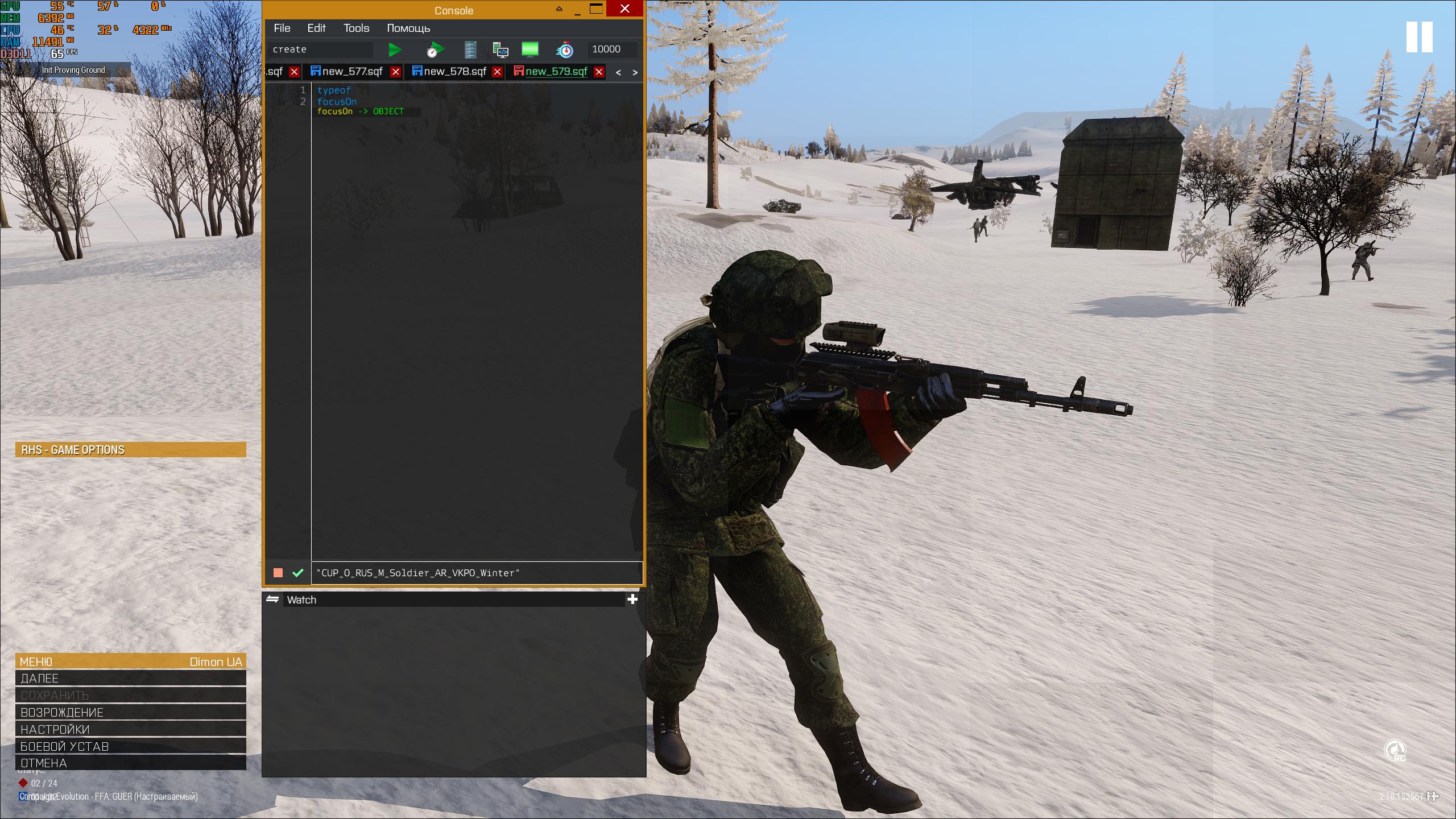 dusk gust
tulip ridge
Both of those commands get what unit / vehicle the player is controlling
dusk gust
tulip ridge
Both of those commands get what unit / vehicle the player is controlling
It doesn't only get what vehicle the player is controlling. It returns whatever the camera is currently "bound" to.
So if you're spectating someone via the default spectator, and you're in first/third person mode (not free mode), focusOn and cameraOn will return what you're looking at (few differences between the commands, but both should serve the purpose he wanted)
https://community.bistudio.com/wiki/Arma_3:_End_Game_Spectator_Mode
https://i.imgur.com/jshCOGy.png
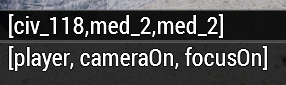 tulip ridge
Attached to =/= looking at
The question wasn't specific, they just said "looking at"
pallid palm
hello how do i remoteExec this
MRT addAction ["<t color='#FF1111'>Teleport To Base</t>", "functions\fnc_TeleportToHomebase.sqf","",1,false,true,"","(_target distance _this) < 5"];
ofcorse Arma 3
in other words how do i show this or remoteExec this to all on a hosted server
hallow mortar
_left command _right;
[_left, _right] remoteExec ["command", 0, true];
MRT addAction [ ... ];
[MRT, [ ... ]] remoteExec ["addAction", 0, true];```
Keep in mind that Editor object init fields are already executed on all machines and don't need remoteExec.oh hmmm some players say thay cant see it
ok nice ill keep that in mind and thx m8 @hallow mortar
pallid palm
thx @hallow mortar i see now what i must do for all conditions
its all works perfect WooHoo Arma 3
i really love you guys Now really really really Love you guys
 hollow stirrup
@digital hollow sorry for the ping but i'm at a loss with a bug im encountering with your snapping script, ive been making alot of my strucutres ive been working on compatible with your script and been having no issues. However I've recently implemented some assets and same as usual its based off of static like you say in the description of the mod and the points are set to have snap in the name.
But for whatever reason its not picking up the set of assets ive just put in, even for the automatic snapping regardless of the points. Even an asset that only has a resolution and geometry lod is picking this up and has near enough the same config, are there any other limitations that i'm missing?
I should say bug on my end not your script
real tartan
I have a BIS_fnc_holdActionAdd with priority 1000 added to each player and also have BIS revive system enabled. My holdAction is interacting with BIS revive action. What priority should I set to have BIS revive action as "default" option, so players don't need to scroll wheel to BIS revive.
proven charm
real tartan
I have a `BIS_fnc_holdActionAdd` with priority `1000` added to each player and a...
1000 is the default
hybrid sandal
Does anyone know how to make a mod run only at mission start? I am using CBA XEH postInit but the code is running when I am in the game main menu...
proven charm
hybrid sandal
Does anyone know how to make a mod run only at mission start? I am using CBA XEH...
here are some options: https://community.bistudio.com/wiki/Arma_3:_Functions_Library you may need something like postInit
hybrid sandal
proven charm
here are some options: https://community.bistudio.com/wiki/Arma_3:_Functions_Lib...
I've been looking at the ACE3 source code and didn't see them using it at all, and it seems wierd to me to use both cba XEH and CfgFunctions postInit. Also in cba docs it says that XEH_postInit will run only on mission start
proven charm
alright well i dont use cba
hybrid sandal
proven charm
alright well i dont use cba
Yeah thanks anyway man 😀
hallow mortar
real tartan
I have a `BIS_fnc_holdActionAdd` with priority `1000` added to each player and a...
I'm not sure what priority the BI Revive actions have specifically, but you can pretty easily figure this out yourself by just lowering the priority of your action until it's where you want it.
south swan
all holdActions in \a3\functions_f_mp_mark\revive\ seem to be added with priority of 1000
 polar vault
Hey, is there anything special with reloading and muzzle attachments?
I have a script which will combine two clips into one which will double bullet count but when i have a muzzle attachment it just wont work at all. If i take it off all is fine.
 obsidian mirage
hey when i add a laser designator to a vehicle, is there a way to also add a scope to the turret as well, eg like a targeting pod type?
 tame coral
not sure how to add it as a targeting pod but this might help
this addMagazineTurret ["Laserbatteries",[0]];```

https://community.bistudio.com/wiki/Arma_3:_CfgWeapons_Vehicle_Weapons

@obsidian miragethanks
hollow stirrup
hollow stirrup
<@168532288978550785> sorry for the ping but i'm at a loss with a bug im encount...
I figured out the problem but im curious as to why its a problem. If i use any event handlers in the cfgvehicles of the object the snapping script is no longer active on that object, for example ive tried init, dragged3DEN and registeredToWorld3DEN to call the funtion we use for these objects and as soon any any one of them are active the snapping script ignores them. Any ideas?
 little raptor
polar vault
Hey, is there anything special with reloading and muzzle attachments?
I have a s...
little raptor
polar vault
Hey, is there anything special with reloading and muzzle attachments?
I have a s...
Show your script
 hazy turtle
ahh bugger messed the script thing up again
lost copper
Does anyone know how to make a mod run
there's no sqf code specifier. try cpp instead
hazy turtle
private _bravoarea = _this#0;
private _side = _this#1;
private _prevSide = _this#2;
private _spawnDelayForGroup = 10;

comment "Dont do anything if no sides owns the sector";
if(_side == sideUnknown) exitWith {};

comment "get position of Module";
private _pos = getposASL bravoarea;


switch (_side) do
{
    case west: {
        [_pos,_spawnDelayForGroup] spawn {
        params ["_spawnPos","_delay"];
        sleep _delay;
        private _groupWest = [_spawnPos, west,7] call BIS_fnc_spawnGroup;
        [_groupWest, _spawnPos, 150] call BIS_fnc_taskPatrol;
        };
    };
    case east: {
        [_pos,_spawnDelayForGroup] spawn {
        params ["_spawnPos","_delay"];
        sleep _delay;
        private _groupEast = [_spawnPos, east,7] call BIS_fnc_spawnGroup;
        [_groupEast, _spawnPos, 150] call BIS_fnc_taskPatrol;
        };
    };
    case independent: {
        [_pos,_spawnDelayForGroup] spawn {
        params ["_spawnPos","_delay"];
        sleep _delay;
        private _groupInd = [_spawnPos, independent,7] call BIS_fnc_spawnGroup;
        [_groupInd, _spawnPos, 150] call BIS_fnc_taskPatrol;
        };
    };
    case civilian: {};
    default {};
};
Having an issue where this code is spawning the units 100+ metres above ground. COuld use some help please
I've check the module height of the spawn location and it is all good
lost copper
hazy turtle
I've check the module height of the spawn location and it is all good
are you able to provide values of _this input arr?
tulip ridge
lost copper
there's no sqf code specifier. try cpp instead
Yes there is
lost copper
private _arrrgh = "im sorry what";
private _arr = ["this","is","news","to","me"];
 little ether
Hey all can't get something to work for the life of me, really not understanding how to get local variable into an addaction. What I want;
- Listening Post gets assigned a name (LP + random from 1000 to 9999)
- When addaction is used, Hint reads "Production Started - (LP-XXXX)"
I get that addactions once we're into the {} have their own variable space but I need that random number to match and just cannot understand how to pass the variable through to it. I've read some stuff about params but have yet to get it to work.
You can probably see the many awful overlapping attempts I've made at getting this to work here;
_lpname = (str _lpnumber);
this addAction ["<t color='#FF0000'>LP - " + _lpname, {}];
this addAction ["<t color='#FF0000'>Begin Production", {params ["_target","_caller","_actionId","_lpname"];  hint (_this select 3)+" - Production Started"; sleep 10; hintSilent "";  _stor = nearestObjects [(_this select 0), ["Thing"], 10] select 0; _stor addItemCargoGlobal ["nfextra_respawn_RespawnItem", 20]; }];  ```

Any help would be appreciated, I'll update the snippet with any latest itterations I dothis - listening post object
_stor - finds the nearest box to the listening post to put item into
warm hedge
_stor = whateverYourObjectIs;
_lpnumber = [1000, 9999] call BIS_fnc_randomInt;
this addAction ["<t color='#FF0000'>LP - " + (str _lpnumber), {}];
this addAction ["<t color='#FF0000'>Begin Production", {
    _this#3 params ["_stor"]
    _stor addItemCargoGlobal ["nfextra_respawn_RespawnItem", 20];
}, [_stor]]; ```The spawning of the item isn't the issue at all sorry, I must not be being clear in my original post.
Spawning item works as intended, I want a HINT from inside the addaction to display the _lpnumber, which is defined outside the action and I can't access it
granite sky
Probably store it as a variable on this, whatever that is.
You could also just set a global variable but that's a bit nastier.
little ether
Cannot be a global variable, I need the players to be able to place multiple of these without them interfering with each other
granite sky
If you only need it in the action code then the arguments work too, yes.
little ether
Yeah storing/passing through the arguments was the solution I've been reading about but nothing I've done so far has worked
params ["_target","_caller","_actionId","_lpname"]; hint (_this select 3)+" - Production Started";
warm hedge
params ever had a meaning in your code though
If (_this select 3) in that context is a string, wrap into a bracket
hint ((_this select 3)+" - Production Started")```_lpname is _this select 3 there anyway. The main issue in your pasted code is that you didn't pass _lpname in the arguments parameter to the addAction.
You'd want this addAction ["title", {your code}, _lpname];
And then within the action code you can access it as the fourth parameter.
little ether
@warm hedge @granite sky That's the one lads, thanks a ton
So for future, any time I want/need to use a variable from outside an addaction I just need the add it after the {code}? What if there are multiple variables? Just _x, _y, _z?
warm hedge
_x _y _z is not even a magic variable in that context (aka doesn't exist)
little ether
I more mean just as placeholder for my own defined variables
_eggs, _cheese, _bacon for example
warm hedge
whateverObject setVariable ["myVariable",123];
whateverObject addAction ["whatever",{
  (_this#0) getVariable "myVariable";  // 123
}];```This is pretty much regular way to throw anything to anywhere as long as you have an access to whateverObject
granite sky
In general, any code you give to Arma to execute at a different time executes in a different context, so it can't see any of the local vars.
addAction has a way to pass in arguments. So does addMissionEventHandler. Other event handler types don't.
You can pass multiple arguments using an array, like this:
this addAction ["title", {
  params ["_target", "_caller", "_actionId", "_args"];
  _args params ["_eggs", "_cheese", "_bacon"];
  // code goes here
}, [_e, _c, _b]];
params basically takes an array and creates variable names for the elements.
Spawn works similarly:
[_e, _c, _b] spawn {
  params ["_eggs", "_cheese", "_bacon"];
  // code goes here
  // _e is not visible here
};
 tiny ravine
I'm running into an interesting problem that I was hoping someone may randomly have an answer for.
Is it possible to get the bullet count of a magazine in the players backpack? I want to get the ammo count for the selected item in the backpack.
So far, I have this...
hint format ["TESTING: %1",_Cntrl lbData _BackpackSel];
This will pull the classname of the highlighted item (Which is good...but I need to get the specific ammo count of that item now).
tiny ravine
Or, another way to ask this - is it possible to get the data from this white bar on a magazine? From within the UI?
 warm hedge
tiny ravine
Or, another way to ask this - is it possible to get the data from this white bar...
warm hedge
tiny ravine
Or, another way to ask this - is it possible to get the data from this white bar...
Full bar == getNumber (configFile >> "CfgMagazines" >> magClass >> "count")
Fetch the ammocount out of inventory... I guess getUnitLoadout is the best way
 heady ore
I have, what I think, made a working description.ext , but It doesnt seem to work and I'm not sure how to fix it
I'm using a respawn script to spawn near a vechicle (respawnmkr.sqf) and I'm not sure if I added the connection to it on the right place in the description.ext
warm hedge
Your file is description.ext.txt
lost copper
heady ore
I have, what I think, made a working description.ext , but It doesnt seem to wor...
@/POLPOX is so right. additionally:
while {true} do {
"respawn_west" setmarkerpos getpos med;
sleep 5;
};
it looks like you may be trying to sleep inside a unscheduled execution.
Also, it may be worth looking into init.sqf, as afaik onPlayerRespawn fires after every respawn and will eventually slow down your game with the quantity of while loops you are running. if the intent is updating the marker pos constantly, init.sqf should work fine for a 1 time exec.
heady ore
you guys are heroes!
this did the trick! 😶
yes, the respawnmkr.sqf is supposed to update everytime so I spawn at the location of the "med" vehicle
But I can't seem to solve the issue to use my created spawn "med" when using the description.ext
lost copper
heady ore
But I can't seem to solve the issue to use my created spawn "med" when using the...
wdym?
there doesn't seem to be anything in the description.ext about the "med" vehicle
heady ore
lost copper
there doesn't seem to be anything in the description.ext about the "med" vehicle
hmm, thats correct. where do I add the connection to my "respawnmkr.sqf" so the spawn will work?
what I did now was to add it to this section in the description.ext, but it didnt work
//
class CfgRespawnTemplates {
class Base {
onPlayerRespawn = "respawnmkr.sqf"; //
};
}
must add that I have 0 to none knowledge in scripting..😩
hazy turtle
@lost copper , @fleet sand wrote this script for me.. It works great excep this little issue
lost copper
heady ore
must add that I have 0 to none knowledge in scripting..😩
that's actually helpful to know! thank u :)
i will say that I have not worked with respawn points at all. however, it looks like your template is not referencing an actual class. that is:
respawnTemplates[] = {"respawn_west"};

class CfgRespawnTemplates {
    class Base {
        onPlayerRespawn = "respawnmkr.sqf"; //
    };
};
"respawn_west" is not defined in CfgRespawnTemplates. If instead of Base, it said respawn_west, like so:
respawnTemplates[] = {"respawn_west"};

class CfgRespawnTemplates {
    class respawn_west {
        onPlayerRespawn = "respawnmkr.sqf"; //
    };
};
then on each respawn of each player the game would execute respawnmkr.sqf.
(the page for custom respawn templates is here: https://community.bistudio.com/wiki/Arma_3:_Respawn#Custom_Respawn_Templates)
however, I would really suggest just renaming your respawnmkr.sqf file to init.sqf (https://community.bistudio.com/wiki/Event_Scripts#init.sqf) if the vehicle will exist at game start. Much simpler and less fiddling with description.ext.
heady ore
lost copper
that's actually helpful to know! thank u :)
i will say that I have not worked ...
amazing! thanks, will look in to this as soon I'm back at home! 🫡
lost copper
heady ore
amazing! thanks, will look in to this as soon I'm back at home! 🫡
of course!! if it's still broken after all that let us know :)
 bitter palm
Hello from the cup mod the british faction (if i command myself then i have the standard arma 3 tuning sounds but my ki colleagues have the british, even in vanilla it is like that if i have the mod loaded only
also tried with setspeaker as config this does not work
that can't be right, especially as the data is available for the british faction
lost copper
A Reminder To Those That Find And Edit
polar vault
little raptor
Show your script
    "SPE_5Rnd_792x57",
    "SPE_5Rnd_792x57_t",
    "SPE_5Rnd_792x57_sS",
    "SPE_5Rnd_792x57_SMK"
];

private _addMagazines = [
    "SPE_2x5Rnd_792x57",
    "SPE_2x5Rnd_792x57_t",
    "SPE_2x5Rnd_792x57_sS",
    "SPE_2x5Rnd_792x57_SMK"
];

private _ammoDetails = magazinesAmmoFull player;

{
    private _magazineType = _x;
    private _totalAmmo = 0;
    private _magazinesToRemove = [];
    private _processedMagazines = 0;
    private _ammoMax = 30;

    {
        private _currentType = _x select 0;
        private _currentAmmo = _x select 1;
        private _isLoaded = _x select 2;

        if (_currentType isEqualTo _magazineType && _processedMagazines < 2) then {
            _totalAmmo = _totalAmmo + _currentAmmo;

            if (_isLoaded) then {
                player addMagazine [_currentType, _currentAmmo];
                player setAmmo [currentWeapon player, 0];
            };

            _magazinesToRemove pushBack _currentType;
            _processedMagazines = _processedMagazines + 1;
        };
    } forEach _ammoDetails;

    if (count _magazinesToRemove > 0 || _totalAmmo > 0) then {
        {
            player removeMagazine _x;
        } forEach _magazinesToRemove;

        if (_totalAmmo > 0) then {
            private _newMagazineType = _addMagazines select (_forEachIndex);
            private _ammoToAdd = _totalAmmo min _ammoMax;
            player addMagazine [_newMagazineType, _ammoToAdd];
        };
    };
} forEach _removeMagazines;

player reload [];```

```[] spawn {
    waitUntil { !isNull (findDisplay 46) };
    (findDisplay 46) displayAddEventHandler ["KeyDown", {
        params ["_display", "_key"];
        if (_key == 19) then {
            if ((primaryWeapon player) isEqualTo "SPE_G41") then {
                [] spawn SwapMagazines_fnc_addAction;
            };
        };
    }];
};```Check what primaryWeapon player actually is when you have a muzzle attachment equipped
If the muzzle attachment is a bayonet, it's possible the weapon is secretly swapped to a different class to unlock the melee firemode
polar vault
Yeah, its a bayonet - alright i will try to see if i can find that hidden class. But otherwise the script is good?
autumn terrace
what's the fastest way for a trigger to activate if a variable named object goes up 3 meters?
warm hedge
What is the definition of
goes up 3 meters
in this context?
autumn terrace
the Z axis position is 3 meters higher than the starting point.
warm hedge
(getPosATL object)#2 > 3```thank you
hallow mortar
POLPOX's example is correct for if the starting point is on the ground. If the starting point isn't on the ground (0 ATL) then you need something a little more complex. You need to save what the starting point actually was, and then compare against it. You might want a method other than a trigger to do this neatly. Example:
private _startingPoint = getPosASL _object;
waitUntil {
  sleep 1; // check once a second, could be different but this is reasonable for performance
  private _diff = (getPosASL _object) vectorDiff _startingPoint;
  (_diff#2) > 3
};
systemChat "Object went up more than 3m!";```is there any way to get the light intensity set with setLightIntensity?🤔
warm hedge
Dont think so, lights have near to no getters
stable dune
drowsy geyser
is there any way to get the light intensity set with `setLightIntensity`?🤔
Code gives that it's Intensity = Brightness ^ 2 * 2500;
[4096, 4096, 10] spawn {
    private _brightness = 1;
    private _intensity = _brightness ^ 2 * 2500;

    private _obj = "Sign_Sphere10cm_F" createVehicleLocal _this;
    private _light = "#lightpoint" createVehicleLocal _this;
    _light setLightDayLight true;
    _light setLightAmbient [1, 1, 1];
    _light setLightColor [1, 1, 1];

    _light setLightBrightness _brightness;
    sleep 0.2;
    _brightness = getLightingAt _obj select 3;

    _light setLightIntensity _intensity;
    sleep 0.2;
    _intensity = getLightingAt _obj select 3;

    systemChat format ["%1 (%2, %3)", _brightness == _intensity, _brightness, _intensity];

    deleteVehicle _light;
    deleteVehicle _obj;
};
thank you!
tulip ridge
lost copper
@/POLPOX is so right. additionally:
```sqf
while {true} do {
"respawn_west" set...
init.sqf is scheduled
Most event scripts are
The only one that isn't is init3DEN actually
charred monolith
Hi ! Does anyone has a clue on why my texture is not transparent ?
I use a transparent PAA, the PAA is transparent because it showing with transparent in VSCode with a Paa viewer

 dusty steppe
Check again with TexView2, it might not be entirely transparent, or got saved with the wrong encoding
I've had issues with transparency using the gimp .paa extension, opening and saving with TexView2 fixed them
charred monolith
Yep that was it ! Thank you very much !
lost copper
tulip ridge
Most event scripts are
do u kno if their counterparts in CfgRespawnTemplates are also scheduled?
tulip ridge
Just check with canSuspend
lost copper
nvm. has it in a comment
 alpine basin
any steam launch option recommendations?
lost copper
AUGH
lost copper
alpine basin
any steam launch option recommendations?
-skipIntro is always nice
dusty steppe
alpine basin
any steam launch option recommendations?
Don't crosspost
And questions should usually be directed the their respective channels #arma3_questions or #reforger_questions
sharp ocean
What’s a good language to learn for arma 3 should I start with SQF or start with c++?
 tender fossil
sharp ocean
What’s a good language to learn for arma 3 should I start with SQF or start with...
tender fossil
sharp ocean
What’s a good language to learn for arma 3 should I start with SQF or start with...
Have you programmed/scripted before?
sharp ocean
No not really I’ve done a bit with blueprint I think it’s called with like blender but idk if that connects with programming
tender fossil
sharp ocean
No not really I’ve done a bit with blueprint I think it’s called with like blend...
Alright. I'm maybe biased but here's a completely free-of-charge MOOC that teaches the fundamentals of programming with Python as language https://programming-25.mooc.fi/ . Once you learn the common fundamentals of programming, it'll be much easier to learn new languages
Learn the basics of programming with the Python programming language. The focus of the course is on programming, and you will learn how to write programs and understand how they work. For example, the basics of algorithms, control structures, subprograms, object-oriented programming are covered. The course is suitable to anyone who wants to lear...
You could also try things with SQF in parallel to the MOOC, using the knowledge you've learned so far
dusty steppe
C++ is not used heavily in Arma, (unless you start writing .dll extensions, but they usually aren't needed)
The main use is config files, which are a very small subset of C++ where mostly it just uses the syntax
SQF is the scripting language, a somewhat inconvenient and old language that can do a lot, once you learn how the syntax and logic works
Starting with a bit of python if you are new to programming is probably a good idea
sharp ocean
Yeah so python is the go to language to learn and get good at programming in general?
tender fossil
sharp ocean
Yeah so python is the go to language to learn and get good at programming in gen...
There's no universal go to language to be honest, but Python is one of the better options for learning programming in general. It has e.g. very clear syntax that makes things easier to understand for newcomers
The MOOC above is really handy because it makes you program yourself from the very start in addition to the theory, as usually just reading or watching tutorials is not that effective to actually learn to program
sharp ocean
Yeah so I may be completely Wrong but can you use blueprints like in unreal engine or is it just SQF like this below?

Or am I completely wrong
dusty steppe
I did runestone and cscircles as my first courses python,
https://runestone.academy/ns/books/published/thinkcspy/index.html?mode=browsing
https://cscircles.cemc.uwaterloo.ca/
Both are free interactive courses, you could register with runestone if you wanted, but it's unneed
Runestone is a fairly complete introduction to programming and python
Cscircles basically drops you right into python
sharp ocean
Oh right thanks a lot
How long did it take you to learn all this and how long do the courses last?
dusty steppe
sharp ocean
Yeah so I may be completely Wrong but can you use blueprints like in unreal engi...
Blueprints is a node-based visual scripting
SQF can do the same stuff (limitied by the arma engine), but is a purely text based language
dusty steppe
sharp ocean
How long did it take you to learn all this and how long do the courses last?
I think I took a few months for the courses, you can work through both on your own time
The runestone book is longer than cscircles
tender fossil
sharp ocean
How long did it take you to learn all this and how long do the courses last?
The MOOC can be completed at your own pace, it's pretty large course (approximately a third of semester in university)
sharp ocean
Oh right thank you tho this stuff is all complicated but thanks but stuff like this can help so much
sharp ocean
tender fossil
The MOOC can be completed at your own pace, it's pretty large course (approximat...
What is a mooc ?
tender fossil
Massive Open Online Course
E.g. the Python MOOC has automated real-time tests, so the coding exercises let you tinker and make mistakes (that are normal part of the learning process) as much as needed. You also get feedback about what went wrong. It's aimed at people who haven't programmed before
sharp ocean
Bro this is a fast track thanks everyone
charred monolith
Is there a way to erase a drawn Icon via DrawIcon3D ? I tried changing the Alpha value or delete the EventHandler but nothing changes
 mystic socket
Is there a way to make the doSuppressiveFire command update the position of the target as it moves?
I'm trying to have AI fire on a boat as it comes in for an amphib landing and the AI isn't tracking it.
open hollow
mystic socket
Is there a way to make the doSuppressiveFire command update the position of the ...
you are uding the object or the position?
open hollow
mystic socket
it's
```sqf
units Gun1 doSuppressiveFire boat1;```
hmm there is some downtime until you can udptate afaik
i guess you will need to use a loop
mystic socket
ATM this is in the onactivation bit of a trigger. Can I put a while loop in there?
charred monolith
open hollow
so you have more than one eventhandler
I should have only One handler ? I use Draw3D as EventHandler. I should be able to remove it and the drawIcon3D should be destroyed with it no ?
["ace_unconscious", {
    params ["_unit", "_state"];
    private _handle = addMissionEventHandler ["Draw3D", {
        drawIcon3D [getMissionPath "icon_medic.paa", [1, 0, 0, 1], ASLToAGL getPosASLVisual (_thisArgs # 0), 2, 2, 0];
    }, [_unit]];
    if(_state == false)then{
        removeMissionEventHandler ["Draw3D",_handle];
    };
}] call CBA_fnc_addEventHandler;
[] spawn { while {condition} do { sleep 1} }
open hollow
charred monolith
I should have only One handler ? I use Draw3D as EventHandler. I should be able...
you are using local variables, the script in not hable to deleat the eh
["ace_unconscious", {
    params ["_unit", "_state"];
    draw3d_handle = addMissionEventHandler ["Draw3D", {
        drawIcon3D [getMissionPath "icon_medic.paa", [1, 0, 0, 1], ASLToAGL getPosASLVisual (_thisArgs # 0), 2, 2, 0];
    }, [_unit]];
    if(_state == false)then{
        removeMissionEventHandler ["Draw3D",draw3d_handle];
    };
}] call CBA_fnc_addEventHandler;
Here's what that code is doing:
- ACE unconscious event fires
- your code executes, which:
- creates a draw3D EH
- at that moment, and at no other time, checks whether it should remove the EH it just added
- then your code ends and that instance of it is no more. All local variables within your code scope are destroyed.
I suggest instead that the Draw3D EH gets the ability to delete itself internally. You have a reference to the unit available inside the Draw3D, so you can check its consciousness state every time the Draw3D fires, and use _thisEvent and _thisEventHandler special variables to remove itself.
mystic socket
open hollow
`[] spawn { while {condition} do { sleep 1} } `
Thank you!
charred monolith
hallow mortar
Here's what that code is doing:
- ACE unconscious event fires
- your code execut...
It doesn't seems to change anything:
["ace_unconscious", {
    params ["_unit", "_state"];
    addMissionEventHandler ["Draw3D", {
        drawIcon3D [getMissionPath "icon_medic.paa", [1, 0, 0, 1], ASLToAGL getPosASLVisual (_thisArgs # 0), 2, 2, 0];
        if((_thisArgs) # 1 == false)then{
            removeMissionEventHandler [_thisEvent,_thisEventHandler];
        };
    }, [_unit,_state]];

}] call CBA_fnc_addEventHandler;
I've tried using some systemChat to know when the removeMissionEventHandler fires and it fires for like 1s and then it becomes true again.
charred monolith
open hollow
```sqf
["ace_unconscious", {
params ["_unit", "_state"];
draw3d_handle =...
If I use this on player they will all share the same variable ? Should I store the Handle inside the player namespace ?
open hollow
charred monolith
If I use this on player they will all share the same variable ? Should I store t...
hmm proably the best will be to use _unit setvaraible ["icon", _handler]
im not sure the locality of ace_unconcius
hallow mortar
charred monolith
It doesn't seems to change anything:
```sqf
["ace_unconscious", {
params [...
You are passing the unit's state at the time the ACE Unconscious EH fired, and then continuing to only checking that original state.
You need to use the unit reference you already had to check the unit's current state by checking its "ACE_isUnconscious" variable.
charred monolith
I didn't know that there was a ACE_isUnconscious var, but now with it, it seems to work ! Thank you very much !
["ace_unconscious", {
    params ["_unit", "_state"];
    addMissionEventHandler ["Draw3D", {
        drawIcon3D [getMissionPath "icon_medic.paa", [1, 0, 0, 1], ASLToAGL getPosASLVisual (_thisArgs # 0), 2, 2, 0];
        if (((_thisArgs # 0) getVariable["ACE_isUnconscious", false]) == false) then {
            removeMissionEventHandler[_thisEvent, _thisEventHandler];
        };
    }, [_unit]];
}] call CBA_fnc_addEventHandler;
You don't need to do == false. You already have the variable as a boolean (true/false), so you don't need to then check which it is (returning another boolean). Just use the variable itself.
if !((_thisArgs # 0) getVariable["ACE_isUnconscious", false]) then { ...``` drowsy tusk
Does anyone have a kill counter script that displays a hint with the amount of kills the player has and increases with each kill?
charred monolith
hallow mortar
You don't need to do `== false`. You already have the variable as a boolean (tru...
okay ! Thank you !
 fair drum
drowsy tusk
Does anyone have a kill counter script that displays a hint with the amount of k...
fair drum
drowsy tusk
Does anyone have a kill counter script that displays a hint with the amount of k...
in the most basic sense:
// initPlayerLocal.sqf
addMissionEventHandler ["EntityKilled", {
    params ["_unit", "_killer", "_instigator", "_useEffects"];

    if (player != _instigator) exitWith {};

    private _kills = player getVariable ["LORD_KillCounter", 0];
    _kills = _kills + 1;

    hint format["Kills: %1", _kills];
    player setVariable ["LORD_KillCounter", _kills];
}];
Thank you! Does this work the same way when setting up a scenario vs AI? Or does anything need to be edited in the script?
fair drum
drowsy tusk
Thank you! Does this work the same way when setting up a scenario vs AI? Or does...
it does exactly as you requested. when a player kills a unit, it tells them how many they have killed. it does not care what side the unit is on, nor does it care if it is friendly, nor does it care if it is a player or ai. it does not send the message to other players.
drowsy tusk
Awesome, thank you for the help!
stable dune
charred monolith
I didn't know that there was a ACE_isUnconscious var, but now with it, it seems ...
ace unconsion event has _state param that indicate true, false.
so you dont need check everyframe in draw3d event is unit unco or not.
You can save event on player and if _state = false , you can remove it.
["ace_unconscious", {
    params ["_unit", "_state"];
    if (local _unit) then {
        if (_state) then {
            private _drawEH = addMissionEventHandler ["Draw3D", {
            drawIcon3D [getMissionPath "icon_medic.paa", [1, 0, 0, 1], ASLToAGL getPosASLVisual (_thisArgs # 0), 2, 2, 0];}];
            _unit setVariable ["TAG_drawEH",_drawEH];
        } else {
            private _drawEH = _unit getVariable ["TAG_drawEH",-1];
            if (_drawEH > -1) then {
                removeMissionEvenhandler ["Draw3D",_drawEH];
            };
        };
    };
}] call CBA_fnc_addEventHandler;
it does exactly as you requested. when a
mystic socket
This might be a stupid question, if I have an AI unit target the player object (in SQF) in a multiplayer mission, will it target multiple players?
Like in sqf unit gun1 doSuppressiveFire player;
will it target one player or will it target multiple? I've got it working when I test it myself, but i don't want it targetting one player and shredding them when there are other targets.
granite sky
It'll target whatever player is on the machine where it's executed.
not sure what's going on with unit gun1. Busted syntax.
mystic socket
Oh that's basically pulling an array of all units within group gun1. Basically every unit I want to open fire on the players.
hallow mortar
Should be units then
 dry cradle
I'm looking for a hack computer script/task, does anyone have one handy?
fair drum
what you mean? like the action?
tulip ridge
dry cradle
I'm looking for a hack computer script/task, does anyone have one handy?
The wik page for https://community.bistudio.com/wiki/BIS_fnc_holdActionAdd has an example for "hacking a computer"
Doesn't do anything, so you could just add whatever you want to do to it
dry cradle
Yeah, just something that a player can walk up to, do a hack thing, and then is fires a trigger for the next objective.
@fair drum Funny seeing you, I'm making my next mission and I could've sworn you had a TFAR radio jamming module right? Or am I just three fries short of a Happy Meal?
fair drum
dry cradle
<@177167602768936960> Funny seeing you, I'm making my next mission and I could'v...
yes, its been disabled until i can fully rewrite it
dry cradle
Ah, unfortunate.
fair drum
it didnt function well in MP at all in its current iteration. modules enhanced has evolved in a lot of ways and its basically pretty obsolete now so its been put back into the rewrite section
dry cradle
Gotcha, I was going to do a "Destroy the Jammer" part of the mission as the players are going into the mission, thought that would've been real neat for the op
fair drum
save that idea for a mission in about a month or so. I'll push it up to the top since I just finished the Infantry Spawner and Spawner Waypoint modules
the big problem is the testing for it. since I don't have a group to test it
kinda hard to test on your own for teamspeak type stuff
dry cradle
haha will do, I've been using the anti-Trolling module, pretty great.
Well if you need guinea pigs to test on I have you covered, just let me know what you need to test out and I can try and work it into our weekly missions.
fair drum
yeah you like that launch option? i was kinda unhinged when I wrote that one lol
dry cradle
haha yeah for sure, I've been using the zeus module version of it for awhile now, and I'm a big fan of automation.
 astral bone


 pulsar bluff
anyone know if its possible to remove/edit this text when in vehicle?

i remember awhile ago trying and failing to edit it, maybe someone else has been successful tho
little ether
Hey folks back for more help, not even sure what I want to do is possible;
The following code WORKS, it produces the item and puts in in the nearest Box (_stor);
_lpname = (str _lpnumber);
this addAction ["<t color='#FF0000'>LP - " + _lpname, {}];
this addAction ["<t color='#FF0000'>Begin Production", {  hint ("Production Started: LP - "+(_this select 3)); sleep 10; hintSilent "";  _stor = nearestObjects [(_this select 0), ["Thing"], 10] select 0; _stor addItemCargoGlobal ["nfextra_respawn_RespawnItem", 20]; }, _lpname]; ```

Problem being this only works on the structure it's given to (a Listening Post) if this is set up beforehand in eden.

I want all spawned Listening Posts to spawn with the script on it but cannot work out how. My current idea is to have an action on the player that adds the proper action and variables to the nearest Listening Post but cannot get it to work, anyone have any pointers/help they can offer?
this addAction ["<t color='#FF0000'>Activate Listening Post", {
_newlp = nearestObject [player, "ListeningPost"];
_lptemp = [1000, 9999] call BIS_fnc_randomInt;
_lpnametemp = (str _lptemp);
_newlp setVariable ["_lpnumber", _lptemp];
_newlp setVariable ["_lpname", _lpnametemp];
[_newlp, "<t color='#FF0000'>LP - ", {}_newlp], remoteExec ["addAction",0,true]}];
[_newlp,"<t color='#FF0000'>Begin Production", {
_this getVariable "_lpnumber";
_this getVariable "_lpname";
hint ("Production Started: LP - "+_lpnumber);
sleep 10;
hintSilent "";
_stor = nearestObjects [(_this select 0), ["Thing"], 10] select 0;
_stor addItemCargoGlobal ["nfextra_respawn_RespawnItem", 20];
}, _newlp]
remoteExec ["addAction",0,true];}];
 flat sluice
Interesting thing I just discovered. Aparantly nearestObjects and nearObjects give very different results despite same class filters and radius. Running the following code in the debug console when looking at 33 infantry will run through through them all, return the resulting arrays from each command, and change the sides of the units which nearestObjects ignores to opfor while the ones both commands return are blufor. Image below to show the distinction. Any indication for the reason for this? I would just sort the array from nearObjects using BIS_fnc_sortBy but it is nearly a 10x performance cost compared to in-engine options.
private _nearMenOld = (positionCameraToWorld [0, 0, 0]) nearObjects ["CAManBase", 10 + 7];

private _nearMen = nearestObjects [(positionCameraToWorld [0, 0, 0]), ["CAManBase"], 5 + 7];

private _missingMen = +_nearMenOld - _nearMen;

_nearMenOld joinSilent createGroup WEST;
_missingMen joinSilent createGroup EAST;
 dusk gust
pulsar bluff
anyone know if its possible to remove/edit this text when in vehicle?
dusk gust
pulsar bluff
anyone know if its possible to remove/edit this text when in vehicle?
Getting it every time reliably would be difficult, as the same display gets re-used, however you can use this to find it.
You're able to hide it, however it seems like that UI element get updated every frame?
If you set it while paused, it will reset itself immediately when un-paused.
(uiNamespace getVariable ["IGUI_displays", []]) apply {
    [_x, allControls _x select {ctrlText _x isEqualTo "Hunter GMG"}];
};

Return while in a Hunter GMG:
[
    [Display #305,[]],
    [Display #311,[]],
    [Display #320,[]],
    [Display #313,[]],
    [Display #315,[]],
    [Display #312,[]],
    [Display #317,[]],
    [Display #300,[]],
    [Display #300,[Control #120]]
]
Could hide the UI element and re-create it manually or similar
Or make a mod for it to change the names etc
dusk gust
flat sluice
Interesting thing I just discovered. Aparantly `nearestObjects` and `nearObjects...
Just to clarify, positionCameraToWorld [0, 0, 0] is grabbing your camera position, not the world position the camera is looking at.
I also noticed your _nearMenOld's distance is 10 + 7 where _nearMen is 5 + 7
I've modified your script a bit just for a bit of clarity on my end. I get proper results with it, but maybe I missed something. Keep in mind I was only testing the near(est)Objects commands, so I omited the new group creations
private _pos = screenToWorld [0.5, 0.5];
private _distance = 17;
private _className = "CAManBase";
private _nearMenOld = _pos nearObjects [_className, _distance];
private _nearMen = nearestObjects [_pos, [_className], _distance];

[count _nearMenOld, count _nearMen, _nearMenOld - _nearMen];
both commands seem to return same units on my end, though?

 flat sluice
Yeah it was my bad with the radius. For reference: I'm testing some stuff with ACE Nametags which is why the call is odd with the positionCameraToWorld and + 7 on radius
tiny ravine
warm hedge
Full bar == `getNumber (configFile >> "CfgMagazines" >> magClass >> "count")`
Fe...
Thank you for the response! Unfortunately, I want to get the ammo count of the exact item I have selected in my ruck. I can get the classname from it, but I'm not sure how Bohemia ties the white bar to the listbox item yet...
warm hedge
It is about Engine feature, and there is no direct way to detech such
broken pivot
Good morning people. Hey @Dart,
Im coming back with a script we designed together. Its the crate
thing. We tested it a few days ago and now Ive got time to rework it.
Here is the code:
init.sqf:
//Allways Resuplly -> Munition
addMissionEventHandler ["EntityCreated", {
    params ["_KisteMunition"];

    if (typeOf _KisteMunition isEqualTo "Box_NATO_Equip_F") then {
        [_KisteMunition, true] execVM "Kisten\Munition\inhalt.sqf";
    };
}];
"Kisten\Munition\inhalt.sqf":
params ["_KisteMunition"];
clearItemCargo _KisteMunition;
_KisteMunition addItemCargo ["rhssaf_30rnd_556x45_EPR_G36", 25];
_KisteMunition addItemCargo ["rhs_mag_30Rnd_556x45_M855A1_Stanag_Ranger_Tracer_Red", 25];
_KisteMunition addItemCargo ["SmokeShellBlue", 20];
_KisteMunition addItemCargo ["SmokeShellWhite", 20];
_KisteMunition addItemCargo ["rhs_mag_m67", 15];
_KisteMunition addItemCargo ["ACE_Chemlight_IR", 10];
_KisteMunition addItemCargo ["ACE_IR_Strobe_Item", 5];
_KisteMunition addItemCargo ["ACE_CableTie", 5];
_KisteMunition addItemCargo ["rhs_fim92_mag", 2];
_KisteMunition addItemCargo ["rhs_mag_6Rnd_M441_HE", 3];
_KisteMunition addItemCargo ["rhs_mag_6Rnd_M714_white", 3];
_KisteMunition addItemCargo ["ACE_HunitIR_M203", 5];

etc...
The issue: Items getting created client side in the container
My suspicion: I gues that the "params" command has something to do
with the local created items because it only works in a local
** enviroment.**
I would say that Im a generall amateur.
So Im really thankful to people who explain things to me 😄
winter rose
My suspicion: I gues that the "params" command has something to do with the local created items because it only works in a local enviroment.
hopefully, not ^^ this is about script locality (variables, etc), nothing to do hopefully with network locality 🙂
addMissionEventHandler → local effect
addItemCargo → local effect
you can use addItemCargoGlobal here so everyone gets the info 🙂
broken pivot
winter rose
> My suspicion: I gues that the "params" command has something to do with the lo...
I really got early that params is a really really important as usefull command
I think ive read the wiki about like 10 times but I still finding out things - love it and thanks for letting me know
broken pivot
winter rose
`addMissionEventHandler` → local effect
`addItemCargo` → local effect
you can u...
Now I need to go to the wiki and check if I could have
known this
(2 mins delay)
"For the global variant, see addItemCargoGlobal." ... sometimes I could puke
I cant find a replacement for the addMissionEventHandler thing but I dont
think that this is a major problem because Im adding a global command in it.
Lets find out with this:
params ["_KisteMunition"];
clearItemCargo _KisteMunition;
_KisteMunition addItemCargoGlobal ["rhssaf_30rnd_556x45_EPR_G36", 25];
_KisteMunition addItemCargoGlobal ["rhs_mag_30Rnd_556x45_M855A1_Stanag_Ranger_Tracer_Red", 25];
_KisteMunition addItemCargoGlobal ["SmokeShellBlue", 20];
_KisteMunition addItemCargoGlobal ["SmokeShellWhite", 20];
_KisteMunition addItemCargoGlobal ["rhs_mag_m67", 15];
_KisteMunition addItemCargoGlobal ["ACE_Chemlight_IR", 10];
_KisteMunition addItemCargoGlobal ["ACE_IR_Strobe_Item", 5];
_KisteMunition addItemCargoGlobal ["ACE_CableTie", 5];
_KisteMunition addItemCargoGlobal ["rhs_fim92_mag", 2];
_KisteMunition addItemCargoGlobal ["rhs_mag_6Rnd_M441_HE", 3];
_KisteMunition addItemCargoGlobal ["rhs_mag_6Rnd_M714_white", 3];
_KisteMunition addItemCargoGlobal ["ACE_HunitIR_M203", 5];
_KisteMunition addItemCargoGlobal ["rhs_mag_smaw_HEAA", 2];
_KisteMunition addItemCargoGlobal ["rhsusf_100Rnd_762x51_m61_ap", 5];
there is no need for an addMissionEventHandler replacement - just let it execute on the server, it will do 🙂
 wicked roostBOT
How to use SQF syntax highlighting in Discord
```sqf
// your code here
hint "good!";
```
↓
// your code here
hint "good!";
(also this, add sqf after the three ` 😉)
broken pivot
hint Long lifes the EBER
Oh cool, it works. Thank you alot my friend
hallow mortar
pulsar bluff
anyone know if its possible to remove/edit this text when in vehicle?
Maybe one day https://feedback.bistudio.com/T119190
broken pivot
First test runs with people on a server did - Good results. Just some tiny things.
Also Ive modified it a really bit because I want to implement it in Liberation so the people can use
pre-filled loadouts crates wich are easy to store in vehicles with ace so the deployments on the
GameDay work faster.
Thats also why Ive built in the sleep delay. Because without, the crate only is filled up in pre-build,
now the addItemCargo process hits after a short delay in that the player should have placed the box.
The script:
local hint "Filling up... Place fast";
sleep 8;
params ["_KisteMunition"];
clearItemCargo _KisteMunition;
_KisteMunition addItemCargoGlobal ["rhssaf_30rnd_556x45_EPR_G36", 25];
_KisteMunition addItemCargoGlobal ["rhs_mag_30Rnd_556x45_M855A1_Stanag_Ranger_Tracer_Red", 25];
_KisteMunition addItemCargoGlobal ["SmokeShellBlue", 20];
_KisteMunition addItemCargoGlobal ["SmokeShellWhite", 20];
_KisteMunition addItemCargoGlobal ["rhs_mag_m67", 15];
_KisteMunition addItemCargoGlobal ["ACE_Chemlight_IR", 10];
_KisteMunition addItemCargoGlobal ["ACE_IR_Strobe_Item", 5];
_KisteMunition addItemCargoGlobal ["ACE_CableTie", 5];

...

_KisteMunition addItemCargoGlobal ["6Rnd_RedSignal_F", 5];
local hint "Filled up";
The problems:
If someone is executing the script by pre-building the box, everybody gets a message. So the local hint isnt working somewhy.
would be no problem if we do it only to the people next to the box, so local area
Also it sometimes happens that the crates get filled up multiple times.
So instead 25 mags -> 75 mags
winter rose
that's because the script does not run server-only
no idea how or what creates said crate sooo
broken pivot
"that's because the script does not run server-only" - So I better remove the hint and find a other way or add time to the fillup
"no idea how or what creates said crate sooo" - You mean how the Liberation script creates the crate? (I instant start to find out about building script)
winter rose
that yes
basically, you add the event on every machine, "if a crate is created, do this"
so it seems that the crate is not local to the person who created it, and I have no idea how Liberation creates stuff (see their docs perhaps)
if you can find the "crate creator" then you can send them the info and script to run
faint burrow
clearItemCargo has local effect.
broken pivot
Okay this doesent sound that easy.
Let me repeat for double check, so if someone creates the crate the local "scan" hits
init.sqf
//Allways Resuplly -> Munition
addMissionEventHandler ["EntityCreated", {
    params ["_KisteMunition"];

    if (typeOf _KisteMunition isEqualTo "Box_NATO_Equip_F") then {
        [_KisteMunition, true] execVM "Kisten\Munition\inhalt.sqf";
    };
}];
Because of that the global command -> addItemCargoGlobal is also executed so for each player each on
the server is one full loadout created in the box (1P - 25mags -> 10P - 250mags)
Right?
The next step now is to go to the roots of Liberation building creator and check its details to understand how
to implement the crate fillup can get implemented acceptable
faint burrow
local hint won't work
broken pivot
faint burrow
`clearItemCargo` has local effect.
Bro I need to learn the global commands more
broken pivot
Ou hahahaha thats suprising/not suprising
faint burrow
EntityCreated EH should be added on server side only.
broken pivot
What is EH again?
faint burrow
Event handler.
broken pivot
Copy confirm, I remember
faint burrow
Regarding execVM: https://community.bistudio.com/wiki/Code_Optimisation#Optimise_Then
broken pivot
winter rose
that yes
basically, you add the event on every machine, "if a crate is created, ...
Im tryna understand the building thing of Liberation to bring in more input but thats a lot,
I think Ive found the core progresses running the script:
pre-build:
            _vehicle = _classname createVehicleLocal _ghost_spot;
            _vehicle allowdamage false;
            _vehicle setVehicleLock "LOCKED";
            _vehicle enableSimulationGlobal false;
            _vehicle setVariable ["KP_liberation_preplaced", true, true];
And then they switch the pre-build vehicle into the global vehicle.
I thought about something like that. [Picture1]
In my limited knowlegde Im thinking about this solutions:
I could always check if the created vehicle is "Box_NATO_Equip_F" and connect it
to a if cause.
If no -> Nothing
If yes -> I do need to find a solution how to run the filup script only on server site
so I would need to skip the createVehicleLocal command from the prebuilding of Liberation
I think the best way to solve the problem is to build a part into filup script that checks the contents
of the box and limits it in worst case to 25mags (so normal state) again.
The only worrys about are that the "content-scan" wont scan the local created mags from
the builder person so they will remain on 50 or higher for him.
I really have no clue how to check for content inventory and realize my idea.
Maybe something with getObject...

 queen cargo
you are all faggots ❤
and yes, i am
open hollow
pulsar bluff
anyone know if its possible to remove/edit this text when in vehicle?
the easyies way its with a config.
iirc its posible to get the control, so i guess its posible to modify it
 digital viper
Good evening, I come to you because I am starting development on Arma 3.
I would like to create a script with the objective of creating a radiation zone causing damage if we do not have equipment.
I tried to do something but it doesn't work, do you have any ideas on how to correct the problem? Thanks for the help
royal quartz
faint burrow
Try writing <#105464980635176960> or <#105464899567669248>.
thought id come back and share what happened. Its working now and the issue seem to fix it self after a computer restart... maybe the addon builder was just freaking out on my computer haha. As I changed nothing it just started working when I tried it the next morning
obsidian mirage
Im trying to set up a area in which OPFOR cannot go into, but i cant really think of any solutions aside from just killing them when they go inside the trigger, any potential things the AI could do to get out of the area?
faint burrow
digital viper
I tried to do something but it doesn't work, do you have any ideas on how to cor...
Few points:
_thisis incorrect variable, should bethis: https://community.bistudio.com/wiki/Magic_Variables#this_2- Use code snippets, then convert them to strings:
_trigger setTriggerStatements ([
    { ... },
    { ... },
    { ... }
] apply { toString _x });
- I would create a local trigger and markers:
_Rad_Zone_1 = createTrigger ["EmptyDetector", _position, false];

_Rad_Zone_1 triggerAttachVehicle [player];

_Rad_Zone_1 setTriggerActivation ["VEHICLE", "PRESENT", true];
_Rad_Zone_1 setTriggerStatements ([
    { this },
    {
        _scriptHandle = [thisTrigger] spawn {
            params ["_area"];

            ...
        };

        thisTrigger setVariable ["radiationScriptHandle", _scriptHandle];
    },
    {
        _scriptHandle = thisTrigger getVariable ["radiationScriptHandle", scriptNull];

        terminate _scriptHandle;
    }
] apply { toString _x });

_Warning_Marker = createMarkerLocal ["Warning_Marker_1", _Rad_Zone_1];
...
any ideas why this dont work?
{
  [_x , _veh, 1] call ace_cargo_fnc_removeCargoItem; false
} count (_veh getvariable ["ace_cargo_loaded",[]] ); //count is faster, but its the same as foreach
its for some vehicles ive reated with createVehicle and has an spare wheel in the cargo, i want to remove all cargo from vehicles.
faint burrow
What does ace_cargo_loaded contain?
open hollow
if the vehicle has cargo space and its wheeled ["ACE_Wheel"]
tough abyss
I am attempting to modify this script. My goals with this are:
- Get the script to recognize what vehicle belongs to what spawn point
- Keep the spawner from spawning in a new vehicle if the point has already spawned a vehicle and the vehicle is in use.
- Allow the spawner to swap out the vehicle if the original vehicle is on the spawn point, or spawn a new vehicle if original was destroyed.
I am quite new to SQF and coding in general. I have tried a few things with no success. Any help or guidence is appreciated
 open hollow
_spawn = [_arrayOfSpawns, _position ] call bis_fnc_nearestlocation;
idk how you did defined the spawn positions, but you need to make an array of that and that will give you the nearest to that position
but points 2 and 3 its not for begginers
wicked roostBOT
How to use SQF syntax highlighting in Discord
```sqf
// your code here
hint "good!";
```
↓
// your code here
hint "good!";
the above syntax highlighting can be helpful for any communications in discord also https://community.bistudio.com/wiki/Introduction_to_Arma_Scripting has some useful tips and basic instructions
hallow mortar
What kind of validation is used for the move command, in terms of the AI deciding whether or not to obey it?
I'm trying to use it with some jets I'm spawning. I'm finding that with some (3D ATL) positions, the jets respond fine, but with other positions they commit so hard to not responding that they never start their engines and simply allow themselves to fall out of the sky. And I'm not really seeing a logical pattern for which positions work and which don't.
granite sky
Any different with a move waypoint instead?
I do most of our plane movement with waypoints and I've not seen anything like that.
hallow mortar
So, in both cases they fail to start their engines. Doing engineOn on them lets them stay airborne. (Let's overlook for a moment that exactly the same code with the same starting altitude, just different positions, worked fine in another mission.)
When given a waypoint they do follow it. When given a move command they just head straight for [0,0,0].
granite sky
How are you spawning them?
I normally use "FLY" mode with createVehicle and then move them afterwards.
IIRC various vehicles get a default move waypoint to [0,0,0] for some reason and you need to delete it.
hallow mortar
createVehicle (syntax 1) at [0,0,0] and then immediately setPosASL + setVectorDir + setVelocity.
Not using "FLY" is probably not optimal as such, but here we have the problem that it is working fine in one case but not in another, even though the code is straight up copied.
move command is supposed to override any waypoints anyway. And if there is an automatic waypoint at [0,0,0], the waypoint I tried adding with addWaypoint should come after it, making them go to [0,0,0] first, but they don't.
granite sky
Do you change the waypoints before or after you put the crew group in the vehicle?
hallow mortar
The crew is created with createVehicleCrew. All navigation commands (move or waypoints) come after that.
granite sky
It's entirely possible that all of our plane-setup code is sufficiently slow that it sets the waypoint in the next frame.
Or even puts the crew in the plane in the next frame :P
Arma AI is a black box of shit spaghetti and most stuff works by luck.
hallow mortar
Well, I don't think my code is slow enough to ever go to the next frame, but I'm still seeing different results with the same code. But consistent results with the same position.
Example, Malden, destination positions ATL:
[9415.78, 629.297, 71.733] consistent failure, planes return to [0,0,0] instead
[9209.73, 253.604, 78.864] consistent success, planes proceed to move destination
granite sky
If you can put together a test script replication then I'll play around with it.
 old owl
Can't really remember although I feel like I remember probably not: are you able to put the move command in debug console to see what's running under the hood?
Can't remember if commands allow that alike functions created within a functions library
granite sky
I'm not aware of any way to see what Arma AI is doing under the hood.
Which is of course a large part of the problem.
old owl
I more meant what code was being ran in move but perhaps I explained that poorly
hallow mortar
move is a command, not a function. It only runs internal Arma engine code, it doesn't have any SQF inside it.
old owl
Gotcha yeah you're right my bad.
granite sky
Waypoints are higher-level but still engine. You can at least read back the list, but not why the hell they're doing something weird.
Like if you have a GETOUT waypoint on the end of a list of move waypoints, that somehow changes the behaviour. Why? No-one can say unless they have the A3 source, and those people won't look at it for good reason.
open hollow
open hollow
any ideas why this dont work?
```sqf
{
[_x , _veh, 1] call ace_cargo_fnc_remo...
There is any discord for ACE and CBA3 scripting?
tulip ridge
You mean like the ACE discord?
granite sky
For what it's worth we do a similar thing with ace_cargo_fnc_unloadItem and that does work.
Does have an if !(_x isEqualType objNull) then { continue }; sanity check though.
But then the functions claim to work with either.
Read the source code, debug it.
At least with ACE you do get the source.
old owl
What generally makes a command engine level or not? Not very often I ever have to look that largely in-depth but commands like spawn are just aliases for existing functions like BIS_fnc_spawn- how do you defer which commands are engine level or not? Just if they exist the in the library or would you search a config or something?
tulip ridge
All commands are engine level
hallow mortar
hallow mortar
Well, I don't think my code is slow enough to ever go to the next frame, but I'm...
OK, so using the "known bad" position in an otherwise empty mission, it works. So now I'm wondering if it's proximity to certain mission objects (aircraft carrier, for example)
granite sky
Well, you do have a pretty low Z there...
tulip ridge
open hollow
There is any discord for ACE and CBA3 scripting?
If you do need the ACE discord (for this or anything else), it's linked in #channel_invites_list message
There's also a channel for CBA stuff
hallow mortar
old owl
What generally makes a command engine level or not? Not very often I ever have t...
spawn is NOT an alias for BIS_fnc_spawn. It is the engine implementation of what BIS_fnc_spawn does in SQF.
granite sky
sometimes BIS functions exist because suitable commands didn't, either in older versions of A3 or older versions of Arma.
hallow mortar
Functions are collections of SQF code - packaged scripts ready to go. Commands are instructions to the engine to do things with its own internal mechanisms.
granite sky
In that case, when you look at the wiki for the BIS function, it'll say "use this command instead"
usually :P
old owl
Gotcha. I've been kinda wording things poorly tonight- I know commands are generally always faster than their function counterpart so that would make sense.
This may also be a dumb question but when a command is "engine" what does that really mean for what runs in the background?
granite sky
It means you don't know :P
hallow mortar
granite sky
Well, you do have a pretty low Z there...
It's sea level in ATL - for both working and not-working cases.
As far as I can tell, aircraft don't super care about the Z component of movement orders anyway. When it works, they'll just fly overhead even if the position is technically on the deck.
granite sky
I wouldn't rule it out as a collision case for carrier vs aircraft, if it's just doing radius bubbles.
Arma does have a bunch of lookahead collision stuff for pathfinding, some of which is very broken.
old owl
Best of luck on your guys AI struggles and appreciate the explanation 🙂
hallow mortar
I mean that's on my mind, but also like...why are other objects not an issue? And what about that time when the position was actually on the carrier deck, and that actually worked?
granite sky
Have you tried making them path into the top of a tall building?
hallow mortar
I just gave one a position inside a barracks building and it is currently happily en route
granite sky
It may have an extremely-low-altitude exception.