#arma3_scripting
1 messages · Page 51 of 1
 hallow mortar
 drowsy geyser
oh i just found this command but it is Only available in Development branch
https://community.bistudio.com/wiki/getVideoOptions
finally we can get the video settings
 nocturne smelt
question, how does one make infinitely spawning enemies?
 winter rose
scripts (createGroup/createUnit)
nocturne smelt
winter rose
scripts (createGroup/createUnit)
Thanks!
 foggy stratus
I've written a script where player commands squad AI to hide weapons in backpack, and another to command squad AI to pull their weapons from the backpack. They work great if unit's not in vehicle. But if in vehicle, the AI will not draw their weapons (but will after they exit). This is the pull weapons script. I guess action "TakeWeapon" will not execute while unit in vehicle. I like it as is because TakeWeapon guarantees all weapon attachments still on weapon when unit takes it.
jboy_pullWeapons = { params ["_unit"]; private _ammobox = backpackContainer _unit; private _weapons = (getWeaponCargo _ammobox #0) ; { _unit action ["TakeWeapon",_ammobox, _x]; } forEach _weapons; };
If unit in vehicle, how do I get him to actually pull the weapon so he's holding it while in a fire-from-vehicle position? If I addWeapon instead of action "TakeWeapon", then the weapon will not have attachments.
 little raptor
foggy stratus
If unit in vehicle, how do I get him to actually pull the weapon so he's holding...
little raptor
foggy stratus
If unit in vehicle, how do I get him to actually pull the weapon so he's holding...
well you can add the attachments manually
foggy stratus
Yeah, thanks. I was hoping for a short cut. 🙂
 tough parrot
what does marker mean in task param ["description", "title", "marker"]?
winter rose
tough parrot
what does marker mean in task param ["description", "title", "marker"]?
where?
tough parrot
winter rose
where?
winter rose
I don't see that anywhere, you mean the config?
tough parrot
winter rose
I don't see that anywhere, you mean the config?
yea, the 3rd part of it
tough parrot
what data type is it?
i mean if the position is in the 4th param, i can't understand what that one is supposed to be
then the icon seems to be in the CfgTaskTypes
winter rose
string ("")
tough parrot
winter rose
string (`""`)
It gives an example using both 2d and 3d icon in CfgTaskType, so I don't get what the marker is supposed to be.
3d text?
winter rose
yes, this is the marker's text
CfgTaskTypes = types (icon, etc)
CfgTaskDescriptions = texts
see also https://community.bistudio.com/wiki/Arma_3:_Task_Framework
 faint oasis
Is it possible to get the command "moveTo" working outside of an FSM ? Because, for me the command doesn't work, and i really want to be able to move a group under fire. Currently nothing work and i don't know what to try. I disabled "AUTOCOMBAT", "COVER", "SUPPRESSION", "TARGET" but still not working. I combined this with an "Oneachframe" that "forgetTarget" for the group but it's working only 1/5 times otherwise the leader is stuck. I just want to be able to move an AI group to a specific position without any stop caused by the enemies. It's not really complicated but in Arma 3 it's almost impossible.
 oblique pewter
hey guys how would i make this script work, i cant figure out how to define _display, this is to hide an arsenal button
    PW_RestrictArsenal = true;
    publicVariable "PW_RestrictArsenal";
    [[], {

        while {PW_RestrictArsenal} do {

            waitUntil {uiSleep 0.1; !isNull (uinamespace getvariable ["BIS_fnc_arsenal_cam",objNull])};
              if(PW_RestrictArsenal) then {

                 disableSerialization;
                  _display = ?;//whats the name of the arsenal display
                   {(_display displayCtrl _x) ctrlShow false} forEach [44151, 44150, 44146, 44147, 44148, 44149, 44346];

                };


        };
    }] remoteExec ['spawn',0,"PW_RestrictedArsenal_JIP"];


```use doStop first
little raptor
oblique pewter
```sqf
PW_RestrictArsenal = true;
publicVariable "PW_RestrictArsenal";
...
use Arsenal opened EH
faint oasis
little raptor
use doStop first
I tried and it is working so thank you 🙂 but sadly it seems to be the same problem. In general when i disable everything like "AUTOTARGET" etc before they enter in combat then it's working but otherwise if they are already in combat there is no way to order them to move somewhere like a retreat or an offensive. The AI stay in place and die.
faint oasis
I tried this code :
{
    _x disableAI "ALL";
    _x enableAI "ANIM";
    _x enableAI "MOVE";
    _x enableAI "PATH";
    _x enableAI "TEAMSWITCH";
}forEach (units (group attackunit));
And it is working perfectly but sadly only when the units are not in combat, otherwise the leader is stuck in his position and i think it come from the "FSM" scripts so is it possible to stop the combat ? or to stop an FSM script ?
hallow mortar
Don't forget to switch them out of Combat behaviour mode. Disabling the AUTOCOMBAT AI feature prevents them from switching into it, but if they're already in it, they won't immediately switch out. Forcing them into Safe or Aware can break them out of their combat state.
faint oasis
hallow mortar
Don't forget to switch them out of Combat behaviour mode. Disabling the AUTOCOMB...
Oh ok i will try that when i can to see if this change something and i will try to use "switchmove" too because it seems to be a good way to force the AI to move so i will try to combine this and a setdir and make a little custom move function so this won't be a problem anymore.
 thorny gull
I am trying to figure out how to make custom spawn points that can be selected, but meanwhile having everyone spawn inside a turret at the start of the mission, so that the first time they spawn they are in the turret but each time the spawn after, they can spawn elsewhere and select a respawn
I don’t know if this or mission making would be the better place to ask, I’d assume I’d need some scripting to do something like this?
 meager granite
Guys, interested in your opinions. Should drawRectangle/drawEllipse/drawIcon commands be auto rotated alongside with the map?
Here is example, top 3 shapes are createMarker, bottom 3 shapes are draw* commands

    testcenter = getPosWorld player;

    if(!isNil"testrectangle") then {deleteMarkerLocal "testrectangle"};
    testrectangle = createMarkerLocal ["testrectangle", testcenter vectorAdd [50,50,0]];
    testrectangle setMarkerShapeLocal "RECTANGLE";
    testrectangle setMarkerSizeLocal [20, 50];
    testrectangle setMarkerBrushLocal "SolidFull";
    testrectangle setMarkerColorLocal "ColorRed";

    if(!isNil"testellipse") then {deleteMarkerLocal "testellipse"};
    testellipse = createMarkerLocal ["testellipse", testcenter vectorAdd [-50,50,0]];
    testellipse setMarkerShapeLocal "ELLIPSE";
    testellipse setMarkerSizeLocal [20, 50];
    testellipse setMarkerBrushLocal "SolidFull";
    testellipse setMarkerColorLocal "ColorRed";

    if(!isNil"testicon") then {deleteMarkerLocal "testicon"};
    testicon = createMarkerLocal ["testicon", testcenter vectorAdd [0,50,0]];
    testicon setMarkerShapeLocal "ICON";
    testicon setMarkerSizeLocal [2, 2];
    testicon setMarkerTypeLocal "mil_arrow2_noShadow";
    testicon setMarkerColorLocal "ColorRed";

    {
        if(!isNil{_x getVariable "testeh"}) then {
            _x ctrlRemoveEventHandler ["Draw", _x getVariable "testeh"];
        };
        _x setVariable ["testeh", _x ctrlAddEventHandler ["Draw", {
            params ["_map"];

            _map drawRectangle [
                 testcenter vectorAdd [-50,-50,0]
                ,20
                ,50
                ,0
                ,[0.9,0,0,1]
                ,"#(rgb,8,8,3)color(1,1,1,1)"
            ];

            _map drawEllipse [
                 testcenter vectorAdd [50,-50,0]
                ,20
                ,50
                ,0
                ,[0.9,0,0,1]
                ,"#(rgb,8,8,3)color(1,1,1,1)"
            ];

            _map drawIcon [
                 "\A3\ui_f\data\map\markers\military\arrow2_CA.paa"
                ,[0.9,0,0,1]
                ,testcenter vectorAdd [0,-50,0]
                ,32 * 2
                ,32 * 2
                ,0
            ];
        }]];
    } forEach (
        [findDisplay 12 displayCtrl 51]
        + (uiNamespace getVariable ["IGUI_displays", []] select {ctrlIDD _x == ctrlIDD(uiNamespace getVariable "RscCustomInfoMiniMap")} apply {_x displayCtrl 101})
    )
```Code to see this in action.Run it in debug console and switch to rotating GPS: R.Ctrl + ]
Related ticket: https://feedback.bistudio.com/T165080
My arguments:
drawEllipseanddrawRectangleshould be rotated alongside with the map because their coordinates and dimensions are described in relation with the map - world position and world meters, so rotation should also be relative to the world displayed, not the UI/screen.drawIconis a mixed bag, position is world again but size is UI size (x = 640 = SafeZoneW, y = 480 = SafeZonH), not world size in meters, but I'd also makedrawIconrotate automatically to be in line with other draw* commands.
 merry junco
I've seen people do this, but I don't know where to start. how would i create a print out for something like RPM of a vehicle
for debug purposes
I'm a sound guy, but i'm trying to figure out whats going on with the RPM for a vic so i can adjust the sounds accordingly.
meager granite
merry junco
I've seen people do this, but I don't know where to start. how would i create a ...
 tender fossil
Just a warning here in case of someone else thinks of using LiteDB for their extension; don't do it  It claims to be thread and process safe but crashes due to concurrency issues like mutex stuff constantly and is abandoned by its developer. Lesson learned, gotta do due diligence properly before choosing an external dependency for one's project...
drowsy geyser
is it possible to make a player stay prone if their legs are damaged using this command?
player setHitPointDamage ["hitLegs", 1];
 sharp grotto
tender fossil
Just a warning here in case of someone else thinks of using LiteDB for their ext...
sharp grotto
tender fossil
Just a warning here in case of someone else thinks of using LiteDB for their ext...
Just use extDB3, works for years without any problems.
tender fossil
sharp grotto
Just use extDB3, works for years without any problems.
Arma 2: OA... 😛
drowsy geyser
drowsy geyser
is it possible to make a player stay prone if their legs are damaged using this ...
I remember there was a time when the player couldn't get up if his legs were injured
https://community.bistudio.com/wiki/canStand
I'm trying to force the player to stay prone while their legs are damaged
meager granite
drowsy geyser
I remember there was a time when the player couldn't get up if his legs were inj...
Since Arma 3 v1.60 and the introduction of limping, this command always returns true for humans.
This command is for pre-A3 1.60 times
Surprisingly its pretty hard to keep player from standing up 🤔
Ok, here is basic script to make player keep going into prone if they leave it:
if(!isNil"test") then {terminate test};
test = 0 spawn {
    waitUntil {
        waitUntil {
            stance player != "prone"
            && getNumber(configFile >> "CfgMovesMaleSdr" >> "States" >> animationState player >> "looped") == 1
        };
        player playActionNow "PlayerProne";
        waitUntil {stance player == "prone"};

        false;
    };
};
Test script to get the idea what you need to check for, don't use it 1:1
@drowsy geyser ^
Basically you need to wait until player's stance is not prone AND current animation is looped (its not a transition between stances)
If you don't do looped check, animation stucks
Then you do "lay down" action and wait for laying down to happen
Not sure how player will react in vehicles, probably need a check for that
and also your broken legs check too
 gloomy basalt
Hi, I have a question and an issue.
I have this bit of code:
params [
    "_targets",    // true = pop-up, false = live.
    "_range"    // true = standard, false = marksman.
];

if (_targets) then {
    ["Steel Targets (Pop-Up) program selected."] call SS_fnc_notify;
    _target = "TargetP_Inf_F";
    if (_range) then {
        _rangeSelected = standardArea;
        systemChat "standard";
    } else {
            _rangeSelected = marksmanArea;
            systemChat "marksman";
    };
};

if (_targets) then {
    ["Live Targets program selected."] call SS_fnc_notify;
    _target = "O_G_Soldier_F";
    if (_range) then {
        _rangeSelected = standardArea;
    } else {
            _rangeSelected = marksmanArea;
    };
};

for "_i" from 0 to 30 do {
    _location = [_rangeSelected] call CBA_fnc_randPosArea;
    _createTarget = createVehicle [_target,_location,[],0,"NONE"];
};
However, when I run a [true,true] call SS_fnc_shootingRange;
I get this error:
params [ ["_zRef", [], ["",objNull,locat>
10:33:34   Error position: <params [ ["_zRef", [], ["",objNull,locat>
10:33:34   Error 0 elements provided, 5 expected
10:33:34 File /x/cba/addons/common/fnc_getArea.sqf..., line 30
10:33:34 Error in expression < CBA_fnc_randPosArea;
 _createTarget = createVehicle [_target,_location,[],0,"N>
10:33:34   Error position: <createVehicle [_target,_location,[],0,"N>
10:33:34   Error Type Any, expected String
I have a feeling that _rangeSelected and _target aren't being passed, but I still get the notification and systemchat message
meager granite
Try private'ing _rangeSelected at the beginning of the script
private ["_rangeSelected"];
Still gives the same issue
meager granite
Also your both checks _targets instead of !_targets for second one
meager granite
gloomy basalt
Still gives the same issue
Other variables defined inside if scopes need to be privated too
gloomy basalt
meager granite
Other variables defined inside `if` scopes need to be privated too
Those are being passed as params?
meager granite
gloomy basalt
Those are being passed as params?
No, ones you assign in your conditions
if(true) then {
    _var = 123;
};
//_var is undefined here
private ["_var"];
if(true) then {
    _var = 123;
};
//_var is 123 here
private _var = 321;
if(true) then {
    _var = 123;
};
//_var is 123 here
params [
    "_targets",    // true = pop-up, false = live.
    "_range"    // true = standard, false = marksman.
];

private ["_rangeSelected"];

if (_targets) then {
    ["Steel Targets (Pop-Up) program selected."] call SS_fnc_notify;
    _target = "TargetP_Inf_F";
    if (_range) then {
        _rangeSelected = standardArea;
        systemChat "standard";
    } else {
            _rangeSelected = marksmanArea;
            systemChat "marksman";
    };
};

if (_targets) then {
    ["Live Targets program selected."] call SS_fnc_notify;
    _target = "O_G_Soldier_F";
    if (_range) then {
        _rangeSelected = standardArea;
    } else {
            _rangeSelected = marksmanArea;
    };
};

for "_i" from 0 to 30 do {
    _location = [_rangeSelected] call CBA_fnc_randPosArea;
    _createTarget = createVehicle [_target,_location,[],0,"NONE"];
};
Like this you mean?
meager granite
Post the error
gloomy basalt
params [ ["_zRef", [], ["",objNull,locat>
10:45:53   Error position: <params [ ["_zRef", [], ["",objNull,locat>
10:45:53   Error 0 elements provided, 5 expected
10:45:53 File /x/cba/addons/common/fnc_getArea.sqf..., line 30
10:45:53 Error in expression < CBA_fnc_randPosArea;
 _createTarget = createVehicle [_target,_location,[],0,"N>
10:45:53   Error position: <createVehicle [_target,_location,[],0,"N>
10:45:53   Error Type Any, expected String
10:45:53 Error in expression <
Well it says it, it wants String (probably classname) but its Any
Probably _target is undefined.
gloomy basalt
_target is being defined in the if scope
meager granite
Did you private it beforehand?
gloomy basalt
params [
    "_targets",    // true = pop-up, false = live.
    "_range"    // true = standard, false = marksman.
];

private ["_rangeSelected", "_target", "_location","_createTarget"];

if (_targets) then {
    ["Steel Targets (Pop-Up) program selected."] call SS_fnc_notify;
    _target = "TargetP_Inf_F";
    if (_range) then {
        _rangeSelected = standardArea;
        systemChat "standard";
    } else {
            _rangeSelected = marksmanArea;
            systemChat "marksman";
    };
};

if (_targets) then {
    ["Live Targets program selected."] call SS_fnc_notify;
    _target = "O_G_Soldier_F";
    if (_range) then {
        _rangeSelected = standardArea;
    } else {
            _rangeSelected = marksmanArea;
    };
};

for "_i" from 0 to 30 do {
    _location = [_rangeSelected] call CBA_fnc_randPosArea;
    _createTarget = createVehicle [_target,_location,[],0,"NONE"];
};```
YesLooks fine
Add logging for each variable in error line to see what they are then
diag_log [1, "_target", _target];
...
diag_log [2, "_target", _target];
...
diag_log [3, "_target", _target];
```at various points in your scriptsame for _rangeSelected if that's still an issue
 pliant stream
tender fossil
Arma 2: OA... 😛
pliant stream
tender fossil
Arma 2: OA... 😛
I would expect extDB to work just as well with A2. The extension interface is the same.
gloomy basalt
meager granite
```sqf
diag_log [1, "_target", _target];
...
diag_log [2, "_target", _target];
....
params [ ["_zRef", [], ["",objNull,locat>
10:53:24   Error position: <params [ ["_zRef", [], ["",objNull,locat>
10:53:24   Error 0 elements provided, 5 expected
10:53:24 File /x/cba/addons/common/fnc_getArea.sqf..., line 30
10:53:24 Error in expression < CBA_fnc_randPosArea;
 _createTarget = createVehicle [_target,_location,[],0,"N>
10:53:24   Error position: <createVehicle [_target,_location,[],0,"N>
10:53:24   Error Type Any, expected String
10:53:24 [1,"_target",any]
10:53:24 [2,"_rangeSelected",any]
10:53:24 [3,"_location",[]]
Do you have diag_log right before for?
Also log your variables you get in params
 south swan
inb4 _targets is false and no ifs are ever executed
meager granite
yup
gloomy basalt
params [
 "_targets", // true = pop-up, false = live.
 "_range" // true = standard, false = marksman.
];

private ["_rangeSelected", "_target", "_location","_createTarget"];

if (_targets) then {
 ["Steel Targets (Pop-Up) program selected."] call SS_fnc_notify;
 _target = "TargetP_Inf_F";
 if (_range) then {
  _rangeSelected = standardArea;
  systemChat "standard";
 } else {
   _rangeSelected = marksmanArea;
   systemChat "marksman";
 };
};

if (_targets) then {
 ["Live Targets program selected."] call SS_fnc_notify;
 _target = "O_G_Soldier_F";
 if (_range) then {
  _rangeSelected = standardArea;
 } else {
   _rangeSelected = marksmanArea;
 };
};

diag_log [1, "_target", _target];
diag_log [2, "_rangeSelected", _rangeSelected];
diag_log [3, "_location", _location];
diag_log [4, "_targets", _targets];
diag_log [5, "_range", _range];

for "_i" from 0 to 30 do {
 _location = [_rangeSelected] call CBA_fnc_randPosArea;
 _createTarget = createVehicle [_target,_location,[],0,"NONE"];
};
This yields no results in RPT, other than the first error.
Putting the dialogs at the end gives this:
params [ ["_zRef", [], ["",objNull,locat>
10:56:37   Error position: <params [ ["_zRef", [], ["",objNull,locat>
10:56:37   Error 0 elements provided, 5 expected
10:56:37 File /x/cba/addons/common/fnc_getArea.sqf..., line 30
10:56:37 Error in expression < CBA_fnc_randPosArea;
 _createTarget = createVehicle [_target,_location,[],0,"N>
10:56:37   Error position: <createVehicle [_target,_location,[],0,"N>
10:56:37   Error Type Any, expected String
10:56:37 [1,"_target",any]
10:56:37 [2,"_rangeSelected",any]
10:56:37 [3,"_location",[]]
10:56:37 [4,"_targets",any]
10:56:37 [5,"_range",any]
yeah you don't send anything into the function
gloomy basalt
south swan
inb4 `_targets` is false and no ifs are ever executed
Right now it's only passing [true, true]
meager granite
gloomy basalt
Right now it's only passing [true, true]
10:56:37 [4,"_targets",any]
10:56:37 [5,"_range",any]
```nopeYour _targets is nil (nothing is sent into the function) so your if(_targets) conditions are just ignored
south swan
also 10:56:37 [3,"_location",[]] before it ever should get any value. Wut.
meager granite
He has logging after the error, so the logging is at the very end
So its a return of CBA_fnc_randPosArea
gloomy basalt
Alright, so I used this action:
private _standardSteel = [
    "standardSteel",
    "Standard Range",
    "\a3\ui_f\data\IGUI\Cfg\simpleTasks\types\armor_ca.paa",
    {[true,true] call SS_fnc_shootingRange},
    {true}
] call ace_interact_menu_fnc_createAction;
``` to call my function and it gives me the Live Targets program instead.

Targets do spawn now. My bad on the debug console. However it is the wrong targetsprobably because both of your ifs are checking for true 🤷♂️
meager granite
Because both of your condition checks are if(_targets)
Either change one to if(!_targets) or use else
gloomy basalt
Right, I see that now
Thanks for the help
The private variables was the root of the issue
tender fossil
pliant stream
I would expect extDB to work just as well with A2. The extension interface is th...
Oh, it is? That's neat. I'm doing this also because of practice and portfolio so I'll try the custom implementation with some other database at first, but will try extDB too if necessary. Thanks for the tip! 🙂
meager granite
A2OA scripting portfolio? 🤔
south swan
i'd say the "root of the issue" was writing an entire screen worth of if statements instead of three [_a, _b] select _boolean;, but i'm rude and you do you :3
meager granite
private _var = if(_boolean) then {_a} else {_b}-gang 
south swan
still disregarding my style tastes way better than nested ifs with duplicated code 
params [
["_targets", true, [true]], // true = pop-up, false = live.
["_range", true, [true]] // true = standard, false = marksman.
];
private _message = ["Live Targets program selected.", "Steel Targets (Pop-Up) program selected."] select _targets;
private _target = ["O_G_Soldier_F", "TargetP_Inf_F"] select _targets;
private _rangeSelected = [marksmanArea, standardArea] select _range;
[_message] call SS_fnc_notify;
for "_i" from 0 to 30 do {
private _location = [_rangeSelected] call CBA_fnc_randPosArea;
private _createTarget = createVehicle [_target,_location,[],0,"NONE"];
};``` 👆
 gusty path
C# is nice, been doing if for a few months now but sometimes you have to bang your head againts the keys
Same for any language really :D
 pulsar bluff
meager granite
Surprisingly its pretty hard to keep player from standing up 🤔
pulsar bluff
meager granite
Surprisingly its pretty hard to keep player from standing up 🤔
does it help to block via UI , like blocking the stance adjustment inputs
meager granite
Probably does
pulsar bluff
what does the new gesture events show about stance changes
i think many of the state changes are captured in it
pulsar bluff
the gesturechanged event fires almost constantly when a character is moving
i havent looked too deeply into what it is returning but i suspect you could find some "standing up" related strings in it
its actually a little silly how often it fires
winter rose
 tranquil nymph
I'll be starting perl soon, should be interesting
winter rose
that or keep an invisible ceiling above the player's head 😄
tranquil nymph
I hear it's somewhat similar to python
I like that the sqf scripting channel is mostly about other languages right now :D
 proven charm
am i missing something when I move man out of heli he sometimes goes back in? I use this function: ```sqf
manLeaveVehicle =
{
params ["_man"];
_man remoteExec ["unassignVehicle",_man];
[_man] allowGetin false;
moveOut _man;
};```
south swan
no, unassignVehicle is unary operator with a local argument
meager granite
south swan
another possibility is a race condition between moveOut and remoteExec 
as in: possible cause of problems
proven charm
I dont think I have ever assigned the heli to the group, but I can try leaveVehicle
 nocturne bluff
I could kill for a C# job.
proven charm
Of course in editor there isnt this problem 🙄
 oblique anchor
Hi, I'm just wondering theoreticly, is it possible to iterate through all the objects of some type and add like interactions to them?
For example I want to add to all the fences an option to be cut with scripting
 kindred zephyr
oblique anchor
Hi, I'm just wondering theoreticly, is it possible to iterate through all the ob...
kindred zephyr
oblique anchor
Hi, I'm just wondering theoreticly, is it possible to iterate through all the ob...
yes, but this can be not efficient.
How a lot of mods handle this is to evaluate the object in front of the player and then apply an interaction to it if it passes the evaluation.
This combines proximity checks, type checks and variable checks that get whenever the object already has the interaction you want to add or not.
oblique anchor
kindred zephyr
yes, but this can be not efficient.
How a lot of mods handle this is to evaluat...
I'm looking to make a script that will notify me whenever a fence is cut through ace so I thought of adding event handler for each one of them
but it is very tough on performance isnt it?
kindred zephyr
If ace has a way to trigger eventhandlers for that, then that the best way to check if it has been cut or not, yeah.
However that is not what you originally asked
oblique anchor
kindred zephyr
If ace has a way to trigger eventhandlers for that, then that the best way to ch...
It has an event for when a fence cutting has started
as a parameter it needs the fence tho as I can see in the docs
so I suppose I should just go through all the fence objects in the map in a loop and write the event handler for them
?
kindred zephyr
you can get your array of objects and just loop through it adding the handler, yeah.
As for performance, I don't know if it will impact negatively, they in theory do not have cost at all aside from memory space, as they do not check every frame, they just signal that the event is done
oblique anchor
kindred zephyr
you can get your array of objects and just loop through it adding the handler, y...
how do i get an array of objects of a certain type? can you write to me or just tell me what to look for in the docs? I couldnt find it
kindred zephyr
probably using https://community.bistudio.com/wiki/nearObjects
to get all the fence type objects
_centerOfMapin2D nearObjects ["type", _radiusOfMap];
and then from that filter the specific type of fence you want
oblique anchor
kindred zephyr
probably using https://community.bistudio.com/wiki/nearObjects
to get all the fe...
and it should be written in init.sqf or seperate one?
kindred zephyr
it can be done whenever/wherever you want, figure out your script first and then decide when you want to execute it
 distant egret
oblique anchor
I'm looking to make a script that will notify me whenever a fence is cut through...
distant egret
oblique anchor
I'm looking to make a script that will notify me whenever a fence is cut through...
Do you want your code to run for a specific fence only? Or all fences that can be cut?
As then (like you've already mentioned) you can use the CBA event which is ran on the server.
oblique anchor
distant egret
Do you want your code to run for a specific fence only? Or all fences that can b...
I want to make it on a specific type of a fence, this type can be cut
so like a specific type
distant egret
Yes, but all the objects in the mission of that specific type? Or only one of them?
oblique anchor
distant egret
Yes, but all the objects in the mission of that specific type? Or only one of th...
all of them
distant egret
Yea then using the CBA event ("ace_logistics_wirecutter_destroyFence") will do it for you.
oblique anchor
distant egret
Yea then using the CBA event (`"ace_logistics_wirecutter_destroyFence"`) will do...
["ace_logistics_wirecutter_destroyFence", handle_touch] call CBA_fnc_addEventHandler;
Something like that?
distant egret
Well if handle_touch is an variable to code then yes.
oblique anchor
isnt it supposed to be a function?
distant egret
no code
But you can do {_this call handle_touch} like ace does.
if it's an function
But function is just variable of code AFAIK, so no difference.
But might be better to continue this on the ACE discord, they have better understanding on their own functions.
oblique anchor
distant egret
But might be better to continue this on the ACE discord, they have better unders...
kk thx!
 queen geyser
Hi can someone help me with a little something in the edit mode
distant egret
Edit mode?
distant egret
#arma3_editor then, unless it's scripting related.
queen geyser
I just need to know if I can make a group of soldiers enter and clear a building
Okay thank you
little raptor
oblique anchor
so I suppose I should just go through all the fence objects in the map in a loop...
That won't work because terrain objects are streamed
little raptor
oblique anchor
```
["ace_logistics_wirecutter_destroyFence", handle_touch] call CBA_fnc_addEven...
If this is the EH you don't need objects at all
It will trigger for all objects that are cut
 slow isle
Why can this trigger not recognize that I am inside of it?
// Trigger is repeatable
// Trigger is set to present
// This code is called in ON ACTIVATION
// Player count is 1 (me)

{
    _player = _x;
    if (_player in (list thisTrigger)) then {
        player sideChat "Inside trigger";
    } else {
        player sideChat "Outside trigger"; // This gets written BUT I am inside of the trigger and never got out (I spawn inside)
    };
} forEach allPlayers;
For more context, this is the code I am trying to fix: https://pastebin.com/XA1jUPWf
Pastebin
Pastebin.com is the number one paste tool since 2002. Pastebin is a website where you can store text online for a set period of time.
little raptor
slow isle
Why can this trigger not recognize that I am inside of it?
```sqf
// Trigger is ...
and "who" is present?
slow isle
little raptor
and "who" is present?
Any player
proven charm
i think you should use *thisList * instead of list thisTrigger
slow isle
I tried that but it somehow still didn't work. Give me one second I'll test something now again
little raptor
they're the same
slow isle
I had code that worked yesterday but I changed player to _player from allPlayers
little raptor
slow isle
For more context, this is the code I am trying to fix: https://pastebin.com/XA1j...
well where is that code even running from?
slow isle
little raptor
well where is that code even running from?
the one in the pastebin is running from [thisTrigger]ExecVM "filename.sqf";
proven charm
are you calling the code more than once?
little raptor
slow isle
the one in the pastebin is running from [thisTrigger]ExecVM "filename.sqf";
the one on pastebin says player is NOT in the trigger tho
slow isle
I have a trigger which if you leave, it should display a message to go back to the zone. When you go back to the zone it should disappear.
little raptor
little raptor
the one on pastebin says player is NOT in the trigger tho
which is impossible
slow isle
little raptor
the one on pastebin says player is NOT in the trigger tho
My simplified example had it inverted for understandability
slow isle
little raptor
which is impossible
One moment, I need to think this through
little raptor
slow isle
One moment, I need to think this through
how can the trigger even trigger if player's not in it?!
slow isle
https://youtu.be/41troBy9fcU?t=602
in his code the trigger is again inverted

Here is a quick updated version of Zone Restriction using the Bohemia created module then a custom script.
The older one I'd created was far more clunky and now it includes a sound and multiple text messages so that players can't miss when they have entered a restricted zone.
Here is a link to the zoneRestrictor.sqf script: https://forums.pra...
I'll go through my logic again
slow isle
slow isle
https://youtu.be/41troBy9fcU?t=602
in his code the trigger is again inverted
its important to mention that his logic is inverted to mine
little raptor
slow isle
the one in the pastebin is running from [thisTrigger]ExecVM "filename.sqf";
also word of advice: forget about execVM
if it's for testing it's fine
slow isle
what should I use instead? Functions?
slow isle
does if (_player in (list _zoneTrigger)) check if the player has returned to the trigger? Or does it not update list _zoneTrigger
I have a for loop checking if the player is back inside of the trigger.
I don't know if _zoneTrigger is old data or is constantly updating with whether the player is in or not
south swan
initial code werks as posted on my machine

 slow isle
This is my question put better How can I check if the player has returned to the trigger in my loop?
in loop: if (_player **has returned to the trigger he exited 5seconds ago**)
little raptor
south swan
initial code werks as posted on my machine <:blobdoggoshruggoogly:74812404802571...
because the initial code is correct
the pastebin one is not
little raptor
slow isle
does `if (_player in (list _zoneTrigger))` check if the player has returned to t...
it does
but your first check fails
south swan
i smell FSM in the air :3
little raptor
FSM is stupid
slow isle
I just tested this code:
_zoneTrigger = _this select 0;

{
    _player = _x;
    _countdown = 35;

    for "_i" from 1 to _countdown do {
        if (!alive _player) exitWith {};

        if (_player in (list _zoneTrigger)) exitWith {
            cutText ["<t color='#00000000' shadow='0' size='10'>MARGIN</t><br/><t font='PuristaSemiBold' color='#FFFFFF' size='2'>YOU HAVE RETURNED TO THE COMBAT AREA</t><br/>", "plain", 0, true, true];
        };

        playSoundUI ["a3\3den\data\sound\cfgsound\notificationdefault.wss", 0.3, 0.3];

        _displaySeconds = _countdown - _i + 1;
        if (_displaySeconds < 10) then {
            _displaySeconds = format["0%1", _displaySeconds]
        };

        cutText [format ["<t color='#00000000' shadow='0' size='10'>MARGIN</t><br /><t font='PuristaSemiBold' color='#ef2e33' size='3'>WARNING</t><br/><t font='PuristaSemiBold' color='#ef2e33' size='2'>RETURN TO THE COMBAT AREA</t><br/><t font='LCD14' color='#ef2e33' size='3'>00:%1</t>", _displaySeconds], "plain", 0, true, true];
        titleFadeOut 1;
        sleep 1;
    };

    if (_player in (list _zoneTrigger) || (!alive _player)) exitWith {};

    titleFadeOut 0;
    titleText ["<t color='#00000000' shadow='0' size='10'>MARGIN</t><br/><t font='PuristaSemiBold' color='#FFFFFF' size='2'>YOU DIDN'T RETURN TO THE COMBAT AREA</t><br/>", "BLACK OUT", 0, true, true];
    sleep 3;
    _player setDamage 1;
    systemChat format["%1 has been killed for leaving the area.", name _player];
    sleep 1;
    titleFadeOut 0;
} forEach allPlayers;
And getting out works fine but when I go back in, the counter doesn't stop AKA if (_player **has returned to the trigger he exited 5seconds ago**) fails
little raptor
slow isle
I just tested this code:
```sqf
_zoneTrigger = _this select 0;
{
_player = ...
well you've exited the loop
and thus the whole code
so ofc nothing will happen anymore
what you've written there must loop too
also one thing you don't seem to know about triggers is that they update their list once
i.e. let's say player1 moves into a trigger
it triggers
now player2 moves into it
its list won't update
and neither will it retrigger
slow isle
So you're saying once it's triggered, until p1 gets out, it cannot be retriggered?
little raptor
slow isle
So you're saying once it's triggered, until p1 gets out, it cannot be retriggere...
until everyone gets out
slow isle
I expected the list to update every time an entity goes in
little raptor
little raptor
its list won't update
actually not so sure about this now
little raptor
slow isle
I expected the list to update every time an entity goes in
maybe it does. I actually don't remember
slow isle
I got quite confused and I'll read on triggers again when I have time
little raptor
triggers are stupid so I don't use them
 granite sky
If the trigger is set as repeatable, it will be deactivated once the condition is not met anymore. Afterwards, the trigger can be activated again, and this can continue until the scenario ends.
south swan
so, inArea to be sure? 
slow isle
south swan
so, `inArea` to be sure? <:blobcloseenjoy:700312018430722060>
I will try this now
little raptor
yeah the logic for this needs a non-trigger loop with inArea
slow isle
This now seems to work. Question is, do I remove the trigger completely and make a loop or do I leave it like this. It needs to function with many players going in and out.
_zoneTrigger = _this select 0;

{
    _player = _x;
    _countdown = 35;

    for "_i" from 1 to _countdown do {
        if (!alive _player) exitWith {};

        if (_player inArea _zoneTrigger) exitWith {
            cutText ["<t color='#00000000' shadow='0' size='10'>MARGIN</t><br/><t font='PuristaSemiBold' color='#FFFFFF' size='2'>YOU HAVE RETURNED TO THE COMBAT AREA</t><br/>", "plain", 0, true, true];
        };

        playSoundUI ["a3\3den\data\sound\cfgsound\notificationdefault.wss", 0.3, 0.3];

        _displaySeconds = _countdown - _i + 1;
        if (_displaySeconds < 10) then {
            _displaySeconds = format["0%1", _displaySeconds]
        };

        cutText [format ["<t color='#00000000' shadow='0' size='10'>MARGIN</t><br /><t font='PuristaSemiBold' color='#ef2e33' size='3'>WARNING</t><br/><t font='PuristaSemiBold' color='#ef2e33' size='2'>RETURN TO THE COMBAT AREA</t><br/><t font='LCD14' color='#ef2e33' size='3'>00:%1</t>", _displaySeconds], "plain", 0, true, true];
        titleFadeOut 1;
        sleep 1;
    };

    if (_player inArea _zoneTrigger || (!alive _player)) exitWith {};

    titleFadeOut 0;
    titleText ["<t color='#00000000' shadow='0' size='10'>MARGIN</t><br/><t font='PuristaSemiBold' color='#FFFFFF' size='2'>YOU DIDN'T RETURN TO THE COMBAT AREA</t><br/>", "BLACK OUT", 0, true, true];
    sleep 3;
    _player setDamage 1;
    systemChat format["%1 has been killed for leaving the area.", name _player];
    sleep 1;
    titleFadeOut 0;
} forEach allPlayers;
what I did is replaced _player in (list _zoneTrigger) with _player inArea _zoneTrigger
 mint goblet
Any thoughts of making CallExtension non blocking?
kindred zephyr
slow isle
This now seems to work. Question is, do I remove the trigger completely and make...
having a trigger requiring to be used by multiple persons is irrelevant tbh, you are already looping over the area and that already takes care of that (the whole trigger issue), just define your area properly. its like putting a loop in a loop expecting them to do exactly the same one inside another
south swan
trigger marks the area, you shouldn't remove it. Setting it to activation NONE and removing repeatable shouldn't break inArea, though
little raptor
slow isle
This now seems to work. Question is, do I remove the trigger completely and make...
the logic of this code is still wrong
slow isle
little raptor
the logic of this code is still wrong
one sec, I updated
little raptor
why are you showing a text for any player who isn't in the trigger, to the current player?
slow isle
They are out of the zone and should return
slow isle
little raptor
why are you showing a text for any player who isn't in the trigger, to the curre...
oh
little raptor
you're showing it to the current player
the code should run client side, and simply check if player is in area
slow isle
little raptor
the code should run client side, and simply check if `player` is in area
I'm not sure how to do that
How should I go about it
little raptor
just do something like this in initPlayerLocal.sqf
execVM "myCode.sqf"
myCode.sqf:
while {true} do {
  if !(player inArea myTrigger) then ...
  sleep 1;
}
etc etc
slow isle
Will do it now
little raptor
another idea is creating local-only triggers
little raptor
that might work more reliably under heavy scheduler load
basically the condition can simply be: player inArea thisTrigger
south swan
or creating a "global" trigger and attaching it to player in initPlayerLocal with https://community.bistudio.com/wiki/triggerAttachVehicle
ending up with personalized trigger on each client 🤣
kindred zephyr
now that i think of it, does the wiki has a section for recomendations in where to run code like this?
A section for loop localities and their effect on performance like this could be handy.
slow isle
I'm thinking of one trigger in eden and using it to locally check with inArea
It should be good enough, right?
The player count would be no more than 16 anyway
little raptor
south swan
or creating a "global" trigger and attaching it to player in initPlayerLocal wit...
actually this might make more sense here. I didn't know there was such a feature
hmm but then again, does it still work if player respawns? 🤔
little raptor
slow isle
I'm thinking of one trigger in eden and using it to locally check with `inArea`
either way, it seems you only want to show a message to player when he's not in it
so just put the code in trigger deactivation
mint goblet
just more work for scripters
slow isle
I still can't get it to work. Does the trigger need to be 3d or does 2d work fine?
granite sky
you never know with the AI, but it's probably busted either way.
I mean if it broke the AI you probably couldn't tell because it looks broken anyway.
I don't think it matters for players.
pliant stream
they'd have to execute the extension calls on another thread i don't see it happening
you can do that yourself though
 sturdy ice
sectors = ["marker_1","marker_2","marker_3","marker_4","marker_5","marker_6","marker_7","marker_8","marker_9","marker_10","marker_11","marker_12","marker_13"];

{
_markerdistance2D = (getMarkerPos _x) distance2D (getMarkerPos "marker_3");
_ifx = getMarkerColor _x;

    if (_markerdistance2D < 2001 && _markerdistance2D > 1999 && _ifx != "ColorWEST") then {
    _x setMarkerBrush "Solid";
    _x setMarkerColor "ColorEAST";

    _trg = createTrigger ["EmptyDetector", getMarkerPos _x];
    _trg setTriggerArea [1000, 1000, 0, false];
    _trg setTriggerActivation ["EAST", "NOT PRESENT", true];
    _trg setTriggerStatements [    "this",
                        "hint 'Der Sektor wurde befreit';_x setMarkerColor 'ColorWEST'",
                        ""];
    };
} forEach sectors;
Hi, ive run into the problem that the script works but my marker wont turn blue when the trigger is activated. I suspect that the _x from the forEach wont translate to the created trigger but have no idea how to write the string from the arraay into the trigger.
winter rose
sturdy ice
```sqf
sectors = ["marker_1","marker_2","marker_3","marker_4","marker_5","marker...
_x is just the string (e.g "marker_6") here
sturdy ice
winter rose
`_x` is _just_ the string (e.g `"marker_6"`) here
yeah but outside of the loop it does not mean anything so when the trigger does activate it does not point anywhere
winter rose
the trigger can't "turn blue"
the marker, eventually
sturdy ice
winter rose
the trigger can't "turn blue"
the marker, eventually
sry i meant marker above, typo
south swan
format in 3..2..1..
winter rose
ah, I see in the trigger statement what you mean
you could do something like
_trg setVariable ["BBR_marker", _x];
```and in the statement```sqf
this getVariable ["BBR_marker", ""] setMarkerColor 'ColorWEST';
boom 😁
but yes, format could do too - saves a var as well
sturdy ice
i looked at format but didnt grasp how it worked for this intance
winter rose
_trg setTriggerStatements ["this", "hint 'Der Sektor wurde befreit'; '" + _x + "' setMarkerColor 'ColorWEST'", ""];
```_still no `format`, hah!_Two string+string vs one format sounds like a profiling bait 🤣
winter rose
I believe I did benchmarks and it still checks out 😁
sturdy ice
winter rose
```sqf
_trg setTriggerStatements ["this", "hint 'Der Sektor wurde befreit'; '" +...
i have no idea what happens here :D but it works
do you create a string with a emtpy string?
winter rose
sturdy ice
do you create a string with a emtpy string?
I use the marker name directly in the trigger statement 🙂
winter rose
south swan
Two string+string vs one format sounds like a profiling bait 🤣
you might actually be correct! (though str was involved in the benchmark…)
https://community.bistudio.com/wiki/Code_Optimisation#.2B_vs_format_vs_joinString
sturdy ice
thank you 👍
south swan
"a" + _x + "b" seems to be ~25% faster than format ["a%1b", _x] in my testing  0.015ms for 30 runs vs 0.02
["a", _x, "b"] joinString "" seems to be roughly equivalent to format 0.02 ms for 30 runs with ["a", _x, "b"] alone being 0.008 ms of that
winter rose
ye I'm working on that section to add the "string vs non-string" 🙂
so I accidentally win! 🏆
south swan
boom indeed
just for disclosure: my testing was done with a tst array pre-filled with strings of "0", "1", ..., "29" and {<code>} forEach tst;, so string-only
winter rose
I ended up with this
["str1", "str2", "str3"] joinString "";        // 0.0015 ms - no length limit
format ["%1%2%3", "str1", "str2", "str3"];    // 0.0015 ms - limited to ~8Kb
"str1" + "str2" + "str3";                    // 0.0012 ms - no length limit
sounds like constructing a new array is more expensive than constructing an extra string 🤣
winter rose
I believe that, as an array is an object (a "complex" one let's say)
mint goblet
that might be the case yes
south swan
something like 0.0015 ms for creating an empty array 30 times, 0.005 ms for ["a"], 0.0065 for ["a", "a"], 0.008 for ["a,", "a", "a"], 0.0090-0.0095 for 4 elements, 0.01-0.011 for 5 elements... (all times 30)
mint goblet
How does the spawn work?
south swan
🤔 inb4 _arr = ["a", nil, "b"]; {_arr set [1, _x]; _arr joinString ""} forEach tst;
winter rose
my CPU is slow
south swan
nope, totally not it
and my values were "normalized" by subtracting the time of {_x} forEach tst; (0.02 ms for 30 cycles) to make my 11-year old CPU look faster
mint goblet
The thing is taht it gets tricky when you ahve to do it yourself. What if i have a extension that takes 2 seconds to return some data? How do i return that to the game later on?
slow isle
slow isle
It is finally working! 🎉
Ehm... Back to this... It works, but only in Singleplayer. This isn't ever true when in Multiplayer if ! (_player inArea zoneRestriction). This code is in initPlayerLocal.sqf
Pastebin
Pastebin.com is the number one paste tool since 2002. Pastebin is a website where you can store text online for a set period of time.
I have zero idea why it is like so
The loop works.
slow isle
slow isle
https://pastebin.com/SWvWw2SU
updated
I only get to player sideChat str "Code reached 1"; when inside or outside the trigger
I just found the issue
_player's position is the same in the while loop
But now I don't know how to get the player position
 slow isle
https://prnt.sc/_fKJku3eh3VF
slow isle
slow isle
https://prnt.sc/_fKJku3eh3VF
I am using player sideChat str getPos _player;
Okay apparently replacing _player with player fixes the issue! Question is: Will the script work with more than 1 player in the server?
little raptor
slow isle
Okay apparently replacing `_player` with `player` fixes the issue! Question is: ...
_player was not even defined
slow isle
little raptor
_player was not even defined
_player is from params [...] i believe
slow isle
little raptor
_player was not even defined
This is in initPlayerLocal.sqf
little raptor
slow isle
_player is from params [...] i believe
you should use player
slow isle
Should I use it everywhere or only where it is needed
little raptor
and you didn't even have params 
little raptor
slow isle
Should I use it everywhere or only where it is needed
player means current player
_player was just player at that particular point in time
so if he respawned it would be invalid
slow isle
little raptor
player means current player
_player was just player at that particular point in ...

It is from params
little raptor
yes but you must add the params
slow isle
oh did I not 😂
little raptor
it doesn't magically define it for you
slow isle
Oooh I did add them, I just didn't paste them in pastebin
little raptor
slow isle
https://pastebin.com/SWvWw2SU
I'd say doing it this way is probably cleaner?
private _timer = 0;
while { true } do {
    if (!alive player) then {_timer = 0; sleep 1; continue};

    if !(player inArea zoneRestriction) then {
        _timer = _timer + 1;

        if (_timer > 35) exitWith {
            titleFadeOut 0;
            titleText ["<t color='#00000000' shadow='0' size='10'>MARGIN</t><br/><t font='PuristaSemiBold' color='#FFFFFF' size='2'>YOU DIDN'T RETURN TO THE COMBAT AREA</t><br/>", "BLACK OUT", 0, true, true];
            sleep 3;
            player setDamage 1;
            [format["%1 has been killed for leaving the area.", name player]] remoteExec ["systemChat", [0, -2] select isDedicated];
            sleep 1;
            titleFadeOut 0;
        };

        playSoundUI ["a3\3den\data\sound\cfgsound\notificationdefault.wss", 0.3, 0.3];
        cutText [format ["<t color='#00000000' shadow='0' size='10'>MARGIN</t><br /><t font='PuristaSemiBold' color='#ef2e33' size='3'>WARNING</t><br/><t font='PuristaSemiBold' color='#ef2e33' size='2'>RETURN TO THE COMBAT AREA</t><br/><t font='LCD14' color='#ef2e33' size='3'>00:%1</t>", 35 - _timer], "plain", 0, true, true];
        titleFadeOut 1;
    } else {
        if (_timer != 0) then {
            titleFadeOut 0;
            _timer = 0;
        };
    };

    sleep 1;
};
 loud forge
Hey everyone, i hope that this is the right place to ask.
I am currently using the ITC Land Sytems mod for Arma 3, and so far it has been great for what i use it for, mostly the CRAM/CWIS functions.
However, it didn't seem to work against rockets, which bummed me a bit so i looked at the documentation right there :
https://github.com/itc-addons/ITC_Land_Systems/wiki/CIWS-System
Basically from my understanding all the targetable munitions are stored in an array called "ITC_LAND_CIWS_INTERCEPTABLE". So far i've been able to add values to that array by using this code in the debug console :
ITC_LAND_CIWS_INTERCEPTABLE set [ 10 , "R_230mm_HE" ];
ITC_LAND_CIWS_INTERCEPTABLE set [ 11 , "R_230mm_Cluster" ];```

How could i go about running that code at the start of the mission? I've tried to put it in the init field but it doesn't seem to read it properly. Any ideas? Thanks!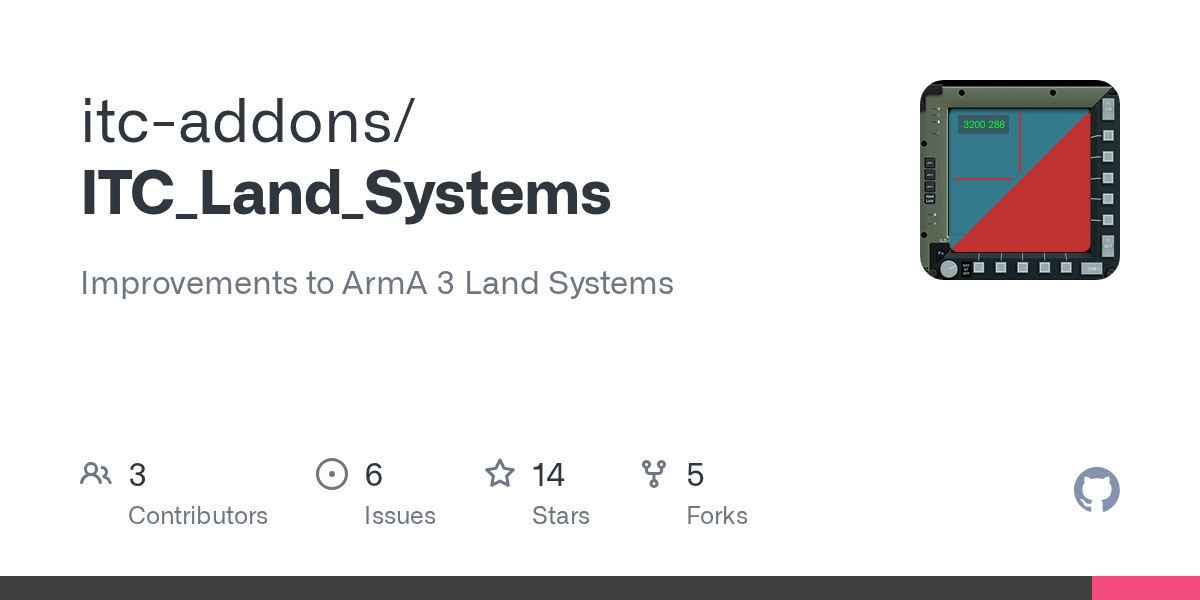
GitHub
Improvements to ArmA 3 Land Systems. Contribute to itc-addons/ITC_Land_Systems development by creating an account on GitHub.
little raptor
little raptor
I'd say doing it this way is probably cleaner?
```sqf
private _timer = 0;
while ...
also fixed the systemChat so it shows for everyone
 runic edge
hello guys, is there a difference beetween bob disableAI "ALL" and using the command 17 times for all the features ?
Is one method better if i want unactivated AIs ?
Thanks !
little raptor
loud forge
Hey everyone, i hope that this is the right place to ask.
I am currently using ...
ITC_LAND_CIWS_INTERCEPTABLE append ["R_230mm_HE", "R_230mm_Cluster"]
I'm not sure if those are actually ammo classes tho
little raptor
runic edge
hello guys, is there a difference beetween `bob disableAI "ALL"` and using the c...
no
loud forge
little raptor
```sqf
ITC_LAND_CIWS_INTERCEPTABLE append ["R_230mm_HE", "R_230mm_Cluster"]
```
...
They are ammo classes, i tested the command earlier with the debug console and a Kamaz MLRS and the CWIS successfully intercepted the rocket when in range
I suspect it to be some kind of syntax error, i'll try the command you showed me. Do i place it in the Init field in the mission's attributes?
little raptor
oh that's what you meant by init?
well that variable is defined at post init:
https://github.com/itc-addons/ITC_Land_Systems/blob/c795853dddc202601df5aba8f9a0573ff79ad01b/Addons/itc_land_ciws/config/cfgFunctions.hpp#L6
so if you put it in init it won't work
loud forge
Oooh alright
Yeah, sorry i'm pretty much a newcomer to this stuff, i only started tinkering with it a few hours ago.
It did give me an error stating that it was expecting a "=" instead of an "s" after "ITC_LAND_CIWS_INTERCEPTABLE" so it wasn't seeing the array and was trying to create it
little raptor
you can try this instead:
[] spawn {
  waitUntil {!isNil "ITC_LAND_CIWS_INTERCEPTABLE"};
  ITC_LAND_CIWS_INTERCEPTABLE append ["R_230mm_HE", "R_230mm_Cluster"]
}
no that's not related
you had a different error
\\Setting the munitions used by the MLRS as targetable by CWIS
this was the error
first of all comments should be started with // not \\
second of all they're not allowed in init fields anyway
loud forge
little raptor
> `\\Setting the munitions used by the MLRS as targetable by CWIS`
this was the ...
Oh, i didn't put it in the command, i just added it in the code in discord to say what it did lol
Sorry about the bad syntax, it's what's left from my C++ coding back in high school lol
loud forge
little raptor
first of all comments should be started with `//` not `\\`
That's great to know, thanks
loud forge
little raptor
you can try this instead:
```sqf
[] spawn {
waitUntil {!isNil "ITC_LAND_CIWS_I...
It works perfectly, now i'm going to try to decypher it myself haha
Thanks for your time
 vocal mantle
I think you have to hack the game to arbitrarily execute sqf when the function/routine is done. You basically need to finish the rvextension function as fast as possible and give the game a return while calling a separate thread in the process. Douggem has used this method in his hacks.
slow isle
little raptor
I'd say doing it this way is probably cleaner?
```sqf
private _timer = 0;
while ...
Thank you, I'll look further into it tomorrow because there seem to be some bugs such as the warning not disappearing and the seconds not being displayed properly
little raptor
slow isle
Thank you, I'll look further into it tomorrow because there seem to be some bugs...
oh yeah I removed the _displaySeconds variable
I guess it should work fine now
vocal mantle
It would be nice if they had an event handler or something in arma 3 that gets executed when you call a certain function in your extension.
mint goblet
Yes, But then what? When that seperate thread has finished, how does it return the data to the game?
vocal mantle
you make it call a sqf command. It's a hack method as far as I recall. You need to know memory offsets of subroutines and what not. I watched a few of Douggem's videos but haven't done it myself yet. I need to get better fimiliarized with C++ first. It can be done in other languages like C# but I chose C++ because I am stuborn and chose the hard way....
pliant stream
In your extension you start a new thread and queue tasks for execution on that thread you then have to periodically poll the extension to see if the task has completed
I doubt BIS appreciate reverse engineering the game all that much
meager granite
Why isn't there something like compileFinal CODE? 🤔
fnc_a_final_function = compileFinal {
    //a func
};
@still forum How painful would it be to increase number of custom channels? Rewriting the system to support arbitrary number of custom channels might not be worth it, but I wonder if just increasing the number from 10 to say 100 will be much of an issue to the rest of the engine?
Issue is that these 10 custom channels are like 3 in practice when you want specific channels available to all 3 player sides of BLUFOR, OPFOR and INDFOR separately. 10 / 3 = 3 channels per side and 1 extra.
vocal mantle
Yeah well, thats why it would be nice to have an interface for extensions that then translates into an event handler defined via sqf
Thats the cleanest way I can think of doing it without hacking/ reverse engineering.
 golden ore
i was looking into doing ambient sounds that play locally in a trigger area, but i was unsure of how deleteVehicle would interfere with that in a multiplayer environment. it's my understanding that because it's a global command, one player leaving the trigger area would also delete everyone else's sound sources? correct me if i'm wrong.
vocal mantle
But on top of that, it is so much faster to read values and executed code through memory then it is for the game to do it via sqf.
I also don;t think they care as long as it is not used to compromise multiplayer anti-cheat.
 stable dune
golden ore
i was looking into doing ambient sounds that play locally in a trigger area, but...
stable dune
golden ore
i was looking into doing ambient sounds that play locally in a trigger area, but...
Maybe you could create trigger local (via script) or create sound source local and delete it.
 lone glade
If you try that in MP pretty sure BE would pick on it.
pliant stream
If you start writing all willy nilly but not reading
vocal mantle
@lone glade yeah, if you use BE that is. BE is optional
@pliant stream I think BE doesn't like reading much either.
It's really a shame how restrictive BE is on extensions. I understand why, but it would be nice for servers to have there own signatures for extensions rather than a BE wide signature. Basically the way addons are handled now. If I want to use an extension on my server, I should be allowed to while still using BE.
tender fossil
Arma 2: OA v1.64!
Is there a way to prevent a missionNamespace variable publicVariable'd from server from getting updated with setVariable command (with the public property/parameter in the setVariable call set to true, i.e. the variable getting broadcasted to other clients and server)? Or alternatively, is there a way to catch a variable update by setVariable broadcast other than polling it constantly manually? A big bonus if it was possible to catch the client that broadcasted the variable too.
tender fossil
meager granite
<@90532520101183488> How painful would it be to increase number of custom channe...
Also this so much. I tried to get it increased drastically when custom channels were implemented with no luck, but maybe now that Dedmen is in charge it could actually happen. The concept is great, but the relatively low number of custom channels makes most of the concepts that would benefit from the channels the most basically useless
meager granite
tender fossil
_Arma 2: OA v1.64!_
Is there a way to prevent a `missionNamespace` variable `pu...
Don't think you can do much without A3's remoteExec`s and compileFinal to avoid such abuse.
tender fossil
tender fossil
Also this so much. I tried to get it increased drastically when custom channels ...
An example being a low hanging fruit implementation of a phone script on a populated server. If you want to reliably have clients to be able to "call" each other via custom channels, a couple of channels for e.g. 100 players is definitely not enough.
tender fossil
meager granite
Don't think you can do much without A3's `remoteExec`\`s and `compileFinal` to a...
Damn. I guess it's the pain of dealing with legacy codebase
meager granite
Here is what I have been doing to counter this at least a little bit:
Server:
server_varSomething = 123;
pvar_varSomething = server_varSomething;
publicVariable "pvar_varSomething";
if(!isDedicated) then {publicVariableServer "pvar_varSomething"}; // Trigger pvar event handler if server is also a player
Client:
"pvar_varSomething" addPublicVariableEventHandler {
    client_varSomething = _this select 1;
};
Cheaters that don't know server's variable name won't be able to change server's server_varSomething
If variable is only broadcasted by the server you then can blacklist it in Battleye's publicvariable.txt filter.
So if cheater does something like
client_varSomething = "cheating";
publicVariable "client_varSomething";
```they get kickedsame with server_varSomething and pvar_varSomething
I also countered that by randomizing all variable names each mission release
tender fossil
meager granite
If variable is only broadcasted by the server you then can blacklist it in Battl...
Yeah, that's what I'm doing already. But if clients are able to bypass the pV by broadcasting the value with setVariable, it doesn't help (or am I wrong here?), especially because the existing cheat already apparently exploits the setVariable broadcast. When it comes to randomizing, yeah, was going to do that too in the next update
meager granite
missionNamespace setVariable is not covered by BE's filter?
tender fossil
meager granite
missionNamespace setVariable is not covered by BE's filter?
Hmm, I haven't looked into BE filters for a long time. So I can catch setVariable broadcasts with it too, or?
meager granite
tender fossil
Hmm, I haven't looked into BE filters for a long time. So I can catch setVariabl...
You should, but I recall there being something about it, maybe it doesn't work in OA but was fixed in A3? Either way, just test it.
tender fossil
meager granite
You should, but I recall there being something about it, maybe it doesn't work i...
I see, thanks for the tip! Being able to catch the broadcasts would be enough to kill the cheat
Good reminder that I should still learn regular expressions syntax, it's just such a useful concept 😄
south swan
Weren't public variable event handlers a thing?
Although they don't seem to disclose the initiator
tender fossil
south swan
Weren't public variable event handlers a thing?
Yes, pV stuff can be handled (including BE filters) but the problem is that it can still be bypassed with setVariable. I think I got it solved though
 dreamy kestrel
Q: what does this mean? Fixed: Some HashMap commands had an inconsistent return type inconsistent how? in which command(s)?
also congrats 2.12 finally deployed
distant egret
2.14 when?
 tepid vigil
What is the difference between getPosATL player getEnvSoundController "houses" and insideBuilding player? Is the new command more reliable, faster?
tepid vigil
winter rose
more reliable as in "game-usees-that reliable"
Fair enough, probably infinitely faster than the method lambs uses:
params ["_unit"];

private _trace = lineIntersectsSurfaces [eyePos _unit, eyePos _unit vectorAdd [0, 0, 10], _unit, objNull, true, -1, "GEOM", "NONE", true];

if (_trace isEqualTo []) exitWith {false};

_trace findIf {_x select 3 isKindOf "Building"} != -1
 still forum
tender fossil
Arma 2: OA... 😛
still forum
tender fossil
Arma 2: OA... 😛
pretty sure extDB3 uses the normal callExtension syntax? so should work same in A2?
uff I am slo sorri
Can't help to process the backlog
tender fossil
still forum
uff I am slo sorri
No worries 😄
I'm building the extension myself though because I want to learn (and build a portfolio in the process), it's been already quite a journey indeed
still forum
meager granite
<@90532520101183488> How painful would it be to increase number of custom channe...
Its veeery old code. aka arrays hardcoded to speciifc size and such mess.
So.. quite painful
still forum
dreamy kestrel
Q: what does this mean? _Fixed: Some HashMap commands had an inconsistent return...
I think that was just documentation, no actual effect
 calm charm
Hey. A question concerning UI to Texture.
Are displays global or local objects? So is a display on a texture visible to everyone or just to the local?
still forum
local
 warm hedge
Every UI related elements are local
still forum
If you setObjectTextureGlobal, everyone will have the same UI on the texture.
But everyone has their own instance of it
calm charm
ok thanks
little raptor
dreamy kestrel
Q: what does this mean? _Fixed: Some HashMap commands had an inconsistent return...
The command's return type in command info (aka supportInfo) afaik
dreamy kestrel
still forum
I think that was just documentation, no actual effect
just docs? what? that is a pretty profound just docs...
dreamy kestrel
little raptor
The command's return type in command info (aka `supportInfo`) afaik
gotcha okay... thanks for clarifying
meager granite
still forum
Its veeery old code. aka arrays hardcoded to speciifc size and such mess.
So.. q...
Well, if you'll ever feel like digging into it, we'll have a real use for it. Thematic channel for each side, player-created channels so they can invite people there outside of their group to name a few.
 shut reef
I'm spawning scheduled code from a controls onLoad function, but it seems it never gets executed?
Is there sth I am missing?
_ctrl spawn {
    diag_log "DEBUGGING: Spawned!";
    sleep 5;
    diag_log format ["DEBUGGING: Background visible? %1, Background enabled? %2, Display ? %3", ctrlEnabled _this, ctrlShown _this, ctrlParent _this];
};
It never prints.
 stray flame
Hey, I have an op where you start in a ship high above the ground. How do I turn off the freefall animation?
It keeps triggering whenever I walk down stairs
 digital hollow
setUnitFreefallHeight
digital hollow
You may need to find out =)
 austere hawk
Game Update 2.12
Added: setTurretLimits
Did anybody try yet what happens if your turret is pointed outside the newly set limits, when executed? Can't test it atm
hallow mortar
Dev branch reports were that the turret instantly snaps to the maximum traverse/elevation allowed by the new limits.
austere hawk
ah, bummer... would be extremely usefull if the turret would move with max rotation speed to that limit. Because forcefully rotating the turret is not possible (unless i missed something in last patches). If it was to rotate at a speed instead of snap, the command would be a nice dual use
i just browsed spotrep today...
i used to daily check devbranch updates https://forums.bohemia.net/forums/topic/140837-development-branch-changelog/?page=60
Bohemia Interactive Forums
03-08-2022EXE rev. 149760 (game) EXE rev. 149760 (Launcher) Size: ~75MB ENGINE Fixed: Buildings allowDamage state was not reset on mission change - FT-T166527 Fixed: nearestObjects class name check did not work on Ammo - FT-T166472 Fixed: cutRsc would first call onLoad and then onUnload Event Han...
hallow mortar
https://dev.arma3.com/post/spotrep-00109 and keep an eye on #announcements and #socials
austere hawk
... one can hope ...
https://feedback.bistudio.com/T170696
still forum
austere hawk
ah, bummer... would be extremely usefull if the turret would move with max rotat...
you mussed something in the last patches.
There is a command to make AI/Player turret aim at thing, and that rotates at max speed
ACE uses it for their hunter-killer mode thing
austere hawk
ohhhhhhhhhhhhhh 
hmm are you sure? i don't see any added commands that fit the bill. Any idea what the name was? Or patch number added?
i know you can do workarounds for aiming (using an AI gunner with aimAt), but it gets very involved, when a player is in the seat
could be it https://community.bistudio.com/wiki/lockCameraTo ?
 terse tinsel
how do i get to the bottom of the command line in eden? when i press ender it stops typing 😦 ?
init window
still forum
austere hawk
could be it https://community.bistudio.com/wiki/lockCameraTo ?
yes I think so
new alt syntax there?
still forum
terse tinsel
how do i get to the bottom of the command line in eden? when i press ender it st...
arrow keys?
Shift+Enter?
terse tinsel
still forum
arrow keys?
Shift+Enter?
thx mate, arrow not workink but shift enter works 🙂
thx
little raptor
@slow isle https://community.bistudio.com/wiki/Initialization_Order
so use Functions Library
https://community.bistudio.com/wiki/Arma_3:_Functions_Library
 wary sandal
let's say I want to replace this building with another one (a non damaged one for instance), how can I get its exact position given that I already fetched it via nearestTerrainObjects?

using getPos , position and getPosATL gives it a very weird offset

using getPosASL spawns it way off in the air
what should I use instead?
winter rose
wary sandal
what should I use instead?
getPosASL + setPosASL
wary sandal
winter rose
getPosASL + setPosASL
well uh
 winter rose
how do you create it
what do you do in your code
little raptor
winter rose
getPosASL + setPosASL
getPosWorld...
winter rose
little raptor
getPosWorld...
ideally, but it would change if the building are of different dimensions right?
wary sandal
winter rose
_how_ do you create it
what do you do in your code
here's the relevant code
        private _building = createVehicle [[typeOf _x, "_u_", "_i_"] call _PX_fnc_stringReplace, getPos _x];

        if (!isNull _building) then {
            _building setPosASL (getPosASL _x);
            _building setVectorDir (vectorDir _x);
            _x hideObject true;
        };
no
wary sandal
_x is the building
little raptor
wary sandal
here's the relevant code
```sqf
private _building = createVehicle [[type...
just use getPosWorld and setPosWorld
wary sandal
alr
little raptor
and use setVectorDirAndUp instead of vectorDir
little raptor
winter rose
ideally, but it would change if the building are of different dimensions right?
no
I mean yes
winter rose
but getPosWorld is from the model's centre or did I miss something
little raptor
if the buildings are different then yeah
wary sandal
the building will always be of the same dimensions in my case
winter rose
if certain then getPosWorld is the uber fastest, even though getPosASL is close behind
wary sandal
they just get a fresher paintjob
little raptor
winter rose
ideally, but it would change if the building are of different dimensions right?
well the thing is getPosASL changes with object orientation (vector up)
so it still won't be ideal
wary sandal

        private _building = createVehicle [[typeOf _x, "_u_", "_i_"] call _PX_fnc_stringReplace, getPos _x];

        if (!isNull _building) then {
            _building setPosWorld (getPosWorld _x);
            _building setVectorDirAndUp [vectorDir _x, vectorUp _x];
            _x hideObject true;
        };
sorry for the indent
little raptor
I think the vector dir and up of the destroyed object has changed then
it does happen with some objects
(tho never seen it happen with buildings )
wary sandal
little raptor
I think the vector dir and up of the destroyed object has changed then
it does the same when replacing the building by the same one
so we can rule out this possibility
little raptor
move setDUP above setpos
wary sandal
little raptor
move setDUP above setpos
...
i will never understand arma
tysm
works like a charm now
little raptor
did it work then?
wary sandal
yeah it did the trick
little raptor
wary sandal
i will never understand arma
are you sure you had setPosWorld and getPosWorld?
wary sandal
yeah i 100% had it
little raptor
because they stay the same regardless of orientation
 agile pumice
Anyone come up with some interesting UI to texture features yet?
 merry cove
does someone know how i could put an ambient sound when the engine of the plane is ON ?
like
 velvet flicker
Bois I need help
We started throwing together an op which features heavily navigation with map and compass in zeus, but forgot the server had that shift+click waypoint enabled
is there a script we can use to disable this for everyone?
winter rose
velvet flicker
is there a script we can use to disable this for everyone?
not a script, but a difficulty setting
although it might be avoidable by overriding clicks etc on the map (not guaranteed and IDK how)
hallow mortar
onMapSingleClick {_shift};```how dare you prove more knowledgeable
hallow mortar
Don't worry, that's the one time it's gonna happen this century
winter rose
I forgot that onMapSingleClick 😭 the end is near
 astral bone
velvet flicker
is there a script we can use to disable this for everyone?
astral bone
velvet flicker
is there a script we can use to disable this for everyone?
oh hi, fancy seeing you here
winter rose
merry cove
does someone know how i could put an ambient sound when the engine of the plane ...
I would say an engine on/off event handler + createVehicle a soundsource defined in CfgSFX
 formal stirrup
    [
        "Select Your kit",
        [
             ["COMBO", "Kit", [
                 ["commanderkit.sqf", "squadleaderkit.sqf", "riotkit.sqf", "medickit.sqf", "heavykit.sqf", "trooperkit.sqf"],
                 [["Commander"],["Squad Leader"], ["Riot"], ["Medic"], ["Heavy"], ["Trooper"]], 0]
            ],
            ["SLIDER", "Random stuff?", [0, 2000, 500, 0]],
            ["TOOLBOX", "Random stuff", [0, 1, 8, ["N", "NE", "E", "SE", "S", "SW", "W", "NW"]]],
            ["SLIDER", ["Boom", "Skadoosh"], [0, 5000, 500, 0]],
            ["SLIDER", ["Placeholders", "Boo"], [0, 60, 10, 1]]
        ],
        {
            _this execVM _Kit;
        },
        {},
        _position
    ] call zen_dialog_fnc_create;
Any idea on how i would make the _this execVM _Kit; Actually apply to the player that uses the menu?
winter rose
player execVM _kit eventually?
formal stirrup
Tried that to no success, I've considered doing _Caller but also doesnt work
Is it possible the way im grabbing _Kit is wrong?
winter rose
it is possible
formal stirrup
Any tips on testing to see?
winter rose
I would recommend to see ZEN documentation, they are not vanilla functions
formal stirrup
Alright
meager granite
Contact (Platform): for most other use cases, including sandbox multiplayer (loaded by default for all players)
What does this mean?
warm hedge
Contact Platform is enoch, it is available for everyone just like any other DLCs, and not optional, unlike the Alien stuff
meager granite
Non-Alien Contact DLC assets?
I thought they were available already just like Apex assets?
Or is it about the maps?
warm hedge
Livonia, Promet, LDF, Eddie... everything the vanilla game has
And not sure how you (mis)understood
meager granite
Oh I got this line out of the context from the SPOTREP
Why its mentioned there at all though? 🤔
 bold chasm
https://cdn.discordapp.com/attachments/681403327032066048/1080396442897752154/FoX37SCWIAUZA-r.png
how did they use the UI to texture with a map and adjust the position of the map?
for me it's just the map display appears but it's all black and i can't change the position
 meager granite
ctrlMapAnimAdd and ctrlMapAnimCommit
Then displayUpdate after it to update the texture
bold chasm
How do you get the ctrl that these need to be ran on from the UI to Texture?
If I'm using RscDisplayMainMap or something similar, unless I'm meant to use a different display
warm hedge
meager granite
Why its mentioned there at all though? 🤔
Dunno... Mayhaps lazieness of JJ
meager granite
bold chasm
How do you get the ctrl that these need to be ran on from the UI to Texture?
If ...
RscDisplayMainMap is game's main map (when you press M) display and its mostly engine-driven
Create your own display in the config, have it call your display initialisation function in its onLoad event
bold chasm
Code I'm using:
cursorObject setObjectTexture [0,'#(rgb,1024,1024,1)ui("RscDisplayMainMap","myMapTexture")'];
You need to create your own display and have map control on it
You can also do with existing RscDisplayEmpty display but its a bit hacky
Actually nevermind, you can't do that with RscDisplayEmpty, you need to have the display set its own handle somewhere with onLoad EH
Strange why there is no reverse command for displayUniqueName, supply unique name, get display handle in return
distant egret
findDisplay alt Syntax.
meager granite
distant egret
findDisplay alt Syntax.
Oh, nice, didn't notice this change
distant egret
They don't really put them on display 
thorny gull
Yo so I have been following this tutorial for some like, ambient marching and I am wondering how he got the custom sounds into the game, can anyone give me some pointers?

In this video:
Shooting range
Ambient animations - working on vehicle and karate training
Military cadence
PA system
Artillery firing
These effects are contained in a demo mission called Hells kitchen available on the Steam workshop.
To gain access to all my scripts and demos etc you need to subscribe to my channel and send a friend request...
I have an Mp3 file I would like to set up, all the scripting has been done in the mission editor already aside from the file related stuff
 novel basin
Hi
how can block the speed of a vehicle (so he can't move forward or backward) ?
i tried with the setCruiseControl but i can move backward :/
It's my part of code :
vehicle player setCruiseControl [-1, false]; //Can't move forward but he can move backward
anyone know the issue ?
meager granite
distant egret
findDisplay alt Syntax.
Hmm, apparently findDisplay STRING fails if you call it right after creating UI texture, I game engine has to draw the texture one to initialise texture procedural creation
meager granite
thorny gull
https://www.youtube.com/watch?v=00gBM3QYr5k&t=1029s
thorny gull
ah thanks, i got that solved but I have a new issue
I have a trigger I want to trigger and it currently looks for players, but when you drive through it it doesnt trigger the trigger
the condition is set as this && player in thislist
the trigger is also set to see if bluefor is present
meager granite
Map displaying on a square display that gets rendered onto texture is a complete mess. Icons are shrinked horizontally (probably because all internal sizes are calculated off 640x480 base display size instead of square texture display), ctrlMapAnimAdd seems to be aiming completely off because of it too.
 meager granite
thorny gull
the trigger is also set to see if bluefor is present
meager granite
thorny gull
the trigger is also set to see if bluefor is present
Not using triggers much, try simplifying other conditions and just leave your scripted condition check
meager granite
thorny gull
I have a trigger I want to trigger and it currently looks for players, but when ...
 fleet sand
Question does anybody knows how to recreate the stuff from update to have map shown on the bilboard ?
meager granite
Just tried, drawing maps on textures is a huge mess
meager granite
Texture size has to be power of 2
still forum
Idea
Script command to serialize/deserialize a value.
Easily convert array or hashmap or anything to say base64 encoded.
And then same thing back out
? Where would you use such a thing, databases sure, what else? Is it worth it? Might even add compression into it
So then you can use it both for plain serialization, and for compressing data (why ever you'd want that) by just passing a string into it for ex.
still forum
meager granite
Strange why there is no reverse command for `displayUniqueName`, supply unique n...
fixed on wiki page
still forum
meager granite
Map displaying on a square display that gets rendered onto texture is a complete...
The same kinda issue existed with text rendering before but that was fixed.
This is probably a similar issue :/
Sadly noone found that before release 😢
thorny gull
I keep getting an error for this code
nul = spawn {{_x playMove "AmovPercMstpSnonWnonDnon_exerciseKata"} forEach [kar,kar_1,Kar_3,Kar_5,Kar_7,Kar_10]; sleep 0.2; {_x playMove "AmovPercMstpSnonWnonDnon_exerciseKata"} forEach [Kar_2,Kar_4,Kar_6,Kar_8,Kar_9,Kar_11]; [Kar_7, "karate"] remoteExec ["Say3D"];};
says I am missing a ;
fleet sand
thorny gull
I keep getting an error for this code
``nul = spawn {{_x playMove "AmovPercMstpS...
nul = [] spawn
{
{_x playMove "AmovPercMstpSnonWnonDnon_exerciseKata"} forEach [kar,kar_1,Kar_3,Kar_5,Kar_7,Kar_10];
sleep 0.2;
{_x playMove "AmovPercMstpSnonWnonDnon_exerciseKata"} forEach [Kar_2,Kar_4,Kar_6,Kar_8,Kar_9,Kar_11];
[Kar_7, "karate"] remoteExec ["Say3D"];
};
``` try this you were missing [] before spawnthat worked thx
winter rose
thorny gull
that worked thx
PS: nul = /0 = /nil = are not needed, you can ditch that
thorny gull
from the tutorial, its supposed to make it so that they dont sync
winter rose
unrelated to what I say 😄 I mean the "nul =" part is not required 🙂
0 spawn
{
  {_x playMove "AmovPercMstpSnonWnonDnon_exerciseKata"} forEach [kar,kar_1,Kar_3,Kar_5,Kar_7,Kar_10];
  sleep 0.2;
  {_x playMove "AmovPercMstpSnonWnonDnon_exerciseKata"} forEach [Kar_2,Kar_4,Kar_6,Kar_8,Kar_9,Kar_11];
  [Kar_7, "karate"] remoteExec ["Say3D"];
};
```that's itgotcha
pliant stream
winter rose
unrelated to what I say 😄 I mean the "nul =" part is not required 🙂
Why did people ever start doing this in the first place?
winter rose
pliant stream
Why did people ever start doing this in the first place?
it was due to an unrequired requirement that all init fields etc in the editor would throw an error if the expression returned a value, e.g 0 spawn {} returns a Script Handle
so people started adding that because the assignation step returns nothing
this was fixed in… a late Arma 3 😬
pliant stream
winter rose
it was due to an unrequired requirement that all init fields etc in the editor w...
Ah. I've never seen that in A2... 🤔
meager granite
winter rose
it was due to an unrequired requirement that all init fields etc in the editor w...
I remember being confused by these errors a lot when I started
winter rose
since OFP, I swear
meager granite
Was part of the reason I ditched doing anything in the editor and went script-only almost instantly
pliant stream
Hmm... I've very rarely used the editor, but not never, and i don't remember seeing this... I might be mistaken though.
winter rose
start A2, in player's init field try to write 0 spawn {}; or even just 33 and see
pliant stream
I'm not at home so i can't right now, but i'll take your word for it. I definitely have done stuff like removeAllWeapons and add weapons and magazines in init though, and don't recall ever seeing any weird errors.
They all return nil though, so maybe that surpressed the error? In which case it seems returning nil would have been more appropriate than the odd assignment.
winter rose
yes, a Nothing will appease the field 🙂
so either end all the fields with nil or 0 = (as a = b returns nil too)
then people saw and copied…
pliant stream
a=b doesn't return anything, unfortunately.
novel basin
winter rose
`_vehicle setFuel 0` 😄
Thanks, do you think that i can block the speed without setFuel ?
winter rose
what do you mean, "block the speed"
limit the vehicle's speed in both forward and backward gear?
still forum
winter rose
yes, a Nothing will appease the field 🙂
so either end all the fields with `nil`...
(as a = b returns nil too)
it doesn't
=returns nothing, actually it leaves a empty space on the stack. Its a bug in the script backend
winter rose
still forum
> (as a = b returns nil too)
it doesn't
`=` returns nothing, actually it leaves ...
gniii again with these null vs nil vs Nothing 😄
meager granite
 wary sandal
little raptor
because they stay the same regardless of orientation
wary sandal
little raptor
because they stay the same regardless of orientation
I forgot to ask
what do you recommend? running this script on the server or on the client?
meager granite
Wish we could define aspect ratio for the display for ui2texture or something
wary sandal
meager granite
no way the actual koth developer
meager granite
2:1 laptop texture and the display I have to use so picture looks normal in game.

 meager granite
wary sandal
no way the actual koth developer
meager granite
wary sandal
no way the actual koth developer
I was always here (with months to year long pauses)
@still forum How difficult would it be let us to specify display aspect ratio when rendering the texture?
velvet flicker
Oh what hey it's sa-matra in the flesh
Hey sa matra add resupply crates for purchase so helis can run logi too, that is all.
meager granite
velvet flicker
Hey sa matra add resupply crates for purchase so helis can run logi too, that is...
I like to make players scavenge for weapons and ammo off dead enemies.
velvet flicker
Ah, fair enough. Worth a shot. Keep up the awesome work - huge fan
still forum
meager granite
2:1 laptop texture and the display I have to use so picture looks normal in game...
Someone needs to fix that unhappy postfix
Also. Reading your createHashMapFromCode idea again.
How about just
createHashMapFromCode {}
code returns elements and they get added to hashmap, until the code returns nil, that marks the end of the map?
That way you can have input array, or input whatever, or just generate like 0-100 keys or.. whatever.
Best part about that.
I can merge it into createHashMapFromArray {}
and make it alt syntax and don't have to make a new command 👀
still forum
meager granite
Wish we could define aspect ratio for the display for ui2texture or something
I could, but.... what are the chances of people getting it correct? :X
Is there no option to stretch text in UI? :/ (I think I'm forgetting that we're talking about Arma here )
meager granite
still forum
I could, but.... what are the chances of people getting it correct? :X
Is there ...
Well, they also specify texture dimensions for the procedural texture
My texture definition from the test above: #(rgb,1024,512,1)ui('Texture_Laptop','Laptop')
I guess you can get aspect right from it?
from width and height
Or just cut display off by that ratio?
So in this case it will only render UI width=1 and UI height=0.5 onto texture
still forum
Mh I just force aspect to 1 indeed even if texture is not 1:1 🤔
Can you make FT ticket for that issue? with example UI class provided.
I'll look at it in probably a couple weeks
meager granite
Noted, will do
meager granite
still forum
Also. Reading your createHashMapFromCode idea again.
How about just
`createHashM...
Failing to imagine how my example code will look like then?
[blufor, opfor, independent, civilian] createHashMapFromArray {
    {side group _x == _this} count allUnits;
};
Ah you'd want a forEachIndex
smth like
private _sides = [blufor, opfor, independent, civilian];
createHashMapFromCode {
  private _side = _sides param [_forEachIndex, objNull];
  if (_side isEqualTo objNull) exitWith {};
  [_side, {side group _x == _side } count allUnits]
};
kinda ugly 😄
south swan
createHashMapFromCode [{code here}, [arguments here]];
embrace ugly
_array applyToHashMap {code};
meager granite
south swan
`_array applyToHashMap {code};` <:blobdoggoshruggoogly:748124048025714758>
Yeah, this is what I suggested
 fair hemlock
hey folks, is this the right place to ask scripting questions?
meager granite
still forum
smth like
```sqf
private _sides = [blufor, opfor, independent, civilian];
create...
Current way of doing it looks cleaner already:
private _sides = [blufor, opfor, independent, civilian];
_sides createHashMapFromCode (_sides apply {
  private _side = _x;
  {side group _x == _side} count allUnits;
});
*_sides createHashMapFromArray (_sides apply {whatever}); ?
meager granite
Honestly, all this is just a convenience matter, not a priority what so ever, personally I'm not using this in performance critical code anyway
winter rose
still forum
Best part about that.
I can merge it into createHashMapFromArray {}
and make it ...
and make it alt syntax and don't have to make a new command 👀
what is the horrendous overhead brought by making a new command? 😄 (boilerplate code?)
still forum
winter rose
> and make it alt syntax and don't have to make a new command 👀
what is the hor...
Having to copy paste things. I don't like to copy paste things.
Also needing new wiki pages and uffies
winter rose
I don't like to copy paste things.
_ then make a separate method_
okido 🙂
wary sandal
meager granite
Current way of doing it looks cleaner already:
```sqf
private _sides = [blufor, ...
wait
what does this code do {side group _x == _side} count allUnits;
 hallow spear
yessir
meager granite
wary sandal
what does this code do ``{side group _x == _side} count allUnits;``
There is CODE count ARRAY command which counts number of elements that satisfy the condition specified in CODE
Counts number of players in each side in this example
wary sandal
meager granite
There is `CODE count ARRAY` command which counts number of elements that satisfy...
it returns an array or a boolean?
that's what i'm failing to understand
meager granite
wary sandal
it returns an array or a boolean?
It returns number, the name is count after all. Check the wiki: https://community.bistudio.com/wiki/count
Speaking about wild hashmap ideas. I had a "need" to generate hashmap out of hashmap of hashmaps. I have hashmap with such contents in my mission:
_players = createHashMapFromArray [
     ["123123123123", createHashMapFromArray [
         ["name", "Player"]
        ,["owner", 2]
        ,["something", "whatever"]
    ]]
    ,["321321321321", createHashMapFromArray [
         ["name", "Player 2"]
        ,["owner", 3]
        ,["something", "whatever"]
    ]]
];
```And I need to make a hashmap to quickly associate `owner` to `name`, I do:
```sqf
(_players apply {_y get "owner"}) createHashMapFromArray (_players apply {_y get "name"})
```and it made me wish for something like `HASHMAP createHashMapFromHashMap ARRAY`, usage:
```sqf
_players createHashMapFromHashMap ["owner", "name"]
```creates `[[2, "Player"], [3, "Player 2"]]` hashmap.
Or if I wanted `uid` (key) to `name` association, have `HASHMAP createHashMapFromHashMap STRING`, usage:
```sqf
_players createHashMapFromHashMap "name"
```creates `[["123123123123", "Player"], ["321321321321", "Player 2"]]` hashmap.Do I NEED it? No.
wary sandal
meager granite
It returns number, the name is `count` after all. Check the wiki: https://commun...
well i didn't know you could use "count" as a filter function
meager granite
Do I enjoy imagining it? I sure do.
still forum
meager granite
Speaking about wild hashmap ideas. I had a "need" to generate hashmap out of has...
omg 
wary sandal
and apply iterates through all the elements of an array and... applies changes on each of them, right?
like [1, 2, 3, 4] apply { _x * 2 }
meager granite
wary sandal
and ``apply`` iterates through all the elements of an array and... applies chang...
Yes, but it makes a new array with old array items as arguments, doesn't touch old array.
fair hemlock
ok, so here's the deal. I need to run a custom script when a player SHOULD die, but prevent them from actually dying
 tough abyss
Hello I need help on how to disable all street lights in a map?
I am making a horror mod
fair hemlock
the perfect scenario would be having it run in the "Killed" event handler, but then overriding it so they don't actually get killed
but the Killed EVH doesn't allow you to override that, so I can't do it
meager granite
tough abyss
Hello I need help on how to disable all street lights in a map?
{
    if(isClass(configOf _x >> "Reflectors")) then {
        _x switchLight "OFF";
    };
} forEach (ASLtoAGL getPosWorld player nearObjects 1000);
Disables lights in 1000 meters around the player. Adjust to your needs.
tough abyss
meager granite
```sqf
{
if(isClass(configOf _x >> "Reflectors")) then {
_x switchLi...
Thanks but since I never done this before
Sorry if this sounds like spoon feeding
But where am I supposed to paste it?
meager granite
Not sure if disabling lights on EVERY lamppost on the map is a good idea because it will require getting all objects on the map (and stream them in)
tough abyss
meager granite
Not sure if disabling lights on EVERY lamppost on the map is a good idea because...
wdym?
 manic kettle
More items = longer code run times, so it takes longer. If you try to do the entire map it might hang
More objects for players pc to keep track of deviating from map
meager granite
tough abyss
But where am I supposed to paste it?
Add this to your init.sqf
{
    if(isClass(configOf _x >> "Reflectors")) then {
        _x switchLight "OFF"
    };
} forEach (1 allObjects 0);
I'm not sure if switchLight is global or not, probably won't hurt having it there.
tough abyss
meager granite
Add this to your `init.sqf`
```sqf
{
if(isClass(configOf _x >> "Reflectors")...
So this is in theory better than the first one you sent?
meager granite
tough abyss
So this is in theory better than the first one you sent?
First one was example and went through objects in 1000 meters around player
winter rose
meager granite
I'm not sure if `switchLight` is global or not, probably won't hurt having it th...
 tough abyss
meager granite
Add this to your `init.sqf`
```sqf
{
if(isClass(configOf _x >> "Reflectors")...
tough abyss
meager granite
Add this to your `init.sqf`
```sqf
{
if(isClass(configOf _x >> "Reflectors")...
Ah so this is like for the entire map
meager granite
tough abyss
So this is in theory better than the first one you sent?
Second one goes through every map placed building, checks if it has lights (Reflectors in config) and disables the lights if it does
It probably won't include editor placed lights though 🤔
tough abyss
Ah do not worry
What I basically wanna do is that replicate horror games
where all lights are disabled
and I have to use flash light
so thanks
meager granite
If you're serious about it, you'll need to learn scripting, nothing is easy in Arma
Check the wiki for used commands to get the idea what this code does:
https://community.bistudio.com/wiki/allObjects
https://community.bistudio.com/wiki/switchLight
hallow spear
I am not a man these answers, but you could try checking out other medic systems and see what they do. You might also consider a "Hit" EH instead and check if they go below a certain threshold
meager granite
You probably don't even need to check for config having lights, just run switchLight on everything. If it works - it works
{
    _x switchLight "OFF";
} forEach (1 allObjects 0);
I have been trying to do it in the "HandleDamage" EVH but that is being very difficult because it has selection-specific damage, and the way that corresponds to overall damage isn't clear. E.g. you could have the HandleDamage EVH fire for the "spine1" selection with a "damage" of 1, but that doesn't mean the player will die
meager granite
Added this code to switchLight page
hallow spear
I wish i could help more, I look forward to the response of others.
stable dune
Hello , is some where example/ guide for new procedural textures to get ui (map) on the whiteboard, I read what Sa-Mantra answered earlier question, but I don't understand correctly how I do "own display" and how do I update that on the whiteboard.
Only get black background there, nothing else.
wary sandal
is there a way to prevent fences from being destroyed/ran over by cars?
winter rose
allowDamage?
wary sandal
running allowDamage false and enableSimulation false on them doesn't work btw
winter rose
it should
just that because they are terrain objects, you might have to deal with streaming iirc - otherwise I don't see an issue
wary sandal
i'll share the code so y'all can test
{
    if (!isObjectHidden _x) then {
        _x allowDamage false;
        _x enableSimulation false;
    };
} forEach nearestTerrainObjects[
    [worldSize / 2, worldSize / 2],
    ["FENCE"],
    worldSize * sqrt 2 / 2,
    false,
    true
];
I dunno, they do have a different simulation, right...
wary sandal
winter rose
just that because they are terrain objects, you might have to deal with streamin...
i'm pretty sure nearestTerrainObjects works even if the objects are not streamed in
granite sky
Are you sure the objects in question count as "FENCE"?
wary sandal
granite sky
Are you sure the objects in question count as "FENCE"?
some of them
granite sky
because that stuff is pretty shaky at best
wary sandal
i used hideObject to test it
and the ones that do qualify as FENCE are still destructible
granite sky
Fair enough.
proven charm
u can always fix them though, via setdamage
wary sandal
proven charm
u can always fix them though, via setdamage
true
but i thought that having 50000 event handlers is a bit too much load on the server's memory...
proven charm
u could just make a script that finds broken fences
unless its whole map you want to cover , that would be slow....
granite sky
Maybe it's unintentional and you could persuade someone to fix it for 2.14
proven charm
im not expert here but i believe its a config thing
wary sandal
granite sky
Maybe it's unintentional and you could persuade someone to fix it for 2.14
how? i have to submit a bug report
it wouldn't really be of any priority because it's not even a bug
meager granite
stable dune
Hello , is some where example/ guide for new procedural textures to get ui (map...
Maps are very broken when used on procedural texture displays right now, hard to make them aim where you want, icons are squashed.
granite sky
meh, not like bugs get any priority :P
wary sandal
maybe it can be fixed with a mod, but i have no modding skills
still forum
wary sandal
i'm pretty sure nearestTerrainObjects works even if the objects are not streamed...
It probably streams them in.
Some of the near commands do, some dont
meager granite
stable dune
Hello , is some where example/ guide for new procedural textures to get ui (map...
Here is crappy code snippet I used to try things out:
    if(!isNil"test") then {deleteVehicle test};
    test = createVehicle ["UserTexture10m_F", getPos player, [], 0, "CAN_COLLIDE"];

    teststr = "display" + (random 1e6 toFixed 0);
    test setObjectTexture [0, format["#(rgb,1024,1024,1)ui('RscDisplayEmpty','%1')", teststr]];

    onEachFrame {
        private _new_display = findDisplay teststr;
        testdisplay = _new_display;
        if(isNull _new_display) exitWith {};

        for "_i" from 1 to 10 do {
            private _test = _new_display ctrlCreate ["RscText", -1];
            _test ctrlSetPosition [0,0,_i/10,_i/10];
            _test ctrlSetBackgroundColor [random 1,random 1,random 1,0.3];
            _test ctrlCommit 0;
            _test ctrlSetText str _i;
        };

        private _ctrl_map = _new_display ctrlCreate ["RscMapControl", -1];
        _ctrl_map ctrlSetPosition [0.1, 0.1, 0.8, 0.8];
        _ctrl_map ctrlCommit 0;
        testmap = _ctrl_map;

        _ctrl_map ctrlMapAnimAdd [0, 0.3, player];
        ctrlMapAnimCommit _ctrl_map;

        displayUpdate _new_display;

        onEachFrame {
            testmap ctrlMapAnimAdd [0, 0.03, getPosWorld player vectorAdd [500,-150]];
            ctrlMapAnimCommit testmap;
            displayUpdate testdisplay;

            test setPosWorld (vehicle player modelToWorldWorld [0,10,5]);
            test setDir getDir player;
        };
    };
onEachFrame hacky mess, you can't get display on the same frame as you create ui2texture display, have to do it on the next frame.
If you'll have your own display that saves itself to some variable on onLoad, you can do everything proper right away.
stable dune
meager granite
Here is crappy code snippet I used to try things out:
```sqf
if(!isNil"test"...
Awesome, thanks
meager granite
testmap ctrlMapAnimAdd [0, 0.03, getPosWorld player vectorAdd [500,-150]];
```this offset only works on Atlis, doesn't on other mapsmap will be aimed at the wrong spot
meager granite
wary sandal
is there a way to prevent fences from being destroyed/ran over by cars?
I think preplaced fences are so simple that stuff like allowDamage doesn't work on them or is limited
Are script-placed fences become immune to being destroyed by collision with allowDamage false?
If yes then you can try making a complicated solution: Check for fences around player\units each frame. If map-placed fences are found, hide them and replace with script-spawned properly invincible fences so player can't tip them over. When far away, delete\reuse script-spawned fences and un-hide original map ones.

The only issue is that you'll also need to somehow make scripted fences same size as map-placed ones, maybe setObjectScale\getObjectScale is sufficient.
If this concept is even possible, it might be optimised to run fairly fast with no FPS impact 🤔
 slender badge
Is there a way to use drawIcon to work in the initial briefing screen before mission start? Currently only tried using cfgFunctions and postInit to execute the inital call to draw the icons, all with no success.
little raptor
still forum
Also. Reading your createHashMapFromCode idea again.
How about just
`createHashM...
What about my OOP idea? If not just adding the hashmap call ["method", args] syntax is still good imo
still forum
i commented on your ticket
little raptor
Oh
Sorry didn't notice
meager granite
slender badge
Is there a way to use `drawIcon` to work in the initial briefing screen before m...
I've been auto pressing "Continue" button on briefing screen for a while, bet you can also get map control this way:
ctrlActivate ((findDisplay (if(isServer) then {52} else {53})) displayCtrl 1);
I needed to wait for getClientStateNumber to be >= 9 first though
Script started from vehicle init field
wary sandal
meager granite
If yes then you can try making a complicated solution: Check for fences around p...
on the server?
wouldn't that guzzle the server performances
wary sandal
meager granite
If yes then you can try making a complicated solution: Check for fences around p...
what about hiding all the original fences and replacing them with scripted identical fences instead?
i gotta try that
slender badge
meager granite
Script started from vehicle init field
With vehicle being the specific client unit right?
winter rose
wary sandal
i gotta try that
I recommend super simple objects then
wary sandal
winter rose
I recommend super simple objects then
what is the difference between a simple and a super simple object?
and how do I create one
meager granite
wary sandal
what about hiding all the original fences and replacing them with scripted ident...
All might be too much
meager granite
wary sandal
on the server?
No, have each client do that
meager granite
slender badge
With vehicle being the specific client unit right?
Any global vehicle's init field will be called on each client and server
the message was about the moment when script start running, at vehicle init
wary sandal
winter rose
I recommend super simple objects then
how can i get the shape name of an object

str returns it but with a number
i want to get rid of that
nvm found it
getModelInfo
 cosmic cipher
Hi, i have a RPT message with "Wrong weapon selection".
Maybe it has something to do with an incorrect weapon declaration in the config?
Or is the rpt message an indication of something else (false classname for unit loadout)?
Maybe someone can help me with the correct interpretation. Thanks
wary sandal
@meager granite sorry for the ping, the super simple object solution works but i have a small issue
before

after

as you can see the copy of the fences don't exactly have the same rotation
and this could look really bad on steep terrains
here's the code i use to spawn the fences, maybe you can find a solution
private _copy = createSimpleObject [getModelInfo _x select 1, [0, 0, 0]];
_copy setPosWorld (getPosWorld _x);
_copy setVectorDirAndUp [vectorDir _x, vectorUp _x];
 gleaming rivet
Best recommendation; look at the ACE3 code. It's on github and it's open, so clone yourself a copy and examine away.
little raptor
wary sandal
here's the code i use to spawn the fences, maybe you can find a solution
```sqf
...
as I said before, move setdup above setpos...
little raptor
cosmic cipher
Hi, i have a RPT message with "Wrong weapon selection".
Maybe it has something ...
post the whole error
wary sandal
little raptor
as I said before, move setdup above setpos...
i know
but there's no difference this time
little raptor
are the object scales the same?
wary sandal
little raptor
are the object scales the same?
it's the exact same object
same mesh to be exact*
little raptor
wary sandal
it's the exact same object
I said scale
not same object
use setObjectScale and getObjectScale
wary sandal
alr
in any particular order?
like before setpos or setvectordir?
we never know with arma
wary sandal
little raptor
before setpos
no luck
but i think it has to do with rotation
and not scale
little raptor
wary sandal
no luck
what's the code?
wary sandal
little raptor
what's the code?
(getModelInfo _x) params ["_model", "_modelPath"];

if (!_isExcluded) then {
    _x hideObject true;

    private _copy = createSimpleObject [_modelPath, [0, 0, 0]];
    _copy setVectorDirAndUp [vectorDir _x, vectorUp _x];
    _copy setObjectScale (getObjectScale _x);
    _copy setPosWorld (getPosWorld _x);
};
intact
roughly when the scenario starts
little raptor
wary sandal
```sqf
(getModelInfo _x) params ["_model", "_modelPath"];
if (!_isExcluded) the...
ah I see why
the model is reversed
you have to read the property from config iirc
(getModelInfo _x) params ["_model", "_modelPath"];

if (!_isExcluded) then {
    _x hideObject true;

    private _copy = createSimpleObject [_modelPath, [0, 0, 0]];
    _copy setVectorDirAndUp [vectorDir _x vectorMultiply -1, vectorUp _x];
    _copy setObjectScale (getObjectScale _x);
    _copy setPosWorld (getPosWorld _x);
};
that'll fix your problem for that object
wary sandal
little raptor
you have to read the property from config iirc
which one?
little raptor
I don't remember
it's either config or geometry LOD
either way it's called reversed iirc
little raptor
wary sandal
which one?
if I'm right typeOf should return the type for your walls and not just ""
if so it's defined in config
if not it's defined in geometry LOD
wary sandal
little raptor
if I'm right `typeOf` should return the type for your walls and not just `""`
not sure
little raptor
test it then
wary sandal
i know that for fences it returns ""
wary sandal
little raptor
if I'm right `typeOf` should return the type for your walls and not just `""`
yeah it returns ""
unfortunately
for both fences and walls
little raptor
then I guess it's reversed by default and reversed=1 undoes it
wary sandal
i hope it's reversed for all fences lol
little raptor
wary sandal
i hope it's reversed for all fences lol
well first run this: namedProperties cursorObject
does it have a reversed property?
ok now I remember
all objects are reversed by default
unless they have a reversed = 0 in config
so that means:
_reversed = typeOf _x == "" || {getNumber(configOf _x >> "reversed") == 1};
_dir = [1, -1] select _reversed;
_copy setVectorDirAndUp [vectorDir _x vectorMultiply _dir, vectorUp _x];
sweet
while most objects are reversed there are still a lot of non-reversed objects
good to know
i think i was facing the same issue with my house appearance script, i just didn't notice the houses flipping
wary sandal
little raptor
so that means:
```sqf
_reversed = typeOf _x == "" || {getNumber(configOf _x >> "...
i thought it was over but no
it still looks weird basically anywhere else on the map
private _reversed = typeOf _x == "" || {getNumber(configOf _x >> "reversed") == 1};
private _dir = [1, -1] select _reversed;
private _copy = createSimpleObject [_modelPath, [0, 0, 0]];

_copy setVectorDirAndUp [vectorDir _x vectorMultiply _dir, vectorUp _x];
_copy setObjectScale (getObjectScale _x);
_copy setPosWorld (getPosWorld _x);
I think it should be:
_reversed = getNumber(configOf _x >> "reversed") == 1;
private _dir = [1, -1] select _reversed;
if that's not it either retry this. you never told me what it returns
cosmic cipher
little raptor
post the whole error
This is a small part where the message appears:
0:40:53 ["MBMC_fnc_createStaticGun/rhs_D30_at_msv"]
0:41:12 Wrong weapon selection
0:41:12 Wrong weapon selection
0:41:12 Wrong weapon selection
0:41:12 Wrong weapon selection
0:41:12 Wrong weapon selection
0:41:12 Wrong weapon selection
0:41:12 Wrong weapon selection
0:45:01 Client: Object 5:32 (type Type_462) not found.
Between 0:40:53 and 0:41:12 foot patrols are spawned.
I just wanted to know if you have any idea what command or action gives this message in the RTP file.
If it's not a vanilla diag_log message, then it's probably going to be difficult to determine which mod it came from.
It's not bad if nobody knows, just wanted to know all the messages about possible irregularities and then fix these irregularities.
little raptor
cosmic cipher
This is a small part where the message appears:
> 0:40:53 ["MBMC_fnc_createStat...
does the error always appear when you create the rhs_D30_at_msv object?
it appears to be a config error tho
cosmic cipher
little raptor
does the error always appear when you create the `rhs_D30_at_msv` object?
No has nothing to do with it. It happens somtimes (around 1-2 %) off the whole 5-7 hours when we play our mission. But until now I have not yet gone deeper into the matter. Then I guess I have to track all created objects in a diag message.
Too bad that the diag message is not known.
Thanks anyway.
 shut torrent
_smoke = nearestObject [player, "SmokeShellYellow"];

    // get the position where the helicopter will drop off the units
    _dropoffpos = _smoke modelToWorld [0,0,-5];

    // create the helicopter and group of units
    _heli = createVehicle ["B_Heli_Transport_01_camo_F", _smoke, [], 0, "FLY"];
    _group = createGroup west;
    _unit1 = _group createUnit ["B_soldier_F", _dropoffpos, [], 0, "NONE"];
    _unit2 = _group createUnit ["B_soldier_F", _dropoffpos, [], 0, "NONE"];
    _unit3 = _group createUnit ["B_soldier_F", _dropoffpos, [], 0, "NONE"];

    // move the helicopter to the dropoff position
    _heli setPos _smoke;
    _heli action ["engineOn",_heli];
    _heli animateDoor ["Door_LF_R", 1];
    sleep 2;
    _heli move _dropoffpos;
    _heli animateDoor ["Door_LF_R", 0];
    sleep 5;

    // move the units to the dropoff position and set their combat mode
    {_x setCombatMode "YELLOW"; _x move _dropoffpos} forEach units _group;

    // hint to the player that the reinforcements have arrived
    hint "Reinforcements have arrived!";
}];```Can someone explain the issue with this?
winter rose
no, you have to tell us what you want and what you obtain (and eventually the error you encountered)
granite sky
I'm not really sure what you're trying to do as it seems to be trying to jam an awful lot of objects into a small space, but _heli setPos _smoke is clearly wrong as setPos won't take an object as the second parameter.
shut torrent
Trying to achieve being able to use a smoke grenade to call in reinforcements via a helicopter
meager granite
So, my comment about ctrlMapAnimAdd being broken for UI2Texture displays is wrong. I forgot that you have to move the map with ctrlMapSetPosition instead of ctrlSetPosition. 
Still a ton of inconsistencies with aspect ratio though
 meager granite
Script to generate this mess for testing purposes: https://pastebin.com/raw/iXgX0JXt
In case somebody wants to experiment with it
stable dune
meager granite
In case somebody wants to experiment with it
I will, thanks for sharing
still forum
Add all to ticket when its there
drowsy geyser
how would i get the ppRadialBlur option of a player using this new command
https://community.bistudio.com/wiki/getVideoOptions
little raptor
drowsy geyser
how would i get the `ppRadialBlur` option of a player using this new command
htt...
Click on hashmap
tl;dr use get
drowsy geyser
thank you, i got it working 🙂
 modern meteor
I am looking for a way to count the units in my AI squad and split them equally into Green/Red team. Not sure how to do this. Any idea?
distant egret
modern meteor
I am looking for a way to count the units in my AI squad and split them equally ...
something with https://community.bistudio.com/wiki/units
stable dune
modern meteor
I am looking for a way to count the units in my AI squad and split them equally ...
Many ways to do, if you want group of player units to red or green you can do
_playerUnits = units group player;
private _count = 0;
{
    _count = _count+1;
    _soldier = _x;
    if (_count % 2 == 0) then {
        _soldier assignTeam "RED";
    } else {
        _soldier assignTeam "GREEN"
    };
} forEach _playerUnits;
it shows in gui radar each one in a different color, but if you want the first (half) to be red, and the other half to be green, you can do this
_playerUnits = units group player;
_count = count _playerUnits;
for "_i" from 0 to _playerUnits-1 do {
    _unit = _playerUnits select _i;
    if (_i =< _count/2) then {
        _unit assignTeam "RED";
    }else{
        _unit assignTeam "GREEN";
    };
};
Thank you both!
wary sandal
little raptor
well first run this: `namedProperties cursorObject`

sorry i forgot to do it
(the whole array)

 restive hinge
Is there a better way to get name of all config entries for World locations?
_locationsArray = getArray (configFile >> "CfgWorlds" >> worldName >> "Names" >> _x >> "name");
I can't make this work. Any suggestions?
 storm field
Anyone know the code to enable ai and show ai when players enter a trigger?
Such as players enter the AO and Ai enable simulation and unhide
winter rose
restive hinge
Is there a better way to get `name` of all config entries for `World` locations?...
private _array = getArray (configFile >> "CfgWorlds" >> worldName >> "Names" >> _x);
// and apply getText "name" on each, I suppose - no?
disableSimulationGlobal/enableSimulationGlobal/hideObjectGlobal? server-side
storm field
Thanks
 coarse dragon
what do you call the command to get a tank to fire its main weapon?
coarse dragon
🥹
winter rose
fire, doFire, fireAtTarget, forceWeaponFire, BIS_fnc_fire? your call 😄
coarse dragon
which one doesnt need the Ammo type lol
restive hinge
_locationsArray = configFile >> "CfgWorlds" >> worldName >> "Names" >> "DefaultKeyPoint1";
_locationName = getText (_locationsArray >> "name");
systemChat str _locationName;
I'm able to get a single entry, although I can't properly iterate through all the Names properly...
_locationsArray = [];
{
    _locationArray = configFile >> "CfgWorlds" >> worldName >> "Names" >> _x;
    _locationName = getText (_locationArray >> "name");
} forEach _x in _locationsArray;
systemChat str _locationsArray;
I'm sorry if I'm being stupid!
stable dune
I tested just for learning myself too
stable dune
restive hinge
```sqf
_locationsArray = configFile >> "CfgWorlds" >> worldName >> "Names" >> "D...
myWorldNames = "true" configClasses (configFile >> "CfgWorlds" >> WorldName >> "Names");
allConfigNames = myWorldNames apply {{configName _x};getText(_x >> "name")};
Works like a charm!
winter rose
coarse dragon
which one doesnt need the Ammo type lol
you can get everything needed through other commands
winter rose
stable dune
```sqf
myWorldNames = "true" configClasses (configFile >> "CfgWorlds" >> WorldN...
{configName _x}; is useless here?
stable dune
winter rose
`{configName _x};` is useless here?
Don't know, I will test wo that.
coarse dragon
winter rose
you can get everything needed through other commands
xvehicle player weaponsTurret [0];
something like that?
winter rose
perhaps 🐮
 patent lava
is there a way to set roleDescription?
south swan
what is funcGetTurretsWeapons?
coarse dragon
ive no idea im clueless
winter rose
hi clueless, I'm dad!
 you didnt die in the war after all
 patent lava
winter rose
I believe there _might_ be a CBA something that does it
patent lava
winter rose
I believe there _might_ be a CBA something that does it
there is but it is only being set in 3den for use in the lobby manager afaik
unfortunate, custom variable it is
hallow mortar
coarse dragon
im not even sure what to google for for this
Finding a vehicle's weapons is fairly easy (weapons, weaponsTurret etc) but procedurally figuring out which one is the "main gun" is rather complex. The concept of the main gun is doctrinal, rather than technical, in Arma terms, and there's no one thing you can pick on to identify it. The easiest way forward is if you know and specify the weapon classname, rather than trying to get the script to pick one automatically. Obviously this makes it harder to dynamically use the script for arbitrary vehicle types.
If you know for sure that your script is only going to be run on a particular vehicle type, you can just look in its config or use weapons to find its weapons, pick the one you want, and put that in your script.
south swan
inb4 _tonk weaponsTurret (_tonk unitTurret (gunner _tonk));
winter rose
leaves the chat
hallow mortar
coarse dragon
weapons[] = {}; hmm
The first-level weapons[] property in the config shows the weapons that are on the base frame, i.e. driver-controlled weapons. If it has a horn, it will appear here, and if it's an aircraft with fixed weapons, those will appear here. Since this is a tank, and the weapons are all mounted on various turrets, you need to open up the turret subclasses and look in their weapons[] properties to see which weapons are mounted there. Or use weapons.
south swan
and then go a road of assumptions. Is the first weapon primary? Or the one with "cannon" in its classname? Or in soundName? Or with cannon targeting cursor? Or with highest penetrating round if you're willing to dive 3 layers of config deep for all of the weapons?
hallow mortar
That's why I said the easiest way to do it is to pick one beforehand using your own judgement, instead of trying to do it procedurally.
stable dune
winter rose
`{configName _x};` is useless here?
Ye , true. Works wo configName
 spiral temple
is there any solution for player markers not showing for new connected players?
 agile cargo
setObjectTexture [0, '#(rgb,1024,1024,3)text(1,1,"TahomaB",0.54,"#ffffff","#ff6f00","58m"']; works
setObjectTexture [0, '#(rgb,1024,1024,3)text(1,1,"TahomaB",0.54,"#ffffff","#ff6f00","59m"']; doesn't
wtf
wary sandal
@little raptor you can clearly see the issue in this video
i made it so the fences turn into super simple objects when they are in a 20m radius
which made the rotation issue even more noticeable
winter rose
spiral temple
is there any solution for player markers not showing for new connected players?
you could delete every player marker locally
spiral temple
winter rose
you could delete every player marker locally
well yes, but I want to show up map markers created before a new player connects. currently, all map markers created by players are not there
agile cargo
agile cargo
``setObjectTexture [0, '#(rgb,1024,1024,3)text(1,1,"TahomaB",0.54,"#ffffff","#ff...
[
 {
  {
    private _distance = player distance _x;
    _x setObjectTexture [0,  format ['#(rgb,1024,1024,3)text(1,1,"TahomaB",0.54,"#ffffff","#ff6f00","%1"', _distance toFixed 0 ]];
  } forEach  (_this select 0 select 0) ;
 },
 1,
 [synchronizedObjects distance_bills_logic]
 ] call CBA_fnc_addPerFrameHandler;
``` Some textures are not rendering, it appears to be random. Like every time I restart, it won't work for certain distancesPossible bug with the procedural text texture or I'm doing something wrong?
the amount of objects in the distance_bills_logic doesn't seem to have any effect.
hm, I changed the width and height to 512 and the mipmapsAmount to 1, that fixed it
 quiet gazelle
Could someone please guide me through creating a c++ project using intercept that compiles to a .dll that i can execute from sqf?
I've never really done anything with c++ before, but i think i'll be fine on my own once i know how to access intercept and how to build the .dll.
 open hollow
there is some way to detect when mouse is over the grp icon in zeus interface?
edit: curatorMouseOver
slow isle
private _assisters = (_killed getVariable ["shooterIndex", []]) - [_instigator, objNull];
What does the - symbol do?
Im trying to understand this line of code but can't
quiet gazelle
it subtracts arrays
slow isle
Oooh i see, thanks
wary sandal
is it possible to change the texture of ATMs via setObjectTextureGlobal ?
the getObjectTextureGlobal command returns []
slow isle
How can I remove an object from an array when I have said object?
something like:
arr = [bis_01, bis_02...]
arr2 = arr removeObject bis_02;
quiet gazelle
arr - [bis_02]
slow isle
quiet gazelle
arr - [bis_02]
This was my idea as well but sadly it removes all occurances
oh one sec, I have a flaw in my logic
slow isle
you're right
quiet gazelle
arr deleteAt (arr find bis_02);
meager granite
still forum
Add all to ticket when its there <:meowheart:981465942842302494>
Ticket done: https://feedback.bistudio.com/T170754
 brazen lagoon
does the KeyDown event handler not fire for mouse1?
doesn't seem to fire for any mouse buttons
pulsar bluff
"key"
brazen lagoon
ok cool, how do you catch mouse events then?
pulsar bluff
"mousebuttondown"
brazen lagoon
doesn't that also disable mouse usage in menus.
sorry actually the real problem I want to solve is I want to disable a player's ability to shoot
pulsar bluff
player addAction ['',{systemchat 'nope';},nil,-10,false,true,'defaultaction','true'];```huh. interesting
 crystal lagoon
So, I found a script that goes into the init file that's supposed to jam TFAR radio, and I was wondering how I would go about setting it up to work with multiple objects
_unitInJammerArea = nearestObjects [jammer, ["Man"], 200];
_allUnits = allPlayers - entities "HeadlessClient_F";

_notInJammerArea = _allUnits - _unitInJammerArea;

if !(count _notInJammerArea isEqualTo 0) then {
    {
        _x setVariable ["tf_receivingDistanceMultiplicator", 1];
        _x setVariable ["tf_sendingDistanceMultiplicator", 1];
    }foreach _notInJammerArea;
};

if !(count _unitInJammerArea isEqualTo 0) then {
    {
        _x setVariable ["tf_receivingDistanceMultiplicator", 0];
        _x setVariable ["tf_sendingDistanceMultiplicator", 0];
    }foreach _unitInJammerArea;
};
sleep 5;

};```Would I have to copy and paste this with a different variable name for each jammer, or can I just add all of them into this code and have it work fine?
 grizzled cliff
dear BI, please implement native associative hash maps. - signed, nou, who just finished writing a full on implementation in sqf using logics and a garbage collector.
tender fossil
crystal lagoon
Would I have to copy and paste this with a different variable name for each jamm...
You can add them to the code, it just needs to be modified a bit
crystal lagoon
How would I have to modify it?
Also, if I can just copy/paste it and not have that bung anything up, that's fine.
tender fossil
crystal lagoon
Also, if I can just copy/paste it and not have that bung anything up, that's fin...
If you're making a simple mission, there aren't too many jammers and small performance cost is not an issue, I would probably use the copy-paste method too to be honest 😄
crystal lagoon
My unit has 20-30 players on weekend ops
manic kettle
I have a lightweight jamming script that works by classname init and adds an interaction to objects spawned midgame.
If you want it msg me tomorrow evening so I remember, just need to credit and not reshare without permission
Otherwise I would just copy paste like ezcoo said
tender fossil
crystal lagoon
How would I have to modify it?
It depends on your general skill level when it comes to SQF and programming in general 😛 But yeah, if the overhead of rewriting the script is higher than copy-pasting the code the necessary number of times, possible edits to all the code instances and testing, there isn't much sense in rewriting it. However, if you're planning to reuse the script or make more than a few modifications to your current mission affecting the jammers, then I'd script it "the proper way"
crystal lagoon
manic kettle
I have a lightweight jamming script that works by classname init and adds an int...
This isn't for missions to publish onto steam
I pretty much just make missions for my unit lol
tender fossil
crystal lagoon
I pretty much just make missions for my unit lol
In that case (especially if you don't plan to use the script again) I would just copy-paste indeed
slow isle
For some reason "Code reached!" gets written to sideChat but the name of the last shooter does not. Can someone help me figure out why that is?
[] spawn {
    while { true } do {
        {
            _x setVariable ["shooterIndex", []];
            _x addEventHandler ["HandleDamage",
            {
                params ["_unit", "_selection", "_damage", "_source", "_projectile", "_hitIndex", "_instigator", "_hitPoint"];

                _x setVariable ["lastShooter", _instigator];
                player sideChat str (_x getVariable "lastShooter");
                player sideChat "Code reached!";


                (_unit getVariable "shooterIndex") pushBackUnique _instigator;
                _damage
            }];
            _x setVariable ["passedThatHandleDamage", true];
        } forEach (allUnits select {isNil {_x getVariable "passedThatHandleDamage"}});
        sleep 2;
    };
};
This code is supposed to keep an array of all units who've hit an object. (assists)
I want to set and get a "lastShooter" variable so in case of indirect death, the _instigator/player still gets credited the kill.
tender fossil
crystal lagoon
I keep a set of scripts in a folder for later reference
You need to spawn or execVM the code in the calling code though (so you could make it a function) because there's sleep in the code and you likely want to run multiple instances of the script at the same time
crystal lagoon
How does sleep affect it? Isn't that just the time between checks?
tender fossil
crystal lagoon
How does sleep affect it? Isn't that just the time between checks?
Yes, it's just that. But due to how computers (and SQF) work, you need to explicitly tell in the code that you don't want to block everything else from executing while the code is "asleep"
I don't think Arma even allows sleep in init scripts (with some exceptions but they're not important here), because it could used to block the game
tender fossil
slow isle
For some reason "Code reached!" gets written to sideChat but the name of the las...
What's the exact output in sideChat?
crystal lagoon
tender fossil
I don't think Arma even allows sleep in init scripts (with some exceptions but t...
So what happens if I take the sleep out?
slow isle
tender fossil
What's the exact output in sideChat?
I just figured it out, It's because it's inside of EH and I don't pass _x down
thank you
tender fossil
crystal lagoon
So what happens if I take the sleep out?
It just checks it constantly and freezes the game for a while, though IIRC there might be some upper limit to the number of checks (10000?) so that the code will eventually stop and let the game to continue executing. But yeah, as a simplified version of the story: if you want to do stuff in parallel (i.e. tell computer/Arma to "do other stuff while this code is asleep and not make the game freeze instead", you need to tell it to the computer/Arma explicitly. To achieve that in Arma/SQF, you need to use scheduled execution which means using spawn or execVM. The better option of those commands depends on the exact use case.
crystal lagoon
So place a trigger that uses execVM just for the purpose of checking?
tender fossil
crystal lagoon
So place a trigger that uses execVM just for the purpose of checking?
Triggers are, well, triggers. They're intended to trigger a reaction when something happens. So it's not the most optimal use case for them as you want to monitor the jammers over a period of time
crystal lagoon
This is all new territory for me
tender fossil
crystal lagoon
This is all new territory for me
No worries! That's why I'm replying like above, to ...teach a man to fish instead like the old saying goes 😛
tender fossil
crystal lagoon
This is all new territory for me
The simplest (and the most unoptimized but maybe still within acceptable limits) solution would be to wrap the code you pasted in spawn
crystal lagoon
It's probably a better idea to optimize it.
We uh
Tend to have a lot going on
Big warzone stuff on the weekends
tender fossil
crystal lagoon
It's probably a better idea to optimize it.
[] spawn {
// your code here
};```If you want to optimize it, you should compile it as a function (which is kind of preparing stuff beforehand to make it more optimized to run the code during the game) before spawning it with the above code. Arma 3 has `compileScript` command nowadays, it's handy. Or you can use a thing called `cfgFunctions` but that's probably not worth it to learn it yetMy best answer to that problem is a CBA perFrame event handler set to run every x seconds < I use 5s>
crystal lagoon
Oh no.
Now you're really outside my wheelhouse
Oh also, this is operating on a server that I don't own
In case that matters
tender fossil
crystal lagoon
Now you're really outside my wheelhouse
In short,
// yourFunction.sqf (a separate .sqf file)
YourFunctionName = {

params ["_jammer"];

  while {alive _jammer} do {

    _unitInJammerArea = nearestObjects [_jammer, ["Man"], 200];
    _allUnits = allPlayers - entities "HeadlessClient_F";

    _notInJammerArea = _allUnits - _unitInJammerArea;

    if !(count _notInJammerArea isEqualTo 0) then {
      {
        _x setVariable ["tf_receivingDistanceMultiplicator", 1];
        _x setVariable ["tf_sendingDistanceMultiplicator", 1];
      } foreach _notInJammerArea;
    };

    if !(count _unitInJammerArea isEqualTo 0) then {
      {
        _x setVariable ["tf_receivingDistanceMultiplicator", 0];
        _x setVariable ["tf_sendingDistanceMultiplicator", 0];
      } foreach _unitInJammerArea;
    };

  sleep 5;
  };

};
Then add to your init script:
// relative path means file path from mission root folder to the actual SQF file in it
compileScript ["relative/path/to/yourFunction.sqf"];

[jammerName] spawn YourFunctionName;
[secondJammerName] spawn YourFunctionName;
// repeat for each jammer with the proper object variable name
This can be optimized further a lot (in terms of both performance and flexibility), but it's a start for now to not to make you (too) confused
crystal lagoon
Oh damn. That does make it easier
tender fossil
If you're using a code editor like Visual Studio Code, you can get the relative path by right-clicking the SQF file and selecting "Copy relative path" or something like that. Just remove the first folder (the mission name) from the path and you should be fine
quiet gazelle
tender fossil
In short,
```sqf
// yourFunction.sqf (a separate .sqf file)
YourFunctionName = {...
do you not need to call the compiled code type for the variable YourFunctionName to be initialized?
tender fossil
quiet gazelle
do you not need to call the compiled code type for the variable YourFunctionName...
Ah, it might be indeed. I've been scripting only Arma 2 for a good while so I'm not that familiar with the new fancy stuff in Arma 3 😄 So @crystal lagoon yeah, you probably need to change the init script to this:
// relative path means file path from mission root folder to the actual SQF file in it
call compileScript ["relative/path/to/yourFunction.sqf"];

[jammerName] spawn YourFunctionName;
[secondJammerName] spawn YourFunctionName;
// repeat for each jammer with the proper object variable name