#arma3_scripting
1 messages · Page 6 of 1
 brazen lagoon
 little raptor
well what you wrote should work most of the time
brazen lagoon
@little raptor when wouldn't it?
little raptor
when the mod maker didn't bother to inherit from StaticWeapon
 hallow mortar
Do you really think someone would do that? Just go on the internet and upload a mod that doesn't follow best practices?

 wet shadow
Anyone here with any inkling how to get rid of the in-built GPS on some vehicles that cause your position to be shown on the main map (see example: https://s12.directupload.net/images/200424/kfn367uz.png). I am not talking about the 'minimap display', that is a separate issue that I have solved.
I've tried setting the enableGPS value to false for a vehicle via config edit, but this did not remove the gps effect on the main map. Considering that not all vehicles have this in-built gps it would make sense if there is a config value that controls this. If somebody knows what I should be looking for that would be appreciated.
Alternatively if I could find the relevant control(s) in the main map display I could look into removing it /making the black lines invisible. Once again if somebody has info about which controls to look for please share.
little raptor
wet shadow
Anyone here with any inkling how to get rid of the in-built GPS on some vehicles...
what am I looking at?
wet shadow
little raptor
what am I looking at?
In-built vehicle GPS draws black lines on the main map that shows the vehicle's position. I'm trying to get rid of them. I'd post a better image but no attachments allowed here so i just googled an image that illustrates the effect.
 crude vigil
little raptor
can you give an example of a vehicle that does that?
crude vigil
little raptor
can you give an example of a vehicle that does that?
Most of vanilla air assets do that.
wet shadow
little raptor
can you give an example of a vehicle that does that?
B_Heli_Attack_01_dynamicLoadout_F
No mods, unmodified veteran difficulty settings.
As mentioned above I believe all vanilla air assets have this. But for example the quad bike does not.
 winter rose
install VLC and double-click on the ogg file 🙂
ah
use the jukebox: open the debug console and type utils 4, then press Enter
(for music only)
regarding wss, where are you "seeing this"?
try playSound3D ["pathToFile", player]; then
 distant oyster
why is the extension of the description.ext ext?
winter rose
because otherwise, it would be e.g description.txt
 still forum
or description.desc
distant oyster
why not description.cpp?
winter rose
maybe to not mix it up with configs?
distant oyster
this is the only instance where ext is used in arma
winter rose
(no idea)
still forum
Because we like consistency
winter rose
🤣
distant oyster
😁
winter rose
distant oyster
this is the only instance where ext is used in arma
same with sqm no? (although sqM for Mission, I get that ^^)
Dedmen plz rename to description.sqext
distant oyster
well technically the mission.sqm is a config, so maybe mission.ext? then the description won't be so lonely anymore
winter rose
I vote exd
 open fractal
mission.armedassault
winter rose
.armA
little raptor
.АмяА
 vagrant sedge
Quick question do global script commands work like a global remoteExec?
I'm currently writing a script that will switch off a large amount of light on the map. The Server determines which lights to switch off.
Now I could use a setHit call on the Server which itself is global, or I could use switchLight, but this would be local, so I would have to use remoteExec to execute it on the clients.
Will there be a measurable difference between the two approaches?
winter rose
you should use ONE function that does the on/off thing
use switchLight locally, so each client deals with their own lights
wait, they won't be turned on later, right?
vagrant sedge
Thanks. Nope they stay off.
vagrant sedge
On a similar note: Does switching lights on or off add an event/flag to the object, or does the state already exist on the object and the command simply modifies it?
Or asked simply: Could switching off lights cause some performance issues after the initial switch? Especially for larger multiplayer sessions?
winter rose
no, don't sweat it.
vagrant sedge
Ok thanks a lot ^^
Oh! One question just came to mind: Is one big remoteExec call (with like 200 objects) better than smaller calls with only one object? I just want to make sure that I don't crash our server 30 minutes into the mission ^^
winter rose
vagrant sedge
Oh! One question just came to mind: Is one big remoteExec call (with like 200 ob...
waaait a minute. what do you call "one big remoteExec call"
if you mean "I send a huge code line", that's not good practice
vagrant sedge
My current approach is that the server gets the lights and then just calls the switchLight via remoteExec. But I'm not sure how much traffic it would generate to parse each lamp object to the client.
Would it be better, just to get the lights on each client?
winter rose
code example please.
the best thing would be:
- the server decides an array of lamps
- the server remoteExec a function to turn off these lights - with the JIP flag set to true
one network transmission per client, not one per lamp per client
open fractal
If they're a pre-determined set of lights you can construct an array locally and define a function in config that will iterate through that array, so all that is sent through the network during the mission is the command to run the function
little raptor
vagrant sedge
My current approach is that the server gets the lights and then just calls the s...
yes
vagrant sedge
winter rose
one network transmission per client, not one ***per lamp*** per client
So something like this?
// Pseudocode, Executed on server
_lamps = [] call hexom_lights_fnc_getLightOnServer;
[_lamps] remoteExec ["hexom_lights_fnc_turnOffLights", [0, -2] select isDedicated, true];
Is it possible to save terrain object in code? I tried that approach already, but I could not figure out how to get the real objects from the exported terrain objects.
little raptor
vagrant sedge
Is it possible to save terrain object in code? I tried that approach already, bu...
no
little raptor
vagrant sedge
So something like this?
```sqf
// Pseudocode, Executed on server
_lamps = [] cal...
like I said just run everything locally
0 network transfer
open fractal
open fractal
If they're a pre-determined set of lights you can construct an array locally and...
actually open question about this: if they are terrain objects will the pointers stored on init always return the same terrain objects? I.e. will house1 = <terrainObject> always return the house object with house1 if the player leaves the area and comes back? I'm not quite up to speed on how terrain is optimized
little raptor
open fractal
actually open question about this: if they are terrain objects will the pointers...
yes
open fractal
thanks
vagrant sedge
open fractal
actually open question about this: if they are terrain objects will the pointers...
To my understanding the ids for terrainObjects are static. So house that is at [x,x,x] will alway be that same house at [x,x,x]. But it could be that this changes when the map is edited.
winter rose
vagrant sedge
So something like this?
```sqf
// Pseudocode, Executed on server
_lamps = [] cal...
if the lights are a deterministic random, do that locally
if (only) the server must process that, use one remoteExec towards everyone
winter rose
vagrant sedge
To my understanding the ids for terrainObjects are static. So house that is at [...
when the terrain is streamed, too
the id won't change, but objects' references may turn null
little raptor
winter rose
the id won't change, but objects' references may turn null
afaik that's not how they're "streamed"
so references never become null
winter rose
hopefully
but I think I know that stuff like allowDamage may be lost
 severe frost
Whats the best way to get an AI to launch off the carrier smoothly? They both can launch and get in the air, but they come off the actual catapult.
As in veer off before leaving the bow of the ship
winter rose
well… the carrier… catapults planes out? so I am not sure I get your mind?
 surreal peak
how do I access sounds from misisons like oldman?
e.g.
playSound3D ["a3\missions_f_oldman\data\sound\energy_hum\energy_hum_loop.wss", _v, false, [0,1,0], 5, 1, 25, 0, false];
doesnt make a sound
where _v is the player
https://community.bistudio.com/wiki/Arma_3:_Sound_Files getting from here
severe frost
winter rose
well… the carrier… catapults planes out? so I am not sure I get your mind?
As in halfway through the launch, the plane veers to the right of the line before leaving the bow and leaving the surface of the bow.
lmk if i can be more descriptive
Maybe im misinterpreting how catapults work, i thought they brought you up to speed and threw you off the side in a straight line.
winter rose
surreal peak
how do I access sounds from misisons like oldman?
e.g.
```sqf
playSound3D ["a3\...
have you tried```sqf
playSound3D ["a3\missions_f_oldman\data\sound\energy_hum\energy_hum_loop.wss", _v];
ok I get the sentences now ^^
surreal peak
winter rose
have you tried```sqf
playSound3D ["a3\missions_f_oldman\data\sound\energy_hum\en...
oh for crying out loud, ima muppet
winter rose
severe frost
Maybe im misinterpreting how catapults work, i thought they brought you up to sp...
nope you're right, it's just the script that "releases" them earlier than IRL
I would say the way to get them to fly straight would be to have a waypoint straight ahead so the AI still flies straight
winter rose
surreal peak
oh for crying out loud, ima muppet
…it hurts when sitting?
surreal peak
winter rose
…it hurts when sitting?
it hurts when I make simple scripting mistakes
winter rose
😁
hey, we've all been there and will be there again at one point or another - just don't script tired/drunk! 😄
severe frost
winter rose
nope you're right, it's just the script that "releases" them earlier than IRL
I ...
This helped some! is forceSpeed & BIS_fnc_AircraftCatapultLaunch the correct commands to fling an AI off?
winter rose
forceSpeed, nay?
severe frost
Correct, "_jet2 forceSpeed 1100;" is my line
winter rose
1100 m/s, nice
severe frost
lmao, thats what some post said on BI Forums so i went with it
 granite sky
I think they may have added a zero.
severe frost
Yeah that assisted also a great deal, I notice both of the jets wheels are pulled to the left. Could i lock them straight?
winter rose
enableSimulation but that will lock them entirely
don't stress it, unless it's for a video
brazen lagoon
oh huh putting that there made it obvious. nvm
granite sky
Sanity check: Is there any way that _var in [] can be true in SQF?
 warm hedge
Urm... context?
granite sky
Never mind, was a misreport.
People thought a headless client had disconnected when in fact someone else's headless client had attempted to connect to our server and failed :P
 worthy spade
Is there any practical difference between these two lines?
TAG_myVariable = true;
localNamespace setVariable ["TAG_myVariable", true];
When would I use localNamespace as opposed to a regular global variable? Is it only to ensure it can't ever be broadcasted?
crude vigil
worthy spade
Is there any practical difference between these two lines?
```sqf
TAG_myVariable...
I believe it is for the purpose of safely storing a value without any fear of modifications by other clients/server. They do have a difference if your currentNamespace is not localNamespace (it will most likely go to missionNamespace by default)
worthy spade
That makes sense, as another client can modify a global variable with publicVariable. Probably good practice to use localNamespace then. Thanks.
 tough abyss
There's also compileFinal for tamper prevention
tough abyss
I am trying to make ai (createAgent) run in a straight line towards target position. when I use moveTo the ai only runs in the general direction and moves left and right as well. any other options/ideas?
 pulsar bluff
worthy spade
Is there any practical difference between these two lines?
```sqf
TAG_myVariable...
pulsar bluff
worthy spade
Is there any practical difference between these two lines?
```sqf
TAG_myVariable...
TAG_myVariable = true; is within whatever namespace you're currently working in ... default being missionNamespace
with uinamespace do { TAG_myVariable = true; };
hint str (missionnamespace getvariable ['TAG_myVariable',false]); // false
localNamespace is nice but not necessary for most users
better to just work in missionNamespace for ease of variable propagation
if a cheater is already returning variables from server mission namespace, then local namespace wont help
missionnamespace getvariable ['mylocalvar',localnamespace getvariable 'mylocalvar',true]; // now the localnamespace var is broadcasted over network
at this stage in arma 3 lifecycle (and most other stages too), you shouldnt worry at all about cheaters until you need to. focus needs to be on creating something fun, and only if your creation gets very popular, then spend time on security
winter rose
tough abyss
I am trying to make ai (`createAgent`) run in a straight line towards target pos...
switchMove, I am trying to find a BIS_fnc that does that for you
it will be fixed in the next patch though.
 winter panther
How can I get a mod or expansion icon of a faction? I assume its somewhere in the config file, but I don't know where
pulsar bluff
those are usually in CfgWorlds i think
distant oyster
fixed, the attribute got applied to objects that i didnt edit specifically so the expression got called. added a check for that now.
tough abyss
winter rose
`switchMove`, I am trying to find a BIS_fnc that does that for you
wow, thanks Lou, I couldn't find this on biki (query "move" would not yield this result)
i am actually working with a2 dayz mod. just tried using the function and the zeds (createAgent) will now run in seemingly random direction. here is the new relevant bit ( from zombie_agent.fsm , which I am editing):
...
_targetPos = getPosATL _target;
[_agent, [_targetPos]] call BIS_fnc_scriptedMove;
...
_agent is zombie, _target is player (who triggered zombie aggro). the above snippet is also executed over and over every few hundred milliseconds (for re-targetting purposes, due to player movement).
Here is the original code which just uses moveTo (that leads to the zombie's zig-zagging since the ai does not move in straight line):
...
_targetPos = getPosATL _target;
_agent moveTo _targetPos;
...
maybe my issue comes from using getPosATL instead of some other means of supplying an acceptable position format for BIS_fnc_scriptedMove?
 grand idol
We have a script that will be called fairly often that checks a hashmap with about 1,700 keys. Currently, that hashmap is created within that script which I assume means that the map is being re-created every time the script is called. Can/should that map be created publicly during server initialization? The map is static and doesn't need to be updated.
granite sky
..yes
createHashMapFromArray is pretty fast but not free. createHashMap + 1700*set is gonna be slow.
 south swan
well, it measures to roughly 2ms on my machine with 1700 number/number pairs
grand idol
They are string pairs that average about 15 characters each.
granite sky
swings more on the meaning of "fairly often" really
2ms is pretty close to a whole server frame of script time.
grand idol
as often as every couple of minutes.
Unless there's some other penalty for doing so, it makes sense to just make it public and forget about it.
tough abyss
getting this error in client rpt:
Error in expression <_targetPos;
[_agent, [_targetPos]] call BIS_fnc_scriptedMove;

_agent setSpeedMo>
  Error position: <BIS_fnc_scriptedMove;

_agent setSpeedMo>
  Error Undefined variable in expression: bis_fnc_scriptedmove
Error in expression <_targetPos;
[_agent, [_targetPos]] call BIS_fnc_scriptedMove;

_agent setSpeedMo>
  Error position: <BIS_fnc_scriptedMove;
offending code portion:
...
[_agent, [_targetPos]] call BIS_fnc_scriptedMove;
...
what am I doing wrong? this is supposedly the source for BIS_fnc_scriptedMove and I think I got the args correctly https://sqfbin.com/siyuxumavocacaferovu
winter rose
why do you post the function's code and not yours 😬
tough abyss
so you can see what the function does with the supplied arguments and see that I should be doing it correctly
i posted my code above, see:
...
[_agent, [_targetPos]] call BIS_fnc_scriptedMove;
...
happy to provide more context/code around it, just didn't want to pollute it here from the start
granite sky
The error is saying that BIS_fnc_scriptedMove doesn't exist. Which is odd because it does here.
tough abyss
thank you, now that I read the error log it makes sense since the error position is on the function name which probably means the function itself does not exist. this is arma 2 btw. how do you check if function exists in sqf?
the source here:
https://sqfbin.com/siyuxumavocacaferovu
references BIS_scriptedMoveEnabled variable.
I am new to this arma thing, how can I drill down to the source of arma where I can find the BIS_fnc_scriptedMove function? is it some pbo somewhere or?
winter rose
tough abyss
thank you, now that I read the error log it makes sense since the error position...
you need to place the Functions module in A2/A2OA
did you?
granite sky
I don't know anything about Arma 2 personally. In A3 you can just type the function name into the debug console and it'll either output a code block or nil depending on whether it's defined.
tough abyss
winter rose
you need to place the Functions module in A2/A2OA
no, I don't even know what that is
winter rose
see https://community.bistudio.com/wiki/Arma_2:_Functions_Library for a userguide
note the Startup and Usage section 🙂
tough abyss
thanks @winter rose I will take a look at it. can I fork some of those functions to my mission files so they are always available like that?
and last question, what is ca\?
winter rose
tough abyss
thanks <@137855151120711680> I will take a look at it. can I fork some of those ...
well, nothing really prevents you from doing so
winter rose
tough abyss
and last question, what is `ca\`?
ca\ is Arma 1 / 2 / OA data prefix
in Arma 3 it has been updated to A3\
tough abyss
thanks, and the actual directory where I could find those function files? (it says it's in ca\ but I don't know where that actually is in the files)
winter rose
why not use the game's functions?
tough abyss
because moveTo does not result in straight line movement
winter rose
there is no moveTo in BIS_fnc_scriptedMove
tough abyss
what do you mean?
winter rose
can I fork some of those functions
why?
tough abyss
gist is i am trying to have ai run in straight line towards some position
ai being agent (createAgent)
if I use moveTo then ai wobbles left and right on their way towards target
i need something like a reverse flee. imagine a bomb going off, you want to run directly away and not casually wobble
winter rose
oh, I have an idea; what about BIS_fnc_scriptedMove?
tough abyss
that produces that error I posted
winter rose
not if you use the setup I posted
tough abyss
and I am trusting you on that, just want to make sure there is a way without having to adjust startup params (its multiplayer dayz mod)
eventually i mean
ah, sorry, I have confused startup with exe startup params, my bad!
what is the "function manager"?
Place Function manager on map. No additional synchronizing needed.
winter rose
a module in the Editor (F7 iirc)
tough abyss
i am not working in the editor, i am running server and client as normal play
winter rose
and you place code randomly?
tough abyss
i unpack pbo, edit code, repack pbo, restart server and client
the current code from above that I am editing is in zombie_agent.fsm which is responsible for the zombie ai logic like looking for targets, chasing down, etc
winter rose
well, unpack pbo, open the editor, place module, save as pbo
tough abyss
this is the file for your reference https://github.com/DayZMod/DayZ/blob/Development/SQF/dayz_code/system/zombie_agent.fsm#L511
edit: updated with relevant line
winter rose
not relevant
tough abyss
by editor you mean ingame editor?
never worked with that before so not sure how to open the relevant data there
winter rose
plenty of help available in this Discord server
tough abyss
made a new mission from scratch in the ingame editor and inserted the function module there, then unpacked relevant pbo and found this in the mission.sqm
version=11;
class Mission
{
    addOns[]=
    {
        "ca_modules_functions",
        "chernarus"
    };
    addOnsAuto[]=
    {
        "ca_modules_functions",
        "chernarus"
    };
...
will take a look if i can just write that myself where i need it
winter rose
OK
anyway that's not scripting anymore at this point.
tough abyss
well, seems like it is already there, see:
version=11;
class Mission
{
    addOns[]=
    {
        "chernarus",
        "map_eu",
        "ca_modules_animals",
        "dayz_anim",
        "dayz_code",
        "dayz_communityassets",
        "dayz_weapons",
        "dayz_equip",
        "cacharacters_pmc",
        "ca_modules_functions",
        "zero_buildings",
        "dayz_epoch",
        "glt_m300t",
        "pook_h13",
        "csj_gyroac",
        "jetskiyanahuiaddon",
        "redryder",
        "Anzio_20"
    };
    addOnsAuto[]=
    {
        "dayz_weapons",
        "ca_modules_functions",
        "chernarus"
    };
you think its a bug then?
or perhaps the function module is not yet initialized when I call for a function from it? I tried the waitUntil but there was error saying it cannot be used in this context
tough abyss
winter rose
OK
anyway that's not scripting anymore at this point.
@winter rose is there a different channel where I could ask more about this?
winter rose
tough abyss
<@137855151120711680> is there a different channel where I could ask more about ...
nobody directly edits sqm to add a module.
use the editor, and if you have questions, ask them in #arma3_editor notifying that it is in Arma 2
tough abyss
yea i am old school like that i guess ... code > gui
thanks for your help so far, I will try my luck in that other channel
winter rose
tough abyss
yea i am old school like that i guess ... code > gui
thanks for your help so far...
note, that #arma3_editor channel is about editor usage, not sqm manual editing 😉
surreal peak
am confuse.
playSound3D ["a3\missions_f_oldman\data\sound\energy_hum\energy_hum_loop.wss", _v];
works (_v is a crate)
but
playSound3D ["a3\missions_f_oldman\data\sound\energy_hum\energy_hum_loop.wss", _v,false,getPos _v, 5,1, 25,0,false];
Doesnt seem to work, all I want to do is lower the distance it can be heard
little raptor
surreal peak
am confuse.
```sqf
playSound3D ["a3\missions_f_oldman\data\sound\energy_hum\ene...
Sound position must be ASL
surreal peak
ah ty
what is the point of that parameter if it just overrides the soundSource
aint Source and Position basically the same
south swan
object vs coordinates
winter rose
but it could have been the same argument, I believe, yes.
tough abyss
btw, in BIS_fnc_scriptedMove, do you need to supply at least 2 waypoints (from=>to) or is 1 enough for the object to move from it's current position to the 1 that I supply?
south swan
inb4 server isn't OA and doesn't have scriptedMove
winter rose
south swan
inb4 server isn't OA and doesn't have scriptedMove
it exists in A2
waaaaaait, no??
tab title fixed 😬
@tough abyssArma 2 + OA?
tough abyss
OA of course
tough abyss
    [_agent, _targetPos] spawn {
        _agent = _this select 0;
        _thisTarget = _this select 1;
        waitUntil { !isNil "BIS_fnc_init" };
        [_agent, [_targetPos]] call BIS_fnc_scriptedMove;
    };
Error in expression <il { !isNil "BIS_fnc_init" };
[_agent, [_targetPos]] call BIS_fnc_scriptedMove;
>
  Error position: <_targetPos]] call BIS_fnc_scriptedMove;
>
  Error Undefined variable in expression: _targetpos
Error in expression <il { !isNil "BIS_fnc_init" };
[_agent, [_targetPos]] call BIS_fnc_scriptedMove;
>
  Error position: <_targetPos]] call BIS_fnc_scriptedMove;
>
like I said, I am new to this so please point any obvious mistakes haha
winter rose
ah yep
[_agent, _targetPos] spawn {
  _agent = _this select 0;
  _thisTarget = _this select 1;
  waitUntil { !isNil "BIS_fnc_init" };
  [_agent, [_thisTarget]] call BIS_fnc_scriptedMove;
};
why? is it pass by reference and I changed the var outside?
winter rose
I have no idea what you mean by that, but _targetPos does not exist in the newly created scope, because it is an entirely new script, unlike call
tough abyss
oh sorry I see the mistake now, I put wrong var name there
thanks
fun fact, I always need to wait 2 minutes before I can verify the code is working
winter rose
unless you use the editor which has a Preview option 😁
tough abyss
i will look into that, not sure how much of what I am using will work there
winter rose
like, everything? the editor is just launching the game, without MP behaviour that is
tough abyss
I am editing fsm file in this case, does the editor have interface for fsm editing?
(to clarify i am using the fsm editor gui program to edit fsm files)
winter rose
no, but given you extract the mission directory you can edit the fsm in it directly
no negative side to it
tough abyss
there is a lot of comment code for fsm syntax so its hard to read/write using regular code editor
Error in expression <nc_init" };
[_agent, [_targetPos]] call BIS_fnc_scriptedMove;
};

if ((_agr>
  Error position: <BIS_fnc_scriptedMove;
};

if ((_agr>
  Error Undefined variable in expression: bis_fnc_scriptedmove
Error in expression <nc_init" };
[_agent, [_targetPos]] call BIS_fnc_scriptedMove;
};

if ((_agr>
  Error position: <BIS_fnc_scriptedMove;
};
    [_agent, _targetPos] spawn {
        _agent = _this select 0;
        _targetPos = _this select 1;
        waitUntil { !isNil "BIS_fnc_init" };
        [_agent, [_targetPos]] call BIS_fnc_scriptedMove;
    };
I personally give up
tough abyss
following up with some more debugging below:
systemChat str (!isNil "BIS_fnc_init");
systemChat str (!isNil "BIS_fnc_dirTo");
results in true true
but
systemChat str (!isNil "BIS_fnc_init");
systemChat str (!isNil "BIS_fnc_scriptedMove");
results in true false
strange...
I found the dirTo source code in :
Common\modules.pbo
more specifically at (after unpacking the pbo into Common\modules):
Common\modules\Functions\geometry\fn_dirTo.sqf
but there is no source file for scriptedMove to be found.
are we really sure the scriptedMove function is available in arma 2? is it supposed to be defined in some of the other pbo files or is it part of the compiled core?
winter rose
it is not available in Arma 2, it is available in Arma 2 OA
I asked you earlier, you said it is OA
 stable dune
tough abyss
```sqf
[_agent, _targetPos] spawn {
_agent = _this select 0;
...
stable dune
tough abyss
```sqf
[_agent, _targetPos] spawn {
_agent = _this select 0;
...
You need pass params in spawn?
[_agent,_targetPos] spawn {
params ["_agent","_targetPos"];
// Your code
};
arguments: Anything - arguments passed to the script, which later available in _this variable inside the script.
see example 3 on that biki page, its probably what you ask
my code used different approach, I think both approaches should work
are you having an issue yourself (with spawn) or are you trying to help me?
stable dune
Just wondering why your code givin error
winter rose
is it a cracked game?
tough abyss
no, it was kindly loaned to me by steam
winter rose
(worth checking always)
try a Steam repair… and make sure OA is launched?
what does productVersion return?
tough abyss
tried both
in biki it says these functions can be either in modules/modules_e/modules_pmc
winter rose
don't bother about these functions' location, it simply should be there (DLC or not)
tough abyss
and I am having trouble for example unpacking the pbos from PMC, PBO manager (1.4 beta) throws error. i tried reinstalling PMC but same issue
may or may not be related
winter rose
productVersion result please
tough abyss
I would need to start the game, but I tried productVersion and it was 164 something something, let me know if you really need exact version and i will get it
winter rose
my guess is that the server runs A2, you run A2OA
if you want to be sure, write somewhere (in any script)
getElevationOffset;
if it throws an error, there you go.
tough abyss
I have a batch script that kicks it all in, take a look maybe you can spot something. relevant bits:
server:
start "arma2" /min /high arma2oaserver.exe -port=2302 "-config=C:\a2\servers\epoch-chernarus\DZE_Server_Config\11_chernarus.cfg" "-cfg=C:\a2\servers\epoch-chernarus\DZE_Server_Config\basic.cfg" "-profiles=C:\a2\servers\epoch-chernarus\DZE_Server_Config" "-BEpath=C:\a2\servers\epoch-chernarus\DZE_Server_Config\BattlEye" -name=server "-mod=@DayZ_Epoch;@DayZ_Epoch_Server;
client:
set arma2oapath=C:\Program Files (x86)\Steam\steamapps\common\Arma 2 Operation Arrowhead
set arma2path=C:\Program Files (x86)\Steam\steamapps\common\Arma 2
start "" "%arma2oapath%\ArmA2OA_BE.exe" 0 0 -skipintro -noSplash -noFilePatching -world=empty -connect=%IP% -port=%PORT% "-mod=%arma2path%;Expansion;%modspath%\%mods%"
are you sure that set path without quotes around a spaces-ridden path is a good idea?
(not sure regarding batch syntax here)
tough abyss
yea I hate batch so no idea, but it seems to start just fine
I will try your getElevationOffset suggestion above and rewriting this batch to make sure spaces are handled
winter rose
somewhere on a server script, try
diag_log "trying to output A2OA command";
diag_log "start";
diag_log call { "getElevationOffset" };
diag_log "end";
if it's confirmed (I am tempted to say "even if it's not"), it's a server setup issue - scripting has nothing to do with a missing function
winter rose
tough abyss
tried both
in biki it says these functions can be either in modules/modules_e/mo...
tried both
on the server I hope?
tough abyss
winter rose
> tried both
on the server I hope?
hmm, let me check it all again
btw:
server rpt Version 1.64.144629
client rpt Version 1.64.144629
tough abyss
winter rose
somewhere on a server script, try
```sqf
diag_log "trying to output A2OA command...
client rpt:
"trying to output A2OA command"
"start"
"getElevationOffset"
"end"
is that good?
winter rose
tough abyss
client rpt:
```
"trying to output A2OA command"
"start"
"getElevationOffset"
"en...
somewhere on a server script, try
I need server's rpt, we try to identify what the server runs
and no, I made a mistake with this code
diag_log "trying to output A2OA command";
diag_log "start";
diag_log call compile "getElevationOffset";
diag_log "end";
use this
tough abyss
server:
"trying to output A2OA command"
"start"
0
"end"
client:
"trying to output A2OA command"
"start"
0
"end"
(leave the client alone!)
well, it seems to run A2OA fine then.
why the function is not there though, no idea. check your files if some is not missing.
winter rose
well, if productVersion works, that's Arma 2 OA 1.62
if (isNil "BIS_fnc_infoText") then { BIS_fnc_infoText = "BIS_fnc_infoText"; };
if (isNil "BIS_fnc_sandstorm") then { BIS_fnc_sandstorm = "BIS_fnc_sandstorm"; };
if (isNil "BIS_fnc_scriptedMove") then { BIS_fnc_scriptedMove = "BIS_fnc_scriptedMove"; };
diag_log "trying to output A2OA command";
diag_log productVersion; // ok
diag_log "loading functions...";
waitUntil { !isNil "BIS_fnc_init" };
diag_log BIS_fnc_infoText;
diag_log BIS_fnc_sandstorm;
diag_log BIS_fnc_scriptedMove;
diag_log "[the end]";
```try that on the serverand otherwise, use something else 😄
tough abyss
"trying to output A2OA command"
["ArmA 2 OA","ArmA2OA",164,144629]
"loading functions..."
{
    if (!false) then {debuglog ('Log: [Functions] BIS_fnc_infoText loaded (ca\modules_e\functions\GUI\fn_infoText.sqf)')};
    BIS_fnc_infoText = compile preprocessFileLineNumbers 'ca\modules_e\functions\GUI\fn_infoText.sqf';
    _this call BIS_fnc_infoText;
}
{
    if (!false) then {debuglog ('Log: [Functions] BIS_fnc_sandstorm loaded (ca\modules_pmc\functions\Environment\fn_sandstorm.sqf)')};
    BIS_fnc_sandstorm = compile preprocessFileLineNumbers 'ca\modules_pmc\functions\Environment\fn_sandstorm.sqf';
    _this call BIS_fnc_sandstorm;
}
"BIS_fnc_scriptedMove"
"[the end]"
(from server)
winter rose
ok, so -only- scriptedMove is an ass 😄
wonderful
this function doesn't exist
do you see it in the Functions Viewer (on the client obviously)?
tough abyss
I posted earlier that BIS_fnc_dirTo works fine for example
but that seems available from arma 2 v1.00 so probably not relevant
I will check out the functions viewer now
winter rose
tough abyss
I posted earlier that `BIS_fnc_dirTo` works fine for example
all these functions I listed are A2OA (>= v1.50), on purpose
tough abyss
winter rose
all these functions I listed are A2OA (>= v1.50), on purpose
yea, thats what I meant. having a hard time finding how to run commands in the editor, I am supposed to run:
call BIS_fnc_help;
winter rose
ye
open the editor (😋), any terrain, place a unit, press "play", then pause - there should be a debug console
tough abyss
there is no play button, editor looks like this https://i.ytimg.com/vi/spn8NecYgvQ/maxresdefault.jpg
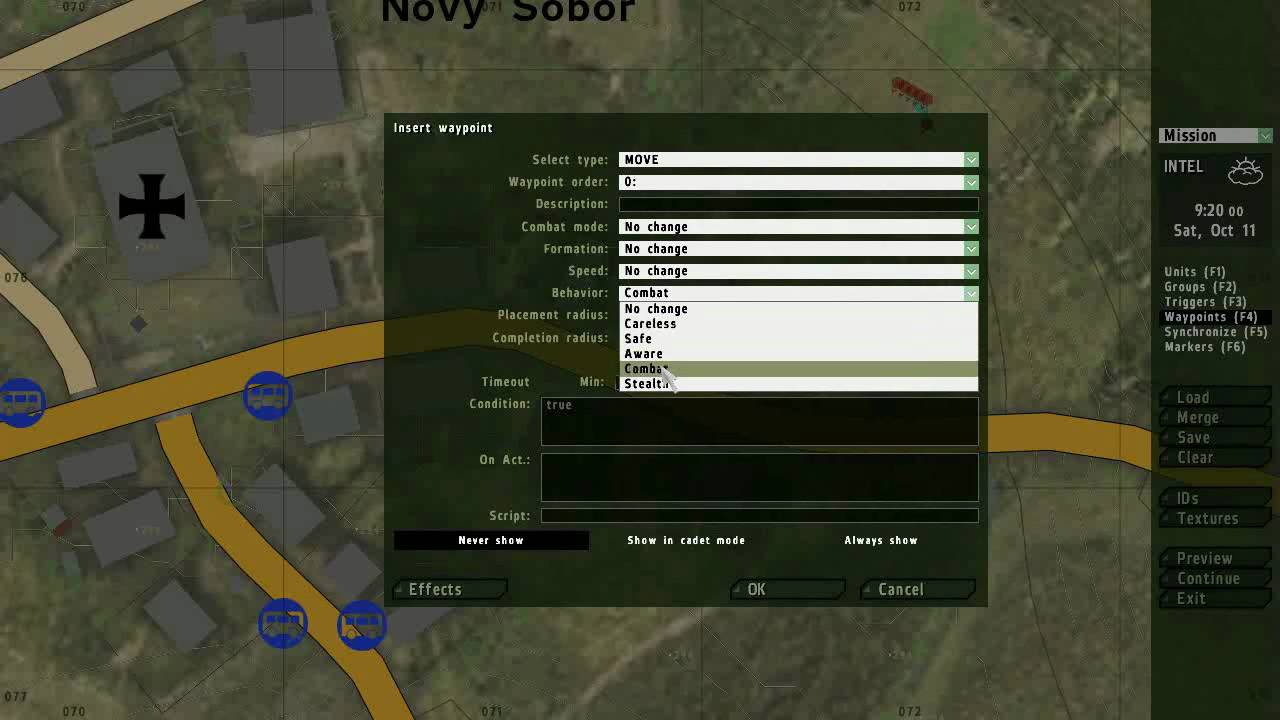 winter rose
well, "Preview" then
but there is no debug console
spoiled with Arma 3
tough abyss
yea no debug like that there
winter rose
ugh, I forgot
 tough abyss
yes, its from https://community.bistudio.com/wiki/BIS_fnc_help but not sure how to open it
since there is no debug window
winter rose
it's nil as well here - A2OA 1.64
I'm gonna be super pissed if it was removed at one point, or worse, if it was never in there in the first place
tough abyss
i think that could be checked by unpacking the modules pbos (3 of them), but I can only unpack 1 of them (modules.pbo) without error
ARMA 2 Operation Arrowhead\Common\modules.pbo
ARMA 2 Operation Arrowhead\Expansion\Addons\modules_e.pbo
ARMA 2 Operation Arrowhead\PMC\Addons\modules_pmc.pbo
as stated in:
https://community.bistudio.com/wiki/Arma_2:_Functions_Library
with:
ca\modules\functions
ca\modules_e\functions
ca\modules_pmc\functions
btw, little offtopic, can i have actual harddrive assigned as P: or is that gonna conflict with arma somehow?
winter rose
no problem as long as you don't try and use tools
also, with a little bit of luck that function is PMC only
tough abyss
dont want to lose my files on a harddisk obviously
PMC seems to be listed in the Expansions when I quit the client back to the main menu. Or is there a PMC server I would need?
(confused)
winter rose
no idea (#server_admins)
tough abyss
just to clarify, I should be able to run BIS_fnc_scriptedMove on the client as well (in single player), right?
winter rose
yep, for any normal function that is
well, not in PMC either. installing BAF
yep, forget about this function then. maybe TKOH but I am not holding my breath
tough abyss
afaik I have all addons. TKOH is a3 i think
tough abyss
ah, i thought you mean the king of the hill
winter rose
that would be KOTH
tough abyss
sry, untrained eye, never played it
can't we maybe ask some dev from BI to search their source code folder?
biki page goes back all the way to 2006 btw https://community.bistudio.com/wiki?title=BIS_fnc_scriptedMove&oldid=80624
winter rose
I am a dev from BI and no, I won't 😄
and this page is from 2014, 2006 is a fake import date
tough abyss
thought so because BIS_fnc_exportFunctionsToWiki is arma 3
winter rose
the page was created in Arma 3 era (post-2013) indeed
I will check deeper
tough abyss
thanks for your help Lou, should you find something, please, if possible, send me a direct message as I may not follow these channels on regular basis
winter rose
Str made it "Arma 2 OA 1.00, which I filled later as 1.51 (then 1.50) but this was never confirmed
it must have been added in TKOH or something
winter rose
tough abyss
thanks for your help Lou, should you find something, please, if possible, send m...
take the function's content
make a scriptedMove.sqf in the mission's root
use [_unit, [_wp1, _wp2]] execVM "scriptedMove.sqf"
end of story
tough abyss
fyi i also found this https://feedback.bistudio.com/T164620
winter rose
yeah that is addressed in the future 2.10 patch already
now is just my crazy me trying to figure out why and when this function appeared
tough abyss
I can't find the function content in my files, is it this > https://sqfbin.com/siyuxumavocacaferovu ?
winter rose
so I can finally fix the biki, swear at the situation, and cry myself to sleep
winter rose
tough abyss
I can't find the function content in my files, is it this > https://sqfbin.com/s...
seems so; where did you get it?
tough abyss
https://feedback.bistudio.com/T164620 guy linked it there
this line there:
_nic = [objNull, _guy, rPLAYMOVE, _walkAnim] call RE;
isn't RE another dependency or something?
winter rose
yep, but it's OK - as long as Functions are loaded, it's all good
OK, this function is not even in Take On Helicopters, I quit
and I am going to message a colleague about it tomorr— today
tough abyss
btw, do i need 2 waypoints there or just 1 is okay?
Error in expression <i <= _animLoops && !(isPlayer _guy)) && BIS_scriptedMoveEnabled} do {
_nic = [ob>
  Error position: <BIS_scriptedMoveEnabled} do {
_nic = [ob>
  Error Undefined variable in expression: bis_scriptedmoveenabled
using the fork method
I will try removing that from the IF conditions
winter rose
just one wp is OK
winter rose
tough abyss
I will try removing that from the IF conditions
that or just set BIS_scriptedMoveEnabled = true; at the top, should fix
this function is really a mess, from start to finish xD
tough abyss
it runs without that error now, the animations appear rather choppy but the zombies do look and move in my direction immediately, so a huge progress 🙂
unfortunately it also disables their other features, they stopped attacking, etc so maybe just a matter of debugging the full file and fixing it and maybe it will be usable
winter rose
well, that's forced straight line to you!
tough abyss
the function gets recalled every second or so, might be an issue too
looks like they are walking at 10FPS or so
could be something with the timing or sleep timers
I would probably get the same result if the built-in function worked, right?
and shooting the zeds tanks the actual ingame FPS down to 10 as well, that function needs some serious look 😄
normally I got 150FPS
tough abyss
maybe the function was cut at some point for some issues
thanks again for all your help Lou, I will find some time later to fully study that function and see if I can make it work better for my purposes
and arma crashed, out of memory error 😄
have a nice day Lou
winter rose
tough abyss
and arma crashed, out of memory error 😄
yeah, my guess is that your FSM or whatever is going MANY TIMES PER FRAME on this condition, and you spawn a new thread every - single - time, so this is not viable
tough abyss
yea, good point
btw I was surprised there aren't more parameters for moveTo that would handle straight lines
winter rose
that's not the command's job, it's pathfinding
try perhaps https://community.bistudio.com/wiki/setDestination ?
tough abyss
thought that's for air, will try it then (not today), thanks
winter panther
I'm moving the driver of a vehicle (which is in my group) to a separate group, but they always dismount. Is there a way to prevent this?
This doesn't seem to happen when they are ordered to get in the vehicle while in a different group than mine
Could that be related to unit ownership? I'm testing this in the editor, in a local multiplayer server. The server should be the same as the client in this case.
winter panther
Nvm I fixed it. I had to do:
_newGroup addVehicle _veh;
_driver assignAsDriver _veh;
[_driver] orderGetIn true;
 rough summit
i have 3 different UI's for different systems and i need check every time, when i open one of them, what other disabled.
private _displays = [2400, 2500];

if (isNull findDisplay in _displays) then {};
This part don't work, what i do wrong?
open fractal
params ["_unit"];
sleep (random 5);
_unit disableAI "ANIM";
_unit switchMove format ["Acts_AidlPercMstpSloWWrflDnon_warmup_%1_loop", ceil random 5];
_unit addEventHandler ["AnimChanged",{
    params ["_unit", "_anim"];
    systemChat format ["Anim done! %1",_unit];
    _anims = [
        "Acts_AidlPercMstpSloWWrflDnon_warmup_1_loop",
        "Acts_AidlPercMstpSloWWrflDnon_warmup_2_loop",
        "Acts_AidlPercMstpSloWWrflDnon_warmup_3_loop",
        "Acts_AidlPercMstpSloWWrflDnon_warmup_4_loop",
        "Acts_AidlPercMstpSloWWrflDnon_warmup_5_loop"
    ];
    if !(_anim in _anims) exitWith {};
    _unit playMoveNow (selectRandom _anims);
}];
I doubt these animations flow together anyway, but how come the handler isn't firing when the animation is finished? The units just freeze in place and I don't see any chats
little raptor
open fractal
```sqf
params ["_unit"];
sleep (random 5);
_unit disableAI "ANIM";
_unit switchM...
AnimChanged only fires when the AI wants to change animation (or player does, e.g. by pressing a key)
which you have disabled
rough summit
animDone?
little raptor
also you might want to use playMoveNow after switchMove
open fractal
rough summit
animDone?
 2:09:31 "37.977   Anim done! O Alpha 1-1:4"
 2:09:31 "37.977   Anim done! O Alpha 1-2:1"
 2:09:31 "37.994   Anim done! O Alpha 1-1:6"
 2:09:31 "38.011   Anim done! O Alpha 1-1:7"
 2:09:31 "38.011   Anim done! O Alpha 1-2:2"
 2:09:31 "38.028   Anim done! O Alpha 1-1:2"
 2:09:31 "38.028   Anim done! O Alpha 1-1:3"
 2:09:31 "38.045   Anim done! O Alpha 1-1:1"
 2:09:31 "38.045   Anim done! O Alpha 1-1:8"
 2:09:31 "38.062   Anim done! O Alpha 1-1:5"

it fires but it fires too much
on each unit multiple times a second
rough summit
open fractal
```
2:09:31 "37.977 Anim done! O Alpha 1-1:4"
2:09:31 "37.977 Anim done! O...
open fractal
?
they're just frozen in place, it's not starting or stopping any animations to my knowledge
rough summit
As Leopard said, AnimChanged fires when entity wanys change animation, but if u disable it, it won't work
open fractal
I used animDone
rough summit
open fractal
they're just frozen in place, it's not starting or stopping any animations to my...
I think, they frozen because they try start play animation, but event handler fires and they again try start animation
why u disabling that? For what?
_unit disableAI "ANIM";
Where did you use animDone?
open fractal
rough summit
why u disabling that? For what?
```sqf
_unit disableAI "ANIM";
```
It works with switchMove, maybe not with playMove commands. I added it so ai wouldn't break from the animation but I removed it because it's not really necessary here
rough summit
switchMove turns off any animation playing before and turns on the specified one
Send ur actual code pls
open fractal
//edited for rpt/playMoveNow
params ["_unit"];
sleep (random 5);
_unit switchMove format ["Acts_AidlPercMstpSloWWrflDnon_warmup_%1_loop", ceil random 5];
_unit addEventHandler ["AnimDone",{
    params ["_unit", "_anim"];
    diag_log format ["%1   Anim done! %2", time, _unit];
    _anims = [
        "Acts_AidlPercMstpSloWWrflDnon_warmup_1_loop",
        "Acts_AidlPercMstpSloWWrflDnon_warmup_2_loop",
        "Acts_AidlPercMstpSloWWrflDnon_warmup_3_loop",
        "Acts_AidlPercMstpSloWWrflDnon_warmup_4_loop",
        "Acts_AidlPercMstpSloWWrflDnon_warmup_5_loop"
    ];
    if !(_anim in _anims) exitWith {
        diag_log format ["Finished animation: %1", _anim];
        diag_log format ["Current animation: %1", animationState _unit]
    };
    diag_log format ["playMoveNow on %1", _unit];
    _unit playMoveNow (selectRandom _anims);
}];
animDone doesn't fire if the animation doesn't actually finish
afaik an animation only finishes when the unit tries to play the next anim
open fractal
open fractal
```sqf
//edited for rpt/playMoveNow
params ["_unit"];
sleep (random 5);
_unit sw...
this code has the above (rpt) result
little raptor
also like I said use playMoveNow
south swan
AnimDone seems to fire for me with "Acts_AidlPercMstpSloWWrflDnon_warmup_2_out" and doesn't with "Acts_AidlPercMstpSloWWrflDnon_warmup_2_loop". So... the animation loops by itself?
open fractal
2:24:08 "38.487   Anim done! O Alpha 1-1:4"
 2:24:08 "Invalid animation."
 2:24:08 "38.487   Anim done! O Alpha 1-1:6"
 2:24:08 "Invalid animation."
 2:24:08 "38.507   Anim done! O Alpha 1-1:8"
 2:24:08 "Invalid animation."
 2:24:08 "38.526   Anim done! O Alpha 1-1:5"
 2:24:08 "Invalid animation."
 2:24:08 "38.546   Anim done! O Alpha 1-2:2"
 2:24:08 "Invalid animation."
the code exits before the next animation can start and loops like this
hold on adding animationState to the log
 2:32:26 "49.509   Anim done! O Alpha 1-2:2"
 2:32:26 "Finished animation: acts_aidlpercmstpslowwrfldnon_warmup_1_loop"
 2:32:26 "Current animation: acts_aidlpercmstpslowwrfldnon_warmup_1_loop"
so that's the current animation state, I should've used the handler one -- edited ^
OH IT'S CASE SENSITIVE
I have surpassed the exit condition and hit the same problem with the units freezing in place
 2:36:18 "playMoveNow on O Alpha 1-1:5"
 2:36:18 "44.922   Anim done! O Alpha 1-1:2"
 2:36:18 "playMoveNow on O Alpha 1-1:2"
 2:36:18 "44.922   Anim done! O Alpha 1-1:3"
 2:36:18 "playMoveNow on O Alpha 1-1:3"
 2:36:18 "44.922   Anim done! O Alpha 1-1:7"
 2:36:18 "playMoveNow on O Alpha 1-1:7"
 2:36:18 "44.922   Anim done! O Alpha 1-1:8"
 2:36:18 "playMoveNow on O Alpha 1-1:8"
 shadow canopy
Using just https://community.bistudio.com/wiki/Arma_3:_Event_Handlers#HitPart is it possible to determine what the damage might have been? or has been if that damage is already applied when this EH is called
I understand that the actual damage will be lower then hit/indirectHit from the 6th parameter
winter rose
open fractal
OH IT'S CASE SENSITIVE
string in array is case-sensitive, string == string is not, indeed
see https://community.bistudio.com/wiki/in#Example_2 for the findIf alternative 🙂
tough abyss
shadow canopy
Using just https://community.bistudio.com/wiki/Arma_3:_Event_Handlers#HitPart is...
AFAIK no, but you shouldn't need to rely only on that event if you need damage handling
tough abyss
see this note for why not: hit and damage values are derived from the projectile's CfgAmmo class, and do not match the actual damage inflicted, which is usually lower due to armor and other factors
 steady matrix
I'm having a hard time trying to figure out what I'm doing wrong here:
In my Cfg_RscTitles:
onLoad = "UINamespace setVariable ['VMS_Sentence', _this select 0]";
Yet, when I'm calling via function in my test play:
cutRsc ["VMS_Message", "PLAIN"];
((uiNamespace getVariable "VMS_Message") displayCtrl 9003) ctrlSetStructuredText (parseText _message);
((uiNamespace getVariable "VMS_Message") displayCtrl 9002) ctrlSetStructuredText (parseText _speakerName);
I get the error Resource Title VMS_Message not found.
I do not understand what I'm doing wrong. 😦
oh my fucking god
i'm an idiot
I see it.
hallow mortar
You're passing VMS_Message to cutRsc as a string, not a variable name, so it's assuming it's a classname
winter rose
steady matrix
I'm having a hard time trying to figure out what I'm doing wrong here:
In my Cf...
VMS_Message vs VMS_Sentence
tough abyss
_agent setDestination [_targetPos, "LEADER DIRECT", true];
seems to result in a true straight line towards target, unfortunately the ai goes straight through any walls/objects this way. any ideas before I try all possible combinations of the planningMode param?
https://community.bistudio.com/wiki/setDestination
steady matrix
winter rose
`VMS_Message` vs `VMS_Sentence`
Damn... so I just fixed the config, and made the adjustments and its still throwing out the same error. Here's what it looks like now:
onLoad = "UINamespace setVariable ['VMS_Message', _this select 0]";
Config ^
  cutRsc ["VMS_Message", "PLAIN"];
((uiNamespace getVariable "VMS_Message") displayCtrl 9003) ctrlSetStructuredText (parseText _message);
((uiNamespace getVariable "VMS_Message") displayCtrl 9002) ctrlSetStructuredText (parseText _speakerName);
I think it's either you use path finding or you don't, there is no alternative but to make your own pathfinding then
tough abyss
lets make my own pathfinding then! 🙂
any notable functions for that or really custom?
winter rose
no 😄
winter rose
steady matrix
I'm having a hard time trying to figure out what I'm doing wrong here:
In my Cf...
cutRsc ["VMS_Message", "PLAIN"];
```and is your layer shown? sullen sigil
Hello my fellows I have an incredibly daft question
When I'm trying to run another script after an event within a certain script, do I need to use compilescript and such?
I appreciate I could just try test it buttttt it's tfar ;-;
so mp only
winter rose
sullen sigil
When I'm trying to run another script after an event within a certain script, do...
two, repeat last!
sullen sigil
basically ive got a script that detects when player is speaking with tfar
tough abyss
I will try making something with terrainIntersectASL, lineIntersectsObjs etc
sullen sigil
do i just call <script path> or do i need to call (compilescript [<script path>])
winter rose
sullen sigil
do i just `call <script path>` or do i need to `call (compilescript [<script pat...
execVM, for a file?
ooor make a Function
steady matrix
winter rose
```sqf
cutRsc ["VMS_Message", "PLAIN"];
```and is your layer shown?
Presumably... but I'm not sure to be honest. I think the bigger issue is that I can't even seem to spawn the resource as its not recognizing the resource being attached to the variable "VMS_Message" - and I have no idea why. Config looks good to me. T_T
hallow mortar
steady matrix
Damn... so I just fixed the config, and made the adjustments and its still throw...
The name of the config class in CfgRscTitles must be VMS_Message. If it isn't, then this won't work because you're telling it to look for a config class called VMS_Message.
If you're trying to use the variable you set as VMS_Message, you need to pass it as VMS_Message and not "VMS_Message"
hallow mortar
winter rose
is yours `class VMS_Message`?
sullen sigil
winter rose
execVM, for a file?
ah gotchu
now i just need to figure out how to make this shit run on an object ;-;
trying to make a voice activated mine
steady matrix
That santax doesn't look right though Nikko, per the wiki.
syntax*
I tried it for kicks though, same result.
tough abyss
    dayz_losCheck = {
        local _target    = _this select 0;
        local _agent    = _this select 1;
        local _cantSee    = true;

        if ((!isNull _target) && {!isNull _agent}) then {
            local _los = [eyePos _target, eyePos _agent];    // [player, zombie]
            _cantSee = lineIntersects _los;

            if (!_cantSee) then {
                _cantSee = terrainIntersectASL _los;
            };
        };
        _cantSee
    };
    _cantSeePlayer = [_target,_agent] call dayz_losCheck;
    if (!_cantSeePlayer) then {
        _agent setDestination [_targetPos, "LEADER DIRECT", true];
    } else {
        _agent moveTo _targetPos;
    }
this actually works pretty well!
hallow mortar
steady matrix
That santax doesn't look right though Nikko, per the wiki.
When you use "VMS_Message" you're passing it a string containing the text VMS_Message, which would work if your RscTitles class was named VMS_Message. But what you're wanting to do (I think) is pass it the variable VMS_Message which contains the string classname. The variable name itself isn't a string and won't work if passed as one.
HOWEVER
The variable VMS_Message is not created until the rscTitle is loaded (because it's in the onLoad property) so you're aiming to create a display using a reference that doesn't exist until the display is created.
So you should use the actual name of the RscTitles class, or change the name of the RscTitles class to VMS_Message (probably best to not do that in order to avoid confusion with the variable of the same name).
steady matrix
Figured it out Nikko thanks man - I totally was trying to open the layer with my variable as you were probably suspecting! Once I fixed that it worked like a charm.
winter rose
sullen sigil
is it possible to create my own eventhandler
scripted EH yes
BIS_fnc_addScriptedEventHandler et al.
winter rose
sullen sigil
right now how do i make it fire on a condition <:thonk:700311400152825906>
hmm, IDK, have you, perhaps, tried, heh, reading the doc? 😛
sullen sigil
winter rose
hmm, IDK, have you, perhaps, tried, heh, reading the doc? 😛
yeah except im a bit dim
winter rose
it is linked there though
sullen sigil
ok so i think ive figured it out
i want to add an EH with the code inside and then at the end of the code i want to call the EH?
winter rose
congrats
sullen sigil
christ this is confusing
winter rose
an event is a concept found in many languages
1/ first, you create the code where an event can happen
e.g, "KillPlayer.sqf"
player setDamage 1;
[missionNamespace, "PlayerKilledByKillPlayerSQF", [player, time]] call BIS_fnc_callScriptedEventHandler;
2/ then you subscribe to this event by saying "hey, when this event happens, I want this code to run"
[missionNamespace, "PlayerKilledByKillPlayerSQF", {
  params ["_unit", "_timeOfDeath"];
  hint format ["%1 has been killed at %2", _unit, _timeOfDeath];
 }] call BIS_fnc_addScriptedEventHandler;
and honestly that's just it
sullen sigil
[ missionNamespace, "612th_VoiceDetected", {
if !((_player getVariable ["TFAR_isSpeaking", false]) isEqualTo _isSpeaking) then {
    _player setVariable ["TFAR_isSpeaking", _isSpeaking];
    _player setVariable ["TF_isSpeaking", _isSpeaking];//#Deprecated variable
    ["OnSpeak", [_player, _isSpeaking]] [missionNamespace, "612th_VoiceDetected", [_player] call BIS_fnc_callScriptedEventHandler];
};}] call BIS_fnc_addScriptedEventHandler;``` i think ive done it right?i no longer think ive done it right
winter rose
if you used
 wicked roostBOT
How to use SQF syntax highlighting in Discord
```sqf
// your code here
hint "good!";
```
↓
// your code here
hint "good!";
do you not want BIS_fnc_addScriptedEventHandler at the end of the second one or have i misunderstood
winter rose
+call
fixed
sullen sigil
I'm not entirely sure when the event "happens" in the script I'm using
if !((_player getVariable ["TFAR_isSpeaking", false]) isEqualTo _isSpeaking) then {
    _player setVariable ["TFAR_isSpeaking", _isSpeaking];
    _player setVariable ["TF_isSpeaking", _isSpeaking];//#Deprecated variable
    ["OnSpeak", [_player, _isSpeaking]] execVM "612th_Core\scripts\VoiceMine.sqf";
};``` i'd be replacing `execVM "612th_Core\scripts\VoiceMine.sqf";` with something to do with calling the EH, right?if you don't know what you're doing, take a step back and re-assess: "what do you want to do?"
sullen sigil
fire event handler when player is speaking
which would be when execVM is fired anyway so yes i do that
sullen sigil
nvm it breaks tfar
still forum
sullen sigil
```sqf
if !((_player getVariable ["TFAR_isSpeaking", false]) isEqualTo _isSpeaki...
what are you doing? are you editing TFAR code?
There is already a eventhandler there that you can use, you don't need to make a new one
The example for addEventHandler even is the speaking handler https://github.com/michail-nikolaev/task-force-arma-3-radio/blob/master/addons/core/functions/events/handler/fnc_addEventHandler.sqf#L19
shadow canopy
tough abyss
AFAIK no, but you shouldn't need to rely only on that event if you need damage h...
darn, thats the only event that gives the ammo type, and fires if the target has allowDamage false, the others like handledamage and hit dont fire when invincible
open fractal
Locate it in the functions viewer. Hopefully there will be comments at the top
stable dune
Hi. Can you block player take specific item from invertory/ arsenal If he already have one?
open fractal
Inventory, yes. Arsenal, maybe. You can add a take handler that blocks the player from picking up the item, I don't think that applies to the arsenal
 coarse dragon
!Alive jim; & !Alive mrtank; & !Alive mrtank3;
why wont this work? its in the contions of a trigger for 3 diff targets.
open fractal
In my experience if you want control over inventories arsenals are more trouble than they're worth
open fractal
coarse dragon
```sqf
!Alive jim; & !Alive mrtank; & !Alive mrtank3;
```
why wont this work? it...
because your syntax is entirely wrong. https://community.bistudio.com/wiki/Operators
coarse dragon
its hooked up to a create task module ect
stable dune
open fractal
Inventory, yes. Arsenal, maybe. You can add a take handler that blocks the playe...
So If i do box with items then i could block player take another specific item? Not adding Arsenal there, only box own invertory/ cargo
open fractal
coarse dragon
its hooked up to a create task module ect
remove the ; from your condition and read the link
stable dune
open fractal
Inventory, yes. Arsenal, maybe. You can add a take handler that blocks the playe...
Or is that possible if i block just player keep 2 items same time in invertory. So when he try pick up from ground or from invertory item just drop Back to ground or doenst get loaded from invertory.
Which EH i should use to load same item multiple Time from invertory?
open fractal
"Take" should be a start
sullen sigil
how do i go about searching within the radius of a player for a specific object and assign variable names to those objects so that explosions can be spawned at their position?
open fractal
you shouldn't assign individual variables to those objects, you should store an array instead https://community.bistudio.com/wiki/nearEntities
See syntax 2
KJW_explosiveObjs = _player nearEntities ["classname", _radius]
sullen sigil
_unit and _player are used interchangeably, right?
open fractal
Yeah just an object
sullen sigil
gotcha, using tfar to get the player and variable name used there is _unit so i'll stick with that
classname literally means classname, right? on the wiki its using stuff like "Car", "Motorcycle" etc which is causing some confusion for me
open fractal
sullen sigil
classname literally means classname, right? on the wiki its using stuff like `"C...
No you're right use the type like it says in the example
sullen sigil
can i for example use "Alsatian_Sandblack_F"
i am NOT trying to make suicide bomber dogs
open fractal
There's another command for classnames, I'll look for it later if you don't find it
sullen sigil
is it nearestObjects
open fractal
Maybe nearObjects?
sullen sigil
nearestObjects sorts by proximity whereas nearObjects doesn't so it doesn't matter to me as I'm just hunting for one type of class
coarse dragon
Thanks @open fractal
open fractal
I'm actually curious to know if the exact classname works with the nearEntities command or if you need a parent class
sullen sigil
so once ive done that then I want to spawn an explosion on each of their positions... so i'd spawn onto getPos KJW_explosiveObjs, right?
open fractal
sullen sigil
so once ive done that then I want to spawn an explosion on each of their positio...
Don't use getPos use getPosASL or getPosATL
open fractal
getPos is AGLS which is niche and takes longer
open fractal
sullen sigil
so once ive done that then I want to spawn an explosion on each of their positio...
This will need to be a forEach loop
sullen sigil
so something like
"Bo_GBU12_LGB" createVehicle (getposATL forEach KJW_explosiveObjs);?
open fractal
no, read the syntax for forEach
stable dune
You can also add a loop to the object that checks for nearby objects and if the nearest object ("man") is a player in your defined area, it will create a bomb at the object's location.
sullen sigil
stable dune
You can also add a loop to the object that checks for nearby objects and if the ...
TFAR has an EH for this so this is the easiest way
reading foreach syntax now
stable dune
Which kind, could you share syntax? Im using loop on my IED bomb nearEntities so If there is EH for this i could use that
sullen sigil
["VoiceThingy", "OnSpeak", {
    params ["_unit","_volume"];
    KJW_explosiveObjs = _unit nearEntities ["Alsatian_Sandblack_F", 1]
}, player] call TFAR_fnc_addEventHandler;
thats what ive got atm let me get the github bit
its for onspeak

GitHub
TeamSpeak integration for Arma 3. Contribute to michail-nikolaev/task-force-arma-3-radio development by creating an account on GitHub.
stable dune
Thanks
sullen sigil
making things go boom when you talk near them
"Bo_GBU12_LGB" createVehicle (getposATL forEach Objects KJW_explosiveObjs); right?
stable dune
sullen sigil
making things go boom when you talk near them
Sounds cool
open fractal
sullen sigil
```sqf
["VoiceThingy", "OnSpeak", {
params ["_unit","_volume"];
KJW_expl...
go ahead and remove the KJW tag, if it starts with an _underscore it'll be treated as a local variable and deleted when the script is done
sullen sigil
Roger doger will do once I've finished moving this crap in my house
stable dune
open fractal
"Take" should be a start
Almost miss this one, thanks
sullen sigil
its complaining about wonky brackets
uh
dont think ive done this right 💀
["VoiceThingy", "OnSpeak", {
    params ["_unit","_volume"];
    _explosiveObjs = _unit nearEntities ["Alsatian_Sandblack_F", 1];
    "Bo_GBU12_LGB" createVehicle (getposATL forEach Objects _explosiveObjs);
}, player] call TFAR_fnc_addEventHandler;```yeah my syntaxing is all messed up here i think
granite sky
["VoiceThingy", "OnSpeak", {
    params ["_unit","_volume"];
    _explosiveObjs = _unit nearEntities ["Alsatian_Sandblack_F", 1];
    { "Bo_GBU12_LGB" createVehicle getposATL _x } forEach _explosiveObjs;
}, player] call TFAR_fnc_addEventHandler;
@sullen sigil
sullen sigil
thanks! does _x refer to just the "current" value in an array?
granite sky
Yes.
sullen sigil
aaah gotchu now
thanks man
its not working for some reason
it worked
i dont know why
i alt tabbed out and i tabbed back in and i had exploded
granite sky
Bomb might have a fuze timer.
tough abyss
how do i make a an array/list have "nothing" as an option?
granite sky
context?
tough abyss
granite sky
context?
_Hat = selectRandom _HatArray;

this addHeadgear _Hat; ```i want no hat to be an option for the array
tho i couldnt find what i'd have to do for that to work online
granite sky
Example:
if (random 1 < 0.5) then {
   this addHeadgear selectRandom _HatArray
};
 tropic mirage
Right I have been working on this for a while now and cant seem to fix this error (type string, expected code)
display = uiNamespace getVariable "DP";
_LB_PLAYER = _display displayCtrl 1501; //Gets the player listbox
_LB_FUNCTIONS = _display displayCtrl 1500; //Gets the function listbox

//get the selected function
_functionTreeSel = lbCurSel _LB_FUNCTIONS;
_functionStr = _LB_FUNCTIONS lbData _functionTreeSel;
_functionType = _LB_FUNCTIONS lbValue _functionTreeSel;

hint str _functionStr;

//get the selected player
_playerSelected = lbCurSel _LB_PLAYER;
_playerUIDStr = _LB_PLAYER lbData _playerSelected;

//if ((_functionStr isEqualTo "") || (_functionType isEqualTo 0) || {(_functionStr isEqualTo "-")}) exitWith {};


{
    if(getPlayerUID _x == _playerUIDStr) then {
        target = _x;
        //diag_log getPlayerUID _x;
    };
} forEach allPlayers;


//perform the function appropriately
switch (_functionType) do {
    case 0: {
        [ player ] call _functionStr;
    };

    case 1: {
        [ target ] call _functionStr;
    };

    case 2: {
        [ player ] spawn _functionStr;
    };

    case 3: {
        [ target ] spawn _functionStr;
    };

};
Am I doing something wrong?
//Values 0 = //not scheduled, not ontarget
//Values 1 = //not scheduled, ontarget
//Values 2 = //scheduled, not ontarget
//Values 3 = //scheduled, ontarget
No matter what I do it gives me an error
granite sky
Paste the full error.
 copper raven
you can't call/spawn a string
literally the error tells you that (type string, expected code)
tropic mirage
granite sky
Paste the full error.
 granite sky
What sharp said then. Apparently _functionStr is a string.
tropic mirage
copper raven
literally the error tells you that `(type string, expected code)`
wait. Would compile work in this scenario
granite sky
So you'd have to do call compile, yes
tropic mirage
I feel so dumb 😂
tropic mirage
Well at the beginning of the script it was code.... But then I re-purposed it
copper raven
so i suppose it's some global variable?
you can just get it from whatever namespace you store it in with getVariable
it's better this way anyway, you don't want to recompile it everytime you interact with the ui
tropic mirage
copper raven
so i suppose it's some global variable?
now it is yeh
copper raven
alternatively instead of using lbdata, you can do something like _listbox setVariable ["tag_functions", _funcs], then _listbox getVariable "tag_functions" select _cursel to get it
tropic mirage
copper raven
alternatively instead of using lbdata, you can do something like `_listbox setVa...
I didnt think of doing it that way.
 thin pond
Is there a script out there that will lets me create a custom ammo/supply box with a custom classname ? Currently I'm filling it with stuff once it spawns. Or would i have to create a mod with my custom box ?
copper raven
if you want custom classname, then you need a mod yes
thin pond
hm okay.... is there some sort of "template" mod that just adds ammoboxes so I can look how to do it myself ?
copper raven
not that i know of, you can either look at some other mods' source online, or just use config viewer and adapt
https://community.bistudio.com/wiki/Arma_3:_Creating_an_Addon for addon itself, this is a good place to start
sullen sigil
granite sky
```sqf
["VoiceThingy", "OnSpeak", {
params ["_unit","_volume"];
_explosi...
Right I'm trying to adapt the previous script (replied to) to ACE explosives now -- basically I need to fire the EH if the distance between _unit and _this (the explosive) is smaller than 1 meter
I've got _unit distance _this but that returns an array which I'm hopeless at trying to figure out how to 'decode' -- not as simple as looking for a radius of 1 meter unless I'm being dumb
 opal zephyr
What is the actual explosive object that you are referencing "_this" with?
sullen sigil
the placed ACE explosive
opal zephyr
sullen sigil
I've got `_unit distance _this` but that returns an array which I'm hopeless at ...
What is the array returned that you mention here?
sullen sigil
something along the lines of [x,y,z]
oh wait no im being dim
jesus christ
wiki confused me by using an array in the examples 😅
opal zephyr
ah, so its all good then?
sullen sigil
["VoiceMine_612th", "OnSpeak", {
    params ["_unit","_volume","_this"];
  if (_unit distance _this < 2) then
}, player] call TFAR_fnc_addEventHandler;
i believe that should fire the EH when talking within 2 meters?
or do i need a continue ting
opal zephyr
That will fire if the unit is more than 2 metres away, but you need to put that distance check in brackets for it to work with the if/then
opal zephyr
Nothing is actually in that if/then statement, hold on a moment while I find this EH, im not familiar with it
sullen sigil
its a custom TFAR one
it fires when the player is talking
the firing of it works and such i just need to make sure that it fires when talking within 2 meters of the explosive so that it fires the EH
once it fires the EH that (should) trigger the ACE explosive
opal zephyr
Is there a page going over the documentation of that EH? It looks like your code is out of order for what you want to happen
sullen sigil
more or less -- https://github.com/michail-nikolaev/task-force-arma-3-radio/blob/master/addons/core/functions/events/handler/fnc_addEventHandler.sqf#L19
GitHub
TeamSpeak integration for Arma 3. Contribute to michail-nikolaev/task-force-arma-3-radio development by creating an account on GitHub.
unsure if that'll actually be useful to you or not
im using the example
the previous version works great i just need to get the EH firing for when the unit is within the radius of the explosive
just realised i cant have _this there in the params
opal zephyr
ya you cant
sullen sigil
do i even need to define it anywhere as its coming from another script
my assumption is no
opal zephyr
Where are you putting this code?
sullen sigil
sqf file
opal zephyr
ok then _this means nothing
sullen sigil
the trigger is defined in the config
class ACE_Triggers {
    class Voice {
        isAttachable = 1;
        displayName = Voice;
        picture = "logo3.paa";
        onSetup = _this call "612th_Core\scripts\VoiceMine.sqf";
    };
};```which is basically the same as what ACE is doing
(https://github.com/acemod/ACE3/blob/master/addons/explosives/ACE_Triggers.hpp) -- their triggers page

GitHub
Open-source realism mod for Arma 3. Contribute to acemod/ACE3 development by creating an account on GitHub.
opal zephyr
What is the trigger for? I thought this was between a bomb object and a player
opal zephyr
You could just put this script in the init of the bomb object I think
sullen sigil
wouldn't be able to defuse it in that case
opal zephyr
Is your bomb being spawned or placed in the editor?
sullen sigil
spawned
opal zephyr
There has to be some way to reference the object in order to get the distance to it, either you can pull the variable from wherever its created. Or you could check all objects that are within 2 metres to see if its one of them
Is it being spawned in a different sqf or the same as this code?
sullen sigil
different sqf
opal zephyr
Is it in an array?
tough abyss
Your onSetup config code is wrong.
sullen sigil
oh hang on i think * onSetup Parameters: * 0: Explosive <OBJECT> * 1: Magazine classname <STRING> * might help
tough abyss
should be
onSetup = "_this call ""612th_Core\scripts\VoiceMine.sqf""";
oh wait also
you can't just call a script like that
so actually
onSetup = "_this execVM ""612th_Core\scripts\VoiceMine.sqf""";
the ACE trigger config thing uses call though
opal zephyr
This seems like a unreasonably confusing way of going about what I believe you're trying to do
tough abyss
the ACE trigger thing is also using a macro which you aren't
tough abyss
_this should still work
QUOTE(_this call FUNC(openTimerUI));
note they're using QUOTE and FUNC macros
QUOTE wrapping the entire thing in "s and FUNC referencing a compiled function
sullen sigil
oh i thought that was just due to it being a HPP
tough abyss
nope
what I sent is the most basic equivalent of what they're doing
try it and see if it works
sullen sigil
i still havent figured out if the EH will fire or not atm
i do i not need continue or something in it
sullen sigil
sullen sigil
```sqf
["VoiceMine_612th", "OnSpeak", {
params ["_unit","_volume","_this"];
...
for visibility
opal zephyr
That should fire, based on what I just read for the TFAR eh, your if/then statement is still broken though
opal zephyr
ya, but nothing happens
sullen sigil
does the EH not fire
opal zephyr
That he fires whenever the player talks
sullen sigil
just need the EH to fire to trigger detonation afaik
opal zephyr
Ok so the way that eh works is that when it fires, it runs the code you put into it
tough abyss
_this isn't going to work in your trigger code
opal zephyr
The eh should fire whenever the player talks in your case, but the code you put to run does nothing
sullen sigil
i'd have to make a second EH then wont i
opal zephyr
no
You need a way to reference your explosive
if its an array thats made in a different sqf, then just make that array global
sullen sigil
ok i think i understand
i need the EH to only fire when the distance between it and the explosive is less than 2 meters but thats a later issue
opal zephyr
It should look something like this, but you need a way to get the "bomb"
["VoiceMine_612th", "OnSpeak", {
    params ["_unit","_volume"];
  if (_unit distance _this < 2) then {
    bomb setDamage 1;
  };
}, player] call TFAR_fnc_addEventHandler;
To do that you would have to put the EH inside the if/then check for the distance. You would have to check that often, either in a timer, or with a while loop of some sort
sullen sigil
would it not be better optimisation-wise to only check when talking
opal zephyr
Yes, but you just said you want the eh to only fire when you're within 2 metres
sullen sigil
and talking
tough abyss
just set up the OnSpeak EH when you initially create the bomb and reference it via a global var
opal zephyr
sullen sigil
i need the EH to only fire when the distance between it and the explosive is les...
KJW you just said this
tough abyss
how are you spawning the bomb?
sullen sigil
tough abyss
how are you spawning the bomb?
ACE placing
opal zephyr
I think you misunderstand what an eh firing means
tough abyss
what's the actual code for it
sullen sigil
yeah which is why i thought i'd need a second EH
sullen sigil
tough abyss
what's the actual code for it
let me find it on the github
GitHub
Open-source realism mod for Arma 3. Contribute to acemod/ACE3 development by creating an account on GitHub.
here
tough abyss
Ok so show me your code that uses that
sullen sigil
none does as im making a new trigger type
which will just get added to the list of trigger types in the explosives config
tough abyss
Ok
Then we'll do this
Your onSetup code is running 612th_Core\scripts\VoiceMine.sqf
so show me what's in there
sullen sigil
["VoiceMine_612th", "OnSpeak", {
    params ["_unit","_volume"];
  if (_unit distance _this < 2) then {};
}, player] call TFAR_fnc_addEventHandler;``` thats this bitthat should start running once youve selected the trigger
tough abyss
Ok so that script gets a reference to the mine as _this
sullen sigil
yes thats what i thought
tough abyss
if (isNil "KJW_VoiceMines") then {
  KJW_VoiceMines = [_this];
} else {
  KJW_VoiceMines pushBack _this;
};

if (isNil "KJW_VoiceMineEvt") then {
  KJW_VoiceMineEvt = ["VoiceMines", "OnSpeak", {
    params ["_unit", "_volume"];
    {
      if (_unit distance _x < 2) then {
        _x setDamage 1;
        KJW_VoiceMines = KJW_VoiceMines - [_x];
      };
    } forEach KJW_VoiceMines;
  }, player] call TFAR_fnc_addEventHandler;
};
try that instead
sullen sigil
roger ty
sullen sigil
gotchu ty
tough abyss
lmk if it works
sullen sigil
yeah i forgot to put quotes around the displayname so have to reload ;-;
hmmm
the trigger isnt showing up
tough abyss
wdym not showing up?
sullen sigil
just not showing up on the select trigger dialog for the explosive which should have it but i think i need onPlace = "false"; as every other trigger has it
tough abyss
Ah I see, I made an error
not familiar with ace's trigger system so forgive me
params ["_mine"];

if (isNil "KJW_VoiceMines") then {
  KJW_VoiceMines = [_mine];
} else {
  KJW_VoiceMines pushBack _mine;
};

if (isNil "KJW_VoiceMineEvt") then {
  KJW_VoiceMineEvt = ["VoiceMines", "OnSpeak", {
    params ["_unit", "_volume"];
    {
      if (_unit distance _x < 2) then {
        _x setDamage 1;
        KJW_VoiceMines = KJW_VoiceMines - [_x];
      };
    } forEach KJW_VoiceMines;
  }, player] call TFAR_fnc_addEventHandler;
};
this should replace the script
and yeah you might need to change onPlace
sullen sigil
Not sure I've put it in the triggers right as Voice is coming up in config viewer with lowercase V
ah no i did put a lowercase V in where it should've been but still not working regardless
though theyre not case sensitive are they
sullen sigil
yep i fixed that
class ACE_Triggers {
    class Voice {
        isAttachable = 1;
        displayName = "Voice";
        picture = "612th_Core\data\logo3.paa";
        onPlace = "false";
        onSetup = "_this execVM ""612th_Core\scripts\VoiceMine.sqf""";
    };
};
class CfgMagazines {
    class ATMine_Range_Mag;
    class SLAMDirectionalMine_Wire_Mag: ATMine_Range_Mag
    {
        class ACE_Triggers
        {
            SupportedTriggers[]+=
            {
                "Voice"
            };
            class Voice {
                fuseTime = 0.5;
            };
        };
    };
};``` thats all the relevant bitsmmm
I'm no config master but I believe the full Voice class should be inside the ACE_Triggers inside the mine class
like I said though, not familiar with ACE's trigger system
sullen sigil
someone else who created a new trigger did it like that so i dont believe so
 dusk tulip
So ive been working on this problem for about a month now, tried to pay someone to teach me but they took the money and ran. Its really getting to my end so help would really be appreciated you guys are my last stop before I quit.
on the right is a asset called street lamp 2 and on the left is a light point. the lamp creates only light in one direction but the lightpoint is in all directions (including walls im doing this to add light bulbs)
any idea on how to make light that can be aimed and its intensity scaled up and down
pictures are below


thanks in advance
tough abyss
sullen sigil
someone else who created a new trigger did it like that so i dont believe so
Well I'm fairly certain I've got the script end of it working now, so if you can figure out what's up with the config I think it'll work
sullen sigil
tough abyss
Well I'm fairly certain I've got the script end of it working now, so if you can...
oh theres literally fnc_detonateExplosive for that side of it
i might be a bit daft
editing should be easy enough though i'd just replace setDamage with the function bit right
tough abyss
dusk tulip
So ive been working on this problem for about a month now, tried to pay someone ...
I'll look into it for you
sullen sigil
oh bruh i might not even have to handle the range bit on the tfar side of things ;-; ignore thats just for item clackers
 * Arguments:
 * 0: Unit <OBJECT>
 * 1: Max range (-1 to ignore) <NUMBER>
 * 2: Explosive <ARRAY>
 *     0: Explosive <OBJECT>
 *     1: Fuse time <NUMBER>
* 3: Trigger Item Classname <STRING>```although for optimisation its probably better for tfar side anyway right
dusk tulip
tough abyss
I'll look into it for you
thank you!
tough abyss
sullen sigil
~~oh bruh i might not even have to handle the range bit on the tfar side of thin...
You can go either way, whichever you prefer
sullen sigil
i was incorrect
opal zephyr
Anyone have any idea why spawning an ied with createvehicle and then using "setDamage 1" just makes the object die and not blow up? But if I spawn the ied through zeus and then do setDamage it blows up...
hmm, maybe its because createvehicle treats it as an object instead of a magazine or something
little raptor
opal zephyr
Anyone have any idea why spawning an ied with createvehicle and then using "setD...
Are you sure you create the ammo?
And you can't create mags with createVehicle
Also instead of setDamage try triggerAmmo
opal zephyr
opal zephyr
hmm, maybe its because createvehicle treats it as an object instead of a magazin...
Im pretty sure im creating it wrong is all, I think im creating it as an object
little raptor
You have to create it as an object
The question is which part do you try to create?
Mag or ammo?
opal zephyr
Im creating "IEDUrbanSmall_F"
little raptor
Well I have no idea what that is 
opal zephyr
Sorry, im creating an ied object, the classname references an object in eden
little raptor
Does createVehicle successfully return an object with that class?
opal zephyr
Yes, it spawns
It also destroys successfully, the icon turns black, however there is no boom 😩
little raptor
opal zephyr
Sorry, im creating an ied object, the classname references an object in eden
Find it in config viewer
Let me know what it is
opal zephyr
I fixed it. The object I was using was incorrect and apparently just related to the physical object and not as something that could blow up. I logged the "typeOf" for the correct object and its class was actually "ModuleExplosive_IEDUrbanSmall_F". So I swapped it with that and it works now!
Thanks for your help Leopard :)
little raptor
opal zephyr
I fixed it. The object I was using was incorrect and apparently just related to ...
You could've easily told it was not an ammo simply by trying
configOf createVehicle ["classname", [0,0,0]]
In debug console
If the config was cfgAmmo it would be ammo
opal zephyr
Ah ok, will keep that for future reference
tough abyss
dusk tulip
thank you!
Alright, so after consulting my config-making friend, it appears you'll need to use https://community.bistudio.com/wiki/CfgVehicles_Config_Reference#Reflectors_Class in combination with some modeling and config work to accomplish spotlights. Someone in #arma3_config or #arma3_model can probably help you with actually setting it up with all of the appropriate memorypoints and such.
OR if you only need the light without any modeling, see below
little raptor
There is already a directional light
If you just want the light (no object, just light)
tough abyss
Is there?
little raptor
Yes
little raptor
Anyway if you want to help @dusk tulip with the scripting go ahead. I'm on mobile so I can't help rn
tough abyss
👍
I probably should've just dug through the Lights section of the BIKI as a first resort 😛
dusk tulip
Thanks @little raptor ill look into this! i assume i can just put the script in the same blue arrow marker I used in the pictures above? how would aiming it work (like light cone aimed up or aimed down at the ground ect)
dusk tulip
dusk tulip
https://cdn.discordapp.com/attachments/749426102115500075/1004487880896426124/un...
for reference
little raptor
dusk tulip
Thanks <@360154905148653568> ill look into this! i assume i can just put the scr...
You want to aim it in the game?
Or just editor?
As for the script, yeah
dusk tulip
yea to add the light cone into the editor to cast light downwards in a cone and the intensisty of the light can be some what controlled if possible. for reference the goal is to add lightbulbs because arma can look so dark and un natural looking for night ops
little raptor
There is an example on the biki page I showed
Use that to adjust the light paramters
dusk tulip
ok thank you ill play around with it. unfortunately just found out a family member passed so i wont be able to test it till tomorrow. ill be sure to give feedback either way thank you for your help
little raptor
Then just add:
_light setVectorDirAndUp [vectorDir this, vectorUp this]
To set the light's direction
little raptor
dusk tulip
ok thank you ill play around with it. unfortunately just found out a family memb...
My condolences, and no problem. Test it whenever you can
sullen sigil
someone needs to make an ai to write config on god
distant oyster
u mean like github copilot or tabnine?
sullen sigil
i do not know what those words mean so i shall simply say maybe
distant oyster
ai assisted code auto completion
tough abyss
I tend to find AI code completion rapidly varies between perfect and god-awful
no in-between
sullen sigil
god-awful cant be worse than what i write
or rather what i think i write
okay edit from earlier
["VoiceMine_612th", "OnSpeak", {
    params ["_unit","_volume"];
    _explosiveObjs = _unit nearEntities ["All", 2];
    _612th_Voicemine = false;
    if (_612th_Voicemine isEqualTo true) then {
    { "Bo_GBU12_LGB" createVehicle getposATL _x } forEach _explosiveObjs;
  };
}, player] call TFAR_fnc_addEventHandler;
this is to just allow mission makers to in theory just be able to set _612th_Voicemine to be true in the init of a unit/object/whatever however I don't think I've done the variables correctly
tough abyss
_612th_Voicemine is a local variable since it starts with _ so you won't be able to set it externally
I would suggest maybe storing a variable on the player instead
sullen sigil
yeah ive realised this is a bad idea im just gonna wait for help in the ace discord ;-;
easier to integrate with actual players if i stick with ace
sullen sigil
yeah but this way people cant set their own voice mines
tough abyss
Do you want them to be able to?
sullen sigil
ye
tough abyss
Pretty sure my code I posted earlier would've worked fine
any reason why you're not using it?
sullen sigil
i am i just cant get the config to integrate with ace properly
im trying to look for workarounds but i think i just need to be patient
 agile cargo
How can I serialize and deserialize a hashmap into string and back? key:value types are string:integer
open fractal
How do I make a newly created agent move to a given position?
_agent moveTo (getPosATL player);
``` doesn't seem to workThere's no "standard" for serialization, so you can do it how you want, but I believe Dedmen said the game internally serializes them as an array of array pairs.
agile cargo
tough abyss
There's no "standard" for serialization, so you can do it how you want, but I be...
Well, the idea is to save it using fileXT and read it back in another mission
This is what I came up with:
    _gearMapString = str toArray _gearMap; // save this on fileXT

    // recreate the hashmap
    _gearMapParsed = parseSimpleArray _gearMapString;
    gearMapCraeted = (_gearMapParsed select 0) createHashMapFromArray (_gearMapParsed select 1);
Can simplify it a bit
    _gearMapString = str _gearMap; // save this on fileXT
    // recreate the hashmap
    _gearMapParsed = parseSimpleArray _gearMapString;
    gearMapCraeted = createHashMapFromArray _gearMapParsed;
oh, so that toArray was fucking me up there... I was trying to use createHashMapFromArray but because the way toArray creates the array I was forcing me to use select
thanks, that works
tough abyss
No problem, str generally does a pretty good job on its own
stable dune
This is perhaps another stupid question, but the questioner will not get lost.
Is there possiblity to check how many files i have in folder,
i mean if have images folder and i want get count of them to script so i don't need modify script if i add more pictures to my images folder.
 ivory lake
you disable the individual engine actions in config
that's how like Ace handles their mines
stable dune
little raptor
Mod yes
Where do i find function to this?
warm hedge
addonFiles command I guess
stable dune
Ye, that is right one. Thanks
winter rose
stable dune
This is perhaps another stupid question, but the questioner will not get lost.
I...
if you name your files the same format like name_1.jpg, name_456.jpg etc, you can work it out with fileExists by incrementing an index
 leaden ibex
Switch maybe? 
Added: Plenty of new script commands and Event Handlers
Anyway. How would you tackle choosing "random line of code to execute".
The normal way I would do it is getting a random int 0..XY then then switch for each of the options.
Because of the absence of switch, I got to use tons of ifs.
Any ideas for a better solution?
(Spawning things inside crates)
And Lou, sadly had no time since last time we spoke, so can't tell if your idea for the AI "disable" works yet. Soon hopefully
leaden ibex
Wait, is there a switch in sqf?
Wtf, how did I miss it for so long?
Well I'll be dammed. Time to rewrite some things
winter rose
leaden ibex
Anyway. How would you tackle choosing "random line of code to execute".
The norm...
switch, or call selectRandom [{ hint "A" }, { hint "B" }] 😄
leaden ibex
winter rose
`switch`, or `call selectRandom [{ hint "A" }, { hint "B" }]` 😄
selectRandom was one of the ideas I had, as the first requirement was to add a gun and two mags, so having a 2D array of gun, mag classnames and just using select 0 and select 1 as parameters for addWeaponCargoGlobal and addMagazineCargoGlobal, but that was later changed to also include random medic equipment, grenades etc, so it had to change alltogether.
Switch seems like the easiest, thanks for confirming.
winter rose
you also have selectRandomWeighted, if needed 🙂
sullen sigil
tough abyss
Pretty sure my code I posted earlier would've worked fine
ACE discord has helped me get it setting up -- though where is the _mine param coming from? The script doesn't seem to be working, and I've tried replacing _x setDamage 1; with a hint but hint isn't coming up
is it the ACE setup thing
tough abyss
The ACE trigger onSetup passes the mine as the first parameter in _this
Which I extract as _mine using params
As for why it's not working, it could be any number of things due to the fact that you're using both ACE and TFAR functions
You could try just putting a raw voice event handler in that script with a hint as a sanity check
And/or a hint in the script itself to make sure the onSetup code is running to begin with
 meager sparrow
Hello, everybody
I have an idea, and I'm sure someone has already done this.
I have 5 items, and i need to spawn it in a certain zone.
Can anybody help me?
what commands / scripts are needed for this
winter rose
meager sparrow
Hello, everybody
I have an idea, and I'm sure someone has already done this.
I h...
Hi! You will need createVehicle, addItemCargoGlobal, and other info regarding the "certain zone" 🙂
 manic sigil
What would be the best way to get an array of every empty static weapon in the mission?
eg, uncrewed HMG turrets.
meager sparrow
winter rose
Hi! You will need `createVehicle`, `addItemCargoGlobal`, and other info regardin...
Not cars) “anomaly’s”
it’s a bonfires with anomaly’s
and I want them to randomly appear so that the attack commander cannot predict where they can safely pass
 open hollow
everything in arma is a vehicle
winter rose
I have 5 items
I thought items as binocular, loot etc
and what @open hollow said as well 🙂
granite sky
@manic sigil Probably works:
vehicles select { _x isKindOf "StaticWeapon" and crew _x isEqualTo [] };
Oh, didn’t write, that I need random 
open hollow
we are all objects to bohemia 
manic sigil
granite sky
<@154683750045712384> Probably works:
```sqf
vehicles select { _x isKindOf "Sta...
Cheers man, I always lose my mind when it comes to typeOf and kindOf T_T
hallow mortar
Creating things and putting them in a controlled-random location isn't too hard. The complex part is going to be this "anomaly" thing. If you already have an "anomaly" object that you have in mind, this will be easier. If you don't have the "anomaly" ready to go, you should get that sorted first.
winter rose
manic sigil
Cheers man, I always lose my mind when it comes to typeOf and kindOf T_T
typeOf is assertive = what is the type of this object
isKindOf is asking = what kind of object is that
🙂
granite sky
isKindOf isn't really guaranteed for identifying vehicle types but I've not seen a static weapon that didn't inherit StaticWeapon so far.
open hollow
granite sky
<@154683750045712384> Probably works:
```sqf
vehicles select { _x isKindOf "Sta...
vehicles is local, that will work as all turrets are local to that machine, if its all on server wont be a problem, but if a player is on it, locality changes, and when it leave it... it might take a while until its tranfered again to the server.
Also when zeus place them, locality might be on zeus for a while
edit:
you can use nearestobjects, or entities to find them, like
(entities "") select { _x isKindOf "StaticWeapon" and crew _x isEqualTo [] };
Normal objects have global existence, so vehicles will pick them up. Unless you're abusing createVehicleLocal you can consider vehicles to be global.
meager sparrow
hallow mortar
Creating things and putting them in a controlled-random location isn't too hard....
i have an old mission with "anomaly", and i need to repair it, for us, cause author of this mission choose real life
hallow mortar
open hollow
vehicles is local, that will work as all turrets are local to that machine, if i...
An object's locality doesn't mean it doesn't exist for machines it isn't local to, unless it's a local only object. All objects and entities are only local to one machine at a time, but they still exist for and can be detected by other machines.
granite sky
I would be very surprised if entities picked up createVehicleLocal objects either.
open hollow
yea but i found a few problems when used "vehicles" command , maybe was other the problem back then, but stopped using it because of that
hallow mortar
meager sparrow
i have an old mission with "anomaly", and i need to repair it, for us, cause aut...
Okay, well...more details, then?
For your randomised position you might use BIS_fnc_randomPos. If your "anomaly" is an object, then you can use createVehicle to create it at the position you've generated. However, it seems like the anomaly is probably a heavily scripted system, and there's no way for us to know how to work with it if that's the case.
meager sparrow
hallow mortar
Okay, well...more details, then?
For your randomised position you might use `BIS...
it's hard to explain, but i try
dusk tulip
little raptor
My condolences, and no problem. Test it whenever you can
Ive been playing with it for a while and no matter how I change the code i cant make the light angle such that it is pointing straight down any thoughts?


_light = "#lightreflector" createVehicleLocal position this;
_light setLightIntensity 3000;
_light setLightAmbient [0,1,0];
_light setLightColor [0,1,0];
_light setLightConePars [45, 10, 1];
_light setVectorDirAndUp [[0,0,0], [0,0,0]]
tough abyss
That setVectorDirAndUp makes no sense
[0,0,0] isn't a unit vector and the dir and up need to be perpendicular
dusk tulip
yea i made like 50 of them playing with the numbers [1,0,0], [0,0,0] [0,1,0], [0,0,0] [0,0,1], [0,0,0] [0,0,0], [1,0,0]ect ect ect
tough abyss
Which way is the light facing when you initially spawn it?
dusk tulip
positive y
tough abyss
Try just
dusk tulip
positive y sorry
tough abyss
_light setVectorDir [0,0,-1]
dusk tulip
ok trying it now

_light = "#lightreflector" createVehicleLocal position this;
_light setLightIntensity 3000;
_light setLightAmbient [0,1,0];
_light setLightColor [0,1,0];
_light setLightConePars [45, 10, 1];
_light setVectorDir [0,0,-1]
no change unfortunately
winter rose
isn't the light forward-facing, therefore its "up" should be pointing "in front" to have the light aiming down?
tough abyss
I'd think it'd work either way but yeah
winter rose
(I am not the best regarind 3D orientation/calculation stuff so take it with a grain of salt hey :D)
dusk tulip
yea its weird i can get it to "spin" around but not angle to the sky or the ground
tough abyss
Try
_light setVectorUp [0,1,0];
dusk tulip
ill toss it in now
tough abyss
And if it still doesn't work we can try



 tough abyss
_light setVectorDirAndUp [[0,0,-1], [0, 1, 0]];
dusk tulip
got it
tough abyss
Could be failing to set direction with just one or the other due to gimbal lock
Though iirc the game kinda just generates a perpendicular up/dir to go with the one you set
dusk tulip
ITS BEAUTIFUL! thanks man ive been working on this for around a month. so glad i reached out to you guys

 tough abyss
Ay there ya go
dusk tulip
thanks man
tough abyss
No problem
little raptor
dusk tulip
Ive been playing with it for a while and no matter how I change the code i cant ...
Yeah the dir and up were probably reversed
Just change the position of dir and up
 quiet geyser
Is there any way to add thermal capability to the turret of a given vehicle through a script, rather than needing to do it addon-side? I'm aware of disableTIEquipment, is there anything that functions as the opposite?
hallow mortar
Unfortunately there is not, outside of wild and wacky workarounds like attaching an extra TI camera to the turret and giving the gunner an action to switch to it.
 winter briar
when someone execute a func with remoteExec it get logged somewhere who did it?
sullen sigil
tough abyss
The ACE trigger onSetup passes the mine as the first parameter in _this
My fault, ACE discord helped out with this -- the onSetup is meant for UIs and such. onPlace (which I thought was the initial placing of the explosive) was what was needed, and it works now 😄
tough abyss
@sullen sigil Glad it's working
sullen sigil
tough abyss
<@451847101798678550> Glad it's working
Yeah, thanks for the help man and sorry for leading you down a wild goose chase with onSetup 😅
tough abyss
No worries lel
 austere wigeon
Is there no else if in SQF?...
open hollow
austere wigeon
Is there no `else if` in SQF?...
nope
austere wigeon
sadge
open hollow
yea, i guess its too hard to make lol
hallow mortar
You can sort of emulate it with a combination of nested ifs and switch cases
tough abyss
Nasty
austere wigeon
Thank god Reforger and 4 are moving toward something closer to C#. I have so much animosity toward SQF...
tough abyss
hello everyone, how can I find out which animation is currently being played by the player?
coarse dragon
hilow, soo i wanna add a few more sounds into a description.exe
class CfgSounds
{

    class coldwarb
    {
      name = "coldwarb";
      sound[] = {"sounds\coldwarb.ogg", 0.8,1};
      titles[] = {0,""};
    };
    class flyby
    {
      name = "flyby";
      sound[] = {"sounds\flyby.ogg", 1,1};
      titles[] = {0,""};
    };
};
class CfgSounds
{

    class coldwarb
    {
      name = "coldwarb";
      sound[] = {"sounds\coldwarb.ogg", 0.8,1};
      titles[] = {0,""};
    };
    class flyby
    {
      name = "flyby";
      sound[] = {"sounds\flyby.ogg", 1,1};
      titles[] = {0,""};
    };
};
is that how one would do it?
or
class CfgSounds
{

    class coldwarb
    {
      name = "coldwarb";
      sound[] = {"sounds\coldwarb.ogg", 0.8,1};
      titles[] = {0,""};
    };
    class flyby
    {
      name = "flyby";
      sound[] = {"sounds\flyby.ogg", 1,1};
      titles[] = {0,""};
    class coldwarb
    {
      name = "coldwarb";
      sound[] = {"sounds\coldwarb.ogg", 0.8,1};
      titles[] = {0,""};
    };
    class flyby
    {
      name = "flyby";
      sound[] = {"sounds\flyby.ogg", 1,1};
      titles[] = {0,""};
    };
};
that?
tough abyss
Nope and not the right channel
coarse dragon
its scripting
distant oyster
welll I'd say it fits since it will be used with playSound
tough abyss
To actually answer your question, you just need to add more sub-classes to CfgSounds, not make multiple CfgSounds classes, so like your second example
Though you wouldn't want to have duplicate subclasses like in that example
distant oyster
also balance your brackets
distant oyster
{} () []
coarse dragon
... {+-=} balanced
hallow mortar
Every { must have a corresponding };. If you leave it open, stuff breaks
coarse dragon
oh
tough abyss
Brackets are only optional if your stuff working is optional 😉
coarse dragon
{
};
like that?
hallow mortar
That's literally what I said, so yes
coarse dragon
class CfgSounds
{

    class coldwarb
    {
      name = "coldwarb";
      sound[] = {"sounds\coldwarb.ogg", 0.8,1};
      titles[] = {0,""};
    };
    class flyby
    {
      name = "flyby";
      sound[] = {"sounds\flyby.ogg", 1,1};
      titles[] = {0,""};
    class coldwarb
    };
    {
      name = "coldwarb";
      sound[] = {"sounds\coldwarb.ogg", 0.8,1};
      titles[] = {0,""};
    };
    class flyby
    {
      name = "flyby";
      sound[] = {"sounds\flyby.ogg", 1,1};
      titles[] = {0,""};
    };
};
so that all looks good now?
distant oyster
- missing bracket
- duplicate classes
coarse dragon
classes will be changed
tough abyss
Still the exact things we said not to have lol
winter briar
winter briar
when someone execute a func with remoteExec it get logged somewhere who did it?
.
distant oyster
coarse dragon
see it now
nothing changed?
coarse dragon
class CfgSounds
{

    class coldwarb
    {
      name = "coldwarb";
      sound[] = {"sounds\coldwarb.ogg", 0.8,1};
      titles[] = {0,""};
    };
    class flyby
    {
      name = "flyby";
      sound[] = {"sounds\flyby.ogg", 1,1};
      titles[] = {0,""};
    };
    class wardrums
    {
      name = "wardrums";
      sound[] = {"sounds\wardrums.ogg", 0.8,1};
      titles[] = {0,""};
    };
    class gochargebritish
    {
      name = "gochargebritish";
      sound[] = {"sounds\gochargebritish.ogg", 1,1};
      titles[] = {0,""};
    };
};
wala
hallow mortar
isn't cfgSounds supposed to have a sounds[] = {}; line at the start?
tough abyss
winter briar
when someone execute a func with remoteExec it get logged somewhere who did it?
No and as far as I know there's no built-in way to do so without manually adding logging code
coarse dragon
hallow mortar
isn't cfgSounds supposed to have a `sounds[] = {};` line at the start?
ive used it like that for awhile now, no issues
winter briar
tough abyss
No and as far as I know there's no built-in way to do so without manually adding...
can someone else confirm this? a veteran member maybe
distant oyster
what Sysroot says
tough abyss
I mean I may not have a blue nametag but I think I know my way around code-wise :P
tough abyss
hello everyone, how can I find out which animation is currently being played by the player?
winter briar
tough abyss
hello everyone, how can I find out which animation is currently being played by ...
tough abyss
winter briar
https://community.bistudio.com/wiki/animationState
thanks!
copper raven
open hollow
yea, i guess its too hard to make lol
it would be terribly slow
if (cond1) then {
} elseif (cond2) then {
} elseif (cond3) then {
} else {
}
just because of how sqf works, all of those elseifs would have to evaluated regardless of which branch is true/false, then also all the conditions would have to be evaluated, unless an if <CODE> was used.
copper raven
austere wigeon
Is there no `else if` in SQF?...
if you need to else if, just do
call {
  if (cond1) exitWith {};
  if (cond2) exitWith {};
  if (cond3) exitWith {};
  // else
}
Or make a horrifyingly ugly macro for it /s
copper raven
macros and code are hell, mainly because you need to handle commas with another macro properly
dusk tulip
@tough abyss so good news it works great! last step the "flares" are not at the same place as the light source. i need to move to flare up about 1/2 a meter any thoughts?


_light = "#lightreflector" createVehicleLocal position this;
_light setLightIntensity 300;
_light setLightAmbient [1,1,.6];
_light setLightColor [1,1,.6];
_light setLightConePars [300, 0, 1];
_light setVectorDirAndUp [[0,0,-1], [0, 1, 0]];
_light setLightDayLight true;
_light setLightUseFlare true;
_light setLightFlareSize .5;
_light setLightFlareMaxDistance 30
copper raven
dusk tulip
_light = "#lightreflector" createVehicleLocal position this;
_light setLightInt...
use
```sqf
<code>
```
copper raven
dusk tulip
<@456226577798135808> so good news it works great! last step the "flares" are no...
try
_light = "#lightreflector" createVehicleLocal ASLToAGL getPosASL this;
instead
tough abyss
^
dusk tulip
ok ill give it a shot
so i just straight up yeeted that into my code and it worked. no idea why but you guys are smart haha

 tough abyss
tl;dr position/getPos are bad and generally incompatible with most commands that take positions
So all that was changed was making sure the correct positioning coordinates for createVehicleLocal (posAGL) are used
coarse dragon
sound[] = {"sounds\coldwarb.ogg", 0.8,1};
ep which one is the volum?
distant oyster
array format is: filename, volume, pitch, distance (optional)
coarse dragon
thanks