#arma3_model
1 messages · Page 170 of 1
 shrewd jay
I just threw everything away, rewrote it from scratch, used a model from another CUP pbo and that one's model.cfg, getting the same goddam error.
Slowly losing my sanity...
 stuck oyster
if you remove that particular unit and run it does it still appear?
shrewd jay
It's the only unit.
stuck oyster
shape ??? is not much to go on with. :L
shrewd jay
Nope
FFffffff... looks like my tools are fubar, when someone else builds it, it works 😐
shrewd jay
Hmm, not that either... got the PBO from the other guy, doesn't work here either...
Reinstalling the dev branch now -_-
 cinder meteor
"the other guy" -_- meaning his brother
shrewd jay
Didn't want to bog down with details 😛
stuck oyster

 silver zenith
has anyone ever experienced pboproject giving an error for a p3d that no longer exists?
stuck oyster
invalid file can mean the file just cant be read
for example it being corrupted
since oni_05 is not vanilla file anything could have happened
and it lacks mod prefix which often means it may be made in not as good practices
silver zenith
stuck oyster
and it lacks mod prefix which often means it may be made in not as good practice...
thing is, the file doesn't exist
stuck oyster
well something is referring to it
is that a terrain you are packing?
@silver zenith
silver zenith
terrain and objects
stuck oyster
pls dont put those together
:C
and pls use tag_ s
and it means your terrain thinks there is such object
silver zenith
isn't oni the tag?
 frosty rain
Are you clicking full build? @silver zenith
stuck oyster
@silver zenith I dunno
Im not building the thing.
but honestly
it sounds messed up if you got objects packing along with the terrain
that is very very bad practice
silver zenith
oh didn't know that
silver zenith
frosty rain
Are you clicking full build? <@294539797601583104>
I think so
stuck oyster
the terrain has a template thats trying to find that object but it cant be found if it does not exist
fix terrain, export wrp and pack again
 late root
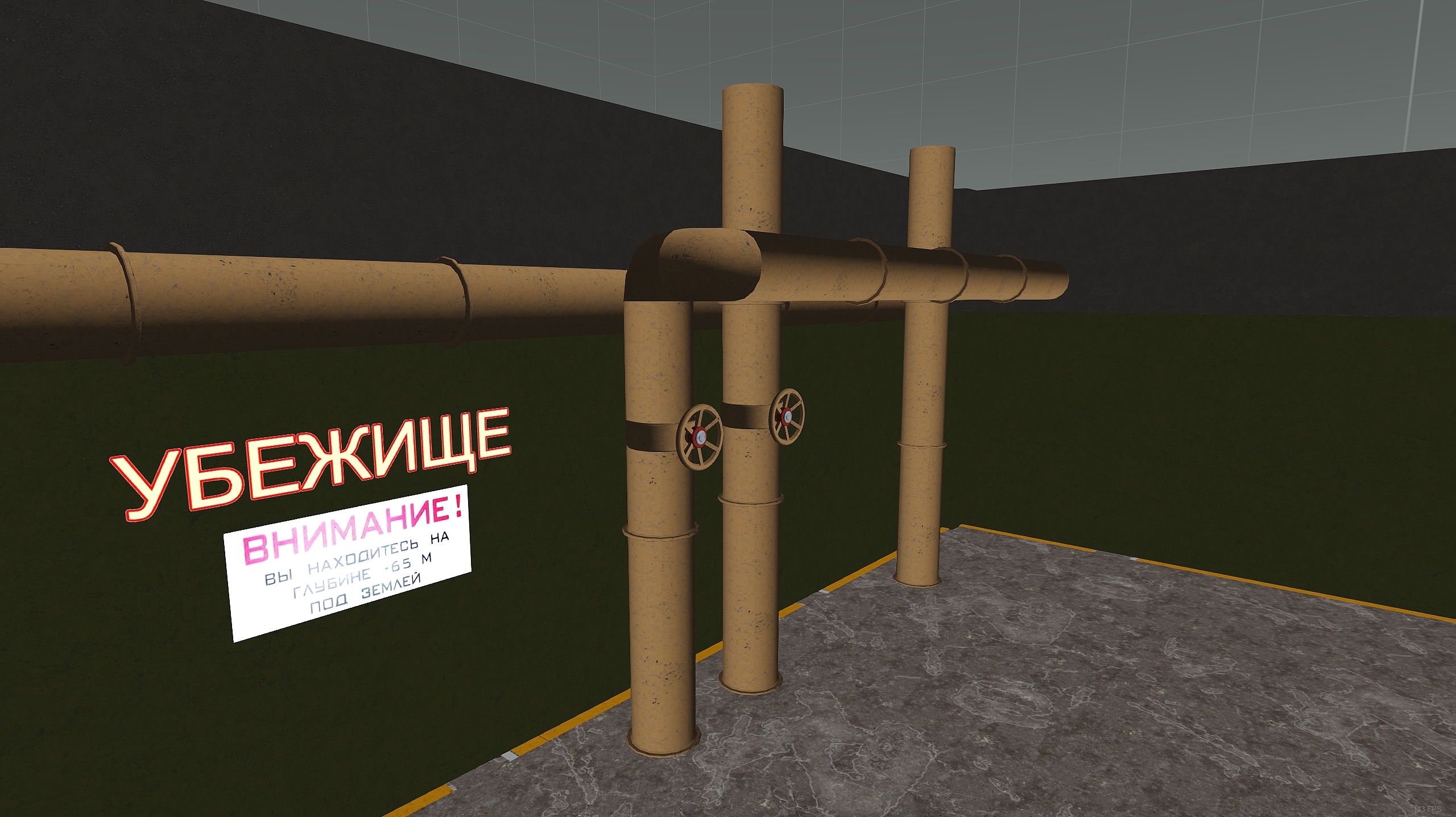
Having an odd issue with a model ingame.
Checked the smoothing groups and normals and it appears fine.
https://i.gyazo.com/10a8a41cd2490c31b8e531ad91cd0f1f.jpg
Any ideas what could be going on?
Rvmat removed on the tan pipes: https://gyazo.com/955843a7c0cf3498302b89b329d29dc5
No showvolume.
GeoLOD has following properties.
https://gyazo.com/9276f682bd8565c02d74fbf94f1ff63c
 runic plover
You tried F5 (recalculate normals) while you selected whole model in OB?
late root
I will do so now
runic plover
You can check it in Bulldozer too
late root
Does not appear to fix it
runic plover
For me it looks like faces are turned inside in the last part to the right
late root
Hmm nope no inside out faces
runic plover
Have you also checked structure / topology / find nonclosed if there is a error
late root
I have, faces that have been deleted are all back faces. So naturally they flag
going to try reset xform in max and see if that fixes a plausible export gremlin
runic plover
How is it showing in the bulldozer / OB viewer
stuck oyster
do they have normalmaps?
late root
They no, I tried removing the rvmat and had the same issue
late root
as a test I told it to smooth everything in OB
stuck oyster
did that do anything?
late root
Nope
stuck oyster
if you turn everything to sharp edges does that do anything?
late root

 stuck oyster
what format were they imported in?
late root
Fbx
stuck oyster
for comparison you could try bring it in as obj
just to see if theres ant difference
but something very funky is going on with it
 woeful viper
if you used max for modelling - every time i get poopy normals (usually thats already visible in max), i create a box primitive, convert it to editable mesh (not editable poly). Then i attach the mesh with poopy normals to the box. Convert to editable poly and delete the box. Normals are "reset" to default by that.
 mint socket
https://www.youtube.com/watch?v=izsHqPugtAU&t=29s . Im hoping to see this creator get popular and get support releasing this if they want it. so I thought Id post this here because this submarine is sickkkk!!!
stuck oyster
oh have not heard from cervantes since some time
mint socket
stuck oyster
oh have not heard from cervantes since some time
so you know of him?
stuck oyster
yes we discussed the optical camoflage stuff you see on the video some time ago
mint socket
I see. well we must get in touch with this man
mint socket
those subs he was displaying a year ago got me excited. yeah Ive tried the youtube comments... nothin yet
and bi forums
stuck oyster
ah too bad.
mint socket
well maybe it will be released when its done
 analog swallow
So my old buddy gave me a small mod that has placeable asphalt in it, I have since edited the PAA file in photoshop to make the placeable asphalt smaller. Now I am in the predicimate on how I would even get this back in the game so I could place it in eden?
 vital geyser
you wouldnt use asphalt to make it smaller
you would scale down the p3d
then pack with pbo project
 round bloom
If I want to essentially give a user action to attach a player to a model (chair) inside a building, whats the easiest way to do so? Should it technically be set up like a car with seats or just mem points & an attachTo?
stuck oyster
attachto/setpos/switchmove maybe.
more a #arma3_scripting or #arma3_scenario thing though
unless you are also making the chair
 civic forge
Hi all, what can i do to fix this weird shadow stuff https://imgur.com/n182EZ1 ?
stuck oyster
probably need to make sure your shadowlod does not poke out of tour mesh
woeful viper
has anyone experimented with making everything on characters (and hand weapons) soft shadows? I'm just tired of the stupid shadow LOD poking through clothing - esp. if you have parts that have really low thickness to them (like a coat/ skirt type of thing)
 polar fiber
I think S&S uses soft shadows
There's also some backpacks in CSLA that have them, but dunno if it's intentional
Personally I find them way too fuzzy for Character equipment
stuck oyster
I think some things did not work right with them and characters
I'll try to dig up what the issue was.
vital geyser
round bloom
If I want to essentially give a user action to attach a player to a model (chair...
Easiest way would be to make it its own object and add a script on it so you can easily have lots of them, pretty sure arma already has a script for it somwhere. ask in #arma3_scripting
runic plover
@stuck oyster if you mean visualex, in view pilot you dont see the shadow
stuck oyster
👍
 merry gorge
is it possible to unwrap a face inside object builder?
woeful viper
🟦 face or 😙 face? if its the later... you might as well drink dishwasher soap or something... its equal torture. (for real: dont drink dishwasher soap... its actual torture).
merry gorge
yeah it looks like the best option is to just go in and out of blender
for context, adding a face to the bottom of like 20+ walls for wall damage simulation
currently faceless 🙃
which is an issue ofc, doesn't look good
tried for a long time to have the wall crumble with damage building, similar to the CUP mud wall
stuck oyster
I've been thinking if walls would look better with ruins model instead of tipping over
but for that it might need more demanding simulation type
merry gorge
well for us the wall was getting destroyed, spawning the ruin model
but the wall would remain in place with no geometry
so the issue was not being able to get the wall to actually disappear after being destroyed
for whatever reason
stuck oyster
likely the destruction type and destructioneffect stuff were not all kosher
I've noticed its very easy to break them xD
woeful viper
if the ruin has rubble pile with collision ... i can sense an orbital launch pad for vehicles
stuck oyster
yeah thats true
merry gorge
thats also what we considered
was just another reason to revert back to default wall sim
 white jay
I noticed alot of vanilla trees and bushes have cricket sounds attached to them
Any idea how they do that?
I plan on using unique cricket and bird sounds for my vegetarian
stuck oyster
there are memorypoints in the objects that ambient sounds system finds and plays sounds on
white jay
is it possible to have a objects swing on a single axis being effected by wind?
like a sign chained to a roof or a swing set?
white jay
Ah
 devout heron
Is there not a channel for static objects such as buildings or is it basically the same and you just need to modify the config file?
stuck oyster
they are pretty much the same yes
no point on splitting channels by every type of thing one can make
devout heron
ok got it, just wanted to be sure... so I guess the thing to do is unpack a building and see the config file looks
stuck oyster
there is one in the arma 3 samples
devout heron
oh ok thx!
didn't get that far yet loll
spent two weeks learning blender who knows if I'll actually get anything in game or not loll
stuck oyster
start with something simple
devout heron
yeah I just did a cube and get it into ob
stuck oyster

devout heron
If I could figure out terrain making, I think I might be able to get this, only thing is theres no walkthrough like pmc
🙂
stuck oyster
the information is more spread around
devout heron
ok cool yeah I think I get the general idea, like you're compiling same way you did in terrain, etc.
stuck oyster
but also its not as straight forward as there are a lot more variations on what you can make
yes all mod things are build from same basic blocks
devout heron
yep just been getting these peeps off my back they all want free map work for their unit lol
stuck oyster
yeah everyone always wants stuff
devout heron
I just directing them to creators channel now so I don't even chat them anymore
woeful viper
hmmm... i have some door animation on my structure (class name Land_H_Bunker_c17, inheriting from Strategic). But the animation is instant, instead of smooth if i use an animateSource script command. Same command on a vanilla house leads to smooth transtion of door (so its not the script command).
What could the cause be? Some flag i'm missing in geo or something?
stuck oyster
check its simulation type
woeful viper
editor
stuck oyster
then only config should apply
woeful viper
simulation="house"
stuck oyster
whats the animperiod set in the animationSource
woeful viper
1
stuck oyster
could be worth to try inherit from house_f
woeful viper
pffff derpaderp, i have config and model in seperate pbo and i was constantly packing the model, but not the config
guess the animationsource didnt exist in config (only in model.cfg) -> instant transition
analog swallow
Anyone happen to still have Arma Toolbox from armaholic for blender? If so could you send it to me please (=
stuck oyster
its latest version is on github
analog swallow
Ah thank you (=
 turbid cove
!purgeban @foggy urchin 0 3D assets piracy
 high scarabBOT
turbid cove
!purgeban <@459958672701915158> 0 3D assets piracy
high scarabBOT
turbid cove
!purgeban <@459958672701915158> 0 3D assets piracy
*PewPewPew!!*
RIP @foggy urchin
frosty rain

turbid cove
¯\_(ツ)_/¯
 near pawn
@turbid cove Whoa guy, I was working with Mike on our Vietnam asset project, he got permission from a rs2 dev to use the dead body assets from the game.
 orchid spruce
how did you get that kind of permission?
turbid cove
near pawn
<@!137855151120711680> Whoa guy, I was working with Mike on our Vietnam asset pr...
"from a rs2 dev" does not stand; it must come from the rights holder.
Please send evidence in DMs and the ban is lifted
woeful viper
@bold flare would it be possible to give RPT warning messages in arma3_diag.exe when a selection or memorypoint position is not found and defaults to 0/0/0 ?
white jay
I don't really know what channel this should be in but is some kind of tracking mod feasible for arma 3? As making it more obvious where players have been with 'better' footsteps, foliage displacement etc
stuck oyster
with lots of custom objects if you want proper visual clues
 bold flare
woeful viper
<@!90532520101183488> would it be possible to give RPT warning messages in arma...
bold flare
woeful viper
<@!90532520101183488> would it be possible to give RPT warning messages in arma...
in what context?
Something from config, script command, magic ?
white jay
Hey so does anyone know how to put a turret view on a UAV i am making?
i already have the model and i coded everything for it to fly and control view but i just can't get the turret view
can anyone help by commenting a website used for making turret views for UAVs
white jay
stuck oyster
with lots of custom objects if you want proper visual clues
what would you advise me to learn in order to make such a thing?
stuck oyster
Blender possibly. There are no exact guides for this kind od things.
woeful viper
bold flare
in what context?
Something from config, script command, magic ?
I was thinking whenever the model is loaded for first time ingame and a designated selection or memorypoint specified in the config /model.cfg doesnt exist, it would be a very helpful info to have which name wasnt found for which parameter.
especially for some more obscure memorypoints with AI purpose (e.g. bounding point, or aimpoint) it can remain undetected for very long time, as that is not quite as obvious, as a turret rotating into space because of incorrect rotation center
bold flare
there are many places where memory points can be read
adding it to all of them is probably too much work and you probably don't even need it
woeful viper
i was hoping/thinking that there is some internal method that reads the p3d returns the position, and then if no position is found returns 0/0/0, and in that case could have given a blurb in rpt
i guess thats not the case then
stuck oyster
engine expected memorypoints VS memorypoints in p3d
if expected memorypoint does not exist in p3d, give a list
so possibly just list of expected memorypoints could be used with the selectionPosition command
 rough idol
wouldn't that spam rpt? Not all memory points are needed after all
stuck oyster
it probably would
woeful viper
yes, but a) its diag.exe and b) there is already lots of spam on startup anyway, esp. when you debug WIP models.
i mean... every single vertex gets one line per wrong UV, or too many bones, or etc etc

 elfin dagger
I'm getting into modeling a gun in blender but what's the recommended vertices count for Arma before things begin to lag out
polar fiber
It shouldn't, if you make proper LODs
elfin dagger
Any specific tutorials or documentation on what an LOD is/how to apply one as someone new to blender
polar fiber
An LOD is a version of the model with less detail to improve performance at distances where it's unnecessary to render the full detailed model. For arma you half the vertex count in each LOD and keep making them until you're below something like 200 verts
woeful viper
10k is an acceptable polygon count for an assault rifle or something similar
ahhh man what a shame....
i wanted to use the property of view cargo LOD of always displaying on top of everything else to make an underground shelter that you can sit in -> a vehicle, where the only visible thing is an access hatch, while several meters below the hatch in cargoLOD only the proxies and interior model is located
But the camera glitches out when inside as passenger and doesnt want to go below terrain level... all plans ruined. Happyness 😐
i could put the cargoLOD into "space" but that would make the bounding box of the vehicle gigantic.
 rocky umbra
How can I create vehicle mods for ARMA 3? What kind of knowledge is required?
 desert notch
rocky umbra
How can I create vehicle mods for ARMA 3? What kind of knowledge is required?
desert notch
rocky umbra
How can I create vehicle mods for ARMA 3? What kind of knowledge is required?
3d Modeling, some sqf knowledge in some cases, config making
rocky umbra
Ok. I don't know anything on that list, which one is the most important?
runic plover
rocky umbra
Ok. I don't know anything on that list, which one is the most important?
All of it 
stuck oyster
Simplest to start from the modeling and texturing
 tight fractal
anyone does have a sample for a prop plane?
tight fractal
what?
frosty rain
tight fractal
what?
Was my bad, had a smooth brain moment
tight fractal
no worries haha
stuck oyster
There is plane sample in the Arma 3 samples on steam.
 woeful tartan
model makers, here you can check how looks central european urban area after being hit by F3 to F4 tornado : #offtopic_arma message
frosty rain
I am having a very weird problem, I am working on a building atm and when I send it to my friend all my emmisive tvs/panels get a staticky effect
Like black lines
On my pc it’s completely fine
 marsh canyon
That's an GPU issue I believe. Nothing to do with your model
marsh canyon
Which GPU you and your friends have?
frosty rain
I have an RX580, let me ask them
marsh canyon
I used to have an AMD then started to use an Nvidia one since the former one is broken, then it starts to happen for me
marsh canyon
IIRC I had RX570 and now GTX 1060 3GB. Sometimes it happens for me also, even on official models
 stuck oyster
@frosty rain what rvmat type do those use?
are there multiple players?
if normal arma stuff work right its just your materails being wonky
frosty rain
ambient[]={1,1,1,1};
diffuse[]={1,1,1,1};
forcedDiffuse[]={0,0,0,1};
emmisive[]={5,5,5,1};
specular[]={1,1,1,1};
specularPower=300;
PixelShaderID="Super";
VertexShaderID="Super";
class Stage1
{
    texture="#(argb,8,8,3)color(0.5,0.5,1,1,NOHQ)";
    uvSource="tex";
    class uvTransform
    {
        aside[]={1,0,0};
        up[]={0,1,0};
        dir[]={0,0,0};
        pos[]={0,0,0};
    };
};
class Stage2
{
    texture="#(argb,8,8,3)color(0.5,0.5,0.5,1,DT)";
    uvSource="tex";
    class uvTransform
    {
        aside[]={1,0,0};
        up[]={0,1,0};
        dir[]={0,0,0};
        pos[]={0,0,0};
    };
};
class Stage3
{
    texture="#(argb,8,8,3)color(0,0,0,0,MC)";
    uvSource="tex";
    class uvTransform
    {
        aside[]={1,0,0};
        up[]={0,1,0};
        dir[]={0,0,0};
        pos[]={0,0,0};
    };
};
class Stage4
{
    texture="#(argb,8,8,3)color(1,1,1,1,AS)";
    uvSource="tex";
    class uvTransform
    {
        aside[]={1,0,0};
        up[]={0,1,0};
        dir[]={0,0,0};
        pos[]={0,0,0};
    };
};
class Stage5
{
    texture="#(argb,8,8,3)color(0.5,0.5,0.5,1,SMDI)";
    uvSource="tex";
    class uvTransform
    {
        aside[]={1,0,0};
        up[]={0,1,0};
        dir[]={0,0,0};
        pos[]={0,0,0};
    };
};
class Stage6
{
    texture="#(ai,64,64,1)fresnel(1.44,4.15)";
    uvSource="tex";
    class uvTransform
    {
        aside[]={1,0,0};
        up[]={0,1,0};
        dir[]={0,0,0};
        pos[]={0,0,0};
    };
};
class Stage7 {
    texture = "Myke_Client5\buildings\lab\data\tex\enviroment\bathroom_co.paa";
    useWorldEnvMap = "false";
    uvSource = "tex";
    class uvTransform {
        aside[] = { 1, 0, 0 };
        up[] = { 0, 1, 0 };
        dir[] = { 0, 0, 1 };
        pos[] = { 0, 0, 0 };
    };
};
Nope, it's in eden
That's how it looks on my pc
frosty rain
stuck oyster
was meant layers
Nope, it’s a single plane, nothing behind it apart from a wall but it’s separated
frosty rain
stuck oyster
do they have same video settings?
Yeah tested it with same video and pp settings
frosty rain
stuck oyster
what does it look like in buldozer?
I’ll test it in a bit but it should look fine on my pc
frosty rain
stuck oyster
are you using filepatching locally?
I’ve got no idea what that is
stuck oyster
then likely not
frosty rain
I’m starting to think it might be the gfx
Since I’m amd and both my friends are NVIDIA
my bulldozer crashes OB when I start it up 😔
might be because it's kinda high poly lol
frosty rain
alright let me explain 
So I am doing a very detailed laboratory with lots of props, it's only going to be put once in the entire map and on a very far away island, i am making each floor it's own p3d so it lods individually, so you're not loading the entire lab if you're on the 3rd floor for example. The only thing is since I am testing atm It's all combined into one p3d for ease of exporting and testing, etc.
But it's like 300k vertices rn 
frosty rain
yeah I am trying quite a bunch of optimization loopholes, the only thing is if it does end up being laggy then I can just start removing props since they're the main source of the high poly count
I was testing yesterday with like 10 people inside it and it was fine, had stable and good framerate, but nobody told me about the static issue
frosty rain
@stuck oyster So a friend of mine was having the same problem on another building but after he disabled AO in the settings it got fixed, do you think this could be rvmat?
The actual tv doesn't have an ao map
frosty rain
Well
stuck oyster
procedural ao is still ao
frosty rain
The problem for some reason was that the textures were placed in photoshop, after I exported them from SP with padding it's fixed
stuck oyster
is it _CA or _CO suffixed?
frosty rain
_CO
stuck oyster
does it have transparency?
frosty rain
at the end yeah but 1 bit transparency would suffice
like the parts of the uvmap that don't have any textures
they are transparent
stuck oyster
do they need to be?
frosty rain
nope, they can be black
stuck oyster
then remove alpha channel
textures that are not supposed to be transparent should have no alpha at all
stuck oyster
👍
I believe what you saw was AO of surfaces beyond the screen shining through due to the engine drawing the solid texture in transparent phase
because of the alpha it had
frosty rain
so could forcenotalpha have possibly been one of the ways to solve the issue? 🤔
stuck oyster
It has its own issues. Alpha should be only on transparent textures
frosty rain
alrighty
 red charm
Hi guys, I've got an error message in the diagnostic exe, that my model is missing the buoyancy type when the vehicle drives into a water. Could anyone advise me, how to fix this problem? https://ksvoboda.cz/projects/t815/20210628190011_1.jpg
woeful viper
do you have a Geometry Buoyancy LOD?
and do you have a buoyancy property in your geo LOD? whats its value?
@red charm do you have canFloat=1 in your config? If yes you should set that to 0 (your truck dont look like it could swim)
 molten fractal
Is there any documentation available for the ArmaToolBox for Blender?
frosty rain
molten fractal
Is there any documentation available for the ArmaToolBox for Blender?
Your best bet is google and bohemia forums
Do you need help with it?
molten fractal
Yeah. How do I set up the hidden selections?
frosty rain
molten fractal
Yeah. How do I set up the hidden selections?
you use vertex groups, when you export as p3d it will make the vertex groups named selections
molten fractal
Ah, gotcha. Got those set up already then.
molten fractal
Alright. I've exported to OB and don't see my model. I see the selections and LODs on the list, as well as the texture paths but I don't see the object itself.
stuck oyster
its probably wrong scale in Blender
as in you have scaled it in Object mode
and not edit mode
and you will need to apply the scale and rotations in object mode so that scale is 1,1,1 and rotation is 0,0,0 and objects center/origin is at world 0,0,0
molten fractal
So, to get it where I want it to be, I have to apply whatever transformations I wish in edit mode?
And not touch them in object mode?
stuck oyster
you need to apply transformations in object mode
no need to do anything in edit mode
molten fractal
I'm not sure I understand. I set the scale to 1,1,1 and rotation to 0,0,0 and origin to world 0,0,0 and now my object is massive and in a weird position.
stuck oyster
I did not mean that
apply transformation is separate tool
Id recommend using google for that
well its apply -> all transforms
molten fractal
That did it. Thanks!
I think I messed something up in my Arma tools configuration some time ago and it's coming back to bite me in the ass.
Are the Arma tools supposed to exist inside my P drive? I set up a P drive separately and it just contains my project files, no bulldozer or anything.
stuck oyster
no they are not supposed to be on P drive
and buldozer should be configured to run from arma3 exes
stuck oyster
sounds like you are not following the common tutorials on how to set up the tools and P drive
molten fractal
Yeah I forgot about that part. I got bulldozer working now.
white jay
Is there a way to render both sides of a 2d plane other than duplicate it and flip normals?
Like some magic backface culling check box I've missed?
frosty rain
Nope
white jay
F
So duplicating faces it is
When I'm making grass objects does it matter if its small chunks or big clusters?
I made a few small clusters like these https://media.discordapp.net/attachments/511405848086446092/856276328557838376/6_grass.PNG
stuck oyster
polycount always matters.
white jay
Each one is like 4-6 planes
stuck oyster
with clutter, less is always better if it still looks good
yeh cant really fo lower than that
white jay
I considered just 2 in a +
But I feel like that'd look terrible
Make for a lower res lod I'll drop to 2 planes
stuck oyster
you can quite easily see how arma clutter is made if you look at it up close
the grass is mostly just crossed planes
white jay
Yeah
From the top it looks bad but it's not often you look straight down at it
As long as it's dense enough
Does grass typically have any other lods? I'm assuming at least 2 visual lods and a view geometry
Not sure what I'd need for the flattening effect when you're prone
frosty rain
white jay
Not sure what I'd need for the flattening effect when you're prone
I believe it’s a named property, but not really sure
frosty rain
white jay
Does grass typically have any other lods? I'm assuming at least 2 visual lods an...
You have memory, fire geo, multiple res lods, geo if it has a root or something i assume
The memory point is for the insect sounds i think
Firegeo is for the shooting thru vegetation sound, not sure if all vegetation has this tho
I’m sure goat can explain better than me 
white jay
I like the idea of the unique insect sounds
stuck oyster
they have reslods but they often cause popping when they switch too aggresively in heavey scenes
white jay
I guess it's about subtlety with the lods
white jay
Huh
I never used eliteness, I'm assuming you can open vanilla objects outside of just the arma 3 samples?
stuck oyster
it shows diagnostics data of p3d
white jay
Ah
 woeful viper
red charm
Hi guys, I've got an error message in the diagnostic exe, that my model is missi...
woeful viper
red charm
Hi guys, I've got an error message in the diagnostic exe, that my model is missi...
@rough idol @halcyon wren would you happen to know what could be the cause? canFloat is 0, no buoyancy property, no buoyancy LOD, he said geo + geophys is validate
polar fiber
Does it have autocenter 0 anywhere in the model? I know that makes for some problems with water interaction
woeful viper
yeah he has autocenter 0
polar fiber
Get rid of it (i.e. make the vehicle have autocenter 1) and see if it changes
rough idol
Buoyancy property needs to be set to 1
woeful viper
even if its not supposed to float?
rough idol
Yes
molten fractal
What are the triangles floating all over the test character in the Arma samples for?
frosty rain
molten fractal
What are the triangles floating all over the test character in the Arma samples ...
They’re proxies
Proxies are a way of putting external p3ds in your model
It’s used for muzzle flash, magazines, etc, etc
 tired coyote
anyone have a weird problem where packing addons with the Addon Builder causes p3d's to be unable to load?
frosty rain
tired coyote
anyone have a weird problem where packing addons with the Addon Builder causes p...
I wouldn’t use addon builder, use pboproject
tired coyote
Ok thanks Ill give it a try!
 stark cairn
Hey, so I've got a model that a friend sent me to import to Arma 3. He sends it as an FBX/OBJ and then I put it into Object Builder to save it as a p3d.
In Arma 3 the size of the object is fine, but for some reason the bounding box is massive compared to the object (object is a handset typically used for connecting to the intercom or a radio backpack).
Where is the bounding box defined? Is it in the model.cfg? Or is it in the model itself? Right now I haven't touched the model.cfg
white jay
Maybe stray vertices floating around
stuck oyster
model itself yeh. Doggo is likely right there. you probably have parts floating somewhere around it
tired coyote
PBOProject seems to be giving me issues on every pack I try to make, it cant pack any pbo (i even tried packing a vanilla addon)
 median bough
read the output log, find the issues, fix them, repeat
tired coyote
but shouldnt it be able to pack a vanilla pbo?
median bough
not really iirc
stuck oyster
nope
repacking pbos is not a thing
packing original content into new pbos, now thats a thing
median bough
which is a violation of the EULA (repacking and releasing a model)
stuck oyster
re textures are not made with repacking pbos
tired coyote
can you read?
median bough
you never repack a model from another source just for a retexture!
you reference it
tired coyote
lol you guys make a lot of assumptions about shit
median bough
not assuming, just telling. i never said you did
tired coyote
working on a project with multiple people, sends me pbo, I test, extract, change, repack, send
median bough
anyway, what's the error you get from pboProject?
tired coyote
then why are you saying it to me?
frosty rain
tired coyote
then why are you saying it to me?
because you said "re-texture projects"
median bough
do you want help, or ride a dead horse?
frosty rain
tired coyote
can I not re-texture my own stuff?
 just tell us the error my friend
median bough
what's the error?
tired coyote
there are some files listed under missing files so Im assuming these are the ones causing the errors?
frosty rain
yes
median bough
exactly. either they are missing, or wrong path
frosty rain
pbo project will nitpick a lot, but it will help you in the long run
median bough
post the "missing file summary" please
tired coyote
rapWarning: missing file(s)*****
C:\Users\Me\Documents\Arma Editing\Vehicles\planes\Armored\planes\Planes\606t\data\606tinterior_02.rvmat circa Line 12: Armored\planes\Planes\606t\data\606tinterior_02_ti.paa
C:\Users\Me\Documents\Arma Editing\Vehicles\planes\Armored\planes\Planes\606t\data\606tinterior_02.rvmat circa Line 24: Armored\planes\Planes\606t\data\606tinterior_02_nohq.paa
C:\Users\Me\Documents\Arma Editing\Vehicles\planes\Armored\planes\Planes\606t\data\606tinterior_02.rvmat circa Line 60: Armored\planes\Planes\606t\data\606tinterior_02_as.paa
C:\Users\Me\Documents\Arma Editing\Vehicles\planes\Armored\planes\Planes\606t\data\606tinterior_02.rvmat circa Line 72: Armored\planes\Planes\606t\data\606tinterior_02_smdi.paa
C:\Users\Me\Documents\Arma Editing\Vehicles\planes\Armored\planes\Planes\606t\data\606tinterior_02.rvmat circa Line 89: a3\data_f\etv_co.paa
rapWarning: missing file(s)*****
median bough
your first issue:
no p drive
tired coyote
sorry for getting all defensive to, I just really dont like people assuming or indicating that Im doing something bad
ok thanks I got my P drive setup afterwards, should I move the stuff there?
median bough
yes. use a folderstructure as follows:
p:\<your_mod_prefix>\prefix_addonname\vehiclename\config.cpp
example:
p:\cup\cup_airvehicles\vehiclename\config.cpp
in your case:
p:\<your_mod_prefix>\prefix_planes\606t\config.cpp
rule #1 when editing paths: NEVER include the drive letter!
paths will then be like:
<your_mod_prefix>\prefix_planes\606t\data\image.paa
in some cases (i can't remember which) you need to start the path with a leading \
tired coyote
Ok thanks so much! Ill give that a shot
median bough
👍
stark cairn
stark cairn
Hey, so I've got a model that a friend sent me to import to Arma 3. He sends it ...
I can't find any errant vertices in Object Builder... this is annoying
stuck oyster
what type of object is it?
stark cairn
How do you mean? It's a model of a handset. Has 714 vertices, currently in p3d format
And looks like that
I select the object, then invert selection and nothing is selected
stuck oyster
config wise
what is it configured as
as you meantioned its bounding box is big
is it item?
red charm
rough idol
Buoyancy property needs to be set to 1
I also tried it with buoyancy 1 with no change. Tonight I will try to set autocenter to 1. I have used autocenter 0 for some reason, but after a break I can't remeber why. 🙄
stuck oyster
vehicles dont work with autocenter 0 from my experience
stark cairn
model.cfg
class CfgSkeletons
{
    class Default
    {
        isDiscrete=1;
        skeletonInherit="";
        skeletonBones[]=
        {
            "bspeaker",
            ""
        };
    };
    class TFAR_handset_Skeleton: Default
    {
    };
};
class CfgModels
{
    class Default
    {
        sectionsInherit="";
        sections[]={};
        skeletonName="";
    };
    class TFAR_handset: Default
    {
        skeletonName="TFAR_handset_Skeleton";
    };
};
CfgVehicles.hpp
class Item_TFAR_handset : Item_Base_F {
    scope = PUBLIC;
    scopeCurator = PUBLIC;
    displayName = CSTRING(Handset);
    author = "Arend, Gary Sinise";
    vehicleClass = "Items";
    class TransportItems {
        MACRO_ADDITEM(TFAR_Handset,1);
    };
};
CfgWeapons.hpp
class ItemWatch;
class TFAR_handset: ItemWatch {
    author = "Arend, Gary Sinise";
    displayName = CSTRING(Handset);
    descriptionShort = CSTRING(Handset_Desc);
    scope = PUBLIC;
    scopeCurator = PUBLIC;
    // picture = QPATHTOF(microdagr\ui\microdagr_icon.paa);
    model = QPATHTOF(handset\data\TFAR_handset);
};
Honestly, I've never done modelling before so this is all new to me. Thus, I've just copied the configs from the TFAR handhelds addon, since I'm working on a contribution to TFAR
stark cairn
stuck oyster
as you meantioned its bounding box is big
^^
polar fiber
Bounding box size in the editor is likely from the container. Not the item itself
Most magazines and items in the editor have a big bounding box from the cfgvehicles container
stark cairn
Alriiight so. In that case.............. don't register it as an item within the TransportItems of the class in CfgVehicles?
Surely I need to have some kind of entry in CfgVehicles though?
polar fiber
Well if you want it placeable in eden, yes you do
stark cairn
I actually don't
I just want to have this thing spawnable by script
But I assume the same would apply
polar fiber
Then you don’t need cfg vehicles
stark cairn
Hang on, can't I just use the model and make a Vehicle instead of a Weapon? I won't ever need to actually have a character interact with it
polar fiber
If you just want it scripted you don’t even need that afaik. You can create simpleobjects just with a p3d path
Having it as a cfg weapons class makes it able to be carried in inventory
stark cairn
Ah, ok. So where do I tell it what texture to apply? Because right now it's just a white object, and I want it to be black
I thought that had to be done in CfgX
So, that, and I would also like to set a "selection". Essentially, that handset needs to have a rope attached to it. It would be awesome if I could define a "selection" to be the bottom part of it.
I thought I had created a selection bspeaker (see model.cfg). I made this using Object Builder, so I assumed that Object Builder would export the model correctly so that this selection would work... but when I tried to attach the rope to that selection, it didn't work as expected.
I now realise that this may have been because I'm attaching it to the CfgVehicles entry actually.... hang on
polar fiber
You assign textures in the p3d model. The config stuff is just for retexturing
Not really sure how rope attachment works but I imagine it looks for memory LOD points, not polygon selections
stark cairn
In Object Builder?
bold flare
yes
frosty rain
stark cairn
In Object Builder?
You can also do it in blender, prob easier
 buoyant nebula
Hey, would someone be able to tell me what the BubblesDir and BubblesEffect vertex groups do in the Memory LOD of a base arma character?
frosty rain
buoyant nebula
Hey, would someone be able to tell me what the BubblesDir and BubblesEffect vert...
My best guess would be when underwater your character releases bubbles and that defines where from and where to
I’ve never done a character so idk tho
buoyant nebula
frosty rain
My best guess would be when underwater your character releases bubbles and that ...
That'd make sense seeing as those vertex groups are attached to the head vertex group
stuck oyster
that would be it yes
stark cairn
bold flare
yes
http://prntscr.com/17oz87c I see nooothing?
frosty rain
stark cairn
http://prntscr.com/17oz87c I see nooothing?
Point = vertex
stark cairn
Alright, I click on that and nothing happens. I did just notice that then I select a single vertices, it seems there are two selections for me in the editor, a subset of vertices don't get selected with the rest of the model. Would these selections carry across to Arma?
stuck oyster
Perhaps pictures would help to explain what you are experiencing
 worn flax
Hello, for the same config file, I have several trucks (8 wheels) which work very well but this one (12 wheels) brakes on its own from 93 km/h to 62 Km/h https://youtu.be/K59wU49_z9M I can't find where the error can come from.
stuck oyster
are their configs the same?
have you adjusted the 12wheelers physX settings to match the different set of wheels?
worn flax
class Wheels : Wheels {
            class LM:LM{
                sprungMass = 550;
            };
            class RM:RM{
                sprungMass = 550;};
            class LB:LB{
                sprungMass = 550;
            };
            class RB:RB{
                sprungMass = 550;
            };
            class LF:LF{};
            class LF2:LF2{};
            class RF:RF{};
            class RF2:RF2{};
            class LM2 : LM {
                sprungMass = 550;
                boneName = "wheel_1_5_damper";
                center = "wheel_1_5_axis";
                boundary = "wheel_1_5_bound";
                suspForceAppPointOffset = "wheel_1_5_axis";
                tireForceAppPointOffset = "wheel_1_5_axis";
            };

            class RM2 : RM {
                sprungMass = 550;
                boneName = "wheel_2_5_damper";
                center = "wheel_2_5_axis";
                boundary = "wheel_2_5_bound";
                suspForceAppPointOffset = "wheel_2_5_axis";
                tireForceAppPointOffset = "wheel_2_5_axis";
            };

            class LB2 : LB {
                sprungMass = 550;
                boneName = "wheel_1_6_damper";
                center = "wheel_1_6_axis";
                boundary = "wheel_1_6_bound";
                suspForceAppPointOffset = "wheel_1_6_axis";
                tireForceAppPointOffset = "wheel_1_6_axis";
            };

            class RB2 : RB {
                sprungMass = 550;
                boneName = "wheel_2_6_damper";
                center = "wheel_2_6_axis";
                boundary = "wheel_2_6_bound";
                suspForceAppPointOffset = "wheel_2_6_axis";
                tireForceAppPointOffset = "wheel_2_6_axis";
            };
        };
this does not really say much to me since these all depend on many other things
but I assume the answer to the question is "yes"
worn flax
yes, and the first 8 wheels are inherited from the 8-wheel trucks that work
the first one for exemple
class Wheels {
            class LF {
                boneName = "wheel_1_1_damper";
                steering = 1;
                side = "left";
                center = "wheel_1_1_axis";
                boundary = "wheel_1_1_bound";
                mass = 30;
                MOI = 12.3;
                maxBrakeTorque = 15000;
                maxHandBrakeTorque = 0;
                suspTravelDirection[] = {0, -1, 0};
                suspForceAppPointOffset = "wheel_1_1_axis";
                tireForceAppPointOffset = "wheel_1_1_axis";
                maxCompression = 0.15;
                mMaxDroop = 0.15;
                sprungMass = 1200;
                springStrength = 48781;
                springDamperRate = 12724;
                longitudinalStiffnessPerUnitGravity = 4800;
                latStiffX = 25;
                latStiffY = 220;
                frictionVsSlipGraph[] = {{0, 1}, {0.5, 1}, {1, 1}};
            };
and what is it you try to do with this selection?
red charm
stuck oyster
vehicles dont work with autocenter 0 from my experience
Autocenter 1 solved the problem. Now I don't get the error message, but my vehicle is floating when I drive it into a deep water. Config canFloat is 0.
https://ksvoboda.cz/projects/t815/20210630204355_1.jpg
stuck oyster
do you still have the boyancy lod?
also what is the water leakiness value of it
as that afffects how fast it "fills with water" and sinks
red charm
I don't have the buoyancy LOD. waterLeakiness = 10;
stuck oyster
does it just float or does it sink in time?
red charm
it floats only
stark cairn
I'm wondering if I can make that the LOD or something. http://prntscr.com/17p4n3s
stuck oyster
which lod?
memory?
as in you want that selection as memorypoint with named selection?
so what you can do is you can copy those selected verticles with crtl C and create a new lod in the lod list and make it a memorylod
and then paste the copied points in to the empty memory lod
then you can hid D to merge them into single point
and then create a named selection of the name you want to have
 full bridge
Hey guys I m new here so look after me
I just started modding by porting arma 2 content into arma 3
I ran into an issue, my weapon model has weird shine on one side but other side is fine
stuck oyster
wheres the arma 2 content from?
full bridge
Old mod which I had before armaholic went down
stuck oyster
those models are off limits unless you have a permission from their original author
this is after all model_makers, not model_takers
full bridge
Its was an open mod with unbinarised files and the author allowed it's use
How do u think I was able to edit p3d file if it was binarised




 full bridge
I m being honest with u I just need a little help that's all plus this Is for my personal use
It's going be a private mod
polar fiber
red charm
I don't have the buoyancy LOD. waterLeakiness = 10;
Make a simple buoyancy LOD with less volume but similar surface area to your geometry LOD. A rectangular box that is long and wide as your truck, but only as tall as the bed of the truck, should be enough
full bridge
Does anyone know what might be causing a weird shine on one side of my weapon model
polar fiber
On one side? Normal map probably isn't properly formatted
full bridge
I renamed it after
polar fiber
Gotta name them right before converting. The suffix is used for encoding the .paa format
full bridge
I converted them using tex view and named them properly
I think my substance painter has some issue
Do u know the export settings for arma 3
 deft heron
Hey guys I made this table and I havent put a shadow lod on it yet it has got a shadow. Whats happening?
stuck oyster
no shadowlod = it draws shadow buffer shadow from the resolution lod
deft heron
Marvel at how there is no "no shadowlod ="
@stuck oyster
Yet it has shadows. I seems to remeber that objects under a certain poly count could do this. However its pretty high poly count so unless La Bohem have changes it . I dont really understand.
Im sure its not optimal though.
Unless of course it just does it with out the property values being entered, is this the case @stuck oyster
stuck oyster
there is default shadow buffer draw and there is the sbSource = visualEx
which would be better to use
deft heron
Ah that makes sense. Why do people literally enter the text into the properties for the no shadowlod = ? also what does sbSource = visualEx actually relate to mate? What is sb and Ex?
Hhhmn interesting . So how optimal is that method in comparison to a shadow lod model. I guess it still has to be an immovable object to ustilise this technique. Right? @stuck oyster Also sorry to keep bothering you buddy . I know you are always busy.😉
stuck oyster
visualEx is the best perfroming shadow draw method. but it produces soft edged shadow instead of sharp and it also does not work in all situations
deft heron
Nice. Accurate answer as always Mr Goat thank you.
stuck oyster
theres more about the stuff in the wiki
woeful viper
deft heron
https://imgur.com/a/qBy9niw
is that layout made according to feng shui?
full bridge
How can I make rail system visible only when I apply scope attachments
 small olive
full bridge
How can I make rail system visible only when I apply scope attachments
small olive
full bridge
How can I make rail system visible only when I apply scope attachments
use "hasOptics" as a source, also use hide animation and unHideValue, hideValue parameters in your model.cfg of your weapon
small olive
yes but arma 3 samples' weapon has a animation for folding ironsights when has optics
so you can copy and change the animation as a hiding unhiding one checkout: https://community.bistudio.com/wiki/Model_Config
full bridge
Thanks emre
small olive
also don't forget to define your selection in that animation on selection="yourrailselectionname";
full bridge
small olive
also don't forget to define your selection in that animation on selection="yourr...
Got it
Thanks again
👍👍
elfin dagger
So my model is currently 36k Verts and 36k Faces I assume this is too much to import into Arma 3?
Also after toying around with the Bulldozer and Arma 3 Toolbox I've been able to export my model as a .p3d file but I can't open it in the Objectbuilder and this is my only error that pops up. Any solution?
https://gyazo.com/5bbf6e66b4ce062e3dc6c9bf586dbf1a
stark cairn
polar fiber
If you just want it scripted you don’t even need that afaik. You can create simp...
So I try this and it doesn't show, plus I try adding it to Zeus and nothing shows?
frosty rain
elfin dagger
So my model is currently 36k Verts and 36k Faces I assume this is too much to im...
That is completely fine
Can you try triangulating and exporting again?
marsh canyon
If it is 0kb, make sure you checked the property. I don't remember what it says tho
elfin dagger
Sorry for my lack of knowledge but how would I go about triangulating a model? I've also selected the 'Arma Object Properties' for all parts in my model setting them to Resolution 1.00 if that helps explain my situation.
marsh canyon
If you're using Blender 2.8+, you can search the command by "triangulate"
Oh what, every model is a Res 1.00?
frosty rain
elfin dagger
Sorry for my lack of knowledge but how would I go about triangulating a model? I...
You need to join them i believe
I don’t think you can export it separate like that
So join them into one object and export
marsh canyon
If you meant to export them into separated LOD, don't
elfin dagger
Hmm it also looks like I'm getting an n gon error with some of my parts after I've joined them together to test with a separate saved version. Does .p3d not handle or allow for n gons in Cylinders and such?
marsh canyon
I believe no
You can only make it n <= 4
But sometimes 4 makes an issue so triangles are always preferred
elfin dagger
So after triangulating everything I'm able to export it with or without joining all the parts together. I still can't open it in the Objectbuilder though.
marsh canyon
Make sure it isn't 0kb
elfin dagger
It is indeed 0kb. I can assume there is some fix for that
marsh canyon
Check Arma Object Properties
It defines the current selected Blender object is included to the p3d as an LOD
elfin dagger
Success, now I have to unflip this and learn how to use it
https://gyazo.com/1310238b6ed1f332498be47d5d07163b
marsh canyon
Arma ToolBox doesn't consider the object's orients but the mesh's (weird but keep it mind the difference of two)
So, the change in Object mode never considered
stark cairn
So, when you set a texture in Object Builder, is that texture baked into the p3d, or do I need to keep the texture file in the same place?
frosty rain
elfin dagger
Success, now I have to unflip this and learn how to use it
https://gyazo.com/131...
do CTRL + A Apply all transforms, this will apply all changes you made in Object Mode, also that looks pretty big lol
frosty rain
stark cairn
So, when you set a texture in Object Builder, is that texture baked into the p3d...
You need the texture file in the same place, you're just setting the path
stark cairn
Alright cool, thanks for the help guys! Model is working perfectly fine now
stuck oyster
You can reference example file and folder structure from the unpacked A3 data on your P drive.
 jade flare
How do i get a model out of Blender to P3D all the video tutorials are old
frosty rain
Install arma toolbox for blender and export as p3d
You can also export as fbx and some other file formats then in object builder import as fbx, etc
But i’d recommend arma toolbox
jade flare
Cool, so I used toolbox can see my object in object builder whats the next step?
(sorry super new to modding for Arma 3)
(I know i need LODs and Geo)
But like once i set them up? then its engine ready?
stuck oyster
depends what it is. It will need configs for it to load in game and have animated parts if its that kind of thing
jade flare
its a bearskin hat, but im not at the config stage
i need to know what to do with the model, so LODs and Geo? then its engine ready? once i make configs for it?
stuck oyster
there are sample models on steam you can check for reference
jade flare
FHQhieghts error?
stuck oyster
probably not the correct part of the error that has any menaning
frosty rain
Make sure your model is triangulated and your geometry has mass
frosty rain
You need to assign mass to geometry for it to export in toolbox
frosty rain
jade flare
like weight painted?
Not really
jade flare
I did custom then in object builder set the custom lod to geo?
frosty rain
Let’s start from the beggining, what are you trying to export and what lods do you have
frosty rain
Is it a static object?
frosty rain
jade flare
id post images but pretty sure you cant
Imgur
jade flare
its annoying tho even tho discord support images
frosty rain
Then you’d have people spamming channels, etc, prob why we can’t post them
stuck oyster
had you checked the samples, geometry lod is empty for hats
jade flare
ah it had like just a dot so thought it was a bad import
at 1k tris do i need to do LODs?
jade flare
2 at how many tris would you suggest?
frosty rain
More than that is kinda pointless
frosty rain
jade flare
2 at how many tris would you suggest?
For lods you want to have roughly half the vertice count
Each lod
So 1k-500-250
jade flare
man if i crush this to 500 may make holes, ill see
stuck oyster
there is something wrong with the model if that happens
can you show the wireframe of it?
frosty rain
Also remember to remove sections if you can 
frosty rain
frosty rain
Then you’re fine
jade flare
so do I need Geo or bin it off?
frosty rain
frosty rain
Not sure if it will let you export an empty geo lod, you can just create one in OB and add the named property
jade flare
ah
frosty rain
I think it’s autocenter=0 but don’t remember 100%
frosty rain
jade flare
I have one texture? if thats what you mean?
On the last lod you can probably remove the rvmat, not sure how much more optimized that would be, goat prob knows if it’s worth it
jade flare
do i need to do anything fancy in Object Builder?
frosty rain
Shouldn’t, no
jade flare
sorry for all the newbie questions
frosty rain
Only thing is creating the geo lod and doing the named property
frosty rain
jade flare
sorry for all the newbie questions
We’ve all been there 
jade flare
also i modeled this against the bust(head) from samples
without like making a config anyway to test this in engine?
like making a mission then importing it into eden via console?
stuck oyster
not going to be really useful
frosty rain
To test in game you’ll need to write a config, but i believe you should be able to see it in bulldozer
stuck oyster
👆
frosty rain
On object builder there’s a red icon, that you press play on
jade flare
right then it launches it for you
frosty rain
Yep
jade flare
not bad
so now i got the hat working in OB and Bulldozer its just figure out the config file and then im golden
 inland pawn
Config is relatively easy for simple objects. Shouldn’t be too difficult
jade flare
is there any good sample configs?
stuck oyster
In the Arma 3 samples yea
jade flare
CfgWeapons.Bearskin_BASE: Undefined base class 'H_HelmetB'
marsh canyon
Your config is wrong then
jade flare
what is H_HelmetB from? A3_Data_F?
marsh canyon
It doesn't matter. You didn't declared H_HemletB whatsoever, that's the issue, no matter where it came from
marsh canyon
Who said you're bad? Not you but your work
jade flare
tbh i seems to have an issue with my item display paa file
as i just nabbed one from another mod going to test it then see what happens
okay new issue
median bough
Use pboProject.............
jade flare
i do
look at the image the hat is at the mid section of the player model? is this just a Z height thing?
frosty rain
jade flare
look at the image the hat is at the mid section of the player model? is this jus...
Do you have autocenter=0 on the geometry lod?
jade flare
yeah at 0
frosty rain
Did you do the named selections?
jade flare
unsure what you mean by that still
jade flare
you mean LODNoShadow?
inland pawn
Look at the sample...
inland pawn
Go to vertex groups
frosty rain
You need to do it manually
inland pawn
No, you need to select parts of your model and make them
jade flare
do i need both the Head and camo vertex groups?
inland pawn
Camo is if you want it to be retextureable
frosty rain
Camo is for hiddenselections, retexturing etc
inland pawn
^
jade flare
right then yeah probably
frosty rain
head is just to define it going on well, the head lol
jade flare
okay, next question how does the head vertex group work?
inland pawn
Check the sample and what the head selection is
jade flare
the cap example has the whole hat selected for it's head vertex group
inland pawn
Then do that
stuck oyster
you probably dont have model.cfg set up correctly
 gilded totem
so... this might just be a really easy thing to fix... (or im an idiot... just tell me XD)
so me and some friends have been making a map for some time, and decided to make some custom billboards.... i wanted one that looked "old and torn off" so i made some stuff transparent in the png file hoping the natural "blank" texture of the billboard would show through..... but to my surprise and disappointment i can see right through it haha.... is this even possible? did i do something wrong??
Current status of the board: https://i.imgur.com/XtHrTDK.jpg
 stuck oyster
yeh not possible like that
you would have to have the bilboard texture filing that part
gilded totem
damn... oh well
gilded totem
yea i was hoping it would like overlay in a way
stuck oyster
you should be able to get the texture for editing from the A3 data
stuck oyster
👍
jade flare
so do i need to call the model.cfg in the config.cpp
stuck oyster
no
model.cfg infromation is combined into the p3d when the pbo is binarized
you just have to have correct things in it
and it has to be in correct place
 tepid harbor
Anyone know what causes the issue where a model appears as it's always in a shadow? I remember having it on one of my old models but I forgot what fixed it. Here's what I mean:
This is the model working as it should be: https://media.discordapp.net/attachments/614105853582376960/861340431971254282/unknown.png?width=1202&height=676
This is a variant of the model that has the issue: https://media.discordapp.net/attachments/614105853582376960/861340556688883722/unknown.png?width=1202&height=676

 stuck oyster
broken vertex normals
stuck oyster
for example exported with Armatoolbox p3d export but no o2script path set
tepid harbor
I made the one of the ear pieces on the headset by mirroring the other so I had this issue because I forgot to flip the faces on the mirrored one https://media.discordapp.net/attachments/228954747074379788/861308203492835388/unknown.png?width=1202&height=676

but after fixing that I got the other issue
@stuck oyster Do you know how I might fix the inverted faces (I fixed it by flipping vertex normals) without having the shadow issue?
stuck oyster
do you have o2script setup in the blender addons settings?
tepid harbor
no, I just have Alwarren's Arma toolbox
tepid harbor
Correct me if I'm wrong since I'm relatively new to making Arma assets. O2 is an old tool that's now replaced by the Object Builder?
frosty rain
tepid harbor
Correct me if I'm wrong since I'm relatively new to making Arma assets. O2 is an...
yes, but it needs the 02script.exe path to export correctly
tepid harbor
No, I get that, I was just wondering where I'd find the exe
Thanks for the help, I found the rest of the information in the Arma Toolbox Manual
jade flare
I'm still having issues with the hat not been on head.
https://pastebin.com/jND4M81t - config.cpp
https://pastebin.com/29qhv9Pw - model.cfg
Folder Layout
P:\MALCADORS_FAITHFUL_2
| $PREFIX$
| config.cpp
|
+---Camos
| CAD_Vest_Brown.paa
| FlakVest_M90.paa
| Pink.paa
|
---Headgear
| Bearskin.p3d
|
---Textures
bearskin_display.paa
bear_skin_hat.paa
stuck oyster
still no model.cfg?
stuck oyster
the classname in model.cfg needs to match the p3d name
so bearskin_base -> bearskin
jade flare
oh so its not the class as in the class that it was called in config.cpp
jade flare
tbh, I learn easier from trying failing and asking, i know the old adage of read the docs but i read the docs and still have no clue
stuck oyster
yeh most people say that
its just that those people dont stay to pass on the answers 😅
so after a few 100 times things get a bit more short
jade flare
yeah i get that and you and Myke are legends for helping so many folk
stuck oyster
👌
 slim relic
 stuck oyster
@slim relic ❓ 

slim relic
stuck oyster
<@!320719342373306368> ❓ <:green_question:729821987610034226> <:blue_question:72...
Sorry, this is not to publish images of models in development?
stuck oyster
sure, but since you can only post links, you should explain what you are posting
slim relic
I'm doing a version of flakpanzer roland
a prototype of antiaircraft that was offered in Argentina

I am trying to understand the config to make it work properly but for now I am just finishing the 3d model
slim relic
thanks, textures and RVMATS are costing me a lot, they look weird
 quick terrace
costing?
 subtle bison
out of curiosity - was there anything we could do to make backpacks block bullets?
 mint oar
subtle bison
out of curiosity - was there anything we could do to make backpacks block bullet...
mint oar
subtle bison
out of curiosity - was there anything we could do to make backpacks block bullet...
im pretty sure they do, at least with 3cb you can drop your backpack and hide beneath it
subtle bison
ok but dropping backpack is something completely different :p
marsh canyon
You can probably do a quick test by using an armored vehicle as an backpack
 warm spindle
hello , how many vertices are there usually for a vest ?
warm spindle
thanks
 bleak heart
Where can I find the folder for the Hunter HMG belonging to the coat of arma?
marsh canyon
What exactly do you need?
 little spear
Hi I cant find any tutorial on how to import into arma 3 and how to animate doors, if anyone can help with that?
stuck oyster
for animations there are wiki page called "how to animate a model" and also a page that explains how model.cfg works
for importing, I suppose you could check you el tyranos tutorial series
or read up on the topic at BIforums editing section
runic plover
@little spear
https://forums.bohemia.net/forums/topic/207631-from-blender-to-arma-3-complete-process-tutorial/
10secs to find 🤷♂️🙈
Bohemia Interactive Forums
Hello, As I had many requests, I did this all-in-one tutorial I am sharing today. I hope it will be helpful to you. All important stages are available in videos description. I will try to make more tutorials in the future, so dont hesitate to guide me to parts of the videos that were not explaine...
little spear
i saw this i thought it was outdated
frosty rain
little spear
i saw this i thought it was outdated
Most of the info you'll find is very old, but it mostly still applies
FYI if you're going to do buildings, etc, then I recommend looking at multimats too while you're at it
stuck oyster
Blender ui has changed but other than that the tutorials are still valid
bleak heart
what is this error? https://i.ibb.co/gPPknjN/Ads-z.png
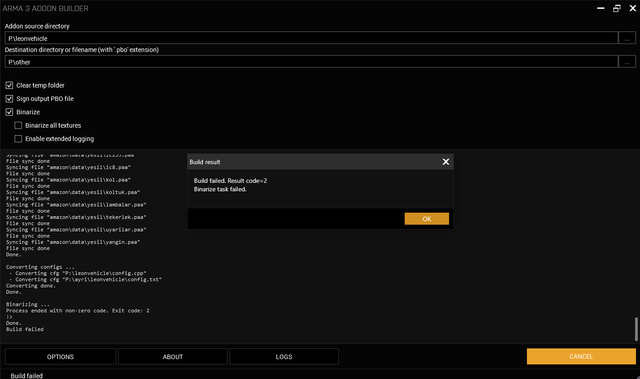 stuck oyster
unknown, but if you can get addon builder to give error it is something seriously wrong
Id recommend using mikeros pboProject as it has more debug information
bleak heart
stuck oyster
unknown, but if you can get addon builder to give error it is something seriousl...
Where can I find the folder for the Hunter HMG belonging to the coat of arma?
 boreal sundial
is there any way to have multiple hiddenSelections on one model?
small olive
@boreal sundial yes you can do that like this, hiddenSelections[]={"a, b"};
hiddenSelectionsTextures[]={"textureA, textureB"};
boreal sundial
small olive
<@!196193658091995136> yes you can do that like this, hiddenSelections[]={"a, b...
im having problems getting them sorted out in the model :/
this is my first model, making a backpack - got it in game with a base texture (No material file yet) so the model works just not the hidden selections
small olive
you need to assign selections on the model for defining where the textures going to applied with hiddenselections
name them as "camo, camo1"
boreal sundial
is that possible to do in blender or do i need to move to Object builder
small olive
yes, you can do it in blender as well
boreal sundial
i have vertex Groups set up as camo and camo1 already
small olive
can you show your config?
boreal sundial
class CfgPatches
{
    class Miitto_New_Backpack
    {
        author="Miitto";
        name="Miitto_TestBackpack";
        units[]={};
        weapons[]={};
        requiredVersion=0.1;
        requiredAddons[]= {
            "A3_Characters_F_BLUFOR",
            "A3_Data_F",
            "A3_Weapons_F",
            "A3_Characters_F",
            "A3_characters_f_exp"
        };
    };
};

class CfgVehicles
{

    class B_Soldier_base_F;
    class B_soldier_NewPack: B_Soldier_base_F
    {
        author = "Splendid Modder";
        scope = 1;
        identityTypes[] =  {"LanguageENG_F","Head_NATO","G_NATO_default"};
        displayName = "Person";
        camouflage = 1.5;
        sensitivity = 2.5;
        model = "Miitto\ReTexture\NewBackpack\Body_1.p3d";
        uniformClass = "MW_UKSF_Uniform_Base_B1";
        backpack = "Miitto_NewBackpack";
        attendant=1;
        hiddenSelections[]=
        {
            "Camo",
            "Camo1",
            "insignia",
            "clan"
        };
        hiddenSelectionsTextures[]=
        {
            "MW_UKSF_Uniform\tx\Crye_g3_Black_co.paa",
            "MW_UKSF_Uniform\tx\Black_co.paa"
        };
        class Wounds
        {
            tex[]={};
            mat[]=
            {
                // Removed to save space
            };
        };
    };

    class ReammoBox;
    class Bag_Base: ReammoBox
    {
        scope = 1;
        class TransportMagazines {};
        class TransportWeapons{};
        isbackpack = 1;
        reversed = 1;
        mapSize = 2;
        vehicleClass = Backpacks;
        allowedSlots[] = {901};
        model = "\a3\weapons_f\ammoboxes\bags\backpack_fast";
        displayName = "Bag";
        picture = "\A3\Weapons_F\Ammoboxes\Bags\data\ui\backpack_CA.paa";
        icon = "iconBackpack";
        transportMaxWeapons = 1;
        transportMaxMagazines = 30;
    };

    class Miitto_NewBackpack: Bag_Base
    {
        scope = 2;
        weaponPoolAvailable = 1;
        displayName = "New Pack";
        picture = "\A3\weapons_f\ammoboxes\bags\data\ui\icon_B_C_Compact_dgtl_ca.paa";
        model = "\Miitto\ReTexture\NewBackpack\backpack.p3d";
        hiddenSelections[] = {"camo", "camo1"};
        hiddenSelectionsTextures[] = {"MW_UKSF_Uniform\tx\marine_kitbag.paa"};
        maximumLoad = 400;
        mass = 15;
    };
};
i have seen something about CfgModels but was using a mod that doesnt use one so not sure i needed one
small olive
you have two camo selections, but you only defined the one texture
hiddenSelections[] = {"camo", "camo1"};
hiddenSelectionsTextures[] = {"MW_UKSF_Uniform\tx\marine_kitbag.paa"};
boreal sundial
didnt do anything even when i had both textures :/
boreal sundial
when i make a selection do i make it as a Vertex group in the 0,1,2 etc, View Pilot or as a completely new object
small olive
in the same object
stuck oyster
bleak heart
Where can I find the folder for the Hunter HMG belonging to the coat of arma?
I dont know what you mean by that
frosty rain
boreal sundial
when i make a selection do i make it as a Vertex group in the 0,1,2 etc, View Pi...
Yes, all lods
boreal sundial
im probably missing something really obvious - ill put up the files onto github if anyone wants to look through
stuck oyster
does your model.cfg for the backpack have the camo sections defined?
boreal sundial
i do not currently have a model.cfg - looked like you didnt need one from the mod i was working off that had 4 sections working
stuck oyster
perhaps it was using a model frome somewhere else
and model.cfg is baked into the models on binarization
so you wont see it in unpacked files
hiddenselections dont work withouth them being defined in the model.cfg
white jay
Not really sure where to ask this but would anyone know how to permanently disable the sound that PboProject makes when you crunch your mod?
I keep going through setup > on completion and it works until I close and reopen pboproject
white jay
huh
stuck oyster
if the settings do not save right, ask Mikero, the maker of the Mikero tools package, for help
stuck oyster
if you need axis then add axis
bleak heart
stuck oyster
if you need axis then add axis
how can I do it?
Is there a forum or something?
bleak heart
I looked but couldn't find anything.
bleak heart
How do I change the MRAP_01_gmg_F outfit to a car model.cfg?
stuck oyster
you cant edit the Arma 3 vehicles
bleak heart
I'm looking for model.cfg for a car I made, but I couldn't find it.
Same logic car as MRAP_01_gmg_F
median bough
model config files (model.cfg) are not available for arma 3 models
bleak heart
is there any online? (except odol)
 raw beacon
Is there a limit to how far away memory points can be inside of a model?
polar fiber
No. Where you place memory points depends on their purpose
Not all mem points do the same thing
raw beacon
Well lets say i wanted an axis like 100m off of the model
Or 1000m
Is there a sizable limit to such things?
frosty rain
If you’re moving geometry/roadway it may stop working when it passes the limit, not sure tho
raw beacon
ya ik that geo stops working like 30-40m out
I was just wondering if it was possible to have a large bounding box before i had to go through and configure a mock vehicle
polar fiber
bounding box can be bigger than the geometry, and mem points can be used to extend the bbox
but it's not clear how extending model bounds beyond the 50-ish meter geometry limit effects simulation
raw beacon
But what if I wanted to keep my geometry well inside the limit and put like an mem point for an action like 1km away
raw beacon
Alrighty
bleak heart
median bough
why would you need an arma 3 model.cfg anyway?
to turn a car
median bough
this makes absolutely no sense
stuck oyster
arma 3 samples on steam has example model.cfg
all model.cfgs are unique to a vehicle, so copying them will not work properly
bleak heart
yes there is but my car is military and the gun on top of it should work.
stuck oyster
it wont as copying it means you dont understand how it works
you will need to learn to understand how it works
 livid kelp
Sorry for pulling out such an old comment.
I'm running currently into the same problem.
The AI is opening the door but dose not wait for it to be fully opened.
What was your solution for it ?
 fervent steppe
Tbh I forget it was so long ago. Try adjusting the location of the memory points.
livid kelp
can anyone else help me figure out why the ai is not waiting for the animation to be finished?
do you mean Face > Face Properties or E?
stuck oyster
@livid kelp what kind of animation?
livid kelp
door opening
actionBegin1 /actionEnd1 is bound to the paths lod and it works ingame, but the animPeriod is 10 and the ai don't want to wait for it, so he is running through the wall
fervent steppe
If you lower the animperiod does he wait then?
livid kelp
even with a lower animperiod >2 hes not waiting
stuck oyster
I'll check what I did with my big doors. Im pretty sure AI waited for them to open
livid kelp
thanks
white jay
I'm making a bush and I'm not sure what lods to use, so far I got:
2 res lods
An empty geometry lod with the named properties map = bush, class = bush and damage = tent
a geometry physics lod
a land contact lod
and a view geometry lod with a3\vegetation_f_exp\data\foliage_sparse.rvmat as the material
white jay
I guess I'd probably want a fire geometry
stuck oyster
its still selected. viewmode does not matter
if you try to move it you see
OB does not have that kind of thing
you can hide/unhide selected verticles but thats it.
not moving where?
did you read the wiki pages?
so you know that for model.cfg to work the modelcfg class needs to be same name as the p3d

your model name

your classname
yes
are you testing it in buldozer?
use buldozer, much faster to test
is your model.cfg in the same folder as the p3d?
. . .
I see you are not using P drive
I cant help further before you set up your tools and mod development environment correctly
white jay
So I almost got my bush done, I just need to figure out how to make it so that you can walk through it but if a vehicle collides with it then it squishes
I gave it destrType = "DestructTent";
stuck oyster
you can give it a small geometry
that vehicles can bump into
otherwise, not possible
white jay
when you say small like a tiny cube?
stuck oyster
or stick like thingy
white jay
ah
stuck oyster
so that vehicle can collide with it
white jay
should I give it mass?
stuck oyster
if you want it to be collideable
 edgy ledge
Hello, how can I know the p3d model of a character from A3 vanilla?
white jay
so geometry lod is infantry and geometry phys is vehicles and physics props
stuck oyster
white jay
so geometry lod is infantry and geometry phys is vehicles and physics props
could be, goemetry lod defaults as physx lod if physx lod is not defined
I suppose you could try making empry geometry lod and have a blob as physX lod
could work
edgy ledge
class Vlk_FR_supporter : C_man_1 {
author = "Vlk";
scope = 2;
uniformClass = "Vlk_FranceShirt";
** model = "\A3\Characters_F_exp\Civil\C_Tanoan1_F.p3d";**
hiddenSelectionsTextures[] = {"\Vlk_Clothing\Data\France.paa"};
};
I want to know how I can get what is in bold
stuck oyster
you would have to find the models class in the configs
like you have done for the above
edgy ledge
This previous one I have not done it, it was just an example
stuck oyster
you can use the in game config viewer
stuck oyster
yes
edgy ledge
Thanks!!
white jay
"Setup proxies for Pilot, Commander, Gunner and Cargo" (/wiki/Arma_3:_Ships_Config_Guidelines) So it is not necessary to put them also in the geo lods? In some samples it seems to be so 😮
polar fiber
They're needed in fireGeo LOD if you want to be able to shoot and kill occupants. So in some cases they may be in regular geo LODs if they don't have separate, more detailed fireGeo
stuck oyster
model mass is defined by geometry lod in the model. there is a "mass" dialog in OB. Also could be you dont have correct memorypoints for the physX wheels
or your physX parameters dont fit your vehicle
bleak heart
I didn't put physX.hpp, I guess it could be because of that.
 coral sparrow
bleak heart
I didn't put physX.hpp, I guess it could be because of that.
coral sparrow
bleak heart
I didn't put physX.hpp, I guess it could be because of that.
you also have wheels classes with center and boundary on your config.cpp and many others properties .. so consider that @stuck oyster response is ok 🙂
take a look on this page https://community.bistudio.com/wiki/Arma_3:_Cars_Config_Guidelines
and set on geometry lod of your vehicle the mass . pay attention to mass distribution
bleak heart
thanks looks like it will be good for mass
red charm
Hi guys, I still try to figure out what causes my problem of floating vehicle in water. My vehicle doesn't sink even if I use the same named properties as vanilla vehicles.
I have noticed, that vanilla vehicles have the cross sign of the center of mass in the Geo Phys LOD? May it have some effect? Why my vehicle does not have this cross in the Geo Phys LOD?
stuck oyster
the cross does not show in DX draw mode
but if you dont have it in the non DX mode, then that is alarming
has your geometry lod any mass?
as the blue cross shows the center of mass of the lod
which affects the vehicles handling a lot
red charm
I have it in the Geometry but not in the Geometry Phys, where I have no mass.
molten fractal
What causes the shadow of my backpack object to look like that? My shadow volume is closed and triangulated, and it is also slightly smaller than my object.
https://media.discordapp.net/attachments/729057016588271707/862818599730413594/unknown.png?width=1202&height=676
 stuck oyster
what resolution shadowlod you got in the p3d?
molten fractal
Arma toolbox in blender was set to 1, OB says 1000
stuck oyster
you used wrong shadow in Blender
stencil is the sharp edged shadows at p3d resolution 0-10
polar fiber
red charm
Hi guys, I still try to figure out what causes my problem of floating vehicle in...
Did you try my previous suggestion of making a buoyancy LOD rather than relying on geometry LOD? Think of your geo LOD like a boat - if it's a big volume it's displacing a lot of water with air and your vehicle is floating. So make a buoyancy LOD with less volume
molten fractal
stuck oyster
stencil is the sharp edged shadows at p3d resolution 0-10
so I use stencil shadow instead?
stuck oyster
yes
molten fractal
Awesome, it's working now. Thanks!
red charm
polar fiber
Did you try my previous suggestion of making a buoyancy LOD rather than relying ...
Yes, I tried it. I made a box, long and wide as the truck. The height was as the bed of the truck. Then it's less sunken in water. It's true, that I used lower mass than in the Geometry LOD.
 tender radish
talking about Shadows,
I have a problem using visualex https://i.gyazo.com/c92fc5ed6a034a179f35131ab0973677.png
Is there a way to get rid of those strips without creating a big shadow lod ?
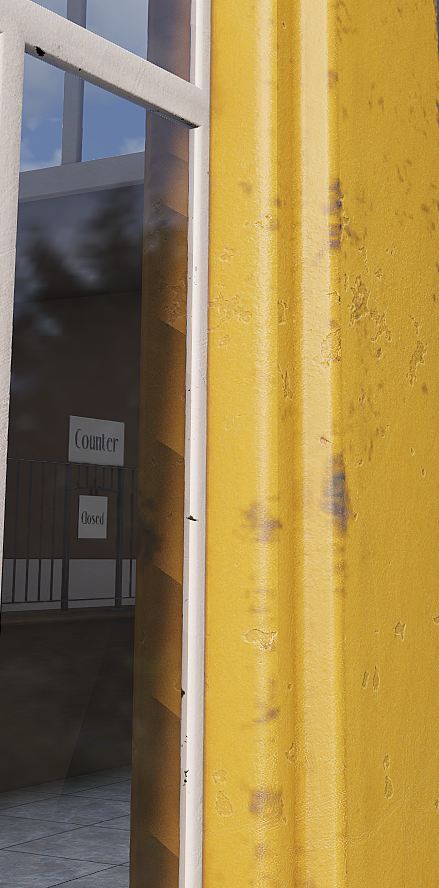 stuck oyster
you can make surfaces slightly uneven perhaps, other than that, no
tender radish
yes, i was thinking about that too, but if there's no other way to fix it, i'll do that, thanks 😄
 halcyon ore
Hi guys. I'm curios how invisible geometry (such as collision, fire geometry, etc) affects on performance? For example, I have broken brick wall with missing bricks in some places. So for the fire geometry I made multiple blocks that corresponds to the shape with missing bricks. In some places there are not one or two such blocks but many. Collision and view geometry is a bit simplified. Should I optimise these geometries or impact on performance is not huge and optimisation is not worth it?
 dusky grotto
dose anyone know what the memory points are called for a fence to use snaping in terrainbuilder?
stuck oyster
theres couple of threads about it on BIforums I recall