#arma3_model
1 messages · Page 103 of 1
 halcyon wren
 bitter turtle
Nope, I'm not using terrainbuilder. What I'm saying is that before the A3 update, I only needed (for example) the half mouse movement distance to rotate the same degrees in OB IDE (not in buldozer) of an object. (Though I don't see how A3 update could modify this behaviour, the only thing I've changed is the A3 update and no settings changed)
 polar fiber
does it speed up if you change the viewport to d3d mode? Some people mentioned that a windows update was making OB's viewport movement very choppy
 swift saddle
Same here since a windows update
bitter turtle
Ok, I see this have been reported here:
https://feedback.bistudio.com/T127168
What a shame..
 foggy finch
yea i reported it in all the usual pieces inc tools discussion thread on the forum, worked fine before windows 10 fc update
 woeful viper
can AI walk reliably from one building directly to the next? (meaning, not walking on "terrain" first). E.g. a a high and long building is split into two shorter models- can AI in the upper floors go directly between both building parts? Or will it fail? How would one set up the AI path?
 wraith tendon
As long as the Path's connect with eachother, i don't see a reason why not
woeful viper
connect how?
wraith tendon
The Path's overlap eachother
 white jay
I would look at the a2 aircraft carrier that is in several pieces and see if its implemented there
 errant pumice
Any ideas what BIS changed in the latest patch? Grrr....
white jay
Not quite where I want it but Im feeling proud of myself for doing this today without looking at any tips or reference material. Still need to get better at this whole texturing thing.
 cinder pivot
@white jay nice work my dude 😄
 mossy oxide
does anybody knows how to hex edit a model to replace a texture file? I want to edit the Xian (CSAT VTOL) to replace the cockpit gauges with english ones. It does not have a texture group for the gauges, so I can't do that via config. I tried hex editing it, but the game completely died when I tried to place the edited model in the editor
 obtuse rain
Mikero's moveobject is designed to do that properly (e.g. it will always work):
(Though if you're using moveobject you generally want to be having a think about if what you're doing with it is within the licence of whatever you're using it on.)
And because it's one of the more advanced tools you might need a subscriber version of Mikero's tools to get it, but I haven't looked at what's in the free tools vs subscriber tools recently.
mossy oxide
Nah, I think I'll pass. While the Xian looks cool the AI is really wonky when using it
halcyon wren
The issue with these skeleton error messages is simple:
Check model.cfg inheritance. See that you have your own unique skeleton class name used
 lusty ginkgo
Does 3ds max not support sharp/smooth edges on models? Everytime I export to or from 3ds using the .3ds format it always removes the edges that I have marked and sets them all to sharp or all to smooth
woeful viper
i have no problem with smoothing.
lusty ginkgo
It must be an export issue then
when I export from OB or Blender as .3DS it never keeps the shading
halcyon wren
use FBX
polar fiber
.3ds format is usually shite for me. I use .fbx
lusty ginkgo
I am trying that
seems to preserve that info when I reimport into blender, but I can't get it to stay exporting from 3ds
polar fiber
IIRC it's because Max and Blender/O2 don't have the same type of smoothing information
lusty ginkgo
So basically it's useless on existing models that already have those areas marked? I find that hard to believe
polar fiber
IIRC the old procedure was if you explicitly split the mesh along hard edges in Blender and then export as .3ds, then smooth everything
lusty ginkgo
that messes up the UV though
polar fiber
max uses smoothing groups and looks for those in the .3ds format, but Blender doesn't generate smoothing groups
it's and old largely outdated format
splitting edges wont mess up uvs
in fact, in next gen workflows, you split the UVs along hard edges anyway, because you can't bake good normal maps otherwise
lusty ginkgo
doesn't OB need the sharp edges to be marked though?
polar fiber
yes. But it just makes its own shit up when importing .3ds, based on impedance angle
which is why .fbx is the go to format
in practise, sharp edges are really no different from split edges though. They have the same number of vertex normals
just there is two verts with one normal per vert on a split edge, instead of two normals for each single vert on a hard shaded edge
woeful viper
" in next gen workflows, you split the UVs along hard edges anyway" - every game splits it up automatically (games for first xbox and way earlier) Its just that more artists are aware of this now 😄
halcyon wren
If you dont split UVS along hard edges, your normal map will show ugly artifacts along this edge, if you have a chamfered edge on your normal map for example

polycount
Of interest to most who will read this thread, I wrote an extensive tutorial that covers this topic and many other common baking issues.
woeful viper
well to me it seems he is just shuffeling models from one app to another and not creating models himself...
polar fiber
indeed, I was just saying that there's no problem with UVs when you split a hard edge. Since that seemed to be a concern for some reason
lusty ginkgo
Excepting section at line 2427 character 1
anyone know what this means?
I get this error trying to import a model from a txt file
never had this issue before
that line is blank btw
removing it just makes the error appear on the next one up
it seems to be an issue with the export from 3ds
something is wrong with my model I guess
no idea what it could be but whatever it is it prevents the .p3d export script from completing and adds a duplicate of the selected object
lusty ginkgo
So on a character model what would cause some faces to be stretched and distorted and behave strangely in game? The model is weighted correctly as far as I can tell but there are some faces that act up for some reason. Every face is a part of a selection so that isn't it
anyone know?
also how does RTM preview in OB work? Non of the animations I use seem to work properly
foggy finch
use fbx over 3ds. as mentioned above ^^^
 lapis goblet
hello all, i’d like to have a carx simulation to go down a hill even without an engine. does someone know what kind of params do i need to set for this to happen?
i don’t want the “auto-brake” mechanism that you get with standard cars
cinder pivot
@halcyon wren re: The issue with these skeleton error messages is simple: Check model.cfg inheritance. See that you have your own unique skeleton class name used
Do you mean if someone does something like
class default {};

class car: default {};

class custom_car: car {};
We should make sure we use a different name in the custom_car portion or the car portion and merge into one skeleton etc?
or building or whatever
halcyon wren
custom_car
there will be a problem if two models use the skeleton name "custom_car", but these skeletons are not identical
cinder pivot
thought as much, that I had done along with prefix and suffix of _skeleton - was wondering if somehow inherit from car was screwing before I passed any info along. Thanks 👍
lapis goblet
i’d like to clarify my question above, is there a way to have a sliding vehicle without wheels?
like a sled or such
or am i better off with sqf scripting
lusty ginkgo
use fbx over 3ds. as mentioned above ^^^ @foggy finch
I did. I don't see how that would affect my issue though
also I am not entirely sure on how I can adjust the weighting of a model in object builder, as it seems adding or subtracting from a selection either removes any partially selected points or makes them fully selected points
lusty ginkgo
I tried weight painting in blender but still can't seem to fix the buggy areas
I found a point that had about one pixel more red than the rest that was a part of a completely different part of the model for some reason
might be the problem
 agile flint
Does A3 do backface culling?
obtuse rain
Yes, except in a few places where it's turned off intentionally like for tree polyplanes.
lusty ginkgo
how can I hide the neck of a character in the helmet model?
 wind pewter
@lusty ginkgo What are you trying to make?
lusty ginkgo
a uniform and helmet that obscures the neck
wind pewter
So I'm guessing when you move the character the neck pops out?
lusty ginkgo
The neck is a part of the head proxy so I don't know how to hide it without adding part of the neck to the actual model itself
wind pewter
I wonder could you add a transparent shroud inside your helmet model that hides andything inside it. For example, the red dot sights have a tube that hides the dot until you look down the optic
lusty ginkgo
I just want to replicate what the wetsuit does basically
polar fiber
wetsuit doesn't use the head proxy. The face is modelled as part of the uniform
you can see that the shape of the nose, mouth etc. doesn't change when swapping though faces with different racial characteristics, like the normal head model proxy does
polar fiber
Probably
A matter of getting the weights better I imagine
in fact you can see it pretty well that they have the full head proxy if you wear one of the uniforms and do player setobjecttexture [1,""]
 stuck oyster
If the neck piece follows the heads mesh shape veety closely the neck wont clip through
but it will also need to be a bit larger than the neck
polar fiber
yeah, it'd be wise to base the topology as much as possible on an inflated/thickened version of the head geometry that you are trying to mask
then when weights are transfered, they're close to having 1:1 with the underlying vert, and move with a constant offset from that vert
lusty ginkgo
where can I get the models for that? I need something to go off of
the samples don't have the full resolution head or neck models in them
polar fiber
TemplateRTM folder has the Bust model, which is the full res caucasian head
the example character .fbx and .max also have a head
lusty ginkgo
of course
thanks
"model.cfgs for this pbo have errors"
So does this mean there is no way to find the exact error?
would it be possible to use a balaclava or something on the neck area? or is that limited to the upper part of the head?
 median bough
@lusty ginkgo
what do you have in mind? a boy scout uniform or the japanese sailor school uniform? 😂
lusty ginkgo
wat
median bough
nvm 😄
white jay
House attempt #2. https://imgur.com/a/0ow32
My actual construction seems to be improving but I still hit a brickwall when it comes to these flat ass textures. Need to research techniques that can make them look like textures and not just a picture plopped on a plank.
lusty ginkgo
So on weapon models how do you line up the sights? Also how do you set where on the model the hands will be placed?
it would appear to me that the sights use the eye mem point, and center mass of the front sight, but I can't tell for sure
 twin urchin
for aiming it is eye memory point , look into A3 weapon sample
lusty ginkgo
I know but how does that determine where the center of the ironsights are?
cinder pivot
@TinyRick#4801 normal maps 😄
lusty ginkgo
make every pixel have it's own face on the model
lusty ginkgo
how is the hand placement on a weapon determined?
I would guess by memory points but that doesn't seem to be the case
polar fiber
you make a .rtm
handAnim[] = {"OFP2_ManSkeleton",\Path\To\Anims\name.rtm}; in config
need the Arma 3 character model.cfg in the same folder
lusty ginkgo
I have seen some mod weapons where it looks like the animation is the exactly same but the hand placement is the only thing different. Like some pump shotguns where the arm is fully extended in a weird way. That is strange.
thanks for the info though
polar fiber
still requires a separate .rtm
hand position relative to the weapon bone is the only thing that is determined from the .rtm. The rest of the holding anim is generated by inverse kinematics
so in essence, if you have one suitable .rtm available with an appropriate grip pose for the fingers, you can just detach the hand bones and move them around in order to make others
 grizzled pewter
does anyone @here take commisions? spesificly vehicle makers
stuck oyster
@grizzled pewter You could try your luck in #creators_recruiting
also here and everyone are disabled on this server #rules
grizzled pewter
thank you
 rough idol
use unique skeleton for that vehicle
 plain jackal
could you elaborate? atm I'm using "civil_car". Do I need to just make a new skeleton inheriting from that?
 lime nebula
so don't inherit from civil car, but create a unique skeleton
white jay
You can inherit skeletons etc, just make the final skeleton you use unique.
Best way is to add a prefix i.e optre_civil_car for skeleton name
Tip you can use latest mikero tools dep3d -Ex . to output skeleton names recurisive for a binarized p3d.
Useful to check if you added prefix for all your models
plain jackal
alright thanks for the help
 golden basin
Hello I'm looking for some nice wooden farmland/pasture fences. Is anyone in here willing to make these/have they been build already? Please PM if you might be able to help 😃
 civic stratus
fences are super simple easy geometry. Have you tried experimenting with sketchup?
golden basin
I have 0 experience with model making
But I just can;t find a mod/object pack that contains some nice fences
civic stratus
shetckup is super easy simple, you draw a rectangle with a pencil tool and drag it up
bam fence post
golden basin
And it magically adds textures and lods ?:)
civic stratus
you can just give it a brown color
if you're going for the easiest job
you'd be hard pressed to find anyone who's going to do the entire object builder .p3d for you
if you can do the sketchup model, I'll texture it and do the rest if you want
to help get you started
I'll do the lods
golden basin
Well I asked with the best hopes, only now realising that this channel probably also gets its fair ammount of "lifers" who want quick and ez buildings to be made for them
civic stratus
it does
if you can show even the smallest amoint of effort on your end, someone will help you from there (like me)
that wasn't directed at you, personally
for anybody
golden basin
I totaly agree, iam from the terrain_makers channel and we get people who want it quick and ez often enough haha
civic stratus
there's like a 30 minute tutorial on youtube for sketchup that shows you how to make all the basic shapes
golden basin
Which is why I also asked if such models might already be in excistence
civic stratus
doesn't hurt to ask
(I know you have already, just re-iterating)
you might find something in the arma2 samples pack
golden basin
Is there more in there than shown in CUP?
civic stratus
unsure
but my offer is still on the table if you want to give a shot at simple geometry
I have some high res wood textures floating about
golden basin
Iam looking at sketchup at this moment
golden basin
Lets do this, PM send!
 vital geyser
Anyone know how to make a flag with a custom shape?
obtuse rain
@vital geyser I don't think it has changed since Arma 2, so you should be able to get the Arma 2 MLOD's and grab a flag or windsock and work from that.
obtuse rain
Anyone know what causes the issue on the left hand side fence: https://imgur.com/a/tb5jD
?
The only difference I can see is that the order of the sections is different between them.
 tacit karma
Alpha sorting.
but I think you can fix it with some rvmat propperty
@rough idol to the rescue :S
obtuse rain
The weird thing is the left fence is deferred until the alpha pass.
But the right hand fence is deferred even later--it happens after the ocean is drawn.
 bleak flame
NoZwrite or NoAlphaWrite perhaps
obtuse rain
They both have NoZwrite
rough idol
that's the culprit I think - NoZwrite
obtuse rain
They both do.
Though, I just noticed that the working fence uses Super, the broken one SuperAToC.
Also ambient.alpha multiplies the _ca alpha channel on transparent objects, by the way.
(In super shader)
It's set to 2 in the new Apex fences.
rough idol
and both are _ca?
obtuse rain
Yeap.
vital geyser
@obtuse rain thanks
stuck oyster
dont think there is so specific tutorial as "how to make lightbar"
i would guess people could tweak the vehicles light setup for that
 lethal axle
ok
civic stratus
Question regarding the resting mechanic: Is the point of resting detemrined by the geometry lod or the roadway lod?
polar fiber
I'm fairly sure it's geo. Since walls, window sills etc don't have roadway
 jaunty leaf
How do people here go about optimising their meshes for arma before unwrapping>
Like getting rid of support loops and such
polar fiber
I probably remake most of my LPs from scratch
parts of it I will find that I can just manually delete some edges and then delete the verts
but other parts the topology I have used to make the HP under subdivision is too dense or not dense enough for the look I want from the LP
so it gets remade, extruding edges to follow the smoothed HP or whatever
jaunty leaf
aight
civic stratus
mikero's eliteness doesn't want to let me extract a skeleton from fences/walls
white jay
I use dep3d to extract skeletons, also are you sure it even has a skeleton ?
white jay
If you got pro mikero tools you can use dep3d -ex . to list p3ds and it will output skeleton name if it has one
But i wouldn't expect wall / fences to have a skeleton unless it has door / gate or a fancy destruction rtm animation
Why do you want skeleton for a3 asset anyways?
 minor jasper
hey guys, just a heads-up, you probably don't have this issue, but in case you do. the last tacops update seemes to have added a physx related issue affecting static weapons - they are simulation type tankx. so i imagine its a tanks dlc related engine change.
so if you experience "random" crashes in mission editor, especially switching from eden to 2d, or to arsenal or zeus, then maybe check over your static weapons
they now absolutely need to have physx geo with numbered components
some of our older models in unsung didnt have that lod, or had it but no components
shoddy i know lol
took us a while to isolate it to certain models, then i checked them over and found those issues
hope it helps, if you find any reports coming in about crashes in editor
stuck oyster
👍 thanks for the heads up @Rob (aka Eggbeast)#3291
lapis goblet
I'm getting a
19:00:13 SteamAPI initialization failed. Steam features won't be accessible!
19:00:13 Splash window: Unable to load config file: dta\splashwindow.bin
ErrorMessage: Config : some input after EndOfFile.
has anyone seen this before.
I'm using an A2 model.
stuck oyster
have you remade config for it?
stuck oyster
yes
lapis goblet
or model.cfg
lapis goblet
hum
gonna try packaging it an see what pboproject tells me
i'm importing the A2 bike MMT
stuck oyster
those are likely to not work right
lapis goblet
AH GOD
it's the connectTo = {"MMT_Dead", 1}
all of those changes to connectTo[] = {"MMT_Dead", 1}
white jay
Pretty sure a3 doesn't support motorbikes/bikes so you will need to change abit to get it work correctly. Basically fake it as a car with invisible side wheels
stuck oyster
if you want physx that is
or did they remove all the old non physx bike stuff
and yes you should want physx
lapis goblet
yeah it's a carx but there's the property isBicycle = 1;
so...
hopefully that'll do
white jay
Bohemia Interactive Forums
This is a sample of motorcycle with physX.
You can freely use this file :)
This motorcycle has additional invisible 2 wheels like training wheels,
so rider ...
stuck oyster
no need to reinvent the 2 wheels
lapis goblet
thank you Torndeco 😃 i'm just trying a stupid port, not wanting to stay on this for 2 days hopefully
lol
model.cfg cannot have externs (class Vehicle;} damn
stuck oyster
yeah direct a2 to a3 port is not a thing
white jay
You should just use someone elses addon as a dependency or ask author permission then.
lapis goblet
success! https://cldup.com/01F8fQ73_P.jpg
lapis goblet
does anyone know why I do not hear any sounds with this config:
 class TiresRockIn {
    sound[] = {"ca\sounds\vehicles\wheeled\tires\int\int-tires-rock2", 0.031623, 1.000000};
    frequency = "1";
    volume = "(1-camPos)*rock*(speed factor[2, 20])";
};
 eternal bloom
lapis goblet
eternal bloom
lapis goblet
lol
well most of it works now but a couple of things that I need to fix
but animations are ok
tires and feet
it's just from A2
but what about the sound? any clues?
lapis goblet
a legal question
if I use one of the A2 models that are under the APL, and use a config.cpp from an author that has ported it to A3
is it enough to cite the source (something that I always do regardless), or am I not allowed to use it
I read:
If You Share Adapted Material You produce, the Adapter’s License You apply must not prevent recipients of the Adapted Material from complying with this Public License.
https://www.bistudio.com/community/licenses/arma-public-license
foggy finch
technically you would also need permission of the author whos config file your using, best ask in #ip_rights_violations its the place for such discussions
lapis goblet
oh perfect thanks
 high stag
With the new spec-ops update and changes to car physx, when my car goes up a sidewalk, it glitches and flies. Anyone have this issue? I'm sure it's been discussed here.
stuck oyster
all cars or some specific cars?
woeful viper
this is something they are working on (improvements are supposedly in dev branch, havent had time to test yet)
high stag
havent tested all cars but i know the physx is messed up with my cars
ive been getting reports that the physx is messed
cinder pivot
anyone know why a proxy would show up in bulldozer but not ingame? (on a weapon)
polar fiber
afaik only certain types of proxies work on weapons
muzzle flashes and the attachment proxies
cinder pivot
if you were to classify it as an attachment or muzzleflash could you make it show all the time?
polar fiber
why bother making it a proxy though?
anyway, muzzle flashes show all the time if they are not animated properly in model.cfg
cinder pivot
hm
polar fiber
you can make attachments spawn by default on any weapon with linkeditem, but I imagine that a player would be able to remove it if they wanted
cinder pivot
yea
civic stratus
I'm trying to help someone setup their buldozer, but when they run the external viewer, there's no object visible in the window
they also get a timeout error before the window opens
stuck oyster
is P drive set up with Arma3P and is buldozer pointing at Arma3.exe (OB) or arma3_x64.exe (TB) + are launch parameters right? (think PMC wiki has those+ possibly step by step guide)
and has arma3 tools been run once from steam?
polar fiber
are they launching object builder from the .exe (or double-clicking a .p3d) or are they trying to launch it through Steam?
civic stratus
tried the first 2
woeful viper
does anybody know if the hardcoded track texture moving with vehicle speed also works with cars/ carX? With the right model setup it would be usable to make large balloon tire deform under load (like in spintires) via animation and weight painting
instead of rotating the tire mesh, it stays stationary (deformation via transforms), but the texture rotates. Requires a seperate hub (animated), or made so it is a protector that does not rotate
stuck oyster
I would say no it does not work on cars :L that would be great idea
@civic stratus X:\Steam\steamapps\common\Arma 3\Arma3.exe -buldozer -nosteam -name=Buldozer -window -noLand -exThreads=0 -noLogs -noAsserts -cfg=p:\buldozer.cfg
OB buldozer path
woeful viper
hm yes indeed, it doesnt make sense that it would work, because on tanks all wheels are rotating at same speed (per side), on cars they are independant on all wheels...
civic stratus
we just installed buldozer, but we're getting #BCFG003: Buldozer installation is not present with the configurator
I was able to run the configurator exe and get the window to show, but I don't think its installing properly
looking for the workdrive params to install it from console
changed from using p:buldozer to the arma3 exe in his game path
the viewer loads but our object isnt there
stuck oyster
the viewer may start inside the object if it is very large
civic stratus
its not, its a 1x1x1 cube
stuck oyster
hmm yeah that should show up
civic stratus
😦
civic stratus
lol
stuck oyster
but its an deviating form common practice
one should first run stuff in common practise and get that to work before deviating from it
white jay
Is there anyone here who would like to countinue the work on kiowa (oh58d )model for arma?
median bough
@white jay
mind adding a little more detail?
white jay
well not much to add.. its nice model but it isnt finished ..lets say "its at 80%".. no texture etc..
 warm leaf
I'm making a helmet and getting some weird self shadowing issues. Any idea what's causing it? https://i.imgur.com/uQgW0mG.jpg
stuck oyster
shadowlod mesh being larger than the vis mesh likely
lapis goblet
all, I have a model that when I check it with OB for non-closed components it selects a little part of the model, that looks like vertices. If I click on close or close component, nothing happens and these "non closed " components are still there if I retry
I use blender
What is my best course of action here?
stuck oyster
there may be duplicated face in the area "non closed" detects
1 you could try merging close verticles with very low treshold
lapis goblet
i checked, there are no double vertices
stuck oyster
how about a second upside down face
lapis goblet
(in blender)
no second face
But I do have open components also in the 1.000 lod
not sure if that matters
stuck oyster
no those in 1.000 lod dont matter
lapis goblet
I mean, those are expected they simply are the faces that I've removed because not visible
yeah I thought so
the other one I don't get it
they are VERTICES
i tried merge near but no
stuck oyster
it also may not be exactly that spot
cinder pivot
@lapis goblet you can try the keybind ctrl shift alt c which highlights any non closed edges/verticies
In blender
lapis goblet
ok thank you!
 wooden frigate
Hello everyone. For today I did patches system for my uniform. After that I have this, looks like hand become as in Arma 2. Anybody know how to fix it?
https://pp.userapi.com/c639130/v639130934/68143/NSMH6gLtmW8.jpg
stuck oyster
what do you mean hand is like in A2? the texture changes?
wooden frigate
No, hand position. Look at them.
warm leaf
This might sound like a silly question, but might you have slightly jogged the position of the model during the process?
stuck oyster
or the weapon bone
wooden frigate
No. I had same problem before, but I fixed proxies position and all become correct. I tried to do it again, but doesn't work.
wooden frigate
Okay, thanks. I will try.
civic stratus
The invisible object in buldozer is plaguing me now too, but only this model
civic stratus
removing the rvmat didn't seem to change anything
 astral maple
So ive recently worked on a mod to get 4 weapons into the game. Me and my team have had pretty good results, and were able to learn most of it by ourselves. However, now we are working on custom uniforms, and having great difficulty actually figuring out how to take our weight painted models, and get them in game. Weve used popular example skeletons, and the weighting generally has no strange geometry when moving. We just dont know how to get past the wall that is Oxygen 2. Any help or guidance to a specific guide or tutorial would be greatly appreciated!
warm leaf
Have you tried following https://community.bistudio.com/wiki/Arma_3_Modding_Characters ?
astral maple
@warm leaf I have, I dont use 3dsmax, i use blender, but i copy/pasted a test skeleton for animations and weight painted the armor/model around it. I imported it into oxygen on top of the charachter example file, and made sure that it replaced all the bones that were there before, but no dice. It just says it cannot load the .p3d when in game.
I wish i could find someone to walk me through the process. Id pay money at this point XD
astral maple
Im going to try and follow the guide with 3ds max. I did have a few questions though. The uniform, does it have to just match the example in proportion? or does it have to be a 1 for 1 uniform over the example characters body?
warm leaf
If anything it should be slightly bulkier than the example model
If you're gonna do it in 3ds max, things to bear in mind:
- Ensure you don't have any faces with more than 4 sides when exporting, otherwise it won't work
- You can use the 'Skin Wrap' modifier to copy the weighting of the example model over to your own model and get it 99% of the way to weighted
- It isn't easy regardless of how you cut it, but just stick with it
stuck oyster
weighting a character model is similar in all 3D programs and they all have general tutorials on how that works in each. In arma your mesh needs to match the general shape and topology of the sample man so that your joints and and bodyshapes move well with the skeleton and vanilla animations. I would personally suggest you dont switch from blender if you use that for modeling tho.
not long ago did I write down how Blenders weight transfer works so if you scroll up/ do a search on this chat (or was it #arma3_animation) it should come up
also
do not use Object Builder for weihgting if you want to keep your sanity
do it all in blender
and use FHQ toolbox to export into p3d
@astral maple
astral maple
@stuck oyster Okay, will do, thats basically what ive been going for, keeping it more or less the same proportion/shape. Are there any good guides on the steps you take when importing into Oxygen 2 to add the memory points and proxys? I know there is a toolset for Blender, but i have yet to figure out how exactly it works. For the most part my model is weight painted and rigged perfectly, its more of getting it into a .p3d that the game actually wants to load that is the issue. I feel like im missing something.
stuck oyster
check out FHQToolbox thread on BI forums
theres couple of videos there I believe
and lots of answered questions
astral maple
There now!
astral maple
Gotcha. I do not.
stuck oyster
I do hope it is OB that you are running too
since no idea if the old O2 would produce A3 p3ds
astral maple
I used O2 for my weapons. They turned out okay
but. yes ive been using o2 for character models O.o
I didnt know there was a difference!
stuck oyster
so youdont have armatools from steam isntalled
astral maple
I have arma tools.
stuck oyster
but the old 2.5.1 tools?
stuck oyster
uninstall the old tools
while they might work
its also highly possible they cause issues
astral maple
On steam right?
stuck oyster
no
from steam you only can get Arma Tools
that contain Object Builder
it is renamed O2
looks and smells the same
but some small updates
but if the program you load up is called Oxygen2 then thats not the new one
astral maple
So i should be using the Object Builder, from the Arma Tools UI shortcut, that i have downloaded from Steam
astral maple
gotcha
stuck oyster
or make a desktop shortcut
astral maple
ill set p3d to use that as the default program
stuck oyster
arma tools you should have to run only once ever
also Macsers arma rig thread has lots of useful info on BI forums
I got to go to work
good luck
astral maple
Thanks for the help!
 hasty tinsel
Does anyone know if there happens to be weird behaviour when swapping materials? After swapping the material for a selection, hiding said selection becomes impossible?
stuck oyster
material swapping is kinda borked. what are you trying to do exactly?
hasty tinsel
So I have a box with a lid, opening it removes the lid (setObjectTexture ""). once I swap the material of said box, the lid re-appears andthere is no more way to remove said lid.
the only options I see are 1) it's a bug 2) i'm messing something up.
if it's a bug, the only workaround I see is to duplicate everything to avoid material swap, but that's such a shame.
stuck oyster
why dont you use animation "hide" for it?
swapping materials bugs out with lot of things if the model does not have the material on it in the actual p3d
something to do with how it loads the material
hasty tinsel
That's what I feared.
polar fiber
makes a lot more sense to hide the lid by animation rather than hiddenselections
stuck oyster
👆
hasty tinsel
Will do so, thanks for the advice!
hasty tinsel
A kinda related question, What is the solid difference between sections and bones*?
From what I understand, just defining sections does the trick if you're just changing textures etc... whereas bones are needed for animations?
Animate hide did the trick, thanks for that btw! I can now swaps mats the way I wanted to 😃
hasty tinsel
Also, after hiding a selection, its shadow remains visible. Is there a way around this? I have named the selections in the shadowLOD as well.
http://prntscr.com/hlyef8
twin urchin
remove that selection?
hasty tinsel
I'm afraid I don't get that, I don't know of any command that removes selections.
stuck oyster
do you have the selection youre hiding in the shadow lod?
hasty tinsel
I do, with the same name.
And I'm pretty sure the shadowlod is correct, as it's just 2 cubes basically. Not much can go wrong there.
I'm overdoing this as well, just trying to get as close to the original idea as I can, non-bugged shadows would be nice.
stuck oyster
if its 2 cubes its likeyl that shadow is from the bottom cube
hasty tinsel
stuck oyster
yeah
hasty tinsel
Images say so much more...
stuck oyster
you need to have the walls of the box as separate boxes
because the lower box casts now shadow into the box
hasty tinsel
So it casts a shadow...on itself?
hasty tinsel
Oh okay, sorry, beginner here, trying to improve 😃
hasty tinsel
So basically, when dealing with shadows I generally want 4 boxes as edges instead of just 1 cube. (now that I'm saying this, it actually sound really logical) 🤔
stuck oyster
yes
hasty tinsel
has epiphany on all previous shadowlods bugging
I already do this for geo etc, guess I'll just do one more lod likewise.
big thanks HorribleGoat!
hasty tinsel
I agree that now the shadow has improved, the inner part etc, but the shadows on the side remain.
http://prntscr.com/hlyyq1
hasty tinsel
I actually should try these on Stratis to get better lighting as well right?
Atleast so I read somewhere...
hasty tinsel
as in thats how shadows work
It's been a while since I've seen sunlight lmao
And thx for confirming da12thMonkey. Will keep that in mind.
Anyway, the final result. http://prntscr.com/hlz6pe
I kinda want to get to a point where the textures are more realistic, but this will do for now.
stuck oyster
so how much does opening these lootboxes cost?
hasty tinsel
It's exactly what I am aiming for ^^
But I plan to release these as a little christmas present.
stuck oyster
you know it cant cost anything right
hasty tinsel
I am fully aware of BI policies.
On our servers I plan to let a bot fly over the map using the jean combat sleigh and those awesome santa uniforms, he'll be dropping these random gifts for our players. contents will vary depending on the skin. and after a couple thousand hours, I have never asked a penny for anything I made, not planning to now.
When I said that the lootboxes reaction was what I was aiming for, I meant that I specifically had 'lootboxes' in mind when making these, so I guess I succeeded in transferring that to the player. But I can place your reaction.
stuck oyster
well more a jab at the recent lootbox debacle
hasty tinsel
It's offtopic really, but I grew up with the sega, needless to say I do not get current gametrends.
It is indeed a hint at the entire lootboxindustry, which is essentially legal gambling for minors, but thats my opinion. Thanks again for the help!
stuck oyster
you may want to add a disclaimer in release license that explicitly forbids their use in any paid loot kind-of situation
hasty tinsel
^Will do so.
 rotund ocean
Hey Guys, I made a model with Fire, Roadway, View & Geometry LOD, but on some positions i can Shot and walk through it. What could cause this?
stuck oyster
do all geometry components have weight?
rotund ocean
To be honest I've got 0 knowledge of the weight system. Could you tell me what is important?
stuck oyster
all geometry components have to have 10+ weight for them to work right
It could very well be that yours dont have such
so select all geoemetry and give it mass something like 50000
should distribute enough everywhere
woeful viper
is that true that all components need weight to work?
wraith tendon
Yep
woeful viper
on my vehicles geoLOD collision seems to work fine without mass (mass is in seperate cubes for easier distribution).
But for a building prototype i have the geo LOD and validated it does not work
rotund ocean
Okay, thanks for the advice, I'll try it out and report back.
stuck oyster
vehicles run with physX
might work different
in the olden days geometry weight was always a must
woeful viper
soldier - vehicle collision is not governed by physx but by geoLOD
(at least not when the soldiers are still alive)
it wouldnt surprise me if its handled different for structures vs vehicles
stuck oyster
soldiers no that is true
soldiers also need roadway to walk on other vehicles (sturctures and driveables)
they move on their own dimension xP
woeful viper
i made a prototype staircase and roadway worked fine, but i just walked through the walls. Which left me baffled and confused as i was always a good boy and validated all my geo lods. So thanks for the new lead why this is not working 😄
rotund ocean
It worked, thanks allot
woeful viper
added a remark to biki about that
rough idol
afair vehicles are going to work with massless components
but for objects 10 was a lower bar per component to have a proper collision with characters
stuck oyster
thanks @rough idol for confirming
 atomic path
Is there a memory stating which direction the weapon shoots?
Apart from the barrel memory?
My weapon shoot sideways
Or is it in the model file?
cinder pivot
for a model to generate shadows based on visual lod was it sbsource = visualx or sbsource = shadowvolume ?
or should it be sbsource=visual or sbsource=visualx ?
foggy finch
visualx to use the visual lod for shadowbuffer and lodnoshadow=0 in the visuallod you want to use for sb
cinder pivot
thx @foggy finch
now to fix the banding, but I didn't have the second property there
rotund ocean
How can it be that a model I made has no center and if I look at it, it returns ObjNull. But I can see it, texture it and my character collides with it?
vital geyser
Anyone have a model cfg for a flag?
grizzled pewter
how important/effective is sloped tank armor?
 bleak tangle
@cinder pivot Does visualx do anything? I think you're looking for visualex, as no A3 models use visualx
cinder pivot
@bleak tangle yea it was a typo I think. I tried it but still had banding issues on resLOD
bleak tangle
I'm pretty sure that happens on BI's models as well that use it
bleak tangle
Well 744 of them do 😛
I think it's more apparent on some models than others depending on their color and the lighting
cinder pivot
yea I remember your post back in jan about it
bleak tangle
Since then they've added it to more things
Vanilla A3 structures and then Malden/Argo stuff. I'm guessing some vanilla buildings had shadow issues and they decided to take the lazy approach
cinder pivot
probably
bleak tangle
Try checking a3\structures_f\Civ\Offices\Offices_01_V1_F.p3d
 bold flare
I made and imported models before without problems.
But this time my Model is black ingame. No error about texture not being found. Shows up fine in bulldozer.
Also what do I need so that I can place objects onto it directly in Eden?
I have roadway so when I adjust the object's height it snaps to the roadway LOD just fine. But when I drag an object from the Eden list onto my model it just get's placed behind it.
I have geo, fire geo, view geo, roadway, shadowVolume and Lod 1.
the geo's are just copies of Lod 1. shadowVolume are simple cubes and roadway is a plane.
Roadway works fine as I can walk on it without problems.
Geo doesn't seem to work as I can just walk through it.
View geo also doesn't work. AI can see me through it.
The normals are correct else I would see the errors on Lod 1 or in bulldozer
bleak tangle
@cinder pivot I just checked and it has banding as well https://i.gyazo.com/9009a21ad6fe10b52c414251078358a7.jpg
@bold flare Anything in your RPT about the object? With regards to the geometry issues, all geometry LODs need Component## names, must be closed, and must be convex. https://community.bistudio.com/wiki/LOD#Geometry
bold flare
😄 Okey. Them I'm doing everything wrong with the geo lods that i can do wrong
cinder pivot
odd - thanks @bleak tangle
bold flare
It complains about too detailed shadow lod.. Although my ShadowVolume only has 36 faces/ 24 points
bleak tangle
It might be trying to use your first LOD for the shadow
stuck oyster
@bold flare what are you packing with?
bold flare
Mikero and I also tried to just load it unbinarized
stuck oyster
it worked right in buldozer yes?
bold flare
yes
Geometries are now kinda fixed. Fire geo works, view geo works (AI can't see) and I can directly place objects onto it using Eden.
But I can still walk through it from the side
stuck oyster
have you run component convex hull on the geo lod?
bold flare
yep.
bleak tangle
And mass?
bold flare
no
bold flare
Yes it seems to use first LOD for shadow. Instead of ShadowVolume. LodNoShadow=1 on Res LOD doesn't change that. I get tons of
Shadow polygon doesn't have 3 vertices - it has not been considered.
Adding Mass fixed the geo collision as expected..
Model being black ingame.. Shadow LOD must be slightly shrinked compared to resolution LOD. But even if I shrink ShadowVolume it's still black. I guess that's caused because it's not using ShadowVolume for shadow at all.
The Geo lods are not triangulated in the A3 samples. Does the Res Lod need to be triangulated? Right now I triangulate everything
bleak tangle
Even if you messed up the shadow LOD it shouldn't™ cause the model to appear black in game.
rough idol
seems static weapons with invalid geometry crashes will be hotfixed soon
bold flare
Shadow polygon doesn't have 3 vertices - it has not been considered
I don't understand that. Does that mean it's not triangulated?
All my LODs are triangulated :/
bleak tangle
Only LODs that needs to be triangulated are shadow. To make sure the shadow LODs are actually used you'll want to add prefershadowvolume=0 and sbsource=shadowvolume to the named properties of the geometry LOD. The A3 sample house should have those defined as well
bold flare
I saw prefershadowvolume and sbsource... But I added them to Res Lod instead of geo 🤦 Didn't help tho (╯°□°)╯︵ ┻━┻
Just removed ShadowVolume now. Model is still black :/
I can make a submarine or some fancy Command and Conquer like Wall segment no problem.
But a few textured lego bricks are apparently too much for me
bold flare
All LODs besides Res removed. Still black.
Still working fine in bulldozer.
rvmat removed and it works!
But why does the rvmat work fine in bulldozer but is broke af in Arma
bleak tangle
That's a good question. Can you paste the RVMAT?
bold flare
ambient[] = {1,1,1,1};
diffuse[] = {0.70400006,0.70400006,0.70400006,1};
forcedDiffuse[] = {0,0,0,0};
emmisive[] = {0,0,0,1};
specular[] = {1,1,1,1};
specularPower = 100;
PixelShaderID = "Super";
VertexShaderID = "Super";
class Stage1
{
    texture = "z\wolf\addons\cbabrick\tex\CBABrick1_NOHQ.paa";
    uvSource = "tex";
    class uvTransform
    {
        aside[] = {1,0,0};
        up[] = {0,1,0};
        dir[] = {0,0,0};
        pos[] = {0,0,0};
    };
};
class Stage2
{
    texture = "z\wolf\addons\cbabrick\tex\CBABrick1_AO.paa";
    uvSource = "tex";
    class uvTransform
    {
        aside[] = {1,0,0};
        up[] = {0,1,0};
        dir[] = {0,0,0};
        pos[] = {0,0,0};
    };
};
I just copied that from another Model that is working fine and changed the paths for the two textures
bleak tangle
Super should have 7 stages but I'm not sure what happens if you don't have all 7 defined. Also I don't think you want to be using an AO texture in second Stage as that's suppose to be the detail map
bold flare
Just repacked the model that was working fine that I copied the rvmat from.. It's also black now. Was working 2 months ago :u
I probably broke the rvmat after I had the model ready and working and didn't test it again after breaking it..
 wary radish
Hi , I have a problem but transparent paa are no longer on my vehicles
This this product on all vehicles of a PBO
I tried to change the glass.paa but nothing changes
Yet the visualization in buildozer is good
The RVMAT is good too
https://puu.sh/yER7P/b40e96bce5.png
If I do not binarize, there is no problem
stuck oyster
not binarizing is bad
wraith tendon
hmm... i've seen that model before
stuck oyster
it is likely a path error
bold flare
Thanks @bleak tangle 😄 https://dedmen.de/sharex/arma3_2017-12-12_20-42-44.png
I could finally get this crappy thingymabob working 😄
bold flare
Thanks :3 The Specular is so not overkill https://dedmen.de/sharex/Discord_2017-12-12_20-44-08.png
wraith tendon
I love it! I wanna rip it apart and put it on my life-Server
vital geyser
^
wary radish
You just had to restart the computer ! Love Arma 3 bug
median bough
is it a bug or is it a feature?
- Yes!
wary radish
I don't know
bold flare
Did anyone ever ask BI why diag_drawMode is disabled even in diag binary?
wraith tendon
Has been demanded for x-Months* now 😦
bold flare
It works just fine. Just the script command is disabled. #screenshots_arma
I just don't understand why
bold flare
Where does weapon deployment deploy on? Geo Lod or Fire Lod or something else?
bold flare
Thaat explains things.. ugh.. ACE tripods fire geo is apparently too small now.. So I have to mess the fire geo up now :/
woeful viper
Caveat: the algorithm doesnt seem to like slanted angles whatsoever. First try to change it so that it's just a rectangular block and see if that helps
bold flare
Already had rectangular. But I already wondered why the geo was so ridiculous before. Now I know I guess.
I'll just try to make somewhat of a T shape so that the error is minimal from the front and sides. Bullets that come from above are unlikely
 fringe wagon
just to confirm with someone here, there is like a 20k tri limit for 3d models when you get them in engine right?
fringe wagon
yeah i guess im going to have to do some reading about lods now
good to know that theres not a hard cap limit, cause I was wondering how exactly I was going to make a fairly detailed 7 story building with it
bold flare
Is there a minimal size documented anywhere that a thingy needs to be to deploy weapon?
https://dedmen.de/sharex/arma3_x64_2017-12-13_00-58-50.png
That's what I have right now. The weapon could lay completly on the poly but I get nothing at all
wtf 😄 I moved one leg in geo lod like this: https://dedmen.de/sharex/ObjectBuilder_2017-12-13_01-08-08.png
And now it's deploying on top of that leg XD
So it looks like it's using geo not fire..
fringe wagon
theres a reference post here towards the bottom https://forums.bistudio.com/forums/topic/201408-info-infantry-metrics/ but i guess part of it is outdated now
or maybe it isnt and i just dont know enough to be talking about it yet lol 😁
bold flare
Yeah I read that half a dozen times already 😄
If I remove the top plate then I can deploy on top of the legs just fine XD Man Arma.. You are a real beast
 brisk granite
I know Arma3 samples has a Test Tank, is there the same for a Self-propelled tube artillery unit?
polar fiber
SPHs are the same as tanks model-wise, they just have an extra animation to rotate the camera view in the opposite direction to the gun elevation when using the PgUp PgDn keys
AFAIK that one is defined in the turret with animationSourceCamElev = "camElev";
brisk granite
Ok, thanks
 analog sand
Hey Guys, i have a problem with Vehicle Transport, i defined the memory Points "VTV_limit_1", "VTV_limit_2" and exit, but ingame it doesnt work can anyone help me https://www.dropbox.com/s/8e4e3e4qycw2bf4/sdasdasdt.PNG?dl=0
class VehicleTransport
{
class Carrier
{
dimensions[]= {"VTV_limit_1", "VTV_limit_2"};
cargoBayDimensions[] = {"BBox_1_1_pos", "BBox_1_2_pos"}; // Memory points in model defining cargo space
disableHeightLimit = 1; // If set to 1 disable height limit of transported vehicles
maxLoadMass = 200000000; // Maximum cargo weight (in Kg) which the vehicle can transport
cargoAlignment[] = {"center"}; // Array of 2 elements defining alignment of vehicles in cargo space. Possible values are left, right, center, front, back. Order is important.
cargoSpacing[] = {0, 0.15, 0}; // Offset from X,Y,Z axes (in metres)
exits[] = {"VTV_exit_1"}; // Memory points in model defining loading ramps, could have multiple
unloadingInterval = 2; // Time between unloading vehicles (in seconds)
loadingDistance = 10; // Maximal distance for loading in exit point (in meters).
loadingAngle = 60; // Maximal sector where cargo vehicle must be to for loading (in degrees).
parachuteClassDefault = B_Parachute_02_F; // Type of parachute used when dropped in air. Can be overridden by parachuteClass in Cargo.
parachuteHeightLimitDefault = 50; // Minimal height above terrain when parachute is used. Can be overriden by parachuteHeightLimit in Cargo.
};
};
i fixed the problem 😄
thanks all
polar fiber
you confused dimensions with cargobaydimensions?
rotund ocean
Hey Guys, I made a new Model and the base texture is apllied, but if I try to set a new Texture to the Object over the hidden selection it does not work. If I check it in Config viewer or Object Builder it shows the Hiddenselection. What could be wrong?
rotund ocean
oh shit i forgot the model.cfg sry thanks man!
 pallid flame
dadamm
 warm trench
So I'm getting closer to trying to sort out sights on the UGL I'm modelling. Am I correct in thinking that when setting the rotation of the UGL sight in the model.cfg (controlled by source="zeroing2"), it will rotate by equal angular steps for each value set in the discreteDistance array?
This isn't really what I'm after as the change in angle for say going from 200-300m would be much larger than 50-150m. If I'm stuck with these mechanics, it will have an impact on exactly what sight model I put on the UGL so any advice before I get too far would be most appreciated!
woeful viper
@warm trench you can set discrete eye memorypoints per zeroing, but it is vodoo because the thing doesnt work quite like one would expect https://feedback.bistudio.com/T122806
woeful viper
if you only animate the sight and leave the eye axis fixed you dont have that problem. You can make different rotation angles per zeroing value - it needs tweaking with min max and angle0 and 1 values to get it right. You basically need an animation for every single zero setting in this case, each limited to a specific min-max range
 broken abyss
want to make a 100meter long bus stop
woeful viper
@broken abyss https://community.bistudio.com/wiki/LOD
broken abyss
Oh wow, thanks! Thats very helpful.
warm trench
Thanks @woeful viper - I remember you mentioning this bug before... It's taken me this long to find the time to continue with this project!
I noticed the lines/vectors from eye positions to camera target of the demo rifle (in the A3samples) don't appear to intersect the rotation axis of the sight which might be related to the bug you report.
To set the different animations for each zero point, would you basically use the min and max values to control which zeroing section to set? e.g. if you have 4 discrete zeroing distances, you'd use minValue=0 and maxValue=1 to control the adjustment from the 1st to 2nd distance, minValue=1 and maxValue=2 to control the adjustment fron 2nd to 3rd etc?
I'm also not 100% sure I know what you mean by 'only animate the sight and leave the eye axis fixed'. You mean just have one eye position?
broken abyss
Hello again! How do I go about making seperate folders for my objects in my mod folder to keep it organised? Do I just make the configs for each folder and the objects in them or I have to do something else? Sorry for bad grammar, 3rd language.
woeful viper
@warm trench yes you could leave the eye axis and position fixated to avoid the issues, but this will only work if the sights design allows this, and if the bullet drop is large might not work (unless the sight is very close to the eye or very large)
zero goes from 0 to 1 (float) - so if you have 4 setting, the first will be 0, second 0.333, third 0.666 , last 1.0
if you do an animation with min 0.2 max 0.4 it will be active as soon as zeroing is >= second setting
warm trench
Just shows that it's worth asking as opposed to following the sample rifle. That has 4 discrete distances and the model.cfg has minValue=0 and maxValue=3!
Very helpful - as always. Most appreciated
woeful viper
really? hm... i could possibly be wrong there, havent touched zeroing for quite a while
but the technique remains the same
nope, my GL works with 0 to 1 scale
 livid sable
Guys.. i know this is a question to be answer by mikeros in a ticket.. but, does anyone knows if is there a way to use to replace all file extentions inside a .p3d to *.paa? like *.bmp to *.paa ?
maybe someone already did this before
bold flare
MoveObject tool from Mikero
livid sable
😃 i know.. but dont know the command to do it
bold flare
just launch it with --help or /? or smth and it should tell you
afaik originalText replaceText p3dFilePath
livid sable
i know how to change folder patch and change filenames but.. a type of extention to another for multiple files with different names, there is my problem
*.bmp to *.paa .. something like that
bold flare
Well path/file.bmp -> path/file.paa
white jay
Was pretty sure when you use pboProject it auto converts images to paa & updates the binarized p3ds / rvmats etc
livid sable
I tried but no, pboproject say it cant find the bmp files.. so i had to do it manually .. damn.
thanks guys for ur time
median bough
i know pboProject converts TGA to PAA, but not so sure about bmp
livid sable
😃 next time i will let them in bmp or tga and find out
white jay
I would bet you had P:/path/to/bmp in your rvmats etc
but chris could be right about it not converting bmps
 cobalt panther
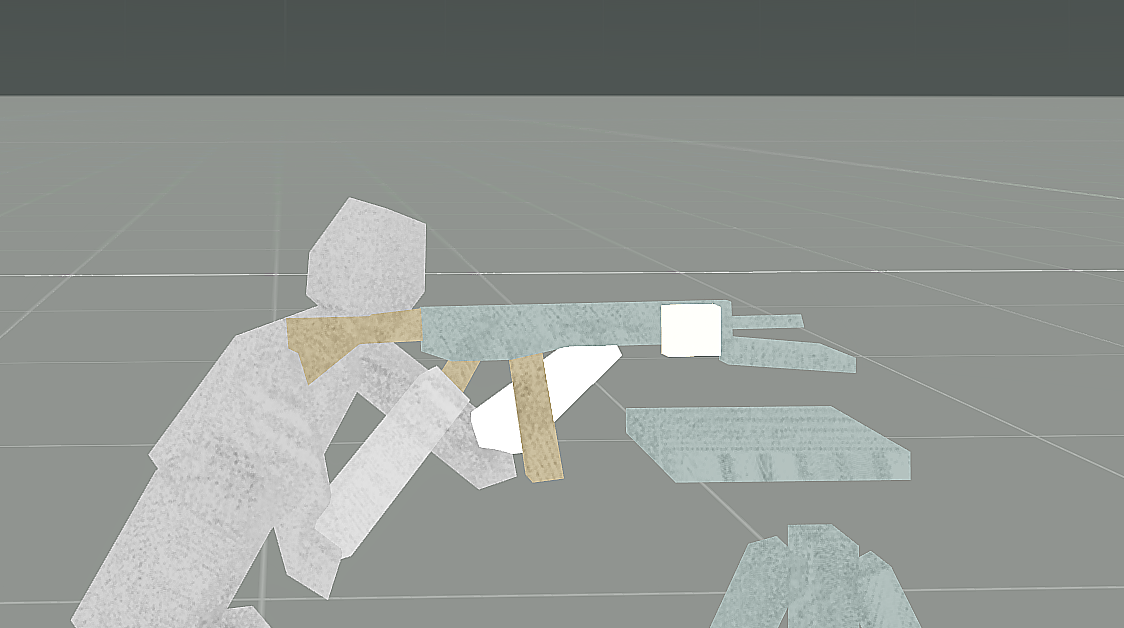
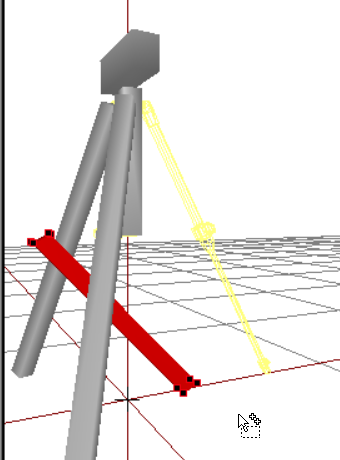
Am I the only one having issues with model animations being borked completely?
Like tranlations are moving too far, rotations are off axis completely
stuck oyster
isDiscrete = 0;?
cobalt panther
nope
the magazine shoots off, the trigger won't rotate around the axis I've set, this is the second weapon I've had issues with now, and I've made a boat load of weapons in the past, no idea what's going on
https://gyazo.com/e764a5a9998ccc676abb7a378d245a65 lol, like what the hell?






 polar fiber
not missing autocenter?
polar fiber
I have had things rotating around odd axes in weapons but was always because the autocenter = 0 property was missing from geo LOD
cobalt panther
nah that's there
cobalt panther
alright false alarm, sorted
lusty ginkgo
What is the proper way of making a decal?
In vertex properties or with a named property?
 outer condor
@Scar#7659 drag p3d into text editor and do ".bmp" to ".paa" search and replace
rough idol
Ground decal?
rough idol
Malden is using ground decals are using vertex property + named propery in geo lod "class" with value "land_decal"
livid sable
@outer condor thanks, good way to do it
lapis goblet
Who the hell are you!! 😄
lapis goblet
how can we preview an animation defined in model.cfg and config.cpp in buldozer? Does pressing ENTER and mousewheel apply?
polar fiber
Enter to cycle forward through animation sources in order that they are added in the model.cfg (backspace cycles back the other way). mousewheel or [ and ] keys to cycle animation input value for that source
polar fiber
Holding shift slows the rate at which the input value increases/decreases
i.e. shift+] is slower than ] alone
lapis goblet
thank you
can multiple vertices be used under the same selection name to generate broken windows effects?
right now I only have 1 vertex (glass_1_effects), but the window is large (2 x 2m) and only one particle generator in the center is a little weird
or is it better to change the behavior in config.cpp
lusty ginkgo
On a fence model, do I want placement = slope or the fence option in vertex properties? If the fence option, does that only need to be for the geo lod, or all lods?
placement = LandContact for fences actually
white jay
Anyone here keen on referring me to a video that shows me how to import an axe through objectbuilder?
I prefer not to have it act like a building
civic stratus
is a a gorund decal a 2d "bilboard"?
I think thats the game design terminology
Bis uses the named property placement value slopelandcontact for the fences I looked at
lapis goblet
Warning: special LOD contains 2nd UV set.... anyone know how to solve this?
lapis goblet
which lod though
lapis goblet
can I "merge UV"?
livid sable
mm dont know that..
dont know if ob allow that
as i know, u can only use 1 uv set
on each lod
lapis goblet
My windows do not explode, i.e. I see all effects and hear sounds, however they do not switch to broken windows. Basically, hide do not get hidden and unhide do not get shown.
my model.cfg: https://pastebin.com/exekEXx1
my config.cpp: https://pastebin.com/Qu981zJn
also, I can shoot through the windows, i.e. I see the damage after the window, however the fire lod does have windows in there with a glass plate.
...any ideas?
lapis goblet
so... if I repeatedly shoot at the windows EVENTUALLY one will break. Even bombs don't break them. Has this something to do with the radius of the hitpoints?
am I supposed to put the hitpoints INSIDE the firegeometry component or outside...?
outer condor
there is an o2script to check/remove 2nd UV set i think
lapis goblet
ok i removed it manually.. thanks
anyone has an idea on what I might be doing wrong in the model?
do i need to make the fire & geo components small for the windows?
like... 10cm wide or so?
I don't understand what is wrong in my setup
polar fiber
that's what the uvsource parameter in each stage is for
lusty ginkgo
but how many can you have?
polar fiber
as many as you have in the model
but more uv info increases file size and impacts performance
obtuse rain
More UV's shouldn't make any difference to draw performance, the number of UV's per vertex are fixed. If you only have one it just ends up copying that to all of the UV slots.
lapis goblet
^
apparently sections has a considerable impact but I have still not understood what is meant with "section"
if that the count of every different .rvmat that gets loaded?
not sure
rough idol
outer condor
in case you dont know about this page: https://community.bistudio.com/wiki/Section_Count
there is also some old threads in BI forum about it
lapis goblet
nice, thank you.
lapis goblet
can someone please help me out with my windows.
I hear the sound of broken windows
but the projectile goes through the windows
I have to shoot the windows 1,000 before they break
bombs don't affect them
lusty ginkgo
but they do break eventually?
lapis goblet
some of them, after 5 full rounds
bombs no
i'm staerting to be desperate i've tried it all.
lusty ginkgo
maybe the fire geometry isn't correct?
lapis goblet
what should be
i mean, how wouldn't it be
I have cubes where the windows are, thickness around 10cm and with a3\data_f\penetration\glass_plate.rvmat material but still projectile goes throught them.
lusty ginkgo
They are named components as well right? And convex? You probably already checked but it is always good to double check
lapis goblet
yes
lusty ginkgo
also make sure all the faces have the .rvmat assigned
lapis goblet
they are called Glass_1_hide and so on
lusty ginkgo
sometimes they unassign when you change things
lusty ginkgo
I mean are they named Component01, Component02 etc
lusty ginkgo
Unfortunately that is about all I know when it comes to troubleshooting models
probably a model.cfg issue
not sure though
polar fiber
where are the hitpoints for the glass?
lapis goblet
all in the hit-points LOD
I hear the damn glasses breaking but the bullets GO THROUGH and the damn windows don't hide/unhide
what is "makiung the noise" of broken glasses? the hitpoints? if so, they are working BUT the animation does not work
polar fiber
no, it's the fire geo making the noise
lapis goblet
ok, so if it makes the noise then why the hell the bullets go through a glass plate
polar fiber
but the glass only gets damaged if the hitpoint is intersected
because glass isn't bullet resistant
it'll still penetrate
lapis goblet
ok
polar fiber
hell you can shoot through walls
lapis goblet
so then it's my hitpoints not working because I do not see animations
of pieces of glass
my model.cfg: https://pastebin.com/exekEXx1
my config.cpp: https://pastebin.com/Qu981zJn
(btw thank you monkey)
(and rylan)
but the glass only gets damaged if the hitpoint is intersected
ok my hitpoints are distanced 20cm and I have a radius of 0.4 and still they don't get intersected
hitpoints are supposed to be "in" the same position of the fire components or outside of them on both sides of the window?
and why do BOMBS have no effect
lusty ginkgo
https://i.imgur.com/pzYEjTI.png
https://i.imgur.com/4s0qOjU.png
Did AO for the fence model


might be a bit too much
wraith tendon
looks fine imho
lusty ginkgo
Just need to find a way to copy the new UVSet to the other LOD's
probably should have done that first
 open coral
Inheritance question. I'm trying to modify a sub class of a sub class of a vehicle, without overwriting anything on the way down. Am I correct in assuming every level down I inherent, I need to declare one level up? I realize this is a mess, but does this look right?
class CfgVehicles {
    class CL5;
    class CL4 : CL5 {
        class CL1;
    }
    class CL3 : CL4 {
        class CL1 : CL1 {
            class CL0;
        }
    };
    class CL2 : CL3 {
        class CL1 : CL1 {
            class CL0 : CL0 {
                PROPERTYtoCHANGE = "NEWvalue";
            };
        };
    };
};
ok so the issue with the windows is that destrType cannot be DestructNo
However, I want an indestructible building (except for windows)
any ideas on how to achieve that?
median bough
if i got it right, only stuff with hitpoint's can be destroyed. so if you just add hitpoints to the glass it should be fine
i guess
lapis goblet
nope unfortunately
so here's the wrong combo
I wanted an undestructibe building so I set destrType=DestructNo, and armor=30000
the destrtype MUST be set to something other than ‘no’, and the armor thing means that you need to shoot 20 bazookas before a window gets SLIGHTLY cracked
I thought mass of windows mattered in propotion of total damage
nope
lapis goblet
all, are there any “darkened windows” textures available somewhere?
lusty ginkgo
How do I find out what is causing there to be additional sections?
My model has 8 sections but only 5 different textures
each texture uses their own .rvmat and there is no mixing anywhere
nvm after restarting OB it seems to be correct
astral maple
Having some trouble with our custom made uniform. Me and the guys I'm working with have tried everything over the past few weeks to get our armor in game, with no avail. The model was made in blender, exported both as p3d and FBX with weights and an example skeleton that perfectly matches Armas template selections and positioning. So far we cannot get the uniform to load in game, we just get a character with an invisible body, we get no errors of textures not being able to be loaded or amything else at all. Weve scoured throguh tutorials and guides and we are sort of at a loss here. Anyone here willing to help us out? I wouldn't even mind risking sending all of our source material out to be looked at, at this point.
bleak tangle
What are you using to pack it?
@astral maple ^ and if it's Addon Builder, it has a reputation of continuing to use the first version of the model you packed the PBO with, even after you made changes to the model in your source files. I believe a workaround for that is to enable the setting within it to "clear temp".
astral maple
We are using PBOmanager. Im readily assuming thats horrible.
bleak tangle
Yeah a little bit
astral maple
What do you reccommend?
bleak tangle
astral maple
I wasnt able to get that working earlier when i tried
bleak tangle
What wasn't working about it? Like you couldn't get the program to run or it was giving you errors when you tried to build?
astral maple
i was missing depbo, i managed to get depbo, then it gave me another error about access, then went back to giving me depbo missing
bleak tangle
You'll likely need all of the executables from that page as some of them depend on other ones.
astral maple
alright, i have all of them in one folder
they wont allow me to choose where they install. I put the depbo i could find into the install folder
bleak tangle
You should just need to run the install executables and it'll install things for you
bleak tangle
What do you mean by put it in a folder? All you should need to do is:
- Download all of the executables on the page
- Run every single one of the installer executables and click through the dialogs
- Type pboProject into windows search
astral maple
i did not get any prompts other than "make a desktop shortcut" when i installed them
bleak tangle
Oh that's fine then. For the time being the only one you need a shortcut for is pboProject
The error you posted an image of above is usually one people get when they have different versions of the executables installed.
astral maple
We tried packing with our now working pboproject, but now the model doesnt even load with a head, unlike without the binarizing.
astral maple
Model in game now, animations work perfectly. But the textures are grey and dont reflect light
astral maple
Im using .paa's, they are linked to the correct meshes in O2, and we have an rvmat thats configged to point to the right files
lusty ginkgo
do they work in the buldozer preview?
stuck oyster
@Heal Team Six#6072 pics could help to narrow down the issue
also put your rvmat into pastebin and post the link
woeful viper
my crystal ball pre-empts: C:\users\abc\my documents is not a valid file path...
 inner sluice
hello guys, i have a little problem
the left barel is a proxy, the right one isn't
on the right i have the good transparency
why don't i have the same render if it's a proxy or not
lapis goblet
how can a 6 faces cube be NON MANIFOLD is beyond my comprehension
woeful viper
because a cube can't be made up of 6 triangles
lapis goblet
no
8 vertices, 6 faces, normals all correct
i just re-did it, oh look at that it's not manifold anymore... well ok ¯_(ツ)_/¯
lapis goblet
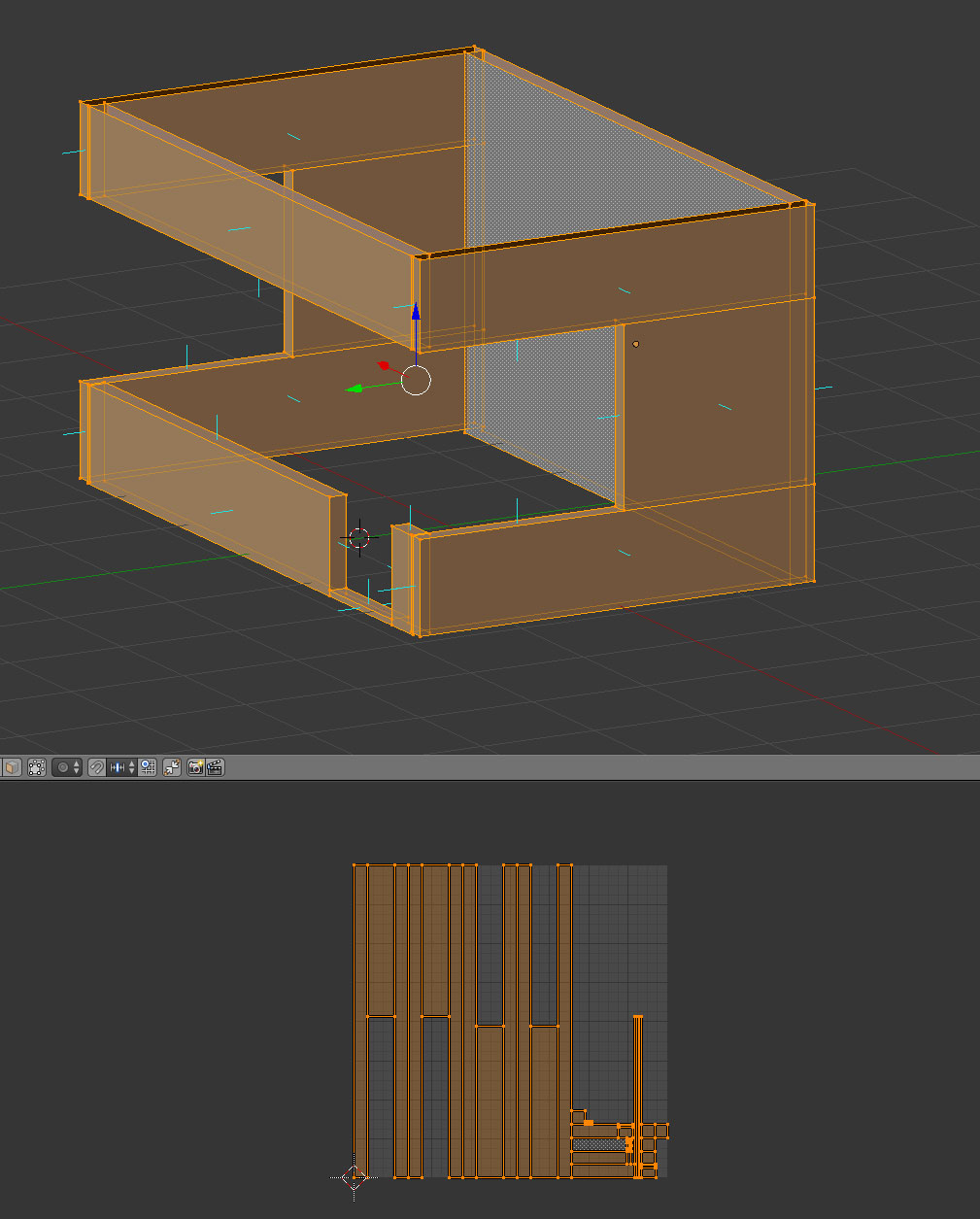
what is the best way to unwrap a structure of wall and keep the UV proportional? example of my issue: https://cldup.com/ngT_OcBG4n.jpg
 terse aspen
what's more important, number of verts or number of tris?
stuck oyster
neither. good lodding takes care of that as long as you stay in reasonable limits. section count is what affects performance most.
tacit karma
vertex normal and section count
terse aspen
thanks
mossy oxide
I'm making a new rifle with UGL, how do I set up the GL sight so it works properly? Does the weapon has to be at certain angle so UGL will have proper ranges?
I have most of other memory points set up
stuck oyster
No you rotate between different sight points. Sample weapon has example but positioning the aimpoints is pretty much hit and miss
lapis goblet
Warning: my_model.p3d:3 Stage 1 has no texture to retrieve format from (while generating ST coordinates)
what is wrong here and how can I fix it?
stuck oyster
you got some bits there that dont have material/texture assigned or are not uvmapped?
stuck oyster
stage 1 could refer to rvmat
lapis goblet
or LOD 1...
mossy oxide
I goofed up the scale of the weapon in blender. its 10 times the size (I had wrong units scale setting) is it a problem?
stuck oyster
@mossy oxide depends on what you are making
mossy oxide
Ok fixed the scaling issues. I have the proxies set up, got the memory points, got the textures created. I guess its just the matter of assigning the arma materials, doing the lods and I should be ready for ingame testing
mossy oxide
Well shit, I used wrong shader when making textures and now I have to redo most of it
lapis goblet
are you doing everything in blender?
mossy oxide
Modelling yes, I use Substance Painter 2 for textures
lapis goblet
ok
i am curious in general of worflows ppl use
to do lods and multiple resolution UV etc
mossy oxide
In blender you can use decimate modifier to quickly reduce polucount of an object
 vale berry
Is there a way to change an Items facing (vectorUp) without editing the p3d itself? So via config?
F.a. https://i.imgur.com/t5oyJ24.png looks odd

 past edge
perhaps make a dummy object with a proxy that links to the other object? that way you can rotate the proxy any way you want
lapis goblet
proxies have an impact on performance as they are not optimized, would avoid if not for internal furniture and vehicle roles
you may consider trying init in config to eventually setVectorUp
past edge
it seems like in his case it's an item that can be added to an inventory, so you can't directly affect the model itself with commands
in which case I'd go for the proxy method - even if it isn't optimised, you probaby won't be seeing a lot of tires on weaponholders (inventory clusters), right?
lapis goblet
i'd imagine 😃
Warning: my_model.p3d:3 Stage 1 has no texture to retrieve format from (while generating ST coordinates) still having this, any ideas where I can start looking?
vale berry
Ill take a look at proxies. Thanks!
bleak flame
I'd start by looking at stage 1 of the rvmat
lapis goblet
what i don't get is the error message. if the file wasn't there, I would have pboProject yelling at me
so I don't get what format refers to
bleak flame
tried replacing with a known working stage 1 and seeing what happens?
lapis goblet
I am looking into it... thank you Bek
first time I see this one
if only the error state which one of the Stage1
and what I am looking for... a missing file? Because they are all there
lapis goblet
Found it. I was referencing a default.rvmat by mistake.
mossy oxide
My buldozer does not work for some reason, I tried reinstalling it, but I get errors if I try to run it or it just crashes if I want to preview a model
how do I fix that?
white jay
If it's complaining about DLLs missing just copy them from arma3 install
mossy oxide
external viewer attach failed: No viewer found
ok where I put this?
P:\buldozer.exe -buldozer -name=Buldozer -window -noLand -exThreads=0 -noLogs -noAsserts -cfg=p:\buldozer.cfg
ok copied the DLL from arma folder and it worked
Now, I remember there is some kind of way to get the buldozer to display the models exactly as in the game. @bleak tangle said about it in CUP. I think its about loading some addition resources into buldozer
mossy oxide
How do I properly align sights? I have the eye memory point perfectly in line, but ingame its like I'm looking a bit from above straight through the front sight without aligning the rear one.
stuck oyster
@mossy oxide normal rifle sights?
also its better to use Arma3\Arma3.exe as buldozer
mossy oxide
Ok so I forgot to actually assign the eye memory point to a vertex group. However once I did I broke my rifle in a new and amusing way, now I look at my hands
stuck oyster
what am I looking at?
mossy oxide
Me not looking through sights
the eye vertex is in line with the sights
no idea why you look though the rifle at your hands
stuck oyster
is the eye vertex part of any other group or is there anything else in that group?
is the eye point behind the rearsight?
 stark dagger
autocenter set?
stuck oyster
that too
 livid plover
Hello, I have a problem. I has placed on my map in terrain builder a custom building but i want open doors in game actions is not showing up. If i place my building in xcam all is working. What is the problem? I'm using PboProject payed version. This is config from building: https://pastebin.com/5zsnb8Zf
typeof CursorObject is returning ""
mossy oxide
@BigBen#1428 Thanks it was the autocenter
stuck oyster
@livid plover do you have named properties in the geometry lod set up?
also Im assuming you get no errors while packing?
livid plover
yeah, no errors.
I have named properties in geometry lod set up. If i place building with xcam building actions is working, but if i place building on map, repack map and run editor my actions with open/close door etc is not showing up. typeof cursorobject is retuning empty string.
bleak tangle
Buildings working in the editor but not when placed in the map is usually because of a miss Land tag
stuck oyster
mission placed objects and terrain placed objects work different
he has land tag
but
For this magic to happen, you must have class land_nameOfP3d and model = NameOfp3d;```I believe your land class may need to be named by the name of the p3d
livid plover
okay, i will check it right now
@stuck oyster it is working. Thanks you so much. It first custom building made by my modeler and I didn't have enough experience with buildings config 😃
stuck oyster
just so you know Mikeros tools have pretty great documentation about some of the more common problems
so its worth reading at least he pboProject readme through
livid plover
Ok, thanks for useful informations, it's my first custom building. Im scripter in arma so... 😄
mossy oxide
Does anyone have a blender RTM for rifle grip? I have the rtm blender file thing, but I do not know what parts exactly I need to pose, I would need some refrence
stuck oyster
Hands are the only thing that matters
as in palms+fingers
rest is Arma IK
== you wont see exact the same arm positions
mossy oxide
I know, but I need something to get started, if someone could spare a blend file with hands posed I would be grateful
lusty ginkgo
would having a detail texture with a really high UVTransform value be bad for performance in any way?
woeful viper
if you make a single lego brick as a detail texture to make a giant RL factory out of lego bricks ... possibly.
rotund ocean
Hey Guys, if got the problem atm. that it is possible to fire through some parts of my model. Fox example if got a thich part wic is inpenetrable except for a 10cm slit where bullets just passthrough unharmed. What could cause this?
lusty ginkgo
fire geometry issues would be the first thing to check for
rotund ocean
The question is what kind of Issue do I have to look for?
lusty ginkgo
see where the 10cm slit on the model is and check that part of the fire geo
rotund ocean
Well thats the problem, I can not finde a Issue in my fire geo
lusty ginkgo
It is convex and named?
rotund ocean
yes
lusty ginkgo
has the proper .rvmat assigned to everything?
bold flare
no. None. So default inpenetrable dirt material
bleak tangle
How did the components get their names? Manual? Structures > Topology > Find Components?
rotund ocean
Manual
bleak tangle
If you do > Structure > Topology > Find Components does it create the same number of components as when you did it manually?
rotund ocean
No, it reduces it to 1
bold flare
Which is what I said!
But 1 apparently makes the fire LOD not work at all.
Did you select all and "make convex" ?
bleak tangle
Then I don't think it's valid
rotund ocean
It is Convex and Tringular
bleak tangle
It making it all into one component means that all of the pieces are connected, which is not how geometry LODs are supposed to be done
bold flare
Just go with re-making the fire/geo LOD out of simple boxes or pyramids
woeful viper
validate the fire geo. You can state its convex as many times as you want, as long as it doesnt pass the convex test in objectbuilder it's not convex
if you imported the pieces all at once, import them individually so that they dont get fused
rotund ocean
If validated it in Object Builder to, it passed the test.
woeful viper
use select object, if you select one point, does it select the entire thing or just one component?
rotund ocean
It selects the entire Object
woeful viper
then its fused and cant be convex. Simple.
rotund ocean
okay thanks
polar fiber
if you named the components yourself in another program before they fused, you might have some luck selecting each one and doing structure/topology/split to separate them again
then re-run the checks and find components
bold flare
What does "convex" actually mean? I just "make convex" in OB but don't actually know what that is
bold flare
Meaning... My normals all point outwards?
polar fiber
means the exterior angle between faces must be more than 90 degrees to the normal
bleak tangle
^ This page also has some information http://www.rustycode.com/tutorials/convex.html
I don't know the exact details of why, but convex geometry is way more efficient for physics calculations
obtuse rain
Because a convex object is the intersection of a bunch of half planes (planes where half the universe is "inside" and the other half is "outside") and one of the quickest ways to check for collisions is by seeing if every part of an object is on the "outside" of one of the half-planes of the other object.
(And another way to think about convexity is that when you draw a line between any two points inside the object, no part of that line should be outside the object)
lusty ginkgo
Is there a way to for a res LOD to not be affected by shadowvolume and cast it's own shadows?
lodNoShadow seems to make sense but the description is unclear
On my distant LODs the model clips into the shadowvolume and is dark because of it, so I want to know if there is a way to avoid that
polar fiber
make a second shadow LOD?
lusty ginkgo
how would the engine know which shadow LOD to use?
tacit karma
same principle of normal LODing