#arma3_model
1 messages · Page 51 of 1
 stuck oyster
 tribal rain
AH there we go see thats what i thought it was doing i thought it would be smoothing it
stuck oyster
weight paint wise your arm is basically nightmare design to make in this situation where you have clear joints
and you wont be able to make them operational because you cant give them actual bones of their own
but for even weight smooth weight you can do easy trick
make a tube
or box
weight left side to weapon, right side to spine
then cut it in the middle
them move the weapon end to your arms weapon end and spine to spine end and the middle to the arms middle
then divide again and correct the shape until the tube covers the whole arm
and then youll have pretty smooth weight from one end to another
as the cuts retain the weight the mesh has where they are cut
then transfer that tubes weighting on the arm
 tribal rain
alright cool im always down for neat little tricks sometimes working in blender/arma is like getting a gnome to do anything for you you have to trick it into working or else it curses you
stuck oyster
I did maybe the first trial of this kind of backpack to weapon feed few years back
I battled with these same things
in the end its best if the arm/belt/cable is as simple as possible and maybe covered with some sort of cloth to hide joints etc
as when done this way it will always deform poorly
tribal rain
yeah the sister belt was not too bad as the kind of hard ammo feed that youd see on like mounted turrets is quite forgiving but this smart gun armature has set pivot points which is pain
stuck oyster
yea honestly I dont see it working out
 tribal rain
stuck oyster
yea honestly I dont see it working out
tribal rain
stuck oyster
yea honestly I dont see it working out
your vote of confidence fills me with hope XD
stuck oyster
will it be true to source if it looks like crap 😅
 stuck oyster
you can try weapon - spine
and then even distribute that to each piece with smoothed ends
but youll see soon enough what I mean 😅
tribal rain
i looked at my options ball joints are just 🤮
other than that like you said i could try a flexi side BUT SAYING THAT IVE JUST HAD A LIGHTNIGNT BOLT IDEA
FLEXI CABLES OR HYDRAULICS
 tribal rain
stuck oyster
but youll see soon enough what I mean 😅
tribal rain
stuck oyster
but youll see soon enough what I mean 😅
thank you for going through the pain and no doubt screaming into the void so i didnt have to XD
stuck oyster
 tribal rain
stuck oyster
tribal rain
stuck oyster
also im sure youll be delighted to know that the AI knows of you

Chat GPT 👀
stuck oyster
you could maube get it to work decent enough if you sacrifice the joints and cover them with sock
tribal rain
im tempted in all honesty


 warped mural
tribal rain
warped mural
tribal rain
what if you paint spine1 all red and leave weapon as is here
stuck oyster
tribal rain
Now the problem is the original shape
tribal rain
warped mural
what if you paint spine1 all red and leave weapon as is here
it kinda works like that but only issue is when in motion the final part which "hooks" up to the weapon kind of sways out of touch left to right in relation to the hips movement.
Ive tried doing Spine1, Spine2, ive not tried the other Spine Bones but i was thinking the other spine bones might cause some issue also
stuck oyster
As you have modeled it in the animation state, not in the T pose state
tribal rain
stuck oyster
As you have modeled it in the animation state, not in the T pose state
ok that makes sense
so its offset already then and then when the animation is applied it offsets it further
stuck oyster
The T pose state is deformed mess
stuck oyster
tribal rain
so its offset already then and then when the animation is applied it offsets it ...
Yes
stuck oyster
stuck oyster
The T pose state is deformed mess
But it's needed so it un-deforms
tribal rain
stuck oyster
But it's needed so it un-deforms
so try a simplified Mesh that will become the T-Pose essentially
stuck oyster
I think I've posted pictures of my belt feed backpack somewhere in the past here. You can try to look that up.
Or I can post the later when I'm back at computer.
Basically the weapon bone is at the far right side of the character in the T pose
 round bloom
Do you need to add a proxy of a harness for adding a custom NVG? (dont really want to model a new one)
stuck oyster
we dont do scams here
 cunning temple
Do snap point have to be 0/1 only, or can you use A_5 and V_5 etc? Surely if you just using 0/1, TB will be snapping the objects to anything with a snap point lol
stuck oyster
cunning temple
Do snap point have to be 0/1 only, or can you use A_5 and V_5 etc? Surely if you...
it will still use the other snaps 😅
cunning temple
Well I for one am shocked by that 😄
 umbral shuttle
stuck oyster
we dont do scams here
umbral shuttle
stuck oyster
we dont do scams here
wait lol wat happened
anyways question for tracks
do I need the UV to go vertically off the uv square like this OR can I

(and Ik this isnt perfect) but have it confined to uv square

 zenith quartz
Hi everyone! Does anyone know hot to fix this?
https://forums.bistudio.com/topic/187340-reload-deployed-weapon/
stuck oyster
Off the square. That way the engine knows the texture repeats
tribal rain
stuck oyster
Or I can post the later when I'm back at computer.
apologies did you manage to return to your computer? 24hrs later XD
 cloud zealot
I'd like to add an ancient pistol to Arma 3, the Colt Walker, is there an animationSource or a way to make the character c_ck the hammer when the weapon is drawn ?
 marsh canyon
isSelected
cloud zealot
marsh canyon
isSelected
What do you mean ?
marsh canyon
model.cfg source
cloud zealot
aaaaaah
let me see
Hmm i think this is it, i'll test it later. Thank you very much 🙂
stuck oyster
tribal rain
apologies did you manage to return to your computer? 24hrs later XD
I was there but forgot. Will try to remember when I return again
stuck oyster
cloud zealot
I'd like to add an ancient pistol to Arma 3, the Colt Walker, is there an animat...
If you want character hands to do something too you'll havw to script gesture for it.
But possible
cloud zealot
stuck oyster
If you want character hands to do something too you'll havw to script gesture fo...
hmm i see. Is there a tool or something to convert a Blender animation to CfgModel animation ? It would be way easier
stuck oyster
cloud zealot
hmm i see. Is there a tool or something to convert a Blender animation to CfgMod...
The pistol parts animation probably is not very complex
The character gesture would be made as rtm with the character rig.
 tulip portal
Warning Message: Cannot open object
No geometry and no visual shape while trying to check property cratercolor
iv moved some p3d's and proxys to different pbos changed the file paths
and now arms wont open the models
is there something obvious im overlooking
stuck oyster
tulip portal
Warning Message: Cannot open object
No geometry and no visual shape while tryin...
maybe pathing broke
tulip portal
im not sure what crater color is or why edges arnt being found either
 dusky onyx
what could be the reason?
 tribal rain
dusky onyx
what could be the reason?
tribal rain
dusky onyx
what could be the reason?
Weight painting being off
Do you have Autocenter 0 on your Geometry LOD?
dusky onyx
tribal rain
Weight painting being off
Do you have Autocenter 0 on your Geometry LOD?
Yes, I have the auto center listed

 supple orchid
hi, can anyone help me to make a custom config for a model so that my radar jammer actually works in game , which tools i need to use
stuck oyster
supple orchid
hi, can anyone help me to make a custom config for a model so that my radar jamm...
You probably need some sort of script for it. I don't think the vanilla game has "radar jammer" functionality.
#arma3_scripting would be the place to ask tips on that and #arma3_config the place to talk about the config.
 leaden quartz
this is my UV map the highlighted bits along with the zoomed in image, when i paint over them in substance painter the paint goes on top and through these sections and paints what's behind them which is a different colour how do i stop it happening


 stuck oyster
leaden quartz
this is my UV map the highlighted bits along with the zoomed in image, when i pa...
stuck oyster
leaden quartz
this is my UV map the highlighted bits along with the zoomed in image, when i pa...
If you have lot of closely overlapping surfaces you may need to separate them to be able to paint them
leaden quartz
stuck oyster
If you have lot of closely overlapping surfaces you may need to separate them to...
already done that and nothing is overlapping
stuck oyster
leaden quartz
already done that and nothing is overlapping
Long shot but make sure the surface is facing right directions
leaden quartz
im new to moddeling how do i do that
stuck oyster
leaden quartz
im new to moddeling how do i do that
What do you model with?
Backface culling is setting that makes it not draw the backside
leaden quartz
blender and even witht he backface culling off it stil does it
stuck oyster
It just would show if it's wrong way.
supple orchid
stuck oyster
You probably need some sort of script for it. I don't think the vanilla game has...
thnk you
stuck oyster
leaden quartz
already done that and nothing is overlapping
Just to make sure no overlapping mesh and no overlapping UVs on same material
 late jewel
Can anyone point me in the direction of a forum that tells me how to make props? Specifically a building if it matters
umbral shuttle
For this pip screen I get this weird effect thats not present on other pip screens, is it too close to the face that is underneeth the pip screen? tried moving faces to top and no success there


 stuck oyster
late jewel
Can anyone point me in the direction of a forum that tells me how to make props?...
stuck oyster
late jewel
Can anyone point me in the direction of a forum that tells me how to make props?...
there is no full tutorials for that
you should first learn basic 3d modeling techniques
late jewel
stuck oyster
you should first learn basic 3d modeling techniques
I've been 3d modeling for several years now
 charred bolt
late jewel
Can anyone point me in the direction of a forum that tells me how to make props?...
charred bolt
late jewel
Can anyone point me in the direction of a forum that tells me how to make props?...
Here is some info on the LOD's you'll need to make:
https://community.bohemia.net/wiki/LOD
cunning temple
Why do the top set of ponds snap together perfect, but the next row don't snap at all?
 stuck oyster
cunning temple
Why do the top set of ponds snap together perfect, but the next row don't snap a...
stuck oyster
cunning temple
Why do the top set of ponds snap together perfect, but the next row don't snap a...
Which whay they don't snap?
I'd give all same size snap square
With autocenter0
cunning temple
stuck oyster
I'd give all same size snap square
I'll give that a try today, hopefully it works 🤞
Didn't even touch arma yesterday I was too annoyed lol
stuck oyster
cunning temple
I'll give that a try today, hopefully it works 🤞
Didn't even touch arma yester...
Yeah I've noticed the snap points are delicate sometimes
Also TB templates don't seem to refresh them very well
I usually delete template, restart TB and load the template fresh if I have to tweak snappoints.
Also I test them in fast loading test project 
 runic plover
umbral shuttle
For this pip screen I get this weird effect thats not present on other pip scree...
runic plover
umbral shuttle
For this pip screen I get this weird effect thats not present on other pip scree...
Maybe face to close to the background?
charred bolt
umbral shuttle
For this pip screen I get this weird effect thats not present on other pip scree...
Yes, probably face too close, as it looks like z-fighting.
If face ordering hasn't resolved it, try setting the PiP faces z-bias to "high".
 umbral shuttle
charred bolt
Yes, probably face too close, as it looks like z-fighting.
If face ordering hasn...
umbral shuttle
charred bolt
Yes, probably face too close, as it looks like z-fighting.
If face ordering hasn...
oh okay, ill try that next time. easiest solutuion was to move the face a tad bit away which works fine.\
 sullen jasper
Hi guys, I have a 3D model that I need to be put into a T-pose and imported into Arma 3. The model is already made, I just need someone who can adjust the pose and prepare it for use in the game (convert to P3D, setup config.cpp, etc.).
 lone robin
sullen jasper
Hi guys, I have a 3D model that I need to be put into a T-pose and imported into...
lone robin
sullen jasper
Hi guys, I have a 3D model that I need to be put into a T-pose and imported into...
If you’re looking for someone else to do your work then post an add in #creators_recruiting
sullen jasper
lone robin
If you’re looking for someone else to do your work then post an add in <#2922711...
Thanks mate 👋 🫡
runic plover
umbral shuttle
oh okay, ill try that next time. easiest solutuion was to move the face a tad bi...
so was the issue like i have mentioned?
umbral shuttle
runic plover
so was the issue like i have mentioned?
too close the background? I would assume so since I just move it out a bit more
 short grove
Hi, I'm working on a Piranha V project. I'm importing my model, but it keeps flying as if it has no mass (See the video), even though I've defined it in Geo LOD with 30 Tons. Any ideas on how to fix it (The colors on the model are placeholders Lol)
 formal halo
Check to see if your geo is below your land contact
I guess it could also be the bounds and axis’s on the wheels?
runic plover
short grove
Hi, I'm working on a Piranha V project. I'm importing my model, but it keeps fly...
dont add the wheels in GeometryPhys LOD, if you did it might be the problem
also make sure your MASS is mostly bottom center (that big blueblack point if you select your whole geometry mesh)
stuck oyster
short grove
Hi, I'm working on a Piranha V project. I'm importing my model, but it keeps fly...
bad physx wheel setup
 umbral plaza
Hello, I am having a problem setting up oblect builder. I have the sample model loaded and when I try to load into a viewer, it immediatly crashes. My issue is a) how do I access my changelog? and b) Is there a good tutorial on setting up objectbuilder
 modest perch
can anyone help me figure out why this is happening in substance?

thought it would be normals, but theyre all good


 sour bough
modest perch
can anyone help me figure out why this is happening in substance?
sour bough
modest perch
can anyone help me figure out why this is happening in substance?
Can you show topology?
and UV?
My suspicions are ngons or uv overlap
modest perch
was UV issue 

 woeful viper
ah finally... instruments. http://abload.de/img/2016-01-18_00001e5yrq.jpg http://abload.de/img/2016-01-18_00002hczai.jpg http://abload.de/img/2016-01-18_00003c6lr9.jpg
texture of the lights not done
 celest arch
good job I like it
woeful viper
this should make tweaking physx a bit more pleasant...
celest arch
welll
ok 😄
by the way, have you got any issues with OB and Buldozer? Mine pops up a window "looking for external viewer" and I have to alt tab to it 3 or 4 times before buldozer actually loads
nothing major but annoying as fuck
woeful viper
i rarely use buldozer...
celest arch
me too, just during composition of lods / proxies
but when I do, I get annoyed to the bone. It's something with OB, because TB has no issues. Also, if I "send to" from windows explorer a proxy to buldozer (arma3.exe with parameters) it works straight away
 rapid tree
modest perch
rapid tree
modest perch
Is this a custom made Elite Ranger ?
rapid tree
Nice
 storm elk
Quick question, I've been wondering what's considered good practice for small arm poly counts
I've been aiming for around 15k based on what I've read and heard but I'm wondering if I'm aiming a bit low
stuck oyster
storm elk
Quick question, I've been wondering what's considered good practice for small ar...
15k for a weapon is on the high end
arma3 weapons start from around 5k
some might go above 10k
charred bolt
storm elk
Quick question, I've been wondering what's considered good practice for small ar...
Probably about right. Could push it to 20k.
stuck oyster
but only if needed
charred bolt
Depends if a pistol or a dirty great mg.
stuck oyster
yeh
 eternal crater
stuck oyster
arma3 weapons start from around 5k
eternal crater
stuck oyster
arma3 weapons start from around 5k
What of a robot model
Like an armor
stuck oyster
eternal crater
What of a robot model
not really any vanilla comparison point. 
default uniform is maybe 5-8k
so as little as you can make it with
is always best for performance
eternal crater
20k will be too much right
stuck oyster
eternal crater
20k will be too much right
it is rather high end
id try to cut it down if possible
eternal crater
Okay
 foggy coyote
Hello all! I'm new here. I've been retexturing and texturing for about a year now. And I want to take my skills to the next level. I'm very interested in modeling high polly assests such as vests helmets, back packs and accessories. I haven't really had any modeling experiance but I've had a few people point me in the right direction. I've decided to use 3ds MAX. However I have no cluse how to use it lol. If someone would be kind enough to help me set it up so its ready to use and model for Arma specificly that would be much appreciated. Many Thanks Legonerd.
 north sundial
I've been testing out the alternate shadow method using the named properties
sbsource visualex
prefershadowvolume 0
And it does save time and works pretty well but the model has "lines" all over it?
I've noticed this on BIS models that seem to use it too like the tanoa barracks
is there a method to fix this? or is it the tradeoff?
stuck oyster
north sundial
I've been testing out the alternate shadow method using the named properties
sb...
it depends a bit on sun angle and if the surface is absolutely straight. not really much that can be done about it though
tradeoff basically
north sundial
Oh I see, well that makes sense seeing as the editor defaults to midday
 obtuse rain
@foggy coyote Looking to do hard surface or organic (clothing/animals)?
Oh, you said that.
You might want zBrush or 3D Coat as well for adding detail to those kinds of things quickly.
For helmets and accessories you probably want to hit YouTube up for SubD modelling skills.
 fringe marlin
Is it possible to have a physical property on a model that does not produce any bullet impact effects and holes? The whole purpose of the model is to be invisible and block any projectiles.
stuck oyster
fringe marlin
Is it possible to have a physical property on a model that does not produce any...
custom penetration material perhaps
or one that does not have any effects
void.rvmat might be like that 🤔
but flesh is funnier
fringe marlin
i do have an rvmat and bisurf file, tho frankly no clue what i am doing. 😄
i can send the parts i have so far and which materials are references in the p3d
tried the values of the void.rvmat and bisurf, same result. lots of dirt kick up and visible bullet holes
stuck oyster
fringe marlin
tried the values of the void.rvmat and bisurf, same result. lots of dirt kick up...
you used it in the firegeometry lod right?
fringe marlin
lemme check.
stuck oyster
ok so yeah void isnt really useful for that
you said you want it to block shots right? all of them?
stuck oyster
so void would let everything through
and from quick look vanilla dont have bisurf type for what you want to do so custom one is in order
Density=10000;
rough=0.1;
dust=0;
bulletPenetrability=0;
soundEnviron=Empty;
isWater=false;
friction=0.99;
restitution=0.33;
impact = hitMetal;
soundHit = Metal;
deflection = 0;```so this is not yet complete
you would need impact sound that has no sound
and soundHit that has no sound
fringe marlin
the sound, is this just a cfgSounds entry or similar? because a sound file that has completely silent is made easily
stuck oyster
its this stuff yea
 fringe marlin
yeah that looks like sound config
so, bullet holes are gone, but it still kicks up dust when shot.
stuck oyster
dust 0
fringe marlin
it is at 0
stuck oyster
it may be related to the impact = hitMetal part
dont remember off the top of my head
 loud agate
fringe marlin
loud agate
fringe marlin
hmm alright. anything i can do there?
stuck oyster
fringe marlin
hmm alright. anything i can do there?
also hit effects are tied to ammo
fringe marlin
i changed it to some other impact values, like hitPlastic and default_Mat. same result however
stuck oyster
try put the penetration rvmat on geometry lod and remove hitgeometry lod
fringe marlin
there is no geometry los, as it should be invisible and you should be able to walk and drive through.
stuck oyster
ah
right
so I think I recall the impact effect are be defined in the ammo classes instead
you can define the impact type in the rvmat
but the corresponding effect is defined in the ammo hitEffects

now I dont rember if ut defaults to default effect type or no effect if you create a new impact type
fringe marlin
hm alright, i wil be digging around that hit effects. i doubt i will create a new effect as that would mean adding it to every ammo in the game + mods which is just not feasible
stuck oyster
fringe marlin
hm alright, i wil be digging around that hit effects. i doubt i will create a ne...
Try if it has any effect if its not defined
as it might not have any
fringe marlin
like this
impact = "";
or this?
impact = "totallyExists";
well, both are the same effect
still dust kicking up
stuck oyster
ok so it defaults to the "default" effect
fringe marlin
so it seems
runic plover
fringe marlin
so it seems
i did this to my Disruptor sonic beam
        {
            Hit_Foliage_green = "";
            Hit_Foliage_Dead = "";
            Hit_Foliage_Green_big = "";
            Hit_Foliage_Palm = "";
            Hit_Foliage_Pine = "";
            hitFoliage = "";
            hitGlass = "";
            hitGlassArmored = "";
            hitWood = "";
            hitHay = "";
            hitMetal = "";
            hitMetalPlate = "";
            hitBuilding = "";
            hitPlastic = "";
            hitRubber = "";
            hitConcrete = "";
            hitMan = "";
            hitGroundSoft = "";
            hitGroundRed = "";
            hitGroundHard = "";
            hitWater = "";
            hitVirtual = "";
            default_mat = "";
        };
};```in cfgAmmo
oh wait, you got a Object not a Weapon
fringe marlin
yeah sadly the other way around. tho switching over to just useing a3\data_f\penetration\plastic.rvmat worked
no idea why it did not take the custom rvmat at all
 main dune
When it comes to shadowvolumes, I’ve been told and or read that it should be LOD 0 and 1000 with 1000 being an extremely low poly model. But someone just informed me that the LOD number is not in reference to distance or load order like normal LODs when it comes to shadows. Instead the number defines type of shadow or what the shadow is used for? Does anyone have any information on this? Or could weigh in?
charred bolt
main dune
When it comes to shadowvolumes, I’ve been told and or read that it should be LOD...
SV0 (detailed) and SV10 (simple) for vehicles, that's the norm. Can't say why it's that way, but the numbers don't refer to distance.
foggy coyote
@obtuse rain What do you mean by hard surface and organic? And yeah I might be getting zBrush.
 tulip narwhal
Hello,
Does anyone knows if the total mass defined in the oxigen LOD it is in KG?
And if It is overwritten by the mass on rtd xml ?
Thank you
charred bolt
tulip narwhal
Hello,
Does anyone knows if the total mass defined in the oxigen LOD it is in K...
Yes, Geometry LOD mass is in kg.
Can't remember if there is a mass parameter in the rtd, but if there is set it at the same value as in the Geo LOD.
Centre of Gravity distances from reference mem point (rtd_center) are important too.
If it works in buldozer, but not in game, then it indicates something missing in the config.cpp. Set the model.cfg hatch animation source class name to match that in the config.
tulip narwhal
So it should be and rtd_center memory point to reference all positions in the xml sections to that point. Right?
obtuse rain
@foggy coyote Hard Surface would be weapons and vehicles, where you tend to want the precise lines and curves you get from SubD modelling. Organic would be living/clothing, where you tend to want more hand-edited detail rather than precision.
For fabric folds and detail like stitching and lacing zBrush/3D Coat are going to be substantially better.
 slow pine
how does doors work?
i see they are defined as a vertex group in the sample, but no idea how to create them.

 peak copper
Why does my PTT & radio (left of the picture in red) not have a front mesh when it does in blender? It uses the exact same texture as the ones on the right, but the ones on the right are fine. I tried copy and pasting it and it does the same.
 peak copper
slow pine
how does doors work?
i see they are defined as a vertex group in the sample, bu...
peak copper
slow pine
how does doors work?
i see they are defined as a vertex group in the sample, bu...
memory points, 5 each door
1 door = 1 vertex group if im correct
each door needs a memory point on each corner and the doorhandle for the interaction
slow pine
how i set up the animation of the door?
charred bolt
peak copper
Why does my PTT & radio (left of the picture in red) not have a front mesh when ...
Inverted faces?
lone robin
slow pine
how i set up the animation of the door?
Appropriate named selection ie the doors vertex are named “Door_#” and then named selection in memory lod for both axis and trigger. Basic way is to have a vertex point where hinges would be and name that “Door_#axis” and then a single vertex point at the center of the door and that would be the trigger to open/close it and that would called “Door#_trigger” also geometry would require the doors to be present with named selection matching resolution lod so if res lod 0 has “Door_1” the geometry would also need “Door_1” for animation to work. Once that is done the rest is done in your model.cfg.
slow pine
lone robin
Appropriate named selection ie the doors vertex are named “Door_#” and then name...
thanks
 subtle bison
tulip narwhal
Hello,
Does anyone knows if the total mass defined in the oxigen LOD it is in K...
subtle bison
tulip narwhal
Hello,
Does anyone knows if the total mass defined in the oxigen LOD it is in K...
in theory yes, but in reality not always. for example the ugv realistically should not weight 4.5t, etc but it has that much mass anyways. same with lots of other vanilla vehicles
so I guess the tl;dr is.. assign mass as much as you need, barely anyone cares
tulip narwhal
In this case , they are helicopter (uh-1h and ec-135h) models, so I guess components mass is important at least to properly define the center of gravity.
Not sure if that total mass is overwritten by the xml parameter which by the fact, exists ( @charred bolt ) but I think it does.
What I really thanks to Apollo is the rtd_center memory point thing. With that as reference for the positions of main rotor and tail rotor the model was flighing correctly at first attempt 😱
 white jay
charred bolt
tulip narwhal
In this case , they are helicopter (uh-1h and ec-135h) models, so I guess compon...
white jay
charred bolt
tulip narwhal
In this case , they are helicopter (uh-1h and ec-135h) models, so I guess compon...
There is a trick with Geometry LOD mass distribution, which is to use "artificial mass" boxes, which contain most of the mass, but which are not assigned ComponentXX selection names (and therefore have no collision), which can be easily moved around to fine adjust Centre of Gravity. You might put 3/4 of the mass in those boxes, and auto-distribute the rest to the actual vehicle mesh (making sure each component is non-zero mass and not too low).
Object Builder can show the CofG by selecting the whole object in the Geo LOD and turning off direct3D, look for the cross hair.
 tulip narwhal
Thank you !
 short marsh
Okay my Tunguska is bouncing around like a ball, and was wondering how to fix it. I setup the Geometry LOD to the Sample Model to start with, but it's bounding around crazy (Incedentally I got the achievement for being Arma'd, so it wasn't for naught)
 charred bolt
short marsh
Okay my Tunguska is bouncing around like a ball, and was wondering how to fix it...
charred bolt
short marsh
Okay my Tunguska is bouncing around like a ball, and was wondering how to fix it...
Could be any of a large bunch of things, so share as much detail as you can.
Including:
- Geo LOD and total mass
- Geo Phys LOD
- Memory LOD with wheel related points ONLY showing (4 window view)
- class Wheels { } code
- Other physx parameters from config.cpp
- Can you check animations in buldozer?
- What software are you building with?
short marsh
Geo LOD: 34000.000kg Geo Phys LOD: 8.145kg Class Wheels code is the Sample Model physx.hpp is attached. I can check anims, but which one? Object Builder
 charred bolt
short marsh
Geo LOD: 34000.000kg Geo Phys LOD: 8.145kg Class Wheels code is the Sample Model...
charred bolt
short marsh
Geo LOD: 34000.000kg Geo Phys LOD: 8.145kg Class Wheels code is the Sample Model...
Screenshots of Geo and Geo Phys LOD too please.
Don't need to see animations in buldozer, just want to check you are able to view them if needed - some people can't get buldozer working.
What software do you pack with (make into pbo)? Addon Builder? Mikero? HEMTT?
short marsh
charred bolt
Screenshots of Geo and Geo Phys LOD too please.
Don't need to see animations in ...
Addon Builder.


I stuck with the Sample Model for both Geo And Phys LOD though
charred bolt
Which one is Geo Physx?
short marsh
The one without the small boxes
charred bolt
Ok - so the driving interaction of the tank with the ground is fully controlled by physx code.
You shouldn't have any tracks modelled in the Geo Phys LOD, which could touch the ground.
Please refer to these posts on correct memory and Geo / Geo Phys LOD set-up:
#arma3_model message
short marsh
Okay
I don't think I have any tracks modeled but I'll raise the geo model up a bit to clear the ground, much appreciated.
charred bolt
short marsh
I don't think I have any tracks modeled but I'll raise the geo model up a bit to...
What are those things then? lol
 short marsh
Lol that's BIS's fault lol, don't blame me because they did the model wrong...
Oh, maybe I should lift it up though...
charred bolt
You could look at the example and reasoning I gave or continue to enjoy space flight
Just fully remove the tracks from the Geo Phys LOD and see if anything changes.
short marsh
Yeah maybe that's why, but I got the "Arma'd" achievement, so it wasn't for naught, but will do
tulip narwhal
charred bolt
Ok - so the driving interaction of the tank with the ground is fully controlled ...
This applies to helicopter skies? I have noticed also that if I remove the wheel part in the xml, helicopter slides alone as if it is wheeled.

removing that code helicopter slides
 charred bolt
tulip narwhal
charred bolt
tulip narwhal
I kept the <wheel> params in, but it's super important to get the <MountStation> points correct.
On that heli I had ground contact points for Skid Front Left, Skid Front Right, Skid Front Left Tip, Skid Front Right Tip, Skid Back Left, Skid Back Right and Tail Skid.
I highly recommend you don't put any rotors in the Geo Phys LOD.

To answer your original question, no, heli's are different to wheeled or tracked vehicles and can have skids/gear in their Geo Phys LOD.
tulip narwhal
Thank you!
 gentle merlin
Whats the correct way to reduce shader complexity for optimizing res lods? Can i just delete the stage for normal mapping for example?
stuck oyster
gentle merlin
Whats the correct way to reduce shader complexity for optimizing res lods? Can i...
no stages cant be deleted, that breakst he whole rvmat
all reslods should use same rvmat
except in some cases last lod might have simpler one if its made as whats referred to as MLOD which is sort of as simple shape as possible with baked texture on it
house last lod could be basically just a box with with the texture of all the parts baked on it
gentle merlin
stuck oyster
except in some cases last lod might have simpler one if its made as whats referr...
suppose im referring to that - i just read on the wiki you should do that for the very long-distance LODs
stuck oyster
vehicles/uniforms dont usually use that
they are small enough to drop from drawing when buildings still would swap to mlod
gentle merlin
i see
i suppose then i can just drop the use of a .rvmat alltogether for the long distance ones
stuck oyster
trees and foliage also use sort the sort of crossed billboard planes as last lod
stuck oyster
gentle merlin
i suppose then i can just drop the use of a .rvmat alltogether for the long dist...
If it looks ok then sure, but the rvmat basically is still needed soon enough when the lods change so I dont think there is much benefit from that
maybe only when all the same type of things are veeery far away
but that usually changes fast
gentle merlin
understandable
stuck oyster
at far distance rvmat can fake shadowing for example
the textures mipmap so their draw impact lessens at distance
gentle merlin
for context im basically just trying to optimize as much as i possibly can (i already have 10 LODs) for my units (the uniforms especially are quite high res) - already at an acceptable performance level but still trying to find new ways if possible
based on what you're saying it's not exactly worth the hassle to do the whole last-lod no .rvmat thing
gentle merlin
if there isn't anything else i might be missing (there isnt much it seems outside of setting lodnoshadow on res lods and using an okay amount of LODs) then i'll probably end the optimization there
stuck oyster
as they can stay at far distance more often
stuck oyster
gentle merlin
if there isn't anything else i might be missing (there isnt much it seems outsid...
sounds reasonable yes
charred bolt
gentle merlin
for context im basically just trying to optimize as much as i possibly can (i al...
10 LOD's I would suggest is unnecessary.
Even with a super high poly vehicle model at say 110k tri's, using the 50% reduction "rule"
1: 110
2: 64
3: 32
4: 16
5: 8
6: 4
7: 2
8: 1
You could go lower than 1k in the last LOD for non-vehicles, say down to 500 tri's, but even then that's only 9 LOD's when starting at over 100k and I don't think there is a measurable performance difference at such low polys with modern pc's.
A typical uniform might be 9k, so probably shouldn't require more than 5 res LOD's.
Of course, you can do as you feel, just giving some experience based advice which might save you unnecessary work or which actually might make things worse (not using 50% rule for example).
gentle merlin
charred bolt
10 LOD's I would suggest is unnecessary.
Even with a super high poly vehicle mod...
hmm... i see... to give you an idea - it's for a unit, and all the slots combined for a single set (uniform, vest, headgear, backpack, facewear) are about 50k polys with 6 sections in total - the reason i went with 10 LODs is because previously i had 5, and it was switching to LOD 1 (with the max quality one being LOD 0) after about 20 metres, which is fair, but then after each couple of metres it would switch to LOD 2, then LOD3, all the way to LOD5, at practically the same distance (only a couple metres between them) - which no longer seems to happen with more LODs
im not sure if it's just the environment i was testing in or my settings that skewed the results, but practically skipping LODs1-4 and going almost immediately to LOD5 after like 25 metres was a bit odd
stuck oyster
the game is trying to optimize the scene as much as possible and different types of objects (unit, vehicle, house) likely have different rendering importances too
50k is pretty heavy too
for uniform
there is no settings of lod distances directly
gentle merlin
oh the uniform's like 20k, it's 50k combined (with a full set) of gear
stuck oyster
but there is a named property for skewing the lod importance
stuck oyster
gentle merlin
oh the uniform's like 20k, it's 50k combined (with a full set) of gear
right yes, still hefty for a unit id suppose.
gentle merlin
fair
stuck oyster
normal character probably barely breaks 20k with all gear
gentle merlin
yeeah
stuck oyster
it could be worth testing without some of the high lods just to see how it behaves at 20k-30k total range
and you can test this
gentle merlin
stuck oyster
https://community.bistudio.com/wiki/Arma_3:_Named_Properties#loddensitycoef
interesting... this is like the time it takes for a LOD to switch after being "triggered" for a switch?
stuck oyster
no it should kinda scale the switch distance
gentle merlin
ah
alright i'll tinker with these
right now the performance-quality ratio seems decent with the current 10 LOD setup but i'll experiment further
stuck oyster
if it works then its fine
gentle merlin
(Honestly if anyone spawns more than like 50 of the units im making within a 100 metre radius they're doing something wrong 😂 )
and about 150 was the mark where performacne started to dip
so it should be fine
gentle merlin
of course!
lol
on the note of modern PCs - thing i did find weird is how drastically the max LOD did actually affect performance - im used to working in unreal (cinematic stuff) with scenes that have dozens of millions of animated polygons and being able to fly around at a smooth framerate, with dozens of materials per mesh, yet in arma it seems to have had more of an impact
i imagine more of the load is put on the CPU than it is on a GPU in a more modern engine
(granted last time i did work on something drastic like that it was in pure diffuse without lighting which might've played a part, but still)
charred bolt
gentle merlin
on the note of modern PCs - thing i did find weird is how drastically the max LO...
I've done tests with models in scene around 1 million or more polys and it can cope fine. So if you were seeing issues with your gear set, it might be more to do with section count, which you can check in object builder.
gentle merlin
charred bolt
I've done tests with models in scene around 1 million or more polys and it can c...
were they skinned and animated polygons? since iirc that makes quite a massive difference
it's 6 sections in total btw
charred bolt
gentle merlin
were they skinned and animated polygons? since iirc that makes quite a massive d...
Yes, fully textured and animated. Tested up to 60 million tri's and was still getting 15 fps. Noticeable drop off after 2 million but not much before. That was on my old pc too. I probably should re-do the test as it was informative, but conclusion to me at least, was that max poly count was no longer the key performance issue that it used to be. Particle effects, number of AI and pathfinding (map design), much more important.
 civic stratus
If I have a selection defined in hiddenSelections[], but dont assign a texture to it, will that make it invisible by default?
gentle merlin
charred bolt
Yes, fully textured and animated. Tested up to 60 million tri's and was still ge...
i see... yeah im gonna play around with it, reason i doubt it's the section count is because seeing the LODs switch quite clearly improves the FPS; yet all LODs have the same number of sections at the time 🤷
 deft jasper
Im trying to make a bridge piece, but i cant gegt the textures and i also cant see it in the model viewer even i have applied, and i get a grey texture ingame when i applied light concrete...
iS ANYONE ABLE TO HELP?
caps sorry
 faint cave
Sup, would anyone be able to get my blender model into arma 3 as a mod, would pay a few bucks. It's a headgear bandana with a skull attached to it.
Sorry if this is the wrong channel for this.
PS: I hate Arma Tools, with all of my machine spirit
 unique maple
faint cave
Sup, would anyone be able to get my blender model into arma 3 as a mod, would pa...
unique maple
faint cave
Sup, would anyone be able to get my blender model into arma 3 as a mod, would pa...
What's wrong?
faint cave
unique maple
What's wrong?
Tried, but it's just a pain in the arse and I dont want to learn it for just this one model, so Ill rather pay someone too do it for me, this one time
 muted lintel
faint cave
Tried, but it's just a pain in the arse and I dont want to learn it for just thi...
muted lintel
faint cave
Tried, but it's just a pain in the arse and I dont want to learn it for just thi...
commercial use of the Tools is against the EULA, so paying someone to implement your 3d model is not allowed
faint cave
muted lintel
commercial use of the Tools is against the EULA, so paying someone to implement ...
fuck me i guess
unique maple
faint cave
Tried, but it's just a pain in the arse and I dont want to learn it for just thi...
What is the error you are getting? Have you tried Arma 3 Object Builder add-on for Blender
faint cave
muted lintel
commercial use of the Tools is against the EULA, so paying someone to implement ...
commercial yeah, but what if the other person also bought Arma 3 those giving him access to Tools
muted lintel
No, being paid to make a mod is commercial use of the Tools
faint cave
unique maple
What is the error you are getting? Have you tried Arma 3 Object Builder add-on f...
I got the ArmaAToolbox for blender, is there something else to make my life easier?
muted lintel
doesn't matter if they own the game/tools or not
faint cave
muted lintel
doesn't matter if they own the game/tools or not
okok
unique maple
faint cave
I got the ArmaAToolbox for blender, is there something else to make my life easi...
it depends what the problem is? so what is the error you are getting when you try to export the model you've worked on?
faint cave
unique maple
it depends what the problem is? so what is the error you are getting when you tr...
I dont have a problem per-say, my friend modeled me this asset and I just need to somehow bake the texture maps from blender
so I can add them to the file hiearchy
and continue
unique maple
faint cave
I dont have a problem per-say, my friend modeled me this asset and I just need t...
So you clicked on to Shading on the top then Render icon on the right and with in Render clicked Bake button?
stuck oyster
faint cave
I dont have a problem per-say, my friend modeled me this asset and I just need t...
there are tons of guides for basic blender use. Baking instructions will be pretty easy to find
north sundial
Is 30cm off the floor of the model too high for a path lod?
for some reason AI are able to walk into the path, open the door fine, walk around inside but when I tell them to walk out again they can't fathom it
all connected, pos points only assigned to one vertex and action begin and end points assigned to two
they just refuse to come out
And the mesh is triangulated
Just some overall weird behaviour
https://gyazo.com/9a515a24f7554aef5e2fa44643e950cc
north sundial
Redid the path lod from scratch and fixed, must've been something skewiff
woeful viper
now the "fun" part begins... making animation classes for all the gazillions buttons i painstakenly created
 restive pond
what are the required LODs for an Arma 3 object/prop?
 grizzled halo
Hello fellas, got a couple of questions for you:
-
For positioning of props (2m-3m) that are always intended to be standing, does defining the LandContact memory point defines how does it attach to the ground and what vectorUp does it follows?
-
Using the property
Autocenter = 1;makes the bounding box of the object the exact center of the model + additional clearance or does it make it a strict bounding box that uses the length, high and depth of the model as a defining factor for the box size? -
AI only requires a properly made Geometry LOD to be able to collide with it right? Not required to do horizontal pathway lods or anything similar, correct?
stuck oyster
grizzled halo
Hello fellas, got a couple of questions for you:
- For positioning of props (2m...
-
Land contact points can be used with slopelandcontact named property to make object skew with the ground slope. (often used on wallsl
-
Autocenter takes the whole bounds of object (all lods) and centers it around that. Personally I hate that in terrain objects and have it disabled in everything I make so that I can define the center point myself.
Example of crappy autocentering would be the banana tree that is autocentered so that the actual plant is like 1 meter offset to the side of the "center"
3.geometry lod defines collision yes, roadway is for what surface can be walked on.
Working geometry limit is about 50 meter in diameter.(for typical terrain setup and how it gets split into grid)
grizzled halo
ty Goat!
short marsh
Okay I'm at this point with my Tunguska, and don't know what to do to get it to sit right. It slides along looking like this. I did some things and it got to this point. What do I have to edit to get it to sit properly?
 gentle merlin
@charred bolt figured i'd just update you - turns out the performance isssue wasn't due to polycount, it was cause the shadow LOD was too detailed, and i can only assume overdraw was the reason it really chugged when too close
 high junco
so i learned that the arma 3 character model fits in to my gundam, and that gave me an idea to mod it into arma 3 but idk how to mod, and idk if it should be a vehicle or armor, if anyone does want to try to mod it on there own time i will gladly send the model over just i would like to help with what i can and credit

 woeful viper
Where did you get the character if you dont know how to mod? Making mechs is the hardest thing to do in this game... if you dont do it yourself, it's unlikely someone will.
grizzled halo
short marsh
Okay I'm at this point with my Tunguska, and don't know what to do to get it to ...
probably something to do with your center of mass
short marsh
Okay then what is the issue, do I center it or move it down toward the ground? I got to that point by centering everything
grizzled halo
try fully centering it in your work space
short marsh
Okay
grizzled halo
~~Im a bit confused, how are indexed animation sources supposed to be used?
I have an animation that must play upon reload.0 only but I dont see it activating on my end, its not even showing in the Object Builder previews~~
Nvm, I misunderstood the use of the indexed animations
 kind arrow
Already assuming the answer is no because the base game never does it from what I can see but is it possible to hiddenSelections on weapon attachments?
Made an attempt same as I do for weapons but didn't work this time around
short marsh
As far as I know there isn't hidden selections for attachments, gotta make individual versions of camo and such.
grizzled halo
^^
sorry for the necro of this comment, does the ammo source work from 1 to 0 considering that ammoCount is, idk, 30?
so each bullet would be 0.033?
Or can we use the actual ammoCount?
nvm, I figured out what I was doing wrong
kind arrow
short marsh
As far as I know there isn't hidden selections for attachments, gotta make indiv...
Fair, was my assumption. If it could be done through selections imagine BI would have done it for the apex green hex attachments and such. Thanks anyways 
short marsh
kind arrow
Fair, was my assumption. If it could be done through selections imagine BI would...
Yeah so far no word on that, so maybe in the future, but I don't expect it to happen, so no problem
kind arrow
Not a biggy, was more something for 3rd party retexture support on the model rather than for doing variants
short marsh
Yeah it's no biggie either, but they don't do it for Pylon weapons. It'd be nice of course to save the amount of files, but as such we're stuck with what they do.
 azure pier
Hey, I have a question about how you set up the rifle grenades if you do not mind
How did you set up the magazine proxy for the muzzle?
And what did the selection part of the model cfg look like?
And a general question: is there a way to add a model to the muzzle class itself so I can define a muzzlePos and end?
 empty vigil
azure pier
And what did the selection part of the model cfg look like?
empty vigil
azure pier
And what did the selection part of the model cfg look like?
scroll up to see what the model.cfg part for the rifle grenade look like
azure pier
empty vigil
scroll up to see what the model.cfg part for the rifle grenade look like
Sorry, meant the model itself
empty vigil
azure pier
How did you set up the magazine proxy for the muzzle?
just use the arma 3 magazine proxy
same one used for your rifle mags
azure pier
empty vigil
just use the arma 3 magazine proxy
Anything else? Naming, anything?
empty vigil
azure pier
Anything else? Naming, anything?
nothing else, just copy paste the one you already use for your rifle mag and place it at the muzzle
if it look out of place when you try it that mean your rifle grenade 3d model is not centered
azure pier
I see
azure pier
azure pier
And a general question: is there a way to add a model to the muzzle class itself...
Now to see if I can make it work by adding a model to the muzzle class
empty vigil
oh almost forgot, the proxy you set at the muzzle, select it and also name it "grenade" you can see in the picture i made that when the player put is weapon on grenade launcher mode, it show the rifle grenade
azure pier
empty vigil
oh almost forgot, the proxy you set at the muzzle, select it and also name it "g...
Okay, that MIGHT be why :P
empty vigil
lol its been a while since i touched it
azure pier
Thanks for your time
high junco
woeful viper
Where did you get the character if you dont know how to mod? Making mechs is the...
It was given to me by the guy who made the spartan armor for operation trebuchet
If ur talking about the mech I made it
woeful viper
there is a gundam mod for a3 (i recall seeing videos on yt) - but it always looked a bit wonky with the animation. (imo - not doing the mechs justice). Because they used a "simple" way to animate it, but it just drives like a tank basically...
 rare egret
Don’t know if this is the right chat but does anyone know how to close the canopy/ladder but not the landing gear for the Firewill’s F-16 (doing it for screenshots)
lone robin
rare egret
Don’t know if this is the right chat but does anyone know how to close the canop...
Correct spot would be #arma3_questions
 dim dew
Can anyone help me importing objects into Arma 3?
stuck oyster
dim dew
Can anyone help me importing objects into Arma 3?
We do try to advice on the process but youll have to explain where you have problems
practice is best done with simple things
rare egret
lone robin
Correct spot would be <#105784487148802048>
Thank you
 grand cloak
In object builder when respecifying texture paths, how do you use the name "mask"?
This stuff, Mass texture & material renaming tool.
 stuck oyster
replace\*```Saint, thank you.
 trim isle
Hello guys, I'm finishing my studies in a week and I would like to start an adventure with the Arma 3 modification, I would like to create or import roads, if such roads exist, to Tanoa and slightly change it. The best way to start learning is to learn Blender for example or another tools? Ultimately I would like to change the Overthrow mod in my own way and I bet that to do it comprehensively I would have to learn scripts, SQF and C++ languages, but for now I'm thinking about some experiments with road textures.
short marsh
Yeah about that... You need the source files to do that, so that road texture project may need to be shelved.
trim isle
short marsh
Yeah about that... You need the source files to do that, so that road texture pr...
What do you mean by source files in this case? Could you write an example what it can be? 😊
 livid canyon
trim isle
Hello guys, I'm finishing my studies in a week and I would like to start an adve...
livid canyon
trim isle
Hello guys, I'm finishing my studies in a week and I would like to start an adve...
For reference you can look at Arma 2 Samples roads, and how CUP Terrains have ported them.
short marsh
Source files being the in PBO'd files for the terrain, you can't modify a terrain without the source files. Like Ampersand mentioned you need to get the files from BIS and modify the textures for the roads, then pack it so the game can use it. Since you won't get the files you need to learn how to make a terrain of your own
trim isle
short marsh
Source files being the in PBO'd files for the terrain, you can't modify a terrai...
Thank you very much guys for explanation 😇 I wrote this in my diary for further searching and learning 😊
short marsh
No problem. However some modders that do mod stock terrains can help you though as I have a mini mod from years ago that retexures the Altis and Stratis terrain files so it looks better. It doesn't overwrite but it works great to retexture the roads, so there's some hope
stuck oyster
trim isle
Hello guys, I'm finishing my studies in a week and I would like to start an adve...
For small changes it may not be worthwhile thing to do.
Technically possible to path roads to new file through config, but if you don't know how the road shape file works and how you could edit it.
It is little bit unknown if it would work fully either.
short marsh
Is it Arma to have units walk through a container? I don't mind it because it doesn't really affect life in the game, but I notice that the AI will walk around a vehicle and trying to make my containers more believable if they don't walk through it. So the question is what do I have to do so they walk around it I got the View Geometry but I don't know if I need to do something special for it.
stuck oyster
short marsh
Is it Arma to have units walk through a container? I don't mind it because it do...
where is the container?
is it inside a building?
AI walking on building path will ignore objects "blocking" its path
short marsh
No it's outside
stuck oyster
is it animated?
stuck oyster
can you as player walk through it?
short marsh
I don't think so, never tried honestly
stuck oyster
geometry lod is what dictates collision
short marsh
Okay
stuck oyster
and its what AI avoids too
short marsh
I do have them, guess it's just Arma then?
stuck oyster
test if you can walk through it Id suppose
short marsh
Okay
stuck oyster
could be geometry is invalid
short marsh
Okay if it is then what do I do? I have the gravity boxes for the geo lod, but not sure if I need them
short marsh
Well I can walk through it, so it's valid, just Arma being Arma I guess
short marsh
Yeesh I should watch my spelling
charred bolt
short marsh
Well I can walk through it, so it's valid, just Arma being Arma I guess
If you have a valid Geometry LOD and mass set, then you should NOT be able to walk through it.
short marsh
Yeah I messed up, I can't walk through it, so the Geo LOD works, wasn't paying attention to detail when typing
stuck oyster
this is not an advertising channel
 queen heath
Bro i try to export weapon from blender in p3d format but blender give lods error if a anyone can help me
 unkempt onyx
hi all this is a big ask but ive recently made a model with a friend of a aircraft in blender and was wondering if any1 could help me get to the process from model to arma 3
 crimson zodiac
I'm trying to re-skin an existing in game uniform and the vanilla normal map is affecting the outcome. So I see there are vanilla normal maps in the folder and I'm thinking how can I add a custom normal map to my uniforms?
idk if this is the right place to post or if I should go to texture makers instead..?
 south badge
One day people will learn to describe their problem in detail right away.
But it is not this day.
obtuse rain
The problem is a lot of the mid-frequency detail is encoded into the normal map too (like fabric wrinkles).
One thing you could do though is convert the existing normal map to a height map, edit that, then convert it back to a normal map.
crimson zodiac
How can I do that? Also how would I be able to apply that to the existing uniform?
obtuse rain
There's a few tools that do it.
Substance Designer has a node that can do it if I recall correctly.
crimson zodiac
Okay thanks. And do I just apply it through the config? Is there a variable that does that or do I have to apply it to the actual .p3d model?
muted lintel
advanced tank movement, Its crazy what tech is available in 2035
short marsh
Well I restarted, but this is where I'm at. I know it needs textures and all, but it tends to go on the right side now

It doesn't slide around though
stuck oyster
short marsh
Well I restarted, but this is where I'm at. I know it needs textures and all, bu...
physX wheel config dont match whats on the model
short marsh
So how do I match it?
stuck oyster
so it makes wheels at default radious at model 0,0,0
short marsh
Okay
stuck oyster
short marsh
So how do I match it?
write wheel config one wheel at a time
and make sure corresponding memorypoints exist
short marsh
Okay I do that how? I don't know what to edit
stuck oyster
have you studied the sample tank?
short marsh
Somewhat, I'm trying to follow it step by step
stuck oyster
well it has the physX config part you can look at
stuck oyster
and find corresponding memorypoints that the config refers to
short marsh
Okay
And match them up to the physx?
So the bonename would be a named selection then?
From the physx to the model right?
charred bolt
short marsh
From the physx to the model right?
I've written quite a lot about setting up tank physx in the past. Do a search on my posts with "physx" if you're interested.
short marsh
Okay I will. But looks like I need to redo the whole axises and stuff
Now it's doing this:
 short marsh
charred bolt
I've written quite a lot about setting up tank physx in the past. Do a search on...
short marsh
charred bolt
I've written quite a lot about setting up tank physx in the past. Do a search on...
Where do I find this content then? Is it on the defunct BI Forums?
livid canyon
In this channel
short marsh
Yeah found the search function, but what do I do to fix the above? Looks like I'm close to solving this issue.
livid canyon
Everything just has to be correct. Look at the information and screenshots that were requested from the last person being helped, ie mempts, and provide those.
 livid canyon
I see a few that don't look like they are aligned vertically
short marsh
Okay, so which ones do I move then?
livid canyon
Either the center or the boundary. Those 2 for each wheel need to be in a vertical line.
short marsh
I fixed the Basic Damper Okay
short marsh
Okay so I need to just align stuff?
I did some of that, but it's still raised up like that in the above pic.
stuck oyster
you also need to set damper animation length
short marsh
Okay, DampingRateInAir?
stuck oyster
no in model.cfg
short marsh
Okay, what value do I need to adjust?
short marsh
Haha okay no worries, I can ask around
stuck oyster
Apollo has really explained these all in the past
short marsh
Yeah I looked them up, and didn't see many posts on it, so no help on that.
Unless I'm missing something
stuck oyster
he does have almost 6000 messages to go through here Id suppose 😅
short marsh
Yeah I'm trying to filter them'
livid canyon
We need Apollo Samples xD
stuck oyster
the Apollo Files
short marsh
Yes we do, I think I got it working though
Messed with the mem points and stuff, and it's sitting almost good now
 steep inlet
https://steamcommunity.com/sharedfiles/filedetails/?id=3268417231&searchtext=ihwcu
i want to add this uniform model to my mod, and the owner already gave me permission, but how exactly do i add this to my mod without visual glitches etc

 pallid nexus
steep inlet
https://steamcommunity.com/sharedfiles/filedetails/?id=3268417231&searchtext=ihw...
pallid nexus
steep inlet
https://steamcommunity.com/sharedfiles/filedetails/?id=3268417231&searchtext=ihw...
If you don't mind having a dependency, then just extend the base class with retexture configs
If you want to avoid a dependency, it should just be copy the model files over, and set file paths appropriately
Just matching the file layout and config structure in the IHWCU mod should work
steep inlet
so lets just say the path of the original mod's pbo is characters_f_ihwcu/uniforms/.p3d
i have to match it?
pallid nexus
If you are using it as a dependency, then follow this: https://steamcommunity.com/sharedfiles/filedetails/?id=238437456, probably still useful for retexturing with model transfer, since the process is about the same
This is useful for both methods: https://community.bistudio.com/wiki/Arma_3:_Characters_And_Gear_Encoding_Guide
If you are copying files over, the path must be the internal path for Arma 3
Vanilla stuff is a3/characters_f/data/... as far as I remember, and obviously varies depending on the model
If you have P: drive set up properly, and are using pboProject, then the path is just the path to the file on the P: drive without the drive letter

I’ve seen various guides on different stages of the texturing process, but I have not yet seen a single complete guide with all the steps laid out from start to finish with zero shortcuts taken. I'v
If you aren't already using pboProject or hemtt, you should start
Both catch addon errors much sooner, and you will have less issues and waste less time fixing minor config erros
(Catching errors while packing the pbo is much better than getting to starting the game, only to find that a semicolon is missing in a config files)
steep inlet
no im not using it as a dependency, im making it completely standalone
steep inlet
pallid nexus
If you aren't already using pboProject or hemtt, you should start
Both catch add...
ill see what i can do!
steep inlet
i believe this issue is because of the rvmat file, how do i fix this?
 stuck oyster
steep inlet
no im not using it as a dependency, im making it completely standalone
stuck oyster
steep inlet
no im not using it as a dependency, im making it completely standalone
Without source files from the maker you cant
You can only use it as dependency
Which would be the proper way
Otherwise you just bloat workshop with duplicate data
steep inlet
ask the maker it is
 limpid bobcat
Is there a Arma3 mod that tries to keep up to date with near future vehicles and weapon systems?
I found the "AbramsX" mod but it doesn't seem that accurate to what we know about the M1E3 Abrams.
short marsh
Kinda the wrong topic for that question
Wrong channel more like it, go to #arma3_questions
stuck oyster
limpid bobcat
Is there a Arma3 mod that tries to keep up to date with near future vehicles and...
Nope
limpid bobcat
short marsh
Kinda the wrong topic for that question
Couldn't get a response in General so i tried to think what group would have the best chance of knowing.
stuck oyster
limpid bobcat
Couldn't get a response in General so i tried to think what group would have the...
#arma3_questions Is best place when you don't know.
No answer can also mean there isn't anything like what one asks for.
limpid bobcat
I get that, but generally from my experience the lack of an answer just means nobody knows.
Sometimes you fall into a random group who is working on such a thing.
Thank you though
foggy coyote
@obtuse rain Ok I get what you mean now! Yeah so for me I would like to do vests and stuff like that. I will look inot getting a copy of Zbrush. Many thanks. I may be back for some more help on how to use it 😃
south badge
Could someone please help me figure out how to get rid of this muzzle flash? I haven´t defined any memory points for it or added any proxies, it simply shouldn´t be there. I don´t know if this is something that is getting inherited from somewhere or not, I just need it gone 
 marsh canyon
This is not a part of model but config, aka particle
south badge
let me check. I defined some stuff in there, but not a muzzle flash
I assume it is inhereted from the missiles_titan_static weapon
Hmm, the config only shows the two effects that I defined

(AutoCannonFired)
stuck oyster
south badge
Hmm, the config only shows the two effects that I defined
Gun particles are the effects yes.
I don't think that's muzzle flash though.
Maybe something in the ammo
charred bolt
south badge
I assume it is inhereted from the **missiles_titan_static** weapon
{
    effectsMissileInit = "RocketBackEffectsStaticRPG";
    initTime = 0.1;
};```

Create your own ammo and remove the missile init effect that you are inheriting.
```class tklama_M_Titan_AT: M_Titan_AT
{
    effectsMissileInit = "";
    initTime = 0.1;
};```ahhhh, I see, cheers, I didnt know about this
Okay, seemingly this is actually the **muzzleEffect ** inside the ammo. My effectsMissileInit was empty already.
Though I cant figure out how to animate the position of the muzzleEffect. Even though I used the ammo source to change the position of the missile based on ammo count, this does not seem to affect the **muzzleEffect **
 bright echo
those ammo effects are pretty basic and only have the position of the projectile
they're probably running before you move them
south badge
Yeah I worked around it by removing it and replacing it with a proxy that I can move together with the missile
cheers 🙂
north sundial
Kinda odd one, im getting a weird stuttering when a specific strucutre is placed, Its something to do with the geometry as when I pack the model without the geometry the stuttering goes away. Its all closed and convex topology, correctly weighted got all the components assigned, no sharp edges, creases or bevels in terms of the attributes in blender.
All faces have the correct normals, no split normals or sculpt mask data. No animations applied to it. The total components are 144 with 2208 faces (they are triangulated), In contrast I have a very complex structure that has 18.6k faces and over 1000 components (Im aware this sounds insane, the shape of it required it) and It has none of the stuttering issues whatsoever.
For the life of me I cannot figure it out, any ideas?
https://gyazo.com/a9ccad68df39a1036307fe299d30a23a
As can be seen here, the first object causes stuttering, but then multiple other objects dont and a much bigger and complex object doesn't either. i've got not clue what the issue is
I've also tested lowering the section count to 1 but still has the issue
charred bolt
north sundial
I've also tested lowering the section count to 1 but still has the issue
Try running it on the diagnostic exe from dev branch and check the rpt afterwards.
north sundial
Will give that a go
Nothing of use unfortunately, It mentions some of the path lod points are too high to be used and that the container was moved? Im assuming when I placed it
Moved object d82ce080:tcp\structures\military\deployable\fob_utilitycontainer_01\fob_utilitycontainer_01.p3d (class Building) not in landscape 1828.21,5627.96 (0,0).
in debug.log there is this
62.484: Skeleton FOB_UtilityContainer_01_Skeleton does not have pivot file defined. Fallback to matrix based animation blending. Setup CfgSkeletonParameters/FOB_UtilityContainer_01_Skeleton/pivotsModel.
but things like some of the cargo houses have the same thing so probs not that?
celest arch
Hello people, let's say I want to bulk-edit a named property in the geolod for 50 p3ds. Is it possible to do it?
I tried with notepad++ but when I change my property, the geolod disappears from the p3d
stuck oyster
north sundial
in debug.log there is this
62.484: Skeleton FOB_UtilityContainer_01_Skeleton d...
Normally buildings don't have anything to do with pivots model
Why does yours use one?
Do you use rtms on you building for something?
stuck oyster
north sundial
How would I check incase somehow one has been applied or something?
Configs I suppose
north sundial
Ah then no, no rtms defined in the configs
There were loads of structures and prop things throwing that error on the debug log too
Like the cargo houses and I think a portaloo haha
 north sundial
Yeah not sure really, loads of basegame stuff has that error
stuck oyster
north sundial
Yeah not sure really, loads of basegame stuff has that error
Without mods too?
north sundial
Id have to check that part, will give it a go later
 limpid egret
is there a good tutorial or documentation on how I'd make a vehicle mod from scratch? Every tutorial I could find on youtube is 10 years old and is more so about repurposing an existing vehicle than anything else
cloud zealot
limpid egret
is there a good tutorial or documentation on how I'd make a vehicle mod from scr...
I learned watching videos on Youtube. These 10 years old videos are useful. Get Arma 3 Samples and take a loot at the samples, it will help you. In order to have a good understanding of Arma 3 engine, starting with a boat can be usefull
obtuse rain
voltagenetworks: You'll have to use hiddenSelection textures to point it to a new rvmat.
stuck oyster
No
south badge
Is there any reason why some reputable content creator hasn't yet made publicly available an unbinarized version of some of his mod?
It would certainly help a lot of people, no?
livid canyon
south badge
Is there any reason why some reputable content creator hasn't yet made publicly ...
Are you suggesting that you're disreputable? XD
 hollow fulcrum
🍺
stuck oyster
south badge
Is there any reason why some reputable content creator hasn't yet made publicly ...
Some have made. but honestly there is very little to be seen.
Model.cfg animations all follow same rules and configs connect to memory points/selections same way
hollow fulcrum
@celest arch Thats a good question. I can't actually think of anything that would do that directly in automagical form without rigging. Which named property you wanting to add?
short marsh
south badge
Is there any reason why some reputable content creator hasn't yet made publicly ...
I've been thinking for some of my work on a GitHub style format for those interested, given that I've done some stuff and so on. Overall it really depends on what they want to be usable and so on, stuff like IP rights and so on is a big concern.
south badge
stuck oyster
Some have made. but honestly there is very little to be seen.
Model.cfg animati...
From my experience it would have definitely helped me to have debinned files, p3d and configs with commented lines explaining what does what. At least during the period when one is only starting out, is trying to use the wiki and so on.
Particularly for someone like me, who isn't naturally gifted when it comes to configs and programming languages.
Though one could reason it might be too late into A3's life cycle already
warped mural
yes please gib well explained guide so i dont have to watch 8yo 5h long yt videos for troubleshooting something minor
lots of ppl here have plenty of knowledge that could be used to make a sort of 'book' about different aspects of modding arma that could be very useful to non experienced modders
ofc its not like you guys would get paid to make it, you would be making it of your own free time and will, but it sure would help plenty of ppl
stuck oyster
warped mural
yes please gib well explained guide so i dont have to watch 8yo 5h long yt video...
sure
but we dont really have that kind of time
or energy
or skill to write it
its not like people hoard the knowledge
but its not always very easy to share in easy to digest coherent way
I doubt you would read 100 page book to solve that minor thing either
warped mural
stuck oyster
but we dont really have that kind of time
fair
stuck oyster
like how do you explain/write down 10 years of experience in this stuff
I sometimes conteplate it
warped mural
a text document can be searched for specifics
for videos i feel like the transcript isnt reliable, could end up wasteing time trying to find something that isnt there
stuck oyster
oh yeah video is not good format for this
I contemplate writing more stuff down sometimes but it usually ends up trying to figure out how far down does the guide need to go to be useful
"to turn on the computer make sure its plugged in and press the power button"
so best I've managed are the horribletips I sometimes pin on these channels
warped mural
im thinking of maybe a tutorial going step by step on how to add lets say a weapon into the game from scratch, then its sectioned off into 3d modeling, model config, config, functions, animations, other stuff idk, then it has comments in all lines giving a brief explanation of what each line does. Somewhere near the end of that section it could have a longer explanation or different example for the more complicated lines of code.
stuck oyster
yeeeh
warped mural
stuck oyster
I contemplate writing more stuff down sometimes but it usually ends up trying to...
yea i see your point
stuck oyster
thats a ton of work 😅
warped mural
yea, one can only dream😢
celest arch
I wanted to switch from dammage tree to dammage wall (a2 to a3)
did it by hand 200 models 😐
hollow fulcrum
thats sub optimal
celest arch
definitely not optimal for my wrist
hollow fulcrum
you have more to do, or was that all of them?
celest arch
for that property, it was all of them
but maybe in the future I'll need to bulk edit some more stuff.... far future 😄
hollow fulcrum
haha gotcha. holla if it happens again. pretty sure it can be automated without too much buffoonery.
obtuse rain
Are these unbinarized? O2 has SQF scripting support and a command line version to run batch jobs.
celest arch
mlods yeah.... ok I'll check it out!
obtuse rain
Failing that I could probably whip up something, but I'm pretty sure that'll work.
celest arch
thanks 😃
obtuse rain
O2Script.exe is the command line version.
And there's a folder in there with existing scripts and a command reference.
celest arch
/*
Named selections manager 1.3:
File:
namedSelections.bio2s.
Author:
Joris-Jan van 't Land
Bohemia Interactive Studio
Description:
This tool is used for managing named selections in models.
there it is
no sorry fail
but yeah, guess I could arrange somehting up
 hollow talon
I created a building and when I'm running around on it, it suddenly disapears, but then reappears as soon as you look back or to a different angle. What would cause this issue?
The building is 20m x 20m x 32m high
hollow fulcrum
the size should be fine so long as it's centered on the origin.
if it's not that could cause issues. how many res lods do you have?
there is a thought rolling around in the back of my head somewhere that is 'the typical' cause of this. but for the life of me i can't recall what it is.
north sundial
Webknight does alot of his stuff as open source
Things like buildings, weapons and vehicles are quite clearly documented in the a3 samples
obtuse rain
Is your geometry LOD representative of the bounds of the house? If the bounding box ends up wrong (which you can check in eliteness) it might be culled from drawing based on that.
sullen jasper
warped mural
yea, one can only dream😢
For me it took few days to learn how to write configs 
Right now im learning modeling for my group
But true trying to find some good tutorials is hard
hollow talon
k, I'm back, well I don't think the building is perfectly centered. And the Geometry LOD isn't one object, it's a few different objects. Also I'm using proxies for the different parts of the building, because there would be too many verties if it was in a single file
I only have 1 Res Lod, a Geometry Lod, Fire Geometry Lod, and then a Roadway Lod
I'll be adding more Res Lods, just haven't gotten that far yet
marsh canyon
"Don't ask to ask just ask"
obtuse rain
Do the proxies extend outside the primary geometry substantially?
If so you might need to move the geometry into the main model.
The BIS buildings often just have LOD 1 in proxies and every other LOD in the main model.
grizzled halo
north sundial
Webknight does alot of his stuff as open source
yep, but you got to consider that a lot of the stuff WBK does is out of the ordinary. Very few people have the time or expertise to do the kind of mods he does, especially custom creatures. Without a stablished framework and a strong animation team, its next to impossible. I assume that why he does it open sourced as much as possible, to avoid people bombarding him day and night in how he did x y or z in his mods.
It's not like people go and ask him VERY specific questions in how to achieve similar functions that could be answered concisely because people who know what they are trying to achieve usually tend to do their own solutions, like Phenosi for example, but the grand majority just straight ask him "wow, how did you do it?" It just saves time for everyone asking and for him explaining
hollow talon
k, and yes the proxies do extend outside the primary geometry lod. I'll go ahead and put in the geometry lod of all the proxies into the main file
north sundial
Yeah that was my point, the files are open sourced so people can learn from them as they are abit left field. Standard stuff like the types of things I mentioned previously are appropriately documented in the a3 samples so poeple can learn from them
Nearly everything is commented in the code
grizzled halo
yeah, documentation for modding A3 is a bit weird, I understand why coding is the main focus, but the wiki has a severe issue of redundant info or separated/orphaned info that can lack context. There is also the issue that a lot of the things in there are written in a way that feels like you need to have previous modding experience that while make sense once you dip yourself in how to do stuff, for a total newbie can be quite cryptic.
 bold flare
we need newcomers who recently understood how it works, to do wiki editing and explain it on a newcomer level
south badge
What should be my goal when it comes to the last resolution LOD of a vehicle?
Should all misc objects on the outside of the vehicle (antennas, hatches, tools, whatevers) be reduced down to their most primitive shapes, or should they be completed deleted?
If I delete them I end up with a lower polycount, but then I run into the issue of some chunks of geometry "appearing" out of thin air when the game switches from the last LOD to the penultimate one
grizzled halo
irl, antennas basically blur with env and vehicle shape +200m unless observed with high clarity magnification, I just end up removing them beside 3rd lod
south badge
Maybe this is my problem during the texturing process, but when using procedural masks in SP practically all objects like this get a layer of dirt under them (due to AO), and when I remove them from the model completely it uncovers the dirt and it is pretty visible even at longer ranges
Mostly flatter, rectangular components that cover up some "space"
hatches, ropes etc like this are a pretty good example
 grizzled halo
its kinda normal unless you make your own materials. I recently had to tweak mine to make dirt less visible too since it was generating coloring artifacts
You could also do a separate CO texture for longer distances if it bothers you that much I guess but that might be a bit extra
 rare zodiac
New to looking at models, probably a known issue, not seeing any immediate messages about it: trying to open any model in the object viewer, I get an error and the program closes. The log in the same folder mostly has this error when trying to load the extensions:
23:49:28 - [7A60](Plugins) Invalid module. Missing link to InitPluginModule function (127)
Am I missing something on how the program is supposed to work? I've tried through the command line (ObjectBuilder and O2Script) and without steam.
hollow talon
the building is still acting up, not sure why, but I'll continue to try different approaches
bold flare
Verify files via steam?
Never seen that before
charred bolt
short marsh
Messed with the mem points and stuff, and it's sitting almost good now
Did you get it all working? If you're still stuck and haven't been able to solve it, you can zip up all the files needed to build the project and DM them to me, I'll take a look for you.
north sundial
north sundial
Kinda odd one, im getting a weird stuttering when a specific strucutre is placed...
Just for documentation purposes, I figured this out, the root cause was cylinders in my roadway because I was lazy when making it and just copied some of the cylinder parts which seems to make the calculation for physx go abit haywire if the faces are connected but have differing normal directions
if you imagine this cylinder was complete and went the whole way round

Idiotic on my part but make sure your roadway mesh only points relatively up haha
charred bolt
north sundial
Idiotic on my part but make sure your roadway mesh only points relatively up hah...
You probably don't want a roadway LOD on a vehicle. It breaks something important (but I can't remember what!).
stuck oyster
@north sundial are these parts actually something one might walk on?
north sundial
easily

Its ramped so I thought id put it on to stop people doing the bumpy stuff when interacting with geo without roadway
mainly just there as a catchall
north sundial
charred bolt
You probably don't want a roadway LOD on a vehicle. It breaks something importan...
Just a static (atleast atm) so doesn't move
charred bolt
north sundial
Just a static (atleast atm) so doesn't move
That's ok then. I looked up my notes - it breaks mid-air spawning for air vehicles.
charred bolt
Destroys the engines and falls to the ground iirc
north sundial
Not ideal haha
short marsh
charred bolt
Did you get it all working? If you're still stuck and haven't been able to solve...
I have Quiggs looking at it now. I don't know when he'll get to it, but if he doesn't in a few days I'll DM you with the mod.
charred bolt
short marsh
I have Quiggs looking at it now. I don't know when he'll get to it, but if he do...
It was a time limited offer for today as I had some free time, now passed.
short marsh
charred bolt
It was a time limited offer for today as I had some free time, now passed.
Drat didn't know that, It'll probably be available next time your free time is ready. He's a busy man, so I don't expect a quick turnaround, maybe next time.
short marsh
charred bolt
It was a time limited offer for today as I had some free time, now passed.
Was thinking if I could shoot you the files anyway so if it comes up (a free time) you'd have the files already? Or just hope for next time?
 cosmic blaze
Hello. I am trying to make skyscraper models for an arma 3 terrain. Are there any considerations that I should take note of? Like is there an engine constraint on model size and if so how do mods like OPTRE implement skyscrapers in their mod?
stuck oyster
cosmic blaze
Hello. I am trying to make skyscraper models for an arma 3 terrain. Are there an...
Footprint of 50x50 meters is safe. Beyond that collision clipping is likely happen.
Height can be more, but the larger the object, the larger it's simulation range. which can lead to bad performance.
The model will need very good optimized resolution lods.
 lethal anchor
Heya all, I am looking to make a custom weapon. I've got some experience in Arma 3 modding (years ago), I'd like to know if there are any updated tools or practices, or even a tutorial. I could take a look at?
charred bolt
short marsh
Was thinking if I could shoot you the files anyway so if it comes up (a free tim...
Unfortunately no spare time expected for rest of the month but you have someone else looking at it so should be good.
short marsh
charred bolt
Unfortunately no spare time expected for rest of the month but you have someone ...
Okay fair enough
 icy dirge
Hey guys i got this Bench im making but the action point is behind the bench.. How do i change that?
 finite stump
Is there a setting for a model that when you set it to be simple object and local only in a mission that it wont throw non network object errors?
bold flare
No. You need to not use any networking commands on it. But often its mods doing it that you have no control over
storm elk
I've been working on a uniform and I was wondering what causes this to happen. I've tried playing with the head and neck weightings but it doesn't seem to fix it. I'm hoping I don't have to go back and tweak the mesh lol


 terse elm
hey @hollow fulcrum long time no speak
stuck oyster
storm elk
I've been working on a uniform and I was wondering what causes this to happen. I...
Too tight model combined with bad weighting
And possibly the suit neck topology is too different cut so it can't follow the vanilla mesh movement
storm elk
Damn, time to tweak the model I guess
Thanks man
gentle merlin
storm elk
Damn, time to tweak the model I guess
Thanks man
A good trick is to firstly match the topology of the part that is overlayed on the neck with the neck's topology, and then use the data transfer modifier in blender to match the weights, will eliminate any clipping if it works well
storm elk
Thats what I did, I think its just too tight
gentle merlin
storm elk
Thats what I did, I think its just too tight
It mustve not applied right or you didnt match it perfectly cuz otherwise it would wrap around, i can tell especially on the back of the neck that its nowhere near close. It could be 0.0001m tight as long as those elements match and it wouldnt clip
stuck oyster
Triangulation also needs to match so mesh deforms same way
storm elk
gentle merlin
It mustve not applied right or you didnt match it perfectly cuz otherwise it wou...
This is the current set up I've got. Other than some small spots it should be fine no? Maybe it's a triangulation issue like goat mentioned?


 marsh canyon
If your uniform is (supposedly) compatible with any head in Arma 3, you shouldn't do this but add the head as a proxy
storm elk
marsh canyon
If your uniform is (supposedly) compatible with any head in Arma 3, you shouldn'...
You shouldn't add the head as a proxy? I was under the impression that's how the head was added to the uniform?
marsh canyon
"But" add the head as a proxy
warped mural
i think it is, hes just using this head model as a reference
storm elk
Oh sorry I misunderstood lol, no I was just using the head as a reference for the screenshot
marsh canyon
I see
stuck oyster
storm elk
This is the current set up I've got. Other than some small spots it should be fi...
it does not match the topology at all basically
 storm elk
Mm, I see what you mean. Thanks man
stuck oyster
it might work with right weighting
but also it might not
also you will want to triangulate before making textures and exporting to game
gentle merlin
Yeah what goat said - the topology is vastly different
You either match the topology or you make it wider and try more weight adjusting
subtle bison
since last update my o2 can't start buldozer anymore correctly. it crashes o2. does anyone know what might have happened?
short marsh
You gotta copy over some files to the Buldozer folder in order to get it working.
 rotund jetty
Hello, we're building a shooting range in Arma 3 and animating its model. Each booth will have a button. Once there, we'll click it to move forward and then return after shooting.
 stuck oyster
rotund jetty
Hello, we're building a shooting range in Arma 3 and animating its model. Each b...
stuck oyster
rotund jetty
Hello, we're building a shooting range in Arma 3 and animating its model. Each b...
You will want to learn how model.cfg animations work.
Button actions are configured in the buildings/objects config.cpp user actions and the animation are set up in the model.cfg.
That kind of rail needs only simple translation animations
subtle bison
bright echo
need to remake bin folder etc
doesnt seem like the issue this time. i just ran arma3p again to regen everything, but it still crashes
also it takes a lot of time for o2 to find a viewer before it even starts
it's also not buldozer that is crashing, but o2
hm. maybe this is a model issue.
ok, i need to do more tests.
south badge
Sounds like the model is above the bulldozer vertex limit?
I am getting the same crash if I try to open a model above the limit via bulldozer
subtle bison
yeah, looks like it for now.. this is a test model with lots of crap in it.
but it was crashing with everything else before i ran arma3p, and it took a long time to find the viewer, so either way, i fixed something
subtle bison
started the game, tested something, went back to o2.. now it's searching a long time for a viewer again. this is so annoying.
north sundial
Do you have the arma 3 launcher open?
subtle bison
yes, but it was never an issue in the past
north sundial
I’ve found that conflicts and causes long load times recently
Close it and restart the viewer
Works for me at the very least
subtle bison
god damnit, you are right
north sundial
Happy to help 🙂
subtle bison
what an annoying issue
subtle bison
random question. is it possible to detect if it's "dark" (sun down) via model.cfg?
stuck oyster
subtle bison
random question. is it possible to detect if it's "dark" (sun down) via model.cf...
no but something like sun angle would be super useful animationSource
subtle bison
damn. a script it is, then.
 sudden bridge
subtle bison
doesnt seem like the issue this time. i just ran arma3p again to regen everythin...
sudden bridge
subtle bison
doesnt seem like the issue this time. i just ran arma3p again to regen everythin...
Same for me !
grizzled halo
stuck oyster
it might work with right weighting
eyyyyyy, green name. Gratz!
south badge
Is it possible to make a static weapon work with an extendable tripod / base?
I can´t figure out how how to deal with the gunner proxy.
If I model and setup everything in the lowest position then extending the weapon would presumable lift the player off the ground if I link the proxy to the weapon bone. But if I do not link the proxy to the weapon bone then it will look weird as the player´s position will not move together with the weapon, resulting in it looking bad.
stuck oyster
south badge
Is it possible to make a static weapon work with an extendable tripod / base?
I...
you can link proxy to move up
and then have legs tied to a legIK bone that negates the body moving up
south badge
Hmmm 🤔
stuck oyster
so the legs stretch down but rest of the body moves up
alse hands can be tied to the gun itself to keep them on the handles
south badge
Is there any reference anywhere I could look at?
stuck oyster

south badge
The hands I do know, didnt know about the legs
stuck oyster
why so hard questions 🤣
stuck oyster
south badge
The hands I do know, didnt know about the legs
pretty much same but different config variable
same thing controls things like feet moving with pedals
stuck oyster
the config entry defines what vehicle selection hands/legs are tied to

also same thing for driver

so hands move with driving wheel etc
I made pretty nice use of this in the SOGPF TOW jeep
south badge
Yeah I am aware I have already done that for drivers, didn´t cross my mind I could use this solution for the gunner as well
livid canyon
Clearly you haven't made enough helicopters! XD
Also you are solving a 20-yo problem of tripod statics juuust not being able to shoot over a rock or fence 💪
south badge
or not being able to see due to a single blade of grass 
subtle bison
daily question: anyone knows if it is possible to make those volume light 3d models show up only in NVG mode?
for example the vehicle proxy lights
maybe it's rather a texture question, not sure.
charred bolt
subtle bison
daily question: anyone knows if it is possible to make those volume light 3d mod...
In their class Reflector,
irLight = 1; // infra-red only
 raw rivet
is this a weighting issue on the shadow lod or a proxy thing even though my shadow lod has no proxies
 charred bolt
raw rivet
is this a weighting issue on the shadow lod or a proxy thing even though my shad...
charred bolt
raw rivet
is this a weighting issue on the shadow lod or a proxy thing even though my shad...
Probably the shadow isn't closed.
 tacit karma
I hate helmets...
http://abload.de/img/rhs_promo_6b7m19psnm.jpg
hollow fulcrum
@terse elm hey buddy, yeah.. MIA for minute battling white coats.
back in action though! prepare for more porn. although i haven't touched anything since about 2 days after you all saw me last haha
terse elm
i would like to borrow your moment of ur time at some point ran into a few issues with some projects, if thats ok
hollow fulcrum
sure you want to meet me on the AS teamspeak?
terse elm
cant right now, maybe tomorrow or later tonight?
hollow fulcrum
later tonight is good. i'll be tied up tomorrow around that time in your world.
 solid nexus
hey everyone, posting this before I go to bed. How do I properly export my files from substance painter? I seem to be stuck at this preset issue. I followed this guy’s tutorial: https://youtu.be/l5NvcEnS8m4?si=iN9oJgInpKYfsZja but my .sdmi png is not exporting because of a texture set issue. I can send pictures in the morning if that helps

Hi I'm tox I'm brand new to the modding community I just wanted to make a series to try helping new people like me. I'm probably going to get stuff wrong and if I do please let me know so I can fix it. Take care and stay safe out there.
Adobe Substance 3D Painter : https://www.adobe.com/products/catalog.html#category=3d-ar
My google drive for ...
subtle bison
charred bolt
In their class Reflector,
`irLight = 1; // infra-red only`
yes, but that doesn't have an effect on the proxy model?
(i actually didnt tried it, just assumed)
ok it actually is affected by it. i really should have tried first
stuck oyster
raw rivet
is this a weighting issue on the shadow lod or a proxy thing even though my shad...
You'll want to copy the shadow from the sample man. You have copied your up in uniform directly into shadow lod and yes it's broken but it's also way too detailed.
rotund jetty
I have a model like this. I adjusted the UVs but they are all intertwined. How can I solve this? I will transfer it to Arma 3 without damaging the UVs. It should be a single mesh.
 stuck oyster
rotund jetty
I have a model like this. I adjusted the UVs but they are all intertwined. How c...
stuck oyster
rotund jetty
I have a model like this. I adjusted the UVs but they are all intertwined. How c...
is it a model you made?
rotund jetty
yes
stuck oyster
what kind of texturing you intent to do on it?
rotund jetty
We'll just adjust these UVs.
stuck oyster
overlapping uv is normal if you use multiple materials/textures
but if its all in one texture, then it can not overlap
rotund jetty
we will combine it all
stuck oyster
rotund jetty
we will combine it all
you probably want to look into multimaterial for this
combining it into single texture would make it look very low resolution
rotund jetty
Can I send you the model?
stuck oyster
rotund jetty
Can I send you the model?
sorry no I cant do that hands on helping
its just stuff you got to learn
rotund jetty
When you pack it all in, UV maple gets damaged and grows.
v
I can open a screen for you
 vital hare
Hello, do you know why my object disappears as soon as it is above or below water? thanks for the help


I've already tested rvmat but that's not the problem, even without rvmat the problem remains
woeful viper
Hey look, the Hatchet is back 😃
stuck oyster
vital hare
Hello, do you know why my object disappears as soon as it is above or below wate...
What type of shader have you used for it in the rvmat?
Have you both solid and transparent parts on same texture?
How do you pack the pbo?
vital hare
I use a wood texture wood_CO.paa and a grid texture grille_CA.paa and I use pbo project for pack
 hollow fulcrum
haha hey buddy, how are things in your world?
woeful viper
well its getting a bit stressfull... master thesis deadline is soon :/
hollow fulcrum
oof, better you than me! i did see some imagery of your doings the last couple days. looking stellar as usual.
still waiting for a tank to drive around and fire massive projectiles at things 😀
woeful viper
thx... i shouldnt be doing that though xD i spend way too much time with it when there is more important things to do
hollow fulcrum
meh.. pretty sure thats all of us here.
woeful viper
doesnt help to have crazy ideas for your virtual fantasy tank toys when trying to write something "academic" with sense
hollow fulcrum
😆 i could see the conflict there. i hope the thesis goes well for you though. sure you'll be a little lighter on your feet once thats out of the way.
woeful viper
3 kg at the very least
rotund jetty
hi I set up a shooting range, but there's something like this: I shoot, and after a certain point, there are no bullet marks left on the shooting board.

Can anyone help immediately?
hollow fulcrum
lol
stuck oyster
rotund jetty
hi I set up a shooting range, but there's something like this: I shoot, and afte...
they dissapear on their own
they are not permanent
that is normal
rotund jetty
No, it doesn't appear when you shoot.
stuck oyster
you need firegeometry parts too for that


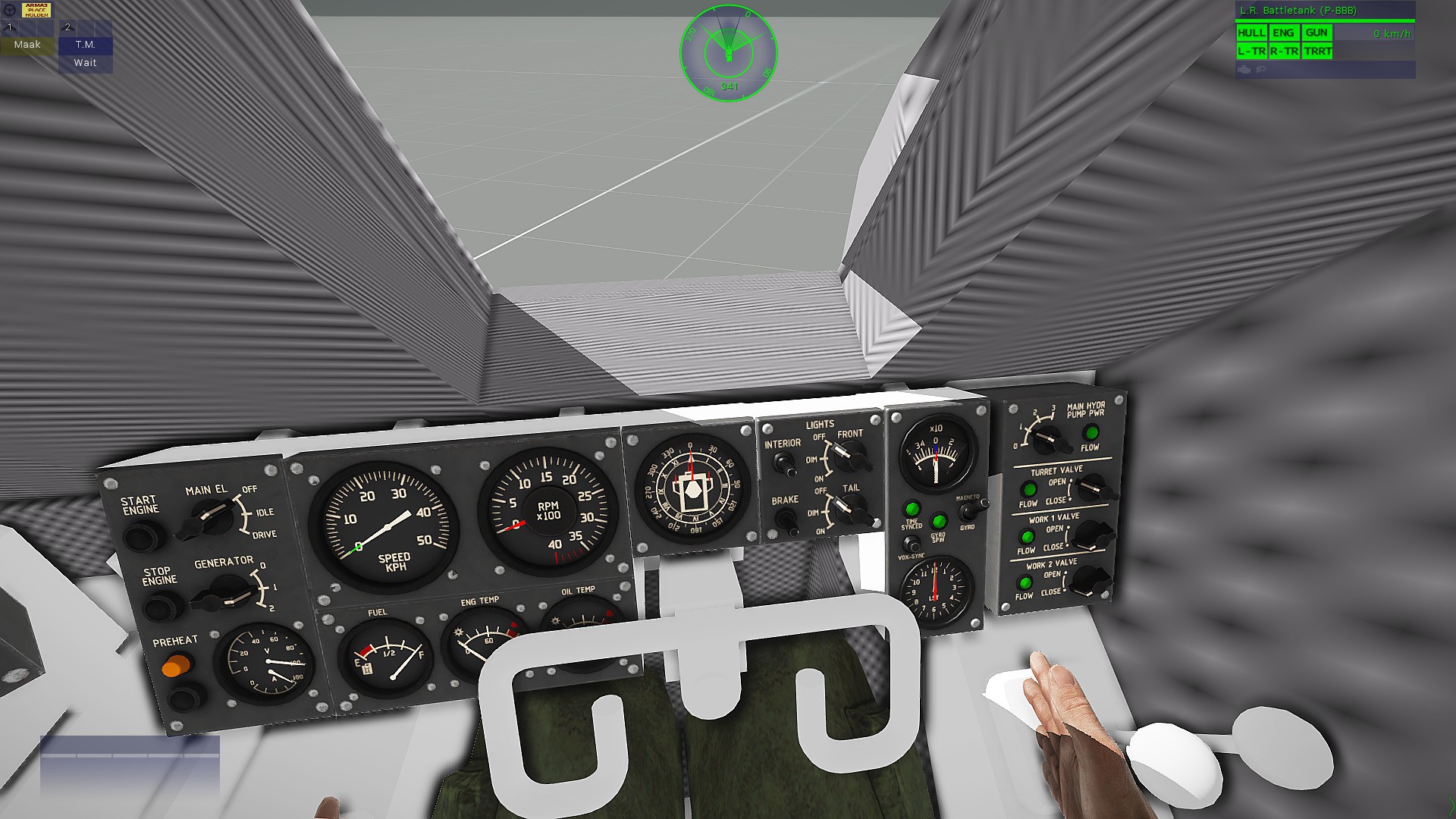

 stuck oyster
its probably not made properly from convex parts
each geometry requirements are listed in one of the pinned messages
rotund jetty
Can you tag me in the message?
stuck oyster
rotund jetty
Can you tag me in the message?
sorry no. its not very complicated to find it.
rotund jetty
firegeometry lod
-handles bullet/etc hits
-has same build requirements except mass(closed, convex, component,)
-each component can additionally have penetration material that defines the parts hit properties (armor, sand, glass, flesh etc) (P:\A3\Data_f\Penetration)
-is usually the most model accurate lod since it handles visual hits from bullets and the type of effects that might pop out of surface
??
Is this the message?
one minute
Do I need to give mass as in geometry?
@stuck oyster
stuck oyster
rotund jetty
Do I need to give mass as in geometry?
<@150949769953411072>
all the requirements are listed there
rotund jetty
stuck oyster
all the requirements are listed there
Which line is it written on?
stuck oyster
rotund jetty
Which line is it written on?
you need all the requirements
for each lod
rotund jetty
All are available for Fire Geometry
stuck oyster
I dont understand what is unclear
just make sure your geometry lods fulfill all the requirements listed
rotund jetty
stuck oyster
just make sure your geometry lods fulfill all the requirements listed
Brother, the bullet marks do not appear on the shooting board after a certain distance.
charred bolt
rotund jetty
Brother, the bullet marks do not appear on the shooting board after a certain di...
If you place a standard Arma 3 asset, such as a wall at the same position as your shooting board, do the bullet impact marks appear there?
rotund jetty
I'm trying now
rotund jetty
charred bolt
If you place a standard Arma 3 asset, such as a wall at the same position as you...
rotund jetty
@stuck oyster How do I identify components?
 bold flare
rotund jetty
bold flare
rotund jetty
Do the bullets go through the board (as if the board wasn't there, meaning they are not hitting the fire geometry), or are they stopped by the board but also leave no impact decal?
As in, does the geometry not work, or does it work fine and just the decals don't work
subtle bison
i'm pretty sure this is becaues you can't really animate stuff like that without breaking the bullet holes
we have a similar issue with the foldable ballistic shield in ws
one thing you could try is to make the target a proxy model
or you will make them separate objects and attach them to the animated mempoint via script later. that's probably the way i would go anyways
bold flare
But some bullet holes are working on it in the video
Yeah I would also recommend scripting it. It also seems like you might run into geometry size limit, especially when you try to go bigger.
With script you can just attach more metal beams to make it longer
subtle bison
actually i just retested our ballistic shield and the bullet issue seems to be gone. dont think i ever actively tried to fix it. so either something changed over the past 4 years in the engine or i fixed it without even realizing. 😄 so yeah, weird thing, no idea. still -> script is the better way, imo
charred bolt
Assuming all geometries are correctly formed, bullet holes not showing is usually because isDiscrete = 0; or the FG mesh is not close enough to matching the res LOD mesh.
stuck oyster
autocentering actually might be breaking it
bright echo
you mean turning it off?
stuck oyster
could fix it yea
Im thinking autocenter messes with the bounds like it messes with nearly everything else 😅
bright echo
but like every physx vehicle needs it on, and they generally have working impact marks
stuck oyster
but less far away animated parts
bright echo
oh true
rotund jetty
bold flare
Do the bullets go through the board (as if the board wasn't there, meaning they ...
Bullet marks are not visible when fired
bold flare
That doesn't answer my question
rotund jetty
translate does not translate well
@bold flareBro, what should I do to make the bullet marks visible?
stuck oyster
!issuewarning @tribal timber asking for how to steal models.
 high scarabBOT
stuck oyster
!issuewarning <@1153988044655968336> asking for how to steal models.
high scarabBOT
stuck oyster
!issuewarning <@1153988044655968336> asking for how to steal models.
Done.
rotund jetty
@stuck oysterBro, I downloaded a shooting range, I looked at the model, but it's the same as mine.
 tribal timber
stuck oyster
this is your only warning about the subject
tribal timber
stuck oyster
this is your only warning about the subject
Thanks for you HELP. I've always dreamed of stealing a MY model from MY mod.
stuck oyster
if its your model you would have the source files
tribal timber
stuck oyster
if its your model you would have the source files
I work either with FBX (without adapting to A3), or with ready-made P3D
No .blend saves on a3 adapting
stuck oyster
where do ready made p3d come from then?
tribal timber
From my FBX
I can apply textures, make bindings, but it's a waste of time.
And I'll say it again... Thank you for your help.
tribal timber
stuck oyster
fbx does not transfer into odol p3d
 stuck oyster
odols are binarized and that happens when a mod is packed
tribal timber
 stuck oyster
so I dont believe these are your p3ds if you dont have the originals
tribal timber
stuck oyster
so I dont believe these are your p3ds if you dont have the originals
I have FBX originals (as well as textures) that show the process of creating models from and to. At the moment, I have lost access to MY OWN P3D, which I made from FBX. At P3D, I'm working on the entire ADAPTATION to work with the GAME. From CAMO to LODs + Weights.
marsh canyon
The point about unbin the P3D is, it is not allowed even if you are the author. You need to get the source
bold flare
Ripping models is not supported, even if you're trying to rip your own.
The binarization process is not supposed tobe reversible
tribal timber
bold flare
Ripping models is not supported, even if you're trying to rip your own.
The bina...
For the first time, a logical answer
Thanks
rotund jetty
rotund jetty
@marsh canyonI modeled a shooting range, but when I shoot at the target, the bullet marks are not visible.
 stuck oyster
rotund jetty
<@122565573384208384>I modeled a shooting range, but when I shoot at the target,...
stuck oyster
rotund jetty
<@122565573384208384>I modeled a shooting range, but when I shoot at the target,...
please stop pinging people. if anyone has solutions they will answer.
tribal timber
stuck oyster
so I dont believe these are your p3ds if you dont have the originals
This p3d old version with old UV map.


 stuck oyster
well make new p3d from the source
tribal timber
stuck oyster
so I dont believe these are your p3ds if you dont have the originals
Instead of explaining that even the developers don't have a method to extract the disassembled P3D, you insulted me and my team.
Thanks
stuck oyster
tribal timber
Instead of explaining that even the developers don't have a method to extract th...
you are the one asking how to rip models. the warning stays.
Im not even convinced you are the author of the models.
subtle bison
i dont understand. i've already posted a suggestion - don't do the whole thing in a model file, but make parts and then assemble it in script. everything else is a waste of time 😄
hollow fulcrum
so did any of you guys make anything useful/fun/cool over the holidays?
bold flare
And I asked a question for which I still didn't get an answer
 dusky dragon
i started working on a BvS10 Viking
rotund jetty
rotund jetty
Watch both videos why this happens
subtle bison
model animation moves the mesh part away which then causes issue with the fire geo / bullet detection
just split the objects, there is very likely nothing else you can do to fix this
woeful viper
nice Foxone
i drove around alot in the unarmored version, its amazing how much stuff fits in there and how mobile it is in snowy/muddy terrain
rotund jetty
@subtle bisonCan i use proxy?
For split
subtle bison
i dont know, try it
dusky dragon
@hollow fulcrum soon my padawan, soon :D
hollow fulcrum
lol, im a padawan now. awesome.
dusky dragon
You will be granted the rank of jedi upon the release of the BvS10
dusky dragon
Not accoding to Yoda he doesnt
woeful viper
btw - i played jedi academy recently. I only discovered it this christmas, was awesome, despite it's age. Loved Jedi Outcast back in the day
never knew it had this successor
best lightsaber game ever...
dusky dragon
Nice!
cloud zealot
How do we make optics (not scopes)? Is there a tutorial or something anywhere ? I keep looking at everything i can find but all i can see are p3ds with only 1 resolution lod made of vertexes and no selection.
I'd like to make an optic that only shows the direction and the elevation of the turret
cloud zealot
I found a solution actually just need to make a RscUnitInfo
 remote peak
got a question, i assume i need to learn modelling to add cages to the M1117 yes?
 pale valley
remote peak
got a question, i assume i need to learn modelling to add cages to the M1117 yes...
pale valley
remote peak
got a question, i assume i need to learn modelling to add cages to the M1117 yes...
not only that you would probably need to make a M1117, too. (unless there's a way to do it via scripting, but I doubt it)
 wind belfry
foxone, are you planning to make it 2 part vehicle where there is driving unit and cargo unit?
@Brian/Foxone
woeful viper
making this vehicle work properly in terms of simulation will propably be a major pain in the arse
Best bet might actually be a wheeled vehicle as basis, and then use the steering of the vehicle wheel base to animate the units movement in relation to each other
remote peak
pale valley
not only that you would probably need to make a M1117, too. (unless there's a wa...
modding of pain and suffering
gotta go find a tutorial i guess
pale valley
@remote peak
The thought of learning to 3d model was daunting to me too, as it turns out, I love it - you might, too
remote peak
pale valley
<@396374795073355776>
The thought of learning to 3d model was daunting to me to...
any starter recommendations?
stuck oyster
remote peak
any starter recommendations?
start small
and keep making things.
3d modeling is really one of those things you keep learning by doing it and eploring how different tools work
remote peak
i mean i kind of got that part handled in a fusion360 sense
dont know how similar it ends up being
stuck oyster
remote peak
dont know how similar it ends up being
some same principles, very different tools
remote peak
i see
north sundial
Do what I did, learn how to model by modelling in object builder. After that, everything is easy haha
 scenic knot
Hey guys, this might be a simple question but anybody know how to make sure the cargo passenger's head/camerapos/perspective stay on their head? Its like his head rolls off and straps itself down on an arbitrary spot
 charred bolt
scenic knot
Hey guys, this might be a simple question but anybody know how to make sure the ...
charred bolt
scenic knot
Hey guys, this might be a simple question but anybody know how to make sure the ...
Do you have the cargo proxy in both the resolution LOD (eg LOD 0) and also a View Cargo LOD?
Have you set these parameters appropriately?
transportSoldier = ;
cargoProxyIndexes[] = { };``` worn anvil
Hello everyone!
As a beginner creating models on Arma 3, I have two issues with my bulletproof vest. The first is the shadow, which is buggy and I can't seem to fix (see attachment 1), and the second is that when the character moves in a certain way, he or she passes through part of the vest (see attachment 2 - the video). If anyone can help me, I would be very grateful! ^^
https://medal.tv/fr/games/arma-3/clips/ihRVDnv5Hlhu6ttsl?invite=cr-MSw2ZGUsMTkyNDg5Nzcy


Regarde Gilet test de la_caverne_off et des millions d'autres vidéos Arma 3 sur Medal. Tags : Arma 3
I just saw that I even had to move the vest away from the character's body to alleviate the problem but it still persists.....
charred bolt
worn anvil
Hello everyone!
As a beginner creating models on Arma 3, I have two issues with...
Shadows must be:
- closed
- triangulated
- sharp
worn anvil
charred bolt
Shadows must be:
1) closed
2) triangulated
3) sharp
How can I do this pls ?
charred bolt
worn anvil
How can I do this pls ?
What software are you making the shadow with?
Those things are fairly basic 3d modelling skills, perhaps "closed" is slightly more advanced.
worn anvil
charred bolt
What software are you making the shadow with?
Those things are fairly basic 3d m...
I use Object Builder. Yes, I know, but I haven't touched it in over a year, and my only experience with modeling was guided.
charred bolt
worn anvil
I use Object Builder. Yes, I know, but I haven't touched it in over a year, and ...
Triangulate: select shadow, press / on keyboard
Sharp: select shadow, press U
Closed: Structure > Topology > Find Non-Closed
worn anvil
charred bolt
Triangulate: select shadow, press / on keyboard
Sharp: select shadow, press U
Cl...
I just did it, saved, rebuilt my addon, restarted the game and still the shadow problem
And would you also know how to solve my second problem or not pls ? ^^
stuck oyster
worn anvil
I just did it, saved, rebuilt my addon, restarted the game and still the shadow ...
you will need to go back to modeling basics and probably better to learn blender.
making game models requires set of skills
also since you say youre beginner, wheres the model from?
 quasi tangle
If I wanted to make something like this in the game, how would I go about doing such a task?

 sour bough
worn anvil
Hello everyone!
As a beginner creating models on Arma 3, I have two issues with...
sour bough
worn anvil
Hello everyone!
As a beginner creating models on Arma 3, I have two issues with...
You have to weight paint the vest so it's not stiff.
That said, I'm also curious where you got this from.
umbral shuttle
can tankX simulation support being amphibious?
umbral shuttle
charred bolt
https://discord.com/channels/105462288051380224/122121444703338496/1395784503338...
oh lol I didnt think anyone would ask same question
 real venture
New to RV4 modding, is there a way to have or emulate inverse kinematics for vehicles and such?
(not sure if I should be asking here, in #arma3_animation)
marsh canyon
For what is the question
real venture
Looking into making some walker-type vehicles
marsh canyon
So a tank-ish vehicle
real venture
yep
marsh canyon
The short answer: I believe yes
Longer: You really should to use a decent amount of SQF scripts and massive patience to make it work, it still uses some P3D works
charred bolt
real venture
Looking into making some walker-type vehicles
Basically no IK available for vehicle animations.
Walker-type vehicles are not particularly suited to the Arma engine. They have been attempted a few times by the most experienced (10 year vets) modders, and almost nothing has been released, so that gives you some idea of the immense complexity you would face in trying yourself. I'd recommend not bothering.
gentle merlin
charred bolt
Basically no IK available for vehicle animations.
Walker-type vehicles are not p...
Tbf its not impossible per se, webknight did make working imperial knights and those new mechs he released, but to do that you need to have a wide skillset so to the usual modder yeah its not something to attempt
Even with that example it is very clear arma isnt friendly to those "vehicles" 😄
runic plover
charred bolt
Basically no IK available for vehicle animations.
Walker-type vehicles are not p...
I did also Mech stuff (3 2legged and 1 4legged mech) 100% vehicle.
2005 OFP i did a mixed soldier mech anim with rtm anims and vehicle, and OFP had a lot more limitations than Arma3. Currently i prefer being 100% vehicle mechs, no MP issues but ofcourse rtm animations will look better but only works with a mix of character and vehicle
real venture
With scripting it should be somewhat possible?
I figured I can just try to recreate some IK solver but if it's not as simple as that...
runic plover
real venture
With scripting it should be somewhat possible?
I figured I can just try to recre...
With scripting you can define when vehicle moves forward or backward and you can also define its speed. So you can call its animations you got defined. You can only use rotation and translation and this you need to mix together to anim sources
real venture
I'm not too familiar with arma scripting but are rotation and translation of specific parts modifiable through scripts? If they are then making basic IK doesn't sound too difficult unless I'm missing some caveats