#arma3_model
1 messages · Page 48 of 1
 livid portal
 fallen compass
No, but in the blender
livid portal
Believe only the icon for the picture can be .jpg
Blender uses whatever, but if you are trying to use the arma 3 toolbox thing, then they must be .paa
refer to what happens in my video
fallen compass
I got this error because it seems that JPEG is a bad idea.
 prisma mulch
that box is the texture for arma to use
Blender doesn't care what you put there
 hallow steeple
uh- I've never gotten this before- could this be due to some mod conflicts, by chance?

I am guessing "dpsword" might be the thing conflicting, but idk x3
Wait- I have the model.cfg set wrong I bet-
class CfgSkeletons
{
    class Skeleton
    {
        isDiscrete=0;
        skeletonInherit="";
        skeletonBones[]={};
    };
};
class CfgModels
{
    class Default
    {
        sectionsInherit="";
        sections[]={};
        skeletonName="Skeleton";
    };
    class loudspeaker_proxied: Default
    {
        sections[]=
        {
            "hideMe"
        };
    };
    class floodlight_proxied: Default {};
    class floodlight_proxied_orange: Default {};
    class RCHT_Sidewalk_01_center_4m_F: Default {};
    class RCHT_Sidewalk_02_center_4m_F: Default {};
    class RCHT_AI_Position_F: Default {};
};
I do, don't I? x3
 stuck oyster
hallow steeple
uh- I've never gotten this before- could this be due to some mod conflicts, by c...
stuck oyster
hallow steeple
uh- I've never gotten this before- could this be due to some mod conflicts, by c...
yes dpsword is what seems to be broken
Im guessing thats not your mod though so you are loading in something thats not made right
hallow steeple
ah ok- so my file looks fine?
skeleton doesn't need to be named something different or whatever?
stuck oyster
hallow steeple
skeleton doesn't need to be named something different or whatever?
well
preferably you always use unique names
 hallow steeple
stuck oyster
well
hallow steeple
stuck oyster
well
So, skeleton should be like- RCHT_Skeleton?
stuck oyster
hallow steeple
So, skeleton should be like- RCHT_Skeleton?
that works sure
hallow steeple
actually, lets do RCHT_PI_Skeleton so I can have additional skeletons if needed for other mods
livid portal
fallen compass
<@385065613862764544>
highlight the whole weapon in object builder and then press F5, then re-import
fallen compass
as?
livid portal
as?
 livid portal
What is the texture resolution? The smaller like 512x512 compared to 2048x2048 (higher is better)
 livid portal
Well how does the texture look like then?
prisma mulch
what graphics quality are you using
fallen compass
standar
stuck oyster
need ultra for 4k to work

 runic plover
hallow steeple
```cpp
class CfgSkeletons
{
class Skeleton
{
isDiscrete=0;
...
runic plover
hallow steeple
```cpp
class CfgSkeletons
{
class Skeleton
{
isDiscrete=0;
...
needs to be isDiscrete=1;
hallow steeple
runic plover
needs to be `isDiscrete=1;`
what does discrete even do, btw? 😅
runic plover
hallow steeple
what does discrete even do, btw? 😅
i dont know.. being discrete i think 
livid portal
isDiscrete = 1; // 1 stands for discrete skinning values (0 or 100 % for each vertex of every selection) no clue what it means either though lol
hallow steeple
I think it only really matters for animation, from what I'm gathering-
 honest galleon
Saw this above: https://community.bistudio.com/wiki/Geometric_Occluders
Waits for no one to implement them in their models...
 charred bolt
hallow steeple
I think it only really matters for animation, from what I'm gathering-
charred bolt
hallow steeple
I think it only really matters for animation, from what I'm gathering-
Use isDiscrete = 0 when you need to have weighting applied to the animation of vertices in a mesh.
An example is when you want to bend something, such as an antenna or a spring suspension. One end of the object might be fixed (0% weight) and then get progressively heavier weighting until the end is moving 100% with the animation source.
The downside of isDiscrete = 0 is that it prevents bullet strike marks from showing.
 jaunty rune
anyone know if there is a way to lock a object to a rendering setting in max?
 stuck oyster
 sturdy finch
basically same requirements as with headgear which are posted in teh pinned messages
 analog garden
you can’t pay for the usage of any arma tools
u can commission a model and put it in game urself
 sick junco
Hi everyone, I need a hand, I'm looking for a modder for Arma 3 to create a model of a rifle (obviously for a fee and we will agree on the price together).
livid portal
sick junco
Hi everyone, I need a hand, I'm looking for a modder for Arma 3 to create a mode...
 real crow
https://imgur.com/cs11unK Hey people, i got this weird bug on my custom flak. After each shot from the gunner seat, the reloading time gets weirdly suspended for a moment, it looks like a time gap issue. This doesnt happen if i take the shot from the commander seat in manual fire mod, where things are smooth. I don't know what this could be, literally my first time seeing this bug. What could it be ?
 stuck oyster
cant say I've seen that happen before
sick junco
livid portal
<#292271129303842817>
thanks
 obtuse rain
@celest arch Flags don't have a wind animation source.
livid portal
Maybe you got too many reloads going on in model.cfg? 🤔
stuck oyster
conflicting animations?
livid portal
Could be, haven't touched anything other than guns but perhaps there is an animation for each seat (dunno why that would be if so)
 pastel heath
Hi guys i am trying to setup buldozer for a hour to no avail.
So this is the error i have when i try to launch buldozer from object builder.
I have installed P drive with ArmAP Mikero tools and i have put buldozer files there as well.
Picture:
And in Object builder Options in External viewer i have this line:
P:\buldozer.exe -buldozer -name=Buldozer -window -noLand -exThreads=0 -noLogs -noAsserts -cfg=buldozer.cfg
What am i doing wrong any help would be nice thanks.

 stuck oyster
livid portal
Could be, haven't touched anything other than guns but perhaps there is an anima...
stuck oyster
livid portal
Could be, haven't touched anything other than guns but perhaps there is an anima...
not per seat, just per muzzle
stuck oyster
pastel heath
Hi guys i am trying to setup buldozer for a hour to no avail.
So this is the err...
mikero tools would remove buldozer exe and point it to use the actual arma3 exes from arma 3 install folder
so you have done something odd there
pastel heath
stuck oyster
mikero tools would remove buldozer exe and point it to use the actual arma3 exes...
Yea i have installed the buldozer with arma 3 tools and i have got that in documents.
I have copied files from there to P Drive.
livid portal
stuck oyster
not per seat, just per muzzle
But the flak only got one muzzle no? 🤔 2 seats, and one seat is working over the other
pastel heath
So i have this in options:
And this is my buldozer config:
Still throws same error

 livid portal
So must be something to do with the active seat being in and not the primary seat, idk
stuck oyster
pastel heath
Yea i have installed the buldozer with arma 3 tools and i have got that in docum...
This usually dont work
dont mix arma tools install and arma3p methods
pastel heath
stuck oyster
This usually dont work
How would i install Buldozer then ?
stuck oyster
pastel heath
How would i install Buldozer then ?
you dont need separate buldozer
arma3p sets it to use tha arma3 exe
like I said
pastel heath
stuck oyster
you dont need separate buldozer
Yea i know now when i removed that and try to add just arma 3 i have this error now when i try to configure buldozer:

How would i remove this.
stuck oyster
pastel heath
Yea i know now when i removed that and try to add just arma 3 i have this error ...
you dont use buldozer configurator
pastel heath
stuck oyster
you dont use buldozer configurator
So what do i use then ?
stuck oyster
pastel heath
So what do i use then ?
for what??
😅
all you need to do is mount P drive (preferably with the bat file that mikero tools comes with)
then run arma3p
and you should have object builder buldozer path set up for you
to the arma364bit exe in steam\arma3\ folder
pastel heath
stuck oyster
for what??
So do i setup arma 3 P with this or with arma3p cmd ?
 stuck oyster
pastel heath
So do i setup arma 3 P with this or with arma3p cmd ?
stuck oyster
pastel heath
So do i setup arma 3 P with this or with arma3p cmd ?
you can use that too
pastel heath
stuck oyster
you can use that too
Ok so i have reinstalled the tools and removed and readd P drive i launched the object builder
in Options i have this:
And i have the same error:

 stuck oyster
looks like the buldozer launch parameters didnt install
pastel heath
stuck oyster
looks like the buldozer launch parameters didnt install
Ok how would i install that ?
stuck oyster
D:\Games\Steam\steamapps\common\Arma 3\arma3_x64.exe -buldozer -name=Buldozer -window -noLand -exThreads=0 -noAsserts -world=cam_lao_nam -worldcfg=cam_lao_nam -cfg=buldozer.cfg
needs to be something like this
click on the property and add the missing stuff at the bottom
at the value
dont add the cam_lao_nam parameters tho
pastel heath
stuck oyster
D:\Games\Steam\steamapps\common\Arma 3\arma3_x64.exe -buldozer -name=Buldozer -w...
I have this line:
D:\Steam\steamapps\common\Arma 3\arma3.exe -buldozer -name=Buldozer -window -noLand -exThreads=0 -noAsserts -cfg=buldozer.cfg
This is the new error i got:
and my Object builder crashed.

And after that same error External viewer
stuck oyster
 maybe something residual left from trying the armatools stuff
pastel heath
stuck oyster
<:blobdoggoshruggoogly:748124048025714758> maybe something residual left from tr...
How would i go about fixing this ?
stuck oyster
pastel heath
How would i go about fixing this ?
did you run arma3p already?
might also need to restart to make sure no armaToolsLauncher things happen automatically
pastel heath
stuck oyster
did you run arma3p already?
Do you have a few min just to view my screen so i can explain and show what i have done so far ?
stuck oyster
sorry no.
you can find link to pcm wiki in the #arma3_terrain pinned messages
there is a simple P drive and tools setup guide there that should work
pastel heath
stuck oyster
sorry no.
Can you do me a favour what is a value you have for Computer\HKEY_CURRENT_USER\Software\Bohemia Interactive\Object Builder\ExternalViewer in your Registry ? is it default or this ?
D:\Games\Steam\steamapps\common\Arma 3\arma3_x64.exe -buldozer -name=Buldozer -window -noLand -exThreads=0 -noAsserts -world=cam_lao_nam -worldcfg=cam_lao_nam -cfg=buldozer.cfg
?
stuck oyster
pastel heath
Can you do me a favour what is a value you have for Computer\HKEY_CURRENT_USER\S...

no
normally you dont need to mess with registry with this
livid portal
-world=cam_lao_nam ? Modded map or?
stuck oyster
livid portal
-world=cam_lao_nam ? Modded map or?
SOGPF
livid portal
Ah right
 north sundial
Anyone managed to get the 3 materials to change in class damage?
it starts as the first, moves to the second but doesn't apply the third full destruct
        class Damage /// damage changes material in specific places (visual in hitPoint)
        {
            tex[]={};
            mat[]=
            {
                "A3\structures_f\data\windows\window_set.rvmat",         /// material mapped in model
                "A3\structures_f\data\windows\destruct_half_window_set.rvmat",     /// changes to this one once damage of the part reaches 0.5
                "A3\structures_f\data\windows\destruct_full_window_set.rvmat"        /// changes to this one once damage of the part reaches 1
            };
        };

        class HitPoints
        {
            class tech_glass_01_hitpoint
            {
                armor = 0.2;
                material = -1;
                name = "tech_glass_01_hit";
                visual = "tech_glass_01_vis";
                passThrough = 0;
                radius = 0.25;
                convexComponent = "tech_glass_01_hide";
                class DestructionEffects
or have I mucked it up somewhere
north sundial
Or will it only apply the final stage when the whole model is destroyed?
stuck oyster
north sundial
Or will it only apply the final stage when the whole model is destroyed?
correct
north sundial
ah i see which is why you use the hide anim for the geometry for the res as well
ive got that part working but I was hoping to cut out one of the section counts haha
north sundial
Thanks for the clarification 🙂
pastel heath
stuck oyster
correct
I manage to make it work.
Basically what i did is :
1.Deleted the registry and all of the remains that were left when uninstalling Arma 3 tools.
2.Reinstalled Arma 3 Tools.
3. Run a Addon Builder 1 time so it gets registers in registry.
4.Made a P Drive.
5.Run Arma3P.
6.Open Object builder in options put this path in external view:
Closed and reopened Object builder and it worked.
This took way to much effort then it needed.
stuck oyster
pastel heath
I manage to make it work.
Basically what i did is :
1.Deleted the registry and a...
excellent.
unfortunately the launcher method seems to break very often
 chilly iris
Hey
In regards to LODS for models IE helmets
How does arma work out what lod is applied at what distance ?
If the distance is fixed what calculates at what stages the lods come into affect ?
IE if i have 4 stages of lods which half each time what distance will lod 2 kick in the lod 3 ect ect?
i am finding that no matter the amount of faces i have in the lods it always seems to kick in at like 15-20m and goes from full res to almost the last lod straight away
stuck oyster
chilly iris
Hey
In regards to LODS for models IE helmets
How does arma work out what lod is...
theres no specific ranges. it varies on whats on screen
 dusty lichen
Hi I created a shadow volume for my gun but I dont know what is causing this
 stuck oyster
dusty lichen
Hi I created a shadow volume for my gun but I dont know what is causing this
stuck oyster
dusty lichen
Hi I created a shadow volume for my gun but I dont know what is causing this
its not closed
you can make it from simple shapes like boxes
 south badge
dusty lichen
Hi I created a shadow volume for my gun but I dont know what is causing this
south badge
dusty lichen
Hi I created a shadow volume for my gun but I dont know what is causing this
Blender - Mesh check - Non-manifold
stuck oyster
Im guessing you made copy of the gun as shadow lod
Id recommend making far more siplified version
dusty lichen
i just did a new one now, but i cant export it as p3d it keeps saying there is no LOD. attached a screenshot of the LOD property, I am just following the Test weapon from samples and then copying the proxy from my model
 stuck oyster
dusty lichen
i just did a new one now, but i cant export it as p3d it keeps saying there is n...
stuck oyster
dusty lichen
i just did a new one now, but i cant export it as p3d it keeps saying there is n...
try export only selected (while that lod object is selected)
dusty lichen
still giving this error even when exporting it only
 prisma mulch
dusty lichen
still giving this error even when exporting it only
prisma mulch
dusty lichen
still giving this error even when exporting it only
have you validated the LOD?
dusty lichen
this one right? no havent try
 prisma mulch
Not that one, the one in the sidebar of the 3d view

Error message is saying it has failed validation, and this one should give you a better idea why
 umbral shuttle
does the number for shadow lod matter? is 1 and 2 treated the same as if it was named 0 and 10
charred bolt
umbral shuttle
does the number for shadow lod matter? is 1 and 2 treated the same as if it was ...
Use 0.000 and 10.000 for res LOD SV's. There can also be SV's for other LOD's such as Cargo.
umbral shuttle
charred bolt
Use 0.000 and 10.000 for res LOD SV's. There can also be SV's for other LOD's su...
So it has to be those numbers? The way wiki is worded it says "suggests" when I think it should be "has to be" right?
charred bolt
umbral shuttle
So it has to be those numbers? The way wiki is worded it says "suggests" when I ...
Maybe, possibly, probably. Someone might know. But don't waste your time, just use 0 and 10.
umbral shuttle
charred bolt
Maybe, possibly, probably. Someone might know. But don't waste your time, just u...
There's just a lot of old stuff to go fix then 🙂
charred bolt
This conversation will have taken longer than opening half a dozen p3d's and changing the SV numbers to the correct ones. 😉
umbral shuttle
charred bolt
This conversation will have taken longer than opening half a dozen p3d's and cha...
but this conversation is more engaging then looking at object builder in light mode 
 gritty vigil
is there any way to mess with the UI scale of object builder?
in 4k some of the properties and lods UI is a little bit... small
 stuck oyster
gritty vigil
in 4k some of the properties and lods UI is a little bit... small
stuck oyster
gritty vigil
in 4k some of the properties and lods UI is a little bit... small
you can double click on the elements to undock them and drag them around to dock them back
 livid canyon
umbral shuttle
but this conversation is more engaging then looking at object builder in light m...
livid canyon
umbral shuttle
but this conversation is more engaging then looking at object builder in light m...
You can change the background colour
umbral shuttle
livid canyon
You can change the background colour
that only effects the viewers and not the rest of the areas?
umbral shuttle
what influences bipod_legs_length? I never really notice if the length of a bipod changes depending on the surface
I guess I kinda answered my self
 round mantle
if some of yall could give me a hand and tell me why this is coming up im about too pull my hair out lol.

 marsh canyon
"All LODs failed validation" it says
round mantle
says the mesh has n-gons i triangulated the faces and im lost now
round mantle
okay so all but my main bit of my helm passed
OMG i could die rn
Thank you i feel dumb
 thorny shadow
Hello good people of arma3 modding community.
I stumble upon yet another problem in my journey of making custom cannon (static).
It won't rotate according to mouse movement. It kinda does tbh, but only gun part, turret stays in place.
Now to the problem.
I specified two parts, one is mortar's body, other is mortar's gun.
Selection for mortar body called - "frame", for gun -** "turret"**.
Frame part and all other animations are loading up and working in Buldozer, in game - not so much.
When i rotate mouse side to side it elevates and lowers gun (turret). Movements up and down do nothing and body (frame) stays fixed.
Here is model.cfg for anyone intrested in resolving this issue.
marsh canyon
Screenshot?
thorny shadow
It's an active problem, kinda moving, not static
marsh canyon
Then video?
south badge
Is it a feature that the "reload" source does not work for the last round in the magazine?
marsh canyon
Probably. You can see this in almost everywhere, one obvious example is MX's bolt
Try revolving instead
thorny shadow
Nvm problem was a misplaced animation source
stuck oyster
south badge
Is it a feature that the "reload" source does not work for the last round in the...
There Is nothing to reload on last shot.
thorny shadow
So how to create your own animation source for reloading? Because i guess it's not just axial animations, right?
south badge
In your cfgVehicles you will need to create a custom animationSource with:
class autocannon_recoil_source
{
weapon = "weapon_name";
source = "reload";
};
In the model.cfg you will need to create an animation class:
class animate_recoil_barrel {
type = "translation";
source = "autocannon_recoil_source";
selection = "barrel";
axis = "axis_barrel";
minValue = 0.0;
maxValue = 1;
offset0 = "0.0";
offset1 = "-0.05";
animPeriod = 10;
};
selection is the visual lod selection that is supposed to be moving
axis is, obviously, the axis
offset1 is how "far" the barrel recoils along the axis in this case
When a round is "loaded" into the magazine (after firing a bullet basically), the source value goes from 0 to 1, or 1 to 0, I dont remember, one of these  , triggering the animation
but apparently revolving is a better source instead of reload to combat the issue from the video I linked above
Alternatively, you can also use functions for this
I don´t know how to use functions
thorny shadow
Nice, thanks)
runic plover
south badge
Is it a feature that the "reload" source does not work for the last round in the...
BI Tanks got same "bug"
south badge
runic plover
BI Tanks got same "bug"
Damn, this must mean I am making BI level assets! 
dusty lichen
How can I make magazinewell magazine act as a normal magazine? Currently, it doesnt remove when I reload the rifle. The drum mag is the original magazine with the gun and the 5.45 mag is from A3AKU. The drum mag acts normal, it just the 545 mag staying onto the rifle at all times
 thorny shadow
Did you done this to the magazine proxy?
class hide_shell
{
type = "hide";
source = "ammo"; // Hide proxy when out of ammo
selection = "shell"; // This is just name of mag proxy
minValue = 0; // Hide when ammo = 0
maxValue = 1; // Show when ammo > 0
};
in model.cfg?
I'm by far not an expert, but any help is good help i guess XD
south badge
I do not use a proxy for my magazine
thorny shadow
Well as i said, not an expert)
south badge
But yeah, you ought to hide / animate the magazine when reloading it
I have some two stage translation animation for it
            {
                type="translation";
                source="s60_reload_magazine_source";
                selection="magazine_body";
                axis="axis_magazine_hide";
                minValue=0.0;
                                maxValue=0.1;
                                offset0 = "-0.5";
                                offset1 = "-1";
                animPeriod = 1;
                memory = 1;

            };


  class animate_magazine_load_two
            {
                type="translation";
                source="s60_reload_magazine_source";
                selection="magazine_body";
                axis="axis_magazine_hide";
                minValue=0.7;
                                maxValue=1;
                                offset0 = "0.0";
                                offset1 = "-0.5";
                animPeriod = 1;
                memory = 1;

};```This is what I have atm which does hide the drum mag when reloading. i am not sure how I can do it for other mag because i want to be able to use A3 base game 5.45 mags as well
class no_magazine {
type = "hide";
source = "hasmagazine";
sourceAddress = "clamp";
selection = "magazine";
memory = 1;
minValue = 0.0;
maxValue = 1.0;
hideValue = 0.5;
unHideValue = -1.0;
};
class magazine_hide {
type = "hide";
source = "reloadmagazine";
sourceAddress = "mirror";
selection = "magazine";
memory = 1;
minValue = 0.0;
maxValue = 0.4;
hideValue = 0.5;
unHideValue = -1.0;
};
thorny shadow
Have you tried to setting this value to 1.0? unHideValue = -1.0;
Again, don't listen to me
dusty lichen
tried it no change unfortunately
runic plover
south badge
Damn, this must mean I am making BI level assets! <:yoba_zampolit:74988528584386...
You can also use FiredEH and let execute your recoil animation
stuck oyster
dusty lichen
This is what I have atm which does hide the drum mag when reloading. i am not su...
what weapon is it?
if weapon is set up for magazine proxy then it must not contain the magazine mesh anymore
just the proxy for the magazine
the loaded magazine gets attached to the proxy position
so 2 magazines should never show up
thorny shadow
Guys, wtf, is this geometry problem?
Static gun rotates around just fine, but there is quirk to it, on specific place it's just "jumps" up and stays in the air unti i move it again lol
 dusty lichen
stuck oyster
what weapon is it?
dusty lichen
stuck oyster
what weapon is it?
The 5.45 magazine is from the AKS74U from Apex and the one I am importing is a RPK16
I remove the magazine proxy now but when I reload, the 545 magazine does not do the hide animation
stuck oyster
dusty lichen
I remove the magazine proxy now but when I reload, the 545 magazine does not do ...
you are doing something wrong there
you dont need to hide anything
the magazine proxy system handles all that if you do it right
but I suspect you have the 545 magazine in the actual model
magazine proxy is just a proxy triangle, it has no shape
it just marks the position the magazines are attached to when the weapon is loaded with a magazine
dusty lichen
this is what my magazine area looks like atm, i am using the magazineslot from weapon_slots. Is this correct?
 stuck oyster
dusty lichen
this is what my magazine area looks like atm, i am using the magazineslot from w...
stuck oyster
dusty lichen
this is what my magazine area looks like atm, i am using the magazineslot from w...
looks right
dusty lichen
do i need to do anything in model.cfg?
stuck oyster
dusty lichen
do i need to do anything in model.cfg?
only if you want to animate magazine reload sequence stuff
dusty lichen
so if I want to be able to use the A3 545 mags, and want it to be animated (as in reloading), then I need to animate things on model.cfg, correct?
livid portal
In config.cpp yes, model.cfg is only for animations (moving parts) proxies goes in the p3d
dusty lichen

This is what it looks lke atm
I am using magazineWell AK_545x39 for the rifle in config.cpp
livid portal
Make sure to add a magazine proxy and then you need something like this in model.cfg
 dusty lichen
when you mean magazine proxy, you are referring to creating a magazine in the vertex groups and then I assign the magazine to it?
livid portal
No, in your \A3\Data_f\proxies\weapon_slots\MAGAZINESLOT you added

On the very same if you select it, name it magazine as well
dusty lichen
like this ?
 livid portal
just magazine
and no go back to the original
Select the proxy

then right click and do "new"

write in magazine then press enter

 foggy finch
any flags I can put in my model to let ground clutter through the model?
livid portal
After that, click on the magazine selection you just made and click on this

It should now have 2 selections on it
dusty lichen
currently like this and both have the selection
 livid portal
So if you click on either of them, the same proxy on the left is selected yes?
livid portal
yes
You can remove the one you got in view pilot and then just copy paste from the one you did
dusty lichen
how do i do that?
livid portal
Exactly what i said 😄
In your view pilot (don't mind mine having magazine)

Then remove the proxy in the left window after
Go back to the lod you just had done, select it

CTRL+C, back to view pilot and do CTRL+V done.
(exact same for shadowvolume if you got that)
livid portal
You're welcome
dusty lichen
i broke my muzzle now, what can be causing this? the muzzle flash is permanetly there fixed
 livid portal
Nice one
gritty vigil
opened up the A3 samples Test_Car_01.p3d in object builder and noticed that it only has one quality LOD (1.000) with... pentagonal wheels. Is it using something else for quality 0? Or does the sample just have lower fidelity than what the game equivalent would be
marsh canyon
Yes, Samples are meant to tell what are the mandatory
umbral shuttle
For a car the glass areas have to be CA texture, can the body also be CA texture? in the past I have had problems where the body is still slightly opaque so I just have glass off in a differnet material
thorny shadow
umbral shuttle
For a car the glass areas have to be CA texture, can the body also be CA texture...
i recently had a problem like that. Yes, main texture should be _CO, and do not have alpha channel preferably (from PH i export images as PNG 24 BIT)
And also somone said that _CO actually have 1bit alpha, so idk, but _CO should work all the time
umbral shuttle
thorny shadow
i recently had a problem like that. Yes, main texture should be _CO, and do not ...
oh okay cool just looking for confirmation
stuck oyster
thorny shadow
And also somone said that _CO actually have 1bit alpha, so idk, but _CO should w...
Correct. CO texture can still mess up if it has unnecessary transparency.
thorny shadow
It took me too long to get here, but my mortar/AT-gun is almost ready
I have one question left. Can i make it direct fire? I already done
isDiscrete = 0;in model.cfg
It is inheriting from DefaultSkeleton.
I made gunner_view and gunner_view_dir locked onto main gun.
"muzzle", "turret", -muzzleis memeory point,turret- is main gun
"gunner_view", "turret", -gunner_view and _dir- are memory points.
"gunner_view_dir", "turret"
So this this changes were not enough, and my crosshair still static
Also i changed default RangedArtillery to turretInfoType = "RscWeaponZeroing";
and made animation animation for gunner
class ViewGunner
{
type = "translation";
source = "turret";
selection = "gunner_view";
axis = "";
offset0 = 0;
offset1 = 1;
};
In the config my base cannon inherits from StaticCannon, maybe that will help
I REALLY wanna finish the gun, so any help and suggestions are welcomed
north sundial
So i'm pretty sure this issue is caused by the texture being _CA, it has some transparency to allow for the "vented" part and another part to be transparent. I have a CA and CO version of this texture so I can apply the CA part to just the faces that need it I think in order to mitigate the issue, but I wanted to ask as to avoid another section draw call, is there another way around this issue?
 thorny shadow
Do you have shadow volume lod?
north sundial
Not yet its early WIP ive been messing with animations and hitpoints for the building atm
I remember having the same issue years ago and I think it was due to having the texture being partially transparent
for ref this is the alpha channel

so its only a small section of the texture
thorny shadow
Does those lines on the wall flicker and change depending on the angle from what you are viewing it from? If so i'm 90% sure it's because you don't have shadow volume. I mean you said it yourself
north sundial
Yeah they do move, let me make a quick shadow lod
thorny shadow
Yeah it's shadow volume
stuck oyster
north sundial
for ref this is the alpha channel
this needs to be separated to its own texture
you must not mix solid and transparency requiring parts
south badge
thorny shadow
So this this changes were not enough, and my crosshair still static
Afaik the only thing that matters is that both the optic origin vertex and its direction vertex are in the appropriate vertex group, that is, a bone that moves together with the barrel 🤔
north sundial
stuck oyster
this needs to be separated to its own texture
Yeah I thought as much
stuck oyster
thorny shadow
and made animation animation for gunner
class ViewGunner
...
is turret a valid animation source?
thorny shadow
Turret is my name for the main gun of the mortar
it's animated etc
All of the animations work like charm, but crosshair seems like it's stuck directly to characters point of view, because in 1st person character moving his head slightly and i can see that crosshair moves with his head
 oak pollen
Having troubles figuring out how to put a premade texture that came with the model into arma as a hidden selections for said model, any tips?
marsh canyon
What is your exact issue?
oak pollen
Downloaded a model and am currently in the process of implanting, model came with textures already made for it. I’m trying to convert them to what arma can read with no luck
marsh canyon
Do you have model.cfg? selections are related with it
oak pollen
yes, I guess I shoulda been more specific. Trying to convert the textures applied in blender into arma 3 hidden selections without having the re uv it from the pre downloaded textures for the model
marsh canyon
So the point here is you cannot retexture using hiddenSelectionsTextures config?
oak pollen
im confused on how to move it from blender to hidden selections, did some diggin on youtube (bi forums are down) with no luck
marsh canyon
Expected a yes or no though. Basically
- In Blender
-- Vertex Group, weight 1 - In model.cfg
-- section[] - config.cpp
-- hiddenSelection[]
They are the key

 sick kraken
Me and my friend have hit a problem and we don't know any fixes, We are trying to model a bunker into Arma 3, a (relatively) simple dome bunker, everything works as intended except during testing we couldn't throw any grenade through the windows even though there is plenty of room and nothing in any LOD blocking them, they just bounce back like there is glass in the way!
During testing I found some unassuming parts of my model also stopped all grenade momentum or even bounced it off the model entirely, often with lethal consequences...
Any Help?!
stuck oyster
sick kraken
Me and my friend have hit a problem and we don't know any fixes, We are trying t...
Your geometry lods are not done properly
sick kraken
stuck oyster
Your geometry lods are not done properly
what could be the issue? they look pretty textbook to me?
sick kraken
the model is made up of around 20 small squares, all tessilated and with 8 vertices, i was reading up about it carefully and i dont understand why its not working
bullets, missiles and any of the deriving classes act perfectly, hitting where i want and missing where there is nothing, but grenades bounce off of mid air or come to a stop on the window before entering/exiting the bunker
livid portal
did you but geometry on the window hole?
sick kraken
i did a test if this helps, i made a simple ring comprised of nothing but convex, 8 vertex cubes, when i tried to throw the grenade just above it, it came to a complete stop or randomly jumped off somewhere random
here is an image:
 livid portal
Did you separate each cube from one and another and close them?
sick kraken
livid portal
Did you separate each cube from one and another and close them?
yes
all tessilated, and convex
with a max of 8 vertices and assigned an concrete RVMAT
stuck oyster
are the named individual componentXX
sick kraken
yes
livid portal
That thing should have more than 8 vertices
sick kraken
livid portal
That thing should have more than 8 vertices
each component is a cube of 8, i wasnt talking about the entire model lmao
livid portal
Ah, lol
But all sides are closed yeah? Like faces on, can still be 8 vertices without it being closed
sick kraken
100%
 livid portal
That works too

All depending on the situation i guess
But the closed is proly more in your case
sick kraken
didnt select anything in both cases
livid portal
Mass? (gives me issues if i don't do mass)
sick kraken
even when i selected the entire model, when i ran the command it deselected everything
sick kraken
livid portal
Mass? (gives me issues if i don't do mass)
every geometry comp has at least 1kg of mass
(its concrete)
livid portal
Interesting situation
sick kraken
yep
i have done more testing, but when i have a cylender or a ring of cubes, similar to my previous photo the grenade acts mostly normaly, but when i make a thin slit slightly smaller than the size of a crouching player, it acts weird
livid portal
sick kraken
https://media.discordapp.net/attachments/663775167176114176/1354240461837045790/...
Is that supposed to be so big? lol
Oh it's the bunker i guess, thought it was like a window to loop it in 😅
 wide viper
livid portal
Oh it's the bunker i guess, thought it was like a window to loop it in 😅
wide viper
livid portal
Oh it's the bunker i guess, thought it was like a window to loop it in 😅
Actual one looks like this
 livid portal
wide viper
Actual one looks like this
livid portal
wide viper
Actual one looks like this
And it's through those windows it doesn't work?
wide viper
livid portal
And it's through those windows it doesn't work?
Yeah doesn't work
You can shoot through it perfectly well
But grenades no
livid portal
If you want, you can send me the p3d in DMs, can have a look on it then
south badge
wide viper
You can shoot through it perfectly well
Bullets collide with FireGeometry, thrown grenades with Geometry, which would point to an issue with the geometry lod I guess
 wispy orchid
I have two planes in Unsung that rest on their tail rather than on the front gear. Any ideas how to fix that? I changed the weights in the geo lod, but it just makes the planes wiggle and jump (increasing the weight of the nose)
 woeful viper
Does somebody happen to know if i can change the speed that the tracks of a tank rotate with? My custom tracks spin too fast, and if i use "tracksSpeed" token with float values the texture just starts skipping. A value of 1 is already to fast, so i can't go lower
gritty vigil
Are proxies usually set up in OB or would that be something done in the modelling software (blender for me)?
 white oak
Both works
thorny shadow
I have this weird issue on my model when looking trough glass, it has a proper shadow volume, what could've caused it?
 stuck oyster
thorny shadow
I have this weird issue on my model when looking trough glass, it has a proper s...
stuck oyster
thorny shadow
I have this weird issue on my model when looking trough glass, it has a proper s...
any chance for a larger image? 🔍


 verbal jewel
Hey Im trying to learn how to mod a aircraft into arma, if I have a rigged model in blender, where can I go from there, and will the rigged model work?
marsh canyon
Arma 3 Samples have an aircraft sample, both model and config example
stuck oyster
verbal jewel
Hey Im trying to learn how to mod a aircraft into arma, if I have a rigged model...
theres a lot of game specifc things so a random model off the internet wont be good starting point if you dont know how to refine it further
it would be easier to start learning how to put things in game with something way more simpler
like a box
then add animated lid to that box
and so on
(also if that plane model is from some other game thats a no-go situation)
verbal jewel
yea its not from another game, ive been making models in blender, so i just want to figure out how to import into arma, make it fly, and give capabilities for bombs and lasers exc
stuck oyster
planes are pretty complex
verbal jewel
glad to hear
stuck oyster
so starting simpler is usually easier as you dont have to learn so much at the same time
and in the end it is faster
thorny shadow
thorny shadow
Sooo, no one knows what is the issue?
wispy orchid
found kind of a fix: pushed back the land_contact point for the rear wheel by 1.5 meter or so. But looks funny when taking off now
woeful viper
plane or planeX?
woeful viper
where is the center off mass in relation to the wheels?
ist the blue dot in geo lod when you select everything
wispy orchid
center of mass is between front and rear wheels
pretty high up the middle of the aircraft
most weight is on the nose and the wings
from the size of the squares
woeful viper
is geo lod validated?
wispy orchid
no idea, how to do that?
woeful viper
everything you need to know should be here https://community.bistudio.com/wiki/LOD#Geometry
wispy orchid
ok, thanks
stuck oyster
thorny shadow
Sooo, no one knows what is the issue?
Did you check the mentioned alpha sorting?
Also check if you have extra mesh in the barrel in the first person lod.
fallen compass
One question, if I want to apply the knots so that they are in one, how could I do it?

because when I export it blender only takes the BSDF and does not grab the texture quality nodes but only the texture itself
stuck oyster
fallen compass
because when I export it blender only takes the BSDF and does not grab the textu...
they cant be one
they are separate textures used by the rvmat material
fallen compass
ok
wispy orchid
can't find any fault in the geo lod, trying some more things with land contact now
round mantle
anyone know why my model would not show in game? code seems right but model is either not showing or is invisable.
woeful viper
then i can only suggest trying it with planeX, because as far as i know every thingX vehicles rely on wheel data for balance calculation, not landcontact
wispy orchid
planeX doesn't work on the Nimitz at all, the plane wiggles with the waves then
I now added a second rear wheel contact point, way beyond the wheels and that seems to stabilize the model on the front wheel. But it's an ugly hack
charred bolt
round mantle
anyone know why my model would not show in game? code seems right but model is e...
With no more detail than that to go on, all one can say is that you've done something wrong somewhere.
woeful viper
aircraft carriers are overrated anyway...
wispy orchid
yeah, totally, especially when they are so buggy as mine 😉
woeful viper
none of the carriers work properly with planex as far as i know...
wispy orchid
yeah, if Tanoa would contain a carrier of some sort that might get fixed
thorny shadow
round mantle
anyone know why my model would not show in game? code seems right but model is e...
Is it not showing even in units/props as an object? Meaning you cant even find it in the list, or you can see it in the Virtual arsenal, but when placed on the map/weapon is invisible?
round mantle
thorny shadow
Is it not showing even in units/props as an object? Meaning you cant even find i...
i can select the helmet in the arsenal and equip it but the helm is invisible. im unsure as im new to all this.
thorny shadow
You playing first person only or 3rd person? That might be pilot view LOD
Also what you used to compile final PBO file? pboProject from Mikero or default arma tools one?
round mantle
pbomanager
thorny shadow
Also what public class class you used in the config, the line is - scope = 2;
round mantle
1 sec ill check
round mantle
its set at 2
thorny shadow
Strange
round mantle
idk if its not pulling the model or what.
thorny shadow
Second i'll check my config
round mantle
ahh thank you
would my model not haveing a vertex group "camo" cause anything like this?
thorny shadow
I mean, my does have it, but it's likely that it's only used for different textures
Also i hope you given all the helmet selection "head"
And attach in to character rig in model.cfg
Here you may take a look at my personal configs and figure stuff out by comparing
Also you may check selections in the p3d file, it is same helmet
round mantle
thank you will do
thorny shadow
Well, i need to go, good luck!
stuck oyster
round mantle
pbomanager
This is not right tool for that.
woeful viper
entire day just for some track textures ... fuck me.
http://abload.de/img/2016-01-10_00003bskd4.jpg
http://abload.de/img/2016-01-10_00004jmjlt.jpg
http://abload.de/img/2016-01-10_000051qjrz.jpg
not as 3dimensionally cool as this, http://abload.de/img/2015-09-13_000022qkxr.jpg but at least it's something
not sure if the whole fuckery with the stacked alpha's for the faked 3d effect was worth it though ... the effect is not as great as i hoped.
i suppose the design doesnt lend it very well to this sort of trickery as well.
north sundial
What causes a large object to be culled from view when looking outwards from the centre? i've resolved it with featureType = 1; but just wanted to know what may cause it? It seems to happen when my cursor looks away from the centre of the object through a window. All the geometry works, the windows also have geometry, the object is within the roadway bounds so is well within the geometry bounds
https://gyazo.com/03c29fad6a10254c943c07498ef63ca8
roadway bounds and behaviour with feature type set to 1

just getting a vid without feature type
Haha forgot i had audio recording on, enjoy some kurzgesagt soundtrack
Weird its not happening anymore
ah had to set feature type to 0 instead of commenting it out
https://gyazo.com/32292017be70645bf5de110aabba584b
 vale pebble
Hi all ...i have qeustion for you. I play Arma 3 Prairie of fire and i Will create a custom helmet for me and my Friends . Is possibile? If Is possibile how can do It? Thx a lot
north sundial
Custom as in texture? or new model into game
vale pebble
No take helmet already in game ad modify this. With writer and image on it
north sundial
Depends entirely if the base model has hidden selections to apply the new textures to. I think PF PBO is encrypted as its CDLC but I could be wrong so checking will be a case of trying to set the texture ingame to make sure
place it down in the editor give it a name like test and try using setobjecttexture
https://community.bistudio.com/wiki/setObjectTexture
north sundial
Basically if it has them you will be able to change it to say red
test setObjectTexture [0, "#(rgb,8,8,3)color(1,0,0,1)"];
vale pebble
I try It and i write you
north sundial
if that works then you can probs make a new texture but if the pbo is encrypted you'd need to reach out in #sog_prairie_fire probably for a template
I don't own it so ive got no clue haha
charred bolt
vale pebble
No take helmet already in game ad modify this. With writer and image on it
In the pinned messages of the Modding channel in the SOG: PF discord is a link to a google drive with all of the texture templates.
north sundial
^^ Happy days
vale pebble
Ah ok Apollo...thz Boys...you are top 👍💪
marsh canyon
north sundial
place it down in the editor give it a name like test and try using setobjecttext...
This is not how a helmet retexture is done
vale pebble
@charred bolt Sorry i not see can link me PLS this section
north sundial
marsh canyon
This is not how a helmet retexture is done
Yeah on second thoughts I don't think helmets usually have the ability to set the textrure on the ground, Was just giving an example of how to test hiddenselections not doing the actual retexture implementation.
I like in structure and prop land haha
vale pebble
Guys, do you by any chance have any ready-made sets of helmets that can be modified?
 reef gate
What are the rules for creating vehicles that are based on other games? I’m modelling my own eagle 1 from helldivers because I wanna be able to fly it in arma. As long as I don’t call it that and make it a bit different is it okay?
stuck oyster
reef gate
What are the rules for creating vehicles that are based on other games? I’m mode...
Consult IP lawyer.
reef gate
im sure Peagle 2 is fine
 stuck oyster
It's a solid maybe. 😅
But like we can't really say much about how much it needs to be different.
verbal jewel
What is the recommended poly count for a modded in aircraft? My model currently has 34,000
wispy orchid
the tracks definitely look pretty good
stuck oyster
verbal jewel
What is the recommended poly count for a modded in aircraft? My model currently...
Is the 34k enough?
You can push more if you want more details like interiors that need to show in all lods.
 lapis basin
Hi ! I have a quick Question, How do I move a geometry LODs with my animation ?
I have an animation that moves the resolution LODs but I want to move a geometry LODs with it so that the player can't phase throught it.
I've looked at the Test_House_01 but don't see anything that can lead me to what I look for.
north sundial
You just need to name the components like you named them in the res lods
lapis basin
Yeah that's the first thing i thought off. But it didn't work. I'm gonna retry to be sure.
lapis basin
north sundial
You just need to name the components like you named them in the res lods
Yeah I just retried, same thing, it's like the components are not there. There is no collision. when I rename them componentXX the collision are here (But they do not move obviously)
north sundial
You still need them to be componentxx but you need to assign a new vertex group to the same selection with the same name
If you rename what it’s currently called it won’t work
If you look at the test house it will have something like door_1 and the same selection will also have componentxx assigned to it
lapis basin
Ok i'm looking into it.
lapis basin
north sundial
If you look at the test house it will have something like door_1 and the same se...
It works ! Thank you very much for your help !
stuck oyster
also geometry part can not animate beyond the models combined bounds
thats why gate model is a large square
it has few vertex to increase the dimension
north sundial
lapis basin
It works ! Thank you very much for your help !
No problem 🙂
 wraith tendon
@woeful viper Are those 3D-Tracks or just flat? If flat: Nice Oo
dusty lichen
Hi which of the vertex in memory is for grenade launcher when you aim down to it? Currently when I switch to the GL and aim down sight, its like slightly under the eye
lapis basin
Hi ! I have a question. I have this weird texture bug Does anyone had that before ? I don't have any error thrown
 lapis basin
All of my texture can be seen in game so it should work correctly when I set them on a Texture2D
lapis basin
Ok small update. I have a friend that builds the same mods than me. And it works perfectly. I've tried to repair my Arma 3 Tools and even a reboot not a thing changed
south badge
lapis basin
All of my texture can be seen in game so it should work correctly when I set the...
check the rpt
 warped stump
What is causing persistent muzzleflash and my shadow to behave like this?

I have a sneaking suspicion the muzzle flash is because I'm also supposed to have a muzzleFlashHide anim in my model.cfg?
lapis basin
south badge
check the rpt
All I have related to my mod is this :
Warnings in vi_objects\data\models\large_door_frame_f.p3d:shadow(1000)
well the texture is not loading
 sour bough
warped stump
What is causing persistent muzzleflash and my shadow to behave like this?
sour bough
warped stump
What is causing persistent muzzleflash and my shadow to behave like this?
What nonsense are you up to
Reference the sample
warped stump
Ohhh, you know. Just trying to figure out how to mod Arma and feeling like I'm drowning every time I have to figure out something new 😁 
Yeah I'm pretty sure that's what got me into this
The model.cfg in the sample weapon is kind of a mess
lapis basin
south badge
well the texture is not loading
What's super weird is with my friend we've check our Addon Builder config and all, he does not have the error and all of the model works when I have this error and the texture won't load
lapis basin
Well yeah it shouldn't but it seems it does. Earlier today everything worked fine. But since i've started organizing everything into a better structure the mess happened
It seems i fixed it by deleting everything and just doing a pull from my repo.
lapis basin
Hi ! Me again ! This time I don't have any error but an interrogation. I've made some assets with a friend. The assets purpose are to be used together in a composition. So with my friend we are trying to find what is better.
Making everything into arma in composition to gain time, so we don't have to remake all of the LODs (Not really optimized we imagine)
or
Making the composition in blender so that it's only one model, but we have to remake LODs for every kind of composition.
So what is the "best" approach ?
livid portal
Make them each asset, easier to make something out of if you want other compositions from it
Else you will have to go back and forth on something that could save you time
round mantle
quick question ive gotten my model into arma and it doesn't seem to be throwing any errors (that i can see). its currently in the floor at my feet and untextured. its a helmet for the space marine skeleton. i feel there's either a line of code I'm missing in my config or a vertex group within the model i need to add. if anyone has tips i would be grateful.
stuck oyster
round mantle
quick question ive gotten my model into arma and it doesn't seem to be throwing ...
Headgear (and any other wearable) requirements are listed in one of the pinned messages
that should be all it needs
round mantle
stuck oyster
Headgear (and any other wearable) requirements are listed in one of the pinned m...
thank you
 rotund snow
Does anyone know how to get your vehicle model to display a squad xml?
 stable marsh
add a quad with name clan
Should work I think
It is the same as uniform
And set its texture path to bis_klan.paa It is located in data_f.pbo
rotund snow
ah that was the missing link, ty
woeful viper
@wraith tendon they are alpha textures, but layered for 3d effect
wraith tendon
Looks nice.
 median basin
Anyone looking to do USMC stuff?
Actually, anyone working on USMC stuff? I should say.
 torpid silo
someon knows why my plain when i imports it into a terrain and build it its not show IG then
fallen compass
Does anyone know how to fix this?
 north sundial
torpid silo
someon knows why my plain when i imports it into a terrain and build it its not ...
north sundial
torpid silo
someon knows why my plain when i imports it into a terrain and build it its not ...
I think I can decipher what you're asking, you have a model that you are importing to terrain builder and when you pack it, it doesn't appear ingame?
sour bough
Usti and konec hlavne
sour bough
fallen compass
Does anyone know how to fix this?
.
north sundial
fallen compass
Does anyone know how to fix this?
What needs fixing? are the shots being shot off to the side?
fallen compass
sour bough
.
 sour bough
What lods do you have?
fallen compass
north sundial
What needs fixing? are the shots being shot off to the side?
No, the flash is static
sour bough
Oh that
fallen compass
sour bough
What lods do you have?
LOD0
sour bough
You need a modelcfg
fallen compass
I'm trying, I don't have all the lods yet
sour bough
Reference the sample
fallen compass
sour bough
You need a modelcfg
That's ready
sour bough
fallen compass
That's ready
It is not correct, then
fallen compass
The problem is not the CFG model
north sundial
sometimes it can be broken and not complain
sour bough
muzzleFlash or zasleh, depending on your config
Needs to be a section and needs to be assigned to the flash proxy

 sour bough
What is recoil
fallen compass
sour bough
What is recoil
 torpid silo
north sundial
I think I can decipher what you're asking, you have a model that you are importi...
torpid silo
north sundial
I think I can decipher what you're asking, you have a model that you are importi...
Yes
north sundial
have you setup named properties in the geometry LOD of the model? and whats the classname of your model
north sundial
fallen compass
stays static
paste the model cfg so we can help you
torpid silo
north sundial
have you setup named properties in the geometry LOD of the model? and whats the ...
I thought plain with roadway only doesn’t need geometry ?
north sundial
Show us what you are trying to get ingame 🙂
torpid silo
This road

 north sundial
I think roads are meant to be done as a spline or something
best ask in the #arma3_terrain channel
lapis basin
Hi ! Does anyone know the LOD that blocks the Rain phasing through the objects ?
 rapid tree
fallen compass
No, the flash is static
rapid tree
fallen compass
No, the flash is static
no selectionFireAnim, wrong selectionFireAnim Name
rapid tree
sour bough
What is recoil
for pistols you have a recoil selection and axis
sour bough
rapid tree
for pistols you have a recoil selection and axis
Do you call it that for the slide
rapid tree
i cant remember i only imported one pistol so far
no the whole gun, because you want the whole gun to recoiling
sour bough
all that'll do is make it move in the hand if you model cfg it
rapid tree
sour bough
all that'll do is make it move in the hand if you model cfg it
works fine for me so
runic plover
lapis basin
Hi ! Does anyone know the LOD that blocks the Rain phasing through the objects ?
Proper Geometry & GeometryPhys
sour bough
How do people usually deal with plane guns that are offset to the sides? Is there a config value that allows some level of auto-convergence (for ground strike)?
I suppose I could just do the math and do a convergence distance myself, but that isn't really possible to be dynamic
stuck oyster
sour bough
How do people usually deal with plane guns that are offset to the sides? Is ther...
it could be set for X distance yes but aligning them in the model. Though it may cause the hud reticles to cross screen midline as they are drawn to infinity
I dont think older planes had any on the fly convergence either
sour bough
... I could totally script it, actually.
Sync the muzzle ends on each side with an axis, give em a bone, use a keybind and animateSource and some math
Hm.
Fun project.
prisma mulch
For a WW2 style plane you could emulate pilots having ground crew adjust their convergence by locking the it once they are flying.
sour bough
... Alright, gonna script it. Animation source to contract the muzzle ends, auto mode uses line intersect to range the ground fire shots and pfh the animation, manual mode just has an Ace interact to swap between presets
Needs some math but this is definitely possible to generalize.
 bright echo
for spearhead i just moved the muzzleend a tiny bit
and got it to converge where I wanted it
sour bough
bright echo
for spearhead i just moved the muzzleend a tiny bit
I'm going to align an axis with the muzzle start, stick the muzzle end on a bone, and use an animation to adjust the angle. Easy math, just arctan (convergence distance/distance from center)
and Uhh, linear conversion 0 to 90 into 0-1
Which means I can do arcadey auto convergence, or make it an interact, or make it need to be near a service vehicle
Just uh, need to cache the distance from center
lapis basin
runic plover
Proper Geometry & GeometryPhys
Thanks for you answer I'll look into the geometryPhys for that.
sour bough
sour bough
I'm going to align an axis with the muzzle start, stick the muzzle end on a bone...
Hm, upon testing, the gun direction isn't actually animating. Has anyone tried this before?
north sundial
lapis basin
Thanks for you answer I'll look into the geometryPhys for that.
My structures only have geometry and blocks the rain
I somewhat remember that it’s to do with geo and roadway though
Depends what your making I guess
lapis basin
north sundial
Depends what your making I guess
I did that on a 5x5x0.25m block. Roadway and geo, it didn't seems to work.
I just copied the Visual mesh for the geometry and roadway.
north sundial
Has the geometry got mass?
lapis basin
yes
north sundial
And the componentxx
lapis basin
Yes too. It has only one componentxx though
I validated my geometry LOD with a blender addon, everything passed.
livid portal
Try using object builder to find out if closed or not
Also roadway is just to walk on 🤔
woeful viper
usmc is boring 😛
 dapper cave
I have in issue with getting models to "attach" to bones. They attach properly but the model wont show up on the forearm for example, is there an easier way to fix this or do I have to manually move them in object builder?
 dapper cave
nevermind, fixed it
 visual thicket
 storm wave
cant see textures of models in object builder and pahts are correct
livid portal
Can you send some pics of your config?
 honest herald
Hey there !
Do you know why when I place this object (defined as a vehicle), the lights come on when they're supposed to be in an animation that's hide by default, and when I move the object, they stay in the same place?
 charred bolt
honest herald
Hey there !
Do you know why when I place this object (defined as a vehicle), the...
charred bolt
honest herald
Hey there !
Do you know why when I place this object (defined as a vehicle), the...
Let's see the config code
livid portal
storm wave
Do you got the textures and rvmats on the models themselves? Config seems to be fine
storm wave
i assiend textures in where you press E
rvmats i dont know how to do they make the game crash
livid portal
storm wave
i assiend textures in where you press E
Make sure the textures are .paa files and not .png/.jpeg
storm wave
yes it paa
stuck oyster
honest herald
Hey there !
Do you know why when I place this object (defined as a vehicle), the...
do they update when you launch the game?
livid portal
storm wave
yes it paa
Did you accidentally make new materials to this object and then tried reusing the texture?
stuck oyster
when you say path is correct, how do you know?
and is your ObjectBuilder set up right?
livid portal
livid portal
Did you accidentally make new materials to this object and then tried reusing th...
May be incorrect, too tired to brain my brain lol but else merging multiple meshes together can also break UV maps if they are called differently
storm wave
livid portal
Did you accidentally make new materials to this object and then tried reusing th...
i probably never see textures in object builder even a3 objects and mods objects
thanks for the help
stuck oyster
most likely your OB is not set up right
pathToTextures needs to be p:\
so it substitutes the game paths saved into the p3d and rvmats
storm wave
you said not to add p:\
livid portal
Mods in p drive
Can also cause issues if you try launch a p3d outside that drive, what i have experienced
storm wave
thanks now it works
storm wave
thanks i fixed it
how do i add an normal map to my object
and if its adding an rvmat why do it makes my game crash
honest herald
stuck oyster
do they update when you launch the game?
Nop, they stay here, but in the model i can turn on, turn off the lights
honest herald
charred bolt
Let's see the config code
I will send the config in the afternoon
honest herald
here is @charred bolt
charred bolt
honest herald
here is <@273596087229480970>
Do you have the reflector selection names included in the model.cfg sections [] array?
Example
sections [] = {"gyro1", "gyro2", "e_zone".....};
livid portal
storm wave
and if its adding an rvmat why do it makes my game crash
storm wave
thanks
honest herald
charred bolt
Do you have the reflector selection names included in the model.cfg `sections []...
Uhh, no, i will try by adding it
No changes :/
 eager folio
a small question to our Model Makers, where i should start when i want to do a Model and which Program i should use? 3DS Max or Blender? Are there any Tips for a newbie like me?
woeful viper
pick one and start watching youtube tutorials
umbral shuttle
Where can I view bulldozer logs? idk wat I did but whenever running bulldozer via object builder none of the animations I have for stuff that ik 100% works show up
stuck oyster
umbral shuttle
Where can I view bulldozer logs? idk wat I did but whenever running bulldozer vi...
Did you disable modelcfg in the viewer settings
The drop down menu
umbral shuttle
stuck oyster
Did you disable modelcfg in the viewer settings
idk how I would have done that
lemme check
stuck oyster
By accident
umbral shuttle
stuck oyster
By accident
lmao that was it, idk how it even got selected 💀
now I need to relearn how I got the startis viewer in buldozer that u had posted a long time ago
stuck oyster
umbral shuttle
now I need to relearn how I got the startis viewer in buldozer that u had posted...
There is a pin for that somewhere
umbral shuttle
stuck oyster
There is a pin for that somewhere
ah yes found it
umbral shuttle
Okay I have not done this in a hot minute, I changed it so my external viewer is D:\SteamLibrary\steamapps\common\Arma 3\arma3.exe which runs way smoother, can that still have the stratis lighting? and if so what do I have to do again? I forget what I gotta do with the lighting sample files
stuck oyster
umbral shuttle
Okay I have not done this in a hot minute, I changed it so my external viewer is...
I have it explained somewhere here I think. And on PMCwiki.
eager folio
I watch Tutorials, but i was hope a little bit, that some one prefere a Program and can talk to me Pros and Cons about using it. The only Pros and Cons i now have are Blender (Free, Easy to get), 3DS (Need to Purchase, hard to get for non-Commercial use).
wraith tendon
Every Tool has his Pros and Cons, wich are different for everybody. Some can work with 3ds, some with Blender (both i simply cannot work with), some use C4D, etc. There is no "Real one" in this tools. Fiddle around with all of the free ones, test it, find your piece.
eager folio
Free i only know Blender and Sketchup
wraith tendon
Then try them
stuck oyster
👍 👍
 edgy pulsar
Blender has a huge number of tutorials behind it, and it really helps in learning it.
3dsMax/Maya has a huge professional community, and is literally one of the most used tools in the field. If you need information, help, or custom plugins, they're relatively widely available.
They're both amazing tools, but it really comes down to personal preference. I think 3ds Max has a trial you can test out, and blender is open source and free.
I've never used SketchUp past playing around with it when I was a kid, so that's outside my field.
storm wave
how to fix thes lines normal objects have them but on then they are less noticeable

 lone robin
storm wave
how to fix thes lines normal objects have them but on then they are less noticea...
lone robin
storm wave
how to fix thes lines normal objects have them but on then they are less noticea...
Typically caused by ngons, can be avoided by modeling in quads kind of like this

 foggy pivot
Ngons my loathed
I hear you can fix them by triangulating a face and then turning it back to quads
I do not know if that actually works though lol. They tend to show their ugly face when using booleans
lone robin
That can work but depending on how bad the initial mesh was modeled it can make things worse, it’s safer to just use quads and completely avoid it. Booleans are great but not on large faces
foggy pivot
Yeah fair
storm wave
WHAT IS modeling in quads
storm wave
lone robin
That can work but depending on how bad the initial mesh was modeled it can make ...
pleas elebarate mate cus i dont know thes "quads and completely avoid it. Booleans"
foggy pivot
In Quads is essentially "everything is a square, no triangles or ngons"
Faces, atleaat
 foggy pivot
Quads - Tris - Ngons
 woeful viper
blender is also used professionaly. advantage for blender is that there is a uptodate exporter. And 1 or 2 people are also working on more, like animation rig
that's why i would go for blender in your case
 white jay
damn that ffd modifier is cool
obtuse rain
If you're paying for something look at Modo, too.
jaunty rune
only issue i have ever had with max is the star fish affect
wraith tendon
You are on your back and cant move?
jaunty rune
no where you connect a vertacy and your model turn sinto a star fish
wraith tendon
oO
jaunty rune
anyone have a reccommended poly cound i should stick with for a gun? looking around its about 10k i always stuck toi no higher then 12
 bleak tangle
I believe the general rule of them for weapons is less than 10k verts and around 4 sections
MX: 9.3k verts, 5 sections
Katiba: 7.7k verts, 4 sections
Rook: 6.8k verts, 3 sections
Those numbers are for their first LODs
The view pilots do have more though
MX: 14.9k verts, 6 sections
Katiba: 12.3k verts, 4 sections
Rook values are the same
 smoky lava
Good evening, gentlemen. For some reason, the sharp edges and smooth edges functions don't work in OB. Any ideas what might be causing this? Right before this, I opened a p3d file in Blender and applied normals auto smooth 45°. I’m not very familiar with Blender))
 stuck oyster
smoky lava
Good evening, gentlemen. For some reason, the sharp edges and smooth edges funct...
stuck oyster
smoky lava
Good evening, gentlemen. For some reason, the sharp edges and smooth edges funct...
maybe the edge vertices are not merged
you might have used something that splits them on export
smoky lava
stuck oyster
maybe the edge vertices are not merged
It doesn't seem like the edge vertices are not merged(

 stuck oyster
dont really know
select the pipe and do merge neearest with some low enough value
or try recalcualate normals on the model
smoky lava
stuck oyster
or try recalcualate normals on the model
Okay, I fixed it manually in Blender via Modelling → Edge Select → Make Sharp/Clear Sharp. It feels like the Auto Smooth setting broke something(normals?), which prevents me from changing the smoothing in OB using its own functions
stuck oyster
smoky lava
Okay, I fixed it manually in Blender via Modelling → Edge Select → Make Sharp/Cl...
cant say Ive ever seen it do such. I've always been able to go between both programs no problem
gritty vigil
While configuring a vehicle model, I've been going about hand placing all of the vertexes for the memory lod and its quite tedious. Would I run into any issues if I copied the memory lod from the sample car and just tweaked the positions to fit my model instead of rebuilding it from scratch?
(and added/removed stuff as necessary for extra seats and lights and whatnot)
stuck oyster
gritty vigil
While configuring a vehicle model, I've been going about hand placing all of the...
typuically people make more mistakes with the copying existing lod
and may introduce unwanted features
sour bough
it also has a tendency for you to be less able to debug it
gritty vigil
Aye fair enough, I shall stay the course
 graceful stratus
Does anyone here know if there any example open source repositories where people make UGVs models and all? Been trying to make my own, using Blender w/ Object Builder Extension and hemtt. Sadly there's no sample :( Did a cursory search over github, but all i found were UAVs (which were mostly FPVs; Darters + RPG)
stuck oyster
graceful stratus
Does anyone here know if there any example open source repositories where people...
model wise they are same as tank or car
config wise its basically car or tank with couple more parameters to turn it "Unmanned"
practice making your thing a car
and once you understand how to do that the small additions to make it unmanned should be more apparent
bleak tangle
jaunty rune
ok makes sence
learned to model for importing to unity when i was yonger only ever used one texture file :p
graceful stratus
stuck oyster
and once you understand how to do that the small additions to make it unmanned s...
Awesome, thank you so much for the advise! I'll do that :)
eager folio
Thanks for the Tips, 3ds Max i was want to use, but i need a bunch of money to get it. But i will defintly try Blender. I was test 3ds Max Trial and was made a short tests with Blender. Personally i think that 3ds Max is easyer. But after see the price attached to this Software, i can only use Blender.
storm wave
how do i fix the shadows

 pallid nexus
I'd guess normals or your shadow LODs
Haven't done much with models, so not entirely certain
lone robin
storm wave
how do i fix the shadows
Does the material have an AS texture?
What are your named properties in your resolution LOD and Geometry LOD ?
lone robin
storm wave
named selections?
Named Properties I mean
https://community.bistudio.com/wiki/Arma_3:_Named_Properties
 lone robin
storm wave
does thet look like english to you
lone robin
storm wave
does thet look like english to you
_AS is just an ambient occlusion texture
storm wave
ah thet could make the object look better right?
how do i add it then
but still need to fix the shadows
lone robin
storm wave
how do i add it then
Are you using multimaterial for your building ?
lone robin
storm wave
no
Multimaterial is best used for buildings, what shader are you using ?
storm wave
shader?
lone robin
storm wave
shader?
If you open your rvmat for your models material in the first couple of lines it’ll either say “Super” or “multi”
storm wave
i dont have an rvmat for my model
i didn't find a tutorial that explain in human language about it
bright echo
are model.cfg animations just broken for binoculars?
I can see them playing in buldozer, and AnimSrcUnit diag_enable shows the animation in the list for the model but nothing is happening
bright echo
as in, the animation goes from 0-1 as expected but the physical model isnt moving
torpid silo
someone know why when i import a building in terrain builder and build it and i try to open the door then the door function is not available ?
marsh canyon
Your config is anyhow wrong then
torpid silo
marsh canyon
Your config is anyhow wrong then
u may know what could it be
marsh canyon
Without reading your code and error no
torpid silo
marsh canyon
And error?
torpid silo
yh like a normal mission.sqm but when import on a map not
marsh canyon
Do you mean place the RL_cop_hq in Eden it works?
torpid silo
yh like u can use every door
when been import in terrain and u try it doesent even show the function of the door
marsh canyon
Then check the model path you imported to TB
torpid silo
its correct
marsh canyon
Double check
torpid silo
It is I mean it places and shown etc
marsh canyon
Then check the className of the terrain house
If it's empty that indicates you have some issue. I've no clue about terrain so better to ask in #arma3_terrain
stuck oyster
bright echo
are model.cfg animations just broken for binoculars?
I can see them playing in ...
binocular might be treated as weapon, what kind of animation are you trying to run on it and with what source?
bright echo
reload, revolving, and trigger was the ones I tried
stuck oyster
torpid silo
someone know why when i import a building in terrain builder and build it and i ...
you need class land_p3dname to connect config to a terrain object
bright echo
even one that was playing at 0 reload wasnt shown either
stuck oyster
hmm, cant say I recall anyone animating binoculars before so can only guess.
it does have some of weapons characteristics
bright echo
yeah everything usually weapon reload works fine, I could give it a magazine and 'fire' it, reloadTime magazine reload etc all worked
I tried changing the simulation to weapon too and it had no affect
as in, simulation = "weapon" in the binoc config
from "Binocular"
stuck oyster
this might be something that Dedmen might be able to see from the engine side
bright echo
Yeah usually when this sort incompatibility arises its in the animation source but atleast according to AnimSrcUnit the sources were fine and the engine was acknowledging them, just the model wasn't animating
It's like the proxy is set to not animate, I even tried playing around in cfgnonAIVehicles but that did nothing too
stuck oyster
that slot/sim might have some more restrictions yeah
south badge
How can I center my dovetail mounted scope across various different weapons?
It seem different weapons require a different offset to the side in order to get the scope aligned properly with the center of the barrel, which is obviously impossible to achieve.
As in, if I try to model the scope so it sits in the center of the barrel of the SVD, when I place the same scope on an AKM it is not centered with the barrel anymore...
stuck oyster
south badge
How can I center my dovetail mounted scope across various different weapons?
I...
you cant really do anything about that
it is likely the weapons are not made right and the proxies for scopes are not properly centered
south badge
it is what it is then
livid portal
Put the proxy center of the scope? And make sure the scope is centered too i guess
stuck oyster
thats the problem if the guns from vanilla or mods dont have the scope proxy centered
pallid nexus
south badge
How can I center my dovetail mounted scope across various different weapons?
I...
Ome solution is to make multiple variants, one for each different offset you find and care about, and combine with a script that swaps the variants depending on the gun it's mounted on.
 round bloom
@eager folio if you are still a student in education you an get a student edition free for four years (just Google "3ds max student edition")
 pseudo elbow
Q: Can you just include another model inside your model as say a proxy?
stuck oyster
pseudo elbow
Q: Can you just include another model inside your model as say a proxy?
With limitations yes
pseudo elbow
stuck oyster
With limitations yes
What kind? I want a static vanilla object as base for my p3d
stuck oyster
pseudo elbow
What kind? I want a static vanilla object as base for my p3d
No animations and proxies may have smaller view distance
Static compositions are usually ok

 lone robin
storm wave
how do i fix this
lone robin
storm wave
how do i fix this
You don’t have a properly made/ set up model, I already gave you some pointers where to look. You say the articles on BI “aren’t English” but that’s what we’ve all used, as well as use the search function in here
storm wave
i read all of it and i dont even know how it has anything to do with thet problem thets why i come here to here expirieneced peoples opinion
give a direction
lone robin
storm wave
i read all of it and i dont even know how it has anything to do with thet proble...
-
Bake an AO map in either blender or substance painter then open that image up and fill the red and blue channels with white, that’s now your _AS texture
-
Create a proper rvmat, assuming your building isn’t set up for a multimaterial you’ll need to set up a super shader and put all relevant texture paths into that rvmat.
That’s assuming that your actual mesh isn’t messed up in someway. As of right now all you have is a colored image layer over a mesh so it’s just getting arma in game light and nothing else, no actual material (rvmat) is going to make the object look bad
storm wave
thanks very much i accutly appriciet your expirience i will try finding out how to do what you said here
 astral cairn

Watch Arma 3 and millions of other Arma 3 videos captured using Medal.
I'm struggling to prevent my vehicle from accelerating when turning
The gears seem a-ok when driving straight, it just goes whenever I turn
astral cairn
(I think I got to mach 1 )
stuck oyster
do you by any chance have extra wheels in config that are not represented by the model?
as in the memorylod points for wheels and wheelbounds that connect with the physX wheel config
charred bolt
It's normal for Arma vehicles to accelerate in turns unfortunately. But by adjusting config you will be able to reduce it.
astral cairn
Okie doki, I may just adjust the rollbar so it flips over 40kph or smth
Thank you for the help once again
charred bolt
Try increasing latStiffX
astral cairn
Yup, that worked thanks
stuck oyster
all clean again
foggy pivot
Is that a common thing that happens?
stuck oyster
foggy pivot
Is that a common thing that happens?
usually people tend to accept the no and didnt even know that its wrong
sometimes "no" is too hard to handle
I would not say common, but every now and then
foggy pivot
I see
stuck oyster
he clearly knew though. he said he been modeling for few years and used the "magic word" for personal use
foggy pivot
I actually have been modeling for years and I do understand the concept of IP
I really want to get into modeling wearables for A3 but it seems like SUCH a hurdle, for implementing
stuck oyster
well it does not really need much. just right weighting for animations to work
and bit of config
vehicles have a lot more work to do
foggy pivot
I have a rather loose understanding of proper model weighting. Are there any recent tutorials out there?
stuck oyster
foggy pivot
I have a rather loose understanding of proper model weighting. Are there any *re...
you dont need arma specific tutorial for that
as with most things
foggy pivot
Nah nah I meant the implementation for A3 😅
stuck oyster
weighting for skeletal/armature animation is very universal thing
foggy pivot
I know how bone weights work I am just not the best at it
stuck oyster
it can help to use the sample character as weight transfer source
so you get approximately right setup to tweak
foggy pivot
Alright, sweet
stuck oyster
also important to have the joints modeled in similar fashion as the sample character so they bend same way
foggy pivot
I tend to use the body as the base mesh for most uniforms anyhow
I have a very weird modeling workflow
stuck oyster
foggy pivot
I have a *very* weird modeling workflow
thats alright. the end result is what matters 😅
foggy pivot
Thats exactly how I see it lol
stuck oyster
as to implementing, the sample character config really has what you need
and the character encoding guide on the wiki
foggy pivot
Oh sweet, again!
stuck oyster
those two should get you through or at least pretty close
foggy pivot
I am used to modding for Unity games (H3VR, Blade & Sorcery) so this is definitely a step in a new direction
stuck oyster
its a bit different yeah
foggy pivot
slightly lol
stuck oyster
🤏
foggy pivot
I love making wearable gear most of all. Its legit all I did for H3VR was sosig wearables. For B&S it was various armors
I was definitely capable for melee weapons in B&S but I loved modeling. The implementation was the boring soul crushing bit
stuck oyster
foggy pivot
I dont wanna spend *that* long on one project lol
😄
it can also be series of projects
foggy pivot
I tend to mash all of my mods into one
 unkempt token
Is anyone having crashing issues with exports from Blender with Arma Toolbox 4.x, on Blender 4.3 or later? The only thing that changed is my GPU and I don't think I can export anything. It just hard freezes and then crashes, and the blender console shows only this.

Latest gpu drivers, latest arma toolbox, etc
jaunty rune
i got lucky and was able to piggy back off my brother copy for 4 years well he went thro collage, I havn't looked into the student version other wise
unkempt token
Nvm, with further testing this issue is model-specific as other exports still work
reef gate
what do i do if I need to put a hitpoint on a part of the aircraft that moves? does the hitpoint stick to the mesh
north sundial
the hitpoints also need the vertex group name the moving part has
Say it’s the canopy and you have canopy_translate and canopy_glass_hit you need to apply the former to the same selection as the hit
stuck oyster
everything will need to be modeled in open state though
or extended state
or the model bounds need to be extended with memorypoints or sinlge vertex around that make the bounds larger
stuck oyster
as geometry dont work beyond the bounds
stuck oyster
reef gate
what is body_vapour?
effects for high speeds
you can look up the config and what parameter such selection connects with

 stuck oyster
ok, well whats the problem?
 livid canyon
Everything in the vertex group stays with the vertex group
 tacit karma
Just wanna share this here too. It's the A2 L159. Planning on upgrading some parts, as well as getting the full L-39C and ZA done too.
http://abload.de/img/render05hpur4.jpg
http://abload.de/img/render06khucs.jpg
http://abload.de/img/render07xjuar.jpg
http://abload.de/img/render08squa1.jpg
sour bough
reef gate
also would the exhaust memory point stay with it?
Exhaust can't be moved, unfortunately. Neither can wing vortices
reef gate
sour bough
Exhaust can't be moved, unfortunately. Neither can wing vortices
That’s tragic
storm wave
why sometimes a model of a vest goes down
pallid nexus
If you mean that thing where the vest appears around the units knees, or at the ground,
Then that's caused by skeleton mismatch
I know it happens with the spartan gear from OPTRE, because the full-size spartans use a different skeleton than the regular armaman
@storm wave (missed the reply)
storm wave
hello
pallid nexus
Unfortunately I can't help with that, since I haven't done any work with skeletons and rigging in Arma
My guess would be something with named selections or the bone it's tied to, but I'm not certain
reef gate
What it could be is that the large unit is just a big uniform placed on top of the standard character rig, so the vest is still on where the character technically is
I’m not 100% tho, some mods properly rig the skeleton but some just put the model as a uniform (it means that they have funky hit boxes too)
stuck oyster
reef gate
What it could be is that the large unit is just a big uniform placed on top of t...
???
dusty lichen
Hi I like to ask why the animation on Buldozer is not the same as the one in game? I have been changing the numbers on model.cfg and it shows up how I want on Buldozer but its completely different when using in game
 polar fiber
Could be that changes to model.cfg don't trigger re-binarising the model file with the new animation values unless you clear the temp folder or change the .p3d itself.
Otherwise, it might be lack of autocenter 0 property in the geometry LOD, makes the coordinates for the axis move. Vehicles shouldn't have the property, but weapons etc. should
dusty lichen
I ticked the 'clear temp folder' on addon builder is that fine?
What does it mean to have autocenter 0? How can I set this up?
dusty lichen
ok i figured out the autocenter, will play around with the numbers. thank you
 scenic knot
Hey model makers, I'm making a teeny boat that's about 1.5m long but I'm having the issue where the boat is shaking uncontrollably side to side. I do have buoyancy=1 and autocenter=1 on the geo lod but its still going hull over the place. Anybody expericed this before?
stuck oyster
scenic knot
Hey model makers, I'm making a teeny boat that's about 1.5m long but I'm having ...
remove autocenter prorpery completely
it only needs to exist if you set it to 0
scenic knot
ill try it!
stuck oyster
you also need properly shaped geometry and boyancy geometry lods
and geometry mass needs to be balanced right
scenic knot
its a single simplified component, convex, triangulated, so maybe i really just need to keep tweaking the weight and balance
Thanks a bunch!
ill see if i can get it workijng
Solved? For extra small ships (>1.5m bow to stern), moving the side weighted cubes waaay out of the way in the Geo LOD seems to solve the issue of uncontrollable y axis shaking

 charred bolt
They will have weight but not be included in the Component list, so won't collide. However, I wouldn't recommend that approach in this incarnation either though.
eager folio
@round bloom no i am not a Student, i was hear that Autodesk offer such a Program, but thanks for the Info
livid canyon
Never understood that before
dusty lichen
Hi which of the vertex in memory is for aiming down the grenade launcher?
 pallid island
the one you link in GL's config?
i'd assume those properties of MX's 3GL muzzle are for cam: hpp cameraDir="OP_look"; discreteDistance[]={50,75,100,150,200,250,300,350,400}; discreteDistanceCameraPoint[]={"OP_eye_50",..."OP_eye_350","OP_eye_400"};
dusty lichen
i dont know if it is because from ADS in GL mode, i am looking out further down vertically from the ADS in normal mode
 carmine gull
@shrewd jay's Arma Toolbox is one of the biggest advantages to using Blender for your Arma modeling; I'm not aware of any up-to-date equivalent for any other suite (there used to be one for 3DS Max 2010)
round bloom
The 3ds max 2010 version of ArmA Toolbox still works in the newest version
The installation instructions are out of date but it can work
stuck oyster
@regal wren this is the channel you are looking for
 regal wren
oh it is?
stuck oyster
for 3d model stuff
stuck oyster
👍
regal wren
so im new to blender (i suck idk how to really put in models like squares or anything ) but i am trying to figure out how could i make this and implement it into arma 3

but im trying to make this AK/M4/MP5/AUG(mag) hybrid
i was also going to add a railguard on top of the ak instead of leaving it empty and i hate the russian mounts ( they look horrible )
stuck oyster
regal wren
so im new to blender (i suck idk how to really put in models like squares or any...
the main thing is to first just practice modeling
like even making small things like bolts and nuts
or wooden crates
just to get familiar on how the tools work
regal wren
oh ok i have used solid works but im assuming i should throw out what i learned on that
stuck oyster
some basics of shape and measurements are same
regal wren
oh ok
stuck oyster
but method of model creation are quite different
you could technically make it in CAD program and turn that into mesh model too
regal wren
oh ok unfortunatly i dont have any CAD program rn
stuck oyster
There are some free ones out there but dont know how they compare to commercial ones. Learning Blender is not a bad idea though and if you have any idea on how modeling works it can be helpful
regal wren
ok so youtube it is
regal wren
yea im gonna be stuck watching videos all day lol
well i figured out the extrude and the scale
and i think im going to have too much fun
stuck oyster
regal wren
well i figured out the extrude and the scale
1 Blender unit is 1 meter in game
just as reference
and Blender can be turned to show metric units too
Personally I prefer to model that way
stuck oyster
realistic measurements
regal wren
oh ok
stuck oyster
of course theres no direct measurement for mashup gun
regal wren
do i do low poly for arma 3 ?
stuck oyster
but you can for example take barrel inner diameter as first reference
stuck oyster
regal wren
do i do low poly for arma 3 ?
yes games do like that
regal wren
ok so a radius of like 3?
stuck oyster
but you can do highpoly model first and bake details from that to low poly model
regal wren
ok
stuck oyster
(if terms are unfamiliar those can be easily found with bit of googling)
regal wren
so if i was going to port this to arma reforger how could i do that when i finally get it
regal wren
stuck oyster
(if terms are unfamiliar those can be easily found with bit of googling)
sounds good
stuck oyster
regal wren
so if i was going to port this to arma reforger how could i do that when i final...
for reforger specific things youll wan the #enfusion_model channel
regal wren
ok well im gonna do arma 3 things before i do reforger ( i still have to buy it on steam)
regal wren
alright
stuck oyster
concentrate on the modeling side first
the game specific things can be focused on after you have model and textures all done
regal wren
ok so do i worry about measurements first?
regal wren
stuck oyster
the game specific things can be focused on after you have model and textures all...
alright
stuck oyster
yeah
regal wren
im gonna see if i can find measure ments of the pistol grips and the rest of the parts
i wonder if any websites have measurements for m4
ive got along way to go 😂


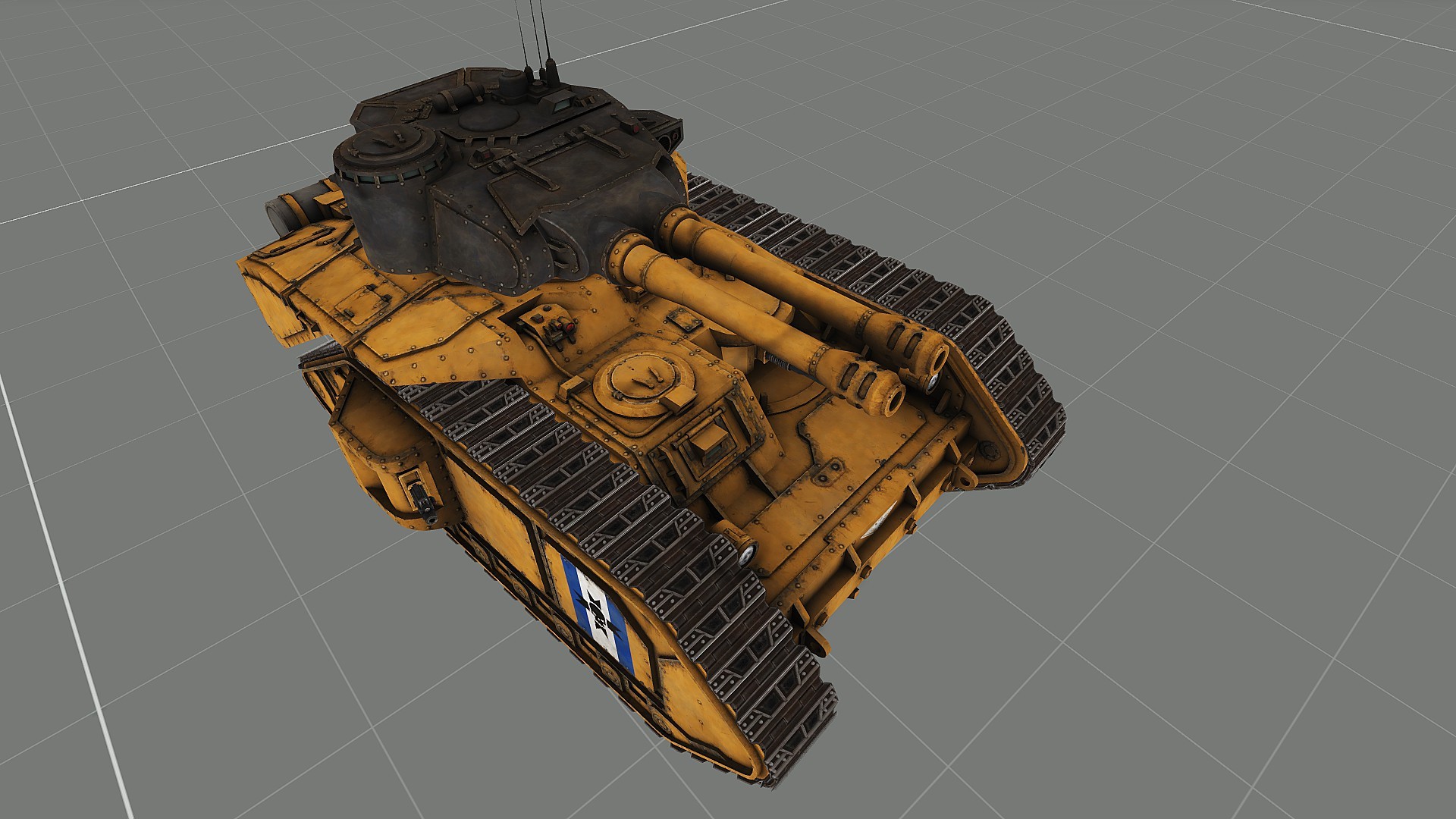

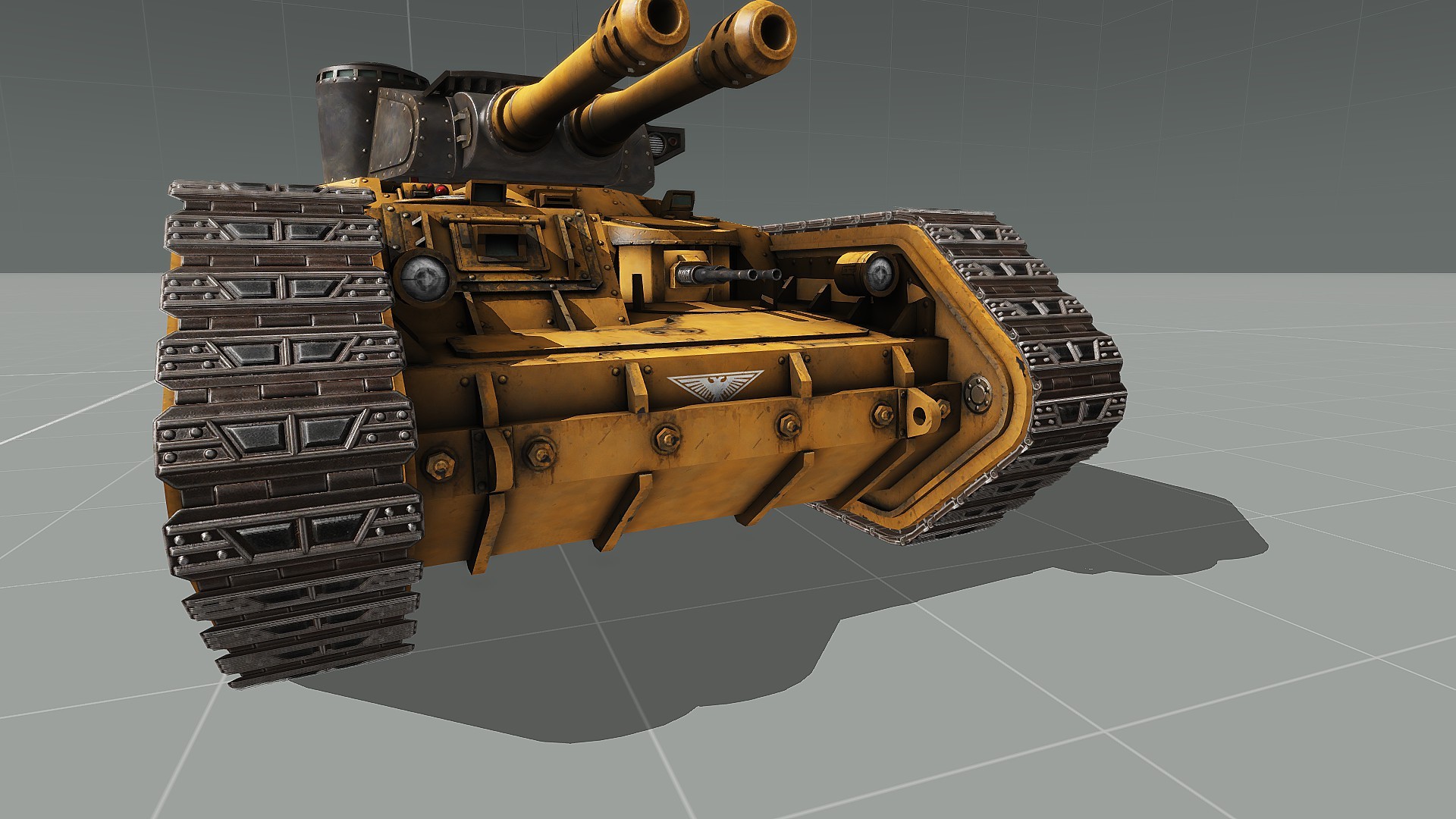


 regal wren
ok so i plan on using 5.56 x45mm NATO how would i do that ?
stuck oyster
you can model the bullet and then build everything around that
pallid island
i'd argue finding/recreating a proxy for some existing in-game STANAG mag would help 
regal wren
ok so when the reload animation goes on do i have to do scipting? because when they reload i want the mag to be empty and idk how i could make the bullets move up
stuck oyster
dont worry about that yet
regal wren
ok
stuck oyster
just model the parts you envision will move
youll have plenty of time to worry about such things later
regal wren
ok so the reciver and the trigger
regal wren
alr thanks
pallid island
stuck oyster
also <@139786018768420864> where oogabooga go?
i've decided it's kiiiiinda off-topic here
stuck oyster
its alright to comment on peoples work
😄
I though it was nice reaction
im proud of the titan
regal wren
pallid island
i'd argue finding/recreating a proxy for some existing in-game STANAG mag would ...
i would use the stanmag but i wanted it to be a little different
the STANMAG does look ok it feels a little plain for me to use on this magic wand from hell
but i do apppreciate any feedback for the weapon
stuck oyster
you can apply creative design on your work
pallid island
the profit of proxying pre-existing stuff is being able to, well, visually load them into the gun
regal wren
yea true but i dont think you could load a stanmag into an ak magwell