#Grand Theft Auto IV (GTA 4)
4110 messages · Page 5 of 5 (latest)
 civic eagle
 regal talon
civic eagle
With RTX Remix yes
regal talon
civic eagle
With RTX Remix yes
How do you activate it? I could not find it in the F4 menu.
 regal talon
Thank you! This is awesome. And it works as well as in games that have native DLSS or is it closer to Lossless Scaling?
civic eagle
Just like DLSS natively supported by games as far as I know.
Yes there may be some visual anomalies like tyres tripping out in GTA IV with FG but otherwise not too much trouble.
As long you keep base fps somewhat around 60s you should be okay if you start using FG.
But it will not have the weird motion issues that LSFG would show.
It's normally active by default, DLSS, but just on auto mode.
civic eagle
Yes, it is indeed heavy.
 narrow cloak
regal talon
narrow cloak
regal talon
The game is transformed though, I loved it before but now it's glorious! Congrats to the team! 🙏
civic eagle
Yeah, I just swapped from Quality to DLAA + 2x on the 5090 at 1440P, now the trees/fence meshes etc. are fixed performance has improved a lot accross the board, other times it's CPU limited especially with Quality for me so might as well raise the quality a little.
Would keep your distance sliders at 30 or lower, I just use 30/10 right now to not have too much pop-in but the least CPU problems.
Oh I also keep the vehicle density at 10, because all those extra npc / car models hammer the resources/cpu even more.
On base vanilla game I even kept it at 20, otherwise cars are just too dense packed blocking you on every road. 😆
regal talon
I used to play with vehicule density at 100 to feel more like NY ahah. So you use 30 for the view distance and 10 for the detail?
When you say DLAA, you mean full resolution right? It has a huge impact on FPS for me compared to Quality like half the FPS!
 regal talon
You get 118fps with DLAA + 2x? I get 46fps with the same resolution and settings using a 5070ti and a 9850X3D! The sweet 5090 boost is impressive!
civic eagle
That's indeed 2x
 nocturne quarry
im getting this error at launch

 smoky flame
nocturne quarry
im getting this error at launch
smoky flame
nocturne quarry
im getting this error at launch
Look into the wiki, you’ll find help there

 lone garden
 barren thorn
poor donut guy
 bold dome


 quasi lagoon
im not sure if your textures work for me with latest RTX remix + auto PBR textures from xoxor4d
bold dome
quasi lagoon
im not sure if your textures work for me with latest RTX remix + auto PBR textur...
I'm updating now for the new version
bold dome
 sleek berry
The textures look great! Did you make them manually or with PBR Fusion?
sleek berry
The textures look great! Did you make them manually or with PBR Fusion?
With Gigapixel and PBR Fusion for normals and height map
bold dome


 fervent acorn
Car and npc models replacement would be cool to do  how is the game performing when adding more Polly models?
 crimson ruin
fervent acorn
Car and npc models replacement would be cool to do <a:nod:1383516601357434900> ...
crimson ruin
fervent acorn
Car and npc models replacement would be cool to do <a:nod:1383516601357434900> ...
Not possible cuz they render via shaders
crimson ruin
I guess so and they are cpu skinned, the only way to replace them is through openiv probably, but they need to be optimised before doing this
fervent acorn
Got it thanks
crimson ruin
CR implemented hw skinning to gm recently so all animated models have stable hashes now, would be nice to see this in gta 4
smoky flame
They are skinned on the gpu but via shader. Fixed function skinning won’t be a thing in this game because the shader is just too advanced with all the deforming and damage stuff
 bold hedge
smoky flame
They are skinned on the gpu but via shader. Fixed function skinning won’t be a t...
bold hedge
smoky flame
They are skinned on the gpu but via shader. Fixed function skinning won’t be a t...
Could it be done by object type? gpu skinned for prop, NPCs, weapons, but not for cars?
smoky flame
Maybe .. but only chars and vehicles are skinned. The rest should be replaceable .. well besides weapons probably
 fathom moth
how much fps would i get from rtx 3060 with i7-10875h on dlss ultra performance
 young patrol
Only 1 way to find out, however, I, with DLSS at whatever-it-defaults-to, the auto-PBR mod, Warcaco's RTX textures mod, and the mini-remix mod Xoxor made, get an average of 45-60ish depending on what's going on in-game, on a 4080 super and i9-12900K, both overclocked
I don't need to fill out all 240hz of my monitor, which is 1080p (I'm gonna guess you are doing more than 1080p) - I just want it to look pretty. Your mileage will vary
 earnest kernel
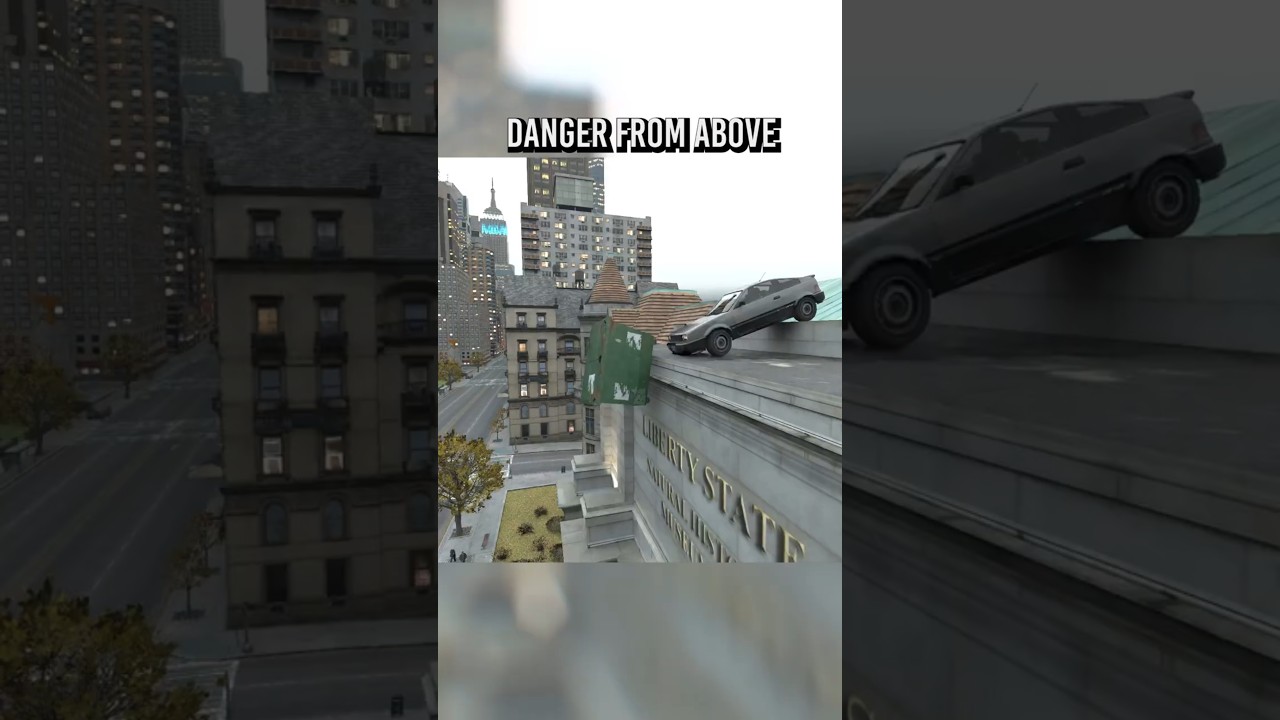
https://youtube.com/shorts/GrOtqPNPhmE pPeakest physics

If you're feeling generous and want to support me: https://buymeacoffee.com/benbuja Anything is appreciated!
Leave a like + comment!
Also check out my other Social Media:
TikTok: https://www.tiktok.com/@benbujaofficial
Facebook: https://www.facebook.com/ben.buja.9/
Instagram: https://www.instagram.com/benbuja1/
Patreon https://www.patreon.c...
If you're feeling generous and want to support me: https://buymeacoffee.com/benbuja Anything is appreciated!
Leave a like + comment!
Also check out my other Social Media:
TikTok: https://www.tiktok.com/@benbujaofficial
Facebook: https://www.facebook.com/ben.buja.9/
Instagram: https://www.instagram.com/benbuja1/
Patreon https://www.patreon.c...
Lots of people in these comments asking about how the graphics look so good 👍
 limpid path
<placeholder>
limpid path
limpid path
<placeholder>
 thorn sky

There aren’t cougars in missions, but there is incredible merch on my store! https://go.darkviper.au/Merch Premium quality, low prices, unique designs, and f...
Using remix I guess
I feel like he's doing something wrong here but I can't put my finger on it
I have a feeling he's gonna abandon the playthrough at some point though.
bold hedge
He's using an old version with the broken phone, plus he is using FG so the wheels look weird. And it doesn't have autoPBR either.


 thorn sky
Lol
 gusty violet
 lone garden
gusty violet
https://cdn.discordapp.com/attachments/1370911948727779490/1451100949232877619/4...
lone garden
gusty violet
https://cdn.discordapp.com/attachments/1370911948727779490/1451100949232877619/4...
 gusty violet
 bold hedge


 bold dome

Download free on: https://www.patreon.com/c/Warcaco
Ryzen 5700x
RTX 3060ti
32GB Ram
bold dome
https://youtu.be/wRNQ6nrw2Vc New prop models is available now, created by Kapibosru!

Specs:
Ryzen 5700x
RTX 3060TI
32GB RAM
Download it now from the mod creator's video link, Kapibosru !
https://youtu.be/j2_yP1Hkn0A?si=WN5JRpv0hwFmpwr7
The cone in the video is from another amazing creator, Kaba, take a look at the new high-quality roads he created.
https://youtu.be/JDhvbpxNjXA?si=sohZwlEXi9jxKby2
Grand Theft Auto IV has j...
 indigo charm
bold dome
https://youtu.be/wRNQ6nrw2Vc New prop models is available now, created by Kapib...
indigo charm
bold dome
https://youtu.be/wRNQ6nrw2Vc New prop models is available now, created by Kapib...
Looking good
I wonder, would NPC heads be able to be improved with Remix? They are very ... of their time and rounded 😄
crimson ruin
indigo charm
Looking good
I wonder, would NPC heads be able to be improved with Remix? They ...
It’s possible but hard, you can’t change npc model directly with rtx remix because they render via shaders. The only way to change them is through engine (so in openiv) but it’s a very complicated process
And you need to optimize models very well before doing this
 rotund dawn
bold dome
https://youtu.be/wRNQ6nrw2Vc New prop models is available now, created by Kapib...
rotund dawn
bold dome
https://youtu.be/wRNQ6nrw2Vc New prop models is available now, created by Kapib...
got this in my recommended
smoky flame
 upper shale
<@204650202072743936> how did you do the autopbr thing ?
upper shale
<@204650202072743936> how did you do the autopbr thing ?
A custom build of the remix runtime (https://github.com/xoxor4d/dxvk-remix/tree/feat/AutoPBR) was used to dump textures at runtime whenever they were used for rendering. The compatibility mod provided additional information about each texture via the remixApi. Texture associations were build and a usda with overwrites was generated. Additional processing on the dumped textures was done to convert dx9 normalmaps to remix compatible normalmaps and specularmaps were converted to roughness maps via python scripts.

GitHub
Contribute to xoxor4d/dxvk-remix development by creating an account on GitHub.
upper shale
smoky flame
> A custom build of the remix runtime (https://github.com/xoxor4d/dxvk-remix/tre...
okay,fair, but where do you sourse your texture for remix ?
is it an ai that converts them to pbr or is it hand made assets ?
smoky flame
upper shale
okay,fair, but where do you sourse your texture for remix ?
Please re-read what I posted
dumped game textures, original specular / normalmaps -> pbr approximations via python scripts
smoky flame

Mods Used in GTA IV:
• GTAIV RTX Remix Compatibility Mod: https://github.com/xoxor4d/gta4-rtx
• AutoPBR materials for GTAIV RTX Remix: https://github.com/xoxor4d/gta4-rtx-autopbr-mod
• Kaba 4K PBR Roads Remake RTX Remix: https://www.nexusmods.com/gta4/mods/949
• Kapibos 4K High-poly model set RTX Remix: https://www.moddb.com/mods/kap...
earnest kernel
GTA 4 wins 
lone garden
me when im telling truth
 serene gyro
That looks really good
indigo charm
if you had an older RTX remix version, do you advise to clean redownload the game or can just run the new version install?
smoky flame
just run the new installer
 toxic wolf
hi is there a link to install ?
civic eagle
toxic wolf
hi is there a link to install ?
The files you seek are here:

GitHub
Changelog 1.2.1
I've pulled 1.2.0 because some of the new logic wasn't working as intended - fixed now.
Comp Mod / Misc
Fixed phone backgrounds completely - no more smearing
Spotlig...
toxic wolf
Thank, Is there a tutorial for how to install it?
civic eagle
Scroll down to the bottom, the instructions are there.
toxic wolf
thank u
civic eagle
 thank him.
civic eagle
 rough badger


 worn fox
the sky is really overblown
 livid valley
looks like the "by default" global tonemapping
 finite talon
yeah
the default global tonemapping is pure by luminance so the highlights don't look quiet right
civic eagle
rough badger
You have a bowl cut, harry! 😂
Very nice though. Good work.
nocturne quarry
rough badger
What are your in-game and RTX menu settings?
rough badger
nocturne quarry
What are your in-game and RTX menu settings?
The mod has the settings
rough badger
worn fox
the sky is really overblown
It's more of a personal choice, haha.
sleek berry
worn fox
the sky is really overblown
New sky box when


 rose geyser

 blazing siren
rough badger
blazing siren
rough badger
i installed your texture pack but they aren't working in game please help
 fresh garden
Keep this project alive too