#Portal 2
6446 messages · Page 7 of 7 (latest)
 mystic sail
 boreal hazel
the same as what i do for the base rtx mod? (https://github.com/xoxor4d/p2-rtx-base-mod)
 boreal hazel
this one yeah
 mystic sail
ye and mods folder there
boreal hazel

okay and i put it in the mods folder
the mods folder already has stuff in tho
should i put it alongside it? or in this folder
 mystic sail
boreal hazel
the mods folder already has stuff in tho
mystic sail
boreal hazel
the mods folder already has stuff in tho
its for portal rtx to work
boreal hazel
mystic sail
its for portal rtx to work
yeahh i thought so, but should i put it alongside it or in the same folder
im assuming same folder like you said but
its broken already i dont wanna make any mistakes 😭
mystic sail
just mods folder not that one
boreal hazel
mystic sail
just mods folder not that one
cool :D
ill let yk once it installs and i hopefully get everything working
mystic sail
small update: i downloaded that zip, i forgot that theres not only rtx remix folder, just drop all files from there to portal 2 root folder
 boreal hazel
mystic sail
small update: i downloaded that zip, i forgot that theres not only rtx remix fol...
boreal hazel
mystic sail
small update: i downloaded that zip, i forgot that theres not only rtx remix fol...
small problem: i already have those folders in my portal 2 root folder
boreal hazel
okay ill drop them into the root folder and let you know what breaks 😭
do i put the .conf in aswell as the folders
mystic sail
yes and overwrite files
boreal hazel
okay
boreal hazel
mystic sail
yes and overwrite files
done
should i run now?
mystic sail
boreal hazel
done
should i run now?
ye try it through bat
boreal hazel
mystic sail
ye try it through bat
done, everything seems to be running fine
mystic sail
good, one sec will send a command for console to test if maps after act 2 working
boreal hazel
mystic sail
good, one sec will send a command for console to test if maps after act 2 workin...
okkk ty
boreal hazel
 mystic sail
i guess its working!
mystic sail
np mate
boreal hazel
will let you guys know if i find any bugs
boreal hazel
current state of my game, not sure how to fix
UI is gone, some textures are broken, not sure why as when i launched it a few days ago none of this was a problem and i didnt touch any of the settings before that
how do i fix this 😭
boreal hazel
nvm i fixed it by loading the game with the .bat file
but also another bug: the floor disappears in the early chambers when enhanced meshes are enabled
colours are messed up on the screens in the elevator rooms (black and white now)
mystic sail
boreal hazel
but also another bug: the floor disappears in the early chambers when enhanced m...
Dev of mod that i showed you said that he gonna fix it in future update
boreal hazel
mystic sail
Dev of mod that i showed you said that he gonna fix it in future update
ah sick ty
 wheat geode
boreal hazel
but also another bug: the floor disappears in the early chambers when enhanced m...
wheat geode
boreal hazel
but also another bug: the floor disappears in the early chambers when enhanced m...
Ye I made a small oopsy in the 1.3
 wispy fiber
boreal hazel
current state of my game, not sure how to fix
wispy fiber
boreal hazel
current state of my game, not sure how to fix
Wait this looks cool as hell
 opaque hawk
i put the pbr pack in the rtx remix mods folder and nothing has changed, does anyone know why?
boreal hazel
skybox in the old aperture levels is bright white
wheat geode


 naive edge
looking hot 🔥
wispy fiber
wheat geode
What maps are the first 2 images?
wheat geode
wispy fiber
What maps are the first 2 images?
sp_a2_pull_the_rug and sp_a2_speed_gel (portal revolution)
 buoyant venture
wheat geode
sp_a2_pull_the_rug and sp_a2_speed_gel (portal revolution)
buoyant venture
wheat geode
sp_a2_pull_the_rug and sp_a2_speed_gel (portal revolution)
Did you import them? because that’s a DX11 game

wheat geode
buoyant venture
Did you import them? because that’s a DX11 game
https://github.com/xoxor4d/p2-rtx/discussions/201 imported the stuff from that into base portal 2
I made this for digital additions (all testchambers and voicelines work)

GitHub
this is a long one! again..... (Since this game was on a enhanced version of portal 2 many levels may not Look Or work right due to missing entities and values) It is recommended to install digital...
 west bolt
When I run P2-RTX for the first time using the .bat file it loads and tries to compiler shaders but gets stuck in a infinite loading loop. is there a fix?
boreal hazel
west bolt
When I run P2-RTX for the first time using the .bat file it loads and tries to c...
I had a similar problem if u scroll up in the chat what I did might help?
west bolt
boreal hazel
I had a similar problem if u scroll up in the chat what I did might help?
it boots but after compiling shaders it shalts and asks if I want to stop the program or Wait
boreal hazel
west bolt
it boots but after compiling shaders it shalts and asks if I want to stop the pr...
yeah it did the same for me
like this?
Or this?
west bolt
I toggled the mod and opened the .bat and it worked!
naive edge
west bolt
When I run P2-RTX for the first time using the .bat file it loads and tries to c...
Its compiling the sound cache
west bolt
naive edge
Its compiling the sound cache
That's what I thought, How long does that take?
naive edge
a simple restart will work - if you are missing sounds then there is a cmd you can enter into the console. It should be mentioned in the troubleshooting guide on the main github page
naive edge
west bolt
That's what I thought, How long does that take?
It never finishes so I guess letting it sit for a minute or two should be enough
west bolt
naive edge
It never finishes so I guess letting it sit for a minute or two should be enough
I see! Thanks for all your hard work on this RTX Remix mod fo the childhood game dude!
btw does putthing the .bat launch options work in steams launch options settings?
naive edge
yea it should!
west bolt
naive edge
yea it should!
I just put them there for ease of use
west bolt
and when My dad plays P2 He doesn't have to run the .bat file
 thick condor
heyo i found a community project of a "remake" of P2 in work! It looks interesting, i also don't think they use Remix but i still looks incredible :)
https://www.youtube.com/watch?v=5ovDgRtosGA

👉 Explore Clustered Shading in more detail at: https://p2ce.org/clustered
─ Credits ─
Voiceover - Smaed
Production - https://www.youtube.com/@Rip-Rip-Rip
Music - Baguettery
Community Maps - @bpnbeckeroo, cyndyk
─ Links ─
Visit our website: https://p2ce.org
Join the Discord for development updates: https://p2ce.org/discord
Apply for...
buoyant venture
thick condor
heyo i found a community project of a "remake" of P2 in work! It looks interesti...
Yeah, Portal 2: CE is Raster on DX11, not Remix
wispy fiber
@buoyant venture currently at what status is the portal 2 rtx mod been in?
Has it kinda been a stand still for asset development in the past few months
buoyant venture
wispy fiber
Has it kinda been a stand still for asset development in the past few months
yep, still no progress
we've made more progress in optimization then actual redesigns 😭
wispy fiber
buoyant venture
yep, still no progress
:(
wispy fiber
buoyant venture
we've made more progress in optimization then actual redesigns 😭
with the optimizations lets say someone wants to port a portal 2 mod to portal 2 rtx, are all those optimizations already done or are some need to be manually done through guides and such
buoyant venture
wispy fiber
with the optimizations lets say someone wants to port a portal 2 mod to portal 2...
I think static rendering would have to be done manually since I know it applies to specific maps, not the whole game
Correct me if I’m wrong @rough ginkgo
And cull markers are also specific iirc
 rough ginkgo
yeah its manual per level
 worthy pendant
if I wanted to use a newer version of remix in portal 2 what files would I need to swap?
wheat geode
worthy pendant
if I wanted to use a newer version of remix in portal 2 what files would I need ...
the .trex and d3d9.dll from the bin folder need to be replaced (btw you should use the GTA 4 Runtime since it has almost all the fixes needed)
Colored videos
 worthy pendant
so I just download the GTA IV mod and put its d3d9 and trex files into portal 2 RTX?
buoyant venture
wheat geode
Colored videos
@rough ginkgo
wheat geode
worthy pendant
so I just download the GTA IV mod and put its d3d9 and trex files into portal 2 ...
that should work
worthy pendant
hope the base mod gets updated at some point, ik xorxor is quite busy with GTA IV tho
well it worked, but I thought the GTA IV mod was updated enough to have the legacy emissives option, but I dont see it
wheat geode
worthy pendant
well it worked, but I thought the GTA IV mod was updated enough to have the lega...
its still a pull request for base remix
worthy pendant
its got RTX particles though, I thought particles and legacy emissives were in the same update
wheat geode
worthy pendant
its got RTX particles though, I thought particles and legacy emissives were in t...
sadly not
worthy pendant
Thats unfortunate, I planned to use it a bunch
rough ginkgo
worthy pendant
Thats unfortunate, I planned to use it a bunch
nv hasnt responded to that PR since it was posted, no idea when it will be merged into main remix
its been about half a year lol
 sudden lotus
wheat geode
the .trex and d3d9.dll from the bin folder need to be replaced (btw you should u...
sudden lotus
wheat geode
the .trex and d3d9.dll from the bin folder need to be replaced (btw you should u...
Hi! i followed the instructions about adding the GTA .trex and d3d9.dll in the portal 2 rtx build and I'm worried i might have done it wrong somehow, the videos are still messed up for me, also some particles like the confetti for example aren't working now, do you know how to fix this? i would really appreciate your input. Great Mod btw!
wheat geode
sudden lotus
Hi! i followed the instructions about adding the GTA .trex and d3d9.dll in the p...
well the videos are just apart of Digital additons 1.4
and the confetti and some particles would need some more of the fixes the base portal 2 runtime provides cuz the gta runtime wasn't made for portal 2 sooo some stuff is still broken
so i would still use the runtime provided by the portal 2 compat mod cuz it was made for portal 2
sudden lotus
wheat geode
well the videos are just apart of Digital additons 1.4
and the confetti and som...
Oh ok, thank you for the quick reply!
naive edge
wheat geode
Colored videos
How? Did you edit the bik in a certain way?
boreal hazel
even when the mod is disabled (using the toggle.bat file) some stuff is still messed up when playing, e.g. portals arent see through anymore, they always look inactive even if you can walk through them, and some areas just fully break like when you look at the skybox out of bounds
boreal hazel
boreal hazel
even when the mod is disabled (using the toggle.bat file) some stuff is still me...
this is mostly seen when going through doors i believe
at the very leastin the perpetual testing initiative chambers
does this regardless of whether i run it from the .bat or from steam
naive edge
 wheat geode
naive edge
How? Did you edit the bik in a certain way?
wheat geode
naive edge
How? Did you edit the bik in a certain way?
A Remix replacement with a big sprite sheet containing the entire video (has to be sped up to 250 frames to prevent a looping issue) also vram seems fine for 12gb
naive edge
wheat geode
A Remix replacement with a big sprite sheet containing the entire video (has to ...
oof .. well I was planning to add proper bik support to the remix fork once I update it (so that no replacement is needed)
wispy fiber
naive edge
oof .. well I was planning to add proper bik support to the remix fork once I up...
that'd actually be great ty
what stuff do u have planned for portal 2 rtx?
boreal hazel
one thing that i will say that might be nice in the future is support for custom testing tracks like the ones in the communitoy chambers
they work ofc but it has HEAVY fps drops
normally can run portal 2 rtx on like 60fps or more, went straight down to 20
buoyant venture
naive edge
oof .. well I was planning to add proper bik support to the remix fork once I up...
New runtime update?
 naive edge
buoyant venture
New runtime update?
naive edge
buoyant venture
New runtime update?
NEE seems to be broken (even on a stock runtime)
Would be nice if someone else could confirm that .. and maybe test some older builds to figure out which commit causes that
naive edge
@wheat geode
I fixed the emissive surface flickering but that requires emissive surfaces to be tagged as worldui (just like before). Doing that, they produce quite noisy light.
NEE does not seem to like surface batching at all .. @rough ginkgo did you ever come across something like that on gmod? #1289195427119501424 message
rough ginkgo
I don't believe so but I will check as soon as i can
naive edge
I've pushed version 2.2 which:
- updates the remix runtime to the latest version and includes the portal 2 specific tweaks
- Refactored some of the codebase and got rid of dxwrapper - replaced with ultimative asiloader which should result in less issues for people
- Added bik support as seen in the video above
- Added an installer to help with installation of the comp mod (it can also download and extract the remix mod)

GitHub
Changelog
installer: fix download speed and progress - extract d3d9 runtime
remove old versioning - fix release build
Merge remote-tracking branch 'origin/develop' into develop
runtime zip...
buoyant venture
naive edge
I've pushed version 2.2 which:
- updates the remix runtime to the latest version...
@rough ginkgo we updating the Steam build after so long

Wait does this have the XeSS changes?
Actually what runtime is this based off? Newer might break our RDNA 2 compatibility
naive edge
ToT
rough ginkgo
buoyant venture
Wait does this have the XeSS changes?
since xoxor4d said ToT yes it has XeSS
its the lastest changes as of now
naive edge
I had to remove the add / remove texture hash feature tho
rough ginkgo
naive edge
I had to remove the add / remove texture hash feature tho
why?
buoyant venture
rough ginkgo
its the lastest changes as of now
Fuck 
naive edge
rough ginkgo
why?
I didnt want to waste time on that with the new layer system that was introduced. Seemed like too much of a headache and I dont think its thaaaaat useful
rough ginkgo
naive edge
I didnt want to waste time on that with the new layer system that was introduced...
ah gotcha
ngl it was really useful for auto-tagging stuff in gmod for workshop maps, but yeah i can see why it wouldnt do much for P2
rough ginkgo
buoyant venture
Fuck <:SadMimi:669500453955829782>
rip RDNA2 / SD
RDNA 4 also sees some performance regressions on the latest master but now that there are 100 commits between my fork and that, bisecting will take forever
buoyant venture
rough ginkgo
rip RDNA2 / SD
If it breaks RDNA 2
I’ll talk with AMD about it
buoyant venture
rough ginkgo
RDNA 4 also sees some performance regressions on the latest master but now that ...

Means our Intel users will also suffer if there’s performance regression
buoyant venture
@rough ginkgo you think if we implement Variable Rate Shading
It could help some lower end cards?
rough ginkgo
i mean would it really help performance that much?
ik it has its uses in rasterized games but im not sure how that fits with pathtraced stuff
buoyant venture
rough ginkgo
ik it has its uses in rasterized games but im not sure how that fits with pathtr...
DOOM The Dark Ages has an implementation which has Pathtracing
I could try it there
It shouldn’t be hard to implement
It seems to be extensions like Anti-Lag is
Which reminds me I need to finish Anti-Lag and open the pull request
rough ginkgo
buoyant venture
Which reminds me I need to finish Anti-Lag and open the pull request
lmk when u push a new build, would like to test it
buoyant venture
rough ginkgo
lmk when u push a new build, would like to test it
I’ll try to get latency stats connected so we can actually see how it’s doing
I don’t think latency stats is Reflex dependent
It seems connected to the OS
 half topaz
buoyant venture
DOOM The Dark Ages has an implementation which has Pathtracing
half topaz
buoyant venture
DOOM The Dark Ages has an implementation which has Pathtracing
yeah and it has zero effect on performance, like every other implementation
buoyant venture
@rough ginkgo tested VRS with Pathtracing
It boost FPS by a little bit but not a lot
 misty monolith
why does this happen only when i walk up to this wall
 naive edge
misty monolith
why does this happen only when i walk up to this wall
naive edge
misty monolith
why does this happen only when i walk up to this wall
latest release or are you on an older version
misty monolith
naive edge
latest release or are you on an older version
latest
naive edge
latest runtime is causing these issues .. still investigating that
 naive edge
where is your game installed? (the path)
 gilded hull
naive edge
where is your game installed? (the path)
gilded hull
naive edge
where is your game installed? (the path)
It is working through manual mode, it is installed in default steam directly
I located the correct portal2.exe
naive edge
gilded hull
It is working through manual mode, it is installed in default steam directly
Under ProgramFiles ?
gilded hull
C:\Users\myUser\scoop\apps\steam\current\steamapps\common\Portal 2
oh yeah i am using scoop
wispy fiber
does anyone notice random crashing in the mod?
it'd stutter once in a while before it just like
crashes
hmmmmmmm
 wispy fiber
@naive edge is shader execution reordering not in the mod?
naive edge
uh?

 naive edge
never seen that option before
wispy fiber
naive edge
never seen that option before
optimization for 40/50 series gpus
for me it improves performance by 10 fps
what card do u use?
naive edge
I guess rtx.isShaderExecutionReorderingSupported is set to false in the rtx.conf that ships with the comp mod ..
and the initial rtx.conf I've used was made when I had a 3080 so makes sense that its off - I do have a 5090 now
wispy fiber
naive edge
I guess `rtx.isShaderExecutionReorderingSupported` is set to false in the rtx.co...
Ya no wonder it was nearly reaching 50ms at 1440p while portal rtx runs it at 39ms
Thx for telling me that exists I’ll change it next time I play
naive edge
Thanks for letting me know that this is a thing - will surely help in gta iv 😂
rough ginkgo
wispy fiber
optimization for 40/50 series gpus
iirc my 2080 also had access to SER?
or rather it was exposed as a setting for me
wispy fiber
naive edge
Thanks for letting me know that this is a thing - will surely help in gta iv 😂
Ik for a lot of people 10 extra fps isn’t a lot but it helps a lot with frame generation, extra fake frames + lower latency
I think it was like 60 fps to 72 fps
buoyant venture
rough ginkgo
iirc my 2080 also had access to SER?
No reordering though
So you don’t see a performance gain
20/30 series just support accepting the code
rough ginkgo
ah
half topaz
yeah my understanding is that SER just tells the GPU to execute that function, and if the hardware doesn't support it, I expect the shader compiler will just discard the command
buoyant venture
Apparently the game doesn’t need to be published to mess with the workshop :p
 wispy fiber
buoyant venture
Apparently the game doesn’t need to be published to mess with the workshop :p
wispy fiber
buoyant venture
Apparently the game doesn’t need to be published to mess with the workshop :p
have u been able to implement MCPG into ur mod?
buoyant venture
wispy fiber
have u been able to implement MCPG into ur mod?
I haven’t even updated the runtime yet to Xoxor’s latest
wispy fiber
buoyant venture
I haven’t even updated the runtime yet to Xoxor’s latest
hope mcpg isn't abandoned
 winged wind
naive edge
I guess `rtx.isShaderExecutionReorderingSupported` is set to false in the rtx.co...
winged wind
naive edge
I guess `rtx.isShaderExecutionReorderingSupported` is set to false in the rtx.co...
a 5090? that's a huge upgrade my god
maybe is not the better place to ask.. but wich cpu you have with that monster?
i recently got an 5070ti from 3080 and runs flaweslly path tracing
naive edge
winged wind
maybe is not the better place to ask.. but wich cpu you have with that monster?
9800x3d 
 nocturne elbow
wispy fiber
hope mcpg isn't abandoned
nocturne elbow
wispy fiber
hope mcpg isn't abandoned
What is mcpg?
winged wind
naive edge
9800x3d <:sleep:1431956718790643804>
so no bottlenecks
wild setup
one of my dreams...is run battlefield v with a 9850X3D at 1080p low settings and have almost 500-400 fps in a multiplayer match
wispy fiber
@nocturne elbow mcpg is markov chain path guiding, a method for indirect lighting like restir or nrc
gives better performance than importance sampled (the lowest quality method)
and is overall a massive step towards remix working better on other gpu vendors and older cards, which has been the main drawback of remix
buoyant venture
wispy fiber
<@1045864310318043136> mcpg is markov chain path guiding, a method for indirect ...
mcpg is gonna take longer, I started working on some other optimizations in the mean time, which you can see the first completed implementation in #general-remix
nocturne elbow
wispy fiber
and is overall a massive step towards remix working better on other gpu vendors ...
Oooooh
THAT'S VERY GOOD
buoyant venture
wispy fiber
<@487975712842579968> u still up for using updated portal assets from other peop...
I would either have to get his permission or have him join the team which is more preferable
wispy fiber
@buoyant venture he allows full permission of the models to be used in other projects with credit
 sinful talon
Defo not working, installed via "Installer.exe"

 rough timber
sinful talon
Defo not working, installed via "Installer.exe"
rough timber
sinful talon
Defo not working, installed via "Installer.exe"
Did you use 'run-p2-rtx.bat' to open the game?
sinful talon
rough timber
Did you use 'run-p2-rtx.bat' to open the game?
Yes, then I put the bat's commands in the Portal 2 parameters line, and it ran like that
buoyant venture
sinful talon
Yes, then I put the bat's commands in the Portal 2 parameters line, and it ran l...
You need the .bat specifically to run the game
I find putting the commands through steam does not work
It needs to be the .bat
@naive edge is there any reason the RTX mod needs the .bat specifically, I checked it but it’s just commands but the mod won’t work without it even if the commands are in Steam or in my case as well, Steamworks
naive edge
Probably asiloader and winmm blocking
 winged isle
I have an issue where most fizzlers in old aperture just dont render at all
Fizzlers in general have a lot of wierd behavior, but this one is really bugging me and im not sure how to fix it
Im not sure why its so inconsistent though, its only in old Aperture and its only most fizzlers
wheat geode
hi guys
https://www.moddb.com/mods/digital-additions/downloads/digital-additions-14
Finally published 1.4 you can take a look at the update log


ModDB
have you're eyes gaze upon the beauty of RTX while have you're PC start To make sounds... dont worry about that just play and watch
winged isle
wheat geode
hi guys
https://www.moddb.com/mods/digital-additions/downloads/digital-additions...
I really wanna ask if i can borrow the gel textures for my own pack lmao
How did you make the moon sequence look not terrible?
Damn, you actually got the fizzlers working in old aperture, i cant figure that out
wheat geode
sure all i really did was take a built in normal map and scaled it down many times (0.10 for the roughness and 0.05 for the normal map)
for the moon seq idk I just did? used free textures from #1211706192510844999 message
also attached a light to wheatly's eye to make it bloom more
winged isle
Im a little sad gel covered cubes still dont work
wheat geode
ngl i might be able to fix that now that i look into it
winged isle
That and portal gun lights are like the two big things i have no idea how to even begin trying to solve
Id kill to get the portal gun properly lit up in full rtx, for now i just slapped a blue emissive texture on top and called it a day but its just not the same
wheat geode
possible... anyway gonna go to sleep
 buoyant venture
wheat geode
hi guys
https://www.moddb.com/mods/digital-additions/downloads/digital-additions...
buoyant venture
wheat geode
hi guys
https://www.moddb.com/mods/digital-additions/downloads/digital-additions...
The real Portal 2 with RTX

 open rampart

 true iron
ok so im having an issue with the game crashing after i start it its the exacy same as what this guy has https://github.com/xoxor4d/p2-rtx/issues/234 i want bother to restate what he said but i have the exact same logs does anyone know how to fix this?

GitHub
Hello! As the title says, mod is not working: If I open it via .bat file, mod will crash inmediately. Trying to use .bat parameters on Steam's launch settings will startup the game, but won'...
wheat geode
true iron
ok so im having an issue with the game crashing after i start it its the exacy s...
try update you're GPU drivers (fixed it for somebody)
sudden lotus
wheat geode
hi guys
https://www.moddb.com/mods/digital-additions/downloads/digital-additions...
Hey, Great Mod! I was wondering if there was a way to fix the lasers? (not the turret laser, ) for some reason, they look odd.
wheat geode
wheat geode
hi guys
https://www.moddb.com/mods/digital-additions/downloads/digital-additions...
(I didn't make the video)
https://www.youtube.com/watch?v=NHi2MRQv90o

Download 'Digital Additions' created by @TheGamingbro13 for the Portal 2 with RTX Remix compatibilty mod here: https://www.moddb.com/mods/digital-additions
This video was recorded at 3840x2160 using the following settings:
- 'Ultra' graphics preset.
- DLSS: Performance (1920x1080 internal resolution).
- Ray Reconstruction: Enabled - T...
sudden lotus
sudden lotus
Hey, Great Mod! I was wondering if there was a way to fix the lasers? (not the t...
?
wheat geode
ah i read it wrong... what do they look like now?
Currently it’s just a red line so I do plan to improve it
sudden lotus
wheat geode
ah i read it wrong... what do they look like now?
now that i look at the images on the moddb page, exactly like this.
 rough timber
wheat geode
hi guys
https://www.moddb.com/mods/digital-additions/downloads/digital-additions...
rough timber
wheat geode
hi guys
https://www.moddb.com/mods/digital-additions/downloads/digital-additions...
Not sure if anyone else has ran into this issue but glass_window_refract.png appears to be corrupt.
![ Renderer ] Failed to load C:\Program Files (x86)\Steam\steamapps\common\Portal 2\portal2-rtx\textures\glass_window_refract.png

Was able to work around the error (which freezes the game) by reusing the observ window png to be in place of the refract window png.
true iron
wheat geode
try update you're GPU drivers (fixed it for somebody)
Did that yesterday didn't work
wheat geode
rough timber
Not sure if anyone else has ran into this issue but glass_window_refract.png app...
it shouldn't freeze you're game...
does the testchamber lights still work? like warm cool and white
with that?
I had to change it so that the compat mod would fail to load it and in turn have a source mod fix the lights and that gives me full control over warm and cool and white lights to be added
wheat geode
true iron
Did that yesterday didn't work
oh well what gpu do you have?
wheat geode
sudden lotus
now that i look at the images on the moddb page, exactly like this.
right now gearing up for 1.4.1 a update that will bring colored paint to cubes and turrets
and bug fixes so not really if you dont like the red line or wait until I get to it
rough timber
wheat geode
it shouldn't freeze you're game...
does the testchamber lights still work? like ...
I believe so yeah. I’ll have to go back and test. It was freezing going down a specific elevator the famous way Source engine does (looping short audio interval).
I can go back and let you know which test chamber it was, it seemed it was failing to load the next one before the loading screen even pops up. And then also see if the lights are fine or not with the workaround I placed
The only visual issues I saw with the lights doesn’t seem related to what your describing.
One being the Rattman room in the test chamber where trash hurdles towards you in a series of ariel faith plates has lamps with a light glare texture that seems out of place
And, in the test chamber where Wheatley helps you escape from, the test chamber lights are supposed to go out but never do lol.
But like I said I don’t think those are related to what you’re referring to but they may be worth mentioning for future mod development 👍
wheat geode
rough timber
I believe so yeah. I’ll have to go back and test. It was freezing going down a s...
so it does look like these
"https://www.moddb.com/mods/digital-additions/images/colored-lights#imagebox" when using or not using the observ window.png to be in place of the refract window.png
also that freezing while going down the elevator seems to be the compat mod acting up

ModDB
View the ModDB Portal 2 Digital Additions PBR PACK mod for Portal 2 image Colorerd lights for all chambers!
rough timber
wheat geode
so it does look like these
"https://www.moddb.com/mods/digital-additions/images...
I know I seen the lights like that but I can’t give a confidence yes that I saw them after applying the workaround. Is that a particular test chamber I can test?
I can just go back and test the chambers that those would appear on when I’m able to get on my PC
wheat geode
the map used was triple laser but if you could see them after the workaround to not get that error i might be able to remove that thing then
rough timber
wheat geode
the map used was triple laser but if you could see them after the workaround to ...
I'm not seeing the cool/warm lighting difference anywhere in the map. Given this one was what you were referring to?

Well, even with my 'workaround' in place, it seems the game is still not quite stable with the RTX mods. Seems to be quite susceptible to freezing just before loading screens in the elevator. The error loading that file may have been a false positive to the freezing.
I think I was just unlucky that it froze 2 times in a row down the same elevator
I'm going to reverse the change I made and test from then on
Yeah, now it looks as the mod is intended

And the console window doesn't look any different from when the game isn't frozen. So that's completely my fault for believing that was the cause of the freezing.
Now, on the other hand, I am experiencing consistent crashing on the first "The Fall" map. Traversing through the map there's a certain point where the game crashes every time.
and here's the .dmp if you are able to work with it

Also beautiful, beautiful work on all this. I feel bad for not saying that first before dumping everything else on here 😂
winged isle
I was stumbling around trying to make a texture/mod pack for some of my friends to play
But after seeing how good Digitals pack is after the recent update i think im just gonna have them download that and just make a small modpack for them to throw on top
It just looks so good, i couldnt one up it if i tried lmao
wheat geode
rough timber
oh that seemed to happen on a settings change...
ngl I cant read anything except one thing
why is it dividing by zero lol
my mod seem's to make it happen more due to ig the size?
Oh I think this is partially my doing...
dont know why remix would divide by zero if you set the max dust particles to zero

The crashing upon the level changing still seems like its the compat mod fault tho
I think...
rough timber
wheat geode
oh that seemed to happen on a settings change...
ngl I cant read anything except...
Can you set the max to -1 to circumvent that?
wheat geode
rough timber
Can you set the max to -1 to circumvent that?
i just made it disable dust (the setting) overall instead of 0 particles max
wheat geode
just released a hotfix that fixes the gel visual of cubes and turrets
and also Fixes a divide by zero crash
and also slightly improved the ending of the base game
https://www.moddb.com/mods/digital-additions/downloads/digital-additions-141

ModDB
have you're eyes gaze upon the beauty of RTX while have you're PC start To make sounds... dont worry about that just play and watch
sudden lotus
wheat geode
just released a hotfix that fixes the gel visual of cubes and turrets
and also F...
Awesome! does this also fix the lasers? I'm currently downloading the mod so i haven't gotten a chance to check yet.
rough timber
How, of all these years playing portal 2, did I never realize the circuits of the Frankenturrets get fried when GlaDOS say the paradox line lmao
It took an RTX mod for me to find out
rough timber
I'll have to test the early game chambers again but from The Fall to the end of the game, I experienced no freezing before loading screens on the 1.4.1 update like I did previously
In theory the game should be fully completable with the Digital Additions mod now, albeit some visuals still need buffed out, but still impressed by all the work done on it!
naive edge
wheat geode
just released a hotfix that fixes the gel visual of cubes and turrets
and also F...
How did you fix gel on props?
winged isle
I think the only thing left that really needs to be reimplemented at this point is the lights on the portal gun
Idk the first thing about modding source games, but would it be hypothetically possible to create a mod that causes the portal gun to swap between two identical models when firing that can each be given a separate emissive texture in remix?
Then again it might just be simpler to try getting the default lights to actually show up, idk
naive edge
The light effect is there and working but it’s behind the gun because remix brings the actual viewmodel closer to the screen while simultaneously shrinking it. This is to prevent it from clipping into walls. If you set viewmodelscale to 1, they should be visible (if you set some graphic option to high)
Did not get the effect to be considered viewmodel so never got it to scale with the gun. Other means to offset the effect always resulted in it moving independently with the gun
winged isle
The graphic option is shader detail afaik
which last i checked is locked at low by the mod
when i tried forcing it to high the game just crashed
wheat geode
naive edge
How did you fix gel on props?
The props used a detail texture to apply the paint - use a new base texture with the paint already applied
wheat geode
winged isle
I think the only thing left that really needs to be reimplemented at this point ...
I think It’s possible… I managed to move them I just need like the best values to offset and hope they aren’t lagging behind like I think they are
wheat geode
sudden lotus
Awesome! does this also fix the lasers? I'm currently downloading the mod so i h...
Erm so I may or may not have forgot about that
I can send you a fixed one soon tho since there’s a 2-3 cooldown on uploading the files
sudden lotus
wheat geode
Erm so I may or may not have forgot about that
I can send you a fixed one soon t...
Oh ok lol, thank you!
wheat geode
sudden lotus
Oh ok lol, thank you!
this should fix it
put this into the rtx-remix then mods then the digital folder and replace the file
winged isle
So, i wanna try messing around with the portal colors, but i found that messing with the sprite sheet colors causes the inside of the portal to just become black
Is there any way to make that not happen?
specifically, i was trying to make the blue portal a bit darker
sudden lotus
wheat geode
this should fix it
put this into the rtx-remix then mods then the digital folder...
after replacing the original file with this one, i ran into this issue. ngl, its kinda cool lol, but i was wondering if there was a way to fix this?

 wheat geode
sudden lotus
after replacing the original file with this one, i ran into this issue. ngl, its...
wheat geode
sudden lotus
after replacing the original file with this one, i ran into this issue. ngl, its...
eh the mod shouldn't be able to do that since i just modified the laser
in you're alt + x menu scroll down to Player model click it and make sure "show in primary space" is disabled
sudden lotus
wheat geode
eh the mod shouldn't be able to do that since i just modified the laser
in you'r...
gotcha, does that also bring back the portal gun model?
wheat geode
sudden lotus
gotcha, does that also bring back the portal gun model?
it should
sudden lotus
wheat geode
it should
That fixed it, Thank you. Great mod!
wheat geode
thanks!
winged isle
For some reason, the portal gun has a vertex explosion issue in community chambers, and only in community chambers
 rough timber
Im surprised you can actually run community chambers lol. I wouldn’t think to try because some levels will have assets outside of the Portal 2 game and just make things look off
I tried doing Co-Op but the game just doesn’t let me do it, can’t remember what the behavior is (whether it error’d or crashed). But I imagine the mod hasn’t reached any Co-Op related assets yet
winged isle
Outside a few goo pits not being set as transparent and some lights not working its been fine for the most part
Although any chambers using the beemod portal 1 style just look awful
rough timber
Yeah, I imagine so lol
It surprised me seeing Garry’s Mod have an RTX Remix in the works for the same reason
winged isle
Im probably gonna go in and start making emissive textures for all the beemod stuff at some point
rough timber
That’d be dope👀
winged isle
Im not really sure why the gun blows up there and not in story mode though
buoyant venture
rough timber
I tried doing Co-Op but the game just doesn’t let me do it, can’t remember what ...
Pretty sure it's because the mod can't support more than 2 portals so co-op is a no go
rough timber
winged isle
Im not really sure why the gun blows up there and not in story mode though
Probably has something to do with how the gun in first person works. It’s actually not in the space with you but projected onto the screen from outside of test chambers
Since community chambers are not pre-planned on where to put the portal gun projection, they probably have a different way of choosing where to put the portal gun.. and the mod doesn’t expect it that way and freaks out a bit
Not sure why it’s a visual glitch like that, but that’d be my guess on why the portal gun doesn’t work the way it does on story maps
wispy fiber
@naive edge when making p2 rtx was special engine/api level optimizations did you make that dont appear in normal remix
things like culling
winged isle
wheat geode
I think It’s possible… I managed to move them I just need like the best values ...
Any updates on this?
wheat geode
winged isle
Any updates on this?
not really might continue soon tho
 winged isle
damn
Maybe my first suggestion might actually be an easier solution lmao
Is it possible to make a mod that swaps the gun between two different textures when firing?
wheat geode
that might not be too bad actually lol
if a source pro was here they would be yelling at me how to move a simple particle lol
Hmm wait then again if i recompile the portalgun it just says a checksum error so I dunno
winged isle
I wish there was a more dedicated portal modding community
Even if you do get that method working, im still gonna end up giving myself an aneurysm trying to get it to work with the portal gun mod im already using lol
buoyant venture
winged isle
I wish there was a more dedicated portal modding community
r/Portal
winged isle
Most of r/portal is people posting about how they saw a blue and orange coffee mug at work the other day
buoyant venture
winged isle
Most of r/portal is people posting about how they saw a blue and orange coffee m...
Lmao
I use it to post applications/teasers
naive edge
wispy fiber
<@204650202072743936> when making p2 rtx was special engine/api level optimizati...
- More than 1 portal pair (3 pairs are supported in p2)
- various anti culling tweaks such as anti culling around the player and anti culling from the outgoing portal sides perspective
- per drawcall tweaks to allow automatic tagging and hash overrides to be able to create overwrites for things like the gel texture
- various vertex buffer adjustments to effects, gel etc
A lot of other things I can’t recall from
The top of my head (I’m currently on a cruise ship 😛 )
wispy fiber
naive edge
- More than 1 portal pair (3 pairs are supported in p2)
- various anti culling t...
Do you remember adding performance increasing changes that aren’t present in other source remiz projects like hl2 or portal
naive edge
Well .. there is still culling so that might improve things in certain areas
Otherwise .. not really
wispy fiber
mainly asking cause i remember seeing how in hl2 rtx the entire map is rendered compared to ur project where i think it has the ability to cull certain locations
ya that
look here
wispy fiber
@buoyant venture what application did u use?
buoyant venture
wispy fiber
<@487975712842579968> what application did u use?
Radeon RayTracing Analyzer
https://gpuopen.com/radeon-raytracing-analyzer/

AMD Radeon™ Raytracing Analyzer (RRA) is a tool which allows you to investigate the performance of your raytracing applications and highlight potential bottlenecks.
Need a AMD GPU to capture scenes
Though you can view captures on a NVIDIA GPU
I have used it for Portal 2 RTX before


 stuck talon
@buoyant venture Should I disable the RTX Neural Radiance Cache? Also what error log should i look for? I was playing a minuted millions and it happen to freeze when entering into room (the map has portals that teleport you to WILDLY different areas. I'm shocked it worked as well as it did tbh. I'd send screenshots but I hella dont know where they went lol
stuck talon
I got a random remix crash while playing a community map. Crash occured during Into The Multiverse Part 4 (yeah part 4 I got really far lol)
wheat geode
New DA update!!!
Just like more support for community maps/support for more custom light sources
and turns out I was not done with the base game as I improved the lighting in the finale maps
https://www.moddb.com/mods/digital-additions/downloads/digital-additons-142


ModDB
have you're eyes gaze upon the beauty of RTX while have you're PC start To make sounds... dont worry about that just play and watch
wheat geode
winged isle
Any updates on this?
@winged isle
Might be doing it wrong (probably am as it seem like its connected to the wrong bone)
(not included into 1.4.2)
rough timber
lmao that looks so bizarre
 buoyant fjord
wheat geode
<@382985959278379018>
Might be doing it wrong (probably am as it seem like its ...
buoyant fjord
wheat geode
<@382985959278379018>
Might be doing it wrong (probably am as it seem like its ...
Amazing work
rough ginkgo
@buoyant venture

With RTX Remix, modders can craft tens of thousands of path-traced particles, each accurately casting shadows and being reflected in the world.
Learn more: https://www.nvidia.com/en-us/geforce/news/rtx-remix-advanced-particle-vfx
Get started with the RTX Remix Setup Guide:
https://docs.omniverse.nvidia.com/kit/docs/rtx_remix/latest/docs/intr...
buoyant venture
rough ginkgo
<@487975712842579968>
Could it be this one?

That or NVIDIA is cooking something
buoyant venture
rough ginkgo
thats what i get for skipping
naive edge
wispy fiber
naive edge
where is this being forwarded from?
buoyant venture
naive edge
Patched portal2.exe?
Does that mean we can just use the .exe now? 👀
wispy fiber
naive edge
https://discord.gg/FMnfhpfZy9
gah damn 1.4k?
naive edge
wispy fiber
gah damn 1.4k?
gta4 
boreal hazel
everytime i run the game, it just says "Steam is not running, you must install steam to play the game" despite having steam open
i installed the latest patch, uninstalled and reinstalled the game, tried running with it enabled and disabled but nothing works
Launching Portal 2 RTX Remix Compatiblity Mod Version [2.3.0]
Compiled On : Mar 14 2026 20:38:52
https://github.com/xoxor4d/p2-rtx
[ GameSettings ] Module initialized.
CDynamicFunction: Loading library 'Kernel32.dll' (74F80000)
CDynamicFunction: Lookup of 'TryEnterCriticalSection' in 'Kernel32.dll': 77195B80
[ Main ] Using portal2.exe with p2-rtx imports
[ Main ] Path to exe: 'C:\Program Files (x86)\Steam\steamapps\common\Portal 2\portal2.exe'
[ Main ] Waiting for window with classname containing 'Valve001'...
[ Main ] |> HWND: 0x15009C, PID: 16360, Class: ConsoleWindowClass, Visible: 1
Using shader api: shaderapidx9
Using breakpad crash handler
CSoundEmitterSystemBase::BaseInit: Manifest 'scripts/game_sounds_manifest.txt' with bogus file type 'new_sound_scripts_must_go_below_here', expecting 'declare_file' or 'precache_file'
Convar r_flashlightscissor has conflicting FCVAR_CHEAT flags (child: no FCVAR_CHEAT, parent: has FCVAR_CHEAT, parent wins)
[ Main ] |> HWND: 0x160946, PID: 16360, Class: Valve001, Visible: 1
CClientSteamContext logged on = 0
Convar building_cubemaps has conflicting FCVAR_CHEAT flags (child: has FCVAR_CHEAT, parent: no FCVAR_CHEAT, parent wins)
Game.dll loaded for "Half-Life 2"
[ RemixApi ] Initialized RemixApi
[ Interfaces ] Module initialized.
[ ImGui ] Module initialized.
[ GameSettings ] Module initialized.
[ ChoreoEvents ] Module initialized.
[ SoundEvents ] Module initialized.
[ RemixVars ] Module initialized.
[ RemixRayportal ] Module initialized.
[ RemixLights ] Module initialized.
[ MapSettings ] Module initialized.
[ ModelRenderer ] Loading CompMod Textures ...
[ ModelRender ] Module initialized.
[ MainModule ] Module initialized.
this is the log from when it happened
boreal hazel
boreal hazel
everytime i run the game, it just says "Steam is not running, you must install s...
i can get into the very first screen but the second the main menu loads it instantly closes
boreal hazel
@naive edge any ideas on why its doing that?
naive edge
boreal hazel
<@204650202072743936> any ideas on why its doing that?
did you try copying the launch args from the bat and put them into steam?
boreal hazel
naive edge
did you try copying the launch args from the bat and put them into steam?
the read me file told me to clear any that i had there
naive edge
boreal hazel
the read me file told me to clear any that i had there
yeah but its fine if you copy things from the batch into there
-insecure -steam -novid -disable_d3d9_hacks -limitvsconst -softparticlesdefaultoff -disallowhwmorph -no_compressed_verts -nogamepadui +mat_phong 1
boreal hazel
naive edge
yeah but its fine if you copy things from the batch into there
ahh okay
nope, same as before
Launching Portal 2 RTX Remix Compatiblity Mod Version [2.3.0]
Compiled On : Mar 14 2026 20:38:52
https://github.com/xoxor4d/p2-rtx
[ GameSettings ] Module initialized.
CDynamicFunction: Loading library 'Kernel32.dll' (74F80000)
CDynamicFunction: Lookup of 'TryEnterCriticalSection' in 'Kernel32.dll': 77195B80
[ Main ] Using portal2.exe with p2-rtx imports
[ Main ] Path to exe: 'C:\Program Files (x86)\Steam\steamapps\common\Portal 2\portal2.exe'
[ Main ] Waiting for window with classname containing 'Valve001'...
[ Main ] |> HWND: 0x2300A2, PID: 31240, Class: ConsoleWindowClass, Visible: 1
Using shader api: shaderapidx9
Using breakpad crash handler
CSoundEmitterSystemBase::BaseInit: Manifest 'scripts/game_sounds_manifest.txt' with bogus file type 'new_sound_scripts_must_go_below_here', expecting 'declare_file' or 'precache_file'
Convar r_flashlightscissor has conflicting FCVAR_CHEAT flags (child: no FCVAR_CHEAT, parent: has FCVAR_CHEAT, parent wins)
[ Main ] |> HWND: 0x80A62, PID: 31240, Class: Valve001, Visible: 1
CClientSteamContext logged on = 0
Convar building_cubemaps has conflicting FCVAR_CHEAT flags (child: has FCVAR_CHEAT, parent: no FCVAR_CHEAT, parent wins)
Game.dll loaded for "Half-Life 2"
[ RemixApi ] Initialized RemixApi
[ Interfaces ] Module initialized.
[ ImGui ] Module initialized.
[ GameSettings ] Module initialized.
[ ChoreoEvents ] Module initialized.
[ SoundEvents ] Module initialized.
[ RemixVars ] Module initialized.
[ RemixRayportal ] Module initialized.
[ RemixLights ] Module initialized.
[ MapSettings ] Module initialized.
[ ModelRenderer ] Loading CompMod Textures ...
[ ModelRender ] Module initialized.
[ MainModule ] Module initialized.
 vast fiber
I noticed a small problem with the latest version of the mod, I wanted to know if it comes from the compatibility mod or the RTX mod

Before, the light was good, but now, everything stays on

And since the problem appeared after updating the compatibility mod, I guess it could be caused by that
boreal hazel
naive edge
did you try copying the launch args from the bat and put them into steam?
it didnt work 😭 I may have to clear my cloud data on the game just to get it running
boreal hazel
i havent been able to fix it so im just gonna have to delete my cloud save of the game
rip
rough timber
boreal hazel
i havent been able to fix it so im just gonna have to delete my cloud save of th...
I hope you know you can back those up 👀
boreal hazel
rough timber
I hope you know you can back those up 👀
im gonna have to figure it out 😭 my cloud save has the mod data installed on it so I cant load it
I already tried
boreal hazel
still doesnt work 😭 i disconnected it from my cloud saves and did a fresh install
my portal 2 is cooked
boreal hazel
i was never able to fix it :( any help?
naive edge
boreal hazel
i was never able to fix it :( any help?
the main github page has uninstall instructions
boreal hazel
naive edge
the main github page has uninstall instructions
where? i cant seem to find it :(
i would much prefer to actually get it working properly rather than it being fully gone but i genuinely can't seem to figure it out 😭
 naive edge
 boreal hazel
naive edge
boreal hazel
naive edge
yeah i did that to no effect
i meant either fully remove it from the game files or get it to actually load on startup, whenever i play the gmae it just crashes and says you need to be running steam in order to play
(even though it very much is running)
naive edge
setting these cvars should be enough or what issue are you running into?
boreal hazel
naive edge
setting these cvars should be enough or what issue are you running into?
literally the second i open the game in any way it crashes instantly and says "steam is not running. you need steam in order to play"
Launching Portal 2 RTX Remix Compatiblity Mod Version [2.3.0]
Compiled On : Mar 14 2026 20:38:52
https://github.com/xoxor4d/p2-rtx
[ GameSettings ] Module initialized.
CDynamicFunction: Loading library 'Kernel32.dll' (74A90000)
CDynamicFunction: Lookup of 'TryEnterCriticalSection' in 'Kernel32.dll': 76F85BB0
[ Main ] Using portal2.exe with p2-rtx imports
[ Main ] Path to exe: 'C:\Program Files (x86)\Steam\steamapps\common\Portal 2\portal2.exe'
[ Main ] Waiting for window with classname containing 'Valve001'...
[ Main ] |> HWND: 0x2805E8, PID: 8572, Class: ConsoleWindowClass, Visible: 1
Using shader api: shaderapidx9
Using breakpad crash handler
CSoundEmitterSystemBase::BaseInit: Manifest 'scripts/game_sounds_manifest.txt' with bogus file type 'new_sound_scripts_must_go_below_here', expecting 'declare_file' or 'precache_file'
Convar r_flashlightscissor has conflicting FCVAR_CHEAT flags (child: no FCVAR_CHEAT, parent: has FCVAR_CHEAT, parent wins)
[ Main ] |> HWND: 0x1108C8, PID: 8572, Class: Valve001, Visible: 1
CClientSteamContext logged on = 0
Convar building_cubemaps has conflicting FCVAR_CHEAT flags (child: has FCVAR_CHEAT, parent: no FCVAR_CHEAT, parent wins)
Game.dll loaded for "Half-Life 2"
[ RemixApi ] Initialized RemixApi
[ Interfaces ] Module initialized.
[ ImGui ] Module initialized.
[ GameSettings ] Module initialized.
[ ChoreoEvents ] Module initialized.
[ SoundEvents ] Module initialized.
[ RemixVars ] Module initialized.
[ RemixRayportal ] Module initialized.
[ RemixLights ] Module initialized.
[ MapSettings ] Module initialized.
[ ModelRenderer ] Loading CompMod Textures ...
[ ModelRender ] Module initialized.
[ MainModule ] Module initialized.
Looking up breakpad interfaces from steamclient
Calling BreakpadMiniDumpSystemInit
GitHub
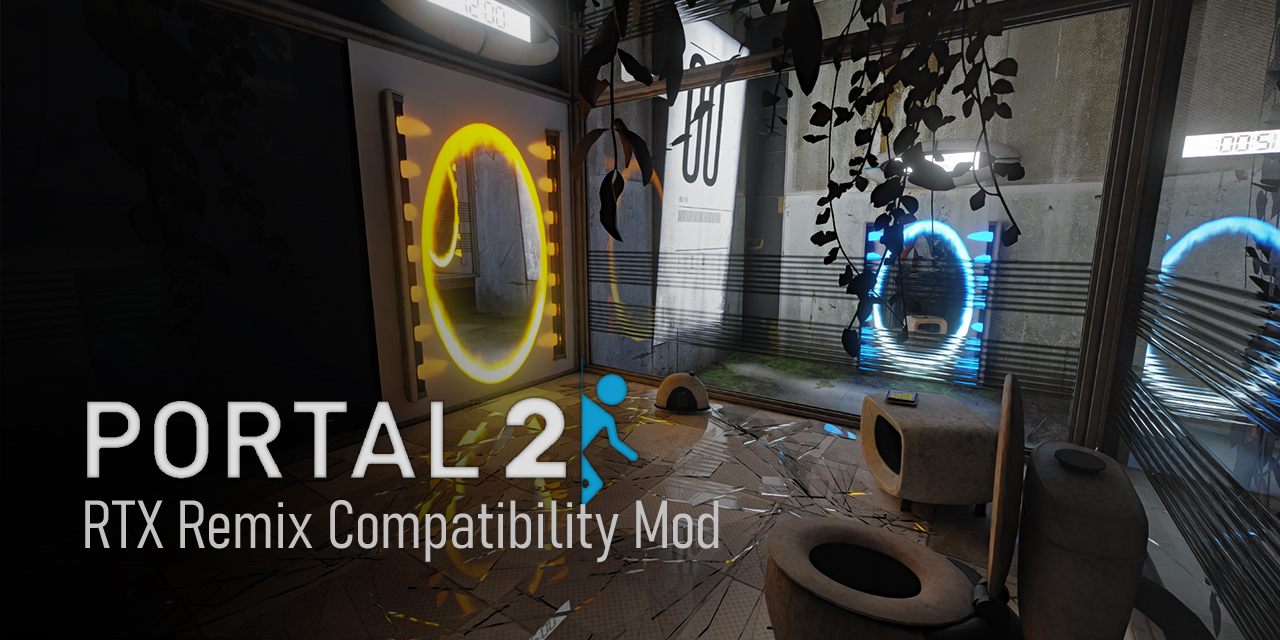
Portal 2 - RTX Remix Compatibility Mod. Contribute to xoxor4d/p2-rtx development by creating an account on GitHub.
theres the log
from the command prompt
this was an issue on the old version and the new version as i updated to the new one to try to fix it
it might be the old files still being in the game files which is why i tried to a fresh install but i do not know 😭
naive edge
Uh what are you trying to do? I thought you wanted to uninstall?
boreal hazel
naive edge
Uh what are you trying to do? I thought you wanted to uninstall?
either get it running properly or fully uninstall it so i can at LEAST play the game normally
i wanted to uninstall it because its unplayable currently
so its just get it working SOMEHOW
naive edge
Follow the main page uninstall instructions then
boreal hazel
naive edge
Follow the main page uninstall instructions then
i did, it didnt do anything
if you mean the thing to toggle it off
i did this

still didnt open
naive edge
Probably because your game is installed under program files and the batch does not have permissions to rename files
So you have to remove the asi file manually
 naive edge
p2-rtx.dll
boreal hazel
ah alr
so not .asi
(i know nothing about this stuff lol)
and i just straight up delete that file?
what about the rest?
naive edge
But you’ll need the original exe for that to work
boreal hazel
naive edge
But you’ll need the original exe for that to work
uhh of what?
portal 2 itself?
which files do i manually remove
naive edge
Why not just uninstall the game and then clear all files in that folder. Then reinstall
open rampart
@boreal hazel idk if it’ll help, but I see there’s a little shield next to the exe - maybe it’s a permissions issue blocking rtx launch?
boreal hazel
open rampart
<@1197254801864536075> idk if it’ll help, but I see there’s a little shield next...
it gives me a popup asking for permissions and i do give it said permissions but still doesnt wanna open
okay, update: now it doesnt crash immediately but the second it gets past the copyright screens it crashes (the second it starts loading)
boreal hazel
naive edge
Why not just uninstall the game and then clear all files in that folder. Then re...
it didnt let me delete them so i just moved them all to another fresh folder 😭 hopefully that works
boreal hazel
boreal hazel
it didnt let me delete them so i just moved them all to another fresh folder 😭 ...
did the fresh install and it still crashes at the loading screen and still asks for permissions somehow
yeah i got nothing
wispy fiber
@buoyant venture what changes/additions have you made to your version of xoxor's mod for your project?
buoyant venture
wispy fiber
<@487975712842579968> what changes/additions have you made to your version of xo...
The only thing merged has been FSR 3.1
I wanna rebase it though because our testers reported a performance boost on RDNA 2
As for upcoming features: things like ReSTIR-FG, NRD SH, etc
Only mentioning what I’ve worked on because I don’t want to push pressure on anyone else by saying their features as confirmed
wispy fiber
buoyant venture
The only thing merged has been FSR 3.1
I wanna rebase it though because our test...
what improvements does restir fg involve in the paper beyond just caustics
buoyant venture
wispy fiber
what improvements does restir fg involve in the paper beyond just caustics
Resolves better GI detail in general from what I remember
It’s also better than ReSTIR-PT
wispy fiber
buoyant venture
Resolves better GI detail in general from what I remember
does it still involve the heavy temporal issues of restir gi?
buoyant venture
wispy fiber
does it still involve the heavy temporal issues of restir gi?
What issues were there?
wispy fiber
buoyant venture
What issues were there?
buoyant venture
wispy fiber
I wouldn’t know, lol
I haven’t tested it like that
wispy fiber
buoyant venture
I wouldn’t know, lol
I haven’t tested it like that
restir gi doesn't handle changing lights well
buoyant venture
wispy fiber
restir gi doesn't handle changing lights well
If you wanna try, there’s some early code up before I handed it off
https://github.com/NightSightProductions/RTX-Remix-Artemis-Edition/tree/ReStir-FG
GitHub
The public fork of NightSightProductions personal Remix Runtime - NightSightProductions/RTX-Remix-Artemis-Edition