#Portal 2
1 messages · Page 6 of 1
 naive edge
 wispy fiber
naive edge
both
wispy fiber
naive edge
both
Also where did u get the asset from?
wispy fiber
Ah ok
naive edge
lovely

 rough ginkgo
u should make the pattern your pfp
wispy fiber
rough ginkgo
u should make the pattern your pfp
I’ll miss the silly strawberry fella 💔
 sleek bay
That's a wicked carpet dude. Looks photo real
 half topaz
huh Portal 2 has carpet?
 buoyant venture
half topaz
huh Portal 2 has carpet?
buoyant venture
half topaz
huh Portal 2 has carpet?
💀
half topaz
I honestly never noticed
 safe elk
Gah damn
naive edge
Fun fact but the “concrete” around the elevators is supposed to be carpet as well
safe elk
Fr?
naive edge
The filename suggests that
naive edge
 buoyant venture
naive edge
buoyant venture
naive edge
Motel?
naive edge
related to the very first container on intro1
 wispy fiber
naive edge
wispy fiber
naive edge
So it’s just a really old moldy carpet?
@buoyant venture when ur working on the p2 rtx remaster can you put a suggestion to the texture artists to make a very obviously moldy carpet looking texture for this
And not use concrete
buoyant venture
wispy fiber
<@487975712842579968> when ur working on the p2 rtx remaster can you put a sugge...

Will do
 polar badger
buoyant venture
<a:AFoxy_Noted:931392424197120112>
polar badger
buoyant venture
<a:AFoxy_Noted:931392424197120112>
Question when do you think the launcher will be available?
buoyant venture
polar badger
Question when do you think the launcher will be available?
Launcher 
Wdym
wispy fiber
@naive edge do you have a prediction for a timeframe of when the p2 compatibility mod update might release?
naive edge
wispy fiber
<@204650202072743936> do you have a prediction for a timeframe of when the p2 co...
pre-release build for remix 1.0 (do not download p2-rtx_2.0_pre_release_symbols.zip if you don't know what that is used for)
- Added a hotfix zip
- noticed some startup issues on release builds
- fixed glass shards on intro1
wispy fiber
Wow ty
wispy fiber
naive edge
where did these messages come from since said its forwarded
 wispy fiber
buoyant venture
<:shh:1300734010825244703>
wispy fiber
buoyant venture
<:shh:1300734010825244703>
ah so private discord for the p2 rtx remaster team got it
 open rampart
Probably will release 1.5 along with the release of the next compatibility update, maximum cookage 🧑🍳
buoyant venture
open rampart
Probably will release 1.5 along with the release of the next compatibility updat...
I have to still migrate everything over
half topaz
how many different projects do we have running in here now? I thought it was all moving over to Steam but now we have a standalone mod update and the separate texture pack still being updated?
buoyant venture
half topaz
how many different projects do we have running in here now? I thought it was al...
I mean the same thing happened with HL2
@open rampart did a PBR pack for HL2 iirc
half topaz
oh? I didn't know there was an HL2 project before the official one
buoyant venture
half topaz
oh? I didn't know there was an HL2 project before the official one

ModDB
(THIS IS NOT THE OFFICIAL UPCOMING HALF LIFE 2 RTX MOD) This is a complete game AI Upscale + added PBR of the existing Half Life 2 game capture. This is not polished.
half topaz
nice
rough ginkgo
buoyant venture
https://www.moddb.com/mods/half-life-2-rtx-pbr-assets-not-official-rtx-mod
wait this would work on gmod lol, since we went back to old hashes
buoyant venture
rough ginkgo
wait this would work on gmod lol, since we went back to old hashes
Do it

TTT maps use a lot of HL2 assets
rough ginkgo
buoyant venture
Do it
wish i could, left my pc off at home so i cant remote into it 😦
buoyant venture
rough ginkgo
wish i could, left my pc off at home so i cant remote into it 😦
Shocking, you finally turned off your PC

rough ginkgo
its booted into linux and i dont have ssh enabled to remote into it
so its technically off
😦
buoyant venture
rough ginkgo
its booted into linux and i dont have ssh enabled to remote into it
I only remote when I need both my Mac and Windows PC at the same time
Windows app remote
 winged wind
naive edge
https://drive.google.com/drive/folders/1VXawiwin99qpNMDQKluAcffQLBkOAcUG?usp=dri...
winged wind
naive edge
https://drive.google.com/drive/folders/1VXawiwin99qpNMDQKluAcffQLBkOAcUG?usp=dri...
so that's about ready!!!
 silk whale
Not sure if this is the best place to ask, but I have 2 questions,
I'm running the RTX Remix under arch linux using GE-Proton9-26 and:
- I've made sure I've installed everything properly, and everything else works except for some emission textures and glass refractions, anything I can do to fix this?
- I've downloaded the Skurtyy's Portal 2 RTX PBR Pack, to install it do I just extract it into the mods folder, or do I put it somewhere else? SImply extracting into the mods folder didn't do anything for me.


Pretty odd as some glass does work fine, and others don't, like the broken glass shards

If it's just a symptom of being a linux user, I can just deal with it lol, but it'd be nice if I could fix it :D
buoyant venture
silk whale
Not sure if this is the best place to ask, but I have 2 questions,
I'm running ...
Yeah it’s definitely Linux because I’ve been having the same problem when developing for Steam Deck
buoyant venture
silk whale
what about installing the pbr pack?
Haven’t tried it, we’re using internal assets
silk whale
I mostly mean whether or not simply extracting the pack into the rtx-remix/mods folder would install it, as that does nothing for me
if u don't know that's fine
buoyant venture
silk whale
I mostly mean whether or not simply extracting the pack into the rtx-remix/mods ...
That’s usually how it’s done
naive edge
 wispy fiber
naive edge
wispy fiber
naive edge
Beautiful, who remade this asset?
buoyant venture
wispy fiber
Beautiful, who remade this asset?
Seems he did
Doesn’t seem to be ours
And it doesn’t look AI upscaled
So I’m ruling out the PBR pack on moddb
naive edge
handcrafted in instamat 😜
sleek bay
Hellz yea, nice one
buoyant venture
naive edge
handcrafted in instamat 😜
What is instamat
 drifting temple
buoyant venture
What is instamat
drifting temple
buoyant venture
What is instamat

LetMeGoogleThat.com
For those who think it's easier to annoy you than to Google 'Instamat' themselves.
buoyant venture
drifting temple
https://letmegooglethat.com/?q=instamat

naive edge
took forever - not perfect but better than stock 😂


 analog copper
ooh das nice
wispy fiber
naive edge
took forever - not perfect but better than stock 😂
tbh looks like those rubber floor pads
 analog copper
can you sniff the wall rq
analog copper
wispy fiber
tbh looks like those rubber floor pads
foam...
wispy fiber
analog copper
can you sniff the wall rq
freaky?
wispy fiber
analog copper
foam...
shit its foam?
analog copper
yes dumbass
wispy fiber
analog copper
yes dumbass
wow you're so rude what did i do 💔
analog copper
💋
naive edge
Reduced the tile height strength a bit. Looks better now, right?
 analog copper
i think it looked good before and still does
sleek bay
Looks awesome, done a cracking job on that
wispy fiber
naive edge
Reduced the tile height strength a bit. Looks better now, right?
Can u send a side by side of them?
naive edge
wispy fiber
Can u send a side by side of them?
there is a very close one a few posts up
wispy fiber
naive edge
Reduced the tile height strength a bit. Looks better now, right?
I do think it looks better with the height strength lowered
 frosty cargo
naive edge
Reduced the tile height strength a bit. Looks better now, right?
frosty cargo
naive edge
Reduced the tile height strength a bit. Looks better now, right?
I'd say increase it a little bit. Right now it doesn't look like separate tiles but instead looks like indents
Just my personal opinion
 thin geode
it is in a weird in-between area. it looks kiiiinda correct, but i also agree with Joey that many parts of it look wrong
half topaz
well it being deep like the first screenshot doesn't look right, I don't think any type of flooring would have such large gaps, and I really wouldn't go deeper than it is right now
if anything I'd just change the texture in the indents so it looks more like grout or something
thin geode
really the tiles need to be a bit closer together, and the edges need to be better defined
i don't think it needs to be deeper though
buoyant venture
I wish I could do PBR, but I don't think I can extract the USD models without the toolkit
I have access to substance painter as well, lol
 sleek yacht
wispy fiber
wow you're so rude what did i do 💔
sleek yacht
wispy fiber
wow you're so rude what did i do 💔
 naive edge
Great feedback y'all!
 wispy fiber
naive edge
Great feedback y'all!
wispy fiber
naive edge
Great feedback y'all!
ooo show us ingame


 frosty cargo
naive edge
Great feedback y'all!
frosty cargo
naive edge
Great feedback y'all!
Looks great!

 wispy fiber
naive edge
wispy fiber
naive edge
If you somehow find a way to make the displacement look better with the texture, then I think it looks near perfect
wispy fiber
naive edge
Vines turned out pretty good as well I think (first timer 😜 )
Will you add SSS to the vines?
naive edge
wispy fiber
Will you add SSS to the vines?
I dont plan to fiddle with that anytime soon no 😛
wispy fiber
Ah ok
half topaz
what's involved in enabling that feature anyway? I would think leaves need to be modeled with thickness and flagged for SSS, but what else?
it does look fantastic in Indiana Jones
buoyant venture
half topaz
what's involved in enabling that feature anyway? I would think leaves need to b...
@old abyss
 old abyss
half topaz
what's involved in enabling that feature anyway? I would think leaves need to b...
old abyss
half topaz
what's involved in enabling that feature anyway? I would think leaves need to b...
Remix had a thin surface SSS feature for a while before RTX Skin dropped in 1.0. The older one doesn't required geometry with volume as it simulates the triangles having a "virtual" thickness, and is ideal for stuff like foliage, sheets and curtains as you only need to model a double sided mesh and enable sss with the measurement_distance parameter.
RTX Skin builds on top of that, but now it requires geometry with volume so it can bounce rays inside, and it doesn't use the measurement_distance param anymore. Instead you enable it by setting the "use diffuse profile something" option and play around with these #1353115790861402183 message
half topaz
I see, but is it just as simple as flagging a mesh to use the feature and setting a thickness value?
and I suppose some sort of information about the transparency level of the object
old abyss
half topaz
I see, but is it just as simple as flagging a mesh to use the feature and settin...
Nope, no need to mess with the mesh flags, it is all in the material settings. All you need to enable thin SSS is set the measurement_distance param to something non-zero.
I recommend start with 0.75, then set your single scattering albedo color to the desired final color (say, green-yellowish for leaves) and the transmission albedo to the opposite of the single scat. albedo color. Only to start with as it produces really strong visuals, then tweak from there
half topaz
gotcha
 bronze wren
naive edge
bronze wren
naive edge
my god, these screenshots look awesome
naive edge
more 🌿

 frosty cargo
That's without any SSS right?
old abyss
frosty cargo
That's without any SSS right?
Nah, 2nd pic shows tons of it. xoxor nailed it
frosty cargo
Oh yeah I see that now
I was gonna say it looks really really good even without SSS but I guess it just looks really good with it lmao


 open rampart
Went down a rabbit hole and now I’m probably gunna replace all of it with cc0 textures, and upgrade some to pbrfusion 3.0
Edison api makes it very, very, veryyy easy to get stuff replaced and pick out textures. Cuts down my workflow by like 80%
wispy fiber
open rampart
Please skip out on that green metal moss texture
Looks so ugly I’m sorry 💔
frosty cargo
It also just doesn't look like a portal surface to me
wispy fiber
frosty cargo
It also just doesn't look like a portal surface to me
Oh didn’t realize that was supposed to be a portal surface
frosty cargo
Oh I thought you were talking about the white walls with the moss
wispy fiber
Ya it’s prob best to just leave that base portal 2 rtx compatibility texture as is
And not replace it
wispy fiber
frosty cargo
Oh I thought you were talking about the white walls with the moss
No I was I’m just stupid
open rampart
wispy fiber
Please skip out on that green metal moss texture
✨no✨
open rampart
The ceiling texture I’m axing, and possiblyyyyyy the white/portal textures. May shift shit around, but taking all artistic liberty’s 
open rampart
But it’s supposed to look old, like 500 years after the first game 
Or however long it was lol
open rampart
The ground?
 open rampart
am I colorblind 💀
The green moss on the ground?
If the ceilings are open and shit's falling apart rain would make shit all moldy and messy

buoyant venture
open rampart
The green moss on the ground?
I’m talking about the walls
Ground looks fine to me
open rampart
Ohhhhhh this? Yeah that one's a rough draft, and the ceiling - that's rust 😭

I was like where tf was y'all seeing moss LMAOOOOO
There's itty bits of moss creeping from the floor tiles, I was like what's wrong with dat 😭
 buoyant venture
In case anyone wants to apply for hardware testing: https://forms.gle/yawm7KZQaGN7pLsCA

Google Docs
This form is to join the NightSightProductions team in remaking Portal 2 using RTX Remix, it will go over a series of questions to see what you can bring to this project and we hope to work with you if accepted
 west bolt
@naive edge has performance improved on the first Chapter because of DLSS 4 and the new transformer RR model?
naive edge
west bolt
<@204650202072743936> has performance improved on the first Chapter because of D...
what makes you think that transformer is easier on your gpu?
but yea performance is a little better but that is due to the "new" culling system
west bolt
I was just wondering if improvements have been made to make the beginning of the game better. (I've tested Transformer on other games and It runs finer)
naive edge
CNN gets me 63fps and transformer 58 on the level that I'm on rn
buoyant venture
west bolt
<@204650202072743936> has performance improved on the first Chapter because of D...
Nah, it improved on all all GPUs, from our tests, even RDNA 2 saw a great boost in performance
wispy fiber
buoyant venture
Nah, it improved on all all GPUs, from our tests, even RDNA 2 saw a great boost ...
What caused the boost in performance?
buoyant venture
wispy fiber
What caused the boost in performance?
Xoxor being an optimization God

wispy fiber
buoyant venture
Xoxor being an optimization God
I can’t wait for the next official release of p2 rtx compatibility
naive edge
wispy fiber
What caused the boost in performance?
well the 1.0 runtime and switching from always drawing everything in the current area of the player to drawing everything within a certain radius around the player
naive edge
The 2.0 Release of the Portal 2 Compatibility Mod with many improvements to code and the base remix mod that ships with it.
- Most noteworthy - RTX Remix 1.0

https://www.youtube.com/watch?v=lAF_FkFcxiM
https://github.com/xoxor4d/p2-rtx/releases/tag/2.0
@brazen flicker any idea why I cant post the above into Showcase?

- This is not trying to be a remaster *
This compatibility mod makes the game compatible with RTX Remix. There are limits in what can be done so expect some issues :)
The compatibility mod ships with a baseline remix mod (that is not the compatibility mod), which touches up act 1 and parts of act 2 so the game isn't pitch black. It also ships s...

GitHub
Installation:
0. Previous versions
Skip this and proceed with step 1 if you install the compatibility mod for the first time.
Go into ...\steamapps\common\Portal 2\bin\ and remove the .trex folder...
wispy fiber
naive edge
The 2.0 Release of the Portal 2 Compatibility Mod with many improvements to code...
COOKED
naive edge
cant post that into showcase for some reason
wispy fiber
COOKED FOR THE WHOLE DAY 🔥 🔥 🗣️ 🗣️
naive edge
posted it like 2 hours ago only to notice that it failed lmao (shows it for me tho)
wispy fiber
naive edge
cant post that into showcase for some reason
U need to send an image iirc
naive edge
other posts with just a YT link are fine tho
wispy fiber
naive edge
other posts with just a YT link are fine tho
Weird, maybe it just failed to send and that’s it
naive edge
nah something deletes it every time
haha lmao so posting Most noteworthy - RTX Remix 1.0 :green_fire: gets it removed
buoyant venture
naive edge
The 2.0 Release of the Portal 2 Compatibility Mod with many improvements to code...
Do I have to update, or are we good already?
Runtime wise I mean
naive edge
not much in there besides the new tonemapper (that is off by default)
and I disabled the emancipation grill proxy by default
I'd suggest updating the runtime + bridge + p2rtx.dll
 brazen flicker
naive edge
The 2.0 Release of the Portal 2 Compatibility Mod with many improvements to code...
brazen flicker
naive edge
The 2.0 Release of the Portal 2 Compatibility Mod with many improvements to code...
No idea, automod doesn't block it
naive edge
brazen flicker
No idea, automod doesn't block it
weird
wispy fiber
naive edge
The 2.0 Release of the Portal 2 Compatibility Mod with many improvements to code...
First time I’ve ever seen anything like this

48 fps video on YouTube lol
buoyant venture
naive edge
I'd suggest updating the runtime + bridge + p2rtx.dll
Will do
brazen flicker
wispy fiber
48 fps video on YouTube lol
generally movies are at 24 fps, and then the hobbit came along and doubled the framerate which means some movies went with 48 fps. Is this a movie by any chance? :P
drifting temple
brazen flicker
generally movies are at 24 fps, and then the hobbit came along and doubled the f...
Not all tho, right?
brazen flicker
just some are 48, the others are all 24 if they follow the proper cinema format. I'm sure there's also 30 fps movies aplenty.
 wispy fiber
 fluid bison
there was 60 or 120 FPS movie, Gemini Man
fluid bison
there was 60 or 120 FPS movie, Gemini Man
It was 120 fps
fluid bison
yeah, right, i just couldn't remember exactly
brazen flicker
That must've either been the sharpest movie in existence or looked like pure soap opera
fluid bison
brazen flicker
That must've either been the sharpest movie in existence or looked like pure soa...
The FREE editing software I recommend for creating amazing videos like these, click here: https://moviemaker.minitool.com/?utm_source=4KClipsAndTrailers_mm_influencer&utm_medium=youtube_referral&utm_campaign=202203_anchor
It's easy to use! Stunning Transitions, Studio-Quality Titles, Perfect Aesthetic, Animate Zoom Tool... The best part is that ...
see for yourself
though its half of original framerate, but it might give an impression
drifting temple
fluid bison
https://www.youtube.com/watch?v=t-R8PIADl7s
This weirds me out on so many levels
brazen flicker
eww
fluid bison
fluid bison
https://www.youtube.com/watch?v=t-R8PIADl7s
my favorite moment of this is 6:15, in 60 FPS it so freaking SMOOTH, i watched same moment in 480p30fps, and it doesn't give half of same effect of my surprise
drifting temple
That's not supposed to look like that
brazen flicker
this looks extremely soap opera
drifting temple
It does, yeah
brazen flicker
there's a reason why movies aren't shot on high framerates
drifting temple
It has got that icarly look lmao
fluid bison
fluid bison
https://www.youtube.com/watch?v=t-R8PIADl7s
that was directed by Ang Lee, just to say
fluid bison
drifting temple
It has got that icarly look lmao
you say that, while icarly is 30 FPS
brazen flicker
because icarly was a show made for television
fluid bison
no shit
brazen flicker
which is ... you guessed it... NTSC 60 hz
movies however when shot on film are all 24 fps and the shutter angle and exposure give it that really nice motion blur. a 60 fps movie with no motion blur gets really tiring really quickly to the eyes.
wispy fiber
brazen flicker
this looks extremely soap opera
I’m guessing this is a 120 fps clip that was interpolated into a 60 fps clip cause it looks and feels so much smoother than regular 60 fps
brazen flicker
you would either cut the frames in half or blend two frames together, either way the shutter angle makes this look REALLY unnatural
fluid bison
wispy fiber
I’m guessing this is a 120 fps clip that was interpolated into a 60 fps clip cau...
yeah, when i watched it, it really felt like 120 FPS despite technically being 60
 fluid bison
i just read some reviews of the movie, high frame rate problem is really rarely mentioned, really rarely, i sawed probably 2 or 3 complaints, againts 5 or 6 times where it actually was....||praised||
the problem everyone has with this movie is Script
brazen flicker
funny I just went to rotten tomatoes and saw a bunch of complaints
but I'm not here to discuss if 120 fps movies are a good idea or not, there's a reason why movies are shot at 24 and we'll leave it at that.
fluid bison
fluid bison
i just read some reviews of the movie, high frame rate problem is really rarely ...
well, i went to imdb
i personally kinda liked the way movie looked, really makes it look uniquely smooth which made my jaw almost drop at moment i mentioned (6:20)
so unusual, but kinda cool
wispy fiber
brazen flicker
you would either cut the frames in half or blend two frames together, either way...
Look all I’ll say this would look very impressive if it was a highly optimized video game
fluid bison
fluid bison
so unusual, but kinda cool
besides that meant that VFX artist had to work 5 times harder as they had to make VFX according to 120 FPS instead of typical 24 FPS
half topaz
yeah it's largely a cost issue, and just that people are too used to 24 fps
there's nothing inherently better about the lower framerate, we're just used to it
though I think people are becoming more used to higher framerates due to the prevalence of motion smoothing on modern TVs
fluid bison
half topaz
there's nothing inherently better about the lower framerate, we're just used to ...
exactly, in fact 1080p and 4K at their first day of existance were taken not so lightly, we only got used to them after time
analog copper
fluid bison
https://www.youtube.com/watch?v=t-R8PIADl7s
thry did alot of groundbreaking shit for this movie
most theaters showed it at 30/24
wispy fiber
@naive edge is it normal for the screen to go black when ui animations happen
like for example the tiling animation when u click a main menu button
turns everything black before finishing
naive edge
wispy fiber
<@204650202072743936> is it normal for the screen to go black when ui animations...
no - I had that and I fixed it by tagging some random black texture as UI but I guess I did not save the config and forgot about it
I think you can even use your cursor (quickly) to grab it in the viewport
wispy fiber
darkness and a rising chill of uncertainty
 naive edge
did you forgot to install the base mod?
wispy fiber
naive edge
I think you can even use your cursor (quickly) to grab it in the viewport
is this normal btw
wispy fiber
naive edge
did you forgot to install the base mod?
i just dragged and dropped the p2-rtx_2.0_release files
naive edge
please re-read the instructions 😄
wispy fiber
 naive edge
aw I guess I messed that up with the last few changes I did
wispy fiber
naive edge
aw I guess I messed that up with the last few changes I did
nah don't be sorry the errors look sick
fluid bison
wispy fiber
damn, dude, you should've holden it before November
wispy fiber
do yall notice the portal energy isn't in the gun hole but just in another part of the viewmodel
 naive edge
trust me I tried so many things to get it into there ... I was really close sometimes but something was always really buggy about it. It works when you set the viewmodel scale to 1 in remix
but that makes your gun go into stuff
wispy fiber
naive edge
trust me I tried so many things to get it into there ... I was really close some...
ahhh ok
naive edge
I tried offsetting it manually but that resulted in more movement of the effect in relation to the gun (the wobble when moving)
winged wind
can't try new update before going to sleep sad :(, tomorrow il give it another try re-installing the whole game and install the new update rightly after

 sudden lotus
hey! im having an issue with the water like one of the previous posts. However, some of the water looks fine, but some are missing textures and i don't know what to do. i installed the the p2-rtx_2.0_release mod, but its still having this issue. anyone know what i could do to fix this?

 naive edge
sudden lotus
hey! im having an issue with the water like one of the previous posts. However, ...
naive edge
sudden lotus
hey! im having an issue with the water like one of the previous posts. However, ...
That is because I did not touch up that map. I think I've stopped at catapult intro
You'll have to fix that yourself or wait for someone else / the base mod to get updated
If you want to do it yourself, simply copy and past the last entry in comp_water.usda`, eg:
over "mat_00000000CB192824" (
            references = @./materials/AperturePBR_Translucent.usda@</Looks/mat_AperturePBR_Translucent>
        )
        {
            over "Shader"
            {
                custom float inputs:ior_constant = 1.4
                custom asset inputs:normalmap_texture = @./assets/textures_world/water/water_turbolent_01_16x4_OTH_Normal.n.rtex.dds@
                custom int inputs:sprite_sheet_cols = 16
                custom int inputs:sprite_sheet_fps = 17
                custom int inputs:sprite_sheet_rows = 4
                custom float inputs:thin_wall_thickness = 1
                custom bool inputs:thin_walled = 0
                custom color3f inputs:transmittance_color = (0.8996139, 0.8022751, 0.69120914)
                custom float inputs:transmittance_measurement_distance = 3
                custom asset inputs:transmittance_texture = @@
                custom bool inputs:use_diffuse_layer = 0
            }
        }
and change
mat_00000000CB192824
to the hash of the water surface that is not replaced yet
sudden lotus
oh ok, thank you for the quick response. awesome mod btw, looks great!
winged wind
well, for some odd reason i recently had a crash in the second level of the campaign
winged wind
some visuals bugs that i found playing the new release


 buoyant venture
winged wind
some visuals bugs that i found playing the new release
buoyant venture
winged wind
some visuals bugs that i found playing the new release
 naive edge
winged wind
some visuals bugs that i found playing the new release
naive edge
winged wind
some visuals bugs that i found playing the new release
Yea we need to wait for the portal 1 rtx update to get that fixed
winged wind
naive edge
Yea we need to wait for the portal 1 rtx update to get that fixed
when is that?
naive edge
why are you asking me
winged wind
naive edge
why are you asking me
😦 srry maybe you know a little
 winged wind
buoyant venture
Because you’re the Remix God
winged wind
buoyant venture
Because you’re the Remix God
exactly
sleek bay
naive edge
The 2.0 Release of the Portal 2 Compatibility Mod with many improvements to code...
Dude that looks absolutely sick

 wispy fiber
buoyant venture
wispy fiber
buoyant venture
omfg 155 fps?
wispy fiber
buoyant venture
So like a 20fps increase
what made it increased?
buoyant venture
wispy fiber
what made it increased?
Our Remix God Xoxor 
naive edge
wispy fiber
what made it increased?
more culling
buoyant venture
naive edge
more culling
Except I don’t think imported the configuration for this map yet, unless it’s in the runtime
naive edge
the default culling mode changed from drawing all of the area to drawing everything within a certain distance around the player
buoyant venture
naive edge
the default culling mode changed from drawing all of the area to drawing everyth...
Got it 👍
rough ginkgo
naive edge
the default culling mode changed from drawing all of the area to drawing everyth...
do you still render brush/displacement faces without culling? We do this on gmod rtx and I found it to be pretty cheap. Its the entities like static props that usually tank performance
unless portal 2 uses really hi-poly displacements
naive edge
rough ginkgo
do you still render brush/displacement faces without culling? We do this on gmod...
everything within distance X around the player is not culled. Everything outside will have normal frustum and pvs culling if not forced via map settings
winged wind
buoyant venture
what kind of dlss are u using for that?
buoyant venture
winged wind
what kind of dlss are u using for that?
FSR
But it’s Ultra Performance
Though maybe performance is finally playable
half topaz
I'm actually impressed it looks that clear with FSR ultra performance
can still tell it's heavily upscaled of course, but I was expecting worse
buoyant venture
half topaz
I'm actually impressed it looks that clear with FSR ultra performance
So I made a mistake, that's not FSR it's the worse TAA upscaling
FSR would actually be sharper, lol
wispy fiber
buoyant venture
So I made a mistake, that's not FSR it's the worse TAA upscaling
FSR would actua...
No wonder it looks terrible lol get fsr 3 workin already
buoyant venture
wispy fiber
No wonder it looks terrible lol get fsr 3 workin already
Lmao, I'm working on it
wispy fiber
buoyant venture
<:kekw:1324852756355354624>
So with optiscale does fsr 3 get the proper motion vector info or does it not do that?
buoyant venture
wispy fiber
So with optiscale does fsr 3 get the proper motion vector info or does it not do...
it takes the inputs from DLSS
wispy fiber
buoyant venture
it takes the inputs from DLSS
Ok so full scale stuff hopefully that’s good, even better when fsr 4 gets added to optiscale
Do u plan on getting a newer amd card?
buoyant venture
wispy fiber
Do u plan on getting a newer amd card?
Eventually yes, going for that RX 9070 XT
buoyant venture
wispy fiber
Ok so full scale stuff hopefully that’s good, even better when fsr 4 gets added ...
The goal is to eventually move away from Optiscaler and add a Native implementation
wispy fiber
buoyant venture
The goal is to eventually move away from Optiscaler and add a Native implementat...
Do you have any plans on how to do that?
buoyant venture
wispy fiber
Do you have any plans on how to do that?
I’m in contact with 
Only thing they really don’t like is the RTX branding
wispy fiber
buoyant venture
I’m in contact with <:AMD:768894333318463488>
i mean like coding wise, u think it'll be as simple as adding fsr 3 to a regular engine
wispy fiber
buoyant venture
Only thing they really don’t like is the RTX branding
so as a fan you can't fsr 3 by yourself?
buoyant venture
wispy fiber
i mean like coding wise, u think it'll be as simple as adding fsr 3 to a regular...
I mean a regular game engine usually has a plugin, sadly Remix doesn’t
buoyant venture
wispy fiber
so as a fan you can't fsr 3 by yourself?
Nope 
Person who got closest was Nukem
At least with fg
wispy fiber
buoyant venture
Nope <:deadinside:972002543246913546>
i mean like legally
rough ginkgo
even if remix runs well on the rx 9070 i get, im gonna miss RR
i hope we can get that working 
buoyant venture
wispy fiber
i mean like legally
Yes, you’re allowed to integrate FSR yourself, it’s just a pain
FSR 4 is a different story since it’s closed source right now
buoyant venture
rough ginkgo
even if remix runs well on the rx 9070 i get, im gonna miss RR
Neural Supersampling and Denoising = AMD’s RR
rough ginkgo
implementing that into remix sounds like a major pain
wispy fiber
buoyant venture
FSR 4 is a different story since it’s closed source right now
do u think the remix devs would be up to add anyone's implementation of fsr 3 into the main branch
buoyant venture
wispy fiber
do u think the remix devs would be up to add anyone's implementation of fsr 3 in...
They’ve said in the past they are
buoyant venture
rough ginkgo
implementing that into remix sounds like a major pain
I made sure to mention it to them
wispy fiber
buoyant venture
They’ve said in the past they are
askin cause idk if nvidia or amd higher ups would be happy with that
im scared to have my hopes up then be crushed when its blocked 💔
buoyant venture
wispy fiber
askin cause idk if nvidia or amd higher ups would be happy with that
The Remix team is very friendly towards that kind of stuff
wispy fiber
buoyant venture
The Remix team is very friendly towards that kind of stuff
Nah I mean like, higher up higher up people
The devs are obv normal good people, I’m just scared people all the way at the top would see it as a bad thing
Like “ugh how can we allow our competitor’s tech exist in our products!!?!”
Have any amd products or tech been used in nvidia stuff before?
buoyant venture
wispy fiber
Have any amd products or tech been used in nvidia stuff before?
Quake 2 RTX with the FSR 1 implementation since they couldn’t use DLSS
wispy fiber
Hope someone codes fsr 3 to rtx remix then 🙏 🙏
 wheat geode
Digital additions 1.1 yay
https://www.moddb.com/mods/digital-additions/downloads/digital-additions-11

ModDB
thanks for checking out this mod, keep in mind you will need the portal 2 rtx remix compatibility mod from xoxor4d
half topaz
so how is this different from Skurty's texture pack?
wheat geode
half topaz
so how is this different from Skurty's texture pack?
Emmisive textures, PBR Fusion 3.0 textures and more lights and a few more
half topaz
ah I see


 blissful fulcrum
wheat geode
Digital additions 1.1 yay
https://www.moddb.com/mods/digital-additions/downloads...
blissful fulcrum
wheat geode
Digital additions 1.1 yay
https://www.moddb.com/mods/digital-additions/downloads...
Fantastic mod, I love all the new emissives although I do have one criticism. These cubes on top of the elevator and under the floor aren't supposed to be emissive. They have two different textures for this reason. (not emissive->metal_box_lowres and emissive->metal_box_lowres_a.vtf)
 blissful fulcrum
analog copper
they're just supposed to be dead
blissful fulcrum
analog copper
they're just supposed to be dead
Yes that's what I'm saying above
analog copper
 buoyant venture
blissful fulcrum
buoyant venture
blissful fulcrum
Why are the textures so low
analog copper
buoyant venture
Why are the textures so low
maybe the vram texture streaming shit
its been doing that to me recently
sudden lotus
could someone please show me how to fix the water that has missing textures? i have no idea how to code lol
 viral peak
sudden lotus
could someone please show me how to fix the water that has missing textures? i h...
viral peak
sudden lotus
could someone please show me how to fix the water that has missing textures? i h...
Same i need help with that
viral peak
nvm i fixed it
sudden lotus
How did you do that? Because that seems to be the only problem with the mod, other than the weird skybox in underground old aperture
Idk how to fix the skybox either
wispy fiber
Did any of y’all get mw19 gold on the portal gun

 vernal sinew
The skinability of remix is terrifying.
blissful fulcrum
 blissful fulcrum
wheat geode
Digital additions 1.1 yay
https://www.moddb.com/mods/digital-additions/downloads...
blissful fulcrum
wheat geode
Digital additions 1.1 yay
https://www.moddb.com/mods/digital-additions/downloads...
There is also this weird bug where in some chambers the test chamber sign never lights up or it does so intermittently
 red panther
wispy fiber
Did any of y’all get mw19 gold on the portal gun
red panther
wispy fiber
Did any of y’all get mw19 gold on the portal gun
I need to get Dark Ether on there
blissful fulcrum
 blissful fulcrum
wheat geode
Digital additions 1.1 yay
https://www.moddb.com/mods/digital-additions/downloads...
blissful fulcrum
wheat geode
Digital additions 1.1 yay
https://www.moddb.com/mods/digital-additions/downloads...
On the destroyed buttons these are backlit displays so the CFLs also need to be lit up as well
blissful fulcrum
wheat geode
Digital additions 1.1 yay
https://www.moddb.com/mods/digital-additions/downloads...
You also missed a couple emissive materials like the destroyed item dropper which reminded me I made a map for xoxor4d with every single emissive material in the game excluding the ones he had already done, you can check it out in this GitHub issue
GitHub
I've noticed while playing with the base mod how much emissive materials make the game pop and generally make it easier to navigate dark areas. Since I imagine they are trivial to import in the...
wispy fiber
red panther
I need to get Dark Ether on there
i hope u figure out how cod animated camos work in remix 🙏
wispy fiber
red panther
If there’s a will there’s a way
@drifting temple didn't u say u tried getting animated cod camos working or smth?
sudden lotus
viral peak
nvm i fixed it
Would you mind showing me how to fix it please?
viral peak
sudden lotus
Would you mind showing me how to fix it please?
Go to developer settings, click on the textures section of it, then right click on the water texture and tick ignore texture
And you can do this for anything that isn't playing well with rtx remix
sudden lotus
viral peak
Go to developer settings, click on the textures section of it, then right click ...
Thank you!
 hearty shell
blissful fulcrum
hearty shell
blissful fulcrum
the fact that it reduces your fps ninefold is horrifying lmao
blissful fulcrum
Remember that the engine automatically caps itself at 300 fps
A lot of that drop is due to Source's inefficient single threaded nature and that culling was reduced to a minimum
buoyant venture
blissful fulcrum
A lot of that drop is due to Source's inefficient single threaded nature and tha...
And then there’s this
 blissful fulcrum
Literally 86 draw calls lol
I'm assuming this is after the update that redid part of the way culling is done now
buoyant venture
blissful fulcrum
I'm assuming this is after the update that redid part of the way culling is done...
Ye
We still have to fix our build to fit the new changes
blissful fulcrum
blissful fulcrum
Yeah I was rendering the entire map in that shot
buoyant venture
https://www.nightsightproductions.com/portal2rtx
Nothing new on it, but new website 
drifting temple
.
 austere crescent
Hey why are the water and portals not displaying properly?
I installed this too but it seems that in the latest version it doesn't work
https://github.com/xoxor4d/p2-rtx-base-mod
GitHub
Base remix mod for the Portal 2 - RTX Remix - Compatibility Mod - xoxor4d/p2-rtx-base-mod
naive edge
austere crescent
I installed this too but it seems that in the latest version it doesn't work
ht...
My guess is that you incorrectly installed the base mod that you linked. Double check that
 bright nebula
hey anyone know to to fix my water its broken on ver 2.0 and only that version, it has the normal map on trop and also has the water just be a still plane
drifting temple
I think you need to go to the emergency room for that.
bright nebula
in portal 2 rtx XD
sudden lotus
bright nebula
in portal 2 rtx XD
yeah, i'm having the same issue
naive edge
bright nebula
hey anyone know to to fix my water its broken on ver 2.0 and only that version, ...
That is because it now spawns a second mesh above the water surface. That surface has to be made translucent with a normal map animation in the toolkit. I only did this up until act2.
There are two methods to fix this yourself.
Take a scene capture with remix and load that up in the toolkit. Then make that surface translucent and apply the normal animation OR just grab the material name of the surface in the toolkit and manually add it to comp_water.usda. Copy the last entry:
over "mat_00000000CB192824" (
            references = @./materials/AperturePBR_Translucent.usda@</Looks/mat_AperturePBR_Translucent>
        )
        {
            over "Shader"
            {
                custom float inputs:ior_constant = 1.4
                custom asset inputs:normalmap_texture = @./assets/textures_world/water/water_turbolent_01_16x4_OTH_Normal.n.rtex.dds@
                custom int inputs:sprite_sheet_cols = 16
                // ..... more stuff
                custom bool inputs:use_diffuse_layer = 0
            }
        }
and add that below the closing curly bracked of this ^. Then just change over "mat_00000000CB192824" to the hash you copied in the toolkit.
Other method would be to just hide the texture but then it doesnt really look like water anymore
bright nebula
THX
sudden lotus
bright nebula
THX
which toolkit is he talking about?
naive edge
sudden lotus
which toolkit is he talking about?
the remix toolkit - you can download it from within the new nvidia app
open rampart
Oopsies, if I accidentally touched the screens where the elevators are and reset them to the originals and now the tv's are off in game - would re-installing the mod fix or can I re-ingest your textures? 
oh wait jk, that worked lol phewwwwww
open rampart

ModDB
Complete game PBR Pack for Portal 2. To be used with RTX-Remix.
winged wind
open rampart
https://www.moddb.com/mods/skurtyys-portal-2-rtx-pbr-pack
😦 i cant get it work


should i use latest action builds?
also that blue X didnt should cast any light?
 winged wind
open rampart
https://www.moddb.com/mods/skurtyys-portal-2-rtx-pbr-pack
winged wind
open rampart
https://www.moddb.com/mods/skurtyys-portal-2-rtx-pbr-pack
😦 (im using LSFG that's why im getting like 30 fps)
 open rampart
You may need to install xorxor’s latest release and base mod first 
winged wind
open rampart
You may need to install xorxor’s latest release and base mod first <a:pepe_type:...
im on the latest release
open rampart
Try reinstalling the base mod
winged wind
open rampart
Try reinstalling the base mod
i did that like 3 times by now but no dice... don't know exactly what is caussing the game to look like this... i-reinstalled the whole game as well
 winged wind
😦 (im using LSFG that's why im getting like 30 fps)
winged wind
winged wind
😦 (im using LSFG that's why im getting like 30 fps)
i fixed the water issue, this is not how that door should look like, right?
 open rampart
Yeah that was a change I didn’t test to see what it looked like in game, it’ll get remodeled in 1.6 
open rampart
Learned substance painter with the 1.5 update! Very fun and very intuitive - having previous knowledge of photoshop made getting the grasp of things much easier than I thought. Was pretty proud of the camera, the left is the previous version, the right's mine 

 open rampart
oopsies, there's a displacement issue 😅 Finding spots for hotfixes so if anyone see's anything wild plz lemme know 
 naive edge
Why is your top water surface invisible
open rampart
The top layer shows the default water normal map, I think somehow I must've touched the water texture or tweaked something that broke it - I'll have to go back and see if my mods doing something to it 
red panther
winged wind
😦 (im using LSFG that's why im getting like 30 fps)
Why is the water just a normal map💀
buoyant venture
naive edge
Why is your top water surface invisible
It’s like this on Linux by default
buoyant venture
open rampart
Learned substance painter with the 1.5 update! Very fun and very intuitive - hav...
No more AI?
 open rampart
LOL AI as the base, and then as much replaced as possible with handmade textures  The majority of portal 2 in 1.5 has been replaced, but 1.6 will make it a lot more revised
 slim gulch
With the latest skurtyyskirts textures 👀
 analog copper
sleek yacht
sorry, but that looks bad
analog copper
sleek yacht
sorry, but that looks bad
gotta agree
idk what it is but it's throwing me off
buoyant venture
analog copper
idk what it is but it's throwing me off
Probably the AI textures and a big light source missing
That’s my personal opinion tho
slim gulch
Another from an earlier level.
 buoyant venture
slim gulch
Another from an earlier level.
buoyant venture
slim gulch
Another from an earlier level.
I love god rays, a lot of the Portal 2 concept art is designed with it
rough ginkgo
analog copper
idk what it is but it's throwing me off
for me its the mismatch of art styles, nothing looks coherent at all
analog copper
 open rampart
Oh it looks like the water's broken on the main mod, this is with just the base mod loaded 
 naive edge
I’ve only touched up maps up until the middle of act 2 so this is expected
open rampart
Ahhh gotcha, I really like how you made the rippling water, feels so real
naive edge
#1289195427119501424 message
naive edge
cursed
 bright nebula
naive edge
cursed
bright nebula
naive edge
cursed
This is just the portal equivilant of the dehydrated mercs from tf2
 warped sierra
naive edge
cursed
warped sierra
naive edge
cursed
That looks like an incorrectly applied skinned replacement. Are you messing around with replacing Chell's mesh?
naive edge
warped sierra
That looks like an incorrectly applied skinned replacement. Are you messing aro...
Hey mark! I was experimenting with getting fixed function skinning to work but I think I'll drop that idea .. for now at least 
warped sierra
ah, gotcha. The error you're getting looks a lot like what happens when we use mismatched skeletons trying to replace the skinned meshes.
Source engine has a tendency to have strip bones out of the skeletons before sending them to the GPU. i.e. the original skeleton in the asset files may have separate bones for each finger (like a glove), but then the mesh they actually send to the GPU combines the middle, ring, and pinky finger to all use the same bones. That removes 6 bones from the list and throws off everything that comes after it.
Doing that means adjusting both the skeleton (removing the joints) and the mesh (remapping the per-vertex joint indices to reflect the new joint list).
I'm guessing that whatever you're doing to enable fixed function skinning is stripping the bones from one of those, but not the other.
naive edge
I've tried to implement some of King David's stuff he posted for m&m. Not really sure if I need all of it because the game already provides the correct data (I think).
Apart from the broken skinning, I had all sorts of dynamic meshes attached to the player (doors, buttons etc) so must have done something wrong somewhere.
Without really looking into it, I assume you were talking about this?
 warped sierra
naive edge
I've tried to implement some of King David's stuff he posted for m&m. Not really...
warped sierra
naive edge
I've tried to implement some of King David's stuff he posted for m&m. Not really...
I'm not sure what that code is doing... but if it's taking a list of bone matrices, removing some, and shuffling the later matrices earlier, then it's probably the "strip bones from the skeleton" part.
The actual per-vertex modification of the mesh should be happening once when the mesh is loaded, I can't imagine they redo it per frame.
naive edge
Aaah understood I thought you were talking about some dynamic optimization 😛
warped sierra
nah, IIRC it's defined somewhere else in the asset files per mesh. But it's static per mesh, it doesn't change from frame to frame
 storm raptor
Stuck on infinite loading, game isn't frozen, it's just loading until the sun burns out

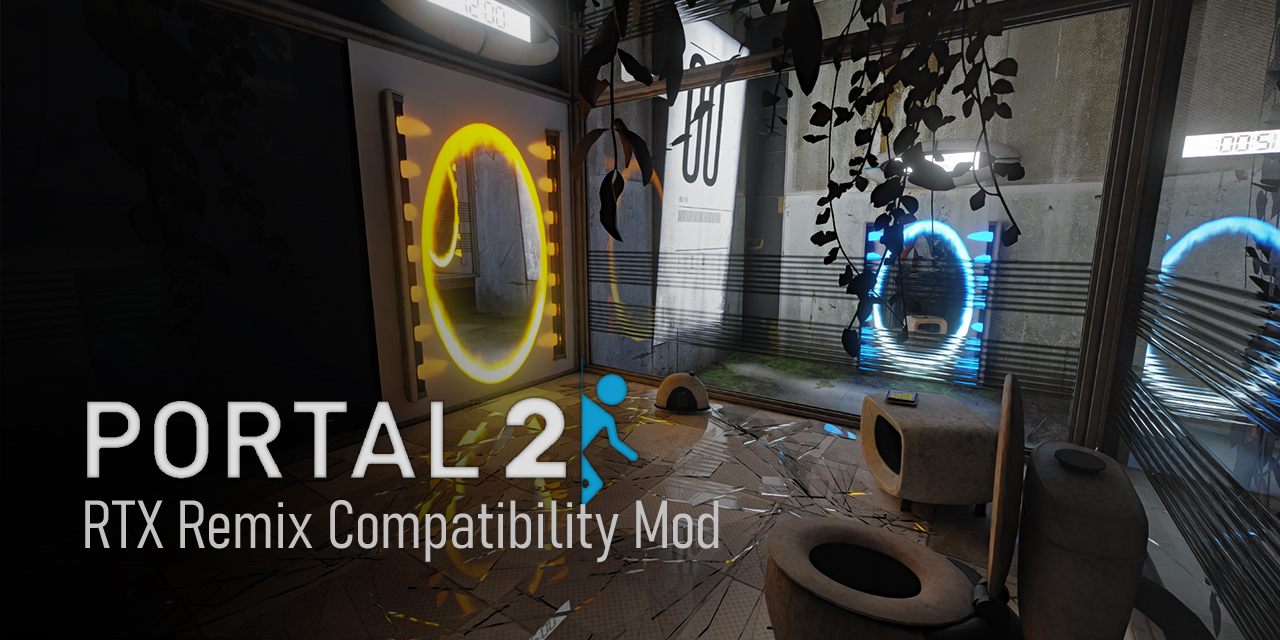
GitHub
Portal 2 - RTX Remix Compatibility Mod. Contribute to xoxor4d/p2-rtx development by creating an account on GitHub.
nvm fixed it immediately lol
Alright but I'm encountering new issues

Might know how to fix it myself, I'm using additional PBR materials that might effect it
Nvm it's an issue with the compatibility mod.
wheat geode
storm raptor
Nvm it's an issue with the compatibility mod.
hey the issue you see is because you dont have base mod bides the PBR Pack
you can see the fix here https://github.com/xoxor4d/p2-rtx/issues/169

GitHub
The portals just appear as a solid colour. Also the portal gun appears to be a bit messed up as well. This could be the fault of the pack I'm using instead, however.
sudden lotus
wheat geode
hey the issue you see is because you dont have base mod bides the PBR Pack
you c...
Hey! idk if you're planning to release any new patches for your Digital Additions mod, but if you do, do you think you could make it so all the water looks how it should? i know its a problem with the base mod, but i literally have no idea how to code or what numbers to replace lol
sudden lotus
wheat geode
hey the issue you see is because you dont have base mod bides the PBR Pack
you c...
it looks great btw!
wheat geode
sudden lotus
Hey! idk if you're planning to release any new patches for your Digital Addition...
yeah 1.2 is gonna come out soon and will fix the water!
 sudden lotus
PORTAL RTX GOT THE DLSS 4 UPDATE!!!! 🥳
naive edge
Hey @warped sierra, just curious if a JIRA exists for this one or if I should create an issue on GH? #general-remix message
warped sierra
naive edge
Hey <@617500777191047168>, just curious if a JIRA exists for this one or if I sh...
There's a JIRA for it, but creating a github issue may raise the priority of fixing it.
naive edge
Gotcha. Thanks for the fast response 🙏
 hardy glacier
Has anyone trying the portal 2 rtx remix mod been unable to launch either with a never ending load screen or the message "unable to find portal2.exe"?
i installed with the compatability mod. Running "run-p2-rtx.bat" gives this error
 hardy glacier
it launched but materials are all broken


running "run-p2-rtx" as standard rather than as admin fixed the issues
naive edge
very odd
naive edge
@mild wharf what issues are you running into?
 mild wharf
well im unsure if I've even installed all the files properly to start with i think ive downloaded everything i need to get it working i just cant seem to get to work
naive edge
post a pic of your game folder where portal2.exe is in


 naive edge
uhm where do I start
mild wharf
😂
naive edge
you did not download the actual release didnt you
GitHub
Installation:
0. Previous versions
Skip this and proceed with step 1 if you install the compatibility mod for the first time.
Go into ...\steamapps\common\Portal 2\portal2-rtx\ and remove game_set...
mild wharf
so in short yes im silly lmao
naive edge
remove the rtx-remix folder and its contents and then start over
mild wharf
okay thanks ill give it a try and see where it gets me
mild wharf
@naive edge okay so i got it working it now loads with rtx remix but now like everything is not loaded properly like the menu ui and certain assets any idea how to fix that lmao
naive edge
screenshot
mild wharf
the game or ?
naive edge
yea
mild wharf
thats what the menu looks like

and thats what the game looks like

i loaded into a save where im in the last misson and there was nothing but an empty room
naive edge
how did you launch the game?
naive edge
what command line
mild wharf
do i run it from this ?
 naive edge
yup
mild wharf
alright sweet lmao
mild wharf
mild wharf
tell me what idiotic mistake have i made 😭
this was the command line i was trying to use lmao
wispy fiber
wispy fiber


 naive edge
oh so you're only loading the map in portal 2?
mild wharf
one last thing well 2 actually 1 how the heck did surething get a custon portal gun and 2 the games running decent and looks amazing but any idea what is going on with the water textures here ?
 naive edge
the base remix mod only modifies maps up until the middle of act2 so these are simply not yet remixed
mild wharf
I see I see will there eventually be a fully remixed version of the game ?
naive edge
maybe, maybe not
mild wharf
Well either way the mod has made the game feel like a first time play through all over again and that is a wild feeling so I appreciate the work you’ve put into it
naive edge
a coffee is always appreciated  😜
😜
wispy fiber
naive edge
oh so you're _only_ loading the map in portal 2?
It’s actually a portal 2 custom map
mild wharf
naive edge
a coffee is always appreciated <a:aPES_HideyHole:619845778072141834> 😜
Ofc when I get paid I’ll be sure to get u a nice hot cup of Joe 😉
rough ginkgo
moving almost all of portal 2's geometry to remix to alleviate engine bottlenecks 🔥
https://cdn.discordapp.com/attachments/1296632990214127667/1376682744544759839/2025-05-26_17-04-08.mp4?ex=68363737&is=6834e5b7&hm=cb7c0ce1a29cea51fd5c6776993fea55375462525ab55be5ff70db7e2d353643&
game would run in the low 30s-50s no matter what hardware you had before, now im fully gpu bound
graphics look like ass but since this is for the portal 2 rtx project, it will be all replaced with enhanced geometry anyway
naive edge
rough ginkgo
moving almost all of portal 2's geometry to remix to alleviate engine bottleneck...
do you have a script for that or what is your workflow?
rough ginkgo
i've been working on a nvidia toolkit alternative in blender and its able to export literally anything you want, including captured assets 😂
analog copper
rough ginkgo
moving almost all of portal 2's geometry to remix to alleviate engine bottleneck...
dosent this like
bloat the file size
rough ginkgo
rough ginkgo
i've been working on a nvidia toolkit alternative in blender and its able to exp...
so im taking captures of maps with only static world geometry and props, and re-exporting them as replacements
analog copper
or am i dumb
 analog copper
thats just geometry?
naive edge
that is the most needed optimization
rough ginkgo
yeah source's main bottleneck when you take away culling is entity counts
it doubles perf in that map lmao
 wispy fiber
rough ginkgo
https://cdn.discordapp.com/attachments/1296632990214127667/1377381706381787186/2...
wispy fiber
rough ginkgo
https://cdn.discordapp.com/attachments/1296632990214127667/1377381706381787186/2...
What are u trying to do here?
rough ginkgo
rough ginkgo
moving almost all of portal 2's geometry to remix to alleviate engine bottleneck...
^
wispy fiber
rough ginkgo
^
what was ur method of doing that?
analog copper
wispy fiber
what was ur method of doing that?
 rough ginkgo
wispy fiber
what was ur method of doing that?
rough ginkgo
wispy fiber
what was ur method of doing that?
using the blender toolkit addon i've been working on. I'm exporting captured assets so they become replacements, essentially rendering the entire map inside remix
its all attached to an anchor mesh outside the map
wispy fiber
rough ginkgo
using the blender toolkit addon i've been working on. I'm exporting captured ass...
thats really really cool
rough ginkgo
yea its a huge perf saver in some maps
wispy fiber
what performance gains do you see?
rough ginkgo
in sp_a1_wakeup (in the vid above), its about double when you disable engine rendering
the 47fps in the beginning is what the engine was getting with traditional rendering
with enhanced assets and engine rendering off, it goes up to 150+
 analog copper
ive always thought about that
especially with hl2 but its not as bottlenecked
what if you just anchor all static meshes to a single thing and render all moving shit seperate
performance go kaboom!
rough ginkgo
yea thats exactly what i did
thankfully all dynamic meshes can be disabled before capturing so it was easy to get everything else
r_drawothermodels 0
wispy fiber
rough ginkgo
`r_drawothermodels 0`
bruh hl2 rtx really needs to try replicate all this insane optimization stuff from gmod and portal 2 rtx
this is all so cool
analog copper
thats been my crackhead theory for like 2 years
try and remove most shit that you can from the engine and move it over to remix
rough ginkgo
wispy fiber
bruh hl2 rtx really needs to try replicate all this insane optimization stuff fr...
at least they're replicating the HDRI idea i came up with 
rough ginkgo
yea
rough ginkgo
for like indirect lighting
but i think gmod is the first to use an HDRI for direct and indirect lighting
 rough ginkgo
even here, i think tadpole did an HDRI sphere before me but had to use a sun/spot light to get shadows
naive edge
rough ginkgo
even here, i think tadpole did an HDRI sphere before me but had to use a sun/spo...
Huh how does that work? Cant get the games skyboxes to work in black mesa so might have to resort to doing something with remix
rough ginkgo
i dont have the message link so i could be a little off here, but I believe they created a large spot light inside a dome where the sun would be positioned in the HDRI
rough ginkgo
naive edge
Huh how does that work? Cant get the games skyboxes to work in black mesa so mig...
do they not use the traditional 2d/3d skybox system used in other source games?
naive edge
rough ginkgo
do they not use the traditional 2d/3d skybox system used in other source games?
they do but remix is not handling them correctly .. its displayed as a single black texture (unsupported format?)
it does draw each face as a separate draw call

 half topaz
that's not Portal 2...
rough ginkgo
naive edge
looks like its just an issue getting the texture? idk maybe they use some weird shader like some gmod maps do
sleek bay
rough ginkgo
i dont have the message link so i could be a little off here, but I believe they...
Hey I invented that. And the hdri dome
rough ginkgo
sleek bay
Hey I invented that. And the hdri dome
ye i remember you posting about it a long while ago
sleek bay
oh turns out it was adamplayer. Man I miss Adam
#1102927658762895390 message
wheat geode
its a bit quiet here are some screenshots of Digital additions 1.2


 naive edge
Good stuff 👍
sudden lotus
wheat geode
its a bit quiet here are some screenshots of Digital additions 1.2
it looks awesome! is there an estimated release date yet?
naive edge
Would be great if this would find its way into the base compatibility mod someday 😛
wheat geode
sudden lotus
it looks awesome! is there an estimated release date yet?
Id say June 14th hopefully
 worthy pendant
ooh, cant wait to play it
wheat geode
wheat geode
Id say June 14th hopefully
one delay 🙏
21th
i wanna release it with this
yes Portal: revolution in the portal 2 engine!
just a few more map tweaks and it pretty much ready!


 trail dew
wheat geode
one delay 🙏
21th
i wanna release it with this
yes Portal: revolution in the po...
trail dew
wheat geode
one delay 🙏
21th
i wanna release it with this
yes Portal: revolution in the po...
 worthy pendant
So true
 brazen stirrup
why does water look like a blue water carpet coming from 1980s game ?
buoyant venture
brazen stirrup
why does water look like a blue water carpet coming from 1980s game ?
Did you install the base mod as well
brazen stirrup
buoyant venture
Did you install the base mod as well
yes
so many things except some of them works well

@buoyant venture
buoyant venture
brazen stirrup
so many things except some of them works well
Weird
There’s a known issue on Linux but that turns the water red so I doubt it’s that
brazen stirrup
I use windows
naive edge
Maps after act 2 are untouched (remix mod wise) so weird water and dark places are to be expected. It is yours and everyone else’s job to remix the game
brazen stirrup
naive edge
Maps after act 2 are untouched (remix mod wise) so weird water and dark places a...
that's true
however, I don't have the knowledge to use the application
also I don't think I have enough system to meet the requirements
but I must say, the game looks way awesome
especially fixed aperture chapters
I be in love with remixed funnels
buoyant venture
naive edge
Maps after act 2 are untouched (remix mod wise) so weird water and dark places a...

We won’t let you down
rough ginkgo
@naive edge I ported XeSS 2 to your custom dxvk-remix runtime, so far the changes are only live for our p2rtx project, but I can PR it to your repo as well if you're okay with it
though i also already made a PR for the main nvidia dxvk-remix repo so if you want to wait for that to get merged that also works
naive edge
rough ginkgo
though i also already made a PR for the main nvidia dxvk-remix repo so if you wa...
Yea dw I'll wait until its merged
 pallid monolith
Hey guys, can anyone help me figure out why I can't launch Portal 2? I installed all the files exactly like instructed but I get this odd error

PLEASE
naive edge
pallid monolith
Hey guys, can anyone help me figure out why I can't launch Portal 2? I installed...
please send a screenshot that shows the entire portal 2 folder

 naive edge
uh why is it trying to start portal2 from system32 😄
are you simply double clicking the batch file?
 naive edge
do not start it as admin
wheat geode
https://www.moddb.com/mods/digital-additions/downloads/digital-additions-12
If theres any issues they may be fixed tomorrow 💤

ModDB
this was pretty rushed so there may be bugs with that said i hope you enjoy this mod!
 wild geyser
Is the mod out on steam yet?
wheat geode
wild geyser
Is the mod out on steam yet?
Mine is not on steam Just fan made!
however a Portal 2 with RTX is being Developed that will be on steam
(changed 😭)
worthy pendant
how much did you cover in 1.2?
wheat geode
worthy pendant
how much did you cover in 1.2?
not that much in base portal 2..... I think i genuinely forgot
mainly focused on Portal: Revolution Support which a tutorial should be coming out soon
and Portal Stories Mel Support with improvements to the finale and overgrown areas
worthy pendant
portal storeis mel? did you do like a map swap or did you plop remix into portal stories mel?
wheat geode
worthy pendant
portal storeis mel? did you do like a map swap or did you plop remix into portal...

GitHub
this is a long one! (this is super demanding like even more then base portal 2 "with rtx" and i dont even know why cuz even on small maps its bad bad) first you have too drag and drop por...
worthy pendant
neat
naive edge
wheat geode
Mine is not on steam Just fan made!
however a Portal 2 with RTX is being Develop...
"official" 🤭
buoyant venture
naive edge
"official" 🤭
Yeah, there’s no real “official” version
I feel like the only official Remix mod will only be Portal with RTX because that was done by NVIDIA themselves
And Valve had some part with it
 mystic sail
yall know to fix it?

@naive edge
i remember that when mod just released i have this issue too
but i forgot how to fix it
naive edge
not sure why it's so hard to follow 2 steps
 mystic sail
👍
mystic sail
is this normal that my game crashes very often when loading next level through elevator?
i tried to reinstall portal 2 few times but it didnt help
and lowering settings too
in my first playthrough there was no problems like this
mystic sail
i found a solution
 proven vale
cool nick
 sand otter
ахуенный ник
 buoyant fjord
优秀的昵称
 muted jetty
 winged wind
any news on the new pbr pack ?
naive edge
new pbr pack?
winged wind
i mean the pbr pack 1.6 @open rampart
winged wind
naive edge
new pbr pack?
btw thanks for your work on black mesa remix !
open rampart
winged wind
i mean the pbr pack 1.6 <@894151488601980949>
No update for awhile, currently working on other projects atm
wispy fiber
@naive edge i have a question, if someone wanted to make a source mod for portal 2 with the option for RTX, how should they go about it
since source mods usually get placed in the sourcemods folder of steam and never replace any of the base game's files
would the RTX version of the mod have to be modified to be placed on top of the base game or still exist work as a source mod
naive edge
not familiar with these kind of mods .. do they still launch the base game that is inside the portal 2 folder? If so, no changes needed
wispy fiber
naive edge
not familiar with these kind of mods .. do they still launch the base game that ...
it works like regular sourcemods
u still gotta place em in the sourcemods folder
still gotta launch em through steam
except now it uses portal 2 as the base game to run the mod on
just re-read what u said thx for letting me know
would remix API and portal 2 rtx specific settings still work tho?
naive edge
why not? its still the same portal 2 install
wispy fiber
naive edge
why not? its still the same portal 2 install
ik, i mean like map specific settings, are they placed in the sourcemod folder or p2 folder
naive edge
everything remix related goes into the p2 folder
wispy fiber
thx
buoyant venture
wispy fiber
<@204650202072743936> i have a question, if someone wanted to make a source mod ...
I haven’t been able to get the source modding folder to work with Remix
analog copper
buoyant venture
I haven’t been able to get the source modding folder to work with Remix
dont you just put it in the 2013 branch flder?
wispy fiber
uh oh lmao
 wheat geode
are you making a new source mod or want to get a current source mod to work?
wispy fiber
wheat geode
are you making a new source mod or want to get a current source mod to work?
nah im just making a tsp mod and i forgot remix is in portal 2 lol
wheat geode
idk if you can keep it a source mod kinda..... what i do to just make source mods work with this is to
take the source mod folder and plop it into the main portal 2 folder go into the gameinfo and change the top line in gameinfo
"game (insert source mod game name here)" to "game portal 2"
and then go into the steam thing or bat and add -game (sourcemod folder name) and it should launch correctly
so like a hybrid hope this can atleast help a little!
wispy fiber
nah im not making a mod work with remix
im just making a regular tsp mod that requires p2 authoring tools
wheat geode
wispy fiber
im just making a regular tsp mod that requires p2 authoring tools
Ah ok sooo im a bit confused
so for an option...
well ig the steps i mentioned would work for other ppl who want RTX
but uhhh yeah the rtx version of the mod would have to be modifed to work with remix
(mi brain aint working correctly 😭)
wispy fiber
wheat geode
Ah ok sooo im a bit confused
so for an option...
well ig the steps i mentioned w...
Sry for confusion, I’m showing how rtx remix is infecting my install of portal 2 hammer ++ lol
buoyant venture
wispy fiber
im just making a regular tsp mod that requires p2 authoring tools
tsp?
wispy fiber
buoyant venture
tsp?
Stanley parable
wheat geode
one Question what do yall prefer? warm or white or the mix


 wild geyser
Warm White. It matches the surrounding Environment
wispy fiber
wheat geode
one Question what do yall prefer? warm or white or the mix
Coldddddd whiteeeee
buoyant fjord
wheat geode
one Question what do yall prefer? warm or white or the mix
Warm one
Mixed is not that bad, i like how lights on the last SS looks like
in my opinion, clear white is not correct in that chapter, cuz everything is old, rusted and ruined
wispy fiber
@naive edge ever since deleting and removing the rtx mod from portal 2, portal 2 hammer always pops up this error when opening

any ideas on this?
this wouldn't be much of an issue if it didn't constantly pop this error when compiling a map
naive edge
Yup
 empty quest
Warm suggests older incandescent lights, technology where you are is a bit older maybe? Is this the part before or after you discover the 'old aperture' and start doing the old tests?
wispy fiber
rough ginkgo
delete winmm.dll iirc
Ah ok thx
 dusty ore
does anyone know if there's a way to get HDR into the game? the game just seems to crash when i use RenoDX with reshade or specialk
dusty ore
anyone know why the water looks like this? was working fine then in the later chambers started looking like this
 naive edge
dusty ore
anyone know why the water looks like this? was working fine then in the later ch...
naive edge
dusty ore
anyone know why the water looks like this? was working fine then in the later ch...
I've now edited the release page and made this senctence really large + added a note about the water 😄
Only maps up until Act 2 (catapult intro) are touched up. Other maps might look weird / dark
It's up to the community to do actual remixing of the game. I've only worked on act 1 and a few act 2 maps to have it presentable
half topaz
so basically you need Skurty's texture pack?
buoyant fjord
half topaz
so basically you need Skurty's texture pack?
or digital wolf's one
any of (if it contains this water's texture)
winged wind
@open rampart is this expected?
 buoyant venture
winged wind
<@894151488601980949> is this expected?
buoyant venture
winged wind
<@894151488601980949> is this expected?
Yeah, he made it green in a update
winged wind
but its too green and bright
so im using the latest skurtyysskirts pbr pack 1.6 but the water in this map still the same ?
 buoyant fjord
winged wind
so im using the latest skurtyysskirts pbr pack 1.6 but the water in this map sti...
buoyant fjord
winged wind
so im using the latest skurtyysskirts pbr pack 1.6 but the water in this map sti...
try to use latest digital additions
instead of skyrtiz
winged wind
buoyant fjord
try to use latest digital additions
latest digital additions? and where exactly is that?
buoyant fjord
winged wind
latest digital additions? and where exactly is that?
ModDB
this was pretty rushed so there may be bugs with that said i hope you enjoy this mod!
winged wind
buoyant fjord
https://www.moddb.com/mods/digital-additions/downloads/digital-additions-12
il try, thanks
 quick grove
Got a new PC, trying to load Portal 2 with the mod installed and I get stuck here

It's been ten minutes, I don't think it's loading
naive edge
quick grove
It's been ten minutes, I don't think it's loading
Did you copy the sound file as instructed? Anyhow, go to the troubleshooting section on the main page on GitHub. There is a sound section that will help you
quick grove
naive edge
Did you copy the sound file as instructed? Anyhow, go to the troubleshooting sec...
I did yeah. For whatever reason installing Digital Additions fixed it, dunno how or why
wispy fiber
quick grove
Got a new PC, trying to load Portal 2 with the mod installed and I get stuck her...
Nah dw
Basically when the loading bar gets to orange
U just close and open the game again
And it should load fine
quick grove
I tried that
wispy fiber
Damn really?
 ornate kraken
quick grove
Got a new PC, trying to load Portal 2 with the mod installed and I get stuck her...
ornate kraken
quick grove
Got a new PC, trying to load Portal 2 with the mod installed and I get stuck her...
When P2 does this it's because the game is rebuilding the soundcache but I've had this error before too where it stays in the loading screen. You can launch the game with -console and it will go to the menu and I think there's a command you can use to make it rebuild while ingame instead.
wispy fiber
@naive edge I wanna ask how long will u be avaliable for commission for remix compatibility mods?
naive edge
wispy fiber
<@204650202072743936> I wanna ask how long will u be avaliable for commission fo...
Sorry but I stopped doing that
 naive edge
I'll only tackle games that pick my interest or games with minor issues that work in general
wispy fiber
naive edge
Sorry but I stopped doing that
Dang so no possibility of commissioning a port of the p2 rtx mod to Stanley parable 💔
naive edge
wispy fiber
Dang so no possibility of commissioning a port of the p2 rtx mod to Stanley para...
That one is actually on my own todo list 😛
wispy fiber
naive edge
That one is actually on my own todo list 😛
Oh shoot nice, asking cause I’m currently planning on doing a tsp mod and after finishing it I wanna make like an rtx remix version of it that I wanna make look at good as how I imagined ultra deluxe would look
naive edge
sounds good 🙌
wispy fiber
naive edge
sounds good 🙌
Ya very excited to finish it with a friend, hopefully it can be done next year
 buoyant venture
naive edge
buoyant venture
naive edge
I didn’t notice they were missing, lol
naive edge
They weren't missing but still rendered via shaders. Ropes wobble a lot but you normally don't see it that much in portal as everything is rather close to 0 0 0
naive edge
first time that I run the game at full res 😂
Pretty good with lossless scaling's frame gen

 lyric summit
naive edge
They weren't missing but still rendered via shaders. Ropes wobble a lot but you ...
lyric summit
naive edge
They weren't missing but still rendered via shaders. Ropes wobble a lot but you ...
So they were skinned then? Or just an object transform rotating the whole thing uniformly?
naive edge
lyric summit
So they were skinned then? Or just an object transform rotating the whole thing ...
No bones / skinning involved. They shovel 4 points into the vertex shader and do a catmull spline and align that towards the eye position so that the surface always faces you
//========== Copyright (c) Valve Corporation, All rights reserved. ==========//

#include "common_vs_fxc.h"
#include "spline_fxc.h"

const hlsl_float4x3 cModelView            : register(SHADER_SPECIFIC_CONST_0);
const float4x4 cProj                : register(SHADER_SPECIFIC_CONST_3);
const float g_MinPixelSize        : register(SHADER_SPECIFIC_CONST_7);

struct VS_INPUT
{
    // This is all of the stuff that we ever use.
    float4 vTint            : COLOR;
    float4 vParms           : POSITION;                        // T V side_id
    float4 vSplinePt0        : TEXCOORD0;                    // x y z rad
    float4 vSplinePt1        : TEXCOORD1;                    // x y z rad
    float4 vSplinePt2        : TEXCOORD2;                    // x y z rad
    float4 vSplinePt3        : TEXCOORD3;                    // x y z rad
};

// VS_OUTPUT in a common file.
#include "common_splinerope_fxc.h"

#define P0 (v.vSplinePt0)
#define P1 (v.vSplinePt1)
#define P2 (v.vSplinePt2)
#define P3 (v.vSplinePt3)

VS_OUTPUT main( const VS_INPUT v )
{
    VS_OUTPUT o;

    // posrad.xyz is worldspace position and posrad.w is worldspace diameter.
    float4 posrad =    CatmullRomSpline( P0, P1, P2, P3, v.vParms.x );

    // calculate projected position here so that we can figure out how much to bloat the diameter to avoid aliasing of the sort where you skip pixels in a segment.
    {
        // PERF FIXME!!  This could be simplified quite a bit if this ever becomes a bottleneck.  I feel dirty.
        // Get the view-space position for two points that are posrad.w units away from each other horizontally.
        float3 viewPos1 = mul4x3( float4( posrad.xyz, 1.0f ), cModelView );
        float3 viewPos2 = viewPos1 + float3( posrad.w, 0.0f, 0.0f );

        // Project both points.
        float4 projPos1 = mul( float4( viewPos1, 1.0f ), cProj );
        float4 projPos2 = mul( float4( viewPos2, 1.0f ), cProj );

        // Get the distance of the two points from each other in normalized screen space.
        float projectedDiameterInPixels = abs( ( projPos1.x / projPos1.w ) - ( projPos2.x / projPos2.w ) );

        // Compare the distance between the two points to the minimum allowed to keep from skipping pixels and causing aliasing.
        if ( projectedDiameterInPixels < g_MinPixelSize )
        {
            // Scale the radius in world space so that it is bigger than the required pixel size in screen space.
            posrad.w *= ( g_MinPixelSize / projectedDiameterInPixels );
        }
    }

    float3 v2p = float3( 0, 0, 1 );
    v2p = posrad.xyz - cEyePos;                            // screen aligned

    float3 tangent = DCatmullRomSpline3( P0, P1, P2, P3, v.vParms.x );
    float3 ofs = normalize( cross( v2p, normalize( tangent ) ) );
    posrad.xyz += ofs * ( posrad.w * ( v.vParms.z - .5 ) );
    o.projPos  = mul( float4(posrad.xyz, 1.0f), cViewProj );

#ifdef _PS3
    // Account for OpenGL's flipped y coordinate and expanded z range [-1,1] instead of [0,1]
    o.projPos.y = -o.projPos.y;
    o.projPos.z = 2.0f * o.projPos.z - o.projPos.w;
#endif // _PS3

    o.worldPos_projPosZ.xyz = posrad.xyz;
    o.worldPos_projPosZ.w = o.projPos.z;
    o.texCoord.xy = float2( 1.0f - v.vParms.z, v.vParms.y );
    o.argbcolor = float4( v.vTint.rgb, v.vTint.a );

    #if !defined( _X360 ) && !defined( SHADER_MODEL_VS_3_0 )
    {
        o.fog = CalcFixedFunctionFog( posrad.xyz, 0 );
    }
    #endif

    return o;
}
I feel dirty. 😂
buoyant venture
naive edge
They weren't missing but still rendered via shaders. Ropes wobble a lot but you ...
So Remix wasn’t able to render the shaders or was it just costing too much performance?
naive edge
I've hooked the meshbuilder after it finished building all the verts for the ropes (but before the buffer gets unlocked) and basically do what the shader did and override all of the verts so that FF can work with it
naive edge
buoyant venture
So Remix wasn’t able to render the shaders or was it just costing too much perfo...
Nah remix handled them pretty fine in p2 but only because everything is close to 0 0 0
they slightly wobbled in act4 maps tho
buoyant venture
Is it possible to bring back the vines swaying seen in some chambers?
lyric summit
naive edge
They weren't missing but still rendered via shaders. Ropes wobble a lot but you ...
Oh, the wobble is not like a wind effect, but a precision issue or something, i didn't get that at first
Cheese grate for brain moment
naive edge
buoyant venture
Is it possible to bring back the vines swaying seen in some chambers?
Mhh could be possible but pretty heavy to do on the cpu since there are quite a few matrix multiplications involved so I don't think that I'll work on that. Not that its really noticeable in the first place
lyric summit
avx512 privileged cpus exclusive feature 🤪
lyric summit
naive edge
```glsl
//========== Copyright (c) Valve Corporation, All rights reserved. =====...
Spline hair ptsd
buoyant venture
naive edge
Mhh could be possible but pretty heavy to do on the cpu since there are quite a ...
So are the ropes also being done on CPU?
You know, maybe this could all be fixed if Remix integrated NVIDIA Flow 
naive edge
buoyant venture
So are the ropes also being done on CPU?
They are now yea
buoyant venture
naive edge
They are now yea
Isn’t that gonna hurt performance more? It was already reporting being CPU bottlenecked
naive edge
buoyant venture
Isn’t that gonna hurt performance more? It was already reporting being CPU bottl...
Nah ropes are alright
analog copper
naive edge
I'll only tackle games that pick my interest or games with minor issues that wor...
poor ghostbusters the video game 2009
sleek bay
is glados in the potato stable? nearly finished her all pbr and stuff
 naive edge
sleek bay
is glados in the potato stable? nearly finished her all pbr and stuff
naive edge
sleek bay
is glados in the potato stable? nearly finished her all pbr and stuff
negative 🙁
would need to be replaced via a game mod
sleek bay
that'll work still, cheers mate 🙂
 noble furnace
wheat geode
https://github.com/xoxor4d/p2-rtx/discussions/166
noble furnace
wheat geode
https://github.com/xoxor4d/p2-rtx/discussions/166
Just gave this a try and uh

Modifying a game is such a funny thing
We a little tilted out here
wheat geode
noble furnace
Just gave this a try and uh
umm well that def aint correct... does base portal 2 work??
wheat geode
noble furnace
It looks to, yea!
looks like rtx remix isn't even loading
noble furnace
Ah, turns out I forgot to change out gameinfo.txt to say Portal 2 instead of Portal Stories: Mel!
That is a fascinating bug to come out of that, I can't lie

Just had to set a ton of the player model parts as "Player Model" in the dev settings but otherwise, it's lookin good!
As soon as I said that...
 wheat geode
... what you can do is open the dev menu and hide the broken sprites
noble furnace
I figured as much
wispy fiber
sleek bay
is glados in the potato stable? nearly finished her all pbr and stuff
Are u still working on this potato?
sleek bay
wispy fiber
Are u still working on this potato?
I can do yea
Needs a normal map. I gotta bake it first
 wispy fiber
sleek bay
Needs a normal map. I gotta bake it first
wispy fiber
sleek bay
Needs a normal map. I gotta bake it first
Wait that without a normal map?
sleek bay
No I was just making a baked potato joke
Need to model the glados but and texture it still
wheat geode
Added Portal: Revolution Support!
and many more things!
https://www.moddb.com/mods/digital-additions/downloads/digital-additions-131

ModDB
Wanna have you're eyes gaze upon the beauty of RTX while have you're PC start To make sounds... then this is the mod for you!
buoyant fjord
just left it here
https://github.com/xoxor4d/p2-rtx/discussions/201

GitHub
this is a long one! again..... (Since this game was on a enhanced version of portal 2 many levels may not Look Or work right due to missing entities and values) It is recommended to install digital...
buoyant fjord
wheat geode
Added Portal: Revolution Support!
and many more things!
https://www.moddb.com/mo...
😢

 cunning shoal
i hope portal reloaded is soon to follow
buoyant fjord
buoyant fjord
😢
idk it's the screenshot from latest digital additions
naive edge
Are you trying to play the game without rtx now?
GitHub
my portals gets broken in original game after rtx remix ver, prolly something wrong with config
 ionic silo
i'm not sure what to do about this?? i've installed the base mod and put it in the correct folder and put the compatibility mod into Portal 2 roots folder

it only happens when i run as administrator but running it normally just crashes after showing the start screen for portal 2
naive edge
ionic silo
i'm not sure what to do about this?? i've installed the base mod and put it in t...
Do you have the game installed under c/ program files or why are you trying to launch it with admin rights?
Can you try this action build: https://github.com/xoxor4d/p2-rtx/actions/runs/16991313323 and add the -debug commandline argument into the batch file?
That should spawn an external console. Please take a screenshot and post it here
GitHub
Portal 2 - RTX Remix Compatibility Mod. Contribute to xoxor4d/p2-rtx development by creating an account on GitHub.
ionic silo
i'll make sure to try that when i can tysm!!
i was trying to launch it with admin rights to see if it would help it launch but it didnt bc either way it just crashes
quick grove
I feel like something is VERY wrong
Reinstalled the mod since I uninstalled it because I wanted to mess with the VR mod, got everything working and I have this now
I'm in the process of redownloading Digital Additions VERY slowly so once that's done I'll install it and see if that fixes it
Also extremely confused by the fact that the mod doesn't work anymore when I launch via Steam (yes I set the same launch arguments as the batch file)
EVERY single moddb mirror is abysmally slow holy fuck
buoyant venture
quick grove
I feel like something is VERY wrong
Huh?
 rough ginkgo
ouch those DLSS FG frametimes
also wonder why rivatuner reports dx12, its definitely not that lol
@warped sierra maybe you have an idea why?
buoyant venture
rough ginkgo
also wonder why rivatuner reports dx12, its definitely not that lol
It’s a known issue
It doesn’t detect the dxvk
rough ginkgo
naw but like why would it even report a d3d12 container
this would have to be the bridge doing this but there has gotta be a reason for it
buoyant venture
rough ginkgo
this would have to be the bridge doing this but there has gotta be a reason for ...
I mean, you can test if it’s the bridge in Gmod RTX
half topaz
rough ginkgo
ouch those DLSS FG frametimes
that's normal when using MFG, it always makes the frametime graph look terrible but it's visually smooth
brazen stirrup
Guys, I have a problem. After deleting all the files in Portal 2 folder, I reinstalled from steam to get a clean game. However, right now the game is corrupted. After 5-10 mins of gameplay, everything gets frozen and game crashes
buoyant venture
brazen stirrup
Guys, I have a problem. After deleting all the files in Portal 2 folder, I reins...
My normal Portal 2 still has broken Portals, lol
No idea what RTX did to it
But I think Steam cloud is uploading it to my other devices because it persists on my other systems
Oh wait, I can test this
naive edge
Yeah I set certain saved/unprotected cvars that are not reset each time the game starts. Nothing I can do about that really. I think I’ve updated the troubleshooting section with cvars you need to manually enter into the console to fix this (I hope I included all the necessary ones)
buoyant venture
naive edge
Yeah I set certain saved/unprotected cvars that are not reset each time the game...
Imma just try turning off the cloud saves and do a complete clean reinstall and see if that fixes my issues
wheat geode
the 1.2.4 build kinda works.. lol wasn't expecting it
 naive edge
wheat geode
the 1.2.4 build kinda works.. lol wasn't expecting it
naive edge
wheat geode
the 1.2.4 build kinda works.. lol wasn't expecting it
yea but area portals, paint and some custom texture tagging wont work
wheat geode
thought it would just flat out crash lol
buoyant venture
wheat geode
the 1.2.4 build kinda works.. lol wasn't expecting it
you manually updated to 1.2.4?
wheat geode
buoyant venture
you manually updated to 1.2.4?
ye just swaped the dxvk files
buoyant venture
wheat geode
ye just swaped the dxvk files
@rough ginkgo 
buoyant venture
For anyone who needs to fix this issue after installing and removing Portal 2 RTX from GitHub

you need to type r_portal_stencil_depth 2 into the console


@naive edge you might want to include this on your GitHub
safe elk
naive edge
negative 🙁
Wait why isn't Gladys stable, is it like animated? Or just because its apart of the view model
Wait
Sorry
I realized how long ago that was
Thats mb
 buoyant venture
naive edge
buoyant venture
naive edge
I’m dumb :/
wild geyser
my game is to dark to play, and when i turn the brightness up, it dosent do much, can anyone help?

this is the first boss fight
naive edge
wild geyser
my game is to dark to play, and when i turn the brightness up, it dosent do much...
Take a capture and add lights using remix or use mods like digital additions
wild geyser
so it just has to be dark?
I dont really want to install a mod
I fixed it, I had to turn my preset to ultra
wispy fiber
@buoyant venture I wanna ask with ur portal 2 remix mod, are people allowed to take assets from that mod to use in other remix projects with proper credit?
wild geyser
Is there any way to get the water in part 2 to look better?
naive edge
wild geyser
Is there any way to get the water in part 2 to look better?
yea, get an actual remix mod 😛
or remix the water yourself
wild geyser
Oh
There are other remix mods?
I saw on the GitHub the water looks better/normal, so I was wondering if their is like a mod or somthing
naive edge

It is a compatibility mod that gives you the ability to remix the game in the first place. It's not a finished "mod" with proper pbr assets and lights. There are actual remix mods by the community that utilize the remix modding toolset to touch up the game
buoyant venture
wispy fiber
<@487975712842579968> I wanna ask with ur portal 2 remix mod, are people allowed...
Yes, the plan will be to allow other Portal 2 mods to use the assets
I would like to give the Stories Mel team our assets if they want to do a Remix version
Even Strata source should be able to use them thanks to the upgraded engine
buoyant venture
wispy fiber
<@487975712842579968> hypothetically is a stanley parable mod allowed to use en
Does Stanley parable even use Portal 2 assets?
buoyant venture
wispy fiber
Ya a lot
Then yeah, it’d be allowed
quick grove
Well fuck
 naive edge
Weird looks like the mesh replacement failed to load
quick grove
naive edge
Weird looks like the mesh replacement failed to load
Seems like it
Not sure how to fix it or what could be causing it
I'll try redownloading all the assets
Hmm looks like it's a known issue

 boreal hazel
guys ive been trying to run the portal 2 rtx version for like a solid 45 mins now but it keeps crashing just after startup
it gets past all the copyright screens, freezes on one of the regular loading screens but black and white for some reason and then just full on crashes
i do not know what to do about any of it 😭 the debug command wont work and running with admin just stops the game running entirely
boreal hazel
boreal hazel
guys ive been trying to run the portal 2 rtx version for like a solid 45 mins no...
also for context im using the latest release 2.1 (https://github.com/xoxor4d/p2-rtx/releases)
GitHub
Portal 2 - RTX Remix Compatibility Mod. Contribute to xoxor4d/p2-rtx development by creating an account on GitHub.
naive edge
Can you post your games install path and a picture of your game folder showing portal2.exe?
boreal hazel
naive edge
Can you post your games install path and a picture of your game folder showing p...
Yeah 2 secs

 naive edge
Is the game installed under program files?

 naive edge
 boreal hazel
naive edge
boreal hazel
naive edge
i tried running as admin
naive edge
So you enabled run as admin for portal2.exe?
boreal hazel
straight up refused to open
boreal hazel
naive edge
So you enabled run as admin for portal2.exe?
i did for the bat fil
file*
boreal hazel
install somewhere else? cos running portal2.exe as admin has the same result
naive edge
Did you right click the exe and ran as admin or did you check the run as admin checkbox?
naive edge
Again, read what the picture says
boreal hazel
this?
 naive edge
Okay good
boreal hazel
I'll try it with that
naive edge
What happens if you just run the bat normally now
boreal hazel
naive edge
What happens if you just run the bat normally now
also the -debug did nothing in the .bat file
can send a recording of what happens
not sure what else to do D: or if ive doen it wrong
naive edge
boreal hazel
also the -debug did nothing in the .bat file
so your bat looks like this now?
START portal2.exe -debug -insecure -steam -novid -disable_d3d9_hacks -limitvsconst -softparticlesdefaultoff -disallowhwmorph -no_compressed_verts +mat_phong 1 %*
boreal hazel
yep
naive edge
and that does not spawn an external console window?
boreal hazel
no

ill send a video of what happens when I open the game
im messing around in the setting in this cos it crashes regardless
naive edge
well its not using the commandline args at all (the intro plays even tho there is -novid)
boreal hazel
naive edge
well its not using the commandline args at all (the intro plays even tho there i...
that was me opening it on exe I think as when I open on bat it crashes immediately since it skips the intro
After the intro it crashes regardless of how I open it
but it doesn't debug or anything thats for sure
naive edge
just remembered that the 2.1 release did not have the debug launch arg yet, You have to use an action build for that.
This has it: https://github.com/xoxor4d/p2-rtx/actions/runs/16991313323/artifacts/3774126821
and please remove that dp0 stuff from your bat
just use START portal2.exe ...
boreal hazel
will do
what times are u active btw? cos its 6am and my loud keyboard WILL annoy my family
can sort it rn but asking anyways
naive edge
7am for me
boreal hazel
naive edge
just remembered that the 2.1 release did not have the debug launch arg yet, You ...
ah okay
im likely gonna afk for an hour and nap, ill do that stuff in an hour and get back to you
Is that cool?
naive edge
uh sure do whatever you want to to mate 😛
boreal hazel
naive edge
uh sure do whatever you want to to mate 😛
alrr tyy I just didn't wanna bother you with it when its a bad time to ask about it againn
but I also need sleep 😭
naive edge
well just ask, not sure if I can respond immediately tho
boreal hazel
naive edge
well just ask, not sure if I can respond immediately tho
thats all good now ik ur timezone isnt polar opposite to mine im sure it'll be all good
naive edge
someone else might step in and help
boreal hazel
naive edge
someone else might step in and help
whatever worksss I just wanna show my friend portal, but i did rtx for the first game and omg portal 2 is beautiful with rtx enabled so I've been tryna get it donee
hopefully it'll work later!!
in any case imma nap now, talk in an hour or soo :D
boreal hazel
naive edge
just remembered that the 2.1 release did not have the debug launch arg yet, You ...

mb for replying late
boreal hazel
naive edge
just remembered that the 2.1 release did not have the debug launch arg yet, You ...
https://github.com/xoxor4d/p2-rtx/actions/runs/18055381577 this is the one you did at 6:04 which might have been what you meant but im not sure what to do with it
GitHub
Portal 2 - RTX Remix Compatibility Mod. Contribute to xoxor4d/p2-rtx development by creating an account on GitHub.
for an update i used the toggle .bat to disable the mod to see if it loaded that way, its now been stuck on this screen for the past 5 minutes
mystic sail
boreal hazel
for an update i used the toggle .bat to disable the mod to see if it loaded that...
i remember that i had this bug before, its probably sound cache try to rebuild it through console
ornate kraken
Start the game with “-console” as a launch parameter to skip around the issue. I think you need to rebuild the sound cache to fix “snd_rebuildsoundcache” command
mystic sail
or delete in game folder manually
mystic sail
ornate kraken
Start the game with “-console” as a launch parameter to skip around the issue. I...
its my idea
boreal hazel
mystic sail
i remember that i had this bug before, its probably sound cache try to rebuild i...
unfortunately i dont know how to do that :(
mystic sail
ornate kraken
Start the game with “-console” as a launch parameter to skip around the issue. I...
. he explained it
boreal hazel
mystic sail
. he explained it
i add - console into the .bat file?
i didnt really get what he meant D:
boreal hazel
mystic sail
can you open console while loading?
like the source engine one?
mystic sail
boreal hazel
like the source engine one?
yep in-game
boreal hazel
i dont think so because it crashes immediately when getting into the loading screen
boreal hazel
boreal hazel
see this ^
mystic sail
boreal hazel
for an update i used the toggle .bat to disable the mod to see if it loaded that...
but here you said that its loading for 5 min and doesnt crash
boreal hazel
mystic sail
but here you said that its loading for 5 min and doesnt crash
that was AFTER i disabled rtx
i went into the toggle.bat file and disabled it
mystic sail
boreal hazel
that was AFTER i disabled rtx
but ye disable rtx just to be sure that you can log into the game after rebuilding sound cache
boreal hazel
mystic sail
but ye disable rtx just to be sure that you can log into the game after rebuildi...
i did, that was the last video i sent where i was stuck on the loading screen for 5 mins
boreal hazel
boreal hazel
for an update i used the toggle .bat to disable the mod to see if it loaded that...
my game after disabling rtx
mystic sail
boreal hazel
i did, that was the last video i sent where i was stuck on the loading screen fo...
bro can you open console there?😭
boreal hazel
mystic sail
bro can you open console there?😭
lemme check rq
oh okay ofc it instantly loads NOW that i open it...
it works as normal now with rtx disabled
boreal hazel
checking now
what do you want me to open it with now, through steam, the .exe or the .bat
mystic sail
boreal hazel
checking now
what do you want me to open it with now, through steam, the .exe o...
i mean through what portal 2 rtx opens?
i dont remember
boreal hazel
mystic sail
i mean through what portal 2 rtx opens?
they all open portal 2 rtx the same
the .exe and through steam doesnt skip the copyright screens
the .bat skips directly to the game (but crashes on the loading screen)
ill use the .bat
mystic sail
make sure you have -console in launch args
mystic sail
magic
boreal hazel
fr cos this is some bs
i spent like 2 hours opening it for it to crash earlier for it NOW to work???
mystic sail
congrats then!
boreal hazel
im PRETTY sure that the rtx is working
im gonna be real i cant tell in the first screen
or first scene*
this has rtx on, right?
 mystic sail
beatiful
boreal hazel
yay it works
okay that was so weird
guess its really true that everything fixes by turning it off and on again 😭
ill let you guys know if there are any more issues
mystic sail
aight
boreal hazel
oh and btw, how far into the game does the rtx work for? cos it says it works up until act 2 or something?
i have no idea what the "catapult intro" is
mystic sail
boreal hazel
oh and btw, how far into the game does the rtx work for? cos it says it works up...
yes only until act 2
boreal hazel
mystic sail
yes only until act 2
which..is...?
mystic sail
but theres a mod for full game rtx one sec
boreal hazel
mystic sail
but theres a mod for full game rtx one sec
yeah ive seen it but isnt it pretty broken cos the lighting is messed up? so wheatleys monitors straight up break cos of the lighting
mystic sail
ModDB
Wanna have you're eyes gaze upon the beauty of RTX while have you're PC start To make sounds... then this is the mod for you!
boreal hazel
oh should i install that as well..?
mystic sail
boreal hazel
yeah ive seen it but isnt it pretty broken cos the lighting is messed up? so whe...
wdym i played through all game with this mod and everything was good
boreal hazel
or is it separate from this
boreal hazel
mystic sail
wdym i played through all game with this mod and everything was good
ive only seen gameplay clips so i may be wrong...
mystic sail
boreal hazel
oh should i install that as well..?
i wood suggest if you want to play through all game
boreal hazel
mystic sail
i wood suggest if you want to play through all game
yeah i do okay
now that i finally got it working, time to break it again 😭
mystic sail
just put it too rtx remix mods, i guess
mystic sail
boreal hazel
now that i finally got it working, time to break it again 😭
i hope not
boreal hazel
mystic sail
just put it too rtx remix mods, i guess
i suppose, i havent ever used rtx remix mods besides this so
theres also no install guide for the mod u sent me, is there a read me file or smth?
boreal hazel
mystic sail
i hope not<:tux_dawg:1381989261481480242>
same because its been 10 hours 😭
😢
 mystic sail
in zip ure downloading there should be a folder that need to be putted to rtx remix - mods in portal 2 root folder