#Return to Castle Wolfenstein (RTCW)
1 messages · Page 7 of 1
 full estuary
 manic tinsel
could surfaces and animations be lod'ed separately, causing a mismatch?
full estuary
In R_CalcBones they have a hight bone precision #define and when disabled (low precison) ther are 2 ways to calculate the bones
That was somewhere on t he list to try, to activate hight precision bones
But fuck it for tonight, my brain is toasted
manic tinsel
aight, gnight
full estuary
I would need help with converting that xyz value from bone space to model space as DX9 required
Once I figure out this corruption
manic tinsel
what is R_ComputeLOD used for?
full estuary
That's for other types of entities, I think those do not have bones, but actual object space values for each frame of animation, and they get lerped between animation frames
ye, those are the heads, where I intend to stop animation see that cvar there that I inserted
 manic tinsel
does this guy not have other npcs nearby, which is why he doesnt get corrupted?
full estuary
Yea, he was alone now and got fixed 😆
manic tinsel
huh
full estuary
The do have a bone caching strategy in R_CalcBOnes, but I tried to disable that too..
So next I'd try that HIGH PRECISION bones, and just having separate memory space for each bone matrix I calculate (maybe Remix does some lazy copying)
Or memory corruption, I would not be surprised.. even in my dirty code 😢
manic tinsel
full estuary
I would need help with converting that xyz value from bone space to model space ...
i think you might be able to just discard those, since it should be basically just pre-applied model-to-bone-local matrix for each vertex, and local-to-model is the inverse of that, and the result of that you already have and its just the vertex itself
full estuary
manic tinsel
i think you might be able to just discard those, since it should be basically ju...
I can't discard them. I don't have any other values for vertex coords, only these pre-ransformed bone space coords (which start to make sense somehow). I'd have to reverse at least one of them to model space, and change that bone transform, since this seems it contains an extra transform I don't need?

On each loop that tempVert gets incremented with result of 'offset * boneTransform * weight' and becomes the final model space vertex value
manic tinsel
full estuary
I can't discard them. I don't have any other values for vertex coords, only thes...
ah, okay, that makes sense
full estuary
@sly timber Do you think this may help with getting a blender model + Skeleton for Wolf models? https://github.com/mino-git/rtcw-wet-blender-model-tools/tree/master
 sly timber
full estuary
<@456226577798135808> Do you think this may help with getting a blender model + ...
sly timber
full estuary
<@456226577798135808> Do you think this may help with getting a blender model + ...
maybe
lets see
full estuary
One small step for skinned meshes. It was my #upid a## all along that caused those problems 😆
Now to tackle the multiple bone issue I was talking with nking about.. and then merge the legs and the torso 😓
manic tinsel
full estuary
One small step for skinned meshes. It was my #upid a## all along that caused tho...
what ended up being the issue?
full estuary
manic tinsel
what ended up being the issue?
I was not locking and unlocking the Index buffer properly because of crappy api I wrote 😅 And at work I always stress people to have explicit apis with no side effects 😂
So I guess it was using old data from previous drawcalls
full estuary
I still think I'm having issues with how the bone matrixes are built. Sending bone local vertex coords to DX, when it expects model local.. I'm guessing the bone matrix needs to contain that offsetTransform (bind pose -> bone space transform) or it's inverse.. @manic tinsel Any idea?

I mean from what I've read, whatever I'm sending to DX is not what it expects.. so it should not reder properly
Uff, I need to dive-in that Bone calculation code..
full estuary
The way I understand it rn is: Vmodel * offsetTranform * boneCombineTransform is the formula, and DX wants Vmodel for Vertex coords, and offsetTransform * boneCombineTransform for the bone matrix. But I'm setting Vmodel * offsetTransform (the bone space Vertex coords) as Vertex coords and boneCombinedTransform as bone matrix. So the math would check out, but I have doubts Remix can use that matrix
 sudden steppe
full estuary
The way I understand it rn is: Vmodel * offsetTranform * boneCombineTransform is...
sudden steppe
full estuary
The way I understand it rn is: Vmodel * offsetTranform * boneCombineTransform is...
I'm not really sure if that will be helpful to you at all but here are the notes I took for how the remix C API uses skinning data
https://github.com/Ekozmaster/py-rtx-remix/blob/a1a0fc7d4000e72bf2a701c8f7173a0a9b4474c1/src/py_rtx_remix/components.py#L116
Also here is the Skeleton pose data. Just an array of 3x4 matrices
https://github.com/Ekozmaster/py-rtx-remix/blob/a1a0fc7d4000e72bf2a701c8f7173a0a9b4474c1/src/py_rtx_remix/components.py#L704
sly timber
full estuary
One small step for skinned meshes. It was my #upid a## all along that caused tho...
Im curious (this isn't me asking for a fix) what all isn't stable after this, just the leaves and banners?
full estuary
sly timber
Im curious (this isn't me asking for a fix) what all isn't stable after this, ju...
I’ve seen leaves, the big dropping flag in escape courtyard, spiderwebs in the tower
The flag on a pole in the escape yard can be static. I haven’t discovered the type of animation for the other objects mentioned. Try Alt+C MeshAnim (needs imgui_debug_controls = 1 in .ini file or console r_nomeshanim 1)
full estuary
@sly timber I've got two builds here, the first I got working the other day, with ONE bone influencer (and using bone-local vertex coordinates -because it worked):
https://github.com/whisperglen/RTCW-SP/actions/runs/15508263600
Later one, with multiple bone influencers (usually 2) with vertex coordinates forming a bind-pose (uses animation frame 0 as bind-pose, the blender MDS importer defaults to frame 0 for a bind-pose so I guess that's ok?):
~~https://github.com/whisperglen/RTCW-SP/actions/runs/15518443937~~ see new ver. below
From my POV, second build should be the proper one, however it does not look quite right. The first build obviously, but multiple bones made the skin less edgy in original game, but that does not happen with my implementation (ofc it's those bone local vertex coords.. argh..)
The blender importer I mentioned is from here: https://mino-git.github.io/rtcw-wet-blender-model-tools/user_guide.html
Torso, hands and legs are all separate objects. I could maybe join torso and hands because they use the same texture, but legs have a different texture..
sly timber
full estuary
<@456226577798135808> I've got two builds here, the first I got working the othe...
the second one is still half unstable for some characters as well as rtx off being just a minor annoyance lol
first looks mostly fine albeit the shoulders on the people are goofy
but that can be fixed with remix ofc
full estuary
hmm, lemme go check the doctor again..
for RTX off i'll put in a cvar, and a toggle in Alt-C menu for quick fix
full estuary
r_nomeshanim 1
sly timber
This shit actually so beautiful
full estuary
Yea, I see the instability, I wonder what it is..
~~https://github.com/whisperglen/RTCW-SP/actions/runs/15519342225~~ Edit: a newer one which fixes hash instability is available later on
Let it finish first Edit: it's done
Torso and hands, or legs and hands seem to be merged with this build. Also added GPU Skinning to Alt-C (r_gpuskinning)
value 0 CPU skinning, value 1 is 2nd build above, value 2 is an average of the vertex values <- maybe this is improved version 2
Can you also compare GPU Skinning CPU (val 0) vs val 2? Is it much different?
I will try to figure out what the instability is, in the meantime
sly timber
went back to the opengl version for shits and giggles
full estuary
Ah, but for shits and giggles opengl ver could be fixed with the wrapper, I just need to find that sortSurfaces function in ghidra
Never bothered. Besides I tried exporting and only the outside walls are visible: inside-out. Got fearful I broke the wrapper again, and went back to dx9 version 😂
sly timber
right lol
honestly the opengl version isnt needed, except to show progress
i also noticed a bug with the dynamiclights, am i doing smthn wrong
full estuary
sly timber
i also noticed a bug with the dynamiclights, am i doing smthn wrong
nah, it's prolly a bug. If you used the Flash-it function, I think it overwrites the active light on close? I need to debug
Good find
But I need to do some house cleaning rn.. maybe the reason for mesh instability comes to me while I work
goddam, the first build has very stable hashes 🤯
sly timber
version one is very stable
i also just realized but the corpses shirt color has stayed the same throughout builds lol
full estuary
https://github.com/whisperglen/RTCW-SP/actions/runs/15520816219 I hope this fixes the bug with the dynamiclights
sly timber
 manic tinsel
full estuary
I still think I'm having issues with how the bone matrixes are built. Sending bo...
manic tinsel
full estuary
I still think I'm having issues with how the bone matrixes are built. Sending bo...
somehow missed the ping
manic tinsel
full estuary
The way I understand it rn is: Vmodel * offsetTranform * boneCombineTransform is...
sounds right
what does remix use the bone matrix for?
i.e. if the both versions are mathematically equivalent, what assumptions about its function does remix make that doesnt work with the local matrix version?
manic tinsel
full estuary
The way I understand it rn is: Vmodel * offsetTranform * boneCombineTransform is...
also does boneCombineTransform move the vertex to model space or world space?
according to this doc, DX expects model space to world space baked into the bone matrix
manic tinsel
manic tinsel
i.e. if the both versions are mathematically equivalent, what assumptions about ...
is it doing smth like calculating motion vectors from the bone matrix?
sly timber
Hitching a ride and wtf wolfenstein irl
 sly timber
full estuary
https://github.com/whisperglen/RTCW-SP/actions/runs/15520816219 I hope this fixe...
sly timber
full estuary
https://github.com/whisperglen/RTCW-SP/actions/runs/15520816219 I hope this fixe...
✨
 full estuary
manic tinsel
according to this doc, DX expects model space to world space baked into the bone...
full estuary
manic tinsel
according to this doc, DX expects model space to world space baked into the bone...
You are right, I should have written: Vmodel * offsetTranform * boneCombineTransform * modelToWorldTransform.
So with the 2nd build I shared to bailey I compute a boneTrasform for the first frame of animation, let's call this bT0. Then I take boneLocal VertexCoords, multiply with bT0 -> Vmodel for DirectX. Then I take the inverse-bT0 * boneCombineTranform * modelToWorldTranform and this is the bone matrix I pass to DirectX
Re "what does remix use the bone matrix for?" I should have said that if I do not use Vmodel coordinates, I won't be able to pass more than one bone influencer for a vertex. I haven't figured out how Remix uses the data, maybe this is the time to ask Mark if I have the right setup.
manic tinsel
full estuary
So with the 2nd build I shared to bailey I compute a boneTrasform for the first ...
does the animation always define the bones in the same order?
or do you cache the vmodel coords for every vertex?
full estuary
I think the bones are defined in the same order. I don't cache the vmodel coords. I thought about it, but I need to properly identify the mesh/entity instance -and the last assumption I made about entity ids turned out to be wrong on 2 accounts 😂
Currently I recalculate the T-pose tranform on each frame
The next hop is for Bailey to be able to do a Skeleton replacement in Remix Toolkit, make sure whatever I have now actually is useable
full estuary
manic tinsel
does the animation always define the bones in the same order?
But this a good point
manic tinsel
if the order happens to be different bT0 might give you the wrong Vmodel, but otherwise sounds like it should work
full estuary
That’s the latest bug, I use Identity for bone transforms to render the T-pose always, and at some point I get different coords
I have to debug, after breakfast 🥑
full estuary
I think we're good now. THere was just one more field I needed to reset for frame-0 when calculating the transforms for that T-pose
manic tinsel
awesome
full estuary
Ok, build ready ~~https://github.com/whisperglen/RTCW-SP/actions/runs/15532473894~~ Not ready: failed to push to git 
sly timber
full estuary
I think we're good now. THere was just one more field I needed to reset for fram...
Whoopee
Amazing work between the 2 of you
-# NERDS
full estuary
sly timber
Whoopee
Can you check a Remix export? See if it look alright, or if something can be attached to the skeleton?
sly timber
full estuary
Can you check a Remix export? See if it look alright, or if something can be att...
Yep gimme a second and I will
I also need to figure out how to properly remap a model to a remix skeleton
full estuary
Yep. Search from:Mark skinning or bones he does talk somewhere about using original skelly from game asset then editing usda and assigning bones by hand -but I think for DarkMessia it just worked
 sly timber
full estuary
Can you check a Remix export? See if it look alright, or if something can be att...
sly timber
full estuary
Can you check a Remix export? See if it look alright, or if something can be att...

 full estuary
sly timber
aw fuck updating it reset all the data lol
full estuary
sly timber
aw fuck updating it reset all the data lol
Damn. Yea the .ini file must not be overwritten
sly timber
i cant attach anything to the bones and my game still looks like this
full estuary
sly timber
i cant attach anything to the bones and my game still looks like this
My bad, I'm stupid, started another build: https://github.com/whisperglen/RTCW-SP/actions/runs/15538000388
sly timber
did you build a previous one or smthn
full estuary
I created the commit, but I did not push it to git, was still on local PC
sly timber
oh lol
full estuary
Ok tested that build, it works for me 


 carmine creek
full estuary
Damn. Yea the .ini file must not be overwritten
carmine creek
full estuary
Damn. Yea the .ini file must not be overwritten
For the ue1 renderer there's a json that stores all the custom data and per level settings, maybe worth thinking about.

GitHub
Unreal Engine 1 RTX Remix Render Device. Contribute to mmdanggg2/D3D9DrvRTX development by creating an account on GitHub.
full estuary
carmine creek
For the ue1 renderer there's a json that stores all the custom data and per leve...
That's waht this .ini is supposed to do too. But I provide one in the install zip too..
SO after Bailey added some custom stuff, accidentaly ovewrote it 
carmine creek
I think jsons just easier to automate/use externally. For example I made some tools in unreal that gives me compatible json code of anything I configure in there ( i.e. anchors and the movement/rotation of said anchors for things like moving clouds or trains)
sly timber
tried fiddling with the agx tonemapper

 carmine creek
which is which, the right one looks quite crunched
sly timber
agx is the right one, im truna get the right look 
iw ant it a bit more moody i guess? i dunno
prolly making it look hella wrong tho 😓
carmine creek
I should push for LUT support again lol
 full zinc
sly timber
tried fiddling with the agx tonemapper
full zinc
sly timber
tried fiddling with the agx tonemapper
random but the normal map on these bricks seems a little strong
sly timber
E man made the brick textures, altho they do have fully fledged heightmaps so maybe that's the issuem
I personally think it looks fine tbh
full zinc
well like here for example. i halved the strength of the normal map and it reduced the very contrasty appearance

 full zinc
sly timber
I personally think it looks fine tbh
full zinc
sly timber
I personally think it looks fine tbh
it is a really nice texture overall
sly timber
Yeah
full estuary
Yes come back to us Kim, show us pretty pictures that bring joy to our hearts :goofy: 😃
full zinc
yay skeletons
sly timber
Eventually I want to also make a graph for how our edits of culling work
sly timber
@carmine creek im really sorry for the ping, but is there any update on the mp40?
 fresh moat
any gameplay footage of this at its current state?
carmine creek
sly timber
<@98863121749250048> im really sorry for the ping, but is there any update on th...
I should have a model ready by the weekend
sly timber
carmine creek
I should have a model ready by the weekend
Yipee
sly timber
this is still cool ash to mke
sly timber
carmine creek
I should have a model ready by the weekend
Its been abt a week I really dont mean to bug especially considering all things but 
carmine creek
sly timber
Yipee
apologies for not getting back to you sooner, I'll throw you a model tomorrow. Totally blanked on updating you between all the setting up furniture and all that 😅
sly timber
alright
full estuary
Everything neat and tidy in it's little box
Maybe something that can be done now, is to create a new shader (new texture) and mark one of those boxes to have it's shader replaced
I haven't tried to split geometry based on the boxes, fearing an fps drop.. What you see onscreen is one drawcall; maybe split only for special shaders (I'm looking at you lamps and light posts) and reintroducing a form of culling 🤔
sly timber
full estuary
Everything neat and tidy in it's little box
Yipee!
sly timber
full estuary
I haven't tried to split geometry based on the boxes, fearing an fps drop.. What...
what abt a stronger pvs system? if thats possible
or well ig that resets geometry hash i think
full estuary
I did a run on escape1 with novis disabled, and I get light leaking after every corner. It's not in your face, but it's visible. So big geometry: walls buildings, we may have to draw them most of the time, and maybe we cannot split them. But lamps, lampost we can hide maybe.. have a radius around player that is nocull.. will have to implement and test 🤞
I was mostly thinking about two locations Kim mentioned where the HQ textures do not match: some stone stairs and a walkpath close to village2 end. Maybe these two are good candidates to be split off from rest of geometry. I'll try to do it these next few days, see if it's possible.
sly timber
#github-updates message new fire particles maybe without obscenely hard workarounds
full zinc
carmine creek
apologies for not getting back to you sooner, I'll throw you a model tomorrow. T...
plsss
sly timber
carmine creek
apologies for not getting back to you sooner, I'll throw you a model tomorrow. T...
is it tmrw
full zinc
@sly timber do you think we could get a really basic version of the mod released? people do seem interested in RTCW overall
sly timber
full zinc
<@456226577798135808> do you think we could get a really basic version of the mo...
Sure once we the mp40 we can package lal the mods together and release a beta 1.2
carmine creek
sly timber
is it tmrw
oops, yeah 😅
need to unwrap the model still and then do the texture
sly timber
ok
sly timber
carmine creek
need to unwrap the model still and then do the texture
Could I see what the model looks like at least?
full estuary
I've put the skies and wolf_config in another repo https://github.com/whisperglen/RTCW-files
There are skies for dark and dig (in addition to tram and norway). And in wolfconfig.ini I changed the remix settings to apply fog for for tram, norway, dark; There needs to be a global light for fog to be visible so I changed the radiance a bit, not identical to original as I don't have the patience.. but close enough as a placeholder. Feel free to PR changes. Keep in mind wolfconfig needs to be merged manually.. pick and choose
And I made the flashlight brighter in config for my poor eyes :hehe:
carmine creek
sly timber
Could I see what the model looks like at least?
question: do you want the stock folded, unfolded or gone (like the original model)
sly timber
carmine creek
question: do you want the stock folded, unfolded or gone (like the original mode...
gone or folded is fine
carmine creek
gotcha, for now I think gone is easier because the buttplate is the most unintuitive thing to model for me. If you change your mind we can still update the model later.
full estuary
-Quick we need some plier looking thingamajigs for the mad doctor's table!
-But Sir, all the blacskmiths are busy banging on the ubersoldiers armor!
-Who's free then?
-Well the carpenters are waiting for the snowy pine bark shipment..
-Go on! and make sure they use that rust looking wood varnish, nobody's gonna notice!


 open canopy
full estuary
-Quick we need some plier looking thingamajigs for the mad doctor's table!
-But ...
open canopy
full estuary
-Quick we need some plier looking thingamajigs for the mad doctor's table!
-But ...
Maybe sometimes you just really want to give your victim splinters while they're being zapped with huge bolts of electricity. It wouldn't be mad science if there weren't wildly impractical tools being used for inscrutable purposes...
sly timber
full estuary
-Quick we need some plier looking thingamajigs for the mad doctor's table!
-But ...
and to be fair thoes 240p monitors never did notice at low end graphics
full estuary
I'll have you know that my 15in CRT blurred an image of 1024x768 pretty noticeably.. I mean visibly.. clearly.. hmm 🤔
sorry I seem to be in a joking mood 😝
full estuary
I did consider tracking down that CRT after seeing some DF videos.. but I have a strange memory when I first played RTCW in 2002 on my first GPU, and I switched form Lightmaps to VertexLight and I did not manage to see a difference.. although in my defence I was probably in a brightly lit area in game.. those were different times..
full estuary
I managed to assign a unique texture to those meshes. However the stairs come bundled with the pavement. One would have to manually specify a smaller bounding box that contains only the stairs..


Well, it's something..
sly timber
full estuary
I did consider tracking down that CRT after seeing some DF videos.. but I have a...
When i first played rtcw (mind you not nearly as long ago) switching from vertex to lightmap caused my Toshiba to scream at me
sly timber
full estuary
I managed to assign a unique texture to those meshes. However the stairs come bu...
As for the stairs we are gonna make custom stones for it anyways
Whichll basically overlay the stairs
 carmine creek
sly timber
lets see how 1.1.0 breaks wolfenstein
carmine creek
sly timber
lets see how 1.1.0 breaks wolfenstein
so the answer is: yes
full estuary

sly timber
carmine creek
so the answer is: yes
Yep
 fickle heart
indeed
full zinc
well
looks like someone entered RTCW anyway using CC0 assets and some AI. doesn't look bad at all
sly timber
full zinc
looks like someone entered RTCW anyway using CC0 assets and some AI. doesn't loo...

Link?
full zinc

ModDB
Just having fun seeing what RTX remix is capable of achieving. Only the first level
sly timber
full zinc
https://www.moddb.com/mods/return-to-castle-wolfenstein-re
Not bad, not quite the vision I see of the artists intent but not bad
full estuary
They say this: "At first I struggled because I didn't know that all the games original materials had an alpha legacy state I think for the baked lighting." Is this something we need to also pay attention to, or it's a RedHerring? They still use vertex light in the mod, and in that mode there is a color attached to each vertex that gets blended with the diffuse texture. Maybe you've seen Mark discuss with e-man (or goku) working on Morrowind mod (Vertex color is lightmap or some such). Not sure if the same happens when lightmaps are active.
Did you notice a difference when switching from vertexLight to Lightmaps?
I do seem to perceive a difference between Heretic 2 and Wolf, in the sense that materials in Wolf are darker somehow (in Heretic I set all vertex color to white because it was easier).. but I would not be surprised if this could all be in my head..
 paper egret
I thought everyone had to post workflows and show progress? How can there be a surprise entry
I only mention it because I had to record like 40 minutes making of videos 😋
Pure waffling on 
sly timber
full estuary
They say this: "At first I struggled because I didn't know that all the games or...
Who's they, the people who made that entry?
full estuary
sly timber
Who's they, the people who made that entry?
yes
Most of the textures are marked as "Ignore alpha channel" in the mod
sly timber
@full estuary i was wondering (for later down the line not right now) if there was a point eventually in which we could add a bind to freeze the game (for specific captures, adjustments in cutscenes specificall) not really an important thing, more of a "is it possible" thing
full estuary
sly timber
<@321353860507631619> i was wondering (for later down the line not right now) if...
I'd like v much to say yes. The issue is there's probably gonna be bugs that I fix along the way and there's always a chance that hashes change 😢
But, let's say the chance is small
ANd even if they change it will be on a map, on a single type of mesh and that customisation can be remade on a duplicate capture
The question is, the way the geometry is rendered today.. is this something you can work with? @sly timber
sly timber
so what your saying is is that we would need to reassign everything on the new hash or that the hashes would be unstable again
because i can and will reassign everything
itll be alot easier than trying to manually change settings in cutscenes before the next scene happens, then reloading the cutscene to make sure its where i like or looks good
but if the hashes change alot more than just once likely not
full estuary
sly timber
but if the hashes change alot more than just once likely not
I just expect that one or tho hashes would change. i.e I fix the spinning fan -hashes will change. Then the oscilloscope with animating textures, and also the fake reflexion or is is specular that now appears on some metal items. Only these.
Unless you want me to do an overhaul of the renderer, based on these AABBs that I added recently -then everything changes
sly timber
that's manageable then
full estuary
I think so too
BTW I'm putting heretic 2 back on the waiting list. Do you want me to finalize this new feature where a completely new texture is assigned to some meshes, for easy replacement in Toolkit?
full estuary
full estuary
I managed to assign a unique texture to those meshes. However the stairs come bu...
^ this one.. @sly timber
sly timber
go for it, altho why was h2 put on the waiting list if i may ask?
full estuary
I put a lot of work in it and am basically tired
Switching projects helps with the .. how to call it.. when you feel sick/nauseous of doing something
sly timber
right
like when you get tired of grinding out one video game so you move to a diff one
full estuary
yea
Although, I promised myself I would do some cleaning/sorting sh*t in the house, we have a messy house, I have some adhd symptoms :p
So slowly does it
sly timber
right o
full estuary
Oh, I got distracted with dinner and forgot.. I made some changes today, I added Flashlight binding to Cotrols Menu, I removed some configuration items that might break textures hashes (if changed by users) and added a Pixelize Texture filter (TLDR: Controls / System / Options Menus were slightly changed)
It needs the main repo build from here:
Only use the .pak file from the first repo, or backup your wolf_customise.ini
full estuary
Oh, and I want to add a feature to drop new lights in game, and them edit them just like coronas
I’m not gonna add lights via Toolkit in Heretic 🕯️ 😅
sly timber
full estuary
Oh, I got distracted with dinner and forgot.. I made some changes today, I added...
testing this out rq
 thorn kelp
How do you do this?
sudden steppe
thorn kelp
How do you do this?
In the authored texture files, unfortunately. Remix can't scale UVs as a material argument atm. There is a github issue about it, but the runtime codebase will need some major refactoring before adding to support that.
thorn kelp
sudden steppe
In the authored texture files, unfortunately. Remix can't scale UVs as a materia...
I saw someone had a python script that changed the uv of meshes that use whatever material listed in the script and whatever your uv scale says. Have you tried this?
sudden steppe
thorn kelp
I saw someone had a python script that changed the uv of meshes that use whateve...
Yup, I tried that. I wrote that script myself 😜
https://discord.com/channels/1028444667789967381/1208149028077047880
thorn kelp
sudden steppe
Yup, I tried that. I wrote that script myself 😜
https://discord.com/channels/10...
Nice! And that works well?
sudden steppe
thorn kelp
Nice! And that works well?
Should work well, though it can only modify meshes that were already captured. So, you'll need to capture all your map or target meshes somehow and apply the script.
Keep in mind it was off-toolkit replacement and I've never tested how the toolkit behaves with that replacement format. Lemme know if it breaks 
thorn kelp
sudden steppe
Should work well, though it can only modify meshes that were already captured. S...
Im running the script and it completes, but im not seeing the changes.
sudden steppe
thorn kelp
Im running the script and it completes, but im not seeing the changes.
No logs, errors, etc.?
It should've created an usd layer in a folder that is referenced by mod.usda, OR, you should add to the mod.usda yourself, can't recall
thorn kelp
sudden steppe
No logs, errors, etc.?
It should've created an usd layer in a folder that is ref...
It's working and showing in remix, but not in game. And the mod layers are correct and it's loading the mode. Just not overriding the mesh
sudden steppe
thorn kelp
It's working and showing in remix, but not in game. And the mod layers are corre...
Mind sharing your mod.usda + that folder?
thorn kelp
sudden steppe
Mind sharing your mod.usda + that folder?
The folder that mod.usda is in or the one that the script is in?
sudden steppe
the folder generated by the script with all the processed meshes + the layer also generted by the script, + mod.usda
thorn kelp
sudden steppe
the folder generated by the script with all the processed meshes + the layer als...
sudden steppe
thorn kelp
Eveything seems to be in place. Did you edit tht script to tell what will be the scaling factor for each material hash you want?
thorn kelp
Yes i did
thorn kelp
sudden steppe
Eveything seems to be in place. Did you edit tht script to tell what will be the...
it shows the changes in the toolKit. Just not in game. Maybe the game is blocking mesh replacement or something
full estuary
thorn kelp
it shows the changes in the toolKit. Just not in game. Maybe the game is blockin...
I've had problems in game when that path was was not starting with @./assets
Toolkit had no problem, but game refused to load

Edit the files manually and replace 'D:/RTX-Remix-Mods/turbine2' with a '.' and see if game loads them
sly timber
got 1.1.0 to work somehow
full estuary
What did you change? I guess I have to try 1.1.0 at some point
sly timber
full estuary
What did you change? I guess I have to try 1.1.0 at some point <:sad_cat:1324851...
Thats the worst part, idk what I did to get it to work
full estuary
Hehe a day in the life of a programmer. Or so the story goes..😂
sly timber
Ok so game plan; I think im gonna try to utilize the particle system for escape1 electrical room
full estuary
Oh no i already felt guilty using the electricy lever. Now it's going to launch pretty particles.. which I'm going to want to watch again and again? 😱
sly timber
full estuary
Oh no i already felt guilty using the electricy lever. Now it's going to launch ...
you get my idea, now im just tryna figure out how to add it to a trigger
because i dont want it to be constant, just when the lever is flicked
but i dont think theres a way to do that
sly timber
tried out the new particle emission thing
looks alright, would probably look better with proper tuning
full estuary
It looks good, nice job
sly timber
add realrtcw support
sly timber
sly timber
add realrtcw support

 severe sapphire
sly timber
add realrtcw support
severe sapphire
sly timber
add realrtcw support

sly timber
I plan on changing the trees to use cco models because i cannot model trees for the life of me
I also made the sun less abysmal i think

more of a morning day now
@full estuary also skinned mesh works somehow if you install remix first and then the binarys so i prolly fucked it up somewhere to get thoes results
Get this asset and 2000+ more materials, HDRIs and models for photorealistic rendering for free under the Public Domain license.
sly timber
sly timber
I plan on changing the trees to use cco models because i cannot model trees for ...

Poly Haven
Free 8K model of three tall fir trees with slender trunks, detailed bark, layered needle foliage and natural twiggy branch structure.
https://polyhaven.com/a/fir_sapling_medium nah these fit better

Poly Haven
Free 8K fir sapling model - a slender conifer with layered branches, dense needles, twiggy trunk and natural woodland silhouette.
full zinc
sly timber
I plan on changing the trees to use cco models because i cannot model trees for ...
use one of those tree maker programs
treeit i think is a good one

Tree it is a low poly 3d tree generator for the creation of 3d tree models for your own apps and games. Exports to .dbo .fbx (acsii) .obj .x.
Features…
Price
$3.99
Recommendations
146
really really easy to use
sly timber
full zinc
https://store.steampowered.com/app/2386460/Tree_It/
will it work for remix?
also 4$ so well see
full zinc
sly timber
will it work for remix?
afaik a lot of projects here have used it
sly timber
alright
carmine creek
sly timber
I plan on changing the trees to use cco models because i cannot model trees for ...
highly recommend https://store.steampowered.com/app/2386460/Tree_It/
Tree it is a low poly 3d tree generator for the creation of 3d tree models for your own apps and games. Exports to .dbo .fbx (acsii) .obj .x.
Features…
Price
$3.99
Recommendations
146
oh kim already posted it
carmine creek
full zinc
afaik a lot of projects here have used it
I'm using it too
sly timber
Alright alright im installing it 😅 im on it
sly timber
 sly timber
temporarily put here but oh my god am i glad to not have to see this eyesore no more

 sly timber
carmine creek
I'm using it too
sly timber
carmine creek
I'm using it too
pretty cool
 full estuary
Post a pic when you get the tree(s) imported
 halcyon forge
ngl since it was brought up whats up with realrtcw like i know what it is and play on it but why not add support for it is it just not able to be remixed. or is there some unspoken grudge i dont know about here or something kinda just curious as to the reason why not to.
[or if it is able to be remixed do yall just not wanna do it sort of thing]
sly timber
halcyon forge
[or if it is able to be remixed do yall just not wanna do it sort of thing]
Our main focus *at least mine) is rtcw main branch
Idk saintmaths tidbit but I think we've gotten so far into rtcw there's no turning back now
halcyon forge
sly timber
Our main focus *at least mine) is rtcw main branch
well was just wondering is all another thing i was wondering is how far are yall like talking like the entire RTCW campaign or yall just on like the first couple levels still
sly timber
halcyon forge
well was just wondering is all another thing i was wondering is how far are yall...
We dont have a set "finished" thing
Everything is subject to change
So id say nothing
full estuary
halcyon forge
ngl since it was brought up whats up with realrtcw like i know what it is and pl...
I'm probably an old fart because I truly don't care about it. Did you really like Real RTCW that much? .. Uff.. don't answer that I'm just being a condescending ass.
I just have other things I want to do, that would be the honest answer.
sly timber
full estuary
I'm probably an old fart because I truly don't care about it. Did you really lik...
i use realrtcw cause its free
sly timber
https://ambientcg.com/view?id=WoodFloor041 still on break but posting for later
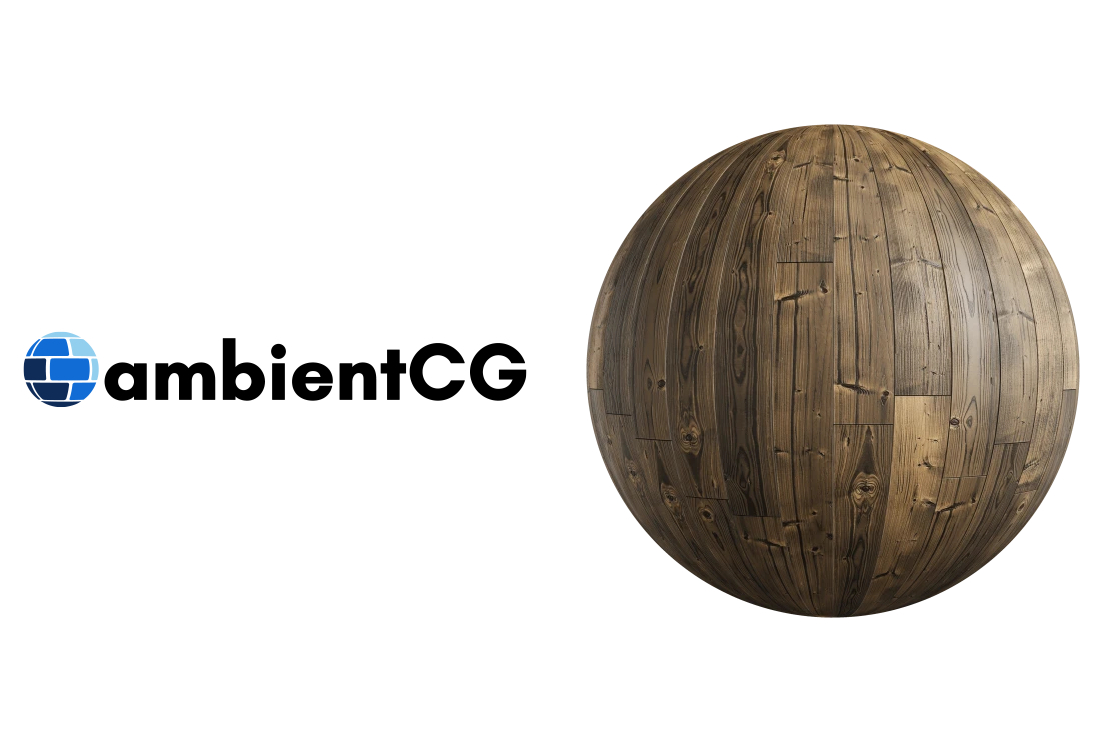
Get this asset and 2000+ more materials, HDRIs and models for photorealistic rendering for free under the Public Domain license.
full estuary
Curious how that goes. I don’t think I tested realrtcw
sly timber
right i forgot, its a 64 bit game
sly timber
fair fair
i think earlier versions of the game (moddb) have 32 bit
lemme check that out
hm

 frosty pebble
yea
full estuary
Set it to None
sly timber
I dont have that
full estuary
Ok then I don’t know 😛
sly timber
eh ill js wait then, rather than try to get a headache for 32 bit
for now i think i may START working on the car MAYBE
i gotta get it to work with the blender importer first
been sitting on my ass too long gaming, need to do smthn with this since none of my other projects can currently be really worked on anyway  time to be productive
full estuary
Yep that’s the spirit!
I managed to create some basic layered materials for heretic the other week in instamat 🎉
No graphs so far 😛
sly timber
basically for future reference i want to work on this vehicle (as it seems itd be the most esiest to work with with the best possible looking outcome

obviously im no blender wizard so
full estuary
How will you do it? Start from scratch, or import some reference and modify that?
sly timber
well i was gonna import the origional model as a reference but

its weirdly inverted
no matter, checker texture to the rescure

/solid
so my design flow is like lego tbh, im gonna build each part
then put it together
i think the best start will be headlights
im also obviously gonna look at real world car referenced
carmine creek
sly timber
well i was gonna import the origional model as a reference but
select all faces and invert the normals, that'll fix it. ask someone who knows blender what arcane shortcuts you need to press for that, in C4D it's 2 clicks, one rightclick and one left click on "flip normals" 😛
sly timber
carmine creek
select all faces and invert the normals, that'll fix it. ask someone who knows b...
<-blender idiot whos used 2.5 forever
ty tho much appreciated
my belnder skills ammount to "ooh look i can split a sphere up to look like this"

the problem is i wanna make the inside sphere hollow
@carmine creek is there any shortcuts in edit mode for that or will i have to do something specific
carmine creek
quick google search says go into edit mode and then select every face (probably ctrl + a) and then under the mesh menu in the top left, normals -> flip


 sly timber
I do wanna say the exception for the mostly custom ish materials rule will be xlabs tiles cuz you cant reinvent the wheel
sly timber
@full estuary are you able to compile a 64 bit wrapper?
full estuary
Yes I compiled it the other day, but I was afraid to test it 😂 i.e. afraid it may crash in unexpected ways. Let’s see this weekend.
full estuary
uff, realrtcw.x64 starts in DX9 mode, but remix crashes..
full estuary
nah, I need to get a debug runtime and start with the debugger
ahh, rtss my beloved
it's a x64 process so I need to put the game exe on 'ignore' and not nvremixbridge as before
but mouse does not work in alt-x menu, sdl my beloved.. (in_mouse 2 cvar fixed it in JediKnight or JediAcademy.. maybe.. if the console was out?.. don't remember properly)
this is the x64 dll, I need to do some cleanup before I push the changes
also the screen was gray for some reason
sly timber
full estuary
this is the x64 dll, I need to do some cleanup before I push the changes
is it safe to use?
like
currently usable
full estuary
yea the game ran for me
sly timber
full estuary
hope I don't have any viruses tho.. 😂
sly timber
launching the game in safe mode gives this
 full estuary
Send the qindie log
sly timber
full estuary
Did you put the ini in the same dir? It does not find the settings
sly timber
Oh no I didnt, I put it in main
sly timber
after work i went home
wasnt able to get it to hook at all
loading maps where rasturized but it does act like its in dx9 mode
full estuary
I also copied all the dlls from .trex folder to the game.exe folder and it hooked then. I did not have enough time after to mess with it
full estuary
ok, I enabled camera detection,mode 2 inside qindie.ini, and then enbaled sky detection in remix
 sly timber
Well thats something
carmine creek
stealth tech in WW2? It's more likely than you think!
sly timber
I love issues after issues, as my game now refuses to launch and instead eats up all my memory

it keeps eating more
 full estuary
for me there are no keyboard inputs to the game.. ESC does not work either. But Alt-X works
:p
 sly timber
dont try changing resolutions
full estuary
Ok, so note to self, when/if we want a new remix renderer in realrtcw, we may need to get rid of SDL input
sly timber
what exactly is sdl input?
full estuary
SDL is like a helper library for games that takes care of initialising OpenGL (I think also DirectX) and has function for getting keyboard and mouse input
It is supposed to help port games to linux
sly timber
ah
full estuary
And I am thinking that when the SDL2.dll is loaded by the game, whatever Remix does to capture keyboard and mouse for Alt-X menu, may need to be done for SDL and not to the main game executable..
big assumption on my part tho
full estuary
iortcw and ioquake3 they also usesdl
No ideea about memory usage.. when the game started it really had moments when it seemed to hang..
I almost killed it after launch..
full estuary
but the dx9 version works right?
sly timber
yeah
full estuary
after you kill the realrtcw.exe process, can you look into remix logs.. what do they say?
full estuary
I started in a window, just to be clear
And I see 640x480 resolution.. not sure that has an impact (maybe in fullscreen)
Otherwise I do not see issues in dxvk.log..
seems remix starts
Ah, you have it from Steam, the realrtcw exe, I got it from github.. maybe it matters..?
sly timber
that was started in windowed too, i can try the non steam version
full estuary
also I'm using: rtx-remix-for-x86-games-8b19262-1004-release.zip
ok, SO needs me, gtg
sly timber
cxya!
full estuary
I've finally pushed the changes to github for x64 wrapper and created a build https://github.com/whisperglen/QindieGL/actions/runs/19852317450

GitHub
QindieGL: OpenGL->Direct3D9 wrapper, with a focus on RTX-Remix Compatibility - ManualBuild · whisperglen/QindieGL@e978beb
Fun fact: since the game does not see keyboard input, I clicked the x button on the window to close RealRTCW.x64.. and I've had two running processes since sunday.. luckily they caused no cpu load..
sly timber
full estuary
Fun fact: since the game does not see keyboard input, I clicked the x button on ...
Wait so like even if you hit the x button it still runs? Weird
full estuary
Yea very
sly timber
Does the window close and it still runs or does it js not close
full estuary
window closes and the process still runs
sly timber
Wow
Certified moment as I check my pc and wudduya know
Also curious saint did ya see the unity stuff
full estuary
Had a quick look, but I don't think I know the games mentioned there, only Stanley's Parable rang a bell for me 😸
pretty cool tho CR working his magic 🎉
sly timber
Yuh
sly timber
I swear this foddian rage game looks awfully similar texture wise
 full estuary
It does
sly timber
It also has an entire level dedicated to "return to castle spiderstein" which isnt even rtcw, rather its based off of wolfenstein 3d and its making me rip my hair out (not literally)
full estuary
It seems it’s right there in the uncanny valley, I’d avoid playing for the exact same reason
😅😂
 sage reef
i have the same problem where i capture a scene and not all objects appear in the capture
where i can find that console thingy you are talking about
full estuary
sage reef
i have the same problem where i capture a scene and not all objects appear in th...
what game?
full estuary
Normally the games hides all objects that are not visible on screen
People working on HL2 RTX said they take a lot of captures for each room / area
Also game will hide all objects behind you, you need to find a way to turn off frustum culling, which is game specific. Most times, that is done with game hacking
sage reef
well most things arent changing in color, i know this isnt related to this channel but forgiv me
full estuary
Ok, try to ask in the Vice City channel https://discord.com/channels/1028444667789967381/1098394571668459540
I'm guessing you may need to install the fixes the people there made for the game
sage reef
okay👍
 naive basin
@full estuary this is my new account btw (not that I can do much rn anyways cuz of lack of pc)
full estuary
naive basin
<@321353860507631619> this is my new account btw (not that I can do much rn anyw...
Sorry about that, I think I saw one of your messages. Hope you get it repaired 🤞 Personally I'm busy atm studying a bit.
Also I've been messing trying to generate skyboxes for H2 with gemini: on one side I like it because it's creative, I can give it some art style and it transforms it, on the other side 4k split among 6 textures is too blurry.
Pretty happy nonetheless (I mean I'm having fun, and that was the plan 😄 )
How are things for you this new year?
naive basin
full estuary
Sorry about that, I think I saw one of your messages. Hope you get it repaired �...
My new year was pretty good, and unfortunately its looking like ill need to js buy a new pc so that'll be wonderful, how was your new year?
full estuary
naive basin
My new year was pretty good, and unfortunately its looking like ill need to js b...
Actually better than the last (less stressed and a bit more zen 😝 irl) so I'm grateful for that 🥳
We spent time with our parents, and a lowkey new years eve (a bit of home cooking and mostly de-alcoholised beverages).
full estuary
Posting this for "tomorrow" me, a discussion between Mark & Binq about the performance issues of merging multiple meshes in a drawcalls (that thing we needed to do for RTCW to get stable hashes).
Although this should be easy to compare: use r_novis & r_nocul 1 and check FPS and pathtrace quality, then set r_novis & r_nocull 0, and compare with previous. I don't see a diff (even in Heretic2 where I have the same thing + some PBR), so I worry I'm missing something and I need to use the GPU debugger and do some low level inspection.
#1313627595815911448 message
naive basin
Ooh
naive basin
Kim is was wondering if you could send these again, I dont have them on my new discord and pc
full zinc
sure
naive basin
@full estuary I was curious, if and when we get more materials done, more of a finished product, are we thinking abt making it paid on steam? Im asking cuz of the new rule
full estuary
naive basin
<@321353860507631619> I was curious, if and when we get more materials done, mor...
Hey, just read the rule (I was a tad confused at first 😅 ). So two things that are on my mind regarding monetization:
- In case the platforms we distribute on ask for money for distribution/storage we'll have to figure stuff out: either pay out of pocket if reasonable, or accept scraps to make payments on that platform only. However I don't think we have or will have such a situation..? (let's take this to DMs)
- I remember when BlackMesa first came out as a free mod on moddb, I played it and was so impressed I searched for a way to donate money to those guys. There wasn't one and eventually I bought it on steam. So if anything, we may setup a donation avenue (buy me a koffee / patreon, with perks) where people can donate, but the content should be freely distributed i.e. no paywall. Are we allowed to advertise patreon or kofee on steam page?
What are your thoughts/opinions?
carmine creek
full estuary
Hey, just read the rule (I was a tad confused at first 😅 ). So two things that ...
I skimmed through the steamworks docs because I thought I recalled something about valve not liking it when you link to external stores on store pages directly, but linking to your website which has patreon links is fine. Can't seem to find it tho https://partner.steamgames.com/doc/store
naive basin
full estuary
What are your thoughts/opinions?
I mean either way works for me I js figured at least some form of monetary aid would be useful
full estuary
And this also depends on how much effort you’ll be putting in. Tbh I fist only thought about my approach to doing heretic2: I said to myself lets do the first map, then oooh next two maps reuse textures.. maybe I will do the palace too.. etc so I don’t have a good plan on how much effort I’ll be putting in
If I find a way to streamline things I may continue.. but I never promised myself I’ll do the whole H2 game 😅
naive basin
I plan on definitely finishing a good majority of it depending on how much more remix updates, as well as getting help for it
Weather that be hiring professionals etc
full estuary
Honestly I don’t have a problem with you getting paid for working on assets, since it’s serious work
I don’t know how much I’ll be able to help on pbr because I’m still a noob. H2 is my playground. But we’ll see
full estuary
Theres a nature/forest area, mayan structures, canyon, castle 😅 And for character textures maybe AI helps me 😜
full zinc
naive basin
I plan on definitely finishing a good majority of it depending on how much more ...
i am still interested in contributing to this project
naive basin
full zinc
i am still interested in contributing to this project

Would still be appreciated
carmine creek
full estuary
And this also depends on how much effort you’ll be putting in. Tbh I fist only t...
does IDTech3 still do the thing where every map embeds all the textures in the file instead of just referencing it from a package? Maybe there's a quick way of indexing all textures and where they're used to find the stuff that's used across the entire game.
full estuary
carmine creek
does IDTech3 still do the thing where every map embeds all the textures in the f...
As far as I've seen (both idtech3 and idtech2) the .map uses text "filesystem paths" and they point to textures from .pkg files
carmine creek
ah so carmack did learn 😅
full estuary
There is a command I've used r_logfile iirc where it dumps the full names of the textures used by the brushes drawn on screen. And with r_novis, it dumps brushes from the whole map
carmine creek
neat, should be fairly easy to dump all the data and then running a quick script over it
full estuary
.
naive basin
Actually saint, thanks for the reminder that I gotta look into the tower again
full estuary
full estuary
I managed to assign a unique texture to those meshes. However the stairs come bu...
I'll focus on finishing this. It'll make some texture replacements easier.
naive basin
naive basin
Actually saint, thanks for the reminder that I gotta look into the tower again
Cr has a little neat tool i wish to try that may fix the issue, however @full estuary is there a command to make the origional clip brushed be rendered visibly?
Crs tool basically does the same as the original, hiding anything behind it
full estuary
IS this to draw the player character?
naive basin
No
This is to draw the invisible brushes that where used for stuff like player_clip and monster_clip
full estuary
doe snot ring a bell
what are they supposed to do these player_clip and Monter_clip?
 full estuary
ha
naive basin
Although this is a valve title
full estuary
could this be an AI thing? i.e. to prevent monters from migrating across areas?
player clip should block player from certain areas.. but I don't think we have those in rtcw..
naive basin
Yes, although the specific one im looking for hides the objects behind it, specifically the tower area
 full estuary
Ah I get it
Honestly I always imagined this was hidden by the BSP PVS
but I will look if there is an actual invisible blocker
It sghould be visible in the mapping tool..
naive basin
I thought so too but its a hidden brush (at least it was when I opened it in that one modding tool)
full estuary
Trenchbroom?
naive basin
full estuary
Trenchbroom?
No, jack
full estuary
Yea, I'm wrapping-up my first 3 maps for heretic2 and I plan to start working here again
naive basin
Im back in rtcw rotation
Mostly cuz, no new news with unity rtx and also the tower
The tower will haunt my dreams
full estuary
It would be cool to have those view blockers.. I will search
naive basin
Definitely alot of areas that would benefit cough cough escape 1
😄
OOH
ALSO
The plane scene
Cuz you can kinnnda js see the entire dam behind it
naive basin
severe sapphire
RTCW is back?
 full zinc
naive basin
full zinc
naive basin
😬 those textures don't look so good just repeating like that on the whole wall
naive basin
full zinc
😬 those textures don't look so good just repeating like that on the whole wall
If only there was different texture types
What does burrito call if
Octo something
full zinc
we can use decals to break up the pattern some
full zinc
naive basin
Octo something
idk anything about that though
naive basin
naive basin
Octo something
@grand shoal hi sorry if its late but whats that tyle type
full zinc
naive basin
A reverse plaster type decal tho
i used a plaster underlayer for one of the brick textures, so that should be possible
full estuary
naive basin
<@877275530813128724> hi sorry if its late but whats that tyle type
GitHub
This (https://github.com/mmikk/hextile-demo) was originally posted by Mark on the Discord server. Implementing this feature would help break up clear tiling patterns, as shown in their demo: This w...
naive basin
full estuary
hex tiling https://github.com/NVIDIAGameWorks/rtx-remix/issues/301
Hoping its implemented sometime
full zinc
full estuary
hex tiling https://github.com/NVIDIAGameWorks/rtx-remix/issues/301
oh yeah that's my own issue lmao
it's been 2 years 😢
maybe i should attempt it
full estuary
yea it's about time we took matters into our own hands 😝
full zinc
i'm not really familiar enough with the codebase to do it myself unfortunately
full zinc
full estuary
hex tiling https://github.com/NVIDIAGameWorks/rtx-remix/issues/301
maybe @frosty pebble would love to though because it'd benefit gmod maps a lot too 👀
naive basin
hi cr
frosty pebble
haiiii
naive basin
uhm uhm uhm uhm pretty please if you ever have time

anyways time to setup jack again :distain:
carmine creek
full estuary
Honestly I always imagined this was hidden by the BSP PVS
that's what the vis brush would do, it just creates a new leaf at that point but gets deleted afterwards, so it's like a handplaced vis leaf. In source they're called Hint or Skip brushes.
full estuary
Makes sense
naive basin
Im having issues finding the bsp to map converter i used to decomp the original maps
I dont have q3map2
Im it did both q3 map decomp and valve map decomps
Wait nvm maybe
naive basin
naive basin
Time for the pain that is missing shaders and texture
i come back a few minutes later and wowow its almost done already

 grand shoal
What the
naive basin
grand shoal
What the
In jack you cant preload shaders and textures
naive basin
Hammer for quake3 (and goldsrc)
naive basin
The worst part is
It still wont even load all the textures
Everything but model data and clip brushes
And its paid
grand shoal
insane
naive basin
Its wtv
I dont care enough cuz we don't really need to edit the map, I was js looking for the specific brush I was talking abt earlier yesterday
full zinc
was the issue with all meshes (for one particular model) in a level being combined fixed?
naive basin
full zinc
was the issue with all meshes (for one particular model) in a level being combin...
I think its actively being worked on still iirc
full estuary
full zinc
was the issue with all meshes (for one particular model) in a level being combin...
I started working on an idea, but I put it on hold (I blame it on my perfectionism). Most of the work is done; don’t know rn if it’ll be good or a nothing-burger EDIT: it will be a step forward in any case 😅 . But we’ll know soon..ish
 stark shore
It is down to -14°C so I got the Wolfenstein gloves
 naive basin
wow
grand shoal
gordon freeman gloves
stark shore
Honestly every fictional character gets x10 times more cool with these gloves
every single non fictional person out there, for that matter
Move to Eastern Europe simply to be able to wear Wolfenstein gordon freeman gloves for a reason
 naive basin
@full estuary i did back up most of the important stuff for rtcw btw on a seperate website
full zinc
naive basin
<@321353860507631619> i did back up most of the important stuff for rtcw btw on ...
🙏 could u invite us pls
naive basin
full zinc
🙏 could u invite us pls
once we finish yeah
we still got a few things (different build, steam build) to put there as well as media
which well do after work
~4 hours from now
full estuary
naive basin
<@321353860507631619> i did back up most of the important stuff for rtcw btw on ...
Did you manage to upload the files and send out those invites?
naive basin
full estuary
Did you manage to upload the files and send out those invites?
Still working on that
full estuary
No probs, take your time.
full zinc
<placeholder>
full zinc
full zinc
<placeholder>
full estuary
I've worked a bit on that geometry splitting feature I keep mentioning (creating aabb boxes and breaking meshes down if they have gaps). I managed to get stable hashes today 🥳 🥃and no big dips in performance.
There is still stuff to do, but stable hashes and no FPS drops was an important objective.
Since it's going to need r_novis 0, it now means I have to make sure there are no light leaks.. probably going to create a big enough sphere around player.. and see how that works -this is the next objective 🤞
naive basin
full estuary
I've worked a bit on that geometry splitting feature I keep mentioning (creating...
Good shit

Testing every map for light leaks if and when this gets pushed
grand shoal
Crazy progress. If only it was ported to...
full estuary
Also not sure how relevant, but Xash3D could work with the QindieGL wrapper.. I've tried HL1 with remix, and OF with just the wrapper.
r_novis and r_nocull set to 1, but still get unstable hashes.. would probably need the same fixes I did for Heretic2.. except now there are sources..
full estuary
grand shoal
Crazy progress. If only it was ported to...
Hold your sweet horses mister 😜
Lemme get the list out:
- Quake3A
- Jedi Knight 2
- Jedi Academy
- MOHAA
- AMG Alice
.. hmm was there any thing else.. 🤔
Ah yes maybe: - Star Trek Elite Force
- ~~Heavy Metall FAKK2 ~~
The list got a bit long, and I had to do some heavy cutbacks 😂
grand shoal
guh
full estuary
😜 😘
naive basin
full estuary
Also not sure how relevant, but Xash3D could work with the QindieGL wrapper.. I'...
I have tested your wrapper with most half life games before
full estuary
naive basin
I have tested your wrapper with most half life games before
Yep I know, people working on Cry of Fear used -nofbo to start the steam version
naive basin
I BELIVE this was an earlier one? I may be wrong?
I should test it on the modern wrapper
full estuary
AH yea, you actually got it stated
full estuary
naive basin
I should test it on the modern wrapper
Let me make a push on qindie
naive basin
Alright, ill test it when I get home see how far I can get into it
 full estuary
naive basin
full estuary
naive basin
Ik an sdk isn't the same as open sourcing the material so how useful is the opposing force sdk
full estuary
Basically a game SDK is the engine customisation for a game. Rendering is still done by the engine, the SDK just handles UI, weapons, monsters etc
This OF sdk is needed, otherwise the OF gamedata does not work AT ALL with Xash3d -it's the only reason
full estuary
full estuary
Basically a game SDK is the engine customisation for a game. Rendering is still ...
There are SDKs released for idTech3 games, like Elite Force, and FAKK, but since the renderer code is needed for remix -- they are not very useful
Lemme just try to push QindieGL..
naive basin
full estuary
Basically a game SDK is the engine customisation for a game. Rendering is still ...
ohh
full estuary
This is it, activate camera detection, and mode is 3, for Xash3D
Make sure camera is detected in Remix Debug View. Use -console when starting xash3d from a shortcut. Use r_novis and r_nocull. And I think I set gl_vbo 1 (and maybe gl_vbo_detail/gl_vbo_dlightmode/gl_vbo_overbrightmode)
naive basin
right
do i need to install anything seperate for xash 3d (i sorta always assumed hl1 was js xash3d by default)
full estuary
I think I just
- copied the valve and valve_hd to a new dir 'HL1-Xash3D'
- unzipped xash3d release
- copied gearbox and gearbox_hd to same folder
- opfor_sdk: you need to manually replace the dlls in the gearbox folder I think
- create a shortcut and add -console as a parameter
- for OF use -game gearbox in the shortcut
- QindieGL.ini -in global settings -set enable_camera_detection = 1 and set camera_detection_mode = 3
- on second thought, leave enable_camera_detection = 0, to have menu rendering ok, and when ingame Ctrl + O to activate/deactivate camera_detection
- disable rtss, since remix crashes
- use r_novis and r_nocull. And I think I set gl_vbo 1 (and maybe gl_vbo_detail 1/gl_vbo_dlightmode 1/
gl_vbo_overbrightmode 0)
Links: - OF sdk: https://github.com/whisperglen/fwgs-hlsdk-portable/actions/runs/22107179486
- Xash3D: https://github.com/FWGS/xash3d-fwgs/releases
- QindieGL with VBO and camera detection: https://github.com/whisperglen/QindieGL/actions/runs/23008062068
Hopefully it works. Unstable geometry hashes for now. Really needs that Heretic2 fix to be able to do stuff with toolkit.
grand shoal
full estuary
I think I just
- copied the valve and valve_hd to a new dir 'HL1-Xash3D'
- unzip...
I'm getting a remix crash on fakk2
Remix crash
full estuary
I’ll try to run fakk2 when I get a chance
 full estuary
Normally the dump file can be opened in visualstudio, and if the .pdb files are also present, VS will show you where crash occured.
Is it a recent remix build?
And what level were you loading?
grand shoal
latest remix. The first level
naive basin
Uh huh
 crude pollen
Yay
naive basin
Js dont mention allat on this server its banned
naive basin
Like we said, the deleted account is our old one so if you have any questions/wanna see initial progress feel free to ask us!
 crude pollen
Curse ye WinCDEmu
naive basin
😭 damn sorry
crude pollen
The only time I make money is finding dimes or cash or coins on the ground
Which is so unlikely
because everyone is in poverty
naive basin
Shrug
 naive basin
Dx8...?
crude pollen
Direct X 8
naive basin
Yes I know
crude pollen
Yeah

 naive basin
No....
crude pollen
I don't even
naive basin
Not the right game
naive basin
No...
crude pollen
What
crude pollen
oh
full zinc
naive basin
Not the right game
the original seemed to support dx8. OG sys requirements listed DX8
🙏 can you at least try to respect the rules pls
naive basin
full zinc
the original seemed to support dx8. OG sys requirements listed DX8
It did?
crude pollen
full zinc
🙏 can you at least try to respect the rules pls
You're imagining things
full zinc
 naive basin
Ive only ever known it to support opengl
crude pollen
So..
Like does this help at all?
I feel as if it would help like a hell ton
Cause if this version is already ported to DX8..
full zinc
it would've earlier on, but it's pretty much stable now and has a lot of extra features through the custom OGL wrapper
naive basin
 that coulda saved a ton of trouble if it was still possible I guess?
naive basin
full zinc
it would've earlier on, but it's pretty much stable now and has a lot of extra f...
Yeah
naive basin
I cant really suggest going online for jt because alot of those are bad actors
crude pollen
Yeah
naive basin
!!!!
naive basin
Hm
naive basin
naive basin
I cant really suggest going online for jt because alot of those are bad actors
^
Going back to that
crude pollen
Hey fun fact, my name is literally from the 3rd reich.
naive basin
Highly recommend you either ask someone for a title or wait for it to be free
naive basin
crude pollen
Hey fun fact, my name is literally from the 3rd reich.
Our name is 5 names long
naive basin
Bailey Bean Amnesia Ashle Laser
crude pollen
6.49 😭
crude pollen
Totally shouldn't check dm's
naive basin
 rest in pelce
crude pollen
Indeed

Cheemse
I had this cat meme
It was "The last beer bottle in my truck shaking as I run over children"
But I lost it
:<
naive basin
Ah
I see
Gonna focus on learning more about halo reach for rtx, if you have any questions feel free to ping us
crude pollen
It says "given rtx.conf" but I cant find one
@naive basin
Nyehehehhee
Now I will spam ping you /j
naive basin
Hm?
crude pollen
crude pollen
It says "given rtx.conf" but I cant find one
^
naive basin
Yes
crude pollen
crude pollen
^
^
crude pollen
"add the given rtx.conf to the same root folder ass your remix files and then change the in game settings to have both gl extension and lightmaps off
"
Here
crude pollen
So just like drag and drop mod into the root folder :/
naive basin
Yeah
 naive basin
Is this still an older version of the game or are you on the steam version now
 naive basin
Try deleting default.cfg
naive basin
Reinstall wolfenstein without remix
crude pollen
trying to install the stuff?
naive basin
Yeah
 full zinc
crude pollen
https://tenor.com/view/pregnantpaperclip-freaky-clippy-mpreg-gif-179960097341549...
full zinc
crude pollen
https://tenor.com/view/pregnantpaperclip-freaky-clippy-mpreg-gif-179960097341549...
hey can you please stop with the weird shit. like consider this a warning
you already broke multiple rules multiple times
naive basin
Aw?
crude pollen
I cant to weird shit
crude pollen
Guess I'll do dungeon or whatever first
naive basin
Instead of public servers
severe sapphire
naive basin
Is this still an older version of the game or are you on the steam version now
I love the Steam version of RTCW RTX
crude pollen
I just changed reso to max
severe sapphire

naive basin
crude pollen
so like my game is grey..
Did you change the dxvk to be d3d9.shaderModel = 0
naive basin
severe sapphire
I love the Steam version of RTCW RTX
True
naive basin
Ah
naive basin
Shrug
Might just be a rendering bug
I cant help rn you'll have to try troubleshooting
Whats your gpu before I dip
naive basin
Mkay
crude pollen
Wai?
naive basin
js making sure its the right gpu
crude pollen
o k ?
naive basin
:p
stark shore
full zinc
This only means that the game requires your PC to have DirectX 8 features installed
sound, input APIs etc
crude pollen
A
crude pollen
Still unsure how to fix my RTCW issue
naive basin
Ah
naive basin
this channel right here works fine
its like
4 ppl max
us, saint, sparkles, and rune
crude pollen
Gahdamn the meant-to-be cobwebs look god awful
 naive basin
Ooh you're doing light edits
crude pollen
It's not as bright as it seems
Yeah
For some reason
I cant figure out how to use ComfyUI
naive basin
F8
crude pollen
It's just
naive basin
Oh you mean lkke
crude pollen
I cant find anything 😭
crude pollen
Fair
crude pollen
I'm only like 43% done the interior 😭 (There's like 70-100 lights left) and about 24% done the exterior (maybe 9-15)
severe sapphire
crude pollen
I'm only like 43% done the interior 😭 (There's like 70-100 lights left) and abo...

crude pollen
First level.
severe sapphire
crude pollen
First level.
Ah
Doing your own mod?
severe sapphire
crude pollen
How far is the other one tho?
The one from here? Not far, I’ve only seen one asset done
full zinc
we worked on 2 levels
crude pollen
Uh huh..
full zinc
neither are complete, but one was pretty far along
crude pollen
And uh.. How far has the light or the textures & assets gone?
crude pollen
Oh my!
severe sapphire
full zinc
https://discord.com/channels/1028444667789967381/1377775933993254982
Different mod? None of these were uploaded to Steam
full zinc
this was the mod that @naive basin, me, and saintmath were working on for the competition last year
idk what's on steam
crude pollen
Ok maybe you can help.. How in the hell can I use ComfyUI for textures & assets (I think it works with that.)
full zinc
i don't use comfy, sorry
severe sapphire
full zinc
idk what's on steam
Like one brick texture, that’s it on Steam
full zinc
lol
full zinc
 crude pollen
Woah
full zinc
crude pollen
So how are you getting the textures?
i made them in instamat
this was the original texture i had to work with for that roof lol

but no if you want it to look good, you pretty much have to make it manually
 crude pollen
I kinda feel that my project is now useless...
full zinc
nah
severe sapphire
full zinc
idek what you're talking about tbh
I pinged you in the team server
full zinc
the project i was part of is long dead
crude pollen
Ah
full zinc
w/e you do will def be of value
crude pollen
Oh ok
Well
To be fair
w/ usually means "with"
like "w/y" or "wo/y"
With you Without you
full estuary
full zinc
why doesn't anyone know what that means 🤔
If it’s it’s any consolation, I understood it, it only took 3s of a raised brow 😜
full zinc
the stuff i made for this project is easily the best work i've done for textures, and i am pretty sad that it never got released properly
crude pollen
If you want I could reuse them :)
full zinc
i think they're lost now 🙁
full estuary
crude pollen
I'm now installing Instamat
Yea, one needs to level-up texture creating skills.
So can you tell me what have you been doing with the lights? @crude pollen
crude pollen
Basically been putting on cylinder lights at 0.24 0.08 0 over the torches
and uhh
about 50 ish intensity
I'm not entirely sure
full estuary
Hmm, in the Toolkit?
severe sapphire
Just invite bread to the same project, ez 
crude pollen
How the hell do I "Activate" my abstract id 😭
H e l ppp
wait qq can I overlay captures with eachother to show all parts of a map?
full estuary
crude pollen
about 50 ish intensity
Adding lights as your first step in modding the game is a high risk endeavor.
How heartbroken will you be if the next release on github breaks all the lights you have placed?
full estuary
crude pollen
wait qq can I overlay captures with eachother to show all parts of a map?
If you want objects in a room, do a capture in that room
full zinc
so
iirc easily the biggest problem with this game rn is instancing? objects are just part of one big mesh for the whole level, instead of properly being instanced across the level
did you ever manage to fix that math?
full estuary
full zinc
did you ever manage to fix that math?
I managed to break down geometry. Had an issue where doors appeared closed although they were open
Gemini suggested a fix and I think I’m doing that next
full zinc
awesome
crude pollen
k
Oh yeah I'm having that object mesh thing
It's kind've annoying
Because then my whole thing just becomes a bright yellow
Aswell as for some reason every single torch is grouped together
which means like 50 lights are parented to one mesh
If you fix that
My lights would indeed break
well actually
no they would
full estuary
Then, lets take the lamps that are baked in the map. I think I can turn them into props, but I have to change their vertices to relative values (they are now baked, brushes, and have absolute coordinates) Gemini says that may not go as smoothly 🤷♂️
full estuary
Mesh hashes are cursed for BSP engine games. My recommendation is to create textures first and modify lights from the Alt-C menu
 full zinc
did you check your email
 full estuary
Sometimes the license server is busted. Lemme do a check
Oh wait
Did you download the license file?
Wasn’t there a locense file you need to dld?
crude pollen
No
It sent me an email that the license was created
and I should then download the software
nothing the sorts of downloading a license
still unautherized even after reinstall
OH
Hmm I should've gotten an email
I didnt though
full estuary
Server is working for me, instaMAT starts.
I got 3 emails: 2 receipts, and 1 e-mail that the Pioneer license was created.
Maybe it takes some time for the ID creation to be finalised?
Watch some tutorial videos in the meantime, learning curve is steep 👍
full estuary
Ok, good to know. I just woke-up
naive basin
full zinc
the project i was part of is long dead
Not really dead... js heavily outa rotation
Also gm everyone
carmine creek
Top of the morning to you
naive basin
naive basin
Not really dead... js heavily outa rotation
something something paragraph i can shorten down to 3-6 year esc plan but rtcw isnt the main game i really wanted to try in the first place, js the one that worked
full estuary
Woohoo!
Notice that geo hashes do not change when r_novis 1 --> r_novis 0 (and FPS improves 🥳 )
There is some light leaking, see pic, going to implement that Sphere NO-cull check, next.
Then I need to see if I can transform some brushes (like lamps, torches) to props, so that they can be replaced easier.
 full estuary
 naive basin
Waow...
full estuary
Gemini figured out the issue, I just explained the problem..
Also it gave me a suggestion for animated textures 👀
naive basin
full estuary
Also it gave me a suggestion for animated textures 👀
Ooh?