#Painkiller
1 messages · Page 11 of 1
 tall iron
 light palm
perhaps the bottleneck in atrium specifically could be a combination of far too ...
light palm
perhaps the bottleneck in atrium specifically could be a combination of far too ...
can you verify that with some kind of profiling tool?

 tall iron
light palm
yeah
tall iron
light palm
yeah
something like this but more detailed, like showing the actual rendering steps and all that
light palm
yeah i can attach one
at the end of the day it likely boils down to similar solutions to solve
decals and particles being rendered as separate geo
drawprimitiveup calls
frequent createvertexbuffer calls
etc
not to mention each object being split into many small meshes in painkiller maps
ill hook nsight up if i can
tall iron
for example, why is it that the last room in Atrium Complex seems to have less bottlenecks than the rest of the level
 noble beacon
tall iron
for example, why is it that the last room in Atrium Complex seems to have less b...
noble beacon
tall iron
for example, why is it that the last room in Atrium Complex seems to have less b...
AABB culls something out
That's also why you usually have the worst performance in the middle of the level (Docks)
Cause you draw everything around you
tall iron
noble beacon
Cause you draw everything around you
then why is it that the first room in Atrium Complex so slow? the problems must lie in the early parts of the level
noble beacon
yes, it means that it is drawing problematic geometry/particles etc
noble beacon
light palm
ill hook nsight up if i can

light palm
noble beacon
<:BinqPlsFix:1407387268913696818>
oh geez he got it 😄
noble beacon

tall iron
noble beacon
<:BinqPlsFix:1407387268913696818>
almost as corny as the original 'the way its meant to be played' nvidia logo


 tall iron
my understanding is that there are certain elements within specific levels which have more of an effect on the performance, than the new bounding box algorithm developed for this mod
tall iron
if only moddb can support torrents or something....
noble beacon
 odd thicket
<:steam:1000220304397844640>
odd thicket
<:steam:1000220304397844640>
We're trying We're trying!!
Can't say anything certain just yet, but there is a chance
odd thicket
noble beacon
Can't say anything certain just yet, but there is a chance
Bribe them with the $40,000 you guys won
 light palm
based on a suggestion from @vale gust, I've managed to convert the original object space normals (very bespoke format used, strangely different for each map..)

Another case of InstaMAT coming in clutch!

 north kiln
light palm
based on a suggestion from <@248450945422327808>, I've managed to convert the or...
north kiln
light palm
based on a suggestion from <@248450945422327808>, I've managed to convert the or...

 pallid saffron
I can’t jump high enough in lab on this one
 noble beacon
pallid saffron
I can’t jump high enough in lab on this one
noble beacon
pallid saffron
I can’t jump high enough in lab on this one
Try going to Alt+X - Developer Menu - uncheck Ray tracing XD
I remember some jumps being tricky even in the Vanilla game
I know someone who calls that phenomenon "skill issue"
pallid saffron
Ok I got it I was trying to get too high
There is a few precise jumps in this game you don’t see anymore in modern gaming lol
noble beacon
My head still hurts from bashing against the ceiling trying to reach a secret in Palace
tall iron
any progress on these levels? is there something in common with them which causes the bottlenecking? btw Military Base seems to run just fine for me in the last version of the mod ... let me try it with the newest version
tall iron
noble beacon
My head still hurts from bashing against the ceiling trying to reach a secret in...
the jump pad through the hole in the roof?
tall iron
tall iron
any progress on these levels? is there something in common with them which cause...
oh wow, theres definitely a bottleneck situation in Military Base , alright
first of all the culling is doing something funny to the fog or lighting
and the bottleneck is definitely that side of the level
i dunno but the earlier versions of the mod where the entire level is rendered all the time... it never had performance problems like this
light palm
tall iron
first of all the culling is doing something funny to the fog or lighting
ahh thanks for finding that. Fixed it 🙂
light palm
tall iron
and the bottleneck is definitely that side of the level
i'll check this
Guess the level? 😄

(should be pretty easy one)
light palm
tall iron
and the bottleneck is definitely that side of the level
its much better performance with the current version. Old version never went above 60fps for me, new version hits 100fps
just changing the culling algo basically. there may be some other element affecting performance
if you have the old version still available and can test and compare that would be good
noble beacon
light palm
its much better performance with the current version. Old version never went abo...
Meanwhile in the other chat you drop a screenshot where
FPS 8.4 Frame Time: 117.8
light palm
noble beacon
Meanwhile in the other chat you drop a screenshot where
FPS 8.4 Frame Time: ...
accumulation mode 😛
noble beacon
nah nah surely it's AABB performance improvements kickin in
light palm
tall iron
and the bottleneck is definitely that side of the level
draw distance is set quite high on military base, so there are a lot of things rendering at once
same problem with colosseum, draw dist was set high not to cull when you are out in the arena. probably possible to implement a trigger box which changes the farclip distance when entering those areas and reduces it when inside
optimally we would have a custom portals system as well as AABB
recursive portals where only the second iteration culls
noble beacon
light palm
same problem with colosseum, draw dist was set high not to cull when you are out...
Huh
It sounds like something that should and can be implemented
I know this guy, btw
@vale gust
light palm
still waiting on that bible
 vale gust
light palm
same problem with colosseum, draw dist was set high not to cull when you are out...
vale gust
light palm
same problem with colosseum, draw dist was set high not to cull when you are out...
There is WORLD.SetFarClipDist, but it interferes with the user settings
noble beacon
noble beacon
<@248450945422327808>
How do we change this value as we go through the level
 vale gust
an alternative is to enable back anti portals and modify the maps to use them, when in a certain area, we activate antiportals and nothing inside them renders
there is this command:
WORLD.EnableAntiPortal
or use the switch variant which is explained in the documentation
light palm
vale gust
or use the switch variant which is explained in the documentation
which docs, the ones in the docs folder?
vale gust
My plugin documentation, official does not have it
tall iron
light palm
if you have the old version still available and can test and compare that would ...
I definitely remember NOT having the framerate tank to around 40fps in Military Base at any point in the old version
north kiln
I love this materials quality
noble beacon
north kiln
I love this materials quality
Yeahh, this one is really cool
tall iron
noble beacon
Yeahh, this one is really cool
huh , in all the denoising and accumulation, must have missed that
maybe have a mode where the enemies spawn optionally , so it becomes more like a classic nvidia demo
and set the movement speed really low
so it gives you time to ogle at the little details
noble beacon
tall iron
and set the movement speed really low
You can configure time speed pressing PgUp/PgDown
tall iron
really though, i dont think its a good idea to spend time on little details which can be missed
i've seen many projects fall into that same hole
noble beacon
tall iron
really though, i dont think its a good idea to spend time on little details whic...
McGillacutty, it is blinking time
Nothing to read here
 tall iron
i notice that pillar on the staircase, it still looks kind of '3d graphics' with its faceted base and perfectly straight lines
pallid saffron
Colosseum was literally causing framgen to break badly so bad it was running haha
light palm
tall iron
I definitely remember NOT having the framerate tank to around 40fps in Military ...
tested with 0.1.7 on military and framerate never went above 55 fps on lowest possible settings. At least on my system, performance is better across the board in newer versions. If you can test with the old version to see how the performance differs that would be helpful!
also lower performance across the board in every other place i tested
Mark has been doing some amazing work on the runtime, i believe I will need to summon him to glean insight into telemetry soon, once I have gathered solid data regarding bottlenecks using nSight.
tall iron
light palm
tested with 0.1.7 on military and framerate never went above 55 fps on lowest po...
sorry but i dont really have enough space on my hard disk to store more than one copy of the mod at the same time....
light palm
Technically you get most of the difference just by replacing one file, Engine.dll
the 500mb 0.1.7 download from moddb has it
light palm
pallid saffron
Colosseum was literally causing framgen to break badly so bad it was running hah...
i cant test framegen on my card, so thanks for testing this!
is it any better if you swap in the latest dxvk-remix actions build?
that will somewhat break fog and skies, but it works very well nonetheless
light palm
light palm
the 500mb 0.1.7 download from moddb has it
you need to make sure occlusion is disabled in the options as well though
tall iron
light palm
i cant test framegen on my card, so thanks for testing this!
is it any better if...
i can run framegen but all it does is add mouselag... for accurately seeing the performance i run with it off, so i can see the true frame rate
light palm
tall iron
i can run framegen but all it does is add mouselag... for accurately seeing the ...
also on actions build?
tall iron
light palm
also on actions build?
what do you mean by actions build
light palm
tall iron
what do you mean by actions build

GitHub
Contribute to NVIDIAGameWorks/dxvk-remix development by creating an account on GitHub.
noble beacon
tall iron
sorry but i dont really have enough space on my hard disk to store more than one...
If you feel like testing the 0.1.7 Engine.dll, put this in Bin
light palm
light palm
from here:
https://github.com/NVIDIAGameWorks/dxvk-remix/actions
i think you might need to be logged into a github account to download, not totally sure
 elder cypress
How much of the game is playable?
noble beacon
elder cypress
How much of the game is playable?
100%, excluding multiplayer maps
noble beacon
GoG works as well


 faint wharf
do y'all use a custom remix fork by any chance?
noble beacon
faint wharf
do y'all use a custom remix fork by any chance?
Yeah, we use a custom fork with alpha emissive visibility fixes
faint wharf
is it open to contributions?
noble beacon
faint wharf
is it open to contributions?

GitHub
Contribute to BinqAdams/dxvk-remix development by creating an account on GitHub.
Here it is
faint wharf
remix's default tone mapping really isn't great so if y'all are open to I'd like to redo it lol
noble beacon
Well, we want the changes to be merged into main, here's the PR https://github.com/NVIDIAGameWorks/dxvk-remix/pull/107
GitHub
This PR fixes alpha emissive surfaces not being visible and makes the fog density threshold configurable for better game compatibility.
Alpha Emissive Fix:
Fixed timing issue where hasEmissive flag...
What would you like to change about tone mapping? (not that I know anything about it haha)
faint wharf
Use per lumiance reinhard instead of remix's aces / local auto exposure
aces shifts the hues of bright colors like crazy

you know how people were complaining about hl2 rtx being "too bright"?
that was because of remix's tonemapping
noble beacon
faint wharf
you know how people were complaining about hl2 rtx being "too bright"?
that was ...
Didn't they fix it in the patch?
faint wharf
they lowered the brightness of the game in a patch but that really doesn't fix the issue
swapping out the tonemapping is the ideal solution imho
noble beacon
faint wharf
aces shifts the hues of bright colors like crazy
I feel like I perceive more depth/detail on the left picture
I know nothing about colours so I don't have much to say otherwise
faint wharf
I should probably just throw something together and show you of an in-game comparison
trust
faint wharf
this mod is chunky...
holy
light palm
i think they updated the aces tonemapper to give a better result
rtx.useLegacyACES = False in rtx.conf will do it
noble beacon
I don't think this line is even necessary anymore
I'm pretty sure it is no longer needed
faint wharf
y'all didn't intentionally change the color of the lights, right?
a different tonemapper will make the color more faithful to the original
 noble beacon
We did not inherit any lights from OG Painkiller really
#reverse-engineering message
faint wharf
interesting
noble beacon
faint wharf
y'all didn't intentionally change the color of the lights, right?
a different to...
By the way this Digital Foundry vid is really outdated
There's been a lot going on ever since
faint wharf
I assumed so
still downloading the mod lol
faint wharf
turns out remix already has reinhard
it's just unused
should make things easier
faint wharf
crashing everytime I walk into a body
I am using a custom build but I don't think tonemapping would cause that
weird
 next basin
faint wharf
you know how people were complaining about hl2 rtx being "too bright"?
that was ...
next basin
faint wharf
you know how people were complaining about hl2 rtx being "too bright"?
that was ...
doesn't Remix have a global exposure setting for a given scene?
faint wharf
bandaid solution
next basin
wait what does Color Management does Remix use, I mean Unreal uses ACES with a Filmic tonemapper on top to make a less aggressive tone curve.
faint wharf
ignore the saturation for rn
see how much brighter the image on the left is?
just two different tonemapping setups

 faint wharf
next basin
wait what does Color Management does Remix use, I mean Unreal uses ACES with a F...
faint wharf
next basin
wait what does Color Management does Remix use, I mean Unreal uses ACES with a F...
aces actually has a tendency to make things look more aggressive
next basin
yeah that's what i mean they have a different tone curve from regular ACES but it's still built on top of it. The one on the right looks more aggressive.
faint wharf
next basin
yeah that's what i mean they have a different tone curve from regular ACES but i...
should specify remix is using some other weird stuff along side ACES
Godot ACES vs Custom tonemapper


 potent cedar
faint wharf
aces actually has a tendency to make things look more aggressive
potent cedar
faint wharf
aces actually has a tendency to make things look more aggressive
I have implemented blender's AgX tonemapper for remix with some additional controls for this very reason
https://github.com/NVIDIAGameWorks/dxvk-remix/pull/101
GitHub
Another tonemapper for users to use. Offers some extra controls to suit the visual appearance of a game
Implementation is based on AgXc
The defaults are a best-attempt visual match to the ACES tone...
hope they merge it at some point
faint wharf
AgX does weird things to colors imo
potent cedar
like?
faint wharf
shifts the hues
potent cedar
for overexposed colors?
faint wharf
like this
 potent cedar
that might just be a particular implementation problem, mine does not have that effect in remix
to clarify, my work is based off the agxc fork which looks like a direct upgrade over traditional ACES imo
https://github.com/MrLixm/AgXc
GitHub
Fork of Troy.S AgX, a display rendering transform available via OCIO and more - MrLixm/AgXc
its much better at preserving highlights

 tall iron
noble beacon
If you feel like testing the 0.1.7 Engine.dll, put this in Bin
tall iron
noble beacon
If you feel like testing the 0.1.7 Engine.dll, put this in Bin
ok yes, Military Base with this Engine.dll runs at a maximum of 60fps for me
light palm
faint wharf
this is a mockup how do y'all feel about this?
looks good!
light palm
tall iron
ok yes, Military Base with this Engine.dll runs at a maximum of 60fps for me
aight thanks for testing!
faint wharf
light palm
looks good!
so you'd be okay with me opening a pr for it in the next few days?
tall iron
tall iron
faint wharf
this is a mockup how do y'all feel about this?
i feel like most people arent going to really notice the slightly darker tonemapping... its even hard to tell if the difference is due to the different position of the moon in the Cemetery level
tall iron
light palm
aight thanks for testing!
im really curious as to what is causing the CPU and GPU to basically wait around and do nothing... something is stalling and its causing low CPU and GPU usage, which causes the low framerate
noble beacon
tall iron
i feel like most people arent going to really notice the slightly darker tonemap...
The thing is, this "most people won't notice" reasoning is flawed to say the least. If something makes for a better visual experience, we should go for it regardless of how substantial it is
tall iron
tall iron
im really curious as to what is causing the CPU and GPU to basically wait around...
and thanks to the new culling algorithm in the latest version of the mod, at least we can narrow the problem down to certain parts of the level
noble beacon
Especially when someone's willing to do the work
tall iron
noble beacon
Especially when someone's willing to do the work
if theyre willing to do it, then that's their problem
noble beacon
We should praise the effort, not criticise the fact that they are willing to spend their time on this
tall iron
faint wharf
most people might not notice the difference instantly but they will "feel" it
that's assuming that they have monitors which comply with the sRGB colour space
tall iron
noble beacon
We should praise the effort, not criticise the fact that they are willing to spe...
im not telling them to stop, im just saying it as it is
noble beacon
It is not necessary
tall iron
noble beacon
It is not necessary
okay now that sounds ominous
faint wharf
-# also swaping out the tonemapper should make implementing hdr easier
noble beacon
tall iron
okay now that sounds ominous
No, it's just that it's not "how it is", tone mapping is important. And then personally I would get frustrated if someone told me I waste my time instead of praising or ignoring
light palm
tall iron
im really curious as to what is causing the CPU and GPU to basically wait around...
my research so far is currently pointing at vulkan pipeline barriers from the translation layer, but I have learned that I need to be very sure before jumping to conclusions
light palm
faint wharf
so you'd be okay with me opening a pr for it in the next few days?
on the dxvk-remix github?
faint wharf
yeah for your fork
light palm
faint wharf
yeah for your fork
ahh best to make your own fork i believe, keep it modular in that way makes it easier
i should have even split up the prs i have done into individual pieces rather than multiple changes in one PR
tall iron
light palm
my research so far is currently pointing at vulkan pipeline barriers from the tr...
looking forward to what you find out
faint wharf
hopefully I can get it merged into main then
idk how much nvidia wants to change up the tonemapping
light palm
faint wharf
hopefully I can get it merged into main then
idk how much nvidia wants to change...
im sure that if it doesnt break anything, then more options should be good, i would encourage you to do a PR for sure
tall iron
light palm
my research so far is currently pointing at vulkan pipeline barriers from the tr...
can someone like @gaunt forge or something give any insight? or should i say, nsight .... they of all people should know how to make it work
light palm
I would be super grateful for someone who is experienced with these things to give some tips or pointers to help accelerate my learning of what I am looking at here
 light palm
I would be super grateful for someone who is experienced with these things to gi...
light palm
light palm
I would be super grateful for someone who is experienced with these things to gi...
this was a capture from non-bottlenecked state (ie. 99-100% gpu usage iirc)
this was from the bottlenecked state
 tall iron
light palm
I would be super grateful for someone who is experienced with these things to gi...
tall iron
light palm
I would be super grateful for someone who is experienced with these things to gi...
hmm, it looks like the pattern from the 1st and 3rd frames are quite similar, but no the second frame... i'd hazard a guess that theres something with an asynchronous nature happening somewhere in there?
https://www.reddit.com/r/vulkan/comments/pnweh0/vkcmdcopybuffer_performance_worse_on_nvidia_than/ is this helpful?
 light palm
i believe it is related to two issues;
Particles being a large culprit, where PainEngine creates many individual billboards.
Level geometry in Painkiller maps appears to be split into many small meshes with few triangles.
tall iron
fascinating
light palm
it is likely difficult to cache particle billboards which are not static
tall iron
but at least with the culling feature from the newest Engine.dll, we can narrow the slowdown to specific parts of the level
light palm
i have replaced all of the particles on atrium with rtx particles
there is a performance improvement, however we are still heavily bottlenecked, which points now towards the fragmented level geometry. I am going to merge the geometry and observe the results.
tall iron
at least in the case of Atrium Complex and Military Base, the slowdown seems to be related to the earlier parts of the level
or from what i can tell anyway
light palm
at this point, i need to choose which "difficult" thing to do.
Merging level geometry:
Conceptually simple
Huge amount of manual work
Implementing portal / antiportal culling:
Conceptually difficult
Minimal / zero manual work
im leaning towards portal antiportal culling in addition to AABB
but this is very challenging, as in order to avoid reconfiguring all of the original levels, I will need to modify the recursive portal walk to ignore the first iteration, which is a challenge in assembly
more fun though
tall iron
tall iron
and the bottleneck is definitely that side of the level
for example, it would be interesting to have the profiles of the situations in this video...getting slower as i get closer to the center of the level, causing more of the level to render
tall iron
light palm
at this point, i need to choose which "difficult" thing to do.
Merging level geo...
i dont think its wise to start doing something before we truly understand the nature of the bottleneck
tall iron
one thing that stood out to me from your nsight screenshots was the noticable increase in vkCmdCopyBuffer
from 207 to 901
light palm
tall iron
one thing that stood out to me from your nsight screenshots was the noticable in...
yep, about 700% increase
tall iron
maybe thats what all that waiting is for
light palm
vkQueueSubmit seems to be a big culprit on the bottlenecked frame(s), around 100ms cpu time
30-ish ms in gpu-bound capture
tall iron
is it a culprit or is it a victim?
is it slowing down stuff, or is it being slowed down by something else?
noble beacon
light palm
(sorry, was playing DnD last night :P)
You play DnD ?!
And the other day I was happy for you not playing Paradox GSGs
tall iron
i do a bit of parallel computing myself, and queues are like the canaries in the coalmines
 gaunt forge
tall iron
can someone like <@1053029837650018417> or something give any insight? or shoul...
gaunt forge
tall iron
can someone like <@1053029837650018417> or something give any insight? or shoul...
If you need help with DXVK stuff you’re better off asking Mark!
tall iron
queues are almost certainly very basic functions , and they are entirely dependent on other processes finishing on time
light palm
light palm
~~30-ish ms in gpu-bound capture~~
err i was reading the csv incorrectly. Please ignore
tall iron
okay so vkCmdCopyBuffer is still the most obvious thing
i'd like to trust the call names to be descriptive... so, what buffer is it copying?
light palm
i feel its the vkWaitForFences, due to geometry fragmentation causing many many BLAS updates
which afaik is the cpu waiting for the gpu actually
im new at this though so learning as I go
tall iron
"If the condition is satisfied when vkWaitForFences is called, then vkWaitForFences returns immediately. If the condition is not satisfied at the time vkWaitForFences is called, then vkWaitForFences will block and wait until the condition is satisfied or the timeout has expired, whichever is sooner."
what is "the condition" ?
light palm
tall iron
"If the condition is satisfied when vkWaitForFences is called, then vkWaitForFen...
hmm. seems that when you call ckQueueSubmit, you can pass a fence, ie the condition.. the gpu signals when it completes all the commands from the submission
what are those commands in this case
lets see
gpu building acceleration structures i think
slow with all of the fragmented geometry
tall iron
in my rudimentary understanding of how GPUs work... copying buffers does match the symptom of a long wait time with low GPU usage
noble beacon
You could fragment all the geometry on the level even further to see if it's going to worsen the situation
Should be fairly straightforward I imagine
tall iron
light palm
gpu building acceleration structures i think
does that involve high GPU usage?
tall iron
noble beacon
You could fragment all the geometry on the level even further to see if it's goi...
assuming that the culling distance slider in the game settings does control the bounding box size.... then i think tomorrow i will lower it and fly around the maps and try to map out the slowest regions of the problematic maps
light palm
i wonder if remix could support tagging geometry as dynamic so that everything else can be cached in the blas, unless that is already done
tall iron
but also... when i was in combat in Military Base , the performance suffers when a lot of those WW1 zombie soldiers are present ... i think the GPU usage drops even more when there are many of them around, but its hard to tell
noble beacon
tall iron
assuming that the culling distance slider in the game settings does control the ...
On the latest engine I don't think it does
You go to the CLevel and change o.FarClipDist in there
 tall iron
okay thats my plan for tomorrow
tall iron
light palm
i wonder if remix could support tagging geometry as dynamic so that everything e...
is building the acceleration structure a low GPU intensity task?
light palm
tall iron
is building the acceleration structure a low GPU intensity task?
it may be that the gpu util counter isn't giving the most accurate reports, as the cpu waiting on the gpu in this scenario may count as cpu time or something. but i am not sure.
tall iron
light palm
it may be that the gpu util counter isn't giving the most accurate reports, as t...
all i know is that the raw GPU power usage is low, when the frame rates are low
light palm
ahh interesting
tall iron
it matches with buffer copying when i am running my GPU compute projects ... low GPU usage, long wait times
when I use Blender to render with pathtracing and its doing the acceleration structure step, its usually a GPU intensive thing... not sure how it translates to RTX though
noble beacon
noble beacon
You could fragment all the geometry on the level even further to see if it's goi...
What do you think? I feel like it should be possible to use some tool to just hack all the crap apart further
And if it shows a regression in a similar way, you have the culprit
tall iron
noble beacon
What do you think? I feel like it should be possible to use some tool to just ha...
this is high level diagnosis, hopefully it can be combined with some low level clues from nsight to find the true cause
noble beacon
tall iron
this is high level diagnosis, hopefully it can be combined with some low level c...
If the same values in nsight spike after this, it would show
light palm
tall iron
all i know is that the raw GPU power usage is low, when the frame rates are low
gpu pipeline stalls may be causing low utilisation even though the cpu is waiting on the gpu
north kiln
Whooo it was hide very well!
tall iron
noble beacon
On the latest engine I don't think it does
You go to the `CLevel` and change `o....
okay so I just tried Atrium Complex with 25 farclip distance, as far as i can tell the performance loading is pretty even across the level... as in there is no 'trouble spot' where the GPU stalls particularly much
this means that the bottleneck is in how the level geometry is fundamentally being drawn
i wonder if there is a way to 'summon' or otherwise spawn the enemies manually... i'd like to populate a level with unusually high numbers of enemies and see if the GPU is stalling on them too... or is the problem limited to level geometry...
light palm
tall iron
i wonder if there is a way to 'summon' or otherwise spawn the enemies manually.....
i suspect its many small draw calls related to particles and level geometry. you can open the paineditor and modify the monster spawns that way
tall iron
there is no 'summon' command like there is in Quake, Unreal, etc etc?
Also I remember that there is a concept of a 'Static Mesh' , back in the 2000's ... whereby a very high poly mesh is rendered almost exclusively on the GPU with little involvement of the CPU
what was special about them was that you could have many copies of them rendered at the same time, at little performance cost
but i think the 7x increase in buffer copies needs to be investigated, what is causing it
is it a Painengine thing, or a Remix thing?
light palm
tall iron
what was special about them was that you could have many copies of them rendered...
gpu instancing perhaps
light palm
tall iron
there is no 'summon' command like there is in Quake, Unreal, etc etc?
you could make one in the lua scripts
tall iron
sweet
noble beacon
tall iron
there is no 'summon' command like there is in Quake, Unreal, etc etc?
For a quick test, just open Editor in Bin/Editor, load the level, toggle this to see spawnpoints, Hold Shift and click on a spawnpoint to select it, change its' properties


Save, load the game
light palm
its not feasible to combine the meshes in the base game, as the engine is splitting the meshes based on the material assignments / uvs, so it would not do anything


even if the mesh itself is in one piece

which leads to many draw calls
tall iron
good investigative work
tall iron
light palm
what program is this??
light palm
tall iron
what program is this??
PIX for windows x86
part of the old directX sdks
engine does the same thing in FF mode and normal mode
tall iron
light palm
engine does the same thing in FF mode and normal mode
ff mode?
light palm
fixed function
basically compatibility mode for old graphics cards, doesnt run shaders and stuff
tall iron
light palm
basically compatibility mode for old graphics cards, doesnt run shaders and stuf...
ah yes what makes it possible to run in Remix
light palm
actually also runs now without fixed function, but it is much slower
tall iron
light palm
actually also runs now without fixed function, but it is much slower
really? so Remix can support newer games too?
noble beacon
tall iron
really? so Remix can support newer games too?
They just improved the existing vertex shader handling algorithm
Nothing more advanced has been added


Compare weapon position precision
Much better now
noble beacon
tall iron
and what is that white blanket
volfog brush that renders that way when using shaders
it does not render in fixed fucntion
 tall iron
and what do you mean by weapon position precision, i dont see any difference
noble beacon
tall iron
and what do you mean by weapon position precision, i dont see any difference
How unstable it was
Previously remix failed to reverse engineer the shader to achieve stable weapon position
tall iron
ohh yeah i see it now
it looks all glitchy and warped
hard to spot it when it plays in a small window in discord
noble beacon
noble beacon
For a quick test, just open Editor in Bin/Editor, load the level, toggle this to...
Fun fact, Remix works in the editor
 tall iron
its mind boggling, the maths can get it almost right like this but not quite... i would have thought that it would not be recognizable at all
tall iron
noble beacon
Fun fact, Remix works in the editor
now do a capture from the editor and edit it in the Remix editor ... editorception
light palm
noble beacon
Fun fact, Remix works in the editor
i had it working at one point, and i cannot get it working anymore. how did you get it working?
i cant remember how i did it and i did not write it down
noble beacon
light palm
i had it working at one point, and i cannot get it working anymore. how did you ...
I just took the PainEditor.exe and put it in Bin
noble beacon
But the gizmos don't work so you can't move objects around for some reason
it's working if you rename d3d9.dll (disable remix)
light palm
noble beacon
But the gizmos don't work so you can't move objects around for some reason
i got it working with paineditor in the bin/editor folder but i remember it was a muck around
anyway, all i need to do in the editor is go into an open level and spawn every monster and item so that it is easier to remaster them
and take a capture
did that a while back but i would like a new capture
thanks for the tip!
it seems there is some issue with the fixed function mode combined with many small mesh elements (specifically on the hanging lanterns in atrium for example, which are 12 draw calls each):
When fog is enabled, each lantern is triggering over 3000 texture transform operations per frame for fog calculations
disabling fog improves the framerate from 9fps to 22 fps, when running without remix
still extremely slow
tall iron
have you communicated this to the original developers of the game?
tall iron
light palm
it seems there is some issue with the fixed function mode combined with many sma...
and if Remix can work without fixed function, does it avoid this problem?
noble beacon
tall iron
and if Remix can work without fixed function, does it avoid this problem?
It can work, at 20-30FPS
tall iron
well at least when its not fixed function anymore, we get the proper demon morph visual effect back
noble beacon
tall iron
well at least when its not fixed function anymore, we get the proper demon morph...
No 🙂
tall iron
shame
noble beacon
It seems Remix does not understand "screen space" shaders
noble beacon
noble beacon
https://youtu.be/6fjvAghZ-xM
https://youtu.be/xmurJv9Hs0c
I get hit at 0:47 in the second vid and it stops pathtracing
When you use demon morph, it's all just flashing shades of grey
vale gust
this sounds like a shitpost
noble beacon
vale gust
this sounds like a shitpost
Broken normals is a known Remix issue that affects many games, Mafia included
The fact that normals look fine in Mafia is something unseen before
vale gust
"I asked GPT-5 to make a fix for broken normals in mafia"
noble beacon
vale gust
"I asked GPT-5 to make a fix for broken normals in mafia"
Hi, I'm making a mod based on RTX Remix for Mafia: The City of Lost heaven, and I got a problem with missing antialiasing groups, the same problem was in Fallout New Vegas, and it was solved there, there is this fix on github, I want to know how it works, and I want to adapt it to mafia, please help https://github.com/xoxor4d/NewVegasRTXHelper (I use d3d8to9 to run)
I bet "please help" was the cornerstone of the success
vale gust
then why don't you guys "please help" GPT-5 into making Blender plugins
noble beacon
it's more fun to please help XDavidXtreme into making plugins
vale gust
I've been replaced by GPT-5
noble beacon
I was about to try out that d3d9.dll, so I installed a vanilla game just using the dxvk/rtx.confs and the Engine.dll, and the normals appear...normal?


That's with the stock unmodded d3d9.dll
So I tried the oldest runtime that was available for download (822 as of now, 2+ months old) and the normals also appear to be fine there...
Did we miss something?
By the way, that guys' DLL works fine, but as normals seem to be working as is, I couldn't notice any difference
Stock/modded d3d9.dll


Also here's a modded d3d9.dll
You must rename the original one to "d3d9.remix.dll"
noble beacon
DAMN
I downloaded Painkiller RTX v0.1.3 that was without the mesh smoothing workaround implemented, and this thing works


Crazy
And putting in the new Runtime does not change anything, so I think previously I was confused by the fallback lighting
noble beacon

 obsidian crow
How did you deal with this problem before?
noble beacon
obsidian crow
How did you deal with this problem before?
There are workarounds mentioned in the GitHub issue
Space heavy, cumbersome
This is mind boggling mate
obsidian crow
yeah i did the same but i have unstable mesh on characters so it didnt work for me characters were still polygonal no matter what i did
noble beacon
 fringe tangle
light palm
I would be super grateful for someone who is experienced with these things to gi...
fringe tangle
light palm
I would be super grateful for someone who is experienced with these things to gi...
I've never actually used the nsight graphics debugger, I generally use the 'GPU Trace Profiler' option in the Activity panel (double click on your project in the project explorer view).
From a higher level - are you GPU bottlenecked or CPU bottlenecked? If it's based on the number of draw calls coming from the engine, or the number of replacement instances, then it's probably CPU bottlenecking.
light palm
fringe tangle
I've never actually used the nsight graphics debugger, I generally use the 'GPU ...
it looks CPU bottlenecked - I will check out the GPU trace and send a screeny 🙂
fringe tangle
nsight GPU trace won't help much with a CPU bottleneck - you'd be better off getting a TRACY capture.
https://github.com/NVIDIAGameWorks/dxvk-remix/blob/14f94acbfe14e6e69a94584c19e8e86185876eb7/README.md#profiling-remix
light palm
aight will do!
fringe tangle
but honestly, if you just show the dxvk.hud and check out the number of surfaces, you'll probably have a good idea of the problem - more than a few thousand surfaces (which is the number of discrete meshes being drawn, including replacements) will bog down the current draw call pipeline
light palm
fringe tangle
but honestly, if you just show the dxvk.hud and check out the number of surfaces...
ahh alright - there are, to put it lightly, just a few 😄

 fringe tangle
yeah, 11k is too many. How many is it if you disable replacements?
noble beacon
light palm
ahh alright - there are, to put it lightly, just a few 😄
Outscore you
 fringe tangle
actually, 11k presents but 2.6k instances? how'd that happen
light palm
fringe tangle
yeah, 11k is too many. How many is it if you disable replacements?
replacements disabled:
 noble beacon
fringe tangle
actually, 11k presents but 2.6k instances? how'd that happen
noble beacon
fringe tangle
actually, 11k presents but 2.6k instances? how'd that happen
Is it normal for Presents to just steadily grow overtime when afk?
light palm
presents just keeps climbing, i thought it was a frame counter
fringe tangle
derp, I was thinking of it as present count per frame. 
light palm
phew lol
fringe tangle
2660 instances is pretty reasonable IIRC
light palm
or not - it would be nice if there was a big problem sticking out like a sore thumb
noble beacon
I like the common realisation
 fringe tangle
this is one frame. The red chunk is the GPU rendering the previous frame, the purple is the CPU processing the frame. the first half or so is processing individual draw calls, and the second half it processing the scene to get it ready for the GPU.
Try taking a tracy of a region that isn't bottlenecked, and look to figure out what areas are much smaller
 light palm
fringe tangle
this is one frame. The red chunk is the GPU rendering the previous frame, the p...
light palm
fringe tangle
this is one frame. The red chunk is the GPU rendering the previous frame, the p...
on it boss
i have it all ready, 30 secs
fringe tangle
If you zoom in on the individual draw call region, it should get taller and give you a better idea where it's spending time.
light palm
 light palm
fringe tangle
If you zoom in on the individual draw call region, it should get taller and give...
light palm
fringe tangle
If you zoom in on the individual draw call region, it should get taller and give...
alright just a sec
light palm
light palm
this was here
 fringe tangle
light palm
fringe tangle
light palm
what happened to the GPU frames?
oh, and it'll be easier to parse the results if you disable DLFG
light palm
frame gen you mean? that should be off, running 3080
light palm
fringe tangle
what happened to the GPU frames?
huh good question
here is a previous frame, looks like i was looking at the last captured frame
 light palm
fringe tangle
oh, and it'll be easier to parse the results if you disable DLFG
light palm
fringe tangle
oh, and it'll be easier to parse the results if you disable DLFG
or final gather
a lot of information on the screen, it will take me a bit to wrap my head around it

build blas is taking about twice as long
around 60k draw calls on the main thread in the bottlenecked scenario
vs about 12k in the non bottlenecked
fringe tangle
light palm
build blas is taking about twice as long
well, it's building the blas for 600 instances vs 2600 instances, so double the time isn't unreasonable.
Is there another area with a similar instance count that goes faster? Or is your perf just scaling with instance count
light palm
fringe tangle
Is there another area with a similar instance count that goes faster? Or is you...
it does seem to simply scale with instance count for the most part
fringe tangle
hmmm.... are your mesh hashes stable? 25 ms for 2600 instances is longer than I'd expect, so it's possible something about your draw calls are taking longer to process. It's been a bit since I've dug into perf tho
light palm
fringe tangle
hmmm.... are your mesh hashes stable? 25 ms for 2600 instances is longer than ...
they are mostly stable
~~only ~~skinned meshes are not
basically just the meshes with bones or physics objects are unstable
like rocks that you can knock around
fringe tangle
ah, so physics objects are getting unstable hashes? how many of them are there? (less than 10? more than 100?)
light palm
generally not that many - there are very few in this scene, it seems mostly to scale with static level geometry parts
the game splits level geo into small meshes based on texture assignment
ie. one wall can have many parts if it is using a few different textures
fringe tangle
In the tracy profile, each of those small executeAll chunks in the purple area are individual draw calls. I notice that the ones closer to the end take a lot more time than the earlier ones
you might zoom in on that area and see what the stack looks like (compared to the faster draw calls)
light palm
the only thing in this scene without a stable hash is this animated armor which is animated with bones
 fringe tangle
probably not bottlenecked on vertex processing then
light palm

Is it OK if I upload these tracy captures to my google drive for you to look at? I know how frustrating it can be to direct a novice around a new user interface 😄
 fringe tangle
I want to teach you to look for yourself, cause I don't have time to dig into it myself (I'm about 2.5 hours from going on vacation)
light palm
fringe tangle
I want to teach you to look for yourself, cause I don't have time to dig into it...
heyy nice!
 fringe tangle
I misspoke earlier - the submitDrawCallState is one draw call. Not sure why it's batching them under varying size executeAll, but the thing you want to compare (between fast frame and slow frame) is the time for that submitDrawCallState.
light palm
fringe tangle
I misspoke earlier - the submitDrawCallState is one draw call. Not sure why it'...
alright, this is great help! tracy looks really good for this. Thanks for pointing me towards it!
fringe tangle
or if there are a few draw calls that take a lot longer than others, you may want to dig in and figure out which draw calls are slow
light palm
fringe tangle
or if there are a few draw calls that take a lot longer than others, you may wan...
cheers Mark, i'll dig in a bit more after I get some cool particles flying around 🙂
thanks for the stability fixes as well in dxvk, they have helped a lot
fringe tangle
Stepping back a bit, you've got a couple reasonable options for improving this - reduce the instance count (probably by stricter culling) or get rid of specific expensive categories of draw calls (if there are any)
fringe tangle
light palm
thanks for the stability fixes as well in dxvk, they have helped a lot
fixing my own bugs, so sorry for causing the instability in the first place
light palm
fringe tangle
Stepping back a bit, you've got a couple reasonable options for improving this -...
yep. there's a few approaches i want to investigate here, most promising is reimplementing some of the portal based culling which i had removed
would be interesting to investigate these draw calls more closely as well to see if there are some rendering operations which are no longer required when running with remix
its the bugs we made along the way
fringe tangle
light palm
would be interesting to investigate these draw calls more closely as well to see...
Your focus should probably be on dropping the number of draw calls Remix has to deal with - whether by culling, ignoring, or getting the game to not send them in the first place.
light palm
i would love to gut the levels so that there only remains a few anchor meshes, and simply use remix replacements. the challenge is collision in that case
fringe tangle
That being said, I do know how to dramatically improve the perf of the draw call processing for static draw calls, but it's taking a ton of refactoring to move Remix towards that. The changes that caused all that instability were part of that 😅
fringe tangle
light palm
i would love to gut the levels so that there only remains a few anchor meshes, a...
the most expensive part applies to replacement instances as well, unfortunately.
light palm
oof
fringe tangle
the only way to bypass it is with PointInstancer right now (what's used for grass and similar many-copies-of-one-mesh)
light palm
less small meshes, better culling, see if there are calls which i can scrap from the engine
fringe tangle
but if you can merge a bunch of separate meshes into one big mesh, you'll get better perf.
light palm
single triangle instance, build entire level from that 😄
fringe tangle
you could always just ignore all the level textures and let the game still draw them for collision
light palm
fringe tangle
you could always just ignore all the level textures and let the game still draw ...
huh... interesting
i will definitely try
i have a script which makes a usda to ignore every mesh in the captures folder, i'll do the same with the textures
then I can merge a bunch of level geometry and use those replacements
i really want the performance not to be bottlenecked, it would be a shame for people to conclude that pathtracing is slow due to an actually somewhat unrelated bottleneck.
It actually performs really pretty damn well on even a 3080, easily 120+ fps without FG at 1440p and auto DLSS, when not bottlenecked
fringe tangle
you might want to have 1 anchor mesh per culling region (portal based?), and then just put all the stuff for that culling region into a single replacement, with one mesh per material. You could even bundle materials together by partitioning the UV space.
Might be too much work to be worth it, but that's the sort of thing that AAA games did a lot of when facing hardware constraints
light palm
we need it to run at 165fps on David's RTX 2060
fringe tangle
well.. you know how gamers always complain that modern games aren't well optimized?
optimizing the assets is part of that
it's a lot of work, and most companies prefer to have more more more, not better better better
light palm
luckily we have some good tools for automating a lot of this work, which while less glamorous, gives good results
fringe tangle
hmm, I do have to point out - merging all the meshes will help with that CPU bottleneck, but it's actually bad for the raytracing performance
cause the bounding volumes will be less accurate
light palm
ahh so its a balance
fringe tangle
yep.
light palm
i guess keep things in bounding box friendly shapes`?
fringe tangle
and it's a balance that will (hopefully) shift, as it's theoretically much easier to optimize our CPU pipeline that getting similar improvements in the raytracing collision perf
fringe tangle
light palm
i guess keep things in bounding box friendly shapes`?
think about the percentage of rays which hit the bounding box, but miss the actual mesh. try to keep that percentage low
light palm
ahh alright
would merging a cube-shaped room into one mesh be a good idea?
ie. when the camera is inside it
(along with all of the static props in it)
fringe tangle
well, maybe. it means that every ray inside the room has to collide with the room. If lots of rays hit the walls, then that's fine. But if there's enough stuff inside the room that you usually don't see the walls, then it's wasteful
light palm
ill look up bvh to make some informed decisions about this
you should def. get your holiday socks on
is it bvh?
fringe tangle
yeah... I think there are also hardware optimizations for meshes that are bad for BVH now, depending on the GPU generation you're using. so I'm not even sure how accurate my advice is this year
light palm
awesome advice Mark, really appreciate it
not often you get direct help from senior engineers
fringe tangle
well, I can give advice, but hard data is better. And you have the tools to actually test perf of various ways of combining it now 🙂
Tracy has good ways to get statistics across entire runs (including ways to limit the frames, so you can get rid of startup frames)
light palm
I have the user manual up, good docs
Look @noble beacon
Tracy
Profiler
The user manual
Bartosz Taudul [email protected]
June 25, 2025
Polish software helps us mod polish software!
noble beacon
light palm
I have the user manual up, good docs
Look <@456226577798135808>
Tracy
Profile...
You should never have left Kraków
That country is your place of power
Embrace your new identity
vale gust
can I get a tl;dr
the .mopp are pretty much the collision of the level
if we create simple geometry so we generate collision for .mopp
we can then use the more complex one for rendering and keep the .mopp of the simple one
potent cedar
not sure if painkiller's engine is capable of this, but for portal 2 rtx, glados's chamber in the beginning is completely CPU bottlenecked on the engine side. My solution was to turn off culling completely, disable dynamic entities other than static geometry, and then make a capture. I then opened that remix capture in my blender toolkit and re-exported everything to a anchor mesh. I then disabled engine rendering and got a massive FPS boost since remix now handles world rendering
#1289195427119501424 message
noble beacon
potent cedar
not sure if painkiller's engine is capable of this, but for portal 2 rtx, glados...
It's absolutely possible yeah
The idea has been floating around #1313627595815911448 message
odd thicket
potent cedar
not sure if painkiller's engine is capable of this, but for portal 2 rtx, glados...
Was this ever merged?
I honestly can’t remember since the Steam build is not using it
potent cedar
i thought i did
odd thicket
potent cedar
i thought i did
Then I might not have updated the Steam build
 robust hollow
@light palm hi, i messaged you about something
but unrelated to that, i wanted to ask (since i'm unable to download it currently), did you guys pack your assets with RTXIO?
also unrelated, but i'm hoping that we get this in Remix at some point: https://github.com/NVIDIA-RTX/Rtxntc
it'll reduce VRAM load quite a lot, and also help with the texture size on disk
for Remix it would be NTC on Sample
 noble beacon
robust hollow
<@186877983854821376> hi, i messaged you about something
but unrelated to that,...
noble beacon
robust hollow
<@186877983854821376> hi, i messaged you about something
but unrelated to that,...
did you guys pack your assets with RTXIO?
Yep, I think it saved like 10GB or so
 kindred haven
robust hollow
<@186877983854821376> hi, i messaged you about something
but unrelated to that,...
kindred haven
robust hollow
<@186877983854821376> hi, i messaged you about something
but unrelated to that,...
what benefit does rtxIO give again? never felt any difference between normal and rtxIO
noble beacon
kindred haven
what benefit does rtxIO give again? never felt any difference between normal and...
Ability to pack your mod and hopefully achieve some performance gains
robust hollow
kindred haven
what benefit does rtxIO give again? never felt any difference between normal and...
it's just loading times afaik
it does help
kindred haven
ah ok
robust hollow
robust hollow
for Remix it would be NTC on Sample
i think i'm actually gonna open an issue for this
it'd help a LOT
GitHub
What is the context of the feature/improvement? There are many ways that current GPUs struggle with Remix. Currently, VRAM is a major one. Lower end Nvidia GPUs often struggle with Remix due to thi...
if you guys wanna give it a like, it should help get some traction on it
odd thicket
robust hollow
it's just loading times afaik
Which can help the texture streaming setting seem more seamless
robust hollow
oh no the texture streaming thing helps immensely with RAM usage IME
even combined with RTXIO
but not every project is gonna use RTXIO so it's still good to have it
odd thicket
robust hollow
but not every project is gonna use RTXIO so it's still good to have it
I definitely want to use it for P2 RTX, keep those sizes down and all
robust hollow
robust hollow
https://github.com/NVIDIAGameWorks/rtx-remix/issues/907
the savings with this would be even more substantial
faint wharf
is there a downside to using rtx ntc?
robust hollow
there's a slight performance cost
#general-remix message
you can see it here @faint wharf
look at the ms measurement on the left side
the performance hit is greater on 30 series cards compared to 40 and 50 series (afaik), but it's still very usable
and it should be able to be toggled in remix's settings
faint wharf
wonder what the difference is in a vram limited scenerio
robust hollow
the first image is NTC on Load, which loads it as a BCn texture instead. so very little rendering cost, but the file size is still ~1/10th the size
the second image is NTC on Sample, which reduces VRAM load significantly on top of the file size savings
robust hollow
faint wharf
wonder what the difference is in a vram limited scenerio
well, in a full remix game (like painkiller), i imagine this would allow GPUs with like 6 GB VRAM to play it
currently that's not possible afaik due to VRAM limitations
a dynamic system to load only the necessary amount of textures with NTC on Sample would probably be best. so there wouldn't be unnecessary performance cost unless there wasn't enough VRAM
vale gust
robust hollow
well, in a full remix game (like painkiller), i imagine this would allow GPUs wi...
that would be me with my RTX 2060
noble beacon
RTX 2060 release date is closer to Painkiller Hell & Damnation than to now
kindred haven
robust hollow
well, in a full remix game (like painkiller), i imagine this would allow GPUs wi...
Mfw I played remix with a 6gb 3060 mobile for 2 years
odd thicket
vale gust
that would be me with my RTX 2060
lets get a limited edition painkiller RTX 2060
tall iron
any updates?
light palm
soon™
tall iron
cool looking forward to it
 vale gust
noble beacon
vale gust
noble beacon
they'll only be in Catacombs and throw you off every time you hit a wall like in GTA
noble beacon
vale gust
they'll only be in Catacombs and throw you off every time you hit a wall like in...
I would also like to see one in Swamp
vale gust
it will be in Tower
noble beacon
Good idea, you don't get fall damage when riding a motorcycle in GTA
 karmic cove
noble beacon
karmic cove
noble beacon
Красотище 🙂
noble beacon
 dull stratus
I recognise that aspect ratio 😄
I think I've seen your screenshots on VK
dull stratus
noble beacon
I think I've seen your screenshots on VK

ВКонтакте
Привет, я Иван- очередной понаехавший, который ещё и снимает. Фотки будут. И даже скоро. Samsung NX30 | 18-200 F3.5-6.3 | 60 F2.8
noble beacon
dull stratus
this?
https://vk.com/closing_door
Ahh I was mistaken, I meant these
https://vk.com/wall-11121247_10193
dull stratus
noble beacon
Ahh I was mistaken, I meant these
https://vk.com/wall-11121247_10193
it's some other guy
kindred haven
dull stratus
why does "its on" cut off RTX so quickly 💔
karmic cove
dull stratus
Dear s0crates, if it’s not a secret, may I ask how you achieved such a sharp shadow from the grate?
Did you use shadow mapping, or did you make the light source extremely small to get that level of sharpness?
I just can’t figure out how you minimized the penumbra.
Did you perhaps modify the surface properties (e.g, diffuseness/glossiness) to achieve this effect?
It’s just that my shadows get very blurry at this distance from the light source - they turn into a mess.
dull stratus
karmic cove
Dear s0crates, if it’s not a secret, may I ask how you achieved such a sharp sha...
I am not part of the team and do not participate in the development in any way. I just downloaded, installed, recorded a clip. Regarding shadow maps - they are not in the path tracing, because they are not needed
To reduce the penumbra, either the light source must be smaller, or the distance between the object casting the shadow and the plane where the shadow falls must be smaller
Soft shadows in path tracing are not a problem, but a natural consequence of physically correct light simulation
light palm
karmic cove
It’s just that my shadows get very blurry at this distance from the light source...
There are a variety of factors which could influence this, however to get crisper shadows at longer distances, as @dull stratus says, you need a small light source with high intensity. Alternatively, the distant light type is what you should use for crisp shadows in sunlight scenarios.
These best practices are good to know:
https://docs.omniverse.nvidia.com/kit/docs/rtx_remix/latest/docs/howto/learning-bestpractices.html#optimizing-noise-levels-when-relighting
https://docs.omniverse.nvidia.com/kit/docs/rtx_remix/latest/docs/howto/learning-lighting.html - "radiance values up to approximately 1000 generally produce reliable results, while values exceeding 10000 may introduce lighting artifacts."
TLDR make your spherelight radius small, and the intensity large. Follow best practices.
 earnest ember
light palm
There are a variety of factors which could influence this, however to get crispe...
earnest ember
light palm
There are a variety of factors which could influence this, however to get crispe...
Distant lights have a angularDiameterDegrees property so the sun won't be a singular point either, but a disk based on that angle
light palm
earnest ember
Distant lights have a angularDiameterDegrees property so the sun won't be a sing...
i was wondering how the distant light type worked under the hood, ie. parallel rays?
perfectly parallel rays would be hard for a path tracer i would assume, as few camera rays would meet that criteria?
ie. be heading in that exact direction
i suppose there would be a good way to account for this
the distant light type is less noisy than using other light types and placing them far away, in my experience
ahh so the angularDiameterDegrees is effectively the "tolerance" for the direction camera rays are heading, to be considered to have met the distant light?
earnest ember
light palm
ahh so the angularDiameterDegrees is effectively the "tolerance" for the directi...
So the way I understand it is: From a given hit point, you shoot a shadow ray (a light checking ray) towards the DistantLight, but randomized within that angleDiameterDegrees lobe, so rays will be looking for a disk in the sky, not just a point.
This makes close objects cast a sharp shadow while distant objects have a wider penumbra
light palm
earnest ember
So the way I understand it is: From a given hit point, you shoot a shadow ray (a...
fun stuff! does it work something like this?
ray shot from camera
upon hit first surface:
fire shadow ray towards all existing distant lights (and other light types?) to see if it connects
Does the disc in the sky have an effectively infinite radius?
earnest ember
light palm
fun stuff! does it work something like this?
ray shot from camera
upon hit first...
Yeah, along these lines. The last bit, it shoots towards distant lights, but randomized a bit within that angle, so the ray won't be shot straight toward the light, but slightly, randomly off to the sides, within that angle range, essentially making the sun light be a disk of finite radius (that angle thing)
north kiln


 leaden quest
north kiln
leaden quest
north kiln
That looks so dang good. But what's going on with the left-most skeleton in the third image? There's a weird glowing blur that seems to be tucked under his arm.
north kiln
leaden quest
That looks so dang good. But what's going on with the left-most skeleton in the...
he's just sexy and he know it
"Hello, miss, you have a lovely little neck. Would you like to see my femur?"
 noble beacon
leaden quest
That looks so dang good. But what's going on with the left-most skeleton in the...
noble beacon
leaden quest
That looks so dang good. But what's going on with the left-most skeleton in the...
Looks like a hit effect. When they swing a weapon it shows a trail
north kiln
noble beacon
Looks like a hit effect. When they swing a weapon it shows a trail
yes he have just finish his attack animation
leaden quest
noble beacon
Looks like a hit effect. When they swing a weapon it shows a trail
It looked cool. I just saw that image and was like "Wait, when did Remix get lens flare?"
north kiln
leaden quest
It looked cool. I just saw that image and was like "Wait, when did Remix get le...
i don't know. but it's something can be add in post processing effect for a future update of rtx remix maybe
leaden quest
north kiln
i don't know. but it's something can be add in post processing effect for a futu...
You guys have done such a great job enhancing the misty and moody look of the game already. There's no need to turn it into a J.J. Abrams Star Trek film!
north kiln
leaden quest
You guys have done such a great job enhancing the misty and moody look of the ga...
i'm not directly in the dev yet the merit does not belong to me i have mainly made beta test and bug detection
leaden quest
north kiln
i'm not directly in the dev yet the merit does not belong to me i have mainly ma...
Hey, taking screenshots that show off the great work the devs and artists have done is not nothing!
north kiln
i love take photo in realife like i take photo at VRchat it's maybe for that i know when it's the good moment to capture a moment i have do my possible to attract the skeleton to the light to showcase the details on light on them or the first boss to have the light behind him and be close enough to in sametime show his massive size and the detail on him. i will have to see to made nice new screenshots of Alastor that big boy love show himself i guess
leaden quest
north kiln
i love take photo in realife like i take photo at VRchat it's maybe for that i k...
The shots are all well-composed and highlight the improved assets nicely. It's good work.
north kiln
leaden quest
The shots are all well-composed and highlight the improved assets nicely. It's g...


 odd thicket
I thought, let me go install Painkiller RTX to see how it’s changed
…
Then I saw 1 out of 5 and said nope

robust hollow
odd thicket
I thought, let me go install Painkiller RTX to see how it’s changed
…
Then I saw...
the parts are actually pretty small
idk why it was split up like that
the cap is 50 gb per upload for remix mods iirc
light palm
robust hollow
idk why it was split up like that
aussie internet, cant upload large files without it failing and having to try again. took me a week to upload a single file once
leaden quest
north kiln
I low-key love the occasional low-poly meshes, like the broken cobblestone chunks in the fourth image. It's a nice subtle reminder of what an old-school game this is under the hood, beneath all the beautiful new textures and lighting. That gives me a double hit of both 90s-gamer nostalgia and modern-gamer dazzle factor.
noble beacon
leaden quest
I low-key love the occasional low-poly meshes, like the broken cobblestone chunk...
Many meshes appear low-poly only because Remix fails to preserve the original mesh normals, so chances are it looks different in the original renderer
GitHub
Describe the bug During runtime, non-replaced meshes appear to be lacking mesh normals, causing them to appear angular / jagged. On the left we have the toolkit, on the right is the same mesh impor...
kindred haven
noble beacon
https://github.com/NVIDIAGameWorks/rtx-remix/issues/753
If this gets fixed it would be beyond goated
leaden quest
noble beacon
Many meshes appear low-poly only because Remix fails to preserve the original me...
It wasn't a dig at all--I actually really like it. I mostly see it on pieces of level geometry that are supposed to look broken, and it's a fun throwback to the kind of chunky destruction of old-school games. Something about it just tickles that boomer-shooter center in my lizard brain.
noble beacon
leaden quest
It wasn't a dig at all--I actually really like it. I mostly see it on pieces of...
It's just that it is not supposed to look like that, it's not an original game under the hood 😄
It's a bug
leaden quest
noble beacon
It's just that it is not supposed to look like that, it's not an original game u...
Shhh.. don't tell anyone! Unless and until a bug gets fixed, sell it as a design choice!
noble beacon
I'd rather have it fixed, as the workaround Binq used for some of the meshes is space heavy 🙂
odd thicket
robust hollow
the parts are actually pretty small
Tell that to browser and my internet download speeds
And my browser tends to just cancel a huge download at times
north kiln


 tall iron
leaden quest
It wasn't a dig at all--I actually really like it. I mostly see it on pieces of...
tall iron
leaden quest
It wasn't a dig at all--I actually really like it. I mostly see it on pieces of...
where i notice it the most is the terrain, like on the Asylum or Military Base levels - really brings back the 80's 3d graphics vibes
leaden quest
tall iron
where i notice it the most is the terrain, like on the Asylum or Military Base l...

I remember 80s 3D, when the best we could hope for was either wireframe graphics (e.g. the first Star Wars acade game) or proto-Mode7 sprite-scaling tricks (e.g. Outrun). This gives me more the vibe of the era of Quake through the original (pre-Blue Shift) Halflife geometry. And that's a pretty nostalgic era for me, which is why seeing those little chunks of low-poly debris covered with such beautiful new textures makes me smile.
north kiln
I was here virtual racing on Sega Genesis/Megadrive a full 3d graphics formula 1 racing game. The maps the cars even the first persons pilot view with his hand in 3d
leaden quest
north kiln
I was here virtual racing on Sega Genesis/Megadrive a full 3d graphics formula 1...
THat didn't even begin development until 1990 (for the Model 1 arcade cabinet, released in 1992), and the Genesis version came out in 1994. In the 1980s, something like the 1989 MechWarrior game was about the peak of 3D graphics on consumer hardware, outside of the demo scene.
https://en.wikipedia.org/wiki/MechWarrior_(1989_video_game)

MechWarrior is the second video game released in the BattleTech game series. MechWarrior was the first video game to offer the player a chance to pilot a BattleMech from the view of a pilot (a MechWarrior). With this game the player has a great deal of freedom when compared to many of the follow-up MechWarrior games, which include choosing missi...
light palm

 light palm
noone will find ever find it, top secret!
north kiln
light palm
noone will find ever find it, top secret!
only you and i know where is it it's to the others to find it
light palm
david will find it in 0.0000323 seconds 😄
noble beacon
light palm
Now add a lever that would play Marseillaise when pushed
vale gust
light palm
is it somewhere here?

either here or the last yellow soul secret, but that isn't really top secret

would've been a better secret if you put something inside there
north kiln
A new level for Painkiller in Paris and for once Daniel will have a good reason to die if he jump into the water of the Saine
noble beacon
north kiln
A new level for Painkiller in Paris and for once Daniel will have a good reason ...
It reminds me of when Macron announced his bathing in the Seine to prove that it's not that bad and some guy created a script that determined where and when in France one must shit in the river for it to reach Macron in time
🇫🇷
north kiln
noble beacon
It reminds me of when Macron announced his bathing in the Seine to prove that it...
People have swim on it for the trial during the olympic game have puke their guts and some of them has been sick
noble beacon
It's a miracle that those poor souls managed to survive


 north kiln


 north kiln
 tall iron
north kiln
monks
tall iron
north kiln
monks
have the performance issues been ironed out?
maybe its called the 'PainEngine' because.... its a Pain to work with
north kiln
no it's okey but after it's still in wip
vale gust
tall iron
maybe its called the 'PainEngine' because.... its a Pain to work with
I didn't find this funny
noble beacon
 noble beacon
faint wharf
is pain engine totally home grown or is it a fork of another engine?
noble beacon
faint wharf
is pain engine totally home grown or is it a fork of another engine?
Made from scratch
faint wharf
neat
noble beacon
faint wharf
is pain engine totally home grown or is it a fork of another engine?
The first demo we did around June 2002 just had static mesh renderer with baked GI lightmaps and Havok hooked up to it. It was Prison level with crates using physics and 1 weapon chaingun+rocket launcher. Then we decided to go with high quality graphics (for that time 😉) and use full Havok potential. So the next thing was to add skeletal meshes and ragdolls. And later we hooked up LUA and started adding gameplay around it.
There were no games using Havok at that time, or just a few, but not shooters afair. And realtime physics was mindblowing.
I think we started with Havok 1.6, which had a lot of cool features, like water, softbodies etc, but was extremely slow, and then switched to 2.0 at some point which had only rigid bodies and constrains and skeletal meshes, but was much much fasterThat was just after we got a deal from Dreamcatcher and development started. I was the first programmer in the office. Bart Sekura started a few months before and he worked remotely on a demo, which was just an empty level that you could run on and that had Havok hooked up with boxes that you could shoot. But no enemies, no editor.
Bart Sekura and Bartek Sokolowski started a month later both from the office and we started working on an actual game. Sokol was working on editor and AI, and Bart with me on the rest of the engine.
And I think there were 3 of us until E3 2003 where we had a hands on demo. And then we had another programmer working on enemies, one working on multiplayer/audio/physics and another on UI.
faint wharf
wait did y'all get in contact with one of the painkiller devs for help? lol
noble beacon
faint wharf
wait did y'all get in contact with one of the painkiller devs for help? lol
We met out in the wild in the YouTube comment section under Digital Foundry's Painkiller RTX video
faint wharf
that's awesome
noble beacon
do you know the story behind the reason why exactly Painkiller is so compatible with Remix?
i've been telling it around here for some time but just can't get enough of it
noble beacon
you could say so
I did the whole renderer, shaders, animations, some vfx, exporters and a lot of inner engine stuff, well most of the engine
But not gameplay, physics, audio, networkingSo you are based on a fixed pipeline? Jeez, I did it in like last 1 or 2 months before shipping, just because Dreamcatcher wrote that game's minimal requirements was Geforce 4 MX, and it was basically rebranded Geforce 1/2, but actually shaders 1_x were supported from Geforce 3. At least it's finally useful for something 😉
And because it was supposed to just work, it was slow. For example a basic lightmap shader for env was done in two passes because only 2 textures per pass were supported on GF1/2
It was 22 years ago
odd thicket
noble beacon
We met out in the wild in the YouTube comment section under Digital Foundry's Pa...
Tell them to give you publishing rights 
noble beacon
yeah I wish
Plaion holds Painkiller publishing rights
they've been dead silent so far afaik
 vale gust
odd thicket
https://tenor.com/view/springtrap-fire-fnaf-gif-2873982408042466685
vale gust
odd thicket
https://tenor.com/view/springtrap-fire-fnaf-gif-2873982408042466685
you always come back?
noble beacon
I'm always scumbag
 noble beacon
☹️
 karmic cove
north kiln
https://tenor.com/view/ill-kick-baby-kick-ill-kick-ill-2026-gif-1344282770526458...
karmic cove
north kiln
https://tenor.com/view/ill-kick-baby-kick-ill-kick-ill-2026-gif-1344282770526458...
What kind of game is this?

north kiln
karmic cove
What kind of game is this?
It's ILL a fps survival horror playing a lot with body horror it's coming at pc ps5 xbox series https://youtu.be/ZBPi85S2MmA?si=0yWwaOADFZsTtWA9

WISHLIST NOW: https://store.steampowered.com/app/1757350/ILL/?utm_source=yt-mf&utm_campaign=announcement
ILL is a realistic first-person action horror game that takes you into a dark fort overtaken by a mysterious entity. A grim story, unpredictable monsters, a visceral dismemberment system, and realistic physics create an atmosphere of relentl...
north kiln
@odd thicket I’m addicted to caffine
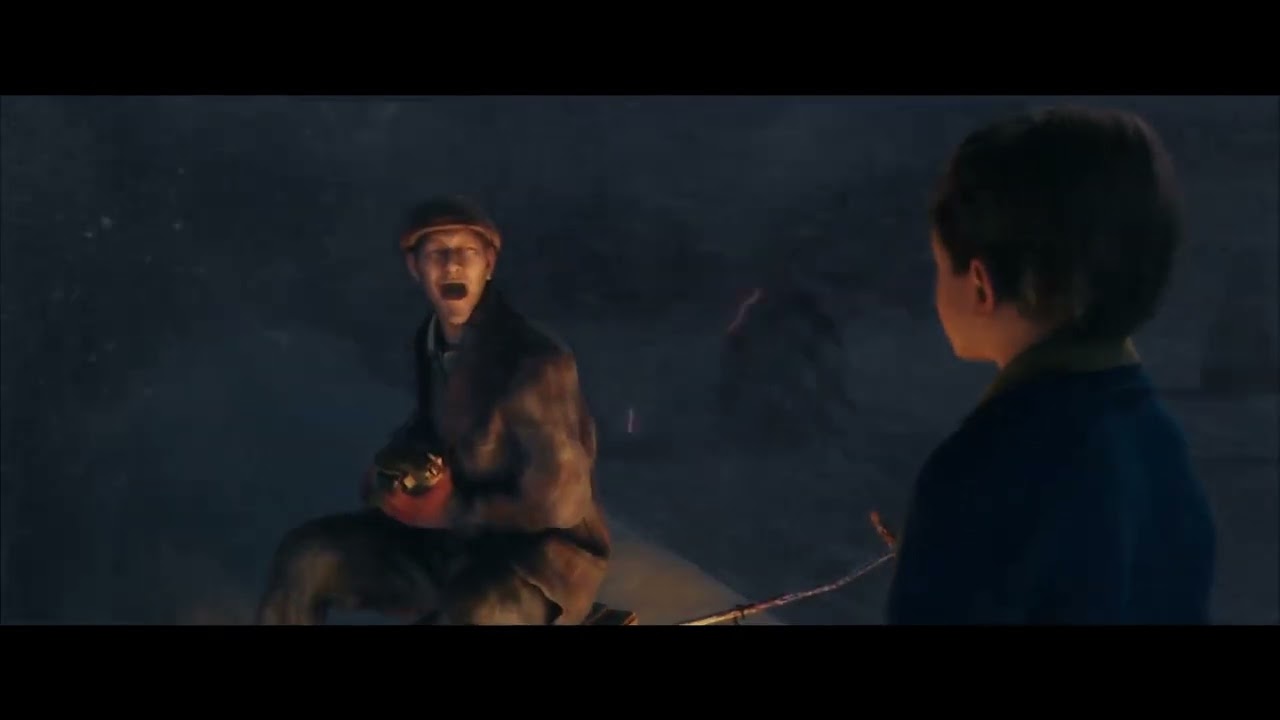 light palm
The calm before the storm 😉
noble beacon
light palm
The calm before the storm 😉

don't mind the flat desert from the gif, in the game it will be catacombs
north kiln
light palm
The calm before the storm 😉
 noble beacon
north kiln
https://cdn.discordapp.com/attachments/427492527776727041/1403941416715030628/Do...
noble beacon
north kiln
https://cdn.discordapp.com/attachments/427492527776727041/1403941416715030628/Do...
is this a Jesu Død riff
noble beacon
My ISP just offered a free of charge plan change to the 200/100Mbps one instead of the 100/50Mpbs I've been using because it is getting deprecated
So feel free to make Painkiller RTX twice as big now
official permission
 open lotus

 north kiln
Painkiller protagonist scream pain
Daniel Garner AAARRGGHH!!!
Belial Gnnrgh! 
William Aaaaaaawwwww 


 astral magnet
Wow. It's pretty good. I've never played Painkiller in my life, but I think I'll start playing just to try this project. I wonder if this project is finished?
north kiln
astral magnet
Wow. It's pretty good. I've never played Painkiller in my life, but I think I'll...
Painkiller RTX remixed is still in work in progress but the entire game is fully playable some levels are not yet fully polished it's come update after update and a new one is soon on the way with cool new features and improvement
astral magnet
north kiln
Painkiller RTX remixed is still in work in progress but the entire game is fully...
It's nice to hear that
north kiln
astral magnet
It's nice to hear that
it's how it's look like you just need to buy Painkiller Black Edition at Steam or Gog and good news at the moment i write this Painkiller Black Edition is on Sale at 2€


 light palm
Before/After of attenuation of emissives by volumetrics change


 north kiln
light palm
Before/After of attenuation of emissives by volumetrics change
north kiln
light palm
Before/After of attenuation of emissives by volumetrics change
show more please

 pale pumice
hi. i've put all the files in the game correctly but it doesn't start. i thought i had to wait for it to load but after close to 3 hrs it still didn't start. it was still active because i checked task manager and it was still there. i have a 3050 ti laptop
light palm
pale pumice
hi. i've put all the files in the game correctly but it doesn't start. i thought...
downloaded recent version from ModDB?
pale pumice
yes and the patch
light palm
in painkiller/bin/rtx-remix/logs there are three log files, can you put there here?
oh and was it a clean install of painkiller black edition? most of the time when people have trouble it is because they installed painkiller RTX on top of another mod, or installed another mod on top of painkiller RTX
or installed a newer version of painkiller RTX on top of an old version of painkiller RTX
 noble beacon
pale pumice
that's all its doing in task manager
noble beacon
pale pumice
that's all its doing in task manager
Make sure you replaced the original files when prompted, it behaves like the original Engine.dll
I'm not sure but that A: drive letter is sus, I'd try installing the game somewhere else
light palm
pale pumice
yes it's the black edition thats on steam
check that NvRemixLauncher32.exe exists in painkiller/bin folder
Sometimes windows defender deletes it because it thinks it is a virus
pale pumice
ok i got it to work
i think my problem was that i just only extracted part 1 thinking it would also extract the others as well
pale pumice
new problem i cant set water quality to high. it wont let me click it
noble beacon
pale pumice
new problem i cant set water quality to high. it wont let me click it
you're not supposed to change the ingame settings (safe for resolution)
all the settings you need to change are in the Alt+X menu
pale pumice
oh ok thanks
light palm
pale pumice
i think my problem was that i just only extracted part 1 thinking it would also ...
Glad you got it figured out @pale pumice !
How do you find the gameplay?
pale pumice
i like it. reminds me of classic doom
tall iron
pale pumice
i like it. reminds me of classic doom
classic doom doesn't have jumping like painkiller does
noble beacon
tall iron
classic doom doesn't have jumping like painkiller does
still Painkiller is known as a late love letter to the classic shooters
it was very conservative in 2004 in this regard
tall iron
actually the enclosed arena spawning enemies concept is ahead of its time, Doom 2016 and Eternal uses this format
pale pumice
ok i tried multiple times but i think i ran into a bug. i cant enter ch 1 ep 3 catacombs because the rocks block the way even after blowing up the explosives outside and inside
noble beacon
yeah this is annoying 😄
light palm
pale pumice
ok i tried multiple times but i think i ran into a bug. i cant enter ch 1 ep 3 c...
sure is annoying, this is fixed in next release already. You can use the painkiller spinning blades to slowly get through if you jump on top of the rocks and point the blades down and try to push through the door
noble beacon
It is easier to reload the level and try your luck again lol
pale pumice
ok thanks i'll just wait then because i already tried the spinning blades to get through and it wouldn't work and i reloaded the level at least 10 times and still couldn't get through
north kiln
**Update v0.2.4 **https://youtu.be/6pDPqNOE0s0?si=jea1q5q5nFq6U32K

Version 0.2.4
Level-Specific Updates
C1L2 Atrium
- Updated RTX particles on flames with sparks and smoke effects
- Applied SSS tweaks to candles and statues
C6L7 Colosseum
- Increased Colosseum draw distance to reduce pop-in within arena
- Added transmittance to cloth roofs around arena and throne area
C4L2 Palace
- Improved...
north kiln
light palm
north kiln
**Update v0.2.4 **https://youtu.be/6pDPqNOE0s0?si=jea1q5q5nFq6U32K
nice! Thanks Mora 🙂
north kiln
light palm
north kiln


 north kiln


 north kiln


 light palm
a bunch of scripting on the flying nun to have the light attach to her hand, and then transfer to the fireball when she throws it and then back to the hand 🙂

 north kiln
light palm
north kiln
light palm
 north kiln
 tall iron

🌏 Get Exclusive NordVPN deal here ➼ https://nordvpn.com/radicalcap
It’s risk-free with Nord’s 30-day money-back guarantee! ✌
What if games stopped evolving and just started eating your PC alive?
In this video we talk about why modern games need an RTX 4080 just to look worse than titles from 2015. From Starfield and Black Ops 7 to D...
tall iron
where do you get the latest version from?
tall iron
north kiln
**Update v0.2.4 **https://youtu.be/6pDPqNOE0s0?si=jea1q5q5nFq6U32K
its not on moddb
north kiln
tall iron
its not on moddb
soon
i beta test and showcase the updates and i detect for them possible crash or glitch and i report them when i meet some
north kiln
 north kiln
@fringe tangle hello. in your opinion with rtx remix it's possible to replace the old blood effect to big splats and splash like here?
fringe tangle
north kiln
<@617500777191047168> hello. in your opinion with rtx remix it's possible to re...
err... what's the old blood effect?
If it's just a blood decal on the ground... once the component system is fully up and running, it may be possible to spawn a particle effect in response to a decal with a specific material showing up. Whether you can get a good looking blood spray with the current particle system I'm less sure of, and spawning more blood decals from those particles probably wouldn't be supported.
also spawning the blood effect at the place where the projectile hit (as opposed to wherever the game spawns the blood decal) may be difficult
north kiln
fringe tangle
err... what's the old blood effect?
for the moment it's the vanilla particules for blood. can it be replace by a similar blood effect like th new painkiller 2025?
fringe tangle
yeah... I think something like that could be enhanced quite a bit, even with the existing particle system. I haven't messed around with it much, but from what I understand this sort of effect is something it's supposed to be able to improve

I don't think we have any way to add giblets with physics though
north kiln
fringe tangle
I don't think we have any way to add giblets with physics though
it's give me an idea! adding PhysX & Flex to RTX Remix and have blood and guts with physics fluid simulation and soft body physics. like at Killing Floor 2 if you remember. IF it's technically possible
faint wharf
 fringe tangle
north kiln
it's give me an idea! adding PhysX & Flex to RTX Remix and have blood and guts w...
fringe tangle
north kiln
it's give me an idea! adding PhysX & Flex to RTX Remix and have blood and guts w...
The problem is mostly about extracting reasonable geometry for the physical objects to collide against. the old games like this didn't send physics info to the GPU
north kiln
hmmm so physx for the moment it's not possible
fringe tangle
north kiln
hmmm so physx for the moment it's not possible
doesn't seem like it. Maybe with a bunch of work we could let users categorize which meshes should have collision, and throw it all into a physics sim... but we have no way to share any of that data back to the game, and when the game objects suddenly move through our simulated objects, the physics sim will probably explode in unstable ways.
(so it may be possible to do it in a super janky and manual way, but probably not possible to do it well).
north kiln
 light palm
Will ping mark to ask about this at a sane US timezone hour
I got to test with a 50 series card, and it seems that there is something wonky going on with the Subsurface Scattering 😮
I tested on the same system in HalfLife 2 RTX, and everything seemed OK there, so it may be something specific to Painkiller RTX + 50 Series.
If anyone else has a 50 series card and can test, that would be awesome!
This footage was taken in Atrium (Chapter 1, level 2)
https://youtu.be/esZSSuAe_S0
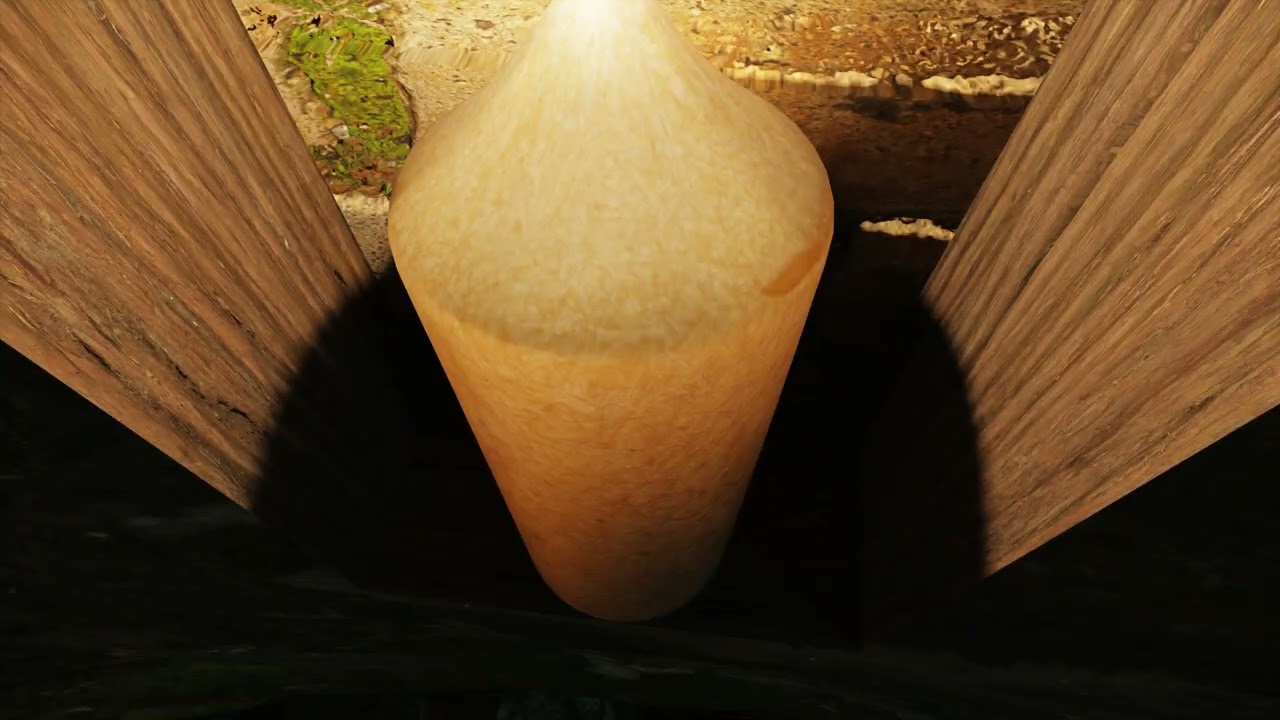 north kiln
light palm
*Will ping mark to ask about this at a sane US timezone hour*
I got to test with...
north kiln
light palm
*Will ping mark to ask about this at a sane US timezone hour*
I got to test with...
 north kiln
Painkiller RTX v0.2.4 Cathedral


 north kiln
Painkiller RTX Remixed v0.2.4 The Factory


 leaden quest
north kiln
Painkiller RTX v0.2.4 Cathedral
leaden quest
north kiln
Painkiller RTX v0.2.4 Cathedral
Looking fantastic. How did y'all get the stain glass windows to cast colored shadows on the ground? I've been playing around with Clive Barker's Undying, which uses a lot of stained glass windows, and haven't figured out how to create this effect.
north kiln
leaden quest
Looking fantastic. How did y'all get the stain glass windows to cast colored sh...
I call the specialists.
@light palm @noble beacon Advise for them?
open lotus
leaden quest
Looking fantastic. How did y'all get the stain glass windows to cast colored sh...
Use thin opaque and enable 'rtx.enableDirectTranslucentShadows = True' either in DXVK.conf or Alt X menu
leaden quest
open lotus
Use thin opaque and enable 'rtx.enableDirectTranslucentShadows = True' either in...
"thin opaque"? As in a texture with areas of low but non-zero alpha? Or is this something else?
open lotus
It's a setting on the texture itself in the toolkit. You need to convert it to translucent material. Lemme grab a screenshot for ya
noble beacon
north kiln
I call the specialists.
<@186877983854821376> <@456226577798135808> Advise for...
I'm no specialist by any means haha😄
you probably played this more than me at this point

open lotus
leaden quest
"thin opaque"? As in a texture with areas of low but non-zero alpha? Or is this ...
 leaden quest
open lotus
leaden quest
open lotus
And then stage lights outside each window to project the light down to the floor?
open lotus
leaden quest
And then stage lights outside each window to project the light down to the floor...
No, just one sun 🙂
https://www.youtube.com/watch?v=y3P2KUQ7y1A

 jaunty harness
leaden quest
Looking fantastic. How did y'all get the stain glass windows to cast colored sh...
jaunty harness
leaden quest
Looking fantastic. How did y'all get the stain glass windows to cast colored sh...
Nice would be great to see mod for Undying
 naive oriole
Hello is it only me having game crash after Atrium? Trauma difficulty - unable load autosave after

 light palm
naive oriole
light palm
naive oriole
hmm, is the save from before the mod? it's only compatible with saves made with the same version of the mod
naive oriole
light palm
hmm, is the save from before the mod? it's only compatible with saves made with ...
No, fresh start from beginning with the mod - actual patch from moddb
Painkiller Black Gog version
naive oriole
Here is the save
leaden quest
jaunty harness
Nice would be great to see mod for Undying
I've only been able to give it intermittent attention, but you can see my early progress here (along with other Unreal Engine 1 projects): https://discordapp.com/channels/1028444667789967381/1211038540218109953
naive oriole
The game looks great btw https://youtu.be/782iLQHRE1g

Playlist_ https://www.youtube.com/playlist?list=PL4eiAZ-b4bqtf5pVw7H8OiRKo5BcamPlJ
Download mod here - https://github.com/vs-shirokii/gzdoom-rt/releases
Painkiller 2004 RTX DLSS Mod Hard Seamless Walkthrough Asus TUF A15 AMD 7735H RTX 4050 Laptop Ultra
light palm
naive oriole
Here is the save
im not sure what is causing this, was the save from a previous version of the mod?
naive oriole
light palm
im not sure what is causing this, was the save from a previous version of the mo...
No, all is done in one version from start. If you can send me save after this chapter I can try it


 noble beacon
New Monastery
north kiln
 light palm
*Will ping mark to ask about this at a sane US timezone hour*
I got to test with...
light palm
light palm
*Will ping mark to ask about this at a sane US timezone hour*
I got to test with...
@fringe tangle Hello sir! Do you happen to know what the differences are between how 50 series cards and other series render SSS?
fringe tangle
light palm
<@617500777191047168> Hello sir! Do you happen to know what the differences are ...
Hmm, as far as I'm aware the only major difference should be the use of multi frame gen. nothing SSS specific...
That being said, there's a lot I'm unaware of 😅
The flickering issue you were showing looks more like a light caching issue or something like that, not so much like an SSS specific issue
light palm
fringe tangle
Hmm, as far as I'm aware the only major difference should be the use of multi fr...
So I grabbed a different version of remix, and everything works fine.
Perhaps it is a 50-series only regression..
Hey @fringe tangle!
I tested a bunch of builds, and the issue seems to crop up between 884 and 891.
I don't have builds between those directly available, but it narrows it down a bit!
984 - sss issue exists
944 - sss issue exists
932 - sss issue exists
926 - sss issue exists
891 - sss issue exists
884 - seems OK
856 - seems OK
I tested the latest build from actions (984) in HL2RTX, and the SSS is broken there too:

I also noticed an issue where it seems the screen space for SSS does not update when the DLSS base res changes
kindred haven
light palm
I tested the latest build from actions (984) in HL2RTX, and the SSS is broken th...
i think i noticed the same thing when installing the latest remix official release in hl2rtx
im also on 50 series
north kiln
light palm
I tested the latest build from actions (984) in HL2RTX, and the SSS is broken th...
oh the ui have change?
kindred haven
light palm
xorxor contribution!
Been added to the main branch?
light palm
seems like it!
kindred haven
light palm
seems like it!
Also I wanna ask what future plans do you have for this mod since it still seems like it’s early days


 naive oriole
Btw can someone upload all saves done in mod? To be able to pass crash check point
north kiln
naive oriole
Btw can someone upload all saves done in mod? To be able to pass crash check poi...
https://drive.google.com/drive/folders/1GVzUzKPOAQSg-RjYSiQdCbhTujCSqZnk?usp=sharing you can use my save game is you want
naive oriole
north kiln
https://drive.google.com/drive/folders/1GVzUzKPOAQSg-RjYSiQdCbhTujCSqZnk?usp=sha...
Thank you!
kindred haven
north kiln
Cemetery v0.2.4
where can i download the latest version of the mod?
north kiln
kindred haven
where can i download the latest version of the mod?
right now the public release the most recent is 0.2.2 i have beta test the 0.2.4 and repport all problem i have meet they finish to debug and prepare new cool stuff its for soon 
north kiln
the next public update will be even more advanced and cool
north kiln
kindred haven
whats new in the version ur testing?
rtx particules new materials on weapons better shading on ennemies new pbr material on maps new textures pbr for the nun model and the poison monsters of loony park better fog renders and a lot of improvment and optimisation
north kiln
kindred haven
whats new in the version ur testing?
Version 0.2.4
Level-Specific Updates
C1L2 Atrium
- Updated RTX particles on flames with sparks and smoke effects
- Applied SSS tweaks to candles and statues
C6L7 Colosseum
- Increased Colosseum draw distance to reduce pop-in within arena
- Added transmittance to cloth roofs around arena and throne area
C4L2 Palace
- Improved...
north kiln
The Town v0.2.4
Can you eared the scream of pain bring by the wind? The smell of the ashes and the burning flesh?


 naive oriole
Here is the save
naive oriole
naive oriole
Here is the save
@north kiln Can you please also tell devs about the crash on this save? Gpu is rtx4050 6gb laptop
 light palm
naive oriole
<@323057721551093760> Can you please also tell devs about the crash on this save...
light palm
naive oriole
<@323057721551093760> Can you please also tell devs about the crash on this save...
Hey @naive oriole, Is this crash occurring on a clean install of the latest version from moddb (0.2.2), which was installed into a clean install of Painkiller Black Edition from Steam or GoG, without any other mods?
naive oriole
light palm
Hey <@1173904686877782170>, Is this crash occurring on a clean install of the la...
Yes this is correct
I used the save to pass to chapter 3 and it works
Problem is with specific checkpoint, mb related to trauma difficulty
north kiln
Opera v0.2.4
In the puragatory the glorious past of this Opera is over!
The only thing you can listen it's the echoes of the previous representation from the living world and the screams of rage of the troups of Lucifer using that place like an outpost


 vale gust
naive oriole
Here is the save
vale gust
naive oriole
Here is the save
this save is corrupted, it looks like the game crashed while trying to save, so there is no use for these
naive oriole
vale gust
this save is corrupted, it looks like the game crashed while trying to save, so ...
I tried to go this level again from beginning - same result
vale gust
send the latest save that works for that level
naive oriole
vale gust
send the latest save that works for that level
Rewrote it is with upper save that is on Insomnia diffuculty. Completed full lvl on this difficulty and could pass further. So problem happend on Trauma difficulty only. Also had 2 random crashes during play - I think this happen when rage mode triggered. Here are logs
Here was the problematic checkpoint
 light palm
Thank you @naive oriole !
vale gust
naive oriole
Rewrote it is with upper save that is on Insomnia diffuculty. Completed full lvl...
This is bizarre because the only thing going with this difficulty is not having souls, maybe the lack of souls is crashing the game?
naive oriole
vale gust
This is bizarre because the only thing going with this difficulty is not having ...
May be, happens only on one fixed checkpoint
May be next too but could not pass futher
north kiln
let's smooth some angular assets
 north kiln
Skull smooth
@fringe tangle hello i have a question. if i import an 3d asset like a rock or a wall into the scene at Blender. once at RTX remix Editor it's possible to add a collider on it?
fringe tangle
light palm
Hey <@617500777191047168>!
I tested a bunch of builds, and the issue seems to cr...
Apparently I missed this when you first posted it.
If you've filed an issue, you should definitely post this info there. If not...you should file an issue!
fringe tangle
north kiln
<@617500777191047168> hello i have a question. if i import an 3d asset like a r...
All physics are done in the game engine on the CPU. Remix only intercepts the signals that the game sends to the GPU.
That means while Remix can replace all of the rendering, Remix (including replacement assets) cannot alter the game logic or physics.
So if you want to add something with collision, you'll need to mod the game's content directly.
 civic ibex
north kiln
Skull smooth
civic ibex
north kiln
Skull smooth
My brother in Christ, you suppose to add supporing geo before subdividing, otherwise the original shape is gone 😭
north kiln
civic ibex
My brother in Christ, you suppose to add supporing geo before subdividing, other...
nothing is implanted yet i can re-capture the original scene anytime
now i'm confuse.
@light palm i made the things wrong?
civic ibex
Yeah, I'm just saying, it's not really a great way to go about upgrading the meshes
without supporting geo, parts that actually suppose to show for example rectangular shape, while get overly smooth and circular
north kiln
it's complex i would love be capable to remade all from scratch with blender but it's beyond of what i can do
"sigh" i will let that to someone more competent than me the best i can do it's playtest before the release of the next updates
civic ibex
north kiln
"sigh" i will let that to someone more competent than me the best i can do it's ...
Theres no need to give up
Supporting geo is literally just adding a loop of edges when you don't want the shape to get overly smooth

This is tutorial shows how to use loop cuts for to support edges.
north kiln

 north kiln
vanilla skull VS new skull
 north kiln
cobblestone floor
 north kiln
work in progress of the first corridor of the catacombs
 north kiln
@fringe tangle helloooo. RTX remix don't have problem with Tesselation at condition it's not to much charge in quads?
odd thicket
This makes me want to do a “Behind the Development” series for Remix mods
north kiln
odd thicket
This makes me want to do a “Behind the Development” series for Remix mods
i love that type of content. when a studio made a making of of a game i alway's check the moment when we see the devs work on the game on the maps etc. example for MWII the moment i mostly remember it's when they have show one of the devs work on a multiplayer map even if it was short i have stop the video to see how is the ui of the IW engine 9
odd thicket
north kiln
i love that type of content. when a studio made a making of of a game i alway's ...
@potent cedar I have a video idea

potent cedar
hu
odd thicket
potent cedar
hu
A “behind the development” series for Remix games
north kiln
Oh no, I have made a mess of everything 
but not enough!
@light palm MORE BLOOD!  MORE MORE MORE!!!!! A CARNAGE!!!
 north kiln
⚰️ Replacing vanilla cube coffin by much better modular coffin of my personal library ⚰️
WIP
 fringe tangle
north kiln
<@617500777191047168> helloooo. RTX remix don't have problem with Tesselation a...
fringe tangle
north kiln
<@617500777191047168> helloooo. RTX remix don't have problem with Tesselation a...
Remix uses Parallax Occlusion Mapping (POM), not displacement. It's an inferior technique in most ways, but benefits from being usable on any geometry (especially relevant for Remix, since we can use it on the original game's meshes).
POM does suffer from a number of artifacts though. I'd encourage you to load up your asset in the game and play around with the POM strength slider in the runtime menus to see how far you can push it before the effect breaks down.
That all being said - Remix actually works better with high poly meshes without POM, so you might be better off just making that an actual mesh rather than a heightmap.
north kiln
fringe tangle
That all being said - Remix actually works better with high poly meshes without ...
got it i will use something else for the corridor
fringe tangle
POM was added as an easy way to improve game geometry that wasn't feasibly replaceable, like all the terrain maps in HL2. If you can replace meshes stably, it's better to just use enough triangles to make the mesh look good and skip the heightmap.
(Some displacement solutions will actually have ways to bake the displaced result out as another mesh, but I haven't touched that stuff in over a decade, and never with Blender)
north kiln
 clever gull
Has the motorcycle been implemented yet?
clever gull
Has the motorcycle been implemented yet?
I dont know its not me in charge of that part i work on the static part of the maps 
light palm
clever gull
Has the motorcycle been implemented yet?
Shall i implement
Moped 😄
🛵
welcome lolo 😉
north kiln
@fringe tangle no tessellation walls correctly details without be highpoly for performances
fringe tangle
north kiln
<@617500777191047168> no tessellation walls correctly details without be highpo...
As far as I know, Blender's displacement implementation is probably very different from Remix's POM implementation. you should check what that looks like within Remix.
north kiln
i think i prefer stay with optimize walls mesh too much high poly mesh risk to drop the performances i have by the way send a previous version of the map to binq for him to see if nothing cause trouble with rtx remix
next basin
well POM is a different thing is it not?
north kiln
attacking the first big room of the catacombs

 modest comet
Hello all
Works with bost Steam and Retail editions?
How it runs with a 3080 @4k 240 HZ with HDR On?
north kiln
@modest comet hello!
Yes for physical copy of the game be sure to install the most recent patch of the game and for the digital version yes Steam like for GOG.
For your spec yes the RTX 3080 is enough but in 4k don't play without the DLSS
vale gust
Merry Christmas
clever gull
🎅
 tall iron
does anyone know what's going on here?
clever gull
tall iron
does anyone know what's going on here?
iirc this was due to the cone angle value being too small
tall iron
i have a pet peeve about the flashlight ... i would like the bounce lighting from the flashlight to be brighter, without making the direct illumination brighter... is this possible?
clever gull
tall iron
i have a pet peeve about the flashlight ... i would like the bounce lighting fro...
I never really tried this but just maybe it is possible to make the highlight less blinding in the post processing settings (?)
Also could play around with the pathtracer/NRC settings, but keep in mind that both that and PostFX usually require awareness of what you are doing in order to achieve something plausible
kindred haven
tall iron
i have a pet peeve about the flashlight ... i would like the bounce lighting fro...
I think it’s mainly an issue that the bounce lighting doesn’t update fast enough to the flashlights movements, it’s something I noticed in gmod rtx with nrc and especially restir
tall iron
kindred haven
I think it’s mainly an issue that the bounce lighting doesn’t update fast enough...
i go into the alt-x menu and under Neural Radiance Cache, I disable 'include direct lighting'
makes it update much faster
clever gull
I'd like to see how Ray Reconstruction on Transformer 2 performs
kindred haven
tall iron
i go into the alt-x menu and under Neural Radiance Cache, I disable 'include dir...
Holy shit you can do that?
Wait wait this is huge what
tall iron
kindred haven
Holy shit you can do that?
one of the first things I did when I downloaded the mod a few months ago
kindred haven
tall iron
one of the first things I did when I downloaded the mod a few months ago
Does it update as fast as importance sampled
tall iron
well its updating fast enough for me... much faster than leaving 'include direct lighting' on
i just wish the bounce lighting was brighter
tall iron
how do i edit the brightness of the flashlight?
i remember i could use a text editor to mess with the light sources but its been a few months
clever gull
tall iron
i remember i could use a text editor to mess with the light sources but its been...
Bin/rtx-remix/mods/PKRTX/PKRTX_Shared_Flashlight.usda
tall iron
clever gull
Bin/rtx-remix/mods/PKRTX/PKRTX_Shared_Flashlight.usda
i thought about messing with the volumetric radiance scale, but it just leaves a trail , its basically 100% temporal accumulation ... it would have been such an epic effect if it worked in real time though
tall iron
IMHO some of the volumetric effects shouldn't be raytraced if they are just going to ghost from temporal accumulation
clever gull
the way is to raytrace everything and iterate on it until it stops ghosting
looking forward to the new RR model which should arrive soon enough
tall iron
how can a new ray reconstruction model help with the flashlight ghosting?
i mean like it uses a realtime AI to approximate what a properly pathtraced scene should look like... but I think that showing a flashlight from a first person perspective has too many variables
in the end i think it's just going to be mimicking what shaders have been doing for many years already , to produce light shafts and god rays
like its not literally rendering the shadow masks and stuff which is used for traditional volumetric lighting effects, but i think it will do something analogous with the 3d scene data available to it
personally though, i think that raytracing should only be used for things which are impossible to do with shaders ... replace baked lightmaps with realtime global illumination, replace screen space reflections with raytraced reflections, etc etc
light palm
tall iron
i have a pet peeve about the flashlight ... i would like the bounce lighting fro...
could do a raycast and spawn a light at the hit location
like 180 degree sphere away from the surface
would be hard to get the albedo color at the hit point though and have plausible fake bounce light color, at least using original pk logic
afaik
might be something for component system
tall iron
isn't it supposed to be a parameter of the light source or the rays? like the bounce intensity or something
light palm
tall iron
isn't it supposed to be a parameter of the light source or the rays? like the bo...
there are very few if any non physical params exposed
tall iron
hmm that seems like a bit of a limitation...
like for example, imagine you want to model some kind of nightclub scene or something, and there's a bunch of UV lights and people wearing fluorescent fabric
you need the rays from the blacklights to the fluoro fabrics to check for shadows and intensity, and they are invisible because they are ultraviolet ... then the rays will basically diffuse bounce from the fluoro fabric but the rays are visible after the bounce
clever gull
This sounds like something real time rendering would struggle with in general
RT is still an approximation and there are things that are still difficult to implement, like Caustics
tall iron
i mean its just a simple parameter change after a condition
change the colour of the ray after bouncing off this surface
as i recall, rays don't just hold RGB values?
clever gull
we'd need a graphics programmer to assess whatever assumptions we have lol
tall iron
the minigun bullet ammo box seems to be missing textures?
 light palm
tall iron
the minigun bullet ammo box seems to be missing textures?
light palm
tall iron
the minigun bullet ammo box seems to be missing textures?
fixed for next release 👍
tall iron
tall iron
also, on the Palace level, i am getting this
[01:41:14.981] info: [RTX Opacity Micromap] Instance has non triangle list topology. This is only partially supported. Falling back to a conservative max value for estimated numTexelsPerMicroTriangle instead.
Exception 0xc0000005 at 00007FF9AD1C2FAD! Saving minidump to 'C:\Program Files (x86)\Steam\steamapps\common\Painkiller Black Edition\Bin.trex\NvRemixBridge.exe_20260113_014115.dmp'
tall iron
Turning off opacity micromaps fixed it
clever gull
yeah those can be tricky buggas
light palm
clever gull
yeah those can be tricky buggas
He's getting good at the aussie lingo 😛
clever gull
too much pud
tall iron
so whats the status about Docks? has there been any progress to make it run better?
light palm
tall iron
so whats the status about Docks? has there been any progress to make it run bett...
nothing implemented as of yet, basically the simplest option would be really thick dx9 fog and smaller draw distance, with very diffuse (overcast) lighting.
I have been mulling over culling stuff, was considering whether something like a "2x PVS" system would work and be doable in the engine
there are almost certainly better pathtracing centric culling methods, i have not done the research on it though I want to. Just getting more pressing things in order
a snippet from one of the patreon posts drafts
"...precomputed PVS (Potentially Visible Set) algorithm with an additional step where all of the areas visible from the first iteration of the PVS are also visible..."
possibly something fundamentally wrong with this logic, but it's fun to think it through
there are other thought threads. there are a finite number of cases where the original PK culling method causes visual artifacts with PKRTX, and manually handling them on a case by case basis by setting specific pieces of geometry to always render would work, but it would be a lot of time investment to do it that way, and not generalisable obviously
colosseum has horrendous performance as well
tall iron
Im curious if you have a definitive cause for the performance issues
I remember something about excessive draw calls and all that
clever gull
tall iron
Im curious if you have a definitive cause for the performance issues
In essence, pathtracing requires disabled culling,
while the game engine requires enabled culling to function without CPU bottlenecks
It's a real headscratcher to find the middle ground between the pathtracing-friendly rendering and CPU performance
tall iron
Then have a static model of the entire level which is only visible in Remix
clever gull
That would be the best case scenario actually, if done seamlessly
but imo it's just more cool to make the generalisable approach work as was mentioned above
you never know until you want a Pathtraced Overdose just like that😉
tall iron
clever gull
you never know until you want a Pathtraced Overdose just like that😉
i dont understand why are you still seeking a generalizable approach when you already need to manually place lights and everything for Remix
light palm
tall iron
Then have a static model of the entire level which is only visible in Remix
there is a good discussion earlier in this thread with Mark about this, I believe that the bounding box should be a certain way, so entire level as a single mesh may not be optimal
light palm
tall iron
i dont understand why are you still seeking a generalizable approach when you al...
I prefer to spend 1 day once automating a thing than 1 hour a day for the rest of time doing it manually, something along those lines
tall iron
if you could generate a single mesh of the level, that would have been peak automation ... too bad it seemingly doesn't work?
light palm
tall iron
if you could generate a single mesh of the level, that would have been peak auto...
this may not be optimal for pathtracing
tall iron
but the levels are so low poly anyway
light palm
search up this thread for stuff Mark said, really interesting stuff
u can do that with the search thingo in the top right, at least on desktop discord
strangely one of the big performance killers on atrium was because a chain used 2 textures instead of one, getting in the way of certain batching etc. This stuff can be pretty counter-intuitive!
tall iron
light palm
this may not be optimal for pathtracing
can a tool exist which automatically breaks down a large mesh or optimizes it somehow?
it brings to mind the BSP tree of Quake levels...
the idea is that instead of one big mesh which the raytracing apparently doesn't like... you have the level in chunks which are positioned correctly to recreate it, which should hopefully work better?
 quasi salmon
BSP is too aggressive hiding non visible faces, resulting in light leaking and it also breaks hashes.
Here are some issue you see in Quake3 with BSP enabled (it's even more aggressive in Quake2).
ATM we disable BSP completely for the idTech 2&3 games being remixed.


 quasi salmon
👋
clever gull
👋
clever gull


Doesn't run on Samsung S25
Needs to be addressed ASAP
the mfer doesn't even create any logs
potent cedar
turnip doesnt expose the correct RT extensions by default, from what i can assume is a lack of proper hw acceleration. I built a custom version on my x1e laptop and got it working but it runs pretty poorly lol
clever gull
potent cedar
turnip doesnt expose the correct RT extensions by default, from what i can assum...
Adreno 830 drivers also arrived like yesterday and it is very hacky (it is basically a hack)
Works kinda great tho
https://youtu.be/TOOIE7--ISI
kindred haven
potent cedar
what phone is being used here
clever gull
kindred haven
what phone is being used here
