
#Need For Speed Carbon
1 messages · Page 2 of 1
 vagrant crescent
The cable fiber-optic Internet will not be available until spring
now I use mobile unlimited Internet and it is on it that all possible locks are worked out first.
vagrant crescent
If anyone has a quixel account with the full library, please send me a private message.


 vagrant crescent
 vagrant crescent
vagrant crescent
vagrant crescent
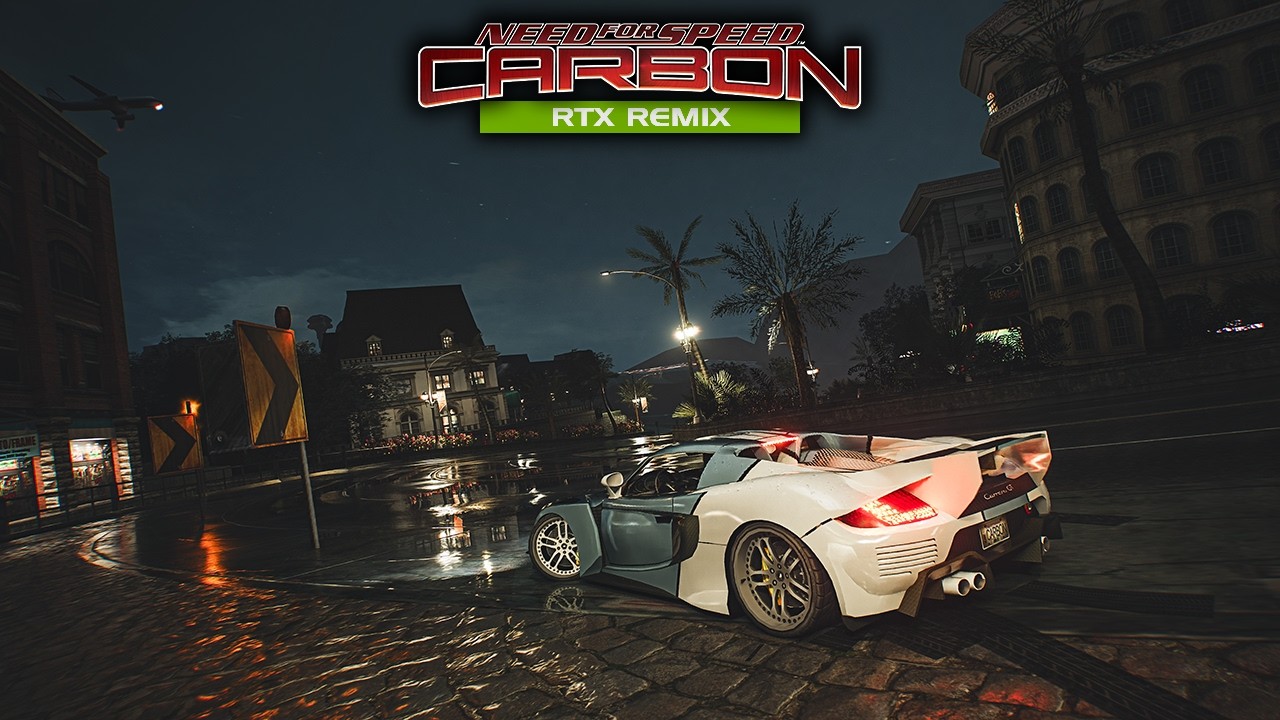
NFSC Remix 0.1 beta release
Have a good New Year's holidays for everyone
https://drive.google.com/file/d/1Z0qKHgVF5azhTW97AtD9ab7yK4OZWAnx/view?usp=sharing
https://disk.yandex.ru/d/qMN1LZ-raDKELw

 void robin
@vagrant crescent could you please upload it to Google Drive as well?
 thorn flax
vagrant crescent
NFSC Remix 0.1 beta release
Have a good New Year's holidays for everyone
https:/...
thorn flax
vagrant crescent
NFSC Remix 0.1 beta release
Have a good New Year's holidays for everyone
https:/...
Its looks so good
 vagrant crescent
void robin
<@1422626555271712900> could you please upload it to Google Drive as well?
vagrant crescent
void robin
<@1422626555271712900> could you please upload it to Google Drive as well?
added a link
vagrant crescent

ModDB
RTX Remix mod for Need for Speed Carbon _________
thorn flax
vagrant crescent
My bad broo
vagrant crescent
thorn flax
How do your taillights work
each car needs to be configured for lighting operation individually
Unfortunately, I don't work with the game API.
Surely everything can be made easier
thorn flax
How do i do that
vagrant crescent
"wet weather"🙂
rtx.conf
rtx.opaqueMaterial.roughnessScale = 0
rtx.opaqueMaterial.roughnessBias = 0


 mild stirrup
vagrant crescent
"wet weather"🙂
rtx.conf
rtx.opaqueMaterial.roughnessScale = 0
rtx.opaqueMater...
mild stirrup
vagrant crescent
"wet weather"🙂
rtx.conf
rtx.opaqueMaterial.roughnessScale = 0
rtx.opaqueMater...
HOLY SHIT THE FIRST IMAGE LOOKS CRAZY
 jolly drift
The car looks like a toy... turn off mathematically correct thingy in widescreenfix...
vagrant crescent
jolly drift
The car looks like a toy... turn off mathematically correct thingy in widescreen...
I use a custom FOV
jolly drift
vagrant crescent
I use a custom FOV
Ah ok
vagrant crescent
vagrant crescent
I use a custom FOV
close and far


 thorn flax
It keeps giving me this
 thorn flax
Reinstalled like 3/4 times
 wise flare
so i think im being a dummy or doing something wrong or missing something cuz remix runs but it doesnt look the same.
thorn flax
vagrant crescent
close and far
Do you mind sending like the whole game file?
Like your copy
 prime sigil
thorn flax
Do you mind sending like the whole game file?
prime sigil
thorn flax
Do you mind sending like the whole game file?
Can't ask that here man, even abandonware is banned on this server. Searching is your best friend
vagrant crescent
wise flare
so i think im being a dummy or doing something wrong or missing something cuz re...
Give me screenshots of your game, file folders.
also make sure that there are no unnecessary asi plugins, like the shader loader.
and run it from the exe file that I put with the mod.
vagrant crescent
wise flare
so i think im being a dummy or doing something wrong or missing something cuz re...
The GMOD remix and the official rtx remix may actually look different.
I took screenshots with gmod
vagrant crescent

the fact that the light from the lanterns abruptly appears and disappears is not the problem of my mod, but the problem of the game engine with aggressive culling and the debugging version of gmod remix
my links
https://boosty to/hopelessne5s
https://vk com/nfsc_remix
vagrant crescent
Looks like I'm the only one playing this game.
still haven't seen anyone but me...
thorn flax
vagrant crescent
https://youtu.be/JTAPNDLBtRY
Looks amazing
 eternal root
vagrant crescent
Looks like I'm the only one playing this game.
still haven't seen anyone but me....
eternal root
vagrant crescent
Looks like I'm the only one playing this game.
still haven't seen anyone but me....
Probably because colors are still shader based and need to move to fixed function
mild stirrup
Im waiting for more progress to be made. Its not there yet
 cinder glade
hell na
jolly drift
God damn
Well, i am not able to make car paints SM1 based... When i try, the cars disappear completely
 warped widget
Why he left again? 😭😭
 calm solstice
not sure. his progress was really impressive
wise flare
he has a lot of life stuff to deal with so bare with him guys. he is doing amazing as he already is.
i wish him luck on everything
wise flare
this is probably weird to asi. but if we can retreive shader color, does remix itself has the ability to set shader color? can we use a script to tell remix to be able to compensate for this? maybe we can create a texture layer and "paint" the texture or material based on the read shader color. i feel like if we can read ram values, we should be able to hack something in remix to emitate car color in remix. just a thought. i am probably clueless of the mechanism here so i apogize if i am wrong.
 prisma isle
wise flare
this is probably weird to asi. but if we can retreive shader color, does remix i...
prisma isle
wise flare
this is probably weird to asi. but if we can retreive shader color, does remix i...
with the current shader, it is not possible to save the specified material reliably enough.
now I'm setting the color using texture and constants of metallicity and roughness.
and at the same time, the hash of the texture may be lost with some actions.
For example, the game considers a custom livery to work with a non-unique hashtag
at the same time, he considers unique pre-prepared liveries correctly, for example, Audi R8 Le Mans
but the RX7 livery, which can be obtained along with the car after defeating the boss, is not considered as such and is lost.
prisma isle
https://nfsmods.xyz/mod/5641
The diffuse textures are well done, but the normal maps were not re-rendered, but upscaled.


[title]Description[/title] This mod improves vanilla road, sidewalk and grass textures which make them look high-quality. It...
prisma isle
fixed the texture of the broken glass
previously, there was only a normal map without albedo, it looked too nondescript


I also fixed the texture of the car dealership windows

in general, 80 more textures have been added since the last release.
I would also like to make asphalt textures from scratch, but for this I need to study substance designer
or find a person who can do it.
 inner rose
prisma isle
fixed the texture of the broken glass
previously, there was only a normal map wi...
inner rose
prisma isle
fixed the texture of the broken glass
previously, there was only a normal map wi...
Looks nice but, any idea how to fix aquarium effect with car windows? (It's same problem as MW'05)
inner rose
I mean tweaking glass, so it doesn't look like there's water inside of the car, like it is in GTA4 for example

 prisma isle
inner rose
I mean tweaking glass, so it doesn't look like there's water inside of the car, ...
prisma isle
inner rose
I mean tweaking glass, so it doesn't look like there's water inside of the car, ...
find the hash of the glass material and reduce the IOR to 1
I need to deal with MW as soon as possible, there's probably a lot of work to be done, but no more than in Carbon.
lol what

 next sundial
Enable the thin glass option - no need to reduce ior
 hollow delta
Hi everyone! I hope everyone's doing well
I've recently installed the mod to my game but it seems there is a bug with my game
I can't get lightning to work in my game


does anyone know a fix for this?
in the meantime i will try to get a fresh copy of the game and check it if works normally, my game got some HD mods and stuff, maybe i'ts making it incompatible
does these mods "widescreen patch, NFSC extra options & HD reflections mods" break something with rtx remix?
hollow delta
I have installed a fresh copy and i still have the same issue, tried both official rtx remix and gmod rtx 🙁
in the dev menu it doesn't seem to detect any light sources
@prisma isle
prisma isle
@hollow delta
prisma isle
hollow delta
does these mods "widescreen patch, NFSC extra options & HD reflections mods" bre...
No asi mods will work.
many mods work with fixed memory addresses specific to dx9
hollow delta
prisma isle
No asi mods will work.
many mods work with fixed memory addresses specific to dx...
thank you, this is why you have provided a different EXE in the mod, right? so these mods are "integrated"?
prisma isle
hollow delta
thank you, this is why you have provided a different EXE in the mod, right? so t...
only FX shaders are integrated into the exe, so that the user does not have the opportunity to accidentally change them.
but you have a problem with the game settings, they are too low.
hollow delta
prisma isle
only FX shaders are integrated into the exe, so that the user does not have the ...
oh ok, thanks!
hollow delta
prisma isle
<@131518826914250752>
This worked! thanks so much, i suggest you include this in the mod files so people can use this if they encounter this issue too

regarding cars individual headlights, i check earlier comments and it seems there is a issue with this, right? so this is why cars don't have headlights on? or it's still work in progress?
I'm loving this mod, i know it's still wip and early but the progress overall is awesome! thanks to whoever contributed
prisma isle
hollow delta
This worked! thanks so much, i suggest you include this in the mod files so peop...
I made it too late.
hollow delta
prisma isle
I made it too late.
It's ok, big projects take time and resources
prisma isle
hollow delta
regarding cars individual headlights, i check earlier comments and it seems ther...
the lights are set manually for each car, while there is no way to set the lights based on the game API, such as in GTA IV.
hollow delta
prisma isle
the lights are set manually for each car, while there is no way to set the light...
Thank you! Just be sure, for now, it's normal behavior for most cars not to have active headlights, right? it's not an issue with my game
thorn flax
prisma isle
<@131518826914250752>
how do i use this
is it normal that every car is still chrome?
hollow delta
thorn flax
is it normal that every car is still chrome?
can you provide a screenshot?
thorn flax
 prisma isle
hollow delta
prisma isle
hollow delta
have you increased the exposure in the postprocessing settings?
💀
gmod remix?
thorn flax
yes
hollow delta
prisma isle
gmod remix?
yes
prisma isle
💀
hollow delta
wait, i'm a bit confused
prisma isle
1.2.4 better

GitHub
For the full release notes for RTX Remix, please visit https://docs.omniverse.nvidia.com/kit/docs/rtx_remix/latest/docs/changelog/remix-releasenotes.html
RTX Remix Runtime 1.2.4 Release Notes:
New ...
thorn flax
whats the difference?
hollow delta
prisma isle
1.2.4 better
i tried using it but the brake lights were too brights for me, i didn't like the effect so i chose gmod instead
will change
prisma isle
thorn flax
whats the difference?
gmod is unstable and vertex colors are disabled by default.
I will update the mod on moddb soon.
please delete the old version before installing it.
thorn flax
i deleted the whole game
prisma isle

hollow delta
prisma isle
I will update the mod on moddb soon.
please delete the old version before insta...
sure, thankss
thorn flax
then i just re install a new one
hollow delta
thorn flax
i deleted the whole game
i'm not sure why all the cars are silver, seems to be a texture issue, have you tried carreer? are all cars silver too?
thorn flax
i have a zip file with no mods
prisma isle
thorn flax
i deleted the whole game
but why didn't they give me enough feedback while you had it?
thorn flax
wdym
prisma isle
thorn flax
wdym
If you don't like silver, I can give you other settings personally.
🙄
hollow delta
hollow delta
i tried using it but the brake lights were too brights for me, i didn't like the...
@prisma isle do you know which setting can i change to make brake lights less bright?
 hollow delta
thorn flax
not because of the color
hollow delta
thorn flax
not because of the color
I've also tried here and it seems car colors are a bit bugged, in paint customization it defaults to silver for every color, seems to be an issue with RTX Remix, so at least for your car you can use a vinyl so it's not silver
prisma isle
hollow delta
<@1190744632213123144> do you know which setting can i change to make brake ligh...
find D37837E95E2A1859 in mats.usda
change custom float inputs:emissive_intensity
hollow delta
prisma isle
find D37837E95E2A1859 in mats.usda
change `custom float inputs:emissive_intensit...
thanks friend
just to make sure, whenever i make a comment about possible issues in the mod it's not to discredit you or anyone else, i understand that RTX Remix has issues and the mod is still in WIP
prisma isle
hollow delta
I've also tried here and it seems car colors are a bit bugged, in paint customiz...
Silver is exactly my setting.
without this, all cars will be matte and without color, that is, black.
1A3B6EBF5C23AD82
this is the address of the machine's paint shader
you can change it for yourself, it will be absolutely understandable for a native English speaker.

 teal turtle
hollow delta
I've also tried here and it seems car colors are a bit bugged, in paint customiz...
teal turtle
hollow delta
I've also tried here and it seems car colors are a bit bugged, in paint customiz...
problem is that carbon uses shaders to generate car color
while mw and ug2 do it via texture
prisma isle
teal turtle
problem is that carbon uses shaders to generate car color
then why does the car color work in MW?
hollow delta
teal turtle
problem is that carbon uses shaders to generate car color
i think as time passes ppl will figure our how to make it work
teal turtle
carbon still has some unused code for car paint
prisma isle
teal turtle
carbon still has some unused code for car paint
Apparently, without api sharing, the remix will not be able to continue developing in carbon.
teal turtle
api?
prisma isle
Perhaps the translator misinterpreted my words.
In short, the remix needs to understand the logic of the game, as in xoxor's CompatMod GTA IV.
 vapid vortex
hollow delta
vapid vortex
hollow delta
wow looks amazing

 thorn flax
Niceee
hollow delta
nicee, thanks man
hollow delta
prisma isle
the lights are set manually for each car, while there is no way to set the light...
Hi @prisma isle ! just to be sure, when you say it is set manually, do you mean that for every car, you have to manually "configure" the light to show up correctly? I've noticed that for some cars, there is no headlights at all, while other seem to work fine, like in this screenshot

So in the case of the other cars, it is just not been configured yet?
prisma isle
hollow delta
So in the case of the other cars, it is just not been configured yet?
yes
mild stirrup
Hopefully all headlights and taillights working soon 🙏
prisma isle
I'm tired of carbon so far and I'm trying other games.
#1106549860393553961
#1103611804120264706
mild stirrup
i really wished bf2 or 2142 worked with remix
prisma isle
bf2 on the same engine as Vietnam
It will most likely work too.
mild stirrup
prisma isle
bf2 on the same engine as Vietnam
It will most likely work too.
the project is dead with broken textures
prisma isle
mild stirrup
the project is dead with broken textures
lol
watch my video on BFV
everything is working well now
thorn flax
prisma isle
I'm tired of carbon so far and I'm trying other games.
<#1106549860393553961>
<...
Take your time brother
vapid vortex
hollow delta
Hi <@1190744632213123144> ! just to be sure, when you say it is set manually, do...
wow looks amazing
 alpine lance
how is the new rtx logic added to this download?
prisma isle
What the hell are you talking about?
prisma isle
I know that
I haven't made any connectors with remix logic, why should it work all of a sudden?
hollow delta
prisma isle
I haven't made any connectors with remix logic, why should it work all of a sudd...
Yeah, @alpine lance the modders need to manually add remix logic features to the game
alpine lance
@hollow delta I'll ad a link if possible
next sundial
@prisma isle a little bit of anti culling .. but not too much (it seems). Have not tested it that much yet
prisma isle
next sundial
<@1190744632213123144> a little bit of anti culling .. but not too much (it seem...

Thank you so much for remembering my project
next sundial
@prisma isle what exe do you ship with your mod and why do you no longer ship the XNFS-ShaderLoader.asi and FX stubs? UI and everything is messed up for me with my exe, without shader loader
prisma isle
next sundial
<@1190744632213123144> what exe do you ship with your mod and why do you no long...
I just put all the shaders in the exe at once so that the user does not have access to them.
 next sundial
no other changes? That means I can keep the asi and the files in the FX folder right
prisma isle
The mod that comes with the shader loader does not replace everything you need with a stub.
for example, a water shader, glass on buildings, and some areas of the terrain
prisma isle
next sundial
no other changes? That means I can keep the asi and the files in the FX folder r...
#1160343046056063109 message
next sundial
Oh alright well I can just grab them from your exe then when I need them
next sundial
got it to render like that (full FF) with d3d9.shaderModel = 1. That way I can re-enable certain types of shaders (this is still with the FX files tho)
 vivid musk
next sundial
got it to render like that (full FF) with `d3d9.shaderModel = 1`. That way I can...
vivid musk
next sundial
got it to render like that (full FF) with `d3d9.shaderModel = 1`. That way I can...
Might as well give underground 2 a shot since it's an older version of the same engine
next sundial
Mhh I cant figure out to differentiate between drawcalls because everything is added to one drawlist and I have absolutely zero clue how the effect framework works 🫣
next sundial
Okay found a way to differentiate by shader but that also means that I can not use the fixed shaders because they are all "world" shaders.
So putting texture1 into texture slot 0 lets the car render .. and I should be able to intercept the shaderconstant used for the color as well

looks promising
 vivid musk
next sundial
looks promising
vivid musk
next sundial
looks promising
I look at this and imagine I understand everything and that makes me feel smart
next sundial
some progress I guess 😄
 next sundial
Getting somewhere but colors are weird. Color is made up of multiple constants and the shader code is kinda hard to read ..
@teal turtle Do you have the car shader reversed by any chance (vs1_1)? I'm coloring the car using TFACTOR but I need a proper color for that

eg: at 0:33 the red becomes black when going left to the color bar
hollow delta
next sundial
Getting somewhere but colors are weird. Color is made up of multiple constants a...
It seems the colors are taking a bit of time to change, check without DLSS and ray reconstruction
Maybe it's something related
teal turtle
next sundial
Getting somewhere but colors are weird. Color is made up of multiple constants a...
float vdotn = dot(nview, normal);
float vdotn_diffuse = pow(vdotn, cvPowers.x);
diffuse = cvDiffuseMin + vdotn_diffuse * cvDiffuseRange;
next sundial
Thanks!
My main issue was that I wasn't clamping the final color to 0-1 and that resulted in these weird, random color changes 🫣
hollow delta
next sundial
Thanks!
My main issue was that I wasn't clamping the final color to 0-1 and that...
omg!! nice!!
next sundial
the slow color transition is/was caused by dlss
hollow delta
next sundial
the slow color transition is/was caused by dlss
yep that was my thought
next sundial
I need to implement some runtime changes to get this working properly together with vinyls
😄
 vivid musk
next sundial
I need to implement some runtime changes to get this working properly together w...
vivid musk
next sundial
I need to implement some runtime changes to get this working properly together w...
What about the texture hashes?
next sundial
vivid musk
What about the texture hashes?
They change when you apply vinyls so I'd either have to find a way to calculate my own hash (per car) but also find a way to detect just the car paint somehow
I was thinking about just leaving them unstable tho
I'll just set roughness per drawcall
vivid musk
next sundial
I'll just set roughness per drawcall
My idea was to detect the shader type and apply one of the few preset materials
Non metallic shiny material for glossy
Metallic for metallic
Use the thin film shader for pearlescent etc
next sundial
there is only one shader type for cars
vivid musk
How do they achieve pain type? Parameters?
next sundial
yea
vivid musk
You could technically detect that
next sundial
maybe .. not sure
thorn flax
next sundial
😄
Damnn you even got the car colors working
prisma isle
next sundial
Thanks!
My main issue was that I wasn't clamping the final color to 0-1 and that...
I should probably remove my car settings from the USDA now.
I would also like the choice of paint type to really work.
at least gloss, metallic and matte
teal turtle
next sundial
Thanks!
My main issue was that I wasn't clamping the final color to 0-1 and that...
hmm, so color goes above 1? original game does not have hdr, so 1 is maximum for it
teal turtle
next sundial
They change when you apply vinyls so I'd either have to find a way to calculate ...
game is using cvVinylScales.x to set if material is affecting texture


if cvVinylScales.x = 0, then 1-alpha channel is used for car paint
next sundial
teal turtle
hmm, so color goes above 1? original game does not have hdr, so 1 is maximum for...
Yea calculations can result in colors above 1. I think the ps is clamping them automatically tho.
What material list is that?
teal turtle
next sundial
Yea calculations can result in colors above 1. I think the ps is clamping them a...
of course, since render target is A8R8G8B8
teal turtle
next sundial
What material list is that?
you can find it in Binary or in Camera tool

they hold settings for car shader
next sundial
That will come in handy. Never modded these games before so learning as I go 😛
teal turtle
basically final color is texture + material settings
but for vinyls they added cvVinylScales.x
so material settings do not affect vinyl
instead there are separate settings for vinyl cvFlakes.z + vdotn_diffuse * cvFlakes.w

 next sundial
I'll have to send related constants to remix' opaque shader and replicate all the logic there to get it to work properly. Can't solely rely on TFACTOR and multi stage blending via FF is not supported by remix
teal turtle
most wanted solved this by coloring the texture and then adding vinyl on top
so you have skin texture with color and vinyl baked in
since they had to suppot fixed-function
in carbon they went full shader
next sundial
yea I've seen that in u2
teal turtle
I think it might still be possible to force game to fill skin texture with color
next sundial
Very helpful info so thanks a lot 🙏
teal turtle
and not just 0000
next sundial
teal turtle
and not just 0000
Should be fine like it is now. You can replicate a lot of shader logic in the opaque shader.
Still kinda hard to identify drawcalls. My only way currently is to look into the current D3DXEffect and the technique name. That does not help with actually identifying what part of a car is actually rendered tho ..
teal turtle
next sundial
Should be fine like it is now. You can replicate a lot of shader logic in the op...
you dont need to indentify, original shader made in a way that works for all car
just extract current material settings
next sundial
Well the texture of the car paint is changing when you add vinyls so I was thinking of giving that texture a hardcoded hash so that one can create overwrites on the remix side
teal turtle
cvDiffuseMin
cvDiffuseRange,
cvSpecularMin,
cvSpecularRange,
cvEnvmapMin,
cvEnvmapRange,
cvPowers
cvClampAndScales
cvFlakes
cvVinylScales
cfSpecularPower
next sundial
But I'll probably just replicate the entire shader logic so that overwrites are not needed
teal turtle
next sundial
But I'll probably just replicate the entire shader logic so that overwrites are ...
that will be better, since some cars use generic vinyls, they dont use skin texture at all
next sundial
teal turtle
that will be better, since some cars use generic vinyls, they dont use skin text...
While you are here, isn't that: OUT.position = mul(float4(IN.position.xyz, 1.0f), cmWorldViewProj); the intended way to transform vertices? My car wont be visible if I render in shader mode. Works fine in FF tho.
Don't mind the color calc, it just contains the constants so that they are used and so that the game actually sends them to d3d for me to intercept them
texture DIFFUSEMAP_TEXTURE;

float4x4    cmWorldViewProj            : WorldViewProj;

shared float4    cvDiffuseMin      : register(c21);
shared float4    cvDiffuseRange    : register(c22);
shared float4   cvPowers          : register(c25);
shared float4   cvClampAndScales  : register(c26);

struct VS_INPUT
{
    float4 position    : POSITION;
    float4 texcoord    : TEXCOORD;
};

struct VtoP
{
    float4 position    : POSITION;
    float4 tex        : TEXCOORD0;
    float4 col      : COLOR;
};

VtoP vs_main(const VS_INPUT IN)
{
    VtoP OUT;
    OUT.position = mul(float4(IN.position.xyz, 1.0f), cmWorldViewProj);
    OUT.tex    = IN.texcoord;
    OUT.col = float4(cvDiffuseMin.x + cvPowers.x, cvDiffuseRange.x, cvClampAndScales.x, 1.0f);
    return OUT;
}

technique car
{
    pass p0
    {
        Texture[0] = DIFFUSEMAP_TEXTURE;
        ColorOp[0] = SelectArg1;
        ColorArg1[0] = Texture;

        VertexShader = compile vs_1_1 vs_main();
    }
}
OUT.position = mul(IN.position, WorldViewProj);
float4x4 cmWorldViewProj : WorldViewProj; is not correct
float4x4 WorldViewProj;
prisma isle
negotiations in ancient Elvish...
next sundial
teal turtle
float4x4 WorldViewProj;
Ah perfect! Thanks again 🙏
 main ginkgo
Everyone wants to know Elvish
next sundial
@teal turtle whats the mapping between between these and the constants? Eg. where is EnvmapMaxLevel stored in for example?
 teal turtle
next sundial
<@376406770291179520> whats the mapping between between these and the constants?...
next sundial
teal turtle
next sundial
<@376406770291179520> whats the mapping between between these and the constants?...
next sundial
some experiments but its hard to control 😂
vivid musk
next sundial
some experiments but its hard to control 😂
Pearlescent paint?
Ooooh
God I want this on underground 2 so bad
next sundial
yea but replicating the shader is not as easy as I thought
vivid musk
next sundial
yea but replicating the shader is not as easy as I thought
Probably better left to the mod dev. Also while you're at it, can you add clearcoat to the opaque shader?
Metallic car paint uses a fairly rough layer of metal with a glossy clearcoat on top. Shiny metal alone looks bad.
next sundial
vivid musk
Probably better left to the mod dev. Also while you're at it, can you add clearc...
I dont think that he's able to write shader code mate.
& not sure if I have enough brain to implement clearcoat .. and I dont plan to pay for AI again any time soon 😄
vivid musk
Fair enough. I'll force Cr to do it
 gusty tide
gaw hell naw
vivid musk
gusty tide
gaw hell naw
Pls bro made realistic sky, clearcoat should be ez
next sundial
I have absolutely no clue how to get good roughness / metalness approximations from these material settings. They are so highly artistic ... 
 ashen sky
next sundial
some experiments but its hard to control 😂
ashen sky
next sundial
some experiments but its hard to control 😂
You're a legend for getting pearlescent shader working
I bet this could be used for other games if it isn't strictly tied to just carbon?
next sundial
If one would be to implement a generic version, yes - but this somewhat replicates carbons paint shader so highly specific 😄
ashen sky
Ahh
This looks good enough for a lot of purposes
@hearty iris mate we might need to update the thread soon 👀
vivid musk
next sundial
I have absolutely no clue how to get good roughness / metalness approximations f...
CLEARCOAT, YOU FUCKER.
Google it
ashen sky
Language dude
vivid musk
Fuck you
next sundial
nothing that clearcoat would fix without getting proper roughness/metalness values, but yea .. legend
ashen sky
@vivid musk im sending a black vigo to your exact location
vivid musk
next sundial
nothing that clearcoat would fix without getting proper roughness/metalness valu...
Uh. I already knew you were talking about pearlescent and didn't automatically assume

ashen sky
next sundial
nothing that clearcoat would fix without getting proper roughness/metalness valu...
Btw xoxor we have clearcoat stuff already in the omniverse app
Is that something you can work with?
vivid musk
next sundial
nothing that clearcoat would fix without getting proper roughness/metalness valu...
Also the original uses a 2 tone shader with hardcoded colors. They're mixed based on either normal direction or facing. There's no way to replicate it in remix. Thin film is a rough emulation of it.
ashen sky
Something something we already discussed this here
next sundial
vivid musk
Also the original uses a 2 tone shader with hardcoded colors. They're mixed base...
uh this is exactly what is shown in the video - I replicated that in the opaque shader
next sundial
ashen sky
Btw xoxor we have clearcoat stuff already in the omniverse app
even if so, this is beyond my scope and I don't want to AI slop it because I cant verify the code
ashen sky
i can understand, we've been left stranded with carbon having no colors for maybe 3 or 4 years since remix came out
 ashen sky
Hello good sir 😁
vivid musk
next sundial
uh this is exactly what is shown in the video - I replicated that in the opaque ...
I do believe that a rough surface would allow these colors to come off as brighter.
vivid musk
 hearty iris
<a:modCheck:1013622515458900119>
hearty iris
<a:modCheck:1013622515458900119>
We doing compatibility mod for carbon. Dont be looking so confused


 ashen sky
Dude that looks so much cool
ashen sky
next sundial
This screenshot in particular rivals that of nfs heat visuals
prisma isle
Yeah, I just wanted to ask for it!
next sundial
ah shit why are they all green 😄
 ashen sky
This is normal though, cuz one turf has this green theme
next sundial
this is a quick race tho
ashen sky
Hmm. Are you accidentally applying the colours globally 😵💫
next sundial
mhh not sure why that would happen .. but damn
 inner rose
that just looks insane, idk why nfs u1 u2 didnt have proper wet roads (rtx remix projects)
next sundial
because this wetness / puddle logic is globally applied
prisma isle
next sundial
mhh not sure why that would happen .. but damn
I'm so proud
vivid musk
Because he's doing it manually. I started with wet roads, then toned them down
 vivid musk
The only reason why my u2 project got so huge was because Mark really liked the wet roads I cooked up so I posted on yt and next day. 20 articles and 50 YouTubers were on my ass
vivid musk
next sundial
Does carbon have a weather cycle?
inner rose
next sundial
if something like this was made for nfsmw that has dynamic weather ohhh. anyway a bit higher res roads and its easily on level with nfs2015
prisma isle
next sundial
mhh not sure why that would happen .. but damn
🥺

 next sundial
So other car paints might be bugged but not so sure about that ..
And there are some other issues from the anti culling code I have to look into
ashen sky
the anti culling code could also be useful in the previous games if you have this one figured out
Can't imagine them being any different
ashen sky
next sundial
So other car paints might be bugged but not so sure about that ..
And there are ...
@vivid musk if this came out in 2023 it would've blown away everyone
prisma isle
It would be just as interesting to see with my custom fov and motion blur
With the original fov, the game is quite slow and the cars seem like toys
eternal root
alright few things i notice from a gameplay perspective
obviously, taillights dont work but thats fixable
second, that dinosaur should have red lights on it to mark it as a pursuit breaker
prisma isle
 next sundial
most things are probably broken due to shader model 1 and missing FX fixes or missing remix overwrites
eternal root
https://youtu.be/MHiwmgGP1bE?t=702 its a bit far away here but you can see some red lights on the dino to indicate its a pursuit breaker

Need for Speed: Carbon (2006) Heat 1-10 Police Chase HD (HARD MODE)
Timestamps ⏱
0:00 Heat 1
2:13 Heat 2
4:26 Heat 3
6:36 Heat 4
13:45 Heat 5
25:46 Heat 6
37:49 Heat 7
49:48 Heat 8
1:05:21 Heat 9
1:21:48 Heat 10
ashen sky
prisma isle
A higher fov alone makes everything look fast 
prisma isle
objects in the distance really become distant
for such a small and dense map as in carbon this is necessary


"gopro effect"
eternal root
carbons default cameras are perfectly fine
prisma isle
maybe with the original rendering and its excessive motion blur effect
prisma isle
By the way, how is Autosculpt doing?
next sundial
prisma isle
By the way, how is Autosculpt doing?
Have not checked that yet. I can't figure out why all cars have the same color. It's driving me crazy
vivid musk
next sundial
Have not checked that yet. I can't figure out why all cars have the same color. ...
Have you tried this?
https://github.com/NVIDIAGameWorks/dxvk-remix/pull/113
GitHub
This PR adds a new option called Always Recalculate Hashes under the Game Setup - Textures Tab.
This new option can help in games that dynamically update/override existing textures. Remix normal...
prisma isle
next sundial
vivid musk
Have you tried this?
https://github.com/NVIDIAGameWorks/dxvk-remix/pull/113
Well the base texture is always black when there are no vinyls applied so the hash is always the same
Tried to set custom hashes, didn’t work
Tried so set different fly colored textures based on car material colors but it still had that green shimmer for some reason
 livid smelt
prisma isle
livid smelt
prisma isle
GitHub
Contribute to Sh2dow/NFS.CameraMod development by creating an account on GitHub.
It have dynamic fov
next sundial
@turbid shadow I'm running into an issue with my custom car shader. All cars that use raw paint (no vinyls) have the same color.
That is because, if a car has no vinyls, a black texture with 0% alpha is used on the car. This results in the same mat hash across cars.
So where exactly does the runtime create the mat_hash used at runtime and how could I influence it from the game's side without relying on a unique texture?
I'm currently sending info about the material color, roughness etc via unused Renderstates to the runtime so they end up in the legacy material. I then pipe them through the scene_manager into the opaque shader (all of that works great).
But because remix uses the same mat_hash on all the cars, only the very first color making it to the runtime is used - across all cars.
I've tried my old way of setting a custom texture hash in the LegacyMaterialData object but that does not result in a unique mat_hash at runtime. I can only see that custom hash once I've taken a capture and look at it in the toolkit. (Overwrites would work on that custom hash then)
In the second pic I assigned unique textures to each car on the game side just for me to see that I'm actually sending different colors to the runtime


It just need it to be a hack, I don't need remix overwrites (via remix mod) to work on these materials because they are completely dynamic. Roughness and metalness are handled from the game side via the custom car paint shader in the runtime
next sundial
Also tried using my custom hash in InstanceManager::updateInstance to change currentInstance.m_materialDataHash and currentInstance.m_materialHash but that does not seem to do anything 👀
 turbid shadow
So, replacements are fetched in the SceneManager, if you want to change what material hash is used for replacements (or for identifying unique materials) you need to change it before SceneManager::submitDrawState's call to determineMaterialData() (or maybe just change it inside that function).
Material hash right now is just the texture hash, and is computed when the texture is created in DXVK.
If you were doing this using the Remix API instead of the d3d9 draw calls you would have full manual control over all this stuff without needing extra render state.
material sharing is determined in SceneManager's processDrawCallState, which is called from submitDrawState.
next sundial
turbid shadow
So, replacements are fetched in the SceneManager, if you want to change what mat...
So similar to bakeTerrain's code that populates overrideMaterialData?
In determineMaterialData I see that it searches for replacements first but there aren't any for these mats so it should create a legacy material, right? https://github.com/NVIDIAGameWorks/dxvk-remix/blob/505ab35457834e5da61efefec56a69d2a4211c5a/src/dxvk/rtx_render/rtx_scene_manager.cpp#L650
It seems that conversation is directly calling getImageHash in rtx_texture.h to get the actual texture hash here:
https://github.com/NVIDIAGameWorks/dxvk-remix/blob/505ab35457834e5da61efefec56a69d2a4211c5a/src/dxvk/rtx_render/rtx_materials.cpp#L63
So would I need to / is it safe to modify the hash of the returned MaterialData which is fed into processDrawCallState?
(I've already tried modifying the hash of MaterialData in InstanceManager::updateInstance with no luck tho ...
As for the api, that would mean I'd have to render the meshes via the api as well, correct?
I unfortunately don't have the plain mesh data at hand to do this and wouldn't this also require unique textures so that I dont run into the same issue?
turbid shadow
next sundial
So similar to bakeTerrain's code that populates overrideMaterialData?
In `deter...
there should be a line in processDrawCallState where it uses the material hash to check if we've already seen a draw call with the same material, and re-uses it if so. Either that, the BlasEntry lookup, or something in updateInstance would be what is responsible for the shared material.
Making sure the material passed into processDrawCallState has a custom hash should be enough to hit all three of those and prevent any material sharing.
As for the api, that would mean I'd have to render the meshes via the api as well, correct?
yes.
I unfortunately don't have the plain mesh data at hand to do this and wouldn't this also require unique textures so that I dont run into the same issue?
I don't believe replacements are applied to API draw calls at all, and IIRC they should each get their own material rather than sharing them (though this is a corner case I'm not really sure of).
next sundial
@turbid shadow You are a godsend - thank you! I was almost pulling my hair out yesterday 😂
A few changes needed:
- Added a
setHash()method tortx_material_data.h - Added
opaqueMat.setHash(getHash());to: https://github.com/NVIDIAGameWorks/dxvk-remix/blob/505ab35457834e5da61efefec56a69d2a4211c5a/src/dxvk/rtx_render/rtx_materials.cpp#L57
and changed getHash from the LegacyMaterialData to return my custom hash:
  const XXH64_hash_t getHash() const {
    if (remixHashFromD3D) {
      return remixHashFromD3D;
    }
    return m_cachedHash;
  }

As a nice side effect, this also fixses the slow color changing with DLSS turned on when modifying the hue of the paint because the hash calculation includes the paint hue
turbid shadow
Nice!
prisma isle
I ask you not to mention me in the context of future discussions of the #xoxor comp mod for NFS Carbon project.
I will also not include it in my mod if I update it in the future.
next sundial
Welp, for context:
I had just added a toggle for it but he already rage quitted 
 prisma isle
next sundial
Welp, for context:
I had just added a toggle for it but he already rage quitted ...
prisma isle
next sundial
Welp, for context:
I had just added a toggle for it but he already rage quitted ...
Thank you for leaking personal correspondence.
next sundial
Mate, I just added a toggle and was about to tell you that
Stop rage quitting all the time
vivid musk
next sundial
Welp, for context:
I had just added a toggle for it but he already rage quitted ...
Lmao
prisma isle
Do whatever you want next, I just have nothing to do with it.
vivid musk
I'm sorry, I shouldn't laugh but
prisma isle
next sundial
Mate, I just added a toggle and was about to tell you that
It's not just about the baked lighting.
vivid musk
That's such a childish way of handling things
next sundial
Explain yourself then, please. Moving from shadermodel 0 to 1 requires a bunch of changes and its still in-dev. Ofc. some stuff changes here and there
 lost basalt
tf
xoxor making a fantastic compat mod and he complaining about baked lighting
some crazy shi
and he left again tho
next sundial
I mean he has a point and I saw what he meant after turning it back but this behavior is insane
ashen sky
We knew of this happening, I'm sorry xoxor
 mellow rain
Can you share more pix of this baked lighting on vs off
On its face baked lighting in PT sounds crazy
Oh he left the server
next sundial
will do in a sec
ashen sky


 ashen sky
Left is baked lighting?
lost basalt
with blue tint is with baked lighting?
ashen sky
Hmm

 mellow rain
The tinted version has raster vibes for sure
next sundial
Sure, but again - I understand his point but he could have shown me a comparison earlier instead of rage quitting
I meant no harm
mellow rain
Bro should learn to just take a deep breath and go for a walk or something
lost basalt
next sundial
Sure, but again - I understand his point but he could have shown me a comparison...
he will never change
ashen sky
next sundial
I prefer the stylized look the blue tint brings, it's more carbon specific
But it's my preference imo, without it still looks pretty amazing
lost basalt
next sundial
what about baked bloom on street lanterns tho? will you keep them?
next sundial
Sure and I would've liked to have properly converse with him over that after seeing comparisons. I had just added a toggle but I was too slow 😄
mellow rain
I think the way would be to mod the game to be closer to the original color but using actual path traced lighting, no? That random orange here and there without a light source just makes it look raster-esque to me
ashen sky
Perhaps the tonemapper could be adjusted some time later to have this blue tint? The baked lighting gives it a half assed approach
It does look visually correct but not enough to justify keeping the original rendering intact
mellow rain
Is the mod still coming out
ashen sky
vivid musk
I can take over if people want
Bring the whole team back
vivid musk
What team
ashen sky
team
mellow rain
What's still left to do
vagrant crescent
vivid musk
I can take over if people want
🖕
vivid musk
Testing, making basic assets, managing release
ashen sky
vagrant crescent
🖕
dude why do you have a alt if you left fr
vivid musk
Get back on your main account you little shit
Let me watch you throw a tantrum in realtime
next sundial
mellow rain
Is the mod still coming out
I'll release the comp mod, yes. But I'll have to also work on lights and textures now unfortunately, which was already handled pretty well by his mod.
Would have loved to have make it happen with him and I started this work because I saw work being done on this game.
Again, I understand his position and can see why he want's baked lighting - but he needs to be able to properly communicate and argue.
vivid musk
Mhm
next sundial
next sundial
I'll release the comp mod, yes. But I'll have to also work on lights and texture...
Nothing is stopping someone from using his mod with my comp mod obviously
vivid musk
Well
Now that things have happened
Have you guys heard of this game called need for speed underground 2?
next sundial
vivid musk
Have you guys heard of this game called need for speed underground 2?
will look into it next friend 👍
just dont rage quit on me
vivid musk
next sundial
will look into it next friend 👍
I won't. I'm an adult
mild stirrup
Idc about original look. Just achieve NFS 2015 graphics 
ashen sky
Or just 2015 Remix mod
eternal root
Ok seriously what’s this guy’s problem I swear this is like the 5th time he’s done this
thorn flax
next sundial
Right looks nicer
next sundial
well one can easily toggle it now
 gusty tide
why do your imgui menus always look so good 
next sundial
gusty tide
why do your imgui menus always look so good <:autism_drool:1405562351368933386>
Thanks! Well, I posted this because I wanted to show off the theme 
Turned out pretty good
Feel free to use the widgets (they are already in the iv repo)
vivid musk
next sundial
well one can easily toggle it now
Every time you show your gui, it looks even better
calm solstice
lost basalt
bet he will join again lol
after he left this time, i reinstated his ban. his alt will also be banned
@next sundial if you could put together a small post to pin before we lose permissions, that'd be great
next sundial
calm solstice
<@204650202072743936> if you could put together a small post to pin before we lo...
Will do later today and let you know 👍
calm solstice
<placeholder>
 mint sky
And why was he banned?
calm solstice
mint sky
And why was he banned?
constant poor behavior, starting arguments with others, causing problems like above
also when he was banned last time, he joined on an alt which is ban evasion (the same alt he used above to troll)
simply put, the ban is to prevent him from coming back and causing more of the same issues
 past parcel
calm solstice
constant poor behavior, starting arguments with others, causing problems like ab...
past parcel
calm solstice
constant poor behavior, starting arguments with others, causing problems like ab...
Soil guess nfs carbon rtx will soon get an update
ashen sky
New paper that is able to calculate glint or glitter effect, results can be achieved in real time
https://perso.telecom-paristech.fr/boubek/papers/Glinty/Glinty.pdf
Might be interesting to experiment with
 heady bear
Why is he always looking for problems. I dont get it
Oh well
Once I finish my NFSMW mod (will take long probably lol) I would be interested to take a shot at this too! If necessary of course
next sundial
NFS Carbon Compatibility Mod 0.9.3
#1160343046056063109 message
NFS Carbon Compatibility Mod 0.9
First release of the NFSC CompMod that makes the game more compatible with remix.
It features:
-
A custom remix runtime with:
- custom car paint shader
- dynamic wetness code with puddles, raindrops, occlusion checking ..
- per drawcall tweaks
-
Logic to aid with drawcall modifications
-
Anti Culling code + per mesh adjustable preculling (occlusion)
-
FF rendering in shadermode 1
-
A vast range of customization options (eg. enabling baked lighting)
-
ImGui menu to tweak settings and for debugging purposes
Releases with install instructions: https://github.com/xoxor4d/nfsc-rtx/releases

 calm solstice
next sundial
# NFS Carbon Compatibility Mod 0.9.3
https://discord.com/channels/10284446677899...
calm solstice
next sundial
# NFS Carbon Compatibility Mod 0.9.3
https://discord.com/channels/10284446677899...
✨
next sundial
You are fast
lost basalt
next sundial
# NFS Carbon Compatibility Mod 0.9.3
https://discord.com/channels/10284446677899...
incredible work again
time to test it
mellow rain
Damn good stuff, will definitely give it a go later tonight
lost basalt
huh theres no nfs carbon on steam
mellow rain
Maybe do a video 👀
lost basalt
where do i get it😭
 mellow rain
Buying a nice used physical copy on ebay of course 
lost basalt
mellow rain
Buying a nice used physical copy on ebay of course <:catthumb4sad:13248527535325...
and waiting a few months for the delivery to my county
next sundial
lost basalt
next sundial
no cpu bottlenecking, right?
next sundial
lost basalt
no cpu bottlenecking, right?
There are areas where it starts to happen (I start noticing it at +2k drawcalls) so similar to IV
but it performs much better overall
next sundial
thats why it's 0.9 😂
but since its always night, one can just add lights to the mesh via remix mod
mellow rain
Xoxor do you wanna make a post on Patreon too maybe for people who are subscribed
Would be a good public resource for all the compat mod stuff
hollow delta
Hi, after installing the compatibility mod, my game won't start and it gives me an RTX Remix Runtime Error, it asks me to upload the log and dump files into the RTX Remix github
should i do it? can i post here instead?
I have reinstalled both the rtx remix mod then the comp mod and still gives me the error
Exception 0xc0000005 at 0000000000000000! Saving minidump to 'E:\Games\Need for Speed Carbon.trex\NvRemixBridge.exe_20260223_092142.dmp'
next sundial
hollow delta
Hi, after installing the compatibility mod, my game won't start and it gives me ...
Uh why do you tag mark instead of tagging me first mate 😂
Please post the dmp file here together with log files from rtx-remix/logs and this log file:rtx_comp/logfile.txt
hollow delta
next sundial
Uh why do you tag mark instead of tagging me first mate 😂
Please post the dmp ...
sorry, i thought it's more related do the tool itself than ur mod, so maybe it was something that he could handle better
sure, will do
i have the windbg log if you want, i can paste it here
next sundial
Mhh did you install it correctly? Your remix version is different from mine
hollow delta
next sundial
Mhh did you install it correctly? Your remix version is different from mine
the mod version or the runtime version?
hollow delta
installed the 0.1.2 mod from moddb -> replaced all files in main, then installed the comp mod -> replaced all files in main
next sundial
By following that?
 hollow delta
oops i thought i was supposed to replace everything same way as the mod 0.1.2 itself
will remove everything from the mod and try again
next sundial
the remix-dxvk.log should show info: DXVK_Remix: remix-main+f9e70167
ah it seems the d3d9.dll didnt make it into the zip ..
hollow delta
next sundial
ah it seems the d3d9.dll didnt make it into the zip ..
it's in here, is it a different one?
 next sundial
the one in .trex
hollow delta
oh
next sundial
sec
redownload the release now (just updated it)
oh I see it didnt even make it into the assets/.trex folder on the repo
gitignore .. its in the repo now
hollow delta
game now opens
it seems the issue was the missing files
xd
looks amazing, thanks again xoxor4d and everyone who contributed to the mod
next sundial
mellow rain
Xoxor do you wanna make a post on Patreon too maybe for people who are subscribe...
Just did 👍
next sundial
ashen sky
Now I just wait for someone to upload videos of it on YouTube
first, but I lack knowledge to get the most quality out of a recording 😂
https://www.youtube.com/watch?v=kIeSMRF18P4
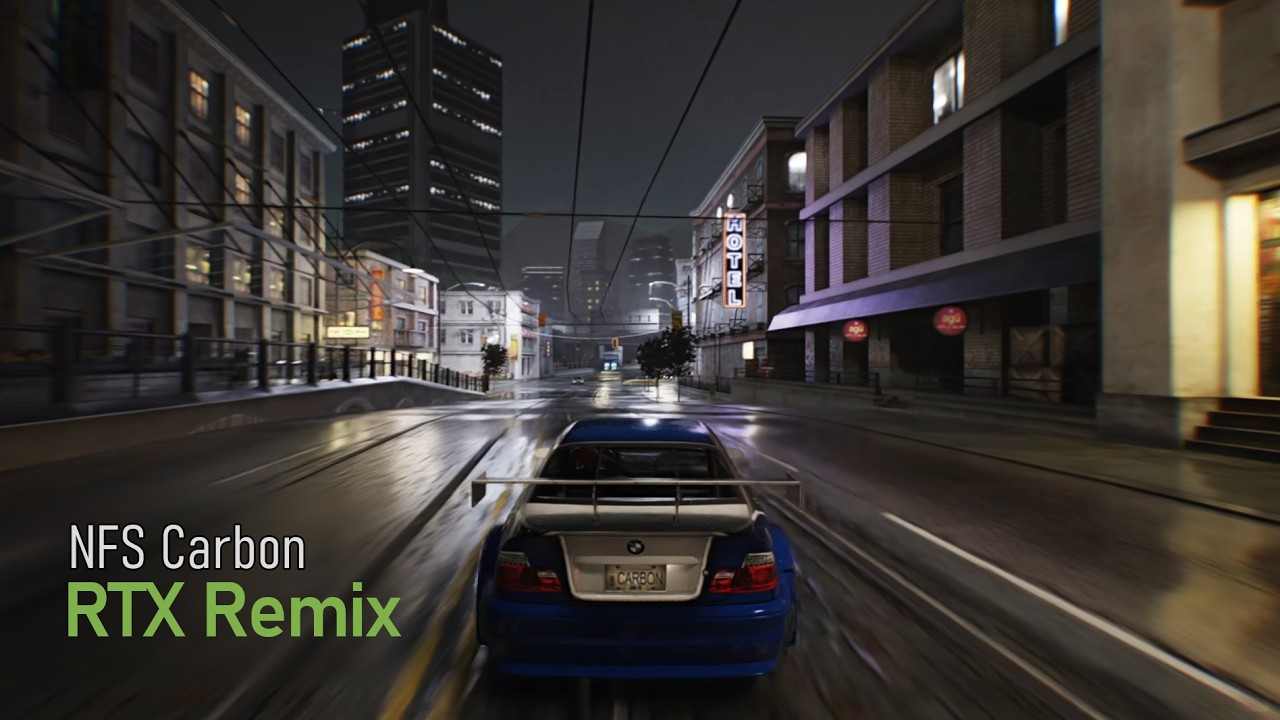
Using my remix compatibility mod:
https://github.com/xoxor4d/nfsc-rtx
Install instructions:
https://github.com/xoxor4d/nfsc-rtx/releases
And a remix mod made by hopelessness:
https://www.moddb.com/mods/nfsc-remix-01-beta
vivid musk

This should hopefully give it a boost
I got way too many nfs fans on my ass
Begging me for updates
distraction techniques
 quaint stream
next sundial
# NFS Carbon Compatibility Mod 0.9.3
https://discord.com/channels/10284446677899...
quaint stream
next sundial
# NFS Carbon Compatibility Mod 0.9.3
https://discord.com/channels/10284446677899...
This is what we waited for 😁
Amazing job
thorn flax
Is there a tutorial?
vivid musk
thorn flax
Alr
ashen sky
placeholder
ashen sky
ashen sky
placeholder
vivid musk
@next sundial how resolution?
next sundial
vivid musk
<@204650202072743936> how resolution?
sorry, updated the gh release:
 vivid musk
widescreen fix strikes again
@next sundial There's a weird stuttering going on. I'm not using frame gen
The game also feels like it's stuttering
Even though I'm getting above 60 fps
The frame pacing graph is normal but it's very stuttery
And whatever this is
next sundial
.. it might do something weird under the hood .. not sure. Something is off about this game anyway ... decals dont work at all
when you mark them, they disappear
vivid musk
weird
Definitely not very playable
The graphs and frame times all look good but when you actually play, there's a perceivable stutter. It's pretty nauseating
next sundial
mhh try the affinity batch file from gta4?
vivid musk
The only visible proof is the dlss debug hud
next sundial
you need to change the exe name obv
vivid musk
the hwat now
hollow delta
vivid musk
And whatever this is
What's up with Neville T Posing? lmao
vivid musk
We do not speak of that
next sundial
vivid musk
And whatever this is
lmao haven't played much so did not come across that
hollow delta
Meet the secret final boss of NFS Carbon
 vivid musk
next sundial
lmao haven't played much so did not come across that
vivid musk
next sundial
lmao haven't played much so did not come across that
Literally the first mission, lol
vivid musk
lets see
next sundial
already renamed .. a well besides the bat itself
next sundial
vivid musk
Literally the first mission, lol
I have a 100% savegame
vivid musk
next sundial
Didn't do much. Its still stuttery. Maybe the motion vectors are messed up?
hollow delta
vivid musk
Didn't do much. Its still stuttery. Maybe the motion vectors are messed up?
try with DLSS off
vivid musk
Guess that's the problem
Another issue specific to racing games that took me MONTHS to figure out is the
The uh
Instance thing
This needs to be tweaked because of how fast racing games are
 hollow delta
vivid musk
Guess that's the problem
hollow delta
vivid musk
Guess that's the problem
this seems like a nightmare i would have
vivid musk
vivid musk
This needs to be tweaked because of how fast racing games are
Sometimes stuff travels so far between frames that remix interprets it as a fresh piece of geometry.
That messes up the motion vectors among other cache related things
Screenspace motion vectors are also stuttering a lot
next sundial
Might be worth a GH issue on the rtx-remix repo if you are up for that
turbid shadow
Someone ping me then delete the ping or something?
next sundial
turbid shadow
Someone ping me then delete the ping or something?
Yea someone had trouble with this game and instantly pinged you. The issue was already resolved tho 👍
vivid musk
next sundial
Might be worth a GH issue on the rtx-remix repo if you are up for that
What would the issue be?
Seems like a game-side problem
next sundial
vivid musk
What would the issue be?
Well that decals do not work
turbid shadow
next sundial
Yea someone had trouble with this game and instantly pinged you. The issue was a...
👍 thanks for dealing with it then

 next sundial
and the motion vector issue you just shown
vivid musk
I'm going to be real with you
I don't like this game. The cars vibrate around like heavy machinery and it irks me so much I can't put into words
main ginkgo
next sundial
Welp, for context:
I had just added a toggle for it but he already rage quitted ...
Lol
main ginkgo
Do I understand correctly that the asphalt material properties can only be changed via the GUI?
Is it possible to implement a dynamic weather system using RTX Remix Logic?
next sundial
main ginkgo
Do I understand correctly that the asphalt material properties can only be chang...
No its completely dynamic and when it rains in the game, it gets wet. You don't need the gui for that
mellow rain
Man, as always with path tracing, this really shines when you play it yourself and see it in action. Amazing work yet again @next sundial
I did however notice these tire tracks rendering transparently 7FECD824194F79E8

Interestingly if I mark them as decals and then unmark them again they render correctly
Is it recommended to install updates for the game?
Is this a comp mod issue? 😂

Performance is great so far, haven't noticed any massive CPU limit, certainly nowhere near GTA 4
vivid musk
mellow rain
Performance is great so far, haven't noticed any massive CPU limit, certainly no...
Yes
next sundial
mellow rain
Is it recommended to install updates for the game?
uh well I dev'd on 1.4 what version are you on?
next sundial
mellow rain
Is this a comp mod issue? 😂
yea
and decals are messed up for some reason in this game .. they just become invisible when tagged as such
mellow rain
next sundial
uh well I dev'd on 1.4 what version are you on?
Oh, it's 1.4. I installed if off a disc so I thought it'd be 1.0
mellow rain
next sundial
and decals are messed up for some reason in this game .. they just become invisi...
It's weird, this particular decal seems to be untagged. If I tag it as decal and then untag it renders properly until I guess it unloads and loads again at which point its transparent again
hollow delta
mellow rain
Is this a comp mod issue? 😂
@xoror4d please fix tposing neville plox
lmao
next sundial
Will look at it in the coming days
main ginkgo
 thorn flax
mellow rain
Performance is great so far, haven't noticed any massive CPU limit, certainly no...
thorn flax
mellow rain
Performance is great so far, haven't noticed any massive CPU limit, certainly no...
not even close
only my gpu is being maxed
which is normal
9800x3d at max 40%
mellow rain
Played a bunch and man it looks good. Props to hopelessness for the mod as well
Recorded a short vid of me racing badly to upload
 spare notch
@next sundial I have updated the DLSS Files to the latest Version (310.5.3) and gained about 15-20 FPS in general. Only still fighting with Reshade Installation.
mellow rain
This is some good car rendering
 vivid musk
ashen sky
Might be the specular map
vivid musk
ashen sky
Might be the specular map
The reflection on the road
ashen sky
Ah yes
Wait what are you on about the reflections, do you mean these arrows looking a bit weird
 vivid musk
ashen sky
Wait what are you on about the reflections, do you mean these arrows looking a b...
vivid musk
ashen sky
Wait what are you on about the reflections, do you mean these arrows looking a b...
There are two sets of arrows in the clear reflection
One is the one you see actually above and there's a second reflection where the lines are much closer
mellow rain
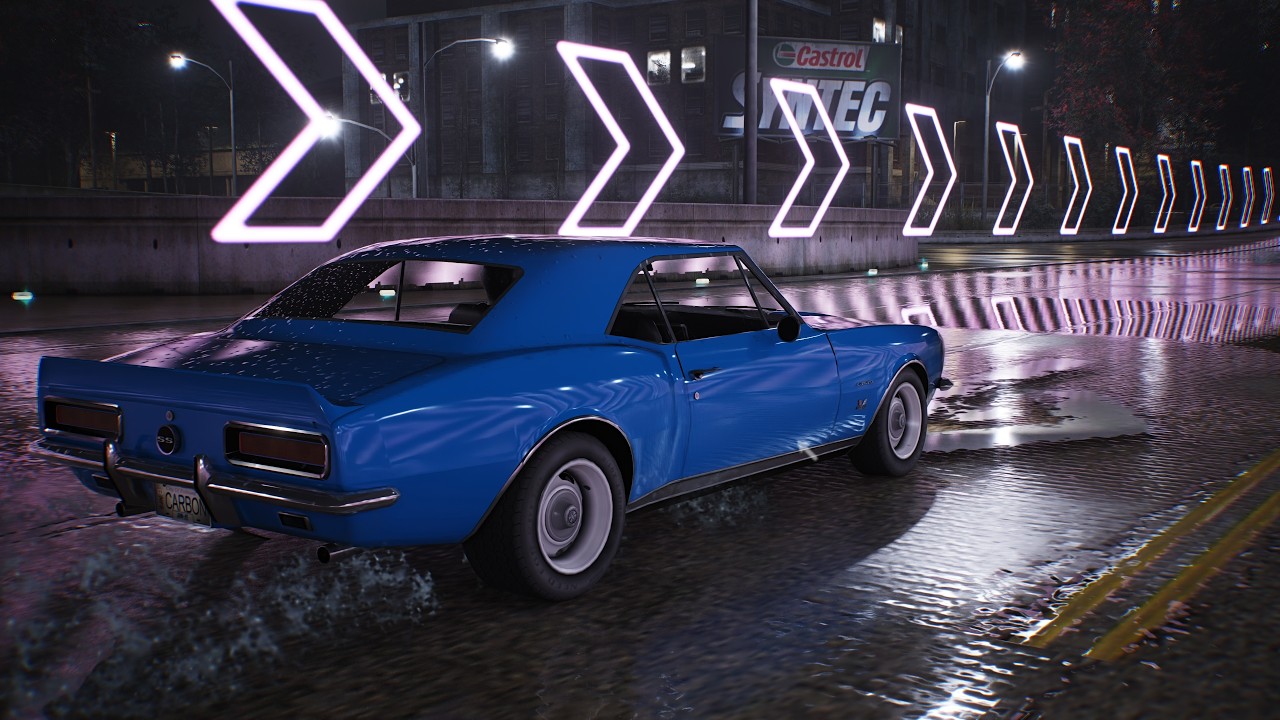
Mods used by hopelessness and #xoxor4d.
The compatibility mod is v0.9.0 so consider things still as WIP.
Get them here:
https://www.moddb.com/mods/nfsc-remix-01-beta/downloads/nfsc-remix-012
https://github.com/xoxor4d/nfsc-rtx
Install instructions are on Github
Recorded on a 9800X3D and a 5090.
vivid musk
Blue and red lines show the two sets
vivid musk
ashen sky
I see what you mean now
 mellow rain
There is definitely something weird going on there
Kinda looks cool thouhg
It gets fixed if I turn off enhanced mats

 ashen sky
Xoxor pls fix 🙏
 ashen sky
What if you ignore it?
mellow rain
Then it's not in the reflection anymore
Question is, is it supposed to be actually rendered
I don't know what vanilla looks like here
ashen sky
Clearly there are two textures judging by the outline around the arrow and the texture itself
Wonder why it's reflecting when there's nothing to reflect
vivid musk
Ahhh
I think the texture is whatever the game is generating. Should probably be disabled
hollow delta
main ginkgo
what about this case, where a bright yellow reflection is being shown on the right side but there's no bright light source there?
seems like a lightpole there but there's none on this road
maybe it's an artificial sun?
heady bear
This looks awesome already! @next sundial how do you have so many pbr materials already? I dont think you replaced the road textures by hand right?
next sundial
heady bear
This looks awesome already! <@204650202072743936> how do you have so many pbr ma...
It’s hopelessness‘ mod. I did not replace any textures besides some headlight fixes. Planning to speedrun my own mod tho so that I don’t have to rely on the other mod (because he might just pull it if he feels like it)
heady bear
Oh he did that okay I see
hollow delta
Things were going great, sad that he ragequit
mellow rain
Damn 140 comments on xoxors vid
NFS fans be fiending for some RTX
Or jus some sort of remastering for the old games
ashen sky
Lots and lots of people yearn that old look
eternal root
mellow rain
Or jus some sort of remastering for the old games
^
ashen sky
that stylized lighting or blue tint symbolizes the game's tone and sets it apart from others. I just wish the tone mapper solution becomes permanent
eternal root
That’s what happens when you haven’t released a game that’s a meaningful improvement to the series in close to 20 years
See: TUFU (the UE5 remake of Underground 2) and the two WIP remakes of MW in Unity and Unreal
mild stirrup
mellow rain
This is some good car rendering
imagine if it had rear lights 😭
ashen sky
It will bro, trust 🙏
@vivid musk will make a mod for carbon that'll leave underground 2 behind fr
spare notch
mild stirrup
imagine if it had rear lights 😭
In some situations the rear lights works pretty good.
 mild stirrup
Yeah and also its a game set at night time only
Night time without taillights is very unsafe and you will get a ticket
This mod is not lawfully compliant
thorn flax
spare notch
In some situations the rear lights works pretty good.
Same with the cgt
Looks amazing
Some are very bugged like the slr
And murcielago lp-640
cinder glade
will this work in nfsco online ??
next sundial
Does anyone know if this game is even using specular maps .. like at all? 😄
ah they seem to be in the alpha channel
quaint stream
Hey @next sundial what is your next plan with this game?
next sundial
AutoPBR
ashen sky
next sundial
ah they seem to be in the alpha channel
For which texture?
quaint stream
next sundial
AutoPBR
Awesome 😁 keep going community awaits
next sundial
ashen sky
For which texture?
pretty much all of them
not sure how to detect that tho
like a diffuse might actually use the alpha channel for transparency..
ashen sky
Why do they all have specular though. I guess only diffuse and normal maps are present


 eternal root
cinder glade
will this work in nfsco online ??
eternal root
cinder glade
will this work in nfsco online ??
No
ashen sky
next sundial
Looks proper and not anything related to transparency so far
Might be a few select textures that might have used alpha channel for transparency
How would one identify them though 🤔
next sundial
ashen sky
How would one identify them though 🤔
Like this it seems:
bool format_has_alpha(D3DFORMAT format)
{
    switch (format)
    {
        // Explicit alpha formats
    case D3DFMT_A8R8G8B8:
    case D3DFMT_A1R5G5B5:
    case D3DFMT_A4R4G4B4:
    case D3DFMT_A8:
    case D3DFMT_A8B8G8R8:
    case D3DFMT_A2R10G10B10:
    case D3DFMT_A16B16G16R16:
    case D3DFMT_A8L8:
    case D3DFMT_A2B10G10R10:
        return true;

        // Compressed formats with alpha
    case D3DFMT_DXT2:
    case D3DFMT_DXT3:
    case D3DFMT_DXT4:
    case D3DFMT_DXT5:
        return true;

    default:
        return false;
    }
}

bool texture_has_alpha(IDirect3DTexture9* texture)
{
    if (!texture)
        return false;

    D3DSURFACE_DESC desc{};
    if (FAILED(texture->GetLevelDesc(0, &desc)))
        return false;

    return format_has_alpha(desc.Format);
}

// ....

auto has_alpha = texture_has_alpha(texture);
if (!state.alpha_blend_enabled && !state.alpha_test_enabled)
Amazing. Can't wait for the entire game to look proper
 crude shard
Why game goes in slow motion if fps near native 30? Any ways to make it work in realtime?
jolly drift
cinder glade
will this work in nfsco online ??
Hell no. NFSCO blocks all DLL and ASI files
thorn flax
crude shard
Why game goes in slow motion if fps near native 30? Any ways to make it work in ...
Simrate set it to 0
In widescreenfix
next sundial
there are not a lot of world textures it picks up
crude shard
thorn flax
Simrate set it to 0
thanks, I'll try
thorn flax
No problem
next sundial
first autopbr pic

it generated 138 materials (some of them are ignored later on ..) on 1 run on a track .. not a whole lot
 quaint stone
next sundial
first autopbr pic
quaint stone
next sundial
first autopbr pic
What does it look like without rain?
next sundial
you only really notice it on the asphalt roads but its only a little
 warm river
hey there, did anyone tested performance with 3060?
 acoustic talon
cinder glade
will this work in nfsco online ??
acoustic talon
cinder glade
will this work in nfsco online ??
As SenseMods said, rx has blocked all code injection mods. This mod won't even work in NFSCO singleplayer. But maybe, if it gets good enough, he will change his mind.
next sundial
hollow delta
tbf, without may make the game more realistic, but i really like the blueish tint, if fits more with the game artistic style
next sundial
acoustic talon
As SenseMods said, rx has blocked all code injection mods. This mod won't even w...
There are always ways but they've probably hooked so much stuff that it would conflict a lot with my hooks
next sundial
should work just fine
mild stirrup
Hm instead of adding light thru mesh
Cant we just force the brake light on?
Like a toggle switch
next sundial
Brake lights are already working like they should but only on the ccx right now
teal turtle
next sundial
how does it know if road is inside the tunnel?
 mellow rain
teal turtle
how does it know if road is inside the tunnel?
mellow rain
teal turtle
how does it know if road is inside the tunnel?
There is an option for occlusion checking


I think it's using rays to check if the ground is obscured or not
Pretty cool
teal turtle
mellow rain
Pretty cool
yeah
thorn flax
crude shard
thanks, I'll try
did it work?
crude shard
thorn flax
did it work?
I will check it tomorrow, I am not near pc since I asked question(
 sharp karma
hello
hollow delta
hi
mellow rain
Hi there
thorn flax
Anyone else experiencing frequent crashing?
When going like back and forth in the menus
And quitting a race
Everytime there is a loading screen
Doenst happen when im just playing tho
Like racing or in freeroam
Only when like “loading” things ig
Not everytime but very frequently
spare notch
@thorn flax maybe a fresh reinstall could solve the issue. Game Version 1.4 runs fine so far.
thorn flax
Il try that
sharp karma
https://www.youtube.com/watch?v=nG_rg6BDCC8
can anyone please help me with this mod
I'm trying to get this to work but neville's head is over the car and the car models often are just wheels or no colour
Mods Used in this video:
Original RTX Remix Mods - https://www.moddb.com/mods/nfsc-remix-01-beta/downloads/nfsc-remix-012
- https://discord.gg/TJ9qKBbabT
Compatibility Mod 0.9 - https://github.com/xoxor4d/nfsc-rtx/releases/tag/v0.9.0
- https://discord.gg/xCusrq...
at first My version was 1.2
and then I tried to do with over redux mod
next sundial
Try clean 1.4 and make sure that you follow the install instructions correctly
sharp karma
Thanks
Will let you know
crude shard
thorn flax
did it work?
yes, it's better now. Thanks)
mellow rain
Thought I'd do some random benchmarks since no one is doing a nice tech article on RTX Remix titles. Sadly I only have one GPU/CPU

RTX Custom = stock settings
This is without FG of course
mellow rain
Btw Windows Defender is hella trying to kill the rtx.asi so if you're only seeing wheels make sure that's still in the folder
mellow rain
I have to redo it
Non-RTX had wrong settings
Here's a comparison I attempted to do although it gets pretty desynced because the autodrive from the mod I used drives pretty variably. If anyone knows a better way to have two identical races let me know
Also it's without the baked colors
 finite wagon
jesus what a difference
hollow delta
funny how the suspension goes wild when breaking lol
 sharp karma
Gotta admit
Vanilla game is beautiful
hollow delta
yeah, at nighttime it's easier to reproduce a more realistic graphic
the artstyle is awesome
at higher resolution and with some HD texture mods the game looks beautiful
 spring willow
Hi guys, my game looks like this, would anyone know what's wrong? 🙁

 mellow rain
spring willow
Hi guys, my game looks like this, would anyone know what's wrong? 🙁
mellow rain
spring willow
Hi guys, my game looks like this, would anyone know what's wrong? 🙁
Do you have nfsc-rtx.asi in your game folder?
spring willow
Would that just be in the base NFSC folder, or a subfolder?
mellow rain
Base folder
spring willow
I don't see it, no
 mellow rain
It needs to be in there to work. Try re-extracting the zip into the folder
Could be that Windows Defender is removing the file though, I had that happen yesterday
spring willow
OK thanks, I've now re-extracted it to the base folder, will give it a shot! 🙂
Got a debug console that opened up which looks promising, but now it's frozen here
 hollow delta
click on the game window, i think it will resume
spring willow
"NFSC.exe is not responding" 😂
hollow delta
i'd suggest you delete all of the files you put into the folder
of the mod
and do it again in the correct order
mellow rain
Just try extracting all the files from the mod zip into the folder again
spring willow
So compatibility mod first, then hopelessness' mod, right?
mellow rain
Yes but

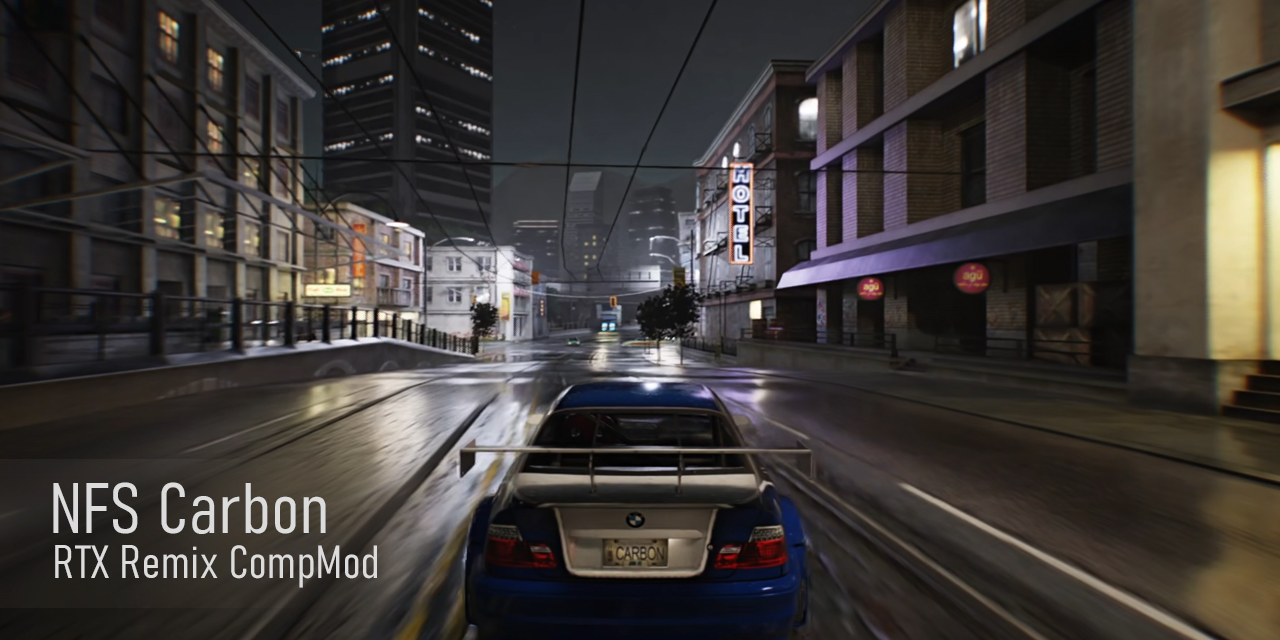
GitHub
NFS Carbon RTX Remix Compatibility Mod. Contribute to xoxor4d/nfsc-rtx development by creating an account on GitHub.
Installation instructions are here
hollow delta
hollow delta
at higher resolution and with some HD texture mods the game looks beautiful
Also, games that are build from the ground up to use ray tracing, or are sponsored titles such as HL2 RTX, usually yield even better results, the fact that we can have this already with just some modders with basic gamedev knowledge is awesome
spring willow
Now it doesn't even start smh. Followed the instructions again and deleted FX and plugins folders, which have since been reconstructed. Also deleted the NFSC dxvk cache and restarted the PC, and the cache has been reconstructed, but I get the same issue
 hollow delta
is your game version 1.4?
spring willow
Yessir
hollow delta
do you have other mods installed?
spring willow
Reshade is applied, but the game started up before with that applied. I believe I had an upscaled FMV pack
hollow delta
hmm i'm not sure if reshade is compatible with rtx remix
are you opening the game with the remix .exe?
spring willow
No, NFSC.exe
 hollow delta
the remix mod that you download in ModDB, you have to extract all the files in the main game folder
wait
i think after the compat mod, it's different now
spring willow
Yeah I only extracted this folder here as per the instructions. Just extracted the exe to the base folder and clicked to see if that worked, got the same issue
 hollow delta
@next sundial can you help us out here, i think install instructions got a bit confused after the compat mod
spring willow
Once I start up the game, I see the debug console doing its thing, then I hear what sounds like the Windows 10 error sound for a split second and it gets cut off
hollow delta
hmmm, try this
remove all files from both the moddb mod and compat mod
then, paste all the compat mod files in the main game folder
then, open the .rar for the remix mod from moddb, then paste the nfsc_remix folder inside rtx-remix/mods folder, inside the rtx-remix/molds folder of the game, and also nfsc remix.exe in the main game folder
then open the nfsc remix.exe with admin privigiles
spring willow
Adjusted all the files, will launch the game now
hollow delta
hope it works
spring willow
There were 10 files I had to replace, but they were DLLs and stuff; I deleted the files and folders shown in the rar for the compat mod


Not responding bruhhh
spring willow
Sure thing
hollow delta
which gpu are you using?
hollow delta
spring willow
RX6650XT
Game probably will run real bad on this GPU, but i don't think there's anything that will prevent u from lauching it
mellow rain
hollow delta
you have to open it with the other .exe the mod provides
You don't need this, the install instructions on Github are clear
mellow rain
spring willow
RX6650XT
It won't work on this GPU anyways, RDNA 2 isn't supported by RTX Remix
It might boot but there'd be bad graphical artifacts in addition to poor performance
hollow delta
mellow rain
You don't need this, the install instructions on Github are clear
nvm then
spring willow
Right haha, good to know
hollow delta
mellow rain
It might boot but there'd be bad graphical artifacts in addition to poor perform...
yeah poor performance is clear but i didn't know it got artifacts
next sundial
hollow delta
Do not use that
hollow delta
well it seems i was mistaken then, sorry
spring willow
When I launched it earlier and got the unrendered cars, the light streaks and reflections had artifacts, but that was before the remix asi was in the folder
Hey thanks for your help guys, appreciate it 🙂
hollow delta
it is usually a bit buggy depending on your game, but even if you manage it to work, it would have very poor performance on your gpu, trust me
i have a rtx 5060 ti and running the game on 1440p dlss performance i get between 25-45 fps
i can't even imagine it on this poor rx 6650
mellow rain
hollow delta
i have a rtx 5060 ti and running the game on 1440p dlss performance i get betwee...
Have you tried lowering RTX presets in the Alt+X menu
You can get a bunch of performance doing that
I'll do a benchmark later but just going to High could get a sizable jump in FPS
hollow delta
mellow rain
You can get a bunch of performance doing that
only ultra and high work properly here, putting on medium or low and the particle effects lose transparency lol
jolly drift
looks better than UG2 
 vernal storm
Did all the steps as recommended, but was not able to run it 🥲(7600X+RX 9070)
Getting this error, so i think this is my pc's issue
 wise flare
spring willow
Hi guys, my game looks like this, would anyone know what's wrong? 🙁
wise flare
spring willow
Hi guys, my game looks like this, would anyone know what's wrong? 🙁
I had the same issue. For some reason the files would not properly extract i think.
I fized it by deleting the .trex, FX Plugin/script folder and re extracted the mod. You know its working properly if u get a terminal opening i think
 low heart
Here is how it looks on my hardly modded copy. Primarily ImpMod and some others visual mods like HQ Vinyls


Performance hit hard on my 2080TI, but I love how it looks
Can’t wait to see other improvements!
mellow rain
Here are some benchmarks of the RTX presets I made. You can see CPU limits in the 1% percentile but if you're GPU-limited you could probably be closer to the percentage performance increases
 hollow delta
nice
mellow rain
Idk what exactly custom does but it looks nicer
hollow delta
in my specs i have found the best configs = 1440p with DLSS Performance, ray reconstruction on transformer and 2X FG, high settings, between 50 and 75 fps
mellow rain
Yeah, high is probably the best middle ground. Medium and low look significantly worse
hollow delta
mellow rain
Yeah, high is probably the best middle ground. Medium and low look significantly...
only bad part for me on medium/low is no transparency on particles
it looks like i'm playing nfs unbound lol
mellow rain
Slowpoke Pics image comparison service
Here are some pics to go along with the preset comparisons
FPS numbers are in the image titles
Now I wanna figure out what custom actually does differently 
hollow delta
only major differences between ultra and low is slight better reflections and global illumination
hollow delta
mellow rain
Now I wanna figure out what custom actually does differently <a:hmmSpin:14423335...
the light poles glow
if you take a look at the > sign and the light things in the building
they glow on custom
hollow delta
well welcome to ray tracing lol
tbf, it's probably just diminishing returns
if it was a game properly built with ray tracing in mind it would probably have more difference and better performance, but we're doing almost path tracing so it's very taxing on the gpu, specially using DLSS and also FG
at the long term, these old games eventually get reverse engineered, so it's a bit easier to implement some stuff
there's people doing it for nfsu2
but it has stopped for almost a year
 wispy goblet
why cant i download the rtx compatability mod from your official github wihtout windows defender recignising it as a trojan
bit strange init 👀
so in other words you cant install this mod
wow, what a sick mod! you cant even install the compatibility mod that allows you to even begin installing the mod
gusty tide
wispy goblet
why cant i download the rtx compatability mod from your official github wihtout ...
remix commonly gets detected by windows defender as a trojan but it's a false positive
because it hooks into a game's rendering process
inner rose
wispy goblet
why cant i download the rtx compatability mod from your official github wihtout ...
Just go to protection history and allow that .asi file
spare notch
 mild stirrup
low heart
Here is how it looks on my hardly modded copy. Primarily ImpMod and some others ...
mild stirrup
low heart
Here is how it looks on my hardly modded copy. Primarily ImpMod and some others ...
Damn. That bmw looks good quality now. Just needs upscaled textures
vapid vortex
prisma isle
It's not just about the baked lighting.
anime pfp, what do we expect
low heart
mild stirrup
Damn. That bmw looks good quality now. Just needs upscaled textures
Hell yeah! It really looks like if I’m playing a legit remaster of Carbon


 mild stirrup
spare notch
2048x HQ Vinyls & HD Reflections Mod applied.
mild stirrup
spare notch
2048x HQ Vinyls & HD Reflections Mod applied.
Hm i wonder if theres any mod related to world textures
spare notch
mild stirrup
Hm i wonder if theres any mod related to world textures
In earlier days there was some Texmod based modifications similar to U2 or MW05. This could work maybe also with the Remix too. I don't tried it yet.
next sundial
mild stirrup
Hm i wonder if theres any mod related to world textures
It's better to do that via remix instead of modding the game it self
low heart
spare notch
2048x HQ Vinyls & HD Reflections Mod applied.
Why doorlines are invisible though?
livid smelt
mild stirrup
Hm i wonder if theres any mod related to world textures

Project Palmont improves the visual quality of roads, trees and other in-game objects to give you a superior NFS Carbon exper...
Also guys
Try W2C mod
It port NFS:World map to Carbon, latest version add canyons to it

[h1]W2C[/h1] by MaxHwoy 2.0.0 [img]https://i.imgur.com/HxWYdwD.png[/img] [img]https://i.imgur.com/3qLWubA.png[/img] [img]http...
spare notch
low heart
Why doorlines are invisible though?
Idk.
 celest wing
hollow delta
bro just deleted the video while i was watching
celest wing
hollow delta
bro just deleted the video while i was watching
The video was uploaded to a youtube channel where hopelessness used to post updates on his mod's progress
thorn flax
spare notch
2048x HQ Vinyls & HD Reflections Mod applied.
Is this for every vehicle?
 spare notch
thorn flax
Is this for every vehicle?
spare notch
thorn flax
Is this for every vehicle?
From mods description: "The end result gives a massive boost in quality to all vinyls used in the game."

[b]This mod has reached end-of-life (EOL) and no further updates are planned.[/b] These textures have [i]not[/i] been upscale...

 unborn brook
can someone help me to make nfs carbon rtx ?
unborn brook
hollow delta
You need to update to version 1.4
are u asking nfs carbon version ?
now im deleted the game
downloading again
1.4 version
how i can setup rtx mod correctly
low heart
unborn brook
how i can setup rtx mod correctly

This video only shows the installation process, your mod version and compatibility layer may lead to a different final image
на этом видео показывается лишь процесс установки, ваша версия мода и прослойка совместимости могут привести к другой и...
spare notch
4096x HQ Vinyls & Enabled Vertex Colors Globally & custom Sky Preset
 mellow rain
Cars look nice but those streets need PBR
spare notch
mellow rain
Cars look nice but those streets need PBR
wetness is set at 50%
unborn brook
guys whats the best settings for optimized fps ?
mellow rain
unborn brook
guys whats the best settings for optimized fps ?
First setting DLSS to Performance and then tweaking the RTX presets in the Alt+X menu
Set it to high if your PC can handle it
unborn brook
mellow rain
First setting DLSS to Performance and then tweaking the RTX presets in the Alt+X...
i did it i set dlss to performence but my game is like 30-50 fps
i need best optimized settings and need looks great.
@mellow rain
can u help me ?
hollow delta
That's the right amount of fps man
Patch tracing is very taxing
And older rtx 3000s aren't that good with it
 night sierra
Can those ugly floating smoke/fog sprites be removed
that constantly spawn on the roads
ashen sky
Just ignore texture, unless they are used elsewhere as well
next sundial
iirc carbon used 1 texture for almost all effects so hiding that would hide all 😂
ashen sky
oh

 mellow rain

O NFS Carbon RTX Remix finalmente está aqui! Neste vídeo eu mostro o Need for Speed Carbon com Ray Tracing, totalmente transformado com o RTX Remix.
Será que esse projeto feito por fãs consegue virar o remaster que a gente sempre quis? Testei o NFS Carbon RTX com gráficos no ultra, iluminação realista, reflexos avançados e Ray Tracing a...
The comparisons at 2:42 are really sick
Although I think the detail level isn't set to max for the raster side
next sundial
remember

This video only shows the installation process, your mod version and compatibility layer may lead to a different final image
на этом видео показывается лишь процесс установки, ваша версия мода и прослойка совместимости могут привести к другой и...
mellow rain
Ok, didn't see that
next sundial
rain - remix particle system created and controlled via the remix api 
game only controls the amount of particles currently. I offset the spawner in the direction of the camera based on speed so that spawned particles still reach the camera when they are on camera height
vivid musk
next sundial
game only controls the amount of particles currently. I offset the spawner in th...
You could spawn a large invisible mesh on top of the car
next sundial
vivid musk
You could spawn a large invisible mesh on top of the car
mhh why?
vivid musk
As a particle emitter
next sundial
Why would I when I can do that via the api tho (did what you suggested for IV tho)
next sundial
what 😂
Spawning a mesh above the player is what I did in IV
this here does essentially the same but via the api which lets me control the particle system dynamically
ashen sky
next sundial
rain - remix particle system created and controlled via the remix api <:blob_gre...
Rain speed looks a little off but good work
Might be handy if some of the new parameters from Runestorm's suggested particle system improvements are accessible through the API
next sundial
ashen sky
Might be handy if some of the new parameters from Runestorm's suggested particle...
with more velocity - already using the new system but only for death on impact
ashen sky
This might be my preference but I always liked the intense rain effect of HP2010. It might look nice with carbon but idk if it can be 1:1 replicated
I do not own the rights for the music in game
Copyrighted content: Born Free
Claimed by: [Merlin] Beggars and UMG
-GTX 1070
-Intel Core i7 6700K @ 4.00GHZ
-DDR4 16GB RAM
-Windows 10
-Samsung EVO 850 SSD
mellow rain
Is there something that makes the raindrops appear more opaque/ brighter at the top?
next sundial
I dont think so, could make them more transparent on spawn and less near ground
 next sundial
cant get rain particles to look my way without setting the emitter at an angle .. I guess I'll make it rotate depending on the camera speed
ashen sky
The rain drops are shooting off in different directions depending on the speed, currently it's all aligned
Instead it should be pointing towards the camera somehow
next sundial
animated particles (only to keyframes)
ashen sky
Could some rain streaks be made longer? afaik this looks uniform to me, unless it's not.
next sundial
Yea but its hard to strike a balance that looks good in motion and when steady .. denoiser also eats a lot if standing still
next sundial
emissive particle cloud 😄
ashen sky
Yep that's it
I guess you can't really control the direction of each individual rain drop to not be in a single straight path
One key adjustment would be to have it slightly random in direction, but only slightly at high speeds
next sundial
I can set a random start degree offset
mild stirrup
next sundial
emissive particle cloud 😄
wtff game looks crazy
ashen sky
next sundial
I can set a random start degree offset
Honestly nailed it
ashen sky
So it starts off uniform when you're still, then gradually becomes a little random in direction at higher speeds, plus larger streak size/length
mellow rain
Damn it's really coming together
next sundial
mild stirrup
the road looks different
No longer using someone else’s mod. Everything you see if from @knotty belfry and me
 gritty zealot
Project looks amazing so far
low heart
next sundial
I can set a random start degree offset
Tail lights on fixed?
next sundial
low heart
Tail lights on fixed?
for some cars, yea. Will take some time to do that for all cars tho
low heart
next sundial
for some cars, yea. Will take some time to do that for all cars tho
Damn, so beautiful!
next sundial
Pretty pleased with the result. Don't want to overdo it. Thoughts?
gusty tide
not sure if it was already brought up, but the rain looks a little too thick?
next sundial
the denoiser eats all of it if I make it too thin
lost basalt
Shame on discord, can only hear the audio but the video js not playing💔
ashen sky
It's so laggy
gusty tide
what's the video encoded as? av1? it plays fine for me on my end
ashen sky
next sundial
for some cars, yea. Will take some time to do that for all cars tho
I think the result here looked fine..not sure about the latest revision
next sundial
gusty tide
what's the video encoded as? av1? it plays fine for me on my end
av1 yea
lost basalt
gusty tide
what's the video encoded as? av1? it plays fine for me on my end
I’m on iPad, guess it’s because of this, on pc video playing is always good
next sundial
better?
ashen sky
Do rain streaks have any emissive properties set by any chance?
next sundial
ashen sky
Do rain streaks have any emissive properties set by any chance?
yea very slightly
inner rose
next sundial
better?
still looks like snow, make it thinner, DLSS4.5 will be compatible with RR eventually anyway
ashen sky
How do I describe it but not be picky about how it looks 😅
It's kind of off putting to me. Doesn't feel natural with emissives. Have you tried setting them as translucent if remix allows?
gusty tide
next sundial
better?
still a little too thick to me, unfortunate that the denoiser ruins the potential for thin particles 😭
lost basalt
next sundial
better?
It’s working now , did you change something?
Looks like a snow a bit yeah
next sundial
lost basalt
It’s working now<:steamhappy:1438637501911666769> , did you change something?
changed to h265
lost basalt
Ah nice
next sundial
no emissives and slightly thinner and longer trail
kills them when standing still tho
lost basalt
What if make rain translucent?
next sundial
there is no alpha / mask / cutout logic so it would render rectangles
mild stirrup
next sundial
Pretty pleased with the result. Don't want to overdo it. Thoughts?
Damn its very good the only thing im displeased with is the fire coming from the exhaust
Its very lame
Going thru the smoke is so cool
inner rose
next sundial
no emissives and slightly thinner and longer trail
making it longer looks off, previous length was ok

![https://i.imgur.com/HxWYdwD.png[/img]](https://i.imgur.com/HxWYdwD.png%5B/img%5D)
![https://i.imgur.com/3qLWubA.png[/img]](https://i.imgur.com/3qLWubA.png%5B/img%5D)
if u look at og game it had quite shotrt rain drops
next sundial
they are pretty long if you ask me

mine are already shorter but denoiser is producing more trails then there really are
mild stirrup
The screen puddles effect/overlay is cool if you can imitate it