#Fallout New Vegas
1 messages · Page 5 of 1
 peak heart



 peak heart
 dusk rock
it's okay
dusk rock
it's okay
thank you that works
seeems though the game just see all texture as "UI" so its was an interesting test
 keen niche
Oh no, that's probably because the Alpha channel of normal maps is reused, huh?
 hearty crane
@mighty topaz alpha blended: off
@mighty topaz From blueamulet's post:
rtx.skyBoxTextures = 0xA101BC160F9A401F, 0xA8EEF498B9799592, 0x70FD819D34D66854, 0xF6329E764BD73AEB, 0xE1585117D4E0B6F7, 0xD9CE192F4BAE037, 0xD3BD65A7C94B4AAD, 0xC03567212C8098A, 0x40A50501BBD59548, 0x9FEDDD1F0D9CC630, 0xA243B41375A21BCB, 0x6827AEF437EB8EB8, 0xCACAF2D2FE12ED22, 0xD16D5508EFB08CC1, 0x3A15B2026469D1CA, 0x1E150DE322965FA6, 0x85011A990FA7FD7A, 0xD4EE97B1560D25E0, 0x98368B6751200F30, 0x16FF7421AA78A959, 0xA5573958A638336B, 0xB89D26463D62DFAA, 0xACDFADD0D2EBCB6, 0xC345697725EACE15, 0xB97C2EFC68044D1B, 0xDEBDD0BC51391A42, 0xA4D80D15B19F91BD, 0xA0CF7BBD64E13D4E, 0x6D7C91F952086F23, 0x4D21C792A0630FDE, 0xBBD36AE50E866D97, 0x12CCB88C2720DF21, 0x2C02BE5BD469FB8D
Go to rtx.conf(main dir) and paste all this
have to restart the game ofc.
 dusty lynx
nice, the bridge issue is fixed in a nightly now
@hearty crane mind changing the first post to use https://github.com/NVIDIAGameWorks/bridge-remix/actions/runs/5095209923 instead for the bridge mbc hack part
hearty crane
@dusty lynx So instead of the hack AND the dxvk-remix ?
This contains both?
dusty lynx
no, that is just the bridge
though, for now could also change dxvk-remix to https://github.com/BlueAmulet/dxvk-remix/actions/runs/5096553900, actually allows more lights to get passed to remix
dusty lynx
She's looking a little different

 dusty lynx
Alright I commited the various stuff related to new vegas to my GitHub
https://github.com/BlueAmulet/RTXRemixStuff/tree/main/NewVegas
same stuff I've been putting here just in an easier to find location that can be updated
 jagged forge
I believe I followed the guides completely, including using the latest RemixStuff from the message above, but I'm getting this
 dusty lynx
Set [Display] bDoSpecularPass=0
jagged forge
Heck yeah, but there is a vault boy face in the sky haunting me :D
 dusty lynx
The rtx.conf in that repo should have all the ui textures marked already including that face
dusty lynx
ah, that was the texture that was breaking dialog ... that'll probably need some kind of patch then.
hearty crane
dusty lynx
Alright I commited the various stuff related to new vegas to my GitHub
<https://...
Main post updated , including this: RTXRemixStuff
hearty crane
jagged forge
I believe I followed the guides completely, including using the latest RemixStuf...
disable emissive blend overide , or Alpha blended
dusty lynx
hearty crane
disable emissive blend overide , or Alpha blended
The normal maps are because bDoSpecularPass needs to be 0, turning alpha blending off removes parts of the world
hearty crane
I knew et removes some glass pitchers / t-rex dolls and so on.. but i didnt think specular is the same as normal pass
dusty lynx
There, added some performance tips like the culling option and alpha blending to the page, and fixed another UI texture causing rasterization during Doc Mitchell part
dusty lynx
oh nice at some point the pipboy seems to be working
 jagged chasm
It started working on mine prior to the update 
jagged chasm
I posted a video a few days ago
There’s a texture that gets all the icons and text written to it that needs set as UI texture.
The pipboy light works with Walls mod
dusty lynx
Damn parsing nif files is slow.
 ornate marlin
jagged chasm
There’s a texture that gets all the icons and text written to it that needs set ...
ornate marlin
jagged chasm
There’s a texture that gets all the icons and text written to it that needs set ...
Background still rasterized?
jagged chasm
Nope all PTd but it’s way over exposed.
I think I wanna try getting the emissive textures assigned this weekend.
Non automated cause I feel like it ends up breaking it somehow
dusty lynx
@jagged chasm tell me if you figure out how to get it actually working in a usda, cause my emissive maps still don't work
also fun flaw with making a usda based on the diffuse, some meshes share the same diffuse but use alternate everything else textures
like two lamp nif, same diffuse, but one has no glow texture and one does have a glow texture because it's lamp_off and lamp_on
jagged chasm
Yea that’s why I’m thinking starting to think we’ll have a general override for the typical stuff and then have to do a lot of texture assignments by hand.
By the way, do you use IDA Pro or Freeware?
jagged chasm
dusty lynx
like two lamp nif, same diffuse, but one has no glow texture and one does have a...
At least we can easily toggle this game back into rastering via ui textures.
dusty lynx
You'd want to use UI for glow textures? plus can't really toggle it back off so anything else would be force rasterized
hearty crane
@dusty lynx Think he meant World space UI = Emissive , not UI textures
dusty lynx
the glow texture isn't the main texture so that doesn't work
The normal map is also the environment mask?
 jagged chasm
hearty crane
<@475032692501643264> Think he meant World space UI = Emissive , not UI textures
jagged chasm
hearty crane
<@475032692501643264> Think he meant World space UI = Emissive , not UI textures
Nah I meant easily toggling to raster to see what kid of light we should use.
hearty crane
my mistake
hearty crane
There was the o2 UI in da sky.To remove et mark as sky tex. If marked as UI then the interiors(at least the apartment on my left) is rasterized

Better performance too with the latest newvegasrtxhelper(newvegasrtxlights)

But the Sun disk is not visbile(checked the ini , VisualSun=True)
jagged chasm
hearty crane
There was the o2 UI in da sky.To remove et mark as sky tex. If marked as UI then...
The o2 texture seems to be favorite of the sky to use.
jagged chasm
hearty crane
Better performance too with the latest newvegasrtxhelper(newvegasrtxlights)
We’re above 15 fps 
hearty crane
 dusty lynx
hearty crane
But the Sun disk is not visbile(checked the ini , VisualSun=True)
dusty lynx
hearty crane
But the Sun disk is not visbile(checked the ini , VisualSun=True)
Visual Sun makes the sun light come from where the sun disk is in the sky
otherwise the lighting is kind of noticeably jank, and apparently vanilla FNV has that issue as well, it's just less noticable
jagged chasm
I have these two textures as world ui rtx.worldSpaceUiTextures = 0x5F6F85D5038CC51F, 0xC22B26934294C233
I believe they are the ones that allow you to use the pipboy and terminal while maintaining PT
dusty lynx
also uhh, in order to restore the game's post processing for now, I've taken to just marking the underwear texture as ui, cause I just coc'd to a location instead of starting the game, so I have no clothes lol
jagged chasm
I'm getting 40fps outdoors now
dusty lynx
also confusingly ... I notice some of the stuff that's gets removed when I uncheck Alpha Blending, is marked as Alpha Tested in the .nif
hearty crane
Two times now i get not necessarily a crash but the game freezes suddenly(after a while) , no responding.
dusty lynx
Same, I think it might be from the bridge, newer bridge doesn't immediately crash but I think it deadlocks after a while
hearty crane
jagged chasm
I'm getting 40fps outdoors now <:Pog:1013613859921199184>
What CPU do you have? 🙂
jagged chasm
CPU: 12th Gen Intel(R) Core(TM) i5-12600K
hearty crane
This smoke marked as UI brings back the Yellow tint and makes the smoke normal/rasterized.
 dusty lynx
also confusingly ... I notice some of the stuff that's gets removed when I unche...
dusty lynx
dusty lynx
also confusingly ... I notice some of the stuff that's gets removed when I unche...
and looking at the rendering in GPA Alpha Testing is enabled ... and also Alpha blending, even though alpha blending is turned off in the nif
@brazen oyster What scenarios does your Alpha Rendering Tweaks mod fix the alpha blending state being wrong?
hearty crane
😄
 dusty lynx
ah yes
hearty crane
Wow...Pipboy light , no fallback light now 😁
Light pretty weak though.

@dusty lynx Also important, Now im ingame maybe hour if not more. With your previous hack [remix-mbc_hack]
hearty crane
Changing sphere light fixed radius made et non-responsive
 mighty topaz
hearty crane
😄
mighty topaz
hearty crane
😄
F I S H
dusty lynx
I'm thinking that the direction light intensity also needs to be reduced, and maybe the sky brightness
everything through remix has been way brighter
keen niche
hearty crane
Wow...Pipboy light , no fallback light now 😁
Light pretty weak though.
You could make a mod that increases it. There's also one I remember that causes it to fill more space, but be dimmer. That might work?
hearty crane
I dont know anything bout programing
keen niche
hearty crane
😄
Is the land in the distance getting ray-traced, too? That would be awesome.
keen niche
hearty crane
I dont know anything bout programing
Not programming, you'd just open the Geck or xEdit and make the Pip-Boy light brighter/have a larger radius or something.
hearty crane
keen niche
Is the land in the distance getting ray-traced, too? That would be awesome.
Yes.Thanks to blueamulet, adamplayer, Wall_soGB , and others
keen niche
Do you think the light needs to be brighter, just have a larger radius, or what?
I don't know how real lights function.
dusty lynx
I believe both would have the same effect in this case
keen niche
Okay, this should increase the radius of the Pip-Boy light a bit.
Aaaaaah what the heck? The RTX light .dll is still setting all the options to false!
I've even tried marking the file as read-only, and it still does it!
dusty lynx
yeah that I don't understand, lemme send you one with some debug stuff
@keen niche
just show the NewVegasRTXLight.log it makes
keen niche
dusty lynx
just show the NewVegasRTXLight.log it makes
Where will it make it?
dusty lynx
in the Fallout New Vegas folder
 dusty lynx
the fuck?
keen niche
😢
It should still work even though MO is virtualizing the folder structure, right?
Especially because it's still setting the options to False again in the file!
dusty lynx
yeah but, I changed the lpDefault to "Gone" for the log, so it should either be what's in the ini or "Gone"
I have no idea where "DUMMY" is coming from
now I'm curious lemme make that buffer larger
Either way though something's breaking your GetPrivateProfile functions, not only is it wrongly reading DUMMY, it didn't write the new LightIntensity setting to the ini
 dusty lynx
oh it works now?
keen niche
Apparently so!
Maybe a mod of mine is changing something related to that? Stewie's Tweaks optimizations, perhaps?
Even got sun shadows for the first time!

Where's that .usda with stuff ignored and set?
dusty lynx
btw set bDoSpecularPass to 0 to get rid of the normals
keen niche
I did set that, but it looks like it didn't take.
dusty lynx
in Fallout.ini specifically?
keen niche
I did it in falloutprefs, I'll try the other file now.
It seems to have worked, but there's something funny about my gun.
 dusty lynx
yeah some stuff is just kind of jank like that, when I go into conversation with people they turn into tar
 Dimmer is a property of NiLight, so the sun also has it, I wonder if I need to be using it.
keen niche
Probably, that can be controlled via animations.
Also, cool to see that the sun is respecting the actual set sunlight color!


 dusty lynx
seems like Dimmer is always 1 but I'll do it anyway
keen niche
Try looking at a Nuka-Cola vending machine. That has a light with (I believe) an animated dimmer.
dusty lynx
point lights have the dimmer already multiplied, just forgot to do it with the sun light
dusty lynx
nope, even at night dimmer was 1
keen niche
Oh, something Wall did was make 'sunlight' come from the moon at night. That probably deals with a lot of it.
dusty lynx
hmm, curious about that cause I know the light is kind of directionally off at night as well
keen niche

Nexus Mods :: Fallout New Vegas
Fixes moonlight, making the moon the light caster instead of the sun.Additionally fixes some other Sky related bugs.
dusty lynx
oh hmm says lStewieAl's mod also does stuff related to sun light
keen niche
I think Stewie's Tweaks fixes the offset between the sun sprite and the actual light.
dusty lynx
Does their tweaks mod have no source available?
keen niche
 dusty lynx
oh okay
keen niche
Yeah, there we go:
 dusty lynx
The issue I've been having with the sun is the direction is nonsensical, the local position is okay except at night the values go over the sky again in reverse. Plus it should be tracking the moon instead. Maybe the light direction isn't a vector but a series of rotations? Idk.
hearty crane
And the moon light intensity? or is et basicaly the same light source?
keen niche
Same thing. I think the moonlight is just controlled by the sunlight color in the weather's night setting.
 brazen oyster
dusty lynx
<@279385934804549632> What scenarios does your Alpha Rendering Tweaks mod fix th...
brazen oyster
dusty lynx
<@279385934804549632> What scenarios does your Alpha Rendering Tweaks mod fix th...
eh, the fixes there are so niche (except TMSAA) I don't think it's noticeable in vanilla
brazen oyster
keen niche
Yeah, there we go:
can't escape me
 dusty pivot
dusty lynx
The issue I've been having with the sun is the direction is nonsensical, the loc...
dusty pivot
dusty lynx
The issue I've been having with the sun is the direction is nonsensical, the loc...
The sun direction has a side angle but the sun sprite is always following a path that goes through the exact top of the sky
The real solution would be to match the sprite to the light direction otherwise it's a strange lighting choice for this region of the world
brazen oyster
yea, the directional light is purely horizontal
dusty pivot
And yeah I believe the light direction is essentially the vector of the light in world coordinates
jagged chasm
dusty lynx
everything through remix has been way brighter
It’s because they set the auto exposure to a weird bracket.
jagged chasm
If you set it to something like -2 to 20 with an adaption speed of 10 it’ll handle the big exposure range these remixes are coming out to
dusty lynx
jagged chasm
If you set it to something like -2 to 20 with an adaption speed of 10 it’ll hand...
oh, raising the minimum or just outright disabling Eye Adaptation helped a lot
yeah the default of -2 is making nights and interiors feel extremely overbright
jagged chasm
Yea ideally you'd have enough light that'd you wouldn't have to set it in the negatives unless there's only a tiny amount of light.
jagged chasm
Oops, all normals!
 dusty lynx
Updated my USDA generator, now supports parsing .nif files, loading texture hash maps (incase the textures you want to use are different from the game's), and now has progress bars
still need to figure out how to do emissives though.
 summer cargo
dusty lynx
still need to figure out how to do emissives though.
summer cargo
dusty lynx
still need to figure out how to do emissives though.
From what I saw of the directory, the _g tags were very consistent-- a check for the diffuse filename + _g should get most of them.
The difficult part would probably be getting the color right, from what I've seen in Anachronox.
dusty lynx
They aren't, but I have the emissive textures, they're written to the USDA, they don't load
summer cargo
Oh.
jagged chasm
Like load at all? With the emissive flag set and the intensity set higher than 40?
It might be getting blocked by another texture tbh
dusty lynx
Is there any input bool I need to set for it to actually be emissive, currently just setting the intensity and emissive mask texture
 dusty lynx
And there it is.
Alright thanks
Eventually I'll need to also read emission strength out of the nif, only doing texture maps right now
summer cargo
I really need to compile the full list of vars because having to manually apply each one in Omniverse to find them all is such a pain.
jagged chasm
summer cargo
I really need to compile the full list of vars because having to manually apply ...
Pretty sure we all want that list.
I think the aperture mdl might be it
summer cargo
I've got a template for the default but need to finish the translucent one.
I'm pretty much about to pass out and not on my computer but I'll upload my template tomorrow for the basic aperture model and opacity.
dusty lynx
I usually just search the dxvk source code for all the input variables
summer cargo
You might even find a couple that aren't in Omniverse Create, who knows 👀
dusk rock
emissive textures were ghosting heavily for me
setting individual lights might be better?
jagged chasm
Ghosting is made worse from the lack of stable geo hashes right?
dusk rock
yes
i believe so at least
however in the game i tested, it had stable hashes where the light was bring projected, and it still ghosted heavily
but a manually placed light source didn't
that's the emissive light
this is the manual light. it's floating and attached to the camera, no idea why, but you can see that the projected light is far more consistent
jagged chasm
jagged chasm
It's chainning time ⛓️
 jagged chasm
But wait!
Need to break the quad for every layer

Looks really neat tho
For as old as this game is, the materials are pretty good
Weird how little I feel like I see them in the game
jagged chasm
By the way: have we checked if the source of the gray material is due to the paths getting messed up relative to the capture usd and the mod usda ?
dusty lynx
Mark seemed to think it might have been a bug in remix

but wait, is that the classic normal purple?
The game has normal maps, randomly in the emission mask slot

jagged chasm
I should start with the window textures first those emissives help so much.
How’s the nif to usd workflow going Blue?
dusty lynx
I uploaded it to my github yesterday
it's kind of crap tbh, PyFFI uses depreciated then removed things in python that need to be patched
they fixed it on GitHub but the pypi version is old
It fails to parse several meshes
but, yeah was worth it, the whole suffix thing is not consistent, and some meshes use textures from other folders too
jagged chasm
I’ll have to try it out 
dusty lynx
oh right another downside, it's slow, like would have taken 2h:24m slow if I didn't multithread the nif parsing and cache it
jagged chasm
I’ll run it while I chain 
dusty lynx
Essentially the following:
pip install xxhash tqdm PyFFI PIL
usdagen.py -t textures -m meshes -hm texhashes.txt -o output.usda
texture hash maps used instead of hashing on the fly, incase you want to use different textures that would otherwise change the hash
well, it can hash on the fly if you don't give it a map or it's not in the map, also useful if you have a few mesh fix mods that come with custom textures
then the textures folder, the generated folder it makes, and the usda go into gameReadyAssets
also kind of seems like the emission mask in remix is not actually a mask, if I give it a solid blue texture the whole thing becomes blue rather than just the blue parts of the diffuse
jagged chasm
So I need to extract the meshes as well now?
jagged chasm
dusty lynx
Essentially the following:
`pip install xxhash tqdm PyFFI PIL`
`usdagen.py -t te...
PIL should be pillow right?
dusty lynx
right, yeah
jagged chasm
I remember getting confused about it when I tried using it the first time
  File "C:\Users\Adam\AppData\Roaming\Python\Python310\site-packages\pyffi\formats\nif\__init__.py", line 1383, in read
    block.read(stream, self)
  File "C:\Users\Adam\AppData\Roaming\Python\Python310\site-packages\pyffi\object_models\xml\struct_.py", line 373, in read
    attr_value.read(stream, data)
  File "C:\Users\Adam\AppData\Roaming\Python\Python310\site-packages\pyffi\object_models\xml\array.py", line 317, in read
    elem.read(stream, data)
  File "C:\Users\Adam\AppData\Roaming\Python\Python310\site-packages\pyffi\object_models\xml\struct_.py", line 373, in read
    attr_value.read(stream, data)
  File "C:\Users\Adam\AppData\Roaming\Python\Python310\site-packages\pyffi\object_models\common.py", line 384, in read
    self._value = struct.unpack(data._byte_order + 'f',
struct.error: unpack requires a buffer of 4 bytes``` These normal?
This thing works really well. Amazing job
It does expect the textures and generated folder to be next to the mod.usda right?
dusty lynx
yep
jagged chasm
So much texture
 summer cargo
dusty lynx
also kind of seems like the emission mask in remix is not actually a mask, if I ...
summer cargo
dusty lynx
also kind of seems like the emission mask in remix is not actually a mask, if I ...
Yeah color data seems to come from the emission map in Remix. I think it's like Metallics and Roughness where if you include that it ignores the other info you gave it.
I wouldn't use EM for anything but metallics or roughness since it's only supposed to help with cubemaps.
In Anachronox my white emissive textures are causing the system to assume every light is white.
keen niche
dusty lynx
also kind of seems like the emission mask in remix is not actually a mask, if I ...
Uhh... that makes sense?
It works like that in the game, too. It's a mask, not a... color-matching glow-maker?
You're not telling it 'pixels of this color in the diffuse will glow', it's a glowing layer on top of the object, making whatever's under it glow, tinted the color on that spot of the emissive mask.
jagged chasm
Blue, is there anyway to set the strength of the sun as it gets passed to rtx?
It's coming in really low. It needs to typically be in the 50,000 range
Oh theres a lighting intensity in the ini
my bad
dusty lynx
keen niche
You're not telling it 'pixels of this color in the diffuse will glow', it's a gl...
Except I'm getting the opposite of that
Like let's say part of the diffuse is black, but the "mask" is white, I'm getting white emission not the glowing diffuse
I'll just need to test how the shaders do it, busy atm though
keen niche
dusty lynx
Like let's say part of the diffuse is black, but the "mask" is white, I'm gettin...
That's how I'd expect it to work.
For the examples I've tried, in both Blender and New Vegas, the emissive mask is itself a layer, that is colored by its own texture.
In Blender, if I take an untextured cube and paint something on it with the emissive mask, those parts glow what I've set it as.
In New Vegas, if I apply an emissive mask to a weapon that didn't have it before, the weapon will glow in the parts that have been colored in the mask, using the mask's color and/or the nif block's emissive color.
Oh, there's one case I don't think Remix can handle. Like, at all:
Dynamically-changing textures/objects.
For example, animation-controlled scrolling textures, or pulsing emissive strength, or color-changing rainbow emissive things.
dusty lynx
Yeah sadly, some kind of system where you can say: for X shader, these inputs mean these certain things
atm I'm having the issue that the windows are always glowing, even at day
keen niche
Yeah, that's controlled in the reference by the engine. The 'emittance region'.
Basically, you give it a region, and it reads the weathers in that to determine how bright the emission should be at different times of day.
For things like lights you want to go on at night, there's the 'inverted daylight region', for which colors are black (non-emissive) during the day, and white (Full-emissive) at night.
dusty lynx
keen niche
That's how I'd expect it to work.
For the examples I've tried, in both Blender a...
The part about this that I'm confused about then I suppose, the lights for the saloon have a normal map for the emission, but they are still different colors in new Vegas, but just solid normal map purple in remix
keen niche
Since Remix only gets the raw textures and stuff, that's... probably not going to be dealt with.
brazen oyster
just mod it lmao
fyi
you can check texture slots in game
if they are truly correct
keen niche
dusty lynx
The part about this that I'm confused about then I suppose, the lights for the s...
No idea about remix, but the glow map in NV is sort of a tint on top of whatever's there, along with making it bright despite lighting.
It takes both the glow map's color, and the nif block's emission color, which is a separate setting the engine reads.
brazen oyster
select object in console, SSG command
go to the shader property
you will see all textures of that geo, with filepaths
slots are named
also, windows have correct textures
 dusty lynx
I got all the texture sets through the nif, and yeah the windows are fine, I mean the string of lights
brazen oyster
ah those
dusty lynx
dusty lynx
This picture
brazen oyster
actually, makes me wonder now
is it using alpha channel of the normal
for the mask?

dusty lynx
From what I saw in GPA, didn't seem like it
brazen oyster
where's the code for these passes...
brazen oyster
dusty lynx
From what I saw in GPA, didn't seem like it
then it's weird to get that from normal data wtf
I wonder if this is obsidian being dumb
or if FO3 does the same
I'll have to ask nobark
dusty lynx
I'll mess around with it once I get back home
brazen oyster
dusty lynx

 gloomy lark
@brazen oyster what am i supposed to be looking for
brazen oyster
 normal or fucked up
gloomy lark
bad
brazen oyster
gloomy lark
<@279385934804549632> what am i supposed to be looking for
the lights are using normal map as emissive
is this obsidian being special or what
gloomy lark
yes
gloomy lark
i don't even know which part of the normal the engine would use in that case
brazen oyster
me neither
gloomy lark
i'm pretty sure the gold bars in dm use the normal as an environment mask, and use the spec as the mask
which would make sense but also lazy af
 gloomy lark
third channel is the glowmap dummy
brazen oyster
lmao
brazen oyster
gloomy lark
i don't even know which part of the normal the engine would use in that case
so you know now???
gloomy lark
third slot
brazen oyster
mf, this is the 3rd slot
gloomy lark
in the middle of an adhd meltdown rn, remember
brazen oyster
i can count
 gloomy lark
anyway i'm surprised there's even something there considering all the other strip lights like that don't have a mask assigned
brazen oyster
brazen oyster
i can count
someone give me a medal pls
gloomy lark
maybe
gloomy lark
cool
brazen oyster
can I upload it here or will Roy sue me
gloomy lark
idc
gloomy lark
what the fuck, someone got rtx running on Barnyard???
brazen oyster

gloomy lark
i didn't even know that had a pc port
brazen oyster
nobark's ditchin TTW for Barnyard modding
gloomy lark
no i imagine it plays like ass on m&kb
 gloomy lark
i'll have to find a copy at some point, shit was the bomb growing up
nick had tons of great licensed games in the 2000s
anyway, i'll provide what little meshoid knowledge i have if you need me
tho wall's probably more useful since meshes are just meshes
brazen oyster
don't be so shy
gloomy lark
also there's a ton of shit i don't know, anything like vfx is voodoo and there's not a whole lot of people in the community who understand how it all works
brazen oyster
[ BSShader::SetShaders ] New pass: "BSSM_ADTS2_G"
[ BSShader::SetShaders ] Vertex "SLS2016.vso"
[ BSShader::SetShaders ] Pixel "SLS2024.pso"

yea
it uses alpha
gloomy lark
lol
dusty lynx
brazen oyster
it uses alpha
alpha's used as an emission mask?
dusty lynx
most of that normal's alpha is black
okay yeah I made the diffuse of the 24 hour sign black and the emission is also black. So it is masked emission of the diffuse unlike blender and remix where it's just additive
dusty lynx
I'm just going to verify remix's behavior but I'm pretty sure I'll also have to make the usda writer also generate emission textures
jagged chasm
I think it’s finally time to figure out how to use nsight and see what’s killing perf now that we’ve got a way to mass set textures. 
gloomy lark
knowing the engine, probably water
dusty lynx
jagged chasm
I think it’s finally time to figure out how to use nsight and see what’s killing...
You know about Intel GPA as well right?
jagged chasm
dusty lynx
You know about Intel GPA as well right?
Does it hook into remix easier ?
dusty lynx
oh you mean debugging remix
I just prefer it over old nsight for dx9 debugging
otherwise normally I just use RenderDoc
jagged chasm
I never got old nsight working ngl. But I’m bad at getting legacy stuff working.
Was there ever an intel gpa that took x86 dx9?
dusty lynx
yeah the latest still does
I kind of struggled to figure out how to use nsight, did get it captured once but it doesn't save a capture file for analysis later it freezes the program and does analysis then, and was awkward to use
summer cargo
dusty lynx
The part about this that I'm confused about then I suppose, the lights for the s...
Can you multiply by the diffuse for the affected glow maps?
dusty lynx
yeah that's what I'm going to have it do
jagged chasm
dusty lynx
yeah the latest still does
The capture layer supports only 64-bit applications. However, the injection mechanism will work with 32-bit processes for the purpose of allowing the capture of applications that require 32-bit launchers.

dusty lynx
idk I have 2023 R1 installed and just used it today for looking at the normal map emission behavior
jagged chasm
brazen oyster
for me GPA recordings have a 10% change of actually loading
I had 0% for the longest
Only thing that worked correctly is Renderdoc and nsight 2023
 jagged chasm
If we combine them all together, we might get a single working trace.
jagged chasm
Nsight crashes anytime I try to profile remix 
dusty lynx
bit better
 dusty lynx
alright uploaded the emission changes for the usda writer to github
known issues: your skin glows.
gloomy lark
that's the fake subsurface scattering
could probably fix it with a black glowmap for body textures
summer cargo
dusty lynx
known issues: your skin glows.
Just emulating that 7th-gen bloom, I see. 😂
dusty lynx
having mostly working emission definitely looks nice, especially the casino
jagged chasm
I ran into an issue, if you go into the sunset sarsaparilla factory, there are no lights passed to remix for some reason
dusty lynx
@jagged chasm can't replicate
 jagged chasm
Damn. Must be a skill issue on my part
dusty lynx
am noticing some culling funkyness in that building though so will have to see what parts of the patch are needed for that
jagged chasm
dusty lynx
am noticing some culling funkyness in that building though so will have to see w...
It does have the nice touch of having openings to the skybox so you can get some really cool lighting.
keen niche
jagged chasm
It does have the nice touch of having openings to the skybox so you can get some...
Does the RTX plugin actually account for interiors with the 'act as exterior' flag, and give it sunlight?
jagged chasm
keen niche
Does the RTX plugin actually account for interiors with the 'act as exterior' fl...
Yes. It ends up loading the whole exterior in LOD form around the interior.
keen niche
Oh, uhh... that's extremely unusual, and not at all what I'd expect that plugin to do.
Normally, only proper exteriors can have LOD.
The only exception would be if a mod changed an interior to be in an exterior to have the LOD, or if they made the LOD a nif they just placed to give that effect.
jagged chasm
I meant the lower LOD form, like the lowest detail one.
dusty lynx
keen niche
Oh, uhh... that's extremely unusual, and not at all what I'd expect that plugin ...
I didn't do anything in the plugin specifically regarding that flag
I just send lighting info to remix and use one of wall's culling patches
dusty lynx
@jagged chasm did notice that there is a few solid black reflection textures, which kind of annoyingly means the normal is not DXT1 so intentionally has an alpha texture, but likely shouldn't?
maybe there's some nif flags or something that controls whether the normal map alpha is used
jagged chasm
You mean roughness? Did you make sure to invert it?
dusty lynx
yeah it's inverted
jagged chasm
Hm.
Yea maybe if there’s no alpha or if it’s black, then there’s no roughness map for the mesh.
dusty lynx
or it might just be more obsidian jank
jagged chasm
Lot of touch ups by hand will need to be done 
ornate marlin
@dusk rock good shit man gratz
dusk rock
ornate marlin
<@410198342300205066> good shit man gratz
what did i do?
ornate marlin
dusk rock
what did i do?
Article
jagged chasm
Have any you guys used the anti cull lighting with new Vegas yet?
jagged chasm
Oh right, I wanted to send you the MO2 instance and game folder sans game files
hearty crane
I dont see the point , there is no culling for light with blueamulet's Newvegasrtxhelper/NewVegasrtxlights.
hearty crane
Anyone noticed this in other games?
https://www.youtube.com/watch?v=cRsSL7iB7nc
 dusk rock
i'm not sure i see the issue?
shadows cast from the particle effects
they're a bit heavy though
jagged chasm
Oh I hear the issue. You don’t have Johnny guitar playing.
dusk rock
lol
hearty crane
Ye, i was asking bout the particle shadows(they may be heavy cause suposed to be night...notice all shadows are pretty dark)
And now....
for something completely different....


 jagged chasm
dusk rock
right now i have this masterpiece
jagged chasm
dusk rock
right now i have this masterpiece
You still want my instance/game folder?
hearty crane
Didnt look anything like this last time i was here. Credit goes to Blueamulet, adamplayer, Wall_soGb and others
 jagged chasm
hearty crane
Didnt look anything like this last time i was here. Credit goes to Blueamulet, a...
jagged chasm
hearty crane
Didnt look anything like this last time i was here. Credit goes to Blueamulet, a...
Damn how'd you get it looking so good 
hearty crane
@jagged chasm Didnt do much,if anything(not for robco i mean).Ets the ingame's lighting.
Heres the conf. so others can test themselves
jagged chasm
I don't know what I messed up 
 dusty lynx
jagged chasm
I don't know what I messed up <:monkaChrist:1021952401047031849>
dusty lynx
jagged chasm
I don't know what I messed up <:monkaChrist:1021952401047031849>
What's the NewVegasRTXLight.ini or log look like?
Might have the lighting pass turned off
 crisp plank
Sorry to necropost, I think the obsoleted by link is off in this message but is correct on the release page of your fork.
dusty lynx
crisp plank
Sorry to necropost, I think the obsoleted by link is off in this message but is ...
I'll check it out when I can, but we've experienced random hangs with the newer bridge that don't happen on my patch, so unsure what to have the status as
crisp plank
Newer as in as of MR "Bridge doesnt handle concurrent D3D9 module and device calls safely"?
dusty lynx
Yes
crisp plank
Is that discussion in this thread?
dusty lynx
#1106553248590090351 message
#1106553248590090351 message
Discussion was mainly just these two instances, but yeah as soon as I went back to my patch no hang anymore
crisp plank
Thank you
hearty crane
dusty lynx
I'll check it out when I can, but we've experienced random hangs with the newer ...
I uploaded that old "hack" to #1095455547748257862 , cause et helped once more,this time with skyrim LE(same multiple bridge commands error) , crash on startup right before the menu(used dxvk remix #93 )
 plush walrus
If the hangs can be isolated to module commands (IDirect3D9 type) from multiple threads, then we just discovered this ourselves a day or two ago. Should be a simple fix.
jagged chasm
Per Wall, it was whenever the game loaded textures.
plush walrus
New logs with a higher verbosity would help pinpoint this. I'll get a fix going for what I know to be a problem in the meantime
jagged chasm
plush walrus
New logs with a higher verbosity would help pinpoint this. I'll get a fix going ...
It was triggered mostly from going from indoors to outdoors if that helps. I haven’t played for a long enough period of time to get the crash again.
crisp plank
I think Nick is asking about the recent hangs since his changes were merged late last week.
jagged chasm
Ah my bad. I guess I can use this as an excuse to play the game more 
If I get a spot where it occurs I’ll submit an issue with the save attached. 👍
crisp plank
This is the build I believe Darko and BlueAmulet were using when they hit those hangs. https://github.com/NVIDIAGameWorks/bridge-remix/actions/runs/5095209923

GitHub
This is the NVIDIA RTX Remix Runtime Bridge repository - Bridge doesnt handle concurrent D3D9 module and device calls safely · NVIDIAGameWorks/bridge-remix@4d6dc56
hearty crane
Dxvk remix #93 memory issue ,confirmed.
i thought having blender in the background messed up my VRAM , but that has nothing to do with this)
Starts with 8Gb cap( i have 3080ti) then after a while goes to 6GB.
Correction:Not dxvk's problem,(reverted to dxvk remix #90) but some issue with GPUs memory.Ets fine after windows restart.I had memory issues with this GPU but it restarts automaticaly and goes back to normal.So ets weird that this never happened within remix before.
 jagged chasm
dusty lynx
What's the NewVegasRTXLight.ini or log look like?
jagged chasm
dusty lynx
What's the NewVegasRTXLight.ini or log look like?
PassLights=True
LightRangeMode=0
DisableCulling=True
SunLight=True
VisualSun=True
SkipRenderPass=True
LightIntensity=1000```1000 wot
jagged chasm
The lights were coming in as less than 1 intensity in OV
Sunlight needs to be cranked way up cause it comes in below 0.
Otherwise you won't get any shadows or bounces
dusty lynx
but I've been seeing shadows
jagged chasm
With actual sunlight amounts there should be a red color bleed on the ground

It does cause overlighting with the rest of the lights though
hearty crane
crisp plank
This is the build I believe Darko and BlueAmulet were using when they hit those ...
Yes, i have that 4d6dc56-release marked(in my pc) as Crash after 10-20 min.
dusty lynx
jagged chasm
It does cause overlighting with the rest of the lights though
the intensity option in the build you're using doesn't even affect the sunlight
jagged chasm
Well fug
dusty lynx
also yeah, new build of helper plugin on github
I added moonlight intensity option and added the intensity factor to the sunlight
hearty crane
Someone else test this conf, i got strong pipboy light in Novac Apartment.Also in Nipton Road pit stop but didnt in nipton. NIght stalker cave is messed up with some of the ceeling being emissive, (alpha blended removes this problem).
jagged chasm
jagged chasm
With actual sunlight amounts there should be a red color bleed on the ground
I had some thought on this, I think it’s something to do with the materials more than the lighting itself.
keen niche
jagged chasm
I had some thought on this, I think it’s something to do with the materials more...
I think that, as well. Without proper materials, you only have the global reflection scale.
Hopefully the material converter can work, because the game is capable of decent metallic-like materials, and I believe it could hold up in RTX.
jagged chasm
In the mean time it means I get to remix materials 
I wish substance handled dds files cause I hate switching back and forth between formats.
I should get the USD workflow of substance working, maybe that’ll be easier than converting back and forth.
hearty crane
Pipboy light in action
https://www.youtube.com/watch?v=bYnr0yzvLqQ

 opal sage
keen niche
I think that, as well. Without proper materials, you only have the global reflec...
opal sage
keen niche
I think that, as well. Without proper materials, you only have the global reflec...
the game is capable of having kinda decent metallic materials but almost none of the vanilla assets are set up to support it
opal sage
jagged chasm
I wish substance handled dds files cause I hate switching back and forth between...
I’ve been looking for a plug-in that can handle it for a while with no luck as well lol
jagged chasm
I know i can sync painter with ov, but I don’t quite know how to work that out with our setup cause it imports the whole scene.
Wonder if the mdl editor in OV could be used on a per material basis.
keen niche
hearty crane
Pipboy light in action
https://www.youtube.com/watch?v=bYnr0yzvLqQ
I wonder what that looks like with Wall's positional Pip-Boy light mod?
jagged chasm
opal sage
I’ve been looking for a plug-in that can handle it for a while with no luck as w...
Okay, so you can get the usd mesh to load easy enough into substance painter

ornate marlin
Your gonna paint textures interesting I'm a node substance designer myself
jagged chasm
Are you able to use existing textures in substance deisgner?
ornate marlin
Yes
Don't know about the file type but generally yes
You can plug them into the right nodes to visualize it correctly too
Base color
Normal
Hight
Ect....
Can even merge or split rgb channels and use curves to isolate aspects of a texture if you want to edit parts of it or recreate it in a more dynamic and tweakable manner
Substance designer is amazing
jagged chasm
I wish the mesh.usda stored the UV map instead of making its own.
jagged chasm
Oh if I load it into substance painter it auto scales it so that it works
Now only if I knew what I was doing
jagged chasm
So I’m thinking the low performance outdoors may be due to how remix handles alpha textures.
dusk rock
that lines up with something i ran into on Skyrim
jagged chasm
Is the world geometry full of decals there?
dusk rock
i was thinking more along the lines of grass and tree textures. the more densely populated an area is with those, the laggier it is
but Skyrim also has other major issues, so i guess don't count on that
jagged chasm
Hm. I’ll see what MDL the decals and veg is using. I hope it’s the transparent one cause that would make things a bit easier to change I suppose.
dusk rock
grass and foliage is screwed up in Skyrim actually, lots of vertex explosions. so just ignore what i said
jagged chasm
Fair enough.
Could it also be the lack of stable geo hashes?
I know that messes up a lot of the temporal systems with lighting
dusk rock
i am curious about something though. in Skyrim, we can set the fov to 160, then back to 80. this almost entirely eliminates culling.
i wonder if this works in NV too. i know you guys have that patch already though
dusk rock
jagged chasm
Could it also be the lack of stable geo hashes?
well, we seem to have managed stable hashes actually. unfortunately there's still some weird stuff going on, so i'm not sure if it's actually stable
but it seems to be
jagged chasm
dusk rock
i am curious about something though. in Skyrim, we can set the fov to 160, then ...
Like in game? Seems like some Bethesda jank 
jagged chasm
dusk rock
well, we seem to have managed stable hashes actually. unfortunately there's stil...
Weird. The only game on this engine that Id expect that is fallout 3.
dusk rock
dusk rock
jagged chasm
Weird. The only game on this engine that Id expect that is fallout 3.
we added this to rtx.conf: rtx.geometryAssetHashRuleString = positions,indices,texcoords,geometrydescriptor,vertexlayout
it removes vertexshaders as part of the calculations for geometry hash rendering
dusk rock
hopefully it does. it's important to note that this only benefits rendering, not captures
more info here: #1097563444137427056 message
hearty crane
Gonna try that in Stalker CS too...
dusk rock
Mark put through an update on the remix repo a few days ago to change the way the geometry hash debug view works. it'll now show the geometry hashes for capturing, rather than rendering
that way we can now tell if our captures will work
i did ask for modes for both, as it'd help to know if rendering and captures are stable
dusk rock
dusk rock
@jagged chasm do you have any ideas about what could be causing the pop-in for geometry and foliage like that? Skyrim's draw distance settings are at max already
jagged chasm
Not sure. I don’t have that issue in game. With captures foliage appears as a few pixels for some reason.
dusk rock
interesting
we have issues with meshes overlapping and being placed on top of each other in captures
jagged chasm
I think that blue amulets mod fixed that with disabling the render pass. I think there’s a way to use console commands to disable some render passes
dusk rock
hm
jagged chasm
I know he based his mod off of TES reloaded, so you might be able to get an equivalent for Skyrim working if there’s someone experienced with it.
dusk rock
blue offered to give it a shot, so i'm patiently waiting
hopefully that works out. if not, i'll have to venture into the depth of the skyrim modding community 😛
we have lots of areas like this without any foliage or rocks. i'm pretty sure there's supposed to be some...

also i think NV uses terrain blending?
if so, Mark said this: #1113472651277652028 message
i'm about to try it for Skyrim
did nothing 😦
jagged chasm
How does the new terrain blending work?
dusk rock
unfortunately that's all the info i've seen on it
i didn't even know it was replaced until that comment
i think we need release builds more often to document improvements like this
it's already been almost a month since 0.2.0
GitHub
[REMIX-433] Add support for multiple texture stage TextureFactor blending.
See merge request lightspeedrtx/dxvk-remix-nv!228
seems like it may have been this
jagged chasm
dusk rock
we added this to rtx.conf: `rtx.geometryAssetHashRuleString = positions,indices,...
So stable hashes helped a bit but not anything to write home about
I still think this this may be the issue that causes the most, a lot of textures that should be opaque seem to get marked as transparent by remix
summer cargo
jagged chasm
I still think this this may be the issue that causes the most, a lot of textures...
Does it have to do with the fade in effect the game does for LoD objects?
jagged chasm
Not sure, might be though now that you say that
I don't quite know how to disable that
dusk rock
jagged chasm
So stable hashes helped a bit but not anything to write home about
what were you hoping it would help with? also what did it actually help with, i'm curious
dusk rock
jagged chasm
I still think this this may be the issue that causes the most, a lot of textures...
this?
jagged chasm
dusk rock
this?
Nah just fps in general
dusk rock
ah, yeah. it wouldn't help with that afaik, just rendering issues/glitches
jagged chasm
Seems the disabling culling still causes insane performance issues
Disabling that and doing the FOV trick seem to be a good in between
dusk rock
does the FOV trick work in NV too?
jagged chasm
I think so
dusk rock
jagged chasm
So stable hashes helped a bit but not anything to write home about
and what did it help with?
sorry for all the questions, lmao. trying to gather info
i wanna do a write up on some of the geometry hash stuff at some point
jagged chasm
dusk rock
and what did it help with?
It went up by a fraction of FPS I believe. Like .2
dusk rock
i guess if it fixed some glitchy rendering (even if it wasn't visible) that'd make sense. weird though
also is this the latest build of Remix?
jagged chasm
Correct
dusk rock
okay. in that case, i think your captures should also be stable given that geometry hash debug view
jagged chasm
As in comparing hashes between captures?
dusk rock
using captures to replace meshes or similar
the mesh hashes shouldn't change with a stable geometry hash from my understanding
it's possible that part was always stable too. the reason i asked about the Remix build was the change Mark made here: #1099591203768504421 message
i'm probably not being very clear right now, sorry. i'm preoccupied
jagged chasm
Ah, I'll try adding a light to a mesh and see what comes of it 👍
jagged chasm


Welp that solved that
Now let's see if this works

I'm going to disable Blue's RTX mod to make sure it's just the modusda attempting to create a light
Doesn't stick in the right place as previously expected.
dusk rock
ugh
same issue as Skyrim and Barnyard
i did open an issue for that already, nothing has come of it yet
if you want to add to it @jagged chasm: https://github.com/NVIDIAGameWorks/rtx-remix/issues/181

GitHub
First Issue Using Remix with games such as Barnyard or Skyrim, which are heavily shader based, seems to work fine now. However, when adding lights to meshes (following the proper steps), the lights...
 fervent sinew
is it runtime's problem?
jagged chasm
I think it's a shader capture problem
dusk rock
yeah
it's definitely something with shaders
all of the games that have this issue use shaders for the terrain
brazen oyster
jagged chasm
Doesn't stick in the right place as previously expected.
you know what scares me
the lighting looks so flat, it looks identical to FO4
 opal crystal
tbh it looks a bit like F4NV's take sunset sarsaprilla place.
And no, I can't share the video of it for comparison, it was shared to me in confidence.
fervent sinew
this wasn't shared to me in confidence and it surly resembles it, it's amazing
 opal crystal
Indeed, it does.
 dusty apex
opal crystal
And no, I can't share the video of it for comparison, it was shared to me in con...
dusty apex
opal crystal
And no, I can't share the video of it for comparison, it was shared to me in con...
Nah homie, I gotchu.
Ah wait, can't share the video but I can share some of the assets I've made
Anyways, any of the models I make for F4NV can be used by modder's here for remix
fervent sinew
damn no leaks 😦
dusty apex
fervent sinew
damn no leaks 😦
Nope, but I can give you some info. The SSHQ I'm working on is in beta, and hopefully this October I'll post some screenshots and have all the props and maybe Festus done. Currently just trying to learn and find information about custom skeletons for FO4
 winged osprey
Not sure if that helps, but there is a mod that removes all “fake” lights that are not attached to a mesh. There is also a mod that attaches lights a to all meshes that should have it
jagged chasm
brazen oyster
you know what scares me
Eh, I just slapped a disc light in there. Didn't really try to make it pretty
brazen oyster
nah, it's not really Remix specific
I get the same feeling, just inverted, when I look at NVR
except that NVR looks better than FO4
but it really hits this "damn, FO4 is just FNV with shadows"
the materials are hardly changed, despite the new renderer
jagged chasm
I'd imagine they kept their same willy wonka esque texture pipeline in FO4 since it seems to work for them in production.
The render is still the same in FO4, just modified a ton right?
I guess I'll take the trigger word of "lighting looks flat" to start researching the lighting design in video games.
brazen oyster
jagged chasm
The render is still the same in FO4, just modified a ton right?
no
FNV uses a wild mix of BSBatchRenderer for the... rendering, and NiDX9Renderer for D3D9
Oblivion doesn't have a batch renderer at all iirc
with Skyrim's Creation Engine, Bethesda moved from Gamebryo as far as possible
I mean, they were already super far
so Skyrim and later have BSRenderer handling everything
So the only thing left from Gamebryo is scenegraph building
brazen oyster
brazen oyster
FNV uses a wild mix of BSBatchRenderer for the... rendering, and NiDX9Renderer f...
btw, don't let the name fool you
geometry is not batched
 boreal timber
jagged chasm
The render is still the same in FO4, just modified a ton right?
boreal timber
jagged chasm
The render is still the same in FO4, just modified a ton right?
it is essentially the same as skyrim, except with an added roughness map. which just switches to lower res mipmaps on the environment map with greater levels of roughness
brazen oyster
it's only sorted
jagged chasm
brazen oyster
So the only thing left from Gamebryo is scenegraph building
Oh so it looking like FO4 is pretty wild then. That's quite a jump to make for it to make.
boreal timber
although i think skyrim had much better normal maps when combined with cubemaps than NV did
brazen oyster
jagged chasm
Oh so it looking like FO4 is pretty wild then. That's quite a jump to make for i...
yea esp as FO4 is the first title to use a mixed renderer
it uses forward and deferred
everything prior was forward
jagged chasm
boreal timber
although i think skyrim had much better normal maps when combined with cubemaps ...
Even with the mod usda with the games original materials ported over to remix?
brazen oyster
brazen oyster
yea esp as FO4 is the first title to use a mixed renderer
so like, that got overhauled
material system got overhauled af too
but materials themselves?
stayed pretty much similar
boreal timber
jagged chasm
Even with the mod usda with the games original materials ported over to remix?
sorry, what do you mean?
brazen oyster
boreal timber
although i think skyrim had much better normal maps when combined with cubemaps ...
esp as cubemap shaders are broken by default
they are a bit better with 3.0 shaders, but the normal map influence is still weak
jagged chasm
boreal timber
sorry, what do you mean?
Blue wrote a script to create a mod usda for FNV that ports the original textures/materials over to remix. So the games orginal normals/metalic etc can be used rather than need to be recreated. I think they look really good for the game's age.
boreal timber
jagged chasm
Blue wrote a script to create a mod usda for FNV that ports the original texture...
they'll definitely look better but without baked normal maps they won't really touch anything from the last ten years or so
the assets are way too dated
luckily there are plenty available from the community, and it's a very easy platform to replace assets for
even without remix eventually adding that functionality
which is why i'm excited for remix to work with beth's games
jagged chasm
Is there any examples of assets with higher quality baked normal maps I could try out?
boreal timber
many, it's kinda difficult to give specific suggestions
especially in terms of weapons, there are plenty of high quality replacers around
this guy also does reduxes of various environment art https://www.nexusmods.com/newvegas/users/90554463
 jagged chasm
boreal timber
many, it's kinda difficult to give specific suggestions
jagged chasm
boreal timber
many, it's kinda difficult to give specific suggestions
Using Blue's script, we can actually change the textures really easily and during runtime.
For an asset that replaces a mesh with a better quality one I think we'd have to install it as a mod and get the new mat_hash from it to make it work though.
I'll try seeing what kind of workflow is needed to bring them in
opal sage
jagged chasm
Blue wrote a script to create a mod usda for FNV that ports the original texture...
But the problem is most vanilla assets lack a metallic + gloss map lol
opal sage
You can make one based off assuming metallic + height from a mix of the base color and normal
it’s kinda messy but it sorta works
I made a substance designer workflow that produces a gloss map from the height while mixing in base color details
opal sage
(I can send it when I get home)
Bale disagrees on its usefulness cuz he just remakes what he wants from scratch with completely new models and textures lol
 tulip hill
boreal timber
this guy also does reduxes of various environment art https://www.nexusmods.com/...
tulip hill
boreal timber
this guy also does reduxes of various environment art https://www.nexusmods.com/...
Feel free to use any of my work for this project, if source files are needed I can provide those too
opal crystal
Its back, the legal issues have been solved, the DRM is reimplemented back in.
https://www.nexusmods.com/newvegas/mods/81281?tab=description

Nexus Mods :: Fallout New Vegas
Downgrades the Epic Games EXE for NVSE and mod support. Currently does not support playtime or achievements.
dusk rock
oo nice
 little wave
Hey, have you guys managed to add Lights ingame through Create?
 stuck harness
well lets see how this goes
 fervent sinew
good game anyway
stuck harness
is there a rtx.conf file?
opal crystal
This will probably be useful for you,
#1106553248590090351 message
stuck harness
so my game just looks like a normal map
 boreal timber
everything seems pretty normal here...
hearty crane
Alot of Nuka Quantum was spilled
stuck harness
Yeah I've got no clue though all I've done is toss in an updated dxvk and bridge 4gb patch and rtx helper
hearty crane
@stuck harness If you wan to explore a bit a see how et looks, disable alpha blended.That should eliminate the normal maps.Caveat : you loose some of the props , geometry like bottles, trex toys etc..
stuck harness
so how was outside 'fixed'?
hearty crane
I dont know exactly, blueamulet or adamplayer should know
jagged chasm
stuck harness
so how was outside 'fixed'?
Magic  Blue would know more than me.
ornate marlin
Been dark how are things?
opal crystal
At least two 3d modelers have offered to let their models be used as good replacements for base game models.
ornate marlin
nice, I assume the lull is also just waiting for updates to Remiz for some hopefully better and more consistent compatability
jagged chasm
Since hashes aren’t stable enough for replacements/modifications, as far as I know the only thing that’s still low hanging fruit is adding metallic maps to textures.
 north sequoia
Have you tried changing the hash string to make them stable?
jagged chasm
Yes but then they’re relative to the player position
jagged chasm
#1106553248590090351 message
north sequoia
Have you tried removing positions or texcoords?
jagged chasm
No, not yet.
little wave
opal crystal
At least two 3d modelers have offered to let their models be used as good replac...
I also offer my 3d skills
When model replacements are easy enough to do
 manic stone
i followed the guide and tried rtx. the game now runs at a juicy 4 fps, i run out of vram even though i have 11 gigs and the scene will either go purple or start shaking. what am i doing wrong?
its not my setup either since i run a dual 2080ti with an nvlink bridge
should i enable culling or someting?
jagged chasm
Yea. The removal of culling is hard on the system
manic stone
ok. ill re enable it and try again. btw, when this is finished, will it come fully packed as a mod rather than a bunch of smaller mods and sets of instructions?
its not difficult to install, i just feel like i forget stuff.
jagged chasm
 buoyant heart
Tried the guide with my preexisting TTW and everything is silver 
opal crystal
I wonder is it possible to have RTX Remix run without ray tracing or any graphics changes but still be able to get DLSS running through it?
 fervent void
As of right now, the answer is no. That may change in the future, but I am not sure what the point would really be. After all, any card that can use RTX Remix would be able to run any game that it supports without RTX Remix and still reach a more than sufficient framerate without needing DLSS, especially given the age of the games in question.
opal crystal
I just like DLAA.
 signal wave
not to be rude but is there any progress?
jagged chasm
Nah, not at least from me
dusk rock
i think most projects are waiting now for the proper toolkit
doing it right now is just inefficient compared to that (i'd hope, at least)
summer cargo
At least as far as the base level of compatibility goes, chances are it'll go from 0% to 97% completion in the span of a couple of days. 😛
signal wave
Nice
stuck harness
i got addicted to the game 💀
 fervent sinew
ncr? legionary? lonesome? Tell Us
keen niche
stuck harness
i got addicted to the game 💀
Those are rookie numbers.
 stuck harness
Well considering i bought the game just a week ago
opal crystal
Only finished one ending myself, plan to do another few someday,
 stuck harness
not sure if it is just me but the tick fix mod seems to help a fair bit with fps
 craggy crag
Yeah, I believe it's because the engine's vsync and ticks per second are mismatched. NV is weird...
summer cargo
craggy crag
Yeah, I believe it's because the engine's vsync and ticks per second are mismatc...
Do you mean to tell me a game by Bethesda and Obsidian has bugs?
craggy crag
Bethesda / Obsidian bugs are just built different
stuck harness
And also not sure if it is just me but vats seems to somehow be broken as it always has 0% hit chance
jagged chasm
stuck harness
And also not sure if it is just me but vats seems to somehow be broken as it alw...
Yes it relies on a shader I believe.
 novel herald
jagged chasm
Yes it relies on a shader I believe.
novel herald
jagged chasm
Yes it relies on a shader I believe.
the hit chances are calculated in the shader?!?!
manic stone
that seems really stupid
 knotty oxide
That Bethesda engine quality
brazen oyster
manic stone
that seems really stupid
why
it's literally the only proper way to check visual occlusion
stuck harness
jagged chasm
I still think this this may be the issue that causes the most, a lot of textures...
How did you get everything to look normal with alpha blended
keen niche
stuck harness
How did you get everything to look normal with alpha blended
I don't know about them, but I went through and marked loads of applicable textures with 'Legacy Cutout', and that looks pretty decent.
stuck harness
also what mods are you using?
stuck harness
has anyone had an issue where some captures contain nothing
where in the screenshot anything that is 1kb in size is an empty capture
 jagged chasm
Yes, you have to take them twice sometimes depending on the game
 random night
In Garry's mod it crashes remix
 gusty kraken
Sometimes you need to wait a while. In NFSU2 I hit capture and leave the game open with enhancements off and wait. After a few seconds (5-20, depending on scene complexity) the 1kb file turns into something
random night
gusty kraken
Sometimes you need to wait a while. In NFSU2 I hit capture and leave the game op...
No like
It crashes entirely
For me
The game is still on
But bridge crashes
stuck harness
yeah that is what also happens
but it seems to only happen in that one spot (the cave to the honest hearts dlc)
stuck harness
tried to improve the power armour with pbr

 gusty kraken
try checking the <Game_Exe_name>_d3d9.log, see if it has any logs about the crash
summer cargo
random night
In Garry's mod it crashes remix
Make sure you have .trex/usd installed from the full RTX Remix release, it's not included with DXVK-Remix actions.
random night
summer cargo
Make sure you have .trex/usd installed from the full RTX Remix release, it's not...
I do have it
stuck harness
Is the a fix to the captures being sideways.
stuck harness
Where is that?
because i think i have tried that and it doesn't work if it is the one in paramter settings
 copper dome
#1096847508002590760 message
copper dome
stuck harness
because i think i have tried that and it doesn't work if it is the one in paramt...
^
dusk rock
stuck harness
Is the a fix to the captures being sideways.
if this is for Barnyard, no
but for NV, the fix above should indeed work
worked fine when i did it
stuck harness
dusk rock
if this is for Barnyard, no
i know barnyard is just like that because how it is in the game files but i'll show the issue
and it is for new vegas
and it is still sideways

 copper dome
Click on your world layer in omniverse and set the up axis there as well
Oh I see you have. You have y as up but it's sideways so z is up
stuck harness
like this?
 copper dome
You maybe have to reload it if it didn't change up axis
I had same problem, fixed it with that.
gusty kraken
- If stuff is sideways, should change Z up marker on/off
- If stuff is upside down, should change the Right Hand marker on/off
Each game has a combination of the 2
hearty crane
In omniverse...
 ornate marlin
hearty crane
In omniverse...
ornate marlin
hearty crane
In omniverse...
What's this?
hearty crane
Fallout NewVegas in omniverse, Prospector's Saloon.Easy Pete's Chair i think
ornate marlin
So not in game?
hearty crane
ornate marlin
So not in game?
Yes, Not ingame. Not Yet...
hearty crane
This one is ingame. At least glass is not so difficult to exchange. But separating two meshes with inherited materials, that i do not know.
 jagged chasm
You break apart the mesh, only one material per mesh
Then do a mesh replacement and have it reference both xforms.
gusty kraken
jagged chasm
Then do a mesh replacement and have it reference both xforms.
I just made a single export from blender containing 2 meshes and added a single reference to a single xform. Works the same. The mesh must also be opened and have different materials for each mesh part
hearty crane
That Anti killing is really powerful, thanks to blueamulet,
just 1 capture from goodsprings and the entire map is captured with the main landmarks
 jagged chasm
It does just bypass every form of culling in the game 
hearty crane
No more Fish tiles.
Clarification:Water has tranparent shader with IOR. will upload short vid...
 stuck harness
I couldn't imagine the fps
 fervent sinew
watch me do
hearty crane

Dont know if those subtle waves are from denoiser or what.
The dual layer on water normals thingy doesnt do anything to remove/add em.Only the water normals slider have some effect
hearty crane
E-splain THIS!!!
https://www.youtube.com/watch?v=cv76pamwM90

 lavish isle
hearty crane
E-splain THIS!!!
https://www.youtube.com/watch?v=cv76pamwM90
lavish isle
hearty crane
E-splain THIS!!!
https://www.youtube.com/watch?v=cv76pamwM90
is the ingame reflections interfering or was suppose to be like that?
hearty crane
@lavish isle They are upside down and i have no clue why. In Omniverse et looks like a movie
lavish isle
wheres the z position?
is it backwards from where the game engine set it?
there had to be a reason they set it like that in the game engine while making the game
usually the terrain is on its side in omni starting out
as for the models
zup is on right?
hearty crane
I see Capture's axis, Z
Mod.usda , Y
I was switcing previous just to make et posible for navigation
hearty crane
I put both world axis in Z , will test again now
hearty crane
No change in reflections axis projection but i think at least selecting catmullclark for the geometry makes et way better. Weird that like sometimes the change doesnt register or something...
Settings in parameters dont change much either.None ,In view, in world view doesnt really matter in this case
 lavish isle
hearty crane
No change in reflections axis projection but i think at least selecting catmullc...
lavish isle
hearty crane
No change in reflections axis projection but i think at least selecting catmullc...
so the window model is zup as well?
or house?
hearty crane
how do i check that? i see orientation lefthanded (or righthanded)
 hearty crane
so look for the mesh in stage ?
lavish isle
yea
the numbers are sorted by texture
for the model
dont forget you can also flip in blender
hearty crane
@lavish isle Thanks for the help man. I know i can do stuff in Blender with these but i easily mess things up when connecting those two.Still got to try.
 olive charm
do you need all the DLCs for it to work?
stuck harness
for remix no
 rustic pine
||i've done it, after a long walk all the way around the map.||
 stuck harness
?
rustic pine
i had gotten out the map via this hole next to crescent canyon and walked all the way around the map until i got to the fort, walked around to the inaccessible area.
(took me a good 2 ish hours to walk all the way around the map)
stuck harness
Couldn't you have just done the quest
rustic pine
can't go back.
doing the quest, is the last to go.
||the location can't be discovered until you've accepted to battle, which you can't come back from.||
which is something i hate about this game, compared to the 3rd game.
you can discover the location pre
by doing what i did.
but nothing special really is over there.
---not fully related, but im suprised how much area is out of the map.
hearty crane
Issue with the upsidedown reflection solved. Easy...
Disable the "capture Normals from shader"
All normals looked ..abnormal... not just on windows.
@lavish isle
A small glimpse...
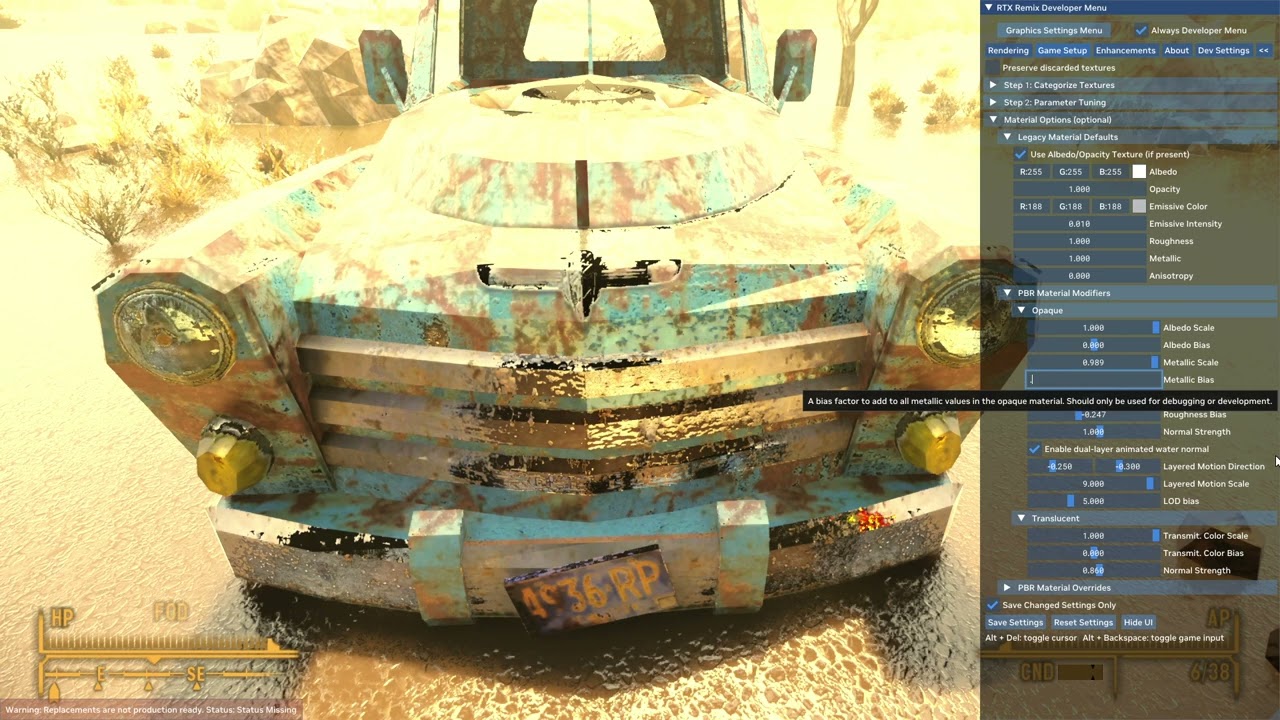
https://www.youtube.com/watch?v=itGtW_4tLUo
remix crashes from the anticulling(runs no problem with culling) when rotating the view from about 90 to 180grades. The loading of geometry probably shutdown remix.Game continues on in the background.
 subtle drift
I have a problem. I can pull up the RTX remix overlay in game, but my keyboard or mouse do not work. Any help would be appreciated.
hearty crane
@subtle drift
You should ask/search in #1095455547748257862
But anyway...
go to Bridge.conf(trex folder)
try these(remove "#" in front of them)
client.overrideCustomWinHooks = False
client.DirectInput.forwardMessages = True
or
client.overrideCustomWinHooks = True
And so on
subtle drift
hearty crane
<@569582100743848054>
You should ask/search in <#1095455547748257862>
But anywa...
So I made the adjustments, but it still is not letting me move in the overlay menu. Fallout NV does move the mouse and keyboard in game. Just not in the overlay.
hearty crane
@subtle drift wait!... my mistake...i mixed up the commands . These two:
client.DirectInput.forwardMessages = True
And
client.DirectInput.disableExclusiveInput = False
If they dont help, someone mentioned some months ago to try and find keyboard an mouse input commands in the fallout.ini (or is et falloutcustom.ini not sure)
subtle drift
hearty crane
<@569582100743848054> wait!... my mistake...i mixed up the commands . These two...
I got it working. Thanks.
rustic pine
game crashes a few minutes in with remix installed.
...actually about the second i scroll a little down on the texture list.
hearty crane
Try the "remix-mbc_hack" from BlueAmulet,Might help.
 wintry agate
hearty crane
A small glimpse...
https://www.youtube.com/watch?v=itGtW_4tLUo
remix crashes fro...
wintry agate
hearty crane
A small glimpse...
https://www.youtube.com/watch?v=itGtW_4tLUo
remix crashes fro...
Looks like we'll need to get rid of culling with game specific patches
@jagged chasm Have you take a look on this?
jagged chasm
BlueAmulet made a patch for this game that removes culling entirely
hearty crane
@wintry agate Already had FNVpatch applied.
Tho 🤔 im wondering about the 4gb patch "from oblivion"...is there a difference if you apply to the exe, or do you have to apply to the script extender? same?
lavish isle
hearty crane
<@1074634383996227627> Already had FNVpatch applied.
Tho 🤔 im wondering about t...
theres one for fnv on nexus
a patcher
4gb patchers the same
the one for fnv looks for the exe is all
wintry agate
hearty crane
<@1074634383996227627> Already had FNVpatch applied.
Tho 🤔 im wondering about t...
I thought you were using the anti-culling function of remix seeing the video you posted
hearty crane
wintry agate
I thought you were using the anti-culling function of remix seeing the video you...
Nah, that doesnt work.I suppose you know. The anti culling (NewVegasRTXLight.dll)is custom made by BlueAmulet for New Vegas
hearty crane

What does NEE do compared to indirect/emissives...
 crystal hazel
hearty crane
https://youtu.be/ESXaTPoHQ08
crystal hazel
hearty crane
https://youtu.be/ESXaTPoHQ08
video unavailable
wintry agate
crystal hazel
video unavailable
It is avilable for me?
hearty crane
crystal hazel
video unavailable
Jukebox playing American song unavailable in russia 😁
 crystal hazel
hearty crane
Jukebox playing American song unavailable in russia 😁
crystal hazel
hearty crane
Jukebox playing American song unavailable in russia 😁
I looked through vpn)
craggy crag
hearty crane
https://youtu.be/ESXaTPoHQ08
You people are ridiculous...
In a good way of course
hearty crane
Mark this conf!!!+ Anticulling( blue amulet) + DXVK-remix #231
Uploading Vid to Utube...
Changed the heap size parameters and other memory commands (dont know what im doing but et worked,just like the good old times)
Was crashing previously in seconds, (1 minute at the most)
hearty crane
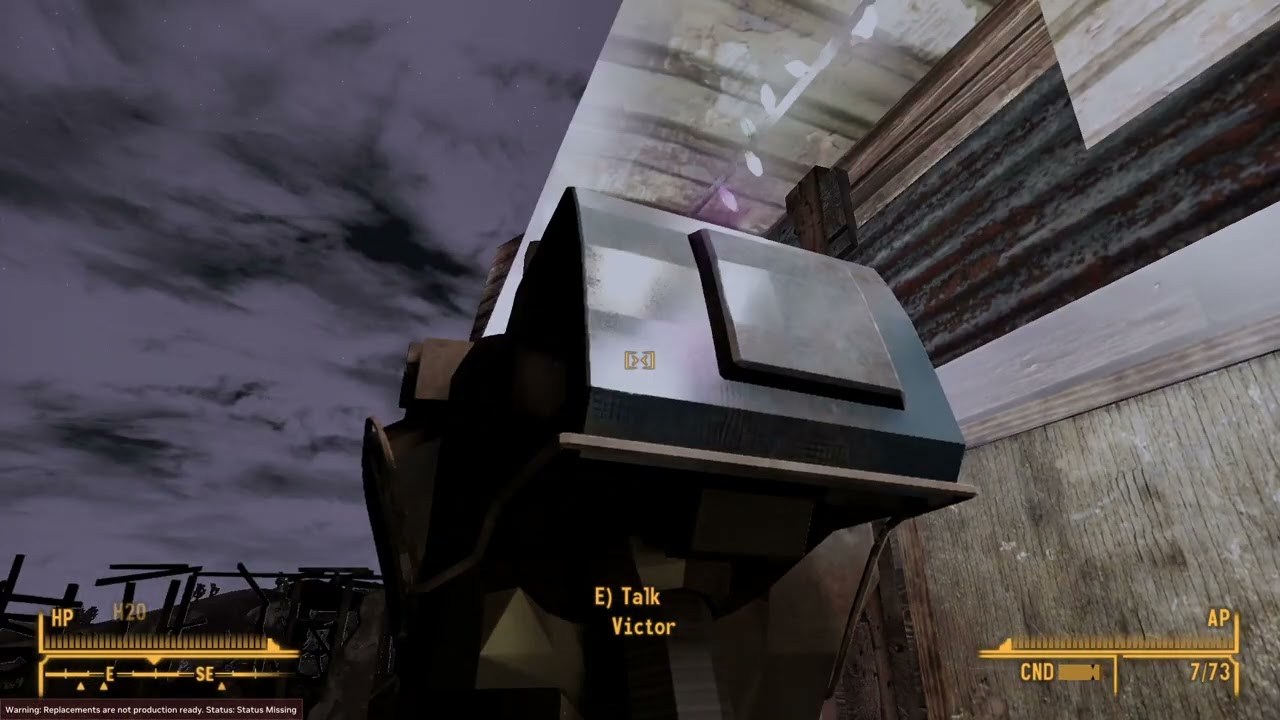
BlueAmulet's NewVegas Anticulling in action
Bridge.conf edited :
useSharedHeap = True
sharedHeapPolicy = Textures, StaticBuffers
sharedHeapDefaultSegmentSize = 1GB
sharedHeapChunkSize = 16kB
Got somewhat excited cause the performance was terrible with the anticulling(older dxvk-remix).now seems better. Slightly, but still... Might be the newer DXVK-Remix
fervent sinew
Darko my beloved
 reef siren
Doing the good work
hearty crane
Nevermind..remix starts acting the same crashing after short while, while game still runs in the background.This might be cause there is alot of NPC and geometry on the strip.I guess
wintry agate
hearty crane
https://www.youtube.com/watch?v=0UX4DtJ-B9c
Damn
 rustic pine
that's why you watch it on youtube.
random night
hearty crane
https://www.youtube.com/watch?v=0UX4DtJ-B9c
Wait is this rtx remix anti culling or a mod?
We don't have to render the whole world if its a mod
hearty crane
random night
Wait is this rtx remix anti culling or a mod?
mod from BlueAmulet,Not from remix!
hearty crane
Yes, thats why the performance is pretty bad.At least outside.And some bigger interiors struggle too
 granite gate
 hearty crane

and of course the anticull doesnt play well witch changing DLSS settings...
 stuck harness
Tried the new POM in remix on the rocks

 dusk rock
looks fuzzy somehow
it's gonna make detailing terrain and objects so much easier though
stuck harness
Well it was generated with the chain i posted
stuck harness
I might give it more of a blur


 ornate marlin
It is supposed to have better shader and culling support so hopefully it can start to actually be used and shipped
 polar prawn
hold on maybe I'll have to uninstall my 150 mods
polar prawn
This is supposed to be vanilla, Epic Store version

crap I forgot about xNVSE
something crashes when I open a container, can't tell if it's the game or NVbridge
 barren raft
polar prawn
something crashes when I open a container, can't tell if it's the game or NVbrid...
barren raft
polar prawn
something crashes when I open a container, can't tell if it's the game or NVbrid...
could be the game depending on mods, there are some current known crashes related to looting and containers
polar prawn
even on a 100% vanilla install?
barren raft
well I said "depending on mods", so no 😄
does any other instance where the game goes into menu mode crash?
polar prawn
for testing purposes I loaded back all my mods, loaded my modded save and I could open containers normally, huh
I get a huge framerate hit switching to third person, and VATS causes the bridge to crash
barren raft
the game does weird stuff in both occasions, so that makes some sense
dusty lynx
@polar prawn worth noting xNVSE doesn't support the Epic Store version unless you use a patcher to downgrade it to the original exe
polar prawn
Yes I know, that's how I have 150 mods on my NV
summer cargo
@polar prawn I'm noticing your screenshots are still very distorted, one thing you'll need to do to make this game render correctly is follow the instructions to strip out normal maps from the rendering pipeline (if memory serves correctly the fullbright (tlb) command covers this. Once you're only seeing Legacy assets, those mats can be replaced to reincorporate the normals but in the proper Remix format.
 icy delta
 polar prawn
summer cargo
<@712155311099609140> I'm noticing your screenshots are still very distorted, on...
polar prawn
summer cargo
<@712155311099609140> I'm noticing your screenshots are still very distorted, on...
Ok that produced some interesting results

Now I need to play with the lights settings on the step 2 tab
polar prawn
In World Transform seems to give the most stable image
I noticed no lights are detected by the renderer so I'll download RTXHelper and hope it doesn't fry my poor laptop
polar prawn
aw this is how it looks with RTX Helper and tlb

 signal wave
is this still get worked on?
 sudden cave
sooooooo has anyone managed progress or started a project for this?
or we still waiting for Nvidia to do more worried Remix might be dead lol
jagged chasm
Performance is likely too bad to really do much beyond proof of concept at this point.
 tulip vector
 tulip vector
polar prawn
This is supposed to be vanilla, Epic Store version
tulip vector
polar prawn
This is supposed to be vanilla, Epic Store version
its this, gog version
tulip vector
i tried rtx.skyBoxTextures = but its better not fixed
polar prawn
Did you try to use the tlb command?
hearty crane
See if this is any better @tulip vector
tulip vector
hearty crane
See if this is any better <@310165416595030017>
It’s been “fixed” now it just crashes when doing anything including alt+tab
hearty crane
Have you tried the remix-mbc_hack from blueamulet? (although thats more for memory issues ,but i dont know it might help)
 reef crescent
Are there any videos showcasing progress or anything at all ? Very interested in this
polar prawn
reef crescent
Are there any videos showcasing progress or anything at all ? Very interested in...
Development pretty much stopped until Remix is improved enough to work with the game without crashing constantly
little wave
polar prawn
Did you try to use the tlb command?
fire in the hole🗣️🗣️
hearty crane
reef crescent
Are there any videos showcasing progress or anything at all ? Very interested in...
This is months old (didnt post it here i think) https://www.youtube.com/watch?v=7Z2faEACpWc
The second is Fresh but no progress made since then, just a test with new DXVK and anticulling
https://www.youtube.com/watch?v=1KQun56El4c


Got curious specifically for how much of the geometry gets retained in the more open areas.
The more geometry the more low fps, cmon repeat after me ...The more geometry the more low fps
thats right , keep going The more geometry the more low fps...
(Cpu = 6700k)
sudden cave
wonder if open beta release will help
jagged chasm
Im starting to realize just how held back the creation engine has been from its lighting. The stock materials with path traced lighting look so good.
north sequoia
sudden cave
wonder if open beta release will help
That version is going to be basically no different from the GitHub actions builds you can download right now
hearty crane
jagged chasm
Im starting to realize just how held back the creation engine has been from its ...
I agree.Thats why i comeback to this one.Fallout3 is my favorite not NewVegas(i like et but not as much).
Some of these textures are from a texture pack tho. NMCs_Texture_Pack_For_New_Vegas
Also I dont think the pack covers all textures
I also learned (after all this time 😁 ) that material scale for Roughness and Metalic must be on 1(it is the default for a reason) not 0.5.
Thats the reason some textures look wrong.
sudden cave
north sequoia
That version is going to be basically no different from the GitHub actions build...
ah so unlikley this will be functional for a long while
 fresh belfry
Do we actually know anything about the open beta that's coming out? Is it like the auto PBR generation stuff or..?
I guess I can just wait 24 hours and check myself 😂
lavish isle
hearty crane
I agree.Thats why i comeback to this one.Fallout3 is my favorite not NewVegas(i ...
tales of 2 wastelands is a mod to add 3 and new vegas together if you wana try it as well
 stuck sigil
I have a super stable mod list right now with ttw and I wanna get remix working for NV real bad
lavish isle
hey darko any possible way i can get your rtx with the settings only? gonna see if some are compatible with my oblivion project if you dont mind that is
hearty crane
@lavish isle
I know , i had TTW and ran F3 with Remix many months ago(when geometry was earthquaking,them olden days) , instalations got messed up or something and i cant rack my brain to install that again. Dont even know how i succeeded the first time 😄
picture proof from cantenbury commons:


 lavish isle
ty
stuck sigil
Thanks @hearty crane I'm gonna play around with that .conf and see what I can get done with it!
stuck sigil
@hearty crane sorry to bother you but im getting a black screen after loading into game
stuck sigil
no it does it's just the screen is black after loading my save. i fixed it yesterday but im not exactly sure how i did tho
like remix is working fine actually just fallout being funky as usual
@hearty crane
hearty crane
hm... dont have an sugestion/idea at the moment
maybe... its the same issue like with stalker... at the beggining of a save the world is dark. In the beggining there was the word. and The Most High said let there be light which for stalker mean to go to game setup then step2-parameters(i think) and find that camera view option which refreshes the sky emissive
Fused world-view mode. Try fliping between the three modes to see if that does anything
stuck sigil
i switched between them and no dice it doesnt even react to it. it seems like its acting as if there isnt a sky
lavish isle
volumetric lighting?
stuck sigil
i have the game on the lowest settings unless im missing something
hearty crane
When you are in texture selction mode (gamesetup->Step1) can you see any outline of geometry when you hover with the mouse in game?
stuck sigil
yes that works
hearty crane
wait...did you use all the requirements with nvse and everything described in the main post?
the UI from the game appears?
 hearty crane
go to rendering->Lighing tab see if direct and indirect are off
hearty crane
select ANY geometry and mark it as World space UI, that should make et emissive, just as a test
stuck sigil

better now i can actually see
i've noticed in some games if you do that it just completely removes remix
hearty crane
something is marked as UI that shouldnt be,and that is the current state of the game. in one moment everything is fine, next turn of the camera another texture gets in the pipe and stuff gets un traced
stuck sigil
ahh makes sense
stuck sigil
but i'll probably start with a fresh install you know fallout anything thats been remotely touched will break something
hearty crane
no joke. With certain grass/vegetation texture for example in NewVegas to be precise
stuck sigil

the devs at bgs be like
i will report back when i get everything set up again!
thank you though for all the assistance i'm still super new at remix but nv is my all time favorite game so remix would just make me dump another dumb amount of hours back into this game
hearty crane
Dont thank me.Thank The Engineers from Nvidia , AdamPlayer and BlueAmulet otherwise this wouldn't work
stuck sigil
i mean you gotta take some credit too my man, those videos you put out get me so hyped to start working on this. and also what gpu you rocking. because ive noticed that the frames weren't the greatest
and do i need to still follow the viva new vegas set up i know that you gotta do the usual with bethini and cleaning the .esp's and what not
hearty crane
In this case its not the gpu fault, if you refer to that last video i posted. Its the CPU and most likely the game engine itself, the FPS is terrible cause the anticulling from BlueAmulet is ON.Thats why i was testing ,to see howmuch geometry gets retained in the reflections.
stuck sigil
it looked super good, was thoroughly impressed
hearty crane
you get in a small space(the apartment in Novac or like in the video, the lobby to Vault 21) and the Fans on GPU start blowin! cause very little geometry being called by cpu(as far as i comprehend , ive said many times im not a technical person/programer)
stuck sigil
aye bro same but hopefully remix will become more stable
because it's definitely got its quarks
hearty crane
Yeah thats another thing, they did make it better /newer dxvk builds, cause with the anti culling , couple of seconds or minutes(it was somewhat random) and... crash.Some sort of memory issues.
stuck sigil
gotta love the creation engine
hearty crane
Heres the bridge conf from trex. there are couple of Memory commands i enabled.Maybe thats why it doesnt crash.
if anyone needs it
 stuck sigil
that and when i look a certin direction its just goes black
 mellow shell
I'm just fucking around with Oblivion right now because food is cooking, lmfao, but I've found disabling a few fog overlay textures fixes most of it for some reason.
"Emissive Blend Override" seems to fix the rest of it. @stuck sigil
stuck sigil
sweet i'll give it a try real quick
i think i borked it

even though is still super basic it just looks so good

@mellow shell i could not find that setting
hearty crane
rendering->alpha test/blending
lavish isle
hey @hearty crane any tips or can steal you to help for amusement on the #1097339713062441031 project. some tips would be great because it is almost the same as fallout 3 or NV?
hearty crane
@lavish isle What chu got?
lavish isle
just some render issues, thought maybe some tips would come in handy. we have lights missing, the hair colors do not match and alpha blend off makes everyone bald
we also crash probably more than fallout right now
lavish isle
also,
 hearty crane
The crashing might be solved by that old "remix-mbc_hack" from BlueAmulet try that,its universal.
Today i Started Skyrim after a long time and was crashing at startup...that solved it.
in bridge.conf try the commands in from this image. sharedHeapDefaultSegmentSize = 1GB ; i used 512MB for SWAT4 way back when and did help for crashing .
The lights missing i cant help at all cause NV uses custom dlls from BlueAmulet where the ingame lights are being translated in Direct Lights.
If you really want see (or make screnshots) you have to make em emissive in omniverse/ toolkit and maybe use the NEE option(in lighting tab) to bump the emissivenes.
Hair colors and stuff are also a mess in NV, i dont know how that system works at all in The base game. Notice in the showcase pics easy pete for exaplme, he is missing his melanin on his skin. So the base model of all NPC is rendered but the other layer on top of that for the variations is missing(as far as i see)
 lavish isle
k
hearty crane
lavish isle
also,
Maybe the body is selected as UI or something else
lavish isle
player model body
hearty crane
if you deselect it as player model body? does it look pathtraced?
lavish isle
no
hearty crane
there are those like dark non descriptive "textures" that are shaders or layers of something those might be remiving the pathtracing from cetrain geo.
its a chasing your own tail kind of tale
Same with skyrim if, you make the weapon models (1st person) look pathtraced ,something else will be messed up
lavish isle
npc next door is fine though
 hearty crane
so not all weapon models in NewVegas are path traced in my case. Plasma rifle is not(some shader issue)
lavish isle
when is first person it looks like the player model is in front of me
hearty crane
The 5.56 Machine gun is, as my last choppy video showed