#Need for Speed: Most Wanted (2005)
1 messages · Page 3 of 1
 willow herald
 vernal ermine
You can use USD Composer to set the car color 
willow herald
vernal ermine
You can use USD Composer to set the car color <a:NODDERS:1013959035982200862>
Damn, so that what was done to get the results on Yt video.
I've gotten the Omniverse USD Composer, but how do I connect it to speed.exe?
Also, amazing work, thank You so much, You're a legend
vernal ermine
willow herald
Damn, so that what was done to get the results on Yt video.
I've gotten the Omni...
Drag the mod.usda into the layers and then drag a capture in
Sorry MW is kinda on the backburner, so it's not cooked very well.
willow herald
I'd say it's near perfect if cars get figured out and the random sun from the ground
which mod.usda and into layers where? 😄
NFSMW.usd into where?
vernal ermine
Oh I have the usd in there?
willow herald
 vernal ermine
Just open that up in OV and add a capture to it
vernal ermine
Nope no need to have the game running. No need for nucleus ether
 vernal ermine
willow herald
been waiting a few minutes on this lol
vernal ermine
willow herald
been waiting a few minutes on this lol
I've had it hang on that step. I forget what I ended up doing
willow herald
just wait till its done
finished now


but I think the main issue could be the paths issue
and something wrong with car.dds perhaps? I'm using rtx-remix 0.3.0
so maybe its too new and causing issues
vernal ermine
You can remove any reference to that, it's unused
mat_DE14B914E3B3477E is the car mat
Line 6749 in mod.usda
Can set the RGB values directly there
        {
            over "Shader"
            {
                color3f inputs:diffuse_color_constant = (0.99607843, 0.57254905, 0.13725491) (
                    customData = {
                        float3 default = (0.2, 0.2, 0.2)
                        dictionary range = {
                            float3 max = (1, 1, 1)
                            float3 min = (0, 0, 0)
                        }
                    }
                    displayGroup = "Diffuse"
                    displayName = "Albedo Base Color"
                    doc = """The base albedo color to use if no texture is specified"""
                    hidden = false
                    renderType = "color"
                )
                asset inputs:diffuse_texture = @@ (
                    doc = """The texture specifying the albedo value and the optional opacity value to use in the alpha channel"""
                    hidden = false
                    renderType = "texture_2d"
                )
                float inputs:metallic_constant = 0.19 (
                    doc = """Metallic Material"""
                    hidden = false
                )
                float inputs:reflection_roughness_constant = 0.049999997 (
                    doc = """Higher roughness values lead to more blurry reflections"""
                    hidden = false
                )
            }
        }```
got it, is there some way to set it as the default cobalt color?
as I imagine having the right colors set automatically is not currently possible?
vernal ermine
You can try removing the color section and see if it sticks to what the car has
So it'd be:
        {
            over "Shader"
            {
                asset inputs:diffuse_texture = @@ (
                    doc = """The texture specifying the albedo value and the optional opacity value to use in the alpha channel"""
                    hidden = false
                    renderType = "texture_2d"
                )
                float inputs:metallic_constant = 0.19 (
                    doc = """Metallic Material"""
                    hidden = false
                )
                float inputs:reflection_roughness_constant = 0.049999997 (
                    doc = """Higher roughness values lead to more blurry reflections"""
                    hidden = false
                )
            }
        }

 vernal ermine
Ah yea it doesn't keep the color :/
willow herald
when I go freeroam and back inside then I get this

but i think its because of the error, so it goes into rasterization of car instead
hence the fullbright kind of effect
vernal ermine
Oh that's from the hash changing on the car paint
Try going in and out of the garage, sometimes it fixes it

 vernal ermine
You can always do a capture and just add the color. The car textures get baked at times which causes them to become different
willow herald
maybe we could then disable texture baking for cars?
vernal ermine
Or hover over the car's texture, and change the mat hash for the car paint to it
willow herald
I saw some option like this in the guis
but it was disable baking of all things of some kind, not per texture
willow herald

I can't quite select the material nor find the same hash

rear windshield mesh is also kind of all over the place
vernal ermine
willow herald
I can't quite select the material nor find the same hash
You got it selected there
willow herald
and I think the sun from the ground is coming from the light sources such as top of the comms tower at police station, being at the wrong location
vernal ermine
The sun source isn’t tied to the actual games sun source
willow herald
vernal ermine
```over "mat_DE14B914E3B3477E"
{
over "Shader"
{...
I cant find material with id of mat_DE14B914E3B3477E


But I know what You meant by replacing the RGB values
 vernal ermine
Welp as long as you write the material props ya want to the car you’re using, I’d say you’ve got it correct. There’s not a nice way to make car paint work tbh.
willow herald
I'd love to fix it properly but I've got no idea how
I just wrote 1 for r, 1 for g and 9 for blue
But I guess to get it working properly, we'd have to import all of the game car paint materials into rtx remix somehow?
or even convert them?

as I see that yes, now the material aligns with the mod, which is expected i guess
https://github.com/adamplayer/MostWantedRTX/issues/2
I've added my results to the issue on github, despite git lfs pull, but I suppose its a known bug then
That's what I get when editing the material of DE14B9..77E

So I guess the hash-generated paint color is just not implemented yet, hence WIP
Thank You so much Sir for Your help and Your work, along with helping me understand it all a bit more
 lunar schooner
This is a problem that's been there as long as remix
No support for textures that bake on runtime
 woeful wagon
Anyone else getting freezing and crashing on recent build?
 cedar plover
Hello friends. Sorry if it seems like a noob question but... how to install this mod?
 paper rover
cedar plover
Hello friends. Sorry if it seems like a noob question but... how to install this...
paper rover
cedar plover
Hello friends. Sorry if it seems like a noob question but... how to install this...
download zip from github page:
https://github.com/adamplayer/MostWantedRTX
and unpack it into nfs mw folder


GitHub
Need for Speed Most Wanted (2005) RTX-Remix Mod. Contribute to adamplayer/MostWantedRTX development by creating an account on GitHub.
cedar plover
paper rover
download zip from github page:
https://github.com/adamplayer/MostWantedRTX
and ...
Really? That's all?
paper rover
on this site you have anticulling
but firts you need to download rtx-remix and remix-bridge and unpack it to nfs mw folder
first**
vernal ermine
You need git lfs
paper rover
cause rtx remix dont like high settings
vernal ermine
Don’t just download the repo and throw it into the game folder. There won’t be any textures
paper rover
maybe im wrong but for me this way it worked
i mean after bit of tinkering
but im not that much experienced in git so pardon me
willow herald
Now the MostWantedRTX repository of AdamPlayer is gone from github, which is very sad 😢
I was hoping that one day nvidia brings the rtx remix textures runtime baking and MostWantedRTX would be like cyberpunk
If it helps, I'd gladly write some simple .bat script which will pull the repo and lfs files also, so there wont be people asking the same thing over and over again
vernal ermine
I couldn’t keep the repo up without paying $5 a month 
willow herald
oh damn
mega.co.nz or mediafire is an option
I think windows should have wget or curl by default built-in
I have both, not sure if its default
I could try to do something like this on my own, so I'd upload most of the heavy files to mediafire, then make a bat script that would pull from git and then download files to mediafire, to current dir
so the script would be copied into game dir and from there it would set it up
does it sound like a good idea, that could potentially might make You revisit this project? 🙂
I'd gladly use Your own repository, instead of having to make a fork of mine
I would just reupload large files elsewhere and pull them with a script, after having downloaded the core repo files
 hallow silo
I'm already paying for hosting on github for U2 and Hitman 2, which is oversized for the projects atm. If you guys would like, I can host MW on my acct too
vernal ermine
willow herald
I would just reupload large files elsewhere and pull them with a script, after h...
I plan on doing so here eventually 👍
 nova heron
Can someone send a link to the mod zip file pls i want to try it if possible! Thx for every body hard work!
 graceful crane
nova heron
graceful crane
graceful crane
nova heron
graceful crane
no link in pin ? and the github one is dead
vernal ermine
It’s on the todo list to get it uploaded 🫠
nova heron
ok thank i will wait 👍
 vale python
paper rover
download zip from github page:
https://github.com/adamplayer/MostWantedRTX
and ...
vale python
paper rover
download zip from github page:
https://github.com/adamplayer/MostWantedRTX
and ...
Link's dead.
Is this one good ? Doesn't look like a fork, yet adamplayer is still behind the commits
GitHub
Need for Speed Most Wanted (2005) RTX-Remix Mod. Contribute to AdyStudios/MostWantedRTX development by creating an account on GitHub.
 vocal dome
does remix support the black edition version of MW?
vocal dome
@vernal ermine is this how your assets should look?

 dark umbra
Assets missing there, as far as i know you can't download his asset's now.
vocal dome
ok babe, thx ❤️
dark umbra
vocal dome
ok babe, thx ❤️
but here is link to the latest Adam stuff that i saved https://drive.google.com/file/d/1Cgkh-k9BqAiMAFmdiPqP0aJ73nznzljT/view?usp=drive_link
Google Docs
vernal ermine
 analog island
<@315064644236607488> https://discord.com/channels/1028444667789967381/117839923...
analog island
<@315064644236607488> https://discord.com/channels/1028444667789967381/117839923...
All cars are orange cause I set them to be  I forget which mat it is but it's the only one with a color declaration.
vocal dome
dark umbra
but here is link to the latest Adam stuff that i saved https://drive.google.com/...
thanks man
i mean babe
almost all txtures are resolved but the cars are still owange
vocal dome
willow herald
oh damn
my game looks more similar to this sexy man's preset
vernal ermine
vocal dome
my game looks more similar to this sexy man's preset
#1106549860393553961 message
dark umbra
vernal ermine
https://discord.com/channels/1028444667789967381/1106549860393553961/11993902972...
Did you tried new shiny TOOLKIT? Does it solves nfs car paints problem, or you still need to do workaround like hemry with GTASARTX?
lunar schooner
dark umbra
Did you tried new shiny TOOLKIT? Does it solves nfs car paints problem, or you s...
The toolkit doesn't solve any problems with the runtine
dark umbra
lunar schooner
The toolkit doesn't solve any problems with the runtine
And for Ray Reconstruction we need to wait for HL2rtx release right?
lunar schooner
probably
willow herald
lunar schooner
The toolkit doesn't solve any problems with the runtine
As in nvidia didn't fix anything related to textures runtime baking?
lunar schooner
willow herald
As in nvidia didn't fix anything related to textures runtime baking?
Yes
 gritty vector
download
vocal dome
gritty vector
download
??
gritty vector
nah bro deleted his message
coward
 chilly kindle
dark umbra
but here is link to the latest Adam stuff that i saved https://drive.google.com/...
chilly kindle
dark umbra
but here is link to the latest Adam stuff that i saved https://drive.google.com/...
May be pin it?
 ornate meteor
Hi! So I manage to install Remix but the game keeps crashing fer me each time I start the race. E.g. in the video. What am I doing wrong?
dark umbra
ornate meteor
Hi! So I manage to install Remix but the game keeps crashing fer me each time I ...
There is no remix there, you install it wrong
ornate meteor
dark umbra
There is no remix there, you install it wrong
Oh, my bad. I didn't set d3d9.shaderModel to 0. Now I have all cars Orange. How can I change that?
dark umbra
ornate meteor
Oh, my bad. I didn't set d3d9.shaderModel to 0. Now I have all cars Orange. How...
You can't. But actually you can, just open game folder \ rtx-remix \ mods \ gameReadyAssets and somewhere there find in .usda file parameter for car colour, delete it or replace with your own.
As alternative solution would be this. In that menu you can also just disable PBR for car paint.
#1106549860393553961 message
ornate meteor
dark umbra
You can't. But actually you can, just open game folder \ rtx-remix \ mods \ gam...
Ok. Will check. Many thanks!
 drowsy bay
how i can try this i have downloaded it but when i run game rtx remix doesnt launch with it like in ug 2
dark umbra
drowsy bay
how i can try this i have downloaded it but when i run game rtx remix doesnt lau...
Use old version of widescreen fix under 2017 will work
drowsy bay
dark umbra
Use old version of widescreen fix under 2017 will work
updating runtime to latest fixed it
 warped turtle
hello guys i just wanted to know how to install this mod for mw if i can receive help that be amazing
dark umbra
warped turtle
hello guys i just wanted to know how to install this mod for mw if i can receive...
Get clean game first (0 mods)
Install widescreenfix for nfs mw
Install remix
Put mod inside game #1106549860393553961 message
warped turtle
thank you i have to install some dvk file right cause that is what i was told
what version of mw because i have black edition idk if that matters but i install the game 0 mods put the rtx remix folder inside the game folder and nothing
dark umbra
Game version doesn't matter.
Install widescreenfix - for full screen resolution
Install remix: 1. Download bridge put inside game folder 2. Download dxvk pu inside .trex folder
Than put mod that was in previous massage
warped turtle
dark umbra
Game version doesn't matter.
Install widescreenfix - for full screen resolution
...
okay got it i got widescreen and the game done i just need the bridge and dxk file is all sorry if i am bothering you just need to make sure i got everything
warped turtle
cause i gave the rtx remix but i dont have the .trex, bridge or dxvk
dark umbra
warped turtle
cause i gave the rtx remix but i dont have the .trex, bridge or dxvk
If you have bridge and dxvk are rtx remix, but if you already putted rtx remix into game it should be fine
 dark umbra
show game folder


 warped turtle
nope dont have that
dark umbra
dowload latest stuff

release version
put bridge inside game folder, than put dxvk inside game folder/.trex
also put this rtx.cfg - inside game folder
warped turtle
thank you so much for your time and help!
warped turtle
@dark umbra youre the man it works flawlessly thank you so much for your help and time. it means alot to me ❤️
dark umbra
good, does game looksl like this right?
 warped turtle
yes it does very beautiful 🙂
dark umbra
now we need to wait for BigBoy guy to finish his stuff, he did a lot of textures already but will release it only when its ready, so soon this game will really shine just like nfsu2rtx
warped turtle
i am sure it will be amazing i am sure of it i cant wait till its done im a fan of nfs mw as well as high stakes
 inland frost
dark umbra
good, does game looksl like this right?
inland frost
dark umbra
good, does game looksl like this right?
mine isn't like that 😦
dark umbra
inland frost
mine isn't like that 😦
Use that
#1106549860393553961 message
inland frost
I just added it, but the textures seem to be bugged
dark umbra
Do you use: world level of detail and car geometry set to ultra in in game settings?
 dark umbra
Man put game on ultra settings, get in out of garage, should work
drowsy bay
tunnels arent working good thing there is a map to guide
inland frost
dark umbra
Man put game on ultra settings, get in out of garage, should work
same way
warped turtle
i wanted to talk about something so with rtx 0.4.1 out now does that mean we replace the .trex in u2 just to update the files or keep it as is?
warped turtle
i need help most wanted rtx keeps crashing dont know which dxvk to download if anyone has the time to walk me through step by step on how to download this i would be happy cause i need to know the exact files.
vale python
dark umbra
also put this rtx.cfg - inside game folder
link's dead, mate
warped turtle
@vale python wait im not suppose to put that rtx in the folder?
vale python
warped turtle
<@465401753580601374> wait im not suppose to put that rtx in the folder?
what ?
rtx.conf should go in the same folder where .trex is
warped turtle
because you said the link is dead but i manage to download that file
vale python
and rtx-remix as well
vale python
warped turtle
because you said the link is dead but i manage to download that file
please share
mate
warped turtle
is there a way i can share my screen instead?
vale python
warped turtle
is there a way i can share my screen instead?
ehm... i mean
you can
but could you send the rtx.conf file you downloaded, please ?
warped turtle
warped turtle
this one
 warped turtle
but the issue i am having is the game does not open in full screen and when open the rtx menu it just crashes
vale python
warped turtle
but the issue i am having is the game does not open in full screen and when open...
it happens for me too i alt-tab out then inside the game again and it works
also
put this in the same folder as rtx.conf
it's pre-configured, it works for me.
warped turtle
okay here is my next question so is there a version of mw that i am suppose to have because the thing is installed widescreen fix and my game is not even in full screen then when i have access to the menu it force closes
vale python
warped turtle
okay here is my next question so is there a version of mw that i am suppose to h...
that's weird, i have the same patch as you, it should work
was it in fullscreen with the patch and without rtx-remix ?
warped turtle
i can still access the menu i wish we can just be in vc id show you better cause i cant screen shot it
unless you have the wide screen patch yourself because i have need for speed most wanted black edition
vale python
warped turtle
unless you have the wide screen patch yourself because i have need for speed mos...
ah...
i have the regular edition
😭
patch 1.3 tho
my CD freshly acquired came with that patch OOB that's funny
warped turtle
nvm i got it to work i had to reowrk things but is there any reason why i cant see my nitros when i use it idk if thats just me
or what setting in rtx to put on
warped turtle
but if someone can help me with my widescreen issue than id be happy because the game is half a screen and when i try clicking on the menu it tabs me out of the game if anyone has a widescreen fix or can help me thats all i need,
warped turtle
if anyone would like to help me with my issues in mw please i would really appreciate it
dark umbra
warped turtle
but if someone can help me with my widescreen issue than id be happy because the...
Go to game folder / scripts, there you will have configuration file for widescreenfix - put there your resolution, and set windowed mode to 4-5
warped turtle
can you screenshot your script if possible @dark umbra and will this fix my problem with double mouse?
dark umbra
inland frost
same way
use this settings, get in out of garage to make them apply

just use windowed mode 5, mouse thing can be fixed - you need to use default setting 0, but every time when you go into a game you gonna need to go in game settings to change resolution so game will be fullscreen
 warped turtle
thank you do you know how to solve the double clicking cause i cant acces my remix and the orange car is there a fix? @dark umbra
cause for some reason the game is dark idk why thats the case
dark umbra
warped turtle
thank you do you know how to solve the double clicking cause i cant acces my rem...
Also have double clicking when applying numbers in remix, but my rtx remix menu work's fine, maybe ask in general channel how to fix that.
To change default orange color #1106549860393553961 message
(It should be in Game/rtx-remix/mods/gameReadyAssets/subusd/materials.usda)
And another worse way doing thing's, but it keeps original car color: #1106549860393553961 message
warped turtle
@dark umbra what program i use to edit it?
dark umbra
Notepad
vale python
dark umbra
use this settings, get in out of garage to make them apply
For sum reasons this made no changes and my vehicle went invinsible 😭

 storm cobalt
Where is the download link?
storm cobalt
youre right bro forgot about pins xD
dark umbra
storm cobalt
Where is the download link?
Mod
#1106549860393553961 message
rtx.cfg
#1106549860393553961 message
dxvk.cfg #1106549860393553961 message
storm cobalt
Thanks bro youre the best
dark umbra
vale python
For sum reasons this made no changes and my vehicle went invinsible 😭
put inside game folder
 unborn sentinel
why does my game look like this
 unborn sentinel
:(
lunar schooner

 graceful dragon

 sacred axle
graceful dragon
https://cdn.discordapp.com/emojis/1051585353611481088.webp?size=48&name=skull_ms...
sacred axle
graceful dragon
https://cdn.discordapp.com/emojis/1051585353611481088.webp?size=48&name=skull_ms...
wtf on your pfp
dark umbra
unborn sentinel
why does my game look like this
#1106549860393553961 message
unborn sentinel
dark umbra
https://discord.com/channels/1028444667789967381/1106549860393553961/12052011858...
:/
 dark umbra
U mess up with confing, redownload it again #1106549860393553961 message
unborn sentinel
dark umbra
U mess up with confing, redownload it again https://discord.com/channels/1028444...
oh thx
but my car is orange in colour is there any way to fix it
I fixed it ok thank you again
vale python
My pc is begging for help


 vernal ermine
vale python
My pc is begging for help
vernal ermine
vale python
My pc is begging for help
Yea that seems right for this
dark umbra
vale python
My pc is begging for help
Your game textures are blurry, use this #1106549860393553961 message
vale python
dark umbra
Your game textures are blurry, use this https://discord.com/channels/10284446677...
they are blury cuz i set up TAAU in performance mode in 1080p
😭
the only way to get like 20-30 fps
 pure quarry
what is the stasus of this project? is anyone keep working on it?
vernal ermine
pure quarry
what is the stasus of this project? is anyone keep working on it?
I shelved it if you’re asking about my efforts. I believe someone else is still working on it though
pure quarry
vernal ermine
I shelved it if you’re asking about my efforts. I believe someone else is still ...
i see
woeful wagon
pure quarry
what is the stasus of this project? is anyone keep working on it?
I'm working on it slowly but surely. It's a solo project and I'm also trying to balance working on it with school so it's certainly moving slower than other projects. I'm trying at least keep people up to date with the project whenever I can. You can see my post in #1191547320915988610 so see the progress so far
drowsy bay
dark umbra
good, does game looksl like this right?
how to make it look like this ? my game is somehow dark and car doesnt have reflections in open world
dark umbra
drowsy bay
how to make it look like this ? my game is somehow dark and car doesnt have refl...
Re download rtx.cfg and dxvk.cfg#1106549860393553961 message
If it won't work send pic of how game looks
unborn sentinel
dark umbra
Re download rtx.cfg and dxvk.cfghttps://discord.com/channels/102844466778996738...
 dark umbra
unborn sentinel
dark umbra
unborn sentinel
you can change time of day here, by moving this 3 parameters. Also you can change game appearance by changing global exposure to whatever parameters you like.

 unborn sentinel
dark umbra
you can change time of day here, by moving this 3 parameters. Also you can chang...
unborn sentinel
dark umbra
you can change time of day here, by moving this 3 parameters. Also you can chang...
wow thxx
drowsy bay
dark umbra
Re download rtx.cfg and dxvk.cfghttps://discord.com/channels/102844466778996738...
now it works tx

 heady schooner
in witch folder do i find
d3d9.shaderModel ?
heady schooner
I found these are these all folders i need to put in most wanted folder to get it run in RTX Remix ?
 dark umbra
heady schooner
I found these are these all folders i need to put in most wanted folder to get i...
dark umbra
heady schooner
I found these are these all folders i need to put in most wanted folder to get i...
Just download all of that #1106549860393553961 message
And put inside game folder.
Don't forget about download remix #remix-beginners-guide message also put inside game folder
heady schooner
@dark umbrai tryd with only the things came with remix first then went here to look. so ill put the data from the pricture and then then check the other things tomorow. do you know whats that with d3d9.shaderModel ?
dark umbra
heady schooner
<@442422446428127232>i tryd with only the things came with remix first then wen...
The stuff on github is broken and can't be downloaded, things i send is exactly latest stuff that was there before.
d3d9.shaderModel - is required to change in dxvk.cfg to make rtx remix work with nfsmw. Again configured dxvk.cfg is also in previous message.
 tough schooner
hi i am new here what is the exact steps to make my game on rtx please ?
dark umbra
tough schooner
hi i am new here what is the exact steps to make my game on rtx please ?
#1106549860393553961 message
tough schooner
i did everything and the game is exactly the same
dark umbra
Send picture of game folder
tough schooner

 dark umbra
Delete all that crap, you didn't install rtx remix at all.
So first get clean game with only widescreenfix installed
Than pu rtx remix inside
Than thoose files tha where send in previous massage
tough schooner
oh so this have to be a clean game ?
dark umbra
It better to be clean, you cna try with your copy, but something can go wrong
tough schooner
ok i will see if i can get the setup of these game and i will try and tell you
where should rtx.remix folder should go ?
dark umbra
The ULTIMATE guide of nfsmwrtx install
- Get clean game with 0 mods
- Install widescreenfix (open NFSMostWanted.WidescreenFix.ini - use WindowedMode = 5 ) https://nfsmods.xyz/mod/3327
- Install RTX REMIX:
-step one put this inside game folder https://github.com/NVIDIAGameWorks/bridge-remix/actions/workflows/build.yml
-step two put this inside .trex folder https://github.com/NVIDIAGameWorks/dxvk-remix/actions/workflows/build.yml - Install AdamPlayer RTX mod:
-step one put this inside game folder https://drive.google.com/file/u/1/d/1Cgkh-k9BqAiMAFmdiPqP0aJ73nznzljT/view?usp=drive_link
-step two put files attached (rtx.conf, dxvk.conf) inside game folder - Use this graphics settings: #1106549860393553961 message (to make settings apply you need get in / out of garage)
tough schooner
where speed.exe?
dark umbra
idk you should have it
tough schooner
i think i got it but there is something missing
first the game is not on full screen always the nvidia layout is there but its like just like that

this is a clean version btw
tough schooner
 dark umbra
#1106549860393553961 message
4. -step two put files rtx.conf dxv.conf
dark umbra
tough schooner
rtx.cfg this is not the same as rtx,conf?
Fixed, now it's properly named
Use files attached (rtx dxvk) #1106549860393553961 message
Put them inside game folder
dark umbra
Show game folder again...

 dark umbra
It's mess, you have github folders there for some reason, parts of dxvk.
If you want to olay with mods first get rtx remix working.
Just create separate folder and do CLEAN game install with rtx remix
#1106549860393553961 message
But pls use CLEAN game no mods (you can find it like game pc .iso, or just copy iso from your original game licence disc)
Do everything carefully step by step, every one get it to work so you can too
tough schooner
i did this was a clean one when i add the folders u told me its like that so i dont know really
its the first time i am doing this so i dont know really
dark umbra
tough schooner
i did this was a clean one when i add the folders u told me its like that so i d...
No you did not look here #1106549860393553961 message
There shouldn't be such.mess with files
Only rtx-remix and .trex + scripts should be new files in clean install game
dark umbra
Just delete everything start from scratch, it's easiest way to fix all problems
tough schooner
ok i will try
i am sorry for that bro i just didnt know how to install
now these is a clean one i should just add what u told me about right ?@dark umbra
 dark umbra
tough schooner
now these is a clean one i should just add what u told me about right ?<@4424224...
dark umbra
tough schooner
now these is a clean one i should just add what u told me about right ?<@4424224...
Yea do everything slowly step by step
tough schooner

look now i add those put in game nothing
i dont know i fell like something is missing but i dont know what is it
dark umbra
Widescreenfix installed?
dark umbra
Good than try run it
 dark umbra
Usually this happens when dxvk isn't installed, but you have it, can you show your .trex folder
tough schooner
maybe its here
 dark umbra
Open game folder and delete firewall.dll and gameux.dll, i think they causing problems
dark umbra
Any other RTX REMIX games working fine?
tough schooner
never tried
i like this game whan i have my gpu i just wanted to try that
i did see something in here wait
tough schooner
dark umbra
you shoud have this files man like this
this one look at nvremixluncher32.pdb
and mine is larger by a bit
dose this change anything
dark umbra
Nah it's just newer versions, it shouldn't do anything, wait i will try download newest, maybe that one is broken or something
tough schooner
i mean maybe yea
i will try couple of diffrent things maybe this is gonna work
looking for older version maybe
dark umbra
we cant send links to pirate games, but you can google nfs mw iso pc (click on archive...)
dark umbra
tough schooner
i just dont know maybe i download another version with proplems
if i rember correctly i used that one
tough schooner
do even know any website name i can search for ?
so i get the game from
ok i will see
dark umbra
tough schooner
ok i will see
i just tried that my self full clean install - everything working
tough schooner
ok ok so it is the game version it has to be
this is one of those i think its so easy to be solved but i dont know the issue
what about the settings of rtx remix ingame ?
is there is something should be done ?
dark umbra
Thats the only setting, but its only disables materials, not RT

 vale python
dark umbra
The ULTIMATE guide of nfsmwrtx install
1. Get clean game with 0 mods
2. Install ...
vale python
dark umbra
The ULTIMATE guide of nfsmwrtx install
1. Get clean game with 0 mods
2. Install ...
mods should pin this
heady schooner
- Install widescreenfix (open NFSMostWanted.WidescreenFix.ini - use WindowedMode = 5 ) https://nfsmods.xyz/mod/3327 i changed these in the folder of widescreen fix. after that i need to put the data in Game folder right?

[img]https://i.imgur.com/67zk1pu.png[/img] [B]SOURCE[/B] [url=https://github.com/ThirteenAG/WidescreenFixesPack]Github[/url] ...
@dark umbra
dark umbra
Yes
Or you can put thoose files inside game folder, and change parameter there, it's doesn't really matter.
Main point is to put widescreenfix inside nfsmw game folder
heady schooner
it says dinput8.dll is still there should i use the one that is there or the one from mod?

the modded one has 2,10 mb the other 2,02 MB
dark umbra
Ohh gosh... Look at 1. Get the clean game, no mods.
Anyway yes, replace it, maybe you gonna get lucky and everything will work as intended
heady schooner
dark umbra
use this settings, get in out of garage to make them apply
I could start the game and got to these setting what to do with rain effect and the 2 points under it?
dark umbra
Car geometry and world level of detail are only important settings, rest is does nothing
heady schooner
ok then ill try to start in remix after safing ingame
that are all datas which are no inside the forlder. of the game. it runs if i start it direct via its exe but if i try via remix tool start it does nothing
dark umbra
you just start game as you did before - through speed.exe
heady schooner
and then when I am in ?
heady schooner
dark umbra
you just start game as you did before - through speed.exe
it looks like these at the momant but I cant get into any special menu

to mod the game
dark umbra
Bro delete that whole crap, get clean copy of game from licence disc, not some modded crap.
Than follow everything slowly step by step.
You have mess in your game folder, you can try mod nfsmwrtx, but first you need to make game run with rtx, and only then experiment with mods.
heady schooner
the version on my disc
 heady schooner
dark umbra
Bro delete that whole crap, get clean copy of game from licence disc, not some m...
heady schooner
dark umbra
Bro delete that whole crap, get clean copy of game from licence disc, not some m...
@dark umbra
dark umbra
heady schooner
the version on my disc
Than install it to PC
heady schooner
Ill try reinstall the game
heady schooner
now it doesnt want to install from disc. ... and yes it is an original mw 2005 dics
heady schooner
if someone knows where i could get a clean running version ? -> dm me
my dvd doesnt like to run atm
 fluid star
dark umbra
Mod
https://discord.com/channels/1028444667789967381/1106549860393553961/1199388...
fluid star
dark umbra
https://github.com/NVIDIAGameWorks/bridge-remix/actions/workflows/build.yml
fluid star
dark umbra
Mod
https://discord.com/channels/1028444667789967381/1106549860393553961/1199388...
fluid star
dark umbra
https://github.com/NVIDIAGameWorks/bridge-remix/actions/workflows/build.yml
where is the donwload link inside of it
fluid star
dark umbra
https://github.com/NVIDIAGameWorks/bridge-remix/actions/workflows/build.yml
my brain stops when it doesnt see at least a ´ì donwload sign or smthng

nvm had to log in
dark umbra
Click on latest stuff, than on the button you will have smth.release - that thing you click on - download
 fluid star
dark umbra
Click on latest stuff, than on the button you will have smth.release - that thin...
fluid star
dark umbra
Click on latest stuff, than on the button you will have smth.release - that thin...
br
main folder or the conf folde
tough schooner
@dark umbra dvxk remix and bridge remix i feel like i have proplem with those two files
bec i did alot of version now it doesnt work still
tough schooner
this is actually working now finally

but all of the cars are orange
what is the solution for that ?
vernal ermine
tough schooner
what is the solution for that ?
You can change it to whatever color ya want
Just tweak the mod usda
tough schooner
its fine now thanks
 hoary pilot
dark umbra
The ULTIMATE guide of nfsmwrtx install
1. Get clean game with 0 mods
2. Install ...
hoary pilot
dark umbra
The ULTIMATE guide of nfsmwrtx install
1. Get clean game with 0 mods
2. Install ...
Why does my Game look like this? I did everything as in the guide and it doesnt looks like it should be
 dark umbra
hoary pilot
Why does my Game look like this? I did everything as in the guide and it doesnt ...
dark umbra
hoary pilot
Why does my Game look like this? I did everything as in the guide and it doesnt ...
Get in / out of garage than graphics settings will apply
hoary pilot
i tried several times nothing happens but in the garage the textures were loaded
dark umbra
Did you use proper settings from screenshot (high lods, and car geometry)?
hoary pilot
Yeah sure
dark umbra
Try load game again, make sure while you're in menu that you are using needed settings, then go open world to see if it works
hoary pilot
Doesnt work
dark umbra
You didn't install mod itself, delete if you have rtx-remix folder, and use link from guide 4. Smth #1106549860393553961 message
hoary pilot
nvmd i dropped the files from the rtx-remix folder in the main directory, my bad
but thx
tough schooner
this rtx remix is looking amazing guys thanks for the help to install it 

 wide warren
dam
heady schooner
I got the game runing with rtx remix bit there where no cars. 😆 But i think i forget widescreen fix. There where only shadows
 kind hill
heady schooner
I got the game runing with rtx remix bit there where no cars. 😆 But i think i f...
kind hill
heady schooner
I got the game runing with rtx remix bit there where no cars. 😆 But i think i f...
Happened to me first try, look up in this chat and find the rtx.conf and dxvk.conf and drag those into the root folder with the rest of the rtx remix files
heady schooner
kind hill
Happened to me first try, look up in this chat and find the rtx.conf and dxvk.co...
Ill Check later
heady schooner
can s.o. tell me in which folder i can find the User data ( where MW saves the data for career save) ?
heady schooner
in main menue everything looks ok but when i go to career an start playing and drive threw first tunnel it gets black on black only minimap to coordinate where i go. Still no cars when I drive,
 willow herald
Anybody tried yet with the rtx remix 0.4.1? I have this mod setup, wondering if its fine if I just copy the new release of the binary runtime to game dir
Yea works fine
 tough schooner
@willow herald do u see any diffrence by doing that ?
willow herald
not much but I guess they did fix the doubled cursor issue as per changelogs
as I didnt get that really annoying bug with rtx menus now
tough schooner
and the orange cars it fixed ?
willow herald
no
as u see the gtr is one color blue
which is my orange so the cobalt looks good
tough schooner
um i mean blue is better tbh
but i am tring to six this orange cars proplem and i cant really
willow herald
definitely better than orange yea
tough schooner
fix
tough schooner
yea maybe
willow herald
Which is why I think adamplays has stopped the project for now
tough schooner
there is one way but i dont think its like an good way to fix this
if i uncheck enchanced material it works

nut i dont have the ground reflections
willow herald
yea but then no rtx, no better textures or lights from car
tough schooner
yea exactly
willow herald
its just disabling most of the rtx remix
so game pretty much runs as it is with some things removed
tough schooner
yea
willow herald
been there done that 😛
tough schooner
uh this is so annoying
willow herald
yea car body is mostly one texture being colored by the game based on car and car paint and decals
coloring of it by the game is what rtx remix cant do
tough schooner
but when i am in game the other cars are colored
thats why i have been woundering
 visual sparrow
hey all I installed all the files after doing a clean install of the game but I cant get my game to start
i just get a black screen and then the game crashes
dark umbra
Probably widescreenfix fault, usu the one linked with tutorial
visual sparrow
i did. still crashed 😦 do i need to manually input the resolution in the x and y fields?
dark umbra
Nah you don't need to touch it, maybe for experiment try delete widescreenfix, and run game without it.
(I had same problem, only latest version of widescreen, or version before 2017 was working with remix together, otherwise game starts and crashes)
willow herald
reinstall original game or remove the modded files and install the mods one by one, testing at each install

nobody's got one of these in here as far as I'm aware
if so please DM me, could use some knowledge rofl
wide warren
willow herald
Yea works fine
looks amazing
tough schooner
some how i dont know i was playing the game normaly then my car is colored by it self i didnt even do anything

 wary slate
tough schooner
some how i dont know i was playing the game normaly then my car is colored by i...
wary slate
tough schooner
some how i dont know i was playing the game normaly then my car is colored by i...
does it stay forever like that
or when you exit the garage it goes back to orange?
tough schooner
I dont know i will try maybe
tough schooner
wary slate
does it stay forever like that
Oh when i exit garage no
But i didnt try to exit the game
Bec maybe its not gonna stay like that
 crimson depot
Hey, I need a bit of help running this. The textures are off and I tried going in and out of the garage to see if it made any chances but it didn't. I also included pictures of all the files in my direxctory so that it'll be easier for you guys to guide me. Thank you again for helping everyone!


 vernal ermine
D3d9.dll should be d3d9.asi
crimson depot
vernal ermine
D3d9.dll should be d3d9.asi
what should I do?
vernal ermine
Right click, rename the file

 vernal ermine
Nope that’s all
crimson depot
What should I do to make it like the one's you have/
vernal ermine
Prob fix your resolution. It’s set in the scripts folder. Should be a txt file with widescreen fix
crimson depot
On it, but will be keeping the hud this way because I need to stream it at 16:9'
Definately better, and is this normal/

 dark umbra
crimson depot
On it, but will be keeping the hud this way because I need to stream it at 16:9'
dark umbra
crimson depot
On it, but will be keeping the hud this way because I need to stream it at 16:9'
Did you install widescreenfix? Install it, it should work perfectly
crimson depot
dark umbra
Did you install widescreenfix? Install it, it should work perfectly
It is there
 dark umbra
Use 0 on resx and y, windowed mode 4
crimson depot
Currently, will fix the hud later

Looks right, but is this what it should look like?
 dark umbra
crimson depot
Looks right, but is this what it should look like?
dark umbra
crimson depot
Looks right, but is this what it should look like?
I hope you are using this settings #1106549860393553961 message
 polar zenith
where is the .trex folder?
dark umbra
polar zenith
where is the .trex folder?
After you put bridge inside game folder you will have .trex folder there
 leaden lava
crimson depot
Currently, will fix the hud later
leaden lava
crimson depot
Currently, will fix the hud later
What is there to fix? It looks fine, unless there's something in the top left that I forgot about...
The lighting also looks nice so far
crimson depot
dark umbra
I hope you are using this settings https://discord.com/channels/1028444667789967...
I wasn’t. Thank you
crimson depot
leaden lava
What is there to fix? It looks fine, unless there's something in the top left th...
Aspect ratio
leaden lava
crimson depot
Aspect ratio
Looked fixed already to me, they're perfect circles... As far as position, that's more of a subjective preference than objective fix
polar zenith
i ran the build all.bat but cant find where it put anything
i can not find any trex file anywhere
i may be dumb
im gonna try a fresh install
would there be any issue in using black edition?
i edited the d3d9.shaderModel removed the # and nothing
do i need anything else?
 near sapphire
crimson depot
Currently, will fix the hud later
near sapphire
crimson depot
Currently, will fix the hud later
You can use this script
https://nfsmods.xyz/mod/638

[b]NFS Most Wanted - HUD Adapter[/b] [i]v1.0.0.800[/i] [i]Source Code:[/i] https://github.com/nlgzrgn/NFSMWHUDAdapter/ ------...
leaden lava
near sapphire
You can use this script
https://nfsmods.xyz/mod/638
... they already have it fixed and adjusted, look at the last screenshot
near sapphire
leaden lava
... they already have it fixed and adjusted, look at the last screenshot
Not really. The last picture shows the hud in 16:9 mode. Hud adapter moves it closer to the edges of the screen.
 leaden lava
near sapphire
Not really. The last picture shows the hud in 16:9 mode. Hud adapter moves it cl...
leaden lava
near sapphire
Not really. The last picture shows the hud in 16:9 mode. Hud adapter moves it cl...
That is subjective
 versed wigeon
can someone tell me if this is a cpu or gpu bottleneck?(stats top left) ~20fps (12700h rtx3060 laptop) could it be because the game is on HDD?
https://youtu.be/U7miRpPvWJQ here same video
 wary slate
versed wigeon
can someone tell me if this is a cpu or gpu bottleneck?(stats top left) ~20fps...
wary slate
versed wigeon
can someone tell me if this is a cpu or gpu bottleneck?(stats top left) ~20fps...
is this the only rtx remix game having this performance?
versed wigeon
actually the first one i tried :/
wary slate
versed wigeon
actually the first one i tried :/
Yeah path-tracing needs very good hardware to run properly
you arent bottlenecking
versed wigeon
yeah probably that. Thanks!
heady schooner
versed wigeon
can someone tell me if this is a cpu or gpu bottleneck?(stats top left) ~20fps...
Would be better if on ssd like recommended on remix Website. And a 3060 is very low grafikcard for Remix too as the rtx 4070 is the recommended one. Which Version of 3060 has your Laptop?
versed wigeon
Full wattage 140w
heady schooner
Vram capacity?
versed wigeon
6gb :/
heady schooner
Thats bad. I wonder that remix even works
versed wigeon
Well i played through whole portal rtx pretty smoothly on dlss ultra performance. But this is much harder on my system
heady schooner
How much normal ram ?
versed wigeon
16gb
heady schooner
Ok for me mw looks even better with only active hd Mod on my 4070 oc. Without activate Remix. Ok i have 32 gb RAM and 12 GB vram. That could be a Point that helps
versed wigeon
Yeah my gpu is like the minimum that can run rtx remix. Yours is pretty good
heady schooner
I tryed mw with Remix but it crashed but could be that i mixed some of the data. 😆
Ill try again when i have better Network and a nother (cleaner) version of mw.
When i drove in the first tunnel all went black exc the minimap. And the cars where shaddows on the streets only.
versed wigeon
Nice i used black edition
versed wigeon
okay i fixed the problem and the problem was in fact that the game was on an HDD -.- just copied it to the nvme and it works as expected
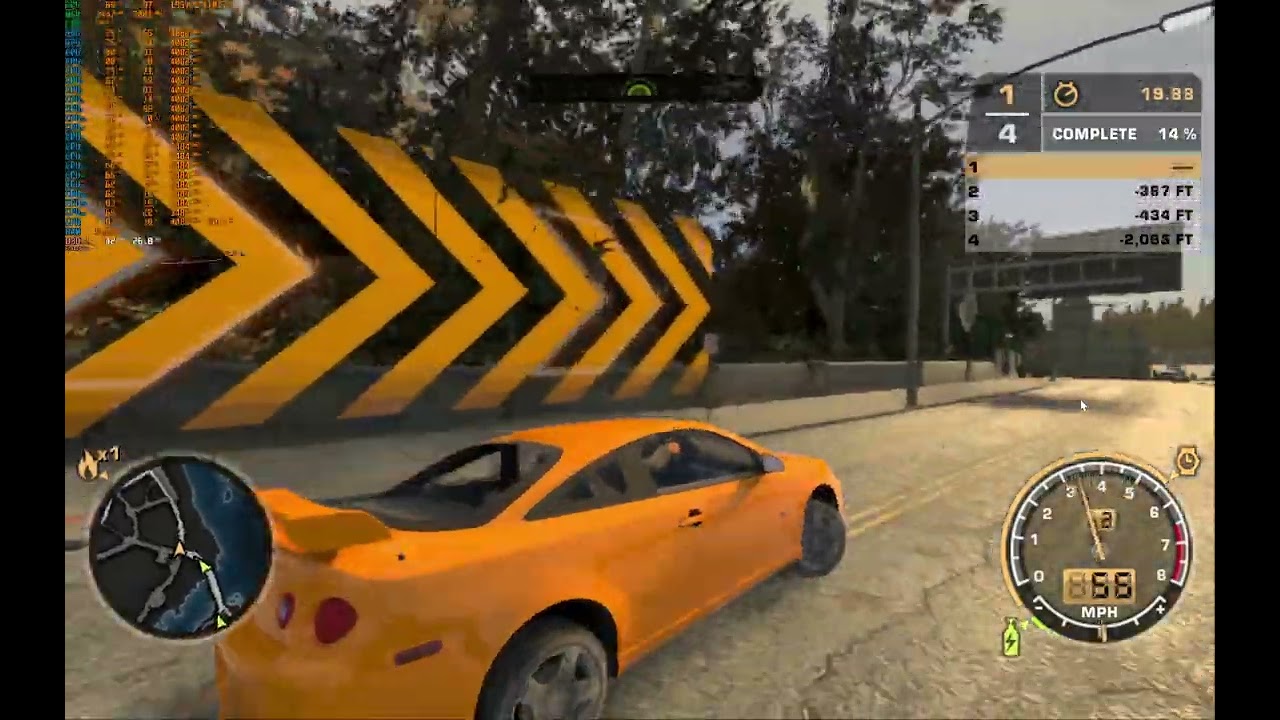
 proven nacelle
unborn sentinel
:/
proven nacelle
unborn sentinel
:/
How did you do this? This looks awesome lol
Great way to see what PT is actually doing
proven nacelle
Do I need 1.2 for this? Cant get it to work with 1.3
I dont get it lol. Im not trying to install this version but I want to try to make my own mod. I installed rtx remix from Omniverse, copied the contents from the runtime folder into the nfs mw root folder, started the game. It says the rtx remix thingie and I can click alt x to bring up the menu and stuff but it looks like this and capturing a scene doesnt do anything

ah I think the pinned message also applied to me
dark umbra
proven nacelle
I dont get it lol. Im not trying to install this version but I want to try to ma...
Just go through this #1106549860393553961 message
Simply don't install mod itself, after that it should work
(Still dxvk file required, it's attached to massage)
proven nacelle
@dark umbra I did, the garage looks like this

when I capture this, it loads into remix, but it seems like a lot of stuff is missing (walls etc)
vale python
proven nacelle
<@442422446428127232> I did, the garage looks like this
both of your cases happened to me... uhmmmm
what i did is...
Set my settings to this: #1106549860393553961 message
Then the windowed mode to 5 for the widescreen patch: #1106549860393553961 message
And here are my files.
also for the drive, put the rtx-remix folder next to the EXE
Google Docs
TL;DR: Follow This #1106549860393553961 message
With a clean install
vale python
If it works on a Linux with Proton and a funky radeon driver, then it should work everywhere
vale python
proven nacelle
is the resolution important?
it shouldn't be
put your native res and you're good to go
proven nacelle
did yours capture the walls in the menu garage?
vale python
proven nacelle
did yours capture the walls in the menu garage?
mine looks like that
hold on
 vale python
proven nacelle
but in the capture in remix I mena
vale python
proven nacelle
but in the capture in remix I mena
i'm unsure what you mean by that
proven nacelle
did you just download the mod to play it or to mod it with remix?
vale python
proven nacelle
did you just download the mod to play it or to mod it with remix?
i downloaded the mod and rtx remix if that answers your question
proven nacelle
progress lol

I just cant get it to work in game. I dont see any new stuff ive done here
 wanton portal
Is shading the cars in particular challenging or its just not had enough development?
proven nacelle
@wanton portal the bmw looks fine in my image I think. But maybe its different when driving in game, idk. I can see it causes issues when you select a matte paint in the game. Like how should the renderer know you selected a matte paint
wanton portal
Hmmm. True
 formal badger
proven nacelle
<@565217818983923734> the bmw looks fine in my image I think. But maybe its diff...
formal badger
proven nacelle
<@565217818983923734> the bmw looks fine in my image I think. But maybe its diff...
None of the vents are the proper color
proven nacelle
I know, I just meant the shading of the car, as in roughness and metallic and stuff
Didnt pay attention to the smaller things yet
heady schooner
proven nacelle
<@565217818983923734> the bmw looks fine in my image I think. But maybe its diff...
Maybe try to remix the world with the remix tool and after that when it run and Looks like you want use a car desing mod to put your design on the car. Only an idea, because the cars dont have textures that are pictures wrapped around them.
vernal ermine
proven nacelle
I just cant get it to work in game. I dont see any new stuff ive done here
Try renaming or deleting the RTX-remix in the game folder. You probably have multiple edits conflicting with each other.
proven nacelle
i just reinstalled nfs and im reinstalling rtx remix now, then im trying again
vernal ermine
proven nacelle
i just reinstalled nfs and im reinstalling rtx remix now, then im trying again
Gotcha. Don’t install any additional RTX remix mod as they’ll likely end up conflicting
proven nacelle
aight
ill just copy the stuff over into the directory, start the game, capture, edit, save and start the game
now the game crashes whenever i start it lol
i dont get it anymore
vernal ermine
Did you setup the dxvk conf and the widescreen fix mods?
proven nacelle
Widescreen yes, dxvk not sure
vernal ermine
You have to set the shadermodel to 0 in dxvk.conf
proven nacelle
yea i have that
@vernal ermine so I did all the reinstallations and stuff and still nothing
can you maybe do a teamviewer thing and try it for me? I dont know anymore
when I follow the install instructions to get this mod working, then the mod works, why does my own thing not work then??
vernal ermine
You can just follow the mod instructions and just not put the RTX-remix folder into the game folder and it should work
Then once you do an in game capture it’ll create a new RTX-remix folder
proven nacelle
but it doesnt work
xD
I upload a video: https://streamable.com/ojgxzv
is this the way the project folder should look?

can you look at the streamable? Im really frustrated
vernal ermine
Can you embed it here? Way easier for me
vernal ermine
proven nacelle
Desktop might be write protected
You want to use something that isn’t write protected an external drive or make a new folder on the root of the drive
You’ll just wanna delete the deps symlink from the mods folder and create a new project in the toolkit
proven nacelle
but the sample is also on the desktop and that works fine
vernal ermine
Doesn’t matter, toolkit won’t be able to write it if it’s in a protected folder
vernal ermine
What’s the contents of mod.usda after you make the changes?
proven nacelle
`#usda 1.0
(
customLayerData = {
lightspeed_game_name =
string lightspeed_layer_type = "replacement"
}
timeCodesPerSecond = 24
upAxis = "Y"
)
over "RootNode"
{
over "Looks"
{
over "mat_CBC26D3A7F5DE0F0"
{
over "Shader"
{
bool inputs:enable_emission = 1 (
customData = {
bool default = 0
}
displayGroup = "Emission"
displayName = "Enable Emission"
doc = """Enables the emission of light from the material
"""
hidden = false
)
}
}
}
}
`
vernal ermine
Just enabling the emission won’t do much. Try doing something like making the floor have a roughness of 0.
proven nacelle
still nothing
I added roughess 0 and metallic 1 to the floor and the car
cant send the mod.usda cuz its too long
vernal ermine
Did you enable enhancements in the remix dev menu?
proven nacelle
 vernal ermine
proven nacelle
vernal ermine
proven nacelle
Well that’s a problem
proven nacelle
I know but why is it doing that
vernal ermine
Dunno. Is your modusda not in that subfolder of RTX-remix ?
proven nacelle
its in rtx-remix/mods/nfs4/mod.usda
together with the nfs4.usda
and .thumbs and deps folders
vernal ermine
Try renaming nfs4 to gamereadyassests
proven nacelle
just the folder?
vernal ermine
Ya
vernal ermine
Oh. Welp
Can just create a new folder in remix called mods and a subfloder in that called gamereadyassets. Then toss the mod usda in there
proven nacelle
like this
 vernal ermine
Yea I think that’s the structure it follows
vernal ermine
Where is the game installed
proven nacelle
i tried everywhere at this point lol
right now at the desktop but I also had it on the c drive as we discussed before, on my other ssd too
vernal ermine
Don’t know at this point. Do you have some strong user account setting, folder control access, or antivirus thing?
I know folder control access can cause problems
proven nacelle
not that i know of
but the thing is, when I download the rtx-remix mod listed above here somewhere, that one does have big visual changes
so that one works
vernal ermine
I got nothing left to try. Something with how your folders are setup is causing problems 
proven nacelle
if I send you the game, can you try and see if it works for you?
vernal ermine

proven nacelle
didnt you have any of these issues when you worked on your mod?
vernal ermine
Nope. I installed it to an external drive and didn’t use the toolkit tho
proven nacelle
@vernal ermine I got it to work I think
I compared the mod.usda files of the working one vs mine and I noticed the beginning was different
the working one had
#usda 1.0 ( metersPerUnit = 1 subLayers = [ @./subusd/ignoredrawcalls.usda@, @./subusd/lights.usda@, @./subusd/materials.usda@ ] upAxis = "y" )
mine has
#usda 1.0 ( customLayerData = { lightspeed_game_name = string lightspeed_layer_type = "replacement" } timeCodesPerSecond = 24 upAxis = "Z" )
whenever I remove
customLayerData = { lightspeed_game_name = string lightspeed_layer_type = "replacement" }
it works
you know what this might be and why this is?
vernal ermine
Something with the toolkit
proven nacelle
shall I ask in general? maybe one of the nvidia devs know
tough schooner
@vernal ermine what is the solution for my cars being orange ?
vernal ermine
tough schooner
<@264632269174472704> what is the solution for my cars being orange ?
Change it in the mod usda
tough schooner
oh i dont know how but when i change in the bmw m3 vinyl file the mod is working without the orange color this is actually working
 dark umbra
tough schooner
oh i dont know how but when i change in the bmw m3 vinyl file the mod is working...
dark umbra
tough schooner
oh i dont know how but when i change in the bmw m3 vinyl file the mod is working...
Try read this stuff (I don't remember how to do that, but here's old explanation from adam) #1106549860393553961 message
tough schooner
um i have a very good idea
tough schooner
i did it by tex ed
 wary slate
tough schooner
i did it by tex ed
wary slate
tough schooner
i did it by tex ed
what did you do
proven nacelle
this is getting pretty cool! 😄
 wide warren
proven nacelle
this is getting pretty cool! 😄
wide warren
proven nacelle
this is getting pretty cool! 😄
looks nice
proven nacelle
thanks man! Lots of trail and error haha
wary slate
proven nacelle
this is getting pretty cool! 😄
It looks very good. Only missing the windshields
proven nacelle
yea i have no idea how to do that
 exotic fractal
how you do that?
proven nacelle
@uncut citrus are you asking me?
tried to mimic the original main menu colors better, this is awesome

 leaden lava
I will not play an RTX Remix mod if it don't got piss filter 🗣️ 💕
proven nacelle
Is mine pissy enough? :p
leaden lava
Hmmmmm...
Almost but not quite ;P
Had to turn off my blue light filter just to make sure
leaden lava
Yellooooww
You could ask a modder what the exact colour of the visual treatment is for reference
I think it's a colour value in the post processing
proven nacelle
Yeah but i dont know if that color value would necessarily translate well to a path traced version
But it might, who knows
exotic fractal
proven nacelle
tried to mimic the original main menu colors better, this is awesome
how did you solve the orange textures error?
exotic fractal
proven nacelle
You mean the car being orange?
yes
proven nacelle
I am making my own mod so I'm not using their files
So I'm afraid I can't help with that
exotic fractal
proven nacelle
So I'm afraid I can't help with that
oh i see, sorry, my bad
proven nacelle
That's alright
leaden lava
proven nacelle
Yeah but i dont know if that color value would necessarily translate well to a p...
Even if it won't, it's good to use as a basis and slightly adjust from there
proven nacelle
True
proven nacelle
@tough schooner what did you do to fix the textures on the cars?
tough schooner
Well actually i dont know how but when u change the bmw m3 vinyl from the nfs mw files it is fixed
proven nacelle
@tough schooner sorry im not sure I get what you mean. Can you show me?
wide warren
proven nacelle
tried to mimic the original main menu colors better, this is awesome
we def getting somewhere
the mw atmosphere really needs to not be eliminated
but look at xbox 360 mw
or that 360 stuff mod
its a combo of yellow and slight green tint
industrial shit
dirty poluted af xD ny experience
proven nacelle
Yeah hhaa, Ill tweak it more
willow herald
proven nacelle
I dont get it lol. Im not trying to install this version but I want to try to ma...
If it says rtx remix thingy, You can open the menu, then You have successfuly injected rtx remix into the game, congrats.
changing options in the menus and further manipultating its files and configs is part of creating the rtx remix for a specific game, everybody starts from a clean rtx remix that doesnt affect the game much
including converting game textures into a format that the rtx remix can consume and work with, most of which adamplayer has already done
Also in terms of get capture - it does work if You enter a filename it should save to. Then You can open this capture in USD Composer and browse the scene freely, outside of the game
The reason it doesnt work properly and adamplayer stopped his project, is that nvidia rtx remix does not support changing texture color on the fly by the game
proven nacelle
Whoah don't worry man
willow herald
Sometimes it does work, just because the rtx remix texture modification didnt really apply, this can be easily noticed by the fact that the car texture looks completely matte, no shadows or shininess. Tends to randomly change when entering garage screen
willow herald
fingers crossed, just putting out the knowledge there, so it could help
proven nacelle
Yeah true!
willow herald
oh damn, interesting!
so You did manage to get rtx remix to replace textures
and still keep the upgraded, shiny textures while keeping colors of the cars changeable? 😮
Feel free to drop the mod as is, I'll gladly test
as the last few screenshots You posted do indeed look very promising
I think the textures remain unchanged, but still would be quite nice to see
proven nacelle
willow herald
and still keep the upgraded, shiny textures while keeping colors of the cars cha...
nah the color isnt changeble

no idea how to fix it
woeful wagon
proven nacelle
nah the color isnt changeble
Are you asking about the car colors or the decal?
proven nacelle
they both arent changable now
woeful wagon
I'll try and have my mod released by the end of March and upload a tutorial on how to get everything working
proven nacelle
oh thats cool! Do you have decals and paint working?
woeful wagon
Paint yes but I honestly haven't even touched decals
I've gotten a good chunk of the world of the world at a stage where I think it's an improvement over base game and the goal for release is having a version 1 of the world where a lot of AI is used but with a lot of manual effort in on it too. I'd like to start integrating new original textures and I had no interest in going out and sourcing my own textures during the winter lol
woeful wagon
I've got a light using remix but I haven't tried anything with the toolkit yet because it's just not working well for me at all. I think the issues I'm having they have fixed but I need to wait for an update at some point
woeful wagon
They said it was fixed a while ago so I'm assuming it will be released soon I hope
proven nacelle
im just trying stuff and if it works it works haha
woeful wagon
Yeah that's been remix in a nutshell lmao
proven nacelle
honestly, i think this looks pretty sick (and a little faithful to the original)
 woeful wagon
Yeah that looks great
proven nacelle
thanks 🙂 can you like capture the entire map at once or do you have to make multiple captures?
woeful wagon
Multiple captures
It'd be dope if remix could auto stitch captures together with the toolkit
proven nacelle
yeah
but changes carry over right? so you dont have to add a distant light every time and make sure the settings are the same etc
woeful wagon
Maybe I'm not for sure
wanton portal
Is there a screenshot with the low quiality piss filter but rtx?
wanton portal
proven nacelle
honestly, i think this looks pretty sick (and a little faithful to the original)
this doesnt look smered enough
just curious
 proven nacelle
i dont think it worked
@polar zenith did you install the dvxk thingie? or whatever its called
polar zenith
let me double check
ah, i didnt change the number from 3 to 0 oopsies

welp something happned
tried a race, it works, but very glitchy.
may need to fiddle with the settings abit
proven nacelle
@polar zenith yes this is good
that one works
thats what I had first too
@woeful wagon do you maybe know why the game switches constantly between a matte color and the decal for me? one time its like this

and the other like this
 polar zenith
proven nacelle
thats what I had first too
polar zenith
proven nacelle
thats what I had first too
how did you get it lit up?
proven nacelle
you can tag the sky as sky texture
the sky is basically blocking the sun so there is no light
if that makes sense
polar zenith
thanks a lot mate! it workjs!
 polar zenith
hMM, have you found a way to use controller with it?
i lost all my xbox buttons setup
proven nacelle
No sorry
polar zenith
ah! i got it xd
willow herald
polar zenith
hMM, have you found a way to use controller with it?
i lost all my xbox buttons ...
X360ce is your friend
dark umbra
proven nacelle
nah the color isnt changeble
Paint fix #1103377328530276403 message
(Obv doesn't work as drag and drop, but way how to fix is obvious - long and boring signing each car colour paint hash one by one...)
Or ask Hemry for his script #1103377328530276403 message
 grand crag
dark umbra
Paint fix https://discord.com/channels/1028444667789967381/1103377328530276403/1...
grand crag
dark umbra
Paint fix https://discord.com/channels/1028444667789967381/1103377328530276403/1...
I haven't tried NFSMW, but I'm curious if the game generates random texture hashes like NFSU2 does?
grand crag
Currently, I've created a script for NFSU2 that applies a more realistic car paint texture to a series of texture hashes specifically assigned to car body textures. The reason for doing this is because some car bodies share the same texture hash. I'm trying to find the limit of texture hashes by collecting enough textures that can be exclusively applied to car paint. Additionally, I'm using a similar approach to create a global car wheel PBR texture that can be applied to all car wheels (NPC cars have "random" car wheel texture hashes).
proven nacelle
@grand crag do you think it works the same way? Just install it like there and it works?
dark umbra
grand crag
I haven't tried NFSMW, but I'm curious if the game generates random texture hash...
Probably yes.
When i just try lazy way of drag and drop your .usda, cars didn't get effected, but some of the world textures became glossy.
So if you properly apply your script to MW, it should find all texture hashes just like U2.
grand crag
The script requires manually capturing all the scenes to obtain the texture hashes of all the world objects, and then manually selecting the car's body textures to exclude them from the list. I either copy the car's body textures to a specific folder or add their texture hashes to a text file. It is a time-consuming process, but if you're willing to put in the effort, I can still publish it.
proven nacelle
So with textures you mean the decals right?
grand crag
proven nacelle
So with textures you mean the decals right?
For everything else, if you want the texture to have a shiny appearance, make sure to use the rough_only.usda file which applies materials/textures with a rough look.
grand crag
dark umbra
Probably yes.
When i just try lazy way of drag and drop your .usda, cars didn't ...
They are not using the same texture hash, so it definitely won't work for other games. You'll need to generate a new texture hash specific to each game.
dark umbra
grand crag
The script requires manually capturing all the scenes to obtain the texture hash...
Is there a way to copy texture hash directly from game (running rtx remix), or it's only achievable through toolkit.
Because if would do that through rtx-remix, just copy paste into rough-only.usda that would be quite fast way of doing things.
grand crag
dark umbra
Is there a way to copy texture hash directly from game (running rtx remix), or i...
You can use Alt + X toggle remix menu > Game setup Tab > Step 1: Categorize Textures > point to the mesh you want to obtain the texture hash for. This way, you can easily copy the texture hash directly.
I am rewriting my code to make it more readable for people who are not familiar with coding.
grand crag
To get started, simply place the script inside the game folder.
For a detailed, step-by-step demonstration, I recommend watching the following video:
https://youtu.be/EywA7nKUMdw

In this demo video, we showcase how to utilize the Rough Only script to apply a roughness (shiny material) effect to your Remix scene. Watch and learn as we walk you through the step-by-step process of implementing this script, enabling you to achieve stunning visual results. Enhance the overall look and feel of your Remix projects by incorporat...
wide warren
grand crag
To get started, simply place the script inside the game folder.
For a detailed, ...
wow...
we have reached the future...
it looks so good wth
insane
grand crag
I need to clarify that the demo video was created in NFSU2, not NFSMW.
willow herald
I've gotta agree 100%, this looks like the proper NFSU2 remaster that everybody is waiting for to come from EA
grand crag
Added a demo showcasing the usage of the "include_list.txt" file. This file enables manual addition of a few texture hashes to the "rough_only.usda" file without the need to capture the entire scene.
https://youtu.be/1Tht0gLZ3iw

In this demo video, we showcase how to use the rough only script to apply roughness (shiny material) to a remix scene. We specifically focus on demonstrating the usage of the "include_list.txt" file, which allows us to manually add a few texture hashes to the "rough_only.usda" file without capturing the entire scene. Follow along as we guide you...
proven nacelle
@grand crag doesnt work for me somehow

and tbh, im not sure I understand what file is responsible for what
also I dont get what you did in the first video, what is the difference between the beginning and the end?
proven nacelle
@woeful wagon @willow herald I fixed it! 😮 Now everything is customizable again!
 sinful seal
nice
wary slate
proven nacelle
<@257026825362866176> <@150711121769267200> I fixed it! 😮 Now everything is cus...
Can you show how it looks like when racing/in race
 sinful seal
🤯 
willow herald
proven nacelle
<@257026825362866176> <@150711121769267200> I fixed it! 😮 Now everything is cus...
Holy fuck man good job!
proven nacelle
Thanks!
willow herald
managed to generate all textures with henrys script?
proven nacelle
proven nacelle
<@257026825362866176> <@150711121769267200> I fixed it! 😮 Now everything is cus...
As shown here
willow herald
Damn, would be nice if we could reproduce this
also for testing I recommend from main menu:
- go into career garage
- back out
- go to quick races
- keep randomizing the cars
then the car paint color/decals and parts are auto-generated which does help testing this a lot
meanwhile going in/out of career does switch the display somehow
in my case going in/out of career did sometimes completely disable the texture improvement and then reenable it again (making car paint and decals all matte and LQ)
this bug could've been the rtx remix itself bug though
proven nacelle
@willow herald i believe the default bmw texture was assigned or attached to the normal paint if you know what i mean. I had to edit the mod.usda to remove that manually. Maybe that helps
proven nacelle
willow herald
also for testing I recommend from main menu:
- go into career garage
- back out
...
Ill try this when Im back on my pc and think about it lol
grand crag
proven nacelle
<@944081029331820574> doesnt work for me somehow
It seems like you did not input the correct relative path of the script file.
 proven nacelle
Wouldnt that be automatically done if its in the root directory?
grand crag
proven nacelle
Wouldnt that be automatically done if its in the root directory?
I will be releasing an updated with UI version tomorrow. Are you using the Remix Toolkit to create the mod as well?
The reason you need to manually input the path is that my original script file does not have the "modfolder" path filled in.
It's already 6 am and it's too late for me now. My brain isn't functioning properly for coding at the moment.
The reason I need to input the path is that my script file is not placed in the game's root folder. If it were placed in the game folder, I could have made the script work without the need for any manual path input. I will fix it tomorrow.
 proven nacelle
Aight cool, no rush
willow herald
Kevin all You gotta do is replace the paths Henry shown with Your own and then run this
the script is hardcoded to henrys paths of nfsu2 that he used in his own pc, You gotta replace them with Yours on Your own PC
he mentioned more permanent solutions which is creating a GUI app, so You might have to wait a longer while
or edit the script with Your own paths and have it run alread
drowsy bay
Havent checked for long time is there any update regarding this mod ?
 languid ridge
Please where can I download the game?
vernal ermine
languid ridge
Please where can I download the game?
#rules , check number 5.
languid ridge
vernal ermine
<#1053018418078556160> , check number 5.
srry
leaden lava
"to where" lmfaooo
wary slate
lmao what is this https://youtu.be/Gpa_323MFKc?si=JMvIiqNg2G9dIkK8

Need For SpeedMost Wanted Work in Progress RTX Remix Mod - RTX 4080 4K 60 FPS Gameplay
Need For Speed Most Wanted RTX Remix mod: https://discord.com/channels/1028444667789967381/1106549860393553961
Please note in some scenes the playback speed of footage eas altered to match both sides.
Please also note this Mod is still in development and wil...
it looks terrible
guess that person just took the remix files from here and made a video on it without trying to make it compatible/ fix the orange car issues
 dull goblet
Do you miss the filter?
wary slate
i like what Kevin is doing rn
dull goblet
wary slate
i like what Kevin is doing rn
Yea because he is putting actual effort
wary slate
dull goblet
Do you miss the filter?
piss filter? No but that video replaced the piss filter from original with blue filter in rtx remix
dull goblet
wary slate
piss filter? No but that video replaced the piss filter from original with blue ...
Blue filter? I think its just the sky
wary slate
you dont need piss filter. Just make it moody with the natural coloring like that video in #offtopic
dull goblet
Yea, I don't miss it either. Tho seems like a lot of the people in the comments do, or they don't know what they actually want.
wary slate
dull goblet
Yea, I don't miss it either. Tho seems like a lot of the people in the comments ...
i showed Kevin's screenshots to people who like the piss filter and they loved it

Most Wanted reimagined in Unreal Engine! Here is the cutscene of 15th blacklist event against Sonny's Golf GTI.
Wallpapers available here:
https://www.artstation.com/artwork/B3GVZ6
-What is this in a nutshell?
It is a reimagination of Most Wanted, made in Unreal Engine as a video render. Every piece from car mods, materials, environment, part...
this pre-render is sorta of the looks that would be insane to see
proven nacelle
wary slate
i like what Kevin is doing rn
Thanks man
I haven't tried editing the world itself yet, that still looks terrible
Still learning everything
proven nacelle
willow herald
also for testing I recommend from main menu:
- go into career garage
- back out
...
@willow herald is this what you mean? https://streamable.com/v0d0mx
proven nacelle
1 or 2?

 lunar schooner
1
wary slate
1
proven nacelle
yea I agree
fluid star
1
 solid snow
1
 terse silo
1 looking so damn sexy
wide warren
proven nacelle
jesus
proven nacelle
🙂
proven nacelle
final version I think

maybe I should change the material of the curtains too but im not sure what to change it to
proven nacelle
@wide warren yeah I removed it. Do you think it needs to come back? This is more 'accurate'
wide warren
yea
the garages should look beautiful i mean
idk how vanilla non remix MW is but u clearly see more effects in the garage
or at least some additional stuff during ur current weather
idk how to explain
hope u understand
both look good tho but there surely is room for improvement
wide warren
proven nacelle
but this one just looked criminal
i wonder how the lil MW filter would go on
proven nacelle
wide warren
but this one just looked criminal
the only thing i changed was adding those lights in the lamps left and right
 frail ermine
So when you tag it, you cant Select it
 sturdy rivet
Hello, does anyone have a link to download the game?
lunar schooner
sturdy rivet
Hello, does anyone have a link to download the game?
Read the rules again
frail ermine
proven nacelle
you can?
Well, if you could send me your rtx.conf, and your rtx remix folder that would be nice, because then I could help ya
proven nacelle
I can do that tomorrow, it's pretty late now, thanks for that
frail ermine
yeah, its 0:18 here too
proven nacelle
Yea whoops
frail ermine
haha im always up that late
proven nacelle
If you could answer your dm thatd be awesome 😄
frail ermine
i try to figure out how to say that XD
proven nacelle
Haha alright!
heady schooner
woeful wagon
I'll try and have my mod released by the end of March and upload a tutorial on h...
That sounds good. Do we get some pictures on how it looks ingame then?
Btw. The car decals are pictures wrapped around the cars. No paintings on the cars. There are mods with that you could edit or replace them but be sure to use the excact Layout of the specific car else it looks Bad. Dont know if editing cars with remix works.
willow herald
proven nacelle
<@150711121769267200> is this what you mean? https://streamable.com/v0d0mx
Holy shit man, that's EXACTLY what I meant, I still can't believe we already have proper colors working
But that video proves it a 1000 times lol
willow herald
proven nacelle
1 or 2?
1 also, the 2nd photo makes background in the center of attention and car invisible.
It already looks wonderful, I'm hyped to try it out
But I do agree with MadHunter, we need the garage special effects back, it looks so clean now that I didn't even think for a moment that's garage
For sure there's smoke almost everywhere around, some sparks, bit of fog, cracked ground and also some kinda water or spillage on the ground
Made the garage feel real, cozy and most wanted kinda thing where everybody is running from police
willow herald
proven nacelle
final version I think
While this is gorgeous and I haven't seen MW look this good, but was dreaming about it
It looks more like some car dealer showroom that sells brand new unmodified cars, or like forza horizon screenshot xD
I'd say, if possible then keep all of the original effects, potentially make a variant with/without the yellow hue filter, I agree with that being not always desired
proven nacelle
@willow herald i see what you mean, the thing is, the particles effects look really bad with RT. And in the workshop there werent many effects actually. Only a glow from the skylight but that looks really bad in the toolkit so i removed it
Wet floor can probably be done, but im not sure how yet, im not very experienced haha
willow herald
proven nacelle
Wet floor can probably be done, but im not sure how yet, im not very experienced...
I don't mean adding anything new, just keeping the original.
Perhaps then variants:
keeps all original,
improved with yellow OG filter,
Improved with the changed approach
Not sure if You'd bother to do 3 variants, but I guess once it's going to be released, it's gonna blow up
Giving 3 options would let people choose and also understand the bugs and consequences of keeping all original effects
Who knows? Maybe with some more rtx remix updates, the all original with RT but a bit broken, could eventually become perfect, without You doing any changes
Just my ideas and suggestions, rtx remix is new to everybody, it's Your project now, so You decide how it will be.
But thank You so so much for working on this, Your progress is mind-blowing
proven nacelle
I get it. But some things may not be done as you think. For example, water is actually not water in the original. The entire scène is copied and placed upside down and the ground basically has transparency in parts of the texture, so you see through the ground. I just replaced the texture with a nice pbr texture I found on the internet, but that doesnt have gaps so you cant see through. To do it correctly I have to make a good pbr material with reflections and stuff and im not sure how to do that yet. I just want to figure everything out first and later pay attention to all the details if you get what I mean 🙂 3 options is indeed nice, but I will focus on just getting something that looks alright for now, while learning how it all works :p
willow herald
oh fuck, You're 100% correct, I missed the important detail, that its 2005 game and a lot of things are actually kind of hacked around to make it look good, where the hardware was unable to do what the devs wanted to do visually
Is there even an actual sun object or are lights from lamps on the road and the red/white barrels at least actual light sources?
I mean like does the game have any actual sky/sun light source?
proven nacelle
When I capture it, I dont get a light source I think
So im not sure how that works
In the main menu scène, when I first captured it, it was entirely black, as there is a big sphere around the world with a cloud texture, so the inside is pitch black because no distant light source can get through lol
willow herald
ohh, maybe that's some kind of another hack to get a color filter or this "smoke" effect I was talking about
proven nacelle
So I had to change the alpha of the sphere to let light shine through, which in turn changed the color of the texture. All that stuff is annoying lol
proven nacelle
willow herald
ohh, maybe that's some kind of another hack to get a color filter or this "smoke...
I was thinking of getting some nice volumetrics in that workshop scène, but you can (I believe) only set the volumetrics for the entire game, not per capture individually
And smoke is a 2d texture with transparency, and RTX remix or RT doesnt like transparancy, as it will look very grainy or flickery, so I removed some smoke which looked bad
willow herald
Maybe a good idea would be just to have a look in the OG game where the smoke is coming from, as I recall it was only coming out statically out of a few places, not random
and then (if its even possible), adding a similar smoke effect from kind of the same area
as I think it wont be possible to find the exact location and angle, as the smoke does indeed seem to be coming from this big sphere
just a theory, I could be completely wrong
proven nacelle
You cant add a smoke effect as far as I know, you can only add models and textures. So if id replace the smoke, it would be with another 2d texture
willow herald
Thanks, unfortunately I wasnt of much help it seems, but reading Your valuable answers, I already feel to understand more about it
proven nacelle
Haha Yeah Id love to add al that stuff like water and smoke and stuff, its a big part of the atmosphere, but i dont think its possible right now, or at least i dont know how yet
frail ermine
proven nacelle
You cant add a smoke effect as far as I know, you can only add models and textur...
Well, for underground 2 I also used a 2d texture, but the outcome was good
proven nacelle
Well sometimes the smoke looks good. In the career garage it looks alright, so I kept it there. But I dont have a screenshot of that now
frail ermine
Replaced
willow herald
frail ermine
That looks really good! What about the Nitrous Purge nozzles smoke?
proven nacelle
Yea i didnt even try to replace em yet haha
Im focusing on the bigger picture first
frail ermine
proven nacelle
Im focusing on the bigger picture first
Yeah
proven nacelle
Its a bit of a time waste if I spend a lot of time on the tiniest details but fail to make the actual game look nice haha
frail ermine
Can you send me your remix folder and rtx conf in DM? So I can Start right away after work with the new sky?
proven nacelle
Im at work still too, I will when I get home
proven nacelle
Rip
willow herald
 proven nacelle
Hey im your neighbour then 😉
@willow herald but calm down, its nowhere near release ready haha
I used assets from quixel, so I probably have to replace all materials when I actually want to release it anyway lol
frail ermine
Quixel doesnt use any CC0 licences.
And they dont allow distributing
Private use only
frail ermine
As I already mentioned. I can help with that. Im quite familiar with creating materials #1207430508011724810
 lime fiber
you guys need anything pinned?
lime fiber
proven nacelle
I used assets from quixel, so I probably have to replace all materials when I ac...
if you download Quixel Mixer, the assets included with it are actually free to use
proven nacelle
Yea but thats not a lot, definetely not the ones I like most
lime fiber
i found it to be a good variety. i added more from ambientcg to use with it, and it's been enough so far
i've switched to InstaMAT now though and am using the procedural materials included with it along with making my own
frail ermine
AmbientCG is quite good.
lime fiber
some of their older materials are hit or miss, but any past 2020 have been great
proven nacelle
@willow herald here's a screenshot of the career garage, the smoke looks alright here but do you get what I mean when you look to the right?

and for fun, this is the main menu scene I talked about earlier :p
 grand crag
I've updated the lazy roughness generator to version 0.2. The latest update includes a user-friendly GUI, making it easier to assign materials or add roughness materials. This enhancement will greatly improve the workflow and make the overall process much smoother. Give it a try and let me know what you think!
https://youtu.be/dVQgJkJEG14

In this demo video, we showcase how to utilize the Rough Only script to apply a roughness (shiny material) effect to your Remix scene. Watch and learn as we walk you through the step-by-step process of implementing this script, enabling you to achieve stunning visual results. Enhance the overall look and feel of your Remix projects by incorporat...
grand crag
grand crag
Update for Lazy Roughness Generator v0.3! This latest version introduces a new feature that allows you to quickly add a rough material to a single texture hash without the need to capture the entire scene.
In addition, the "Add car paint" and "Add car Wheel" options have been included to ensure compatibility with my upcoming script update. These options will facilitate the swift assignment of PBR textures specifically for car paint and car wheel textures. It's important to note that you still need to create your own PBR textures for these elements beforehand.
Please be aware that every time you press the "Save & Refresh" button, Remix will reload the mod. Therefore, it is crucial to assign all texture hashes to their respective textures before clicking the button, as Remix may take some time to reload the mod. Ensuring proper assignment beforehand will help avoid any delays or issues.


![https://i.imgur.com/67zk1pu.png[/img]](https://i.imgur.com/67zk1pu.png%5B/img%5D) vernal ermine
grand crag
Update for Lazy Roughness Generator v0.3! This latest version introduces a new f...
vernal ermine
grand crag
Update for Lazy Roughness Generator v0.3! This latest version introduces a new f...
Man ya got a UI and everything 
tough schooner
grand crag
Update for Lazy Roughness Generator v0.3! This latest version introduces a new f...
hold on what is this
grand crag
tough schooner
hold on what is this
This feature is designed to assist mod creators in swiftly assigning texture hashes to specific materials without the need to capture the entire scene or manually assign materials using Remix Toolkit/USD Composer. Its primary focus is to streamline the process of assigning materials for cars.
grand crag
vernal ermine
Man ya got a UI and everything <:Pog:1013613859921199184>
Main objective was to create a simple user interface (UI) that enables easy material assignment without the need for manual code editing. While UI design is not my strong suit, I aimed to keep it straightforward and user-friendly. The primary focus was on functionality and ensuring a seamless experience for the user.😉
grand crag
tough schooner
how it looks in game ?
#1106549860393553961 message
tough schooner
is this only for nfs underground or for most wanted too ?
vernal ermine
tough schooner
is this only for nfs underground or for most wanted too ?
It’s for anything you want
tough schooner
ok all of that sound good the most important part is how to install it but i can see that ur using visual studio
grand crag
When copying the texture hash in Remix, the assign material window should automatically pop up. However, there are instances where it may not function as expected, requiring you to manually switch to the app by pressing alt+Tab in order to assign the material.
grand crag
tough schooner
ok all of that sound good the most important part is how to install it but i can...
This is a Python script, so in order to run it, you will need to have Python installed on your system. I recommend using Visual Studio, as I have designed it to be launched from there. However, if you choose to run the script standalone, please be aware that there may be instances where the material doesn't save properly.
tough schooner
ok i will try this
i see the video is for nfs undercover
is it the same steps for nfs mw
grand crag
tough schooner
is it the same steps for nfs mw
Absolutely! Simply paste the script into your game folder, and the rest of the steps will be straightforward. Just follow along with the instructions in the video, and you'll be good to go.
tough schooner
look like its just simple steps thanks
grand crag
tough schooner
look like its just simple steps thanks
You're welcome! If you have any ideas or suggestions regarding the script, UI, or additional functions you'd like to see incorporated, please feel free to discuss them with me. I'm always open to feedback and eager to make improvements that enhance the modding experience in Remix.
tough schooner
is it should be like that ?

i like the shining car but where is the rest of the world
grand crag
If you find yourself having to assign a large number of texture hashes, capturing the scene is a more efficient solution. The script will load the captured texture folder and automatically assign the scene objects to a rough material. As a result, the scene will no longer have a shiny appearance. This method saves time and ensures consistent material assignment throughout the scene.