#NFSU2 (Need For Speed Underground 2)
1 messages · Page 41 of 1
 pale river
its not in program files
i reverted the entire mod and the game launched
stupid codec
cba to reenc
 cloud crypt
Anyone in here tested? If so, are there any problems/bugs?
 copper spire
can anyone share their settings on nfsu2 remix?
 jade briar
hwat settingsd
 white talon
On 4060 and Ryzen 3600 ITS Full playable, now Just wait some nerds finish the mod kkkk
jade briar
 vague sparrow
white talon
On 4060 and Ryzen 3600 ITS Full playable, now Just wait some nerds finish the mo...
vague sparrow
white talon
On 4060 and Ryzen 3600 ITS Full playable, now Just wait some nerds finish the mo...
are you getting stable 60fps with proper framepacing with this mod?
 velvet rivet
vague sparrow
are you getting stable 60fps with proper framepacing with this mod?
velvet rivet
vague sparrow
are you getting stable 60fps with proper framepacing with this mod?
Reportedly can't hit 60 on a 4070S so def not
 severe solstice
 vivid thicket
jade briar
vivid thicket
jade briar
me when
 open atlas
@cloud crypt is there any chance of getting the garages extended to support 32:9 if i give you captures of those screens on my computer? they dont extend to fill the screen and just show black past the box where the background is modelled in the base game
 tawny elk
open atlas
<@401032793829933056> is there any chance of getting the garages extended to sup...
tawny elk
open atlas
<@401032793829933056> is there any chance of getting the garages extended to sup...
Yes that's planned.
open atlas
do you need any captures of the garages on a 32:9 monitor?
jade briar
That doesn't make a difference
 whole lion
velvet rivet
Reportedly can't hit 60 on a 4070S so def not
whole lion
velvet rivet
Reportedly can't hit 60 on a 4070S so def not
wild cause im getting a solid 90 fps on a 4070ti
velvet rivet
whole lion
wild cause im getting a solid 90 fps on a 4070ti
no frame gen?
whole lion
sometimes without frame gen it can get there but with it off its usually 60-80 ish kinda fluctuates, no dlss either, theres been lots of stuff where people with similar specs to me get awful performance on games but i luck out and never have those issues so idk what could be the cause
velvet rivet
whole lion
sometimes without frame gen it can get there but with it off its usually 60-80 i...
might be better CPU than the other report idk
 lusty storm
We got a new version and nobody mentioned it here?
 balmy chasm
lusty storm
We got a new version and nobody mentioned it here?
balmy chasm
lusty storm
We got a new version and nobody mentioned it here?
Which one are you talking about?
 dusty grove
Jokes a side, implementation of hemry roughness.usda (car reflections), and sky box fix would be really nice (with default cfg, some sky textures aren't assigned as sky - as result of that they flicker black in some specific parts of the map - hellreven fixed that).
lusty storm

ModDB
NFS Underground with path tracing. Alpha version early access, WIP.
I get it now lol, sorry
jade briar
lusty storm
I get it now lol, sorry
Not the right game, but okay
velvet rivet
maybe the parenthesis should be at the beginning and not the end so it's easier to see that it's specifically 2

even with a thinner font it's cut off
 vague sparrow
velvet rivet
even with a thinner font it's cut off
vague sparrow
velvet rivet
even with a thinner font it's cut off
maybe just Underground 2
@tawny elk can you edit the post title if it’s possible sorry for the ping Adam, Kim solved it
velvet rivet
vague sparrow
maybe just Underground 2
as long as it's visible
NFSU2 would be more identifiable
 ember cobalt
NFSU2 or NFS Underground 2 imo
vague sparrow
velvet rivet
even with a thinner font it's cut off
Also what discord client is this
vague sparrow
ember cobalt
NFSU2 or NFS Underground 2 imo
NFS Underground 2 seems better
velvet rivet
vague sparrow
Also what discord client is this
it's just custom css
ember cobalt
the problem is Discord doesn't have matching. someone typing Need for Speed won't show this thread for example if we shorten only to NFS
velvet rivet
I'll dm you the themes if you want
velvet rivet
ember cobalt
the problem is Discord doesn't have matching. someone typing Need for Speed won'...
that's why I said to just put it first

 cobalt peak
Why does he only have 16GB vram 💀
He probably took the 'let him cook' literally and put his 4090 in the oven
 tender fog
lusty storm
https://www.moddb.com/mods/need-for-speed-underground-rtx-remix/downloads/nfs-un...
tender fog
lusty storm
https://www.moddb.com/mods/need-for-speed-underground-rtx-remix/downloads/nfs-un...
hi, this not work for me
vague sparrow
 torpid zodiac
Is nfsu2 lights issue fixed yet?
torpid zodiac
Is nfsu2 lights issue fixed yet?
You mean the culling issue where the lights behind your car disappear? That’s been fixed ages ago
 wild radish
cobalt peak
Why does he only have 16GB vram 💀
wild radish
cobalt peak
Why does he only have 16GB vram 💀
Saving the rest for later
 versed flower
Hi everyone, I did everything according to the instructions. The game starts and crash after the "Load Complete" window. How to fix it? If this has been fixed, please re-post this message here again.
 sour mulch
versed flower
Hi everyone, I did everything according to the instructions. The game starts and...
sour mulch
versed flower
Hi everyone, I did everything according to the instructions. The game starts and...
Same here tho someone said it because you have non american copy of the game. Maybe it will work if you will find that one
versed flower
sour mulch
Same here tho someone said it because you have non american copy of the game. Ma...
I installed EU version
sour mulch
versed flower
I installed EU version
But you have to install american one
cloud crypt
u need US one to make it work
atleast for the scripts, since it wont work without widescreen fix and anticulling script
versed flower
sour mulch
But you have to install american one
thx, it's works
 solemn salmon
cloud crypt
u need US one to make it work
solemn salmon
cloud crypt
u need US one to make it work
It works fine on my EU one. Widescreen works fine, and You can turn on the RTX Anticulling of lights, which does the job (but still the draw distance is a pain). The problem of crashing lies within the version of the game, and the .exe of it.
cloud crypt
Widescreenfix only works with hoodlum 1.2 us exe
 trail quail
Modelling some of the body kits for the 350z atm bringing the details up to more modern standards
Might remodel some of the cars if people wanna see that
 ember river
trail quail
Modelling some of the body kits for the 350z atm bringing the details up to more...
ember river
trail quail
Modelling some of the body kits for the 350z atm bringing the details up to more...
Oh, thats pretty cool. I was planning on remodelling the rachel's 350z at first. Would you mind working on that one? I can send you the captured files if you're up to. Only thing is, you can't rework their UV map. The new mesh should map to the same places in the original UV map since it needs to use the game's generated texture
 trail quail
ember river
Oh, thats pretty cool. I was planning on remodelling the rachel's 350z at first....
trail quail
ember river
Oh, thats pretty cool. I was planning on remodelling the rachel's 350z at first....
Oh yeah I can do that!
Feel free to send the file when you can
We also in other things have the .blend file for anyone wanting to do the midpoly for the stage 3 brake kit
in or WIPs under showcase
our*
ember river
trail quail
We also in other things have the .blend file for anyone wanting to do the midpol...
Ahh yeah, I saw that and didn't have time to comment. Stellar job on the brake disks too 
trail quail
Thanks there were som things a bit off but for a first attempt I think it is still an improvement over the original imho
I did scale them up but when the midpoly is done I can put it at scale of the game models
Only because I did not know plasticitys scaling at first (an easy fix tho)
ember river
trail quail
Only because I did not know plasticitys scaling at first (an easy fix tho)
Scaling for remix is game-dependent anyway. Old engines used some weird units for scaling objects specially for working around numerical precision.
U2 uses a 2x scale afaik. Assets capture in half-life 2 are 100x times bigger roughly. I believe traggey mentioned Silent Hill being 10,000x 
trail quail
Yeah we noticed that U2s assets are tiny
jade briar
How many of y'all are working on the car model?
 earnest plinth
What was the setting change to fix this again when using the Ray Reconstruction remix version?
 dusty grove
earnest plinth
What was the setting change to fix this again when using the Ray Reconstruction ...
dusty grove
earnest plinth
What was the setting change to fix this again when using the Ray Reconstruction ...
In game graphics settings > car neon / undershadow > lowest possible setting (off)
earnest plinth
dusty grove
In game graphics settings > car neon / undershadow > lowest possible setting (of...
tyvm ❤️
ember river
jade briar
How many of y'all are working on the car model?
Just me afaik, although I didn't mention anywhere
Thats a good thing. I'd like to focus on some other things
 wintry fable
trail quail
Modelling some of the body kits for the 350z atm bringing the details up to more...
wintry fable
trail quail
Modelling some of the body kits for the 350z atm bringing the details up to more...
unbound have some widebody in high quality


idk if that helps at all
 surreal ruin
wintry fable
unbound have some widebody in high quality
surreal ruin
wintry fable
unbound have some widebody in high quality
Can't just steal stuff from other games
We're can't distribute stolen assets 🙂
ember river
wintry fable
unbound have some widebody in high quality
Those are some awesome references though. Sometimes it is hard to get what was black box's intention with the low poly shapes back in 2005
wintry fable
surreal ruin
Can't just steal stuff from other games
not to steal
Obviously they won't fit the ug2 car models
it's just to see how they could look in modern games
velvet rivet
jade briar
How many of y'all are working on the car model?
350 people
trail quail
350 genZ people....ok I'll see myself out that pun sucked 😅
jade briar

velvet rivet
trail quail
350 genZ people....ok I'll see myself out that pun sucked 😅
LOL I knew I was missing something
trail quail
velvet rivet
LOL I knew I was missing something
hehe!
surreal ruin
trail quail
350 genZ people....ok I'll see myself out that pun sucked 😅
Explains why it's not going anywhere X)
 dusty grove
Guys why neon is white? (Before it was working as intended). Following question, do you going to fix it?
ember river
dusty grove
Guys why neon is white? (Before it was working as intended). Following question,...
Shortly before releasing, uncle burrito disabled "vertex colors strength", setting to 0, which the game uses a lot to "tint" objects like neons, world event signs like races, shops, garages... and some other effects. That is because, aside from those neons and effects, the game also uses this to "tint" the roads, buildings and other objects with a embedded baked lighting, and since we're computing realtime pathtraced lighting, we surely don't want those interfering and driving us mad trying to tune the lighting.
An update to remix gave us power to disable vertex color effects per texture/material, so we can go around the world and tag every texture we don't want to have vertex color data used and it would go away, allowing us to keep it working only for neons and such.
All that to explain and say at the end that we fixed with a script and it will be shipped with the next release, or you can use this rtx.conf until then 
 soft marsh
Do you think the next release will take much longer? or is there a target you want to hit before 0.4?
ember river
soft marsh
Do you think the next release will take much longer? or is there a target you wa...
Hard to say. We're working on a lot of different stuff with different work-time available by each on the team. We don't have an estimate, only that we want to make something really great for the next release since those WIP releases kinda destroy the project's reputation 
soft marsh
I get it! maybe i can help inn some way?
i played a bit with rtx-remix omniverse and am pretty familiar with git
tawny elk
soft marsh
Do you think the next release will take much longer? or is there a target you wa...
Still on target for this millennium
ember river
soft marsh
i played a bit with rtx-remix omniverse and am pretty familiar with git
That is pretty good. Currently what takes the most effort from the team is 3D modelling, texturing, and studying techniques/approaches to remaster certain aspects of the game.
Some of our current goals involve:
- Remaster the garages
- Work on the first play experience (namely, rachel's 350z, airport scene, etc.)
- Rework the lighting across the whole map, from light poles to ceiling lamps.
- Rework the asphalt textures now that we had a technical breakthrough 👀
- Call death upon almost all alpha blended/tested/transparent objects in the game, for performance
And a lot more stuff
dusty grove
ember river
That is pretty good. Currently what takes the most effort from the team is 3D mo...
"Rework the asphalt" - finally wet roads? (lore accurate btw)
tawny elk
dusty grove
"Rework the asphalt" - finally wet roads? (lore accurate btw)
I’m currently globe trotting to find the best wet roads to photoscan 
ember river
dusty grove
"Rework the asphalt" - finally wet roads? (lore accurate btw)
yeah. @surreal ruin sculpted an awesome asphalt texture and I'm assembling them in game along with some tweaks. Together with https://discord.com/channels/1028444667789967381/1208149028077047880 we can now have textures with higher texel density, which means wet roads won't look blurry and weird like leather with low res normal/roughness maps
trail quail
where is the github that is supposed to be pinned?
ember river
trail quail
where is the github that is supposed to be pinned?
We aren't encouraging getting releases from github anymore, they're available on moddb (only 0.4.0 atm)
https://www.moddb.com/mods/need-for-speed-underground-2-remix/downloads/underground-2-remix-03
The github page is for ppl intended to help develop the mod https://github.com/Ekozmaster/NFSU2-RTX-Remix
Sorry, 0.3.0*
trail quail
Oh, I see everything in the folder now that it's done downloading. Just drag and drop it looks like?
and what settings in the Video section are needed?
ember river
trail quail
and what settings in the Video section are needed?
Hmmm not suremif you're referring to the YT video, which is not necessary anymore. Just unzip the file in the game install and you should be good to go.
Other than that, just follow moddb how to install description
trail quail
tysm for the help!
trail quail
as for that new Config, what does that mainly change?
ember river
trail quail
as for that new Config, what does that mainly change?
the rtx.conf I posted earlier? I will enable neons, world event signs and some effects to be colored again. Currently they're all white. Just replace the rtx.conf in your game root folder with this one
soft marsh
ember river
That is pretty good. Currently what takes the most effort from the team is 3D mo...
I think i can help with the lights
i also did some texture editing,so maybe that too!
ember river
soft marsh
I think i can help with the lights
Cool. That would be @tawny elk & @cloud crypt 's territory
soft marsh
Thanks!
trail quail
Rachel's ride has like broken pieces would it be easier for us to just make our own pieces for people to make the texture over?
Else we gotta weld them

I feel like it would mess up the uvs though
jade briar
I don't think the actual game breaks them up
That's just how remix is interpreting them
I'd suggest rip the models from the game to see how they are built
ember river
trail quail
Else we gotta weld them
This. Just weld all those pieces into a singular bodykit mesh as we aim at preserving the mesh's AABB, so it doesn't matter if it is broken into many pieces
Also you can make logical separations like, front bumper, rear, sideskirts, doors, etc. into different meshes. Might make our lives easier to reuse the mesh and reassign when the hash changes
Let's say, when not using a body kit but the door hash stays the same, we can reuse that
 astral dust
good afternoon, does anyone have settings that would work for reflection on a car? for some reason, my graphics are not very good, I can't adjust in any way (I'm a blogger I want to shoot this game, help me make it beautiful like yours)))
trail quail
Hopefully normals can be generated frpm this
 wintry fable
 wooden wren
after updating the game
wooden wren
after updating the game
wdym updating game
wooden wren
0.04a update
 unborn gull
Project looking fire so far 🔥
Heck of a whole lot better than what EA could've put out
 nimble crag
hi guys i want try the mod but on my game it' isn't work can u tell me which version of game i need to download pls?
jade briar
You need the latest us version of the game
The download link is in the pinned messages
trail quail
If anyone was wondering what the topo looks like so far

Not the best but I guess it is serviceable. I will make sure the islands are all in the same place when done. WIll make all seams identical so it makes things easier
 jade briar
So far so good
cloud crypt
looks nice
balmy chasm
trail quail
What's tris count here?
jade briar
At least 5
 ember river
trail quail
ember river
trail quail
Looks pretty decent
 harsh tusk
anybody encountering a problem at the start
the game works but the picture is just frozen on the main screen
severe solstice

trail quail
The whole body is 100k with subd on so far
harsh tusk
can someone help me please
trail quail
ember river
Looks pretty decent <a:nodders:918996207894941786>
First time altering a premade mesh to this level. If it was up to us we would have remade it from scratch and copied yhe uv islands to fit
The amount of split parts are a bit painful tbh tho like so many unwelded verts. I am guessing this is an import thing tho not yhe mesh itself. Like it won't be a 100 percent perfect conversion to .obj
ember river
trail quail
The amount of split parts are a bit painful tbh tho like so many unwelded verts....
Ah yeah. There are a lot of unwelded vertices, specially because this is how sharp edges work, they are duplicated vertices, each with their own normals. Also we're capturing whatever the game engine was sending to the gpu at that frame, so there might be a lot of runtime processing going to the asset which might not correspond to the original car mesh.
The body kit mesh itself is split into 2 pieces. My guess is the engine does that to avoid some very limited poly count per mesh it had. Just an example.
ember river
trail quail
The amount of split parts are a bit painful tbh tho like so many unwelded verts....
Just ignore the split parts, they aren't relevant with remix anymore
trail quail
So I can go ham with the welds as long as I make the UV Islands identical?
They have not really changed at all as I have not touched them but just to be safe I will check everything before export
ember river
trail quail
So I can go ham with the welds as long as I make the UV Islands identical?
Yup. Forget about the original mesh, just make sure the original vynils, decals and base paint textures can be applied to the same UVs locations and it works nicely.
ember river
This is only necessary to the main part. The slippers, carbon details, air vents and other stuff you can even make a totally separate texture set/materials with their own UVs and as separate meshes
ember river
ember river
This is only necessary to the main part. The slippers, carbon details, air vents...
I'd actually advise doing so
trail quail
yeah
cloud crypt
ember river
I'd actually advise doing so
i already made carbon materials :/
#1207430508011724810 message
and you shouldnt forget that changing carbon will change it for everything
be it spoilers, bumpers, hoods, or even carbon widebody conversion
its using its own hash for everything
ember river
cloud crypt
i already made carbon materials :/
https://discord.com/channels/1028444667789967...
Sure thing, don't worry. No one is gonna touch that great material mate
cloud crypt
also i implemeted 2 versions... iff the UVs get corrected the 2K variants can be used, if not then the 4K variant should be used
 lunar jay
Hi! I'm new with this, do you guys know how to fix the white neon on garage and the car neon?
ember river
lunar jay
Hi! I'm new with this, do you guys know how to fix the white neon on garage and ...
Hey there. Just copy this rtx.conf and paste in your game folder #1103377328530276403 message
trail quail
cloud crypt
i already made carbon materials :/
https://discord.com/channels/1028444667789967...
Oh i am not making yhe carbon materials just remaking the carbon hood for ur mats to be assigned to
 full prairie
hello everyone, can anyone tell me how can i use the mod on my nfs u2_
full prairie
jade briar
ive done it but the game doesnt start after moving the mod files to the games root folder
 night knot
full prairie
ive done it but the game doesnt start after moving the mod files to the games ro...
night knot
full prairie
ive done it but the game doesnt start after moving the mod files to the games ro...
here's a video that was uploaded by Uncle Burrito about how to install it in the root folder, after that, you may want to check if the game itself is causing the problem, maybe you can get it from a different source
trail quail
Ignore the texture. This is just there to see how the new hood is picking up the UV's (it is not going to be used cause it is just the default but upscaled for our purpose only). There is a bit of warping so I guess a bit of tweaking is in order unless people are not too phased with (see intakes)

We are going to be using HellRavens carbon texture I just did not like looking at the old one haha
No that this is good (but as stated it won't be used or anything)
I might model some mesh grill for the vents as well
full prairie
is it nrmal to have this blur effect on the tires when driving fast?
ps - i followed the instructions from the video
jade briar
full prairie
is it nrmal to have this blur effect on the tires when driving fast?
ps - i foll...
Yeah the motion blur is a bit buggy
On the tires
full prairie
but the mod itself is really good, unfortunely my gpu is a 3070 mobile so it doesnt run that smoth
jade briar
You can change dlss settings from the remix menu
full prairie
im still learning how to use it
 timid prairie

#DeepSession #RaphaStamatopoulos Follow me at:
Facebook: https://www.facebook.com/Rapha.Iverso...
YouTube: https://www.youtube.com/channel/UCiLg...
Instagram: https://instagram.com/raphastamatopou...
Mixcloud: https://www.mixcloud.com/raphastamatopoulos/
Soundcloud: https://soundcloud.com/raphastamatopoulos
If you like it give a thumb up, share...
Good remix for now
and no, i ain't dropped that because of an image used in a video, its not my fault author used this for video
trail quail
WIP new spoiler

Next up rear bumper and fender
We are getting closer and closer
That handle and mirror needs to be updated yuck lol
trail quail
Have the low poly model for the brakes been modelled as the high poly is too much atm. I have the high poly brakes but not a low poly model
 rugged yacht
Hello everyone ! Just tried out the current release, love what you all have been doing on this, it's wonderful ! I have a few questions though regarding the setup; should I run rtx remix off a clean installation of NFSU2 ? I have an old installation with a few HD texture and other graphic mods, is there a possibility of them causing issues ? I've had a few cases of the lighting on my car turning on and off randomly, and the wheels of other cars popping up as black disks on a layer above everything else (can sometimes see them even through the map).
 desert ridge
trail quail
Have the low poly model for the brakes been modelled as the high poly is too muc...
desert ridge
trail quail
Have the low poly model for the brakes been modelled as the high poly is too muc...
I had already created a low-poly version of the brake a month ago before you started working on the brake model. Since you mentioned that you are modeling the brake parts, I have stopped working on it.


Here is a high-poly model that I have created.


 tawny elk
rugged yacht
Hello everyone ! Just tried out the current release, love what you all have been...
tawny elk
rugged yacht
Hello everyone ! Just tried out the current release, love what you all have been...
Yes any texture mods will cause problems. Graphics mods may cause things to just not work at all.
rugged yacht
Ah gotcha, many thanks.
balmy chasm
trail quail
WIP new spoiler
Also we have "Nissan" and "350Z" labels done already
trail quail
Cool
trail quail
desert ridge
I had already created a low-poly version of the brake a month ago before you sta...
Ahh fair. Kinda like urs better tbh 😊
Ours was a lvl3 b rake but itwas not really for Rachel's car
If ur up for it u could still finish urs if u want in that case 😊
cloud crypt
trail quail
WIP new spoiler
the spoiler is a seperate part and doesnt only belong to that car, so just you know
 open atlas
For the person modeling: that also applies to every other spoiler in the game
All the spoilers are universal, the model will just change based on if the car is a hatch, a normal coupe/sedan, or an SUV
trail quail
That is ok thanks for the heads up tho
trail quail
open atlas
For the person modeling: that also applies to every other spoiler in the game
I am happy to bring as much as I can up to date within reason not to strain myself as lately I have been taken on a lot (not just this proj but study. Making art outsode this one. General house stuff as well).
I sometimes kinda overbear myself
 open atlas
The exhaust and tail light are also customization parts
wintry fable
open atlas
The exhaust and tail light are also customization parts
tail lights are part of car but exhaust is different part
open atlas
Taillights are still a customization part
jade briar
All default lights have already been remade
timid prairie
 jade briar
nah
ember cobalt
i personally like it, but i feel like the 2 needs to be filled in with a light blue of some kind
timid prairie
i used the most brightest blue from a logo itself
cloud crypt
She meant that the empty space in that 2 needs to be fille
 bright hedge
ember cobalt
i personally like it, but i feel like the 2 needs to be filled in with a light b...
bright hedge
ember cobalt
i personally like it, but i feel like the 2 needs to be filled in with a light b...
mayhe green
@timid prairie try the 2 filled with some type of RTX green color
timid prairie
cloud crypt
She meant that the empty space in that 2 needs to be fille
Okay, i'll add bright blue on it
timid prairie
bright hedge
mayhe green
Almost nobody here wants use green color which i found out quite a long ago


 jade briar
Shading is a bit weird
 trail quail
Will check it out with a matcap to see if it is not just the mst doing it or not
Could be the normals need recalc as well
trail quail

That is about as good as we can get the shading without adding more density
we checked with a matcap and it is not too bad. It is also that cubemap being annoying
it is...ok
If anyone can fix it when it is almost done feel free to tweak

What I have learn't from blender. Studio materials lie
balmy chasm
trail quail
it is...ok
If anyone can fix it when it is almost done feel free to tweak
I mean, from the looks of mesh it doesn't look like there should be that curvature Burrito pointed out. So I guess that's just cubemap/Blender issue. You can actually check how good that is with a strip lights+Cycles setup
balmy chasm
And Cycles represents the in-game result better
ember river
Hmmm yeah. Always good to switch between many skyboxes and render modes to check if it holds up nicely in many conditions
timid prairie
ember cobalt
i personally like it, but i feel like the 2 needs to be filled in with a light b...
Light blue as requested
 balmy chasm
Inconsistencies in "emix" part alingment will kill me
 humble niche
Kind of inclined to agree, maybe a base line would help here:

 jade kayak
You could just redraw in by hand, it's only four letters
cloud crypt
Or just cut them out and allign them manually
timid prairie
cloud crypt
Or just cut them out and allign them manually
I'll try to place them in line with "E" word
timid prairie
humble niche
Kind of inclined to agree, maybe a base line would help here:
should be fixed now
 earnest plinth
timid prairie
should be fixed now
earnest plinth
timid prairie
should be fixed now
I like it! Good job! 🙂 ❤️
trail quail
Dope!
trail quail
Turnss out tte damn normals were inverted on some parts. Caused shading problems now they all have the same normals
nice and clean now
 balmy chasm
Wut 👀
trail quail
On the remodel The normals were in reverse. I have no idea why as I did not flip anything
:/
oh well hopefully it is ok now
vague sparrow
trail quail
On the remodel The normals were in reverse. I have no idea why as I did not flip...
Yeah you have to flip normals or recalculate them through Alt+N
Without recalculating, it does cause problems when baking materials
trail quail
New doors
Might just keep the handle seperate

edges need tweaking but I need to see when the side skirt is finished
timid prairie
timid prairie
should be fixed now
Well, as people like this, you can use this
tawny elk
timid prairie
Well, as people like this, you can use this
How similar is it to the original logo? If it’s similar and you have it broken up by layers I could use it for the sign on the main menu 👀
timid prairie
tawny elk
How similar is it to the original logo? If it’s similar and you have it broken ...
i used this, but added "Remix" letter, so guess how it could fit, and no, i didn't broken it by layers, so i'll have to recreate it layer by layer then
 tawny elk
timid prairie
i used this, but added "Remix" letter, so guess how it could fit, and no, i didn...
tawny elk
timid prairie
i used this, but added "Remix" letter, so guess how it could fit, and no, i didn...
Don’t feel like ya have to go through all that work remaking it. 
timid prairie
 cloud crypt
Hey Sir, do you have the original HDRi files or the textures itself? We maybe would use it if we still have the permission of yours
 vernal jolt
does the remix have an available download?
 surreal slate
cloud crypt
Hey Sir, do you have the original HDRi files or the textures itself? We maybe wo...
surreal slate
cloud crypt
Hey Sir, do you have the original HDRi files or the textures itself? We maybe wo...
I don't think I have the sources anymore
cloud crypt
Sadge
cloud crypt
surreal slate
I don't think I have the sources anymore
Really? Thats sad. We hoped you could provide us with some really good HDRi skys.
The problem we have with your released pack is, that the textures are only 8bit. But we actually need 16bit for BC6H (BC6U, its the same) format so we can feed actual HDRi skys to remix.
surreal slate
I had sources, unfortunately I lost them during a hard drive organization
I'll look again, just in case
I think I found something
 cloud crypt
@tawny elk @ember river
ember river
surreal slate
Thank you very much 
@cloud crypt we might need to expand the bottom to fit the lower hemisphere of the sky mesh. These textures are 1:4 and ours maps to 1:2
cloud crypt
ember river
<@401032793829933056> we might need to expand the bottom to fit the lower hemisp...
The .HDR is 1:2
Only the other 2 are 1:4, but expanding shouldnt be a problem, Photoshop has some quite good tools for that
lusty storm
Hey guys, anything new to talk about? I'm super hyped with this project
jade briar
uhh
lets see

There's this

Roads with fixed UVs

New textures by Eman


Tyre remade by Eman
Our names are on it
I'm pretty sure I haven't mentioned this before, but NV is now helping us fix bugs specific to this game.
ember river
The asphalt texture is actually Traggey' work, I added the stripes, some worn marks and smaller bumps
lusty storm
jade briar
I'm pretty sure I haven't mentioned this before, but NV is now helping us fix bu...
Nvidia? That's super cool
Thank you guys for your time
Keep us updated when possible, it's nice to see the progress made here
ember river
lusty storm
Keep us updated when possible, it's nice to see the progress made here
We also post major changes like the above in #showcase from time to time
lusty storm
ember river
We also post major changes like the above in <#1028600697463263314> from time to...
That's nice, thanks for letting me know
 balmy whale
would you like to use my textures? a lot of textures were also used in ug2 without dirt on it. Because of this I always had to recreate the ug2 textures first, then added dirt later . Some textures are identical to mw (like the dirty red garage door or the brown rusty barrel and the wood crate and many more). I used the source image when it was possible. The traffic signs are 512512 (og is 128128 or lower), because the source images were not much higher resolution
https://www.youtube.com/watch?v=ZCwTsGmedco
https://www.youtube.com/watch?v=26tBJECtIMI

*I have already updated the brown barrel and the brown bin compared to the video, they look less cartoonish now.
I will add more textures in the (near) future.
You can download the mod from here:
https://nfsmods.xyz/mod/5443
I will add more textures in the (near) future.
You can download the mod from here:
https://nfsmods.xyz/mod/5443
jade briar
balmy whale
would you like to use my textures? a lot of textures were also used in ug2 witho...
Not pbr
balmy whale
jade briar
Not pbr
can be generated from these, or no?
jade briar
Technically yes, but not as good as hand made
balmy whale
jade briar
Technically yes, but not as good as hand made
i see
 dusky osprey
is there any way for cars to be reflective?
cloud crypt
dusky osprey
is there any way for cars to be reflective?
they will be in latest build, just wait
dusky osprey
yea but some people have reflections
so i thought it was a setting problem for me
but is it possible to have it right now?
balmy chasm
dusky osprey
but is it possible to have it right now?
#1103377328530276403 message
If you have any troubles installing it, please search for same info here before asking
jade briar
🫡
 finite sleet
Hey guys, I'm new here, I've installed the mod for now, I did everything correctly, but I would like to know if there are more settings within the game to make it clearer and more fluid
my game is currently like this
 ember river
finite sleet
my game is currently like this
ember river
finite sleet
my game is currently like this
I don't see anything wrong so far, is where the mod is at atm since we're at the early stages developing it.
Wdym by "clearer and more fluid" though?
finite sleet
I actually adjusted it here, it's pretty cool, the only problem I don't think is where I enable the lights to not disappear in the gameplay
ember river
finite sleet
I actually adjusted it here, it's pretty cool, the only problem I don't think is...
It is a common issue. U2 was never meant to be raytraced so whenever an object goes out of view, it stops rendering and the lights goes with it. You could use the Anti-Culling Lights and see if it helps a bit, though it comes with its own artifacts, like ghost lights
 finite sleet
ember river
It is a common issue. U2 was never meant to be raytraced so whenever an object g...
finite sleet
ember river
It is a common issue. U2 was never meant to be raytraced so whenever an object g...
I tested it here, it helps a lot, another problem is within alt-x, the low and medium settings, the shadow of the car is bugged
So I can't use the low and medium options due to this bug in the car's shadow, so I can only use the highest options
ember river
finite sleet
I tested it here, it helps a lot, another problem is within alt-x, the low and m...
Not sure what you mean. Can you send a pic?
 finite sleet
ember river
Not sure what you mean. Can you send a pic?
finite sleet
ember river
Not sure what you mean. Can you send a pic?
My PC runs smooth on medium, if you can help me fix this blur around the car, because on high my PC runs but keeps dropping fps
ember river
finite sleet
it would be this blur around the car
go to Game Setup -> Categorize Textures, use you cursor to click on that white neon light and tag it as "Ignore Texture", then save your settings at the bottom of remix menu
finite sleet
Perfect, I fixed it here, thank you
unborn gull
@jade briar do I need the actual nvidia remix setup before doing all this? I setup the vanilla Ug2 with no mods from the abandonware site, only used the nocd patch, updated it to 1.2, put the files into the corresponding folder and it fails to load. Not even a screen or anything
I have an rtx 3070 gpu
jade briar
unborn gull
<@877275530813128724> do I need the actual nvidia remix setup before doing all ...
You don't need any extra software
trail quail
There is also us also doing assets, but we are slow with it and need to take our time
Kinda feel like I am holding up with Rachel's car
Hope it actually doesn't mess anything (kinda worried) up but we guess we have to try when it is modelled completely
I suffer from a lot of mental health problems as well so yeah
ember cobalt
i know i'm not part of the mod team, but: this is a community project with volunteers. don't stress over it too much imo
unborn gull
jade briar
You don't need any extra software
What am I doing wrong? Shouldn't take that long to load up on first launch
balmy chasm
unborn gull
What am I doing wrong? Shouldn't take that long to load up on first launch
What's resource usage in Task Manager?
 sly plover
hi guys,,, I am new here,,, I just tried 0.4.0 version of mod and all is black... RTX4070Ti ... anyone who can help? thanks

even worse when I start race game is still on loading screen withou freeze... Just never ending loading without crash
cloud crypt
Widescreenfix with windowed mode 4
ModDB files from us
Than it runs just fine
sly plover
Where can I find your modDB files please?
sly plover
cloud crypt
Widescreenfix with windowed mode 4
ModDB files from us
Than it runs just fine
.
cloud crypt
Should be pinned
Elsewise use this link: https://www.moddb.com/mods/need-for-speed-underground-2-remix/downloads/underground-2-remix-03

ModDB
Need for speed: Underground 2 Remix is a graphics overhaul mod that aims to bring the game's graphics up to today's standards using Nvidia's RTX Remix technology.
sly plover
cloud crypt
Elsewise use this link: https://www.moddb.com/mods/need-for-speed-underground-2-...
Oh so it means that at first I should copy 0.3.0 and if works copy 0.4.0 as well?
timid prairie
timid prairie
should be fixed now
Just a reminder that this logo exist, nothing more
 slender arch
sly plover
Oh so it means that at first I should copy 0.3.0 and if works copy 0.4.0 as well...
slender arch
sly plover
Oh so it means that at first I should copy 0.3.0 and if works copy 0.4.0 as well...
wdym by 0.4.0?
the rtx remix version?
cloud crypt
sly plover
Oh so it means that at first I should copy 0.3.0 and if works copy 0.4.0 as well...
You can use our mod with every remix version
It is most recommend to use rtx remix 0.5.0 cause it has ray reconstruction
unborn gull
balmy chasm
What's resource usage in Task Manager?
I'll have to check that out again once I get to it
unborn gull
I think it might've been the order that I installed it in that didn't work before
jade briar
Everyone shut up
jade briar
unborn gull
Where's UG2 remix 5.0?
You see the pinned link?
That's the latest version
Download it
And install it
There is nothing else to worry about
dusky osprey
when did 0.4 come out?
jade briar
It didn't
balmy chasm
timid prairie
Just a reminder that this logo exist, nothing more
I'm pretty sure Burrito won't update anything on modDB unless he HAS to upload next release :D
Also not all of team members agreed if we should use your logo or not. That's kinda difficult task that has been approached many times and no success yet
sly plover
jade briar
It didn't
Yesterday I downloaded on moddb com version 0.4.0 alpha but now i cant find it.
jade briar
ModDB
Need for speed: Underground 2 Remix is a graphics overhaul mod that aims to bring the game's graphics up to today's standards using Nvidia's RTX Remix technology.
This is the only download
jade briar
I guess?
unborn gull
Welp, the important thing is I got it to work
I might've done something wrong initially that prevented it from launching or some kind of error going on in the background without any error message
@cloud crypt do you have any UG2 mods? I've seen some of your work mostly for Carbon and it's pretty sick
cloud crypt
unborn gull
<@401032793829933056> do you have any UG2 mods? I've seen some of your work most...
mods in which terms?
unborn gull
Mods that change the look of the game or how it plays
cloud crypt
well there was my tokyo nights mod but i took it down for various reasons. There will be a new one
i didnt created any other than that yet
unborn gull
cloud crypt
well there was my tokyo nights mod but i took it down for various reasons. There...
I think I seen GameTestro come up with his own mod of it
Would the Tokyo nights mod have been compatible w/latest UG2 remix build?
cloud crypt
No, since i changed many textures
And its texmod mod
But: I will create a remix alternative when the main project is done
 brave jewel
Where i can install the vanilla version here? So i can install the mod
I found it here once, but i'm not finding anymore
surreal ruin
brave jewel
Where i can install the vanilla version here? So i can install the mod
You have to find a PC copy in a retrostore or something, discussion of piracy is not allowed on this server.
unborn gull
Will using extra option mod work with UG2 rmx?
Since I already have Ug2 rmx setup and ready to go, will adding on that mod work?
Wanted to ask before anything happens, resulting in a reinstall
trail quail
The HP for the rear wiper is remade ready for a LP normal map. I am remodelling the strut bar atm that I should have quickly done in plasticity but oh well may as well do it in blender as I am halfway there. No point in restarting the HP for it

In the full model the whole wiper with the blade is actually there
cloud crypt
unborn gull
Will using extra option mod work with UG2 rmx?
extra options will work fine
unlimiter also should work
unborn gull
Nice
unborn gull
@jade briar were you using 40xx series GPU while testing/playing UG2 remix? Frame rate looked smooth
cloud crypt
unborn gull
<@877275530813128724> were you using 40xx series GPU while testing/playing UG2 r...
he has a 4090
unborn gull
Ah, that explains
unborn gull
Is it possible to achieve 60+fps with a 3070 GPU?
dusky osprey
720p dlss performance
unborn gull
Not possible with 1080? 😦
trail quail
unborn gull
Not possible with 1080? 😦
Not with rtx. The RTX performance using remix will tank
Is RTX remix even supported on psacal? I don't think it is?
dusky osprey
unborn gull
Not possible with 1080? 😦
maybe ultra performance
dusky osprey
unborn gull
Not possible with 1080? 😦
bro i have rtx 3050 laptop💀
cloud crypt
Set Y- resolution in widescreenfix to 720P and use balanced or performance mode for DLSS. That way it upscale from 720p to your monitor resolution
trail quail
 balmy chasm
trail quail
balmy chasm
trail quail
Do you have any far plans to work on something after completeing Rachel's 350Z?
balmy chasm
Just wanted to ask. You said you have Plasticity in workflow? Is it like start with Plasticity mesh and then retopo in Blender?
trail quail
We make some Highpoly stuff in plasticity for minor parts that are not significant and can be used for normal maps
The majority of rachels ride had been remade using blender
balmy chasm
So you don't retopo mesh from Plasticity?
trail quail
No I am still not well versed with retopo in plasticity. I just export obj and get it to export with quads, and select the required density. The lowpolys I am making in blender
balmy chasm
You said normals. Do you use custom ones or picked from shared folders in the project?
trail quail
I am making custom normal maps
Seeing as some of the models I made were remade from scratch
This wiper (not finished) was made all in plasiticy with the original model imported into plasticity to get an idea of size and placement

But I do base all my models on the original UV's to preserve the UV locations on Blackboxs textures
balmy chasm
To be fair I've checked an original model of MX-5 and noticed that their UV set is really simple to reproduce on unUVed mesh. Especially if you followed border edges of the original mesh
trail quail
Oh yeah their UV's scare me
balmy chasm
They're just flat projections though
trail quail
Yeah but they are quite messy
balmy chasm
So, don't overrun with Normals. Saving disk space for textures is quite mandatory for this project
cloud crypt
At the end its a 50GB mod 😂👌
balmy chasm
hope with 49Gb of them being models
trail quail
All the normal maps haha use tesselation out the wazoo too 😄
cloud crypt
balmy chasm
*hope with 49Gb of them being models*
Haha 😂
trail quail
Rivalling cods bloated file size 😄
balmy chasm
If you really need custom ones, you better pack them in a single Trimsheet like 1024x2048 size. Check this folder with a set of textures we already use for various car parts: https://github.com/Ekozmaster/NFSU2-RTX-Remix/tree/fancyLightsMeshes/rtx-remix/mods/gameReadyAssets/02_materials/02_cars/00_Shared. If you have some 'shared' textures that can be used on other models than just Rachel's car, they can be added to this folder as well
trail quail
We need some of the carbon fiber maps already made as we aint touching those. We want to use some of it
balmy chasm
They're somewhere in the github already. I just don't know where .-.
cloud crypt
There they are
With fixed uvs u can use 2K variant, with non fixed UVs you need 4K variant
trail quail
cloud crypt
https://discord.com/channels/1028444667789967381/1207430508011724810
It looks so good now
cloud crypt
Thats nice to "hear"
jade briar
"ok"
unborn gull
dusky osprey
bro i have rtx 3050 laptop💀
I meant 60+fps with 1080
cloud crypt
unborn gull
I meant 60+fps with 1080
1080 what? Apples, trees, 1080p, 1080ti, harddrives, monitors, 1080$?
trail quail
Too bad I suck at lighting so I might have to find a tute just to do a showcase of how to render a beauty shot for showcase
my renders look so bad


ignore the paint on the small part of the boot, that does not have UVs yet
Oh yeah ignore missing side skirt as I am working on that
unborn gull
1080 cars jk, 1080p
 rustic carbon
surreal ruin
You have to find a PC copy in a retrostore or something, discussion of piracy is...
rustic carbon
surreal ruin
You have to find a PC copy in a retrostore or something, discussion of piracy is...
is abandonware even considered piracy?
genuine question
surreal ruin
rustic carbon
is abandonware even considered piracy?
Abandonware is not a legal term in any shape way or form
So yes
rustic carbon
hmm okay
surreal ruin
It's just kind of a term we made up to excuse ourselves 😛
rustic carbon
good thing piracy is legal in some places, wouldnt be able to play those games otherwise
surreal ruin
Yeah I'm not making any personal statements of piracy here, just pointing out that it's against the server rules to discuss it here.
cloud crypt
Abandonware is a product, typically software, ignored by its owner and manufacturer, which can no longer be found for sale, and for which no official support is available.
Within an intellectual rights contextual background, abandonware is a software (or hardware) sub-case of the general concept of orphan works. Museums and various organizations dedicated to preserving this software continue to provide legal access.
The term "abandonware" is broad and encompasses many types of old software. Definitions of "abandoned" vary, but in general it is like any item that is abandoned – it is ignored by the owner, and as such, product support and possibly copyright enforcement are also "abandoned".
That last sentences are very important 😉
surreal ruin
It's still very much illegal, it's just that it isn't worth the time and money chasing down really old game pirates
Unless you're nintendo
rustic carbon
Nintendo is the kind of company that would copyright sue random kid for making cardboard version of nintendo switch lol
cloud crypt
trail quail
my renders look so bad
how many poly that have? Looks really smooth
jade briar
at least 5
tawny elk
trail quail
my renders look so bad
Use an HDRI or if you have substance stager it’s nice to get a quick render
cloud crypt
you can use this 😉
 cloud crypt
"fixing" the HDR Skies from BadassBaboon
 trail quail
cloud crypt
how many poly that have? Looks really smooth
trail quail
cloud crypt
how many poly that have? Looks really smooth
Excluding the Hp meshes i don't need soon it comes in at 100k
Some pieces are actually not as hp as they look
The high tri count are due to the pieces that are gunna be used for normal mapping
cloud crypt
Thats fine. I mean, you also could go crazy and use 1 mio tris since remix can handle extremely high tris extremely well but 100K will be enough.
It looks really good, keep up the work 🔥🤌
trail quail
It will be a bit higher but i doubt it will hit more tha even 500k
cloud crypt
👍
surreal ruin
cloud crypt
Thats fine. I mean, you also could go crazy and use 1 mio tris since remix can h...
Please do NOT go that high
We've said that we should try 100-250 K
cloud crypt
didnt e-man tried over a few million with his palm-trees?
surreal ruin
cloud crypt
didnt e-man tried over a few million with his palm-trees?
As a test yes, we aren't actually keeping them that way
trail quail
surreal ruin
Please do NOT go that high
Lol we are not going that high dun worry
cloud crypt
surreal ruin
As a test yes, we aren't actually keeping them that way
350-500K for a car that you aint seeing often should be fine
surreal ruin
cloud crypt
350-500K for a car that you aint seeing often should be fine
Please leave this stuff to the experienced modellers, I beg you
trail quail
cloud crypt
350-500K for a car that you aint seeing often should be fine
While i agree, the goal is always to achieve more with less
Realistically good modelling practice is only adding polygons when you u no longer have enough to achieve a desired silhouette. For myself going as high as possible just cause i can is never the starting goal
Sure if you want a smoother silhouette that can come later but focus on form first is how i go about things
I dunno iif i made sense here 🥺
surreal ruin
👍 Ayush, as an art lead, that's exactly the kind of mentality I'd want to see 😉
trail quail
surreal ruin
👍 Ayush, as an art lead, that's exactly the kind of mentality I'd want to see �...
I have a fair share of 3d exp haha
surreal ruin
Mhm I can tell!
trail quail
Cause sure whilst omniverse supports dense mesh, going ham seems like an optimisation disaster haha
surreal ruin
Yeah, not just that but it makes authoring more of a nightmare too later down the line
Should never use more than what's actually needed
trail quail
Yah goes down to. "Just cause u can doesn't mean u should"
lusty storm
Loving seeing the progress made
trail quail
I am aware that like cars in racing games these days ha e a bagillion polys, but thehy are made by huge studios with tonnes of team members working on optimisation and that jazz alone. As well as probably a tonne of devs all working on one car alone
Sorry i will stop ranting haha
trail quail
🥺🐾
trail quail
Are the wheel models and rachel's car brake model on GIT as the brakes I am making was not really intended for rachel's ride
Just so I have a base on what the whole car could look likke when done
ember river
trail quail
Are the wheel models and rachel's car brake model on GIT as the brakes I am maki...
No I didn't merge it yet. Will be in it soon, just finishing some stuff
trail quail
ahh ok.
 old abyss
there's a way around the culling issue but yall might not like it
we render our own 3d map on top of the game's map and just implement our own culling
kinda like what Zolika did with its maploader
open atlas
Zolika left the modding scene entirely
old abyss
zolika nuked his account a few months back
jade briar
I messaged him before that
old abyss
jade briar
Elaborate
simple. we get fbx. we put fbx in folder. we write hook to render fbx in u2. we profit
trackstreamer in blackbox nfs games are literally from the hp2 playstation2 era
that's why it's very aggressive
we could probably update the trackstreamer
but since rtx does all the lighting and shading, i don't see the point
i'll handle the crowds first
ember river
old abyss
simple. we get fbx. we put fbx in folder. we write hook to render fbx in u2. we ...
We rely on the game sending the original draw calls with the exact mesh properties (vertices, normals, UVs, etc.) so we can use that to lock our replacements into their mesh_HASHES
ember river
old abyss
i'll handle the crowds first
Crowds works if you set the shaderModel higher than 2 IIRC, in Remix's dxvk.conf. But then the whole game is just rastered and remix can't capture anything.
Crowds options even show in options menu if set like that. So, as a heads up, you might be able to find something in the feature toggles when the game query shaderModel via a Dx GetDeviceCaps call
tawny elk
old abyss
that's why it's _very_ aggressive
That makes a ton of sense
My attempt was to remove the vis check, which works but man that streamer is rough.
tawny elk
ember river
Crowds works if you set the shaderModel higher than 2 IIRC, in Remix's dxvk.conf...
You can force crowds on without doing the shadermodel 2, but they don’t appear in remix.
The camera goes through the motions and everything but the models don’t load.
tawny elk
old abyss
we could probably update the trackstreamer
I mean if we’re able to force the trackstreamer to load more geo, we’ll be set since there’s no back face or occlusion culling.
old abyss
any reason it's specifically stated to use RTX-Remix v0.2.0?
ember river
old abyss
any reason it's specifically stated to use RTX-Remix v0.2.0?
nope. Any of the recent action builds from bridge+dxvk should work just fine
old abyss
i also noticed an issue with the forced car shadows

would you like me to remove them? (doing it through the textures also annihilates a lot of effects)
ember river
old abyss
would you like me to remove them? (doing it through the textures also annihilate...
hmmm, tagging the texture as Ignore Texture in remix menu doesn't cut it?
old abyss
it does fix it, but it also seems to be a generic texture (tileable gradient fade)
ember river
And the mesh hashes aren't stable I suppose
jade briar
This error is caused due to stochastic alpha blending being disabled
Turn it on and it looks fine
All car shadow textures are set as ignore
except suvs
because no one likes them
So no one bothered checking them in remix


 desert ridge
old abyss
i also noticed an issue with the forced car shadows
desert ridge
old abyss
i also noticed an issue with the forced car shadows
Is it possible to read the custom decal properties, spawn a basic plane, assign the decal texture to the plane object, and ensure that the game doesn't alter the car texture when the player changes the paintjob color? Essentially, we would use this simple color object and apply the selected paintjob color to it with mesh decal. If this is feasible, it would provide us with a stable meshhash for car body mesh replacement.
cloud crypt
old abyss
yeah ughh
I turned them off completely by ignore texture
surreal slate
I dunno if I sent this before but this is the default dusk sky
 jade briar
@cloud crypt
trail quail
Normal map on the strut

never mind that seam that will be hidden by the other piece
trail quail
need to flip the green channel lol
It is a very simple normal map as it is not a very important piece
SOrry for the post spam
cloud crypt
surreal slate
I dunno if I sent this before but this is the default dusk sky
Ill look it up when i am at home
balmy chasm
trail quail
To be fair, I'd just make is as mesh, not Normal
old abyss
so the game does use some shader stuff to render the crowd, possibly the crowd is simply a coordinate in the game's engine and the shader fills the Z axis with correct texture+anim

bypassing the device check simply causes ghost crowd seen above
 desert ridge
trail quail
desert ridge
trail quail
We create real geometry with a simple material (without textures) to conserve video memory, especially for other replacements that require high-resolution textures such as buildings or roads.
#1103377328530276403 message
tawny elk
Oh yea, counterintuitive; but actual geometry is better baking down to low poly.
No need to bake down that large of detail. 
jade briar
old abyss
bypassing the device check simply causes ghost crowd seen above
We know
old abyss
ember river
So it just renders quads in the ground?
it's pretty much what adamplayer experienced already #1103377328530276403 message
old abyss
desert ridge
Is it possible to read the custom decal properties, spawn a basic plane, assign ...
Game without RTX remix does use texture stage 1 calls exclusively for any car's exterior. Game with RTX remix only uses texture stage 0 for everything. Possibly something to do with shaders as well. (see images)


 desert ridge
old abyss
Game without RTX remix does use texture stage 1 calls exclusively for any car's ...
desert ridge
old abyss
Game without RTX remix does use texture stage 1 calls exclusively for any car's ...
As a 3D modeler with basic programming knowledge, I may not fully comprehend the details, but I have observed progress. Keep up the good work!
ember river
old abyss
Game without RTX remix does use texture stage 1 calls exclusively for any car's ...
Wow, nice. this checks with what Mark said about cars sharing the same material hash even though their textures are totally different visually. Remix only hashes over texture0
ember river
desert ridge
As a 3D modeler with basic programming knowledge, I may not fully comprehend the...
desert ridge
ember river
https://learn.microsoft.com/en-us/windows/win32/direct3d9/texture-blending
Is it possible to hack the car rendering to display it as stage 0, allowing us to perform mesh and texture replacements?
ember river
In theory this is what setting shader model to 0 does in dxvk.conf, no?
old abyss
ember river
In theory this is what setting shader model to 0 does in dxvk.conf, no?
i believe that's more to do with vertex and pixel shaders
at least that's what the code says
 ember river
hmmm doesn't it also implicitly means whether texture blending is supported by hardware as well?
old abyss
i got tired of handling car shadows (and possibly forced texture shadows of other things), so here's an asi mod to nuke all shadows from rendering. Simply extract into your scripts folder
trail quail
balmy chasm
To be fair, I'd just make is as mesh, not Normal
That hp piece was too many tris tho so i would have to optimise
Not yhe one ur looking at byw
Sorry i just don't wanf the hp piece too high just cause it can be. Esp considering it is just the strut bar that no one will see clearly
cloud crypt
can you make it half the tris by making just the underside low poly?
for example that the flat part under the strat bar is like 2 to 4 bigger Polys?
you wont see it anyways since its the starter car and untunable
open atlas
cloud crypt
you wont see it anyways since its the starter car and untunable
You can customize a car to look exactly like it once everything is unlocked though
cloud crypt
open atlas
You can customize a car to look exactly like it once everything is unlocked thou...
yes, but rachels car is a bit different. It is its own model
its like a unigue model
open atlas
cloud crypt
yes, but rachels car is a bit different. It is its own model
its not, its just a preset car
trail quail
open atlas
its not, its just a preset car
It has its own unique uv map tho
Also I thought it was a custom model
open atlas
it wouldnt be a custom model because all of the models that it uses are standard models for any 350z in the game
any 350 can get the mantis kit, the rocker 5 spoiler, the rear lights, the hood, etc.
open atlas
https://www.youtube.com/watch?v=D_s7XHlW3xQ&pp=ygUgcmFjaGVsJ3MgMzUweiBuZnMgdW5kZXJncm91bmQgMiA%3D also to further my point theres been videos for years on how to recreate her car in car customize
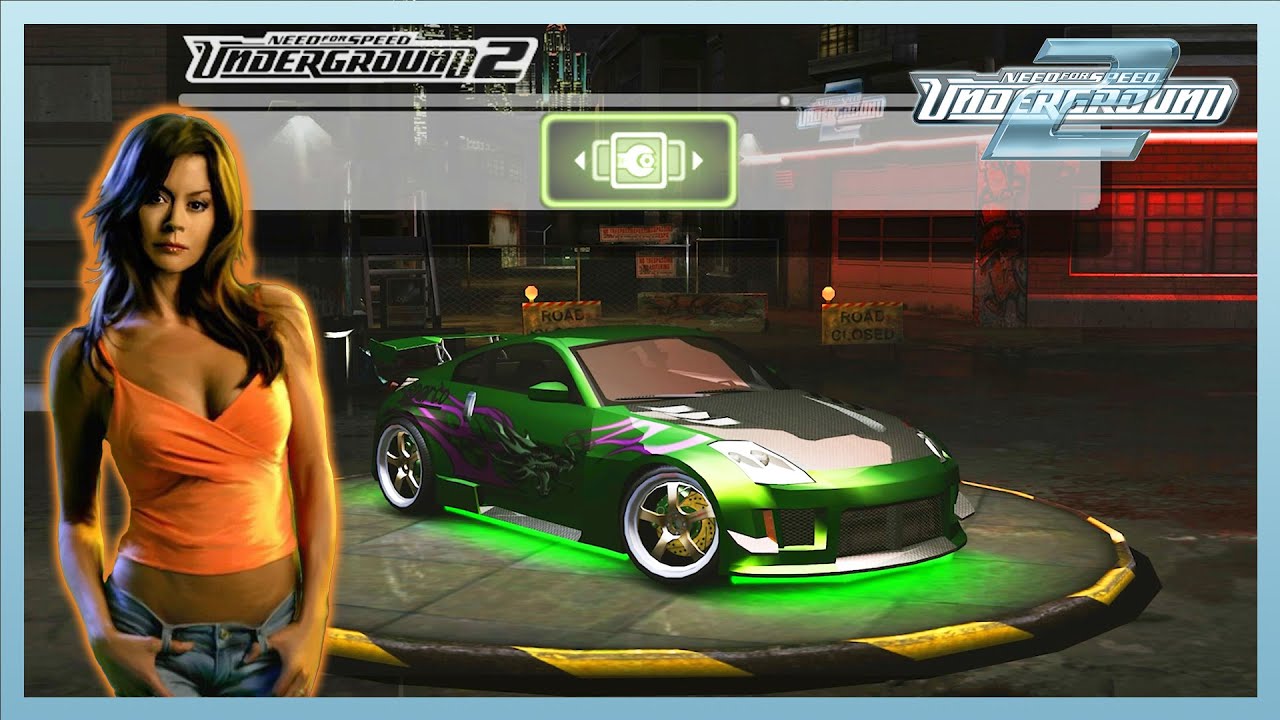
In this video, I'm gonna show you step by step "How To Make Rachel's Nissan 350Z in Need For Speed Underground 2", The legendary green Nissan 350Z from the very beginning of the game at NFSU2 Bayview Airport. You can see the exact parts that I installed in the car. So, you can try it if you're still playing this game.
🔴NFS Underground 2 Ultimat...
theres nothing special about her car its just generic parts that can go on any 350z
jade briar
old abyss
i got tired of handling car shadows (and possibly forced texture shadows of othe...
 balmy chasm
trail quail
That hp piece was too many tris tho so i would have to optimise
balmy chasm
trail quail
That hp piece was too many tris tho so i would have to optimise
https://cdn.discordapp.com/attachments/1169888959363559497/1220055228473413755/image.png?ex=664593b9&is=66444239&hm=b1ea7417a960af19910b875148ac49714b30b91f601e1cbfaef44b5a92a1042d&
Here was my take on that Z. You can get it like x1.5 density just to satisfy the scale of the whole mesh. This one does have some issues with reflections due to uneven mesh density, but not visible from distance further than 20cm. And you can go this low-mid poly just because your piece is after the glass with its own reflection. I assume you can take this part with just 2k tris
 trail quail
balmy chasm
https://cdn.discordapp.com/attachments/1169888959363559497/1220055228473413755/i...
trail quail
balmy chasm
https://cdn.discordapp.com/attachments/1169888959363559497/1220055228473413755/i...
K
trail quail
We model in strange ways lol

Oh well whatever gets the job done we guess
and the topology is clean
ember river
balmy chasm
https://cdn.discordapp.com/attachments/1169888959363559497/1220055228473413755/i...
Important to remember though that meshes also take VRAM, and if we take a raw highpoly sculpt into the game just to avoid textures, there is a point where things start working backwards again.
I'd say, let just strike forward with this task and get something done already, then we can iterate. Otherwise too many early feedbacks can cause noise as well
old abyss
if something needs remodelling/retexturing it's definitely the smoke animation sprite
it eats way too much processing power if paths happen to bounce on it
ember river
old abyss
it eats way too much processing power if paths happen to bounce on it
Ain't much we can do I'm afraid. Rays hitting an alpha blended/tested geo have to perform texture lookups against the alpha channel to check if it should move forward or start a bounce, and is pretty much why we've declared death to (almost) all transparency in the game
old abyss
these settings pretty much make it look 'ok' and also play nice with pathtracing

though the original texture doesn't take runtime generated lighting into account so it's more like a heat haze than a white smoke
also I updated the shadow-yeetus RTXHelper thingy to also include 'fancy' car shadows as the game calls it in code
 ember river
old abyss
these settings pretty much make it look 'ok' and also play nice with pathtracing
ember river
old abyss
these settings pretty much make it look 'ok' and also play nice with pathtracing
Beam texture is meant for, well, beams, like those huge canon lights waving in the city (two perpendicular planes) afaik.
I realised that transparent textures shouldn't be tagged with Ignore Baked Lighting, or else they look very weird.
old abyss
ember river
old abyss
also I updated the shadow-yeetus RTXHelper thingy to also include 'fancy' car sh...
you're a beast. That is pretty nice
old abyss
ember river
Beam texture is meant for, well, beams, like those huge canon lights waving in t...
it makes it play slightly more nice when cars generate smoke, i don't know much about texture flags yet
cloud crypt
old abyss
these settings pretty much make it look 'ok' and also play nice with pathtracing
I have set that texture as particle and replaced it with higher res ones
jade briar
old abyss
also I updated the shadow-yeetus RTXHelper thingy to also include 'fancy' car sh...
What exactly are the "fancy shadows"
tawny elk
jade briar
What exactly are the "fancy shadows"
Think they’re car specific drop shadows?
jade briar
ah
ember river
tawny elk
Think they’re car specific drop shadows?
yup. They are some quad fan spiraling outwards from the car and uses a simple generic gradient texture which we don't known if disabling it would be a good idea. It is that thing that shows when stochastic alpha blend is disabled. Now it is gone
old abyss
it's basically a tile texture which is a gradient from transparent to black-opaque that is rendered by the game during runtime
it's dynamic shadows basically, with some alpha channel magics
 old abyss
nah IDA pro 8.3
tawny elk
The color scheme threw me off
tawny elk
There’s is 
old abyss
i need my monokai latte
ember river
old abyss
Would be willing to give culling a go? Might be the #1 feature ppl report about the mod, lights disappearing, LODs popping, etc.
tawny elk
NOP out the max polygon check for the trackstreamer 
old abyss
ember river
Would be willing to give culling a go? Might be the #1 feature ppl report about ...
@tawny elk's patch ensures the view doesn't check whether an object is blocked by something else
tawny elk
I think I did that once and the game engine broke
old abyss
but the TrackStreamer will still do what it does, stream piece by piece
culling is engine-level stuff, our hardware can handle it but idk if the game can
ember river
old abyss
<@264632269174472704>'s patch ensures the view doesn't check whether an object i...
I mean, frustum culling specifically
tawny elk
old abyss
culling is engine-level stuff, our hardware can handle it but idk if the game ca...
The game engine runs into CPU problems with no culling I believe 
tawny elk
ember river
I mean, frustum culling specifically
That’s handled by the trackstreamer surprisingly from what I remember
The games camera only does the distance culling part of the equation.
The trackstreamer doesn’t stream in pieces behind the camera.
It streams in a radius around the player, and then what’s in front of the player.
You can see this if you use Zmenu and disable world culling.
Correct me if I’m wrong @old abyss , been a minute since I was deep into the engine
old abyss
ember river
I mean, frustum culling specifically
by frustum culling, are you referring to possible rtx pop-ins like lights and such behind a corner?
jade briar
old abyss
by frustum culling, are you referring to possible rtx pop-ins like lights and su...
yes
ember river
old abyss
by frustum culling, are you referring to possible rtx pop-ins like lights and su...
old abyss
i don't have this issue??????
ember river
Like this
old abyss
huh
ember river
wut
tawny elk

old abyss
gimme a sec i gotta check something
tawny elk
The problem still occurs, even with my patch
jade briar
There's frustum culling, so camera view
Distance culling, objects that disappear behind the camera after a certain distance threshold is crossed
And occlusion culling, objects behind other objects getting culled
tawny elk
jade briar
There's frustum culling, so camera view
Distance culling, objects that disappear...
There’s no occlusion culling in the engine from my understanding
Well not automatically
It’s done with manually placed planes
jade briar
ah
ember river
like trigger planes, similar to how source engine loads scenes I believe?
tawny elk
Maybe. Not familiar with those
tawny elk
old abyss
gimme a sec i gotta check something
The famous last words  He went out to get milk and never came back
jade briar
Visibility volumes
old abyss
jade briar
There's frustum culling, so camera view
Distance culling, objects that disappear...
in Speed games, think CS:GO type of manual culling
the sections have keys and angles attached to each other, it's why the free roam feature was a massive hit in the first place
agressive culling = need less memory = can play on ps2 booboo hardware
jade briar
Yeah culling volumes
Well that's what modern games use
But same concept
Also don't you dare disrespect the ps2 hardware
old abyss
tawny elk
The famous last words <:sadBooty:1088994724049858663> He went out to get milk an...
i can't get zolika's menu to show up with rtx
:v
tawny elk
old abyss
i can't get zolika's menu to show up with rtx
You may need to mark it as UI.
jade briar
old abyss
i can't get zolika's menu to show up with rtx
You need a specific old version for it to work
I don't know why
And I don't know how to get it
But I have it in zip
tawny elk
I have it as well 
jade briar
It's not easy finding a specific zip on my computer
 old abyss
jade briar
You need a specific old version for it to work
old abyss
jade briar
You need a specific old version for it to work
oh god
jade briar
This is just the compressed files folder
old abyss
jade briar
Here
it worky muchas gracias
jade briar
old abyss
idk what to tell you @ember river maybe I'm missing something
jade briar
old abyss
idk what to tell you <@544327892599963668> maybe I'm missing something
nononono
You have to use remix's freecam
This freecam is used by the game engine so ofcourse it'll workl
The game engine doesn't see remix's freecam. As far as the game is concerned, remix cam is attached to the car
ember river
old abyss
idk what to tell you <@544327892599963668> maybe I'm missing something
Yeah, I got scared for a bit before reading uncle burrito response lol. Remix free cam works after injection so the game doesn't knows about it
old abyss
I downloaded Zolika's thinking it was what you were using lol
I had anti-culling stuff ON in RTX Remix
that's why I didn't have popins during normal gameplay but yeah now I see the issue with rtx camera
cloud crypt
If you could get rid of culling that would be awesome (if that is even possible)
Adam just made it less agressive with his plugin but its still there
ember river
old abyss
that's why I didn't have popins during normal gameplay but yeah now I see the is...
yeah, anti culling makes my game insta crash btw. It is not as perfect as having the engine itself issuing all the draw calls
tawny elk
old abyss
I had anti-culling stuff ON in RTX Remix
That helps but it’s not a permanent solution since it’s based on frames.
old abyss
HMM
 old abyss
@ember river can you test something for me reaaaaal quick?
i cannot use the remix camera for the life of me
ember river
sure
ember river
old abyss
does this help with culling at all?
Nope. Not working still
old abyss
sadge
 hexed seal
what is that program and why is it magic
that all the classes and stuff have names
not the kind of shit I am used to from ollydbg
trail quail
With Emans wheels the z really gets elevated
Shame our model is not quite up to that standard, but it is a WIP
We are not worthy 😐
 cloud crypt
You are worthy. Model looks really good so far, keep up the good work
 old abyss
i think this improved culling? not so sure but it's not as agressive
cloud crypt
Ill take a look when i am at home
ember river
trail quail
We are not worthy 😐
Please, the model is looking pretty good. Don't hit yourselves. I'm looking forward to it.
If needed, I can add some minor touches here and there just to get that extra details in place, but so far it seems to be at great standards indeed
cloud crypt
ember river
Please, the model is looking pretty good. Don't hit yourselves. I'm looking forw...
That model only has 421K tris and looks so good. I can tell thats good cause i saw basemodels with 2M tris and looked worse
old abyss
tawny elk
Whatcha do to achieve this
by default game uses a preculler, i.e., the thing that ensures anything not necessary doesn't enter the rendering pipeline
the preculler has a few modes:
enum ePrecullerMode {
        PRECULLER_MODE_OFF = 0,
        PRECULLER_MODE_ON = 1,
        PRECULLER_MODE_BLINKING = 2,
        PRECULLER_MODE_HIGH_SPEED = 3,
};
I just set it to OFF, increase TrackStreamer memory size by times 4 and the game's a bit more lenient with culling
tawny elk
Ah I didn’t know it had multiple modes
cloud crypt
Someone from the NFS Servers i am on come up with this for remodeling cars
 cloud crypt
 lusty storm
That look painful
trail quail
cloud crypt
Remaking it using their mesh is painful. When we started that is what our process was
I lost a fair bit of time
cloud crypt
yeah haha XD
trail quail
Makes us think of thee plaque in black mesa. Blackbox's system "Work harder not smarter"
XD
Not to mention how broken up the tris are when importing it cmon 😦
"how many modelling sins are we gunna commit?"
Blackbox: "yes"
tawny elk
trail quail
"how many modelling sins are we gunna commit?"
Blackbox: "yes"
"UV Maps? Never heard of em"
trail quail
"what are welds?
tawny elk
“Cube project is all we need”
 balmy chasm
trail quail
Remaking it using their mesh is painful. When we started that is what our proces...
balmy chasm
trail quail
Remaking it using their mesh is painful. When we started that is what our proces...
I have tried this workflow and it did really great. We shouldn't dismiss this approach until further testing. As of now it makes no sense to argue while car mesh can't be replaced
trail quail
Oh it was more a personal thing for me. I just couldn't manage doing it that way
jade briar
@old abyss would it be possible to read car paint type from the memory during runtime
desert ridge
https://github.com/nlgxzef/NFSU2Unlimiter/
This script can read the car paint and decal settings, so I believe we can retrieve that information from the memory.

GitHub
Need for Speed Underground 2 Unlimiter. Contribute to nlgxzef/NFSU2Unlimiter development by creating an account on GitHub.
ember river
It could work, if we could patch the game to trigger remix api in runtime 
desert ridge
Spawn a new mesh and assign the decal texture or car paint texture to that object. This way, remix will generate a unique hash for each mesh. Than we can manually replace them in Omniverse.
 fading condor
Hello, anyone can help me? the mod called NFSU2.Culling.Disabler either does not work for me or does not work as I need (FPS drops a lot and the model still disappears) unlike Zmenu Zolika. I don’t have a video card with PTX, I’m not a programmer and I don’t use the PTX remix. What do I need to do in the game or model itself so that the model stops disappearing without ASI scripts or who can fix the code for this mod?🙏
desert ridge
I have a similar approach in GTASA. Remix render the car texture as a white color. I use a script to read the actual car color and then assign the correct color texture to the body. Then replace those textures with PBR properties in Omniverse.
#1097105394821759006 message
If berkayylmao can create something similar to the GTASA's Moonloader library, then we would be able to access many in-game statuses and assign anything we want.
ember river
trail quail
"how many modelling sins are we gunna commit?"
Blackbox: "yes"
wdym?
bruh, all these years and I just now realized this is a fucking bus stop 
 ember cobalt
is it that massive in the base game? wow
ember river
ember cobalt
is it that massive in the base game? wow
bus stop from Cars universe, I guess
ember cobalt
lmao yeah
timid prairie
ember river
wdym? <:kek:789857232896000010>
bruh, all these years and I just now realized t...
the little you knew that you are toy car controlled by a kid in a real world as he imagines himself as a cool street racer 🤣
ember river
timid prairie
the little you knew that you are toy car controlled by a kid in a real world as ...
That kid has gotta stop watching so much fast and furious before it end up bald wearing a white tank
 trail quail
ember river
wdym? <:kek:789857232896000010>
bruh, all these years and I just now realized t...
trail quail
ember river
wdym? <:kek:789857232896000010>
bruh, all these years and I just now realized t...
Wait it is not just some parking place? Omg ever tume i saw this game i thought it was just airport parking thing 😵💫😐
And some sort of just cool airport shade thing
cloud crypt
ember river
wdym? <:kek:789857232896000010>
bruh, all these years and I just now realized t...
Really?😂😂
Ohman, my lights really look way better than these old ones😂
tawny elk
trail quail
Wait it is not just some parking place? Omg ever tume i saw this game i thought ...
Thought it was a taxi stand
old abyss
desert ridge
If berkayylmao can create something similar to the GTASA's Moonloader library, t...
i honestly don't understand what you are planning 👀
vinyls in nfsu2 & nfsmw are just textures
body paint is a car part that the game reads during car render to assign the body color
what do you need?
tawny elk
The issue is that the texture hash changes on the car model, so you can just set the PBR properties and be done with it.
cloud crypt
Every color needs its own texture hash
ember river
Imagine having access to how exactly the game performs its texture blending for each car + remix hasher and writting a script to automate all that
lusty storm
It looks like you guys are cooking nfsu3 lol

 agile cedar
yoo could someone help me, my game is like this and when i change resolution it crash imidietly.
#general-remix message
the photo is in generall
jade briar
agile cedar
the photo is in generall
Do not change the resolution. Use widescreenfix. It's provided with the mod. You might need to change the widescreen fix's configuration file. It's in the scripts folder
 jade briar
agile cedar
is it one of those?
jade briar
agile cedar
is it one of those?
konfigurationsinst...
Probably
I don't speak german
 jade briar
change resx and resy values to your resolution
So for 1080p it'd 1080 for x and 1920 for y
No
Maybe it's the other way around
agile cedar
I would look if its gotta work
still same issue..
and i got the same problem as before that my desktop is also in the same resolution and i can't get it to fullscren. Only when i change resolution in the game but the game freeze at the same time
dusty grove
agile cedar
and i got the same problem as before that my desktop is also in the same resolut...
First of all - windowed mode 4 or 5
Then set desired resolution
cloud crypt
agile cedar
and i got the same problem as before that my desktop is also in the same resolut...
use this
old abyss
jade briar
i am unable to reproduce this issue, the texture updates but the hash stays the same

 jade briar
old abyss
i am unable to reproduce this issue, the texture updates but the hash stays the ...
jade briar
old abyss
i am unable to reproduce this issue, the texture updates but the hash stays the ...
The texture hash
cloud crypt
thats what we meant
but we want the hash to change
 jade briar
old abyss
jade briar
old abyss
That's strange. Did they fix it already and didn't notify us? We need the same hash for every car
dusty grove
jade briar
That's strange. Did they fix it already and didn't notify us? We need the same h...
In u1 it works actually, but hemry rough only method is still better (when modifying car it becomes matte for a second)
desert ridge
jade briar
That's strange. Did they fix it already and didn't notify us? We need the same h...
No, different car share same texturehash
cloud crypt
ah, the hash changes with car
old abyss
idk what to tell you

 jade briar
Oh I remember. If you make changes to the material, it locks the material to the texture you made the changes with. So if you make the surface glossy, it'll continue to use the texture you had when you did the replacement
old abyss
changed to metallic, added vinyl, still same hash 🤷🏻
 desert ridge
If you change the car's paint or vinyls in the garage, make sure to drive out to the map and then drive back to the garage. This will change the texturehash.
dusty grove
old abyss
changed to metallic, added vinyl, still same hash 🤷🏻
Try capturing scene, replace car paint with glossy > get back into game, all cars should have same colour texture
old abyss
I was eventually able to get the game to refresh the texture entirely
but the problem is, right, even if certain paints had certain defined hashes, the texture still has the car details inside of that texture
that is to say, game renders that texture meticulously
if you made a certain texture hash be pearlescent, then entire car would be pearlescent, including its interior
tawny elk
old abyss
but the problem is, right, even if certain paints had certain defined hashes, th...
You can defeat this with a mesh replacement
desert ridge
Can you ignore the original paint texture and assign a solid color texture to the car body only? This is necessary because the interior shares the same body paint texture in-game. We need a unique texture to assign the PBR texture in remix. All vinyls will need to be created as separate plane objects, and the corresponding vinyl textures can be assigned to them. We will then assign these new plane objects with HD textures in the remix. This way, every car body paint can have a unique texture, while still keeping the vinyls visible.
And disable the interior render in game and then we add it back in remix. This way, we can assign the correct car interior model for them.


 dusty grove
cloud crypt
the results of it
dusty grove
cloud crypt
the results of it
That looks so nice, gap between ligh poles is perfect, BUT WHERE IS WET ROADS 😡😡😡
(We finally have Ray Reconstruction, so noise is no longer a problem - dew it)
 cloud crypt
dusty grove
That looks so nice, gap between ligh poles is perfect, BUT WHERE IS WET ROADS 😡...
cloud crypt
dusty grove
That looks so nice, gap between ligh poles is perfect, BUT WHERE IS WET ROADS 😡...
Haha, dont tell me
i just can say that there is smth planned but i cant tell what it is for now
old abyss
i am able to force a skin onto all cars

now how do yall want to implement colors and pbr into this again?
by the texture hash alone?
like idk hash 1 = gloss yellow, hash 2 = matte green, etc?
desert ridge
Just set the full body color to their corresponding colors. We can take care of the rest of them in the remix.
cloud crypt
but vinyls wont work then it seems
desert ridge
The wheels also need to be assigned solid colors. The car parts only have decals (brand logos), headlights and taillights have stable mesh hash, while the other parts should be unstable mesh hash.
desert ridge
cloud crypt
but vinyls wont work then it seems
Spawn a new plane and assign the vinyl texture to the plane. Then, we can create a mesh decal and combine it to the car body.
old abyss
@desert ridge @cloud crypt vinyls can work, I was just lazy and overrode the entire skin in the above post
fun fact: we can just yeet the game's color swatch palette and just add a proper hsl/hsv/rgb selector
but that'd be besides the point
I'll try to force certain color-palette matches to a defined list of textures
desert ridge
As the setup stage, since the vinyls is a real object, I think berkayylmao can get the exact position of the vinyl as well.
desert ridge
old abyss
ideally we need a runtime companion
Don't create an RGB selector. If you do this, we'll need to manually assign a 256x256x256 = 16,777,216 PBR textures, which is almost impossible for us.😅
old abyss
no I mean, something, some app, some other scipt idk, to pass valuable information to
like 'game is currently setting up car body color, here's the info: {rgb + color type}'
or game is currently rendering vinyl xyz
idk how you'll be able to handle vinyls with pbr
since the vinyl texture ends up on the car skin texture
the texture is UV mapped and the game creates a composite skin texture
idk how to play around it, I'm not a modeller etc
desert ridge
As the setup stage, the vinyls are actual objects. You just need to ensure those objects don't disappear after we leave the setup stage.
 cloud crypt
desert ridge
As the setup stage, the vinyls are actual objects. You just need to ensure those...
cloud crypt
desert ridge
As the setup stage, the vinyls are actual objects. You just need to ensure those...
these arent vinyls... these are sponsor sticker
old abyss
i need an english speaker 😭😭😭😭😭
desert ridge
The vinyls need to be spawned as a plane, and the vinyl texture should be assigned to it.
old abyss
my friend, mi amigo
the game creates a UV mapped composite skin texture to render on the car
desert ridge
 old abyss
I'm simply not going to implement a whole additional render layer code just to help vinyls be on top of the car skin for an RTX remix mod
desert ridge
My friend, you need to spawn a new plane next to the car.
old abyss
underground 2 when I tell it to just spawn a new plane next to the car: https://c.tenor.com/9QWHYsTOCYMAAAAM/intese-moyai.gif
 desert ridge
cloud crypt
these arent vinyls... these are sponsor sticker
desert ridge
cloud crypt
these arent vinyls... these are sponsor sticker
This is an example of creating a new plane on the car and assigning the vinyl texture to it. I'm using this as an example because I can't do it and don't know how to.
old abyss
ok let me try and explain
what the game does
is render a completely black car model vertices, that is 0xFFFFFFFF in color BRGA
on top of that, it use dx9 to render a UV mapped texture
I cannot 'just spawn a new plane next to the car'
desert ridge
Some remix modders create a sky sphere using an existing game mesh. For example, I used an unused road in GTA:SA as a sky sphere replacement and replace them as the sun and moon in the remix.
But I'm using a script library, so I don't know exactly how to do that from scratch.
tawny elk
old abyss
is render a completely black car model vertices, that is 0xFFFFFFFF in color BRG...
Good enough in my book
Y’all gotta come to terms of having to just apply the vinyls on a texture yourself
Or have to use the white list for the remix PBR properties
jade briar
old abyss
underground 2 when I tell it to just spawn a new plane next to the car: https://...
Yeah bro it's just a plane. Why don't you spawn it. YOu scared or smth?
desert ridge
I'm pretty sure the vinyls have a unique texture that processes the texture blending in the engine. That means the vinyl texture is accessible in memory.
 desert ridge
jade briar
Yeah bro it's just a plane. Why don't you spawn it. YOu scared or smth?
desert ridge
jade briar
Yeah bro it's just a plane. Why don't you spawn it. YOu scared or smth?
I think he just doesn't understand the replacement process in the remix.
old abyss

the. car. skin. texture. is. a. uv. mapped. composite. texture. it. cannot. be. fragmented.
it is not possible to add 'another plane' or 'another layer' on top of the composite texture. because the game maps the composite texture onto the car model vertices
if there's someone willing to edit the game's engine code, they can add another layer. I'm not that someone
jade briar
old abyss
it is not possible to add 'another plane' or 'another layer' on top of the compo...
I think he's talking about spawning a plane under the map with the texture applied to it
desert ridge
old abyss
it is not possible to add 'another plane' or 'another layer' on top of the compo...
Okay, let's use another approach. If you can't create a new plane in the game, when editing the vinyls texture, can you trigger the add sponsor decal process with code and replace the sponsor texture with the vinyls texture?
tawny elk
jade briar
I think he's talking about spawning a plane under the map with the texture appli...
Don’t think there’s any easy way to spawn things like that
desert ridge
tawny elk
Don’t think there’s any easy way to spawn things like that
Then why can some ASI mods for GTA:SA spawn new objects in the game?
tawny elk
desert ridge
Then why can some ASI mods for GTA:SA spawn new objects in the game?
Prob cause there’s a way easier way to spawn things in that game.
Remember, there’s still no map editors and such in BlackBox games
desert ridge
Then, is it possible to trigger another function call when editing the vinyls?
Pseudo-code:
if changing_vinyls_texture then
texture = selected_vinyls_texture
decal_index = 0
addSponsorDecal(texture, decal_index)
old abyss
if there was a way to get rtx remix to do its thing while in the rendering pipeline, I could have easily layered the paint and vinyls etc
but rtx remix is ran after the scene is done rendering so yeah
old abyss
desert ridge
Then, is it possible to trigger another function call when editing the vinyls?
...
probably possible, would need some reverse engineering
desert ridge
old abyss
if there was a way to get rtx remix to do its thing _while_ in the rendering pip...
It's only possible for 64-bit applications at the moment.
old abyss
if only rtx remix supported texture blending smh
desert ridge
Nukem has a test demo in Skyrim using the Remix API.
#1097563444137427056 message
 desert ridge
old abyss
if only rtx remix supported texture blending smh
desert ridge
old abyss
if only rtx remix supported texture blending smh
In Remix, we use "mesh decal" that work with some kind of "texture blending" functionality. #asset-creation message
ember river
desert ridge
Then why can some ASI mods for GTA:SA spawn new objects in the game?
Each game is a whole new beast when it comes to modding capabilities. Usually mods rely on mod loaders that found and can trigger og code to spawn objects like that rather easily, other games it is not so trivial. In games made with Unity you can just inject C# code to call GameObject.Instantiate() passing a prefab as argument and it is done, but inserting new authored models in a Unity game like that might require writing your own asset importer...
REing a game like U2 is not something we can count on a lot of abstration layers to help get the job done like that (I supposed with my limited xp in RE), so yeah, not an easy task
Mod APIs is the right term. Another examples:
Minecraft -> Forge or Torch
GTA V -> Script Hook V
Skyrim -> SKSE
Terraria tModLoader
...
Don't think we have something similar for U2 (guys, correct me if I'm wrong). That is why it is so hard to get certain things done in base game level
ember river
old abyss
if only rtx remix supported texture blending smh
Would it be possible to split the car rendering into 2 separate draw calls, one with the base solid colors (or carbon fiber) and another with only vynils textures applied as an alpha blended texture on the D3D9 calls?
That way remix could hash the vynil separately and we could make replacements to the vynils textures directly, and also tag them as decals in remix menu.
For that I imagine you'd need to:
- Disable compositing of vynil on top of the base color, so we can also lock the solid color hash
- Keep the cars' vynil textures loaded and uploaded to GPU so you can issue alpha-blended draw calls with them alone
Which I don't know if is possible
desert ridge
ember river
Mod APIs is the right term. Another examples:
Minecraft -> Forge or Torch
GTA V ...
GitHub
Need for Speed Underground 2 Unlimiter. Contribute to nlgxzef/NFSU2Unlimiter development by creating an account on GitHub.
ember river
desert ridge
https://github.com/nlgxzef/NFSU2Unlimiter/
Yeah, that is a very interesting codebase to use as reference and get a leg up. Although from what I can tell by the README it seems to mostly trigger functionalities that already exists in the game. It doesn't exposes an API to abstract things like spawning objects, get/set scene state (objects, positions, variables, etc.). Not the same as a Mod API.
But again, great example to look deeper and better understand the game
desert ridge
The demo video showcases that it can add extra objects not available in the original game. Perhaps would need to replace the original car file to make those extra parts editable.
https://youtu.be/FQ_EvLz3g-I

🔹 Hi racers, nlgzrgn here! In this video, I'll be showcasing all the Extra Customization features with the car mod I've made!
▶ Timestamps ◀
00:00 - Intro
00:06 - Customization
10:48 - Race Replay
▶ Also Check Out: NFSU2 Unlimiter with Extra Cu...
old abyss
HMMMMM
 tawny elk
old abyss
HMMMMM
tawny elk
old abyss
HMMMMM

old abyss
so I just made a glorified texture hook over the entire game

lmao

and it's runtime!
maybe I can do some shenenigans idk
desert ridge
jade briar
What about the remix api?

GitHub
Contribute to NVIDIAGameWorks/dxvk-remix development by creating an account on GitHub.
old abyss
old abyss
nothing is ever so simple with optimized ps2 era games smh
the skin texture has a lot of other stuff in it
like interior textures, blinker textures, literal meshes in the bumpers/hood/etc
 jade briar

old abyss
for example

interior color, texture, wheel + rim texture + color, etc
this is all to say, the texture will still have a different hash for each car
we'd need to go deeper into the engine to capture uv mapping to create our textures and blend them
ember river
old abyss
we'd need to go deeper into the engine to capture uv mapping to create our textu...
I was under the assumption that vynil textures were read from disk with UVs already matching specific car (say, 240sx_vynil_flames_03.dds) and the game would just naively overlay them using the alpha channel on top of all that base texture containing the interiors, blinkers and what not
old abyss
ember river
I was under the assumption that vynil textures were read from disk with UVs alre...
ideally each car has a base texture inside of its TEXTURES.BIN
then there's the generic cars/TEXTURES.BIN
the game creates a composite and seems to handle it off to the engine to do the dirty work
https://pastebin.com/TT0t6VFP, related struct
CarLoader creates a composite, stores it in TextureInfo, game utilises CarRenderInfo to render things
ember river
old abyss
the game creates a composite and seems to handle it off to the engine to do the ...
So about the idea of splitting draw calls to render the car twice with the "everything else" texture and then with vynils, you think there is a possibility?
old abyss
it's definitely possible
just split the single draw texture call into staged texture calls and let dx9 blend them
but uggggh
i kinda don't want to do that? I already spent way too much time just trying to figure out exactly how the game creates the composite
ember river
old abyss
just split the single draw texture call into staged texture calls and let dx9 bl...
I see. I wasn't even referring to keep blending them, just literally render the car again as a totally new draw call, only this one would use the vynil textures. The base game without remix would be broken, ofc, but in remix we can captures the vynil draw call texture and tag as decal
old abyss
https://gofile.io/d/GRaszQ cc: @tawny elk since you seem to the code guy. 7z file pw is 1234

4 files - 35.9 MiB
ember river
old abyss
i kinda don't want to do that? I already spent way too much time just trying to ...
fair enoug, u've been doing a great work, I see
tawny elk
old abyss
https://gofile.io/d/GRaszQ cc: <@264632269174472704> since you seem to _the code...
What’s this 
tawny elk
old abyss
i kinda don't want to do that? I already spent way too much time just trying to ...
Culling is more important than the texture thing imo. I’ve always been of the mindset that if you really want vinyls and such you can always just do it in photoshop 
old abyss
tawny elk
What’s this <:pogg:1197614996880900167>
ida database + ghidra .xml export; u2 gamecube build with symbols; rtx helper code and some other stuff I already forgot lmao


 trail quail
I guess it is not too bad for version 1.0 (oh the brakes but whatevs.
apart from the side skirt and grille (maybe a roof, glass, that ugly indicator light and a few accessories we are not gunna bother with yet), The first iteration of the Z is done). I just might need help to test it ingame. I won't be able to see the rtx results on this laptop though. I will have to wait till I have my destop again


There are some texture stretch issues, but they can be resolved eventually
balmy chasm
trail quail
apart from the side skirt and grille (maybe a roof, glass, that ugly indicator l...
https://github.com/Ekozmaster/NFSU2-RTX-Remix/tree/fancyLightsMeshes/rtx-remix/mods/gameReadyAssets/03_meshes/03_cars/02_350Z
You can grab Hemry's lights from here if you wish
GitHub
RTX Remix mod for Need for Speed Underground 2. Contribute to Ekozmaster/NFSU2-RTX-Remix development by creating an account on GitHub.
ember river
trail quail
apart from the side skirt and grille (maybe a roof, glass, that ugly indicator l...
Awesome work. Really nice piece
trail quail
Wait for version 2.0 it is so smooth. Of course within reason as high polycounts. Those lights haha. They are awesome. they are 47K for 2headlights in a way haha
To be fair they look dope tho
Lovely work Hemry
desert ridge
trail quail
Lovely work Hemry
Thank you. I'm not very good at low-poly optimization yet. I'll optimize it in the next version after I finish some other things first.
For some headlight details, we used real geometry instead of a normal map. The first reason is to save more memory for other things that need texture replacements. The second reason is that the normal map detail is not very visible in translucent materials, compared to the real geometry detail. That's why you can see many headlights and taillights have a very high polygon count.
trail quail
desert ridge
For some headlight details, we used real geometry instead of a normal map. The f...
It still looks good though
Fits well (ignore the hood)

That shading is clean btw that is just the crappy viewport enviro ap
map
The shading errors are not there like version 1.0

The grille will be a normal map (too many tris)
cloud crypt
it shouldnt, elsewise you cant see the intercooler
surreal ruin
cloud crypt
it shouldnt, elsewise you cant see the intercooler
You can have a normal map and an opacity map mate
Very common