
#Grand Theft Auto: San Andreas (GTA SA)
1 messages · Page 5 of 1


 round tendon
definitive
rest need just mod support n all, does it work to put modloader? have like map fixes n stuff
also last pic makes cars so much more realistic, look at that dirty rusty one on the left
 quaint heron
@candid sapphire i apologize for the ping, but im just wondering, did you make the tutorial video for installation? or if you want, we can make a call (no need for mic) and i can just show u my game folder and how i set up the rtx remix
 candid sapphire
I'll do it when I have time, i wanted to Yesterday but couldn't, and i'm not home rn so i can't go in a call sry
Just screenshots your game folder i'll try to help
 warm thorn
I wanted to share an update regarding the progress i've made. I have successfully split the car's body, mirrors, and glass into different textures, which is a significant achievement. However, I've encountered an issue where certain parts are not changing the texture as expected. It appears that these parts might still be utilizing the car's "dirt texture." I will be focusing on resolving this issue tonight and hope to find a solution.
candid sapphire
"ignore texture" in remix on the dirty texture, might resolve the problem ?
warm thorn
candid sapphire
"ignore texture" in remix on the dirty texture, might resolve the problem ?
If I use the "ignore texture" option, it will prevent the entire part from rendering with the dirt texture. However, it appears that only certain parts are not changing their textures, while the other parts that originally used the same texture are rendering correctly.
candid sapphire
Yeah it seems like cars have few differents hashes for each parts, i tested and the same car had like 5 different color using debug view
warm thorn
I am modifying the original game by utilizing the part's name, texture name, and color alpha to identify whether it represents a body, mirror, or glass material. So it's not related to meshhash issue.
 smoky gate
i can indeed help in the game if you all thrive to make this style or similar photorealistic game of sa

OpenArt
hdr map of gta san andreas evening, pink sky, photorealistic, hyper detailed, hyper realistic, houdini, vfx, unreal engine 4, octane render, vray render, 8 k
can volumetric fog or this be achieved (apart why ssr rt and roughnes everythign looks fine tho

see the dmall particles and hd objects and fences left, these trees and photorealistic ideas would be better
smoky gate
smoky gate
https://openart.ai/discovery/sd-1007688752103174254
aint photogrammetric ai textures better ? for projects to make it look realistic like real life ls
these guys supposedelt recreated the map in ue 5 https://youtu.be/ZgSZPZU04b8?si=-sbOjB4hv53YcWLM 🤔
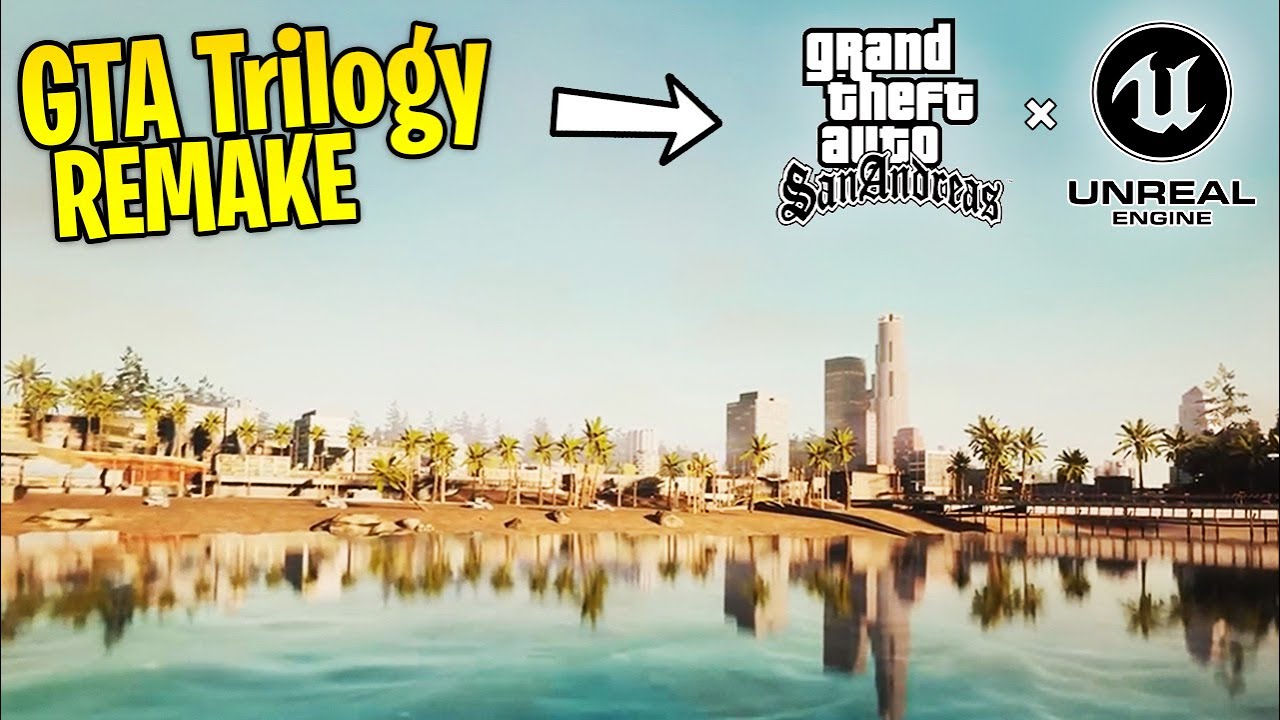
▶This is GTA San Andreas REMADE in the Unreal Engine... Could This Be How the GTA Trilogy Remake Looks?
Grand Theft Auto: San Andreas in UE4 - Fan-made Trailer [REUPLOAD]
https://www.youtube.com/watch?v=XrUmCmb3Z3c
Donate to me here: https://streamlabs.com/datsaintsfan
More of Me!
•My Discord: https://discord.gg/saintsfan
•Twitch (Lives...
warm thorn
Low texture quality tree with heavy shader effect = realistic?🤔
 candid sapphire
smoky gate
candid sapphire
smoky gate
Those leaves are flat pngs wdym photorealistic
warm thorn
smoky gate
i can indeed help in the game if you all thrive to make this style or similar ph...
You are welcome to work on your own mod. Our goal is to remaster the game by incorporating high-poly objects and HD textures, which may not align with your preference for a "high quality AI photorealistic style."
So realistic, look exactly the same GTASA mesh.
 smoky gate
lol🤣🤣
smoky gate
warm thorn
Low texture quality tree with heavy shader effect = realistic?🤔
nno, the pbr and vol. lighting is
smoky gate
warm thorn
You are welcome to work on your own mod. Our goal is to remaster the game by inc...
I mean to make this project more photorealistic la style
if u think abt photorealisticness u couldve said photorealistic to driv3r in 2006
and so even if we think abt that game the greyness outlook thats why its photorealistic
but why not create smthg like this
 warm thorn
smoky gate
https://youtube.com/shorts/ImNhFkoF9Hk?si=51VbGjr960j2u7I3
warm thorn
smoky gate
https://youtube.com/shorts/ImNhFkoF9Hk?si=51VbGjr960j2u7I3
It's photogrammetry, so you mean you can do that for us?
I think if all mesh use photogrammetry mesh, the mod must over 100GB🤣
 native gust
smoky gate
can volumetric fog or this be achieved (apart why ssr rt and roughnes everythign...
native gust
smoky gate
can volumetric fog or this be achieved (apart why ssr rt and roughnes everythign...
Volumetric fog is already in remix
also SSRT looks horrible in the image
smoky gate
native gust
Volumetric fog is already in remix
also SSRT looks horrible in the image
ofc lol
yeah but this is called volumetric sunlight based fog tho
or works bit diff than normal volumetric fog
its like renderhook’s volumetric shaders
smoky gate
warm thorn
It's photogrammetry, so you mean you can do that for us?
i can try
but it will STILL be stolen
or i find places that resemble Ls somehow lol
smoky gate
smoky gate
but it will STILL be stolen
stolen from real life lol
smoky gate
smoky gate
i can try
ofc itd fuckign. destroy ur pc thats why this shit
smoky gate
if sa could loik like this
#showcase message
i might just try gta iv v road extures upscaled and some city mods i have a couple
that could make it look pretty updated
warm thorn
smoky gate
i might just try gta iv v road extures upscaled and some city mods i have a coup...
Hey bro, any progress update? Actions speak louder than words, so why not show us your skills and demonstrate what you can actually achieve? We're all excited to see how you can make GTASA great again. Right?
 opal sable
@smoky gate you're being very pushy, and pretty disrespectful to the people working on this project
 pastel jungle
i mean if you want something then do it instead of asking someone to do it for free
candid sapphire
I swear this dude discovered photogrammetry and decided to say this word atleast 20 times per day lmaooo
pastel jungle
i want make an full HD 8k texture
it did not happend
i want make an volumetric sky
it did not happend
Whats going on
warm thorn
I've noticed that the person earlier has been talking about making contributions to the Remix mod for about half a year, but there hasn't been any visible progress. This includes his old account "niguhaa", which has been blocked in this group.
pastel jungle
Sounds like niguhaa and klaszlo are same dude
candid sapphire
Yep, same dude
warm thorn
pastel jungle
Sounds like niguhaa and klaszlo are same dude
They are the same guy, he has switched accounts but continues to engage with me on the same topic.
pastel jungle
if i want something (volumetric cloud, etc) on GTA sa rtx i will just learn and play around it
Like no, im not going to ask someone to do it because nobody is boss on this project and no, nobody is paid to do it all of stuffs were done by community
warm thorn
pastel jungle
if i want something (volumetric cloud, etc) on GTA sa rtx i will just learn and ...
That's true. That's why I want to learn Lua in order to fix the game issues in Remix.
I don't possess the same level of expertise in RE as AdamPlayer and xoxor4d do. However, I dedicate numerous hours each day to writing and debugging scripts with the sole purpose of making the game more compatible with Remix and ensuring an enjoyable and playable experience for everyone involved.
pastel jungle
Sir wheres full HD toothbrush model
native gust

candid sapphire
Photogrammetry toothbrush
native gust
maybe i should try modelling
candid sapphire
photorealistic
pastel jungle
Just create unneccesary amount of poly in toothbrush and call it "photorealistic"
native gust
pastel jungle
Just create unneccesary amount of poly in toothbrush and call it "photorealistic...
its true tho
can you see polygons irl???
warm thorn
native gust
can you see polygons irl???
Irl, I can only see things at the cellular level. I wish I had X-ray vision to see the atoms inside!🤣
native gust
warm thorn
Irl, I can only see things at the cellular level. I wish I had X-ray vision to s...
oh right! the models in real life are made by spheres
new rendering method???
 radiant axle
native gust
new rendering method???
radiant axle
native gust
new rendering method???
point clouds gaussian splattered by our retinas 
warm thorn
native gust
oh right! the models in real life are made by spheres
Perhaps the spheres (atoms) are actually high-poly meshes. Who knows, maybe we're living in a simulation where everything is meticulously modeled!
pastel jungle
Real life is the game that has most realistic graphics
Even lighting is pretty accurate and beautiful
All of Walls are with normal maps and tesellation
warm thorn
pastel jungle
Real life is the game that has most realistic graphics
Absolutely! Our brains are like powerful render engines, creating the illusion of the world around us. It's all just a clever simulation!
radiant axle
Wbo ever made this didn't even bother to bake LODs. Real chad
pastel jungle
Real life graphics doesnt need lod because theres no impact on perfomance
warm thorn
radiant axle
Wbo ever made this didn't even bother to bake LODs. Real chad
It's use mesh shader with auto LOD
radiant axle
warm thorn
It's use mesh shader with auto LOD
Nanite irl 
pastel jungle
Our eyes already have highest resolution even more than the highest resolution in computer
Glasses are like upscalers
warm thorn
pastel jungle
Our eyes already have highest resolution even more than the highest resolution i...
It's like our motion vectors get all messed up when we're sick or drunk. Our rendering engine definitely needs some bug fixes in those situations!
quaint heron
pastel jungle
Real life graphics doesnt need lod because theres no impact on perfomance
thats not true, today i had some weird lag spikes in real life. I used to get 300fps now its 100-110fps
Maybe because of the fireworks outside that caused lag
pastel jungle
Maybe fireworks are pretty much unoptimized
warm thorn
Volumetric Smoke, countless particles, bloom shader effects, and massive physical simulations... It's all so complex that even the simulation struggles to calculate it in real time!
pastel jungle
All of them are purely optimized
warm thorn
I've successfully corrected the colors of nearly all the original cars, even without the Terrain System. There are just a few remaining that require some fixing, particularly with the headlight and mirror material. Once those are taken care of, my next focus will be implementing the auto headlight turn-on feature, ensuring its compatibility with the vehicles mod.
 pastel jungle
Thats much better
candid sapphire
warm thorn
I've successfully corrected the colors of nearly all the original cars, even wit...
That's really huge 🥳
 dreamy gull
warm thorn
I've successfully corrected the colors of nearly all the original cars, even wit...
dreamy gull
warm thorn
I've successfully corrected the colors of nearly all the original cars, even wit...
What did you wind up doing to fix this?
warm thorn
dreamy gull
What did you wind up doing to fix this?
To ensure accurate vehicle color display, I employed Moonloader, a Lua script that retrieves the game's vehicle color and texture. I searched for all car components and identified those with "white dirt texture" in their names, specifically textures with "body" or "grunge" included. Subsequently, I generated a 16x16 BMP image with a pure color texture and assigned it to the corresponding objects. By reading the texture name, I was able to differentiate and handle certain scenarios. If the color alpha was less than 200, I changed it to a glass texture. For parts named "mirror" or using a light texture (excluding headlights and taillights), I assigned a mirror texture. This process facilitated easy replacements within the game. Since the game only allows 128 colors for car colors, I needed to assign only 128 textures to a PBR texture.
Regarding the window/glass material, my previous approach required assigning each car's window/glass separately, resulting in around 4-5 glass parts per vehicle. With over 200 vehicles in the game, this meant assigning almost 1000 glass materials. However, I've now streamlined it to just one material. All window/glass elements now use the same "glass texture," and this approach also supports vehicle mods.
I apologize if there are any sentences that are difficult to read due to the translation using ChatGPT.
I'm looking forward to the release of the Remix Render API as soon as possible. With its availability, I'll be able to accurately position the sun and moon without any culling issues in the game. In the attached video, you may notice some flashing light problems. This occurs because I'm currently using a Lua script to locate the in-game sun position (scaled down the distance avoid culling) and replace it with an unused building object (I chose a building because they have a far culling distance in the game). However, there are occasional instances of culling in the game.
dreamy gull
warm thorn
I apologize if there are any sentences that are difficult to read due to the tra...
Completely understandable, and I'm glad to hear you found an approach that works.
dreamy gull
warm thorn
I'm looking forward to the release of the Remix Render API as soon as possible. ...
FYI - a trick that some other modders are using is to just place a mesh close to the camera, and replace it with a sun / moon / whatever. Make that mesh spin, and your sun moves around in the sky.
warm thorn
dreamy gull
FYI - a trick that some other modders are using is to just place a mesh close to...
I'm using a similar approach of attaching the sun object to the player's position. In the original game without Remix, the sun light is already present, so there's no need to worry about object culling affecting the game's sun light. However, in Remix, we encounter issues where the light appears buggy, especially during nighttime when all vehicle lights become distant lights. This results in a poor lighting experience for night scenes. That's why I need to disable the original light in Remix and create a unique object as a sun, attaching a light to it. Unfortunately, this approach does introduce culling issues.
dreamy gull
hmm, I wouldn't expect an object that moves along with the player to be culled
but you would know the game much better than I do
warm thorn
dreamy gull
hmm, I wouldn't expect an object that moves along with the player to be culled
If the sun/moon object is positioned too close to the player, it causes other dynamic objects like cars and pedestrians that come into contact with the sun or moon object to disappear. To avoid this issue, I need to place the sun/moon objects far away from the player. Perhaps I should create an object with a far culling distance that doesn't collide with dynamic objects. But I still need to figure out how to creating custom objects with a far culling distance that do not collide with dynamic objects.
candid sapphire
Always heard that, never understood what is it, what's "culling" ?
i just know it's bad lol
dreamy gull
warm thorn
If the sun/moon object is positioned too close to the player, it causes other dy...
hmm can you try to place it as a different type of object or something? or move it a few meters above or below the player?
warm thorn
dreamy gull
hmm can you try to place it as a different type of object or something? or move...
Oh, I've had a breakthrough! Perhaps i can create separate objects for the light and the sun. The first object would be used to attach the light and positioned close to the player, ensuring it doesn't experience culling. The second object, representing the sun, would be placed far away from the player and can be subject to culling. This approach would make the sun and moon visible in front of the camera, while the light object remains unculled due to its proximity to the player. I can't believe I didn't think of this earlier!
dreamy gull
If you can get a mesh that doesn't get culled, you can replace it with any mesh and/or light. If you can only get a light that doesn't get culled, then you can only replace that with other lights
native gust
candid sapphire
Always heard that, never understood what is it, what's "culling" ?
thing goes off screen, it gets deleted
thats culling
its bad for ray tracing because shadows exist, and reflections exist
thats why shadows disappear when the object offscreen disappears
 silk fossil
warm thorn
I've successfully corrected the colors of nearly all the original cars, even wit...
silk fossil
warm thorn
I've successfully corrected the colors of nearly all the original cars, even wit...
ooooooooh
🙂
quaint heron
warm thorn
I've successfully corrected the colors of nearly all the original cars, even wit...
since when did the game look this beautiful
 green pewter
warm thorn
To ensure accurate vehicle color display, I employed Moonloader, a Lua script th...
green pewter
warm thorn
To ensure accurate vehicle color display, I employed Moonloader, a Lua script th...
So if I add a car via fastman limit adjuster, it will work?
warm thorn
green pewter
So if I add a car via fastman limit adjuster, it will work?
If the texture or parts names match the original or are similar to the original names, then it should work. I've tested the "90s AVP" vehicles mod, and most of the car colors seem to work fine. However, the damage parts might change to a white "dirt" texture, which I still need to figure out how to address. On the other hand, certain parts like mirrors, headlights, and car interior colors may not work as expected. The interior, in particular, may change to a solid color. Perhaps I can add per-vehicle settings for users to adjust the templates themselves and customize the appearance accordingly.
candid sapphire
Need to hide this empty interior and second house done ✅

Yeah those are real windows, yes we could add interiors, no we're not doing it now

 grand dove
 warm thorn
Hello there! I am currently developing an in-game vehicle toolkit that allows users to customize the visual appearance of cars in Remix. It supports PBR materials. Do you have any ideas or feature requests?
Here are the current features in my list:
Custom part color: Users can select primary, secondary, third, and fourth colors for different car parts.
Mirror: Adding functionality for mirrors.
Glass: Allowing customization of glass materials.
Chrome material: Supporting high-poly rims or bumpers, transparency maps not supported, resulting in potential visual inconsistencies in original game models.
Headlights: Currently available for original game vehicles or those from the Revamped Vehicle Project. Users can toggle the headlights on/off with a key (texture supported), not limited to night-time usage. This allows for toggling headlights when driving through dark areas like rail tunnels.
Please let me know if you have any suggestions or additional requests for the toolkit!

The headlight customization feature is currently limited to using the original texture and change it to my recreated texture. The process of switching to the recreated texture is typically automated within my code.


Yaniss suggested adding neon lights to the car, and I think it's a fantastic idea.
We will be implementing customizable headlight colors in our mod. However, please note that due to limitations without the Remix render API, we can only provide a limited selection of colors such as white, red, yellow, orange, blue, cyan, green, and purple. Unfortunately, RGB selection won't be available at this time.
Working without the Remix Render API means we have to hard-code everything. This includes attaching extra objects to the car and manually assigning them to different elements or materials in Omniverse. If we were to have RGB option support, it would require creating 255x255x255 objects and manually assigning them in Omniverse, which is not feasible given the limitations of both myself and the original game engine.
 solemn dune
warm thorn
Hello there! I am currently developing an in-game vehicle toolkit that allows us...
solemn dune
warm thorn
Hello there! I am currently developing an in-game vehicle toolkit that allows us...
I have idea to make something like this (matte material)

to be able to add non-reflective surfaces, as in the screenshot I've uploaded above
warm thorn
Some color will be matte (non reflective)
 warm thorn
I use RZL-Trainer to change the color/material of the vehicle.
warm thorn
solemn dune
U try imvehft with rtx?
I believe the imvehft headlight "texture" function is supported in Remix. I have tried a mod that features turning lights, but I can't recall the exact name of the mod.
 jaunty kestrel
yo i just did ue5 on sa
this mod is amazing

i found a tex to fix cars if yal didnt fixed i hope itll be fixed soon urs look ery good

mod is mind blowing i made it look like ue5

 native gust
broken sky moment
jaunty kestrel
modcould look unbelieveably realistic
 native gust

jaunty kestrel
warm thorn
I've successfully corrected the colors of nearly all the original cars, even wit...
is it in the patreon update with grass ?
jaunty kestrel
warm thorn
I've successfully corrected the colors of nearly all the original cars, even wit...
does the patreon updates include this lenth point light, awesome
warm thorn
jaunty kestrel
i found a tex to fix cars if yal didnt fixed i hope itll be fixed soon urs look ...
The texture hash randomly changes in the game. Sometimes, it remains the car body texture, but other times it becomes associated with a different texture.
jaunty kestrel
warm thorn
To ensure accurate vehicle color display, I employed Moonloader, a Lua script th...
awesome
jaunty kestrel
warm thorn
Hello there! I am currently developing an in-game vehicle toolkit that allows us...
so will this police cars and other cars have other physical collison appearence??? thatd be awesome, on some cars , dude
warm thorn
jaunty kestrel
so will this police cars and other cars have other physical collison appearence?...
There's a vehicle mod called "90s AVP" that you can download and try. It features a high-polygon mesh and uses real-world brand cars, making it a great choice for those who appreciate realism.
jaunty kestrel
this is the hugest sht i evrr seen tho, i can make my game look like ue5 demo lmao

roughness and everything makes it super realistic
warm thorn
jaunty kestrel
does the patreon updates include this lenth point light, awesome
The Patreon page does not offer beta testing for Patreon members, so the release will be made available when it is fully ready.

 warm thorn
CJ : Here we go again, dealing with the worst guy in the world.🤣
candid sapphire
jaunty kestrel
this is the hugest sht i evrr seen tho, i can make my game look like ue5 demo lm...
this dude might have a real problem, like a real disease that makes him think his game looks like UE5, idk how he sees ue5 demo type of shit on this
warm thorn
candid sapphire
this dude might have a real problem, like a real disease that makes him think hi...
Perhaps in his world, UE5 might seem like this shit.
 rapid kernel
he literally created the discord account today
 magic scarab
warm thorn
Hello there! I am currently developing an in-game vehicle toolkit that allows us...
magic scarab
warm thorn
Hello there! I am currently developing an in-game vehicle toolkit that allows us...
Maybe add a function of working light bars for police and emergency service vehicles, to be able to set the intervals and intensity and color and position of flashing lights? But as an actual rotating light source, and not the alternating bright textures. That would be nice to see.
warm thorn
magic scarab
Maybe add a function of working light bars for police and emergency service vehi...
That's a great idea! I will pre-make some of them, including the original as well as the "Revamped Vehicle Project" and "90s AVP" vehicle packs.
pastel jungle
candid sapphire
this dude might have a real problem, like a real disease that makes him think hi...

just like that
warm thorn
Who wouldn't appreciate the beauty of moonlight when it casts shadows?
The accuracy of the sun and moon has significantly improved, and there are no more issues with culling. I have discovered an object that orbits around the player without causing other dynamic objects to disappear. Thanks Mark for the info.

 quaint heron
warm thorn
Who wouldn't appreciate the beauty of moonlight when it casts shadows?
quaint heron
warm thorn
Who wouldn't appreciate the beauty of moonlight when it casts shadows?
this is fucking awesome, will fog be in the game too?
@warm thorn i found the solution to this

turns out the texture mod that i was using called RoSa Project texture mod ruined the mod
once i disabled it, everything that i had issues with, got fixed
warm thorn
quaint heron
<@944081029331820574> i found the solution to this
When you install a mod that is not included in the mod list, it has the potential to alter multiple texture hashes. This, in turn, leads to changes in mesh hashes as well. Unfortunately, this issue is specific to Remix and cannot be resolved by us.
warm thorn
quaint heron
this is fucking awesome, will fog be in the game too?
Enabling volumetric fog may result in some unusual effects in the sky.
quaint heron
I understand but you need to like make a warning to users to disable any texture mod
because this texture mod im using is very popular
everyone who enhance GTA SA use the mod
warm thorn
quaint heron
because this texture mod im using is very popular
I believe I have already addressed this topic in a previous discussion.
quaint heron
warm thorn
I believe I have already addressed this topic in a previous discussion.
Ah okay then
Is there an improvement in optimization in your remix version?
im roaming around the city but somehow my fps drops to 20 and 15
and im on an RTX 3060
warm thorn
quaint heron
everyone who enhance GTA SA use the mod
Apologies for any confusion, but I am not the person you mentioned earlier. If you prefer the ROSA texture, it would be best to wait for their official remix release version. Our mod focuses on our own retextures, so it may not be compatible with other texture mods.
candid sapphire
Here you're using two mods that enhance the same stuff, ours and RoSa, u should not install mods out of the list provided in the github since they have not been tested
If you still want to install more mods you totally can, but if there's any issue we can't help you unfortunately
Also, you know you can take screenshot instead of picture with your phone ? @quaint heron
quaint heron
candid sapphire
Also, you know you can take screenshot instead of picture with your phone ? <@29...
my windows screenshot feature stopped working
candid sapphire
You have a custom OS ?
quaint heron
no
it just stopped working
i was downloading a game from a website
turned out to be a virus
my whole system got destroyed
so i requested customer service to help fix my system
and they did it
but some features dont function well
now i cant take screenshots
i can try to fix it but it will take time
quaint heron
warm thorn
Apologies for any confusion, but I am not the person you mentioned earlier. If y...
the textures that u replaced is actuaally better since it reacts to light directions
i think u guys call it something like "PDF textures"
something like that
i'd rather use that
warm thorn
Sun and Health Bar Mod Update:
To install the mod, please follow these steps:
- Place all the Lua files inside the "moonloader" folder. ⭐ If you have an older version of the mod, make sure to delete the old hbao.lua file from the moonloader folder.⭐
- Copy the "sun.usda" file and paste it into the following directory: "your game folder\rtx-remix\mods\gameReadyAssets\Light".
🚨 **Please ensure that you have these files in their respective locations to properly utilize the updated Sun and Health Bar Mod.**🚨
The Remix Vehicle Toolkit will be released in a few days, once I have addressed some bugs and added more features.
However, please note that if you have installed other vehicle mods in the game, it may change the texturehash and meshhash, making it incompatible with our retexture mod.
If you do not wish to use our PBR retexture/remodel mod, that is completely fine.
The vehicle mod is specifically designed for Remix and may result in unusual textures or colors in the original game.
This is because many of them serve as simple placeholders for easy asset replacement in our mod.
radiant axle
warm thorn
Who wouldn't appreciate the beauty of moonlight when it casts shadows?
Looking at it, I personally think the skybox projects a very saturated color ramp on the day/night cycle. Some moments like early morning look great, while in other time of day it seems a bit too colorful. Not sure if you guys want it by design though. I'd try messing with the LUT ramp while keeping an eye for real world references of sky color at different ToD
Maybe the greenish/turquoise tint on sun peaks also doesn't helps much visually
 solar girder
warm thorn
solar girder
warm thorn
Those trees are too big
grand dove
warm thorn
Who wouldn't appreciate the beauty of moonlight when it casts shadows?
Am i stupid or moon shouldnt cast shadows?
quaint heron
grand dove
Am i stupid or moon shouldnt cast shadows?
i wouldnt say ur stupid but moon does cast shadows
its just not as strong as the sun
quaint heron
are u saying that in terms of real life or gaming?
grand dove
Irl
quaint heron
there is shadows but they're very soft
like not as visible as in day time
in gaming it just seems to be a little more visible
for more realism
grand dove
Maybe its because i live in East Europe Lol
quaint heron
Location doesnt really matter
@warm thorn the health bar disappears most of the time. In the beginning it works then after a minute it goes.
native gust
@warm thorn just a note about sun and moon
they are never at a direct 90 degrees above you
they come at an angle
idk how to explain it
warm thorn
native gust
<@944081029331820574> just a note about sun and moon
they are never at a direct ...
I have made adjustments to align the sun position with the original cutscene. If you wish to customize the position, you can edit the corresponding value yourself.
Alternatively, you can enable the debug mode by modifying "debugmode = false" to "debugmode = true" in the Lua file. Once enabled, you can use the Num Pad keys "2, 3, 5, 6, 8, 9" to display rotation values in the top left corner of the screen. To make further adjustments, you will need to manually edit the values in the Lua file.
 native gust
warm thorn
I have made adjustments to align the sun position with the original cutscene. If...
native gust
warm thorn
I have made adjustments to align the sun position with the original cutscene. If...
i dont think its a good idea to modify sun location in cutscenes
but in normal gameplay, having a sun going 90 degrees above you would look absolutely ugly
we had this issue in minecraft RTX
we modifed it to be slightly tilted
something like this
 warm thorn
radiant axle
Looking at it, I personally think the skybox projects a very saturated color ram...
warm thorn
radiant axle
Looking at it, I personally think the skybox projects a very saturated color ram...
I have made edits to the sky color based on the original sky color. During nighttime, I have darkened it further, and during sunrise/sunset, I have adjusted it to have a more orangish hue. I believe these edits have made the colors appear more realistic. However, there is still room for further improvements to achieve an even more realistic real world color.
native gust
native gust
something like this
this is how it would look when the sun is straight up (happens irl, but looks ugly as fuck)
 warm thorn
To clarify, I have adjusted the sun position in the mod to match the sun's position in the opening cutscene.
#1097105394821759006 message
pastel jungle
native gust
this is how it would look when the sun is straight up (happens irl, but looks ug...
lets hope the devs patch it as soon as possible 🙏
warm thorn
solar girder
Those trees are too big
Please note that the trees currently included in the video are placeholders and will not be present in our upcoming release. As mentioned before, they have been scaled too much to fit the original size, resulting in an unappealing appearance and poor texture detail. However, rest assured that we are working on creating custom trees using geometry nodes that will be better suited to the original size without the need for scaled meshes.
#1097105394821759006 message
native gust
pastel jungle
lets hope the devs patch it as soon as possible 🙏
god doesnt want to fix it
its a limitation of a round earth and a fixed sun
warm thorn
pastel jungle
lets hope the devs patch it as soon as possible 🙏
Feel free to make any edits to the Lua file at any time, before I make any further changes.
warm thorn
grand dove
Am i stupid or moon shouldnt cast shadows?
Irl every light source cast shadow
 warm thorn
quaint heron
<@944081029331820574> the health bar disappears most of the time. In the beginni...
warm thorn
quaint heron
<@944081029331820574> the health bar disappears most of the time. In the beginni...
Have you deleted the old "hbao.lua" file in the moonloader folder? There might be a conflict between the old and new versions, so it's recommended to remove the old file to avoid any potential issues.
quaint heron
warm thorn
Have you deleted the old "hbao.lua" file in the moonloader folder? There might b...
Yes i did
even the old one wasnt working well
warm thorn
Could you please provide me with the "moonloader.log" file located in the moonloader folder?
warm thorn
native gust
i dont think its a good idea to modify sun location in cutscenes
but in normal g...
I believe the appearance of the shadow can vary depending on the world location or the season in the same place.

 native gust
warm thorn
I believe the appearance of the shadow can vary depending on the world location ...
native gust
warm thorn
I believe the appearance of the shadow can vary depending on the world location ...
it doesnt have to be realistic, it has to look good
warm thorn
The perception of what is considered "looking good" can vary from person to person. As an example, I live in Hong Kong, which is located near the equator. Here, the shadows at noon are almost at a 90-degree angle. Therefore, what may seem normal to me might differ from others based on their geographical location and personal preferences.
https://www.dimsumdaily.hk/lahaina-noon-occurs/

3rd June 2020 – (Hong Kong) The astronomical phenomenon, Lāhainā Noon appeared today (3rd) at 12.22pm, according to the Hong Kong observatory. Lāhainā Noon is a tropical solar phenomenon when the sun culminates at the zenith at solar noon, passing directly overhead. The Lāhainā Noon can occur anywhere from 12.16 to 12.43 p.m. Hawaii-Aleutian St...
radiant axle
warm thorn
I have made edits to the sky color based on the original sky color. During night...
Yeah, those ToD looks great. Think the green sun peak (which I think u didn't touch) is the one who could use some adjustments
warm thorn
native gust
it doesnt have to be realistic, it has to look good
Since it is impossible to accommodate everyone's personal preferences, I encourage you to make adjustments to the sun position in the Lua file according to your own preferences. However, if a significant number of people express dissatisfaction with the current position, I will create a more customizable version that allows for greater control over the sun's position.
warm thorn
radiant axle
Yeah, those ToD looks great. Think the green sun peak (which I think u didn't to...
Alright, I will investigate further. It seems that in the original game, certain locations have more vibrant and colorful sunsets and sunrises compared to my version.
radiant axle
warm thorn
Alright, I will investigate further. It seems that in the original game, certain...
Is it some lookup texture or hardcoded lerp values?
warm thorn
quaint heron
Ah okay then
I've observed that certain areas in the city contain numerous translucent materials, like transparent windows and doors. This abundance of transparency can noticeably affect game performance, particularly due to the resource-intensive nature of transparency in ray tracing. Consequently, if we increase the visibility of interiors in the game, the impact will be more pronounced. This limitation is inherent to ray tracing, and unfortunately, there is no immediate solution to address it. One option could be to acquire a higher-performance GPU that better handles ray tracing. Another approach is to offer a version of the mod without transparent windows and doors specifically tailored for users with lower-end GPUs.
warm thorn
radiant axle
Is it some lookup texture or hardcoded lerp values?
In the original game, there is a timecycle file that allows for adjustments to the sky color at different times, different weather condition and different locations. It is not a texture modification; rather, I have solely edited the colors within the file.
warm thorn
@quaint heron You mentioned using a UI mod. Could you please provide me with the download link? I need to conduct some tests, as I believe there might be a conflict with the health bar mod.
quaint heron
warm thorn
<@293069445281218561> You mentioned using a UI mod. Could you please provide me ...
I think the issue is with the UI mod, I have multiple UI mods and i forgot their names but ill check in a moment.
candid sapphire
quaint heron
I think the issue is with the UI mod, I have multiple UI mods and i forgot their...
Install your mods one by one and check if they don't create an issues or incompatibility with other mods
candid sapphire
2nd house + Roof ✅ (fixed weird stretchy textures, remade the roof cuz the old one was shit, applied all normal and roughness maps cuz it glitched out before)

(this is on blender)
quaint heron
@warm thorn None of the UIs mods affected the health bar thing
however what i noticed tho is
you know when i load the game, there is a text saying "Sun mod ON" "SA Health Bar Always On Start". Its a text from moonloader confirming that the mod works. Once that text disappears, the health bar disappears too.
candid sapphire
That's weird, it works fine for me, you're sure you uninstalled all your mods ?
quaint heron
candid sapphire
Another mod ?
not modloader mods, CLEO mods
but CLEO mods are just script mods
they dont affect UIs or anything
quaint heron
candid sapphire
So you didn't uninstalled all your mods ?
only modloader for now
candid sapphire
Just create a clean install of GTA SA, install the Remix project, and check if it works
if it don't we'll see what we can do
and please follow the readme
I already said it, install more mods if you want but if it breaks ours we can't do anything
either you follow the readme and don't add anything else or you'll have to deal with issues that we can't fix
quaint heron
candid sapphire
I already said it, install more mods if you want but if it breaks ours we can't ...
i understand, i realized that its my responsibility for that
because i installed Remix while i have alot mods
warm thorn
@quaint heron In this updated version, the "." text is not drawn offscreen anymore; instead, it is drawn with a zero size. Hopefully, this adjustment will resolve the issue.
warm thorn
Here is a demo of the Vehicle Toolkit UI. You can select which part should use which type of material. Is it clear enough for you to understand how to replace the materials? I apologize if the car is split into many parts, resulting in a very long list.

I need to mention that many textures are automatically detected and changed to their corresponding materials. However, if a few of them are not assigned the correct materials, you will have to select them manually. To facilitate this process, I will add a save and reset button, as well as an additional load from template option.
opal sable
warm thorn
Here is a demo of the Vehicle Toolkit UI. You can select which part should use w...
how did you go about implementing such a feature? looks great
warm thorn
opal sable
how did you go about implementing such a feature? looks great
I use IMGUI and Moonloader to modify the properties of in-game objects. The Moonaddition library has been incredibly helpful, as it provides numerous features for accessing and manipulating in-game objects. I primarily rely on their functions to control the in-game objects.
I'm currently in the process of migrating my hardcoded elements to adjustable parameters and optimizing performance. During this process, I discovered some duplicate operations in the previous code. My aim is to complete the basic functionality tonight or tomorrow, after which I plan to release it to the public for feedback and further feature improvements. I believe the code can easily be adapted for the classic GTA 3 trilogy, enabling not only SA to have correct car colors and maintain headlights, but also VC and GTA3. However, I haven't had the opportunity to test it yet as I'm still figuring out how to run VC and GTA3 with Remix.
warm thorn
opal sable
how did you go about implementing such a feature? looks great
My main objective is to enable everyone to enjoy the game without having to rely on the terrain system, which can sometimes lead to poor car textures. Moreover, this implementation also supports car mods. As you may know, GTASA players utilize a plethora of mods to enhance the appearance of their vehicles. However, without the necessary adjustments to ensure compatibility with Remix, all cars appear as white textures, resulting in a less enjoyable experience. In addition to this, I am eager to enhance my scripting skills and explore other programming languages, including Lua.
warm thorn
I have created a demo video showcasing the new day cycle, featuring real-time adjustments to the sun and moon positions. I've made adjustments to the sun and moon positions, resolving the issue of "hidden" shadows at noon time.
warm thorn
💚 Health Bar Mod Update:
- Implemented prevention of offscreen text draw, ensuring the health bar is no longer hidden by loaded text
Requirement
- 1.MoonLoader : Download and install MoonLoader from the provided link. This will allow you to run Lua scripts in GTASA : MoonLoader Russian : (https://www.blast.hk/threads/13305/) or MoonLoader English : (https://gtaforums.com/topic/890987-moonloader/).
- 2.MoonAdditions : Download MoonAdditions from GitHub (https://github.com/THE-FYP/MoonAdditions). Copy the "MoonAdditions.dll" file to your "MoonLoader/lib folder".
- 3.Moon ImGui : Download and install from the provided link (https://www.blast.hk/threads/19292/). Copy the "imgui.lua" and "MoonImGui.dll" files to your "MoonLoader/lib folder".
Installation:
-
- Copy all the lua and dat files into the "moonloader" folder.
⭐ If you have an older version of the mod, make sure to delete the old hbao.lua file from the moonloader folder.⭐
- Copy all the lua and dat files into the "moonloader" folder.
-
- Paste the "sun.usda" file into the following directory: "your game folder\rtx-remix\mods\gameReadyAssets\Light".
-
- Place the "rtx.conf" file into "your game folder".
🚨 **Make sure that you have these files in their respective locations to fully utilize the Health Bar Mod.**🚨
GTAForums
v.026.5-beta WHAT IS MOONLOADER MoonLoader is a modification for GTA: San Andreas that brings new ability to use Lua scripts made by mods creators. With Lua scripts you can change some game aspects, expand gameplay and add new features. MoonLoader provides to developers extensive functionality fo...
quaint heron
@warm thorn you will forever be the graphics mod legend
i swear you’re doing so much for us
warm thorn
quaint heron
<@944081029331820574> you will forever be the graphics mod legend
Has the health bar been fixed in this version?
quaint heron
warm thorn
Has the health bar been fixed in this version?
I’m currently busy this week with studying but i will definitely try this update tomorrow and see how it goes
if it doesn’t get fixed then i think its my issue
i probably have a mod that destroys the script then
warm thorn
quaint heron
i swear you’re doing so much for us
There are still several things that need to be fixed in order to make the asset replacement and visual enhancements in Remix easier and more streamlined.
I want to express my gratitude to @candid sapphire for joining the team and providing significant assistance with the asset replacement. Thanks to his contribution, I now have the time to delve into the scripting part and address the game's issues.
quaint heron
Yup, @candid sapphire you’re a big legend too, thank you so much 🙏
candid sapphire
 pastel jungle
i will thank all of legends for making GTA SA rtx much better
native gust
warm thorn
I have created a demo video showcasing the new day cycle, featuring real-time ad...
hell yeah!
 fiery girder
warm thorn
I have created a demo video showcasing the new day cycle, featuring real-time ad...
fiery girder
warm thorn
I have created a demo video showcasing the new day cycle, featuring real-time ad...
This is cool...Now you have managed to fix it...So I have question why we can see sun and moon lighting but we cannot see sun and moon itself before, do we need to select them as sky texture or something else, what's the correct way...or its a remix issue...
And at night there is still a light glowing issue did u also fixed it ?
Without your mod
warm thorn
fiery girder
This is cool...Now you have managed to fix it...So I have question why we can se...
If you have downloaded all the necessary files for our mod, there should be no issues as long as the sunlight and moonlight are casting correctly. To ensure everything works properly, please make sure you have the following files (refer to the attached picture) in the "GTASA Game Folder\rtx-remix\mods\gameReadyAssets\meshes\Sky" folder.
 warm thorn
fiery girder
And at night there is still a light glowing issue did u also fixed it ?
warm thorn
fiery girder
And at night there is still a light glowing issue did u also fixed it ?
Are you referring to the traffic lights during nighttime? In Remix, I have disabled all default game lights to prevent any unusual lighting issues. Additionally, I am working on implementing an auto assign headlight function in the vehicle toolkit. This means that you won't have to manually assign headlights when using any vehicle mods.
warm thorn
fiery girder
Without your mod
To ensure the best experience, it is essential to use our mod in conjunction with the vehicle toolkit and the sun and moon mod. Without our mod, you would need to manually assign numerous textures to create the vehicle PBR texture.
fiery girder
warm thorn
Are you referring to the traffic lights during nighttime? In Remix, I have disab...
yea...i tried disabling lights it still happens...
fiery girder
warm thorn
To ensure the best experience, it is essential to use our mod in conjunction wit...
u are doing great work...but i am not asking about your mod...i want to understand why sun and moon are not visible with vanilla game with remix for the knowledge...
warm thorn
fiery girder
yea...i tried disabling lights it still happens...
Could you please show me a screenshot? It seems that you may not have ignored the light texture.
warm thorn
fiery girder
u are doing great work...but i am not asking about your mod...i want to understa...
I utilize scripting to create objects in the game and replace them in Remix.
candid sapphire
fiery girder
u are doing great work...but i am not asking about your mod...i want to understa...
Remix breaks the original sun and moon, we don't know why but without our mod you won't have any sun or moon, and night/day cycle will be inexistant
fiery girder
warm thorn
I utilize scripting to create objects in the game and replace them in Remix.
 fiery girder
candid sapphire
Remix breaks the original sun and moon, we don't know why but without our mod yo...
fiery girder
candid sapphire
Remix breaks the original sun and moon, we don't know why but without our mod yo...
i understand this also happens with some other games...thats why i want to understand in general whats the case because he fixed it so he know ibn depth...its ok if he dosent wana answer
candid sapphire
He didn't fixed it, he made a script that create new object in replacement of the old sun
fiery girder
candid sapphire
He didn't fixed it, he made a script that create new object in replacement of th...
in a way
so remix dosent detect hmm
candid sapphire
If you wanna know exactly how he did it :
- Spawns object in the sky that follow the original sun path as a mod to the game,
- Replace them with remix to a sphere with sun/moon texture
- Adds light tweaked to correspond to a sun/moon lighting
- TADAA
For GTA SA he used moonloader, so LUA, for other games it will probably be different or just impossible if the game is not moddable as much as needed
fiery girder
yea...
warm thorn
fiery girder
https://tenor.com/view/simpsons-bart-meh-so-what-yeah-whatever-not-listening-gif...
Remix does not support the rendering of sun and moon using shaders, which is originally implemented in the game.
fiery girder
candid sapphire
If you wanna know exactly how he did it :
- Spawns object in the sky that follo...
thanks but i am not that expert in this area
warm thorn
fiery girder
i understand this also happens with some other games...thats why i want to under...
If you have some basic programming knowledge, you can take a look at my open-source script to see how I implemented it. I am willing to answer any question to the best of my ability. Why do you think I would hesitate to provide an answer?🤔
fiery girder
warm thorn
If you have some basic programming knowledge, you can take a look at my open-sou...
thanks ... dont want o go that way
keep up the good work...with your work game looks amazing
warm thorn
The Vehicle Toolkit is nearing completion. Do you have any suggestions for improvements? I plan to add the headlight/taillight function before releasing it. Once I gather some ideas for improvement and implement the function, I will be ready to release it.
candid sapphire
terrible i'd say, I have 30fps with DLSS performance, 60fps with UltraPerf, I have a 3080, a ryzen 7 5800X and 32gb ram 3200mhz DDR4
pastel jungle
damn
candid sapphire
I'm just hoping for remix to improve performance wise with time, cuz for now working on it or playing it is not possible without a top tier pc
pastel jungle
same
jaunty kestrel
candid sapphire
I'm just hoping for remix to improve performance wise with time, cuz for now wor...
Top tier PC in combination with windows 👆🏼
So you kinda NEED a 40 series for the frame generation?
pastel jungle
the reason i want ray reconstruction is the performance rather than graphics
jaunty kestrel
jaunty kestrel
So you kinda NEED a 40 series for the frame generation?
You need a 40x for fg
I mean for the fps
To run these games
I know fg is only on 40s
Idk if the mod ( DLSS fg to fsr fg ) works with remix
But if so, that will be amazing
Wait does that mod work on many games? 🤔
Idk that one
Works for cyberpunk at least
Damn thats sick
pastel jungle
even gtx 1050 ti gets playable fps on cyberpunk when its on fsr 3
jaunty kestrel
But I can't test it myself, it doesn't work on Linux for now
Ill try it out tomorrow cuz im interested, hopefully theyll bring it to linux too soon
jaunty kestrel
jaunty kestrel
But I can't test it myself, it doesn't work on Linux for now
I've read that you need to recompile wine with patches or smth
Don't want to mess with it
jaunty kestrel
jaunty kestrel
Ill try it out tomorrow cuz im interested, hopefully theyll bring it to linux to...
Wish you good luck 🍀
jaunty kestrel
jaunty kestrel
Ill try it out tomorrow cuz im interested, hopefully theyll bring it to linux to...
Nah I need to wait for the wine team to do something, or proton devs
Cuz there's no native rtx remix for Linux
And cyberpunk too
jaunty kestrel
jaunty kestrel
Nah I need to wait for the wine team to do something, or proton devs
You think theyll do something soon?
jaunty kestrel
jaunty kestrel
Ill try it out tomorrow cuz im interested, hopefully theyll bring it to linux to...
Looks promising on the videos I've watched
jaunty kestrel
jaunty kestrel
You think theyll do something soon?
Nah, it'll take some time
I'll switch to windows after buying a new CPU
I'm stuck on the i5 3570 lol
In pair with 3080
A little bottleneck
Ow the bottleneck
💀
💀
Made a Patreon page to collect money faster
Hope it'll help a bit
It's 3, and I don't feel so sleepy
But active is felt down
round tendon
warm thorn
The Vehicle Toolkit is nearing completion. Do you have any suggestions for impro...
wow this looks amazing
candid sapphire
Some were asking how the performance were, here it is : I have a 3080 EVGA Black, a Ryzen 7 5800X, 32gb ram DDR4 3200Mhz, and every test are in 1440p, the game is running on a 2gb/s write 1.5gb/s read NVME SSD
- DLSS Full Resolution : 7 FPS + 2gb VRAM
- DLSS Quality : 17 FPS +1gb VRAM
- DLSS Balanced : 20 FPS
- DLSS Performance : 27 FPS
- DLSS Ultra performance : 45 FPS
I was not moving when doing these tests
and no, in ultra performance it's blurry and not a good experience AT ALL
I just stood here and looked at my fps with all different dlss options (This is Full resolution DLSS)

I don't have the Frame Gen cuz 30 series
warm thorn
When it comes to my PC specifications, here's what I have:
CPU: Ryzen 3700X
RAM: 32GB DDR4 3200MHz
GPU: Asus TUF RTX 4090 24GB RAM
SSD: Samsung 980 Pro 2TB
The game is running on a 3440x1440 resolution with a 21:9 aspect ratio. Here's the performance breakdown using DLSS without FG:
DLSS Full Res: 20-30 fps
DLSS Quality: 40-50 fps
DLSS Balanced: 50+ fps
DLSS Performance: 50+ fps
jaunty kestrel
jaunty kestrel
💀
DUDE my fps on 3080 ray tracing ultra with no resolution scaling or dlss frame generation(that mod) was 35fps with scaling on quallity and that frame generation mod i get 150fps 💀
and with the frame generation mod alone 70fps it doubled it
thanks for telling me about it man!
candid sapphire
jaunty kestrel
DUDE my fps on 3080 ray tracing ultra with no resolution scaling or dlss frame g...
Which game ?
 fringe slate
warm thorn
When it comes to my PC specifications, here's what I have:
CPU: Ryzen 3700X
RAM:...
fringe slate
warm thorn
When it comes to my PC specifications, here's what I have:
CPU: Ryzen 3700X
RAM:...
What are the path tracing settings?
jaunty kestrel
candid sapphire
Which game ?
I think he means cyberpunk
fringe slate
Well for my laptop (the only computer I have with an rtx gpu)
CPU: Core I9 12900h
RAM: 32GB LPDDR5 4800MHz
GPU: RTX 3060 6GB Mobile
SSD 1: WD Black SN810 512gb
SSD 2: Crucial BX500 2TB
Running at 1920x1080 on the High preset
DLSS Full Res: 10 fps
DLSS Quality: 15-20 fps
DLSS Balanced: 20-30 fps
DLSS Performance: 30-40 fps
DLSS Ultra Performance: 55-70 fps
On all DLSS resolutions I appear to be running into a VRAM limit
candid sapphire
fringe slate
Well for my laptop (the only computer I have with an rtx gpu)
CPU: Core I9 12900...
6gb VRAM should be enough it's using 4-5gb of vram for me
fringe slate
I think it is because I have hemry's assets
fringe slate
Doesn't appear to be going over 5gb but it is getting close to the limit

Most of the time sitting at ~4900MiB
candid sapphire
Yep exactly, 6GB VRAM is way too little for gaming nowadays, and with an alpha of remix + a non finished mod, u're not getting a great experience overall lol
fringe slate
I assume the VRAM limit would be causing textures in incorrect places
 warm thorn
fringe slate
I assume the VRAM limit would be causing textures in incorrect places
warm thorn
fringe slate
I assume the VRAM limit would be causing textures in incorrect places
I'm currently experiencing a texture issue with the latest remix build. However, since I have 24GB of VRam, I don't believe the problem is caused by a lack of VRam.
fiery girder

GitHub
Contribute to NVIDIAGameWorks/dxvk-remix development by creating an account on GitHub.
round tendon
fringe slate
I assume the VRAM limit would be causing textures in incorrect places
arent there some mods that make the limits higher
candid sapphire
That's his GPU vram not the games limit
round tendon
oh okay
warm thorn
Here is the latest WIP video of the Vehicle Toolkit update. I've revamped the UI to enhance readability and added direct color control. Unfortunately, I couldn't retrieve the headlight/taillight positions with moonaddition. This means that you'll still need to manually adjust the headlight positions to match the correct locations. In the future, I plan to acquire reverse engineering (RE) skills to extract the headlight positions and include them for all the original game vehicles. Once I've completed these additions, I'll release the mod.
jaunty kestrel
warm thorn
Here is the latest WIP video of the Vehicle Toolkit update. I've revamped the UI...
Sorry for ping, can I ask some questions?
warm thorn
jaunty kestrel
Sorry for ping, can I ask some questions?
No problem at all! Feel free to ask your questions.
jaunty kestrel
warm thorn
No problem at all! Feel free to ask your questions.
Yeah, I have no questions now, you a bit late, sorry #1194947499572592640
warm thorn
jaunty kestrel
Yeah, I have no questions now, you a bit late, sorry <#1194947499572592640>
OK😉
jaunty kestrel
warm thorn
OK😉
Oh oh, do you want some custom functionality?
warm thorn
jaunty kestrel
Oh oh, do you want some custom functionality?
Do you mean the AI PBR tools? I was thinking of allowing users to utilize custom prompts to generate textures. Additionally, you can add an option to integrate with stable diffusion and utilize the latest LCM model to generate albedo textures. This way, they can adjust the textures themselves in "real-time
jaunty kestrel
warm thorn
Do you mean the AI PBR tools? I was thinking of allowing users to utilize custom...
I mean, the new Neo version will be capable of rendering the scene, and editing the USD stuff
Sooo
jaunty kestrel
jaunty kestrel
I mean, the new Neo version will be capable of rendering the scene, and editing ...
Adding lights and replacing models
warm thorn
jaunty kestrel
Adding lights and replacing models
PM
jaunty kestrel
warm thorn
PM
Pm?
warm thorn
jaunty kestrel
Pm?
private message
jaunty kestrel
Oh
round tendon
bro has the memory of an old man 💀
 bronze comet
Parts of the world call it a DM instead of PM for "Direct Message"
Not entirely uncommon for people to get confused 🙂
warm thorn
Sorry, guys. In my region, most people use PM (Private Message) instead of DM (Direct Message).😅
radiant axle
Would NV_Nyle be a private messenger  😛
😛
candid sapphire
2 new houses ✅ (like 95% done for both, some texture stuff to do)

Ryder's house

CJ's house

It's 3:11 am now, i'm going to sleep my eyes are screaming lmao
quaint heron
@candid sapphire if you’re gonna work on the houses in grove street then you’re gonna have to work on every single house in san andreas
it wont be good if you add parallax interiors in grove street but not in other buildings
it will be hard
candid sapphire
Oh i'm gonna do every houses don't worry, the game uses some asset multiple times i made 4 houses but they are used a lot in the game so it have changed more than 4 houses
candid sapphire
quaint heron
it wont be good if you add parallax interiors in grove street but not in other b...
Also, yeah i'm trying to learn more about parallax interiors cuz it looked insane in spiderman so why not try to implement in gta sa, there are mods that do it already without remix, i'll see what i can do about this 👍
but if you end up close to the interior it's ugly, so idk if we're gonna use it for houses, more like for building/skyscraper/interior you can't go really close to
quaint heron
candid sapphire
Also, yeah i'm trying to learn more about parallax interiors cuz it looked insan...
yeaaaaa the ones in san andreas definitive edition were good enough
even tho its ugly
they still add some nice details from a far distance
warm thorn
Here is the latest update video for the Vehicle Toolkit. In this update, I have made the UI cleaner and easier to use when editing materials. Say goodbye to the annoying click and pick item process! Now, you can simply drag and drop to change materials.
Additionally, I have added a "debug material" (flashing green part) to indicate the part you're currently editing. Please note that the headlight and emergency service siren light are still a work in progress. Stay tuned for further updates!
warm thorn
What a lovely mistake of texture hash.

 wintry furnace
.
fringe slate
warm thorn
What a lovely mistake of texture hash.
Yeah lol I had a similar texture replace the grass, I had a pic somewhere here of it
#1097105394821759006 message
Here
candid sapphire
warm thorn
What a lovely mistake of texture hash.
GTA SA 2077
warm thorn
candid sapphire
GTA SA 2077
Unfortunately, this Vehicles mod frequently changes the mesh/texture hash randomly, which negatively impacts the overall gaming experience. While the vehicles themselves look good, I believe it would be better to replace them in Remix. I'll start by rebuilding the NSX (Infernus in GTASA) first. The Honda NSX was actually the first 3D car model I created about 20 years ago, but I lost all my source files due to a hard drive failure. It's time to revisit my old 3D modeling memories and bring them back to life.
At least I've already recreated a portion of the door and mirror to capture this screenshot. It's a good starting point to begin working on it.
 candid sapphire
so you're gonna remake every single cars in the game ?
warm thorn
candid sapphire
so you're gonna remake every single cars in the game ?
Perhaps, I'm not sure. Modeling things heavily depends on my mood. Sometimes, when I have the passion for a particular project, I can continue working on it diligently. However, if I lose that passion, I tend to leave it untouched for a long period of time. This project is a passion project that involves manual recreation, so it will undoubtedly take a significant amount of time to complete.
solar girder
Honestly the only cars that need remaking are the police cars
warm thorn
solar girder
Honestly the only cars that need remaking are the police cars
May I ask why you're focusing only on the police car? The other vehicles still appear to be very low-poly in comparison.
solar girder
Because it’s the most important car in the game
The other cars aside from maybe the greenwood look okay for 90s cars
candid sapphire
What you don't understand is that the problem isn't the car, it's its model, they are low-poly, wheels aren't even round
fringe slate
Could you just subdivide the wheels
warm thorn
solar girder
The other cars aside from maybe the greenwood look okay for 90s cars
I'm using a 90s vehicle mod, which causes Remix to randomly change the mesh and texture hash. Every time I return to Grove Street, the textures are different. Only the road (asphalt) texture and tree mesh remain stable. The building mesh hash (where we attach lights to avoid indoor light culling), pavement, road signs, ground textures, and many others just randomly change. It's quite frustrating.
solar girder
candid sapphire
What you don't understand is that the problem isn't the car, it's its model, the...
You can just get revamped vehicle project
warm thorn
fringe slate
Could you just subdivide the wheels
No, in the original game, black textures were used to create some hollow effects. However, I want to make them look more detailed, resembling a real next-gen game. We won't rely on simple approaches like AI upscaling or mesh subdivision.
warm thorn
solar girder
You can just get revamped vehicle project
There are still occasional texture hash changes when using revamped vehicle project, but they aren't as frequent compared to the 90s vehicle mod.
solar girder
You mean avp?
warm thorn
solar girder
You mean avp?
Both the 90s AVP and Revamped Vehicle Project mods alter the texture and mesh hashes. Perhaps you're unaware that we intend to replace the entire game's assets. If you were one of the creators, would you be open to a vehicle mod that could potentially disrupt our complete game replacement?
warm thorn
fringe slate
Could you just subdivide the wheels
Additionally, the old game utilizes highly optimized triangulated meshes, making a simple subdivision approach unsuitable.
magic scarab
warm thorn
Additionally, the old game utilizes highly optimized triangulated meshes, making...
What about using converted SA definitive edition map as a base? Or you want to remaster all models and textures yourself? That would probably take years to do, i believe.
candid sapphire
magic scarab
What about using converted SA definitive edition map as a base? Or you want to r...
cuz that'll be stealing rockstar, and definitive edition is dogshit too
warm thorn
magic scarab
What about using converted SA definitive edition map as a base? Or you want to r...
We strictly avoid using any assets that may lead to legal issues. Regardless of the time it takes, we take pleasure in working within legal boundaries. So, let's consult with the community and refrain from suggesting the use of any illegal assets. That's not our objective.
warm thorn
Thank you, @radiant axle for the tips on creating the normal map for the pavement. While this texture still requires some improvement, it already looks much better than my previous approach.


 radiant axle
warm thorn
Thank you, <@544327892599963668> for the tips on creating the normal map for th...
radiant axle
warm thorn
Thank you, <@544327892599963668> for the tips on creating the normal map for th...
Blessed be the bevelled edges 
warm thorn
radiant axle
Blessed be the bevelled edges <:Peepo_Pray:836166621675913226>
Baking with real geometry details has proven to be tremendously helpful.
 radiant axle
warm thorn
Baking with real geometry details has proven to be tremendously helpful.
radiant axle
warm thorn
Baking with real geometry details has proven to be tremendously helpful.
Yeah, really sells it. I've used an even larger radius, somewhere around this (lost original file 🥲 )
 warm thorn
radiant axle
Yeah, really sells it. I've used an even larger radius, somewhere around this (l...
warm thorn
radiant axle
Yeah, really sells it. I've used an even larger radius, somewhere around this (l...
It seems like your suggestion is more accurate. I should give a rounder edge a try.
warm thorn

 warm thorn
Perhaps the original mesh has flipped face normals. I have some meshes have their normals flipped when importing the captured USD file.
bronze comet
radiant axle
invertex lol, "Inverted"
Honestly, Invertex should be the new term for it, that's fucking great XD
radiant axle
bronze comet
Honestly, Invertex should be the new term for it, that's fucking great XD
My favourite this community has come up with so far (by accident, ig) is...
Enabling/disabling enchantments
bronze comet
radiant axle
My favourite this community has come up with so far (by accident, ig) is...
E...
That is pretty darned fantastic X)
quaint heron
warm thorn
At least I've already recreated a portion of the door and mirror to capture this...
omg look how far we went
warm thorn
It’s not a gameplay screenshot, even with the power of the 4090, this in-engine screenshot took 5 minutes to render, and there is still some noticeable noise present.
fiery girder
warm thorn
Perhaps the original mesh has flipped face normals. I have some meshes have thei...
thats cool i will also try "FLIPENDO"
 solid sand
candid sapphire
I just stood here and looked at my fps with all different dlss options (This is ...
solid sand
candid sapphire
I just stood here and looked at my fps with all different dlss options (This is ...
why use terrain? if the subscription has the fix of most cars, the normal mapped roads now and that realistic grass too, ordoes it yet with ur project ? pls update everything so good mod
solid sand
native gust
this is how it would look when the sun is straight up (happens irl, but looks ug...
he mean just similar about 30- 60 degrees mvement bc bc its far away w less movement or just slowed down till it reach sunset
solid sand
warm thorn
Thank you, <@544327892599963668> for the tips on creating the normal map for th...
nice make small detail and colored grass coming of the last pictures from the right mud
pastel jungle
intruder alert red spy in the base
native gust
pastel jungle
intruder alert red spy in the base
:clueless:
warm thorn
🚨
wintry furnace

warm thorn
solid sand
he mean just similar about 30- 60 degrees mvement bc bc its far away w less move...
Hey there, "new" guy! I've posted a fixed version here, so if you have some time, feel free to check it out.😏
quaint heron
Can someone explain the announcement of rtx remix? what changed really?
bronze comet
quaint heron
Can someone explain the announcement of rtx remix? what changed really?
The editor tools are out
We haven't had an editor before
Just janky notepad editing
quaint heron
bronze comet
The editor tools are out
so what does that benefit for us?
what can we do now rhat we couldnt do before
bronze comet
quaint heron
so what does that benefit for us?
It doesn't let you do things you couldn't before, it just makes it 10000 X easier
quaint heron
oh ok
candid sapphire
replacing a mesh was a mess that needed a plugin on a non adapted software that was usd composer, now it's just WAYYY easier
warm thorn
quaint heron
what can we do now rhat we couldnt do before
The remix toolkit offers a much simpler way to replace assets without relying on Omniverse (USD Composer) , which can be quite intricate for modding purposes. If anyone is interested in game modding but finds it challenging to use Omniverse (USD Composer), I highly recommend giving the remix toolkit a try.
quaint heron
Ohh ok sounds good
candid sapphire
I think that it's way too big 😆
 warm thorn
candid sapphire
I think that it's way too big 😆
warm thorn
candid sapphire
I think that it's way too big 😆
It's better to use Tree-It for generating trees for quicker tree replacement.
candid sapphire
don't work for me idk why
warm thorn
How about the steam paid version?
warm thorn
For just a few dollars, which is around 28 HKD, I believe it's approximately 4 USD.
Perhaps I should handle the tree replacement myself since I've already purchased the paid version.
pastel jungle
tree it seems cheap
it gonna cost like 120 tl+ but im pretty much broke for anything
warm thorn
pastel jungle
tree it seems cheap
No problem, I've already purchased it.
Is anyone interested in GTASA modding? Let's rock it with RTX Remix!
 solid sand
https://m.vk.com/stonemgrad/other
The roads on dis one represent good litter, while its too much gta v like (which is completely thrash)it’d be nice to have these litter and dirt on the ground

VK
Найди то, что тебя интересует. Поделись тем, чего не жалко. • Скины: #skin@stonemgrad • Оружие: #weapon@stonemgrad • Графика: #graphics@stonemgrad • Транспорт: #vehicle@stonemgrad • Другие моды: #other@stonemgrad • Ютуб ролики: #youtube@stonemgrad New: • скрины с photoshop: #sampps Для авторов..
radiant axle
warm thorn
Perhaps I should handle the tree replacement myself since I've already purchased...
Feel free to use the palms from U2, they were designed with a lot of LA vibes
warm thorn
solid sand
https://m.vk.com/stonemgrad/other
The roads on dis one represent good litter, wh...
The Toolkit is finally out! Now you can create your own replacements without relying on others to make assets for you. So, instead of talking too much, let's just do it!
warm thorn
solid sand
https://m.vk.com/stonemgrad/other
The roads on dis one represent good litter, wh...
 pastel jungle
it wont take like days just learn first then do it
wintry furnace
gta fans are crazy
warm thorn
wintry furnace
gta fans are crazy
You don't know that guy? Oh, we've dealt with him countless times, so many times it's become our favorite pastime.😏
He's a magician, capable of conjuring up endless creations with just a single word or a vivid imagination.
pastel jungle
king of suggestor
suggest many things
discuss about contributioning the game for 6 months
doesnt do it
literally chad
wintry furnace
pastel jungle
>suggest many things
>discuss about contributioning the game for 6 months
>doesn...

round tendon
warm thorn
Here is the latest update video for the Vehicle Toolkit. In this update, I have ...
looks like nearly GTA V on medium settings..thats good lol
quaint heron
round tendon
looks like nearly GTA V on medium settings..thats good lol
wait until someone modifies the timecycle and makes it look like red dead redemption 2 time cycle
with the rtx aswell
😤 👌
warm thorn
quaint heron
wait until someone modifies the timecycle and makes it look like red dead redemp...
Some people prefer a realistic approach, while others prefer to keep things more faithful to the original. I have a plan to create a custom in-game time cycle editor that will allow users to adjust the sky atmosphere or select different themes for the time cycle.
quaint heron
warm thorn
Some people prefer a realistic approach, while others prefer to keep things more...
yea there will be different versions of time cycles, some people will prefer the original style while others will want a new time cycle that changes the atmosphere or potentially make the game look better
 naive cave
I think it makes more sense to stick to the original art style, slightly more cartoony than now
but after that people can do whatever they want with the mod
 analog fiber
Hello, does anyone know if Remix run on the Rockstar Launcher version? I tried but it just doesn't open
bronze comet
analog fiber
Hello, does anyone know if Remix run on the Rockstar Launcher version? I tried b...
Is that the definitive edition?
If so, no that won't work, the definitive edition runs on Unreal Engine 4 which is completely incompatible with remix
 bronze comet
analog fiber
No
bronze comet
analog fiber
No
Roger that! No clue,
Should be possible I suppose, unless they've done something to the game
candid sapphire
analog fiber
Hello, does anyone know if Remix run on the Rockstar Launcher version? I tried b...
You need to downgrade the game cuz only remix makes a lot of glitches in the game, they are fixed with mods that are compatible with the US 1.0 version only
You can use the rockstar version yes, but you need to downgrade it, so you will not use the launcher anymore after that
This is the list of mods you'll need
Necessary Mod List:
To enhance stability and improve graphics quality, we recommend installing the following mods alongside our game mod:
Essentials Pack : SA - Essentials Pack (An important mod to ensure compatibility with Remix).
MixSets v4.3.7 : MixSets (Fixes various issues in the original game and improve stability with Remix).
[SA] SilentPatch v1.1 Build 32 : SilentPatch (Addresses multiple issues in the original game).
Improved Streaming : Improved Streaming (Resolves memory streaming problems).
OLA – Open Limit Adjuster v1.5.9 : Open Limit Adjuster (Resolves memory-related issues).
Carl Johnson Remastered (INSANITY CJ) : Carl Johnson Remastered (INSANITY CJ) (Provides high-resolution CJ textures with a recreated body mesh. Our CJ PBR texture is currently based on this pack).
CJ Insanity + Upscale COMPLETE (all clothes in HD : CJ Insanity + Upscale COMPLETE (all clothes in HD) (Enhances CJ's clothing textures with high resolution).
Ped Spec : Ped Spec (Fixes mesh shaking issues).
ImVehFt – Improved Vehicle Features : ImVehFt.
VehFuncs v2.4 : VehFuncs.
(this is from our github)
magic scarab
candid sapphire
You need to downgrade the game cuz only remix makes a lot of glitches in the gam...
What causes the player model to shake and can it be fixed? I heard it's because of floating point inaccuracy
magic scarab
candid sapphire
Ped Spec : Ped Spec (Fixes mesh shaking issues).
Thanks, i didn't even read that. I will try it.
rapid kernel
I'm doing a new installation just for RTX Remix
another interesting thing: RTX Remix on Alien City / Anderius xD
 split badger
rapid kernel
another interesting thing: RTX Remix on Alien City / Anderius xD
split badger
rapid kernel
another interesting thing: RTX Remix on Alien City / Anderius xD
Best TC! Tons of lights and potential, even better than vanilla SA
quaint heron
why is the GTA SA channel hidden from channels?
bronze comet
It's not?
quaint heron
Oh
bronze comet
If you haven't written in a channel for along time it'll auto hide
opal sable
you just talked here
quaint heron
now it doesnt hide
i see what y'all mean
thanks
btw hows the project?
san andreas
warm thorn
I am currently creating furniture and vegetation meshes, and I will upload them to showcase once I finish.
The development of Vehicle Toolkit has temporarily been put on hold due to some unresolved issues. I plan to work on it again later.
I am also working on NFSU2 mods seamlessly, so stay tuned for updates on both mods.
candid sapphire
The upside down captures problem got fixed so imma go back to making houses, I took a break because TARKOV
warm thorn
Here is one of the WIP asset replacements. ( Texture not final )
 quaint heron
warm thorn
I am currently creating furniture and vegetation meshes, and I will upload them ...
quaint heron
warm thorn
I am currently creating furniture and vegetation meshes, and I will upload them ...
Wow nice, good luck
 fast stone
seen this bug? @warm thorn

the snow model from your sun mod
because your mod is not loaded in game
correct directory
etc
maybe not compitable with 0.4.0
? the one from github, not the rtx remix app (tho i did test on it, same bug)


also tried the entire mod (5gb)
same bug
i might've messed something up
retrying
candid sapphire
Yep, you messed something up in the installation, also yes you need the SA Remix mod for the sun mod to work
@fast stone
There is a readme in the github, just follow it, I verified it on a clean install and it gives you everything you need to use our mod without any problem
fast stone
got it loaded
mb
is there a way to obtain just the sun mod (standalone)?
n/m got it working
candid sapphire
👍
solid sand
native gust
this is how it would look when the sun is straight up (happens irl, but looks ug...

ofc looks like tht when the sun is upper


remix so good laready by itself too bc pbr from dir light

and fog
solid sand
mehn remix is so godd

tonemap and albo can already create pbr looking effect, awesome so goodf


 solar girder
Your pics look ugly ngl
solar girder
solid sand
This looks fine though
candid sapphire
yeah this is prob the same guy that already got banned twice, he keeps coming back showing ugly stuff saying it's better than unreal engine 5
split badger
Klaszlo posting
pastel jungle
Klaszlo syndorme
pastel jungle
solid sand
Oversaturating wont look good
Just balance the glow,etc idk how do i describe it
warm thorn
There are several individuals in the multiverse of "realistic" UE5 guy, including niguhaa, Klaszlo, aido, and aahka...
Interestingly, he claim that Renderhook reshade also offers real ray tracing capabilities.😏
warm thorn
#1097105394821759006 message
pastel jungle
i mean rtgi tries to be mimic the lighting and ao(?) but isnt perfect
candid sapphire
And all these "look my gta is better than UE5" guys, it's probably the same dude
solar girder
I mean no offense but GTA SA with RTX doesn’t look too pretty either and the original vibes are gone
I would like to see it in GTA 5 style though. I don’t care if the graphics are the same. I’m more concerned on the lighting and colors tbh
bronze comet
solar girder
I mean no offense but GTA SA with RTX doesn’t look too pretty either and the ori...
You have to understand that the RTX mod is nowhere near done, in fact it's barely functional at the moment, you can't judge it this early on.
We're still working out the basic tech to even make things render correctly.
I'm sure effort to reconstruct the original moods will be done later on when that is something that actually CAN be done
solar girder
Yeah I’m just saying
bronze comet
Sure, but no need to demotivate modders this early on in the project 😉 Let them cook
Too much negativity going around
solar girder
But yeah what do you expect the game to look at the end? Like the definitive or something else?
bronze comet
shrug Hemry is a very talented artist ^^ I'm sure he'll do something really nice
warm thorn
bronze comet
*shrug* Hemry is a very talented artist ^^ I'm sure he'll do something really ni...
I still have a lot to learn, especially when it comes to gaming modding. Previously, I focused more on rendering, and I'm not very familiar with the intricacies of modding.
My PBR texturing skills need improvement, as I feel that the texture quality doesn't meet the standards of next-gen graphics. There's a need to completely recreate many textures.
My goal is ambitious — I want to achieve graphic detail similar to GTAV. If I can reach that level of quality and incorporate full path tracing, the visuals will look even better than GTAV.
However, completing this modding project will require a tremendous amount of time and effort. I'm not working on this project alone; Yaniss, the grass man, is doing an excellent job and has been a valuable contributor to the project.
bronze comet
warm thorn
I still have a lot to learn, especially when it comes to gaming modding. Previou...
Oh don' put yourself down like that, you kick ass buddy ❤️
warm thorn
bronze comet
Oh don' put yourself down like that, you kick ass buddy ❤️
I hope that one day I can acquire PBR texturing skills like yours. Your textures look incredibly impressive, with a real next-gen ready quality.
candid sapphire
solar girder
But yeah what do you expect the game to look at the end? Like the definitive or ...
wdym by original vibes ? what's different ?
also, we've worked on this for only a few month, it is still EXTREMELY EARLY WIP
solar girder
candid sapphire
wdym by original vibes ? what's different ?
The warm colors from the original game
solar girder
solid sand
But like what is this supposed to be?
candid sapphire
solar girder
The warm colors from the original game
You can go in sun.usda and change the sun color temperature to what you prefer, the mod is modifiable since the files aren't compiled or encrypted or anything
warm thorn
solar girder
The warm colors from the original game
I plan to create an in-game time cycle editor that will allow users to select or create custom atmospheres. There will be numerous customization options available, as I understand that it's impossible to make a mod that suits everyone's taste. By giving users the ability to choose between a more original or a more realistic atmosphere, they can tailor the mod to their own preferences.
solar girder
Or you can make presets
warm thorn
solar girder
But like what is this supposed to be?
If you're referring to the volumetric fog, it's simple to adjust using the Remix menu.
candid sapphire
solar girder
Or you can make presets
select or create custom atmospheres
warm thorn
I recently quit my job a few days ago, and now I'm looking forward to taking a breather and relaxing. I need some time to unwind and recharge. I plan to focus on the GTASA and NFUS2 projects starting next week.
solar girder
How are you gonna make a living
warm thorn
solar girder
How are you gonna make a living
Well, I have been saving some money, and my wife also has a job. I simply want to take a few months off to rest. It's been almost ten years since I had a proper "holiday" because my previous job didn't allow for long breaks. I could only take a few days off at a time. So, during this period, I really want to take a proper rest and relax.
solar girder
Ok
round tendon
warm thorn
Well, I have been saving some money, and my wife also has a job. I simply want t...
u from the US by any chance?
warm thorn
round tendon
u from the US by any chance?
Hong Kong.
round tendon
oh ok
warm thorn
round tendon
oh ok
Why are you asking that?
You want to buy me some coffee, take me out, and relax?😜
quaint heron
solid sand
mehn remix is so godd
bro this looks like cs source
quaint heron
candid sapphire
yeah this is prob the same guy that already got banned twice, he keeps coming ba...
💀💀💀
round tendon
warm thorn
You want to buy me some coffee, take me out, and relax?😜
No i thought us might be the residence due to no free days
 fleet tendon
solid sand
mehn remix is so godd
fleet tendon
solid sand
mehn remix is so godd
GTA SA if it were to release on a 360
quaint heron
fringe slate
well it was ported
no he means if rockstar actually remastered san andreas to xbox 360
the xbox 360 one was just a port not a remaster
solar girder
fleet tendon
GTA SA if it were to release on a 360
No it would look way better than that shit
 jade tundra
How do I fix the mini map not showing up and the ghosting
 warm thorn
To fix the UI and "Sky Wall," press Alt + X to open the remix menu and follow these steps:
Fix UI texture:
- Go to the game setup tab.
- In Step 1, select a desired UI texture.
Fix Sky Wall:
- In the game setup tab.
- In Step 2, Navigate to Sky Tuning.
- Adjust the "First N untextured drawcall" parameter to a value above 1000.
jade tundra
warm thorn
To fix the UI and "Sky Wall," press Alt + X to open the remix menu and follow th...
I managed to fix some of it but now I am getting these graphical issues
candid sapphire
You have set a non ui texture as ui
jade tundra
How do I know if it is an UI texture or non?
candid sapphire
Well if it's a wall texture you know that it's not ui
There's 2 textures to set as ui, it should look like the alphabet with GTA SA font in a single picture
Set those two as ui
jade tundra
Is it these two highlighted in red?
 candid sapphire
Yep
candid sapphire
yeah like I said, you had non ui texture as ui
also I saw your resolution on ur video, is your screen a 4:3 or 5:4 or you just didn't install any mods we recommended on the github ?
fleet tendon
candid sapphire
also I saw your resolution on ur video, is your screen a 4:3 or 5:4 or you just ...
i think he's working on a clean install
GitHub
GTASA RTX-Remix Project. Contribute to Hemry81/GTASA-Remix development by creating an account on GitHub.
jade tundra
I found out that you could select the different textures (the ones that were lighting up yellow) and you were able to select them and set them as UI
fleet tendon
use this Bastunov
candid sapphire
Yeah i just noticed lol
The github has a long readme, read it all and follow each steps one by one, don't jump any they all are necessary to have a good experience (performance are terrible it's not ur PC)
jade tundra
Just out of curiosity do you still need a 40 series card to take full advantage of DLSS?
candid sapphire
You can use DLSS with 20 and 30 series, for the Frame Generation you need a 40 series
jade tundra
Yeah I thought so.
opal sable
FSR 3 is out, hopefully when Vulkan support is added we'll have that
LSFG can also be used in the meantime
jade tundra
Since I have never done GTA:SA modding is it normal the lib folder to be in the documents folder?
Or do I need to move the folder to the main SA folder?
It's like this for me
 jade tundra
fleet tendon
use this Bastunov
jade tundra
fleet tendon
use this Bastunov
^^^
candid sapphire
jade tundra
Since I have never done GTA:SA modding is it normal the lib folder to be in the ...
No you have to install everything in your game folder not in document
warm thorn
jade tundra
Since I have never done GTA:SA modding is it normal the lib folder to be in the ...
Sorry, I would like to clarify. Are you interested in playing the game with our mod, or do you actually want to mod the game?
jade tundra
warm thorn
Sorry, I would like to clarify. Are you interested in playing the game with our ...
I would like to learn how to mod it myself. if you could teach me the steps that would be amazing. I know it has already be done by you guys but I want to try and do it myself
warm thorn
jade tundra
I would like to learn how to mod it myself. if you could teach me the steps that...
Do you have any experience or knowledge in modding, 3D modeling, or texturing?
jade tundra
A little bit
warm thorn
jade tundra
A little bit
You can find more information in the following link, and you can also watch the remix toolkit tutorials to learn how to perform basic replacements in the toolkit.
https://discordapp.com/channels/1028444667789967381/1196836285545971712
https://discordapp.com/channels/1028444667789967381/1111273025657114654
https://discordapp.com/channels/1028444667789967381/1172073053182754876
Yaniss (our GTASA Remix mod team member) had no prior knowledge of modding, modeling, or texturing, but he learned it within just a few months. If you have the passion for it, I believe you can achieve it too, especially since you already have some basic knowledge.
candid sapphire
I'm trying to make the sun looks more brown-ish like in the og game, cuz the OG ambiient of the game seems really important for a lot of people, is it better like this ? What should I do more ?
 bronze comet
candid sapphire
I'm trying to make the sun looks more brown-ish like in the og game, cuz the OG ...
bronze comet
candid sapphire
I'm trying to make the sun looks more brown-ish like in the og game, cuz the OG ...
Honestly a lot of that will have to come form colour grading/Tonemapping
candid sapphire
i don't even know what this is tbh
bronze comet
Aaaah okay, so Remix has something called a tonemapper built in, it's pretty basic compared to a lot of stuff we have today
But in essence what they do is take colours, and remap them into other colours
So you can be like "Make the bright parts more orange"
Or "Make the shadows more blue"
opal sable
 bronze comet
In the post processing tab under the runtime you'll find it
Play around a bit and see what you can do, it's 100 % going to be the best tool to nail the original atmosphere
candid sapphire
oh it's in the runtime, ok i'll check this thanks !
bronze comet
One issue right now though is that remix uses global settings, so the tonemapper will affect the entire game
GitHub
Contact Details (Optional) [email protected] What is the context of the feature/improvement? ...Hard to push scenes to that final level of polish. Please describe the feature/improvement? ...Moving...
I've created a ticket with a request to support post processing volumes though
So that we could control these things through the toolkit and decide which areas they should apply to
bronze comet
Mhm mhm! It's already being tracked but can't hurt to bump it to show interest 😉
 boreal stone
holy smokes guys this looks better than GTA6 and reality !!
quaint heron
candid sapphire
I'm trying to make the sun looks more brown-ish like in the og game, cuz the OG ...
damn that actually looks nice, if u make the sky orange aswell then it will be a recreation of ps2 san andreas
candid sapphire
quaint heron
damn that actually looks nice, if u make the sky orange aswell then it will be a...
for this Hemry's doing a "real-time timecyc editor" (or is going to do idk if he started it yet), i'll try to make something closer to the og one as default one but you could edit it yourself to match the best your preferences
quaint heron
ofc
i actually wanna help u guys in making an atmosphere preset thats similar to red dead redemption’s atmosphere or GTA V
thing tho is, im busy with studies and stuff so i cant be active alot
warm thorn
Actually, there is already an in-game time cycle editor available as a Lua script (moonloader). If you guys want to tweak the time cycle, you can download and try it out for yourselves:
https://gtaforums.com/topic/910061-in-game-24h-timecycle-editor/
GTAForums
Now that we have a nice plugin that enables support for 24h timecycs, it was time to have a nice editor to edit them. So, here it is: A Moonloader script powered by Dear ImGui. Features: Supports Compact and Hoodlum exes Supports default 8h and extended 24h timecycs. Edit TimeCycle values while i...
I will be creating my own version since the existing one has many parameters and doesn't work in the remix. My version will be simplified and will include a theme selection feature, allowing users to choose their preferred style.
I am currently working on Midnight Club 2, and I have discovered that there are certain textures and models that are shared or similar to those found in GTASA. This presents an opportunity for me to create textures and models that can be utilized in both Midnight Club 2 and GTASA, and potentially even in NFSU2.
round tendon
candid sapphire
Yeah cuz GTA SA has 3 citys with different ambient
all weathers are different based on where u are
radiant axle
warm thorn
I am currently working on Midnight Club 2, and I have discovered that there are ...
Ohh, is MC2 working now? I'm interested in its progress
warm thorn
radiant axle
Ohh, is MC2 working now? I'm interested in its progress
At the very beginning of the project, I haven't made significant progress yet. I have added some streetlights and vehicle lights, and I am currently working on creating road textures. However, I encountered a game crash when transitioning to another scene after finishing a race. Fortunately, the game automatically saved the progress upon finishing the race.
https://discord.com/channels/1028444667789967381/1203162776932196352
The road and some reflective walls have a semi-transparent and need to be marked as terrain texture. However, when using PBR textures, the wall texture appears almost completely dark and looks strange.
 radiant axle
warm thorn
The road and some reflective walls have a semi-transparent and need to be marked...
radiant axle
warm thorn
The road and some reflective walls have a semi-transparent and need to be marked...
Oh, u mean, the original diffuse textures has a semi-trasnparent alpha channel right? It should be the glossyness map
warm thorn
radiant axle
Oh, u mean, the original diffuse textures has a semi-trasnparent alpha channel r...
Yes, both the texture and mesh is semi-transparent. Therefore, when replacing them with PBR textures, the transparency issue remains, allowing visibility through the road. In the original game, a separate low LOD mesh was used to create a reflection effect, giving the impression that the car is positioned beneath the road surface.


The PBR road texture doesn't appear to be highly reflective, but in the game, it becomes excessively reflective. As shown in the Omniverse screenshot.
 warm thorn
radiant axle
warm thorn
Yes, both the texture and mesh is semi-transparent. Therefore, when replacing th...
warm thorn
radiant axle
warm thorn
Yes, both the texture and mesh is semi-transparent. Therefore, when replacing th...
I don't get it. Why it is still transparent if you're replacing it with opaque albedos?
maybe you need to untick the "Use legacy flags" under transparency options for the material
warm thorn
radiant axle
maybe you need to untick the "Use legacy flags" under transparency options for t...
It's working! You've saved me once again. You're my hero!❤️
 radiant axle
warm thorn
It's working! You've saved me once again. You're my hero!❤️
radiant axle
warm thorn
It's working! You've saved me once again. You're my hero!❤️
Ohh wow, that was a long shot of a guess, glad it worked 
fiery girder
radiant axle
maybe you need to untick the "Use legacy flags" under transparency options for t...
where is this setting i cant find it?
warm thorn
fiery girder
where is this setting i cant find it?
In Omniverse or Toolkit's Material setting.
radiant axle
fiery girder
Toolkit ? are u using Toolkit or UsD COmPOSER
Both should have it. Should be right next to "Enable Blending"
radiant axle
fiery girder
where is this setting i cant find it?
"Use Legacy Alpha State", sorry, I just couldn't remember the actual name of it
 candid sapphire
I'm trying to make the sun looks more brown-ish like in the og game, cuz the OG ...
candid sapphire
candid sapphire
I'm trying to make the sun looks more brown-ish like in the og game, cuz the OG ...
So for now I only changed the sun lighting, so if you want the sun to be like [this](#1097105394821759006 message) (go to the answered message) just :
GitHub
GTASA RTX-Remix Project. Contribute to Hemry81/GTASA-Remix development by creating an account on GitHub.
(note that for now, the sun will be like this for the entire map, so you'll have this orange sun everywhere in the game)
 verbal wasp
candid sapphire
(note that for now, the sun will be like this for the entire map, so you'll have...
verbal wasp
candid sapphire
(note that for now, the sun will be like this for the entire map, so you'll have...
Ok, Guys. What am I doing wrong. There is no sun in my game. Help wiill be much appreciated! P.s. I also have those "permament gun shot flash" visible on Gang member's uzi (visible in the video)

 candid sapphire
verbal wasp
Ok, Guys. What am I doing wrong. There is no sun in my game. Help wiill be much ...
candid sapphire
verbal wasp
Ok, Guys. What am I doing wrong. There is no sun in my game. Help wiill be much ...
Moonadditions.dll in the "lib" folder
Try to disable enhancement in the remix menu in game, and tell me if there is a prop following you
verbal wasp
candid sapphire
Try to disable enhancement in the remix menu in game, and tell me if there is a ...
Do you mean to do this?
verbal wasp
reinstall moonloader itself?
candid sapphire
The github has a readme that explain everything you should follow it
verbal wasp
candid sapphire
The github has a readme that explain everything you should follow it
I did follow it. Also seems the RTX Remix health bar is loading properly (enabled text can be seen in upper left corner in this video)
candid sapphire
Maybe you just need to delete the moonadditions.dll that is not in the lib folder
verbal wasp
already did that. nothing changed 😦
candid sapphire
I really don't know why it don't work
Check the github, maybe it has to be libs and not lib, idk i'm not home rn I can't help you further sry
round tendon
verbal wasp
Ok, Guys. What am I doing wrong. There is no sun in my game. Help wiill be much ...
CJ in the california of Blue
round tendon
verbal wasp
Do you mean to do this?
xDDDDD that objective thingy is so goofy in rtx
 green pewter
 gilded ore
RDNA 3 strikes again
opal sable
gilded ore
looks like one of those terrible filters they use on TV shows to simulate being hacked
gilded ore
green pewter
RDNA 3 strikes again
its just a volumetric lighting shit
maybe a driver update could fix this
green pewter
gilded ore
maybe a driver update could fix this
You’re using an AMD Graphics Card, right?
gilded ore
green pewter
You’re using an AMD Graphics Card, right?
ye
it's just volumetric lighting
green pewter
gilded ore
ye
Ah.
gilded ore
it's probably a driver issue
 meager marsh
Do you absolutely need MixSets for gta sa remix to work? if yes, can someone tell me the password?

 austere nest
meager marsh
Do you absolutely need MixSets for gta sa remix to work? if yes, can someone tel...
austere nest
meager marsh
Do you absolutely need MixSets for gta sa remix to work? if yes, can someone tel...
try mixmods.com.br
meager marsh
austere nest
try mixmods.com.br
Thanks👍
meager marsh
I seem to have part of the mod working, but there's clearly things that are missing
 warm thorn
Definitely not working. It doesn't appear to be a ray-traced shadow, and furthermore, the moon can't be seen if remix is active.
candid sapphire
meager marsh
I seem to have part of the mod working, but there's clearly things that are miss...
Nothing is working here, you messed up the remix installation
You don't have remix at all here
meager marsh
candid sapphire
Nothing is working here, you messed up the remix installation
The part that I think I messed up is the 5th one, cloning, I always get an error when I try it
 warm thorn
What is the error message you are encountering?
meager marsh
meager marsh
This is the error
warm thorn
meager marsh
This is the error

Stack Overflow
I'm having trouble cloning a repo on git. I've been trying for to days and have tried quite a few solutions (in most the problem was slightly different but seemed to apply) but nothing has done any...
Try entering this command in the command prompt while inside the rtx-remix folder.
git remote add origin https://github.com/Hemry81/GTASA-Remix.git
git pull origin master```If the git command is not found, you will need to download Git.
https://git-scm.com/downloads
meager marsh
candid sapphire
You're using a VPN ?
You made me discover that I had a VPN that I didn't download, and for now, deleting it works
candid sapphire
You should check your pc with malwarebytes or something cuz if you have a VPN that you're not aware of you could have more
meager marsh
warm thorn
Try entering this command in the command prompt while inside the rtx-remix folde...
I receive this when I try your method, it doesn't seem to act as it should

Got something more interesting by typing normally instead of copy-paste, anything else?
 candid sapphire
if you removed the VPN the method in the readme should work, have you tried again after removing it ?
meager marsh
candid sapphire
if you removed the VPN the method in the readme should work, have you tried agai...
Yep, I tried, it did lead me further into the download, I still crash
round tendon
meager marsh
I seem to have part of the mod working, but there's clearly things that are miss...
the only thing missing is u following that damn train
😂
magic scarab
meager marsh
The part that I think I messed up is the 5th one, cloning, I always get an error...
I'm having the same problem, cloning fails over and over, no vpn
warm thorn
magic scarab
I'm having the same problem, cloning fails over and over, no vpn
What error message is being shown in GitHub Desktop? You can try searching in Google for solutions on how to fix the error. I recently reset Windows, and I haven't encountered any problems with a clean installation of Windows either.
magic scarab
Exactly the same message. I also have a fresh installation of windows. Is there a mediafire link for the mod or something like that? Having to download the github app and creating the account shouldn't be necessary to download the mod
magic scarab
warm thorn
What error message is being shown in GitHub Desktop? You can try searching in Go...
How big is the download?
It's downloading now, no error this time
warm thorn
magic scarab
How big is the download?
My mods folder is approximately 15GB in size. There are some assets that haven't been uploaded to GitHub yet, so I estimate that the GitHub repository currently holds around 3-4GB of data.
 magic scarab
I just got the error at 98% of the download, last time was at 40%
Can you upload somewhere else?
Or can i download it directly from the website, without having to use the app?
warm thorn
The upcoming release, we plan to upload the mod to moddb. This release will include significant changes to the Grove Street area and tree replacements. However, please note that we are still actively working on it.
warm thorn
magic scarab
Or can i download it directly from the website, without having to use the app?
A few people have encountered issues with the mod, which seems to be related to incomplete downloads when directly downloading the file from the GitHub website. You can try it yourself to see if you experience the same problem.
magic scarab
I think i will wait for moddb release
Thanks for the effort you put into this project anyway, you guys are doing a great job so far 👍
warm thorn
magic scarab
Thanks for the effort you put into this project anyway, you guys are doing a gre...
You're welcome! I appreciate your kind words and encouragement. We're committed to delivering the best results and will continue working hard to meet your expectations. Thank you for your support!
In the upcoming release, i plan to replace the asphalt texture with something similar to the level of detail shown in this screenshot (taken from my WIP Midnight Club 2 asphalt texture).


Current release asphalt texture.
 magic scarab
The potential of rtx remix is incredible
opal sable
i was very very confused for a second and thought that the top screenshots were SA
opal sable
magic scarab
The potential of rtx remix is incredible
sure is
warm thorn
opal sable
i was very very confused for a second and thought that the top screenshots were ...
Midnight Club 2 and GTASA (from the same era) share similar textures and meshes, allowing me to create replacements for both with minimal modifications that can work well in both games.
opal sable
i imagine i'll be using my materials similarly
warm thorn
I have added roughness details to the tire worn on the road, inspired by E-man's idea. The hand-painting detail is not perfect at the moment, but i will continue to improve it in the release build.
 warm thorn
opal sable
i imagine i'll be using my materials similarly
warm thorn
opal sable
i imagine i'll be using my materials similarly
Which game are you currently working on?
opal sable
unfortunately none now. Barnyard broke on my system and i don't have any other ongoing projects
warm thorn
opal sable
unfortunately none now. Barnyard broke on my system and i don't have any other o...
That's sad.
In terms of modding compatibility, Midnight Club 2 is more suitable for Remix modding, as it avoids random texturehash collisions that happened in GTASA. Therefore, my current focus is primarily on modding for Midnight Club 2 > NFSU2 > GTASA.
candid sapphire
ok, I tweaked the tonemapping and whatever everything changing the color is called, idk it looks weird af to try to recreate the ambients of an 18yo games with realistic lightings, maybe i just can't find the right spot for these settings idk, are these any good ? (1st is og game for comparison)


 warm thorn
If you want to achieve a realistic look, perhaps consider using real-life photos as a reference.


улица называется E cocoa ST
Keep in mind that many games use an artistic style with oversaturated colors, so it's worth considering when working on the mod.
fleet tendon
this image has that defective edition vibes to it
 candid sapphire
warm thorn
If you want to achieve a realistic look, perhaps consider using real-life photos...
candid sapphire
warm thorn
If you want to achieve a realistic look, perhaps consider using real-life photos...
Yeah but real life don't have that atmosphere gta sa have
that's what i'm looking for
quaint heron
@candid sapphire
the ambient color in the remix is yellow-orange color
compared to the og game which is neutral
consider removing the sun light color, it will make the ambient be neutral color
i hope u know what i mean
Basically what you did is:
You tried to recreate the sun color and ambience from the PS2 San Andreas
But now for the sky color, you’re trying to recreate it from the PC Edition
So now you mixed ps2 lighting with pc version’s lighting
you’ll need to choose one, either recreate the ps2 lighting or recreate the pc lighting
candid sapphire
Idk which one's better
But yeah i looked at picture of og game and my own game so I might have mixed up both
quaint heron
candid sapphire
But yeah i looked at picture of og game and my own game so I might have mixed up...
well RTX remix is only in the pc edition so i recommend you to work on the pc lighting then u can work on ps2 lighting
god, if i knew how to edit the ambience and stuff in rtx remix then i’d happily help you
i’d make like 10 presets
for lighting colors and stuff
solar girder
fleet tendon
this image has that defective edition vibes to it
It looks better than DE wdym
candid sapphire
quaint heron
god, if i knew how to edit the ambience and stuff in rtx remix then i’d happily ...
You just go ingame, there's a "Post-processing" section, you tweak those, idk wtf they mean but I still managed to do some stuff
and for the sun I think I explained it already somewhere
round tendon
candid sapphire
ok, I tweaked the tonemapping and whatever everything changing the color is call...
u could see Directx3.0 for inspiration.
that mod
solid sand
candid sapphire
I'm trying to make the sun looks more brown-ish like in the og game, cuz the OG ...
atmospheric scattering sky look tjats all
solid sand
candid sapphire
I'm trying to make the sun looks more brown-ish like in the og game, cuz the OG ...
look best here
solid sand
warm thorn
It's working! You've saved me once again. You're my hero!❤️
awesome rework🤟🏼, man, j can nkt believe thjs , this js gta sa?? ur mod become so crazy u made the best, this crazy
warm thorn
solid sand
awesome rework🤟🏼, man, j can nkt believe thjs , this js gta sa?? ur mod becom...
Bro, This isn't GTASA, it is Midnight Club 2
solid sand
can u make these type rosd and pavement texs to sa remix? it d awesome on sa
for the remix mod
i mean grove strest and everything is already looks done but around east ls and city, but yeah, midnight2 looks better or look could realistic already
imagine if this map would be on sa or sa remix mod with the grass would have this mods inspired city texture high roads and pavements snd details man
nothing else just reworked map in remix of midnight 2’s la for this remix mod i should help
solid sand
warm thorn
I have added roughness details to the tire worn on the road, inspired by E-man's...
this oook would be , house lights and ground level lighting objects in sa and actoss the city would be mind blowing ,.
warm thorn
solid sand
for the remix mod
I mentioned that I will completely recreate all the textures that were previously created using Photoshop, as they had poor quality normal maps and height maps.
solid sand
id have a idea to just only upload the already done mesh es w something ai like or something like midnight city this looks better than sa mod , photorealistic
it would be mind fucking
bending if you could make all the done to look just like this .
it d look photo realistic
if you inspire it basd on these
the roads
i think and pavements i seen it its crazy
maybe lighting to houses not just refelction
when its night like pre lkghting
warm thorn
solid sand
id have a idea to just only upload the already done mesh es w something ai like ...
Please refrain from calling it "realistic." I dislike that word coming from your mouth.
solid sand
warm thorn
I have added roughness details to the tire worn on the road, inspired by E-man's...
this pavement nd rosds on sa+ vehicle lihting with og car pbr
and the upsdted to glass would be amazing
and pre lightign on buildings and etc mods .. the game will look crazy good
solid sand
solid sand
this pavement nd rosds on sa+ vehicle lihting with og car pbr
itd be good if the previous textures would be inspired by these pavements and higher roads on like these,
warm thorn
solid sand
id have a idea to just only upload the already done mesh es w something ai like ...
Please avoid suggesting that I use AI to create PBR textures. If you're so fond of AI, feel free to use it yourself. After all, AI can supposedly do everything for you.
warm thorn
Additionally, I am currently experiencing issues launching Remix after resetting Windows. The Steam version of the game works fine, but Remix fails to run. As a result, I am unable to capture new Scene for mesh or texture editing. I will give it another try once I finish working on some more Midnight Club 2 and Need for Speed Underground 2 content.
On another note, it seems that Remix has received a new material update that allows for accurate vehicle colors. I have used these parameters to achieve the correct color for the MC2 Neon lights. However, I have yet to test this in GTASA as I am unable to launch the game for testing purposes. If the material settings work as intended, it would eliminate the need for the vehicle toolkit as well.
opal sable
warm thorn
Additionally, I am currently experiencing issues launching Remix after resetting...
interesting. does the game process get stuck in the background?
i'm having a similar issue if so: https://github.com/NVIDIAGameWorks/rtx-remix/issues/406
GitHub
Describe the bug Barnyard runs, but no window appears for it. Barnyard runs, and eventually after about 7 minutes a window appears, but is non-functional. The game and NVRemixBridge.exe are running...
warm thorn
opal sable
interesting. does the game process get stuck in the background?
The game crashes when I try to launch it.
Nothing running in background.
warm thorn
Maybe Remix isn't cooperating with my attempts to mod GTA, just want me mod MC2 and NFSU2.😆
opal sable
with how incompatible Barnyard is, probably same here, lol
warm thorn
That means it's time to move on to the next project.😜
native gust
opal sable
i'm having a similar issue if so: https://github.com/NVIDIAGameWorks/rtx-remix/i...
garry's mod used to crash on boot until i reinstalled windows
quaint heron
round tendon
u could see Directx3.0 for inspiration.
that mod
DX3.0 is way out of San Andreas' vibe
besides, we can take ideas from DX2.0
round tendon
quaint heron
DX3.0 is way out of San Andreas' vibe
yeah but my point is u can adjust remix to not take away that Sa atmosphere
fast stone
enhanced assets disabled

enabled

why is the image worst when enabled? compared dds vs original (looked fine), tried displacements, normals, rough, metal, combined, and normals only, etc
and only diffuses too (to test) - looked worse
tweaked the remix ui ingame, enabled disabled, etc, testing
nothing fixed
thought maybe cuz of parameters that came with octotex for writing usda file (replacements.usda)
removed the parameters
still there
talkin bout this
 warm thorn
I think the reason for that is the PBR material is wrong.
If you have assigned texture replacements, please note that parameter is not use anymore. Instead, Remix reads the textures to determine PBR behavior.
warm thorn
That's the reason. AI-generated textures still have limitations, as they do not always generate textures with the correct PBR behavior.
fast stone
i mean
i put in only diffuse images
from captured folder
to test
blurry still there
not to do with texturesd
something to do with parameters octex wrote to usda
or rtx.config
got an ideaz
sec
warm thorn
Try removing the octex usda reference for comparison. I haven't used octex before, so I'm not sure what adjustments are made with it.
fast stone
it fills a lot of useless data
for example if i don't use displacement
it still writes displacement info
only reason i use it
n/m
warm thorn
I believe you are one of the developers from the IMPUNES team, right? Maybe you could try using handcrafted textures or CC0 textures to compare the results.
opal sable
native gust
garry's mod used to crash on boot until i reinstalled windows
i'm very much hoping this issue can be resolved without me doing that. this was a fresh install and i do not want to set it all up again
fast stone
warm thorn
I believe you are one of the developers from the IMPUNES team, right? Maybe you ...
is not pbr. i tested with just diffuse maps. still blurry
turned out i needed to enable "force hd resolution" and disabling enhancements and reenabling it fixed it


was messing with rtx remix then this blurry madness drove me nuts
 warm thorn
fast stone
is not pbr. i tested with just diffuse maps. still blurry
warm thorn
fast stone
is not pbr. i tested with just diffuse maps. still blurry
Have you read the texture creation guide?
https://discord.com/channels/1028444667789967381/1111273025657114654
warm thorn
fast stone
was messing with rtx remix then this blurry madness drove me nuts
Will your team create a Remix graphic overhaul, or is it just your personal project?
fast stone
personal atm
warm thorn
fast stone
was messing with rtx remix then this blurry madness drove me nuts
Real-time path tracing heavily relies on denoisers, but they can wash out some texture details.
warm thorn
Remix is a renderer that is future-ready and has great potential, but it is still in its early stages. I believe you will have to wait and see the improvements as it continues to develop.
fast stone
indeed great potiential
fleet tendon
Right now waiting for better denoiser (and if possible, a nice particle emitter like gameworks Flow)
I know the developers are focusing on compatibility first and that their main goal is to simply change their renderer and bring in new assets thanks to USD assets
candid sapphire
I think that RR is coming, they talk about it in the last HL2RTX trailer so I guess they will release it with HL2RTX or sooner idk
quaint heron
candid sapphire
I think that RR is coming, they talk about it in the last HL2RTX trailer so I gu...
whats RR?
 shy wind
quaint heron
whats RR?
shy wind
quaint heron
whats RR?
Dlss 3.5 - ray reconstruction - AI denoiser (not really denoiser, but it removes noise, improves image stability, also improves all dynamic scenes)
candid sapphire
quaint heron
whats RR?

Settings tested 1440p Overdrive, RT Ultra (RR On vs Off), High and Low...
Detailed PC Specs...
GeForce RTX 3070 FE (Stock) - https://amzn.to/3CC9w63
AMD Ryzen 7600 (Asus Enhanced PBO On) (Deepcool AG620 Air Cooler)
LG 32GP850-B 1440p 180Hz Monitor - https://amzn.to/3CscBEq
32GB Ram DDR5 6,000Mhz CL30 (16x2 Dual Channel)
Gen4 NVME SSD (Read/Write...
This is for performance

Cyberpunk 2077 Patch 2.0 DLSS 3.5 Ray Reconstruction graphics and performance comparison at 3840x2160p 4K. Frame Generation ON & DLSS Quality with Path Tracing used at 4K. FPS on top left.
Music:
Never Fade Away by P. T. Adamczyk & Olga Jankowska (SAMURAI Cover)
PC Specs:
Nvidia Geforce RTX 4080 16GB Founders Edition (Resizable Bar Enabled)
In...
this one for image quality
those are benchmark/comparison
It's a better denoiser that we definitely need
fast stone
only reason i use octotex is cuz it writes usda's i need, and can batch process textures/mats - what are the alternatives (other than usd composer if it's capable) for batch processing stuff?
 dry storm
fast stone
turned out i needed to enable "force hd resolution" and disabling enhancements a...
dry storm
fast stone
turned out i needed to enable "force hd resolution" and disabling enhancements a...
If you are having trouble with blurry textures in near (or far) distance
First disable that adaptive texture resolution just in case.
Go to Rendering>Material Filtering>mip lod bias -1 (thats Negative 1)
if that doesnt help maybe the mip maps are messed up or something.
Also I think no one should use the upscaling from Remix. Its BAD
fast stone
forcing hd on rtx menu ingame fixed it for me, ya
my gpu's bad
so i expect bad graphics
2060 super
this blurry texture was bugged tho
dry storm
Ah yes, dont know why but it loads lower quality textures,for me in multiple games. And i cant even save et with High Res enabled Option .Always resets it to disabled
warm thorn
fast stone
only reason i use octotex is cuz it writes usda's i need, and can batch process ...
What kind of batch processing, convert texture to PBR?
fast stone
converting rosa to pbr basically
my workflow atm is this, load captured files with octotex
use external program (awesomebump/crazybump) to generate pbr's
octotex is bugged in generating pbr'
put in the external pbr's
etc ya know the rest
warm thorn
As of now, there is no "good" auto-generated PBR tool available. Even Nvidia's Remix Toolkit AI Tools cannot generate PBR textures that look correct. Nvidia is working on a better PBR generation model, but it has not been released yet.
fast stone
i agree
quaint heron
fast stone
converting rosa to pbr basically
Ooooo that would be perfect
Rosa Project + PBR
🔥🔥🔥🔥
warm thorn
Some upscaled AI techniques can produce impressive results for texture upscaling. However, for PBR textures like roughness, normal, and height maps, manual adjustments are necessary to achieve proper PBR result.
Additionally, it's worth mentioning that older games often use pre-baked textures, which include lighting and shadow information. These pre-baked textures are not suitable for high-quality albedo textures, and even high-resolution texture packs like Rosa still rely on pre-baked textures. Therefore, it's not possible to generate a good PBR results with such textures.
fast stone
but at least some are usable
batch generate pbr
then hand pick pbrs that don't fit, delete, tweak, replace
a mix of automation and manual work
warm thorn
You can also consider using chaiNNer. With chaiNNer, you have the flexibility to choose different models for upscaling textures and generating PBR textures. (But it doesn't generate the material usda):
https://discord.com/channels/1028444667789967381/1129194028315988098
After creating the PBR texture, you can use python script like MagicUSDA to generate the usda file:
https://discord.com/channels/1028444667789967381/1116120726903197926
Here are some additional tools you can explore for the automation process:
https://discord.com/channels/1028444667789967381/1095534398134300682
candid sapphire
fast stone
converting rosa to pbr basically
Are you the guy selling RoSa (a free mod) on patreon just cuz you ported it to Remix ??
or is porting it atleast
fast stone
warm thorn
You can also consider using chaiNNer. With chaiNNer, you have the flexibility to...
thanks
warm thorn
fast stone
thanks
No problem.
fast stone
been trying to figure since last night, probably best to ask here
can tweak materials' rough/metal/normal/disp' strength/etc individually right?
inside usda
like this one input

reflection_roughness_constant
under a material
but no effect
warm thorn
If you assign a texture, the constant value will not have any effect.
fast stone
i see rip
so i attach constant value to an original mesh/material
then inst it and attach texture to it?
or the other way around
warm thorn
The constant value only works when there is no texture assigned. Without any textures, you can easily achieve specific effects. For instance, if you want to create a mirror-like appearance, simply set the roughness to 0 and the metal to 1. No additional textures are needed in this case.
Are you using the Remix Toolkit to modify the game?
fast stone
even says here

nah, just exploring tools
using notepad mostly
usda editing
some tools here are outdated
one tool includes old mdl's
i think
but displacement on that old mdl worked tho
would be nuts if possible (textures + parameters tweaking)
warm thorn
Most of the time, I use USD Composer along with Visual Studio Code. If you're looking for the most updated MDL file, you can simply copy the MDL file from the "capture\materials" folder and paste it into your mods folder.
candid sapphire
Are you the guy selling RoSa (a free mod) on patreon just cuz you ported it to Remix ??
or is porting it atleast @fast stone
fast stone
nah not me
candid sapphire
okok thanks
solar girder
candid sapphire
Are you the guy selling RoSa (a free mod) on patreon just cuz you ported it to R...
Jessica is the one selling it
The most updated version
 lone basin
