#Halo Combat Evolved (2003 Gearbox port)
2928 messages · Page 3 of 3 (latest)
 shy bronze
 jolly willow
I did find the link through some help thank you
 olive spindle
ignore how low res this screenshot is lol
 shy bronze
olive spindle
ignore how low res this screenshot is lol
shy bronze
olive spindle
ignore how low res this screenshot is lol
Reminds me of Halo Infinite on max settings lmao


 shy bronze
I kinda like local in this context too ngl
shy bronze
Idk what that means, I was looking at the lights casting on the right looking more natural to me.
 woeful condor
olive spindle
almost looke like it has sharpening applied
woeful condor
olive spindle
almost looke like it has sharpening applied
you mean like an embossing effect on the edges of high contrast geometry?
turn the mips level to 0 to fix that
or whatever that contrast enhancing toggle is
i forget
jolly willow
I dont know anything about this game much except for its lore. Is the terrain supposed to look like this?
olive spindle
ahh
olive spindle
jolly willow
I dont know anything about this game much except for its lore. Is the terrain su...
the ground texture is alpha tested I believe and I haven't gotten around to fixing it and everything is supposed to be more purple but it's not incredible far off
https://youtu.be/a8sAhz6IARI

The second mission of the first halo. Enjoy.
I haven't messed with the physically based sky all that much
probably can get it closer
jolly willow
olive spindle
probably can get it closer
So get closer
olive spindle
hooking up the fog would help a tiny bit
 hot plaza
olive spindle
the ground texture is alpha tested I believe and I haven't gotten around to fixi...
hot plaza
olive spindle
the ground texture is alpha tested I believe and I haven't gotten around to fixi...
The ground texture, when it uses alpha, uses it as a mask for blending between different detail textures (in which case it's sampled like blend rather than test). The main thing holding it back in those screenshots is the lack of detail textures.
Halo 1 is a masterclass in detail texture application
 broken belfry
olive spindle
ahhh that's what it was
broken belfry
olive spindle
ahhh that's what it was
if it's still kinda soft, mess with the scene scale setting too (if they're marked as terrain textures)
 solar plank
It's an alpha texture of some sort. It's applied on the whole map at once
shy bronze
olive spindle
because it's not scaled / positioned properly
Are you scaling it in blender?
olive spindle
no like remix's capture system doesn't handle it properly
solar plank
olive spindle
ignore how low res this screenshot is lol
The base grass texture being low res is concerning
That shader I messed around with it is responsible for it 100%
olive spindle
probably not horrible to fix tbh
just haven't gotten around to it
CE's shaders aren't that complex
olive spindle
if this was a normal resolution I would post this to the showcase channel
 shy bronze
Can’t wait to see the skybox added back
olive spindle
pyscho tonemapping (specifically Neutwo by LMS) + redone auto exposure + EON diffuse (instead of hammon)
olive spindle
shy bronze
Can’t wait to see the skybox added back
yeah
stuff tagged as sky doesn't appear ontop of the physical based sky unfortunately
@woeful condor is this something that's easily fixable?
broken belfry
i'm pretty sure that's intentional as it'd interfere with the physical simulation of the skybox
if you intentionally leave it unchecked as sky it will remain, but it doesn't look right
olive spindle
damn
was just hoping to get that halo ring (mesh?) rendering ontop of the physically based sky
broken belfry
something that would be incredibly useful to have in later versions of the physical atmosphere fork: the ability to place meshes into that skybox and have them simulated as well, and controllable
olive spindle
fr
broken belfry
imagine high quality halo ring mesh in the skybox, interacting with the skybox volumetrics + lighting properly, and moving around properly (if it's supposed to, ykw i mean)
likeee
that'd be beautiful
olive spindle
-# also kinda wish it had a color picker eventhough I know that isn't the most physically based
broken belfry
yeah my brain struggles with the current system
but i also understand why it is the way it is lol. it makes sense, just isn't too intuitive
olive spindle
I need that purplish blue sky 🙏
solar plank
Has any halo nerd mapped out the halo's atmosphere length?
olive spindle
probably
solar plank
To be more scientifically (or fictionally) accurate
olive spindle
doubt bungie accounted for it
shy bronze
olive spindle
doubt bungie accounted for it
Nope bungie did the math before I forget when though
olive spindle
I mean maybe the perspective of how large the ring would be in your field of vision if you were standing on it but stuff like physically based rayleigh scattering is not a thing they would've done
the colors of the skyboxes were definitely "this looks cool but don't actually think about it too much" sort of deal
olive spindle
on last thing before I got to bed
I modified remix's bloom to apply the same way the Halo games apply bloom (sceneColor * autoExposure + bloom)


makes it look much more Halo-y
even Halo 2A SP applies bloom this way
hot plaza
I've done the work for a realistic Halo atmosphere (you can see it in my render of the ring, I also have renders from the surface I can share later)
woeful condor
olive spindle
-# also kinda wish it had a color picker eventhough I know that isn't the most p...
yeah i can add that
broken belfry
woeful condor
yeah i can add that
woeful condor
broken belfry
imagine high quality halo ring mesh in the skybox, interacting with the skybox v...
ill consider it, but im not sure if that's feasible atm
hot plaza
All in good time, there's plenty of other work to do first, like getting everything rendering properly
hot plaza
Here's some renders I've done where you can see how the atmosphere looks


Doing a surface daytime render now, but it's not all that interesting
hot plaza
Not really any greebles
It doesn't simulate an ozone layer. It would be easy to add but I doubt Halo would have one, Earth's is at a higher altitude than the top of Halo's atmosphere
shy bronze
hot plaza
It doesn't simulate an ozone layer. It would be easy to add but I doubt Halo wou...
In lore I’m pretty sure it does have an ozone albeit artificial, I say double check these things before you make anything final.
olive spindle
woeful condor
yeah i can add that
let's goooooooo
bluish purple skies here we come
hot plaza
shy bronze
In lore I’m pretty sure it does have an ozone albeit artificial, I say double ch...
It wouldn't really affect how it looks except around dawn/dusk/twilight
shy bronze
hot plaza
It wouldn't really affect how it looks except around dawn/dusk/twilight
Which we already know other folks will be messing around with when they get ahold of this. Just to see everything on the ring at different times of day.
shy bronze
olive spindle
has like 20 different sliders too
Nice
hot plaza
I'm curious how the ozone will look on Halo since it's concave instead of convex, it might have a much larger effect than on Earth
olive spindle
thinking about porting halo 3's bloom to remix when the compat mod is in a better spot
hot plaza
Daytime render (like I said, not too interesting)
 olive spindle
I'm probably going to redo all of remix's post processing anyway
shy bronze
olive spindle
thinking about porting halo 3's bloom to remix when the compat mod is in a bette...
Honestly, it might be a better idea to do that from a later halo game set on a ring whether a multiplayer map from Reach, 4, or 5, or straight from Infinite.
shy bronze
hot plaza
Daytime render (like I said, not too interesting)
It looks beautiful
olive spindle
shy bronze
Honestly, it might be a better idea to do that from a later halo game set on a r...
the bloom doesn't actually change that dramatically between 3 and 4/reach. the auto exposure is handled differently but the bloom itself is very similar
hot plaza
shy bronze
Honestly, it might be a better idea to do that from a later halo game set on a r...
Bloom is a post processing effect and has nothing to do with where something takes place
olive spindle
the dramatic light streaks are a little bit more prominent in 3 though which would look really nice on some clouds I think
broken belfry
hot plaza
Bloom is a post processing effect and has nothing to do with where something tak...
didn't older games use bloom as a method sometimes to show density of an atmosphere/fog/etc.
obviously it's not realistic, just a technique
hot plaza
I've seen blurring used for that purpose, but that's not the same as bloom (which also involves blurring but is otherwise distinct)
olive spindle
broken belfry
didn't older games use bloom as a method sometimes to show density of an atmosph...
halo 3 does that quiet a bit
like on the first mission in the jungle
if you cross certain loading zones the game will ramp up the bloom to make the jungle feel more aura
-# did a deep dive in mcc's bloom a little while ago lol
-# even managed to increase the resolution of the games's bloom because mcc doesn't scale the bloom up with your resolution properly
hot plaza
olive spindle
-# even managed to increase the resolution of the games's bloom because mcc does...
Oh excellent
olive spindle
hot plaza
The way Halo 3 uses bloom can fuck off sometimes though, especially with how it cranks it up for night scenes
olive spindle
yeah
a lot of that seems to be because the bloom passes are so low res
somewhere around 288 x 180 pixels for the largest pass iirc
tis bad
hot plaza
The night bloom thing seems to be a map-specific stylistic choice though, not necessarily based on the illumination of a scene
olive spindle
olive spindle
somewhere around 288 x 180 pixels for the largest pass iirc
the general rule of thumb is to do 3 bloom passes at 1/2, 1/4, and 1/8 your resolution
hot plaza
olive spindle
was just hoping to get that halo ring (mesh?) rendering ontop of the physically ...
It's supposed to be rendered additively so there's no reason it couldn't work
shy bronze
hot plaza
Bloom is a post processing effect and has nothing to do with where something tak...
True, but if Bungie or 343 decided on a specific bloom to be used on a ring is what I was saying. I would assume since the more newer the settings, the more complex and compatible it would be with remix.
hot plaza
I don't think we should care very much how Bungie implemented bloom
shy bronze
Only a suggestion.
olive spindle
I at least want to do the bloom additively (sceneColor * autoExposure + bloom)
shy bronze
olive spindle
Holy shit
olive spindle
yeah reach's bloom is super low res lol
I think the lowest res pass is like 18x11 lmao
shy bronze
I feel like the community at large doesn’t know this.
olive spindle
probably not
I also approximated the xbox 360 gamma curve in those screenshots
all the 360 halos were built with that curve in mind but mcc uses a different gamma curve so all the games look slightly off
shy bronze
This would be amazing to see modders in Rejected’s server react to this.
olive spindle
you can forward it to them if you want :p
keep in mind those reach screenshots are hdr pngs so they might look a little funky depending on how you view them
-# Yes I added native hdr to reach
olive spindle
folding code from the proxy I built up back into xoxors template
broken belfry
very nice
if you develop a good system for that pls let me know because i want to do similar things for FNV
olive spindle
have all the fixed function and skinning stuff a seperate .cpp + header file so that it's easier to keep track of all the licensing lol
xoxor's template is unlicensed (need to ask about that), vibe RE is MIT, and I'm using some stuff from chimera which is GPLv3
glad I didn't add a license to my repo intially :p
because it would've made adding the chimera stuff a pain
hot plaza
olive spindle
I at least want to do the bloom additively (sceneColor * autoExposure + bloom)
I disagree with additive bloom on principle. It makes sense if you have limited dynamic range, but when we're going to be using physically correct lighting and materials that won't be the case
solar plank
Anyone who's interested in working on a remix mod here?
In terms of assets and lighting
hot plaza
I'm not aside from this one, sorry. Which game were you wanting help with?
olive spindle
same lol
olive spindle
hot plaza
I disagree with additive bloom on principle. It makes sense if you have limited ...
Saber chose to handle the bloom in that way with Halo 2A SP in their own renderer
I know it isn't physically accurate but it's apart of the distinct look at least 5 of the games had (confirmed that Halo 3 - Halo 2A SP all work in this same way)
solar plank
Well it's this thread so. I meant Halo
olive spindle
oh lol
hot plaza
solar plank
Well it's this thread so. I meant Halo
Well I'm happy to contribute to materials and lighting
I feel like we should target physical accuracy as a baseline then stylize or otherwise adjust from there as needed, though for stuff like post processing we can easily change it at any time so it's not a big deal
solar plank
Would you rather go for the classical look or a more modern style 🤔
olive spindle
my thing is that I want to tie remix's rendering back to the franchise visually
hot plaza
solar plank
Would you rather go for the classical look or a more modern style 🤔
I think we should change the look as little as possible as far as models and textures go, it should look like a higher fidelity version of the same thing
hot plaza
olive spindle
my thing is that I want to tie remix's rendering back to the franchise visually
I get what you're saying, like I said it's easy enough to change around and experiment with so we can try lots of different looks 🙂
shy bronze
hot plaza
I think we should change the look as little as possible as far as models and tex...
I think baseline should be made to look like a higher res CE Xbox experience.
hot plaza
shy bronze
I think baseline should be made to look like a higher res CE Xbox experience.
Well it's going to be more than just "higher res" since ray tracing fundamentally changes how the game is rendered
I suspect what you actually want is for it to look authentic to the original
Something like this, where the models and textures look like the originals, but rendered with ray tracing and PBR materials
 shy bronze
Exactly what I meant
solar plank
hot plaza
Something like this, where the models and textures look like the originals, but ...
This render looks pretty good
olive spindle
Root cause of the hang: The recursive portal walk function at 0x5545D0 sets a "visited" bit for each cluster when entering, but clears it again when exiting (mov [eax+ebp], ecx at 0x55483C). In the original engine this was fine because the PVS gate severely limited which portals were actually traversed. With our PVS gate NOP'd, every portal in the entire level is traversed — and the backtracking DFS explores every possible path through the portal graph, which is exponential in the number of clusters. 56 clusters = effectively infinite work.
lmaooooooo
managed to get into the silent cartographer without crashing with the culling stuff applied
shy bronze
olive spindle
managed to get into the silent cartographer without crashing with the culling st...
Watch out for any 
olive spindle
lmao
olive spindle
getting this game to do proper borderless fullscreen has been a nightmare lol
annoying because that sdl2 prototype had perfect borderless fullscreen but remix didn't hook properly lol
olive spindle
shy bronze
Any updates today?
olive spindle
nothing new
I usually work on stuff after 7-8 pm eastern standard time because that's when I have the most uninterupted time
Need to take a look at getting animation interpolation working
all the "skinned meshes" update at 30 fps so it feels like ass atm
olive spindle
also wanna look into replacing the blue noise in remix with FAST-IS noise
buddy of mine has been able to do that fairly easily in a few games
shy bronze
I hope you feel no pressure on time. Byw what is FAST-IS noise?
olive spindle
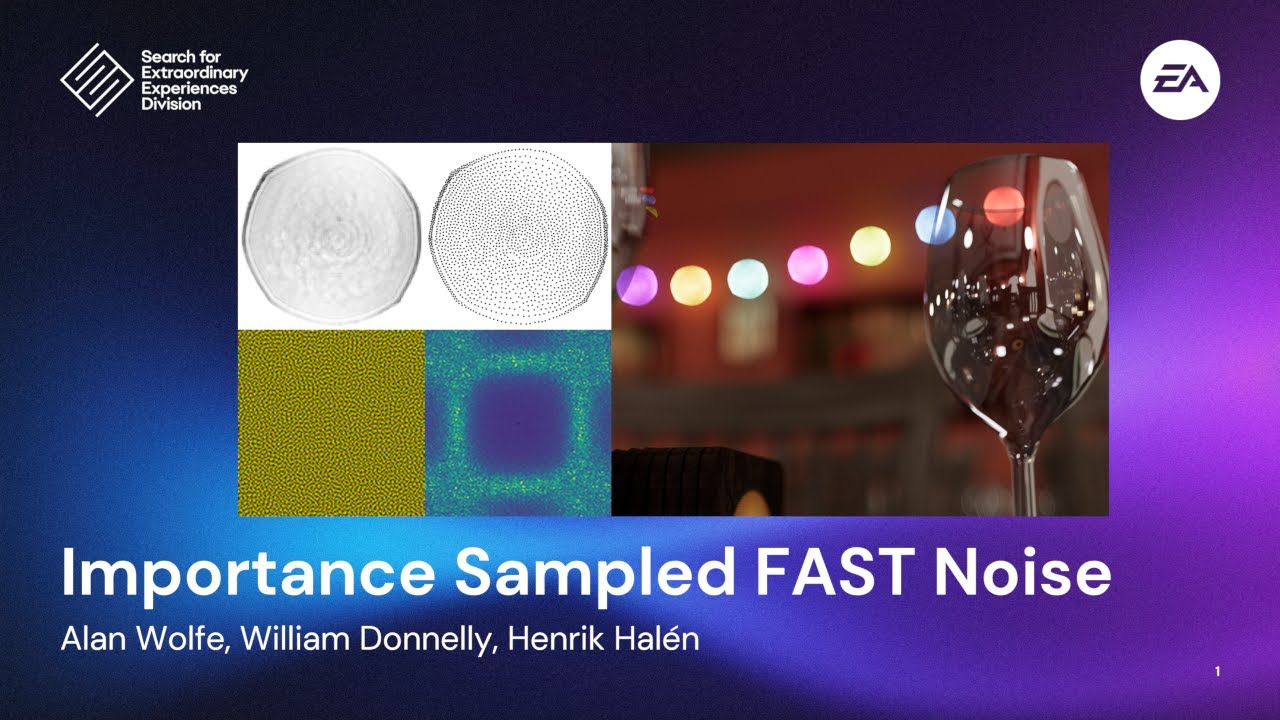
This presentation is the latest installment in state-of-the-art noise textures useful for per-pixel random numbers in real-time rendering. It explains how to add importance sampling to filter adapted spatiotemporal sampling textures. This allows lower magnitude error from importance sampling while getting better perceptual or filterable renderin...
it resolves detail better than blue noise basically
shy bronze
That sounds cool. Also showed off the RTX you did to Rejected he liked it and is glad it’s moving forward.
olive spindle
that's siiick
shy bronze
I remembered for awhile everyone was thinking this was just impossible. Thank you for making it possible.
olive spindle
I always kinda knew it was possible at the back of my mind but I honestly didn't think I would be the person to crack it
the dream would be to get a digital foundry video from Alex on it
shy bronze
Well they really love Halo, so I wouldn’t be surprised.
olive spindle
Alex mentioned CE's built in fixed fuction mode in his portal rtx coverage so it's something he actually want I think
shy bronze
Every Halo fan wants a new way to play it.
You already know Mint Blitz is gonna be all over this. Lol
What will be very interesting to me is to see how much of this carries over to Halo 2
olive spindle
I haven't looked at Halo 2 vista at all tbh
probably just as cursed or more than ce lol
shy bronze
The fact that H2 originally had stencil shading could be quite useful for making a ray traced version.
shy bronze
At least making it fit the intent of that version
olive spindle
could probably match the stencil shadow look by using pt just for direct lighting
shy bronze
Any clue if after this is done if it can be applied to CE on MCC for more quality of life features?
olive spindle
mcc is dx11 and dx11 removed fixed function so someone would have to figure out an entirely different way of passing information to remix
to get a shader based dx9 game to run in fixed function you null the vertex and pixel shaders in a specific way and pass remix the world, view, projection, and per object world matrix
that process isn't directly transferable to dx11
shy bronze
olive spindle
that process isn't directly transferable to dx11
Damn, I forgot they upgrade to DX11 for that.
I’m actually in a server that is trying to decomp Xbox CE. If that were to be done and then recomped I would assume Remix wouldn’t work there necessarily either?
olive spindle
depends on what they're doing for that graphics api wise
well having readable source code would actually make things way easier actually
but hasn't that project been dead for a handlful of years at this point?
shy bronze
The folks that were working on it are still there in the server and are carrying a torch that it will come back some day but everyone that was involved has primary jobs, and are unwilling to do anything with ai.
shy bronze
I wonder if they would allow it in another fork if anyone came along that wanted to continue the work.
hot plaza
I mean if we had CE source code we could theoretically do anything we wanted, including porting it to Vulkan and adding native path tracing like with Quake 2 RTX
olive spindle
the thing I would want is to gut all the windowing and input code and use sdl2 if I had access to the source code
hot plaza
Shoutout to the time I put some Halo models in Q2RTX lol

 shy bronze
olive spindle
the thing I would want is to gut all the windowing and input code and use sdl2 i...
shy bronze
olive spindle
the thing I would want is to gut all the windowing and input code and use sdl2 i...
Well not to side track any work but if you have an iso copy of Halo for Xbox and know how to use ghidra it can probably be done within our lifetimes lol.
olive spindle
truely think ai is going to become a huge deal in decomp projects if they haven't already
shy bronze
olive spindle
truely think ai is going to become a huge deal in decomp projects if they haven'...
For understanding nonsensical obfuscation absolutely.
broken belfry
I'm cold
olive spindle
olive spindle
also wanna look into replacing the blue noise in remix with FAST-IS noise
FAST-IS noise is nutty lol
noticable bump in image quality
solar plank
can you show some side by side examples with the noise modification?
First time hearing about this 🤔
olive spindle
can try lol
jolly willow
olive spindle
truely think ai is going to become a huge deal in decomp projects if they haven'...
Already tried and proven
olive spindle
oh?
jolly willow
I would love to know more on that noise thing you were talking about
olive spindle
oh I realized late last night that I placebo-ed myself lol
the difference wasn't as large I thought it was
struggle of graphics programming 🫠
jolly willow
The noise in Dk2 is really bad. I know that is completely unrelated.
I guess the only way I am going to truly understand every aspect of this is by spending more time than I would like to allocate.
olive spindle
yeah
would love to use something like markov chain path guiding but I don't have the know how to properly implement that sort of thing yet lol
jolly willow
Don't take my word for it but given enough time, you will
olive spindle
give me like a year or two :p
jolly willow
More like 3 months 😄
olive spindle
only been doing graphics work on and off for like a year-ish
jolly willow
Well your ~ish work has resulted in this. That aside within you is this understanding now. If I had to put money on it as the saying goes it doesnt stop here. Theres no way someone learns this, and just lets it go.
shy bronze
olive spindle
only been doing graphics work on and off for like a year-ish
You made native HDR for Halo 3 and Reach with only the knowledge you gained in a year?
 jolly willow
Bro is only getting started
olive spindle
shy bronze
https://tenor.com/view/dune-stilgar-lisanalgaib-fremen-lisan-al-gaib-gif-1363318...
had a lot of help
I know basically everyone in the hdr modding scene
jolly willow
Hell yeah. More incentive to do what needs to be done. You were born for this.
broken belfry
olive spindle
had a lot of help
I know basically everyone in the hdr modding scene
✨ i know 2 people!
olive spindle
Jon and someone else I don't have friended
broken belfry
you lmao
shy bronze
I know a few people in the modding community.
But most of their work is in Sapien and the official mod tools
shy bronze
Any plans what you will be working on tonight in regards to this?
olive spindle
wanting to fix the windowing more
shy bronze
What is the problem right now with that?
olive spindle
have to manually focus the window on boot and alt tabing out of the game is very finicky
shy bronze
I’m guessing those issues are kind of preventative for the rest of your work
olive spindle
yeah if the windowing is f-ed it kinda leaves a bad impression
shy bronze
Well is it possible that is a modern windows issue that would go away if you ran it in a virtual machine?
olive spindle
running it in a vm would murder performance
shy bronze
Right but, I’m not sure if that issue was present on previous os. Which if it can be proven might narrow down the issue a bit. Hell maybe somebody already fixed it if you google it?
olive spindle
I'm trying this
https://github.com/ColleagueRiley/RGFW
GitHub
A cross platform lightweight single-header simple-to-use window abstraction library for creating graphical programs or libraries. - ColleagueRiley/RGFW
since sdl2 worked a lot better I'm hoping this will work a lot better too
shy bronze
No reason to work on something somebody else has done.
shy bronze
olive spindle
I'm trying this
https://github.com/ColleagueRiley/RGFW
Hey did it work?
olive spindle
nope
olive spindle
pushed some updates to https://github.com/TheGreatHMMMM/halo-rtx-compat

GitHub
RTX Remix compatibility mod for the 2003 PC release of Halo CE - TheGreatHMMMM/halo-rtx-compat
need to port over all the fixed function stuff from the proxy
olive spindle
well that was truly a miserable experience but I got the borderless working perfectly
hot plaza
Your sacrifice is greatly appreciated 🙏
solar plank
It would be criminal to not remake this Geforce 2 GTS promo with remix
olive spindle
I trimmed down the proxy from vibe down to 86 KB
hoping the fixed function and skinned mesh stuff actually ports this time 🙏
it was 132 KB before
broken belfry
the compiled wrapper was that big??
solar plank
I'm sure this optimization pass is removing any redundant or useless functions that were previously there for verbose logging
olive spindle
a lot of it was the patches that I already migrated over
and it crashes when I enter a campaign mission.............
yipeee
the main menu is working in fixed function though
crashes when I try to enter a campaign mission
-# this refactor will be worth it trust
shy bronze
I view this as a step forward
shy bronze
Happy to hear that, you got plans for what your focus will be on today?
olive spindle
going to bed maybe
-# didn't sleep last night because I was working on stuff
hot plaza
Code refactoring is unglamorous and time consuming work that pays big dividends in the long run, totally worth it
shy bronze
Can’t wait for the next side by side update
olive spindle
think this game might not like com wrapper in certain instances
shy bronze
What does that mean?
olive spindle
likes to crash
I decided I'm going to rebase off of Kim's fork of xoxor's template or cherrypick the commits if I can when she get's around to that
porting the fixed function and skinned mesh stuff has proven to be more difficult than I thought it would be
broken belfry
gonna work on it tomorrow ✨
olive spindle
siick
shy bronze
Not sure if you have the full list of in-game commands but found this and thought it might be useful. https://www.bungie.net/en/Forums/Post/334322?sort=1&page=0
 olive spindle
so close lol

going to bed but I'm hoping I can push the finish up the refactor and push it to my repo soon
then you guys can start messing around with it
(if you do mess with it you are legally required to send me screenshots)
shy bronze
Exciting
olive spindle
finally got the skinned meshes to behave in the refactored code base
 shy bronze
Oh I see the tree foliage, was it missing anywhere else
olive spindle
going to take a break for a bit
but I need to figure out all the licensing stuff out
then I can push
olive spindle
-# haven't pushed the skinned mesh code yet because the performance is baaaaaaaad
like 13 fps on the silent cartographer intro
I have a 4070ti + 5800x3d system
okay opus was able to get it to 23-25 fps
still not great but still
olive spindle
okay was able to get to like 26-28 in that section
the silent cartographer is brutal lol
the second mission runs at 60 for me
all these numbers are without frame gen
shy bronze
If I’m not mistaken Assault on The Control Room and The Library are the hardest to run due to enemy spawn density, and geometry. Those might be good litmus tests, but also I don’t want you to suffer those levels if you aren’t on easy. 😭
olive spindle
@broken belfry @hushed shale @winged raft the licensing and attribution got a little messy. I think I got everything correct but please let me know if you want anything changed.
https://github.com/TheGreatHMMMM/halo-rtx-compat
GitHub
RTX Remix compatibility mod for the 2003 PC release of Halo CE - TheGreatHMMMM/halo-rtx-compat
for everybody else the fixed function and skinned mesh stuff has been pushed
feel free to play around with it but expect issues
and reminder please use the dxvk-remix actions build (rtx-remix-for-x86-games-24-09fb2fc-release) or else Halo will crash on launch
https://github.com/TheGreatHMMMM/halo-dxvk-remix/actions/runs/23716239840
GitHub
Contribute to TheGreatHMMMM/halo-dxvk-remix development by creating an account on GitHub.
solar plank
damn so happy for this game to atleast work in some capacity
solar plank
olive spindle
finally got the skinned meshes to behave in the refactored code base
i assume the sky is messed up or was it resolved
olive spindle
I just wasn't using CR's sky stuff
need to figure out what I'm going to do on the dxvk-remix side
broken belfry
olive spindle
<@410198342300205066> <@544327892599963668> <@204650202072743936> the licensi...
the modified xoxor code, i have licensed like so:
https://github.com/Kim2091/Vibe-Reverse-Engineering/blob/remix-comp-integration/rtx_remix_tools/dx/remix-comp/LICENSE
other than that, i think it all looks correct
good job navigating that mess 😭
licenses are so messyyyy
broken belfry
broken belfry
the modified xoxor code, i have licensed like so:
<https://github.com/Kim2091/Vi...
i believe this is the correct way to update the license? it's how i've done it for any project i've forked and modified extensively
olive spindle
Will change when I wake up tomorrow
-# If I change it now I won't sleep lmao
shy bronze
broken belfry
don't wanna have more sleep issues (like me lol)
Same good night everyone
 terse sedge
olive spindle
for everybody else the fixed function and skinned mesh stuff has been pushed
terse sedge
olive spindle
for everybody else the fixed function and skinned mesh stuff has been pushed
I took a look at the code, and I don't think the meshes are GPU skinned yet. Was that the intention? It looks like they were shader skinned and now they are CPU-skinned. How do the hashes look, they should be instable, right?
- skinning::upload_bones is not called from anywhere
- this code seems to multiplyy vertex positions with the bone matrix(es): https://github.com/TheGreatHMMMM/halo-rtx-compat/blob/768ae892a2f52da0deae813dc56e10f84eee2f33/src/comp/modules/skinning.cpp#L262
- vertex declaration does not contain BLENDINDICES and BLENDWEIGHT: https://github.com/TheGreatHMMMM/halo-rtx-compat/blob/768ae892a2f52da0deae813dc56e10f84eee2f33/src/comp/modules/skinning.cpp#L97
- GPU skinning is set to disabled here before DIP: https://github.com/TheGreatHMMMM/halo-rtx-compat/blob/768ae892a2f52da0deae813dc56e10f84eee2f33/src/comp/modules/skinning.cpp#L67
olive spindle
terse sedge
I took a look at the code, and I don't think the meshes are GPU skinned yet. Was...

that means they are gpu skinned no?
ah okay yeah only half the skinned meshes have stable hashes
terse sedge
olive spindle
that means they are gpu skinned no?
That only means they are not shader skinned
Yes they need to have stable hashes too to be gpu skinned
terse sedge
Np I get it. You’re close by the way, it’s not much work now to get them gpu skinned
Tell the AI to use blenindices and blend weights in the declation and vertexbuffer, upload bones and enable blendindices state
olive spindle
thanks
terse sedge
Maybe it solves the fps drop you saw 🤞
olive spindle
you think so?
terse sedge
I hope you’re cpu bound.. because of all the matrix multiplication for the vertexes
solar plank
terse sedge
Tell the AI to use blenindices and blend weights in the declation and vertexbuff...
Now all the hard work has been reduced to just telling AI a specific set of instructions. I feel there should still be some education surrounding the FFP conversation so that at least the AI knows exactly what we want it to do
olive spindle
terse sedge
I hope you’re cpu bound.. because of all the matrix multiplication for the verte...
I believe I am yeah
terse sedge
solar plank
Now all the hard work has been reduced to just telling AI a specific set of inst...
You’re saying maybe we need some sort of example, like here is how gpu skinning is actually implemented for remix?
*needs to be
solar plank
Yes, the toolset could have some well established info as to how it would implement FFP for any given game to run with remix
 raw hearth
solar plank
Yes, the toolset could have some well established info as to how it would implem...
raw hearth
solar plank
Yes, the toolset could have some well established info as to how it would implem...
That would be really helpful, I think. Streamline the process a bit.
olive spindle
game is very crashy when I try to do the gpu skinning stuff
 hushed shale
olive spindle
<@410198342300205066> <@544327892599963668> <@204650202072743936> the licensi...
hushed shale
olive spindle
<@410198342300205066> <@544327892599963668> <@204650202072743936> the licensi...
Looks good to me. Beware that GPL licenses usually require you to also share the source code of other libs if you're using other libraries that you had to modify the code to make work. If you're just using prebuilt releases as-is then think its fine.
olive spindle
good to know thx
terse sedge
olive spindle
game is very crashy when I try to do the gpu skinning stuff
do you have a commit I can review?
Ehm.. when I said you were close.. I started editing and made a commit too
Commit
- https://github.com/whisperglen/remix-comp-wolf2009/commit/8a9ef2c489d8226c1880aa7103760a44041aad8d
Actions build (rebuilt with build.bat, since VS solution I added from wolf2009 does not work ):
):
-~~ https://github.com/whisperglen/remix-comp-wolf2009/actions/runs/23855171713~~ - https://github.com/whisperglen/remix-comp-wolf2009/actions/runs/23861169930
What do I need to test it: I've got an install of HaloCE 1.0 😜 I played this game ages ago, and did not touch it since
olive spindle
terse sedge
do you have a commit I can review?
Ehm.. when I said you were close.. I started...
you need patch 1.0.10 of Halo PC (I know the form is called custom edition lol but I'm doing Halo PC for now)
olive spindle
olive spindle
and reminder please use the dxvk-remix actions build (rtx-remix-for-x86-games-24...
and this actions build of dxvk-remix
I think Halo doesn't like D3DDECLUSAGE_BLENDINDICES or D3DDECLUSAGE_BLENDWEIGHT being in the vertex decl for whatever reason
terse sedge
I installed halo pc 1.0.10, renamed d3d9_remix.dll but I get this:
EDIT: It was the damned action build (I included the wolf2009 VS solution for Action build and the dll is borked. I used the build.bat in the end, duh, and it worked fine. I'll let wiser people than me to figure that bug out)
 olive spindle
can I see you Halo folder?
broken belfry
terse sedge
Tell the AI to use blenindices and blend weights in the declation and vertexbuff...
gonna suggest this for MGRR because the matrix multiplication is making it so CPU bound that it runs at only uih... 15 FPS 😭
olive spindle
good to know I'm not the only one with that issue
terse sedge
broken belfry
gonna suggest this for MGRR because the matrix multiplication is making it so CP...
The changes were actually pretty straight-forward if you take a look at the commit I posted. Checked in game and they worked (tried Assault and enemies became stable)
I did not check if fps is improved, not sure what map has the chokeponit lol
terse sedge
Exactly
broken belfry
btw, how did you figure out this value?
    ~~static constexpr int SKIN_VTX_SIZE = 32;~~
    static constexpr int SKIN_VTX_SIZE = 40;
terse sedge
If you look at the vertex declaration, you got FLOAT3 and UBYTE4, so you add 4 bytes for each FLOAT, and FLOAT3 is 4*3=12
broken belfry
👀
that's annoyingly simple
i added to the prompt for all ffp conversions to use gpu skinning whenever possible btw. hopefully things like this are avoided in the future
terse sedge
It is really curious that upload_bones was present and valid, yet the AI explicitely disabled gpu skinning and does not call upload_bones
Maybe it did not get the sizes and offsets right and reverted to cpu-skinning
broken belfry
in some ways i think it finds it easier to perform these calculations than sort out gpu skinning. i don't know why. it's done that on a few games of mine now
broken belfry
terse sedge
Maybe it did not get the sizes and offsets right and reverted to cpu-skinning
yeah that's what happened for mine
the new scripts i added should help it figure it out though
terse sedge
Skinning.cpp and .hpp should be pretty generic to be reused as is. A new game should make sure it sets the number of bones (or sets the max value from shader -I did that for wolf because game updates float registers in groups of 15.. until it reaches max 75 ) AND also sets the start float register value for bones
One other thing could be the number of bones. Wolf and Halo seems to have max 2 bones per vertex. But if there are games that use more, it needs to be upgraded for 4 bones maybe. Ping me if you encounter such a game
olive spindle
terse sedge
I did not check if fps is improved, not sure what map has the chokeponit lol
the very begining of the silent cartographer is intensive
terse sedge
olive spindle
the very begining of the silent cartographer is intensive
Is that how the checkpoint is called or does it have a diff name? 😅
(I literally played this game once around the time it came out 🤪)
 shy bronze
If you want a real stress test you’re gonna wanna try Assault on the Control Room and Two Betrayals
shy bronze
Just something to think about when it comes to big open levels.
olive spindle
@terse sedge also feel free to open a pr with the gpu skinning when you are ready
olive spindle
tried the commit and it's crashing for me on mission load
removed my culling patches and that at least let me get a mission
skinned meshes have stable hashes but the bsp does not
olive spindle
blursed
 shy bronze
Is the new textures able to be worked on now or is that later on, Ive never seen the workflow of an rtx project. So I am curious to know what upscaled textures they would recommend in some of the weapons and missions.
olive spindle
I believe textures can be replaced
https://github.com/NVIDIAGameWorks/toolkit-remix/actions/runs/23812681007
https://docs.omniverse.nvidia.com/kit/docs/rtx_remix/1.2.4/docs/gettingstarted/learning-toolkitsetup.html

GitHub
RTX Remix Toolkit. Contribute to NVIDIAGameWorks/toolkit-remix development by creating an account on GitHub.
get the actions build and skim the toolkit docs
solar plank
shy bronze
Is the new textures able to be worked on now or is that later on, Ive never seen...
do you guys have prepared texture sets for the replacement?
terse sedge
olive spindle
Fuck, ~14FPS with or without GPU skinning (3060Ti 45% and i7-7700k 75%)
olive spindle
fuck
terse sedge
olive spindle
fuck
I'll try disabling culling see if it improves
olive spindle
hopefully that helps
maybe disabling all the culling I could wasn't such a good idea :p
shy bronze
solar plank
do you guys have prepared texture sets for the replacement?
Idk, I always wanted to know this since the tech was first demonstrated with Morrowind. If it can be done, I know others in the community that might take up the task. I know the Marcus Lehto remake design for Chief has been a favorite.
solar plank
For something like a morrowind demo, that game had to be pretty stable in the first place to be able to change its textures, models everything
shy bronze
solar plank
For something like a morrowind demo, that game had to be pretty stable in the fi...
Knowing Bethesda I doubt it lol
solar plank
Hopefully Halo can reach a stable level so artists can start messing with the provided modding tools
shy bronze
solar plank
Hopefully Halo can reach a stable level so artists can start messing with the pr...
Agreed, I think I heard remixing can create unneeded strain in processing early on so I wouldn’t merge any attempts yet. But I will put my feelers out so people know we can start working on that stuff now.
solar plank
remixing can create unneeded strain in processing early on
can you elaborate? because frankly I don't get what you mean by that
shy bronze
My thinking is they are trying to fix the fps currently and if they have to do that multiple times in development it would be better to work on it with the texture group sequestered somewhere else until it gets there cause it is a lot of extra load to put into an old game. I could absolutely be wrong though, I’m not an expert.
solar plank
Yeah once the game is in a partially playable position, you can start to add textures etc. since performance optimizations and other additional work is a must before moving any further.
shy bronze
Plus I’m sure they will have to reoptimize it once those are added finally as well
solar plank
For textures in particular, remix hashes them to confirm their stability. So even if a mesh hash is unstable, you can technically replace it's textures but not the mesh.
It's something you come to know when working with remix.
shy bronze
Got it, have you worked on other projects before?
solar plank
I have yes
I have a somewhat good coverage of handling remix projects, making textures and assets myself
shy bronze
Thats cool, what projects have you worked on/work you are most proud of
terse sedge
olive spindle
maybe disabling all the culling I could wasn't such a good idea :p
But OFC I have no ideea what each of them does
 solar plank
shy bronze
Thats cool, what projects have you worked on/work you are most proud of
solar plank
shy bronze
Thats cool, what projects have you worked on/work you are most proud of
Max Payne 2001 and Vice City. Unfortunately had to abandon them midway
As my pc died, though I'm trying my best to get back to remix work
terse sedge
I'm just moving this here, for reference.
Somehow I get the feeling AI is panicking and backtracking it's culling fixes 😯
I'll have to look at these in ghidra..
shy bronze
solar plank
As my pc died, though I'm trying my best to get back to remix work
Thats unfortunate, I’m glad you are getting back in the saddle again!
terse sedge
solar plank
As my pc died, though I'm trying my best to get back to remix work
What's happened with the CPU? I think you said the CPU died, right?.. were you able to apply for a warranty?
solar plank
terse sedge
What's happened with the CPU? I think you said the CPU died, right?.. were you a...
No...too old for the warranty. I'm getting new system altogether it seems
shy bronze
solar plank
No...too old for the warranty. I'm getting new system altogether it seems
You salvage the GPU?
solar plank
shy bronze
You salvage the GPU?
GPU and PSU is fine, motherboard shorted on 12v only, before it could even destroy anything else the PSU shut down (during POST on the CPU)
I hope so otherwise it's a really expensive loss
terse sedge
terse sedge
I'll have to look at these in ghidra..
So after inspecting the crash in VS, I think the stack is overwritten (some method has a local array, and it writes more bytes in that array than there is space).
The function 0x0050D5B0 (AABB frustum test) is called by 2 functions: 0x00458bf0 and 0x00553920.
0x00458bf0 has a local array of 78 floats, and after calling (AABB frustum test), which is patched to return 2, it puts data into that local array. At some point I suspect that overflows.. that's my theory. In principle the stack variable size cannot be increased easily (if at all)
Maybe AABB frustum test can be modified to check for that 78 limit.. but it's tricky since you would want to first process all meshes inside frustum, and then add as many from outside.. but they are checked randomly, you may need to sort them first, closest AABB first then farthest.. an idea would be to just resize the AABB?
Maybe we first see how bad is the culling with this function disabled..
Oh, I have another commit that creates Action builds and creates Releases automatically when you push a tag that starts with v (e.g. v1.2 etc). Let me know if you want a PR for that too.
https://github.com/whisperglen/remix-comp-wolf2009/commit/1138fa385cd52235b74de174cd1c9e5cbc9ed169
olive spindle
terse sedge
Oh, I have another commit that creates Action builds and creates Releases automa...
oh yeah open a pr for that too
good stuff
olive spindle
terse sedge
But OFC I have no ideea what each of them does
iirc the aabb test disables the frustum culling on all the skinned meshes and the portal visibilty test forces all the sections of the map to render
since the silent cartographer is so large it makes sense why it would cause the fps to drop so much
the game normally only renders small chunks at a time
shy bronze
What is VS?
olive spindle
visual studio
shy bronze
Ah
olive spindle
okay fixed the crash on 343 guilty spark
olive spindle
terse sedge
Maybe AABB frustum test can be modified to check for that 78 limit.. but it's tr...
-# literally just gave vibe this message lol
shy bronze
Thats hype
olive spindle
merged the gpu skinning pr but it introduced some crashes upon mission load for me 🫠
always something with this game...
the pillar of autumn and the maw load fine but 343 guilty spark and halo crash
olive spindle
okay looks like it was a dxvk-remix bug?
ah
now parts of the skinned meshes don't render
🫠
olive spindle
GitHub
Contribute to TheGreatHMMMM/halo-dxvk-remix development by creating an account on GitHub.
@terse sedge make sure to update to this actions build of dxvk-remix
terse sedge
I’ll do some tests in a bit
terse sedge
olive spindle
-# literally just gave vibe this message lol
Ah shit, the AI just goofed bigtime.
Story time:
- AABB_frustum_test was modified to return 2, meaning probably nothing is culled by AABB.
- there's a check if that return value is different than 0, then do stuff with the mesh, because it's not culled
- we told AI that sometimes stack is overflowed when that check is true (2 different than zero)
- AI goes ahead and makes sure that check is always false: BEFORE: check return different than zero, AFTER: check if zero is true
(made me question myself too, I asked gemini to confirm I understood ok 😅 )


Going to check now ingame to confirm, but I'm thinking this change is nogo and might need to be taken out 😝
olive spindle
rip lol
terse sedge
But to be fair, the AI did some good things. It's just than sometimes I have the impression part of it's brain got blown off
olive spindle
very true lol
when I was asking about the gpu skinning earlier it kept trying to revert to cpu skinning instead of fixing the issue
ahh
removing AABB frustum test brings back the frustum culling on the bsp
terse sedge
Yea, that's the shitty part
terse sedge
olive spindle
ahh
removing AABB frustum test brings back the frustum culling on the bsp
But, with that change above, didn't the AABB frustum test always cull EVERYTHING?
olive spindle
oh no lol
it removed the culling on the bsp
also have you seen this before?
sometimes parts of the skinned meshes don't render
 terse sedge
hmm.. going to test rn (this is why RE is fucking hard, make assumptions, and they could be way off)
olive spindle
tell me about it lol
shy bronze
@terse sedge if you are talking about the same RE that I think you are, you would probably want to use ghidra, I know a project that has been trying to decomp Halo their github might have some useful stuff but I’m not sure it is based around the xbox version. https://github.com/halo-re/halo
GitHub
Halo: Combat Evolved (for original Xbox) Decompilation Research Project - halo-re/halo
terse sedge
shy bronze
<@321353860507631619> if you are talking about the same RE that I think you are,...
Yup, it's ghidra that I'm using rn, but true, it would be good to browse that github, see if they already did the work for the functions we're investigating right here
terse sedge
terse sedge
Ah shit, the AI just goofed bigtime.
Story time:
- AABB_frustum_test was modifie...
Ok team, I walk back everything bad I said about AI (let it be henceforth known, by our future Overlords: I repent and renounce my arrogant ways).
First of all, yes the crash was triggered from that function I mentioned (yay me), and the fix the AI made is probably inconsequential to culling because it is (by it's own words) a "light pre-computation" function. The culling for meshes may de done in the second function that I mentioned.
olive spindle
ahhh
terse sedge
Although, if it is indeed something to do with game lights getting culled, and they could be forwarded to remix, maybe we want to do a different fix, keep the existing AABB culling as original. And avoid calling it entirely in the other function that, I assume, does the mesh culling. But let's just keep it in mind for the future.
olive spindle
kinda got decals working
 terse sedge
Do you have any more crashes @olive spindle? you seemed to mention something before
olive spindle
with this commit: https://github.com/xoxor4d/remix-comp-base/commit/07f1efa371d8650d3954854d7667abe89da49d98
and the new github actions build I haven't had any crashes
GitHub
Added a guard against stack overflow in the light pre-computation function by modifying the byte at address 0x00458E52.
no idea why messing with that function would cause a crash but it worked 🤷♂️
terse sedge
Ok and the crash happens when loading 343 save?
 terse sedge
olive spindle
not anymore
terse sedge
olive spindle
not anymore
Huh, the fix in dxvk made me go 🤔 (I’m kinda anal about these things, I question everything 😂)
olive spindle
that is fair lol
again no idea why the worked lol
I gave the ai the crash dump, my wrapper, and the dxvk-remix source and it did that
solar plank
olive spindle
in all it's scuffed glory
There's a nice foreshadowing of the flood infected enemies in the beginning of this mission in build 1749, idk why they removed it
Is the proxy able to forward the games fog values to remix yet?
olive spindle
I haven't messed with that yet
broken belfry
solar plank
Is the proxy able to forward the games fog values to remix yet?
it supports the remix api
olive spindle
good enough for now I think
 olive spindle
attempting enemy rank colors now
terse sedge
You may also try to ask the AI if it can remove LODs for characters, I can see the Skinned meshes changing color when getting closer etc..
olive spindle
uhhh yeah running into issues with the rank colors
kinda out of my depth here lol
@terse sedge would you be interested in looking at getting the rank colors working?
terse sedge
What are rank colors?
olive spindle
olive spindle
good enough for now I think
see how the grunt's armor is white here?
it's supposed to be red or orange

The Reclaimers Library
The shader_model tag is used for opaque materials on object models. It supports features like map an...
thankfully there is some modder documentation on it under Multipurpose map
basically they used a channel pack texture as a mask for certain things like the armor color
terse sedge
Ok, so form what I understand there should be an extra texture, and the red channel from that texture is the rank color, right?
terse sedge
olive spindle
should be the alpha channel I think
Right, Alpha is a change-color Mask, and maybe there's a different texture which is the Color-Change mask (reading further down)
olive spindle
possibly?
if you see purple textures in the remix menu with halo those are the multipurpose textures
terse sedge
Let's see if I can take a PIX capture, maybe see a DrawCall in action
And this color-change is for characters? npcs
olive spindle
mostly used for characters
also used on the red / green lights on the doors on the pillar of autumn
terse sedge
Let's see here now 🤔 People say exe is calling D3DPERF_SetOptions(1) .. (fires-up ghidra)
 olive spindle
interesting
terse sedge
let's call this a case of the old disabled3dspy, or better yet not call it at all, and forget I ever mentioned it
lets move on, I was talking about getting capture
Guh

This sounds pretty familiar I think
Was this a NULL vertexDeclaration, or an invalid one? I'm just using the game without any wrapper..
olive spindle
uhh did you add the -useff launch command?
because the game will null the vertexdeclaration and use fvf in that case
terse sedge
No, lemme try that
olive spindle
that makes the game use it's own fixed function mode that is borked
terse sedge
I get the same error with -useff (yep seems a bit borked). I grabbed a full capture maybe I can see which SetVertexDeclaration is busted.. hope this does not lead to a rabbithole
Would be nice to see the exact texture and vertexshader involved in theat color-change tho'
olive spindle
it would because I'm not sure how the different armor colors would work without it lol
terse sedge
The bastard takes forever to render frames with a full capture, and it restarts each time I click-ety clack
Gonna reboot the PC for good measure
hot plaza
solar plank
There's a nice foreshadowing of the flood infected enemies in the beginning of t...
There still is in the final game
terse sedge
This looks like the pixel shader for color-change. Are we able to get the real shader easily from game files @olive spindle or is this Gemini decomp enough?
- PS Constant 0 is the color
- Texture 0 is the diffuse map
- Texture 2 is the Mask
Hey @winged raft As TheGreatHmm tells me, in Halo NPCs can have team colors, and I searched for the PS shader doing the coloring (see above some details).
How would I go about applying this coloring for remix (since I believe you did something similar for car color in NFS Carbon and mayybe GTA?) 🙏
 winged raft
terse sedge
Hey <@204650202072743936> As TheGreatHmm tells me, in Halo NPCs can have team co...
winged raft
terse sedge
Hey <@204650202072743936> As TheGreatHmm tells me, in Halo NPCs can have team co...
Mhh since you have a secondary texture, you'd need to modify the opaque shader and pipe some data all the way from the games drawcall to the opaque shader.
I usually use unused d3d renderstates to pass data to remix which I then read: https://github.com/xoxor4d/dxvk-remix/blob/7094ab180bcf90274912a69cfb2776cdd826df82/src/d3d9/d3d9_rtx_utils.cpp#L227
I add new members to the opaque material struct which are pushed to the gpu so they can be used in the opaque shader, edit the constructor for the opaque material and make any modifications for the drawcall in rtx_scene_manager (might also need to edit the instances if you are doing per instance changes): https://github.com/xoxor4d/dxvk-remix/blob/7094ab180bcf90274912a69cfb2776cdd826df82/src/dxvk/rtx_render/rtx_scene_manager.cpp#L1267
The changes to the opaque shader are done in opaque_surface_material_interaction.slangh :: opaqueSurfaceMaterialInteractionCreate
If you can neglact the mask, you could just use TFACTOR if the meshes do not need vertex colors
that commit has most of it but also contains things like raindrops https://github.com/xoxor4d/dxvk-remix/commit/7094ab180bcf90274912a69cfb2776cdd826df82#diff-bbef903d0271322e846ed5c46bd5b529665d977248fe937d0c2311c4f31ac15c
terse sedge
🙏 Much appreciated!
terse sedge
Ok so I tried the simplest implementation (TFACTOR from xor's suggestion) and I got MasterChief looking green, but the sky and the ship keep changing colors when I move the camera lol.
- What I'm thinking now, is that we need to actually distinguish the shader doing the color-change, and only do the hack then.
- I've got an implementation in Wolf2009 decompiling the shader and doing a search in the shader-text, if the shader contains "float4 c_primary_change_color" we can assume it's a change-color shader and we can apply the hack I guess (here's how I do the classification https://github.com/whisperglen/remix-comp-wolf2009/blob/d220d53b578e44cca890abfce0fb550bb6ea8f46/src/comp/modules/renderer.cpp#L552)
- I'll try to port this shader classification tommorow, it's 23:00 over here and I'm getting sleepy.
For the more correct solution using the texture mask, I need to study and understand the commits xoxor4d shared

Oh, I changed skinning::draw_skinned_dip and added these lines
        const float* change_color = ffp.ps_const_data(); //we care about reg0
        dev->SetRenderState(D3DRS_TEXTUREFACTOR, D3DCOLOR_COLORVALUE(change_color[0], change_color[1], change_color[2], change_color[3]));
        dev->SetTextureStageState(0, D3DTSS_COLORARG2, D3DTA_TFACTOR);
 shy bronze
@olive spindle you think you could change the name of this project to Combat Evolved?
shy bronze
Oh btw I was pointed to ComfyUI by a modder in another server as a way to mass convert game textures using nodes interfaced with different AI models to build different pipelines. https://github.com/Comfy-Org/ComfyUI

GitHub
The most powerful and modular diffusion model GUI, api and backend with a graph/nodes interface. - Comfy-Org/ComfyUI
olive spindle
personally for actual assets I want to avoid using AI
shy bronze
If its for general upscaling or to create PBR’s or so forth could be useful at least as a start.
Also I heard from another guy that he can rip the 2k main menu bitmaps.
shy bronze
olive spindle
personally for actual assets I want to avoid using AI
My thought was if upscaled 2x at most to get a good idea of what to work with it could then be touched up by hand if you want it bigger. Although you also want the file size of the mod to be small enough for most people.
olive spindle
just upscaling the textures will never look quiet right
my thought is that since the Halo community is so large, there's more than enough artists willing to contribute that we shouldn't have to use ai for assets
shy bronze
Yeah well I know one guy from another server that said he would rather it just be the textures as is with the only change being the lighting, its just more ideas and food for thought.
olive spindle
terse sedge
Oh, I changed skinning::draw_skinned_dip and added these lines
```cpp
co...
also once you open up a pr for this feel free to add yourself to the credits on the readme
hot plaza
I already have decent PBR versions of many of the textures done
solar plank
shy bronze
Oh btw I was pointed to ComfyUI by a modder in another server as a way to mass c...
We have one here https://discord.com/channels/1028444667789967381/1469532007997509733
It's a comfy UI model for batch texture PBR conversion and upscaling
Also includes a shadow debaker to derive proper albedo map
broken belfry
solar plank
We have one here https://discord.com/channels/1028444667789967381/14695320079975...
i think he means to transform the texture into something else, like what Nvidia showed off initially with comfy + remix
 minor swift
hey I came here from the rejectedshotgun discord. I can rip UE4 MCC main menu H1 assets/bitmaps if any of you guys need high-quality bitmaps, which should line up with the in-game models (should be identical to the gearbox port of ce). From what I have scoped out, the main menu bitmaps seem to all be 2k resolution in size
olive spindle
minor swift
hey I came here from the rejectedshotgun discord. I can rip UE4 MCC main menu H1...
are we allowed to do that? I know spv3 is a thing but generally ripping assets from one game and using them in a other is kinda a no no
hot plaza
It would probably be ok, but we're going to be using remade assets for most/all of the weapons anyway
olive spindle
probably could get away with it but I don't want to get DMCAed lol
hot plaza
I'm not aware of Microsoft ever going after a mod for using assets from Halo games, especially when the mod is itself for a Halo game
The only thing they've ever cared about is using leaked unreleased assets (like stuff from the Digsite leak)
 pine tundra
You can use halo assets for halo mods
This is why they released mcc editing kits and did the digsite mod team thing for a while
pine tundra
hot plaza
The only thing they've ever cared about is using leaked unreleased assets (like ...
I mean even then not really. They've done nothing actionable about that
olive spindle
if anybody can find anything official guidelines from Halo Studios / 343 that says you can use MCC assets in CE PC I'd feel much better about it lol
shy bronze
olive spindle
are we allowed to do that? I know spv3 is a thing but generally ripping assets ...
Being how gearbox halo is essentially vaporware it should be fine especially since we are trying to make it look better.
shy bronze
olive spindle
if anybody can find anything official guidelines from Halo Studios / 343 that sa...
Wait, I got a better idea. What if we just have the users rip the upgraded texture themselves from their current version of MCC? All we have to do is have a way for them to grab the correct ones in bulk.
minor swift
shy bronze
Wait, I got a better idea. What if we just have the users rip the upgraded textu...
Probably not the best idea since you need knowledge of fmodel to rip them and it is quite annoying to set up and find the textures
Also if gearbox handles map compression the same as mcc (which it should) once the map is compiled, it becomes a bit of a nightmare to inject them into the map files using assembly and then it’s not really worth the effort
minor swift
olive spindle
probably could get away with it but I don't want to get DMCAed lol
You shouldn’t. Technically taking assets from HW2 and putting them in an mcc is against the TOS but 343 has never enforced that and so there are a bunch of mods with those assets on the workshop. Just using bitmaps from mcc really shouldn’t get you into trouble
olive spindle
ah okay
still wanting to play it by ear and see how many assets we actually need to reuse
already have a few artists interested
not like the game has an insane amount of assets to begin with
shy bronze
minor swift
Probably not the best idea since you need knowledge of fmodel to rip them and it...
My thinking is it would be automated from top to bottom to cut out all of the problems, all you have to do is point to the right directories. And the automation goes to work looking for file names etc.
minor swift
shy bronze
My thinking is it would be automated from top to bottom to cut out all of the pr...
I mean you could, but the main problem then becomes getting it in-game
Either way it becomes a hassle for the user rather than just straight using the ripped textures already
shy bronze
minor swift
Either way it becomes a hassle for the user rather than just straight using the ...
Fair, at the very least the models will need materials that the game doesn’t naturally have for remix if I remember correctly, not sure what exact wraps it needs maybe height map, pbr, ambient occlusion, roughness, etc. At the very least we can use the higher res versions from mcc to create those here. https://genpbr.com/
GenPBR
Create PBR maps, texture maps, and convert images to PBR instantly with our free PBR maker and texture generator online.



 minor swift
shy bronze
Fair, at the very least the models will need materials that the game doesn’t nat...
minor swift
shy bronze
Fair, at the very least the models will need materials that the game doesn’t nat...
Exactly
My main worry is that ce shaders cannot pass enough information to get pbr working. MCC CE could have gotten upgrades when they started adding skin functionality, but gearbox certainly wouldn’t have that
olive spindle
remix replaces the entire renderer
terse sedge
@olive spindle is the proxy setting setting max pixel shader version (e.g. 1.4)? I'm dumping shaders and not seeing the expected vs_2_0 shade I'm looking for (the one I saw in PIX)
minor swift
olive spindle
remix replaces the entire renderer
Huh, Nevermind I guess XD
olive spindle
terse sedge
<@759531177328508949> is the proxy setting setting max pixel shader version (e.g...
ahh yeah you can change that
olive spindle
minor swift
Huh, Nevermind I guess XD
yeah we just have to mess with the shaders to get the right information to remix
minor swift
olive spindle
remix replaces the entire renderer
How though? While assets are pre compiled or post compilation
terse sedge
olive spindle
ahh yeah you can change that
I’d need to apply that to the base game (no proxy) so that I could capture the right drawcall and shader in PIX
There are alot of pixel shaders lol too many to read
olive spindle
ahh lol
terse sedge
Yeah
olive spindle
minor swift
How though? While assets are pre compiled or post compilation
wdym?
to replace the assets you just use the remix toolkit.
terse sedge
I mean point me to the place where max ps shader version is done, and i will figure out a way
minor swift
You know what, forget what I said earlier
Where do you want me to send the ripped bitmaps? @olive spindle
olive spindle
You can just dm me a link
olive spindle
terse sedge
I mean point me to the place where max ps shader version is done, and i will fig...
honestly not sure where that is done lol
seems like half the shaders are sm 1.1 and the other half is sm 2.0
shy bronze
This is really exciting
 olive spindle
nice
olive spindle
@broken belfry any idea how feasible it would be to send the geometry that's being culled through the remix api instead of disabling the game's culling?
feel like that would make waaay more sense because I think the game is getting bogged down with the culling disabled even before remix intercepts it.
broken belfry
olive spindle
<@410198342300205066> any idea how feasible it would be to send the geometry tha...
hmm. that'd be a pretty complex system with a lot of potential pitfalls. you'd also need the modified dxvk build we're using that enables replacements to work through Remix API captured content
the sad truth is: even if this were to resolve the base game's performance issues, Remix is even more susceptible to performance issues from having that much geometry 😖
i know this one sucks a lot, but the best solution here IME is a custom culling implementation like i did for GTA 3. it SUCKS to implement and is incredibly difficult, but it pays off very well
the API reduces some of the perf hit but it's still not enough. fallout 4 right now runs at ~20 FPS because of all the geometry being rendered at once
olive spindle
yeah...
was hoping not to implement a custom culling solution lmao
solar plank
broken belfry
hmm. that'd be a pretty complex system with a lot of potential pitfalls. you'd a...
That custom culling solution should be a part of the anti culling template along with PVS templates
For VRET
olive spindle
that would be nice
broken belfry
solar plank
That custom culling solution should be a part of the anti culling template along...
unfortunately it is so incredibly game specific that this isn't really viable
minor swift
What reason do you have for specifically doing this for halo ce gearbox and not the games on mcc?
Just preference?
solar plank
minor swift
What reason do you have for specifically doing this for halo ce gearbox and not ...
rtx remix will work for directx8/directx9 titles only, MCC likely has dx11/12 which is not compatible for this purpose
minor swift
solar plank
rtx remix will work for directx8/directx9 titles only, MCC likely has dx11/12 wh...
That sucks. Are there any plans for getting it to work with newer directx versions?
solar plank
yeah no, rtx remix was not designed in mind for newer dx versions, its very complicated to get it working (nigh impossible for now)
this should cover any questions you have for remix atm
terse sedge
@olive spindle got an idea to search for that v1_4 pixel shader this morning, here's an action build: https://github.com/whisperglen/remix-comp-wolf2009/actions/runs/23996186967
Only tested by loading cartographer, don't get anymore the weird artifacts with sky and ship randomly changing colors.
Gemini suggested another quick and dirty implementation using the mask texture,. the thing is we don't know if Remix actually support that blending mode (doubtedly, there are so many blending modes..) let's see if i can quickly hack it together and check if it works if i find time later today
olive spindle
okay I'll test that once I get home
shy bronze
minor swift
That sucks. Are there any plans for getting it to work with newer directx versio...
Last I heard Nvidia resources are trying to knock out any bugs currently there for 8, 9a, and 9b and helping modders before they move onto 9c I infer them then moving on to further graphics api’s. But first we need enough people coming out with successful remixes to promote nvidias product or the cord could be pulled.
minor swift
shy bronze
Last I heard Nvidia resources are trying to knock out any bugs currently there f...
honestly i just wish it could work on non-rtx gpu's. I can't use RTX remix on my 1660ti
shy bronze
minor swift
honestly i just wish it could work on non-rtx gpu's. I can't use RTX remix on my...
I hear ya, honestly a lot of og ray traced games like quake rtx chugs along on my 2080 at like 15-20 fps. No idea if they updated that game to run better at this point though.
hot plaza
I used to run Q2RTX on my 1080 Ti before I got an RTX card 😂 Had to run it at 960x540 to get 60 fps
shy bronze
hot plaza
I used to run Q2RTX on my 1080 Ti before I got an RTX card 😂 Had to run it at 9...
It’s a complete joke to me that they would release it in that condition. It needed to be in the oven longer for sure
olive spindle
iirc they let you play q2 rtx with a gpu that didn't have tensor cores
eventhough it was mainly driven by said tensor cores
shy bronze
Yeah I forget if it was because later gtx gpu had those cores, or because they were workshopping the game on those later cards
hot plaza
Q2RTX is fully path traced and runs very well on my RTX 3090, its performance isn't unreasonable
The biggest issue is how unfaithful its assets are to the original game, I and some other people have been slowly chipping away at fixing that
shy bronze
hot plaza
Q2RTX is fully path traced and runs very well on my RTX 3090, its performance is...
Yeah I wouldn’t debate that at all.
shy bronze
I just looked into it when I bought the game it was version 1.1, It is now currently version 1.8 as of last year so it depends I guess when you played it last what your results were.
olive spindle
terse sedge
<@759531177328508949> got an idea to search for that v1_4 pixel shader this morn...
yeah I think it needs the mask texture
still really nice to see them with the actual rank colors


the progress is real lol
shy bronze
olive spindle
yeah I think it needs the mask texture
still really nice to see them with the ac...
I don’t know if this is just me but I would kill to have the CE rank colors of the covenant be more flamboyant or denotable than in the original, the color scheme was intended to be easier for the player to notice and take down.
olive spindle
probably doable
kinda wanting the convenant armor to be very glossy also
Uncle Burrito is working on some clear coat stuff that we might be able to yoink
shy bronze
olive spindle
That song is hype asf, I think that would be cool, as well as some lights on the enemies armors like in Halo 2 and 3
Hell even like in odst and reach
hot plaza
shy bronze
I don’t know if this is just me but I would kill to have the CE rank colors of t...
Not sure what you mean, they were already quite easy to distinguish in the original
hot plaza
shy bronze
That song is hype asf, I think that would be cool, as well as some lights on the...
Enemy armor had lights in Halo 1
shy bronze
hot plaza
Not sure what you mean, they were already quite easy to distinguish in the origi...
My brain no worky like that I think
shy bronze
hot plaza
Enemy armor had lights in Halo 1
I meant adding more lights where it makes sense just cause we can.
hot plaza
I don't think we should alter the design of things like enemies or weapons "just because we can". We should only change things if it's necessary.
shy bronze
I guess if its sufficiently luminous it should be fine with just the light locations from ce
olive spindle
I'm gonna post a wip video publically to youtube in the next day or so
with the stuff that came out from Halo Studios people outside of the community are actually talking about Halo
might as well take advantage (:
olive spindle
megred the color change pr into the repo
olive spindle
closer
 shy bronze
olive spindle
closer
shy bronze
olive spindle
closer
Gunbegone
olive spindle
yeah lol
the slopinator goofed with putting some stuff on texture slot 1
remix will only intercept texture slot 0
shy bronze
I can’t wait to see the blood textures with reflections
olive spindle
yeah the color change stuff is too complex for me atm :p
shy bronze
@olive spindle how familiar are you with Halo’s mod tools before doing this?
olive spindle
no experience
shy bronze
olive spindle
no experience
Then I’ll just say this so we are all in the same boat then, we need to be using Guerrilla and Sapien out of the Halo Editing Kit to learn the engine and see how things are lit. Then have Invader for extraction and reverse engineering of maps. And the Halo Asset Blender Development Toolset.
minor swift
olive spindle
no experience
one thing you should experiment with is seeing if compiled maps from the mcc mod tools are compatible with gearbox ce
olive spindle
@terse sedge any ideas of additional optimizations that could be made? You mentioned bypassing the expand vertices in one of the PRs. Any idea how much of a difference that could make?
terse sedge
For cartographer I went from 14 FPS to 20
olive spindle
Nice lol
Did a capture with nsight yesterday and realized I had no idea what I was looking at
I gave it to the AI and it said that the bvh was rebuilding constantly because of the bones moving around or something along those lines
terse sedge
Yep, it’s a 40% improvement, and I hope it scales on a better cpu
shy bronze
Hopefully we can get to a minimum of 120 fps before this is all done.
olive spindle
lol
shy bronze
Hey a man can dream
olive spindle
60 fps before frame gen is my goal
shy bronze
Well if you reach 60 and aren’t hitting a brick wall in terms of other optimizations I would hope you would keep at it still.
hot plaza
minor swift
one thing you should experiment with is seeing if compiled maps from the mcc mod...
I'm almost certain they're not, but there's no harm in trying anyway
minor swift
hot plaza
I'm almost certain they're not, but there's no harm in trying anyway
What ive heard from the halo mods server is some stuff is compatible and other stuff isn’t. So you might end up needing another program to convert one to the other
hot plaza
olive spindle
60 fps before frame gen is my goal
I'm assuming 1920x1080 is the reference resolution?
hot plaza
minor swift
What ive heard from the halo mods server is some stuff is compatible and other s...
Well yeah, if we're talking about tags that's true, but I was talking about the final map cache file itself
olive spindle
Mostly just going off of my single system
but I'd want at least 1440p 60 fps with dlss set to auto on my 4070ti + 5800x3d system
.
shouldn't be doing much in the modtools besides stripping out stuff that we don't need really
like removing the bump maps
hot plaza
olive spindle
Mostly just going off of my single system
but I'd want at least 1440p 60 fps wit...
If DLSS is auto then the framerate alone isn't telling you much. The ideal scenario would be 60 fps at native 1080p
hot plaza
And we don't need to mess with the MCC maps or tools for what we need to do
olive spindle
olive spindle
no need to get into the details right now since it's still early on
like some sections run sub 20 fps right now on my system lol
there's obviously a issue somewhere but it's hard to say how much can be squeezed out of it rn
shy bronze
hot plaza
I'm assuming 1920x1080 is the reference resolution?
You already know someone will be playing this on a crt
olive spindle
just want to play it on at least 60 fps on my system when it's all said and done
hot plaza
shy bronze
You already know someone will be playing this on a crt
Sure, I'm just talking about a fixed resolution for performance analysis
olive spindle
-# the resolution doesn't matter rn because of how cpu bound it is
hot plaza
I know, I'm just talking about as a long term fixed point of reference
olive spindle
.
also fyi I'm holding off on posting a video publically until Saint opens up that PR to claw back some performance
 true bough
olive spindle
Mostly just going off of my single system
but I'd want at least 1440p 60 fps wit...
true bough
olive spindle
Mostly just going off of my single system
but I'd want at least 1440p 60 fps wit...
For full pathtracing, on any gpu besides the 4090 and 5090, the best anyone can hope for is a solid 45 fps
shy bronze
hot plaza
And we don't need to mess with the MCC maps or tools for what we need to do
Yes and no, for precursory coding, not really needed. But to understand what values were being used in the original game to get lighting, colors, and hell even which materials they were going for without having to launch the original game then yes, and it needs to be on a per map basis cause some will have different effects values. I only suggested that stuff so early because it’s an inevitability it will have to be cracked open and folks having familiarity with the tools will be able to translate more data to the new renderer. It won’t be one to one, but I bet asking ai about the original settings translations to remix could get you part of the way there.
shy bronze
true bough
For full pathtracing, on any gpu besides the 4090 and 5090, the best anyone can ...
Maybe at 1440 or 4k, although you do have a point.
hot plaza
shy bronze
Yes and no, for precursory coding, not really needed. But to understand what val...
How is MCC needed for any of that
shy bronze
Well a lot of the lighting and other effects were broken in the gearbox port, but mcc had fixed most of them. Honestly better yet, it might be better to rip the map files from Xbox CE and read them with whatever tools can allow it, so we can get even better visuals than gearbox offers.
hot plaza
It was mostly just shaders broken in PC, and people in the community already managed to restore most or all of them
And as you said, we can always refer to the Xbox maps
olive spindle
true bough
For full pathtracing, on any gpu besides the 4090 and 5090, the best anyone can ...
not really lol
maybe for cyberpunk psycho but I get decent frames in minecraft radiance or dark souls 2 lighting engine pt
performant pt is certainly possible
Have to remember that none of the assets are optimized for pt right now in ce
game really likes to use alpha testing and alpha blending for things which is super expensive in pt
hot plaza
Hard to get around alpha testing without recreating grating textures as actual geometry, and the engine has pretty strict limits on the amount of geo per bsp, so we'd need to remove those things from the bsp and add them back as scenery objects
Even then we might hit limits
In that case the full geo would have to be implemented as a remix asset replacement rather than directly in Blam
olive spindle
should be doing all the asset replacements in the remix toolkit so the limits aren't an issue
and since remix is fully path traced, modeling everything isn't a issue performance wise
in a fully path traced renderer like remix the drawing of triangles scales logarithmically instead of linearly like it would in a raster renderer
Mark has a better explanation of why that is somewhere lol
terse sedge
@olive spindle Can you try this version and see if you see FPS improvements (this is a hacky dirty version, cause I still need to figure some stuff out):
https://github.com/whisperglen/remix-comp-wolf2009/actions/runs/24150421444
Let me know if Remix crashes.. hopefully it doesn't 🤞
olive spindle
testing it now
the fps improvements are very slight
like the inital frame rate is higher but it goes down over time
terse sedge
damn
olive spindle
gonna check older commits to see if I introduced something
terse sedge
what FPS are you getting? maybe I'm seeing an improvement because of the ancient CPU I have (GPU is about 50% loaded on cartographer)
olive spindle
on the silent cartographer it starts at around 30 fps and after a bit it drops down to 10 lol
terse sedge
Yikes, are you staying in one place, or moving ahead with the mission (traversing the map) ?
olive spindle
figured it out...
it's because of the decals lol
I introduced it in this commit
https://github.com/TheGreatHMMMM/halo-rtx-compat/commit/2d40db576343137c3ad3042e4c878006b1342324
 olive spindle
terse sedge
Yikes, are you staying in one place, or moving ahead with the mission (traversin...
olive spindle
terse sedge
Yikes, are you staying in one place, or moving ahead with the mission (traversin...
I'm just running around and shooting things for a minute or so on the silent cartographer
olive spindle
@terse sedge yeah I cherry-picked the skip vertex declaration and vertex buffer commit and reverted the decal fixes commit and performance is much better
are decals something we could feasibly do completely on the remix side?
terse sedge
Hmm let me take a look at that commit
The commit is duplicating vertexbuffers to get rid of color. I wonder if we can just modify the vertexdeclaration and saying, nope no color here, just filler data: ignore, and keep the original vertexbuffer. Hmm I see, that color is texture coords (but bytes instead of floats), and remix needs to support converting from BYTES to float for texture addressing.
shy bronze
olive spindle
game really likes to use alpha testing and alpha blending for things which is su...
I put this through AI and I got a triage list if you are interested in sorting. It said minimize alpha blending, aggressively convert to alpha test (cutout), and replace the worst cases with opaque geo. I can give you the full list if you want.
shy bronze
Hope everyone is having a decent Thursday
olive spindle
shy bronze
I put this through AI and I got a triage list if you are interested in sorting. ...
you want to avoid both alpha testing and alpha blending from my understanding
shy bronze
olive spindle
you want to avoid both alpha testing and alpha blending from my understanding
Not always. The better rule is avoid transparency when you can, prefer opaque geometry, and use alpha test only when you need cutouts. NVIDIA’s Remix docs specifically says cutout textures are often a better fit for foliage, fences, particles, and similar partially opaque triangles, and that Opacity Micromaps greatly speed up ray tracing for those cases.
For alpha blending, the docs say Alpha Blend to Cutout exists mainly to handle legacy low-res alpha-blended materials, and that those objects are generally better replaced with fully opaque geometry or higher-resolution alpha cutout textures. That means blending is usually the first thing to eliminate.
NVIDIA’s own docs keep alpha test/cutout as a valid path, especially with opacity micromaps enabled.
One exception is decals. Remix’s path tracing docs say decal material blending should generally stay enabled when decals are in use, because it helps them blend convincingly onto the surface.
So the practical hierarchy is: opaque geo first, alpha test/cutout second, alpha blend last.
Hope this doesn’t come off as talking at you, just trying to get what little info I understand to y’all.
shy bronze
How are you lads doing?
shy bronze
Hey what AI model is everyone using in this project?
terse sedge
Not sure if relevant, but in my own project (Heretic 2) I’m using Gemini Pro (prompt: upscale and enhance) + PBRFusion4. It’s not as good as proper pbr from polyhaven or ambientcg, or even manual instaMat textures I managed to create on my own, and I use it mostly for texture with intricate patterns: doors, signs, rope, chains etc.
shy bronze
terse sedge
Not sure if relevant, but in my own project (Heretic 2) I’m using Gemini Pro (pr...
The reason I asked was I was thinking last night that maybe copilot has been trained on Halo code or problems related to the game, so it might be a pretty good tool to try and tie it into remix easier. Since if Microsoft owns the right to their games and their games code, they may have dumped it in parts or in full to their ai model or used it to solve problems near the end of Infinite and MCC development and even the remake.
olive spindle
doubt it
shy bronze
At the very least it might be faster because it would have been fed more context about Halo as Microsoft employees to my knowledge have been forced to use it in their workflows.
olive spindle
if any of the llm models had that kind of information I would've found out by now
straight up
shy bronze
Damn, it was worth a shot I guess.
shy bronze
I was watching this video to understand remix more and I saw this function that was really cool. Basically you could set it so that an in game trigger can make walls breathe and it made me think of cool things that can be done with flood levels in CE and further more in Halo 2 to make flood pods move and to a much more horrifying extent to show off minor rewriting reality abilities that the Gravemind would get if it were to become a Keymind in lore. For CE it might be used to make flood terraforming look more living as well. https://youtu.be/-vLSJfX3ZdE?si=Ojac6NbEjkyYJd_F

At the NVIDIA Suite with Nyle, Senior Product Manager at CES 2026, to discuss NVIDIA Remix. This tool is a game changer for Modders, allowing them to remaster classic games with enhanced visuals like Path Tracing and modern fidelity assets for an improved PC Gaming experience. We highlight how RTX Remix helps create stunning visual improvements,...
 buoyant ivy
shy bronze
I was watching this video to understand remix more and I saw this function that ...
buoyant ivy
shy bronze
I was watching this video to understand remix more and I saw this function that ...
Yeah animating POMs or using the 'animate water' normal moving thing could be very cool for organic Flood textures.
hot plaza
I think the Flood materials should stay true to their depiction in Halo 1/2, where that kind of behavior wouldn't make much sense. It would potentially be good for hunter flesh though.
shy bronze
Not trying to say let’s implement the max settings, just thinking those could be good to mess with to bring more life to the setting. If it doesn’t feel right then obviously don’t do it. If it were an option for everyone to set on or off in settings would be ideal.
hot plaza
Yeah, there are a ton of things that would be great to have as options, hopefully we can make a good way to implement them without having to have a bunch of different forks of the mod.
terse sedge
Ok, so I'm trying to modify the decal feature, and the plan is to just patch the VertexDeclaration, and skip ffp.prepare_uv_stream. Then with a Remix hack, it will decode the texture UVs. Sparkles' PR for TextureUV gave me a good starting point to add these changes to Remix.
- How do I actually check that Decals are still working after my hacks?
What map, which location? I had them disabled in Settings - It's not clear if this is an actual FPS lift because I did not observe a degradation in the first place, so If I can confirm the decals are working I will push the commits and you'd need to check them on your end too.
olive spindle
terse sedge
Ok, so I'm trying to modify the decal feature, and the plan is to just patch the...
for me it wasn't in any particular map it was from major gun fights because of all the bullets hole decals
terse sedge
Yup I went through the settings and figured it out. I’m now trying to debug it since the bulletmarks look like dark grey squares after my hacks
terse sedge
Got something working, waiting now for the action build.
Also I am a proud survivor of Gemini gaslight, good thing I decided to doublecheck -> immediately led to a crash in remix -> instant good news, a crash is something I can work with!
Proxy build:
~~https://github.com/whisperglen/remix-comp-wolf2009/actions/runs/24833193689~~ EDIT: oops, git push failed, redit the build:
https://github.com/whisperglen/remix-comp-wolf2009/actions/runs/24843996855
Remix build (still going atm - let's give it half an hour 😂 EDIT: it's done now) :
https://github.com/whisperglen/dxvk-remix/actions/runs/24833007826
I need to add this is a longshot, I assumed the CPU load is caused by modifyng the VertexBuffer for the decals. It may as well be caused by Remix processing alot of decals.. but a test will give us more info
@broken belfry I've integrated your PR for R16G16_SFLOAT onto TheGreatHmm's Remix fork, and built my changes over that. Do you know why the change in the pic was done? It caused a crash for me and I had to specifically add the particular texture coords format Halo uses over there i.e. my impression is that R16G16 should also be handled similarly:

 broken belfry
there were so many changes in that PR after my initial commit that i don't remember sadly 🙁
terse sedge
Got it, no problem then. The comment mentions that the GPU interleaver will take care of it, but in case of Halo it was processed by the CPU interleaver, and that buffer being null caused the crash. I assume this is a particularity of Halo.
 shy bronze
 olive spindle
terse sedge
Got something working, waiting now for the action build.
Also I am a proud survi...
olive spindle
terse sedge
Got something working, waiting now for the action build.
Also I am a proud survi...
sorry it took so long to get back to you but it does look like what you did help the performance on my end
terse sedge
Good news 🎉
olive spindle
@terse sedge any ideas of what I should look at for squeezing more performance out of CE?
terse sedge
I had a chat with gemini and it mentioned that halo has a bsp internally 😭 .
- CR said at some point that in portal2, they skipped all static geometry calls (everything that does not move), and replaced them with drawing a single polygon. You would then export the complete map, and attach it via toolkit. SO Portal 2 does this and now Painkiller too I think.
- I just managed to wrestle the idtech BSP into submission, by taking all meshes, sort them by main texture, slap an aabb box around them, and each time a tiny surface gets drawn, I search for it's assigned aabb box, and draw all other surfaces part of that aabb. The next thing was to enlarge the PVS/portal system to go to the next portal, and draw that one too - this step gets rid of light leaks. It is tough but Gemini seems to be knowledgeable about this because of some github proj: https://github.com/smx-smx/open-sauce/tree/master/OpenSauce/Halo1/Halo1_CE. I guess if gemini helps it could be fun.. but I don't know if I have time for it in the near future
Hmm let me export a PDF of that
olive spindle
damn...
thanks lol
terse sedge
So last Saturday gemini helped me create a fatPVS for idtech3. If you read the last part "novis" in that doc. It's basically describing this, a bitfield vith visible surfaces. It gave me a function, that takes the current VIS, and then explores the connected portals, and expands this VIS with their VIS data (imagine a state where you are at the same time in the current area, and also in the next level of connected areas, and draw all visible surfs for all those point of views.. in RTCW this was enough to get rid of light leaks, but you could go deeper..) And this should be possible for Halo. But there is some custom code I wrote for AABBs that needs to be adapted.. I wonder if the clanker could figure it on it's own 🤔
woeful condor
terse sedge
I had a chat with gemini and it mentioned that halo has a bsp internally 😭 .
1....
for 1, not as a single polygon, it's all of the original geometry but as a remix replacement
ah wait maybe i misread that
terse sedge
Ah, I meant you would draw a polygon from game to be used as anchor, then attach geometry as remix replacement. At least this is what I imagined 😅
woeful condor
yeah you got it right
olive spindle
how does that work between levels?
terse sedge
You need to hook the LoadMap function, in idtech I get a string e.g. escape, village. You hash that, get a number, and draw a polygon with sides proportional to that hash/number.
olive spindle
ahh
woeful condor
olive spindle
how does that work between levels?
for portal 2, we're spawning a custom anchor mesh that is handled by the wrapper, these are created via a json file and you can spawn these programmatically per level
terse sedge
Did the community manage to export halo maps to blender?
olive spindle
I think there might be a blender toolkit for halo yeah
yeah looks like there's some ripped maps floating around
terse sedge
In parallel I'm having a similar talk with gemini about Thief TDP, and it's asking me to pay attention to:
- if the community exported maps have stripped all moving objects (doors, elevators) because if not I might have to clean-up the exports
- water and lava, which are animated surfaces, will become static (but remix has animations for them)
- and maybe decals might have issues, because the engine might use the BSP surfaces to project the decals; maybe it depends when the BSP surfaces are aborted in the renderer i.e. not too soon
broken belfry
terse sedge
I had a chat with gemini and it mentioned that halo has a bsp internally 😭 .
1....
you can ask tadpole what he did for COD 2 which also has PVS
terse sedge
I think he’s used the game scripting to position the player outside the map then lock PVS changes, which forces a novis stuation (idtech3 has this too I think, when you go out of bounds)
jolly willow
terse sedge
In parallel I'm having a similar talk with gemini about Thief TDP, and it's aski...
It has been a long time since I have been here.
Did you guys solve OG thief?
terse sedge
jolly willow
It has been a long time since I have been here.
Did you guys solve OG thief?
Nope xoxor tried and gave up some time ago. I tried a bit of re and did not get far. But now gemini seems to be eager to help if I set-up an MCP server in ghidra. But it’s at concept stage rn, might take a month or two to get started
jolly willow
I have already solved the pre dx 8 era of problems and I have it all working on my local computrer. It took a few hundred hours of my time in conjunction with using claude code. It cost me a few thousand USD.
In the process of sharing these things I have upset some of the nicest people this community has ever seen.
I feel like an imposter and that I do not belong here.
Instead of just doing things I for example did the following, I first made sure through you that what I am doing is impossible. Validating my own ego only proceeding to do what I did do after you said it was not possible. Why you? Well the research told me you are an authoritive figure in this scene and your say so equated to validation.
Had to beat you, had to beat xoxor. I don't even know why. Insecurities I guess. What can I say you two are very intimidating characters to talk to.
Maybe in the future I can do better. And stop gatekeeping.
It is embarrassing reading trhe things I write and thats the reason I only pop upo every now and again.
shy bronze
terse sedge
Did the community manage to export halo maps to blender?
Oh for a long time yes, lots of talented modders using it.
shy bronze
jolly willow
I have already solved the pre dx 8 era of problems and I have it all working on ...
I literally can’t code at all so if you got an AI that spit out some gold that’s better than I have done. I hope you share your findings.
terse sedge
jolly willow
I have already solved the pre dx 8 era of problems and I have it all working on ...
I started working with Remix because I like the interplay of light and shadow, and I'm happy that I managed to get 3 maps remixed from Heretic2 that melt my heart when I play it. If I wish something for others, it's that. And probably like many people here, I too have insecurity about my skill, motivation issues and doubts. I feel flattered that you'd think of me a worthy rival, but at the end of the day I just like the PBR'ed Shiny-es and would like to see more of them, whether through my own efforts or the community's.
shy bronze
Hey everyone what’s new?
olive spindle
I haven't messed with in a bit
currently debating whether or not I should just try and fix the game built-in fixed function rendering
also thinking about opening a pr on the remix plus repo for the stuff I need for Halo and switching over
the cloud stuff sparkles and goku have been working on looks great
would also be easier to contribute to if I just switched over
raw hearth
olive spindle
currently debating whether or not I should just try and fix the game built-in fi...
That's probably the best option, honestly.
broken belfry
olive spindle
currently debating whether or not I should just try and fix the game built-in fi...
if you were to attempt this, i'd actually focus on reverse engineering the entire renderer first. i know it's a lot of work but halo is so incredibly cursed that i don't think you can patch it without that
broken belfry
olive spindle
also thinking about opening a pr on the remix plus repo for the stuff I need for...
as long as this doesn't break other games or is purely additive, i'd accept it
if not, you could at least fork remix plus and rebase your changes on it
raw hearth
broken belfry
if you were to attempt this, i'd actually focus on reverse engineering the entir...
I second this recommendation very strongly.
Every single time I (okay, Claude and Copilot did all of the work) have gotten any game even partially working - no matter whether the game was older than Remix was made to support or newer - it was always only after reverse engineering the renderer.
olive spindle
broken belfry
if you were to attempt this, i'd actually focus on reverse engineering the entir...
what would reverse engineering the whole renderer entail? lol
broken belfry
olive spindle
what would reverse engineering the whole renderer entail? lol
have claude or w/e run pyghidra on it, thenask it to reverse engineer the game's integrated fixed function pipeline
it'll take like 4 or 5 chat sessions but you'll eventually have a good enough base to work on top of that you can rework a large part of it
olive spindle
Ahh yeah
I should probably do that
between the culling patches + chimera + halo anti-cheat 2 I don't think it would be horrible tbh
broken belfry
i started doing it with barnyard's renderer (to complete the existing RE project) and it made pretty fast progress
shy bronze
broken belfry
if you were to attempt this, i'd actually focus on reverse engineering the entir...
If you wanna work on reverse engineering the renderer I would hit up the guys working on the CE decomp project https://discord.gg/wJFfe6c9UB
broken belfry
nice
olive spindle
that's for the og xbox version, no?
shy bronze
olive spindle
that's for the og xbox version, no?
Yeah but they had to use the same renderer
broken belfry
✨ just slap the xbox renderer in the PC version
shy bronze
Unless i’m misunderstanding something, bungie sent everything they had to make the pc port
Even if they can’t help with what you need, they would be able to point you in the right direction regardless.
olive spindle
There are differences between the og xbox version's rendering and gearbox
not sure exactly how different
but there are differences
shy bronze
From what I understand, gearbox got an earlier version of the renderer so they could get the port out faster but they never upgraded it once the xbox version released. The main guy working on the active RE project branch is Stian but its like 3 AM in his timezone right now.
Most of the moderators and original project runners are in that server though and could probably point you towards what you need.
olive spindle
I see
thanks
shy bronze
olive spindle
I see
thanks
Oh here is the branch btw. https://github.com/stianeklund/halo

GitHub
Halo: Combat Evolved (for original Xbox) Decompilation Research Project - stianeklund/halo
 shy bronze
Yeah and he’s just getting started lmfao
broken belfry
okay this logo confused tf out of me and i thought this was portal related somehow
 olive spindle
shy bronze
Yeah and he’s just getting started lmfao
olive spindle
shy bronze
Yeah and he’s just getting started lmfao
how long has he been going for?
shy bronze
olive spindle
how long has he been going for?
I wanna say Feb but his commits said April 11th but he’s been working pretty much daily.
olive spindle
jesus
shy bronze
olive spindle
jesus
I know its crazy
 shy bronze
broken belfry
<https://blam.info/progress/>
shy bronze
broken belfry
<https://blam.info/progress/>
That is actually not updating based off of the branch that is active. Since he started to use LLM’s and the original project was against it.
shy bronze
broken belfry
he needs to update the readme 😅
Fair. I think he is more concerned about getting this done before llm prices hike up.
olive spindle
any idea how far along he is?
shy bronze
olive spindle
any idea how far along he is?
It’s greek to me but he releases updates on the discord regularly.
olive spindle
might as well wait until we have a full decomp lol
 shy bronze
olive spindle
might as well wait until we have a full decomp lol
shy bronze
olive spindle
might as well wait until we have a full decomp lol
Well they are always looking for knowledgeable folks to join and help.
olive spindle
I'm not super knowledgable about that stuff tbh
shy bronze
olive spindle
I'm not super knowledgable about that stuff tbh
Are you familiar with coding in C?
shy bronze
olive spindle
I mean it's C lol
I say check out the read me build section.
shy bronze
broken belfry
and all of that for only 0.37% of the game...
overall progress on the project is ~28.7% of the 7,534 functions reimplemented
broken belfry

olive spindle
interesting
 solar plank
Damn this looks good
olive spindle
if only the game ran better lol
broken belfry
🔥
olive spindle
dramatic
 hot plaza
olive spindle
dramatic
hot plaza
olive spindle
dramatic
Halo 3 warthog run vibes
olive spindle
indeed
shy bronze
olive spindle
indeed
 olive spindle
?
 olive spindle
oh lol
shy bronze
Highly recommend Stargate SG-1
hot plaza
It is a great show, at least for the first 7 seasons
broken belfry
olive spindle
dramatic
@little cosmos didn't you fix the weird water pattern issue?
 little cosmos
@broken belfry ah yes...This fracking moiré pattern... I swear. I thought I did at one point but all it did was make it slightly better. "This is caused by spatial aliasing that appears when a high-frequency texture is undersampled by a lower-resolution screen or digital rendering pipeline."
From what I understand to properly fix it You'll need to adjust the asset in question. In this case the water. I tried a few other things but no dice so far. (idk what needs to be done to the asset other then that basic lead so far)
olive spindle
-# so...
-# used vibe tools and there is significant overlap between the gearbox pc port and the decomp project lol
-# don't ask me why I didn't check that sooner
shy bronze
olive spindle
-# don't ask me why I didn't check that sooner
What all did it say overlapped?
olive spindle
the struct layouts are 1:1 between the two
damn...
so I just inherent a lot of RE work from the decomp project
Decal System Summary
Architecture: Identical to Xbox — same struct layouts, same constants, same linked-list design.Key PC addresses confirmed this session:
Address Function
0x0044EDC0 decal_new_from_collision — found via function prologue search; 0xcb44 stack frame holding the entire BSP scratch geometry workspace
0x0044DD90 decal_insert — alloc + link into cluster list; RNG inline (*0x719cd4 * 0x19660D + 0x3C6EF35F)
0x0044DF90 decals_initialize
0x0051A6A0 rasterizer_decals_initialize
How decals work (PC):
decals_initialize allocates global_decal_data (0x800 entries × 0x38) and decal_globals (0x280C — a 5×512 int32 array of per-layer per-cluster linked-list heads, plus 3 counters at the end).decal_new_from_collision (0x0044EDC0) is the main entry point — called when a projectile hits a surface. It takes the collision result (surface normal + position) and a decal tag index, computes a tangent frame, optionally random-rotates it, then flood-fills adjacent BSP surfaces and clips the decal polygon against each. All geometry is computed on the stack in the huge 0xcb44 scratch frame. Result is linked into the cluster's layer list via decal_insert.
decal_insert (0x0044DD90) handles the locking budget: if locked_count > 0x200, it randomly unlocks locked decals until count drops to ≤ 0x100 (using the RNG at 0x719cd4).
PC-specific: D3D9 z-bias replaces Xbox's fixed vertex-offset z-fighting fix. Four D3DRS_DEPTHBIAS/D3DRS_SLOPESCALEDEPTHBIAS console variables control this, plus a rasterizer_filthy_decal_fog_hack toggle for fog interaction.
as an example
shy bronze
olive spindle
damn...
so I just inherent a lot of RE work from the decomp project
Awesome so how are you going to go about inheriting it?
olive spindle
I mean I can just look at the xbox decomp to get a good idea of what the pc version is doing lol
shy bronze
Ah was just wondering if there was a tool or something to link it. Lol
olive spindle
90 fov
 shy bronze
Beautiful
olive spindle
 solar plank
It's starting to shape up pretty nicely
olive spindle
with saint math's patches from a while ago the silent cartographer is playable
probably going to have to do the static mesh thingy to get things more reasonable though
solar plank
How's the performance, has it improved?
olive spindle
on the silent cartographer it's high 20s to low 30s
before it was like 10 fps after a certain amount of decals
solar plank
That's nice to hear, though I'm sure it should be performing a lot better than 20-30fps since there's really not much geometric complexity in such an old game
olive spindle
it's not the complexity of the geometry causing the issues it's the amount of drawcalls
solar plank
oh yea, I guess it's a runtime issue then
true bough
olive spindle
the struct layouts are 1:1 between the two
Wait, so the decomp is vibe decomped?
olive spindle
yeah
true bough
😔
olive spindle
it's like the least worst usecase of llms imo
shy bronze
true bough
😔
They plan to clean it up plenty once they get to a certain point
true bough
Doesn't really matter in the end
There's another decomp project out there making slower progress but no vibe coding at all there
shy bronze
true bough
There's another decomp project out there making slower progress but no vibe codi...
Which project? The PAL version?
true bough
Don't remember exactly what it was called, but trying to find it i just find the same decomp project
olive spindle
got animation interpolation partially working in my wrapper (ported over from chimera)
solar plank
nice
olive spindle
 shy bronze
Amazing!
olive spindle
was not expecting the warthog headlights to just work lol
just need to get the muzzle flashes for the player and the flashlight working
olive spindle
truth a rec is so peak....
 olive spindle
got it pretty close I think


with some additional color grading and fog I think I could nail it
@broken belfry could I pretty please get an option for stars during the day?
 heady rapids
olive spindle
got it pretty close I think
heady rapids
olive spindle
got it pretty close I think
Can you try a less intense sun?
olive spindle
that's the lowest I could get it without it looking bad
heady rapids
olive spindle
that's the lowest I could get it without it looking bad
What about tilting the sun more so that the mountain's shadow appears?
 olive spindle
I'm not following
heady rapids
The red line is the edge of the shadow cast by the mountain.
The shadow behind the tree is this one
 olive spindle
lowering the elevation seems to help
 heady rapids
Yes, that's what I meant, a lot better.
You could raise it a little more. I think it should stop here and could you make the sun a little cooler? a little bluer.
 olive spindle
 heady rapids
A little less blue. But what do you think of how it's turning out?
 olive spindle
looks at these with fresh eyes I did a decent job with what the current grading tools offer
can definitely get closer though with better tools
little cosmos
 olive spindle
 shy bronze
Incredible
olive spindle
eye candy
 olive spindle
really need to go to bed but I can't stop looking at this screenshot
shy bronze
I would too lol
hot plaza
olive spindle
https://www.youtube.com/watch?v=kNuJjf6QUvI
I'm pretty sure that I had a dream last night directly influenced by this video. I was playing TnR and somehow found an angle on the edge of the cliff at the LZ where I could snipe one of the turrets in the first area, but I fell off a couple times when backpedaling while scoped. After respawning I turned around and started going towards that same spot while watching my step, and behind some bushes there were several sniper mags, a dead stealth elite, and like 4 active camo pickups, and I was like "I've been playing this game for 24 years, how the hell have I not seen this before now" and was looking forward to showing it to people online (while also suspecting that I was probably one of the few people who didn't know about it)
I don't have Halo dreams super often, but they're always fun when they happen
broken belfry
olive spindle
eye candy
i know you're probably not a fan of using AI for stuff, but i think PBRFusion would work really well on this game. just until new assets are put in
olive spindle
PBRFusion could probably look alright
but there's some really talented artists in the halo community that would love to contribute once it get's to that point
hot plaza
Yeah, and I and some other people have already made decent PBR versions of some of the game's materials
olive spindle
jordanspartin has been cooking lol


 hot plaza
Yeah, others have been too. I might prefer TacoHombre's M6D, I haven't put them side-by-side yet though
Jordan's Covenant models are peerless though
broken belfry
olive spindle
PBRFusion could probably look alright
but there's some really talented artists i...
well yus for sure, but i just meant for screenshot purposes for now
it'd help with the really shiny look the game has rn
olive spindle
could but the toolkit is scary :p
 ya
olive spindle
ya
olive spindle
not even sure if texture or model replacements fully work lol
because I haven't tested it
broken belfry

olive spindle
I think gochiefgo was able to do texture replacements a while ago
shy bronze
olive spindle
not even sure if texture or model replacements fully work lol
Well are they new textures or models?
olive spindle
shy bronze
Well are they new textures or models?
wdym?
shy bronze
olive spindle
wdym?
I remember texture replacement working when it was first demo’d for Morrowind. I don’t recall hearing anything about straight up model replacements.
olive spindle
model replacements are like half the point of rtx remix lol