
#Halo Combat Evolved (2003 Gearbox port)
1 messages · Page 2 of 1
 hot plaza
 olive spindle
interesting that srgb clamped is more saturated
hot plaza
olive spindle
interesting that srgb clamped is more saturated
Why? Shouldn't that almost always be the case?
olive spindle
clamp as in every value above 1 set it to 1?
hot plaza
Yes. Since very little here is above 1, that means it retains the original color and saturation, rather than being compressed by the shoulder of the tone curve.
Colorful highlights will always look more saturated when clamped, at least until they saturate to white (which only happens when all channel components are above 1)
Hue-preserving operators (like yours seems to be) also desaturate colorful highlights by necessity (otherwise hue shift is inevitable)
olive spindle
maybe it's different between blender and games
in my experience games with usually look less saturated clamped
hot plaza
It depends on the operator being used. I guess I also never asked precisely what gamma correction should be applied after your tonemapper. Just standard sRGB?
olive spindle
2.2
hot plaza
Basically the same as sRGB, just with elevated shadows
olive spindle
2.2 vs srgb is a giant rabbit hole lol
hot plaza
Yeah. The right one to use depends on the circumstances.
In most cases it doesn't make much difference
olive spindle
in games it's supposed to be 2.2
olive spindle
srgb will raise your shadows very noticably in hdr (:
it's why a lot of games look wrong in hdr
hot plaza
That doesn't make sense, 2.2 should result in raised shadows. I guess it depends on which direction you're going though, converting to linear vs from linear.
But going from linear to gamma space, 2.2 will result in raised shadows
hot plaza
It also doesn't help that people seem to use the term "linear" inconsistently, so it's difficult to know what someone means by it. I've seen it used to refer to when there's a 1:1 relationship between the physical light value and pixel value (which is the way I always use it), but when it comes to display-related stuff, I often see it used to refer to values which are obviously gamma-corrected (sampling the pixel value would not give you a linear relationship to the light value being represented) but not otherwise tonemapped.
hot plaza
For additional context, here's both a raw (linear) and linear-with-gamma-correction (clamped) version of the previous render


I have your shader configured to accept raw as input, with gamma correction applied at the very end
olive spindle
"raw" input and gamma correction at the very end is correct 👍
hot plaza
I found this comparison interesting

 shy bronze
I can’t tell which is better 2 or 3
olive spindle
unironically the top one is probably the most accurate
could always add constrast to the top setup
it's better to start neutral and add ontop instead of baking a "look" into the tonemapper
hot plaza
very good point
 vestal basin
That already looks nicer than anything I've seen
My only issue with what was stated was you said more than 4x is redundant and that's simply not true. The only other HALO 2k project is horrendous to the point it's not even worth using those
8x is much nicer than 4x and its proven with the fact anything lower there is a significant quality loss dropping it down. People pay $4000+ for a Gpu with 512bit of 32GB of memory to use this. We need to push it as far as it will go then stop it down off that
hot plaza
Maybe you're right, I'm just speaking from my limited experience with upscaling, I'm not familiar with the most advanced techniques
olive spindle
My thing is I don't think straight upscales from the original game makes sense in this context
like ce's rendering was mostly done in gamma space and the materials were made with gamma space in mind so using upscaled versions of materials in a linear space renderer that applies gamma at the end is going to look odd
maybe if you took the textures applied gamma to them then do the upscaling they would work better but I'm not sure how much better that would be
(assuming that remix linearizes textures on read)
hot plaza
Surely it must be possible to have remix convert sRGB textures to linear on load
olive spindle
no I mean remix probably already does that and the original game didn't so the textures will look weird
vestal basin
hot plaza
Maybe you're right, I'm just speaking from my limited experience with upscaling,...
In the words of an NVIDIA enthusiast I'm no longer in contact with, there's no reason not to use those. The only exception is if it's destroying the integrity of the normal or specular
hot plaza
olive spindle
no I mean remix probably already does that and the original game didn't so the t...
Why would it look weird? Original game kept everything in gamma space the whole time, while remix would convert textures from gamma to linear and at the end of everything the image goes back to gamma space again, so they should look basically the same
olive spindle
I'll see if I can pull up a pic real quick
olive spindle
hot plaza
Why would it look weird? Original game kept everything in gamma space the whole ...
gamma space vs linear space
notice how different the floor is?


ignore the difference in lighting
this is with me manual linearizing the textures in the shaders
very primitive but you get the idea
it's up to personal preference which is better ig but if you want to be accurate to the original you can't just linearize the textures
hot plaza
Other than linearizing the textures then gamma correcting, it all just the original shaders in that comparison right?
olive spindle
yeah
I linearized everything not realizing that the light maps are already in linear hence why the lighting looks funky
hot plaza
If the Blam engine shaders are operating on the linearized textures then that would explain why the materials look wrong – the shader tags are configured assuming most of the textures are in gamma space, so they'll put out the wrong values. That's not an issue since presumably the final RTX release (if we get there, I hope we do) will shade the materials on its own rather than relying on Bungie's shaders.
olive spindle
fun fact: it looks like halo pc's fixed function mode is partially software rendered
very cool gearbox
 broken belfry
olive spindle
fun fact: it looks like halo pc's fixed function mode is partially software rend...
broken belfry
olive spindle
fun fact: it looks like halo pc's fixed function mode is partially software rend...
sounds right lol
i used to play it on an old compaq pc with iirc a core duo (not core 2 duo). it was cpu bound... the igpu wasn't even being fully used
olive spindle
yeah I can see that...
all the "skinned meshes" and scenery objects are run in software lol
I think the bsp is actually fixed function though
 drowsy fossil
olive spindle
very cool gearbox
drowsy fossil
olive spindle
very cool gearbox
we can thank gearbox for every issue on halo ce PC ports
hot plaza
Thanks Randy
olive spindle
drowsy fossil
we can thank gearbox for every issue on halo ce PC ports
yeah
though I have no context for why certain decisions were made with the ports lol
could've made total sense in the situation they were in idk 🤷♂️
hot plaza
Yeah, but one should never pass on an opportunity to blame Randy Pitchford for something
drowsy fossil
Think about it, the bugs they introduced affected 343 10+ years later lol.
hot plaza


drowsy fossil
drowsy fossil
Think about it, the bugs they introduced affected 343 10+ years later lol.
since the bugs still existed in MCC for another 10 years
hot plaza
Some still do, though thankfully 343 did eventually fix most of the visual problems
drowsy fossil
hot plaza
Some still do, though thankfully 343 did eventually fix most of the visual probl...
I think with the assistance of the Custom Edition modding scene
hot plaza
They probably contributed some valuable research and diagnosis info. 343 deserves credit for putting in the work to follow through on actually fixing things though, one of their rare W's
I wish Microsoft would see the value of MCC and let them finish their work
drowsy fossil
Now I beg for a proper Halo 5 PC Port for its' 10th anniversary (Never gonna happen 😭 )
hot plaza
(also wish Microsoft would release the original Halo Xbox source code, but lol that's never going to happen)
drowsy fossil
hot plaza
(also wish Microsoft would release the original Halo Xbox source code, but lol t...
probably will happen we will get the Source OR GoldSRC Engine Source Code (never)
drowsy fossil
drowsy fossil
Now I beg for a proper Halo 5 PC Port for its' 10th anniversary (Never gonna hap...
Since I dont have Xbox Live, 99% of the game is unplayable. Only the campaign works bruh
hot plaza
I wouldn't hold out hope for Halo 5 on PC given it's the least popular Halo game, it doesn't make any financial sense to invest in it
olive spindle
well probably get an xbox one emulator at some point
drowsy fossil
olive spindle
well probably get an xbox one emulator at some point
Xwine1
hot plaza
I've still never used Xemu, just seems too complicated to set up
drowsy fossil
hot plaza
I've still never used Xemu, just seems too complicated to set up
I got it setup, played some online counter strike and Dead Or Alive on it
It pretty much is like i got a built in xbox on my pc, instead of an emulator
 white quail
olive spindle
fun fact: it looks like halo pc's fixed function mode is partially software rend...
white quail
olive spindle
fun fact: it looks like halo pc's fixed function mode is partially software rend...
is that a bad thing?
olive spindle
white quail
is that a bad thing?
it means we can't use remix the fixed function mode for remix.
we need a compatibility mod similar to what xoxor does for other games
I found the game's camera matrices the other day so that should be very doable
white quail
oh ok
shy bronze
olive spindle
I *found* the game's camera matrices the other day so that should be very doable
Would you be doing the xoxor style mod as well?
olive spindle
I'll be attempting it when I have the time
 tired cypress
hot plaza
For additional context, here's both a raw (linear) and linear-with-gamma-correct...
tired cypress
hot plaza
For additional context, here's both a raw (linear) and linear-with-gamma-correct...
can you show me how to changed the gamma correction? Underground 2 RTx has bad gamma. @hot plaza
olive spindle
tired cypress
can you show me how to changed the gamma correction? Underground 2 RTx has bad g...
you can't change the gamma curve in remix but setting the tonemapping in remix to global and disabling finalize with aces should help
vestal basin
Also give a wide range of hardware support which is the reason these rendering modes exist at all is lower end ATI and NVIDIA or 3Dfx hardware didn't even have the required pixel shaders, since the Xbox is a custom Geforce 3 which functions as a Geforce 4
All specific things in 2003 none of us had a clue of whatsoever. Who knows if Microsoft or Bungie even gave them the proper shader library they would've had to create those thing out of thin air from scratch if they were proprietary to the hardware. With limited time and looming deadlines it met the same fate as the real HALO 2, an unfinished pile of trash with no stencil shadows
Bungie: We designed all these custom effects in the final stages of the game which work on the Xbox alone, since it's exclusive.
Microsoft: PC edition will sell copies give us, we'll outsource
Bungie: Here is prototype version prior to those which still works on PC, good luck that's exactly where we left things.
drowsy fossil
Still, they left all animations at 30fps. That is something they shouldve fixed regardless lol
olive spindle
vestal basin
Also give a wide range of hardware support which is the reason these rendering m...
yeah I have the feeling they were under a pretty tight deadline
mixing fixed function and software rendering seems like the kind of solution you come up with when you don't have the time to do everything in fixed function
though that could've be common practice back then
-# to be completely honest I'm not very knowledgable about early 2000s pc gaming lol
vestal basin
olive spindle
yeah I have the feeling they were under a pretty tight deadline
mixing fixed fun...
Funny though, 25 years later we still haven't properly replicated 2001 effects
We're getting there, NVIDIA stuff is an afterthought, yet the closer we are to source easier it is. Also those are things that Remix can do to, except much nicer
olive spindle
remix will surpass the original visually pretty easily I think
vestal basin
olive spindle
remix will surpass the original visually pretty easily I think
More so refering to accuracy, namely the shaders and flashlight.
This has a real shot now if they ruin Campaign Evolved
olive spindle
need to do testing to see if chimera works with the camera stuff 🤔
remix doesn't do animation interpolation so it would be really nice if I could use chimera
white quail
vestal basin
This has a real shot now if they ruin Campaign Evolved
Id rather play this then campaign evolved (its cuz im broke)
 buoyant ivy
https://www.youtube.com/watch?v=yuK-oafQP1s I don't know if you guys saw this/have thoughts about visual direction of your mod vs the remaster/remake. If you're planning on replacing models and adding extra geometry vs preserving readability?

In this video, I discuss why low-poly games can be just as immersive and captivating as high-fidelity titles.
olive spindle
buoyant ivy
https://www.youtube.com/watch?v=yuK-oafQP1s I don't know if you guys saw this/ha...
I'd argue that readability has much more to do with game design than raw graphical fidelity and you can maintain distinct readable silhouettes with higher poly models.
olive spindle
For an example, if you look at the CE elite, their armor is very glossy (almost like iridescent blue car paint) and I think that was intentionally done to help them stand out from the background. That's the kind of thing I will want to maintain with the higher fidelity rendering.
 buoyant ivy
Nice!, do you think the orange sections on the elbows are supposed to be emissive? Also how much extra geometry do you think you are going to add to the environments?
hot plaza
Pretty sure they are supposed to be emissive
olive spindle
buoyant ivy
Nice!, do you think the orange sections on the elbows are supposed to be emissiv...
I think the forerunner structures should mostly stay the same but the natural enviorments should be much higher poly
something like this

-# this is a render I stole from reddit fyi
hot plaza
I agree
 pine tundra
olive spindle
I think the forerunner structures should mostly stay the same but the natural en...
pine tundra
olive spindle
I think the forerunner structures should mostly stay the same but the natural en...
Truth nuke
drowsy fossil
Id love to see what h4 and h5's forerunner artstyle would look lik with rtx
hot plaza
drowsy fossil
Id love to see what h4 and h5's forerunner artstyle would look lik with rtx
Chrome-plated vomit
hot plaza
more detailed classic ring model, WIP

 hot plaza
olive spindle
👀
hot plaza
olive spindle
👀
Ah, that old message. Never gets old.
olive spindle
this is my first time seeing it actually lol
-# in this case it's caused by my wip compat mod lol
-# honestly kinda glad that it crashes on startup
-# tells me I'm at least doing something
olive spindle
okay I think I figure out what I was doing lol
turns out if you name your hook d3d9.dll and don't provide all the d3d9.dll functionallity in your hook it will just crash on startup
-# yes this is my first time doing this don't judge me
drowsy fossil
drowsy fossil
I like the look of h4 and h5 forerunner
I like Halo 4 and 5's artstyle and I'm not afraid to say it
 olive spindle
much prefer 4's over 5's but they're good
not ideal for a ce remake though I think
drowsy fossil
olive spindle
much prefer 4's over 5's but they're good
not ideal for a ce remake though I thi...
They are doing what looks like an Infinite artstyle
The AR looks a little odd
white quail
is there any progress updates?
olive spindle
nothing worth showing
drowsy fossil
olive spindle
nothing worth showing
Except this xD


 olive spindle
what am I looking at?
:p
drowsy fossil
want to send vid but too big
give me a bit
the menu one btw was super har to navigate. IT KEPT MOVING AROUND THE SCREEN
olive spindle
yeah it does that if you don't tag it
olive spindle
odd
drowsy fossil
maybe one of the black textures counts towards it too
olive spindle
that's a modded campaign, right?
olive spindle
oh lol
I haven't touched the multiplayer at all
olive spindle
oh it might be pickup on a seperate camera
lol
not sure how remix decideds which camera to use or how any of that works

 olive spindle
you're using vanilla remix, right?
drowsy fossil
what ever i already had installed to it. Was about to switch to the Extended shader build why?
olive spindle
extended shader build without useff would probably work better
drowsy fossil
here is the build
 drowsy fossil
olive spindle
extended shader build without useff would probably work better
drowsy fossil
olive spindle
extended shader build without useff would probably work better
should I disable useff or try with useff first?
olive spindle
without useff
the extended shader build won't look any different with useff
drowsy fossil
really quick, whats the chances of getting h2 vista to work?
oh not this again bro, the splash is stuck on screen. gonna see if i can remove it via something here
olive spindle
drowsy fossil
really quick, whats the chances of getting h2 vista to work?
could someone get halo 2 vista working? probably
is it currently completely broken? yes
drowsy fossil
interesting
 olive spindle
if you tell remix to ignore all the bump maps the flicker should be noticably better
drowsy fossil
huh this campaign is soi's adventure

hearing some odst music
anywas is there a way to stop all bodies appearing in my view when im near?
olive spindle
not that I know of
drowsy fossil


 proud fox
Anyone wante to tackle some of the character models?
Like the elites?
If I get time that is
olive spindle
proud fox
Like the elites?
If this ever get's off the ground I wanted to use Jordanspartain's models but if you feel like you can make something better go for it
 proud fox
I will still probably be doing them as fan art pieces either wya so it is a win win for me
proud fox
 proud fox
 olive spindle
are you modeling over the old assault rifle model?
-# I'm not a blender guru
pretty neat
proud fox
Yeah I got the MA5B
I will obviously add details to it to make it more detailed. I will try to keep it as faithful as possible though so I do not get slaughted by the community haha
proud fox
Thanks I do want this one to follow the design cues of the MA5b as much as possible. Within reason though as the HALO CE model is so low poly some stuff doesn't make much sense
proud fox
olive spindle
halo fans are brutal lol
and yeah HALO fans terrify me
The original CE model doesn't even have a trigger
olive spindle
really? wow
 olive spindle
lmao
proud fox
So some "liberties need to be taken imo
olive spindle
proud fox
Thanks I do want this one to follow the design cues of the MA5b as much as possi...
probably smart
hopefully make's the older animations not look so wonky
proud fox
Lucky there is a good model off artstation I can use as reference to also help get ideas

Andrew "Vespade" S.
This asset was created for use in The Cole Protocol, a Halo Arma 3 Total Conversion mod, developed by Black Element Studio. Heavily inspired by the Assault Rifle seen in Halo: Combat Evolved, the MA5B in Halo Wars, and the MA5D from Halo 4, this model sports the original MA5B proportions with additional details being stemmed from Halo Wars and a...
I love how faithful looking his model is
It strikes a good balance
I reckon we can try to aim for a bit more definition but always within reason
olive spindle
yeah
Remix is shockingly chill with high poly models
proud fox
I always strive for good topology and polycounts either way as silouhette is what counts more
olive spindle
wonder how replacing the ammo counter would work in remix 🤔
hot plaza
You can also use Marcus Lehto's model as a reference for the mesh (not for the textures though)
proud fox
olive spindle
wonder how replacing the ammo counter would work in remix 🤔
Yeah true. What they did for HALO CE was they made all the numbers as alpha textures but yeah I wonder as well
drowsy fossil
olive spindle
wonder how replacing the ammo counter would work in remix 🤔
Marking them as legacy emissive might work
olive spindle
maybe?

 solar plank
This is great stuff
Is this gonna be used as is or will it be baked into LP later on?
proud fox
It will be baked into a loew poly
For me efficiency is always key\
Gives me a chance to have a cleaner mesh too as High poly meshes can get messy sometimes
solar plank
I like the little sci-fi aspect that you put in
proud fox
cheers. I am happy as long as it still stays true to the MA5b so I dun get backlash from halo fans. Halo fans can be brutal lol
solar plank
You're putting in genuine effort as always. That's what matters. Looking forward to the end result 
proud fox
 hot plaza
The extra crap around the barrel doesn't serve any purpose
Modifying the design can be justified, but there has to be some reasonable purpose behind it
hot plaza
For example, a good change to make would be moving the ejection port from the cheek rest down to the same level as the barrel (when you get to that point)
proud fox
hot plaza
For example, a good change to make would be moving the ejection port from the ch...
So get rid of or move this forward?
 hot plaza
I'd say get rid of it. As cool as it would look to turn it into a flash hider, that wouldn't be consistent with the iconic muzzle flash we see in game.
proud fox
too easy
hot plaza
Or you can make two versions, one with a bare barrel and one with a flash hider
proud fox
easy enough I just hid it if I want to use it
hot plaza
Variants are always nice
proud fox

lowly getting it done
slowly
maybe instead of using array to duplicate 59 more 7.62mm fmjs I should just be a masochist and copy them one by one
/j
hot plaza
proud fox
maybe instead of using array to duplicate 59 more 7.62mm fmjs I should just be a...
I have no idea how Marcus managed to fit even 30 of them in there, let alone 60. I tried it out myself and that magazine can hold AT MOST a whopping 18 rounds of 7.62 NATO as modeled
making a new, larger magazine and filling the available space as much as possible could get you up to 24 or something
this is why full size cartridges are bad for standard issue rifles, it seriously limits ammo capacity
(the US Army is trying its best to re-learn this the hard way for reasons that defy comprehension)
/rant
solar plank
Doesn't the sequel hold 32 rounds in it? Or was that specific for the burst Variant
hot plaza
ARs have varied between 32 and 36 rounds in subsequent games, but that's still twice as much as it could realistically hold of the ammunition it supposedly uses
interestingly, the Halo 1 shotgun actually CAN hold 12 rounds of full size 8 gauge shells as modeled
solar plank
I could give this one a benefit of doubt because I can't really challenge game logic and second, it was Bungie's first Halo game so there's a room for refinement that wasn't initially explored in terms of weapon accuracy
hot plaza
Yeah, the weapon stats in game have always been driven solely by game design considerations, not realism
I don't fault them for that, I'm just talking about the consequences for when you try to reconcile the physical design, game stats, and lore
solar plank
Still amusing that the AR had 60 rounds. It was pretty fun mowing down enemies. But it burned through ammo fast
hot plaza
The Halo 1 AR was really an SMG wearing a rifle skin
proud fox
The 5B holds 60 which I have them modelled at 1:2 relative to bungies rifle size. They are "to scale" ut based on doubling the actual size...Still yeah how that gun holds even 30 I would love to know
cause...

I know they need to be rotated I was just doing a comparison
solar plank
@olive spindle I found one shader responsible for creating the white material effect even on rasterized rendering (when disabling it)
Everything looks white, no textures
olive spindle
solar plank
<@759531177328508949> I found one shader responsible for creating the white mate...
I think it has something to do with the bump maps but I'm not 100% sure. ignoring the bumpmaps in the remix gui with the "fix function" mode or with CR's shader build works
also what remix build are you using? lol
olive spindle
ahh
solar plank
I can send you the shader dump if you can look into it
olive spindle
yeah I can take look when I get the chance
solar plank
The game also doesn't need any fake cam of any sorts, it already sends Set transform calls on its own. The likely problem is shader incompatibility which can be modified 👀
solar plank
I'm on Halo combat evolved so that's the OG pc port...might differ from the custom edition 🫣
olive spindle
I've been using OG PC too for the longest time
-# the thread name is technically wrong lol but I haven't felt the need to change it
but you're sure you aren't using any launch arguement or anything?
solar plank
olive spindle
but you're sure you aren't using any launch arguement or anything?
Nothing, just straight up messing with the shaders
Even found the warthhog lights for which you can change it's size and position
Haven't figured out the colour though
solar plank
i can detect the set transform calls and round trip them back into through the proxy

(fucking fraps sending .bmp image, sorry)

this is what im talking about

 olive spindle
probably just means that stuff is drawn with shaders, no?
solar plank
yep
olive spindle
Halo needs a special remix build to not crash on launch so I'll need to check if actions still has it lol
do you have a way of injecting modified shaders?
solar plank
olive spindle
do you have a way of injecting modified shaders?
yes
the shader tab lets you edit asm live
olive spindle
nice
SM 1.1 is asm only
solar plank
    dcl_position v0
    dcl_normal v1
    dcl_binormal v2
    dcl_tangent v3
    dcl_texcoord v4
    dp4 oPos.x, v0, c0
    dp4 oPos.y, v0, c1
    dp4 oPos.z, v0, c2
    dp4 oPos.w, v0, c3
    dp4 r10.x, v4, c11
    dp4 r10.y, v4, c12
    mov oT0.xy, r10
    mul oT1.xy, r10, c10.xyyy
    mul oT2.xy, r10, c10.zwww
    mul oT3.x, r10, c11.z
    mul oT3.y, r10, c12.z

// approximately 11 instruction slots used```

Disabling this shader causes everything in the world to go blank or white
except for the viewmodel and other different model transforms
those are rendered in separate render passes, per object per-draw
so here im tampering with the asm code live and injecting the modified shader to see the results


if you're good with shader asm, then you can definitely just do cool shit
here, i changed dp4 oPos.z, v0, c2 to dp4 oPos.z, v0, c1 which causes the diffuse to go missing, only normal/bump map renders though. (probably because i don't know what im doing lmao 😂)
olive spindle
what I'll probably have to do is cross reference the shaders with MCC CE
they're DX11 but MCC but it has all the constant buffer sames so it's easier to follow
solar plank
that's a good idea, i can devise a guide for what each shader does (using AI analysis) then it might be easier to edit them per need to get the game properly rendering
then maybe if you fancy, a FF compat mod
olive spindle
solar plank
```vs_1_1
dcl_position v0
dcl_normal v1
dcl_binormal v2
dcl_tang...
think I might know why this happens
remix assumes the base color outputs in the 0 texture slot
olive spindle
solar plank
```vs_1_1
dcl_position v0
dcl_normal v1
dcl_binormal v2
dcl_tang...
so oT0-oT3 are the outputs
try changing what gets oT0
solar plank
I will try today
solar plank
@olive spindle can you explain how I might do that?
olive spindle
as an example I think you can just change mul oT1.xy, r10, c10.xyyy to mul oT0.xy, r10, c10.xyyy and mov oT0.xy, r10 to mov oT1.xy, r10
shader assembly really isn't that scary
solar plank
Oh okay
solar plank
Ugh, haven't reached home yet but I don't really know if I could confirm results as I'm gonna be doing this without remix
solar plank
@olive spindle changing the textcoord does something such that the different texture maps are switched
No idea how to explain the effect, best see it yourself
olive spindle
got any screenshots?
solar plank
||(unfortunately I'm gonna have to test it after work, was trying to get a screenshot but game was acting up. sorry for the wait)||
solar plank
mov oT0.xy, r10 to mov ot1.xy, r10

here's with no replacements

i've changed every other instruction after it to t0 as well, results are different each time


 olive spindle
interesting...
olive spindle
forgot that I need to take a look at my remix fork again
juggling so many projects right now lol
solar plank
Everything I've tried either messes with the base texture scale, or the terrain blending texture as you can see in the oT2.xy, r10, c10.zwww to oT0.xy, r10, c10.zwww where I assume it's either a terrain blending texture or light map
olive spindle
managed to get it somewhat working with xoxor's compat mod template
only works while looking a certain angles
the template isn't as overwhelming as it looks
solar plank
How are you trying to make it work?
olive spindle
just handing the the view and projection matrices to remix via settransform
the the "only works while looking at certain angles" is probably because I used copilot
wanted to get a feel how everything works in the template
starting from scratch and redoing it and using what copilot did as a reference for the project structure
solar plank
You have to send view and projection settransform calls per frame but for the world matrix it has to be per drawcall
olive spindle
solar plank
You have to send view and projection settransform calls per frame but for the wo...
have any example code for that?
solar plank
Unfortunately no I do not, this is what xoxor4d told in the Metal Gear Rising thread when we were trying to understand how to make a ffp mod for it.
solar plank
It makes sense since most of the shaders handle different parts of the meshes drawn on screen, there's one for the trees, view model, map etc etc. View and projection are set once per frame but world matrix (I think) has to be cached per object and sent right before the final draw to remix.
What's really bothering me is that it already kind of works with remix. Because all of those SetTransfrom calls already exists
olive spindle
I know the feeling...
this game has always been super close to being workable lol
solar plank
The shaders have to be converted into standard FFP code if you're going to use the comp base, it'll work great. I think most of the vertex shaders are vs1.1 which is possible to be emulated by ffp
olive spindle
true
for right now though I'm focusing on the camera matrices
game works shockingly well with CR's fake camera matrices build so I figure the will be in a much better spot with the real ones
like this is with CR's build
https://youtu.be/wcpRhJ9tm9M
 solar plank
Do note that even if the game renders by forwarding the matrices on your own, it's still using vertex shaders for its rendering. Remix intercepts them and you'll get a working game but mesh replacements would be impossible, they won't work
olive spindle
yep unfornately
solar plank
olive spindle
like this is with CR's build
https://youtu.be/wcpRhJ9tm9M
Fallback light following the camera 
olive spindle
interesting
actually one of the videos I have doesn't have the light following the camera
https://youtu.be/vhZAyXHVhhA

no sure how I did that
solar plank
Now this looks better
olive spindle
I'll have to figure out how I did that lol
I know I was using CR's build because the fp hands wouldn't be stable in the "fixed function mode"
wonder if it would be possible to force the game to use the fixed function stuff for some things but not others
because in that mode the bsp is fixed function I think
hot plaza
I'm super stoked, we're right on track for a 2038 release 😎

(all jokes aside, I love seeing any and all progress)
proud fox
WIP
Lost a lot of work on it as it did not save 🙁
 proud fox
 solar plank
Amazing redesign
olive spindle

GitHub
Contribute to TheGreatHMMMM/halo-dxvk-remix development by creating an account on GitHub.
actions build of remix that doesn't crash on startup with Halo CE
olive spindle
need to figure out why the camera matrices aren't being handed off properly
then I can mess around with vibe toolset
broken belfry
for the really cursed games, patching out the weird behavior from the original exe might be the best approach
and the vibe toolset can def do that
olive spindle
yep
olive spindle
so I've been passing the camera matrices correctly but I'm not getting them correctly?
something like that
fake camera matrices work though
solar plank
Wdym
olive spindle
my code is borked somewhere :p
olive spindle
We're in
shy bronze
Is it working now?
olive spindle
I was able to pass the actual camera matrices to remix
need to see how stable everything is
shy bronze
 solar plank
olive spindle
I was able to pass the actual camera matrices to remix
solar plank
olive spindle
I was able to pass the actual camera matrices to remix
You figured out how to pass per draw world transforms properly?
solar plank
ah
maybe do static analysis from PIX graphics debugger to see how a single frame is constructed
it involves a lot of shaders
olive spindle
probably going to end up using the vibe reverse engineering toolset
there's a ton of reverse engineered stuff for halo out there so I figure it would probably work well
shy bronze
That would be sick
solar plank
It would be nice if you could link the reverse engineered sources with the vibe reversing toolset
That way it would have even more clarity instead of blindly diagnosing everything
olive spindle
Kim was able to point it so REed barnyard stuff
olive spindle
olive spindle
need to see how stable everything is
most stable I've seen it but that's not saying much :p
 solar plank
Chat did he cook? 
olive spindle
so I managed to mostly disable the culling
still working on the scenery object and biped
solar plank
 solar plank
do you have a showcase footage of it working? if its in good state yet
olive spindle
I do not
solar plank
it does look like its working in the above screenshot so that's something 👀
olive spindle
wanna see if I can get fixed function working
hot plaza
Wow that's damn nice
olive spindle

GitHub
RTX Remix compatibility mod for the 2003 PC release of Halo CE - TheGreatHMMMM/halo-rtx-compat
have fun (:
olive spindle
olive spindle
https://github.com/TheGreatHMMMM/halo-dxvk-remix/actions/runs/23076216831
you need this actions build
the compat mod isn't anywhere near being finished but I thought I should post it
everything is still rendered shaders and scenery objects and bipeds are still culled
olive spindle
olive spindle
<@759994782528307220> https://github.com/TheGreatHMMMM/halo-rtx-compat/tree/mast...
@kind pollen be curious to see how it looks with some lights placed
solar plank
If everything is rendered using shaders then light/mesh replacement will not work
olive spindle
even lights?
broken belfry
yes
olive spindle
damn it
solar plank
Unfortunately all shaders related to rendering have to be converted to FF like with mgrr
olive spindle
I have no doubt it's doable tbh
broken belfry
i'll be updating my proxy template and stuff with all of the new features from MGRR (including actual skeletons). maybe it'd be worth doing the proxy atp
olive spindle
I modfied xoxor's template to use a proxy dll
olive spindle
combat evolved and latest patch
I found the ffp template seemed very fixated on trying to get the camera matrices from shader constants eventhough I already have them for whatever reason
unless you alway have to go through the shader constants
broken belfry
it does need to find some stuff for other things afaik
olive spindle
wonder if I can get it to use the existing fixed function mode but only on the bsp...
that would be something at least
broken belfry
one of the things my proxy does is dump a log of constants and matrices for claude to look at. it helps with a lot of things. the main workflow is designed around it and reading the logs
could just use the proxy for that task tbh and use it to build out the original fixed function mode
olive spindle
could
broken belfry
if i work on it at all, what would you want me to do
solar plank
If there's a way to have what you did for mgrr (that is shader pipeline --> FF Pipeline) then it would benefit other shader games as well
olive spindle
broken belfry
if i work on it at all, what would you want me to do
see if you can get the scenery objects / bipeds not to cull and see if you can get it to run under fixed function would be great
broken belfry
would you prefer i try to fix the game's original fixed function mode?
instead of a proxy
broken belfry
solar plank
If there's a way to have what you did for mgrr (that is shader pipeline --> FF P...
the proxy does have the benefit now of having a good baseline for skeletons and stuff too
but obv a normal fixed function mode would have that already
olive spindle
I mean you can try the original fixed function but all the scenery objects / bipeds are rendered via software
I think
broken belfry
then tbh i think making a proxy is the best bet
olive spindle
yep
broken belfry
i'll prob start from scratch based on my code, then integrate the changes you made in yours after mine is stable
you said you have the matrices already?
olive spindle
yeah
GitHub
RTX Remix compatibility mod for the 2003 PC release of Halo CE - TheGreatHMMMM/halo-rtx-compat
broken belfry
very nice
olive spindle
GitHub
RTX Remix compatibility mod for the 2003 PC release of Halo CE - TheGreatHMMMM/halo-rtx-compat
I got permission to use whatever I wanted from the Halo CE VR mod :p
broken belfry
neat
olive spindle
olive spindle
wonder if I can get it to use the existing fixed function mode but only on the b...
claude wasn't able to do it
 kind pollen
Amazing!
broken belfry
very
have to save the rest of my credits to work on a game of my choosing. probably burnout paradise
I hope you can get it working
olive spindle
olive spindle
game is cursed
honestly starting to think that all the halo pc ports are cursed lol
 olive spindle
no idea
.
have a cursed idea
going to have copilot look at the signatures for chimera and the vr mod before running any scripts
proud fox
olive spindle
seems to work with chimera pretty well also
Chimera did what? What did I do? 😅🙃
Just kidding
I know this was something else I just wanted to make a funny considering my system is called chimera
solar plank
Who's chimera and why isn't Halo Path traced already
proud fox
Hurry up @proud fox this is unacceptable
Lil a bit of self deprecation jokes
Hurr hurr
 shy bronze
olive spindle
.
have a cursed idea
going to have copilot look at the signatures for chimera an...
shy bronze
olive spindle
.
have a cursed idea
going to have copilot look at the signatures for chimera an...
Have you fed any of the ai models info on blam as a source?
olive spindle
kinda
didn't work super well
currently retooling kim's template in hopes it would use chimera and the vr mod as proper sources
shy bronze
You might need to teach it yourself with info you learned to build on it.
olive spindle
yeah...
the idea right now is to get something that half way works via vibe coding and then redo it more or less
that's what I did with the compat mod I posted above
solar plank
I think the approach here has to be taken simple, and likely be rebuilt without the xoxor base comp mod as it might be complicating things
Let the vibe reverse engineering toolset figure it out on its own
It has proven quite effective after testing in under a single day
olive spindle
I'm using kim's proxy template right now :p
solar plank
And this is with the paid copilot extension for VScode?
Because atm we don't even need their 4.6 opus model, it has been optimized to run better with less token using with just sonnet
I just cannot think of any other way why it isn't working for you yet
olive spindle
it's doing a whole lot better with looking at chimera and the vr mod ahead of time
it actually caught that the game uses SetTransform and SetVertexShaderConstant this time lol
okay finally go something rendered via fixed function lol
granted it's just the hud but still lol
olive spindle
ah...
rip think the meshes are in pre transformed to worldspace.......................................................
@jolly willow would you be interesting in taking a crack at Halo CE?
olive spindle
hmmmm vibed says it only uses pre transformed vertices for the ui
broken belfry
solar plank
I just cannot think of any other way why it isn't working for you yet
the way the game renders is incredibly cursed
none of the logs that my proxy code dumps are actually useful, which is the first time that's ever happened. and the entire workflow for my proxy is based on that log (there are alternative solutions but not as effective) so it gets stuck and goes in circles
part of what i'm working on rn is optimizing the prompt so that it properly utilizes other tools if this happens
solar plank
(curse you gearbox)
olive spindle
honestly I think a lot of it is on bungie too lol
olive spindle
everytime people have tried to port the bungie halos to pc they've been cursed in some way
 woeful condor
what about targeting the xbox version? 
olive spindle
the xbox emulator that kinda works with remix doesn't work with halo
woeful condor
ah
olive spindle
okay I believe I found the game's actual per object world matrix
c29[a0.x]
c30[a0.x]
c31[a0.x]
it's this I believe
    vs_1_1
      0x00000004:     dcl_position v0
      0x00000010:     dcl_normal v1
      0x0000001C:     dcl_binormal v2
      0x00000028:     dcl_tangent v3
      0x00000034:     dcl_texcoord v4
      0x00000040:     dcl_blendindices v5
      0x0000004C:     dcl_blendweight v6
   0  0x00000058:     mul r0.xy, v5, c9.w
   1  0x00000068:     add r0.xy, r0, c5.w
   2  0x00000078:     mov a0.x, r0.x
   3  0x00000084:     mul r4, v6.x, c29[a0.x]
   4  0x00000094:     mul r5, v6.x, c30[a0.x]
   5  0x000000A4:     mul r6, v6.x, c31[a0.x]
   6  0x000000B4:     mov a0.x, r0.y
   7  0x000000C0:     mad r4, v6.y, c29[a0.x], r4
   8  0x000000D4:     mad r5, v6.y, c30[a0.x], r5
   9  0x000000E8:     mad r6, v6.y, c31[a0.x], r6
  10  0x000000FC:     dp4 r0.x, v0, r4
  11  0x0000010C:     dp4 r0.y, v0, r5
  12  0x0000011C:     dp4 r0.z, v0, r6
  13  0x0000012C:     mov r0.w, v4.w
  14  0x00000138:     dp3 r1.x, v1, r4
  15  0x00000148:     dp3 r1.y, v1, r5
  16  0x00000158:     dp3 r1.z, v1, r6
  17  0x00000168:     mul r1.xyz, r1, c10.w
  18  0x00000178:     add r5.xyz, -r0, c4
  19  0x00000188:     dp3 r6.x, r5, r1
  20  0x00000198:     mul r6.xyz, r6.x, r1
  21  0x000001A8:     mad r6.xyz, r6.xyzz, c4.w, -r5
  22  0x000001BC:     dp3 r8.x, r1, -c21
  23  0x000001CC:     mul r11.w, -r8.x, c12.z
  24  0x000001DC:     max r8.x, r8.x, r11.w
  25  0x000001EC:     dp3 r8.y, r1, -c23
  26  0x000001FC:     max r8.xy, r8, v4.z
  27  0x0000020C:     mov r7.xyz, c25
  28  0x00000218:     mad r7.xyz, r8.x, c22, r7
  29  0x0000022C:     mad oD0.xyz, r8.y, c24, r7
  30  0x00000240:     dp4 oPos.x, r0, c0
  31  0x00000250:     dp4 oPos.y, r0, c1
  32  0x00000260:     dp4 oPos.z, r0, c2
  33  0x00000270:     dp4 oPos.w, r0, c3
  34  0x00000280:     mov oD0.w, v4.z
  35  0x0000028C:     dp4 r10.x, v4, c11
  36  0x0000029C:     dp4 r10.y, v4, c12
  37  0x000002AC:     mov oT0.xy, r10
  38  0x000002B8:     mul oT1.xy, r10, c10.xyyy
  39  0x000002C8:     mov oT2.xy, r10
  40  0x000002D4:     mov oT3.xyz, r6
  41  0x000002E0:     dp3 r5.w, r5, r5
  42  0x000002F0:     rsq r5.w, r5.w
  43  0x000002FC:     mul r5, r5, r5.w
  44  0x0000030C:     dp3 r5, r5, r1
  45  0x0000031C:     mul r7, r5, c13
  46  0x0000032C:     add oD1, r7, c14
  47  0x0000033C:     dp3 r8.z, r0, c6
  48  0x0000034C:     add r8.z, r8.z, c6.w
  49  0x0000035C:     add oFog, v4.w, -r8.z
praise the renodx devkit
and it looks like the bsp uses c0 - c3
      0x00000004:     dcl_position v0
      0x00000010:     dcl_normal v1
      0x0000001C:     dcl_binormal v2
      0x00000028:     dcl_tangent v3
      0x00000034:     dcl_texcoord v4
      0x00000040:     dcl_normal1 v7
      0x0000004C:     dcl_texcoord1 v8
   0  0x00000058:     mov r10, v7
   1  0x00000064:     dp3 r7.x, r10, v3
   2  0x00000074:     dp3 r7.y, r10, v2
   3  0x00000084:     dp3 r7.z, r10, v1
   4  0x00000094:     dp3 r7.w, r10, r10
   5  0x000000A4:     dp4 oPos.x, v0, c0
   6  0x000000B4:     dp4 oPos.y, v0, c1
   7  0x000000C4:     dp4 oPos.z, v0, c2
   8  0x000000D4:     dp4 oPos.w, v0, c3
   9  0x000000E4:     mov oD0.w, r7.w
  10  0x000000F0:     dp4 r10.x, v4, c11
  11  0x00000100:     dp4 r10.y, v4, c12
  12  0x00000110:     mul oT0.xy, r10, c10.xyyy
  13  0x00000120:     mul oT1.xy, r10, c10.z
  14  0x00000130:     mov oT2.xy, v8
  15  0x0000013C:     rsq r7.w, r7.w
  16  0x00000148:     mul oT3.xyz, r7.w, r7
  17  0x00000158:     mov r7.xyz, c16
  18  0x00000164:     dp3 r7.w, v1, c13
  19  0x00000174:     mul r7.w, r7.w, c13.w
  20  0x00000184:     max r7.w, r7.w, v4.z
  21  0x00000194:     mad r7.xyz, r7.w, c15, r7
  22  0x000001A8:     dp3 r7.w, v1, c14
  23  0x000001B8:     mul r7.w, r7.w, c14.w
  24  0x000001C8:     max r7.w, r7.w, v4.z
  25  0x000001D8:     mad oD0.xyz, r7.w, c15, r7
assume that's the world matrix I've been already using...
olive spindle
c0 - c3 might actually be a view projection matrix
hot plaza
olive spindle
everytime people have tried to port the bungie halos to pc they've been cursed i...
The Blam engine was originally created for PC, so it's weird that it would have gotten that screwy when they pivoted to Xbox in the final year of development
The E3 2000 era build runs natively on modern PCs
hot plaza
broken belfry
isn't the PC port made from the final xbox version?
Well yeah of course
broken belfry
then gearbox did gearbox things to it
olive spindle
think bungie just had a very "bungie way" of developing their games so whenever people outside of bungie would touch the games chaos would ensue lol
like blam! uses lisp for scripting
hot plaza
and in 2000 they were apparently targeting Glide of all APIs
hot plaza
broken belfry
doesn't explain what gearbox did with anything else they touched 😭
Some of the stuff they did was (allegedly) to make it more compatible with older graphics hardware, but other things like using pre-release assets just make zero sense, unless it was Bungie that screwed up when providing them
olive spindle
managed to get atleast something rendering via fixed function besides the hud
hot plaza
ayyyyyy
olive spindle

isn't she beautiful?
working off the assumption that having all this disabled means it's fixed function
 olive spindle
hype
I think it's borked because the other camera matrices are messed up lol
gonna rewrite the proxy by hand
even got the tree imposters lol

if I disable the noise texture I can see a bit of the bsp too
woeful condor
📸
olive spindle
@woeful condor 👉 👈 would you be able to update the pbr sky stuff to the latest remix? I tried to cherry pick it into my build for halo and ran into merge conflicts
woeful condor
once i get the cloud stuff done I can, but it might be a bit until that happens, dealing with some irl stuff atm.
olive spindle
okay no worries
I can probably handle the merge conflicts myself
-# was just being lazy
olive spindle
fixed function go brrr
 hot plaza
Well most of the BSP is rendering, so that's a start
solar plank
Now just make all skinned meshes FF compatible so we can work on the models 
olive spindle
I'm hoping claude will magically fix it if I give it the gxbmodel modder doc and the gbxmodel vertex shader
but thats for tomorrow
broken belfry
olive spindle
fixed function go brrr
amazing work dude
broken belfry
olive spindle
I'm hoping claude will magically fix it if I give it the gxbmodel modder doc and...
should be able to
proud fox
IMma do a paint over of the ma5b as well so I get a good idea how I am going to approach the textures
olive spindle
 olive spindle
the vertices are kinda messed up on the skinned meshes
a tiny bit
and the hud / ui doesn't work
and the bsp disappears at certain angles
also proper culling patches
olive spindle

we have entered the end game bois
(the hud is still rendered via shaders but everything else is fixed function)
olive spindle
and to think people thought this game wouldn't be possible
solar plank
We all constantly tried and it got us here
olive spindle
this game is going to look so good
planning on gutting remix's tonemapping
maybe a few other under the hood changes
solar plank
Is there a way to test your current implementation without remix?
olive spindle
wdym?
solar plank
Test ffp but no remix
olive spindle
maybe
why?
solar plank
I don't have access to test with remix but would want to see the code and test after compiling it on my end. Sorry if this sounds like an odd request
olive spindle
I can drop the proxy code here in an archive real quick
beware the code isn't very readable because it's slopped together
solar plank
Thank you. I have no intention other than to test it out in its current stage
olive spindle
once I smooth out the vertex stretching issues my plan is to fold the code back into xoxor's template
should make it easier to maintain everything I think
solar plank
have to say it does disable all shaders except for the UI, but i can't see any geometry
but that's expected
i thought maybe i could see the game rendering in ffp
😓
olive spindle
it was working for me without remix
solar plank
i used the precompiled d3d9.dll and the ini file for now
olive spindle
are you using patch 1.0.10?
solar plank
@olive spindle it's working 👀
olive spindle
nice
solar plank
The only borked thing are the skinned meshes and the bsp missing parts of the game level
broken belfry
olive spindle
how much manual work did this require? and what was the general workflow to get it to this point?
olive spindle
not a ton of manual work actually
mostly me just being smarter with prompting
vibe did a lot better once I gave it shaders I ripped from the game using the renodx devkit
and making sure to tell vibe what the shaders actually do
also telling vibe to look over chimera and the vr mod before doing it's own reverse engineering helped a lot too
solar plank
I think have exact details pointed out still messes things up, regardless if you even wrote the exact solution
broken belfry
olive spindle
vibe did a lot better once I gave it shaders I ripped from the game using the re...
yus that helps it a LOT. i had a shader dumping script made for MGRR that helped too
olive spindle
Helps that CE's shaders are only like 20 lines long lol
pretty easy to follow
also gave it some docs from this sometimes
https://c20.reclaimers.net/

The Reclaimers Library
"This installation's research facilities are most impressive! Perhaps we'll have time to see them la...
claude seems to work better when you give it more info to work off of
broken belfry
yus
i've tried my best to explain how to approach doing this, but there are so many factors that it's really hard to convey properly
olive spindle
just have claude refine your prompt before you give it a task :p
broken belfry
easiest solution imo is to put it into plan mode and explicitly tell it to ask any questions for things it doesn't know
i have never had it fail after doing that
olive spindle
smart
haven't really used llms for any serious work before
kinda crazy how much it's able to extend my abilities lol
olive spindle
solar plank
I think have exact details pointed out still messes things up, regardless if you...
yeah sometimes you really have to baby sit it
for an example it really wanted to use constant registers for the camera matrices eventhough I have the offset to those lol
broken belfry
yus
for issues like that, it's also worth looking at the prompt files we made for it and editing them
solar plank
olive spindle
yeah sometimes you really have to baby sit it
for an example it really wanted to...
I'd say let it do it's thing
broken belfry
to a degree that's good, but other times it does ignore actually useful info
solar plank
broken belfry
for issues like that, it's also worth looking at the prompt files we made for it...
A prompting documentation in this server somewhere would benefit. With live examples
olive spindle
broken belfry
for issues like that, it's also worth looking at the prompt files we made for it...
yeah that's what I ended up doing
solar plank
Perhaps you can set one up when you do Wolfenstein?
broken belfry
😖
if i have time and energy
it changes a lot per game
like i just... kinda know what to do because i've been using LLMs for so long? it's REALLY hard to explain the logic behind it
solar plank
So it's a chance based. any successful prompting just sort of happens?
broken belfry
nono it's not chance based at all
solar plank
Kind of at the mercy of AI if you ask me 😅
broken belfry
there's a lot of logic behind it
olive spindle
It's kinda like getting a younger sibling to do something they don't want to do
broken belfry
i'll give an example
for burnout paradise, it kept wanting to follow the system prompt (e-man's) instead of my prompt. i ended up creating a prompt structure with required information specifically for that game. something like:
```we are making a wrapper for burnout paradise. the game is in the workspace, do not look for it elsewhere. if you need to perform static analysis, look at burnoutparadise_dump.exe. if you have any questions, ask them instead of assuming
refer to the knowledge base for information on addresses and previously discovered information through RE```
ifi didn't do this, it would look for the wrong burnout paradise folder. it would use the original exe instead of the dump (which was obfuscated). it would assume various things about the game and remix instead of asking. and it would try to RE things that had already been done
in later prompts i would suggest specific tools or workflows to get more information, like dumping shaders to RE them. or doing live analysis (you need to use REALLY good prompting + timing to make this work unfortunately)
the ideal way to perform live analysis IME is to launch the game, get it in-game. then give claude the PID and tell it to hook. then switch back to the game and just play for a bit while it does w/e it needs to
solar plank
I'm really sad that burnout paradise was not possible to get RE'ed with this AI tool
broken belfry
yeah 🙁
broken belfry
olive spindle
It's kinda like getting a younger sibling to do something they don't want to do
relatable lol
olive spindle
It's the same logic
at least it is for me :p
olive spindle
also it is fine that the hud is being rendered via shaders, right?
broken belfry
yus
solar plank
olive spindle
also it is fine that the hud is being rendered via shaders, right?
totally
olive spindle
sick
solar plank
hud is just a UI element, remix itself ignores and it passes the raster layer over
olive spindle
just need to clean up the culling and figure out why the skinned meshes are borked
solar plank
broken belfry
it's what we did for MGRR
I assume mgrr has world space hud, how was this managed
broken belfry
well
hours of suffering
in the end what needed to be done was the workflow i outlined before
tell claude to set the proxy logging timeout to 60 seconds. get in-game, make sure the hud was visible, then tell it to debug the UI based on the log
i'm sure this could be done with live analysis to some extent, it's just SO difficult to make that work that i rarely use it
 jolly willow
olive spindle
<@123071267057172480> would you be interesting in taking a crack at Halo CE?
jolly willow
olive spindle
<@123071267057172480> would you be interesting in taking a crack at Halo CE?
It would be wildly more entertaining and fun than the things I am currently engaging with but alas I feel totally screwed with the current workload bestowed upon me irl, for the next month atleast. If I can walk out of this with my sanity intact you bet I will revert back to these things.
olive spindle
skinned meshes have been fixed
solar plank
We're so close
olive spindle
just need to properly patch out the culling and the largest issues are solved
shy bronze
This is so damn hype
olive spindle
the culling is kicking my butt lol
shy bronze
Ask the ai if there is a more efficient method maybe?
solar plank
what seems to be the current issue rn
olive spindle
there's multiple parts to the whole culling system
when I get one part disabled another acts up
solar plank
is there any documentation on this culling system?
it would probably help instead of the AI guessing
olive spindle
there is some but it's not super specific
chimera has some signatures to some bsp and visibility stuff
think I'm going to have to give claude a very detailed readme
solar plank
just give it a snippet, full detail might backfire
broken belfry
olive spindle
there's multiple parts to the whole culling system
when I get one part disabled ...
gta 3 had like 4 layers. not surprising to hear that another game does that shit
olive spindle
ofc it's this game 
broken belfry
easily one of the most cursed games i've ever messed with
solar plank
bungie is responsbile for this
olive spindle
The Reclaimers Library
The concepts of portals (not to be confused with teleporters) and clusters are a frequent source of ...
the game has frustum culling for the bsp, a seperate frustum culling pass for the skinned meshes, portals, and clusters
 solar plank
is Haloscript usable in Combat evolved?
olive spindle
i think you can use it in custom edition but don't quote me on that
solar plank
There are certain commands which goes in favour of what you're trying to achieve
Like
To force the game to render all clusters and subclusters in the PVS, enable structures_use_pvs_for_vs.
okay so, we have this from here https://www.ign.com/wikis/halo-combat-evolved/PC_Cheats
Open the properties window of the Halo shortcut and add “ -console –devmode” after the target. Start the game with the -console -devmode command line parameter. Press ~ during game play to display the console window

IGN
This page contains a list of cheats, codes, Easter eggs, tips, and other secrets for Halo: Combat Evolved for PC. If you've discovered a cheat you'd
solar plank
can you ask AI if the scripts from that link exist in the game?
probably stored as a string or dword
olive spindle
it is in the executable
just checked with a hexeditor
wonder if just forcing (debug_no_frustum_clip [boolean]) and (structures_use_pvs_for_vs) would do the trick lol
solar plank
Requested function "debug_no_frustum_clip" cannot be executed now
can you trace back where this check comes from
Using AI live analysis
We can search the call stack and find where it's setting this up
and where the check is for disabling certain commands, then reenabling them
olive spindle
I've actually force enabled DebugNoFrustumClip before
solar plank
how can you force enable it
olive spindle
shared::utils::hook::set<uint8_t>(0x00710321, 0x01);
shared::common::log("Game", "NoCull: DebugNoFrustumClip applied",
  shared::common::LOG_TYPE::LOG_TYPE_GREEN, true);
from the compat mod I uploaded to github
solar plank
There has to be a way to just enable the commands in game
shy bronze
Like a debug mode? Should be possible this is custom edition.
solar plank
No I think we're working on combat evolved
shy bronze
I mean this remix project is stated to be custom edition
solar plank
shy bronze
I mean this remix project is stated to be custom edition
#1097963421619720392 message
shy bronze
Oh bet thanks
olive spindle
ideally it should work with both I believe
shy bronze
olive spindle
ideally it should work with both I believe
Custom might be better for you to focus ai work on because it is a much meatier version of CE from what I hear. But I am no expert.
olive spindle
yeah it's hardcoded right now
will switch over to proper signatures when stuff is working
solar plank
sigs and byte search is pretty much the best solution here
bruh this game already has ratrace mode /s

So many commands are just not usable or locked
hmm. No use getting it to work. Since these might be locked due to us being on a retail build
hot plaza
solar plank
bruh this game already has ratrace mode /s
Lmao
shy bronze
Anything new today?
olive spindle
I haven't touched it today
about to start working on it
don't wanna burn myself out
shy bronze
Aye it’s all good, if you hit a brick wall don’t be a stranger. Ask us stuff if you have trouble with the ai.
olive spindle
If I can't break the culling in the next few day I'll post what I have on github so things won't get deadlocked
disabled the frustum culling on the bsp and got it to render all the clusters but the ground geometry only renders for the current cluster the player is in
need to fix that somehow and remove the frustum culling on the skinned meshes
shy bronze
I say use a different ai if you get deadlocked, that might code you out of the corner.
olive spindle
okay figured out the bsp culling
apparently I was running into surface / visibility limits
and chimera extends the limits
so using the same patches chimera does fixes it
still need to fix the skinned mesh frustum cull
and culling on the skinned meshes has been nuked from orbit
broken belfry
yay!
solar plank
So there's no problem whatsoever now?
I know converting game lights to D3D equivalent is pretty much useless because of max 8 lights hard limit with directx9
So there's something else that can be done
olive spindle
after some more testing I'm still running up against culling issue...
bulk of it is gone
just some parts are being pesky
olive spindle
open source licenses are fun :p
since Chimera is GPLv3 the compat mod has to be under GPLv3
not a big deal
just annoying since the proxy template is MIT
olive spindle
olive spindle
after some more testing I'm still running up against culling issue... <:HUH:1324...
running up against surface limits (:
solar plank
Is the culling at least at an acceptable level?
Like is it still that bad as the original?
olive spindle
so if it goes over the surface limit parts of the bsp won't render (so currently whole zones won't render in front of the player)
if I can't figure out a way to increase the surface limit further I might have to skip forcing the game to render all the clusters
the game tries to render the two clusters right next to the player I think so it's not a huge deal if I can't force all the clusters to render ig
olive spindle
okay I got something kinda working
but I think someone is going to need to go through an trim down the bsp's poly count
solar plank
olive spindle
the game tries to render the two clusters right next to the player I think so it...
can you render atleast 1 cluster per main one you're already inside on all directions?
solar plank
currently, is rendering a full cluster possible or just within the same cluster (sub clusters)

i assume atleast the blue, yellow and green can be made visible
as to not tank the performance
olive spindle
so it can render everything but to 32767 polygons
most of the time that seems fine but like on the pillar of autumn it will run up against that limit way faster since it's much denser polygon wise
solar plank
I need to learn how the culling actually happens then, because that means at this max limit. It'll turn off visibility per triangle?
olive spindle
not per triangle but yeah something along those lines
solar plank
Can't we just bypass the 32767 poly limit, or would we run into 32bit limitations?
This is kind of hard but hopefully you can think of a solution
olive spindle
I tried
everything breaks if I try to do that
think the solution is to trim the bsp in problematic areas with the mod tools
solar plank
We can edit the map to be low quality? Then use Remix to bring it up to par using high quality PBR and height maps
olive spindle
that's the idea yeah
32,767 polys isn't as limiting as it seems

all of this renders fine
solar plank
olive spindle
the pillar of autumn will need some trimming though
can you show some extreme examples where its problematic?
maybe the clusters are too big that the near ones just don't render
 solar plank
Ah
Maybe for this level it does needs a custom modded level
that or just make the proxy have an exception of this level to have the basic cluster culling system enabled
Such that it doesn't require additional work on your side
olive spindle
and I've used up all my copilot trial lol
olive spindle
olive spindle
32,767 polys isn't as limiting as it seems
really want to see this with CR's sky stuff
solar plank
olive spindle
and I've used up all my copilot trial lol
😓
dw bro, i think something can be done to finish the compat mod
olive spindle
I mean the skinned meshes and the culling is to the point where we can at least start playing around with toolkit stuff I think
haven't messed with the toolkit at all lol
solar plank
do you need any help with it?
we can set up a few lights around
and maybe look over at textures for replacements
olive spindle
sure
solar plank
Do you have the toolkit installed? If not get the latest from here https://github.com/NVIDIAGameWorks/toolkit-remix/actions

GitHub
RTX Remix Toolkit. Contribute to NVIDIAGameWorks/toolkit-remix development by creating an account on GitHub.
olive spindle
holy hell github action downloads are slow lol
solar plank
once you create a project for halo, you can then load a capture play around with the settings. This guide can help you around with the different stuff the toolkit offers https://docs.omniverse.nvidia.com/kit/docs/rtx_remix/1.2.4/docs/gettingstarted/learning-toolkitsetup.html
olive spindle
gochiefgo pointed out that the lightmap material is probably contributing to the poly count which I would've never thought of
might not need to trim down the bsp after all
broken belfry
@olive spindle i'm going to be pushing some new changes on my fork of vibe tools, it should fix the issues with skinning (or give claude more leads to fix it in your game, at least). you'll want to pull the changes and ask it to look at the new template & try to diagnose the existing proxy code based on it
in ~10 mins for the push
it's based on the FNV code
olive spindle
thank you
broken belfry
here's a summary

it will now default to simpler bone detection in some ways, with options for it to implement more a complex method if the game requires it (instead of defauling to the complex one, which many games don't need)
and a lot of other improvements
also going to attempt to write a script that'll help it find find these

FNV needed a small one byte game patch to fix skinned meshes
solar plank
broken belfry
here's a summary
At some point we also need to look into expanding compressed vertex data
It would improve major compatibility issues with other games
broken belfry
solar plank
At some point we also need to look into expanding compressed vertex data
iirc that is already supported with wolfenstein, though it's really broken
solar plank
broken belfry
iirc that is already supported with wolfenstein, though it's really broken
I think DS1 will have to be looked at again if that's the case
broken belfry
@olive spindle it's ready
broken belfry
solar plank
At some point we also need to look into expanding compressed vertex data
just to clarify

that's why it's so difficult to get working properly
the template code for skinning supports this as well. up until the last change, it was actually the default behavior
solar plank
broken belfry
just to clarify
Oh it's for skinning. Hmm, how does it identify if the vertices it's processing is normal or compressed in the first place? And does it only apply for skinned meshes only or anything being rendered
broken belfry
solar plank
Oh it's for skinning. Hmm, how does it identify if the vertices it's processing ...
the log file for the proxy dumps matrices and a whole bunch of relevant rendering information. it has a 50 second delay, gives you time to get in-game to get relevant information. it reverse engineers the format from there + static analysis
and skinned meshes only rn, though i'm sure it could be expanded to all rendered objects
broken belfry
broken belfry
the template code for skinning supports this as well. up until the last change, ...
this behavior caused a lot of the issues with FNV. it was assuming behavior that was complex when it was really quite simple
i imagine some similar issues have happened with halo
(sorry to take over your thread like this lmao)
olive spindle
it's fine lol
broken belfry
(i did another update that fixes a lot of prompting issues)
shy bronze
broken belfry
i imagine some similar issues have happened with halo
If thats the case the coding could be dumbed down, but how do you prompt claude to do something like that?
shy bronze
broken belfry
(i did another update that fixes a lot of prompting issues)
An update for an update
broken belfry
there were 3 more updates to that update
broken belfry
shy bronze
If thats the case the coding could be dumbed down, but how do you prompt claude ...
it defaults to the basic system, and includes code for the more advanced system should the game require it
shy bronze
broken belfry
it defaults to the basic system, and includes code for the more advanced system ...
Alright but what about for the code already there that is over engineered?
olive spindle
shy bronze
If thats the case the coding could be dumbed down, but how do you prompt claude ...
I find that claude does way better the more good info you throw at it
broken belfry
shy bronze
Alright but what about for the code already there that is over engineered?
i think there's a misunderstanding
the code wasn't over engineered, it just wasn't relevant to all games
what i did was implement a simple solution that will work for most older games for skinned meshes, then included the code to handle compressed vertex data for skinned meshes as optional (usually for newer games). it can use it if it needs it, but it will try it without it first
shy bronze
Oh so the code that has already been doesn’t need to be redone to compress the file size?
olive spindle
so we aren't compressing the vertex data ourselves
some games will compress the vertex which we can't use without decompressing first
broken belfry
@olive spindle btw uh... make sure captures work. FNV is pretty much perfectly functional now but i just realized captures are borked because of unsupported vertex formats
olive spindle
solar plank
Do you have the toolkit installed? If not get the latest from here https://githu...
what does one do after the download the toolkit?
solar plank
olive spindle
what does one do after the download the toolkit?
I think there's a .bat file you need to run after extracting the zip
Wait
broken belfry
olive spindle
what does one do after the download the toolkit?
install.bat
then run lightspeed.app.trex.bat
olive spindle
time to finally see if the capture works properly
-# hoping it does because it captures properly in the game's own fixed function mode
broken belfry
if you run into errors, post it here
olive spindle
looks like it's capturing properly
solar plank
Do you see Master Chief and other NPCs having skeleton data
solar plank
I meant that in the capture folder, it has skeleton folder
It should contain some files
👀
This will allow us to add a new model for Master Chief and others
solar plank
I honestly have forgotten what the game setup tab looks like anymore but yes, captures will be affected by the world unit scale stuff and other settings
broken belfry
olive spindle
the skeletons folder is full of stuff
then it worked
solar plank
Alright we will be here to help if you need anything
broken belfry
i gotta sleep actually
is almost 2 AM 🙁
🫂
glad that it's going so smoothly though ✨
olive spindle
how do you know the the game unit size?
solar plank
What is it currently set to? Because for me I can't tell it just from the visuals. When you capture and import a light or model in the toolkit, does that light or mesh appear larger or small?
Test it with a sphere light, if it looks big when you add that light then your unit scale is small
olive spindle
a sphere light set to 1 looks normal I think
solar plank
How does it look like in the toolkit when you spawn a light in with no settings changed, can you show us that?
Typically you can just visually see if anything about the scale is wrong and if you haven't then it's okay
hot plaza
1 Halo world unit = 10 feet (3.048 meters) if that helps at all
hot plaza
Yup, 1 cm in tens of feet (1/(2.54*120)) 🙂
olive spindle
need to fix a handful of things but placing lights works without issues
solar plank
@olive spindle for reference

 olive spindle
solar plank
<@759531177328508949> for reference
olive spindle
solar plank
<@759531177328508949> for reference
yeah
1 / 304.8 = ~0.0032808399
is there anything special I have to do get these things to emit light?

ah I have to set them to alpha blend to cutout
hot plaza
b40? Also I can provide the correct emission values for all the lights so you don't have to dig them all out with Sapien, I've done that already myself 😅
solar plank
With remix you do not want to over do any emissives, they do not contribute to actual lighting.
It's best if you add lights yourself
hot plaza
Well there goes half the point of ray tracing...
olive spindle
thats fun
solar plank
This game bout to look 🔥 with path tracing
hot plaza
If you can't define geometry as an area light at least then that's super annoying
hot plaza
I've had zero direct involvement in this so I have no idea what's possible and what isn't. Never even dabbled with the tools.
It sounds like it might soon reach a point where I could actually help though
hot plaza
olive spindle
is there anything special I have to do get these things to emit light?
Those lights for example should have linear RGB color 0.442034, 0.453745, 1.000000 and brightness 8.0
hot plaza
Couldn't resist rendering a quick ground truth image of that scene https://i.imgur.com/J791CNA.jpeg
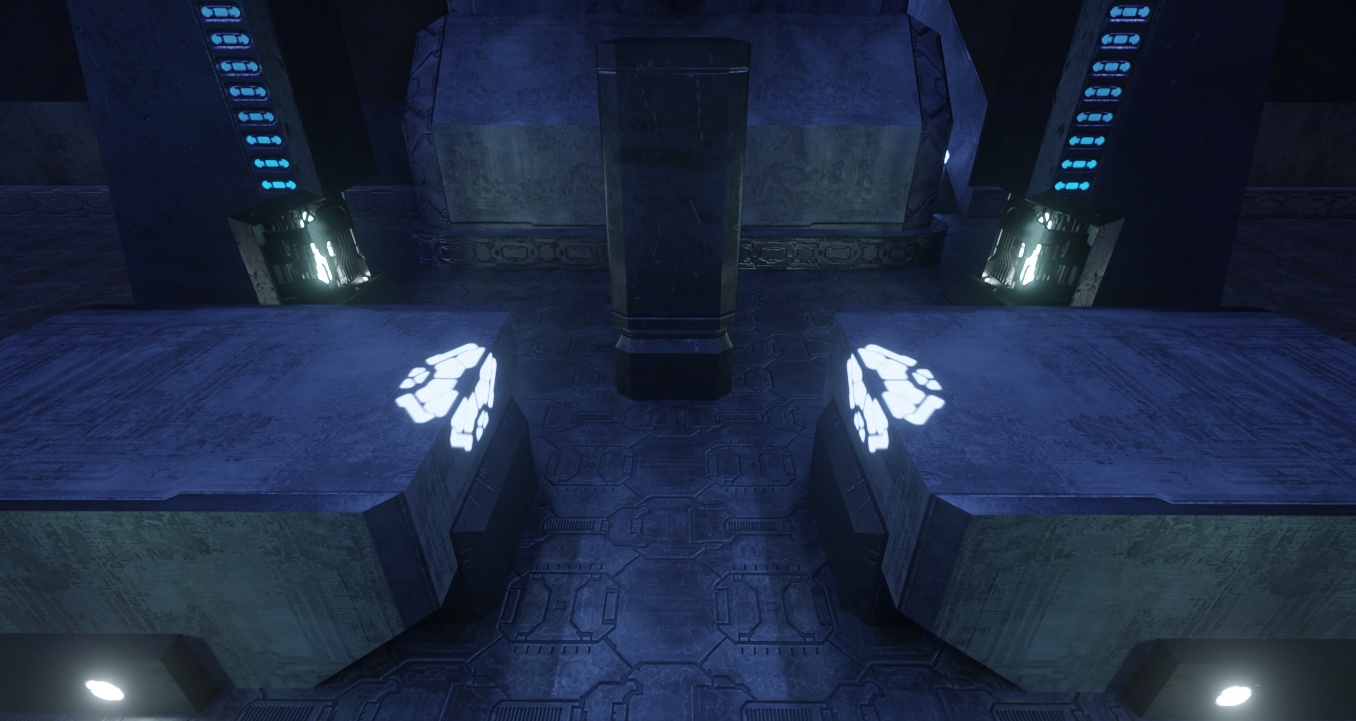
(I know it's not the exact same location)
solar plank
Ok now I know what the light is
It is best if we leave it as an emissive but add light sources separately on top
hot plaza
How nice it would be if we could just flag the surface as an area light or something...
solar plank
It would've been nice to just use the texture as a light source and it will still function if emissive intensity is set high enough
That it will light up some area around it on its own
But it is not recommended to just use emissives for all the game areas
hot plaza
We'll have to play around and see what works best, there's probably no one-size-fits-all solution
solar plank
Some mixture of remix lights and original game emissive surfaces will work best imo
olive spindle
hot plaza
Those lights for example should have linear RGB color `0.442034, 0.453745, 1.000...
halo ce uses linear values for lights? damn lol
hot plaza
I'm just giving linear values since I assume that's what we need
hot plaza
No idea, Blender took care of that for me. I used Blender to sample the color from the shader tag in Sapien Guerilla, and that's the value it stored
Whether it's sRGB or gamma 2.2 won't affect it enough to matter though
Not for bright colors like that
olive spindle
just curious because I think it would make sense to linearize with the gamma the game uses. I haven't checked halo pc but mcc ce uses 2.0 gamma iirc
which would make a difference in the highlights
woeful condor
solar plank
With remix you do not want to over do any emissives, they do not contribute to a...
they do tho... turn on particle lighting in the runtime options
olive spindle
I was so confused by that lol
because I knew you set the sun as emissive in your sky stuff in the begining lol
woeful condor
olive spindle
because I knew you set the sun as emissive in your sky stuff in the begining lol
it's actually a huge disk light now because i needed it to be sampled by RTXDI for denoising and volumetrics
olive spindle
nice
hot plaza
Highlights are where the choice of gamma should matter least though 
solar plank
woeful condor
they do tho... turn on particle lighting in the runtime options
I meant that when comparing with actual lights, emissives have it's downside as it appears to be very unstable if you use it as the primary light source
Lots of boiling artifacts last time I recall
woeful condor
solar plank
I meant that when comparing with actual lights, emissives have it's downside as ...
yeah for sure
no way getting around that rn
other than actual lights
solar plank
This game will work very nicely
Only thing missing with the sky implementation are additional celestial bodies
And if someone fancies, the actual Halo ring
olive spindle
hot plaza
Highlights are where the choice of gamma should matter least though <:chief_thin...
if we're spending all this time on the game might as well go the extra mile :p
hot plaza
We'll see what gives the best results later, we can experiment
solar plank
olive spindle
if we're spending all this time on the game might as well go the extra mile :p
You mean like a custom tonemapper?
hot plaza
solar plank
And if someone fancies, the actual Halo ring
Did somebody say Halo ring? #1097963421619720392 message
olive spindle
stuff like that yeah
really want to use psychoV for tonemapping because it's an absolute monster lol
solar plank
hot plaza
Did somebody say Halo ring? https://discord.com/channels/1028444667789967381/109...
Just add the model directly, it'll work trust 
shy bronze
solar plank
This will allow us to add a new model for Master Chief and others
Would be sick if we got Marcus Lehto’s UE Chief model here
hot plaza
I imagine that's what we'll use
solar plank
can anyone here make a classic version of master chief model here? I really adore the original Xbox look fully realized
hot plaza
solar plank
can anyone here make a classic version of master chief model here? I really ador...
That's what Marcus Lehto did already
 solar plank
Woah
 hot plaza
it's easily the most authentic model out there
I let him run amok on Stroggos one time 😂
 solar plank
Is this model publicly available online or was just for showcase purposes
hot plaza
It's publicly available, I mean that's my render with it right there
solar plank
olive spindle
This one
alright 👍
Yeah pretty solid remix project you got going here then
olive spindle
also kinda leaning toward using Jordanspartain's covy models

Nexus Mods :: Halo: The Master Chief Collection
Halo CE's Covenant remade in high quality for Halo 3. Jordanspartain modeled the elites, grunts, jackals, and hunters. I worked with him to port them into Halo 3 and get the shaders looking just rig
the grunts and elites in this pack aren't the newest versions
 hot plaza
Yeah they're very nice, I've already showed off some renders of how good they can look with tweaked materials
olive spindle
also wanting to replace the diffuse brdf stuff in remix
it currently uses hammon which is good but has a tendency to overshaden certain areas which kinda gives remix an ssao look at times
hot plaza
hot plaza
Yeah they're very nice, I've already showed off some renders of how good they ca...
#1097963421619720392 message
#1097963421619720392 message
olive spindle
the pics are in hdr but still
want to use psycho instead of the tonemapping stuff I sent you ages ago
hot plaza
Is that the lower middle one?
olive spindle
yeah
hot plaza
I'm not a fan based on that image at least
olive spindle
why?
curious
hot plaza
It's oversaturated compared to e.g. ACES 2
Admittedly this one image isn't enough to really judge it on
I'd like to play around with it myself
olive spindle
ACES 2 is pretty funky tbh
hot plaza
yeah I'm not a fan of ACES either
olive spindle
the highlight saturation in psycho is based off how our eyes work so it looks really natural in proper content
hot plaza
Yeah, like I said, I'll have to mess around with it and see it in some different contexts
olive spindle
for sure
the cyberpunk 2077 renodx just got it yesterday and neon light look actually neon lol
hermite spline / psycho

 shy bronze
olive spindle
also kinda leaning toward using Jordanspartain's covy models
shy bronze
olive spindle
also kinda leaning toward using Jordanspartain's covy models
Do they have 1:1 articulation or were they re-rigged for H3?
olive spindle
I'm not a 3d artist so I'm not sure what that means but the models weren't originally created for halo 3 so I assume the rigs are normal or whatever
shy bronze
olive spindle
I'm not a 3d artist so I'm not sure what that means but the models weren't origi...
Do those models use the halo 3 animations or original ones ported over? If they are the original ones ported forward and not recreated it means it is likely easier to back port and line up the models again.
olive spindle
I would ask Nathan in the Halo modding server
https://discordapp.com/channels/615301822474878977/1367939680842027190
solar plank
shy bronze
Do those models use the halo 3 animations or original ones ported over? If they ...
We can just rig them again according to halo 1 skeleton
We only need the models if they are easy to obtain and no licensing issues
shy bronze
Yeah but I just wanted to see if it was less or more work ahead
olive spindle
solar plank
We only need the models if they are easy to obtain and no licensing issues
I was told that Jordanspartain's models are free to use
solar plank
That's okay, if anyone wants to make a mod then the work required is minimum then, you guys can just create a mod collection with all these different assets under the remix umbrella
shy bronze
I remember when Jordan was still trying to perfect the model textures I felt bad that he couldn’t use all of them, maybe some of his alt takes could be better for this mod?
hot plaza
The models use the H3 skeletons, though the grunt skeleton didn't change between games so that one's fine
solar plank
Is there a way to capture all character models in default t pose?
Would be easier to work with
broken belfry
solar plank
Is there a way to capture all character models in default t pose?
can easily force all skinned meshes into a T pose in the wrapper
just have a toggle for it in the ini
#1484051262012915834 message


 jolly willow
Did you guys solve this game already? In the sense of making path tracing working.
solar plank
olive spindle
default vs psycho
Looks too foggy in psycho
olive spindle
jolly willow
Did you guys solve this game already? In the sense of making path tracing workin...
mostly yeah
jolly willow
Way to go
jolly willow
Is there a guide yet to put it all together?
I did not read the entire thread. Nor check the appropriate channels these things get launched in.
olive spindle
nope
still chipping away at stuff
jolly willow
Where does one download the base game?
shy bronze
olive spindle
got any pics?
I just spent a while digging in rejected’s server which I thought was where it was posted, and can’t find it. Basically the images were a side by side of all the different reflection methods on the armors.