#Morrowind
2358 messages · Page 3 of 3 (latest)
 honest heath
 small lily
couple of test vids. nothing fancy.

Everybody gets a torch. RTX remix.Narsis. WIP
 small lily
 scarlet sentinel
holy peak
small lily

 ruby pasture
Looks very good, but I was wondering if the texture roughness working properly as the wood looks very oily/shiny.
small lily
yeah that's not supposed to be like that actually. a friend asked Me where the "shine" was if it was "Really" RTX and not just Open MW... so I obliged him... I intend to tone that down again soon though.
small lily
soon enough I guess.
 ruby pasture
Looks much more grounded, very nice
 hexed verge
There's so much that goes into posting a mod I forgot to add installation instructions for all of the extra MWSE stuff  I forgot everything and had to do some digging again lmao
 stone idol
oh hey there's life here.
scarlet sentinel
small lily
soon enough I guess.
my 2nd glance, didn't notice the mirror until now, that's great man
hexed verge
I keep encountering this bug where everytime I sell something Morrowind freezes up. Memory usage is around 20 - 30%. Has anyone else encountered this?

 kind elbow
okay so this doesn't answer your question but
every time i see a post from you i can't help but focus on your name lol
kind elbow
hexed verge
I keep encountering this bug where everytime I sell something Morrowind freezes ...
does this happen without remix, too?
hexed verge
I'm going to try and give it a test without and see what happens
yeah just running mwse seems to be fine
small lily
scarlet sentinel
my 2nd glance, didn't notice the mirror until now, that's great man
Yeah , There's a lot to drink in with that screenshot so it's pretty easy to miss that really.
small lily
hexed verge
I keep encountering this bug where everytime I sell something Morrowind freezes ...
hmm weird. Just tested with about 30 items or so and not seeing any issues here on My install. Is this with just selling any item or just a specific one? Anything in the remix logs at all? MWSE log maybe might be worth checking out as well.
hexed verge
small lily
hmm weird. Just tested with about 30 items or so and not seeing any issues here...
Reading through the logs now, I'm experiencing a few graphical bugs so I'm wondering if I hooked something up wrong
small lily
hexed verge
Reading through the logs now, I'm experiencing a few graphical bugs so I'm wonde...
I haven't had the time to dl and try Your mod but that candelabra that you're selling... that's a model that've You've replaced I assume in Your Mod? does this crash happen with selling vanilla model items or just ones you've done for Your mod?
Gonna sound crazy but try throwing Cursor at the log files for insight. It's solved a few things for Me the last few weeks.
hexed verge
small lily
I haven't had the time to dl and try Your mod but that candelabra that you're se...
Yes it was, I am only getting the weird purple lighting on the imported models as well. I am reconfiguring the entire project to see if that helps. Accidentally deleted my captures folder 
hexed verge
Ah heck yeah it worked! I no longer have the crash from the menus but the nasty purple lighting disappeared! 
hexed verge
small lily
Gonna sound crazy but try throwing Cursor at the log files for insight. It's sol...
sorry for pinging you, but when switching to third person do you ever get this weird white plane that shows up? I can't click it in the game setup tab of the remix overlay either unlike everything else in the scene. It seems to only show up in certain interiors. . . Reinstalling seemed to fix the previous errors I was having though thankfully
small lily
hexed verge
sorry for pinging you, but when switching to third person do you ever get this w...
yeah that seems associated with the mesh for the first person crosshair. There is no third person crosshair so when switching to third person this mesh seems to become visible in the runtime.
to fix it what You'll want to do is take a capture with it visible in the game. load it up in the toolkit and then delete the mesh. save the mod and it'll never show up again while still leaving the crosshair intact for first person.
hexed verge
Ty
small lily
 hexed verge
I can't seem to bring the fog back when I turn raytracing on. I've toggled all of the fog settings but they don't seem to have effect. Maybe the opacity on the base texture is too low? Maybe the new particle system could spawn fog instead. Haven't touched it yet though so I'm not sure how much work that would require.


 tulip oxide
Bored and unwell, got in the mood to have another poke at Remix today.
Finally managed to stop my skies from being washed out, overly luminescent beacons of grey; yea turns out Morrowind uses the sky alpha as some sort of mask, but Remix was interpreting it as transparency.. that went straight to the white of the void. Setting the (newish) "ignore alpha channel" on the sky texture and setting the sky tuning to ignore the first untextured draw pass fixed it right up. Clear blue skies, and actually dark nights have returned! 
Furthermore, I finally got the "use as diffuse" setting to work on my lanterns. Yea I was missing inputs: just at the start of the parameter. Nothing else. This is why my lanterns have looked like weird glass garbage (or invisible so light can actually still pass through it) for months. Oops. All fixed now!
All in all, a delightful (if wheezy) diversion in my favourite holiday destination 


 rocky badge
Lanterns look incredible now wow
tulip oxide
rocky badge
Lanterns look incredible now wow
And thats technically without any remastered assets! (Altho I am using the mod.usda to change the texture's properties)
hexed verge
Nice! The bright nights looked especially horrendous
 brittle estuary
A link for the rtx remix mod file would be great. the demo for morrowinds rtx is only a demo! 😵💫 rtx remix is going to look goood.
hexed verge
I added the ignore alpha setting to the sky textures and turned down the sky brightness significantly but am still getting this bright white directional light in the background. Toggling the sky settings but only force HDR skies seems to have a positive effect. Feels weird being in RTX after using Unreal for the past couple of months lol
 tulip oxide
Thats the Directional Light, it isnt directly translated to remix all that well at the moment, so selecting the option to suppress Directional Light capture is an ok intermediate solution
hexed verge
I like how the mud puddles reflect the guard and the stone wall. Makes the area look so much more muddy and wet
 zenith ermine
hexed verge
I like how the mud puddles reflect the guard and the stone wall. Makes the area ...
zenith ermine
hexed verge
I like how the mud puddles reflect the guard and the stone wall. Makes the area ...
Definitely agreed. Not to be too critical but I'm not sure if it's my own brain or not here-- I feel like something is off with the way the puddles look, like they're too dark and should have a more prominent light reflection on them. Not sure whether the issue is me, the texture, or just Remix quirks.
It's amazing seeing what you all have been up to since I last checked in. It really looks modernized in the best possible way.
hexed verge
zenith ermine
Definitely agreed. Not to be too critical but I'm not sure if it's my own brain ...
ty so much! What I think you're saying is that the material displayed is only reflecting the light with a static roughness map. So it ends up reflecting pretty much all of the light that is hitting the surface ie, "the dark parts" are from the sky texture being fully reflected. In real life however, this roughness map would be animated and the surface of the water would break up the reflected light more and would have visual glints from the light being caught by the ripples. Only the most still puddles would not display this behavior. . . This is doable by panning two roughness and normal maps against each other. I imagine I will have to program a specific material to achieve this in RTX though. I only know how to do this in Unreal
tulip oxide
hexed verge
ty so much! What I think you're saying is that the material displayed is only re...
Take a look into the Flipbook material animation stuff, should be more or less perfect for this.
I mean in theory Remix has animated water flags too you could try out, although when I tried them ages ago I had difficulty. Probably fine now.
 brittle juniper
Hey, you guys can use this if you want 
hexed verge
brittle juniper
Hey, you guys can use this if you want <:Peepo_ThumbsUp:832180017559371806>
Thank you, Mr. E-man.
"A few Additional steps" 😅 : Handling Animated Materials
Working with animated textures requires a few additional steps:
Frame Capture: Reduce the game’s framerate to capture each frame of the animated texture.
Anchor Texture Implementation:
Generate a series of anchor or stand-in textures for each animation frame.
Render these textures in a test level to capture their hashes.
Alt+X Developer Menu Utilization:
Access the material setup tab in the Alt+X developer menu.
Enable “preserve discarded textures” to retain all hashes for each frame in the material menu.
Hash List Creation: Compile a list of all hashes obtained from the preserved frames in the material menu.
USDA Manual Replacement: Replace these hashes through manual editing within a layer’s USDA file.
 granite scarab
hey guys, quick question - I thought I saw someone here was working on interior culling? anyone know if that was resolved (i.e. disabled?)
small lily
granite scarab
hey guys, quick question - I thought I saw someone here was working on interior ...
culling ...the bane of my existence., My enemy. oh how I loath culling in this game.
I tried some things but never got to far with it. My Reverse engineering skills aren't that good yet. I found what I thought was the function for it in the exe but patching it didn't have any affect on the culling for what I seen.
I did ask around about it on another Morrowind server. the gist of which ( IIRC) was MGE-Xe/MWSE could possibly be the angle of attack here, notably there is a isappculled flag that is used internally by the game engine and MGE XE to determine whether a specific game object (such as a camera) should be hidden or not rendered.
Theoretically I guess from what I was told/explained there(briefly) this could be disabled either game wide possibly or per object I conjecture... game wide is prob not a good idea idk, and also convincing MGE-Xe current maintainers to open that up for me would be difficult: A custom fork for use with remix would be ideal but once again far beyond my current skills. or disabled per object. per object would be ideal but I guess one would need to go through what objects You would want this applied to.
all that said though: At the end of the day though I really think Morrowind RTX will need a coding God like the great xoxor4d to get up to snuff with the culling.
edit: apparently MGE Xe could be also be used to disable more/all the frustum culling as well. Alas, none of these guys are really too keen on picking up remix as well and are content with what they have.
granite scarab
small lily
culling ...the bane of my existence., My enemy. oh how I loath culling in this g...
I really appreciate the detailed write-up - culling was where my work ran into issues too, and I've been checking back here now and then to see if we yet have a solve for it in the community
small lily
granite scarab
I really appreciate the detailed write-up - culling was where my work ran into i...
 tulip oxide
small lily
culling ...the bane of my existence., My enemy. oh how I loath culling in this g...
tulip oxide
small lily
culling ...the bane of my existence., My enemy. oh how I loath culling in this g...
I know the game cells have a flag for whether or not they are considered interiors (at least in later games but I think it exists in Morrowind as well?), a dirty but possibly effective method would be to have culling additionally check a single global boolean variable in its checks to see if it should cull or not, and have cell load simply set that variable with whether or not it has the interior flag set.
Probably the least reverse engineering needed, but I'm more familiar with the script extender plugins from Oblivion onwards, but Fallout New Vegas' implementation of TESReloaded plugin has a pretty good hooks library for patching those two checks with custom functions and for defining the global variable.
I'm not sure if MWSE supports the same style of "plugins" as NVSE does tho.
Since Ive got a functional NVSE plugin copy compiling on my cursed environment (all GCC and cmake, no msbuild) Ill make a note to try it there first when I get back around to Remix.  Might be a viable, and approachable, solution?
small lily
tulip oxide
I know the game cells have a flag for whether or not they are considered interio...
Yeah there's 100% a flag for interiors as opposed to the open world for Morrowind. Gamebryo is Gamebryo imo. They might give it a new coat of paint every few years but They all share the same dna. As far as I know nothing fundamental like those kind of flags changed from much from MW to FO3/FONV engine upgrades. heck I'm pretty sure Skyrim still uses both flags.
The Morrowind script extender is pretty robust I think? It would surprise Me if what You've done in NVSE **could not **be ported or duplicated within MWSE. maybe. idk though I can't create anything for either one lol.
also I think we have at least one of the guys that makes MWSE here on the server.
tulip oxide
So Im going through the MWSE documentation and I think this could be done entirely through that, possibly entirely within it's Lua scripting as a basic, no reverse engineering needed MWSE mod.
There is an event for cell load, cell flags for interior AND an extra flag for interiors that should act like exteriors, and a bunch of hooks to cameras, parent nodes and some basic renderer stuff. My lunch break is over but Ill look later for culling stuff.
small lily
Yeah that's what I was thinking. MWSE seems pretty capable from what I've read about it . That and it is still being worked on all the time as well.
small lily
IMO There are four dominoes that need to fall to generate interest in forming a community to make a remix project behind it. Culling, Keeping MWSE compatibility (resulting in keeping a vast catalogue of mods compatibility with remix that most players would not want to do without), Distant Land and lastly; Ground cover.
hexed verge
I read up on MWSE and I'm not much into graphics programming, more of a systems programmer(leveling up, Quest data, etc.) so I vibe coded a lua script for MWSE to expand the bounding boxes to see if that would help. After multiple attempts and confirming the script was running, it seems the issue is with the way RTX is translating the bounding box information as it is the same distance that triggers the object disappearing no matter how big the original bounding box is. I tried to look through the Github code to see where the bounding logic is happening but ngl am quite burned out at this point between having to add dynamic directional light to fix the over/under brightness from the sky and dealing with trying to replace all of the water objects so the player doesn't get a seizure from the water flashing from an opaque material to a translucent one. I think the best option is to contact Bethesda and see if some RTX build could be compiled. I know it's a far shot, but for all of the magic that has to happen, after most of the game has loaded, will directly and negatively effect the performance of the overall game. Especially as more features are added like particles. I don't mean to be a stick in the mud but I don't see the current workflows scaling very well. This project has been really interesting though and I am excited to see new changes, just trying to be realistic with what it is.
small lily
hexed verge
I read up on MWSE and I'm not much into graphics programming, more of a systems ...
Todd helping isn't going to happen in this decade I don't think ,What You could prob do IMO is run Your ideas through the MWSE guys over on the morrowind modding server. (MWSE has it's own channel in the server and I see 43 pages of mentions of bounding box stuff) They are miracle workers, are very active over there and always seem helpful . At the very least You'd gain new knowledge/info that might help in the future. sometimes it just takes the right questions to the right people, know what I mean?
small lily
In hindsight I should have linked you that invite ages ago. My apologies.. The Official Beth server didn't even hardly respond to Your RTX demo mod. I guarantee You if You'd have posted those same pics over at the modding server You'd have got 10 times the reaction.
 vagrant furnace
Hey guys, I am testing out the different capture settings regarding the culling in the store in Seyda Need, so far I am getting mixed results. The idea is to at least capture properly the entire first floor. I want to use this scene as my first study of RTX Remix, I am a 3D Artist with 8 years of experience and I would love to contribute in one way or another in such projects. Have a good weekend!

capture no.16 inside 3ds max. still didn't manage to get all the objects. I realize that they mentioned on Nvidia RTX videos to take at least 2 captures per scene, but I really wanted to avoid messy overlaps. So far with success I figured out the Scene Unit Scale o 0.0135 works for me and exported a character with height of around 180cm which is in line with Morrowind documentation
 small lily
@vagrant furnace Hello and Welcome 🍻
Well, I'm super disorganized .I'm looking at My own capture folder and seeing 5 or 6...orYou know...like 12 captures per room so I'd say It's safe to say I have zero tips in that department.
Now While I may not be organized, I am however something of a idea man and one such idea(an idea that is completely untested mind You) has just popped in: Maybe try disabling collision with the tcl command and getting a better view by flying outside the walls or above the celling and thus getting the whole room in your field of view before the capture. Theoretically the walls in game will disappear when you do this as they are backfaced culled but I think this shouldn't be an issue in the actual capture... I think anyway.
edit:basically what I'm suggesting here comes from that second pic... go outside the walls of the room in MW with the tcl command like is depicted in Your second screen that is from 3dsmax and then take your capture/captures.
small lily
Got skyrim level fur boys. HDR left and non HDR right.

 small lily
@rocky badge best of all that's a effect that runs as is on the original engine lol. You won't have to wait for long for furry werewolves, as I shared the technique over on the MWmodding server.
small lily
vagrant furnace
small lily
<@1132383703268610078> Hello and Welcome 🍻
Well, I'm super disorganized .I'...
hey man! Thanks for your reply! I managed to cheat my way by changing the FOV to max (150) therefore seeing most of the room, and the capture worked very well! First I tried with the werewolf fov command line inside game but it didn't work, so I tried the Morrowind FPS Optimizer which allows you to change the FOV before opening Morrowind. But I will definitely try our your tcl command too!
vagrant furnace
small lily
<@267134546544295936> best of all that's a effect that runs as is on the origin...
Amazing work! Would you mind sharing the link to MWmodding server? Thanks
small lily
vagrant furnace
Amazing work! Would you mind sharing the link to MWmodding server? Thanks
sent you a invite
small lily
vagrant furnace
hey man! Thanks for your reply! I managed to cheat my way by changing the FOV to...
You might want to be using MGE XE as that contains mcp and MWSE ,which fixes a lot of stuff. it has/had a bypass for the shaders specifically built in for remix. I'm using a custom fork of MGE-XE from rfuzzo that's buried in this channel... somewhere....MGEXE allows to set the FOV and stuff like that via a gui.
There's a new experimental build on the nexus that got released not that long ago separate from the main branch as well that has some neat tweaks for memory that the current live build doesn't have though since Hrnchamd been off somewhere for a bit , but I have not tested that one with remix at all and not sure if they kept the bypass in.
hexed verge
small lily
This looks Amazing!
small lily
hexed verge
This looks Amazing!
Thanks. The soul gems not having proper lighting while still casting shadows has bugged me now for quite some time. still tweaking a bit but they are looking damn fine if I say so Myself as well.
 knotty pewter
Its crazy good @small lily
 severe gust
small lily
severe gust
small lily
God I want this so bad.
 small lily
 muted valley
Wow this looks actually cool.
muted valley
Wow this looks actually cool.
How bout this?
love how remix attached lights work with the inspect it mod. Normally any game added lights are removed from the preview. Not with remix attached ones.
 subtle falcon
Greeetings all, trying to get Morrowind RTX up and running and having a heck of a time of it.
- Installed the game from Steam
- Installed MWSE
- Installed the MWCP (used default settings)
- Applied the RTX "Demo" from MODDB following the directions in the readme file.
No matter what I always get the vanilla game.
Since this is something I need to do anyway as part of the project I'm wortking on, I'd be glad to create and share a complete setup doc with step my step instructions for all the steps I took above.
small lily
subtle falcon
Greeetings all, trying to get Morrowind RTX up and running and having a heck of ...
For the Morrowind code patch You'll want to turn off the bump mapping in the visual section. or else every thing will be purple.
So. IDK about the steam version. It's has always caused Me issues. I use the GOG version.
I tried installing a fresh copy from steam that time though and I can get it to hook it but it crashes before loading the menu. GOG version works fine. Weird. the code patch creates a new exe for the game so launch from that as well and be sure to disable steam overlay.
got to run out for a bit ,but I'll see what I can come up with to get you up and running.
subtle falcon
@small lily Much appreciated. I'll reach out to you on Monay. Thanks for the reply. Have a great weekend.
tulip oxide
I've tested with my old CD version and GoG, but I don't think I have Morrowind on Steam. If I get all my work done ahead of schedule I'll check.
Probably time we make up some nice setup instructions.
hexed verge

In this video I go over how to install RTX Runtime to your Morrowind game and then how to install the Morro RTX mod.
All you need is the first part of the video if you're just setting up RTX, the rest is for the mod
hexed verge
small lily
Thanks. The soul gems not having proper lighting while still casting shadows has...
I wonder if it's possible to setup a thickness map hookup. You could use that same map to also drive the emissive value so it looks like the light is coming from a cloud inside the gem. The stability of the lighting is what's doing it for me. Looks so good
small lily
hexed verge
I wonder if it's possible to setup a thickness map hookup. You could use that sa...
I still don't have a clue what doing most of the time when it comes to this . I get a idea and then see if it works. If it doesn't, I make it work... or a least try anyway lol ,so I wouldn't be able say for sure there on thickness maps, but I mean really there doesn't seem like much isn't possible with this stuff.
Would be cool to do it like the Visually Filled Soul Gems at some point where they only glow and stuff when actually filled. I got some learning to do before I can implement that though.
subtle falcon
@hexed verge Thanks for posting this. It seems to be a little out of date but with some trial and error, and looking at the log files I was able to get this working. The MAIN thing that I had to do in order for this to work is not copy the "d3d8to9.dll" and "d3d9.dll" files from the Morrowind RTX Remix mod folder to the Morrowind steam install where the executable is. I did have to still copy (from the RTX Mod folder) and overwrite the "d3d8.dll" that was copied over from the "MGE XE" manual install.
As part of the project I'm working on, I'll be doing written instructions as well for installing this MOD, since I need to for our internal docs anyway. I'll go ahead and post them here, probably later today. @small lily is welcome to use them as official docs if they want to.
A couple things I wanted to point out as well.
- I was seeing some flashing on some ropes in the ship at the start of the game while walking to the top deck, following the guard.
- The game will crash if I try and run it full screen. I'm using MGE XE for this setting. I just need the game to run so I've not troubleshoot past that it works in windowed mode. It might work in windowed borderless "fullscreen".
- I'm using the latest main release of the runtime v 1.2.4
I'm assuming that this version of Morrowind RTX wasn't tested against 1.2.4 yet so this may be an artifact of that or just some more tweaking that @small lily needs to do and this has been an issue for a long time.
small lily
@subtle falcon I'm usually up to date to the latest build of the runtime from Github. At the worst I'll be a few days out of sync with the repo.
Currently I'm on the build from December 10th . I do a local build on My machine because Morrowind tends to go over the default hardcoded M_stagedbones limit, Especially when you start adding mods.
I can only blame steam here, as I can't get My steam copy to run with RTX(past the menu) at all the moment no mater what I do. While My Gog version works flawlessly with minimal setup ... and it seems to work fine fullscreen as well
small lily
After a few of these test installs I do have a new tip for anyone tagging all the UI in nearly one go:
What You'll want to do take a texture out preferably for a single model. really easy to do this by using a simple mod instead of a default file since the chances of there being a backup in the BSA files are 0% .
This will pause the loading of textures during initial game start with a message box telling you the texture is missing. when this pops up don't press it but bring up the rtx ui and go to the game setup tab , all the textures that are there should all be the UI with no landscape or other textures clogging up the list. Tag the textures,save,close the UI accept the error. close the game and put the texture back in it's place you took out.
hexed verge
subtle falcon
<@313166516960886784> Thanks for posting this. It seems to be a little out of da...
Ah thanks for bringing that to my attention. The mod file needs to be updated to the previous version although I take it the github build may be better for more functionality? The ropes flashing in and out is due to the original triangle mesh being culled out of sight by the original Morrowind engine. I looked into expanding the bounding box of the static objects using a MWSE script but it didn't stick for some reason. Still trying to figure out a way to prevent the harsh culling. @small lily has seemed to get the most stable results. They have been a great help! I've had fullscreen crash and also simultaneously work so I need to see what I did to make it stop crashing. Overall I was hoping to improve the culling, lighting and water material in the next mod update. Thanks to the team for working on this! Morrowind is a great game and it is awesome seeing it in a new perspective.
small lily
Here's a new perspective I bet no one has seen in Morrowind.
The Red Rocket Truck Stop from fallout 4 fully Path Traced. don't bother going looking for this one on the nexus.. had to cook all this up myself pretty much...Video soon.
 subtle falcon
@small lily @hexed verge
Well maybe this will work? Here is the instructions I promised, but a bit late. They keep us busy here! Anyway I'm hoping some folks would be willing to try and follow these and let me know how they get along. These instructions are based off the YT video @hexed verge posted here a few days ago. I'll be posting a tweaked version of this for our internal docs on how to setup Morrow RTX.
Some interesting things I found, and this could be me or my setup or something I missed.
- Blinky ropes in the ship at the start of the game, as mentioned before.
- Weird grey screen that covers the entire view but if you move the mouse around it shows the edges of the game. I'm probably not making sense. I'll try and post a video. I get this in any resolutiuon OTHER than windowed 1920x1080. If I do 1920x1200 windowed, I get this odd issue. I also tried it at 3440x1440 "full screen windowed borderless" and got this. If I open the menu the weird covering goes away but then comes back when the menu is closed.
- Game crashes if you try and run it in full screen mode (not windowed borderless)
Steam install instructions: (This should also work with the GOG version). These instructions are intended for a fresh install of Morrowind.
- Install Morrowind RTX from Steam.
- Download prerequisites. Note: You will need to make a Nexus Mods Account:
- MCP (Morrowind Code Patch, NOT the Python version)
- MGE (Morrowind Graphics Extender) XE (Manual Install)
- Morrow RTX MOD
- RTX Remix Runtime (get latest stable version)
- Extract the RTX Remix archive and copy all the files from “.trex” and everything else into your Morrowind folder that contains the executable. It’s important to do this first as it will make some needed folder when you first run the game. This may ask to overwrite a file. That’s fine.
- Extract the MCP archive. The MCP executable and all related files/folder should be placed in your Morrowind folder that contains the executable. Same as you did with the RTX Runtime. This shouldn’t need to overwrite anything.
- Extract the MGE EX archive so that “MGEXE.gui.exe” and all related files are in your Morrowind folder that contains the executable.Same as you did for the Runtime and MCE. This shouldn’t need to overwrite anything.
- Run the Morrowind Code Patch executable from inside the Morrowind install folder.
- All defaults are fine here. Click the bug “Apply Chosen Patches” button at the bottom. You should see a “Patch Succeeded.” and you can close the tool.
- Now run the MGE executable “MGEXE.gui.exe” from within the Morrowind folder and set your desired resolution. Note that there is a bug at the time of this writing that may cause the game to crash in full screen mode. For now you will want to run it in a window. After you select your resolution simply close the tool and it will save your changes.
- Run the game from Steam, this will load the launcher. Wait a few seconds then close it. This should be enough for RTX Remix to create the needed folders. Don’t try to run the game from the launcher yet.
- Now extract the Morrow RTX archive.
- Copy the “d3d8.dll” and “rtx.conf” will go into your Morrowind install folder.
- Note: this will replace d3d8.dll - You may want to back up this file first. Or you can always copy it back over from the MGE EX archive, as this is where it comes from… If you need to roll back for some reason.
- Copy “bridge.conf” will go into your “/.trex” folder.
- The “MorroMod” folder will go into your “\rtx-remix\mods” folder.
- Now run the game from Steam, the launcher loads and you can click “Play”
- Enjoy…
Note: Had to post this in a couple messages since I don't have Nitro. 🫠
If anyone wants to make any changes or tweaks PLEASE do
Here is a video of problem 2 mentioned. I;m hitting escape to bring up the menu. It seems to me like it's at least effected by the lighting, like an auto exposure mode. This was recorded by the NVIDIA App. I had the game resolution set to 1280x720. It seems like whatever res I set it to, it does this, except for 1920x1080.
tulip oxide
small lily
Here's a new perspective I bet no one has seen in Morrowind.
The Red Rocket Tru...
There is something eerily hilarious about seeing a Red Rocket in path traced glory.. with the Morrowind UI on top  I love it!
tulip oxide
subtle falcon
Here is a video of problem 2 mentioned. I;m hitting escape to bring up the menu....
Does this also happen when you pause the game by other means, such as bringing up the console? The moment at 9 seconds makes me think this could be something in the scene being animated with cursed transforms. It reminds me a little of the issue I had with Oblivion back in Remix 1.1
Not an issue Ive seen but I've not been testing with MGE EX, so hopefully there's something going on there that can be turned off?
It could also be a screen overlay effect, using the old "slap a quad in front of the camera" trick since it doesn't have a texture it could have been something with a shader on it only, for bloom, motion blur or suchlike from MGE EX.
Very much spit-balling, not super helpful but hopefully its just a consequence of some extra graphical option in MGE that can be disabled.
subtle falcon
@tulip oxide I'll try and bring up the console, is that just " ~ " like other games?
And yeah it seems like maybe some kind of geometry or something infront of the "camera". But the fact that it does it at every res I've tried except 1920x1080 makes me think it's something else. What? I have no idea.
I also forgot to mention, it doesn't do this inside the ship at the start.
" ~ " does indeed bring up the console and it does the same as pause.
I gotta keep these videos super short. 100MB file limit for non-nitro plebs like me! haha. Anyway here is the start, quick pan around. I imagine any indoor space will be fine. The issue seems to be related to being outside.
Also showing escape for the menu and " ~ " for the console.
This is it for me for today. I'll be around tomorrow. Cheers.
hexed verge
subtle falcon
I gotta keep these videos super short. 100MB file limit for non-nitro plebs like...
If you switch to third person mode you can see the box texture trace. There is a linetraced box property that directly shoots from the player. If you select it in the RTX overlay using alt + x, you can select the box texture and choose it's texture property to ignore. I'm not exactly what it is or why it's there, but it seems to go away after saving that setting.
tulip oxide
Just got home from work, what Deeptoot has outlined would perfectly explain the pause/unpause behaviour.
Should be able to use the capture keybind to grab it while the game is running.
If it doesn't have a texture assigned, grab the geometry hash and slap that in... uhhh... there's an option in there to ignore specific geometry by it's geometry hash. I just cannot remember the name of the field.
small lily
tulip oxide
There is something eerily hilarious about seeing a Red Rocket in path traced glo...
It's surreal yet fits so well. Almost want to learn to model a do a actual crossover mod featuring Lorenzo Cabot or something. swear that crown he wears looks awfully morrowindy.
small lily
@subtle falcon That seems like it is a improperly tagged ui texture . when you hit a load screen you should see a art screen and a loading bar. same for the menu it's tied to invisible mesh and that is most likely the grey thing you see. probably a single texture tagged wrong.
Best bet is to wipe the ui textures from the config and then stall the game's loading at startup by jamiming a proverbial broomstick in it's spokes by forcing it to give you a error message. see video.:
scarlet sentinel
small lily
Got skyrim level fur boys. HDR left and non HDR right.
Ts looks good twin 🫶
subtle falcon
@small lily I'll go in and fiddle with the tagging and see if I can find it.
If this was the case then why would it only do this at resolutions other than 1920x1080 I wonder?
small lily
subtle falcon
<@237242727761313793> I'll go in and fiddle with the tagging and see if I can fi...
Yeah wish I could be more helpful but to be honest I don't know what's going on there. Might be the way MGE-XE messes with the resolution since the original resolutions were limited for the time.
I can't repo this on My install no mater the res I pick. Only time I've seen anything like what is in your vids was due to a ui texture.
subtle falcon
small lily
Yeah wish I could be more helpful but to be honest I don't know what's going on...
Much appreciated. Well I'm at a point with this where I can do what I need to with it on my end. I need to move on to Oblivion next. Are you doing that one too?
small lily
subtle falcon
Much appreciated. Well I'm at a point with this where I can do what I need to wi...
Not currently. Tried but it's not looking good at all for that one. Ran into a whole host of issues with Oblivion. Bethesda diverged significantly from how Oblivion compared to Morrowind renders a lot of stuff. Most importantly they stopped attaching light sources to meshes like Morrowind lights work. I had to lean hard into emissives and ultimately with how Oblivion handles meshes, I gave up.
For Me I was thinking : Gamebryo/creation engine all share the same DNA so it's just better to start and finish Morrowind first and make it compatible and then bring the knowledge of that forward if possible to the later titles.
edit: I'd have to say that the final nail in the coffin for Me on Oblivion with Remix was Oblivion Remastered being released. they did a good job on that imo.
subtle falcon
small lily
Not currently. Tried but it's not looking good at all for that one. Ran into a ...
Yeaaaaaah so I went looking into setting up Oblivion and I have to agree on everything you said. Going to skip it and move on to other things. Appreciate all your time and effort here and on the RTX mod itself. Happy holidays!
small lily
subtle falcon
Yeaaaaaah so I went looking into setting up Oblivion and I have to agree on ever...
Yeah it's in quite the bad spot. Fallout New Vegas is in a better spot then Oblivion if You are running down the Bethesda titles for your project or something ... but as it stand currently Morrowind probably is currently the most remix "compatible" game running on Gamebryo/Creation Engine
No problem at all. Have a Merry Christmas!
subtle falcon
small lily
Yeah it's in quite the bad spot. Fallout New Vegas is in a better spot then Ob...
Cheers. Yeah I have a list of games I need to get working for... testing... of sorts. Nothing to do with AI BTW, someone else was asking that as their first question with another Remix project, so want to be clear about that. No AI or training or anything. In the end, the project I'm working on is just to make RTX Remix a better product and projects like yours are on a short list for us to use for out testing... because it's awesome!
small lily
subtle falcon
Cheers. Yeah I have a list of games I need to get working for... testing... of s...
LOL, I'm very pro AI so that would not bother Me really. But it sure is good to know from the source though that You're checking projects and stuff out. Makes it very promising on the future for You all delivering the best Remix You guys possibly can. 🥂
tulip oxide
subtle falcon
Much appreciated. Well I'm at a point with this where I can do what I need to wi...
I managed to get to a reasonably stable experience with Oblivion (it was my baby before the remaster), barring land lod issues I now know how to solve well enough (tag as sky) and culling.. which is uhh.. harder. Annoying but not game breaking.
Do you want me to send you some reproduction steps & my .conf files etc?
I've used my CD copy and GoG for Oblivion, not sure how it'll go with Steam but it might be ok. I'll have some time on my Chrissy break.
small lily
Swear I'm almost done with the deco... adhd kicked in and I went the extra mile and made most stuff interactable, added icons..the whole nine yards really. This isn't a 1:1 copy of the one in FO4.. it's prob more decorated here at the moment lol... Still have to remix a lot of the textures. believe it it or not there's not much done here in remix yet, this was all built in the TES CK really thus far. I'll have that video soon.

 small lily
I could probably jam a reasonably good version of Lightspeed Studio's F04 Vault 1080 mod in here I think. I got spot lights nailed down now pretty much....
small lily
 autumn thunder
small lily
autumn thunder
small lily
Nice presentation. The way the garage looks reminds me of Ken Silverman's Voxelstein for some reason
small lily
You should see it in the CK.
The potential Morrowind has not just for remixing the original content but also for making "brand new" content is off the charts imo.
 hexed verge
small lily
You should see it in the CK.
The potential Morrowind has not just for remixing...
hexed verge
small lily
You should see it in the CK.
The potential Morrowind has not just for remixing...
Wait. . .I think I just realized how to solve the culling issue. In your video I noticed none of the fallout4 models were not changing visibility when the camera panned away.. . .I wonder if a mod replacing all of the models(even with the originals) would get around the culling issue with the original models being popped out too early 🤔 Now I just have to learn how to make a Morrowind Mod haha 😅
small lily
hexed verge
Wait. . .I think I just realized how to solve the culling issue. In your video I...
This damn culling I swear...need to get it solved properly at some point. How IDK
I'm not so sure about them being immune to culling, They still cutout , Watch shadows from the chains as i pass them by near the PA rig...they just seem a bit better at persisting compared to 2000's era assets... and I have no idea why, because they are pretty much set up like a Morrowind nif should be... These I converted from My FO76 and F04 installs Myself.
Could be useful for anyone that has created anything of their own for the later games and would like to transfer it to Morrowind so I'll briefly detail that process below...goes without saying but I'll say it.. don't convert Beths stuff and share the files...You'll get a visit from Todd and not the good kind.
Use Nifskope to export the Nif as an .obj., import that into a blank donor nif that is already set to the expected header version Morrowind needs (4.0.0.2) as the newer nifs from Fallout and stuff are on 20.2.0.7. After that all that's needed is to fix the attributes again so they match the original nif from the newer games such as alpha and z buffer testing. Some of the newer models use material files so those textures as well need to be found via Material Editor, extract said textures from where the material file points to ,which will be a texture that is in the bsa's and then assign that texture in the downgraded MW ready nif. Also any textures that are higher then dxgi format bc3 uniform will need to be downgraded. Morrowind expects bc1 but will do up to bc3(uniform). Some assembly required I guess but pretty easy stuff...only thing I skipped so far is animations. never mind that noise for now. maybe if i was doing something that could be released but yeah.. none of that here...
Personally I don't think learning the games tools are that hard. Nifskope (dev 7) is invaluable and lets you do anything you really need to do any model. it's important to Use dev 7 of Nifskope. later versions will corrupt your nif and crash Morrowind. later versions can still be used to export the .obj file though and I do recommend using that as they have better previewing features then dev 7 and then switch to dev 7 to do the trench work on converting/editng. F076 and starfield you will have to use dev 11+ for the exporting as they have the required stuff to read them.
hexed verge
small lily
This damn culling I swear...need to get it solved properly at some point. How ID...
When I was trying to use creation kit back in the day, the part that stumped me was swapping out my custom models and textures with the prepped empty nif file. I'm sure my adult could do a better job. That's unfortunate it is still popping out though. It would be such an easy fix if I could just read the original Morrowind code base lol
small lily
same bro been messing with this stuff for like 20 years it just clicked in my brain last week when i started dissecting the newer games as well.
small lily
@hexed verge hold up///Are You using MGEXE? I have a feeling the reason My game copes with the culling a little better is due to that. There was fixes for stuff being culled offscreen with high fov.( i play at 90.somethingish.. w/e the default is for 4k.) I'm away from My pc for the day and can't test it but if you aren't using MGEXE that might explain it. I'm using the Unofficial Fork at the moment that pushes the distant land mem usage to a external process to save mem for the game.
`Version 0.19.1
Fixed pop-in at high FOVs, typically from ultrawide monitor setups.
`
edit: also I'll just leave this here. good source of info on all asspects of mod making
hexed verge
I'm using Morrowind Graphics Rxtender version XE 0.18.0 at 1440x 1080 4:3 Aspect ratio with Auto FOV off and Horz. FOV set to 75. I've changed the resolution to fit my monitor and turned on Auto FOV to see if it would change anything. As you can see in the video, with anti culling turned off, it actually gives a decent distance in third person before they pop out. After turning on anti culling however, the fps tanks and the popping out seems unchanged. It still have to fix the topology on most of the models to make it more performant so I can't really use the anti culling feature even if it did provide better results 
small lily
hexed verge
I'm using Morrowind Graphics Rxtender version XE 0.18.0 at 1440x 1080 4:3 Aspect...
What in the name of Todd....is that shit.
ok that's way worse then I thought it would be.
I don't use the anti culling either but not because of performance issues. For Me it just causes artifacts. I can't even duplicate that much culling in that exact spot.
edit: IDK what to suggest here. could try the 0.19.1 https://www.nexusmods.com/morrowind/mods/57200
or I can link my user configs.

Nexus Mods :: Morrowind
An unofficial fork of MGE XE, testing stable features not yet in the official MGE XE.
small lily
there's all 4 configs that mater I guess. I would not just drop these in your install but compare to your own via Winmerge or something
hexed verge
small lily
there's all 4 configs that mater I guess. I would not just drop these in your in...
I thought yours looked a lot more stable! Tbh I barely scraped through my config file so it would make sense an update and settings change would help
small lily
hexed verge
I thought yours looked a lot more stable! Tbh I barely scraped through my config...
Yeah, Not sure I ever seen it that bad. Compared to that video in your post. IDK what setting it'll be though. I've probably messed with a lot of knobs in all the configs over the course of getting remix to play nice... now that I think of it I'm pretty sure I got a few DXVK tweaks done as well...
yup..I did... IDK if they'll help with any of it though. been a while since I made these but I'm pretty sure I determined at the time i needed to set these...just in case the bridge config too. I may have done some stuff there too... in hindsight I prob should have jot this stuff down somewhere... dxvk goes in the main install folder with the exe , bridge goes in the trex folder
uh for the bridge clientChannelMemSize and all that in that block is good to go. Morrwind should be large address aware as that is part of MCP defaults... and I'll safely assume seeing that 16gb of ram is the norm these days the values I set should be fine for your setup or anyones really. It's set a lil below the 4gb limit which is the max for large address aware patched exes... IIRC. haven't had any issues with it anyways.
hexed verge
small lily
yup..I did... IDK if they'll help with any of it though. been a while since I ma...
My dxvk file was pretty bare compared to yours: # Disable Neural Radiance Cache
dxvk.enableNrc = False
Optional: log more detail
dxvk.logPath = .\
Optional: cap VRAM uploads to avoid stalls
dxvk.maxDeviceMemoryUsage = 0.8
the syntax doesn't even look the same. . . interesting
small lily
yeah I done a deep dive on that some months ago to gather those settings. Might be that I'm tired at the moment but for the life of me I can't remember what they do off the top of head at the moment
rest assured anything I tweaked though was for good reason and if it didn't work I always removed anything
hexed verge
have 64 GB of ram so I should be good there. I might just ctrl + v it and see what happens
hexed verge
no I just tried the dxvk settings and skimmed through the two files and switched a few lines. For the most part the config files are almost identical
small lily
I wonder if making those wall nifs flagged as double sided with nifskope would help... had to do that to a mesh not that long ago..
the entire red rocket..
man my memory is bad tonight.. I just done that project lol
hexed verge
After updating to 19.1 I'm getting a texture dereference error. I remeber seeing an error related to this library before. I wonder if it's something I can download 🤔 REG | Value | DEREFERENCE INFO
eax | 0x00730000 |
ebp | 0x00000000 |
ebx | 0x052438A8 | 0x0074F4D0 ==> Class: NiDX8Renderer:
ecx | 0xFF7693E9 |
edi | 0x0FA094F0 | 0x007503A8 ==> Class: NiRenderedTexture: Unable to dereference
edx | 0x0019FC40 |
eip | 0x006C02DE |
esi | 0x05245EA0 |
esp | 0x0019FC18 | 0x00730000 ==> RTTI: ui_MenuMap_toggleFogOfWar:::unknown_libname_154+0x7A # | Value | DEREFERENCE INFO
0 | 0x00730000 |
1 | 0x0019FC40 |
2 | 0x00000000 |
3 | 0x052438A8 | 0x0074F4D0 ==> Class: NiDX8Renderer:
4 | 0x052438A8 | Identical to 3
5 | 0x0FA094F0 | 0x007503A8 ==> Class: NiRenderedTexture: Unable to dereference
6 | 0x00730000 | Identical to 0
7 | 0x00000005 |
8 | 0x0019FC28 |
1D | 0x0F95CA18 | 0x0074F9C8 ==> Class: NiNode: Name: Scene Root
1E | 0x0523A1E0 | 0x00746928 ==> RTTI: WorldControllerRenderTarget
20 | 0x0F95C960 | 0x0074F9C8 ==> Class: NiNode: Name: Menu Scene Graph Root
2A | 0x0F8F3CF8 | 0x0074652C ==> Class: NiZBufferProperty:
2B | 0x051F41A8 | 0x0074665C ==> RTTI: Game
3D | 0x007293F1 | 0x753318B8 ==> RTTI: llround+0x48
43 | 0x000509C8 | 0x0073002D ==> RTTI: ui_MenuMap_toggleFogOfWar:::unknown_libname_154+0xA7
46 | 0x007CB678 | 0x73727563 ==> String: "cursor_drop_ground"
49 | 0x53E594A8 | 0x61746144 ==> String: "Data Files\MWSE\mods"
4C | 0x007CB478 | 0x6873654D ==> String: "Meshes\cursor_drop_ground.nif"
75 | 0x0019FE00 | 0x00715000 ==> RTTI: NiColorData::getRTTI
89 | 0x52E2EB60 | 0x53EC8B55 ==> RTTI: MWSEAddInstruction+0x1CD195
A1 | 0x0019FEC4 | 0x00400000 ==> RTTI: Attribute::dtor+0xFFFFFFFFFFFFFFFF
B0 | 0x00776E90 | 0x72726F4D ==> String: "Morrowind"
C1 | 0x00A786C8 | 0x00480000 ==> RTTI: sub_47FA40+0x5C0
C2 | 0x00A7C678 | 0x736E6957 ==> String: "Winsta0\Default"
C3 | 0x00A82048 | 0x505C3A43 ==> String: "C:\Program Files (x86)\Steam\steamapps\common\Morrowind\Morrowind.exe"
D1 | 0x0019FEF0 | 0x007E42ED ==> RTTI: data_NiRTTI_NiBSPArrayController+0xFFFFFFFFFFFFFFFF
In this log it references a NiRenderedTexture that it is unable to dereference.
NVM 💀 I just realized what happened
small lily
that is a rare ni node/niproperty
idk what even uses that. oh wow yeah searching this up on the MW modding server it does some crazy shit.. IDK of anyhting that uses it though off the top of my head.
just to be safe hit the update thing on mwse (MWSE-Update.exe) should be doing that once a month really. they update all the time
hexed verge
I think I've created a fun mess to debug tomorrow 🤣 Happy Holidays
small lily
lol whoops
Merry Christmas man
small lily


 small lily
Lore be damned.. Got the Prydwyn in... Parked over a major settlement as well for extra ooomf.. just the shell so far. Still got to decorate it, Give it back it's lights and then remix the thing. Prob add the interiors as well.
 small lily
lol It really is .The fact the engine takes it like a champ as well is what really surprises Me. This thing is absolutely massive. It has complete collision and can be fully explored already. In FO4 they split the shell up in 9 pieces. I combined the whole thing for ease of adding it to the cs ... I don't have any current plans to animate it not even sure it would even be feasible to do so after fully decorating it. by the looks of the files They used a special mesh for the actual animated arrival in F04.
Before dropping the mesh in the editor I was braced for a lag spike or a crash but it loaded it like it was a simple drinking glass. simply amazing for this old ass engine. In game doesn't skip a beat either so far. see how if fairs after I get it decorated I guess.
small lily
exterior catwalks re-lighted
 small lily

 hexed verge
In a lot of ways, I like the way these models are rendered in RTX Morrowind more than Fallout 4. . . Would be sick to do a full on Fallout mod
small lily
Yeah I have to agree there on both. I can't even believe how well it all works ...let alone works at all. I STILL hardly have no clue what I'm doing. sheer luck so far.
I think You are right about these models after all. I can't get anything to cull up here.
 severe egret
hexed verge
In a lot of ways, I like the way these models are rendered in RTX Morrowind more...
severe egret
hexed verge
In a lot of ways, I like the way these models are rendered in RTX Morrowind more...
that's what path tracing does lol
makes stuff look good
hexed verge
small lily
I think You are right about these models after all. I can't get anything to cull...
Morrowind collects all objects when it boots up so I wouldn't be surprised if there is a special array for culling that Morrowind uses to quickly cull objects in the scene. Mod files probably load after this collection function. That's my guess anyways.
hexed verge
severe egret
that's what path tracing does lol
I am addicted tbh looks so great!
small lily
Skyrim models look great without much done to them as well in here. I haven't done a lot with those though yet. The Fallout stuff really bite Me hard. Prdwyn was the magnum opus and My last challenge to Myself to get in the game for a test so I'll probably do some scenes with just Skyrim quality stuff soon.
The treehouse from the xmas scene I posted is a Skyrim Modders resource that was originally from a Oblivion modders resource that I then adapted for MW. Most of the deco though is pulled from fallout 76.
hexed verge
small lily
Skyrim models look great without much done to them as well in here. I haven't do...
I bet your mod folder takes a second to open haha
The dragons should look pretty cool, they would have to steal the cliff racer data which would look hilarious
small lily
hexed verge
I bet your mod folder takes a second to open haha
near instant I think... but both the actual install and My remix folder are hefty boys at this point. (texture folder alone in datafiles 44.5 gb  )
)

 hexed verge
small lily
near instant I think... but both the actual install and My remix folder are heft...
hexed verge
small lily
near instant I think... but both the actual install and My remix folder are heft...
Nice! I'm still at rookie numbers 🤣
 small lily
yeah I can remember when my prop window looked like that.
gd.. My skyrim install is 112 gb...
small lily
"In their tongue he is Dovahkiin!"
Might be getting waaay ahead Of Myself here, as head gear is all I tried so far. A few skyrim helmets and Lorenzo's crown from fo4 , I might be able to make the power armor at the very least wearable since I think it's all segmented. the frame... I'll have to get inventive with..
 small lily
Made the pipboy wearable and also Lorenzos Crown. Hair stuff. prob other things. remixed. yada yada..
small lily
Done a bit of digging and worked out the scene scale that beth is using. 1.43 cm per game unit
edit: for extra context I looked at the available rtx configs for morrowind and they are currently set to 3.19
The "correct" setting of 1.43 can be set in the UI or manually via The setting in the RTX config with rtx.sceneScale = 1.43
 tulip oxide
This should be the same all the way up to FNV.
I built a model from FNV as a prop recently and eyeballed the scale to be 1.45, so 1.43 is probably still accurate there too
small lily
yeah I haven't checked the other games but I was thinking the same thing as well. From what I could find, the exact measurements they are using is 64 game units being the equivalent to 1 yard. prob tracks right up to even starfield for that matter.
small lily
the default light radius prob needs tweaking as well. remix gets it way off. From testing rtx.lightConversionSphereLightFixedRadius = 0.45 seems to work fine though here in MW.
small lily
short vid of those values fixed and also the light transforms in the original nifs fixed (via Nifskope) as some of the meshes have the lights attaches in places that when remix renders them they are placed inside stuff. The lights around balmora are a major example of this. This is a easier fix then adjusting them manually in remix as it gets them all in one go.

 ember gulch
I was trying to mess with morrowind and i cant seem to open the remix menu, is there a reason why the bind isnt working on my end?
small lily
ember gulch
I was trying to mess with morrowind and i cant seem to open the remix menu, is t...
Yeah. Most users will need to add the bridge.conf to the .trex folder, Uncomment these two lines
client.DirectInput.forward.mousePolicy =
client.DirectInput.forward.keyboardPolicy =
then change their values to 3
client.DirectInput.forward.mousePolicy = 3 client.DirectInput.forward.keyboardPolicy = 3
I've attached a preconfigured one to this post If You'd like. just drop it in the .trex folder and then alt+x should work as intended
ember gulch
thank you for the link! it worked nicely
ember gulch
How would i get together and work with other people for morrowind remix?
small lily
ember gulch
How would i get together and work with other people for morrowind remix?
You've arrived at the right spot really. This is it. You've reached the epicenter of Morrowind Remix as far as I know.
There are not many people interested in this game to be honest. A few highly skilled and heavy hitters have even tried their hand at this one imo with no results.
For Me I'm just a remix astronaut with no clear goal in sight other then inspiring someone that knows how to tame this beast properly.

deeptoot is the only organized one out of us so far and has the only actual project on the go currently.
ember gulch
i wish i had more experience but the best i can do is simple things
ill get there eventually, but the showcase for morrowind always had me dreaming
ember gulch


did a little small project but nothing major
give me the honest feed back with me being new to this entire thing
small lily
looks ok to me. We all got to start somewhere. You'll get experience if you keep at it.
uh.. now that I think about it though that starting cell resets IIRC for every playthrough so some changes you do such as to lights will not be persistent. Textures should be fine. mesh replacements via the toolkit may be hit or miss though. been a bit since I messed with that cell so a bit foggy on My recall maybe...
scarlet sentinel
I will return, one day
 tepid pike
how difficult are the tools to use and sync projects with other people?
hexed verge
I remember running into that light bug on the ship, super annoying. Also there are some beam models that share transform data so if you replace some of the wooden beam models it will affect other parts of the ship. Had to model extended beams to make it work. The base geometry in Morrowind is also really bad for PBR textures. To make the models looks more interesting with such low resolution, they often stretched vertices way beyond acceptable points since in a (mostly) static lighting game you wouldn't even notice. Adding PBR textures to these models however ends up with worse results than the original. In my case I've just been loading the Morrowind models into Blender and fixed the UV maps and added some supporting geometry. Not every model is this bad but many are and dynamic lighting looks worse on a lot of them.
Haven't used the kit in a while though since I broke my config messing around with OpenMW. Waiting for an update that addresses some of the graphical issues with older games like this
small lily
tepid pike
how difficult are the tools to use and sync projects with other people?
Remix itself it fairly easy and Remix afaik has ways to sync with other people you are working with.
The real difficultly I guess is just working with Morrowind. Where I hate to say it but, knowledge of all things Morrowind and in general ,all beth games will help You immensely here.
tepid pike
I am knowledgeable of Morrowind but not on tech level
small lily
thats a good leg up really
My best advice if you are interested is just start trying stuff. as I've said to others You've arrived at the right spot to get started and opposed to when remix began ,where we had nothing but a text file to work with(no toolkit) ,there really isn't a better time to get your feet wet.
I'm pretty active and keep a eye on this channel if you have any specific questions along your journey, so feel free to ask them. There is a lot of information buried in this channel as well that will give you a advantage imo.
tulip oxide
Water
 small lily
looking good
knotty pewter
oh wow!
small lily
 scarlet sentinel
tulip oxide
*Water* <:catthumb4sad:1324852753532588032>
scarlet sentinel
tulip oxide
*Water* <:catthumb4sad:1324852753532588032>
Aqua
 quasi owl
Is anyone currently working on a version of this or is there an open version that is active? I'm curious what the workflow is like and how time consuming it is.
small lily
quasi owl
Is anyone currently working on a version of this or is there an open version tha...
Every single one of us are all burned out for the time being.
There's the demo that Deeptoot put out. but other then that no. I''ve done a fair amount more on My personal install but this is more of a test bed then anything fit to release and is more of: how many mods can I install until remix breaks type of testbed .
I've kinda put having a release project on hold myself until I figure out the culling and distant land .
As to how time consuming it is: It's not any more difficult then other remixs I don't think but the sheer amount of content will drain You dry imo. Not to dissuade You at all as I want more people in here working on it ...but be prepared to spend a week( or more) just remixing Seyda Neen.. like just the office. for real.
brittle juniper
@small lily #reverse-engineering message 🙂
small lily
brittle juniper
<@237242727761313793> https://discord.com/channels/1028444667789967381/129343644...
Oh my God....no way.... Can it really be? Am I dreaming? Has culling really been conquered? I'll give this a go in a bit. Just drop it in the MWSE mods folder I guess and away we go?
brittle juniper
small lily
Oh my God....no way.... Can it really be? Am I dreaming? Has culling really been...
Yup, Data Files/mods or something, not the external mods folder
small lily
 small lily
@brittle juniper Just gave it and it works even on My crazy mod list . wow never thought this day would come. Thanks man. this is a good day.
brittle juniper
small lily
<@544327892599963668> Just gave it and it works even on My crazy mod list . wow...
Fun fact: while breaking it, at some points I got the game to render a very very long strip of terrain forward, which points at the game allowing some insane render distances with ease 
Though at this point would be better to have a configurable render distance parameter
small lily
brittle juniper
Fun fact: while breaking it, at some points I got the game to render a very very...
Interesting. I had my suspicions that it was capable of that maybe.
yeah a distance thing would be great for sure. was over in Necrom which is added by TR when i loaded in, which is a huge city compared to anything in vanilla. huge dip in fps to say the least (prob 30fps i dindn;t check) as there's a load of stuff. ha ha. teleported to seyda neen and it fine though.

man this thing works amzing though
brittle juniper
small lily
Interesting. I had my suspicions that it was capable of that maybe.
yeah a dis...
Was it you who mentioned a 256x256 bone count limit being reached and crashing the game in large cities by chance? I've hit that during these culling breaks too, naive me doing a cheesy visible=true lmao
small lily
yes
I set mine to 2048x2048 when i build the runtime
would be great if we could change that in the runtime really at some point
brittle juniper
That is what I'm thinking. No idea why this limit is there. Could just be a dxvk legacy thing
small lily
yeah I think Mark said they just choose that from dxvk.
@kim pin that shit #1097049994156060682 message
small lily
brittle juniper
That is what I'm thinking. No idea why this limit is there. Could just be a dxvk...
I've set it as high as 4096x4096 but it gets a bit unstable. so I'd def limit it to no higher then that. 2048x2048 is solid though. I've prob got hundreds of game hours running that and it is rock solid.
brittle juniper
small lily
@kim pin that shit https://discord.com/channels/1028444667789967381/109704999415...
Mods lost their ability to ping because the server is being abandoned by the only owner who never gets online and they can't claim off from him. Sad stories
 small lily
@brittle juniper the anticull seems to break first person animations for Me. Just doesn't render weapons or any part of the body in first person view. without the anticull mod installed vs On( weapons and firstperson body missing) third person works fine though... 🤔


 brittle juniper
Hmmmm interesting. I'll take a look
small lily
other then that it's awesome sauce though
so awestruck it took me a while to even notice they were missing in first person lol
brittle juniper
A 4x cull distance makes the whole cell render but then we get slide show mode lmao
 small lily
that's insane it even runs at 4x lol
brittle juniper
The amount of geo being rendered is no joke
 small lily
Other then TR added areas at the moment with your mod it all seems pretty performant really. been to most of the vanilla areas with it on and all those are playable. Narsis is a slide show though lol
small lily
brittle juniper
The amount of geo being rendered is no joke
hmm I guess that's at full res for all that really as well with zero LOD.
can we hit it with mega geometry yet?
brittle juniper
small lily
can we hit it with mega geometry yet?
Nah. Ppl been talking about it but is not on sight for remix just yet
small lily
Seems to bug the Inspect it mod from displaying items as well. hmm. guess it's blocking something once it patches those addresses. RIP. Love that mod. I'd rather have no culling at the end of the day though.
small lily
hot damn, now the mirrors work so good. Anticull off vs Anticull on.

kind elbow
yay!
small lily
Also about the mstaged bones issue I think a typical NPC in this game has 15 to 17 of em... so it's no wonder the bigger areas hit the default limit in a hurry. Add some modded cities in and even quicker. I even ran in to it running out at 1024x1024 so that's why i settled on 2048x2048.
 azure oriole
small lily
hot damn, now the mirrors work so good. Anticull off vs Anticull on.
<:lesGO:1...
azure oriole
small lily
hot damn, now the mirrors work so good. Anticull off vs Anticull on.
<:lesGO:1...
yo thats hot
want to try this too
is this guide still up to date?
and how do i install anti cull can someone explain please
kind elbow
idk what's changed with this project since then
small lily
the most updated way is here I think. #1097049994156060682 message
azure oriole
small lily
the most updated way is here I think. https://discord.com/channels/1028444667789...
ty will try
what about anticull tho?
small lily
once you get that done, to install the anticull, download it from E-man's post then put it in the mwse mods folder. MWSE will get installed via the those first set of install instructions
oh there is one thing I think those instructions are missing and that is to run MWSE-Update.exe so it's fully up to date.
kind elbow
if you wanna make a new post with updated instructions, i'll point my message to it
small lily
For the most part Jason's post is perfect other then it missing that. I'm not 100% if it is necessary to update MWSE to get up and running but It'd be a good idea. think the one MGEXE comes with is way behind the nightly and I don't think it ever updates to the latest unless You do run the updater. idk.
azure oriole
i installed everything like descripted in instructions and got rt to work, but anticull does not seem to work at all
and i moved anticull to mods folder

@brittle juniper @small lily any tips guys?
im using game of the year edition from steam if it adds something
ah i forgot to run update exe, now everything works
i still can see some culling left tho, is this expected?
brittle juniper
azure oriole
i still can see some culling left tho, is this expected?
Yup, that is expected. Distance culling is still a thing. It just doesn't culls behind your camera
small lily
azure oriole
ah i forgot to run update exe, now everything works
alright so running the updater** is** 100% necessary then.
Glad You got it sorted out.
To finish of, Id suggest You change in the RTX UI a few things: setting the rtx scene scale to 1.43 ,the light radius to 0.6435 (or up to 1.0) and ticking the box for z-scene up(to fix captures being upside down).
small lily
might be a bit dark to see in this vid idk. but it'll do reflections between mirrors. 🤯
hexed verge
brittle juniper
<@237242727761313793> https://discord.com/channels/1028444667789967381/129343644...
Thanks for the patch! Fixed the culling issue very well. How did you all find out which memory addresses to change with the Lua script? I am curious if there is a way to address the sky textures/sun in the same manner to help it draw better
Anti-Cull patch looks amazing! Still have to figure out how to get all of the water materials synced 🤣
small lily
hexed verge
Anti-Cull patch looks amazing! Still have to figure out how to get all of the wa...
huh. The ocean should only have one.
You are using MGE right? That has it's own shader based water. What You're seeing here is the default vanilla water fighting with the MGE water I think IIRC. pretty sure You need disable the MGE water in the Morrwind.ini
this should nail it...
`[Water]
;Editor Alpha ranges from 0.0 (transparent) to 1.0 (opaque)
;An alpha of 1.0 shows the water as it will appear in game.
Editor Alpha=0.25
Map Alpha=0.4
World Alpha=0.75
SurfaceTextureSize=512
SurfaceTileCount=0
SurfaceFPS=0
SurfaceTexture=water
SurfaceFrameCount=32
TileTextureDivisor=4.75
RippleTexture=ripple
RippleFrameCount=4
RippleLifetime=3.0
MaxNumberRipples=75
RippleScale=0.15, 6.5
RippleRotSpeed=0.5
RippleAlphas=0.7, 0.1, 0.01
PSWaterReflectTerrain=0
PSWaterReflectUpdate=20.0
NearWaterRadius=1000
NearWaterPoints=8
NearWaterUnderwaterFreq=0.3
NearWaterUnderwaterVolume=0.9
NearWaterIndoorTolerance=512.0
NearWaterOutdoorTolerance=1024.0
NearWaterIndoorID=Water Layer
NearWaterOutdoorID=Water Layer
UnderwaterSunriseFog=1
UnderwaterDayFog=0.5
UnderwaterSunsetFog=1
UnderwaterNightFog=1
UnderwaterIndoorFog=0.5
UnderwaterColor=012,030,037
UnderwaterColorWeight=0.35
[PixelWater]
SurfaceFPS=0
TileCount=0`
also maybe in the mge.ini as well just to be sure...
Dynamic Ripples=False Water Wave Height=0
other bodies of water do have multiple textures such as fountains though that will require some patience to grab them all.
brittle juniper
hexed verge
Thanks for the patch! Fixed the culling issue very well. How did you all find ou...
I created a set of llm-ready tools to use with Cursor/vscode copilot/Claude and used Cursor to find and break it.
https://discord.com/channels/1028444667789967381/1481706093976621277
Since then ppl have been breaking all sorts of things in many games, including full conversion from shaders to fixed function like Kim's MGRR and Outrun 2006 on #showcase 🙂
hexed verge
Here is the water plane with @small lily fix and @brittle juniper water normal map applied to a translucent material with no diffuse texture. Not too bad right out the gate.
brittle juniper
hexed verge
Here is the water plane with <@237242727761313793> fix and <@544327892599963668...
Pretty sweet. Don't recall this being the one I was using though. Check this one out
hexed verge
These files seem to be similar to the files I downloaded earlier. I placed the usda file in my file structure and then tried ingesting it but I couldn't seem to find a way to add it to the material list besides opaque or translucent. The NormalsFlipbook ingested properly however and I just placed that in the normal map slot for now. It definitely needs some scaling and fine tuning.
brittle juniper
hexed verge
These files seem to be similar to the files I downloaded earlier. I placed the u...
Yeah they were made without the toolkit so ingestion might be broken. I just shared for reference on the values
ruby pasture
.
brittle juniper
Also too much tiling and you start to see an obvious repetition which gets in the way
hexed verge
ah that makes sense, I saw a technique where introducing a third texture to blend out the transition can help. The tiling should be easy enough to fix
small lily
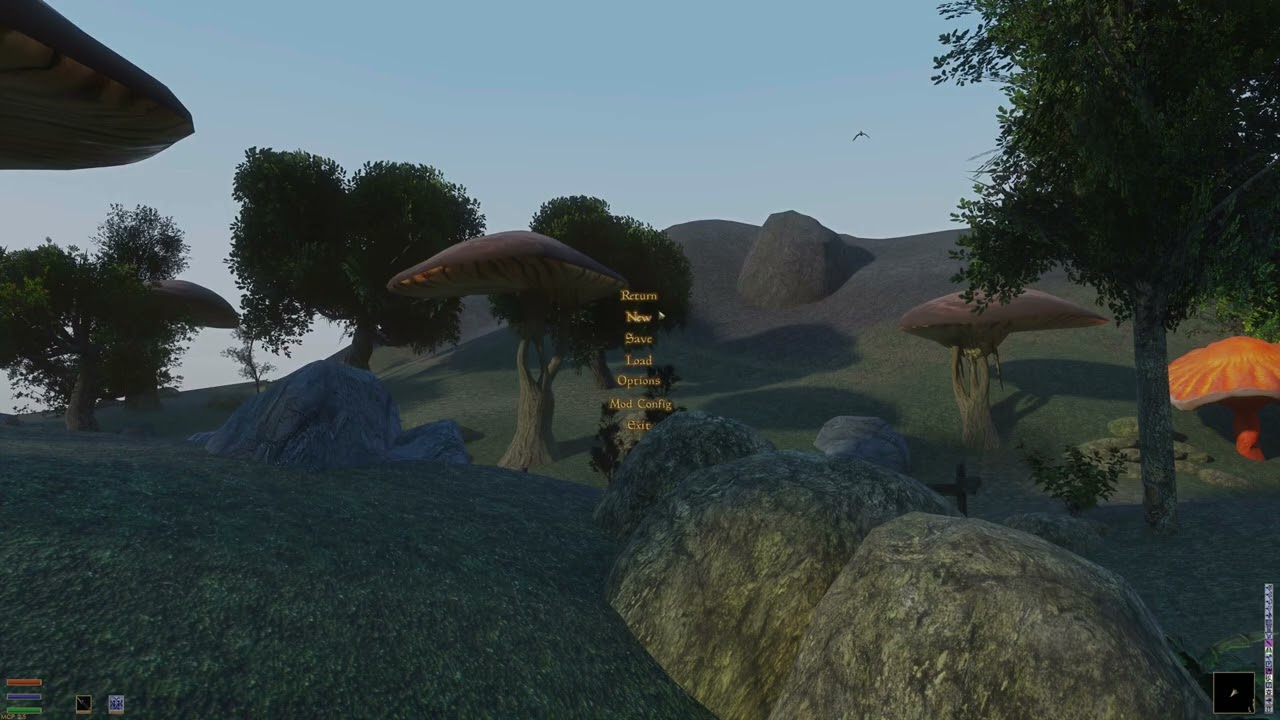
Using AI with trying to get rfuzzo's wrapper that enables remix to use MGE-XE/distant land working a bit better. Can't be arsed to do a compare video at the moment but trust Me when I say it has tamed The massive amount of flickering the old build has down significantly and distant meshes look a bit better as well, Still some flickering though to get to the bottom of and the ground textures themselves need some fixing since they look super potato quality but I guess minor progress is progress none the less.
quick test vid:
 hexed verge
Looks Nice! I wonder if there is a way to spawn horizon fog on the render limit to fade it away. Also if it's possible, clouds too since losing the sky textures feels majorly sad.
small lily
hexed verge
Looks Nice! I wonder if there is a way to spawn horizon fog on the render limit ...
Not sure about horizon fog. possibly though. idk what I'm doing still. pressing buttons and submitting prompts at this point just hoping stuff works lol.
The original sky textures still work . I've just got a pretty cursed install though at the moment. the weather there in the video is set to clear skies .all my weather textures are edited/modded and the texture I'm running for "clear" is legit a 100% transparent dds texture. I forgot why i did that, but the original "clear" sky texture ( and most weather mods as well) texture has some clouds in it . Here's a pic of overcast where you can see the clouds. it's the only weather I didn't just 100% make transparent in my current install.
I'm running a build of Remix Plus with it currently at the moment (thx ,sparkles) and CR's Hilliare sky works straight out of the box. would be nice to get that set up and working with the time cycle eventually
 hexed verge
Your mod list looks pretty good though! My sky textures are mostly working except there is definitely a fog layer missing as seen in the original morrowind screenshot on the right and also there's the strange blob in the sky haha it reminds me of that stephen king movie where the meatballs monsters ate reality. I've been grinding making materials in substance designer and models so I haven't touched my rtx setup for a second. I saw there's a new model called Mythos coming out so maybe it will be able to paper mache the rest of the fixes needed. Infinite render range with proper culling would be amazing

 small lily
Yeah it looks fine, I've just done some cursed things to get around some issues that came up. The Sky textures was one of those things , but I can't remember why off the top of My head. Nothing Bethseda wouldn't approve of, seeing how they did lots of cursed shit. (example: check out how beth made werewolves for this game...)
Pretty sure the vanilla fog layer used to work once upon a time with this just fine. prob got screens of it somewhere here in this thread.
That sky blob looks familiar. Might have been why I edited the sky stuff so much. Kinda thinking I ran into that early on with this stuff. Could be the star constellations maybe, really thinking I saw those look like that at some point. They are separate from whatever weather texture is active. Off the top of My head; the sky is layered with a few textures at any given time. The first layer has what ever base weather is active ( clear,cloudy,ect) then there's a texture for the stars, then each of the constellations also has a separate texture. and then celestial bodies such as the sun , The moons masser and secunda.
I think Mythos is off the table for us common folks since it's safety is of concern at the moment. we'll get something based on it though for sure. Have You used the latest models recently? They are getting crazy good .
hexed verge
No not much, I don't want to spend tokens on the newest stuff so I still use basic GPT but very rarely. For game dev C++ it gives the most wild answers sometimes but usually it's just out of date with it's info. With RTX it just straight up lies to me about everything haha I read through the Lua language on the forum and was able to get my own custom made script going. The function list does seem quite short for overhauling the engine though. That's why I'm thinking relying more so on the RTX side to fake a lot of the effects might be the proper fit. Just replace the Morrowind sky with a proper RTX environment with directional lighting, volumetric clouds driven by realtime textures for flowmap stuff, Global light bounces and everything else. We already know what Morrowind should have, so if it doesn't catch on the capture side, we should be able to make on the RTX side . . . is what I'm guessing. I just have to learn how to build my own RTX version with custom code. I'm just so stacked atm lol
kind elbow
small lily
Not sure about horizon fog. possibly though. idk what I'm doing still. pressing ...
i can prob get it connected to the time cycle for you. i got it working in FO4 and Skyrim now
it's pretty easy though
just find the value in the game's memory that tracks time, and pass it to the sun position with the remix api
small lily
kind elbow
i can prob get it connected to the time cycle for you. i got it working in FO4 a...
Yes! That would be absolutely great and very appreciated if You want to do that.
How is the info passed to to the api anyways? MWSE? Also does it require a new compile of remix? if so I'm using a modified m_stagedBones.resize(2048 * 2048) in the d3d9_rtx.cpp. Morrowind is very cursed...
kind elbow
remix doesn't need to be recompiled. you just turn on the "expose remix api" setting in bridge.conf and then you can make a proxy or an asi for the game that hooks into it and passes the info to remix
small lily
nice
small lily
@hexed verge
"Task Failed Successfully "
Well... We can bring back the vanilla fog I guess if all else fails. Doing something unrelated to getting the fog fixed ,spawned or anything related to fog. but somehow I broke something in just the right way to bring back either the MGE fog or the vanilla fog back in full force.
 small lily
The unrelated thing btw was that I was trying to get UI mini map and local map display working right as was broken with distant land previously. was just a black texture for some reason. AI nailed it in the very next prompt. wild.
 kind elbow
i've never really played morrowind before, but i liked Oblivion a lot more than Skyrim. so i'm kinda excited to play MW with remix 😅
 sudden ravine
kind elbow
i've never really played morrowind before, but i liked Oblivion a lot more than ...
sudden ravine
kind elbow
i've never really played morrowind before, but i liked Oblivion a lot more than ...
Yes, I'd like that too. But we have to be prepared for terrible animation and a primitive combat system.
sudden ravine
I think replacing animation is a much more complex task than setting up RTX, replacing textures, and models. Because someone would have to work with the original engine, not RTX.
small lily
kind elbow
i've never really played morrowind before, but i liked Oblivion a lot more than ...
I mean there's some jank to it I guess and it's not for everyone. there's no hand holding at all really they just set you loose in the game. Lot of reading involved as well which puts some off but there are mods for that that do AI voiceovers and what not.
Having played just about every elder scrolls there is, Morrowind is def My fave though and the one I always keep returning to. I think Morrowind is fundamentally the best they have done. Each game beyond Morrowind took a step backwards in really. they prettied it up each one but other things took a arrow to the knee. Morrowind has open cites in vanilla vs skyrims load door cities . Morrowind Has better mods too imo ( check out Tamriel Rebuilt if you're never heard of it) and has much more potential IMO then any game beth has if combined with remix.
ruby pasture
kind elbow
i've never really played morrowind before, but i liked Oblivion a lot more than ...
Morrowind is a great game, but it's a very hardcore old RPG compared to oblivion and skyrim which are much more forgiving. Like even walking is a skill in morrowind so your movement at the start is as slow as a snail. You'll also be constantly attacked by cliffracers every time you step outside so prepare for that lol.
ruby pasture
small lily
I mean there's some jank to it I guess and it's not for everyone. there's no han...
It's a shame Bethesda's game design is so simplified now, but I guess they could never go back to something like Morrowind in depth of design without alienating the casual audience.
small lily
ruby pasture
It's a shame Bethesda's game design is so simplified now, but I guess they could...
Yeah near zero chance. That Bethesda is long gone.
Trying to pass the distant land to Remix with the api. lol fixes the flicker 100% but I can't seem to get it to pull the textures. bsa's are extracted. idk.
 small lily
guess context would be in order.
how it looks rendered the other way via the wrapper and remix which is more or less how it "should" look I guess and the last image is without raytracing. (groundcover is off for all)

 small lily
@kind elbow I got CR's sky integrated matches vanilla rotation/position and synced to game time . (gamespeed increased to 5000 in video.)
Claude two shot it basically. god I love AI.
hexed verge
That is some impressive render distances!
ruby pasture
small lily
<@410198342300205066> I got CR's sky integrated matches vanilla rotation/positi...
Great work, looking good so far. Do you know why the night skybox with the moons and stars isn't visible/casting?
kind elbow
small lily
<@410198342300205066> I got CR's sky integrated matches vanilla rotation/positi...
yay! looks a lot like my skyrim demo hehe
those lights on the buildings add a lot to the atmopshere though wow
kind elbow
ruby pasture
Great work, looking good so far. Do you know why the night skybox with the moons...
CR's sky replaces the original game's sky entirely
small lily
hexed verge
That is some impressive render distances!
ikr. ermahgerd! ....SO happy the distant meshes work fine at even that distance now. I think I set it to 20 cells for those pics to test if any of the meshes were still messed up at extreme distances. Performance is bad though though that high right now especially with the anticull mod. Usually I play with the distance at 3 cells. Gives plenty of distant land unless you're on a mountain top looking into the distance. The video is at 3 cells. 5 cells is about the max playable on even high end hardware though right now though... unless playing slideshows are Your forte or something.
I'll try to get the source up to github or something this week. prob gonna try to get the ground cover working first though idk.
small lily
reimplemented the MGE-XE ground cover. cursed install so it looks a bit spotty/ placed incorrect but whatever. expected when running rebirth with other stuff. or prob rebirth in general idk lol


better pic I guess
 small lily
brittle juniper
Hmmmm interesting. I'll take a look
small lily
small lily
brittle juniper
Hmmmm interesting. I'll take a look
Managed to fix that first person issue btw. The AI 's brief notes about it are commented into the lua itself. looking into doing a performance pass on it now as well.
hexed verge
It's really starting to come together. I was thinking the particle system might work great for grass since it could be tied directly to the textures themselves. I think the fog will help somewhat with those far cells
small lily
IDK what would be the best solution. I guess there's a bunch of things that could be done. Did You see what E-man was doing with grass a while back?
Was kinda just hoping that shows up in the toolkit someday and we can just paint grass on meshes or something easy.
small lily
Here's a stable test version of this MGE-XE remix compatibly thing...( Not sure what to call it. but it's something)
Install instructions are in the readme folder. I'll provide the source soon™
`Current status: This a very early wip project that is heavily based on rfuzzo's earlier experiments with creating a experimental port of MGE-XE onto crosire's d3d8to9 wrapper to enable distant land to work with rtx-remix. This project aims to fix some of the issues and implement some missing features of MGE-XE that didn't make it in from his earlier work. The fork of Remix used is remix-1.3.6-plus. Tested On GOG version. all other platforms untested.
Main Features Include:
updated crosire's D3D9 wrapper from v1.12.0 to v1.15.1
updated the targeted MGE-XE of 0.17.0 to 0.19.1
Partial fixes for distant land rendering(I think only one real issue remains)
Initial implementation of MGE-XE Grass/Ground fixes to render MGE-XE grass with remix.
Initial implementation of a Physical Sky Sync to pass the correct realtime data for the sun which drives CR's Remix Hillaire physically-based atmospheric sky
support for high "m_stagedBones.resize" (2048 * 2048)
Known Limitations/issues:
(As of yet)The Moons and stars are not visible with the current physical atmosphere sky.
Distant land and grass blinks out of existence for a split second and then returns randomly when moving/walking. playable but distracting.
Performance isn't ideal in spots.
other stuff`
see post further down for test rar
small lily
Ported the wrapper to support MGE-XE UF 0.19.1
Working on getting the 64bit distant land server working.
kind elbow
✨
small lily
Updated the test for full(I think) support of MGE-XE UF V0.19.1 and added support for the 64 bit distant land server process.
edit: I'll have that update shortly actually
small lily
hexed verge
small lily
IDK what would be the best solution. I guess there's a bunch of things that coul...
yeah after I saw that post I bookmarked it in my mind for a later project. The particles should store enough data to get realistic wind movement and transfer that info to the material
small lily
 Added stars to the Physical Sky System.
 small lily
It needs a lil bit of work still. Distribution could be a bit more random. gonna add a way to adjust settings and stuff eventually as well. Moons and clouds hopefully soon as well. not bad for the first iteration though. currently features:
All physically based
Fade in/out with twilight (stars appear as sky darkens)
Brightness modulated by atmospheric transmittance (stars near horizon dimmer)
Procedural Star field rendering.
hexed verge
I wonder if there's more stars and the moons if the tracing will pick it up and lighten up the world a bit more. That is really good looking for a first go though. You've been doing some great work!
small lily
hexed verge
I wonder if there's more stars and the moons if the tracing will pick it up and ...
For sure. It's all adjustable as well: density, brighness, color,twinkle rate.ect.
I just realized I had the wrong tonemapper which was making stuff super dark running in that vid so they are a bit brighter then they appear there.
IDK this vid here might look better:
one shot first pass on the a physically based Secunda( one of the two moons orbiting nirn). Need to fix position/direction and make it bigger i guess to match vanilla. has phases and everything right out the gate though. Masser to come as well.
hexed verge
Yeah that looks real good!
Are you using regular claude or the reverse engineering kit?
small lily
I'm using Kiro with the pro+ plan ,the model I use is claude Opus and it's all been steered by the vibe engineering kit so far.
ruby pasture
small lily
For sure. It's all adjustable as well: density, brighness, color,twinkle rate.ec...
Very nice work. How come we couldn't make the original night skybox emissive and use it that way?
small lily
ruby pasture
Very nice work. How come we couldn't make the original night skybox emissive and...
that's prob gonna be a complex answer I think.
While it's prob possible to do that. The original skybox comes with a host of issues in it's own. Can't even capture it via remix to work on it in the tool kit. So i think regardless some kind of full replacement would have be have to done. but anyways. I guess having the entire sky physically based allows much more freedom and benefits really. The vanilla night skybox is a painted backdrop. unmoving. With this PBR sky it becomes a breathing celestial sphere governed by physics.
briefly: Each star’s brightness is multiplied by the air mass factor (how much atmosphere it passes through).Stars near the horizon are dimmer; stars at the zenith are full brightness. The sky gains depth. The horizon is not a hard edge; stars “sink” into the atmosphere. Stars can be random positions, magnitudes, colors. Real twilight transition , Stars fade in/out smoothly as the sky darkens, instead of appearing all at once.
Atmospheric dimming : Stars near the horizon are naturally dimmer because light passes through more air; this matches how fog, weather, and sky color already behave.
Procedural field :Instead of a fixed placment layout, stars can be(currently are for this project) generated at runtime with varying brightness and density, so the sky looks detailed at all angles (especially when looking up).
RTX compatibility : Because brightness is driven by transmittance (the same value used for fog and sky scattering), the star field blends seamlessly with raytraced reflections, weather, and atmospheric effects rather than sitting on top of them as a hard emissive layer.The result is a sky that behaves like a real atmosphere instead of a textured cube.
ruby pasture
small lily
that's prob gonna be a complex answer I think.
While it's prob possible to do ...
Wow thats a super comprehensive explanation, thanks. Yeah I definitely agree you'll have way more flexibility doing it this way.
small lily
Current state of the stars :
procedural night sky with stars and airglow
- Add star field generation using integer lattice hashing on the unit sphere
- Stars have color temperature variation (blue-white, yellow, orange)
- Star twinkling animation with per-star phase and frequency
- Atmospheric extinction dims stars near the horizon
- Airglow provides faint ambient night sky illumination with van Rhijn effect
- Stars fade in during twilight (smoothstep from -1° to -8.5° sun elevation)
- New rtx.atmosphere options: starBrightness, starDensity, starTwinkleSpeed,
nightSkyBrightness, nightSkyColor - AtmosphereArgs extended with night sky fields + timeSeconds for animation
small lily
"moon" phases seem to work good. Done some fixes and what not:
`-added physically based moon with procedural moon surface detail
-Made the first moon Secunda(The smaller of Nirn's 2 moons) more lore accurate in scale
- Maria (dark basaltic plains) using FBM noise for large dark patches
- 5 fixed large craters with dark interiors and bright rims
- Small procedural craters from noise threshold
- Surface roughness fine-grain texture
- Color variation: maria are warm grey-brown, highlands cool light grey
- Limb darkening combined with surface features for realistic appearance
- Replaces the flat white disk with a detailed moon face
-fixed previously incorrect moon orbit.
-fix for minor star grid artifacts
- Replace sin()-based hash functions with integer hashing
to eliminate visible zig-zag grid patterns in far edges of the star field - hash31 and hash33 now use Knuth multiplicative hashing
which produces uniform distribution without GPU sin() artifacts`
 kind elbow
awesomee
are you gonna open a PR for this by chance?
and did you build this on top of remix plus 🥺
small lily
kind elbow
and did you build this on top of remix plus 🥺
uh. well tbh idk. This is My first time venturing this deep into this kind of stuff. I don't have much of plan in my head so far other then knowing right from the get go I'd be open sourcing it all if any of it is useful to anyone.
Pull requests and all that is all new to me but whatever. maybe? we'll burn that river when We bridge it or how ever the saying goes.
All that said this is all 100% vibe coded atm and prob needs fixes by someone that actually knows something before it's "ready" to be used for anything though. Like I read the papers I fed to the AI to get this far but it's still all black magic to Me on how.
The TLDR right now is 99.9% that is built on top of remix plus yes.
kind elbow

that's awesome
i'm looking forward to messing with this if you release it. and if you opened a PR to my repository i would review it and clean up any issues, then it'd be in the next release 💚
small lily
I'd say a lot of the stuff, if it is any good could be cheery picked right into yours really. I'll def be releasing it. at the very least it serves as a proof of concept on some stuff.
small lily
1st pass on adding in Masser.
 I expected this to look sooooo cursed tbh. But this isn't exactly terrible.
 ionic oracle
gonna sit in here
hexed verge
small lily
1st pass on adding in Masser.
<:ThinkBeard:646706602233036820> I expected th...
Looking good!
small lily
-added a random chance for shooting stars
-adjusted the moons, more details, in vanilla these moons kinda drift over each other paths so added the mechanics for that as well.
-added a milky way like structure aligned to the vanilla galactic plane. it's all built completely out of actual light emitting "stars" / this is not a texture.
-more stuff

 small lily
 small lily
we got Clouds, boys
 unreal junco
pretty please tell me this will be compatible with openMW VR. 🤞
small lily
unreal junco
pretty please tell me this will be compatible with openMW VR. 🤞
Not yet anyway. It'll be some time I think before OpenMW is compatible with remix. There is currently no wrapper that hooks it as it uses OpenSceneGraph/OpenGL and I think the closest anyone got yet to hooking it with remix at all was just the main menu so far and lets just say it will need a lot of work before anything is playable there. prob doable though at some point.
unreal junco
small lily
Not yet anyway. It'll be some time I think before OpenMW is compatible with remi...
Ah ok, I sort of understand wrappers and hooks lol. Wrappers just add a layer of sorts over top of the original to make it compatible? Sorry for the pointless question, I'm learning this stuff slowly but surely. Maybe someday I'll even be able to join the modding community and make some cool stuff. Awesome work you're doing. This kinda stuff inspires me to learn more about game dev as a hobby. There's so fucking much to learn it's insane.
small lily
unreal junco
Ah ok, I sort of understand wrappers and hooks lol. Wrappers just add a layer of...
Nah, not a silly question at all. A wrapper is what is used to intercept/"hook "the games API calls at runtime and convert them to a format remix understands. Remix is built to intercept games that render using the DX 8 and 9 fixed function API. OpenMW uses a API that renders the game with OpenGL where currently we don't have a functioning wrapper that works with remix. Remix plus might be a way around this by using the API method of intercepting the right juice from the game/renderer.
Also OpenMW's open nature does not prevent some brave soul to just rewrite the thing somehow to be compatible with OpenMW. This way would be probably the most ideal but would be a massive undertaking. Going the Remix API route would be the fastest but would still be a lot of work I think. All doable though. there's prob other avenues as well IDK.
Be great to see remix with OpenMW for sure and it would solve a lot of stuff vanilla suffers from with remix I think as well.
Yeah there's a lot to take in for sure but half the Fun is learning.
unreal junco
small lily
Nah, not a silly question at all. A wrapper is what is used to intercept/"hook...
I imagine someone rewriting OpenMW to work with remix would probably be a lot less demanding on hardware? Morrowind is the goat so there's always a chance somebody takes it on, or even a team. What you're working on is definitely enough to bring me back to flat screen for a while. What do you mean by remix would fix things vanilla suffers from? Like shadows? I tried shadows in VR and they are rough, or extremely expensive, one or the other.