#Morrowind
1 messages · Page 2 of 1
 alpine karma
.@.:/mnt/d/Game Libraries/Steam/steamapps/common/Morrowind$ ls -i
  844424930889492  AllSettings.ini                      844424930869267 'Morrowind Launcher.exe'
  844424930885101  artifacts_readme.txt                 562949954178967  MWUninstall
 3096224743821483  Bethesda.TXT                         844424930884913  NRD.dll
 2533274790400174  binkw32.dll                          844424930884957  NvLowLatencyVk.dll
 2533274790400268  CRC.txt                              844424930884837  nvngx_dlss.dll
 2814749767110842  d3d8.dll                            2533274790400361  NvRemixLauncher32.exe
  844424930885004  d3d9.dll                            1407374884306800  ProgramFlow.txt
  844424930884843  d3d9.pdb                             562949954178840  readme.txt
  562949954178843 'Data Files'                         3940649673953339  rtx.conf
 4503599627374794  dxwnd.dll                            844424930884538  rtxio.dll
 2814749767110862  dxwnd.exe                            844424930885136  Saves
 1407374884306708  dxwrapper.asi                        844424930885129  steam_autocloud.vdf
10133099161587891  dxwrapper.dll                        844424930889605  Stub
 3377699720532080  dxwrapper.ini                        844424930884542  tbb.dll
  844424930885312 'dxwrapper-morrowind launcher.log'    844424930884832  tbbmalloc.dll
 4785074604085283  dxwrapper-morrowind.log             2533274790400401  ThirdPartyLicenses-bridge.txt
  844424930884961  GFSDK_Aftermath_Lib.x64.dll         2533274790400404  ThirdPartyLicenses-dxvk.txt
  562949954178842  license.txt                          844424930884537  usd_ms.dll
  844424930869270  Morrowind.exe                       1407374884310202  Warnings.txt
  562949954178838  Morrowind.ini
I think those logs are new since dropping in the propper d3dd8.dll
 kind elbow
can you share them?
alpine karma
I tried both configurations.
For archlights config I shared the issues and logs I ran into: https://github.com/anchorlightforge/Morrowind-Remix/issues/1
For the main/pinned config it's failing so early I don't have logs, I'm sure its something on my end but I'm not sure exactly what.

GitHub
This is the last frame rendered: Logs (Which list system specs etc) dxwrapper-morrowind.log dxwrapper-morrowind launcher.log Morrowind Launcher_d3d9.log NvRemixBridge.log
 zenith ermine
If I remember correctly you need to configure the Steam version via the INI because it the launcher simply doesn't work if you install to your C drive. I had Morrowind working only after I made an edit to the INI itself.
The repo is mostly a placeholder right now so we can continue to improve on the existing work, I wouldn't treat it as the definitive resource right now.
I'll check back in a few hours to see if I can figure out exactly what's happening, I was getting a black screen at first with this game as well.
My custom dxvk remix build should pretty much be identical to the main commit it's based on but with a few extra imgui additions.
zenith ermine
I couldn't get around to it tonight, but thanks a ton for filing an issue. I'll try to give it a look as soon as I can with a fresh config, hopefully within the next 24hrs.
zenith ermine
Okay, so I'm taking a look right now. I can only get the game to crash when using fullscreen mode; windowed mode appears to be stable using d3d8to9.
When using the Morrowind Launcher in the Steam version, you'll have to run the launcher as an administrator for any settings changes to take effect. Use this when setting pixel shader settings or fullscreen/windowed mode. Most of your other options can be changed in the INI.
I'll be updating the repo in a bit with a slight tweak that fixes some rasterization on the starting docks.
 calm linden
i'm also getting black screens after the bethesda logo
alpine karma
I can get a tad farther, visual output stops after the intro video for me.
 kind elbow
hey, guys
terrain blending works properly in Morrowind

just use these settings, and mark the terrain textures

there are some issues, like flickering
actually just turn off Use Terrain Bounding Box in the Terrain System tab, it fixes that
 proven comet
Hello there guys!
proven comet
Can we change the aspect ratio?
By the way getting this to work has been horrible due to some GitHub bugs with the releases 😂
I did exactly the same stuff I tried yesterday, but today it worked
I wasn't able to download some files

Don't pay attention to the distorted colors, that's my monitor
alpine karma
I should try this again, I've been lost in BG3 but I would like to play morrowind with mods.
alpine karma
I bet step 1 & 2 can be merged now that the updated downloads rtx-remix as well.
 frigid delta
Is there still issues with crashing upon entering new cell?
kind elbow
that was a long time ago. should be fine now
 shrewd sentinel
dxwrapper_dx8 Download not working.
kind elbow
you're following the outdated tutorial. i'll unpin that one, i forgot to
#1097049994156060682 message
refer to this one
shrewd sentinel
kind elbow
you're following the outdated tutorial. i'll unpin that one, i forgot to
Thanks for the very fast info 🙂
 muted valley
got some distant land to load in remix now 

but it crashes at high render distances when you turn around  (you can walk forward tho)
muted valley
kinda works. stable at viewdistance of 2 😄
 drifting fulcrum
Been playing around with things now, enhanced some textures... and man oh man does this game start to look good.


Still unable to figure out how to get MGE XE working
Seems like either it's enabled, or remix is enabled. But not both.
muted valley
drifting fulcrum
Seems like either it's enabled, or remix is enabled. But not both.
There is only a way to get MWSE to work (it’s a setting in MGE called “pass-through”) my screenshots above are tests to get distant land to also work
drifting fulcrum
muted valley
There is only a way to get MWSE to work (it’s a setting in MGE called “pass-thro...
Well, I can technically install MGEXE. But to get it to run I have to select "Disable MGE in-game" which kind of defeats the purpose of having it right? Like, wouldn't that disable distance terrain?
Ohp, well now I can't even get it to run with MWSE enabled lol
There, I can get it to load with these settings. But even so remix won't load with it enabled.
 muted valley
drifting fulcrum
Well, I can technically install MGEXE. But to get it to run I have to select "Di...
muted valley
drifting fulcrum
Well, I can technically install MGEXE. But to get it to run I have to select "Di...
Distant land doesn’t work in MGE+Remix
That’s what I’m trying to do
drifting fulcrum
Yeah I finally got MGE+Remix to load and saw distant land wasn't working lol
 true ore
Has anyone tested with the Morrowind Code Patch?
drifting fulcrum
true ore
Has anyone tested with the Morrowind Code Patch?
Yeah works just fine with MCP!
Only bumped into issues when trying to get MGEXE to work, but that too is also working with the right setup
Though obviously as stated above by rfuzzo, distant land isn't working.
muted valley
Yeah I’m once again burnt out by this
there’s always another problem cropping up
I can get MWSE mods and remix to work together - but when I try to get distant land to work it crashes after a while
 mild walrus
 analog lance
muted valley
I can get MWSE mods and remix to work together - but when I try to get distant l...
analog lance
muted valley
I can get MWSE mods and remix to work together - but when I try to get distant l...
How did you get them working? I can't get MGE and Remix to work together at all, even with distant land disabled
true ore
Brand new to this so forgive me if this is obvious. But I am attempting to use the AI PBR generation tool in RTX Remix with Morrowind, and it's failing because it says my CUDA device does not support bfloat16. I don't know what that means, but I looked up bfloat16 and it says that was introduced in CUDA 7.5, so I looked up what my GPU supports and it says CUDA 7.5, so idk what the issue is. Does anybody know?
kind elbow
there's an issue open on Github for this: https://github.com/NVIDIAGameWorks/rtx-remix/issues/311

GitHub
Contact Details (Optional) No response Describe the bug Attempting to use the AI Texture Tools yields the following error message and fails to generate new textures. `Plugin GeneratePBRMaterial fai...
kind elbow
true ore
Brand new to this so forgive me if this is obvious. But I am attempting to use t...
right now it seems like you won't be able to use that portion of the toolkit, sorry
true ore
kind elbow
right now it seems like you won't be able to use that portion of the toolkit, so...
Dang, thanks for the speedy answer tho! Hope they get that fixed soon.
muted valley
analog lance
How did you get them working? I can't get MGE and Remix to work together at all...
I wrote my own version of MWSE that works with remix
but i never got distant land to work so I kinda gave up
Recent versions of remix however support the vertex shading that distant land uses… that’s good. But it always crashes after a while
 small lily
muted valley
Recent versions of remix however support the vertex shading that distant land us...
small lily
muted valley
Recent versions of remix however support the vertex shading that distant land us...
Are You using frame generation? might be worth disabling if so.
Also It may help to activate all the rBAR options for the game with Nvidia profile inspector. I found Morrowind and other titles are a lot less crash prone with remix and rBAR enabled and far more so when also putting frame gen in the mix for Me anyways. went from random crashes to runing for hours.
 terse solar
Is there a newer config?
 halcyon forum
I tried using the last posted config. but it just gave me a grey screen with the newest runtime
zenith ermine
I think that's an issue with the game and runtime. When I was testing this long ago it got very picky about full screen versus windowed and the launcher wasn't very reliable.
halcyon forum
Ok I got it to work and the game looks really amazing in some aspects, but also still has a lot of texture display problems.
Like a lot of textures are just not there, especially the water
But I’m sorta guessing that’s just how the game is with rtx rn and there is no fix
analog lance
Considering the very first announcements for RTX remix were using Morrowind as an example, I'm reallyi surprised there hasn't been more of an effort to get it working well
zenith ermine
There's been a handful of individual attempts but nothing really organized like you see with Underground 2 or HL2. I remember writing a tool to write materials for Fallout 3/NV some time last year and I'd like to take a stab at it some time for MW but it's sort of up in the air right now while I'm focused on other things, I think someone else earlier in the thread also had a NIFtools based system for this game but it's been a while.
Remix is still in its infancy and someone will definitely step up to make this happen some day.
analog lance
Oh totally. I just would have thought that this would have been one of the obvious games to get a ton of attention.
zenith ermine
Yeahhhh I think part of the issue with this game has always been instability in the open world areas, I feel like mileage has varied a lot between users.
analog lance
Some of the difficulty I'm sure is around the trouble with getting Remix to do distant land.
zenith ermine
This was one of the first games I actually took a stab at back when Remix was new and a lot of the confs I shared around reflected that, which probably didn't help.
kind elbow
there seems to be a lot less love for MW overall here. i myself like it (and i also tested it early on), but it's not the kind of game i'd want to dedicate myself to
calm linden
i have zero experience with modding but man i’ve been waiting to replay morrowind after a long while with remix
 tulip oxide
I started with Oblivion partly for the challenge (it was originally assumed it wouldnt work) and partly because I thought Morrowind was going to be well and truely covered. And initially it seemed to be; but we're all just slammed for time these days it seems. Makes it a bit challenging.
zenith ermine
It's been a bad year for the game industry in general... 😅
muted valley
Small update: distant land now works semi-out of the box since the latest remix release. It doesn’t crash anymore and renders correctly - but the FPS is terrible and there are artefacts all over the place. So…still not really useful but better
kind elbow
muted valley
Small update: distant land now works semi-out of the box since the latest remix ...
try changing the primary denoiser to ReBLUR instead of ReLAX
 silent sentinel
Hey, can you all confirm that RTX Remix and is stable? (not expecting a fully stable gameplay, but even a bit makes me happy)
I'm considering modding it and do another playthrough due to me getting recently into D&D (idk, missed Morrowind and wanted to try to make Nerevarine on D&D)
If I'll mod the game, I'll consider that shaders are a Big no. And since I'll be modding it, I won't ask for support on here
kind elbow
last time i tested it (like... August) it was extremely stable
i imagine it'd have only improved since then
tulip oxide
I tried it two nights ago with 4.1 and had only a few minor issues which were due to my base install of Morrowind.
But I didnt get to try it for very long.
silent sentinel
kind elbow
last time i tested it (like... August) it was extremely stable
Did you play vanilla?
silent sentinel
tulip oxide
I tried it two nights ago with 4.1 and had only a few minor issues which were du...
I'll jeep this in mind too
muted valley
silent sentinel
Hey, can you all confirm that RTX Remix and is stable? (not expecting a fully st...
It’s stable but
- doesn’t look particularly good imo
- and you’re missing out on a lot of mods (all mods requiring mwse or mge)
- OpenMW isn’t supported
- and you should run the Morrrowind code patch (with “MCP skunk works”) from nexus on the original exe
calm linden
is it okay if i like vanilla?
muted valley
not okay
silent sentinel
calm linden
is it okay if i like vanilla?
absolutely not okay and it also violates the server rule so you're now wanted
calm linden
i push the fog slightly back in the .ini i’m one of you guys
kind elbow
muted valley
It’s stable but
- doesn’t look particularly good imo
- and you’re missing out o...
why isn't MWSE compatible?
we use FOSE, NVSE, and SKSE for their respective games
muted valley
it isn’t fully compatible iirc as it interfaces with the graphics extender
as in: some mwse mods that access the MGE api will crash
kind elbow
would it be possible to form a whitelist of compatible mods then?
muted valley
Probably, but has anyone even tried to run mwse with Remix-Morrowind lately?
kind elbow
i'm not sure
tulip oxide
I only did a fresh install of Morrowind with remix last night.
I can try slapping on the dlc, latest patches and mwse today.
All I have to do is get out of bed 👀💦
muted valley
😄 a formiddable hurdle!
small lily
muted valley
Probably, but has anyone even tried to run mwse with Remix-Morrowind lately?
I ran it a 2 weeks ago with the latest Remix at the time, with 7 MWSE mods that worked fine. there's still the same issues with culling and stuff though so I gave up again for the time being.
silent sentinel
muted valley
It’s stable but
- doesn’t look particularly good imo
- and you’re missing out o...
so If I wanna mod morrowins, I'll have to choose a non-openMW modlist. Doesn't OMW look better tho?
muted valley
silent sentinel
so If I wanna mod morrowins, I'll have to choose a non-openMW modlist. Doesn't O...
if you want to use Remix you have to use vanilla morrowind yes (for now anyway)
silent sentinel
oh so not even modded?
muted valley
last I heard, Remix is incompatible with OpenSceneGraph which OpenMorrowind uses
silent sentinel
muted valley
last I heard, Remix is incompatible with OpenSceneGraph which OpenMorrowind uses
Not every modlist uses OMW tho, so Technically RMX might work if the ML doesn't use OMW
muted valley
that's what I said, didn't I?
silent sentinel
yes I'm trying to make my brain work, sorry
silent sentinel
 tulip oxide
I was able to get it running with dxwrapper and remix 4.1 just the other day, so in theory you should be fine to try the latest packages.
Im not seeing distant terrain and am still having a few crashes, bit afaik that's par for the course atm.
silent sentinel
So like the tool folder?
tulip oxide
The tool folder?
Sorry if Im a bit slow on the uptake today, running a small fever 😅
 tulip oxide
Download the latest release from the combined repo (0.4.1) and copy at least:
.trex
d3d9.dll
NvRemixLauncher32.exe
Into the same folder as Morrowind.exe 👍
silent sentinel
did it already
tulip oxide
Oh, I saw your post about expired githib action builds and assumed you were still setting up, or re-setting up. My bad.
zenith ermine
silent sentinel
Oh hey sorry, this repo is pretty dead.
I'm very tempted to just erase this repo as I don't think it has much useful info.
zenith ermine
Much appreciated
calm linden
F in chat
zenith ermine
Yeah that repo was back when we didn't really know the legality of sharing the dxvk runtime, plus they weren't shipping debug-optimized in artifacts. So I had a custom fork with the raytracing enable toggle exposed in release builds.
I'm not spending a lot of time with Morrowind so I wouldn't feel comfortable owning the repo for it.
silent sentinel
understandable
I'm trying to make the Tool work on MOISE, a Morrowind modlist. For now, it doesn't work, which doesn't make any sense since every mod is an addition, nothing graphic related. If not for a sort of patcher which is 90% the reason the game crashes
muted valley
tulip oxide
I was able to get it running with dxwrapper and remix 4.1 just the other day, so...
You can have my mwse build with distant land if you wanna play around with it
it’s basically mwse put into the wrapper with some tweaks
I need to commit my latest changes tho still
muted valley
https://github.com/rfuzzo/d3d8to9
here it is now: an experimental port of MGE-XE onto d3d8to9 to enable distant land with rtx-remix
Spoiler: It's broken and doesn't look good and has awful performance
Usage:
-
Install Morrowind Code Patch (and Code patch Beta: "MCP Skunk works" on Nexus) and run the code patch once.
-
Install Remix
-
Install MGE-XE
-
Update MWSE (run "MWSE-Update.exe")
-
Create distant land with MGEXEgui.exe
-
Clone this repo and compile in Release (or Debug_RTX) configuration
-
place the created d3d8.dll next to Morrowind.exe
-
Run Morrowind.exe

GitHub
A D3D8 pseudo-driver which converts API calls and bytecode shaders to equivalent D3D9 ones. - rfuzzo/d3d8to9
silent sentinel
muted valley
https://github.com/rfuzzo/d3d8to9
here it is now: an experimental port of MGE-XE...
You're too kind, thank you for sharing this!
Do you have any suggestions about what to avoid in order to make the tool work even with mods?
I'd say- Mods that add content should be fine, but shaders and graphic stuff is a no-no
muted valley
it's super buggy, as in: looks bad and is unplayable and flickery
muted valley
silent sentinel
Do you have any suggestions about what to avoid in order to make the tool work e...
that's it really. content mods work, and as for MWSE mods: it depends on basically what you said: shaders and graphic mwse mods may or may not work
silent sentinel
muted valley
that's it really. content mods work, and as for MWSE mods: it depends on basical...
I might try to look for a wabbajack content-only modlist
silent sentinel
muted valley
that's it really. content mods work, and as for MWSE mods: it depends on basical...
wdy think
 muted valley
sounds good. tho that paragraph makes it obvious the mod list creator has no clue about the engine or openmw 😄
silent sentinel
muted valley
sounds good. tho that paragraph makes it obvious the mod list creator has no clu...
What matters is that the Tool works
xDD
silent sentinel
https://www.nexusmods.com/morrowind/mods/45886 I wonder if this is compatible?

Nexus Mods :: Morrowind
This is a modern, pluginless replacement of the old Windows Glow mods with many more features besides! Windows Glow suffered from every mod needing a patch to work with it. Glow in the Dahrk handles t
 muted valley
it uses MWSE so it's compatible with any remix+mwse setup
small lily
silent sentinel
https://www.nexusmods.com/morrowind/mods/45886 I wonder if this is compatible?
it's one of the 7 mods I tried a while back. IIRC it works for the most part. Graphic herbalism should work as well.
silent sentinel
good. I wanna make a modlist for Remix compatibility
muted valley
outdoor lighting still doesn't look great in remix
silent sentinel
small lily
it's one of the 7 mods I tried a while back. IIRC it works for the most part. G...

Nexus Mods :: Morrowind
Morrowind Graphics Extender XE; allows Morrowind to render distant views, scenery shadows, high quality shaders and other features. Mods the vanilla engine, not usable with OpenMW.
muted valley
that's what I posted above
silent sentinel
oh
lmfao
 silent sentinel
I thought Distan Lands was something made from the patcher
wait where does the Git clone put the cloned repo
small lily
I wonder if generating distant land with the old MGE would work any better. I think I had better luck getting it to actually load last year by generating it with that then loading it via a modified MGE XE.

Nexus Mods :: Morrowind
MGE is a project the wrap the various DirectX dlls used by morrowind. Despite it's name, it wraps the input dlls as well as graphics. It also interfaces with MWSE to make even more functions availabl
silent sentinel
muted valley
https://github.com/rfuzzo/d3d8to9
here it is now: an experimental port of MGE-XE...
Also, I don't get what to do xD like, should I download the MGE folder?
 silent sentinel
I really feel dumb, I get so lost with GH sometimes.. xD
Thanks!
 rocky badge
It would be helpful to put this in releases because 99% of people aren't coders or know how to compile code
silent sentinel
Agree, I'm dumb
muted valley
rocky badge
It would be helpful to put this in releases because 99% of people aren't coders ...
Yeah I will, but I mean it’s all but unusable. The game looks much worse in Remix than with normal shaders
silent sentinel
screen all black, with these two windows extremely white. Tool works but the game seems frozen

- Tool irresnponsive as well
silent sentinel
 muted valley
silent sentinel
muted valley
silent sentinel
Don’t click that if you use my version
silent sentinel
muted valley
Don’t click that if you use my version
gotchu! Any tip for the previous pic?
muted valley
Not really. What am I looking at? 😄 did the game’s intro video play?
silent sentinel
muted valley
Not really. What am I looking at? 😄 did the game’s intro video play?
https://youtu.be/tWCmxdJv84k HD version is still loading...

but check the video out
tulip oxide
@kind elbow Quick question, any reason Morrowind is using the dx8to9 project and not using dxwrapper's dx8 wrapper?
tulip oxide
Oh cool, yea thats what I set up before this fever kicked my ass 😂 (it was the Spicy Plague, but Im more or less recovered)
kind elbow
glad you're feeling better
tulip oxide
Had all my shots and a long weekend. Sucked a bit but I mostly slept through it. Took some extra time off so I dont infect the lads at work so now it's Remixin' Time 😂
silent sentinel
can someone check my vid whenever y'all can? :')
muted valley
silent sentinel
https://youtu.be/tWCmxdJv84k HD version is still loading...
hmm try running it not from steam but just double click the Morowind.exe directly
and try running mwse update again
silent sentinel
muted valley
and try running mwse update again
is it normal that mwse close immediatly? it shows a console for half second then poof
and no, it's not workin unfortunately
muted valley
silent sentinel
is it normal that mwse close immediatly? it shows a console for half second then...
Yeah that’s fine, it means you’re up to date
silent sentinel
muted valley
Yeah that’s fine, it means you’re up to date
muted valley
silent sentinel
Nice it worked! Did you press Alt+Z for remix and categorise the UI textures?
you need to do that for the UI to show. Did you read the Remix Wiki?
 silent sentinel
muted valley
Nice it worked! Did you press Alt+Z for remix and categorise the UI textures?
silent sentinel
muted valley
Nice it worked! Did you press Alt+Z for remix and categorise the UI textures?
doesn't ALT + Z open the nvidia recording thingy
muted valley
Ah yeah I meant alt X 😄
There’s also some pre-filled remix conf files floating around in this channel you can use
Probably pinned
silent sentinel
muted valley
Ah yeah I meant alt X 😄
I totally forgot to do that!
kind elbow
@silent sentinel the conf file is in the instructions in the pin
 dark hawk
I'm so happy you guys are still working on this. Did you all ever get distant lod with MGE figured out?
Oh also rfuzzo I've been using your immersive travels mod...
You absolute mad lad, you replaced abot's mods for me.
Walking on boats is so kino.
muted valley
dark hawk
I'm so happy you guys are still working on this. Did you all ever get distant lo...
Yeah it “works” now, see here: #1097049994156060682 message
though tbh it was Remix who added compatibility
kind elbow
@willow pawn are you able to update the original message in this thread to point to my instructions here please?
#1097049994156060682 message
 willow pawn
kind elbow
<@191248218846265345> are you able to update the original message in this thread...
willow pawn
kind elbow
<@191248218846265345> are you able to update the original message in this thread...
Yep, will do soon!
willow pawn
Done!
small lily
so now that distant land "works" I've Started getting my feet wet with the tools.
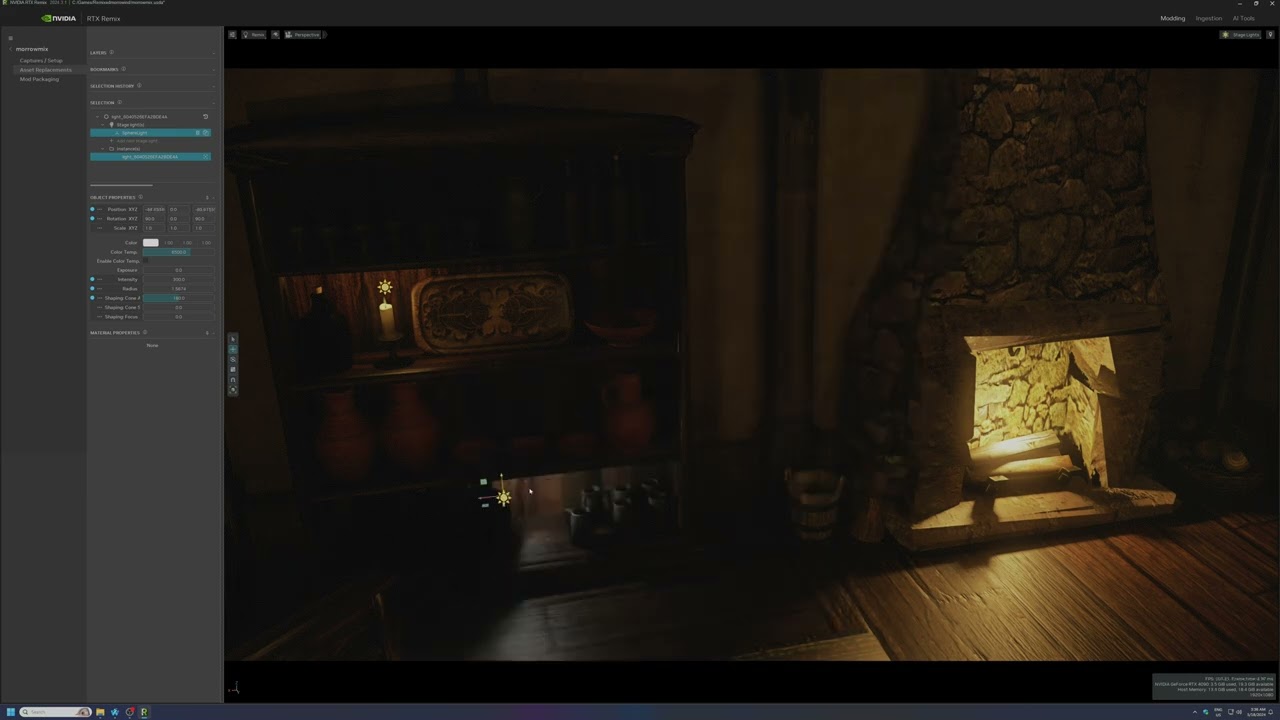
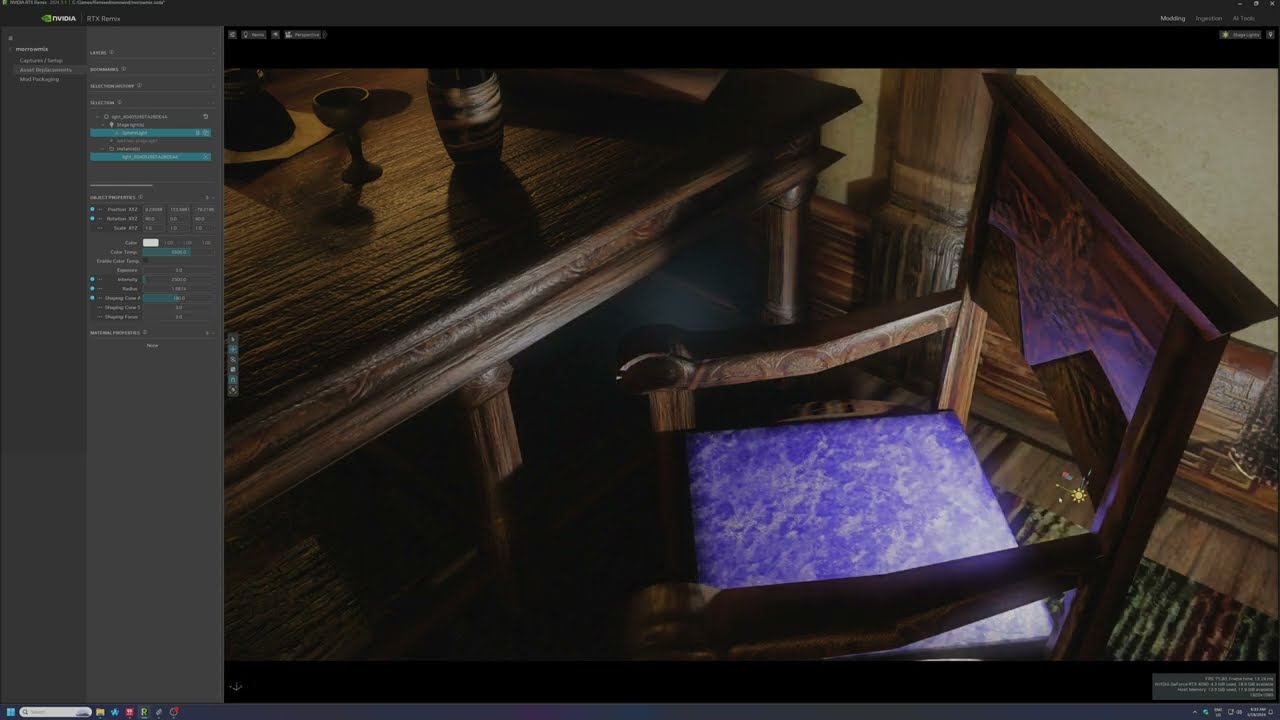
some upscales going on here, pbr textures. Changed the lights and added some as the original cheats a lot on light placement)IE: the chandler is technically one light.fixed that.).
prob done some other things as well. IDK.. this will take a while.. like a long while.. I'll be back.

 small lily
 small lily


 keen bobcat
can someone tell me how to remove the massive dome over my head? no matter what texture i ignore it doesn't go away
 small lily
@keen bobcat You need to tag the textures as sky textures via the game setup tab. There are a fair amount of them. Probably the most annoying part really is doing this.
A improperly tagged texture can also cause this as well. more or less though the sky should look near perfect when set up.
keen bobcat
small lily
<@144241438698373121> You need to tag the textures as sky textures via the game...
i can't highlight that texture for some reason so i can't tag it so i've just been doing random ones
small lily
@keen bobcat Oh wait this might be because of the the cross hair issue.: for some reason the cross hair needs to be tagged as UI in remix and then enabled as well via the games options. Seems to cause what You showed in that screen as well. with certain weathers and what not, I'd make sure nothing else is tagged weirdly though
should look like this when set up nice. weather is set to cloudly here i think.

 keen bobcat
small lily
<@144241438698373121> Oh wait this might be because of the the cross hair issue...
keen bobcat
small lily
<@144241438698373121> Oh wait this might be because of the the cross hair issue...
I marked it as ui and the dome is still there sadly and I've been marking all the other ui as well no fix yet
small lily
keen bobcat
I marked it as ui and the dome is still there sadly and I've been marking all th...
Yeah it's not easy really. I have a pretty modified morrowind install currently so My config won't help much as the hashes will be different sadly.
I have a few recommendations though.
Start the game to the menu and tag the ui elements first before loading in to the game. IMO these are the most important one to tag first properly imo as any mistags with these will causesome dumb stuff to happen. tag what you can at the menu and definitely the crosshair as well as it should be loaded in the list even there.
Once loaded You can tag the rest of the ui. You can get a idea what should be there from the pics above. UI elements have common dimensions to use a cheat to find potential ones (such as 256x16, 32x32,64x64,2x16,8x16,16x16 to name a few.)
Then start on sky textures. The moons,planets and sun are the easiest I guess here. the nebulae and stuff is a lil like whack a mole though.
after that do as much particles as you can. the chimney smoke,torches, ash pits in tombs. ect.
You can also take a look at the textures by extracting the bsa files.(it's a good idea to extract them to data files anyway) they are properly named(tx_sky_rainy.dds,menu_bar_red.dds,menu_exitgame.dds,ect) and you can open them in any img viewer to cross check.


 tulip oxide
keen bobcat
I marked it as ui and the dome is still there sadly and I've been marking all th...
tulip oxide
keen bobcat
I marked it as ui and the dome is still there sadly and I've been marking all th...
What can help ( ) as well is to enable the
 Sky Auto Detection and set the mode to By Camera Position, these settings can be found in the parameters tab next to texture tagging (names might differ slightly)
Seems to work (for me) for Morrowind, albeit not as well for the latter games.
small lily
so close to getting the grass working. I think....I can get remix to see them in the texture list but tagging them has no effect.
muted valley
Morrowind has no grass (without distant land)
small lily
muted valley
Morrowind has no grass (without distant land)
Yeah I got the distant land running.
I generated the groundcover and oddly remix sees the grass textures for tagging but not the meshes though so no grass actually renders
However The meshes and grass gets rendered fine by activating the grass plugins in the launcher. which isn't correct method I know. and remix can capture all that fine.
(first pic is remix with the grass generated with distant land but not rendering .,but the grass is available to tag so it's getting called i guess... second pic is with the plugin on for science)

 muted valley
small lily
Yeah I got the distant land running.
I generated the groundcover and oddly re...
muted valley
small lily
Yeah I got the distant land running.
I generated the groundcover and oddly re...
Ah? How did you get distant land to run?
Or just the grass cover?
And yeah the way MGE shows the grass is by directly drawing it in the render scene, not sure exactly what remix captures
I guess it also depends on how you got MGE to run with remix
small lily
muted valley
Ah? How did you get distant land to run?
Through the d3d8 that You posted. Pretty sure that's the only way currently. remix crashes with a original MGE XE d3d8
muted valley
Ah nice haha 
small lily
it's looking promising though. maybe Hrnchamd will be active again soon.
some of the other shaders work too really. atmospheric scattering and the other fog one... water works but it's ugly as heck. disabled the animations and translucent'ed the entire sea textue witha alpha for refections,
 small lily
https://www.youtube.com/watch?v=Y91wHgy5dTg
added a empty RootCollisionNode to the grass meshes(via NifSkope). works ok for the meantime. foggy as shit in this vid but yeah.

no collision test grass+,distant land, no enhancements active.
rocky badge
I mean morrowind was always foggy as shit so it's ok
small lily
Yeah I don't Mind it too much but I'll get balanced out more hopefully. It's a far cry from how this looked around remix 0.1.1 though I'll say that much.
Got terrain baking working fine now as well.everything blends fine, No disappearing or glitchy ground.
I'm pretty sure more tailoring could be done to MGE XE to make it more compatible as well but that's beyond My abilities. need a programing god in the chat.
small lily
done some tweaking. almost there I think.
 muted valley
small lily
done some tweaking. almost there I think.
muted valley
small lily
done some tweaking. almost there I think.
did you enable distant land at all?
the viewdistance can't be that high in your pic 🤔
small lily
muted valley
did you enable distant land at all?
yeah it's on the default of 5 cells. Fog is hiding it a lot. view from the opposite direction.. I pretty sure I got something tweaked weird or something else though because it was pretty decent in the pics from the other day.
 small lily
 Yeah I think I'll come back at it fresh after some sleep. I see where I went wrong now. I wasn't paying attention at some point within the last 24 hours and My installs are mixed up/cross contaminated with each others files. I'll start over tomorrow.
small lily
Maybe there's a sky tagging issue or something along those lines with how remix renders them. This is a pic is from a fresh start while tagging textures to get set up.
The more I tag though the worse the entire atmosphere gets. blue and foggy ,which then results in a scene that caused Me to re-install again yesterday.
 small lily
 small lily
I haven't done much in the way of replacement in those vids... had to start fresh. Just getting at it again...which I don't regret at this point, as I've solved "most" issues for now with the sky.
Trick was to not tag sky textures at all as sky textures. the way the game fakes most of the sky effects including the sun and moon which is about 10 feet in front of your character model . the same deal with the fake sky domes that float directly above the character to fake the clouds/stars.. like there is no atmosphere... its all fake when you look at it all untagged in remix via the app. all of it.
a interim solution is either to tag sky as a hidden instances or ignore them altogether. another option is to capture all that garbage in a capture then DELETE the mesh for it in the app and save it to a mod:Which is the route I've ultimately chosen right now until perhaps I can figgure out out to correctly render/ reimplement a sky.. I mean it's not bad in the mean time..... I'll have a vid later I guess,.
muted valley
small lily
I haven't done much in the way of replacement in those vids... had to start fres...
huh that’s interesting 👀 I would be happy to test some stuff with you if you wanna share that mod, maybe that gives me motivation to tinker with distant land again
Sometime next week tho as I’m away for work until Wednesday
small lily
@muted valley for sure just let Me know. that'll give me a chance to get a lot of them anyways.
IMO Morrowind has a lot of promise if we can figure out a few things. The difference between how it looks,runs, and the things that are now working that weren't from just this January to now is a night a day difference. It's gonna take a shit to of work and time to remaster/PBR this beast... but yeah the way it's looking right now got Me motivated for now to tinker at it more.
it's super easy to tag them as well like I said as a hidden instance as well ingame.
also for the sole sake of gaining first hand knowledge of what I'm talking about as well I suggest at some point tagging enough of the UI to get into the game then do single capture so you can see the fake sky stuff in ommniverse/remix app as looking at it will really help understanding in certain quirks of the way stuff is rendered and ultimately how REmix is seeing these calls. it makes it a lot easier as well in making judgments on what actions to take imo.
also terrain/ground textures need to be tagged as both a decal and terrian texture. this stops ALL flickering ground.
muted valley
hmm interesting I think it didn’t flicker for me with just terrain and terrain baking on
small lily
yeah it's not nearly as bad as it sounds i guess. I only came accoss it in certain situations but this method seems to fix all instances of that.
There's a few exceptions to tagging certain things as terrain at at all though that should be avoided I've found. Most of the ground is fine to tag as both and the terrain baker will be fine BUT There's a number of meshes that use textures that are of hills and terrain that while tagging may deceptively seem like they should be ground but are when tagged as such will choke the terrain baker and performance will nosedive. these are usually large outcropping meshes of rocks/large hill set pieces in the world. these should just be decals only to prevent them from going transparent/flickering.
small lily
Here's a shot of above the sky dome how it appears when captured and viewed with remix app. the delete button shown will flag the mesh in game via the mod.usd then anytime it gets called.
the capture was taken from the ground.
second shotis the result back in game.

 muted valley
Hmm but do you still have clouds?
small lily
Clouds never existed in the way I think remix is expecting them to be for it's sky tagging, the way Bethesda set it up is a complete facade. that dome is how they faked the entire cloud atmosphere.
the entire cloud scape is contained within the underside of that dome mesh ,which has 512X512 texture. While under the original game render /MGXE this is projected on the underside of that dome mesh.... which follows the player everywhere so that it looks like there's clouds.. this isn't in the actual sky in any shape or form.
I'm not sure but I guess remix takes this texture when tagged as a sky texture and attempts to stretch basically something that was projected and intended for the FOV/small area(not even a cell)around the player
basicly I think we need a distant sky mod with the distant land...
or maybe remix will provide a better sky solution in the future..
small lily


 muted valley

small lily
ah progress: getting the sky working.

MGE XE fog was what was throwing a wrench in the gears getting the sky working. i set the end and start to a absurdly high value and the sky seems to work now better and the fog is much more agreeable I guess.
Day time/the sun looks like trash btw that's why I have no day pics.. yet. night isn't exactly right either. not really sure how to solve this yet but it should be doable.
Interiors are absolutely fine of course day or night.
muted valley
Yeah interiors have always been good
 small lily
I "think "I got all the sky effects sorted now. still tweaking for the daytime. got the sun tamed now and "working "just need to tweak a bit.
edit: note to SDR/phone users... HDR monitor needed to view this pic apparently.. there's stars and stuff I swear
 muted valley
I can’t see shit 😄
Can you show how daytime looks? For me it’s still unplayable with distant land
Flickers like hell with DLSS
small lily
lol yeah it's super dark on anything but a hdr device. it does look super nice though.(on a hdr device)
Yeah I'll get a pic up of day asap when I get back to My rig. I still get some flicker for sure. definitely managed to tone it down a lot I think from where I began . I think to eliminate it all though either the d3d8.dll needs some tweaking or remix just needs to handle the shader better. IDK though both of this is beyond My ability so it's just conjecture on my part.
I think most of what helped the flicker for me was texture tagging. tagging ground textures as decal textures(can still be flagged for the terrain baker) is what I think helped a lot.(don't tag rocks as terrain though.as decals they seem fine)
For the distant land specifically, IMO there's three textures of note, listed below.
world.dds should be a decal only. terrain baking it brought my pc to a standstill.
it's counterpart world_n.dds should be tagged as ignore
and the world_detail.dds should also be tagged as ignore.
small lily
here's day... it's not pretty yet. but the sun is there so yeah...

send help plz


also before I forget, as a note: Remix has issues with high FOV(via MGE XE GUI). (it's not completely stable at 90) When rising over 90 it increasingly becomes more likely the bridge will die. 110FOV and you can pretty much guarantee a single pan of the camera in either direction will result in a bridge crash.
small lily
also this thing.(i have no idea what it is but it is another mesh that follows You everywhere. )
Ingame with remix this manifests as similar to the first pic but has no texture so therefore can not be tagged in any way. This mesh is easily isolated in the census office at the end of the hall while you are either in third person or first person without having the crosshair enabled.
To solve this one can grab a capture of the mesh and it can then be flagged as a deleted mesh in the remix app and saved into a the mod which then fixes this when the mod is active ingame.


 small lily
there's hope though because day looks fine in the remix app.
 muted valley
Hmm doesn’t look anything like that in-game
small lily
yeah it's kind of strange. Interiors look the same ingame or in the the editor. Outdoors is completely different however. Personally if it would just render like the editor I'd be getting further along with other things. kinda stuck on this one.
zenith ermine
small lily
also this thing.(i have no idea what it is but it is another mesh that follows Y...
I feel like there was a very very similar issue WeRideForCoffee was debugging related to the Sky Sphere in Fallout 3, which would essentially connect itself as a mesh to unrelated textures altogether: #1106652936026738798 message
tulip oxide
small lily
also this thing.(i have no idea what it is but it is another mesh that follows Y...
They could be passing the draw call through for the crosshair without a texture or with a Discard shader if the crosshair is disabled. Crude but effective.
Yea RTX Remix Runtime definitely gets a bit confused capturing untextured meshes via shader capture from Creation Engine games.
You can also add mesh hashes to rtx.conf to be discarded even when replacements are not enabled.
I dont remember the Key name but it has "Geo" in the name. Something about Ignore ... Geometries or something. I used to use it for the sky dome.
small lily
thanks, yeah For this mesh it's 100% tied to crosshair.
I'd wager that a lot of commonalities exist between the games and a discovery in one might apply to another gamebryo game. I know the The sky dome mesh is just about or is the same across Morrowind, Oblivion and Skyrim in nifscope.
small lily
I think a few things need to be cut out out of MGE XE.
Firstly MGE XE's Water rendering has to be yeeted.
I've also got a suspicion that the reason remix looks right in the app but not in game, is the weather. If I understand correctly there are no weather's at all in interiors which explains why it looks nearly identical in the app and ingame.. but outdoors is vastly different. MGE EX weather was definitely causing a fog issue on my end until I jacked the end setting to over 9000 in the config and pinned it with read only.
muted valley
fog also doesn't work in-game
small lily
remix can handle fog on it's own I think.
there's most likely two fog systems at play. the mge xe one and the default engine one. MGE should be easy enough to disable some how. the engine would need a hack of somesort I guess to the exe.
muted valley
remix can handle fog on it's own I think.
never saw it working in tes3
I looked into it briefly before, and MGE and remix both set different fog parameters and flags in the shaders
pain in the ass to debug
small lily
yeah I'm not 100% anything is working like it should. fog color can be changed via MGE ex weather editor mod .. so something is doing something i guess
muted valley
I can't get any fog to display in game when using MGE-for-remix
small lily
hmm.. I'm not having that issue.. Kinda wish i did though... I don't want the fog lol
small lily
muted valley
I looked into it briefly before, and MGE and remix both set different fog parame...
ooofff.. yeah so probably 3 fog systems. remix,MGE,and the game engine.
muted valley
mge just does it's own thing, I don't think the game fog even exists anymore

that's stuff the mge device sets
and I think if I remember correctly, remix disables some of thos flags too
or something
muted valley
small lily
hmm.. I'm not having that issue.. Kinda wish i did though... I don't want the fo...
really? you're in the runtime (not in editor) and use distand land and have fog?

small lily
pretty sure. it's set far back here (I cant get rid of it completely) manipulated the color to highlight it...


hmm. wonder what will happen if i flag every cell as interior...
this is with default fog settings with the runtime ingame./distant land is on as well
 muted valley
hmm but that doesn’t look like you can see behind 1 cell
Can’t see any distant land thwre
small lily


also same time of day. ingame vs the app.. Nvidia please fix.


I assume the capture is just straight up ignoring any weather. now just to figgure out how to apply that during runtime.
muted valley
god these are just black for me 😄
small lily
hdr lol. sorry
muted valley
why are all your pics so damn dark
small lily
view on a hdr device and they will look fine. anything else is like the abyss
try the jxr file of it...
 muted valley
How does the Omniverse-launcher actual work?
- Do I need to install the runtime from github as well?
- what happens when I have the runtime from ghithub and also launch the game through the app?
small lily
muted valley
How does the Omniverse-launcher actual work?
- Do I need to install the runtime ...
The app has it included as far as I know for the purposes of launching a game through the launcher. I'm not sure if it just injects from it's folder in the app or copies that to the game however which would overwrite the github one i guess.
I don't avail of the launcher to launch the game though. I use the latest github runtime for the game and just use the launcher for editing a capture/mod.
guess it's worthy of mention that You could just negate that by putting what ever verison you want it the apps loaction for the runtime so if it does copy it its the one you want.
also I'd take this opportunity to say I hardly ever leave omniverse open when testing ingame. thing just eats cpu time idle,'
muted valley
this is how my game looks lmao

still the same as last time I checked
I have no fog at all
small lily
yeah that's perplexing.
at this rate I'm just gonna say I set something wrong or too high with MGE that I shouldn't have. I mean My fog is gone now but yeah there's more here to unpack I think. I think My distant land is set at ultra as well which in hindsight wasn't prob needed.
eventually gonna start fresh again soon as I have too many hacks together for My liking. Mostly My solution for grass is unacceptable imo. There has to be a way to display it properly as remix sees the grass textures through MGE EX but doesn't actually display any unless the grass plugins are activated .
hmm wonder how hard it would be to just get remix to call these functions or similar, natively (distant land/grass).
small lily
found the problem i guess
 muted valley
ah that looks similar now
small lily
it was because of My sky tuning(in remix under game setup). dawned on my that time that i adjusted it to the lowest limits for the night time as that didn't look right under the defaults.. damn it.. now I got to figure that out some different way.
small lily
without frame on no flicker at all. frame gen on though there's some flicker yeah. I did seem to tame it a bit though with some setting or another. but not eliminated
youtube butchered this video I did yesterday. that flashing at the start and on the water isn't present at all ingame(nor in the original vid i uploaded)... but anyway. i think you can see the distant land towards the middle of the vid.. frame gen on.
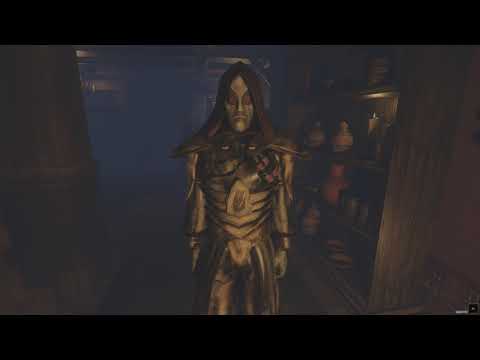
Morrowind RTX remix test. minimal replacement of assets.
I am using the latest DLSS as well actually... remix comes with 3.1.0.0 I'm using 3.7.0.0.
remix does not like the latest frame gen dll.
small lily
here's a newer NRD.dll (4.3.6.0)as well, I plucked from alan wake 2 . github runtime is at 4.1.0.0. (trex folder)
the App is even further behind that 3. something, And benefits the most from replacing it with this one removes a shit ton of noise.(AppData\Local\ov\pkg\rtx-remix-2024.3.1\kit\exts\omni.hydra.rtx\bin\deps)
small lily
optionally also the latest NRD.dll from the NRD SDK build (4.8.1.0)
I just started testing this one. seems fine.
muted valley
Huh interesting
small lily
runtime version is like 14 months old/21 releases old...
 small lily
yeah that is but the NRD version it's using is 4.1.0.0. which was released 14 months ago.
https://github.com/NVIDIAGameWorks/RayTracingDenoiser/releases?page=3

GitHub
NVIDIA Ray Tracing Denoiser. Contribute to NVIDIAGameWorks/RayTracingDenoiser development by creating an account on GitHub.
muted valley
uh what is this 😄
small lily
this is the real time ray tracing denosier. NRD.
 small lily
no worries.
muted valley
the releases don't contain binaries eh?
small lily
a lot has been added since the version that is being shipped with the runtime. and even more so then the one that is in the kit's dep.
I snagged a artifact from the actions. NRD SDK it's called.
small lily
muted valley
the releases don't contain binaries eh?
I tried buliding it but.. VS hates me..
muted valley
hmm doesn't seem to change anything for me, still flickers. do I need to select the denoiser somehow?
small lily
Nope. it'll just run it.
This will just get rid of path tracing noise. that flicker is DLSS and framegen. mostly frame gen.
Did you upgrade the DLSS as well? there will still be flicker with frame gen though on the distant land. for some reason remix won't run with any other version of that though. I've used 3.7 in other games and it's helped with ghosting though so hopefully soon dlssg 3.7 makes it in to remix.
muted valley
mostly frame gen.
ah you're right, disabling FG and turning off motion blur almost fixes it
small lily
yeah it really almost stops with it off. but the frame rate is.. uh.. to be desired...
small lily
I'm pretty confident dlssg 3.7 will help.
As for the denoiser it's really noticeable in the remix app/editor. there, the noise is far worse then the current runtime on the shipped nrd.dll(it's version 3 point something). applied to the kit, it cleans it right up.
muted valley
ah yeah remix freezes with 3.7 😄
small lily
yeah any thing over the supplied
I tried 3.6,3.7 and 3.7.1
small lily
WIP on getting MIP(Morrowind Interiors Project) working. early work on the windows. (entire scene raised to proper water height via construction set.)


 muted valley

small lily
where it started vs now.

 small lily
Sleeper Car (player house mod.)


 wanton zephyr
small lily
Sleeper Car (player house mod.)
wanton zephyr
small lily
Sleeper Car (player house mod.)
good place to mod in a creepy figure at the end of the house
nice job
small lily


 small lily
yes
muted valley
thank you, my life is fullfilled now
small lily
nude skin underneath as well...
muted valley
small lily
high poly
muted valley
is that in the app?
small lily
in game
small lily
Yeah it's looking great for this game. I'm at My limit though for figuring out the remaining few problems.
muted valley
how does distant land look like? 😄
small lily
there's room for vast improvement on distant land. I got working pretty well.
However I think this is either gonna take a custom version of MGE XE to fix it properly to work nicer with remix. Either You or Hrnchamd are the only ones capable of that that I know of... OR if somehow the functionally can pushed off into getting remix to handle it natively
muted valley
I got working pretty well.
how 😄
small lily
I'm not exactly sure really it's one thing. between dlss dll's,remix settings,morrowind.ini settings, texture replacements(the entire distant land texture ,MGE XE settings, mods, and god knows what else it's relatively not puke inducing as it was. it's still trash though and needs a proper solution.
one thing that stands still is the app captures it perfectly.. i don't get it really. it's just the runtime that falls overboard.
small lily

 small lily
uh...How does MGE normally pull textures for objects? I just copied the texture folder in data files and threw it in the distantland/statics/textures folder and distant land has improved 100 fold.
muted valley
👀
small lily
yeah so I looked in there and there were only 17 textures in there. (statics folder) so I thought it might be a generation thing but regenerating didn't solve it so i just copied the texture folde over. fixed a ton of stuff with it. no more white models.
edit: I'll walk that back a bit.. it's better though. Must have been missing a few textures from generation or something.
 vast mural
small lily
youtube butchered this video I did yesterday. that flashing at the start and on ...
vast mural
small lily
youtube butchered this video I did yesterday. that flashing at the start and on ...
it seems like you're going really really aggressive on the darkness and having really subdued lighting. Also there's an ever present fog in the interior which shouldn't be there. I'd recommend blacking out a room with a fireplace and lighting that up with a handful of candles, to get an idea of what im talkign about, it's actually suprisingly bright. I noticed that about a few things you've changed. Is there any reason you aggressively subdue the lighting in general or are screenshots on discord and youtube videos not really showing it? Even with your windows the 'light from the sun' is extremely subdued.
small lily
@vast mural The interior fog is a glitch of some sort. it's not present most the time. Depends on where and when the load occurs it seems.
Do You have a HDR device? The video and any screens I've shared are taken running HDR so if You're viewing them with a standard device it will look dark... like really dark...
 safe cedar
Whats the current state of this? Is this playable? Looks amazing.
safe cedar
Hey, @small lily. Is there a latest .conf file or is yours the latest?
I wanted to take a look at it in the app and see what the outstanding issues were I saw earlier in the chat.
small lily
safe cedar
Whats the current state of this? Is this playable? Looks amazing.
It's playable for sure and very stable.
safe cedar
I followed the instructions in the pin and I'm getting this error:

Not sure if I fucked something up.
small lily
uhh.. give me a minute..
safe cedar
Yeah, you got it.
small lily
hmm those are pretty old instructions.
safe cedar
Were any up to date ones posted?
small lily
no i don't think so. that's not currently how i set it up though. I'll get the files and instructions in order for ya in a few.
safe cedar
Gotcha, much appriciated, brother.
small lily
quick question.. are You planning on using vanilla or MGEXE with this?
safe cedar
Probably MGEXE as I've heard it's more stable.
small lily
Install Morrowind Code Patch and run the code patch once.
Install Remix
Install MGE-XE
Update MWSE (run "MWSE-Update.exe")
Create distant land with MGEXEgui.exe
overwrite d3d8.dll in games install with one in rar.
safe cedar
Gotcha. I'm assuming you used MGEXE?
small lily
safe cedar
I see that it's not compatible with OpenMW. Was that an issue at all?
small lily
I've never tried OpenMW with anything
safe cedar
Gotcha.
 slate briar
Openmw uses modern opengl so its not compatible
Unless you run wrappers still same result of not working
 summer oar
how are you all getting thiis to wokr, iive been tryinig all day and im about to give up
summer oar
ALT + X still doesnt open the capture, not sure what iim doinig wrong or iig its the GOTY edition itself, x3
kind elbow
give a screenshot of your game folder @summer oar
 kind elbow
you downloaded d3d8to9 incorrectly. that's the code, not the actual dll file
hang on
download this and extract it to the game folder
summer oar
it worked and now my CCPU goes right in the red on temp weee, summer weather is so nice aint it lol
but atleast now its workind
tulip oxide
The heat from Red Mountain is very immersive;)
summer oar
hah yea sure x3
summer oar
got it to work, RTX menu apperes but not the editor thing soo hmmmm
nope stiill crashes ingame and the game menu disdsaperes but atleast it works now/
ok havein trouble getting debug in morrowind to apper, screen caps are no good so now what?
kind elbow
summer oar
got it to work, RTX menu apperes but not the editor thing soo hmmmm
the toolkit is a separate download. you need to do captures in-game, and then load them in the toolkit
it's all explained in #remix-beginners-guide
getting a capture isn't referring to screenshots btw
kind elbow
summer oar
nope stiill crashes ingame and the game menu disdsaperes but atleast it works no...
what error does it give?
summer oar
no error just doesnt allow the UI to show up ingame nore does ALT + X open the menu for Remix
screenshots showed nothinig eather
kind elbow
show your game folder again
summer oar
 summer oar
so ya thats what my game folder looks like
summer oar
so any ideas or am i iprety much outta luck?
kind elbow
summer oar
so any ideas or am i iprety much outta luck?
share the log files
d3d9.log, morrowind_d3d9.log, and the log in .trex
summer oar
summer oar
hopefuollyy that helps
kind elbow
sadly not. i have no idea what's going wrong here 😦
summer oar
same, it was a fresh install of all of it yet it just didnt work, couldnt be the GOTY edition could iit?
but iim not gonna give up, itell work evently
 frosty yacht
💚 Hello Project Leads! 💚
Are you leading a Remix Mod Project? I'm eager to hear all about it! Please feel free to send me a direct message so we can discuss your project in more detail.
 granite scarab
what's the flow for getting this setup with MGEXE?
summer oar
???
im not useing MGEXE im useing default Morrowiind
it jsut never worked no matter what
ok so , it works in TES Construction set but not in the actual game
whats going on here confused face
small lily
granite scarab
what's the flow for getting this setup with MGEXE?
This is current working method that I use.
#1097049994156060682 message
granite scarab
small lily
This is current working method that I use.
https://discord.com/channels/1028444...
followed this method, and I get something like this:

am I missing a more up to date rtx.conf, perhaps?
 spring kayak
should i step in and help ;D
granite scarab
would certainly appreciate any help with getting this setup decently 🙂
spring kayak
downloading already
granite scarab
managed to fix the weird sky thing, but this terrain around the starting down is disappearing in chunks
spring kayak
Bought the game installed all of the things mentioned in tutorial
Took all of the settings by default
It started after 3 times
For some reason i cant open remix menu
@granite scarab do you have any issues with opening rtx menu?
or is it me?
granite scarab
no, opens fine for me
@small lily are you having issues with the ground terrain disappearing?
spring kayak
shit i wanted to help but it is not letting me go into remix menu
kinda blocks key combinations
i cannot even use windows key to get to the desktop
tulip oxide
granite scarab
managed to fix the weird sky thing, but this terrain around the starting down is...
If I understand correctly this is actually normal.
Morrowind's distance fog was really, really close; so afaik this is literally just the standard in-game terrain loading with no fog now.
(Unless i have not understood correctly)
granite scarab
tulip oxide
If I understand correctly this is actually normal.
Morrowind's distance fog was ...
figured out this was actually because I was messing around with the decal settings on the nearby textures, though I am now having an issue where anything not directly in front of me aggressively culls which causes issues in an RTX environment 😅
tulip oxide
oooOOOohh
I had some really weird behaviour in caves, but I also noticed indoors where if I use remix to spin the camera around it's really struggling with Morrowind for anything behind the camera.
I wonder if it's related
The items go semitransparent (I think, it could also be distance fog) and seem to render as if they were very very far away
zenith ermine
When I was testing Morrowind there were certainly a lot of oddities, but you'll have to hit a lot of varied sky textures as weather patterns will all have their own tags. I'm hoping the untextured draw calls option will help as it did for Bully, as that didn't exist when I tested this game.
small lily
granite scarab
<@237242727761313793> are you having issues with the ground terrain disappearing...
Like just ground textures randomly becoming transparent? For the most part I've found tagging all ground encountered as a decal usually fixes any instances of that happening.
For culling : If anti culling objects in the remix menu isn't already on def turn it on and try adjusting some of the anti culling settings there as well. specifically the instance size IIRC, Seemed to help a lot on my end. indoor scenes this value can be high as you want... but outdoors it will probably quickly overwhelm most PC's if set over 5000... this only results in it being a lil better though... With out engine tweaks or something I'm not sure how to solve it really.
granite scarab
small lily
Like just ground textures randomly becoming transparent? For the most part I've ...
I'll give the latter a whirl, thanks 👍
small lily
I'll be probably doing a complete wipe and start over within this week and try to document the process a bit better.
summer oar
so someone finaly got the RTX menu working then?
 scarlet sentinel
They got all path tracing working if I'm reading correctly
kind elbow
Morrowind was one of the first games to work. it's basically flawless
 kind elbow
morrowind is dx8
you need the d3d8to9 wrapper, or dxwrapper
the downloader in #remix-beginners-guide provides one. you just need to rename d3d8_off.dll to d3d8.dll
scarlet sentinel
kind elbow
morrowind is dx8
Thanks, istg I installed A, wrapper, I must have been the wrong one though
scarlet sentinel
kind elbow
the downloader in <#1098785289838796850> provides one. you just need to rename d...
Yeah I'll be honest my shit didn't work, the one that says "for dx8 games use this" gave me this folder

I just extracted that into the games root but I still got no results
 hazy bramble
rim
scarlet sentinel
Huh
 dense cliff
spring kayak
i cannot even use windows key to get to the desktop
dense cliff
spring kayak
i cannot even use windows key to get to the desktop
same
spring kayak
are you on windows 10?
dense cliff
spring kayak
are you on windows 10?
11 24h2
dense cliff
spring kayak
i was wondering if it was about system
ok i launched the game in fullscreen and overlay works
scarlet sentinel
kind elbow
you need the d3d8to9 wrapper, or dxwrapper
came back with more experience, used dxwrapper still got not results, anything look wrong?
 scarlet sentinel
saying TERMINATED at the end, is that just me closing morrowind, or is it the wrapper failing?
kind elbow
oh wow Remix isn't even running
yeah that's not good
is this the dxwrapper version that came with the downloader in #remix-beginners-guide?
scarlet sentinel
I used the one in https://discord.com/channels/1028444667789967381/1055002970091176006 I used the latest release, when I clicked on the link on the guide I got a 404
got it
just was using the wrong version
thank you for your time
noticed alt+x isn't working
don't know what's up with that
kind elbow
scarlet sentinel
just was using the wrong version
which one were you using?
kind elbow
scarlet sentinel
noticed alt+x isn't working
#1055003495637454879 message
scarlet sentinel
kind elbow
which one were you using?
the latest release in the release tab on the git hub
kind elbow
hm
the downloader pulls that exact same thing
ohh in the release tab, okay
the downloader grabs the latest build from github actions
scarlet sentinel
i did
scarlet sentinel
kind elbow
https://discord.com/channels/1028444667789967381/1055003495637454879/12737154769...
I'll try it tmrw and see how it goes, Thank you kim
scarlet sentinel
kind elbow
https://discord.com/channels/1028444667789967381/1055003495637454879/12737154769...
There's no bridge.conf in my folder, and all these seem to be referencing to the bridge.conf, the only thing that isn't is one about getting a visual of live logs, which I don't think is what you mean
kind elbow
if you used the downloader it should have made you a bridge.conf file and everything
goes in .trex
scarlet sentinel
thank you
yeah, alt + x still isn't working
that's odd
you are talking about the very bottom message of the link to use
right?
kind elbow
yes
scarlet sentinel
okay then
scarlet sentinel
I'll try it
yeah that worked
I think I might have deleted a space or something
anyway
thank you
 shrewd marsh
hi friends, anybody got this to work in linux/proton?
small lily
Well I finally got the game reinstalled for a fresh round of testing with the latest toolkit and runtime. Don't have anything to add to the install procedure though. I just did the same thing I did before.
Quick shit tier effort of a vid of me trying to get My bearings remixing in this one again... been a while... be warned idk what this will look like on non hrd screens.
ComfyUI version of PBRify used.
 small lily
Couple imgsli comparisons.The links, not the thumbnails.

 small lily


 small lily


 brittle zodiac
DOSE ANYONE HAVE THE PROJECT FILES HERE FOR MORROWIND?
small lily
brittle zodiac
DOSE ANYONE HAVE THE PROJECT FILES HERE FOR MORROWIND?
There are currently no projects being worked on in any capacity that I'm aware of. What You see here currently mostly is just WIP stuff showcasing the potential rather then a proper mod.
brittle zodiac
DOSE ANYONE STILL HAVE THE LATEST DEVELOPMENT FILES FOR THE REMIX OF THIS THO?
caps sorry
ok im lost and now i dont remember how to do this rtx thing can i have some help?
?
small lily
#1097049994156060682 message
^For the most part that works to get up and running with the vanilla game fro GOG or steam. Newest runtimes should work fine.
If you're looking to use MGXE as well #1097049994156060682 message
other then that that's pretty much it i think.
brittle zodiac
alot has changes sence i worked on oblivion now they have you run rtx remix from the nividia app?
im honextly confused on how to use this program now
small lily
oh yeah I just install stuff from github so I can bypass the app.
brittle zodiac
oh
small lily
yeah I find it easier to clone the toolkit and just dl the github actions for the runtimes.
https://github.com/NVIDIAGameWorks/toolkit-remix/ clone and build
and for the runtime download latest from actions tab from these two links. install to the game as usual for remix.
https://github.com/NVIDIAGameWorks/bridge-remix/
https://github.com/NVIDIAGameWorks/dxvk-remix/
download lastest from actions tab

GitHub
RTX Remix Toolkit. Contribute to NVIDIAGameWorks/toolkit-remix development by creating an account on GitHub.

GitHub
This is the NVIDIA RTX Remix Runtime Bridge repository - NVIDIAGameWorks/bridge-remix

GitHub
Contribute to NVIDIAGameWorks/dxvk-remix development by creating an account on GitHub.
 pallid grotto
assuming this is incompatible with openmw?
small lily
pallid grotto
assuming this is incompatible with openmw?
Yeah Incompatible. I suppose theoretically a wrapper could be made to hook the renderer (open scene graph .) or considering the open source of it, a really talented individual could possibly integrate Remix's renderer directly .maybe. 🤔
 nocturne birch
has anyone gotten morrowind working with the 1.0 build of Remix yet?
With the default rtx.conf file the game just loads to a black screen in the main menu
Using the conf file in the pinned message actually loads the menu enough to navigate, but then the game crashes when starting a new game
tulip oxide
I did actually, I had the same issue but after deleting my ..dxvk-cache, reenabling Background Keyboard=1 in Morrowind's ini and disabling raytracing until the first load had completed, I was able to reenable ray tracing no issue, and even start a new game
Here's my rtx.conf for reference, note the set skyboxGeometries hash, means you can turn off Sky Auto Detect which avoids other rendering issues (which was driving me batty)
One nice thing about 1.0 is that I'm not getting the crashing I was getting making captures in the past, and while it seems predisposed to random hangs and stutters it doesn't seem to crash quite as much.
small lily
@nocturne birch Yeah ,Runs fine here on 1.0. (new game without disabling any ray tracing),)been using it for a while now.This is My main game that I'm interested in with Remix, so I always keep up to date with the latest runtimes.
There are a few scenarios that can crash the game that early though,The major one is Make sure You aren't using the per pixel lighting setting in Morrowind. Body Mods can cause the bridge to choke as well..
small lily
also before I forget :same as what I posted the other week but converted to SDR


 knotty pewter
so crazy, what does it look outside? Is it still glitch when outdoors?
scarlet sentinel
knotty pewter
so crazy, what does it look outside? Is it still glitch when outdoors?
Yes
small lily
yeah best I can do right now for outdoors is hide it with fog and it's still pretty bad. I'm guessing some adjustments would need to be done to MGXE or maybe that specific shader (I think the distant land is handled by a shader anyway.)needs to me rewrote to be better suited for remix. IDK how to do that stuff though.
||rfuzzo please save us ||
small lily
tulip oxide
Enabling distance based fog makes outdoors look pretty reasonable, but it requires disabling the new shiny volumetrics.
For some reason I can't get water to render, not sure what I broke for that one, I'll try a fresh install soon..ish. Life and work permitting.
small lily
@tulip oxide huh..wait...What distance based fog do You mean? In game fog or remix?Only setting I see in remix really is "legacy fog remapping" and "Depth based fog.. Legacy is a bit messed up I guess but the rest all works fine on My end with the volumetrics... I think...
hard to get a pic to do that justice at the moment but here's "heavy "fog... and "light"
not sure about your water... should render..


 tulip oxide
Yep, the "Depth Based Fog" option underneath Legacy Fog Remapping.
It's technically a low-tech fallback option for when volumetrics are NOT enabled, but with just the right settings, it mostly obscures the land popping in and out of existance at the edge of the render distance.
small lily
yeah I think I had to tweak it some to get it to cooperate with the volumetrics now I think about it
tulip oxide
I might submit a feature request for a few more settings for the depth based fog (mostly I want to set a start and end distance for it, so it only obscures the edge of your view distance, a bit more like how it looks in the OG game), and ask if we can have it enabled at the same time as the much prettier volumetric fog. It's a pretty basic effect so it might be workable
If you have the time/energy please feel free, I'm about to start my work week and cramming to get some stuff done around the house.
small lily
ah now I remember. the MGXE fog settings is what I messed with to tame it a bit more.
small lily
tulip oxide
If you have the time/energy please feel free, I'm about to start my work week an...
I'll see what I can do I maybe. Never did one of those yet.. and... ha ha that part of the github looks swamped with HL2 rtx stuff right now...
 brittle juniper
Hey there, folks.
What is the state of Morrowind? Haven't been following along. Are there multiple projects or a single one? How are they coming along and what are the complications you're having, etc.?
granite scarab
brittle juniper
Hey there, folks.
What is the state of Morrowind? Haven't been following along. ...
my own experimenting became complex due to the culling system in the game
which meant it was very hard to find stable anchors and using mods like distant lands for outside cells murdered performance
brittle juniper
granite scarab
my own experimenting became complex due to the culling system in the game
Interesting. Was it the steam version or OpenMW?
granite scarab
brittle juniper
Interesting. Was it the steam version or OpenMW?
steam version
iirc open morrowind goes up to dx11 or something and I had a hard time getting it to consistently work with Remix
slate briar
Openmw is opengl afaik
small lily
@brittle juniper I'm still messing with the steam version of the game (modded pretty heavily though I guess) on a daily basis. There's some issues that still need to be solved, but IMO Morrowind is in a very good state. The game runs stable and visually becomes stunning with Remix.
Culling is a issue as mentioned by David.
I haven't narrowed it down yet but I'm pretty sure certain meshes are crashing the bridge when trying to ray trace them.
brittle juniper
granite scarab
iirc open morrowind goes up to dx11 or something and I had a hard time getting i...
It is ogl and heavily shader based from what I see in the codebase
brittle juniper
small lily
<@544327892599963668> I'm still messing with the steam version of the game (mod...
That is pretty cool.
I want to give it a go and see how far it can be pushed as a project.
What are the mods you're using? Just for QoL or important for remix compatibility?
small lily
brittle juniper
That is pretty cool.
I want to give it a go and see how far it can be pushed as ...
No compatibility mods just for remix. Pretty much just seeing what will run and mods that I've used throughout the years that I like/ can't play without.
Currently running of notable mention :MGXE with rfuzzos dll for distant land ,Morrowind Rebirth, some race mods, Ashfall,Wares, few housing mods, Magicka Expanded, Roberts Bodies, some face mods.. 1st person bodies,ect.
I think it could be pushed pretty far with the right team. lot of stuff could be replaced/ remodeled ect. It'll be a massive undertaking though even if sticking with just the vanilla game and no mods. So many assets. 😓
brittle juniper
small lily
No compatibility mods just for remix. Pretty much just seeing what will run and...
Ah nice. Has anyone tried RE for the culling?
small lily
brittle juniper
Ah nice. Has anyone tried RE for the culling?
I'm not sure. haven't heard of it I don't think.What's RE?
brittle juniper
small lily
I'm not sure. haven't heard of it I don't think.What's RE?
reverse engineering
small lily
ah I feared as much. I haven't .I tried getting Cursor to teach Me how to do that this week. it's not going well. but I have no idea what I'm doing. the AI seems confident it can be though
I think werideforcoffee might have or has plans to dabble in it though.
brittle juniper
small lily
ah I feared as much. I haven't .I tried getting Cursor to teach Me how to do tha...
It is very complicated because RE is a huge mess. In some sense, code is meant to be obfuscated once it is compiled, so trying to make sense of that compiled result backwards into original logic kinda feels like swimming against the river.
Also, RE tools are very complex with a ton of features but no free tool ships with everything you need. Some are good for static analysis with good C++ decompilers, while others are great for debugging the game running, and you end up copying memory addresses back and forth between them a lot. Unless you can afford to pay for a relatively expensive pro license of one of them. Idk about you, but I don't do that for a living so that is a no no.
That being said, go for IDA Free. It should feature all you might need for old games 
 muted valley
brittle juniper
Ah nice. Has anyone tried RE for the culling?
muted valley
brittle juniper
Ah nice. Has anyone tried RE for the culling?
The question is simply where to start.
Either start off of vanilla (dx8) and offload all the rendering to remix - this means no distant land unless you reimplement it in remix.
Or start off of MGE (Morrowind Graphics Extender) and distant land which uses dx9 - and try to make remix work with that.
Second is probably better since MGE already has a wrapper around the games dx calls - but I’m not a graphics programmer and don’t know all the challenges…
The game is very well revered though already
I started to make remix work with distant land last year or so - it “works” as in it doesn’t crash but its rendering large broken blobs as distant land and has no performance
Someone who actually knows how rendering works needs to look at it
brittle juniper
muted valley
The question is simply where to start.
Either start off of vanilla (dx8) and o...
1st option every day of the week.
Getting dx11 to work should be a huge pain, primarily due to all the shaders and complex rendering logic that ppl leverage in modern graphics APIs.
Meanwhile, that distant lands feature shouldn't be much of a dx level issue, but something the MGE enables in the game.
Maybe with a bit of RE one can get the dx8 version to work with distant lands
muted valley
You don’t need RE on distant land, it’s all done in MGE
It pre-batches the statics of the game beforehand , and renders them in-game inside the dx8to9 wrapper that is MGE
brittle juniper
muted valley
I started to make remix work with distant land last year or so - it “works” as i...
That is very interesting. Curious to see what you found.
Older games used fog a lot to hide distant objects and render low detail objects.
Some games used a LOD bias config that allows you to shift the distance that high/low detail object wap happens, that could be a thing for your blobby objects issue
muted valley
I believe the original morrowind doesn’t render anything beyond the current cell
and uses fog to cover it up
brittle juniper
muted valley
It pre-batches the statics of the game beforehand , and renders them in-game ins...
Interesting. Though it forces you to use dx11 right?
muted valley
yeah MGE is dx11 dx9
Lemme find the source code on GitHub
GitHub
Morrowind Graphics Extender XE; distant views and improved graphics for Morrowind - Hrnchamd/MGE-XE
brittle juniper
muted valley
yeah MGE is ~~dx11~~ dx9
Seems like a forbidding compromise. To have distant lands but also use dx11, hence why I suggested to RE just that feature to not need MGE in the first place, but from what you described, that might be more involved than just finding some flags in the code 
small lily
wait what.. Thought MGE XE was DX9...
small lily
"Note that d3d8to9 does exact translation from Direct3D 8 to Direct3D 9 only"
Yeah from what I can see DX11 isn't implemented into MGE XE yet. it's all DX 9. Maybe the distant land shaders just need to be converted to fixed function?
muted valley
Hang on did I misremember
Yeah it’s dx9
I think I misremembered because hrn wanted to upgrade it directly to dx12 if he ever was
small lily
Yeah IIRC,his plan was to just skip DX11 and go to DX12.
brittle juniper
muted valley
https://github.com/Hrnchamd/MGE-XE/blob/master/src/mge/distantland.cpp
Wait a minute.
The codebase is surprisingly small. It might be possible to replace the ProxyDevice and MGEProxyDevice classes (inheriting from IDirect3DDevice8) to call the Remix C API instead, skipping any wrapper or API limitation
https://github.com/Hrnchamd/MGE-XE/blob/master/src/proxydx/d3d8device.h
https://github.com/NVIDIAGameWorks/dxvk-remix/blob/main/public/include/remix/remix_c.h
small lily

I'm pretty sure if someone knew what they were doing most if not all MGE XE could be adapted.
Some implementation of grass would be pretty epic as well. Currently I hacked the collision off the nifs to kinda get it working... not a ideal or good looking solution,
muted valley
brittle juniper
Wait a minute.
The codebase is surprisingly small. It might be possible to repla...
👍
muted valley
What I did in my last experiment was clone dx8to9wrapper and submodule MGE into it
brittle juniper
Oh, that is a thing already. Sadly it disables distant lands
 brittle juniper
small lily
Install Morrowind Code Patch and run the code patch once.
Install Remix
Install ...
brittle juniper
small lily
Install Morrowind Code Patch and run the code patch once.
Install Remix
Install ...
What is the current way of installing the game, mods and remix?
I tried these steps and the game opens, but I can't open the Alt+X menu
brittle juniper
brittle juniper
What is the current way of installing the game, mods and remix?
I tried these st...
@kind elbow I believe you faced this issue quite a few times, or at least helped a lot of ppl with the same "Alt+X not worky" stuff.
I tried different key combinations as well but nothing works. I had this same shituation with d8 games before like hidden dangerous deluxe
kind elbow
#1055003495637454879 message
this usually fixes it
if that doesn't, then it's a weird game specific issue
small lily
brittle juniper
What is the current way of installing the game, mods and remix?
I tried these st...
yeah the bridge.conf will fix that 100%
brittle juniper
kind elbow
https://discord.com/channels/1028444667789967381/1055003495637454879/12737154769...
Godamn. Thank you so much. It didn't work on H&DD but works just fine here
small lily
My current way of installing the game is to install the game from steam/GOG
install whatever mods I'm running,
Install MCP and run it
Install MGE XE and set up distant land
Install Rfuzzo's dll for using distant land.
install remix
set mod load oder
run PLox to set the load order correctly...
profit!
brittle juniper
Damn. Even the characters have stable geometry hashes
Managed to fix the terrain holes by enabling the new "Terrain as Decals" in terrain options
kind elbow
pretty much a perfect game for Remix
last time i messed with it there were no holes though, that's interesting
was probably 0.4.x though
brittle juniper
kind elbow
last time i messed with it there were no holes though, that's interesting
I got a rtx.conf you shared here. Had some x-ray issues with some textures tagged as decals while others as terrain
I'm trying to get the sky to work now. It renders fully gray now
small lily
the new animated water looks pretty decent. this is just a translucent texture.
small lily
brittle juniper
I got a rtx.conf you shared here. Had some x-ray issues with some textures tagge...
For the terrain: You want to set the terrain baker in the UI to use decals. then in the game setup tab tag the ground as terrain.(not decal) This will fix any of them showing up as translucent/holes in the ground.
For the Sky: set the First N textured draw calls to at least 1 and also set it to detect by camera position. this should auto detect all the sky fine then on its own but you may still have to tag the sun and planets i'm not sure.
kind elbow
brittle juniper
I got a rtx.conf you shared here. Had some x-ray issues with some textures tagge...
idk what happened, was totally fine on the last build i used lol. i guess a lot changed, either that or i mistakenly marked some stuff
sky was also completely fine without modification
wtf it was almost 2 years ago
#1097049994156060682 message
but sky actually was not working, so i misremembered there
small lily
here's my rtx config. might have some stuff tagged as well that you don't need. but is more up to date with the runtime and stuff...You could(idk maybe even should) delete any lines not pertaining to terrain or sky.
youtube link to that vid since discord sucks and can't support certain file types
psa: that RTX conf will set your settings pretty high so you might want to tone that down depending on your rig.
ideally the sky as Todd would say "just works" if the sky detection system is on and set accordingly
 brittle juniper
small lily
ideally the sky as Todd would say "just works" if the sky detection system is on...
brittle juniper
small lily
ideally the sky as Todd would say "just works" if the sky detection system is on...
Sorry, went from a quick nap to a lost and found situation 
Thats great! Thx. How do you open that weather menu? Can you set light color at night and day?
small lily
brittle juniper
Sorry, went from a quick nap to a lost and found situation <:kekw:13248527563553...
no worries man I know how it is.
It's a add on mod for MGE XE.
as far as I know yes. it def lets you adjust a lot of stuff.
here's the link if you want to check it out
https://www.nexusmods.com/morrowind/mods/46816

Nexus Mods :: Morrowind
Regional weather colours, skies and lighting. Visual weather editor and region-based presets. Seamless transitions between regions. Share your presets.
I should prob do a list of " essential" mods when I get the chance.
Other then the pure nostalgia of sticking with purely vanilla experience I think any serious project is gonna want to incorporate a fair number of popular mods.. If one one wants to one up what's already available with what MGE-XE or openmw can already do that is.
brittle juniper
small lily
no worries man I know how it is.
It's a add on mod for MGE XE.
as far as I k...
I'm trying to install but dropping the files in DataFiles as described in the readme install instructions isn't working.

Ah nvm
I was using the "Use for d3d8to9 proxy only" option
small lily
yeah you'll need MWSE enabled. the proxy disables that IIRC.
always a chance Hrnchamd will come back and save our asses
brittle juniper
Trying to get the outdoor lighting looking right now. That weather adjuster will help a ton
Here is night as well, though the distant light is over exposed now
Ahh the preset wasn't applied
small lily
Yeah it's a really great tool. I've used it a lot over the years. really helps with remix as well
brittle juniper
There is some wild blacks crushing happening to lighting + tonemapping that I'm trying to track down. Making some lights stronger and compesating with tonemapping seems to be helping
I'm referring to the gradient banding
At first it was really annoying, but its is slowly going away
Did you get issues with the game crashing when Alt+Tabing? @small lily
small lily
yeah it doesn't really seem to like being tabbed out
other then that though it's pretty stable. There's something that the Ray tracing doesn't like though that chokes the bridge. could be a/some skinned mesh/meshes I'm thinking
brittle juniper
brittle juniper
Did you get issues with the game crashing when Alt+Tabing? <@237242727761313793>
Ah, borderless windowed ftw
small lily
brittle juniper
Ah, borderless windowed ftw <:Peepo_ThumbsUp:832180017559371806>
I got to have My HDR so I just avoid alt tabbing
brittle juniper
small lily
I got to have My HDR so I just avoid alt tabbing
borderless window disables HDR?
small lily
@brittle juniper yeah does for me anyway.
few mods that go well with the weather adjuster,Remix and The game in general
https://www.nexusmods.com/morrowind/mods/47912
https://www.nexusmods.com/morrowind/mods/51463
https://www.nexusmods.com/morrowind/mods/39605
https://www.nexusmods.com/morrowind/mods/47133
https://www.nexusmods.com/morrowind/mods/48293

Nexus Mods :: Morrowind
Configurable mod for automatical adjustment of lighting, including override values, cell whitelist, and light object editing.

Nexus Mods :: Morrowind
Adjusts every vanilla light mesh to enhance the effects of other shader and lighting mods. Compatible with MGE, OpenMW, ReShade, True Lights And Darkness, Enlightened Flames, and just about everything

Nexus Mods :: Morrowind
Darkens all interior cells and increases radius of all light sources. Light and shadows become more dynamic, locations that had very little light are a lot darker now, and places where there are no li

Nexus Mods :: Morrowind
Modified version of True Lights and Darkness that reverts some of TLAD's more radical color changes, removes the flicker effect from most lights, plus a few other changes. Includes MWSE mod implementi

Nexus Mods :: Morrowind
Toggle lights on and off. Town lights turn off during the day. Lights no longer destroyed underwater. Lanterns aren't destroyed when they run out of fuel. Refill lanterns with candles and lamps with o
this is just fun to use on everything

 brittle juniper
small lily
https://www.youtube.com/watch?v=fmokadH3CeE
brittle juniper
small lily
https://www.youtube.com/watch?v=fmokadH3CeE
that should be nice to do some prop renders, promo art, etc.
small lily
brittle juniper
that should be nice to do some prop renders, promo art, etc.
yeah it works on a lot of stuff too. even characters/creatures/npcs.
small lily
@brittle juniper https://www.nexusmods.com/morrowind/mods/47143
this should come in handy as well. teleport, item spawn(even from mods),ect.

also fun fact is that remix will hook the construction set as well
small lily
@brittle juniper in case you don't have them, there's also these tools that might interest you as well if you need to directly interact with the games nif files for any reason
NIF File Format Library and Tools
small lily
 brittle juniper
small lily
brittle juniper
small lily
Looking Nice. I can't preview your image on my monitor though. Can you send a ldr one?
brittle juniper
brittle juniper
Looking Nice. I can't preview your image on my monitor though. Can you send a ld...
Ah nvm, blender can preview it
small lily
brittle juniper
Looking Nice. I can't preview your image on my monitor though. Can you send a ld...
And just remember I'm absolutely no way what I call a artist/ excited to see what a real one can do.
Must be the converter I'm using. here's the originals. they will be dark though on any non HDR device.


same scene in base game.
 granite scarab
@small lily are you kicking off something more involved? I've had to shelve my Morrowind demo work for a while to focus on some other things, but I could pass you over my files/replacements I did initially. I targeted a lot of interiors in Teruise mostly using royalty-free/CC0 materials and models, but with a lot of kitbashing/hand modification of these assets also if they didn't fit for the intended purpose. I didn't get to exteriors besides some material replacements, I had hoped to do some grass painting with @brittle juniper's tool eventually
I'm unlikely to be able to pick up work on this again any time soon, but happy if you want it as a boost to a demo
maybe combined with your existing changes/mod list, it would make something like a Teruise demo fairly achievable? I did put a pretty healthy dent in the asset list, a good couple dozen
it would be nice to see something playable and reasonably good looking come out for Morrowind, one of the first things Remix demo'd with and not a lot has been done with the game
brittle juniper
granite scarab
<@237242727761313793> are you kicking off something more involved? I've had to s...
Hey, as it turns out, I'm exploring a demo vertical slice sort of thing rn, and having a leg up with assets would be really handy.
I started at the starting Seyda Neen spot to get the hang of the project but I'm not decided on anything yet.
Been struggling with terrain for exteriors as well
granite scarab
ah my bad I confused "teruise the character" with "seyda neen the place"
I mean that I targeted sedya neen more broadly
brittle juniper
Ahh, sorry, I'm the newby morrowind here lol
granite scarab
so I did a lot of interior materials/models/textures, and then also did some exterior stuff since houses and etc seem stable, so I smoothed out some corners and stuff
brittle juniper
granite scarab
so I did a lot of interior materials/models/textures, and then also did some ext...
Great. I hated those corner stiching textures
small lily
granite scarab
<@237242727761313793> are you kicking off something more involved? I've had to s...
I've not really committed anything serious at this point yet . Mostly just been messing around this entire time. But at some point yeah at the very least was hoping to push something out to get more attention to the game and get more people involved with bringing remix to life on Morrowind.
At some point I just need to prune My install and decide on a path forward really. grass and behaving distant land be damned I guess.
small lily
I'd conjecture E-man is far better equipped and more experienced though to a push a demo out though then Me...all I'm doing is basic stuff IMO... ||I haven't even packaged a remix mod before ||
brittle juniper
small lily
I'd conjecture E-man is far better equipped and more experienced though to a p...
Don't worry, gotchu covered 🫂
Your help experimenting with mods, compatiblity stuff and all that was great, and I still need to figure out ways to improve on that, so any help on that side is very welcome.
Few things to keep in mind:
To publish a Remix mod, we need to make sure everything we share is properly licensed and approved to be published, that counts for NO releasing original game assets, any game patches shouldn't include the patched game's executable, but use a runtime patcher approach like asi loading (afaik), and so on.
brittle juniper
small lily
I'd conjecture E-man is far better equipped and more experienced though to a p...
To wrap it up as an easy to install mod, I need to find out how to apply all the steps we use (MGE XE, code patcher, weather adjusts, relevant mods etc.), and how to share the settings we're using so everyone gets exactly the replica of our setup once it finishes installing.
I could use your help on that as well if you're up to.
Ideally we would have just a zip to unpack in the game folder, but should be fine if we need to write a .bat script to automate the process as well
small lily
brittle juniper
To wrap it up as an easy to install mod, I need to find out how to apply all the...
as a rough draft
1: Install Morrowind from GOG/Steam
2:Install MGE XE and set up distant land|| (To simplify the MGE XE install I think the generated distant land and config files could all just be included from Us so the user would not have to run MGE XE on their own. Also I think every generation of distant land creates a new hash for it's mesh.. so yeah might need to ship the distant land files if the mesh is to be used in the demo.otherwise some way would be need to assign the new hash to the mod I guess)||
3:Install Required/recommended base Mods
3:Install Rfuzzo's dll for using distant land
4:install remix files
5:Set Mod load order.||( theoretically I guess if the Morrowind.ini is included in the install with the order already set to the recommend mods this would be fine and remove a step as well. Only issues that will arise really is when users try adding more mods.. which with it's rich history of modding will be.... inevitable ) ||
The weather adjuster can save presets that can be included I think.
brittle juniper
small lily
as a rough draft
1: Install Morrowind from GOG/Steam
2:Install MGE XE and s...
Nice!
What is the rfuzze's dll? What does it do?
Regarding user included mods, thats ok, we just need to provide a common default experience to everyone. Further modding it a user's risk
small lily
brittle juniper
Nice!
What is the rfuzze's dll? What does it do?
Regarding user included mods, t...
rfuzzo made it last year. Currently it enables the distant land in a way that allows remix to use it. uh it's lil bugged though(flickering and the mesh looks bloby). Once you generate the distant land normally with MGE-XE you swap that dll in instead of using the one that comes with MGE-XE. (Turn off/diable the bypass option in MGE-XE as well. The proxy bypass)
I'm no shader guy.. but I have my suspecions that some additional tweaks to this shader is needed to fully stablise it. perhaps the shadow part.. as that really isn't needed with remix. alas I'm just spitballing.. never wrote a shader in my life.
the repo for that btw https://github.com/rfuzzo/d3d8to9

GitHub
A D3D8 pseudo-driver which converts API calls and bytecode shaders to equivalent D3D9 ones. - rfuzzo/d3d8to9
muted valley
It’s super broken btw, in no way is it playable or even looks good.
It’s just my playground that I haven’t had the time to really do anything in year.
small lily
I'll never give up hope that it'll be fixable. there was a point when we thought distant land was impossible .IIRC even Hrnchamd said as much I think.
small lily


 ruby pasture
small lily
ruby pasture
small lily
What part of morrowind is that from, or is it from a mod?
small lily
@ruby pasture Yeah it's from a Mod.
https://www.nexusmods.com/morrowind/mods/53022

Nexus Mods :: Morrowind
Help the guests from Necrom in solving their little problem in Mournhold. A quest, a dungeon, a fancy home and an amazing robe to wear!
Morrowind modding is what got Me in to PC gaming 20 odd years ago. I don't believe in the vanilla experience. Most of(if not all) the mods I use though are grounded ones/lore friendly.
brittle juniper
What are the best ways to do map edits? I'm mostly looking to scatter some assets outside like baskets, vases, hanging ropes, ladders, planks, make Seyda Neen look crowded with props and details
small lily
brittle juniper
What are the best ways to do map edits? I'm mostly looking to scatter some asset...
The TES construction Kit for mapping . It's basically what Bethesda used to create the game. WIth a combination of Remix and the TES construction set there literally should not be anything We can't do really.
@brittle juniper https://www.nexusmods.com/morrowind/mods/42196

Nexus Mods :: Morrowind
This package replace the missing files and allow the use of the TES: Construction Set with the Steam version of Morrowind Game of the Year Edition ( v1.6.1820), GOG and the Bethesda.net Launcher versi
the TES is a lil old school but yeah. really great tool though.
here's a list of helpful keybinds as well. As it has some weird ones
PSA: remix will hook the TES construction kit as well. You may not want that so just move the remix dll out to prevent it.
brittle juniper
small lily
The TES construction Kit for mapping . It's basically what Bethesda used to crea...
Thats awesome. Thx.
Does it support item placement with gravity, so props land on the floor nicely?
Just watched a tutorial and the guy used T to snap the item to the ground, but it keeps its rotation, so the item will still roll and fall into the ground once the game loads
muted valley
Make sure you also have mwse installed - it comes with free Construction Set fixes
CSSE.dll is the construction set extender 😄
muted valley
brittle juniper
Just watched a tutorial and the guy used T to snap the item to the ground, but i...
Can’t you hold Alt while moving your mouse cursor with the item (dragging) or something and it snaps to the ground with rotation?
brittle juniper
muted valley
Can’t you hold Alt while moving your mouse cursor with the item (dragging) or so...
I'm at work rn. But I'll try it once I switch to windows soon
small lily
brittle juniper
Thats awesome. Thx.
Does it support item placement with gravity, so props land o...
ah.. with gravity...I'm not 100% it does.. pretty sure that why this is always a part of my mod list now that I think about it.... https://www.nexusmods.com/morrowind/mods/49557

Nexus Mods :: Morrowind
Dropped items and corpses are automatically positioned and oriented to align with the ground.
that's a script so I think it should work with the construction set fixes that rfuzzo mentioned
oh and this too.. invaluable https://www.nexusmods.com/morrowind/mods/46562

Nexus Mods :: Morrowind
Adds interactive placement, rotation and wall mounting of items. Arrange gear, books and anything else you can pick up. Requires MWSE 2.1 or OpenMW 0.49dev.
Anyone: "this looks like a fun game to remix"
Morrowind : proceeds to pull back curtain on 20+ years of the community modding it "so where You want to start?"
 tacit nebula
small lily
tacit nebula
small lily
Lighting looks great, are you using emissive texture? with refined materials it will look awesome!
small lily
tacit nebula
Lighting looks great, are you using emissive texture? with refined materials it ...
Thanks ,I'm using a combination here : Regular Sphere lights For each of the candles/light sources within the fixtures/ hanging lamps .In conjunction with these I did add a very low intensity emissive mask to the glass of the fixtures to give it that extra pop. The candle flames also have a low intensity emissive applied as well.
edit:also the Flower thing next to the mushrooms in the cell pic is using emissives
tacit nebula
small lily
Thanks ,I'm using a combination here : Regular Sphere lights For each of the can...
just for fun you should try to give subsurface scattering properties to the candles, that would look terrific
btw do the candle's flames moves or are completely static? I can't remember
small lily
tacit nebula
btw do the candle's flames moves or are completely static? I can't remember
Vanilla I'm pretty sure is completely static However there are mods that animate them. currently I'm using Enlightened Flames for instance.
small lily
rough draft of path traced fireballs https://www.youtube.com/watch?v=V_V0q5gw_OM
 brittle juniper
Stairs with new weathered wood planks material

 small lily
very nice. perfect even.
scarlet sentinel
brittle juniper
Stairs with new weathered wood planks material
Nice
small lily
 brittle juniper
Almost there with the scaffolds/catwalks. Just need to work on the dock pieces now.
small lily
uh...Not to detract from the wood ...but that ground texture certainly can't be vanilla on the second video ... that's looking real nice too.
brittle juniper
small lily
uh...Not to detract from the wood ...but that ground texture certainly can't be ...
Indeed. These textures are CC0 from PolyHaven.
The whole mod is a mix between mine and Kralich's textures/meshes now.
Slowly coming together
 scarlet sentinel
small lily
https://www.youtube.com/watch?v=raVxt2mJiE4
scarlet sentinel
small lily
https://www.youtube.com/watch?v=raVxt2mJiE4
Are you working on a full remaster?
small lily
scarlet sentinel
Are you working on a full remaster?
An interesting question. One I even ask Myself some times often. At some point I'm thinking yes. I need to focus up though. I need to learn a few more things as well I think.
scarlet sentinel
small lily
An interesting question. One I even ask Myself some times often. At some point I...
I was thinking it too, better for me to do the same thing lol
small lily
A full remaster in any form will be a massive project for this game though. hell getting all the captures will be a epic endeavor.
scarlet sentinel
small lily
A full remaster in any form will be a massive project for this game though. hel...
Yeah
The more I think about it, there aren’t THAT many textures, there’s a solid bit of reused assets
Still would take a long ass time
small lily
Vanilla has around 5000 to 10,000 unique textures if the google AI is to be believed(sounds about right to Me). IDK even want to think about how many are in my modded install right this minute lol.
tulip oxide
I wrote a couple of scripts and tools for Oblivion/Fallout to list and extract the game textures from the BSA files themselves;
You should be able to do the same with the BSA Browser modding tool. That way you can start modding textures at your own leisure.
As for calculating the texture hash, I think there is a python script on this Discord somewhere that'll do it, I build a C Plugin for Godot that gave me access to XXHash, and as long as I fed it the binary image data of the first mip level (highest res in the given .dds file) it produced the correct hashes.
In theory you can remaster all of the textures in the game without doing a single capture this way.
So, BSA Browser to unpack the image files, and bust out the Python skills and XXHash to calculate your image hashes.
Hey presto and the need to capture is gone  ✨
✨
small lily
 tulip oxide
I've been choking under a mountain of work lately, but I'll add taking a stab at this again back to my Todo list.  ✨
✨
brittle juniper
Grass! Super glad how it is all coming along


 tulip oxide
Fuuuuck that looks gooooood 
 potent rain
brittle juniper
Grass! Super glad how it is all coming along
potent rain
brittle juniper
Grass! Super glad how it is all coming along
It slaps ! Probably a noob question but is that compatible to groundcover mods that already exist in the traditional modding pipeline ? (https://www.nexusmods.com/morrowind/mods/31051)
They also have some tools to automate it ( https://github.com/Yacoby/mw-groundcover-generator ), maybe it can be useful (maybe not)
small lily
The traditional MGE-XE ground cover doesn't work currently in remix
brittle juniper
potent rain
It slaps ! Probably a noob question but is that compatible to groundcover mods t...
Ty.
It might be possible, yeah. If the meshes can be locked so the same repeated grass model has the same ID/hash, we can replace that model with remix and it will show the replaced grass everywhere it appears.
Question is whether it at least shows the regular grass in remix to begin with
 winged shore
Hi these are lookin super cool! Nice work with rubbles and grass, textures and general atmosphere. I got one question: Is there a common or reliable way to deal with that sectioned terrain textures problem or is it even possible with the current version of the Remix? To be more precise I'm talking about that hard cuts where terrain textures switch suddenly.
brittle juniper
winged shore
Hi these are lookin super cool! Nice work with rubbles and grass, textures and g...
Thank you 
I had a bit of progress investigating that.
If you disable "terrain as decal" and "bake secondary pbr maps something" so the terrain baker only supports diffuse/albedo, the terrain works flawlessly.
Pretty sure that if we get an issue going, someone will look at it and be able to replicate the non-pbr terrain baker behavior in the decal-based terrain mode
By someone I mean, a nv engineer
knotty pewter
brittle juniper
Grass! Super glad how it is all coming along
Oh wow! That looks incredible! Better than official Oblivion remaster! Just wow, thank you
knotty pewter
… unbelivable, and those rocks and texture fit the game perfectly
brittle juniper
knotty pewter
… unbelivable, and those rocks and texture fit the game perfectly
Ty vm.
If you or anyone has tips to make sure it is lore friendly and such, please lemme know.
I just added some mushrooms and clovers to the mix to help
small lily
IMO You absolutely nailed the lore/vibe of the settlement. It looks like how I always nostalgia remember it in My head. 1000% more lore accurate then the Elder Scrolls online version.
winged shore
brittle juniper
Thank you <:peepolove:1100478944869884035>
I had a bit of progress investigatin...
A fix will be really good. I have a similar problem. Without Enhanced Materials enabled blending and all of the legacy terrain works fine with no problems but whenever I want to add some new PBR textures it only works for the grass which I assume corresponds to the top or bottom layer.
winged shore
brittle juniper
Grass! Super glad how it is all coming along
Btw I got couple more questions if you have time. 😄 First one is how you deal with scattering lots of rock and foliage and is there any good automation workflow for it? Second one is I'm working on a 2004 game called Wars & Warriors Joan of Arc and problem is every foliage shows as a different instance so it needs manual labor of changing every grass clump by hand without any other solution involved. I'm curious about is Morrowind have a similar problem or is this common and if yes are there any known good solutions to overcome it?
brittle juniper
winged shore
Btw I got couple more questions if you have time. 😄 First one is how you deal w...
I made a tool for USD Composer a while back which adapts the omniverse Paint Scatter Brush to support remix #showcase message
#1146527055664652449 message
Though keep in mind that going the USD composer path is like deviating from the elvish path into the dark forest. Thats one way to put it
I still haven't gotten around to port it to the toolkit
winged shore
brittle juniper
I made a tool for USD Composer a while back which adapts the omniverse Paint Sca...
Haha, alright. Thanks a lot.
brittle juniper
Walls and Roof of the first "Teito" house. Still WIP


 small lily
damn...bro.... this will end up belter looking then the Oblivion Remaster.
tacit nebula
brittle juniper
Walls and Roof of the first "Teito" house. Still WIP
Looks really good but you definitely need more straw on the roof
brittle juniper
tacit nebula
Looks really good but you definitely need more straw on the roof
Ty.
I'm looking at some references, including a guide on how to build my own tatched cabin (if only milleanials could afford owning property  ) and I came to that conclusion.
Do you think I should work on the amount of tufts/density, or just make the general shape bulkier? All the refs I have don't have many rafters/purlins exposed like I did
tacit nebula
brittle juniper
Ty.
I'm looking at some references, including a guide on how to build my own tat...
Where I live they still use this cover along wood and stone shinglets, the basic idea is to cover all the wood as much as possible to protect it from water (and sun), the cheap straw will be replaced after a while while the underline structure will last for life.
Here is an example of the construction process


There are two kind of approach, the more refined which look smooth and the rustic one


in the case smooth one the fibers are turned more horizontally toward the lower end starting from the bottom up to the top and the top is covered with a hood of straight straw laid over


The yellow color turn with time in grey

I think that in the original there is a lot of exposed wood because with the current tech would have looked like an amorphous yellow blob
brittle juniper
tacit nebula
Here is an example of the construction process
Yoo these refs are all super sick. Thank you very much
brittle juniper
tacit nebula
I think that in the original there is a lot of exposed wood because with the cur...
In MW Its also a more primitive, less instructed building lets say. There are many sloppy examples as well and they add some visual value/interest to the piece as a game asset. Thats why I'm exploring some sloppy, exposed wood variations
Though I went overboard ofc 😅
brittle juniper
Going for another design now. What do yo think @tacit nebula ?


 tacit nebula
Looking good! maybe would make more sense to have the purlins lying above the rectangular rafter on the ridge and then having the round raft on top
at least from a construction standpoint
 rose remnant
brittle juniper
Walls and Roof of the first "Teito" house. Still WIP
rose remnant
brittle juniper
Walls and Roof of the first "Teito" house. Still WIP
Stone walls, wooden beams They look incredibly authentic and detailed, I especially love the thatched roof. It remains to work on the wooden doors
brittle juniper
@muted valley what you d3d8.dll does exactly? Xoxor just built a version of MGE XE to disable culling but it does not includes your tweaks to make it remix compatible, so it crashes 
muted valley
brittle juniper
<@382111410382962690> what you d3d8.dll does exactly? Xoxor just built a version...
It’s the dx8to9wrapper with mge on top
brittle juniper
muted valley
It’s the dx8to9wrapper with mge on top
Crazy. How did you merge them?
muted valley
I cloned the wrapper repo, submoduled mge into it
brittle juniper
Ahh, now I remember. You have the source around, right?
muted valley
And made it compatible
knotty pewter
 muted valley

GitHub
A D3D8 pseudo-driver which converts API calls and bytecode shaders to equivalent D3D9 ones. - rfuzzo/d3d8to9
here but I found some problems with it. For example mge has some checks if we render to back buffer - but my implementation always returns false (the rendertarget is never the backbuffer)
I think I have some incorrect devices setup or remix messes with it
brittle juniper
muted valley
https://github.com/rfuzzo/d3d8to9/blob/latest-mge/source/d3d8to9_base.cpp
Thank you very much. Impressive.
brittle juniper
muted valley
I’m not a graphics programmer at all, it’s very bad
bs. The way you combined both repos to support remix is really a feat! Good job, good job
muted valley
There’s a bunch of stuff I simply don’t understand. For example mge messes with the water nodes - I have a define MGE_RTX or something that disables some stuff but it’s all broken 😄
brittle juniper
muted valley
There’s a bunch of stuff I simply don’t understand. For example mge messes with ...
The code in MGE only deals with distant land rendering?
What about the objects that are not from distant land?
small lily
bro does something even Hrnchamd thought was gonna be near impossible and downplays it. what a Chad ❤️
brittle juniper
winged shore
Hi these are lookin super cool! Nice work with rubbles and grass, textures and g...
Got it. Mark all terrain textures as Opacity Micromap Ignore Texture
small lily
Nice job man! I just copied /pasted all the textures I had tagged since into the relevent opacity section, works perfectly.
 silk geode
God damn that's a fiiiine thatch. Well done I know that stuff is wicked hard to get right
knotty pewter
 scarlet sentinel
knotty pewter
scarlet sentinel
knotty pewter
Was not expecting Sabrina Carpenter in a Morrowind playlist
 oblique dune
😼
knotty pewter
scarlet sentinel
Was not expecting Sabrina Carpenter in a Morrowind playlist
I was totally unaware of those Spotify memes, friend sent me (took me a while to read only song titles 😂 )
small lily
 tulip oxide
Got the Itch and a bit of time, so poking at Morrowind again 
Managed to get water to render again, turning off pixel shading in the launcher and disabled water reflections in the .ini seemed to do it.
All I have to do now is remember how to do mesh replacements without Omniverse I've got my notes somewhere
 brittle juniper
tulip oxide
Got the *Itch* and a bit of time, so poking at Morrowind again <:melziiLUBBERS:1...
brittle juniper
tulip oxide
Got the *Itch* and a bit of time, so poking at Morrowind again <:melziiLUBBERS:1...
Hey that's really nice.
I'll be sharing my progress somewhere around this week so we can start building on top of it and keep things organized moving forward
tulip oxide
It'll be a little while before Im ready to start plowing through assets so take all the time u want, I've got to finish my damn website rebuild and I'd love to make some progress on my custom (irl) HEMA gauntlets; but Ive been reorganising and sorting my personal projects and am keen to get back into it!
small lily


 tulip oxide
It is a very silly example, but I now know how to do mesh replacements with nothing but Notepad and Blender 
Peeps have been doing this for a while, but I'm just happy that I now know how
(I call this... sticky resin. You may now boo)
 brittle juniper
tulip oxide
It is a very silly example, but I now know how to do mesh replacements with noth...
brittle juniper
tulip oxide
It is a very silly example, but I now know how to do mesh replacements with noth...
notepad ftw 😅
my current workflow is entirely in blender, subtance paitner, usd composer and vscode
tulip oxide
Thank goodness I have just barely enough sense to restrain myself from busting out a harddrive platter and a magnetised needle 😛
small lily
tulip oxide
It is a very silly example, but I now know how to do mesh replacements with noth...
 brittle juniper
WIP of the Bald Cypress trees. 1.1M polys 
Experimenting a lot with the newly fixed added vertex painting feature to tint the bark and add color variation


 silk geode
damn that looks wicked. the colour variation is popping man. lovely stuff
how'd you make this mate?
brittle juniper
silk geode
damn that looks wicked. the colour variation is popping man. lovely stuff
Thanks mate!
It is a complicated multistep process.
For vertex painting I added the displayColor attribute to the vertices, and created a shader setup like the 1st pic to mimic how it looks in remix
For the leaves and branches, I pretty much setup a few steps with geometry nodes starting from:
- individual blades (2nd pic)
- to leaves (3rd pic)
- to bezier-based branches (4th pic)
- to scattering leaves on branches using vertex painted weights to control density (5th pic) also with geo nodes, same thing with small branchlets
- stopped at 3 branch variations + 3 branchlet variations (6th pic)
- again resorted on vertex painting to scatter the branchlets all around the tree model
- hand placed the branches as a final step to design the silhouette
The whole is only 2 meshes, 1 material each. Vertex painting is too powerful 🔥


I still need to make the hanging vines, bark moss and the hanging Spanish Moss models
silk geode
thats wicked mate, well done dude
 uncut hawk
Will there eventually be like a possible public release or beta that includes a lot of these improvements you all have worked on? Or is it more just each specific person tinkers with the rtx remix program for fun
<- noob here
brittle juniper
uncut hawk
Will there eventually be like a possible public release or beta that includes a ...
I was planning to release something this week but got too busy with work so I barely had time to work on some more assets.
The idea is to unify everyone's contributions at some point and get the project moving.
I just want to release Seyda Neen a bit more finished before kickstarting a public project
 severe gust
You know I was wondering for the past 2 years whatever happened with the Nvidia RTX remix in regards to Morrowind. Mind if I ask how it's coming along? First time I've seen someone working with it.
small lily
 brittle juniper
severe gust
You know I was wondering for the past 2 years whatever happened with the Nvidia ...
brittle juniper
severe gust
You know I was wondering for the past 2 years whatever happened with the Nvidia ...
Ppl have been working here and there but nothing like a running project with a large goal and an assembled team afaik. Maybe @small lily can give more context about the progress, and there is my last message as well pretty much 👆
small lily
Yeah I don't have much to add really that I haven't said before...that sums it up really up until this point. Your demo will be the proper catalyst to get people interested though, 100%.
brittle juniper
Arrile's Trade House and the Census Warehouse (same models) are getting a touch up 🙂
Still need to repaint the vertex colors


videos and images aren't embedding for me :/
severe gust
Are these all done through the original Morrowind engine or are they possible on OpenMW?
brittle juniper
severe gust
Are these all done through the original Morrowind engine or are they possible on...
Its MGE XE + MCP (morrowind code patcher). Ppl said openmw is opengl, and ppl have tried with no luck before
I might give it a try soon
severe gust
The reason I ended up switching to open MW was for stability
brittle juniper
severe gust
The reason I ended up switching to open MW was for stability
but without remix, right?
severe gust
Yeah
small lily
Well for what it's worth: I probably have hundreds of hours by now in Morrowind running it through MGE XE,MCP and Remix and it's stable on My end. got about a 100+ mods running as well.
small lily
brittle juniper
Its MGE XE + MCP (morrowind code patcher). Ppl said openmw is opengl, and ppl ha...
I'm pretty sure OpenMW is entirely shader based and uses pretty advanced and complex ones at that.
tulip oxide
I've been using just OG Morrowind with what I've been doing, so it does work but it is prone to crashing.

 thorn citrus
small lily
I'm pretty sure OpenMW is entirely shader based and uses pretty advanced and com...
thorn citrus
small lily
I'm pretty sure OpenMW is entirely shader based and uses pretty advanced and com...
I believe it has options for most of what it does, plus it's open source so it would technically be easier to adjust it to suit Remix than the original Morrowind
 small lily
thorn citrus
I believe it has options for most of what it does, plus it's open source so it w...
small lily
thorn citrus
I believe it has options for most of what it does, plus it's open source so it w...
well to that I have two points:
One: There isn't really a issue with the vanialla games shaders or MGE XE shaders for that matter that presents any major problems..
two:The guys over at OpenMW don't seem to think it would be very easy to just adjust regardless of it being open source. It being Open GL someone would need to make that compatible.... some one with the skills would have to step up to the plate and as far as I'm aware the OpenMW people are well aware of remix.
My copium might have to be that Hrnchamd will surface with that fabled dx12 MGE XE build or remix integrated directly.
 small lily
uh.. it doesn't exist yet i guess lol. plus i can only recall him saying dx12 when asked about dx11 the last time
oblique dune
dx31
brittle juniper
small lily
well to that I have two points:
One: There isn't really a issue with the vani...
Has anyone tried openmw with ogl wrappers such as titaniumgl, gldirect, etc.?
small lily
brittle juniper
Has anyone tried openmw with ogl wrappers such as titaniumgl, gldirect, etc.?
not sure about anyone else. I tried them all not that long ago. Month I guess. Remix wouldn't hook openmw with anything I tried though.
I'm no code surgeon guy , so I never really dove much into it further then that. I was thinking though maybe it's something silly like OpenMW use's OSG.dll (OpenSceneGraph) which the wrappers might not recognize as a OpenGL.dll maybe. idk.
If I was a conjecturing man... which I am... the "easiest" and possibly most crazy far out there off the wall solution : just rewrite OpenMW to use remix for rendering.
brittle juniper
small lily
If I was a conjecturing man... which I am... the "easiest" and possibly most cra...
That would be the ideal way of doing it, but that is a larger undertaking atm. Something I think must be done at some point inevitably
small lily
MGE-XE could possibly be adapted this way as well. pretty sure most of it's source code is available as well. I got this copium going of that's where Hrnchamd has disappeared for the last months to do 
brittle juniper
small lily
MGE-XE could possibly be adapted this way as well. pretty sure most of it's sour...
I tried modifying some stuff in its code but it seems it doesn't replace the base game's rendering, but adds the distant lands rendering on top of it
small lily
Yeah that would make sense I guess. MGEXE isn't a new engine like OpenMW. So I'll say adaptable but not similarly adaptable...
 vivid vortex
I have spiraled into the rabbit hole that is "modernish" Morrowind and ended up here
brittle juniper
vivid vortex
I have spiraled into the rabbit hole that is "modernish" Morrowind and ended up ...
Welcome
small lily
vivid vortex
I have spiraled into the rabbit hole that is "modernish" Morrowind and ended up ...
 vivid vortex
Thank you, thank you
It all started with this video

In this video, I showcase the best mods that enhance graphics, improve gameplay, add quality-of-life features, and introduce tons of new content. Whether you're a returning player or a newcomer, these mods will transform your experience!
Subscribe for more Elder Scrolls content.
Music:
Project AHO - Warming Light
Project AHO 5-Year-Annivers...
which prompted me to punt Expedition 33 (only because I don't want it to end) and Oblivion Remaster to the side for this modfeast
knotty pewter
O wow there's a reward for RTX Remix

ModDB
A public group setup for RTX modders - RTX mods, modding, and collaboration!
 brittle juniper
Coming to terms with Weather Adjuster mod + remix heterogeneous fog settings and lighting, adjusting each condition with some nice natural lighting.
Images are Overcast, Clear, Foggy and Light Rain


 ruby pasture
brittle juniper
Coming to terms with Weather Adjuster mod + remix heterogeneous fog settings and...
ruby pasture
brittle juniper
Coming to terms with Weather Adjuster mod + remix heterogeneous fog settings and...
Do you think the noise that can be seen on the wall of the building to the right in the video due to the path tracing or something else like particles from the fog?
small lily
brittle juniper
Coming to terms with Weather Adjuster mod + remix heterogeneous fog settings and...
that's looking real tight though.
As a side note, Have You adjusted the light radius in the remix ui? by default IIRC it's much to high for most lights in the game and spills out of the fixtures. kind of looks like I'm seeing that in these pics. I think... hard to tell tho for sure as it's not in focus much.
Also.... Nvidia role?congrats!!!
brittle juniper
ruby pasture
Do you think the noise that can be seen on the wall of the building to the right...
Yup that is denoiser artifacts. I don't really know how to solve them aside from trying different denoisers and see what sticks
Some ppl in this server have more experience with that and could be of a great help
brittle juniper
small lily
that's looking real tight though.
As a side note, Have You adjusted the light r...
Damn, lemme check that. I'm annoyed by the looks of the torches in the fog
Also ty
small lily
brittle juniper
Damn, lemme check that. I'm annoyed by the looks of the torches in the fog
Also...
I have it set to 0.450 currently.


not certain but i think the default was like 4 to 5 times that amount
brittle juniper
small lily
I have it set to 0.450 currently.
I've been trying some settings but still, volumetric fog gives the spherelights a strong halo and a weak falloff so they barely lit the space around them while also blinding you up close.
Guards at night be like "Go ahead, Stranger"...

Also, interiors are completely messed up by weather adjuster
small lily
brittle juniper
Also, interiors are completely messed up by weather adjuster
what the...That's not supposed to happen I don't think.
Make sure it's not loading some preset (weather adjuster in the mod menu.)... interiors should all be default I think. Could set them to clear weather maybe in the overrides.
alternatively maybe it's the MGE-XE settings. ingame via the menu. set the interior fog start and end highter
brittle juniper
small lily
what the...That's not supposed to happen I don't think.
No idea either. This is the setup I'm using. Default settings are really foggy indeed, but it shouldn't be applying to interiors
Current region is None and there is no way to assign my preset to that
 small lily
yeah I don't have any fog in my interiors. we'll get to the bottom of dw
brittle juniper
small lily
Make sure it's not loading some preset (weather adjuster in the mod menu.)... in...
small lily
ok.. ahh.. one sec
try increasing the interior fog values. 24 cells is more then enough though.


hit save to save the settings btw
You can also edit that directly via the MGE.ini
brittle juniper
small lily
try increasing the interior fog values. 24 cells is more then enough though.
no dime :/
The problem isn't fog actually. The light sources become too weak for some reason
small lily
brittle juniper
The problem isn't fog actually. The light sources become too weak for some reaso...
weird. thought that would have been it for sure...It's got to be something though. I don't have this issue myself every interior is nearly flawless lighting wise.
is eye adaptation on in remix? if it is try trying it off.
brittle juniper
small lily
weird. thought that would have been it for sure...It's got to be something thoug...
It is off.
Here are my files if you want to compare:
small lily
brittle juniper
It is off.
Here are my files if you want to compare:
yes, I'll have a look to see what's going on shortly. prob something simple I'm thinking.
small lily
brittle juniper
It is off.
Here are my files if you want to compare:
So nothing really stands out to Me in the rtx.conf. That's not to say they are the same though. I just don't think that's the issue anyway. Highly more likely it's something with weather adjuster..
so yeah...The weather adjuster is massively different in comparison. likely because I'm using at least two mods that directly use weather adjuster. True Lights and Darkness - Necro Edit and
MGG Weathers Darker Nights
here's my rtx.conf as well just in case but like I said I don't think that's the reason.
small lily
like..Normal operation should be that all interiors are loaded as default afaik. And there should be no fog at all in them that I know of unless it's some special interior.. which that trade house is not. this video is from me just loading in the game. volumetrics are on though for exteriors..
 brittle juniper
small lily
like..Normal operation should be that all interiors are loaded as default afaik....
brittle juniper
small lily
like..Normal operation should be that all interiors are loaded as default afaik....
So weird. Exteriors are fine and well tuned, then you get into an interior and suddenly the fog gets waaaay too strong
I'm gonna try with raytracing disabled

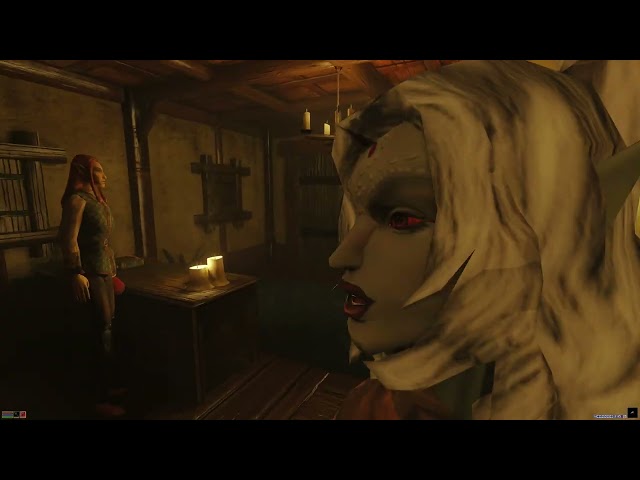 brittle juniper
small lily
https://youtu.be/KQCEYdIT988
brittle juniper
small lily
https://youtu.be/KQCEYdIT988
Damn. That might be my weather adjuster install messed up, idk
small lily
brittle juniper
Damn. That might be my weather adjuster install messed up, idk
fixing that should be pretty easy I guess with a reinstall
brittle juniper
@hexed verge here is Morrowind thread specifically, so we can keep general clean
small lily
like it should be "flawless" (subjectively) as demonstrated in the vid right out of the box i thought..
 hexed verge
brittle juniper
<@313166516960886784> here is Morrowind thread specifically, so we can keep gene...
hexed verge
brittle juniper
<@313166516960886784> here is Morrowind thread specifically, so we can keep gene...
I'm sorry 😬
brittle juniper
small lily
https://youtu.be/KQCEYdIT988
Do you have legacy fog remapping off?
small lily
brittle juniper
Do you have legacy fog remapping off?
I have it on. turning it off doesn't effect interiors though. just checked.
brittle juniper
Send me your rtx.conf, or is it the same as above?
small lily
brittle juniper
Send me your rtx.conf, or is it the same as above?
same as above. thats my latest

dust is off in that config though. but that shouldn't effect the fog. just had that off for captures
brittle juniper
and you can reproduce the same bug if you use my rtx.conf + weather_adjuster.json?
small lily
brittle juniper
and you can reproduce the same bug if you use my rtx.conf + weather_adjuster.js...
you better believe I can repro that.
 brittle juniper
small lily
you better believe I can repro that.
brittle juniper
small lily
you better believe I can repro that.
Thing is, the game (either WA or morrowind itself) is setting the fog to something very strong in the interiors. Think I can't balance the ideal outdoor lighting I'm going for and get nice looking interiors as well
uncut hawk
small lily
like..Normal operation should be that all interiors are loaded as default afaik....
Ok that looks insanely good with rtx remix
 exotic silo
uncut hawk
Ok that looks insanely good with rtx remix
exotic silo
uncut hawk
Ok that looks insanely good with rtx remix
Indeed, a full RTX remaster of this game would quickly become the most popular Remix outside of the HL2 project. I'm a noob but this does make me want to learn the tools to help with some of the more tedius work potentially.
small lily
brittle juniper
Thing is, the game (either WA or morrowind itself) is setting the fog to somethi...
after a good sleep...I think I remember that I messed this up similarly like this before when I tried making my own custom preset. I'm sure there's a solution though if the other presets work with remix like MGG Weathers Darker Nights.
hexed verge
I've gotten through the tutorial videos and successfully replaced a few textures and models. When using multiple captures will it create projects for each one or is there a way I can combine everything under one project? That would be the most useful since I've already ingested over 200 textures I upscaled 😅
scarlet sentinel
You mean, make multiple models and textures in one mod file?
Oh will it make more projects for each capture
Like a mod per capture
No
hexed verge
Ah no I guess I missed the Capture Layer list somehow. I wasn't sure how to use my other captures without leaving the project but I found the list
For a second I thought I would have to create a project per
scarlet sentinel
Yeah, just flip through those, that’s how ya do that, also, if you do make multiple mods, you can kind of merge them just by dropping one folder into another, but that can be finicky sometimes
hexed verge
Okay thank you, happy modding!
scarlet sentinel
you too
hexed verge
Hello everyone, sorry to keep spamming this thread. I have a couple questions, first, what should I set the flickering grey boxes to, to properly make them disappear? I was going to go down the line and see what worked but I don't want to cause a bug. Also I get a load size too big error when trying to load saves. Is there a hard memory limit in Morrowind I need to bypass to allow bigger textures and more geometry detail. Currently have most of the Hlaalu Foreign waistworks converted to use my models and it seems to render between 10-70 fps. My render settings are not optimized at all however.
 small lily
hexed verge
Hello everyone, sorry to keep spamming this thread. I have a couple questions, f...
small lily
hexed verge
Hello everyone, sorry to keep spamming this thread. I have a couple questions, f...
hide texture instance would be the best approach unless You also want it hidden from the toolkit. which in that scenario you'd want to just ignore it completely.
As to Your error; I don't think I've heard of "Load size too big". Are You sure it's not "Chunk Size too big"?
hexed verge
small lily
hide texture instance would be the best approach unless You also want it hidden ...
Yes it was chunk size too big
 small lily
hexed verge
Yes it was chunk size too big
small lily
hexed verge
Yes it was chunk size too big
I've never had this error before but I've heard of it. It usually means one of the expansions were installed in the wrong order or some other install issue.
try running MWSE-update in the game directory
might be a code patch thing as well...
do you have MCP installed?
 hexed verge
I did install the code patch, I can see if my load order is correct
small lily
Might be worth trying to run the Code patch again and make sure it says patches applied in the window.
hexed verge
small lily
Might be worth trying to run the Code patch again and make sure it says patches...
I re-ran the MCP again and that seemed to fix it! Thank you
small lily
hexed verge
I re-ran the MCP again and that seemed to fix it! Thank you
Nice, figured it was that . YW.
Depending on how you installed the game it might be worth while moving it to a different location on your computer if you haven't already. Just incase steam or something did something silly like silently verify the files in the backround and undo what MCP did to the exe..
hexed verge
small lily
Nice, figured it was that . YW.
Depending on how you installed the game it mig...
I think it reset when I tried to backup the morrowind files. The construction kit doesn't load with the d8 to d9 files so I was prepping for two saved locations. I opted for just dragging the files out when I want to use it 😅
small lily
hexed verge
I think it reset when I tried to backup the morrowind files. The construction ki...
That's weird. remix used to hook the ck just fine. give me a minute to check this out.
edit: yeah refuses to load with the remix dll now... well no big loss I guess wasn't very useful to run it with remix I found and always did just remove the remix dll when using it lately
 random hatch
Might be little OT, didn't read whole thread yet but someone asked for placing objects using physics. So here is the possibility https://github.com/Valounek/unrealMW
GitHub
Unreal Engine plugin for modding TES3: Morrowind. Contribute to Valounek/unrealMW development by creating an account on GitHub.
small lily
random hatch
Might be little OT, didn't read whole thread yet but someone asked for placing o...
Nah You're good. this is OT and looks very useful imo. Nice work!
alpine karma
Are the instructions in this readme https://github.com/svelle/rtx-remix-morrowind-config still the correct way to install this project?
Edit: It seems like that is not the latest and greatest way to do things.
GitHub
A repository for the RTX Remix config files to use with Morrowind - svelle/rtx-remix-morrowind-config
small lily
2 years ago https://www.youtube.com/watch?v=HgtP_hFYqxU
vs Today

 hexed verge
dramatic difference
small lily

Started trying to reverse engineer the culling off completely. Found the code I think now just need to figure out how to go from there. xoxor4d please save Me bro. I'll pay lol
hexed verge
I just recently started reading through the github partly because of the culling. Hopefully you find it out
I replaced one of the transparent faces on the hammock with a rope mesh and as soon as the original mesh is out of sight, it is culled away. Even with infinite fulstrum enabled. The code doesn't look too entirely complicated but there's so many different classes to read through. . .
small lily
~~Pretty sure I found the right functions in the decompiled code for the game's exe. Was almost too easy to find though so i doubt it. ~~ nope didn't work.
small lily
"The kind guard stationed on the dock outside said that He's sure I'd fit right in round here..."

 hexed verge
small lily
"The kind guard stationed on the dock outside said that He's sure I'd fit right ...
hexed verge
small lily
"The kind guard stationed on the dock outside said that He's sure I'd fit right ...
Better check that guard for skooma
small lily

 swift hull
I really need to install remix. That looks so good.
small lily


