#Per DM user backgrounds
1 messages · Page 1 of 1 (latest)
 minor gulch

 finite comet
not sure why but it isnt working with bigger images (i think)
like https://m.patchokki.art/m/mutatedeye-bsky-3kdzkgedlb22f-2.jpg

works with the default you provided but not this for some reason..
 foggy prism
finite comet
not sure why but it isnt working with bigger images (i think)
like https://m.pat...
foggy prism
finite comet
not sure why but it isnt working with bigger images (i think)
like https://m.pat...
it's probably the csp
I think there should be a button to allow it through the csp it in themes, but this is what i'm talking about
 finite comet
i did try using a discord url but it still didnt work for some reason
ok i ended up re exporting the image in gimp, apparently the colour space wasnt srgb
then i used the discord url for it
now it tiles, and im not sure how to get it to not do that
foggy prism
works fine for me after allowing it through the csp

press allow, then in the dialog, check the box, and press allow
 foggy prism
finite comet
not sure why but it isnt working with bigger images (i think)
like https://m.pat...
foggy prism
finite comet
not sure why but it isnt working with bigger images (i think)
like https://m.pat...
/* Custom dm/gc backgrounds (per person) */ /* make sure chat has avatar wrapper to exclude server chats*/
div[class^="chat_"]:has([class^="children_"] > div > div[class^="wrapper__"]) {
    /* Try commenting this out if you have a theme*/
    [class^="subtitleContainer"] > [class^="title_"], main[class^="chatContent_"]
    {background: transparent !important;}

    background-size: contain !important;

    /*Uncomment to specify custom textbar colors. v border                  v background*/
    /*.channelTextArea_f75fb0 {  background: #000000; div { background: #000000; } }*/

    /*                           Duplicate this part per user. v ID HERE                                 v URL HERE                                                         TINT HERE IF YOU WANT IT v */
    &:has([class^="children__"] [class^="avatar__"][src*="411305656231133194"]) {background: url("https://m.patchokki.art/m/mutatedeye-bsky-3kdzkgedlb22f-2.jpg"); &::before {background: rgba(0, 0, 0, 0.24);}}

    /* Tint*/
    position: relative;
    &::before {
        content: "";
        position: absolute;
        inset: 0;
    }
}
oh shoot, thank you!
ok now im just dealing with these issues
whatever weird slight gradient thing that is near the username, and the image tiling instead of being centered and fitting to the window
https://m.patchokki.art/m/08M.png
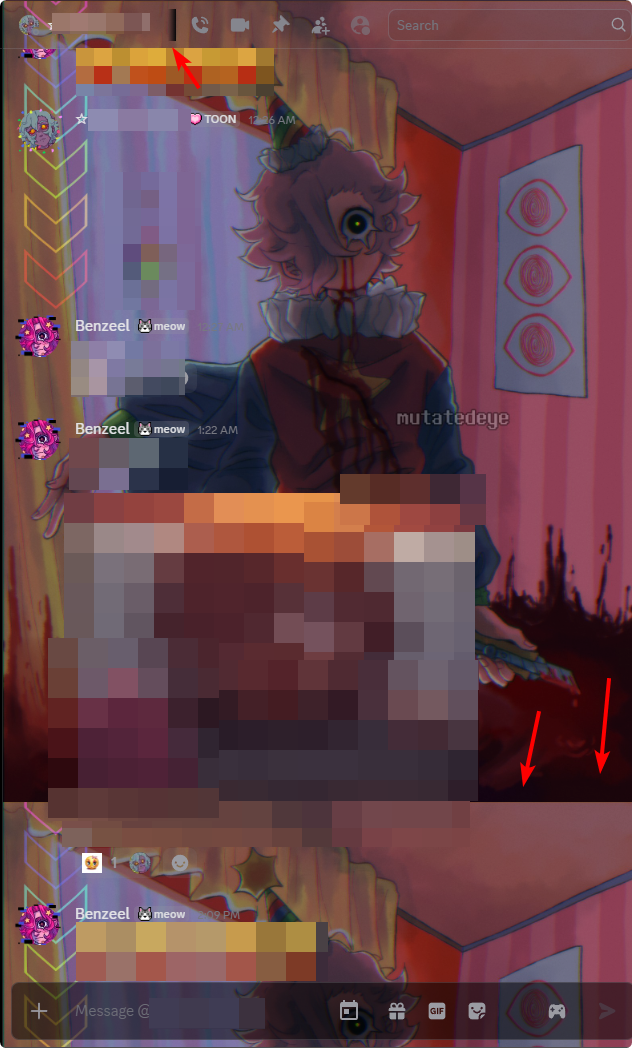
aaand also the emoji button is gone for some reason with the snippet
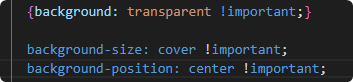
ok i fixed the tiling by changing the background-size from contain to cover, its un centered but i suppose thats ok
fixed
 frigid moat
finite comet
ok i fixed the tiling by changing the background-size from contain to cover, its...
frigid moat
finite comet
ok i fixed the tiling by changing the background-size from contain to cover, its...
I'll add this to the snippet, thank you!
frigid moat
minor gulch
mraww
finite comet
i tried to do it myself but i dont know css like at all so i failed to LOL
also something is making JUST the emoji button dissapear 🤔
frigid moat
finite comet
do you also think you can add a blurring to the image you set as well?
oh sure, that's just a couple more characters
here
frigid moat
finite comet
also something is making JUST the emoji button dissapear 🤔
maybe.. the cover setting im thinking
see if setting it back to contain fixes it
finite comet
didnt work :(
finite comet
ok this line causes it
.channelTextArea_f75fb0 { background: #0000002f; div { background: #20202000; }}``` finite comet
thats ok :3
im also getting this weird.. partial gradient thing next to the name
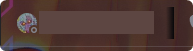
i have the black discord theme enabled since i dont like the default grey one
 autumn hull
better then light theme atleast
frigid moat
finite comet
https://m.patchokki.art/m/AFI.png
oh yes uh- that's a
gradient for if the display name is too long
i can fix that too, here to send this image

yeees that's totally the intended look discord
finite comet
yeah i kept having the issue where it blurred the whole chat or the tint instead of just the image LOL
i was at it for like an hour tryna figure it out, even looking at documentation for css n stuff (despite not really knowing how to code css at alll)
frigid moat
finite comet
i was at it for like an hour tryna figure it out, even looking at documentation ...
oh wow-
uh.. yeah no all-
holdyeah il
    /*                           Duplicate this part per user. v ID HERE                                 v URL HERE                                                         TINT HERE IF YOU WANT IT v                                v Blur*/
    &:has([class^="children__"] [class^="avatar__"][src*="155149108183695360"]) {background: url("https://cdn.discordapp.com/emojis/1258573513250570252.webp"); &::before {background: rgba(0, 0, 0, 0.24);  backdrop-filter: blur(10px);}}
id is from dyno
autumn hull
would it be posable to make this work for servers too
finite comet
frigid moat
```css
/* Duplicate this part per user. v ID HERE ...
HECK YEAH!!
this would be awesome to add to the snippit too but maybe with the blur set to 0px and add a comment pointing out thats where to change the blur
frigid moat
tho i have to- mention blur is quite expensive to have on that big of an element
so only use when specifically required, il have it commented out by default
finite comet
sounds good :3
frigid moat
autumn hull
would it be posable to make this work for servers too
mmm.. how would it act? per channel or per server?
finite comet
you could maybe add both? have one of the two commented out
autumn hull
i was thinking per server but id imagine some might want per channel controll
finite comet
im sure ppl would want both options available to them
finite comet
HEPL DISCORD JUST HIT ME WITH A NOTIFICATION BOMB OUT OF NOWHERE
IT RANDOMLY PLAYED A STUPIDLY LOUD NOTIFICATION SOUND
i think maybe being on canary isnt. such a good idea LOL
i think the audio got stuck and like 20 ping sounds played at the exact same time
finite comet
frigid moat
thank you guys for your feedback
mhm! no problem :D
 wind light
Didn't I do this lol
autumn hull
yep i dont currently have a need for this feature but i will at somepoint
frigid moat
wind light
Didn't I do this lol
hmm... i rember searching for it here and finding nothing
you can link it if you can find it
maybe il remove this one in favor of yours
frigid moat
wind light
https://discord.com/channels/1015060230222131221/1028106818368589824/13679166304...
lovely commit names
finite comet
wind light
https://discord.com/channels/1015060230222131221/1028106818368589824/13679166304...
this one also has custom images you can set and lets you have a little more control :3
err. not the one you sent but the one for this thread
frigid moat
im going to keep this snippet up as it serves a different purpose
but il link to yours
wind light
finite comet
err. not the one you sent but the one for this thread
Guess what, mine does the exact same
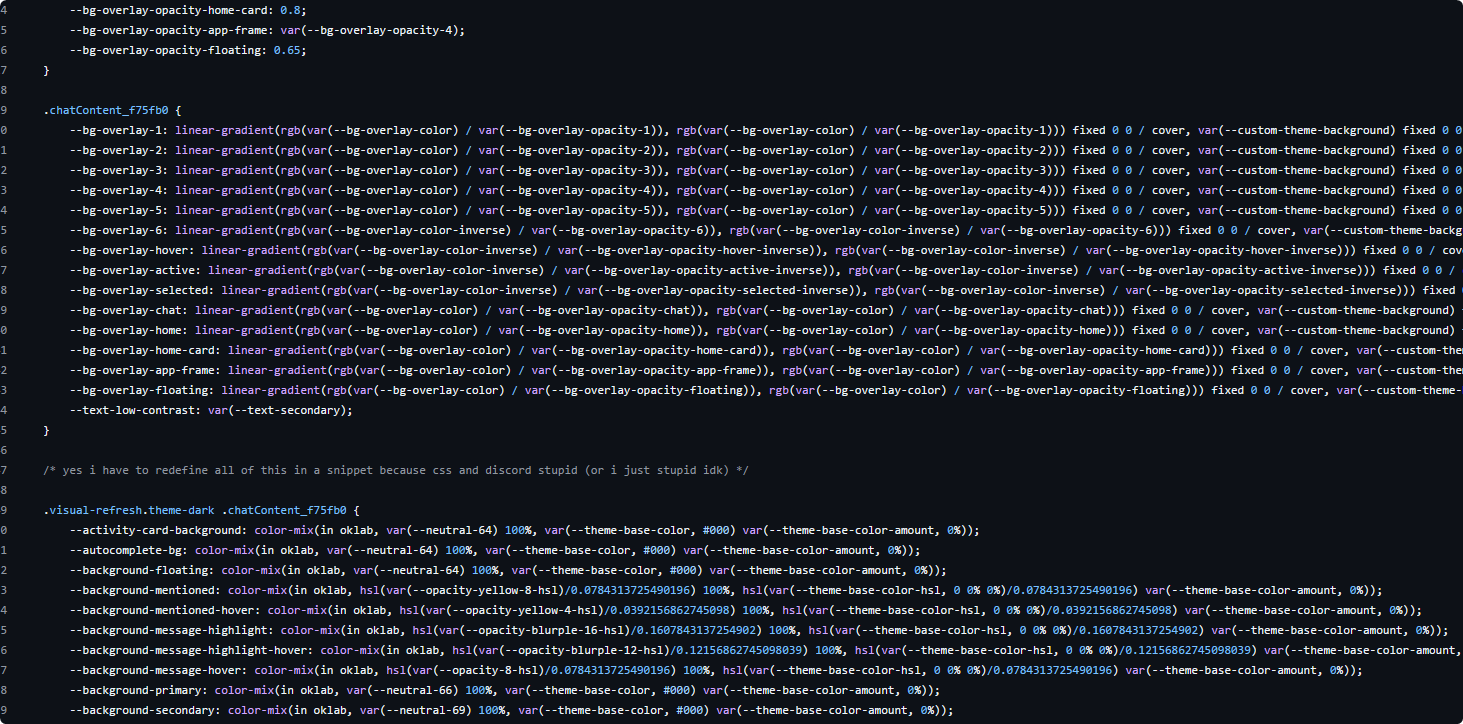
- adds support for custom nitro themes per-DM

 wind light
frigid moat
jeez- you also have a [lot of variables](<https://github.com/Blade04208/css/blob...
wind light
frigid moat
jeez- you also have a [lot of variables](<https://github.com/Blade04208/css/blob...
Just copying the DM wallpaper's defaults
wind light
frigid moat
<@1124341362955919371> is that sufficient? <:love:1384660104699445410>
Uh sure
frigid moat
love

@finite comet meow meow meow meow
sorry.. uhh
see the updated snippet
mhmm
frigid moat
meow:3
finite comet
ok one last thing, with the seamless chatbar snippet the little typing indicator that appears on top of the chatbar doesnt match the colour & transparency for the chat bar set in your snippet, is there anything that could be added that might fix this?
heres the link
i think this is the right thing
frigid moat
mmm
finite comet
this thaang
frigid moat
I'll be able to figure something out tomorrow probably
finite comet
 finite comet
frigid moat
I'll be able to figure something out tomorrow probably
finite comet
frigid moat
I'll be able to figure something out tomorrow probably
sounds good!! TYSM BTWW
finite comet
HEPL IT IS FOR ME TOO I DIDNT EVENM NOTICE OOPS
finite comet
so real..
frigid moat
finite comet
HEPL IT IS FOR ME TOO I DIDNT EVENM NOTICE OOPS
night night

or zoom zoom.. maybe
frigid moat
mmm... tuna
finite comet

finite comet
i have arrived
frigid moat
i was here to fix your earlier issue with the snippet not working- correctly
finite comet

frigid moat
    /*Uncomment to specify custom textbar colors.*/
    .channelBottomBarArea_f75fb0 { .channelTextArea_f75fb0, .channelTextArea_f75fb0 > div, &~.typing_b88801 > div
    { background: #ff0000; }}
@finite comet
bad css for you :3
free of charge
frigid moat
finite comet
https://nspc911.github.io/themes/vencord/RefreshedSeamlessChatBar.theme.css
for anybody concerned, this is for use with this snippet
and the css is partially bad because- each individual element dont have their own color, resulting in- uhh transparency layered over itself
being more dark than expected and stuff and incinsistent
finite comet
TYSM
frigid moat
meowmeow meow
finite comet
another thing i kinda wanted but was unsure of was the messages going underneath the chat bar
though since i have blur for the bg it might look weird to not have the chat bar look blurred too but im not sure 🤔
https://m.patchokki.art/m/If0.gif
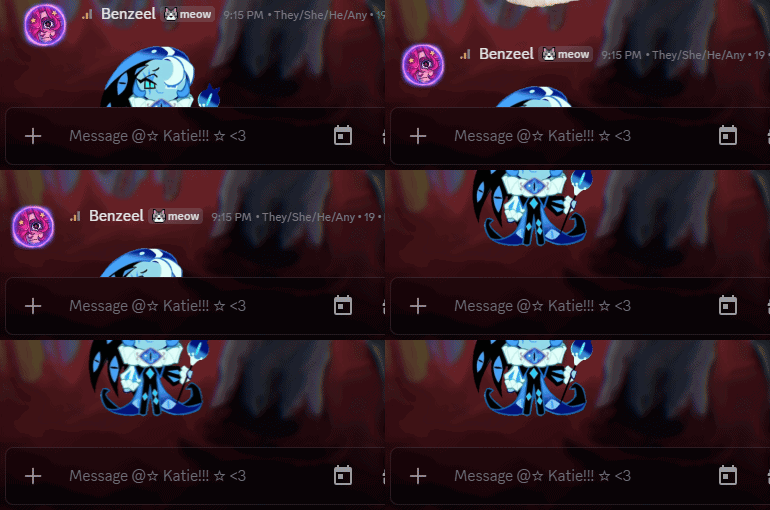
idk, up to you! :3
frigid moat
finite comet
another thing i kinda wanted but was unsure of was the messages going underneath...
boing boing boing boing
uhhhh-
finite comet
boing boing boing boing boing 
finite comet
tldr;
make messages show underneath the chat bar when scrolling thru messages (?)
maybe with a seperate blur thaang for its own backdrop to blur the messages scrolled under it
(which i know causes performance issues though i dont mind)
finite comet
i figured ya
itd probably complicated to do n stuff and also possibly cause performance issues 
just wanted to throw the idea out there
frigid moat
well- it would probably be possible
idk il see about it
thank you for the suggestiojn
🐈
finite comet
mhm! :3
frigid moat
mrauuu :3
 frigid moat
[class^="messagesWrapper__"] {
  position: static;
  [class^="scrollerSpacer__"] {height: 75px}
  &+form [class^="channelTextArea_"] {
    backdrop-filter: blur(2px);
  }
}
i didnt test this with anyting other than my theme
so lmk if it doesnt work
@finite comet
[class^="messagesWrapper__"] {
  position: static;
  [class^="scrollerSpacer__"] {height: 95px}
  &+form [class^="channelTextArea_"] {
    backdrop-filter: blur(4px);
    background: transparent;
    [class*="themedBackground__"] {
        background: #0004;
    }
  }
}
fixed
if the above one didnt work
finite comet
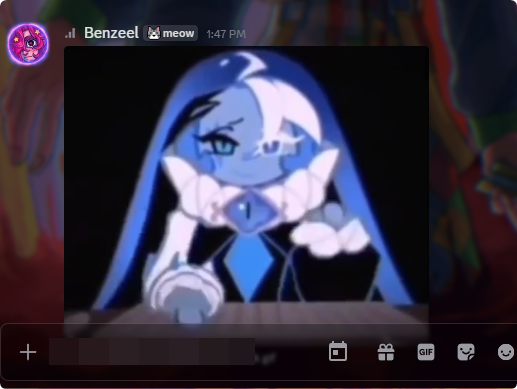
is there padding you can add so that the most recent message isnt always under the chatbar?
 frigid moat
oh :3
finite comet
doesnt seem to be doing anything
 finite comet
i changed the scroller spacer to 500px and it didnt do anything either
frigid moat
i bet you dont have inline chatbar
its an experiment they're gradually rolling out to everyone
finite comet
 finite comet
i also just removed the snippet temporarily

so i could see your messages, but thats what they look like
frigid moat
thats fine
frigid moat
il see this in a sec
finite comet
ok yeah it works without the seamless chatbar thaang
frigid moat
oh
finite comet
i wonder if its overriding any spacing
finite comet
frigid moat
try setting the thing to important
worked!
ok so i noticed while typing the chat bar gets taller which covers up the messages, i wonder if theres a way to push chat up with css when this is happening 🤔
frigid moat
finite comet
ok so i noticed while typing the chat bar gets taller which covers up the messag...
ah yeah il fix that in a sec
finite comet

frigid moat
finite comet
<a:hyper:1321885486679326720>
new css snippet incoming, upside down messagebar
 wind light
frigid moat
new css snippet incoming, upside down messagebar
wind light
frigid moat
new css snippet incoming, upside down messagebar
what the hell
frigid moat
for emotional reasons thats a joke
frigid moat
wind light
what the hell
also hey rabbit :3
(disabler)
what do you go by? for short
wind light
frigid moat
what do you go by? for short
blade
frigid moat
alright
finite comet
frigid moat
new css snippet incoming, upside down messagebar
HELP
finite comet
upside down discord
all elements flipped upside down and messages are in reverse order (you scroll down to view old messages and new ones are at the top)
thatd be CRAZY
frigid moat
i really could do that
finite comet
its not worth it </3
frigid moat
well.. in a way that is actually usable to someone who's used to it
if you just want upside down discord i can give you that in a heartbeat
oh im dumb
its not a filter its a transformation
html {transform: rotate(180deg); }```LOL
frigid moat
im great arent i
finite comet

frigid moat
@finite comet try this
form[class*="formWithLoadedChatInput_f75fb0"]
{ margin-top: -136px; }

div[class^="channelTextArea_"] {
  backdrop-filter: blur(20px); /* Configure blur amount here */
}

ol[class^="scrollerInner__"][data-list-id="chat-messages"]::after {
  display: block;
  content: "";
  position: relative;
  height: 120px;
}
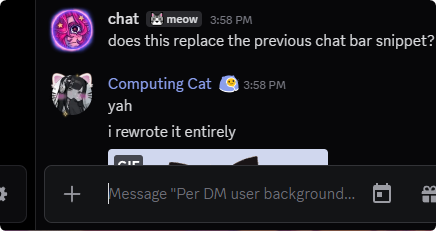
does this replace the previous chat bar snippet?

 finite comet

frigid moat
finite comet
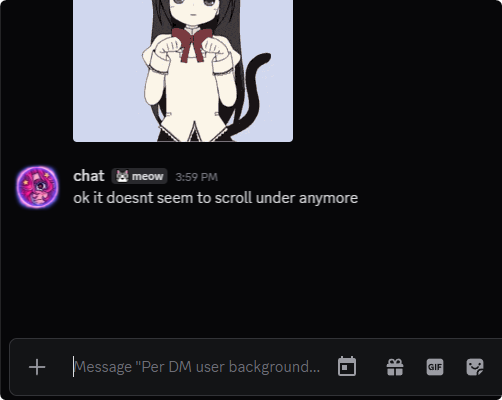
ok it doesnt seem to scroll under anymore
the issue is with the fact its not matching to the-
chatbar
for some reason
here.. could you try this one
.formWithLoadedChatInput_f75fb0
{ margin-top: -120px; }

.channelTextArea_f75fb0
{ backdrop-filter: blur(20px); }

.scrollerInner__36d07::after {
  display: block;
  content: "";
  position: relative;
  height: 120px;
}
oh- its not supposed to push the bar that much either
yeah
its supposed to look totally normal and also have the support for
ahh damn it it was local
hold on
it was working because i prototyped something
and- it doesnt reallly
.. i know why 😭
form[class*="formWithLoadedChatInput_f75fb0"]
{ margin-top: -136px !important;}

div[class^="channelTextArea_"] {
  backdrop-filter: blur(20px); /* Configure blur amount here */
}

ol[class^="scrollerInner__"][data-list-id="chat-messages"]::after {
  display: block;
  content: "";
  position: relative;
  height: 120px;
}
entire snippet so far:
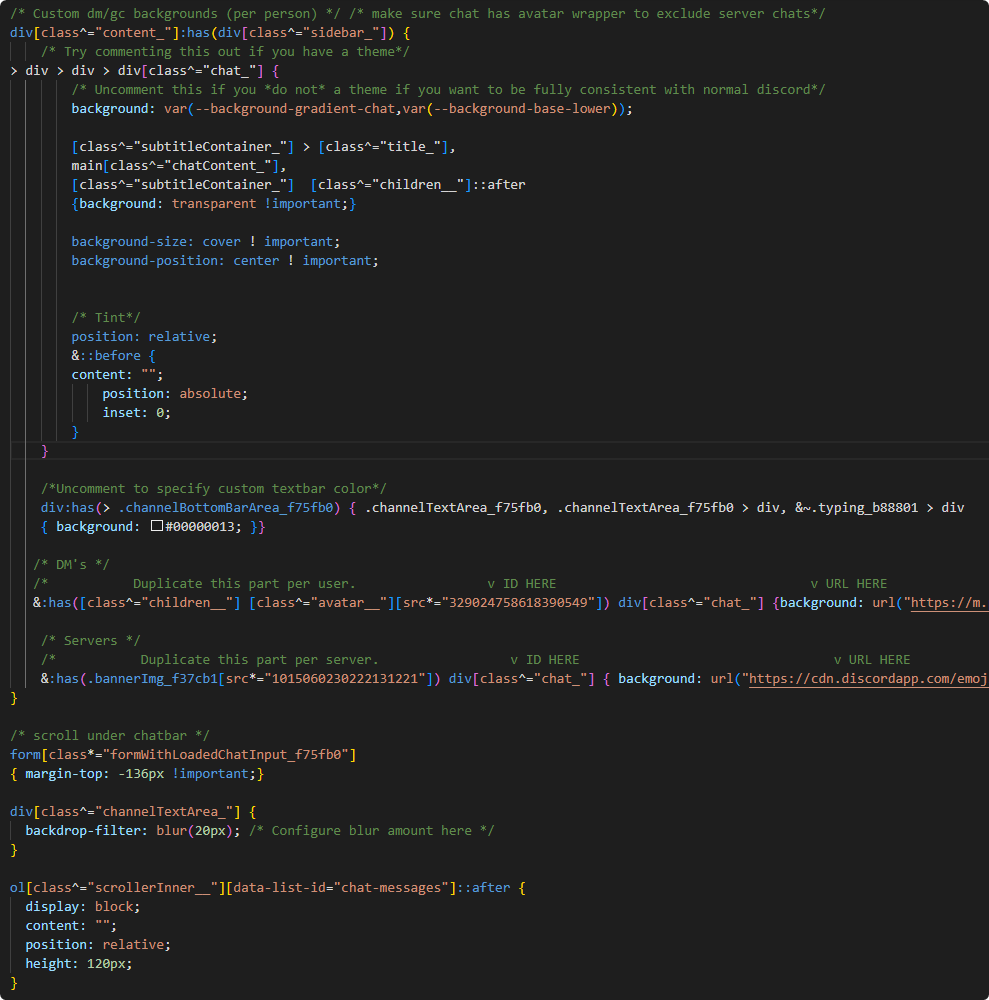
/* Custom dm/gc backgrounds (per person) */ /* make sure chat has avatar wrapper to exclude server chats*/
div[class^="chat_"]:has([class^="children_"] > div > div[class^="wrapper__"]) {
    /* Uncomment this if you *do not* a theme if you want to be fully consistent with normal discord*/
    /* background: var(--background-gradient-chat,var(--background-base-lower));*/
    /* Try commenting this out if you have a theme*/
    [class^="subtitleContainer_"] > [class^="title_"], main[class^="chatContent_"], [class^="subtitleContainer_"]  [class^="children__"]::after
    {background: transparent !important;}

    background-size: cover ! important;
    background-position: center ! important;

    /*Uncomment to specify custom textbar colors.*/
    /*.channelBottomBarArea_f75fb0 { .channelTextArea_f75fb0, .channelTextArea_f75fb0 > div, &~.typing_b88801 > div
    { background: #00000028; }}*/

    /*           Duplicate this part per user.                 v ID HERE                                 v URL HERE                                                         TINT HERE IF YOU WANT IT v                                v blur, use with caution of lag*/
    &:has([class^="children__"] [class^="avatar__"][src*="1177484931623026769"]) {background: url("https://cdn.discordapp.com/emojis/1276953704494268510.webp"); &::before {background: rgba(0, 0, 0, 0.527);  /*backdrop-filter: blur(2px);*/}}

    /* Tint*/
    position: relative;
    &::before {
        content: "";
        position: absolute;
        inset: 0;
    }
}

/* Chatbar scroll-under and blur */
form[class*="formWithLoadedChatInput_f75fb0"]
{ margin-top: -136px !important;}

/* Uncomment to configure blur amount here (can cause lag) */
/*div[class^="channelTextArea_"] {
  backdrop-filter: blur(20px);
}*/

ol[class^="scrollerInner__"][data-list-id="chat-messages"]::after {
  display: block;
  content: "";
  position: relative;
  height: 120px;
}
schwazam!!
frigid moat
finite comet
entire snippet so far:
```css
/* Custom dm/gc backgrounds (per person) */ /* ma...
i was gonna warn you that that's probably an id you didnt mean to reveal but its mine XD
yeah you shouldnt reveal my id uwu
its private info
finite comet
yea LOL i switched it out, same with the image
 leaden silo
not sure what's happening, but after changing the background 2 times it's stopped working entirely with all file urls
jpeg, png, those dont work anymore, user id doesnt do anything either
I deleted everything and pasted it back in quick CSS, won't work still
 leaden silo
maybe that's the issue
 finite comet
leaden silo
finite comet
leaden silo
Because I wanted a murder drones background but like, 3 of them won't work
finite comet
leaden silo
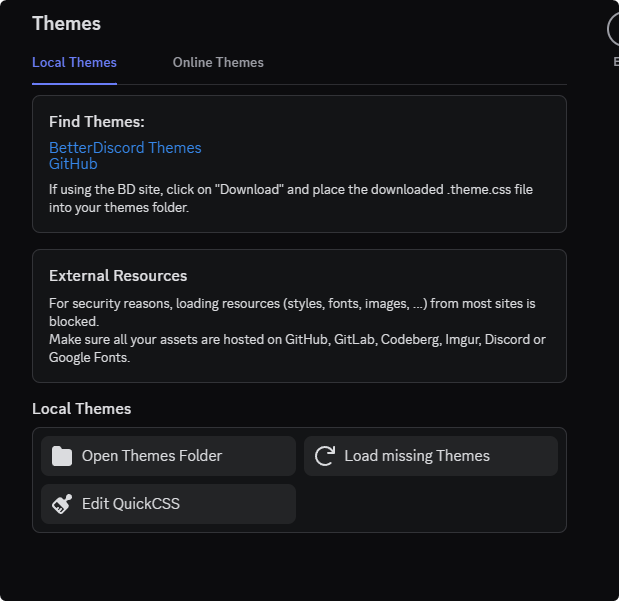
Im assuming it's not working because im using urls from online lmao
i had to go to themes in settings and allow the url after i added it to css
finite comet
np!
leaden silo

finite comet
BEASTARS
leaden silo

i also got it working finally
this is my first time using vencord so i didnt have any idea the urls would be blocked
finite comet
i didnt know either and ive used vencord for a long time LOL
someone else helped me
finite comet
fr 😭
leaden silo
but thank you 🫡
finite comet
np!! :3
frigid moat
glad you guys got it resolved :3
frigid moat
frigid moat
new css snippet incoming, upside down messagebar
i have bad news for everyone's mental health, everyone on the planet

it is done
and it cannot be undone
@wind light @finite comet
you get to see this too, why not @foggy prism
finite comet
HORROR
frigid moat
finite comet
HORROR
im tempted to make this half decent, and share it
leaden silo
frigid moat
i have bad news for everyone's mental health, everyone on the planet

you should share it lowkey
frigid moat
leaden silo
you should share it lowkey
holding this as a threat now
leaden silo

frigid moat
frigid moat
im tempted to make this half decent, and share it
im sorry everyone
 foggy prism
frigid moat
im sorry everyone
foggy prism
frigid moat
im sorry everyone
what's wrong with the button on the far right
wind light
frigid moat
im sorry everyone
Now this is a CSS crime
frigid moat
foggy prism
what's wrong with the button on the far right
one of my private broken snippets, might fix and send again later
frigid moat
wind light
Now this is a CSS crime
I'm spending more and more of my time making it better, tomorrow, the day of reckoning will be upon css snippets
finite comet
i now kinda want the server version of the snippet LOL
maybe you could add a bit that lets you also add servers to it
servers and channels
so instead of just copy pasting a bit for user ids
you could un comment and copy paste a server or channel id
frigid moat
finite comet
so instead of just copy pasting a bit for user ids
you could un comment and cop...
hmmm im taking this as "add server support"
this will be possible i think
finite comet

frigid moat
okay il start work
finite comet
YAY
 finite comet
hmmm
frigid moat
nevermind i made it even better
frigid moat
jumpscar
 frigid moat
finite comet
the members list is a bit funky
frigid moat
finite comet
the members list is a bit funky
allow me
finite comet
OOH another thing for the whole snippet is to invert the colours of the icons on the top bar and the chat bar incase ppl have a bright background like yours
frigid moat
finite comet
OOH another thing for the whole snippet is to invert the colours of the icons on...
thats why the tint is there
finite comet
hmm... u right
finite comet
🤔
finite comet
TYY
finite comet
had to copy paste this line:
/*Uncomment to specify custom textbar colors.*/
.channelBottomBarArea_f75fb0 { .channelTextArea_f75fb0, .channelTextArea_f75fb0 > div, &~.typing_b88801 > div
{ background: #00000028; }}
over the custom textbar colours to bring the blur back
 finite comet
meow
finite comet
frigid moat
<@411305656231133194>
ok this doesnt seem to work with dms now ;-;
finite comet
also heres the scroll under chatbar bit u might wanna add and allow to be uncommented
/* scroll under chatbar */
form[class*="formWithLoadedChatInput_f75fb0"]
{ margin-top: -136px !important;}

div[class^="channelTextArea_"] {
  backdrop-filter: blur(20px); /* Configure blur amount here */
}

ol[class^="scrollerInner__"][data-list-id="chat-messages"]::after {
  display: block;
  content: "";
  position: relative;
  height: 120px;
}
also i feel like this bit for the textbar is better cus i think it fixes the emoji issue n stuff
    /*Uncomment to specify custom textbar color.*/
    .channelBottomBarArea_f75fb0 { .channelTextArea_f75fb0, .channelTextArea_f75fb0 > div, &~.typing_b88801 > div
    { background: #00000028; }}
oh yes
frigid moat
finite comet
M
for some reason i thought it would have more issues
im not certain why
 frigid moat
oh i think i know why this issue exists
wait nope
no idea
lets see again
begin yapping
finite comet
YAP MODE ON!!!! IM SO YAP CORE!!!! IM YAP MODING!!! OH YEAH!!!!! DO YAPCORE!!
WEEE WOO WEEE YAYYY YUHHHHHH YUHHHH WEHEEE
MEOWGOOGAGAAA MEWHOOO
tell me when i can stop btw whenever u can :3
frigid moat
thank you
finite comet
ya :3
frigid moat
also you didnt have to yap for so long
finite comet
oh LOL
finite comet
</3
frigid moat
    div:has(> .channelBottomBarArea_f75fb0) { .channelTextArea_f75fb0, .channelTextArea_f75fb0 > div, &~.typing_b88801 > div
    { background: #00000054; }}
YAY
frigid moat
finite comet
to get dms to work i found i had to move the dms section down to the server section
frigid moat
finite comet
to get dms to work i found i had to move the dms section down to the server sect...
? that makes no sense
finite comet
then the chatbar tint only works in servers now
frigid moat
sorry give me a second.
finite comet
 frigid moat
yeah that officially makes no sense
finite comet
and if you move the server section to go above the tint section it stops working too
frigid moat
are you sure you're using the most up to date snippet?
finite comet
ok hold on
frigid moat
there's no issues on my end at all
frigid moat
finite comet
https://m.patchokki.art/m/Byh.png
yeah you're on an old version
finite comet
OK IT ALL WORKS NOW.
frigid moat
meow meow meow meow meow meow meow meow meow meow meow meow meow meow meow
cats at you
finite comet
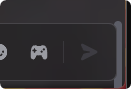
OH YEAH ONE LAAAST THING!! ok so the scroll bar with the scroll under chatbar snippet bit is kinda smushed against the chat bar, is there a way to thin the scroll bar a little?
 frigid moat
mmm
meow
bites the scroll bar
hmm
i could move the whole chatbar over a bit
oh- i lied
im a liar
there's issues
finite comet
maybe adding slight padding to the chatbar on one side or something idk LOL or make the scrollbar dissapear or shrink or something idk </3
frigid moat
if you scroll up it kind of
not- good
it looks very bad
fear not
this has turned into a small theme
finite comet
didnt seem to change anything for me

WAIT can you take the scrollbar element and make it so that its above the chatbar. so like it shrinks when the chatbar increases in size when typing lots of stuff
frigid moat
hm unfortunately the scroller is the same element that stores all of the content
finite comet
frigid moat
hm unfortunately the scroller is the same element that stores all of the content
THATS SO STUPIDDDD
 frigid moat
finite comet
THATS SO STUPIDDDD
frigid moat
finite comet
THATS SO STUPIDDDD
yeah thats how scrollers work unfortunately
finite comet
frigid moat
do you have 2 wrappers at the end
yes
frigid moat
then it was supposed to work
finite comet
🤔
finite comet
finite comet
🤔
ohp

squash one bug another one comes up </3
the replies r broken again too GRAHH
finite comet
they were fixed waay back when you made the blurred chatbar and reply thing
ooohhh i see
frigid moat
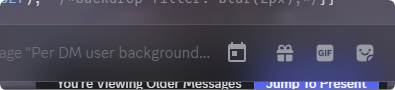
also i bet you didnt notice the fact that when you scroll up too much the return bar was under the message bar
 finite comet
I WISH I COULD CODE CUS ID DO ALL THIS MYSELF SO U DONT HAVE TO
frigid moat
its ok once im done with this last thing there shouldnt be much more problems
finite comet
id prolly also have this thaang be affected too and blurred like my chatbar
but honestly that might be good for a seperate snippet LOL
frigid moat
i hope..
 frigid moat
finite comet
id prolly also have this thaang be affected too and blurred like my chatbar
but...
frigid moat
finite comet
id prolly also have this thaang be affected too and blurred like my chatbar
but...
thats funny actually- i already have a thing for that
frigid moat
but uh
 frigid moat
but uh
frigid moat
frigid moat
but uh
you're not allowed to have it actually...
-# .popover_f84418 {background: 0 0; backdrop-filter: blur(10px);}
frigid moat
finite comet
https://m.patchokki.art/m/zYb.png
oh this must be because it has a blur effect
there's a long standing issue in chromium where if a parent element has backdrop blur all child elements will explode
il.. try to fix it
one thing at a time though
finite comet
sounds good :3
frigid moat
ven should actually commit ||look into what's causing this||
 finite comet
HELP 71 PERCENT CPU
frigid moat
i dont even have a bad processor
ryzen 5 5500
pretty sure its quarter 3 2022
yeah
 finite comet
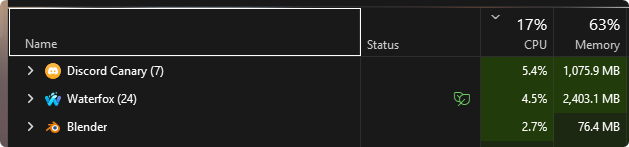 frigid moat
quarter 2 actually
finite comet
🤔
frigid moat
finite comet
https://m.patchokki.art/m/Rx2.png
yeah-
waterfox?
im not gonna judge you
finite comet
i have an intel core i9 9900k from like. 2019
finite comet
frigid moat
im not gonna judge you
i switched away from firefox cus im starting to like what theyre doing less
also apparently its just now getting more updates and the owner bought it back from. whatever company bought it idk
works well enough for me :3
frigid moat
i personally use thorium
 frigid moat
dont switch there's a vulnerability
finite comet
AHH
yea i just dont like anyhting based off chromium anymore
i gradually switched off
i went from chrome to opera gx to firefox to (recently) waterfox
frigid moat
firefox runs like crap and im tired of pretending it doesnt
finite comet
for me waterfox ran WAYYYY faster than normal firefox which is halarious to me LMAO
frigid moat
thats quite ironic
finite comet
i also have a LOT of user.js changes n stuff
finite comet
frigid moat
thats quite ironic
FR
i also have tampermonkey scripts to make youtube. run less awful LOL
and i think use less memory? unsure
frigid moat
didnt know those were a thing
finite comet
ya :3
finite comet
</3
frigid moat
thats what firefoxes engine is called right
finite comet
uhh i dont know lemme look
finite comet
🫡
frigid moat
mhm

at least this is fixed
not for you though
and- as a result not for me nessesarily
you should type
for like 3 seconds
finite comet
babababababababababababababababababababababababababa
finite comet
fdfdgfdfgfgddfggdfgdfgdfgdfdfgdfgdfdfgffddfdgfgdfgdfdgfgdfgdfdgfdfgdgfgdfdfggdfgfddgfgdfgdfgfdgfddfgdfgdfg
frigid moat
it'd take more work
finite comet
oh?
finite comet
what about it would?
frigid moat
mm well
id have to give the typing indicator its own- uh
backdrop filter
well i guess you're accepting that risk
finite comet
yeah sounds about right :( but im okay with that
i wish discord just had the seamless chatbar thing implemented by default cus it looks so much better
evil discord
frigid moat
oh that looks- wonderful
 finite comet
fonkayy
frigid moat
mm
well
i am unfortunately powerless against this
hope the seam in your seamless chatbar doesnt bother you that much
(irony)
finite comet
LOL yeah it was there last ime but i dont mind much
i think the way they made it look seamless is cus it was an overlay atop the chat bar to make the border look seamless
frigid moat
.typingDots_b88801,
div[class^="channelTextArea_"] {
  backdrop-filter: blur(20px); /* Configure blur amount here */
  background: #0004 !important;
  > * {background: 0 0 !important;}
}```your special version
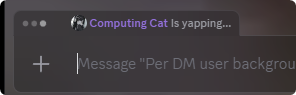 frigid moat
meeeeoooowwwwwwwwwwwwwwwwwww
finite comet
looks surprisingly seamless LOL
frigid moat
hmm... im a cat i believe
finite comet
mmyesss 
i think the only stuff left to do is:
scrollbar & little popups from commands and emoji suggestions
i suppose
then after that im just gonna send the full amalgam of all the css you did all put together incase anyone wants to use it for whatever reason LOL(im a freak)
frigid moat
i did a thing
 finite comet
YASSS
frigid moat
the seam in my seamless typing indicator is getting annoying
finite comet
oddly i dont really see it 🤔
i can juuuust barely see it, hmmm

i wonder if itd be easier to just nuke the "seamless" part and just have the backdrop be transparent so the typing indicator just appears above the chatbar on its own
frigid moat
finite comet
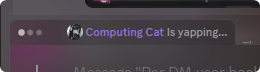
i can juuuust barely see it, hmmm
scroll up
 frigid moat
not in the slightest
frigid moat
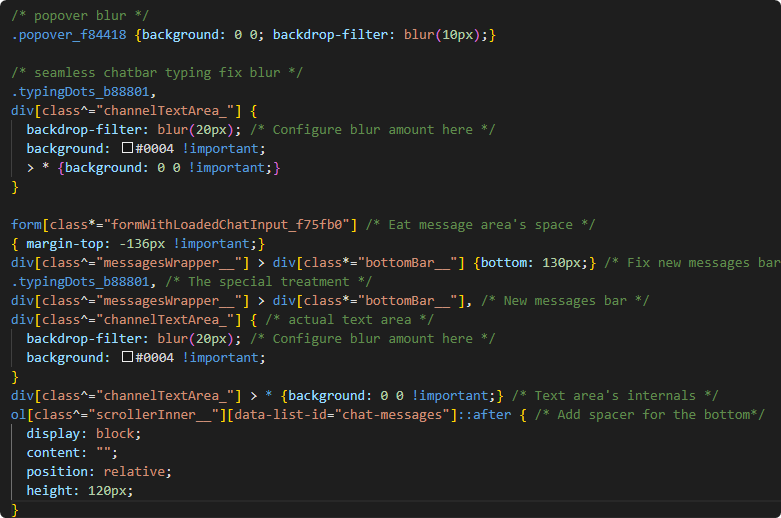
this should be your final snippet, other than the special treatment for the- message bar breaking your emoji list thing which im working on trust me
form[class*="formWithLoadedChatInput_f75fb0"] /* Eat message area's space */
{ margin-top: -136px !important;}
div[class^="messagesWrapper__"] > div[class*="bottomBar__"] {bottom: 130px;} /* Fix new messages bar*/
.typingDots_b88801, /* The special treatment */
div[class^="messagesWrapper__"] > div[class*="bottomBar__"], /* New messages bar */
div[class^="channelTextArea_"] { /* actual text area */
  backdrop-filter: blur(20px); /* Configure blur amount here */
  background: #0004 !important;
}
div[class^="channelTextArea_"] > * {background: 0 0 !important;} /* Text area's internals */
ol[class^="scrollerInner__"][data-list-id="chat-messages"]::after { /* Add spacer for the bottom*/
  display: block;
  content: "";
  position: relative;
  height: 120px;
}
oh- yeah actually thats not your fault it is

issue i never did this before is this
 finite comet
hmm
finite comet
frigid moat
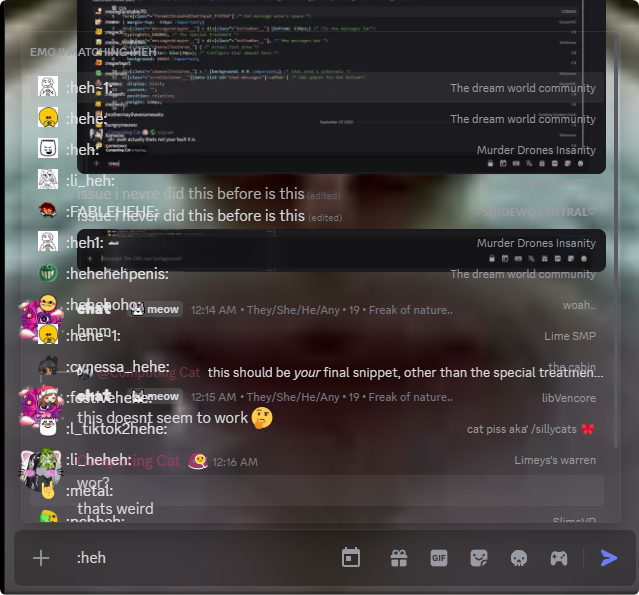
this should be *your* final snippet, other than the special treatment for the- m...
this doesnt seem to work 🤔
finite comet
 frigid moat
bweehh so sleepy
finite comet
same guhh
finite comet
 finite comet
oki!
frigid moat
form[class*="formWithLoadedChatInput_f75fb0"] /* Eat message area's space */
{ margin-top: -136px !important;}
div[class^="messagesWrapper__"] > div[class*="bottomBar__"] {bottom: 130px;} /* Fix new messages bar*/
.typingDots_b88801, /* The special treatment */
div[class^="messagesWrapper__"] > div[class*="bottomBar__"], /* New messages bar */
div[class^="channelTextArea_"] { /* actual text area */
  backdrop-filter: blur(20px); /* Configure blur amount here */
  background: #0004 !important;
}
div[class^="channelTextArea_"] > *:not(.autocomplete__13533) {background: 0 0 !important;} /* Text area's internals */
ol[class^="scrollerInner__"][data-list-id="chat-messages"]::after { /* Add spacer for the bottom*/
  display: block;
  content: "";
  position: relative;
  height: 120px;
}
better?
@finite comet
finite comet
i think discord should explode
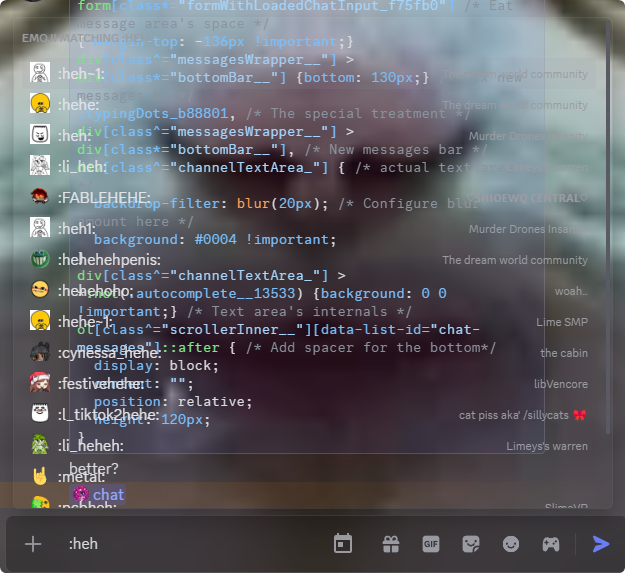
i wonder if im doing something wrong 🤔 im just pasting it in under everything so far
heres the WHOLE thing i have
/* Custom dm/server backgrounds (per instance) */
div[class^="content_"]:has(div[class^="sidebar_"]) {
> div > div > div[class^="chat_"] {
        /* Uncomment this if you *do not* a theme if you want to be fully consistent with normal discord*/
        background: var(--background-gradient-chat,var(--background-base-lower));

        /* Try commenting this out if you have a theme*/
        [class^="subtitleContainer_"] > [class^="title_"], main[class^="chatContent_"], [class^="subtitleContainer_"] [class^="children__"]::after, .wrapper_d852db, .wrapper_fc8177
        {background: transparent !important;}

        background-size: cover ! important;
        background-position: center ! important;

        /* DM's */
        /*           Duplicate this part per user.                 v ID HERE                                 v URL HERE                                                         TINT HERE IF YOU WANT IT v                                v blur, use with caution of lag*/
        &:has([class^="children__"] [class^="avatar__"][src*="fart"]) {background: url("https://m.patchokki.art/m/mutatedeye-bsky-3kdzkgedlb22f-2.jpg"); &::before {background: rgba(0, 0, 0, 0.527);  backdrop-filter: blur(10px);}}

        /* Tint*/
        position: relative;
        &::before { content: ""; position: absolute; inset: 0;}
    }

    /*Uncomment to specify custom textbar color.*/
    .channelTextArea_f75fb0, .channelTextArea_f75fb0 > div
    { background: #0000001c; }

    /* Servers */
    /* Duplicate this part per server.     v ID HERE                                                      v URL HERE                                                         TINT HERE IF YOU WANT IT v                                v blur, use with caution of lag*/
    &:has(.bannerImg_f37cb1[src*="1015060230222131221"]) div[class^="chat_"] { background: url("https://cdn.discordapp.com/emojis/1258573513250570252.webp"); &::before {background: rgba(0, 0, 0, 0.24); /*backdrop-filter: blur(10px);*/}}
}

/* scroll under chatbar */
form[class*="formWithLoadedChatInput_f75fb0"]
{ margin-top: -136px !important;}

div[class^="channelTextArea_"] {
  backdrop-filter: blur(20px); /* Configure blur amount here */
}

ol[class^="scrollerInner__"][data-list-id="chat-messages"]::after {
  display: block;
  content: "";
  position: relative;
  height: 120px;
}

/* popover blur */
.popover_f84418 {background: 0 0; backdrop-filter: blur(10px);}

/* seamless chatbar typing fix blur */
.typingDots_b88801,
div[class^="channelTextArea_"] {
  backdrop-filter: blur(20px); /* Configure blur amount here */
  background: #0004 !important;
  > * {background: 0 0 !important;}
}

form[class*="formWithLoadedChatInput_f75fb0"] /* Eat message area's space */
{ margin-top: -136px !important;}
div[class^="messagesWrapper__"] > div[class*="bottomBar__"] {bottom: 130px;} /* Fix new messages bar*/
.typingDots_b88801, /* The special treatment */
div[class^="messagesWrapper__"] > div[class*="bottomBar__"], /* New messages bar */
div[class^="channelTextArea_"] { /* actual text area */
  backdrop-filter: blur(20px); /* Configure blur amount here */
  background: #0004 !important;
}
div[class^="channelTextArea_"] > *:not(.autocomplete__13533) {background: 0 0 !important;} /* Text area's internals */
ol[class^="scrollerInner__"][data-list-id="chat-messages"]::after { /* Add spacer for the bottom*/
  display: block;
  content: "";
  position: relative;
  height: 120px;
}
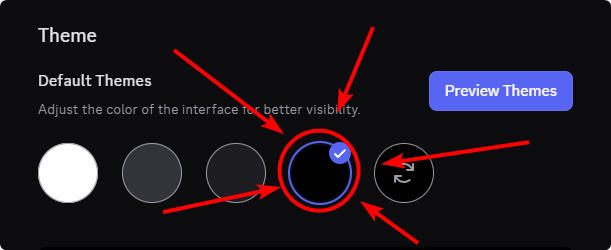
what the hell lmao
does your theme change the color of that thing normally?
finite comet
its the default discord complete. black fartball theme
finite comet
i dont know what its called </3
finite comet
 frigid moat
finite comet
https://m.patchokki.art/m/FxZ.png
frigid moat
finite comet
https://m.patchokki.art/m/FxZ.png
I should make you a CSS snippet that puts a fartball in that theme circle
what that means? how that looks like? you'll see
you'll all see
frigid moat
Default discord complete black fartball theme
after years of mind numbing work, ive worked free to bring you all this!
/* Default discord complete black fartball theme */
.themeSelection__36dee.midnightIcon__36dee::before {
    position: absolute;
    content: "";
    inset: 10px;
    background: url(https://cdn.discordapp.com/emojis/1421498028275142756.webp?size=128&animated=true);
    background-repeat: no-repeat;
    background-size: contain;
    background-position: center;
}

.app_a3002d:has(.themeSelection__36dee.midnightIcon__36dee:hover)~.layerContainer__59d0d .tooltipContent__382e7 {
    font-size: 0px;
    position: relative;
    width: 80px;
    &::before {
        position: absolute;
        inset: 0;
        content: "Black fartball";
        font-size: 16px;
        text-align: center;
        line-height: 200%;
    }
}
/* End default discord complete black fartball theme */

@finite comet
 frigid moat
finite comet
<:fartball:837771794034982942>
this is fartball
frigid moat
finite comet
<:fartball:837771794034982942>
this is fartball
actually i kind of like this

this looks kind of cool
i actually really like that
and unlike the normal behaviour it actually looks normal
finite comet
:ooo
finite comet
frigid moat
# Default discord complete black fartball theme
after years of mind numbing work...
LOLLLL
finite comet
frigid moat
and unlike the normal behaviour it actually looks normal
as long as the most relevant emoji is still near the top of the list 🤔
finite comet
frigid moat
# Default discord complete black fartball theme
after years of mind numbing work...
ITD BE SO FUNNY IF YOU PUT THIS IN THE SNIPPETS CHANNEL LOLL
frigid moat
finite comet
ITD BE SO FUNNY IF YOU PUT THIS IN THE SNIPPETS CHANNEL LOLL
I should make it have a black fartball as the chat bg
frigid moat
finite comet
as long as the most relevant emoji is still near the top of the list 🤔
it's still fully functional
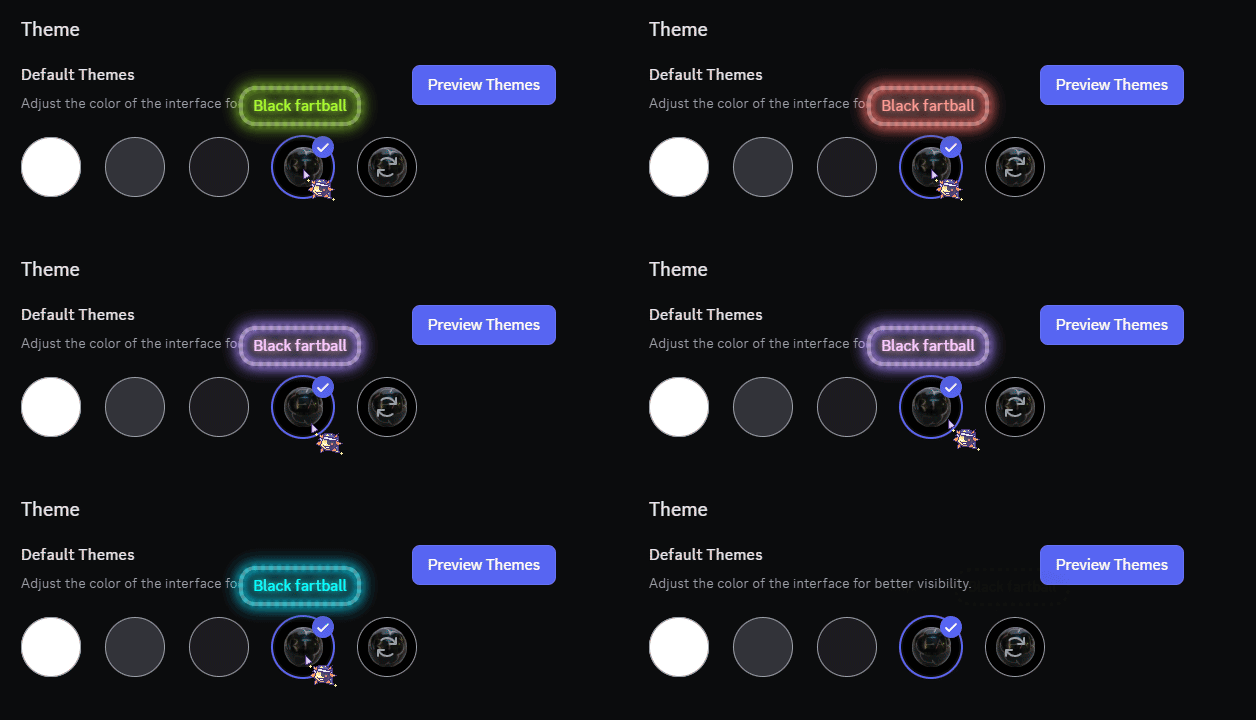 frigid moat
finite comet
https://m.patchokki.art/m/RVV.gif
frigid moat
finite comet
https://m.patchokki.art/m/RVV.gif
fa rt
finite comet
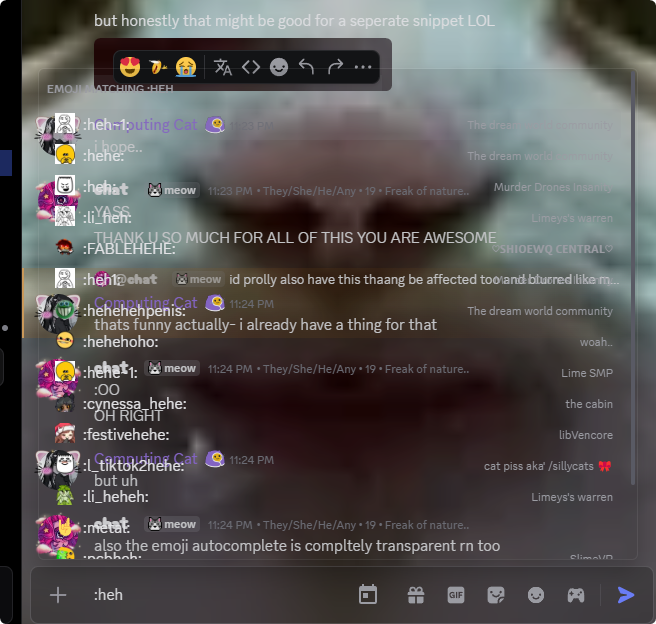
any progress on the fixed emoji suggestions background thingymajig? :3
i think that & the funky scrollbar is about all thats left 🤔 (unless im wrong)
HELP WHAT IS THIS

its watching me..
frigid moat
finite comet
any progress on the fixed emoji suggestions background thingymajig? :3
oh- right
idk you can have this indev snippet
form[class*="formWithLoadedChatInput_f75fb0"] { margin-top: calc(-16px - 60vh) !important;} /* Eat message area's space */
div[class^="messagesWrapper__"] > div[class*="bottomBar__"] {bottom: calc(60vh + 28px);} /* Fix new messages bar*/
.typingDots_b88801, /* The special treatment */
div[class^="messagesWrapper__"] > div[class*="bottomBar__"], /* New messages bar */
div[class^="channelTextArea_"]::before { /* actual text area */
  backdrop-filter: blur(0px); /* Configure blur amount here */
  background: #0004 !important;
}
div[class^="channelTextArea_"] { /* actual text area overrides */
  position: relative;
  background: transparent !important;
  &::before { content: ""; position: absolute; inset: 0; border-radius: inherit; }
  > * { position:static;}
  > div[class^="stackedBars__"], > [class^="characterCount__"] { position:  relative;}
}

div[class^="channelTextArea_"] > * {background: 0 0 !important;} /* Text area's internals */
ol[class^="scrollerInner__"][data-list-id="chat-messages"]::after { /* Add spacer for the bottom*/
  display: block;
  content: "⚠ That wasnt supposed to happen, please report this to @computer.cat. ⚠"; color: white; font-size: 200%; text-align: center; line-height: 110vh;
  position: relative;
  height: 60vh;
}
no scrollbar yet
im trying to- figure that out though
finite comet
oki!! TYYYY
oh wait ok so i realize by having the emoji completer at the bottom means that while you are typing out emojis, the chat bar moves up and down which makes it a little jarring while seeing what you have typed so far
frigid moat
yeah- i know
i could- maybe see if i could make the size changes have a transition
would that be better?
finite comet
hmmmm maybe? but having an option maybe to just have it on top might be good too
frigid moat
i dont currently feel like restoring the default behaviour
finite comet
oki
finite comet
hmm
frigid moat
oh wait no i should have everything done already probably
yeah its not that much work
frigid moat
finite comet
so theres no way to force it to the top or the msg bar to the bottom?
uh- basically i came across the emoji and command parenting thing just as i was fixing it and thought id keep it
reason i was doing it even tho the fix was quite simple was so that i could make it look better
and i thought what other way could i do that other than keeping that in the bar
finite comet
i see..
frigid moat
idk i may do it later today and if i dont
uhh remind me tomorrow the same time it was 6 hours before now? idk if that makes sense
finite comet
🫡
 dark orchidBOT
Alright @frigid moat, in 18 hours: ballfart the third: homecoming
finite comet
oh shoot also the server bgs arent working again
maybe the selector is wrong?
maybe this is a canary skill issue </3
frigid moat
finite comet
oh shoot also the server bgs arent working again
again?
i dont recall that happening
can you picture?
finite comet
yeah i forgot to say that they werent working since yesterday
finite comet
lemme just temporarily send the whole thing
frigid moat
put that on my todolist
oh you
you're supposed to replace- i mean ig that works
if it does
finite comet
hepl replacewhat </3
frigid moat
these look similar dont they

 finite comet
i havent been paying too much attention to that very well cus ive been so sleepy recently 😔
finite comet
🫡
frigid moat
Pastebin
Pastebin.com is the number one paste tool since 2002. Pastebin is a website where you can store text online for a set period of time.
@finite comet
password is something i would say
sometimes
 finite comet
im in 🫡
frigid moat
okay
finite comet
ok it has been transplanted :3
frigid moat
lmk if i broke something
finite comet
ohh oki, i didnt catch that, since it looked pretty much how i set it LOL
frigid moat
x3
finite comet
YAY fixed
TYSM
i was abt to say that dm backgrounds r broken
then
i realized
my image host server has shidded
</3
finite comet
while trying to upload a compose.yaml to my image host / storage server
trying to modify the bluesky pds docker compose file
frigid moat
i didnt get a word of that
other than image host and storage server
oh- i just remembered
finite comet
tldr;
my bluesky data server has been brokie cus stuff is being doo doo (i gotta go and mess with the docker container)
while uploading a file to my storage server. something shidded and idk what.
i thiiink i fixed it
ya i did
ok time to slave away screwing with the install file for the bluesky data server so that it doesnt conflict with my reverse proxy
frigid moat
@finite comet
#1420603427246833775 message
check that out
i think you might like it
finite comet
:O ty!
finite comet
@frigid moat
I HAVES A BUG
frigid moat
bweh
finite comet
to reproduce, snap discord to half your monitor (half width) and paste this link (or anything long) :

Casey Primozic's Notes
I’ve recently set up a Bluesky Personal Data Server (PDS) to store the data for my Bluesky account. I wanted to host it on my server alongside the many other web apps, databases, and many other services. I additionally wanted to use my top-level domain as my handle.
I started out following the install guide on the official PDS repo and it ...
frigid moat
oh yeah i know
finite comet
it launches the chatbar up and it doesnt properly fix itself unless you restart the client
frigid moat
i cant fix that im pretty sure its a chromium bug
finite comet
frigid moat
im considering playing an animation that resets the size once in a while
finite comet
bwaaa
frigid moat
@finite comet have a new indev snippet
/* Indev transparent messagebox */
form[class*="formWithLoadedChatInput_f75fb0"] { margin-top: calc(-16px - 60vh) !important;} /* Eat message area's space */
div[class^="messagesWrapper__"] > div[class*="bottomBar__"] {bottom: calc(60vh + 28px);} /* Fix new messages bar*/
.typingDots_b88801, /* The special treatment */
div[class^="messagesWrapper__"] > div[class*="bottomBar__"], /* New messages bar */
div[class^="autocomplete__"], /* Emojis and stuff */
div[class^="channelTextArea_"]::before { /* actual text area */
  backdrop-filter: blur(10px); /* Configure blur amount here */
  background: #0004 !important; /* Comment out if you have a theme */
}

div[class^="channelTextArea_"] { /* actual text area overrides */
  position: relative;
  background: transparent !important;
  &::before { content: ""; position: absolute; inset: 0; border-radius: inherit; } /* Set up blur */
  > * { position:static;} /* Fix some stuff */
  > div[class^="stackedBars__"], > [class^="characterCount__"] { position:  relative;} /* Override reply bar and character count position */
  > [class^="autocomplete__"] { position: absolute; } /* Override commands and emoji menu format */
  > *:not([class^="autocomplete__"]) {background: 0 0 !important;} /* Text area's internals excluding emojis and commands */
}

ol[class^="scrollerInner__"][data-list-id="chat-messages"]::after { /* Add spacer for the bottom*/
  display: block;
  content: "⚠ That wasnt supposed to happen, please report this to @computer.cat. ⚠"; color: white; font-size: 200%; text-align: center; line-height: 110vh;
  position: relative;
  height: 60vh;
}
/* End indev transparent messagebox */
il publish this if i figure out the size thing
dark orchidBOT
@frigid moat, <t:1759111466:R>: ballfart the third: homecoming
frigid moat
blehh im already done
foggy prism
dark orchid
<@1177484931623026769>, <t:1759111466:R>: ballfart the third: homecoming
wtf
finite comet
LOL
finite comet
frigid moat
blehh im already done
im gonna slap this onto the end of everything else incase anything needs to be added or removed so i dont have to keep doing css surgery  meow
meow
ok i removed the previous visibly matching stuff
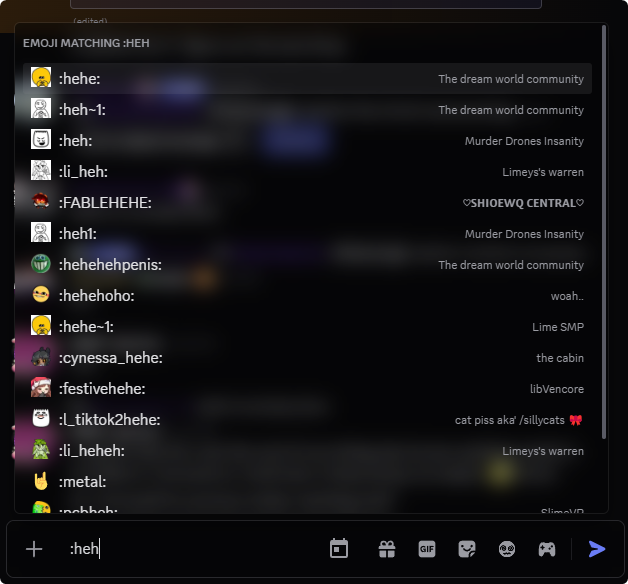

frigid moat
yeah that's the issue with splicing stuff
frigid moat
finite comet
https://m.patchokki.art/m/F2b.png

finite comet
HEPL LMAO THE SCROLLBAR IS SO LOW DOWN YOU CANT SEE IT TILL U SCROLL UP
finite comet
its ok :3
frigid moat
someone complained you can't see all the way through the emoji menu and i was like
finite comet
doesnt bother me, just thought it was funny
frigid moat
oh okay
finite comet
btw for some reason the snippet still doesnt work for servers
ive tried inserting the id for the server AND channel
dms work perfectly though :D
thank you sosososoososoosososos much for working so hard on this just for some goof (me)


 frigid moat
finite comet
btw for some reason the snippet still doesnt work for servers
frigid moat
finite comet
btw for some reason the snippet still doesnt work for servers
hmmn
let me glance over your setup
finite comet
frigid moat
<:venniepat:1216969340033699881>
🫡
frigid moat
dont send it
finite comet
i can dm you it if thats better :3
frigid moat
yeah think it might be
finite comet
sent a frq so i can :3
frigid moat
@finite comet continue here possibly
finite comet
oki
frigid moat
oh actually i just realized this makes per-channel backgrounds really possible
finite comet
YAY
finite comet
maybe mention in the comment that its bad for performance and if they wanna use just dm backgrounds they can comment it out?
frigid moat
hmm
issue is the changes i had to make to the base of the theme make it worse by their own
so id have to have 2 snippets
finite comet
true..
ppl may like that
makes it a lot more modular and gives ppl more of an option
esp if they wont be using both
so either both seperate
or both seperate plus a combined version
though that should maybe be after all changes are made and most stuff has been fixed / addressed
frigid moat
like for example this is the selector for a single server in full
div[class^="content_"]:has(div[class^="sidebar_"]):has(li[class^="containerDefault_"] [class^="link__"]:has([class^="linkTop__"])[href^="/channels/1015060230222131221"]) div[class^="chat_"]
finite comet
oh wow
frigid moat
3 has in a single selector is craaazy
2 has
because apparently you cant do the other way
well
let me trim it down a tinge and il have it for you

hmm..
yes
of course- why would i share a server in the server im trying to type in
oh-
because
discord converted my tab characters into space characters
making the message go over the limit
finite comet
so real
finite comet
doesnt work :(
finite comet
except. im on ptb now </3
frigid moat
finite comet
i think dickord just hates me
NEW SNIPPET!!!
dickord! ive worked for years to bring you this-
finite comet
frigid moat
# NEW SNIPPET!!!
dickord! ive worked for years to bring you this-
NOOO
ok doesnt work on stable either
finite comet
idk wanna have a look at my stupid snippets again? </3
frigid moat
yeaaaahhh sure
send it over
dms of course
@everynyan false alarm
the instructions were unclear
for the server/channel version you have to do uh
[href^="/channels/{{SERVER_ID}}/{{CHANNEL_ID}}"])
channel id was optional
finite comet
ohp. ok channel selection doesnt seem to work, still targets entire server
for me at least
odd
poop
it looks like it should work 😭
ohhh well good enough
frigid moat
finite comet
ohp. ok channel selection doesnt seem to work, still targets entire server
that's weird maybe the IDs are somehow different
ohh... by
channel is optional I mean server part is required
so if you want to Target a channel you need both server id and channel I'd after it
with a slash in the middle
seperating them
finite comet
i did that!
finite comet
nope
frigid moat
I'll figure it out one second or the next
finite comet
oki
frigid moat
i just realized yeah i did a stupid
finite comet
oh?
finite comet

 frigid moat
finite comet
oh?
frigid moat
finite comet
oh?
yeah I was only looking for a channel
not for a selected channel
I'll fix it
once I get back from school
finite comet
oki :3
finite comet

slight issue where there is a 1px gap above the channel. name bar thing


blak instead of transpoopnt for some reason
frigid moat
finite comet
blak instead of transpoopnt for some reason
hm, it's not exactly transparent normally either
it's just matches the background color
I can't exactly fix that
frigid moat
finite comet
https://m.patchokki.art/m/C8h.png
hmm I never had that
also sorry I forgot about it
finite comet
its ok :3
finite comet
frigid moat
I can't exactly fix that
hmm... i see
finite comet
after i finish that 3d model im working on for a commission i must lock in and learn css :3
cus i wanna hepl add fixes to snippets i like, like yours :3
finite comet
added
border: 1px solid #292929;
here: https://m.patchokki.art/m/czO.png
and fixes the 1px gap above the channel looking odd


added
/*topbar darkening */                        /* uncomment to enable subtle blurring*/
.subtitleContainer_f75fb0 {background: #0000003d; /*backdrop-filter: blur(5px);*/}
to slightly darken the top bar and blur it slightly to separate it from the rest of the chat
added
/* topics / summaries blur */
.topicsPillContainer__0f481 { background: #00000054;  backdrop-filter: blur(10px) !important;}
``` to blur the summaries bar if presenti have so many blur filters LOL
my discord lags like hell in forums but works smoothly in channels or dms
im fine with that though
finite comet
/* fix attatchment bar background transparency */
.visual-refresh
.form_f75fb0 {
    .channelAttachmentArea_b77158 {
        background-color: transparent;
    }
}
.upload_aa605f {background: #0000003d;}
.wrapper_f7ecac {background: #00000065; backdrop-filter: blur(10px);}
/* transparent emoji gif and sticker picker */
.wrapper__4e6ce {background: #0000009a;}
.contentWrapper__08434 {background: #0000009a; backdrop-filter: blur(10px);}
.diversitySelectorOptions_a45a2a, .gifFavoriteButton__43deb {background: #00000067; backdrop-filter: blur(10px);}
.wrapper__14245, .inspector_aeaaeb, .container_fed6d3, .emojiPickerHasTabWrapper_c0e32c .categoryList_c0e32c, .wrapper__4e6ce.categoryList__3ad28, .header_fed6d3, .categoryItemDefaultCategory_b9ee0c, .header__8ef02 {background: transparent;} /* give elements transparency */
.unicodeShortcut_b9ee0c, .standardStickerShortcut__3ad28 {position: relative;} /* prevent emoji sidebar icons and servers from rendering under bottom bar */
.categoryItemDefaultCategorySelected_b9ee0c, .firstPartyCategorySelected__3ad28, .stickerCategoryGenericSelected__3ad28, .stickerCategory__3ad28 {background-color: #00000046;} /*emoji sidebar item selected */
.categoryItemDefaultCategorySelected_b9ee0c:hover, .firstPartyCategorySelected__3ad28:hover, .stickerCategoryGenericSelected__3ad28:hover, .stickerCategory__3ad28:hover {background-color: #52525260;} /* emoji sidebar hover */
.emojiItem_fc7141.emojiItemSelected_fc7141, .emojiItem_fc7141.expandCollapseButtonSelected_fc7141, .stickerInspected_c6367b .inspectedIndicator_c6367b {background-color: #00000046;} /* sticker and emoji hover */```/* fix chat date divider text background */
.content__908e2 {background: transparent; backdrop-filter: blur(2px);} /* add blur to "hide" the divider behind the text */```my use of blur is abhorrent
 barren forge
finite comet
added
```css
border: 1px solid #292929;
```
here: https://m.patchokki.art/m/czO...
barren forge
finite comet
added
```css
border: 1px solid #292929;
```
here: https://m.patchokki.art/m/czO...
I've noticed that setting the border to 0px fixes the top space problem without adding any padding on the bottom and the sides of the chat
finite comet
i see...
barren forge
will there be a fix for this css? the new discord update's class changes really broke everything 😭
barren forge
yeah 😭 ruined like, most if not all Custom CSS
did try to use the provided conversion tool from #theme-support, however it did nothing on this snippet
autumn hull
I think this is the fix it was the fix for a different CSS fix
change them all from [class^="name_"] to [class*="-name"]
Credit to obsidian
barren forge
thanks a lot! this works quite well
a few issues on icons and the chat date divider doesn't work, I'll check if I replaced more than I should've or if some of my broken css is interferring
the issue under the chat bar solely happens in channels. DMs look the same they used to

using the classupdater did fix the Chat Date Divided add-on;
 muted sable
is there a quick css? idrk how to do this
muted sable
nvm i did it but its not working
finite comet
its currently a bit broken, you can useeee
finite comet
autumn hull
I think this is the fix it was the fix for a different CSS fix
change them all f...
this
to fix it manually
though there is a bug with the emoji buttons having a portion of the background at the moment
might try to figure out a fix or ask cat abt it later on
barren forge
yeah, the buttons and the bottom of the chat are affected by the background wrapping vertically
interestingly this only happens in servers, dms are unaffected by this issue
finite comet
yeah :(
its an issue with the slector im pretty sure
but im not smart enough to make a better selector that doesnt do that
additionally, with the transparent message bar snippet cat made for me, when someone is typing, the background tiles starting from the top of the char bar IF you are scrolled up a little bit
definitely a little infuriating
/* Custom dm/server/channel backgrounds (per instance) */
div[class*="-content"]:has(div[class*="sidebar"]) {
> div > div > div[class*="-chat"] {
        /* Uncomment this if you *do not* want to be fully consistent with normal discord*/
        background: var(--background-gradient-chat,var(--background-base-lower));

        /* Try commenting this out if you have a theme*/
        [class*="-subtitleContainer"] > [class*="-title"], main[class*="-chatContent"], [class*="-subtitleContainer"] [class*="-children"]::after, ._6c79861fd96f56b1-wrapper, .fc817765600a960a-wrapper
        {background: transparent !important;}

        background-size: cover ! important;
        background-position: center ! important;
        border: 1px solid #292929;

        /* DM's */
        /*                Duplicate this part per user.                 v ID HERE                                    v URL HERE                                                            TINT HERE IF YOU WANT IT v                                v blur, use with caution of lag*/
        &:has([class*="-children"] [class*="-avatar"][src*="(REDACTED)"]) {background: url("https://m.patchokki.art/m/mutatedeye-bsky-3kdzkgedlb22f-2.jpg"); &::before {background: rgba(0, 0, 0, 0.527);  backdrop-filter: blur(5px);}}
        &:has([class*="-children"] [class*="-avatar"][src*="(REDACTED)"]) {background: url("https://m.patchokki.art/m/G3BIVhmbwAMZg7k.png"); &::before {background: rgba(0, 0, 0, 0.527);  backdrop-filter: blur(5px);}}
        /* Tint*/
        position: relative;
        &::before { content: ""; position: absolute; inset: 0;}
    }

    /*Uncomment to specify custom textbar color.*/
    .f75fb00fb7356cbe-channelTextArea, .f75fb00fb7356cbe-channelTextArea > div
    { background: #0000001c; }

    /* Servers/Channel                                    (server id first + channel id after to target a channel) */
    /* Duplicate this part per server.                                       v ID(s) HERE                                                       v URL HERE                                                             TINT HERE IF YOU WANT IT v                            v blur, use with caution of lag*/

    &:has(li[class*="-containerDefault"] [class*="-link"][href*="/channels/512287844258021376"]) div[class*="-chat"] { background: url("https://m.patchokki.art/m/7i9.gif"); &::before {background: rgba(0, 0, 0, 0.527); backdrop-filter: blur(5px);}}
    &:has(li[class*="-containerDefault"] [class*="-link"][href*="/channels/1145096753301946500"]) div[class*="-chat"] { background: url("https://m.patchokki.art/m/n9d.jpg"); &::before {background: rgba(0, 0, 0, 0.527); backdrop-filter: blur(5px);}}
}```heres my snippet currently
/* fix chat date divider text background */
._908e20001ad67812-content {background: transparent; backdrop-filter: blur(2px);} /* add blur to "hide" the divider behind the text */
plus a fix i made
/* Indev transparent messagebox */
form.f75fb00fb7356cbe-formWithLoadedChatInput { margin-top: calc(-16px - 10vh) !important;} /* Eat message area's space */
div[class*="-messagesWrapper"] > div[class*="-bottomBar"] {bottom: calc(10vh + 28px);} /* Fix new messages bar*/
div[class*="-messagesWrapper"] > div[class*="bottomBar__"], /* New messages bar */
div[class*="-autocomplete"], /* Emojis and stuff */
div[class*="-channelTextArea"]::before { /* actual text area */
  backdrop-filter: blur(10px); /* Configure blur amount here */
}

div[class*="-channelTextArea"] { /* actual text area overrides */
  position: relative;
  background: transparent !important;
  &::before { content: ""; position: absolute; inset: 0; border-radius: inherit; } /* Set up blur */
  > * { position: relative;} /* Fix some stuff */
  > [class*="-autocomplete"] { position: absolute; } /* Override commands and emoji menu format */
  > *:not([class*="-autocomplete"]) {background: 0 0 !important;} /* Text area's internals excluding emojis and commands */
}

ol[class*="-scrollerInner"][data-list-id="chat-messages"]::after { /* Add spacer for the bottom*/
  display: block;
  content: "";
  position: relative;
  height: 10vh;
}

div[class*="-floatingBars"] {border-bottom: 1px #6664 solid; [class*="-banner"] { background: 0 0;}} /* Override for new member steps */
/* End indev transparent messagebox */
/* fix & thin out scrollbar */
._36d072eab2b2e737-scroller{
  &::-webkit-scrollbar {
    height: 10px;
    width: 10px;
  }
  &::-webkit-scrollbar-corner {
    background-color: transparent;
  }
   /* &::-webkit-scrollbar-track, &::-webkit-scrollbar-thumb {
     visibility: hidden;
  }*/
  &::-webkit-scrollbar-thumb {
    background-clip: padding-box;
    background-color: var(--scrollbar-thin-thumb); /*change this to change scrollbar colour*/
    border: 2px solid transparent;
    border-radius: 6px;

  }
  &:hover::-webkit-scrollbar-track, &:hover::-webkit-scrollbar-thumb {
    visibility: visible;
  }
  &::-webkit-scrollbar-button:end:increment{
    height: 80px;
  }
}
addition to transparent message bar i made
oh shoot yeah, the skeleton loader is also unthemed after the update plus the viewing old messages popup
i can try to fix those rq
/* jump to present bar blur & tint */
._0f481cbbd7530492-bottomBar {
  background-color: #0000002f;
  backdrop-filter: blur(10px);
}
jump to present bar fixed
finite comet
/* fix skeleton loader background */
.d852db00c0588eb9-wrapper {
  background-color: #00000000;
}
done with that now
barren forge
I think it's just missing this from the previous iterrations
/* darken chat topbar */
.f75fb00fb7356cbe-subtitleContainer {background: #0000003d};
Also thanks a lot backgrounds work on group chats now!
finite comet
mhm! :3
finite comet
barren forge
I think it's just missing this from the previous iterrations
```
/* darken chat...
i made this part of the snippet :3
i made a lot of my own little changes
unless you did... i have an almost identical snippet i made like thag
that*
barren forge
finite comet
```css
/* fix & thin out scrollbar */
._36d072eab2b2e737-scroller{
&::-webkit-...
btw for the scrollbar color you might have typoed the * from the comment into a ° which causes the scrollbar to get thinner than it should
barren forge
finite comet
unless you did... i have an almost identical snippet i made like thag
I got everything from here, but I just didn't see that snippet at first!
finite comet
barren forge
btw for the scrollbar color you might have typoed the * from the comment into a ...
whoopsie, text replace
its for *f and *c
to °c and °c
tmr ill try to fix the selector for servers... if i cant, im putting cat back to work LMAO
back to the mines
finite comet
ok chat icons have been fixed thru hardcoding a selector name
instead of
&:has(li[class*="-containerDefault"] [class*="-link"][href*="/channels/512287844258021376"]) div[class*="-chat"]
replace that with
&:has([href*="/channels/512287844258021376"]) div[class="f75fb00fb7356cbe-chat"]

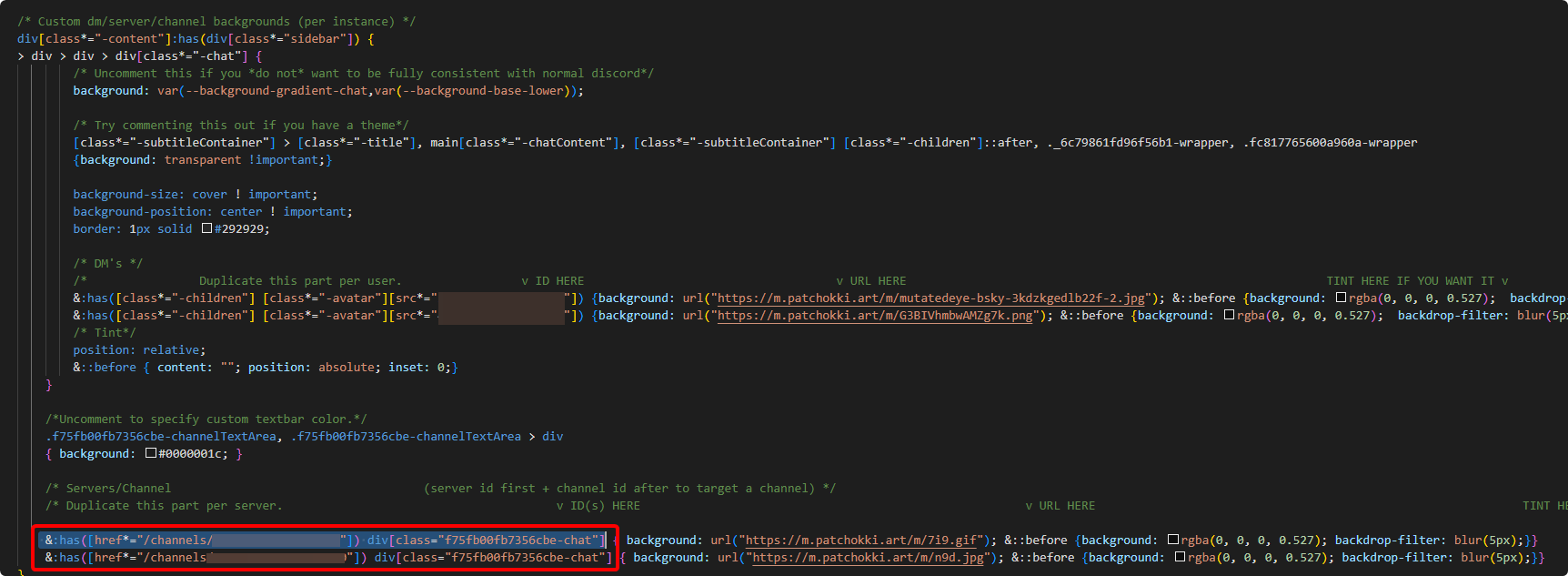
now... im not sure how ill fix the repeating background when scrolled up and someone is typing
finite comet
heres all my css for more blurred elements (emoji popup, modals, right click menus, etc)
INCLUDING the transparent message bar snippet
/* msg hover anims */
._5126c0cd07f243a0-messageListItem{
  transition: background-color 0.2s ease; /* [duration] */
  > ._5126c0cd07f243a0-cozyMessage {
    background: transparent !important;
    transition: transform 0.3s 0.1s; /* [duration] | [delay] */
    z-index: 1; /* fixes popover rendering under chat dividers */
  }
  &:has(> ._5126c0cd07f243a0-cozyMessage:hover) {
    background: var(--background-message-hover);
    > ._5126c0cd07f243a0-cozyMessage {
      transform: translateX(5px); /°changes how far the message moves when hovered*/
    }
    /* popover animation */
    .c19a557985eb7793-buttonContainer {
      transition: transform 0.2s 0.3s ease; /* [duration] | [delay] */
      transform: translateX(9px);

    }
  }
}

.c19a557985eb7793-buttonContainer {
    transform: translateX(380px); /°changes how far right the popover starts in the animation */
}
msg hover animations
/* make right click menu smaller (less padding) */
.c1e9c47c23f12ca3-scroller {
    margin: -4px;

    &::after,.c1e9c47c23f12ca3-separator {
        margin: 1px 3px !important;

    }
    &::after,.f563df886a7377be-wrapper {
        padding: 2px !important;

    }
    &::after,.c1e9c47c23f12ca3-item{
        /* min-height is 32px as default, change value for desired look */
        min-height: 32px;

        /* padding is 4px 8px as default, change value for desired look */
        padding: 2px 8px;
    }
}
nicer right click menu
barren forge
finite comet
instead of
```css
&:has(li[class*="-containerDefault"] [class*="-link"][href*="/...
that's great! thanks a lot
only issue I have is that a default background for servers without one now overrides all other server backgrounds
finite comet
🤔
hmmm that isnt happening to me... odd
i did remove some specificity from the selector, i could try adding it back
finite comet
barren forge
that's great! thanks a lot
only issue I have is that a default background for se...
&:has(li[class*="-containerDefault"] [class*="-link"][href*="/channels/512287844258021376"]) div.f75fb00fb7356cbe-chat
try using this as the server selector instead

