#makes the image for the vencord toolbox
1 messages · Page 1 of 1 (latest)
 strange cipher
makes sense
 near zenith
this one is kinda blurry tho
strange cipher
yeah true
i should probably svg it and lower the res
the lack of consistency between the toolbox icon and every other icon was annoying to me so
why is it so difficult to downscale pixel art 😔
what the fuck is that
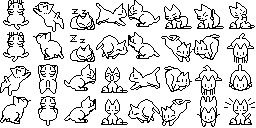 near zenith
spritesheet 
near zenith
strange cipher
thats 29x29 i used that exact thing
uhh isnt it 32x32
strange cipher
i got 29x29 when i cropped the oneko down

 strange cipher
lmfao
the oneko doesnt look blurry at all on my part so maybe thats just imgur being a dick

 bright hemlock
near zenith
https://vencord.dev/assets/oneko.gif
bright hemlock
near zenith
https://vencord.dev/assets/oneko.gif

near zenith
simply do not the imgur
strange cipher
so true!
 dark quest
ven make it oneko by default
strange cipher
hmm i wonder what this converted oneko svg looks li

the only reasonable place that takes svg is github

 bright hemlock
Animate on hover 🤩
 native merlin
Oooh that glowing bloom effect is really cool! How did you get that to work?
native merlin
Wait it's just a coloured drop shadow? Huh, I see. I'll have to mess around with that then
Well, thanks for the help!
strange cipher
bright hemlock
Animate on hover 🤩
  content: url(https://i.ibb.co/NjdTQxq/ambient.gif);
  width: 24px;
  height: 24px;
}

[src="https://raw.githubusercontent.com/Vencord/Website/main/public/assets/favicon.png"]:hover {
  content: url(https://i.ibb.co/RzMdYJp/hover2.gif);
  width: 24px;
  height: 24px;
}```that doesnt really look native still and the colour doesnt match
bright hemlock
 near zenith
you could use mask maybe https://developer.mozilla.org/en-US/docs/Web/CSS/mask

The mask CSS shorthand property hides an element (partially or fully) by masking or clipping the image at specific points.
similar to here #🎨-css-snippets message
strange cipher
hmm today i will make it look native by hiding it
also i literally colour picked the exact colour from the rest of them so i have no idea why it doesnt work
strange cipher
thinking about it now i definitely misunderstood what a mask did
however this brings me to another question: can svgs be animated

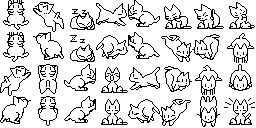
 strange cipher
woag
 eternal aspen
vencord update broke oneko :( give em back
eternal aspen
🙏
strange cipher
what the fuck is an 'xmlns'

point is with no easy defined link my previous method wont work. so its spaghetti code time
this is not what im looking for
 strange cipher
eternal aspen
🙏
strange cipher
eternal aspen
🙏
.vc-toolbox-btn{
  content: url(https://i.ibb.co/NjdTQxq/ambient.gif);
  width: 24px;
  height: 24px;
}

.vc-toolbox-btn:hover{
  content: url(https://i.ibb.co/RzMdYJp/hover2.gif);
  width: 24px;
  height: 24px;
}
🎉
strange cipher
good news: tried a svg conversion
bad news: this genuinely looks worse

hmmm
we're getting somewhere but there is a problem
 near zenith
strange cipher
what the fuck is an 'xmlns'
near zenith
strange cipher
what the fuck is an 'xmlns'
As an XML dialect, SVG is namespaced. It is important to understand the concept of namespaces and how they are used if you plan to author SVG content. Versions of SVG viewers prior to the release of Firefox 1.5 unfortunately paid scant attention to namespaces, but they are essential to multi-XML dialect supporting user agents such as Gecko-based...
strange cipher
thank you but im pretty close to spaghetti coding this one
i just need to find out how to hide the previous svg
all perfect except for that
strange cipher
  content: none;
  display: inline-block;
  width: 24px;
  height: 24px;
  background-color: var(--interactive-normal);
  -webkit-mask: url(https://raw.githubusercontent.com/sI1vre/vencord-assets/main/ambi1.svg);
  mask: url(https://raw.githubusercontent.com/sI1vre/vencord-assets/main/ambi1.svg);
  image-rendering: auto;
}

.toolbar-3_r2xA .iconWrapper-2awDjA:hover>svg:not(.icon-2xnN2Y) {
  content: url(https://i.ibb.co/RzMdYJp/hover2.gif);
  background-color: var(--interactive-normal);
  -webkit-mask: url(https://raw.githubusercontent.com/sI1vre/vencord-assets/main/hover2.svg);
  mask: url(https://raw.githubusercontent.com/sI1vre/vencord-assets/main/hover2.svg);
  width: 24px;
  height: 24px;
  image-rendering: auto;
}```
(testing it through the non hovered one)
wait fuck content is supposed to be ""
still the same result but we ball
strange cipher
i actually got that directly from the discord code
this was genuinely the best way i knew how to make it work
strange cipher
near zenith
.vc-toolbox-btn svg {}
.vc-toolbox-btn svg {https://raw.githubusercontent.com/sI1vre/vencord-assets/main/ambi1.svg}
some shit like this right
strange cipher
something tells me we're on two different wavelengths here- ohhhh
so i had it good the first time?
near zenith
that's what I said
strange cipher
yeah
near zenith
strange cipher
```
.vc-toolbox-btn{
content: url(https://i.ibb.co/NjdTQxq/ambient.gif);
wid...
you already had it here
So I was asking what the issue with that is
or rather why you're still changing it
strange cipher
sorry for the confusion
everything is set up perfectly but the original svg still somehow peeks out

the problem is that by hiding the svg i would probably have to hide the entire element
strange cipher
wait was that actually it
i feel bad about failing so hard now
im perfectly fine if you post this as a better version of the snippet in #🎨-css-snippets as long as im given credit for the idea or sum shit idk
eternal aspen
strange cipher
```
.vc-toolbox-btn{
content: url(https://i.ibb.co/NjdTQxq/ambient.gif);
wid...
I didn't realize this convo was still happing until now, but mine works perfectly with the original fix

also autumn's version isn't animated :(