#🖥-vesktop-development
1 messages · Page 9 of 1
 hybrid fjord

 simple groveBOT
 simple groveBOT

 real glade
camera and stream are treated separately btw
simple groveBOT

 humble mortar
isnt discord support outsourced now
submitting bug reports to agents that just spew out a script will be pointless
simple groveBOT

i try to disable hardware acceleration then restart vesktop then it didnt disable because i have supergfx in the system tray it shows that my dgpu is active. can someone know how to fix that
 simple groveBOT
simple groveBOT
simple groveBOT

Can confirm I and my partner see this issue regularly. Usually right after Vencord starts up screen sharing will work, but if it's been more than a few minutes, I often get this infinite loading loop. A working stream will also eventually stop working spontaneously. I didn't know about using "Change Windows" as a workaround, but can confirm this does work. I've also never seen this behavior with the stock client or the browser client, but obviously those don't share sound.
My suspicion...
simple groveBOT
 simple groveBOT

Describe the bug
Every time I open Vesktop for the first time after i turn my computer on, I'm logged out, and i have to log back in.
To Reproduce
- Shut down PC
- Turn on PC
- Open Vesktop
- Logged out again 💔
Expected behavior
for Vesktop to keep my log-in when I open it after a system restart/power off-on cycle
Desktop:
Windows 11 23H2
Additional context
Both 1.5.1 and the build made from pnpm have the same issue. Regular discord does...
hybrid fjord
Why people use emoji in issues

 simple groveBOT
Turning on NoDevtoolsWarning fixes this (for some reason)
thank u very much, it did work

 azure verge
simple grove
azure verge
simple grove
i have this too
on my laptop
it's wacky
glad to know nodevtoolswarning is a fix
simple groveBOT
 simple groveBOT

So any updates on this? If there is still a problem with how I handle the inputs for zoom, it would be good to help find a better way if that's the only issue.
I have a problem, zoom simply does not work, i am on kde6. Besides that i only have a 60% keyboard and there way to make those combos work. I dont wanna ask a buddy for a full sized keyboard every time i need to change smth like this. Getting a full sized keyboard is not a solution either.
simple groveBOT

I have this problem too, running on my Linux laptop. People complain about a loud popping or crackling sound.
simple groveBOT
 simple groveBOT
 simple groveBOT


 hybrid fjord
question
how does discord notification badges works?
because i have zero non-readed messages and i have this badge on Windows discord

does it count nonreaded but muted messages from server chats?
or it just broken even on native client on windows xd
simple groveBOT

 vernal lintel
hybrid fjord
question
how does discord notification badges works?
because i have zero non-rea...
vernal lintel
hybrid fjord
question
how does discord notification badges works?
because i have zero non-rea...
you do have unreads if it shows
hybrid fjord
but when i have unreads it shows "1"
hybrid fjord
hybrid fjord
question
how does discord notification badges works?
because i have zero non-rea...
when you wrote i did have and then just this
its so strange
vernal lintel
hybrid fjord
but when i have unreads it shows "1"
mentions != unreads
these are unreads

if u have this little nipple

thats unreads
 azure verge
i wonder how long before discord fixes their streaming
simple groveBOT
 azure verge
have you?
simple groveBOT
 hybrid fjord
i noticed that for a while i didn't have a bug with random disconnects in background
most informative checkbox ever
 simple groveBOT

For AppImages:
env -u WAYLAND_DISPLAY ./(app_name).AppImage
For flatpak applications:
Download Flatseal from flathub, change permissions of your application or game in Flatseal to remove the "Wayland" socket. In my experience, in versions of KDE lower than 5.23, you might need to disable "fallback-x11" socket as well.
hybrid fjord
started recording video of recreating issue when you can't start stream while watching another and stream started.............
fps drops while moving mouse issue assigned to someone
simple groveBOT
 hybrid fjord
I believe discord must fix it and we can't do anything about it 😦
Can we include 517 to release?
hybrid fjord
azure verge
^
should i send to discord links of issue about bitrate?
azure verge
idk
hybrid fjord
i don't want them to be like: "he uses custom client!! ban him!!"
azure verge
they may just use that to say "erm that's not official discord we cant do anything"
hybrid fjord
why tf they want "Description" to be only one sentence
 hybrid fjord
error message appears only if i did not pick checkbox
it does not actually checks for one sentence so i just send that all desc
azure verge
when streaming on chromium (with audio in the stream) the bitrate of the video drops to 29.17
hybrid fjord
yeah but that sounds like "Subject"
hybrid fjord
wtf this form
 azure verge
why the hell is there a checkbox
azure verge
do make sure it specifies chromium
hybrid fjord
i specified google chrome
hybrid fjord
bc it supports sound streaming on windows
hybrid fjord
Two new tasks for discord team 😄
azure verge
ooh make sure to state
that it doesnt always drop
(some clients are good some are bad)

 simple groveBOT

What about building from source? What's the solution there?
Run the vesktop binary with --ozone-platform=x11
simple groveBOT

Describe the bug
Upon launching Vesktop, I get the update notification but clicking on it wipes the window blank and doesn't actually take me to the update menu. Thinking this was strange, I killed the process (killall vesktop.bin) then re-opened Vesktop and went to the settings menu. However, when I went there, I noticed that the Vesktop menu entries were all missing somehow. My guess is, the notification is trying to take me to the update menu but then silently fails because ...
simple groveBOT
@Vendicated Found your comment about rm -rf ~/.var/app/dev.vencord.Vesktop/config/vesktop/vencordDist (thanks) but it would be helpful if there was some default plugin that catches this and notifies the user or something, if possible.
Clearly this is a common issue, as you've pointed out, and I can only imagine it'll continue to pop-up. :/
simple groveBOT

Describe the bug
Whenever I try right clicking the text box, the context menu doesn't appear. Right-clicking literally anything else brings up the appropriate menu.
To Reproduce
I have no clue; others who use Vesktop don't have this issue
Expected behavior
When I right click the text box, a context menu should appear.
Screenshots
Desktop (please complete the following information):
- OS/Distro: [e.g. Windows / Fedora Linux / MacOs]
...
update vencord & vesktop to latest version
update vencord & vesktop to latest version
I've literally done fresh installed from the AUR, tried the Flatpak not even 30 minutes ago, and the AppImage about 15 minutes ago.
I had this issue, see if legacy chat input is enabled in the accessibility settings
I had this issue, see if legacy chat input is enabled in the accessibility settings
Turning off Legacy Chat Input does seem to resolve it, even thought I VASTLY prefer Legacy Chat Input.
vernal lintel
lol why
simple groveBOT
simple groveBOT

when moving my screen sharing popup vertically around the whole client lags really bad
it doesn't really affect the performance of the client in general, i just noticed it only happens when moving vertically, not horizontally
 iron cedar
Most laziest title

 azure verge
iron cedar
Most laziest title
azure verge
iron cedar
Most laziest title
bug?
simple groveBOT
 simple groveBOT


Terminal replied "Nothing to do"
gpu issue. try to upgrade your gpu drivers or running with --disable-gpu / disabling hardware acceleration
simple groveBOT
 hybrid fjord
omg discord😭😭
 simple groveBOT

 ionic gust
hybrid fjord
omg discord😭😭
ionic gust
hybrid fjord
omg discord😭😭
you're not going to get an actual response from an actual dev using that form
vernal lintel
hybrid fjord
omg discord😭😭
what did u expect lol
customer support are random indians or smth who can't help with anything beyond the basic issues
i think they outsourced it didn't they
(it has always been shit even before that)
but yeah you're not getting to a technical person
simple groveBOT

Describe the bug
Note that the underlying system IS quirky. That being said, normal discord does not show this behaviour.
The moment I drag /something/ from outside of Discord into the window, like an image I want to share in chat, Vesktop disables mouse input inside the window until the app is relaunched (tray icon > Relaunch makes this quick, but it's still a chore)
To Reproduce
- Use Linux
- Enable Discord window decorations via Vesktop Settings > User Interface ...
simple groveBOT
 hybrid fjord
vernal lintel
but yeah you're not getting to a technical person
hybrid fjord
vernal lintel
but yeah you're not getting to a technical person
i understand, but why they at "Report a Bug" using indians with template phrases and nothing like "thanks for bug submit"
 broken solstice
hybrid fjord
wtf this form
broken solstice
hybrid fjord
wtf this form
Great UX
Btw @azure verge I also don't have Vesktop settings in my custom appimage, how did you fix this on your system?
Just so that I can switch to Beta
In case the audio video quality stuff gets fixed upstream in the mean time
azure verge
broken solstice
Btw <@306158896630988801> I also don't have Vesktop settings in my custom appima...
right click the tray icon
update vencord
broken solstice
azure verge
right click the tray icon
GNOME moment; it doesn't even show up on the tray by default?
azure verge
get the gnome extension
uhh
kstatusnotifier and libappindicator or whatever it's called
it adds tray stuff
broken solstice
Yep, even then it doesn't show up
Somehow
Hmm, any other way? Interesting stuff
Okay, did it
simple groveBOT
 simple groveBOT
 simple groveBOT
 hybrid fjord
bug.
 simple groveBOT
Might it be best to fold #261 into this PR?
hybrid fjord
maybe easier will be to merge 261 and then i resolve conflicts if there is any and then merge 517?
simple groveBOT

Why is it pink. I think this should either copy stock Discord or make it customizable. I would prefer the latter then I could select my accent color
hybrid fjord
any ideas how we can change colors to accent?
i have .svg sources, main idea for now to create temp .png files depending on picked/accent color
or i can just recreate stock icons too and add some setting for picking between Vesktop-colors and Discord stock colors
picking color not a problem, main problem is how in code without any custom libraries convert .svg to .png with another color
yes( electron does not support svg
indeed, but maybe best way will be to deal with it without adding dependencies to project?
this approach is very good, but we need sharp lib for this

okay i will try all this
custom color would be really great
thanks!
vernal lintel
this is pretty huge xd
what exactly would sharp be used for ?
just use png instead of svg
i only suggested svg because i assumed it was supported
and theres no need for sharp in electron because you can use browser canvas instead
discord does this for dynamically rendering icons iirc
simple groveBOT
 hybrid fjord
creating buffer each time when setTrayIcon isn't good idea, right?
bc it will do changing color work each time when setTrayIcon calls
simple groveBOT
 simple groveBOT

Describe the bug
Whenever I click to fullscreen the vesktop window, it instantly crashes and then keeps crashing upon launching until I delete the vesktop config folder.
To Reproduce
- Open vesktop
- Click the fullscreen button on the window frame
Expected behavior
Vesktop resizes the window to full screen.
Desktop (please complete the following information):
- OS/Distro: EndeavourOS - Arch
- Desktop Environment (linux only): KDE Plasma
- Version: ...

 simple groveBOT
Vesktop runs normally for me though, the crash happens only when I try to full screen it.
ionic gust
that comment isnt even showing up for me lmao
simple groveBOT

 strange turtle
hybrid fjord
omg discord😭😭
strange turtle
hybrid fjord
omg discord😭😭
keep hacking at it until they run out of options and escalate the ticket
e.g.:
 simple groveBOT
 hybrid fjord
okay i can use resvg-js library for color changing but its provided as .node file :c

 simple groveBOT
 simple groveBOT

 cyan flame
simple grove
cyan flame
simple grove
cool guy👍
simple groveBOT

i try to install vesktop on flatpak because of the hardware acceleration that i issued last time. When i launch vesktop, the window was kinda glitched so that when i drag or resized, it hangs. Im using nobara on gnome
 hot juniper
Uh
I am about to say something really revolutionary
yet stupid
So everyone here has experienced THE ISSUE
The one where Discord disconnects
So
uh
 sour muralBOT
**mainWindow.ts: **Line 380
webPreferences: {
Why isn't this set to false
https://www.electronjs.org/docs/latest/api/structures/web-preferences
https://github.com/Vencord/Vesktop/blob/main/src/main/mainWindow.ts#L380-L387
GitHub
Vesktop is a custom Discord App aiming to give you better performance and improve linux support - Vencord/Vesktop
I will set it


Did I ask?

well uh
anyway
I'm going to try setting backgroundThrottling to false
vernal lintel
hot juniper
Why isn't this set to false
https://www.electronjs.org/docs/latest/api/structur...
why isnt what set to false
hot juniper
hot juniper
I'm going to try setting backgroundThrottling to false
backgroundThrottling
vernal lintel
yop discord sets it
vernal lintel
 hot juniper
vernal lintel
hot juniper
vernal lintel
stupid
do i need to explain why
it has probably matched where electron is checking
not where it is set
 vernal lintel
oh wait im dumb
thats the binary
lmaooo
yeah need to check the app.asar
yeah they dont set it
hot juniper
do they need to?
vernal lintel
brainfart for a sec
vernal lintel
hot juniper
do they need to?
why would it not happen for them
hot juniper
idk
native stuff?
though
IDK if this is even it
thats why I will try it
the "timers" part is what gets me
vee i will go watch youtube videos for half an hour to test
maybe
WHY IS IT HALF PAST 4 AM
azure verge
hot juniper
this will be vesktop's most useful change in months
streaming pr:
hot juniper
azure verge
streaming pr:
that is also useful but from what i can tell that isnt ready yet :(
azure verge
nono it is
hot juniper
is it?
hot juniper
azure verge
discord broke their web streaming
elaborate
azure verge
30kbps streams
 azure verge
hot juniper
elaborate
azure verge
hot juniper
elaborate
streaming with audio on plain chromium on windows
no vencord
no vesktop
30kbps
hot juniper
when did they break
hot juniper
krisp sucks
azure verge
i literally need it
hot juniper
hot juniper
when did they break
meanwhile i have to send someone to #🎨-css-snippets twice a day because of mod view width brokey
azure verge
a bunch of people i talk to have things like misophonia and absolutely hate things like mouth noises so if i breathe too loud people have panic attacks 😭
hot juniper
hot juniper
meanwhile i have to send someone to <#1028106818368589824> twice a day because o...
oops just did it again
simple groveBOT


 simple groveBOT

Describe the bug
Screensharing a window (without audio, to be clear, otherwise the quality/framerate drops as described by other issues) is stable at whatever setting it's set to, up until my cursor moves over it, at which point it drops to something in the realm of 3-6 fps. Does not matter if the window's in focus.
Disabling compositing does solve this issue, but that comes with the side effect of freezing my primary monitor (165hz VRR so probably why,) which renders it non-viable ...
hybrid fjord
hm
simple groveBOT
 simple groveBOT

 vernal lintel
Spash
 worn harness
hi @vernal lintel
is there some way to log what triggreed saveState to run

god its so annoying EVERYTIME IT LOADS THE WROGN SIZE JFnsdjhfnwerhjgnwer
simple groveBOT
 vernal lintel
worn harness
god its so annoying EVERYTIME IT LOADS THE WROGN SIZE JFnsdjhfnwerhjgnwer
vernal lintel
worn harness
god its so annoying EVERYTIME IT LOADS THE WROGN SIZE JFnsdjhfnwerhjgnwer
hop off wayland
use XWayland
vernal lintel
lie
worn harness
im on x
nop
for whatever reason
its writing to the state.json
during init
you will help me fix
worn harness
i dont get it
wh
why is this so finnicky
now i cant get the bug to happen
oh vee what ever will i do
simple groveBOT
 worn harness
yea wtf
maximize
move
resize
move
resize
move
resize
unmaximize
i made it log each event
thats right after starting
The state.json starts at
{
    "width": 1024,
    "height": 732,
    "x": 2560,
    "y": 36,
    "minWidth": 940,
    "minHeight": 500
}
then returns to
{
    "firstLaunch": false,
    "windowBounds": {
        "x": 2560,
        "y": 72,
        "width": 940,
        "height": 635
    },
    "maximized": false,
    "minimized": false
}
if someone would please help me to reproduce it that would be great
@vernal lintel
please
i dont wanna have to install arch in a vm
every single time i start vesktop the window jumps 36 pixels down
if i disable frame then it stops
ugh
starting it for no reason whatsoever triggers maximize callback
vernal lintel

worn harness
GOD
WHY DOES THIS HAPPEN
ITS SO ANYOING
why is window geometry so bad why do windows handle it this should be delegated to the window manager
aaaaaaaaaaaaa
i think the liseteners are picking up events caused by electron
@vernal lintel ts win.on("ready-to-show", () => initWindowBoundsListeners(win));
i did this and now no issues
vernal lintel
sure
 azure verge
now i cant tell what's going on with streaming
i cant recreate it with one of my friends on chromium on windows
unless they're an edge case
i am so confused
im gonna hop into my windows vm and test it
simple groveBOT

Hey there, here to give my little research into this bug.
I've tested 4 cases:
- Streaming alone
- Streaming with a Vesktop client
- Streaming with a "bad" client
- Streaming with a Vesktop + "bad" clients
1 and 2 gave 5000kbps bitrate. 3 gave 30kbps. Most interestingly, streaming for a Vesktop + "bad" client set my bitrate to 1400kbps, as if it's trying to "balance out" between the 2 of them. Maybe it thinks the "bad" client can't process the stream it's sending or something?

Hey there, here to give my little research into this bug.
I've tested 4 cases:
1. Streaming alone

2. Streaming with a Vesktop client

3. Streaming with a "bad" client

4. Streaming with a Vesktop + "bad" clients
1 and 2 gave 5000kbps bitrate. 3 gave 30kbps. Most interestingly, streaming for a Vesktop + "bad" client set my bitrate to 1400kbps, as if it's trying to "balance out" between the 2 of them. Maybe it thinks the "bad" client...
Hey there, here to give my little research into this bug.
I've tested 4 cases:1. Streaming alone 2. Streaming with a Vesktop client 3. Streaming with a "bad" client 4. Streaming with a Vesktop + "bad" clients1 and 2 gave 5000kbps bitrate. 3 gave 30kbps. Most interestingly, streaming for a Vesktop + "bad" client set my bitrate t...
ionic gust
so web doesnt tell the server to transcode???
azure verge
i have no idea
all i know is that
the main thing that ive found to cause the problem
is if someone starts watching from a desktop client
fixing discord and watching avatar :3
 azure verge
ionic gust
so web doesnt tell the server to transcode???
azure verge
ionic gust
so web doesnt tell the server to transcode???
as soon as my gf started watching

im on chrome on win10
she's on desktop on win10
its NOT my PROBLEM YAYYYYY
simple groveBOT

I have the same issue.
Using Fedora Kinoite 39 and the latest version of Vesktop. On an AMD RX 570.
humble mortar
hybrid fjord
wow
is this using the system accent colour
simple groveBOT
I tested this in a windows vm with stock discord web in chrome, and the issue persists when streaming to stock discord desktop clients (also on windows) so we can pretty confidently say that this is discord's issue to fix on their end
hybrid fjord
humble mortar
is this using the system accent colour
No (yet?)
For now it just changes color to specified (red in this case)
I want to add to setting color picker for this
simple groveBOT
Adding XDG_CURRENT_DESKTOP=KDE5 to vesktop.desktop along with installing libunity has this working on Plasma 6 for me! Some things to note though:
- Enabling
settings>Notifications>Enable Unread Message Badgeadds a useless dot to the window title when there is no unread notification. (Option should be hidden and off as Vesktop has its own setting which actually toggles the badge undersettings>Vesktop>Notification Badge)

For now it just changes color to specified (red in this case)
I want t...
It should probably use the system accent colour or only be pink
or allow the user the customize the icons
simple groveBOT
 simple groveBOT
 simple groveBOT
 simple groveBOT
Oh boy... that surely won't take ages
hybrid fjord
humble mortar
It should probably use the system accent colour or only be pink
I really have doubts that electron supports getting system accent color on Linux :c
If supports I can add some button like "Use accent color" and it will be applied to color picker setting
simple groveBOT
 simple groveBOT
 simple groveBOT
 azure verge
hybrid fjord
I really have doubts that electron supports getting system accent color on Linux...
azure verge
hybrid fjord
I really have doubts that electron supports getting system accent color on Linux...
aside from gnome, accent colors are an xdg thing iirc
so
maybe there's an envvar?
hybrid fjord
I will take a look, but firstly want to create color picker in settings
azure verge
mhm
simple groveBOT

 azure verge
ooh
hybrid fjord
if i find a way to get system's accent color then i can suggest it to user
simple groveBOT
Enabling settings>Notifications>Enable Unread Message Badge adds a useless dot to the window title when there is no unread notification. (Option should be hidden and off as Vesktop has its own setting which actually toggles the badge under settings>Vesktop>Notification Badge)
this setting is not about enabling the badge itself, it's about enabling an undead message indicator
ping => number badge
unread messages (non pings, just any message in an unmuted channel) => dot
vesktop use...
vernal lintel
hybrid fjord
if i find a way to get system's accent color then i can suggest it to user
sour muralBOT
vernal lintel
https://github.com/Vendicated/Vencord/blob/main/src/main/ipcMain.ts#L96-L99
**ipcMain.ts: **Lines 96-99
ipcMain.handle(IpcEvents.GET_THEME_SYSTEM_VALUES, () => ({
    // win & mac only
    "os-accent-color": `#${systemPreferences.getAccentColor?.() || ""}`
}));
don't
use the canvas browser api
hybrid fjord
i can't create DOM objects in main process, only in renderer
and in renderer i can't get STATIC_DIR path
maybe i miss something but i receive many errors with importing "fs" and so on
vernal lintel
ipc
hybrid fjord
okay, i will try more
hybrid fjord
hybrid fjord
hehehe
btw, do you know how to set properly text color here?
vernal lintel
you need to register ipc events for what you want
simple groveBOT


 azure verge
hybrid fjord
ahahahahha
azure verge
hybrid fjord
ahahahahha
LMAO
hybrid fjord
okay we can get in linux accent color using org.desktop.portal.Settings
but how to work with dbus in typescript
simple groveBOT

Added ability to change colors. For now, I want to find a way how to disable icon color chooser in settings when tray icon is disabled instead of hiding the whole setting and (maybe) add ability to propose to user his system accent color.
vernal lintel
hybrid fjord
okay we can get in linux accent color using org.desktop.portal.Settings
but how ...
cli probably
hybrid fjord
xD
 hybrid fjord
sour mural
**ipcMain.ts: **Lines 96-99
```ts
ipcMain.handle(IpcEvents.GET_THEME_SYSTEM_VALU...
hybrid fjord
sour mural
**ipcMain.ts: **Lines 96-99
```ts
ipcMain.handle(IpcEvents.GET_THEME_SYSTEM_VALU...
From electron I will get color later, when I will be on windows and will be able to test
hot juniper
vernal lintel
cli probably
i was thinking of doing something like this for other related dbus stuff but it turns out it is probably too to do purely with CLI
 upper pine
why not use a dbus lib
upper pine
when we need it for multiple things it would be a million times better than cli fuckery
avoid cli stuff at all costs xd
vernal lintel
eh it's not that bad
dbus cli can be used :p
bro i wish electron exposed its dbus that would be fire
electron fork
hot juniper
vernal lintel
electron fork <:blobcatcozy:1026533070955872337>
bro i wish chromium apps supported global menu on wayland
all they do is yap in the issue tracker for 5 years
upper pine
hot juniper
all they do is yap in the issue tracker for 5 years
Professional Yappers
upper pine
A lot of things are sadly horror on wayland currently
Except refresh rate
this shit is buttery smooth
when nvidia v555
simple groveBOT

So the issue affects people streaming from Windows to Windows? Then there's actually a good chance they'll fix it quickly
 simple groveBOT
 simple groveBOT

I've been experiencing this as well (using the vesktop AUR package). Can also be reproduced by clicking on an image in a Discord chat, dragging and immediatelly releasing, the mouse cursor will be stuck in the grab mode. Afaik the only way to recover is to relaunch Vesktop.
azure verge
vernal lintel
electron fork <:blobcatcozy:1026533070955872337>
electron fork based on Firefox 
simple groveBOT

+1 on Fedora 40 with Wayland, installed via Flatpak. Step 1 of the original issue isn't even required in my case, all of those options are unchecked. Simply dragging an dropping a file (in my case, usually a screenshot/PNG from a Spectacle notification) into the main window attaches the file to the message, and I can use Discord normally, just with no mouse control.
try moving this into the mainWin.webContents.on("did-finish-load"
The simplest workaround to this is copy-pasting the image itself into the chat field, as it pastes as an image file, but that doesn't fix the underlying issue.
0beb74f Allow users to pass --enable/disable-features f... - takase1121

sounds like a chromium upstream issue, i often find that native wayland chromium apps just explode whenever you drag anything, so it could be related to that
react components should be PascalCase
we prefix our classes to prevent potential conflicts
vencord usually uses .vc-* whereas vesktop usually uses .vcd-
is this actually necessary to change? returning null is the correct way in react to render nothing
sounds like a chromium upstream issue, i often find that native wayland chromium apps just explode whenever you drag anything, so it could be related to that
I mean, my chromium browser still does drag and drop fine, and I'm yet to encounter this with other electron apps :shrug:
But in settings we also have "Minimize to tray" which disables when Tray is off and I wanted to achieve similar behavior for this too. Because one element just grays as inactive and another (mine) disappearing at all
simple groveBOT
[Vencord/Vesktop] New branch created: mac-entitlements
9aaa38e mac: add entitlements needed for camera/microph... - ssalggnikool
are you running via native wayland? drag and drop is really fucked with that. try using XWayland instead
either way this is upstream somewhere

[Vencord/Vesktop] New tag created: v1.5.2-alpha.1
It happens if running with or without --ozone-platform-hint=auto under Wayland.
please try the builds from https://github.com/Vencord/Vesktop/releases/v1.5.2-alpha.1 and see if all permissions work correctly now
hybrid fjord
Wow, new tag
simple groveBOT

I'm having this problem too drag and dropping files of any kind brings vesktop into a state that requires restarting the app it is very annoying for the record I am using the flatpak version of the app

I manually removed the microphone permission entry from System Settings using a SQL Viewer and I can confirm the new build now works as expected
c52abdc mac: add entitlements needed for camera/microph... - ssalggnikool
are you running via native wayland?
Yes indeed. Xwayland is actually causing my setup some grief so I try to not use it as much as possible.

Experienced a similar bug to this is happening on Wayland too. Stream is perfectly fine until the cursor is moved in the window being streamed, then the stream starts to jitter and stutter until the cursor goes still again. Not sure it's exclusive to X11.
are you running via native wayland?
Yes indeed. Xwayland is actually causing my setup some grief so I try to not use it as much as possible.
chromium under xwayland has annoying problems
chromium under native wayland also has annoying problems
solution: pick the one which has the least issues
simple groveBOT
I am using actual wayland there is no X compatibility in my system to my knowledge I'd like to get this fixed but idk if its a matter if disinterest by the maintainer or if its an upstream problem with electron/chromium
I looked at the shell script in the AUR package and it appeared to use the system electron package I thought that was strange the flatpak works and your less likely to end up with an electron version mismatch using the flatpak
for those on Arch I would recommend using the https://aur.archlinux.org/packages/vesktop-bin vesktop-bin package it seems to have a specified electron version and if all else fails just use the flatpak
hybrid fjord
i want fast hint, where i can store some public variables for strings of data URLs of tray images?
simple groveBOT
I went a head and confirmed that installing vesktop-bin fixed my problem with drag and drop
git clone the repo
makepkg -i and let it compile and it should work fine
simple groveBOT
I had this problem when running on native Wayland too. Running with --ozone-platform-hint=x11 fixes it
@D3SOX somehow --enable-features=UseOzonePlatform,WaylandWindowDecorations,VaapiVideoDecoder --ozone-platform-hint=x11 looks like it kinda sorta works. Will report back if it goes to hell.
simple groveBOT
 ionic gust
i kinda feel like the bitrate problems are a little exacerbated just a tiny bit because im noticing the same issues with people on desktop on windows watching a screenshare of someone on desktop on windows
its not like all the time but its still there with some motion things
azure verge
interesting
ionic gust
720p60 nonetheless
azure verge
but yeah chromium on windows to desktop on windows locks it to 29
no matter the resolution
as long as you add audio
29
ionic gust
it does make me wonder if we're doing the wrong thing when it comes to like, merging streams but idk if thats even right
 ionic gust
because theres been people in the past on linux on stock web screensharing system audio just fine with nothing completely wrong when it comes to bitrate
azure verge
until they fix their end we can't do anything
azure verge
ionic gust
because theres been people in the past on linux on stock web screensharing syste...
the issue only appeared when they fixed krisp
like
just a week or so ago
ionic gust
azure verge
until they fix their end we can't do anything
thats the problem though, the web userbase isnt that big
azure verge
before that it's been amazing
azure verge
ionic gust
thats the problem though, the web userbase isnt that big
they'll have to fix it eventually
ionic gust
if that was the case they wouldve already
ionic gust
not just this specific issue but the packet order issue as well
azure verge
ionic gust
if that was the case they wouldve already
they don't do anything ever
I doubt they'll fix it for weeks lmao
idk
they won't not fix it
it literally makes their advertised 720p30 on web unusable
so they kinda have to
ionic gust
azure verge
they don't do anything ever
I doubt they'll fix it for weeks lmao
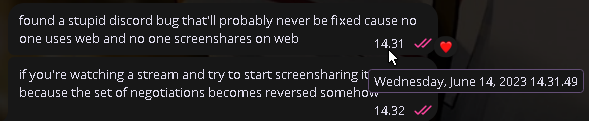
even older than that though
simple groveBOT
 simple groveBOT
 real glade
hopefully the open src reimpl of discord_voice goes somewhere
hot juniper
real glade
hopefully the open src reimpl of discord_voice goes somewhere
the what
simple groveBOT

Describe the bug
While using the Vesktop App, I am unable to turn on my microphone and the popup that shows redirects me to instructions on how to enable the microphone on the Chrome Browser. Another related bug is that Occasionally a popup will say a new audio device has been connected when I tab out. Vesktop is not shown in settings when trying to give microphone access.
To Reproduce
- Use the vesktop app as expected
- Try to enable microphone
- Have poput for denied...
 simple groveBOT

@TotalChaos05 Where are static/icon.ico and static/icon.png located? Thanks in advance.
simple groveBOT
@TotalChaos05 Where are static/icon.ico and static/icon.png located? Thanks in advance.
You can find folder "static" literally in project root folder
hybrid fjord
simple grove
How bro can't see folder which located in root directory of project😭
hybrid fjord
how wise is to use settings store for saving processed dataURL's of tray icons?
what to use instead?
simple groveBOT

 hybrid fjord
vernal lintel
ohhh backgroundThrottling
hybrid fjord
vernal lintel
ohhh backgroundThrottling
okay we NEED to set it to false
on windows, FluxEvents like SPEAKING and so on not capturing when vesktop is minimized
And I get freezed tray icon when vesktop minimized
@hot juniper its your finding, if i give write access to my branch, can you commit backgroundThrottling: false?
or just make PR which i push to my branch when it will be merged
strange turtle
4am thoughts, so feel free to quote me if i am wrong:
Regarding to soundshare laggy frames issue, is it possible that Chrome/vesktop is sending voice over a different method than the stock desktop client? So currently the audio is added via stream.addTrack().
According to this docs https://discord.com/developers/docs/topics/voice-connections#speaking it mentions that it is possible to send an opcode of 5 to signfiy that the client is speaking and then voice data can be sent after encryption.
If this is indeed different than simply adding a track to video stream, then perhaps a custom implementation that triggers to send soundshare as voice data when screensharing starts might help.
hybrid fjord
i believe that stock discord client does not use WebRTC for streaming at all, it uses some proprietary methods for streaming and voice sending
in Windows native discord client there is no WebRTC tracks and streams in connection objects
there is no "input", where we usually get webrtc stream, there is no audio- and videoTransceivers :c
 vernal lintel
hybrid fjord
how wise is to use settings store for saving processed dataURL's of tray icons?
...
vernal lintel
hybrid fjord
how wise is to use settings store for saving processed dataURL's of tray icons?
...
noooooo
vernal lintel
strange turtle
4am thoughts, so feel free to quote me if i am wrong:
Regarding to soundshare la...
yes it is. discord desktop uses their proprietary implementation like polisan said, which is very different
vernal lintel
hybrid fjord
I want hint where properly store them
nowhere. why store them?
v+ contributor @hybrid fjord
hybrid fjord
vernal lintel
nowhere. why store them?
For not making same color changes on every state
vernal lintel
keep it in a map
hybrid fjord
Like color set to green and each time when changing status to speaking, for example, it takes original svg, applies color and setups as png to tray
Like local variables?
Lol why I didn't though about it
I will try
Thanks!)
strange turtle
hybrid fjord
there is no "input", where we usually get webrtc stream, there is no audio- and ...
Within vesktop, Is it not possible to get the existing voice gateway socket connection and then manually start blasting encrypted voice data into it without the convenience of adding the audio track into the stream?
Possibly looking into including other external libraries such as libsodium.js and libopus to build something on top?
I'm thinking along the lines of adapting and integrating an existing voice implementation (e.g. https://github.com/discordjs/discord.js/tree/main/packages/voice#dependencies) and send it as soundshare data instead of voice data
vernal lintel
no
you need to reverse engineer and reimplement the entirety of discord_voice
someone is doing that actually but idk how mature it is


 broken solstice
At this point I'm tempted to contribute streaming with audio to element web and drop discord for the most part

 simple groveBOT
Try version 1.5.2-alpha1 from tag releases. There was some work with MacOS permissions.
 vernal lintel
okay does anyone else want anything in vesktop before release
else ill make one today
hybrid fjord
I want to end work on my PR
With tray icons
But if you want you surely can release without it
hybrid fjord
hybrid fjord
<@259558259491340288> its your finding, if i give write access to my branch, can...
Ohh and we need this
hybrid fjord
it's very long....
 simple groveBOT
 hybrid fjord
okay im gonna revert this map idea
hope that canvas is not very cpu-consuming
it was buggy af
azure verge
vernal lintel
okay does anyone else want anything in vesktop before release
i have nothing to add
hybrid fjord
okay i believe i did everything i wanted in icons PR
only need reviews, fixes according to reviews and that's all
also for Windows tray icon updating when Vesktop is minimized we need set backgroundThrottling to false. I could set it and commit, but i do not want to steal Sqaaakoi's work so i want him to commit it or PR it
simple groveBOT

has anyone found a solution to this?
real glade
hot juniper
the what

Vertix Git
simple groveBOT

I tested this in a windows vm with stock discord web in chrome, and the issue persists when streaming to stock discord desktop clients (also on windows) so we can pretty confidently say that this is discord's issue to fix on their end
This issue was not present before #489 though.
I used to stream low intensity games and youtube videos with audio without bitrate drops to any Discord user (web clients and official clients) The resolution would never decrease (720p 30fps) and the quality ...
This issue was not present before #489 though.
This bug is not regression after #489 because Discord do something on their side right after we fixed almost all of screensharing. You can try to install Vesktop at df05d12 commit before #489 merge, and you will get the same bitrate drop. Also, as mentioned upper, this bug is reproducible even in native discord web version without Vencord and/or Vesktop.
This bug is not regression after #489 because Discord do something on their side right after we fixed almost all of screensharing.
Oh shoot, you're right.
What a bummer, if Discord did not push that update on their side we would have perfect streaming now.
I have no words :(
This bug is not regression after #489 because Discord do something on their side right after we fixed almost all of screensharing.
Oh shoot, you're right.
What a bummer, if Discord did not push that update on their side we would have perfect streaming now.
I have no words :(
We actually had perfect streaming while developing for about 2-3 days :D
We actually had perfect streaming while developing for about 2-3 days :D
YES! Then I'm not crazy!!!!
The very first day everything was working!
You people did an amazing job anyway!
Hoping that discord reverts whatever they've done.
simple groveBOT
 simple groveBOT


 simple groveBOT

So the issue affects people streaming from Windows to Windows? Then there's actually a good chance they'll fix it quickly
Specifically for Web Clients, but it looks like it.
I found this page after having the same issue with bitrate and audio, on Linux Mint with X11.
I was trying to stream to 3 unmodified, desktop Windows discord clients, at least one of which is using hardware acceleration.
Thus making that a 'good client' ? (hardware acceleration setting = using hardware decoder ...
simple groveBOT

I tested this in a windows vm with stock discord web in chrome, and the issue persists when streaming to stock discord desktop clients (also on windows) so we can pretty confidently say that this is discord's issue to fix on their end
Have you submitted a bug report to Discord? I haven't found anyone talking about this issue outside of this thread.
Have you submitted a bug report to Discord? I haven't found anyone talking about this issue outside of this thread.
I submitted, but I do not believe that they will do anything about it.
hybrid fjord
bot dead xd
azure verge

hybrid fjord
thats about fps drops when moving mouse
 azure verge
ooOOOH
that's
super helpful
assuming DISCORD FIXES THE
STUPID
ISSUE
A:OSJKDFHLKASJDHFJKLSDF
hybrid fjord
hybrid fjord
thats about fps drops when moving mouse
i really glad that they are really working at this
azure verge
where do i go to report it, maybe i could also report it
hell
the more people that complain, the more they'll try to fix it
i assume at least
hybrid fjord
xd lets spam they support channels
we have this stupid form only
which i can't paste in some reason.. paste broke T_T
azure verge
augh
azure verge
thank
azure verge
hybrid fjord
rewrote it manually 😄

this is stupid
what if a bug isnt always reproducible?????
lmao
dumbass form
hybrid fjord
floating bugs just exists
azure verge
thankfully this is
hybrid fjord
Get ready to record screen of reproducing issue)
azure verge
guess ill have to ACTUALLY use my windows vm a lot
(its full gpu passthrough and mostly set up so a discord dev isnt gonna notice)
simple groveBOT

I have a problem, zoom simply does not work, i am on kde6. Besides that i only have a 60% keyboard and there is no way to make those combos work. Getting a full sized keyboard is not a solution either, nor having 2 keyboards on the desk at the same time.
Wdym the "no way to make those combos work". The only key combos used are CTRL +/-. and 60% keyboards have +/-
simple groveBOT


 simple groveBOT
 simple groveBOT

Why not make that context menu entry a regular button to open a new window with a scrollable and searchable list of the languages? Makes it much less insane, but I have no idea how difficult that is to implement. Personally, I'd be happy with this context sub-menu from your screenshot.
 fathom raven
any suggestions for how to debug a segfault?
 humble mortar
fathom raven
any suggestions for how to debug a segfault?
humble mortar
fathom raven
any suggestions for how to debug a segfault?
use electron29
fathom raven
how?
humble mortar
is this arch
fathom raven
yes
humble mortar
build vesktop-git with _electron_version=29
you should really be reviewing the pkgbuilds you run
you would have spotted that in the top of it
fathom raven
didn't see anything about it in the original vesktop pkgbuild
 fathom raven
so I'll need to remember to edit the pkgbuild every time I do a system upgrade?
humble mortar
only when upgrading vesktop and use an aur helper if you cant be bothered
fathom raven
hmm, also seeing strange behavior on wayland (stutter, text not appearing for about a second aftter I type it, previous frames flickering back in), should I downgrade to electron 28 and see if that works? nvm was caused by hardware accel
hybrid fjord
i have this on Windows xD
simple groveBOT
I have a problem, zoom simply does not work, i am on kde6. Besides that i only have a 60% keyboard and there is no way to make those combos work. Getting a full sized keyboard is not a solution either, nor having 2 keyboards on the desk at the same time.
Wdym the "no way to make those combos work". The only key combos used are CTRL +/-. and 60% keyboards have +/-
Those combos work only in english layout on the 60%keyboard, which i rarely use. Took me some time to find out.
simple groveBOT
 hybrid fjord
why there is no work at #261 :с
 hybrid fjord
I wonder if that is vesktop issue or some electron issue
Because in future we in any case should update to electron 30+
vernal lintel
electron
GitHub
Preflight Checklist I have read the Contributing Guidelines for this project. I agree to follow the Code of Conduct that this project adheres to. I have searched the issue tracker for a bug report ...
hybrid fjord
That's good, we need to wait then
simple groveBOT
 simple groveBOT
 ionic gust
this is why arch users are insufferable 
azure verge
REAL
i daily drive arch but at least i KNOW THAT THE AUR IS CALLED THE ARCH USER REPOSITORY
ionic gust
but thats the problem, everyone worships the AUR as the only reason to use arch
azure verge
oml
i just use it because i like rolling stuff and im used to it
if i wasnt used to it id use opensuse tumbleweed with distrobox for the AUR
vernal lintel

azure verge
vernal lintel
<:wires:1174435954090594505>
wires
simple groveBOT

Describe the bug
To Reproduce
Expected behavior
Screenshots
Desktop (please complete the following information):
- OS/Distro: [e.g. Windows / Fedora Linux / MacOs]
- Desktop Environment (linux only): [e.g. gnome, kde, sway]
- Version: [e.g. 22]
Command line output
paste inside these backticks
Additional context
hybrid fjord
simple grove
most informative issue ever

 simple groveBOT

Might not belong here, but in addition to adding custom keybinds could there also be a feature to disable discord's default keybinds? Ex. disabling CTRL+' to start a group call.
simple groveBOT
Might not belong here, but in addition to adding custom keybinds could there also be a feature to disable discord's default keybinds? Ex. disabling CTRL+' to start a group call.
with the regular discord client you could create keybinds and leave them unassigned to do this
simple groveBOT

To Reproduce
Steps to reproduce the behavior:
- Open Vesktop
- Resize the window
- Vesktop crash
Screenshots
Wayland
https://github.com/Vencord/Vesktop/assets/95929538/c61b32dc-54f4-41da-befc-32c8ba7b0e18
X11
https://github.com/Vencord/Vesktop/assets/95929538/82a73233-176a-4e60-a166-a059012d0dec
Desktop (please complete the following information):
- OS/Distro: ArchLinux(experienced same error on fedora and Void)
DE: Gnome 46
hot juniper
sounds like chromium exploding
 simple groveBOT
 simple groveBOT

It's true.
This forced gay logo should be easy to change (and I don't mean editing .desktop files).
I have no problem with this logo, BUT even though I am straight, my friends considered me part of the LGBT group when they saw this logo on my computer.
This can lead to a lot of confusion in social relations...
the worst thing ever happened: someone thought i might be gay
vernal lintel
how can u be so insecure
hybrid fjord
ahahha tf with these people
simple groveBOT

this issue is completely idiotic
opening discord in front of a friend and them seeing shiggy shigging her tail for .5 seconds is a lot more awkward than an app logo lmao, adding an option to disable/customize this would be actually useful
azure verge
HAHAHHAHAHAHAHAHA
this is so fucking funny
like
idk man
just tell ur friends that's part of the app
if they make fun of you, either join in or cry lmao
this is too fucking funny
azure verge
vernal lintel
how can u be so insecure
most cis + straight men:
simple groveBOT
or I guess you could also just... get friends that don't think you're gay because you use a client mod? lol
@Vendicated I'm quite disappointed with your reply. You labeled my comment as "abuse", yet your own comment appears far more disrespectful and inappropriate.
I've been using the Vesktop app for several months now, but enforcing a gay logo with that peculiar loading animation without an option to disable it should be deemed as "abuse".
Please realize that imposing LGBT content onto people and disparaging comments like yours won't foster acceptance or tolerance towards the LGBT community....
ionic gust
whens github adding the clown emoji to the reaction set
acc marked as private
no repos
they clearly dont value this account :^)
simple groveBOT
@Vendicated I'm quite disappointed with your reply. You labeled my comment as "abuse", yet your own comment appears far more disrespectful and inappropriate.
I've been using the Vesktop app for several months now, but enforcing a gay logo with that peculiar loading animation without an option to disable it should be deemed as "abuse".
Please realize that imposing LGBT content onto people and disparaging comments like yours won't foster acceptance or tolerance towards the LGBT ...
hybrid fjord
if they want ability to change icon then let them code it themselves
actually it's very easy
hybrid fjord
even with coding its easy, just few settings by templates from another settings and new icons in static folder lol
simple groveBOT

Let me restate what my initial issue said.
I simply just want a way to change to icon and the loading screen. I am not offended by the current icon and loading screen, it would just be nice to customize and personalize it but in Vesktops current state, it's difficult to do.
Ya'll need to stop being so political over a damn logo.
@ItxWeird Unfortunately, the authors are blinded by their greatness of being gay.
Unfortunately, the authors are blinded by their greatness of being gay.
And you're blinded by being insecure. Not by the fact you're picking the fight but by the fact you're doing it on a throwaway, coping and seething over 6 colors.
And yet we're the smaller people here?
 hot juniper
yapping
ionic gust
@vernal lintel when are we getting locked for too heated 
hot juniper
wish i could skull and husk and nerd react on github
is this troll actually trying to make someone be offended over something they said they aren't offended by lmao
 ionic gust
they need to add trollface as a reaction too
hot juniper
ionic gust
they need to add trollface as a reaction too
you can do trollface in github comments
ionic gust
ik
simple groveBOT
enough clowning around
noone is forcing an icon on you, you can just not use the app if you don't like it. i like the icon, so i accepted the pull request that added the icon. it's not being changed, go cope i guess
ps: someone else's identity is not 'politics', you're just a little snowflake that gets mad at a rainbow on their screen. don't be such a loser
ionic gust
damn now they cant bitch when their account gets banned
real glade
simple grove
LMAO
hot juniper
ionic gust
~~damn now they cant bitch when their account gets banned~~
they will make new issue
ionic gust
it would be funny if they're so petty
hot juniper
it's not being changed, go cope i guess
i love this response
thank you @vernal lintel
ionic gust
you know the sad reality is its probably some middle schooler
vernal lintel
hot juniper
> it's not being changed, go cope i guess
i love this response
i mean ability to change icon / splash would still be accepted
just cause it's good to have
many people want to change it to normal discord logo
real glade
ionic gust
you know the sad reality is its probably some middle schooler
too literate
probably not
idk if that's better or not tho 😭
hot juniper
vernal lintel
many people want to change it to normal discord logo
i just have it as discord canary locally
hot juniper
making a .desktop file = too hard for github users
vernal lintel
"someone saw gay flag on my pc now they think im gay"
"someone saw shiggy on my pc now they think im a furry"
what
noone thinks like that
and even if they did you can just explain that it's the logo of an app? 😭
hot juniper
cant believe macos loading cursor is gay
real glade
lmao
ionic gust
what logo are they even complaining about being rainbow
the main vesktop icon doesnt even have a fucking rainbow
 ionic gust
where in the files is it???
vernal lintel
it looks better in gnome and mac so we use it on there 
ionic gust
gnome users dont exist to me so
oh its build/icon.icns
build/icon.png and static/icon.(png|ico) dont have rainbow tho
vernal lintel
tbh it was an accident that it is used on linux too
it somehow prefers .icns over png even tho that's a mac format
ionic gust
wild
vernal lintel
but it looks good so i kept it
ionic gust
specifically gnome though?
vernal lintel
nah just the package
ionic gust
wild
vernal lintel
electron builder does i think
not sure there's a lot of black magick going on behind the scenes
 oak whale
vernal lintel
"someone saw gay flag on my pc now they think im gay"
"someone saw shiggy on my ...
oak whale
vernal lintel
"someone saw gay flag on my pc now they think im gay"
"someone saw shiggy on my ...
i remember the guy asking how to remove shiggy 😭
simple groveBOT
 azure verge
vernal lintel
what
azure verge
vernal lintel
what
you'd be surprised
that's how most of the idiots at my school think and act
not because they're young or anything
they're just stupid
(I live in the middle of nowhere)
simple groveBOT
 simple groveBOT

Experiencing the same issue under plasma 6 wayland. It looks like it's happening on xwayland programs. Streaming is normal on wayland apps. Managed to capture it on video and used extramaus to illustrate that it's indeed when running xwayland applications. It looks like it does not matter if I'm sharing a screen or a single application.
https://github.com/Vencord/Vesktop/assets/168395248/7ceb9ca4-e407-4a4b-a2d4-8e54ce919559
https://github.com/Vencord/Vesktop/assets/168395248/4f04375...
simple groveBOT

I agree, I said I think it's a bug in electron.
simple groveBOT

I'm on Fedora 40 with GNOME, is there a way to enable Wayland support through the settings without having to run Vesktop with --enable-features=UseOzonePlatform,WaylandWindowDecorations --ozone-platform=wayland flag?
Thank you.
no, and all of these flags are obsolete, just use --ozone-platform-hint=auto
duplicate of #342
 marsh hinge

Do be funny how people cant just yk, change the name and icon themselves

lmfao
You can do the same on windows

 simple groveBOT

System info:
System Details Report
Report details
- Date generated: 2024-04-29 18:00:09
Hardware Information:
- Hardware Model: ASUS PRIME Z390-A
- Memory: 32.0 GiB
- Processor: Intel® Core™ i7-9700K × 8
- Graphics: AMD Radeon™ RX 6700 XT
- Disk Capacity: ...
azure verge
I swear if it's the aur package
simple groveBOT
try right click on the tray icon > update vencord
azure verge
thank god it's not
simple groveBOT
that fixed it, also restored the vencord section in the settings menu. that was fast thanks!
azure verge
y eah
simple groveBOT

Describe the bug
Vesktop crashes after showing the splash screen.
To Reproduce
- Launch Vesktop
- Splash screen appears and disappears as normal
- Vesktop main window does not appear. Vesktop is not in the list of running processes.
Expected behavior
After showing the splash screen, Vesktop's main window appears.
Desktop (please complete the following information):
- OS/Distro: CachyOS
- Desktop Environment (linux only): KDE 6 using Wayland
- Vers...
azure verge
tf is cachyos

GitHub
Arch Linux Based Distribution With Heavy Optimizations & Multi-Architectures For Ultimate Desktop Experience - CachyOS
i see
a r c h 
FFS ITS THE GODDAMN ELECTRON 30 THING AGAIN AS:JKDFHADSLKJHFSLDKJFHS
simple groveBOT

I though my laptop performance magically just died until i found this, glad to know im not crazy! Im totally experiencing the same main deal, screensharing was perfectly working until i switched from fedora 37 to 40 and gnome 6, because of this i was already blaming the entire os
Having discord releasing update almost after fedora 40 came out really blured up everything

 hot juniper
azure verge
https://github.com/CachyOS
hot juniper
azure verge
https://github.com/CachyOS
my friend runs this and loves to complain about it
azure verge
omfg
hot juniper
the appealing feature is they compile to x86-64 v3 and v4
humble mortar
hot juniper
the appealing feature is they compile to x86-64 v3 and v4
muh 0.1% perf boost
azure verge
REAL
hot juniper

azure verge
it isnt a big change at all
hot juniper
reality for my friend was some system updates took forever
humble mortar
hot juniper
reality for my friend was some system updates took forever
whar
hot juniper
packages were outdated
azure verge
omg discord still hasnt answered my ticket about the
low bitrate
classic discord moment
azure verge
its been like 3 days
although tbf i went into a LOT more detail
so maybe they just went ahead and forwarded it
who knows
oh yeah this is all they said

lmao
real glade
you're almost definitely not getting escalated lmao
vernal lintel
"our support team is working hard to get back to you"
the support team in question:
 hybrid fjord
ahahahahaha
humble mortar
hybrid fjord
to me thay answered fast
what did they respond with
let me check if they responded to mine
wait no way

the simple strat worked
18 mins ago
humble mortar
humble mortar
wait no way
Chat someone give me a video of it happening on google chrome
hybrid fjord
humble mortar
what did they respond with


 hybrid fjord
humble mortar
Chat someone give me a video of it happening on google chrome
hybrid fjord
humble mortar
Chat someone give me a video of it happening on google chrome
xddd
i have video for another issue on yt T_T
wanted to send link for it
humble mortar
hybrid fjord
wait they actually are taking this seriously
humble mortar
hybrid fjord
xd why they didn't say it
probably not aware of it 💀
humble mortar
hybrid fjord
wanted to send link for it
sure
hybrid fjord
humble mortar
sure
It's not this issue
On yt issue about impossibility to start stream while watching another
humble mortar
oh
ok yeah nvm then
@azure verge do u have a video of it happening on windows in google chrome?
 hybrid fjord
humble mortar
<@306158896630988801> do u have a video of it happening on windows in google chr...
hybrid fjord
humble mortar
<@306158896630988801> do u have a video of it happening on windows in google chr...
i actually can send video from windows, but i already sent it to discord team so idk
humble mortar
hybrid fjord
i actually can send video from windows, but i already sent it to discord team so...
maybe itll increase the prio of the issue if multiple users submit issues
also
is there a reason gifts dont showup on vesktop
hybrid fjord
humble mortar
maybe itll increase the prio of the issue if multiple users submit issues
It will but from we need diff accounts and on video there is all from mine two accounts
I will send you in pm
This video is on their Zendesk and I can't access it T_T
They use different accounts from discord
 azure verge
humble mortar
<@306158896630988801> do u have a video of it happening on windows in google chr...
azure verge
humble mortar
<@306158896630988801> do u have a video of it happening on windows in google chr...
i can get one but id have to boot into my vm and i cant do that rn
wait
i have an idea
humble mortar
azure verge
i can get one but id have to boot into my vm and i cant do that rn
ah its a VM
nws
actually do u have GPU pass through setup?
humble mortar
azure verge
yeah
:p
I need to get around to that on my new install
god I shouldve been using nix /hj
 azure verge
humble mortar
<@306158896630988801> do u have a video of it happening on windows in google chr...
azure verge
humble mortar
<@306158896630988801> do u have a video of it happening on windows in google chr...
fucking
h265
goddamnit
azure verge
oh lmao
ionic gust
browsers in general do not support mkv
ionic gust
hybrid fjord
them asking for a traceroute pisses me off honestly
Almost nobody understands how traceroute works. Worse, it's not a real tool
ionic gust
i just now realized that this site is cathoderaydude's so you have to read the article in his voice
azure verge
ionic gust
https://gekk.info/articles/traceroute.htm
honestly the topic of networking just reminds me of this
 simple groveBOT
Is your feature request related to a problem? Please describe.
My feature request is related to right-clicking in the chat box.
Describe the solution you'd like
I would like to have the "Enable Spellcheck" option to be placed under "Send Messages Button" (above "Paste"). This makes it more practical to right-click and paste, since the closet option to mouse right-click currently i...
 azure verge
humble mortar
wait no way
azure verge
humble mortar
wait no way
well damn I also got Catherine
guess I'll have to record a new video
to make it not look like
we're the same person
azure verge
yep 
guess I'll do that tomorrow
after the 30 other things I have to do  tomorrow is a busy day
humble mortar
at least theyre taking it seriously
azure verge
true
vernal lintel
azure verge
well damn I also got Catherine
LMAOOO
azure verge
IKR
simple groveBOT
 real glade
ionic gust
https://gekk.info/articles/traceroute.htm
real glade
ionic gust
https://gekk.info/articles/traceroute.htm
this was a really nice read
simple groveBOT
 simple groveBOT
Apparently this is a longer standing issue between Vekstop and the packager on the AUR, which I should have researched better. What package do you recommend I use when on Arch (I prefer not to use flatpaks).

@kekonn use vesktop-git, edit PKGBUILD file and uncomment : ${_electron_version:=29}
hybrid fjord
We need counter for this issues
simple groveBOT
 hybrid fjord
 azure verge
YOOO
vernal lintel
hybrid fjord
wtf bro somehow got through to an actual dev? 
the impossible has happened
hybrid fjord
its chromium one
 real glade
skull
simple groveBOT
 humble mortar
hybrid fjord
humble mortar
hybrid fjord
I wonder if fixing the first issue will fix the blue tinted cursor on screenshare when streaming genshin
 fringe pollen
simple groveBOT
fringe pollen
simple groveBOT
 hybrid fjord
Discord asked to send DxDiag😭
upper pine
hybrid fjord
Discord asked to send DxDiag😭
Lmaoo
simple groveBOT
 simple groveBOT
 azure verge
hybrid fjord
Discord asked to send DxDiag😭
azure verge
hybrid fjord
Discord asked to send DxDiag😭
the hell is dxdiag?
hybrid fjord
what if i start it from wine xd
azure verge
the best I can do is send them the pringle ring I made in science
my science teacher is impressed
 hybrid fjord
WOW
simple groveBOT

 azure verge
okay so
i cant recreate the 29.17 anymore
what
at least not on chromium
maybe they actually fixed it
but also
 azure verge
its real bad on chromium
not only is it
2500
its
locked to screen res
AND im on windows
screensharing on chromium is worse than i thought lmao
hybrid fjord
vesktop or pure discord?
 hybrid fjord
locked out screen res is discord bug which we fixed in vesktop
azure verge
yeah
hybrid fjord
let me retest
azure verge
im gonna hop back on linux and retest to check for 29.17
hybrid fjord
web version is actually updated
hybrid fjord
289103 now vs 287337 when i recorded bug reproducion
azure verge
there were issues with their backend a few hours ago
so maybe in fixing that
they also rolled out some other fixes
hybrid fjord
:c
 azure verge
i cant recreate with discord desktop on linux and vesktop
azure verge
i dont have a windows pc that i can use to test windows discord and linux vesktop
azure verge
wait WHAT
hybrid fjord
remember about "bad" and "good" clients?
azure verge
the issue i always had was when a desktop client was involved
yeah
web clients were always good for me
it was anything utilising discord_voice that was bad
hybrid fjord
okay maybe they really doing something but yet for not all clients


 azure verge
want me to test vesktop with web?
azure verge
azure verge
want me to test vesktop with web?
 hybrid fjord
yaaay i can't reproduce it on chromium
azure verge
no issue