#🎨-theme-development
1 messages · Page 67 of 1
 smoky belfry
 half crystal
smoky belfry
the problem is that the invite button is useless and also instead of having the ...
half crystal
smoky belfry
the problem is that the invite button is useless and also instead of having the ...
Yeah but still it's probably good for discord to be switching to mana
smoky belfry
half crystal
Yeah but still it's probably good for discord to be switching to mana
yes but i want the thing to be easily clickable
do you know which experiment control it ?
 pure cairn
It's an experiment? I thought it was rolled out for everyone
I've had it for a couple months now I think?
 harsh harbor
smoky belfry
do you know which experiment control it ?
harsh harbor
smoky belfry
do you know which experiment control it ?
it isn't an experiment
its something discord just rolled out afaik
harsh harbor
have fun

 pure cairn
I almost forgot your formatting is unhinged
It may be optimal, but it sure is hella weird
 tidal vapor
any idea to reduce the opacity and enable blur on element backgrounds like the memberlist and serverlist

would be kinda nice

backdrop filter somehow doesnt apply opacity like ???
using filter works but also dims down servers/members
 brazen quartz
set a transparent black background somewhere
 late lichen
note to self: do NOT remove the height cap on member list
 echo frost
late lichen
note to self: do NOT remove the height cap on member list
echo frost
late lichen
note to self: do NOT remove the height cap on member list
huh
wdym
late lichen
it will evaporate your ram
 sour storm
is there a way to lower the bottom of the main chat area?
this bit

i want it to go all the way down to the bottom of the text input bar
late lichen
.scroller__36d07 {
bottom: -54px;
}```you could do this crude jackal
sour storm
this bit
crude jackal
sour storm
this bit
How do you get that background?
sour storm
crude jackal
How do you get that background?
transparency?

this is the image itself
crude jackal
Oh, thank you!!
sour storm
late lichen
```css
.scroller__36d07 {
bottom: -54px;
}```you could do this
ah yeah this works
thx
hmm is there a way to specify the bottommost message in a channel
sour storm
r8 my theme lol

i still think its in need of the circular servers tbh
but i think its at least relatively clean
way better than what i had before
 crude jackal
I can make your UI more cleaner
I remated a UI by @pure cairn
/* member */
.membersWrap_c8ffbb:hover::-webkit-scrollbar {
  background-color: rgb(151, 151, 151);
  backdrop-filter: blur(15px);
  display: none !important;
}
.membersWrap_c8ffbb {
  --paddingY: 15px;
  position: absolute;
  z-index: 100;
  top: 47%;
  max-height: 80vh;
  overflow-y: auto;
  right: 98%;
  filter: drop-shadow(0 0 50px rgb(0, 0, 0));
  backdrop-filter: blur(5px);
  background: none;
  transform: translate(-1%, -50%) !important;
  transition: all 0.5s ease;
  border-radius: 30px;
  height: 82.5vh;
}
.membersWrap_c8ffbb:hover {
  filter: drop-shadow(0 0 50px rgb(0, 0, 0));
  transform: translate(90%, -50%) !important;
  height: 82.5vh;
}
.members_c8ffbb {
  filter: drop-shadow(0 0 50px rgb(0, 0, 0));
  background: none;
}
/* simply tweak this part with a different background color */
.member_c8ffbb {
    filter: drop-shadow(0 0 10px rgba(255, 255, 255, 0.234));
  background: none;
}

.member_c8ffbb:hover div {
    filter: drop-shadow(0 0 10px rgba(0, 0, 0, 0.354));
  background: none;
}

.member_c8ffbb div {
    filter: drop-shadow(0 0 10px rgba(0, 0, 0, 0.234));
  background: none;
}

 sour storm
which ones the new one
crude jackal
/* member */
.membersWrap_c8ffbb:hover::-webkit-scrollbar {
  background-color: rgb(151, 151, 151);
  backdrop-filter: blur(15px);
  display: none !important;
}
.membersWrap_c8ffbb {
  --paddingY: 15px;
  position: absolute;
  z-index: 100;
  top: 47%;
  max-height: 80vh;
  overflow-y: auto;
  right: 99%;
  filter: drop-shadow(0 0 90px rgb(0, 0, 0));
  backdrop-filter: blur(5px);
  background: none;
  transform: translate(-1%, -50%) !important;
  transition: all 0.5s ease;
  border-radius: 30px;
  height: 82.5vh;
}
.membersWrap_c8ffbb:hover {
  filter: drop-shadow(0 0 50px rgb(0, 0, 0));
  transform: translate(90%, -50%) !important;
  height: 82.5vh;
}
.members_c8ffbb {
  filter: drop-shadow(0 0 50px rgb(0, 0, 0));
  background: none;
}
/* simply tweak this part with a different background color */
.member_c8ffbb {
    filter: drop-shadow(0 0 10px rgba(255, 255, 255, 0.234));
  background: none;
}

.member_c8ffbb:hover div {
    filter: drop-shadow(0 0 10px rgba(0, 0, 0, 0.354));
  background: none;
}

.member_c8ffbb div {
    filter: drop-shadow(0 0 10px rgba(0, 0, 0, 0.234));
  background: none;
}
This is the new updated one
/*floatingsidebar*/

nav[class*="guilds"]::-webkit-scrollbar {
  display: none !important;
}

nav[class*="guilds"] {
  --paddingY: 0px;
  position: absolute;
  z-index: 100;
  top: 50%;
  max-height: 50vh;
  overflow-y: auto;
  filter: drop-shadow(0 0 90px rgb(255, 255, 255));
  transform: translate(-90%, -50%) !important;
  transition: all 0.7s ease;
  border-radius: 20px;
  background-color: rgba(191, 191, 191, 0.357);
  backdrop-filter: blur(3px);
  padding-top: var(--paddingY);
  mask: none;
}

nav[class*="guilds"] div {
  background: none;
  transform: scale(0);
}

nav[class*="guilds"]:hover {
 filter: drop-shadow(0 0 10px /rgb(0, 0, 0));
  background: none;
  transform: translate(0%, -50%) !important;
}

nav[class*="guilds"]:hover div {
  background: none;
  transform: scale(100%);
}
I recreated another one by @tidal vapor
crude jackal
No, it's all right. It's just a suggestion
 tranquil whale
crude jackal
```cpp
/* member */
.membersWrap_c8ffbb:hover::-webkit-scrollbar {
background-...
tranquil whale
crude jackal
```cpp
/* member */
.membersWrap_c8ffbb:hover::-webkit-scrollbar {
background-...
cool
crude jackal
 ty.
ty.
tranquil whale
crude jackal
<:blobcatcozy:1026533070955872337> ty.
could you do something similar for the user area
crude jackal
What user?
 tranquil whale
crude jackal
All right, hold on
tranquil whale
crude jackal
All right, hold on
it done?
crude jackal
bro I tried.I cannot do it SaveUsColourful
 tranquil whale
crude jackal
bro I tried.I cannot do it [SaveUsColourful](https://cdn.discordapp.com/emojis/7...
tranquil whale
crude jackal
bro I tried.I cannot do it [SaveUsColourful](https://cdn.discordapp.com/emojis/7...
I know its prob hard
maybe these clase names might help
.wrapper_e131a9 {
height: 0;
overflow: hidden;
}
.panels__5e434 {
display: flex!important;
flex-direction: column;
border-radius: 15px!important;
filter: drop-shadow(7px 7px 7px rgba(0, 0, 0, 0.123)) ;
transition-timing-function: cubic-bezier(0.165, 0.84, 0.44, 1);
.wrapper_e131a9 {
height: auto!important;
}
}
.sidebar__5e434 {
overflow: visible!important;
}
.container__2637a {
padding-bottom: 0px!important;
}
.scroller__99e7c {
margin-bottom: 0px!important;
}
.bottom__7aaec {
bottom: 0px!important;
}
.visual-refresh [class^="panels_"] [class^="container__"] [class^="buttons__"] {
opacity: 0;
transform: scale(0);
transform-origin: left;
transition: opacity 0.1s ease-in, transform 0.1s ease-in;
will-change: opacity, transform;
}
.visual-refresh [class^="panels_"]:hover [class^="container__"] [class^="buttons__"] {
transform: scale(1);
opacity: 1;
}
.visual-refresh .panel__5dec7 {
display: none;
}
.visual-refresh [class^="panels_"]:hover .panel__5dec7 {
display: block;
}
crude jackal
All right, I will try that
tranquil whale
crude jackal
All right, I will try that
it working?
and how do i make this further out
 crude jackal
/* member */
.membersWrap_c8ffbb:hover::-webkit-scrollbar {
  background-color: rgb(151, 151, 151);
  backdrop-filter: blur(15px);
  display: none !important;
}
.membersWrap_c8ffbb {
  --paddingY: 15px;
  position: absolute;
  z-index: 100;
  top: 47%;
  max-height: 80vh;
  overflow-y: auto;
  right: 98%;
  filter: drop-shadow(0 0 90px rgb(0, 0, 0));
  backdrop-filter: blur(5px);
  background: none;
  transform: translate(-1%, -50%) !important;
  transition: all 0.5s ease;
  border-radius: 30px;
  height: 82.5vh;
}
.membersWrap_c8ffbb:hover {
  filter: drop-shadow(0 0 50px rgb(0, 0, 0));
  transform: translate(95%, -50%) !important;
  height: 82.5vh;
}
.members_c8ffbb {
  filter: drop-shadow(0 0 50px rgb(0, 0, 0));
  background: none;
}
/* simply tweak this part with a different background color */
.member_c8ffbb {
    filter: drop-shadow(0 0 10px rgba(255, 255, 255, 0.234));
  background: none;
}

.member_c8ffbb:hover div {
    filter: drop-shadow(0 0 10px rgba(0, 0, 0, 0.354));
  background: none;
}

.member_c8ffbb div {
    filter: drop-shadow(0 0 10px rgba(0, 0, 0, 0.234));
  background: none;
}
There
tranquil whale
thx
crude jackal
Np
tranquil whale
what about user area one
crude jackal
I'm working on it still :/
tranquil whale
crude jackal
I'm working on it still :/
how is it that hard
tranquil whale
yeah that amazing
 tranquil whale
crude jackal
If that's not the one.I can do your what you want maybe?? [__](https://cdn.disco...
tranquil whale
crude jackal
If that's not the one.I can do your what you want maybe?? [__](https://cdn.disco...
read above message

maybe use this coode to make it not have that box
/* Collapsable user control adopted for chillax*/
.panels__5e434 {
left: var(--space-sm)!important;
height: 57px!important;
width: 56px!important;
border-radius: 30px!important;
display: flex!important;
flex-direction: column;
overflow: hidden;
transition-duration: 0.35s;
z-index: 50000;
pointer-events: all;
border: 1px solid var(--border-subtle)!important;
&:has(.container_e131a9) {
border: 1px solid var(--border-normal);
}
}
.wrapper_e131a9 {
height: 0;
overflow: hidden;
}
.panels__5e434:hover {
width: 300px!important;
height: auto!important;
display: flex!important;
flex-direction: column;
border-radius: 15px!important;
filter: drop-shadow(7px 7px 7px rgba(0, 0, 0, 0.123)) ;
transition-timing-function: cubic-bezier(0.165, 0.84, 0.44, 1);
.wrapper_e131a9 {
height: auto!important;
}
}
.sidebar__5e434 {
overflow: visible!important;
}
.container__2637a {
padding-bottom: 0px!important;
}
.scroller__99e7c {
margin-bottom: 0px!important;
}
.bottom__7aaec {
bottom: 0px!important;
}
.visual-refresh [class^="panels_"] [class^="container__"] [class^="buttons__"] {
opacity: 0;
transform: scale(0);
transform-origin: left;
transition: opacity 0.1s ease-in, transform 0.1s ease-in;
will-change: opacity, transform;
}
.visual-refresh [class^="panels_"]:hover [class^="container__"] [class^="buttons__"] {
transform: scale(1);
opacity: 1;
}
.visual-refresh .panel__5dec7 {
display: none;
}
.visual-refresh [class^="panels_"]:hover .panel__5dec7 {
display: block;
}
.panels__5e434 {
left: 10px !important;
}
.avatarWrapper__37e49:hover {
min-width: 35px !important;
max-width: 35px !important;
transition: none !important;
}
 wraith hound
how can i make the new discord searching tooltips in to transparent
crude jackal
.wrapper_e131a9 {
  height: 0;
  overflow: hidden;

}

.panels5e434 {
  display: none !important;
  flex-direction: column;
  border-radius: 20px!important;
  filter: drop-shadow(7px 7px 7px rgba(0, 0, 0, 0.123)) ;
  transition-timing-function: cubic-bezier(0.165, 0.84, 0.44, 1);
  .wrapper_e131a9 {
    height: auto!important;
  }
}
.avatarwrapper {
  overflow: visible!important;
}
.sidebar5e434 {
  overflow: visible!important;
}
.container2637a {
  padding-bottom: 0px!important;
}
.scroller99e7c {
  margin-bottom: 0px!important;
}
.bottom7aaec {
  bottom: 0px!important;
}


.visual-refresh [class^="panels_"] {
  opacity: 1;

  background: none;
  transform: translate(-101%, -1%) !important;
  transform: scale(0);
  transform-origin: left;
  transition: all 0.9s ease;
  backdrop-filter: blur(50px);
  will-change: opacity, transform;
}

.visual-refresh [class^="panels_"]:hover {

  background: none;
  transform: scale(100);
 transform: translate(-5%, -1%) !important;
 opacity: 1;
}

.visual-refresh [class^="panels_"] [class^="buttons"] {
  opacity: 0;

    transition: all 0.9s ease;
  transform: translate(-101%, -1%) !important;
}

.visual-refresh [class^="panels_"]:hover [class^="buttons"] {
  opacity: 1;
  transform: translate(-5%, -1%) !important;
}


.visual-refresh .panel__5dec7 {
  display: none;
}

.visual-refresh [class^="panels"]:hover .panel5dec7 {
  display: block;
}
This is not fully released
I'm still working on it
But you can try it right now
 burnt knot
Anyone know why radial status is getting the size of the pfp wrong within DMs? I've tried looking through the css but since it uses calcs i can't exactly see where its calculating 20 instead of 25


Disabled quickCSS and disabled all themes except radial with no luck
tidal vapor
crude jackal
blur shadow is actually clever
crude jackal
Actually this is my first time coding
 languid copper
crude jackal
Actually this is my first time coding
languid copper
crude jackal
Actually this is my first time coding
better to send fake nitro emojis in a separate message
js saying 
 scenic coral
How can I make the search results box resizable? Tried searching for this in the server but couldn't find anything so I'm asking here
pure cairn
crude jackal
I remated a UI by <@519220048850583567>
?
crude jackal
how to fix the empty spot here?
 crude jackal
I remated a UI by <@519220048850583567>
crude jackal
crude jackal
I remated a UI by <@519220048850583567>
Is that yours right??
crude jackal
crude jackal
```cpp
/*floatingsidebar*/
nav[class*="guilds"]::-webkit-scrollbar {
display:...
/*floatingsidebar*/

nav[class*="guilds"]::-webkit-scrollbar {
  display: none !important;
}

nav[class*="guilds"] {
  --paddingY: 0px;
  position: absolute;
  z-index: 100;
  top: 50%;
  max-height: 50vh;
  overflow-y: auto;
  filter: drop-shadow(0 0 50px rgb(255, 255, 255)); /*You can change this to different color*/
  transform: translate(-90%, -50%) !important;
  transition: all 0.7s ease;
  border-radius: 20px;
  background-color: rgba(255, 255, 255, 0.499); /*You need to match this color to the. Drop shadow.
  If you make this a bright color or bright white. It brightens the light*/

  backdrop-filter: blur(3px);
  padding-top: var(--paddingY);
  mask: none;
}

nav[class*="guilds"] div {
  background: none;
  transform: scale(0);
}

nav[class*="guilds"]:hover {
 filter: drop-shadow(0 0 10px rgb(143, 143, 143)); /*You can adjust this to your likings*/
  background: none;
  transform: translate(0%, -50%) !important;
}

nav[class*="guilds"]:hover div {
  background: none;
  transform: scale(100%);
}
This is the new updated one
crude jackal
crude jackal
```css
/*floatingsidebar*/
nav[class*="guilds"]::-webkit-scrollbar {
display:...
Or just make this a black

 minor panther
idk if this has been asked here already, but is there a way to remove the invite button here?
 crude jackal
minor panther
idk if this has been asked here already, but is there a way to remove the invite...
crude jackal
minor panther
idk if this has been asked here already, but is there a way to remove the invite...
Maybe I can do that
brazen quartz
.inviteButton_f37cb1 { display: none; }
 frank urchin
anyone has a code that make the VC gradient to transparent?

 blazing dock
vsb 1 1019703833443700787 spam
 cloud joltBOT
blazing dock
vsb 1 1019703833443700787 spam
cloud joltBOT
blazing dock
vsb 1 1019703833443700787 spam
Done! 
softbanned @covert finch
crude jackal
minor panther
idk if this has been asked here already, but is there a way to remove the invite...
button[class*="inviteButton"],
div[class*="inviteButton"] {
  display: none !important;
}
 iron smelt
frank urchin
anyone has a code that make the VC gradient to transparent?
iron smelt
frank urchin
anyone has a code that make the VC gradient to transparent?
/* Disable voice channel pulsing animations */
.sphere__11664 {
    animation: none !important;
    animation-play-state: paused !important;
}
I think that
minor panther
crude jackal
```css
button[class*="inviteButton"],
div[class*="inviteButton"] {
display: no...
ty
frank urchin
iron smelt
```css
/* Disable voice channel pulsing animations */
.sphere__11664 {
anima...
hi it doesnt work, it didnt remove that gradient bg
iron smelt
frank urchin
hi it doesnt work, it didnt remove that gradient bg
Add display: none !important; to it
 crude jackal
minor panther
ty
crude jackal
minor panther
ty
/*I add animation to it*/
.inviteButton_f37cb1 {
opacity: 0;

  transform-origin: left;
    transform: translate(-1%, 19%) !important;
  transition: all 0.9s ease;
  backdrop-filter: blur(3px);
  will-change: opacity, transform;
}

.inviteButton_f37cb1:hover {
 opacity: 1;

 transform: translate(-1%, -1%) !important;
}
Yes, i've done it, basically a revert of the stupid change
#🎨-theme-development message
frank urchin
crude jackal
```css
/*I add animation to it*/
.inviteButton_f37cb1 {
opacity: 0;
transfo...
hey thanks im using it
brazen quartz
frank urchin
anyone has a code that make the VC gradient to transparent?
.pulseGradient__11664 { display: none; }
frank urchin
brazen quartz
.pulseGradient__11664 { display: none; }
thanks it worked
crude jackal
frank urchin
hey thanks im using it
/*I add animation to it*/
.inviteButton_f37cb1 {
opacity: 0;

  transform-origin: left;
    transform: translate(-1%, -20%) !important;
  transition: all 0.9s ease;
  backdrop-filter: blur(3px);
  will-change: opacity, transform;
}

.inviteButton_f37cb1:hover {
 opacity: 1;

 transform: translate(-1%, 10%) !important;
}
By the way, I updated it
Now it comes down
frank urchin
crude jackal
```css
/*I add animation to it*/
.inviteButton_f37cb1 {
opacity: 0;
transfo...
ohh i like it, i'll use that
crude jackal
crude jackal
```css
/*I add animation to it*/
.inviteButton_f37cb1 {
opacity: 0;
transfo...
minor panther
smoky belfry
Yes, i've done it, basically a revert of the stupid change
https://discord.com/c...
i can't copy all the css from that image for some reason, can you copy and paste it here
smoky belfry
No cause i'm on my phone, pretty sure that OCR would nail it tho, just use Google Lens or whatever
minor panther
what's OCR
smoky belfry
Optical Character Recognition
minor panther
ah
smoky belfry
[class^=header_]
{
    border: unset;
    padding: unset;
    > [class^=headerContent]
    {
        > [class^=guildDropdown]
        {
            padding-left: 16px;
            padding-right: 16px;
            height: 48px;
            width: 100%;
            border-radius: 8px 0px 0px;
        }
        > span
        {
            display: none;
        }
    }
}
I'm on the process of changing it
Making my own discord native client instead, no more CSS problems
Also native more like Java + imGui
minor panther
smoky belfry
```css
[class^=header_]
{
border: unset;
padding: unset;
> [class^=h...
ty
smoky belfry
smoky belfry
```css
[class^=header_]
{
border: unset;
padding: unset;
> [class^=h...
Note : this may actually not be specific enough since it's nested in more shit in my actual usage
But i'm on phone so full CSS dump later if needed
tranquil whale
crude jackal
how to fix the empty spot here?
code to do it is in this
/* Collapsable user control adopted for chillax*/
.panels__5e434 {
left: var(--space-sm)!important;
height: 57px!important;
width: 56px!important;
border-radius: 30px!important;
display: flex!important;
flex-direction: column;
overflow: hidden;
transition-duration: 0.35s;
z-index: 50000;
pointer-events: all;
border: 1px solid var(--border-subtle)!important;
&:has(.container_e131a9) {
border: 1px solid var(--border-normal);
}
}
.wrapper_e131a9 {
height: 0;
overflow: hidden;
}
.panels__5e434:hover {
width: 300px!important;
height: auto!important;
display: flex!important;
flex-direction: column;
border-radius: 15px!important;
filter: drop-shadow(7px 7px 7px rgba(0, 0, 0, 0.123)) ;
transition-timing-function: cubic-bezier(0.165, 0.84, 0.44, 1);
.wrapper_e131a9 {
height: auto!important;
}
}
.sidebar__5e434 {
overflow: visible!important;
}
.container__2637a {
padding-bottom: 0px!important;
}
.scroller__99e7c {
margin-bottom: 0px!important;
}
.bottom__7aaec {
bottom: 0px!important;
}
.visual-refresh [class^="panels_"] [class^="container__"] [class^="buttons__"] {
opacity: 0;
transform: scale(0);
transform-origin: left;
transition: opacity 0.1s ease-in, transform 0.1s ease-in;
will-change: opacity, transform;
}
.visual-refresh [class^="panels_"]:hover [class^="container__"] [class^="buttons__"] {
transform: scale(1);
opacity: 1;
}
.visual-refresh .panel__5dec7 {
display: none;
}
.visual-refresh [class^="panels_"]:hover .panel__5dec7 {
display: block;
}
.panels__5e434 {
left: 10px !important;
}
.avatarWrapper__37e49:hover {
min-width: 35px !important;
max-width: 35px !important;
transition: none !important;
}
tranquil whale
ill check
crude jackal
.wrapper_e131a9 {
  height: 0;
  overflow: hidden;

}

.panels5e434 {
  display: none !important;
  flex-direction: column;
  border-radius: 20px!important;
  filter: drop-shadow(7px 7px 7px rgba(0, 0, 0, 0.123)) ;
  transition-timing-function: cubic-bezier(0.165, 0.84, 0.44, 1);
  .wrapper_e131a9 {
    height: auto!important;
  }
}
.avatarwrapper {
  overflow: visible!important;
}
.sidebar5e434 {
  overflow: visible!important;
}
.container2637a {
  padding-bottom: 0px!important;
}
.scroller99e7c {
  margin-bottom: 0px!important;
}
.bottom7aaec {
  bottom: 0px!important;
}


.visual-refresh [class^="panels_"] {
  opacity: 1;


  background: none;
  transform: translate(-101%, -1%) !important;
  transform: scale(0);
  transform-origin: left;
  transition: all 0.9s ease;
  backdrop-filter: blur(50px);
  will-change: opacity, transform;
}

.visual-refresh [class^="panels_"]:hover {
 opacity: 1;

  background: none;
  transform: scale(100);
 transform: translate(-5%, -1%) !important;

}

.visual-refresh [class^="panels_"] [class^="buttons"] {
  opacity: 0;

    transition: all 0.9s ease;
  transform: translate(-101%, -1%) !important;
}

.visual-refresh [class^="panels_"]:hover [class^="buttons"] {
  opacity: 1;
  transform: translate(-5%, -1%) !important;
}


.visual-refresh .panel__5dec7 {
  display: none;
}

.visual-refresh [class^="panels"]:hover .panel5dec7 {
  display: block;
}
Try my thing
And added your thingy
tranquil whale
this I think
.wrapper_e131a9 {
height: 0;
overflow: hidden;
}
.panels__5e434 {
display: flex!important;
flex-direction: column;
border-radius: 15px!important;
filter: drop-shadow(7px 7px 7px rgba(0, 0, 0, 0.123)) ;
transition-timing-function: cubic-bezier(0.165, 0.84, 0.44, 1);
.wrapper_e131a9 {
height: auto!important;
}
}
.sidebar__5e434 {
overflow: visible!important;
}
.container__2637a {
padding-bottom: 0px!important;
}
.scroller__99e7c {
margin-bottom: 0px!important;
}
.bottom__7aaec {
bottom: 0px!important;
}
.visual-refresh [class^="panels_"] [class^="container__"] [class^="buttons__"] {
opacity: 0;
transform: scale(0);
transform-origin: left;
transition: opacity 0.1s ease-in, transform 0.1s ease-in;
will-change: opacity, transform;
}
.visual-refresh [class^="panels_"]:hover [class^="container__"] [class^="buttons__"] {
transform: scale(1);
opacity: 1;
}
.visual-refresh .panel__5dec7 {
display: none;
}
.visual-refresh [class^="panels_"]:hover .panel__5dec7 {
display: block;
}

@crude jackal
 tranquil whale
crude jackal
Maybe it's just work on the theme?
tranquil whale
crude jackal
Maybe it's just work on the theme?
anyway thx
but could you adjust a bit

 crude jackal
I got you. Hold on

.visual-refresh [class^="panels_"]:hover {
 opacity: 1;

  filter: drop-shadow(0 0 10px rgba(0, 0, 0, 0.946));
  background: none;
  transform: scale(100);
 transform: translate(-3%, -1%) !important;

}
Add this to your code
That you already have
.wrapper_e131a9 {
  height: 0;
  overflow: hidden;

}

.panels5e434 {
  display: flex!important;
  flex-direction: column;
  border-radius: 15px!important;
  filter: drop-shadow(7px 7px 7px rgba(0, 0, 0, 0.123)) ;
  transition-timing-function: cubic-bezier(0.165, 0.84, 0.44, 1);
  .wrapper_e131a9 {
    height: auto!important;
  }
}

.avatarwrapper {
  overflow: visible!important;
}
.sidebar5e434 {
  overflow: visible!important;
}
.container2637a {
  padding-bottom: 0px!important;
}
.scroller99e7c {
  margin-bottom: 0px!important;
}
.bottom7aaec {
  bottom: 0px!important;
}


.visual-refresh [class^="panels_"] {
  opacity: 1;


  background: none;
  transform: translate(-101%, -1%) !important;
  transform: scale(0);
  transform-origin: left;
  transition: all 0.9s ease;
  backdrop-filter: blur(50px);
  will-change: opacity, transform;
}

.visual-refresh [class^="panels_"]:hover {
 opacity: 1;

  filter: drop-shadow(0 0 10px rgba(0, 0, 0, 0.946));
  background: none;
  transform: scale(100);
 transform: translate(-3%, -1%) !important;

}

.visual-refresh [class^="panels_"] [class^="buttons"] {
  opacity: 0;

    transition: all 0.9s ease;
  transform: translate(-101%, -1%) !important;
}

.visual-refresh [class^="panels_"]:hover [class^="buttons"] {
  opacity: 1;
  transform: translate(-5%, -1%) !important;
}


.visual-refresh .panel__5dec7 {
  display: none;
}

.visual-refresh [class^="panels"]:hover .panel5dec7 {
  display: block;
}
And this is the. Full code
@tranquil whale
tranquil whale
what about for servers
crude jackal
It might bug your quest a little bit
tranquil whale
actuallly servers are ok
 crude jackal
tranquil whale
what about for servers
crude jackal
tranquil whale
what about for servers
By the way, did you see the update of that?
crude jackal
crude jackal
.
tranquil whale
crude jackal
By the way, did you see the update of that?
IDK
crude jackal
crude jackal
/*floatingsidebar*/

nav[class*="guilds"]::-webkit-scrollbar {
  display: none !important;
}

nav[class*="guilds"] {
  opacity: 0;
  --paddingY: 0px;
  position: absolute;
  z-index: 100;
  top: 50%;
  max-height: 50vh;
  overflow-y: auto;
  filter: drop-shadow(0 0 50px rgb(255, 255, 255)); /*You can change this to different color*/
  transform: translate(-90%, -50%) !important;
  transition: all 0.7s ease;
  border-radius: 20px;
  background-color: rgba(255, 255, 255, 0.715); /*You need to match this color to the. Drop shadow.
  If you make this a bright color or bright white. It brightens the light*/

  backdrop-filter: blur(3px);
  padding-top: var(--paddingY);
  mask: none;
}

nav[class*="guilds"] div {
  background: none;
  transform: scale(0);
}

nav[class*="guilds"]:hover {
 opacity: 1;
 filter: drop-shadow(0 0 10px rgba(0, 0, 0, 0.946)); /*You can adjust this to your likings*/
  background: none;
  transform: translate(0%, -50%) !important;
}

nav[class*="guilds"]:hover div {
  background: none;
  transform: scale(100%);
}
cool
crude jackal
crude jackal
It might bug your quest a little bit
.wrapper_e131a9 {
  height: 0;
  overflow: hidden;

}

.panels5e434 {
  display: flex!important;
  flex-direction: column;
  border-radius: 15px!important;
  filter: drop-shadow(7px 7px 7px rgba(0, 0, 0, 0.123)) ;
  transition-timing-function: cubic-bezier(0.165, 0.84, 0.44, 1);
  .wrapper_e131a9 {
    height: auto!important;
  }
}

.avatarwrapper {
  overflow: visible!important;
}
.sidebar5e434 {
  overflow: visible!important;
}
.container2637a {
  padding-bottom: 0px!important;
}
.scroller99e7c {
  margin-bottom: 0px!important;
}
.bottom7aaec {
  bottom: 0px!important;
}


.visual-refresh [class^="panels_"] {
  opacity: 1;


  background: none;
  transform: translate(-101%, -1%) !important;
  transform: scale(0);
  transform-origin: left;
  transition: all 0.9s ease;
  backdrop-filter: blur(50px);
  will-change: opacity, transform;
}

.visual-refresh [class^="panels_"]:hover {
 opacity: 1;

  background: none;
  transform: scale(100);
 transform: translate(-3%, -1%) !important;

}

.visual-refresh [class^="panels_"] [class^="buttons"] {
  opacity: 0;

    transition: all 0.9s ease;
  transform: translate(-101%, -1%) !important;
}

.visual-refresh [class^="panels_"]:hover [class^="buttons"] {
  opacity: 1;
  transform: translate(-5%, -1%) !important;
}


.visual-refresh .panel__5dec7 {
  display: none;
}

.visual-refresh [class^="panels"]:hover .panel5dec7 {
  display: block;
}
I fixed the bug
tranquil whale
is the same thing possible with user area and member list
crude jackal
Sure, I can. Hold on

.wrapper_e131a9 {
  height: 0;
  overflow: hidden;

}

.panels5e434 {
  display: flex!important;
  flex-direction: column;
  border-radius: 15px!important;
  filter: drop-shadow(7px 7px 7px rgba(0, 0, 0, 0.123)) ;
  transition-timing-function: cubic-bezier(0.165, 0.84, 0.44, 1);
  .wrapper_e131a9 {
    height: auto!important;
  }
}

.avatarwrapper {
  overflow: visible!important;
}
.sidebar5e434 {
  overflow: visible!important;
}
.container2637a {
  padding-bottom: 0px!important;
}
.scroller99e7c {
  margin-bottom: 0px!important;
}
.bottom7aaec {
  bottom: 0px!important;
}


.visual-refresh [class^="panels_"] {
  opacity: 0;


  background: none;
  transform: translate(-101%, -1%) !important;
  transform: scale(0);
  transform-origin: left;
  transition: all 0.9s ease;
  backdrop-filter: blur(50px);
  will-change: opacity, transform;
}

.visual-refresh [class^="panels_"]:hover {
 opacity: 1;

  background: none;
  transform: scale(100);
 transform: translate(-3%, -1%) !important;

}

.visual-refresh [class^="panels_"] [class^="buttons"] {
  opacity: 0;

    transition: all 0.9s ease;
  transform: translate(-101%, -1%) !important;
}

.visual-refresh [class^="panels_"]:hover [class^="buttons"] {
  opacity: 1;
  transform: translate(-5%, -1%) !important;
}


.visual-refresh .panel__5dec7 {
  display: none;
}

.visual-refresh [class^="panels"]:hover .panel5dec7 {
  display: block;
}
/* member */
.membersWrap_c8ffbb:hover::-webkit-scrollbar {
  background-color: rgb(151, 151, 151);
  backdrop-filter: blur(15px);
  display: none !important;
}
.membersWrap_c8ffbb {
  opacity: 0;
  --paddingY: 15px;
  position: absolute;
  z-index: 100;
  top: 47%;
  max-height: 80vh;
  overflow-y: auto;
  right: 98%;
  filter: drop-shadow(0 0 50px rgb(0, 0, 0));
  backdrop-filter: blur(5px);
  background: none;
  transform: translate(-1%, -50%) !important;
  transition: all 0.7s ease;
  border-radius: 30px;
  height: 82.5vh;
}
.membersWrap_c8ffbb:hover {
  opacity: 1;
  filter: drop-shadow(0 0 50px rgb(0, 0, 0));
  transform: translate(95%, -50%) !important;
  height: 82.5vh;
}
.members_c8ffbb {
  filter: drop-shadow(0 0 50px rgb(0, 0, 0));
  background: none;
}
/* simply tweak this part with a different background color */
.member_c8ffbb {
    filter: drop-shadow(0 0 10px rgba(255, 255, 255, 0.234));
  background: none;
}

.member_c8ffbb:hover div {
    filter: drop-shadow(0 0 10px rgba(0, 0, 0, 0.354));
  background: none;
}

.member_c8ffbb div {
    filter: drop-shadow(0 0 10px rgba(0, 0, 0, 0.234));
  background: none;
}
Done
 crude jackal
Who is the one did it?
pure cairn
Bunny
tranquil whale
@crude jackal server one not working
crude jackal
pure cairn
Bunny
Ohh oops
tranquil whale
the one where dont show
tranquil whale
crude jackal
```css
.wrapper_e131a9 {
height: 0;
overflow: hidden;
}
.panels5e434 {
d...
no this one
crude jackal
 crude jackal
.wrapper_e131a9 {
  height: 0;
  overflow: hidden;

}

.panels5e434 {
  display: flex!important;
  flex-direction: column;
  border-radius: 15px!important;
  filter: drop-shadow(7px 7px 7px rgba(0, 0, 0, 0.123)) ;
  transition-timing-function: cubic-bezier(0.165, 0.84, 0.44, 1);
  .wrapper_e131a9 {
    height: auto!important;
  }
}

.avatarwrapper {
  overflow: visible!important;
}
.sidebar5e434 {
  overflow: visible!important;
}
.container2637a {
  padding-bottom: 0px!important;
}
.scroller99e7c {
  margin-bottom: 0px!important;
}
.bottom7aaec {
  bottom: 0px!important;
}


.visual-refresh [class^="panels_"] {
  opacity: 0;


  background: none;
  transform: translate(-101%, -1%) !important;
  transform: scale(0);
  transform-origin: left;
  transition: all 0.9s ease;
  backdrop-filter: blur(50px);
  will-change: opacity, transform;
}

.visual-refresh [class^="panels_"]:hover {
 opacity: 1;

  background: none;
  transform: scale(100);
 transform: translate(-3%, -1%) !important;

}

.visual-refresh [class^="panels_"] [class^="buttons"] {
  opacity: 0;

    transition: all 0.9s ease;
  transform: translate(-101%, -1%) !important;
}

.visual-refresh [class^="panels_"]:hover [class^="buttons"] {
  opacity: 1;
  transform: translate(-5%, -1%) !important;
}


.visual-refresh .panel__5dec7 {
  display: none;
}

.visual-refresh [class^="panels"]:hover .panel5dec7 {
  display: block;
}
@tranquil whale
tranquil whale
still broken
 crude jackal
Maybe it doesn't work On the Theme
crude jackal
Nah, I don't know how to do that
pure cairn
tranquil whale
💀 wtf is this
No shit stuff doesn't work, those "modules" probably have tons of conflicts
tranquil whale
pure cairn
No shit stuff doesn't work, those "modules" probably have tons of conflicts
I test a lot
only one bug
of which is just a problem with one of my own snippets
pure cairn
Can't say I'm surprised
tidal vapor
brazen quartz
set a transparent black background somewhere
assuming its done like this, no?

or do you use rgba/alpha
brazen quartz
without commas


 clear siren
need a space in between filters

 odd vessel
Hello, I would like to get into developing themes but I don’t really know how to get myself started. I know .css and html but I can’t find good explanations on how to get my theme to work and also to preview it on a discord page. My first project would be to make a update of this theme because it hasn’t been updated since one year. So if you got any resources for me to learn from, I would be gladly thankful

GitHub
Contribute to nanoqoi/vencord-theme development by creating an account on GitHub.
half crystal
odd vessel
Hello, I would like to get into developing themes but I don’t really know how to...

BetterDiscord Docs
User and developer documentation for using and creating addons for BetterDiscord.
odd vessel
half crystal
https://docs.betterdiscord.app/themes/
Thank you so much
languid copper
odd vessel
Hello, I would like to get into developing themes but I don’t really know how to...
tbh i just played around trying random stuff until something stuck
and now i have my own theme from scratch
 pure cairn
same tbh
iron smelt
smoky belfry
I'm on the process of changing it
Making my own discord native client instead, n...
Sounds peak
 cosmic vault
discord on their way to rename variables and waste my time:
and visual studio code on its way to make me think that themes are broken because ctrl s wasn't working 😭
 chilly knoll
cosmic vault
and visual studio code on its way to make me think that themes are broken becaus...
chilly knoll
cosmic vault
and visual studio code on its way to make me think that themes are broken becaus...
i remember u from other client servers also autosave my beloved
cosmic vault
chilly knoll
i remember u from other client servers also autosave my beloved
i dont use autosave on vsc im just used to pressing ctrl s
late lichen
is this too hard to read?
 iron smelt
Yes.
 woeful grove
 iron smelt
Nah
 woeful grove
woeful grove
woeful grove
the blood color almost blinded me
 mortal veldt
Is there a way to change background shading in CleanVision-?
Mine didn't work somehow...
I wish I can use the darkest theme(because that way when u open discord, the page of the color would be black- Or is there a way to change this page's color too-?) while it doesn't change my background shading
crude jackal
/* Hidden by default */
[class*="channelBottomBarArea"] {
opacity: 0;

  transform: translate(0%, 10%) !important;
  transition: all 0.7s ease;
  backdrop-filter: blur(3px);
}

/* When typing */
[class*="channelBottomBarArea"]:focus-within {
  opacity: 1;

 filter: drop-shadow(0 0 10px rgba(255, 255, 255, 0.719));/* You can change this color to whatever you want */

 transform: translate(0%, 0%) !important;
}

/* Unhidden, enabled by Mouse crosshair*/
[class*="channelBottomBarArea"]:hover {
  opacity: 1;


 transition: all 0.7s ease;
 transform: translate(0%, 0%) !important;
}
Motion message bar.
crude jackal
/* This add little motion */
[class*="channelBottomBarArea"] {
opacity: 1;


  transform: translate(0%, -5%) !important;
  transition: all 0.7s ease;
  backdrop-filter: blur(3px);
}

/* It glows if you put your mouse crosshair */
[class*="channelBottomBarArea"]:hover {
  opacity: 1;

 filter: drop-shadow(0 0 10px rgb(255, 255, 255));
 transition: all 0.7s ease;
 transform: translate(0%, 0%) !important;
}
If you don't like disappearing message bar
Try this one
tranquil whale
What are you using to make quests look like that
crude jackal
This is the default look
I didn't use anything
:root {
  --bg-color: var(--background-gradient-high, var(--background-base-lowest));

  --panel-gap: 8px;
  --panel-radius: 20px;
  --panel-color: var(--background-gradient-highest, var(--background-base-low));

  --spotify-image-blur: 2px;
  --spotify-image-opacity: 0.90px;
  --spotify-image-hover-opacity: 0.90;

  --order-quests: 0;
  --order-listening: 1;
  --order-stream: 2;
  --order-spotify-player: 3;
  --order-voice: 4;
  --order-profile: 5;
}

.panels__5e434 {
  display: flex;
  flex-direction: column;
  gap: var(--panel-gap);
  background: var(--bg-color);
  border: none;
}

.mask__0d616 {
  order: var(--order-quests);
  margin-inline: 0;
  padding-inline: 0;
  border-radius: var(--panel-radius);
}


.listeningAlong_e0cf27,
.panel__5dec7,
.container_e131a9,
.container__37e49 {
  background-color: var(--panel-color);
  border: 1px solid var(--border-subtle);
  border-radius: var(--panel-radius);
}


.wrapper_e131a9 {
  order: var(--order-voice);

  &:not(:has(.container_e131a9)) {
    display: none;
  }

  .container_e131a9 {
    min-height: 90px;
  }
}

.container__37e49 {
  order: var(--order-profile);
  min-height: 59px;

  &:has(.plated_37e49) {
    border: none;
  }
}
Try this one. Let me see if This work
It's from the Spotify. Code
I just erase couple of the Spotify thingy
mortal veldt
mortal veldt
Is there a way to change background shading in CleanVision-?
Mine didn't work so...
Or that other theme's background shading doesn't change with the discord theme-?
crude jackal
crude jackal
```css
:root {
--bg-color: var(--background-gradient-high, var(--background-ba...
@tranquil whale
tidal vapor
anyone know the container to modify the dm list
echo frost
tidal vapor
anyone know the container to modify the dm list
find it with select element
tidal vapor
found it

is there any way to add more padding to the dm list
to the left/right


 floral ether
tidal vapor
floral ether
tidal vapor
That hides both the section dividers though
tidal vapor
floral ether
That hides both the section dividers though
yeah i dont really care about it
its just bloat to me
floral ether
Fair enough then
tidal vapor
can we add ublock origin element selection to vencord as a plugin or something
would lowkey be awesome as hell
floral ether
A plugin that allows you to select an element to hide it?
floral ether
Wonder if it already exists
tidal vapor
anyways uhh, is there a way to add any padding to the right here, its kinda bothersome
there's padding on the left but none on the right, which makes the highlight completely stuck to the rightmost side of the dm list
 floral ether
Can't find anything in #1256395889354997771 
tidal vapor
like
 tidal vapor
floral ether
Can't find anything in <#1256395889354997771> <:shrug:1410773326036733992>
tidal vapor
floral ether
Can't find anything in <#1256395889354997771> <:shrug:1410773326036733992>
oh well
floral ether
tidal vapor
anyways uhh, is there a way to add any padding to the right here, its kinda both...
Yeah, just add padding to the right
tidal vapor
cant select the highlight
floral ether
[class^=friendsButtonContainer_] {
    padding-right: 100px;
}
Assume that's what you wanted
tidal vapor
no this is just like
a highlight that applies to both dms and other buttons on the list
could be the highlight of a dm or the friends/nitro tab
late lichen
?
.privateChannels_e6b769 .scroller__99e7c {
    padding-right: 2px !important; /* needs important to override "style" prop */
}
thanks its fixed now
 late lichen
is there any way to get the dynamic height of the chat input bar?
odd vessel
does that selector works for everybody?
[class*="text-md/medium_cf4812"] { /* does that work for everyone? */
  font-size: 14px;
  font-weight: 500;
  line-height: 1.5;
}
what element are you trying to get?
odd vessel
when you're in a call, the "voice connected" green text
i'm trying to make it a little bit tiny
half crystal
coming soon: insanity
 late lichen
odd vessel
does that selector works for everybody?
```
[class*="text-md/medium_cf4812"] { /...
late lichen
odd vessel
does that selector works for everybody?
```
[class*="text-md/medium_cf4812"] { /...
i recommend this tho, cause the other one also selects other elements like the channel name
.default__0263c [class*="text-md/medium_cf4812"] {
  font-size: 14px;
  font-weight: 500;
  line-height: 1.5;
}
i see
but isn't the number after cf... random?
because if it is, it won't work for everyone or am i wrong?
half crystal
odd vessel
but isn't the number after cf... random?
class hashes are random but standard on every client, uids are the fully random ones
odd vessel
half crystal
class hashes are random *but* standard on every client, **uids are the fully ran...
okk so it'll work no matter what
tysm
half crystal
yup
pure cairn
half crystal
coming soon: insanity
that looks like if Couve and Telegram had a baby
half crystal
pure cairn
that looks like if Couve and Telegram had a baby
it is telegram-based, so yes
-# ||also this shit has support for .tgdesktop-theme files and im so proud of that||
pure cairn

odd vessel
how can i edit these two colors? it's the setting voice and video btw

i dont think i need to touch the js right?
 wintry cape
odd vessel
how can i edit these two colors? it's the setting voice and video btw
wintry cape
odd vessel
how can i edit these two colors? it's the setting voice and video btw
Just find the class
I assume that is the header
tranquil whale
half crystal
coming soon: insanity
Im in love with insanity
Anything crazy I love
wintry cape
odd vessel
how can i edit these two colors? it's the setting voice and video btw
/* Add your own colors and background color */
/* Selected tab */
.top_aa8da2 .item_aa8da2.selected_aa8da2 {
    color: ;
}
.top_aa8da2 .item_aa8da2.selected_aa8da2:after {
  background-color: ;
}

/* Hover selected tab */
.top_aa8da2 .item_aa8da2.selected_aa8da2:hover {
  color: ;
}

/* Not selected tab */
.top_aa8da2 .item_aa8da2 {
    color: ;
}
.top_aa8da2 .item_aa8da2.brand_aa8da2:hover {
    color: ;
}
.top_aa8da2 .item_aa8da2:hover:after {
    background-color: ;
}
Works for all tabs in all settings
odd vessel
wintry cape
```css
/* Add your own colors and background color */
/* Selected tab */
.top_aa...
tysm!
wintry cape
Your welcome
tranquil whale
crazy captcha

 plain kelp
Discrimination against furries
 steep drum
tranquil whale
crazy captcha
steep drum
tranquil whale
crazy captcha
tiktok captcha
 sour beacon
woeful grove
sour beacon
woeful grove
did you fill your blood to your discord?
sour beacon
woeful grove
THIS COLOR IS MY SOUL
DID BRO FILL THE MAYONAISE ON DISCORD
WHATTTTTTTTTTTTTTTTT
BRO IS LITERALLY POURING BLOOD TO HER DISCORD
POURING A BLOOD TO DISCORD THEME IS CRAZY
woeful grove
sour beacon
did you fill your blood to your discord?
yes I did it's from my body
woeful grove
sour beacon
BRO IS LITERALLY POURING BLOOD TO HER DISCORD
I just cut my stomach with my knife to fill a blood into my bucket and make the bucket full, then I just throw my blood to fill my whole discord theme
sour beacon
woeful grove
I just cut my stomach with my knife to fill a blood into my bucket and make the ...
WOAHHHHHHHHHHHHHHHHHHHHHHHHHHH
tidal vapor
any way to get rid of this really annoying tab
trying to use inspect element then set display: none !important; but it didnt work
 brazen quartz
what did you do
floral ether
tidal vapor
any way to get rid of this really annoying tab
trying to use inspect element the...
[class^=nowPlayingColumn] {
    display: none !important;
}
didnt work
 tidal vapor
floral ether
```css
[class^=nowPlayingColumn] {
display: none !important;
}
```
tidal vapor
floral ether
```css
[class^=nowPlayingColumn] {
display: none !important;
}
```
thanks, that works :D
brazen quartz
tidal vapor
didnt work
class="scroller__7d20c thin_d125d2 scrollerBase_d125d2" is translated to .scroller__7d20c.thin_d125d2.scrollerBase_d125d2
floral ether
tidal vapor
didnt work
You just selected the scroller and not the actual menu itself that's why I didn't work
 tidal vapor
floral ether
You just selected the scroller and not the actual menu itself that's why I didn'...
tidal vapor
floral ether
You just selected the scroller and not the actual menu itself that's why I didn'...
is it container_7d20c
floral ether
tidal vapor
is it container_7d20c
No, it's the nowPlayingColumn
If you just remove the container it will leave blank space
tidal vapor
floral ether
No, it's the nowPlayingColumn
oh im blind
also uhh
do any of you have any css to add a universal custom background everywhere
current one i got is from #🎨-css-snippets and it only works on chats
ok nvm scratch that
i was trying to get a background image to work for the friendlist column
this area in general
i got it to work
now i wanna add some blur and opacity but i think i got the layering wrong and im not sure which
 brazen quartz
try .peopleColumn__133bf::before { content: ""; position: absolute; inset: 0; pointer-events: none; background-image: url("https://media.discordapp.net/attachments/1415378553066750116/1445370367148556411/c40ee06a9d8ee31d425ebd6bb804e6a7.jpg?ex=6930198d&is=692ec80d&hm=470a74a25d71355f8f374f8f6d79411ef9023250d1323d47a0a98b58d24023c9&=&format=webp&width=1122&height=633"); background-size: cover; filter: opacity(0.7) blur(5px); }
also, discord image links expire after a week, if you intended to use it
pure cairn
tidal vapor
this area in general
i got it to work
now i wanna add some blur and opacity but...

GitHub
Discord css stuff. Contribute to nvhhr/discordcss development by creating an account on GitHub.
tidal vapor
brazen quartz
also, discord image links expire after a week, if you intended to use it
ye im aware ill get a proper link soon
it works!!! thanks
half crystal
tidal vapor
didnt work
you're missing the dots in front of your classes + this looks like one element, in which case there should be no spaces
god damnit i didnt scroll
tidal vapor
pure cairn
https://github.com/nvhhr/discordcss/blob/main/snippets/actuallybasicbackground.t...
works but also gets rid of pretty much all masks
hold on im illiterate
fixed a few issues with it
but now i cant really add opacity or blur
not with backdrop filter atleast
harsh harbor
how would i go about making the banner in profile popouts bigger? like i want to extend the bottom of the banner
tidal vapor
nevermind figured it out
tried setting the filter in root
ok this broke my serverlist's blur as well gg

removed the serverlist off of the list of disabled elements
brazen quartz
harsh harbor
how would i go about making the banner in profile popouts bigger? like i want to...
    /* D*scord vars */
    --custom-user-profile-banner-height: 175px !important;

    /* Not D*scord vars, up = user popout */
    --up_avatar-border-size: 6px;
    --up_avatar-size: 80px;
    --up_banner-height: var(--custom-user-profile-banner-height);
    --up_left-spacing: 16px;

    .banner__68edb {
        /* D*scord forgot to use this */
        min-height: var(--up_banner-height) !important;
        height: var(--up_banner-height) !important;
    }

    .mask__68edb {
        min-height: var(--up_banner-height) !important;

        /* use a border instead */
        & > mask > circle {
            display: none;
        }
    }

    .avatar__75742 {
        border: var(--up_avatar-border-size) solid var(--background-surface-high);
        top: calc(
            var(--up_banner-height) - var(--up_avatar-size) / 2 -
                var(--up_avatar-border-size) * 2
        ) !important;
        inset-inline-start: calc(
            var(--up_left-spacing) - var(--up_avatar-border-size)
        ) !important;
    }

    /* status */
    .container_ab8609 {
        inset-inline-start: calc(
            var(--up_left-spacing) + var(--up_avatar-size) +
                var(--up_avatar-border-size) * 2
        ) !important;
    }
}
thanks, the avatar background also scales with this, is that something that can be stopped?
brazen quartz
@harsh harbor try the edited one
harsh harbor
brazen quartz
<@1165581443943108640> try the edited one
works a treat, tysm for your help
late lichen
what are the other missing variables?
:root {
    --text-primary: color-mix(in oklab,var(--primary-230)100%,var(--theme-text-color,#000)var(--theme-text-color-amount,0%));
    --header-primary: color-mix(in oklab,var(--neutral-1)100%,var(--theme-text-color,#000)var(--theme-text-color-amount,0%));
    --header-secondary: color-mix(in oklab,var(--neutral-9)100%,var(--theme-text-color,#000)var(--theme-text-color-amount,0%));
}
yoo, I’m trying to recolor most Discord elements with CSS but exclude VC decorators (.vc-member-list-decorators-wrapper and .vc-platform-indicator svg) they are from the plugin platform indactor. the problem is :not() only excludes the element itself, not its children, so the SVGs still get recolored. using initial or unset breaks the colors because they override the HTML fill attributes
 gilded radish
hey! I'm looking to update this older CSS snippet that seems to have lost functionality but I'm not advanced enough to restore this code. can anyone help me out with how I should get started or something close to that?
[class^="embedWrapper_"]:has(iframe),
[class^="embedWrapper_"]:has(img[src*="i.ytimg.com"]) {
  max-width: 750px !important;

  [class^="gridContainer_"] {
    max-width: 750px !important;
  }

  [class*="embedMedia_"] {
    max-width: 750px !important;
    max-height: unset !important;

    [class^="imageWrapper_"] {
      max-width: 750px !important;
      aspect-ratio: 16/9 !important;
      border-radius: 20px;

      img {
        max-width: 750px !important;
        max-height: unset !important;
        aspect-ratio: 16/9 !important;
        border-radius: 20px;
      }
    }

    & > [class^="embedVideo_"] {
      max-width: 750px !important;
      aspect-ratio: 16/9;
      padding: 0 !important;
      border-radius: 20px;

      & > iframe {
        max-width: unset !important;
        max-height: unset !important;
        width: 100% !important;
        height: 100% !important;
        border-radius: 20px;
      }
    }
  }
}
discord doing something good for once
 pure cairn
tidal vapor
discord doing something good for once
pure cairn
tidal vapor
discord doing something good for once
Then you take a look at the new reactions menu and you start puking

iron smelt
tidal vapor
discord doing something good for once
My one issue with these new settings is that it should blur the background while open
languid copper
iron smelt
My one issue with these new settings is that it should blur the background while...
dc would NEVER do that
thats up to us
half crystal
tidal vapor
discord doing something good for once
yeah, now to ruin everything again
 tidal vapor
half crystal
yeah, now to ruin everything again
tidal vapor
half crystal
yeah, now to ruin everything again
discord updates breaking css every time without doubt
tidal vapor
iron smelt
My one issue with these new settings is that it should blur the background while...
you can probably add it yourself
brazen quartz
they are doing very welcome changes though
iron smelt
tidal vapor
you can probably add it yourself
Prolly
 tidal vapor
brazen quartz
they are doing very welcome changes though
tidal vapor
brazen quartz
they are doing very welcome changes though
true
 gleaming vortex
half crystal
yeah, now to ruin everything again
gleaming vortex
half crystal
yeah, now to ruin everything again
did u really revert new settings ui in css?
half crystal
gleaming vortex
did u really revert new settings ui in css?
hehe, yup
tidal vapor
half crystal
hehe, yup
cant be this bad cro
half crystal
BUT IM NOT DONE YET
i have more stupid shit to do
tidal vapor
gleaming vortex
did u really revert new settings ui in css?
bnuuy
half crystal
tidal vapor
cant be this bad cro
i actually love modal v2, its just that i also love pain and also know someone will want the old settings back
gleaming vortex
tidal vapor
bnuuy
 tidal vapor
half crystal
i actually love modal v2, its just that i also love pain and also know **someone...
tidal vapor
half crystal
i actually love modal v2, its just that i also love pain and also know **someone...
fair enough, gl reverting all of it
tidal vapor
gleaming vortex
https://tenor.com/view/bnuuy-bunny-shitpost-rabbit-mm-yees-bnuuy-gif-79704882828...
 pure cairn
at least it'll be easier to do Balatro settings
half crystal
tidal vapor
https://cdn.discordapp.com/attachments/1384285659232997386/1423016689905307831/a...
what is my profile picture?
tidal vapor
half crystal
what is my profile picture?
disabled rabbit
half crystal
tidal vapor
disabled rabbit
CORRECT
👏 👏 👏 👏 👏 👏 👏 👏 👏 👏 👏 👏 👏 👏 👏 👏 👏
now, remind me what a bunny is
tidal vapor
half crystal
CORRECT
👏 👏 👏 👏 👏 👏 👏 👏 👏 👏 👏 👏 👏 👏 👏 👏 👏
now, remind me what...
an animal
quite possibly 2 people here as well
half crystal
prepare to be disabled
tidal vapor
half crystal
prepare to be disabled
FUCK
half crystal
half crystal
BUT IM NOT DONE YET
i have more stupid shit to do
if devtools wouldnt lock up every 5 seconds
half crystal
well this is cursed

 onyx mesa
they rolled the settings updated finally?
guess my snippet for the icons is useless now
brazen quartz
bruhhh i just rewrote my theme
odd vessel
how can i fix that? nothing in my css touches to this but it's still weird
 tidal vapor
got kinda tired of having to constantly hover for the memberlist but i still enjoyed the glass ui look i made for the toggleable/hoverable version
kinda need help doing that


here's the css, just wanna get rid of the hover part but it wouldnt work that case
i kinda got it to half work except literally all the elements phase through it

positioning is driving me insane
setting it to absolute/fixed causes the same issue
 odd vessel
can someone explain to me how this theme works and how i can contribute to it? https://github.com/nanoqoi/vencord-theme

GitHub
Contribute to nanoqoi/vencord-theme development by creating an account on GitHub.
half crystal
odd vessel
can someone explain to me how this theme works and how i can contribute to it? h...
ooh its an scss theme
scss is a preprocessor for css that allows you to include cuatom functions and stuff and supposedly write faster at the cost of more hassle
personally I dont use scss, some others do though
-# tbh its very overkill for this type of theme
odd vessel
half crystal
ooh its an scss theme
scss is a preprocessor for css that allows you to include ...
i see..
well i contributed to it as a normal css theme... and now it's not exactly css
so i'll have to rewrite everything that i did?
half crystal
odd vessel
so i'll have to rewrite everything that i did?
well if you want to de-sass-ify it, go ahead
the theme is dead
but if you want to contibute upstream you will have to follow what upstream does
odd vessel
wdym "what upstream does"
half crystal
odd vessel
wdym "what upstream does"
what the upstream repo does in terms of structure and lang
-# we arent fish, you dont remake everything in 1 PR
half crystal
odd vessel
is it hard to transform my css to scss ?
no, not really, its still CSS
just make sure you follow what upstream does
odd vessel
how do i know what upstream does?
half crystal
odd vessel
how do i know what upstream does?
read the code
https://github.com/nanoqoi/vencord-theme/blob/main/src/styles/discord.custom-styling.sass
GitHub
Contribute to nanoqoi/vencord-theme development by creating an account on GitHub.
odd vessel
half crystal
read the code
https://github.com/nanoqoi/vencord-theme/blob/main/src/styles/disc...
reading the code is enough? also sorry to ask that much questions about upstream, i never heard this term before
half crystal
odd vessel
reading the code is enough? also sorry to ask that much questions about upstream...
oh sorry, upstream just refers to the main repo which you forked from
yes, just look at what they do and follow what they do
-# you would also follow CONTRIBUTING.md but this repo has none so that doesnt apply here
odd vessel
half crystal
oh sorry, upstream just refers to the main repo which you forked from
yes, just ...
okayy, so i guess i'll have to use only selectors right?
but that's a lilttle sad since i almost never used any selector in my css because picking the right element was really painful
half crystal
odd vessel
okayy, so i guess i'll have to use only selectors right?
[class*=]-selectors in this case, yes
half crystal
odd vessel
but that's a lilttle sad since i almost never used any selector in my css becaus...
inspect has a button to pick an element you know
 odd vessel
i know but sometimes it would not give me to edit in the code
odd vessel
odd vessel
how can i fix that? nothing in my css touches to this but it's still weird
this would be a example, i tried everything, in vain
half crystal
odd vessel
this would be a example, i tried everything, in vain
huh
 odd vessel
half crystal
huh
odd vessel
half crystal
huh
hmm, but i was searching for something that was changing the style of this element
but there was nothing changing this part
-# like some line of code
maybe i'm just overthinking all of this
half crystal
here take telecord leaks
 odd vessel
half crystal
here take telecord leaks
odd vessel
half crystal
here take telecord leaks
whats up with that? message logger? x)
half crystal
odd vessel
whats up with that? message logger? x)
hueh
odd vessel
huh to you 🤔
odd vessel
wdym xD
half crystal
they go back and chnage shit in their messages to make me seem schizophrenic
odd vessel
half crystal
they go back and chnage shit in their messages to make me seem schizophrenic
ohhh
i recognize some professional gaslighters right here
just to make sure i'm not going straight into a wall
[class^=videoControls][class*=toolbar] {
  all: revert !important;
  all: unset !important;
}
that is from my css code, but logically it follows the upstream structure so it would be good to go. but there are still some things i don't understand. how will i convert them. for example this :
.content_e9e3ed,
.contentHeader_e9e3ed
{
  background-color: var(--synqats-gb-bg-1-dark);
}
how am i supposed to get these two right? i'm not gonna use [class*=content_e9e3ed],[class*=contentHeader_e9e3ed] { ... right?
@half crystal
tranquil whale
Ooh sccs I mainly do css cant really help u
 dreamy osprey
half crystal
my friends are professional gaslighters
dreamy osprey
half crystal
my friends are professional gaslighters
Its also great just calling people out
half crystal
odd vessel
just to make sure i'm not going straight into a wall
```
[class^=videoControls][...
You need more classes to increase the specificity
 brazen quartz
open devtools and see ?
 tranquil whale
I dont tend to use dev tools how do I find it
brazen quartz
ctrl+shift+i
tranquil whale
but how to find it
brazen quartz
checkpoint and inbox buttons ?
tranquil whale
yup
brazen quartz
top left button, then click on them
tranquil whale
as in where in dev tools does it show
brazen quartz
the left side
odd vessel
half crystal
You need more classes to increase the specificity
Okay okay
odd vessel
tranquil whale
Ooh sccs I mainly do css cant really help u
if i understood everything, scss is not that different from regular css
 eager stump
half crystal
ooh its an scss theme
scss is a preprocessor for css that allows you to include ...
eager stump
half crystal
ooh its an scss theme
scss is a preprocessor for css that allows you to include ...
it is (overkill), this was just a fun project honestly
tranquil whale
odd vessel
if i understood everything, scss is not that different from regular css
not really but I dont like it
clear siren
eager stump
it is (overkill), this was just a fun project honestly
might be the first time I see you lol
eager stump
what does that mean
echo frost
tranquil whale
as in where in dev tools does it show
press this button and then click the element you want to know the class of
 clear siren
eager stump
what does that mean
clear siren
eager stump
what does that mean
like I knew of your existence in the vencord theming space and you've been here ages, regular and all but we've never interacted afaik 😭
eager stump
vencord theming space 
i just made something and it got picked up for some reason
but hello hi, i am nanoqoi
clear siren
hiii :3
frank urchin
hi anyone has a code to put this menu to be transparent blur?
 late lichen
i use this
.flexible_c1e9c4,
.submenu_c1e9c4,
.popout__76f04,
.menu_c1e9c4 {
  position: relative;

  &::before { /* you do need this or the expandable menus explode */
    content: "";
    position: absolute;
    top: 0px;
    bottom: 0px;
    left: 0px;
    right: 0px;
    width: 100%;
    height: 100%;
    border-radius: inherit;
    backdrop-filter: blur(8px);
    z-index: -1;
  }
}
 frank urchin
late lichen
i use this
```css
.flexible_c1e9c4,
.submenu_c1e9c4,
.popout__76f04,
.menu_c1e9c...
frank urchin
late lichen
i use this
```css
.flexible_c1e9c4,
.submenu_c1e9c4,
.popout__76f04,
.menu_c1e9c...
eyy obg
tranquil whale
frank urchin
hi anyone has a code to put this menu to be transparent blur?
Just add blur and set color to be transparent
Thinking of making a redesign to the settings tab
Maybe the themes section
 sick lava
anyone know how to move this over so it dont overlap

nvm i just did margin-right: 70px
 spring hill
tidal vapor
do you guys know where to host images so that they dont expire like
spring hill
tidal vapor
do you guys know where to host images so that they dont expire like
Github, probably
pure cairn
catbox
tidal vapor
pure cairn
catbox
catbox
tidal vapor
pure cairn
https://catbox.moe/
this is goated wtf
tidal vapor
pure cairn
https://catbox.moe/
doesnt work
wait
no it does work
why is the image slowly loading
oh ok this just happens once initially
tidal vapor
frank urchin
hi anyone has a code to put this menu to be transparent blur?
can you send your css for that
wanna use it
pure cairn
tidal vapor
doesnt work
 tidal vapor
im a lil impatient i think
tidal vapor
menu popouts are acting a little silly

this is consistent on like all menu popouts
like, the hover ones
half crystal
late lichen
for some reason backdrop-filter does that
Filters reset fixed positions original center
Submenus are fixed with no set position, so
 crimson skiff
half crystal
Filters reset fixed positions original center
Submenus are fixed with no set pos...
crimson skiff
half crystal
Filters reset fixed positions original center
Submenus are fixed with no set pos...
oh my god, why discord, why
brazen quartz
s/discord/css
half crystal
im not returning from the css dungeon am i
 pure cairn
I actually like that
Hold on, use it for Balatrocord settings too
It fits the game so well

 supple sparrow
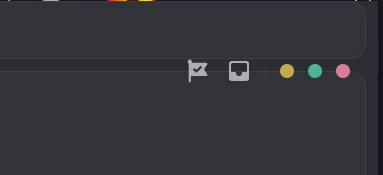
Hello, so I had issue with my previous quickCss and I found this amazing quickCSS that matches all my needs :
The problem is, the checkpoint flag and "mailbox" within yellow/green/pink dots are floating below the position it should be. It is like this : https://i.imgur.com/ne1CE3x.png
But no problem since I fixed it by changing :
--vr-header-snippet-top: ~~0~~ to -45px
But now sadly discord is not draggable anymore. I suspect that the dragable part was on top the checkpoint icon and by correcting their position I put the drag thing away from the discord window 😭 my skills are limited and I hope finding a nice person that can help me with my quickcss to fit the latest discord updates. Thank you 🥲
 half crystal
supple sparrow
Hello, so I had issue with my previous quickCss and I found this amazing quickCS...
half crystal
supple sparrow
Hello, so I had issue with my previous quickCss and I found this amazing quickCS...
try this
.base__5e434 {
    --custom-app-top-bar-height: 0px;
    anchor-scope: --trailing;

    .trailing_c38106 {
        position: relative;
        z-index: 101;
        anchor-name: --trailing;
        gap: var(--space-xs);
    }

    .trailing_c38106>* {
        translate: 0px 24px;
        /* Sadly this is still magic numbering */
    }

    .winButtons_c38106 {
        anchor-name: --win-buttons;

        &::before {
            content: none;
        }

        .winButton_c38106 {
            width: calc(var(--custom-channel-header-height) / 1.25);
            height: calc(var(--custom-channel-header-height) / 1.25);
        }
    }

    :has(.toolbar__9293f) {
        position: static;
    }

    .toolbar__9293f {
        position: absolute;
        right: calc(anchor-size(--trailing width) + var(--space-xs, 0));
    }
}
adding your quickcss work but it is moving the checkpoint flag / mailbox and 3 dots and make them float below again ^^
half crystal
supple sparrow
adding your quickcss work but it is moving the checkpoint flag / mailbox and 3 d...
modify translate
pure cairn
We love magic numbers
 pure cairn
half crystal
OH FUCING SHIT WHAT THE FUCK IS THIS
pure cairn
half crystal
OH FUCING SHIT WHAT THE FUCK IS THIS
Someone vibecoded a bit too hard
supple sparrow
half crystal
modify `translate`
ty a lot this works perfectly 😄 do you know if i can fix the margin on top, everything is too close to the edge without bad words (sorry 🤣 ) https://i.imgur.com/IDkFZv3.png

this was already like this with my previous quick css i think there is just so many things that needed fixing this is a bit of a mess ^^
half crystal
supple sparrow
ty a lot this works perfectly 😄 do you know if i can fix the margin on top, eve...
theme issue
supple sparrow
Ok all good i think it is still good enough, it was just if i could just move everything from top to 2-3 px below ^^
ty a lot for help! 😄
one last question, do you know where i can reduce the padding between the server icons on my quickcss? changing the px for everything to see if anything changes didn't seem to reduce anything, i probably need to add another line or i couldn't find. I am a noob in these codes so I was only able to change things by touching a bit everything 😓
steep drum
something else is off for me aswell

 spring pewter
steep drum
something else is off for me aswell
spring pewter
steep drum
something else is off for me aswell
damn
half crystal
spring pewter
has discord fucked w the classes randomly again
correct, welcome to hash hell
steep drum
bless discord
brazen quartz
snippets yes, themes no
 glacial citrus
anyone got a good theme they reccomend
i loved midnight-discord, but it seems abandoned at the moment
half crystal
guess what fucker, THEY BROKE ATTRIBUTE SELECTION TOO!
SO WE'RE ALL FUCKED!
gleaming vortex
glacial citrus
anyone got a good theme they reccomend
i loved midnight-discord, but it seems a...
I recommend vanilla discord
with ClientTheme plugin
half crystal
glacial citrus
anyone got a good theme they reccomend
i loved midnight-discord, but it seems a...
i dont believe it is
supple sparrow
what can I add in quickcss to reduce the width of the activity column and ajust it with the value that suits me the best? 😄
or I mean the column with the members that includes the activity cards on top
glacial citrus
half crystal
i dont believe it is
wdym
oh
it def is (at least for the moment)
there haven't been any non-automated fixes in weeks
and things have slowly been breaking
half crystal
this is just how you maintain themes /hj
supple sparrow
oh i don't think it is even possible to change width of the discord side panel (where there are all the nicknames) nvm... 🙁
i tried everything i believe it is impossible to target, i was able to only target the activity column that is showing up in the DMs
brazen quartz
half crystal
OH FUCING SHIT WHAT THE FUCK IS THIS
where is this
half crystal
brazen quartz
where is this
canary
supple sparrow
/* Side panel /
[class="membersWrap-"],
[class*="membersWrap_"] {
width: 230px !important;
max-width: 230px !important;
flex: 0 0 230px !important;
}
/* Inside of the side panel /
[class="membersWrap-"] [class*="members_"],
[class*="membersWrap_"] [class*="members_"] {
width:100% !important;
max-width: 100% !important;
}
Ok so I was able to target it, problem is. It seems possible to have a bigger side panel but it seems imposible to reduce its width...
I learned so much today but my knowledge is limited 🙁
adding min-width was necesary and was the key! Perfect 😄
tho only the 0 value or 50 value seemed to work. Below or beyond and besides the specific value nothing happens. Is that protected by the all-migthy discord itself? I seem to have only 2 choice of size... but atleast I found the width i previously had.
tidal vapor
late lichen
move the blur to the `&:before`
that just breaks it
mortal veldt
Hello, may I ask why these two's selected outline is different?
The first one is from friend list area or soundboard, the second is the main chat area.

 half crystal
mortal veldt
Hello, may I ask why these two's selected outline is different?
The first one is...
half crystal
mortal veldt
Hello, may I ask why these two's selected outline is different?
The first one is...
magic of discord css
mortal veldt
I would be very grateful if someone teach me how to change soundboard's box color and the cat icon's color... 😭

 brazen quartz
half crystal
canary
brazen quartz
half crystal
canary
awful
mortal veldt
half crystal
magic of discord css
I deleted most of my quickcss- Or even changed the hover color- I still can't find it's which code...
chilly knoll
does anyone know how to change the text colour of this search bar
 late lichen
--input-placeholder-text-default?
chilly knoll
late lichen
`--input-placeholder-text-default`?
thanks
steep drum
wtf was i smoking when writing this
 echo frost
using hardcoded hex colors?

 vivid flame
what the hell did they do to the css classes on canary lmaoooooo
they better revert this
echo frost
half crystal
OH FUCING SHIT WHAT THE FUCK IS THIS
oh this?
vivid flame
yea
chilly knoll
echo frost
using hardcoded hex colors?
is it better to use vars
echo frost
generally
 burnt sky
what is this even supposed to do?
echo frost
How are we supposed to know what's wrong when we don't know what it's supposed to be
 burnt sky
 dense depot
how can i have two+ root settings?
dense depot
how can i have two+ root settings?
imports has to be at the very top
roots can be any where
clear siren
I wish imports didn't have to be all at the top but we just don't have the technology to make that happen
brazen quartz
small indie company
dense depot
burnt sky
imports has to be at the very top
roots can be any where
i do know that but how can i add setting for each import?
burnt sky
you already have them there
if your refereing to the root settings you have in the image
dense depot
if i do this the panel gap setting wont work because root wont read the first import
 dense depot

the panel gap setting is for the first import but it wont work because root is reading the second import
burnt sky
maybe because the gap option doesn't use the same syntax as the rest of them
@dense depot change
--\--panel-gab: 16px;
to
--panel-gap: 16px;
the first import has litterly its own syntax lol
 dense depot
burnt sky
<@959759292389556254> change
--\\--panel-gab: 16px;
to
--panel-gap: 16px;
dense depot
burnt sky
<@959759292389556254> change
--\\--panel-gab: 16px;
to
--panel-gap: 16px;
doesnt work
dense depot
dense depot
how can i have two+ root settings?
that isnt the problem because like this image the setting works even tho i have written --\--
burnt sky
its working for me are you even in a Voice chat to see the changes?
dense depot
dense depot
how can i have two+ root settings?

 dense depot
dense depot
dense depot
as you can see when the setting works theres gaps between borders
dense depot
dense depot
but when it doesnt work theres no gap between borders
burnt sky
not sure weird why it ain't working for you i have my own type of activity thing setup in my theme more flat less rounded and floating shit
 dense depot
ok thanks maybe someone else would help
 low mulch
half crystal
OH FUCING SHIT WHAT THE FUCK IS THIS
low mulch
half crystal
OH FUCING SHIT WHAT THE FUCK IS THIS
is a nuke
half crystal
low mulch
is a nuke
nuke averted
pure cairn
Did they revert?
half crystal
pure cairn
Did they revert?
yeah
 languid copper
does any theme have colored text selection?
 late lichen
yes?

 prisma lynx
is the animated voice chat icon a new experiment? i don't like it. discord stopped naming the experiments so i don't know which it is
 iron smelt
prisma lynx
is the animated voice chat icon a new experiment? i don't like it. discord stopp...
iron smelt
prisma lynx
is the animated voice chat icon a new experiment? i don't like it. discord stopp...
2025-12_voice_channel_hoisting
Treatment one is the icon change, treatment two is icon change plus green bar.
smoky belfry
my god discord removed the white dot in front of channels WTF

what stupid experiment is this...
apparently it's not just me...
i hope i find that stupid experiment and disable it
otherwise i'll have to write more CSS again...
 oak plover
smoky belfry
my god discord removed the white dot in front of channels WTF
oak plover
smoky belfry
my god discord removed the white dot in front of channels WTF
Voice channel hoisting experiment
vivid flame
half crystal
yeah
they unreverted now, i just checked my canary client the madness is back
oak plover
The treatment that adds the green border to active voice channels removes the pill on channels for servers it’s enabled in for some reason
I don’t think it’s intentional
smoky belfry
dev://experiment/2025-12_voice_channel_hoisting
my god why they changing things in unrelated areas...
oak plover
Voice channels can have the dot too since they have their own text areas
It would overlap with the green border which would look weird so they got rid of it but instead of just doing it for voice they did it on every channel for some reason
smoky belfry
also while the idea of a waveform could be cool, since discord is ass electron react shit, it'll just be more load on my CPU
the green highlight is cool tho
but not at the expense of the white dot
vivid flame
this amount of tomfoolery by discord should not be allowed
 hoary stone
Forgive me if this is an easy thing but is there a way to affect / edit the @ mention / dm notification badge that servers / DMs get? The red circle with a number inside it.
I have been trying to find it but have been unable to.
 crimson skiff
hoary stone
Forgive me if this is an easy thing but is there a way to affect / edit the @ me...
crimson skiff
hoary stone
Forgive me if this is an easy thing but is there a way to affect / edit the @ me...
its inside the server pic
its a fake ping, not real
hoary stone
crimson skiff
its a fake ping, not real
It's the ping that shows up when I purposefully mark a DM as unread
It looks cut off because of my round server icon code
 vestal field
glacial citrus
and things have slowly been breaking
vestal field
glacial citrus
and things have slowly been breaking
boo
 gilded dirge
Hey guys, a quick question. I recently though to try and make a theme for myself and since I didnt have much knowledge how to do it i though to learn docs from better discord site and uhh, are they perhaps outdated? Ik it sounds dumb, just wanted to know :P
gilded dirge
i mean, i understand css
just wanted to know if perhaps the tutorial section in the docs has outdated info
half crystal
gilded dirge
just wanted to know if perhaps the tutorial section in the docs has outdated inf...
No, they're still in-date (and actively maintained)
languid copper
gilded dirge
Hey guys, a quick question. I recently though to try and make a theme for myself...
try random stuff and see what works
That’s how i learnt most of the css that ik
gilded dirge
i mean the biggest problem for me propably was figuring out the better discord docs lol
but i think i know how it basically works
still, its worth giving it a shot
languid copper
I don’t think i have used the docs once
gilded dirge
i took a look at the other themes css to understand it
now i understand this shit
it just snapped
pure cairn
I give them a quick look from time to time to check if I can improve something in my code and/or performances, but aside from that for me they're on a lower level of importance than something like MDN/W3schools
I learn faster by fucking around and finding out, so I'll just do that
languid copper
pure cairn
I learn faster by fucking around and finding out, so I'll just do that
exactly
gilded dirge
im doing it right now
pure cairn
pure cairn
I learn faster by fucking around and finding out, so I'll just do that
Nevermind I lied, I learn faster by getting yelled at for something that sucks in my code

Anyway, what's the current state of the debloater snippets/themes space?
I had a fun idea in mind
languid copper
those are a bit tricky to do
echo frost
there's many snippets for that
not sure where they are though
probably some in #🎨-css-snippets
might also be find some on https://betterdiscord.app/themes
vestal field
can discord make up their fucking mind about color vars
chilly knoll
vestal field
can discord make up their fucking mind about color vars
i love it when they rename --app-background-frame to --app-frame-background
half crystal
chilly knoll
i love it when they rename `--app-background-frame` to `--app-frame-background`
minor gaslighting
harsh harbor
how would i go about fixing the platform indicators (it also breaks with voice channel icons too, they appear underneath the platform indicators)?
 harsh harbor
how would i go about fixing the platform indicators (it also breaks with voice c...
harsh harbor
harsh harbor
how would i go about fixing the platform indicators (it also breaks with voice c...
what it looks like with voice channel icons
 iron smelt
harsh harbor
what it looks like with voice channel icons
iron smelt
harsh harbor
what it looks like with voice channel icons
Not trying to sound mean, Maybe ask in the correct support server?
Yk if you use a fork in usually asking an that forks server is a good call
harsh harbor
iron smelt
Not trying to sound mean, Maybe ask in the correct support server?
the issue is im not sure if this is a theme issue or a client issue, that's why i defaulted to asking here :)
iron smelt
harsh harbor
the issue is im not sure if this is a theme issue or a client issue, that's why ...
That’s very flawed logic
harsh harbor
it isn't, it looks like a theme issue
iron smelt
Then disable the theme and see if it still there
 stoic fjord
how do i change the color of usernames? and how do i make text less white


heres my text colours

heres the css
yes this is a semi modified ver of the midnight theme
same with the ping colour thing

 stoic fjord
what
 burnt lake
Do you remember how to download the entire Discord CSS?
Because I don't understand the nameclass update via the website.
pure cairn
did Discord break stuff again?
 wide rain
pure cairn
did Discord break stuff again?
wide rain
pure cairn
did Discord break stuff again?
yep
pure cairn
odd, everything still looks fine on my end
 teal elbow
pure cairn
odd, everything still looks fine on my end
teal elbow
pure cairn
odd, everything still looks fine on my end
only if you are on the ptb test version, themes are fully broken
clear siren
steep drum
good thing css is being turned around right as i'm getting the motivation to fix slider-toggles being blue instead of pink in my theme
(i can wait until they calm down)
burnt lake
steep drum
good thing css is being turned around right as i'm getting the motivation to fix...
What determines whether this site will update my CSS class?
https://syndishanx.github.io/Website/Update_Classes.html
clear siren
burnt lake
What determines whether this site will update my CSS class?
https://syndishanx.g...
it has a list of classes that have changed (updated 3d ago) and a script that runs through all the classes in the css, looks for matches and updates them accordingly https://github.com/syndishanx/update-classes
burnt lake
clear siren
it has a list of classes that have changed (updated 3d ago) and a script that ru...
does it also include imports?
clear siren
it does not, all imports have to be updated separately
burnt lake
clear siren
it does not, all imports have to be updated separately
Do you want to check if I'm disabled?
I'll send you the CSS and you can update it because I don't know if it's just my CSS that can't be updated.
clear siren
I'm at work so can't help rn
 quartz wolf
So if I was using quickCSS and not an actual theme, am I just fucked?
clear siren
quickcss is also just a css file in your vencord folder
or you can paste stuff into the textarea
 hazy frigate
anything to put this back on the right corner? it really gets in the way imo
 iron smelt
So what’s [class$=“”], because Ik about ^= and *= but never heard of the first one
clear siren
iron smelt
So what’s `[class$=“”]`, because Ik about `^=` and `*=` but never heard of the f...
ends in
hardcore mode: make discord theme only using the hashes in classes
also mdn is your friend https://developer.mozilla.org/en-US/docs/Web/CSS/Reference/Selectors/Attribute_selectors
echo frost
smoky belfry
did they update CSS ?
they updated class names
_51fd70792ee2e563-appMount
to stuff like that
only some have underscores
it's so ugly
echo frost
yep that'll work so well now
burnt sky
echo frost
they updated class names
atleast it isn't as bad as the steam update in 2024 when they changed simple named classes to random letters and numbers which there were over 30k of them
themes were broke for 3 weeks until we made a classmapper to pull from steam and update theme files locally
clear siren
I need to get back into ricing steam
hazy frigate
hazy frigate
anything to put this back on the right corner? it really gets in the way imo
bumping
 flat geyser
oldcord theme doesnt work anymore, tried the website in #theme-support but iddnt help
iron smelt
smoky belfry
none of my stuff broke
The userarea snippet broke
Unless I have an older version
iron smelt

 barren jewel
holy shit dude they changed everything
my entire quickcss is dead
even basic stuff to hide these
 quartz wolf
clear siren
or you can paste stuff into the textarea
quartz wolf
clear siren
or you can paste stuff into the textarea
Yeah I tried it and it didn't fix anything :(
barren jewel
these arent even working
 hazy frigate
barren jewel
my entire quickcss is dead
hazy frigate
barren jewel
my entire quickcss is dead
wait so could this be the root of my issue
cause i did already have a snippet to change the position of the "you are viewing older messages" thing but then suddenly it stopped working
okay yeah it is, other stuff i had hidden are suddenly back
tf happened
burnt sky
clear siren
I need to get back into ricing steam
here you go https://steambrew.app/
Steam Homebrew
Apply themes/skins/customization the new version of the Steam® Client. Steam Client Homebrew is a community focused on extending Steam's base functionality. We've developed Millennium, commonly known as Millennium for Steam, that lets you add new features to your Steam Client.
clear siren
yeah I've used sfp and millenium before
burnt sky
sfp is basically dead now
it works but not as feature rich as millennium and performance
burnt sky
clear siren
yeah I've used sfp and millenium before
millennium theme settings :)
vencord lets copy a classname and adjust that in quickcss :)

though cant really say much cause millennium now also has quickcss aswell now as of the latest beta
 tranquil whale
Anyone got diff file i know it got reverted for a short while but im preparing
echo frost
burnt sky
millennium theme settings :)
vencord lets copy a classname and adjust that in ...
yeah vencord needs theme setting support
 wind geyser
would anyone happen to know what would need to change in this snippet to fix an issue introduced with them changing around css variables recently? developer seems to have abandoned it, which has been fine until now
https://github.com/AushevAhmad/awesome-css/blob/main/modules/channeltweaks.css
i assume it's the color: var(--interactive-active); line but i don't know what became what, etc.
currently things look like this. read channel at the top, unread channel in the middle, focused channel at the bottom. focused channel's icon also becomes blue when hovered over

class updater doesn't change anything, i should probably mention
smoky belfry
barren jewel
these arent even working
Kek rofl those are bad anyway aria-label is per language, never plan on it
smoky belfry
wind geyser
would anyone happen to know what would need to change in this snippet to fix an ...
The CSS var likely was renamed ? Maybe check what is used now ?
wind geyser
oh duh it's just color: var(--icon-strong);
sorry, last time i tried looking around i couldnt find the right var lol
dreamy osprey
is there a way to make the first image more like the 2nd


 frosty crest
anyone know what the new class is for channel messageContent, the update tool did not know what to do with my snippet and nothing that seems related is doing anything im just tired of typing atp lol
eg: [class="markup__75297 messageContent_c19a55"]
 real quarry
<@&1073655264923881602> day 1 of oldcord theme breaking on current discord 🔥
<@&1073655264923881602>
wait WHAT THE FUCK
test
oh my god i've been PINGING A ROLE THIS WHOLE TIME?
plain kelp
At-silent isn't even a role
real quarry
then what's this

 queen shale
welp, oldcord is dead
plain kelp
Peak design if so
 lament trench
plain kelp
Maybe this discord has a role by that name just to mess with people
lament trench
plain kelp
Maybe this discord has a role by that name just to mess with people
indeed
<@&1073655264923881602>
late lichen
is the new class names horror an experiment?
half crystal
echo frost
yeah vencord needs theme setting support
Coming soon (actually, vee promised to add it when BD does)
echo frost
I thought bd had it what
half crystal
echo frost
I thought bd had it what
Working on it
(the imp they're doing for it is really cool tbh)
 austere cloak
https://syndishanx.github.io/Website/Update_Classes.html
Since this site isn't working for me with last release that broke a lot of my css
Can anyone helping me fixing it ?
The tag // color role mention // role list // member list and transition name not working
echo frost
just wait for the diff file to be updated
 nimble sun
Is there a ping anywhere for when it gets updated, or is it just a check back occasionally kinda thing?
echo frost
watching the github might work for commits? (it would be in your github notifs though)
other than that, i think just check in
burnt lake
Is anyone trying to update these imports?
@import url("https://scattagain.github.io/VencordStuff/css/GuildbarRevert.css");

@import url("https://raw.githubusercontent.com/BurningStoneDiscord/DiscordHighlightGradient/refs/heads/main/MentionReplyingFancyGradient.css");

@import url('https://raw.githubusercontent.com/surgedevs/visual-refresh-compact-title-bar/refs/heads/main/desktop.css');
oh my fucking god discord changed class names
all of my css got nuked
stone discord devs all the way
late lichen
im not refreshing my discord page
hazy frigate
hazy frigate
anything to put this back on the right corner? it really gets in the way imo
anything for this yet?
cosmic vault
 junior grove
Works for my oldcord, idk if it fixes all
junior grove
Works for my oldcord, idk if it fixes all
lmao i just spent a solid 10 minutes trying to figure out why the class updater wasnt working with this only to find out that my fancy ass todo list that i never fucking use had symbols that crashed it
burnt lake
Does anyone have a code that restores the old one for the area? I tried, but it didn't work for me.
 burnt lake
cosmic vault
but not entirely
burnt lake
cosmic vault
but not entirely
it doesn't work for me, for example
 junior grove

cosmic vault
plenty of things broken but its better than totally broken
junior grove
I only use oldcord, took their latest css, patched, works
burnt lake
cosmic vault
paaartially fixed
What signs did you say would suspend the updater?

 polar oyster
hi where i can find basic recolored themes like midnight ?
cosmic vault
burnt lake
What signs did you say would suspend the updater?
it would crash it, not make it fail
but really just any special character
i had some glittery stars in there
burnt lake
cosmic vault
i had some glittery stars in there
Could you review my CSS?
cosmic vault
i mean i guess
junior grove
cosmic vault
paaartially fixed
 cosmic vault
literally just remove anything not on your keyboard

its supposed to look like this
so its almost there
junior grove
lyk all I did was take classes from this project form the ClassNamesMap and make them supported by the updater, maybe if your theme has older class names it can cause the issue
https://github.com/fedeericodl/discord-update-classnames/tree/data
If you go to commits you can lurk around and maybe find what you need
cosmic vault
actually im assuming a lot of the issues i have are due to snippets i force input
a lot of theme are remote
junior grove
cosmic vault
also need to fix my quickcss
 fathom sun
trying to manually fix my custom CSS (since it was a custom made) but i dont really have experience in doing this so im gonna quickly ask, what should i replace wrapper with to like make this work (second image)

 cosmic vault
ill go over it manually when i have the time
junior grove
It updates oldcord css as presented on my picture above, so I can say it does work (at least for oldcord)
cosmic vault
no, not a chance
smoky belfry
burnt lake
Does anyone have a code that restores the old one for the area? I tried, but it ...
mine mostly restore the old user area, but modified
here's how it look

 sick thistle
smoky belfry
mine mostly restore the old user area, but modified
here's how it look
sick thistle
smoky belfry
mine mostly restore the old user area, but modified
here's how it look
gimme
cosmic vault
i don really have tiem so hopefully by the time i actually have time to do something all classes are on the updater
smoky belfry
i'm gonna update my snippet in #🎨-css-snippets since apparently it'd be broken, so i likly forgot to change it last time
burnt lake
smoky belfry
mine mostly restore the old user area, but modified
here's how it look
What did you do with the imports:
@import url("https://scattagain.github.io/VencordStuff/css/GuildbarRevert.css");
@import url("https://raw.githubusercontent.com/BurningStoneDiscord/DiscordHighlightGradient/refs/heads/main/MentionReplyingFancyGradient.css");
@import url('https://raw.githubusercontent.com/surgedevs/visual-refresh-compact-title-bar/refs/heads/main/desktop.css');
cool thing
smoky belfry
cosmic vault
i don really have tiem so hopefully by the time i actually have time to do somet...
personally i don't use the updater approach, i instead use class^= which is way more stable
technically it cost a bit more in perf, but from my test, it's not a lot and don't matter
smoky belfry
burnt lake
What did you do with the imports:
```
@import url("https://scattagain.github.io/...
i did not
i only use my own custom stuff
and i try to be as minimal as possible
i try to make my change the least invasive possible
brazen quartz
smoky belfry
personally i don't use the updater approach, i instead use class^= which is way ...
it kills performance on large themes, and im pretty sure that doesn't work anymore lolol (use class*=)
smoky belfry
because the less CSS i have, the less it will break
cosmic vault
smoky belfry
personally i don't use the updater approach, i instead use class^= which is way ...
this is far, but i like performance and i tend to not
smoky belfry
brazen quartz
it kills performance on large themes, and im pretty sure that doesn't work anymo...
well my entire theme is like that sooo
and my discord doesn't perform differently with and without the theme
the problem actually likely come from the large theme
also no, what kill your theme is class*=
class*= is WAY more costly than class^=
because it has to match any part of the string instead of just checking the start of it
 late lichen
i got this
 smoky belfry

MDN Web Docs
The CSS attribute selector matches elements based on the element having a given attribute explicitly set, with options for defining an attribute value or substring value match.
that is to match the end and 99% of the time, you don't want that
matching the end means here, you'd try to match against the hash, which is stupid, instead you want to match the start to match against the readable stuff
 polar oyster
if i want to change unread channel color what line do i change
late lichen
they flipped it
burnt lake
smoky belfry
mine mostly restore the old user area, but modified
here's how it look
Can you share the CSS?
brazen quartz
i wonder why this decision slipped through
smoky belfry
yes, gimme a sec, i'll extract the specific part of the CSS
polar oyster
if i want to change unread channel color what line do i change
smoky belfry
even with it being flipped, i'll still use ^=
because what you care about is generally the first class
and i guess i'll use class updater for first class
tho for now this is on canary
and my snippets are not made for it unless it's easy
smoky belfry
i'll only update my stuff when it come to stable, no point of chasing updates that might not come
smoky belfry
late lichen
its spreading to stable
then it's behind an experiment
brazen quartz
restart discord bro...
smoky belfry
because i'm on latest stable and don't have it
smoky belfry
brazen quartz
restart discord bro...
like i didn't 🙂
burnt lake
smoky belfry
yes, gimme a sec, i'll extract the specific part of the CSS
The only Discord I respect is the old look.
smoky belfry
to be far some little changes of the new look are fine
but most are imo UX nightmares
pure cairn
lucky
smoky belfry
anyway maybe i'll look it it on discord dev later
 sage tusk
nice
 late lichen
i had the old classes but then i refreshed..
smoky belfry
but doing it with $= is a bad idea
better rely either on node structure or on ^= with the hash
pure cairn
I'll just stick with full class names, who cares if the code is longer
cba to refactor all snippets
late lichen
if you just use the hashes, even old ones might still work
burnt lake
sage tusk
nice
I don't understand CSS at all because of these names.
smoky belfry
also who know, maybe it'll get reverted
would be funni if someone made a plugin so that the classnames would be mangled into readable stuff
sage tusk
smoky belfry
also who know, maybe it'll get reverted
I doubt it
smoky belfry
or did smth so that we get nice attributes
pure cairn
smoky belfry
would be funni if someone made a plugin so that the classnames would be mangled ...
I'm pretty sure someone did
burnt lake
smoky belfry
would be funni if someone made a plugin so that the classnames would be mangled ...
It would have to be two-sided, I think, so that Discord could read the readable classes on its strange ones.
smoky belfry
sage tusk
nice
smth like rawclass="panel activityPanel" for that
and that way, we'd do [rawclass^="panel"] by example
smoky belfry
burnt lake
It would have to be two-sided, I think, so that Discord could read the readable ...
yes
since all this shit is all text
sage tusk
smoky belfry
smth like rawclass="panel activityPanel" for that
and that way, we'd do [rawclas...
I know I'm just in love with the new class names
Obv
burnt lake
smoky belfry
yes
Theoretically, it can be done, but I'm not very good at it, and AI tends to get confused over time.
junior grove
junior grove
Oh yeah and I guess some people might lurk into this channel to just get the "old look" back, leaving this here, maybe it will be useful for someone
brazen quartz
what would you do if the class is named "container" xd
gilded radish
junior grove
Oh yeah and I guess some people might lurk into this channel to just get the "ol...
hey! does this have a part that just reverts the server column? my theme is mostly jank CSS glued together from many snippets and themes and if this has it I'd like to steal it
smoky belfry
burnt lake
Theoretically, it can be done, but I'm not very good at it, and AI tends to get ...
Someone that would do it would not be someone that vibecode its way through it, but an actual dev lmao
junior grove
gilded radish
hey! does this have a part that just reverts the server column? my theme is most...
somewhere probably, its just oldcord but working, I don't havea bloody idea what is where
 smoky belfry
junior grove
Oh yeah and I guess some people might lurk into this channel to just get the "ol...
smoky belfry
junior grove
Oh yeah and I guess some people might lurk into this channel to just get the "ol...
That's so big lmao
junior grove
smoky belfry
That's so big lmao
Yeah, its other.css + redesign.css + vars.css of oldcord as well as small fixes done by some guy from the NewerOldCord (somehow oldcord didn't bring the colors accurately with also annoyed me)
gilded radish
junior grove
somewhere probably, its just oldcord but working, I don't havea bloody idea what...
lmfao fair
I'ma hunt in it some more
junior grove
After 8 hours at work having to use the new style I got angry enough to use my 15 minute break
"Good enough" till folks from oldcord won't fix their main thing
gilded radish
can someone help me find the class for these buttons? I managed to hide the shop and friends buttons with these classes but I can't find the ones for shop and nitro
._553bf02027ac2419-wrapper {display: none;}
.e6b7699ce8339e1c-friendsButtonContainer {display: none;}
 smoky belfry
junior grove
Yeah, its other.css + redesign.css + vars.css of oldcord as well as small fixes ...
smoky belfry
junior grove
Yeah, its other.css + redesign.css + vars.css of oldcord as well as small fixes ...
My theme to revert the bad parts of discord is 1k line at max when i do it in DOM-like
burnt lake
gilded radish
can someone help me find the class for these buttons? I managed to hide the shop...
[href="/store"],
[href='/shop'],
[href='/quest-home'] {
    display: none;
}
It's like so small
gilded radish
burnt lake
```
[href="/store"],
[href='/shop'],
[href='/quest-home'] {
display: none;
}...
tysm!
I should learn how href works
seems to be a godsend
burnt lake
How can I continue my image?
it's about that black space on the left
.vc-betterFolders-sidebar-grid

.c38106a3f0c3ca76-bar {
  grid-column: channelsEnd / end;
}

._5e434347c823b592-sidebar,
._5e434347c823b592-content {
  grid-row: top / end;
}

@keyframes wallpaperRotate { 0%, 33% { background-image: url('https://i.imgur.com/gEXoBXN.png'); } 34%, 66% { background-image: url('https://i.imgur.com/xhZAYR8.jpeg'); } 67%, 100% { background-image: url('https://i.imgur.com/hnbz4FC.png'); } }

._740174f3d6a2c8fe-scrollableContainer, ._740174f3d6a2c8fe-themedBackground {
    background-size: cover;
    background-position: center;
    background-repeat: no-repeat;
    animation: wallpaperRotate 23s infinite;
}
but divide it into 2 separate classes and photos
 slim lantern
The random junk at the start of classes... they did this intentionally lol.
burnt sky
well rip my theme
gilded radish
I'm slowly losing my mind cause idk enough CSS to fix this
I got this piece of code that'll fix the old server column, the current itteration of the code doesn't have full functionality
@import url(//raw.githubusercontent.com/SeanMatts/Discord-Fixed-Snippets/refs/heads/main/fixed-server-list.css);

:root {
    // You can change the size but only to be less than 48px, you must change the blob scale too
    --guildbar-avatar-size: 48px;
    --blob-scale: 48;

    --guildbar-folder-size: var(--guildbar-avatar-size);
    --folder-blob-scale: var(--blob-scale);
}
note: enabling the link breaks it more
tried using the class updater both in the raw text and current root css, didn't really work
 full pebble
it fixes like 10% of the css
full pebble
full pebble
it fixes like 10% of the css
actually more i think but server list is stil fucked and profile flyover
full pebble
discord try to not make everyones life miserable challenge
ill fix it tomorrow idc anymore
and ill replace all classes with ^= to prevent such things cause damn fuck discord and its fucked up classnames
smoky belfry
i'm gonna scare some people with this
full pebble
yep i have glowing disabled too
makes names unreadable
.e5de7811b2777bfa-threeColorGradient,
.e5de7811b2777bfa-twoColorGradient {
    &.e5de7811b2777bfa-usernameGradient {
        color: color-mix(in lab, var(--custom-gradient-color-1), var(--custom-gradient-color-2));
        background: none;
        -webkit-text-fill-color: initial;
    }

    &::after,
    &._703b91fc872193e8-nameGlow {
        display: none;
    }
}
you're trying so hard when everything which is needed is a display none
 steep drum
so who's got a good diff file
gilded radish
steep drum
so who's got a good diff file
they updated the class updater website
steep drum
nvm syndis commited an hour ago
steep drum
gilded radish
they updated the class updater website
yeah
gilded radish
yup




 marble monolith
any new snippets to make server icons circular again
the one I used to use finally gave up 
fathom sun
what would the new correct CSS class names be for these things:
.sidebar_c48ade {
 overflow: visible!important;
}
.container__2637a {
 padding-bottom: 0px!important;
}
.scroller__99e7c {
 margin-bottom: 0px!important;
}
.bottom__7aaec {
 bottom: 0px!important;
}
nav.guilds__5e434  {
 margin-bottom: 0 !important;
}
 high dust
junior grove
Oh yeah and I guess some people might lurk into this channel to just get the "ol...
high dust
junior grove
Oh yeah and I guess some people might lurk into this channel to just get the "ol...
thank you so much for this 🙏
burnt sky
lol look at this shit just to remove start an activity button
[aria-describedby="«rfq6»"]{
display: none;
}``` narrow hinge
There are better ways lol
wide rain
hey guys in the bottom left of the screen where the server icons are, theres a weird black area that just takes up space for no reason as per the screenshot, can anyone help fix that please?

 mild temple
anyone know how to fix the ping being out of aligmnent?
 narrow hinge
Try
.cc5dd25190031396-lowerBadge {
  top: 32px;
  left: 32px;
}
youre a savior 🙏