#🧣|comfy-ui
1 messages · Page 2 of 1
 olive yoke
 sick badger
Fully updated and that's the exact inpainting workflow I'm using. Yes, just the background, no changes to the ball made and passed in from blender.
olive yoke
sick badger
Fully updated and that's the exact inpainting workflow I'm using. Yes, just the ...
where is the lighting on the ball coming from?
sick badger
From blender
olive yoke
by updated i mean my fork is up to date with upstream. take a look at it closely
sick badger
Just some generic lighting for testing, otherwise it's just dull and doesn't blend well at all with backgrounds
olive yoke
then all you need to do is choke the matte a little bit. so if you imagine a black circle inside a white rectangle, your positive growth number should cause the black circle to be smaller. then composite overlay the ball image. in blender, render on a shadow matte.
don't use the final image from comfyui
where is the code running?
inside a web app?
or inside blender?
sick badger
Hmm interesting take, had t thought much about adjusting the textures. Will give that a try.
I have a test and production server stack running 4090's (no swarm, dont really need at this time). Scripts are called from Symfony where everything is done headlessly.
olive yoke
sick badger
Hmm interesting take, had t thought much about adjusting the textures. Will give...
it's not swarm
you gotta stop making assumptions and read the README
you're a programmer
it is your Duty to read the documentation lol
sick badger
Wasn't referring to yours, was referring to my stack not being swarm.
olive yoke
okay
lol
just trust me
read what i am telling you to read
i am much further along on this journey than you
olive yoke
sick badger
Hmm interesting take, had t thought much about adjusting the textures. Will give...
Symfony
use the openapi file - https://github.com/hiddenswitch/ComfyUI/blob/master/comfy/api/openapi.yaml - to generate a php client. it models vanilla comfyui and my api extensions correctly
but you don't want to use the vanilla comfyui api. you don't want to interact with the websocket at all.
you will need all the features in this fork pretty much from day 1
such as just being able to install the thing correctly
and being able to configure it in a sane way
sick badger
I'll check it out on a test server when I have some time this weekend.
olive yoke
sick badger
I'll check it out on a test server when I have some time this weekend.
this is maybe the most pertinent section for you
Using ComfyUI as an API / Programmatically
There are multiple ways to use this ComfyUI package to run workflows programmatically:
Start ComfyUI by creating an ordinary Python object. This does not create a web server. It runs ComfyUI as a library, like any other package you are familiar with:
from comfy.client.embedded_comfy_client import EmbeddedComfyClient
async with EmbeddedComfyClient() as client:
  # This will run your prompt
  outputs = await client.queue_prompt(prompt)
  # At this point, your prompt is finished and all the outputs, like saving images, have been completed.
  # Now the outputs will contain the same thing that the Web UI expresses: a file path for each output.
  # Let's find the node ID of the first SaveImage node. This will work when you change your workflow JSON from
  # the example above.
  save_image_node_id = next(key for key in prompt if prompt[key].class_type == "SaveImage")
  # Now let's print the absolute path to the image.
  print(outputs[save_image_node_id]["images"][0]["abs_path"])
# At this point, all the models have been unloaded from VRAM, and everything has been cleaned up.
See script_examples/basic_api_example.py for a complete example.
Start ComfyUI as a remote server, then access it via an API. This requires you to start ComfyUI somewhere. Then access it via a standardized API.
from comfy.client.aio_client import AsyncRemoteComfyClient
client = AsyncRemoteComfyClient(server_address="http://localhost:8188")
# Now let's get the bytes of the PNG image saved by the SaveImage node:
png_image_bytes = await client.queue_prompt(prompt)
# You can save these bytes wherever you need!
with open("image.png", "rb") as f:
    f.write(png_image_bytes)
See script_examples/remote_api_example.py for a complete example.
Use a typed, generated API client for your programming language and access ComfyUI server remotely as an API. You can generate the client from comfy/api/openapi.yaml.
Submit jobs directly to a distributed work queue. This package supports AMQP message queues like RabbitMQ. You can submit workflows to the queue, including from the web using RabbitMQ's STOMP support, and receive realtime progress updates from multiple workers. Continue to the next section for more details.
it may make your life 1000x easier is all
so if you don't want to fuck with an API, you can install the package like any other python package, author a single script that specifies a fastapi end point, and it does all your blender automation and invokes comfyui, and returns image/png bytes
something that ChatGPT will be able to author for you. there's no chance it's going to comprehend comfyui's undocumented API as is
you have something working, but it's going to be a huge PITA to change
if you ever get any traction, you will need the distributed stuff, and you won't want to touch swarm
you don't want to reinvent queues.
or use someone else's reinvention of queues
just use rabbitmq or SQS like a sane person
it has tests and i use it in production
chatgpt will also be able to read the openapi.yaml file i authored and give you a correct php client implementation for the 1 method you need, which returns image/png bytes, to minimize your pain
sick badger
insane build, reading through it
olive yoke
@charred locust what is your goal re: a frontend versus a backend for image generation?
 chilly tree
hey guys, how to debug the comfyui?or are there any example? I just finish the officail example.
any suggetions for refreshman like me.
 charred locust
olive yoke
<@102487243410636800> what is your goal re: a frontend versus a backend for imag...
charred locust
olive yoke
<@102487243410636800> what is your goal re: a frontend versus a backend for imag...
I was wondering if it would be possible to run the frontend without any GPU resources, and then potentially port it to run on the client using WASM. You'd then connect to remote backend servers (the Stable Diffusion API, or your own cluster) to do the generation
olive yoke
charred locust
I was wondering if it would be possible to run the frontend without any GPU reso...
is the underlying issue that you do not have a gpu?
and do you "just" want comfyui, but distributed?
charred locust
Partially because I don't have a GPU, but mainly because I want to work on a project
olive yoke
chilly tree
hey guys, how to debug the comfyui?or are there any example? I just finish the o...
when you say debug, what do you mean? step through the python debugger? what are you trying to investigate?
olive yoke
charred locust
Partially because I don't have a GPU, but mainly because I want to work on a pro...
the frontend is pure static javascript.
comfyui \
 --listen \
 --cpu \
 --distributed-queue-connection-uri="amqp://guest:guest@10.1.0.100" \
 --distributed-queue-frontend
in my fork, this will start a pure frontend
the fork is otherwise vanilla comfyui. really the problem with comfyui is the custom nodes.
chilly tree
olive yoke
when you say debug, what do you mean? step through the python debugger? what are...
yes, just like A1111's stable-diffusion-webui and fooocus, I can debug code step by step.
charred locust
olive yoke
the frontend is pure static javascript.
```
comfyui \
--listen \
--cpu \
--...
That's pretty cool, I might try this first then
olive yoke
chilly tree
yes, just like A1111's stable-diffusion-webui and fooocus, I can debug code step...
well you can launch main.py in pycharm with the debugger
olive yoke
charred locust
That's pretty cool, I might try this first then
but you need to run other stuff
for it to make sense
charred locust
Can Comfy connect to the official API? That would allow me to validate. My overall goal was to set up a backend using Kubernetes
olive yoke
charred locust
Can Comfy connect to the official API? That would allow me to validate. My overa...
this is what i use my fork for, to run the backend on kubernetes
but without GPUs, you will not cross the hardest part of this journey
olive yoke
charred locust
Can Comfy connect to the official API? That would allow me to validate. My overa...
olive yoke
charred locust
Can Comfy connect to the official API? That would allow me to validate. My overa...
when you say the official api, what do you mean?
charred locust
The stability API https://platform.stability.ai/docs/API-reference
olive yoke
i see. the stability api doesn't accept a comfyui workflow
you can author something to do things the other way around
but that is low yield
charred locust
olive yoke
i see. the stability api doesn't accept a comfyui workflow
Yeah, I think I realised that when I saw comfy connects over amqp
olive yoke
charred locust
Yeah, I think I realised that when I saw comfy connects over amqp
that is only in my fork
which is vanilla comfyui + features like that
charred locust
Oh damn, OK. Yeah, because when I was looking at swarm I was thinking the job allocation is handled by the frontend, which didn't seem optimal.
olive yoke
charred locust
Oh damn, OK. Yeah, because when I was looking at swarm I was thinking the job al...
i can't speak to what swarm does, but the way my fork works makes a lot of sense from the pov of doing things correctly
charred locust
Yeah, a queue with workers makes the most sense
olive yoke
charred locust
Yeah, a queue with workers makes the most sense
or use whatever. https://github.com/hiddenswitch/ComfyUI/blob/master/comfy/distributed/distributed_prompt_worker.py connecting comfyui to rabbitmq from the worker's POV was 97 lines
charred locust
Very nice
olive yoke
@lavish canopy re: using multiple GPUs, are you familiar with docker?
chilly tree
olive yoke
well you can launch `main.py` in pycharm with the debugger
thank you!
 thorny lily
charred locust
Oh damn, OK. Yeah, because when I was looking at swarm I was thinking the job al...
thorny lily
charred locust
Oh damn, OK. Yeah, because when I was looking at swarm I was thinking the job al...
no, Swarm has frontend (webpage), and a middle (queue, engine, etc), and a backend (ComfyUI usually)
the part you're referring to that does job allocation is the high-performance C# middle engine, not the frontend
 lone cape
Done the Comfy node, I made one node to manage all the latest new model concepts. This is the developer-tester workflow I'm sharing now.
Model_concept combo:
- Normal: For simple SD/SDXL, selected from checkpoint loader
- LCM: for selected SD/SDXL checkpoints, loras will be downloaded automatically at first usage
- Turbo: for turbo checkpoints only, use checkpoint selector
- Cascade: required Cascade unet vae and clip models from HF
- Lightning: for any lightning mode, see several Lightning combination below
Ligtning selector combo:
- Unet: use unet model required from HF (1-8 steps)
- Lora: use lora saftensors required from HF (2-8 steps)
- Safetensor: .safetensor files required from HF (1-8 steps)
- Custom: use if custom lightning safetensor downloaded and selected tom checkpoint selector
- Lightning sampler: automatic setting based on selected model (primarily steps from 1 to 8) or use external sampler settings
Then select several safetensors if model_concept is set to Cascade
The uploaded workflow png contains the development/testing workflow, Primere nodepack required (Manager->Install custom nodes, and use manager for missing model installations)


 unreal reef
Just tried Comfy last night. It is SO much faster. Not sure why I waited so long...
 silver nebula
IPAdapter and WireFrame models into Depthmap/Canny Controlnets - wireframes made using MJ - prompt for wireframes = Wireframe Digital Sculpture crafting a dynamic and immersive representation of a woman portrait, exploring abstract geometric shapes and contours to convey the essence of the subject in a minimalist and contemporary style, where intricate wireframe structures come to life in a digital realm, blending form and function in a visually captivating manner. LoRAs used = Ethereal Grace, and r3mbr4ndt (sometimes Rainbow too).


Reactor Face Restore does a superb job on the main face; but overlooks the non-central faces. ADetailer in A1111 is very good at getting every face. What is the best Detailer in ComfyUI which will do a similar and thoroughgoing job as ADetailer?
olive yoke
@charred locust is the main value for you in the stableswarm-ui the wizard-style UX? it helps me to know what the appeal is
i went through the same journey as you. i looked at stableswarmui and stable horde.
charred locust
I think I looked at it first because it seemed to be the most actively maintained - my main goal is to deploy a highly available AI project to kubernetes. I'm mostly concerned about the infrastructure - the less code I have to the write/change, the better from my PoV
I also wanted to offload the FE portion to object storage and avoid using compute resources to host it, but that seems non-trivial, at least with regards to swarm, and possibly of little benefit anyway once you introduce a CDN
olive yoke
charred locust
I think I looked at it first because it seemed to be the most actively maintaine...
the fork that i authored requires no code changes to run inside a container and behave the way you expect
so it sounds like you don't really care about the UI?
i mean i already run this in kubernetes, and i use a CDN in front of the frontend. it was all designed to support a CDN fronting the images
so i guess that's good news for you
charred locust
If it's usable I'm happy 😛 Though swarm being a superset of comfy features is appealing
olive yoke
because of the engineering choices i've made, you're not going to need to deal with hairy issues like job cancellation when a pod goes down
as in, you don't have to "Worry" about that. the job lives in rabbitmq. so things don't get interrupted when you update
olive yoke
charred locust
If it's usable I'm happy 😛 Though swarm being a superset of comfy features is a...
do you imagine an end user visiting the comfyui URL directly?
charred locust
probably not, this is mostly for my own learning, so the only people I really see using any of it are people I directly tell about it. I still intend to use best practices though
olive yoke
charred locust
I also wanted to offload the FE portion to object storage and avoid using comput...
if you want to use the comfyui webui, you will have to host its eensy-weensy frontend.
if you want a purely static frontend, you would have to write about ~150 lines of code in javascript to use STOMP
but i will tell you now, that's not as useful as it seems
olive yoke
charred locust
probably not, this is mostly for my own learning, so the only people I really se...
do you already have a linux or windows machine equipped with a GPU?
charred locust
not any GPU capable enough, I don't think, I'm just using a laptop. I'd use GCP to host kubernetes
olive yoke
charred locust
not any GPU capable enough, I don't think, I'm just using a laptop. I'd use GCP ...
well if you are willing to burn a few hundred dollars at the end of the month you will be fine
charred locust
I'll try to make the most of the GCP credits 😛 With queuing, I should also be able to scale the GPU nodes down to 0 when not in use as well
olive yoke
charred locust
I'll try to make the most of the GCP credits 😛 With queuing, I should also be a...
i added the container for you
https://github.com/hiddenswitch/ComfyUI/blob/master/Dockerfile if you want to put the models in the image, go for it. it's easy to do
charred locust
wow, thanks so much! Depending on how large the models are, I think I would probably add them using volume mounts rather than baking them into the image
charred locust
I would probably change the docker build to install from a COPY of the local repo, otherwise the image won't contain any of the local changes.
Something like:
COPY . .
RUN pip install --no-cache --no-build-isolation .
Or alternatively, use an ARG to pass a ref to the install command
ARG GIT_REF=master
RUN pip install --no-cache --no-build-isolation git+https://github.com/hiddenswitch/ComfyUI.git@$GIT_REF
This will have the same default behavior, but allow you to pass a --build-arg with a specific ref, so builds can be reproducible
olive yoke
charred locust
wow, thanks so much! Depending on how large the models are, I think I would prob...
having been down this journey you can use the provisioner google provides* but it's not RWX
there's ROWX in 1.29+
you would need ot write a daemon or similar to populate the pvc
olive yoke
charred locust
I would probably change the docker build to install from a `COPY` of the local r...
do what you need to do. i figured since you told me you want to code as little as possible there's nothing you're going to want to do in the repo 🙂 if you want ot add stuff use comfyui as a library
olive yoke
charred locust
I would probably change the docker build to install from a `COPY` of the local r...
this is also more complicated than it seems. once you change it to COPY, then it becomes a multi-stage build, then you discover that you would have to copy a whole site-packages directory
 charred locust
olive yoke
you would need ot write a daemon or similar to populate the pvc
charred locust
olive yoke
you would need ot write a daemon or similar to populate the pvc
could the models not live in object storage and get pulled in using an init container? I'm also new to GCP, and not familiar with the nuances - I'm more familiar with AWS, but then that's why I want to do this project. I think bundling too many things into the container should be avoided if possible
olive yoke
charred locust
could the models not live in object storage and get pulled in using an init cont...
an init container writing from network storage to an emptydir takes as long as downloading the model from a URL. huggingface itself is on google cloud
in production i put the base checkpoints in the image so that things start faster, and small stuff like loras i download from somewhere
charred locust
I think I will have to get more hands-on with it to experience for myself, this is my time doing anything MLOps, but I really appreciate your insight and the work you're doing 🙂
I'm still very much in the scoping phase, and I need to finish my current project first before I properly embark on this 😅
 haughty barn
dose anyone know if the new playground v2.5 works with controlnets in comfyUI?
 daring pecan
Hello guys. Im trying to create a frontend GUI for comfyui so the end user only works modifying a few parameters of my workflow suchs a prompt, has anyone made anything similar? or got any tutorial/project i could follow maybe? any ideas were to start? It doesnt have to run remote, Better if it runs localy.
 manic moat
What is this error plz can anyone help me

 strong flower
daring pecan
Hello guys. Im trying to create a frontend GUI for comfyui so the end user only ...
strong flower
daring pecan
Hello guys. Im trying to create a frontend GUI for comfyui so the end user only ...
Did you checked SwarmUI ? It's some sort of A1111 front end running on ComfyUI backend, it may be easier to start from that and hide the things you don't want to show to end user https://github.com/Stability-AI/StableSwarmUI

GitHub
StableSwarmUI, A Modular Stable Diffusion Web-User-Interface, with an emphasis on making powertools easily accessible, high performance, and extensibility. - Stability-AI/StableSwarmUI
 tacit fulcrum
Could anyone help me with this issue I have, I somehow cant get attention mask in IPadapter work, without the attention mask, it works fine but when I add one, it keeps asking for image input

it works just fine without the mask
but the proportions are someimes all over the place when I try to create a body with controlnet
this is the error
 tacit fulcrum
Here is the workflow, if anyone is willing to run it once

 cinder prawn

daring pecan
strong flower
Did you checked SwarmUI ? It's some sort of A1111 front end running on ComfyUI b...
awesome. didnt know about this, I'll take a look. Thanks pal
sick badger

anyone else have the issue where when you load your webui you get the warnings about nodes not being installed but when you refresh the red goes away? didn't use to happen
tried clearing browser cache already
not breaking anything, more of just an annoyance for a problem that didnt exist a few weeks ago
olive yoke
daring pecan
Hello guys. Im trying to create a frontend GUI for comfyui so the end user only ...
how well can you program?
what's the goal?
daring pecan
olive yoke
how well can you program?
im studying an undergrad involving programming, i have some experience and open to leanr
daring pecan
olive yoke
what's the goal?
Im working on a workflow that is intended to be used by users with no experience using comfyui, so I need to make a frontend that runs locally so the user can interact with it changing a few basic parameters of the workflow (let's say denoise of the ksampler and text positive prompt for example) so they dont have to mess around with the nodes and connections
olive yoke
daring pecan
im studying an undergrad involving programming, i have some experience and open ...
https://github.com/hiddenswitch/ComfyUI?tab=readme-ov-file#embedded
simply pip install git+https://github.com/hiddenswitch/ComfyUI.git, then follow the linked example code to use comfyui embedded within another python application
have you ever pip installed something?
usually in school they do that all for you and you never interact with packages
daring pecan
olive yoke
https://github.com/hiddenswitch/ComfyUI?tab=readme-ov-file#embedded
simply `pip ...
kk will take a look
daring pecan
olive yoke
have you ever `pip` installed something?
not really i have little experience with python overall
olive yoke
when you say a frontend that runs locally, you mean your application would start a website, then the user would visit that website?
daring pecan
so its a lot of reading a learning for me
olive yoke
daring pecan
not really i have little experience with python overall
do you subscribe to ChatGPT Plus?
daring pecan
olive yoke
when you say a frontend that runs locally, you mean your application would start...
that's the overall idea, given that im not using comfyui witha hosted GPU and it is intended to process locally with the GPU
olive yoke
tacit fulcrum
this is the error
LoadImage shouldn't have an input there.
daring pecan
olive yoke
do you subscribe to ChatGPT Plus?
nope
olive yoke
daring pecan
nope
well you are at the start of a long journey
daring pecan
olive yoke
do you subscribe to ChatGPT Plus?
why tho? i think i could get it
if it really made things easier
olive yoke
it really depends on what specifically you want to learn
olive yoke
daring pecan
why tho? i think i could get it
from this exercise the biggest thing you will learn about is concurrency. every useful piece of software is interactive but also runs long running tasks, such as a comfyui frontend. but when you saw async in that code snippet, you know, you barfed
the second biggest thing you'll learn is how to use pip
daring pecan
Awesome im looking forward to learn
Let me see if i got it right: following those steps i will be able to run comfyui programatically from my app?
olive yoke
daring pecan
Let me see if i got it right: following those steps i will be able to run comfyu...
yes. take a look at the whole file that is linked there. there's a lot to deal with in order to make what you want "work"
if you don't want to constantly load and unload models, you will have to store that embedded client object somewhere.
this is "easy" if you've ever tried to make an application before, because then you would have dealt with async / await. but since you haven't, this is going to seem "way too complicated."
@daring pecan am i making sense?
so no matter what, no matter how hard you try, you will have to deal with concurrency. either via async await, or trying to use a thread pool executor, or any number of solutions, there are a lot of them.
daring pecan
olive yoke
this is "easy" if you've ever tried to make an application before, because then ...
i have worked with async/await before but in mobile app development, so it is not an entirely new concept to me at least
olive yoke
okay that's good
i think the reason you should subscribe to chatgpt plus then is to ask questions like, "given how i do this in android java, how would i achieve this in python?" sort of thing
not to have it write your application. it will be helpful for reading documentation for you, but you still have to go much further on the journey to use that part of it well
daring pecan
olive yoke
i think the reason you should subscribe to chatgpt plus then is to ask questions...
that would speed things up a lot, yeah
daring pecan
olive yoke
not to have it write your application. it will be helpful for reading documentat...
totally, it would help with the learning curve a lot
olive yoke
yeah i'm only suggesting stuff that would align with your learning goals
daring pecan
olive yoke
yeah i'm only suggesting stuff that would align with your learning goals
and I appreciate it a lot actually, you are being very helpful given i didn't knew where to start
olive yoke
if you know what async / await is, then you will have no problems doing this
daring pecan
Kk
olive yoke
thank your instructors
that was a really good thing to focus on for making mobile apps
daring pecan
I'll look at the link when i have a moment and get back to you if I have doubts I cannot solve somewhere else... I dont wanna be a pain in the ass lmao
olive yoke
you're not this is all cool
tacit fulcrum
olive yoke
LoadImage shouldn't have an input there.
yeah, I fixed that, thanks tho
daring pecan
olive yoke
you're not this is all cool
good to know, thanks again pal 🙂
silver nebula
Each time I reboot my PC I must totally delete then reinstall ComfyUI; otherwise it'll open to a blank screen - no nodes, no graph, no Manager?! It is not the standalone ComfyUI. Win 10, 8Gb VRAM RTX 2070, 64Gb RAM
Why would this happen?
 true salmon
Hey, I'm trying to use Depth Anything in Comfy and i keep getting this error. Anyone have any advice?
olive yoke
silver nebula
Each time I reboot my PC I must totally delete then reinstall ComfyUI; otherwis...
custom nodes can be quite buggy
do you mean vanilla comfyui
or comfyui with all your crap in it
olive yoke
true salmon
Hey, I'm trying to use Depth Anything in Comfy and i keep getting this error. An...
are you trying to use this in a docker image?
is this my docker image?
or is this in stableswarm-ui with some kind of docker backend?
all this is saying is that you are using a controlnet checkpoint that htese nodes do not support. that may be because its keys are in an unexpected format
true salmon
@olive yoke It's a template running on Jupyter notebook, on Runpod. Yes I believe it's in a docker image
olive yoke
true salmon
<@247793168056057857> It's a template running on Jupyter notebook, on Runpod. Ye...
what is the idea? whose docker image is it?
have you run this workflow locally, normally, interactively, on vanilla comfyui from master?
true salmon
@olive yoke Its one of the Runpod moderator's templates. I don't have the ability to run the workflow normally, unfortunately, hence the Runpod. And yes the workflow has been run just fine, lots of custom nodes loaded into vanilla comfyui. It seems like that controlnet model I'm loading in the advanced controlnet loader node isn't the right one, but I'm having trouble finding any others that will work
olive yoke
true salmon
<@247793168056057857> Its one of the Runpod moderator's templates. I don't have ...
can you send me a link to the dockerfile?
true salmon
@olive yoke nvm I got it to work. I disabled the entire depth controlnet group, still got the error, so i reverted to a previous workflow, ran without depth, then with regular Zoe depth, then loaded up depth anything, and boom. I'll still link you the template though if you're interested just lmk
 tough birch
Guys I`m using sd_xl_base_1.0 model and trying to get two image mix together by using Load clip vision But keep getting this error. i am new to this so appriciate your help.

following Scott Detweiler tutorial step by step everything is identical but seems that doesnt work for me
olive yoke
tough birch
Guys I`m using sd_xl_base_1.0 model and trying to get two image mix together by...
you don't have to follow tutorials. have you dragged and dropped the clipvision examples from the comfyui github into the workspace?
tough birch
Clip vision I found in Comfy Workplace
tough birch
olive yoke
you don't have to follow tutorials. have you dragged and dropped the clipvision ...
Run diffusion? no
olive yoke
a dockerfile
tough birch
I`m using ComfyUi running on Runpod
tough birch

If you caught the stability.ai discord livestream yesterday, you got the chance to see Comfy introduce this workflow to Amli and myself. The idea here is that you can take multiple images and have the CLIP model reverse engineer them, and then we use those to create something new! You can do this with photos, MidJourney images, DreamStudio, or...
olive yoke
tough birch
https://www.youtube.com/watch?v=1SwDCqgXZ-M
GitHub
Examples of ComfyUI workflows. Contribute to comfyanonymous/ComfyUI_examples development by creating an account on GitHub.
do you have a GPU?
or a mac?
tough birch
I`m using GPU on Runpod Cloud
olive yoke
i know but do you have a GPU or a mac?
tough birch
GPU
olive yoke
have you tried running comfyui locally?
tough birch
I have but extremely old give then fact that my laptop is 7 years old
olive yoke
all this error is telling you is that you are using the wrong models
tough birch
Its not as fast as I like it to be
tough birch
olive yoke
all this error is telling you is that you are using the wrong models
Understood. Good point because I think I dont have a good understanding the difference between models
I`m an Architect and trying to get advantage of these tools
olive yoke
he's just showing you a video of assembling the workflow i shared with you
you don't need the video at all
don't follow any youtube videos lol
tough birch
Ok thanks. Sure If you could share with me any written documentation that actually helps me from the ground up I would appreciate it greatly
olive yoke
that is the link
tough birch
Amazing, So this is how SDXL should be used?
olive yoke
tough birch
Amazing, So this is how SDXL should be used?
yes, go ahead and poke around all the comfyui examples
tough birch
Thanks alot
silver nebula
olive yoke
or comfyui with all your crap in it
That's an idea - startup with barebones ComfyUI ... thanks for the idea! 🙂
 pallid ermine
/subscribe create a banner, crochet bouquet, with SIS_CRAFT text, raw picture--ar 16:9 --v 6.0
silver nebula
All of a sudden, Comfy's throwing a "loop" ... ERROR ... 'UNetModel' object has no attribute 'default_image_only_indicator' in KSampler Advanced
I found the answer ... remove FreeU Advanced ... it's working now!!!
 austere stag
Im trying to create an animation from images, using the prompt "Portrait of a man from the year [xxxx]"
I want to increment "xxxx" for, say, +10 per batch
How do I use placeholders & increment the number ?
 pseudo tree
Does anyone know where I could find a good in-painting workflow for comfyUI? Also do you need to use another program like photoshop or something to create the masks or is there a way to do that inside comfyUI itself?
olive yoke
pseudo tree
Does anyone know where I could find a good in-painting workflow for comfyUI? Als...
which program do you know how to use best?
pseudo tree
olive yoke
which program do you know how to use best?
I have and use clip studio a lot, if that's what you mean. It's not hard for me to create a mask its just a pain be working in multiple different programs, but I can deal.
Also do SDXL checkpoints generally work correctly if you're trying to inpaint or do you need to use fine-tuned models or some other AI to do it?
olive yoke
pseudo tree
Also do SDXL checkpoints generally work correctly if you're trying to inpaint or...
it really depends on your use case
olive yoke
pseudo tree
I have and use clip studio a lot, if that's what you mean. It's not hard for me ...
have you looked if someone has authored a clip studio plugin?
pseudo tree
olive yoke
it really depends on your use case
a simple example of what I'd like to try is, I have a checkpoint that I used to generate a character and I like the body but want to try for some other faces, so I just keep the same prompt, mask the face and run that some number of times.
or dice rolling on hands, that kind of thing
olive yoke
pseudo tree
a simple example of what I'd like to try is, I have a checkpoint that I used to ...
you should try the photoshop + stable diffusion webui plugin first
olive yoke
pseudo tree
or dice rolling on hands, that kind of thing
this is a concrete example of something diffusion models are extremely bad at
you took two things the models really struggle with - dice and hands - and put them together lol
pseudo tree
haha by dice rolling on hands I meant just inpainting over the hands and running it 100 times to maybe get a good one
olive yoke
anything you can't generate with prompts will not work with inpainting either
oh lol
if you have drawing skills controlnets are more useful. the stable cascade controlnet workflows, if and when they get released, will be SOTA for open source models
you should also experiment with asking Dall-e3 and midjourney for content and collaging it in
pseudo tree
I guess I should really learn controlnet, I've been putting it off but I do actually have the ability to make sketches
I'm scared to use anything that isnt comfyui because having the prompts & config attached to the image metadata is such a killer feature for me
like A1111 has a great UI but then I can never remember what I did to generate old stuff
olive yoke
pseudo tree
like A1111 has a great UI but then I can never remember what I did to generate o...
lemme ask you this, when you draw something new, do you go and open a file, and then hit undo a bajillion times, and then think, oh man, it was useful to see how i started this
pseudo tree
olive yoke
lemme ask you this, when you draw something new, do you go and open a file, and ...
haha I get your point but so far I have been almost entirely focused on one-shot generation. Although I guess you're right if I'm gonna start doing inpainting and controlnets then the value of having that metadata is no longer there.
 nocturne fern
howdy, anyone had a problem before were loras show name as undefined?
and i can't change the value (name)
silver nebula
I have tried and tried to load Derfuu and WAS Nodes - always FAILED TO IMPORT - due to conflicted nodes.
I must devise a way to discover which nodes are where - so to unload the conflicts - before I use either WAS or Derfuu!!!
silver nebula
nocturne fern
howdy, anyone had a problem before were loras show name as undefined?
Is your LoRA in the right folder? In ComfyUI this is labelled LoRA folder; in A1111 it is labelled LoRAS folder
 surreal widget
Does anyone know where the problem is with using comfyUI?

 eager escarp
screencap of your workflow?
also, maybe you tried this already but check you're up to date on comfy and your nodes
 daring grail
I just AI generated the code I need to setup a comfyui webserver. hopefully it works flawlessly. 🙂
nocturne fern
silver nebula
Is your LoRA in the right folder? In ComfyUI this is labelled LoRA folder; in A1...
yessir, fixed it already
 marsh hedge
Hi everyone, How i can use extras params?
https://platform.stability.ai/docs/api-reference#tag/v1generation/operation/textToImage
 tepid estuary
surreal widget
Does anyone know where the problem is with using comfyUI?
tepid estuary
surreal widget
Does anyone know where the problem is with using comfyUI?
detect ComfyUI-aki-v1.1\comfy_nodes\freeU_Advanced
daring pecan
Hi guys. I'm working on a img2img workflow. When I try to implement multi ControlNet with SDXL (Depth and lineart) on the workflow it actually gives worst results than when I use a SD 1.5 checkpoint with multi ControlNet. Have any idea what could it be?
screenshot of the workflow

original workflow using a SD 1.5 model
 eager escarp
daring pecan
screenshot of the workflow
eager escarp
daring pecan
screenshot of the workflow
i recommend using the "preview image" node with all of your depth maps etc
other thing is the controlnets do admittedly kinda suck with SDXL sadly
but yeah good first place to start is check that there's nothing funny going on with the preproc
 vocal vortex
anyone know how to load a lora in comfyui for stable cascade?
 sly sundial
vocal vortex
anyone know how to load a lora in comfyui for stable cascade?
sly sundial
vocal vortex
anyone know how to load a lora in comfyui for stable cascade?
Are there any Cascade Loras? You could use the Comfy specific Cascade checkpoints, and then load the Lora the same way you would for any other model.
vocal vortex
sly sundial
Are there any Cascade Loras? You could use the Comfy specific Cascade checkpoint...
I just trained one, and there are some on civit, but when I tried to connect the lora loader, or lora stack it would not connect to the model.
sly sundial
Are you using the Unet loaders, or just the checkpoint loader?
sly sundial
If it uses the checkpoint loader nodes, then it should work.
vocal vortex
 sly sundial
Yeh, that's a standard load checkpoint node, which you can connect lora loaders to.
vocal vortex
I take it the lora node connects to the stage c's model? Tried and it refused
Ahhh, connected now
@sly sundial Thank you as I was pulling my hair out trying to get it to connect last night to anything lora.
 green fern
👋
Hello
So i tried A100 on comfyUI
but it turns out to be slow at generating
like, so slow, even an A6000 is X2 faster
even forcing fp16 and using --gpuonly flag didnt fix it
Any idea ? could it be xformers or something ?
 radiant wedge
is there some way to combine comfyui and lmstudio ?
 whole fossil
green fern
So i tried A100 on comfyUI
but it turns out to be slow at generating
like, so sl...
whole fossil
green fern
So i tried A100 on comfyUI
but it turns out to be slow at generating
like, so sl...
when in doubt, i would make sure your repos are all up to date just in case one or two aren’t for some reason
green fern
Yep, they are all updated
whole fossil
what are your pytorch / python / cuda versions?
 sharp stream
hey does anyone have any advise on what Nvidia card you need to run SDXL, animatediff using ComfyUI with normal speeds? Do you need a 4090?
silver nebula
2.2.0 10.11 118
eager escarp
i don't think it works with cascade yet
 buoyant iron
eager escarp
i don't think it works with cascade yet
buoyant iron
eager escarp
i don't think it works with cascade yet
any other tiling nodes that work?
buoyant iron
Can I inpaint with stable cascade?
eager escarp
yeah
green fern
whole fossil
what are your pytorch / python / cuda versions?
2.2.0+cu121 py3.9
buoyant iron
eager escarp
yeah
how do i inpaint with it?
also im having an issue with stable cascade where the images are really bad
for some reason
is it because of the compression value?
eager escarp
it's hard to know for sure there's lots of parameters
i'd hop in the stable cascade chat and start downloading people's images and opening them in comfy to borrow the workflows
buoyant iron
alright
buoyant iron
eager escarp
it's hard to know for sure there's lots of parameters
turning the compression down was the issue
turns out its designed for high compression
afaik
lone cape
Weekend development: new image recycler. Reads A1111 meta data from .jpg and .png formats, and handle Comfy .jpg and .png images as well. It decodes the model's real system path from A1111 exif, and also the sampler/scheduler names, so it can be used under comfy. Created switches to decide which of the meta data you want to read from the image you want to use on the workflow. Really new, review or short test welcome. The repo: https://github.com/CosmicLaca/ComfyUI_Primere_Nodes


GitHub
ComfyUI node pack. Contribute to CosmicLaca/ComfyUI_Primere_Nodes development by creating an account on GitHub.
 marble plover
Hi everyone. I have some trouble with comfy.
It started acting weirdly 😄
for a simple img2img workflow (attached) I get almost the same as my input image up to denoise:0.66, and at 0.67 and above, I get the result that I get with denoise: 1 it's like it's 0-1.
anybody had anything like this? any ideas about the reason?


 daring pecan
eager escarp
other thing is the controlnets do admittedly kinda suck with SDXL sadly
daring pecan
eager escarp
other thing is the controlnets do admittedly kinda suck with SDXL sadly
good to know actually
daring pecan
eager escarp
but yeah good first place to start is check that there's nothing funny going on ...
yeah, in my workflow i have preview image nodes. I edited the workflow before taking the screenshot for better readability... for clarity's sake
daring pecan
eager escarp
but yeah good first place to start is check that there's nothing funny going on ...
thanks for taking the time to reply. Other thing... do you think i could get better results using a SDXL checkpoint trained for 3D cartoon/anime? given that im working with illustrations and not hyper realistic images
eager escarp
daring pecan
thanks for taking the time to reply. Other thing... do you think i could get bet...
absolutely zero doubt they could be much better
i have over 100 SDXL checkpoints on my computer for a reason (addiction, but my excuse would be versatility)
what kinda style you shooting for?
daring pecan
eager escarp
i have over 100 SDXL checkpoints on my computer for a reason (addiction, but my ...
awesome so you are the right guy to ask. Maybe including a refiner would help too right? Im kinda new to SDXL so im all over the place
eager escarp
i've really enjoyed the outputs i get from stuff like bluepencil, deepblue, odemXL, starlightXL animated, cheyenne (for western style cartoons)
daring pecan
eager escarp
what kinda style you shooting for?
My workflow is inteded to work with img2img of illustrations 2d or 2.5D, and it should relight them in a more 3D ish way but preserving the style of the img input, could be anime or whichever... the style is not specific
eager escarp
https://civitai.com/models/122606/dynavision-xl-all-in-one-stylized-3d-sfw-and-nsfw-output-no-refiner-needed also good for 3D shit
Like the work I do and want to say thanks? Buy me a coffee or Support me on Patreon for exclusive early access to my models and more! Join us on SC...
daring pecan
eager escarp
i've really enjoyed the outputs i get from stuff like bluepencil, deepblue, odem...
will download them and test them for sure
eager escarp
i'd start with that last one
daring pecan
eager escarp
https://civitai.com/models/122606/dynavision-xl-all-in-one-stylized-3d-sfw-and-n...
got it awesome
daring pecan
eager escarp
also look into loras
yeah, I will, i just wanted to get the base checkpoint right or at least producing okayish results before i look into loras... if that makes sense
daring pecan
daring pecan
awesome so you are the right guy to ask. Maybe including a refiner would help to...
Any thoughts about this?
eager escarp
i'dstraight up skip the base checkpoint and the refiner
they're not worth bothering with unless you're training loras in most cases
vocal vortex
I bring to you my first Stable Cascade training, named "Anime Goodness" for Stable Cascade. Feeling generous? https://www.buymeacoffee.com/generala...
 oblique hollow
I'm trying to upscale a SD 1.5 image from 512 > 1024 with realESRGANx2
Then run it through 3 control nets and apply the mixed controlnet to a new KSampler using an SDXL model
But i'm getting this error, anyone know how / if you can fix it?
mat1 and mat2 shapes cannot be multiplied (4x2304 and 2816x1280)```your workflow is using the wrong models in some places
olive yoke
green fern
2.2.0+cu121 py3.9
do you own the A100, or are you using one that you are renting from somewhere that isn't AWS or GCP?
A100s are not that much fast compared to an A6000 for inference. H100s are significantly faster in inference than ada lovelace
vocal vortex
I bring my Steampunk XL into Stable Cascade retraining on a new dataset from scratch. Feeling generous? https://www.buymeacoffee.com/generalawareness
 blazing rampart
sharp stream
hey does anyone have any advise on what Nvidia card you need to run SDXL, animat...
blazing rampart
sharp stream
hey does anyone have any advise on what Nvidia card you need to run SDXL, animat...
I'm running stable 2 withe a RTX 3080. It's quick... under 30 secs for 4 images. I've only begun to mess with it tho.
blazing rampart
vocal vortex
https://civitai.com/models/333306?modelVersionId=373369
This is what I'm trying to do.

 vocal vortex
 vocal vortex
 blazing rampart

 rose storm
marble plover
Hi everyone. I have some trouble with comfy.
It started acting weirdly 😄
for a...
rose storm
marble plover
Hi everyone. I have some trouble with comfy.
It started acting weirdly 😄
for a...
of course it is. You have only two steps. If you want fine-grained denoising use more steps (i.e. don't use turbo for that, use either a non-turbo variant or use something like lcm or lightning with 6-8 steps)
oblique hollow
olive yoke
your workflow is using the wrong models in some places

Can you not change models after going through control net?
eager escarp
oblique hollow
show the full workflow and i'll take a look
olive yoke
oblique hollow
why are you using cr multi controlnet stack instead of the ordinary controlnet nodes
you are also not previewing your preprocessors
oblique hollow
olive yoke
why are you using cr multi controlnet stack instead of the ordinary controlnet n...
easier to use
I am previewing them, it's just offscreen
oblique hollow
Fixed the issue, for anyone wondering, I was using clip text encode from the 1.5 models to feed "Apply Multi-Controlnet"
Should have been using the clip text encode from the SDXL models
"base positive / base negative"
blazing rampart
What am I looking at in that workflow? Just an basic overview, ill have Gemini learn me.
vocal vortex
 eager escarp
now that we have differential diffusion, it would be really really nice if we could get brush strengths/opacities for the mask editor
daring grail
i love how updating broke everything
But i also love that finding a workaround is easy
eager escarp
uh oh what happened
daring grail
Developers need to develop, old stuff is now old stuff (incompatible) where before it would work at least
 river wave
So I tested Differential Diffusion, Layer Diffusion & Supir yesterday and they all worked.
Crazy.
eager escarp
something that maybe exists and i don't know about, but if not would be really good to have for those of us who've installed way too many nodes: the ability to right cilck on a node and have it pop up the install path
a few times recently someone asked me what node i was using and the honest answer was "idk"
 stone merlin
does someone have an simple example on how to render 2 specific characters? Ive tried it but it keeps ignoring the areas
daring pecan
Does it makes sense if i have all my apply control net nodes to strenght: 1? Or should I use something like 0.5 in each one if i have 2 control nets for example?
 last lance
When I install the program, and run the workflow I get this, when I click on Install Missing Custom Nodes, they do not appear, please help

 surreal whale
i think thats not in manager yet, follow install instructions on github page
eager escarp
wait a min... is there not an advanced version of samplercustom?
no denoise setting on there either
something i've noticed recently too - if i have a ton of nodes up on my display, it lags when scrolling around (even though i'm on a 5950x / 64gb 3600mhz ram / 4090 setup)
olive yoke
eager escarp
something i've noticed recently too - if i have a ton of nodes up on my display,...
this has been an ongoing issue. i have slowdowns with any number of nodes. resizing the window fixes the problem. i think it's a bug in litegraph
eager escarp
the bigger the window the worse, it seems
i'm on a 49" ultrawide so max screen it's bad
even if they're hidden into a handful of group nodes the issue persists
vocal vortex
Embrace your cravings with Candyland for Stable Cascade. Feeling generous? https://www.buymeacoffee.com/generalawareness
Embrace your cravings with Candyland for SDXL. Feeling generous? https://www.buymeacoffee.com/generalawareness
 merry ermine
Zluda support when?
olive yoke
merry ermine
Zluda support when?
zluda doesn't have any support for pytorch, stable diffusion, etc.
merry ermine
Running a1111 with zluda right now though.. Not a programmer so dont know a lot about what it takes
 verbal heart
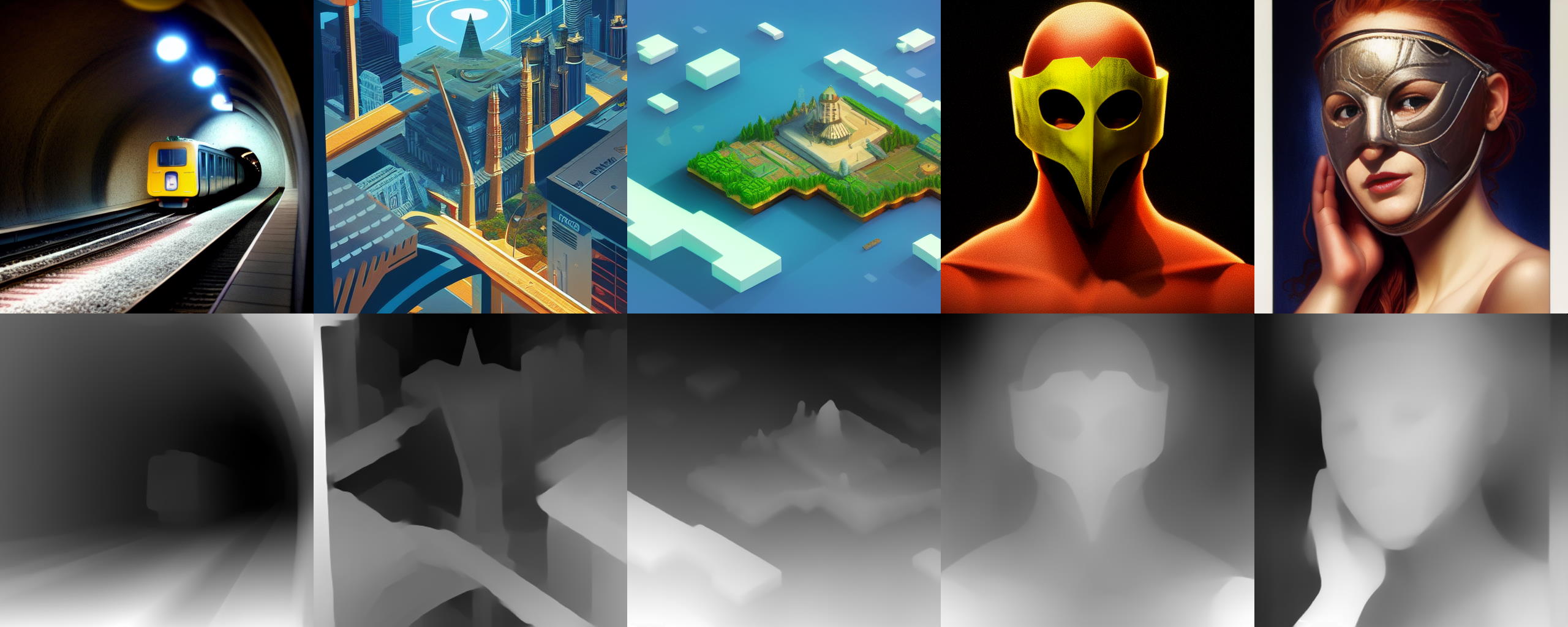
I'm trying to adapt the stereoscope script from this A1111 script a ComfyUI node: https://github.com/thygate/stable-diffusion-webui-depthmap-script
I really have no idea what I'm doing and I think its just by dumb luck I've managed to make it output anything.
Anyone know how to fix this?

GitHub
High Resolution Depth Maps for Stable Diffusion WebUI - thygate/stable-diffusion-webui-depthmap-script
I think the conversion between tensor image to numpy image format is causing this.
eager escarp
@comfy i think there might be an issue with the implementation of differential diffusion. i've noticed that unlike with the unpatched model where consecutive inpaintings (strictly passing the latent, no encoding steps) only affect the masked area, with differential diffusion, the entire image is changed slightly with each inpainting. i ran some tests with a completely blank mask so that nothing whatsoever should be affected, and confirmed with the non-differential diffusion model that the image was unaffected after passing through 5 consecutive ksamplers.
with differential diffusion, with the same sequence, a step count of 1 resulted in no obvious change, and denoise = 0.01 with a step count of 20 (the default i used elsewhere) resulted in no obvious change. but a step count of 20 with denoise = 1 did (again, unlike the standard model).
with the advanced ksampler with no added noise, some change to the image occurred (it was a lot more subtle than with ksampler with denoise = 1.0). with added noise, the result was the same with ksampler with denoise = 1.0.
original vs. repeatedly "inpainted" with differential diffusion


(maybe this is just an inherent issue with differential diffusion, idk...)
 eager escarp
using thresholdmask = 0 and latentcompositemasked appears to be a viable workaround... i've also noticed the aforementioned effect is significantly worse when the same seed is recycled (unsurprisingly), just fyi for anyone trying to get around this. so if you're iteratively inpainting, be sure you're incrementing your seeds.
 sick badger
depends on how you're using it
eager escarp
sick badger
depends on how you're using it
this, but yeah, i find myself using comfyui for almost everything nowadays
only thing i don't is when i want to generate something on my phone
 ionic fulcrum
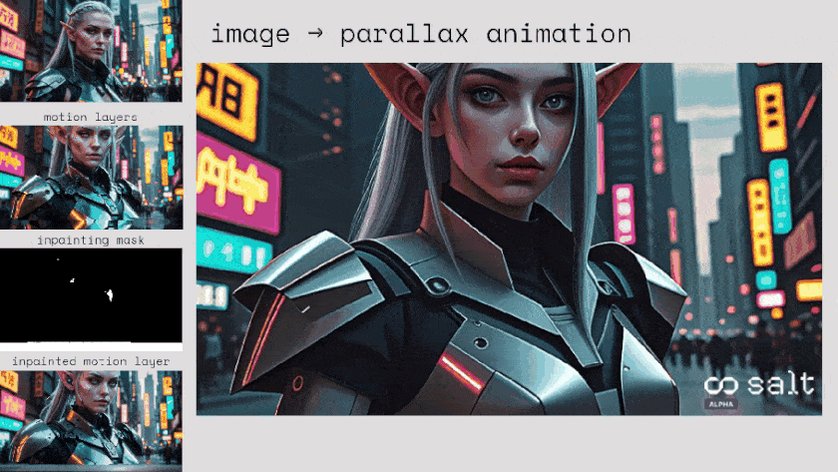
We released a new workflow and opensourced some nodes for comfy for parallax motion
https://x.com/TheHeroShep/status/1765525023115350114?s=20
full writeup in Banodoco here 🙂
#1143443572796969061 message
🧂Excited to share the first (of many) @getsaltai workflow & node release
• @comfyUI workflow to generate controlled 3D parallax motion with a single prompt or input image
• Possibly useful for generating synthetic data - training motion loras 👀
• Extendable, can modify for…
 Twitter
·
Twitter
·
 sullen pebble
guys do you know what is the problem here?
 olive yoke
sullen pebble
guys do you know what is the problem here?
olive yoke
sullen pebble
guys do you know what is the problem here?
you should install comfyui manually
you have a real computer
sullen pebble
olive yoke
you should install comfyui manually
I have been using comfy for months now I have the portable version and now out of nowhere I got this error and I havent touched anything inside the folder
 keen cargo
 rose storm
eager escarp
@comfy i think there might be an issue with the implementation of differential d...
rose storm
eager escarp
@comfy i think there might be an issue with the implementation of differential d...
Hi, that is also the case for normal inpainting. You have to copy the changed area back into the original image
you can use the "ImageCompositeMasked" function for that
rose storm
the change of the image comes from the VAE. If you encode and decode the image with the VAE then it is getting compressed every time and loses quality very quickly
rose storm
maybe differential diffusion is changing other parts slightly, but the problem exists in both in general
like you have to encode/decode at some point and this will harm the image
so you always should use the "ImageCompositeMasked" node
eager escarp
Yeah that helps if you start with an image
This is a totally different issue
Areas that are protected by masking are getting changed without a vae encode or decode step
 stoic rock
It probably is obvious to others, but I really struggle with how to interpret the 'conflicted nodes' message in update manager? Like the first entry: "AIO_Preprocessor [ComfyUI-Inference-Core-Nodes]"
Is that saying the AIO_Preprocessor node conflicts with the "[ComfyUI-Inference-Core-Nodes]"

 distant pendant
stoic rock
It probably is obvious to others, but I really struggle with how to interpret th...
distant pendant
stoic rock
It probably is obvious to others, but I really struggle with how to interpret th...
it's saying AIO_Preprocessor and other nodes from ComfyUI-Inference-Core-Nodes are conflicting (likely have the same mappings) with ComfyUI ControlNet Auxiliary Preprocessors nodes
stoic rock
distant pendant
it's saying AIO_Preprocessor and other nodes from ComfyUI-Inference-Core-Nodes a...
That helps explain a lot. Does I mean there's action I need to take, or be mindful of something in my workflow?
distant pendant
I mean, if you have one of these packs installed you ideally shouldn't have the other
why exactly people keep doing this weird stuff with same node names, I don't know, but it's a bit of a clusterfuck
 viscid lotus
jumping on the back of @distant pendant post. how would I fix that? I dont have anyt ControlNet PreProcessor or apply ControlNet notes showing.
green fern
is it only me, or someone got the sae problem when starting the
comfyui
it takes few minutes to start
 distant pendant
if it stops at manager then it's probably the manager trying to install a bunch of other stuff for other nodes
not using it though so not 100% sure
distant pendant
viscid lotus
jumping on the back of <@820288920151130152> post. how would I fix that? I dont ...
they're probably failing to load because you didn't install requirements(?)
viscid lotus
hi All, Im brand new to this, but not tech. I have Stable diffusion SDXL installed and running on windows 11, with ComfyUI manager v2.9 (24-03-07). I am working through a YouTube video "L2: Cool Text 2 Image Trick in ComfyUI - Comfy Academy" and in it one of the nodes he adds is a ControlNet PreProcessor. Going through manager in ComfyUI the only preprocessor under the ControlNet menu is "AIO Aux PreProcessor" I have spent hours searching for this but cant find it anywhere. any ideas what I am doing wrong apart from being exceedingly thick in a subject I don't really know?

it also dosent load

back to a controlnet install me thinkd
daring pecan
viscid lotus
hi All, Im brand new to this, but not tech. I have Stable diffusion SDXL install...
have you installed the comfyui manager? It lets you install custom nodes and models more easily
olive yoke
sullen pebble
I have been using comfy for months now I have the portable version and now out o...
do what i say
distant pendant
viscid lotus
hi All, Im brand new to this, but not tech. I have Stable diffusion SDXL install...
https://github.com/Fannovel16/comfyui_controlnet_aux pretty sure this is what you want
silver nebula
distant pendant
why exactly people keep doing this weird stuff with same node names, I don't kno...
I can never get Was Nodes or Derfuu Nodes to work because of conflicted nodes. So the workflows I value enough to install Standalone ComfyUI I will simply load up one workflow/set of nodes at a time; and delete all nodes, setup the next workflow, and d/load just the nodes for this new workflow et seq
distant pendant
I start to question nodes when they show me quote of the day in console at launch 😅
just missing patreon links and ads in preview now
 green dew
 sullen pebble
olive yoke
do what i say
sullen pebble
olive yoke
do what i say
could you send me a guide on how to install in on my pc?
olive yoke
sullen pebble
could you send me a guide on how to install in on my pc?
it's on the github page
olive yoke
silver nebula
I can never get Was Nodes or Derfuu Nodes to work because of conflicted nodes. ...
you should also install comfyui manually
last lance
hey, any ideas to solve this? I can't find 747 on the internet, only other numbers
 olive yoke
last lance
hey, any ideas to solve this? I can't find 747 on the internet, only other numbe...
olive yoke
last lance
hey, any ideas to solve this? I can't find 747 on the internet, only other numbe...
what are you trying to do
try installing comfyui manually
green fern
green fern
it takes few minutes to start
Details update : It used to work fine before adding updates (and some shady extension auto downloaded rgthree)
it stops for 30seconds to 2minutes now, before it stopped for like, 2seconds max
olive yoke
green fern
Details update : It used to work fine before adding updates (and some shady exte...
one point of view is that you do not need any extra nodes
you don't really need complex workflows either
they don't do much
green fern
i added them for animatediff
but controlnet load gives an error that isnt documented anywhere
or mentioned
so i gave up
so yeah, i probably dont need the nodes i added
olive yoke
none of that stuff is maintained
i even tried to fork it and deal with it and
it isn't written well enough to be maintained
because comfyui extension manager as an idea is flawed
and so people write their nodes in a way that doesn't make sense and is impracticable to maintain
 hot violet
help ??

 wide elbow
 manic moat
can someone help me to get this type divine prompts or any best model to use

 keen moon
is it possible to use sdxl with 4gb vram and 16gb ram on comfyui smoothly?
eager escarp
nope
possible to use sd15 maybe
100% forget about sdxl
sd15 would be rough
for sdxl you really want at least 12gb
keen moon
sd1.5 runs smoothly
img gen takes max upto 2 mins
but when I used sdxl, it took 30mins
that was using A1111
someone told me comfyui will help me generate faster
eager escarp
Yeah you're probably using mostly system ram
Brutally slow
You will def want to set aside a couple hundred bucks for a gpu
 visual olive
eager escarp
for sdxl you really want at least 12gb
visual olive
eager escarp
for sdxl you really want at least 12gb
Works fine for me with 6gb
eager escarp
How long does it take to generate a 1024x1024 image?
eager escarp
Better than I would've expected tbh
But yeah I generally see comfy using 8-9gb with SDXL
And a lil over 10 if I'm using. Bunch of LORAs
Anything under 12 would drive me nuts
 sharp raptor
Is it possible to make a "upscale and enhance" workflow in comfy similar to the feature in KREA where it can take a flat videogame screenshot of gta and turn it into a realistic photo?
eager escarp
Yeah you can do that
sharp raptor
eager escarp
Yeah you can do that
Which addons or models/features would be needed?
eager escarp
visual olive
I'll probably have to get a better GPU soon tho
I splurged on a 4090 recently and it's been so worth it as a heavy user
20 steps sdxl takes just over 2 seconds
eager escarp
sharp raptor
Which addons or models/features would be needed?
That's just img2img effectively
Your big challenge will be keeping the image composition from changing too much
I'd use the tiled k sampler if you're upscaling it too
0.5 denoise or so with Karras exponential or sgm scheduler
Prompt heavily for photo stuff, don't use "photorealistic"
Prompt negative for cgi, 3d, painting, drawing, clay animation etc
sharp raptor
Ah right, thank you 🙂
eager escarp
If you're still stuck tomorrow ping me and I'll dig up a workflow for ya
green fern
is there a node on comfyui that compress the image size ?
im temporary using mobile data, and dont want to send 100gb worth of images
 lusty pewter
green fern
is there a node on comfyui that compress the image size ?
im temporary using mo...
lusty pewter
green fern
is there a node on comfyui that compress the image size ?
im temporary using mo...
There are plenty of nodes that will give you a saved image that doesn't contain the embedded workflow and is webp, which would likely be the smallest file format you'll find. You could theoretically do highly compressed jpg, but you'll lose a bunch of quality.
green fern
lusty pewter
There are plenty of nodes that will give you a saved image that doesn't contain ...
80% compressed JPG drops the file size from 8mb to 500kb
but i do that manually
lusty pewter
Yeah and 80% compressed jpg looks like shit.
rose storm
green fern
is there a node on comfyui that compress the image size ?
im temporary using mo...
when comfy runs on your local computer there is nothing sent via the web
 oblique agate
Am I doing that right?
loader > kohyas deep shrink > hypertile > lora > ksampler.
should I use kohyas deep shrink > hypertile as well for upscaling? And what would give me the best results for upscaling? I already have a workflow that works quite well, but I'm not sure about the quality or weather I'm doing it right. Results are nice. I'm just running an 8k gen at 2048x4096, (which has deformations, was just an experiment), but the technique is promising.
 sharp raptor
eager escarp
If you're still stuck tomorrow ping me and I'll dig up a workflow for ya
sharp raptor
eager escarp
If you're still stuck tomorrow ping me and I'll dig up a workflow for ya
Thanks, appreciate it. Although wont be back at pc until monday so that is next attempt 🙂
olive yoke
oblique agate
Am I doing that right?
loader > kohyas deep shrink > hypertile > lora > ksample...
what is your goal?
olive yoke
green fern
is there a node on comfyui that compress the image size ?
im temporary using mo...
send where?
olive yoke
sharp raptor
Is it possible to make a "upscale and enhance" workflow in comfy similar to the ...
it's just img2img. download the example from the website and run it
you have to experiment with prompts. don't worry about complex workflows yet
green fern
olive yoke
send where?
i share random bs i gen
oblique agate
olive yoke
what is your goal?
more details and correct render
and of course high resolution (but i think that is implicit with more details)
surreal whale
sharp raptor
Is it possible to make a "upscale and enhance" workflow in comfy similar to the ...
I did that exact thing with this https://comfyworkflows.com/workflows/8e351973-ffc4-4d1b-bc09-ee38ee655804
olive yoke
sharp raptor
Is it possible to make a "upscale and enhance" workflow in comfy similar to the ...
i think you should start with img2img first
and just try to understand what all of this stuff is and what it does
lara croft is a weird one because there is already a movie of her, and it's trained on the movies
so it can create an angelina jolie or alicia vikander lara croft
i agree that krea's looks very good, but "just" img2img already gets most of the way there

it's better to learn how to prompt. then your character won't look so much like millie bobbie brown like mine does, because i happen to use the word netflix in the prompt

@sharp raptor so i think stable cascade with 0.5 denoise pretty much does it, with the dpm family samplers
 fallow jackal
I wrote my own custom nodes! It allows to cycle results in ComfyUI. Results of previous generation can be used in the next generation.
And various supporting tools. And example workflows. https://github.com/Pos13/comfyui-cyclist

With ComfyUI "Auto Queue" option, it allows so much automatization now.
olive yoke
@maiden laurel what are your goals?
 olive yoke
like what are you trying to do
 maiden laurel
gen stuff
olive yoke
specifically?
maiden laurel
uh
gen stuff for fun

mostly to post on aibooru
and share with friends
it's just lighthearted fun
most of my questions are posed as simple curiosities
maiden laurel
yes
maiden laurel
i am a data scientist and programmer at heart
so i have mastered the way of
reading documentation

and expert googling

olive yoke
this is a totally positive looking question: do you have any art education?
i don't mean this critically at all
maiden laurel
i did colour theory as a unit
olive yoke
okay
maiden laurel
in university
olive yoke
that's cool
maiden laurel
does that count
olive yoke
i think so
maiden laurel

other than that
I have no formal art education
i am an approver on aibooru
that's the closest thing to an involvement in art i can get to
olive yoke
i think you will prefer working with my comfyui fork, since it's installable vanilla comfyui - https://github.com/hiddenswitch/ComfyUI
olive yoke
you mean a wizard based UI?
maiden laurel
i prefer #🐝|swarm-ui
olive yoke
gotchya
maiden laurel
i like to look at the pretty buttons and pictures
i jokingly name comfyui as
uncomfyui
olive yoke
have you tried photoshop's generative art features?
maiden laurel
olive yoke
and what do you think?
it's good!
but again, i refuse to pay adobe money

they tried to charge me 50 dollars to cancel
never gonna spend mony on adobe products again

olive yoke
maiden laurel
they tried to charge me 50 dollars to cancel
okay, and you have had trouble getting stuff to work well on a TPUv5p? attached to an ordinary instance in GCE?
is it important that it specifically runs on a TPU versus an A10 or L4 or whatever?
maiden laurel
olive yoke
okay, and you have had trouble getting stuff to work well on a TPUv5p? attached ...
nope
just for my local installation
on my home pc
with a 4090
olive yoke
okay
maiden laurel
windows on my home pc
olive yoke
and i assume you did a manual install
olive yoke
there's a pre-built python environment that is on the github
but i would not recommend
maiden laurel
o
i just ran the install.bat thing
for swarm
works fine other than those weird memory leak issues
it's not a huge deal

just a slight roadblock
olive yoke
okay i see
this was a very, very informative conversation
is it okay to share what your like, job is?
like i run a startup and i program all day, on stuff like this
@maiden laurel and i agree the wizard style UXes are really nice but there can only be 1
maiden laurel

eager escarp
do we have a node yet that allows timestepping with a lora or model merge ratio?
ipadapter can do it, but obv not with two external models or a pre-trained lora
i've traditionally done it by chaining advanced ksamplers, but the interface gets so laggy with tons of those floating around
eager escarp
https://github.com/comfyanonymous/ComfyUI/discussions/2945 this is a really good idea imo...
GitHub
The number of times I need a Preview Image or a Save Image node and switch between them is a little out of control. Add to that the fact that sometimes I need to edit a mask on one of the previews,...
daring pecan
Hi guys Im taking a look at unClip, ReVision, and lately IPAdapter. What is the difference between those options for image as prompt in your experience?
 forest birch
https://github.com/huchenlei/ComfyUI-layerdiffuse?tab=readme-ov-file Hoi, is there a custom node workflow for this one, or one recommended to remove background from a image of something/someone?

GitHub
Layer Diffuse custom nodes. Contribute to huchenlei/ComfyUI-layerdiffuse development by creating an account on GitHub.
olive yoke
eager escarp
https://github.com/comfyanonymous/ComfyUI/discussions/2945 this is a really good...
it doesn't make sense
 warped flicker
Have anyone of you guys gotten t2i-adapter for SDXL to work? how did you install them? (Please @ me if you reply)
olive yoke
warped flicker
Have anyone of you guys gotten t2i-adapter for SDXL to work? how did you install...
use the ip adapter nodes from github
yes, it works well
 gray lava
go
eager escarp
gray lava
go
Here is the image you requested.

 halcyon thorn
pineapple
 shut valve
did I get banned from this server, I can never find it!
halcyon thorn
(whats the pip installable comfy thing)
thorny lily
shut valve
did I get banned from this server, I can never find it!
you're literally posting in here right now, so no
green fern
how come he isnt
thorny lily
posting here too for comfy users that don't look in #🐝|swarm-ui message - Swarm's comfy tab has a convenient workflow browser thingy now
 forest birch
Do you guys know if there's a way for comfy to write "memory dumps" that normally would be dumped onto pagefile, but in a dimmdrive instead? As SD keeps dumping it's generation data on my pagefile, i'd rather it dump that shit on ram instead to not clog up windows's own pagefile.
 spring jungle
anyone know how i can dynamic weight lora in comfy https://github.com/cheald/sd-webui-loractl
eager escarp
thorny lily
posting here too for comfy users that don't look in https://discord.com/channels...
looks excellent
eager escarp
spring jungle
anyone know how i can dynamic weight lora in comfy https://github.com/cheald/sd-...

GitHub
ComfyUI nodes for prompt editing and LoRA control. Contribute to asagi4/comfyui-prompt-control development by creating an account on GitHub.
spring jungle
thank you
eager escarp
olive yoke
it doesn't make sense
what i like about this is i spend a lot of time using "Copy clipspace" then "paste clipspace" to take an image from a preview node into a load image node for masking... just would save some time
and i'm often sitting there with a preview AND a save node side by side all over the place, which makes the excess node lag worse
 mild thunder
@eager escarp Draw a similar picture with more detail.
 eager escarp
mild thunder
<@1208924372299939890> Draw a similar picture with more detail.
eager escarp
mild thunder
<@1208924372299939890> Draw a similar picture with more detail.
Here is the image you requested.
 spring jungle
can anyone explain what this mean because i put iti n comfy from what i can tell it only pulling first weight value

 lone bolt
mild thunder
<@1208924372299939890> Draw a similar picture with more detail.
lone bolt
mild thunder
<@1208924372299939890> Draw a similar picture with more detail.
Here is the image you requested.
 spring jungle
trying understand this xD
 mild thunder
@eager escarp Hello! I need a scientific research diagram, you can refer to this picture . Please draw me a similar scientific diagram in this style and theme. Thanks!
 eager escarp
mild thunder
<@1208924372299939890> Hello! I need a scientific research diagram, you can ref...
eager escarp
mild thunder
<@1208924372299939890> Hello! I need a scientific research diagram, you can ref...
Here is the image you requested.

 frail glacier
I'm surprised there's no TripoSR channel.... anyone else messing with it in comfyui yet?
 olive yoke
eager escarp
what i like about this is i spend a lot of time using "Copy clipspace" then "pas...
olive yoke
eager escarp
what i like about this is i spend a lot of time using "Copy clipspace" then "pas...
can't you "just" connect another image output? one out can go to multiple ins.
i know you mean that you do circular workflows
which makes more sense but i think someone is working on that
 austere flicker

 lean portal
Is there a way to unbatch a group of masks? If I run a bbox detector on an image and seperate the mask components is there a way to then send those mask components one by one to daisy chained IP adapters for instance?
 steep radish
a fish is playing in the ocean deep
sharp raptor
surreal whale
I did that exact thing with this https://comfyworkflows.com/workflows/8e351973-f...
Hey cool, tried downloading this node for the missing "automatic cfg channel multiplier" node but does not seem to be correct one. Where can I get the one you used? https://github.com/Extraltodeus/ComfyUI-AutomaticCFG
GitHub
Rescale the CFG per channel at each step to aim towards a desired final intensity - Extraltodeus/ComfyUI-AutomaticCFG
 regal quail
How should I install Layered Diffusion plugin for ComfyUI? I git cloned the repo and copypasted it under custom nodes directory,but I cannot find said plugin in ComfyUI
 sharp raptor

GitHub
This is what i found.... Traceback (most recent call last): File "D:\AI\ComfyUI_windows_portable\ComfyUI\nodes.py", line 1734, in load_custom_node module_spec.loader.exec_module(module) F...
Reading this they are talking about "please show the list of packages as well: python_embeded\python.exe -m pip list"
Where do you find python_embeded inside of comfyUI folders?
And "ComfyUI_windows_portable" what is that?
eager escarp
steep radish
_a fish is playing in the ocean deep_
Here is the image you requested.
 olive yoke
sharp raptor
https://github.com/Gourieff/comfyui-reactor-node/discussions/59
olive yoke
sharp raptor
https://github.com/Gourieff/comfyui-reactor-node/discussions/59
what are you trying to do?
sharp raptor
Fixed it now, insightface was unable to build "wheels"
surreal whale
sharp raptor
Hey cool, tried downloading this node for the missing "automatic cfg channel mul...
yes thats the one i used
spring jungle
is there any way to control weight value of lora through steps i tried comfyui prompt control it does not seem to have any effect on loras
eager escarp
spring jungle
is there any way to control weight value of lora through steps i tried comfyui p...
if you really want to be sure it works, use a chain of advanced ksamplers
eager escarp
that's what i've generally done
spring jungle
i was reading what loractl put on it being unable to be coded in to forge he was saying that comfy only check lora once unlike auto that check it on very step
so i guess that why it does not exist in comfy
🤔
its just lora generally work better starting at 30% in sdxl
eager escarp
i do really think that the lora advanced node at a min should have options for start and end
but yeah, chain some adv ksamplers
spring jungle
do you have example how i should set that up
eager escarp
i can make one real quick
spring jungle
that would be amazing
found generally best way to use lora to start at a value of 0 until 30% run 0.7 till 50% switch value 1 then at 75% ramp; down to .7% for sdxl atlest
generally if you do a value of 1 at 30% it try rewrite whole image xD
eager escarp

workflow embedded in this

click the image, then click open in browser and save
should be draggable into comfy
the add noise and return with leftover noise settings are very important
you can have more segments in the middle, but keep them like the one in the middle
spring jungle
i will play with it an see if i can get it to work way it works in auto xD
eager escarp
cool
spring jungle
i got it kinda working xD i seem to have a seed on

oh there we go now it working xD
eager escarp
sweet!
forest birch
Hoi, any of you got a good img 2 img workflow to recreate the image with as close resembling the OG image?
eager escarp
well, denoise = 0.01 will do it
if you're doing img2img you're trying to change it
so the question is what you're trying to change


 oblique agate
olive yoke
which makes more sense but i think someone is working on that
oblique agate
olive yoke
which makes more sense but i think someone is working on that
there is a circular extension someone posted here. acouple of days ago
can someone here elaborate what the difference between the VAE Decode /Encode (Tiled) and the Tiled VAE Encode/Decode from the TiledDiffusion extension is?
I'm creating 3098x1024 images atm with a tiled workflow (on my M1) any tips on how to improve the hands and faces?

I'm using kohyas deep shrink and hypertile for the first render (that's the output of it, I also just create an additional step where I upscale and do another tiled diffusion pass on the upscale. let's see maybe that already fixes everything
daring grail
GitHub
Contribute to ltdrdata/ComfyUI-Impact-Pack development by creating an account on GitHub.
Has a node for Face and Hand Detailer
oblique agate
daring grail
Has a node for Face and Hand Detailer
thank you.I think i already have it from a workflow. Will readup
eager escarp
best thing to do is cut and upscale that one part of the image separately
then downscale and paste back in
it can be automated
oblique agate
eager escarp
it can be automated
that's probably some work ...
i'll try first weather the tiled upscale fixes it 🙂
eager escarp
i can get you a workflow
oblique agate
the tiled upscale actually fixed it, but takes forever to render.
 eager escarp
yeah tiled upscale def takes a while
which node are you using
there's two versions
oblique agate
eager escarp
which node are you using
Apply ControlNet (Advanced) ...LLLite doesn't work for me
the execution speed on normal resolutions is okay, but for 125 megapixel .... that takes a while
at least on my M1
eager escarp
what's the resolution
oblique agate
the base is 1024x3096 and the result is a 2x upscale and then a tiled diffusion with denoising at 0.5 resulting in a whopping 2048x6192
eager escarp
yeah that would take a long time even on a 4090
eager escarp
probably, yeah that sounds about right
when i say long time i guess i'm too used to it taking just a few sec at this point
oblique agate
a m3 should also do it in ~ the same time ... anyways... just details
eager escarp
i don't think it'll be in the same league as a 4090 with SD
oblique agate
eager escarp
i don't think it'll be in the same league as a 4090 with SD
yeah, the CUDA probably runs faster than the MPS. using the nightly builds
eager escarp
i think it doesn't have true vram or something, idk
but i did see on reddit a month or two ago ppl saying it was still much slower with SD which is unfortunate
oblique agate
eager escarp
i think it doesn't have true vram or something, idk
right, it has shared RAM. but this also means no transfer from ram to VRAM 😉
eager escarp
isn't it a lot slower though than dedicated vram
olive yoke
a CUDA device is a lot faster for this application, but it is nice that an m3 works at all
 graceful pewter
CUDA is faster than MPS, but if you have 96gb or 192gb of vram on a m3, its cheaper than getting the equivalent vram in an nvidia card
sly sundial
What is the "Differential Diffusion" node for? Should it be added for all renders, or just things like inpainting, img2img etc?
 jaunty hawk
vvcg
 umbral glen
sly sundial
What is the "Differential Diffusion" node for? Should it be added for all render...
umbral glen
sly sundial
What is the "Differential Diffusion" node for? Should it be added for all render...
Gradient mask?
sly sundial
umbral glen
Gradient mask?
Don't ask me, I'm looking for answers 😄
umbral glen
GitHub
Contribute to exx8/differential-diffusion development by creating an account on GitHub.
sly sundial
umbral glen
https://github.com/exx8/differential-diffusion
Thanks!
sly sundial
Getting this on startup:
NumExpr defaulting to 8 threads.```
Anything I can/need to adjust?If anyone else comes across this and wants to adjust it...
You can set the "NUMEXPR_MAX_THREADS" environment variable in your system's environment settings. Here's how you can do it:

Windows:

Right-click on "This PC" or "Computer" and select "Properties."
Click on "Advanced system settings."
In the System Properties window, click on the "Environment Variables" button.
In the Environment Variables window, under "System variables," click "New" and add a variable named "NUMEXPR_MAX_THREADS" with the desired value.

Linux/macOS:

You can set this variable in your shell profile configuration file (e.g., ~/.bashrc, ~/.bash_profile, ~/.zshrc). Open the file in a text editor and add the following line:

`export NUMEXPR_MAX_THREADS=<desired_value>`

Save the file and either restart your terminal or run source ~/.bashrc (or the appropriate file depending on your shell) to apply the changes immediately.

Setting "NUMEXPR_MAX_THREADS" allows you to control the maximum number of threads used by NumExpr for multithreaded operations. Adjusting this variable can optimize performance depending on your system's hardware configuration and the nature of your computations.
yeah and if you also use that as a device for work it doubles down, I hope more optimization comes fast before I have to upgrade 🙂
Anyone here knows what a good budget card would be? I'm thinking about buying my son a gaming PC and I could also use that for comfy. I need to run 2k tiles on it, so I guess i still have some demand on VRAM
distant pendant
oblique agate
Anyone here knows what a good budget card would be? I'm thinking about buying my...
used 3090s are pretty hard to beat value-wise imo, going for about as much as new 16gb 4060ti, around 50% faster and with 8gb more vram
olive yoke
oblique agate
Anyone here knows what a good budget card would be? I'm thinking about buying my...
the best gaming computer is a steam deck, which costs 1/3rd of just a 3090, so i would probably get that separately
oblique agate
olive yoke
the best gaming computer is a steam deck, which costs 1/3rd of just a 3090, so i...
Already have a steam deck 😉
olive yoke
oblique agate
Already have a steam deck 😉
a 3090 will be the most future proof and the best bang for the buck
eager escarp
Well regarding the whole "advanced custom sampler" desire, I found using "split sigmas" almost works... Almost. But the output changes slightly depending on which step the sigmas are split. Hm.
It still gives a fully denoise image in the end that looks great, the composition is just slightly different
buoyant iron
I just noticed how much comfyui looks like blender nodes
strong flower
that's a node graph system you can also find it in Unreal Engine blueprints or the Nuke video editor, very handy and powerful once you get used to it
 daring warren
Softimage|XSI had node system (ICE) in like... 2008? 🙂
strong flower
Yes first Nuke version is 1993
daring warren
even better - though not many folks had access to it, I guess
 toxic breach
does anyone know how to retain the graphical details of this t-shirt while doing Ipadapter to make ai model wear it? for context this is the result I am getting

 olive yoke
toxic breach
does anyone know how to retain the graphical details of this t-shirt while doing...
olive yoke
toxic breach
does anyone know how to retain the graphical details of this t-shirt while doing...
use a controlnet to ensure that the area you will composite the graphics onto is relatively flat, then do an ordinary composite
lusty pewter
Hey @storm folio, do you have an idea of about when you might review and merge cancel-queue-hotkey? That particular feature would be so handy for those who work from the keyboard a lot. 🙂
 storm folio
I don't like the key combinations, ctrl-alt-backspace for example I remember was the shortcut to kill the entire desktop env on some linux distros
lusty pewter
storm folio
I don't like the key combinations, ctrl-alt-backspace for example I remember was...
I had the same issue with the shortcut another person proposed...but there really should be some keyboard shortcut for killing the current job.
 steady igloo
are there any up to date guides on how to install
when i do manual and one click both cant complete the set up process something about User Manager
steady igloo
❯ python main.py
Total VRAM 10240 MB, total RAM 130983 MB
Set vram state to: NORMAL_VRAM
Device: cuda:0 NVIDIA GeForce RTX 3080 : cudaMallocAsync
VAE dtype: torch.bfloat16
Using pytorch cross attention
Traceback (most recent call last):
File "F:\AI_MAIN\ComfyUI\main.py", line 77, in <module>
import server
File "F:\AI_MAIN\ComfyUI\server.py", line 27, in <module>
from app.user_manager import UserManager
ModuleNotFoundError: No module named 'app.user_manager'; 'app' is not a package
 cloud badger
toxic breach
does anyone know how to retain the graphical details of this t-shirt while doing...
cloud badger
toxic breach
does anyone know how to retain the graphical details of this t-shirt while doing...
This might do what you want - https://github.com/AuroBit/ComfyUI-OOTDiffusion
GitHub
ComfyUI custom node that simply integrates the OOTDiffusion. - AuroBit/ComfyUI-OOTDiffusion
 median timber
Can we get better image quality with ComfyUI compared to diffusers python script ? I am using sde-dpmsolver++ karras, juggernautXL_v9Rdphoto2Lightning model with CFG 2, steps 8, 896 x 1152 px. Please suggest. Thanks
steady igloo
is there a way to change the settings of comfyUI? like gpu and cpu usage wise
@storm folio @silent sorry for the silent ping but saw you was a dev and was online as well as active in this channel
oh wait the silent didnt work, im sorry
hope it didnt bother you
toxic breach
cloud badger
This might do what you want - https://github.com/AuroBit/ComfyUI-OOTDiffusion
Thank you very much!!!
steady igloo
eager escarp
would you mind sending me that workspace file?
graceful pewter
Did anyone ever get an X-apdapter node going?
sharp raptor
Be anywhere, anytime with just a click.
Is it possible to build a similar 2D lighting with HDRI solution in comfyUI?

I guess not

 thorny lily
steady igloo
is there a way to change the settings of comfyUI? like gpu and cpu usage wise
thorny lily
steady igloo
is there a way to change the settings of comfyUI? like gpu and cpu usage wise
the default will automatically adjust for your system's available resources - if you really want to force it manually there are command line flags available, listed here: https://github.com/comfyanonymous/ComfyUI/blob/master/comfy/cli_args.py#L36-L117
high/normal/low vram options available among other things
also eg fp8_e4m3fn-unet can cut vram usage
 tranquil parcel
Is Controlnet in ComfyUI broken for anyone else today?
olive yoke
sharp raptor
Is it possible to build a similar 2D lighting with HDRI solution in comfyUI?
what is your goal?
steady igloo
thorny lily
the default will automatically adjust for your system's available resources - if...
thank you, it seems that it only really uses my gpu and not cpu along with ram, unless im not knowing how this AI functions
where do i place them btw, sorry this is a new AI layout for me
thorny lily
steady igloo
thank you, it seems that it only really uses my gpu and not cpu along with ram, ...
SD using your CPU would not go well
it uses system RAM at times to offload parts of the model if it won't all fit on your GPU at once
it never processes on CPU
 wispy kelp
What I don't like about comfy and really most these installs is that instead of saying "wrong model" or "use SDXL model instead" or something they say "null mode type not 230 78 XX-t V obj non exist devoid."
Terrifying red text that makes no sense to normal people.
Like really?
oblique agate
is there an equivalent for controlnet tile as ti adapter?
 hardy cloud
Hey can someone give me some advice on what is the right workflow/tools/nodes to make an old photo into a modern photo but keep the appearance, face, hair, clothes, that is all the content of the portrait? I know how to do upscale, many good methods, supir (first photo), but how to change contrast, colors, light, texture to look like second photo?

 olive yoke
wispy kelp
What I don't like about comfy and really most these installs is that instead of ...
olive yoke
wispy kelp
What I don't like about comfy and really most these installs is that instead of ...
what do you want to use comfyui for in particular?
wispy kelp
olive yoke
what do you want to use comfyui for in particular?
To make a movie.
olive yoke
wispy kelp
To make a movie.
gotchya. can you be more specific? i am a filmmaker
wispy kelp
olive yoke
gotchya. can you be more specific? i am a filmmaker
I made a 90 minute feature in the early 2000s so I know what to look for. I need 100% consistent objects/characters and locations. I need to be able to generate everything separately and then be able to composite it in photoshop and then re AI it but only affecting the lighting as if it seems like it was generated together to begin with. Next the ability to "direct" separate parts of the image by inpainting most likely and last but not least lip-synching and music and sound fx.
I am not sure we are there yet but my understanding is we ar every close.
olive yoke
wispy kelp
I made a 90 minute feature in the early 2000s so I know what to look for. I need...
okay, and you've looked at example videos created by stable video diffusion?
pika labs, or runway ml?
wispy kelp
olive yoke
okay, and you've looked at example videos created by stable video diffusion?
I did yes like I said looks like we ar eclose but not quite there.
If it was sora level realism and physics with some inpainting and lipsynchoing which alibaba did then we ahve arrived
even pika has good lipsynching
I am thinkign at first some small dramas or maybe westerns
loing lingerign shots, tlaking
we ar enot ready for any extebnsive action
Kubrick style woudl work well
with AI
slow artistic not much camera movement
olive yoke
wispy kelp
I did yes like I said looks like we ar eclose but not quite there.
do you have any experience drawing your own storyboards or doing traditional concepting / figure drawing?
wispy kelp
yes
olive yoke
wispy kelp
yes
i think the first thing you can do is explore a controlnet workflow, where you take your illustrations and improve them. you can experiment with turning them into something photoreal
layer diffusion is also interesting for compositing
radiant wedge
is it possible to connect comfyui to something like LMStudio ?
like have it call some URL like the openai api but locally and retrieve the result and put it into a text-node?
 steep marlin
You can just run LMstudio in server mode and use a node in comfy to connect to it through openai(all on your localhost). there are some custom nodes that you can add to do it.
sly sundial
hardy cloud
Hey can someone give me some advice on what is the right workflow/tools/nodes to...
You can pass it through a LUT node to change the tone, but anything else is likely to change it in some way. It's just a case of finding the right LUT for what you want. It may also help to remove the background and replace it with something more interesting, or brighter.


 hardy cloud
sly sundial
You can pass it through a LUT node to change the tone, but anything else is like...
hardy cloud
sly sundial
You can pass it through a LUT node to change the tone, but anything else is like...
Oh thanks looks better. Still something old feeling but better!
sly sundial
hardy cloud
Oh thanks looks better. Still something old feeling but better!
The style of the person itself is old, so it'll be difficult to make it look modern 😄
hardy cloud
sly sundial
The style of the person itself is old, so it'll be difficult to make it look mod...
Like here? 😉


 quick birch
Hi, I am testing many models to analyze how they react at different situation. Can someone tell me what is the reason some models react perfectly to multiple prompt others not and some create something like two image one in another?
unreal reef
quick birch
Hi, I am testing many models to analyze how they react at different situation. C...
Sometimes if you're getting multiple images in one like that it's because you're generating at a size the model isn't good at - 1.5 SD models are trained on 512x512 data, so other resolutions can sometimes introduce duplicates and other weirdness.
quick birch
unreal reef
Sometimes if you're getting multiple images in one like that it's because you're...
It is the same resolution. Delete one prompt and the image is perfect. It looks like some model is creating an image for each prompt and inserting one into the other and fading it out. I doubt the model is the problem. I suppose comfyUI analyze the model differently depending of it is type or other parameters.
unreal reef
quick birch
It is the same resolution. Delete one prompt and the image is perfect. It looks ...
Could be... I know different models can respond in wildly different ways to the same input.
quick birch
unreal reef
Could be... I know different models can respond in wildly different ways to the ...
Some models may not be able to handle background (they are not trained for it ?). This may be the problem.
unreal reef
quick birch
Some models may not be able to handle background (they are not trained for it ?)...
I'm no expert, but typically the background elements have 'tokens' in the data as well. Most models are just a re-training of a base like SDXL or SD 1.5, so they all have some background info. But if you're using a checkpoint or Lora that's got specific details it could be taking precedence over the base. I don't know a lot about model training though. 🙂
spring jungle
is it possible comfy could add a option to switch save image node to preview image node 
olive yoke
spring jungle
is it possible comfy could add a option to switch save image node to preview ima...
what is the idea
what is your workflow?
spring jungle
i like doing multi img2img pass images i know should of set them up with preview image

but it be a quality of life if there was a feature where i just right click save image node an change it to a preview one xD
or maybe a right click option swap node to
🤔
lusty pewter
You know that you can right-click a preview node and save the image from it, right?
spring jungle
that not what i suggesting i was suggesting being able to swap a node that already plug in with another node
lusty pewter
I know what you're suggesting.
spring jungle
an yes thank you i do know of that feature
olive yoke
spring jungle
an yes thank you i do know of that feature
do you have a traditional arts background? like did you ever learn how to draw or paint; or do you have any education in digital art? my goal is to understand more about how familiar you are with the tools
olive yoke
spring jungle
i done about 8 years of blender xD
would you prefer to use comfyui nodes in blender?
spring jungle
i have not really mess with ai much blender i know already exist an there alot of support for it
olive yoke
spring jungle
i have not really mess with ai much blender i know already exist an there alot o...
okay so i'm saying that, in addition to a blur node and rgb curves node, then there would be a KSampler node, a LoadCheckpoint node, etc.
but there wouldn't be a SaveImage node because that's kind of redundant. i'm actually not sure how you would "just" "click" to "render" directly to a 2d image pipeline in blender but i suppose there is a way to do that
would you prefer to "just" work in blender?
spring jungle
i guess i think ai an blender be more intresting when it can make use of what sora does
olive yoke
okay but from a UX point of view
like from the point of view of what interface you like
spring jungle
if talking ui what i like about blender is being able to snap nodes together
or like when i copy nodes it keep everything pair to existing node link before it
if talking like use case it just using view port as a 2D image projection slapping that in to latent noise in ksampler xD
olive yoke
would you use the comfyui web interface at all if the comfyui nodes were "just" available in blender's node editor?
spring jungle
i do not do much blender anymore but probably if it was still in to it
i am sure comfyui mix with deforum mix with blender could be a thing xD
spring jungle
np xD
i know already some addon for blender from what i recall they where behind paywalls
olive yoke
spring jungle
i know already some addon for blender from what i recall they where behind paywa...
the comfyui interface is kind of a dead end, it is impossible to keep up with all the product development fo rit
it makes a lot of sense as an engine and as a prototype for the tools people actually use
spring jungle
ah i use to like to test everything new in ai for last year xD
i kinda hit a point i just dont really care anymore xD
at one point i breaking auto ui 3 times a day testing stuff on github
but from what i seen best part of comfy is animation for how much faster it is then auto
for animation i think blender be able to set up a workflow for mocap in to deforum i am sure you could do some interesting stuff once sora get put out being able to make seamless latent space be huge for animation
that only real downside to deforum currently once it loses like 30% of current image it completely break where it is xD
olive yoke
the real question is why diffusers and transformers do not implement more performance improvements
i guess everyone should have been contributing to those in the first place
it would have maybe been a lot more straightforward to author a node editor on top of huggingface's stuff
storm folio
diffusers kind of sucks as a library
that's why comfyui doesn't use it
there's a reason why every single UI that uses it is not popular at all
olive yoke
storm folio
diffusers kind of sucks as a library
if there was any one thing you'd want to fix with it what would it be?
storm folio
What turned me off from it is the large amount of copy pasted code
And my bad experiences with other huggingface libraries
I do my best to avoid their use in comfy now because every single one I used ended up becoming a pain in my ass
olive yoke
i really like the comfyui interface i don't really mean to be critical of it
everyone's making a lot of really nice improvements to it
 dark apex
how do i zoom in inpaint on comfyui?
lone cape
My new Comfy node will be out soon. Very simple node, 'save as...' function on the top of image preview. Not just 'save as...' with standard save dialog, but with resizing and format converting function. The 'save as preview' mode will automatically save with 1 click your generated image to the selected model/lora/etc... from whole workflow for visual modal preview to right path and name.

 steep marlin
dark apex
how do i zoom in inpaint on comfyui?
steep marlin
dark apex
how do i zoom in inpaint on comfyui?
There's a custom node you can get that's super handy: https://github.com/ManglerFTW/ComfyI2I you just right click the image in the node and pick "open in comfyshop." it will be toward the top of the right click menu. To zoom in and out, it's ctrl+space+move the mouse left/right. All the shortcuts are on the github page
GitHub
ComfyI2I is a set of custom nodes for ComfyUI that help with image 2 image functions. - ManglerFTW/ComfyI2I
tranquil parcel
Hi what Custom nodes allow you to do "If", "Then" and "Or" query states, I can't remember the custom node or nodes pack that does this best?
Example: You have Male | Female, then "If" Male then it would target a list of random descriptions for Male, but "If" Female it triggers a list of descriptions for Female!
dark apex
steep marlin
There's a custom node you can get that's super handy: https://github.com/Mangler...
oh nice
 high oxide
I lost track of all the comfy extensions 😅
Is there a must have list somewhere?
lusty pewter
high oxide
I lost track of all the comfy extensions 😅
Is there a must have list somewhere...
You don't need to keep track. All you need is to install ComfyUI Manager and let it show you and manage the various add-ons.
 hollow stirrup
Which public workflow gets closest to Magnific
 misty crane
Hi! This might be a stupid question but I'm just starting out. Is there any disadvantage to using the comfyUI portable version? It seems easier to install but I don't want to find out halfway that it doesn't have the same functionality or compatibility.
eager escarp
misty crane
Hi! This might be a stupid question but I'm just starting out. Is there any disa...
Here is the image you requested.
 misty crane
eager escarp
Here is the image you requested.
misty crane
eager escarp
Here is the image you requested.
?
olive yoke
eager escarp
Here is the image you requested.
"is that madame web?"
 abstract cargo
/dr
eager escarp
abstract cargo
/dr
Here is the image you requested
 dark apex
eager escarp
Here is the image you requested
dark apex
eager escarp
Here is the image you requested
leftist politician
misty crane
No but really though, is it fine to use the portable version or are there any restrictions?
strong flower
anyone knows if there is the equivalent as a ComfyUI workflow ? https://twitter.com/philz1337x/status/1768679154726359128
✨ For the last few months I have been reverse engineering Magnific AI's famous upscaler
It uses MultiDiffusion, ControlNet tiles and details LoRas
In true AI spirit, I am open sourcing it for everyone to use for free in your apps
It's designed to easily control the amount of…
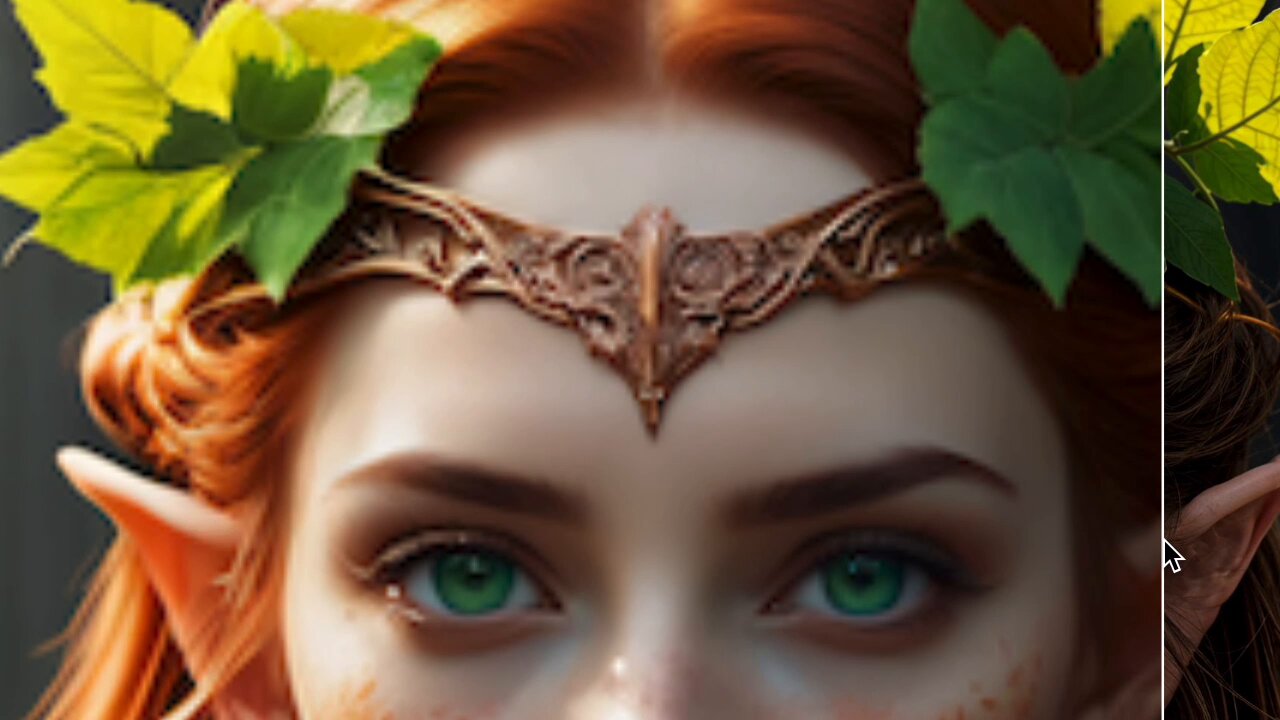 Twitter
·
Twitter
·
 vivid ingot
anyone knows if there is the equivalent as a ComfyUI workflow ? https://twitter.com/philz1337x/status/1768679154726359128 ¯_(ツ)_/¯
✨ For the last few months I have been reverse engineering Magnific AI's famous upscaler
It uses MultiDiffusion, ControlNet tiles and details LoRas
In true AI spirit, I am open sourcing it for everyone to use for free in your apps
It's designed to easily control the amount of…
Twitter
·
 raw stone
Does anyone know a way to get some kind of decent folder structure output for the comfy UI checkpoint/lora selections? I have a LOT of loras and checkpoints and I don't want to have to scroll through them all to get to the section/folder that I want lmao. Here's what a portion of my lora list looks like:

Essentially, I'd like to have a popout dialog with ">" that starts at the main lora folder and goes deeper based on the file structure. Like the way the add-node right-click works
lusty pewter
raw stone
Does anyone know a way to get some kind of decent folder structure output for th...
Like this?
 lusty pewter
Get this:
https://github.com/rgthree/rgthree-comfy
GitHub
Making ComfyUI more comfortable! Contribute to rgthree/rgthree-comfy development by creating an account on GitHub.
 clear bronze
NansException: A tensor with all NaNs was produced in Unet. This could be either because there's not enough precision to represent the picture, or because your video card does not support half type. Try setting the "Upcast cross attention layer to float32" option in Settings > Stable Diffusion or using the --no-half commandline argument to fix this. Use --disable-nan-check commandline argument to disable this check.
I've been trying to generate images for days but it's impossible, what should I do? Could anyone help me please
raw stone
lusty pewter
Get this:
https://github.com/rgthree/rgthree-comfy
I've already got that 
clear bronze
clear bronze
I've been trying to generate images for days but it's impossible, what should I ...
I always get this message when I want to use different models
lusty pewter
raw stone
I've already got that <:agony:892633245752119336>
Right-click and go to the settings menu.

Then turn this on:
 raw stone
Ahhhhh, nice. Thank you, thank you
That's what I get for not exploring the settings when he added that to the context menu lol. Appreciate it!
clear bronze
Forgive me, but could someone explain to me why this happens to me? (sorry, English is not my language)
 rich hamlet
clear bronze
I've been trying to generate images for days but it's impossible, what should I ...
rich hamlet
clear bronze
I've been trying to generate images for days but it's impossible, what should I ...
Your best bet is to try asking in #🤝|tech-support , that's where the real pros usually hangout
graceful pewter
clear bronze
Forgive me, but could someone explain to me why this happens to me? (sorry, Engl...
If you are using an SDXL model, use this VAE - https://huggingface.co/madebyollin/sdxl-vae-fp16-fix
the explanation - the math goes funky when it is trying to convert from 1s and 0s into a number between 0 and 255 (ie RGB pixel value), and it comes up with NaN (not a number).. if all pixels have that error, then it throws that warning
misty crane
graceful pewter
If you are using an SDXL model, use this VAE - https://huggingface.co/madebyolli...
A tutorial I've seen linked to this one: https://huggingface.co/stabilityai/sdxl-vae/tree/main and I've been using that while experimenting. I haven't gotten any errors so far though. SHould I switch to the one you linked?
 graceful pewter
yep.. the main one works well at fp32, but most generations happen in fp16 and you want the fixed vae to solve the issue
misty crane
graceful pewter
yep.. the main one works well at fp32, but most generations happen in fp16 and y...
Great! Thanks! I take it I can just delete the other and put in this file instead?
radiant wedge
steep marlin
You can just run LMstudio in server mode and use a node in comfy to connect to i...
what node do i need to connect lmstudio via openai on localhost ?
steep marlin
radiant wedge
what node do i need to connect lmstudio via openai on localhost ?
Just use comfyui manager and look for vlm or llm or openai, I know there are a few options out there. I'll check in a few, I'm not on my PC atm
lone cape
Finished my new 'image saver' node, because I already have 'visual selectors' for checkpoints and loras, what wasn't too popular because preview images must be created and converted "manually" (using ACDSee) to the node's front-end path. The new node not just simple image saver, but create preview images for my visual modals at 1 click.
With [image_save_as] switch you can select [Save as preview] mode, what is the 1 click feature to create preview for visual selectors.
Wait while the node contains your generated image.
Set [preview_target] by your requirements (Checkpoints, Styles, Loras, Lycoris, Embedding and Hypernetworks). This is depending on the node names using visual modals for selections. You must use these nodes in the workflow if you use 1 click preview saver.
Set [target_selection] from the several values of previously selected [preview_target]. These values read from whole workflow when the node contains image.
Set [preview_save_mode] to overwrite, keep, concat horizontal, concat vertical to your existing preview.
Check the last characters on the button between [?]. [C] mean button push will create new preview, [O] overwrite existing, [K] keep existing and ignore save, [JV] join vertically new image to existing, [JH] join horizontally new image to existing preview. With join feature you can merge new image to the existing preview.
Push the button if no error messages in the upper combos and in the button. Wait for the response dialog and if all right your image saved as modal preview at right format and size (220px height).


 eager sinew
steep marlin
Just use comfyui manager and look for vlm or llm or openai, I know there are a f...
eager sinew
steep marlin
Just use comfyui manager and look for vlm or llm or openai, I know there are a f...
hi, can you tell me more about witch LLM are avaible with ComfyUI ?
lusty pewter
VAE is wrong. @manic moat
steep marlin
eager sinew
hi, can you tell me more about witch LLM are avaible with ComfyUI ?
They aren't a part of comfy. You host a local server on your machine and then the node in comfy would access http://localhost:port. Most of the local server apps like LM studio, Jan and Ollama have some kind of API built into them for this kind of stuff
If you're new to it all, I'd check into either LM studio or Jan
There might be some custom nodes for comfy that can directly load the GGUF files, but I'm not positive
But in those apps I named, they can help you download the LLMs. Just pay attention to the sizes and don't go below a Q4 quant.
olive yoke
eager sinew
hi, can you tell me more about witch LLM are avaible with ComfyUI ?
what is your objective?
olive yoke
radiant wedge
what node do i need to connect lmstudio via openai on localhost ?
which openai behavior do you want?
there isn't a good way to model the chat conversations with the node workflow. they're not necessarily any less tedious than anything else about the interface, but you are better off using comfyui from within the chat interface than the other way around
olive yoke
@storm folio is there an LLM framework you like? i am prepared to embark on this journey
from a practical point of view, imo, it makes sense to support things that are not mean to be used in the context of a conversation but just instruct style QA. the smallest things that are good at deterministic NLP tasks, such as Phi2, and VQA like CogVLM or CogAgent make sense to me
alternatively, an openai api compatible nodeset, for VQA style and conversation style and text assets, and support for an embeddedable, pre-existing LLM engine
nodes should probably have tooltips or help info configurable for their fields
storm folio
I haven't looked enough at LLM code to know which framework is good
 meager musk
any fix for this?. i have the ponydiffusion cuz im tryna do so lora things but when i put this on comfyai it turns out like this, but when i put it into automatic 1111 stable diffusion it works any help?
 lusty pewter
meager musk
any fix for this?. i have the ponydiffusion cuz im tryna do so lora things but w...
lusty pewter
meager musk
any fix for this?. i have the ponydiffusion cuz im tryna do so lora things but w...
You don't have the correct clip skip setting, for starters.
You also aren't using the minimum recommended number of steps for that model.
meager musk
let me try that, thank you! iam a starter anyway lol
lusty pewter
meager musk
let me try that, thank you! iam a starter anyway lol
When you do this stuff, you need to read the info that is published with the models.
meager musk
lusty pewter
When you do this stuff, you need to read the info that is published with the mod...
ur right for some reason i didnt do that
lusty pewter
All that stuff I mentioned on the model page, so try those things and refer back to that.
I'd also suggest not using efficiency loader and learning how to construct a basic workflow so that you understand it better. That will help you in the future.
meager musk
lusty pewter
All that stuff I mentioned on the model page, so try those things and refer back...
yeah im really new to that stuff, so thats a good tip thanks.
lusty pewter
One other thing with the pony model is that its prompting is a bit different than others...so pay attention to that in the model's documentation.
meager musk
yeah it has things like score_9 and things so ill try figuring that out
silver nebula
InstantID


 wispy whale


 ocean kayak
Uh. What. ComfiUI. Fixed seed. batch_size=1 -> i get image. batch=2 -> i get backend crash, batch=48->red vram error warning. Just goddamn queue them if you know it wont fit in vram, what, why? And it carried over to swarmui
steep marlin
Sounds pretty normal and like a user error. A batch means that you're stuffing more than one image generation on the card at once. I don't know the specifics, but I don't think there is any accurate way to predict how much vram would need to be reserved per image. All that CUDA stuff is probably locked away behind the inner workings of the driver black box. When working with CUDA, you're only able to access whatever they allow you to with the API.
ocean kayak
1 image. Crash on 14th iteration with this exact seed. Repeatable.

every second other seed of few ive tried returns black picture
Ok, not exactly repeatable. Same seed can lead to any outcome: image, black pic, crash.
lone cape
ocean kayak
1 image. Crash on 14th iteration with this exact seed. Repeatable.
I have similar problem from last Comfy update. Disconnecting because server stopped. I dont think that depend on seed.
ocean kayak
Well yes, I'm trying to figure out what is borked. In december when i last touched comfy i was able to generate xls no problem, now looks like every 2nd-3rd generation=death of server
fixed seed should lead to exact same results
so while it shouldn't crash at all, different behavior with the same seed is even more concerning
lone cape
I will re-test with commit back one day. Then I can sure that the last update do problem.
viscid lotus
where do i set the directory to save my workbook.json files? its currently dumping them in my downloads directory. i have a weekly scheduled task that clears that out
sly sundial
viscid lotus
where do i set the directory to save my workbook.json files? its currently dumpi...
Install pythongossss nodes and save them to workflows.
@storm folio I think your merge an hour ago may have broken something.
Traceback (most recent call last):
  File "F:\ComfyUI\nodes.py", line 1885, in load_custom_node
    module_spec.loader.exec_module(module)
  File "<frozen importlib._bootstrap_external>", line 883, in exec_module
  File "<frozen importlib._bootstrap>", line 241, in _call_with_frames_removed
  File "F:\ComfyUI\custom_nodes\wlsh_nodes\__init__.py", line 1, in <module>
    from .wlsh_nodes import NODE_CLASS_MAPPINGS
  File "F:\ComfyUI\custom_nodes\wlsh_nodes\wlsh_nodes.py", line 3, in <module>
    import model_management
ModuleNotFoundError: No module named 'model_management'
If I roll back to previous commit, the error doesn't appear.
40e124c6be01195eada95e8c319ca6ddf4fd1a17 is the last one that doesn't give me the error.
storm folio
Yeah some nodes need to be updated
In this case model_management ->comfy.model_management
I should have done that months ago
sly sundial
So, any mention of model_management needs to be changed to comfy.model_management to fix it?
storm folio
Yes
sly sundial
Thanks 🙂
Is this related too?
Traceback (most recent call last):
  File "F:\ComfyUI\nodes.py", line 1885, in load_custom_node
    module_spec.loader.exec_module(module)
  File "<frozen importlib._bootstrap_external>", line 883, in exec_module
  File "<frozen importlib._bootstrap>", line 241, in _call_with_frames_removed
  File "F:\ComfyUI\custom_nodes\ComfyUI_smZNodes\__init__.py", line 55, in <module>
    from .nodes import NODE_CLASS_MAPPINGS, NODE_DISPLAY_NAME_MAPPINGS
  File "F:\ComfyUI\custom_nodes\ComfyUI_smZNodes\nodes.py", line 7, in <module>
    from .modules.sd_hijack import model_hijack
  File "F:\ComfyUI\custom_nodes\ComfyUI_smZNodes\modules\sd_hijack.py", line 8, in <module>
    import ldm.modules.diffusionmodules
  File "C:\Users\farre\AppData\Local\Programs\Python\Python310\lib\site-packages\ldm.py", line 20
    print self.face_rec_model_path
    ^^^^^^^^^^^^^^^^^^^^^^^^^^^^^^
SyntaxError: Missing parentheses in call to 'print'. Did you mean print(...)?
It was working earlier today
storm folio
Or you can replace the import with: from comfy import model_management
If an import fails add "comfy." to it
I reverted the commit for now hopefully people will fix their nodes
olive yoke
storm folio
Or you can replace the import with: from comfy import model_management
i've gone on this journey already
https://github.com/hiddenswitch/ComfyUI/blob/3f4049c5f4829efd159026b574992d25b18c70c2/comfy/nodes/vanilla_node_importing.py#L90

GitHub
A powerful and modular stable diffusion GUI with a graph/nodes interface. - hiddenswitch/ComfyUI
if you are going to do this transition, you should try my branch today