#🧣|comfy-ui
1 messages · Page 1 of 1 (latest)
 halcyon dawn

 wintry fox

 lone cape
hi 🙂
 thorny lily
new channel!! neat!
 sly sundial
Allow me to kick things off with a selection of workflows:
https://civitai.com/models/119257/gtm-comfyui-workflows-including-sdxl-and-sd15
The SDXL workflow includes wildcards, base+refiner stages, Ultimate SD Upscaler (using a 1.5 refined model) and a switchable face detailer. Now wit...
 midnight solstice
 fickle remnant
halcyon dawn
<:Bunny_blanket:828860553971499068>
fickle remnant
halcyon dawn
<:Bunny_blanket:828860553971499068>
Whats that new color 
 lusty pewter
Nice channel add.
 karmic creek
Finally! this was a very needed channel 👏
 desert sedge
Nice 🙂
karmic creek
sneak-peek of a useful custom node we've been developing for a project
 silver nebula
Hurrah! I have been asking about a problem with InstantID - namely "assert 'detection' in self.models"
karmic creek
Does anybody else have this warning? [AnimateDiff] - WARNING - xformers is enabled but it has a bug that can cause issue while using with AnimateDiff.
seems to be working fine but i'm cautious
karmic creek
silver nebula
Hurrah! I have been asking about a problem with InstantID - namely "assert 'dete...
didn't know about this in comfy, just have tried faceid and plus face in ip adapters and they work fine, some more than others but you can get consistent good work
silver nebula
karmic creek
didn't know about this in comfy, just have tried faceid and plus face in ip adap...
Very few people seem to know what to do with this error? "assert 'detection' in self.models"
karmic creek
silver nebula
Very few people seem to know what to do with this error? "assert 'detection' in ...
dont know if this helps but it's a similar error https://github.com/deepinsight/insightface/issues/1525
GitHub
I want to extract 512-D Feature Embedding. I download the pretrained model and run the /insightface/deploy/test.py, but what should I do?
silver nebula
karmic creek
dont know if this helps but it's a similar error https://github.com/deepinsight/...
Thank you. Will give it a go.
... on my way to Venice, Italy!!! Arrividerce!
karmic creek
silver nebula
... on my way to Venice, Italy!!! Arrividerce!
nice!
silver nebula
Si, mi molto piace - pizza, pasta, calzone, Valpolicella ... :-d
 river frost
although it's a 3rdparty, krita plugin with certain inpaint settings - freezes on this step, slowly increasing RAM usage:
 lone cape
SDXL turbo mode problem solved. In Civitai the "turbo" safetensors are fake. No useful result if set to step 1. But the official turbo safetensor really works with low step. 1 step at the image, "turbo" models downloaded from civitai never get similar results. But really no need special nodes and workflow, just set the cfg around 1..1.2, and the step between 1 to 3.
 fickle remnant
karmic creek
Does anybody else have this warning? [AnimateDiff] - WARNING - xformers is enabl...
fickle remnant
karmic creek
Does anybody else have this warning? [AnimateDiff] - WARNING - xformers is enabl...
Yep got the same
xformers is outdated anyways now, Flash Attention V2 is my friend now
Not sure if I can get it running in comfy tho
 stoic rock
lone cape
SDXL turbo mode problem solved. In Civitai the "turbo" safetensors are fake. No ...
stoic rock
lone cape
SDXL turbo mode problem solved. In Civitai the "turbo" safetensors are fake. No ...
Looks very interesting. I understood your graph up until the presampling node.
 rose storm
lone cape
SDXL turbo mode problem solved. In Civitai the "turbo" safetensors are fake. No ...
rose storm
lone cape
SDXL turbo mode problem solved. In Civitai the "turbo" safetensors are fake. No ...
although they are not fully turbo models, they are usually merged with turbo and allow generation with few steps.
I'm using DreamshaperTurbo most of the time. It needs 6 steps (instead of 1 as in turbo), but it allows arbitrary resolutions 1024 and above (not just 512 as in turbo) and it gives me much better quality images as turbo or sdxl base
so if you need one step generation, base turbo is the way to go. If you want speed and good quality, the merged turbo models might be a good compromise
 strong flower
some SDXL Turbo models allow UltimateSDUpscale with only 1 step per tile too, with LCM
 slim root
My problem with Turbo was I could only get good quality portrait shots and background was always blurred out of focus. That may have changed with these merged models but so far it was only useful in those situations.
lone cape
rose storm
so if you need one step generation, base turbo is the way to go. If you want spe...
what else I tested later, and can't see in the first picture I attached, when steps is increased, the turbo workflow picture stays good, but the non-turbo one goes bad. For this effect also need the official turbo model. Basically, my problem with the models I downloaded from civitai before, that they gave exactly the same result as the non-turbo workflow, even though the two do not have the same back-end. Everything seems ok with the turbo model downloaded from Huggingface:
- gives a usable result at 1 step, with both turbo and non-turbo workflows. 1 sec runtime
- if increase the number of steps, the turbo and non-turbo workflow will show more and more differences, the turbo workflow remains only usable. 2 steps are enough, 3 steps are perfectly fine but only using turbo workflow
- At 1024 resolution, the real turbo model gives completely wrong results
rose storm
as said,you don't need a turbo workflow. Just set cfg and steps to low value and you can use the normal workflow
and sdxl and sdxl turbo have the same backend. In principal, sdxl turbo is just a fine-tune of sdxl base
rose storm
slim root
My problem with Turbo was I could only get good quality portrait shots and backg...
I don't wanna make advertisement for DreamshaperTurbo 😅 but it does not have this problem. It just gives me better results than any other model I tried so far with a lower number of steps. the only downside of it is that it almost ignores negative prompts (due to low cfg). So whenever I need negative prompts I have to go back to a non-turbo model.
 rose widget
Is it the sampler at fault? I have no idea how "DPM++ 2M SDE Heun" is called in comfy.
slim root
You may want to use StableSwarmUI if you are just starting out. It uses comfy but has a sleek UI front end that's easier to navigate. Then when you get more comfortable you can switch to the noodle nodes.
rose widget
slim root
You may want to use StableSwarmUI if you are just starting out. It uses comfy bu...
Thanks, but I don't have any problems with nodes. I am used to them from working with Blender. Just wondering if my bad results are due to my setup, or settings, or something else entirely.
fickle remnant
Sorry this image is against our NSFW rules and ill delete this message
rose storm
rose widget
Is it the sampler at fault? I have no idea how "DPM++ 2M SDE Heun" is called in ...
I'm not entirely sure but I think the "Heun" is redundant as both terms "2m" and "Heun" refer to the same thing, a second derivative optimizer. So "dpmpp 2m sde" should be the same as "dpm++ 2m sde heun"
rose widget
rose storm
I'm not entirely sure but I think the "Heun" is redundant as both terms "2m" and...
I see, thank you. For some reason it's called "2m Heun" in SD UI made by AUTOMATIC1111.
 fluid talon
new channel for comfy, interesting
 eternal idol
Hi, do any of you know is there preview image node with golden ratio grid? 🙂
lone cape
rose storm
and sdxl and sdxl turbo *have* the same backend. In principal, sdxl turbo is jus...
That can't be true. The result of turbo and normal workflow is similar with exactly same setting is only if the step = 1. If more then 1 step, start getting differences. Not just the difference, but the non-turbo wf going wrong while the turbo wf stay good (to step 3). Pic 1 using step 3, the framed cyan wf only the non turbo. The black is the comfy recommended wf, visible the difference, I cant wire the output of comfy turbo nodes to non-turbo sampler. With step 6 (pic 2) is too much for turbo wf, but the framed normal wf much more worst than another two. The full running time with official safetensor is 17 sec, the sampler running 2 sec if step 6, 1 sec is step 3 or lower, the used model on this example is 12.9 GB. Wait a bit for the similar test result if I load 'turbo' safetensor downloaded from Civitai. I will save screenshot with merged turbo checkpoints.


 hollow jewel
hi
slim root
hollow jewel
hi

@hollow jewel are you a real person? If so I only add people I know irl as a friend. If your some bot then go away.
hollow jewel
slim root
<a:SGuraDerpWave:832671888336879666>
yes I am
slim root
That's exactly what a bot would say.
lone cape
New test with "turbo" safetensor 'realvisxlV30Turbo' from civitai. 6.4GB. The very first loading time was about exactly 1158 seconds (while the first step was 254 sec). Then the running time is 23 sec what is not bad. With step 1, all workflow getting unuseful shit, compare to the 1 step settings in prev. comment using the 'official' turbo model. The pic 2 using step 10. The result maybe useful, but exactly similar in all workflows (getting similar result with all step from 1 to 10), while from step 2 the result getting different if used Stability's safetensor. This is why I dont think that the merged models same as than the official turbo. Not the workflow can be same if using fake turbo checkpoints, if the workflow different, you will get exactly same result (the flower in the desk have small difference in normal mode). For real turbo models different workflow needed.

 strong flower
it's a merge, on the page it's indicated that it needs 4-10 steps
and SDXL models need 1024x1024 images, 512x512 was for SD1.5
lone cape
strong flower
and SDXL models need 1024x1024 images, 512x512 was for SD1.5
https://huggingface.co/stabilityai/sdxl-turbo
"Limitations
The generated images are of a fixed resolution (512x512 pix), and the model does not achieve "
 rose storm
I don't know how your turbo workflow exactly looks like, as you use a lot of custom nodes, but the normal comfyui turbo workflow is running the same code as the non-turbo workflow
also check the readmes. Sone turbo models do only work with specific samplers
DreamshaperTurbo turbo for example is only working with dpm++ sde karras
strong flower
lone cape
https://huggingface.co/stabilityai/sdxl-turbo
"Limitations
The generated images...
sdxl-turbo =/= realvisxl turbo :/ You can see that the example images on Civitai model page are 1 million pixels (1366x768 etc.). I'd check with the parameters they say
lone cape
Here is the original comfy turbo workflow, not same as the default non-turbo. I used exactly same wf in my test, the back nodes is the comfy recommended turbo wf. The dark blue nodes are from the "easy nodepack", but that just a test, the result of dark-blue is exactly similar than the comfy turbo. https://comfyanonymous.github.io/ComfyUI_examples/sdturbo/
lone cape
strong flower
sdxl-turbo =/= realvisxl turbo :/ You can see that the example images on Civitai...
A merged checkpoint can overwrite the details of Stability? If can its ok, but I think then this checkpoint is not turbo.
thorny lily
lone cape
A merged checkpoint can overwrite the details of Stability? If can its ok, but I...
SDXL Turbo 1.0 is a model which generates at 512
"Turbo" is a concept that can be applied to any model and any resolution
the model is effectively just a reference example of the turbo training technique ("Adversarial Diffusion Distillation")
LCM is a similar (but distinct) technique. While some do match the training, a lot of community "Turbo" models are made by just merging the Turbo reference and/or LCM reference in. The word tends to be used more at this stage to just indicate the idea that a model is designed to generate with very few steps in the way Turbo (ADD) and LCM are.
(Any model that requires more than 4 steps to generate coherently is not Turbo in any technical application, although models that use in the range of 8-12 are still are least matching the level of speedup that LCM did)
strong flower
Thanks a lot Alex for all these infos 🙂
sly sundial
I've only tried a normal sdxl model with an LCM lora, but I get poor results from that. Is that not expected to be as good as merging a model with the turbo model?
 merry ermine
Can't wait for mesh graphormer to be able to detect deformed hands T_T
 steep hawk
what's your favorite checkpoints to use with AnimDiff?
i found that my stuff are always a bit to woobly, i'd like to have sharp edges for more technicals stuffs
rose storm
merry ermine
Can't wait for mesh graphormer to be able to detect deformed hands T_T
I mean, that works already, isn't it?
merry ermine
rose storm
I mean, that works already, isn't it?
it works on mostly featured hands, but not when the hands come out real bad, like when subject is far from 'camera view' for full body portraits.
I guess instead of a hand detector I need a blob at end of arm detector.
rose storm
I mean, you probably would have to combine that with an detailer
merry ermine
yeah I've been using mesh graphormer with detailer
 royal pond
Awesome new channel! Now people can finally stop posting workflow debugs in SDXL.
 obtuse latch
question for images, I want all of my generations to output 1920x1080, could someone show me the nodes or workflow to achieve that? having some issues with my upscaler.
 sly sundial
obtuse latch
question for images, I want all of my generations to output 1920x1080, could som...
sly sundial
obtuse latch
question for images, I want all of my generations to output 1920x1080, could som...
Why don't you set it to 1920x1080? It's set to 1344x768 in the screenshot.
strong flower
obtuse latch
question for images, I want all of my generations to output 1920x1080, could som...
You can generate in 1344x768, upscale 2x (which is in fact 4x) to 2688x1576, then use an image editor to resize it to 1920x1080 (or a Comfy resize node, there probably is one)
 winter forum
ComfyUI devs/users might want to search for Deforum in their Manager.
sly sundial
Why?
winter forum
sly sundial
Why?
To find out why. We are working on Deforum Nodes and they are available for testing.
fickle remnant
winter forum
ComfyUI devs/users might want to search for Deforum in their Manager.
And now?
 sly sundial
Does anyone know if there is a workflow for SVD v1.1?
slim root
sly sundial
Does anyone know if there is a workflow for SVD v1.1?

HxSVD - HarrlogosxSVD txt2img2video workflow for ComfyUI VERSION 2 OUT NOW! Updating the guide momentarily! HxSVD is a custom built ComfyUI workflo...
sly sundial
slim root
https://civitai.com/articles/3355/hxsvd-harrlogosxsvd-txt2video-comfyui-workflow...
I don't think this has nodes that support v1.1 though.
slim root
sly sundial
I don't think this has nodes that support v1.1 though.
I just swapped out the SVD model for 1.1. are there different settings I don't know about?
sly sundial
slim root
I just swapped out the SVD model for 1.1. are there different settings I don't k...
I thought it needed some specific nodes that support it. I was using these, but they fail when I try using v1.1 model...
https://github.com/thecooltechguy/ComfyUI-Stable-Video-Diffusion
GitHub
ComfyUI nodes for Stable Video Diffusion. Contribute to thecooltechguy/ComfyUI-Stable-Video-Diffusion development by creating an account on GitHub.
slim root
sly sundial
I thought it needed some specific nodes that support it. I was using these, but ...
As far as I'm aware as long as you are in the latest comfy support is built in and you just have to add the model like in that workflow I sent.
I'm generating videos using my same settings from the original model and I'm not having any issues.
sly sundial
slim root
I'm generating videos using my same settings from the original model and I'm not...
Doesn't work for me, but it could be because I'm running torch 2.2
The errors are pointing that way anyway
RuntimeError: CUDA error: invalid configuration argument
CUDA kernel errors might be asynchronously reported at some other API call, so the stacktrace below might be incorrect.
For debugging consider passing CUDA_LAUNCH_BLOCKING=1.
Compile with `TORCH_USE_CUDA_DSA` to enable device-side assertions.```Same error with svd_xt model too 😦
sly sundial
Fixed it! Comfy was using xformers, so needed to run it with --use-pytorch-cross-attention
sly sundial
An interesting concept for a node...send the prompt to Bing/Dalle, retrieve the output image and use it to assist SD with the prompt understanding/composition. This would allow much more prompt control, as it's basically using the capabilities of Dalle3.
...unless that's what the next model will be capable of already!
 slim root
sly sundial
An interesting concept for a node...send the prompt to Bing/Dalle, retrieve the ...
slim root
sly sundial
An interesting concept for a node...send the prompt to Bing/Dalle, retrieve the ...
That would be super expensive for something you could achieve with a specific workflow.
river frost
It looks like some things remain in VRAM until restart (leak?)? Even though it's supposed to be cleared in normal vram mode...
sly sundial
slim root
That would be super expensive for something you could achieve with a specific wo...
What would be expensive about it?
slim root
sly sundial
What would be expensive about it?
The API calls to DALL-E
sly sundial
Ah, yes. I got used to using it for free and forgot you have to pay for API
 surreal whale
Look what came to Comfy https://github.com/XmYx/deforum-comfy-nodes
GitHub
Contribute to XmYx/deforum-comfy-nodes development by creating an account on GitHub.
winter forum
example workflow in the repo/examples folder, you might want to bypass the hybrid node as you wont have a video loaded in the video loader node, and you'll also notice, that it has a frame by frame logic, so you'd want to enable auto-queue in Extra Settings. Then you can iterate settings while running. The latent in the iterate node is only reset when the incoming latent is None or reset switch is enabled.
surreal whale
what type of input is the video loader looking for? ive never used deforum prior, i however did sucessfully use these nodes
winter forum
surreal whale
what type of input is the video loader looking for? ive never used deforum prior...
when selecting a file, enter a * in the filename area and press enter, then you can actually select a video file, on each iteration it will emit the next frame.
This is due to Comfy's image uploader being reused.
could be used for controlnet, ipadapter, init, or as plugged in now, hybrid motion input
the video save node will save it's cache when max_frames is reached, Deforum Animation Params
surreal whale
Thanks
 olive yoke
sly sundial
An interesting concept for a node...send the prompt to Bing/Dalle, retrieve the ...
olive yoke
sly sundial
An interesting concept for a node...send the prompt to Bing/Dalle, retrieve the ...
This is already something people do. Usually with controlnets. However the control net checkpoints themselves are not very well trained
obtuse latch
Could someone help me with the switch clip and switch, I don't fully know what those are.
 winter forum
obtuse latch
Could someone help me with the switch clip and switch, I don't fully know what t...
winter forum
obtuse latch
Could someone help me with the switch clip and switch, I don't fully know what t...
LoRA's are applied to both the Unet (model) and the Clip model. Clip weight is the lora's strength in the clip model. the switches toggle whether a lora is turned on in this node or not. there is not clip switch.
obtuse latch
winter forum
LoRA's are applied to both the Unet (model) and the Clip model. Clip weight is t...
Thanks, just so I understand the CLIP is the text prompt after it's been processed?
And how is that different than the model_weight_x there?
winter forum
no, clip is the clip text encoder model that encodes your prompt and negative prompt into conditionings. the clip_weight is the selected LoRA's weight on the clip model, and the model weight is the lora's weight (strength) in the Unet (sampling model)
obtuse latch
winter forum
no, clip is the clip text encoder model that encodes your prompt and negative pr...
Thank you, one final question Unet (sampling model) what exactly would that be? What it decides to create from the noise on the model?
Just trying to understand what exactly is happening at these levels.
winter forum
that's the main model practically, that was trained against clip embeddings and vae encoded images, and returns the encoded image (tensor) output to be decoded by the vae when sampling
it's always denoising a noisy / noise latent tensor
tensor is just an array of numbers easily held in the gpu, decided to be the intermediary format of machine learning.
obtuse latch
got it, I understand that, so quick follow up, when I set a lora weight on the model, is it just inserting itself into the noise?
winter forum
no, a LoRA is practically a really small part of the model that gets injected into the model
merged on runtime
its not as deep as a finetune, it only affects X layers
obtuse latch
Ah so that's why there's usually steps to start at.
Thanks mate, appreicate your time.
winter forum
well, the timesteps are also tensors in order to be processable in our context, so yes
ml ops on high resolution stuff is really expensive (disco diffusion), that's why a VAE encoder/decoder was implemented, that almost lossless compresses the image into 1/8th of its size, but adding a channel, so it's becoming a latent image.
rose storm
obtuse latch
Ah so that's why there's usually steps to start at.
no, that's another reason
you run the unet multiple times (for each timestep) independently from each other. You can enable and disable loras at every timestep as you want (you could even change models at each timestep, but switching model usually takes more time as they are too large to fit in your vram). Enabling a lora only at timestep X allows you to activate the changes of the lora at the fine details of the image, while keeping composition unchanged
obtuse latch
Anyone have any suggestions on why my upscales are losing detail (looks alomst like it's clay)?
Left upscale, right before upscale:


It's got that mud look: 😦

 hardy pebble
why should one install comfyui?
surreal whale
some more versatility i guess, tends to be harder for some (computer stuff)
hardy pebble
should i install it?
surreal whale
you used another app before?
i would, its good to learn, lots of development around it
surreal whale
A1111
hardy pebble
surreal whale
i would, its good to learn, lots of development around it
Will it increase the quality of work? or better images will be created?
surreal whale
not particularly
hardy pebble
I do not collaborate or share projects. I read it like it makes it easy to share workflows. But i dont really share any.
I am confused at this point.
also I am not really into much how developing it works or whats its inside process
So do i still need it?
hardy pebble
hmm
surreal whale
a little more complex sometimes
surreal whale
right
surreal whale
np
obtuse latch
hardy pebble
I do not collaborate or share projects. I read it like it makes it easy to share...
I personally came from auto 1111 and prefer Compy, you can easily copy paste images (that are embedded) or raw json for workflows.
hardy pebble
hm
obtuse latch
It's a little more work to learn it but it gives you more control over what you can do, in terms of customizing.
If you're just doing basic prompting, or img2img and have the plugins you want with 1111 then there's no real difference.
I'd only switch to comfy if you want more finetune control.
hardy pebble
I only use like basic stuff text to text and ima2img
and dont really need much finetune or specific details like perfecvt blurr
obtuse latch
hardy pebble
and dont really need much finetune or specific details like perfecvt blurr
Finetune would be more around giving you access to nodes without having to write them in python.
hardy pebble
oh
obtuse latch
A component / plugin in 1111 would be at the mercy of whoever programmed it.
If there's a property they didn't expose you either would have to write it yourself or deal without it.
obtuse latch
But there's little chance you would need it.
hardy pebble
imma leave it, it does same as a111
i am not too picky about stuff
just a normal noob guy
generating random images .
obtuse latch
[question] any ideas why I'm losing so much detail on upscale left (and not gaining more?)

 obtuse latch
hardy pebble
generating random images .
obtuse latch
hardy pebble
generating random images .
You should be fine.
hardy pebble
ty
obtuse latch
obtuse latch
[question] any ideas why I'm losing so much detail on upscale `left` (and not g...
 rose storm
I would say your denoise is way too low. As higher the value as sharper the image (up to 0.5 denoise). Use tile control net to prevent changes in the image
note that every pass to the vae damages the image (it's a lossy compression), so you already need some minimum denoise to revert the damage by the vae
also, SDXL is not good in upscaling (in particular with SDUpscale) and often ends up in washed out and blur images
so rather use SD 1.5 (your favourite custom model) + tile control net + SDUpscale together
or use SDXL img2img on the enllarged image directly
obtuse latch
rose storm
I would say your denoise is way too low. As higher the value as sharper the imag...
Thanks, would you say steps matter in an upscale?
rasied it to 0.5 on a different upscale workflow, ideas on fixing the tiles?

 rose storm
increase tile padding as much as possible (e.g. to 256 or even 512)
steps can be less, as SDUpscale is not multiplying steps with denoise
so if you do 50% denoise you can just do 15 steps
but too many steps don't do any harm usually
obtuse latch
getting closer, thank you.
 rose storm
you can try seamless tiling, but I don't think that will solve the contrast issues
if contrast issues remain and the image is not too large you can make another pass with sdxl (without upscaler)
obtuse latch
rose storm
you can try seamless tiling, but I don't think that will solve the contrast issu...
seamless tiling?

contrast is fine, just still getting tiles:
 rose storm
I mean seam fix mode
(with say 25 - 33% denoise)
this is just doing inpainting om the edges
but I have the feeling that the tiles have different brightness, inpainting will just make it less visible but it will still be there
obtuse latch
it takes 20 min to generate this :D, so sorry for bugging you, this? or actually 25?
 rose storm
yeah, I would also increase padding, but just try around
rose storm
obtuse latch
it takes 20 min to generate this :D, so sorry for bugging you, this? or actually...
uff, it's a very high resolution? 😅
obtuse latch
rose storm
uff, it's a very high resolution? 😅
Image size: 1536x880
Prompt executed in 1196.41 seconds
the tile padding going to 1024, killed the time, used to be 2 min gens
rose storm
hm, okay, depends on your vram. For me the resolution still fits into my vram for sdxl 😁
obtuse latch
8gb
obtuse latch
rose storm
use your last image, set step to 2 and denoise to 0.1
denoise to .1 doesn't give me as good detail
I'm almost there:
 rose storm
obtuse latch
denoise to .1 doesn't give me as good detail
rose storm
obtuse latch
denoise to .1 doesn't give me as good detail
what I meant is: you already did upscaling with details, you just want to fix the edges. Therefore, you can reduce denoise to 0.1 to speed things up
strong flower
obtuse latch
the tile padding going to 1024, killed the time, used to be 2 min gens
a tile of 1024 is something for the 8GB VRAM GPUs I'd say (as it's what I have lol). If you only have 4GB, the other 4GB it needs will be transfered to the RAM, which is way slower and would explain why your generating time is raising up like mad
obtuse latch
rose storm
what I meant is: you already did upscaling with details, you just want to fix th...
Ah, I got you, yeah good idea.
sly sundial
obtuse latch
I found that the 3m sampler isn't good at anything not human, and it's also better with exponential or karras scheduler. Try using 2m karras, lower CFG to between 2 and 5 and increase the denoise to 0.25 to 0.35
I should've kept reading before replying, I see you've already had help 🤔
sly sundial
obtuse latch
Anyone have any suggestions on why my upscales are losing detail (looks alomst l...
Better?


 lusty pewter
Download and install ComfyUI Manager, then use the included feature to install missing nodes.
slim root
 deft jetty
how do I fix this?
deft jetty
how do I fix this?
Install the missing nodes using the manager. Google how to install ComfyUI manager.
 sly sundial
deft jetty
Thanks mates
sly sundial
deft jetty
Thanks mates
GitHub
Contribute to ltdrdata/ComfyUI-Manager development by creating an account on GitHub.
deft jetty
sly sundial
https://github.com/ltdrdata/ComfyUI-Manager
got it, anyway thanks
hmm how to upscale? I mean I can upscale but its always upscaling 4 time
so I did this but its just resize or smthing?

I need to upscale 512*768 2times
sly sundial
 obtuse latch
I'm out of ideas why img2img is making literal isometric tiles...


 solemn pebble
Could someone help me figure out why I'm getting so much distortion in this workflow? It seems to be coming from the second ksampler prior to the final upscale but I can't figure out why.
I'm playing around with switching to using DPM++ 2M Karras from Euler or Euler A but having a lot of trouble getting similar quality results.
 olive yoke
solemn pebble
Could someone help me figure out why I'm getting so much distortion in this work...
olive yoke
solemn pebble
Could someone help me figure out why I'm getting so much distortion in this work...
you are using 960x544 which isn't a resolution that sdxl is trained for
you are using lora weights that are higher than 1, which is a bad idea
and you are using an add detail lora, which is not a real thing
you are also trying to combine loras, which whether or not you can do that is very specific to the loras and not generalizable
olive yoke
deft jetty
hmm how to upscale? I mean I can upscale but its always upscaling 4 time
you should upscale to the parameters it is trained for
then, if you need a different, smaller resolution, adjust it in photoshop
solemn pebble
If I'm trying to end up with 4k wallpaper size, how should I approach that? I had been using 960x544 which at 4x is 3840 x 2160 (or near enough).
olive yoke
solemn pebble
If I'm trying to end up with 4k wallpaper size, how should I approach that? I ha...
4x upscalers do not go from 1:4, they go from 1:2
you would start with a supported resolution like 1344x768, then ML upscale to 2688x1536 and call it a day.
solemn pebble
I have another 2x upscale in the flow before the second ksampler
olive yoke
solemn pebble
I have another 2x upscale in the flow before the second ksampler
this stuff can only do what it's designed for. there's no free lunch
there aren't any upscalers for 1024x1024 to 2048x2048. as far as i know, they are all trained on 512x512 to 1024x1024. so unless you are doing tiled upscaling, the results can be very iffy.
solemn pebble
It was "working" with euler but I (most likely) don't understand if the flow was really working like I thought.
olive yoke
i don't know what to say besides it can be kind of random when you are diong a bunch of flawed stuff
 raw maple
best upscaling quality and sharp workflow someone know? have? or see? I need some good upscale workflow please 😉
rose storm
obtuse latch
I'm out of ideas why img2img is making literal isometric tiles...
I assume your background is "too strong". It forces the generated image to have this kind of gray-ish background, too. So this forces the scene into a isometric one
rose storm
solemn pebble
If I'm trying to end up with 4k wallpaper size, how should I approach that? I ha...
as doctorpangloss said, you should use a resolution of at least 1megapixel for SDXL, otherwise, image quality will be bad. You doesn't have to use exactly the resolutions sdxl is trained on, but it might help a bit. For upscaling, you do not need an upscaler method. Honestly, I never found an upscaler that worked good, they all were so bad I need another SD upscaling pass anyways. So just upscale without model to the size you want and do img2img on it
 queen temple
honestly, i'm getting good enough results, by genning 512x512 highres fix x2
is still very slow, but the results are very impressive
silver nebula
olive yoke
you are using lora weights that are higher than 1, which is a bad idea
Add Detail LoRA can help increase contrast, as SDXL can be a little easy on contrast.
lone cape
Hi, finally I developed a detailer node which support normal, LCM and Turbo modes if the model_concept and concept sampling inputs are correct, and follow the concept requirements. I using for face, eye, hand and mouth restoration. I will publish this new node soon. Somebody wanna do preview test?
 queen temple
lone cape
Hi, finally I developed a detailer node which support normal, LCM and Turbo mode...
queen temple
lone cape
Hi, finally I developed a detailer node which support normal, LCM and Turbo mode...
why not? let's see what it does
surreal whale
ive been messing around with upscaling like this as things like SD ultimate upscale tap out my memory, im just an overwhelmed dabbler but does it look reasonable or trash it and scour the web for more ideas
 obtuse latch
surreal whale
ive been messing around with upscaling like this as things like SD ultimate upsc...
obtuse latch
surreal whale
ive been messing around with upscaling like this as things like SD ultimate upsc...
I found serge work flow on github is pretty much the best one.
Multiple loras, upscalers, and two passes.
surreal whale
found Searge probably what your talking about, ill check it out
raw maple
obtuse latch
I found serge work flow on github is pretty much the best one.
Can YOU SHARE THIS WORKFLOW, SCREEN OR FILE TO IMPORT MY COMFY?
sly sundial
raw maple
Can YOU SHARE THIS WORKFLOW, SCREEN OR FILE TO IMPORT MY COMFY?

GitHub
Custom nodes and workflows for SDXL in ComfyUI. Contribute to SeargeDP/SeargeSDXL development by creating an account on GitHub.
raw maple
wtf thats big layout workflow
sly sundial
It's monstrously huge 😄
raw maple
how much vram need for this workflow?
sly sundial
🤷🏻♂️ I don't use it
If you want something a little simpler https://civitai.com/models/119257/gtm-comfyui-workflows-including-sdxl-and-sd15
The SDXL workflow includes wildcards, base+refiner stages, Ultimate SD Upscaler (using a 1.5 refined model) and a switchable face detailer. Now wit...
raw maple
but @obtuse latch use it
sly sundial
What's the relevance?
raw maple
he know how much needed vram to work on this layout 😄
sly sundial
The workflow doesn't determine the amount of vram, but what you do with it does.
All depends on what settings you change.
raw maple
yeh ok
sly sundial
I'm pretty sure the ones I posted will use less, as they're not doing so much complex stuff and using so many models.
Easier to understand and use too.
raw maple
yeah and this is fo sdxl and sd? because u can see what version?
 sly sundial
It'll work with whatever model you use, but you'll need to tweak settings to allow for that
"cleanUI_vx.x" are the latest iterations
sly sundial
If you're a beginner then you may implode trying to understand Searge's workflow 🤣
raw maple
no thanks just tell me about his 2 or just download this clean version
sly sundial
Just download the latest (cleanUI) one, because each one should improve on the previous.
raw maple
ok
strong flower
SDXL on stock settings should allow base image and tiled upscales with no problem on a 8GB VRAM card, with less you'll probably have to enable some optimizations
raw maple
have 4070 12gb
strong flower
I have a 3070 8GB so you're good 🙂
raw maple
ok thanks
raw maple
Can someome tell me why i get this mark? in N prompt is no logo text etc,

 haughty edge
This is usually fixed with “watermark” in the negative prompt. Or Inpaint it out in the source image
raw maple
i take this sample rom github tutorial
 raw maple
haughty edge
This is usually fixed with “watermark” in the negative prompt. Or Inpaint it out...
raw maple
haughty edge
This is usually fixed with “watermark” in the negative prompt. Or Inpaint it out...
not helps
haughty edge
The style looks totally different, so the model or the seed are different from the sample. Sometimes it’s not straightforward:)
raw maple
yeh i know is different because i change it to do something else, but that dosent mean i have before and after watermark 😄
wintry fox
u probably used a motion module that was trained with modelscope,try with another motion module
wintry fox
try with v3_sd15_mm.ckpt
raw maple
its cool, nice.. thanks i have few models also mm_sd_v15_v2
 jagged trout
can anyone help me with this node, seems its not available, I tried installing it with missing nodes
 sly sundial
jagged trout
can anyone help me with this node, seems its not available, I tried installing i...
sly sundial
jagged trout
can anyone help me with this node, seems its not available, I tried installing i...
Just replace it with this one
 jagged trout
sly sundial
Just replace it with this one
jagged trout
sly sundial
Just replace it with this one
on it
mine is not like yours, I mean there's no option to connect nodes
 jagged trout
sly sundial
Just replace it with this one
jagged trout
sly sundial
Just replace it with this one
help???
sly sundial
jagged trout
help???
Right-click and select "convert xxxx to input"
In this case, text positive and negative
You probably only want to have "style_positive" set to yes, and the others to no
jagged trout
sly sundial
Right-click and select "convert xxxx to input"
worked, Thank you soo much
strong flower
it reminds me that it would be cool to be able to move the node connectors because sometimes (often) we can't place nodes in a way where it doesn't intersect each other, but could if we could move the connectors up/down in the node.
we could also move it on the up/down side of the node
sly sundial
strong flower
it reminds me that it would be cool to be able to move the node connectors becau...
Just use these and never need to have them connected at all... https://github.com/chrisgoringe/cg-use-everywhere
GitHub
Contribute to chrisgoringe/cg-use-everywhere development by creating an account on GitHub.
strong flower
(I think that the video editor "Davinci Resolve" does that dynamically)
olive yoke
raw maple
Can someome tell me why i get this mark? in N prompt is no logo text etc,
because the model is trained on video scraped from shutterstock previews. you would have to crop it out.
olive yoke
raw maple
yeah and this is fo sdxl and sd? because u can see what version?
the benefits of the community workflows are extremely marginal. try to use the simple comfyui examples workflows first, and see if get results you like.
unless you find worthless IT faff really intellectually engaging
strong flower
olive yoke
the benefits of the community workflows are extremely marginal. try to use the s...
Agree, look at some excellent tutorials from the also excellent Scott https://www.youtube.com/@sedetweiler/videos he starts workflows from scratch and describes what each added node does, because starting from hyper complicated workflows won't allow you to know what to change and where when you won't get the reasult you want.

YouTube
Quality Assurance Guy at Stability.ai & PPA Master Professional Photographer
Greetings! I am the lead QA at Stability.ai as well as a professional photographer and retoucher based near Milwaukee, Wisconsin. My goal is to inspire and educate viewers like you in areas of AI, Photography, and the visual arts. Many of my videos will be AI, Photo...
olive yoke
strong flower
Agree, look at some excellent tutorials from the also excellent Scott https://ww...
yes this is excellent
slim root
Yeah his videos are great I actually subbed to his YouTube.
obtuse latch
raw maple
Can YOU SHARE THIS WORKFLOW, SCREEN OR FILE TO IMPORT MY COMFY?
Why are you yelling at me?
raw maple
sorry capslock 😄
 swift dust
Hi All! I am trying to run comfyui in an HPC Cluster. Though my problem is, I cannot visualize the webui on the given link http://127.0.0.1:8188/. Is there any solution for this?

 naive brook
swift dust
Hi All! I am trying to run comfyui in an HPC Cluster. Though my problem is, I ca...
naive brook
swift dust
Hi All! I am trying to run comfyui in an HPC Cluster. Though my problem is, I ca...
start with --listen [IP] Specify the IP address to listen on (default: 127.0.0.1). If --listen is provided without an argument, it defaults to 0.0.0.0. (listens on all)
you can get all options with python main.py --help
obtuse latch
swift dust
Hi All! I am trying to run comfyui in an HPC Cluster. Though my problem is, I ca...
You should be able to just run headless, you can load workflows and add / remove / trigger prompts easily.
swift dust
naive brook
start with --listen [IP] Specify the IP address to listen on (default: 127.0.0.1...
This I've done and still shows unable to connect when I run the link in my laptop's browser. I am accessing the HPC remotely from it's IP address. I'm thinking if I need to do SSH tunneling?
swift dust
obtuse latch
You should be able to just run headless, you can load workflows and add / remove...
Forgive me but what does this mean?
naive brook
swift dust
This I've done and still shows unable to connect when I run the link in my lapto...
This is what I do at work. A firewall at play?
swift dust
naive brook
This is what I do at work. A firewall at play?
there is
olive yoke
swift dust
Hi All! I am trying to run comfyui in an HPC Cluster. Though my problem is, I ca...
it sounds like you are an advanced user. is your hpc cluster orchestrated? with kubernetes? slurm? or VMs?
or is this a single machine with interactive login?
i run comfyui clustered
swift dust
olive yoke
it sounds like you are an advanced user. is your hpc cluster orchestrated? with ...
We are using SLURM and on bare metal
olive yoke
swift dust
We are using SLURM and on bare metal
what is your objective? generating synthetic image data?
big picture objective
swift dust
olive yoke
what is your objective? generating synthetic image data?
Yes, you can say that.
olive yoke
swift dust
Yes, you can say that.
okay. and you want to do some kind of fine tuning first. can i ask what it is on?
you are in great luck
some stuff you have --> you imagine some kind of fine tuning --> then you use controlnets or some other bs --> then you get a bunch of stuff that you want that is a mix of your trained content and new content
right?
i really don't think this is sensitive
it's totally and utterly obvious so i wouldn't get hung up on the cleverness of it all
swift dust
olive yoke
okay. and you want to do some kind of fine tuning first. can i ask what it is on...
Well, yeah. But before I come to that, I need to access the webgui first, which is what I am needing help for. I just can't directly run http://127.0.0.1:8188 in the HPC
olive yoke
i think when you have a budget and you are looking for free help, it is totally within bounds to give and take. all i am asking for is an honest answer for what the application is
naive brook
swift dust
there is
open ports, change listening ports if that helps or as you said do some kind of tunneling if that's needed.
olive yoke
swift dust
Well, yeah. But before I come to that, I need to access the webgui first, which ...
it's your prerogative. i really don't think it's sensitive
swift dust
I mean, I just started playing with SD for the past 3 weeks. lol . Application - to create some cool stuff?
olive yoke
swift dust
I mean, I just started playing with SD for the past 3 weeks. lol . Application -...
think very deeply about what i said
what is the application?
@swift dust my goal, besides helping you, is to direct your resources to something valuable that i hope, it will turn out, you will share with the community
swift dust
olive yoke
<@1172388607550554142> my goal, besides helping you, is to direct your resources...
Don't you worry, it's all SFW and yeah I'll share to civit whatever I can come up with
olive yoke
swift dust
Don't you worry, it's all SFW and yeah I'll share to civit whatever I can come u...
i really don't think the application is sensitive
i don't care about SFW versus NSFW
there isn't something clever about what is going to be made
do you know what i mean?
it's really not sensitive
you can also direct message me
like even sharing a specific idea will help a lot
swift dust
I'll use it to fine-tune a model based on arabic and indian cuisines, which the current available models doesn't do so great for these cuisines.
olive yoke
swift dust
I'll use it to fine-tune a model based on arabic and indian cuisines, which the ...
yes but why
what is the idea
naive brook
to learn
swift dust
lol nevermind. it's 3am here anyway
olive yoke
okay well... listen, you have a DGX machine, you know what SLURM is
you're not a hobbyist
i mean it's possible that you are a hobbyist, i understand there are circumstances where that may be true
but i think this stuff is give and take
olive yoke
swift dust
lol nevermind. it's 3am here anyway
so it was a small ask.
olive yoke
swift dust
I'll use it to fine-tune a model based on arabic and indian cuisines, which the ...
i can only help you with stuff that makes sense
you can't make up an application. it will not make sense, and i will know that
i don't know if you did make up an application, i'm just asking you to be honest and complete
but you've definitely piqued my curiosity
swift dust
olive yoke
i don't know if you did make up an application, i'm just asking you to be honest...
it'll be SaaS
olive yoke
lol
i have written something that will conquer the hardest part of what you are trying to do, and you're still not just saying what it is!
just say what it is
trust me
it is NOT sensitive.
but if it turns out to jsut be "clipdrop"... you know
that's why i'm saying you should just write what it is
obtuse latch
naive brook
This is what I do at work. A firewall at play?
Firewalls don't really do anything on local networks when running websockets like this.
obtuse latch
swift dust
Forgive me but what does this mean?
You don't need a gui to run comfy
It sounds like you should just write an API, I don;'t know why you're trying to do it the way you're doing it.
olive yoke
on a vanilla ubuntu install, you will use ufw to disable the firewall for port 8188 and comfyui --listen in my fork (or python main.py --listen in vanilla) to get everything going. on RHEL, consult ChatGPT for the alternative to ufw. nftables commands aren't permanent. in openshift it is more complicated. your networking is probably managed elsewhere. @swift dust
you had better get familiar with file systems. unless your vendor gives you a clustered filesystem (like ONTAP), you will eventually cross a bridge to run kubernetes.
naive brook
it does not have to be a firewall local to the machine. it's just something that's between his client and the datacenter. could be at several places in the network path too. he have to figure it out himself. issue is not comfy.
obtuse latch
If it's a SaaS it should be an API.
naive brook
and the api is exposed how..
naive brook
Yeah, a tcp port in this case.
obtuse latch
You have frameworks handle that, it;'s 2024 😄
 young wadi
hey guys i succesfully installed ComfyUI on my pc but when i try to install some custom nodes it fails ,precisely (((ComfyUI's ControlNet Auxiliary Preprocessors ))do i do anything wrong?
 surreal whale
hit the try fix button first
young wadi
not working i tried
young wadi
also i get this error
 obtuse latch
young wadi
also i get this error
obtuse latch
young wadi
also i get this error
install the ui manager
 obtuse latch
young wadi
only this is causing the error
obtuse latch
young wadi
only this is causing the error
Then you need to install the missing nodes with the ui manager
young wadi
obtuse latch
Then you need to install the missing nodes with the ui manager
i did but this is the only issue i have ,i tried to update install it again but i keep getting the same error ,and i dont know why
 obtuse latch
young wadi
obtuse latch
young wadi
I can't really see anything the4e.
You're saying you're press g install issuing custom nodes?
strong flower
when installing custom/missing nodes don't forget to relaunch ComfyUI as there will probably be additionnal librairies to install before it gets usable
silver nebula
My ComfyUI starts up and gets to "Using Xformers Cross Attention" when these two dialog boxes crop up?!?!?!?


I can proceed to use ComfyUI - but when it develops other problems - I am then not sure as to whether this Python/Tensor difficulty is the problem in the first place?!
strong flower
silver nebula
My ComfyUI starts up and gets to "Using Xformers Cross Attention" when these two...
You can try to use ComfyUI through Pinokio, it will install it in some sort of virtual environment with its own Python version etc.
karmic creek
silver nebula
My ComfyUI starts up and gets to "Using Xformers Cross Attention" when these two...
I had a similar issue and could not fix it but made a completely new standalone install and worked great after that
silver nebula
It suggests that ComfyUI will be OK unless "The specified procedure could not be found'If you don't plan on using image functionality from torchvision.io, you can ignore this warning. Otherwise, there might be something wrong with your environment. Did you have libjpeg or libpng installed before building torchvision from source?"
So delete libjpeg and/or libpng - rebuild torchvision from source - and then install libjpeg and/or libpng
silver nebula
Github is down??? At least here in London UK ...

 tender stirrup
Every time that I start a runpod with comfyui, the video combine node has no h264. I solved it a couple of times with a pip install ffmpeg but the problem keeps popping, and now not even that is working. Any idea how to solve it?
silver nebula
PhotoMaker in ComfyUI


 slim root
tender stirrup
Every time that I start a runpod with comfyui, the video combine node has no h26...
slim root
tender stirrup
Every time that I start a runpod with comfyui, the video combine node has no h26...
I know I'm just a shill for StableSwarmUI but have you tried installing that? It uses Comfy as a backend and does a good job making sure dependencies are installed. I also don't know how runpod works if it allows you to install whatever you want.
silver nebula
I've just installed Stable Cascade ... a new toy from Japan
naive brook
silver nebula
I've just installed Stable Cascade ... a new toy from Japan
It's from Europe
Germany and Spain to be specific
wintry fox
trained on taiwanese chips using world wide images datasets
silver nebula
naive brook
It's from Europe
GitHub
Contribute to Stability-AI/StableCascade development by creating an account on GitHub.
strong flower
What is VRAM consumption ?
silver nebula
Not tried it yet ... 🙂
silver nebula
Some more from ComfyUI/Photomaker - I call these Swaylr Tift!!!


 copper gale
Sequential Image Loading suggestions please......
QUESTION:
what is a way/node/customnode etc.. to handle a continuous sequence of images feeding into process/model tree ....
ie.. i have a short clip of 100(or more) frames in sequence like ;
someseqname.%04d.jpg
and want to play that through in sequential frame number order to a model and do IMG2IMG, or also feed to controlnets etc...
whats out there thats nice to play with ?
be great if i also had multiple loader/readers that could stay in sync, as in,
I have a rgb image loader and another alpha or depth loader and they should stay in sync when feeding into rest of the process tree, ;
someseqname_rgb.%04d.jpg
someseqname_alpha.%04d.jpg
someseqname_depth.%04d.jpg
keeping them loaded in order and all 3 in sync during processing.
any help would very welcome as I know this space has so many options constantly changing.
sly sundial
silver nebula
I've just installed Stable Cascade ... a new toy from Japan
Does it even run locally?
 waxen harness
sly sundial
Does it even run locally?
waxen harness
sly sundial
Does it even run locally?
wondering the same thing, is there any workflow to properly use it/is it even supported by anything yet?
 strong flower
sly sundial
Does it even run locally?
strong flower
sly sundial
Does it even run locally?
It's now available in Pinokio, it takes around 15GB VRAM so patience if you have only 8GB because estimated time is 45mn lol
sly sundial
strong flower
It's now available in Pinokio, it takes around 15GB VRAM so patience if you have...
Never heard of Pinokio! 😄
I have a 4090, so should be ok.
strong flower
it's a great tool by CocktailPeanut that allows you to install multiple AIs in 2 clicks 🙂 it manages everything for you
sly sundial
Thanks, but I'm not keen on "auto" installers and will see if I can get it working in ComfyUI.
strong flower
I wasn't until I changed my hard drive and had to reinstall everything lol
sly sundial
From Comfy... "it's probably going to be natively supported in ComfyUI before Saturday"
strong flower
I could never wait to open my christmas presents on the 25th morning...lol
and it's just to test it, I now know it's out of my RTX3070 league until the optimization magicians put their hands in the hat 🙂
 slow yoke
you celebrate on dec 25th why no jan 7th
obtuse latch
silver nebula
It suggests that ComfyUI will be OK unless "The specified procedure could not be...
You shouldn't need to manually manage packages, outside of custom nodes, Comfy builds it's own env with everything it needs.
Specifically torch and any core modules like that.
 rough portal
Probably been asked a thousand times now but is there a way to change the output location in Comfyui? I'd like to move all of my outputs to a Working Project Drive instead of them eating up my main drive.
 buoyant iron
how do i create padding for an image in a comfy node? my code gives me an error:
TypeError: color must be int or tuple
 olive yoke
buoyant iron
how do i create padding for an image in a comfy node? my code gives me an error:...
olive yoke
buoyant iron
how do i create padding for an image in a comfy node? my code gives me an error:...
try debugging your code. you will see that an image is a torch tensor
olive yoke
rough portal
Probably been asked a thousand times now but is there a way to change the output...
you can set the output directory using a command line argument
in windows, you can also mount a junction
buoyant iron
olive yoke
try debugging your code. you will see that an image is a torch tensor
so i have to use image.permute in some way? (i'm very new to this - only learing for some simple comfy nodes)
olive yoke
buoyant iron
so i have to use image.permute in some way? (i'm very new to this - only learing...
your best bet is to look at the code in PreviewImage and SaveImage
surreal whale
no i havent used it just saw it https://github.com/kijai/ComfyUI-DiffusersStableCascade

GitHub
Simple inference with StableCascade using diffusers in ComfyUI - kijai/ComfyUI-DiffusersStableCascade
buoyant iron
olive yoke
your best bet is to look at the code in PreviewImage and SaveImage
thanks. got it working:
crop + padding
 silver nebula
obtuse latch
You shouldn't need to manually manage packages, outside of custom nodes, Comfy b...
silver nebula
obtuse latch
You shouldn't need to manually manage packages, outside of custom nodes, Comfy b...
Venv in ComfyUI Standalone only
raw maple
I would like to connect the inpainting window to the final save image window to create a mask on the save image/preview image photo and pass it on to the next save image window because I do not want to load the photo into the load image window can someone help how connect that?
because without this i must first save image than upload image use mask and again save image
 wanton nymph
 rose storm
raw maple
because without this i must first save image than upload image use mask and aga...
rose storm
raw maple
because without this i must first save image than upload image use mask and aga...
I always use Preview Image. You can then rightclick on it and "copy clipspace" and then "paste clipspace" into the image loader
raw maple
can u share your workflow with this?
obtuse latch
would you consider this prompting better:
Temperature Type: Warm
Moisture: Oceanic
Weather Condition: Clear
Accessibility: Easy
Biome Type: IceCap
Vegetation Density: Abundant
Elevation: Hill
Wildlife Presence: Moderate
Magic Intensity: Absent
Resource Abundance: Abundant
Than
A warm Icecap on a hill...
copper gale
hi was wondering if for loading sequential png images this is best way ?
WASSasquatch has the 'Load Image Batch' node
ComfyUI-Manager ID23
https:// github.com/WASasquatch/was-node-suite-comfyui
One trouble with this for me is ideally need the concept of a scrubble timeline as this node loops and if i load multiple copies for rgb, depth, alpha etc.. then they also tend to fall out of sync... does anyone have ideas/workflow/nodes that might be even better?
obtuse latch
copper gale
hi was wondering if for loading sequential png images this is best way ?
WASSas...
You can write a script / app to hit the api that just runs whatever you want.
 west ember
what is the minimum and ideal GPU VRAM to play with comfy UI? I got a RTX 4070 and A4000
surreal whale
Quite a wide range and depends on what you are doing, People have gotten it running on as little as 4GB
you got 16gb cards that's a comfortable amount
ideal is 4090, 3090 24GB is up there also
west ember
4090 is overkill 
surreal whale
its about the memory, can load bigger/more models, higher resolutions easier
technically ideal is A100 i believe 🙂
raw maple
west ember
what is the minimum and ideal GPU VRAM to play with comfy UI? I got a RTX 4070 a...
i have 4070 and no problem use SDXL
 sly sundial
If anyone is looking for Cascade wokflow ideas...

This will of course change when the official Comfy nodes are released.
silver nebula
sly sundial
If anyone is looking for Cascade wokflow ideas...
Is this done locally or via a notebook? It is excellent, whichever way!
sly sundial
silver nebula
Is this done locally or via a notebook? It is excellent, whichever way!
Thanks, locally
silver nebula
sly sundial
Thanks, locally
How do you run this locally at all? I have it in a folder on my C: Drive, but no obvious bat/main.py file?!
sly sundial
silver nebula
How do you run this locally at all? I have it in a folder on my C: Drive, but no...
Do you have ComfyUI?
sly sundial
You need to install the node from here and install the diffusers: https://github.com/kijai/ComfyUI-DiffusersStableCascade

GitHub
Simple inference with StableCascade using diffusers in ComfyUI - kijai/ComfyUI-DiffusersStableCascade
If you wait a couple of days, it should be in ComfyUI natively by then.
silver nebula
Into my ComfyUI Folder? Or a separate standalone folder?
sly sundial
Go into the manager, install from URL "https://github.com/kijai/ComfyUI-DiffusersStableCascade.git"
Do you use standalone version of Comfy?
silver nebula
Yes
I have installed the Diffusers, ComfyUI is now re-booting
OK, now that the Diffusers are installed, how do I run Cascade at all?
sly sundial
Then from command line you need to install diffusers, in the ComfyUI directory, run .\python_embed\python.exe pip install git+https://github.com/kashif/diffusers.git@wuerstchen-v3
sly sundial
silver nebula
OK, now that the Diffusers are installed, how do I run Cascade at all?
ok! 🙂
silver nebula
I don't have python.embeded as it is not Standalone
sly sundial
You said it was when I asked...but never mind 😄
silver nebula
Oops my mistake
sly sundial
Then just add the cascade node and connect a preview node...done!
Optimal resolution, that I found, is 1536x1536. Better results than 1024x1024
silver nebula
Which GitHub repo are you using for Cascade?
And does it install in the Custom Nodes folder? For some reason, I have installed it as a Standalone package!!!

GitHub
Contribute to Stability-AI/StableCascade development by creating an account on GitHub.
This one?
And I should install in Custom Nodes?
The Setup Page specifies a setup for a Notebook ... little info on ComfyUI
sly sundial
No need to do anything other than what I said earlier
Those instructions are the only option for comfyUI right now
That I know
silver nebula
pip install git+https://github.com/kashif/diffusers.git@wuerstchen-v3 in the ComfyUI Directory? OK - and not Custom Nodes? Gotcha
sly sundial
Doesn't matter where you run that part, if it isn't standalone ComfyUI
It will just use your local Python anyway
sly sundial
The models are automatically downloaded when you start ComfyUI
silver nebula
OK, I'm gonna give it a go ... 🙂
silver nebula
sly sundial
The models are automatically downloaded when you start ComfyUI
I have downloaded and installed Cascade - but cannot find the node on the ComfyUI desktop?
sly sundial
silver nebula
I have downloaded and installed Cascade - but cannot find the node on the ComfyU...
Need the details or can't help
silver nebula
I am going to wait until saturday 😉
silver nebula
sly sundial
Any errors on startup?
Error occurred when executing StreamDiffusionCreateStream:
Cannot load because down.weight expected shape tensor(..., device='meta', size=(64, 640, 1, 1)), but got torch.Size([64, 640]). If you want to instead overwrite randomly initialized weights, please make sure to pass both low_cpu_mem_usage=False and ignore_mismatched_sizes=True. For more information, see also: https://github.com/huggingface/diffusers/issues/1619#issuecomment-1345604389 as an example.

GitHub
Have scoured the docs for an answer to this, to no avail. Is it possible to add additional input channels to a model after initializing it using .from_pretrained. For example (taken from your Dream...
sly sundial
silver nebula
Error occurred when executing StreamDiffusionCreateStream:
Cannot load because ...
I don't think 8GB is enough to run Cascade. If anyone knows different...?
 sinful raven
sly sundial
I don't think 8GB is enough to run Cascade. If anyone knows different...?
sinful raven
sly sundial
I don't think 8GB is enough to run Cascade. If anyone knows different...?
i'm using modified comfy node and it shows 7,5Gb Vram usage: https://github.com/ccvv804/ComfyUI-DiffusersStableCascade-LowVRAM

GitHub
Simple inference with StableCascade using diffusers in ComfyUI for Low VRAM (12GB) - ccvv804/ComfyUI-DiffusersStableCascade-LowVRAM
sly sundial
sinful raven
i'm using modified comfy node and it shows 7,5Gb Vram usage: https://github.com/...
Oh right! Didn't know there was another one. Maybe @silver nebula wants to try that.
raw maple
sinful raven
i'm using modified comfy node and it shows 7,5Gb Vram usage: https://github.com/...
what is difference betweent his and normal SDcascade from github? only better for low cram or this also do worst quality image?
sinful raven
raw maple
what is difference betweent his and normal SDcascade from github? only better fo...
it downloads same models, so i assume should be no difference
raw maple
ok but if i install before other cascade how remove full instalation previously and install new this?
i dont want errors and 2x more space install second cascade
merry ermine
comfyui uses 10% gpu in idle, is that normal?

i narrowed it down to this custom node, crystools causes idle gpu usage of around 10%
 slim root
merry ermine
i narrowed it down to this custom node, crystools causes idle gpu usage of aroun...
slim root
merry ermine
i narrowed it down to this custom node, crystools causes idle gpu usage of aroun...
Maybe try what they are talking about here?
#🐝|swarm-ui message
merry ermine
slim root
Maybe try what they are talking about here?
https://discord.com/channels/1002292...
try what
can you explain how this is related
 slim root
merry ermine
can you explain how this is related
slim root
merry ermine
can you explain how this is related
What Comfy was talking about. To clear vram offload the models to ram. Dident know if that would help your issue or not.
merry ermine
slim root
What Comfy was talking about. To clear vram offload the models to ram. Dident kn...
my issue is that crystools causes idle gpu usage for no good reason
it shouldnt do that
it updates the performance metrics twice a second, thats not enough to cause 10% idle gpu on a 4090
either this stuff has a crypto miner hidden in it or there is some other massive inefficiency in it
 fleet thorn
helppp
slim root
merry ermine
my issue is that crystools causes idle gpu usage for no good reason
o sorry, I assumed without really reading your issue. I am definitely not having that problem but I also have it installed using Swarm.
merry ermine
slim root
o sorry, I assumed without really reading your issue. I am definitely not having...
you should check your idle gpu usage with it installed
silver nebula
sly sundial
Oh right! Didn't know there was another one. Maybe <@801511644944400414> wants t...
Saturday!!! 😄
obtuse latch
merry ermine
either this stuff has a crypto miner hidden in it or there is some other massive...
you understand that all modules written are done by people that may or may not have much experience.
This is what you get when you use a open source application.
It's all in pure python, you can read through the code.
merry ermine
obtuse latch
It's all in pure python, you can read through the code.
how does someone manage to use 10% of a 4090 just to read basic parameters such as vram and usage metrics
 obtuse latch
merry ermine
how does someone manage to use 10% of a 4090 just to read basic parameters such ...
obtuse latch
merry ermine
how does someone manage to use 10% of a 4090 just to read basic parameters such ...
Read the code and find out.
merry ermine
obtuse latch
Read the code and find out.
I did
silver nebula
I am PINOKIO-ing my way into CASCADE
merry ermine
no but i found out that each time gpu status is obtained the getstatus function enumerates all devices and rebuilds the lookup tables in a loop EACH CALL
also it uses the same loops over all devices and calls the low level vram function instead of simply using the inbuilt already used torch function to get vram
also even if the flags to not monitor the gpu are set to true, it still monitors the gpu and does these api calls
obtuse latch
merry ermine
no but i found out that each time gpu status is obtained the getstatus function ...
Yeah I wouldn't expect people submitting to open source plugins to put much effort into optimzing.
merry ermine
so in idle it basically just spams the GPU to get all of the info over and over, like handles etc
instead of using the already active torch vram functions used by comfy it uses the low level nvidia api
so it adds a lot of redundancy, overhead and is not optimized at all
to improve it the guy could just get the device handles and index in the class initialization instead of calling it every time the utilization is called from gpu
obtuse latch
merry ermine
to improve it the guy could just get the device handles and index in the class i...
You can submit a PR
 obtuse latch
merry ermine
i can also just complain
obtuse latch
merry ermine
i can also just complain
Yeah, I guess you can.
I'd at least make an issue.
merry ermine
obtuse latch
I'd at least make an issue.
done
complaining complete
professionally
easiest fix would probably only start monitoring when a queue entry is made and automatically terminate it when queue is empty
but still this monitoring impacts performance
 olive yoke
merry ermine
comfyui uses 10% gpu in idle, is that normal?
olive yoke
merry ermine
comfyui uses 10% gpu in idle, is that normal?
i don't think this shows you what you think it does
if you want to query GPU usage on nvidia, use nvidia-smi
obtuse latch
What is randomize the orientation mean?
 distant pendant
idk if there's any node for that but you could make a very simple switch with a seed
distant pendant
I didn't try but I think this should work
import random

class Switch:
    @classmethod
    def INPUT_TYPES(cls):
        return {
            "required": {
                "a": ("INT", {"max": 8192, "forceInput": True}),
                "b": ("INT", {"max": 8192, "forceInput": True}),
                "seed": ("INT", {"max": 2**64 - 1}),
                "enable": ("BOOLEAN", {"default": False}),
                "randomize": ("BOOLEAN", {"default": False}),
            }
        }

    CATEGORY = "Switch"
    FUNCTION = "switch"
    RETURN_NAMES = ("A", "B")
    RETURN_TYPES = ("INT", "INT")

    def switch(self, a, b, seed, enable, randomize):
        if not enable:
            return (a, b)

        if randomize:
            random.seed(seed)
            enable = random.choice((False, True))

        return (b, a) if enable else (a, b)

NODE_CLASS_MAPPINGS = {"Switch": Switch}
can also remove forceinput if you just want to input w/h in this node I guess
is there a random list node by default? 
can't recall any
I think the idea was just to switch between portrait and landscape randomly, as in like use width as height for latent or the other way around, but that probably works too, idk
obtuse latch
distant pendant
I think the idea was just to switch between portrait and landscape randomly, as ...
I don't see why you don't just que up 50 of each, sorry meant to ping jab
You're spending time trying to bruteforce a simple solution.
buoyant iron
what value (something like NULL) do i have to set as mask output from my node, so the receiving node behaves like the optional mask connection was not used at all?
distant pendant
buoyant iron
what value (something like NULL) do i have to set as mask output from my node, s...
probably just None?
then you check if mask is None:, not just if mask: cause that's ambiguous on tensors
buoyant iron
distant pendant
then you check `if mask is None:`, not just `if mask:` cause that's ambiguous on...
so i use:
mask_out = None
return (mask_out,)
?
(sometimes i want to return a mask)
distant pendant
buoyant iron
so i use:
mask_out = None
return (mask_out,)
?
that should work, in theory
buoyant iron
and None is the correct form to specify NULL in python?
distant pendant
also in the receiving Node, use mask = None, in the function definition if you have it as optional
yes
buoyant iron
i can't control the receiving node - only my sending node - but for the receiving node the mask input is optional
obtuse latch
You'd have to add it to a custom node
distant pendant
you can save it as whatever.py and put in root_comfyui_dir/custom_nodes
obtuse latch
It's just python.
distant pendant
buoyant iron
i can't control the receiving node - only my sending node - but for the receivin...
just give it a try and see what error you get I guess, but it should be fine
yeah, you can put loose files in the custom nodes dir as long as they have NODE_CLASS_MAPPINGS
obtuse latch
obtuse latch
would you consider this prompting better:
```
Temperature Type: Warm
Moisture: ...
Hey lads, anyone know if this would prompt better?
surreal whale
im a bad/lazy prompter, that would be too much typing for myself but give me some dropdown boxes and im selecting stuff
distant pendant
I don't think any model was trained with captions like that, natural language or tags likely work better
 untold tide
hi, was wondering can comfyui train lora? i recently switch from a1111 to comfyui, so i'm back to newbie status 😛
if anyone got a workflow for it or good tutorial, please send me a link, appreciated 🙂
eternal idol
hi, could you give me some help with this error? I can see it's about memory, but can't understand what to do with that. I'm running the ComfyUI on RunPod with RTX 3070
 strong flower
are you on a recent Nvidia driver ? Since a few months it allows data to be shared on VRAM and RAM when you go over your max VRAM, it gets damn slow, but at least it works lol
eternal idol
strong flower
are you on a recent Nvidia driver ? Since a few months it allows data to be shar...
don't know, I run ComfyUI on RunPod using the Jupyter Lab template..
how can I get that info?
strong flower
Oh it's not a local install, so you'll have to know how much VRAM is available and try to not go over it I guess :/
eternal idol
strong flower
Oh it's not a local install, so you'll have to know how much VRAM is available a...
and is there a way how to go around in terms not going over the VRAM? it appears when trying to use IPAdapter based on this workflow https://www.youtube.com/watch?app=desktop&v=oYjEFHb--RA

🎨 Dive into the world of IPAdapter with our latest video, as we explore how we can utilize it with SDXL/SD1.5 models and ControlNet using ComfyUI to get a Consistent AI Instagram Model! 🚀
Workflow: https://github.com/dataleveling/ComfyUI-IPAdapter-FaceIDv2-Workflow
Prerequisite
Install ComfyUI and ComfyUI Manager: https://youtu.be/_1fSVcNIOBw
...
distant pendant
ipadapter was pretty vram hungry last I checked, and it adds up the more images you use
probably not much you can do with 8gb if it's sdxl
it's more of a clip vision encoder issue really, maybe if you run with lowvram or something it will fit
eternal idol
distant pendant
it's more of a clip vision encoder issue really, maybe if you run with lowvram o...
is there a way how to add that param when using the RunPod?
distant pendant
no idea how you start comfy on runpod but probably
eternal idol
it uses the AI Dock.. I'll try to find the launching file.. could you give me the exact param how to place it there?
eternal idol
distant pendant
iirc it's just --lowvram, if you start main.py with -h you can see all the args
I haven't found out how to start it with that arg but it seems it works just fine with 1.5 model so I'm gonna use that for now..
 vocal grail
sly sundial
Fixed it! Comfy was using xformers, so needed to run it with `--use-pytorch-cros...
vocal grail
sly sundial
Fixed it! Comfy was using xformers, so needed to run it with `--use-pytorch-cros...
is that a diffrent performance hack? is it better than xformers? I am trying animate diff and getting out of memory so I want to try something different
sly sundial
vocal grail
is that a diffrent performance hack? is it better than xformers? I am trying ani...
No, just something I'm using couldn't use xformers. You can compare the difference yourself, but I haven't
vocal grail
ok ty
slim root
untold tide
hi, was wondering can comfyui train lora? i recently switch from a1111 to comfyu...
Any videos by Scott https://youtube.com/@sedetweiler?si=b_NlYr5ujoeiKg7s
If your coming from Auto you may want to check out StableSwarmUI it's backend is comfy so you can still do the normal workflows but front end in a nice clean UI. #🐝|swarm-ui
YouTube
Quality Assurance Guy at Stability.ai & PPA Master Professional Photographer
Greetings! I am the lead QA at Stability.ai as well as a professional photographer and retoucher based near Milwaukee, Wisconsin. My goal is to inspire and educate viewers like you in areas of AI, Photography, and the visual arts. Many of my videos will be AI, Photo...
untold tide
slim root
Any videos by Scott https://youtube.com/@sedetweiler?si=b_NlYr5ujoeiKg7s
If you...
i appreciate the info ❤️
distant pendant
untold tide
hi, was wondering can comfyui train lora? i recently switch from a1111 to comfyu...
you can't train loras inside comfyui itself (well, you probably could if you hooked up kohya's scripts/diffusers to it but there's not much point staring at a node with a progress bar, might as well stare at the console instead)
 plush steppe
hello everyone, i wanted to ask if anyone has already loaded the new stable cascade model, inside comfyui? i am anxious to try it and i still can't find anything that can help me.
 tacit fulcrum
is a there a compatible clip vision model for the face plus sdxl model for ipadapter?

my current combination doesnt work

if I use the non face model it works
my checkpoint is based on sdxl so I am stuck here
 slender marsh
hey ive finally got facereactor node to load but ive noticed when its processing the swap portion of the workflow its only using my cpu
any idea why
untold tide
plush steppe
hello everyone, i wanted to ask if anyone has already loaded the new stable casc...
i want to know this as well, i want to use stable cascade using comfy. i'm using the cascade demo UI, the result is pretty good, but there aren't many function, so i was hoping to get that in comfy with controlnet and lora and upscaler etc. if you found out how to do so, let me know as well 🙂
slim root
untold tide
i want to know this as well, i want to use stable cascade using comfy. i'm using...
I'm sure Comfy will be releasing something official soon. So far a few days after a model release official support gets published.
I think built in SVD support was like 2-3 days or something like that.
sly sundial
Take a look at my Cascade workflow on civitai
Sorry, I've just realised that the dequality node isn't available anywhere. You can either choose to delete it or download the zip file again from ...
 pulsar ivy
Hey guys, I'm working on a commission project and was hoping someone could point me in the right direction.
The project is to essentially take a photo of a fish (with a plain white background) and make it more realistic, detailed, and have a specular/wet effect while maintaining details like the scale pattern and black dots.
I've tried using ksampler with low denoising, using controlnet tile and IP2P, both with and without an IPAdapter of the original image. Admittedly controlnet may have been set up wrong as I was getting nonsense, but I couldn't see any obvious issues. Regardless, no luck with either option.
There was some luck with upscaling and sharpening, but that didn't really help with making it realistic or adding the required effects.
I'm starting to think a custom lora may be required but hoping to avoid that if it's possible. Appreciate any pointers you all can provide.
Also, mostly unrelated, if anyone wants to take on some paid commission workflows, shoot me a message for more details.
thorny lily
sly sundial
https://civitai.com/models/119257/gtm-comfyui-workflows-including-cascade-sdxl-a...
outdated and silly

Gist
Stable Cascade Workflow. GitHub Gist: instantly share code, notes, and snippets.
paynomindtothisnotexistingatthetimeyouposted
comfy's awake and implementing things :D
jagged trout
can anyone help with this??, onyx error
 jagged trout
D:\a_work\1\s\onnxruntime\core\session\provider_bridge_ort.cc:1193 onnxruntime::ProviderLibrary::Get [ONNXRuntimeError] : 1 : FAIL : LoadLibrary failed with error 126 "" when trying to load "E:\comfyui\ComfyUI_windows_portable\python_embeded\lib\site-packages\onnxruntime\capi\onnxruntime_providers_tensorrt.dll"
when using ['TensorrtExecutionProvider', 'CUDAExecutionProvider', 'CPUExecutionProvider']
Falling back to ['CUDAExecutionProvider', 'CPUExecutionProvider'] and retrying.
sly sundial
thorny lily
outdated and silly
Outdated by a few hours, but certainly not silly. If there's a way to get better results from Cascade then please let us know. At the moment I have to refine it with SDXL, because the Cascade output is never detailed or sharp.
Some before/after examples


All of these examples are now using the new Cascade nodes and recommended flow from @storm folio.
I've increased steps to 80/20, but it still needs to be refined.
jagged trout
jagged trout
D:\a\_work\1\s\onnxruntime\core\session\provider_bridge_ort.cc:1193 onnxruntime:...
someone help???
strong flower
sly sundial
I've increased steps to 80/20, but it still needs to be refined.
I'm interested on testing it if you don't mind 🙂
sly sundial
strong flower
I'm interested on testing it if you don't mind 🙂
I've just published it! 🙂
https://civitai.com/models/119257?modelVersionId=347573
Sorry, I've just realised that the dequality node isn't available anywhere. You can either choose to delete it or download the zip file again from ...
sly sundial
Updated to v2.1 to get rid of the discontinued Fooocus KSampler nodes.
naive brook
I think Cascade broke after commit 6c875d846b54ee34eb032fdb790a2fd1621d18f4. Not sure about other models. It bombs with: RuntimeError: The expanded size of the tensor (20) must match the existing size (2) at non-singleton dimension 1. Target sizes: [2, 20, 77, 77]. Tensor sizes: [2, 77, 77]
checkout 805c36ac9c0611a483b1f494e2dfe6b67f09fe36 works.
 storm folio
naive brook
I think Cascade broke after commit 6c875d846b54ee34eb032fdb790a2fd1621d18f4. Not...
storm folio
naive brook
I think Cascade broke after commit 6c875d846b54ee34eb032fdb790a2fd1621d18f4. Not...
should be fixed
 elfin bison
Hi there, is it possible in stable diffusion + comfyui to set up natural light instead of a photorealstic studio like one?
 whole fossil
2048x2048, from last night’s workflow
 untold tide
sly sundial
I've just published it! 🙂
https://civitai.com/models/119257?modelVersionId=3475...
untold tide
sly sundial
I've just published it! 🙂
https://civitai.com/models/119257?modelVersionId=3475...
hi galaxy~~~ i check out your workflow yesterday about cascade, and saw you update a new one today. was just wondering which nodes i should be adding after the cascade image and to link it to ultimate sd upscaler? or can i add the upscale in between?
(sorry i was using a1111 for so long and just change to comfy, sorry if this question is too stupid T_T)
https://github.com/ssitu/ComfyUI_UltimateSDUpscale?tab=readme-ov-file
GitHub
ComfyUI nodes for the Ultimate Stable Diffusion Upscale script by Coyote-A. - ssitu/ComfyUI_UltimateSDUpscale
sly sundial
untold tide
hi galaxy~~~ i check out your workflow yesterday about cascade, and saw you upda...
I'm about to go out, but the image will need to be encoded and then an SDXL model used with Ultimate SD Upscaler.
untold tide
sly sundial
I'm about to go out, but the image will need to be encoded and then an SDXL mode...
i see, i will check if there is a related nodes for it to encode i guess, thanks
sly sundial
untold tide
i see, i will check if there is a related nodes for it to encode i guess, thanks
Just a VAE encode, attached to the sdxl model vae
strong flower
it seems much more difficult to do hybrids compared to stock webui, but in Comfy I'm using FP16 models not sure if it's related. On webui I got a turtle and human hybrid on 1st try (maybe luck ? didn't try more), in Comfy I can't do it for now, no matter the resolution
lone cape
I have no success with Comfy's cascade workflow. Simple prompt with 4-5 words working well, but if the prompt longer and more difficult I always got unuseful result. Cant figured out how to solve. Do I wrong something? The test prompt working well in all other workflows (pic 2).

 distant pendant
https://github.com/comfyanonymous/ComfyUI/commit/11e3221f1fd05d49b261ccec7dd99b704a86a89f
are there fp8 weights for cascade somewhere or is there some arg to enable fp8 in general? can't really find anything
oh wait, is it one of these?
fpunet_group.add_argument("--fp8_e4m3fn-unet", action="store_true", help="Store unet weights in fp8_e4m3fn.")
fpunet_group.add_argument("--fp8_e5m2-unet", action="store_true", help="Store unet weights in fp8_e5m2.")
 wraith prawn
distant pendant
https://github.com/comfyanonymous/ComfyUI/commit/11e3221f1fd05d49b261ccec7dd99b7...
wraith prawn
distant pendant
https://github.com/comfyanonymous/ComfyUI/commit/11e3221f1fd05d49b261ccec7dd99b7...

GitHub
Recently, someone has implemented fp8, which greatly reduces the memory usage,It is important for AIGC So I request to add support for fp8 in comfyui like AUTOMATIC1111/stable-diffusion-webui#14031...
 distant pendant
thanks
thorny lily
sly sundial
Outdated by a few hours, but certainly not silly. If there's a way to get better...
the diffusers hack was silly -- that message was mostly just a funny way of sharing the comfy cascade support link here lol
jagged trout
pld solve this
 raw maple
Guys, can someone share some good workflow for
- Text2Video where i can put frames "0", -text "25". text etc....
- v2v also + qrcode and upscaling?
Everywhere from YT reddit or civii they create very big layout with thousends windows:D
Ty!
 gusty bridge
hey friends, iam currently switching to Comfy UI and get this error while trying to start the interface

any idea?
seems like it cant find the python folder. but i have it installed. anyways, can anyone provide the current python module for download? thx in advance mates
elfin bison
Hi there, i have a missing model named "morgan.safetensors" . Where can i find this missing model? Thanks
silver nebula
gusty bridge
hey friends, iam currently switching to Comfy UI and get this error while trying...
Got to system environment variables and add Python to PATH
All of a sudden, ComfyUI startsup with dark screen mode enabled - but no graph, no manager, and no nodes - just a blank screen!!!
tacit fulcrum
gusty bridge
hey friends, iam currently switching to Comfy UI and get this error while trying...
is german too
silver nebula
Drucken ... Taste means press any key
gusty bridge
tacit fulcrum
is german too
 gusty bridge
silver nebula
Got to system environment variables and add Python to PATH
gusty bridge
silver nebula
Got to system environment variables and add Python to PATH
can u screenshot
shit still isnt working
silver nebula
 sly sundial
gusty bridge
hey friends, iam currently switching to Comfy UI and get this error while trying...
sly sundial
gusty bridge
hey friends, iam currently switching to Comfy UI and get this error while trying...
Why don't you just use the portable version? It has its own Python environment included.
gusty bridge
sly sundial
Why don't you just use the portable version? It has its own Python environment i...
iam using that
silver nebula
Delete VENV and start again
gusty bridge
sly sundial
Why don't you just use the portable version? It has its own Python environment i...
 silver nebula
cu118 is better
gusty bridge
silver nebula
Delete VENV and start again
?
sly sundial
gusty bridge
iam using that
Oh yes, sorry, I didn't read the details properly.
gusty bridge
np
gusty bridge
silver nebula
cu118 is better
why is the prev one better
silver nebula
Got to ComfyUI folder - see a folder named VENV - delete that folder, and when restart, ComfyUI automatically rebuilds the VENV folder
torch 2.2.0+cu118 is the standard
... I believe?
sly sundial
silver nebula
torch 2.2.0+cu118 is the standard
torch 2.2.0+cu121
silver nebula
OK, but I always use 118
sly sundial
gusty bridge
Are you using the start script within that directory to start it?
silver nebula
Go to pytorch.org - it tells you the latest implementation of Torch (2.2.0) and automatically chooses Cuda 118 to compile with it
sly sundial
silver nebula
Go to pytorch.org - it tells you the latest implementation of Torch (2.2.0) and ...
You don't need to worry about it with portable version. Anyway, from ComfyUI manual install instructions:
NVIDIA
Nvidia users should install stable pytorch using this command:

pip install torch torchvision torchaudio --extra-index-url https://download.pytorch.org/whl/cu121

This is the command to install pytorch nightly instead which might have performance improvements:

pip install --pre torch torchvision torchaudio --index-url https://download.pytorch.org/whl/nightly/cu121
 gusty bridge
silver nebula
Got to ComfyUI folder - see a folder named VENV - delete that folder, and when r...
gusty bridge
silver nebula
Got to ComfyUI folder - see a folder named VENV - delete that folder, and when r...
folder isnt existing
sly sundial
Have you manually opened it to see if it's there?
gusty bridge
sly sundial
Have you manually opened it to see if it's there?
yep
sly sundial
and?
gusty bridge
ita not there lmao
sly sundial
Then it sounds like you've not installed it properly....?
Corrupt download? Have you tried deleting and starting again? Do you see the misssing files in the zip file?
gusty bridge
yeah about to do that
gusty bridge
sly sundial
Then it sounds like you've not installed it properly....?
working now - i had to give extra premissions to the folder, even tho i was already the admin
lol
silver nebula
Haunting Steampunk, Shaun2 and Modernart LoRAs, TurboVisionXL_Superfast as the checkpoint, Reactor Face Restore


 gusty bridge
omfg Comfy is so fucking siiick! holy shit! i was using the fooocus interface before
it has its + but comfy is something different
holy shit
silver nebula
Glad you're impressed
gusty bridge
silver nebula
Glad you're impressed
In Fooocus, I could see how the images were generated and I could observe the batches that had been rendered so far while the others were being completed. Does it work the same way here?
and if yes, where can i activate it
silver nebula
Set up an Image Preview node
gusty bridge
silver nebula
Set up an Image Preview node
thx, yeah i havent checked all the nodes yet. iam on it rn
 eager escarp
haha, just updated comfyui for the new stable cascade stuff 20 min ago, and now I gotta update again! thank you comfyanonymous for your hard work!
 worthy ember
Any Comfy UI top level expert ?. can you send me friend request. [Paid Task]. need small workflow that is from SD ui
eager escarp
might want to just give a quick summary of your question/request?
worthy ember
eager escarp
might want to just give a quick summary of your question/request?
I am using some specific settings in A1111 with 4-5 ControlNets. But A1111 too slow. Wanna shift to Comfy ui for faster generations But I know basics only. Basically I need img-img workflow in comfy UI with same control net settings that I am using in A1111
eager escarp
what's the workflow? the sequence of controlnets
worthy ember
eager escarp
what's the workflow? the sequence of controlnets
reference, tile+color fix, canny, lineart realistic, tile
Please don't ask me why😅
eager escarp
you're all good. fyi, sadly reference doesn't exist in comfyui. there's a knockoff version of it but it's really not at all the same. problem is it's really a preprocessor not a controlnot
worthy ember
eager escarp
you're all good. fyi, sadly reference doesn't exist in comfyui. there's a knocko...
ohh. Is it possible to implement?🥹
worthy ember
can you DM me please
thorny lily
eager escarp
you're all good. fyi, sadly reference doesn't exist in comfyui. there's a knocko...
it's not a preprocessor either, that's just where the auto webui extension shoves it
it's actually its own thing entirely
eager escarp
ahh gotcha
i just heard someone say that and never looked into it tbh, thx for the clarification! 🙂
untold tide
how to not save the workflow in the generated picture?
tacit fulcrum
Hi, are there any xl models for faceid
all I see are 1.5 based
I saw there were lora models in comfy manager
but no ipadapter model
are there any?
oh I see models now
they require 1.5 encoders
 cyan lintel
 lone cape
Over the weekend I tried out an old plan of mine, to try out if the node could be generated by reading an external file at load time, and it worked without a problem. The source of the node is a .toml file that I generated from my prompt collection, the node is generated by as many prompts as I have at loading. This was done with a back-end only. I'm still thinking, if selected one prompt, all the other combos should be deleted to 'None', because if not, 2 prompts will be mixed up. What I might add is that can also select the prompt source .toml file in a top list and re-generate the full node by the selected file.
 silver nebula
ComfyUI - I just cannot get WAS Nodes to work!!
lone cape
I started to implement "emotions" as style by Wikipedia, and a little surprised how well the sd-comfy performs to the longer specifications of feelings. These are only development demo pics, the red framed the original without emotions, all others used same model, prompt and seed but added emotions, or combined two several. I will continue but little boring to copy details to .toml file 🙂

 silver nebula
Cannot get WAS nodes in ComfyUI to work. Can anyone help?
It comes up in a red box in ComfyUI Manager ... !
raw maple
Is someone here who can help me mix this two workflow together? I m tried add group Adetailer to my workflow but something is wrong and dosent work. I upload image here what group i want add to workflow what i have below....Also u can see YT that workflow to understand more, i cant...:/

My workflow
This detailer is from https://youtu.be/J_fPCYD7vbc?si=oTTXn8p8AMQyDreb&t=280
sly sundial
silver nebula
Cannot get WAS nodes in ComfyUI to work. Can anyone help?
It comes up in a red b...
Have you tried deleting the folder and re-installing them?
olive yoke
lone cape
I started to implement "emotions" as style by Wikipedia, and a little surprised ...
what is your objective?
olive yoke
eager escarp
you're all good. fyi, sadly reference doesn't exist in comfyui. there's a knocko...
sadly reference doesn't exist in comfyui. there's a knockoff version of it but it's really not at all the same.
what is it?
eager escarp
olive yoke
> sadly reference doesn't exist in comfyui. there's a knockoff version of it bu...
GitHub
Some experimental custom nodes. Contribute to comfyanonymous/ComfyUI_experiments development by creating an account on GitHub.
 opaque escarp
is there something different about the checkpoints linked from the comfyui page here https://huggingface.co/stabilityai/stable-cascade/tree/main/comfyui_checkpoints and the slightly bigger ones https://huggingface.co/stabilityai/stable-cascade/tree/main in this area? The diffusers initial node worked with the latter, but the comfyui implementation only works with the ones linked first.
 jagged trout
can anyone help??
 surreal whale
i totaly tried to click close on that error message
i dont know but it says you are mismatching SD versions
jagged trout
surreal whale
i totaly tried to click close on that error message
I'm trying to run Cascade model
jagged trout
surreal whale
i dont know but it says you are mismatching SD versions
comfy workflows
share, run, and discover comfyUI workflows


 lone cape
olive yoke
what is your objective?
lone cape
olive yoke
what is your objective?
As I see the longer definition working much better than one word for example mood [something]. So this node output not the selected word but the longer definition. But usually im not a creator, im a developer, so I hope that working and useful for somebody.
 shy scarab
Good afternoon, excuse the mess the render link mode is broken and i cant seem to fix it. ive been trying to use openpose the whole day and i cant seem to get it right, im trying to use it to generate realistic images however its not working
i tried to follow this guys guide and it worked for animated images however i tried to move it to another workflow and it doesnt seem to use the openpose https://www.youtube.com/watch?v=B6qilXLls0o&ab_channel=AIAngelGallery
anyone have some tips or other videos i can take a look at?

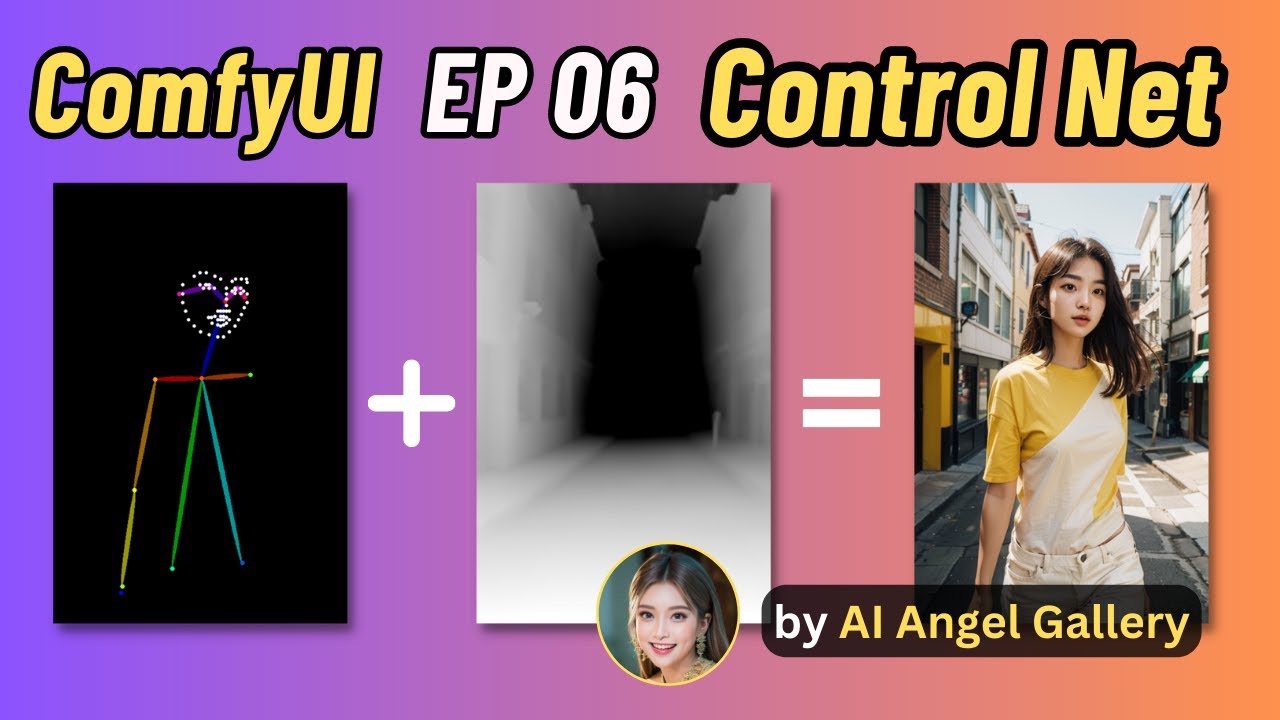
Ever wondered how to master ControlNet in ComfyUI? Dive into this video and get hands-on with controlling specific AI Image results. You'll learn how to play with these controls:
- Human Pose
- Background Depth
- Tile for Ultimate SD Upscale
Get the hang of these, and you'll be tweaking AI images like a pro in no time!
Whether you're a newbi...
olive yoke
lone cape
As I see the longer definition working much better than one word for example moo...
working much better in what sense? like a more exaggerated version of the expression?
you are trying to show a grid of moods
and you want the moods to be exaggerated?
or do you want more creative images generally?
olive yoke
lone cape
As I see the longer definition working much better than one word for example moo...
i think if you want an expression to be legible on a face, you have to add exaggerated. there aren't aesthetic images in these datasets of "moods" because you cannot see moods. prompt stuff that you can see


left is "a woman in a bad mood" right is "a woman in an exaggerated bad mood"
words in the prompt that are not visible and not related to IP are noise
you might as well reduce CFG and steps instead
 sick badger
anyone know how to clear these errors on comfy startup? not breaking anything, just annoying
i've readded them and then removed them, even removed the folder from custom nodes manually, error still appears

is there like a conf file somewhere that stores what node packs are installed i can remove lines from?
merry ermine
ComfyUI Manager -> Install Missing Nodes
sick badger
there not technically missing tho, i can add them just fine in the manager, but when i uninstall them the start up error is still present, would like to see them gone completely when the node is uninstalled 🙂
merry ermine
Could be nodes that are conflicting but i couldnt see how it would be 4 of them. Try to update all, if that doesnt work, delete each node folder and reinstall? Best I can guess at this point, honestly it doesnt even take long to reinstall comfyUI as a whole
cd comfyui
python -m venv venv
cd venv
.\scripts\activate.ps1
cd ..
pip install -r requirements.txt
python main.py```

Copy your models folder and models from animatediff / whatever other nodes you usewhile your in venv might as well update to latest pip, python.exe -m pip install --upgrade pip
Or even easier, just use Pinokio and copy your models over
lone cape
olive yoke
i think if you want an expression to be legible on a face, you have to add `exag...
Prompt and pics at queue, same seed, same model:
1: woman face
2: woman face, surprise mood
3: woman face, exaggerated surprise mood
4: woman face, (Surprise, the feeling caused by something unexpected happening.) -> from my style node


Interesting difference between "mood" and "emotion":
1: woman face, (Surprise mood, the feeling caused by something unexpected happening.)
2: woman face, (Surprise emotion, the feeling caused by something unexpected happening.)

 sick badger
merry ermine
Could be nodes that are conflicting but i couldnt see how it would be 4 of them....
sick badger
merry ermine
Could be nodes that are conflicting but i couldnt see how it would be 4 of them....
oh, i guess all comfyui installs show those 2 errors, installed on a new system that's never had comfyui on it, startup shows same errors, guess it's a basic system check or something
 merry ermine
I'll update and try now.
sick badger
must be my ocd, not breaking anything just seeing the message makes me tweak lol
merry ermine
Oh, did you remember to update your directory in exports_whatever.yaml
I just updated, she's purrin like a kitten

 sick badger
maybe it's a linux thing 🙂 everything still works great, i'm gonna chalk this up as a loss and move on LOL
 sick badger
same 🙂

my brain gets hung up on console output messages, i see an error or a couldnt find and i freak lol, regardless of it actually being an issue
this is a production server so i tend to get even more so worried lol
merry ermine
there probably is an issue with conflicting nodes, but if your stuff is working, id ignore it
olive yoke
lone cape
Prompt and pics at queue, same seed, same model:
1: woman face
2: woman face, su...
what are you trying to do?
what is your goal?
olive yoke
lone cape
Interesting difference between "mood" and "emotion":
1: woman face, (Surprise `m...
you can't see "feeling by something unexpected happening"
so it is just adding noise to the conditioning
merry ermine
several questions regarding instant loras:
- can you use multiple instant loras at once?
- can you save the lora generated locally, for later use?
- if not able tosave locally, do you know other methods of saving an instant lora?
- do instsnt loras work with trigger words or the classic lora:name:1 command?
silver nebula
olive yoke
i think if you want an expression to be legible on a face, you have to add `exag...
excited, anxious, nervous, frightened - all intensive moods - and of course exaggerated, very, totally, completely, overwhelmingly ...
 dapper lichen
Girl (Emily): Body shape: Slender and graceful figure, slightly thin but with a certain sense of vitality and agility. Appearance: Delicate and lovely face, big and bright eyes, soft outline, sweet smile. Clothing: Simple and comfortable spring clothing, which may be a dress or skirt paired with a simple top. The colors are mainly elegant pink, light blue or light yellow, reflecting youthful vitality. Hairstyle: Slightly curly long hair, or shoulder-length straight hair, simply decorated with a hairband or bow, showing a fresh and natural style. (╯°□°)╯︵ ┻━┻
 valid swift
PhotoMaker Retro Ghibli style, a young girl with golden hair tied back into a simple braid.
wearing a humble dress.--nii 5character sheet, white background
silver nebula
ComfyUI using a @junior hull w/flow, NightVisionXL checkpoint, Underwater, Melting Candles and Future Cubism LoRAs


Rstore Face by Reactor does a good job on larger faces ...


 lone cape
silver nebula
Rstore Face by Reactor does a good job on larger faces ...
lone cape
silver nebula
Rstore Face by Reactor does a good job on larger faces ...
Interesting, for me the large faces good enough, I using size trigger to refine only small faces because the face restorer change too much of original.
silver nebula
lone cape
Interesting, for me the large faces good enough, I using size trigger to refine ...
I'm thinking of using Ddetailer - I wonder if it does all the faces? I'm putting ComfyUI into A1111 img2img for the ADetailer - it remedies all the small faces.
I then use Photohop and paint back in the main face
ADetailer in A1111 would have dealt with every face. ComfyUI Reactor Face Restore only does the larger faces
desert sedge
Hello everyone! I am trying to use InstantID in comfy and I am running into an issue... In the Cubiq github repo it says " you need to add it to your libraries together with onnxruntime and onnxruntime-gpu." but it doesent say what or where these onnsruntime things are or where i'm suposed to put them... The example workflow won't work without this, I have tried. Can someone give me a hand?
lone cape
silver nebula
ADetailer in A1111 would have dealt with every face. ComfyUI Reactor Face Restor...
I developed custom node for yolo models with triggers. For example if the face larger than the 3% of full area of input image, then ignore the refining process, because the face good enough no need to refine. Sometime I using triggers for lower value, if the refining needed for larger segment, for example for eyes and mouth. With these triggers easy to control which segments size must be refine or ignore. The first is too large, but two another example refined because was smaller than the trigger value.


 lone cape
silver nebula
I then use Photohop and paint back in the main face
lone cape
silver nebula
I then use Photohop and paint back in the main face
Just for testing can I drop one of your image to my triggered refiner?
silver nebula
lone cape
I developed custom node for yolo models with triggers. For example if the face l...
I might d/load and try this, if I may?
lone cape
silver nebula
I might d/load and try this, if I may?
If you install primere nodes by comfy manager you can try, but the refiner's dev workflow where you can drop already generated images not public, but I can send you if downloaded the nodepack.
silver nebula
lone cape
If you install primere nodes by comfy manager you can try, but the refiner's dev...
OK, will do, thanks
(CosmicLaca)
lone cape
silver nebula
(CosmicLaca)
Haha yes its me 🙂
silver nebula
Its d/loading all the face detailing items
lone cape
silver nebula
Its d/loading all the face detailing items
Yes if not downloaded yet.
lone cape
I really dont like it, but users reported that they cannot use detailer because they do not have the segmentation models, so I made download instead of always copy the source and target paths. While all required models available in comfy model manager 😦
lone cape
desert sedge
Hello everyone! I am trying to use InstantID in comfy and I am running into an i...
Comfy manager -> Install models help im sure.
desert sedge
lone cape
Comfy manager -> Install models help im sure.
I will check
 chrome gust
Hey guys, was experimenting a good upscale workflow based on new developed lightning lora. Found out when upscale the img, result have a lot of noise and unwanted details, the. Went on to latent upscale, the noise is a lot better, but with increasing denoise strength result start to get weird. When I try to use control net to provide some controlled generation it always give me an none type error, I used the SDXL version of linart control net model, my question is can you use controlnet for latent control at all? Maybe I should test it with regular sdxl model and workflow?
 heavy bough
Hi there, I've been trying to figure out how to output batches of 5 images but each using randomly chosen ratios. Is it possible to have the ratio change between each batch generation? or do I need to generate the 1 image and then loop the whole process with a different ratio? I have confused myself greatly...
lone cape
heavy bough
Hi there, I've been trying to figure out how to output batches of 5 images but e...
Not for the ratio, but I using node for randomizing orientation. This not enough for you?
 heavy bough
this could work, I'll give it a go, thanks!
distant pendant
I don't think you can have different dimensions in a single batch though
the shapes need to be the same
heavy bough
^ This is what I thought thanks for comfirming
lone cape
distant pendant
the shapes need to be the same
In comfy you can set Batch count under Extra options not just latent batch, so you can change anything if using batch under the Extra settings.
distant pendant
that is not a batch in the same sense, that's just querying multiple generations to run one after another
you can have different dimensions between those, yes
but you can't start a generation with a, say, latent batch of 4 and have the dimensions different there since the tensor shapes have to match
lone cape
I know, but the random size or orientation possible using query.
distant pendant
sure yeah, also an idea: you could technically have different shapes in the same batch if you only denoised some area of the image and then cropped to whatever you wanted, but would likely need some new saving logic
heavy bough
What I'm trying to get to is a workflow that can create a mood board, one prompt - 5 imasges different ratios that i either screenshot or drag the images into a prez editor etc
e.g. in Mid Journey I can use the chaos parameter
 broken spoke
Hey can someone build a custom workflow. Asking for someone else
this person wil pay
 ancient bear
Hi, I'm trying to install controlnet aux through comfy manager but it is giving some error, could anyone help out?
slender marsh
anyone got a workflow for lip sync?
 tranquil yarrow
Using the Stable Cascade on ComfyUi I got this error:
Error occurred when executing KSampler:
linear(): input and weight.T shapes cannot be multiplied (77x768 and 1280x2048)
How can I fix it?
distant pendant
slender marsh
anyone got a workflow for lip sync?
lip sync as in like face image to audio-guided video? something like sadtalker?
I don't think anybody ported sadtalker specifically but it sure would be interesting
slender marsh
distant pendant
lip sync as in like face image to audio-guided video? something like sadtalker?
Yeah image to guided by audio lip movement
distant pendant
don't think that exists for comfy but it does work in a1111
slender marsh
Also if there is a mov2mov lip sync where you can use different than original audio and sync to the new audio
strong flower
slender marsh
anyone got a workflow for lip sync?
For lip sync to me the best solution right now is the wav2lip extension on A1111
slender marsh
For some reason when I do any mov2mov stuff in forge when I click the generate button it just hangs. Doesn't use processor, no errors in console, just does nothing
slender marsh
strong flower
For lip sync to me the best solution right now is the wav2lip extension on A1111
Thanks:)
 proper inlet
jagged trout
try this workflow https://comfyworkflows.com/workflows/74b9638c-8162-43ba-92f0-3...
proper inlet
jagged trout
try this workflow https://comfyworkflows.com/workflows/74b9638c-8162-43ba-92f0-3...
Hey friend. This is my workflow.
Maybe I can try and help you figure out why it's happening?
The reason there are multiple clip text encoders in the workflow is because it needs to load a clip model for the cascade samples. That loader takes place before the clip text encoder, so a different text encoder that loads clip directly from the XL models.
That error may be occuring because clip is being routed from the wrong encoder into the XL models.

pulled those off to the side so you can see what I mean.
the bottom encoder routes to the ksamplers connected to cascade models, the top ones to the ksamplers connected to the XL models.
proper inlet
https://comfyworkflows.com/workflows/74b9638c-8162-43ba-92f0-3aee1290fc2d?version=578c2aeb-ddad-4891-a8f2-13298b4a8f78 Just updated with a very cleaned up v2
comfy workflows
share, run, and discover comfyUI workflows
 crimson cloud
Could someone explain how a work flow is transported from just copying a picture or dragging it in? Tried following YouTube videos but nothing happened ( have comfyui and manager installed) it's like I did not do anything at all. Is it only images that were made in comfyui that it will work from( tried images I made from automatic 1111 a while back.)
lusty pewter
crimson cloud
Could someone explain how a work flow is transported from just copying a picture...
If you're using ComfyUI, you can drag an image into the screen and pull the workflow in, however, that workflow has to be embedded in the image you're dropping in. If it's not, it won't open the workflow because the workflow is not known.
 nocturne garnet
crimson cloud
Could someone explain how a work flow is transported from just copying a picture...
nocturne garnet
crimson cloud
Could someone explain how a work flow is transported from just copying a picture...
Only images made in comfyui have that feature
crimson cloud
nocturne garnet
Only images made in comfyui have that feature
Thank you for the explanation
proper inlet
nocturne garnet
Only images made in comfyui have that feature
I actually think some others do it too, but probably not to the degree that comfy can.
thorny lily
most UIs embed metadata in images - auto webui, comfy, swarm, ... all do
comfy embeds an entire raw workflow json graph, auto webui embeds a similar string of parameters, swarm embeds a detailed json of parameters
swarm ones if you pull into swarm you can import from swarm to comfy to get a raw workflow if you want that
strong flower
is there a way in comfy to output a png image with embedded workflow AND a jpg image without metadata ?
 unique grotto
Some great work from Comfy (and the entire Stability team) to make a pre-release seem production ready. Created 50 images tonight using Stable Cascade in the time it took me to create 1 two days ago.
A quick shout out to @ComfyUI for his quick work in making the @StabilityAI Stable Cascade research release feel production ready. Makes quick work of seeing the incredible prompt alignment and aesthetic quality.

 Twitter
·
unique grotto
strong flower
is there a way in comfy to output a png image with embedded workflow AND a jpg i...
Twitter
·
unique grotto
strong flower
is there a way in comfy to output a png image with embedded workflow AND a jpg i...
Search for references to "Exif" in the comfy code and available nodes. I found some, but didn't have time to look specifically for removing data.
unique grotto
crimson cloud
Could someone explain how a work flow is transported from just copying a picture...
Check the Workflow metadata field of the image using this tool. pretty amazing that comfy can store the entire WF in the metadata, but there may be limits.
 wispy kelp
So is this Cascade thing good? Is it the future? what's going on... Every week soemthign new....
strong flower
wispy kelp
So is this Cascade thing good? Is it the future? what's going on... Every week s...
look what it can achieve with just a SDXL fine detailing post process workflow (the original Cascade image is almost this detailed)
 wispy kelp
🤔
sly sundial
strong flower
is there a way in comfy to output a png image with embedded workflow AND a jpg i...
Yes, this is possible. If you look at my workflows it uses a node to save the image and you can choose what format and if it save the data or not. https://civitai.com/models/119257/gtm-comfyui-workflows-including-cascade-sdxl-and-sd15
In v4.0, the "KRestartSampler" node can be installed from: https://github.com/ssitu/ComfyUI_restart_sampling The dequality node is included in the ...
sly sundial
strong flower
look what it can achieve with just a SDXL fine detailing post process workflow (...
These are just Cascade with no detailing


 strong flower
Yes I'm at work and don't have access to my original images but it has great outputs, I just like the extra details of a little SDXL detailer because I'm the kind of person to open the images in a browser and zoom in 😅
 tidal agate
how can i update to latest version of comfyui
lone cape
git pull on comfy dir
sly sundial
tidal agate
how can i update to latest version of comfyui
Are you using the portable version? I think that has a script to update it.
untold tide
is there a node or function that i can load the txt file to comfyUI that i generated before in A1111?
 errant glen
Is it possible to change the default value for the "Save Image" node? I would prefer the save path to be in daily subfolders and set the default value to %date:yyyy-MM-dd%/o instead of ComfyUI
olive yoke
errant glen
Is it possible to change the default value for the "Save Image" node? I would pr...
i was just exploring this as a patch. are you familiar with any other tool you use which lets you specify format strings?
the answer to your question is no*
there aren't any text manipulation nodes. So it's clunky to even pass an argument to it
 flat bobcat
hi is there any update to use cascade control net models on comfyui !
also any idea how to compress model to ,75 as mentioned on cascade manual ! they tell givebetter result !
olive yoke
flat bobcat
hi is there any update to use cascade control net models on comfyui !
which cascade control net models? can you share a link?
 ivory ruin
whats the best model for sd 1.5?
 calm solar
ivory ruin
whats the best model for sd 1.5?
calm solar
ivory ruin
whats the best model for sd 1.5?
as in comparison to these 4?
it depends on what you are trying to do... a trained model to your needs is usually the best model in my opinion

 boreal panther
Hi friends, I'm beginning to immerse myself into the world of text to image generation and trying to get ComfyUI running locally. It's running, but it shows Device: cuda:0 AMD Radeon RX 5700 xt : native - as you can see, that last line looks a little contradictory - "CUDA" being related to the Nvidia cards. I do have a GUI, I haven't generated anything yet as I don't know how. I just wanna make sure I'm setup properly.
Specs:
Ubuntu 22.04.2
Ryzen 7 3700x
Radeon RX 5700 XT
boreal panther
boreal panther
Hi friends, I'm beginning to immerse myself into the world of text to image gene...
I'm generating an image now, and not sure it's using just the GPU. It's taking awhile, and my CPU monitor shows different cores spiking to 100% usage methodically
boreal panther
boreal panther
I'm generating an image now, and not sure it's using just the GPU. It's taking a...
and failed
ivory ruin
calm solar
as in comparison to these 4?
it depends on what you are trying to do... a traine...
so im trying to use a lora which is called atmosphere photohraphy but it only kinda works with the epic realism model
calm solar
ivory ruin
so im trying to use a lora which is called atmosphere photohraphy but it only ki...
yeahhh using other peoples loras can be tricky :/ is hard to know what they trained it with or what keywords specifically and if they did it right :/  I did a google and saw some people also using juggernaut (non xl) for that lora so idk
ivory ruin
calm solar
yeahhh using other peoples loras can be tricky :/ is hard to know what they trai...
oh i see thank you that might work
calm solar
boreal panther
Hi friends, I'm beginning to immerse myself into the world of text to image gene...
are u using the main branch of comfyui 
boreal panther
calm solar
are u using the main branch of comfyui <:Thonk:1008760110807523378>
latest stable that's linked on their github
calm solar
have u installed directml and running with the flag
 boreal panther
calm solar
have u installed directml and running with the flag
boreal panther
calm solar
have u installed directml and running with the flag
I'm on Ubuntu
I'm trying again with HSA_OVERRIDE_GFX_VERSION=10.3.0 python3 main.py
It's running, hasn't failed yet. Not sure how long it's supposed to take. I loaded the Juggernaut XL .safetensors in the checkpoint folder, selected it in gui and ran with all the defaults
calm solar
ah alright, i havent used comfy on linux before sorry...
are u using the SDXL loader in comfyui or just the regular loader?
theres a bit of a difference between XL and non xl workflows
boreal panther
I'm not even familiar with that. So idk. Got any recommendations for reading to get up to speed from the ground up? I'm a computer programmer, so pretty savvy
I do see Requested to load SDXLClipModel in the terminal
calm solar
XL can take a little while, would recommend just using a 1.5 model to try get things working
and yehh that could be the different loader being the issue
boreal panther
Is there a flag I can use to tell it to run with non xl workflow?
calm solar
idk if i am allowed to share others youtubes but this guy is pretty good
https://www.youtube.com/playlist?list=PLH1tkjphTlWUTApzX-Hmw_WykUpG13eza


 boreal panther
calm solar
idk if i am allowed to share others youtubes but this guy is pretty good
https:...
boreal panther
calm solar
idk if i am allowed to share others youtubes but this guy is pretty good
https:...
Sweet
calm solar
if you get a basic 1.5 workflow setup and still having issues
i use comfyui plugins for my XL workflows, i forget the name but dw about plugins until u get the basics working 
boreal panther
calm solar
if you get a basic 1.5 workflow setup and still having issues <:shrug:1164739086...
Is there a flag I can use when starting comfyui that tells it to use the 1.5 workflow?
I'm realizing that question might not even make sense.... I'll do some reading and watching. Thanks
calm solar
its a node, like Loader Simple I think.. and SDXL Loader or something
u wanna just use the regualr loader for 1.5 and XL for Xl
i use "efficiency nodes" for XL
if u get the "comfyui manager" itll make it easier to get plugins and XL working
i might be lying about the loader and it might be like a SDXL Clip or something thats the difference, i havent done vanilla SDXL workflows

 boreal panther
Cool cool, I've been playing around with midjourney and it's still mind blowing to me. I'm trying to replicate that quality locally. Might take some learning
calm solar
boreal panther
Cool cool, I've been playing around with midjourney and it's still mind blowing ...
its alot of fun 😄 good luck
gusty bridge
boreal panther
Cool cool, I've been playing around with midjourney and it's still mind blowing ...
i had the same "problem" at the beginning. but u will get there. i got there too
silver nebula
IPAdapter NightVisionXL


 silver nebula
boreal panther
Cool cool, I've been playing around with midjourney and it's still mind blowing ...
silver nebula
boreal panther
Cool cool, I've been playing around with midjourney and it's still mind blowing ...
Apparently the server-power behind MJ will make desktop MJ hard to replicate - u will either pay $£$£$£$ - or wait for the technology to catch-up!
But I agree - it's MJ quality that I seek in Stable Diffusion. SD3 looks like it's going the right way ...
merry ermine
silver nebula
IPAdapter NightVisionXL
1 finger is going the wrong way on top pic
 echo spindle
i have some problem with the face detailer pipe, keep getting this error : return self._op(*args, **kwargs or {})
any idea on how to solve this ?
 fallow jackal
How didn't I know before that "Load Image" makes transparency masks automatically?

echo spindle
fallow jackal
How didn't I know before that "_Load Image_" makes transparency masks automatica...
its because its a png, your mask is included in the alpha pass if i'm not mistaken
 manic moat
Hello guyz how ru all please can anyone help me how to do like this please help me out I installed stable diffusion and comfyui both but don’t know how to fix like this https://www.instagram.com/reel/C3Pw0NAvNA6/?igsh=b3AzMzNxdGZ2amZl

Transform your sweet memories into visual spectacle.
Did you miss the photoshoot for the past memories for your kids or for you or for your family.
Dm if your interested to get for your loved ones.
#sita #godess
#aiartmania #aiartportrait #aiart #aiphotos #AiPhotography
#aiimages #aiartwork #aistillsCustomPortraits
#AiAssistedArt #Preciou...

 Instagram
 tranquil parcel
Hey is there a Comfy node for live Voice inputs and is there also a node for streaming in text real-time from an external doc?
silver nebula
InstantID - prompt = comic character. graphic illustration, comic art, graphic novel art, vibrant, highly detailed - a swiftly tailored SuperHero Comic Champ!!! 😄


For comic "character" read "police officer aiming a gun"


This one was a surprise - I swapped out "comic character" and made it "kissing Joe Biden" - but Karly Kloss snuck in there somehow?!?!?!?!? 😄


 main osprey
when i save the file, how to access the input filename?
 silver nebula
main osprey
when i save the file, how to access the input filename?
silver nebula
main osprey
when i save the file, how to access the input filename?
Either just use ComfyUI - or if you want a date 2024-02-25/ComfyUI - or something else like IPAdapter/ComfyUI or 2024-01-25 InstantID/ComfyUI etc - these folders will end up in the output folder at ComfyUI
InstantID "MarJo BidRoe!!!"

Sorrrry about the fingerrrrrs
jagged trout
yesterday this workflow was working normally but now I'm getting thios error
 jagged trout
is there anyone
main osprey
silver nebula
Either just use ComfyUI - or if you want a date 2024-02-25/ComfyUI - or somethin...
want to access the filename_text, how do i do that?
 silver nebula
InstantID - "Baribifying" Margot Robbie


 fallow jackal
main osprey
when i save the file, how to access the input filename?
fallow jackal
main osprey
when i save the file, how to access the input filename?
Right click on "Save Image" node → "Convert filename_prefix to input"
untold tide
is there a function on SD and comfy, that have the midjourney "blend" function?
ipadadapter can use only one photo as reference, but the blend in MJ can use up to 5 pics
so i was wondering is that the same tech behind it.
thorny lily
untold tide
is there a function on SD and comfy, that have the midjourney "blend" function? ...
ipadapter can take several, as can XL image prompting
silver nebula
untold tide
is there a function on SD and comfy, that have the midjourney "blend" function? ...
You can blend at least 3 photos using IPAdapter!!!
See Scott Detweiler's Workflows, or even mat3o's
thorny lily
or just use swarm and drag images into the prompt box
and if you're curious about the noodles just import to comfy workflow editor
flat bobcat
flat bobcat
https://huggingface.co/stabilityai/stable-cascade/tree/main/controlnet

GitHub
Official Code for Stable Cascade. Contribute to Stability-AI/StableCascade development by creating an account on GitHub.
 lost depot
greets! is this the right place to ask a question about comfyUI and Animatediff?
lone cape
Hi, I just created node to switch between new concepts for fast result comparison. The node (and workflow) handles: SD, SDXL, SD-LCM, SDXL-LCM, Turbo, and Lightning if downloaded safetensors, Loras, and Unets to right paths, and with Lightning custom handle 3rd party Lightning checkpoints. Cascade not finished yet. The workflow image contains workflow, Primere nodes required:

 worthy ember
I have small PAID TASK . Anyone interested (must know comfy ui, instant id, stable cascade things) ? you can DM me for details
sly sundial
Why is it that I can see these nodes in one window, but not in any other, even after a restart?

Other window

I only seem to be able to see them after dragging in an image that has them in the flow...eg.

They're from the Searge SDXL nodes
I can't even copy/paste them from one window to another, but I've been able to with other nodes.
If I "Clear" the window, that also causes the nodes to be inaccessible.
 deep pewter
a dog
sly sundial
Nope, it's a Raccoon
sly sundial
deep pewter
how can i use this
Run it locally or through a cloud service.

GitHub
The most powerful and modular stable diffusion GUI, api and backend with a graph/nodes interface. - comfyanonymous/ComfyUI


 sick badger
anyone know how to better clean up the outer edges of a inpainting grow mask?
without chaning the mask quality?

 silver nebula
I used Kohya and generated larger images than my 8Gb VRAM will normally allow.


 strong flower
with Cascade you can go 2500x2500 with no problem on a 8GB 🙂
(push the latent compression to like 64)
silver nebula
strong flower
with Cascade you can go 2500x2500 with no problem on a 8GB 🙂
I agree, but the smaller faces do go all mushy when you compress above 42


 limpid dragon
horse (╯°□°)╯︵ ┻━┻
olive yoke
sly sundial
Other window
that looks like a real bug that you should ticket.
olive yoke
sick badger
anyone know how to better clean up the outer edges of a inpainting grow mask?
there's no set of nodes or workflow in comfyui that solves masking in the general case. additionally, all masking techniques involving the stable diffusion family of models are limited, because you cannot "feather" in latent space, so you cannot make a smooth transition from noisy-to-not-noisy in the latent space representation of a 2d mask. can you talk more specifically about what you are trying to do?
olive yoke
silver nebula
InstantID
the hand repair lora from the sliders lora guy, which i think has been repackaged on civitai as "openxl-hand" or something, helps the most with hands
creatively not showing hands is still the best way, followed by that solution, and then maybe graphormer
sly sundial
olive yoke
that looks like a real bug that you should ticket.
With who though? Is it a bug in the nodes or comfyui?
olive yoke
sly sundial
With who though? Is it a bug in the nodes or comfyui?
i think comfyui
it won't hurt to ticket in both places though
olive yoke
jagged trout
yesterday this workflow was working normally but now I'm getting thios error
there isn't really a reason to use the efficiency nodes. this appears to be a bug in the node. your workflow is probably missing an input somewhere, like a filename
 unreal reef
I've been using Automatic1111 since SD was released. I'd like to see what all the comfy hype is about. Is there a good tutorial video out there for people making the switch? The comfy look is daunting.
 trail ice
Hi first time using MultiAreaConditioning node by Davemane42 and instead of getting what is specified in the different prompts I am getting a sort of blending with what is specified in the background prompt. The only model that works is an illustration model. The other models I try which are more photo real fail. Has anyone encountered this? Is there a correct workflow to fix this? Any help? Thanks.
 next frigate
I'm having issues with my hires sampler stopping several steps shy of the intended target
 winter estuary
what i have i done
 olive yoke
unreal reef
I've been using Automatic1111 since SD was released. I'd like to see what all th...
olive yoke
unreal reef
I've been using Automatic1111 since SD was released. I'd like to see what all th...
i'm not sure, but you should download it and drag and drop an example image into the website it asks you to use, and you can sort of go from there.
sick badger
olive yoke
there's no set of nodes or workflow in comfyui that solves masking in the genera...
Great explanation, appreciate that.
First I'm using a blender file via Python to layer user choices together and pull in data from json format and output the transparent pokeball image to a tmp file. After that completes, I'm bringing the transparent pokeball back into a comfyui workflow using the web socket API to add the background image from a user typed description. Everything works as intended all from my webUI but just not super thrilled about the final quality due to the non blending feathered edges as shown.

It's not terrible but could definitely be better once the tech is there. Upping the denoise a bit on the second sampler helps some bit distorts text if too high.

Looks ok if you don't zoom in lol
olive yoke
sick badger
Great explanation, appreciate that.
First I'm using a blender file via Python t...
cool let's talk about this, thanks for the detailed explanation
sick badger
That's just using the example comfy version of inpainting, no ipadapter of controlnet of any kind
olive yoke
sick badger
That's just using the example comfy version of inpainting, no ipadapter of contr...
first you probably want my fully update to date packaging of comfyui - https://github.com/hiddenswitch/ComfyUI - if you are trying to make this into any kind of application
see the updated examples here - https://github.com/hiddenswitch/ComfyUI/tree/master/script_examples
the README is updated too