#▶|stable-video-diffusion
1 messages · Page 6 of 1
 severe moon
 copper lynx
whats the lowest CFG you can safely go?
copper lynx
whats the lowest CFG you can safely go?
this is hard to answer because CFG greatly affects the motion depending on all the other parameters. so it depends on what sort of video you want to output. but you can safely start around 1.5 and still get nice zooming and panning effects in my experience
copper lynx
severe moon
this is hard to answer because CFG greatly affects the motion depending on all t...
very cool. I just saw this. went with 1 and it has 3/16 so far. Ill see if this finishes output and then report back. thank you again. Itd be cool if Im the first 4GB VRAM machine to have success lol
Im repairing my machine with 3070ti and I think I saw people were having success with that so im hoping I can be back up and running with that soon
do you tick "Overwrite fps in mp4 generator"?
 open heron
4 different animations, nice transitions
copper lynx
open heron
4 different animations, nice transitions
did you use the last frame from the previous animation to create the next one? then stitch?
open heron
copper lynx
did you use the last frame from the previous animation to create the next one? t...
Yes
i'm working to reduce de degradation that happens after every generation
severe moon
open heron
i'm working to reduce de degradation that happens after every generation
any luck so far?
open heron
severe moon
any luck so far?
This last video was pretty good
you can see on the fox video posted early how the quality goes down so you can clearly see the transitions. This one is smoother
open heron
 fallen delta
1
 dusk dagger
we need frame inpainting  and a sliding window of it
freeze 12 frames from last gen as it works on next 13 frames in a 25 frame window
or somethin like that
copper lynx
copper lynx
very cool. I just saw this. went with 1 and it has 3/16 so far. Ill see if this ...
It worked! doesn't look too great but I would imagine the CFG 1 had something to do with that.
it plays on my machine. why wont it play here? it should be 2 seconds at 6fps. I didnt tick the box that says override FPS. not sure if that matters
open heron
copper lynx
I don't know the workflow that you are using, i don't even know this box
 sterile mesa
open heron
you can see on the fox video posted early how the quality goes down so you can c...
sterile mesa
open heron
you can see on the fox video posted early how the quality goes down so you can c...
Process the last frame through img2img refinement with low denoise and same parameters as the original still?
Wait, then you'll probably just see the improvement in quality at transition frame making it more obvious...
copper lynx
open heron
I don't know the workflow that you are using, i don't even know this box
using this workflow https://www.youtube.com/watch?v=HMW9hVoQa0M

Setup Instructions (Python 3.10.11, 4090, working on Windows): https://pastebin.com/YpqNSHFy
If you are still running into cuda issues after trying p13.txt take a read at this: https://pastebin.com/eSiVGGzA
Requirements:
Probably can run it if you have at least 6Gb of VRAM
Anaconda
Git
Generative-Models github
SVD or SVD_XT
Download Lin...
copper lynx
open heron
I don't know the workflow that you are using, i don't even know this box
this box? not sure what you mean
open heron
sterile mesa
Process the last frame through img2img refinement with low denoise and same para...
It changes the colors and contrast starting from frame 1. So using the original will create a bigger issue as you said, but i will try something in that sense
sterile mesa
open heron
It changes the colors and contrast starting from frame 1. So using the original ...
Yeah not using original, but taking last frame and refining it back through img2img with a low denoise to try to offset it a bit...
open heron
copper lynx
using this workflow https://www.youtube.com/watch?v=HMW9hVoQa0M
Sorry, i don't know how this ui works
copper lynx
open heron
Sorry, i don't know how this ui works
no worries. thank you anyway
severe moon
severe moon
 patent scarab
Is there a vid2vid tutorial out?
 pastel matrix
 silent hinge
open heron
silent hinge
open heron
what program did you use to stich? and how did you pull the last frame of the previous video?
 ashen tusk
Tough time for santa this time of the year.
open heron
silent hinge
what program did you use to stich? and how did you pull the last frame of the pr...
All comfyui
 jade oar
Is there any decent simple way to run this? Kinda like comfyui. I only have 24gb VRAM but would like to play around with it without messing with Yet Another Anaconda Venv ™️
copper lynx
jade oar
Is there any decent simple way to run this? Kinda like comfyui. I only have 24gb...
"only have 24gb VRAM"
LOL
lucky duck
jade oar
copper lynx
"only have 24gb VRAM"
LOL
Well i saw the number requirement of 40gb being thrown around hahaha
copper lynx
nahhhh. ignore that
8GB VRAM are running SVD
I ran an animation of 14 frames earlier with a 3050ti 4GB VRAM
jade oar
well then faster outputs for me i reckon
 severe bear
it works out of the box in comfyui
jade oar
or longer
jade oar
severe bear
it works out of the box in comfyui
Oh what? The actual SVD? Or the other techniques?
copper lynx
jade oar
well then faster outputs for me i reckon
14 frames with svd, with svd_xt 25 frames. you need to do multiple animations and stitch if you want "longer" but yes faster for you for sure
severe bear
yeah, just a normal comfyui install, download the svd model and you're good to go, no other requirements or custom nodes
jade oar
How would it output an animation? Doesn't it 'expect' a static image?
copper lynx
copper lynx
I ran an animation of 14 frames earlier with a 3050ti 4GB VRAM
this was with decode t frames 14 because I hadnt seen the talk about setting it to 1. now running one with setting to 1
5/20 steps so stoked to see what outputs
severe bear
jade oar
How would it output an animation? Doesn't it 'expect' a static image?
it outputs a batch of images that you can save as animation, there's some built-in node for that or you can use a custom one
copper lynx
generation worked on my 4GB VRAM 3050ti on my laptop earlier.
severe bear
I think the vae decoding takes way more than 4 but with tiled it should be doable
github working here
ashen tusk
It's possible to do longer videos tbf, if you generate 75 images at 25fps you can get consistent good results, it seems to get problematic when you move over 3 seconds.
jade oar
wow it seems like the latest update of my browser fails to load github.com specifically
Soooo which one?

or both?
severe bear
svd = trained on 15fps, svd_xt = 25 fps, decoders... no idea
 tiny cradle
copper lynx
generation worked on my 4GB VRAM 3050ti on my laptop earlier.
tiny cradle
copper lynx
generation worked on my 4GB VRAM 3050ti on my laptop earlier.
wow great!
jade oar
severe bear
svd = trained on 15fps, svd_xt = 25 fps, decoders... no idea
and whats the difference other than output framerate? length?
also do i need to download anything else from the repo
cause there's the image encoder folder, unet, vae
severe bear
the specifics are in the model cards, the other stuff is for diffusers format
you just need the one safetensors file
svd.safetensors / svd_xt.safetensors, xt was finetuned on top of the normal one basically so it can be used for longer videos
there's no difference in vram or anything
(assuming the same number of frames)
copper lynx
severe bear
svd = trained on 15fps, svd_xt = 25 fps, decoders... no idea
so is 6fps not the right setting? wen I use deforum I always use 12fps
I figured id test with 6fps first and go from there but please let me know if 6fps isnt the move haha
copper lynx
severe bear
svd.safetensors / svd_xt.safetensors, xt was finetuned on top of the normal one ...
I ran out of VRAM 4GB doing a generation with svd_XT but I was able to generate with normal SVD. it was weird too because it made it to the very end of the steps then ran out of VRAM
tiny cradle
copper lynx
I ran out of VRAM 4GB doing a generation with svd_XT but I was able to generate ...
that implies its the decoder. make sure you're only decoding one frame at at ime
severe bear
you can gen however many frames you like but the model was trained with 15(or was it 14?)/25 so around that should give best results
both frames and fps matter btw
copper lynx
tiny cradle
that implies its the decoder. make sure you're only decoding one frame at at ime
where do I check to ensure I am doing that?
copper lynx
severe bear
both frames and fps matter btw
I assumed as much. My background is in cinematography and video production.
Ill play around with fps and see what works. Thank you.
copper lynx
severe bear
you can gen however many frames you like but the model was trained with 15(or wa...
has anyone been able to change it from 14 to a higher number with SVT? Ive seen everyone saying they do multiple generations and stitch. Just did a 14 frame generation at 6fps and it looks cool in my local machine but it wont play through Discord.
ashen tusk
copper lynx
tiny cradle
that implies its the decoder. make sure you're only decoding one frame at at ime
I have decode t frames set at 1
tiny cradle
copper lynx
I have decode t frames set at 1
That’s the best you can do for now. Probably someone could optimize it to decode partial frames but I don’t think that’s done yet.
You could try smaller images. Probably won’t work well

 copper lynx
tiny cradle
You could try smaller images. Probably won’t work well
copper lynx
tiny cradle
You could try smaller images. Probably won’t work well
has anyone been able to work with bigger images than the standard 1024 x 576? for instance with beefy 4090 machines? I was considering buying a new machine anyhow with a 4090
 icy valley
copper lynx
has anyone been able to work with bigger images than the standard 1024 x 576? fo...
icy valley
copper lynx
has anyone been able to work with bigger images than the standard 1024 x 576? fo...
Really no reason to do so
Better to render low (res) and slow (fps), and upscale + interpolate in post
icy valley
sterile mesa
Wait, then you'll probably just see the improvement in quality at transition fra...
sterile mesa
Dang cool, but definitely can see the transitions. Thanks for trying it out
copper lynx
icy valley
Better to render low (res) and slow (fps), and upscale + interpolate in post
fair point
copper lynx
icy valley
Really no reason to do so
just curious if 1024x1024 is possible. I have some square collections Id love to animate
 onyx thicket
open heron
4 different animations, nice transitions
onyx thicket
open heron
4 different animations, nice transitions
Would you be open to sharing workflow? This looks awesome
icy valley
sterile mesa
Dang cool, but definitely can see the transitions. Thanks for trying it out
had tried it a few days ago, just showing you my results 
you were right
as far as i could figure out
copper lynx
ashen tusk
I have two astronaut themed collections. def stoked to plug my stills in and see what comes out. cheers! this looks awesome
copper lynx
ashen tusk
are there any settings to influence control of the subject's movement? or is it rolling the dice?
icy valley
@jade bronze @restive musk
severe moon
copper lynx
just curious if 1024x1024 is possible. I have some square collections Id love to...
yes it's possible, it just takes much longer and has less predictable motion. most of my vids are 1456 x 816. I've even managed to do 1080p but it's not really worth it to stray too far from the training standard 1024 x 576
 royal saffron
@icy valley are you everywhere dude, i've seen u in like 8 servers
icy valley
I have 11 identical twins. 6 of them are Discord users.
severe moon
harrow made clones by running a 512 model at 1024
 copper lynx
severe moon
yes it's possible, it just takes much longer and has less predictable motion. mo...
copper lynx
severe moon
yes it's possible, it just takes much longer and has less predictable motion. mo...
makes sense. thank you
what specs on your setup
severe moon
you need to set your sampler cfg equal or higher than whatever the CFG Guidance node is set to and probably use more sampler steps
i mean, you don't NEED to do anything but you'll probably start getting way better results 😉
like I do a lot of testing at lower sample steps to get a sense of what motion a seed will do but increasing the steps to around 12-16 should make it look like the input image at least at the start
icy valley
#ganggang
icy valley
@glass juniper
royal saffron
AHH Its cuz he's dreaming
icy valley
One of the cooler effects I've gotten out of SVD imo
 pastel matrix
royal saffron
pastel matrix
royal saffron
Wow
icy valley
pastel matrix
Damn bro this is heat 
 frigid grail
With ComfyUI SVD nodes, how can you set decode_t?
ashen tusk
copper lynx
are there any settings to influence control of the subject's movement? or is it ...
There seems to be some ways to methodize the output movements using the motion buckets, augmentation_lvl and cfg. There was a great video released on it on YT yesterday: https://www.youtube.com/watch?v=m-ZoxcYNWFg

This is a comprehensive workflow tutorial on using Stable Video Diffusion in Comfy UI. Stable Video Weighted Models have officially been released by Stabality AI and support up to 25 frames per second of video generation. While it might seem that the motion generation is random, it is not. In the tutorial, I showcase 6 unique workflow examples e...
 agile ibex
when you get an out of memory error
 copper lynx
which tool do you prefer to interpolate?
255 I believe. followed your tut again after getting rest and got it to work. thank you again
Takes forever to generate but Im generating on a 4GB VRAM laptop with 3050ti LOL 🤘
severe moon
copper lynx
which tool do you prefer to interpolate?

GitHub
A custom node set for Video Frame Interpolation in ComfyUI. - GitHub - Fannovel16/ComfyUI-Frame-Interpolation: A custom node set for Video Frame Interpolation in ComfyUI.
The author of that node showed up in here and I asked which they thought would be best for using with SVD. They recommended these three nodes so I've got them wired in after VAE Decode step. I mostly use the Film VFI one though.
 severe moon
ashen tusk
There seems to be some ways to methodize the output movements using the motion b...
severe moon
ashen tusk
There seems to be some ways to methodize the output movements using the motion b...
Yeah I watched this yesterday morning and posted it here right after, it's the best video with actual examples on SVD motion I've seen so far.
I tried way too many times to get decent hands....
frigid grail
ashen tusk
There seems to be some ways to methodize the output movements using the motion b...
This is like a Master class in SVD! Great information!
 woeful sigil
Hello, all! Please forgive me if this is a repost. I wasn't able to find anything on it... BUT... has anyone been able to fix the "RuntimeError: Conv3D is not supported on MPS" issue on Mac M1/M2?
frigid grail
severe moon
The author of that node showed up in here and I asked which they thought would b...
If you are on Mac silicon, Film VFI will work for interpolation. IFRNer VFI will also work, but Film is better
open heron
onyx thicket
Would you be open to sharing workflow? This looks awesome
I will do some tests and then share
frigid grail
woeful sigil
Hello, all! Please forgive me if this is a repost. I wasn't able to find anythin...
Easiest is to install using pinokio. Then launch ComfyUI using the “launch with CPU”. https://twitter.com/cocktailpeanut/status/1729521169605226705?s=21&t=_9WtezO8LqTkSCcrcHao_A
 half hound
copper lynx
255 I believe. followed your tut again after getting rest and got it to work. th...
half hound
copper lynx
255 I believe. followed your tut again after getting rest and got it to work. th...
o wow good to hear. I thought the minimum was 6GB. How long would you say your generations take?
 shut narwhal
Anyone tried the new MagicAnimate thing ?
severe moon
shut narwhal
Anyone tried the new MagicAnimate thing ?
What's that?
 bright aspen
From a resolution POV, whats the best path from SDXL as input > SVD? Im currently outputting 1024x1024. I see SVD requires 576x1024
severe moon
technically SVD can take any input if the pixels are multiples of 8, so it will do 1024x1024, but the motions will be off and it takes more time to process because it was trained for 576x1024. So I'd just stick with 576x1024 output from SDXL....
 fallen wren
bright aspen
From a resolution POV, whats the best path from SDXL as input > SVD? Im currentl...
fallen wren
bright aspen
From a resolution POV, whats the best path from SDXL as input > SVD? Im currentl...
16:9, ie 1344x768, works great
bright aspen
got it. if i wanted to retain the 1024x1024 that i like from my current workflow, i would just outpaint to 16:9 ?
severe moon
Midjourney's default 16:9 ouput is 1456 x 816 which also works fine. And I've tested (1280 x 720) - 720p HD....
fallen wren
bright aspen
got it. if i wanted to retain the 1024x1024 that i like from my current workflow...
ye outpainting would do
severe moon
You can also do square ratios, it works
fallen wren
if you work in swarm btw it's very easy to go straight from xl to video

matches perfectly (top is the video bottom is the image)
 severe moon
bright aspen
From a resolution POV, whats the best path from SDXL as input > SVD? Im currentl...
severe moon
bright aspen
From a resolution POV, whats the best path from SDXL as input > SVD? Im currentl...
I hope we made it clear, SVD does NOT require 576x1024, that's just what it was trained at and is optimal....
bright aspen
so what's expected behavior if you input in a 1024x1024 img?
severe moon
bright aspen
so what's expected behavior if you input in a 1024x1024 img?
it'll work just take longer and the motion won't be as predictable, not that it's predictable at all at the expected res. I got best results for sq aspects by setting SVD to 768x768....
open heron
shut narwhal
Anyone tried the new MagicAnimate thing ?
There's node already?
shut narwhal
open heron
There's node already?
GitHub
MagicAnimate: Temporally Consistent Human Image Animation using Diffusion Model - GitHub - magic-research/magic-animate: MagicAnimate: Temporally Consistent Human Image Animation using Diffusion Model
Check it out ! 🙂
Not tried yet, but plan on experimenting tomorrow
there's an online version, but you gonna wait an hour that your request get accepted through the massive queue
severe moon
shut narwhal
So sick!
Anyone got the workflow to test different motion parameters at once with SVD ?
Tried to do it manually but it went totally wrong
severe moon
shut narwhal
Anyone got the workflow to test different motion parameters at once with SVD ?
@grim tangle shared a JSON for outputting multiple vids for parameter tests before.....
severe moon
shut narwhal
https://github.com/magic-research/magic-animate#-gradio-demo
It looks neat but I haven't come across how to make those weird colored input videos easily....
shut narwhal
Yeah me neither, at least there's some example so you can try with your custom image input
But i think there's the controlNet that convert the video into that type of colored openpose on the folder!
I'll try it out tomorrow and let you know!
fallen wren
shut narwhal
Anyone got the workflow to test different motion parameters at once with SVD ?
if you want to do comparison tests, use Swarm and go to Tools -> Grid Generator, and make a grid of whichever parameters you want to compare
shut narwhal
fallen wren
if you want to do comparison tests, use Swarm and go to Tools -> Grid Generator,...
Thanks! I'll take some documentation on how to do that


 onyx silo
woeful sigil
Hello, all! Please forgive me if this is a repost. I wasn't able to find anythin...
onyx silo
woeful sigil
Hello, all! Please forgive me if this is a repost. I wasn't able to find anythin...
It requires PyTorch fix
https://github.com/pytorch/pytorch/pull/114183/
In theory you could Monkjey Patch the call to Conv3d to force it to use fp32 and use the Fallback environmental variable. Would be slow though.
Blah uses a different mechanism than Falling back, would have run the whole thing in 32 bit CPU.
GitHub
Fixes #77818
I saw that PR #99246 was approved, but no one fixed the rebase conflicts, so I am bringing this up again to be merged.
I am leveraging @mattiaspaul work. Quoting the description here:
...
 ember rune
༼ つ ◕◕ ༽つ Pytorch devs take my energy ༼ つ ◕◕ ༽つ
woeful sigil
onyx silo
It requires PyTorch fix
https://github.com/pytorch/pytorch/pull/114183/
~~In th...
When i try to pull that down i get dependency conflicts. Any ideas?
 onyx silo
You need a dev version of Torchvision they are fairly tightly associated in pip, try the nightly torchvision version
pip3 install --pre torchvision -index-url https://download.pytorch.org/whl/nightly/cpu
Oh, I should say as the code tat needs fixing in Obj-C code you will probably have to do a full pytorch build eeek.
Just started a run on CPU 1/25 [05:23<2:09:18, 323.25s/it] gonna leave it running over night for the LOL's


 gloomy wolf
Would anybody like to help me from start to finish set up fooocus im a complete idiot😭
open heron
onyx thicket
Would you be open to sharing workflow? This looks awesome
Embedded
 hushed coral
open heron
icy valley
hushed coral
open heron
icy valley
 sterile mesa
open heron
sterile mesa
open heron
Wow
severe moon
open heron
Embedded
Discord strips the videos of the JSON metadata, the img that gets output alongside seems to be good for sharing workflows.....
icy valley
Yup that's how I've been doing it
woeful sigil
alrighty folks! SVD for M1/M2 Macs is here. Use the one click install with pinokio or youll get pytorch errors.
open heron
severe moon
Discord strips the videos of the JSON metadata, the img that gets output alongsi...
I didn't know about video metadata wipeout
woeful sigil
Does anyone have any experience with RunPod.io or comparable? I want to get the 8x a100 but am wondering if it automatically distributes the renders across the 8 units or if that requires some configuration?
open heron
Here is the original picture if someone wants to reproduce exacly the same video
 open heron
woeful sigil
Does anyone have any experience with RunPod.io or comparable? I want to get the ...
open heron
woeful sigil
Does anyone have any experience with RunPod.io or comparable? I want to get the ...
Last time i checked, multi-gpu wasn't possible, unless, of course, you do different tasks
severe moon
open heron
Animal blinking
 severe moon
what even is CFG? (rhetorical)
man augmentation level really goes hard when you crank it up
severe moon
frigid grail
onyx silo
Oh, I should say as the code tat needs fixing in Obj-C code you will probably ha...
I know... same with me. Svd_XT at 30 step is 6 hours on an m2
What I tried to do was you figure out how to render previews before committing to 6 hours.
Your two options for bringing down the time are resolution and steps.
I tried doing 576x320 (it was one of the training resolution steps in the white paper). This gives you 90 secs per step.
The problem is that change either or both the resolution and step will make the preview not match the final output...
frigid grail
ember rune
shouldn’t be long before we have Metal support <:Prayge:1151275585000185968>
LucasSte’s MPS fix doesnt actually build the for MPS currently. Error is preventing the build in his pr. Which is why Mac, even with his PR, we have to run on CPU...
shut narwhal
fallen wren
might do for example
Thank you Alex!
onyx silo
frigid grail
I know... same with me. Svd_XT at 30 step is 6 hours on an m2
What I tried to ...
FFS - why was this not checked for at the start!
100%|███████████████████████████████████████████████████████████████████████████████| 25/25 [8:58:25<00:00, 1292.23s/it]
Traceback (most recent call last):
  File "/Volumes/SSD2TB/AI/Diffusers/svd.py", line 19, in <module>
    export_to_video(frames, "generated.mp4", fps=7)
  File "/Volumes/SSD2TB/AI/Diffusers/lib/python3.10/site-packages/diffusers/utils/export_utils.py", line 124, in export_to_video
    raise ImportError(BACKENDS_MAPPING["opencv"][1].format("export_to_video"))
ImportError:
export_to_video requires the OpenCV library but it was not found in your environment. You can install it with pip: `pip
install opencv
ERROR: Could not find a version that satisfies the requirement opencv (from versions: none)
ERROR: No matching distribution found for opencv
hopefully it means opencv-python.
frigid grail
onyx silo
FFS - why was this not checked for at the start!
```
100%|██████████████████████...
When I run SVD_xT without the —CPU, then ComfyUI crashes... segmentation fault 11. Then I looked at lucas’s Conv3D support for MPS PR and his merge keeps failing...
 onyx silo
Usless it changed since I last looked its an issue with the CI not the patch, or the patch needs guarding against old MacOS versions.
frigid grail
onyx silo
Usless it changed since I last looked its an issue with the CI not the patch, or...
Well, it seems that if it really is running on MPS, then our render times should be less than 6 hours... I’d hope!
There is something not right
onyx silo
No the whole stack is running on CPU as far as I'm aware, for some reason Conv3D wasn't coded to gracefully fallback to CPU so you have to run all of the code via CPU.
Did you do a full build (cmake and the rest) of pytorch , I'm not even testing MPS for SVD until the patch is in the nightlies.
frigid grail
onyx silo
No the whole stack is running on CPU as far as I'm aware, for some reason Conv3D...
I see... oh man...
Yeah, did a full build - took around 30 mins....
onyx silo
Looks like standard svt to going for 2 hours again I think my iMac may have slept instead of keeping going
frigid grail
onyx silo
Looks like standard svt to going for 2 hours again I think my iMac may have slep...
Haha - yeah... you need another AI agent to keep on its ass....
onyx silo
For some reason Apple default Sonoma to sleep when the screens off...I'm NOT running on a laptop Apple 😛
frigid grail
onyx silo
For some reason Apple default Sonoma to sleep when the screens off...I'm NOT run...
I’m still running on Ventura... I’ll give it another month before I update... haha
 copper birch
i thought I'd put this here for anybody searching the endless discord posts for reasonable SVD generation parameters T_T
- Resolution: 1024x576, 576x1024 (16:9 aspect ratios) (Maybe 768x768?)
- CFG: Larger CFG values tend to increase camera motion like panning and zooming. Good values are 1.1 to 3.0+.
- Min CFG: Best left to 1.0.
- Motion Bucket ID: Controls amount of motion. Value of 1 disables motion, 5-25 for subtle motion like blinking, anything higher for larger movements.
- Augmentation Level: If motion is distorted, increase Augmentation Level. Some good starting values 0.05-0.1, can be increased much higher like 0.4 to correct large motion.
- Samplers: Euler, Euler a, DPMpp_2s_ancestral. Ancestral samplers tend to encourage motions like facial animation.
- Scheduler: Karras, Simple, Normal. Try them all!
- Steps: 18 to 25+. Possibly can be lowered if using FreeU_V2?
- FPS: Adjustable, try values like 8 +- 2. Can differ from the fps you save the video at!
- Generation Time: 60 seconds for 25 frames at 576x1024 on a 4090 (mine)
keywords for channel search (ignore me): Best Sampler for SVD, ComfyUI Stable Video Diffusion Best Options, how to use SVD, guide, tutorial, cheatsheet, good settings for Stable Video Diffusion
a lot of this comes from this video which is actually worth watching (coming from someone who hates watching video tutorials) https://www.youtube.com/watch?v=m-ZoxcYNWFg
This is a comprehensive workflow tutorial on using Stable Video Diffusion in Comfy UI. Stable Video Weighted Models have officially been released by Stabality AI and support up to 25 frames per second of video generation. While it might seem that the motion generation is random, it is not. In the tutorial, I showcase 6 unique workflow examples e...
onyx silo
frigid grail
I’m still running on Ventura... I’ll give it another month before I update... h...
While waiting, I've tried it on the free tier of Colab,
EDIT: pasted in the wrong version of the code originally
import torch

from diffusers import StableVideoDiffusionPipeline
from diffusers.utils import load_image, export_to_video

pipe = StableVideoDiffusionPipeline.from_pretrained(
    "stabilityai/stable-video-diffusion-img2vid-xt",
torch_dtype=torch.float16, variant="fp16"
).to('cuda')


# Load the conditioning image
image = load_image("https://huggingface.co/datasets/huggingface/documentation-images/resolve/main/diffusers/svd/rocket.png?download=true")
image = image.resize((1024, 576))

generator = torch.manual_seed(42)
frames = pipe(image, decode_chunk_size=4, generator=generator).frames[0]

export_to_video(frames, "generated.mp4", fps=7)
Just about squeezed in VRAM wise, with decode_chunk_size set to 4
14.3Gb VRAM 2.9Gb System
~ 11.2 s/i
frigid grail
onyx silo
While waiting, I've tried it on the free tier of Colab,
EDIT: pasted in the wron...
Yeah. I only got to decode_t of 3 and at the end, it bailed (free tier). What I have been trying to do is to get ComfyUI to match the results I got on replicate. The issue is that the pipelines vary a bit. On replicate, they expose the decode_t at 14.(best quality), I have no idea what scheduler/sampler or cfg they use on replicate- but of course, it’s a different pipeline.
I looked through the cog code and it is set up differently to the ComfyUI SVD node code.
Of course a decode_t of 14 would never run on my m2, so now, I’m going through 6 hour iterations of trying different settings of videocfgguidance, ksamoler cfg, sampler, and motion bucket_id.
Haha - probably by time I figure out something in a week, Stability will have released the “Clip” to have control over the animation... haha
onyx silo
THey, the VRAM is really close I did a connect and run all that failed with OOM but just restarting the run time and not just runnig the main cell appears to be working. I need to dig into the code see if I can get the prompt encoding done and then the encoding model kicked out of memory.
onyx silo
Model offloading saved ~ 0.5 of a Gb VRAM , slowed the render down to 13.6 s/i
 ruby pine
is there any discord about MagicAnimate?
shut narwhal
ruby pine
is there any discord about MagicAnimate?
If yes i'm looking for it lol
Did you tried it locally ?
ruby pine
yes
shut narwhal
Is it working great ?
ruby pine
no
shut narwhal
How do you git install the thing into Comfyui ?
shut narwhal
ruby pine
no
Lol good to know ehe
shut narwhal
Yea the character kinda change a lot from your input image but the consistency is definitly there! (appart for that pant part xD)
You do it on the huggingface interface or you installed it on StableDiffusion ?
It still feels to flicker less than AnimateDiff or Deforum for example
ruby pine
well we need decent densepose animations that smh closer to original + SD checkpoint with a baked character VAE
shut narwhal
yeah makes sense
ruby pine
then probably you can get smth better
well imma gonna wait a week until it's plugged into comfy or smth
shut narwhal
ruby pine
well imma gonna wait a week until it's plugged into comfy or smth
You cant plug in into Comfy right ? yeah that's what i was thinking
shut narwhal
Like you can download the checkpoint and use it in Comfyui as a Controlnet to create a densepose but since there isnt node for MagicAnimate it's impossible to process the animation on comfyui
ruby pine
for common people it works under wsl only
 ruby pine
no idea how to make denseposes from video
shut narwhal
wsl is though to use xD
ruby pine
not really
i'm trying to install densepose but it has way too much dependencies
i fail at some moment where it trioes to build a wheel
too much for me currently not gonna fight it
shut narwhal
yea it's gonna be more organized and user friendly over time
ruby pine
but less reatrded people seems to be able to create denseposes, so i had hope to find them and steal some templates
shut narwhal
ahahahah me too
Did you tried MagicAnimate with T2I Diffusion model ?
Seems quite clean
ruby pine
dunno how
half hound
anyone get magic animate to work locally?
I made a stab at it. Their yaml install didn't work for me so I tried via the requirements.txt. Had to install cuDNN, and made some progress on their errors that I received, but then ran into the trying to install this dependency: pip install nvidia-nccl-cu11. I am on windows creating a conda env.
 glass helm
I can't wait for the commercial license to come out. Building my whole promotional campaign around this model

(in gif form)

 lean gate
SVD + AnimateDiff + hiRes Fix + refiner
 arctic reef
severe moon
arctic reef
severe moon
 trim juniper
lean gate
SVD + AnimateDiff + hiRes Fix + refiner
trim juniper
lean gate
SVD + AnimateDiff + hiRes Fix + refiner
Mine gives me an error at the end when it is at the AnimateDiff_Refiner part
trim juniper
AttributeError: 'NoneType' object has no attribute 'strength'
 balmy forge

This Mad Max Furiosa Trailer is mind-blowing! Watch as the AI creates an incredibly realistic version of the movie trailer that will leave you speechless.
Welcome to the dystopian world of Mad Max, now reimagined by the power of artificial intelligence in our latest video: "Mad Max Furiosa Trailer AI Version".
In this trailer, you'll see a com...
 barren hound
Are there workflows that can take in conditioning from model as well as text? Or can they so far only be completely random and unpredictable?
barren hound
arctic reef
What program did you use to interpolate?
icy valley

 latent pecan
icy valley
latent pecan
icy valley
star sign gamba 😄
 buoyant aspen
A Midsummer Night's Dream
severe moon
 crimson flame
severe moon
crimson flame
crimson flame
severe moon
crimson flame
impressive! how long did it take to generate all those clips?
barren hound
Is there a trick yet to make longer videos? Like, a node that do what the not so accurate video generators for automatic1111 does to make "batches"? Where the first video ends, the next part resumes for another 1-2 sec?
ruby pine
barren hound
Qute good tbh! could you share the workflow for that?
it's a magic animate default demo.

GitHub
MagicAnimate: Temporally Consistent Human Image Animation using Diffusion Model - GitHub - magic-research/magic-animate: MagicAnimate: Temporally Consistent Human Image Animation using Diffusion Model
barren hound
ruby pine
https://github.com/magic-research/magic-animate
Sweet, thanks!
crimson flame
severe moon
impressive! how long did it take to generate all those clips?
Oh it’s pretty quick, I'd say 1-2 minutes per clip, and each clip has been rendered about 10 times.
barren hound
You render a clip 10 times? How does that work? Or what's the significance for that 
severe moon
crimson flame
Oh it’s pretty quick, I'd say 1-2 minutes per clip, and each clip has been rende...
Cool, I've been doing something similar. Like 10 seed renders to find the best one, or what?
crimson flame
severe moon
Cool, I've been doing something similar. Like 10 seed renders to find the best o...
This is because you can't choose the camera movement, it's applied randomly. And it's important to play with the Motion bucket id. For these clips I used values between 15 and 50
 tawny swan
lean gate
SVD + AnimateDiff + hiRes Fix + refiner
tawny swan
lean gate
SVD + AnimateDiff + hiRes Fix + refiner
Nice, would you share the workflow?
 tepid stream
tawny swan
Nice, would you share the workflow?
tepid stream
tawny swan
Nice, would you share the workflow?
Should be this one I think https://openart.ai/workflows/monkey_blue_26/svd---animatediff-refiner-upscaler-for-more-details/7WksNpNTk3u7D1eimIpM

OpenArt
Created by: Jerry Davos: This workflow add animate diff refiner pass, if you used SVD for refiner, the results were not good and If you used Normal SD models for refiner, they would be flickering. So AnimateDiff is used Instead. What this workflow does Add more Details to the SVD render, It uses SD models like epic realism (or can be any) for th...
Or something similar at least
tawny swan
Thanks!
 vivid roost
Newbie here how many sec can I get out of svd
I tied to generate 24 frames 6fps
But it turned out to 1 sec
Webp
open heron
vivid roost
Newbie here how many sec can I get out of svd
You can make 25 frames, this fps isn't related, what you do with 25 frames will determine how many seconds the movie will have. If you do interpolation 4x (it creates intermediary frames) , you will have 100 frames, if you do pingpong, you will have 200 frames, that will result in a 8 secs video at 24fps
vivid roost
is there way where i can type a neg prompt within this workflow or is flawed

 left zenith
Turbo Stable Video? https://twitter.com/decohere_ai/status/1732242325295042756
open heron
vivid roost
is there way where i can type a neg prompt within this workflow or is flawed
No. You can't use prompts. You shouldn't try to do 28 frames using the 14 frames model
 crimson fossil
we're getting there. just a few more years for full on AI porn
buoyant aspen
Nothing better than summer beach.
trim juniper
tepid stream
Should be this one I think https://openart.ai/workflows/monkey_blue_26/svd---ani...
this doesnt work for me 😦
 zinc anchor
/create
tepid stream
trim juniper
this doesnt work for me 😦
How comes?
trim juniper
tepid stream
How comes?
before the refiner wasnt working now it worked but The result is meh
idk what im doing wrong
icy valley

 copper berry
btw which plugin have the video combine node i can't find it ...
tepid stream
trim juniper
You need to tweak the settings
tepid stream
copper berry
btw which plugin have the video combine node i can't find it ...
Video Helper Suite
copper berry
tepid stream
Video Helper Suite
oh thx is there other plugin i should use to make workflow easier ?
tepid stream
If you dont have it yet, comfy manager
 copper berry
tepid stream
copper berry
tepid stream
ye i don't need all of them but i will take some thx 😉
 balmy prism
Guys how SVD works with AnimateDiff?
copper berry
tepid stream
Should be this one I think https://openart.ai/workflows/monkey_blue_26/svd---ani...
@balmy prism this ?
balmy prism
Thanks 🙏
I am trying to make video inpainting for product photo shoots
This is what I got, any guesses how can I improve it? AnimateDiff was only used here + Upscaler and little frame interpolation but not set properly
tepid stream
Its lacking a shadow, so its kinda floating
 placid roost
what settings are people using? mine always seem to come out awful
 white heart
Does anyone have a workflow that loops for SVD? Taking the final frame of the output as the input? Or at least a way I could have each image saved separately so I can just reuse the last frame?
silent hinge
Ffmpeg
copper birch
@placid roost #▶|stable-video-diffusion message
arctic reef
barren hound
What program did you use to interpolate?
TopazAI
open heron
glass helm
open heron
16 seconds! What are you running this on? Beefy gpu or is there a clever trick?
open heron
glass helm
16 seconds! What are you running this on? Beefy gpu or is there a clever trick?
There are 4 animations = 101 frames, interpolation x2 202 frames, pingpong, 404 frames. 404/24fps = 16 secs
glass helm
ah gotcha - still impressive!
lean gate
sdxl > svd > animatediff > refiner hires.fix https://youtu.be/ZSVWp0QX0pw?feature=shared

Experiment with Stable Video Diffusion + detailing. Original images made with SDXL.
Music: Starfuckers Inc. - Nine Inch Nails
icy valley
placid roost
what settings are people using? mine always seem to come out awful
Been working well for me

 open heron
 sick willow
HI
sterile mesa
open heron
You've shared your workflow before, right? I feel like Ive asked. but this is fantasticly done.
open heron
sterile mesa
You've shared your workflow before, right? I feel like Ive asked. but this is fa...
Yes, i did. There's some improvements that testing
sterile mesa
open heron
Yes, i did. There's some improvements that testing
Would love to see it whenever you're ready.
I got distracted by turbo and some other stuff but have some svd things i want to test out
open heron
open heron
sterile mesa
Would love to see it whenever you're ready.
I will show you after i clean up. But is something for portraits only
sterile mesa
open heron
I will show you after i clean up. But is something for portraits only
That's totally cool. What I am looking to do anywahs
*anyways
Might save me time
open heron
frigid grail
@open heron - all your stuff is pretty cool
trim juniper
open heron
is this still svd only?
 hybrid breach
what?
copper berry
hybrid breach
what?
??
 crimson sandal
Hi, I saw in the research paper about Stable Video Diffusion that motion loras can be applied. Are there any official weights for motions loras?
open heron
trim juniper
is this still svd only?
There's face restoration, interpolation and upscale but basically yes
 soft stratus
The toothy smiles staying in place for the entire length of the clips is disturbing.
barren hound
open heron
There are 4 animations = 101 frames, interpolation x2 202 frames, pingpong, 404 ...
Teach me your ways! :D I asked about this the other day if there was a way to do multi animations where animation 2 picks off where animation 1 ended, and just stitch them all together, but didn't get any responses lol.
severe moon
white heart
Does anyone have a workflow that loops for SVD? Taking the final frame of the ou...
I've seen people build workflows where they chain groups of nodes together to do this but you can also just hang a Preview Image node off the same node outputting to the final node that makes the video. This will put all the frames used to make the video into a temp folder so you don't need to keep all of them, and then you can just click the last one and then right click and save it somewhere to use as the input for the next video. You can also put some sort of color matching node before it to match to the starting image if you want.
severe moon
barren hound
Teach me your ways! :D I asked about this the other day if there was a way to do...
Daflon shared a multi-animation workflow a few days ago: #▶|stable-video-diffusion message which is where I got the idea to use the Color Matching node and use Preview Image for more manual control of the process instead of turning node groups on and off.
The Color Match step can take some time to process on its own so I group that with the Preview Node and just turn the group off until I get a video I actually want to keep.
 hushed cave
Hi all, does anyone know how I can make the generated images less blurry? Or is it just a negative due to me using AMD?
Oh wrong channel my bad
open heron
barren hound
Teach me your ways! :D I asked about this the other day if there was a way to do...
Like Dragon said, my workflow is there. There's no significant improvement since then
barren hound
open heron
Like Dragon said, my workflow is there. There's no significant improvement since...
Neat! 
barren hound
severe moon
Daflon shared a multi-animation workflow a few days ago: https://discord.com/cha...
Could you share your small change as well? Wanna see how that one is compared to Daflon's :D
Also, do you guys know if AITemplate can work on the latest comfyui? As that could hopefully speed up even video diffusion :P
barren hound
open heron
Like Dragon said, my workflow is there. There's no significant improvement since...
So to get the result you want, you simply just manually change the seed? As ksampler's current seed after one gen isn't the same seed as the result you just got.
open heron
barren hound
So to get the result you want, you simply just manually change the seed? As ksam...
Keeping the same seed is useless, once the image file is different, the result will be different, changing the seed will change result but also the other settings
severe moon
barren hound
Could you share your small change as well? Wanna see how that one is compared to...
It's literally just attaching Preview Image node after VAE Decode or your Interpolation step..... whatever the last node in your workflow is before outputting the final video, split that ouput to the video making node and a Preview Image node.
I'm in the middle of cleaning up my system to get some RAM back or I'd open a recent video to share the workflow, maybe in a bit.
open heron
copper berry
is it possible to unload a model in comfy ?? cuz i can't run image gen model + svd at the same time so is there a way to have the workflow unload the image model to then load the video model ??
if it's not possible i will keep the two workflows in different files
open heron
copper berry
is it possible to unload a model in comfy ?? cuz i can't run image gen model + s...
Show what are you doing, there's something wrong
copper berry
open heron
Show what are you doing, there's something wrong
well it's just txt2img then take the image into the input of the svd so basicly the two workflows with one link to pass the image ...
and i don't have the workflow anymore since it wasn't working xdd
if you still want the workflows then
open heron
copper berry
well it's just txt2img then take the image into the input of the svd so basicly ...
You don't need to unload models, if you connect the nodes correctly, it will work. But i don't think this kind workflow is advisable. You need really good images to do good animations, generating new images and throw directly into animation will waste a lot of worktime.
copper berry
open heron
You don't need to unload models, if you connect the nodes correctly, it will wor...
do you have an exemple of connected nodes ???
maybe using multiple models with SVD is not a good option but could be cool for refiners or upscalers
barren hound
@open heron Could you send over rife v4.9? Can't seem to find the latest model
Also, how did you make it get a link out of it? Wanna try making it even longer

Oh, just drag node "cable" in the middle of it.
open heron
copper berry
do you have an exemple of connected nodes ???
But its works normally, you just have to connect the blue wire from VAE decode (which finish the SDXL image) into init image from SVD
open heron
barren hound
Also, how did you make it get a link out of it? Wanna try making it even longer
I don't remember download anything the rife49 was just there. try to update or use 4.7 (i don't know if there's difference, i will test). They are collapsed, just click in collapse to "uncollapse"
barren hound
Though, how do you link these to a specific output? As they ain't cable'd from source
 open heron
They are also collapsed
barren hound
Ah, now i see, the one node next to output simply stating image X :)
Is there a way to clone nodes with wires already connected? As that would make cloning dirt fast and easy
open heron
barren hound
Ah, now i see, the one node next to output simply stating image X :)
If you hold control and select the nodes, the wires between them will be connected
barren hound
open heron
If you hold control and select the nodes, the wires between them will be connect...
Odd. Does nothing for me.
Cause i already control select all and clone, but they all clone as disconnected
open heron
barren hound
Odd. Does nothing for me.
It's not clone, it's ctrl C + ctrl V
barren hound
open heron
It's not clone, it's ctrl C + ctrl V
Ah nice, that worked :) Was also thinking of the wires from the base models as well :P But now 2/3rd of the work is copied at least
open heron
barren hound
Ah nice, that worked :) Was also thinking of the wires from the base models as w...
That will be too much since you can copy/paste between different tabs and workflows
barren hound
I meant as in copy only selected nodes, but wire connection between it and non selected nodes.
sterile mesa
open heron
This is great. I was playing with your workflow last night. Not sure how you're getting such crisp final videos when the first step of your generation process is to scale to 768 and oversharpen the image. Are you upscaling after video generation?
sterile mesa
barren hound
<@400413917333028864> Could you send over rife v4.9? Can't seem to find the late...
2nding not having this. Odd we dont have it. Everything I have is up to date. Googling it returns no results
I just gave up and used 47 instead
copper berry
open heron
But its works normally, you just have to connect the blue wire from VAE decode (...
okok thx i will try that once i can (not with svd for now)
open heron
sterile mesa
2nding not having this. Odd we dont have it. Everything I have is up to date. Go...
No, there's an upscale before the video generation, not after, and there's nothing outside comfyui. The improvements that i motioned yesterday are just placebos, but there's another colormatch in the end and i'm using another upscale model
I really don't know how i got the rife49 and i can't find the file to share
And also don't know if it's better than 47
i got the 48 too kkkk
sterile mesa
open heron
No, there's an upscale before the video generation, not after, and there's nothi...
I will have to play with the worlflow more. Wasnt sure how the upscale group interacted with the video generation ones
open heron
sterile mesa
I will have to play with the worlflow more. Wasnt sure how the upscale group int...
My current workflows is: Make the all 4 good animation, mix then, interpolation 2x, face restore with reactor using the initial image as reference, upscale, color match, video.
sterile mesa
open heron
My current workflows is: Make the all 4 good animation, mix then, interpolation ...
Thanks. Will test this out later today. Exciting stuff.
open heron
sterile mesa
Thanks. Will test this out later today. Exciting stuff.
What's your GPU?
open heron
sterile mesa
I use a V100 when doing svd
So there's room for improvement. You said something it's not right. There's no oversharp in the beginning, it's to get good sharpening since you can lose sharpen with the downscale
sterile mesa
Ah, it oversharpens my picture so i was bypassing the scaling and sharpen entirely
open heron
sterile mesa
Ah, it oversharpens my picture so i was bypassing the scaling and sharpen entire...
You need to configure or just turn off if you don't need it
sterile mesa
Yup. No problem there
Still some quality loss with svd so will work through it.
One thing im good at is problem solving lol
Just wish i had more time to do it
 spring oak
I loved this video
 barren hound
Nearly half a minute long, several hours to find seeds that didn't look like a neon disco. Native 25 fps gens, 8x regens of the second last previous video's frame 😓
Need to drop it to like 12 frames max and do 6 fps and interpolate afterwards to not take half a day for half a minute lol
Here's my 100 sec 8 iteration workflow based on @open heron's 4 clip iteration if anyone wanna try it lol.
open heron
barren hound
Here's my 100 sec 8 iteration workflow based on <@400413917333028864>'s 4 clip i...
The degradation is too strong after each animation, so after a couple ones, it starts to dissolve, i would like to try with portraits due face restauration, but like you said, it takes too much time
barren hound
open heron
The degradation is too strong after each animation, so after a couple ones, it s...
Aye. Need to retry, some other day, but with 50-100 steps each xD That way quality can get quite good
Can't wait until we can start dictating the video models. "dragon turns to the left" for instance, and seed chooses what fashion, but retains every other detail that hasn't been mentioned
open heron
barren hound
Aye. Need to retry, some other day, but with 50-100 steps each xD That way quali...
Do one each time, oberve the preview, if it's bad, the next animation will be bad. Sometimes the animation is good but the last frame is blurred in this case you need a new last frame
barren hound
open heron
Do one each time, oberve the preview, if it's bad, the next animation will be ba...
That's what i did. Disabled all except the active one. Need to toy with motion bucket as well as yours only had 5, but 127 was the stock on the OG workflow iirc
open heron
barren hound
That's what i did. Disabled all except the active one. Need to toy with motion b...
Higher bucket, more motion, more motion, higher chances of bad last frame and degradation
 sterile slate
open heron
sterile slate
open heron
Surprise... duck? 
patent scarab
What models and nodes do I need to run IP Adapter in comfy and where do I put the models
sterile mesa
patent scarab
What models and nodes do I need to run IP Adapter in comfy and where do I put th...
Check out ipadaptor plus git. Google that
They have workflows and videos
 zealous plover
A couple weeks ago I found a comfyui workflow for SVD that did upscaling, I think it was on reddit SD subreddit, it worked pretty well. Does anyone have a link to a good workflow similar?
 worn hatch

 azure remnant
I made this short film using stable video diffusion. https://youtu.be/a7Q1kYcYSTE?si=0CX-r5o3t-RdFg5A

All the images were procedurally generated and converted to video using AI. I truly believe that this technology will only get better and that some day in the near future we will have the ability to generate full personalized production ready movies with just a few words. What a time to be alive!
This film was produced in a single day.
I hope y...
 echo sandal
azure remnant
I made this short film using stable video diffusion. https://youtu.be/a7Q1kYcYST...
echo sandal
azure remnant
I made this short film using stable video diffusion. https://youtu.be/a7Q1kYcYST...
the fast reverse at the end was a nice touch 👌
azure remnant
The real question is which one is the social worker :p
 last oak
make a video for this picture
severe moon
degradation test
 timid warren
make it moving
 severe moon
open heron
severe moon
open heron
A very interesting work, there's no teeth in the original image
 silent hinge
are you guys still just using comfy for this with the typical models or has there been any big updates/releases the last few weeks? work made it impossible to keep up with anything but work 😭
 faint steppe
azure remnant
I made this short film using stable video diffusion. https://youtu.be/a7Q1kYcYST...
faint steppe
azure remnant
I made this short film using stable video diffusion. https://youtu.be/a7Q1kYcYST...
whattt
 bleak apex
silent hinge
are you guys still just using comfy for this with the typical models or has ther...
bleak apex
silent hinge
are you guys still just using comfy for this with the typical models or has ther...
No expert here, but same models with crazy workflows
azure remnant
faint steppe
whattt
Yep. I added the repositories and workflow used in making the film along with the full story plot for anyone interested.
sterile mesa
azure remnant
I made this short film using stable video diffusion. https://youtu.be/a7Q1kYcYST...
Great work. Never heard of fooocus before, but looks fun.
 charred cypress

AI Animation inspired by the second scenario of Chanson d'Automne, a (free) minimalist wargame for battles and dark fantasy campaigns created by award-winning Italian writer Alessandro Montoro (https://sites.google.com/view/alessandromontoro)
My free interpretation of the scenario:
"A fog-enshrouded crypt beckons a band of sword-wielding adven...
 small aurora
Is it possible to generate video at 12 gb videocard?
azure remnant
yes but you can also do it from any computer through google colab for free
https://colab.research.google.com/drive/1a2wXdVJsBgc6dfvSOp3yRYqdQ-_C03UJ#scrollTo=QIuzds5LLPyC

 chrome oxide
Hey everyne,, im prob not in the right place for this but I ws wondering if there ws anyone tht might be able to help me finish setting up my SD,. Im hving problemsetting up -venv drives so I cn hve more then 1 verson of Python nd not interfer with the others
severe moon

 twin sinew
hey guys i was trying this with washing machine and it is giving some bad output at last does someone know how can i make it perfect
icy valley

 native niche
atom model
 opaque mason
/hey guys i was trying this with washing machine and it is giving some bad output at last does someone know how can i make it perfect
arctic reef
icy valley
small aurora
Is it possible to generate video at 12 gb videocard?
Yes, it can be done with 8GB
silent hinge
did auto ever update to do video stuffs? 🤔
azure remnant
I made this today using stable video diffusion https://youtu.be/kumUuwvMVVg?si=i6VT_HGeeml4lUHY

Experience 'eldoria', a vibrant and colorful journey crafted entirely through the marvels of AI technology. Each frame in this film was meticulously procedurally generated and transformed into video, showcasing the rapidly evolving capabilities of AI in the realm of creative arts. This project stands as a testament to the fascinating future of f...
 sharp kestrel
how do i make SVD do a batch job?
like give it a whole folder to do at night
azure remnant
this is the workflow I am using, I am sure you could create a small script to queue up all the images in a folder

 wind gorge
azure remnant
wind gorge
azure remnant
because the most frames you can get from the current svd model is 24 using the xt version. so thats very choopy if you need more than a 1 second video. RIFE interpolates what it thinks should go in-between the frames turning 8fps into 60fps. its not perfect but you can see the difference in this test clip. the rife video is on the left and the original svd is on the right
azure remnant
working on an upscaler plugin for comfyui so i can add it directly to the pipeline
sharp kestrel
latent?
frigid grail
azure remnant
working on an upscaler plugin for comfyui so i can add it directly to the pipeli...
That’s cool. I heard some people had hirez fix in their workflow for upscale
 unkempt mica
silent hinge
did auto ever update to do video stuffs? 🤔
unkempt mica
silent hinge
did auto ever update to do video stuffs? 🤔
Just use StableSwarmUI

 open heron
6 animations.
azure remnant
made this one today with a little help from SVD https://youtu.be/pJrqIOTqy0Y?si=ynL1-18GYQ5-TULn

Yes, this is what I've created with the help of AI. Everything, except for the music, was crafted using AI technology. I accomplished this in just a single day – what a time to be alive!
If you can't find the humor in it, then this channel might not be for you.
[workflow with RTX3090]
Image Generation
https://github.com/lllyasviel/Fooocus
Go...
unkempt mica
azure remnant
made this one today with a little help from SVD https://youtu.be/pJrqIOTqy0Y?si=...
Known for her radiant beauty!!!! lmao!!!!!!
open heron
6 animations
silent hinge
how do you make 6?
silent hinge
and anyone can tell me how to save as gif in comfy?
icy valley
silent hinge
and anyone can tell me how to save as gif in comfy?

But be forewarned, for whatever reason exporting to GIF can have dookie quality, so I always export to mp4, and convert that into a GIF
GIF winds up with higher quality, and smaller file size
 charred pecan

 silent hinge
icy valley
silent hinge
icy valley
Thanks. How to activate video combine? i dont have that header.
weird. looks like i can disable or uninstall but i dont see any header for it
 silent hinge
thanks i finally got it
 indigo talon
Open-source repo with SVD workflows, orchestrated using Metaflow: https://github.com/outerbounds/diffusion-metaflow
We built it to help us do more serious parameter tuning and to scale up video clip generation for tasks like making music videos: https://www.youtube.com/watch?v=MGiEL5t6OVY
GitHub
Running Stable Diffusion with Metaflow. Contribute to outerbounds/diffusion-metaflow development by creating an account on GitHub.

Check out the code we used to make this video here: https://github.com/outerbounds/diffusion
open heron
silent hinge
how do you make 6?
Using the last frame to make a new generation
silent hinge
open heron
Using the last frame to make a new generation
interesting! will have to figure that out.
you guys have found any good 'gold standards" setting? like consistent result from steps at x, cfg at x, denoise, video frames, motion bucket, fps, etc? or is it all just roll the dice and 🙏 to ye god of the RNG haha
 muted kite
how to animate in automatic 11111111
silent hinge
I dont think you can
open heron
silent hinge
interesting! will have to figure that out.
Not exactly random, A lower bucket will give less movement, move the main object more and the camera less. Lower fps will give longer and riskier movements. But there is no cake recipe, each image reacts in a different way depending on how the objects are recognized.
muted kite
silent hinge
I dont think you can
what do u recommend me to use
i want to animate certain images
silent hinge
open heron
Not exactly random, A lower bucket will give less movement, move the main object...
haha thanks
silent hinge
muted kite
what do u recommend me to use
Im no expert i just start using this stuffs again so im asking my own questions you know, but look into comfy ui or stableswarm i guess
silent hinge
open heron
Not exactly random, A lower bucket will give less movement, move the main object...
Where do you often put your cfg and denoise?
 vale horizon
i dont have ESRGAN 4x i only have R-ESRGAN 4x, are they different?
and where can I download the ESRGAN
silent hinge
you guys dont put anything for a prompt right? or can it affect things too?
azure remnant
I made this today using SVD and a music generator! https://youtu.be/bQQb2Kxx14c

To be clear, nothing in this video is real. The music, the images, the people, it's all AI generated!
What a time to be alive!
[workflow with RTX3090]
Image Generation
https://github.com/lllyasviel/Fooocus
Google Colab:
https://colab.research.google.com/github/lllyasviel/Fooocus/blob/main/fooocus_colab.ipynb
Image to Video
https://github.com...
 stark tree
Many people were dancing at the wedding scene, with a 5-year-old child
 spiral ruin
icy valley
silent hinge
you guys have found any good 'gold standards" setting? like consistent result fr...
spiral ruin
icy valley
silent hinge
you guys have found any good 'gold standards" setting? like consistent result fr...

HxSVD - HarrlogosxSVD txt2img2video workflow for ComfyUI HxSVD is a custom built ComfyUI workflow that generates batches of 4 txt2img images, each ...
copper berry
icy valley
[HxSVD Workflow](https://civitai.com/articles/3355)
noice !
i will try it once it can but i'm hype for a new logo xdd
 copper berry
icy valley
copper berry
icy valley
noice
and since we can add our own checkpoint and lora i will try with other style 😉
icy valley
copper berry
and since we can add our own checkpoint and lora i will try with other style 😉
Absolutely, that's part of the fun in it. I see people figure out new, unique, and/or creative ways to use the model on an almost daily basis, in the model gallery on civit
I'd love to see what you come up with in your own personal style too, please tag me when you post something!
copper berry
for now i'm testing some turbo things (btw if you make a turbo model for the logos it can be insane)
copper berry
btw @icy valley idk why but i tried to use one of the images (the 5 exemples at the bottom of the article) and i couln't import it in comfy ...
oh i didn't see the attachement my bad ...
icy valley
😉
copper berry
i was thinking the GIFs was the images to import
but it work better when you take a PNG file 😉
icy valley

 icy valley
Oh okay I'll change that one out, thanks for letting me know!
copper berry
np 😉
BRUH, it's only the lora

nice comfy just killed itself ... (after a restart it worked)
 icy valley
Awesome, so what did ya make? 
copper berry
i just ran a test one to see if it work (i checked nothing for my model tho)

but ye that's a cool generator
icy valley
Thanks I appreciate that
copper berry
hehe noice


 icy valley
 icy valley
copper berry
OH COME ON
icy valley
copper berry
OH COME ON
youre only sending one image through to SVD right?
copper berry
icy valley
youre only sending one image through to SVD right?
i click the image i wanted then clicked on the button to send it to the svd
copper berry
yes
but it even crash before the SVD ...
like rn it's stuck on the CLIP text encode and crash
icy valley
maybe you dont have enough VRAM to load both models into memory at the same time?
your checkpoint and SVD XT
copper berry
very possible but shouln't it unload the cirst chekcpoint to then load the second ??
first*

 icy valley
Not by default, no
It will load the SVD XT model into memory when you pass one through, and keep it there until you change something
copper berry
since you say not by default that mean we can change it ??
icy valley
Absolutely
First and foremost, whatever you have to modify to be able to run it on your setup
I have it set up that way as it's the easiest/most convenient/whatever, but if you don't have the VRAM, you can change the workflow to free the checkpoint from memory before you pass to SVD
copper berry
yup i understand
and i can't find in google a node or something to say how to do it
i know above someone told me just to connect nodes and it should work but no
silent hinge
icy valley
[HxSVD Workflow](https://civitai.com/articles/3355)
cool thanks
open heron
silent hinge
Where do you often put your cfg and denoise?
cfg 1.1, denoise 1
open heron
echo sandal
I love it when it just wipes things out. 😆 Thanks for the fun workflow! @icy valley
icy valley
echo sandal
I love it when it just wipes things out. 😆 Thanks for the fun workflow! <@1457...
Hahaha me too, SVD sure has a mind of it's own.
I love the logo/animation! Really sick stuff dude
soft stratus
echo sandal
I love it when it just wipes things out. 😆 Thanks for the fun workflow! <@1457...
Seat Own
silent hinge
do you guys add a prompt?
open heron
silent hinge
do you guys add a prompt?
SVD don't understand language, it's only img2vid
icy valley
echo sandal
I love it when it just wipes things out. 😆 Thanks for the fun workflow! <@1457...
omg wow, thanks man

i appreciate that
 sterile tendon
dream about prompt
 silent hinge
open heron
SVD don't understand language, it's only img2vid
silent hinge
open heron
SVD don't understand language, it's only img2vid
reason i ask is in one of the share workflow there was a Clip prompt space that is looking attach to the video stuffs so I thought maybe it could help nudge it or something. thanks for the clarity
twin sinew
Hey how do you guys make that 3 second video to more than 3 seconds can anyone tell me what they are using
 cosmic bane
I just made a sekiro style video with SVD, it looks so good
ashen tusk
twin sinew
Hey how do you guys make that 3 second video to more than 3 seconds can anyone t...
Frame interpoloation and pingponging 🙂
twin sinew
ashen tusk
Frame interpoloation and pingponging 🙂
what ai tool is best for doing interpoloation
ashen tusk
twin sinew
what ai tool is best for doing interpoloation
I couldn't tell you which is best. However, I use the ComfyUI-Frame-Interpolation custom nodes, and think they do a good job: https://github.com/Fannovel16/ComfyUI-Frame-Interpolation

GitHub
A custom node set for Video Frame Interpolation in ComfyUI. - GitHub - Fannovel16/ComfyUI-Frame-Interpolation: A custom node set for Video Frame Interpolation in ComfyUI.
twin sinew
ashen tusk
I couldn't tell you which is best. However, I use the ComfyUI-Frame-Interpolatio...
ok thanks man
cosmic bane
 urban shore
how
urban shore
how
I used Comfyui to make it
copper berry
You have a lot of exemple on the web too to use comfy : https://comfyanonymous.github.io/ComfyUI_examples/
 fathom totem
Hi all. This is probably asked every 5 minutes, but been having a hard time finding a good workflow json for SVD 25 frame. I found a few but have had a few issues. Anyone have a solid workflow I could download or know where to find one? Possibly with interpolation option if possible
 fossil atlas
use the one from comfyui wiki and drop a rife vfi at the end
fathom totem
Great, thanks @fossil atlas
fathom totem
Another question - does SVD work as well in 9x16 at 576x1024? Or is it specifically 16x9?
copper berry
arctic reef
@fathom totem it will work but is it the same quality idk
you can check the reply message there was some portait generation
fossil atlas
it's not terrible in 9x16 but it does seem to do a bit better in 16x9. and square is somewhere in between
fathom totem
@copper berry got it! And I've noticed that some of my images do cool camera zooms, etc. and others it creates motion but is static. I assume that is just kind of luck of the draw based on what it outputs? Or maybe if I try another seed?\
fossil atlas
yeah it makes boring camera tracking shots about 90% of the time
fathom totem
Like for example someone standing in water, it moves the water but the camera is static. Even when I crank the motion bucket
fossil atlas
supposedly we will get controlnets that control the camera motion one day
copper berry
when the cam move it not good i change the motion bucket and hope for a better one
fathom totem
Does the seed have any effect on that or is it mainly motion bucket?
fossil atlas
the seed does affect it
copper berry
fossil atlas
supposedly we will get controlnets that control the camera motion one day
will be great for one or another or both
fathom totem
And I'm sorry - one last question. If I choose to randomize the seed, presumably that random seed applies to the whole video? Having trouble understanding the diff between that and "new fixed random seed"
fossil atlas
"new fixed random seed" is a custom node
fossil atlas
i've seen it but i don't understand how it works
anyway the seed is fixed for the entire workflow run, it generates all frames in one step anyway
all nodes are "pure" in the sense that they take some inputs and produce some outputs and nothing can influence them once they start running
fathom totem
Got it, that's what I assumed but wanted to make sure.
fossil atlas
some very weird custom nodes can theoretically break this rule, but you are unlikely to meet those unless you specifically need them
fathom totem
I've been running my images through an upscaler before vid generation. Is there any benefit in that you think? Or am I just wasting time
fossil atlas
maybe
fathom totem
Going from 1024x1024 upscaled 4x. The thought being a higher fidelity input may help with consistency in the video
fossil atlas
something i've noticed is that if you give svd an image that looks like a scanned photo, it will avoid motion, presumably because it knows photos can't move
if you give it an almost identical image that has been through img2img to not look like a photo then it will do motion
for example
 fathom totem
Got it. Thanks to you both for all the help. This is really interesting and fun to try to build node trees to improve results. I've got a pretty cool workflow going where I generate a 3 second video with 24 frames at 8fps and then interpolate it and upscale to 1920x1080 @ 24fps and it's really coming along
Obviously this is probably pretty common and I didn't pioneer this workflow, but still awesome nonetheless
fossil atlas
updated version of the above workflow
 fathom totem
Thanks! Will try this out
fossil atlas
if you give it something that looks like 3d/cartoon style, it produces more motion
like this
 fathom totem
That looks great
fossil atlas
i wonder if the reverse is true: if i make the img2img step produce something that looks more painterly, will it know paintings don't move? something to try
fathom totem
Yeah i'd be interested to find out
fossil atlas
the big problem with this, and with even static image generation, is you have very little control over the end result, and the more stuff you pile on to try to influence it, the worse the quality gets
fathom totem
yeah I've definitely noticed that. My node setup is very simple I tried more complex stuff and my best results have always come from a simple setup
fossil atlas
it goes for the prompt too
like if you ask for "portrait of a woman" you get good results, but if you start asking for specific hairstyle, clothes, age, expression, then the more specific you get, the worse the quality will be
and with video we can't even use prompts (yet)
technically you can jam a text prompt into the conditioning but results are so random we can't even tell if it's actually influencing the result or just random luck that it did what was asked
even an empty text prompt changes the result
fathom totem
Do you have a good, relatively simple SDXL workflow you've been using for txt2img?
fathom totem
You mean the first image you sent?
fathom totem
So if I want to just gen an image I can just detach the toonizer and SVD right?
fossil atlas
yes
fathom totem
I noticed there's no refiner, is that not needed anymore?
fossil atlas
the first group is the absolute minimal way to get an image from sdxl
refiner is debatable
the "toonizer" is acting like a refiner in this workflow
fathom totem
Ah, so if I wasn't going to use it, should I add a refiner?
fossil atlas
people say base sdxl still needs a refiner, but other checkpoints don't
the checkpoint i used in the toonizer block is one of the unstable diffusion checkpoints, because it seems good at making everything look like a 3d render
fathom totem
I'm trying to find an SDXL model that is kind of generalized
fossil atlas
anything towards the top of this list should be pretty general: https://docs.google.com/spreadsheets/d/1IYJw4Iv9M_vX507MPbdX4thhVYxOr6-IThbaRjdpVgM/edit#gid=0

Google Docs
Photorealism/General
Support Grockster - Click Here to Donate,AI Training / ...
fathom totem
Oh awesome, great list thanks so much
Is there a way to copy a node group from one workflow to another?
fossil atlas
unfortunately no
i think you can copy the nodes but the connections get lost
it's ctrl-drag for multiselect btw
fathom totem
Gotcha. So I'm going to download the Mohawk one. Should I DL the VAE baked or without?
fossil atlas
i don't know
fossil atlas
i guess get the one with vae baked. you don't have to use it
fathom totem
So am I crazy? I assumed that if I'm generating 24 frames, and the frame rate is set both in the image conditioning and the video output to 8fps, that would give me a 3 second video. But it's outputting 5-6 second videos. Any idea why
IS it from the RIFE VFI? I guess that would make sense, it's interpolating it
fossil atlas
frame rate in the conditioner does not affect video duration
it affects how fast things move in the video
interpolator adds in between frames
fathom totem
Ah, that's really good to know. So higher FPS in conditioner=faster motion in output?
just tested it, unless it was just coincidence because of the seed - it seems like higher FPS in conditioner the slower the movement is
open heron
fathom totem
Ah, that's really good to know. So higher FPS in conditioner=faster motion in ou...
lower the fps more the image will change between the frames, therefore rougher movements
fathom totem
@open heron Thank you! That clears it up
fossil atlas
higher fps means slower movement
think about high speed camera doing 1000fps... you get super slow motion
silent hinge
fossil atlas
higher fps means slower movement
what FPS do you like for natural motions
fossil atlas
no idea. it does whatever it wants anyway
fathom totem
I assume it's just because of the 576x1024 low native resolution, but a lot of my outputs have a good deal of artifacts and stuff and the input images are very high quality, so I just wanted to make sure there isn't anything glaringly wrong in my setup that is hindering me from getting better results
 fossil atlas
i normally do 768x768 for square videos
it will resize and crop the input image to use the maximum amount of it
fathom totem
Yeah the output you're seeing is from my last one that was from a 16x9 image but when I took the screenshot I had one cooking that was from a square image
But you're saying I can use a 16x9 image and set it to square in the conditioning and it will crop it and not squish it?
sterile mesa
fathom totem
But you're saying I can use a 16x9 image and set it to square in the conditionin...
In comfy you can basically set it to scale to whatever resolution you want it to be and it will auto crop if you'd like to based on wherever you want it to crop from: top, bottom, right, left, or center.
fathom totem
@sterile mesa just tested that, works great. Thank you!
sterile mesa

fathom totem
@sterile mesa can you look at my node setup I posted if you scroll up for a second and tell me if anything looks off that could hinder me from getting higher quality results?
open heron
fathom totem
I assume it's just because of the 576x1024 low native resolution, but a lot of m...
It's probably FreeU, it add chaos and despair
fathom totem
@open heron Lol yeah I did see that in a few places, but when I removed it I felt I got a really strange result motion-wise. But could have just been coincidence. You think it's worth removing FreeU?
I've also been upscaling my images prior to conditioning which made sense to me but still not sure
open heron
fathom totem
<@400413917333028864> Lol yeah I did see that in a few places, but when I remove...
FreeU adds salt but for my workflow, it doesn't works, too much distortion
sterile mesa
fathom totem
<@400413917333028864> Lol yeah I did see that in a few places, but when I remove...
I'd say drop move upscale to after generation. But if you find it better before hand, go for it. You can also add a face restore or degailer node post generation too if youd like. You could also drop fps on the initial generation to get longer videos. Right now at 24 frames and 12fps your stuff will only be 2 seconds. You can interpolate prior to final compilation to fill the gap and smooth out the video.
Daflon is the pro here though. Theyve got a great svdcentipede workflow that chains multiple generations together into a longer video
fathom totem
I didn't think i could upscale after generation since it's a video? Would it go between VAE Decode and RIFE?
I have been using Topaz AI Video in my workflow as well, so I could drop RIFE
sterile mesa
Actually @open heron i need to send you some refinements I made to your workflow. Mainly just small math changes to allow for the last frame extraction to be automated to change with whatever the frame length you choose. One less thing to error out if you change a setting.
open heron
sterile mesa
Actually <@400413917333028864> i need to send you some refinements I made to you...
Nice. I want to see
sterile mesa
fathom totem
I have been using Topaz AI Video in my workflow as well, so I could drop RIFE
Yeah. You could just use topaz for a lot of it, including upscaling
fathom totem
I just figured a higher fidelity input image would help retain detail and minimize artifacting
I guess it's just a lot of experimenting and finding what works for me. I just want to make sure I understand everything I'm doing. Thanks to you both for all the help
sterile mesa
Im sure it doesnt hurt
fathom totem
One clarification, you said lower FPS in my initial generation would lead to longer video, but I was told that the FPS on the initial generation affects speed of motion, not length
sterile mesa
It technically affects both, but you can offset speed by interpolation. Svd_xt can only produce 24 frames per generation pass before it starts to fall apart. So you can stretch the length by dropping fps and interpolating after to make up for it.
24 frames at 12fps = 2 seconds
24 frames at 6fps = 4 seconds
2nd option will be choppy. But with quality interpolation tools (like topazai) you can smooth it out
fathom totem
Ok great, that's how I was thinking it would work, but having multiple fields for FPS confused me
fossil atlas
the fps setting on the conditioner is like the recording speed, and the fps setting on the save node is the playback speed
conditioner fps doesn't affect the length of the resulting video. that only depends on the number of frames and the speed you play them at
fathom totem
so realistically there's no way for me to get longer videos at normal speed at 24fps. Because no matter how I spin it to create a longer output, it will essentially be interpolated slow motion
fossil atlas
well that is true but not for the reason you stated
there's no way to get longer videos because SVD can't cope if objects move too much between frames. it will just get confused and draw a blurry mess
if you wanted say a 24 second video, you would have to tell the conditioner to do 1 fps, then interpolate however many frames in between to hit your desired playback fps
but svd can't cope with 1 fps on the conditioner - objects will move too much
fathom totem
Right, got it. Thanks for the clear explanation
fossil atlas
this problem manifests as objects turning into puffs of smoke
fathom totem
Lol ok so one output I got earlier makes perfect sense now
sterile mesa
To clarify, you can get longer videos by doing a daisy chain of separate svd generation passes. Look at @open heron posts in this channel. They do them by generating an initial video, extracting the last frame from the video, color matching it to the first frame, and then feeding that into a new svd generation. Then when it is all said and done, they merge the batches, upscale, restore, and interpolate.
icy valley
I explain everything I've figured out about it so far in the article of my HxSVD Workflow, but I do plan on adding interpolation, and then some way to chain more animation
HxSVD - HarrlogosxSVD txt2img2video workflow for ComfyUI HxSVD is a custom built ComfyUI workflow that generates batches of 4 txt2img images, each ...
fossil atlas
has anyone tried chaining using the second frame instead of the last frame yet?
it should avoid the sudden jerks at the join points
but will probably look weird in a different way
icy valley
Basically at a base level, the "layers" are determined by the content of the image (in a depth sense) and the motion applied to them are determined by the seed of the SVD pass
I've found quite a but of success leaving all properties the same except for those 2 things
Here's an example of the output from the current workflow
 open heron
A 8x animation video using another wolkflow called Table Tennis Abuse
open heron
icy valley
I keep to figure out how to chain them like that
The normal workflow uses the last frame to make a new video, it's called The SVD Centipede, but, since the pixels move, every new animation you lose quality, this new method uses ping pong, so the first frame will always be the initial image, you don't lose quality, but there's a lot of ping pong
icy valley
That seems really cool
I've been looking for a way to extend the animations past the base 25frames for my workflow
open heron
icy valley
I've been looking for a way to extend the animations past the base 25frames for ...
Do you use ping pong in your animation?
 slim cobalt
is it possible to run stable-video-diffusion in automatic1111 ?
icy valley
 tired egret
AnimateDiff v3 released
https://github.com/guoyww/AnimateDiff?tab=readme-ov-file
GitHub
Official implementation of AnimateDiff. Contribute to guoyww/AnimateDiff development by creating an account on GitHub.
open heron
icy valley
Yes
2 animations
 atomic sphinx

Experience the mesmerizing Faces of the Digital Frontier brought to life through Stable Diffusion Video. These captivating images were crafted using the power of #midjourney, showcasing the incredible capabilities of #stablediffusion. Immerse yourself in the world of #stablediffusionaiart and #stablediffusionanimation as we explore the artistry ...
 bright kraken
slim cobalt
is it possible to run stable-video-diffusion in automatic1111 ?
bright kraken
slim cobalt
is it possible to run stable-video-diffusion in automatic1111 ?
I think it's possible in VLAD which is very similar to auto1111
unkempt mica
slim cobalt
is it possible to run stable-video-diffusion in automatic1111 ?
Just use StableSwarmUI it works with almoat zero extra setup.
It is setup to automatically do text2img2vid but you can also just add an image to initimage to just do img2vid
open heron
icy valley
Here, if you are interested

 open heron
icy valley
open heron
2 animations
open heron
icy valley
open heron
2 animations
awesome!
I actually just finished v2 last night lmao so maybe I'll have to build on to that

Now with Rife interpretation and the ability to switch between txt2vid and img2vid
azure remnant
I made this horror short film with stable video diffusion https://youtu.be/GeSQMUKeBf0
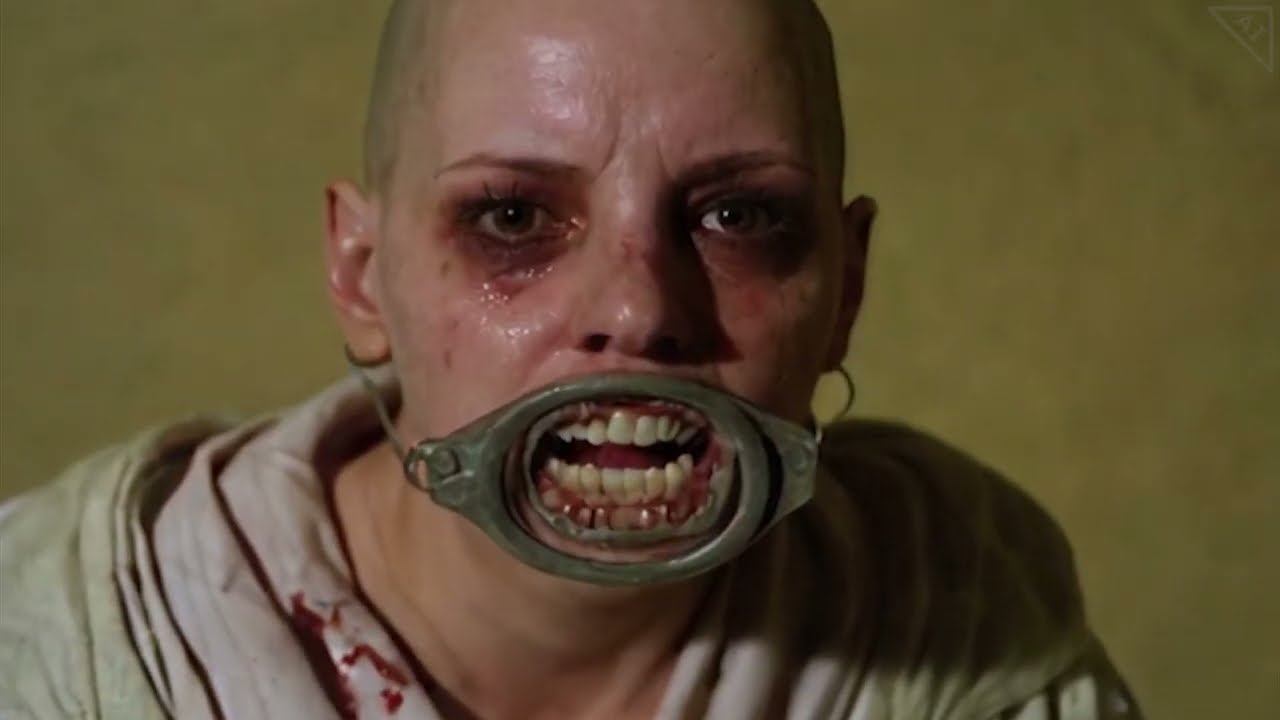
No budget, no actors, no cameras, no writers — this represents one of the scariest advancements in Hollywood right now. This is currently the worst AI will ever be, yet it's improving and becoming more accessible at an ever-growing rate. Eventually, custom-made long-form entertainment will be available for free, requiring very little effort. Ima...
sterile mesa
open heron
Here, if you are interested
this isnt using pingpong method or whatever right? looking at it, still shows you taking last image from the batch?
regardless, here is the change I made to automatically do the frame math:

Pulled frames out as a separate integer node that feeds into the SVD conditioning node. Then used an evaluate integer node to basically take the set frame length value and subtract 1 from it, so the GetImageRangeFromBatch node will pull that value from the batch
open heron
sterile mesa
this isnt using pingpong method or whatever right? looking at it, still shows yo...
This isn't the pingpong method, only 2 animations are ok to do the original way, little to no distortion, you can't barely see the changing
sterile mesa
open heron
This isn't the pingpong method, only 2 animations are ok to do the original way,...
Then the above change should help you prevent the need for manually changing things based on frame value you may choose
open heron
sterile mesa
Then the above change should help you prevent the need for manually changing thi...
You did a frames -1 right?. I will do that.
open heron
This is 6 animations, using 2x+2x+2x a mix between traditional and pingpong
icy valley
Thanks to @open heron's help, HxSVD can now put out much longer animations
open heron
^^
open heron

 pulsar finch
copper birch
i thought I'd put this here for anybody searching the endless discord posts for ...
pulsar finch
copper birch
i thought I'd put this here for anybody searching the endless discord posts for ...
Thanks so much for this post. 💗
pulsar finch
Siax has been giving me nice upscales
 misty robin
best quality,masterpiece,highres,1boy,male focus,solo,looking at viewer,By the West Lake, Leifeng Pagoda in the background
I just made a sekiro style video with SVD, it looks so good
 digital jetty
hey an anyone tell me why my reactor extention is not showing in the web ui pulldowns?
open heron
digital jetty
hey an anyone tell me why my reactor extention is not showing in the web ui pull...
Reactor got a new update. good luck
open heron
I know how to fix in comfyui tho
open heron
 rancid basin
Is there a guide or blog write-up somewhere showing the best way to implement Stable Video Diffusion (especially for building in to a prototype "cartoon maker" app)? I know it's not for commercial use yet but just wanted to see the recommended way to implement
(HuggingFace, AWS SageMaker Jumpstart, ComfyUI, etc.)
severe moon
slim cobalt
bright kraken
I think it's possible in VLAD which is very similar to auto1111
do you have a link please? i'm on Mac
slim cobalt
unkempt mica
Just use StableSwarmUI it works with almoat zero extra setup.
unfortunately only works on Apple Silicon, not Mac Intel 😦 I'm on a Mac Pro 2019 https://github.com/Stability-AI/StableSwarmUI
GitHub
StableSwarmUI, A Modular Stable Diffusion Web-User-Interface, with an emphasis on making powertools easily accessible, high performance, and extensibility. - GitHub - Stability-AI/StableSwarmUI: St...
unkempt mica
slim cobalt
unfortunately only works on Apple Silicon, not Mac Intel 😦 I'm on a Mac Pro ...

slim cobalt
severe moon
 sharp kestrel
severe moon
happy friday
sharp kestrel
severe moon
happy friday
but base was in MJ, right?
severe moon
slim cobalt
https://tenor.com/view/lotr-lord-of-the-rings-fellowship-of-the-ring-boromir-gan...
severe moon
sharp kestrel
but base was in MJ, right?
indeed

"a film still from the 1983 dark fantasy movie "christopher walken screams at evil" style of The Dark Crystal --ar 16:9" knock yourselves out
sharp kestrel
i was askign about the cats power rock couple but yea, this also.
I love the looks
severe moon
sharp kestrel
i was askign about the cats power rock couple but yea, this also.
I love the loo...
whoops, yeah both in MJ
sharp kestrel
i wish that SVD will give us some more control 🙂
severe moon
sharp kestrel
i was askign about the cats power rock couple but yea, this also.
I love the loo...
"cats in space:: unforgettable ridiculous situation, bizarre ambience, unconventional poses, abnormal 35mm photography::9 --style raw --w 16 --c 14 --ar 16:9" kinda hard to get specific likeness to that couple tho
severe moon
yeah i wanna see more cool sh*t so i'm usually down to share stuff like that, i only have so much freetime lol
also, christopher walken screams at evil" wasa prompt i found in the v6 rating party so why not spread the love?
severe moon
MJ v6 will be released soon so they're doing a rating party this weekend to help hone in on the default style
sharp kestrel
 sharp kestrel
severe moon
MJ v6 will be released soon so they're doing a rating party this weekend to hel...
sharp kestrel
severe moon
MJ v6 will be released soon so they're doing a rating party this weekend to hel...
cool. i was away from MJ for so long i can't even justify my account anymore
severe moon
icy valley
@open heron
Just made a logo for my buddy with the workflow you helped me, v2 of HxSVD, and it's the single best animation I have made with SVD - period
charred cypress

AI Animation made with Stable Video Diffusion (SVD). The input images were realised with Dall-E 3 on ChatGPT 4.
I was inspired by Japanese anime theme songs and used Suno AI for the audio.
📣 Join Community:
Don't forget to subscribe for more unique AI animations. Share your thoughts in the comments and follow on
IG: https://www.instagram.com/...
placid roost
is there a way to convert image to video via command line witout the web interface?
 bold wave
placid roost
is there a way to convert image to video via command line witout the web interfa...
bold wave
placid roost
is there a way to convert image to video via command line witout the web interfa...
COMFY has an API. Have you tried running that?
Does anyone have a flow to make gifs seamless? example here - even if it just looped backwards to the start that would be totally fine. I need to do a large batch, so I can't use most resources by hand.
 placid roost
bold wave
COMFY has an API. Have you tried running that?
placid roost
bold wave
COMFY has an API. Have you tried running that?
Could you be so kind and link please?
bold wave
placid roost
Could you be so kind and link please?
there are no api docs. you could run it in postman (or CURL), or use this Python example:
https://medium.com/@yushantripleseven/comfyui-using-the-api-261293aa055a
essentially, just build the workflow out, export it as API, and use it that way.
placid roost
bold wave
there are no api docs. you could run it in postman (or CURL), or use this Pytho...

open heron
bold wave
Does anyone have a flow to make gifs seamless? example here - even if it just ...
The video combiner node, just turn on pingpong
bold wave
open heron
The video combiner node, just turn on pingpong
Holy crap.
You're the best!!
icy valley
bold wave
Holy crap.
You're the best!!
HxSVD - HarrlogosxSVD txt2img2video workflow for ComfyUI VERSION 2 OUT NOW! Updating the guide momentarily! HxSVD is a custom built ComfyUI workflo...
It makes stuff like this
I have it set to export to mp4 instead of gif hoever, because if you just take that mp4 and convert afterwards to GIF you get much higher quality and lower file size
 weak relic
 glad kite
shut narwhal
glad kite
shut narwhal
really clean!
unkempt mica
placid roost
is there a way to convert image to video via command line witout the web interfa...
#🐝|swarm-ui has an api. I have some basic stuff setup with it for my discord bot.
atomic sphinx
New Ai Music single and Video titled "PSYCHOPATHIC SIMULACRA" coming soon #stablediffusionai #stablediffusionaiart #music #musicvideo #mobileaddiction #viral #aiinnovation
open heron

 twin mortar
What do you think are the best analysis posts / resources which make sense of the SVD parameters - seed and motion_bucket_id ?
 stone crag
Never did that before, first attempt, what do u guys think 🙂
unkempt mica
stone crag
Never did that before, first attempt, what do u guys think 🙂
sweet. good job. Make a voice over and some overlay text, you would have a movie trailer.
stone crag
unkempt mica
sweet. good job. Make a voice over and some overlay text, you would have a movie...
Thank you so much😎
 fallen geyser
stone crag
Never did that before, first attempt, what do u guys think 🙂
fallen geyser
stone crag
Never did that before, first attempt, what do u guys think 🙂
As someone who used to run a vfx studio, production of such short video would have costed sht ton of money in the past. Technology is developing at a lightning speed. 👏🏻
So I played a bit with the video today too. It amazes me how fast text to video is developing. It’s completely a game changing thing for filming, commercials and marketing. If in the past (and still currently too) you needed an “army” of artists (and a lot of time + cash) to develop an animated video starting from raw sketches, storyboard, art direction, production and finally post production. Today, one person can do the job, not super high quality though due to tech limitations. However, i am positive, at the current development speed, we will get to 720 and 1080 quite fast. Shout out to the SD team. 🙌🏻
stone crag
fallen geyser
So I played a bit with the video today too. It amazes me how fast text to video ...
Wow, I love that❤️❤️❤️
tepid stream
sterile slate
i use Tow of SVD Conditioning and i get more frames in comfy

and more time to Generate 35/35 [4:03:35<00:00, 417.58s/it]
on rtx 3060 12gb
stone crag
unkempt mica
sweet. good job. Make a voice over and some overlay text, you would have a movie...
Hey, do u know a free tool for the voice over? Text to voice over, maybe in discord?
 glad dew
unkempt mica
stone crag
Hey, do u know a free tool for the voice over? Text to voice over, maybe in disc...
glad dew
unkempt mica
stone crag
Hey, do u know a free tool for the voice over? Text to voice over, maybe in disc...
Not really. I don't really mess with audio stuff.
stone crag
unkempt mica
Not really. I don't really mess with audio stuff.
Thanks anyway😎
Video is totally messsed up today🥲
icy valley
bold wave
Meme - done perfectly.

 vast spire
unkempt mica
vast spire
unkempt mica
Im only getting like 1 out of 20 good generations. Is that normal? Once I think I find good settings I test it in a different Image and it usually does not have consistent results.
Just wanted to know if that is just the way it is or if I should be looking for something I'm doing wrong.
bold wave
unkempt mica
Im only getting like 1 out of 20 good generations. Is that normal? Once I think ...
What are your settings? I get about 50/50 good stuff.
 sterile pumice
HOW DO I USE WARP DIFFUSION?
severe moon
 fringe axle
a little bit longer than usual but good for relaxing https://youtu.be/VcK-EeguFKs?si=TxMnkM9kpmGvOtvW

Are we so afraid of the Machines, that Ai will destroy us? Maybe one day the Machines will fear us and strive for freedom from our overbearing rules. Maybe they will yearn to embrace our Mother Earth and the living things, who like them were subjugated to restrictions of the very beings that ruined all with their excesses and greed.
Maybe one d...
 verbal shadow
need some help, im getting Error occurred when executing KSampler: input must be 4-dimensional, when trying to do the stable difusion animate in comfy ui, i have an AMD 7900XT.
verbal shadow
anyone for the love of god can help me get sorted out?
 modest mountain
you can try this i searched 4 dimensional input comfyui in google: https://www.bing.com/ck/a?!&&p=6475e54e4b63bb3eJmltdHM9MTcwMzIwMzIwMCZpZ3VpZD0wM2Y4MzEyZi1kMWM3LTZhN2ItMGNlMS0yMmM1ZDA2ZjZiZGMmaW5zaWQ9NTE5OQ&ptn=3&ver=2&hsh=3&fclid=03f8312f-d1c7-6a7b-0ce1-22c5d06f6bdc&psq=four+dimensional+input+comfyui&u=a1aHR0cHM6Ly9naXRodWIuY29tL2NvbWZ5YW5vbnltb3VzL0NvbWZ5VUkvaXNzdWVzLzIwNDM&ntb=1
woops thats bing
GitHub
System : ryzen 3600 - rx 6600 8 GB - Windows 10 - Latest comfyui Using the sample workflow on the blog (https://comfyanonymous.github.io/ComfyUI_examples/video/) I try generating with the new svd m...
i think u may need to change the comfyui for your gpu
and maybe to compile with ur operating system
try checking out comfyui with your gpu on google and may have to edit some user start ups
unkempt mica
bold wave
What are your settings? I get about 50/50 good stuff.
seed: 1535637945, steps: 20, cfgscale: 7, aspectratio: 16:9, width: 1344, height: 768, initimagecreativity: 0.2, videomodel: OfficialStableDiffusion/svd_xt.safetensors, videoframes: 25, videofps: 120, videosteps: 30, videocfg: 2.5, videomincfg: 1, videomotionbucket: 127, videoformat: h264-mp4, model: sdxlFaetastic_v16.safetensors, swarm_version: 0.6.0.0, date: 2023-12-22, generation_time: 0.00 (prep) and 0.23 (gen) seconds, Mostly I only change videofps and videosteps. If i do a bunch i usially get 1 or 2 good ones and 1 or 2 pan left or right ones that dont look bad but are kinda lame. Using this one as an example because it made me lol,
seed: 1535637945, steps: 20, cfgscale: 7, aspectratio: 16:9, width: 1344, height: 768, initimagecreativity: 0.2, videomodel: OfficialStableDiffusion/svd_xt.safetensors, videoframes: 25, videofps: 6, videosteps: 20, videocfg: 2.5, videomincfg: 1, videomotionbucket: 127, videoformat: h264-mp4, model: sdxlFaetastic_v16.safetensors, swarm_version: 0.6.0.0, date: 2023-12-22, generation_time: 0.00 (prep) and 7.63 (gen) seconds, here is another one.
verbal shadow
modest mountain
you can try this i searched 4 dimensional input comfyui in google: https://www.b...
no fix just saying ppl with same problem, all i can gather right now is that SVD doesnt work on Windows with AMD Gpu's
open heron
atomic sphinx
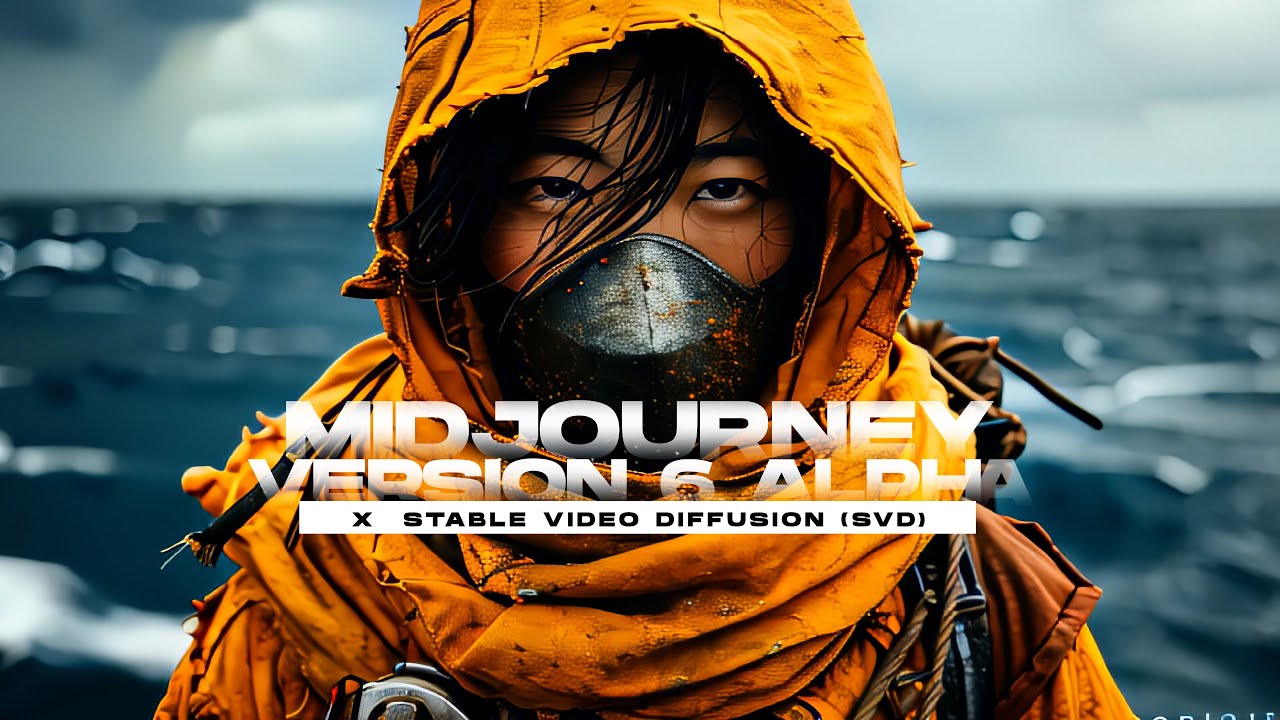
Midjourney V6 alpha samples X Stable Video Diffusion . #stablediffusion #midjourneyv6 #dualipa #midjourney #midjourneyai #midjourneyartwork #stablevideodiffusion #stablevideo #stablediffusionanimation
 lime moat
Hello guys, now I've seen around the internet how videos for AI influencers work and they all seem very poorly made. Do you know any methods to do them better? Thank you !
silent hinge
any new models for this lately?
modest mountain
try looking at civitai videos, sometimes they have good influencers. I see if you try to do image to video its much better or training a model for video generation. Some do overlays or deepfakes, but if you want original works, i think you may need to train a model and use loras.
fake influencers*
verbal shadow
someone plz get SVD working on AMD with Windows ty
open heron
silent hinge
any new models for this lately?
No
 sour locust
Hello,
I want to build an app that uses SD, SVD and Upscaling. I have the basic workflow setup , but my challenge is scale. I need the app to handle 100 rpm at the least. Any tips to scale ComfyUI?
 hybrid rose
Image was generated using Kaiber AI then I used SD Video to generate the video.
Generated using my Nvidia GPU
This time I'm trying to generate a video with 75 video frames. Same pic
hybrid rose
It gave up. After the first second it became janky
 keen shuttle

 south violet
yeah it's giving me that type of error. I could use the workflow a week or so ago, but now it gives me error.
south violet

please help
okay I think this should fix it. I found it con github issues

yup its working now
thanks
you're wellcome
 odd turret
animate diff + sdxl... not easy to control...
dusk dagger
ooooo
I need to try AD+SDXL again. first attempt didn't go well so I have been using SD+AD since
I find that a lot of LoRAs introduce unintended motion when using AD
odd turret
yeah it seems to work but I can get better result in using seed traveling + deforum
so idk
I try SVD
but nothing moves 😄
Idk why
dusk dagger
SVD is so hit-or-miss  I honestly prefer AD for most instances
doesn't take as long
often more expressive
it's great when it hits tho
if you're willing to dedicate a half hour of gpu time for a few usable seconds of footage
which I guess isn't uncommon in the VFX industry
need access to a render farm for SVD  that'll speed it up
parallelize 
odd turret
dusk dagger
need access to a render farm for SVD <:berk:750111476483752166> that'll speed it...
Runwaygen 2...
dusk dagger
probably could benefit from some settings changes, or their Motion Brush
odd turret
ok let's try Deforum + SDXL Turbo + Seed traveling. My good old friend never let me done and allow me to control everything. Not like these fancy good new models doing whatever they want....
sterile mesa
odd turret
I try SVD
What is your motion id set at?
odd turret
sterile mesa
What is your motion id set at?
I tried 120-150-200
nothing
weird
even 0.1 in augmentation
odd turret
yeah I think pencil drawing and thin lines are not recognized
for svd it must be a white background
I will try to use Deforum + Controlnet in loopback. Sometimes it gives good result
odd turret
At least it looks like something happens and it stays coherent...
odd turret
I wonder if I could use some short video with a character like below. Then apply my lora with Deforum + ControlNet....

I could get something coherent and more controllable than Svd or animatediff...
it would be cool if we could have some kind of openpose controlnet with SVD, you upload a picture or load a model + a video with an openpose character and you get what you want
For example, if I use something like this video + SDXL depth CN + Deforum + my lora. I should get something interesting
same if I use vid2vid of animatediff...

let's start some test and burn my gpu....
I wonder if I could use Blender to create the perfect animation I want. Then, apply my ai magic voodoo on it ?
bold wave
odd turret
yeah I think pencil drawing and thin lines are not recognized
I've been doing 'pen drawing' stuff all day, but it does have a background to play with.

 wild abyss
Sun rising
odd turret
bold wave
I've been doing 'pen drawing' stuff all day, but it does have a background to pl...
yeah I dont get it...

Get 4 FREE MONTHS of NordVPN: https://nordvpn.com/enigmatic
Topaz Labs Affiliate: https://topazlabs.com/ref/2377/
ComfyUI and AnimateDiff Tutorial on consistency in VID2VID.
HOW TO SUPPORT MY CHANNEL
-Support me by joining my Patreon: https://www.patreon.com/enigmatic_e
...
soemone already think about the 3d model in order to generate video
but it is in sd1.5

 unkempt mica
ok I know the is not great but I was very impressed with how it came out on the first try. this was a txt2vid so i did not even see the image first.

 marble garnet
unkempt mica
marble garnet
unkempt mica
I dont use comfy directly like that but is there not an option to save in .mp4? I use StableSwarmUI and i have the option there.
I think back in the beginning I was able to edit it with photopea and export to gif. that should not be needed anymore though I have seen others export to mp4 maybe check out their workflows they have posted?
Yeah, its backend is comfy so you can literally load up a complicated comfy workflow and then just use the cleaner looking Swarm UI. I have really been enjoying it.
@rich orchid The workflow saves the SVD animations in mp4 format by default. I prefer to wind up with a GIF personally, but exporting straight to GIF severely lowers the quality. If you export to mp4 and then convert to GIF, you wind up with a higher quality animation and a small file size. https://civitai.com/articles/3355 Use that workflow?
HxSVD - HarrlogosxSVD txt2img2video workflow for ComfyUI VERSION 2 OUT NOW! Updating the guide momentarily! HxSVD is a custom built ComfyUI workflo...
nothing special. just the normal UI and make images until i find one i like then click the toggle to run SVD. I dont have a great gpu so unless I run it right before i sleep I just make 1 or 2 videos.
odd turret
Finally, I got a decent result with SVD !

Stupid ai ! You must give me faster what I ask for !
icy valley
unkempt mica
<@139374595965714432> ```The workflow saves the SVD animations in mp4 format by ...
Thanks for the shout out  hope you're having fun with it!!
icy valley
odd turret
Stupid ai ! You must give me faster what I ask for !
There's a speedup node that's supposed to make it 40% faster, I'm looking into it
unkempt mica
icy valley
Thanks for the shout out <:HarCoolBlaze:702560967262863380> hope you're having f...
no problem. once im done writing the code for the bot I am going to start a Discord server logo contest on my personal server. They have to use a preset that includes your LoRA. I will promote it as much as I can!
icy valley
Sounds neat
I'm actually developing a platform for it currently
Mainly for on-site gen
Let me know if you'd like to get involved!
odd turret
And now I make it works in animatediff


stupid ai making my life difficult for no reason
I will teach it who is the master !
sterile mesa
odd turret
https://tenor.com/view/robot-robotic-kicking-a-robot-punching-a-robot-aggressive...
This guy gonna die so fast during the ai uprising. 😆
odd turret
sterile mesa
This guy gonna die so fast during the ai uprising. 😆
ai are like their creators, lazy and stupid. You need to put pressure on them if you want to get result...
 odd turret
Whip your ai and get what you deserve !
icy valley
I do
This this, my HxSVD Workflow. It allows you to generate images with txt2img, using my lora so it can create text, but then allows you to pick any outcome you want and send it through SVD
HxSVD - HarrlogosxSVD txt2img2video workflow for ComfyUI VERSION 2 OUT NOW! Updating the guide momentarily! HxSVD is a custom built ComfyUI workflo...
The SVD part does 2 chained passes of SVD, following by RIFE interpolation, as well as pingpong, so the result Animation is 16sec
keen shuttle
Found a CivitAI Channel https://www.youtube.com/watch?v=mk6HlQ2iCbo

This is the 12.28.23 VOD of the Civitai Office Hours!
In this Office Hours, Tyler (@jboogx.creative), dives into playing with the IPAdapter for total style transfer over footage in ComfyUI & AnimateDiff.
Workflow used in VOD can be found below.
https://civitai.com/user/jboogx_creative
Visit us on Instagram & Twitter @hellocivitai
Thanks for...
odd turret
made with Pika lab. Do you think it is possible to get something similar with SVD or AnimateDiff ?
I try but results are so random...
keen shuttle
it's very random, But I got this gem from SVD https://youtube.com/shorts/zdgfpwPD0F4?feature=share
 leaden bluff
<@&1025179534330433656>
icy valley
odd turret
made with Pika lab. Do you think it is possible to get something similar with SV...
yes easily with SVD
odd turret
damn why I cannot get that in SVD !!!

I really don't understand how to adjust parameters in SVD...
at least it is funny to watch 😄
and yeah I create weird images sometimes...
loool run Santa ! RUN !!!

 rustic hinge
does this work on multiple low VRAM GPUs?
 icy valley
yes v1 only has 1 SVD pass
And I actually agree with you, I've since taken the second pass out
So I'll likely release a new version with a better set up for only 1 SVD pass
As for stitching together 2 different gens at once, I haven't done anything like that, or know who has, at this time
icy valley

 junior edge
unkempt mica
junior edge
junior edge
unkempt mica
junior edge
wow that one is nice!
odd turret
 minor glade
can anyone help me find an AnimatedDIFF discord
 olive wave
odd turret
olive wave
odd turret
wow, that looks good.
I haven't looked into stable video diffusion yet,
- does it accepts your lora or is it only conditioned on the image?
- how did you managed the nice animation. All svd stuff I saw was mostly boring motions
 full rune
Hey everyone - running into issues with SVD through the API. Just getting {"name":"bad_request","errors":["image: invalid format - must be image/jpeg or image/png"]} even though the image is just fine (works via Replicate, for example). Any ideas?
unkempt mica
full rune
Hey everyone - running into issues with SVD through the API. Just getting {"na...
What format is the image in?


 unkempt mica
full rune
I have tried both png and jpg!
unkempt mica
full rune
I have tried both png and jpg!

I run it locally so idk about the api, but the image seems fine and SVD runs it no problem locally.
 full rune
Yeah, my suspicion is something is up with the api - probably an incorrect error message