#▶|stable-video-diffusion
1 messages · Page 4 of 1
 barren hound
 urban linden
Yeah like this dude did here : https://www.youtube.com/watch?v=Ie2ttY5jELU&lc=UgwofUx3mSiTPXpTnaZ4AaABAg&ab_channel=Purz
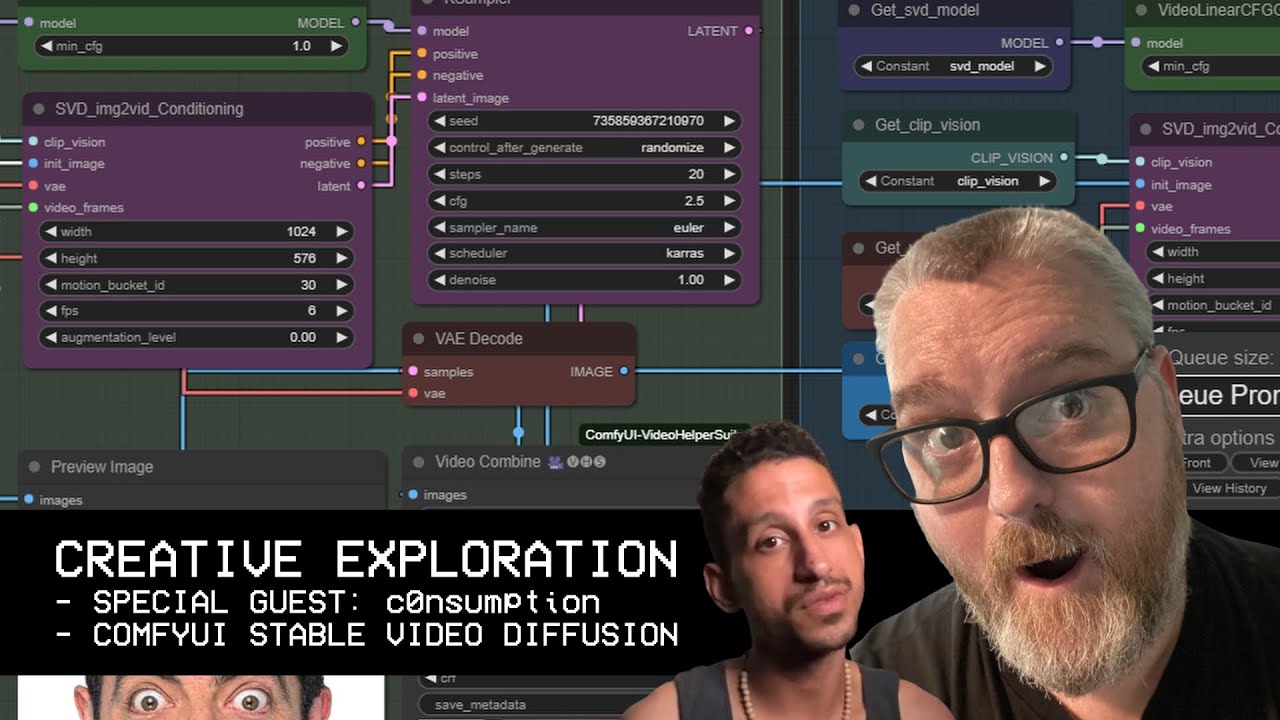
Here's a video to get you started if you have never used ComfyUI before 👇
https://www.youtube.com/watch?v=GV_syPyGSDY
c0nusmption's YouTube
https://youtube.com/c0nsumption
ComfyUI
https://github.com/comfyanonymous/ComfyUI
ComfyUI Manager
https://github.com/ltdrdata/ComfyUI-Manager
AnimateDiff-Evolved
https://github.com/Kosinkadink/ComfyUI-A...
But it's just too complex for me...
 broken storm
yea comfy ui is difficult
broken storm
all i wanna do is run the SVD github repository locally like i did with SD wich btw works rlly good
 noble wolf
duckers
you can
just drag and drop the workflow from that link
svd is built in now
broken storm
noble wolf
just drag and drop the workflow from that link
how exactly? i dont use comfyUI
noble wolf
Do you have comfy ui up? and running?
broken storm
no, i dont even have it downloaded lol wair
 bold wave
broken storm
how exactly? i dont use comfyUI
bold wave
broken storm
how exactly? i dont use comfyUI
Time to use it - or wait a few days for A1111 to catch up.
noble wolf
Today we cover the basics on how to use ComfyUI to create AI Art using stable diffusion models. This node based editor is an ideal workflow tool to leave how AI art is generated, but also how you can really mess with the internal elements much more than you can with any other AI Art interface out there today. #comfyUI #stablediffusion
Install ...
here is a starter guide
its not even an install, just download it and extract the folder
plz use comfy, its so good, more efficient than a1111 imo
 silent hinge
i still dont see the option to change format 😭
broken storm
noble wolf
plz use comfy, its so good, more efficient than a1111 imo
i do use a111 for SD tho
silent hinge
comfys layout is anything but but it seems pretty cool i guess
noble wolf
It's only weird at first, but it's quite customizable
so it can be as complex or as simple as you want
you can wait to do video stuff if you want, but if you want sd video you gotta use comfy for now
 sonic stirrup
HOW DO I SEE THE OPTION TO GENERATE 😭
 noble wolf
wtf
sonic stirrup
HUH
noble wolf
 sonic stirrup
noble wolf
wtf
sonic stirrup
noble wolf
wtf
?
noble wolf
this is what mine looks like
noble wolf
ah yeah my bad what're you using?
sonic stirrup
streamlit
noble wolf
huh never heard of it my bad
 half hound
sonic stirrup
HOW DO I SEE THE OPTION TO GENERATE 😭
half hound
sonic stirrup
HOW DO I SEE THE OPTION TO GENERATE 😭
just upload an image and the error will go away
but you should get comfyUI easier install and you can do more with it.

An easier way to generate videos using stable video diffusion models.
Stable Video Diffusion ComfyUI install:
Requirements:
ComfyUI: https://github.com/comfyanonymous/ComfyUI#installing
ComfyUI-Manager: https://github.com/ltdrdata/ComfyUI-Manager
SDXL: https://huggingface.co/stabilityai/stable-diffusion-xl-base-1.0/tree/main
you can use any...
sonic stirrup
half hound
just upload an image and the error will go away
the error doesnt go
plus im on amd
thyat might be a reason why
half hound
not sure
sonic stirrup
hm
half hound
I see most AI generated content uses cuda
so if you plan on doing a bunch of ai stuff probably should get an nvidea card
sonic stirrup
ah ty
half hound
but there might be support for amd, I am not sure
bold wave
AMD always lags behind. If you wait a few months, there will be support eventually.
noble wolf
that's so sad
bold wave
When SD first came out, it didnt have AMD support just yet and I went out and bought a card.
But you can go CPU still.
noble wolf
cpu is dead slow
 sullen harbor
my AMD 6800XT worked pretty well on Linux with ComfyUI and SVD
broken storm
i mean i dunno
sullen harbor
it's slower than it should be because AMD doesn't have flash attention implemented in pytorch
but it works
bold wave
noble wolf
cpu is dead slow
it is slow. but at least you can do it. your AMD video card wont do it. so for you, it's the quickest, most optimized solution.
half hound
@grim tangle Is there a node that attaches to other nodes that changes outputs? Like If I want the user to select width and height from one node it will change the values of the other nodes?
silent hinge
do i need to load a certain json to be able to change format ?
bold wave
silent hinge
do i need to load a certain json to be able to change format ?
still trying to save as an MP4?
silent hinge
or anything else. i have the video helper suite installed
bold wave
silent hinge
or anything else. i have the video helper suite installed
use my solution and go to install missing nodes.
noble wolf
can i post nsfw in here I forget
sullen harbor
no this discord server is supposed to be 13+ only
noble wolf
gotcha
silent hinge
can someone screenshot where to change the format then?
half hound
 silent hinge
oooh i see. the ui is so wonky it was way off of my view
 grim tangle
half hound
<@228118453062467585> Is there a node that attaches to other nodes that changes ...
grim tangle
half hound
<@228118453062467585> Is there a node that attaches to other nodes that changes ...
I do it like this: (the "INT Constant" is the node I set the values, just renamed the titles to Width and Height there)
then you can use the Get nodes anywhere to get those values
 bold wave
I had to install something to save MP4's. It threw errors until I installed some kind of library.
silent hinge
i had to expand to full screen
got it now
any best settings/selection for facerestore?
half hound
grim tangle
I do it like this: (the "INT Constant" is the node I set the values, just rename...
perfect thanks Kijai!
bold wave
I just do base and it works. but if it messes up the face too much, lower the setting down.
silent hinge
now though i get this: SyntaxError: Unexpected non-whitespace character after JSON at position 4 (line 1 column 5)
😭
half hound
from the SD jsons?
silent hinge
yeah
silent hinge
yep then drag in
broken storm
half hound
https://youtu.be/hoIobzZmNiM
where does he drag the svd and svd xt checkpoints from? it doesnt show
broken storm
the svd install is all of this tho
 broken storm
half hound
download the models
broken storm
half hound
download the models
where could i find the download?

 broken storm
yea but where do i click for it to download tho
half hound
file and versions and pick the svd.safetensors
bold wave
broken storm
yea but where do i click for it to download tho
click on the download button.
 broken storm
so i move those two to the checkpoints folder of comfyui yes?
bold wave
yes. then hit the refresh button
grim tangle
broken storm
so i move those two to the checkpoints folder of comfyui yes?
you can ignore the "image_decoder" file (and if you want to do 25 frames instead of 14, get the svd_xt.safetensors from here: https://huggingface.co/stabilityai/stable-video-diffusion-img2vid-xt/tree/main
 severe moon
noble wolf
severe moon
noble wolf
we need chest physics
 noble wolf
dude wait till we get a control net and can make our own horny bonks
hahaha
remember to include their forehead lmao
severe moon
pretty cool how it can just hallucinate details found nowhere in the original image:
 silent hinge
wow
severe moon
wow I turned the denoise value down and sh!t got crazy
silent hinge
lol!
 fallen wren
btw yall, #🐝|swarm-ui message SVD works in Swarm now :D
 open heron
Be afraid
 fair otter
Has anyone been able to get this to run on silicon macs? If you have would appreciate some help as I can't quite seem to get it.
 spring oak
A little proof of concept
 severe moon
Knights of the Sticky Icky
half hound
I didn't really think too hard about what all the timings do. Can someone breakdown what all the red highlights mean?


Does the Video Combine frame rate even matter?
does the fps from SVD_img2vid Conditioning overwrite it?
fallen wren
half hound
I didn't really think too hard about what all the timings do. Can someone breakd...
frames is total frames in the video, XT uses 25, non-XT uses 14.
fps is framerate the model is going for.
The combine node fps value is how fast it actually renders at. Generally you want both FPS's the same but it can do things if you separate em
 lean gate
half hound
I didn't really think too hard about what all the timings do. Can someone breakd...
lean gate
half hound
I didn't really think too hard about what all the timings do. Can someone breakd...
how many videoframes and how many frames per second
fallen wren
eg if you do fps=20 in the cond and fps=5 in the combine, you get a slowmo effect
 arctic reef
half hound
fallen wren
frames is total frames in the video, XT uses 25, non-XT uses 14.
fps is framerat...
arctic reef
half hound
fallen wren
frames is total frames in the video, XT uses 25, non-XT uses 14.
fps is framerat...
Thanks, and what does the clear cache after n frames and multiplier do in the RIFE node?
 icy valley
spring oak
A little proof of concept
icy valley
spring oak
A little proof of concept
I love your pfp!!
spring oak
I created the image by training a LoRa model of a famous TikTok girl and then tried creating a video using that image
bold wave
fallen wren
eg if you do fps=20 in the cond and fps=5 in the combine, you get a slowmo effec...
I'm also curious as to what augmentation level does. I only know that if I raise it too high, everything goes incredibly bad.
arctic reef
half hound
 grim tangle
half hound
I didn't really think too hard about what all the timings do. Can someone breakd...
grim tangle
half hound
I didn't really think too hard about what all the timings do. Can someone breakd...
the fps should be named fps_id, it has nothing to do without output fps, here's one example what it does:
and because things can never be simple, here's one with super high values... I don't claim to understand at all 😛
half hound
@grim tangle I am using video combine on 2 sets of videos, now it stitches them together fine with image/gif and image/webm but when I try any other the video formats I get this. Any idea how to fix?
grim tangle
half hound
<@228118453062467585> I am using video combine on 2 sets of videos, now it stitc...
how are you combining them exactly?
half hound
I can hope into a channel and show you. probably easier to explain it
open heron
 noble wolf
I'm missing some of these, might you guys know where to find them?

 clever pendant
noble wolf
I'm missing some of these, might you guys know where to find them?
clever pendant
noble wolf
I'm missing some of these, might you guys know where to find them?
everything you need to run comfy is contained in the portable folders. just run the update, also in the folder
 fallen plinth
arctic reef
fallen plinth
arctic reef
What is the workflow for this?
clever pendant
noble wolf
this is for a custom node
do you have comfy manager installed? It can manage all custom node updates for you
noble wolf
yes
I installed the custom node through there
that doesn't mean it installs all dependencies and libraries, only some of them
 trim juniper
noble wolf
I installed the custom node through there
trim juniper
noble wolf
I installed the custom node through there
sometimes is better to install them manually
noble wolf
sure
clever pendant
if nodes have dependencies there is likely a readme or an update file in one of the subfolders
noble wolf
eh I'll figure it out thanks for the help
what I'd really like to know is if yall know any face restorer custom nodes
tis wonky
 latent pecan
 open heron
 noble wolf
That is fucking sick
grim tangle
half hound
I can hope into a channel and show you. probably easier to explain it
sorry bit too busy for that currently
bold wave
Any post-stuff I can do to clean up the image a tiny bit more?
 latent pecan
open heron
latent pecan
open heron
prompts :D? fantastic
 narrow canyon
open heron
narrow canyon
open heron
Is that 25 frames? That feels like longer
noble wolf
has anyone tried using this node? I can't seem to get it to work, it says I'm missing dependencies like cuTENSOR, but I tried manually installing those with pip and it's not detecting their path. How do I manually set paths for dependencies on comfy ui?
 latent pecan
noble wolf
has anyone tried using this node? I can't seem to get it to work, it says I'm mi...
latent pecan
noble wolf
has anyone tried using this node? I can't seem to get it to work, it says I'm mi...
i use this one

no harm installing another interpllator 🙂
noble wolf
😄 yeah I'll try that one out
latent pecan
open heron
narrow canyon
Is that 25 frames? That feels like longer
Interpolation
narrow canyon
open heron
Interpolation
Ah gotcha, it's the lower playback fps that threw me off
 robust scarab
whats the name of the comfyui node that allows you to mersge multiuple nodes into one node? edit: i found it its called nested node builder
open heron
latent pecan
prompts :D? fantastic
cinematic photo fantasy world female fighter gathering mana to throw a powerful spell, magic, sparkles, movement, action, dynamic angle, lightning earthquake, glowing eyes, energic, vibrating, concentration
silent hinge
tried it in Bing image creator Daflon got some cool stuff haha.
guess slightly ot sorry but would make a cool image to use in stable video
open heron
silent hinge
tried it in Bing image creator Daflon got some cool stuff haha.
Dalle-3 is far better for those action concepts, but then you need to bring to stable diffusion for better quality
silent hinge
that one looks pretty solid to me, dalle in gpt results often seem more cgi to me, even though bing is also using dalle its not as restricted
noble wolf
You guys know what custom nodes give set / get nodes?
open heron
noble wolf
You guys know what custom nodes give set / get nodes?
SetNode is the name
 devout flame
what is best svd_xt settings for full-body humans for good but balanced motion? its been working well but im struggling to get the right cfg/auglevel/motionbucket. what does everyone use? its either i get completely static images that pan but other times the model goes all over the place blurry af
i just did:
2 cfg linear guidance
130 motion bucket id
0 augmentation level
turned out ok but needed more motion. now doing 135 motion and 1.5 cfg guidance
 frank prairie
I love how the outside was interpreted as 2D
open heron
 icy valley
 silent hinge
open heron
silent hinge
open heron
what were your settings on this?
devout flame
silent hinge
what were your settings on this?
i also would love to know, posted a question on how to get good motion (but not too much) just above but didnt get any reply 🙃
noble wolf
the way it goes is random but adjusting motion_bucket_id changes how much they move
if you want slow and smooth lower the motion_bucket_id
to extend you can try looping by plugging in the final frame and starting the process again
devout flame
noble wolf
if you want slow and smooth lower the motion_bucket_id
wb augmentation level?
open heron
silent hinge
what were your settings on this?
It still very random. To control motion the better way is...hmmm...fps
noble wolf
hmm that I have no idea honestly
if you want smooth like this you can use FILM VFI node
open heron
devout flame
i also would love to know, posted a question on how to get good motion (but not ...
Keep your seed fixed (some movement that you like), control the moviment using fps. high fps = less moviment, low fps = more movement
noble wolf
so seed does affect movement! I was right
devout flame
noble wolf
if you want smooth like this you can use FILM VFI node
what settings do you use mostly?
in terms of svd conditioning node
because that is perfect
 noble wolf
for the movement seed yeah thats just trial and error
devout flame
thanks, so ill keep trying with those conditioning settings 😛
noble wolf
you got this bro!
open heron
 icy valley
thank you for the seed stuff
 bold ocean
2secs of smooth animation is all i can get, what has most seconds people can get, before animation goes wonky?
icy valley
allowed me to make this
 devout flame
nice!
noble wolf
SVD model is trained on 14 frames of motion, svd_xt is trained on 25 frames, anything more than that will get wonky results
try chaining together 14 + 14 + 14 by using the final frame and generating from that
open heron
bold ocean
2secs of smooth animation is all i can get, what has most seconds people can get...
Interpolation and slow motion
and oing pong
*ping pong
noble wolf
when I do loop though it gets deep fried... I wonder whats causing that.

multiply the looooop
deep fry her!
icy valley
this was my attempt at chaining
bold wave
if only the followup text were legible
grim tangle
noble wolf
when I do loop though it gets deep fried... I wonder whats causing that.
Kinda nature of the thing, quality degrades over time and it stacks up, using same seed and lower cfg can help a bit
 long stream
just got started on playing around with SVD today
thanks to @astral beacon and @clever pendant for the help 🙂
noble wolf
does anyone get a huge lag spike sometimes when moving across comfy ui and loading a gif preview?
and when it lags it moves a few nodes 😦 it's like it's having trouble grabbing data from the workflow or something
bold wave
noble wolf
and when it lags it moves a few nodes 😦 it's like it's having trouble grabbing ...
ohh yeah. try doiing vid2vid stuff with 3 controlnets.
noble wolf
so thats normal when you have a shit ton of nodes?
just wanted to make sure I didn't download some weird custom nodes from the manager that bugged my comfy ui out
bold wave
oh yeah no, since youre running vids etc, its bound to happen.
clever pendant
so windy her leg is moving too
 noble wolf
where do you put the face resto in order of operations?
open heron
 devout flame
Does higher fps take longer? For some reason my current gen is taking 2 minutes per iteration
On 10 fps
bold wave
fps doesnt change how long it takes. frames will.
open heron
devout flame
Does higher fps take longer? For some reason my current gen is taking 2 minutes ...
No. but i belive over 25 makes no difference at all
noble wolf
bro daflon this is insane, you upscale your image 3 times ? xD
or am I reading it wrong
devout flame
Oof, my gens usually take 10 minutes but now its eta is almost 40
Does comfyui sometimes take slower occasionally? Im on my 100th gen since i opened it at first lmao
Maybe thats why
noble wolf
idk, could try restarting ?
devout flame
I will after this yeah
open heron
noble wolf
bro daflon this is insane, you upscale your image 3 times ? xD
This workflow isn't mine, i don't like this way. The first is an upscale, it's 4x, the other is a downscale (usually 0.50) but it will make the final result to big, it's good for mp4 but i like gifs
noble wolf
ah fair enough
open heron
noble wolf
ah fair enough
The very first is a crop. I crop my images to the same size in the beginning
noble wolf
fair enough
I like the default rez, and because they warned people not to mess with it
but it seems to do fine /shrug
open heron
noble wolf
fair enough
i try to keep the same. 800x800 / 1024x576 / 576x1024
since most of my image are 1536x1536 i crop them to 800x800 and set the the vid to 800x800
open heron
noble wolf
is that one of yours?
Yes. All mine
 open heron
noble wolf
open heron
noble wolf
The picture is. I meant i didn't make the workflow, the upscale part
open heron
noble wolf
Ahh makes sense
That workflow is from someone here, i don't remember. I just did the auto crop/size thing
noble wolf
Yall think I should buy a 4060 ti just for stable ?
my 3070 ti is literally faster, just has shitty 8gb vram
clever pendant
noble wolf
Holy, water is so good
clever pendant
yeah so nice
latent pecan
noble wolf
zoooooom
 latent pecan
this is better
noble wolf
how do you get a seed out of an image?
severe moon
noble wolf
how do you get a seed out of an image?
right click, open properties, Details tab, look for metadata. A lot of the posted stuff made in ComfyUI will have metadata under comments, you can copy that text into your code editor of choice and save as a JSON file. This is all if you don't want to try dragging the image into a browser tab with ComfyUI running to see if the nodes all pop up......
latent pecan
30 motion id, instead of 130
trim juniper
Trying to go for the "film" look
severe moon
noble wolf
is there a way to make an on/off switch for nodes?
nothing simple but you can just select the node(s) and CTRL+B to Bypass them.
Everyone's seen Turkish Star Wars by now, right?
How about Turkish Delight Star Wars?
 hushed coral
severe moon
How about Turkish Delight Star Wars?
hushed coral
severe moon
How about Turkish Delight Star Wars?
Outstanding
severe moon
latent pecan
60 motion id
silent hinge
noble wolf
where does lora go in order?
icy valley
After checkpoint
severe moon
severe moon
 sharp kestrel
icy valley
sharp kestrel
icy valley
can you repeat the effect with the same seed and mov id?
icy valley
sharp kestrel
can you repeat the effect with the same seed and mov id?
Yesn't.
LOL
So I was having a problem where all I could get it to do was zoom straight in back and forth, and then I saw somebody mention its possibly the seed that controls the motion you get
So when I found a cool effect, on this one

I fixed the seed and have been using the same ever since
But with different content, it does totally different effects
This is with the same seed

And so is this
 sharp kestrel
yea, make sense that it uses the image to try to underatsnd the direction.
the airplane is very very nice
latent pecan
testing an ffmpeg merge, ideally i generate like 100 of these SV in one batch run and it ffmpeg merges them all automatically 😄 thou probably want to cull the blur jank out but maybe not 😄 its all part of the nitemare of the ai
icy valley
Thanks!
I do think it's a good idea to stick with a seed that you get cool motion out of
They tend to do interesting motion more consistently across all other content
Just not the same motion apparently
icy valley
latent pecan
testing an ffmpeg merge, ideally i generate like 100 of these SV in one batch ru...
I tried something kinda similar 😅
latent pecan
icy valley
very melty 🙂
severe moon
i see you....
bold wave
latent pecan
testing an ffmpeg merge, ideally i generate like 100 of these SV in one batch ru...
I'm looking at solutions for the blue jank.
Like. It would be cool to mix in new base images and keep going.
 sharp mesa
How to create video here?
latent pecan
severe moon
sharp mesa
How to create video here?
Most of us are using ComfyUI on home PC: https://comfyanonymous.github.io/ComfyUI_examples/video/
latent pecan
bold wave
I'm looking at solutions for the blue jank.
Like. It would be cool to mix in n...
yea it gets very melty :\
sharp mesa
severe moon
Most of us are using ComfyUI on home PC: https://comfyanonymous.github.io/ComfyU...
Thanks
latent pecan
wonder if you can use face detection to auto filter videos out, eg if face detection fails it rejects the video from the workflow
bold wave
latent pecan
yea it gets very melty :\
Several times I was like wow that would be cool if your whole body didn't melt down 🤣
severe moon
For the jank have you guys been adjusting the CFG scaling and messing with augmentation_level?
latent pecan
severe moon
For the jank have you guys been adjusting the CFG scaling and messing with augme...
ive only tinkered with motion bucket id
30-60 seems ok , the 130 can melt sometimes, others its good for forward/backward motion as it needs more rapid motion
if i just want to jiggle a scene about then less motion isbetter for the current melt wall
bold wave
I cranked it up to 800 and it was actually... Fine. It was fine. Not great mind you, but fine.
I tried mixing in normal SDXL - but of course then you go back to SD problems of randomizing clothing.
Too high of CFG and models get fried. So you have to keep it a little low.
severe moon
bold wave
Too high of CFG and models get fried. So you have to keep it a little low.
if you don't adjust CFG then it can blur towards the end.... you can offset the frying by lowering CFG withis node and then it will ramp CFG up over the frames
 bold wave
severe moon
if you don't adjust CFG then it can blur towards the end.... you can offset the ...
bold wave
severe moon
if you don't adjust CFG then it can blur towards the end.... you can offset the ...
oh yeah... i think ill try that.
lowering the denoising helps as well, probably for similar reasons.
lol i spotted someone playing with AI in the wild, they were just getting to know AI, they were so excited and all their images were super fried. I was like... that looks nice.
severe moon
lowering denoise by a bit seems to help but too much and everything flies apart spectacularly
 keen shuttle
Where do the videos save in SVD? In Outputs also or somewhere else?
severe moon
too much denoising:
bold wave
severe moon
too much denoising:
lol...
so i think ive gotten a good setup for realistic profiles. but then i move to environment shots and have to start all over. ahh well. i can save multiple setups for things.
severe moon
jsut a few notches up from the last one.....
bold wave
so what was the denoising on both the animations?
severe moon
keen shuttle
Where do the videos save in SVD? In Outputs also or somewhere else?
the VHS Combine node is nice, you can set folders in /outputs or wherever to keep things sorted with the filename_prefix line:
 severe moon
bold wave
so what was the denoising on both the animations?
severe moon
bold wave
so what was the denoising on both the animations?
like .70 and .75
keen shuttle
.90 seems good
severe moon
yeah it doesn't really seem to change it too much on some images until suddenly it does
keen shuttle
severe moon
yeah it doesn't really seem to change it too much on some images until suddenly ...
So instead of the SaveAnimated Node?
latent pecan
severe moon
keen shuttle
So instead of the SaveAnimated Node?
I was talking about denoising, are you asking about using VHS Combine instead of Save Animated node?
keen shuttle
I got it you can double up node outputs , I was talk about denoise level on KSampler
bold wave
so the min_cfg and the cfg on the ksampler, those are the same thing? ie you increase the min, and increase the ksampler cfg?
keen shuttle
severe moon
min_cfg is the starting one and ksampler is end, most workflows will ramp up from low to high CFG, you could also set them the same
bold wave
upscale is pretty intensive, I would do it before the rife stuff, because the rife will add more frames to upscale.
hushed coral
grr how do I add a video like youse
severe moon
hushed coral
grr how do I add a video like youse
in the folder select the video and then CTRL+C to copy it, then back here in discord CTRL+V to paste it. or try drag and drop into Discord
hushed coral
sorry to sound like a complete idiot, but how do I then post it?
bold wave
severe moon
in the folder select the video and then CTRL+C to copy it, then back here in dis...

severe moon
when you've pasted it it should show up as an attchment, write your post or just hit enter...
 sharp kestrel
so who do we talk to to get LCM for SVD?
severe moon
long stream
try h264 format
hushed coral
ah
severe moon
Not sure what's going on, Discord might not like the format....
bold wave
thats why i always save gifs.
long stream
h265 too advanced for discord 😄
 bold wave
severe moon
bold wave
severe moon

long stream
it's like someone who accidentally walk behind a news reporter
severe moon
it must be the image, i tried with a different seed and just got a different shadow person.....
long stream
latent pecan
severe moon
it must be the image, i tried with a different seed and just got a different sha...
ghost in the imageshell 😄
long stream
cfg of 4 stopped the faces from blurring
severe moon
latent pecan
ghost in the imageshell 😄
literally
latent pecan
severe moon
literally
previous ai contaminated that image 😄
severe moon
OK, enough of that, that image is obviously cursed....
long stream
casper the friendly pillow case
devout flame
Whats the maximum length of video can i do without frying it up yall think?
Like, how many stitches?
latent pecan
devout flame
Whats the maximum length of video can i do without frying it up yall think?
i tried 50 but the person looked like they were very unwell shaking about jittery ;d
bold wave
devout flame
Like, how many stitches?
it depends how much movement there is. some images just kind of... breathe... those ones can go on forever.
latent pecan
i think the models were very tightly trained
bold wave
kind of mad about this one. it would be spectacular if it wasn't so... you know... horrifying. maybe a good candidate to play with img2img stuff with
 devout flame
bold wave
it depends how much movement there is. some images just kind of... breathe... t...
devout flame
bold wave
it depends how much movement there is. some images just kind of... breathe... t...
Okies, there isnt much movement, but im turning denoising down by .05 every gen to avoid deep frying effect
Trying it anyway
severe moon
long stream
so far it can do panning nicely, but has issues if things rotate
severe moon
icy valley
 long stream
icy valley
long stream
long stream
icy valley
cool lightning actually animated, few images I tried didn't animate the lightning
hushed coral
long stream
Both disturbing and delicious
icy valley
long stream
cool lightning actually animated, few images I tried didn't animate the lightnin...
I was really hoping it would, and ecstatic it did
I'm surprised by the amount of things that work when i try them
severe moon
most of the time the camera just pans around main subject, moving the background, but not all of the time....
icy valley
like this one too for example
I gave it a jet plane, it animated exhaust behind it and moving clouds
hushed coral
latent pecan
fighter jet, clouds in the background , jet exhaust trail as jet flies across
 wicked wren
Hey all, is it possible to run SVD (comfy) on a silicon Mac yet?
 tiny cradle
wicked wren
Hey all, is it possible to run SVD (comfy) on a silicon Mac yet?
tiny cradle
wicked wren
Hey all, is it possible to run SVD (comfy) on a silicon Mac yet?
I tried to make it work, got stuck here: https://twitter.com/bryced8/status/1727391254445756450#m
latent pecan
nice last of us music
hushed coral
 zinc finch
long stream
zinc finch
long stream
threw a bunch into clipchamp to make this compilation
 solemn turtle
Yo how much vram do you need train a full stable video diffusion model? 70-80gb Vram?
latent pecan
sharp kestrel
long stream
is that a borsht monster?
long stream
sharp kestrel
is that a borsht monster?
tofu 😄
bold ocean
I tried doing a Highres-fix pass to get a bigger video, but I just got a worse, blurry video, besides Topaz, are there any other good video upscaling and adding detail solutions?
 magic dagger
How long does it take to get access after signing up to the wait list?
 pine widget
flying cat
 left geyser
hi guys, i have a question about stable video diffusion... Im using a infrastructure broker for hardware like replicate.com, im trying to make videos of roughly 5 seconds long from an image... Using replicate.com im just being able to generate 2 seconds with a super low framerate since it is limited to 28 frames total. How are you guys creating those 9-18 seconds long videos with a normal framerate? (24-30fps)
Thank you so much in advance and sorry if i missed the right category to make this question
silent hinge
I still cant figure out how to save as a gif. comfy ui is like navigating a maze every use
think i got it, but now I get this: SyntaxError: Unexpected non-whitespace character after JSON at position 4 (line 1 column 5)
any ideas?
trim juniper
silent hinge
thats aweseome funereals
anyone know this error means? SyntaxError: Unexpected non-whitespace character after JSON at position 4 (line 1 column 5)
or does anyone have a json i can use that has the gif mode? I cant figure out how to set it otherwise
 static tusk
Perhaps you have a comma after the final part of your prompt?
sharp kestrel
silent hinge
anyone know this error means? SyntaxError: Unexpected non-whitespace character a...
if it's for prompt scedule, it means you have a space (or enter) where you shouldnt have
maybe the case with last comma like Leoban said aswell
 harsh storm
left geyser
hi guys, i have a question about stable video diffusion... Im using a infrastruc...
harsh storm
left geyser
hi guys, i have a question about stable video diffusion... Im using a infrastruc...
ComfyUI
Its API isn’t straightforward tho. You can wait for diffusers implementation
 unkempt mica
silent hinge
or does anyone have a json i can use that has the gif mode? I cant figure out ho...
unkempt mica
silent hinge
or does anyone have a json i can use that has the gif mode? I cant figure out ho...
I just use photopea to convert to GIF
silent hinge
unkempt mica
I just use photopea to convert to GIF
I'll have to look into that
what was that other ui that can do video now? comfy i think is just too busy and confusing for a simpleton like me
unkempt mica
silent hinge
what was that other ui that can do video now? comfy i think is just too busy and...
StableSwarmUI
silent hinge
cheers
unkempt mica
Has a back end of comfy
silent hinge
but an interface for us dummies haha
unkempt mica
So all comfy function but nice easy to use UI
 onyx ore
Try SVD in dreambot
unkempt mica
silent hinge
but an interface for us dummies haha
Haha exactly
All you have to do is make sure you have the SVD in the model folder and click the toggle for video. Done. 😂
silent hinge
noice
unkempt mica
silent hinge
noice
#🐝|swarm-ui if you need help or links.
silent hinge
windows wont dl says it can damage my system 😭
silent hinge
yeah gave me a warning. yep
https://github.com/Stability-AI/StableSwarmUI link i used
GitHub
StableSwarmUI, A Modular Stable Diffusion Web-User-Interface, with an emphasis on making powertools easily accessible, high performance, and extensibility. - GitHub - Stability-AI/StableSwarmUI: St...
i got it to work though
unkempt mica
Microsoft does not want you to be happy. 😂
 forest blade
Can I use SDV on colab free version ?
 fossil atlas
how are you all making the output ping-pong?
 lapis mango
Well, she's sort of alive. Doesn't quite feel like an animator's work though.
Much livelier! Subtle parameter tweaks are the difference between static, fluid movements, and crazy chaos.
severe moon
fossil atlas
how are you all making the output ping-pong?
by setting ping-pong to True:
 severe moon
silent hinge
anyone know this error means? SyntaxError: Unexpected non-whitespace character a...
severe moon
silent hinge
anyone know this error means? SyntaxError: Unexpected non-whitespace character a...
do you have FreeU node somewehere in your workflow? if so try taking it out
fossil atlas
severe moon
by setting ping-pong to True:
what pack is that node in?
arctic reef
Some of my cosplay photos, animated.
severe moon
fossil atlas
what pack is that node in?
GitHub
Nodes related to video workflows. Contribute to Kosinkadink/ComfyUI-VideoHelperSuite development by creating an account on GitHub.
silent hinge
severe moon
do you have FreeU node somewehere in your workflow? if so try taking it out
i might, i dont know what that is 😂
I just start to use all this stuffs yesterday so yeah still learning big time
I drag the json someone give yesterday into comfy, then try to do video and get that error so idk
severe moon
did you download ComfyUI from scratch yesterday?
silent hinge
yes
oh wait, i think i did try it one other time and couldnt figure it out months ago and deleted it
severe moon
did you add ComfyUI Manager yet?
severe moon
you have the portable ComfyUI version?
silent hinge
yes
unkempt mica
silent hinge
yes
Since Swarm uses comfy you can do all comfy stuff directly in Swarm in the comfy workflow tab. Add manager to the custom nodes folder in the comfy folder and restart.
severe moon
what was the exact name of the .7z file if you can still see it? like:
 silent hinge
new_ComfyUI_windows_portable_nvidia_cu121_or_cpu
unkempt mica
No need to have a bunch of separate installs.
severe moon
sounds like the latest stable comfy build then
silent hinge
do you have a json i could try dragon?
severe moon
ok, try using my video I just posted to test the workflow or this image:
 unkempt mica
silent hinge
do you have a json i could try dragon?
unkempt mica
silent hinge
do you have a json i could try dragon?
The official one is pinned in this channel. But it does not have extra stuff Dragon prolly has.
silent hinge
i really am just trying to get it to change to gif
unkempt mica
Haha got it. Yeah that's not built into Swarm yet.
severe moon
Manager should highlight any missing nodes for you if you load my workflow
there's probably a bunch of extra nodes crap in there from my testing, just ignore it, the main workflow is all smooshed together:
 silent hinge
so i load that image in manager?
severe moon
yeah you can click it here, Open in browser , then in that new tab just drag it onto your ComfyUI window
silent hinge
nothing changes when i drag it into comfy
severe moon
hmmmm
silent hinge
just drag anywhere you mean, or load the image?
severe moon
the alien trail dude image?
silent hinge
the one you just shared
silent hinge
uh what alien dude?
severe moon
 severe moon
lizard people, alien., i dunno lol
silent hinge
got this though: When loading the graph, the following node types were not found:
PrepImageForClipVision
RIFE VFI
FILM VFI
GMFSS Fortuna VFI
Nodes that have failed to load will show as red on the graph.
Close
Queue size: 0⚙️
Queue Prompt
Extra options
fossil atlas
does that text concat actually work?
severe moon
fossil atlas
does that text concat actually work?
no Comfy was in here a couple days agao and said " you can use the conditioning concat node with "conditioning_from" as the output of a clip text encode connected to the SD2.x CLIP model"
i was trying to figure it out but i had the dumb
severe moon
silent hinge
got this though: When loading the graph, the following node types were not found...
now use Manager to Install Missing Custom Nodes
 fossil atlas
i mean, that makes sense, but does it actually put mickey mouse in the video, or just confuse the model completely?
severe moon
like I said I had the dumb
fossil atlas
you could maybe concat two image conditionings into one video... i wonder what that would do
silent hinge
wow dragon this is quote a workflow thing you have haha
i think i got it but when i drag an image in it switches it back to my old ui
fossil atlas
yeah you have to click "choose image to upload" on the image loader node
dropping images on the browser window always loads the workflow used to make that image
severe moon
hmm they probably have embedded json in them, try Opening them instead with the Load Image node, or carefully drag on top of that node
barren hound
noble wolf
install that with the comfy ui manager
Hoi, what node do i need to choose output format?
silent hinge
ok got that but now i get this: Prompt outputs failed validation
ImageOnlyCheckpointLoader:
- Value not in list: ckpt_name: 'SVD\svd_xt-fp16.safetensors' not in ['svd.safetensors', 'svd_image_decoder.safetensors', 'svd_xt.safetensors', 'svd_xt_image_decoder.safetensors']
severe moon
barren hound
Hoi, what node do i need to choose output format?
VHS Video Combine
severe moon
silent hinge
ok got that but now i get this: Prompt outputs failed validation
ImageOnlyCheckp...
yeah you just need to point it where your models are stored
I like storing my main checkpoint in SD15, SDXL and now SVD folders so they're all grouped together
fossil atlas
i do that too, but of course my folders are named differently to yours. it would be nice if that could be standardized
severe moon
mp4 will make smaller file sizes
silent hinge
nice
sharp kestrel
severe moon
but gif you can jsut upload whereever and it works in msot browsers so....
sharp kestrel
silent hinge
yes I am thinking of sending some silly things to friends so just thinking best universal format they can see
severe moon
once you get a cool video you can change the format right away and it will reencode it without doing the whole workflow again, if you change right away
silent hinge
nice!
fossil atlas
gif is an objectively bad format for video and will produce huge files. the only reason to use it is high playback compatibility.
severe moon
and Discord like mp4, very easy to share here
fossil atlas
mp4 is good, but make sure to use yuv encoding or discord won't play it inline
apparently the nodes already do that but it isn't the default with ffmpeg as i always forget to my cost
unkempt mica
 severe moon
fossil atlas
severe moon
fossil atlas
has anyone made a workflow that generates a video and then recurses on the last frame?
severe moon
there's some youtube vids up of that sort of thing, it tends to fry everything by the end cause of the CFG artifacting
silent hinge
so does loop count to 1 make it, well, loop haha or is 0 do that
i guess i can click a file and find out too
just looking over all these dragon settings
wow dragon that one is incredible
severe moon
i think loop count will tell ffmpeg to make it that many loops when it encodes the video, so it will loop 4 times and then stop at the end if you put 4
severe moon
silent hinge
wow dragon that one is incredible
just a lucky seed 😄
silent hinge
you guys just like the widescreen image ratio or think its more effective?
fossil atlas
it might depend on output format. mp4 doesn't have a loop counter but gif does i think
silent hinge
ahh
severe moon
silent hinge
you guys just like the widescreen image ratio or think its more effective?
that's what it was trained on but I've seen plenty of fine results at around 800x800 or flipping the width and height for tiktok vertical vids
silent hinge
oh good to know. im using my dalle3 images on it and theyre all square of course so i was just wondering
well i guess not of course, you can do widescreen there
severe moon
yeah most of my source images are from Midjourney so I just set my default setting to output 16:9 cause I've been making so much widescreen stuff with SVD
silent hinge
I'm waiting for the 6.0 release
unkempt mica
Monkey said he recommends 16:9.
 barren hound
Jeebus, what setting is so damn off which wibble wobbles the whole thing lol. I've set it to use the 25 fps one, but it's so bad lol
 unkempt mica
O God my EYES
barren hound
Please export you guys's workflow so i can see what went wrong with mine lol. Only change from default pinned' one was just resolution and framerate
fossil atlas
try 768x768
severe moon
try motionbucket around 30 if too wobbly
barren hound
Will do. And is there a way yet to describe what image should do in video? Or just random motions for now?
severe moon
if you stray too far from the training size you might want to adjust augmentation level as well
severe moon
barren hound
Will do. And is there a way yet to describe what image should do in video? Or ju...
not really, seed change has the most affect on type of motion from my testing
barren hound
severe moon
if you stray too far from the training size you might want to adjust augmentatio...
Speaking of. It mention 25 frame, does it mean max 25 frames? Or 25 fps?
barren hound
severe moon
not really, seed change has the most affect on type of motion from my testing
Ok, so it will read from the image, like ghost on skateboard, it sees device with wheels, that means subject is rolling at speeds, and it proceeds to animate exactly that?
fossil atlas
wait, you have that set to 75
barren hound
fossil atlas
wait, you have that set to 75
Aye. 3 seconds of 25 fps. that's what i asked, if 25 is max supported total frames, or max framerate video can be at
severe moon
video_frames is how many frames total it will produce (determines how long it will be making frames) and fps is.... fps, so how many frames show each second
fossil atlas
25 is max for svd_xt
open heron
severe moon
fossil atlas
25 is max for svd_xt
there's no real max it jsut tends to start degrading after 25
barren hound
severe moon
video_frames is how many frames total it will produce (determines how long it wi...
Ok, so max frames trained for is 25, meaning if i want 4 seconds long and good looking, i need it to be 6 fps?
fossil atlas
yes
severe moon
barren hound
Ok, so max frames trained for is 25, meaning if i want 4 seconds long and good l...
basically
barren hound
Gotchu. Have my last wibble before the proper wobble 
severe moon
that's why people are adding interpolation nodes, to produce at lower fps but then smooth the video out back to 24 fps
fossil atlas
the fps setting controls the time step, so making it smaller means things move more from one frame to the next... which can produce bad results because it can lose track of what everything is supposed to be
barren hound
severe moon
that's why people are adding interpolation nodes, to produce at lower fps but th...
Aye. I got flowframes, so i can easily interpolate that 
Or actually, link me the interpolation node expansion, wanna see how well it can do interpolations vs flowframes :D
severe moon
searching for "from: kijai " here you can go back and check their posted video grids comparing all the settings

GitHub
Contribute to Fannovel16/ComfyUI-Frame-Interpolation development by creating an account on GitHub.
barren hound
One step closer, now there's just a pirhana in there xD
fossil atlas
looks like too low framerate
sharp kestrel

Choose your fighter!
(Or lawsuit, whichever comes first 🤭)
I used my most favorite Lora from @hellocivitai , it's called Felt Puppet Lora and made by @socalguitarist_ (who also made the model ive used -NightVision XL)
Animations were donne with Stable Video Diffusion - a whole magic by it's own .
Oh, the intro/outro text was created with harr...

 Instagram
(might as well try to get some clout while at it 😛
forest blade
can anyone help me to use sdv, on either colab or kaggle
barren hound
fossil atlas
looks like too low framerate
Nope, Too high that i forgot to change
 fossil atlas
25 is not too high...
i mean it might be too high to produce anything interesting, but the higher you set the frame rate the less motion there should be
severe moon
yeah when you adjust fps on the SVD node you need to go through your whole chain and look at all the numbers affecting frame rate
so in my chain it goes from 8fps on SVD, into interpolation node which mutliplies by 3, so final 24 frame_rate on final Combine node
silent hinge
open heron
wow!
severe moon
standard film rate is 24fps
so here's two vids, only changing # of frames, fps and interpolation:
the left one is my usual 8fpsx3>24 workflow
on the right it's 24fps with no interpolation into 24 framerate on the Combine node, that makes it all wobbly
the left one is 24 video_frames and the right one is 72 and they both have ping-pong set so they're both about 3 seconds of produced video before the reversed playback kicks in
the wobbly vid looks worse and takes 3 times longer to produce
fossil atlas
because of 72 video_frames. that's the only reason
everything else only affects the duration of the video
grim tangle
you misunderstand the fps on the SVD cond node I think
severe moon
the only reason? no, that just makes the video short and then hardly anything interesting has time to happen. we avoid wobble by sacrificing time:
grim tangle
it does more than just "set the frame rate"
it should be called "fps_id", it's bit confusing the node just says "fps"
fossil atlas
no, you just misunderstood what i am saying
video_frames is the cause of wobbling in this example
severe moon
fossil atlas
video_frames is the cause of wobbling in this example
that's exactly what i demonstrated
grim tangle
going past 25 is really never a good idea with this
at least by much, a little bit can give like smooth stop effect or something
the fps setting does not affect the number of frames generated in any manner, just what kind of motion you get
half hound
@grim tangle is it possible to change node order in ComfyUI?
grim tangle
similar to motion bucket id
grim tangle
half hound
<@228118453062467585> is it possible to change node order in ComfyUI?
execution order? I haven't found a proper way, why though?
 copper berry
severe moon
the only reason? no, that just makes the video short and then hardly anything in...
copper berry
severe moon
the only reason? no, that just makes the video short and then hardly anything in...
btw how much time does it takes to gen a video ? (for exemple same size, fps and steps as the one from dragon)
> also with what gpu ?
severe moon
grim tangle
the fps setting does not affect the number of frames generated in any manner, ju...
exactly, it's video_frames determining how many frames are generated
half hound
grim tangle
execution order? I haven't found a proper way, why though?
Trying to load images from a dir in same workflow after it outputs the image seq. Problem is it occurs before the images get generated.
grim tangle
half hound
Trying to load images from a dir in same workflow after it outputs the image seq...
why is it a problem exactly?
half hound
because it doesn't export to video formats properly in my layering technique, it only exports to images properly. But if I make it an image sequence and load them back in it works fine.
fossil atlas
half hound
Trying to load images from a dir in same workflow after it outputs the image seq...
the loopchain node pack can do this... but it is really difficult to understand... i couldn't figure it out, even with the examples
grim tangle
half hound
because it doesn't export to video formats properly in my layering technique, it...
you can disable the node and enable after generation I guess
are you using images with alpha or something?
half hound
fossil atlas
the loopchain node pack can do this... but it is really difficult to understand....
I'll have to take a look
half hound
grim tangle
are you using images with alpha or something?
yep
grim tangle
you probably shouldn't
half hound
grim tangle
you can disable the node and enable after generation I guess
probably easier to just open new workflow
grim tangle
instead take the alpha to a mask, that's how comfyUI does those things, alpha channel itself is not used beyond loading stuff
fossil atlas
just fix the video export node to handle it properly?
grim tangle
what would it do with alpha, make it white/black though?
half hound
fossil atlas
just fix the video export node to handle it properly?
tried that. Video combine doesn't like Alphas in video format. Ok in the image formats though
fossil atlas
as a quick fix, just ignore it
grim tangle
but why are you saving it in the first place, you need alpha channel in some other software?
severe moon
copper berry
btw how much time does it takes to gen a video ? (for exemple same size, fps and...
most of my vids are taking 65 seconds on a 4090
half hound
grim tangle
but why are you saving it in the first place, you need alpha channel in some oth...
to combine videos in comfyui
it works, just too bad it's a bit of a pain to try and make it a video format
but that's ok
grim tangle
I'd need to see the workflow tbh
comfyUI just doesn't use alpha channel, you can load mask from it but that's it
all masking, composition etc. is done with grayscale images
the end result you export should never have alpha channel in the first place, I dunno how you get it 😄
half hound
I'll share the workflow in a bit. I'll make my video tutorial and then i'll post it.
fossil atlas
hmm... SVD conditioning latent output is always an empty latent?
grim tangle
fossil atlas
hmm... SVD conditioning latent output is always an empty latent?
yeah you can even use your own empty latents
or any latent, I tried encoding images and got some interesting results
you can even inference without the SVD cond node at all
using just clip text encode, I found some stuff.... but it's whacky 😄
fossil atlas
it also seems like leaving the negative unconnected basically has no effect on the result at all
grim tangle
I got this out of it (input, unsampled noise, first sampler, 2nd sampler)
fossil atlas
or even connecting it to something else entirely
grim tangle
I don't know how to explain, so don't ask
just fed unsampled noise noise as latents and text prompt
left geyser
harsh storm
Its API isn’t straightforward tho. You can wait for diffusers implementation
thanks for the reply, im a developer looking for an api or sdk to generate the videos, a gui is pretty bad for me, do you have any suggestion? thanks in advance
severe moon
fossil atlas
left geyser
thanks for the reply, im a developer looking for an api or sdk to generate the v...
comfyui is programming, just with nodes instead of text. it's easy to write new nodes or look at what the existing ones are doing if you know python
bold wave
severe moon
ok that one is dope.
fossil atlas
there is also a tool that can export a workflow as a python script, although it is a bit janky
bold wave
yeah what you want to do is make the workflow, then export it to use as the API. Then, you can alter the settings programatically.
I am using it for a project, the API is actually really simple.
severe moon
bold wave
ok that one is dope.
 copper berry
severe moon
most of my vids are taking 65 seconds on a 4090
copper berry
severe moon
most of my vids are taking 65 seconds on a 4090
ok ok ty 🙂 so at least a 24gb card
bold wave
copper berry
ok ok ty 🙂 so at least a 24gb card
a guy was on here doing 6GB cards. I have a 12 GB card and I do just fine.
severe moon
copper berry
ok ok ty 🙂 so at least a 24gb card
many people have reported success on older cards with as little as 8GB of VRAM, it just takes longer and you don't have as much headroom to do other things while letting ComfyUI render in background
fossil atlas
i have 2070S 8GB and video gens take about 2 minutes
but only with the 14 frame model. i can't run the 25 frame one at all
copper berry
i think i will do it on a 3080 and some A6500 so should be good
harsh storm
left geyser
thanks for the reply, im a developer looking for an api or sdk to generate the v...
Diffusers is the only thing fits your description in this field but it currently doesn’t have SVD. As other ppl said, you can try Comfy’s internal API which uses REST and WebSocket
bold wave
comfy is just a UI that runs commands based on what you feed it. If you want to write your own API, with your own switches and toggles, you can do it. I feel like it's not worth the effort, though. using existing framework is going to shave a lot of work off.
harsh storm
Diffusers doesn’t have SVD still
fossil atlas
there's still a lot of "missing" nodes imo. i wrote a few because they didn't exist...
unkempt mica
left geyser
thanks for the reply, im a developer looking for an api or sdk to generate the v...
StableSwarmUI has an API
harsh storm
Is it a separated one from Comfy?
unkempt mica
harsh storm
Is it a separated one from Comfy?
It uses comfy as backend so it uses its own API
harsh storm
I mean different format or smth
silent hinge
Dragon you are getting some great stuffs. Just using your settings you sent me in that json?
severe moon
silent hinge
Dragon you are getting some great stuffs. Just using your settings you sent me i...
pretty much
fossil atlas
grim tangle
just fed unsampled noise noise as latents and text prompt
what model did you use for clip text encode?
unkempt mica
harsh storm
I mean different format or smth
I have never used comfy API directly. I just do a websockets request and make a txt2img payload to tell it what perams I want.
grim tangle
concating text prompt
severe moon
the power of changing seeds
sharp kestrel
grim tangle
concating text prompt
wait wait wait, this is with svd?
grim tangle
sharp kestrel
wait wait wait, this is with svd?
yep, same settings, same seed on all
tried 6 seeds now, every time it worked to some extend
with camera movements it seems to add to whatever you get from the image conditioning
dunno if we can replace it with tools available though
sharp kestrel
did you use a tool to do it?
grim tangle
sharp kestrel
did you use a tool to do it?
just comfyUI
sharp kestrel
i'm scrolling up to see if you left more clues on how to plug it
grim tangle
like here the inital movement is a pan, but it adds the prompts to it
though the already panning doesn't seem to do much
grim tangle
sharp kestrel
i'm scrolling up to see if you left more clues on how to plug it
tiny cradle
grim tangle
like here the inital movement is a pan, but it adds the prompts to it
wow!
grim tangle
I suspect we get proper controls for this soon 😄
severe moon
sharp kestrel
grim tangle
I suspect we get proper controls for this soon 😄
probably, but it's fun to play with the toys before
thanks for sharing!
grim tangle
prompt weighting doesn't seem to affect it btw
half hound
Needs some touch ups but this is with 3 different video layers
half hound
the load image input is actually a green sceen lol
severe moon
half hound
Needs some touch ups but this is with 3 different video layers
how long does it take with all the layering?
half hound
not that long suprisingly
severe moon
 half hound
can make an infinite amount of layers too
left geyser
bold wave
yeah what you want to do is make the workflow, then export it to use as the API....
thakn you guys!
half hound
well I am guessing there will probably be a limit based off your VRAM
left geyser
harsh storm
Diffusers is the only thing fits your description in this field but it currently...
appreciate it so much
bold wave
half hound
Needs some touch ups but this is with 3 different video layers
Wow this is amazing!
half hound
severe moon
how long does it take with all the layering?
4 mins for 3 layers on RTX 4090
fossil atlas
anyone know where CreateTextMask node expects me to put the fonts?
open heron
The girl ate the cup 
fossil atlas
or what node pack it is from...
silent hinge
magic haha
 warm acorn
what's the best node to interogate an input image (not based on metadata but something like clip interrogate)?
 autumn spindle
warm acorn
what's the best node to interogate an input image (not based on metadata but som...
autumn spindle
warm acorn
what's the best node to interogate an input image (not based on metadata but som...
I haven't found any great options, but the WAS suite has Blip Analyze Image https://github.com/WASasquatch/was-node-suite-comfyui

GitHub
An extensive node suite for ComfyUI with over 190 new nodes - GitHub - WASasquatch/was-node-suite-comfyui: An extensive node suite for ComfyUI with over 190 new nodes
autumn spindle
autumn spindle
I haven't found any great options, but the WAS suite has `Blip Analyze Image` ht...
You might be able to find some in here: https://comfyworkflows.com/custom-node-types
Share & discover ComfyUI workflows.
warm acorn
figured that was still the popular one 🙂
autumn spindle
warm acorn
figured that was still the popular one 🙂
There's also https://github.com/pythongosssss/ComfyUI-WD14-Tagger
GitHub
A ComfyUI extension allowing for the interrogation of booru tags from images. - GitHub - pythongosssss/ComfyUI-WD14-Tagger: A ComfyUI extension allowing for the interrogation of booru tags from ima...
 sterile mesa
noble wolf
nvm figured it out
sterile mesa
noble wolf
nvm figured it out
Where does it go
 sterile mesa
Makes sense thanks
noble wolf
gotchu
sterile mesa
Was messing with worfows last night on my laptop and realized i need to use a desktop setup. Larger monitor and a mouse goes a long way
Comfy ui is painful on laptop
noble wolf
yeah even just a mouse will save your life
being able to move around and zoom in on images with middle mouse without moving shit by accident
sterile mesa
Exactly. Haha. Touch screen aint much better since you need to not be in a node to zoom in/out
autumn spindle
There are a lot of under-documented tricks, like "hold space to pan" or "alt+click+drag to clone"
noble wolf
What they need is a damn undo button, ctrl + z or some shit. I know there's a plugin for that but it breaks shit in the newest update I think
but space bar is actually insane, thank you
so much
also pro tip if anyone ever gets a razer naga pro and the mouse wheel starts jumping, blow in the mouse wheel hole to fix it. Using compressed air for some reason doesn't frickin work
nah but with the new space bar trick + touchscreen, I could see a laptop actually being good for it now
ayo wtf

1.7gb lora!?!
sterile mesa
Oh haha i saw that one. Yeah. Ridiculous even for a XL
noble wolf
welp it's already downloaded muaha
sterile mesa
An embedding might be easier. The 1.5 loras for her are decent and smaller too
sterile mesa
Im sure it does
noble wolf
wanna try out the xl ones
Yeah I mean I'm assuming it does but if its like 5 seconds I don't really care
bout to plug in this 4gb hard drive I have with my new 4060 ti for 16gb of tasty vram
download all the models before they get taken down~
robust scarab
magic dagger
How long does it take to get access after signing up to the wait list?
the people here are running on there personal pcs only need to wait if you want to use the online version
 teal harbor
noble wolf
Does HDD vs SSD affect speed of gens?
teal harbor
noble wolf
Does HDD vs SSD affect speed of gens?
only first generation, once it's loaded in memory there's no difference
noble wolf
epic
Is there a way to quickly snip lines in comfy?
nvm, right click the origin and hit delete all links
 neat pier
noble wolf
neat pier
noble wolf
THATS FUCKING AWESOME
neat pier
noble wolf
THATS FUCKING AWESOME
thanks 🙂
severe moon
severe moon
someone posted some upscaled stuff the other day using Topaz, I'm tempted to get it during their Black Friday sale but it still seems a bit pricey just for upscaling AI videos/images when they'll probably get higher res on their own in short time
warm acorn
I think it's pretty safe to say that all BLIP/interrogate tools available now...really have no clue what the input image is...i think it just randomly guesses a set of words from a wordbank, embarrassingly incorrect guesses

 inland swift
severe moon
someone posted some upscaled stuff the other day using Topaz, I'm tempted to get...
inland swift
severe moon
someone posted some upscaled stuff the other day using Topaz, I'm tempted to get...
topaz also shows very topaz artifacts. imo it was dated looking over a year ago.
warm acorn
couldn't be more wrong
inland swift
warm acorn
couldn't be more wrong
looks like a sample size of 1 to me
severe moon
inland swift
warm acorn
does my sample size of 1 using the default a1 interrogator mean all of them work 100% of the time?

only part it missed i think is cyclops, but are cyclops not men?
warm acorn
dunno, will keep messing with it
 silent hinge
i love the story for normal men and dragon you are the man wow
robust scarab
warm acorn
I think it's pretty safe to say that all BLIP/interrogate tools available now......
that seems like waifu's tagger pixelart isnt as common in the dataset it was trained on if you try most normal photos or anime images it will be more accurate
severe moon
severe moon
silent hinge
i love the story for normal men and dragon you are the man wow
finally some turning gears!
copper berry
noice

 merry musk
severe moon
someone posted some upscaled stuff the other day using Topaz, I'm tempted to get...
merry musk
severe moon
someone posted some upscaled stuff the other day using Topaz, I'm tempted to get...
topaz $1,000,000 .... remarci foolhardy, 0$
severe moon
merry musk
topaz $1,000,000 .... remarci foolhardy, 0$
does remarci have something comparable to Topaz Video Ai?
merry musk
foolhardy remarci? its just an upscaler I want making a joke
But really, I can do 99% of what topaz does with inpainting, a lore here and there, about 5 iterations, and then an upscale and it looks flawless compared to Topartifacts
i have topaz, bought the whole bunchg for like 50$ with a student thing they had when i was back at college for a recert.
but rarely use it tbh
severe moon
their pay model was a little weird, they have a sub but also a one time 'perpetual' icense but you only get updates for a year....
merry musk
severe moon
their pay model was a little weird, they have a sub but also a one time 'perpetu...
yeah they had the license for students, but the updates stopped last year i think.
i hate subscription models, they are garbage,
if i run it on your system with your resources, cool, if i run it on mine, just sell it to me and gtfo
severe moon
😉
copper berry
copper berry
noice
ok so as for now AMD GPU don't work with this error
on windows at least
idk on linux
half hound
Hey all, @grim tangle @severe moon @silent hinge Here's the multi layer video tut and jsons

Requirements:
ComfyUI: https://github.com/comfyanonymous/ComfyUI#installing
ComfyUI-Manager: https://github.com/ltdrdata/ComfyUI-Manager
SDXL: https://huggingface.co/stabilityai/stable-diffusion-xl-base-1.0/tree/main
you can use any safetensor file, I used the base SDXL model.
SVD Model: https://huggingface.co/stabilityai/stable-video-diffus...
Install, Walkthrough, ComfyUI Workflows for Stable Video Diffusion
silent hinge
half hound
https://www.youtube.com/watch?v=ID6IESHjKzE
awesome! thank for sharing knowledge
sterile mesa
half hound
https://www.youtube.com/watch?v=ID6IESHjKzE
Ace. Thanks for sharing.
 prime pewter
#1072220168534642768 hours flay
icy valley
severe moon
finally some turning gears!
nailed it
silent hinge
incredible it can do that 😮
fossil atlas
severe moon
finally some turning gears!
did you see the workflow @grim tangle posted earlier showing how to combine clip text prompt conditioning? i've been playing with it all evening and it seems to help for example in the case where you have a picture where it is raining but the raindrops don't fall down in the svd output. if you add "rain" etc in the text prompt, it seems to help it understand. might help for gears and mechanisms too?
 teal locust
and you can make some parts of a body moving with the CLIP
grim tangle
fossil atlas
did you see the workflow <@228118453062467585> posted earlier showing how to com...
I have one correction to it btw
I said at one point that prompt weights don't matter, I was absolutely wrong
it just didn't work in that certain seed, went back to the one that clearly worked and tried again, at 1 weight nothing, at 2 it worked, same seed
fossil atlas
do you have any thoughts about the three types of conditioning merging? average/combine/concat?
grim tangle
fossil atlas
do you have any thoughts about the three types of conditioning merging? average/...
yeah tried them all, got nothing useful
tried timestepping too, which was... interesting 😅
fossil atlas
average doesnt seem to do anything at all, concat is very weak, combine is too powerful and pushes out the original image too much
grim tangle
yeah exactly
can't mess with the conds much, can add to it but changing the existing ones ends up in trash
can mask them though
and area cond works
don't really know the use... but this was two svd conds masked and combiend
mask was a sphere too, not the shape at all.. so it worked
fossil atlas
i'm not even sure what average is intended to do, because it seems like it just returns 100% of cond_to and ignores cond_from, based on the results
grim tangle
well these conds contain different stuff than we're used to, so those nodes probably just don't work with it
 frank wraith
Is there some reference/help/tutorial anywhere that explains the parameters and what they do for created vids?
 fossil atlas
it's just doing very simple array ops so the contents shouldn't matter... and if they're really different shapes then it would just crash
combine is literally just return to + from
fossil atlas
frank wraith
Is there some reference/help/tutorial anywhere that explains the parameters and ...
there are some reference vids posted in the history of this channel that are helpful
@grim tangle another thing is i managed to remove camera motion with negative prompt... but only for like the first 4 frames, then it started randomly moving around
the "image only" gen was one of those where it just pans across the original like it's a photograph
grim tangle
fossil atlas
<@228118453062467585> another thing is i managed to remove camera motion with ne...
interesting, didn't get far with negatives, need to test more
concating just empty prompt changes the output too btw
fossil atlas
i got this result with combine
severe moon
fossil atlas
did you see the workflow <@228118453062467585> posted earlier showing how to com...
Yeah , pretty rad! I’ll have to play with CLIP Later
fossil atlas
if you bracket the entire prompt and set weight to like 0.5, combine produces something a lot more reasonable
grim tangle
 golden oyster
hello which is the best replicate link for 3-4 seconds long stable diffusion videos
grim tangle
guess rotation there wasn't feasible anyway
grim tangle
it's like zoom + pan combined I think
using very low steps to test, could probably make it clearer hmmm
 grim tangle
I think they called it panning in the paper
fossil atlas
the model probably doesn't know the correct terms anyway if it's trained on random internet stuff rather than by a cinematography expert
personally i just want the camera to be still and have the things in the scene move in natural ways
but i guess that's a lot harder to model
does seem to happen occasionally when you get a lucky seed
grim tangle
refering to this, but it's for the loras

also for this to work, aug noise seems to need to be pretty high
that does look like camera panning
fossil atlas
for true panning, objects in the background should move faster than objects in the foreground (no parallax effect)
grim tangle
hmm yeah
fossil atlas
or, well, the same speed really
grim tangle
it likes to do those parallax effects often
fossil atlas
another thing i noticed is if you put "rotation" in negative prompt, it stops the subject from rotating too
i'm trying "camera rotation" now
grim tangle
should have mentioned, I have the other prompts as negative for each
fossil atlas
i saw
grim tangle
pumped them up to 2 now too
open heron

 iron topaz
grim tangle
that does look like camera panning
iron topaz
grim tangle
that does look like camera panning
how do u ad prompts?
i cant conect the clip text encode
fossil atlas
advanced->loaders->load clip, then load this model with it: https://huggingface.co/laion/CLIP-ViT-H-14-laion2B-s32B-b79K/blob/main/open_clip_pytorch_model.bin
connect that to clip input on your text encoder, then merge the conditioning using one of the nodes that does that (under conditioning menu)
iron topaz
fossil atlas
advanced->loaders->load clip, then load this model with it: https://huggingface....
ok thanks i will try it!
fossil atlas
there's a workflow posted a few hours ago demonstrating it
but this is the basic idea
iron topaz
fossil atlas
there's a workflow posted a few hours ago demonstrating it
do u think it would alos be possible to use 3 image frames as imput? or would that requer to mutch work?
fossil atlas
no, you could do that and then merge the conditioning. however it probably won't do anything good
if you use concat or average it will just ignore all but the first. and if you use combine the output will be a horrible mess
iron topaz
hmm
i thoght that would be cool for longer vids. like you always take the last 3 frames and use that as imput
fossil atlas
but who knows. currently the only way to find out is to try it, because this stuff is less than a week old
fossil atlas
putting the last frame back into the input is definitely possible but it is tricky to build a workflow that does it due to how the core of the software works. you could do it with chainloop nodepack, if you can figure out how it works
iron topaz
fossil atlas
putting the last frame back into the input is definitely possible but it is tric...
i will look into it. but i think for good results you need more then 1 frame.
so that the motions get good
fossil atlas
there's currently no sensible way to extract motions like that, that i know of
so all motions will change every 25 frames or w/e you generate
fossil atlas
it barely works
and the effect on the result is rather random unless it's an incredibly simple concept like "rain"
and even then you have to have rain in the input image... prompt can only nudge it in the direction of making the raindrops actually fall like they should, if svd didn't manage to figure that out on its own
 fossil atlas
yes, if you want to ignore the input image completely 🙂
iron topaz
and how can i not ignre the imput image xD
fossil atlas
use a conditioning merger, like conditioning concat
fossil atlas
it's called Conditioning (Concat) in conditioning menu
you can also try combine instead


 weak bison
severe moon
the only reason? no, that just makes the video short and then hardly anything in...
weak bison
severe moon
the only reason? no, that just makes the video short and then hardly anything in...
Hey how do you create the XY plot?
fossil atlas
check the prompt conditioning workflow posted earlier. it also does x,y plot with different prompts
fossil atlas
it's when you join together a bunch of different generations labeled with the parameters into one image or video
here's the link to it: #▶|stable-video-diffusion message
 tidal pendant
put a crappy photo of my friend t posing in it
iron topaz
grim tangle
the clip used: https://huggingface.co/laion/CLIP-ViT-H-14-laion2B-s32B-b79K/blob...
when i try to use this it has missing nodes that cant be installed with the manager
fossil atlas
probably yeah. it uses a lot of custom nodes
apparently i already had them? i'm not sure what they are though
iron topaz
how can i find them?
fossil atlas
google search the names and look for github links
weak bison
fossil atlas
here's the link to it: https://discord.com/channels/1002292111942635562/11765600...
Much appriciated!!
 weak bison
fossil atlas
in the error popup, it will say the missing names
weak bison
fossil atlas
in the error popup, it will say the missing names
Comfy manager, install it, it will automatically populate them, then you'll have the option to download.
fossil atlas
comfy manager doesn't have everything though
it doesn't have my node pack, but people still send me github issues about it so they must be using it for some reason
weak bison
fossil atlas
comfy manager doesn't have everything though
I've just installed 3 missing paks, everything works!
iron topaz
fossil atlas
comfy manager doesn't have everything though
thats bad
fossil atlas
even though it's terrible and unfinished
fossil atlas
yeah, you have to restart comfy a lot when you install things
it's even worse if you're trying to write a node pack... restart on every code change
iron topaz
but id didnt install jet
it showed nothing when i clicked install mising nodes
now it seems to work
i guess restarting solves all proplems xD
noble wolf
Aye, yall know if an 8gb card is good enough to train an sdxl lora model?
fossil atlas
noble wolf
Aye, yall know if an 8gb card is good enough to train an sdxl lora model?
i don't think it is enough, but this is the wrong channel to ask in...
weak bison
Sorry to bother, any idea?
Ran that custom workflow of your's -
 iron topaz
noble wolf
Aye, yall know if an 8gb card is good enough to train an sdxl lora model?
iron topaz
noble wolf
Aye, yall know if an 8gb card is good enough to train an sdxl lora model?
it could work with nvidia system memory fallback but it will be slow
weak bison
fossil atlas
svd nodes are in core now
 noble wolf
I got that error when I was using this node

It went away when I started using this one
 fossil atlas
no idea.. things get messy when you have loads and loads of custom nodes
weak bison
fossil atlas
no idea.. things get messy when you have loads and loads of custom nodes
Yeah, thank you.
noble wolf
lmao
iron topaz
weak bison
Yeah, thank you.
have you selected a imput image
weak bison
iron topaz
have you selected a imput image
Yeah, it's there, I've loaded it.
iron topaz
weak bison
Yeah, it's there, I've loaded it.
and teh video model ( it audo selects a random model)?
noble wolf
wait are you using an svd model?
weak bison
iron topaz
and teh video model ( it audo selects a random model)?
Damn, missed that thing, thought it was for image gen..
Fixed, you're my hero.
noble wolf
can you even use other models with svd?
fossil atlas
no
iron topaz
noble wolf
can you even use other models with svd?
no but it auto selects other models and that maes errors
noble wolf
ahh yeah I was looking at him using an sdxl model and I was so confused
iron topaz
weak bison
Damn, missed that thing, thought it was for image gen..
Fixed, you're my hero.
i had teh same error xD
weak bison
iron topaz
i had teh same error xD
Btw, this whole workflow it's quiet optimised runs around 1.4s/it
Thank you for sharing.
iron topaz
its not my workflow
noble wolf
what about it's optimized? does that custom node freeu_v2 do something?