#🍥|anime
1 messages · Page 84 of 1
 keen hollow

 trim current

 scarlet kelp
keen hollow
scarlet kelp
keen hollow
ohh thats a nice graphic, which model do you use?
 wispy canopy
trim current
wispy canopy
trim current
yeah, i kinda figured that out too, but they often work 'together'
some models have stuff in other blocks
 unreal ridge
trim current
unreal ridge
trim current
I need to try the supermerger thingy
trim current
ahh dang was hoping this would help
yeah supermerging is fun
i also like merge board
cos sigmoid
 zinc flax
must've been a rough day
 wispy canopy
IN07 is where the most part for my model fingers is
however, IN07 is also where it's compositional knowledge resides a lot
scarlet kelp
zinc flax
must've been a rough day
ohh how you created the speech bubble?
trim current
i need to jump into that, been throwing myself at learning lora/lyco training sicne getting the 3060
zinc flax
scarlet kelp
ohh how you created the speech bubble?
spoken ellipsis
trim current
hell took me three days to gbet a good diverse dataset well trained with several concepts and charatcer from Personal Ami
scarlet kelp
trim current
i need to jump into that, been throwing myself at learning lora/lyco training si...
i do that since a month and my results still not i want
keen hollow
scarlet kelp
ohh thats a nice graphic, which model do you use?
The tfm models for this style. They're some of my favorites to use, a lot of fun. This is the tfm-cutesy one.
trim current
scarlet kelp
i do that since a month and my results still not i want
give me an exmaple, i got a few good lycos out, only like 2 published tho
dm if easier
keen hollow
And it can do Tifas, so I'm happy.
 wispy canopy
nsfw is applied for 10% of the steps, so it's just to get a scantily clad female outline
after that it's nto applied anymore
wispy canopy

pure anime models will struggle if not outright fail that prompt
that was my gripe with alfahentai (my first model merge)
unreal ridge
weird one
 wispy canopy
unreal ridge
weird one
wispy canopy
unreal ridge
weird one
better armor!
zinc flax
 wispy canopy
can't get headshotted if head = pure armor
 supple raptor
 unreal ridge
 wispy canopy
 zinc flax
 unreal ridge

 wispy canopy
 zinc flax
never tried prompting stuff like this but it looks cool
 wispy canopy

 pure oyster
I posted all my good stuff, now I have nothing to spam chat with 😦
wispy canopy
pure oyster
I posted all my good stuff, now I have nothing to spam chat with 😦
can't generate something new?
zinc flax
oh jeez now i didn't expect this
 supple raptor
 unreal ridge
Can't escape the 🍑 with this one
 magic wave
 pure oyster
wispy canopy
can't generate something new?
pure oyster
wispy canopy
can't generate something new?
I can, but I really like to make large and processed set pieces and they take some hours to make.
 gloomy scroll
zinc flax
oh jeez now i didn't expect this
gloomy scroll
zinc flax
oh jeez now i didn't expect this
Proof that hair has bones
unreal ridge
 magic wave
 zinc flax
that's huge
gloomy scroll
magic wave
 wispy canopy

 magic wave
gloomy scroll
magic wave
gloomy scroll
O, coot :O
wispy canopy

 cyan burrow
If it weren't for the people here that I'd miss if I ended up banned. I'd take a few more risks on posting art that may be too bloody or violent. But since it seems to be at the discretion of whichever mod or staffer is present and they each have their own limit. It's just impossible to gauge what can and cannot be posted in terms of that content :<
scarlet kelp
 wispy canopy
scarlet kelp
wispy canopy
scarlet kelp
and then there's this guy just posting pussy without any worries!
how lewd!
gloomy scroll
 magic wave
gloomy scroll
magic wave
gloomy scroll

 gloomy scroll
magic wave
zinc flax
gloomy scroll
magic wave
zinc flax
 scarlet kelp
wispy canopy
and then there's this guy just posting pussy without any worries!
scarlet kelp
wispy canopy
and then there's this guy just posting pussy without any worries!
muahahaha also 2 of them
wispy canopy
 unreal ridge
It's always a good looking hand with an extra finger
 wispy canopy
unreal ridge
It's always a good looking hand with an extra finger
wispy canopy
unreal ridge
It's always a good looking hand with an extra finger
pretty clean!
 wispy canopy
 supple raptor
 wispy canopy
friday night, imma play some games with mates ^^
keen hollow
dang, love this but the hand is jacked. 😦
 keen hollow
wispy canopy
friday night, imma play some games with mates ^^
keen hollow
wispy canopy
friday night, imma play some games with mates ^^
ooo what game?
supple raptor
 wispy canopy
not decided yet, imma start with battlebit, i suppose
gloomy scroll
@supple raptor
keen hollow
wispy canopy
not decided yet, imma start with battlebit, i suppose
I heard about that. Sorta like a low-poly shoot 'em up, right?
supple raptor
two left feet 
pure oyster
supple raptor
two left feet <:agony:1002961183105634415>
Oh hey, good catch. I'm not going to ask about your familiarity with feet.
supple raptor
pure oyster
Oh hey, good catch. I'm not going to ask about your familiarity with feet.
 gloomy scroll
 Fingers
 wispy canopy
keen hollow
I heard about that. Sorta like a low-poly shoot 'em up, right?
wispy canopy
keen hollow
I heard about that. Sorta like a low-poly shoot 'em up, right?
and it has 127x127 😄
unreal ridge
made by 4 people or something
wispy canopy
and honestly, graphics never made a game last long
keen hollow
lotta folks
wispy canopy
gameplay makes games last long, and this is just waht battlefield SHOULD be
unreal ridge
gloomy scroll
<a:sadgeJuiceWining:745352143220899890> Fingers
karma'd
gloomy scroll
 zinc flax
 magic wave
wispy canopy
not decided yet, imma start with battlebit, i suppose
magic wave
wispy canopy
not decided yet, imma start with battlebit, i suppose
OH AY
I PLAY THAT TOO
:D
magic wave
wispy canopy
gameplay makes games last long, and this is just waht battlefield SHOULD be
For sure, Battlebit is so good
 upper wadi

 rough violet


 supple raptor

 magic wave
 rough violet
 magic wave
Its momming hours

 dawn ingot
Not my type tbh
supple raptor
 dawn ingot
Too muscular
pure oyster
dawn ingot
Too muscular
No love for muscle mommies? 0/10
dawn ingot
I do like muscle but not too much
pure oyster
dawn ingot
I do like muscle but not too much
 dawn ingot
This is my type


The girl on the left is who is my type
The last one is good too for me
 keen kayak
Experimenting with more dynamic looking compositions
 dawn ingot
Old photo I made it's kinda alright
 zinc flax
Forgot to add the vae


 dawn ingot
zinc flax
Forgot to add the vae
dawn ingot
zinc flax
Forgot to add the vae
What's vae and how do I use it???
supple raptor
 dawn ingot
Sheeeesh
zinc flax
dawn ingot
What's vae and how do I use it???
I guess the oversimplified explanation would be something to add more color + detail to your generation
概要/About This is a merged VAE that is slightly more vivid than animevae and does not bleed like kl-f8-anime2. animevaeより若干鮮やかで赤みをへらしつつWDのようににじまないマー...
put in on /models/VAE/ and then go to settings and apply it
supple raptor
dawn ingot
What's vae and how do I use it???
VAE is the part of a model that translates the numbers from all of the calculations into pixels that you can see as an image. There are different VAEs available that can have different effects on things such as small details like fingers or hair as well as effects on brightness and contrast.
 pure oyster
dawn ingot
Yeah ok but I'm on mobile so I can't use the download
pure oyster
dawn ingot
Yeah ok but I'm on mobile so I can't use the download
ahh, I take it you are using a service for the images?
pure oyster
Like an AI website that you pay for with tokens
dawn ingot
No I don't I'm using the app
zinc flax
Huh, which app
dawn ingot
The SD app
zinc flax
Gonna assume you're using your own colab then
 zinc flax
First time seeing that app
supple raptor
dawn ingot
There is no "SD app" afaik. What you're using is an app that some other service created that very likely uses SD as a backend for their service.
supple raptor
If it works, it works and there's nothing wrong with that. But if you're paying for it, then I would recommend looking into free options such as google colab.
zinc flax
Kinda sucks that it doesn't have baked in vae for the model though
dawn ingot
Yeah but otherwise it looks great
zinc flax
Color looking kinda bland
 supple raptor
zinc flax
Kinda sucks that it doesn't have baked in vae for the model though
supple raptor
zinc flax
Kinda sucks that it doesn't have baked in vae for the model though
Small correction. It does have a baked in VAE, just not a good one. Without a VAE you can't get an image.
dawn ingot
Ok
pure oyster
also, it is only doing 512x896 and only upscaling it
dawn ingot
dawn ingot
Rate this
supple raptor
 zinc flax
supple raptor
Small correction. It does have a baked in VAE, just not a good one. Without a VA...
zinc flax
supple raptor
Small correction. It does have a baked in VAE, just not a good one. Without a VA...
Ah, welp something like NAI vae would be nice although still a bit washed
dawn ingot
Rate this
 supple raptor
It probably is NAI's VAE, just using a model that it wasn't used for.
pure oyster
supple raptor
It probably is NAI's VAE, just using a model that it wasn't used for.
Isn't NAI's oranagemix.vae?
zinc flax
Could've sworn NAI's vae doesn't look like that though
supple raptor
pure oyster
Isn't NAI's oranagemix.vae?
That's backwards, but yes. Orangemix and AnythingV3 along with countless other models all stole and renamed NAI's VAE.
supple raptor
zinc flax
Could've sworn NAI's vae doesn't look like that though
Depends on the model. It's the most washed out VAE out of all of the popular ones though.
unreal ridge
unreal ridge
never seen this one before
Won't even bother searching
zinc flax
Speaking of AI services, the only one I've tried was pixai
It's alright
dawn ingot
unreal ridge
Won't even bother searching
It's just stable diffusion Ai on play store or app store
pure oyster
dawn ingot
And it's free
If you do it on your computer, you can turn the first image into the second one.

 dawn ingot
pure oyster
If you do it on your computer, you can turn the first image into the second one.
dawn ingot
pure oyster
If you do it on your computer, you can turn the first image into the second one.
I see
I like the shading better on the first one
Fsr
pure oyster
dawn ingot
I see
The first one has no shading lol
keen kayak
It's not just about the shading but the added foot, the fixed clothes, the overall level of detail
 cyan burrow
IMG1
Kid: "Daddy why are the humies so big and run everything?"
Dad: "One day we'll be as large as the humies, you'll see"
IMG2
Kid: "Daddy why are the humies killing us?"
Dad: "Cause we made our nests too big son, one day we'll be smaller and safer. Promise"
IMG3:
dead


 nova remnant
did anyone try ai animationS?
gloomy scroll
 rough violet
 gloomy scroll
 supple raptor

 slate night
 supple raptor


 supple raptor


 fickle pasture

 trim current
dawn ingot
What's vae and how do I use it???
trim current
dawn ingot
What's vae and how do I use it???
go add sd_vae in your quicksettings, refresh ui
 untold glacier
Boy this took a fair amount of work. The text (including behind her head) essentially says "Goodbye! Live your life to the fullest!"

 stable crane
untold glacier
Boy this took a fair amount of work. The text (including behind her head) essent...
stable crane
untold glacier
Boy this took a fair amount of work. The text (including behind her head) essent...
damn nice!
stable crane
untold glacier
Boy this took a fair amount of work. The text (including behind her head) essent...
special chalk font? how'd you do that
 wet elm
untold glacier
Boy this took a fair amount of work. The text (including behind her head) essent...
wet elm
untold glacier
Boy this took a fair amount of work. The text (including behind her head) essent...
DAYUM.
untold glacier
stable crane
special chalk font? how'd you do that
It's Nagurigaki Crayon, a free Japanese font online. The translation is DeepL, so it should be pretty accurate. It's also been distressed a bit by me, and blended appropriately. One of the exclamation points is actually from a real japanese chalk drawing, and the other is just an edited version of the font's.
nova remnant
Hi anyone ever animated ai?
 south sable
 south sable
untold glacier
It's Nagurigaki Crayon, a free Japanese font online. The translation is DeepL, s...
south sable
untold glacier
It's Nagurigaki Crayon, a free Japanese font online. The translation is DeepL, s...

for the font


 limpid coyote
Yo anyone know of some good discords that are anime focused? Been searching for some but happy to be here too
 limpid coyote

 stone onyx

 drowsy dove
It's crazy how "normal" objects can make some generations challenging
To stop inpainting this forever, I'll send it here and call it done
 limpid coyote

 brazen rapids
 cyan burrow
drowsy dove
To stop inpainting this forever, I'll send it here and call it done
cyan burrow
drowsy dove
To stop inpainting this forever, I'll send it here and call it done
I would have had them sitting on like office chairs or something and then inpainted a car around them
drowsy dove
This is the original image, glad I sent it here: #📝|prompting-help message
I think it ended better than what it started, but there were tortuous lines everywhere. And I got the idea to inpaint certain parts of the image scaled up a bit too late
For my next picture (whatever it's going to be), I will upscale early and then inpaint the upscaled version, hopefully it will be easier then
cyan burrow
The Crow God, directing crows to vengeful souls whose scream of agony is powerful enough to reach his ears. They raise from the dead as revenants, gaining nigh-invincibility as long as they're on their quest for vengeance and the crow remains alive and well. After vengeance is done, the Crow God eats the soul of the avenger. As payment
 trim current
 untold glacier
brazen rapids
untold glacier
brazen rapids
This is incredible and fantastic. I have a new addition to my Hall of Fame folder. It fits so well as a wallpaper on my ultrawide--well done sir.
If you had to give the image a name, what would it be?
 lyric zealot

 shy gyro

Anyones knows about this model?
I'm looking for a model which can generate good anime landscapes and scenery
slate night
 supple raptor
shy gyro
supple raptor
shy gyro
looks like it could be some version of Counterfeit. It could also be almost any anime model with some LoRAs applied to it. It's impossible to know from just an image with no metadata. You'd be better off asking whoever posted it.


 slate night

pure oyster
I did a terrible job on this one, but I think it is still postable.

ignore the baby hand
 gloomy lodge
 untold glacier
 shy gyro
Any model for anime landscapes and scenery? Aesthetic ones , Lora too
untold glacier
shy gyro
Any model for anime landscapes and scenery? Aesthetic ones , Lora too
A LoRA I have but haven't used yet is https://civitai.com/models/14605/howls-moving-castle-interior-scenery-lora-ghibli-style-v3
As for actual models, I mainly only use a couple now but they both work great with such things.
- Aurora (for booru language-based prompting): https://civitai.com/models/40199?modelVersionId=45601
- DarkAlfa (for natural language-based prompting): https://civitai.com/models/64843?modelVersionId=74900
With such things, I've found it often comes down to how you prompt. Many models can do fantastically if you're inventive enough with your prompting, though obviously models and other networks that are specifically trained to do such things will do them more easily. Your best path forward is finding a model you like and looking at how other people prompt to get results in the direction you're looking for. An easy way to do this is to search on Civitai's images: https://civitai.com/images?tags=8363 To do this, open an image you like and you can see what keywords they used, the language, and (usually) the general settings and models they used in the info that appears.
untold glacier
 shy gyro
will you pls tell the upscaler you used?
untold glacier
shy gyro
will you pls tell the upscaler you used?
Upscaling model: 4x_fatal_anime - https://de-next.owncube.com/index.php/s/x99pKzS7TNaErrC
As for upscaling method, I use Multidiffusion/TiledVAE which is a fantastic extension that works with hires fix and i2i in Automatic1111's build of SD. It's a lifesaver for VRAM and maintaining detail with ease without generating things you don't want on the upscale.
 shy gyro
untold glacier
shy gyro
untold glacier
everything about this
cyan burrow
I think I'm done merging and training models to release. There's not much point with so many popular ones doing similar stuff, albeit not as versatile
 next thorn
untold glacier
Upscaling model: 4x_fatal_anime - https://de-next.owncube.com/index.php/s/x99pKz...
next thorn
untold glacier
Upscaling model: 4x_fatal_anime - https://de-next.owncube.com/index.php/s/x99pKz...
thanks for this!!!
cyan burrow
I might merge things in for myself if I need something but...I think I'd rather put my focus on lora's
the only thing I can actually train
shy gyro
untold glacier
prompts and the negative??
cyan burrow
You can also do more upscales, like upscale 2x, then 1.5 and then 1.25 I guess if you wanna upscale 4x
untold glacier
shy gyro
prompts and the negative??
You can find such info by downloading the image and then plopping it in the PNG Info in your Auto1111 interface. The menu option will look a bit different than mine as I'm using a UI extension, but the option will be there.
 shy gyro
it tells everything??
untold glacier
Usually it'll say most things, yep! Some extension-based info it may not have but if the original user wanted to keep the SD info in the image when it was generated, it should show up.
cyan burrow
the duality of elf kind

 shy gyro
its not working
shy gyro
untold glacier
tell me atleast the negatives you used for this one
untold glacier
shy gyro
tell me atleast the negatives you used for this one
Open the image in a browser. Then download it. Then drop it into the Auto1111 interface WHEN you're on the PNG Info tab. You'll then have the info you need.


 south sable
 untold glacier
south sable
untold glacier
south sable
I can't love the image enough help
south sable
png info intact, try it out! :p
pure oyster
shy gyro
damn there is lot of stuff in that, what is that A deatailer??
He has more mods for his stable diffusion than most have for skyrim. I wouldn't worry too much about what is what.
untold glacier
pure oyster
He has more mods for his stable diffusion than most have for skyrim. I wouldn't ...
ʙᴜᴛ ɪ ʜᴀᴠᴇ ᴏᴠᴇʀ 1000 ᴍᴏᴅs ғᴏʀ ᴍʏ sᴋʏʀɪᴍ
 brazen rapids
 shy gyro
but , I get wires like stuff, so post processing in photoshop takes a lot of time, that's the reason I'm searching for an alternate model
untold glacier
shy gyro
detailer??
Adetailer is a fantastic extension that I use in literally EVERYTHING I gen. It automatically detects faces and inpaints that section at a higher resolution so you never get things like this:

But instead, things like this.
 shy gyro
how to use that
pure oyster
shy gyro
but , I get wires like stuff, so post processing in photoshop takes a lot of tim...
Post processing is the easy part
untold glacier
shy gyro
how to use that
You can turn it on and never have to worry about it again.
untold glacier
shy gyro
how to use that
Get the extension, turn it on and set the ADetailer model to face_yolov8n.pt
The end.
 shy gyro
 untold glacier
Available tab
 shy gyro
i have de detailer
untold glacier
ADetailer
shy gyro
mine available section does not work
untold glacier
 south sable
 shy gyro
takes infinity
untold glacier
Then put this in the install from URL tab: https://github.com/Bing-su/adetailer
pure oyster
untold glacier
Get the extension, turn it on and set the ADetailer model to face_yolov8n.pt
The...
Keep in mind it increases gen time significantly and usually there is no reason to inpaint useless seeds.
untold glacier
pure oyster
Keep in mind it increases gen time significantly and usually there is no reason ...
I disagree with your assessment. But to each his own.
shy gyro
my gpu can handle that
south sable
 pure oyster
untold glacier
I disagree with your assessment. But to each his own.
pure oyster
untold glacier
I disagree with your assessment. But to each his own.
It wasn't an opinion lol, it's math
 untold glacier
pure oyster
It wasn't an opinion lol, it's math
untold glacier
pure oyster
It wasn't an opinion lol, it's math
You say that it increases gen time significantly--it doesn't for me. It's not double the time. It only inpaints the section of face, and only if it detects one. Most of the images I generate are potential contenders for usage--If I'm worried about a potential terribad gen--then I can click skip.
shy gyro
untold glacier
You say that it increases gen time significantly--it doesn't for me. It's not do...
thank you for all the help
untold glacier
shy gyro
thank you for all the help
Glad to help! Hope you find great usage out of this.
south sable
 shy gyro
I prefer landscapes without any character
untold glacier
shy gyro
I prefer landscapes without any character
There are some beautiful landscapes and scenery you can make. SD really is amazing in its versatility.
 south sable
 pure oyster
untold glacier
You say that it increases gen time significantly--it doesn't for me. It's not do...
pure oyster
untold glacier
You say that it increases gen time significantly--it doesn't for me. It's not do...
You must have a really dank GPU
untold glacier
pure oyster
You must have a really dank GPU
- I used to think it was the bomb--though I always thought it could use more memory. Now I'm running LLMs waiting 'till eternity for tokens to generate.

shy gyro
untold glacier
There are some beautiful landscapes and scenery you can make. SD really is amazi...
currently I use meina mix, i gives tyhe anime feel and some 3d touch at the same time
south sable
AnimePunkV10 lately for me
 untold glacier
shy gyro
currently I use meina mix, i gives tyhe anime feel and some 3d touch at the same...
untold glacier
shy gyro
currently I use meina mix, i gives tyhe anime feel and some 3d touch at the same...
Nice! I just wish that I could find an upscaling model that lent a 'painted' look to the image without it significantly increasing the contrast and/or darkening the image like fatal does.
I've tried a few recommended by others, but nearly everything seems to blur the resulting image.
shy gyro
i use anime+4x sahrp
south sable
that one is good. I also use fatal
untold glacier
I use it from time to time, but it smoothes things out a bit too much compared to ultrasharp or fatal if I'm going for a stylistic image.
south sable
sometimes I'll use animesharp in the base gen then in upscale i will switch to fatal
supple raptor
shy gyro
I prefer landscapes without any character
Here's a landscape prompt I was playing with yesterday.


 shy gyro
supple raptor
Here's a landscape prompt I was playing with yesterday.
shy gyro
supple raptor
Here's a landscape prompt I was playing with yesterday.
not my style
south sable
 untold glacier
supple raptor
Here's a landscape prompt I was playing with yesterday.
untold glacier
supple raptor
Here's a landscape prompt I was playing with yesterday.
Love the look of the water.
shy gyro


 supple raptor
untold glacier
Love the look of the water.
supple raptor
untold glacier
Love the look of the water.
The pensketch style loras are fun
untold glacier
supple raptor
The pensketch style loras are fun
Hmm. Haven't tried any--I've always been brute forcing it with composable diffusion. What do you recommend is best?
supple raptor
untold glacier
Hmm. Haven't tried any--I've always been brute forcing it with composable diffus...
I use all 3 versions of this for slightly different looks. https://civitai.com/models/28687/pen-sketch-style
south sable
when you finally remember that thing you forgot
 shy gyro


 shy gyro
upscaling is the problem
pure oyster
shy gyro
not my style
If you want a very balanced 2.5d checkpoint I use "Simply Beautiful" https://civitai.com/models/49037?modelVersionId=53632
 shy gyro
untold glacier
Top notch stuff!
shy gyro
untold glacier
Top notch stuff!
any suggetions , how I can improve them further
supple raptor
shy gyro
any suggetions , how I can improve them further
Upscaling. Composition is nice, but they're all a bit blurry due to being low res.
pure oyster
shy gyro
any suggetions , how I can improve them further
Don't upscale without inpainting, because if you zoom in, you'll just break the illusion.
shy gyro
pure oyster
Don't upscale without inpainting, because if you zoom in, you'll just break the ...
AND HOW TO DO THAT?
south sable
 untold glacier
shy gyro
any suggetions , how I can improve them further
untold glacier
shy gyro
any suggetions , how I can improve them further
How to Upscale with the Most Detail and Least Problems:
- First off, hires fix with Multidiffusion+Tiled VAE at a relatively low denoise (0.4-0.5ish depending on the model and style you're going for. Anime=less usually) with something like fatal_anime as the upscaling model.
- Then take that into your i2i and then upscale again with something like ultrasharp or your preferred upscaling model at no more than 0.3 denoise. Usually in both processes I set the upscale factor for 2x. So 2x for hires fix and 2x for i2i (though you can often go higher at this step.)
- Try to simplify your i2i prompt, keeping quality or generic tags such as "cinematic, detailed, vibrant lighting, fantasy" etc, so it's less likely to generate people or objects in areas they shouldn't be.
- If you are looking for specific details in certain areas then use multidiffusion's region control to prompt/neg prompt specific details for that area, see image. Just be sure to Enable Control for the region prompt itself, as well as enable a region and import the original image to see where you want the section and adjust the size+position as needed.
- To be clear, you'll be using multidiffusion** in place of** any other upscaling method. This means in conjunction with hires fix in t2i and in-place of sd upscale in i2i.
 shy gyro
i have the tutorial for multi diffusion
limpid coyote
 untold glacier
shy gyro
i have the tutorial for multi diffusion
untold glacier
shy gyro
i have the tutorial for multi diffusion
It's good to know the extension backwards and forwards! But if you want the multi-part process that I use to gen with as much detail as possible with little chance for things you don't want, my steps are up there. 
south sable
 supple raptor
untold glacier
## How to Upscale with the Most Detail and Least Problems:
- First off, hires fi...
supple raptor
untold glacier
## How to Upscale with the Most Detail and Least Problems:
- First off, hires fi...
good tutorial. I would add some tips for modifying the prompt when running multi-diffusion upscaling in img2img. Removing all of the descriptions of your character is a very good idea to prevent it from trying to change things in the background into a person.
untold glacier
supple raptor
good tutorial. I would add some tips for modifying the prompt when running multi...
That's in there I thought
supple raptor
It sure is. My brain just decided I can't read today XD
untold glacier
Yeah, 3rd paragraph: Try to simplify your i2i prompt, keeping quality or generic tags such as "cinematic, detailed, vibrant lighting, fantasy" etc, so it's less likely to generate people or objects in areas they shouldn't be.
shy gyro
untold glacier
## How to Upscale with the Most Detail and Least Problems:
- First off, hires fi...
i have a screeenshot of it
untold glacier
supple raptor
It sure is. My brain just decided I can't read today XD
 Thought I forgot something for a sec
supple raptor
when in doubt. just make the image bigger. moar big = moar gud
 south sable
big art is good art
 pure oyster
supple raptor
when in doubt. just make the image bigger. moar big = moar gud
pure oyster
supple raptor
when in doubt. just make the image bigger. moar big = moar gud
Yep, I just brute force it with resolution myself.
shy gyro
4x fatal 500000G right??
untold glacier
Yep
supple raptor
pure oyster
Yep, I just brute force it with resolution myself.
If more resolution doesn't fix it then it just means WebUI is being dumb 
untold glacier
shy gyro
4x fatal 500000G right??
Just keep in mind that it **will **deepen the contrast of your image.
I usually use it in conjunction with another upscaler at different parts of the process.
shy gyro
untold glacier
Just keep in mind that it **will **deepen the contrast of your image.
i want that to happen
untold glacier
shy gyro
i want that to happen
Then boy are you in luck
pure oyster
supple raptor
If more resolution doesn't fix it then it just means WebUI is being dumb <:smugs...
I should stop reposting, but zoom in bitch
 untold glacier
pure oyster
I should stop reposting, but zoom in bitch
untold glacier
pure oyster
I should stop reposting, but zoom in bitch
Nice clear focused details. Well done.
supple raptor
shy gyro
4x fatal 500000G right??
Depends on the image that one is a great all around upscaler. DigiPaint35000 is great when you want more natural looking brush/pen/pencil strokes.
untold glacier
supple raptor
Depends on the image that one is a great all around upscaler. DigiPaint35000 is ...
Oh I've been meaning to tell ya. I tried that one out and it just doesn't give me the detail that I'm looking for. It could just be that it's meant to be used in SD with a higher denoise then I've been using. Some upscaler models are like that. But I just wasn't getting the crispness of the details compared to fatal or ultrasharp.
supple raptor
pure oyster
I should stop reposting, but zoom in bitch
 limpid coyote
I've seen people mentioning control net but not sure what it is. Is it a model specifically for in/out painting?
shy gyro
i believe its the biggest tool in SD
supple raptor
untold glacier
Oh I've been meaning to tell ya. I tried that one out and it just doesn't give m...
Yeah, it shouldn't give a high level of crispness. I use all of my ESRGAN upscalers at 0.51 denoising in Hires fix and 0.38 in multi-diffusion.
pure oyster
limpid coyote
I've seen people mentioning control net but not sure what it is. Is it a model s...
It's an addon that uses reference images to pose/outline your generated image.
untold glacier
supple raptor
Yeah, it shouldn't give a high level of crispness. I use all of my ESRGAN upscal...
You don't use t2i hires fix with multidiffusion? What size are your upscales usually?
limpid coyote
hmm not sure when I'll mess with it. Still pretty new, getting to stuff like this
 supple raptor
limpid coyote
I've seen people mentioning control net but not sure what it is. Is it a model s...
supple raptor
limpid coyote
I've seen people mentioning control net but not sure what it is. Is it a model s...
Here's the controlnet extension. The models are linked in the repo. The model for inpainting is just called control_v11p_sd15_inpaint. https://github.com/Mikubill/sd-webui-controlnet.git
untold glacier
supple raptor
Yeah, it shouldn't give a high level of crispness. I use all of my ESRGAN upscal...
The denoise here is higher than I usually run at the hires fix step, so that'll still give more detail than I've been getting. I'll have to try it again to see if it makes any difference.
south sable
 supple raptor
untold glacier
You don't use t2i hires fix with multidiffusion? What size are your upscales usu...
supple raptor
untold glacier
You don't use t2i hires fix with multidiffusion? What size are your upscales usu...
I use hires fix on it's own in t2i always at 2x multiplier with my smallest dimension set to at least 512. Then if I want to upscale further I use Mutidiffusion in i2i, again at 2x multiplier. That last one I posted started as 2048x512. Hires fix brought it to 4096x1024, and multidiffusion brought it to 8192x2048
pure oyster
untold glacier
## How to Upscale with the Most Detail and Least Problems:
- First off, hires fi...
I'm going to yoink this guide in case I ever decide If I want to know what the hell the Multidiffusion addon does.
south sable
 untold glacier
supple raptor
I use hires fix on it's own in t2i always at 2x multiplier with my smallest dime...
untold glacier
supple raptor
I use hires fix on it's own in t2i always at 2x multiplier with my smallest dime...
I'm surprised I'm not seeing more evident tiling artifacts at such a high base resolution without multidiffusion. Was it the cream of the crop? Either way, it turned out fantastic.
shy gyro
south sable
amazing bro
supple raptor
untold glacier
I'm surprised I'm not seeing more evident tiling artifacts at such a high base r...
Hires fix doesn't do tiling at all. It does straight txt2img, then upscales, and finally straight img2img on the upscaled img.
shy gyro
anyone has preset for prompts?? , negative included
untold glacier
supple raptor
Hires fix doesn't do tiling at all. It does straight txt2img, then upscales, and...
Sorry, you misunderstand me. I meant when SD generates multiple perspective vanishing points in a single image or mountains in the sky as well as on the bottom of the image, tiling artifacts such as that--which generally happen when generating beyond the max trained size of the model.
south sable
 brazen rapids
 supple raptor
shy gyro
anyone has preset for prompts?? , negative included
supple raptor
shy gyro
anyone has preset for prompts?? , negative included
For the actual prompt, I start from scratch on every one I write. This is my negative that gets used on every image I make, only adding to or removing from it when needed for the prompt I'm running.
negative_hand, (KHFB, AuroraNegative), (Worst Quality, Low Quality:1.2), border, nsfw, skimpy, grayscale, multiple_girls, (watermark:1.2)
supple raptor
untold glacier
Sorry, you misunderstand me. I meant when SD generates multiple perspective vani...
Oh, yeah I know what you mean. That prompt is pretty resistant to that effect. I find that having the background relatively close or very far away tends to reduce the chance of that happening. It's the mid ranges that it really struggles with.
shy gyro
supple raptor
For the actual prompt, I start from scratch on every one I write. This is my neg...
what is that aurora negative
untold glacier
shy gyro
anyone has preset for prompts?? , negative included
My default DarkAlfa (anime model) negative (includes negative embed, "negative_hand"):
negative_hand, (low quality, worst quality, lowres, error, fault, undefined, crude:1.3), jagged, spiky
BREAK
(disfigured, unclear, indistinct:1.3), ugly hands, extra arm, extra hand, split arm, missing finger, extra finger, three fingers, four fingers, six fingers, merged fingers, (bad anatomy:1.3) misplaced hand, misplaced foot, (text:1.3), (signature:1.3), (title:1.3)
Light version (recommended to start with):
nsfw, negative_hand
BREAK
3d, worst quality, low quality, bad anatomy, bad hands, text, extra digit, fewer digits, signature, watermark, username
My recommended negative embeds are negative_hand, auroranegative, and easynegative.
pure oyster
shy gyro
anyone has preset for prompts?? , negative included
exact copy paste from my txt doc lol
Prompt: (x:1.0), (x:1.0), (x:1.0), (x:1.0), (x:1.0), (x:1.0), (x:1.0), (x:1.0), (x:1.0),
Negative: bad_prompt:0.8, bad-picture-chill-75v, EasyNegative, (asian:1.9)
shy gyro
you guys are so helpful
supple raptor
shy gyro
what is that aurora negative
negative_hand KHFB and AuroraNegative are all negative embeddings. The last two are in the embeddings folder of this repo https://huggingface.co/SweetLuna/Aurora
untold glacier
shy gyro
what is that aurora negative
Negative hand: #🍥|anime message
AuroraNegative: https://huggingface.co/SweetLuna/Aurora/tree/main/AuroraEmbeddings
EasyNegative: https://civitai.com/models/7808/easynegative
shy gyro
lol I was searching on civit
untold glacier
EasyNegative is there, but the others aren't.
supple raptor
Here's negative_hand https://civitai.com/models/56519/negativehand-negative-embedding
pure oyster
shy gyro
you guys are so helpful
Keep in mind that your images are still gonna look like eldritch abominations with negative embeddings, they just make it a bit more tolerable.
untold glacier
supple raptor
Here's negative_hand https://civitai.com/models/56519/negativehand-negative-embe...
I already linked it above, lol. But one should rate it highly on civitai via your link if they use it.
supple raptor
Oh I missed it because I was only reading the hyperlinks XD
shy gyro
thank you,
south sable
 untold glacier
south sable
untold glacier
south sable
I just started looking at your prompt, and boyyyyyyy... all those parentheses, lol.
 limpid coyote
Anyone got useful tags to adding color to an image?
untold glacier
Negative prompting monochrome, black and white, and greyscale add color.
south sable
 limpid coyote
Trying to get more color in this through image2image
 limpid coyote
untold glacier
Negative prompting monochrome, black and white, and greyscale add color.
limpid coyote
untold glacier
Negative prompting monochrome, black and white, and greyscale add color.
I'll try that
untold glacier
limpid coyote
I'll try that
Wow. You using a vae with that?
shy gyro
how to add aesthetic colours to the images
limpid coyote
This was the first iteration
 untold glacier
Anime2 should help. That and if you're upscaling, using fatal_anime would help as well.
limpid coyote
then fixhighres sapped all the color out
pure oyster
untold glacier
Negative prompting monochrome, black and white, and greyscale add color.
The best option is to put monochrome in positive prompt and color it yourself to flex on everyone.

 untold glacier
limpid coyote
then fixhighres sapped all the color out
untold glacier
limpid coyote
then fixhighres sapped all the color out
Hmm. I've been having that bug happen to me recently, though usually there a visible dark artifact somewhere in the image with it. Dunno if it's a bug in your case though.
cyan burrow
pure oyster
The best option is to put monochrome in positive prompt and color it yourself to...
but monochrome still has a variety of shades that each represent a color, identify it and raise those colors with curve on hue control and you're closer
limpid coyote
I think the vae I was using didn't work well with it. or the negatime prompts worked
Started from the first iteration again and seems to be giving me better results
Nevermind
😵😵
cyan burrow
dont suppose anyone has any brush suggestions for CSP?
that are free in the marketplace
oops brb morning race taking place in my bowels
untold glacier
limpid coyote
Nevermind
If all else fails, try restarting SD and then restarting your PC.
 south sable
 cyan burrow
that looks familiar
supple raptor
pure oyster
The best option is to put monochrome in positive prompt and color it yourself to...
Throw in some manual edits to flex a little harder.

 pure oyster
cyan burrow
but monochrome still has a variety of shades that each represent a color, identi...
pure oyster
cyan burrow
but monochrome still has a variety of shades that each represent a color, identi...
Even gray blobs with no shading is no match for me!

 cyan burrow
heh
raising color values on shading values got you cruising
or just hitting autofill in CSP
south sable
 cyan burrow
south sable
cyan burrow
south sable
did you by chance post this on my model page?
 untold glacier
limpid coyote
I'm trying NAI vae with it now and it did better
untold glacier
limpid coyote
I'm trying NAI vae with it now and it did better
Help I Can't Increase My Contrast when Generating!
- Use kl-f8-anime2 VAE: https://huggingface.co/hakurei/waifu-diffusion-v1-4/blob/main/vae/kl-f8-anime2.ckpt
- Up your CFG scale.
- If you want to keep your CFG low, use Self Attention Guidance. Enable it and start at 1.0 for scale, and 1.0 for SAG Mask Threshold. If you want it to be more powerful, try lower values like 0.5 and 0.5.
- If you're upscaling, use the upscaling model 4x_fatal_anime: https://de-next.owncube.com/index.php/s/x99pKzS7TNaErrC
- You could just be having a bug within SD. Try restarting it, or your computer.
limpid coyote
Thanks for putting that together!
pure oyster
I'm a huge fan of orangemix.vae, but it gives me "NaN errors" 90% of the time
pure oyster
cyan burrow
isn't orangemix just anyv3?
IDK, it has like a morbillion names
kl-f8-anime2 VAE is too saturated and overwhelming for my autistic eyeballs
zinc flax
nai is nai
cyan burrow
Cause I doubt they made a vae, when they've afaik never trained a model. "Only" done merges. Which isn't to be discounted or I'd be discounting myself. But still
cyan burrow
pure oyster
kl-f8-anime2 VAE is too saturated and overwhelming for my autistic eyeballs
tried "official" sd 1.5 vae? vae-ft-mse-840000-ema-pruned
zinc flax
Almost looks the same as anime2 imo
cyan burrow
It does 2.5d, pseudorealism etc better
less saturation
better gamma control
which makes it work great with offset noise loras
pure oyster
zinc flax
Almost looks the same as anime2 imo
I did testing myself and saw maybe a 5% diffrence, but that was a while ago.
zinc flax
I use either nai or clearvae since I mostly use 2d anime models lol
pure oyster
Also, putting worst quality in negative prompt didn't do anything either, but that might only work on certain models.
limpid coyote
 supple raptor
I just fixed the contrast problem with kl-f8-anime2 and use that for everything so I don't have to deal with the terrible textures that all of the NAI vaes do on foliage or the NaN errors you get unless you run --no-half-vae with them, or the bad anime eyes that mse-840000 gives.
untold glacier
supple raptor
I just fixed the contrast problem with kl-f8-anime2 and use that for everything ...
Fixed via fine-tuning?
pure oyster
Putting Greg Rutkowski in prompt fixed it.
supple raptor
untold glacier
Fixed via fine-tuning?
VAE Blessup script. Set the contrast multiplier to 0.9. https://huggingface.co/nubby/kl-f8-anime2-blessed
limpid coyote
Whoever linked that SimplyBeautiful model, I'm loving it. Great model
untold glacier


supple raptor
pure oyster
Putting Greg Rutkowski in prompt fixed it.
Don't for get Ilya kushiavnlaynvov
pure oyster
limpid coyote
Whoever linked that SimplyBeautiful model, I'm loving it. Great model
It might not be the best checkpoint, but it is the best for 2.5d
supple raptor
cyan burrow
thanks, so the vae blessup can be used on any? wjats vram req?
Blessup is run on cpu. It takes like 15 seconds to modify the VAE and maybe 1GB of RAM at most, then it saves the VAE and you just load the modified version like normal.
At least I think it's on CPU. In any case, the requirements are basically nothing.
Come to think of it, it is run on GPU because I had issues with pip trying to install CPU pytorch at first.
pure oyster
supple raptor
Don't for get `Ilya kushiavnlaynvov`
oh, that's the artist who's work is on like every single EDM youtube video
supple raptor
pure oyster
oh, that's the artist who's work is on like every single EDM youtube video
that nobody can spell the name of, yes. He's also know for creating the character designs for Ghost in the Shell: SAC 2045. He did the music video for Let You Down from Edgerunners as well.
cyan burrow
thanks
oh and I've finally started writing again
my brain is returning to better energy levels after cancer and surgery and all
supple raptor
cyan burrow
my brain is returning to better energy levels after cancer and surgery and all
Thats good to hear! https://cdn.discordapp.com/emojis/1091081887134515220.webp?size=48&name=verynice&quality=lossless
 cyan burrow
thank you, yeah I'm really glad. I'm also gonna buy a bicycle and start getting some exercise in
limpid coyote
That's some good fucking shit, congrats
cyan burrow
start by travelling around town and then outside and then around my entire region/state
cyan burrow
limpid coyote
That's some good fucking shit, congrats
Thanks. Second time too. Hopefully no third
untold glacier
supple raptor
that nobody can spell the name of, yes. He's also know for creating the characte...
Kuvshinov. Early on I used it so much I memorized it.
Just like good ol greg
supple raptor
untold glacier
Kuvshinov. Early on I used it so much I memorized it. <:eh:685980063464030245>
https://cdn.discordapp.com/emojis/1093686767808425994.gif?size=48&name=Fran_Nod_Yes&quality=lossless same
 cyan burrow
Oh I just thought of a challenge for myself
make a lora that responds to lyrical prompts
this will come to image selection and captioning
supple raptor
cyan burrow
make a lora that responds to lyrical prompts
That might be a bit too much to ask of the text encoder training in a LoRA. Might work fine on a model that already responds well to lyric prompting, but I don't think it will help much for models that aren't already good at it and will probably just be incompatible with them.
 silk narwhal
Asked ChatGPT to write a lovecraftian story based of the lyrics from the Oshi No Ko opening … pretty nice read 😂
cyan burrow
I dunno...not if there's like a shitload of keywords
limpid coyote
Anyone know how to change the individual looks of two people in the same prompt? Is there something like "(1girl: pink dress, blonde hair)" Or anything
silk narwhal
limpid coyote
Anyone know how to change the individual looks of two people in the same prompt?...
in painting and masking
zinc flax
I use latent couple for that
supple raptor
limpid coyote
Anyone know how to change the individual looks of two people in the same prompt?...
the best solution is just prompting them separately with something like latent couple, inpainting, or regional prompting.
limpid coyote
hmm I haven't had good luck with inpainting. Not too sure how to use it and I've been too lazy to figure it out but I think I gotta now lol
I want to get this cleaned up
 untold glacier
limpid coyote
Anyone know how to change the individual looks of two people in the same prompt?...
untold glacier
limpid coyote
Anyone know how to change the individual looks of two people in the same prompt?...
Multidiffusion's Region Prompt Control can also help with that at the i2i stage.
pure oyster
I think I found the prompt for my next project, Just need to find a useable seed and inpaint in 4x resolution.
 supple raptor
 pure oyster
supple raptor
pure oyster
supple raptor
too weeb 0/10.
supple raptor
pure oyster
too weeb 0/10.

 untold glacier

supple raptor
 vocal elbow
10 for weeb
vocal elbow
10 for weeb
https://cdn.discordapp.com/emojis/1093687411650875462.gif?size=48&name=Pat1&quality=lossless https://cdn.discordapp.com/emojis/1093687432580440114.gif?size=48&name=Pat2&quality=lossless

 zinc flax
 pure oyster
Fun fact, it takes me 4.5 minutes to generate a 1024x1024 image with my 1060.
 limpid coyote
I have conquered inpainting. A whole new world has been opened to me
pure oyster
It takes me 6 hours to craft my 4000x4000 setpiece images.
shy gyro
how you guys get seed, or use randomly
 supple raptor
shy gyro
how you guys get seed, or use randomly
supple raptor
shy gyro
how you guys get seed, or use randomly
random, there's no science behind any given seed being better than another one aside from on the prompt you tested it on.
cyan burrow
I'm having chatgpt write javascripts for tyranobuilder for me
pure oyster
supple raptor
She heard someone was trying to deny their inner weeb in <#1091193032273043516>
Would a weeb color 183 pages of One Punch Man for absolutly no salary? I think not.
cyan burrow
maybe I should go with unity or something and have it write c# or c++ whichever it uses
or unreal engine
make an entire game with chatgpt
pure oyster
cyan burrow
maybe I should go with unity or something and have it write c# or c++ whichever ...
Using chatgpt I tried to make a batch script to extract information from dwarf fortress .txt files, it did not go well at all.
cyan burrow
gave me this for unreal engine
```// Include necessary headers`
#include "CameraLockScript.h"
#include "Engine/World.h"
#include "GameFramework/PlayerController.h"
// Constructor
ACameraLockScript::ACameraLockScript()
{
PrimaryActorTick.bCanEverTick = false;
}
// BeginPlay function
void ACameraLockScript::BeginPlay()
{
Super::BeginPlay();
// Lock the camera in the desired direction
LockCamera();
}
// Function to lock the camera
void ACameraLockScript::LockCamera()
{
APlayerController* PlayerController = UGameplayStatics::GetPlayerController(GetWorld(), 0);
if (PlayerController)
{
// Set the camera rotation to the desired direction
FRotator CameraRotation = FRotator(0.0f, DesiredYaw, 0.0f);
PlayerController->SetControlRotation(CameraRotation);
    // Disable player input for rotation
    PlayerController->SetIgnoreLookInput(true);
}
}```
which was to get a visual novel feel
so the player can only use the clicker
I dunno if that's correct or not, I don't speak c++
supple raptor
cyan burrow
gave me this for unreal engine
```// Include necessary headers`
#include "Camer...
surround code with 3 backticks on each side so you get a box like this
#include "CameraLockScript.h"
#include "Engine/World.h"
#include ```thanks for the suggestion
supple raptor
Huh... I wonder of that crystal just grew out of her head or what
 cyan burrow
no she placed it there a few years ago and thought it was an egg, said she'd nurture it. Unfortunately it was an invasive crystalline plant that burrowed into her brain and now speaks to her. It calls itself Codusberry
What does it want? Who knows, it's as dumb as Gary

 supple raptor


 pure oyster
This took 70 hours of non-weeb activity https://cubari.moe/read/imgur/hYm5au7/1/1/
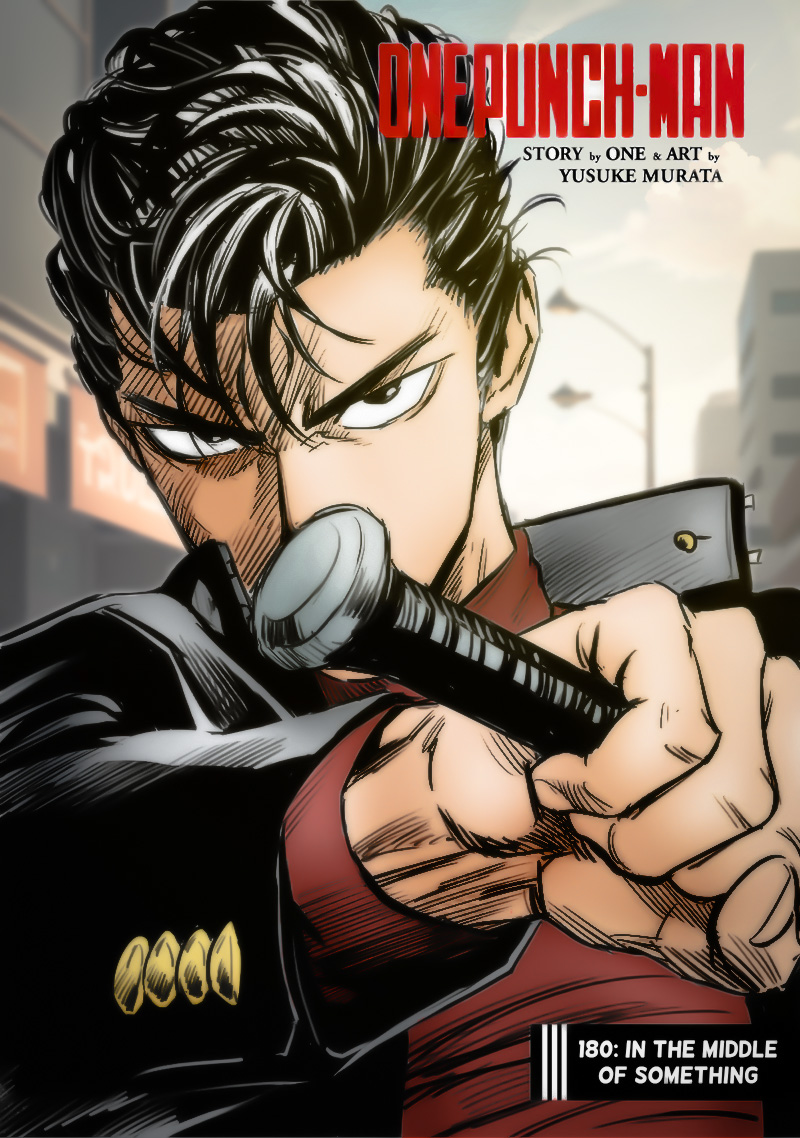
Read the OPM CH 180 [Full Color] [English] manga series.
cyan burrow
Im gonna see how good chatgpt 3.5 is with prompts
after being instructed in which manner to write them
no but fucken hell did it make some creepy shit
like holy hell what is this nightmarish place
supple raptor
Time to refine your instructions. ChatGPT is more than capable of writing good prompts. Once you find instructions that work well, save them in a .txt document or something because it will lose context over time and you'll need to clear history and start again.
cyan burrow
Im using it on openai site
pure oyster
cyan burrow
Im gonna see how good chatgpt 3.5 is with prompts
I've had great success using it to give prompts for clothing specifically.
not so much for faces
cyan burrow
I get nothing for this link, it's only in case anyone was interested in getting Clip Studio Paint but couldn't afford it. Now 60% off and it's for the non-subscription version. The full software
https://www.clipstudio.net/promotion/giveaway/en/?utm_source=clip_ice&utm_medium


 zinc flax
 vocal elbow
 still has trouble on fingers
 limpid coyote
This one came out ok for being a first generation
 supple raptor
vocal elbow
<:GoodMorning:592540912962371608> still has trouble on fingers
supple raptor
vocal elbow
<:GoodMorning:592540912962371608> still has trouble on fingers
That's an easy one to fix at least.
magic wave
True, really pretty tho :o
vocal elbow
 use photoshop layer?
zinc flax


 zinc flax
Cooking
magic wave
zinc flax
Cooking
Yeee 
zinc flax
I should go back to cooking loras
It's fun
Though mostly character loras instead of style
zinc flax
Skill issued in making style loras lol
 cold summit
 brazen rapids
 magic wave
Calm LoRA trained kinda mid
 zinc flax
 shy gyro


 frosty lake
 shy gyro

 shy gyro
pure oyster
I've had great success using it to give prompts for clothing specifically.
shy gyro
pure oyster
I've had great success using it to give prompts for clothing specifically.
check them
 cosmic sleet


 stable nimbus
 bitter latch


last one

off to work.. sigh.. to listen to people whine about 'where's my package, make fedex go faster... whine whine" and no I dont' work for fedex
 abstract aspen
bitter latch
off to work.. sigh.. to listen to people whine about 'where's my package, make ...
abstract aspen
bitter latch
off to work.. sigh.. to listen to people whine about 'where's my package, make ...
lmao it be like tht
bitter latch
anime customer whining about fedex,
 abstract aspen
what was your prompt?


 brittle jay
hello
been afk for like a day or two because I have just setup dualbooted kubuntu
in any case, what is the best way to torrent anime in high res?
 lethal laurel
i made this! ❤️
 brittle jay
lethal laurel
i made this! ❤️
brittle jay
lethal laurel
i made this! ❤️
what cfg?
 shy gyro
bitter latch
shy gyro
bitter latch
it doesn't have any metadata
 compact warren
brittle jay
in any case, what is the best way to torrent anime in high res?
compact warren
brittle jay
in any case, what is the best way to torrent anime in high res?
Why are u asking that here lol
wispy canopy
and it is of questionable legality depending on country
limpid coyote
brittle jay
in any case, what is the best way to torrent anime in high res?
nyaa.si is the best site for it that I'm aware of
brittle jay
limpid coyote
nyaa.si is the best site for it that I'm aware of
ye yumeshiro dm'ed me saying the same
brittle jay
wispy canopy
and it is of questionable legality depending on country
uh
tell me about 1 person who watches anime unpirated
they don't exist
limpid coyote
Loving this model


 limpid coyote
I'm doing 6x6 grids of the few models I have right now with same prompts/settings to see how different they are, I'll post here if anyones interested

 quiet bramble
supple raptor
For the actual prompt, I start from scratch on every one I write. This is my neg...
quiet bramble
supple raptor
For the actual prompt, I start from scratch on every one I write. This is my neg...
What is KHFB?
quiet bramble
Thank you very much. Do you have any issues using them both simultaneously?
 lucid rapids
anyone know any similar models to create this type of art

 lucid rapids
oh ok ill try
brittle jay
quiet bramble
Thank you very much. Do you have any issues using them both simultaneously?
no
that's what most people do actually
use them together plus some other embeds
quiet bramble
That's good to know.
limpid coyote
 zinc flax
man i love this pose, so cute
 limpid coyote
Would you say that it's ☆: .。. o(≧▽≦)o .。.:☆ KAWAIIIII! ?
compact warren

zinc flax

 stone onyx
zinc flax
man i love this pose, so cute
stone onyx
zinc flax
man i love this pose, so cute
prompt pls 
zinc flax
Got the metadata in it
stone onyx
O
stone onyx
zinc flax
Got the metadata in it
It doesn't work :c
 zinc flax
aw
1girl, tank top, claw pose, half-closed eyes, [purple hair:black hair:8], open jacket, long sleeves, brown eyes, x hair ornament, shoulders, blunt bangs, trousers, outdoors, grin
limpid coyote
6x6 of all the models I've been using right now. With same seed and prompt


 zinc flax
But what's that in her mouth though
unreal ridge
something
limpid coyote
I thought the mouth hold tag would make her cover her mouth lmao so it's probably supposed to be grass or cloth
Didn't bother changing the prompt when I realized
unreal ridge
Dark Sushi ones looks nice
limpid coyote
Yeah my favs are darksushi, meina, and simpylbeautiful
zinc flax

 unreal ridge
 limpid coyote
unreal ridge
limpid coyote
unreal ridge
Is this first generation or inpainted n stuff?
limpid coyote
Which model is it? Looks good
limpid coyote
Nice, looks good and I'll try it. I need to mess with more tags
trim current


 wary hedge
hi, how do we prompt for normal classic anime style pls
unreal ridge
 bitter latch
hmm well you can use anime, or some use anime line art style, or for the last couple I just use mistooneanime_V10 model
tho I had line art style
with that
wary hedge
thanks i'll try, but can it do very classic stuff like sao
bitter latch
shrugs
gloomy scroll
 gloomy scroll
brittle jay
Model?
brittle jay
gloomy scroll
pnginfo
https://huggingface.co/Surficialruby/LoraDump/tree/main
https://huggingf...
gloomy scroll
brittle jay
Model?
brittle jay
gloomy scroll
pnginfo
https://huggingface.co/Surficialruby/LoraDump/tree/main
https://huggingf...
I am on phone, but ok
gloomy scroll
brittle jay
I am on phone, but ok
Aurora
brittle jay
What about loras
gloomy scroll
brittle jay
Oh nice thabks
gloomy scroll
brittle jay
Oh nice thabks
Actually I was also using this lora:GoodHands-vanilla:1 since I had some problems with hands lately
gloomy scroll
Loramerge is one I mixed
brittle jay
Also who are surficialruby and segole? You know em?
gloomy scroll
surficialruby is mine
brittle jay
Oh nice
limpid coyote
Guys got any good lora recommendations for better anime gens in general?
I just started using them and gonna add that good hands one
brittle jay
limpid coyote
Guys got any good lora recommendations for better anime gens in general?
for that we usually recommend embeds
limpid coyote
For hands?
limpid coyote
Not sure what embeds are so gonna watch a few videos now lmao
brittle jay
they like add words to the dictionary of the model
limpid coyote
ahh ok
brittle jay
they don't actually add anything "new" to the model
they just help the model associate a word with a concept it already has
you could think of it like that I think
anyways
here are some random ones I have on hand
aurora and khfb embeds are practically fine stand alone
like just put em both and then you don't have to worry too much about negative prompt
limpid coyote
Alright, thanks!
 toxic dragon
Its been a while since I've posted here but I've gotten back to trying to fine-tune stuff after a long break.


 limpid coyote
Looks good, do you use inpainting?
gloomy scroll


 supple raptor
ded chat https://cdn.discordapp.com/emojis/286619073226342400.webp?size=48&name=playdead&quality=lossless


 supple raptor
coffee girl is eating her cup now 
 trim current
 trim current
supple raptor
coffee girl is eating her cup now <:catwhaaa:1017794826395209829>
trim current
supple raptor
coffee girl is eating her cup now <:catwhaaa:1017794826395209829>

brought extra
 zinc flax
supple raptor
coffee girl is eating her cup now <:catwhaaa:1017794826395209829>
zinc flax
supple raptor
coffee girl is eating her cup now <:catwhaaa:1017794826395209829>
Gotta save the environment by eating every plastic cups you bought
supple raptor
zinc flax
Gotta save the environment by eating every plastic cups you bought
I'm gonna have to gen Coffee Girl with a seaturtle at some point now.


 limpid coyote


 limpid coyote
 limpid coyote
 keen kayak
Finally done with this one. Not perfect but I'm gonna be happy with it anyway
 trim current
 brazen rapids

 south sable
cyan burrow
did you by chance post this on my model page?
south sable
cyan burrow
did you by chance post this on my model page?
Not me. But looks like urban samurai lora which I like to use.
drowsy dove
Is there a list of hashes of models somewhere? I'm looking at some of the images I created that I placed in the "potential" folder, and I can't find the models I used to create them 🤦
limpid coyote
Anyone got tags for a tokyo neighborhood?
untold glacier
drowsy dove
Is there a list of hashes of models somewhere? I'm looking at some of the images...
You mean outside of SD?
 drowsy dove
Yes, because I'll have to download it again, probably
untold glacier
drowsy dove
Yes, because I'll have to download it again, probably
Civitai has them under Hash, though I'm not sure you can search in-site by them. You can try via google, something like: site:civitai.com "hashtag here"

 untold glacier
Awesome. Glad it works. 
drowsy dove
But I did misuse this model back then. Photorealism...
 untold glacier
Lol. A solid break of the model. I love doing that.
stable crane
keen kayak
Finally done with this one. Not perfect but I'm gonna be happy with it anyway
very cool
keen kayak
stable crane
very cool
Thanks, gotta find a good way to get the arms clearer/better at some point but aside from that and the badly scribbled in hand I'm quite happy with the outcome :D
zinc flax
dang this style is old
 limpid coyote
 stable crane
keen kayak
Thanks, gotta find a good way to get the arms clearer/better at some point but a...
stable crane
keen kayak
Thanks, gotta find a good way to get the arms clearer/better at some point but a...
reminds me of a cool version of a final fantasy dragoon
really enjoy it
keen kayak
That makes me quite happy. Thank you ^-^
zinc flax
 brazen rapids


 zinc flax
gonna try genning also lol
 zinc flax
Oh no, a random merge I did
stable crane
I kinda wish that, every time I prompted, it'd also run it through parfait mix
just to see the cute version
 stable crane
parfait version, also real cute

though maybe hands are a bit rough
gonna try mixing it with another lora to see
zinc flax
Yeah, hands are pretty bad at that model lol
 stable crane
a similar cute model is akkaimix
 zinc flax
stable crane
a similar cute model is akkaimix
zinc flax
stable crane
a similar cute model is akkaimix
Ok now this is 100% true
Very nice model
stable crane
 bitter latch
oh gawd.. umm.. giggles.. oops
 stable crane
llol
zinc flax
Oh man
bitter latch
guess there's a furmeet at disney
stable crane
Disney gonna sue you

 stable crane
indentured servitude
they'll make you generate wholesome disney content until your time is served
bitter latch
 stable crane
her shirt is so cute
 bitter latch
haha

 pastel bluff
anyone see the tweet from NAI
bitter latch
hmmm?
zinc flax
The leaked models thingy?
stable crane
no, link?
 stable crane
you know what I'd like to see
bitter latch
yes but we can't post those here
 stable crane
imagine a giant rat, cooking, and there's a tiny human on his head making him do the right thing
bitter latch
copies .. pastes
 bitter latch
hmm no

 bitter latch
dangit
 stable crane
Clyde blocked my next post RIP
bitter latch
oh?
stable crane
it was even nicer
 zinc flax
 stable crane
idk how mouse ears got so cute
there's basically no mouse ear girls in anime right
who's even drawing enough of these for the AI to learn
seriously underrepresented

 stable crane
curry for dinner

 swift lava
bitter latch
umm.. fail
swift lava
bitter latch
umm.. fail
This one is hilarious. I love the facial expression. It is just so cursed.
 stable crane
brothers lol. his mom has some explaining to do
swift lava
Ok, that one is probably worth cleaning up. It tells such a story.
Fruit bowl angler fish. Or any other lure predator.
bitter latch
here ya go
 stable crane
hm for multi diffusion I find you do need to keep certain aspects of your prompt
unreal ridge
pastel bluff
💀
stable crane
dangerous alchemy potions within

 bitter latch
nah, bar maid
compact warren
stable crane
who's even drawing enough of these for the AI to learn
That one vtuber exists
pastel bluff
unreal ridge
💀
who knows if theyll actually sue


 unreal ridge
pastel bluff
who knows if theyll actually sue
unreal ridge
pastel bluff
who knows if theyll actually sue
I'm pretty sure that this is about people using the NAI hashtag and posting stuff made with models that aren't NAI's or some shit
unreal ridge
unreal ridge
I'm pretty sure that this is about people using the NAI hashtag and posting stuf...
leaked models
which is probably the big majority of the current models lmao
stable crane
I haven't seen anyone train a non-NAI that was actually good
waifu diffusion or whatever seemed to try and accept money and
did the money just get embezzled? lol
idk there were a few but, I wonder how many models on civit are just NAI lineage
compact warren
Waifu diffusion tried but failed imo
bitter latch
ummmo... k then
 stable crane
I think when SD can fix high frequency details like hands then we're golden
compact warren
stable crane
idk there were a few but, I wonder how many models on civit are just NAI lineage
90% of them
pastel bluff
all anime models at least
compact warren
stable crane
I think when SD can fix high frequency details like hands then we're golden
We’re getting closer
Theres a lora on civitai that really helps give better better hands by default
bitter latch
 pastel bluff
stable crane
waifu diffusion or whatever seemed to try and accept money and
pastel bluff
stable crane
waifu diffusion or whatever seemed to try and accept money and
unstable diffusion too lol
stable crane
compact warren
We’re getting closer
Theres a lora on civitai that really helps give better bett...
is it negative_hand?
pastel bluff
its been so long still havent released it
bitter latch
 pastel bluff
stable crane
I haven't seen anyone train a non-NAI that was actually good
pastel bluff
stable crane
I haven't seen anyone train a non-NAI that was actually good
hey i think my model is pretty okay, okay
bitter latch

 stable crane
pastel bluff
hey i think my model is pretty okay, okay
stable crane
pastel bluff
hey i think my model is pretty okay, okay
what's your model?
compact warren

This model is a LoCon. You MUST install the Lycoris extension for it to load. I'm using Lora Block Weight . I believe you can also use Additional N...
pastel bluff
stable crane
what's your model?
not anime though
i trained a photorealistic model called BRA
stable crane
compact warren
https://civitai.com/models/47085?modelVersionId=55199
ty looks promising
stable crane
pastel bluff
i trained a photorealistic model called BRA
from scratch? no base model?
bitter latch
 stable crane
oh I see
stable crane
yeah I see what you mean, it's 1.5 so it can't be NAI
I suppose on the photoreal side, a lot has come from Stable Foundation's work
unreal ridge
pastel bluff
To anyone who's curious. It translates to something along the lines of:
「Using leak models means we cannot provide customer support, documentation, UX and general quality standards, or encryption, which are the standards of our service. Additionally, these models do not accurately reflect NovelAI, and we strongly recommend against using leak models. Installing them on your own computer or hosting them online may pose security and privacy risks.
In some cases, we may take legal action if leak models are found.」
stable crane
though perhaps NAI piggybacked on Stable Foundation?
unreal ridge
Additionally, these models do not accurately reflect NovelAI, and we strongly recommend against using leak models. Basically the exact thing any company that get their product leaked says
kek
bitter latch
and back to anime
 unreal ridge
compact warren
https://civitai.com/models/47085?modelVersionId=55199
unreal ridge
compact warren
https://civitai.com/models/47085?modelVersionId=55199
Oh
I'll try this one
compact warren
I get really good hands in pretty much 80-90% of my gens, highly recommend
compact warren
unreal ridge
`Additionally, these models do not accurately reflect NovelAI, and we strongly r...
They are late asf with this tho lmao
unreal ridge
^
compact warren
Was their ceo in hibernation or something
pure oyster
I wonder how long it takes for thier users to learn they can generate images for free.
bitter latch
goes random, rogue even
unreal ridge
pure oyster
I wonder how long it takes for thier users to learn they can generate images for...
with better quality
bitter latch
 pure oyster
unreal ridge
*with better quality*
pure oyster
unreal ridge
*with better quality*
Speaking of quality I made this today after a bunch of photoshop and inpainting.
 unreal ridge
pure oyster
Speaking of quality I made this today after a bunch of photoshop and inpainting.
unreal ridge
pure oyster
Speaking of quality I made this today after a bunch of photoshop and inpainting.

saved
bitter latch
haha
 unreal ridge
compact warren
https://civitai.com/models/47085?modelVersionId=55199
unreal ridge
compact warren
https://civitai.com/models/47085?modelVersionId=55199
500mb? 
compact warren
Tbh i never notice the size
bitter latch
 compact warren
Idr care how big something is until i actually need to clear space for it
bitter latch
....... cackles
bitter latch
compact warren
Idr care how big something is until i actually need to clear space for it
oh.. really?
 compact warren
bitter latch
oh.. really?
compact warren
bitter latch
oh.. really?


 stable crane
I feel like it'd be really fun to work for novelai
bitter latch
not sure why the ears are like that wtf
pure oyster
stable crane
I feel like it'd be really fun to work for novelai
I too wish to not have any work to do.
unreal ridge
stable crane
I feel like it'd be really fun to work for novelai
yep
bitter latch
stable crane
I feel like it'd be really fun to work for novelai
would you say it would be a Novel idea?


 stable crane
lol
stable crane
pure oyster
I too wish to not have any work to do.
they gotta be improving the software somehow right?
bitter latch
 stable crane
I actually never even saw a screenshot of their UI
but my dream job would be working in UI dev for a image gen product
unreal ridge
stable crane
they gotta be improving the software somehow right?
They just recently implemented inpainting
hurray
just took them like
stable crane
huh
unreal ridge
1502 years
stable crane
it sounds surprising
because I would've figured they'd have a lot of $ for hiring
midjourney definitely slurping in the mad $$$$$$$
that'd be a fun one too and it seems absurd to me it's STILL discord based
bitter latch
 unreal ridge
I kind of want to pay for niji
stable crane
niji is so good
even just looking at the images people gen there, I'm always impressed
it's quite a pricey subscription cost though
limpid coyote
 stable crane
so I figure they gotta be printing money
bitter latch
 pure oyster
Huh, my images in imgur are showing up as 404 if I'm not logged in
trim current
stable crane
even just looking at the images people gen there, I'm always impressed
ive been recently doing a mix of SD and Niji then back into SD
started with this in SD into


working on seing how far i can take it in img2img
pure oyster
What other image hosting sites are better than imgur? I have never been so annoyed by a website in my entire life.
trim current
 brazen rapids
 trim current
 stable crane
pure oyster
What other image hosting sites are better than imgur? I have never been so annoy...
stable crane
pure oyster
What other image hosting sites are better than imgur? I have never been so annoy...
catbox.moe
pure oyster
stable crane
catbox.moe
I'll check it out, trying to find a host for all my good images
south sable
 pure oyster
stable crane
catbox.moe
pure oyster
stable crane
catbox.moe
A little inconvenient to use, but yea, 10x better than imgur and google images https://catbox.moe/c/9q1x8v
Also, a little slow, but that might be just me
south sable
