#📝|prompting-help
1 messages · Page 10 of 1
 silver valley
 leaden socket
Still do 512x512 then upscale 4x on width?
Got it, thank you!
Could I ask why 768 and not 1024?
Is that because 768 is what models are trained on?
silver valley
You can also do 540x960 upscale by 2 to get FullHD
leaden socket
Would you suggest 960 or 768?
silver valley
For 2.1 models you could go 768x1024
silver valley
leaden socket
Would you suggest 960 or 768?
768
But you can play around. Its not a must
 leaden socket
silver valley
No problem 🙂
leaden socket
silver valley
No problem 🙂
You think this is good?
    parser.add_argument("--width", type=int, required=False, default=512, help="Width of the output image")
    parser.add_argument("--height", type=int, required=False, default=512, help="Height of the output image")
    parser.add_argument("--hr_resize_x", type=int, required=False, default=2048, help="Width of the output image")
    parser.add_argument("--hr_resize_y", type=int, required=False, default=1024, help="Height of the output image")
Ohh you use the Commandline Version 😮
leaden socket
Testing.
silver valley
Why not using the webui ? ^^
leaden socket
Easier to do more batching / automate.
silver valley
Ah okay
leaden socket
silver valley
Idk if that will work this way
It works, I just have to disable NAN checks. Thanks for your help!
No idea how but I broke my automatic1111:
modules.devices.NansException: A tensor with all NaNs was produced in Unet. This could be either because there's not enough precision to represent the picture, or because your video card does not support half type. Try setting the "Upcast cross attention layer to float32" option in Settings > Stable Diffusion or using the --no-half commandline argument to fix this. Use --disable-nan-check commandline argument to disable this check.
a reset and adding those flags didn't fix my issue.
leaden socket
silver valley
Ah okay
One final question for you, would you recommend any changes?

 oak nova
leaden socket
One final question for you, would you recommend any changes?
oak nova
leaden socket
One final question for you, would you recommend any changes?
That upscale is a different aspect ratio.
Unless you have a 4090, that upscale might not be possible (too high res).
If you want an upscale like that, use the SD Upscale script in Img2Img.
leaden socket
oak nova
That upscale is a different aspect ratio.
Unless you have a 4090, that upscale m...
I can upscale it.
leaden socket
Anyone know why I would be getting some pretty bad upscaling?
    parser.add_argument("--hr_scale", type=int, default=2, help="High resolution scale factor")
    parser.add_argument("--hr_upscaler", type=str, default="Latent", help="High resolution scale factor")
    parser.add_argument("--hr_resize_y", type=int, required=False, default=2048, help="Height of the output image")
    parser.add_argument("--hr_resize_x", type=int, required=False, default=1024, help="Width of the output image")
 silver valley
leaden socket
One final question for you, would you recommend any changes?
silver valley
leaden socket
One final question for you, would you recommend any changes?
Yes, first choose 10-20 hires steps, thats enough.
Then set the denois value to 0.5 or less because you select an esrgan based upscaler.
Then i would suggest to use the "Upscale by" setting instead of setting a resolution.
leaden socket
silver valley
Yes, first choose 10-20 hires steps, thats enough.
Then set the denois value to...
use the upscale by Thank you, if I want portrates how would I do that if I do 512x512
silver valley
leaden socket
_use the upscale by_ Thank you, if I want portrates how would I do that if I do ...
You would use 512x768 or 540x960
Upscale by 2 would get you:
1024x1536
or 1080x1920
 tired vigil
/help
 lost crest
How do people get images where a woman is like half skeleton, half human
 rich crow
Could be inpainting or could be regional prompting or could just be a really good cherry picked seed from a good prompt
Editing exists too
 steep fossil
Where are some pages with info on good prompt addition for styles, artists' names we can use, etc? I'm trying to make a comic and just appending "illustration, comic" .. and all my generations look almost exactly the same style
which imo is kinda weird itself.. I'd imagine there to be a lot more variation in what an illustration, comic looks like.. but ok
 thin plume
Soo. I'm using Automatic1111's webui, and I'm using the [ Alternate | between ] things command. So if you do [Dog | cat] it should generate something that's half dog, half cat, or whatnot, right?
Anyway. I've been blending together some celebrity faces. It's been interesting, and I'm still learning! Although, I've just ran into a weird issue. When it's generating the image, things are looking fine and good! As soon as it finishes though, the end result looks.. Well, nothing like what was being generated (in terms of the face.)
Can anyone enlighten me as to what's going on? Is there a way I can just have it stop at the 2nd to last iteration, so I can get a final image with that face, instead of the one it's giving me?
This isn't a one-off thing btw! I've had this issue a handful of times now.

 vapid moat
thin plume
Soo. I'm using Automatic1111's webui, and I'm using the [ Alternate | between ] ...
vapid moat
thin plume
Soo. I'm using Automatic1111's webui, and I'm using the [ Alternate | between ] ...
Do you happen to have face restore enabled?
thin plume
I do! Is that the issue?
thin plume
Ehh, nope. That made it worse 
 leaden socket
Anyone know what's the best negative propmpt for text?
text, logo, caption, description, font, words, text not working
 vapid moat
watermarked?
 steep otter
Suggestions?

 silver valley
steep otter
Suggestions?
silver valley
steep otter
Suggestions?
Looks nice, you could try upscaling with hires fix for more Details.
steep otter
silver valley
Looks nice, you could try upscaling with hires fix for more Details.
Doing that right now... takes quite a bit.,,
silver valley
steep otter
Doing that right now... takes quite a bit.,,
Whats your gpu ?
Try upscale by 2, denois 0.5, hires steps 10, upscaler: esrgan4x+ anime6b
steep otter
silver valley
Try upscale by 2, denois 0.5, hires steps 10, upscaler: esrgan4x+ anime6b
Oh, I thought you want me to sample again...
I started with a 512x512, did a latent upscale to 768x768, then sampled it again.
steep otter
silver valley
Whats your gpu ?
GTX1060...
silver valley
steep otter
Oh, I thought you want me to sample again...
You can do 512x512 and upscale it by 2 with highres fix, no need for resampling
silver valley
steep otter
GTX1060...
With 6gb or 3gb vram ?
Make sure you use --xformers --medvram to get the most out of it
lost crest
Is it with inpainting the intention that I keep the entire prompt and only change some words or do I wipe the entire prompt and use the words to describe what needs to change in the area that I masked?
steep otter
silver valley
With 6gb or 3gb vram ?
6 GB
steep otter
silver valley
Make sure you use --xformers --medvram to get the most out of it
I’m using xformers, medram isn’t necessary
steep otter
silver valley
You can do 512x512 and upscale it by 2 with highres fix, no need for resampling
Wait… isn’t hires fix fundamentally just resembling tho
 wintry falcon
Where to put the promtes in the stable diffisuion to generate images
silver valley
steep otter
Wait… isn’t hires fix fundamentally just resembling tho
No its an option you can active in txt2img
steep otter
silver valley
No its an option you can active in txt2img
But isn’t that option fundamentally doing a latent upscale then resampling?
I’m not using AUTOMATIC1111
steep otter
silver valley
What do you use ?
GitHub
A powerful and modular stable diffusion GUI with a graph/nodes interface. - GitHub - comfyanonymous/ComfyUI: A powerful and modular stable diffusion GUI with a graph/nodes interface.
silver valley
steep otter
https://github.com/comfyanonymous/ComfyUI
Ah comfyui, i dont know how its done there but there is a seperate tool for upscaling similar to comfy called chainner.
https://github.com/chaiNNer-org/chaiNNer
steep otter
silver valley
Ah comfyui, i dont know how its done there but there is a seperate tool for upsc...
Oh, thanks
 solar carbon
when I type a prompt like "a beautiful woman wearing a hard hat and painting a fence" I get duplicates. I almost always get duplicates when trying to show one person. How do I fix this?

 obtuse torrent
@solar carbon, the standard tip, for A1111, start at low res (960x512) + check Hires.fix and use "Upscale by" (x 2 is a good factor, ) , add "solo" to positive prompt, and add in the negative prompt: (cloned), (cloned face), , (duplicate), (jpeg artifacts), If you still have the problem, you can increase the weights for those tags, and/or reduce the initial resolution a little more to 920x512.
solar carbon
obtuse torrent
<@246430422928457731>, the standard tip, for A1111, start at low res (960x512) +...
Ok thanks for the tips. Is 960x512 a 16:9?
obtuse torrent
@solar carbon ..for it you need 960x540 or 912x512 -- 864x486
solar carbon
Thx
solar carbon
obtuse torrent
<@246430422928457731>, the standard tip, for A1111, start at low res (960x512) +...
Any good free video upscalers? I found one for framerate upscale but any resolution upscaler for video im finding wants me to pay
obtuse torrent
... https://discord.com/channels/1002292111942635562/1072238304042438758 re ask here..@solar carbon
tired vigil
do you guys know good models to create stuff like this, horror cosmic stuff


like hp lovecraft
obtuse torrent
@tired vigil maybe some1 can work for you https://civitai.com/tag/lovecraft
Browse lovecraft Stable Diffusion models, checkpoints, hypernetworks, textual inversions, embeddings, Aesthetic Gradients, and LORAs
 stone iglooBOT
FAQ: Where can I access the DreamStudio beta website?
leaden socket
Anyone know how I would remove this text that is always showing up in the bottom corners.
Here's my negative:
blurry, depth of field, vfx, duplicate, cartoon, sketch, b&w, black and white, text, logo, caption, description, font, words, text fuzzy, specks, floating, bad quality, pixelated, text, pornographic, erotic, eroge, hentai, ecchi, futanari, shota, shotacon loli, lolicon, bad-artist, bad-hands-5, bad_quality, (bad_prompt_version2:0.7), claws, umbrella, lowres, bad-artist, bad-hands-5,claws, fullbody, zoom out, bad_quality, nsfw,lowres, bad anatomy, bad hands, text, missing fingers, extra digit, fewer digits, cropped, worst quality, low quality, normal quality, <bad_prompt>, <bad-artist>, signature, watermark, username, blurry, artist name, abstract, picasso, amputee, deformed, blurry, disfigured, poorly drawn face, mutation, mutated, extra limb, ugly, poorly drawn hands, extra leg, bar censoring, blurry face, simple background, (multiple views:1.4), watermark, signature
 silver valley
What are your positives?
Make sure dont use artstation, CG wallpaper or other sites for wallpapers
leaden socket
silver valley
What are your positives?
Basic, night scene on alien planet
silver valley
leaden socket
Basic, `night scene on alien planet`
Ah okay, you can try add masterpiece, wallpaper, absurdres
leaden socket
Where do you get all this knowledge? 😄
silver valley
leaden socket
Where do you get all this knowledge? 😄
Using SD since the start last year 🙂 playing around and testing out the new stuff over time will give you a lot of knowledge. Also the wiki of auto1111 is a great source for the WebUI functions.
And of course chatting with other SD users, reading guides or watching tutorials.
leaden socket
silver valley
Using SD since the start last year 🙂 playing around and testing out the new stu...
I got pulled on the MJ train 😢
Waste of time.
silver valley
leaden socket
I got pulled on the MJ train 😢
Maybe, but you tested the basics and got into SD with it
Here is also a big Source of Knowledge:
Compendium of links updated frequently about everything Stable Diffusion related:
https://www.sdcompendium.com/
leaden socket
I used to run Anaconda and have to deal with all the module installs for my own HF transforms, it was too difficult a year ago, automatic1111 is something else.
leaden socket
silver valley
Here is also a big Source of Knowledge:
Compendium of links updated frequently a...
Thanks so much!
silver valley
leaden socket
I used to run Anaconda and have to deal with all the module installs for my own ...
Yea its perfect, easy to use and not to hard to setup
And we have the ultimate freedom of creating + the awesome Community expanding the SD functions
 lapis warren
is (a,b:1.5) the same as (a:1.5), (b:1.5)?
is (a:1.5), b, c, d, e, (f:1.5) the same as (a,f:1.5), b, c, d, e?
 orchid saffron
Is there a way to add watermark in every picture I create? I know I can use photoshop or any other editor for that but if SD can do it then I wont need other apps
obtuse torrent
lapis warren
is (a,b:1.5) the same as (a:1.5), (b:1.5)?
is (a:1.5), b, c, d, e, (f:1.5) the s...
generally, yes and yes (for tag based models)
solar carbon
I notice in some AI vids on youtube made with gen2, they are able to make the peoples mouths move as if they are talking then put audio over it. Is this possible with deforum on SD? When I use a prompt like "store employee talking" it just showes them with a closed mouth
 half nova
do the vids in question have a d-id logo in the bottom
 echo umbra
Hello, does anyone know what keywords max neural used in his prompt to generate such unique creatures for his viral astral jump video?

 wet orchid
Is there a feature available that describes an input image back to me? So i can use it in my prompts?
silver valley
wet orchid
Is there a feature available that describes an input image back to me? So i can ...
Yes thats called clip interrogation
Available in the auto1111 webui or trough different websites
wet orchid
Thanks just the info I needed!
 wheat harbor
Umm im using regional prompter to get 3 characters
With horizontal 1,1,1 and use base prompt for the environment
The prompt layout is like this
Environment ADDBASE
GirlA prompts BREAK
GirlB prompts BREAK
GirlC
It could make 3 character but most of the time i only got 2 character with GirlB and GirlC getting combined. How can i improve the prompting for this regional prompter?
lost crest
I am trying to in paint the hand, however, I keep getting a result similar to this. Anyone know how I can possibly improve this?
my prompt is: yml (masterpiece:1.2), (best quality:1.2), (ultra realistic), (ultra photorealistic:1.3), (ultra-high res), (real picture, intricate details), one hand
This is not 100% the original img of the woman (I removed the nsfw part)


this is how I masked

 dusky sail
wheat harbor
Umm im using regional prompter to get 3 characters
With horizontal 1,1,1 and use...
dusky sail
wheat harbor
Umm im using regional prompter to get 3 characters
With horizontal 1,1,1 and use...
The explanation for regional prompter is pretty terrible imo. I think you are supposed to use only BREAK in prompts. And you must put exactly the amount of BREAKs required or you'll get a broken prompt.
So for your case it would be:
base_prompt
BREAK
girlA
BREAK
girlB
BREAK
girlC
They way you wrote it you effectively merged base with girlA and omitted girlC
wheat harbor
dusky sail
The explanation for regional prompter is pretty terrible imo. I think you are su...
Ahh okk i'll try thank you! But when to use the template it generates? It generated template as
ADDBASE
ADDCOL
ADDCOL
Which is 2D regional prompt which is very confusing if they are different than BREAK? XD
dusky sail
I'm not sure tbh. I just ignore the template 😆
Input the ratio e.g. 3,1,2;1, click visualize and just go by the numbering displayed
 orchid ore
@lost crest i would go only with masked content and only masked and describe hand in prompt. In negative extra fingers etc.
dusky sail
Is it normal to sometimes get an "unstable" result? Or something like 2 concepts oscillating? Like for example I ask for absurdly long hair (to the ground) and on the live preview I can see it generating the rough shape and color that could be hair. But then at later steps the model forgets it was supposed to be hair and puts a random pile of cloth on the floor
leaden socket
This is going to be a complicated question to ask. But is there a way to have a scene and be able to change things like day, night, snow, while keeping a pretty close match to the orignal source?
and a follow up, along with changing large themes like that can you also add objects into the scene, while again keeping most of the source?
 long relic
lost crest
I am trying to in paint the hand, however, I keep getting a result similar to th...
long relic
lost crest
I am trying to in paint the hand, however, I keep getting a result similar to th...
Ill be honest, the only good way I have found to redraw a hand or specifically a foot, is to put a reference image of what you want over the generated are. SD, when using the original image for its inpainting source (as opposed to latent noise or latent nothing) really loves to try and just make the same thing in the same place. you can set the denoiseing strength really high, like 9.5, but it doesnt mean alot except random chance.
I like to find feet that are similar enough, bend them to fit in photoshop, then inpaint it with a 0.4 or less denoise.
adding poses when inpainting the had can help. Grabbing, pointing, high five. Negatives work great too, I was trying to do a high five and adding fingernails to the negative prompt helped out.
 next ermine
Hey how can I a throw a photo and make changes to it?
lost crest
next ermine
Hey how can I a throw a photo and make changes to it?
use inpainting
lapis warren
what terms does SD understand the most / have the most data for camera angles? i.e low angle / eagles eye view, etc
the best ive been able to get is
"top view" for a view from above (but usually also tips the subject over, i.e laying on a bed),
and
"low angle", which gives a tilted picture (not quite what low angle is)
 sweet rock
“Face” usually gives you a closeup.
obtuse torrent
lapis warren
the best ive been able to get is
"top view" for a view from above (but usually ...
I think that the photorealistic models have a better understanding of photographic and cinematographic terms, I speculate that the anime models fail mostly due to flaws in the tag assignment methodologies. Personally, sometimes I get the expected result with such unusual terms as zenith view, nadir view, worm view on some models, while the vast majority don't know what I mean, others recognize camera types and adjust things like a wide angle view. or a fisheye lens.
orchid ore
also picture layout matter very. Portrait or landscape or square. For full body view usually only portrait for example 512x768 is working properly.
obtuse torrent
closeup, close closeup, they work even if you don't have subjects in the composition, (someone with a face), you can use "focus" to guide the composition. @lapis warren
 gloomy kelp
does anybody have any advice for eyes? the way im trying it now feels like luck whether theyre actually eyes or not
silver valley
leaden socket
This is going to be a complicated question to ask. But is there a way to have a ...
Thats doable with the pix2pix model in img2img
 static vector
gm anyone up? i need some prompting help
 lavish furnace
static vector
gm anyone up? i need some prompting help
lavish furnace
static vector
gm anyone up? i need some prompting help
might as well post it, im sitting here wondering if i can help but not sure
orchid ore
yes spit it out 🙂 @static vector
static vector
sorry i got carried away and forgot i asked @orchid ore @lavish furnace i am trying to output a golf cart with six seats and has solar panels on rooftop [side angled top-view of a perfect award-winning solar powered ((six seater)) golf cart with perfect six car seats with perfect space between them:2, realistic, god rays, cinematic, 8k, (symmetrical), correct car geometry, correct seating arrangement, ((correct leg space between seats))] i tried changing many words, but it always comes out with 4 or 2 seats and when it outputted the 6 seats they were crammed into one another
this is the best thing i got lol
 lavish furnace
its beautiful 
i see what he means though
no leg spacing
orchid ore
also do not exceed 768px for image
lavish furnace
silly diffusion
static vector
orchid ore
try 6seater
yeah people will have to put their legs out of the car lol
but how to increase the leg space
i tried everything lol
lavish furnace
maybe keep trying with different random seeds
or
make a quick edit yourself and do img2img
Not sure if thats the best way but thsts what id be doing 😅
orchid ore
yes inpainting.
4 seater but check there is space, but very small space. So they have to sit sideway 😄 . Some things are difficult to do. Or you can try if you have prompt in different model
 static vector
orchid ore
yes inpainting.
4 seater but check there is space, but very small space. So they...
static vector
orchid ore
yes inpainting.
4 seater but check there is space, but very small space. So they...
i'll keep trying❤️ so i dont focus too much on changing the keywords, use same seed and try different models and inpaint
orchid ore
4 seater is quite common with proper space... for 6 seaters probably must be too much patience.
 orchid saffron
What is the best resolution to use for best image generation?
orchid ore
should be equal to what model is trained on probably
tired vigil
how do i recreate anime characters?
or like any specific character because when i try to use their name as prompts it dosent really do anything
orchid ore
you can train Lora with them... Probably some model recognize them.
 undone acorn
I'm trying to make pictures of my DND character who is a grung (a poison dart frog that decided to stand up) but I'm really struggling to fight the prompt bleed to get it humanoid without becoming human. If I put "anthropomorphic" it gets very sexual, even with nsfw as negative, it still makes them chiseled wearing a thong with a huge bulge... And humanoid just turns it into a person, usually with human skin too but frog legs or something. Can anyone help think of how I can make the frog be humanoid without suffering promt bleeding?
orchid ore
those looks like frogs at least. Nsfv filter is must.


 sweet rock
-I'm assuming you can check metadata- parameters: ((masterpiece,highest quality)) frog, personification, animal head on a human body, knight's armor Negative prompt: ((worst quality, low quality)), NSFW, Cleavage, Pubic Hair, Nudity, Naked, Au naturel, Watermark, Text, censored, deformed, bad anatomy, disfigured, poorly drawn face, mutated, extra limb, ugly, poorly drawn hands, missing limb, floating limbs, disconnected limbs, disconnected head, malformed hands, long neck, mutated hands and fingers, bad hands, missing fingers, cropped, worst quality, low quality, mutation, poorly drawn, huge calf, bad hands, fused hand, missing hand, disappearing arms, disappearing thigh, disappearing calf, disappearing legs, missing fingers, fused fingers, abnormal eye proportion, Abnormal hands, abnormal legs, abnormal feet, abnormal fingers Steps: 20, Sampler: DPM++ 2M Karras, CFG scale: 6, Seed: 3247504133, Size: 512x512, Model hash: c0d1994c73, Model: realisticVisionV20_v20, Clip skip: 1, Version: 0acc7d3, Parser: Full parser

lol
 orchid ore
last one from me. info in metadata 😄
 sweet rock
Hmmm, I wonder. I looks like discord might cause metadata to get lost
orchid ore
i think i tried pgn info, and it worked. Will try to confirm in few minutes
it keeps it. Just dont download preview but full image 🙂
sweet rock
ah! Thanks for checking!
orchid ore
no problem
undone acorn
sweet rock
lol
This is the funniest one imo. Thanks for the help
sweet rock
“X crossed with man” then describing the parts you want to be X works quite well. Thanks for that @orchid ore
orchid ore
yes i discovered this on my own. My advantage is that my english is very bad. I heard it doesnt make sense in english 😄
silver valley
tired vigil
or like any specific character because when i try to use their name as prompts i...
Some Anime models know some characters. But at best use loras for specific chars
tired vigil
silver valley
Some Anime models know some characters. But at best use loras for specific chars
But how do I use/get a lora?
I downloaded one before but it didn’t recognise the file in the folder when it put it in
silver valley
tired vigil
I downloaded one before but it didn’t recognise the file in the folder when it p...
loras go in the models/lora folder
then you press the third button below the generate button and select lora and then the lora
tired vigil
silver valley
loras go in the models/lora folder
then you press the third button below the gen...
I put the Lora file in there but it dosent show up
steep fossil
I can't get a prompt to do what I want. :/ "A blue whale leaping out of the ocean with a cowboy riding it. Saddle. Beautiful Island in background."
I got a couple that almost started to get hopeful
 silver valley
tired vigil
I put the Lora file in there but it dosent show up
silver valley
tired vigil
I put the Lora file in there but it dosent show up
did you pressed the refresh button ?

 silver valley
tired vigil
silver valley
tired vigil
thats not a lora
silver valley
tired vigil
it said lora so i assumed it was a lora
where did you find it?
tired vigil
whered i find what?
silver valley
this file
Here is a lora for example:
https://civitai.com/models/5902/aqua-konosuba-lora

Aqua (Konosuba) LoRA Making models can be expensive. Do you like what I do? Consider supporting me on Patreon 🅿️ or feel free to buy me a coffee ☕ C...
tired vigil
i think i got the lora off of like huggingface
the file wasnt very big though so i thought something was off
tired vigil
hm
silver valley
ending with .safetensor
silver valley
tired vigil
wait so can i use a lora with any type of model?
exactly
tired vigil
i got this model called "anyloraCheckpoint" and i thought you could only use loras with that one
but if you can use it with any thats really cool
silver valley
tired vigil
i got this model called "anyloraCheckpoint" and i thought you could only use lor...
the anylora checkpoint is just a model without a own style or bias so that mostly all loras would work.
But yes you can use any model. Some work better than others
tired vigil
ooooo
that makes sense
but what if theres no lora for the character id wanna make?
silver valley
tired vigil
but what if theres no lora for the character id wanna make?
you can train your own lora if you have a GPU with 6-8gb vram
silver valley
tired vigil
i got a 3070
yes that would work
did you checked on civitai if there is the character maybe?
silver valley
tired vigil
theres only 3 lora and none of them are of the character i wanted
oh okay
tired vigil
is the process like super complicated to train though, some guides get really confusing
silver valley
tired vigil
is the process like super complicated to train though, some guides get really co...
you need one tool for training called Khoya_ss
installation is not that hard. but training requires some time and patience
silver valley
you can also ask some people if they would train it for you
tired vigil
silver valley
you can also ask some people if they would train it for you
i wan be able to do it on my own so ik how to do it for any character
silver valley
tired vigil
i wan be able to do it on my own so ik how to do it for any character
yea than you have to try it 🙂 but yea it involves thinking as its not that easy for the first time
tired vigil
you know if theres any good guides on how to do it?
silver valley
tired vigil
you know if theres any good guides on how to do it?
there was a good guide a few months ago but its outdated now
@tired vigil installation instructions are here:
https://github.com/bmaltais/kohya_ss#windows
updated the link*
 rich nebula
after a while of not using stable diffusion, It seems i somewhat updated it? Now if i try to use it, i get this issue and cant generate
 silver valley
rich nebula
after a while of not using stable diffusion, It seems i somewhat updated it? No...
silver valley
rich nebula
after a while of not using stable diffusion, It seems i somewhat updated it? No...
pls in #🤝|tech-support
rich nebula
oh, my bad
 fleet aurora
steep fossil
I can't get a prompt to do what I want. :/ "A blue whale leaping out of the oce...
fleet aurora
steep fossil
I can't get a prompt to do what I want. :/ "A blue whale leaping out of the oce...
got a lucky shot. v2.1 is definitely better trained on leaping whales. most of them while in air showing their white belly to the viewer/camera, it would not make much sense in a rodeo situation you are looking for. that's a hard one. good luck. 🐳

 winter jackal
Anyone open to consulting on Stable Animation UI? Trying to get results out of it
steep fossil
fleet aurora
got a lucky shot. v2.1 is definitely better trained on leaping whales. most of t...
Trying 2.1. thanks!

Lol
steep fossil
How the heck do prompts work?
how is it processing tokens? Adjacency matters right? It's not just a list of keywords but it evaluates their relations?
(An old cowboy riding on a saddle with a seashell texture on a blue whale:1.2) The blue whale is leaping out of the ocean away from us. Beautiful Island in background. (Cowboy:1.1). Emotional western sunset. Epic photo. Award winning. Beautiful frame. Photograph.
Negative prompt: Negative prompt text: out of frame, lowres, text, error, cropped, worst quality, low quality, jpeg artifacts, ugly, duplicate, morbid, mutilated, out of frame, extra fingers, mutated hands, poorly drawn hands, poorly drawn face, mutation, deformed, blurry, dehydrated, bad anatomy, bad proportions, extra limbs, cloned face, disfigured, gross proportions, malformed limbs, missing arms, missing legs, extra arms, extra legs, fused fingers, too many fingers, long neck, username, watermark, signature, (cropped:1.1)
 young scarab
Hi, does someone if/how it's possible that once you have e.g. created a prompt for a character, how you can then generate multiple different images using the same character but in different poses? I guess this is not possible w/o training you own model? (or inpainting)
steep fossil
@young scarab I'm not sure of a way. You might describe the character very accurately, but otherwise there's no identity detection or preservation in these things. Maybe you can reverse an image to see how the character is described, but.. no clue. Sorry. Someone more knowledgeable would likely be better to answer this q.
"(A grizzled cowboy with a weathered hat and leather chaps, firmly seated on the back of a massive, blue whale:1.3) (A full view of the massive, blue whale:1.3) (No cows: -0.7), (Cowboy not in the air: -0.7), (In the style of a classic oil painting:1.2). The whale is leaping out of the ocean away from us, with a beautiful island in the background. (Cowboy:1.1). Emotional western sunset. Epic photo. Award winning. Beautiful frame. Photograph. Yeehaw! Midrange shot." (Sand:-0.7)
Nothing's working.. grr. That was me feeding the prompt and some webpages for reference for ChatGPT to make me a good prompt.
young scarab
thanks @steep fossil yeah I think it would be pretty hard with just a prompt
steep fossil
@young scarab when this is implemented: https://arxiv.org/pdf/2304.07429.pdf

arXiv.org
Many applications can benefit from personalized image generation models,
including image enhancement, video conferences, just to name a few. Existing
works achieved personalization by fine-tuning one model for each person. While
being successful, this approach incurs additional computation and storage
overhead for each new identity. Furthermore,...
simple enough
leaden socket
Anyone know what model or prompt for something like this?
 leaden socket
What would you guys say is a good upscaler for something like that ^
I've gotten pretty close,

 queen helm
I'm using a DnD art model, and want to get more results like this, with 2 poses, any prompt suggestions?
Also, love when you miss a piece of the prompt that leads to wrong character traits
 sweet rock
Your mileage may vary If anything some of the prompt on the example images might be of use. https://civitai.com/models/3036

CharTurner Edit: controlNet works great with this. Charturner keeps the outfit consistent, controlNet openPose keeps the turns under control. Three...
leaden socket
Just look for that model in HF I'm sure there's a cell shader model.
But for the actual pose you should just prompt 2 seperate poses.
 leaden mural
Is there a way for me to input this into sd through img2img and get it to make it higher quality?
 silver valley
leaden mural
Is there a way for me to input this into sd through img2img and get it to make i...
silver valley
leaden mural
Is there a way for me to input this into sd through img2img and get it to make i...
Yes you can put it in img2img and use the SD Upscale Script for example
leaden mural
silver valley
Yes you can put it in img2img and use the SD Upscale Script for example
ok ty
 covert void
hello.
Im making training material regarding: Work safety.
The topic is Confined space.
Im trying to get StableD. to create a picture showing a chemical worker crawling down a ladder into a well.
can anybody help me with the prompt:
My current prompt.
masterpiece, high quality best quality, man, chemical technician, chemical factory, Full PPE suit, Gloves, Chemical Suit, Wearing Googles, dark blue clothe, hi-vis cloth, worker, "crawling down a well, crawling down a ladder
 gloomy kelp
is there any way to apply prompts to a specific character? I'm trying to do two character images but saying "red hair" gives them both red hair
or just using two already established charaters
leaden socket
When training should I just add tags, or descriptions?
Red, helmet, visor.
Or
A character with a red visor helm
I prefer just tags. But does the nlp care?
 sonic sapphire
Hi everyone, i'm just trying to improve my AI art. through embedding and inpainting I can correct hands and face better now, but I can't seem to do the same for feet. Are they still more difficult for AI to do well? Do I need to use a reference image? Thanks everyone

 tight stirrup
Does anyone know if it’s possible to keep the same face rendered throughout an animation?
sonic sapphire
hello, I was working on inpainting and noticed that in the generation preview (2nd photo) seems to be what i'd prefer, but it turns out like the 1st image which is less detailed and darker. was wondering if anyone had advice regarding this issue. thank you

 sonic sapphire
i tried messing with the values and it's helped a bit more
 urban parcel
Hi I keep getting those "double eyes" almost everytime is there a way to reduce this from happening ?


 sweet rock
are you using Restore faces? If so turn it off. It doesn't work well for anime/managa
 teal escarp
Boing
leaden socket
Can someone point me in the direction on how to train on objects?>
 sullen orbit
I saw this prompt on civitai ''CyberPunkAI ( | neon } soldier , detailed background '' . This '' | '', is it good for something or was it just a mistake when typing the prompt?
 outer plaza
How do I say to AI that there is a pilot inside the car? While the cars themselves are not that bad, it's being hard to convince the AI to add a pilot inside the car
leaden socket
sullen orbit
I saw this prompt on civitai ''CyberPunkAI ( | neon } soldier , detailed backgro...
It's a pipe, in most systems its for or.
Alternators and Sub-Alternators:

Alternators alternate, whether or not the prompt is being used. What do I mean by that?
What would you guess this would do?
[[dog|cat]|[cat|dog]]
If you guessed, "render a dog", you are correct: the inner alternaters alterate like this:

[dog|cat]
[cat|dog]
[dog|cat]... etc.
I think it's a syntax error, possibly he was trying to create some result by alternating the neon effect with something else in each generation
 keen cradle
how can I make the character stay far away from the camera?
 sweet rock
You can try long shot or extreme long shot but the checkpoint just might prefer not to
keen cradle
sweet rock
You can try long shot or extreme long shot but the checkpoint just might prefer ...
it doesn't work, probably checkpoint doesn't allow that
 silk pawn
what will happen if i put too many prompts?
is it the same for positive and negative prompts?
what is the optimal number of prompts?
 thick timber
 prisma rover
Good Evening SD! i need some guru help please, i am helping my daughter design a poster for a school project, she wants 2 wedding rings (pic1), i got this so far (pic2) with controlnet, i will regenerate a few more to get it perfect, my problem is, she wants the diamond to be shattered (thanos snap? :p) like pic3, and i can not for the life of me figure out how


 atomic flume
I keep getting overly long legs

African, (solo:1.5), Masterpiece, (1990s [cyberpunk|elfpunk|sci-fi] art), beautiful lighting, front view, highly detailed painting of (alluring [wood elf|man|cyborg] techno mage with short cyberpunk hair), (wood elf ears:1.2), cyber optics, perfect face, (mature black male:1.4), beard, (wearing professional suit with tie:1.4), (detective:1.4), (button up shirt:1.2), (vest:1.2), (trench coat:1.2), combat boots, mechanical joints, robotic parts, silicone, wires, [burn fuse], athletic body, vivid details, cybernetic tattoos, (Art by Frank Frazetta and Jeff Easley), cyberpunk artwork, akira, oil on canvas, (perfect composition), vivid colors, intricately detailed, fine details,

Dystopian cyberpunk Tokyo in the background with skyscrapers, [neon lighting], neon ads, Fujifilm Provia 400X, (film grain:0.8), (full body:0.9), (walking towards viewer:1.2), <lora:epi_noiseoffset2:1>
Negative prompt: (bad-image-v2-39000, bad_prompt_version2, bad-hands-5, EasyNegative, NG_DeepNegative_V1_4T, bad-artist-anime:1.2), (nude:1.2), long legs, canvas frame, ms paint, ((disfigured)), ((bad art)), ((deformed)),((extra limbs)),((close up)),((b&w)), weird colors, blurry, (((duplicate))), ((morbid)), ((mutilated)), out of frame, extra fingers, mutated hands, ((poorly drawn hands)), ((poorly drawn face)), (((mutation))), ((ugly)), ((bad anatomy)), (((bad proportions))), cloned face, (gross proportions:1.2), (malformed limbs), ((missing arms)), ((missing legs)), (((extra arms))), (((extra legs))), (fused fingers), (too many fingers), (((long neck))), Photoshop, video game, tiling, poorly drawn feet, (cross-eye:1.3), body out of frame, bad art, 3d render, watermark, letterbox, lowres, (error body), error hair, ((error arm)), ((error hands)), ((bad hands)), error fingers, bad fingers, missing fingers, error legs, bad legs, multiple legs, error lighting, error shadow, error reflection, text, error, extra digit, fewer digits, cropped, worst quality, low quality, normal quality, jpeg artifacts, signature, username, ((error eyes)), ((bug eyes)), ((bad eyes)), bad mouth, error mouth, (error face), (nsfw:1.2), to many legs, (three legs:1.2), logo, water mark, black and white,
Steps: 60, Sampler: Euler a, CFG scale: 7, Seed: 1949123979, Face restoration: CodeFormer, Size: 520x880, Model hash: d78ca06f25, Model: electricEden_v10, Denoising strength: 0.7, ENSD: 31337, Version: v1.2.1, Hires upscale: 2, Hires steps: 60, Hires upscaler: 4x-UltraSharp


Used embeddings: bad-image-v2-39000 [b03e], bad_prompt_version2 [afea], bad-hands-5 [10ca], EasyNegative [119b], bad-artist-anime [53f1]
how do I stop that ?
 pine moth
Hey guys and gals, im trying to workout if there's a prompt delay method that works to say, start a prompt term/word up until a certain step/% or that starts at a certains step/% of the generation, from reading the very brief guide on the sd guide the methods shown only basically start and stop prompt delays, ie it's like black and white, when one stops with the : command the next part starts... is there way to have it so a letter prompt/term that is added is just simply added in with everything else without cutting it off? Hope that makes sense, thanks
rich crow
pine moth
Hey guys and gals, im trying to workout if there's a prompt delay method that wo...
if im understanding you right, you can still use that same method but just add the extra text in afterwards for the second part. i.e. "[picture of a dog:picture of a dog barking:.8]" will do just the dog, then afterwards do the dog barking at 80% of the way thru
leaden socket
Anyone know how to remove a split down the middle of a generation?

 rain jay
I am creating two persons. How can I specify the characteristics of each person? (ping me)
rich crow
rain jay
I am creating two persons. How can I specify the characteristics of each person?...
Use this regional prompt extensionhttps://github.com/hako-mikan/sd-webui-regional-prompter
GitHub
set prompt to divided region. Contribute to hako-mikan/sd-webui-regional-prompter development by creating an account on GitHub.
rain jay
thanks
rich crow
here is a popular post that explains it https://old.reddit.com/r/StableDiffusion/comments/13360c1/allure_of_the_lake_txt2img_region_prompter/
reddit
1,357 votes and 115 comments so far on Reddit
rain jay
this break is a new line?
 rich crow
hmm that thread might be outdated come to think of it
rain jay
i took that from the extension github
rich crow
the UI was really intuitive to use when i tried it last week
idk if its the same one but the one i used, you could simply type in what prompt you want for the box you specify
yeah it should be the same one
not sure if you still have to use those BREAKS (i didnt) or if the extension just intuitively appends them in for you automatically now
sweet rock
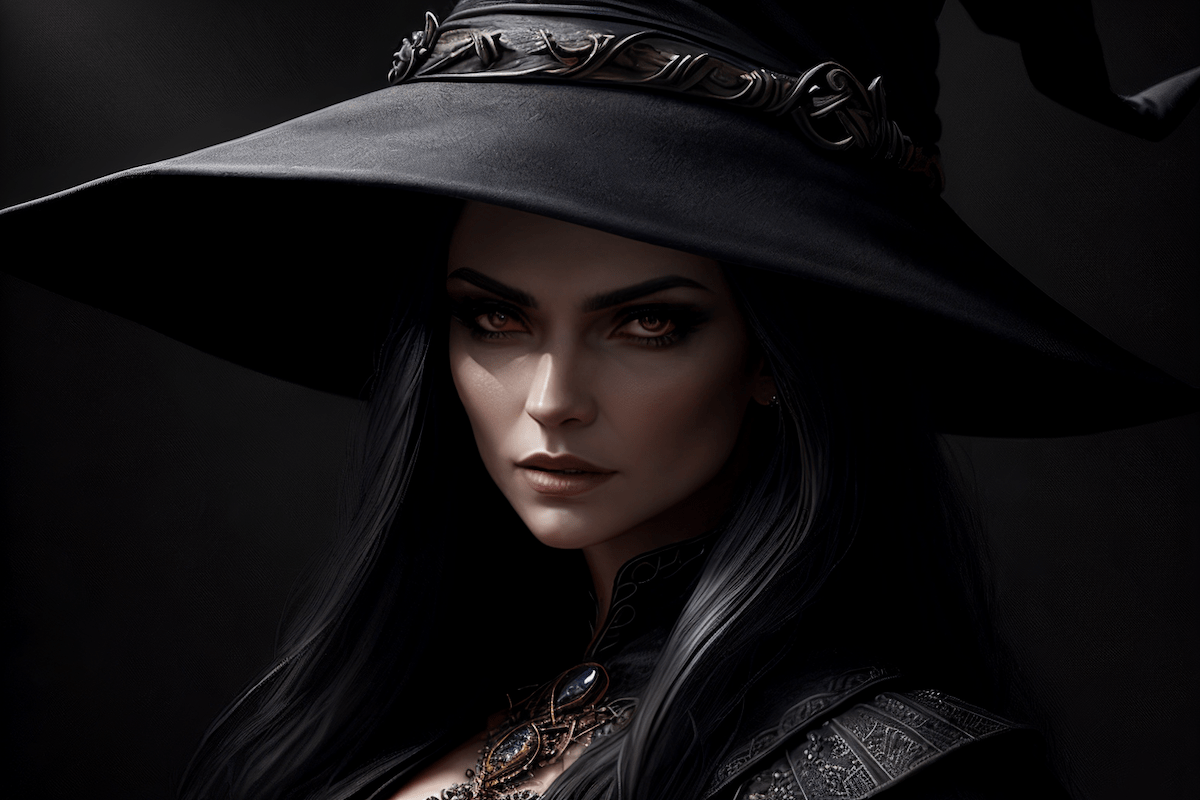
Do you know you can specify the prompts for different regions of an image? You can do that on AUTOMATIC1111 with the Regional Prompter extension.
They deal with two people one, image. The github example doesn't do one of those
sweet rock
Any good positive/negative prompts to get flatter images (as in no gradients). I've tried various vector graphic terms & "gradients" in the negative prompt but so far I haven't found a good prompt to prevent this.
 leaden socket
sweet rock
Any good positive/negative prompts to get flatter images (as in no gradients). I...
leaden socket
sweet rock
Any good positive/negative prompts to get flatter images (as in no gradients). I...
svg
illistration
sweet rock
thank you! That definitely helped! 💖
pine moth
rich crow
if im understanding you right, you can still use that same method but just add t...
Thanks for response, I find this whole area confusing tbh lol but what you are saying there sounds like how it is described in the manual, the second part willl stop generating the first part entirely? What I'm asking about for your example would be is it possible to have the dog barking come in at 80 but as an addition to the first part of the prompt, not just like swapping, you know what i mean? like to illustrate clearly imagine it's [blue sky:yellow sky:0.5] so 50% of the way through it switches to a yellow sky but it will be night and day, the first part stops getting generated, im asking if there is a way that at 50% the yellow part is simply added to the prompt but not stopping the first part, simply an addition ?
obtuse torrent
@pine moth I can't get the underscore to appear in chat ...
try putting an underscore in the initial prompt ,_, and then replace it with what you want
 orchid ore
escape it right alt+q and _
obtuse torrent
@pine mothfor you example ....... ,blue sky, [_:yellow sky:0.5] .... (blue sky never is stoped) .. @orchid ore if it is for me thx
orchid ore
yes but i think you solved it already before 🙂
obtuse torrent
atomic flume
I keep getting overly long legs
try to lower the weight of these tags (wearing professional suit with tie:1.4), (detective:1.4) .. (if adding normal, or short legs not work)
pine moth
obtuse torrent
<@690208508884680783>for you example ....... ,blue sky, [_:yellow sky:0.5] .... ...
aha! I tried the _method and i think it is working indeed!
thanks
that's a clever idea
my question now is what does the double :: do ?
for example like
"blue balloons, [_:(yellow baloons:1.9)::0.5]"
or would that be more applicable if you wanted to STOP a word/term for generating, so used earlier on in the prompt?
infact, i have tried a different prompt and it doesn't seem to be working lol, on the balloons method with clearly different colours it worked as expected , at 50% yellow started to appear but on a more detailed prompt it isn't working
" detailed photo of new york city skyline ,[( _ : cinematic orange and teal, film grain, vintage, hyperdetail:1.9):0.50] " as described, i want the latter section to come in half way through but watching the preview, the latter part is being generated right from the start of the prompt, any ideas?
nvm found the error! the bracket in the second part was encapsulating the first part of the prompt but should have only started before the cinematic word, so easy to goof up here lol, thanks! hope this helps someone else too
obtuse torrent
pine moth
"blue balloons, [_:(yellow baloons:1.9)::0.5]"
for it is a syntax error ... but ...[prompt::0.5] ---> at 50% of the steps ... stop prompt...
pine moth
And how do you define between the :x number being the amount of steps vs percentage? Like :0.20, :0.50 0.80 will always refer to percentage amounts yeah? So if the amount of steps for the image are 10 or 140 :0.80 will be at 80%, right? If you want to to do it by step count is it as simple as it being say :20, :50 or :80?
obtuse torrent
pine moth
And how do you define between the :x number being the amount of steps vs percent...
For standard feature always is how a %, ...I don't know if there is a script that adds the option to specify the number of steps. (it doesn't seem difficult, it's a rule of 3 with the total number of steps, but I'm still ignorant on that subject)
pine moth
obtuse torrent
For standard feature always is how a %, ...I don't know if there is a script tha...
Ohk, percentage works fine anyway. Thanks!
pine moth
obtuse torrent
For standard feature always is how a %, ...I don't know if there is a script tha...
[(detailed skin:1.5):0.1::0.2] would this be the correct syntax if one wanted the prompt to start at 10% and finish at 20% ?
 signal cradle
so you know how a lot of loras and text inversions all at once make the image a mess? Any way to balance that? higher CFG? or maybe lower? more steps?
 lavish surge
How to prevent the image being divided?
rich crow
signal cradle
so you know how a lot of loras and text inversions all at once make the image a ...
that's really just the result of adding all of those together. best thing you can do is tone them down with lower weightings like :.3 or something if you really want to keep them all.
some finetuning is destructive and also all finetuning intent is to change the algorithm of the model so throwing all of those loras and embeddings together makes what youre seeing sorta make sense when you keep in mind that the AI is literally just drawing numbers.
 obtuse torrent
signal cradle
so you know how a lot of loras and text inversions all at once make the image a ...
obtuse torrent
signal cradle
so you know how a lot of loras and text inversions all at once make the image a ...
reducing weights, ..... the solution varies because the class of LoRas and the models in which it was trained influences, since the LoRas somehow absorbs the weights of the models and when added to others LoRas ... some tags are enhanced (it intrinsically pushes some tags to the saturation). other approximation is regional prompt isolating LoRas.
signal cradle
obtuse torrent
reducing weights, ..... the solution varies because the class of LoRas and the m...
does that mean 2 Loras trained on a related concept are more likely to do this (is this burning?) than loras trained on unrelated concepts?
like, theoretically if I had 2 Loras with opposite weights, they'd null?
obtuse torrent
@signal cradle Yes,
It is what I suppose from experience, in the same way that when you mix models with strong NSFW you begin to see it appear in each generation, and seeing loras of characters canceling each other is not uncommon either.
 latent girder
I'm trying to make a cyberpunk mixed with dark fantasy image where there'd be creepy half-creature half-machine and hands creeping from the shadows in a cyberpunk city. I've managed to make the city background, but I can't seem to manage to add creatures or hands. I've tried using models specifically made for creatures, with inpainting and using controlnet but it takes ages for subpar results
This is the cyberpunk setting I've managed to create, which I'm more or less happy with

But I'd like to add dark fantasy creatures kind of like that but with a more "machine/cyberpunk" vibe, and I'm not sure what to do

I tried inpainting hands with images like this in controlnet but that gave terrible results, maybe I should just photoshop them in directly and then img2img to recreate the scene?

 dusky scroll
 pallid shale
Hello I'm trying to make a drawing of a pumpkin in this style. I've tried a bunch of times with medieval art terms and all that but it keeps coming up with drawings that seem way too modern. Could I get some help on how I could achieve this?
 sweet rock
I used “Medieval print illustration, flower” & got ok results. Pumpkin seems to make modern jackolanterns though

Not exactly the same for sure
pallid shale
Hmm yeah, it got a little better but keeps looking too modern
Thank you for the help though
sweet rock
A bit better

 cinder crag
Hello, I've been using stable diffucion for a couple of weeks, but I have some problems that I'm looking to solve. Is there someone who is willing to teach me for a fee? I do not have much
note: i only speak spanish
Anyone interested please send me a DM.
 normal cipher
Hi, I'm having trouble with poppy flowers. That term just hijacks anything in the beginning and end of prompt and I end up with a field of poppies. At the minimum, I'm looking to generate white poppy flowers bleeding/dripping red blood.
orchid ore
@normal cipher how about put ((poppy-flowers)) or similar, does it trigger it too?
Going to test it.
normal cipher
orchid ore
<@531914561826193408> how about put ((poppy-flowers)) or similar, does it trigge...
Thank you. No difference.
 orchid ore
are those this one yes
 normal cipher
Sometimes this:
 orchid ore
sorry my english is bad. I dont understand what you want achieve exactly. If just single flower, or what 🙂
 normal cipher
I want them to bleed or be covered in blood. 🙂
orchid ore
o.k.
normal cipher
I tried having a poppy field of flowers appear outside of a burning/destroyed city -- nope just a random poppy field.
So far only "vase" has truly altered the image for me. (I haven't tried much outside of what I'm trying to generate.) It (poppy flowers) seems to hijack the prompt.
 orchid ore
i used img2img contorlnet, not sure it is must. Send it here from txt2img and typed "make it bleeding"
I think it can be possible without controlnet. mmnt
normal cipher
Thank you. I'm going to try regional-prompter.
orchid ore
it needs controlnet it seems.
you can add this on edge of image and make it blurry, can look o.k. @normal cipher

 low flame
Helloo, any idea how to get the faces better with image to image, they look horrific even with face restoration on
 rich crow
face restoration doesnt work well with some models in my experience
orchid ore
Try face restoration in extra tab. With codeformer and that second gan there. But it should work with realistic faces... So dont know how it will look @low flame
low flame
orchid ore
Try face restoration in extra tab. With codeformer and that second gan there. Bu...
Thanks, I searched a bit and seems like yeah it doesnt work with other models as @rich crow mentioned
orchid ore
expected it way worse
 orchid ore
@low flame this isnt face restoration on txt2img page. It is on extra tab working different way. Check for codeformers and GFPgan there.
lost crest
for the textual inversion / embedding EasyNegative, I see people use it as easynegative but some people also do EasyNegative. What is the correct usage, or does it not matter?
obtuse torrent
lost crest
for the textual inversion / embedding **EasyNegative**, I see people use it as *...
all model has a "hash" .. for embedding you can change names, check hash too ...
 lost crest
obtuse torrent
all model has a "hash" .. for embedding you can change names, check hash too .....
lost crest
obtuse torrent
all model has a "hash" .. for embedding you can change names, check hash too .....
ty
 desert rain
Hello, is someone free to help me RN ? I'm not english native and i struggle searchings on forums the issue i have, i can explain it with an exemple, it'll be easier to understand
Here is one of my gens (pic1) + upscaled ver (pic2) while quality supposed to be this good (pic 3), i wonder why it is so different. I check a lot of people's gens and even if i copypaste their exact settings, i get a bad quality, i use a lot of negative prompts to have accurate result but sometimes i remove them all to test and it's not better


 lost crest
desert rain
Here is one of my gens (pic1) + upscaled ver (pic2) while quality supposed to be...
lost crest
desert rain
Here is one of my gens (pic1) + upscaled ver (pic2) while quality supposed to be...
Do you use embeddings like EasyNegative?
Can share ur prompts?
annd model
desert rain
hm yes, i'll show you
prompts : <lyco:GoodHands-beta2:1.2>, (masterpiece), best quality, expressive eyes, perfect face, vampire, black_pantyhose++, wearing_skirt, red_hair, bats-on-background, medieval_outfit, outdoors, night sky, full moon, castle background, masterpiece, highres+, absurdres, 4K, 8K, 16K, hyper-detailed, deep eyes, stunning, sharp, 1girl, realistic,
negative prompts : (worst quality:1.4), (bad quality:1.4), (low quality:1.4), bad anatomy, liquid body, liquid tongue, disfigured, malformed, mutated, anatomical nonsense, text font ui, error, malformed hands, long neck, blurred, lowers, lowres, bad anatomy, bad proportions, bad shadow, uncoordinated body, unnatural body, fused breasts, bad breasts, huge breasts, poorly drawn breasts, extra breasts, liquid breasts, heavy breasts, missing breasts, fused ears, bad ears, poorly drawn ears, extra ears, liquid ears, heavy ears, missing ears, fused animal ears, bad animal ears, poorly drawn animal ears, extra animal ears, liquid animal ears, heavy animal ears, missing animal ears, text, ui, error, missing fingers, missing limb, fused fingers, one hand with more than 5 fingers, one hand with less than 5 fingers, one hand with more than 5 digit, one hand with less than 5 digit, extra digit, fewer digits, fused digit, missing digit, bad digit, liquid digit, colorful tongue, black tongue, cropped, watermark, username, blurry, JPEG artifacts, signature, bad hairs, poorly drawn hairs, fused hairs, big muscles, ugly, bad face, fused face, poorly drawn face, cloned face, big face, long face, bad eyes, fused eyes poorly drawn eyes, extra eyes, bad tails, bad mouth, fused mouth, poorly drawn mouth, bad tongue, tongue within mouth, too long tongue, black tongue, big mouth, cracked mouth, bad mouth, dirty face, dirty teeth, dirty pantie, fused pantie, poorly drawn pantie, fused cloth, poorly drawn cloth, bad pantie, yellow teeth, thick lips, bad cameltoe, colorful cameltoe strong girlworst quality, low quality, normal quality QR code, bar code, white pantyhose, bad pantyhose color, more than 1 body
model : breakdomain
Sampling : i try most of them but mostly DPM++2M Karras
I copypaste negatives prompts from other person so i got easynegative sometimes and it looks almost the same

 desert rain
I'll try to screenshot and do another one
lost crest
desert rain
I copypaste negatives prompts from other person so i got easynegative sometimes ...
but do you actually have it installed?
desert rain
no, is it a lora ?
 desert rain
I'm pretty new so i didn't know (i don't even have your upscaler for exemple)
in which folder do i need to put it in pls ?
lost crest
embeddings
desert rain
Thanks, and i need to put "easynegative" in prompt/negative prompt after that ?
lost crest
you put EasyNegative in your negative prompt
desert rain
I'll restart stablediffusion before just in case
Oh and i saw you use hires.fix while i never use it
So i'm trying with it on, to see if the issue was here
aouch

out of memory
i'll do without
lost crest
you also can try latent upscaler, see if that works
desert rain
basic Latent ?
lost crest
 desert rain
i forgot to say i have a gtx 1050 gc so i use lowvram idk if it causes bad quality, i know it take times for sure
desert rain
lost crest
i'll try
lost crest
well that may explain why you cannot upscale to 1024 x 1024

this is when I disable hires. fix
 desert rain
Almost at 50% currently, i'll show you when finished (it will be without EasyNegative and Latent)
(but next gen will be with them)
oh, finished sooner
 lost crest
👍
obtuse torrent
@desert rain ...your path\stable-diffusion-webui\embeddings
desert rain
i got 2 files from the huggingface site

so i put them all
Ok so this time i launch with latent and easynegative on negative prompt
obtuse torrent
@desert rain too you need check if your model ...need a VAE ...
desert rain
I didn't see something like this

With your support, I can continue to develop. You can also participate in the testing of the model under test. 皆さんの応援があれば、私は開発を続けることができます。 また、テスト中の...
i have these VAE
 obtuse torrent
@desert rain
 desert rain
oh, didn't saw the show more, mb sorry
obtuse torrent
you need the standar VAE ....
lost crest
lost crest
go to settings, go to user interface and copy these

you will see this

after a restart
desert rain
Thanks i'm doing it rn
I think it will take at least 10 minutes to have my gen done
Clip skip 1 is good or 2 is better ?

for now
seems correct from what you told me
obtuse torrent
@desert rain 1 and 2 are good but results change, traditionally Anime models use 2, but not always, Model author normally recommend a clip skip
desert rain
OutOfMemoryError: CUDA out of memory. Tried to allocate 1024.00 MiB (GPU 0; 2.00 GiB total capacity; 1.67 GiB already allocated; 0 bytes free; 1.69 GiB reserved in total by PyTorch) If reserved memory is >> allocated memory try setting max_split_size_mb to avoid fragmentation. See documentation for Memory Management and PYTORCH_CUDA_ALLOC_CONF
Time taken: 6m 40.37sTorch active/reserved: 1713/1728 MiB, Sys VRAM: 2048/2048 MiB (100.0%)
It was at 50%
And was looking better than the finished gen i did before
lost crest
desert rain
OutOfMemoryError: CUDA out of memory. Tried to allocate 1024.00 MiB (GPU 0; 2.00...
try upscaling from 256 x 256
dusky sail
I don't you can run hi-res 1024 at 2GB VRAM...
desert rain
lost crest
try upscaling from 256 x 256
Trying it rn
lost crest
your 1050 cannot really handle such image upscaling
I think
as expensive as it sounds, I think upgrading your graphics card would be a good idea (only if you have the money of course)
desert rain
I'm french and there is almost none tutorial on stable diffusion, so i lack of knowledge
lost crest
there are plenty of english tutorials
desert rain
lost crest
I think
(i'd love to upgrade)
desert rain
lost crest
there are plenty of english tutorials
french tutorials, i forgot one word
yes it's difficult for me to understand sometimes the tutorials and know what to type in youtube
lost crest
https://www.youtube.com/@OlivioSarikas Olivio is very good

YouTube
AI art tutorials that cover the latest techniques in Midjourney, Stable Diffusion, Automatic 1111, InvokeAI and more! Discover my secret "Sauce" and join me in live streams that will help you turn your creative visions into reality. Experience the exciting world of AI and see how it's transforming the art landscape. Join me now and let's create ...
obtuse torrent
@desert rain it extension can help you TILED VAE
 desert rain
Thank you for the channel 
desert rain
obtuse torrent
<@263768348926410752> it extension can help you TILED VAE
I'll install it
thx
here ?

i'll uncheck all "hide"
lost crest
reddit
18 votes and 8 comments so far on Reddit
obtuse torrent
@desert rain i not sure if it work whit DDR5 and possibly you need set slicers to minimum
lost crest
I just came across this on reddit
desert rain
 desert rain
obtuse torrent
<@263768348926410752> i not sure if it work whit DDR5 and possibly you need set ...
desert rain
obtuse torrent
<@263768348926410752> i not sure if it work whit DDR5 and possibly you need set ...
i have DDR3 if i'm not wrong
desert rain
lost crest
I just came across this on reddit
i'll read
dusky sail
You can think of CLIP skip as the resolution at which you prompt is understood. Different models may recommend different settings, usually 1 or 2. It prunes the details, so if you type e.g. "red apple with a leaf on a table" and you have some skip it may get understood as just "red apple"
obtuse torrent
@desert rain installed it look
 desert rain
obtuse torrent
<@263768348926410752> installed it look
desert rain
obtuse torrent
<@263768348926410752> installed it look
i put this link in index ? https://github.com/pkuliyi2015/multidiffusion-upscaler-for-automatic1111

GitHub
Tiled Diffusion and VAE optimize, licensed under CC BY-NC-SA 4.0 - GitHub - pkuliyi2015/multidiffusion-upscaler-for-automatic1111: Tiled Diffusion and VAE optimize, licensed under CC BY-NC-SA 4.0
desert rain
dusky sail
You can think of CLIP skip as the resolution at which you prompt is understood. ...
Thank you, i'll remember
 lost crest
desert rain
result :
lost crest
desert rain
result :
yea so now use something like https://civitai.com/models/16993/badhandv4-animeillustdiffusion to improve the quality of the hands

介绍(中文) 基本信息 此文本嵌入为负面文本嵌入。它能够在对画风影响较小的前提下改善AI生成图片的手部细节。如果它让你的模型表现得比以前更糟,请勿使用它。您可与其他负面文本嵌入一同使用。 如果你想使用效果更强的版本,请移步:NegativeEmbedding - AnimeIllustDiff...
it is also an embedding
and goes into the negative prompt
desert rain
so i don't need the Locco/lyco better hands after that ?
lost crest
desert rain
so i don't need the Locco/lyco better hands after that ?
not really
desert rain
noice !
lost crest
textual inversions / embeddings will do the job too
 signal ice
old hands while praying
lost crest
signal ice
old hands while praying
old hands?
 obtuse torrent
desert rain
i put this link in index ? https://github.com/pkuliyi2015/multidiffusion-upscale...
obtuse torrent
desert rain
i put this link in index ? https://github.com/pkuliyi2015/multidiffusion-upscale...
@desert rain in upscallers you too can try con others too ,
 desert rain
obtuse torrent
<@263768348926410752> in upscallers you too can try con others too ,
desert rain
obtuse torrent
<@263768348926410752> in upscallers you too can try con others too ,
i don't have them for now

i don't know which file to pick
bc i tried putting the link here :

but it show me an error
and i was unable to change it
so i restarted ui
obtuse torrent
@desert rain you need click in Load From ...search it and click in install... change to first page and clickk in aply and restat UI
 desert rain
desert rain
desert rain
Oh so it was like this screen
Simplier, restarting

So i need now to see what is my best resolution ?
obtuse torrent
ok ..@desert rain ..the safe (and slow way) is ..all checked ..and the slicers to the left..
not use tied diffusion...
desert rain
slicers ? the bar ?
obtuse torrent
yes
 obtuse torrent
the Sizes ... low is more slow but more stable... default more fast but you need check res to no get memory errors...@desert rain ...yes diffusion is for others things and not work good in low range Graphics..
@desert rain check if you can use native 516x516 res ...
desert rain
Oh, okay, good to know
i can do 1024 x 512 normally
(this was my very first prompt saved in my computer)

and i know that i can upscale these resolution by 2 but after the gen is finished and send to extra

even 1024*1024 seems to works for now
55%

without upscaler i can go to 1024*1024 then and ngl except the bats it looks pretty ok
result here

good progress
obtuse torrent
@desert rain there exist extensions for work in others languages in A1111 ... i never search for it (native Spanish here) but they can help you prompting in you language (french?)..
desert rain
(yes french)
i try to learn with english, but yeah it seems good alternative if i struggle so much
this was my best gen until now (it was upscale after gen ofc)

(and i putted the Uta lora and it's always ugly even i put prompts like "red_and_white_hair"
obtuse torrent
@desert rain ok nice to meet you, good luck HF .. Anime channel guys can help you in details abut anime generation if it is your interest ...
 dusky sail
Stable diffusion doesn't really understand which properties go where. If you say "red hair" you'll probably get "a red-hair" because that's a defining property of an entity but if you say add "blue and yellow shoes" there just will be blue, yellow and shoes somewhere on the picture.
There are remedies for this like regional prompts or some img2img workflows where you sketch what goes where to guide the model a bit
desert rain
So should i say "dual_color_hair (white and red)" ?
Because with the Lora, the character doesnt seem to have the good hair color just with the trigger word
(One half is red other is white so a bit complicated)
obtuse torrent
@desert rain paste a pic of correct hair colors and the name of character ...
desert rain
Uta from one piece

Uta (One Piece) LoRA Making models can be expensive. Do you like what I do? Consider supporting me on Patreon 🅿️ or feel free to buy me a coffee ☕ A...
i use this lora
i put the heigh lower
with prompts hat fit her
obtuse torrent
,,@desert rain,, prompt it to guide your lora ...red hair, multi colored hair, two tone hair, pale pink hair,
desert rain
I'll do that, thanks, sometimes it works sometimes not so i try multiple times
obtuse torrent
maybe (two toned hair:1.05) and... one piece anime style ..can help too (or by ...the name of original character designer, or study ) @desert rain
desert rain
Seems good idea
leaden socket
Anyone know why?

 obtuse torrent
@leaden socket hard without all prompt ...maybe denoising strength very height ? ..,
leaden socket
obtuse torrent
<@708156039115178014> hard without all prompt ...maybe denoising strength very ...
Happens with every prompt.
obtuse torrent
...
what happens at each prompt??? ...what is obvious to oneself is not obvious to others.... please... and have you checked by changing the value that I indicated to you for a lower one? between 0.3 and 0.55... @leaden socket
 leaden socket
obtuse torrent
...
what happens at each prompt??? ...what is obvious to oneself is not obvious...
leaden socket
obtuse torrent
...
what happens at each prompt??? ...what is obvious to oneself is not obvious...
Changing the denoising strength just decreases the randomness / influence of the models. I'm asking if anyone knows why it's happening so I can understand it.
I figured it out, for some reason upscaling to 512 creates those artifacts, so I'm guessing it's just out of the bounds of the v1
obtuse torrent
well 512 x 2 still low res (it depend of your VRAM of course) ...you check the effect of changing the sampling method .. @leaden socket
silver valley
leaden socket
Anyone know why?
Missing vae
leaden socket
obtuse torrent
well 512 x 2 still low res (it depend of your VRAM of course) ...you check the e...
I have a 4090
obtuse torrent
?? of my league ....
leaden socket
silver valley
Missing vae
Would I get that info from the model?
silver valley
leaden socket
Would I get that info from the model?
From the model page
leaden socket
https://civitai.com/models/4550/ayonimix
Used SD 1.5 VAE

The result of many merges aimed toward making extremely highly detailed images. This can do realistic content, but I prefer to make stylized stuff ...
So does that mean 768?
prompt at?
I'm not familar .
silver valley
leaden socket
I'm not familar .
There is the vae mentioned
 obtuse torrent
@leaden socket here
 leaden socket
Thanks lads, so I did download and placed it in my vae dir, still getting the same results.

 silver valley
leaden socket
Thanks lads, so I did download and placed it in my vae dir, still getting the sa...
silver valley
leaden socket
Thanks lads, so I did download and placed it in my vae dir, still getting the sa...
You need to select it
In the settings
Then hit apply, and switch models
obtuse torrent
@leaden socket
 leaden socket
After looking into vae, it looks like it jsut comes down to preference on the look (unless the model specifies one), would that be correct? Or is there one better than all others? Should I choose a vae outside of the default one?
obtuse torrent
mmm..yes.. VAE are corrections (some times specific VAE work better whit a model) @leaden socket , exist VAEs more used.. others ...clear VAE, blessed VAE, etc .. you need check effects

you can go whit vae-ft-mse-840000-ema-pruned (for realism) how a for all purpose VAE)@leaden socket
lost crest
what is meant by bangs, e.g blunt bangs or asymmetrical bangs?
obtuse torrent
@lost crest
 lost crest
oo
obtuse torrent
between forehead and eye line.
steep otter
dusky sail
There are remedies for this like regional prompts or some img2img workflows wher...
You can do latent coupling to use separate prompt for different regions...
steep otter
dusky sail
Stable diffusion doesn't really understand which properties go where. If you say...
You can tag a few image with "blue and yellow shoes"...
 dull rune
prompt for changing Image size
rich crow
That's just a generation setting, not a prompt right?
orchid ore
so for negative embeddings is enough to place it in embeddings and mention its name in negative prompt without pt extension? Not sure making it right, dont know how to check it.
lost crest
I sometimes see prompts that use _ for words instead of spaces (those words aren't textual inversions / embeddings). Does it make any difference whether I use _ or spaces?
orchid ore
i think it results in different pictures space or _. But should have same content. Tried it now and with space i got black woman with _ i got white woman with hands on head.
Also with _ i got more tokens taken... weird
obtuse torrent
lost crest
I sometimes see prompts that use ``_`` for words instead of spaces (those words ...
.well matter to check ....... (is notation of old tagging systems) i think..is .. no difference .... _ is a neutral character ... (between tokens) ...
orchid ore
content should be same but picture not.
and hash of prompt which i can imagine is used as well for generating
 lethal spear
Is there a way to do X/Y/Z prompt as separate images instead of a grid? Hoping to figure out how to get variety from one prompt, so I can crank up the batch count/size and walk away
orchid ore
There is very small difference between _ and - smaller than space and any of those
obtuse torrent
..... @lost crest ..... this interrogate clip continues tagging like this ..

@lost crest ... maybe in models based in open clip it not work more.. IDK...
obtuse torrent
orchid ore
so for negative embeddings is enough to place it in embeddings and mention its n...
if you need a sure way to call TI use... 1 click here ...it add the correct name to the end of your prompt..
 rich crow
lost crest
I sometimes see prompts that use ``_`` for words instead of spaces (those words ...
rich crow
lost crest
I sometimes see prompts that use ``_`` for words instead of spaces (those words ...
Is it _ on left and right? Like clothes
If so then they're using the dynamic prompt extension and that's their filename for a random, in this example, different clothing that they set up in a text file
If not then I'm not sure.
lost crest
rich crow
Is it _ on left and right? Like __clothes__
If so then they're using the dynamic...
like dynamic_lighting
rich crow
Might be a booru thing then, there's no spaces in booru tags
orchid ore
the difference is in clip i believe. I mean different results beautiful_woman vs beautiful woman. And it is clip thing i believe, not using anime.
Will try interrogate image and add _ in the middle.
 green gull
Hi everyone, I have a question. What prompt work best to prevent letters appearing on the generated image? The attached image is an example, and I used the following prompt: megalithic tower futuristic, by Noah Bradley, gorgeous, cinematic, dynamic lighting, hyperrealistic, cyberpunk, highly detailed, intricate, majestic, vibrant, 8k resolution
Any advice I'll be very appreciated .
 obtuse torrent
@green gull ... you can try ... text, url, web page, font ui, text, ui, watermark, username, signature, QR code, bar code,annotations, publicity, directions, specifications, data, notes, author identification, study name ...(there is a good chance that it is an effect of the seed that was used or of associating an author in the prompt).
 narrow merlin
How to create an image?
green gull
obtuse torrent
<@530968114645434389> ... you can try ... text, url, web page, font ui, text, ui...
Thank you! Will try those
 vague flint
any idea how to get results to near this one?

 cinder olive
Masterpiece, best quality, a stunningly beautiful dark fey wearing thick purple robes, fantasy, dungeons and dragons, evil fairy, detailed thick fantasy robes, detailed long skirt, detailed butterfly wings on back, detailed long black hair, detailed purple eyes, occult, detailed conservative fantasy outfit, detailed long fluffy bug ears, fully clothed, sorcerer,
Negs - ((Big Breasts, NSFW, lewd, risque, nude, lewd, sexy, sex, sexualised, sexy outfit, sexualised outfit, see-through clothes, boob window, revealing, revealing outfit:1.2,)) hat, laser, lightsaber, lowres, bad anatomy, bad hands, bad faces, text, error, missing fingers, extra digit, fewer digits, cropped, worst quality, low quality, normal quality, jpeg artifacts, signature, watermark, username, blind, bad eyes, ugly eyes, dead eyes, blur, helmet, wings on head,
How do I get it to properly clothe her? X.X I feel like I've used every prompt possible to get her to cover up.

 distant dune
cinder olive
Masterpiece, best quality, a stunningly beautiful dark fey wearing thick purple ...
distant dune
cinder olive
Masterpiece, best quality, a stunningly beautiful dark fey wearing thick purple ...
Be more descriptive with your prompts. Rather than just saying "detailed this", try to describe a particular feature of that item. Here's a list of conservative style dresses:
A-Line Dresses Shirt Dresses Wrap Dresses Maxi Dresses Tea-Length Dresses Turtleneck Dresses Empire Waist Dresses Shift Dresses Kaftan Dresses Peasant Dresses Sweater Dresses Midi Dresses Long Sleeve Dresses
You can also try including "cowl" or "square neckline" in the description of your dress. Things like that.
Also, bulky negative prompts can sometimes be counterintuitive. I would suggest reducing parts of it and/or trying some negative embeddings.
You could also try inpainting the parts of the dress you want to cover as well.
 brittle geyser
Any suggestions how to block SD from generating these weird forehead.. jewelry.. helmet? bits
 cinder olive
distant dune
Be more descriptive with your prompts. Rather than just saying "detailed this", ...
cinder olive
distant dune
Be more descriptive with your prompts. Rather than just saying "detailed this", ...
much better, thank you
 obtuse torrent
cinder olive
Masterpiece, best quality, a stunningly beautiful dark fey wearing thick purple ...
obtuse torrent
cinder olive
Masterpiece, best quality, a stunningly beautiful dark fey wearing thick purple ...
a way to solve.... use Img2Img ... Inpaint ...mask bare skin ... Just resize (latent upscale) ..Only masked ....Denoising strength 0.5 - 0.7 ... change prompt to .. only dress descrition .. IE "Masterpiece, best quality, wearing purple dress, (covered bust, collar bone covert, long sleeves dress:1.1), detailed long skirt, fully clothed,"
 cinder olive
obtuse torrent
a way to solve.... use Img2Img ... Inpaint ...mask bare skin ... Just resize (la...
cinder olive
obtuse torrent
a way to solve.... use Img2Img ... Inpaint ...mask bare skin ... Just resize (la...
👌
cinder olive
obtuse torrent
a way to solve.... use Img2Img ... Inpaint ...mask bare skin ... Just resize (la...
 obtuse torrent
@cinder olive ... the selected model also influences when doing the inpaint..., ideally use the original, or the Inpaint version of the original ...

@cinder olive
 cinder olive
obtuse torrent
<@355051057325539329> ... the selected model also influences when doing the inpa...
cinder olive
obtuse torrent
<@355051057325539329> ... the selected model also influences when doing the inpa...
Thank you for the advice.
 steep aurora
Does anyone know of any way to do a random pose in controlnet?
distant dune
steep aurora
Does anyone know of any way to do a random pose in controlnet?
HAve you tried the OpenPose editor?
steep aurora
distant dune
HAve you tried the OpenPose editor?
I have it installed. I have a bunch of poses I've downloaded in a folder, and I was hoping to choose randomly from that folder. Does openpose editor do something like that?
wanting to do batch generation of a dozen images at a time
each with a different pose.
Controlnet has the batch option, but it isn't random and it doesn't do anything with dynamic prompts, which I was hoping to do
sweet rock
steep aurora
Does anyone know of any way to do a random pose in controlnet?
3d openpose extension has a "random pose" functionality. Its as advertized though, random.
steep aurora
Not really what I'm looking for, but thanks!
distant dune
steep aurora
Controlnet has the batch option, but it isn't random and it doesn't do anything ...
I don't know how to make it randomize the selections from the cn-batch folder. It always inputs each pose in the same order per batch. This is all I could find online thus far, but it's an empty post:
https://www.reddit.com/r/StableDiffusion/comments/11z47v7/comment/jdcl0d5/?context=3
Fixed link
steep aurora
distant dune
I don't know how to make it randomize the selections from the cn-batch folder. I...
One of the comments says this: "the regular batch process tab for img2img will do this. The trick is to use the poses as the input images and check the box to "skip img2img processing..."" I'm going to test it now
hmmm, looks like it doesn't work. Must have been patched in controlnet 1.1
since they added batch processing into 1.1
Aha, I think I figured it out. I found a way to do *close enough* to what I was hoping for. It's not random, it goes through each pose in order, but it works with dynamic prompts, which is what I really wanted.
steep aurora
distant dune
I don't know how to make it randomize the selections from the cn-batch folder. I...
In the controlnet settings, there's a controlnet setting that says "Increment seed after each controlnet batch iteration"
if that's turned on, it iterates seed after each generation, making it work with dynamic prompts
distant dune
Ah, cool. That's good to know!
outer plaza
Is it normal that, without specifying something about the legs (shorts, pants, shoes, ...), square images are more likely to generate characters without legs? It's like I'm using some Facebook AI
rich crow
outer plaza
Is it normal that, without specifying something about the legs (shorts, pants, s...
yes, just a guess but it sorta makes sense if the LAION model that SD 1.5 was trained on was all automatically center-cropped. noone has time to manually crop millions of images to 512x512 lol. this would lead to the head and legs being cropped out of some generations of people
orchid saffron
How do I write prompt So that I can ask to remove text after cetain steps
 kind tulip
are there reliable ways to prevent this kind of adult-child thing? i want them to look like they're all actually real humans lmao

not tiny adults
like he looks real
just removing robin williams from the prompt does wonders, but, man
 distant dune
Could try img2img/inpainting the faces. Could also try regional prompting which would give your more control over each section or individual.
kind tulip
just might need to add better fine-tuning data next time i'm training the model

it swung the other way 🤣
obtuse torrent
orchid saffron
How do I write prompt So that I can ask to remove text after cetain steps
[from:to:when] is the general syntax ... this the feature https://github.com/AUTOMATIC1111/stable-diffusion-webui/wiki/Features#prompt-editing ....... you can use ... from = "a prompt" (transitory) ..... to = (nothing) ... when = 0.xx (xx is % of total of steps) ....IE if total steps is 40 ..... then ...[red ball::0.60] count how "red ball" the first 24 steps (40*0.6)... and count how (nothing) the last 16 steps.
GitHub
Stable Diffusion web UI. Contribute to AUTOMATIC1111/stable-diffusion-webui development by creating an account on GitHub.
 mint rover
I have a bunch of pixel art icons that I've already upscaled using nearest neighbour, I'm looking to do an img2img that just kinda fleshes it out more.
What kind of stuff should I be using here? @ me
 tired vigil
DEAM
orchid saffron
obtuse torrent
[from:to:when] is the general syntax ... this the feature https://github.com/A...
Awesome thanks 🙏🏼
 brazen roost
Hi guys, how can I do this image in sd?

IIRC, there's a specific style to these kinds of images
where the pixels kind of just glitch out down
rich crow
Might have to make a glitch art lora. Or try glitch art in prompt or some specific glitch art keyword+controlnet
I wonder if you could also just generate a picture as a base composition and put it thru whatever program that glitch art artists use to produce it to begin with
 pearl belfry
Omg, getting consistency with long hair is impossible
Also it seems like a lot of anime models are heavily biased towards 'flaring' long hair out, as if it's a photoshoot..
obtuse torrent
@pearl belfry
Any examples to share (desired image, used prompt, bad result obtained, etc) or is this just a general comment?
pearl belfry
Ugh... I'm using the Meinamix model right now (it has a really nice style), though some of these bias seem quite widespread. Three biases I've noticed that are very difficult to curtail: (1) long hair seems to 'flare out' as if blown by the wind or something. Gives a dramatic, artificial look, not naturalistic. (2) Sidelocks. I can't get rid of them! (3) There's almost always hair over the front of the shoulder. Can't make it stay in back.


I want something neater and more practical, whereas this kind of hairstyle looks more 'photoshooty' if you know what I mean. Also tried single braid and french braid, and you get similar issues
Seems like long hair in general is just very difficult to control...
obtuse torrent
plis prompt in text format :D? @pearl belfry
pearl belfry
Negative: (grey hair:1.3), (sidelocks:1.3), hair in front, collar, easynegative, bad-artist-anime```Possibly it is influenced by the model, I will check in others.. ok
pearl belfry
counterfeit and divineelegance don't fare better. Have already tried them (also they just look worse in general)
obtuse torrent
it still bad? ..is same prompt in other model ..@pearl belfry
pearl belfry
So you can get particular images that fix one of the issues, but it seems like a small proportion of the overall results
See if you can get the hair to be brush back over the shoulders instead of partially in front
I can't find any words to communicate to the AI to do that XD
any hairstyle
obtuse torrent
..... (ok but nudes are banned for the bot here..against rules @pearl belfry
pearl belfry
trying to control sidelocks seems basically impossible
It shouldn't show anything bad if you did 'extreme close up'
you can do clothes, it doesn't matter
I was doing naked since you apparently want to do that for training
Like I'm basically just trying to make a character that looks naturalistic and not like a freaking runway model
obtuse torrent
@pearl belfry yes is really hard ..cheeking hair styles.. no consistent results .. I'll let you know if any tag appears that is consistent
pearl belfry
Considering how important hair is (maybe the most important), it's very annoying how difficult it is to control
Feels like I'm forced to do short hair, since that incidentally resolves all three issues
I assume these are just anime issues and not with realistic images
obtuse torrent
@pearl belfry ... (((fully viewable shoulders and collarbone))), ((sliked back hair)), ((short sidelocks)), (((bare shoulders, collarbone, no hair falling in front)))... a little more consistent but
adds a tendency to shots "from above"
@pearl belfry long hair, has a tendency to view from the side or from above (to show it off), or to let it fall in front of the character or spread it out like it's blown by the wind...also adds weight to the sidelocks making them longer. ...😮💨
sweet rock
Any of you folks using the "tiling" option much? I've got some questions about it. In short, whenever I try to use it the results are way too simple & cartoony...
sweet rock
also any good prompts for getting images like https://i.huffpost.com/gen/834435/images/o-CANDY-CORN-BUZZ-facebook.jpg (not necessarily candy corn, just piles of stuff)

 shut salmon
Are there any docs on parameters for SD ?
 desert walrus
Let me pick some brains.
How would you go about creating a rimlight around her head and hair?
I tried a couple different methods with inpaint, but I am not happy with the results.
 rich crow
inpainting wouldnt work to begin with, no matter how many times you add noise to the image and diffuse it, a purple background isnt going to turn into bright white light
edit it in photoshop, can easily just mask her and add a feather that has white color, inpaint should work after that.
or just add the rimlight in photoshop lol
sweet rock
desert walrus
Let me pick some brains.
How would you go about creating a rimlight around her...
Maybe this'll work (untested) https://www.youtube.com/watch?v=_xHC3bT5GBU

I'm the king of lights now with ControlNet in Stable diffusion. Support me on Patreon to get access to unique perks! https://www.patreon.com/sebastiankamph
Light pack: https://drive.google.com/file/d/1kiM0R2u9LPzrcCcoL2-LMMejiSGJML_5/view
Chat with me in our community discord: https://discord.com/invite/dFB7zuXyFY
ControlNet tutorial and inst...
distant dune
shut salmon
Are there any docs on parameters for SD ?
GitHub
Stable Diffusion web UI. Contribute to AUTOMATIC1111/stable-diffusion-webui development by creating an account on GitHub.
 quiet zodiac
@desert walrus What if you add it to the prompt? "lit from behind"
@pearl belfry Try an image guide with a picture of a person wearing their hair how you'd like.
quiet zodiac
@sweet rock This kind of gets close...
a top view extreme closeup, scattered across a desk, thousands of small glowing mechanical science fiction parts, piles on piles, overlapping parts
 desert walrus
sweet rock
Maybe this'll work (untested) https://www.youtube.com/watch?v=_xHC3bT5GBU
desert walrus
sweet rock
Maybe this'll work (untested) https://www.youtube.com/watch?v=_xHC3bT5GBU
I need too close of a result for that, maybe in early stages + tile controlnet
hmmm
For now I managed to get it done with clipdrop light tool
 sweet rock
quiet zodiac
<@200611835588640768> This kind of gets close...
```
a top view extreme closeup,...
sweet rock
quiet zodiac
<@200611835588640768> This kind of gets close...
```
a top view extreme closeup,...
Thanks Atom! I figured out a bit but you have some great prompt words in there I hadn't thought about!
 mental geyser
A breathtaking celestial landscape with a nebula-filled sky, a massive supernova exploding in the distance, a solitary astronaut floating weightlessly in a spacesuit, an astronaut's visor reflecting the awe-inspiring cosmic spectacle, evoking a sense of wonder and insignificance, Illustration, digital art, --ar 16:9 --v 5
quiet zodiac
Here's my paraphrase of that...
((floating weightlessly)) in the dark vastness of space a solitary astronaut's visor reflects an awe-inspiring cosmic spectacle of a massive breathtaking supernova exploding in the distance evoking a sense of wonder and insignificance, illustration, digital art, crisp vector logos
Floating weightlessly doesn't seem to take and I wonder if it conflicts with the request for it to be an illustration? Or perhaps I need to find the right seed?

 tardy cedar
Hey, would anyone have any insights to the prompt used to make something like this? https://www.tiktok.com/@pxl.pshr/video/7237729089002687790?q=pxlpshr&t=1685762664308

TikTok
Sweet Disposition (Blazy & Sighter Remix) @Blazy #stablediffusion #housemusic #electronicmusic #stablewarp #warpfusion #deforum #ai
quiet zodiac
That looks like video converted to an image sequence with each frame used as an image guide. I would guess no animated seed, and a prompt something like...
monster mash vampire rave with a red glowing eyes
 runic osprey
any suggestions to improve this prompt? (I'm pretty happy with the results, but wouldn't mind slightly better or more varied results). Mainly just wondering if there's a list of good things to add to any prompt/negative prompt to improve them
a __colors__ cute __types__ type __animals__ pokemon, fantasy creature, 3d animation, masterpiece, high quality best quality
neg: ugly, blurry, hand drawn, complicated, detailed
 quiet zodiac
It certainly works. What's the significance of the double underscores in your prompt?
 runic osprey
quiet zodiac
It certainly works. What's the significance of the double underscores in your pr...
runic osprey
quiet zodiac
It certainly works. What's the significance of the double underscores in your pr...
they're wildcards from dynamic prompts, just chooses a random word form one of my lists
quiet zodiac
So, that's a function from some webui? I'm running SD locally.
obtuse torrent
quiet zodiac
So, that's a function from some webui? I'm running SD locally.
feature de a1111
@runic osprey ...maybe color-eyes for color eyes, actitude/emotion, (sad, happy. angry, etc) ... pose (maybe not work)
runic osprey
quiet zodiac
So, that's a function from some webui? I'm running SD locally.
it's an extension for automatic1111
cinder olive
I'm trying to get a young boy with hair like this or shaven,

But no matter the prompt it always comes out like this;

Masterpiece, Best Quality, Taru Bisura, a plain but kind boy, detailed black eyes, short shaved black hair, old fashioned outfit, twelve year old, ninja, perfect, solo, solo focus, Naruto Style
Negs > Big Breasts, NSFW, lewd, risque, nude, hat, laser, lightsaber, lowres, bad anatomy, bad hands, bad faces, bad feet, text, error, missing fingers, extra digit, fewer digits, cropped, worst quality, low quality, normal quality, jpeg artifacts, signature, watermark, username, blind, bad eyes, ugly eyes, dead eyes, blur, helmet, eating, drinking,
Any advice?
quiet zodiac
If you're trying to match that image, supply it as a guide and simplify your prompt.
anime boy with brown hair
Try dropping "Naruto Style" that kept giving me spiky hair.


If you like the basic body from your second image, even a crude composite can work as an image guide to help preserve some of the look.


Try specifying the name of the actual hair style.
anime boy with brown pompadour hair
 outer plaza
Why it's so hard to have a driver in a car? Context: previously, I was trying to add a driver to a realistic photo and failed miserably. Now I'm trying to do the same but with anime style, using reference only ControlNet to get specific characters. Reference is: <#🍥|anime message>
I'm being able get good enough passengers, but no matter what, I can't get any of them driving. Is there some magic prompt that will make it sure any of them will be driving the car? Someone has the magic word?
 sweet rock
Drive a car, play an instrument, hard things for ai to portray
outer plaza
...using a soldering station, working as a telephonist. I'm always choosing to portray things it has trouble creating
Trying with ControlNet + Regional prompt. ControlNet alone already ballooned the time to create the image to 14 minutes, hope it takes less than 1 hour for this attempt
outer plaza
Progress. And it was FASTER, somehow (just 9 minutes)
 silver valley
outer plaza
Progress. And it was FASTER, somehow (just 9 minutes)
silver valley
outer plaza
Progress. And it was FASTER, somehow (just 9 minutes)
like this?
 outer plaza
I'm not even that specific, but I would accept it
silver valley
Prompt was:
1girl, black hair, in car:1.2, steering wheel, tanktop, skirt, tight, amateur board, side view, steering,
outer plaza
I'll try it when this batch ends, so in 20/30 minutes I should have something (I need something better than 1650 Max-Q)
silver valley
outer plaza
I'll try it when this batch ends, so in 20/30 minutes I should have something (I...
ah okay what do you make?
batch upscaling?
outer plaza
No, one batch with 3 images take this long 
outer plaza
For this one, it's 24 steps of DPM++ SDE, 768x768, ControlNet reference-only and Regional Prompter. ControlNet decimates performance. GPU is a Nvidia GTX 1650 Max-Q 4 GB (now 50 W instead of 35 🔥 )
outer plaza
It works 👏 (I've disabled ControlNet and Regional Prompter to make it faster)
 outer plaza
silver valley
hope your using --xformers --medvram
outer plaza
silver valley
hope your using --xformers --medvram
--precision full --no-half --lowvram --opt-split-attention --always-batch-cond-uncond --xformers
silver valley
outer plaza
`--precision full --no-half --lowvram --opt-split-attention --always-batch-cond-...
i would try without --lowvram instead use --medvram and remove --alway-batch-cond-uncond and --opt-split-attention
should be faster
 faint sluice
So, guys, I don't have much experience working with SD.
Tried to create an image with adventurers standing on a mountain looking at foggy dungeon entrance with red eye in the dark of entrance, but that's the closest I got to what I asked.
Any advices? Or idea for the prompt is too complex?


 outer plaza
silver valley
i would try without --lowvram instead use --medvram and remove --alway-batch-con...
outer plaza
silver valley
i would try without --lowvram instead use --medvram and remove --alway-batch-con...
Many things won't even start without lowvram, like ControlNet would be unusable (at least it was the last time I tried)
silver valley
outer plaza
Many things won't even start without lowvram, like ControlNet would be unusable ...
ah okay, yea controlnet is vram hungry :/
silver valley
faint sluice
So, guys, I don't have much experience working with SD.
Tried to create an image...
that looks very good
what do you have in mind that could be changed?
faint sluice
I want eye to be inside a door. Like a monster peeking out
silver valley
ah okay
faint sluice
Basically this, but a bit different

Maybe asking for foggy entrance + monster in the fog will work better than asking for red eye in the entrance, hmm
Doubt it'll work though
outer plaza
The image has its problems, but it's something like this the goal. Now I've got this one, I think I can inpaint it until it's good
 faint sluice
@silver valleythese seem relatively close. I guess I'll move to 'img to img'


 silver valley
faint sluice
<@161910921269084160>these seem relatively close. I guess I'll move to 'img to i...
silver valley
faint sluice
<@161910921269084160>these seem relatively close. I guess I'll move to 'img to i...
Looks good, you could now inpaint the red eye
faint sluice
I decided that I'll do silhouette instead of eye
 shell pilot
Which models and styles can be selected for prompt words?
desert walrus
What prompts do you guys/girls use if you want to keep the whole image in focus?
I tried sharp photo, everything in focus, small aperture and negatives like depth of field, blurry, bokeh.
Any tips?
orchid ore
have you used word photo in your positive prompt? @desert walrus ?
desert walrus
orchid ore
have you used word photo in your positive prompt? <@138789916564914176> ?
Does that add depth of field? I'll kick myself
it's so logical 😄
orchid ore
i think you can expect it will try to emulate photos.
My eyes are bad, just try without photo word. Or try if for example word oil painting make everything sharp.
Just tried "House in ski resort, in summer" and it seems all sharp, but having not best eyes.
I have other issue make it look like tilt shift....
faint sluice
@silver valley I think I got it
 teal escarp
what can i put in prompt to make it not being a card
 desert walrus
teal escarp
what can i put in prompt to make it not being a card
desert walrus
teal escarp
what can i put in prompt to make it not being a card
That might be the model you are using
faint sluice
Maybe you have some style selected?
silver valley
faint sluice
<@161910921269084160> I think I got it
Nice one!
desert walrus
teal escarp
no
What I mean is the checkpoint you are using. With that prompt you should not get a picture of a card with a normal checkpoint.
teal escarp
faint sluice
Maybe you have some style selected?
i dont have any
orchid ore
how about extensions?
teal escarp
faint sluice
Maybe you have some style selected?
i dont have any
obtuse torrent
@teal escarp Did you try many times? maybe it's just a matter of the seed or Lyco used,,,, negative: CG, card game, copyright, legend, url, web page, text, signature, identification, (username),
 ripe rain
guys if you zould try to do elon musk sitting on mars in an armchair, looking straight into camera ... what would you use as prompt?
 pulsar magnet
Hello, what are the best prompts for a wide angle shot, so i get a little bit more of the background?
pulsar magnet
ripe rain
guys if you zould try to do elon musk sitting on mars in an armchair, looking st...
Try 2 picture: one with elon musk sitting in a chair and the other one a picture of mars surface
and then with controlnet depth or canny model
or maybe depth leres and remove background
or remove background from elon with photopea,gimp,photoshop
sweet rock
pulsar magnet
Hello, what are the best prompts for a wide angle shot, so i get a little bit mo...
Depends on your model how easy it is to get that. Wide angle, long shot etc. if you’re still having trouble maybe use in paint sketch or regional prompting (or use a model that isn’t so portrait-skewed 😉)
pulsar magnet
sweet rock
Depends on your model how easy it is to get that. Wide angle, long shot etc. if ...
hmm good idea
ty
 honest perch
how do i fix the face? prompt: A young woman looking to the camera wearing a pink polka dot dress, depth of field, photorrealistic, 8k uhd, realistic, hyper-realistic, I Ketut Soki
 ripe rain
can somedbody suggest a good video where it is explained how to make chatgpt generate prompts or something like lexica but with less naked women (if possible ) 😂
quiet zodiac
@honest perch Try declaring the shot first. Perhaps...
facing forward shoulder shot, A young woman wearing a pink polka dot dress, depth of field, photo realistic, 8k uhd, realistic, hyper-realistic, I Ketut Soki

the problems are the eyes
quiet zodiac
Here are some negative prompts I use for more realistic people.
tattoo,moustache,cross-eyed, deformed iris, deformed pupils, duplicate, morbid, mutilated, extra fingers, mutated hands, poorly drawn hands, poorly drawn face, mutation, deformed, blurry, dehydrated, bad anatomy, bad proportions, extra limbs, cloned face, disfigured, gross proportions, malformed limbs, missing arms, missing legs, extra arms, extra legs, fused fingers, too many fingers, long neck, bad composite, poorly masked, nude, naked, text, words, wristwatch, earrings, jewelry, makeup, hat, helmet, horns ,headphones, earbuds, bows, medals,logos,toddler, youngster,children, kid, boy, girl, cropped, out of frame, worst quality, low quality, jpeg artifacts, ugly
the left eye looks weird
 quiet zodiac
What model are you using? Try using another...
It's not uncommon to photoshop a final. You may have conflicts between your positive and negative prompts.
honest perch
quiet zodiac
What model are you using? Try using another...
It's not uncommon to photoshop a ...
rpg4.0
quiet zodiac
For people, I have good luck using RealisticVision 1.4. It also works great for tech devices and interiors.
honest perch
ripe rain
can somedbody suggest a good video where it is explained how to make chatgpt gen...
how can i make a long image?
 quiet zodiac
Change the aspect ratio. I use 576x768 in those cases, and often throw "head to toe" into the positive prompt if I want the full figure in frame.
 crimson kettle
Hey guys, probably gets asked a lot here but English aint my first language so the web ui section was confusing. If I want to permanently exclude a negative prompt... do I do {} or [] or the () whatever it was?
honest perch
any other type of cameras for get better result?
obtuse torrent
crimson kettle
Hey guys, probably gets asked a lot here but English aint my first language so t...
permanently exclude a negative prompt..??? ¨{} and () are for positive emphasis ...... [] is/was for negative emphasis (in UI whit single prompt box) .. ,,,,and now used too in some features
crimson kettle
obtuse torrent
permanently exclude a negative prompt..??? ¨{} and () are for positive emphasi...
So... if I was to want to perma excluded "Red clothing" how would I write it, is it enough to do [red clothing] and the image wont generate it? or? Sorry for the confusion thank you for helping out
obtuse torrent
@crimson kettle in A1111 you have 2 text boxes ... the first one you put what you want (positive prompt)... in the second what you don't want (negative prompt) .... but this is normally not permanent it only works as long as you generate with those prompts
crimson kettle
obtuse torrent
<@214875277778485248> in A1111 you have 2 text boxes ... the first one you put w...
Right, so what is the point of putting in negative prompt lets say... (worst quality, low quality:1.4), I found it from someones prompt, how does it work then, do some generations wont have worst quality/low quality, or literally all will have?
obtuse torrent
@crimson kettle it work because is a help o guiance, in some point, when the original image sets were processed, they were tagged (indexed, references were made) those same "tag" are used to look for reference images both to add to the generation and to exclude... in the negative you ask to exclude classified things like "low resolution" for example
crimson kettle
obtuse torrent
<@214875277778485248> it work because is a help o guiance, in some point, when ...
I think I am just too stupid for this, I dont understand haha...
obtuse torrent
crimson kettle
I think I am just too stupid for this, I dont understand haha...
for most people they don't consider "why it worked" or "how it works" important... they just need to know "how to use it"... it is used by putting what you want in the positive prompt, and what you don't want in the negative
crimson kettle
So just to clarify as example. Positive: (red car), car, vehicle. Negative: [green car], truck, airplane
What does this do? Will a green car ever be generated or?
obtuse torrent
@crimson kettle normally not because you are asking for a red car.... (and other reasons of mathematical importance... such as no other colors are mentioned, it is not a very long prompt, etc)..... but there is still a slight possibility that someone has misclassified a green car as red... or that the model takes as a guide "a car" and not "a red car"
crimson kettle
Oh right, okay okay, so we basically just hoping and adding more hope in hopes of getting a better result
obtuse torrent
@crimson kettle in your example ..vehicle...is a call for misssmatchs .. ... still (motocycles, trains, bykes, etc)
crimson kettle
Understood, aaah right, makes sense actually thanks so much my dude!
obtuse torrent
@crimson kettle There are abstract concepts that influence, such as "model weights", "order of appearance in the prompt (relative weight), "number of related tags (reinforcements, contradictions, ambiguities)", "tendency to cross attention", "structure of the prompt", "references (authors, styles, studies, communities, etc)
crimson kettle
Basically its going to take a lot of generating heh... but thanks so much you cleared it up a lot
obtuse torrent
@crimson kettle start whit basic ...
ask yourself "what do I want", and then ask the community "hey guys, how do I get this" ..and then you use that knowledge and the classic "trial and error" 😄
honest perch
any good models for analog images?
obtuse torrent
@honest perch Do you mean, realistic models with which to generate images similar to those taken by analog cameras?
honest perch
obtuse torrent
<@689478498758164480> Do you mean, realistic models with which to generate ima...
Yes of course
Any good one over there
obtuse torrent
@honest perch IDK much ..maybe .... deliverate, realistic Vision ... you can ask in https://discord.com/channels/1002292111942635562/1072238304042438758 for a orientation ...ask too for cameras models, and effects .. to add at prompts
tired vigil
teal escarp
what can i put in prompt to make it not being a card
Which website do you use?
honest perch
how do i fix it?
 silver valley
honest perch
any good models for analog images?
silver valley
honest perch
any good models for analog images?
There is analog diffusion or try realistic vision
 tulip ibex
hey guys looking for a prompt to help with vibrant colors as sd is washing the colors out really quite bad and i dont know what prompt to use to fix this i tried contrast and high_contrast but i dont know what else to suggest it atm
silver valley
tulip ibex
hey guys looking for a prompt to help with vibrant colors as sd is washing the c...
Thats mostly if you dont use a custom vae file for the model
Here you can compare it:

 rare ember
I havent had any luck changing the theme of an input image, is there any example of how to do that? As in, I put an environment img and have SD change it to make it look desertified, snow theme/xmas and so on
orchid ore
probably you mean controlnet @rare ember
 delicate comet
I am trying to make some interesting looking animal hybrids. Does anyone have any suggestions? just using something like cat peacock hybrid doesnt work; using something like manticore or chimera doesnt seem to work either
orchid ore
try cat crossed peacock for example, + some sauce like photo-realistic and so
@delicate comet and you need some patience to get desireable result.
delicate comet
@orchid ore Ill give it a shot, thanks. I am fairly new to learning what works with this AI
orchid ore
 tulip ibex
silver valley
Thats mostly if you dont use a custom vae file for the model
tulip ibex
silver valley
Thats mostly if you dont use a custom vae file for the model
honestly i dont know much about vaes i need to research on that
quiet zodiac
@orchid ore What model did you use to produce that image? I've been trying to make a one-horned animal that is not a unicorn and it seems to stump SD. I'm going to try your "crossed" suggestion, though.
orchid ore
i just closed it. Put image in the png info in A111. I will come in A1111 much later.
quiet zodiac
I'm not sure what that means, I've never used A1111. I checked metatag file info on your image. It appears to be blank.
orchid ore
o.k. it was coincidentaly on realism engine, but should work with any model @quiet zodiac
obtuse torrent
@quiet zodiac parameters used by @orchid ore
photo-realistic
manticore crossed chimera
full body view
Steps: 30, Sampler: Euler a, CFG scale: 7, Seed: 84379541, Size: 768x512, Model hash: b513c6287d, Model: realismEngine_v10, CFG Rescale φ: 0, Version: v1.3.1
quiet zodiac
Cool, thank you for fetching that. I'm using MLOPs inside Houdini to run Stable Difussion.
obtuse torrent
@quiet zodiac what was the exact result you were looking for? (curiosity in 95%)
quiet zodiac
I'm trying to make a unique fantasy creature mentioned in a sci-fi book. It's a shaggy beast with one horn, but not a unicorn. I've been using the openjourney model and just wondered if there was something better for fantasy creatures.
The fur is supposed to be slithering snakes, but I can't get that either...
Also extra limbs seems to be a problem no matter what negatives I use.

I'm pulling down the realismEngine, but I've never converted a safetensor to Houdini's file format. There is a tool. fingers crossed.
 young cipher
(simple white background:1.4),(white_theme:1.3),straight face,
(Turn on the light:1.4),
small breasts,
1girl,solo,(nude:1.3),breasts,collarbone,shoulder(straight hair:1.5),stand,
My picture has too many shadows on my face.
why
 obtuse torrent
@quiet zodiac oh ..then it not work too
 quiet zodiac
Cool. I have been looking over some references to the mythological Siberian unicorn, which is more dinosaur-like. In the book, the creature is also a demon.
@young cipher Try adding.. "well lit". I think it's wierd that people don't try actual sentences and just offer a list.
obtuse torrent
@quiet zodiac

@young cipher ...maybe "Bright Front face Lighting" can help a lit ..
@quiet zodiac lol

it throw a saurian ehit long hair ... 😮💨
quiet zodiac
Here's the prompt I've been working on for the creature...
under a turbulent purple sky, ((a shaggy quadruped demon from hell)) with (a single ornate horn) stands alone in a tall forest, tentacle like fur, fluffy tail, red glowing eyes
And an extensive negative list...
collar,saddle,dog,horse,extra limbs, gross proportions, malformed limbs, missing arms, missing legs, extra arms, extra legs, extra foot, fused fingers, too many fingers,extra horns, sketch,jpeg artifacts,duplicate,amateur, poorly drawn, ugly, flat, mangled, bad, disfigured, low detail, cheap, cropped, cut off, part missing, clipped, text, words, logo, font
@quiet zodiac oh i see ..
I see that I can't help you too much because all my models are anime mixers, and they are based on tag systems... I'll see what it throws at me
young cipher
obtuse torrent
<@287990410775756800> ...maybe "Bright Front face Lighting" can help a lit ..
"Bright Front face Lighting"
OK i see
I know
thank you very much
 obtuse torrent
@quiet zodiac
 obtuse torrent
@quiet zodiac
You can also search civitai for specific models that handle mythical creatures, but I don't know if you can do them remotely, but maybe reading the prompts can help you. use it to view proms online https://www.metadata2go.com/view-metadata
metadata2go.com
This online metadata viewer will show you all hidden metadata info of audio, video, document, ebook & image files.
quiet zodiac
Thanks. I'm using MLOPs 1.0 for now. 2.0 is in the works and supports the Lora models, but I haven't taken the dive to update yet. I'm pulling a few models/CKPT down now. Maybe I'll have better luck with them.
obtuse torrent
@quiet zodiac i can copy here the prompt if you need someone ..
 quiet zodiac
Are you using the "crossed" technique Bernix mentioned? That's probably what I'll try next once these models come down and I can convert them. Not on fiber, so it's taking a while.
obtuse torrent
@quiet zodiac 8k CGI, promotional Digital art, digital ilustration, of ((a shaggy quadruped predatory dinosaur shaped demon)), (a single ornate horn in forehead:1.2) stands alone in a (tall winter forest:1.05), (fur made of tentacles:1.1), (fluffy tail:1.05), red glowing eyes, full body, under a turbulent (purple sky:1.05),...........................................Steps: 36, Sampler: DPM++ 2M Karras, CFG scale: 6, Seed: 595498852, Size: 700x700, Model hash: 0a03c339c7, Model: divineelegancemix_V5, Clip skip: 2, ......... Used embeddings: bad-hands-5 [10ca], bad_prompt_version2 [afea]
 crimson patio
What is the best way to make two different characters in one photo interacting with each other? Often proms do, for example, two characters with blonde hair, and there was only supposed to be one such character.
obtuse torrent
@crimson patio you can try extensions ...regional-prompter ....controlnet ...Composable LoRA ....Latent Couple .... cutoff ...
crimson patio
obtuse torrent
<@418905408191725572> you can try extensions ...regional-prompter ....controlnet...
And which of these is the best and easiest for a novice?
obtuse torrent
@crimson patio cross-attention is an intrinsic part of the AI learning model, so a word not only has its meaning, it is also influenced by the rest of the prompt, and is also influenced by the contexts in which that word was related in the original dataset , a strong concept leak, to the rest of the prompt, such as the colors,......... the only ways to deal with it are retrains (models, LoRa, Lyco, Ti, etc) and these tools (which are obviously not easy for a beginner). .........At the lowest level of knowledge these are just tips: keep the prompt short, be clear and concise with the description, use emphasis "()" to highlight things the AI seems to "forget", add negative prompting to try to exclude what it doesn't. is desired.
crimson patio
obtuse torrent
<@418905408191725572> cross-attention is an intrinsic part of the AI learning...
Ah, ok!
I have noticed that many people when they try to describe two different people in a picture often write like this: (1girl, long hair, blue dress, purple eyes), (1man, tall, black suit, red eyes) - Does it make sense to write this way? Do these parentheses separate it somehow for AI? I'm asking because I've seen that some people write it this way.
obtuse torrent
@crimson patio
that helps but not in all cases, unfortunately, in that case it makes it easier for the AI to recognize that there is a man and a woman, but it will be almost as difficult for it to be who is who if both are of the same sex ....naturally the AI gives more importance to what it "reads" first at the prompt the "()" works as an emphasis each pair of "()" means "what is said inside is 110% more important than it normally would be "
 green panther
Hi everyone! Good day. I need prompt help. I want generate images that have a particular height and width, how to give specific width and height into a prompt?
 green panther
Web User Interface. I'm talking about here in discord bots @obtuse torrent
obtuse torrent
@green panther
how to specify it ,,,,,,it changes depending on which interface you use in local mode,,,, and it's different with remote requests too... for discord bots ..IDK ..each one
has its own format...
I have never used a bot on this discord, I don't know if they are connected again..
@green panther reask in anime chanel ..those guys know everything https://discord.com/channels/1002292111942635562/1091193032273043516
 sudden oracle
Has anyone been able to consistently have cat tails actually attached to their character? Most of the time mine are either showing off screen slightly like they are attached elsewhere, or they are on the ground next to my character lol
quiet zodiac
@crimson patio I've had some luck specify ethnicity in the case of two people. Also don't just use man and woman, make them something by giving them a profession or occupation.
(a 36 yo. syrian husband with black hair in a suit) holds hands with (a 32 y.o. irish mother with red hair wearing a silver sequin dress)
This is a way to add age to them as well, making them husband and wife. If you use the term "mother" make sure to add children or child to your negatives to prevent the kids from intruding on your scene.
@sudden oracle Duplicates and mis-matches might be related to exceeding the size limit of the model your using. Try reverting back to 512x512, or keep your width/height in the powers of two.
sudden oracle
quiet zodiac
<@176175204458954753> Duplicates and mis-matches might be related to exceeding t...
Would upscaling cause this to happen more often as well?
I run at 512x512, but I upscale x3
quiet zodiac
Hmm..I don't think so, by the time the upscale is issued, the generation is complete.
obtuse torrent
@sudden oracle (in anime models you write "cat" and you get a catgirl, sometimes you write tail and... cat girl ) 🤔 ...
 compact meadow
Anyone have any idea how to get different eyebrows or even different eyes in any of the digital art style models?
Everyone got them same eyebrow type
and the same almond eye shape
it's always these same shapes for eyes and eyebrows just in different styles

Like see this:

same face everywhere if it's a digital art based style
ping me if you've had any success generating anything else
because this tapered eyebrow isn't the only eyebrow that exists unlike what all these civitai models think
obtuse torrent
Do you know a good workflow, to add a background to my character (who has the background removed) in A1111..
quiet zodiac
@sudden oracle You could try something more sentence like...
A cat girl whose tail wraps around her feet
or
A cat girl with a fluffy tail
Try with instead of and?
sudden oracle
Oooo thank you!
I was trying to keep it simple, but I will try that!
The second one helped A LOT
quiet zodiac
@compact meadow Try using an image guide with a face containing the features you're seeking.
compact meadow
What image guide
quiet zodiac
SD supports image guides and masking. You supply a reference image to "guide" the final result. I'm not sure how the web interfaces handle that. It allows you to blend in features from a photo.
sudden oracle
Some still have either floating tails or extra tails, but a good bit of them actually have good attached tails
ripe rain
guys if you would try to do a realistic picture of konfuzius, how would you prompt it? Please
quiet zodiac
I know I sound like a broken record, but use an image guide. Also try the other spelling variation for his name to see which one resonates best.
facing forward, a well lit realistic shoulder shot of chinese philosopher confucius in an inviting park setting

 obtuse torrent
"raw photo of ..... " is the more basic ...@ripe rain (if SD AI know about konfuzius or any other concept) .... or go to.... Img2Img
ripe rain
quiet zodiac
I know I sound like a broken record, but use an image guide. Also try the other ...
thats all you typed?
ripe rain
obtuse torrent
"raw photo of ..... " is the more basic ...<@808372381458366484> (if SD AI kno...
so youre sayiung if SDknows about confucius then i can type raw photo of... ?
 trim sigil
I am trying to get females with their hair covering a portion of their face similar to this screenshot - but I am struggling with almost any model I use. I am working with Fantastic Mix 2.5D right now but pretty much every model I've tried gives me bangs at best. 🤔 Even if I put bangs in negatives. I'd also like tight curly hair and usually again - get waves at best.
The prompt I am using right now is:
(masterpiece), (best quality:1.2), absurdres, [intricate details:0.2], solo, ((beautiful detailed eyes)), (detailed light), depth of field, 1girl, ((crimson red hair)), ((long thick curly hair)), hair covering right side of face, (short pointed ears), ((green eyes)), detailed eyes, freckles, blush, large breasts, cleavage, smile, bamboo forest, japanese shrine, outdoors, forest landscape, chinese fantasy clothing, intense shadows, chubby, curvy, lora:add_detail:1.3, mature, sexy, saturated colors, dramatic lighting, (pale skin:1.5), green eyeshadow, juicy lips, portrait, lora:LAS:1.25
 obtuse torrent
raw photo is for a standard photo ...all photo are realistics...@ripe rain .....(assuming you are looking for a "real" photo... you can also declare "a paint".... "digital art"... "a CGI"... etc. (in those other cases adding terms like realistic, photorealistic, hyperrealistic, makes sense, because you are declaring a style)... if SD IA know about a concept it work ... (some ..celebrities, historical figures, locations, etc)
@trim sigil try "hair over one eye"..
 slate axle
Can someone explain why I am getting face like this no matter what?
using controlnet with more focus on prompt.
prompt: ||a demonic woman with horns and wings on her back, standing in a dark red fog, (art by Anne Stokes:0.5), dark fantasy art, concept art, gothic art, (diablo fanart:0.5)
NEG: easynegative, bad_pictures, bad-hands-5, By bad artist -neg_2
35steps DPM++ 2M Karras, sxzLuma0.99VAE, clip skip 2, 512*768, CFG 5.5||

 quiet zodiac
You could try pushing CFG up to 7.5. Maybe try "beautiful demonic woman"?
obtuse torrent
@slate axle ?? CFG 15 and some changes in Prompts
 rich crow
slate axle
Can someone explain why I am getting face like this no matter what?
using contro...
rich crow
slate axle
Can someone explain why I am getting face like this no matter what?
using contro...
the inpaint area is probly too small. you could try upscaling it then crop a chunk off and inpaint that if so.
slate axle
obtuse torrent
<@194936460023955456> ?? CFG 15 and some changes in Prompts
face seems broken kinda also
slate axle
rich crow
the inpaint area is probly too small. you could try upscaling it then crop a chu...
what inpaint? I didnt inpaint, thats just txt2img with controlnet+depthmap
rich crow
ohh my mistake in that case
in that case, try inpainting a face in if you like everything else about it
obtuse torrent
slate axle
face seems broken kinda also
the relative low resolution issue of the face is still true, you could try to reduce the scale of your depthmap by half, improve your prompt by adding more details about what the daemon's face looks like, and run Img2Imag together with a scale, to generate and add more details in the process... .....
you may not get great results with a promp that is too general, + guide process that will limit the volatility ("creativity") of the AI

 narrow dune
im trying to generate a sky texture for my game, but there is objects in it. this is my current prompt, how can i ensure that it is nothing but a clear sky?
prompt: video game texture, blue sky, day, clouds, clear
negative prompt: distorted, unclear, blurry, nonsensical, buildings, trees, wood, objects


 obtuse torrent
@narrow dune video game texture~~~~ ... (not sure but it can be your problem)
narrow dune
obtuse torrent
<@976176454511509554> ~~video game~~ texture~~~~ ... (not sure but it can be yo...
good idea actually
ill try without it thanks
slate axle
narrow dune
im trying to generate a sky texture for my game, but there is objects in it. thi...
highly depends on model, res, and cfg then its rng of seeds. Is there any actual "style" you are going for? Like cartoony, semi-real, fantasy, etc.. ?
slate axle
slate axle
highly depends on model, res, and cfg then its rng of seeds. Is there any actual...
 atomic flume
compact meadow
it's always these same shapes for eyes and eyebrows just in different styles
atomic flume
compact meadow
it's always these same shapes for eyes and eyebrows just in different styles
oh what model is this ?
 tidal spire
Hey guys! has anyone tried to make a picture out of a qr code? so that it is read after? help to make such a plz))
 sudden quiver
Anyone know what's the best way to fix messed up eyes
silver valley
sudden quiver
Anyone know what's the best way to fix messed up eyes
Inpainting or by upscaling
silver valley
sudden quiver
I'm on mobile if that makes a difference
Oh okay what Programm are you using ?
sudden quiver
I'm just running the bot on this server
sudden quiver
Prompt:a long black haired man Uchiha man from Naruto Shippuden wearing cloak and mantle, highly detailed, high quality, high definition, symmetrical eyes
This is the prompt I'm working with it keeps giving messed up faces and eyes
quiet zodiac
Try removing any previous negative prompts and try these...
deformed iris, deformed pupils, duplicate, morbid, mutilated, extra fingers, mutated hands, poorly drawn hands, poorly drawn face, mutation, deformed, blurry, dehydrated, bad anatomy, bad proportions, extra limbs, cloned face, disfigured, gross proportions, malformed limbs, missing arms, missing legs, extra arms, extra legs, fused fingers, too many fingers, long neck, bad composite, poorly masked, nude, naked, text, words, cropped, out of frame, worst quality, low quality, jpeg artifacts, ugly
VECHNOST
silver valley
sudden quiver
Prompt:a long black haired man Uchiha man from Naruto Shippuden wearing cloak an...
Yea try to use some negative prompts as Atom said
sudden quiver
Gotcha, thanks we'll see-after the bot stops acting weird
 misty heart
I'm developing the Android App Voice (an OSS audiobook player).
I want to use stable diffusion to create illustrations for the onboarding and as a first step would like to create a book shelf with a few books in it.
The artwork should be in the material design style like for instance here in the screenshot or here: https://m3.material.io/styles/color/dynamic-color/imagery
However, stable diffusion doesn't really seem to have a concept of "material design" so if I prompt:
"book shelf, very few books, material design 3", the results are very weird. Does anyone have an idea, how to encaspulate the idea of "material design" so it creates useful results?


Material Design
Beginning with Android 12, users can generate individualized schemes through wallpaper selection and other customization settings.
quiet zodiac
If you could identify any artists who who have a similar style, tag them instead of "material design 3". For instance, a desert scene in the Georgia O'keeffe style
You could also try other keywords like iconography, infographic, etc...
 stable valley
hey there, I am sending an image to img2img to upscale 2x, and setting de noising strength to zero as I don't want the image to change, yet every time is subtly changes but enough to be recognisable. If I send to extras to 2x it, it does not change at all. Why is this?
obtuse torrent
@stable valley IDK the technical answer...,,,, something about "extras" only considering relative pixel positions and colors, to fill them with simple math interpolations... and Img2Img considering "new latent space" to fill based on the prompt ... or something like that 🤔 ..
quiet zodiac
Making some progress on my shaggy unicorn, but I still can't get the eyes to glow red.

 shell cedar
do prompts for animations in the deforum notebook have to begin with "a"?
i want to use an init image but basically just want to impose a particular style upon it
 frozen meteor
How do i prompt a fist in this pose, with the palm facing towards the viewer?
https://i.imgur.com/60pjsKM.png
i cannot seem to do it, i keep getting fists pointed the opposite way, with the back of the hand facing the viewer, even when inpainting over an image like this
 stiff saddle
could anyone give me some guidance regarding models and prompts to make a realistic or semi-realistic portrait of a person?
quiet zodiac
Try this...
facing forward, a well lit shoulder shot of a realistic research scientist wearing a lab coat and adjusting her glasses
If you're trying to reproduce a celebrity, self or family member, submit a photo as an image guide along with your prompt. The typical aspect ratio for portraits is 4:5, but in SD speak, try an image size of 576x768.
stiff saddle
quiet zodiac
Try this...
```
facing forward, a well lit shoulder shot of a realistic research...
im trying to generate an image of Lao Tzu (an ancient chinese philosopher) but i've usually gotten anime stuff or just an old asian person that doesn't really resemble him
how do i submit a photo as an image guide?
and what model(s) is good for realistic stuff?
quiet zodiac
At this point, Lao Tzu is fictional/mythical. You can find images of drawings using google. Try one of those. I find this model makes realistic people quite well.
https://huggingface.co/SG161222/Realistic_Vision_V1.4
Here's an image I made using that model.

And here is Confucius produced from a drawing I found on google.

 whole magnet
 sly gale
Quick question as I have been exhaustively googling for the past couple weeks trying to find an answer, is there a way to override settings in prompts using automatic1111? Example: a command to set clip skip within the prompt and not the settings slider? If there is a cheatsheet for such commands, can someone pass me a link or info where to find this? If it exists.
Guess I'm up too late 😛 . If you want to reply, send me a dm? Any help would be appreciated 🙂 .
stable valley
obtuse torrent
<@465503892839464971> IDK the technical answer...,,,, something about "extras" ...
At least its a thing, not just my imagination!
silver valley
sly gale
Quick question as I have been exhaustively googling for the past couple weeks tr...
Not in the prompt but you can add the setting to the Quicksettings then its easier to select
 compact island
How can I use prompts?
honest perch
how can i get a full body image?
 quiet zodiac
Try "head to toe". A vertical aspect ratio also helps. Yours is more portrait.
honest perch
quiet zodiac
Try "head to toe". A vertical aspect ratio also helps. Yours is more portrait.
what is the vertical aspec ratio config?
i have 449x449
quiet zodiac
Try using 576x768 or 384x512.

 quiet zodiac
I posted some negative prompts to help with face fix up.
#📝|prompting-help message
Also consider trying some other models. Which one are you using?
honest perch
quiet zodiac
I posted some negative prompts to help with face fix up.
https://discord.com/cha...
realistic vision
quiet zodiac
That's what I use for people. Maybe try upping your resolution to 768x1024?
obtuse torrent
@honest perch do you use hires.fix? generate at low resolution and do an upscaling (I.E. x2) will add better details to the generated image, (if the settings and the prompt are adequate)...
honest perch
obtuse torrent
<@689478498758164480> do you use hires.fix? generate at low resolution and do a...
how do i do that?
honest perch
honest perch
how do i do that?
@obtuse torrent is it any script option?
fuck off i started to have full body images and now is getting back to frames @quiet zodiac
 obtuse torrent
@honest perch is A1111 feature
honest perch
obtuse torrent
<@689478498758164480> is A1111 feature
Cn you do me a quick guide
obtuse torrent
GitHub
Stable Diffusion web UI. Contribute to AUTOMATIC1111/stable-diffusion-webui development by creating an account on GitHub.
un example of setting ...choose an upscaler, ...hires step = 0 ..upscaled by,,, option ( to keep the aspect ratio), Denoising strength: 0.05 - 0.55
 honest perch
obtuse torrent
un example of setting ...choose an upscaler, ...hires step = 0 ..upscaled by,,...
honest perch
obtuse torrent
un example of setting ...choose an upscaler, ...hires step = 0 ..upscaled by,,...
OutOfMemoryError: CUDA out of memory. Tried to allocate 9.52 GiB (GPU 0; 8.00 GiB total capacity; 2.18 GiB already allocated; 3.70 GiB free; 2.20 GiB reserved in total by PyTorch) If reserved memory is >> allocated memory try setting max_split_size_mb to avoid fragmentation. See documentation for Memory Management and PYTORCH_CUDA_ALLOC_CONF
specs: rtx 3060, 16GB ram, i5 13th generation
 sharp ember
can i have a character lora only work on the face?
obtuse torrent
@sharp ember.. nameLoRA:X.x x.x is strength of lora (default 1.0) you can try x.x ---> 0.2 0.4 0.6 etc somtimes it work and a descriptive new clolthes and/or hair style.. prompt .... ie
@honest perch is a error of memory ...
the information itself does not make sense if it is not accompanied by the parameters used for the generation, consult in https://discord.com/channels/1002292111942635562/1002602742667280404...... possibly installing Tiled VAE Extension can help too ...
Discord
Discord is the easiest way to communicate over voice, video, and text. Chat, hang out, and stay close with your friends and communities.
distant dune
Tiled VAE is a godsend for high resolution outputs. The VRAM efficiency makes a huge difference. my favorite extension, honestly.
Yes, I am a shill.
This message is brought to you by tile gang
 cunning stag

 candid shuttle
Been trying inpainting to create backgrounds for character art I did by hand. Problem is inpainting keeps trying to add hair at the masking border. I'm assuming its user error, so what do I do to prevent that?
sly gale
I add (((hair))) to the negative prompt. Helps out more times than when I don't. Might even try leaving an outline around the character not masked and rendering that first, then adding the outline later. More steps but might help 🙂 .
 grizzled steppe

 frigid iron
Quick question, does applying e.g. :1.4 at the end of a bracketed collection of prompts e.g. (abc, aba, cd:1.4), apply 1.4 across all the tags within the bracket or only the final one (cd)?
 summer robin
Hi, I am a newbie of Stable Diffusion.
I'm using ML-Stable-Diffusion on Mac M2 tip with python.
Anyway, I have a question.
I want to remove text from the images generated by Stable-Diffusion.
I feel negative propmt doesn't work well.
Could u help me ?
I specify like below
prompt = "lifestyle"
negative_prompt="text"
but there always are texts on the image.
I also tried like the way below
prompt="lifestyle"
negative_prompt="text, signature, watermark, username, artist name, stamp, title, subtitle, date, footer, header"
Could someone pls give me an advice?
This is an example

 dull glacier
Hi guys, I'm a bit new to using stability.ai and I'm looking for modifying my existing image based on the prompt. But it seems to be modifying the image entirely. Don't know what to do. Please help.
Following the documentation here::
https://platform.stability.ai/docs/features/text-to-image?ref=blog.streamlit.io
Example: I have an image of a house covered in snow. I want to turn that image so that one can see how the house might look when it's bright and sunny.
quiet zodiac
@summer robin Your negatives look good (perhaps add "words,font"). Try using a different model. Sometimes, nothing will get rid the words other than a new random seed. Your prompt is kind of vague, consider adding to it.
@dull glacier It might be easier to start with an image of house without snow as a generic profile, then generate one with snow covered roofs and one on a sunny day.
@grizzled steppe That just looks like a series of image guides (video footage turned into an image sequence) run using a fixed random seed.
 wanton crypt
So this program works like this: You type in what you want to draw and AI does the picture. Right?
honest perch
yeah
honest perch
wanton crypt
So this program works like this: You type in what you want to draw and AI does t...
example of an image i did
 wanton crypt
Ok. I don't know how much my current machine can process pictures. It has only 8GB of RAM.
silver valley
wanton crypt
Ok. I don't know how much my current machine can process pictures. It has only 8...
That should work, more important is your gpu and vram
wanton crypt
My GPU has 6GB.
silver valley
wanton crypt
My GPU has 6GB.
Okay than you can use SD localy on your PC
honest perch
wanton crypt
My GPU has 6GB.
install v1
wanton crypt
Thanks for info. I try this someday.