#🍥|anime
1 messages · Page 49 of 1
 trim current
No game no life s2 when
 brittle jay
and that'ts it. I don't even remember wwhat happened to her
 trim current
Pre much
brittle jay
trim current
No game no life s2 when

 wispy canopy
DAMN THESE ELVES HAVE BEEN POWERGRINDING FOR LEVELS!
 brittle jay
wispy canopy
https://tenor.com/view/lance-archer-everybody-dies-gif-18292558
brittle jay
wispy canopy
https://tenor.com/view/lance-archer-everybody-dies-gif-18292558
what, I am pretty sure the ending was good or somethin
wispy canopy
brittle jay
what, I am pretty sure the ending was good or somethin
yeah it was
brittle jay
tbh I don't really remember lol
I now remember they were in a "hotel" at one point
one in like a desert or something?
ok I'll just rewatch man
wispy canopy
more like post-apocalyptic/dystopian, in s2 at least
i liked it though, i didn't think they could re-do the magic from s1
brittle jay
do I need to rewatch s1 aswell?
wispy canopy
it's a pretty good series, so go right ahead
 gritty patrol

 grave snow
 brittle jay
I also forgot the whole of monster right after I claimed it as my favorite anime
idk anymore
wispy canopy
brittle jay
I also forgot the whole of monster right after I claimed it as my favorite anime
didn't like the anime, loved the manga
oh boi. that's like... so many of the series
brittle jay
wispy canopy
didn't like the anime, loved the manga
I am now buying it
the songs in the anime are good
wispy canopy
this this armor has excellent features!
 brittle jay
wispy canopy
this this armor has excellent features!
brittle jay
wispy canopy
this this armor has excellent features!
the back of the head is totally exposed
wispy canopy

 sullen hollow
does it resist lightning
brittle jay
wispy canopy
it is a helmet
wispy canopy
masket!
 gloomy scroll


 supple raptor
brittle jay
"I am mad scientist"
supple raptor
brittle jay
"I am mad scientist"
 wispy canopy
EL PSY KONGROO
 gritty patrol
 gritty patrol
"my clock stopped working"
gritty patrol
 wispy canopy
gritty patrol
"my clock stopped working"
wispy canopy
gritty patrol
"my clock stopped working"
dude. that was so hard on okabe man
totally get why he broke down
"doesn't matter what you do. she dies". this is fun information to know
supple raptor
It's like she's trying to stop me from asking wtf is up with her friend's hood.
 brittle jay
me vibing to the op rn:
wispy canopy
brittle jay
me vibing to the op rn:<a:w00t:1004939086546604102>
yeah, those intro songs were bangers
gritty patrol
idk what this is, but it looks cool
 brittle jay
Randomly (well not really, I only took those that I liked) picked up from a store that offered free stickers
 supple raptor
brittle jay
Randomly (well not really, I only took those that I liked) picked up from a stor...
supple raptor
brittle jay
Randomly (well not really, I only took those that I liked) picked up from a stor...
clean your damn dust filter and put it back on right
brittle jay
supple raptor
clean your damn dust filter and put it back on right
hehe
you should see my room lol
 gritty patrol
eery
 supple raptor
brittle jay
you should see my room lol
supple raptor
brittle jay
you should see my room lol
 brittle jay
supple raptor
https://tenor.com/view/i-dont-understand-kids-these-days-kyle-south-park-i-dont-...
brittle jay
supple raptor
https://tenor.com/view/i-dont-understand-kids-these-days-kyle-south-park-i-dont-...
not kids rly. just me
too messy
it's alright though I am gonna move houses in a couple of months
wispy canopy

 small pecan
 gloomy scroll
small pecan
gloomy scroll
small pecan
 wispy canopy

 supple raptor
 gritty patrol
 supple raptor
gloomy scroll
supple raptor
gloomy scroll
did you forget to save the version where I fixed her toes for you?
gloomy scroll
supple raptor
did you forget to save the version where I fixed her toes for you?
I think it's in the download folder
 gritty patrol
gloomy scroll
gritty patrol
gloomy scroll
oh hell naw
brittle jay
bruh did the "super hax0r" in steins gate hack SERN (CERN) with an SQL injection?
supple raptor
gloomy scroll
I think it's in the download folder
 gloomy scroll
supple raptor
gloomy scroll
supple raptor
Thanks
brittle jay
brittle jay
bruh did the "super hax0r" in steins gate hack SERN (CERN) with an SQL injection...
 supple raptor
gloomy scroll
Thanks
supple raptor
gloomy scroll
Thanks
It's my civic duty to ensure toe quality.
I made it on the starboard lets gooooo!
 gritty patrol
supple raptor
It's my civic duty to ensure toe quality.
gritty patrol
supple raptor
It's my civic duty to ensure toe quality.
feet enjoyer

 gloomy scroll
Looks promising
 brittle jay
gloomy scroll
Looks promising
brittle jay
gloomy scroll
Looks promising
bruh
brittle jay
gritty patrol
what noise offset should i use with aurora?
either locon or epi
supple raptor
brittle jay
either locon or epi
gross. epi is trash
 grizzled moat
gloomy scroll
Looks promising
grizzled moat
gloomy scroll
Looks promising
know a fix ? 👀
gloomy scroll
grizzled moat
know a fix ? 👀
Reload
grizzled moat

 teal pivot

 supple raptor
gritty patrol
what noise offset should i use with aurora?
supple raptor
gritty patrol
what noise offset should i use with aurora?
Use lighting-locon from here. Usually it only needs around 0.4-0.6 weight. Then define the lighting in your prompt such as darkness or bright https://huggingface.co/closertodeath/ctdlora/tree/main/locon
gritty patrol
brittle jay
either locon or epi
both are also destroying detail
brittle jay
gritty patrol
both are also destroying detail
the locon too?
gritty patrol
brittle jay
the locon too?
ye
grizzled moat
By that logic, anything except the model itself is destroying details
brittle jay
grizzled moat
By that logic, anything except the model itself is destroying details
what?

 grizzled moat
brittle jay
what?
grizzled moat
brittle jay
what?
wat
brittle jay
grizzled moat
wat
what logic?
grizzled moat
locon destroying details
gritty patrol
by my testing, lowra destroys everything, locon has the best results
(tested different weights)
grizzled moat
is lowra a new thing, or u mistyped lora
gritty patrol
grizzled moat
is lowra a new thing, or u mistyped lora

LowRA The Real Game Changer Now you can get as much low key as you need with just one LowRA Quick tips : Your start point (weight) is 0.6 ➜ <lor...
supple raptor
gritty patrol
doesn't necessarily change brightness
You'll want to do that with your prompt. When offset_noise is used properly it shouldn't inherently change the brightness much, it simply allows a wider range of brightness. If you want it to be darker, use words like darkness or night and increase the strength of those as you see fit.
grizzled moat
gritty patrol
https://civitai.com/models/48139/lowra
so its a lora
gritty patrol
supple raptor
You'll want to do that with your prompt. When offset_noise is used properly it ...
i did add (darkness, dark, black:1.3) silly
gritty patrol
grizzled moat
so its a lora
yes
supple raptor
gritty patrol
i did add `(darkness, dark, black:1.3)` silly
Not sure then. It works well for me. This is at only 0.3 weight.
 gritty patrol
that is not as dark as i want it to be
supple raptor
I get that, and to make it darker I would increase the emphasis of darkness associated tokens and/or the Lyco.
 supple raptor
do you have dark background in the prompt? That can help. If it oversimplifies the background you can use prompt editing to have it dropped from the prompt after the first 7 or so steps. There's also the old trick of doing img2img on a completely black starting image with extremely high denoising if nothing else works.
brittle jay
supple raptor
I get that, and to make it darker I would increase the emphasis of darkness asso...
first time seeing someone say "lyco"
gritty patrol
supple raptor
do you have `dark background` in the prompt? That can help. If it oversimplifies...
i thought i invented that i2i trick
LOL
brittle jay
also I am waiting hard on someone to drop a LoLiCon
gritty patrol
brittle jay
also I am waiting hard on someone to drop a LoLiCon
you better not be waiting hard
brittle jay
gritty patrol
you better not be waiting **hard**
ayo, not what I meant
supple raptor
gritty patrol
you better not be waiting **hard**
He's a child anyways so maybe it's ok? I'm not really sure tbh.
gritty patrol
290 gens, good night
brittle jay
supple raptor
He's a child anyways so maybe it's ok? I'm not really sure tbh.
let's say it is
 polar snow
_not 100% sure if this falls under anime (correct me if I'm wrong) _
Anyway til that I can add black and white watercolour painting and black and white Japanese watercolour painting to my prompts and get things like these :)

 brittle jay
polar snow
_not 100% sure if this falls under anime (correct me if I'm wrong) _
Anyway til ...
brittle jay
polar snow
_not 100% sure if this falls under anime (correct me if I'm wrong) _
Anyway til ...
this def anime
polar snow
Cool thanks, I was like 90% certain :). The 10% uncertainty came from using style: Fantasy art for these.
brittle jay
is this intentional?

 supple raptor
The left? Yes, absolutely.
brittle jay
translators trollers
gloomy scroll


 worldly talon
Maybe you install it where it says install from url?
 fallen sundial
oh
supple raptor
fallen sundial
oh
You may also need to add .git to the end of the URL
worldly talon
 fallen sundial
worldly talon
fallen sundial
worldly talon
for now I face problems with quality'
i don't what you add to SD so you get this quality
worldly talon
have you downloaded any "checkpoints"?
fallen sundial
yes
brittle jay
fallen sundial
i don't what you add to SD so you get this quality
can you send example?
fallen sundial
meinamix
fallen sundial
brittle jay
can you send example?
I showed you before .
supple raptor
fallen sundial
i don't what you add to SD so you get this quality
It comes with experience. For now when you see an image you like, try clicking the image and selecting "Open in Browser" "Open Original". Once you have the image open in your browser, you can either download it or drag and drop the image into the the PNG Info tab. Depending on how the person uploaded the image, you will likely be able to see their prompt and settings.
brittle jay
fallen sundial
I showed you before .
I mean you only sent img2img
grizzled moat
im no betting man, but i bet he's using a resolution higher than 900x900
without highres
worldly talon
fallen sundial
meinamix
For better quality try using negative prompts, and also use prompts like "(masterpiece, top quality, best quality, official art, beautiful and aesthetic:1.2)", one that i use
brittle jay
supple raptor
It comes with experience. For now when you see an image you like, try clicking t...
best advice
grizzled moat
altho, unless u are paying for internet, show the example lol
fallen sundial
brittle jay
I mean you only sent img2img
yes I face problems with img2img
brittle jay
fallen sundial
yes I face problems with img2img
only with that?
fallen sundial
worldly talon
For better quality try using negative prompts, and also use prompts like "(maste...
I use them and also
fallen sundial
brittle jay
only with that?
I don't see problems with text2img
grizzled moat
Ah yes, giving the book a chirurgical operation
 brittle jay
I think the resolution you put isn't close enough to the image you are trying to img2img on
fallen sundial
right
brittle jay
so it stretches/squashes it
supple raptor
 grizzled moat
what happened to the other tighthight
supple raptor
grizzled moat
what happened to the other tighthight
She only wears one
Only needs to do laundry half as often
brittle jay
supple raptor
She only wears one
fashion
 fallen sundial
worldly talon
For better quality try using negative prompts, and also use prompts like "(maste...
fallen sundial
worldly talon
For better quality try using negative prompts, and also use prompts like "(maste...
what negative promts i should use ?
 supple raptor
 worldly talon
you can go check images on Civitai and get a bunch i guess, its what i used to do
fallen sundial
okay
brittle jay
worldly talon
you can go check images on Civitai and get a bunch i guess, its what i used to d...
civitai trash
worldly talon
man, i wrote the same thing twice 
grizzled moat
supple raptor
oh, day2 picture, impressive
worldly talon
brittle jay
civitai trash
free prompts though
brittle jay
fallen sundial
what negative promts i should use ?
download like a thousand embeddings and then use a couple of em
grizzled moat
brittle jay
civitai trash
sadly, no alternatives, also its doing pretty good these last days
brittle jay
grizzled moat
sadly, no alternatives, also its doing pretty good these last days
for model hosting it is fine
but for images
trash
worldly talon
most people, or atleast from what i remember, edit the images or something so i stopped trying
grizzled moat
umm, why ?
brittle jay
worldly talon
most people, or atleast from what i remember, edit the images or something so i ...
nah
not most
some do
fallen sundial
brittle jay
download like a thousand embeddings and then use a couple of em
I did what thezenith said and it's good
brittle jay
and some just don't have png info
brittle jay
fallen sundial
I did what thezenith said and it's good
the info you get there is not complete
 slate night
 fallen sundial
I think I can continue with that rn
grizzled moat
 fallen sundial
grizzled moat
https://tenor.com/view/long-thumb-thumbs-up-gif-25948245
fallen sundial
grizzled moat
https://tenor.com/view/long-thumb-thumbs-up-gif-25948245
how ai destroy fingers
 unreal ridge
grizzled moat
https://tenor.com/view/long-thumb-thumbs-up-gif-25948245
unreal ridge
grizzled moat
https://tenor.com/view/long-thumb-thumbs-up-gif-25948245
I hate this
grizzled moat
 slate night
One (1)

 unreal ridge
fallen sundial
unreal ridge
fallen sundial
way better than before
fallen sundial
YES But i want to make animation
 torpid musk
 fallen sundial
unreal ridge
way better than before
fallen sundial
unreal ridge
way better than before
so I should do it with animtor extention ?
unreal ridge
Can't answer that to you. Never tried doing animations
 grizzled moat
fallen sundial
is style means saving the promots ?
grizzled moat
fallen sundial
is style means saving the promots ?
in a way, yes
when u select a style, it will automatically gets added to the prompt (u can check after the generation, on generation details)
most cursed clip skip experiment
 fallen sundial
okay thanks
brittle jay
fallen sundial
this is amazing
brittle jay
fallen sundial
YES But i want to make animation
give up
fallen sundial
I used photopea to remove eyes and edit some things
fallen sundial
brittle jay
give up
huh?
brittle jay
fallen sundial
huh?
animation is currently bad with ai
fallen sundial
I have animator extention and I just need to get it


 fervent condor
brittle jay
https://media.discordapp.net/attachments/1010577750077210726/1069306440856129566...
fervent condor
brittle jay
https://media.discordapp.net/attachments/1010577750077210726/1069306440856129566...
howd you make this 😮
brittle jay
or that
fallen sundial
brittle jay
animation is currently bad with ai
I tried to make 2 animations and I get good reult
brittle jay
fervent condor
howd you make this 😮
this one is not mine
fallen sundial
yes It needs editing everyframe
brittle jay
fallen sundial
I tried to make 2 animations and I get good reult
wdym by good?
fervent condor
brittle jay
this one is not mine
how do i create these ? 🙂
fallen sundial
Look
I made this but not without stable
but I can make better if I spend more time
fallen sundial
yes I know
fervent condor
how do you make them >
brittle jay
brittle jay
https://media.discordapp.net/attachments/1010577750077210726/1051174420800086036...
as I said you can do stuff like that
fallen sundial
I used img2img
fallen sundial
fervent condor
how do you make them >
img2img
brittle jay
fervent condor
how do you make them >
I forgot the name of the one that made them
fallen sundial
brittle jay
as I said you can do stuff like that
maybe I can fix the frames and editing some things . but yes it won't be that wor
fervent condor
so to make the little short changing frames is img2img
brittle jay
fervent condor
so to make the little short changing frames is img2img
the ones I sent are not img2img
fervent condor
what are they 😮
brittle jay
I forgot one of them but I think one of the techniques is prompt travel or something like that
fallen sundial
my pc : some mercy
 brittle jay
supple raptor
https://rentry.org/AnimAnon
brittle jay
supple raptor
https://rentry.org/AnimAnon
YES fizzledorf
slate night
Just don't look at her double thumb
 fervent condor
supple raptor
https://rentry.org/AnimAnon
fervent condor
supple raptor
https://rentry.org/AnimAnon
THankyou
brittle jay
Prompt-Interpolation and deforum are like the main ones imo
but now there are some new stuff idk much about
grizzled moat
i tried "thumbs up"
 slate night
Beautiful lmao
grizzled moat
 slate night
:3
 worldly talon
 unreal ridge


 slate night

 keen hollow
evenin'
slate night
 mighty valve
#1072220168534642768 A blue bird
slate night
 keen hollow
quiet tonight
 cyan burrow
using multiple (((()))) instead of weighting it (kk:1:3) can cause tokens to mismatch
and screw up prompts
even dwagons do karate

 tawny stag
 cyan burrow
"to hell with stranger danger babe, hop in"

 hollow meteor
going sideways on a highway @65mph
 chilly thorn
Tried recreating one of my maplestory characters from txt2image only, think i nailed it? 


 stone onyx
 chilly thorn
Yeahhh i tried... couldnt get it to work. Im still fairly new to stable diffusion. Could it be that the model i was using just couldnt understand what i was trying to do?
grave snow

 primal wharf


 south sable

 terse juniper

 south sable
 south sable

 storm ivy

 pastel bluff
chilly thorn
Tried recreating one of my maplestory characters from txt2image only, think i na...
pastel bluff
chilly thorn
Tried recreating one of my maplestory characters from txt2image only, think i na...
chest too huge
supple raptor
 trim current
supple raptor
trim current
supple raptor
Its funny you post that cos im working on smth similar 
supple raptor
trim current
Its funny you post that cos im working on smth similar <:Evil:978809647106498570...
Nice! I dug that prompt up from a couple days ago because I needed a break from generating Kiki (my goblin OC)
trim current
supple raptor
Nice! I dug that prompt up from a couple days ago because I needed a break from ...


dang my model is nicer than i thought, really shines through higher res
supple raptor
that's very pretty
 wispy canopy
why is it always the hands 😢

 zinc flax
The AI experience
wispy canopy
seems my model does great when you feed it stories
 frozen olive
 wispy canopy
frozen olive
wispy canopy
frozen olive
modern day elf?


 frozen olive
 trim current
 frozen olive
wispy canopy
how does that sweater work?!
frozen olive
wispy canopy
how does that sweater work?!
hm?
 runic vault
 wispy canopy
 wispy canopy
frozen olive
hm?
wispy canopy
frozen olive
hm?
black sweater, white undershirt but.... it blends?
frozen olive
i think it interpret it as shadowxd
wispy canopy
 runic vault
 wispy canopy

hmmm... now i just need to make this LLM chat i have into an actual initiator prompt... i got it working in the style it actually collects the most important visual features at the 75 token marks, so it writes a coherent story with visual elements, and my model really seems to like it.

 sharp hill
frozen olive
sharp hill
frozen olive

 frosty lake

 wispy canopy

 loud falcon
full of magic 🤩


 frozen olive
 wispy canopy
 frozen olive

 wispy canopy
 wispy canopy
 tawny helm
But can she beat Goku? XD
tawny helm
But can she beat Goku? XD
cannonically, isn't it impossible to beat him?
the amount of plot armor that dude has
tawny helm
The power of plot armor. lol
wispy canopy
xD

plot-armor, the dude.


aight, someone take over the daytime posting!
imma go make some breakfast
 pliant epoch
 wispy canopy
pliant epoch
wispy canopy
pliant epoch
10/10
pliant epoch
wispy canopy
10/10
unfortunately got lucky and the only good one so far, all the rest have the rider fused with the dragon
 merry tendon
add_detail lora is like the best lora that has ever existed!
gloomy scroll


 merry tendon
 wispy canopy
merry tendon
add_detail lora is like the best lora that has ever existed!
wispy canopy
merry tendon
add_detail lora is like the best lora that has ever existed!
i'm nearly only using it for the -1, not the +1 xD
merry tendon
wispy canopy
i'm nearly only using it for the -1, not the +1 xD
add_detail + aDetailer extension is just something else
(zoom into my last pic)
or this
 frozen olive
 wispy canopy
merry tendon
add_detail + aDetailer extension is just something else
wispy canopy
merry tendon
add_detail + aDetailer extension is just something else
somehow, i really love the -1 power, something in this style just does it for me


now it's time for the women to thirst... although. dang. not homo but these be mighty fine looking ❤️


@merry tendon that's with add-detail on -1 lol.
lol, -1 from regular gigachads to 0.5 ultramega shiny-chads.

wait. why is it that the -1 chads can hold their swords properly, and have actual proper swords?! ULTRACHADS!


 brittle jay
guten morgen everynyan


 sullen hollow
morgen 🥱
wispy canopy
i am a happy prompter 😄
brittle jay
which model?
wispy canopy
still using alfahentai
 wispy canopy
An illustration of a person standing confidently against a bright background filled with stars and galaxies. They appear determined and strong-willed, with their fists clenched at their sides and their head held high. Colors used include shades of blue and gold, representing strength and hope respectively. This the actual positive prompt 😄
now i have to be sure to save the LLM prompt though
sullen hollow
whats a llm prompt
brittle jay
sullen hollow
whats a llm prompt
prompt you use for Large Language Models
guys wtf, this is AI generated (with use of controlnets ofc) https://twitter.com/emokakimasu/status/1632310859384127489


 wispy canopy
sullen hollow
whats a llm prompt
wispy canopy
sullen hollow
whats a llm prompt
Basically, i'm running both a large language model and stable diffusion at the same time, i feed the LLM stuff, and it spits out something that i feel works well as a prompt for my SD model
wispy canopy
brittle jay
guys wtf, this is AI generated (with use of controlnets ofc) https://twitter.com...
a LOT of inpainting and or corrections were used tho, no way that's a single shot
brittle jay
wispy canopy
a LOT of inpainting and or corrections were used tho, no way that's a single sho...
ofc
and use of controlnets
sullen hollow
wispy canopy
Basically, i'm running both a large language model and stable diffusion at the s...
thats very smart, llm generates faster ideas iguess?
brittle jay
you can see most of their process in the tweet
brittle jay
sullen hollow
thats very smart, llm generates faster ideas iguess?
I mean if you schizo prompting then LLMs could probably help
but if you have something specific in mind then not really
sullen hollow
okay makes sense 😄
wispy canopy
brittle jay
ofc
 brittle jay
man I always forget so much stuff that when I rewatch animes it almost feels like the first time
like how I am rewatching steins gate rn
wispy canopy
too bad i can't unforget suikoden 2 😦
 wispy canopy
brittle jay
?
wispy canopy
brittle jay
?
yeah. that's the one
one of the best, if not THE best old school rpg
imho


 compact warren
Anyone know any better settings when training on images that are like 5000x2000 give or take In resolution?

wispy canopy
whu... does that even work...is that even possible?
compact warren
This one artist makes really cool shiny images, but every time i train a lora, the details are never crisp or clear, in fact it looks blurry


for example
The texture of the image is very grainy
And im starting to believe its bc of how high the resolution is
wispy canopy
Now i'm no expert, but shouldn't training be done one 512x512?
compact warren
Either 512 or 768
pliant epoch
iirc there's a setting called buckets which can bypass that
compact warren
Yeah
wispy canopy
(sorry, i'm a total noob when it comes to training and that stuff)
compact warren
But idk what bucket settings i should set this for
The highest ive ever gone is 1024
Not even sure u can go higher
pliant epoch
I mainly just follow holo's guide and colab to make loras https://civitai.com/models/22530

You don't need to download anything, this is a guide with online tools. Click "Show more" below. 🏭 Preamble Even if you don't know where to start o...
compact warren
I use kohya unfortunately, too
wispy canopy
 brittle jay
pliant epoch
I mainly just follow holo's guide and colab to make loras https://civitai.com/mo...
brittle jay
pliant epoch
I mainly just follow holo's guide and colab to make loras https://civitai.com/mo...
I have better guide for you

This is focused on beginners. The training settings probably aren't 100% optimal but should do well.
Github repositories used in this guide:
1: Kohya Script: https://github.com/kohya-ss/sd-scripts
2: GUI to use Kohya Script : https://github.com/bmaltais/kohya_ss
3: Scrapper: https://github.com/sA...
best guide ever
compact warren
No need for a guide anymore though if u already have a grasp on what youre doing
brittle jay
compact warren
No need for a guide anymore though if u already have a grasp on what youre doing
no no
because people don't use DAdaptation
which is best
compact warren
And why is it best
I used it once the other day, seemed fine like my adamw trainings
brittle jay
I don't remember explanation by heart
let me search
Dadaptation (D-Adaptation, D is short for Distance) is an adaptive algorithm applied on top of an existing learning optimizer and will automatically find the ideal learning rate for your dataset.
For the Kohya trainer, the Dadaptation option applies on top of the beloved AdamW.
Here are the Pros for Dadaptation:
-Ideal LRs found automatically by optimizer
-Earlier epochs are usable compared to AdamW
-Use only one setting for all your Loras
Here are some drawbacks:
-Training speed is slower than AdamW
-higher risk of overtraining at earlier epochs
-No improvement if you have already found your favorite AdamW settings
-higher vram usage
"Tired of searching for the best learning rate and guessing cosine repeats? Have Dadaptation do it for you."
compact warren
So word for word from the projectai guide page
Yes i have seen that
It looks like the cons outweigh the pros here by number
merry tendon
 wispy canopy
 brittle jay
compact warren
It looks like the cons outweigh the pros here by number
brittle jay
compact warren
It looks like the cons outweigh the pros here by number
what how?
training speed - idc about that
higher risk of overtraining - just use earlier epochs (happened to me once so I just used epoch 1 and it came out good)
No improvement if you have already found your favorite AdamW settings - I don't wanna waste time finding the optimal one for every single lora I make if it doesn't even improve it by that much and also it would take overall less time probably to just use DAdaptation and would give practically the same results.
higher vram - cope
pliant epoch
brittle jay
I have better guide for you
Good guide but I use colab because my vram is limited
compact warren
I said by number
The cons outweight them
Not in usefulness
brittle jay
pliant epoch
Good guide but I use colab because my vram is limited
then you can try to match the json in the colab, I saw you can change the optimiser there
brittle jay
compact warren
I said by number
The cons outweight them
Not in usefulness
oh in numbers
bruh
brittle jay
compact warren
So word for word from the projectai guide page
that's what we do
compact warren
sigh
I just really hate having to learn new settings for this stuff

Even if it is easy
brittle jay
you don't have to learn
just copy paste
it finds the optimal thingy for you automatically
merry tendon
 compact warren
Ill try it again after my current training
wispy canopy
 brittle jay
compact warren
Ill try it again after my current training
brittle jay
compact warren
Ill try it again after my current training
you can also just use this config file if you are using kohya ss gui
gritty patrol
good morning
wispy canopy

 gritty patrol
wtf
 wispy canopy
wait, png info is broken again?
merry tendon
 gritty patrol
wispy canopy
wait, png info is broken again?
gritty patrol
wispy canopy
wait, png info is broken again?
only for me
what version of discord do you have?
gritty patrol
brittle jay
but now it works fine
it never worked for me
brittle jay
gritty patrol
it never worked for me
update discord
gritty patrol
there's no button for that?
brittle jay
close discord completely and reopen
gritty patrol
i started my pc like half an hour ago
wispy canopy
Now... i'm not saying this party is fcked.. but i don't think this is a bossfight they can win.
 gritty patrol
open original > save as
brittle jay
right click save image
wispy canopy
brittle jay
how do you download images?
open in browswer -> drag picture to my "stolen SD pics" -> open that image in sd image
brittle jay
I think all these ways should work
wispy canopy
the important part: OPEN IN BROWSER
the direct image from discord has pnginfo pruned
brittle jay
wispy canopy
the important part: OPEN IN BROWSER
wrong
brittle jay
wispy canopy
the direct image from discord has pnginfo pruned
nah
gritty patrol
i always did
brittle jay
wispy canopy
the direct image from discord has pnginfo pruned
try right clicking -> save image
straight on discord
should work
gritty patrol
works
pliant epoch
where prompt bot 
brittle jay
pliant epoch
where prompt bot <:hypemad:1012433016469082172>
projectai
gritty patrol
pliant epoch
where prompt bot <:hypemad:1012433016469082172>
god i wish i had the smuggered emoji rn
pliant epoch
gritty patrol
http://127.0.0.1:7860/
nah I meant a promptbot to read pnginfo, we've been suggesting it since forever
brittle jay
pliant epoch
nah I meant a promptbot to read pnginfo, we've been suggesting it since forever
they been planning to add it
they just wanna make it a bit better or something
gritty patrol
brittle jay
they been planning to add it
there's a prompt inspector but only at touhou ai server
i hate how it dms you tho
it should be like those messages that only you can see
pliant epoch
I quite like the dm, so you can always go back and see
wispy canopy
gritty patrol
it should be like those messages that only you can see
something like the /pnginfo or stuff like that


 wispy canopy
RWBY - I burn (yagao song)
the LLM+SD really nailed the lyrics interpretation

 gritty patrol
fuck my close-up:1.2 in negative ig

 rocky geyser
 brittle jay
rocky geyser
brittle jay
rocky geyser
omg your pfp is best girl fr
wispy canopy
 brittle jay
omg your pfp is best girl fr
brittle jay
brittle jay
omg your pfp is best girl fr
also best form of best girl
rocky geyser
brittle jay
omg your pfp is best girl fr
pixel hanekawa fr fr
gritty patrol
 wispy canopy

 wispy canopy
gritty patrol
wispy canopy
gritty patrol
ULTRA-KILL!!!
 wispy canopy
gritty patrol
this is 5:2 for reference
wispy canopy
gritty patrol
this is 5:2 for reference
am trying. not sure if my prompts/model work well with taht though
wispy canopy
gritty patrol
this is 5:2 for reference
 gritty patrol
cool
wispy canopy
lol
 gritty patrol
dragon
DEE- [redacted]
i sized down and upscaled like 4 times to see what would happen

considering the og img was this i'd say it was a success


 rocky geyser

 wispy canopy
rocky geyser
<:deadsmile:588637350679019550>
wispy canopy
rocky geyser
<:deadsmile:588637350679019550>
i nearly know the feel bro...

i don't like deleting data...
merry tendon
wispy canopy
i nearly know the feel bro...
what language is that?

 merry tendon
gritty patrol
i tried making a nuclear explosion
merry tendon
gritty patrol
i tried making a nuclear explosion
looks like a pile of blueberries
gritty patrol
bye moon


 merry tendon
 wispy canopy
gritty patrol
almost made an evangelion reference
wispy canopy
gritty patrol
almost made an evangelion reference

What if Shinji just got in the robot? Michael Bay's Evangelion would make sure it happened.
Subscribe now for more Animation Domination High-Def clips: http://bit.ly/RXLBii
Watch Shows + Make GIFS at http://www.foxadhd.com
Like Animation Domination High-Def on Facebook: http://bit.ly/ADHD_FB
Follow Animation Domination High-Def on Twitter: htt...
gritty patrol
why is there no lora for these badass fuckers
 wispy canopy
gritty patrol
why is there no lora for these badass fuckers
wispy canopy
gritty patrol
why is there no lora for these badass fuckers
reject end of the world, embrace serinity
 gritty patrol
naw bro fuck that
i need my christ explosions
neon genesis evangelion, cross shaped explosion

lora needed...
 thorn forum
Bro where can I see ai art nudes?
wispy canopy
gritty patrol
`neon genesis evangelion, cross shaped explosion`
lemme try in my model
gritty patrol
thorn forum
Bro where can I see ai art nudes?
LOL
wispy canopy
thorn forum
Bro where can I see ai art nudes?
wrong server. go either to one of the discord channels that DOES do that, or 4chan, hdg channels
(bene there, done that)
once you're done with ai nude art, come back here ❤️
thorn forum
oo
thorn forum
Huh where da stable diffusion discord
merry tendon
thorn forum
Huh where da stable diffusion discord
here
wispy canopy
gritty patrol
`neon genesis evangelion, cross shaped explosion`
i feel my model got closer with just those words already

 gritty patrol
i'd say it's almost there
 thorn forum
 wispy canopy
that means it did grasp the concept
 echo timber
Does the nsfw tag on an model mean it's purposely made for nsfw?
Or it can make it and author indicates it through tag
thorn forum
Give ma a web to make nude art
gritty patrol
echo timber
Does the nsfw tag on an model mean it's purposely made for nsfw?
it means it can do decent nsfw, not necessarily that it was built for it
wispy canopy
echo timber
Aight ty
mine is nsfw, i'm hardly using it for nsfw
echo timber
Was wondering what was it
 wise tartan
#🎥|animation of my picture
wispy canopy
thorn forum
Give ma a web to make nude art
that, we can't do.
wispy canopy
gritty patrol
i'd say it's almost there
lol, her crotch exploded? XD
 gritty patrol
gonna do gens without prompt to get inspiration
 wispy canopy
gritty patrol
i'd say it's almost there
wispy canopy
gritty patrol
i'd say it's almost there
it knows it should be making crosses/lines, but just can't grasp it


 gritty patrol
image assistant or professional philosopher my christ
wispy canopy
gritty patrol
image assistant or professional philosopher my christ
that's why llm prompting is golden ^^
gritty patrol
where should i start with those?
wispy canopy
- have beefy gpu 2) have BEEFY gpu 3) in case pooint not clear: you need 12gb+ gpu
wispy canopy
you can load lighter models, but the 13b models are just MILES ahead of quality of responses
dunno if you can run them on collab
gritty patrol
i thought it was some site online
 frank peak
gritty patrol
(6GB)
frank peak
gritty patrol
(6GB)
What GPU?
wispy canopy

 wispy canopy
gritty patrol
i thought it was some site online
wispy canopy
gritty patrol
i thought it was some site online
no, running this on my pc
ah, misinterpreted that
frank peak
I'm asking him what GPU does he have 
wispy canopy
6gb, probably 2060-70 or smth?
gritty patrol
1660
merry tendon
 gritty patrol
probably one of (if not) the worst gpus in this chat
wispy canopy
gritty patrol
probably one of (if not) the worst gpus in this chat
nah, i've seen worse
gritty patrol
i remember when people made fun of 1080 ti for being an absolute monster
wispy canopy
i've got the advantage being an older dude, and living alone -> can invest my money in my pc
sullen hollow
gritty patrol
probably one of (if not) the worst gpus in this chat
 gtx1060 6b
wispy canopy
... i got a 3090 and it's not the most expensive single piece of equipment on my pc lol ...
merry tendon
 gritty patrol
wispy canopy
... i got a 3090 and it's not the most expensive single piece of equipment on my...
gritty patrol
wispy canopy
... i got a 3090 and it's not the most expensive single piece of equipment on my...
tf is then
teal pivot
 wispy canopy
gritty patrol
tf is then
wispy canopy
gritty patrol
tf is then
my headset, audeze lcd-gx
gritty patrol
WHAT TEH FUCK
HOW
HOW DO YOU SPEND MORE ON YOUR HEADSET THAN YOUR GPU???
THATS A WASTEE
wispy canopy
because i'm an audiophile at the same time
nah, once you hear good sound, and you enjoy that, you can hardly go back
frank peak
gritty patrol
1660
Not the best choice, but you can run SD on that.
--lowvram and it will work, slowly, but will.
sullen hollow
so true
wispy canopy
got a $200 soundcard too
gritty patrol
frank peak
Not the best choice, but you can run SD on that.
--lowvram and it will work, slo...
i don't even use medvram
wispy canopy
and it's totally worth for me
gritty patrol
tiled vae carries me to >1k dimension
sullen hollow
i have audio interface + studio monitors + studio headphones, but my pc is trash
merry tendon
 gritty patrol
i don't even use medvram
gritty patrol
gritty patrol
i don't even use medvram
takes me like 15 seconds to gen 800x450
wispy canopy
sullen hollow
i have audio interface + studio monitors + studio headphones, but my pc is trash
i went from open -> closed -> open headsets... i'm having a REAL hard time adjusting to closed headsets 😦
they're great when it's noisy, but the audioscape 😦
frank peak
gritty patrol
takes me like 15 seconds to gen 800x450
That's cool, I got AMD 
gritty patrol
frank peak
That's cool, I got AMD <:Despairge:1039641232080633917>
use tiled vae and remove low vram stuff
wispy canopy
gritty patrol
takes me like 15 seconds to gen 800x450
i have to sit in 60 degrees exhaust air for a minute long doing a long generation xD
gritty patrol
wispy canopy
i have to sit in 60 degrees exhaust air for a minute long doing a long generatio...
weren't you the guy who used over 200 steps total
wispy canopy
gritty patrol
weren't you the guy who used over 200 steps total
not 200
sullen hollow
i use a half open over ear headphones from german company. almost the exact same fidelity as my studio monitors, so thats a win for me. feels very natural
wispy canopy
but yeah, i do tend to go high
frank peak
gritty patrol
use tiled vae and remove low vram stuff
I use medvram
tiled vae gives me gray tiles at the end of generation
wispy canopy
sullen hollow
i use a half open over ear headphones from german company. almost the exact same...
beyerdynamics?
merry tendon
sullen hollow
i use a half open over ear headphones from german company. almost the exact same...
you german?
sullen hollow
actually Teufel. im german yes
gritty patrol
frank peak
I use medvram
tiled vae gives me gray tiles at the end of generation
disable
 merry tendon
sullen hollow
actually Teufel. im german yes
merry tendon
sullen hollow
actually Teufel. im german yes
als ob
gritty patrol
gritty patrol
disable
and set encoder tile size to 512
sullen hollow
😄 ja doch.
wispy canopy
 merry tendon
sullen hollow
😄 ja doch.
merry tendon
sullen hollow
😄 ja doch.
ich hab gedacht hier ist kein deutscher XD
gritty patrol
wispy canopy
I NEED THIS SHIRT
 merry tendon
ok back to English now
wispy canopy
sullen hollow
actually Teufel. im german yes
waves to his country neighbour, hello from holland
frank peak
gritty patrol
disable
I'm fine with my current settings, it works at least
merry tendon
 gritty patrol
frank peak
I'm fine with my current settings, it works at least
gritty patrol
frank peak
I'm fine with my current settings, it works at least
istg tiled vae is a godsend and if you don't use it you'll regret
sullen hollow
:p ist doch schön. also i love holland ❤️
wispy canopy
@merry tendon megu2bro, this u?


 merry tendon
who can make the best eyes at a distance that are still super cool to look at? here is my try:
 merry tendon
wispy canopy
<@666682222920728583> megu2bro, this u?
merry tendon
wispy canopy
<@666682222920728583> megu2bro, this u?
maybe👀
gritty patrol
society
 wispy canopy
merry tendon
who can make the best eyes at a distance that are still super cool to look at? h...
wispy canopy
merry tendon
who can make the best eyes at a distance that are still super cool to look at? h...
do this at -1, i wanna see your model make lineart ❤️
merry tendon
wispy canopy
do this at -1, i wanna see your model make lineart ❤️
k wait
wispy canopy
merry tendon
k wait
the hair gives away that add-detail was used 😛
merry tendon
wispy canopy
the hair gives away that add-detail was used 😛
that allowed tho, all tools are allowed
gritty patrol
wispy canopy
the hair gives away that add-detail was used 😛
1.2 weight tho
 merry tendon
wispy canopy
i'm a sucker for this art, i like this all the more ❤️
merry tendon
wispy canopy
i'm a sucker for this art, i like this all the more ❤️
why?
wispy canopy
merry tendon
why?
i think i'm just a sucker for clean lineart
merry tendon
wispy canopy
i think i'm just a sucker for clean lineart
nice, i like super detailed or lineart, something in between not.. it just the most generic bums
wispy canopy
@sullen hollow edge dude, it seems


 merry tendon
wait, is mal a girl?
wispy canopy
wait. is he/she?
"this is the internet, everything is male unless otherwise confirmed. even then, still male"
sullen hollow
wispy canopy
<@324634043427586049> edge dude, it seems
i swear i dont look like this in real life
wispy canopy
sullen hollow
i swear i dont look like this in real life
i'd wish i'd look half as cool as that tho
no context eface, lets add my features

 merry tendon
 wispy canopy
uhoh. llm made eface this
 merry tendon
 gritty patrol
wispy canopy
<@324634043427586049> edge dude, it seems
gritty patrol
wispy canopy
<@324634043427586049> edge dude, it seems
try me please
i think my name is cool
merry tendon

 wispy canopy
merry tendon
<:googlecat:1006082182995005512>
wispy canopy
merry tendon
<:googlecat:1006082182995005512>
how lewd, she's touching boobs
gritty patrol
 wispy canopy
gritty patrol
try me please
wispy canopy
gritty patrol
try me please
first prompt kinda failed imho
 gritty patrol
cocacolastic
wispy canopy
gritty patrol
try me please
Mefistic!

 gritty patrol
i knew the name was badass
wispy canopy
 gritty patrol
 wispy canopy
these are my actual prompts i'm using in my model though 😄 try using stories in your own prmopts, discover how well they work!
merry tendon
 wispy canopy
merry tendon
wispy canopy
merry tendon
negative prompt leotard, gets rid of the crotch grabbing from the dress
 steady grail
wispy canopy
negative prompt leotard, gets rid of the crotch grabbing from the dress
steady grail
wispy canopy
negative prompt leotard, gets rid of the crotch grabbing from the dress
ohhh, that's big, goodsuggestion
didn't know
hello
merry tendon
from 1 to 10, what would you guys rate this pic(zoom in for more detail)
 frank peak
gritty patrol
istg tiled vae is a godsend and if you don't use it you'll regret
frank peak
gritty patrol
istg tiled vae is a godsend and if you don't use it you'll regret
I even lost that guide I used before. How to install it? I have Automatic on local machine.
sullen hollow
merry tendon
from 1 to 10, what would you guys rate this pic(zoom in for more detail)
8.5/10
steady grail
what's that?
a vae? or a model?
this image gives me that "tales of" feeling so much
oh.... inspiration!!!!!! images of the saga of tales
merry tendon
 steady grail
megu, what's this model?
gritty patrol
frank peak
I even lost that guide I used before. How to install it? I have Automatic on loc...
webui > extensions > available > click load from > search "mu" > find "MultiDiffusion with Tiled VAE" > click install at the right > back to installed > click apply and restart ui
steady grail
yep, absolutely
frank peak
gritty patrol
disable
Where is that setting located? I couldn't find it.
steady grail
the meshing of colors is perfect
merry tendon
steady grail
yep, absolutely
!!! THERE IS A FP16 VERSION IN THE FILES DROPDOWN !!! !!! THE NEWEST VERSION IS v-obsidian-1.0 !!! Some of the images might use embeddings or Loras...
if you want the same style also use the detail tweaker lora
steady grail
oh, it's Xynaptix
 wispy canopy
steady grail
ohhh, that's big, goodsuggestion
wispy canopy
steady grail
ohhh, that's big, goodsuggestion
it's been in there since NAI, and it irked me from day 1. leotard fixed all those issues 😄
cyan burrow
@wispy canopy I haven't done story based prompts since midjourney, maybe I should try again.
wispy canopy
cyan burrow
<@281910288725442560> I haven't done story based prompts since midjourney, maybe...
you should. darkgemini thrives in it!
cyan burrow
nice
wispy canopy
i've done the tests, your model is REALLY good on story prompts
merry tendon
steady grail
oh, it's Xynaptix
you know it?
pliant epoch
merry tendon
I wish the add detail lora didn't affect the face and hair as much, otherwise its a really good
steady grail
bat can't make microphones XD
gritty patrol
pliant epoch
I wish the add detail lora didn't affect the face and hair as much, otherwise it...
0.5 weight is perfect
cyan burrow
It didn't want to add dead bodies though
steady grail
i got triggered so much by it yesterday lol
merry tendon
pliant epoch
I wish the add detail lora didn't affect the face and hair as much, otherwise it...
the face is upscaled with aDetailer, and style lora is added, so not the fault of detail tweaker
gritty patrol
steady grail
i got triggered so much by it yesterday lol
i was there
steady grail
uahahah
gritty patrol
merry tendon
the face is upscaled with aDetailer, and style lora is added, so not the fault o...
wtf is adetailer
frank peak
gritty patrol
Ah yes, indeed. It's inside the extension.
So, this is all what I need? Just like on your screenshot?
What about Tiled diffusion?
merry tendon
steady grail
i got triggered so much by it yesterday lol
i tried it once and it worked, you just need to have the same prompting style as me(probably)
merry tendon
gritty patrol
wtf is adetailer
an extension
gritty patrol
frank peak
Ah yes, indeed. It's inside the extension.
So, this is all what I need? Just lik...
tiled diffusion is for upscaling in img2img
steady grail
what did you wrote for the mic?
brittle jay
merry tendon
wow
merry tendon
steady grail
what did you wrote for the mic?
idk was some time ago
brittle jay
detail tweaker at -1 sure is something
steady grail
oh ok
gritty patrol
merry tendon
an extension
what does it do
frank peak
gritty patrol
tiled diffusion is for upscaling in img2img
Is Move VAE to GPU needed?
gritty patrol
frank peak
Is Move VAE to GPU needed?
no
pliant epoch
gritty patrol
wtf is adetailer
it does an img2img inpaint fix automatically on far away faces so they become more detailed
merry tendon
gritty patrol
what does it do
inpaint+uscale the fac automatically
wispy canopy
brittle jay
detail tweaker at -1 sure is something
this. i feel it's way better at -1 than at +1
merry tendon
 gritty patrol
wispy canopy
this. i feel it's way better at -1 than at +1
gritty patrol
wispy canopy
this. i feel it's way better at -1 than at +1
+1 is too much imo, i use +0.5
frank peak
gritty patrol
no
Okay, thanks. I'll try it.
So, what exactly this extension is supposed to enhance?
wispy canopy
@cyan burrow


 merry tendon
gritty patrol
+1 is too much imo, i use +0.5
merry tendon
gritty patrol
+1 is too much imo, i use +0.5
i use 1.2 lol
wispy canopy
gritty patrol
+1 is too much imo, i use +0.5
yeah, +0.5 is plenty enough for most anime models
gritty patrol
frank peak
Okay, thanks. I'll try it.
So, what exactly this extension is supposed to enhanc...
vram usage is MUCH lower for bigger images
brittle jay


 merry tendon
brittle jay
merry tendon
brittle jay
what model?
brittle jay
merry tendon
what model?
eh
steady grail
a link to detail tweaker
brittle jay
merry tendon
what model?
I think yours
 rough violet
 merry tendon
brittle jay
I think yours
merry tendon
brittle jay
I think yours
ok 👍
brittle jay
steady grail
a link to detail tweaker
steady grail
ty
merry tendon
 brittle jay
I think there was a steins gate style lora some while ago, can someone pls link it?
gritty patrol
merry tendon
am i the only one who really dislikes the style here?
frank peak
gritty patrol
vram usage is MUCH lower for bigger images
Usually I can't generate anything more than 632x632 with hires.fix and when I upscale I can't use more than, well the same 632x632, I got not enough memory.
So with this extension I potentially can get more?
gritty patrol
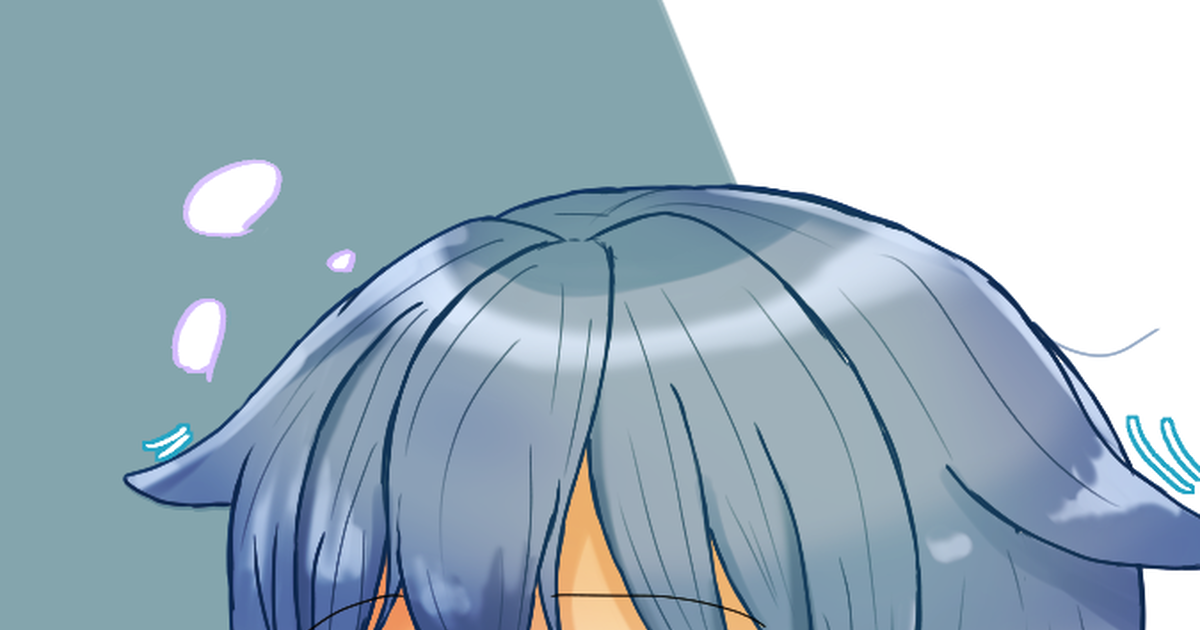
https://www.pixiv.net/en/artworks/107292962
img2img from the pixiv link above

 gritty patrol
frank peak
Usually I can't generate anything more than 632x632 with hires.fix and when I up...
gritty patrol
frank peak
Usually I can't generate anything more than 632x632 with hires.fix and when I up...
DONT use highres fix
that's my take
frank peak
gritty patrol
DONT use highres fix
OMG, in another server everyone were convincing me to use it.
brittle jay
gritty patrol
am i the only one who really dislikes the style here?
too much detail hurt eyes
gritty patrol
frank peak
OMG, in another server everyone were convincing me to use it.
i recommend only upscaling on multidiffusion
brittle jay
gritty patrol
i recommend only upscaling on multidiffusion
???
hires fix is great
and you should use it
gritty patrol
brittle jay
hires fix is great
i dislike it a lot
brittle jay
its purpose is not to upscale but to fix the problems high resolutions make
merry tendon
brittle jay
hires fix is great
finally someone who appreciates it!
brittle jay
because models are mainly trained on 512x512
frank peak
gritty patrol
i recommend only upscaling on multidiffusion
I upscale later in img2img with SD upscale script and 4x_Valar_v1
gritty patrol
frank peak
I upscale later in img2img with SD upscale script and 4x_Valar_v1
what is that upscaler
gritty patrol
brittle jay
that's all it does
and that's why something specific for upscaling is better than something simple like that
brittle jay
so it fixes stuff like duplicated heads and weird compositions
which are the effect of models being trained on 512x512
brittle jay
gritty patrol
and that's why something specific for upscaling is better than something simple ...
no
frank peak
gritty patrol
what is that upscaler
I have no Idea, found it somewhere on Reddit, they said it's great, and yeah, I found it's better than R-ESRGAN 4x+ Anime6B, sharper I'd say.
merry tendon
gritty patrol
and that's why something specific for upscaling is better than something simple ...
am i the only one who hates multidiffusion upscaler?
steady grail
you can't use hires fix at 1 and than upscale with extension?
brittle jay
gritty patrol
and that's why something specific for upscaling is better than something simple ...
upscaling makes too little changes to the composition and stuff imo
gritty patrol
frank peak
I have no Idea, found it somewhere on Reddit, they said it's great, and yeah, I ...
weird. i personally use 4x-ultrasharp
wispy canopy
merry tendon
*am i the only one who hates multidiffusion upscaler?*
nah, same here
brittle jay
though yeah it might be good
merry tendon
wispy canopy
nah, same here
you on my side bro🫂
brittle jay
merry tendon
*am i the only one who hates multidiffusion upscaler?*
(got confused with cn tiles), I had a hard time understanding how to use it
frank peak
gritty patrol
weird. i personally use 4x-ultrasharp
I don't even have that one, could you share a link please? I wanna try.
 merry tendon
brittle jay
(got confused with cn tiles), I had a hard time understanding how to use it
merry tendon
brittle jay
(got confused with cn tiles), I had a hard time understanding how to use it
i dont want to read an entire book to understand upscaling, i want a good pic.. thats all
brittle jay
gritty patrol
weird. i personally use 4x-ultrasharp
why is everyone recommmending this all of a sudden? is it that great?
merry tendon
 brittle jay
merry tendon
i dont want to read an entire book to understand upscaling, i want a good pic.. ...
brittle jay
merry tendon
i dont want to read an entire book to understand upscaling, i want a good pic.. ...
I also don't get people using ultimate upscale script
cyan burrow
wispy canopy
<@145251574258597888>
but how much do I have to divide it?
gritty patrol
brittle jay
why is everyone recommmending this all of a sudden? is it that great?
it's better than a finetune for anime made with it
brittle jay
like there is literally no reason
frank peak
gritty patrol
https://huggingface.co/lokCX/4x-Ultrasharp/tree/main
.pth to \models\ESRGAN right?
gritty patrol
frank peak
.pth to \models\ESRGAN right?
yes
brittle jay
gritty patrol
it's better than a finetune for anime made with it
I will try it now
wispy canopy
cyan burrow
but how much do I have to divide it?
how do you mean?
brittle jay
also for all other upscalers https://upscale.wiki/wiki/Model_Database
wispy canopy
 gritty patrol
wispy canopy
gritty patrol
wispy canopy
oh my gooberness
 cyan burrow
without using chat gpt or something
wispy canopy
cyan burrow
like how much detail, what kind f story teller does it want
this is basically my LLM prompt, which i gave a couple of examples how to create those storry teeller prompts
frank peak
gritty patrol
yes
Thank you. I'll try it.
So it's the same, img2img and SD upscale scrip but with 4x-Ultrasharp?
gritty patrol
frank peak
Thank you. I'll try it.
So it's the same, img2img and SD upscale scrip but with ...
not sd upscale script
wispy canopy
so the only thing i gave it is your username, and the rest is all LLM going on a hallucination trip
 gritty patrol
not sd upscale script
gritty patrol
gritty patrol
not sd upscale script
on img2img use tiled diffusion, default settings except change the upscaler to 4x-ultrasharp and the size multiplier to what you want
cyan burrow
hmmm so it establishes subject, it establishes location of subject, it details subject, it details location, it explains event, it details event
frank peak
gritty patrol
on img2img use tiled diffusion, default settings except change the upscaler to 4...
Ok good, time to try it out. Thanks.
I'm gonna do this with existing picture to compare results.
wispy canopy
@brittle jay

 brittle jay
wispy canopy
<@292577994176987137>
brittle jay
wispy canopy
<@292577994176987137>
literally me
merry tendon
 cyan burrow
wispy canopy
<@292577994176987137>
cyan burrow
wispy canopy
<@292577994176987137>
well it got half of it
gritty patrol
LOL
brittle jay
merry tendon
kinda reminds me of this character
 gritty patrol
brittle jay
kinda reminds me of this character
gritty patrol
brittle jay
kinda reminds me of this character
her ass IS crying, DO NOT listen to her!!!
brittle jay
gritty patrol
her ass IS crying, DO NOT listen to her!!!
her ass? you mean her eyes
hehe
brittle jay
wispy canopy
someting 6 numbered?
sauce?
merry tendon
 wispy canopy
lol these birds
 brittle jay
ok I tested and ultrasharp is fine
it all comes down to preference
it is like around the level of nmkd
merry tendon
my fav upscaler is lollypop
gritty patrol
merry tendon
my fav upscaler is lollypop
can you make a comparison between it and ultrasharp
merry tendon
gritty patrol
can you make a comparison between it and ultrasharp
no
merry tendon
i just said "no", whats so bad about it man?
cyan burrow
its failing to follow my story prompts though....Are you using auto or vlad? are you using vanilla prompt or some extension? are you doing 1000000 images and then cherrypicking?
gritty patrol
merry tendon
i just said "no", whats so bad about it man?
it was something fast and simple and not much reason for you to refuse, it was just unexpected
cyan burrow
it can't even get half right on mine
steady grail
what's ultrasharp?
brittle jay
I think I have a better upscaler than ultrasharp though
this actually might be better than ultrasharp
merry tendon
gritty patrol
it was something fast and simple and not much reason for you to refuse, it was j...
here is the reason: i cant because i am doing something else atm
gritty patrol
brittle jay
this actually might be better than ultrasharp
this is the finetune i talked about
wispy canopy
cyan burrow
its failing to follow my story prompts though....Are you using auto or vlad? are...
nah, i'm just usting the first one that come up
 real nexus
nothing much just splash arties
 gritty patrol
it's better than a finetune for anime made with it
gritty patrol
gritty patrol
it's better than a finetune for anime made with it
.
wispy canopy
vladmandic, vanilla prompt
brittle jay
gritty patrol
.
is it better than animesharp?
gritty patrol
wtf is a vladmandic
brittle jay
I disagree
gritty patrol
brittle jay
is it better than animesharp?
yes
brittle jay
gritty patrol
wtf is a vladmandic
a fork of a1111
gritty patrol
brittle jay
a fork of a1111
what's the difference?
cyan burrow
@wispy canopy vladmandic...is that the popular vlad or another vlad?
merry tendon
gritty patrol
what's the difference?
its more up-to-date
cyan burrow
the opinionated vlad?
wispy canopy
cyan burrow
its failing to follow my story prompts though....Are you using auto or vlad? are...
Negative prompt: negative_hand, (low quality:1.3), (worst quality:1.3), (lowres:1.3), (error:1.3), (fault:1.3), (undefined:1.3), (crude:1.3), jagged, spiky, ugly hands, extra arm, extra hand, split arm, missing finger, extra finger, three fingers, four fingers, six fingers, (disfigured:1.3), (unclear:1.3), (indistinct:1.3), merged fingers, (bad anatomy,:1.3) misplaced hand, misplaced foot,, cleavage, sex, nsfw, ecchi, slutty, leotard, (text:1.3), (signature:1.3), (title:1.3),
Steps: 75, Sampler: DPM++ 2M Karras, CFG scale: 5, Seed: 700778892, Size: 640x640, Model hash: c20d1e3f21, Model: alfahentai_v11, VAE: kl-f8-anime2, Denoising strength: 0.55, Clip skip: 1, Token merging merge attention: False, Cutoff enabled: True, Cutoff targets: "['One girl has long curly hair', 'the other short straight hair']", Cutoff padding: _</w>, Cutoff weight: 0.5, Cutoff disable_for_neg: True, Cutoff strong: False, Cutoff interpolation: lerp, Hires upscale: 2, Hires steps: 25, Hires upscaler: 4x-UltraSharp, Dynamic thresholding enabled: True, Mimic scale: 2, Threshold percentile: 100, Mimic mode: Half Cosine Up, Mimic scale minimum: 4, CFG mode: Half Cosine Up, CFG scale minimum: 4 Negative Template: negative_hand```yeah, the popular vlad build
merry tendon
 gritty patrol
is getting it worth it?
merry tendon
brittle jay
automatic1111 is back now
hes slower tho
brittle jay
gritty patrol
is getting it worth it?
depends
merry tendon
gritty patrol
is getting it worth it?
yes, is faster(on my side), has better support
cyan burrow
umh @wispy canopy what's all the rest? I don't understand most of it
wispy canopy
cyan burrow
umh <@281910288725442560> what's all the rest? I don't understand most of it
oh lol, i even kept the cutoff targets
scratch those
steady grail
brittle jay
this actually might be better than ultrasharp
it's an extension?
wispy canopy
wispy canopy
```An ethereal figure floats within a glass chamber, encased in a state of suspe...
@cyan burrow on ur model, darkgemini
 cyan burrow
like cutoff, mimic mode
gritty patrol
steady grail
it's an extension?
extensions are entire folders, this is a pth, upscaler
merry tendon
 brittle jay
steady grail
it's an extension?
brittle jay
steady grail
it's an extension?
these are upscalers
cyan burrow
so what did you use? I dunno what is cut-off and what is something else
steady grail
so, a script
brittle jay
steady grail
so, a script
you use it inside a script
wispy canopy
cutoff is not used, there's nothign in the prompt that's it's using actually
steady grail
ohhhh, it's like R-ESRGAN 2x+
wispy canopy
the other is dynamic cfg treshhold, which lowers/raises CFG during generation
cyan burrow
An ethereal figure floats within a glass chamber, encased in a state of suspended animation. Crystalline structures surround the container, pulsing with bioluminescent energy. The figure's translucent form glows softly, its contours shifting and morphing in time with the light show. Tendrils of data weave around the container, connecting it to a larger network of systems and machines. A holographic interface hovers nearby, beckoning the user to enter and explore the digital realm. The atmosphere is charged with anticipation, as if something momentous is about to unfold.
Negative prompt: negative_hand, (low quality:1.3), (worst quality:1.3), (lowres:1.3), (error:1.3), (fault:1.3), (undefined:1.3), (crude:1.3), jagged, spiky, ugly hands, extra arm, extra hand, split arm, missing finger, extra finger, three fingers, four fingers, six fingers, (disfigured:1.3), (unclear:1.3), (indistinct:1.3), merged fingers, (bad anatomy,:1.3) misplaced hand, misplaced foot,, cleavage, sex, nsfw, ecchi, slutty, leotard, (text:1.3), (signature:1.3), (title:1.3),
Steps: 75, Sampler: DPM++ 2M Karras, CFG scale: 5, Seed: 700778892, Size: 640x640, Model hash: c20d1e3f21, Model: alfahentai_v11, VAE: kl-f8-anime2
so just that?
wispy canopy
yeah, pretty much(if you omit dynamic treshhold)
wispy canopy
yeah
cyan burrow
might explain the higher accuracy
gritty patrol
O.O
 frank peak
gritty patrol
on img2img use tiled diffusion, default settings except change the upscaler to 4...
frank peak
gritty patrol
on img2img use tiled diffusion, default settings except change the upscaler to 4...
There is not enough GPU video memory available!
Every time I use it.
I even dropped WxH to 64x64 it dies anyway.
 brittle jay
frank peak
>**There is not enough GPU video memory available!**
Every time I use it.
I even...
brittle jay
frank peak
>**There is not enough GPU video memory available!**
Every time I use it.
I even...
try tiled vae?
idk never used that extension rly
cyan burrow
you're not using my model there though @wispy canopy
frank peak
brittle jay
try tiled vae?
I tried to upscale
gritty patrol
frank peak
>**There is not enough GPU video memory available!**
Every time I use it.
I even...
what dimensions?
brittle jay
frank peak
I tried to upscale
yeah but try it with tiled vae
gritty patrol
brittle jay
yeah but try it with tiled vae
with all respect leave him to me, you don't know all the context
wispy canopy
was wanting to mention that, i copied from my image browser, but the later iamges were made on your model
 brittle jay
gritty patrol
with all respect leave him to me, you don't know all the context
brittle jay
gritty patrol
with all respect leave him to me, you don't know all the context
I heard tiled vae helps with vram
frank peak
gritty patrol
what dimensions?
Of source image? 768x512
gritty patrol
brittle jay
I heard tiled vae helps with vram
he is already using it
brittle jay
oh
gritty patrol
frank peak
Of source image? 768x512
are you sure you have 6GB vram?
steady grail
guysm where do i place the upscaler file?
cyan burrow
wispy canopy
was wanting to mention that, i copied from my image browser, but the later iamge...
ah ok
gritty patrol
gritty patrol
are you sure you have 6GB vram?
check at task manager > performance > GPU > dedicated GPU memory
frank peak
gritty patrol
he is already using it
No I didn't turn it on when upscaling. I thought it's only for txt2img. Do I have to turn on both?
gritty patrol
frank peak
No I didn't turn it on when upscaling. I thought it's only for txt2img. Do I hav...
oh
you're supposed to yeah
frank peak
gritty patrol
are you sure you have 6GB vram?
I have RX6600XT with 8 GBs of vRAM
gritty patrol
gritty patrol
check at task manager > performance > GPU > dedicated GPU memory
just make sure please
cyan burrow
@wispy canopy
 unreal ridge
cyan burrow
<@281910288725442560>
unreal ridge
cyan burrow
<@281910288725442560>
That's pretty cool
wispy canopy
cyan burrow
<@281910288725442560>
very nice ❤️
gritty patrol
the correct is DEDICATED* gpu memory
 merry tendon


 gritty patrol
frank peak
gritty patrol
frank peak
send one like mine
frank peak
ah
wispy canopy
@cyan burrow if anything, i feel your model does this kind of shit better than mine sniff 😢
 grizzled moat
its 8gb
gritty patrol
oh yeah i see
frank peak
gritty patrol
send one like mine
7.7/8.0
unreal ridge
cyan burrow
An ethereal figure floats within a glass chamber, encased in a state of suspende...
75 steps?
gritty patrol
8GB dedicated and 8GB shared
unreal ridge
tf
cyan burrow
unreal ridge
75 steps?
not mine originally
wispy canopy
unreal ridge
75 steps?
yeah, that's me XD
grizzled moat
frank peak
7.7/8.0
did u use --medvram