#✨|sdxl
1 messages · Page 107 of 1
 smoky patrol
 stone fossil
Boombastic. 🙂
 soft zealot
well thats an "intersting" T shirt

 zinc cargo
2fast2kebabius
stone fossil
 zinc cargo
stone fossil
zinc cargo
stone fossil
carmen san diego
 ivory blaze
soft zealot
well thats an "intersting" T shirt
ivory blaze
soft zealot
well thats an "intersting" T shirt
it's like the reverse of this one
 stone fossil
 ivory blaze
and no it is not a nipple, it is a logo of some sort
soft zealot
This is what I like aboutteh CHatGOT enhancement.
Subtly modifies my original prompr (orange) on each generation


although de some reason SD decided this one would be more feminine
ivory blaze
I have always wondered.
do negative prompts affect positive inferences?
eg. no barbie, influence to be "feminine" but not barbie?
soft zealot
ivory blaze
and no it is not a nipple, it is a logo of some sort
as a good friend of mine onece said "it's not the mind it comes out of, it's the mind it goes into"
stone fossil
 soft zealot
ivory blaze
I have always wondered.
soft zealot
ivory blaze
I have always wondered.
pass, all i know is irs actually IMHO one of the better ones 🙂
ivory blaze
soft zealot
as a good friend of mine onece said "it's not the mind it comes out of, it's the...
I only meant the thumb in chat looks like it, but zoom view shows clearly a logo
stone fossil
 soft zealot
 stone fossil
 soft zealot
ivory blaze
eg. no barbie, influence to be "feminine" but not barbie?
soft zealot
ivory blaze
eg. no barbie, influence to be "feminine" but not barbie?
ah just looked at the prompt, the one in the screnshot must have been for the next generation.
This one was just" A picture of a young, fashionable skateboarder on a Californian boardwalk. Intricately detailed arm tattoos, happy and smiling."
with no gender mentioned .
(and this girls & boys is why I output a text file lol)
stone fossil
 soft zealot
 ivory blaze
soft zealot
ah just looked at the prompt, the one in the screnshot must have been for the ne...
ivory blaze
soft zealot
ah just looked at the prompt, the one in the screnshot must have been for the ne...
fashionable probably leans more toward female training than male as well
soft zealot
ivory blaze
fashionable probably leans more toward female training than male as well
treu, either way I do appreciate the small extra element of randomness the ChatGPT enhancement provides 🙂
or variation if you prefer
ivory blaze
soft zealot
treu, either way I do appreciate the small extra element of randomness the ChatG...
I need to figure a controllable method of img2img loopback that allows panning and motive elements to a loopback animation
stone fossil

Linguistic Only :: Stripped.
Supporting Only :: Stripped.
Negative Only :: Stripped.
Base Prompt G (Linquistic) :: Stripped.
Base Prompt L (Supporting) :: Stripped.
BasePrompt G (Negative) :: Stripped.
ivory blaze
didn't mean to send that as a reply
soft zealot
I was wondering lol
ivory blaze
I have noticed if you offset the aspect ration just a bit, it'll move, and zoom, or opposite direction / zoom out,
which I can use to induce panning of sort, or I could pad the wall and kick it to the direction, with some scipting, maybe a control radio button set, up/down/none left/right/none in/out/none and use a quick image mask blank and shift method,
 steel mist
Whomever threw a google earth image into control net you are a genius. This is super fun to play with
 steel mist


 steel mist
I actually might try an upscale on these and print them
stone fossil
 soft zealot
treu, either way I do appreciate the small extra element of randomness the ChatG...
soft zealot
soft zealot
treu, either way I do appreciate the small extra element of randomness the ChatG...
also Its nice the way it expands on some of the short Random Prompts (from Lexica using a WAS node)


random indeed


 indigo carbon
batch size 1-4, res 64-2048 officially working with latest update of the node =]

 thin oasis
are there any inpainting models at this point?

 clever verge
Beautiful style!
stone fossil
 clever verge
Is there more than prompting to generating this?

 thin oasis
are there any inpainting models for sdxl at this point? im not finding myself
clever verge
Not yet, only controlnet afaik. I hope that's what Thaevil1 is using. 😄
stone fossil
I can.
But all these images I post here are just txt2img.
Unless told otherwise. 🙂
 clever verge
Good job! Especially those that are spherical.
stone fossil
Ive used CN XL and I love it Ive shown examples here before.
But for pure detailed SD love you need a pure txt2img.
 indigo carbon
stone fossil
Ive used CN XL and I love it Ive shown examples here before.
indigo carbon
stone fossil
Ive used CN XL and I love it Ive shown examples here before.
my favorite is easily copax_colorfulV2, second favorite is CCXL, then all the others are in the same level imo
stone fossil
I train also lora's here and help them get me what I want.
Thanks to @dapper dragon
They are not fully needed heh but if you have wild idea's that do not fit they can help a lot.

 eager tide
 indigo carbon
stone fossil
They are not fully needed heh but if you have wild idea's that do not fit they c...
indigo carbon
stone fossil
They are not fully needed heh but if you have wild idea's that do not fit they c...
SDXL is easily smart enough to create any style, you just need to know how to prompt
stone fossil
Not rly.
I had to make ice / pcb / blueprint.
To make them shine.
It depends if you have something out of order.
indigo carbon
stone fossil
Not rly.
idk man, I might just know how to prompt very well. I never got to a point where I couldn't get what I want with good prompting
 indigo carbon
give me the basics of that prompt, and I'll do it
stone fossil
indigo carbon
give me the basics of that prompt, and I'll do it
Thats the whole idea.
SX is bad at a few things.
This is one of them.
Also ascii art.
Try some ascii art.
indigo carbon
looks fine..
 stone fossil
Not bad.
We can not deny tho the lora one rocks
lol.
It rly tries to explain how a tree works.
Which is funny.
 pure crystal
 native knot
stone fossil
native knot
stone fossil
Thing is Tree Tree
stone fossil
xD
native knot
top-right...first thing I saw. 🤣
indigo carbon
 indigo carbon
idk. this image took 14 seconds to generate, and I didn't use any embeddings
 indigo carbon
TREE WORKS
 native knot
indigo carbon
native knot
indigo carbon
Bluppint!
stone fossil
🙂
 wet nacelle
@zinc cargoI'm working on drawing the Lora base images now and just wanted to share these. They look hella funny.
It just gets progressively darker and deeper.


 stone fossil
native knot
Bluppint!
stone fossil
native knot
Bluppint!
How about a mona lisa GPU die?
 clever verge
 pure crystal
stone fossil
pure crystal
stone fossil
Mona lisa gpu die makes the AI art. 🙂
pure crystal
 stone fossil
Noice bob. 🙂
pure crystal
not mine, from that link above.
 ionic gulch


 clever verge
stone fossil
How about a mona lisa GPU die?
clever verge
stone fossil
How about a mona lisa GPU die?
RTX 5000 series. 😄
wet nacelle
clever verge
RTX 5000 series. 😄
 stone fossil
clever verge
RTX 5000 series. 😄
stone fossil
clever verge
RTX 5000 series. 😄
Yes then AI will make AI all we haveto do is sit on the toilet.
native knot
stone fossil
Yes then AI will make AI all we haveto do is sit on the toilet.
That's like 50% of what I do now, so...
indigo carbon
I love me some water cube
 stone fossil

shaggy!!! Took me a while to get used to the new software I'm using but enjoy!
indigo carbon
 pure crystal
@ionic gulchany easy way to install the missing nodes from your workflow? I have comfy manager
zinc cargo
generated this in MJ last septmber... still one of my favorites
 zinc cargo
pure crystal
<@272546734985707521>any easy way to install the missing nodes from your workflo...
zinc cargo
pure crystal
<@272546734985707521>any easy way to install the missing nodes from your workflo...
click on install missing nodes
ionic gulch
@bob they should all be available through comfy manager if you use "install missing nodes"

 indigo carbon
zinc cargo
generated this in MJ last septmber... still one of my favorites
indigo carbon
zinc cargo
generated this in MJ last septmber... still one of my favorites
even comparing MJ to SDXL is like comparing a bogy to the titanic
zinc cargo
indigo carbon
even comparing MJ to SDXL is like comparing a bogy to the titanic
regardless of my opinion of what you said, it was in context of the diagrams @pure crystal posted
pure crystal
thanks, I thought install missing nodes was supposed to work. My install must be screwy, thank you
indigo carbon
I never saw MJ get even remotely close to this, idk man
 pure crystal
zinc cargo
generated this in MJ last septmber... still one of my favorites
pure crystal
zinc cargo
generated this in MJ last septmber... still one of my favorites
I love this haha, napkin doodle cookie monster diagram
ionic gulch
pure crystal
thanks, I thought install missing nodes was supposed to work. My install must b...
you find my custom nodes if you search for JPS in comfyui manager
if you miss other nodes i could look them up - most are from common sets, so you should have most of them if you used comfy and other workflows for a while.
wet nacelle
Can someone right now supply me with a simple SDXL Lora workflow? The one on the Comfy examples git page runs extremely slow for me for some reason.
zinc cargo
here MACK, this has 2 positive lora and 1 negative
 wet nacelle
zinc cargo
here MACK, this has 2 positive lora and 1 negative
wet nacelle
zinc cargo
here MACK, this has 2 positive lora and 1 negative
would it be simple to bypass one of the loras?
zinc cargo
and @soft zealot 's prompt
wet nacelle
or both
indigo carbon
 zinc cargo
wet nacelle
would it be simple to bypass one of the loras?
zinc cargo
wet nacelle
would it be simple to bypass one of the loras?
yea, just click on the node, then ctrl+b it will change color and that's it
wet nacelle
zinc cargo
yea, just click on the node, then ctrl+b it will change color and that's it
I'll look into it. Thank you.
ionic gulch
wet nacelle
Can someone right now supply me with a simple SDXL Lora workflow? The one on the...
mine has 3 loras with on/off switch, but it's not that simple :)
but most options have on/off switches so you can use it for a simple txt2img with 3 loras easily
indigo carbon
if you would try to generate this with MJ, it will look lower quality and the sign would say something like: "NWNIWINWNWHEHEHRERHWDU"


 stone fossil
 indigo carbon
indigo carbon
indigo carbon
like, not only SDXL has its own league of quality, it even does text 80% of the time (at least with the AIT workflow I made)
stone fossil
 zinc cargo

 glad grove
 indigo carbon
even full sentences =]
 eager tide
WTF THIS MODEL IS INCREDIBLE
 glad grove
 indigo carbon
 zinc cargo


 zinc cargo
glad grove
zinc cargo
glad grove
lemur tail secret tecniuque

 terse pewter
Hi, I need a concept art for a video game, and I am finding it extremely hard to generate this image.
All I need is a garage with few snowmobiles, but we also need a gas station alongside the garage where a person is lying on the ground(dead), it should be a night sky, and the environment should be snowy...
I have tried to generate this image on SDXL, Leonardo AI, blue willow, everywhere, I cant generate where all these conditions are met
Can someone help me with the prompt?
 zinc cargo


 terse pewter
zinc cargo
terse pewter
zinc cargo
how did you generate these? are these from SDXL bot?
steel mist
terse pewter
Hi, I need a concept art for a video game, and I am finding it extremely hard to...
composition wise, how far off is this


may have told it to make him sleepy instead of dead but
glad grove
bros takin a nap
terse pewter
steel mist
very close to what I am looking for, it's for a video game so the environment can be colorful, moody
what prompt you used for this?
soft zealot
 steel mist
terse pewter
what prompt you used for this?
steel mist
terse pewter
what prompt you used for this?
I'm assuming you're not using comfy, but if you are the workflow is in there
sec
pos: a photo of a person sleeping outside a gas station, next to a garage with snowmobiles
terse pewter
steel mist
I'm assuming you're not using comfy, but if you are the workflow is in there
yup, I am aware of comfy, will watch its tutorial today. I heard its amazing
steel mist
neg: art, illustration
terse pewter
steel mist
pos: a photo of a person sleeping outside a gas station, next to a garage with s...
thank you so much, i will try to use this in the bot
steel mist
To refine that though really, I'd use that as the base image and then try to get the snow/night stuff right
terse pewter
steel mist
To refine that though really, I'd use that as the base image and then try to get...
We can also use images as base? Can you kindly tell me how I can do that? Do I need to install SDXL on my pc?
glad grove
yes if you use comfy u have to install on pc
steel mist
Yes, if you're running comfy locally you can do things like use an image as a control for a generation
It'll take a bit to get setup for sure
terse pewter
glad grove
yes if you use comfy u have to install on pc
Awesome! I guess I need to download it because I am heavily involved in this stuff. I want to create game environments using SDXL
steel mist
I will say that's a pretty complicated scene
 steady grove
i'd plan it, conceptualize it, controlnet it, inpaint it, add a bunch of post, and call that a concept draft.
for a professional product, you'd want to have a documented process. imo
steel mist
lol somebody needs to make a snowmobile lora, I dunno what this is but a snowmobile is it not
 glad grove
tasty


 stone fossil
Zwaar master
glad grove
new animal found on steven seagal table

 native zephyr
 wet nacelle
indigo carbon
if you would try to generate this with MJ, it will look lower quality and the si...
wet nacelle
indigo carbon
if you would try to generate this with MJ, it will look lower quality and the si...
Actually false. It did get better. It isn't consistent though.
glad grove
hmmmm hippo
 steel mist
gotta be honest not sure I'd eat at that restaurant
indigo carbon
wet nacelle
Actually false. It did get better. It isn't consistent though.
eh, what about stuff like this? not to mention that the quality of SDXL is miles ahead of MJ..

 west breach


 indigo carbon
west breach
indigo carbon
west breach
yeah, jesus. comparing SDXL to MJ is futile at this point. MJ is similar to a 1.5 model, SDXL is a league of its own
west breach


sometimes it's too eager to write text in the prompt. especially if you have 'sign' in the prompt
 native knot
ANK COEFFE ON RIIVERIDI


 indigo carbon
 eager tide
indigo carbon
eager tide
indigo carbon
prompt?
indigo carbon
eager tide
prompt?
ComfyUI workflow in metadata
eager tide
not on discord
indigo carbon
eager tide
not on discord
yes it is. anyways, prompt was "cube made of water"
eager tide
ho ok thx
 eternal fog
 eager tide
indigo carbon
eager tide
indigo carbon
i got this
 native knot
eager tide
i got this
native knot
eager tide
i got this
You have a different set of dimensions, #1.
indigo carbon
eager tide
i got this
did you import the ComfyUI workflow?
native knot
lol
eager tide
with my own prompt
native knot
a1111 isn't going to hold a candle to comfyui
eager tide
 native knot
SDXL is far better on comfyui right now
indigo carbon
eager tide
i use automatic1111
why? ComfyUI is better on almost every single aspect
glad grove
only use a1111 if u are using 1.5 checkpoints if u are on sdxl stick to comfy
indigo carbon
native knot
SDXL is far better on comfyui right now
yeah, especially when you use AIT
eager tide
eager tide
bro this is fire u do better on comfy?
native knot
if you're happy with the results, then good on you, but you're missing out on a lot of additional flexibility that comfy allows
indigo carbon
eager tide
bro this is fire u do better on comfy?
yeah, also in 4th the time =\
eager tide
ye maybe i need to try
indigo carbon
indigo carbon
yeah, also in 4th the time =\
heck, maybe less, I made a workflow that uses something called AIT that makes SDXL over twice as fast @eager tide
eager tide
links?
native knot
It's embedded in the images like he said.
eager tide
okok
native knot
Just download the full size image and drag it into comfy.
indigo carbon
eager tide
links?

workflow for AIT, ComfyUI_manager is required. for easy installation- load this in ComfyUI and then open ComfyUI manager and click "install missing...
native knot
Then use ComfyUI Manager to download any missing stuff.
eager tide
if i got same quality in less time i will go comfy
indigo carbon
eager tide
if i got same quality in less time i will go comfy
if your GPU is at least 3000+ series, it will at the very least double speed
4000 series gets an even more massive boost from AIT
indigo carbon
eager tide
gtx 1080 💀
oh.. sorry, the AIT nodes won't work on that. to still use that workflow you must remove the load AITemplate nodes
eager tide
Is there hires fix on comfy?
indigo carbon
eager tide
Is there hires fix on comfy?
hiresfix isn't a node on it's own, it's a technique that passes the latents between 2 K_samplers, the workflow I linked uses that.
eager tide
ok
 indigo carbon
native knot
Who needs highres fix when you can render directly to 1920x1080 just like this?
indigo carbon
native knot
Who needs highres fix when you can render directly to 1920x1080 just like this?
if you use the refiner, you did use hiresfix. hiresfix is the term of passing a latent between 2 stages of K_sampling
smartest way to do this to pass the latent from K_sampler1 to K_sampler2 without encoding or decoding in between, then upscale using the upscale node. again, this is what the workflow I made does

 shy kelp
how to have a good result sd1.5 in comfy ui
 quasi crag
Probably not the right place to ask, but is there a way to get the AI to do anthro furries?
indigo carbon
native knot
Who needs highres fix when you can render directly to 1920x1080 just like this?
just took a look, you used AIT in an inefficient way here; why would you need 3 passes? also that seems like a modified version of an older version of my workflow.
shy kelp
quasi crag
Probably not the right place to ask, but is there a way to get the AI to do anth...
you have a different taste sir
quasi crag
shy kelp
you have a different taste sir
Thanks, super helpful
glad grove
quasi crag
Probably not the right place to ask, but is there a way to get the AI to do anth...
theres a lora for sdxl with that style
also a checkpoint
quasi crag
glad grove
theres a lora for sdxl with that style
Okay, what is a lora?
glad grove
sorry you would have to learn how to use all of that with a video
native knot
indigo carbon
just took a look, you used AIT in an inefficient way here; why would you need 3 ...
I like to experiment with the outcomes and see what occurs. I also found that doing a third pass with the original checkpoint gives some interesting results...sometimes cleans up minor oddities from the refiner. But I play around with workflows all the time.
That was a render from almost a week ago anyways.
Just made this using your current one.

 vital ermine
 glad grove
vital ermine
glad grove
vital ermine
that one looks exactly like him,is it a lora or inpaiting?
indigo carbon
native knot
Just made this using your current one.


 glad grove
😬
 vital ermine
 indigo carbon
vital ermine
indigo carbon
vital ermine
I don't know if I'm stupid for asking this; who tf is that guy and why are there so many images of him in here
steel mist
 native knot
indigo carbon
I don't know if I'm stupid for asking this; who tf is that guy and why are there...
native knot
indigo carbon
I don't know if I'm stupid for asking this; who tf is that guy and why are there...
Steven Seagal.
eager tide
bro midjourney is farrrr behind

 glad grove
he means business
vital ermine
 glad grove
vital ermine
glad grove
vital ermine
he ate the blueberry
 hardy cipher
please rate this canny

 native knot
hardy cipher
please rate this canny
native knot
hardy cipher
please rate this canny
11/10 - IGN
vital ermine
 glad grove


 glad grove
vital ermine
glad grove
vital ermine
remake of walker texas ranger with seagal 
vital ermine
🙂
steel mist
8/10 would recommend
vital ermine
 steel mist
 vital ermine

 glad grove
vital ermine
glad grove
vital ermine
kronos before he ate all of his offsprings
vital ermine
Tasty
steel mist
hardy cipher
please rate this canny
 glad grove
real
 steel mist
"a visual representation of the pile of connections one needs to use comfy, cables, power"


 glad grove
this doesnt look like him
 vital ermine
 native knot
vital ermine
https://civitai.com/models/135354?modelVersionId=149181
native knot
vital ermine
https://civitai.com/models/135354?modelVersionId=149181
NSFW, bro.
glad grove
gotta protect our users against evil images like abs 🙏
native knot
Damn right.
vital ermine
LOL
eager tide
 glad grove
speaking of nature
 eager tide
wtf
steel mist
eager tide
Dude what model/Lora is that? Looks amazing
eager tide

***HELP ME WIN THE CIVITAI MODEL CREATOR CONTEST - SHARE YOUR ART IN THE GALLERY BELOW AND LIKE RATE AND FOLLOW ME FOR MORE SDXL GOODNESS - THANKS!...
this is my page for prompts
glad grove
 wet nacelle
Here are some more goofs for the Lora.


 eager tide
 glad grove
 vital ermine


 uncut fiber
 vital ermine
 glad grove
vital ermine
glad grove
vital ermine
our saviour
shy kelp
 native knot

 eager tide
niceeee
terse pewter
steel mist
I will say that's a pretty complicated scene
the problem with these ai image generators is that i think they can only focus on 1 point of action, for example, it cant focus on two different things in images at the same time which I think is a major drawback
eager tide
 pure crystal
@terse pewter generate art assets in SD --> compose in other tools. inpainting can help too
terse pewter
pure crystal
<@381374615387111436> generate art assets in SD --> compose in other tools. inpa...
That's a good idea
pure crystal
if you use the same seed and change the subject of the prompt, you can get nicely cohesive art assets
terse pewter
pure crystal
<@381374615387111436> generate art assets in SD --> compose in other tools. inpa...
How to use inpainting with SDXL?
pure crystal
https://www.youtube.com/watch?v=_Qi0Dgrz1TM this video has a workflow for that
Stable Diffusion XL (SDXL) 1.0 has been out for just a few weeks now, and already we're getting even more SDXL 1.0 ComfyUI workflows! Fancy something that include the base and refiner models combined with the offset lora, upscaling, img2img, inpainting, a load of prompt styles plus a whole lot more - all in a single, compact interface?
Welcom...
terse pewter
pure crystal
if you use the same seed and change the subject of the prompt, you can get nicel...
I see, actually I only use SDXL bot that is in this discord server, so I am not much familiar with these terms such as seed, subject, controlnet.
Currently I am following a course that will teach me ComfyUi
terse pewter
pure crystal
https://www.youtube.com/watch?v=_Qi0Dgrz1TM this video has a workflow for that
Thanks a lot. I will watch this

 pure crystal
awesome good luck. if you have access to google colab this works for comfy https://colab.research.google.com/github/comfyanonymous/ComfyUI/blob/master/notebooks/comfyui_colab.ipynb#scrollTo=jjjjjjjjjjjjj
taking a break while framing this deck. looks like a storm is rolling in
 glad grove
bro was crucified on an amish cross
native knot
He was just checking that it was squared when some idiots come by and nailed him down.
terse pewter
pure crystal
awesome good luck. if you have access to google colab this works for comfy http...
I just opened it, connected my GPU, and pressed on run all, will this help run comfy ui without installing it on my pc?
eager tide
 pure crystal
@terse pewter yes https://www.youtube.com/watch?v=RBVVU_BKNKQ
terse pewter
pure crystal
<@381374615387111436> yes https://www.youtube.com/watch?v=RBVVU_BKNKQ
Wow! Thanks again! 😃 Really ❤️ !
pure crystal
I would get familiar with a workflow and plan of action before starting that colab up so you dont burn hours while you learn
terse pewter
pure crystal
I would get familiar with a workflow and plan of action before starting that col...
I am going to watch all these videos, once I perfectly understand all these terms. I will start my art
 pure crystal
hahahahah my browser looks the same
glad grove
real fight scene
 terse pewter
pure crystal
hahahahah my browser looks the same
terse pewter
pure crystal
hahahahah my browser looks the same
Haha i see 💖
pure crystal
glad grove
real fight scene
was this in a movie or real life
@terse pewter another good COmfy channel. probably in your tabs lol https://www.youtube.com/@ferniclestix/videos
glad grove
its from the noah movie where he has to fight 2 of every single animal
pure crystal
my mother's favorite

 vital ermine
Nice, I used the segal lora and it changed to
 eager tide
 glad grove
vital ermine
Nice, I used the segal lora and it changed to
glad grove
vital ermine
Nice, I used the segal lora and it changed to
lora knows hes the messiah
native knot
New Mortal Kombat character:

 vital wraith


 glad grove
seagal true form
vital ermine
 eager tide
 vital wraith
I can't believe how well XL upscales..

 glad grove
another one from the noah movie

 shy kelp
 vital ermine
 pure crystal
 native knot


 native knot
 pure crystal
vital ermine
pure crystal
vital ermine
bond villain Seagal
pure crystal
eager tide
Add cosmic meatballs to this prompt, it's a hack
native knot
pure crystal
Add `cosmic meatballs` to this prompt, it's a hack
yeah, you gotta get creative sometimes....alternate word combinations that would put things in a new perspective.

When you finally hit those max level pauldrons for your heavy armor set.
 glad grove
 shy kelp
glad grove
shy kelp
glad grove
 native knot
 glad grove
real life animal/man fusion

 steady lance
 vital wraith

 glad grove
is there a god emperor of mankind lora for xl?
native knot
 glad grove
 shy kelp
glad grove
shy kelp
glad grove
the hippo playing with the wrong balls
native knot
Arcane wizard, Keanu Reeves.
 native knot
Amy Lee is one spicy rogue.

Damn...I think I like this version better:

Or this...

I can't decide!!
shy kelp
 glad grove
i want both 😳
native knot
Me too.
glad grove

 crisp owl
uh
glad grove
happiest roblox player
shy kelp
glad grove
happiest roblox player
HAHAHHAHAH
indigo carbon
that's not good
native knot
oh, damn...
 azure oxide
.........................
 glad grove
hes the real samurai

 heady vale
Crikey!
 crisp owl
He left us too young. Miss that goofball
heady vale
indeed
vital ermine
 heady vale
 shy kelp
heady vale
indeed
shy kelp
heady vale
indeed
 native knot
 hardy cipher
vital ermine
hardy cipher
vital ermine
not really vibing with that background leg
native knot
hardy cipher
not really vibing with that background leg
Just a little case of the elephantitis.
 dense chasm
the founders of BERT created it with Tensorflow initially, than huggingface team reproduced with Pytorch based on the Tensorflow's data and pre-trained model,it's called Transformer project,nowadays,Transformer has reproduced all kinds of different transformer models structure,the code is neat and readable,easy to use and modify,BERT is a strong competitor of GPT,open source is good for us
notebook is a good tool when you learn Transformers or diffusers,that's the reason why huggingface is an excellent choice of machine learning
BERT is excel at semantic knowledge learning,but not suitable for generative tasks,meanwhile opanAI's GPT insists in the languange model pretrained method,so the gpt model grows bigger and bigger until multi modals
Facebook sequentially released XLM,RoBERTa and LlaMA,learn from BERT encoder structure and surpass the performance of BERT eventually
the above is NLP history


 twilit nexus
hey where i put the base model with vae? Does it go to model or vae folder in automatic111


 soft zealot
If anyone is having issues witht he ComfyUI double click on canvas search bar dissapearing off the RH side of the screen it's likely this (removed this pack & problem went away)

GitHub
The Checkpoint selector node is returning a type that is a list of every checkpoint a person has. If someone has many checkpoints, this stretches out the search box (the thing that pops up when you...
 visual glade
ComfyUI blog
I have decided to start posting weekly updates of what is new in ComfyUI.
indigo carbon
@visual glade just git pulled, speed is significantly lower. is there a way to make it use VRAM like it used to?
 bronze arch
visual glade
https://comfyanonymous.github.io/ComfyUI_Blog/comfyui/update/2023/08/27/Weekly-u...
bronze arch
visual glade
https://comfyanonymous.github.io/ComfyUI_Blog/comfyui/update/2023/08/27/Weekly-u...
is it just me or are the control-loras kinda bad
only tried sketch and canny
Prompt: a cat girl with a tail and a massive head of hair kissing a man, illustration, anime artstyle.
negative prompt: black and white
(The sketch, the output without any control, output with control sketch, output with control canny):


 indigo carbon
I think its because when 4000 series cards that are under 4080 use memory bus technology from 2010; because NVIDIA thought it's a great idea. so when cards like 4070ti get full the speed decreases by about 500%
visual glade
if speed is slower it's most likely because you have custom nodes that take too much vram
bronze arch
Sketch control without any preprocessing (directly using the sketch as input for controllora)
 visual glade
and nvidia that keeps messing with memory management in their windows drivers doesn't help at all
indigo carbon
visual glade
if speed is slower it's most likely because you have custom nodes that take too ...
no, that's not the reason. I used the exact same workflow I did before I pulled. it does use slightly more VRAM; but that's a very bad thing on cards like 4070ti. didn't change drivers or anything. it's because it goes over the threshold 4000 cards have due to NVIDIA being sooo smart.
the new memory management techniques shouldn't be enabled on all of the 4000 series under 4080 @visual glade
visual glade
if you want the previous behavior you can: --disable-smart-memory
indigo carbon
visual glade
if you want the previous behavior you can: --disable-smart-memory
did that, didn't change anything. but that's probably an issue on my end
I'm sure the new update works good on 3000 series because NVIDIA was sensible while making those cards; but that's not the case on 4000 series except for cards above 4080.
anyways, since ComfyUI identifies GPU while starting up; I think it's a good idea to make it use the old management on all 4000 series cards under 4080 @visual glade
might not be a big deal when not using SDXL though, because SDXL is the only model that floods VRAM
visual glade
--disable-smart-memory is the old management
it will unload stuff completely when loading new models
but the code changed so some custom nodes might have some issues
indigo carbon
visual glade
it will unload stuff completely when loading new models
I don't know, my inference used a commit from 2 weeks ago and speed was massively higher than now, also when using that flag. it's also not the node.
 thorny frost
bronze arch
Sketch control without any preprocessing (directly using the sketch as input for...
thorny frost
bronze arch
Sketch control without any preprocessing (directly using the sketch as input for...
That doesn't use to work. You need the prepossessing
bronze arch
thorny frost
That doesn't use to work. You need the prepossessing
yeah thats not exactly working either
visual glade
which custom nodes are you using in your workflow?
bronze arch
visual glade
which custom nodes are you using in your workflow?
i was just using the workflow in the controllora hungginface page
downloaded the nodes using comfy manager
visual glade
not you
thorny frost
bronze arch
yeah thats not exactly working either
Your esketch has too many secondary lines, do another layer with only the main ones.
 sand pier
there is a comfy manager 0-0?
indigo carbon
after one of the recent updates, ComfyUI tends to use 100% of VRAM, which is usually great on 3000 cards, since normal mem bus. but when 4000 series uses 100% of VRAM, speed becomes a tenth of what it used to be.
indigo carbon
visual glade
which custom nodes are you using in your workflow?
just the AIT node I helped develop, it's seamless; we made sure.
same even without the node
visual glade
can I see the memory graph in task manager?
indigo carbon
visual glade
can I see the memory graph in task manager?
yes, I'll try to capture it. if I remember correctly, it used to do 11/12, and with newer commits it does 11.7/12, which is VERY bad on 4000 series. I'll screenshot.
 maiden forum
重点词汇
11/5000
传统翻译模型
通用场景
Make this picture anime style blob:https://discord.com/0c333ec7-e139-450e-81de-26aaad63e584
 fathom hound
👀
indigo carbon
visual glade
can I see the memory graph in task manager?
11.5*

it used to do 11, and that makes all the difference on 4000 series
visual glade
what is it doing when it goes to 100%?
indigo carbon
visual glade
what is it doing when it goes to 100%?
22s/it
when at ~80-90% it's 9it/s
visual glade
which resolution?
indigo carbon
visual glade
and what happens to the graph after?
after gen?
I didn't wait long enough to find out
I'll interrupt it, hold on
visual glade
give it 1 step and let it finish
indigo carbon
visual glade
give it 1 step and let it finish
still 11.5
 indigo carbon
visual glade
yeah that's a problem
indigo carbon
visual glade
yeah that's a problem
if it's 11, which it used to be on older commits, speed is 9it/s. and with 11.5 it's 30s/it..
nope, BS1 =\
heady vale
with AIT when I cancel it generally doesnt release vram
 fresh path
windows hip waiting room
indigo carbon
the new versions are unusable on 4000 series with SDXL @visual glade , I'm reverting to a few weeks ago, will share details.
vital ermine
@glad grove V2 and so much better.
 visual glade
indigo carbon
the new versions are unusable on 4000 series with SDXL <@1059592307579564162> , ...
visual glade
indigo carbon
the new versions are unusable on 4000 series with SDXL <@1059592307579564162> , ...
the AIT nodes override a bunch of comfyui behavior so they need to be updated
indigo carbon
visual glade
the AIT nodes override a bunch of comfyui behavior so they need to be updated
the nodes are fine, the screenshots I sent weren't even on an inference that has any custom nodes.
visual glade
rename the ait nodes folder to: .disabled
vital ermine
 indigo carbon
visual glade
rename the ait nodes folder to: .disabled
indigo carbon
visual glade
rename the ait nodes folder to: .disabled
there weren't AIT nodes in my inference with the newer commits.
visual glade
I know but try disabling the nodes completely
I see it patch stuff in ComfyUI
even when you don't use them
indigo carbon
yeah, I did.. the nodes aren't the issue, there were no custom nodes in the installation I tried the new commits.
vital ermine
Why am I getting this now in comfyui?
 visual glade
are you using 3M with normal?
vital ermine
damn, lol. ty
sand pier
I don't need to specify comfy paths in extra paths if i use it right to include other models right?
visual glade
no the comfy paths are always searched
sand pier
ty
vital ermine
 visual glade
indigo carbon
yeah, I did.. the nodes aren't the issue, there were no custom nodes in the inst...
visual glade
indigo carbon
yeah, I did.. the nodes aren't the issue, there were no custom nodes in the inst...
comfy.model_management.free_memory(1000000000000, device)
Add this here: https://github.com/FizzleDorf/AIT/blob/main/AITemplate/AITemplate.py#L214
GitHub
This was orginally written by: https://github.com/hlky - FizzleDorf/AIT
vital ermine
 indigo carbon
visual glade
comfy.model_management.free_memory(1000000000000, device)
Add this here: https:...
indigo carbon
visual glade
comfy.model_management.free_memory(1000000000000, device)
Add this here: https:...
tell this to FizzleDorf. I only provide the modules/compile scripts
visual glade
I will but I think he's asleep right now so you can try it
indigo carbon
visual glade
I will but I think he's asleep right now so you can try it
I'll change the code locally, give me a few minutes

 indigo carbon
visual glade
comfy.model_management.free_memory(1000000000000, device)
Add this here: https:...
indigo carbon
visual glade
comfy.model_management.free_memory(1000000000000, device)
Add this here: https:...
that line of code causes ComfyUI to not be able to load AIT node. but this has nothing to do with the issue. the issue is that the last few commits make the UI overload VRAM; which is a VERY bad thing on 4000 series.
even without any nodes that occurs
visual glade
yeah it will only work on latest comfyui code
and it will make it free all memory before the AIT stuff is loaded
indigo carbon
visual glade
yeah it will only work on latest comfyui code
I was on latest commit
anyways, I'm going back to the old commit because this isn't ideal.
vital ermine
 uncut fiber


 thorny frost
what is the matter with Steven seagal? is it deliberated or stable diffusion generates him when the words fat clown are in the prompt?
vital ermine
 uncut fiber
painting or reality 🙂
 ionic gulch
indigo carbon
I was on latest commit
ionic gulch
indigo carbon
I was on latest commit
@visual glade regarding your discussion: @indigo carbon do you use the current nvidia driver or the one before they changed memory management a few months ago? i would highly recommend to go back to 531.79 for everything AI related. the newer versions push things to shared vram much too soon, so you won't be able to use your vram completely and applications that try to make best use of vram by keeping things in memory will suffer and speed goes down to 10% like you said in one of your posts.
thorny frost
uncut fiber
painting or reality 🙂
sea is real, hull is a mix, sail is old impasted oil painting, sky is a mosaic.
uncut fiber
yes 😄
hardy cipher
JPS
how the heck do I set a widget so it will only be positive odd integers? it seems so simple, but then
vital ermine

This is Version 2 of the model. I retrained him and it is far more flexible, and accurate than I ever dreamed. Have fun with Segal.
 primal vault
The first public test of v3.991 is now available, it's the next step towards releasing the SeargeSDXL v4.0 workflow for ComfyUI. The test version is here on CivitAI and can now be downloaded.
Please make sure to run python_embeded\python.exe -m pip install opencv-python at least once in the ComfyUI folder to install a required python dependency.
And there are more instructions in the readme file for additional information about the models that need to be downloaded and installed in ComfyUI.

Searge SDXL: EVOLVED v3.991 Version 4.0 is coming closer and v3.991 is the first public test version. For 3.991 to work properly you have to run py...
indigo carbon
ionic gulch
<@1059592307579564162> regarding your discussion: <@418848098316451863> do you u...
Nvidia always finds new ways to annoy us, huh? they never fail to disappoint me.
soft zealot
A photo of a floating clock melting in a serene desert landscape, in the style of Salvador Dalí and René Magritte.
 vital ermine
On Linux we are stuck with 535 or 525 on ubuntu
ionic gulch
hardy cipher
how the heck do I set a widget so it will only be positive odd integers? it seem...
you could use step size, but i think you can overwrite that manually - so if you want to prevent it you would make sure that the output is odd in your own code i guess. the min/max values will help for the positive values and actually prevents the user from inputing negative values.
 hardy cipher
well you don't one to do step size 2
step size 2 + 1
you hit 0 once and it bumps back to 2. then you're stuck on odd
 south frigate
hi, fast question: control net working with SDXL in A1111? (not comfy) or not yet?
ionic gulch
if you set defaults and min max values to odd values, a step size of 2 will result in odd numbers only - unless the user overwrites the value manually
hardy cipher
no it won't
try it
I mean
maybe it will, but not in any way I've been able to figure out
ionic gulch
what happens if you set default:1 min:1 max:9 step: 2?
hardy cipher
it'll stay odd as long as you don't push max or min
ionic gulch
if it doesn't work and skip to even anyway, i think you will have to make the output odd in your own code.
ionic gulch
thats why you set min 1
indigo carbon
ionic gulch
<@1059592307579564162> regarding your discussion: <@418848098316451863> do you u...
now I get OOM errors 💀
ionic gulch
indigo carbon
now I get OOM errors 💀
that's the downside of the old memory management. the new one prevents oom, but makes 20% of your vram unused. with the old one the application has to avoid to use too much vram itself (which a lot of things used in the ai world don't do). but if you get oom, it shows your application needs too much vram, which would have reduced speed to 10% on the new drivers anyway. problem with the new memory management is that nvidia optimized that for gaming use cases, where shared vram is much less problematic and doesn't result in such bad performance. they know about the problem and said they fix it in a future update.
hardy cipher
check this

working on a canny node, lol
.1 seconds to render that though. vs 5 seconds with the bottom one
gaussian ksize there
supposed to always be odd
ionic gulch
hardy cipher
so if you go to 0 on the slider
so you can select 0 if you set min value to 1?
hardy cipher
it'll move there and then step up 2
like the slider doesn't just skip the other numbers, it goes over them
ionic gulch
ok, in that case that's how it was coded in comfy. not much you can do other than preventing it in your own code.
hardy cipher
yeah, works fine on my end. but was thinking of just adding the math to the widget info and then having it behave as it normally does. if it's not going to display exactly what I want anyway no use in even doing much to change it in the display itself
indigo carbon
@visual glade merging a commit from a week ago and updating reverting to the ones from before I tried to downgrade fixed the issue =\
visual glade
the comfy.model_management.free_memory(1000000000000, device) didn't fix it?
indigo carbon
I say you add a mechanism that handles memory like the old commits did when detects a 4000 series GPU under 4080 @visual glade
indigo carbon
visual glade
the comfy.model_management.free_memory(1000000000000, device) didn't fix it?
nope, it didn't have anything to do with the node
it was the memory management. it is not working properly on 4000 series cards under 4080
 upbeat summit
maybe related (also 4000 series card) - I got extreme slowdowns yesterday in a workflow and it looked liked the vram was just being filled all the time. only a restart of ComfyUI fixed it for 1 image. than it happened again.
vital ermine
upbeat summit
maybe related (also 4000 series card) - I got extreme slowdowns yesterday in a ...
UGH
indigo carbon
upbeat summit
maybe related (also 4000 series card) - I got extreme slowdowns yesterday in a ...
.. so it's not an issue on my end.. the fix was merging with a commit from a week ago.
vital ermine
upbeat summit
maybe related (also 4000 series card) - I got extreme slowdowns yesterday in a ...
4k cards having so many issues. 😦
upbeat summit
indigo carbon
.. so it's not an issue on my end.. the fix was merging with a commit from a wee...
yeah I think I ran that workflow 1 or 2 weeks ago without this happening. but I would need to do more testing - so it could still be an issue on my end
vital ermine
Did you see my V2 of Segal? Came out great and flexible. I can have it in line and not called and never know but called and there he is. First time since 1.5 for me.
upbeat summit
vital ermine
4k cards having so many issues. 😦
but it they work they are pretty fast 🙂
vital ermine
upbeat summit
but it they work they are pretty fast 🙂
A 4090 is still slower than a 3090 for training at least. 😦
indigo carbon
vital ermine
4k cards having so many issues. 😦
Nvidia are soooo smart, they were the geniuses that came up with the brilliant idea of using memory busses that use technology from a decade ago on all 4000 series under 4080; genius! best company!
vital ermine
indigo carbon
Nvidia are soooo smart, they were the geniuses that came up with the brilliant i...
Yeah. Grrrrr. Well, they hate us all anyway.
Did you know training 2.1, not XL, but 2.1 in Kohya on Windows is slower on a 4090 than Colab's T4? Yep.
was a test I did
indigo carbon
indigo carbon
Nvidia are soooo smart, they were the geniuses that came up with the brilliant i...
also not to mention they became more sensible to make the GPUs at a more sane price of double the old price! thanks nvidia! love you guys
vital ermine
now if I go back to pre XL version of the scripts and use Ubuntu too it is faster
I never thought I would pay 1700 for a video card ever.
that hurt a lot
indigo carbon
vital ermine
I never thought I would pay 1700 for a video card ever.
not to mention the GPU you bought uses the BRILLIANT memory busses from a decade ago! hooray!
vital ermine
5k cards will be even more expensive with same ram. I am done unless this blows up for a decade. I was a 3 cycle person anyway so 6 years but this beast cost far too much to think about a new card even if it had 128GB. Now 128GB for 429 I'd do it.
indigo carbon
vital ermine
5k cards will be even more expensive with same ram. I am done unless this blows...
I hope I'll see the day when AMD puts Nvidia in their place. now, amen.
 willow bane
hlo
vital ermine
Under Lisa never
willow bane
can anyone help me with sd
 mossy canopy
willow bane
can anyone help me with sd
mossy canopy
willow bane
can anyone help me with sd
sure
thorny frost
indigo carbon
Nvidia are soooo smart, they were the geniuses that came up with the brilliant i...
Really? so i nailed it buying a 3090ti for 1100€
willow bane

it is showing so much time
and my system is not so bad
i am new to sd
thats why donot know much about settings
mossy canopy
willow bane
lmao
mossy canopy
willow bane
thats why donot know much about settings
what are you trying to do?
willow bane
i just write some prompts
of hitting a good cricketing shots
is it always take so much time
@mossy canopy .
mossy canopy
willow bane
i just write some prompts
how many frames?
thorny frost
willow bane
something is very wrong there. try the simplest workflow in comfyUI
willow bane
can anyone send me settings link for youtube shorts
mossy canopy
willow bane
300
lower steps to around 16 and use dpmpp 2m karras
willow bane
i just want for yt
is tthere anyway i can get those settings?
and just drag my image and get result
 mossy canopy
not sure png info works for deforum
indigo carbon
@visual glade actually, if all 4000 series under 4080 uses the same memory bus, I might be able to provide a value the highest VRAM can go without overflowing and dividing speed by 10.
mossy canopy
willow bane
and just drag my image and get result
change sampler to dmpp 2m karras and reduce steps to 13
willow bane
what should be width and height
mossy canopy
willow bane
what should be width and height
keeping the aspect ratio set the lowest res to 512 that should be optimal..
mossy canopy
willow bane
what should be width and height
which gpu?
vital ermine
in comfyui if we want to use more than 1 lora just daisy chain them? I am asking because I have never managed to get more than one working so I guess it is something I am not doing right.
shy kelp
my laptop having a hard breath when rendering
willow bane
mossy canopy
which gpu?
Rtx 3060 6gb laptop
Is anyone made Instagram reel or YouTube shorts using SD deforum?

 upbeat summit
indigo carbon
upbeat summit
indigo carbon
beautiful!
vital ermine
I am still afraid to touch ait as so much work
mossy canopy
willow bane
Is anyone made Instagram reel or YouTube shorts using SD deforum?
LOL! put your laptop in fridger before hitting generate.. if one frame took min 12s then 300 frames should take around an hour of continuous hell
willow bane
Bro so what should I do
indigo carbon
vital ermine
I am still afraid to touch ait as so much work
if your GPU is at least 3000 series it's as simple as loading a workflow and clicking "install missing nodes"
vital ermine
indigo carbon
if your GPU is at least 3000 series it's as simple as loading a workflow and cli...
I did install something ait
just not sure how to compile and use it
mossy canopy
vital ermine
I did install something ait
ait should auto download compiled files
indigo carbon
vital ermine
just not sure how to compile and use it
the AIT workflow I made is accepted as the official one for AIT. just load it and install missing nodes, if you already have the nodes used update them. works for all gen params.
mossy canopy
or you can find them in hugging face and put them in modules
 thorny frost
what is AIT for?
mossy canopy
200% speed boost
thorny frost
nice
indigo carbon
vital ermine
what workflow?
the workflow linked in the repo: https://github.com/FizzleDorf/AIT
GitHub
This was orginally written by: https://github.com/hlky - GitHub - FizzleDorf/AIT: This was orginally written by: https://github.com/hlky
vital ermine
indigo carbon
vital ermine
https://civitai.com/models/133818
yep =]
indigo carbon
mossy canopy
200% speed boost
that's actually the only thing 4000 series are good for. 3000 series gets a lower boost from AIT
thorny frost
😦
indigo carbon
vital ermine
manager couldn't find it.
your manager isn't up to date then.
vital ermine
only 2 days old
indigo carbon
it's the advanced text encode; what makes that workflow not only fast; also incredibly coherent.
vital ermine
Well, I guess I shouldn't have hit clear and reload it as it now doesn't come up at all
indigo carbon
vital ermine
Well, I guess I shouldn't have hit clear and reload it as it now doesn't come up...
if you need to do it manually:
https://github.com/BlenderNeko/ComfyUI_ADV_CLIP_emb

GitHub
ComfyUI node that let you pick the way in which prompt weights are interpreted - GitHub - BlenderNeko/ComfyUI_ADV_CLIP_emb: ComfyUI node that let you pick the way in which prompt weights are interp...
south frigate
looking for some ComfyUI workflow but with it https://github.com/FizzleDorf/AIT - any1 have good?
indigo carbon
south frigate
looking for some ComfyUI workflow but with it https://github.com/FizzleDorf/AIT ...
there is one linked in that repo
 indigo carbon
vital ermine
indigo carbon
vital ermine
those are models you don't have.. I don't think I need to explain
indigo carbon
vital ermine
I just need that upscaler
oh, hold up, I have it somewhere
vital ermine
kk
indigo carbon
vital ermine
I just need that upscaler
vital ermine
thanks
indigo carbon
easily my personal favorite upscaler for literally anything
vital ermine
I never upscale as that was a sytan thing not mine
indigo carbon
vital ermine
wait, why do you not have the refiner in your inference?
that's half of SDXL, very important
indigo carbon
vital ermine
Oh, wait nvm. I don't like refiner
I mean, you do you; the refiner is a model that's specializing on fixing SDXL's common mistakes.
vital ermine
Sytan has an explanation about the refiner and he was saying people are stopping the use of it
indigo carbon
likely because of high parameter count, but it's not crucial when using AIT
I don't see any other reason not to use the refiner
vital ermine
Had to do with upscaling and stuff.
heady vale
Unless I am using a finetune model I use refiner
vital ermine
Sytan is anti refiner. I am neither pro nor con for it but I just don't use it
south frigate
@indigo carbon When I installed ur workflow - why? I used menager to install all custom content and still...
 indigo carbon
vital ermine
Sytan is anti refiner. I am neither pro nor con for it but I just don't use it
indigo carbon
vital ermine
Sytan is anti refiner. I am neither pro nor con for it but I just don't use it
you can try it once; the AIT workflow is intended to be used with it. and as you can tell; the images generated with it are very high quality. but you should be fine using 2 SDXL base models, if not one on stage 2
indigo carbon
south frigate
<@418848098316451863> When I installed ur workflow - why? I used menager to inst...
if you restarted ComfyUI and this still happens: it's because ComfyUI isn't up to date.
 royal python
Do you guys fill in the Optimizer extra arguments part when training lora?
indigo carbon
vital ermine
which folder does that upscaler go in?
models\upscale_models
south frigate
indigo carbon
if you restarted ComfyUI and this still happens: it's because ComfyUI isn't up t...
after restart its the same and comfy said to me its already last version... hmm
vital ermine
ahhh, ty. Used to Auto
indigo carbon
south frigate
after restart its the same and comfy said to me its already last version... hmm
look at CMD, it might be saying something like "IMPORT FAILED: AIT", that could be the case.
south frigate
found smth like that:
 indigo carbon
south frigate
found smth like that:
indigo carbon
south frigate
found smth like that:
yep, that's an issue with ComfyUI- not the node.
my fix was to take the latest commit, them merge it with the last one before the major update
vital ermine
11.48it/s
 indigo carbon
vital ermine
11.48it/s
indigo carbon
vital ermine
11.48it/s
how many were you getting before?
vital ermine
about half
vital ermine
Well, does it do a batch?
indigo carbon
@vital ermine you can also try doing batch size, 2/4
yep
just recently I updated the code to do so
vital ermine
ait doesn't work with ddim?
indigo carbon
vital ermine
ait doesn't work with ddim?
I don't know, I don't see any reason for it not to
vital ermine
threw a lot of errors on me
vital ermine
indigo carbon
vital ermine
pytorch nightly.... possible the issue
upbeat summit
vital ermine
the AIT node needs to download some files once,. do you have a firewall blocking access?
vital ermine
upbeat summit
the AIT node needs to download some files once,. do you have a firewall blocking...
nope. It worked until I switched to ddim
indigo carbon
upbeat summit
the AIT node needs to download some files once,. do you have a firewall blocking...
it did work for him when not using DDiM
vital ermine
now nothing is working
indigo carbon
vital ermine
now nothing is working
?
try to restore to the workflow when unaltered, that 'shouldn't be the case.
 south frigate
@indigo carbon any idea how to fix it?
 indigo carbon
vital ermine
damn
indigo carbon
vital ermine
damn
tf, what did you delete? it worked just a second ago..
indigo carbon
south frigate
<@418848098316451863> any idea how to fix it?
latest Comfy version, then merge with a commit from a week ago
vital ermine
it blew everything out
now my port is not being released so I can't even get back in
south frigate
indigo carbon
latest Comfy version, then merge with a commit from a week ago
i have last version of Comfy, how to merge it? its easy?
uncut fiber
@vital ermine seems we are in same boat 🙂 in my case it probably as well stops working using DDIM
indigo carbon
vital ermine
now my port is not being released so I can't even get back in
try to delete and reinstall the node; I don't have any other explanation for what happened there
vital ermine
uncut fiber
<@315547788211388417> seems we are in same boat 🙂 in my case it probably as wel...
Yeah, it ripped me a new asshole
uncut fiber
but reinstall and nothing working for me, i mean AIT even clean install of Comfui, so it must be my settings somehow related, i mean PC, AV, FW...
shy kelp
indigo carbon
try to delete and reinstall the node; I don't have any other explanation for wha...
does ait now works on the latest version?
 vital ermine
Yep, same for me it tore everything out @uncut fiber
shy kelp
i keep getting this, already turn off preview
thorny frost
seems problematic. Wil avoid it for now (since apparently it is not so good for 3000 series)
uncut fiber
i have 50% boost
thorny frost
uncut fiber
i have 50% boost
3000 or 4000?
uncut fiber
3070
indigo carbon
shy kelp
i keep getting this, already turn off preview
if you have files in models\vae_approx, delete them.
vital ermine
I wonder why the AIT stuff is in red when even the manager shows it is installed? Reinstall, shut down, restart comfy, and poof still in red.
uncut fiber
i must say myself it still isnt lossless 😄
or as some writer said about grappes he cant get "And yet they are sour"
have you both end connected?
shy kelp
indigo carbon
if you have files in `models\vae_approx`, delete them.
still the same, it is related to gpu or something?
 upbeat summit
indigo carbon
if you have files in `models\vae_approx`, delete them.
upbeat summit
indigo carbon
if you have files in `models\vae_approx`, delete them.
just fyi - the high quality previews using taesdxl_decoder.pth have been working for at least 2 weeks. it was fixed on the AIT repo. I have not updated ComfyUI since 2 days though.
vital ermine
Nothing I do will bring those back
south frigate
vital ermine
i have the same problem, red nodes dis 3
vital ermine
south frigate
i have the same problem, red nodes dis 3
It worked fine until I tried ddim and BOOM
indigo carbon
shy kelp
still the same, it is related to gpu or something?
shouldn't be. it works just fine for me.. this is odd, seems like an issue with ComfyUI rather than node.
shy kelp
im using the default
 south frigate
vital ermine
It worked fine until I tried ddim and BOOM
south frigate
vital ermine
It worked fine until I tried ddim and BOOM
i have it when i just updated everything xD
vital ermine
I just did a git pull then restarted and it is back
indigo carbon
vital ermine
I just did a git pull then restarted and it is back
does the node work now?
thin oasis
is anyone aware of a way to pull off a somewhat workable inpainting using SDXL? Trying to remove someone from a photo with it its failing. (I could obviously go use an earlier version of SD, im just trying to fiddle and learn here)
vital ermine
 indigo carbon
vital ermine
indigo carbon
vital ermine
Nice!
south frigate
@indigo carbon can u tell me how to make a "merge" to avoid my errors? (like on screen before)
vital ermine
Oh, boy BS didn't work
shy kelp
vital ermine
Oh, boy BS didn't work
what bs stands for
soft zealot
Bull Shit lol
indigo carbon
south frigate
<@418848098316451863> can u tell me how to make a "merge" to avoid my errors? (l...
You download a commit as zip, place in ComfyUI folder, then override.
indigo carbon
vital ermine
very slow too
AIT is slow? You must've changed something..
uncut fiber
i now realized i got some red warning, and after reconnecting it gone.
indigo carbon
vital ermine
BS4 it was way too slow
Uh, can you specify the speed?
BS2 should also work
uncut fiber
what is difference pure unipc and unipc bh2
shy kelp
indigo carbon
BS2 should also work
do you need to see the error? ill share it to you
vital ermine
too bad this is capped at bs4
indigo carbon
vital ermine
too bad this is capped at bs4
BS4 is the highest I managed to compile it on. But it should work also on BS2, and the speed boost should be the same 200% you were describing on BS1.
vital ermine
Well, how do we get a native 1024x1024 instead of upscaling?
indigo carbon
vital ermine
Well, how do we get a native 1024x1024 instead of upscaling?
Add preview image to the part before going to the upscale node
vital ermine
Smaller
indigo carbon
Or you could just remove the upscale node
thorny frost
my firsrt workflow attempt. It uses ultimate upscaler 3 times, face detailer, xl and 1.5 checkpoints, prompt randomizer, and controlnet. The interesting part is thet the second upsacler dont upscale anyhting, only add noise, so the third upscaler can extract extra detail of it.
 indigo carbon
vital ermine
1600x1600 comes out as 1038x1038
indigo carbon
vital ermine
1600x1600 comes out as 1038x1038
You didn't remove the downscale node that goes after the upscale node to reduce file size
thorny frost
it is based on some old Searge workflow
vital ermine
that was it
shy kelp
indigo carbon
You didn't remove the downscale node that goes after the upscale node to reduce ...

 shy kelp
indigo carbon
That's the preview error. Or you are using an older version of the node
shy kelp
indigo carbon
That's the preview error. Or you are using an older version of the node
so i should do 'git pull'? i dont have any experience in git
indigo carbon
shy kelp
so i should do 'git pull'? i dont have any experience in git
I don't know for sure, but it's worth trying at least
indigo carbon
vital ermine
BS2 DDIM
Why 5 refiner steps?
sand pier
was the ksampler updated for better performance? 0.0
shy kelp
it shows this
 indigo carbon
shy kelp
it shows this
indigo carbon
shy kelp
it shows this
Just reinstall the entire node. Fixing this is a simple python task that I'm not the only person here capable of resolving
shy kelp
ok, thank you
soft zealot
A photo of a mature woman surrounded by vibrant floral arrangements, reminiscent of Frida Kahlo's bold and surreal self-portraits blended with Annie Leibovitz's intimate and visually striking compositions.
 thorny frost
AIT works at first attempt for me. About a 50% faster. 3090ti
 south frigate
indigo carbon
You download a commit as zip, place in ComfyUI folder, then override.
south frigate
indigo carbon
You download a commit as zip, place in ComfyUI folder, then override.
can u give melink to good zip?
thorny frost
curious, when i load comfy using --cuda-device 1 to use my 1080ti it cdoesnt recognize ait nodes
is AIT not compatible with 1000 series and dont load the nodes?
indigo carbon
thorny frost
AIT works at first attempt for me. About a 50% faster. 3090ti
Yeah, that's about what you expect from 3000 series. This is the only case of 4000 being better
indigo carbon
thorny frost
is AIT not compatible with 1000 series and dont load the nodes?
1000 series don't have TC, so there is nothing to boost
thorny frost
but it should load the nodes the same, shouldnt it?
uncut fiber
mysterious exit
 indigo carbon
thorny frost
but it should load the nodes the same, shouldnt it?
indigo carbon
thorny frost
but it should load the nodes the same, shouldnt it?
No, when loading checkpoints using AIT it applies the module that boosts TC. 1000 series don't support that.
thorny frost
ok
 noble shoal
AIT on my 4070 average 4.3 it/s. Without AIT 1.5 it/s
uncut fiber
you must have very complicate workflow
 rose smelt
 noble shoal
uncut fiber
you must have very complicate workflow
noble shoal
uncut fiber
you must have very complicate workflow
Not really. Just a bunch of notes cluttered together. (if you meant me with your message)
uncut fiber
yes
noble shoal
To the AIT professionals here: Is there a Lora workflow for AIT?
indigo carbon
noble shoal
To the AIT professionals here: Is there a Lora workflow for AIT?
You can take the official one and put the base through load LoRA none before going to load AIT
noble shoal
indigo carbon
You can take the official one and put the base through load LoRA none before goi...
Ohhhhh. Thank you. Turns out i had the AIT Loader in front of the Lora.
 round walrus
Anyone knows when Will be the reléase of 1.6?
 indigo vine
sorry for the dumb question but I forgot: how do you move a Comfy node that has been "frozen"?
noble shoal
indigo vine
sorry for the dumb question but I forgot: how do you move a Comfy node that has ...
Rightclick and then "Pin"?
indigo vine
ty. "Unpin" would be a better ui text
round walrus
There is anyone on YouTube that explains how to do the 'git' thing to load 1.6 from 1.5? I can't find it.
thorny frost
50% faster is pretty noticeable when rendering big images using ultiamte upscaler. So adding AIT to my workflow...
round walrus
thorny frost
50% faster is pretty noticeable when rendering big images using ultiamte upscal...
What is AIT?
thorny frost
round walrus
What is AIT?
GitHub
This was orginally written by: https://github.com/hlky - GitHub - FizzleDorf/AIT: This was orginally written by: https://github.com/hlky
it makes things daster
faster
 molten gull
and it doesnt work with FaceDetailer/Restore 😦
sand pier
i tried installing it myself. ModuleNotFoundError: No module named 'comfy.controlnet'
thorny frost
sand pier
i tried installing it myself. ModuleNotFoundError: No module named 'comfy.contro...
GitHub
Contribute to ltdrdata/ComfyUI-Manager development by creating an account on GitHub.
that will find the nodes for you
sand pier
hmnn ill try
 dapper mural
man when I generate hot anime girls I have to wait ten minutes and then when it comes out, the art kinda sucks. I guess I need ten thousand keywords to make a really good chick or what
 ionic dragon
 sand pier
problem its not missing nodes, its missing some libs the node is trying to use
noble shoal
 sand pier
problem its not missing nodes, its missing some libs the node is trying to use
sand pier
sand pier
problem its not missing nodes, its missing some libs the node is trying to use
update fixed it.
11 IT/s 0-0
jesus christ this thing is fast
noble shoal
sand pier
11 IT/s 0-0
What card do you have?
sand pier
noble shoal
What card do you have?
4090
south frigate
@sand pier which workflow for comfy u using?
sand pier
Tdg8uU's, the one linked on the github
sand pier
nop
south frigate
and comfy updated to last version?
 south frigate
well... I updated and have a lot of errors
i will reinstall everything and check again
sand pier
what error do you have?
dense chasm
video training costs high extreamly
south frigate
south frigate
<@418848098316451863> any idea how to fix it?
this error
sand pier
it looks similar to what i had issues with before i updated
was not exactly that though
south frigate
yeah, but all addons are updated and comfy also
sand pier
The latest installer i used for comfy was this https://civitai.com/models/119528/sdxl-comfyui-ultimate-workflow
Adds a lot of extra stuff, and easy to use.

SDXL ComfyUI ULTIMATE Workflow Everything you need to generate amazing images! Packed full of useful features that you can enable and disable on th...
(includes a bat file which just installs everything)
south frigate
will test it then
sand pier
just click update in the manager after installing and you should be good to go
(in theory)
south frigate
yeah I see how to install, let's see
south frigate
sand pier
just click update in the manager after installing and you should be good to go
update and then download workflow by @indigo carbon y?
sand pier
 strong field
150 steps you mad man!
strong field
150 steps you mad man!
was to benchmark
sand pier
south frigate
update and then download workflow by <@418848098316451863> y?
update, install the AIT plugin, then load the workflow
south frigate
ah, so ait is not by default, ok
sand pier
its not no
azure oxide
sand pier
was to benchmark
Don't stop at 150, the limit is like 1k in comfy 🤪
 azure oxide
Same same
south frigate
@sand pier thanks, did everything like you and its working, so good!
but as a newbie in this comfy can i turn off refiner somehow? just using only one model
sand pier
just delete the refiner nodes and remap
south frigate
how to remap?
sand pier
you just drag the lines between the nodes
strong field
You can also bypass the node with Ctrl+B
sand pier
azure oxide
Same same


you can also just select the same model twice with this one
but learning how to create basic configs with comfy is quite easy very useful if your using comfyui
native knot
soft zealot
If anyone is having issues witht he ComfyUI double click on canvas search bar di...
Good looking out, but sadly, that's not the one causing the issue on my system. 😦 So it seems there's at least some other add-on that's doing something similar.
south frigate
@sand pier can u make fast a version of this workflow without refiner? cuz errors everywhere
sand pier
like i said you can just use the same model twice, but here you go
you'll have to change the checkpoint and upscaler
(make sure you actually use a XL checkpoint)
sand pier
probably no best, i just use 4xUltrasharp
sand pier
just the same
strong field
south frigate
what is best upscaler for sdxl?
Not really a best, many different solutions in different situations. Comfy has a latent upscale workflow posted now.
My personal fav is NMKD Siax

AI Projects And More
soft zealot
native knot
Good looking out, but sadly, that's not the one causing the issue on my system. ...
I went though my custom nodes folder moving each one one at a time to an archive folder, restarting, checking, control z if sill broken, rinse and repeat
native knot
Yeah, I was fearing having to do the same.
soft zealot
native knot
Yeah, I was fearing having to do the same.
If its any help you can exclude these

and also these (which it runed out I want actually using so left them out)
 pure crystal


 twilit knoll
sand pier
The latest installer i used for comfy was this https://civitai.com/models/119528...
twilit knoll
sand pier
The latest installer i used for comfy was this https://civitai.com/models/119528...
Would this work out-of-the-box with Google Colab? I see that it also includes some 'extractor.exe' which I'm not sure if notebook would allow running?
sand pier
the exe you dont have to think about
twilit knoll
I was using this one https://colab.research.google.com/github/comfyanonymous/ComfyUI/blob/master/notebooks/comfyui_colab.ipynb & I'm not sure how to integrate this ultimate-workflow to that
 sand pier
google colab is linux only right? so you have to rewrite the bat to a .sh
not used it
anyways that there is just a shortcut to easily fetch repositories
tbf, rewriting it is very easy. Almost exlusively commands cross platform
twilit knoll
I see, file locations might be a bit of hussle I guess. But I'll try. Thanks for your help
indigo vine
Albert configuring ComfyUI
 pure crystal
hahahah
indigo vine


 uncut fiber
Comfy, can i post error iam getting running comfyUI on startup with Cannot import AIT?
sand pier
if unreal used 3 minutes to render a frame 
 pure crystal
luxury haunted pirate ship


 ionic gulch
is there a way to redirect sampler and scheduler in comfyui? that's the only thing that prevents me from getting a clean layout
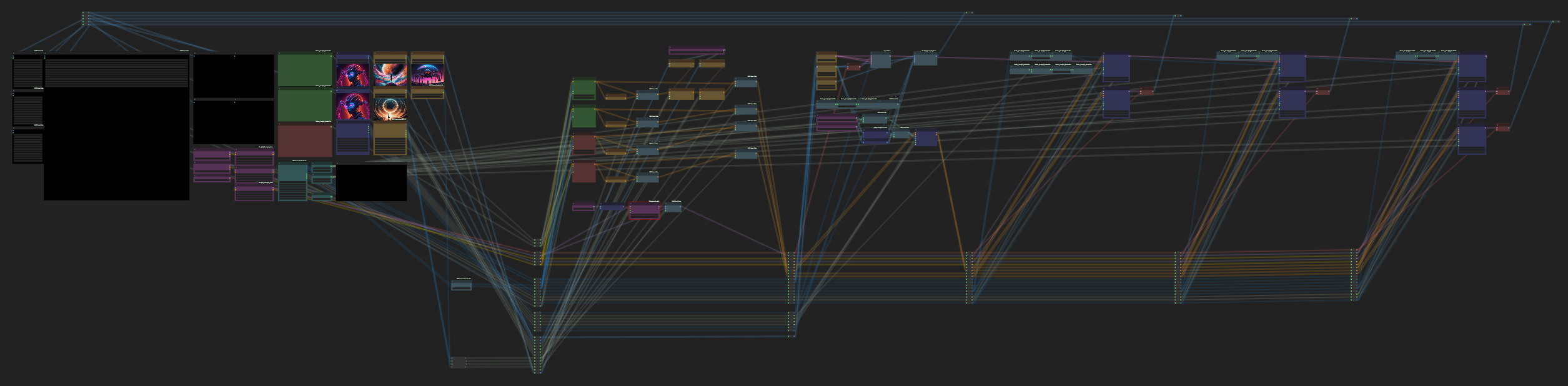 native knot
ionic gulch
is there a way to redirect sampler and scheduler in comfyui? that's the only thi...
native knot
ionic gulch
is there a way to redirect sampler and scheduler in comfyui? that's the only thi...
Can't you just use a reroute node?
ionic gulch
@soul afaik reroute node doesn't work for sampler and scheduler.
pure crystal


 native knot
ionic gulch
@soul afaik reroute node doesn't work for sampler and scheduler.
native knot
ionic gulch
@soul afaik reroute node doesn't work for sampler and scheduler.
Do you have a node that is able to output a sampler_name and scheduler? Because I can connect an input from a KSampler sampler_name and a KSampler scheduler to a reroute on the receiving end.
pure crystal
this is a 70% great giraffe
 native knot
 ionic gulch
@native knot do you know a node that fetches the samplers and schedulers from the directory on the disk and offers a dropdown menu (or some other way) to select them? i couldn't find one - so i have to use a primitive node and that doesn't work as input for the 4+5 reroute inputs in your screenshot
native knot
ionic gulch
<@211979248112631809> do you know a node that fetches the samplers and scheduler...
I do not. That would be nice, though. I looked through what I had loaded and everything that has that seems to just be the sampler nodes themselves.
So they don't pass it on, they use it.
soft zealot
https://github.com/giriss/comfy-image-saver has sampler/scheduler selectors
GitHub
All the tools you need to save images with their generation metadata on ComfyUI. Compatible with Civitai & Prompthero geninfo auto-detection. Works with png, jpeg and webp. - GitHub - giris...
native knot
Ayyy...there you go.
soft zealot
which was the node cause my double click search box to go wonky
native knot
Right
south frigate
idk, trying to render smth in SDXL @sand pier with workflow by @indigo carbon and its looks bad I think, tryed dreamshaper and copaxTimless


what should i change for better quality?
ionic gulch
soft zealot
https://github.com/giriss/comfy-image-saver has sampler/scheduler selectors
thanks. i will take a look.
native knot
south frigate
what should i change for better quality?
Copax Timeless XL is good. I'd probably go with a resolution that's closer to the 1 megapixel size, though. Although you can run 1024x768, you'll probably find better results overall by running 1344x768.
pure crystal
south frigate
idk, trying to render smth in SDXL <@120207112646164480> with workflow by <@4188...
CFG @ 10 is too high, try 6-7
native knot
I run cfg at 10 a lot without issue...just kinda depends. But that's absolutely something to play with until you get closer to what you're looking for.
Basically, the trick is that there is no trick.
You have to tweak things.
The best thing to do is learn what everything does; what each setting means. Then use that knowledge to make adjustments.
pure crystal
learn XY prompt tools, try stuff
native knot
 XY is awesome for finding something you like
soft zealot
south frigate
idk, trying to render smth in SDXL <@120207112646164480> with workflow by <@4188...
so fed your OG prompt "one white woman hold flowers on top of roof, cyberpunk world, lots of neon lights" through my ChatGPT Prompt Assist to get *"A photo of a young Caucasian woman with long flowing hair, dressed in futuristic attire, standing confidently on top of a rooftop. She holds a vibrant bouquet of flowers, surrounded by a sprawling cityscape illuminated with neon lights, showcasing a cyberpunk world." * as an alternitvely written prompt then wrapped it inside some styles to get this
Models used were ProtoVision as Primary & DynaVision as secondary
 native knot
I use ChatGPT occasionally as well to spice up prompts or to give me ideas. It's awesome.
pure crystal
image quality is nuts on this
 native knot
pure crystal
when people ask for help then walk away is my pet peeve
native knot
pure crystal
when people ask for help then walk away is my pet peeve
My god doesn't that suck? Like, why did you ask?
 cedar tusk
Anyone working with ip-adapter? I'm looking to merge two image inputs/clipvisions but just using the model merge node in Comfy doesn't seem to work. (Basically only first adapter has any influence). I was thinking it might be possible to get the diff b/t the adapted model and the base from each ip-adapter output and then merge those and merge with base. Thoughts?
native knot
cedar tusk
Anyone working with ip-adapter? I'm looking to merge two image inputs/clipvisio...
That's what I ran into when I tried it. Haven't spent any time beyond that yet. It's great with text influence, but I couldn't get 2 images to merge concepts.
pure crystal
 cedar tusk
My guess is that the layer added by the adapter is sooo small compared to the overall model that having 2x0.1% is effectively the same as 1x0.1% more data
Or the adapter overrides the same part of the model each time
native knot
I tried cranking up weights and making heavy adjustments and it basically just had zero effect.
native knot
cedar tusk
Or the adapter overrides the same part of the model each time
This is what I had hypothesized as well.
soft zealot
native knot
I use ChatGPT occasionally as well to spice up prompts or to give me ideas. It'...
As you may have seen I've now built it into my workflow, even helps with "refining" hand written prompts


so I started with the simple prompt of "a futuristic pop up tent in a forest" which my "Assistant" rewrote as "A photo of a futuristic pop-up tent in a dense forest at twilight. Vibrant LED lights illuminate the sleek, semi-transparent structure, blending harmoniously with nature's greenery."
native knot
soft zealot
As you may have seen I've now built it into my workflow, even helps with "refini...
Yeah, I saw that. I don't use it often enough to keep on my screen, but at some point, I may toy around with implementing it into one of my workflows.
eternal fog
cedar tusk
Anyone working with ip-adapter? I'm looking to merge two image inputs/clipvisio...
Yeah you can't merge them. Every way I've tried it will just use the last node node you put through.
cedar tusk
I'm going to try to merge the clip visions and feed that into the ip adatper
might accomplish the same thing
native knot
eternal fog
Yeah you can't merge them. Every way I've tried it will just use the last node n...
It's super annoying that it doesn't work.
eternal fog
I don't think it's designed to use more than 1 image. If you get it to work let me know, but I don't think it's supposed to work.