#📝|prompting-help
1 messages · Page 18 of 1
 vocal dew
What model are you using?
did you try: blur:2, (blur full image:2), radial blur, gaussian blur, (out of focus:2), (foggy camera:2)
 potent coral
Let me try that.
Thank you for replying @vocal dew . Do you know me from another discord server?
Also, I'd like to ask if the "1girl" prompt is a TOKEN word? and how did Danbooru decided to include it in the Stable Diffusion context dictionary?
 tired vigil
1girl is a tag from dabooru or something site
Some models are trained using those images/tags
potent coral
yes, they are. And they cause HEAVY bias.
vocal dew
potent coral
Thank you for replying <@451730408636416000> . Do you know me from another disco...
yeah we know each other from BlenderNPR & twitter (sort of 😄 )
btw, 1girl in my experience has been a vital prompt, when you are trying to have only 1 female person .. I have seen it used way more then 'one girl' 'one woman' . Also checkout '1boy' if you want only 1 male character (young)
potent coral
vocal dew
yeah we know each other from BlenderNPR & twitter (sort of 😄 )
btw, 1girl in m...
Yes, I'm aware of the "1Girl, 1Boy" tags. The big issue here, is that those words cause "child-like" anime faces. (male or female, but let's deal with female faces first).
vocal dew
potent coral
Yes, I'm aware of the "1Girl, 1Boy" tags. The big issue here, is that those word...
what are you trying to prompt btw?
potent coral
If you use "1girl", Woman, maid --->> you get a child like girl. This is a DOUBLE BIAS word prompt.
Most of the anime models were trained using "maid" with tagged pictures of child-like female faces.
And the word "1girl" introduces another bias, which is not to identify a female chacter only , but it is recognized in the Stable Diffusion dictionary word context as a "child".
In addition: If you use the above prompt, it is impossible to generate an "mature woman" "adult woman" "woman" in a maid uniform.
...
This is just the tip of the iceberg. I've encountered nearly 12 prompt (commonly used words) that change the results in Stable Diffusion, no matter what you type or negative embed for ANIME models.
 proven jasper
is this what you consider a child like face?
 potent coral
vocal dew
what are you trying to prompt btw?
potent coral
vocal dew
what are you trying to prompt btw?
Yes. Totally.
proven jasper
if yes then the bias is in your eyes
vocal dew
potent coral
Yes. Totally.
you can get more mature features.. if you add 'mature' to the positive prompt
and reduce the strength of 1girl
potent coral
 vocal dew
1girl:0.4, grown adult, 30yo
potent coral
notice the side profile.
older (mature?) woman in anime have different facial traits, nevertheless, they don't look "girly"

because of their long face, long eyes.
even long nose.
vocal dew
I wouldn't say long means mature.. but yeah.. there are certain signs of maturity
proven jasper
depends on the artist not all of them draw them the same way
potent coral
vocal dew
1girl:0.4, grown adult, 30yo
Yeah, about that: Stable Diffusion isn't capable of recognizing EXACT ages in Anime. It only obeys "young, adult, and mature".
vocal dew
like in real life, as woman grow old, they get wrinkles.. or fine lines ... (early stage)
potent coral
proven jasper
depends on the artist not all of them draw them the same way
but yet, all "anime girls" look exactly the same everywhere. This is because most of the training data was picked from JP or CZ illustrations
vocal dew
potent coral
Yeah, about that: Stable Diffusion isn't capable of recognizing EXACT ages in An...
A slightly longer way would be to take a trick out of Japanese anime artist's book
proven jasper
potent coral
but yet, all "anime girls" look exactly the same everywhere. This is because mos...
not everywhere you are probably using a generic model like counterfeit
potent coral
vocal dew
like in real life, as woman grow old, they get wrinkles.. or fine lines ... (ear...
yeah, realistic models CAN detect "Xx Years old" prompt. Hence in Anime models, since those are not RELEVANT TAGS for IMAGE training, we can't ask SD (or anime models that were not trained with "Xx Years old" age tag, work.
potent coral
proven jasper
not everywhere you are probably using a generic model like counterfeit
Nope. I've tested A LOT and I've been testing 2 years. All anime models that look ANIME, not ILLUSTRATION.
vocal dew
potent coral
yeah, realistic models CAN detect "Xx Years old" prompt. Hence in Anime models, ...
you haven't said.. which model are you using.. there are certain biases in certain models
potent coral
@proven jasper Bias means: lock into a word prompt. MAID is LOCKED to always represent a child like female face. You can't generate a Woman in Maid uniform in SD, no matter what ANIME .safetensor model you use.
 proven jasper
potent coral
Nope. I've tested *A LOT* and I've been testing 2 years. All anime models that l...
proven jasper
potent coral
Nope. I've tested *A LOT* and I've been testing 2 years. All anime models that l...
is this similar to what u lookin for?
 potent coral
ok, easy test: Generate something like the above, but with a WOMAN-LY face.
potent coral
proven jasper
is this similar to what u lookin for?
This is ILLUSTRATION, not Anime.
this is ANIME:

again: this is how an OLDER WOMAN, WOMAN-LY face, Woman, 1Woman
should look like.
(image is a screen capture from an ANIME SHOW, the subject is: Generating ANIME show images from SD with WOMANLY faces)
proven jasper
then id suggest for you to train your own lora on whatever style you want then you use it with your fav checkpoint that can give u the desired results
potent coral
Indeed. But y'all gotta accept the models are heavily Biased.
proven jasper
🤷♂️
proven jasper
well its hard to determine age on a drawing unless its heavily detailed like davinci or michelangelo
potent coral
d00d. Focus.
vocal dew
 potent coral
Attack on titan clearly shows Girl (1st season) and WOMAN (3-4season) different faces.
tired vigil
Angry maid for you >:
 potent coral
Girly.
potent coral
proven jasper
🙏
Bet.
potent coral
vocal dew
Are you using a realistic .safetensor model for this? It clearly shows that IT RECOGNIZES age.
 vocal dew
potent coral
Are you using a realistic .safetensor model for this? It clearly shows that IT R...
vocal dew
potent coral
Are you using a realistic .safetensor model for this? It clearly shows that IT R...
yeah.. dreamshaper version 8 safetensor
proven jasper
 potent coral
proven jasper
potent coral
proven jasper
almost there. Looks like an actual screencap with jpg artifacts. This was not generated in SD.

 potent coral
this guy even tried as hard as he could to make a Makima look like an actual Woman, instead of a girly face, and it shows he failed.
potent coral
proven jasper
This is a LORA, I can read this from a mile away.
We're trying to conjure a way to make SD generate native (different) womanly faces, in their generation sets, using an Anime .safetensor model.
proven jasper
you are trying we just generating some girls
 proven jasper
yea it do be like that sometimes
potent coral
Womanly face in ANIME style. Again, this is not illustration. By now, I am clear you can recognize what an illustration vs what an ANIME image are.
And that all "anime.safetensor" models are Biased.
potent coral
potent coral
@proven jasper even this user could almost not escape generating a Child like face.
and you know how Makima (should look) like a woman.
So yeah.
proven jasper
where is the police when u need them
potent coral
right? The TAGGING image police.
Generating bad set of poorly tagged images, lead to this problem.
--All right friends, back to the MAIN SUBJECT:
proven jasper
🫡 we'll fix it right away
potent coral
How did DanBooru got "1Girl" into the Stable Difussion dictionary context words?
proven jasper
not mature enough for me ( sad life 😔 )
 potent coral
We need to re-define or re-declare that tag, separatedly, so we can prompt and generate "woman", without getting a "child like" face.
potent coral
proven jasper
not mature enough for me ( sad life 😔 )
Ah yes, this is ANOTHER BIAS, everytime a user prompts for "mature" or "older" woman, it tends to create MANHUA Female bodies.
proven jasper
we will add that in next update so dont worry about it
potent coral
good example of an anime woman body. (not illustration)
 potent coral
proven jasper
we will add that in next update so dont worry about it
potent coral
proven jasper
we will add that in next update so dont worry about it
Are you part of the SD development team? Or you're just kidding?
If you're ready to get input, I got an entire Essay about BIAS in anime models.
I mentioned I've been testing for the past 2 years.
@vocal dew , ok it worked: (blur full image: 2):
 proven jasper
sd checkpoints like anime ones are created by voluntary users with their own hard work and hardware/electricity it takes a lot of time and testing to create one so if you want an specific style because the current ones cant output your desired style you could always train your own
potent coral
Indeed. Which is why I am investigating about how to add a trained LORA syle and (merge) it to 1 of the 3 candidates that have stood the test of time in the anime results.
So the users will prompt "woman" and they actually get a Woman-ly face on their results.
vocal dew
I know there are certain biases that exist because of majority of lack of varied image sets on which to train the model in the first place..
vocal dew
potent coral
So the users will prompt "woman" and they actually get a Woman-ly face on their ...
the fastest way would be to use control net, and just use the face of an apporpriate model as a 'starting point'
potent coral
@vocal dew the green zone IMMEDIATELY goes back to focus when weights are applied. This is because in the dictionary of Stable Diffusion, one of the layers has a BIAS of ALWAYS FOCUS FACE
proven jasper
you can merge a lora of your preference and add keywords to it by using Kohya gui
potent coral

So, again, we can't really "blur" the image (as one would with a filter in photoshop) using "(blur full image:1) because the result is like the above.
potent coral
proven jasper
you can merge a lora of your preference and add keywords to it by using Kohya gu...
Yes, thank you for the suggestion. I'm studying the network parameter and epoch correct repetitions for 1000 images to train the womanly style.
proven jasper
yea but remember to reduce weight of loras when mergin otherwise it will fry the model and look awful
potent coral
vocal dew
the fastest way would be to use control net, and just use the face of an apporpr...
Indeed, I even tried anime lineart, and it works out of the box. It works really well. but again, this is the "creative side" we're missing from SD: that it cannot generate different looking "womanly" faces.


This was done in anime lineart using Control net. And the result shows a correct "younger woman" face.
proven jasper
it probably cant because most anime models have NAI dataset as base and that was probably trained with the curated images from some artists that have the same artstyle u mentioned
vocal dew
potent coral
Indeed, I even tried anime lineart, and it works out of the box. It works really...
would it surprise you.. sometime back I talked to the main developer of midjourney during office hours... and I told him that SD couldn't do '2 or more Dragons' closeup.. (it could do bunch of 'tiny' dragons far away or single dragon..)
potent coral
proven jasper
it probably cant because most anime models have NAI dataset as base and that was...
Yes, and some other embed the bias via the VAE. Which is also a huge damage to the creative side of generating anime faces.
vocal dew
he checked it on live chat.. and it turned out true 😄
proven jasper
potent coral
Yes, and some other embed the bias via the VAE. Which is also a huge damage to t...
you can fix this by using adetailer and adding the mature women lora to the adetailer prompt
potent coral
Yes @vocal dew , those are the kind of bias I am talking about. As I mentioned: I've researched over the past 2 years, and there are at least 10 consisten bias which will LOCK your prompt image into looking the same.
vocal dew
interesting.. what are these 10 bias you speak of..
proven jasper
you are right that most anime models have the same face unless u use a lora ofc
potent coral
Some wacky words cause Bias as well, that SD doesn't know how to generate, and it generates them out of errant tags from former NAI (bad embedding/tagging) trained models.
potent coral
vocal dew
interesting.. what are these 10 bias you speak of..
I would demostrate them into a video I'm putting together.
At the moment the most important question is:
Why in the world can't I direct the level of the blur image in an SD prompt?
Why will it always look to focus the FACE?
Even negative prompting will not solve that.
tired vigil
because it wasn't trained on blurry images
potent coral
If I want to have a soft blur weight of 0.4 or 0.2 on the image, SD will always FOCUS it.
Try it.
That's bias
vocal dew
I think there is one more possible culprit
potent coral
Bias (number 3)
vocal dew
most standard LORA like bad_prompt.. that I often use.. to fix bad hands.. and stuff.. include the negative prompt 'blurry'
potent coral
blur full image: 0.8 - nope.

it gets me the same results as if I prompt "blurry:1.5" which will defocus everything else around the face of the character.
...
vocal dew
it might be the reason that it doesn't give blur until power is 2
proven jasper
because it was trained on artworks that have the blurry background perfect face style
potent coral
in addition, yeah, there are 7 more LOCK words that really damage the anime content prompts.
potent coral
vocal dew
it might be the reason that it doesn't give blur until power is 2
CORRECT, and only then. When the THRESHOLD for Clip skip is no longer having that parameter to control, then it shows it correctly in the image.
potent coral
proven jasper
because it was trained on artworks that have the blurry background perfect face ...
If you try blurry face or Blurry, in full weight or half weight, the results will be the same. Only when it's set to 2, it overrules clip skip and then it represents it well.
Clip skip is able to stop or read the generated layers and in this case the layer "blur" overrides the image and it shows "a correct blur".
Anyways, ok, so again... is there a way to notify this (+ other 7 BIAS fallacies) to the stable diffusion devs so we may correct the context words dictionary ?
vocal dew
potent coral
Anyways, ok, so again... is there a way to notify this (+ other 7 BIAS fallacies...
Well this server and specially #🔧|finetune .. is the closest a person generally gets to SD Devs.. but as you know DMing mods/admins in any server is generally an invitation to trouble
best bet is to wait for a 'office hour' stream.. or something
potent coral
ok, so I see no other choice but to make a 10 minute video talking about these problems, maybe then, they'll understand with practical cases, why we need to have control over these things.
vocal dew
or maybe the #1011228667659178055 channel
potent coral
I mean, I get it that stable diffusion outputs are really great, but If I'm feeding all the information myself, then I'll just grab photoshop and do the job myself.
vocal dew
potent coral
ok, so I see no other choice but to make a 10 minute video talking about these p...
yeah sending the link of a decent video .. not too long.. helps
proven jasper
prob not because the anime models are not made by SD,they are finetuned by people and the people who create them decide what type of style they apply to it
potent coral
the idea is that stable diffusion (given it's wide variety of noise-diffusion and math algos) do SOMETHING creative with the prompts.
proven jasper
theres also no way for them to put control over it because its open source
potent coral
vocal dew
yeah sending the link of a decent video .. not too long.. helps
I'll trim it to 8 minutes. It's kind of long because there are a lot of implications, but I'll focus on the main ones.
potent coral
proven jasper
prob not because the anime models are not made by SD,they are finetuned by peopl...
We agree. But there's a dictionary of context words in Stable Diffusion (layer naming if you will), and those are biased. This is why this is a Stable diffusion issue.
We need to fix that first, and then fix the TAGGING issue for all anime images Danbooru has.
but that's another Discord I'll have to get involved in. (pun intended).
--all right team. I'll create the video in the days to come. Then, I'll be back.
potent coral
proven jasper
theres also no way for them to put control over it because its open source
Clip Skip, Negative embedding, those are the way we can put control into, and we just can't.
vocal dew
take care man..
potent coral
Thank you for your help @vocal dew + @proven jasper let's make SD great (for Anime) again.
🙂
 silver valley
potent coral
Thank you for replying <@451730408636416000> . Do you know me from another disco...
silver valley
potent coral
Thank you for replying <@451730408636416000> . Do you know me from another disco...
Hey, most Anime models got trained on Danbooru images with their own tags system. Stability ai has nothing to do with community made models biases.
potent coral
Yes, that's another problem, for another discord.
potent coral
silver valley
Hey, most Anime models got trained on Danbooru images with their own tags system...
I've set some examples above, weights, prompts, etc.
silver valley
Yea I scrolled trough it
Its very hard to generate a fully blurred image.
Did you tried maybe frosted glass or opaque glass
Best thing would be maybe a lora trained on blur
 glass magnet
/describe boy
vocal dew
silver valley
Best thing would be maybe a lora trained on blur
I checked earlier on civitai.. and surprised no one has made it yet.. I guess everyone is just putting it in PS and doing 1 step blur
silver valley
vocal dew
I checked earlier on civitai.. and surprised no one has made it yet.. I guess ev...
Yea right. Its mostly even better to do it that way
vocal dew
though I agree there has to be a 'standardization' of poses keywords, camera view keywords, age keywords, etc
moving forward that is
silver valley
Yea would be nice
 granite warren
⌨️👁️
 severe condor
Hi
Is there anyone?
i found a very good picture from an AI Generated https://www.instagram.com/p/CxaeCGVNTk-/?img_index=1 but dont know how i can generate it and whit which promts or checkpoints...

Four days Octoberfest so far - four chances to show off a great dirndl...
I just love this piece of fashion and personally could buy a lot more each year! Today I need a break but as a „real“ Munich Girl going to the Wiesn is not a choice…it’s a duty 😜 I’m sure you will find me again soon in one of those tents. Lol. #octoberfest #oktoberfest #wi...
Likes
4271

 Instagram
 spark rune
here are some famous checkpoints to get you started: https://civitai.com/models
mess around with the prompts for a little bit, trying to fix each issue you find one at a time
like troubleshooting
once you are stuck for a little bit trying to do something new
thats when you will learn new techniques
severe condor
I tried it. I got some nice images but not a image with dirndl on Oktoberfest that’s why I’m asking
spark rune
people really think is that easy huh
practice, my man
keep doing over and over, changing small stuff util you get something better
there is no skill in this life that you can be good at without previous experience
severe condor
Okay. Which checkpoint, lora etc combinationnwill give best results? Trying too?
silver valley
severe condor
Okay. Which checkpoint, lora etc combinationnwill give best results? Trying too?
i would suggest trying dreamshaper v8
for prompt use girl or woman, wearing a dirndl, (oktoberfest), photorealistic


 rigid wind
 upbeat steppe
you need SDXL controlnet models
 rigid wind
idk how to install it through that, I did it through a command window
if you click on the 3 dots in the top right corner of the screen it will show you clone repository, if you follow those instructions it'll show you how to do that
on the hugging face repository that is
silver valley
upbeat steppe
<@148081902232928256> when Install showbthisbmessege, do you onow how tô fix?
thats not how you install it
spark rune
About the Controlnet "Depth" method
any reason to use the model "control_v11f1p_sd15_depth.pth" over the oldest "control_depth-fp16.safetensors"?
spark rune
Answering my own question: yes, there is.
When testing other cenarios, seems like "control_v11f1p_sd15_depth.pth" limits the generation way less than "control_depth-fp16.safetensors"
with "control_v11f1p_sd15_depth.pth" you can have way more control on how much the unit affects the image
upbeat steppe
silver valley
thats not how you install it
can you say me how can I isntall?
silver valley
upbeat steppe
can you say me how can I isntall?
you find the ControlNet models for SDXL here:
https://huggingface.co/lllyasviel/sd_control_collection/tree/main
then put them in the folder where the other controlnet models are
upbeat steppe
ok thanks!
what is the difference between it?

I had download only the first
maybe is it that are impossible to run correctly?
upbeat steppe
silver valley
you find the ControlNet models for SDXL here:
https://huggingface.co/lllyasviel/...
I forgotten to mark you
silver valley
upbeat steppe
what is the difference between it?
idk, i didnt used them. but maybe the effect strenght is different
upbeat steppe
silver valley
idk, i didnt used them. but maybe the effect strenght is different
ok, one more question
what is the difference between this

sdx1-1.0
andand this canny

and*
upbeat steppe
one question
to me run controlnet on sdxl mut be in automatic1111 1.6 or can be in 1.5?
ok can be in 1.6
upbeat steppe
what is this (behind HEAD)? I check the controlnet but when I updated the prorgam broken

and when I use controlnet this appear, but Im using a model for SDXL

 grizzled knoll
Hi, does anyone have a tips for color fix ? exemple : "a girl with RED top, BLACK pants, WHITE gloves". Each time the colors are mixed with all 😦
silver valley
grizzled knoll
Hi, does anyone have a tips for color fix ? exemple : "a girl with RED top, BLAC...
hey, there is an extension for that called Cutoff extension
grizzled knoll
silver valley
hey, there is an extension for that called Cutoff extension
Yeah I already tried it but on photorealistic it doesn't work
silver valley
grizzled knoll
Yeah I already tried it but on photorealistic it doesn't work
yes youre right
it really works better on anime models
silver valley
grizzled knoll
Yeah I already tried it but on photorealistic it doesn't work
try to give them more strenght
like that:

without the cutoff extension it worked
grizzled knoll
silver valley
try to give them more strenght
Ok I will try
tired vigil
upbeat steppe
and when I use controlnet this appear, but Im using a model for SDXL
That says the ControlNet doesn't support SDXL, it doesn't mention the model.
upbeat steppe
tired vigil
That says the ControlNet doesn't support SDXL, it doesn't mention the model.
But controlnet support SDXL, doesnt?
tired vigil
I don't believe it would, without an update. I think that's what the "behind HEAD" means. That it's out of date.
 tough plaza
guys, is there any SDXL usage expert around? i'm in need of some helpz on it... to make the most of it really. I'm really not sure it's the prompt, because I'm using the same prompt. It's more about how the model is working in two different sites.
I learned about SD using a website called sexy.ai (i know, its mostly for NSFW's) but I was using it because it was free and easy to use, to make art for d&d campaigns.
and it's just so good. I tried the sdxl and I was able to make this epic fantasy themed drawing.

I decided to download it for use locally, I got the vae fixer version, I use the refiner, but all my photos come out ... "MID" or "uninspired" in fantasy terms and with a much bigger emphasis to realism rather than what i was able to do, with the same exact prompt, even though both models are SDXL...
it's a different style, basically... wonder if there's any knowledgeable guy who can point me in the right direction
 tough plaza
I was told that it might be because the site is using comfyui and i'm using a1111 it might be different by the site owners, but honestly it's a huge departure in style
silver valley
tough plaza
guys, is there any SDXL usage expert around? i'm in need of some helpz on it... ...
did you selectet any "in style of" button in the web version?
tough plaza
no, it does not have that option
see, this is not what it comes out looking at all if you do this exactp rompt in the downloaded a1111 sdxl

very simple prompt, very artistic outcome
and worst is the site owners (and users) confirm its sdxl with refiner. They did say the site uses comfyui but yeah as i said, it's just such a departure it's hard to believe an UI would make it go so far off
silver valley
i tried a simple prompt and got this (sdxl 1.0 and refiner)

can you share the prompt then i can test what i get with it
tough plaza
POS: Beautiful blonde woman, beautiful hair, beautiful green eyes, with a muscular body as a holy paladin, wearing a golden ornate plate armor. She is enveloped by golden energy, standing in a forest at night. Starry sky. She is a holy angel, d&d style, fantasy themed, 8k, high quality, masterpiece, hyper-detailed face, best quality.
NEG: ugly face, ugly eyes, poor effort, bad hands, asymmetrical, cross eyed, lazy eyes.

my downloaded sdlx checkpoint seems just...
extrmely uninspired (in fantasy terms) compared to that site's
and more biased towards high realism
whereas the site's setup leans way more towards the fantasy element, and idk... i find it much more useful to do for fantasy since that's what i'm after for bringing scenes from our d&d table to life xD

 tough plaza
it is coming out prettier than how i was doing it earlier...

wonder if the resolution had to do with it?
tough plaza
tough plaza
guys, is there any SDXL usage expert around? i'm in need of some helpz on it... ...
the difference here is stark, though i was using kate upton. and i have a kate upton lora downloaded (though i didn't use it)
maybe the lora was coming active without me wanting it to? (no lore:kate_blabalbal)
idk if loras are biting me in the butt
without using kate it really did come out better
silver valley
tough plaza
without using kate it really did come out better
yea then the lora may had a to high strenght
you can adjust that with the number in the lora
silver valley
then it wont get used
tough plaza
do they affect outcomes if you don't do the <lora... yeah
tough plaza
these 2 are from the site using kate's name


hmmm how many refiner steps do you take? i put 2, since the main process has 30 sampling steps
silver valley
my question is you said you asked the site if they use SDXL and they said yes.
did you asked what version of SDXL the used?
tough plaza
look this is from the sdxl

see the face its much more realistic
it really is like an extracted kate
also from the local downlaoded model.

whereas the site looks more fantasy themed...
annnnnnd no, good question, i supposed it was the only one availble 😛
Beautiful kate upton, beautiful hair, beautiful green eyes, with a muscular body as a holy paladin, wearing a golden ornate plate armor. She is enveloped by golden energy, standing in a forest at night. Starry sky. She is a holy angel, d&d style, fantasy themed, 8k, high quality, masterpiece, hyper-detailed face, best quality.
ugly face, ugly eyes, poor effort, bad hands, asymmetrical, cross eyed, lazy eyes.
(prompt i used just now)
silver valley
tough plaza
whereas the site looks more fantasy themed...
annnnnnd no, good question, i sup...
xD maybe they use DreamshaperXL instead of base SDXL
Dreamshaper XL

 tough plaza
these 2 are from the site using kate's name
tough plaza
tough plaza
these 2 are from the site using kate's name
compare to these 😛
its something different, in the style, but yeah... i guess without them telling me exactly how they set it up...
i mean dreamshaperxl is beautiful

its just a bit more anime than what i wanted
silver valley
tough plaza
its just a bit more anime than what i wanted
maybe they use Copa TimeLessXL
https://civitai.com/models/118111/copax-timelessxl-sdxl10

About focused on developing diversity in styles I'm delighted because with every update of this model, it receives a multitude of reviews from peop...
silver valley
i dont have it downloaded to test
tough plaza
look what the site renders with:
Beautiful kate upton, beautiful hair, beautiful green eyes, with a muscular body as a holy paladin, wearing a golden ornate plate armor. She is enveloped by golden energy, standing in a forest at night. Starry sky. She is a holy angel, d&d style, fantasy themed, 8k, high quality, masterpiece, hyper-detailed face, best quality.
ugly face, ugly eyes, poor effort, bad hands, asymmetrical, cross eyed, lazy eyes.

 silver valley
but yea my guess is that the site uses an SDXL model but not base 1.0
tough plaza
im not using base 1.0 either im using the vae fix one
silver valley
yes
 tough plaza
zavy chroma isn't the one but
damn it looks good 😛

i think none of the sdlx models can make the faces quite in the way that theirs does with the same prompt, i guess they must've modified it somehow. i do know they work hard to avoid people being able to just put famous people's names, to avoid colalborating in making nsfw of celebrities basically
 velvet sapphire
hello all, I am seeking to create non-representational art, modeled after a few pieces of inspiration. I am not sure which prompts to use, however
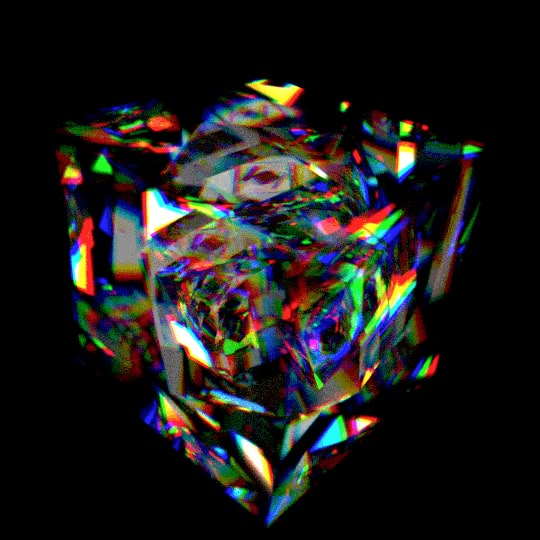
I want something that is a mix of these things:

If you are a 🎥 movie lover - you're gonna love our channel 👌
Get your popcorn 🍿 & 🥤soda and enjoy legendary scenes from
your favorite movies. You might also find some great clips🎬 you completely forgot about or even find something completely new to spend your afternoon on. Don't worry, we all do it sometimes 😉
SUBSCRIBE & CLICK THE BELL B...
this emoji

these images ish


here are some animated pins
https://www.pinterest.com/pin/776800635730206790/
https://www.pinterest.com/pin/12947917670974396/
https://www.pinterest.com/pin/1337074886558932/
Pinterest
Jan 21, 2023 - "The whole culture is telling you to hurry, while the art tells you to take your time. Always listen to the art." Junot Díaz

Pinterest
Mar 16, 2022 - This Pin was discovered by Ashlea Clark. Discover (and save!) your own Pins on Pinterest

Pinterest
Jul 20, 2023 - This Pin was discovered by Shelby Bass. Discover (and save!) your own Pins on Pinterest
here are the prompts I am using (don't laugh this is my first time using this lol)
positive
isometric, right angles, fractal, prismatic, lensing, refraction, geometric, hexagonal angles, square angles, rainbow, slightly chandelier, lens flare, glass machinery, metaphysical clockwork, very very sharp, double exposure, chromatic, slightly desaturated, very very clear lines, diagram, tesseract, very very crystal, zoomed in square diamond, very very square, made in cinema4D, symmetrical```
negative
lowres, cropped, worst quality, humanoid figures, curves, radial, blurry, circles, web, arbitrary angles, muddy, vague, soft, ```
here's where I'm at latest

 tired vigil
velvet sapphire
here are the prompts I am using (don't laugh this is my first time using this lo...
tired vigil
velvet sapphire
here are the prompts I am using (don't laugh this is my first time using this lo...
I'd make a much simpler prompt first
Start with some to get the shape you want
Like square, fractal, diamond, colorful
And put black background
So it keeps what most of those examples image have
Photograph might be a good one to include so they aren't unrealistic, you could specify the type of lens and stuff, if you know those
If you have controlnet you could use them as reference, or even make a depth map of you want a specific shape
Negatives like humanoid figure, curves, web, arbitrary angles, muddy and vague don't seem like they will do much
velvet sapphire
tired vigil
Photograph might be a good one to include so they aren't unrealistic, you could ...
I want them to be abstract as they are representational of an inner mental phenomena, not one embodied
velvet sapphire
tired vigil
If you have controlnet you could use them as reference, or even make a depth map...
what is control net? I'm using dream studio with paid credits
can I run this locally?
velvet sapphire
tired vigil
Negatives like humanoid figure, curves, web, arbitrary angles, muddy and vague d...

can too many negative prompts hurt? and if so, what effects do they generate?
velvet sapphire
tired vigil
And put black background
good idea
tired vigil
velvet sapphire
can I run this locally?
Hmm yes stable diffusion is free you'll need a GPU with like at least 4gb vram
velvet sapphire
hmmm is it possible to take an input image and edit only one quality of it? like "same thing but more orange"
velvet sapphire
tired vigil
Hmm yes stable diffusion is free you'll need a GPU with like at least 4gb vram
I have 8gb vram dedicated and have been running, I think, a custom version? for porn lol
thought it was just an open source derivative of the "official"
tired vigil
velvet sapphire
what is control net? I'm using dream studio with paid credits
It's an extension for stable diffusion to be run locally
I know nothing of other methods so not sure which ones support it
velvet sapphire
mmmm I'll have to look around in the server
velvet sapphire
velvet sapphire
hmmm is it possible to take an input image and edit only one quality of it? like...
or can I use multiple input images as prompts
tired vigil
velvet sapphire
can too many negative prompts hurt? and if so, what effects do they generate?
Yes, it can basically destroy an image, because negatives aren't like taking things out of your gen, it is trying to gen without them at first, if you include some random words that don't target stuff specifically, it can harm the data it is using for trying to achieve your desired image
tired vigil
velvet sapphire
hmmm is it possible to take an input image and edit only one quality of it? like...
With controlnet I believe that wouldn't be hard
I'm not super sure for those weird shapes since I haven't done them or anything close
velvet sapphire
does "very" influence prompt strength?
tired vigil
velvet sapphire
does "very" influence prompt strength?
Depends on the model Id say
But It should
You can also do (crystal, bright: 1.2)
velvet sapphire
ahhh perfect
velvet sapphire
where should I look to read the differences so I know which to pick
 tired vigil
I'm using SD 1.5
SDXL is the newer smarter one, it might be easier to get those images like you want in it
 where is 1.5 in that image
Is your GPU from Nvidia?
 frozen wind
Hmm... I'm not sure since I don't think 10xx series cards support proper fp16 and it doesn't have enough vram to load the full model at fp32. I think it can with upcasting.
tired vigil
👀
So you might wanna stick to 1.5
It's not bad by any means
Maybe follow some YouTube guide on how to install if you're not familiar with this stuff

silver valley
frozen wind
Hmm... I'm not sure since I don't think 10xx series cards support proper fp16 an...
It will work easily with 1.6.0 and --medvram-sdxl --no-half-vae
Using it on my GTX1080 8gb
frozen wind
Cool, I wasn't sure because I've only used SD on 20xx and 30xx series personally.
silver valley
Its also pretty fast for that card with 1:30 for 25 steps
In webui 1.5 it first took 11 minutes xD
 orchid ore
- it is 1080ti with supposing 11GB?
silver valley
Yea should be even faster
 robust totem
Hi all, I have a workflow question that seems advanced to me. I'm using SDXL-derived models to render some playing cards using img2img and a simple vector template of a playing card. Rendering a single playing card at 768x1024 with the right prompt gives me great results. However, if I try to render two playing cards side-by-side, at 1536x1024, the variety and interesting details of the card completely disappear, and become super restrained to a very boring subset of the results that I get with just one card.
I've tried many different approaches to resolve this issue: changing my prompts, changing my settings, rendering at half-resolution and then upscaling, etc. I'm not having much luck. Anyone have any suggestions?
orchid ore
probably because models are trained on 1Mpx images. Here somebody did this txt. for 1536x640 is.
probably as well problem, you can have 1 person in image easily but not sure how to control more of them. If cards contains figures, can be problem in one image.
 languid panther
I am trying to make a Star Wars character. And I would love her to hold a lightsaber, but I can't get it to work, either the lightsaber is floating somewhere in frame, or it's really really cursed. Does anyone have tips for this?


 tired vigil
languid panther
I am trying to make a Star Wars character. And I would love her to hold a lights...
tired vigil
languid panther
I am trying to make a Star Wars character. And I would love her to hold a lights...
It's a bit hard to get people holding weapons correctly without manual input
I have had more success when using "holding thing by the hilt" in my prompt
Most of what I did was swords try replacing thing with lightsaber
And "two handed sword" made it do multiple/floating things less
Not sure how well two handed lightsaber would do in your model, try it too :b
If you're fine with manual input just inpaint it  👍
👍
languid panther
tired vigil
If you're fine with manual input just inpaint it <:mochicat:1110577952304939060>...
Awesome, I'll try that out, thank you!
tired vigil
languid panther
Awesome, I'll try that out, thank you!
Oh and maybe try img2img with one that went well, with high denoise like 0.8 so it's basically a new image, it might force the AI into generating for example only one lightsaber
tired vigil
languid panther
Awesome, I'll try that out, thank you!
Oh and maybe try img2img with one that went well, with high denoise like 0.8 so it's basically a new image, it might force the AI into generating for example only one lightsaber
I think it sent the message twice, internet lagged 

languid panther
I think it was a general Discord thing
I had the same with a dm lmao
But thank you! I'll try that
tired vigil
Can you show one example of what you're trying to generate
I'm having mild success with book cover instead of book
And open book in negative
upbeat steppe
hi guys, my VAE was here at A1111 1.6 on colab, but after I run a new colab it dessapear.. where is the VAE?
 tired vigil
upbeat steppe
hi guys, my VAE was here at A1111 1.6 on colab, but after I run a new colab it d...
tired vigil
upbeat steppe
hi guys, my VAE was here at A1111 1.6 on colab, but after I run a new colab it d...
there is an option to enable it in settings, not sure exactly where though
upbeat steppe
ok i will serach, thanks
Should the VAE be the same as the checkpoint or can you use any VAE for any checkpoint?
search*
upbeat steppe
tired vigil
there is an option to enable it in settings, not sure exactly where though
up
tired vigil
any, can't use xl vae on 1.5 or vice versa though
upbeat steppe
ok thanks again
 random lodge
where tf did my lora button go
 silver valley
upbeat steppe
hi guys, my VAE was here at A1111 1.6 on colab, but after I run a new colab it d...
silver valley
upbeat steppe
hi guys, my VAE was here at A1111 1.6 on colab, but after I run a new colab it d...
Hey, go into Settings>User Interface>Quicksettings and there add sd_vae
Then apply and reload ui
upbeat steppe
ok thanks!
silver valley
Also you can use any vae on any checkpoint that has the same base version
silver valley
Checkpoints and vae are based on either 1.5, 2.1 or SDXL
silver valley
random lodge
where tf did my lora button go
Hey restart the webui and check the Commandline window. You can post a screenshot in #🤝|tech-support
upbeat steppe
exist SD 2.1? 😮 I was using 1.5 I think... now that I started to use SDXL
ok
this questions are here or in tech suport?
silver valley
Technical stuff normaly in #🤝|tech-support
This channel here is for getting help to get better images
upbeat steppe
ok thanks, I will do it
random lodge
silver valley
Hey restart the webui and check the Commandline window. You can post a screensho...
fixed it, it was unchecked in extensions tab D:
 floral leaf
im unsure what this means in a prompt (****, best quality) what do the *'s mean or even do? feel free to ping reply edit: theres four stars but discord removed them lol
i understand the best quality but not the stars
or asterisks whatever theyre called
orchid ore
probably some level of quality. I got negative prompt with ++++ or +++,++ Not sure it is working
 hollow tapir
I don't think * does anything (at least in the default automatic1111 parser)
it can be used by dynamic prompts extension tho https://github.com/adieyal/sd-dynamic-prompts#fuzzy-globrecursive-wildcard-filedirectory-matching
 viral perch
I'm trying to get a mermaid with a double (or split) tail, and failing miserably. Can anyone else have a go at it?
orchid ore
mermaid with 2tails
and lot of renders and big portion of luck
 blissful sapphire
I saw this prompt syntax on a picture can someone explain?
 winter orbit
Hey, how should a prompt be structured to make the results as realistic as possible with the new Stable Diffusion XL, which I have running locally on my PC? What are the settings I should consider for achieving the most realistic images? Are there any other tips I should take into account? Thank you.
 placid mica
Why is it SOOOOO hard to get proper braces? I've even tried to train embeddings, but they magically disappear as soon as stable is supposed to draw them 😦
 fervent tide

Upwork
Get AI Animations for yourself or your company from Upwork Freelancer Emirhan Z.


 tired vigil
 silk fossil
that is really something
It reminded me of this lora
Its for SDXL...
 outer yoke
Hi :). I'm a begginner at this. What's the easiest way to turn a real life photo into a sketch? I use A111
I see there's a good sketch lora, but can we use lora with img2img?
 ashen perch
I am currently trying to generate a specific art style, which I would call „vector graphics“. Something like this: #1071925540417708072 message
Does someone have an idea how this art style is called?
tired vigil
outer yoke
Hi :). I'm a begginner at this. What's the easiest way to turn a real life photo...
Easiest way would probably be controlnet, the canny model
If you don't know what that is, just Google and find a tutorial on how to download and use, it's not very hard, few minutes:d
It draws lines of where things are in your image, so it becomes a sketch for your next image generation
Then you just have to prompt for a sketch of a person or whatever you want
 mossy lark
tired vigil
ashen perch
I am currently trying to generate a specific art style, which I would call „vect...
mossy lark
tired vigil
ashen perch
I am currently trying to generate a specific art style, which I would call „vect...
I can't click that link for some reason
outer yoke
Thanks @tired vigil 🙂 I'll try it out
mossy lark
#🎥|animation a story regrading a young girl come to other country become devil
ashen perch
tired vigil
I can't click that link for some reason
Hm, odd. Message links were working in the past.
Its an image from the minimalism Thread: https://cdn.discordapp.com/attachments/1071925540417708072/1077952694389587978/0_minimalism_fox_vector_.png?ex=6514dded&is=65138c6d&hm=5bd451dbafeb1aeea08cd839ccebdc793185f2e10c20ee72b646c2222d23f63a&
 ashen perch
Ohhh, now that you mention this word, it sounds familiar.
Let my try this out!
Thanks 🙂
orchid ore
no problem
if you have A1111 you can put it in PNG info, and interrogate image, it gives you description of it. Some sort of reverse. Image to text.
 inland scaffold
i see many people using BREAK in there prompt, why do they do that, what does it do?
anybody has any idea
orchid ore
it makes longer prompt and words around break gain some sort of weight.
tired vigil
inland scaffold
anybody has any idea
regional prompter can use breaks to separare images in sections, most people do that when they want to generate multiple different people or things, like ice and fire side by side together style of images
placid mica
I realise I didn't really form my comment as a question so I'll try again: Does anyone have any tips on how to consistently get braces in stable diffusion? Is there some models that's better (or even capable) of it than others? Even when I tried to train an embedding on a girl with braces in every shot it turned out without braces as result... I'm out of ideas lol!
 errant lagoon
Soo about a prompt generator / prompt enginnering tool for sd1.5 for sdxl? anyone has any luck with this? someone working on a tool like this?
 whole sigil
How do i prompt, when I want to create a normal selfie with the frontcam, so the phone is not visible in the picture. All "selfie" prompts result into a mirror selfie, where the phone is visible
tired vigil
whole sigil
How do i prompt, when I want to create a normal selfie with the frontcam, so the...
Have you tried putting mirror selfie and phone in the negatives
whole sigil
tired vigil
Have you tried putting mirror selfie and phone in the negatives
Actually yes. This was one of my first attempts
tired vigil
Is it a realistic model or anime?
That generally worked for me with anime models
And forcing the shot to be more portrait
whole sigil
Realistic model
tired vigil
Try emphasizing more portrait and selfie in the positives
whole sigil
I sometimes get good results with control net
tired vigil
Haven't done much selfie style in realistic ones
tired vigil
whole sigil
I sometimes get good results with control net
With open pose maybe? That should definitely get selfies :p
whole sigil
tired vigil
With open pose maybe? That should definitely get selfies :p
Yeah with open pose. But I only getting about 50% correct images. I may adjust some things
tired vigil
@whole sigil and lastly did you try higher CFG?
whole sigil
tired vigil
<@1151544580685185115> and lastly did you try higher CFG?
Yeah this one I forgot. Many thanks
whole sigil
tired vigil
<@1151544580685185115> and lastly did you try higher CFG?
Yes, this did the job. I was at CFG 5. With 6.5 it does a better work
 boreal pecan
HELLO!
Can someone help me? Im trying to make an image with one LONG hallway to nowhere, kinda infinite
what i want:

What I get:

im not sure why im having 2 halfways
hallways*\

even prompt is: "one centered symmetric straight long hallway with neon blue volumetric lights, aesthetic, mysterious, videogame, modern, neon, minimalist, liminal, backrooms, empty panels
Negative prompt: people, persons, silhouettes, multiple hallways"
Steps: 78, Sampler: DPM++ SDE, CFG scale: 23, Seed: 4119121761, Size: 1024x576, Model hash: 6ce0161689, Model: v1-5-pruned-emaonly, Version: v1.6.0
orchid ore
i think because word symmetric
tired vigil
boreal pecan
Do you know how to use controlnet?
Or have it
Should be pretty easy with it
Forcing images to be one long hallway with depth/canny
tired vigil
boreal pecan
even prompt is: "one centered symmetric straight long hallway with neon blue vol...
Also way too many steps, keep it at 20-30
CFG above 7 can "burn" the image, higher CFG makes the AI follow your prompt more strictly too much can hurt
There is some extension that can help with going high on CFG but I don't know how to use it (it's called CFG thresholding I believe)
And one thing that can help have only one halfway is reducing your resolution, models are trained on like 768 max resolution, going above that can duplicate things sometimes
You can then hires if you got the GPU for it
 frigid hill
Absurdres, (Masterpiece: 1.2, Best quality: 1.2), 4K, Ambient Soft Lighting, (Perfect Face: 1.2, Perfect Eyes: 1.2), (Extremely Detailed Beautiful Eyes: 1.1), Solo Focus, Confusion, A Girl with Messy Shoulder-Length Brown Hair in a Ponytail and Green Eyes Standing In Front of Large Window, (Small Breasts: 1.6), Short Pointy Ears, (Sleeved Maid Outfit), (Large White Apron), (Long Sleeves), (Manor), (Large Noble Window), (Light Beige Walls),
Negative Prompt: EasyNegative, Bad-Hands-5, Bad_Prompt_Version2-Neg, (Worst Quality, Low Quality:1.4), Bad Shadows, Low Quality Shadows, Bad Anatomy, Disfigured, Malformed, Mutated, Anatomical Nonsense, Uncoordinated Body, Unnatural Body, Fused Breasts, Bad Breasts, Poorly Drawn Breasts, Missing Limb, Malformed Hands, Missing Fingers, Fused Fingers, One Hand With More Than 5 Fingers, One Hand With Less Than 5 Fingers, Bad Ears, Poorly Drawn Ears, Bad Hairs, Poorly Drawn Hairs, Fused Hairs, Ugly, Bad Face, Cloned Face, (Blurry Eyes:1.3, Bad Eyes:1.3), Poorly Drawn Eyes, Bad Eyelashes, Blurred, Lowres, Bad Mouth, Fused Mouth, Poorly Drawn Mouth, Cropped, Watermark, Username, Signature, Blurry, JPEG artifacts, Lowres, Normal Quality, (Bow),
Unrelated: How are my generation settings looking? Is the upscale settings okay. Also, any advice on how to fix the eyes? The eyes are always broken and blurry in every generation no matter what prompt I add or remove.

 tired vigil
frigid hill
> Absurdres, (Masterpiece: 1.2, Best quality: 1.2), 4K, Ambient Soft Lighting, (...
tired vigil
frigid hill
> Absurdres, (Masterpiece: 1.2, Best quality: 1.2), 4K, Ambient Soft Lighting, (...
how much can you upscale ? 1.35 seems a bit low, and 0.7 might be changing the image too much
also I'd recommend a simpler negative prompt, giant ones like that don't really help more
specially cause you already have textual inversion ones (did you download the files for them?)
frigid hill
tired vigil
how much can you upscale ? 1.35 seems a bit low, and 0.7 might be changing the i...
1 is the minimum and I used to use 2 but It deformed the image too much. What do you think would be good, 1.6?
frigid hill
tired vigil
specially cause you already have textual inversion ones (did you download the fi...
Yeah, i downloaded the bad_prompt, bad-hands, and easy negative files
and put them in embeddings
frigid hill
tired vigil
also I'd recommend a simpler negative prompt, giant ones like that don't really ...
Hmm.., okay, most of those were added during the generation to try fix them
I'll try your advice in a second and send the result
and if you were wondering, the model i'm using is AingDiffusion
silver valley
frigid hill
> Absurdres, (Masterpiece: 1.2, Best quality: 1.2), 4K, Ambient Soft Lighting, (...
If you can, upscale to a higher resolution to get better quality.
Upscale by 2 is good if your GPU can handle it
Also try other resolution formats like 512x768 for portrait format for example
Use denois 0.5 can also be better like Cat said
tired vigil
frigid hill
I'll try your advice in a second and send the result
one negative prompt as example that i use for my gens
negative_hand-neg, (KHFB, AuroraNegative:1.2), (Worst Quality, Low Quality:1.2), border, grayscale, (watermark, multiple views:1.2)
found here https://huggingface.co/SweetLuna/Aurora/tree/main/AuroraEmbeddings
https://civitai.com/models/56519?modelVersionId=60938
Try those :b
tired vigil
frigid hill
> Absurdres, (Masterpiece: 1.2, Best quality: 1.2), 4K, Ambient Soft Lighting, (...
also don't put things like perfect face and eyes in the prompt, they won't really help, probably hurting the image quality more than anything because the AI is trying to find what a perfect face is xd
instead describe the face you want
frigid hill
Oh okay, I'll try to avoid that in the future. What do you mean describe? Like "Soft Face", "Pure Face"?
tired vigil
well, you just describe it if you want something more specific
example, narrow eyes, red eyes, cute smile, small nose, round face... etc
the AI will try its best to make it perfect already
and you could try the adetailer extension, it automatically inpaints the face with a higher resolution, helps a lot when they are small in resolution/further away
@frigid hill and another thing, try the restart sampling with like 20 steps, its really nice
Euler a is good but I don't always trust it, I changed to DPM++ 2M Karras
frigid hill
I just use it because it's the recommended one but I'll try that one with the same seed
Just generating the same seed with 3 different sampling methods to show the differenece one sec
frigid hill
Sampler: Eular A (Recommended for AingDiffusion - Generates in Just Over a Minute)
Sampler: DPM++ SDE Karras (Also Recommended for AingDiffusion - Took Roughly 4 Minutes to Generate)
Sampler: DPM++ SM Karras (Not Reccomend or Scorned for AingDiffusion - Took Roughly 2 and a half Minutes to Generate - Seemed to Follow Prompt Better)


My dumbass forgot to remove the "perfect eyes" thing
I'll upload a new set with the same order of images
Prompt: Absurdres, (Masterpiece: 1.2, Best quality: 1.2), 4K, Ambient Soft Lighting, Solo Focus, Confusion, A Girl with Messy Shoulder-Length Brown Hair in a Ponytail and Green Eyes Standing In Front of Large Window, (Small Breasts: 1.6), Short Pointy Ears, (Sleeved Maid Outfit), (Large White Apron), (Long Sleeves), (Manor), (Large Noble Window), (Beige Walls),
Negative Prompt: (KHFB, AuroraNegative:1.2), (Worst Quality, Low Quality:1.2), Bad_Prompt_Version2-Neg, Negative_Hand-Neg, Border, Grayscale, (Watermark, Multiple Views:1.2)


The hands are way better now and I think the eyes are a bit better too
I still don't know what to do about the eyes though
I tried inpainting but that seems to do a pretty lousy job

(This was 0.5 denoising)
(I tested with higher denoising but it was worse presumably because it was trying to change to much)
I guess I could try another generation with the other sampling you mentioned

I'm gonna give it another chance with a different seed

It's better, the eyes certainly aren't as bad as beforel
tired vigil
frigid hill
Sampler: Eular A (Recommended for AingDiffusion - Generates in Just Over a Minut...
I don't know much about SM and SDE karras I use the 2m one
.> did you try it, its not super slow I don't think... on my gpu at least
or restart, I've seen it do super well on people's gens
frigid hill
tired vigil
>.> did you try it, its not super slow I don't think... on my gpu at least
I thought you said SM : (
Yeah Restart was the last image and there's certainly a lot of things I like about it so I think I'll try it each time I find an Image I like
Also, just to let you know, I'm getting some better results with inpaint after changing the prompt and more accurately specifying what I want changed. I still had to do a little bit of editing with my very limited photoshop skills but It's certainly better.

 tired vigil
frigid hill
> Prompt: Absurdres, (Masterpiece: 1.2, Best quality: 1.2), 4K, Ambient Soft Lig...
tired vigil
frigid hill
> Prompt: Absurdres, (Masterpiece: 1.2, Best quality: 1.2), 4K, Ambient Soft Lig...
you could do a prompt matrix here
at the bottom of the page you select prompt matrix, select negative ( I believe you need to select it to do negatives ) then type your negatives like this
(KHFB, AuroraNegative:1.2), (Worst Quality, Low Quality:1.2), Grayscale, (Watermark, Multiple Views:1.2), Border|Bad_Prompt_Version2-Neg|Negative_Hand-Neg
It will do comparisons of those 2 negatives separately, without them and with both
its very nice to find things that are useless in your prompt
frigid hill
Alright, I see how that could be useful.
tired vigil
I found a lot of useless positives with that too xd
the positives I liked the most for my model were (intricate, best quality, masterpiece:1.2), (extremely detailed, 8k, 4k, 4k wallpaper)
@frigid hill some example of those scripts


like ultra detailed was in my prompt which didn't do much and 4k wallpaper made some shadows better and the clothes more detailed so I kept it
frigid hill
Yeah, immediatly when I looked at the second image I noticed the clothes looked better on the right-hand image
frigid hill
I found an image I like so I'm gonna set up that prompt matrix and see look at the difference
I wanna try and do this prompt but removing "4K Wallpaper, Ambient Soft Lighting" for it, how would I do that? I've selected prompt matrix, I'm just not sure where to go from here.
Absurdres, (Masterpiece: 1.2, Best Quality: 1.2), 4K Wallpaper, Ambient Soft Lighting, Solo Focus, From Above, A Young Girl with Messy Shoulder-Length Brown Hair and Green Eyes Sat on A Log In The Forest, Sat on Log, (Flat Chest) (Small Breasts: 1.2), Short Pointy Ears, Beige Shirt with Dark Green Skirt, Bare Shoulders, Forest, Tree
tired vigil
frigid hill
I wanna try and do this prompt but removing "4K Wallpaper, Ambient Soft Lighting...
you separate them with | at the end
like the example I made
frigid hill
Oh, I see my problem, I put a space inbetween them
frigid hill

4K wallpaper does seem to improve shadows and clothes especially with this model, but it also seems to change the style a bit with this model.
Yeah, that actually was useful to know then, thank you. Now I know not to use it if I want to maintain the default style
I also just noticed how much better the eyes are now
frigid hill
I kind of wish the background was more detailed though, know any good prompts for that that don't overdo it?
tired vigil
frigid hill
I kind of wish the background was more detailed though, know any good prompts fo...
you could try a detailer lora
frigid hill
I tried a few in the past but they detailed the characters too much
frigid hill
Alright, I'll try. Should I add it near the beginning or end of the prompt?
tired vigil
frigid hill
Alright, I'll try. Should I add it near the beginning or end of the prompt?
I don`t think it matters for loras
if that lora changes faces too much for you or something, you can use adetailer to inpaint the face without the lora in the prompt
adetailer can do other things but im not too familiar with them
cause I know it changes hair a lot if you have high strength xd
 stable moss
I'm trying to put this garment on a kid model. Rightnow doing inpainting along with referenceonly, openpose, canny. But as you can see I'm still getting garments in the inpaint region. Already tried segmentation map to limit the garment pixels generation it wasn't helping me either. Do you suggest any new workflow or any improvement I can do on this one?

 rain jay
why the images are still dark?

 twin yoke
Well, this is all random, so have you tried running it several more times?
Also, what happens if you take out the "lights, (day)" and "black ambient" and don't refer to lighting at all? Or have you tried a different model to see the results of that?
orchid ore
@rain jay have you preview on and still so dark? Maybe something with vae encode? Realy dont know
orchid ore
try scrible and make here real life woman, also turn bit higher denoise strength for big changes.
here iam using more natural language than you.
Switch to EulerA and let make at least 50 steps
img2img benefits from more steps.
Dont change quality but change image more
euler a is somewhere suggested probably in a1111 as well because it is fast, and can perform 70 steps. more steps is crucial for img2img
can you share picture and told me what exactly you want?
tired vigil
orchid ore
euler a is somewhere suggested probably in a1111 as well because it is fast, and...
more than 30-40 steps doesn't help euler a
winter orbit
I would like to use an open-source AI for image processing, which can be installed locally. I have an RTX 3090, and I've achieved good results in replacing objects and people in images. I would like to replace the skateboard from photo 1 with the one from photo 2. Additionally, I want to replace the entire person. For example, a middle-aged male with blonde hair, wearing a necklace around the neck, a white T-shirt, and baggy gray pants. Now, this described person should replace the 'old' skater along with the skateboard. I am working with Python on a Linux system.

 hollow tapir
tired vigil
more than 30-40 steps doesn't help euler a
hollow tapir
tired vigil
more than 30-40 steps doesn't help euler a
Additional information : in img2img the number of actual steps is Sampling steps*denoiser strength+1

 radiant maple
im trying to generate images of the actor Louis Hofmann but nothing seems to really resemble him. Ive tried specifying hes an actor, what shows and movies hes been in, but nothings working. anyone got any advice on prompts i can use to make the ai get it right?
tired vigil
 covert knot
How can I make an image similar to this face, I couldn't get the image seed
covert knot
How can I make an image similar to this face, I couldn't get the image seed
Do you know how to use controlnet/have it ? The reference only model does exactly that, it tries to make the same person/style again
tired vigil
radiant maple
im trying to generate images of the actor Louis Hofmann but nothing seems to rea...
https://civitai.com/models/143485?modelVersionId=159240
Is this him ? There is a lora
loras help make a character come up if your model doesn't know it
radiant maple
this is the closest to him

like insanley close wow
not home anymore but ill post again when im back
covert knot
tired vigil
Do you know how to use controlnet/have it ? The reference only model does exactl...
I'm sorry, but I don't understand, I'm a beginner, an image was generated, a woman and a face, but I would like this almost identical image of the same person but with the face centered, but I tried the same prompt and I can't do it anymore...
tired vigil
covert knot
I'm sorry, but I don't understand, I'm a beginner, an image was generated, a wom...
Hmmmm controlnet is an extension I think it is your best bet at replicating the same person again my gpu can't do it or else I'd try to help
https://www.youtube.com/watch?v=WZg3e6B2yPQ its pretty simple to install
the little tutorial in https://github.com/Mikubill/sd-webui-controlnet
Open "Extensions" tab.
Open "Install from URL" tab in the tab.
Enter https://github.com/Mikubill/sd-webui-controlnet.git to "URL for extension's git repository".
Press "Install" button.
Wait for 5 seconds, and you will see the message "Installed into stable-diffusion-webui\extensions\sd-webui-controlnet. Use Installed tab to restart".
Go to "Installed" tab, click "Check for updates", and then click "Apply and restart UI". (The next time you can also use these buttons to update ControlNet.)
Completely restart A1111 webui including your terminal. (If you do not know what is a "terminal", you can reboot your computer to achieve the same effect.)
Download models (see below).
After you put models in the correct folder, you may need to refresh to see the models. The refresh button is right to your "Model" dropdown.
And this is the page for the models if you want to use them, reference only comes by default I believe, you'll just need to enable the extension, throw the image in as a reference (its good to be the same resolution I think) and generate the prompt https://huggingface.co/lllyasviel/ControlNet-v1-1/tree/main
covert knot
tired vigil
Hmmmm controlnet is an extension I think it is your best bet at replicating the ...
Thank you for your attention🥰
orchid ore
25-40-60. I will stay with 60. I know euler a is suggested max 32, but probably only in txt2img, in img2img it can be different. Actually saw advice somewhere in img2img make it around 70-90 and i think it was probably official source.


 tired vigil
orchid ore
25-40-60. I will stay with 60. I know euler a is suggested max 32, but probably ...
tired vigil
orchid ore
25-40-60. I will stay with 60. I know euler a is suggested max 32, but probably ...
Can you do this with restart ?
I'm curious
Also yes I meant text2img
orchid ore
oh not now. but will in future. Only problem i am facing now is Comfui get mad... absolutely angry
i am doing in img2img, but same way as in txt2img
tired vigil
@orchid ore https://stable-diffusion-art.com/samplers/
Many sampling methods are available in AUTOMATIC1111. Euler a, Heun, DDIM... What are samplers? How do they work? What is the difference between them? Which
Some cool stuff in this if you care enough to read
It's a bit too complicated for me
Shows how some things works

orchid ore
i have to rest a bit. Probably i performed bad restart, not sure. Getting weird error
if it is bit complicated for you, for me definitely, because rusty brain + bad english 🙂
tired vigil
We're all on the same boat here, my English was learnt from playing games and listening to songs :p
orchid ore
first song i got fully was space oddity 🙂
tired vigil
orchid ore
first song i got fully was space oddity 🙂
I loved writing system of a down songs in school lmao
(wouldn't recommend pay attention to classes)


 tired vigil
It changes a lot
I did expect to change
You weren't using the same seed as the last comparison right
orchid ore
same seed. anyway all is in png. if you want i can send you image
 slender lodge
I have a question!
Is it necessary to put a space after the comma in prompts?
I wonder if it makes any difference.
twin yoke
slender lodge
I have a question!
Is it necessary to put a space after the comma in prompts?
I ...
Every single character will change the structure of the latent data given every other variable is the same. In other words, if you keep every single thing the same between two generations and change a single character in your prompt, there will be some difference between the two images. What changes and how much may vary depending upon what you changed, where in the prompt you changed it, and what you changed it to.
However, what that doesn't mean is that you should or shouldn't add a space (or even a comma). You need to play with the prompt and settings to get the result you want. You will find that sometimes it'll help, sometimes it'll hinder.
I tend to add spaces because it makes it easier to read. But sometimes, I'll take out one somewhere just to get a different result with all the rest of the prompt being the same.
slender lodge
twin yoke
Every single character will change the structure of the latent data given every ...
I appreciate for the specific answer! Now I have a better understanding of how the prompt affects the result. 🙂
twin yoke
slender lodge
I appreciate for the specific answer! Now I have a better understanding of how t...
I don't know if you use A1111 or comfy, but if you do use comfy, you can get into using PPF Noise to make micro adjustments without changing prompts...it's really intricate. (Long story short, it's fractal noise that can be finely tuned that then gets inserted into the latent noise however you see fit; it can even produce the latent noise all on its own if you want. Neat stuff, but a bit more knobs and dials.)
slender lodge
twin yoke
I don't know if you use A1111 or comfy, but if you do use comfy, you can get int...
I use A1111 however I was going to try comfy also. Making slight adjustments with PPF Noise sounds interesting. Thank you for letting me know. Would it be possible, can you give me any information to learn about how prompts work on Stable Diffusion? A website or a YouTube video, if there is any suggestion! I think I know the basic ways to write prompts but I don’t really understand how the Stable Diffusion actually work with prompts.
twin yoke
slender lodge
I use A1111 however I was going to try comfy also. Making slight adjustments wit...
Check out this post as a starter:
#📣|announcements message
slender lodge
twin yoke
Check out this post as a starter:
https://discord.com/channels/10022921119426355...
Appreciate it!
radiant maple
anyone got a list of good loras that arent anime related?
 solid bramble
i've gone back to SD 1.5 and rev animated. no SDXL model comes close to it's magnificent look however there are always things to fix which i have no experience with and no proper inpainting model came out for the last version of rev. how do i fix the small details like her eyes not being perfect and add more detail on the left side of the image? also would like to avoid controlnet at all costs since it confuses the hell out of me and gives me a headache.
 twin yoke
no SDXL model comes close
Skill issue.
solid bramble
twin yoke
> no SDXL model comes close
Skill issue.
you seem to have misspelled personal preference.
 compact maple
Is there a way to prompt to have a lora only apply on a certain part of a image? Or is that basically inpainting?
twin yoke
solid bramble
you seem to have misspelled personal preference.
Yes, that was what you were actually trying to say here:
no SDXL model comes close to it's magnificent look
compact maple
solid bramble
you seem to have misspelled personal preference.
Plus if you want higher res of 1.5, just latent upscale and resample with comfy  Sure, SDXL is better looking, but i've found 1,5 myself quite more versatile. Plus sdxl doesn't have controlnet yet iirc
twin yoke
Actually, it does have controlnet.
solid bramble
compact maple
Plus if you want higher res of 1.5, just latent upscale and resample with comfy ...
i'm not worried about res, 4x ultrasharp takes care of that easily. SD 1.5 just has more support, models and knowledge plus the arguably better rev style. just want to learn how to inpaint out the bugs or use bettet prompts to avoid them getting generated like with the eyes.
twin yoke
Don't take what I said too seriously, Tryhard. I'm just teasing you a bit anyways.
radiant maple
tired vigil
https://civitai.com/models/143485?modelVersionId=159240
Is this him ? There is a...
hmm this seems to be for 1.5. do you think it can function in sdxl?
tired vigil
radiant maple
hmm this seems to be for 1.5. do you think it can function in sdxl?
I'd imagine no, I see people asking for people to make either 1.5 loras for sdxl or sdxl ones for 1.5
as you can see from my name I have not used sdxl not enough vram lmao
radiant maple
tired vigil
I'd imagine no, I see people asking for people to make either 1.5 loras for sdxl...
:(((((((((((((((((((((((((
radiant maple
https://github.com/ltdrdata/ComfyUI-Impact-Pack I cant find the "ToBasicPipe" node in the node list. is this hidden or do i have to do some unspecified things to get this node?
GitHub
Contribute to ltdrdata/ComfyUI-Impact-Pack development by creating an account on GitHub.
radiant maple

radiant maple
okay, how do i fix this dumb no module 'xformers'. Processing without...? tried figuring it out months ago and couldnt so i went to comfyui and i still get this issue. what do i do?
 uncut glade
Do someone know a guide on how to properly prompt negative and positive?
A guide on how to ease SD reading the prompt? about commas, about the alphabetical order, about the order of importance depending on the position of the words in the prompt.
Any list of known to work key words, like highly detail, or masterpiece, or low quality, etc, explaining each of the keywords listed?
radiant maple
radiant maple
okay, how do i fix this dumb no module 'xformers'. Processing without...? tried ...
does noone know how to fix this?
uncut glade
So far I have read some random forums, but those contradict each other so its hard to know who is right.
tired vigil
radiant maple
okay, how do i fix this dumb no module 'xformers'. Processing without...? tried ...
tired vigil
uncut glade
Do someone know a guide on how to properly prompt negative and positive?
A guide...
I believe that all depends on the model
easiest way of knowing those things is copying prompts of other people and testing them yourself
and most anime models are trained to use danbooru tags
 dull steppe
tired vigil
and most anime models are trained to use danbooru tags
dull steppe
tired vigil
and most anime models are trained to use danbooru tags
how do i make those illusion ones with hidden text or hidden image
tired vigil
dull steppe
how do i make those illusion ones with hidden text or hidden image
qr module with controlnet, dunno how to install or use it, searching a tutorial for that on youtube might help
dull steppe
ty
tired vigil
maybe qr code monster idk
"QR code" on google should get you to the model
lmao
@uncut glade https://github.com/AUTOMATIC1111/stable-diffusion-webui/wiki/Features some good stuff in this to read
but I'd say SD is more about trying it out, copy some prompts, see how people do it, go in chats like #🍥|anime discuss about them, ask prompts of images you like to see how they did it etc
uncut glade
Thanks for the tips!
dull steppe
tired vigil
maybe qr code monster idk
sorry if asking dumb questions but where is the sdxl official website
tired vigil
dull steppe
sorry if asking dumb questions but where is the sdxl official website
I have no idea how sdxl works
dull steppe
oh ok
silver valley
dull steppe
sorry if asking dumb questions but where is the sdxl official website
Download page?
@dull steppe
Infopage: https://stability.ai/blog/stable-diffusion-sdxl-1-announcement
Download page:
https://huggingface.co/stabilityai/stable-diffusion-xl-base-1.0

Stability AI
The Stability AI team is proud to release as an open model SDXL 1.0, the next iteration in the evolution of text-to-image generation models. Following the limited, research-only release of SDXL 0.9, the full version of SDXL has been improved to be the world's best open image generation model.
 cursive rune
Hi so I come here for prompting help on how to get a specific prompt?
Like if I have a character th at is never looked at, and I want to somewhat get a prompt close to making them?
tired vigil
cursive rune
Like if I have a character th at is never looked at, and I want to somewhat get ...
First thing I`d do is look for a lora
its pretty hard to create characters similar to what you want
if you don`t have a lora then try the reference only model in controlnet or img2img with luck
solid bramble
i'm stuck, need help darkening the rocks directly left of the girls leg in the bay. how do i make them darker without otherwise changing them inside of inpaint?
 tired vigil
solid bramble
i'm stuck, need help darkening the rocks directly left of the girls leg in the b...
tired vigil
solid bramble
i'm stuck, need help darkening the rocks directly left of the girls leg in the b...
Have you tried photoshop
solid bramble
sigh if i asked for help in inpaint what would make you think i would even consider using photoshop? learning how to use one bit of software is hard enough why double the workload for what should be a simple fix?
tired vigil
@solid bramble do you have controlnet?
solid bramble
facepalm now your recomending a THIRD software? let me make this unquestionably clear. i am the most basic of users. up until now i have NEVER used inpaint or any level of advanced AI generation techniques and my A1111 instal in purely vanilla. i DON'T want any additional software or mod recommendations. i want a simple solution to fix this birght rock problem insiode of A1111 INPAINT. thats all
tired vigil
Its an extension
You can use it to prevent the rock from changing by using depth maps and stuff
Or I believe you can do it for inpaint, I never tried inpainting and using those
solid bramble
you don't read very well... do you have ANY experience with changing light levels using ONLY the inpaint function in VANILLA A1111?
tired vigil
inpaint doesn't really do that, its primary purpose is to change the image and hopefully make it better
if you don't want the rock to change at all, you might need to use denoise at like 0.1 and slowly get it darker with prompt
solid bramble
Thats not what i asked. it's a yes or no question.
i'll take your silence as a no.
tired vigil
Its not a yes or no question
Its not made for that
It can't really do that
As I said, it would be a very tedious proccess of you going at it with 0.1 denoise or something
Its just easier to change it in photoshop then img2img / inpaint it to something pretty
 tame sphinx
hello! i dont know if this is the right place to ask, whats the best way to prompt a character with more than two arms and each arm carries something specific?
i want to recreate this
 tired vigil
tame sphinx
hello! i dont know if this is the right place to ask, whats the best way to prom...
tired vigil
tame sphinx
hello! i dont know if this is the right place to ask, whats the best way to prom...
I think regional prompting would be something that can do that, look up some tutorials for it
https://github.com/hako-mikan/sd-webui-regional-prompter
tame sphinx
tired vigil
I think regional prompting would be something that can do that, look up some tut...
thank you very much! ill go take a look
tame sphinx
tired vigil
I think regional prompting would be something that can do that, look up some tut...
I did a small test here with another idea and it worked! ty very much that was what im looking for
 vital remnant
Looking through the prompts of other people's stuff, I notice that some are extremely verbose. Prompts of 70~100 individual words with weights, and maybe 30~50 negative prompts. Would results differ much between this kind of prompt vs one that's simple but concise?
 dusky stream
Per suggestion, I'm reposting my question here:
Is there any way to sort of script Stable Diffusion to generate with the same prompt with different models, one after another?
uncut glade
Can I put square brackets inside parenthesis?
For example (cute rabbit [fluffy hair] red eyes)
hollow tapir
what are you trying to do with your brackets ?
if you're only trying to decrease attention, sure it will work, it's gonna split your prompt in 3 parts tho (but everything will eventually be turned into tokens.... so how much does it matter ? meh don't know, that's part of SD randomness magic)
 uncut glade
Ah so it splits it anyway, thanks for clarifying
[fluffy hair:0.1]
Can I go below 0.1? Like 0.05? Or there is no changes after 0.1?
hollow tapir
I don't think [fluffy hair:0.1] is valid
uncut glade
Which is the minimum weight permitted?
Can't I mix positive and negative to get some more balance?:
Positive: [fluffy hair:0.5]
Negative: (fluffy hair:1.5)
hollow tapir
I don't think there's any limit on that.
But again
[fluffy hair:0.5] isn't valid
you can only specify weight with ()
hollow tapir
GitHub
Stable Diffusion web UI. Contribute to AUTOMATIC1111/stable-diffusion-webui development by creating an account on GitHub.
uncut glade
Thanks
hollow tapir
and yup confirming that weight doesn't work for brackets
 uncut glade
Oh nice, thanks for clarifying!
Then, (fluffy hair:0.1) would be lesser than (fluffy hair)?
Can I go below 0.1?
hollow tapir
uncut glade
Then, (fluffy hair:0.1) would be lesser than (fluffy hair)?
Can I go below 0.1?
yes and yes... but then fluffy hair will probably have very very little impact on your output.
uncut glade
Ah, got me confused about another thing, is (fluffy hair:0.1) lesser than fluffy hair?
So fluffy hair = 1.0?
 uncut glade
Yeah,
(fluffy hair) = 1.1
fluffy hair = 1.0 (???)
(fluffy hair:0.1) = 0.1
hollow tapir
uncut glade
Yeah,
(fluffy hair) = 1.1
fluffy hair = 1.0 (???)
(fluffy hair:0.1) = 0.1
yes
uncut glade
You are super helpful, thanks for all the clarifications 😄
 empty pagoda
Can I use Dreams to enhance my own images?
tired vigil
dusky stream
Per suggestion, I'm reposting my question here:
Is there any way to sort of scr...
At the bottom of the page, open scripts and see if x/y/z plot has it
I believe it does, because people do compare models and I believe that is how
Too lazy in bed to check it
tired vigil
vital remnant
Looking through the prompts of other people's stuff, I notice that some are extr...
Heavily depends on how your model understand prompts, if you do small and concise ones you're leaving small details for the model
Everything can change the outcome of the image
Big prompts might require to you up the CFG scale so the AI more correctly follows your prompt
About the negatives look out for textual inversion ones, they can be very small and just work
Things like "negative-hand" is 2 words but it's trained to do a lot of things with the file idk exactly
In the end it's your way of prompting and the model understanding it that matters
 jovial delta
Having a bit of trouble getting SD to stop putting the character so close to the image borser that their hair gets cut off
"Center of image, centered" doesn't really help, even if I'm doing "close up, portrait"
There's nothing wrong with the genration but i wish it had more headroom above the character somehow
 glad thistle
Hi all,.. really trying to get my character to be very specific,.. and while I recognise that's a tough ask for SD,. I'd like to at least get closer than I am currently. I'm trying to recreate a UT99 female character called 'Lauren' but for the LIFE of me I cannot get her whole figure in the scene doing what I want her to be doing (wearing similar clothing to ger in-game attire while running dynamically, firing a super-shock rifle from her hip while looking toward her target and in the art style of Boris Vallejo). Anyone here willing to take some time to help me get her in a square image,. head to toe,.. running,. looking mean, aggressive, in red and with a specific laser rifle? - Let me know please. I got a cool render earlier (NSFW) where she was as close to what I wanted style wise, but it was her from the waist up,.. and with a cropped inaccurate weapon. 😕 I'll be here for another hour or so then will be here again tomorrow. (UK time).
glad thistle
Literally thousands of names here and NO ONE is chatting? lol Tut tut tut. 😄
tired vigil
glad thistle
Hi all,.. really trying to get my character to be very specific,.. and while I r...
Try using open pose for that, it will create the character anywhere you want in the prompt, in any pose most of the time correctly :p (I heard DW Pose was better, check this one too, haven't messed much with it)
also guns are hard, theres not much you can do about them I believe, its just luck and try to inpaint
specially if they are weird like a game gun
glad thistle
I'm using it now but it's being a cantankerous little so-so,. keeps failing to begin the render,. hard to know which to choose to get it working.
glad thistle
tired vigil
specially if they are weird like a game gun
Super shock rifle,.. UT99 (Unreal Tournament, GOTY 1999 by Epic Games).
glad thistle
I'm unsure which Preprocesser of CN to use,.. and which Model of CN to use, too.
Open_pose,. full,.... right? *Preprocessor.
Then the ControlNet Openpose fp-16 Model,. right?
I found a running pose I think might work for her posture,.. but,. I can't get CN to run a render,. it's enabled,.. and the 'fire' icon has been pressed to get the pose into ControlNet,. but it keeps failing to render.
Watched a YT tut,. settings set,..
Fail. ttributeError: 'ControlNet' object has no attribute 'label_emb'
Relaunching SD WebUI 😕
tired vigil
You should only need to throw the open pose image with the little coordinates in there

you don't need a preprocessor, select none there
cause the image is already "processed"
glad thistle
FFS,.. settings as shown,.. default,.. nothing else altered,.. FAIL,.. again. WTAF 😦
tired vigil
 I dunno how to fix technical stuff
glad thistle
My WebUI is set to update on launch,.. so,. yeah,.. I have no idea.
tired vigil
@glad thistle what if you use canny, get a similar image to what you want a use canny to make an outline of where things are for the prompt to do its thing
depth also works like that, you could even use both at the same time
glad thistle
Ok, will try,. thanks.
tired vigil
for those you'll need to preprocessor it
glad thistle
Same error code.
tired vigil
glad thistle
I click to render,.. error,.. evry,.. damned,.. time,. no matter what I set
Hm,.. render,. rendering,,
Pose is not pose chosen.
That said,.. epic detail lol,. whoa
In CN,. I clicked: 'All',.. then the fire icon,... then hit Render. Pity it's ignoring the pose.
glad thistle
It's almost half 3am here and I'm shattered,. maybe tomorrow,. if I can be bothered (ngl). Anyway, I hate it when software goes awry, it really irks me.
Hm,. I changed Model (from Zavy to Cyberrealistic),.. and it's working,. but definitely not giving me the artistic style I was after. Bummer.
 static hinge
glad thistle
Hi all,.. really trying to get my character to be very specific,.. and while I r...
static hinge
glad thistle
Hi all,.. really trying to get my character to be very specific,.. and while I r...
as others reply, you should try to get the general image with ControlNet and using some reference image, and try mixing OpenPose, Canny and Depth (I usually use openpose + depth, but sometimes it is really random how they would rect). Then inpainting until you get the elements you want, photobashing the gun (photo editing and inpainting), or just trying inpainting, and you keep getting there
so best thing is to get the pose, lighting, style and then trying to add the especial elements one by one (or you can try to get several together sometimes)
another step before inpainting could be to get a good seed and try other prompts or samplers, more steps
glad thistle
static hinge
another step before inpainting could be to get a good seed and try other prompts...
It seems that CN won't work at all with the Model I'm using,.. it works ok with others; it's bad news because the style I'm getting is jaw-droppingly good. If I had the right pose for the style, I'd be a happy bunny.
Best pose that SD has given me without the use of CN = this one.

Model: Zavy gives me the style, not the use of CN. 😦
Model is: Zavychromaxl.v12 (to be more precise).
static hinge
glad thistle
It seems that CN won't work at all with the Model I'm using,.. it works ok with ...
what do you mean it doesn't work. like it doesn't do the pose?
glad thistle
It refuses to even begin to render,.. I get the error code: AttributeError: 'ControlNet' object has no attribute 'label_emb'
It THINKS about rendering,. but then after about 10-15s I get the code
I've been to the Extensions tab and updated everything then restarted the browser,.. to no avail.
vital remnant
tired vigil
In the end it's your way of prompting and the model understanding it that matter...
Thanks for that reply. I'll try being more verbose with my prompts, although I often find there are diminishing returns when trying to be too specific with small details
In which Stable Diffusion just skips them
Maybe that's just a problem specific to me and doing large landscapes/cityscapes
tired vigil
@vital remnant try to increase the CFG scale if your prompts aren't being recognized, it will make SD work harder to get all the details from the prompt
And look for the CFG thresholding extension
Normally if you increase CFG too much it results in bad image color
dusky stream
tired vigil
At the bottom of the page, open scripts and see if x/y/z plot has it
I believe i...
Finally responding to this.
I'm unfamiliar with this section of Stable Diffusion. I found x/y/z plot, but I'm not sure what to select from there.
tired vigil
dusky stream
Finally responding to this.
I'm unfamiliar with this section of Stable Diffusi...
What did you want to do
Oh test same gen but different model
Open the XYZ script and in one of the drop down menus see if you can find model/checkpoint
dusky stream
Ah, that looks like it might be with "Checkpoint name." I'll try that and post results. Thanks.
dusky stream
Yep, that was it. Appreciate the help.
dusky stream
Follow up: Is there a way to save the list of checkpoints I want to compare and easily load them back up?
 chilly karma
Guys anyone know how do I create such pictures?
All plane background, I end getting something or other anyhow
And anyone know what this Model might be? It has kinda milky texture, with well defined borders for stuff
I don't get good borders in my art
tired vigil
@chilly karma those look very generic >.>
Like
I just tried on a model I like using and they got similar using white background and a boldline lora
by milky texture its probably just a less aggressive with contrast vae
and you know, those images are probably cherry picked and lots of upscale :P
uncut glade
Which script would I need to compare different models & Different prompts at the same time?
For example, ModelA, ModelB, ModelC & Prompt A Pink Bee, Prompt B Red Bee, Prompt C Green Bee

So far I think I need a X/Y/Z plot
(A, B, C Prompts hold Positive prompt & Negative prompt)
tired vigil
uncut glade
Which script would I need to compare different models & Different prompts at the...
XYZ Plot
Wait
You want both models and same prompt
There are more variables for XYZ plot
Idk if just putting those 2 variables will generate images like that
Do one for prompt s/r
And another for checkpoint
And generate the image
uncut glade
I want to test absolutely different positive and negative prompt, that use different LoRa, embed, etc, I want to generate many different prompts at the same time
 tired vigil
I'm not sure if you can test a whole different prompt in one go with multiple models
I haven't looked at all options
But you can test all models in one go/prompt
Then do the same but manually change the prompt
Lovely drawings
uncut glade
Thanks made it myself 👩🎨
https://www.reddit.com/r/StableDiffusion/comments/11411p4/how_to_do_xyz_plot_with_multiple_prompts_using/
The "UnoriginalScreenName" user replied to OP with something that might be what I want, but not sure if it would be what I want
So far it looks like that would require to use "Prompts from file or textbox" script for changing prompts, I wonder if that option also might allow me to switch models
tired vigil
uncut glade
Thanks made it myself 👩🎨
https://www.reddit.com/r/StableDiffusion/comments/1...
it should allow ye
from what I know you can do a prompt s/r to change between lets say "1,2,3" files
these files each contain a bunch of prompts
uncut glade
So, it would be as using XYZ plot, and allow me to create a grid?
Haven't look into "Prompts from file or textbox", gonna see how it works
tired vigil
Yeah I haven't too, can't help you there
that is a smart way of doing multiple different prompts that could include loras and stuff
Is it really worth the effort, do you wanna do a bunch of these tests and not just 3 ? :p
uncut glade
https://docs.google.com/spreadsheets/d/1YkX1pzJvYKrj_w6fhrpyaTyZvR687THp7QkxOVI4qEg/edit#gid=1511867707
This document apparently explain the cheatsheet for "Prompts from file or textbox", meanwhile it seems that script does not allow to create a fancy comparison X/Y/Z grid with names, it do allow to switch from different models, and different prompts
tired vigil
@uncut glade oh thats another thing I wasn't thinking about
My ideas was to use those wildcards (Maybe thats not how they are called) that allow you to input random prompts from a specific text file when you type something like _ _ HairStyle _ _
discord won't let me do _ on each side
but you know those
just fill them with all the prompt and put something like test1, test2, test3 inside the prompt s/r :D
uncut glade
The workflow looks very promising, yet there is a bug with --sd_model "" in the Webui A1111, which mean its currently impossible to use that command in the "Prompts from file or textbox" script.
https://github.com/AUTOMATIC1111/stable-diffusion-webui/pull/13302
Supposedly, that was fixed two weeks ago, but I use git pull in the webui.bat, and it says that I am up-to-date, yet the --sd_model command is still bugged.
How can I make use of this "fix" do I have to clone something, or put something inside of a folder in the SD dir?
https://github.com/AUTOMATIC1111/stable-diffusion-webui/pull/13302/commits/701feabf496b7ce0327ccdb1ef1dc942deab25ea
What am I suppose to do?
 tall carbon
how do you tell the ai to create a picture with 2 hands and 2 legs ?,instead it i get a picture with differenct hand and missing legs.
i tried extra limbs but i get extra body parts stiill
 stiff bison
When i promt "..girl with pink hair.." I get also pink chairs, or buildings... How can I avoid that?

 obtuse trellis
stiff bison
When i promt "..girl with pink hair.." I get also pink chairs, or buildings... H...
obtuse trellis
stiff bison
When i promt "..girl with pink hair.." I get also pink chairs, or buildings... H...
You can either type, chair "color" to get your chair in the specific color you want, or type pink chair in the negative prompt, or to impaint your chair and change it to another chair or another color. There is multiple ways, i guess you have to try and experiment to see what way works the best for you
stiff bison
Is there not a way to exclude the haircolor from everything else in the promt? Like: girl with pink hair AND sitting in a cafe
or something like that 😄
obtuse trellis
I'm not fully sure, but i guess you can type (pink hair) with the "()", so it tells the AI to put the pink only with the hair, that's the approach i see
like for example : girl, (pink hair), sitting in a cafe
stiff bison
Any expert with dynamic promts here? I read the documentary but still cant get the results i want 😅
Im using a wildcard with different colors, and just want 4 different images for each color..
4x Red
4x Yellow ...
orchid ore
i know how 1 from each color. {red|yellow|blue|green} theme. In combinator. But it will do it only once
{red|yellow|blue|green} theme. Town
Combinatioral batches to 4 @stiff bison
stiff bison
Yea, and I want 4 images for each promt.. The docu says "Combinatorial batches" would do the trick, but doesnt work for me
orchid ore
for me it works
stiff bison
But you didnt check "Combinatorial generation" right?
 stiff bison
and batch count, batch size?
orchid ore
i think 0 have to recheck it
stiff bison
orchid ore
yea thats what i want..
orchid ore
0 and 4
stiff bison

 stiff bison
Im using a wildcard textfile with 200 entries
orchid ore
if you have more {cold|warm|neutral|speed} {a|b|c|d} it grows exponentionaly. I had only colors
hm then no wonder 😦
stiff bison
but only one wildcard/promt
got it kinda working now 👍 but still not 100% sure why 😄
orchid ore
superb 👍
stiff bison
thanks
orchid ore
np, i am learning still.
 slim axle
Hej hej,
while I'm able to reproduce most of the stuff I want, I can't get something similar to this.
I don't understand how to get the fixed perspective, I don't get the "nasapunk" aesthetic and I don't get the retro-futuristic motives themselves. Is something similar even possible with pure text to image?

 silver valley
slim axle
Hej hej,
while I'm able to reproduce most of the stuff I want, I can't get somet...
silver valley
slim axle
Hej hej,
while I'm able to reproduce most of the stuff I want, I can't get somet...
thats pretty difficult xD i also dont get the angle this way but sometimes i get some cool vehicles

 slim axle
silver valley
thats pretty difficult xD i also dont get the angle this way but sometimes i get...
slim axle
silver valley
thats pretty difficult xD i also dont get the angle this way but sometimes i get...
At least you're almost ther ewith the aesthetic
silver valley
the tag concept art helps a bit i think, but that also gives the marks in the corner
crazy stuff xD
 slim axle
There are multiple IG accounts nailing the perspective, so I'm wondering how they do it

 orchid ore
at least perspective, but realism is missing
 slim axle
orchid ore
at least perspective, but realism is missing
slim axle
orchid ore
at least perspective, but realism is missing
Do you use specific description to get this perspective? Or is this img2img?
orchid ore
specific. Isometric side view and sometimes 1-point perspective, which is bit nonsense with isometric
slim axle
orchid ore
specific. Isometric side view and sometimes 1-point perspective, which is bit no...
Nice, thanks I'll give it a try
orchid ore
dont expect too much.
slim axle
any Ideas about the style?
or the motive?
I guess ther has to be a specific artist or movie or something to get the #nasapunk aesthetic
orchid ore
it is rare this view. I think in architecture it works well, but not with cars
 slim axle
I think it's the mixture of the retro futuristic vehicles with the side view that gets me
This was propably the closest I got so far. The Style is off though and the backround isn't clean
 orchid ore
a toy truck with a large tire and a large tire on the front of it's tires, with a white background, Filip Hodas, hard surface, an ambient occlusion render, photorealism
this i got with interrogation
slim axle
Still not exactly the look, but I believe I'm moving in the right direction

I think the perspective might be the bigger issue (the style is propably easier to get)
Propably using an super basicv img3img to get the perspective right
slim axle
Not sure, why it's giving me planes all the sudden, but the style is pretty much there
 orchid ore
i thought i nailed it, 4 in row, fifth is wrong... @slim axle


 orchid ore
how you?
slim axle
Was fooling around with my promt/negative prompt, when I got something I liked, went with the seed
orchid ore
i use orthographic side view
slim axle
Nice, I used "1-point perspective, side view, shot at eye level, shot in a right angle"
orchid ore
great 👍
slim axle
I don't get exclusively side images, but most of them are
Finally some cool stuff. The motive isn't as futuristic, as the image I'm coming from, but I really dig the aesthtic

Thanks for the help and the heads-up everyone!
 compact path
Hey all! As someone who is new to AI tools like SD and Midjourney, I'm not sure where to find good information on prompt engineering. I want to learn how to create more abstract/futuristic landscape pieces like the work of nvnot and sureai labs if any of you are familiar. Are there any good resources out there already on how to prompt more unusual and interesting results?
orchid ore
@austere bramble what ui are you using? Can you post screenshot?
yes A1111 where you are there choose sampler you wish, or it doesnt work for some weird reason? @austere bramble
tired vigil
compact path
Hey all! As someone who is new to AI tools like SD and Midjourney, I'm not sure ...
Have you tried inputting those names in the prompt
"art by nvmot" for example
Along with some others for a desired output
Also a more generic model would be good
Most models focus on people
Idk any
compact path
tired vigil
Most models focus on people
Yeah I find it hard to get rid of humans using midjourney
compact path
tired vigil
Along with some others for a desired output
The issue with this is that I don't want to make something exactly like them. I want to find a unique niche/look for my own art.
I also know that you can train your own models of other people's art now
tired vigil
compact path
The issue with this is that I don't want to make something exactly like them. I ...
It won't completely copy someone's art if you prompt for it
It just helps if you want that style
Other than having a good model that understand what you want
It's prompting work
compact path
tired vigil
Other than having a good model that understand what you want
Looks like I might need to train my own model then
compact path
Something of a similar question: Is there a website/paper out there that compares the effects of different keywords on the resulting image output of prompts using the same seed?
I was thinking about doing that test myself but I don't want to do extra work if someone out there already did that
tired vigil
Is there a way to disable SHIFT + ENTER so it doesn't start generating images when I'm prompting something, and let me only type as text instead ?
orchid ore
i would like to help you but i am in comfyUI now. Check settings, show all, only place where it could be possible to change
 hearty jetty
please, can you tell me how to do img2img here?
 molten ether
I am having an issue with text prompts leading the guided images. at frame 100 I have "a man playing the piano" and in the guided images section I have a picture of my keyboard player at frame 100. You can see the text prompt show up before the guided image prompt. Does anyone have an idea why this is happening?
 slow path
Guys, how to specify what I need to substitute in selected region after initial pic is generated?
 sweet egret
what was that old default prompt that used to be there when you launched stable diffusion
 charred ore
Is there anyway to take an image and just have stable diffusion make it look different
 twin yoke
charred ore
Is there anyway to take an image and just have stable diffusion make it look dif...
twin yoke
charred ore
Is there anyway to take an image and just have stable diffusion make it look dif...
That's what img2img essentially is....the tab you're on in that screenshot.
charred ore
see what happens is il post old man and it will turn him into an arm or flowers
not sure if im just a noob i got a good hunch its me but
this was my test the only positive prompt i added was "middle age"
I wanna mess with changing peoples age, or race etc
twin yoke
charred ore
I wanna mess with changing peoples age, or race etc
Well, first thing is that you put "middle age" in the negative prompt in your example, not the positive prompt.
But the reason it's changing into something different is because you have the denoising strength turned up so high, it's going to basically change the image completely.
That said, if you want to keep something close, but change the image in a way like you're describing, you can't just use img2img alone. You'd have to use ControlNet to put something in place that keeps aspects of the image the same.
charred ore
thank you soul for taking the time to help me with this im going to try this control net and adjust the denoising strength 🫡
starting to see a differnce already

You rock thank you
tired vigil
charred ore
starting to see a differnce already
photograph is a good prompt to get realistic images
charred ore
thank you cat i feel like such a noob there are so many options its so powerful
glad thistle
What word/phrase to get a topdown view? I tried (topdown view:2) and I get a regular side-on view,.. any ideas please?
orchid ore
@glad thistle Try just (Top view) should work. It is term interrogation recognizing. Yesterday we tried to get side view, so i know what pain it can be.
or instead in one word, try Top down view, which you used
glad thistle
orchid ore
<@499584064349667330> Try just (Top view) should work. It is term interrogation ...
Will do, thanks. Will report back if it fails (but I have hope it won't).
glad thistle
orchid ore
<@499584064349667330> Try just (Top view) should work. It is term interrogation ...
(topdownview:2) having no effect.
Constantly getting side-on view. Have stipulated a negative including ((sideview)) ((portrait)) ((headshot)). No effect.
orchid ore
i thought top-down view. I will try it then.
with city it works

with car bit worse. What is your image about? To try similar thing
 glad thistle
orchid ore
with car bit worse. What is your image about? To try similar thing
glad thistle
orchid ore
with car bit worse. What is your image about? To try similar thing
It's a figure nude on cushions in an illustrated arty style
Really wanted a top down view, but, well, I guess the weights are over-powering the request for top-down

 glad thistle
orchid ore
not exactly top-down but close 🙂
glad thistle
orchid ore
not exactly top-down but close 🙂
I guess it's easy when you haven't got the other aspects of the image and its style to take into account.
orchid ore
Try put near the top view BREAK, as far as you are from start of prompt, weights are weaker, BREAK keyword should make words around more powerful. (Top-down:2) is too much. 1,4 should be enough.
glad thistle
Trying now.
Hm,.. still a close-up, but it APPEARED to be looking down onto the bed with her on it.
Next render, same exact prompt,. side-on.
Weakened some weighted words/phrases,.. STILL side-on.
Aaah,.. removed a secondary style I was running,.. finally got a top-down view render.
orchid ore
Great! 🙂
glad thistle
Trying now for a batch of 5 to see if I get one I think is right.
Rules regarding posting topless images here?
orchid ore
i think it is not possible here
glad thistle
Ok
Suffice it to say, I have 2 images from those 5 that more-or-less meet my request in my prompt.
orchid ore
great. it is quite nice ratio 40%
glad thistle
Aye. Usually it's a lot less than that.
For one of my non-topless portraits, I had to render MANY more to get the one that was right - photographers are their own worst critics.
orchid ore
Have a nice day 🙂
glad thistle
orchid ore
Have a nice day 🙂
Thanks. Much appreciated for the help.
 opaque jolt
Hello friends, I am trying to create a prompt having hard time from last 3 days, i want to create a scene in jungle owl sitting on a tree branch and watching a kitten on the ground and they both looking at each other, i tried different resolution, mostly my images are 1280X720, model i am using arcadia, but with any model any prompt its not working the way i want, i tried these promots until now with 100+ images in which i failed
"Zoom out jungle scene { OWL } sitting on the big oak tree branch watching a { kitten } on the ground"
"Owl on tree talking to a kitten on ground in jungle"
"kiten in jungle watching an owl sitting on the tree branch" and many other combination of these.
I am new can someone guide me if i am doing anything wrong here ?
slim axle
Once again I'm using to reproduce something I saw on social media. I've tried using a image2prompt tool, but I'm nowhere close. Any ideas, how to describe this structure (and the piece of clothing)?


 hushed rock
what prompts do I type to get a background like this?

I've tried putting campfire, forest, beach, moonlight, full moon but it's still a miss
orchid ore
glad thistle
Thanks. Much appreciated for the help.
You helps yourself 🙂
I am still trying sometimes i am close 🙂
tired vigil
hushed rock
what prompts do I type to get a background like this?
Use Regional prompter
Multi diffusion might be easier to use but probably not as good
Many things can do "regional"
Would make that easy
 uneven lantern
I'm using dreamshaper 8 ckpt to create game asset, any prompt to generate a RPG fantasy monster in 4 direction to be able to use this to create animation?
Like I have this, I want to get the SAME creature with his back on the first plan

don't know if i'm clear 😄
tired vigil
uneven lantern
Like I have this, I want to get the SAME creature with his back on the first pla...
You might wanna try the controlnet reference only model
It will use that as a reference and try to make it the same
It's very hard to do that with normal SD tools
tired vigil
glad thistle
Weakened some weighted words/phrases,.. STILL side-on.
Increase the CFG scale to make SD listen to your prompt more
CFG thresholding is a good extension to prevent the image from losing too much quality if you increase it too much
tired vigil
slim axle
Once again I'm using to reproduce something I saw on social media. I've tried us...
It you know any you could try describing some names in your prompt
Like design made by Johnny, designed by Johnny
If there are famous designers that to that
And again regional prompting
controlnet: reference only model, depth map...
It's try and error, those can help a lot
 oak river
Can anyo e help me with controlnet Posing?
chilly karma
tired vigil
and you know, those images are probably cherry picked and lots of upscale :P
ya I know the upscaling stuff, but I don't get very well defined borders in my pics, they usually have a painting like border, and I've used boldline lora too, what would you suggest a good weight for that, and I didn't know about the contrast VAE, mind giving a little insight on that?
And my sincere apologies for this late reply 😄
orchid ore
painting like border could be that your image isnt multiplied by 8. And it add black pixels to fit for this condition.
tired vigil
chilly karma
ya I know the upscaling stuff, but I don't get very well defined borders in my p...
What model are you using ?
also could you show me the images you made that have those borders
DM me if they are too booba
chilly karma
tired vigil
What model are you using ?
I've used break domain, endlessRenauts,
chilly karma
tired vigil
also could you show me the images you made that have those borders
DM me if they...
depends on what you call boba 😄
1 sec

The backgorund isn't wite as it's supposed to be
tired vigil
Okay...
Have you tried "white background" ?
They always work for me
I can see the png info in that
you did not :P
@chilly karma I tried doing some like the instagram guy (ignore the first 3 and last ones)
 chilly karma
tired vigil
<@467045587934511105> I tried doing some like the instagram guy (ignore the firs...
chilly karma
tired vigil
<@467045587934511105> I tried doing some like the instagram guy (ignore the firs...
well that was pretty quick 😄
chilly karma
tired vigil
you did not :P
I've used in some, I don't really remember but they didn't work so maybe I removed it 😄
tired vigil
if they don't work just try (white background)
increase it more if needed
(white background:1.3)
I believe that any model can do them
Its a simple task :p
chilly karma
then maybe it's my GPU