#🤝|tech-support
1 messages · Page 145 of 1
 ornate elk
Forge is pretty much just downloading a zip file and running the update bat and then the run bat
 turbid wing
just one more question
so when i launch stable diffusion(automatic aaaa) and generate image it takes like 5-6 minutes to generate one 1040 by 1040 pixel image on model (perfect illustirious v2) but when i swap models and swap back again to perfect illustrious v2 ( same model) it creates same res image in just 1-2 minutes
why does that happenes ?
ornate elk
turbid wing
so when i launch stable diffusion(automatic aaaa) and generate image it takes li...
Thats strange. How much RAM do you have?
And did you used any performance launch args in Auto1111?
turbid wing
i have 16 gigs of ram, and what are args ?
turbid wing
it was always like this, even after using xformers it stayed same
ornate elk
Ah okay then its probably the RAM issue.
When using sdxl/pony/illus models and you have only 16gb of RAM they can stuck and also slowdown or freeze the PC.
So you have to manually increase the Pagefile size in windows.
I can link a guide for that
turbid wing
yes please
ornate elk
turbid wing
yes please
Here:
https://www.tomshardware.com/news/how-to-manage-virtual-memory-pagefile-windows-10,36929.html
Make sure the pagefile is only enabled for the C drive and disabled for any other drive.
Make sure its set to custom for C at 16000min and 24000max.
Then click OK and reboot the PC.
turbid wing
and what is the recomended ram for them ? yes i have seen my ram usage going up to 89 or 98 percent, and also the reason i was reinstalling was because today it was freezing pc so much even after closing the program
ornate elk
turbid wing
and what is the recomended ram for them ? yes i have seen my ram usage going up ...
32Gb is recommended
But with the Pagefile adjustment your fine
Then it won't freeze
turbid wing
thanks man, i have downloaded the forge ui and now i will try to install it
ornate elk
Alright 👍
turbid wing
@ornate elk quick update yes it is working so good, better and even faster than automatic aaaa
thanks for helping me out brother
ornate elk
turbid wing
thanks for helping me out brother
Perfect, no problem 🙂
ornate elk
Hey, the video is against the nsfw rule of the server. Maybe you can show an other example and remove the other one.
 dusky shadow
ornate elk
Hey, the video is against the nsfw rule of the server. Maybe you can show an oth...
dusky shadow
ornate elk
Hey, the video is against the nsfw rule of the server. Maybe you can show an oth...
okay mb!
ornate elk
Np, for smoothness of videos checkout interpolation features.
 broken moth
Is there a way to get the delete button extension to work with --share on
 indigo vigil
Does anyone know why now in Forge, my extensions tab is now gone? In the terminal it says "*** "Disable all extensions" option was set, will not load any extensions ***"
ornate elk
indigo vigil
Does anyone know why now in Forge, my extensions tab is now gone? In the termina...
Have you installed forge localy?
indigo vigil
Yes
tried looking in the run files but nowhere did it say it was disabled. I just decided to reinstall it and now it works
installed on Pinokio
ornate elk
Ah okay
 livid jetty
could i move my zluda folders and SD-Zluda files to a usb?
ornate elk
livid jetty
could i move my zluda folders and SD-Zluda files to a usb?
to copy them over or to launch the webui from there?
livid jetty
ornate elk
to copy them over or to launch the webui from there?
yes
ornate elk
yes is no answer to an OR question xD
but if you want to do boath then you should know that launching from the USB drive wont work
And if you copy the files over to a new PC then you have to delete the venv of the webuis and make sure the PC has python and git installed
livid jetty
ornate elk
yes is no answer to an OR question xD
oops sorry, i moved my zluda and sd zluda file to a usb and i tried launching it from there
livid jetty
ornate elk
And if you copy the files over to a new PC then you have to delete the venv of t...
gotcha
ornate elk
livid jetty
oops sorry, i moved my zluda and sd zluda file to a usb and i tried launching it...
it can work but from a USB stick it would be painfully slow or crashes
from an external ssd it could be okay
but your always limited to the USB connection speed of the PC Case or Mainboard
livid jetty
alright im moviong them back to my local disk
ornate elk
livid jetty
alright im moviong them back to my local disk
did you moved them over to save space?
because you could also just move the models onto the USB (if its a drive and no stick) and then link the path in the webui
you could cut out the whole models folder and in auto1111/forge/reforge you can then add --models-dir "E:\USBDrive\Path\to\models"
with this method you can share the same model files to all webuis you have installed. Thats what i do. So no duplicated models.
ComfyUi has an own file to edit for the paths.
livid jetty
so i was in the middle of moving my items but i stopped becasue i felt overwhelmed. I feel like i may have dont somthing wrong. i now have 2 files called SD-Zluda, The one on my Local Disk has only a Comfyui folder and inside of it it has a bunch of items along with the startcomfyui.bat.
The other one on my usb drive, has 2 folders, a swarmui folder, and a comfyui folder, the comfy ui folder only has Temp, Venv, and Pycache folders in it, is this how its supposed to be?
ornate elk
seems like you interrupted the copy process after it was done with swarm it started with comfyui but then got interrupted
so if the comfyui folder on the PC has no venv folder you can move everything back from the other comfyui folder
and then you can move the completet swarm ui back to into SD-Zluda
so that in the end you have only 2 folders in SD-Zluda (SwarmUI, ComfyUI)
livid jetty
ornate elk
you could cut out the whole models folder and in auto1111/forge/reforge you can ...
could you walk me throught that, sorry
but i also remember having other issues last night after you left. i was saving them for now
but ill need to get my models connected first
here is one of the errors i got
All available backends failed to load the model 'C:/SD-Zluda/SwarmUI/Models/Stable-Diffusion/OfficialStableDiffusion/sd_xl_base_1.0.safetensors'.
Possible reason: ComfyUI errored: {
"error": {
"type": "prompt_outputs_failed_validation",
"message": "Prompt outputs failed validation",
"details": "Exception when validating node: validate_inputs() missing 1 required positional argument: 'validated'",
"extra_info": {}
},
"node_errors": {
"101": {
"errors": [
{
"type": "exception_during_validation",
"message": "Exception when validating node",
"details": "validate_inputs() missing 1 required positional argument: 'validated'",
"extra_info": {
"exception_type": "TypeError",
"traceback": [
" File "C:\SD-Zluda\SwarmUI\dlbackend\comfy\ComfyUI\execution.py", line 850, in validate_prompt\n m = validate_inputs(prompt, o, validated)\n ^^^^^^^^^^^^^^^^^^^^^^^^^^^^^^^^^^^^^\n"
]
}
}
],
"dependent_outputs": [
"101"
],
"class_type": "SwarmJustLoadTheModelPlease"
}
}
}
it was on swarm
ornate elk
livid jetty
it was on swarm
Does Comfyui work without swarm?
Thats important.
Then you can just copy Comfyui over into swarm dlbackend
livid jetty
ornate elk
Does Comfyui work without swarm?
Yes
ornate elk
livid jetty
Yes
Okay thats good.
And the error from above comes after you setup SwarmUI and copied comfyui over?
Its late im off now.
I will recheck the swarm ui setup tomorrow
livid jetty
Uh oh, bots
 vocal burrow
Cleaned
livid jetty
ornate elk
Okay thats good.
And the error from above comes after you setup SwarmUI and copi...
i got the same error, and this is what my directory looks like
 ornate elk
livid jetty
i got the same error, and this is what my directory looks like
ornate elk
livid jetty
i got the same error, and this is what my directory looks like
Delete the comfy folder and then rename the ComfyUI folder to comfy then relaunch
 white anchor
I've been having trouble getting SD to agree with my setup. Rtx 5060Ti with an AMD processor. I keep running into kernal and xformers issues. Is this endeavor hopeless?
ornate elk
white anchor
I've been having trouble getting SD to agree with my setup. Rtx 5060Ti with an A...
Can you show the full cmd log?
Which webui do you want to install?
Have you used the recommended Guide from the first link of the pinned messages?
Go for Forge Webui or Auto1111 boath have instructions for RTX50 cards
white anchor
Auto1111 is what I've been attempting. I'm hitting issues when trying to integrate DreamBooth for training. I keep having to build locally and still hit CUDA or kernel issues in the UI itself.
livid jetty
ornate elk
Delete the comfy folder and then rename the ComfyUI folder to comfy then relaunc...
I got this error now
[Error] Failed to auto-update comfy backend: System.ComponentModel.Win32Exception (267): An error occurred trying to start process 'git' with working directory 'C:\SD-Zluda\SwarmUI\dlbackend\comfy\ComfyUI'. The directory name is invalid.
at System.Diagnostics.Process.StartWithCreateProcess(ProcessStartInfo startInfo)
at System.Diagnostics.Process.Start(ProcessStartInfo startInfo)
at SwarmUI.Utils.Utilities.RunGitProcess(String args, String dir, Boolean canRetry) in D:\SD-Zluda\SwarmUI\src\Utils\Utilities.cs:line 1158
at SwarmUI.Builtin_ComfyUIBackend.ComfyUISelfStartBackend.<>c__DisplayClass24_0.<<Init>b__0>d.MoveNext() in D:\SD-Zluda\SwarmUI\src\BuiltinExtensions\ComfyUIBackend\ComfyUISelfStartBackend.cs:line 351
10:28:29.552 [Error] Failed init of ComfyUI-0 with script target 'dlbackend/comfy/ComfyUI/main.py' because that file does not exist. Please verify your start script location.
dusky shadow
Hello guys, when using DWPOSE Estimator, i found that hands motion arent tracked very well, how can i have a precise motion with V2V? Combining with Depth Anything change the final result too much 😒
ornate elk
white anchor
Auto1111 is what I've been attempting. I'm hitting issues when trying to integra...
Dreambooth is outdated and breaks the webui.
Delete it from the extensions folder and then delete the venv folder to fix Auto1111.
Then use standalone training tools like OneTrainer or Kohya_ss
ornate elk
livid jetty
I got this error now
[Error] Failed to auto-update comfy backend: System.Compon...
Don't move comfyui into comfy you have to rename Comfyui to comfy
livid jetty
that is what i did i beleive, but i will try again
so in the sdzluda file, i copy the comfyui folder into the same place as the comfy folder correct?
 ornate elk
You copy the ComfyUI folder and place it inside dlbackends folder of swarm
There rename it to comfy
ornate elk
Can you show it?
livid jetty
yes sorry
11:09:46.681 [Error] Failed to auto-update comfy backend: System.ComponentModel.Win32Exception (267): An error occurred trying to start process 'git' with working directory 'C:\SD-Zluda\SwarmUI\dlbackend\comfy\ComfyUI'. The directory name is invalid.
at System.Diagnostics.Process.StartWithCreateProcess(ProcessStartInfo startInfo)
at System.Diagnostics.Process.Start(ProcessStartInfo startInfo)
at SwarmUI.Utils.Utilities.RunGitProcess(String args, String dir, Boolean canRetry) in D:\SD-Zluda\SwarmUI\src\Utils\Utilities.cs:line 1158
at SwarmUI.Builtin_ComfyUIBackend.ComfyUISelfStartBackend.<>c__DisplayClass24_0.<<Init>b__0>d.MoveNext() in D:\SD-Zluda\SwarmUI\src\BuiltinExtensions\ComfyUIBackend\ComfyUISelfStartBackend.cs:line 351
11:09:46.734 [Error] Failed init of ComfyUI-0 with script target 'dlbackend/comfy/ComfyUI/main.py' because that file does not exist. Please verify your start script location.
 brave frigate
Can someone help me here? My SD won't start and idk why:

 bitter pier
brave frigate
Can someone help me here? My SD won't start and idk why:
bitter pier
brave frigate
Can someone help me here? My SD won't start and idk why:
What numpy version are you using?
ornate elk
livid jetty
11:09:46.681 [Error] Failed to auto-update comfy backend: System.ComponentModel....
Its still the same problem
Comfyui needs to be one folder path higher
ornate elk
brave frigate
Can someone help me here? My SD won't start and idk why:
I dont see any launch args. Whats in the webui-user.bat?
Add --use-zluda --update-check --skip-ort
Then relaunch
brave frigate
ornate elk
I dont see any launch args. Whats in the webui-user.bat?
This is what i have
@echo off
set PYTHON=
set GIT=
set VENV_DIR=
set COMMANDLINE_ARGS= --use-zluda --update-check --skip-ort
git pull
call webui.bat
ornate elk
brave frigate
This is what i have
@echo off
set PYTHON=
set GIT=
set VENV_DIR=
set COMMANDLI...
Ah okay
bitter pier
brave frigate
This is what i have
@echo off
set PYTHON=
set GIT=
set VENV_DIR=
set COMMANDLI...
This is just the numpy version issue.
ornate elk
@brave frigate Then relaunch once, the error should go away
bitter pier
Which version are you using?
brave frigate
version? like i use zluda
bitter pier
You can check it using pip list
brave frigate
ornate elk
<@347058268763324417> Then relaunch once, the error should go away
still have the same issue. I'll delete the venv again and see if that fixes it
ornate elk
brave frigate
still have the same issue. I'll delete the venv again and see if that fixes it
Yep if not, you may need to reinstall it
brave frigate
bitter pier
You can check it using `pip list`
Version 1.10.11-amd-39
bitter pier
brave frigate
still have the same issue. I'll delete the venv again and see if that fixes it
You mean numpy 1.10.11?
ornate elk
No thats the webui version
brave frigate
idk, it just says
 bitter pier
As a default zluda installs the latest version of numpy that's available.
Please type pip list
On your terminal or command
brave frigate
 brave frigate
ok ok I'll do that once venv is installed again xD
bitter pier
There is no need to reinstall your venv.
ornate elk
brave frigate
ok ok I'll do that once venv is installed again xD
Did it worked?
brave frigate
bitter pier
`venv\Scripts\activate`
no same issue, im looking for that rn
bitter pier
brave frigate
no same issue, im looking for that rn
So I warnned you. 💢
brave frigate
well yes you did but trial and error is good :)
bitter pier
brave frigate
well yes you did but trial and error is good :)
Maybe.
brave frigate
so which of these do i need to edit?
 bitter pier
You don't need to edit anythihng.
Just give the below command at your root directory. venv\Scripts\activate
livid jetty
ornate elk
Its still the same problem
im VERY sorry, it might not be clicking but i want to show you what i do
bitter pier
brave frigate
so which of these do i need to edit?
Hi, why don't we move onto DM?
I think it's so confused here.
brave frigate
sure thing but im on a call rn so can only text if thats fine
bitter pier
brave frigate
sure thing but im on a call rn so can only text if thats fine
Sure.
white anchor
Wish I could pay for a "tutorial" of sorts. As is I'm attempting to self teach and it's driving me mad.
ornate elk
livid jetty
im VERY sorry, it might not be clicking but i want to show you what i do
What's inside the Comfy folder now?
livid jetty
 ornate elk
livid jetty
ornate elk
livid jetty
Hmm looks okay
ornate elk
brave frigate
sure thing but im on a call rn so can only text if thats fine
Let me know if its fixed
 random night
just follow your guide, and i must admit therock is the goat
brave frigate
ornate elk
Let me know if its fixed
we're on it rn
ornate elk
random night
just follow your guide, and i must admit therock is the goat
yea right? im so hyped about august when they want to release HIP SDK 6.4 on Windows with probably the First stable TheRock builds
random night
ornate elk
yea right? im so hyped about august when they want to release HIP SDK 6.4 on Win...
yup, i am too very eager to try that out
brave frigate
ornate elk
Let me know if its fixed
We did all this you can just look at the cmd it has all the steps. u can follow them probably easily.
livid jetty
also just to be clear im still geting the error, and comyui works fine
ornate elk
brave frigate
We did all this you can just look at the cmd it has all the steps. u can follow ...
And it works now?
ornate elk
livid jetty
also just to be clear im still geting the error, and comyui works fine
I will retest the SwarmUI guide. I'll let you know how it goes
brave frigate
ornate elk
And it works now?
yerp its compiling on the first generation atm so i can tell in a few min#
ornate elk
@livid jetty okay tested and have to correct myself.
rename the comfy folder back to ComfyUI and then create a new empty comfy folder. Move the ComfyUI folder into the comfy folder.
Then relaunch.
But it seems it still wont work and errors out if you try to load a model.
Probably you need to Install ComfyUI-Zluda from PatientX repo and try setup swarm with that.
dusky shadow
Hello guys 🙂 Is someone familliar with DW pose ? because i have a good skeleton motion , but in the end result my hands and gesture are not perfectly matching with my source. (especially the end), is there a method to have accurate movement from video source?
 bold jay
00:10:18.281 [Error] [WebAPI] Error handling API request '/API/DescribeModel' for user 'local': Model not found.
00:10:19.157 [Error] [WebAPI] Error handling API request '/API/DescribeModel' for user 'local': Model not found.
i was installing swarm and got these msgs in cmd
 tall lichen
Can anyone please explain in simple terms to me how I can get by this error? I am trying a new checkpoint, but everything I generate is getting a blank or black screen:
 ornate elk
tall lichen
ornate elk
tall lichen
whats your PGU?
tall lichen
ornate elk
whats your PGU?
Geforce RTX 4070 Ti
ornate elk
tall lichen
Geforce RTX 4070 Ti
can you show the settings you used?
tall lichen
ornate elk
can you show the settings you used?
 ornate elk
important is the checkpoint an vae
tall lichen
I am not at all savvy at this, just learning
 tall lichen
vixonsOtakuGens_v1
ornate elk
tall lichen
vixonsOtakuGens_v1
how large is that file?
tall lichen
 tall lichen
ornate elk
how large is that file?
tall lichen
ornate elk
how large is that file?
I think it was around 6 gigs
ornate elk
okay then its probably sdxl based
tall lichen
I apologize, but you'll probably have to explain this all to me like I am a 2 year old, very new at it xD
ornate elk
no problem
some models need an additional file called VAE
that fixes little details and the colors
tall lichen
oh, so thats why I don't have that extra bit that your SS had
ornate elk
tall lichen
oh, so thats why I don't have that extra bit that your SS had
yea i explain how to get it there:
so first download the SDXL VAE file from here (direct link)
https://huggingface.co/madebyollin/sdxl-vae-fp16-fix/blob/main/sdxl.vae.safetensors
Move that file into the models/vae folder.
Then on the webui go into Settings, User Interface/User Interface, Quicksettings on the right.
There add sd_vae to the quicksettings.
Then hit apply and reload ui.
Then you should have that dropdown and can select the vae file.
 tall lichen
ornate elk
yea i explain how to get it there:
so first download the SDXL VAE file from here...
tall lichen
ornate elk
yea i explain how to get it there:
so first download the SDXL VAE file from here...
Thank you! I'll go do that now ❤️
ornate elk
no problem, let me know if it worked
if the model is 1.5 based then you need a different file
@tall lichen also whats in your webui-user.bat file?
tall lichen
ornate elk
<@984119492458205195> also whats in your webui-user.bat file?
Kinda stuck here atm, I don't see "quicksettings" on the right

also not sure what the webui-user.bat is or where I find it, sorry
 ornate elk
tall lichen
also not sure what the webui-user.bat is or where I find it, sorry
ornate elk
tall lichen
also not sure what the webui-user.bat is or where I find it, sorry
oh np, which file do you start to start the webui?
 tall lichen
ornate elk
yea thats the webui-user.bat i meant
tall lichen
ornate elk
yea thats the webui-user.bat i meant
yes, it brings up a text box
and yay, the picture generated this time ❤️
ornate elk
tall lichen
yes, it brings up a text box
can you screenshot that? because you can add there some args for the best performance
tall lichen
 ornate elk
tall lichen
ornate elk
tall lichen
ah okay, at the line set COMMANDLINE_ARGS= you have to add: --xformers
then save and close and relaunch the webui
tall lichen
so it should look like this: COMMANDLINE_ARGS=--xformers ?
tall lichen
ornate elk
ah okay, at the line set COMMANDLINE_ARGS= you have to add: `--xformers`
then sa...
I think that broke something, I restarted my UI, but it gave me this message when I tried to generate a picture:
 ornate elk
tall lichen
I think that broke something, I restarted my UI, but it gave me this message whe...
ornate elk
tall lichen
I think that broke something, I restarted my UI, but it gave me this message whe...
oh then try to delete the venv folder and relaunch the webui-user.bat
probably torch version was not correct
tall lichen
ornate elk
oh then try to delete the venv folder and relaunch the webui-user.bat
That fixxed it, thank you very much ❤️
ornate elk
tall lichen
That fixxed it, thank you very much ❤️
perfect, no problem 🙂
livid jetty
ornate elk
<@664519275498962949> okay tested and have to correct myself.
rename the comfy f...
Did you comfyui from patients repo? Or is that just a theory?
ornate elk
livid jetty
Did you comfyui from patients repo? Or is that just a theory?
A theory because his comfyui version is more recent
 brave cedar

Hey, I'm getting this error on Forge UI using ROCm on an all AMD ystem
Does anyone know how to fix this?
I am using Stability Matrix to get onto Forge
I am also using the other OS that isn't Windows or MacOS, but for some reason that word is banned???
ornate elk
brave cedar
Does anyone know how to fix this?
What's your torch and hip version and GPU?
 velvet cloak
Hello, wondering if Spar3d is something I can run offline or if it needs internet connection after the installation.
I just got the code from git and ran the gradio_app.py file until it said I need huggingface token.
Wondering if post the token creation and few other initial steps needed, does it still require me to be connected to the internet?
Please direct me to the right channel if this isn't the right one.
brave cedar
ornate elk
What's your torch and hip version and GPU?
Thanks, but I am no longer in need of help, I am going to dial boot Windows and run things there as it seems windows doesn’t give so many problems
 random night
Hi guys. Could you please tell me how to install a working Automatic1111 Stable Diffusion on the new generation of video cards, like the 5060 Ti?
 misty wren
v2beta/image-to-video is 404, is there anything else i can use instead?
 lime wind
Has anyone ever made an Extension for A1111 before? I have questions.
ornate elk
brave cedar
Thanks, but I am no longer in need of help, I am going to dial boot Windows and ...
Yea on windows I have no issues with my 7900xtx.
Best is to follow my Zluda Setup Guides.
First link of the pinned messages here.
ornate elk
random night
Hi guys. Could you please tell me how to install a working Automatic1111 Stable ...
Hey, you find the guide on the first link of the pinned messages too
ornate elk
Hey, the Driver shouldn't affect the output image at all
Can you show an example of the issue?
Because good or better quality is a not much of an info
Also which Webui, model, vae, etc do you use?
Like I said the quality isnt affected by the GPU or driver at all
It comes down to the checkpoints and settings
I can create stunning images even on a CPU powered webui if I would need to.
Maybe just check your images meta data and try to recreate the image on with the new GPU. Then compare them.
 steep jungle
Hi everyone. Do you know how to make stable diffusion generate images that stick strictly to the prompt, or at least the way DALLE does? I've been generating images using ChatGPT 4o and the images usually stick to the description, but when I generate images in stable diffusion, either parts of the image are indecipherable messes, the image is missing things mentioned in the description, or the image includes things not mentioned in the description. I've been using automatic1111 UI and IllustriousXL as checkpoint for stable diffusion.
I wanna get stable diffusion to work properly because the images it generates feel "less AI" and its styles are better. DALLE generated images are always obvious that they're AI generated
ornate elk
steep jungle
Hi everyone. Do you know how to make stable diffusion generate images that stick...
Hey, illustrious models are very good for prompting. But important is to install the booru tag autocompletion extension.
With that you know if the model will understand the words and how good it does.
steep jungle
ornate elk
Hey, illustrious models are very good for prompting. But important is to install...
Let me try that out and see how it goes
ornate elk
Illustrious models got trained on danbooru images and their tag system.
The extension gives you word recommendations based on the words you type
The number behind the words shows how often the tag is in the database of danbooru.
The higher the number the more likely the model will exactly know how to generate it.
brave frigate
ornate elk
And it works now?
Turns out after restarting my computer its back to not starting again 😭 plus it couldn't generate an image yesterday so i just left it:

can i maybe factory reset it? might that help?
ornate elk
brave frigate
Turns out after restarting my computer its back to not starting again 😭 plus i...
Can you try add --update-all-extensions
To the webui-user.bat
Then relaunch
brave frigate
ok I'll try it out
still not starting but it did update some things
hm
maybe I've been cramping this for too long i might just completely delete it and reinstall it
might be necessary its been like 1 year and a half since i first installed it
steep jungle
ornate elk
Hey, illustrious models are very good for prompting. But important is to install...
It doesn't help that much sadly. I think I should go and watch a youtube tutorial or something on how to make better prompts
ornate elk
brave frigate
might be necessary its been like 1 year and a half since i first installed it
yea probably the best idea, what was your gpu again?
You could also setup Forge webui as its more updated. But Auto1111 still works too.
All Guides are on the first link of the pinned messages.
brave frigate
ornate elk
You could also setup Forge webui as its more updated. But Auto1111 still works t...
I'll still use A1111, im more used to that
ornate elk
brave frigate
I'll still use A1111, im more used to that
me too xD
 nimble summit
I hope there’s someone here who can help me, as I am in need of some serious technical assistance. Automatic1111 won’t install correctly. Not even using —reinstall-torch : for some reason it keeps downloading all the wrong packages, ignoring what I already have installed, ignoring what’s listed in requirements_versions.txt, and grabbing things that aren’t even compatible with each other. I have no idea why it’s doing any of this.
I have python 3.10.6 installed, and CONDA 11.8
I have torch 2.1.2+cu121 installed as well
but when running run.exe or the webui-user.bat file with —reinstall-torch, it downloads and installs torch-1.13.1%2Bcu117-cp310-cp310-win_amd64.whl
i copied the window to a text file:
I have been beating my head against this for two days, and am utterly stuck.
bitter pier
nimble summit
i copied the window to a text file:
I got you.
Could you let me know which GPU you are using?
nimble summit
NVIDIA GeForce RTX 3060
bitter pier
Then why did you install conda 11.8?
nimble summit
because that's the version I've always had before. I did a complete tear-out and reinstall in an attempt to fix this, and made sure I grabbed the same versions I had originally
nimble summit
right, sorry.. CUDA
nimble summit
not sure what conda is installed - which cuda should I have?
bitter pier
I'm not so active here, why don't we move onto DM?
nimble summit
sure thing
velvet cloak
Getting error with Spar3d:
File "F:\AI\stable-point-aware-3d-main\gradio_app.py", line 841, in <module>
run_btn.click(
File "F:\AI\stable-point-aware-3d-main.venv\lib\site-packages\gradio\blocks.py", line 2089, in exit
self.config = self.get_config_file()
...........
File "E:\Programs\Python\Python39\lib\typing.py", line 647, in getattr
return getattr(self.origin, attr)
AttributeError: '_SpecialForm' object has no attribute 'replace'
Any help?
seems hacking is present here in discord too. someone tried to scam me with the name Eros by linking me to different channel asking for wallet address.
kicked me off the channel and chat when I told him i dont have a wallet.
ornate elk
velvet cloak
seems hacking is present here in discord too. someone tried to scam me with the ...
Yea there are scam bots on discord.
We try to remove them but nowadays they link or DM people directly or here and then delete their messages
ornate elk
nimble summit
because that's the version I've always had before. I did a complete tear-out and...
Best is to open up a cmd and run
Pip cache purge.
Then delete the webui and start over but use the guide from the pinned messages.
ornate elk
velvet cloak
Getting error with Spar3d:
File "F:\AI\stable-point-aware-3d-main\gradio_app.py"...
i would suggest trying python 3.10.11 64bit instead of python 3.9
nimble summit
ornate elk
Best is to open up a cmd and run
Pip cache purge.
Then delete the webui and star...
did that. It didn't help.
nimble summit
ornate elk
what does the cmd shows?
I:\sdwebui>pip cache purge
Files removed: 367 (2428.7 MB)
but I've done that a half dozen times or so already
ornate elk
nimble summit
but I've done that a half dozen times or so already
i mean what does the cmd shows after you reinstalled the webui
also have you upgraded to python 3.10.11 64bit ?
nimble summit
you mean running webui-user.bat with --reinstall torch?
ornate elk
no you have to reinstall the Webui the correct way using this Guide:
https://github.com/CS1o/Stable-Diffusion-Info/wiki/Webui-Installation-Guides#nvidia-automatic1111-webui-stable-diffusion-webui
nimble summit
ok. I will take a run through that guide and see if it helps
ornate elk
yea, let me know if you have any questions but it should be working after that
nimble summit
thanks. will report back one way or the other.
velvet cloak
ornate elk
i would suggest trying python 3.10.11 64bit instead of python 3.9
Thank you! Will give it a try
nimble summit
ornate elk
yea, let me know if you have any questions but it should be working after that
It worked! webui is open and running again. Thank you 🙂
ornate elk
nimble summit
It worked! webui is open and running again. Thank you 🙂
perfect, np
velvet cloak
File "F:\AI\stable-point-aware-3d-main.venv3_10\lib\site-packages\gradio_client\utils.py", line 863, in get_type
if "const" in schema:
TypeError: argument of type 'bool' is not iterable
- This is where I am at now. Moved to python 3.10
- The local host link shows internal server error
- I had to change this to True from False -> demo.queue().launch(share=True)
 hard hazel
just came here to say:
If anyone is having trouble with ultralytics giving you an error related to pytorch and weights_only
activate your venv and pip install -U ultralytics
Took me a while to find it, but I should have tried it earlier 😦
 potent sun
GitHub
Contribute to spacepxl/demystifying-sd-finetuning development by creating an account on GitHub.
here you can see there is a loss/train graph
how can you get that
in kohya or derrhian
velvet cloak
velvet cloak
File "F:\AI\stable-point-aware-3d-main\.venv3_10\lib\site-packages\gradio_client...
any help on this please?
velvet cloak
So, I was finally able to get the UI working. The requirements.txt is really **ed up.
Now after clicking the run option - I don't get to see any 3d model.
Any help on what needs to be done?

This is all the console says
 dusky shadow
helllo 🙂 ! so i have this workflow with 2 sampler, one on the top with Depth Anything + DW pose & the one bottom is just cosvid Lora , but at 81 frame it reset the Depth Pose and motion overral in the final video, could someone help me on that ? ty

 quaint saddle
cancel my subscription
ornate elk
quaint saddle
cancel my subscription

Stability AI
 haughty pilot
@ornate elk hey, I followed your guide to setup forge with my rtx 2080 and when launching webui-user.bat I get this error


this font is better i guess

 ornate elk
haughty pilot
this font is better i guess
ornate elk
haughty pilot
this font is better i guess
Can you show the full cmd log?
haughty pilot
ornate elk
Can you show the full cmd log?
super long so i figured out it will be the best that way
wait, after launching the UI with run.bat am I supposed to later use webui-user.bat or using run.bat all the time?
ornate elk
haughty pilot
wait, after launching the UI with run.bat am I supposed to later use webui-user....
The run.bat if you downloaded forge as zip
haughty pilot
ornate elk
The run.bat if you downloaded forge as zip
yes I did, run.bat launches the UI, but do those commands in webui-user.bat work then?
ornate elk
Yep
haughty pilot
alright, i guess problem solved
ornate elk
Ah nice xD
haughty pilot
ornate elk
Ah nice xD
the error was when I tried launching the UI via webui-user.bat, using run.bat launches it without any errors
ornate elk
haughty pilot
the error was when I tried launching the UI via webui-user.bat, using run.bat la...
Ah yep because forge skips the creation of a venv as it has all files already
 granite nexus
TLDR; want help finding solution to multi-input image generation
hello, can anyone experienced in using flux kontext help me please.
i just have a few simple questions.
i haven’t used image generators on pc in a few months but i’m wondering if flux kontext has support for using many images as input before generation with new memory optimizations (say 8-15 images). i need to merge a set of designs i have into one but i need use all of them in context in one prompt. i see online there are some spaces with support for multiple images and it seems to run quickly. would i be able to spin this up in my local rig the same way? im on rtx 3080 TI with 16gb vram & 64gb ram and 14 core i7. does swarmui or forge or comfyui support this feature with my vram and specs? how?? please anyone guide me
i want to run something like this locally with support for many input pictures, it seems to support many but it says it’s using Kontext Max, is it only a Max feature currently? https://replicate.com/flux-kontext-apps/multi-image-list
but i don’t know exactly where to begin on comfyui, can someone please give me a basic blueprint?
please dm me or tag me so i can receive notification

FLUX Kontext Max, a cutting-edge tool that lets you seamlessly combine images with AI-driven enhancements for stunning, context-aware results. Hosted on Replicate, FLUX Kontext Max transforms your creative AI workflow by intelligently understanding and augmenting visual content.
 sudden pike
@ornate elk
Hey. Sorry for being annoying again.
idk why but somehow Stable Diffusion needs more VRam lately..
In the past it worked fine with my settings.
now it doesnt work and needs like 2-5 mins for a picture
and i have checked. its not using the CPU
ornate elk
sudden pike
<@161910921269084160>
Hey. Sorry for being annoying again.
idk why but somehow ...
hey, which webui do you use? whats your gpu and whats in your webui-user.bat?
sudden pike
ornate elk
hey, which webui do you use? whats your gpu and whats in your webui-user.bat?
RX 7800xt
Downloaded used your guide so Automatic1111
set PYTHON=
set GIT=
set VENV_DIR=
set COMMANDLINE_ARGS= --use-zluda --update-check --skip-ort

call webui.bat
96gigs
16gig vram
now it takes like 2-5 mins and in the past 10-20 secs for a image
ornate elk
can you show me your settings?
ornate elk
right now 25.3.1 is the best and most stable driver for 7000 series
sudden pike
this is my usual setting i used always

This for upscaling.
cant do it higher cuz OOM xD

its working with ~2.6s/it
in the past it was like 6-9s/it
ornate elk
which driver are you using?
sudden pike
ornate elk
which driver are you using?
25.6.1
ornate elk
also make sure you use the sdxl fp16 vae and the tiled vae extension, when upscaling
sudden pike
i downgraded to 25.4.1 where it worked in the past easly
ornate elk
sudden pike
25.6.1
yea that makes problems
sudden pike
but even with 25.4.1 its slow
sudden pike
ornate elk
also make sure you use the sdxl fp16 vae and the tiled vae extension, when upsca...
where can i get that?
ornate elk
can you show me a full cmd log of the webui?
sudden pike
ye wait
ornate elk
sudden pike
where can i get that?
the vae here:
https://huggingface.co/madebyollin/sdxl-vae-fp16-fix/blob/main/sdxl.vae.safetensors
The tiled vae extension:
click on extensions tab, click on Available, click on Load from.
Search for Tiled vae and install, then restart the webui
sudden pike
ornate elk
the vae here:
https://huggingface.co/madebyollin/sdxl-vae-fp16-fix/blob/main/sdx...
What does it do exactly?
ornate elk
sudden pike
What does it do exactly?
the vae file uses less vram as its in fp16 format.
The Tiled VAE helps at the last step of upscaling when the vae gets applied. Vram usage is decreased so you wont get an OOM.
But make sure to only enable Tiled VAE and not Tiled Diffusion or DemoFusion.
 sudden pike
ornate elk
the vae file uses less vram as its in fp16 format.
The Tiled VAE helps at the la...
sudden pike
ornate elk
the vae file uses less vram as its in fp16 format.
The Tiled VAE helps at the la...
WARNING: ZLUDA works best with SD.Next. Please consider migrating to SD.Next.
Python 3.10.11 (tags/v3.10.11:7d4cc5a, Apr  5 2023, 00:38:17) [MSC v.1929 64 bit (AMD64)]
Version: v1.10.1-amd-39-g6d85a7dfa
Commit hash: 6d85a7dfa4977ae4eece9cbbab4725123833be14
ROCm: agents=['gfx1101', 'gfx1036']
ROCm: version=6.2, using agent gfx1101
ZLUDA support: experimental
ZLUDA load: path='C:\Users\Kunde\Desktop\AI\stable-diffusion-webui-amdgpu\.zluda' nightly=False
Skipping onnxruntime installation.
You are up to date with the most recent release.
W0727 22:22:50.806000 19312 venv\Lib\site-packages\torch\distributed\elastic\multiprocessing\redirects.py:29] NOTE: Redirects are currently not supported in Windows or MacOs.
C:\Users\Kunde\Desktop\AI\stable-diffusion-webui-amdgpu\venv\lib\site-packages\timm\models\layers\__init__.py:48: FutureWarning: Importing from timm.models.layers is deprecated, please import via timm.layers
  warnings.warn(f"Importing from {__name__} is deprecated, please import via timm.layers", FutureWarning)
no module 'xformers'. Processing without...
no module 'xformers'. Processing without...
No module 'xformers'. Proceeding without it.
C:\Users\Kunde\Desktop\AI\stable-diffusion-webui-amdgpu\venv\lib\site-packages\pytorch_lightning\utilities\distributed.py:258: LightningDeprecationWarning: `pytorch_lightning.utilities.distributed.rank_zero_only` has been deprecated in v1.8.1 and will be removed in v2.0.0. You can import it from `pytorch_lightning.utilities` instead.
  rank_zero_deprecation(
Launching Web UI with arguments: --use-zluda --update-check --skip-ort
Loading weights [bdb59bac77] from C:\Users\Kunde\Desktop\AI\stable-diffusion-webui-amdgpu\models\Stable-diffusion\waiNSFWIllustrious_v140.safetensors
Creating model from config: C:\Users\Kunde\Desktop\AI\stable-diffusion-webui-amdgpu\repositories\generative-models\configs\inference\sd_xl_base.yaml
Running on local URL:  http://127.0.0.1:7860

To create a public link, set `share=True` in `launch()`.
Startup time: 11.7s (prepare environment: 14.1s, initialize shared: 1.1s, other imports: 0.3s, load scripts: 0.6s, create ui: 0.5s, gradio launch: 0.4s).
Applying attention optimization: Doggettx... done.
Model loaded in 4.9s (create model: 0.7s, apply weights to model: 2.9s, load textual inversion embeddings: 0.2s, calculate empty prompt: 0.8s).
100%|██████████████████████████████████████████████████████████████████████████████████| 30/30 [01:03<00:00,  2.10s/it]
Total progress: 100%|██████████████████████████████████████████████████████████████████| 30/30 [01:08<00:00,  2.29s/it]
Total progress: 100%|██████████████████████████████████████████████████████████████████| 30/30 [01:08<00:00, 2.67s/it]```hey atleast it takes a min now.
still way slower than in the past xD
ornate elk
sudden pike
hey atleast it takes a min now.
still way slower than in the past xD
a min with upscaling?
try without hires fix then it should take seconds
sudden pike
ornate elk
a min with upscaling?
no without
sudden pike
ornate elk
your webui also needs an update
how? it always said "its newset version"
ornate elk
ah i see sry
everything looks okay
so make sure your not running games or Wallpaper Engine in the background
sudden pike
ornate elk
everything looks okay
how do i download this sdxl vae?
sudden pike
ornate elk
so make sure your not running games or Wallpaper Engine in the background
wallpaper engine is on but with the settings it "stop" everything when i do something
ornate elk
sudden pike
wallpaper engine is on but with the settings it "stop" everything when i do some...
you have to exit it completely
stop wont be enough
it slows down SD massivly
 ornate elk
yes pls
sudden pike
ornate elk
you should have the file in downloads
i have a single safetensors
ornate elk
sudden pike
i have a single safetensors
yea put that into models/vae
sudden pike
ah there 
me dumb sht
ornate elk
then in the wbeui go to settings, User Interface, QUicksettings, There add sd_vae to the list.
Then hit apply and reload ui
then you can select it in the new vae dropdown menu
 ornate elk
sudden pike
where exactly?
ornate elk
sudden pike
where exactly?
there add sd_vae

and remove sdxl xD
and then hit apply and reload ui
 ornate elk
sudden pike
this is correct right?
ornate elk
sudden pike
this is correct right?
no dont remove the other thing
sudden pike
ok ill change that
 sudden pike
 ornate elk
now hit apply at the top
sudden pike
sorry for my incopetence xD
ornate elk
np xD
sudden pike
ye now on top i see my Checkpoint and SD VAE with "sdxl vae safetensors"
1 min again
without hires
ornate elk
hmmm
sudden pike
to upscale it it says 6 mins
ornate elk
something is wrong then
 ornate elk
i still would try to downgrade drivers as a friend had clock speed problems on 25.6.1
and with 25.3.1 they were gone
sudden pike
now it says 14 mins to upscale by 2 xD
ornate elk
im also on 25.3.1 and have no issues
sudden pike
ornate elk
im also on 25.3.1 and have no issues
how long does it take for you?
ornate elk
without hires fix 16-20 seconds
sudden pike
and with?
 sudden pike
ornate elk
depending on resolution and upscale by
sudden pike
ornate elk
depending on resolution and upscale by
What if u do 1024x1024 and upscale of 2?
ornate elk
i have a 7900xtx and overclocked it + overclocked the vram and undervolted it
ornate elk
sudden pike
after the downgrade?
yes
also open up a cmd as admin and run
sfc /scannow
that fixes windows bugs
ornate elk
would be a good idea to setup the PC fresh when you have to switch to Windows 11 in october anyway
sudden pike
idk if i will do that tbh
i have lot of old software that is hooked with my Windows
if i redo Windows its all gone
ornate elk
hmm why not save the software
and after 5-6 years it would be time for a fresh install if you want the best performance and less bugs
but for now try the sfc command
if it finds something it gets fixed.
if it errors out your system is not fixable
sudden pike
ornate elk
if it finds something it gets fixed.
if it errors out your system is not fixable
it fixed something
i do the command again
ornate elk
not needed
 ornate elk
let me know the speed now after killing wallpaper engine before of course
sudden pike
ornate elk
let me know the speed now after killing wallpaper engine before of course
i did it before
63 secs with wall paper engine
without 73 sec 
ornate elk
okay good
ornate elk
sudden pike
and with?
1 minute
and crashes with oom if tiled vae is not enabled or freezes the PC xD
sudden pike
oh wait
sudden pike
ornate elk
But make sure to only enable Tiled VAE and not Tiled Diffusion or DemoFusion.
havent done that yet 😄
where do it do that?
ornate elk
do what?
sudden pike
dis
 ornate elk

 ornate elk
sudden pike
and then?
ornate elk
sudden pike
and then?
and then enable only tiled vae when using hires fix
that prevents OOM
sudden pike
ornate elk
and then enable only tiled vae when using hires fix
idk where i find these check boxes
ornate elk
have you restarted?
sudden pike
yes
ornate elk
in txt2img at the bottom
sudden pike
ah there lol
ornate elk
also get adetailer if you dont have it
sudden pike
i have no "Adetailer"
ornate elk
yea install it like the other extension before
sudden pike
ok captain 
ornate elk
its for face fix
and get also the booru tag autocomplete extension
most helpful thing when using illustrious models
sudden pike
k
ornate elk
sudden pike
relaunch
sudden pike
i did
ornate elk
relaunch again

 ornate elk
Yea try 832x1216
sudden pike
Compilation is in progress. Please wait...
Compilation is in progress. Please wait...
Compilation is in progress. Please wait...
WARNING NMS time limit 2.050s exceeded
Compilation is in progress. Please wait...
``` ah now its done
ornate elk
ornate elk
Yea try 832x1216
Should work much faster and better outputs and then set upscale by to 1.5
ornate elk
sudden pike
ah now its done
Also if you want even more speed you can try out my TheRock experimental setup guide.
It uses AMDs TheRock project with doesnt need zluda for the webui and is like 20-30% faster then zluda
sudden pike
it works again thanks mate 😄
ornate elk
Perfect, no problem 🙂
 fair oxide
Hey everyone, I’m new to this whole local AI model thing. Is there anyone I can keep asking in DMs? I don’t have any particular questions right now, but I’m sure I will sooner or later
ornate elk
fair oxide
Hey everyone, I’m new to this whole local AI model thing. Is there anyone I can ...
Hey, for technical questions its best to ask here
Setup guides are on the first link of the pinned messages
fair oxide
ornate elk
Setup guides are on the first link of the pinned messages
Is everything updated to the latest verions? I'm starting as well
Thank you very much in advance, i see a lot of useful stuff
ornate elk
fair oxide
Is everything updated to the latest verions? I'm starting as well
Yes updated and tested. Only SwarmUi with ZLUDA is currently not working and I need to try to fix it.
Are you on AMD or Nvidia?
ornate elk
ah with that card i would go with Forge webui
ornate elk
Forge is a bit more updated than auto and has various extensions already included like controlnet. It also has support of Flux and Chroma. (But with 8gb vram you shouldnt use them)
But they boath have the same Ui.
Auto1111 is a solid choice too. SDXL based models like SDXL/Illustrious/Pony will work good with your gpu.
fair oxide
ok got it, i was downloading some models from civitai to put in auto1111
and test it
i think i will continue with it and then change it if i feel it doesnt satisfy me
ornate elk
sure, also if you did follow the setup guide from the pinned messages your ready.
If not you need to make sure you have --xformers --medvram-sdxl added to the webui-user.bat
fair oxide
i think i did it cause i said it was mandatory if you had a 8-11Gb vram
fair oxide
DDR5 16GB
ornate elk
ahh then you also need to do an additional step to prevent slow gen and potential system freezes/stutters when generating.
its pretty easy, you have to adjust your Pagefile:
Here its explained:
https://www.tomshardware.com/news/how-to-manage-virtual-memory-pagefile-windows-10,36929.html
Make sure the pagefile is only enabled for the C drive and disabled for any other drive.
Make sure its set to custom for C at 16000min and 24000max.
Then click OK and reboot the PC.
fair oxide
ok thank you so much i take a look rn
ornate elk
no problem, feel free to ask if any step isnt clear
ornate elk
yep same
fair oxide
yeah i see
just did it
i need to reboot the pc now
done
So i should be ready to start now
Do you have any video tutorial that i can look at to take the best from auto1111?
I'm willing to study so i can watch also very detalied tutorials
ornate elk
fair oxide
Do you have any video tutorial that i can look at to take the best from auto1111...
Maybe this is a good start:
https://www.youtube.com/watch?v=nJlHJZo66UA
It covers the basics of txt2img, img2img, controlnet a bit and the sliders and buttons
also a quick tip, Hover over the buttoons and words with the mouse to get additional Info of the Ui
ornate elk
no problem, have fun! and for prompting questions feel free to ask in #📝|prompting-help
 turbid willow
Having a technical problem, I think? Not sure if it's clasified as technical or something else.
But my negative prompt field greys out and wont let me further edit the text inside anymore. It does this to me every time now. I've restarted diffusion, restarted my computer, and it happens every time. I add in a negative prompt and then shorty after that, it greys out and locks it in, making it unable to edit.
ornate elk
turbid willow
Having a technical problem, I think? Not sure if it's clasified as technical or ...
Which webui do you use?
Forge or Auto1111?
turbid willow
forge.
Everything else works fine, still generating good images, just can't change the negative prompt field.
ornate elk
turbid willow
Everything else works fine, still generating good images, just can't change the ...
Do you have a flux model selected or the flux button checked at the top left?
Because flux doesnt use negatives
turbid willow
No, I have "all" selected, I always have, though maybe I should switch to "XL" since I'm using Xl >_>
ornate elk
turbid willow
No, I have "all" selected, I always have, though maybe I should switch to "XL" s...
Yep switch to xl
turbid willow
Ha, that fixed it instantly. Thanks.
Ur too smart.
Oh.. And now it greyed out again.
Oooh, interesting... I switched back and forth, it ungreyed out, and when I specficially changed the CFG to 1, it greyed out.
ornate elk
Which model?
turbid willow
But it makes the images look so much better
I tested and found out yesterday, cus I was using like 6 CFG, but if I drop to 1, the image quality improves dramatically.
ornate elk
Can you share an example
Didn't tried such low cfg on illustrous before
5-6 is normal
 ornate elk
Ah okay
turbid willow
The image on the right looks more cartoony and janky.
ornate elk
Ah well
turbid willow
So it could be that. XD
ornate elk
To high weights can cause issues with illus and pony
turbid willow
I don't use anything over 2
ornate elk
Yea anything above 1.3 is bad normaly xD
turbid willow
Gotcha, good to know XD
fair oxide
question, the models i downloas from citivai and use on auto1111 can be used also on forge?
turbid willow
Thanks for the help. Sounds like the issue is the low CFG for some reason. At least now I know how to ungrey it before I switch back to low CFG. Thanks!
ornate elk
No problem!
ornate elk
fair oxide
question, the models i downloas from citivai and use on auto1111 can be used als...
Yes
fair oxide
perfect thx
ornate elk
Can be used on any local webui
And you can link them so you dont need to have to copy them over
turbid willow
Bwaha.. I found that if I set CFG to 1.1, the box doesn't grey out. So I get the best of both worlds, low CFG and a negative prompt box that still works. Funny.
ornate elk
Nice good to know
 fresh crystal
I just switched to Linux and wanted to get automatic1111 up and running again. I'm on a Radeon RX 6750 XT, which is apparently one card before the Rocm supported cards. Am I screwed or is there some workaround?
Man we just gonna bury my question with 20 scam pics huh?
ornate elk
fresh crystal
I just switched to Linux and wanted to get automatic1111 up and running again. I...
Here is a linux Guide:
https://github.com/CS1o/Stable-Diffusion-Info/issues/42
Its for ReForge on Arch based EndevaourOS
fresh crystal
I'm running Mind, which is Ubuntu. Will is still work?
ornate elk
fresh crystal
I'm running Mind, which is Ubuntu. Will is still work?
idk, it will differe in the commands
but you could look them up or ask chatgpt to convert them for ubuntu
fresh crystal
Got it, thanks. Kinda jumped into Linux on a whim and it can be mad confusing.
 hot thorn
@ornate elk are you still up by any cgance mate?
or is there anybody that would help me with my prompt? I've been going at an ok pace, but then enter the classic: add this, remove this, try this and so on.
i have a mediocre PC, and it takes me about 6 minutes to create a 1080x1080 pic, upscaled by 1.5 at 30 steps + 10 steps upscaler, along with 10 step adetalier, so I often leave my pc for the night to make some picutres.
(I use dynamic prompts to choose random characters and few other things)
I want to make my prompt properly include everything I want in it and make a great result majority of the time, instead of deleting 30-40% of them, with 10-20% of them being great and the rest being just ok
fair oxide
Do someone know why i ask to auto1111 to give me one subject and it always gives me twins? it's annoying af
vocal burrow
fair oxide
Do someone know why i ask to auto1111 to give me one subject and it always gives...
You re not using the correct base résolution output.
Sd1.5 -> 512x512
Sd2.1 -> 768x768
Sdxl/sd3/etc -> 1024x1024
ornate elk
hot thorn
or is there anybody that would help me with my prompt? I've been going at an ok ...
Hey, share an example output with prompt in #📝|prompting-help
fair oxide
vocal burrow
You re not using the correct base résolution output.
Sd1.5 -> 512x512
Sd2.1 -> 7...
Thank you very much I'll try again today
hot thorn
ornate elk
Hey, share an example output with prompt in <#1011743094309396631>
i was asleep ;p, your message was at 6:30 my time. and my prompt and pic couldn't really be shared on discord server, we'd need to get into dms
fair oxide
vocal burrow
You re not using the correct base résolution output.
Sd1.5 -> 512x512
Sd2.1 -> 7...
it worked thank you very much
ornate elk
hot thorn
i was asleep ;p, your message was at 6:30 my time. and my prompt and pic couldn'...
Alright np
fair oxide
but now i have another problem: i tried to generate a picture and i recived this message: OutOfMemoryError: CUDA out of memory. Tried to allocate 2.39 GiB. GPU 0 has a total capacty of 8.00 GiB of which 2.29 GiB is free. Of the allocated memory 3.85 GiB is allocated by PyTorch, and 751.71 MiB is reserved by PyTorch but unallocated. If reserved but unallocated memory is large try setting max_split_size_mb to avoid fragmentation. See documentation for Memory Management and PYTORCH_CUDA_ALLOC_CONF
i used epicrealismXL_vxviiCrystalclear.safetensors [3267fd6443]
and <lora:epiCRealismXL-KiSSEnhancer_Lora
any solution?
I have --xformers --medvram-sdxl --no-half-vae added to the webui-user.bat so i don't know what else to do
ornate elk
fair oxide
but now i have another problem: i tried to generate a picture and i recived this...
Which settings did you used?
Resolution, hires fix?
nimble summit
I am suddenly getting CUDA out of memory errors, just trying to load a checkpoint.
I have an NVIDIA GeForce RTX 3060 with 12gb Ram. I never got OOM errors like this before.
hot thorn
ornate elk
Which settings did you used?
Resolution, hires fix?
could u help me out in DMs tho?
 south mulch
Anyone need help with flux or sdxl loras?
ornate elk
nimble summit
I have an NVIDIA GeForce RTX 3060 with 12gb Ram. I never got OOM errors like thi...
Can you show the settings you used?
nimble summit
nvm. I seem to have fixed it by restarting the computer. There must be a memory leak in the software someplace.
ornate elk
nimble summit
nvm. I seem to have fixed it by restarting the computer. There must be a memory ...
Make sure you have --xformers in the webui-user.bat
fair oxide
ornate elk
Which settings did you used?
Resolution, hires fix?

It worked until Steps 28 but I received that message at steps 30
ornate elk
fair oxide
Ah the issue here are the hires fix settings
You have to set hires steps to 10 and then upscale by 2
fair oxide
ok i'll try again, thank you so much man
ornate elk
fair oxide
ok i'll try again, thank you so much man
np, there is also an extension which can prevent out of vram errors
fair oxide
oh yeah? how is it called?
ornate elk
fair oxide
oh yeah? how is it called?
Tiled VAE
fair oxide
ill take a look, really appreciate it
ornate elk
fair oxide
ill take a look, really appreciate it
np, if you install it then simply only enable Tiled VAE at the bottom of txt2img and it will try to prevent the oom, when using hires fix
 main cloak
I was Using it to learn pronting and play with diffetent Webui´s, but after having issues trying to install ComfyUI everithing went to s_it. Errors every time I try to intall something. I try uninstalling, re-installinmg everything but it doesnt work. It seems that the program things the packages are already downloaded. It says downloading for a couple of seconds only, and then says; installing, but gives this arror.
 ornate elk
main cloak
I was Using it to learn pronting and play with diffetent Webui´s, but after havi...
ornate elk
main cloak
I was Using it to learn pronting and play with diffetent Webui´s, but after havi...
Hey try open up a cmd and run
Pip cache purge
main cloak
ornate elk
Hey try open up a cmd and run
Pip cache purge
Stability Matrix is installed in portable mode. Does that makes eny difference? because Pip cache purge is not recognized by cmd
ornate elk
Ah okay, I wouldn't recommend using stability matrix but portable mode should be fine.
Pip cache purge doesn't work as you dont have any python installed then.
So you have to clear the stability matrix temp and cache data manualy
main cloak
ornate elk
Ah okay, I wouldn't recommend using stability matrix but portable mode should be...
Thanks. I´ll try that. I use it just because models take so much storage. With comfy, forge and fooocus its like 200gb (maybe more) if I need to use them separately. And it`s a chore copy everithing 2 or 3 times.
ornate elk
main cloak
Thanks. I´ll try that. I use it just because models take so much storage. With c...
Ah okay but you dont need to copy them.
Every webui supports custom file paths so my webuis all use the same model folder too.
But its not as plug and play like matrix.
main cloak
ornate elk
Ah okay but you dont need to copy them.
Every webui supports custom file paths s...
mmm I didn`t know that
 onyx mist
Is there an example of using SV4D 1.0 or 2.0 to generate a NeRF?
brave cedar
I am getting this error when trying to use Web UI Forge Rocm with a RX 9070 XT. I plugged AMD_SERIALIZE_KERNEL=3 into the terminal and rebooted but the problem persists. Any solution?

I also tried TORCH_USE_HIP_DSA in the terminal but the command was not found
ornate elk
brave cedar
I am getting this error when trying to use Web UI Forge Rocm with a RX 9070 XT. ...
Hey are you on Linux or windows?
ornate elk
If its an arch based one then here is a setup guide:
https://github.com/CS1o/Stable-Diffusion-Info/issues/42
brave cedar
Its an Ubuntu based distro
ornate elk
brave cedar
I'm Stable diffusion through stability matrix
Ah I wouldn't recommend using stability matrix with AMD. Better set it up manually
brave cedar
Oh okay
ornate elk
The User on my Link also had a 9070xt, maybe the commands there can help if you know how to use them on Ubuntu
I'm off for now its very late here.
 sleek escarp
Can I get some help? I've been using stable diffusion for a long time, but earlier this week I got blue-screened after a few generations and now that seems to be the norm. I can't get more than a handful of images before my computer locks up and crashes, where as before I could leave it almost indefinitely and produce around 1500 images a day. using a 1080ti
ornate elk
sleek escarp
Can I get some help? I've been using stable diffusion for a long time, but earli...
Hey, whats in your webui-user.bat?
And how much RAM do you have?
sleek escarp
ornate elk
Hey, whats in your webui-user.bat?
@echo off
set PYTHON=
set GIT=
set VENV_DIR=
set COMMANDLINE_ARGS=
@REM Uncomment following code to reference an existing A1111 checkout.
@REM set A1111_HOME=Your A1111 checkout dir
@REM
@REM set VENV_DIR=%A1111_HOME%\venv
@REM set COMMANDLINE_ARGS=%COMMANDLINE_ARGS% ^
@REM --ckpt-dir %A1111_HOME%\models\Stable-diffusion ^
@REM --hypernetwork-dir %A1111_HOME%\models\hypernetworks ^
@REM --embeddings-dir %A1111_HOME%\embeddings ^
@REM --lora-dir %A1111_HOME%\models\Lora
call webui.bat
24 gigs. also nothing about either has changed before vs after it started crashing
ornate elk
Ah okay your using forge or reforge
sleek escarp
yeah
ornate elk
Try add --cuda-stream --xformers to the line set COMMANDLINE_ARGS=
Then save and close.
Delete the venv folder and relaunch forge
sleek escarp
ok, i'll try it
fair oxide
can i run sd with rx6600xt 8gb? i thought it's not possible but i read that vulkan is supported
 dense topaz
I'm trying to create an image of a demon and three human people but it keeps making every look like the demon. How can I get the 3 people to not look demonic please lol
DM reply please
ornate elk
fair oxide
can i run sd with rx6600xt 8gb? i thought it's not possible but i read that vulk...
Yes you can use it with Zluda. All AMD guides are on the first Link of the pinned messages.
Go with Auto1111 with Zluda or Forge with Zluda
sleek escarp
ornate elk
Try add --cuda-stream --xformers to the line set COMMANDLINE_ARGS=
Then save an...
so it seems to be working, although it's now taking 12 seconds or so per step, when for the last year its been able to work at 3 seconds per step. any idea on how to get closer to that original speed?
ornate elk
sleek escarp
so it seems to be working, although it's now taking 12 seconds or so per step, w...
At which settings?
Model, resolution, steps, sampler etc
 ornate mortar
Has anyone managed to get ComfyUI working on a 50 series card?
ornate elk
SCAM!
ornate mortar
lol link to some random support group almost clicked it but saw the clover ahah
ornate elk
They are really quick, glad you saw it
ornate elk
ornate mortar
Has anyone managed to get ComfyUI working on a 50 series card?
Should work without issues
ornate mortar
just says cuda error needs sm_120 which pytorch doesnt support yet apparently but Automatic 111 works fine
ornate elk
Ah maybe then you may need to manually switch the pytorch version of Comfyui
I forgot to add that to the guides
ornate mortar
is that PyTorch 2.7 ive been using 2.10
oh jeez im getting pythorch and python mixed lol
ornate elk
ornate mortar
is that PyTorch 2.7 ive been using 2.10
Yes 2.7.1 cu128 would be good
ornate mortar
thank you got it working 
 stray flare
what is best XL base model for very realistic characters(real person)
i want for Lora training ?
 tired hornet
Help me out please with providing info that i have to fill up here..
I'd like to add a Stable Image Core or SDXL 1.0 atleast, because cannot manage both atm


Sorry, there was an error from the AI: Not Found
Details: {"id":"9710c3d6bdf3f797ed7e99d631c1ec77","message":"Not Found","name":"not_found"}
I keep getting this kind of messages
tired hornet
ive tried all that sh*t and like 20 more other variants but still nothing, please help
 hot thorn
anybody here able to help me with kohya_ss lora training? im stuck ;<
they ask me for some web3 wallet associated with my account?
and they just removed me from the server
wut?
@frank edge explain please?
^ suspicious much?
ornate elk
hot thorn
^ suspicious much?
It seems you got messaged by a scammer
hot thorn
gotta ban him no?
 stone swift
Yo guys, I don't know much about fine tuning, but I had a project idea and made my own dataset of images, I want to fine tune the model with that dataset, but have tried lots of things, and got some versions and libraries mismatch, if someone can please let me go through each steps if you have any exp. Thank you so much
 delicate citrus
@ornate elk can you help me with forge? I'm tryng to run sd3.5 and flux
I neeed a little help with VAE and Clip. I put it but (maybe wrong?) but dont generate a picture and crush my colab
ornate elk
delicate citrus
I neeed a little help with VAE and Clip. I put it but (maybe wrong?) but dont ge...
cant help with google colab sry, but for flux you need the ae.safetensor, clip l and the t5 text encoder
delicate citrus
ornate elk
cant help with google colab sry, but for flux you need the ae.safetensor, clip l...
it is the same thing from local. Later could I show you how I'm built it on Forge to you take a look if looks ok?
I imagine I'm built something wrong
🙂
stray flare
ornate elk
cant help with google colab sry, but for flux you need the ae.safetensor, clip l...
help
it showing avr_loss=nan]

im using LoRA_Easy_Training_Scripts
ornate elk
stray flare
help
it showing avr_loss=nan]
Sry can't help with that
delicate citrus
@ornate elk I'm using this repo
https://huggingface.co/calcuis/sd3.5-large-gguf/tree/main

I make this built, but show this error message

 ornate elk
delicate citrus
I make this built, but show this error message
ornate elk
delicate citrus
I make this built, but show this error message
your missing the sd3.5 vae and clip text encoders i guess
delicate citrus
ornate elk
your missing the sd3.5 vae and clip text encoders i guess
sorry I post the wrong screenshot
@ornate elk some idea?


take like 5 minuts and don't generated nothing
ornate elk
delicate citrus
<@161910921269084160> some idea?
thats a clip error. maybe that t5 clip model doesnt work with sd3.5
i have mutlple different ones in my clip folder
delicate citrus
delicate citrus
<@161910921269084160> I'm using this repo
https://huggingface.co/calcuis/sd3.5-l...
do youI take all on this repo, it must be work haha
delicate citrus
wait 🙂
sorry, I already close it. I will try on Comfy now. Maybe today is the day that I will finaly generate some image on COmfy? lol
about clip skip 2, it don't is used on sd3.5? only 1?
delicate citrus
ornate elk
and for sdxl
idk about it, thanks!
on sdxl I generated with clip skip 2... I'm new ond models out of sd1.5 xD
ornate elk
yea on sdxl it doesnt make a difference. But if a merged model was trained on clip skip 2 the creator normaly writes that to the info box on its civitai page.
delicate citrus
I understand, clip skip 1 is the default
how can I download models direct to comfy on my foldes? there are something like civit ai browser + here?

 carmine ibex
How do i get the res_2s sampler and the beta57 scheduler?
vocal burrow
carmine ibex
How do i get the res_2s sampler and the beta57 scheduler?
It s a scam don't go there
 restive sparrow
Anyone ever run into the bug in A1111 where your VRAM gets maxed out and it doesn't flush it? This is during standard generations by the way, not upscaling.
no driver change, no new or weird model, no settings changed
 deft wren
Hi, i am trying to install zluda with sd next, using the tutorial, i think i did everything right, but i am gettting this error


my gpu is a rx 5700xt btw
ornate elk
deft wren
Hi, i am trying to install zluda with sd next, using the tutorial, i think i did...
Can't help with sdnext and can't recommend it. But checkout Forge with Zluda or auto1111 with Zluda on the pinned messages first link
ornate elk
restive sparrow
Anyone ever run into the bug in A1111 where your VRAM gets maxed out and it does...
Nope, feel free to share some more infos when it happens again
delicate citrus
@ornate elk could you share your forge sd3.5 repo with my? I'm tryng this one but ins't working =/

 regal island


anyone know how to fix this, given I already input my civitai api key to stability matrix?
ornate elk
delicate citrus
<@161910921269084160> could you share your forge sd3.5 repo with my? I'm tryng t...
nope sry, the repo looks okay
but here is one for sd3.5 medium:
https://huggingface.co/city96/stable-diffusion-3.5-medium-gguf
haughty pilot
Trying to use a model based on NoobAI but all I get is just random noise, tried 2 different ones but it's the same. Other models work fine.
I'm using forge ui.
Any ideas?
haughty pilot
same thing happens on automatic1111
 vocal burrow
Can't help much without seeing your settings. But if I had to guess either you re using a wrong VAE or cfg is set to an absurdly high value.
haughty pilot
vocal burrow
Can't help much without seeing your settings. But if I had to guess either you r...
ohh, I think you might be onto something, the previous models I used said it has VAE integrated in it, maybe this one doesn't?
vocal burrow
Check the description on the page you got it from. It should indicate of you need a specific VAE.
haughty pilot
vocal burrow
Check the description on the page you got it from. It should indicate of you nee...
the author only said that reference is on this page
https://civitai.com/models/833294/noobai-xl-nai-xl
but im not really sure what he meant, I have never used model based on noobai before
Model Introduction This image generation model, based on Laxhar/noobai-XL_v1.0, leverages full Danbooru and e621 datasets with native tags and natu...
vocal burrow
And what settings are you using it with ? Screenshot your web UI page.
(just in case.... Keep it sfw please)
 vocal burrow
haughty pilot
vocal burrow
haughty pilot
The whole thing please
haughty pilot
vocal burrow
The whole thing please
alright, in a few minutes, switching back to forge now that i confirmed the problem persist on automatic as well
ornate elk
haughty pilot
alright, in a few minutes, switching back to forge now that i confirmed the prob...
automatic doesnt support v-pred models
forge does
haughty pilot
ornate elk
automatic doesnt support v-pred models
the thing was happening on forge hence i gave it a try on automatic
ornate elk
feel free to show the settings you used
haughty pilot
btw those are Illustrious models, I got confused becuase he linked noobai model in the description
copied the setting from the 2nd image, I'm mainly interested in SilvermoonMix03 but tried all of his silvermoonmix models and it always end up like that

 ornate elk
haughty pilot
btw those are Illustrious models, I got confused becuase he linked noobai model ...
ornate elk
haughty pilot
btw those are Illustrious models, I got confused becuase he linked noobai model ...
is your forge webui updated?
what does the cmd shows?
haughty pilot
ornate elk
is your forge webui updated?
do I just run update.bat to make sure it's up to date?
ornate elk
haughty pilot
do I just run update.bat to make sure it's up to date?
are you on nvidia then yes
haughty pilot
ornate elk
are you on nvidia then yes
alright, I ran it to make sure, will try again when forge launches
haughty pilot
ornate elk
is your forge webui updated?
well, it seems it works after updating 😂
what exactly are v-pred models?
 modern bone
Hello, I am seeking some advice, I have been trying for around 2 months to create a system where I can style transfer from a real photo of a pet into a stylized figurine version, ( examples attached)
GPT-Image-1 does this occasionally decently when provided multiple style references but loses the correct proportions (correct muzzle length, limb length etc) and markings so it ends up looking like a different dog, my end goal would be a system that can reliably create output in the correct style that has an extremely good resemblance to the real dog reference
What I have tried so far
- Different prompts for GPT-Image-1; however, none capture the likeness to my satisfaction
- Flux Kontext Max using FluxKontextCreator fusion mode; it completely misunderstands my prompt, despite trying many different methods this was a complete failure
- Build a flux kontext LoRA; this worked but not terribly well, the dataset I used was also built using GPT-Image-1 so it inherited the issue of incorrect proportions and markings.
What I am trying next
- Train a non paired image LoRA for flux kontext; my hope with this is that kontext will learn the style only and not pick up the proportion and marking issues from GPT-Image-1 allowing it to create more accurate models
- Create a HiDream E1.1 LoRA; my understanding is that this model is superior and I am hoping I will get a superior output from it
- Create an ID LoRA or DreamBooth step where I train that step specifically for the likeness of the dog and stack the ID step with the style step
As I am new to AI I am seeking advice from more veteran users, any pointers for where I can go from here would be greatly appreciated 🙂
here are the photos


 steel cypress
I only have 4 VRAM, which app do you recommend I install for images?
haughty pilot
ornate elk
is your forge webui updated?
I have a huge problem after updating forge,
before the update:
I have been using "--cuda-malloc --cuda-stream --xformers --medvram" as commandline
everything was working fine, on 1024x1024 I had around 1.6/1.7 it/s, loras loaded pretty quick, pc was not lagging during generation etc
after the update:
it says --medvram is no longer an option, now there's "gpu weights" in the UI (it sets automatically to ~7100MB), the thing is with that setting my PC just freezes completely when I tried to load any loras, I tried lowering it down but:
at 6000 MB I get around the same it/s as before the update, whenever I try to load a lora it takes much longer than before the update and my PC freezes for either 5-15 minutes at the end of generation or just freezes completely
at 5000 MB it goes down to around 1 it/s, loading any lora takes ages, PC lags A LOT for up to a few minutes at the end of generation (~95%)
values below 5000 just kill any performance, takes ages to generate anything or load any lora so it's not even worth running but it did not freeze/lag
Before the update with --medvram everything worked pretty decent, loading loras didnt take that much time and it definitely didn't freeze my PC
I have rtx 2080/8GB VRAM
Arg --medvram is removed in Forge.
Now memory management is fully automatic and you do not need any command flags.
Please just remove this flag.
In extreme cases, if you want to force previous lowvram/medvram behaviors, please use --always-offload-from-vram
Using cudaMallocAsync backend.
Total VRAM 8192 MB, total RAM 16250 MB
pytorch version: 2.3.1+cu121
xformers version: 0.0.27
Set vram state to: NORMAL_VRAM
Device: cuda:0 NVIDIA GeForce RTX 2080 : cudaMallocAsync
VAE dtype preferences: [torch.float32] -> torch.float32
CUDA Using Stream: True
F:\Stable Diffusion\forge\system\python\lib\site-packages\transformers\utils\hub.py:128: FutureWarning: Using `TRANSFORMERS_CACHE` is deprecated and will be removed in v5 of Transformers. Use `HF_HOME` instead.
  warnings.warn(
Using xformers cross attention
Using xformers attention for VAE
ControlNet preprocessor location: F:\Stable Diffusion\forge\webui\models\ControlNetPreprocessor
[ForgeCouple] - INFO - Loaded Adv. Presets...
2025-08-04 06:50:02,676 - ControlNet - INFO - ControlNet UI callback registered.```this is my cmd log
ornate elk
haughty pilot
I have a huge problem after updating forge,
before the update:
I have been usin...
How much RAM do you have?
haughty pilot
ornate elk
How much RAM do you have?
16 GB, I know it's not much but I close all apps when I do anything in SD, and everything was working alright till I updated the forge today
ornate elk
Ah okay but thats the problem, then you have to increase your Windows Pagefile.
Here is the Guide how to increase it:
https://www.tomshardware.com/news/how-to-manage-virtual-memory-pagefile-windows-10,36929.html
Enable it only for C and make sure its not enabled for any other drive. Set to 16000 Min and 24000 Max
Then apply and reboot the PC.
After that it shouldnt freeze or lag anymore
haughty pilot
ornate elk
Here is the Guide how to increase it:
https://www.tomshardware.com/news/how-to-m...
alright, will do that altho im still confused why simply updating the UI made it impossible to do a single thing
gonna do that, test and let you know if that helped
haughty pilot
ornate elk
Ah okay but thats the problem, then you have to increase your Windows Pagefile.
it actually did help, thanks
I had pagefile before but on automatic/hdd, now i dont know whether I should go for 64 or 128 gb in my new pc 😂
also what does that mean? F:\Stable Diffusion\forge\system\python\lib\site-packages\transformers\utils\hub.py:128: FutureWarning: Using `TRANSFORMERS_CACHE` is deprecated and will be removed in v5 of Transformers. Use `HF_HOME` instead. warnings.warn(
do I need to do anything?
ornate elk
haughty pilot
it actually did help, thanks
I had pagefile before but on automatic/hdd, now i d...
Pagefile on HDD, slows down the whole PC xD,
64Gb RAM is perfect on a new PC.
ornate elk
haughty pilot
also what does that mean? ```F:\Stable Diffusion\forge\system\python\lib\site-pa...
That warning can be ignored
 orchid geode
how do i install this
it gives me the error RuntimeError: Torch is not able to use GPU; add --skip-torch-cuda-test to COMMANDLINE_ARGS variable to disable this chec when i try and launch
@ornate elk can u help
 deft egret
im gonna try this again and yeah i already deleted stable diffusion and the a1111 model so i reinstall it so anyways i tried to install stable diffusion which is AUTOMATIC1111/stable-diffusion-webui but it has a problem and it doesnt work. i was following the tutorial on youtube but its not working

so it says stderr: The system cannot find the path specified
and here is another one

and yeah i use the stable diffusion A1111 Model to test it out
sorry if i ask this again so its a little bit different
ornate elk
orchid geode
it gives me the error RuntimeError: Torch is not able to use GPU; add --skip-tor...
What's your GPU?
orchid geode
ornate elk
What's your GPU?
i already fixed it
why are my generations so low quality btw
ornate elk
What's your GPU and what's in youre webui-user.bat?
ornate elk
The file you use to launch the webui
Webui-user.bat
You need to right click it and add --xformers to the line set COMMANDLINE_ARGS=
then save and relaunch
ornate elk
deft egret
and here is another one
Hey, you should try to delete the venv and relaunch.
Then show the full cmd log if you get errors again
orchid geode
ornate elk
The file you use to launch the webui
u mean run.bat
ornate elk
orchid geode
u mean run.bat
That would mean you installed Forge webui
orchid geode
tf did i even install atp
ornate elk
What's your folder name of the webui?
And did you followed the updated install guides from the pinned messages first link?
orchid geode
ornate elk
What's your folder name of the webui?
wym
orchid geode
ornate elk
And did you followed the updated install guides from the pinned messages first l...
no i just opened the run.bat and it installed it for me
wtf whyd the art suddenly improve
ts ai frying me
ornate elk
Okay, you may want to checkout the install guides as they include steps to get the best performance
orchid geode
whys it taking long asl to make images now
ornate elk
Quality is defined trough the checkpoints (models) you use.
If you use sdxl/Illustrious checkpoints then make sure you set the button to XL at the top left
orchid geode
ornate elk
Quality is defined trough the checkpoints (models) you use.
If you use sdxl/Illu...
what button
orchid geode
ok
ornate elk
Ah okay so you installed Automatic1111 webui but as portable mode
Not the recommended way to set it up
I would suggest to follow the complete setup of Auto1111 or Forge from here:
https://github.com/CS1o/Stable-Diffusion-Info/wiki/Webui-Installation-Guides
GitHub
Stable Diffusion Knowledge Base (Setups, Basics, Guides and more) - CS1o/Stable-Diffusion-Info
deft egret
ornate elk
Hey, you should try to delete the venv and relaunch.
Then show the full cmd log ...
i tried but it still doesnt work

is there a way to fix this or redownload the proper stable diffusion because i want to use it to make ai generated art and using anything v3 and v4 model
ornate elk
deft egret
is there a way to fix this or redownload the proper stable diffusion because i w...
Follow the updated install guide from the first link of the pinned messages
Then it should work
ornate elk
orchid geode
why cant i get openpose working
You need this openpose model for illustrious bases stuff:
https://civitai.com/models/1359846/illustrious-xl-controlnet-openpose
delicate citrus
ornate elk
but here is one for sd3.5 medium:
https://huggingface.co/city96/stable-diffusion...
Forge can run GGUF? I'm having error message with T5, do you have another T5 to recomend me?
 chrome tangle
Can i gtet some help if its okay to ask. I am having alot of grief and trouble with my adetailer. If its okay to ask
Basically, i am looking for help with itl The optimal settings, optimal prompts. I am having alot of issues with discoloured boxes. Wherte the box doesn't match the colours of the image and it ends up with huge colour mismatches. Also at times, it doens't change much. So if its okay to ask, just the best settings/optimal and stuff. I AM SO SORRY FOR BOTHERING
ornate elk
delicate citrus
Forge can run GGUF? I'm having error message with T5, do you have another T5 to ...
Here a t5 gguf:
https://huggingface.co/city96/t5-v1_1-xxl-encoder-gguf/tree/main
ornate elk
chrome tangle
Basically, i am looking for help with itl The optimal settings, optimal prompts....
Hey can you share an example output and the settings?
chrome tangle
ornate elk
Hey can you share an example output and the settings?
of course, thank you fo rhelping!
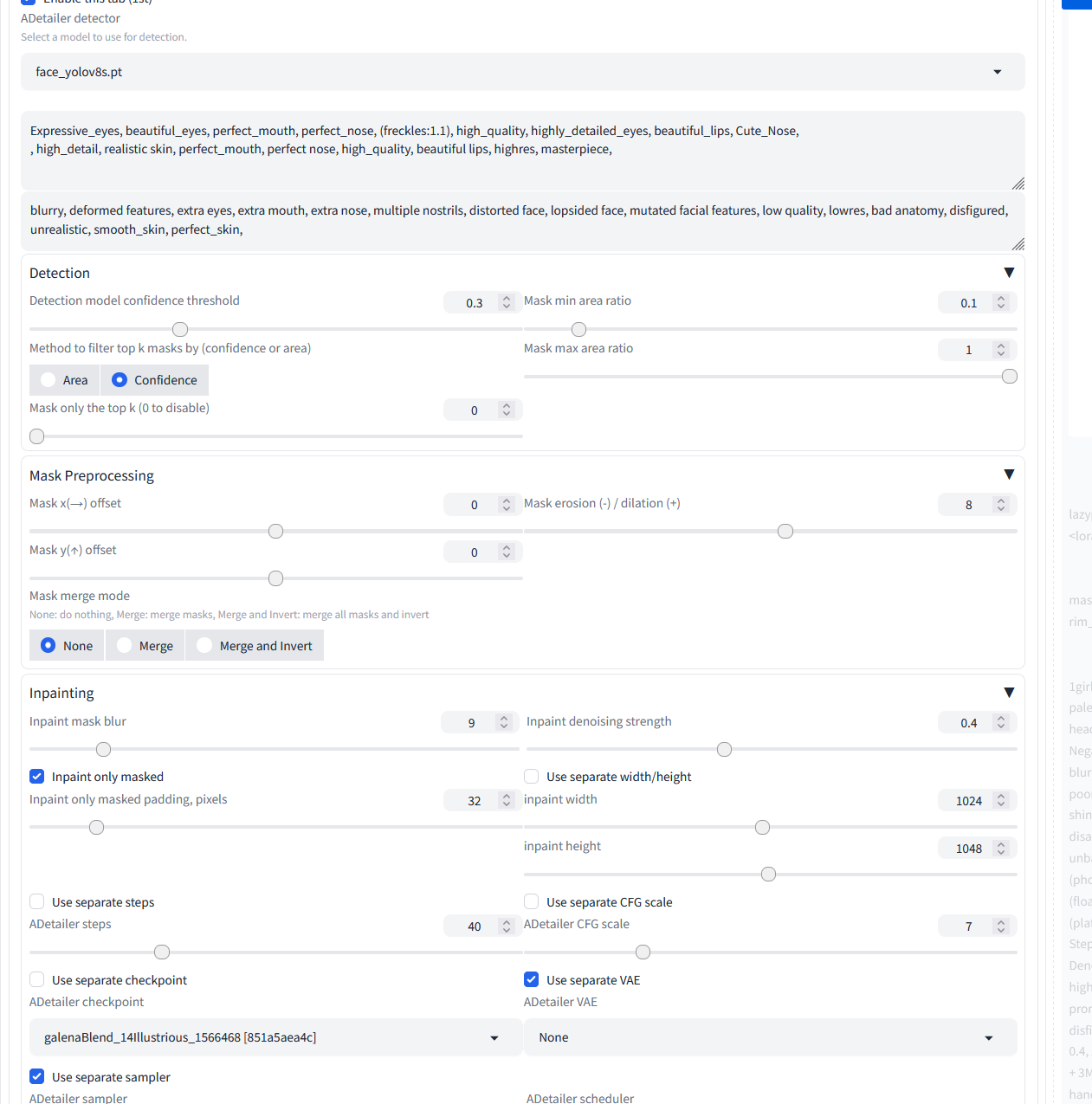

Also, i know i am dumb, i was trying out the multi-diffusion stuff and no matter what i did, i got tile isues.
chrome tangle
ornate elk
Hey can you share an example output and the settings?
And once again, thank you for trying to help me, again, i am sorry if i come across as the dumb dumb!
ornate elk
chrome tangle
Also, i know i am dumb, i was trying out the multi-diffusion stuff and no matter...
yea dont use tiled diffusion. only use tiled vae when upscaling anime/semi realism images
chrome tangle
Okays,. so i will drop that feature
ornate elk
chrome tangle
https://gyazo.com/be849cfd5e304d827438880050febd57 https://gyazo.com/f640e6a2b...
have you try the default settings of adetailer, they work mostly the best, and if you get wrong face colors then only lower the denois in adetailer to 0.2
chrome tangle
ornate elk
have you try the default settings of adetailer, they work mostly the best, and i...
i will give it a try, thank you!
chrome tangle
ornate elk
have you try the default settings of adetailer, they work mostly the best, and i...
Mind if i ask another question. In terms of the prompts. DO you double up weith the face and hand prompts. Or just put them in the adetailer?
ornate elk
chrome tangle
Mind if i ask another question. In terms of the prompts. DO you double up weith ...
you can either leave them in the main prompt OR add them to adetailer but dont add them doubled
haughty pilot
hey @ornate elk, pagefile fixed my pc freezing issues but it looks like I still can't freely use all the loras, the image generated fine without the lora but when im trying to ad hyperrealistic lora the UI just dies at ~97%
"Press any key to continue" pop ups at the end in the console and it just closes after I press anything
That generated image from first screenshot is actually the one generated without lora so whatever im trying to generate with lora doesn't go through


default cpu weights is at around 7000 MB (works fine without the lora), I tried lowering it down since it crashed when I tried using lora but nothing changed, exactly same thing happend on 5800 and 7000
ornate elk
haughty pilot
hey <@161910921269084160>, pagefile fixed my pc freezing issues but it looks lik...
enable low vram mode on controlnet
haughty pilot
ornate elk
enable low vram mode on controlnet
where can I find it?
ornate elk
haughty pilot
where can I find it?

also you should update your extensions
via check for the extensions tab
haughty pilot
yeah, will update them, dont have the option
 fossil saffron
looking for someone who can help me for $ . cuda not running rtx 3060 12gb , if someone can help please dm me...
raise AssertionError("Torch not compiled with CUDA enabled")
AssertionError: Torch not compiled with CUDA enabled
Stable diffusion model failed to load
haughty pilot
ornate elk
also you should update your extensions
is it supposed to take over 20 minutes? lol
 ornate elk
haughty pilot
is it supposed to take over 20 minutes? lol
ornate elk
haughty pilot
is it supposed to take over 20 minutes? lol
no, check the cmd
ornate elk
fossil saffron
raise AssertionError("Torch not compiled with CUDA enabled")
AssertionError: Tor...
hey follow the install instructions of the first link of the pinned messages
haughty pilot
ornate elk
no, check the cmd
 ornate elk
haughty pilot
ornate elk
haughty pilot
okay then relaunch
or try add --update-all-extensions to the launch args
fossil saffron
ornate elk
hey follow the install instructions of the first link of the pinned messages
sir i did
since 6 days please :/
haughty pilot
ornate elk
okay then relaunch
now it took 0.1 sec but nothing happened 😂
 haughty pilot
ornate elk
or try add `--update-all-extensions` to the launch args
haughty pilot
ornate elk
or try add `--update-all-extensions` to the launch args
didn't help for some reason

 ornate elk
ah maybe forge doesnt have that button
will check
nope it doesnt have that button my bad
haughty pilot
ornate elk
ah maybe forge doesnt have that button
alright so (same settings): lora with controlnet works fine, no issues, controlnet without lora works fine without any issues but controlnet+lora dies at 95%-100%
I was able to use both at the same time before I updated forge so it has to be possible
 vale smelt
I was using A100 GPU on google colab for awhile but it seems to not be working correctly anymore. Specifically this GPU won't connect to xformers. It keeps saying there's conflicting versions of torch even when I uninstall them
haughty pilot
haughty pilot
alright so (same settings): lora with controlnet works fine, no issues, controln...
would changing pagefile from 16-24 to more help?
 violet swift
WAN 2.2 users, how do you ensure that hair doesn't blur and appear to move during frames, and that eyes don't become distorted?
ornate elk
haughty pilot
would changing pagefile from 16-24 to more help?
You could try set Max to 32000
deft egret
i tried using COMFYUI So How to Generate Images Faster In Seconds Because the generation is so slow and take 5 minutes to generate and it becomes a bad work so i need help generating images faster with good picture without scribbles so the model i am using is anything model
 deft egret
and another thing on stablediffusion web ui is that i did follow the instructions and i did add these to it


and i follow the instrctions of installing stable diffusion web ui but the installation still dont work 🙁
 deft egret
ornate elk
Follow the updated install guide from the first link of the pinned messages
deft egret
ornate elk
Follow the updated install guide from the first link of the pinned messages
well only comfyui and fooocus Works But Stable Diffusion web ai isnt and i really want to use it so i can play the model which is anythingv3 and v4 and v5
ornate elk
deft egret
and another thing on stablediffusion web ui is that i did follow the instruction...
Something went wrong at the step where you git cloned the webui it seems
If your from Asia or Russia you may also need to use a vpn for that step.
So try to delete the stable-diffusion-webui folder and git clone it again and then edit the webui-user.bat again and relaunch
haughty pilot
ornate elk
You could try set Max to 32000
I did, didn't help, pc is not even lagging, I even limited gpu weights to 4000 MB and the UI still times out/crashes at the end of generation when im trying to use both controlnet and lora, maybe there's a problem somehwere else? as I said, it worked fine before the update 🤷
ornate elk
haughty pilot
I did, didn't help, pc is not even lagging, I even limited gpu weights to 4000 M...
Which lora, controlnet and txt2img settings do you try?
haughty pilot
ornate elk
Which lora, controlnet and txt2img settings do you try?
crashes ("press any key to continue" appears in the console) with pretty much any lora I tried, add-detail-xl, hyperrealistic_illustrious, aesthetic_anime etc, it sometimes goes through but rarely, I increased pagefile to 16-32 GB and even tried capping gpu weights at different values

 ornate elk
haughty pilot
crashes ("press any key to continue" appears in the console) with pretty much an...
ornate elk
haughty pilot
crashes ("press any key to continue" appears in the console) with pretty much an...
Okay try opening up a cmd and run
Pip cache purge
Then delete the venv folder in forge if there is one
Then relaunch
deft egret
i tried to get a better pose but the other file is missing and i cant make better poses...


i tried to do a better pose for comfyui and using anything anime model
 ornate elk
deft egret
i tried to get a better pose but the other file is missing and i cant make bette...
ornate elk
deft egret
i tried to get a better pose but the other file is missing and i cant make bette...
Can't help with Comfyui, but you could ask in #🧣|comfy-ui
If you want to get Automatic1111 working then please relaunch it and share the full cmd log
delicate citrus
ornate elk
Here a t5 gguf:
https://huggingface.co/city96/t5-v1_1-xxl-encoder-gguf/tree/main
thnks!
@ornate elk what is this quants? (gguf, fp16, etc)

when I choose a quant, all models (clip, vae, checkpoint) must have the same quant?
 prisma moss
ive gotten myself a 4090, any args that would help it further? It does fine as is
delicate citrus
@ornate elk for diffusion models I can choose a quant gguf as for LLM? For example, Q5 is a good choice?

 stark stratus
Been trying to run SD on my machine for quite a while now, with no success.
I tried multiple tutorials, guides, everything you can imagine.
I'm on Arch Linux, with a Ryzen 5 5500 and an RX 6600, which is obviously lame but still ||supposedly|| compatible hardware, at least for simple things.
I've been trying to run https://github.com/lshqqytiger/stable-diffusion-webui-amdgpu, but it simply does not work. It complains my GPU isn't supported by Torch and says I can skip the check. Even when skipping the check, it says git hasn't been found, even though I cloned it USING git.
Am I doing the right thing? Is there a better approach?
Any help is appreciated.
Thanks for reading.
haughty pilot
ornate elk
Okay try opening up a cmd and run
Pip cache purge
Then delete the venv folder in...
did that, seems to fixed the problem but now there isn't a venv folder in forge folder, what happened? 😄 I thought it's going to reappear once I relaunch my UI
ornate elk
haughty pilot
did that, seems to fixed the problem but now there isn't a venv folder in forge ...
normaly forge uses its prebuild venv folder which has a different name. so you normaly shouldnt have a venv in forge unless you launched the webui-user.bat in the webui folder by accident or edited the environment bat to set skip_venv to 0
haughty pilot
ornate elk
normaly forge uses its prebuild venv folder which has a different name. so you n...
yeah I used webui-user.bat at the start, makes sense
btw I wanted to move my forge on ssd, can I just move the whole folder or will that break something?
ornate elk
stark stratus
Been trying to run SD on my machine for quite a while now, with no success.
I tr...
hey, here is an Guide for Arch Linux from 3 weeks ago that should work:
https://github.com/CS1o/Stable-Diffusion-Info/issues/42
 lime pivot
@ornate elk Hello bro, this is more of a PC question than a Stable Diffusion one, but my PC crashes a lot and I think it's because of RAM. The longer I use Stable Diffusion, the more my 'committed memory' increases. My guess is that when it goes past the limit (65.4+ GB), it crashes. Is this normal? If so, what can I do to prevent it? Am I supposed to regularly restart my WebUI? Because so far, that’s the only thing that seems to fix it

 floral yew
hey uh I don't know where else to put this but all I get is some fuzzy blue square and then a grey image
ornate elk
floral yew
hey uh I don't know where else to put this but all I get is some fuzzy blue squa...
Which webui, which settings, model?
ornate elk
lime pivot
<@161910921269084160> Hello bro, this is more of a PC question than a Stable Dif...
How much normal RAM do you have?
floral yew
uh I am not very technical I dont even know how I got this far lol
I using these models it would be easier if someone could just call me and guide me through I just wanted to figure this out for dnd portraits 😂
 floral yew
ornate elk
How much normal RAM do you have?
floral yew
ornate elk
How much normal RAM do you have?
 ornate elk
floral yew
ornate elk
floral yew
sry the the ram question was for Jason Lee
floral yew
oh sorry
ornate elk
floral yew
these are all Loras not models. Made for 1.5
floral yew
oh 🙁 I dont know what that means but okay
ornate elk
floral yew
oh 🙁 I dont know what that means but okay
np, can you just screenshot the whole ui with the output?
then maybe i can see the issue
floral yew
its uh just giving me people when I need like anime atelier art

atleast its not horror anymore...thankfully I found these negative prompts somewhere in the discord
video told me to put the models here but they are Loras so I don't know what that is or where to put it
 ornate elk
floral yew
ornate elk
floral yew
these files excluding the bottom one are all LORAs, not Checkpoints (models).
Loras are small additional files that got trained on a specific subject, style or Character and they go on top of a model. They cant be used on its own.
Loras go into the models/lora folder
you need a checkpoint other than 1-5 ema pruned to use them with. for example this one:
https://civitai.com/models/23900/anylora-checkpoint
whats your GPU btw?
floral yew
Nvidia GeForce RTX 3060
floral yew
ornate elk
you need a checkpoint other than 1-5 ema pruned to use them with. for example th...
downloading this thank you
ornate elk
floral yew
Nvidia GeForce RTX 3060
ah make sure you have --xformers in the wbeui-user.bat for the best performance
floral yew
where is that...is it the notepad for the bat? I was already told to put some stuff in there
lime pivot
@ornate elk are you asking about this? i thinks its 64 gb
 floral yew
also it already looks allot better
 ornate elk
floral yew
where is that...is it the notepad for the bat? I was already told to put some st...
ornate elk
floral yew
where is that...is it the notepad for the bat? I was already told to put some st...
yea right click the webui-user.bat and edit it
then screenshot it
floral yew
is it anywhere in there?
floral yew

 ornate elk
ah ok
i would suggest you look into illustrious models and loras if you want to got for high quality Anime images
ornate elk
lime pivot
<@161910921269084160> are you asking about this? i thinks its 64 gb
yep looks good.
can you check your windows pagefile settings and screenshot them?
lime pivot
ornate elk
yep looks good.
can you check your windows pagefile settings and screenshot them...
im not sure, but is this what you mean?
 ornate elk
lime pivot
im not sure, but is this what you mean?
ornate elk
lime pivot
im not sure, but is this what you mean?
Yep looks good too
Open up a cmd as Admin and run:
pip cache purge
And then
SFC /scannow
lime pivot
@ornate elk thanks bro hopefully it works now. btw is 445 files removed a lot xD is that bc of the images i saved from sd lol
 ornate elk
lime pivot
<@161910921269084160> thanks bro hopefully it works now. btw is 445 files remove...
ornate elk
lime pivot
<@161910921269084160> thanks bro hopefully it works now. btw is 445 files remove...
Nope thats just cached stuff from webui installs. No images.
If you get crashes again you should check your Motherboards BIOS Version and mostly consider an BIOS update if yours is older than 1 year.
Also which driver version are you using?
lime pivot
ornate elk
If you get crashes again you should check your Motherboards BIOS Version and mos...
is this right?
 ornate elk
lime pivot
is this right?
ornate elk
lime pivot
is this right?
Yes, its from july, check for updates in the nvidia APP.
lime pivot
@ornate elk thank you bro!
ornate elk
No problem 🙂
 mental vector
floral yew
I using these models it would be easier if someone could just call me and guide ...
mental vector
floral yew
I using these models it would be easier if someone could just call me and guide ...
Are you running on CPU exclusively or GPU, and also, what framework are you using? Comfy UI, or Auto1111? I can help you because I've been able to mimic those images based on the parameters that are shared in CivitAI. I'm running on an old non-RTX 8GB GPU.
@floral yew I'd love to help via DM so I don't spam the channel. I've been using ComfyUI but the same concepts should apply to your chosen framework. There are a few things that I learned the past week and you should be able to mimic and modify those images at your whim.
 lavish hull
I am trying to download SD with my AMD 7000 series 7, but this error pops up
 mental vector
lavish hull
I am trying to download SD with my AMD 7000 series 7, but this error pops up
mental vector
lavish hull
I am trying to download SD with my AMD 7000 series 7, but this error pops up
Seems like the version of Torch you have installed does not know how to reach the DirectML libraries. I don't use Windows, but doing a quick run-through on the error, it seems you may be able to install it: "pip install torch-directml". I would suggest if you're able to setup a virtual python enviroment in Windows, to do so.
vocal burrow
lavish hull
I am trying to download SD with my AMD 7000 series 7, but this error pops up
You probably don't want to use "²stable-diffusion-webui-amdgpu" or at the very least run it with --use-zluda instead of --use-directml (slow and old). Or better yet, run forge with Zluda, check pinned guide for some guide.
mental vector
vocal burrow
You probably don't want to use "²stable-diffusion-webui-amdgpu" or at the very l...
I'm not a Windows expert, is Zluda a new middleware layer that talks to the GPU on Windows?
vocal burrow
mental vector
I'm not a Windows expert, is Zluda a new middleware layer that talks to the GPU ...
More of a "translation layer", stable diffusion (and pretty much any AI thingies) use CUDA "language" (actually an API not a language but let's not get lost). You can use DirectML instead but as mentioned, it's slow. Or you coud still use CUDA if combined with ZLUDA. ZLUDA will "translate" CUDA instructions to AMD compatible ones.
mental vector
vocal burrow
More of a "translation layer", stable diffusion (and pretty much any AI thingies...
Feel free to talk to me in CS speak 😸 - I see, I had no idea something like this was even out in the wild. I have friends on both sides of the equation, ROCm purists, and CUDA purists, but I wanted to run CUDA native stuff on my old RX 580 12GB which should be able to handle some of the lower-req models in Comfy UI. AMD has better pricing-per-comparable performance against Nvidia. This is great, I'm gonna try it in my Linux box, assuming I can compile it for Linux too.
vocal burrow
mental vector
Feel free to talk to me in CS speak 😸 - I see, I had no idea something like th...
No need to compile anything, there's libs for pretty much everything in any serious distribs and AI front is mainly done in python. Just git clone, run the script and it will create a venv with everything for you.
mental vector
Sweet, thanks! I'll try to run Comfy under it and run a few workflows.
vocal burrow
but yeah even in linux, cuda + amd = no no. You'll want to try ROCM (or wait for "therock" to be usable).
But that's something I'm not familiar with yet. (I'm switching from Nvidia to AMD in the next weeks)
Cs1o is the AMD guy in here (for now :p)
mental vector
Noted, I'll read up on ROCm and try to do a setup. I don't need to do programming with the API, just run the Comfy framework, so I think it will be ok to remain somewhat agnostic.
vocal burrow
Comfyui is even easier to setup than forge/a1111/sdnext and others. It should automatically detect pretty much the best settings for your setup. (but harder to use IMO)
mental vector
It's a bit hard to use, yes, I went through the OpenArt "Comfy Academy" to get started, but it was a few days of workbook-style videos. A1111 is more straightforward for sure.
Are you able to run FLUX and/or variants in your setup? I'd be curious to know what GPU you're using.
Right now I can run any SD1.5 or SDXL, as long as I use --lowvram and upscalers (which IMO are quite fantastic), but I can't even begin to imagine running FLUX.
vocal burrow
RTX2070S, and yes but it's really slow as I only have 8gb. Not worth it for my workflow even though it's just a hobby.
mental vector
Got it. I'm still torn between getting an Nvidia 5060 ti, or the AMD equivalent. I've read in some sites that FLUX is optimized for CUDA, and although it runs on ROCm, it may have some reduced performance. Not sure how much of that is true.
vocal burrow
Boring answer but it all depends of your budget and what you're gonna do with your GPU. Personally I find it really hard to recommend a 5060 (even ti). If you go with green team, I'd say at least pick the 16gb version and not the 8gb one. What's the state of the second hand market where you live ? Are you gonna use it only for AI ? How long ? Maybe renting a gpu is a better option ? Using online generation services ? There's also the "AMD is gonna get better" answer and it is true, they're getting better with every update but it's taking time (cf "therock" exerimental setup).
But yes as of now if you're looking at it only from an AI workload perspective. As long as you get a 16gb+ gpu, the bank for the bucks is in the favor of nvidia. They're the ones behind CUDA after all which is dominating the research field.
 leaden rivet
Hello, when reading the above discussion, my question seems way too basic 😄 : how to restart a sleeping space via API (gradio), or any other way than logging-in via a browser and pressing the "restart space" button? Many thanks
mental vector
vocal burrow
Boring answer but it all depends of your budget and what you're gonna do with yo...
So, most of that is easy to answer. I'm going to use for stable difussion (not the training part). I have a 3060 that I use for gaming, and I only play one or two games. Secondhand market here really ssskkksss, with 3000 and 4000 series going through the roof on eBay. Amazon has them at even more ridiculous prices.
and yes, the 16GB is a minimum requirement for me.
vocal burrow
leaden rivet
Hello, when reading the above discussion, my question seems way too basic 😄 : h...
I would not qualify API stuff as easy question, especially at 3:00 am. I'm no API expert either but what do you mean by "sleeping space" ?
mental vector
I'm also going to try stable audio difussion models with it.
leaden rivet
vocal burrow
I would not qualify API stuff as easy question, especially at 3:00 am. I'm no AP...
e.g. this space is sleeping right now: https://huggingface.co/spaces/somethingbyai/mnist_counter
 vocal burrow
ghjkh i woke it up sry
leaden rivet
no problem, i just took a random sleeping, public space to show you.
but actually I am interested in waking a private space in any way, except the press-the-button-way. Any Idea?
vocal burrow
mental vector
So, most of that is easy to answer. I'm going to use for stable difussion (not ...
Ok so if you're not too kin on gaming, nvidia gpu 16gb+ vram is probably the best bet. You can find some "Procyon" benchmarks to see which is the best within your budget or check the sdnext benchmarks database https://vladmandic.github.io/sd-extension-system-info/pages/benchmark.html (but beware that those are community scores so you'll have to factor in the model they use, their environment, etc)
mental vector
vocal burrow
Ok so if you're not too kin on gaming, nvidia gpu 16gb+ vram is probably the bes...
Understood, at this rate anything is better (i'm using a Quadro M5000 8GB).
vocal burrow
leaden rivet
but actually I am interested in waking a private space in any way, except the pr...
tbh I thought that requesting anything would wake it up automatically.
I think you have to pay their premium solution or whatever it's named for it to never go to sleep.
mental vector
@vocal burrow Thank you for your help. I'm new to this world of "AI", but it's already addictive. Have a good evening.
bitter pier
mental vector
<@234988737526890496> Thank you for your help. I'm new to this world of "AI", b...
Hello
How are you doing?
I've something to ask for your help.
May I DM you?
vocal burrow
Probably better if you ask in here, more people might be able to help you than in DM.
bitter pier
Not something technical but something critical for the life. 🙂
vocal burrow
How so ? What's the question ?
bitter pier
I recently moved from the US to Portugal, and my US-based company insists that remote developers must live in the US. I'm looking for someone truly exceptional, with a heart of gold, who can help me navigate this situation. In gratitude, I'm happy to share a portion of my income with them.
lavish hull
@mental vector @vocal burrow I did what yall both said
But I'm getting this error now
 mental vector
This is what catches my eye:

At first glance, what that says to me is that ROCm isn't initializing. Can you verify that ROCm is installed? Should be in C:\Program Files\AMD\ROCm
Also, did you install the actual Zluda middleware? https://github.com/vosen/ZLUDA/releases/tag/v3

GitHub
Nobody expects the Red Team
Too many changes to list, but broadly:
Remove Intel GPU support from the compiler
Add AMD GPU support to the compiler
Remove Intel GPU host code
Add AMD GPU host code
M...
According to the AI bot (and it correlates with other sites), there is a bit of involvement in the install process for Zluda as the author still states that is "experimental".
Without having an AMD GPU available, I'm unable to reproduce the issue :(, however, what's your running env including GPU model?
I believe @ornate elk is the local AMD Guru; I found some of his excelent guides here: https://github.com/CS1o/Stable-Diffusion-Info/wiki/ Warning: it's a tiny bit technical.
GitHub
Stable Diffusion Knowledge Base (Setups, Basics, Guides and more) - CS1o/Stable-Diffusion-Info
ornate elk
lavish hull
But I'm getting this error now
Hey what's your GPU?
lavish hull
ornate elk
Hey what's your GPU?
amd ryzen 7 7000 series
vocal burrow
lavish hull
amd ryzen 7 7000 series
That s the CPU not GPU.
lavish hull

 ornate elk
lavish hull
https://tenor.com/view/drake-drake-meme-rapper-embarrassing-drake-embarrassing-g...
ornate elk
lavish hull
https://tenor.com/view/drake-drake-meme-rapper-embarrassing-drake-embarrassing-g...
And your GPU?
 tall pier
@pure tusk Hi is there is any sort of guide/support to download SD on macOS
I tried to do it with 1 method but an error message shows up
tall pier
I followed a guide from github
ornate elk
which one
tall pier
wait let me send you the link
am I allowed to send it?
this part specifically

the error message in question
 ornate elk
tall pier
this part specifically
ornate elk
tall pier
this part specifically
ah okay yea that guide is not recommended, a Mac OS User made an easy installer script for Auto1111 and Forge.
You can find it here. Read the instructions before starting.
https://github.com/viking1304/a1111-setup
you can define that it should setup forge by using -o as launch arg
tall pier
ornate elk
ah okay yea that guide is not recommended, a Mac OS User made an easy installer ...
let me try doing it by this guide
I am very rookie with tech so my knowledge is very limited
I am mainly shifting away from web based softwares because of limited points and censorship
ornate elk
yea thats a good idea