#🤝|tech-support
1 messages · Page 59 of 1
 ornate elk
 nimble stump
also, why some lora models wont show in my stable diff?
i put the lora models to lora folder
but some dont show up
ornate elk
nimble stump
also, why some lora models wont show in my stable diff?
because Loras are either made for 1.5 or sdxl models.
so they only show up when a compatible model is selected
nimble stump
ohh damn
ornate elk
nimble stump
ohh damn
on civitai you see the for which model the lora is made
always check the info box
there it says "Base Model 1.5"
 nimble stump
oh yea
 upbeat kettle
hi
nimble stump
upbeat kettle
hi
hi
upbeat kettle
i am Mr capybara
ornate elk
hi
upbeat kettle
hi
 fair oxide
its good to see some ppl on youtube are leveraging AI and uploading remastered 4k videos of the classic rock music
ornate elk
nimble stump
oh yea
oh an important thing is that you should activate FP8 mode for SDXL, in the settings.
that lowers the vram usage of these big 6gb models
fair oxide
ornate elk
oh an important thing is that you should activate FP8 mode for SDXL, in the sett...
isn't fp8 redundant compared to fp16?
ornate elk
fair oxide
isn't fp8 redundant compared to fp16?
in speed it doesnt change but it needs less vram, so for 4gb vram cards it can be helpfull
fair oxide
ornate elk
in speed it doesnt change but it needs less vram, so for 4gb vram cards it can b...
was looking up ..

 dark viper
 viral knot
fp4 when
 tiny garden
hmm... when I do regular human characters, I keep hitting the problem that the pictures are showing some not well rendered pixel artifacts or are generally not well rendered... (see also the example image) what can I do to get rid of them?

 fierce hollow
What is the difference between Batch count and Batch size
fierce hollow
Is there a way to take the same photo from multiple angles? Example: A car, front and side view, relatively speaking, so that 1 image is divided into two parts in the left car in front with the right car on the side
nimble stump
ornate elk
oh an important thing is that you should activate FP8 mode for SDXL, in the sett...
how can i do that?
also what is fp8?
nimble stump
anyone knows how can i change fp?
anyone knows what could be problem?

yesterday it worked, now it says error everywhere and i cant use it
could be becouse i added too much lora?
 oblique parrot
I asked an API question in the SD3 channel because it’s an SD3 creative upscaler question. But should I also ask it here?
Not sure which channel is more appropriate for the question.
 vocal burrow
fierce hollow
What is the difference between Batch count and Batch size
vocal burrow
fierce hollow
What is the difference between Batch count and Batch size
batch count, how many batch should be completed
bach size, how many images should be created in a single batch
vocal burrow
nimble stump
also what is fp8?
add fp8_storage to your quicksettings list

should show up at the top of the page after that
 nimble stump
well currently i cant use webui cuz it says connection errored
vocal burrow
what does the log says ?
vocal burrow
everything in the console
the black window thingy with white text
you closed it didn't you.
nimble stump
vocal burrow
you closed it didn't you.
yes but dont have anything in log
theres only images folder
and only 1 image i generated
vocal burrow
- if you closed the console then you closed the program
- there can be no "image folder" as you picture it in a console
that's the console

you have to keep it running when using sd
 vocal burrow
what's your gpu ?
nimble stump
i have 2 gpus, 1 is 4gb and 2nd is 2gb
vocal burrow
ok, what are your gpus then
nimble stump
nvidia geforce gtx 1050 ti and amd radeon tm vega 8 graphics
nimble stump
but yesterday everything worked
today i added few more models and it says error
when i take all models out and run it, it still says error
even without all the models
vocal burrow
open your webui-user.bat with notepad find the
set COMMANDLINE_ARGS=
and turns it into
set COMMANDLINE_ARGS=--xformers --medvram
vocal burrow
ok then copy paste the full content of your log into a .txt and dump said .txt in there.
nimble stump
 vocal burrow
I'll look at it after doing my errands
 fallen quest
Successfully running WebUi with SDXL and loras on Web UI with 4gb of vram must come close to a miracle.
Does it work if you switch to a 1.5 model?
vocal burrow
full log with an error
vocal burrow
trigger the error
nimble stump
i did

this what it shows
even if i trigger the error
and if i press any key, it closes
what should i do?
can someone help pls
fallen quest
Sorry, can't help you with your error. But I have some advice: comfyui and stable swarm are way less vram hungry and much more optimized. That might be a better option for a machine with 4gb vram.
ornate elk
nimble stump
and if i press any key, it closes
How much RAM do you have?
It seems like you tried to load a sdxl model
Remove the sdxl models from the models/stable-diffusion folder
And then relaunch the webui-user.bat
Then activate the FP8 sdxl mode in settings
oblique parrot
The API documentation says "(Caution: may contain cats)" for fetching a result.
Is that a joke about peoplegeneraitng cat pictures, or is it saying the results may need to be fetched multiple times and concatenated?
 maiden coral
Hello. Is there a way to make DWPose to extract the pose from an anime image? I can't make it work, but for other ones it works.
 split comet
Anybody have any info on what exactly brackets and numbers do? Or could provide me a link? thnx
maiden coral
GitHub
Stable Diffusion web UI. Contribute to AUTOMATIC1111/stable-diffusion-webui development by creating an account on GitHub.
maiden coral
split comet
Anybody have any info on what exactly brackets and numbers do? Or could provide ...
the link above
split comet
maiden coral
the link above
thanks
maiden coral
just find "{}" and you'll automatically get your answer
ornate elk
maiden coral
Hello. Is there a way to make DWPose to extract the pose from an anime image? I ...
You need to click on the explosion icon in Controlnet
Then you get the pose of the input image
maiden coral
I don't see any explosion icon. I only see load picture -> DWPose Estimator -> Preview picture
ornate elk
Do you use auto1111 webui?
ornate elk
Okay then I can't help :/
maiden coral
it works on some picture and on some doesn't
nevermind, I'll try to figure it out, youtube videos didn't help, it always works for them
vocal burrow
try asking in #🧣|comfy-ui (and provide your workflow)
maiden coral
finally got it to work
it works only for certain images, it mostly doesn't work with anime images
 slender coral
Installed posex plugin and it doesn't have window to change the pose

how it have to look like
 maiden coral
slender coral
Installed posex plugin and it doesn't have window to change the pose
maiden coral
slender coral
Installed posex plugin and it doesn't have window to change the pose
Which one is it? I can't find it in the ComfyUI manager, but I want to try to implement Openpose, let me check it. Try that one.
slender coral
Wanna use it instead of getting pose from image because of control pos return allways black image
maiden coral
slender coral
Wanna use it instead of getting pose from image because of control pos return al...
it needs to be an image that's real like, it doesn't work too much on anime images
sometimes it works, sometimes doesn't
fierce hollow
Is there a way to take the same photo from multiple angles? Example: A car, front and side view, relatively speaking, so that 1 image is divided into two parts in the left car in front with the right car on the side
maiden coral
fierce hollow
Is there a way to take the same photo from multiple angles? Example: A car, fron...
https://www.youtube.com/watch?v=iHt-dQER_Po&ab_channel=MemorySlashVisionstudios check this video, it might help
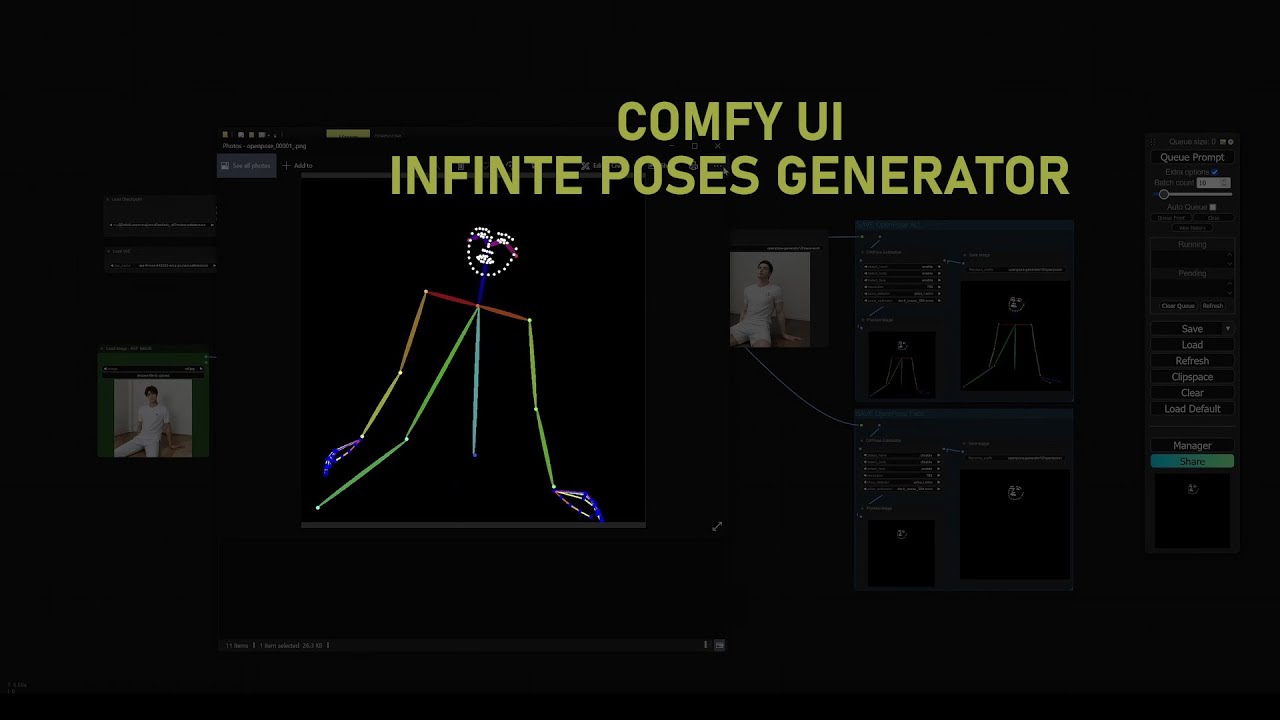
Welcome to a quick and insightful tutorial on Comfy UI, your go-to solution for effortlessly generating a multitude of poses from a single image – perfect for both photos and animations.
🔗 Find the complete workflow file in the description below to follow along!: https://github.com/MSVstudios/comfyUI-workflow/
00:25 OpenPose Image Generation:...
oh wait, car, that's different, maybe try to make multiple clips
fierce hollow
maiden coral
https://www.youtube.com/watch?v=iHt-dQER_Po&ab_channel=MemorySlashVisionstudios ...
Alas... I don't speak English and I'm new to SD
maiden coral
nimble stump
hey guuys how can i fix errored connection?
I don't know, but I had it in A111. I transferred to ComfyUI. What are you PC specs? Such as GPU (+VRAM), CPU, RAM
nimble stump
gtx 1050 ti
maiden coral
tell me all the specs I'd written out
nimble stump
ram is 8gb
maiden coral
that's too low
maiden coral
you need at least GTX 1650 4 GB VRAM (but better have something like 12 GB VRAM and GTX 3080 or 3070 or a higher model)
nimble stump
maiden coral
you need at least GTX 1650 4 GB VRAM (but better have something like 12 GB VRAM ...
im tellin u, yesterday it worked
maiden coral
yeah, I had that too, I tried to figure it out and even consulted here but nothing helped, maybe if someone knows the solution
but I couldnt' find anything on the internet
I know
I had A111 too
maiden coral
ComfyUI doesn't have these problems, or maybe Forge if you want something like A111 but with a better memory management
but your RAM is too low, 16 GB is minimum
nimble stump
maiden coral
but your RAM is too low, 16 GB is minimum
too low for what tho
slender coral
maiden coral
it needs to be an image that's real like, it doesn't work too much on anime imag...
haven't knew it! Thanks!
maiden coral
nimble stump
too low for what tho
for image generation, look up the specs for AI img generation with stable diffusion, SD 1.5 has generally lower requirements
maiden coral
slender coral
haven't knew it! Thanks!
yeah, figured it out today when I saw only a black picture preview
nimble stump
maiden coral
for image generation, look up the specs for AI img generation with stable diffus...
im tellin u yesterday i generated images without any problem


 maiden coral
nimble stump
im tellin u yesterday i generated images without any problem
maiden coral
nimble stump
im tellin u yesterday i generated images without any problem
I wrote you before that I had the same error but couldn't figure it out. Maybe someone who knwo A111 better will know.
nimble stump
hmm
ive seen ppl on youtube fixing this problem by deleting venv folder
but that didnt work for me
ornate elk
nimble stump
but that didnt work for me
I already answered you how to fix it
maiden coral
it's different, did you change anything before?
nimble stump
ornate elk
Remove the sdxl models (6gb) from models/stable-diffusion folder.
alr ill try
ornate elk
nimble stump
alr ill try
You can move them to downloads folder, no need to delete them
nimble stump
ornate elk
You can move them to downloads folder, no need to delete them
yea yea ik
ornate elk
If it works again you need to go into the settings of the webui and activate FP8 mode for sdxl
 past birch
I'm trying to make a deform video and I cant see the video after I generate it
can someone help me?
 fallen quest
past birch
I'm trying to make a deform video and I cant see the video after I generate it
c...
fallen quest
past birch
I'm trying to make a deform video and I cant see the video after I generate it
c...
Have you checked the filepath that it told you (bottom right in your image)?
past birch
there is just this file

 ornate elk
nimble stump
did i do it right?
ornate elk
nimble stump
did i do it right?
Yes thats ok
Also if you only have 8gb of RAM you need to increase your windows page file
 naive dragon
just a quick question i use both okada voice changer and the stable diffusion not at the same time but one after the other and it seems that both have a heard time starting up now bcs the voices are loading slower and the images are getting generated way slower in the beginning is this true or am i trippin?
nimble stump
how can i increase my windows page file?
nimble stump
after i do that, then can i use 6gb models?
ornate elk
nimble stump
after i do that, then can i use 6gb models?
Yes it should work.
https://www.thewindowsclub.com/increase-page-file-size-virtual-memory-windows

The Windows Club
If you see Your system is low on virtual memory message, when you try to start memory intensive applications, increase page file size in Windows 11/10.

 vocal burrow
cause that's not your ram. that's the size of your pagefile
nimble stump
how much should i give to pagefile?
vocal burrow
16gb
nimble stump
dude i have 8gb ram
vocal burrow
dude that's not your ram
it's a file on your disk that will act as ram whenever you ran out of it
ornate elk
nimble stump
dude i have 8gb ram
You need to set it to 16000 min and 24000max
nimble stump
ornate elk
You need to set it to 16000 min and 24000max
alr thxxxx
vocal burrow
it will be slow af (especially when you run out of ram and start using that file) but that's the only way for you to run stuff like so
nimble stump
thx guyssss!
ornate elk
nimble stump
alr thxxxx
Make sure you have at least 15gb free space on C drive
Also restart the PC after adjusting the pagefile setting
ornate elk
nimble stump
Also make sure you clicked Apply after enabling FP8 mode in the webui
nimble stump
i didd
ornate elk
naive dragon
just a quick question i use both okada voice changer and the stable diffusion no...
Hey, did you get the webui with zluda to work.
I tried okada too and it works normal
nimble stump
yoooooooooo 6gb models work noww
but in the lora still it says error
and everywhere else except text2image and image2image
ornate elk
nimble stump
but in the lora still it says error
Make sure the webui is whitelisted in any browser adblocker
naive dragon
ornate elk
Hey, did you get the webui with zluda to work.
I tried okada too and it works no...
i did yes but sometimes it gives an error that it lost connection or something i dont have it now but i can try to make a screenshot when it happens
nimble stump
omg it workssssss
nimble stump
ornate elk
Make sure the webui is whitelisted in any browser adblocker
you gotta be angel
god bless you
ornate elk
No problem 😁
 unique bluff
Hello, I tried opening forge sd and the following error appeared:
    main()
  File "/Users/duda.obladen/stable-diffusion-webui-forge/launch.py", line 47, in main
    start()
  File "/Users/duda.obladen/stable-diffusion-webui-forge/modules/launch_utils.py", line 541, in start
    import webui
  File "/Users/duda.obladen/stable-diffusion-webui-forge/webui.py", line 17, in <module>
    initialize_forge()
  File "/Users/duda.obladen/stable-diffusion-webui-forge/modules_forge/initialization.py", line 50, in initialize_forge
    import ldm_patched.modules.model_management as model_management
  File "/Users/duda.obladen/stable-diffusion-webui-forge/ldm_patched/modules/model_management.py", line 122, in <module>
    total_vram = get_total_memory(get_torch_device()) / (1024 * 1024)
  File "/Users/duda.obladen/stable-diffusion-webui-forge/ldm_patched/modules/model_management.py", line 91, in get_torch_device
    return torch.device(torch.cuda.current_device())
  File "/Users/duda.obladen/stable-diffusion-webui-forge/venv/lib/python3.10/site-packages/torch/cuda/__init__.py", line 803, in current_device
    _lazy_init()
  File "/Users/duda.obladen/stable-diffusion-webui-forge/venv/lib/python3.10/site-packages/torch/cuda/__init__.py", line 309, in _lazy_init
    raise AssertionError("Torch not compiled with CUDA enabled")
AssertionError: Torch not compiled with CUDA enabled```I have an Intel Mac with a intel iris pro graphic 6200 1536 MB as my gpu
Is there any way to fix that error and open forge sd?
 heavy perch
I still need help with mov2mov tab not appearing
ornate elk
heavy perch
I still need help with mov2mov tab not appearing
Here is the fix for mov2mov:
https://github.com/Scholar01/sd-webui-mov2mov/issues/146#issuecomment-2054157728

GitHub
Windows:10 Python:3.10.6 Version:v1.9.0 "I followed this method to reinstall m2m_ui.py, but the same error persists."
nimble stump
anyone knows how to make video out of images?
 hexed kestrel
hello , i have a question, when i use SD 1.5 checkpoint i generate the img very fast but when i use SDXL checkpoint ,( i m on 1111) i can take very very long time to generate the img ; my PC spects : Processeur 12th Gen Intel(R) Core(TM) i9-12900H 2.50 GHz
Mémoire RAM installée 32,0 Go (31,7 Go utilisable)
Type du système Système d’exploitation 64 bits, processeur x64
Nvidia Gforce RTX 3070 Ti
 timid notch
i got a problem~~can someone help?
i wanna use Temporal-Kit extention,and i am trying to download it,but then i find out that i can not open webui~~
heavy perch
ornate elk
Here is the fix for mov2mov:
https://github.com/Scholar01/sd-webui-mov2mov/issue...
already tried that but it didn't work
can i maybe show you in vc
timid notch
than i delete Temporal-Kit in extention folder, but the webui still can not open
why~~?can i fix this problem?
 ornate elk
hexed kestrel
hello , i have a question, when i use SD 1.5 checkpoint i generate the img very ...
ornate elk
hexed kestrel
hello , i have a question, when i use SD 1.5 checkpoint i generate the img very ...
Hey, you need to edit your webui-user.bat
At the line commandline_args=
You need to add:
--xformers --medvram-sdxl --no-half-vae
Then save and relaunch
ornate elk
timid notch
why~~?can i fix this problem?
You need to delete the venv folder and then relaunch the webui-user.bat
timid notch
ok i am going to try you way~~@ornate elk
which venv folder?can you tell me the name of the folder?
not working

i think it is need some module?but i didnt delete anything else~
ornate elk
timid notch
not working
Do you have a update.bat in your webui folder?
timid notch
yes
ornate elk
timid notch
yes
Run that and then delete the venv folder again
timid notch
this update bat?

yes,it is working~~real magic,@ornate elkyour guys really help a lot~thanks
nimble stump
any idea how to fix this?
i know i should lower the resolution but 1024x1024 isnt much
and it worked for me till now
idk what happend
is there any way how to clear cuda memory? or make it stronger?
maiden coral
do it in lower resolution and then upscale, also don't use hires
nimble stump
maiden coral
do it in lower resolution and then upscale, also don't use hires
i tried it now and it destroys the quality
maiden coral
also depends on what model you want, SD1.5 was trained for 512x512, SDXL 1024x1024 but can go lower if needed

 maiden coral
upscaling adds detail, it only depends on what sampler etc. you use
nimble stump
dpm++2m
maiden coral
Have you tried tiled sampling? Is that option there?
it'll break the img into tiles of lower resolution and then stitch them again together when the image is processed lowering the amount of VRAM you need
nimble stump
its like, it makes whole pic loads to 99% and then after it finishes the image disappears and shows that cuda is out of memory
maiden coral
try if there's that option, I only know that it works in ComfyUI but I don't have forge/A111 anymore
nimble stump
maiden coral
Have you tried tiled sampling? Is that option there?
hmm idk but this prolly makes copy of the same pic doesnt it?
maiden coral
what parameters you use in user webui bat?
maiden coral
nimble stump
hmm idk but this prolly makes copy of the same pic doesnt it?
no, the process will be slower but you can do higher resolution thanks to that
nimble stump
hahahahaha now it rendered again in 1024x1024 with no problem
sometimes it renders, sometimes not
maiden coral
Do you use forge or A111?
nimble stump
a1111
maiden coral
better use ComfyUI or Forge
Forge is better A111
although I haven't tried it it has better optimization
nimble stump
maiden coral
Forge is better A111
first i used forge but some ppl here said a1111 is easier and better
 fading crypt
What's the trick to getting SD Forge to refer to the A1111 directories? Trying various paths but it won't work REM set A1111_HOME=./stable-diffusion-webui
maiden coral
isn't it the other way around 🤔
nimble stump
also many things didnt work for me in forge
fading crypt
I've tried using an absolute path, too, but it didn't work either
nimble stump
maiden coral
isn't it the other way around 🤔
mixed opinions here, but more ppl said i should download a1111
maiden coral
you can slowly learn with ComfyUI, you just match nodes such as upscaler, sampler etc.
nimble stump
do i have to delete my a1111?
maiden coral
you don't have to, but idk how to link models form A111 into ComfyUI
nimble stump
ill think about it, now im having fun with a1111
the only problem is that sometimes it renders 1024x1024 sometimes not
ornate elk
nimble stump
any idea how to fix this?
you need to install the tiled diffusion extension, it can help to generate at higher resolution
nimble stump
ornate elk
you need to install the tiled diffusion extension, it can help to generate at hi...
from the civitai?
 ornate elk
fading crypt
What's the trick to getting SD Forge to refer to the A1111 directories? Trying v...
ornate elk
fading crypt
What's the trick to getting SD Forge to refer to the A1111 directories? Trying v...
i can show you how it should look like, give me a sec
nimble stump
i dont have anything in the available section
ornate elk
nimble stump
i dont have anything in the available section
click on load from
then you get a list
nimble stump
ok got it
ornate elk
@fading crypt
here is how the forge webui-user.bat should look like:
you have to change only the first path to yours:
`@echo off
set PYTHON=
set GIT=
set VENV_DIR=
set COMMANDLINE_ARGS=
@REM Uncomment following code to reference an existing A1111 checkout.
set A1111_HOME=H:/AI-Generator/stable-diffusion-webui
@REM
@REM set VENV_DIR=%A1111_HOME%/venv
set COMMANDLINE_ARGS=%COMMANDLINE_ARGS% ^
--ckpt-dir %A1111_HOME%/models/Stable-diffusion ^
--hypernetwork-dir %A1111_HOME%/models/hypernetworks ^
--embeddings-dir %A1111_HOME%/embeddings ^
--lora-dir %A1111_HOME%/models/Lora ^
--vae-dir %A1111_HOME%/models/vae ^
--controlnet-dir %A1111_HOME%/models/ControlNet
git pull
call webui.bat`
ornate elk
nimble stump
ok got it
then restart the webui, and then activate only the tiled vae option
nimble stump
are there more extensions that help rendering?
do i leave it at default when rendering?
ornate elk
nimble stump
do i leave it at default when rendering?
yep, just activate it should be enough
there are no other extensions that can help lower the vram usage
nimble stump
got it, thxx!
heavy perch
heavy perch
already tried that but it didn't work
can i maybe show you in vc
@ornate elk
 pure kayak
Hello all, two questions, does anyone have a good installer for sdxl? Also, where would be a good place to ask for a custom Lora or TI? Thanks a lot!
ornate elk
pure kayak
Hello all, two questions, does anyone have a good installer for sdxl? Also, whe...
hey, in the pinned messages of this channel you find my install guides for the Automatic1111 webui, with that you can load 1.5 and sdxl models, loras, embeddings etc
After the installation you can go on Civitai.com to download custom models and Loras
ornate elk
heavy perch
<@161910921269084160>
hey, for me it worked
heavy perch
ornate elk
hey, for me it worked
did I put it in the right place?
 naive dragon
ornate elk
Hey, did you get the webui with zluda to work.
I tried okada too and it works no...
naive dragon
ornate elk
Hey, did you get the webui with zluda to work.
I tried okada too and it works no...
this messages pops up now and then and it stops the process and then i normally relaunch it and its fine but if i tried to do anything after the error message came i wont be able to do anything at all

 ornate elk
heavy perch
did I put it in the right place?
ornate elk
heavy perch
did I put it in the right place?
yes the m2m_ui script has to be replaced, then you need to restart the webui
ornate elk
naive dragon
this messages pops up now and then and it stops the process and then i normally ...
do you have the full cmd log?
naive dragon
ornate elk
do you have the full cmd log?
😬 ill do that next time sry i pressed enter in the cmd so it closed
ornate elk
naive dragon
😬 ill do that next time sry i pressed enter in the cmd so it closed
okay np, the full log can help to figure out whats going on
also do you use sdxl models maybe?
naive dragon
ornate elk
okay np, the full log can help to figure out whats going on
ill keep that in mind for sure
naive dragon
ornate elk
also do you use sdxl models maybe?
what is that and how do i find out i am using that?
ornate elk
naive dragon
what is that and how do i find out i am using that?
there are 1.5 based models (2gb) and sdxl based (6gb) models
naive dragon
ornate elk
there are 1.5 based models (2gb) and sdxl based (6gb) models
it is a sdxl then
ornate elk
naive dragon
it is a sdxl then
okay, and do you also use hires fix with sdxl models?
 light geyser
is there any reddit post or something that explains those samplers?
DPM++ 2M SDE SGMUniform
DPM++ 2M SGMUniform
Euler A SGMUniform
Euler SGMUniform
LCM Karras
DPM++ 2M SDE Turbo
DPM++ 2M Turbo
Euler A Turbo
naive dragon
ornate elk
okay, and do you also use hires fix with sdxl models?
ehm i dont think so i didnt download any hires fix specifically
ornate elk
light geyser
is there any reddit post or something that explains those samplers?
DPM++ 2M ...
naive dragon
naive dragon
ehm i dont think so i didnt download any hires fix specifically
i only downloaded 1 model thats it
fading crypt
ornate elk
<@369352871268974594>
here is how the forge webui-user.bat should look like:
yo...
Hmm, I tried that, didn't work. But I did find a fix, I put the arguments on set Commandline_args= line and that did it
ornate elk
naive dragon
ehm i dont think so i didnt download any hires fix specifically
hires fix is a setting of the webui
 twilit kraken
eyy yoo I need helpp
naive dragon
ornate elk
hires fix is a setting of the webui
lol ye i do only have one model i just began recently lol
twilit kraken
it saying that its watiing for file to be created and its been spamming that for like days
ornate elk
naive dragon
lol ye i do only have one model i just began recently lol
alright ^^ hopefully its not the base sdxl model
naive dragon
ornate elk
alright ^^ hopefully its not the base sdxl model
its not
ornate elk
twilit kraken
it saying that its watiing for file to be created and its been spamming that for...
can you show us what you mean? also which webui you are using
naive dragon
ornate elk
can you show us what you mean? also which webui you are using
i followed your guide in the pinned
 ornate elk
twilit kraken
ornate elk
twilit kraken
oh you used the auto install tool, thats not recommended. Also 1.7.0 is outdated. We are on 1.9.3 now.
better follow my install guide. its in the pinned message of this channel
naive dragon
ornate elk
hires fix is a setting of the webui
no i dont think i have hires on atleast if its not in your guide i didnt rly change anything from default just the model
twilit kraken
which comment? is the pinnd comment lmao
ornate elk
naive dragon
no i dont think i have hires on atleast if its not in your guide i didnt rly cha...
okay alright, yea then we have to wait for the error to occur again to get more information
naive dragon
ornate elk
okay alright, yea then we have to wait for the error to occur again to get more ...
🫡 will do
ornate elk
twilit kraken
which comment? is the pinnd comment lmao
are you using nvidia or amd gpu?
then i link you the correct one
twilit kraken
nvidia 3060
light geyser
ornate elk
Here:
https://stable-diffusion-art.com/samplers/#Samplers_overview
it doesn't speak of the turbo samplers or SGMuniform
ornate elk
twilit kraken
nvidia 3060
Here:
#🤝|tech-support message
ornate elk
light geyser
it doesn't speak of the turbo samplers or SGMuniform
oh true, i didnt saw these samplers anywhere are they from an extension?
light geyser
ornate elk
oh true, i didnt saw these samplers anywhere are they from an extension?
they come preinstalled with webui forge
ornate elk
light geyser
they come preinstalled with webui forge
ahhh okay
fading crypt
If I train a LORA on SDXL 1.0, it should work with PonyXL, correct? Or do I need to train the LORA with Pony?
light geyser
fading crypt
If I train a LORA on SDXL 1.0, it should work with PonyXL, correct? Or do I need...
with pony
heavy perch
ornate elk
yes the m2m_ui script has to be replaced, then you need to restart the webui
so I need to delete m2m_ui or?
ornate elk
heavy perch
so I need to delete m2m_ui or?
in the link i sent you, there someone made a m2m_ui file you need to download and replace the existing one
fading crypt
Another LORA question for A1111: is it enough to use lora:Whatever:1 in the prompt or does the LORA trigger word also need to be used?
twilit kraken
CS1o I need your help again
heavy perch
ornate elk
in the link i sent you, there someone made a m2m_ui file you need to download an...
just did that, still nothing
 heavy perch
umm I think so? can i screen share in vc
 heavy perch
 ornate elk
heavy perch
ornate elk
heavy perch
whats your gpu and whats in your webui-user.bat?
you will need xformers if your on nvidia
 heavy perch
ornate elk
whats your gpu and whats in your webui-user.bat?
heavy perch
ornate elk
whats your gpu and whats in your webui-user.bat?
this?
 ornate elk
heavy perch
this?
ornate elk
heavy perch
this?
yes
heavy perch
ornate elk
yes
 ornate elk
heavy perch
this?
ornate elk
heavy perch
this?
right click and edit the webui-user.bat
at the line COMMANDLINE_ARGS=
you need to add --xformers
then save.
Then delete the mov2mov extension again.
Then launch the webui-user.bat
install the mov2mov extension again via the extension tab, then replace the one file again and restart the webui
heavy perch
ornate elk
right click and edit the webui-user.bat
at the line COMMANDLINE_ARGS=
you need t...
like that?
 ornate elk
heavy perch
like that?
ornate elk
heavy perch
like that?
correct
heavy perch
ornate elk
right click and edit the webui-user.bat
at the line COMMANDLINE_ARGS=
you need t...
Let's gooo it worked tysm, sorry for a lot of questions 😅
ornate elk
heavy perch
Let's gooo it worked tysm, sorry for a lot of questions 😅
good! no problem ^^
 vocal burrow
cause either you didn't install one or didn't check the "add to path" checkbox during installation
naive dragon
ornate elk
okay alright, yea then we have to wait for the error to occur again to get more ...
i still have cmds open now 😅
 nimble stump
twilit kraken
nimble stump
twilit kraken
probably not supported version of python
 uncut heron
nimble stump
is it possible to do in stable diff a1111?
uncut heron
nimble stump
is it possible to do in stable diff a1111?
i was told no
vocal burrow
uncut heron
i was told no
Yes it's possible, there's plenty of tutorials out there to do videos. And there's many workflows to do so.
uncut heron
vocal burrow
Yes it's possible, there's plenty of tutorials out there to do videos. And there...
what?????
uncut heron
vocal burrow
Yes it's possible, there's plenty of tutorials out there to do videos. And there...
@ornate elk told me no and i consider him a guz who knows everything
vocal burrow
Maybe you asked the question in a weird way that oriented his response.
It's possible but not out of the box. you have to install heavy extensions and it will be very taxing on your hardware
uncut heron
vocal burrow
It's possible but not out of the box. you have to install heavy extensions and i...
i got 4060ti 16 gb and 4x16 RAM that are runing at 2k mhz will that do?
vocal burrow
sure
ornate elk
naive dragon
i still have cmds open now 😅
hmmm we still cant see to to the top
can you copy it as text file?
Also when does the error appear?
ornate elk
uncut heron
<@161910921269084160> told me no and i consider him a guz who knows everything
wait, me? i normaly would say what options you have
not that its not possible
but as aryetis said, its possible but not as easy like txt2image
nimble stump
any idea why it wont change model when i select other one?
im on dreamshaperxl and cant change it no matter what
always puts me back to dreamshaper
vocal burrow
what does the log say?
nimble stump
 vocal burrow
full log please, it's cut off
nimble stump
nvm fixed it somehow, restarted it few times and it works
naive dragon
ornate elk
hmmm we still cant see to to the top
i made a recording of the whole thing but whats above that screenshot is jsut what gets loaded in the beginning it when i start the generation
ornate elk
naive dragon
i made a recording of the whole thing but whats above that screenshot is jsut wh...
hmm okay, is your AMD driver updated?
at which resolution do you generate?
check the vram usage in taskmanager when generating.
and make sure background programms are close.
For example Wallpaper Engine has to be terminated.
naive dragon
ornate elk
hmm okay, is your AMD driver updated?
at which resolution do you generate?
check...
AMD is up to date
resolution i generate 512 512
okay about the background programs i do have discord on and the google tab with sb


 naive dragon
AMD is up to date
resolution i generate 512 512
okay about the background progra...
naive dragon
naive dragon
AMD is up to date
resolution i generate 512 512
okay about the background progra...
it crashed btw perfect example
ornate elk
naive dragon
it crashed btw perfect example
okay, you have to check your Windows Pagefile settings
seeing a hdd on 85% doesnt look right xD
naive dragon
ornate elk
seeing a hdd on 85% doesnt look right xD
😅 ill do that
ornate elk
naive dragon
😅 ill do that
you know how?
if not i can send you a guide
there you need to make sure the Pagefile is only enabled for the C:/ drive and NOT for any other drive
naive dragon
ornate elk
there you need to make sure the Pagefile is only enabled for the C:/ drive and N...
how do i do that
 naive dragon
how do i do that
naive dragon
naive dragon
how do i do that
lol you cant read that 😅 hopefully you dont have to 🙏
ornate elk
naive dragon
how do i do that
uncheck the first box
then select the D: drive
and then check "Geen wisselbestand"
and then click on the C: drive
and there select "Grootte wordt door het system behered"
click OK and then you have to reboot the PC
and then make sure you have 15gb or more free space on C:
 plush stirrup
Hello, I'm kadir, can I get your opinion on something? The quality of the video drops a lot while doing faceswap in my artificial intelligence videos. can you give me an idea about this?
 heady pine
Could someone tell me what they believe to be the best way to create images with the same face? I have watched a few videos, but most of them, apart from two, were all different, and the two that were the same had faces that were noticeably different from the image they started with.
ornate elk
heady pine
Could someone tell me what they believe to be the best way to create images with...
hey if you want realistic faces then you can use the Reactor Extensions for faceswap.
if you want to implement a face in different styles like anime or comic, then you would need the controlnet IP-Adapter


 ornate elk
heavy perch
<@161910921269084160> any idea why this doesn't work?
ornate elk
heavy perch
<@161910921269084160> any idea why this doesn't work?
Have you pressed "Load from" ?
Then you should get a list
ornate elk
nimble stump
guys how can i fix these?
With the Turbo LCM model you need to use less steps and lower cfg
8 steps and cfg on 2

 ornate elk
nimble stump
ornate elk
nimble stump
Maybe reduce the lora strength
nimble stump
ornate elk
Maybe reduce the lora strength
alr
ornate elk
Set them to 0.5 to test
heady pine
ornate elk
hey if you want realistic faces then you can use the Reactor Extensions for face...
Alright, thank you.
nimble stump
 ornate elk
How long does it take for an image?
nimble stump
ornate elk
How long does it take for an image?
2 mins max
but still theres bumps on the ground
i have 2 loras in the prompt
set them to 0,5
ornate elk
Try remove them to test
nimble stump
ornate elk
Try remove them to test
ok
ornate elk
And if it still looks like that then you should test a completely different prompt like
Cute Cat and in the negative prompt
Blurry, deformed
ornate elk
Yes, but such artefacts can come from many things
Prompt, model, lora,
Turbo LCM is also a special version of sdxl
nimble stump
its really annoying, the bumps are usually on the front ground and never on the character
ornate elk
You could also try with an other model
nimble stump
ok

thiss is without the loras
but if you look closely she has those bumps on her face
and body
u see them?
nimble stump
alr

dreamshaper
no loras
prompt: dog
cfg 2 sampling steps 8
would like to hear your opinion
pls
nimble stump
dont have that one
ornate elk
nimble stump
dont have that one
Then any other sdxl you have
ornate elk
nimble stump
sampling and cfg at 2 and 8?
Nope, cfg 7 and 20 steps
nimble stump
ok
its rendering but i didnt add loras to the prompt
next one ill do with loras
0.5
slender coral
How can I make stable Diffusion to cover Person in some places like on this image:
 nimble stump
different model same prompt without loras

still bumps on the ground
could it be that extension tiled vae?
or idk
still bumps, different model with 2 loras both at weight 0.5

 gentle sundial
Hi Guys! if any one can help mw with my issue , I'd really appreciate it!
I have auto 1111 installed locally and it updated automatically after that if I use any lora , the image generation time just get 10 times slower , any idea what to do? thanks!
ornate elk
gentle sundial
Hi Guys! if any one can help mw with my issue , I'd really appreciate it!
I hav...
Hey, what's your GPU and whats in your webui-user.bat?
ornate elk
nimble stump
different model same prompt without loras
Can you try the dog again?
nimble stump
with loras or without?
ornate elk
Without
ornate elk
nimble stump
cfg and samples still same?
7 and 20
nimble stump
yea yea
ornate elk
slender coral
How can I make stable Diffusion to cover Person in some places like on this imag...
Cover?
Like not generating the face?
ornate elk
There were bumps
gentle sundial
ornate elk
Hey, what's your GPU and whats in your webui-user.bat?
Thanks for the quick reply !rtx 3050 ti laptop , display memo 4gb
ornate elk
gentle sundial
Thanks for the quick reply !rtx 3050 ti laptop , display memo 4gb
Okay, make sure you have
--xformers --medvram --no-half-vae
In your webui-user.bat
nimble stump
couldnt it be that tile vae extension?
gentle sundial
ornate elk
Hey, what's your GPU and whats in your webui-user.bat?
@echo off
set PYTHON="C:\Users\user\AppData\Local\Programs\Python\Python310\python.exe"
set VENV_DIR=
set COMMANDLINE_ARGS=--medvram --xformers
set PYTORCH_CUDA_ALLOC_CONF=garbage_collection_threshold:0.9,max_split_size_mb:512
set SAFETENSORS_FAST_GPU=1
git pull
call webui.bat
 ornate elk
nimble stump
couldnt it be that tile vae extension?
ornate elk
nimble stump
couldnt it be that tile vae extension?
I don't think so
gentle sundial
ornate elk
Okay, make sure you have
--xformers --medvram --no-half-vae
In your webui-user....
it's very fast but only whan I add lora it becomes 10 x slower
 wet flame
well my gpu old one got toasted
what is recommended but best value gpu i can get
is 3060 good?
gentle sundial
wet flame
is 3060 good?
yes
nimble stump
nimble stump
any idea
wet flame
yeah randomnly getting black screen on my monitor
ornate elk
gentle sundial
@echo off
set PYTHON="C:\Users\user\AppData\Local\Programs\Python\Python310\pyt...
Remove the py torch cuda allocated conflict garbage allocation line
wet flame
any cheap 12 gigs?
4070 is so expensive
i wonder if 8 gigs 4070 is same as 3060 12
btw is ali express cheaper than amazon?
nimble stump
what should i do now @ornate elk
ornate elk
nimble stump
what should i do now <@161910921269084160>
The last thing that could help is the sdxl VAE
 ornate elk
nimble stump
this one?
ornate elk
nimble stump
this one?
You have to go into Settings, user interface, Quicksettings, there add
sd_vae
And then apply and reload ui.
Then you get a VAE dropdown
gentle sundial
ornate elk
Remove the py torch cuda allocated conflict garbage allocation line
I just did that and still the same, rendering 10 images takes 3 hours and without loras 5 minutes
ornate elk
gentle sundial
I just did that and still the same, rendering 10 images takes 3 hours and withou...
What's the lora and model?
nimble stump
ok got it
ornate elk
And is your webui updated?
nimble stump
yes
gentle sundial
ornate elk
What's the lora and model?
all loras and models I tried everything, it was working fine before update 🙁
gentle sundial
ornate elk
And is your webui updated?
yes I put git pull so it update automatically
ornate elk
gentle sundial
yes I put git pull so it update automatically
Okay and fore the updated It was faster?
nimble stump
now can i add the loras too?
gentle sundial
ornate elk
Okay and fore the updated It was faster?
yes it was very fast like 20 image in 20 minutes
ornate elk
Then you may need to reenable a setting that was disabled after the update. But its to late now, I can't check which one
slender coral
ornate elk
Cover?
Like not generating the face?
Stable diffusion won't generate the astronaut suit covered with flowers
This is the best result I get

 nimble stump
slender coral
Stable diffusion won't generate the astronaut suit covered with flowers
nimble stump
slender coral
Stable diffusion won't generate the astronaut suit covered with flowers
it can
gentle sundial
ornate elk
Then you may need to reenable a setting that was disabled after the update. But ...
yeah exactly I think this is the reason but I don't know what setting
ornate elk
slender coral
Stable diffusion won't generate the astronaut suit covered with flowers
Ah okay, that's something for #📝|prompting-help
gentle sundial
ornate elk
Then you may need to reenable a setting that was disabled after the update. But ...
is there an xformer option in the settings?
ornate elk
gentle sundial
yeah exactly I think this is the reason but I don't know what setting
Found it: its under compatibility

I'm now off gn
 ornate elk
Yea much better
nimble stump
any idea how to get rid of them completly?
gentle sundial
ornate elk
Found it: its under compatibility
it did not fix it, but thanks very much and good night, I'll try to find a solution for this and I'll get back to you if I wont
maiden coral
slender coral
Stable diffusion won't generate the astronaut suit covered with flowers
You may want to check this video if you're using ComfyUI. https://www.youtube.com/watch?v=_C7kR2TFIX0 it's about conditioning using conditioning nodes

This time we are going back to basics! This is a deep dive into how ComfyUI and Stable Diffusion works. It's more than a basic tutorial, I try to explain how Comfy works underneath.
Please note that this is a test video, let me know what you think and it you'd like me to publish more videos like this together with my usual content.
Debug node ...
slender coral
Thank you! Saved it, Gonna check this video tomorrow after school
viral knot
maiden coral
You may want to check this video if you're using ComfyUI. https://www.youtube.co...
you discovering new comfy vids 🙂
maiden coral
yeah, watched a few today, after tests I'll try all that stuff
viral knot
nice
maiden coral
conditioning seems as the most practical
naive dragon
ornate elk
uncheck the first box
Thank you for helping me with that problem.
i just downloaded the three extensions that are on the screenshot and i am getting this error message: RuntimeError: mat1 and mat2 shapes cannot be multiplied (154x2048 and 768x64)
what did i do wrong 😬
 vocal burrow
naive dragon
Thank you for helping me with that problem.
i just downloaded the three extensio...
vocal burrow
naive dragon
Thank you for helping me with that problem.
i just downloaded the three extensio...
most likely missmatching sd15 / sd2 / sdxl stuff
eg : using sd15 loras with sdxl model, using sd15 controlnet models with sdxl model
naive dragon
vocal burrow
most likely missmatching sd15 / sd2 / sdxl stuff
so the lora's are not compatible with the version of my model? and there is no way to use them or atleast not easily?
vocal burrow
can't know for sure, I don't know what you're using.
But no you cannot (easily) missmatch stuff
naive dragon
alright thank you for that
vocal burrow
what are you using ?
naive dragon
vocal burrow
what are you using ?
ehm what do you mean specifically?
vocal burrow
what settings are you using, like what model ? what prompt ? what does the full log says ?
naive dragon
im using a nsfw model names: mfcgWashedMix_v10 with 3 lora's of different anime characters but two of them are sd1.5 and one is other because its a lycoris
😅
vocal burrow
pretty sure mfcgWashedMix is sdxl (pony) so yup that's not gonna work with sd15 loras
naive dragon
vocal burrow
pretty sure mfcgWashedMix is sdxl (pony) so yup that's not gonna work with sd15 ...
ye i was told that before with something else
 dapper kraken
aye guys, how do you use a gpu with 4.0 dedicated memory ?
some people managed to get it working
viral knot
comfyui
dapper kraken
aight
ornate elk
dapper kraken
aye guys, how do you use a gpu with 4.0 dedicated memory ?
Hey, checkout the pinned messages of this channel.
There you find a install guide for Auto1111.
It works with 4gb vram
ornate elk
wet flame
can you use amd gpus yet?
Yes its possible, but for ai stuff nvidia performance still better
 undone badge
Dumb question but does anyone happen to know what the goto method for installing SD on NixOS is?
 dense tapir
Any way to fix that? Literally just reinstalled Python, kind of clueless here!
 ornate elk
dense tapir
Any way to fix that? Literally just reinstalled Python, kind of clueless here!
ornate elk
dense tapir
Any way to fix that? Literally just reinstalled Python, kind of clueless here!
What's your GPU and whats in your webui-user.bat?
dense tapir
ornate elk
What's your GPU and whats in your webui-user.bat?
2060S
 ornate elk
Okay looks fine, but why the conda install stuff ?
SD should already install the right versions
dense tapir
Honestly don't remember, any reason to keep it?
ornate elk
No remove the conda line and the pip lines
Then delete the venv folder
And relaunch the webui-user.bat
dense tapir
Thank you my good sir you always come to my aid
ornate elk
No problem 🙂
dense tapir
Is the venv folder like SD's cache or something like that?
ornate elk
dense tapir
Is the venv folder like SD's cache or something like that?
Not exactly, in the venv are the core files of the functions of SD stored.
But extensions sometimes also install their stuff in it.
That could mess something up over time.
Deleting the venv will recreate it at the next launch reinstalling xformers and the rest
dense tapir
Thanks!!!
I got this in cmd
File "C:\Stable Diffusion\stable-diffusion-webui\venv\lib\site-packages\fastapi\params.py", line 4, in <module> from pydantic.fields import FieldInfo, Undefined ImportError: cannot import name 'Undefined' from 'pydantic.fields' (C:\Stable Diffusion\stable-diffusion-webui\venv\lib\site-packages\pydantic\fields.py)
ornate elk
Oh wait
ornate elk
dense tapir
I got this in cmd
`File "C:\Stable Diffusion\stable-diffusion-webui\venv\lib\si...
This is a known bug caused by the controlnet extensions
In the webui-user.bat
Add: --update-all-extensions
Then save and delete the venv folder again and relaunch the webui-user.bat
dense tapir
Same result
ornate elk
dense tapir
Same result
Okay then in the stable-diffusion-webui folder
Click in the explorer bar (not searchbar)
There type cmd and hit enter.
In the cmd type and run these 3 commands after each other.
venv\Scripts\activate
pip install albumentations==1.4.3
pip install pydantic==1.10.15
Then relaunch the webui-user.bat
ornate elk
Perfect np
Now your updated in every way, hopefully it consumes less RAM now.
But it also depends on the Model your using.
SDXL models use more RAM than 1.5 ones
dense tapir
Yeah now it only spikes up after the last iteration which is fine with me!
ornate elk
dense tapir
Yeah now it only spikes up after the last iteration which is fine with me!
Thats the VAE step.
You can reduce that with the extension called Tiled Diffusion. It has an option called Tiled Vae where the VAE step gets split so it doesn't consume so much vram/ram
It can help when upscaling to larger resolutions
ornate elk
dense tapir
Oh that's what that's for lol, I have it
Nice, only enabling tiled vae is enough and leave its settings on default.
dense tapir
Hmm, speaking of upscaling, any way to speed it up in txt2img?
ornate elk
dense tapir
Hmm, speaking of upscaling, any way to speed it up in txt2img?
There isnt much other then using not more than 10 hires steps. (Also don't use 0 hires steps when hires fix is active)
dense tapir
I'll remember that
fair oxide
      const requestData = {
      text_prompts: [
        {
          text: prompt,
          weight: 0.5
        }
      ],
      width: "1024",
      height: "1024"
    };

    const response = await fetch("https://api.stability.ai/v1/generation/stable-diffusion-v1-6/text-to-image", {
      method: "POST",
      body: JSON.stringify(requestData),
      headers: {
        "Authorization": `Bearer ${process.env.NEXT_PUBLIC_STABLE_DIFFUSION_API_KEY}`,
        "Content-Type": "application/json"
      },
    });

      if (response.ok) {
        const imageData = await response.arrayBuffer();
        setImagines([imageData]);
error:
Help!!
unique bluff
Is there any way to fix the following error? AssertionError("Torch not compiled with CUDA enabled") AssertionError: Torch not compiled with CUDA enabled
It’s not allowing me to open forge
nimble stump
nimble stump
is there any way to get rid of these bumps completely?
ornate elk
unique bluff
Is there any way to fix the following error? ```AssertionError("Torch not compil...
What's your GPU?
unique bluff
ornate elk
What's your GPU?
Intel iris pro graphics 6200
I do understand support for intel gpu is limited, but I want the forge install to open and run at least simpler images (the a1111 didn’t work due to a lowvram error- there’s probably a fix but idk what it is either, hence why I’m trying forge)
ornate elk
unique bluff
I do understand support for intel gpu is limited, but I want the forge install t...
You should try vladimanics sdnext, it has the best Intel support
Your GPU seems not supported by Forge
 foggy pewter
Hi where can I find the best noobies guide for installing/using SD? This pinned message shows that there is a channel for that, which I don't have access to. "Find the most suitable method for yourself by visiting our No Access channel!"
ornate elk
foggy pewter
Hi where can I find the best noobies guide for installing/using SD? This pinned...
Hey, in the pinned messages of this channel you find the best install guide
unique bluff
ornate elk
Your GPU seems not supported by Forge
Oooh
Totally makes sense now
I’m tryin to install it but my Payton version in incorrect, guess I’ll need to downgrade it
foggy pewter
ornate elk
Hey, in the pinned messages of this channel you find the best install guide
I wasn't sure if the guides were complete or just for the GUI, but it seems Automatic loads the models for you so I guess that covers it all. Thanks.
unique bluff
Is there any way to open using the correct python version? I have both 3.12.3 and 3.9 (the one I need to open dd with)
ornate elk
unique bluff
Is there any way to open using the correct python version? I have both 3.12.3 an...
You need Python 3.10.11
That works with any webui
unique bluff
Yeah, but it keeps pulling the 3.12.3
ornate elk
foggy pewter
I wasn't sure if the guides were complete or just for the GUI, but it seems Auto...
Automatic is the GUI.
You get the models from Civitai.com
unique bluff
Even after uninstalling 3.12.3
unique bluff
Mac
None of the commands I’ve tried seem to work so the version that’s used is not the latest but 3.9 I have installed

 open fox
unique bluff
None of the commands I’ve tried seem to work so the version that’s used is not t...
open fox
unique bluff
None of the commands I’ve tried seem to work so the version that’s used is not t...
On Mac I use comfyUI without any trouble. Speed is slow compared to the Nvidia cards out there. But at least it works.
Just created a virtual environment. Used git clone to get the comfyui from GitHub and pip installed the requirements. Uses the mps backend as torch does since a while.
nimble stump
is it good to render with euler a + karras?
unique bluff
Update: I had to uninstall the automatic in order for the correct python to work
ornate elk
nimble stump
is it good to render with euler a + karras?
Euler a or DPM++ 2m Karas are good fast samplers
nimble stump
whats the best one?
ornate elk
nimble stump
whats the best one?
There is no best one
But these two are the most used
Then there is also DPM++ SDE karras
But its slower
nimble stump
is euler a + karras good?
still bumps

no matter what, cant get rid of them
can someone help pls
some guy told me to upscale it but it rendered completly different image
wtf is this

 knotty cosmos
AI Art Enthusiast Seeking experts for Generating 4MP Images Similar to MidJourney
Hello Everyone!
I'm an AI art enthusiast currently facing issues with accessing my MidJourney account and thus, the MidJourney community.
Consequently, I am looking for a talented AI enthusiasts who can generate high-quality images that are similar to those produced by MidJourney.
The images should be at least a resolution of 4MP.
Project Details:
-Generate high-quality AI-generated images.
-Each image should be at least 4MP in resolution.
-The style and quality should closely mimic those seen in MidJourney outputs.
Requirements:
-Proven experience in AI image generation.
-Ability to produce high-resolution images.
Compensation:
Hourly rate: $5 to $10, depending on experience and portfolio quality.
This is a AI image generation project and we will discuss further details, including specific budget and timelines.
If you are interested, please reach out with to me to generate AI art.
Looking forward to collaborate with you!
fair oxide
fair oxide
```js
const requestData = {
text_prompts: [
{
text...
Someone help
 empty schooner
hi! I'm having some issues with a style LoRA I made. It works well as long as I don't have a negative prompt - but as soon as I do I might as well have not used it. Anyone else encounter the same thing and have any tips?
this is for SDXL!
 wheat helm
getting the error message "bad sampler name: DPM++ SDE Karras. Please, check your schedules/ init values."? I checked my scheduling of course but not sure what exaclt im supposed to be looking for. Any dealt with this before or have any ideas?
open fox
fair oxide
Someone help
This is the example from the website of openAI but it is the actual v2 API not the one you use.
A quick Check wether your JSON Payload is well-formated delivers "no".

 meager ginkgo
is it possible to give bodies to headshots ive already generated?
wheat helm
wheat helm
getting the error message "bad sampler name: DPM++ SDE Karras. Please, check you...
for some reason its working now? I changed my sampler to euler a and its working.
open fox
fair oxide
Someone help
And if you want to use SDXL you would need the Engine "stable-diffusion-xl-1024-v1-0" and needs to use the correct image height and width
open fox
The code above shows the 1.6 Engine not the sdxl
open fox
No it won't fix it
fair oxide
      const requestData = {
      text_prompts: [
        {
          text: prompt,
          weight: 0.5
        }
      ],
      width: "1024",
      height: "1024"
    };

    const response = await fetch("https://api.stability.ai/v1/generation/stable-diffusion-xl-1024-v1-0/text-to-image", {
      method: "POST",
      body: JSON.stringify(requestData),
      headers: {
        "Authorization": `Bearer ${process.env.NEXT_PUBLIC_STABLE_DIFFUSION_API_KEY}`,
        "Content-Type": "application/json"
      },
    });

      if (response.ok) {
        const imageData = await response.arrayBuffer();
        setImagines([imageData]);
The error remain same
open fox
Yes but you use the V1 Version not the actual v2 Version of the api.
First step i would try to create the body with in a separate step just to make sure the requestData is able to be JSON.stringify
so varBody = JSON.stringify(requestData)
and in the response body: varBody
Just to make sure theere is no problem with the data
 wheat helm
omfg accidentally just overwrote my deforum settings
is there a way to restore the file
im in file properties and its saying theres no previous versions to restore to bruhh
open fox
fair oxide
Would you like to contribute to my code file?
Try this please:
This is a simple call. you just need to replace the API Path and fill in the SDXL engine in the first row and your Api Key
 nimble stump
how to properly upscale image ?
fair oxide
 organization does not have enough balance to request this action (need $0.002, have $0 in active grants, $-0.27 in balance).","name":"insufficient_balance"}
``` is sdxl paid? I just tried a fresh key@open fox
Anyways, i fixed the parameters issue
nimble stump
what?! is it paid?
 empty vector
Hello guys, I really hope someone can figure this our…
I moved from Seaart to A1111 and now I‘m getting different images with the exact same settings and same seed! I don’t know what it is but on A1111 the colors and shadows are a little bit darker for photorealistic images.
Does someone have a clue why? Is there any setting in Seaart’s backend that might cause this difference? Is someone able to get the exact same picture on Seaart as on A1111? If so, how??
 limpid oyster
Having weird issue! When I launch Auto1111 the UI is partially unresponsive until I refresh the browser and then it is fine. Any ideas?
limpid oyster
limpid oyster
Having weird issue! When I launch Auto1111 the UI is partially unresponsive unt...
NM, it was an extension issue 😛
ornate elk
empty vector
Hello guys, I really hope someone can figure this our…
I moved from Seaart to A...
It's not possible. You only can try set the RNG to CPU in the settings
But we don't know what seart uses
gentle sundial
@ornate elk Hi again , I'm still facing the same issue we talked about yesterday , when I add lora render time increase 10 x and when I add more loras it even get's longer to render an image , 1 image 10 minutes , do you know what setting is that got reset when I updated A1111?
fair oxide
gentle sundial
<@161910921269084160> Hi again , I'm still facing the same issue we talked about...
Kill me bro
Before i die in my own thoughts
ornate elk
gentle sundial
<@161910921269084160> Hi again , I'm still facing the same issue we talked about...
hey did you checked the cumprod_fp16 thing ?
gentle sundial
ornate elk
hey did you checked the cumprod_fp16 thing ?
I dont know where to find this?
ornate elk
gentle sundial
I dont know where to find this?

this was changed from 1.7.0 to 1.8.0
so enable, then hit apply and test
fair oxide
ornate elk
11:13 pm for you too?
ornate elk
so enable, then hit apply
gentle sundial
ornate elk
so enable, then hit apply
same🙁 , to give you more info my version before update was installed in 8/2023 basically old , and the updated to most recent
fair oxide
gentle sundial
same🙁 , to give you more info my version before update was installed in 8/2023...
Yeah we don't support old versions
Basically anything before update won't work
light geyser
how the hell do i prune a sdxl model to fp8 without the results being a mess?
fair oxide
light geyser
how the hell do i prune a sdxl model to fp8 without the results being a mess?
you have to compress the fp8 from the model to see the results
ornate elk
gentle sundial
same🙁 , to give you more info my version before update was installed in 8/2023...
hmm okay, can you show me the webui versions at the bottom?
fair oxide
i don't know what i just said honestly
light geyser
ight
light geyser
ornate elk
hmm okay, can you show me the webui versions at the bottom?
do you know how i can prune sdxl to fp8?
fair oxide
light geyser
do you know how i can prune sdxl to fp8?
i don't bro i'm sorr
gentle sundial
ornate elk
hmm okay, can you show me the webui versions at the bottom?
version: v1.9.3 • python: 3.10.6 • torch: 2.1.2+cu121 • xformers: 0.0.23.post1 • gradio: 3.41.2 • checkpoint: a3d7311d85
gentle sundial
ornate elk
hmm okay, can you show me the webui versions at the bottom?
also I get these errors when I open webui but it works anyway
[LyCORIS]-WARNING: LyCORIS legacy extension is now loaded, if you don't expext to see this message, please disable this extension.
fatal: unable to access 'https://github.com/AUTOMATIC1111/stable-diffusion-webui.git/': Could not resolve host: github.com
venv "C:\stable-diffusion-webui\venv\Scripts\Python.exe"
Python 3.10.6 (tags/v3.10.6:9c7b4bd, Aug 1 2022, 21:53:49) [MSC v.1932 64 bit (AMD64)]
ornate elk
gentle sundial
also I get these errors when I open webui but it works anyway
[LyCORIS]-WARNIN...
the lycoris extension can be deletet, but before that move the lycoris models to the lora folder
gentle sundial
ornate elk
the lycoris extension can be deletet, but before that move the lycoris models to...
copy I'll do that now
gentle sundial
ornate elk
the lycoris extension can be deletet, but before that move the lycoris models to...
I removed the folder and deleted extension restarted webui, it still give me the lycoris error but the fatal error is gone , and rendering still the same
takes very long
ornate elk
gentle sundial
I removed the folder and deleted extension restarted webui, it still give me the...
Can you delete the venv folder and relaunch the webui-user.bat?
Then check for any other errors
gentle sundial
ornate elk
Can you delete the venv folder and relaunch the webui-user.bat?
yes I did that before
shou;ld I do it again?
wait I'll send you all of the script
ornate elk
gentle sundial
wait I'll send you all of the script
Can you update your extensions in the extensions tab then restart the webui?
gentle sundial
ornate elk
Can you update your extensions in the extensions tab then restart the webui?
yeah I did 4 times
ornate elk
gentle sundial
yeah I did 4 times
Okay, and what was your GPU again?
And the slowdown only starts when adding a lora in 1.5 ?
Can you show me your extensions too?
gentle sundial
ornate elk
Okay, and what was your GPU again?
3050 ti rtx laptop
gentle sundial
ornate elk
And the slowdown only starts when adding a lora in 1.5 ?
no it happened after I uptaded A1111 to the recent version
 ornate elk
gentle sundial
ornate elk
gentle sundial
Okay I think the issue is that you have 3 lora extensions where 2 are abandoned and one is 9 months old.
You need to go into the extensions folder.
There delete all lycoris extensions.
Delete the loractl extension.
If you don't use animatediff then delete it to.
Openpose editor is broken so delete or fix it by installing basicsrs
Then delete the venv folder. And relaunch the webui-user.bat
unique bluff
Hello, I’m generating images but they come with a very bad quality to the point where it’s unusable. Is there any fix?
ornate elk
unique bluff
Hello, I’m generating images but they come with a very bad quality to the point ...
Can you show an example?
 ornate elk
Okay and the settings?
gentle sundial
ornate elk
Okay I think the issue is that you have 3 lora extensions where 2 are abandoned ...
Thank you very much , 'll do that and get back to you
unique bluff
ornate elk
Okay and the settings?
Base model is cetusmix_whalefall2
344X512 of size
Would you like the prompts as well?
ornate elk
unique bluff
Let me see how I can check those, I’m new to the next interface
Also try a 512x768 image
unique bluff
Now the quality is a bit better (I guess there’s was steps missing yet?) but still lower than what I wanted i guess
unique bluff
ornate elk
Nope but sampling steps and cfg
20 sampling steps on Karras and low order
ornate elk
unique bluff
Now the quality is a bit better (I guess there’s was steps missing yet?) but sti...
20-30 steps is good
unique bluff
Also it cropped the image when i said on negative cropped
unique bluff
Originally I meant to use another prompt but it didn’t generate anything so i had to change it
masterpiece, top quality, best quality, official art, beautiful and aesthetic, extremely detailed, high quality, highres, smile, upper body, looking at viewer, girl, solo focus, mature female, black sweater, intricate design, purple eyes, very detailed eye, long hair, went, purple hair, hair between eyes, shiny skin, white background
unique bluff
Is there any way to make this work?
lora:scmore_v5:0.5 (masterpiece, top quality, best quality, official art, beautiful and aesthetic:1.2), extremely detailed, high quality, highres, smile, upper body, looking at viewer, (1girl:1.4), solo focus, (mature female:1.4), (black sweater:1.2), intricate, design, purple eyes, (very detailed eye:1.5), long hair, bangs, purple hair, hair between eyes, (shiny skin), white background
unique bluff
ornate elk
Have you tried the 512x768 ?
Will do now
ornate elk
unique bluff
Is there any way to make this work?
<lora:scmore_v5:0.5> (masterpiece, top qual...
I think it should work
But I haven't used sdnext
unique bluff
I’m trying it on the bigger size and with anime style in hope of making the quality better + achieving the look I’m going for
unique bluff
ornate elk
I think it should work
Now the quality is much better
Still not the style I’m hoping for, but it’s nice to have usable pictures
Thank you!
ornate elk
unique bluff
Thank you!
No problem, 1.5 models are trained on 512x512 resolution so going lower than that can result in bad quality
gentle sundial
ornate elk
No problem, 1.5 models are trained on 512x512 resolution so going lower than tha...
They should call you the God of AI ! it worked , thank you so much!
 deft lynx
Hi
None of my extensions, although installed
they dont show up on the ui
does anybody know a fix
i already restarteed
 unique bluff
Okay, I tried generating using a VAE and got a ton of errors (plus it took ages longer to get to 100% and used way more ram, but I guess that’s expected)
This was the last error

 indigo tree
Why are my XL models generating weird images in Automatic 1111? I have updated to the most recent version of A111 and updated pytorch as I was getting an error to update but the problem persist.
 unique bluff
Is there any workaround?
 onyx solar
indigo tree
Why are my XL models generating weird images in Automatic 1111? I have updated t...
onyx solar
indigo tree
Why are my XL models generating weird images in Automatic 1111? I have updated t...
You're using the wrong VAE.
unique bluff
The errors are still popping despite not using VAE. How do I fix that and could it be related to the model used?
 radiant stratus
Someone leaked an image from a game I play but it looks like they ran it through an edge detection algorithm to destroy any data that could have been used to identify them, how could I go about using stable to convert it back into what looks like more normal art?
viral knot
can you post the pic? im so confused as to what you even talking about lol
 solemn moon
Salutations
Does anyone know where to find reActor
Im either bad at finding what im looking for or its dissa..
says its installed, its in my extentions folder, but cant find it in the webui 4 1111
deft lynx
same
 brisk cedar
radiant stratus
Someone leaked an image from a game I play but it looks like they ran it through...
brisk cedar
radiant stratus
Someone leaked an image from a game I play but it looks like they ran it through...
that wont help you identify them
dense tapir
Hello guys, is there any way to upscale an already transparent image and keep the transparency? The Extras tab only lets me upscale my transparent image, put a solid over the transparent part, and then mask it again which results in a transparent image with flaws.
 dense kernel
Hello Everyone!
I have a Dream Studio account that I have been using for about a year, I regularly buy credits. However, I have come along an issue after last recharge, that my account has been disabled though I bought credits of $100 but now there are 0 credits and account has been disabled. I am not able to use any models, nor have they mailed me any warnings or alerts. This is the error that keeps on appearing while I try to buy more credits:
"Something went wrong! Your account has been disabled. Contact mailto:support@stability.ai to appeal if you believe this was done in error."
I have also mailed the customer support, but there has been no response from their side yet.
oblique parrot
can anyone explain the creative upscale creativity range of 0 to 0.35?
Is this logarithmic or something?
ornate elk
dense tapir
Hello guys, is there any way to upscale an already transparent image and keep th...
I don't think you can, but there is an extension called Rembg to remove the background of an image
ornate elk
unique bluff
The errors are still popping despite not using VAE. How do I fix that and could ...
The errors says something about IP-adapter and hypernetwork
radiant stratus
viral knot
can you post the pic? im so confused as to what you even talking about lol
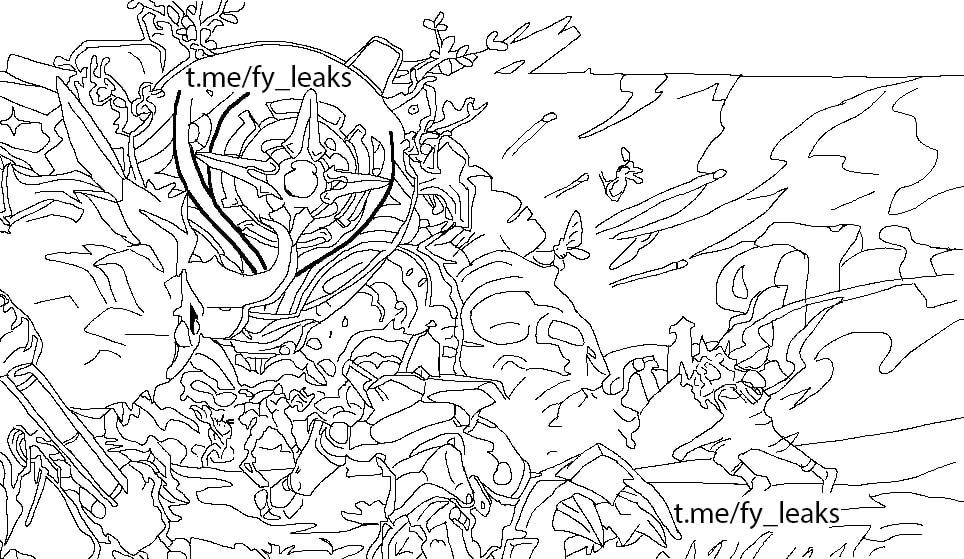 radiant stratus
brisk cedar
that wont help you identify them
radiant stratus
brisk cedar
that wont help you identify them
Oh I know what a lot of the stuff is actually
solemn moon
deft lynx
same
check for updates, instal and restart, close and rerun webui.bat
in extensions tab
ornate elk
solemn moon
Salutations
Does anyone know where to find reActor
Im either bad at finding wha...
@deft lynx Hey, reactor only appears if installed correctly after its install guide:
https://github.com/Gourieff/sd-webui-reactor?tab=readme-ov-file#installation

GitHub
Fast and Simple Face Swap Extension for StableDiffusion WebUI (A1111 SD WebUI, SD WebUI Forge, SD.Next, Cagliostro) - Gourieff/sd-webui-reactor
ornate elk
radiant stratus
https://i.imgur.com/h0ws1DA.jpeg
Use Controlnet extension with Aninelineart model
But you can't get the original image back, you can just let the ai guess and prompt for it
radiant stratus
Oh yeah I'm aware I know the limits of this
oblique parrot
I’ve been experimenting and yeah, I think it works to take the creativity percent and do this to get the value to use:
cr_range = 0.35
creativity = cr_range * cr_pct ** cr_range
(seriously i can’t be the only coder here)
 terse lichen
so i am getting this error and have installed the packages properly can i pls get some help


 oblique parrot
I'm suddenly getting ripped off. I'm getting 403 errors in the creative upscaler, but being charged 25 credits each anyway. And when it seems "successful" I'm suddenly getting 404 errors and cannot retrieve anything.
timid notch
i have a very silly problem~~
i wanna download this model,but i think i need to download base model first~

and i serch sd 1.5 in civiai,
there are lots of choice~~which one should i use?can someone tell me ?thx
they all sd 1.5so confoused

so confused
fierce hollow
Is there a way to use SD to create a video that is difficult to distinguish from reality? I tried the "Deforum" plugin, it is clear that this is a neural network and each frame is slightly different, are there other tools or neural networks with local access?
open fox
timid notch
i wanna download this model,but i think i need to download base model first~
First you are downloading a Lora. These Lora are small “addons” to regular models and adds concepts or styles to the base models. The Lora you showed here works with all stable diffusion models that are based on 1.5 or 1.6 models. (512x512px base size).
 thin quarry
timid notch
there are lots of choice~~which one should i use?can someone tell me ?thx
thin quarry
timid notch
there are lots of choice~~which one should i use?can someone tell me ?thx
just pick something you like \ style you want, they all trained on different things (make sure it's model tho)
open fox
You can download any model. Realistic ones or dreamshaper etc.
terse lichen
terse lichen
so i am getting this error and have installed the packages properly can i pls ge...
can i pls get some guidance on this @open fox
everything is installed properly
open fox
terse lichen
so i am getting this error and have installed the packages properly can i pls ge...
Well you got anymore error messages. So far I am missing these reason while the import does fail.
ornate elk
fierce hollow
Is there a way to use SD to create a video that is difficult to distinguish from...
AnimateDiff
open fox
fierce hollow
Is there a way to use SD to create a video that is difficult to distinguish from...
Or you can try stable diffusion video.
fierce hollow
ornate elk
AnimateDiff
 terse lichen
open fox
Well you got anymore error messages. So far I am missing these reason while the ...
terse lichen
open fox
Well you got anymore error messages. So far I am missing these reason while the ...
no its only that error msg i am getting when trying to install the inference core node which is missing
fierce hollow
open fox
Or you can try stable diffusion video.
Can I go into more detail? I'm new to this topic;(
open fox
fierce hollow
Can I go into more detail? I'm new to this topic;(
Well it total there a some free models that covers movement. Deforum is more or less rendering image each frame.
Animatediff got a frame context and with enough memory you can get 80+ frames of cihensive animation.
Stable diffusion video model (svd xt1.1 for example) can generate simple movement and animation from an image.
fierce hollow
open fox
Well it total there a some free models that covers movement. Deforum is more or ...
I have 3070ti, 32GB RAM
open fox
terse lichen
no its only that error msg i am getting when trying to install the inference cor...
Without the error message it will be hard to find the source of the Error. Maybe you try to install the custom node manually by cloning the repository.
open fox
fierce hollow
I have 3070ti, 32GB RAM
Which gui are you using.
terse lichen
open fox
Without the error message it will be hard to find the source of the Error. Maybe...
thats what it said in the installtion process on github
fierce hollow
open fox
Which gui are you using.
Automatic111
open fox
fierce hollow
Automatic111
Then there are probably other people around who can help you. With comfyui I know some workflows
fierce hollow
open fox
Then there are probably other people around who can help you. With comfyui I kno...
I looked at the option with AnimateDiff - the problem there is that there are "Motion module" submodels In civitai, alas, they are not available only on SD 1.5 on SDXL...
ornate elk
fierce hollow
I looked at the option with AnimateDiff - the problem there is that there are "M...
There is one for sdxl
fierce hollow
ornate elk
There is one for sdxl
https://civitai.com/models/331700/odinson-sdxl-animatediff ?
As for me, it is extremely bad ; ( Ideally, I would do with the help of all this - the movement of people
Odinson-SDXL + vid2vid + OpenPoseXL2 + animateDiff XL + Lora loader (default strength 1.0 <- change this) Versions: V9 - initial release (used O...
ornate elk
fierce hollow
https://civitai.com/models/331700/odinson-sdxl-animatediff ?
As for me, it is ex...
Oh you mean motion module
I thought you mean animatediff model
fierce hollow
ornate elk
Oh you mean motion module
Yes, yes
fierce hollow
ornate elk
I thought you mean animatediff model
The task is this: To make a video where a man of 30 years old drinks coffee, after which he starts reading something on his phone, then gets up and goes out, say, somewhere, is this real?
ornate elk
fierce hollow
The task is this: To make a video where a man of 30 years old drinks coffee, aft...
Only if you make multiple short videos and cut them together
fierce hollow
ornate elk
Only if you make multiple short videos and cut them together
I don't mind, but how and through what can I achieve this? You told me there are 3 options in total
- Deforum
- Animatediff got
- Stable diffusion video
Which one is better?
open fox
For that I would go with animatediff and prompt traveling
fierce hollow
how do I find prompt traveling? https://imgur.com/a/bpcrqJ8
 open fox
fierce hollow
how do I find prompt traveling? https://imgur.com/a/bpcrqJ8
open fox
fierce hollow
how do I find prompt traveling? https://imgur.com/a/bpcrqJ8
Prompt traveling is used to describe the different frames.
https://civitai.com/articles/2943/how-to-use-prompt-travel-with-animatediff-tutorial

Introduction Animatediff was well known as animation extension for sd, but it can not control the animation sequence itself (like character's pose)...
Beware the example of the tutorial is full NSFW
fierce hollow
open fox
Beware the example of the tutorial is full NSFW
Okay, thanks, I have to leave now, tomorrow I will ask for your method and write it off) Thank you for your time and I'm sorry if I asked stupid questions
 rocky zephyr
hi, is stable video down?
the api and the website stablevideo are not working for me
 long sage
I'm rewriting my discord chatbot in python, and am wondering, what would be the fastest way to go from no model loaded in vram to an image. The setup i used before was ok, but id like it to go faster.
Having the model always loaded is also not possible, because there is an llm loaded in vram when the image generator is not used
long sage
Here's my old code:
global imagen_pipe
await unload_llm() # unloads the text model to free up vram
imagen_pipe = AutoPipelineForText2Image.from_pretrained("stabilityai/sdxl-turbo", torch_dtype=torch.float16, variant="fp16")
#imagen_pipe = AutoPipelineForText2Image.from_pretrained("runwayml/stable-diffusion-v1-5", filename="*emaonly.safetensors",torch_dtype=torch.float16, variant="fp16")
imagen_pipe.to("cuda")

imagen_pipe(prompt=prompt, num_inference_steps=1, guidance_scale=0.0).images[0].save("image.png")
print("image generated")
await message.channel.send(file=discord.File("image.png"))
del imagen_pipe
torch.cuda.empty_cache()
await load_llm()
 ancient wadi
Hey so i just downloaded Forge UI on a computer and when i generate an image my computer will chrash afterr an indeterminate period of time
 balmy oyster
Guys, what if ControlNet doesn't show up after installation? Or do I need to press something?
ornate elk
balmy oyster
Guys, what if ControlNet doesn't show up after installation? Or do I need to pre...
Check the cmd, maybe there is an error
ornate elk
ancient wadi
Hey so i just downloaded Forge UI on a computer and when i generate an image my ...
What's your GPU?
ornate elk
Make sure your power supply can support your GPU under full load.
Also make sure your GPU is connected with every power cable so that there is not free slot on the GPU.
 elder mauve
why GPU is recommended for running SDXL models?
and how do u figure out how much vram u need?
ancient wadi
ok so before i had mistakenly ran forge through the run.bat, when i restarted and ran it through the webui bat it started downloading pytorch
imabye again?
ornate elk
elder mauve
why GPU is recommended for running SDXL models?
It works on 6gb vram and more.
Recommend would be at least 8gb and best 12gb or more
ancient wadi
and then it returns error code 1
ornate elk
elder mauve
so entire model is loaded into vram?
Yes
 i have 16GB vram
ornate elk
i have 16GB vram
ornate elk
Ohh
elder mauve
:/
ornate elk
Then your lucky ^^ since February AMD works great with SD now
elder mauve
i am running fooocus cuz i was unable to run SD using automatic1111's web gui
or what method is recommended?
i only know of these 2 web gui
ornate elk
elder mauve
or what method is recommended?
The old webui was based on directml, thats what Fooocus uses too. But thats really slow and not needed anymore.
The new way is to run auto1111 with zluda.
You find a full guide for that in the pinned messages of this channel.
And if you have any questions feel free to ask me. I'm on AMD too.
elder mauve
i am running fooocus with zluda
elder mauve
but i noticed same speed , as with directml?
ornate elk
elder mauve
but i noticed same speed , as with directml?
Nope
elder mauve
ornate elk
The old webui was based on directml, thats what Fooocus uses too. But thats real...
thank you! which card do u have?
elder mauve
ornate elk
Nope
yes?
ornate elk
Zluda is always 2-4 times faster
elder mauve
it is not? or i am doing smth wrong
ornate elk
Your doing something wrong then
ornate elk
elder mauve
thank you! which card do u have?
I'm on a 7900xtx
elder mauve
i am running like this
"D:\zluda\zluda.exe D:\foocus\run.bat "
elder mauve
.\python_embeded\python.exe -s Fooocus\entry_with_update.py --directml pause
and this is contents of run.bat
ancient wadi
hey just making sure, i can use python 3.10.11 with forge right?
or does it have to be 3.10.6
ancient wadi
lets go
elder mauve
ornate elk
Yea that's not how it works
how can i use it then?
ornate elk
elder mauve
`.\python_embeded\python.exe -s Fooocus\entry_with_update.py --directml
pause`
There you see it uses directml
elder mauve
oh
ornate elk
I didn't tried to get Fooocus working with zluda. But auto1111 and comfyui can work with it
elder mauve
i will try auto1111 once again
ornate elk
Would recommend using auto1111 with zluda. Its the best experience
elder mauve
let me check the guide
what speed do u get ?
how many interations per second for sdxl?
ornate elk
Need to start it real quick
On a 512x512 1.5 image I get 16 it/s compared to 6 it/s on directml
elder mauve
also where can i get feedback about the pics i generated?
elder mauve
ornate elk
On a 512x512 1.5 image I get 16 it/s compared to 6 it/s on directml
on 896x1152 i am getting 11 seconds per interation , i am on 7800xt
ornate elk
elder mauve
also where can i get feedback about the pics i generated?
For image questions we have #📝|prompting-help
ornate elk
elder mauve
on 896x1152 i am getting 11 seconds per interation , i am on 7800xt
Let me try this resolution, I guess without upscaling?
elder mauve
yes , native
ornate elk
elder mauve
yes , native
Getting like 2.6-2.9 it/s
elder mauve
wow
ornate elk
It took 8 seconds
elder mauve
for me it takes almost a minute :/
ornate elk
Yea directml is bad
elder mauve
how many iterations did u run
ornate elk
You can't even upscale to high
ornate elk
elder mauve
how many iterations did u run
20 steps
ornate elk
elder mauve
excited to get mine working now
this took me 50 seconds, 720x1280 native upscaled by 2 with hiresfix on sdxl with multiple loras:
 elder mauve
what seed and prompt?
ornate elk
now its wqhd desktop wallpaper
 ornate elk
elder mauve
i tried to make a comparison table in excel haha
ornate elk
elder mauve
i tried to make a comparison table in excel haha
wow ^^
i used the aamXLAnimeMix_v10, i think its one of the best anime models for sdxl
ornate elk
elder mauve
excited to get mine working now
did you found the guide?
let me know if you have any questions, also download the latest zluda files and replace yours
brb
elder mauve
😂 its very rough but if u know a way to improve the process , i would be happy to hear , let me know what u think
elder mauve
ornate elk
did you found the guide?
let me know if you have any questions, also download th...
yes , very detailed, following it rn
elder mauve
ornate elk
did you found the guide?
let me know if you have any questions, also download th...
i get this on step 5
 ornate elk
elder mauve
i get this on step 5
ornate elk
elder mauve
i get this on step 5
Show me your path settings
elder mauve
ornate elk
Show me your path settings
this?
 ornate elk
elder mauve
this?
ornate elk
elder mauve
this?
Yes looks okay
elder mauve
also there is that
 ornate elk
Then open up a cmd and type
Pip cache purge
Then delete the venv folder and relaunch the webui-user.bat
elder mauve
 ancient wadi
so my computer no longer crashed but i get the error "connection errored out" after about a minute or two of the ui running,
ornate elk
ancient wadi
so my computer no longer crashed but i get the error "connection errored out" af...
How much RAM do you have?
ancient wadi
32 gb of ddr4, and 10 gigs of vram
ornate elk
ancient wadi
32 gb of ddr4, and 10 gigs of vram
Okay make sure your gpu driver is updated
ancient wadi
yep done that
ornate elk
ancient wadi
yep done that
Hmm okay, then I would recommend installing automatic1111 webui with my guide.
ancient wadi
yea if i cant get forge to work il just cut my loss and go to automatic 11111
ornate elk
ancient wadi
yea if i cant get forge to work il just cut my loss and go to automatic 11111
Forge can be a bit buggy, so I would recommend start with the most used webui
ancient wadi
its been working for an extended peirod now, no idea why

 ancient wadi
also why does image width and hight have such a drastic effect on the image generation, the difference between 512x512 and 1024x1024 is huge
elder mauve
ancient wadi
also why does image width and hight have such a drastic effect on the image gene...
because SDXL was trained on 512x512
1024x1024 can introduce artifacts iirc
better to upscale from 512
ornate elk
elder mauve
because SDXL was trained on 512x512
Sdxl was trained on 1014x1024
elder mauve
😮
ancient wadi
but face generation is way bettwe on 1024
ornate elk
1.5 on 512x512
ancient wadi
ornate elk
Sdxl was trained on 1014x1024
ah mabye this
ornate elk
elder mauve
i think its stuck here
Is your GPU driver updated?
elder mauve
 ornate elk
elder mauve
ornate elk
elder mauve
Make a complete PC restart and then relaunch the webui-user.bat again
elder mauve
should i update?
 elder mauve

gonna restart real quick now
WARNING: ZLUDA works best with SD.Next. Please consider migrating to SD.Next.
Using ZLUDA in H:\SD-Zluda\stable-diffusion-webui-directml\.zluda
Python 3.10.6 (tags/v3.10.6:9c7b4bd, Aug  1 2022, 21:53:49) [MSC v.1932 64 bit (AMD64)]
Version: v1.9.3-amd-5-g674c5cac
Commit hash: 674c5cacdac3392279653be6b3da0c8e62898693
Skipping onnxruntime installation.
You are up to date with the most recent release.
no module 'xformers'. Processing without...
no module 'xformers'. Processing without...
No module 'xformers'. Proceeding without it.
H:\SD-Zluda\stable-diffusion-webui-directml\venv\lib\site-packages\pytorch_lightning\utilities\distributed.py:258: LightningDeprecationWarning: `pytorch_lightning.utilities.distributed.rank_zero_only` has been deprecated in v1.8.1 and will be removed in v2.0.0. You can import it from `pytorch_lightning.utilities` instead.
  rank_zero_deprecation(
Launching Web UI with arguments: --use-zluda --medvram-sdxl --update-check --skip-ort
Press any key to continue . . .```same
ornate elk
elder mauve
```venv "H:\SD-Zluda\stable-diffusion-webui-directml\venv\Scripts\Python.exe"
WA...
Hmm strange. It also doesn't use the zluda files in C
ornate elk
elder mauve
it couldnt find zluda?
Yea but it tried to use its own
elder mauve
i delete that one?
ornate elk
Make sure your not running any other Programms in the background. Also are you on windows 11 or 10 ?
elder mauve
then it will fallback to the zluda in C?
elder mauve
ornate elk
Make sure your not running any other Programms in the background. Also are you o...
11
ornate elk
Did you downloaded the latest stable zluda version?
ornate elk
So you didn't downloaded the one from my guide?
ornate elk
Lol
ornate elk
Nope that's why I said to replace your existing zluda with the guide ones
ornate elk
If it doesnt work you may need to delete the venv folder again
ornate elk
elder mauve
lets try again
Did it launched?