#🤝|tech-support
1 messages · Page 37 of 1
 ornate elk
 cosmic furnace
You did this ? 😮
 dense obsidian
I'm willing to have it take as long as it needs
 old parrot
ornate elk
depends on your hardware and webui
old parrot
ornate elk
depends on your hardware and webui
What hardware do you have? Curious what the pros are using
ornate elk
dense obsidian
I'm willing to have it take as long as it needs
i used a 60fps source video, and extracted it to 15fps,
Later i interpolated it two times and put it back to 60fps
so you have less frames to convert
dense obsidian
ahhh, I haven't gotten to the interpolation step yet, but that sounds like a great idea to save on rendering time
ornate elk
old parrot
What hardware do you have? Curious what the pros are using
the "pros" should use an nvidia gpu (with lots of vram) haha, but in my new PC is an AMD 7900XTX ^^ and in my old PC a GTX1080
 worldly rain
guys I keep getting completely pixelated-glitched pictures as a result, like the whole image is mixed pixels, I tried using different sampling methods, updated the extensions and restarded sd. I'm on sd 1.5, tried using different resolutions, and tried with/without loras, how do I fix this?
old parrot
ornate elk
the "pros" should use an nvidia gpu (with lots of vram) haha, but in my new PC ...
Sounds epic! Do you use Flowframes for interpolation?
worldly rain
worldly rain
guys I keep getting completely pixelated-glitched pictures as a result, like the...
for example
 ornate elk
old parrot
Sounds epic! Do you use Flowframes for interpolation?
ornate elk
old parrot
Sounds epic! Do you use Flowframes for interpolation?
i used it yes, but it was buggy a bit (because the free version didnt had an update since a year)
So im using Rife-ncc-vulkan, and made my own Batch scripts with the help of chatgpt ^^
dense obsidian
could I get a list of what you're using to make that video?
old parrot
I'll try it again though badass work!
cosmic furnace
@ornate elk how good your gpu handling video generation?)
ornate elk
i also made stuff like this xD
old parrot
ornate elk
i also made stuff like this xD
Goals!
ornate elk
thx! but you should delete it in a few mins again ^^
ornate elk
cosmic furnace
<@161910921269084160> how good your gpu handling video generation?)
i didnt tried AnimatedDiff, but it requires a lot of vram
also didnt used Deforum
 karmic crown
oh well, now i saw everything (at least related to SD)
whatever i do a1111 works faster than comfy 🙈
cosmic furnace
ornate elk
i didnt tried AnimatedDiff, but it requires a lot of vram
But u have 24gb ? or amd vram counts less than nvidias? xD
karmic crown
m3 pro does not have "performance" mode like ultra 😦
cosmic furnace
btw dyu see the thing that some tests show as if amd gpu's use about 1gb more vram than nvidia counterparts?) in some games)
its about optimization or whuht? cant believe. I was pretty sure amd & nvidia use same vram modules... Was looking for some card reviews
or depends on whos the brand of gpu ?
karmic crown
it is not about vram, sotware is more optimized for nvidia
cosmic furnace
karmic crown
it is not about vram, sotware is more optimized for nvidia
Y pretty sure its something to do with it 😦
dense obsidian
@ornate elk do you mind if I add you as a friend to dm you about this video making process? I'd love to get rolling on this
cosmic furnace
amd is just a lil bit behind with soft 😒 . Or overall optimization 🙂
ornate elk
dense obsidian
could I get a list of what you're using to make that video?
Sure, i would recommend getting Waifu2x-Extension-Gui
it has every video feature included (also rife-ncc-vulkan for interpolating)
here it is: https://github.com/AaronFeng753/Waifu2x-Extension-GUI
i fount it after i made my scripts, so im using only rife-ncc-vulkan for interpolating:
from here: https://github.com/nihui/rife-ncnn-vulkan
For Frame extraction i use FFmpeg and made some scripts, but ill guess you can use your vlc trick or it could be included in Waifu4x Gui
Then i used controlnet temporalnet and other controlnets
ornate elk
dense obsidian
<@161910921269084160> do you mind if I add you as a friend to dm you about this...
sure!
worldly rain
worldly rain
guys I keep getting completely pixelated-glitched pictures as a result, like the...
can somebody help?
ornate elk
cosmic furnace
But u have 24gb ? or amd vram counts less than nvidias? xD
yes 24gb vram on AMD is not the same as on nvidia because for now we only had the directml webui on windows which was very vram unoptimized.
with Zluda its a different world.
and for sure on Linux with rocm its also another story (much better)
cosmic furnace
@ornate elk what is this flowframes?)
dense obsidian
I'll get that extension, I'll be back though, have to walk my dog for a little
ornate elk
cosmic furnace
<@161910921269084160> what is this flowframes?)
Flowframes is also a Tool to Interpolate Frames.
Means a video contains for example 30 images (frames)
if you interpolate them, you get frames between every frames, so in the end you get 60 frames and a much smoother animation
ornate elk
cosmic furnace
btw dyu see the thing that some tests show as if amd gpu's use about 1gb more vr...
yes i noticed that too
ornate elk
worldly rain
for example
can you show your txt2img settings?
like steps, hires fix, etc, resolution
worldly rain
ornate elk
can you show your txt2img settings?
here

 maiden haven
I have 2 LORAs, one is trained on the full body character and the 2nd is their face. I'm combining them when I generate with 1.0 weights and calling their keywords/tags in my prompt. Is this the best way to create a static character I can use anywhere, or should I be inmasking that face LORA onto the images?
worldly rain
i tried many different sampling methods btw
 unique bear
Anyone know why animatediff always generates really fuzzy pictures?
ornate elk
worldly rain
here
can you try euler a ? as sampler
oh wait
whats the model?
sdxl?
or 1.5
maybe you load a wrong vae
worldly rain
sorry for the trouble, I fixed the problem. turns out I've been using an old "SDXL" VAE for an anime drawing. I'm on sd 1.5 lol
worldly rain
ornate elk
maybe you load a wrong vae
this right here lol
cosmic furnace
so i can do some vids on mah 7900 xt too? what zi limitations usually?)
ornate elk
cosmic furnace
so i can do some vids on mah 7900 xt too? what zi limitations usually?)
you can do everything on it because videos are just frames, so you always can convert them back and forth
cosmic furnace
Why often popular yt vids is somewhat 3-4 sec lenght ? Just changing angle
ornate elk
cosmic furnace
Why often popular yt vids is somewhat 3-4 sec lenght ? Just changing angle
because long videos contain hundres/thousands of frames
cosmic furnace

Imperium Of Man - Warhammer 40k is a fan-made (unofficial) trailer by JustMovies, produced using various AI generative tools. What started as a project a few weeks ago and took some delays is finally complete.
"Disclaimer: The visuals and concepts presented in this video are original works inspired by the Warhammer 40K universe. They have been ...
havr you seen this?) guess y
ornate elk
12 seconds 60 fps vids are roughly 750 images
cosmic furnace
i was just wondering how far can i go...)
https://youtu.be/3oOePyuDw_o and u need more powa for smthing like this y ?
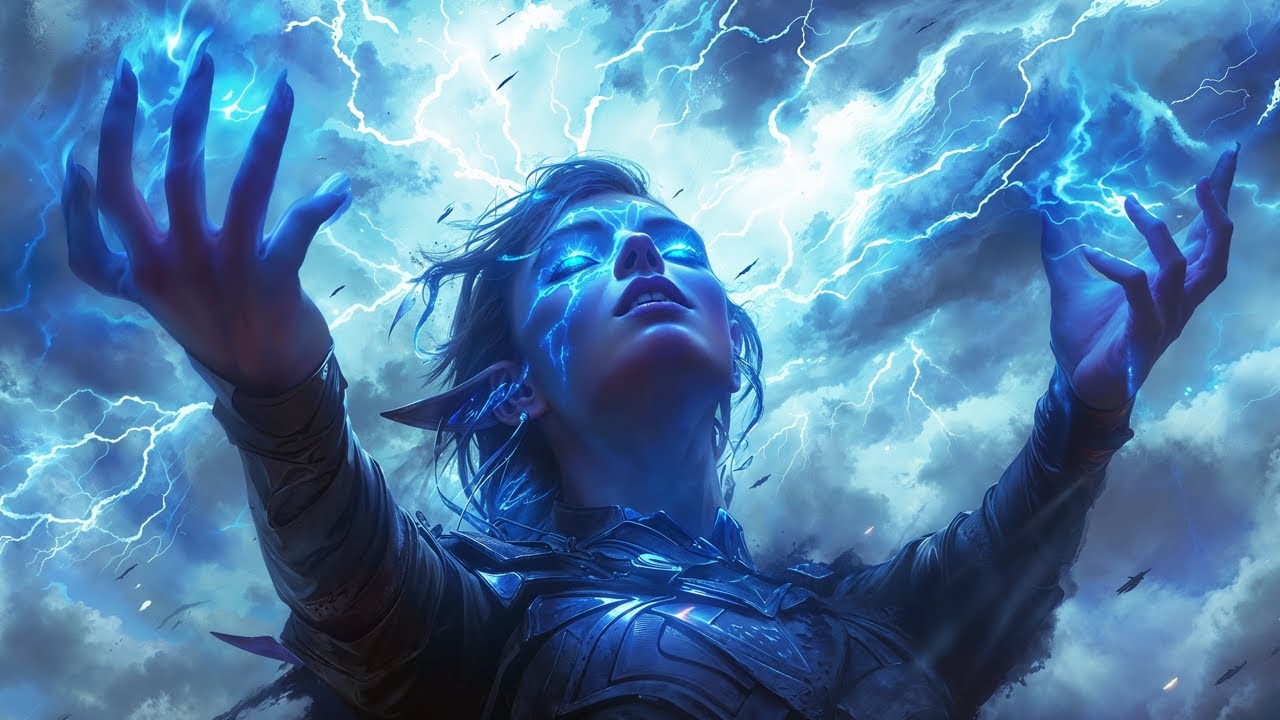
The Night Elf is a captivating Sci-Fi AI Film assisted with AI tools, where fantasy and reality blur. A world where elves, humans, and other extraordinary beings coexist.
Join us in the enchanting tale of Mithandy, a sorcerer with unparalleled abilities, unique even among the diverse inhabitants of this magical world. Watch as Mithandy confront...
My friend said unlimited powa xDD ... Like 4090 or more ...
But hes not an expert 🙂
Just a thought)
 chilly knot
who know 3.68s/it its normal speed generate for 1050 ti?
ornate elk
cosmic furnace
https://youtu.be/3oOePyuDw_o and u need more powa for smthing like this y ?
nope, these ae multiple generated short sequences
thats doable, still requires lot of work and editing
 haughty hare
could I use rocm in a virtual machine running linux so I don't need to dual boot?
cosmic furnace
@ornate elk So yud recommend sd.next over usual directml auto. Or u cant because ur biased? 🙂
ornate elk
cosmic furnace
<@161910921269084160> So yud recommend sd.next over usual directml auto. Or u ca...
nope
i prefer directml and zluda directml over sd.next (but sd.next has the better implementation)
ornate elk
haughty hare
could I use rocm in a virtual machine running linux so I don't need to dual boot...
nope
cosmic furnace
why everyone try to run virtual simulation on win when its obvious fail -_-
u need full powa for sd)
 undone locust
hi guys, noob question, i have generate a batch image and i like all iwould like to upscall all, how i can do that pleas ?
 ornate elk
undone locust
hi guys, noob question, i have generate a batch image and i like all iwould like...
ornate elk
undone locust
hi guys, noob question, i have generate a batch image and i like all iwould like...
Hey, cool images! You can run then trough SD upscale script in img2img, it has a batch folder option
undone locust
ornate elk
Hey, cool images! You can run then trough SD upscale script in img2img, it has a...
thank :, it's crystalClearXL_ccxl model
i see we can save generate image inside a folder 🙂
ornate elk
undone locust
thank :, it's crystalClearXL_ccxl model
i see we can save generate image insid...
they are automaticly saved in the outputs folder
undone locust
it's hard to get the result i want but it's in progress ^^ i try to do that. I have problem with background and size of the caractere inside scene
 ornate elk
ouh wood cut art, nice!
undone locust
Not me ^^ but i try to make something in this style
ornate elk
ah okay
undone locust
ornate elk
ah okay
my closest result

Do you have advice to acheive my goal ? for the background and always same color (wood)
ornate elk
undone locust
Do you have advice to acheive my goal ? for the background and always same color...
hmm would recommend the add-detail lora
can give some more textures
undone locust
ornate elk
hmm would recommend the add-detail lora
okok thank you , i'm using Forge UI , Lora is another model or is something else ?
karmic crown
can they use loras in forge?
i know it is limted comapred to a1111
wait, that is focus, not forge
sorry
i mixed up those two
ornate elk
undone locust
okok thank you , i'm using Forge UI , Lora is another model or is something else...
loras are small files, that got trained on a specific style, character or other stuff. that goes on top of a model to help it generate and "know" what to generate
undone locust
ok i gona learn on this way ty
undone locust
ornate elk
loras are small files, that got trained on a specific style, character or other ...
i progress ^^ ty for help me
 ornate elk
undone locust
i progress ^^ ty for help me
ornate elk
undone locust
i progress ^^ ty for help me
wow big improvement
cosmic furnace
nice, had a power shut down during first launch compile generating =\
karmic crown
this is crazy, default a1111 with my old params works the fastest on my new macbook
faster than webui-forge and faster than comfy 🙈
i tried both stable and develop versions of torch, but a1111 stills runs the fastest
enough for today, i am going to bed
ornate elk
cosmic furnace
nice, had a power shut down during first launch compile generating =\
Noooo
 onyx solar
Seeing those carvings with the turquoise in them made me want to do some.

 green ferry
hello. I am trying to download automatic 1111 on mt windows 11 computer and I install python and git and set the path, but when I click on webui-user.bat I get this message:

if anyone knows how to resolve this i would greatly appreciate it
 noble belfry
dont install stable diffusion stuff under user, it causes all kinds of environment path issues. you're honestly better just making a C:\AI directory and putting in anything from github into that
noble belfry
keep any models you've downloaded and just clean install
even if you werent getting issues now, you'd run into them later. 🙂
green ferry
same error. redownloaded the git zip for automatic111

 worldly comet
no pip module found how do I fix
 distant plover
Trying to run this Instant ID controlnet. Get an error:
distant plover
school?
 upper linden
 covert jolt
健康
covert jolt
健康

 dapper frigate
Guys , I am trying to upscale image using SD image2image api , but since I have file saved in the url I have to first convert it to blob and then buffer , but it returns error that content type can not be application/octet-stream but in reality its image/png when I check the buffer header. anybody has soultion to this?
ornate elk
green ferry
same error. redownloaded the git zip for automatic111
Don't download it as zip
Please follow the install guide. Its in the Pinned Messages of this channel
ornate elk
worldly comet
no pip module found how do I fix
Would need more info, python version, screenshot of the error
undone locust
onyx solar
Seeing those carvings with the turquoise in them made me want to do some.
Very nice, i'm trying carving too, how do you setup the background like that ?
undone locust
Question about this settings : Add extended info (seed, prompt) to filename when saving grid, where the file are stored ?
I have cheked in txt2img and txt2img grid but no file , this file save the complet prompt + settings ?
 spring glacier
how do you add the sd vae and clip skip
 ornate elk
spring glacier
how do you add the sd vae and clip skip
ornate elk
spring glacier
how do you add the sd vae and clip skip
To activate the VAE and clip skip menu go into
Settings, User Interface, Quicksettings, there add sd_vae, stop_clip_at_last_layer,
then hit apply and reload ui
spring glacier
thanks
ornate elk
undone locust
Question about this settings : Add extended info (seed, prompt) to filename when...
it says to "filename" so the image will contain more information in the name
not as extra file
its limited to windows filename lenght, so not a good option, better use [datetime] as save format
the information gets stored in the MetaData of an image in any way
undone locust
ornate elk
it says to "filename" so the image will contain more information in the name
okok , so its not possible to backup the text (prompt + settings + model + seed etc) under the generated image ?
I'm on windows is check the property of the photo i cant find the "metadata"
ornate elk
undone locust
okok , so its not possible to backup the text (prompt + settings + model + seed ...
what do you mean by "under the image"
everything is stored in the metadata which you can only see with an exif capable tool
like Exiftool or in auto1111 the png info tab
what you can do is activate "save a json or txt file for every image which contains the infos" in the settings
undone locust
ornate elk
what do you mean by "under the image"
this one all data for generated image
 ornate elk
undone locust
this one all data for generated image
ornate elk
undone locust
this one all data for generated image
yes thats what get stored into the meta data
undone locust
nice thank !
ornate elk
undone locust
nice thank !
you can drop the image into the png info tab and then click on Send to txt2img, then it will set everything like it was for that image, sometimes you need to switch the checkpoint still
undone locust
ornate elk
you can drop the image into the png info tab and then click on Send to txt2img, ...
yes i tried its working perfectly 🙂
 umbral plover
What is wrong?


 quick forge
just to clarify, if i want to download this https://huggingface.co/SG161222/Realistic_Vision_V6.0_B1_noVAE/tree/main I don't need the directories or anything, just the safetensor files?
 ornate elk
quick forge
just to clarify, if i want to download this https://huggingface.co/SG161222/Real...
ornate elk
quick forge
just to clarify, if i want to download this https://huggingface.co/SG161222/Real...
yes
 robust vale
anyone know how to shift all extensions from a1111 to forge ui
 trail arch
I want to perform virtual try-on of clothes... Any suggesstions if this can be useful in any way?
maiden haven
What affects a safetensor/lora/models disk size, is it just number of pictures? I've been making a bunch trying to figure htings out and I'll have one that's 5gb that took 1hr to make, then last night I left one overnight, 8 hours training and it's ... 10k KB? ? then I'll have a bunch that are pretty much the same size so i assume that's image size related
i havent tested anything yet but no errors anywhere 
oh cool its all black images 
 waxen ore
for comfyui, what happened to right click on group "bypass" and the selection that turns them back on?
ok, figured it out. if you lock the group so you dont accidently move it it also removes the ability to bypass the group of nodes.
green ferry
ornate elk
Please follow the install guide. Its in the Pinned Messages of this channel
redownloaded python, git and git cloned with cmd and same thing. Im using windows 11 with an nvidia gpu.

 maiden haven
that isnt a python error at all
right click the .bat file and see if windows blocked it from execution
green ferry
how do i see that?
maiden haven
right click properties
ornate elk
green ferry
redownloaded python, git and git cloned with cmd and same thing. Im using window...
can you show the folder with path where the bat file is located?
 sick ginkgo
in comfyui, how do i access the filename in load image batch from dir (inspire pack)?
 ornate elk
sick ginkgo
in comfyui, how do i access the filename in load image batch from dir (inspire p...
ornate elk
sick ginkgo
in comfyui, how do i access the filename in load image batch from dir (inspire p...
you copy the file path to the image from the explorer
like C:\ai\comfyui... or C:\images...
green ferry


 sick ginkgo
ornate elk
you copy the file path to the image from the explorer
sick ginkgo
ornate elk
you copy the file path to the image from the explorer
i meant when i save the file, how to access the input filename?
 ornate elk
sick ginkgo
i meant when i save the file, how to access the input filename?
ornate elk
sick ginkgo
i meant when i save the file, how to access the input filename?
hm no clue, you can ask this in #🧣|comfy-ui too
ornate elk
green ferry
looks good, and when you double click the webui-uder.bat ? you get that strange error?
green ferry
yes
maiden haven
Is there a spot in kohya_ss webui to put a sampler?
look at security or advanced in that file propeties pop up i forget where execution block is, its a checkbox if its on
if its not on you wont see it
ornate elk
green ferry
yes
yes check the security details of the folder
cosmic furnace
dang it a lil bit empty today in sd.next help discord 😦
so far tested generation in sd next with 1 model... but my oh my did after some time i started to get alot of black sreen -insta restart (as if i pressed reset button) espec when trying to make that img2img higher res generation -__-
green ferry
ornate elk
yes check the security details of the folder
i see this and then i added full control but it still pops up with the same error

 ornate elk
green ferry
i see this and then i added full control but it still pops up with the same erro...
ornate elk
green ferry
i see this and then i added full control but it still pops up with the same erro...
do you have any third party antivirus active?
mcaffe, avg, avast, etc
green ferry
i do not believe so
maiden haven
windows 11 is weird about stuff in the C:\ as well when i mod skyrim i have to be in C:\folder1\subfolder\mods.exe
green ferry
i turned off windows defender and double clicked the webui again and still same error
ornate elk
green ferry
i see this and then i added full control but it still pops up with the same erro...
make sure Users also have full control
green ferry
yeah did that and same error
maiden haven
make a folder on C, make another folder inside of that folder, move your unzipped webui stuff in it and try it there
ornate elk
maiden haven
make a folder on C, make another folder inside of that folder, move your unzippe...
he has an AI folder
 polar cliff
Any tips on the ending part of the generation process taking forever?
From what I can tell, its the VAE step that is the problem, it'll get to about 90% very quickly and then hang there for a while, up to a few minutes or even freeze.
Using A1111 SDXL, good computer. Any ideas?
ornate elk
maybe worth a try
maiden haven
might not work but its something, idk why they started doing that
quick forge
I may have asked this the other day, but i do believe I was blind drunk ....
Is it possible to connect ubuntu to a windows network so I can share files between them?
or possibly some way to remote control it doing a headless setup?
ornate elk
polar cliff
Any tips on the ending part of the generation process taking forever?
From what ...
whats your gpu, and whats inside your webui-user.bat?
maiden haven
yes you need to install an SMB server on ubuntu and mount it as a share in windows, probably 3-5 commands
green ferry
maiden haven
juts make a subfolder in AI and try it
same message
 polar cliff
2060 super, Windows, args: --xformers --no-half-vae --medvram-sdxl
maiden haven
idk i'd make a new folder under your user docs and settings and try it there
quick forge
samba file server?
green ferry
idk why its saying it cant find it when the file is right there
quick forge
looks like there are some instructions here
https://phoenixnap.com/kb/ubuntu-samba

Knowledge Base by phoenixNAP
Samba is a free tool for file-sharing between Linux and other OSs. Read this guide and learn how to install and configure Samba in Ubuntu.
maiden haven
if youre using that server as a NAS/docker host it may make sense to just put unraid or freenas on it instead of dealing with smb config files
ornate elk
@green ferry can you check that?:
 quick forge
maiden haven
any cifs/smb server
quick forge
maiden haven
any cifs/smb server
most of the time I only understand about half of what you say lmao.
I just mean because im new to linux and its a whole new world
ill follow that tutorial and see how it goes
ornate elk
polar cliff
2060 super, Windows, args: `--xformers --no-half-vae --medvram-sdxl`
try the sdxl-fp16 vae fix, as vae file
maiden haven
there are linux control panels that give you a web GUI for doing stuff like smb shares and all that admin stuff without having to login if you want something like that
quick forge
im trying to sort out my models and stuff currently. previews, descriptions etc 🙂
quick forge
maiden haven
there are linux control panels that give you a web GUI for doing stuff like smb ...
that might actually be good
polar cliff
ornate elk
try the sdxl-fp16 vae fix, as vae file
 quick forge
actually preferable tbh
maiden haven
@visual girder https://cockpit-project.org/

Cockpit Project
ubuntutu has one as well iirc.. forget the name
polar cliff
ornate elk
try the sdxl-fp16 vae fix, as vae file
Noticeably faster now, thanks for your help
green ferry
ornate elk
<@1210736265125822548> can you check that?:
this is what my comspec says
 ornate elk
green ferry
this is what my comspec says
ornate elk
green ferry
this is what my comspec says
there is the problem
quick forge
maiden haven
there are linux control panels that give you a web GUI for doing stuff like smb ...
would you suggest any specific one?
ornate elk
@green ferry it should look like this:
 green ferry
ornate elk
<@1210736265125822548> it should look like this:
green ferry
ornate elk
<@1210736265125822548> it should look like this:
do i manually write it out or browse?
ornate elk
green ferry
do i manually write it out or browse?
you edit that variable
and remove the stuff before C:
maiden haven
What does LORA verification do? i cant seem to get any to pass it whatever it is
 green ferry
YAY IT WORKS
maiden haven
how did your comspec var change
green ferry
why would my enviroment variables be set up like that? this is a new computer
green ferry
maiden haven
how did your comspec var change
 ornate elk
green ferry
why would my enviroment variables be set up like that? this is a new computer
ornate elk
green ferry
why would my enviroment variables be set up like that? this is a new computer
something screwed it up
maiden haven
i dont even know what at a comspec is 
 cosmic furnace
@ornate elk did u have any problems like that(as if pc do reset button) and is there a way to find a reason? ive had to downclock gpu for directml long time ago when having same problem. After googling a bit found that smone said it goes overmuch too high with basic mhz some times
maiden haven
i really need to find a good SD app and stick with it i have like 10 different installs hoggging up space
im so sick of making symlinks in powershell i hate windows terminals
ornate elk
maiden haven
im so sick of making symlinks in powershell i hate windows terminals
for symlinks use the Shelllink Extension programm
maiden haven
oh god yes is that a right click context button sick
i always forget you can't just create shortcut and move it lol
ornate elk
cosmic furnace
<@161910921269084160> did u have any problems like that(as if pc do reset button...
so your PC restarts when using SD ?
cosmic furnace
y
when about 20-25% progress ish
when using next.sd + zluda
and high resolution 1k + in img2img tab
maiden haven
does it crash when you game? gpu overheating/dying?
ornate elk
cosmic furnace
and high resolution 1k + in img2img tab
check the vram usage when doing that, but ill gues its just a driver crash that results in a pc restart
cosmic furnace
the weird thing is first it did manage to make 1536-1280 once... maybe another img style but can that be a reason? o.0
mb shud make a clean instal of next.sd? But ive kinda used reinstall command -__-
ornate elk
i got a full pc restart yesterday too when trying to load sdxl with zluda
but sd.next doesnt even work for me
have you tried the directml fork with zluda?
 opaque vine
A year or two ago I paid for some credits to use Stable Diffusion on some of their web app. I can't find this web app anymore - any idea where to look? I'd like to use my remaining credits for something small
cosmic furnace
Welp when trying to do alot of stuff & on high image resolution he seems to doesnt handle it... and i fcking lowered power usage & mhz of videcard kinda very much to be sure its not that
but it didnt helped
ornate elk
opaque vine
A year or two ago I paid for some credits to use Stable Diffusion on some of the...
Stability.ai has only one web app:
https://beta.dreamstudio.ai/generate
cosmic furnace
btw is it my imagination or when card overclocked it do generation faster? o.0
opaque vine
ornate elk
Stability.ai has only one web app:
https://beta.dreamstudio.ai/generate
That's the one! Thanks!
quick forge
what does ema only mean?
ornate elk
cosmic furnace
btw is it my imagination or when card overclocked it do generation faster? o.0
yes it can be faster when overclocking, but also unstable
cosmic furnace
Y ive got an consistant 1-2 second less generation with 1024 image hmgm
well suxx then i usually have to opposite to overclocking when generating 😦
because without it for it was pc reset >_> espec when sdxl or high res. On directml)
 quick forge
ornate elk
quick forge
ornate elk
ok....cool, cool, cool......
I still don't understand lol
inference and fine tuning
I got that part lol
not sure what those are in relation to SD
ornate elk
quick forge
not sure what those are in relation to SD
inference = image generation
finetuning = training, making models, loras
cosmic furnace
 sick ginkgo
feeling really dumb for asking this simple question
how do i get the filename text into filenameprefix?
NVM, figured it out.
just had to convert my widget into an input and connect the two
 cosmic furnace
sadge 😦
 quick forge
so can anyone tell me what specifically this is? I downloaded it and not sure what to do with it.
vae-ft-mse-840000-ema-pruned_fp16
.pt
it goes in the embeddings folder?
ornate elk
quick forge
so can anyone tell me what specifically this is? I downloaded it and not sure wh...
its a ve file, it goes into the models/vae folder
its for getting better colors, (and very minor details)
quick forge
i also have a safetensors file of the same thing, but without fp16
ornate elk
cosmic furnace
sadge 😦
did you got the crashes only on sdxl?
cosmic furnace
the weird thing u know whuht? It did generated 1536-1280 img in img2img once
but just without any style and hideously looking 😄
and after that 1 successful try . Not a single try it managed to do without reboot =\
but it did once...
i didnt used sdxl yet 😦
its that fricking 1 model and VAE that comes with it 😒
🫠
maiden haven
Ok I'm training a model and sampl[ing every 30 steps, around step 90-120 (so 4-5 seeds only so far) the people in the LORA samples went from human to mashed up toclors to now black.. is that overtraining?
 ornate elk
cosmic furnace
the weird thing u know whuht? It did generated 1536-1280 img in img2img once
ornate elk
cosmic furnace
the weird thing u know whuht? It did generated 1536-1280 img in img2img once
whats your it/s in sd.next?
when using 512x512, euler a, 30 steps?
prompt: cute cat, masterpiece,
neg prompt: blurry, deformed,
with an 1.5 model
 neon ruin
ornate elk
i got a full pc restart yesterday too when trying to load sdxl with zluda
neon ruin
ornate elk
i got a full pc restart yesterday too when trying to load sdxl with zluda
I'm just getting an nvidia card at this point dude
lol
 pale hatch
I just updated via git pull and now I get these errors. How do I fix them?
venv "D:\Programme\StableDiffusion\stable-diffusion-webui-directml\venv\Scripts\Python.exe"
fatal: No names found, cannot describe anything.
Python 3.10.6 (tags/v3.10.6:9c7b4bd, Aug  1 2022, 21:53:49) [MSC v.1932 64 bit (AMD64)]
Version: 1.7.0
Commit hash: 601f7e3704707d09ca88241e663a763a2493b11a
Traceback (most recent call last):
  File "D:\Programme\StableDiffusion\stable-diffusion-webui-directml\launch.py", line 48, in <module>
    main()
  File "D:\Programme\StableDiffusion\stable-diffusion-webui-directml\launch.py", line 39, in main
    prepare_environment()
  File "D:\Programme\StableDiffusion\stable-diffusion-webui-directml\modules\launch_utils.py", line 560, in prepare_environment
    raise RuntimeError(
RuntimeError: Torch is not able to use GPU; add --skip-torch-cuda-test to COMMANDLINE_ARGS variable to disable this check
Press any key to continue . . .
sdxl works on sd.next with zluda it seems, but i understand you ^^
ornate elk
pale hatch
I just updated via `git pull` and now I get these errors. How do I fix them?
```...
whats in your webui-user.bat?
neon ruin
ornate elk
sdxl works on sd.next with zluda it seems, but i understand you ^^
even with zluda I'm just getting random crashes
seems like if I up the sampling steps, attempt to do hi-res fix, or even using more realistic/photo realistic models PC just shuts off
pale hatch
ornate elk
whats in your webui-user.bat?
#!/bin/bash
#########################################################
# Uncomment and change the variables below to your need:#
#########################################################

# Install directory without trailing slash
#install_dir="/home/$(whoami)"

# Name of the subdirectory
#clone_dir="stable-diffusion-webui"

# Commandline arguments for webui.py, for example: export COMMANDLINE_ARGS="--medvram --opt-split-attention"
#export COMMANDLINE_ARGS=""

# python3 executable
#python_cmd="python3"

# git executable
#export GIT="git"

# python3 venv without trailing slash (defaults to ${install_dir}/${clone_dir}/venv)
#venv_dir="venv"

# script to launch to start the app
#export LAUNCH_SCRIPT="launch.py"

# install command for torch
#export TORCH_COMMAND="pip install torch==1.12.1+cu113 --extra-index-url https://download.pytorch.org/whl/cu113"

# Requirements file to use for stable-diffusion-webui
#export REQS_FILE="requirements_versions.txt"

# Fixed git repos
#export K_DIFFUSION_PACKAGE=""
#export GFPGAN_PACKAGE=""

# Fixed git commits
#export STABLE_DIFFUSION_COMMIT_HASH=""
#export CODEFORMER_COMMIT_HASH=""
#export BLIP_COMMIT_HASH=""

# Uncomment to enable accelerated launch
#export ACCELERATE="True"

# Uncomment to disable TCMalloc
#export NO_TCMALLOC="True"

###########################################
with stylized models I can create 50 images in like 2 minutes no problem, 7900XT is super fast
Just getting frustrated at the limitations here
ornate elk
pale hatch
```
#!/bin/bash
#########################################################
# Unco...
thats the webui.bat, i mean the webui-user.bat
pale hatch
Oh .bat, I checked webui-user.sh
ornate elk
neon ruin
seems like if I up the sampling steps, attempt to do hi-res fix, or even using m...
okay, i dont get these issues at all
seems like a hard/software issue with windows or memory management, power supply etc?
pale hatch
ornate elk
thats the webui.bat, i mean the webui-user.bat
I don't have that as a .bat file
 ornate elk
pale hatch
I don't have that as a .bat file
ornate elk
pale hatch
I don't have that as a .bat file
its the webui-start.bat probably
pale hatch
@echo off

set PYTHON=
set GIT=
set VENV_DIR=
set COMMANDLINE_ARGS=--medvram --no-half-vae --opt-sub-quad-attention --opt-split-attention-v1

call webui.bat
okay, add:
--use-directml --skip-ort --upcast-sampling
then relaunch
pale hatch
Ok lemme rerun
no module 'xformers'. Processing without...
Installing requirements for easyphoto-webui
Installing requirements for modelscope
Installing requirements for easyphoto-webui
Installing requirements for diffusers
Launching Web UI with arguments: --medvram --no-half-vae --opt-sub-quad-attention --opt-split-attention-v1 --use-directml --skip-ort --upcast-sampling
no module 'xformers'. Processing without...
no module 'xformers'. Processing without...
No module 'xformers'. Proceeding without it.
Traceback (most recent call last):
  File "D:\Programme\StableDiffusion\stable-diffusion-webui-directml\launch.py", line 48, in <module>
    main()
  File "D:\Programme\StableDiffusion\stable-diffusion-webui-directml\launch.py", line 44, in main
    start()
  File "D:\Programme\StableDiffusion\stable-diffusion-webui-directml\modules\launch_utils.py", line 677, in start
    import webui
  File "D:\Programme\StableDiffusion\stable-diffusion-webui-directml\webui.py", line 13, in <module>
    initialize.imports()
  File "D:\Programme\StableDiffusion\stable-diffusion-webui-directml\modules\initialize.py", line 34, in imports
    shared_init.initialize()
  File "D:\Programme\StableDiffusion\stable-diffusion-webui-directml\modules\shared_init.py", line 28, in initialize
    directml_do_hijack()
  File "D:\Programme\StableDiffusion\stable-diffusion-webui-directml\modules\dml\__init__.py", line 69, in directml_do_hijack
    import modules.dml.hijack # pylint: disable=unused-import
  File "D:\Programme\StableDiffusion\stable-diffusion-webui-directml\modules\dml\hijack\__init__.py", line 5, in <module>
    import modules.dml.hijack.diffusers
  File "D:\Programme\StableDiffusion\stable-diffusion-webui-directml\modules\dml\hijack\diffusers.py", line 172, in <module>
    ) -> Union[diffusers.schedulers.scheduling_lcm.LCMSchedulerOutput, Tuple]:
AttributeError: module 'diffusers.schedulers' has no attribute 'scheduling_lcm'. Did you mean: 'scheduling_ddim'?
Press any key to continue . . .
delete the venv folder and relaunch
pale hatch
Jesus Christ, that folder's 3 gigabytes
maiden haven
watching this lora model sample every few minutes is fascinating
cosmic furnace
ornate elk
whats your it/s in sd.next?
it was smthing like this?)
40 steps karras 2d ++
 maiden haven
the venv folder is your entire python environment for the app. its every single package that pip installs etc. thats why ideally oyu don't break your venv folders but since its python everone will break it anyway
i do need to set up a pip caching proxy because theres way too much duplicat downloading
ornate elk
cosmic furnace
it was smthing like this?)
thats really slow wow, did you used hires fix or loras?
cosmic furnace
no o.0
ornate elk
im getting 5 it/s on sd.next with zluda,
and 16 /its on directml (auto1111) with zluda
cosmic furnace
had to do downclocking as usual
mb even lots of it
was afraid that a reason
made a 1030 mv -4 or 5% powa and about 2400 mhz or 2300... but that shudnt affect that much y ?
also ive got 7900 xt not xtx)
ornate elk
cosmic furnace
made a 1030 mv -4 or 5% powa and about 2400 mhz or 2300... but that shudnt affec...
can you try the directml fork with zluda?
i think you should get much more it/s
cosmic furnace
mb)
ornate elk
cosmic furnace
mb)
let me know if you tried it
i also found whats slowing sd.next down... for amd
pale hatch
ornate elk
delete the venv folder and relaunch
venv "D:\Programme\StableDiffusion\stable-diffusion-webui-directml\venv\Scripts\Python.exe"
fatal: No names found, cannot describe anything.
Python 3.10.6 (tags/v3.10.6:9c7b4bd, Aug  1 2022, 21:53:49) [MSC v.1932 64 bit (AMD64)]
Version: 1.7.0
Commit hash: 601f7e3704707d09ca88241e663a763a2493b11a
no module 'xformers'. Processing without...
no module 'xformers'. Processing without...
Installing openmim
Uninstalling mmcv mmdet... (if installed)
Installing mmcv mmdet...
Installing sd-webui-controlnet requirement: mediapipe
Installing sd-webui-controlnet requirement: svglib
Installing requirements for easyphoto-webui
Installing requirements for modelscope
Installing requirements for easyphoto-webui
Installing requirements for diffusers
Launching Web UI with arguments: --medvram --no-half-vae --opt-sub-quad-attention --opt-split-attention-v1 --use-directml --skip-ort --upcast-sampling
2024-02-25 18:11:31.057845: I tensorflow/core/util/port.cc:113] oneDNN custom operations are on. You may see slightly different numerical results due to floating-point round-off errors from different computation orders. To turn them off, set the environment variable `TF_ENABLE_ONEDNN_OPTS=0`.
WARNING:tensorflow:From D:\Programme\StableDiffusion\stable-diffusion-webui-directml\venv\lib\site-packages\keras\src\losses.py:2976: The name tf.losses.sparse_softmax_cross_entropy is deprecated. Please use tf.compat.v1.losses.sparse_softmax_cross_entropy instead.
no module 'xformers'. Processing without...
no module 'xformers'. Processing without...
No module 'xformers'. Proceeding without it.
Traceback (most recent call last):
  File "D:\Programme\StableDiffusion\stable-diffusion-webui-directml\launch.py", line 48, in <module>
    main()
  File "D:\Programme\StableDiffusion\stable-diffusion-webui-directml\launch.py", line 44, in main
    start()
  File "D:\Programme\StableDiffusion\stable-diffusion-webui-directml\modules\launch_utils.py", line 677, in start
    import webui
  File "D:\Programme\StableDiffusion\stable-diffusion-webui-directml\webui.py", line 13, in <module>
    initialize.imports()
  File "D:\Programme\StableDiffusion\stable-diffusion-webui-directml\modules\initialize.py", line 34, in imports
    shared_init.initialize()
  File "D:\Programme\StableDiffusion\stable-diffusion-webui-directml\modules\shared_init.py", line 28, in initialize
    directml_do_hijack()
  File "D:\Programme\StableDiffusion\stable-diffusion-webui-directml\modules\dml\__init__.py", line 69, in directml_do_hijack
    import modules.dml.hijack # pylint: disable=unused-import
  File "D:\Programme\StableDiffusion\stable-diffusion-webui-directml\modules\dml\hijack\__init__.py", line 5, in <module>
    import modules.dml.hijack.diffusers
  File "D:\Programme\StableDiffusion\stable-diffusion-webui-directml\modules\dml\hijack\diffusers.py", line 172, in <module>
    ) -> Union[diffusers.schedulers.scheduling_lcm.LCMSchedulerOutput, Tuple]:
AttributeError: module 'diffusers.schedulers' has no attribute 'scheduling_lcm'. Did you mean: 'scheduling_ddim'?
Press any key to continue . . .
okay, go into the stable-diffusion-webui-directml folder
click in the explorer bar (not searchbar) and type cmd
hit enter
then type these two commands one by one
.\venv\Scripts\activate pip install diffusers --upgrade
then relaunch
pale hatch
Same error
fatal: No names found, cannot describe anything.
Python 3.10.6 (tags/v3.10.6:9c7b4bd, Aug  1 2022, 21:53:49) [MSC v.1932 64 bit (AMD64)]
Version: 1.7.0
Commit hash: 601f7e3704707d09ca88241e663a763a2493b11a
no module 'xformers'. Processing without...
no module 'xformers'. Processing without...
Installing requirements for easyphoto-webui
Installing requirements for modelscope
Installing requirements for easyphoto-webui
Installing requirements for diffusers
Launching Web UI with arguments: --medvram --no-half-vae --opt-sub-quad-attention --opt-split-attention-v1 --use-directml --skip-ort --upcast-sampling
2024-02-25 18:20:41.943781: I tensorflow/core/util/port.cc:113] oneDNN custom operations are on. You may see slightly different numerical results due to floating-point round-off errors from different computation orders. To turn them off, set the environment variable `TF_ENABLE_ONEDNN_OPTS=0`.
WARNING:tensorflow:From D:\Programme\StableDiffusion\stable-diffusion-webui-directml\venv\lib\site-packages\keras\src\losses.py:2976: The name tf.losses.sparse_softmax_cross_entropy is deprecated. Please use tf.compat.v1.losses.sparse_softmax_cross_entropy instead.
no module 'xformers'. Processing without...
no module 'xformers'. Processing without...
No module 'xformers'. Proceeding without it.
Traceback (most recent call last):
  File "D:\Programme\StableDiffusion\stable-diffusion-webui-directml\launch.py", line 48, in <module>
    main()
  File "D:\Programme\StableDiffusion\stable-diffusion-webui-directml\launch.py", line 44, in main
    start()
  File "D:\Programme\StableDiffusion\stable-diffusion-webui-directml\modules\launch_utils.py", line 677, in start
    import webui
  File "D:\Programme\StableDiffusion\stable-diffusion-webui-directml\webui.py", line 13, in <module>
    initialize.imports()
  File "D:\Programme\StableDiffusion\stable-diffusion-webui-directml\modules\initialize.py", line 34, in imports
    shared_init.initialize()
  File "D:\Programme\StableDiffusion\stable-diffusion-webui-directml\modules\shared_init.py", line 28, in initialize
    directml_do_hijack()
  File "D:\Programme\StableDiffusion\stable-diffusion-webui-directml\modules\dml\__init__.py", line 69, in directml_do_hijack
    import modules.dml.hijack # pylint: disable=unused-import
  File "D:\Programme\StableDiffusion\stable-diffusion-webui-directml\modules\dml\hijack\__init__.py", line 5, in <module>
    import modules.dml.hijack.diffusers
  File "D:\Programme\StableDiffusion\stable-diffusion-webui-directml\modules\dml\hijack\diffusers.py", line 172, in <module>
    ) -> Union[diffusers.schedulers.scheduling_lcm.LCMSchedulerOutput, Tuple]:
AttributeError: module 'diffusers.schedulers' has no attribute 'scheduling_lcm'. Did you mean: 'scheduling_ddim'?
Press any key to continue . . .```can you run git pull again?
pale hatch
D:\Programme\StableDiffusion\stable-diffusion-webui-directml>git pull
Already up to date.
okay now rename the extensions folder to _extensions
pale hatch
Done
ornate elk
and then delete the venv folder again and relaunch
pale hatch
Okay
ornate elk
if that doesnt work its quicker to reinstall the webui into a new folder and move the models over
i have a easy guide in the pinned messages of this channel (not the zluda one)
pale hatch
Okay
ornate elk
whats your gpu btw?
pale hatch
Radeon RX 570 (8GB VRam)
I can sometimes get images.
(Somehow got a lot of funny glitches while running Cyberpunk2077 and generating an image at the same time)
Relaunching rn
ornate elk
pale hatch
(Somehow got a lot of funny glitches while running Cyberpunk2077 and generating ...
yea dont game and SD at the same time xD
maiden haven
whats the most realistic upscale for faces
pale hatch
It booted up!
ornate elk
pale hatch
It booted up!
perfect, so it was a extension that was outdated and caused the error
now you can reinstall them, one by one
dont copy them over, better to fresh install them via the extensions tab
cosmic furnace

intresting...
well i guess when it all get updated gonna be better?)
weird thing is... it managed to do once a generation on 1536x1280 and once-twice 1408-1152 resolution
w.e shud try directml indeed i guess... or reinstall next sd mb
 fierce light
Hello, I'm getting this error message while trying to use Dreamshaper XL model on automatic1111 UI

 warped ginkgo
NansException: A tensor with all NaNs was produced in Unet. This could be either because there's not enough precision to represent the picture, or because your video card does not support half type. Try setting the "Upcast cross attention layer to float32" option in Settings > Stable Diffusion or using the --no-half commandline argument to fix this. Use --disable-nan-check commandline argument to disable this check.
ornate elk
fierce light
Hello, I'm getting this error message while trying to use Dreamshaper XL model o...
whats your gpu, and whats inside your webui-user.bat?
fierce light
My GPU is 4070Ti and my brother's is 3060. We both got the same error message. How can I look inside of ''webui-user.bat''? I double clicked it and got this
 maiden haven
right click and edit it in notepad
fierce light
this
 ornate elk
fierce light
My GPU is 4070Ti and my brother's is 3060. We both got the same error message. H...
ornate elk
fierce light
My GPU is 4070Ti and my brother's is 3060. We both got the same error message. H...
seems like you dont have python installed correctly
please take a look at my install guide. its in the pinned messages of this channel
[nvidia] #🤝|tech-support message
ornate elk
warped ginkgo
NansException: A tensor with all NaNs was produced in Unet. This could be either...
whats your gpu, and whats inside your webui-user.bat?
 warped ginkgo
ornate elk
whats your gpu, and whats inside your webui-user.bat?
warped ginkgo
ornate elk
whats your gpu, and whats inside your webui-user.bat?
^
tryna gen a 1920/1080 img
undone locust
Hi guys, it's possible to upscale real photo 4000x4000 by my drone (not ai generated) , i try extra and img2img with TilledDiffusion or Upscaller but when i zoom +++ i dont see much difference , what is the best way to do that ?
ornate elk
warped ginkgo
^
okay looks normal
warped ginkgo
I think it's because the Lora I was using wasn't updated to 2.1
ornate elk
quick forge
ip_adapter.bin
models/controlnet
quick forge
ok, thought so. now I need to find where I got that one lol
found it. damn I love the search here 😄
haughty hare
what's the difference between these two?

 prime hinge
Cannot locate TCMalloc (improves CPU memory usage)
Python 3.10.9 (main, Mar 1 2023, 18:23:06) [GCC 11.2.0]
Version: v1.7.0
Commit hash: cf2772fab0af5573da775e7437e6acdca424f26e
Traceback (most recent call last):
File "/home/max/Desktop/stable-diffusion-webui/launch.py", line 48, in <module>
main()
File "/home/max/Desktop/stable-diffusion-webui/launch.py", line 39, in main
prepare_environment()
File "/home/max/Desktop/stable-diffusion-webui/modules/launch_utils.py", line 384, in prepare_environment
raise RuntimeError(
RuntimeError: Torch is not able to use GPU; add --skip-torch-cuda-test to COMMANDLINE_ARGS variable to disable this check
Just started happening out of the blue. Does anyone have any clue why the gpu isnt detected any longer?
fierce light
Is python 3.12.2 okay?
ornate elk
fierce light
Is python 3.12.2 okay?
no, use 3.10.11 (just read my guide)
prime hinge
fierce light
Is python 3.12.2 okay?
Best to just run 3.10 tbh
quick forge
Is there any recommended way of organizing model files and such
ornate elk
quick forge
Is there any recommended way of organizing model files and such
subfolders
fierce light
Should I delete the whole auto1111 before starting your guide? or installing python, git and adding stuff to command args is enough?
ornate elk
fierce light
Should I delete the whole auto1111 before starting your guide? or installing pyt...
Yes delete it
Then we can be sure everything is set up correctly
fierce light
Can I install it on any other drive than C(system directory on mine)?
quick forge
I can't figure out where this pth file should go, I can't find it in any options in A1111 anywhere.
4x-UltraSharp.pth
no real instructions anywhere on where to put it either except one reference to the controlnet models folder, but I can't find it anywhere in controlnet
ornate elk
fierce light
Can I install it on any other drive than C(system directory on mine)?
Yes
On any drive
ornate elk
quick forge
I can't figure out where this pth file should go, I can't find it in any options...
upscalers go into models/esrgan
quick forge
oh
 neat widget
I'm using the web api and I keep getting images that are not up to the standart I'm looking for.
Using sdxl in photography mode but keep getting quasi tiled images.
I'm usually getting 3 - 6 photos at the time and I'm not sure how this is possible since I'm getting really good quality back some other times
quick forge
ornate elk
upscalers go into models/esrgan
now where do I find it in A1111 to use it? I think I've looked in every drop down menu and don't see it anywhere
oh wait i think i found it
yup 🙂
 sweet basin
fatal: detected dubious ownership in repository at 'E:/stable/sd/webui/stable-diffusion-webui-directml'
'E:/stable/sd/webui/stable-diffusion-webui-directml' is owned by:
'S-1-5-21-430890288-2059653364-1645812397-1003'
but the current user is:
'S-1-5-21-2723868129-456139733-2995132789-1001'
how to change ownership?
I reinstalled windows
quick forge
stable cascade needs 24GB?!?!?!!
sweet basin
same location
ornate elk
is the E an external drive?
sweet basin
ssd m.2
ornate elk
ok, then right click the stable folder
and under properties, security you give your user, and system all priviliges
fierce light
My brother got this error message while trying the last step(save and launch webui-user.bat) of the guide

python was successfully installed though
sweet basin
ornate elk
ok, then right click the stable folder
and under properties, security you give y...
NOTHIGN
ornate elk
fierce light
python was successfully installed though
did he checked "add python to path" ?
fierce light
yes
ornate elk
fierce light
yes
then he should open up a cmd and type
where python
that should show a correct path to 3.10.11
green ferry
do you guys know what triton is?
fierce light
He did it and launched webui-user.bat again, he got same error again
maybe restarting computer could fix idk
ornate elk
fierce light
He did it and launched webui-user.bat again, he got same error again
he should run the command and show me what the output was xD
that command doesnt fix anything, its for checking if python is installed correctly
fierce light
sorry, ok he'll send it now
ornate elk
np ^^
 ornate elk
 mild sandal
okay seems like he also installed python via the windows store, he should uninstall that
then run the python 3.10.11 installer again, and then click modify, next, make sure "add python to system variables" is checked
mild sandal
ornate elk
okay seems like he also installed python via the windows store, he should uninst...
how can I uninstall?
mild sandal
both?
 quick forge
I just reformatted an HDD to BTRFS and now I can't write to it, like I want to copy/paste some stuff there but no paste option comes up.
ornate elk
mild sandal
both?
hmm are there only these two?
mild sandal
yes
 ornate elk
mild sandal
yes
ornate elk
mild sandal
yes
hmm okay
then you can do something different
open up the cmd again and type
where python
then copy the second path (not the one with windows store)
then edit the webui-user.bat
at the line PYTHON=
you paste the path you copied
then save and launch
sweet basin
ornate elk
ok, then right click the stable folder
and under properties, security you give y...
should I delete everything and reinstall new one
 sweet basin
okay
ornate elk
@cosmic furnace
for sd.next go into settings and make it lok like this for max performance:
then hit apply and restart

 winged pelican
Hello - I'm trying to use stable-cascade on Linux, and I'm only able to generate low-quality images with dead eyes. I also tried ComfyUI, and I get results like this with the default workflow. Only slightly better with 1024x1024 image size. Can anyone please spot what I'm doing wrong, or share a basic workflow that I can use for testing?

 quick forge
so apparently I need to reinstall ubuntu due to some permissions I fked up..... already y webui's on a different HDD than the boot drive.... is there anything I need or could save to make reinstalling and getting SD running again easier?
winged pelican
quick forge
so apparently I need to reinstall ubuntu due to some permissions I fked up..... ...
~/.cache/huggingface
and don't forget to backup any bookmarks.
quick forge
winged pelican
~/.cache/huggingface
and don't forget to backup any bookmarks.
There isn't much on this computer, it's basically only for SD
I don't seem to have a cache folder
nvm i think i was looking in the wrong place
winged pelican
quick forge
I don't seem to have a cache folder
Unlikely. If you're looking in the gui, it might be hidden. ctrl+h maybe to unhide?
winged pelican
winged pelican
Hello - I'm trying to use stable-cascade on Linux, and I'm only able to generate...
This test worked! https://gist.github.com/comfyanonymous/0f09119a342d0dd825bb2d99d19b781c

Gist
Stable Cascade Workflow. GitHub Gist: instantly share code, notes, and snippets.
quick forge
winged pelican
~/.cache/huggingface
and don't forget to backup any bookmarks.
how is saving that folder going to make installing stable diffusion easier?
winged pelican
quick forge
how is saving that folder going to make installing stable diffusion easier?
Depending on how you have it loaded, you might not have to re-download gigs of files.
quick forge
all of the gigs of files are on a separate HDD. all of my WebUI's and stuff are there with all the models and everything
the entire cache folder is only 7GB
maiden haven
its only 7gb which is fine until its your 8th time downloading it
resolving a broken venv for 90% of the people in here is deleting venv and repulling.. everything
maiden haven
geez adetailer makes my faces ugly
noble belfry
tbh adetailer is best used in images where the face isnt the most prominent thing and the actual model did a half hearted attempt at rendering it.
maiden haven
ah ok, never used it. the model for it does seem to make a huge differnece
this face/subject detection is rad i need to figure out what to do with it
noble belfry
i mean it can do great stuff, but i wouldnt consider it a core thing in any process i use. but depends
ornate elk
maiden haven
geez adetailer makes my faces ugly
What's your GPU?
maiden haven
4090
maiden haven
yea its interesting, kinda good sometimes kinda horrible other times. it's making certain parts of the fcae a little too distinct, like this character looks like squidward butt chin with it on but not without it on
 amber silo
Oops, sorry
cosmic furnace
ornate elk
i also found whats slowing sd.next down... for amd
Reahly? ;O
ornate elk
cosmic furnace
Reahly? ;O
yes make sure to set these settings like me:
#🤝|tech-support message
should be much faster
cosmic furnace


indeed i have lil bit weak PCU (650w) for an 7900 xt buut...in games & directml no problems yet... hmgm
and downvolting to 1025 & -10% power wats usage didnt helped avoid this reset >_> . Havent yet tried fresh instal of sd.next or directml zluda yet)
ornate elk
650w 😮
cosmic furnace
yeahh))
was thinking about getting smthing bigger soon >_>
and was wondering if it ll be enough
ornate elk
850 would be good
cosmic furnace
i was told to lower even more but u cant go lower or higher than 10% 😄
7x series got hardcoded in vbios or even hardware level
so ppl cant overclock them with power that much as 6x >_>
sadge...
well... directml was working just fine... with downvolting & sligh power & mhz lowering 🙂
ive read smwhere other ppl also had that problem on amd because directml made a huge jumps in mhz and resulted in insta reboot
cuz bad drivers-compability & all that
for sd directml
ornate elk
Okay, didn't encountered that so far on all the amd systems I tested (with directml, without Zluda)
quick forge
im doing a fresh install for.....reasons.... which version of rocm should I be installing and using?
ubuntu 22.04
ornate elk
quick forge
im doing a fresh install for.....reasons.... which version of rocm should I be i...
Rocm 5.7 I guess
cosmic furnace
So u think all this insta resets is power probs? mostly? or can be anything
maiden haven
psus rarely work halfway
i mean if you wnt to tempt that just throw on cpuz or some gpu benchmark thing and let it run awhile. i have a killawatt and my 4090 + entire desktop doesnt consume over 450w i dont think, maybe under 400
 carmine thorn
Having an issue with Stable Diffusion Web UI all of a sudden. Haven't generated in a month, load up the Web UI with no changes to hardware and image generation is taking 20x longer all of a sudden.
When generating with no prompt, the image is generated as normal, e.g. 17/ it/s and CUDA being used at 90-100% on task manager. However, when adding ANY word to either positive or negative prompt, image generation starts taking ~20x longer, with it/s dropping to a consistent 1.0/s and CUDA usage dropping to 20-25%.
0 errors are being thrown in terminal
(4080 GPU 16 GB VRAM)
What I've tried:
Disabling memory fallback on NVIDIA control panel
clean re-install
restarting computer multiple times
Would greatly appreciate any help. Thanks
maiden haven
i have absolutely no idea what tensorboardi s telling me lol
ornate elk
cosmic furnace
So u think all this insta resets is power probs? mostly? or can be anything
You can check the power draw in the AMD adrenaline software.
But for example my GPU 7900xtx could take up to 420w max.
So I think when yours is doing maxed out SD stuff the 650w can't provide enough power anymore.
AMD GPUs draw more power than nvidia ones.
Use this PSU calculator to check what is the recommended power supply wattage for your System:
https://www.bequiet.com/en/psucalculator
 ornate elk
carmine thorn
Having an issue with Stable Diffusion Web UI all of a sudden. Haven't generated ...
ornate elk
carmine thorn
Having an issue with Stable Diffusion Web UI all of a sudden. Haven't generated ...
Hey, is your GPU driver updated?
Also pls enable memory fallback again
And then check what's inside your webui-user.bat
carmine thorn
drivers are all updated. I re-enabled memory fallback, still the same issue. Here's what I have in my webui-user.bat:
@echo off
set PYTHON=
set GIT=
set VENV_DIR=
set COMMANDLINE_ARGS=--xformers --no-half-vae
call webui.bat
quick forge
i keep running into errors when trying to install rocm and get stable diffusion running again.
ERROR: Cannot create report: [Errno 17] File exists: '/var/crash/amdgpu-dkms.0.crash'
Error! Bad return status for module build on kernel: 6.5.0-21-generic (x86_64)
Consult /var/lib/dkms/amdgpu/6.1.5-1609671.22.04/build/make.log for more information.
dpkg: error processing package amdgpu-dkms (--configure):
installed amdgpu-dkms package post-installation script subprocess returned error exit status 10
Errors were encountered while processing:
amdgpu-dkms
E: Sub-process /usr/bin/dpkg returned an error code (1)
 maiden basin
Hey guys, i am thinking to use canny controllmap to change the structure landscape background of a room but it somehow doesnt work as i imagine to do so any idea why this is happening?

i inpainted the area above the long screen
quick forge
fuck it ill reinstall ubuntu again lmao
would model files be better on an SSD or would it make any difference at all on an HDD vs SSD for the model files and stuff.
maiden haven
ssd
 lost vale
hi guys, I'm trying to run inpaint-anything on my mac mini M2 chip and I'm getting this error
loc("mps_not_equal"("(mpsFileLoc): /AppleInternal/Library/BuildRoots/4e1473ee-9f66-11ee-8daf-cedaeb4cabe2/Library/Caches/com.apple.xbs/Sources/MetalPerformanceShadersGraph/mpsgraph/MetalPerformanceShadersGraph/Core/Files/MPSGraphUtilities.mm":253:0)): error: 'anec.not_equal_zero' op Invalid configuration for the following reasons: Tensor dimensions N1D1C1H1W306252 are not within supported range, N[1-65536]D[1-16384]C[1-65536]H[1-16384]W[1-16384].
loc("mps_select"("(mpsFileLoc):
anyone seen anything like this before?
Trying to use segment-anything extension using automatic1111 web-ui
followed the guides:
https://github.com/AUTOMATIC1111/stable-diffusion-webui/wiki/Installation-on-Apple-Silicon
https://github.com/Uminosachi/sd-webui-inpaint-anything

GitHub
Stable Diffusion web UI. Contribute to AUTOMATIC1111/stable-diffusion-webui development by creating an account on GitHub.
GitHub
Inpaint Anything extension performs stable diffusion inpainting on a browser UI using masks from Segment Anything. - Uminosachi/sd-webui-inpaint-anything
unique bear
Compile with TORCH_USE_CUDA_DSA to enable device-side assertions.
what does this error mean
Solved
 tranquil token
Anyone has experience with prompt scheduling video workflows for stable video?
All my videos generate like this all the time.
 ornate elk
carmine thorn
drivers are all updated. I re-enabled memory fallback, still the same issue. Her...
ornate elk
carmine thorn
drivers are all updated. I re-enabled memory fallback, still the same issue. Her...
Is your webui updated?
What does the cmd shows? Any errors when launching it?
 rough canyon
I'm pretty new to stable diffusion, been experimenting with WebUI forge and some models, currently mainly using "AldeboBaseXL" but I keep getting bad hands. Is there a guide somewhere to fix hands/get better hand generation with AldeboBaseXL (I suppose this is based on SDXL). I pretty much know how all this works by now, but the hands are still hard and some LORA's I checked seem to only work with 1.5
 upbeat crane
are you using any negative prompts by chance?
 sour flare
how can I install stable diffusion?
ornate elk
sour flare
how can I install stable diffusion?
Check the Pinned Messages of this channel for guides for nvidia and AMD GPUs
 zealous leaf
Hello, I intend to use stable zero-123 for commercial purposes, the company has StabilityAI membership, however, I was wondering if there are any solutions that will let me use the model via API. I have found the code that will probably be used for inference, but we don't have the necessary hardware (20GB+ VRAM) for testing the solution for our case.
The next question is whether stable zero-123 capable of generating views with predefined camera angles, without generating all possible angles and movement like zero-1to3 here` https://huggingface.co/spaces/cvlab/zero123-live ?
I will be grateful if you answered those questions, preferably in reply to a message, so I will get a notification.
 dense obsidian
A few questions I had If anyone would be so kind to take a crack at them.
If my inpaint sketch doesn't show up, or my image for inpaint sketch doesn't show up, is due to my browser, or is it something code related?
I noticed during stable ui boot up that it says my pip needs to be updated, could that be it. If it is, would updating pip cause any problems to my stable diffusion I have now? (It's version 1.7)
upbeat crane
it might be worth trying to load the webui in a different browser just for testing purposes, could possibly be an extension interfering so you might check and see if there are any non built-in extensions you could possibly disable and test
if send to img2img isn't populating you could always go find the image and attempt to drag-n-drop it
@dense obsidian
dense obsidian
Thank you! My opera gx ui is verified bugged, I just don't know the full extent of it.
I shall test in Firefox when I get home.
ornate elk
dense obsidian
A few questions I had If anyone would be so kind to take a crack at them.
If my...
Make also sure the webui is whitelisted in any adblocker.
That caused issue with img2img in the past
quick forge
Is there a step by step guide to installing stable diffusion on Ubuntu Linux 22.04 with an AMD RX6800.
I've already had it running, I already have A1111 installed on a separate SSD that isn't my boot/linux drive.
I just reinstalled Linux due to a screw up and I think I just need to install all of the pre-reqs, and ROCm and stuff.
Just not sure the best/easiest/fastest way.
amd ke[t running into errors lastnight
 prisma quartz
does your sd-forge eat a lot of ram???
quick forge
me?
 solemn moon
any bro's wanna try help me fix my lcm
 valid flame
guys please someone help me out to get this type of results
https://www.instagram.com/p/C3cuSRpvGOX/

Reyansh as spider man.
Transform your sweet memories into visual spectacle.
Did you miss the photoshoot for the past memories for your kids or for you or for your family.
Dm if your interested to get for your loved ones.
#spiderman#marvel#spider
#aiartmania #aiartportrait #aiart #aiphotos #AiPhotography
#aiimages #aiartwork #aistillsCustom...

 Instagram
solemn moon
solemn moon
any bro's wanna try help me fix my lcm
Instagram
solemn moon
solemn moon
any bro's wanna try help me fix my lcm
keep getting eww results

 manic snow
have you adjusted your sampler and cfg scale?
solemn moon
valid flame
guys please someone help me out to get this type of results
https://www.instagr...
faceswap app store
 valid flame
solemn moon
faceswap app store
valid flame
solemn moon
faceswap app store
No not bro
manic snow
ah, i see the problem. you're using the sdxl base model, rather than an sdxl lcm model
solemn moon
okei i under
solemn moon
manic snow
ah, i see the problem. you're using the sdxl base model, rather than an sdxl lcm...
thanks you sir
manic snow
you're welcome!
valid flame
manic snow
you're welcome!
can u solve my problem
solemn moon
valid flame
can u solve my problem
ReActor extension
manic snow
or img2img inpainting
you change the style with a full img2img generation, then add the spider man costume by inpainting
 mighty topaz
Someone tell me whats happen?

 crisp geyser
i know it's pretty weird to say that but... is it actually wrong to run stable diffusions on 4gb of ram on the pc? i mean the whole memory pc not the gpu, i know it's not possible but if it was please tell me how can i limit the ram usage, thanks.
ornate elk
crisp geyser
i know it's pretty weird to say that but... is it actually wrong to run stable d...
Hey, what's your GPU?
 stone spire
hey guys, i need a help
crisp geyser
ornate elk
Hey, what's your GPU?
gt 730 4gb vram lol
stone spire
Failed to create model quickly; will retry using slow method. how can i fix it?
and this one Interrupted with signal 2 in <frame at 0x000001640161E050, file 'threading.py', line 324, code wait>
Terminate batch job (Y/N)?
ornate elk
crisp geyser
gt 730 4gb vram lol
SD won't work on that old GPUs. You need at least a GTX card.
But SD can work on CPU mode, which is very slow, but your ram is very limiting so it may dont even can be installed
ornate elk
stone spire
Failed to create model quickly; will retry using slow method. how can i fix it?
Hey, what are you trying to do?
stone spire
I'm trying to install the dreamsshaper model I downloaded. but it never load
ornate elk
stone spire
I'm trying to install the dreamsshaper model I downloaded. but it never load
What's your GPU, what's inside your webui-user.bat and what's the Dreamshaper model size
stone spire
i have rtx 3060 6 gb vram
crisp geyser
ornate elk
SD won't work on that old GPUs. You need at least a GTX card.
But SD can work on...
i actually installed it and everything ,i'm trying to use the wd anime waifu diffusion (i'm not a weeb istg) but it seems like when it chrome starts it just uses much ram from my computer, sooo yeah i'm having that issue now
mighty topaz
mighty topaz
Someone tell me whats happen?
noone know?
ornate elk
crisp geyser
i actually installed it and everything ,i'm trying to use the wd anime waifu dif...
You need to make sure your using only 2gb models. Like Dreamshaper v8 for example.
Then you need to edit your webui-user.bat and there at the line COMMANDLINE_ARGS=
you need to add: --lowram
ornate elk
stone spire
i have rtx 3060 6 gb vram
Can you answer the other questions too?
Would help me, to help you xD
crisp geyser
ornate elk
You need to make sure your using only 2gb models. Like Dreamshaper v8 for exampl...
great, thanks for help alot
ornate elk
crisp geyser
great, thanks for help alot
NP, --lowram makes so that it will load the model into the gpu vram instead of ram.
Maybe with that trick it will work
stone spire
When the model loading is completed, it returns to its previous state. When I reinstall it, it goes back to its previous state. It's like a cycle.
 ornate elk
stone spire
When the model loading is completed, it returns to its previous state. When I re...
ornate elk
stone spire
When the model loading is completed, it returns to its previous state. When I re...
Okay so this model is a bit heavy for a 6gb vram GPU.
You need to right click the webui-user.bat and edit it.
At the line COMMANDLINE_ARGS=
You need to add: --xformers --medvram --no-half-vae
Then save and relaunch
stone spire
is it true, right?
 ornate elk
Okay 32 is perfect
Then try to load the model again
Make sure you always launch the webui-user.bat and not the webui.bat
ornate elk
No problem 🙂
stone spire
Is there a setting you recommend for the SD to work stably?
ornate elk
stone spire
Is there a setting you recommend for the SD to work stably?
It should work stable by default. Make sure other programms in the background are closed.
For example wallpaper engine and epic games launcher can cause stutters and issue when running SD
With the performance adjustments of your webui-user.bat it should also generate much faster with 1.5 models now
stone spire
and currently it does not generate images.
 ornate elk
stone spire
and currently it does not generate images.
ornate elk
stone spire
and currently it does not generate images.
Oh, can you show the whole cmd when starting it?
I guess your webui might be outdated

 ornate elk
Okay thats enough
@stone spire Your torch version is outdated
To update it you have to add
--reinstall-torch
To the webui-user.bat
When its done you need to remove it after that again.
 royal rapids
idk if this is the correct place to ask but, how do i downscale photo's? I think i must be missing something but im not too sure
manic snow
royal rapids
idk if this is the correct place to ask but, how do i downscale photo's? I think...
what you can do is go to img2img and set the resolution manually and set the denoising strength to 0. alternatively, you can go into ms paint and resize it there
solemn moon
manic snow
ah, i see the problem. you're using the sdxl base model, rather than an sdxl lcm...
bruh
 manic snow
what model is that?
 royal rapids
manic snow
what you can do is go to img2img and set the resolution manually and set the den...
royal rapids
manic snow
what you can do is go to img2img and set the resolution manually and set the den...
like so?

ms paint?
ooh
oooh
stone spire
ornate elk
To update it you have to add
--reinstall-torch
To the webui-user.bat
When its d...
okay, im trying
Do I need to reinstall extensions
royal rapids
UnboundLocalError: local variable 'h' referenced before assignment, imma just use paint
manic snow
solemn moon
smaller 1
try a model trained by the community. you can find plenty on civitai. i reccomend this one: https://civitai.com/models/4384?modelVersionId=252914
DreamShaper - V∞! Please check out my other base models , including SDXL ones! Check the version description below (bottom right) for more info and...
 mellow apex
hey anyone who can help me understand how to do inpainting with automatic11111 in rundiffusion – Using juggernaut XL?
ornate elk
stone spire
Do I need to reinstall extensions
Nope, but check for updates in the webui under the Extensions tab, after that.
And dont forget to remove the --reinstall-torch
After its done
stone spire
okay, thx
solemn moon
manic snow
try a model trained by the community. you can find plenty on civitai. i reccomen...
will try thanks, was kinda hoping for xl, also, added these args but then the command window closed so removed them
 manic snow
there are also SDXL lcm models
solemn moon
yea im looking now o0
ornate elk
mellow apex
hey anyone who can help me understand how to do inpainting with automatic11111 i...
When in inpainting, mask the subject you want to change.
Set the Inpaint Area to "only masked"
Then set the resolution to 1024x1024 (because your using an sdxl based model), also that's not the output resolution.
Then set the Denois to 0.5 to test how much it changes. Adjust that slider to your liking.
Also set steps to 30 and sampler to Euler a or DPM 2m karras
stone spire
i guess it's not installing
 mellow apex
ornate elk
When in inpainting, mask the subject you want to change.
Set the Inpaint Area to...
mellow apex
ornate elk
When in inpainting, mask the subject you want to change.
Set the Inpaint Area to...
hmm, so i dont need to load a specific inpainting model for XL? cause some models in rundiffusion says "inpainting" on them
stone spire
 ornate elk
mellow apex
hmm, so i dont need to load a specific inpainting model for XL? cause some model...
ornate elk
mellow apex
hmm, so i dont need to load a specific inpainting model for XL? cause some model...
You can do that for more accuracy but normaly it should work with the same model your generated the image with
ornate elk
stone spire
What's your python version?
You can check that by running
Python --version
In a cmd
Or look it up in the system control
stone spire
0.0.16
ornate elk
stone spire
0.0.16
Thats xformers mostly but okay.
What you do now to fix everything.
First remove --reinstall-torch from the webui-user.bat.
Then save.
Download Python 3.10.11 64bit installer from python:
https://www.python.org/downloads/release/python-31011/.
Then delete the venv folder.
And then relaunch the webui-user.bat
It will setup everything correctly and should startup.

It can take a while it recreates the venv folder then.
stone spire
okay, it works great and i have one question. Where are our images stored?
ornate elk
stone spire
okay, it works great and i have one question. Where are our images stored?
Perfect, they are stored in the outputs folder
You can click the folder icon below the image to open it
fierce light
is interrupting while generation is bad thing?
ornate elk
fierce light
is interrupting while generation is bad thing?
Nope,
It will stop everything, depending on what step it is it can take a bit
crisp geyser
So, i installed everything and its running perfect, ram usage is low and everything is working fine, but when press generate it says "RuntimeError: "LayerNormKernellmpl" not implemented for 'Half'"
solemn moon
manic snow
there are also SDXL lcm models
this for you sir
 manic snow
:D
solemn moon
took long though
a yellow cat wearing glasses, soul cat, lora:loraxl:2.8
Steps: 3, Sampler: LCM, CFG scale: 1.5, Seed: 3493960838, Size: 1024x1024, Model hash: 4496b36d48, Version: v1.7.0-539-gc8a5322d
Time taken: 10 min. 31.5 sec.
maiden haven
jesus 10 minutes
solemn moon
vs what i used to do o0 maybe 50min +
maiden haven
i dont think i could be into this hobby without a 4090, the 1 minute imagee creation and hour long training is annoying af to me lol
burn an hour an get black images
ornate elk
crisp geyser
So, i installed everything and its running perfect, ram usage is low and everyth...
You need to add --no-half to the webui-user.bat
crisp geyser
I should restart too right?
solemn moon
also think its my args finally catching up to me, or maybe 10min is normal for a 1660ti 🤔
ornate elk
solemn moon
also think its my args finally catching up to me, or maybe 10min is normal for a...
If you have --xformers --medvram --no-half your fine
But sdxl will run slow on that cards
solemn moon
--xformers --precision full --no-half --lowvram --opt-split-attention --always-batch-cond-uncond --api
ornate elk
solemn moon
--xformers --precision full --no-half --lowvram --opt-split-attention --always-b...
Remove --opt-split-attention and --always-batch-cond
And try --medvram instead of --lowvram
solemn moon
k i'll try
solemn moon
ornate elk
Also remove --precision full
and this
dense obsidian
I have to stop working on my video late at night, can't remember what I learned the last night XD.
So if I want to keep the pose of the input, but change the out to my lora. A high cfg scale, but if I increase my denoise, won't that mess with my cfg scale, potentially ruining the input's pose?
 vestal torrent
how do i get stablitity api (sdxl) to generate hundreds of images of the same species of animal, posing as portrait from the chest up in cartoon detailed style. Thhe prompts have random values injects for different traits like eye coor and facial expression. However, images that have 4 trais, eye color, facial expression, eyewear, and headwear, all generate to the same style and pose which is perfect, but all promots without headwear and eyewear that only have eye color and facial expression always generate in a much different style and pose making the images unusable for my purpose. How can I get them to always generate the same style and pose but with different hats, expressions, clothes, etc? I am using the same seed for every image.
solemn moon
a yellow cat wearing glasses, soul cat, lora:loraxl:2.8
Steps: 3, Sampler: LCM, CFG scale: 1.5, Seed: 2289362390, Size: 1024x1024, Model hash: 4496b36d48, Version: v1.7.0-539-gc8a5322d
Time taken: 23 min. 5.1 sec.
manic snow
are you using your cpu?
solemn moon
gpu surely
ornate elk
solemn moon
a yellow cat wearing glasses, soul cat, <lora:loraxl:2.8>
Steps: 3, Sampler: LCM...
What was the model?
You dont need LCM sampler if you just use the LCM lora
solemn moon
dreamshaperXL
solemn moon
k let me try
a yellow cat wearing glasses, soul cat, lora:loraxl:2.8
Steps: 3, Sampler: Euler a, CFG scale: 1.5, Seed: 2481435276, Size: 1024x1024, Model hash: 4496b36d48, Version: v1.7.0-539-gc8a5322d
Time taken: 6 min. 35.7 sec.

 fair oxide
Hello, im using depth anything + segmentation to place image into a dresser in kids room as a mockup. But whenever i generate, it doesnt keep original image and changes toys. Model im using is Realistic Vision V6.0 B1: https://civitai.com/models/4201/realistic-vision-v60-b1.


 rough canyon
can anyone explain how I can install "photomaker" on webui forge?
can't seem to find info how to do this? it's "included" in forge, but I think I need to download some extra files to use it
 dense tapir
Hey guys! Please drop me a quick little tutorial on how to have 2 folders which SD can load Checkpoints from! Thanks!
dense tapir
fair oxide
Hello, im using depth anything + segmentation to place image into a dresser in k...
Try enabling Pixel Perfect
And then click the little explosion button next to the "Model" section which can be seen on your screenshots
ornate elk
dense tapir
Hey guys! Please drop me a quick little tutorial on how to have 2 folders which ...
Hey, which webui are you using?
ornate elk
dense tapir
A1111
You can add a models path with --ckpt-dir "path/to/models/folder"
It will still search in its local models folder but also in the one added with path
So you have 2 different directorys
 dense tapir
Thanks!
vestal torrent
can someone tell me abotu controlnet
 gray oyster
I am currently installing kohya_ss but I am unsure which cuDNN version to install, should the cuDNN version be compatible with the CUDA version I have installed or the CUDA version PyTorch is being installed with?
I have CUDA 12.1 installed, kohya_ss installs PyTorch with CUDA 11.8 support and now I don't know what cuDNN version to install
should I go with 12.x or 11.x?
 cunning matrix
can I convert this https://civitai.com/models/118418/negativexl to another format so older versions of automatic1111 will know how to load it?
https://huggingface.co/gsdf/CounterfeitXL Negative Embeddings D…fixed
I'm using automatic1111-directml which I think (from commments on this and other textual embeddings) was forked from an old version that cannot load .safetensors embeddings
karmic crown
cunning matrix
can I convert this https://civitai.com/models/118418/negativexl to another forma...
are you sure that you put file in the right folder?
cunning matrix
yes, I can even force loading it by mentioning in in the prompt but it throws an error
doesn't show in the embeddings list UI either
   File "F:\StableDiffusion\stable-diffusion-webui-directml\venv\lib\site-packages\torch\nn\functional.py", line 5334, in multi_head_attention_forward
        attn_output = scaled_dot_product_attention(q, k, v, attn_mask, dropout_p, is_causal)
    RuntimeError: Expected attn_mask dtype to be bool or to match query dtype, but got attn_mask.dtype: float and  query.dtype: struct c10::Half instead.
looks like it's getting loaded wrong
if I remove the embedding term from the prompt it runs fine
might be an fp16-fp32 mismatch, too? I suppose
karmic crown
it is is embeddings folder, right? and the file name is negativeXL_D.safetensors?
cunning matrix
yes
https://github.com/lshqqytiger/stable-diffusion-webui-directml this is the fork that I'm using
GitHub
Stable Diffusion web UI. Contribute to lshqqytiger/stable-diffusion-webui-directml development by creating an account on GitHub.
karmic crown
#🤝|tech-support message <- check this guide
and see if you have something diffrent
CS1o might help more, I am Mac guy
but it should work without a problem as far as i know
ornate elk
cunning matrix
can I convert this https://civitai.com/models/118418/negativexl to another forma...
did you downloaded A or D ?
cunning matrix
interesting, with the guide parameters it works. my previous ones were:
set COMMANDLINE_ARGS=--use-directml --medvram-sdxl --opt-sub-quad-attention --no-half-vae
vs. the guide's
set COMMANDLINE_ARGS=--use-directml --skip-ort --medvram --opt-sub-quad-attention --opt-split-attention-v1 --no-half-vae --upcast-sampling
D
ornate elk
cunning matrix
interesting, with the guide parameters it works. my previous ones were:
```
set ...
maybe --upcast-sampling has fixed it
manic snow
controlnet openpose randomly stopped working with the error "TypeError: 'NoneType' object is not iterable". i have no clue how to fix it
ornate elk
manic snow
controlnet openpose randomly stopped working with the error "TypeError: 'NoneTyp...
1.5 or sdxl?
manic snow
xl
manic snow
i changed the input image, and didn't update controlnet. other modules are working fine
now that i think about it, i don't think i've used openpose with sdxl before, so there's a good chance it didn't work to begin with. currently trying with a 1.5 model
yup, 1.5 works. guess i'll just stick to that then
cosmic furnace
Are GPU power usage in SD img resolution dependant? o.0
ornate elk
cosmic furnace
Are GPU power usage in SD img resolution dependant? o.0
yes, i guess so, higher resolution, more vram gets aquired, more power consumption probably too
cosmic furnace
but directml shud had things more terrible with it than zluda-torch ?) or not?
I mean on zluda -sd. next never seen it uses as much vram even higher resolutions
while it seems directml always uses almost all possib vram =\
well if he doesnt lie about it ofc)
ornate elk
cosmic furnace
but directml shud had things more terrible with it than zluda-torch ?) or not?
directml uses the max vram but hasnt the performance like zluda
so zluda is more demanding for the hardware as it can be "really used"
 karmic crown
ornate elk
directml uses the max vram but hasnt the performance like zluda
karmic crown
ornate elk
directml uses the max vram but hasnt the performance like zluda
unless they enter the twilight zone, as it happened to me with my new M3 PRO Macbook
you know what happened with "faster" environments 🙈
https://global.discourse-cdn.com/woot/original/4X/6/8/f/68f86446cfc1c369dd55786653c8f02e4041771a.gif
 sweet basin
help
karmic crown
sweet basin
help
looks like you messed up your moduls folder
sweet basin
I just installed sd
karmic crown
open cmd, go to your stable-diffusion-webui folder and type
git status
and show me the result
also try to install module like this (be sure you are in the stable-diffusion-webui folder
venv\scipts\pip install jsonmerge
jsonmerge is an external library, and not a part of a1111 as i though, my mistake, so this thing with pip install should fix that
 brazen flare
Hello ^^ I tried to install SD with automatic1111 but I got a torch error.
Here is the issue


Someone would know how to fix this ?
noble belfry
do you have a gpu?
ornate elk
brazen flare
Hello ^^ I tried to install SD with automatic1111 but I got a torch error.
hey hwats your gpu?
brazen flare
RTX 3070 ^^
the thing is that I already had SD on this computer and I had no problem. But when trying to reinstall it does not work anymore 😦
noble belfry
but thats AMD torch it was downloading
noble belfry
i wonder if it defaulted to that after those cuda118 peer resets at the top of the install
brazen flare
Downloaded again under NVIDIA webui but still the same
I also disabled my antivirus and firewall
noble belfry
if its helpful, the webui-forge fork of a1111 has a zip that works out of the box. functionally identical to a1111, except with more things, things are done better etc.
noble belfry

GitHub
Contribute to lllyasviel/stable-diffusion-webui-forge development by creating an account on GitHub.
its by controlnet guy 🙂
half way down the page should be >>> Click Here to Download One-Click Package<<<
iirc its about 1.8gb
karmic crown
noble belfry
https://github.com/lllyasviel/stable-diffusion-webui-forge
on my m3 PRO Macbook it works SLOWER than original a1111, even it supposed to work faster 🙈
brazen flare
Shall I put the sd_xl_base in models folder (like a1111) before update and run.bat ?
karmic crown
use some decent model from https://civitai.com/ instead of default models
Explore thousands of high-quality Stable Diffusion models, share your AI-generated art, and engage with a vibrant community of creators
karmic crown
noble belfry
half way down the page should be >>> Click Here to Download One-Click Package<<<
just keep in mind that is a version for nvidia, and not amd
noble belfry
well, if you dont have a model in your folder it will just download i think the 1.5 version of realisticvision with vae by default.
brazen flare
Niiice thanks ! It works well ^^
 reef smelt
Hey I'm trying to use sdxl turbo but the output quality and speed don't match
 meager carbon
hey I'm trying to generate images over 720p on an amd gpu, but it keeps saying out of memory... what can i do?
24gb 7900xtx
ornate elk
meager carbon
24gb 7900xtx
whats in your webui-user.bat?
i have the same card and can generate 1024x1024
also Full HD with hires fix
meager carbon
ornate elk
i have the same card and can generate 1024x1024
i wanna generate 2560x1440
hires fix would be fine to get to this
ornate elk
meager carbon
i wanna generate 2560x1440
with 1.5 or sdxl?
meager carbon
xl
 rough canyon
Probably stupid question, but I tried using canny and got the following error : TypeError: 'NoneType' object is not iterable
Any idea why? I loaded a picture of me and my friends with snowboards, did a pre-process, I see the black/White outline but when trying to generate an image this error appears
ornate elk
meager carbon
xl
then you need to generate FullHD with hires fix
ornate elk
and then upscale that in img2img with sd upscale script
meager carbon
ornate elk
and then upscale that in img2img with sd upscale script
what should i start with, like waht should the upscale factor be?
2x?
ornate elk
meager carbon
2x?
yes 2x
what you can do too:
install the new zluda backend for a webui, which can generate at higher resolutions, (without oom)
the directml webui doesnt work with sdxl, but sd.next can work with it
meager carbon
I see
ornate elk
i have a install guide in the Pinned Messages for it, if you want to try, it wont affect your existing webui, so you can test it
meager carbon
ornate elk
i have a install guide in the Pinned Messages for it, if you want to try, it won...
cool
ill try it then
ornate elk
meager carbon
ill try it then
yea, it brings my 7900xtx from 4it/s to 16 it/s
you can do upscaling in like 20 seconds
 ornate elk
meager carbon
ornate elk
meager carbon
hires steps = 10 is needed
meager carbon
also just realized
ornate elk
now you need to restart before trying again (to clear the stuck vram)
meager carbon
i didn't select a upscaler
ornate elk
meager carbon
also just realized
also here is a quick info/guide by me on how to generate with hires fix without out of memory: (for directml webui)
https://github.com/lshqqytiger/stable-diffusion-webui-directml/issues/373#issuecomment-1936982157

 ornate elk
and then checkout the link, there i mention the Tiled Diffusion extension which can help to get not "out of memory"
meager carbon
cool, ty
ornate elk
meager carbon
cool, ty
no problem, if you have the settings like in the image there, with tiled vae enabled, it should work, even when stuff is open, (not heavy stuff)
then if oyu have time take a look at the zluda guide, its blazing fast without the vram limitations (but only for 1.5)
meager carbon
im doing that now haha
ornate elk
meager carbon
im doing that now haha
let me know if you have any issues or questions, im on for an hour
meager carbon
you're the best
meager carbon
ornate elk
let me know if you have any issues or questions, im on for an hour
uhm
in your guide
Now go into the stable-diffusion-webui-directml folder it created what is "it"
meager carbon
by what though
ornate elk
Hey, np, the sentence with "by it" was a bit confusing xD
cosmic furnace
y set up as u recommended in jpg) . also trying this "experimental" speed up
 ornate elk
cosmic furnace
y set up as u recommended in jpg) . also trying this "experimental" speed up
ornate elk
cosmic furnace
y set up as u recommended in jpg) . also trying this "experimental" speed up
I tested it and it gave me 28 it/s but sdxl and VAE files won't load with these settings in SD.next
cosmic furnace
wait no halv shud be enabled or disabled?)
cosmic furnace
 ornate elk
Fp16 enabled
 ornate elk
meager carbon
ornate elk
meager carbon
:0
ornate elk
meager carbon
Is the latest AMD driver installed ?
meager carbon
uhhhhhhhhhhh
ornate elk
24.1.1
meager carbon

 prime bluff
is there any video guideline to setup stable diff in pc? I have tried using some articles but didnt work out
on nvdia card
ornate elk
meager carbon
Lol okay, 24.2.1 is not needed for that so dont update
You can update in a few days
meager carbon
kk
ornate elk
@meager carbon open up a cmd.
And run
SFC /scannow
After thats done and fixed windows errors, you need to restart the PC and then try installing HIP again
meager carbon
no.
ornate elk
prime bluff
is there any video guideline to setup stable diff in pc? I have tried using some...
Hey, checkout my guide in the Pinned Messages of this channel.
Its pretty straight forward. Make sure you use the right one for your GPU (either nvidia or amd)
meager carbon
meager carbon
no.
my windows is really modified haha, and reversing all of that would be aweful
sadly
ill just restart my pc
see if that helps
prime bluff
ornate elk
Hey, checkout my guide in the Pinned Messages of this channel.
Its pretty straig...
thanks but i can only see text based guide, do you have any video recording?
karmic crown
prime bluff
thanks but i can only see text based guide, do you have any video recording?
all pinned guides are written to be as simple as possible and easy to follow
mac users can use my script instead of my guide
if you are using nvidia and do not to follow the guide, you can try to use version called forge
https://github.com/lllyasviel/stable-diffusion-webui-forge?tab=readme-ov-file#installing-forge
you have >>> Click Here to Download One-Click Package<<< link there
that is for nvidia only

GitHub
Contribute to lllyasviel/stable-diffusion-webui-forge development by creating an account on GitHub.
ornate elk
prime bluff
thanks but i can only see text based guide, do you have any video recording?
Nope sry, Do you have an nvidia gpu ?
Then you can take a look at the install guide from Aitrepreneur on Yt
ornate elk
cosmic furnace
Its weird but it looks like next sd doesnt download 1.5 model o.0
Why should it download a model?
karmic crown
a1111 download sd 1.5 base by default if you do not have any models
he probably talks about that
ornate elk
He already used it before so I'm confused xD
cosmic furnace
ornate elk
Why should it download a model?
Usually if its not there. he download it ? well this 1.5 default - v1-5-pruned.safetensors
ornate elk
cosmic furnace
Usually if its not there. he download it ? well this 1.5 default - v1-5-pruned....
For me it didn't downloaded it
I had to move a model over
cosmic furnace
Why amd adrenaline shows as if max gpu power 300 ? thats lil bit not like that)
ive also did 2-3 3dmark benchmark runs and everything was fine...but i guess sd might be more demanding -_-
ornate elk
cosmic furnace
ive also did 2-3 3dmark benchmark runs and everything was fine...but i guess sd ...
Maybe run Cyberpunk at 4k while doing timespy extreme xD
cosmic furnace
nonono 😄
i dont need

just gonna try not be too much sadge & do more test-settings-adjustings
ornate elk
Yea, but you still should consider getting a higher wattage PSU
cosmic furnace
Too bad you cant say to sd to not use too much powa... or too much high mhz... or overall full load on gpu
u cant? or ...?)
Yeah but itl take time =\
ornate elk
cosmic furnace
Too bad you cant say to sd to not use too much powa... or too much high mhz... o...
I dont think you can :/
 ornate elk
cosmic furnace
btw u need only one or better to have both of theese?
ornate elk
cosmic furnace
btw u need only one or better to have both of theese?
Only the emaonly .safetensor but you can move any model over. It doesn't need to be the base 1.5
cosmic furnace
wuuuut o.0
emaonly is cut version on 3gb y?
i do like some additional things in nextsd.like alot of styles
on usual automatic its all a lil bit too much complicated
espec when by author name & all that
 crude trellis
hey
I use a amd gpu and I have some doubts regarding it with stable diffusion
I've heard that if you're using the directml version of stable diffusion with amd cards, you can generate images with the same quality of nvidia
is that true? or are amd images worse at generation quality?
what is exactly the difference, performance? loading time? generation quality?
thanks in advance for whoever answer this
cosmic furnace
only speed & amd catch up) . btw even without zluda turbo models r pretty fast

1280-1024 text2img generation no problems o.0
is this still slow?
ornate elk
crude trellis
hey
Hey, you can generate the same quality on each device, being amd, nvidia, Intel or CPU.
The difference is mostly in the performance.
AMD with SD works the best on Linux right now.
For windows you had the Directml webui fork of auto1111. Which is good in support and usability but lacks the performance and vram optimisations.
But since 2 weeks we also have the Zluda Backend which is much faster and less vram limited.
crude trellis
thanks
cosmic furnace
If it can generate high resolution when txt2img not img2img than it means issue is smwhere else?
crude trellis
so technically I can replicate any image from civitai or hugging face with AMD as long as I can set up the right prompts, right?
ornate elk
crude trellis
so technically I can replicate any image from civitai or hugging face with AMD a...
Yes, but due the hardware difference you can't get the exact same image like an nvidia user. But for example I can share an image from my amd SD instance and you could recreate 1to1
When using the same settings and models etc
 ornate elk
cosmic furnace
ornate elk
cosmic furnace
2its is not that fast
cosmic furnace
it used all 20gb vram with zluda for 1408-1152 ?
cosmic furnace
maybe i need to do some settings tweaking? ive also made downclocking)
maybe another optimizing core?
ornate elk
crude trellis
that should be enough for SD, right?
Yes I tested SD on a 6700xt a few months ago too
ornate elk
cosmic furnace
maybe another optimizing core?
I can test my settings tomorrow so we can compare
cosmic furnace
It means on this model 1408-1152 is the limit for me? or it just uses all vram it can on zluda too ?
ornate elk
Depends on the settings
cosmic furnace
why now ive got no rebotts on high resolution? 🤔 made a clean install of sd next
also all that insta resets was mostly on img2img
img2img on sd.next not working for me? its kinda complicated and not as easy to use as directml 😦
ornate elk
@crude trellis if you want to start and try out the Directml fork of auto1111. (Stable diffusion)
Checkout my install guide in the Pinned Messages of this channel.
The newer guide is for the Zluda Backend its Experimental so please Start with the other guide. (Not zluda)
cosmic furnace
i cant quite catch where png info tab is =\
ornate elk
cosmic furnace
i cant quite catch where png info tab is =\
Me to the SD.Next ui is confusing
crude trellis
ornate elk
<@137237372327821312> if you want to start and try out the Directml fork of auto...
I already have stable diffusion directml, but I've been facing some problems
ornate elk
crude trellis
I already have stable diffusion directml, but I've been facing some problems
Oh okay, and which problems?
crude trellis
it's not happening now, but a while ago I couldn't generate any images because of some vram error
there was some messages saying that I haven't enough vram
but like I have 12gb and there are people who can handle SD with 4gb
is that linked to how heavy the settings are?
ornate elk
crude trellis
it's not happening now, but a while ago I couldn't generate any images because o...
Ah the basic error for amd.
Make sure you have this in your webui-user.bat:
--medvram --opt-sub-quad-attention --opt-split-attention --upcast-sampling --no-half-vae
After you edited it save and then read my AMD quick info and guide for upscaling.
Here: (its a comment in an issue thread)
https://github.com/lshqqytiger/stable-diffusion-webui-directml/issues/373#issuecomment-1936982157
GitHub
Is there an existing issue for this? I have searched the existing issues and checked the recent builds/commits What would your feature do ? Can you update this git to support rx 7800 Proposed workf...
cosmic furnace
can it be that img2img not working for me? hmmm gotta try 🤔 . img2img not using more gpu res than txt2img right?
ornate elk
cosmic furnace
can it be that img2img not working for me? hmmm gotta try 🤔 . img2img not usin...
I will test it tomorrow
crude trellis
ornate elk
Ah the basic error for amd.
Make sure you have this in your webui-user.bat:
--me...
okkk
I have another problem tho
 ornate elk
Img2img?
crude trellis
its about the results of generation so I guess it can be more complex to describe idk
but basically all images that I tried to gen are all kinda blury and "dead", I can't get the same results as when I was using SD on google collab
even if i grab a ready to go prompt on civitai and just paste it on SD, my images are always worse
and yes I am using the same models
cosmic furnace
yes
crude trellis
this one, for example
 ornate elk
crude trellis
its about the results of generation so I guess it can be more complex to describ...
ornate elk
crude trellis
its about the results of generation so I guess it can be more complex to describ...
For that you need to show us an example but blurry, seems like youe using Hires fix with latent upscale with 0.7 denois which isnt good
cosmic furnace
it was 540 error now 590
crude trellis
or this one
 cosmic furnace
dyu know why? dang
ornate elk
crude trellis
this one, for example
Ah okay, thats not "using the same settings" mostly people use hires fix and a VAE file for color correction
crude trellis
what is this?
cosmic furnace

 cosmic furnace
y need sharpness... how much steps?)
ornate elk
crude trellis
what is this?
 crude trellis
cosmic furnace
y need sharpness... how much steps?)
crude trellis
cosmic furnace
y need sharpness... how much steps?)
20
crude trellis
ornate elk
hmmm
cosmic furnace
u shud look for recomended sampling-steps-cfg
for this exact model
some models need more & vae -other files & presets
ornate elk
crude trellis
hmmm
Thats an example, the VAE is for color fix
cosmic furnace
it refuses to do img2img for me at all o.0
even to lower resolution than i did with txt2img
am i doing smthing wrong?
resize method non or some of this?

or u not familiar with next sd? 🙃
crude trellis
I wasnt really trying to gen seriously, all of those images were just tests
but one time I tried to copy as nearly as possible some prompts and settings from civitai without changing anything just to see if it was working, but my images were always worse... thats why I tought it could be AMD related
og: https://civitai.com/images/394741
my result:

you see what im talking about?
I hope this VAE thing helps
cosmic furnace
same errors same vram usage when lower resolution...
Why image hidden its not nsfw 😏
crude trellis
idk, some people may consider it nsfw
ornate elk
crude trellis
I hope this VAE thing helps
Its not an AMD thing. Its just a missing vae file.
Thats normal for anime models.
Here is a copy of my tip for a user that had the exact same problem 2 weeks ago.
Hey, first you need a VAE file for better colors.
To activate the VAE menu go into
Settings, User Interface, Quicksettings, there add sd_vae
Then hit apply and reload ui. Then you can download a VAE (like kl-f8-anime2, 840000-mse, or clearvae) and put it into models/VAE folder And select it in the new dropdown.
The actual blurry edging comes from the wrong settings of your Hires Fix.
You have to set the hires steps to 10.
Then choose Resrgan4x Anime6b for example as upscaler.
The Denois should be 0.5 or lower.
For latent upscalers try bicubic and stay at 0.5 denois
crude trellis
okei friend
crude trellis
crude trellis
there was some messages saying that I haven't enough vram
btw, heres the message I was talking about

going to do what you told me now to see if it works
cosmic furnace
sdnext discord seems to be sleeping 😦
its a lil bit sadge that i cant use img2img =\
ornate elk
crude trellis
going to do what you told me now to see if it works
Do the VAE settings from my last message. Then check that you have the same webui-user.bat commands as I mentioned. Then it should work much better. And for upscaling (what improves quality) you can read the linked comment from me, with tips.
I'm going to sleep now. Its pretty late here. Feel free to @ me if it worked or if you have more questions.
crude trellis
okay, thank you
I've asked the same questions in about 2 or 3 servers, this one is the only one I was answered

 crude trellis
